#arma3_model
1 messages · Page 20 of 1
 runic plover
 dark shore
Hi I have one little problem I have already tried to look on google but I couldn...
dark shore
Hi I have one little problem I have already tried to look on google but I couldn...
Just do a second model and call it as example blabla_item.p3d and turn it 90° or -90° and let load the gear that model
These item gear is a proxy and doesnt change, but you can change the loaded model of it
dark shore
runic plover
Just do a second model and call it as example blabla_item.p3d and turn it 90° or...
ok
 main jasper
Nah nothing to dso with that, the Doors open and close fine
 upper stump
Hello, fellow devs, can anyone send me an exported model of a door and (optional) door frame? I need it to make a proper doorway for my building's interior
 muted tapir
upper stump
Hello, fellow devs, can anyone send me an exported model of a door and (optional...
muted tapir
upper stump
Hello, fellow devs, can anyone send me an exported model of a door and (optional...
there's a house with doors in the samples
upper stump
I don't know how to use Object Builder, I'm just a modeler
muted tapir
upper stump
I don't know how to use Object Builder, I'm just a modeler
if you look at the pinned messages in this channel theres a blender addon called arma blender toolbox that lets you import .p3d files
main jasper
Anyone else able to give me some insight?
muted tapir
does it disappear when only the opened door is on screen while the wall is offscreen?
 stuck oyster
main jasper
Anyone else able to give me some insight?
stuck oyster
main jasper
Anyone else able to give me some insight?
Take video of what happens
main jasper
muted tapir
does it disappear when only the opened door is on screen while the wall is offsc...
Yes
main jasper
stuck oyster
Take video of what happens
For sure gimme a few
muted tapir
then the problem is that the door leaves the objects bounding box
stuck oyster
👆
muted tapir
the game only considers the original bounding box when it decides what is offscreen and doesnt have to be rendered
main jasper
Any way to increase the bounding box?
muted tapir
just add a single floating vertex where the door opens to
muted tapir
yeah
main jasper
Solid, I'll try it out, thanks
stuck oyster
or memory lod
bounds are combination of all lods
also if animated parts go beyond bounds they lose geometry collision
 real crow
Hi folks, i would like to remove the copilot seat, search light and collision lights (the blinking ones) from my heli model. Should i remove them within the model cfg or delete the memory points within o2? How should i proceed? I managed into fixing the position of the navigation lights in o2 easily, but what if i want the afore mentioned stuff to be removed?
stuck oyster
removing stuff from mesh naturally makes them not visible anymore
model.cfg is for animations
for lights you would remove the light classes
removing just light memorypoints would make lights default to model origins
real crow
Okk, so remove the classes from the model cfg, thanks HG
Btw almost forgot, same reasoning is valid for the copilot seat?
stuck oyster
real crow
Btw almost forgot, same reasoning is valid for the copilot seat?
config.cpp, not really need to do much in model.cfg
you can remove animations related to anything you remove from the model of course
for copilot seat you would remove the copilot stuff in config.cpp
and the proxy from the model
real crow
Aight aight, roger that
main jasper
muted tapir
yeah
Works great, thanks for the help my g
real crow
What define the position of the expulsion cartridge animation? Strangely when firing from the heli cannon i see that the spent cartridges spawn from the center of the helicopter, near the exhaust position. gunBeg and memorypointGun are assigned correctly, then what explains this?
stuck oyster
they have their own effect
gunbeg/end points define the barrel direction
the effect points may be defined in the weapons config
real crow
Ooh, i inherit the 23mm cannon from GM cdlc. Maybe that's why. But their gun is positioned under the helicopter though
As mine, if that makes any difference
stuck oyster
no difference
you need to figure out what the effect points are named from the weapons config (config viewer)
and add those memorypoints to your model
stuck oyster
gunEnd has nothing to do with the casing effect
it gunBeg gunEnd define what direction shot goes
real crow
the trajectory of the shots fired is accurate, is the casing the problem yeah
real crow
Ok found in mu model the "destructioneffect1" memory point in the same position where casings happens
i shall move it near the gun chamber
real crow
Yeah sorry i was just wondering
stuck oyster
your model likely does not have the correct memorypoints
stuck oyster
so you need to check the names of the effect points and add new points for those names
real crow
Ok, found the cartridge effect, its effect name, and its memory point. Now i should make the a memory point in my model and then? I'm confusing a bit
Ok maybe i got it. Should i create a gun particle class to connect the name effect of the gun with my freshly done memory point?
stuck oyster
no you should just need the memorypoints that are same name as used in the effect class
you dont need new effect class if you are inheriting it
real crow
Worked 👍🏻
stuck oyster
👍
 toxic shell
Hello,
How can I naming bolt with charging handle gun's skeleton?
they moves together.
like: https://drive.google.com/file/d/1yYKITAuV7eRp8Bt-5vEOLQYV4X5e8r3E/view?usp=sharing
and this: https://youtu.be/wd98wovSSV0
Google Docs

민간인에서 군인으로의 '리얼 100% 100일' 기록!
「등용문 : 육군입문기」 입니다.
입대 전부터 자대배치까지 생생한 이야기를 전해드립니다!
함께 보시죠!
★ 2편 공개 - 9월 8일 16시 많이 기대해주세요! 알림은 필~수!
#신병 #입대 #훈련소 #훈련병 #army #육군 #대한민국 #특전사 #GOP #훈련병 #육군훈련소 #육훈소 #입영열차 #자대배치 #훈련 #26연대 #연대 #일병 #이병 #민간인 #훈련 #korea #군인 #논산시
 marsh canyon
Not sure what do you mean by naming. Name does not really matter if you set everything up
 errant pumice
What is the setting to make map objects on map have more transparency? As icons?
runic plover
errant pumice
What is the setting to make map objects on map have more transparency? As icons?
Probably you could try these RGB colors so as example 1,0,0,0.5
Means red, and 0.5 transparent
Oh wait, map objects also need a own definition and need definition in the model itself aswell in geometry LOD property
real crow
Anyone got a clue why i'm not able to copy past points in obj builder anymore? I select a pont in a selection, then press ctrl+c and create a new lod selection, then ctrl+v to past the point in the new selection. But it doesnt work, the copy pasted point is still tied to the previous selection of origin.
stuck oyster
real crow
Anyone got a clue why i'm not able to copy past points in obj builder anymore? I...
That is normal.
 polar fiber
You can't simply copy and paste it, you have to either rename the selection before pasting it or add it to an existing selection by selecting all points and right-click>>redefine the selection
real crow
Okok
 livid canyon
I'll call that good enough xD
runic plover
livid canyon
I'll call that good enough xD
Yeah looks good great job 
livid canyon
It's a little messy but here is the code I used to generate the angles. I gave up on finding the inflection points xD
 charred bolt
Well done, that does look good, nicely worked out!
 indigo shuttle
Hello. Does anyone know the file names for the generic US model base? to use as a reference?
stuck oyster
indigo shuttle
Hello. Does anyone know the file names for the generic US model base? to use as ...
there arent any
there is only the sample character in the arma3 sample package on steam
indigo shuttle
oh. There is no way to get the arma 3 models to use as a reference?
stuck oyster
no
indigo shuttle
you can only retexture them?
stuck oyster
correct yes
indigo shuttle
how do people make custom armors that work with the defualt models if they dont have a reference to fit it to?
stuck oyster
they dont.
or they make a guess with the sample character, then test in game and make adjustments
indigo shuttle
how do they weight it to the arma 3 skeleton ?
stuck oyster
the sample character is weighted
you can transfer those weights as a base
and tweak to fit
people also have commonly used Macsers armarig to test weights (blender users at least)
its a comminity member made rig that the armaman fits with
or you can make your own rig too if you like
 slender belfry
Is DeP3d by Mikero a paid tool?
real crow
Guys, any tips or tutorials on how to make custom optics for helicopters? Mine it's a mono seat with a glass cockpit and uses the vanilla uav optic for the moment

I already made some optics for vehicles, is this the same?
real crow
Oke, so let's say i don't need dinamyc numbers and advanced stuff, but just a simple texture that switch between cannon and rockets: is it doable?
Some times i even think about the simple drawn of a dot like in sog cdlc iirc but that's like the last resort
Btw, i have this strange issue with the glass when the player eye sets on a body of water. Totally clueless about what that could be

 stuck oyster
real crow
Oke, so let's say i don't need dinamyc numbers and advanced stuff, but just a si...
stuck oyster
real crow
Oke, so let's say i don't need dinamyc numbers and advanced stuff, but just a si...
what do you mean by switch between cannon and rockets
what texture you want to switch?
and what shader does your glass parts use in their rvmat?
not all of them are compatible against water
real crow
stuck oyster
what do you mean by switch between cannon and rockets
Between the two weapons available i think there is a difference in trajectory of course, so when you switch between rockets or 23mm cannon the optics could change, or ( that’s an horrible idea now that i think more of it) at least creating a single texture that comprise both of the gun optics
stuck oyster
the weapon crosshair is defined in the weapons config if I remember right
if your weapons inherit from vanilla weapons they should get that also
real crow
stuck oyster
and what shader does your glass parts use in their rvmat?
Alright so it’s a shader issue, let me check because this heli is not an exclusive work of mine, we are working in two on it and he did the rvmats
real crow
stuck oyster
the weapon crosshair is defined in the weapons config if I remember right
Okk, rockets are vanilla, cannon is a gm cdlc weapon. So i should search for cursor and cursor aim in their config?
real crow
Yep we inherit from vanilla glass_veh for the glass rvmat
So i should check the vanilla helis glass rvmats then
stuck oyster
real crow
So i should check the vanilla helis glass rvmats then
this is good idea
real crow
What are the "default" and "default_destrcut" rvmats for?
stuck oyster
real crow
What are the "default" and "default_destrcut" rvmats for?
where?
real crow
stuck oyster
where?
Within the heli config

Hell no, i need to change the rvmat path to the p3d too
that's why it wasn't working i guess
stuck oyster
real crow
Within the heli config
what heli is that?
real crow
The heli i'm working on, the custom one
real crow
real crow
Btw, i have this strange issue with the glass when the player eye sets on a body...
.
stuck oyster
well assuming you have that default.rvmat assigned to some part then that array wout define how it changes when the heli is damaged and destroyed
they work in groups of 3
first one is the one on the model as non damged version
second of 3 is damaged one swapped at defined treshold
and third of 3 is the one swapped to when the vehicle is destroyed
real crow
Ok that was helpful
real crow
real crow
Hell no, i need to change the rvmat path to the p3d too
Fixed, it was this. All the glass rvmats paths needed to be declared in the p3d
Now i can sleep peacefully
had enough
stuck oyster
yes all surfaces need some default material and texture set in the p3d to work correctly
 modern nacelle
In Blender with the Arma toolbox settings installed of course, how do you define two textures for a single model to use.... I have a model which uses two textures but I only see an option for a single Face Texture. Am I missing something or is it not possible to have more then 1 texture in a model?

 white oak
Add more materials and assign faces accordingly
stuck oyster
modern nacelle
In Blender with the Arma toolbox settings installed of course, how do you define...
multiple material slots
👆
modern nacelle
Silly me, thank you
modern nacelle
And it worked, thank you for the quick response.
 short copper
What would be the vert / edge / face/ or triangle hard limit?
white oak
p3d limit is 2^16 verts
short copper
ty Ken
 fading harness
Hey guys
I wanna make a uniform mod
I hope I'm in a right channel
I wanna retexture the vanilla ones but can't find them
marsh canyon
You need to tell us like everyone can understand
I wanna retexture the vanilla ones
Which?
can't find them
Can't find what?
charred bolt
white oak
p3d limit is 2^16 verts
I hope you don't mind me correcting you, but the poly limit (at binarise version 69 or before) was 15 bit (2^15 or roughly 32k polys) and this was raised with binarise version 70 (Techreport #26, Feb 18th, 2016) to 32 bit (2^32 or 4.2 billion polys). * strictly speaking "max vertex indices", not "polys" for the purists.
This does not however mean that all tools (eg Buldozer), or even the RV engine, can cope with massive poly models, but it's certainly possible with modern PC's to push it higher than was ever considered at the start of Arma 3's life.
white oak
Thanks for the correction
2016 update mentions 2^16 verts per lod so that was the latest info i had
short copper
I bet I am making an ultra silly mistake. I am making a helmet, I added in Geometry within object builder and gave it the property autocenter with the value of 0.
It between his legs. What has my google fu failed for me here?
white oak
Helmets/vests/backpacks need named selections to be rigged to the skeleton
ie you'd select the majority of vertices of a backpack in a vertex group called spine3
short copper
I see, how would I go about this? sorry if there is an obvious post somewhere I do not know about.
white oak
I don't personally use OB unfortunately
short copper
What do you use out of curosity?
charred bolt
 white oak
Blender, you can get the toolbox from the pins
short copper
Ah, I thought I had to do blender -> toolbox export as p3d -> OB to finalize
toxic shell
Hello, Can I get a document for "Material" in Enfusion Blender Tools?
stuck oyster
short copper
I bet I am making an ultra silly mistake. I am making a helmet, I added in Geome...
List of needed things is in pinned messages on the channel
toxic shell
I cannot find it
stuck oyster
toxic shell
Hello, Can I get a document for "Material" in Enfusion Blender Tools?
Wrong channel
toxic shell
oh sorry
stuck oyster
short copper
btw thanks for sending me over here goat. you the mvp
stuck oyster
short copper
Ah, I thought I had to do blender -> toolbox export as p3d -> OB to finalize
Blender with the toolbox can work to skip OB use completely, but OB is good for checking certain things work right.
charred bolt
There are possibly a few things you can't do in Blender that you might need Object Builder for, but not much.
However, for those that are proficient with OB, there's nothing wrong with using it, it's just a tool and your choice of which to use.
short copper
Okay, awesome. thank you guys so much. I will read through all the pinned messages then see if I have fixed the issue afterwards.
stuck oyster
OB can be just tedious to learn with the limited documentation. (not that blender Arma things are any more documented either...)
short copper
Yeah, I plan to write out as much as the steps I can then throw it on my github or something. That way it may help someone down the road.
I have been doing a lot of opening really old threads and youtube videos to see what does and does not work.
white oak
short copper
Yeah, I plan to write out as much as the steps I can then throw it on my github ...
If you need examples for buildings/map objects feel free to go through my model repo
short copper
white oak
If you need examples for buildings/map objects feel free to go through my model ...
Could I have a link to your repo?
short copper
Went through the pins and the wiki pages. Still in the guys groin; blender screenshot with the Geometry object selected.
 short copper
I have not. :O youtube video tutorial failure. its only like 5 years ago.
 white oak
Inherit armaman to a new class that has the name of the p3d and add the selection to that
On a side note feel free to step in with corrections, I'm recounting week old experience of my own while sleep deprived
short copper
Sleep deprived unite!
 muted gust
white oak
Inherit armaman to a new class that has the name of the p3d and add the selectio...
muted gust
white oak
Inherit armaman to a new class that has the name of the p3d and add the selectio...
so would i include
model = "\myfile\addons\something.p3d";
or would i take the sections from arma man and place them under
class something : armaman
short copper
@white oak if coyote and I figure this out with your sleep deprived life Im totally sending you like 20 bucks on fiverr or something
white oak
muted gust
so would i include
model = "\myfile\addons\something.p3d";
or would i take the s...
class something : armaman
Add a new sections array with just your named selections
Pack the mod with the model.cfg and the p3d in the same folder
muted gust
ok
short copper
:O

Why am I stupid? lol
what I initally followed: https://youtu.be/BfS9fBOE7Gw?si=ieBHIvQrjmJJMLPy&t=7107
muted gust
the helmet just sits in between the legs and we cant get it on the head
fading harness
marsh canyon
You need to tell us like everyone can understand
> I wanna retexture the vanilla...
Uniform models
muted gust
white oak
class something : armaman
Add a new sections array with just your named selectio...
so it would look like this?
class firewall_helmet: ArmaMan
{
sections[] =
{
"neck1"
};
};
honestly i just need someone to walk me through it I will be in vc
short copper
do not use outdated config files.
charred bolt
Those htMin/htMax etc thermal properties do not belong in the model.cfg at all. They are config.cpp parameters. Unfortunately BI made a mistake many moons ago and put them in a model.cfg, never corrected it and modders have copied blindly ever since.
short copper
does it matter if those are left in?
charred bolt
Why not also add next week's shopping list and a short little poem too? No won't "hurt" apart from reinforcing to other modders that it's needed, but also completely pointless.
short copper
Ahhhh, software dev sass. I shall add the shopping list and a short little poem.
charred bolt
😉
short copper
Think, we could make the most amazing poem as a group! :D
real crow
Looks like i have Glass issues again. What would this be? Specular issue of the rvmats? This is my glass_in.rvmat, derived from the vanilla heli light_01, as far as i understood, it should concern the inside of the glass cockpit, am i right?


#define ARMA
class StageTI
{
texture = "a3\data_f\default_glass_ti_ca.paa";
};
ambient[] = {0.1,0.1,0.1,1};
diffuse[] = {0.1,0.1,0.1,1};
forcedDiffuse[] = {0,0,0,0};
emmisive[] = {0,0,0,1};
specular[] = {0.1,0.1,0.1,1};
specularPower = 800;
PixelShaderID = "Super";
VertexShaderID = "Super";
class Stage1
{
texture = "#(argb,8,8,3)color(0.5,0.5,1,1,NOHQ)";
uvSource = "tex";
class uvTransform
{
aside[] = {1,0,0};
up[] = {0,1,0};
dir[] = {0,0,1};
pos[] = {0,0,0};
};
};
class Stage2
{
texture = "#(argb,8,8,3)color(0.5,0.5,0.5,1,DT)";
uvSource = "tex";
class uvTransform
{
aside[] = {1,0,0};
up[] = {0,1,0};
dir[] = {0,0,1};
pos[] = {0,0,0};
};
};
class Stage3
{
texture = "#(argb,8,8,3)color(0,0.2,0.4,0.25,MC)";
uvSource = "tex";
class uvTransform
{
aside[] = {1,0,0};
up[] = {0,1,0};
dir[] = {0,0,1};
pos[] = {0,0,0};
};
};
class Stage4
{
texture = "#(argb,8,8,3)color(1,1,1,1,AS)";
uvSource = "tex";
class uvTransform
{
aside[] = {1,0,0};
up[] = {0,1,0};
dir[] = {0,0,1};
pos[] = {0,0,0};
};
};
class Stage5
{
texture = "#(argb,8,8,3)color(0,0.2,1,1,SMDI)";
uvSource = "tex";
class uvTransform
{
aside[] = {1,0,0};
up[] = {0,1,0};
dir[] = {0,0,1};
pos[] = {0,0,0};
};
};
class Stage6
{
texture = "#(ai,32,128,1)fresnel(0.85,0.36)";
uvSource = "tex";
class uvTransform
{
aside[] = {1,0,0};
up[] = {0,1,0};
dir[] = {0,0,1};
pos[] = {0,0,0};
};
};
class Stage7
{
useWorldEnvMap = "false";
texture = "a3\data_f\env_interier_car_ca.paa";
uvSource = "tex";
class uvTransform
{
aside[] = {1,0,0};
up[] = {0,1,0};
dir[] = {0,0,1};
pos[] = {0,0,0};
};
};
I already tweaked the specular[] values, trying to lower them, but no results have been obtained
 hollow fulcrum
busy week with normal work, but here are some images of the work on the M2HB from a couple days ago. hopefully touch it again sometime this week 👀
https://gyazo.com/fa6f0218fa39c4b2994a421eed736944
https://gyazo.com/2fb65cd96f457d14f3499348d1d683c4
https://gyazo.com/19f8eaa9306efba989ccd67959c88777
https://gyazo.com/0f04592f00631669c03eaa472efaa236
https://gyazo.com/cf343a01241ec4499fcd7ba8334c58d9
https://gyazo.com/a8e14d4de4e22a30592d6440e03e8b1d
https://gyazo.com/56fdcdd0613930560761cdd719f91081
https://gyazo.com/1362ead69f74c35cfaa9ebdc44e3aa86
https://gyazo.com/5bfb96205245f7b83153758617a1ef8c
thus completes Hatchets porn session for the day.
 fluid copper
short copper
fluid copper
short copper
here is a fun issue I seem to be facing. When I export the p3d file using Blender and arma tools arma 3 will send the error bad file format.
object builder and no issue if I use that.
any ideas y'all?
fluid copper
Do you get any errors when exporting from blender?

 past canopy
mmmmmmmmmmmmmmmm
fluid copper
Hm that is odd. Ive never run into that issue. Is the path to the o2 script correct in the preferences?
past canopy
turbosmooth me baby
short copper
H:\Games\Steam\steamapps\common\Arma 3 Tools\ObjectBuilder
probably need to add .exe huh?
fluid copper
Mine looks like this S:\Steam\steamapps\common\Arma 3 Tools\ObjectBuilder\O2Script.exe
short copper
I appreciate your existence lol. We shall see what happens now.
omg it just works now.
now to figure out how to properly texture a model and export the correct files to convert to .paas
 mortal wasp
fluid copper
<#292271129303842817>
mortal wasp
fluid copper
<#292271129303842817>
thank you for correcting me!
fluid copper
short copper
I appreciate your existence lol. We shall see what happens now.
omg it just wor...
Are you using blender to texture it?
short copper
fluid copper
Are you using blender to texture it?
I did initally, I was not sure if that is correct though.
fluid copper
If you're using a generative method for the texture then they will need to be baked I think. I have almost no experience with texturing in blender
short copper
I do not even know what a generative method texture is lol
fluid copper
how do you make the texture?
short copper
broke apart the model so I could color 3 separate parts.
colored the parts using the UV map tab on each part of the model.
put the model back together.
for reference

 fluid copper
Try looking up a guide online of how to export textures from blender. Once theyre exported you can convert them easily the the texview tool that arma provides
short copper
I will do so, thank you!
white oak
short copper
broke apart the model so I could color 3 separate parts.
colored the parts using...
Just making sure are you using 3 seperate textures for it?
short copper
Yes?
Yes
is the workflow better to have each part of a helmet separate in terms of arma? or should I combine the model?
So for example separate but all placed correct on each other (separated for screenshot)
or one object?

Like in terms of arma modding what is best practice
fluid copper
They are all combined into one view lod for armas p3d's so it doesnt matter
short copper
okay
white oak
There is no one true workflow, as jeff said they're all combined, the main thing I'm trying to clear is whether are you using 3 images for it. While there's nothing preventing you its a tad wasteful to use 3 of them for a helmet, see if you can merge them into a single one
If you're already doing that, I misread things
short copper
Oh, sorry. I understand what you are asking.
I have the UV map with all parts of the object on it. So I export it as one image.
What I do not have is the different image types for like the reds, _CO, and so forth.
white oak
You'd often need to bake the object for the other maps
Usually the workflow for this is
Make object -> make high poly - > bake high poly - > texture low poly
short copper
bake high poly?
also thank you guys for being so awesome. you go to the forums or reddit and its just people stonewalling.
white oak
Baking the high poly is the process where a program calculates normals/shadows/material properties etc on a high poly model so you get textures that allow you to apply the effects to a low poly model
There's someone called chamferzone on yt their flashbang tutorial is a great primer from start to finish (of the full model making & texturing process)
short copper
oh, okay sweet. Should I stick with blender for texture or would something like substance painter / quixel mixer be significantly better?
Thay may be a texturing channel question actually
short copper
sweet
hollow fulcrum
that f'n bolt took 2hrs, and still needs a bit of topology rework. fortunately, you'll never really see that stuff in game. should look decent for opening the cover on reload though.
 quick terrace
nicely done @hollow fulcrum - you should really jump boat into the openSubDiv yaht
hollow fulcrum
meh.. im just really comfortable with the whole edge modelling turbo smoof process. and honestly some of my daily foo revolves around similar things and animation rendering (where OSD isn't always a great idea). so it's just what i do. obviously OSD has it's advantages. but meh.. 'time' is my greatest enemy. i do have some OSD skills though ;)
just very not very 'productive or efficient' with it. which again, is that whole time factor thing.
quick terrace
yeah, i would say it is exactly opposite - OSD main focus is on animation faster computation
plus, the ability to define on the fly the smoothness of edges without the need to move the supporting ones
just saying...then again best workflow is the one you know
hollow fulcrum
so nobody knows or has an app or script that will generate multiple convex meshes from a single mesh? (ffs.. i know i had one some years ago..)
hollow fulcrum
(╯°□°)╯︵ ┻━┻
hollow fulcrum
fluid copper
Im having an issue with the ai path lod, everything is named correctly, but the ai dont like the doors, so they wont pathfind into the building unless the doors are open. I have the entry and exit points to the door named as ActionBegin1 and ActionEnd1, so im not sure whats up with that
stuck oyster
fluid copper
Im having an issue with the ai path lod, everything is named correctly, but the ...
do you have the useractions for the doors?
fluid copper
stuck oyster
do you have the useractions for the doors?
yup, the player can interact with it just fine
and both actions are defined in the config as well
stuck oyster
is the action set to be player only? 😅
stuck oyster
lets not tell anyone
fluid copper
@stuck oyster Actually it did not work... The ai still pathfinds to the closest exterior point of the building
stuck oyster
fluid copper
<@150949769953411072> Actually it did not work... The ai still pathfinds to the ...
is there an in point before the door?
fluid copper
yes, a doorless entrance that the ai can get into just fine
Does the door also need an in?
stuck oyster
fluid copper
yes, a doorless entrance that the ai can get into just fine
whats the condition for the user action?
fluid copper
sorry its using another script, im trying to locate it
stuck oyster
what Im after is, does the condition require action user be player
or something else that would prevent AI from using it
fluid copper
could I just set the condition to true for now to test it?
stuck oyster
sure
fluid copper
will it accept code like this = {true};?
fluid copper
hm gave an error, ill just bool it
fluid copper
hm even with it as true the ai ignores it
 versed rune
Is there a standard for how to set your model to correctly have the "front" the same way as every other object in arma?
From some scripting functions on wiki I am led to believe that y-axis in model-space should be forward (front), with z axis being upwards.
Looking at my model in ObjectBuilder tool I have the model set so when clicking the "front" key it shows the front. However this makes the y axis being "upwards" when looking at the coordinate system in the top right of the program.
Wondering if I have the model set the wrong way around compared to arma standard?


 inland pawn
versed rune
Is there a standard for how to set your model to correctly have the "front" the ...
inland pawn
versed rune
Is there a standard for how to set your model to correctly have the "front" the ...
There isn’t really a way to right it. It’s keep rotating until when you rotate the object in game, the arrow follows the front
versed rune
inland pawn
There isn’t really a way to right it. It’s keep rotating until when you rotate t...
hmm. How does it work then if I have two different objects that each have their "front" in different directions on the model itself. If I give them the same vectorDirAndUp ingame, their front will look at two different places? If that is the case then any way ingame to take that into account so they will both look the same way?
charred bolt
versed rune
hmm. How does it work then if I have two different objects that each have their ...
Front is defined in Object Builder as pointing to the left, in the LEFT view. (CfgVehicles)
 versed rune
charred bolt
Front is defined in Object Builder as pointing to the left, in the LEFT view. (C...
versed rune
charred bolt
Front is defined in Object Builder as pointing to the left, in the LEFT view. (C...
Thanks! Seems like I indeed have the model back to front.
Any easy way to just flip all lods/layers in object builder? Before I used to do a full reimport from blender and redo layers. (I am very new to the modeling part)
charred bolt
versed rune
Thanks! Seems like I indeed have the model back to front.
Any easy way to just ...
 versed rune
Thanks!
versed rune
charred bolt
Front is defined in Object Builder as pointing to the left, in the LEFT view. (C...
How does this apply to objects when they are laying on the ground? Rotating my model around so front is pointing to the left in the left view, when its placed on the ground ingame its upside down. In the image what I intended to point straight up, is pointing straight down.
I guess items laying on ground is different in terms of what is front and up?
 charred bolt
Try comparing your item to a similar vanilla game item to see how they behave. What is your item?
versed rune
its a static object, item itself is decorative, but with scripting attached for tracking its location. Think handheld radio. I'll try and compare with orientation of vanilla game items in the object builder
versed rune
Comparing it with the weapon in samples and I figured out the orientation. Thanks! Seems to work as expected now! 😄
Now I just need to figure out why my texture break when lod change 🤔

 charred bolt
versed rune
Comparing it with the weapon in samples and I figured out the orientation. Thank...
charred bolt
versed rune
Comparing it with the weapon in samples and I figured out the orientation. Thank...
Looks like the UV in your next LOD is broken (flipped/resized)?
versed rune
charred bolt
Looks like the UV in your next LOD is broken (flipped/resized)?
That is a good shout. Getting late now, so I will check that tomorrow. As that mean I need to reexport from blender then, and remember how to do that. (When I originally did it, it was a rather long time ago 😅 )
Actually even in doubt if I did proper UV of anything but the first lod... that could explain a lot.
Thanks for the help! 🙂
 last spindle
short copper
last spindle
short copper
I have no hair to pull out or I would lol, "Autocenter" equals 0, need View-Pilot, and Geometry. Geometry must have Autocenter right?
For a helmet.
 stuck oyster
geometery lod yes
short copper
huh, for whatever reason it kept resetting the Geometry lod to a custom lod.
 civic stratus
Can you not use hiddenSelections with proxy selections for helmets?
fluid copper
I know some proxies cant utilize the hiddenselections system fully. Like vehicle proxies cant change using the vehicle appearance menu for example. Perhaps its the same here
civic stratus
my proxies selections aren't visible at all in-game. I did assign the hiddenSelectionTextures and hiddenSelectionMaterials the proper textures/rvmats
fluid copper
Where are you assigning those values? In the helmets class?
Since its technically a different model, that probably wont work. I actually cant think of a way that it would work, since youd have to have a different class definining the selections of the other object, but they wouldnt at all be synced to the models in your proxy
civic stratus
fluid copper
Where are you assigning those values? In the helmets class?
yes
In the p3d, the proxy is assigned to a selection and when I place that selection in the hiddenSelections array and assign it a texture in the hiddenSelectionsTexture array, the proxy isn't visible in-game
fluid copper
And it is visible if you dont do that?
fluid copper
Alright. Im going to go with its just not possible to assign hiddenSelections to proxies then. On paper I cant come up with a way for it logically to work, Ive never tried it though. Perhaps someone with experience with it know
Is suggest including every face that you need to be able to change textures on in the base model
Out of curiosity, what part of the helmet are you trying to use hiddenselections with?
civic stratus
camera, flashlight, strobelight
instead of 12 p3ds totaling 330mb, I wanted to use 1 model p3d and 3 proxy p3ds
fluid copper
Hold on im confused now, are you using hiddenselections to change a texture or are you trying to use it to hide the proxy?
fluid copper
Ah
one sec
Ok, you should just be including the alternate parts into the base mesh, not as a proxy, just as the model. Then they can be hidden with hiddeselections
fluid copper
You could still use 1p3d for everything. Just have ALL your helmet content in it, and hide and show stuff as you need it
fluid copper
civic stratus
I feel dumb
dont. Arma uses such weird systems lol, there are so many ways to do something its hard to keep track of it all
hollow fulcrum
@last spindle i could see where that could be really useful for building and the like. i might even try that. grabbed the unity plugin, will report back how that goes. if it does what i think it will, i'll be very happy.
http://sourceforge.net/projects/hacd/
https://code.google.com/p/v-hacd/
better links, the previous one was more educational/historical..
modern nacelle
In object builder is there a way to change the scale that you zoom in or rotate in 3d view? the Top/Front/side etc are find but the 3d preview when scroll is way too sensitive and zooms way past the weapon i'm working on. And it's properly scaled to the same size as the test weapon in Arma 3 samples.
livid canyon
Alt LMB RMB mouse up/down
short copper
is the vest example suppose to have any kind of model at all?
modern nacelle
livid canyon
Alt LMB RMB mouse up/down
Doesn't work, goes from this to this in 1 unit of mouse wheel scroll

 livid canyon
Not wheel, mouse move up
modern nacelle
livid canyon
Not wheel, mouse move up
Okay that worked thanks
Object builder is just so awkward to use compared to Blender
livid canyon
Yeah, but if you have to use it, https://community.bistudio.com/wiki/Oxygen_2_-_Manual
modern nacelle
Thanks
hollow fulcrum
yeah, outside my paygrade but somebody should do it or tell me how. haha
 crimson moat
Hey! I'm working on a metal gear mod and for some reason the transparent texture seem to be generating some weird artefacts any idea on how to fix it? (ill send the images momentarily)

if the back is to the sky or ocean this does not occur


 stuck oyster
your background color under the transparency is white and then texture mipmaps the white bleeds through. save your texture with approperiate background colors under the transparancy (png save option usually/ tga should do that always)
crimson moat
i have never heard of this before, i will search on how to do that
after i check the save option tho
crimson moat
I've been searching all night and im unable to figure out how to change the color underneath the transparency as you said.
marsh canyon
Which software you use? Also what is the name of that texture?
crimson moat
im using photoshop for this texture edit
texture is named trans_CA
I really thought his was a model issue or i wouldve put this in texture makers :/
marsh canyon

Graphic Design Stack Exchange
I'm having a problem with how Photoshop handles completely-transparent pixels when exporting as PNG, which is that the red, green, and blue color channels of any completely-transparent pixels are s...
crimson moat
ill give it a read
marsh canyon
Also uh I should've suggest this before the article but
Does the transparent part have color in PAA/TexView?
 marsh canyon
I mean bottom left part of TexView
It should tell RGBA on the mouseovered pixel in 0-255*
Or Top left box of TexView to switch render mode
 crimson moat
i made a custom rvmat want me to send it?
marsh canyon
Best to post it here
crimson moat
marsh canyon
I'm not able to check rn and actually HG has better knowledge about such
crimson moat
well i appreciate the assistance on your end :)
marsh canyon
Actually, A3's shader is definitely not perfect, since it is almost 15 years or more old tech. Not even PBR you've noticed, so nothing could be perfect honestly. So please try not to bet all of your money, but prepare for "it is what it is"
Regarded to the such transparency, sometimes even vanilla fences do such
crimson moat
thats what i thought
if thats the case, frankly, ill just deal with it unless there's some magical easy fix (which there probably will not be)
oh well i tried
 bright echo
try using _co instead of ca transparency
co can handle transparency too but its 0/1 aka fully transparent / fully opaque while CA allows for blending but can cause issues
marsh canyon
Said CA
bright echo
you need to resave the file as _co not just rename it
last spindle
Well I just read through the python script for blender, works similar to the UVLayout maxscript, should be able to utilize both to make a maxscript version......exports an obj, runs it through a exe and then imports it into the scene
marsh canyon
Ah well, that's a point
bright echo
like for example BI use CO transparency for camo nets, fences (like yours) etc
last spindle
i prefer to be anonymous
hollow fulcrum
there is nothing wrong with that either. ;)
last spindle
this one also looks epic http://kmamou.blogspot.com.au/2015/06/a-simple-c-class-for-3d-mesh-decimation.html
check out the pictures..........all those hours spent reducing poly count on my models....
hollow fulcrum
think thats the guy who took over the original workings.
hollow fulcrum
yeah, but even outside of that.. a good decimator is always handy.
last spindle
yeah and i expect that if you have your UV's setup with hard edges at boundary, and the decimator is told to ignore hard edges, should be fine
hollow fulcrum
key word there 'good'.
last spindle
also looking at this http://kmamou.blogspot.com.au/2015/01/opencl-acceleration-for-v-hacd.html v2.2, 10x faster
ofloads calculations onto the GPU, similar to upgrading from xNormal to Knald
hollow fulcrum
that looks like a killer setup honestly. wish i was at the rig to check the Unity implementation. regarding decimation things, i've used Polygon Cruncher on/off for a long time. i think the only one i've seen do better (with large scale stuff, 100k's) is the decimator in ZBrush.
and xnormal can do GPU rendering these days :P
and it's very fast. (i haven't even had time to check knald, seems to be gaining popularity though..)
last spindle
yeah, but it aint as good as Knald :o , ive only just gone across to Knald, but i like it, however it has its issues, so does xNormal
hollow fulcrum
is knald actually producing better results? or is it something else?
last spindle
The normals i find are very close, xNormal maybe better, but deffinatley takes longer, Knald does do a better job a Curvature, Concave, Cavity, they seem cleaner. The biggest thing for me is speed, and the ability to preview all in 3D, export the ones you want, adjust cages in realtime in 3D
and it looks like something programmed in the last decade......... not 1999
hollow fulcrum
lol, well the idea of realtime cage adjustment sounds interesting. honestly i've yet to find anything better than xnormal for handling normals and the overall quality. but it is lacking in generating some of the more commonly needed maps these days. speed is really not an issue, but previewing and all sounds good.
i'll mention, i like the baking results in the current 2.0 suite. as you can bake a many a thing in there now. ;)
last spindle
reason i will not purchase knald until after i see Suite 2.0.........just using Knald Customer Beta atm, full features and works like a charm
hollow fulcrum
well, it's time to go close some shops up. catch you guys tomorrow.
and i think i read somewhere 2.0 release in a couple weeks. (?) might be the other thing.. hopefully soon though. granted it still needs some tweakage in a couple departments.
last spindle
meh just release it all ready, or give me a beta license ;) i was wanting to not start texturing the M198 until it was released, but could not wait any longer, so started it in 1.0
main jasper
Good morning to everyone,
I have been having this issue with an object placed within a building after adding the force no alpha property.
The white texture looking issue only occurs a at certain angles

Also these objects are baked into a terrain
inland pawn
main jasper
Good morning to everyone,
I have been having this issue with an object placed wi...
Move faces to front
main jasper
All of them are at the top
With the move top command
As I said the model doesn’t have this issue at certain angles
runic plover
main jasper
As I said the model doesn’t have this issue at certain angles
Is the room a seperate structure or is this all in one?
main jasper
It’s a separate structure good sir
short copper
If you are building a complex object in blender (or whatever program) and you have it ready to be imported to arma. Should the objects be combined in blender / object builder; think car and wheels.
muted tapir
imo the easiest way to get something into arma is to not use object builder and do everything in blender.
so yes you should combine the object in blender
short copper
I use blender for 95%, for whatever reason I still have to open the p3ds in object builder to relink the textures. the arma settings keep losing the paths for whatever reason.
Okay, ty!
muted tapir
I'm not sure if i recall correctly but something like that might be caused by the o2script path not being set up correctly
short copper
ah
knowing my luck that would be the case lol.
Well now I need to figure out how to have each object keep their textures cause they load funny right now lol
runic plover
main jasper
It’s a separate structure good sir
Probaly try the wirepart texture instead of _ca as a _co but you got to resave it as _co
muted tapir
@short copper does this point to o2script.exe for you?

 muted tapir
then it's probably a different issue, i guess i misremembered


 main jasper
runic plover
Probaly try the wirepart texture instead of _ca as a _co but you got to resave i...
main jasper
runic plover
Probaly try the wirepart texture instead of _ca as a _co but you got to resave i...
Will try shortly
runic plover
main jasper
Will try shortly
If this doesnt work, check out this here:
https://community.bistudio.com/wiki/RVMAT_basics#Render_flags
NoZWrite might be interesting for this
slender belfry
Hi all i got my building working ingame and going good however the doors open instantly rather than smoothly. How would i fix this?
            {
                type="rotation";
                source="door_1";
                selection="door_1";
                axis="door_1_axis";//*probably*
//                sourceAddress = clamp;// (default)
                minValue = 0.0;//rad 0.0
                maxValue = 1.0;//rad 57.29578
                angle0 = 0.0;//rad 0.0;
                angle1 = -1.6;//rad -91.67325;
// memory = true;//(default assumed)```the pictures that i originally sent were actually the _co version but when i changed it to _ca it didnt seem to affect anything
bright echo
that was with doing it properly ie. naming the png/tga ca/co and then resaving the paa?
fluid copper
slender belfry
Hi all i got my building working ingame and going good however the doors open in...
double check the animperiod value in animation sources in your config, it might be set to 0
main jasper
runic plover
If this doesnt work, check out this here:
https://community.bistudio.com/wiki/R...
Making the file a CO worked. Thanks my guy
 thin swan
short copper
my models are great :D lmao
thin swan
short copper
my models are great :D lmao
Spooger man
short copper
lol
short copper
My templates for characters / full body models seem pretty scuffed. Do I need to complete a repair operation somewhere or should I search for better p3d files to make uniforms?
stuck oyster
short copper
My templates for characters / full body models seem pretty scuffed. Do I need to...
what do you mean by scfe
awef
short copper
The models load in with a ton of wild planes which I expect. I try and clean them up but it just ends up deleting the models.
that is importing A3_character_example p3d
 stuck oyster
yes this is how it should be
short copper
oh, lol
short copper
I see. would there be a better model for creating uniforms or should I just use the skeleton dots man?
I tried a few models and all of them imported this way. Good to know it is intentional though lol.
stuck oyster
no this is the one you want to use
stuck oyster
short copper
I see. would there be a better model for creating uniforms or should I just use ...
🤔 you cant open other models unless you do something forbidden
short copper
I am just doing the file import p3d.
I know webnight has his stuff open to people, well some of it.
stuck oyster
right those are alright
short copper
If I am doing something forbidden I do not realize it lol. I am just doing everything I can to google before asking anything here.
Should I just make my own version of the template that is not so pointy then import the uniform afterwards on the correct version?
stuck oyster
short copper
If I am doing something forbidden I do not realize it lol. I am just doing every...
no open source models are fine
the way you said it sounded like you were doing something else
disregard that
the sample character is the one you want to use though
short copper
mmmkay
stuck oyster
like I said
you need the proxies in place and the various LODs the sample has
+your own resolution lods for drawing simpler versions of your thing at distance
white oak
trying to read up on initPhaseArray for randomized animations/init states without much luck
does the game select a random element in the array or does it generate a random value using the elements as a min/mid/max type deal?
white oak
white oak
trying to read up on initPhaseArray for randomized animations/init states withou...
Tested this further, seems its the former, where a random element is picked from the array, dunno if there's a size limit though
stuck oyster
how many variations did you add?
white oak
6 {0, 0.2, 0.4, 0.6, 0.8, 1}
white oak
I'm using it to hide meshes so no clue
white oak
not in bulldozer, baked it to the terrain
stuck oyster
start from testing in OB buldozer to make sure your animations from model.cfg work
then for terrain baked objects you need a classname in land_p3dname format to connect animations between config and terrain placed p3d
and when you make model.cfg animations you should know what values you use in the animations
white oak
white oak
I'm using it to hide meshes so no clue
On this note, how much performance difference is there between an object that has 14k faces with half of them hidden vs an object with 7k faces
stuck oyster
 no data on such
technically hidden parts should not be drawn I think
as long as they are hidden by the actual animation
not by making them seethrough with textures
white oak
to uncharted waters then, if there's negligible difference it'd be so nice to have entire buildings randomized
 umbral shuttle
So I have VIV setup so it goes along that long straight hallway, any ideas why that 3rd vehicle is in the ground? its ViVed so when I move the big vic it moves with it.


 fluid copper
what is ViVed?
umbral shuttle
like its loaded
muted tapir
umbral shuttle
So I have VIV setup so it goes along that long straight hallway, any ideas why t...
It's been a long time since i last messed with viv stuff, but if i recall correctly there are memory points set in a vehicles config that define its bounding box for being transported.
So i think the vehicle that's in the ground doesn't have those configured
umbral shuttle
hmmm
umbral shuttle
muted tapir
It's been a long time since i last messed with viv stuff, but if i recall correc...
do u know which memorypoints, or their config entry so I can cross ref
muted tapir
umbral shuttle
do u know which memorypoints, or their config entry so I can cross ref
I'm on mobile atm so no
I can check it once i get home
umbral shuttle
muted tapir
I can check it once i get home
ty 
muted tapir
@umbral shuttle just did a little googling and found it
https://community.bistudio.com/wiki/Arma_3:_Vehicle_in_Vehicle_Transport
It's the points referenced in dimensions[] that define the bounding box of the vehicle and therefore the position it's in
umbral shuttle
ohoh u meant on the big vehicle
muted tapir
i meant on the vehicle that is being transported
umbral shuttle
oh so the APC thats in the ground needs it too?
muted tapir
Yeah
umbral shuttle
Let me go look at the config then for the 3 cars that worked fine, and see wat it has
muted tapir
Just saw that you can even manually set the coodinates now if you don't have the mempoints
That wasn't something one could do back when i last worked with viv transports
umbral shuttle
hmm so the car doesnt have class VehicleTransport defined, so I guess it got lucky with its bounding box?
muted tapir
I guess default behavior is that vehicles can be transported using their default bounding box
Go check the apcs config
umbral shuttle
ahhh the APC has it defined, and the memory points are nonexistant
muted tapir
Well i guess you can override the apcs config mempoints with modelspace positions to fix it
 tulip portal
am i doing something wrong, im trying to connect memory points to an animation to hide it, but i cant seem to get it to work, the mempoints are connected to a reflector cfg
i know its doable as another mod does it, i just cant get it to work myself
inland pawn
tulip portal
am i doing something wrong, im trying to connect memory points to an animation t...
Memory points are only usable as axes and such
You need actual model selections
hollow fulcrum
what LAW model was used in ACE2?
hollow fulcrum
yeah, i actually beat you to it in another conversation. i just added you on sketchfab also, and created an account. i have you to thank for that. :)
 junior leaf
Hi folks, I'm currently learning model making and I have a question about shadow LODs. My impression is that the general rule is that the shadow LOD has several rules such as each mesh has to be fully enclosed, triangulated, sharpened, and that the volume should be 90% such that it does not clip the resolution LOD and cast shadow onto itself

However I'm checking some models for reference (above is a random Hk416 from NIArms's github) and I see that the Shadow LOD exceeds the resolution LOD. I copied the shadow LOD over to the resolution 1 LOD and can see z-fighting all over
Is there a technique used to ensure that the shadow does not cast onto the resolution LOD itself, but that it will cast the shadow on other objects/the ground?
last spindle
ive moved on to Marmoset Viewer and ArtStation now......
hollow fulcrum
damnit Jim.
last spindle
I like both, if the combined, AWESOME!!!!
Sketchfab supports animations, has an API and is very very awesome......Artstation has a cool wall, better displaying of artwork, and the Marmoset Viewer you can do a stripped Normal, AO, Specular, Diffuse view......
hollow fulcrum
well i've used Marmo and 3DO for those things for a while. i have been looking for a good place to put foo though.
last spindle
https://www.artstation.com/artwork/41nAk load it up, and click one of the buttons in the top right of the viewer and see it give you the stripped view
yeah, i wouldnt put stuff up just to see what it looks like or test, it is for showing off :p
quick terrace
artstation is da shit
hollow fulcrum
ah chit, that is nice.
quick terrace
 last spindle
:D
hollow fulcrum
you have a 17 also :P
last spindle
where's the channel specfic 'P0RN' emojicon????
quick terrace
need to push more stuff there, an make some lighting adjustments to the 17 as well, since that was the first test
@hollow fulcrum yeah it is already in 0391
last spindle
@hollow fulcrum......that script i was working on, it output something, but i cannot find where it is outputting to :s strange since i coded it ffs
hollow fulcrum
outputting is good.
last spindle
found it buried in a user folder, must of got some paths wrong
hollow fulcrum
im stoked about that. i should be sleeping right now. got me all excited, and now i must tinker or chatter. seems to be mostly chatter.
last spindle
want to texture a howitzer for me?
last spindle
nah, i have it all baked, and started the process of base in DDO, which means i have 8K PSD files that are like 200mb each take me awhile to upload
i already started, so i will just plod along, until i get Suite 2.0 ;)
 stuck snow
So I've tried everything known to man (bold statement) but I'm hitting a wall with this one. No matter what I do this muzzle flash is kicking my butt.
So I'm importing mk47 to arma 3, everything works perfect besides the fact that when I put on a suppressor on the gun the muzzleflash just stays there. When you fire the gun the flash rotates around the suppressor. Has anyone run into this issue before?
                class zaslehrot
                {
                    type="rotationX";
                    source="ammorandom";
                    selection="zasleh";
                    axis="zasleh_axis";
                    sourceAddress = loop;
                    minValue = 0.0;
                    maxValue = 4.0;
                    angle0 = 0.0;
                    angle1 = 6.2831855;
                    animPeriod = 0.0;
                    initPhase = 0.0;
                    memory = true;
                };


 last spindle
and this, just a little test to see if the commands worked http://i.imgur.com/rieZzPn.png
hollow fulcrum
all good, i'd do it though ;)
last spindle
not very complex to start with, but just wanted to see it get rid of a few edges
going to jump it straight up and try 5million poly turbosmoothed mesh next
hollow fulcrum
do it! i still haven't made it into unity... mind is set on sorting 'presentation' things.
last spindle
nope, unless he updated the repo, i just used 2.0 not 2.2 i think, have to check
that was using his example, low quality fast settings, not a bad result
hollow fulcrum
hmm.. how much overlap is there between elements or are they have flat seams?
last spindle
flat seams i looks like
hollow fulcrum
this would be ideal. nice
hollow fulcrum
meh, i run at 100% all the time
last spindle
the seams ^
hollow fulcrum
curious to see how detailed it can go and accurate the seams are
 spare roost
anyone know if it is possible to animate the Vehicle in Vehicle (ViV) memory points / loaded vehicle? For example, could I load a crate into a ViV defined on the front of a forklift, and then have it move up and down with the lifter?
hollow fulcrum
kinda difficult to see whats going on in that image, but then again its 0245 here
last spindle
im still having to mess about with a cmd line to get the output, max doesnt like the cmd string im generating, when i sort that out V1 can ship :D
hollow fulcrum
haha <3
short copper
Hey horrible and or anyone who has been modding for awhile; once I finish writing the doc on basic modding would you be willing to look it over to make sure I didn't make any newbie mistakes? I want it to help people in the future.
marsh canyon
This doc?
short copper
? :O
marsh canyon
Because I see nothing
runic plover
short copper
Hey horrible and or anyone who has been modding for awhile; once I finish writin...
What does this basic modding include? I mean about what kind of basic modding. Modding in arma can go in many different directions and some tasks are very different to others
short copper
runic plover
What does this basic modding include? I mean about what kind of basic modding. M...
Just how to go from something modeled in blender to in arma kinda deal. tbh if it is a waste of time I won't continue.
runic plover
I think the idea is great and i also told once to HG if we all vets & experienced modders could do a "How to guide" but not really anyone wants to do such.
What you want to do is also different, i mean its a big difference between a simple crate or object to a whole functioning tank or car or airplane etc. Thats what i mean it does go in many different directions.
I would be in from the whole start so started with installing the modding tools, how to do a cool mod.cpp, how to do configs for different kind of stuff and all the other tasks.
But i think after more than 10years Arma3 i do know why the other people dont want to start with such. Not sure if its a waste of time or not, actually a lot can be found here, and a lot of questions get answered here.
But also a lot gets repeated every month
short copper
Yeah, that is kind of why I wanted to do it. Something from the very basic of getting in a simple helmet or box to vehicles. I planned on putting it on github so people could do pull requests and make edits.
So much of the info out there is either out of date or does not work due to technology changes that its a giant trial and error to do even simple things at times.
 magic oxide
can you help me with this problem? its not transparent but i can see other vertex(?) from other side of the wall
 fluid copper
Perhaps flipped normals or a bad rvmat/texture? Try importing just the view lod without any texture or rvmats and see what it looks like
charred bolt
junior leaf
Is there a technique used to ensure that the shadow does not cast onto the resol...
Normally just place the shadow LOD on top of the resolution LOD's and make sure it doesn't stick out. Scaling down the shadow to be 98% of res LOD can work with very basic shapes, but you'll normally need to do some manual tweaking.
Where the shadow protruding doesn't matter is in deep holes, that are likely to be permanently shadowed anyway (such as down gun barrels, in suppressor recesses, exhaust pipes etc).
One trick you can play is to reverse the normals of certain parts of the shadow lod if shadow break through is an issue, as this will cast a ground shadow, but not self-shadow. Use wisely.
charred bolt
stuck snow
So I've tried everything known to man (bold statement) but I'm hitting a wall wi...
Selection zasleh will need to be both in model.cfg CfgSkeletons as a skeletonBone, and also in CfgModels sections[].
Also make sure the proxy is not part of any other sections[], such as "camo".
charred bolt
spare roost
anyone know if it is possible to animate the Vehicle in Vehicle (ViV) memory poi...
I highly suspect the answer will be no but there's only one way to find out and I hope you'll tell us when you've tried it? 😉
stuck snow
charred bolt
Selection `zasleh` will need to be both in model.cfg CfgSkeletons as a skeletonB...
I will double check when I'm home but I'm 99% certaini put it in CFgSkeletons and in sections. But you know what I think it might be, my zasleh and the proxy are the same. That's what I've seen other weapons have done and thought it's ok
charred bolt
stuck snow
I will double check when I'm home but I'm 99% certaini put it in CFgSkeletons an...
You do name the muzzle flash proxy as zasleh, that is correct.
stuck snow
Hmm will check if it's tied to camo maybe
stuck snow
spare roost
anyone know if it is possible to animate the Vehicle in Vehicle (ViV) memory poi...
There is a mod that loads crates in the back of pickup trucks and they move with the vehicle. Not sure but wouldn't that be a similar concept?
charred bolt
stuck snow
There is a mod that loads crates in the back of pickup trucks and they move with...
This one has some nice logistics, but I expect Evrik has already heard of it 😉
https://youtu.be/Yo5_tB_3Tjs?si=HpJpCfKD-zvznlsJ

A quick view of the new MAN Truck series.
Want to find out more about 3 Commando Brigade? Interested in joining us? Click below!
http://www.3commandobrigade.com/portal.php
Check us out on Twitter!
https://twitter.com/3cbrealism
This video was created using content of Bohemia Interactive a.s.
Copyright © 2013 Bohemia Interactive a.s. All rig...
slender belfry
Hi guys, I have 1 singular memory point to open two single doors adjacent to eachother, is there a way I can set this up in the config or do I have to use a script to open them>
stuck oyster
slender belfry
Hi guys, I have 1 singular memory point to open two single doors adjacent to eac...
userAction can do whatever you want it to do
 west haven
I feel like I'm going deep into the weeds on this lmao

how much detail should I really do for the bolt or does it not matter much
 kindred dagger
How would I go about making a head without a nose for a mission? Does not need to be a mod, can be In just the mission files, but I have no idea if it is even possible
stuck oyster
kindred dagger
How would I go about making a head without a nose for a mission? Does not need t...
needs to be a mod.
kindred dagger
Damnit, alright, time to learn how to do that 😄
slender belfry
What are the main reasons why memory points would not work ingame?
I've placed them but its as if they're not there ingame to do anything with
And I have correctly defined them in my cfgs as I have done the exact same with another building
runic plover
slender belfry
And I have correctly defined them in my cfgs as I have done the exact same with ...
Does the .p3d model name have the same name like in cfgModels?
slender belfry
Yes and it loads in fine Ingame and I can animate the doors via debug but whenever I try to add anything via the memory points they do not work
 echo meteor
If I inherited my skeleton to some vanilla skeleton,should I declare all skeletonbone under parents to have a correct inheritance?
stuck oyster
echo meteor
If I inherited my skeleton to some vanilla skeleton,should I declare all skeleto...
what kind of a thing are you making?
imo its best to have your own skeletons set up fully instead of inheriting them. that way you keep control of it better and knwo what exactly is in it
character being the exception where you need to use the exact same skeleton and not your own so that the character animations will work
 marsh canyon
Does your model has Geometry?
 restive pond
yes as well as geometry buoyancy
marsh canyon
Does the Geometry has a weight?
restive pond
mightve been the issue, i just set it on 100 and it either starts flying around or does the same thing in the video
marsh canyon
Arma 3 Sample's Weapon's geometry mass is 7
echo meteor
stuck oyster
character being the exception where you need to use the exact same skeleton and ...
making a uniform,so i think is better to inherit vanilla skeleton to avoid issues
runic plover
echo meteor
making a uniform,so i think is better to inherit vanilla skeleton to avoid issue...
In Arma 3 Samples is an example and an example model.cfg
Make sure your uniform model has arms, hands, fingers etc at same position like the example has.
And add the selectionnames & weightpaint
echo meteor
runic plover
In Arma 3 Samples is an example and an example model.cfg
Make sure your uniform...
I already done that,just have some question on the inheritance of model.cfg,and it's solved
restive pond
marsh canyon
Arma 3 Sample's Weapon's geometry mass is 7
it still does not work unfortunately, it starts flying around more, but then continues to do the falling bug
stuck oyster
echo meteor
I already done that,just have some question on the inheritance of model.cfg,and ...
For characters ypu copy paste the exact same cfg Skeleton setup. It has to be exactly same.
Then you have the cfgModel classes where you put your P3d name as classname as it is shown in the sample model.cfg
 pallid island
 stuck oyster
echo meteor
what is convex?
stuck oyster
echo meteor
what is convex?
The definition of convex on internet should be accurate
stuck oyster
pallid island
This
short copper
I should have asked this a decade ago. Would there be value in using blender addons like simply cloth pro to make mods or does arma not like blender addons?
stuck oyster
short copper
I should have asked this a decade ago. Would there be value in using blender add...
what blender addons or tools you use dont matter at all
only the resulting model transfers over
stuck oyster
👍
short copper
Wait, do you have any suggested addons? paid or free.
Now thats a big brain question
stuck oyster
short copper
Wait, do you have any suggested addons? paid or free.
Now thats a big brain que...
not really off the top of my head.
I've bought some that I have not even used yet
but it really depends a lot on what you model and how your workflow goes
short copper
I am mostly curious what others use currently; see if there are any I would like to look into
thin swan
short copper
I am mostly curious what others use currently; see if there are any I would like...
Hard Ops Is really good, i use Machine tools too
and mesh machine
short copper
Thank you! I am going to probably make weapons, vehicles, and uniforms / gear mostly.
thin swan
short copper
Thank you! I am going to probably make weapons, vehicles, and uniforms / gear mo...
For Uniforms To get your base mesh down use Marvellous designer or CLO 3D basically both the same
thin swan
short copper
Thank you! I am going to probably make weapons, vehicles, and uniforms / gear mo...
For Weapons try use a program that doesn't care about topology like plasticity or Fusion 360, Both of them are really easy to learn
thin swan
thin swan
For Weapons try use a program that doesn't care about topology like plasticity o...
You can get a 3 year licence for fusion 360 if you only use it for personal projects and plasticity is a monthly subscription based software
thin swan
thin swan
You can get a 3 year licence for fusion 360 if you only use it for personal proj...

Marvelous Designer Official Site
The industry standard for creating virtual clothing assets for the Game, VFX, Design and Architecture industries. Create your own designs easily and let your imagination take the lead!
Plasticity is a 3d modeling and CAD program that is easy to use and has a focus on artistic workflows.

In this video, we'll be discussing beginner tips and tricks for the Hard Ops & Boxcutter addons.
►► Get our Hard Ops & Boxcutter shortcut guide: https://www.blenderbros.com/hops-guide
Buy Hard Ops & Boxcutter (affiliate): https://gumroad.com/a/811037811
-------------------------------------------------------------------------------------------...
short copper
thanks! I will take a look
thin swan
Really good for sculpting https://www.maxon.net/en/zbrush

making details on clothing etc
short copper
ah, I was about to ask the use case for sculpting
thin swan
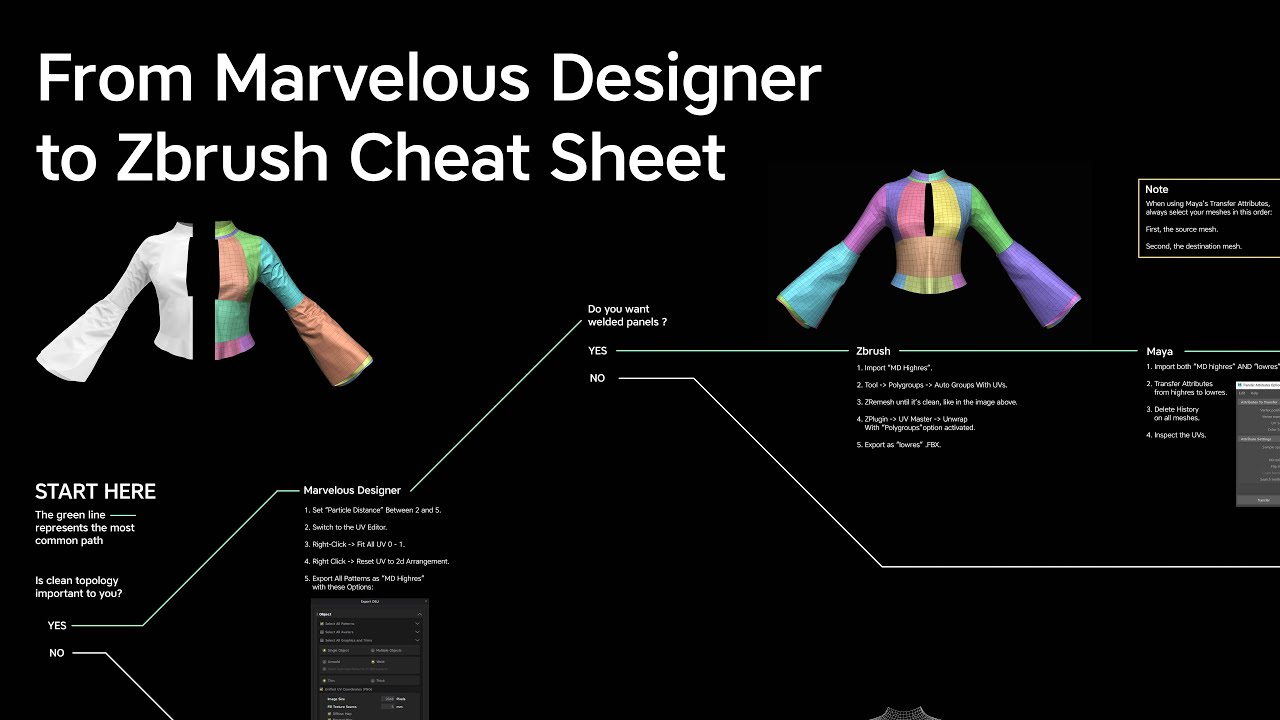
Here's some in-depth explanations of how to export a garment out of Marvelous Designer and import it in Zbrush without having to do any retopology.
The cheat sheet is available here: https://outgang.studio/export-marvelous-designer-to-zbrush/
If you find this content useful, please subscribe on Youtube, it really helps.
This video covers the l...
use this for retopology
there is a lot of ways of doing retopology but the most accurate way is doing it by hand, most people try find ways around it but doing manual retopo is the best way, And you learn a lot from it
use this for maual retopo https://github.com/CGCookie/retopoflow/releases
https://www.youtube.com/watch?v=CIIY1tCC9HQ

GitHub
A suite of retopology tools for Blender. Contribute to CGCookie/retopoflow development by creating an account on GitHub.

REDEEM YOUR COURSE HERE:
https://signup.nexttut.com/zbrush-character-likeness
Learn form our in deapth premium courses on skillshare and get 1 month for free!
https://www.skillshare.com/r/user/nexttuteducation?gr_tch_ref=on&gr_trp=on
Hey guys! Here we continue with the boot project, let me know if you wanna see the full retopo process! Enjoy...
short copper
is this where I say 'Damn man, I just wanted to make a shirt' ? lol
thin swan
short copper
is this where I say 'Damn man, I just wanted to make a shirt' ? lol
Trust me, Learn manual retopo for good results I did not do it and got really shitty results
white oak
Is there a way to hide a face after unhiding it?
thin swan
white oak
Is there a way to hide a face *after* unhiding it?
in blender?
white oak
in game
thin swan
white oak
in game

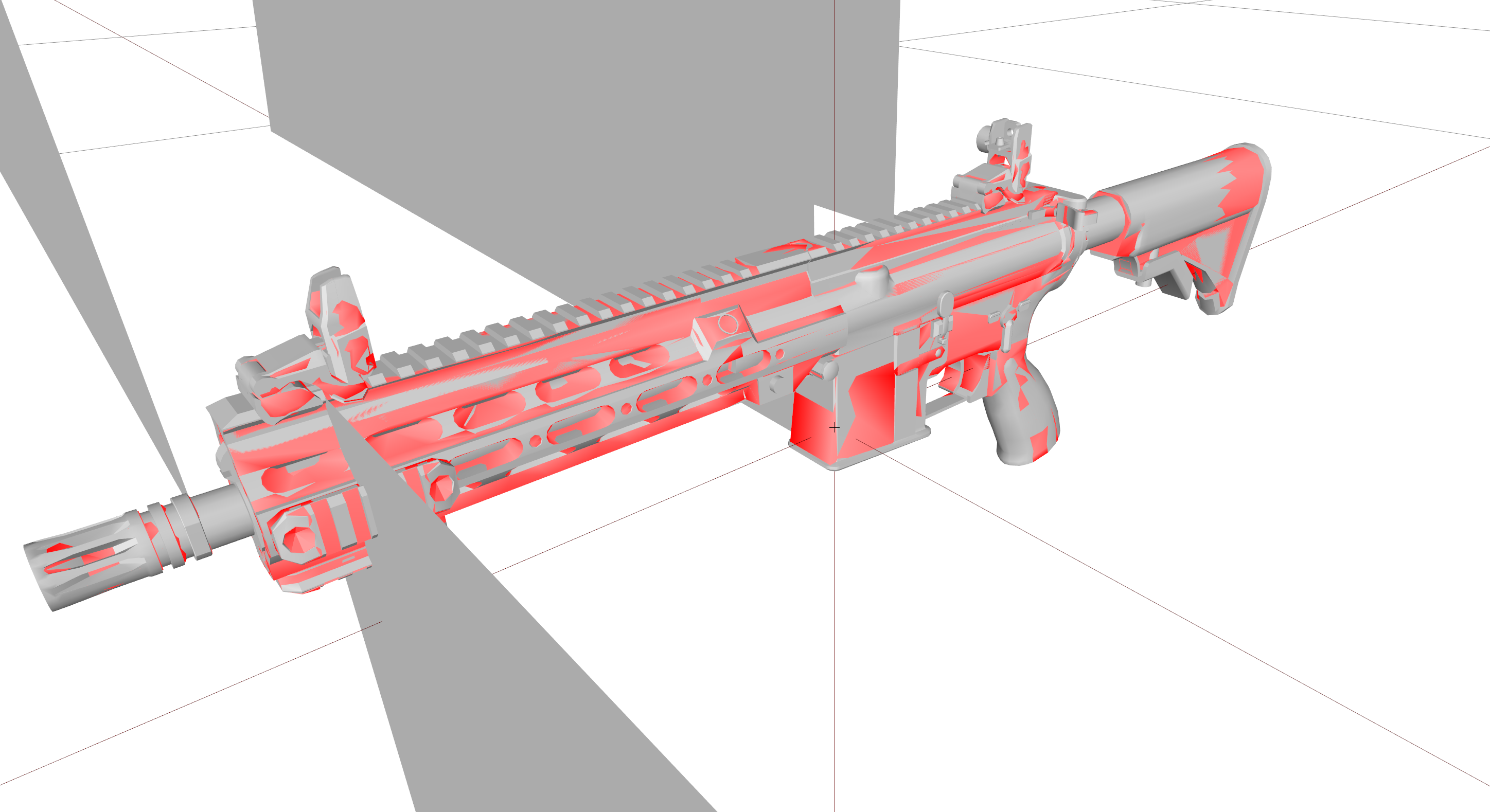


 white oak
meant faces/meshes of a model using model.cfg
as by default having the hide value higher than unhide value does not work
thin swan
white oak
meant faces/meshes of a model using model.cfg
as by default having the hide valu...
You don't, you can only unhide selections...
thin swan
short copper
is this where I say 'Damn man, I just wanted to make a shirt' ? lol
You don't need Zbrush, you can use blender but it has a lot of features that blender doesn't have
short copper
thin swan
You don't need Zbrush, you can use blender but it has a lot of features that ble...
I was looking at the sculptors toolbox as a kinda stand in
short copper
thin swan
lmao
¯_(ツ)_/¯
I also just dont want a ton of subscription based tools. For me this is a hobby and not my career.
thin swan
short copper
I also just dont want a ton of subscription based tools. For me this is a hobby ...
Same here, but it's good to have them
 stiff dew
hello, i dont know anything about arma 3 but is there a tools python script that works for blender 3.6 or only 2.8. using with 3.6 creates errors. but 2.8 seems fine. is there an updated version?
stuck oyster
stiff dew
hello, i dont know anything about arma 3 but is there a tools python script that...
pinned messages
white oak
Are there any known example of objRandom animation source?
white oak
Nothing in vanilla files as far as I can tell
on a side note userPositionHashedInit is not random as suggested by model.cfg reference
it is random in the sense that it will pick a random value from its array based on its map position
but it will always be the same value once baked to the map
 silver zenith
why do my buildings that have damage = no in their named properties still get destroyed when a dead AI falls on one of its walls?
white oak
silver zenith
why do my buildings that have damage = no in their named properties still get de...
"damage" named property defines the destruct animation, not whether or not an object can be destroyed
 livid portal
Check the mass on Geometry, only way i know of
white oak
try also adding destrType = "DestructNo"; to the config
inland pawn
So, I have this vehicle. It's an IFV. And when the turret is facing front, the gun elevates and depresses just fine. But, if I rotate the turret to the rear, the vehicle has a hump that should limit it's depression over the rear. Instead, it just clips into the rear and the vehicle can fire through itself

Is there anyway to stop the clipping without a script?
Here's the clipping
 charred bolt
inland pawn
Is there anyway to stop the clipping without a script?
charred bolt
inland pawn
Is there anyway to stop the clipping without a script?
In Turret config, this sort of thing will do it:
{
    limitsArrayTop[] = {{17.1955, -93.583}, {11.1851, -27.2403}};
    limitsArrayBottom[] = {{-21.5844, -94.9925}, {-14.3463, -29.4387}};
    turnOffset = 0;
};
class TurnOut: TurnIn
{
    limitsArrayTop[] = {{35.5209, -94.8698}, {32.1307, 95}};
    limitsArrayBottom[] = {{-44.5208, -95}, {-34.5606, -5.0313}, {-32.2057, 12.7971}, {-33.5706, 33.2967}, {-31.542, 70.3073}, {-36.4877, 95}};
};
Use dev branch diagnostic exe to easily find turret limits that you require to prevent clipping.
inland pawn
@charred bolt I actually tried this before and got the points where it should start to elevate


So, in between there is when it should elevate the gun
Is there any documentation on what each value of the array is for?
charred bolt
Yes, google should find it on the BI wiki
but it's simple box coordinates and use the method I describe to find them automatically
inland pawn
charred bolt
but it's simple box coordinates and use the method I describe to find them autom...
Will do, thanks 👍
real crow
I successfully managed to import and retexture a gun but still the muzzle flash is a bit in a backward position to the muzzle. Muzzle and MuzzleFlash proxies seem to be in the right place. So what defines the muzzleflash position?

 marsh canyon
The proxy defines position and direction. You just want to 180 it
real crow
marsh canyon
The proxy defines position and direction. You just want to 180 it
That’s why. Roteate then
Thankss
inland pawn
charred bolt
Yes, google should find it on the BI wiki
Google apparently can’t
@charred bolt Works

 alpine matrix
anyone have any general way to make a shadow lod? right now im having issues with closing my mesh.
i should add, im closing it via OB
marsh canyon
Better to do your job in your modelling software after all
alpine matrix
well, im merging my high poly mesh into the shadow lod
Merge near until low poly
then closing it
but it doesnt appear to work
inland pawn
alpine matrix
anyone have any general way to make a shadow lod? right now im having issues wit...
Easy way to do it, which is also a poor way to do it, take your geo and mark sharp, close and flip
alpine matrix
inland pawn
Easy way to do it, which is also a poor way to do it, take your geo and mark sha...
feels like i have tried everything lol
runic plover
inland pawn
<@273596087229480970> Works
does the AI also still work fine with targeting and hitting? special on elevated terrain
stuck oyster
alpine matrix
feels like i have tried everything lol
Make it new, don't try to shortcut by using existing mesh.
You can make it from few box shapes pretty fast.
alpine matrix
stuck oyster
Make it new, don't try to shortcut by using existing mesh.
yeah thats what i did in the end
works fine now, thank ya
stuck oyster
👍
alpine matrix
stuck oyster
👍
is there any poly limit to shadow lods?
generally i want it to look nice but i also dont want it to break my game lol
stuck oyster
If you are above 1000 you usually have too much
And weapons are maybe 500 max usually
alpine matrix
i was doing night vision, i had bought a model recently for it and wanted new shadow lods
my shadow is 200 polys rn i believe
stuck oyster
Sounds about right
white oak
If only visualex worked with vics
 thorn turret
hey
does anyone know if the arma 2 warfare objects (like factories) are included in the released content packs?
magic oxide
while trying my building mod this error shows up and cant open my door

i am sure that i have that sqf file inside my project file
@stuck oyster do you have any solution for that mate?
stuck oyster
magic oxide
<@150949769953411072> do you have any solution for that mate?
your path isnt right
to the file
inland pawn
echo meteor
my tank doesn't move,and I don't know why
You're missing a physX
And a lot of stuff
 plucky patrol
Hey, does anyone know the values for the yellow color in emmisive rvmat file ?
Or how to make this color , i need it for a bulb on my tank
runic plover
plucky patrol
Hey, does anyone know the values for the yellow color in emmisive rvmat file ?
0.4,0.3,0.1
runic plover
for emmissive you can also do
400,300,100
echo meteor
inland pawn
You're missing a physX
what should I do to fix that?modify and use the CfgVehicle.hpp of sample asset instead?
inland pawn
echo meteor
what should I do to fix that?modify and use the CfgVehicle.hpp of sample asset i...
Go to the class you’re inheriting from and copy it’s physX. Edit as needed
main jasper
Evening guys.
Looking for some help when it coms to shaders/shadows being cast on the player in custom buildings.
So at this point, the shadows are working fine for a custom building when in 3rd person, however, when in 1st person it appears no shadows are cast on the player. This is only happening whilst inside my Custom Buildings.
Any ideas?
3rd Person Shadows working and being cast on the player

1st Person no shadows cast on the player

This happens both on Custom buildings spawned through editor and also baked into the map.
echo meteor
inland pawn
Go to the class you’re inheriting from and copy it’s physX. Edit as needed
there are plenty of properties,which one should I tweak?
inland pawn
echo meteor
there are plenty of properties,which one should I tweak?
Copy everything, adjust as needed
echo meteor
inland pawn
Copy everything, adjust as needed
yes,I did copy phsyx form inherited class,but I dont know which value I should to tweak to fix bug
I 2X engine power but nothing happened,tank still don't move
inland pawn
echo meteor
yes,I did copy phsyx form inherited class,but I dont know which value I should t...
Then you need to match the physX stuff exact
Your selections need to match 100%
The sample tank != M2A1 Slammer
echo meteor
I did matched the physX stuff if you are talking about physX in config and model.cfg
And I found I set a wrong value of mass which is much heavier to M2A1 Slammer,then I set it a reasonable value,now It's could turn around and move forward sometimes,but it still far away from a functional tank,should I set a higher value of enigine power?
yep,I should,everything work now,problem solved
 stable zenith
Hello is it possible to disable specific proxy? I need to diasable antenas and satelites from CUP terrains buildings :-) thank you for answer.
 woeful viper
unless there is a hide animation specifically designed to do that, no you can't.
marsh canyon
No AFAIK
main jasper
main jasper
Evening guys.
Looking for some help when it coms to shaders/shadows being cast o...
Anyone have any ideas?
stuck oyster
 bleak heart
Can I add RTM to the binocular?
bleak heart
Can I add RTM to the binocular?
No
stuck oyster
main jasper
Anyone have any ideas?
Typically buildings use multimaterial.rvmat and should not need anything fancy for shadows to work
Also buildings in A3 mostly use sbsource=visualex shadows drawn directly from resolution lods.
So they often don't need separate shadowlod.
main jasper
There isn't anything fancy, just a simple ShadowLOD. however there are no shadows cast on the player in 1sxt person
However the shadows work in 3rd person
And in general they cast shadows on the ground
bleak heart
stuck oyster
No
Can I trigger an animation when I press ctrl+a?
I think to try with sqf
main jasper
And we are using the visualex sbsource like all other building but still to no avail
charred bolt
main jasper
And we are using the visualex sbsource like all other building but still to no a...
Can you show your Geometry LOD properties (which includes the sbsource=visualex) and check that you have no other properties in any other LOD except lodnoshadow = 1 in resolution LOD's?
main jasper
Not at home right now, however I checked this morning and there was nothing in another of the other LOD’s apart from Geometry where we had the following
Map = building
Class = housesimulated
Sbsource = visualex
Placement = slopelandcontact
white oak
you also need prefershadowvolume = 0 when using visualex
charred bolt
Exactly what Ken says.
plucky patrol
runic plover
for emmissive you can also do
400,300,100
Hi, it seems that does not work. the emmissive is still red in color
runic plover
plucky patrol
Hi, it seems that does not work. the emmissive is still red in color
can you show what you did
plucky patrol
ambient[] = {1,1,1,1};
diffuse[] = {1,1,1,1};
forcedDiffuse[] = {0,0,0,0};
emmisive[] = {400,300,100,1};
specular[] = {0,0,0,1};
specularPower = 1;
PixelShaderID = "NormalDXTA";
VertexShaderID = "Basic";
runic plover
diffuse[] = {0,0,0,1};
forcedDiffuse[] = {0,0,0,0};
emmisive[] = {400,300,100,1};
specular[] = {0,0,0,1};
specularPower = 1;
PixelShaderID = "Normal";
VertexShaderID = "Basic";```

try thisWhat colour is the mesh that you are applying this rvmat to?
plucky patrol
that section does not have any color
no paa
it is a reflector section
it has only the rvmat file
charred bolt
Try assigning the mesh a procedural texture
#(argb,8,8,3)color(1,1,0,1.0,co)
plucky patrol
not working 😦
hmm strange on another bulb is working and for others don`t. It seems to be another problem, well thanks for the tips
charred bolt
plucky patrol
hmm strange on another bulb is working and for others don`t. It seems to be anot...
Have you included the broken bulb by mistake into a named selection such as "camo" which is changing it's texture via hiddenSelections?
plucky patrol
charred bolt
Have you included the broken bulb by mistake into a named selection such as "cam...
Yes this is the problem but not with camo , with another section
real crow
Hi folks, small issue here: after successfully importing a Panzerschreck i have an issue with its rocket ammo: rocket is a separate p3d, both in it’s fired mode and unfired one, same texture and uv map as the Panzerschreck since they share the same Uv map and texture. The weapon is good, fires with no problems, rocket hiding and unhiding during reloading and firing process. Just the rocket textures doesn’t want to show up and basically what i recon to be absence of the correct ballistic trajectory, it looks like a numb and dumb projectile that stays in the same angle and looks like it has no real weight. Rocket Geometries are there, with mass given and autocentered. Model cfg includes just the “fired rocket” in a spearate class along with the Panzerschreck one.
What’s the issue here?
real crow
real crow
Hi folks, small issue here: after successfully importing a Panzerschreck i have ...
And the rocket sometimes passes through vehicles and sometimes not
real crow
these are for refernce ☝️

 main jasper
white oak
you also need prefershadowvolume = 0 when using visualex
main jasper
white oak
you also need prefershadowvolume = 0 when using visualex
Will check when I get home, question is, I also have a shadow volume LOD, should I keep that or remove it considering I’m using visualEx
white oak
ditch them
also mark all your res lods as lodnoshadow = 1
main jasper
Is there no way to have the shadowlod remain since in my opinion the visualex doesn’t give enough detail on the shadow
But also allow shadows to be cast inside the building when looking through 1st person
stuck oyster
main jasper
But also allow shadows to be cast inside the building when looking through 1st p...
Both shadowlod shadow and visualex shadow should cast in first person just fine.
Visualex shadow is just far faster to use
main jasper
The visualex works in 1st person when used
However when the shadowlod is used I only get shadows cast in 3rd person not in 1st
stuck oyster
Can't remember encountering a situation like yours with either shadow type
main jasper
Is there maybe a poly limit for the shadowLOD?
stuck oyster
So hard to say why it happens
stuck oyster
main jasper
Is there maybe a poly limit for the shadowLOD?
Unlikely. But you could try making shadow load from simple box shape for the roof and see if that makes any difference
main jasper
Good idea. I’ll try all of the above when I get home
stuck oyster
Shadowlod should be as simple as possible
stuck oyster
And usually visualex shadow produces far more detail even if it is softer edged
main jasper
Does visualex take into account windows when making shadows?
main jasper
I see. I’ll give it all another shot when I get home and update you
hollow fulcrum
☕
civic stratus
Am I using wrong syntax?
MoveObject P:\GPLT\addons\GPLT_Vests\AR\AR_Belt\AVS_RONIN_H_M_AR_JUG.p3d gplt_data\data\vests GPLT\addons\GPLT_Vests\Data

does the p3d need to be moved to the bin folder where moveobject.exe is located?
stuck oyster
civic stratus
does the p3d need to be moved to the bin folder where moveobject.exe is located?
No
past canopy
@last spindle I just baked with a 7.6 mil file that was ~3.8GB in obj form and ~500 in FBX, would highly reccomend fbx :)
civic stratus
I haven't used this tool before, can you see what the problem is? I did my best following this page https://community.bistudio.com/wiki/MoveObject
stuck oyster
civic stratus
I haven't used this tool before, can you see what the problem is? I did my best ...
https://wiki.mikero.tools/tools/moveobject latest tool wiki stuff can be found here at least. I dont unfortunately have the time to debug this at the moment

Mikero Tools Wiki
Move files from one location to another and automatically adjust paths inside files.
civic stratus
stuck oyster
https://wiki.mikero.tools/tools/moveobject latest tool wiki stuff can be found h...
thanks for the link, I'll keep messing around with it. I suspect I might know the issue
 sour bough
Is there any guides or docs about how UGL eye rotation stuff works? I see how OP_eye and OP work, but I'm importing something with the m203 flip-up sight so the sight itself wouldn't be rotating
stuck oyster
unfortunately no
stuck oyster
like theoretically it works the same way as the real thing
but aligning the eye points for different distances can take some guesswork yes
marsh canyon
I would make a code so spam the actual GL and fetch the distance and angle
stuck oyster
not bad idea
bright echo
the fun part is then translating the angle to p3d coordinates
marsh canyon
I'm not really a math guy after all
bright echo
if someone does work out a less guess work method I'd love to hear about it though as I loathe the current method
runic plover
stuck oyster
Both shadowlod shadow and visualex shadow should cast in first person just fine.
interesting, i dont have any issues with just using properties in Geometry LOD:
class housesimulated
map house
sbsource visualex
and in all other LOD's i dont have added any kind of proprties, so also nothing with prefershadowvolume etc


in 1st view and 3rd view no issues with visualex only


the only issues i do know is in a vehicle and viewPilot LOD but thats known
stuck oyster
runic plover
the only issues i do know is in a vehicle and viewPilot LOD but thats known
correct yes
anything else should work
runic plover
stuck oyster
anything else should work
yeah without doing own shadow LOD's, i did no shadow LOD's so far for my structures
last spindle
not everything supports FBX though......
this exe im using for a special purpos does only support OBJ, and then outputs WRL
hollow fulcrum
patiently waits for @last spindle to progress with this special purpose tool
hollow fulcrum
stupid question, but how do we exclude files/folders in pboProject now? (in the middle of restructing project workflow pathing and foo..)
last spindle
if you mean source files?
hollow fulcrum
basically
last spindle
have a folder named 'source' it will ignore it*
hollow fulcrum
huh.. that is not working for me.
or wasn't a couple months back because i moved all my source chit out.. and i wouldnt do that for no reason.
the issue if i recall correctly was that it was still attempting to path check things in the source folder and of course failing to crunch. i'll try it again though. thanks.
last spindle
well i ended up changing my project structures to having all my source files in a seperate location, because what PboProject did to get around binarise trying to crunch the source folder, was temporarily move the source folder to another location, and then back when finished and this caused havok with having files open in photoshop and what not
hollow fulcrum
ahhh.. that actually explains some things i was curious about.
last spindle
yeah you would get this error, Error Code 12 i think, just saying it couldnt move the source folder because something was using a file
sour bough
sour bough
Is there any guides or docs about how UGL eye rotation stuff works? I see how OP...
So, related to this.
When making a model from scratch, the angle of the sights should be calculated from this equation. When using an existing model and tuning it for import (an APL model for instance), you need to measure the angle and do some algebra to then tune the velocity to match the angles
 sour bough
bright echo
if someone does work out a less guess work method I'd love to hear about it thou...
sour bough
bright echo
if someone does work out a less guess work method I'd love to hear about it thou...
method above, think it'll work
I'm assuming the grenade follows projectile motion without any glide
Which... It's shotShell so it should?
short copper
So blender 4 comes out tomorrow. Will the arma tools work with 4 or do we not know?
stuck oyster
short copper
So blender 4 comes out tomorrow. Will the arma tools work with 4 or do we not kn...
we dont
@shrewd jay might have idea about that though
short copper
okay
 dim mica
//forcing arma raP
class CfgPatches
{
class box
{
units[] = {};
weapons[] = {};
requiredVersion = 0.1;
requiredAddons= {};
rapify x64UnicodeVersion 1.75, Dll 5.24 "config.cpp"
In File x\Addons\xx\data\config.cpp: Line 8 Expected Semicolon (or eol)
what im doing wrong there?
livid canyon
Had a little more practice xD
stuck oyster
nice 👍 👍 👍
last spindle
requiredAddons[] = {};
it even tells you the line the error is on................
 agile osprey
the issue is the config isnt set up correctly
dim mica
yep but i have no idea of these configs ;D
agile osprey
you feed it an array but you didnt type the name correctly
value[] = {};
value = "0";
like with weapons[] and units[]
dim mica
well now its passing that but lots of other errors follow ;D
last spindle
#Welcome to ARMA ;)
dim mica
trying to make my first model so ;D
pallid island
at least Blender 3.6 is LTS
 foggy finch
what do you plan on making?
dim mica
map objects
dim mica
postbox
;D
well i got the model and textures and all that stuff working but now 31 lines of config is bloking my progress ;D
 shrewd jay
short copper
So blender 4 comes out tomorrow. Will the arma tools work with 4 or do we not kn...
shrewd jay
short copper
So blender 4 comes out tomorrow. Will the arma tools work with 4 or do we not kn...
I'm currently adding a feature to the Toolbox gearing up to a new release, I will make sure it'll work with 4.0.
 wispy orchid
@dim mica do you write the config from scratch or do you use an existing sample?
dim mica
well i have sample but im compering it to tutorials and so on
class CfgPatches
{
class Postilaatikko
{
units[] = {};
weapons[] = {};
requiredVersion = 0.1;
requiredAddons[] = {};
};
};
class CfgVehicleClasses
{
class Postilaatikko
{
displayName="postilaatikko";
};
};
class cfgvehicles
{
class Thing;
class block_tut: Thing
{
scope = 2;
model = "data\posti.p3d"
displayName = "Post box"
VehiclesClass = "Postilaatikko"
destrType = "DestructTree"
};
};
wispy orchid
the block_tut: Thing declarations lack a lot of semicolon at the end
dim mica
after adding that this comes up Line 23 Expected class name
wispy orchid
hmm, don't add a semicolon at that line, but on the declarations inside of block_tut block
the lines with 'model', 'displayName', 'VehiclesClass', 'destrType'
 sacred perch
Quick question, If you had a model like the Badger IFV that has hidden things like the Cages and Camo nets, Are those polys and parts always rendering in the game even when they are "disabled/hidden"?
 subtle bison
always rendered
the game hides stuff with moving points to 0,0,0 - so it's still there, you just don't see it
dim mica
class CfgPatches
{
class Postilaatikko
{
units[] = {};
weapons[] = {};
requiredVersion = 0.1;
requiredAddons[] = {};
};
};
class CfgVehicleClasses
{
class Postilaatikko
{
displayName="postilaatikko";
};
};
class cfgvehicles
{
class Thing;
class block_tut: Thing
{
scope = 2;
model = "data\posti1.p3d";
displayName = "Post box";
VehiclesClass = "Postilaatikko";
destrType = "DestructTree";
};
};
sacred perch
subtle bison
always rendered
Gotcha, Thank you 🙂
dim mica
i think its working now
wispy orchid
pastebin.com is a good service for sharing larger configs and code snippets
wispy orchid
welcome :)
white oak
subtle bison
the game hides stuff with moving points to 0,0,0 - so it's still there, you just...
dim mica
im just total noob what comes to these configs and coding
white oak
Is there a way to verify which applies, perhaps on the dev/profiling branch
I'm experimenting with randomness that would involve hiding ~10k faces
So it'd be nice to know if it's going to create performance problems
plucky patrol
Hello, is there a way to change the rvmat files like the textures ? I mean if i change a texture in garage i need to change the rvmat also
marsh canyon
You can simply use material[] = {"brah.rvmat"}; into your VhC config
https://community.bistudio.com/wiki/Arma_3:_Vehicle_Customization
plucky patrol
It is not working quite well 😦
marsh canyon
Then post your config
plucky patrol
i mean that the change lowers the quality of the texture
marsh canyon
?
I do not quite understand what exactly is your goal
Do you mean somehow the texture has an issue? If so what's up with the rvmat?
plucky patrol
yes the changed texture has a lower qulity on change. But the texture is hight quality by default
the rvmat is added in the materials array
on the same position with the texture
pallid island
wut intensifies
marsh canyon
So nothing related with rvmat?
plucky patrol
no
marsh canyon
??
plucky patrol
I mean maybe no, i do not know
marsh canyon
Well
I do not really know why you said so but sometimes "it is what it is" and I really don't quite understand why a tex can have low res than it should
pallid island
Maybe post config and couple of screenshots 
subtle bison
never heard of tex quality to go down via hidden selections
sounds like an issue with the texture itself
marsh canyon
Maybe but I actually had such issue, never figured why and not really interested
subtle bison
still think it is texture related :p
hidden selections "just" replaces one texture with another. i don't see it having any other effects on the texture
runic plover
subtle bison
hidden selections "just" replaces one texture with another. i don't see it havin...
This ^
For sure a texture related stuff
Check if texture is well sized (example 2048x2048/1024x2048/512×512 etc)
Check if texture .png or .tga file has been imported in TexView as xxx_co.paa or xxx_ca.paa (_ca as example windows, alpha channels in)
hiddenselections is like Lexx said, only a replace of, its not changing the unwrap
plucky patrol
yes the texture are on correct res 2048x2048 and has the suffixes
runic plover
With hiddenselectionmaterials you can "change" the unwrap, if dir /set is increased as example, used sometimes for rocks
But thats more a tieleablestuff / seamless
runic plover
plucky patrol
yes the texture are on correct res 2048x2048 and has the suffixes
And the texture of the original is also a 2048 texture?
runic plover
Can you post a screenshot to give more details of what you did so we dont have to search everywhere
You got to acceppt rules of Arma 3 Discord so you can post screenshot
plucky patrol
ok i will post a screenshot but is there a way to change smdi and nohq outside a rvmat file ?
runic plover
With hiddenselectionMaterials you can change the rvmat file, so you have to make your own rvmat file and add your pathes to your _as, _nohq, _smdi files
plucky patrol

 runic plover
Also its important if there are more textures and materials are to replace you have to follow the line, so sometimes you got to skip a line. Skipping a line works like this
"xxx_co.paa", "yyy_co.paa", "", "zzz_co.paa"
So there are 4 selections but you want only to replace 3 of them
plucky patrol
if you look on the sign right side is lower that the left side
runic plover
Is the sign a seperate texture and has a seperate rvmat file?
plucky patrol
the turret is separate and has different smdi, and nohq
the turret texture contains the sign
and with different smdi and nohq i need to have a different rvmat file
is there a default resolution on arma3 when the textures are loaded in garage ?
The same issue is happening with vanila NATO F181 Black wasp in garage
stuck oyster
plucky patrol
The same issue is happening with vanila NATO F181 Black wasp in garage
Do the textures work normally in live game?
plucky patrol
nop, it apears the same as in garage
only the base texture looks high quality but the rest are low
foggy finch
you'll soon pick it up :)
dim mica
hopefully ;D
runic plover
Maybe one more 2.14 bug
But not sure cause i dont have any problems with my 10color variants for vehicles & aircrafts
plucky patrol
what rez do you have on your aircrafts ?
charred bolt
plucky patrol
what rez do you have on your aircrafts ?
4k mains
 hollow valley
Hi, When entering the game and placing the structure I made, I can go through it even though I put geometry LOD in the file
 pallid island
make sure your geometry lod satisfies the requirements: https://community.bistudio.com/wiki/LOD#Geometry
hollow valley
pallid island
make sure your geometry lod satisfies the requirements: <https://community.bistu...
Thanks m8 you helped me alot!
short copper
shrewd jay
I'm currently adding a feature to the Toolbox gearing up to a new release, I wi...
I love you
 tribal mulch
runic plover
Maybe one more 2.14 bug
tribal mulch
runic plover
Maybe one more 2.14 bug
He means that the same problem with the additional texture(s) of the tank, is also visible on the vanilla F/A 181 Black Wasp II. On Ultra both the texture(s) of the tank and the vanilla plane are fine, but when you go lower than Ultra, on Very High/High/Standard the additional texture(s) get's very blurry, as if they were a worse quality, even though they're all the same quality.


Left is Ultra, right is Standard
tribal mulch
plucky patrol
Same problem, don't know what's causing it
... for more clarification, yes, the quality does go down from Ultra to Standard... obviously, but on Standard the quality of the additional texture goes even more down in quality for some reason.
Ultra, both textures are the same quality


Standard, see how on the right the additional texture is in a worse quality than on the left even though they're the same quality. This is the same problem we're facing with our tank. The base texture, the one the tank spawns with, is fine. But when changing to other textures in the virtual garage, they're all in a worse quality than they should be.

 real crow
Folks, how can i connect the flipping of my rotating iron sight when the discrete distance of the rifle is changed? i got 4 discrete distances (100-150-200-300) and i need my sights to flip when discrete distance is 150 and 300. I Already made a sight axis in the memory point to rotate the sights and placed the rotation class in the model. Just need to know how to connect it to the discrete distances
past canopy
codeshare.io/ is also awesome since multiple users can edit at the same time
runic plover
tribal mulch
Standard, see how on the right the additional texture is in a worse quality than...
I was searching this, this was posted some days ago too, i was thinking its the same bug. Didnt notice this cause im always playing on ultra
tribal mulch
Same. But since my friend, @plucky patrol , is playing on lower than Ultra, he noticed and pointed it out.
If we both would've been playing on Ultra, we would have never noticed it until someone would've called us for bad quality textures when the mod would've been released 
white oak
does the hide animation not work on classes other than building?
trying it on bushshoft atm
runic plover
white oak
does the hide animation not work on classes other than building?
trying it on bu...
As long the object or unit or vehicle has a config and a model.cfg and is not spawned in a proxy (you can hide proxy of for sure) its possible
white oak
hmm, can't seem to get it working
works allright when class = house
breaks with class = bushsoft
do I need to change something in the config/modelcfg
umbral shuttle
charred bolt
Those htMin/htMax etc thermal properties do not belong in the model.cfg at all. ...
oh wowe I learned something 2day
white oak
Yup turns out animations work only on few classes as said in the model config wiki
Required for any animations to work including ladders, doors, and attendant= (cfgVehicles). // "house" also causes game map to show displayname. Note that this behavior is slightly different to an in-game model. // The wrp model does not respect the accuracy= setting of the config and will show the name through to actual game play.
which arehousebuildingandhousesimulated
tribal mulch
charred bolt
4k mains
Tried switching textures to 4k, still the same issue.
charred bolt
tribal mulch
Tried switching textures to 4k, still the same issue.
I'm not seeing the issue with a SOG:PF tank example. Put my video to Very High textures, change skin in the VG, result looks clean in both VG and game.
tribal mulch
charred bolt
I'm not seeing the issue with a SOG:PF tank example. Put my video to Very High t...
On standard it's most noticeable.
charred bolt
Standard? Who uses that these days?!!
tribal mulch
charred bolt
Standard? Who uses that these days?!!
... didn't try with more vehicles other than the Black Wasp but the issue appears on settings lower than Ultra. If you didn't notice it on Very High, then put it on Standard to make sure that the issue is in fact not present. Otherwise it might be there but you just didn't notice it. I dunno what else to say 
charred bolt
Standard textures

 tribal mulch
Can't figure out in the first place why this is happening at all.