#arma3_model
1 messages · Page 19 of 1
 hollow fulcrum
yeah, the block is just stupid.
 past canopy
Price is nearly irrelevant when selling to the military ;)
 woeful viper
not for the supplier because $$$
 thin wigeon
It had a rusty metal material but just changed it for a matt material which uses different shaders but same problem. If I extract proxy (all LODs) then it looks fine on the main model. So now I'm really stumped.
https://ibb.co/8M2Btdg
 woeful viper
the other one at least looks as if they tried... still, 300 ? ffs
hollow fulcrum
i need some detailed plans for a M134 also.. I have the barrel group and reciever done pretty well (tapering and all), lots of gear under and around it though..
hate to be this specific with the M2 then eye-ball the M134. had some decent plans for the Mk19, but kept it game simple. so that ones fairly trivial.
 stuck oyster
thin wigeon
It had a rusty metal material but just changed it for a matt material which uses...
stuck oyster
thin wigeon
It had a rusty metal material but just changed it for a matt material which uses...
Are the textures named with correct suffix (_CA)
thin wigeon
yep, double checked they are def _ca. In the model viewer by themselves the proxy looks fine - if I extract proxy it looks fine. But if I just include the proxy the transparency behaves as though it only wants to show me faces behind the mesh that are still in the dish model - it doesn't carry on being transparent for the brick on the main model.
stuck oyster
That is rather odd
thin wigeon
I've seen this kind of thing before when you try and look through two windows one behind the other but the forceNotAlpha and sorting always put these right
I've tried this one with and without forceNotAlpha both 0 and 1
I'm completely out of options at this point, was really hoping you'd just be like "ah you forgot the really obscure LOD variable" like you normally do 😄
the brick texture is _co btw, so it's not like it's fighting with that
but it is indeed rather odd as it works if I just throw in the towel and extract proxy.
I just tried posterizing the alpha layer to remove any none 0 or 255 values but same result.
stuck oyster
It can still have the channel
thin wigeon
nope, just checked and it's 24 bit png, no alpha
weirdest thing is it looks fine if I forget about proxy, so it still feels like a sorting issue still but I did try making the triangle top of the shop
thin wigeon
I knew I could count on you for some objective thought, I'll try that in a bit 🙂
Good point tho, am I battling a problem in the main model or the proxy
stuck oyster
Could give some direction to work with
thin wigeon
yep, just tried it on a very simple speed camera and it's fine as a proxy
stuck oyster
So something in the main model seems to conflict
What type of material does the wall behind have?
Multimaterial?
hollow fulcrum
think this tripod will work for both: https://gyazo.com/0f6c44b539b019184ba656458d1612e0 (MK64? (M2/3 & MK19)
 wispy orchid
hi, looking at a pretty strange problem with Nimitz: 1 out of 4 catapults are misbehaving. There is an attachTo command issued for the plane to the Nimitz and on catapult 1 any throttle increase will be set to 0 upon releasing shift then. The other three cats work as intended. Strangely when I place the carrier on solid ground (sigh), the throttle works once more. Also when I completely remove the road lod, it works (besides the plane flying off before the attach). I made a forum post with two pics to illustrate it: https://forums.bohemia.net/forums/topic/157177-preview-release-nimitz-for-arma3-0103/?do=findComment&comment=3481153 Any help debugging or better fixing this is much appreciated!
Bohemia Interactive Forums
woeful viper
what plans for the mk19?
hollow fulcrum
operators manual and a bunch of patent foo?
i didn't get into any internal stuff with that one. i did on the M2 for reloading foo. and then i went anal retentive mode with it. mainly because there was a big hole to fill with parts ... or something.
woeful viper
oh, i thought you planned for some amazing feature for arma with it xD
thin wigeon
stuck oyster
What type of material does the wall behind have?
It's a simple material I copied from an existing rvmat.
#define _ARMA_

ambient[] = {1.0,1.0,1.0,1};
diffuse[] = {1.0,1.0,1.0,1};
forcedDiffuse[] = {0,0,0,0};
emmisive[] = {0,0,0,1};
specular[] = {1.0,1.0,1.0,1};
specularPower = 20;
PixelShaderID = "NormalMapSpecularDIMap";
VertexShaderID = "NormalMap";
class Stage1
{
    texture = "pwh\pwh_core\data\pwh_core_dugbrick_02_nohq.paa";
    uvSource = "tex";
    class uvTransform
    {
        aside[] = {1.0,0.0,0.0};
        up[] = {0.0,1.0,0.0};
        dir[] = {0.0,0.0,0.0};
        pos[] = {0.0,0.0,0.0};
    };
};
class Stage2
{
    texture = "#(rgb,8,8,3)color(0,0.01,1,1,SMDI)";
    uvSource = "tex";
    class uvTransform
    {
        aside[] = {1.0,0.0,0.0};
        up[] = {0.0,1.0,0.0};
        dir[] = {0.0,0.0,0.0};
        pos[] = {0.0,0.0,0.0};
    };
};
I just tried making a 1m brick cube in LOD 0 and gave it the same properties in geometry, then added the proxy. It was fine, but interestingly with just the cube selected the view looked like my problem, akak no transparency. I'm still none the wiser and it works fine if I extract the proxy so I'm really not convinced it's a material issue. Could it be because I've got a lot of window transparency in the model?
Answered my own question - yes it is. If I delete all the windows, the proxy transparency works
stuck oyster
thin wigeon
It's a simple material I copied from an existing rvmat.
```
#define _ARMA_
amb...
id recommend using super shader as "default" material
thin wigeon
OK, I'll give that a go.
stuck oyster
it is possibly using the older "simpler" shaders causes issues
hollow fulcrum
haha, umm no. see 'ArmA'. just trying to replace the old A1/2 weapons.. since i started them for the boat anyway.
stuck oyster
supershader is the basic shader used in Arma 3 assets
multimaterial is used for buildings/large constucts
and tree shaders for plants
thin wigeon
Is the super shader the rvmats that have the 7 stages? I kind of avoided those as they looked too scary. But it seems in my years on here they don't look scary at all now, will try converting my rvmats.
hollow fulcrum
is there a proper Mk19 muzzleFlash? they don't really 'flash' more of a poof of smoke with perhaps some light.
stuck oyster
you can use the default_super from p:\a3\data_f as base
it has default procedural textures for all stages and you can leave them as is if you dont need to input anything in them
hoewever using the shader will allow you to utilize the stages to make even nicer things
thin wigeon
I just realised.. I think I just reached a new level of modellation or something.. heat sigs and everything. Thanks HG, will go through my 300+ materials now and upgrade em, that'll keep me busy for a few weeks lol
stuck oyster
thin wigeon
I just realised.. I think I just reached a new level of modellation or something...
😅 🙏
thin wigeon
oo nearly forgot... goat_sacrifice++;
hollow fulcrum
ah nice 👍
thin wigeon
stuck oyster
you can use the default_super from p:\a3\data_f as base
ok, just been through and changed all materials in the model and proxy to use super... and... it's exactly the same 😦 Only thing I have found that makes transparent work for the proxy is to delete every single transparent TEXTURE, not material, in the main model. Or.. just extract the proxy.
I must be missing something really obvious...
stuck oyster
what material does the transparent parts use
thin wigeon
For the destruct windows I'm using the vanilla a3\structures_f\data\windows\destruct_full_window_set.rvmat & a3\structures_f\data\windows\destruct_full_window_set_CA.paa texture
For the undestructed windows it's using this rvmat which is possibly a copy of an a3 one with my texture (discord won't let me send > 2000 chars so here's the header, I just used my own SMDI further down)
#define _ARMA_
class StageTI
{
    texture = "a3\data_f\default_vehicle_ti_ca.paa";
};
ambient[] = {1,1,1,1};
diffuse[] = {1,1,1,1};
forcedDiffuse[] = {0,0,0,0};
emmisive[] = {0,0,0,1};
specular[] = {0.066667,0.062745,0.058824,1};
specularPower = 2000;
// renderFlags[] = {"NoZWrite"};
PixelShaderID = "Super";
VertexShaderID = "Super";
But like I say it seems if I remove the textures from all transparent faces - all the _ca ones - transparency miraculously works for the proxy.
If I leave behind a single _ca face, proxy don't transparance
thin wigeon
Is that a comment with a // in rvmat or do I need a #? I did try that earlier
nope, still the same even when I blow that nozwrite away
stuck oyster
oh right its commented out
thin wigeon
I did have a suspicion about that and as think I copied it from a vanilla thing way back I thought it might be dodgy
I'm going to try my minimum repeatable case model again - I'll make a brick cube and include a window this time then add proxy to that bare minumum setup.
woeful viper
i remember there was a function in max to basically make a new mesh from an existing mesh based on the UV's (so all flattened out and arranged like in the UV). Does anyone know how this function is called/ where i can find it?
hollow fulcrum
hrmm.. thats an interesting question. i don't believe i've ever had a need to do that. but i could see where that might be useful.
so the meshes are just flat planes and just like the UV map eh?
woeful viper
yeah, it was ages ago i've seen that in a tutorial but can't for the life of me remember where it is
very nice for baking additional detail on curved geometry
 west haven
some progress today, but I still have a while to go and I'll likely need to give it BUIS

 karmic silo
https://gyazo.com/64ff24459d4343b5a072ae0213bae7ec Any idea which Geo would be causing this issue? All the Geos are aligned and the character models work fine walking on it, however when trying to land the helicopter it stays about 3 feet off the ground.
 stuck oyster
geometry, physX geometry, roadway. and how the helo is set up
woeful viper
ah well this works too i guess http://www.scriptspot.com/3ds-max/scripts/uv-2-mesh

 hollow fulcrum
i had a script that did similar stuff a while back.. think it was the same basic concept.
https://www.dropbox.com/s/32q45mywkzbzj52/slideknit.rar?dl=0
would have to find the details on it.
 fluid copper
Is there land contacts for heli's? Maybe that in the memory lod is an issue
hollow fulcrum
still trying to find the damn script or app i used to have for breaking single complex objects into multiple convex objects. that is one i would pay for again.
karmic silo
I'm not sure, I tried it with land contact and no land contact
 bright echo
it should be just the physx lod for helicopters
roadway etc shouldnt matter at all
geo + roadway only matter for infantry
woeful viper
http://www.scriptspot.com/3ds-max/scripts/uvwxyzswap this allows swapping back and forth, which is nice, but i need the flattened UV's as mesh with original UV's intact. Saving/Loading uv's doesnt work because the mesh is changed
karmic silo
I'm still having the same problem. Even removing the geos and placing them back in won't make contact...
woeful viper
Ok i retextured the flattened mesh (since it was only a single small part) by UVing both original and flattened and using vertex snap to match every single vertex with the original. Bit of a chore though.
 bright echo
it says what the problem is
 wanton rampart
Well yes, but I don't know how to approach a fix for it or where to start
bright echo
open that model in object builder or something else and fix the trailing space in lodnoshadow property
 wispy orchid
karmic silo
I'm still having the same problem. Even removing the geos and placing them back ...
wispy orchid
karmic silo
I'm still having the same problem. Even removing the geos and placing them back ...
is this AFM or the normal flight model?
karmic silo
Normal
Everything is working on it, but the contact with vehicles. I've tried moded and vanialla helicopters. Changes values and added and removed lods.
wispy orchid
any dampers defined in model.cfg that may be extended upon start?
 wispy orchid
is the road lod above the geo lod, even by 1cm, and does not intersect the geo lod?
karmic silo

It's ever so slightly, but the difference in-game is massive. Also I thought it needed to be slughtly above?
 pallid island
inb4 view/geo are autocentered and roadway lod is not
karmic silo
I just have the Geo autocenter right now. I tried it on an off with the roadway.
wispy orchid
I don't think autocenter makes any sense for non proxies? It's IMO best to remove it completely
karmic silo
I've had no changes..
stuck oyster
wispy orchid
I don't think autocenter makes any sense for non proxies? It's IMO best to remov...
I use autocenter disabling with most things
stuck oyster
karmic silo
I've had no changes..
If you drop a car on the thing what happens?
wispy orchid
stuck oyster
I use autocenter disabling with most things
oh, interesting
pallid island
not to sound annoying: is that geo lod properly split into convex components?
pallid island
if you have any problems - try throwing a car into it first. I can live by that 🙃
stuck oyster
It's good debug method in Arma 😅
 pallid island
i don't have any OB experience to speak of, but i have my suspicions about OB detecting components in the complex geometry 
karmic silo
I would do it manually but I'm not sure what the requirments are. Also my only thin is while there are more vertices. The model is relatively simple and the issues persists even when I decimated it and turned it lower poly.
wispy orchid
karmic silo
I would do it manually but I'm not sure what the requirments are. Also my only t...
Have you tried to find non convexities in your geo lod, Structure-> Convexity -> Non-Convexities?
stuck oyster
karmic silo
I would do it manually but I'm not sure what the requirments are. Also my only t...
is each pole and horizontal bar separate block?
It may be your geometry lod is not made right
try it with just simple cube as the main platform so there is just 1 component
pallid island
and https://community.bistudio.com/wiki/LOD#Geometry for the requirements 
woeful viper
getting somewhere with the details (placement is fudged up though) http://abload.de/img/screen02xzs0a.png
 runic plover
stuck oyster
It may be your geometry lod is not made right
runic plover
stuck oyster
It may be your geometry lod is not made right
If i look on the pic, looks like his Geometry has no Mass cause i dont see these big grey squares
He has marked some and its just little red
 tropic lotus
i am trying to edit a mod by an ex-member of the unit i am in (i have permission and all credit goes to him), but recently the UGL iron sights bug a bit, i think this is due to the model config, but when i try to edit this i get the error: 'invalid configuration - Missing "AnimationTypes" class definition'. i looked on the wiki how to fix this but i couldn't figure it out. what do i have to do to make it work? (note, only thing i edited was the textures on the model, and it worked before)
west haven
my current plan will be to have it be in 5.56 using the basegame SPAR magazines, I am hoping if CUP is installed the magazine list will expand but I may have to work on that more

Oh, as a slight other question
how many polys is a reasonable number for an arma 3 rifle
 soft kernel
hy. can anyone tell me why my icons are offset? https://imgur.com/a/DTOsnlJ
 fluid copper
soft kernel
hy. can anyone tell me why my icons are offset? https://imgur.com/a/DTOsnlJ
fluid copper
soft kernel
hy. can anyone tell me why my icons are offset? https://imgur.com/a/DTOsnlJ
Probably because the object isnt centralized
soft kernel
its hard to center it perfectly, its a bush with a bend stump and some branches more on the one side than the other. is it possible to set up a memory point for that?
 charred bolt
wanton rampart
Cannot find a lodnoshadow property in OB
charred bolt
wanton rampart
Cannot find a lodnoshadow property in OB
Right mouse click the LOD property name and either delete or edit it.
You should have "lodnoshadow" and value 1 in all your main res LOD's (0, 1, 2 etc)
 charred bolt
west haven
how many polys is a reasonable number for an arma 3 rifle
charred bolt
west haven
how many polys is a reasonable number for an arma 3 rifle
Between 15 and 30k tri's, reduced to about 1k or less in final res LOD, halving each time.
west haven
okay baller, that should be easy enough to do
charred bolt
karmic silo
I would do it manually but I'm not sure what the requirments are. Also my only t...
On your Geometry LOD,
Structure > Topology > Find Non Closed (must be 0)
Structure > Convexity > Find Non Convexities (must be 0)
Points > Select Isolated (must be 0)
Faces > Degenerated Faces > Check (must be 0)
Delete all existing ComponentXX named selections
Structure > Topology > Find Components
Select each of the components in turn and ensure it has more than 10kg mass assigned to it.
Try removing Geometry Phys LOD as experiment.
 plucky patrol
Hello , I have a strange problem with the muzzle smoke effect on the tank coax gun , the smoke effect appears corectly at the begining but does not move with the gun axis , i do not know why 😦 please help https://imageupload.io/C0aStmjwO4gTyt3

ImageUpload.io
Image upload with direct link for free. Drag and drop anywhere you want and start uploading your images now. (Direct image links, BBCode and HTML).
charred bolt
plucky patrol
Hello , I have a strange problem with the muzzle smoke effect on the tank coax g...
Have you included the memory points for the muzzle effects in the selection for the animated gun (such as otochlaven)?
plucky patrol
yes

ImageUpload.io
Image upload with direct link for free. Drag and drop anywhere you want and start uploading your images now. (Direct image links, BBCode and HTML).
charred bolt
Need to check the p3d in Object Builder really. Memory LOD.
plucky patrol
for the HMG in the turret the effects are working fine only for the coax i do not kmow why does not
charred bolt
Coaxial guns require selectionFireAnim = ""; and then manually hiding muzzle flashes with animations.
But for the smoke effect, check the memory points match the naming in the coaxial weapon config.
plucky patrol
where can i find the default configs ?
plucky patrol
charred bolt
Need to check the p3d in Object Builder really. Memory LOD.
in memory lod the point is named as it is in the model cfg it appears on the correct position but the only issue is that does not move with the mouse, the muzzle effect anim is moving , only the smoke does not
charred bolt
Copy and paste the memory point for the muzzle smoke into a new temporary LOD in Object Builder, then show what named selections it has attached to it.
plucky patrol

ImageUpload.io
Image upload with direct link for free. Drag and drop anywhere you want and start uploading your images now. (Direct image links, BBCode and HTML).
all the names are the same
plucky patrol
the point it was a part of a wrong selection in memory lod grouping
it is all ok now
charred bolt
Yes, that was my very first suggestion. Glad you have it sorted.
karmic silo
charred bolt
On your Geometry LOD,
Structure > Topology > Find Non Closed (must be 0)
Structu...
Only one that isn't zero is Non Convexities. I've tried a couple things but it still persists.
charred bolt
karmic silo
Only one that isn't zero is Non Convexities. I've tried a couple things but it s...
There's your error then. You have to fix it or it won't work.
Isolate the mesh piece that is non-convex. Try splitting it into two more basic shapes.
For example, an "L" would need to be two boxes.
karmic silo
https://gyazo.com/cc554c54886983286642a29cdb465788 It seems kind of random. Espeically since it's corners and only some parts
 charred bolt
Oh, ok, that's VERY non convex lol
You can try Component Convex Hull in OB, but it's likely to break the mesh (ie non closed).
karmic silo
So I'm guessing your recommendation is to just rebuild it?
charred bolt
First thing I'd ask myself, is do those railings need to be complex like that, or could they be simple rectangular boxes with no gaps in them? Same with the stairs, just make it a triangle.
But as was suggested a day or so ago, by HG was it, first of all, make a Geo LOD with a single box structure of 1 component and test it.
karmic silo
That's what I'm currently doing with this https://gyazo.com/c9de54a1ba9309a22633d470bb63f18a

But it still had issues according to the list that you sent
I'm just gonna have to play around with it a bunch it seems
stuck oyster
soft kernel
its hard to center it perfectly, its a bush with a bend stump and some branches ...
yes you can create points that set bounds of the object so that the bound center is wherever you like
charred bolt
Is that a single box? Like an 6 sided shape?
 charred bolt
It's a rhetorical question. We've told you to make a simple box for your geo lod of 1 component, and then you show us some complex broken set of objects.
Make a box. If that works in game, then make it more complex.
karmic silo
It has to be triangulated does it not?
charred bolt
You already have the link to the Arma LOD's and what Geo LOD needs... it's all there.
But the answer is "no".
karmic silo
I'm doing it rn
stuck oyster
the 1 box test is a debug case to see if the problem lies in the geometry lod
you will also need 1 square surface in roadway lod slightly on top of the box geometry
karmic silo
The single box is allowing the correct contact with a helicopter
I thought I was making it simple enougb before but I guess not..
charred bolt
Excellent, so you know it can be done.
Now you can make it progressively more complicated.
stuck oyster
you did not make it from separate pieces
some parts must have been joined together
so they formed 1 big blob of geometry together
and caused collision to break
charred bolt
We know they were because they were non-convex
stuck oyster
art of geometry making is a bit different
and has the specific requirements to work
karmic silo
guess I'm just not there yet lol. I'm working on it
karmic silo
I love you guys 😂
charred bolt
 karmic silo
Here is the part I don't get. With just the octogon in works fine. but as soon as I add a side square it doesn't work anymore https://gyazo.com/007005cad09935c686a580df9073c54d

I don't even necessarily wanna finish this anymore, I just wanna figure out what's breaking it
fluid copper
And they are properly assigned to different component selections and have masses?
 sacred folio
i want to start making vehicle's for arma 3 but i have no idea where to start anyone have any advice?
karmic silo
fluid copper
And they are properly assigned to different component selections and have masses...
Yup
 marsh canyon
sacred folio
i want to start making vehicle's for arma 3 but i have no idea where to start an...
marsh canyon
sacred folio
i want to start making vehicle's for arma 3 but i have no idea where to start an...
Terms of make a model in software like Blender, you should to look some other place for the tutorial/reference. If you mean importing into Arma 3, check Arma 3 Samples, pinned posts and ask here
hollow fulcrum
looks great 👍
plucky patrol
Hello, how to sync the target cross with the gun movement , in this picture the cross is moveing with the gun but not at the same speed and angle 😦 https://imageupload.io/1UbDbZK43FUcQ4n

ImageUpload.io
Image upload with direct link for free. Drag and drop anywhere you want and start uploading your images now. (Direct image links, BBCode and HTML).
pallid island
stupid idea number N+1: fire geometry component with higher bulletPenetrability that comes through another component with lower bulletPenetrability, effectively creating a "window" to shoot through 🙃
Pros: can lower the component count (square block with a square hole in it would take 4 separate convex components); possibility to cut, say, round holes.
Cons: ?

 pallid island
plucky patrol
Hello, how to sync the target cross with the gun movement , in this picture the ...
pallid island
plucky patrol
Hello, how to sync the target cross with the gun movement , in this picture the ...
assuming you're packing Test_Tank_01 from Samples unchanged:
open model.cfg, go to line 108, change from "gunnerview","otocHlaven" to "gunnerview","OtocVez", re-pack the pbo
explanation: gunnerview memory point seems to be erroneously marked as a child of cannon instead of turret. So when the cannon goes up/down by X degrees, view in optics goes 2*X degrees 
plucky patrol
pallid island
*assuming you're packing Test_Tank_01 from Samples unchanged*:
open `model.cfg`,...
👍 ❤️ 😘 it works thanks a lot
west haven
Oh yeah also an odd question but
I saw a thing talking about how the Promet has a 5.56 magazine model that isnt used, is it possible to actually make it used on a rifle as a magazine proxy? I was considering using it for my rifle but i dunno if it is allowed
stuck oyster
west haven
Oh yeah also an odd question but
I saw a thing talking about how the Promet has...
If its through magazine proxy, it would be used straight from the games files and that is OK.
marsh canyon
a3\weapons_f_enoch\MagazineProxies\mag_556x45_msbs_30rnd.p3d
stuck oyster
Seems to be 
west haven
Cheers bro 🫡
I might decide to fiddle around with the specific ammunition but honestly for now I just wanna get it out into the game

takin it bit by bit
charred bolt
pallid island
stupid idea number N+1: fire geometry component with higher `bulletPenetrability...
Overlapping fire geometry will result in inconsistent and undesirable behaviour and should be avoided.
pallid island
sad
stuck oyster
character stuff generally uses shadowlods still
using visualex in the mix can look weird since its a lot softer than the shadowlod stencil shadow
 white oak
I'm rather happy with the result of it
so if it doesn't create any technical problems I'd rather keep it
stuck oyster
should work if you are happy with the visuals
white oak
okie
charred bolt
white oak
I'm rather happy with the result of it
so if it doesn't create any technical pro...
Have you checked that the shadow exists in 1st person?
The problem with visualex in vehicles is that it looks great 3rd person and requires no Shadow LOD, but doesn't exist in Pilot/Cargo View.
stuck oyster
charred bolt
Have you checked that the shadow exists in 1st person?
The problem with visualex...
the problem may be that it does not cast shadow on itself in the vehicle first person
 restive pond
How do I get rid of these 4 rvmats because they are interfering with the binarization.

I used a model from one of the ARMA 2 sample models, which invetibly brought these, which i dont want
 inland pawn
restive pond
How do I get rid of these 4 rvmats because they are interfering with the binariz...
inland pawn
restive pond
How do I get rid of these 4 rvmats because they are interfering with the binariz...
Go to materials and remove them
stuck oyster
restive pond
for the object, which isnt any of these
likely in firegeometry
woeful viper
pallid island
sad
i didnt experience issues with this... as long as the protrusion is far enough away it will be consistent.
The truth is, there is no way to make fully 100% consistent fire geometry with the current firegeometry method. At plate joints there will almost always be issues due to finite precision. Close proximity of "end of plate 1" and "start of plate 2" is always an issue. Making corners overlap (instead of cutting plate ends 45°) can reduce the issues with inconsistency in my experience.
west haven
yo fellas, I got another question
the H_HelmetHBK_01 is the Advanced Modular Helmet used by the Livonians in Contact, right?
marsh canyon
Well yes. Don't know what's up with models though
marsh canyon
You can?


 bold flare
 south badge
What did I break? <:harold:656103977125019650> I can´t preview anything in OB a...
south badge
What did I break? <:harold:656103977125019650> I can´t preview anything in OB a...
It fails to find dta folder maybe?
Usually next to buldozer/arma3.exe there is dta folder
 stuck oyster
It's done in model.cfg. You can find examples in the Arma3 samples on steam
pallid island
i'd assume something like this in the model.cfg
class Animations
{
  class Whoosh
  {
    type = "hide";
    source = "user";
    selection = "superHiddenSelection";
    minValue = 0;
    maxValue = 1;
    hideValue = 0.5;
  };
};```
and `muh_object animate ["Whoosh", 1];` to hide it afterwardsid recommend using specified sourece like super_hide_source and animateSource command as its said to be better in mP
but yes that is about it
 magic oxide
i am working on building, it currently has only textures for faces in blender. when i try to export it as p3d i cannot open it, it says Load error. I searched previous messages about it but couldnt find and solution. I guess i need to add geometry etc. which arma object builder needs. can anyone guide me?
 marsh canyon
Sometimes it fails Blender to "unload" the p3d and it locks to access for OB. To solve save the .blend file, open new (blank the scene) and it is unlocked now
magic oxide
marsh canyon
Sometimes it fails Blender to "unload" the p3d and it locks to access for OB. To...
thanks it worked
any tutorial for making door axis and switch memories
i am talking about coding
stuck oyster
magic oxide
i am talking about coding
There is the arma3 sample models on steam
magic oxide
stuck oyster
There is the arma3 sample models on steam
i seaarched door sample but nothing showed up in workshop can you give me a name
inland pawn
magic oxide
i seaarched door sample but nothing showed up in workshop can you give me a name
It’s not on workshop. ARMA 3 samples comes with every ARMA 3 purchase
runic plover
magic oxide
thanks
Its the sample House, there you should be able to find doors stuff, geometry stuff, roadway stuff, mostly everything basic for your structure.
magic oxide
i finished building and able to see it in editor but it lets me walk throught walls and there is tranparent inside of the building why it could be like that?
stuck oyster
magic oxide
i finished building and able to see it in editor but it lets me walk throught wa...
you dont have geometry
or the insides modeled
look at the house sample
that has the parts you need
magic oxide
thanks taking a look rn
white oak
does bridges need the "Bridge" at the beginning of the modelname?
stuck oyster
no
 sharp cypress
Now I'm working on the signal heads. I figure I'll look for more styles from other countries, but for now I'm using the Canadian Fortran style (since it is a lot more face-efficient than the Econolite's.


An earlier screenshot, while holding one of my actual physical references:


I have a Fortran physical reference, but it's fully assembled, so... 
 terse elm
yeah il second that
might remake my thompson now iv finally grasped the concept of HP > LP modelling
restive pond
why do i have to model my own magazine? cant i just leave the model without a magazine and tell the game to place a vanilla magazine into a spot in the model?
(im only seeing things from the samples)
stuck oyster
restive pond
why do i have to model my own magazine? cant i just leave the model without a ma...
you can
the sample was never updated for proxy magazine
proxy magazine wiki page can give you a direction though
inland pawn
restive pond
why do i have to model my own magazine? cant i just leave the model without a ma...
There’s a magazine proxy you can use
 echo meteor
Have question on add a custom uniform model to game:
class CfgWeapons
{
class UniformItem;
class U_B_soldier_new : Uniform_Base
{
    author = "Splendid Modder";
    scope = 2;
    displayName = "New Uniform";
    picture = "\A3\characters_f\data\ui\icon_u_b_soldier_new_ca.paa";
    model = "\A3\Characters_F\Common\Suitpacks\suitpack_original_F.p3d";
    hiddenSelections[] = { "camo" };
    hiddenSelectionsTextures[] = { "\A3\Characters_F_New\BLUFOR\Data\b_soldier_new.paa" };

    class ItemInfo : UniformItem
    {
        uniformModel = "-";
        uniformClass = B_soldier_new;
        containerClass = Supply40;
        mass = 40;
    };
};
};
this is the example form the encoding guide on bohemia interactive wiki.
The guide said the "model" property in "U_B_soldier_new" is the model which showed when drop uniform on the ground.
Then where to set wearing model?
echo meteor
this one?
 fluid copper
yup
echo meteor
which config will show in virtual arsenal?
fluid copper
uhm, I dont remember, im sorry
I want to say the cfgWeapons one
atleast for the display name and stuff
echo meteor
CfgWeapons is items show in backpack,and CfgVehicle is entities show in world?
fluid copper
yup, weapons is also what shows when you drop it on the ground
echo meteor
got it.thx for general answer
echo meteor
how to set config if i have different camo but using same model?
echo meteor
won't duplicate character add many new uncategorized unit to Eden editor?
fluid copper
character? this isnt a character, its a uniform
Here let me give you a reference config, it will be simpler then the one you're using
echo meteor
so B_soldier_new class won't add new unit
fluid copper
Pastebin
Pastebin.com is the number one paste tool since 2002. Pastebin is a website where you can store text online for a set period of time.
If you want to have different textures, then you need to have that camo area marked as a selection on the model, and then under the hiddenSelections portion of the cfgVehicles entry put the name of the selection, like this hiddenSelections[]={"camo1"}; and then have the texture you want it to be under the hiddenselectionstextures part, but it will be a file path, similar to the model one, that goes to the texture
 last spindle
fixed up all the mistakes i wanted to on my low poly bake, still some errors, but the overall size of the object, i think it will be fine
https://www.artstation.com/artwork/41nAk
 quick terrace
@woeful viper - you can use either textools
or you can open channel info
and copy the UV map channel to mesh channel
woeful viper
@quick terrace how does the channel thing work? never noticed/ heard of it
quick terrace
go to tolls
tools^^
sry utilities
more utilities
channel info
you got the object name and some info about it
like map, vertex color, select, the mesh of course
what any of tese scripts does is get the info from map channel and move that to mesh
i use it quite a lot for thinks like CNC cuts and older style 3d prints
of course i don't normalize the uv map in order to keep scale
 lime mountain
Hello! I'm in process of making some scopes from 0. I did one with all uvs and textures, then in object builder looks like as I want, but at the time of looking at it in arma... The model doesnt shown.
I 3 lods, geometry and shadow volume. Also I assigned 2 textures slots for the scope... one for all the metal parts and the tube, and one for the lens... Maybe this is making the error about not being shown?
Also... What is the correct way to make my own reticle and lens? Dunno if its with rvmats or with textures.
woeful viper
ok first test worked... until i tried to get rid of the edge dependency, (select one edge and the other gets highlighted too) then it crashed^^
and how do i keep the scale it originally had ? It shrinks down extremely (guess it takes base units=mm , so 1mm = 1 in UV scale) when i just copy one to the other
quick terrace
yeah it uses mm to 1 uv scale
for crashing and selection
drop an edit mesh on top right after you copy pasted channels on your object
edit mesh not edit poly
on top of edit mesh you can drop an edit poly if you please
woeful viper
anything else after that? just applying edit mesh does nothing to the mesh.
oh ok it gets rid of the edge dependency
tropic lotus
i am trying to modify a local mod, and all animations seem to be working fine, but the iron sight of the UGL just glitches out. what am i doing wrong?


code is from model.cfg
nevermind i fixed it. wrong axis....
quick terrace
works correctly yeah?
 sudden bridge
Hi, I would like to know how to make sure that when I get out of my boat, the player is not in the water (also the passengers).
What memory points should I add?
Thanks 🙂
woeful viper
yes, thanks for the explanation. I guess the size thing can't be prevented but it's not really a big deal when the UV's are retained
fluid copper
I believe editing the getIn/getOut memory points should do it
echo meteor
don't know why the badge is black?how to fix this?
 echo meteor
changed rvmat then it fixed,seems to be rvmat problem
fluid copper
Make sure the file paths in your rvmat are correct
sudden bridge
fluid copper
I believe editing the getIn/getOut memory points should do it
Do you have the exact name of these memory points? Thanks for your answer.
I tried with DriverGetOut but it didnt make it
fluid copper
The name of them is technically up to you.. If you already have them in your memoryLod then check there, otherwise you'll need to create them and then set them to be used in the vehicles config
id send an example but am at work right now
 real crow
Hi folks. I'm working on a 3d model gun recently downloaded and following the El Tyrano tutorial for importing it into arma3. Now i have a small issue: differently from what el tyrano have (1 material per textures), i have totally 3 textures assigned to 3 materials which are covering different parts of the model (muzzle, stock, magazine etc). Plus, el tyrano has a single "camo" vertex group that will be the hiddenselection "camo" in Obj builder if i understood correctly. Now, what should i do in this regard? I can easily create some camo "selections" for the different textures i have by copying some of the vertex groups i already have, and make a new vertex group called "camo2" (in reference to material n2). Problem is that some parts of the gun's main body have different materials assigned and no vertex groups are assigned for them, making me hard to create new vertex group i need for the last camo selections. I was wondering if is possible to create vertex groups from materials, this will make things a lot more easy and practical
stuck oyster
real crow
Hi folks. I'm working on a 3d model gun recently downloaded and following the El...
It is possible to make selections by material in many tools. OB can do it though it is usually recommended to do that in your source model straight
real crow
stuck oyster
It is possible to make selections by material in many tools. OB can do it though...
Yep i’m working on it on blender, i am a newbie to it so i was wondering how that would work
stuck oyster
Use Blender edit mode and the select/deselect tools in material tab to select parts per active material, then make vertex groups for those selections and name those camo, camo1, camo2
plucky patrol
Hi guys, I have question. My tank on max speed somehow it keeps steering to the right. Anyone has encouner this issue ? I have tried to change geo center mass objects on the oposite direction but with no effects
stuck oyster
plucky patrol
Hi guys, I have question. My tank on max speed somehow it keeps steering to the...
Do you have edit lods?
Are all memorypoints even?
And centered
plucky patrol
on the wheels yes they are centered
charred bolt
plucky patrol
Hi guys, I have question. My tank on max speed somehow it keeps steering to the...
Check that the sum of sprungMass in class Wheels {} is the same as your total mass in the Geometry LOD.
plucky patrol
charred bolt
Check that the sum of sprungMass in class Wheels {} is the same as your total ma...
Yes the values are ok
charred bolt
What values do you have for sprungMass, springStrength and springDamperRate on the main weight bearing wheels?
plucky patrol
charred bolt
What values do you have for sprungMass, springStrength and springDamperRate on t...
for sprungmass = 3357.393 springStrength = 324000 springDamperRate = 36000 for 12 main wheels that use damperAxis
charred bolt
Those numbers sound fairly good to be fair. Maybe try something slightly lower as an experiment (and also the -1);
springStrength = 251000;
springDamperRate = 29000;```Your tank total mass is 40.2 tonnes?
charred bolt
There are quite a lot of things we can look at to solve your problem, but others who have had the same found it was suspension set-up, so that's why I suggest you look here first.
woeful viper
sprungmass being too large or small just means the vehicle sits too high or too low at default.
Vehicle steering to one direction can be some issue with correct naming of axis / memory points in model or config. Are all wheels the same size?
woeful viper
what tank do you have modelled (designation)?
plucky patrol
mbt type
woeful viper
so something real ? then i guess wheels are probably similar size
plucky patrol
I will try to clone the left wheels and then replace the right side ones
woeful viper
make sure naming in config matches naming in model (if you give wheel5 the boundary point of wheel 4 by accident in config,lots of bad things happen)
is it steering the one direction very strongly, or just very slightly?
charred bolt
wheel mesh has nothing to do with it, it's all physx config and memory points
woeful viper
not to try to demotivate... but i had an issue of slight steering at speed many years ago (2014), but was never able to fix it back then.... 🙈

 marsh canyon
Which LODs you have?
 marsh canyon
Do you have proper model.cfg?
echo meteor
marsh canyon
It should be model.cfg AFAIK. No other names are valid
echo meteor
yes,you right.I forgot to delete prefix
tropic lotus
i copied the muzzleflash animation from weapon config wiki page, but it doesn't seem to work. am i missing something? the code in question is:
            {
                type = "rotationX";
                source = "ammoRandom";        // use ammo count as phase for animation
                sourceAddress = "loop";        // loop when phase out of bounds
                selection = "zasleh";        // selection we want to rotate
                axis = "";                    // no own axis - center of rotation is computed from selection
                centerFirstVertex = true;    // use first vertex of selection as center of rotation
                minValue = 0;
                maxValue = 4;                // rotation angle will be 360/4 = 90 degrees
                angle0 = "rad 0";
                angle1 = "rad 360";
            };
Does not work where? Buldozer testing/in game?
tropic lotus
buldozer and in game
tropic lotus
but there is muzzlesmoke, just no flash
inland pawn
tropic lotus
but there is muzzlesmoke, just no flash
Is there a muzzle flash proxy
tropic lotus
yes
charred bolt
Which muzzle flash proxy did you use?
tropic lotus
mk-20
charred bolt
exact path and name pls
tropic lotus
\a3\data_f\proxies\muzzle_flash\muzzle_flash_rifle_mk20
charred bolt
If you copy and paste the proxy to a brand new LOD, what selection names does it have?
tropic lotus
if i try to copy only the proxy it fails, if i copy the entire LOD (not duplicate), then it gives the same name (proxy:... \muzzle_flash_rifle_mk_20)
 charred bolt
tropic lotus
if i try to copy only the proxy it fails, if i copy the entire LOD (not duplicat...
charred bolt
tropic lotus
if i try to copy only the proxy it fails, if i copy the entire LOD (not duplicat...
In what way does it "fail"?
tropic lotus
it doesn't want to copy when i only select the proxy
charred bolt
You're doing this in Object Builder?
Select the proxy by dragging across it with the mouse?
tropic lotus
managed to make it work, name is : \a3\data_f\proxies\muzzle_flash\muzzle_flash_rifle_mk20
charred bolt

In this image I've copied across the A3 Samples weapon muzzle flash to a new LOD 2 and you can see it also has the named selection muzzleFlash
Your's should say zasleh
charred bolt
zasleh should be your proxy
tropic lotus
so having a zasleh and proxy selection is not the correct way?
charred bolt
I don't know how I can make it simpler to understand than the screen shot above?
You have a muzzle proxy and you name it zasleh.
Your model.cfg then animates (hides/rotates) the selection zasleh.
You can also use selectionFireAnim = "zasleh" to auto hide.
tropic lotus
this didn't seem to want to work, and sorry if i am a little slow. never done any modeling or animating before this project
inland pawn
tropic lotus
this didn't seem to want to work, and sorry if i am a little slow. never done an...
You should have your muzzle flash proxy and a selection named zasleh. Zasleh, when selected should highlight your muzzle flash proxy
tropic lotus
currenty i placed the proxy, and then added the proxy selection to the zasleh selection
woeful viper
slighty improved version...from yesterday http://abload.de/img/screen08x4sg3.png
 cloud zealot
Is there any reason Object Builder is not giving a mass to some of my components when i select all components and set a global mass ?
stuck oyster
Set it to 0 first to clear previous distribution
cloud zealot
Let me try this
cloud zealot
stuck oyster
Set it to 0 first to clear previous distribution
Thank you very much, it worked 🙂
tropic lotus
inland pawn
You should have your muzzle flash proxy and a selection named zasleh. Zasleh, wh...
first time didn't work, just tried again and now it does. thank you and apollo for your help and time
restive pond
is there a grenade launcher proxy?
stuck oyster
restive pond
is there a grenade launcher proxy?
No
restive pond

south badge
I dont assume there is a way of controlling the distance at which different resolution LODs load? Currently it seems like I am on my 4th and 5th resolution LOD once I move only 10-15 meters away from the object, which isnt exactly amazing
Especially when I take into account the fact that it is mentioned that every LOD should aim to cut away about 50 percent of tris of the preceding LOD
stuck oyster
south badge
I dont assume there is a way of controlling the distance at which different reso...
Not possible to control it exactly. But that could indicate you have "too complex" model
woeful viper
size is a factor in the algorithm... so a small object will switch sooner. Also, if you have many of the same object (or there are a lot of objects in your scene) switching also happens sooner. And also if your system is not good
south badge
Ah, I see, cheers
Yeah, there is a fair amount of small, repeating objects in the model
I thought I could get away with straight up deleting certain parts of the model, which would not necessarily need to be visible at greater distances, but the distances at which these LODs load is too short, so I´ll just simplify the geometry instead of deleting stuff
woeful viper
i'm talking about the model itself - the switching doesnt happen on individual parts of the model
unless you have proxies in your model. Those are switched independantly of the main model
charred bolt
Learning how to make good LOD's that work well with Arma is an art in itself and oft over-looked aspect. Give them as much attention as you did to the first res / pilot LOD.
woeful viper
it just feels like betrayal every time ... you did all the damn work and its shiny and finished... and then you have to do even more work and butcher everything, that you polished for a couple dozends to hundred hours xD
south badge
It is what it is, but you cant really do without it 
cloud zealot
Is there a particular reason Object Builder is not detecting some of my animations ? I have a building with 82 doors, from 1 to 70 everything is ok but from 71 to 80 OB is not detecting them.
cloud zealot
cloud zealot
Is there a particular reason Object Builder is not detecting some of my animatio...
Ohmy bad, there is an error in the skeleton
hollow fulcrum
☕ @woeful viper sweet, and i actually learned how to do another something in max. i think i'll call this a day and go back to sleep until tomorrow.
woeful viper
having problems again with stupid OB and section count increasing -.-" Every setting is the same in the "E"-window yet sections are higher when i import an additional piece into the model
white oak
Is there a way to hide/unhide meshes with a script rather than the model/config setup?
stuck oyster
white oak
Is there a way to hide/unhide meshes with a script rather than the model/config ...
no
what is it you are trying to do?
white oak
something dumb, need to change a rvmat rapidly in a repeating pattern
figured stacking meshes and just hiding/unhiding in order would be a good approach
stuck oyster
that could work via hiddenselections
white oak
doesn't hiddenselections only work on the texture?
stuck oyster
there is hiddenselectionsmaterial too
white oak
ah, alright I'll go reading up on that then
stuck oyster
white oak
ah, alright I'll go reading up on that then
what kind of material change do you try to do?
there may be some limits on how well that works
white oak
I should be able to point to a material file and it should work shouldn't it?
ie setObjectMaterial [0,"A3\Structures_F\Data\Windows\window_set.rvmat"];
stuck oyster
white oak
I should be able to point to a material file and it should work shouldn't it?
ie...
yes. but what effect are you trying to make? It usually helps to be precise as many thinga have been tried already and proven to work or not 😅
white oak
fair enough, I'm thinking of cycling between 4-5 rvmats with small variations to do something funny
now the current implementation idea I have is to cycle setObjectMaterial with a sqf
I need to add the hiddenselection to the modelcfg for it to work right?
 stuck oyster
white oak
I need to add the hiddenselection to the modelcfg for it to work right?
stuck oyster
white oak
I need to add the hiddenselection to the modelcfg for it to work right?
yes
as a section
white oak
stuck oyster
https://tenor.com/view/frodo-keep-your-secrets-alright-then-lotr-gif-12907121
I'll make sure you'll be the first one to see the result if I'm happy with it
hollow fulcrum
i generally import my .fbx files into a clean OB instance, then copy/paste it into my main/working model. generally do not have these issues. im really not sure whats happening to you there. granted im multitasking in about 4 different directions currently.
 sudden copper
hello model_makers 🙂 I am struggeling with finding the backpack proxy for gm_ge_army_rifleman_g3a3_80_ols. ... I am just new to scripting and dont want get in the world of modeling yet. How can I access such information without exporting the pbo files and stuf!?
stuck oyster
sudden copper
hello model_makers 🙂 I am struggeling with finding the backpack proxy for gm_ge...
Backpack proxy is the same for all models
It gets replaced by the backpack in your inventory in game
What is it you try to do?
sudden copper
stuck oyster
What is it you try to do?
I am using the proxys of the models for a slightly complex visual concept. It works with "proxy:\a3\characters_f\proxies\weapon.001" for weapons but not with "proxy:\a3\characters_f\proxies\backpack.001" for backpacks
stuck oyster
sudden copper
I am using the proxys of the models for a slightly complex visual concept. It wo...
Best to explain what you try to do in detail.
And how it does not work
sudden copper
I need this for backpacks. And even better, also for helmets. But for helmets I am still struggeling to get the coordinates 😄
 sudden copper
stuck oyster
And how it does not work
sudden copper
stuck oyster
And how it does not work
is the image sufficient?
stuck oyster
Sure
Backpack won't really be able to give you that info I think since the proxy is just a triangle in the 0,0,0 coordinates of the model
You might be able to grab the model bounds via scripting though.
For helmet you would need to use the head selection, helmet itself has no separate access like backpack does
More a #arma3_scripting thing beyond this point though
sudden copper
stuck oyster
For helmet you would need to use the head selection, helmet itself has no separa...
Yes, but head shall be pretty close. 😄
stuck oyster
You'll have to fake some of it
And make guesses
On how big and at what position something is
sudden copper
stuck oyster
You might be able to grab the model bounds via scripting though.
Ok. I thought of something like "maybe there is another way for the backpack". Thus, when it is a triangle from 0,0,0. I should be able to calculate a proper starting point for my box, right? One that is not slightly of like pelvis or spine.
stuck oyster
Spine2 is what backpack mesh is typically weighted to
Or spine3
From those bones you should be able to get a rough direction at least
sudden copper
stuck oyster
From those bones you should be able to get a rough direction at least
thank you. 🙂 spine 3 is exactly on backpack to far above. And spine2 does not give any results. :D.
stuck oyster
It can be different in different models
sudden copper
stuck oyster
It can be different in different models
oh, boy. there is my thesis going 😄 ... In worst case I will ask some tutor or so to show me how to create own proxys on those models. Is this a good backup plan!?
stuck oyster
sudden copper
oh, boy. there is my thesis going 😄 ... In worst case I will ask some tutor or ...
you cant
dont work like that
but its good to ask the specific questions
sudden copper
stuck oyster
dont work like that
ok. I thought one can genarate own models and has to set proxys for geometry and memory manually. ...
sudden copper
stuck oyster
what you want to do you cant
ok. Sorry to bother you.
Thus, I could use own models with the required proxies?
Why cant I export the original ones and change them and import them with another name?
stuck oyster
sudden copper
ok. Sorry to bother you.
Thus, I could use own models with the required proxies?...
it just dont work like that
I could probalby write a more complex answer that still results in the same no
but I have pizza
pizza trumps complex answers
cloud zealot
Any reason a door is working properly in OB in every LOD but not in the game ? When i try to open this door in the game, collision works but not the visual nor the fire geometry
stuck oyster
some other animation tied to same selection?
cloud zealot
stuck oyster
some other animation tied to same selection?
no, the selection is only used by one selection
stuck oyster
is the pbo binarized?
cloud zealot
stuck oyster
is the pbo binarized?
not yet
stuck oyster
Id recommend doing that for testing too
cloud zealot
stuck oyster
Id recommend doing that for testing too
ok i'll try
sharp cypress
sharp cypress
Now I'm working on the signal heads. I figure I'll look for more styles from oth...
So far, so good:


 fluid copper
Looking good! Probably want to use smooth shading for the actual export though
sharp cypress
fluid copper
Looking good! Probably want to use smooth shading for the actual export though
I plan to. 🙂 I find it easier to manually sculp things for this part, though. Also, how much of an impact does face count have in Arma? The last time I seriously modelled was for Total Annihilation, and face count was a huge deal.
stuck oyster
less is always better
fluid copper
I think you're thinking of subdivision, im talking about changing the shading to smooth instead of sharp. It has zero affect on performance, but makes rounded surfaces look rounded
stuck oyster
this kind of a prop would not be many 100 tris
sharp cypress
Fair. Speaking of, how many vertices can a face have? Back in the day of TA you needed 3 at minimum, 4 at most. I don't know how it works with modern modelling standards.
fluid copper
That is still accurate
If you have more than 4 its an n-gon, and won't export correctly if you use the p3d toolbox
marsh canyon
More than five vertexes would be called N-gon (N > 4) and it is basically hatred by almost every game engines or such
quick terrace
@hollow fulcrum +1
past canopy
@woeful viper why the smoothing group switchup on the folding stock?
white oak
woeful viper
uv split... didnt fit on the texture otherwise. You can only see it because dDo displays some things weirdly when normals are flipped.
does somebody have some good values (diffuse, spec, gloss, rvmat) for some nice shiny copper or brass?
hollow fulcrum
i have these things, but can't access them for another 6hrs. 😕
woeful viper
for RV i mean, not for PBR / toolbag /SD render whatever foo
hollow fulcrum
yeah, i know what you mean. and have things specific to the annoyances of RV.
woeful viper
cause i can only come up with something that looks like brown plastic...
hollow fulcrum
it's a pain in the ass to get most raw metals proper in RV. but the frensel chit helps quite a bit. i do have some decent looking copper/dull aluminum and whatnot. ACRE foo needs.
restive pond
do vehicle shadow volumes/stencils need to have the interior also modeled?
its a bit confusing, i see some samples are, but others arent
charred bolt
restive pond
its a bit confusing, i see some samples are, but others arent
If there are windows to the interior, then yes, you could create a Pilot or Cargo Shadow Volume LOD with some detail.
If the interior is entirely enclosed (like some tanks) then you can just put a big shadow box fully around it, and perhaps bake in light source shadows to the textures.
restive pond
why did it turn out like this?
 fluid copper
It also looks like your uvmap is butchered
restive pond
inland pawn
Not closed, etc
I thought shadow lods could be just planes instead of boxes?
restive pond
fluid copper
It also looks like your uvmap is butchered
No issue there, i copied strider config for now
stuck oyster
restive pond
No issue there, i copied strider config for now
uvmap is model related and it is indeed broken
restive pond
Im aware of the uvmap issue, just trying to fix the shadows rn
stuck oyster
restive pond
Im aware of the uvmap issue, just trying to fix the shadows rn
Shadow mesh needs to be closed
does not need to be boxes
but boxes are easy closed shapes
 blissful adder
Could someone help me with the process of importing models that I create into A3? I'm a beginner to modding but I have some decent vehicles that I made from WH40K that I'd like to add into the game
I already have my model triangulated and uv unwrapped with a texture, it's game-ready essentially. Just asking if someone can show me the process privately

 stuck oyster
chosen the 2 most difficult vehciles to set up nice. VTOL plane and Bike 😅
you will want to start simpler
just a box
that you get in game
then gradually work towards more complex things
 plain jackal
yeah I was gonna say those are gonna be tough
but if you're determined you do always have the sample models
stuck oyster
"Showing" the process would take few days most likely so it is kinda expeceted for you to figure out most of it on your own from the material available
the "arma 3 samples" on steam are solid starting reference to study
and there are few tutorials from Sokolonko, El Tyranos and Battlestad that can help you get started
@blissful adder
plain jackal
since you're around suppose i might as well ask @stuck oyster do you know what mempoint/cfg entry defines where bombs are created when dropped from an air vehicle?
only documentation i could find was for the proxies
stuck oyster
do you have proxies/pylons for them?
plain jackal
nah
stuck oyster
are you going to have? 😅
plain jackal
nope
stuck oyster
hmm
plain jackal
its not exactly a realistic vehicle lol
stuck oyster
proxies are the way to control varied positioning
naturally
but for the old default method lets see
plain jackal
yeah I just dont want it to drop from the origin point of the model really is all
stuck oyster
plain jackal
yeah I just dont want it to drop from the origin point of the model really is al...
if I recall right they use the rocket or missile mempoints
real crow
real crow
Hi folks. I'm working on a 3d model gun recently downloaded and following the El...
Although i'm trying to follow the el tyrano's tutorial to my best, this error pops up when i'm trying to export the gun, with or without defining the geometry LOD as custom or as such in blender
 stuck oyster
this means you have non quad/triangle faces and need to triangulate the models

you can do that by adding a triangulate modifier to all lod parts and apply it via the export dialog
if you want to keep it non triangulated for editing purposes
real crow
mm ok, so i should select everything i have in every lod in blender and triangulate them, then i can export
blissful adder
Alright
@stuck oyster Is it alright if I ping you?
Where can I find these tutorials?
stuck oyster
blissful adder
Where can I find these tutorials?
youtube
stuck oyster
real crow
mm ok, so i should select everything i have in every lod in blender and triangul...
you may need to reopen Blender before exporting as failed export locks the target file
real crow
stuck oyster
you may need to reopen Blender before exporting as failed export locks the targe...
Yep did this
Doesn't triangulate mess up materials or any texture right?
real crow
Damn i found already custom textures and normal in the model
So i will have to remake them
stuck oyster
no
real crow
Oh okok
stuck oyster
its usually ok
but sometimes face triangulates different than it was supposed to
and it can lead to uv artifacts
real crow
Oke oke
stuck oyster
those can be manually fixed later on
real crow
alright
Python: Traceback (most recent call last):
File "C:\Users\Salvatore Litrico\AppData\Roaming\Blender Foundation\Blender\3.6\scripts\addons\ArmaToolbox_init_.py", line 223, in execute
exportMDL(self, filePtr, self.selectionOnly);
File "C:\Users\Salvatore Litrico\AppData\Roaming\Blender Foundation\Blender\3.6\scripts\addons\ArmaToolbox..\ArmaToolbox\MDLexporter.py", line 511, in exportMDL
export_lod(filePtr, obj, wm, idx)
File "C:\Users\Salvatore Litrico\AppData\Roaming\Blender Foundation\Blender\3.6\scripts\addons\ArmaToolbox..\ArmaToolbox\MDLexporter.py", line 423, in export_lod
writeFaces(filePtr, obj, mesh)
File "C:\Users\Salvatore Litrico\AppData\Roaming\Blender Foundation\Blender\3.6\scripts\addons\ArmaToolbox..\ArmaToolbox\MDLexporter.py", line 111, in writeFaces
raise RuntimeError("Model " + obj.name + " contains n-gons and cannot be exported")
RuntimeError: Model reslod1 contains n-gons and cannot be exported
Still the same error
real crow
So i should tweak these settings for triangulation i suppose?
 blissful adder
For any ingame model you should optimise it first of all, looked at the screenshot you provided there's too many edges for that little gun, especially near the barrel
that would cause artifacts
real crow
blissful adder
For any ingame model you should optimise it first of all, looked at the screensh...
First time with this 3d stuff, so i have no knowledge specifically with this issue
blissful adder
Send me the model I'll clean it up for youy
real crow
Good enough
blissful adder
@stuck oyster Are there any modern tutorials or text guides on importing vehicles to a3?
stuck oyster
blissful adder
<@150949769953411072> Are there any modern tutorials or text guides on importing...
no
the older tutorials are still just as valid
the positions of the buttons in UI just have changed
plain jackal
stuck oyster
if I recall right they use the rocket or missile mempoints
Hmm I must be doing something wrong somewhere then. I'll have to make sure I have all the config entries for rocket and missile mempoints defined.
stuck oyster
if not those then try gunbeg, gunend points
 scenic knot
Hi! I'm trying to make a Shield Drone addon based on the A2 Darter. I probably messed up something in object builder but does anybody have experience making drones?
I'm able to get my model into the game, but its unresponsive to input when you take control of it from the uav terminal
inland pawn
scenic knot
I'm able to get my model into the game, but its unresponsive to input when you t...
P3d likely doesn’t have geo, or such
scenic knot
inland pawn
P3d likely doesn’t have geo, or such
I've added closed convex low poly components for geo along with physx lods, but having no luck on getting the drone to move.
I saw that turret/driver camera motions need to be animations, is that also required to get the drone off the ground?
inland pawn
scenic knot
I've added closed convex low poly components for geo along with physx lods, but ...
Does the drone make noise when the engine is on?
inland pawn
scenic knot
I saw that turret/driver camera motions need to be animations, is that also requ...
No
Could be bad Config
scenic knot
Yes it does make sounds
Replacing the model in the config with the original darter does fly, so I thought it might be my p3d
white oak
real crow
mm ok, so i should select everything i have in every lod in blender and triangul...
I'd suggest sticking to quads as much as possible, triangles can create shading problems
you can easily find ngons by going to edit mode and then following
select > select all by trait > faces by sides with vertex count set to 4 and type set to "greater than"
also sometimes the toolbox doesn't tell you which mesh has the ngon (or in rare occasions points to the wrong one)
so its a good practice to select all meshes in edit mode and checking for ngons before export
real crow
white oak
I'd suggest sticking to quads as much as possible, triangles can create shading ...
Alright will test it, thanks Ken
 rapid tree
does it make a difference performance wise if i have a helicopter and make the interior a seperate p3d ?
charred bolt
rapid tree
does it make a difference performance wise if i have a helicopter and make the ...
No performance issue, except that as a proxy you won't be able to animate anything inside it.
So sometimes parts of interiors (like seats) are proxied, but cockpits are not.
rapid tree
charred bolt
No performance issue, except that as a proxy you won't be able to animate anythi...
alright thanks for the quick reply
plucky patrol
Hi all, i am trying to texture the tank tracks but in game the texutre is not displayed correctly. I do not know how to explain better , and I made a screenshot https://imageupload.io/LqwWxUXVLtRHIBT

ImageUpload.io
Image upload with direct link for free. Drag and drop anywhere you want and start uploading your images now. (Direct image links, BBCode and HTML).
when texture is moveing with the tracks some how it will disappear
runic plover
plucky patrol
when texture is moveing with the tracks some how it will disappear
Track texture needs to be
| | and not to be ==
^ >
plucky patrol
UV map is orientaed verticaly if this is what you mean
runic plover
The tracks work as UV Animation and it goes just in one direction (in config you can also define tracksspeed 1 or - 1 but this will change only up or down when fo forward/backward
So your track texture needs to be just going up or down not left and right
If you mind just let me see your track texture
plucky patrol
is a test texture https://filetransfer.io/data-package/ZCao2CVc#link

FileTransfer.io
Size of the data package: 3.13 MB. Free transfer of up to 6 GB of photos, videos and documents. Send large files via email or a link to share. No registration, no ads, just simple file sharing!
runic plover
I cant see that im at work and phone 
plucky patrol
ok
plucky patrol
runic plover
https://discord.com/channels/105462288051380224/105462541215358976/1161768846479...
I managed to fix it, uv unwrap must be bigger than the texture it self
hollow fulcrum
lol, looks good though. i assume that is your brown plastic.
stuck oyster
plucky patrol
I managed to fix it, uv unwrap must be bigger than the texture it self
that does not sound quite right
plucky patrol
the same it is done on vanila and on the samples
sudden copper
stuck oyster
pizza trumps complex answers
So I did further reading on that matter. I understand know that on infantry weapons are using proxies and when an backpack or helmet is equipped then the [0,0,0] of the model dimension is relevant because the game is basically loading another whole model rather than equipping stuff.
Is this "research" correct?
stuck oyster
sounds about right yeah
sudden copper
stuck oyster
sounds about right yeah
Ok. But this would mean I could "miss-use" the existing proxies by moving them in the ObjectBuilder to reach my objective, right? ... my Model will not be about playing the game. I need it for something else 🙂
stuck oyster
sudden copper
Ok. But this would mean I could "miss-use" the existing proxies by moving them i...
no
things wont be in right places then
what is the "something else" then?
it helps to be frank about what you try to do
it always helps narrow down towards the specific answers you might be looking for
as question itself might not be even right for the thing you try to make
sudden copper
Ok. There is this DeepGTAV paper (also on github and youtube) for training of object detection algorithms. I want to do this with Arma 3 and I am pretty far with learning SQF scripting and building an extraction pipeline for the data and screenshots. However, a very important thing is missing: proper 2d screen dimension boxes for soldier, helmet and backpack at the right place.
For soldier I hope that "camera" proxy has just to be moved little bit more over the head. For Backpack and Helmet I wouldnt mind if it is any other proxy just replaced. Off Course, you are right the visuals shouldnt change, but maybe there are like empty or not-used proxies like binocular around?

 stuck oyster
I dont know if Arma license allows that kind of use so Id maybe claer that from BI first. They might be totally on board though
sudden copper
I thought so because I can move the boxes around. for example to the tip of the weapon when using binocular proxy
sudden copper
stuck oyster
I dont know if Arma license allows that kind of use so Id maybe claer that from ...
well there are projects around (https://github.com/AlexandreSajus/Military-Vehicles-Image-Recognition) and even datasets on kaggle.com with arma images. However, those screenshot were labeled manually. I simply automate the process without using the material.
back to the actual question. Is moving proxies a problem?
sudden copper
i cannot write this in my thesis 😄 ... I need to explain why I will use another labeling approach and therefore looking for expert interviews.
so when I use a not needed proxy like bineculars, because I do not use those objects, this still will not work!?
stuck oyster
and since this is kinda off topic here and a bit unknown if Arma can be used for this kind of purpose I dont think we should continue before you get a clearance from BI
if they give you green light, I think #arma3_scripting would be the place to talk about how to grab the mesh positions of different things in runtime instead of looking into how to "hack the models" to get some close enough data
but moving things around will just break stuff
proxies themselves are likely not the answer to your problem
sudden copper
ok. thank you so far. And dont worry about the leagle eagles, those are my turf 😄 And the enduser agreement has quite fair end user obligations that do not prohibit this.
sudden copper
stuck oyster
if they give you green light, I think <#105462984087728128> would be the place t...
Yeah, I am thinking about this all the time. But my math for such stuff is not fair enough.
sudden copper
stuck oyster
so I do worry about stuff like that
“You don’t learn to walk by following rules. You learn by doing, and by falling over.” ❤️ Thank you anyway for explaining. I hope I will manage with math then. Maybe I will hire a tutor on ObjectBuilder if math is not mathing
stuck oyster
sudden copper
“You don’t learn to walk by following rules. You learn by doing, and by falling ...
but we do follow the rules here.
restive pond
what is the vertex selection called for the speed gauge of a vehicle?
stuck oyster
restive pond
what is the vertex selection called for the speed gauge of a vehicle?
you can define it to be whatever you like
restive pond
how should i configure the animation part in models.cfg then?
i have only been copying vertex names and copy pasting model.cfg lines as of now
stuck oyster
restive pond
how should i configure the animation part in models.cfg then?
study material
restive pond
thanks
 livid canyon
Trying to make my drone show weaponCargo like WS Bustard gun drone.
I've got
showWeaponCargo = 1; // CfgVehicles confirmed in config viewer
weaponCargo _v // ["arifle_SPAR_01_GL_blk_ERCO_Pointer_F"]
p3d has proxy named \a3\characters_f\proxies\weapon
The weapon isn't showing up yet. What else would be required?
Working now after game restart. =D
soft kernel
hy. I have a issue with texture transparency. I tried to read other users issues with that in forums. I can see through my solid object. I made the texture with _co suffix with Image to paa. Tried it without and with rvmat material and I always can see through my object. does anyone have any suggestions what else this could be? https://steamuserimages-a.akamaihd.net/ugc/2115062479266001423/A3786A48F8DF09370D65EB9B4053D40AF9EC600B/
 fluid copper
Can you see through it without any textures?
soft kernel
I need to try
stuck oyster
soft kernel
hy. I have a issue with texture transparency. I tried to read other users issues...
is your texture named with the _CO suffix before its conversion to .paa? and does it contain alpha channel (even if it has no transparent pixels)
soft kernel
yes i named the png to file_co.png and then i use imagetopaa. how can i check if it has an alpha channel?
model without texture seems solid
photoshop say no alpha channel https://i.imgur.com/wBDHh0s.jpeg
 white oak
Do you have any other lods? Or just the visuals
 white oak
Possibly an error with the shadow lod from my experience
If this is a static object you can just do
prefershadowvolume = 0
sbsource = visualex
That'll remove the need for a shadow lod
If all else fails you can do
forcenotoalpha = 0
that should be a last resort as it creates problems with shadows
All these properties go to the geo lod
livid canyon
What could prevent a weapon cargo proxy from being drawn in gunnerview? I"m trying to set up a turret like the western sahara gundrone, so you can put an infantry weapon in it. I've copied the weapon proxy into view-gunner lod, but it doesn't show up.

 charred bolt
livid canyon
What could prevent a weapon cargo proxy from being drawn in gunnerview? I"m tryi...
charred bolt
livid canyon
What could prevent a weapon cargo proxy from being drawn in gunnerview? I"m tryi...
Do you have any named selections on the proxy?
livid canyon
ah, yes it's also named gunner
charred bolt
ie. copy and paste the proxy into an empty Edit LOD and see what named selections are present
Make sure it doesn't have anything else like "camo" for example.
If it's just gunner then check whether you have any animations working on that named selection, such as rotation or hides which could be making your proxy disappear.
Does the proxy have a Gunner View inside it? (not sure that matters, but might be worth checking if the LOD's have to match)
livid canyon
oh oops the weapon proxy is named and has rotate animations
I mean they are infantry weapons so they should have view-pilot right? i'll try taht
charred bolt
View Pilot yes, but not View Gunner. Which could be the issue perhaps.
livid canyon
hmm. changed lod in p3d to view-pilot, and also tried setting LODTurnedIn = 1100; in turret, no luck yet
if I createSimpleObject the weapon model and attach it to the turret, I do see it in 1pv
charred bolt
Try LODTurnedIn = 1; and LODTurnedOut = 1; in the gunner turret as experiments. Also remove any named selections from the proxy.
livid canyon
none of those seem to be doing the trick.
fwiw it's also not visible in the gundrone turret, the shadow doesn't show up =p
charred bolt
You see the weapon in LOD 1 (external view)? And then setting your turret to use LOD 1, you don't see it?
livid canyon
it seems to be? I'll try setting the gundrone's turret to use LOD 1 and see if anything changes there.
charred bolt
It's not a personal weapon and you have hideWeaponsGunner = 1; in turret config?
livid canyon
hideWeaponsGunner is 0 and I do see that on my back, that one being in character inv and not in the turret cargo
gunnerview doesn't show the gun or its shadow ¯_(ツ)_/¯


Thanks for your ideas <3
restive pond
Why does my firegeometry not work? There are no bullet impact effects. I've assigned faces to penetration .rvmats...
white oak
Components?
restive pond
could be, but even with removing firegeomtry (which appareantly the game will replace it with geometry LOD), rocket ATs sometimes pass through
i havent assigned all faces to a component, but I have for the windows and they still dont work
white oak
Things will pass through if they're not assigned
Also they have to be a closed convex objects with each object being a seperate component
Find components in OB
Or create components/geo option in blender with the toolbox will automate the work for you
restive pond
white oak
Find components in OB
Or create components/geo option in blender with the toolbo...
ok i did the latter and now i the window and wheel works, but not the main body?
to cut time, i put the entire body in 1 component
(for now)
charred bolt
Fire Geometry "working" and bullet impact effects are somewhat different.
The bullet impact effect decals do require the FG to be properly set-up (closed, convex, ComponentXX, penetration rvmat's) but also the FG mesh surface must be closely matched to the position of the first resolution LOD, and won't work when isDiscrete = 0.
soft kernel
hello does anyone know why my material behaves so shortly before night. It gets very dark in the half. on chernarus it is also like this during the day. https://imgur.com/a/Ft43HJU
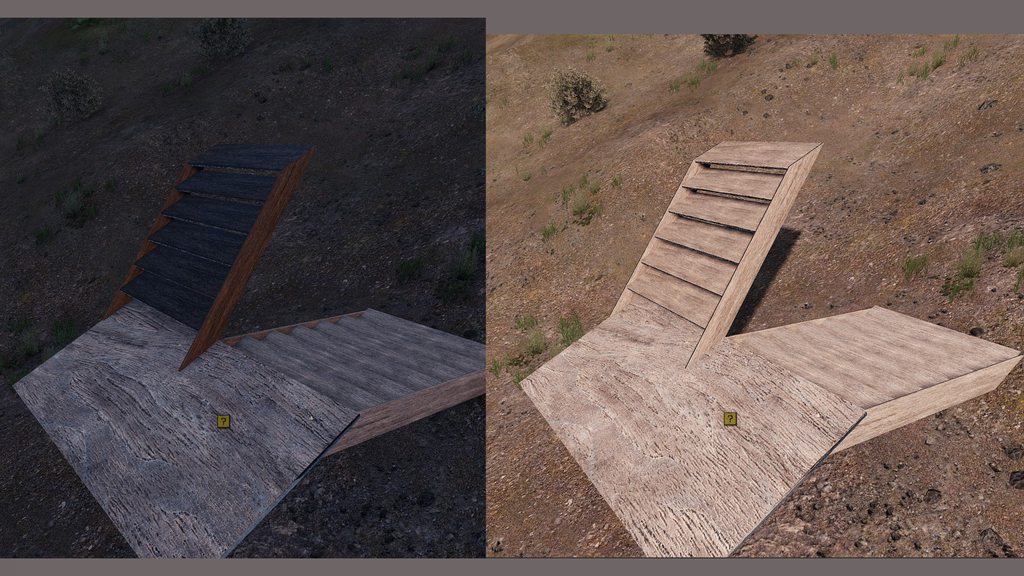 charred bolt
soft kernel
hello does anyone know why my material behaves so shortly before night. It gets ...
charred bolt
soft kernel
hello does anyone know why my material behaves so shortly before night. It gets ...
Do the dark slats have a different rvmat than the rest of the wood?
Check that your shadow LOD mesh is fully inside the resolution LOD.
soft kernel
no it have 1. ok
charred bolt
Maybe post your rvmat code.
soft kernel
Pastebin
Pastebin.com is the number one paste tool since 2002. Pastebin is a website where you can store text online for a set period of time.
woeful viper
i would guess issue with AO / AS map
charred bolt
Nothing obviously wrong with the rvmat.
As X3KJ says, could be your ambient occlusion. Do you want to post an image of the _as texture?
You didn't confirm if your shadow LOD was fully contained within the resolution LOD. One way to check is to go in game, then disable Shadows in the Video options and see if the image changes.
soft kernel
ok the as texture: https://imgur.com/a/NlCCgYT

i slightly moved the shadow lod into the model but there is still a issue with that
i make the AO/AS with blender then i rename it to *_as and then i use imagetopaa
@woeful viper What could be the issue on the AS/AO map?
woeful viper
well either the darkened area has black normalmap color, or something else is going on
Apply the AS map in blender to check if its correct and you have no dark purple spots on the upper stair
actually your AS has different UV transform than the rest. Dir and Pos have other values... though i dont really remember anymore what dir and pos does for these values.
AS map:
class uvTransform {
dir[] = { 0, 0, 1 };
pos[] = { 0, 0, 1 };
};
rest:
dir[] = { 0, 0, 0 };
pos[] = { 0, 0, 0 };
stuck oyster
neither of those seem right
    class uvTransform
    {
        aside[] = {1.0,0.0,0.0};
        up[] = {0.0,1.0,0.0};
        dir[] = {0.0,0.0,0.0};
        pos[] = {0.0,0.0,0.0};
}; ```bi default
white oak
do bushes/trees require a b/t prefix to move around in the wind?
or just the class declaration is enough?
stuck oyster
white oak
do bushes/trees require a b/t prefix to move around in the wind?
its related to their simulation type set in the model itself
bush/TreeSoft/Hard
white oak
so the class property in the GEO lod then?
last spindle
@woeful viper https://community.bistudio.com/wiki/Material_templates has the basics to get started with any sort of metal you should need, i think we need to update that page, i have started locally to put together a p3d of a simple cube, and heaps of rvmats and textures to put up as a library of starting points
soft kernel
@woeful viper the stairs seemed to be fixed i reduced the size of the shadow lod and made a new UV map and ambient occlusion for the model. thank you!
soft kernel
white oak
Possibly an error with the shadow lod from my experience
If this is a static obj...
but i still have transparency issues with my wall. I tried everything Ken mentioned here but I still can see through my model. I completely remade the model and texture: https://imgur.com/a/7yVi7YB
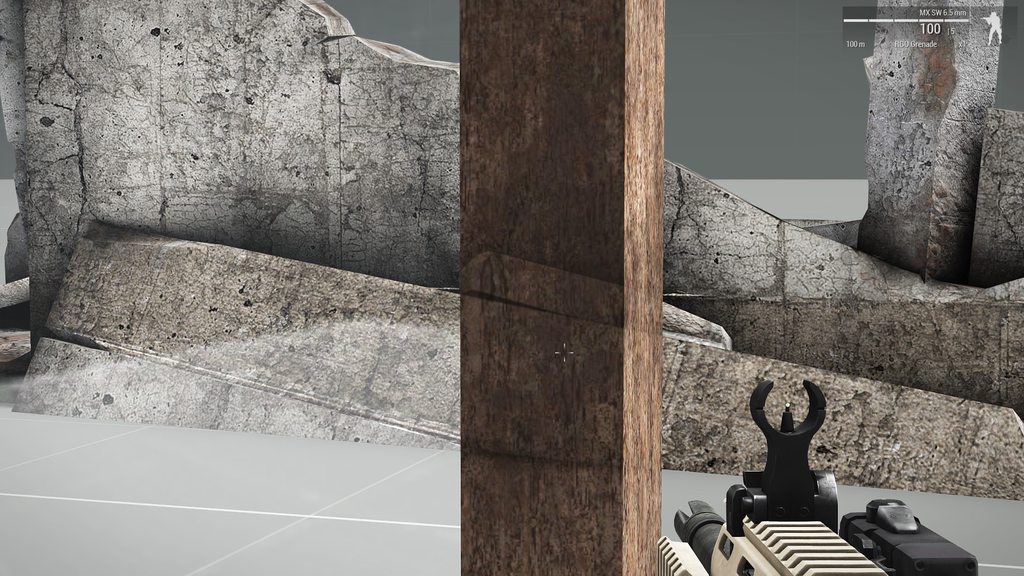
I don't knwo what to do anymore. If someone want to have a look: https://cloud.walk3r.info/index.php/s/ROaQqidRks3p32u
 charred bolt
soft kernel
I don't knwo what to do anymore. If someone want to have a look: https://cloud.w...
charred bolt
soft kernel
I don't knwo what to do anymore. If someone want to have a look: https://cloud.w...
You don't have a material (rvmat) assigned to frame_co texture.
white oak
its not the material
its something with the glass mesh, removing the glass will fix it
I ran into this before but can't remember how I got around it atm
also 7k faces is tad much for a single wall
soft kernel
7k? it is having 2k
white oak
blender is giving me a count of 6890 faces
charred bolt
Bring the glass faces to the top of the stack
soft kernel
what do you mean with stack?
charred bolt
Select glass, Faces > Move top
white oak
Its more likely an issue in the model rather than the texture, swapping the glass texture does not solve the problem
soft kernel
when i apply only the glass material without texture it works
stuck oyster
soft kernel
when i apply only the glass material without texture it works
is there a lot of glass surface?
stuck oyster
lot of transparent surface will make the game treat the whole model as "transparent"
you can for example move the glass parts into separate model and insert that into the main model as a proxy
soft kernel
ok cool i try
white oak
Proxies can't be baked into a map though, keep that in mind
stuck oyster
?
proxies dont show up in terrain builder/buldozer
but they do work on terrain objects
@white oak
white oak
I remember asking you if there was a way to add flags to terrain and you saying not due to them being proxies
Perhaps I understood that wrong
stuck oyster
different thing
stuck oyster
flag as a proxy would not have the cloth sim
white oak
Would glass as proxy have destruction?
stuck oyster
or flag a terrain object now that I think of it 🤔 the flag stuff is special case
stuck oyster
white oak
Would glass as proxy have destruction?
nothing has destruction by default
but to make the glass destructible you would have do do it in parts
soft kernel
finally. glass as proxy works
stuck oyster
design choises in this stuff can be difficult sometimes
white oak
Yup
stuck oyster
the forcenoalpha named property can also be tried but it can has its own issues
stuck oyster
design and creation methods depend a lot on how much interactive features are wanted
white oak
Again though, do cut down on that face count
You should be able to achive that object with 30 odd faces
Arma is an old game, let the normal map do the heavy lifting
As a reference these 3 are between 7-9k faces
 runic plover
soft kernel
I tried forcenoalpha but still transparent
runic plover
soft kernel
I tried forcenoalpha but still transparent
is your glass or transparent texture a seperated texture? i mean seperated of your other stuff that is not being wanted to be transparent
also is your transparent texture called _ca.paa at least and your non transparent texture _co.paa?
plucky patrol
Hi guys, I have an issue when the texture is applied to object, the game FPS drops very low 9 - 10 fps, texture file is 512x512 px so is low quality, model uses 1 paa file
I was haveing the same problem before with another model but then it was the case where to many paa files have been loaded
any ideeas ?
charred bolt
plucky patrol
any ideeas ?
If you are compressing any files when you binarise, try without that option.
 signal pond
hello everybody
glad to be there.
i have modeling informations and work with 3dsmax to create models
i need to build an special scud luncher vehicle for arma3
no prob with modeling main vehicle,
i need information about vehicle bones and anims
like wheels ,windows materials,effects like smoke and other bones, setting up missile mode(fire mod position) settings and plugins for export model from 3dsmax
stuck oyster
that is fairly complex thing for a beginner (in putting things into the game)
most of what you are looking for is not documented much so you will need to dig deep in google for many things.
you can find information about animations and texture types and material (rvmat) files on the BI wiki
prepare yourself for this to take a couple of months
signal pond
stuck oyster
that is fairly complex thing for a beginner (in putting things into the game)
thank you for answer.
if you work with 3dsmax please share your exporter plugin
stuck oyster
I don't. Usually people use fbx as transfer medium I believe
white oak
HG is there somewhere I can read about the batch export of toolbox?
 warm blade
Anyone got any idea why lodnoshadow isn't working all of a sudden? I have on my res lods, and my shadow is still coming from the res lods
its completely ignoring my shadowvolume
charred bolt
warm blade
Anyone got any idea why lodnoshadow isn't working all of a sudden? I have on my ...
Check all of your other LOD's for shadow related properties that could be over-riding the SV.
stuck oyster
white oak
HG is there somewhere I can read about the batch export of toolbox?
dont know of any
white oak
have you ever used it?
stuck oyster
no
warm blade
white oak
have you ever used it?
why do you wanna batch export bud?
white oak
say if I'm making small variations of objects
I can keep some of the LODs (as there seems to be an option to add a given mesh on every export)
All those variants stay in a single neat blender file
overall QOL
 muted tapir
i have batch exported things with a python script before
i can look up the commands i used
if that helps
warm blade
yeah i don't think there are options in normal arma 3 toolbox for that but diablo might be able to help ^^
you could always export all to one file and copy over (if that easier than doing 1 by 1)
stuck oyster
white oak
say if I'm making small variations of objects
I can keep some of the LODs (as th...
what kind of variations?
muted tapir
name = "P:\\folder\\test.p3d"
bpy.ops.armatoolbox.export_p3d("EXEC_DEFAULT", filepath=name)
``` will export to the specified path as a p3d.
i guess you could write a script that will turn on and off the arma object properties of the variations and then exports them.digging into the python scripts think I've figured it out
will do a write up when I got a bit more of a grip on it
white oak
stuck oyster
what kind of variations?
size/texture/direction/named properties etc
Say I want to make a lamp that has a 1/2/4 sided variations
there's a lot of stuff I can have them share
now this isn't a dig at any person/entity specifically
but bloody hell making stuff for arma made me a lot better at working on undocumented stuff
white oak
Here's a sample blend on how to do batch exports with the toolbox and a How To:
In the Scene Toolbar under Arma 3 Export Configs tab create needed configs to tell the toolbox which exports the meshes will be included in, with a file name and an origin object (Optional, will default to world origin if no object selected)
Note: Arma 3 Export Configs batch operations tab is about assigning configs to meshes, not required for batch exports
Then assign the configs you created to the meshes in arma 3 shelf (Or tick Include in every config checkbox)
Head to the batch export window, select the configs you want exported, and you're done
The sample blend will spit out 3 files Lamp_(1/2/4)Side.p3d Where
Lamp-North and Main Pole will be in all 3 files
Lamp-South will be in 2 and 4 sided
Lamp-West & East will only be in the 4 sided
Note: Collections that the meshes are in does not affect the exports, only the configs assigned on the arma 3 shelf will do so
woeful viper
@Hatchet no, thats actually supposed to be bakelite. But there are some heatsinks in the front (barely visible in this shot) that should be copper
 hollow valley
I'm getting "Unable to load file. Load error" error on object builder
I've been trying to upload a blender .p3d object to the object builder every try ends up with this error,
I sent the file to my friend and it loaded up just fine,
I'll be glad for help
marsh canyon
It maybe because Blender sometimes fails to unlock the file. To sort it you can just Save -> Create new scene and the thing is unloaded
inland pawn
hollow valley
I'm getting "Unable to load file. Load error" error on object builder
I've been ...
Does your p3d have ARMA object properties ticked
hollow valley
inland pawn
Does your p3d have ARMA object properties ticked
Yes, remember that the file hes opened in my friend's PC just fine
hollow valley
marsh canyon
It maybe because Blender sometimes fails to unlock the file. To sort it you can ...
I checked it, the file isn't locked
It seems like the problem is with my object builder
charred bolt
hollow valley
It seems like the problem is with my object builder
I'm able to open your p3d ok with my Object Builder.
Try Steam verifying your Arma Tools installation.
hollow valley
charred bolt
I'm able to open your p3d ok with my Object Builder.
Try Steam verifying your Ar...
Done that
I just found the logs

does anyone know if that can be the problem?
marsh canyon
Maybe you want to remove ObjectBuilder folder and re-verify
charred bolt
Yeah, try uninstall, reinstall.
hollow valley
ok, i'll try that
marsh canyon
Just to make it sure
charred bolt
Possible registry error?
hollow valley
could be, I hed to run the registry patch
hollow valley
marsh canyon
Maybe you want to remove ObjectBuilder folder and re-verify
didn't work, same error
marsh canyon
Then maybe what Apollo said
charred bolt
Win 10 or 11?
hollow valley
10
charred bolt
Uninstall all tools. Run a registry cleaner (with backup). Reinstall tools.
marsh canyon
Or urm, just my tip of head said, have you launched Arma 3 Tools from Steam at least once?
Did OB ever worked fine for you?
hollow valley
it works fine with some of the samples
marsh canyon
Some of?
hollow valley
but not mods' related object
marsh canyon
So some doesn't?
charred bolt
Sorry to ask, do you own legit copy of Arma 3?
 marsh canyon
Uh, did you just uninstalled A3T?
hollow valley
yes
marsh canyon
(Just received the bot log deletes your posts automatically, did you just experienced an internet issue?)
hollow valley
no, it said that it removed my message for spam protection
marsh canyon
Well it actually is a false alert so we can proceed
hollow valley
yha
marsh canyon
Aaanyways, try to reinstall
hollow valley
I did, it seems that the registry didn't update with the new configs

 charred bolt
 white jay
so i was trying to export this model to object builder but i have some problems
white jay
so i was trying to export this model to object builder but i have some problems
Do you have permissions from the original author to edit this model? Sorry to ask, we like to know it's not ripped before helping.
white jay
charred bolt
Do you have permissions from the original author to edit this model? Sorry to as...
i made it
charred bolt
What does this say, out of interest?


 marsh canyon
GitHub released ArmaToolbox does not merge multiple objects with the same LOD into one
Check the pinned for the latest/not stable one
white jay
then what can i do to join them in one property ?
charred bolt
I may be unduly suspicious, but your name is Litio, not "pepe", and that first letter does not look like either an "L" or a "p".
 white jay
charred bolt
I may be unduly suspicious, but your name is Litio, not "pepe", and that first l...
white jay
charred bolt
I may be unduly suspicious, but your name is Litio, not "pepe", and that first l...
its a spanish name
😮💨
marsh canyon
It's a Spanish name, then? I don't think that's a proper way to answer Apollo
white jay
Allright my bad, thats the name i use for the credits, i was thinking that it was obvious but anyways
pallid island
name that changes its first letter depending on if it's open? That's rad 🤣
white jay
i have photos that demostrate the progress of the vest

come on
I have no other way to prove it
marsh canyon
charred bolt
Do you have permissions from the original author to edit this model? Sorry to as...
We're just trying to figure out where is the origin of your model
white jay
the original model of the fcpc its not mine but the build of the vest yes
marsh canyon
fcpc?
 charred bolt
So there is some part of the model which was made by someone else, called adacas. Do you have their permission to include and edit their part of the model? Once we are content that this is all legal we'll happily help you, but currently we only have half a story which has required some effort to extract so far.
white jay
charred bolt
So there is some part of the model which was made by someone else, called adacas...
i dont know who is him so no
charred bolt
The Arma community has strict rules when it comes to modding, to protect the original authors hard work. It's not allowed to take others work and edit it without their explicit permission. This isn't always apparent to everyone who may come from other game communities where protection of IP is not valued or ignored.
You should either obtain permission for the parts you did not make, or remove them and make your own version from scratch.
 prime bolt
charred bolt
So there is some part of the model which was made by someone else, called adacas...
prime bolt
charred bolt
So there is some part of the model which was made by someone else, called adacas...
Theres no one called adacas
pallid island
 prime bolt
pallid island
<:tanking:700311400098299944>
prime bolt
pallid island
<:tanking:700311400098299944>
Gonna shoot my brain out
pallid island
if the username wasn't sus - i wouldn't search for it :3
prime bolt
I didnt know that lol
 hallow steeple
so I just realized, I might be doing a bad.
If I made a simplified verison of an existing model, is that bad? Like, sidewalk, I used objects, placed around the ingame model to get their dimensions so I could make my own version, and use it as a center piece, for in the center of where I wanted sidewalk- BUUT, I didn't use the original model other then placing it in game and measuring it. Textures are just being referenced via a3\....
I suspect I may need to redo half my city's sidewalk 😅
charred bolt
hallow steeple
so I just realized, I might be doing a bad.
If I made a simplified verison of a...
In the UK, if you create something, then you own it's intellectual property if it meets the requirements for copyright, patent or a "design". If the items you have used do not fall into that qualification (for example, another modeller makes an untextured mesh sphere) it probably does not qualify and you could use it without implication.
hallow steeple
 quick terrace
white jay
i made it
quick terrace
white jay
i made it
why do you lie about it?
hallow steeple
top is my center piece. Again, just placed objects around and got their position from the original object
white jay
quick terrace
why do you lie about it?
🤦🏻♂️ dude i was saying that i made the the vest
quick terrace
white jay
🤦🏻♂️ dude i was saying that i made the the vest
you made the vest? what software did you use to make it? what did you bake it with? do you have screenshots of work in progress in the software you used to make it?
can you provide some wireframe?
hallow steeple
Hmm- maybe in this case, it's acceptable, since- it is simple and meant to be used with another, already made thing. But in the future- heh-
If I'm mistaken, pls lmk, I don't wanna accidently do something I shouldn't, and not give credit and such 😅
white jay
quick terrace
you made the vest? what software did you use to make it? what did you bake it wi...
Blender, and i have photos of.the progress Pufu
hallow steeple
(I don't wanna give too much detail about how I did it, b/c if it IS bad, I don't wanna give someone else ideas xD)
quick terrace
white jay
Blender, and i have photos of.the progress Pufu
i am asking because it looks very similar to models made by someone else. Want the help here, please make sure you use your own models
white jay
I think the base of the vest was made It by hyoon
quick terrace
white jay
I think the base of the vest was made It by hyoon
you think?
charred bolt
hallow steeple
Hmm- *maybe* in this case, it's acceptable, since- it is simple and meant to be ...
The onus is unfortunately on you to make sure you are not using anyone else's IP without permission, not on giving credit without permission or other people telling you if it's ok.
So if you think something you've used could be considered IP, either get the permission or remake that part.
white jay
quick terrace
you think?
Yes, i think because im not sure
But dont worry, thank youu anyways 👍🏻
hallow steeple
charred bolt
The onus is unfortunately on you to make sure you are not using anyone else's IP...
alright. I think in this case, it is fine, but if it's any more detailed, then I probably wanna do something else.
charred bolt
hallow steeple
alright. I *think* in this case, it is fine, but if it's any more detailed, then...
It may not be 100% relevant, as I'm not an expert on these matters or which court jurisdiction would be applicable, but here is the UK gov definitions which might help you decide:
https://www.gov.uk/intellectual-property-an-overview
https://www.gov.uk/register-a-design
quick terrace
white jay
Yes, i think because im not sure
so what is it then? did you make the model or not?
white jay
quick terrace
so what is it then? did you make the model or not?
Lets say no
😂
Sorry for being anoying with you guys
quick terrace
!ban 924440117513445417 60 using ripped models / taking credit for other people’s work
 high scarabBOT
quick terrace
!ban 924440117513445417 60 using ripped models / taking credit for other people’...
high scarabBOT
quick terrace
!ban 924440117513445417 60 using ripped models / taking credit for other people’...
*fires them railguns at @slate pebble* Ò_Ó
 errant pumice
Does anyone know why object snaps to memory points I've made only horizontally, but not on vertical points? In this case the green objects.
 errant pumice
nvm, found that one vertice was in wrong named selection 😉
Solution (properly named selections for snapping) if anyone is looking for exact same thing: https://forums.bohemia.net/forums/topic/177498-more-than-one-snap-point-for-placement/?do=findComment&comment=2800718
Bohemia Interactive Forums
Hey up, Im sort of asking blind here, as Ive as yet STILL to actually properly place any object in regards map creation- but Ive read somewhere that you can add little invisible snap points to your objects for the purposes of accurate placement, is that correct? If so, is it possible to add more ...
stuck oyster

restive pond
im trying to figure out why my PIP (rear view mirror) only shows a black texture
-the memory points (pos/dir) is where its supposed to be
-face is uv mapped
-the two textures for the mirrors are #(argb,256,512,1)r2t(rendertarget0,1.0) :: and #(argb,256,512,1)r2t(rendertarget1,1.0) ::
class RenderTargets
        {
            class LeftMirror
            {
                renderTarget = "rendertarget0"; /// what texture is going to be used, it should be mapped in model like #(argb,256,512,1)r2t(rendertarget0,1.0)
                class CameraView1
                {
                    pointPosition        = "PIP0_pos";     /// memory point of PiP origin
                    pointDirection        = "PIP0_dir";     /// memory point of PiP direction
                    renderQuality         = 2;            /// what quality should the PiP be
                    renderVisionMode     = 0;            /// zero means standard vision
                    fov                 = 0.7;            /// what is the angle of the PiP field of view
                };
            };
            class RightMirror    /// rendering of PiPs is shared, it is best to have one for all sources, this is just an example
            {
                renderTarget = "rendertarget1";
                class CameraView1
                {
                    pointPosition        = "PIP1_pos";
                    pointDirection        = "PIP1_dir";
                    renderQuality         = 2;
                    renderVisionMode     = 0;
                    fov                 = 0.7;
                };
            };
        };
    };
Make sure you don't have any named selections on the PiP textures, such as "camo".
restive pond
charred bolt
Make sure you don't have any named selections on the PiP textures, such as "camo...
its not part of any named selections (including camo's) except ~pip
hollow valley
marsh canyon
Aaanyways, try to reinstall
@charred bolt
turns out the registry did update, but now it seems that the problem is with texView too
charred bolt
hollow valley
<@273596087229480970>
turns out the registry did update, but now it seems that ...
Sorry to hear it. When PC's go wrong they're a pain. Hopefully you can resolve it before you get to the stage of a full Windows reinstall.
hollow valley
tnx m8
bright echo
can try setting https://community.bistudio.com/wiki/Arma_3:_Named_Properties#forcenotalpha on the model
 mossy mulch
#creators_recruiting not here
 twin tide
mossy mulch
<#292271129303842817> not here
twin tide
mossy mulch
<#292271129303842817> not here
Apologies I didn't see that channel
 civic stratus
Is anyone familiar with this error with pboProject?
creating a texHeaders.bin...
failed: detex module found an error in (one or more) paas
dll's pbo_Make failed with 'Error(s) detected'
</MakePbo>```corrupted texture files most likely
 gritty vigil
I'm working on a helmet and trying to put the NVG mount in the correct spot. Is there any good way to tell where to put it? or is it just a matter of trial and error to get roughly the right spot?
marsh canyon
Arma 3 Samples has nvg slot sample
gritty vigil
ahhhh neat
I guess I probably should have started with that for scaling
this thing is huge
restive pond
restive pond
```sqf
class RenderTargets
{
class LeftMirror
{
...
anybody have any other solutions with this?
charred bolt
restive pond
anybody have any other solutions with this?
It sounds like you've done everything correctly, so it comes down to whether you've made a mistake that you're not aware of.
For that we'd need to see the files in more detail. If you wish, you can zip up the whole project and send it to me in DM so I can build and test.
 still trail
If I inherit animations from another class, will those anims be available in buldozer?
woeful viper
inheriting extern animations in model.cfg is verboten. You can't have externs. If it is intern only however it is no problem and will work.
 ember heart
you can inherit if the superclass is somewhere in the folder structure
 plain dew
bright echo
can try setting https://community.bistudio.com/wiki/Arma_3:_Named_Properties#for...
plain dew
bright echo
can try setting https://community.bistudio.com/wiki/Arma_3:_Named_Properties#for...
Not working for me (
 main jasper
Any idea why at certain angles my model disappears? I know that there is an issue when using big models, but we're talking a tiny model, 2x2.6 meters
It's currently under the Helper_Base_F class however even with House_F I am having the same issue.
Now the issue only occurs when the door on the model is open yet when it's closed there are no issues
Just for reference this is my object
 white oak
bad skeleton/vertex group combo perhaps?
I've had doors/frames get flung 20+ meters away when I messed mine up
On a different note, is there a way to hide selections randomly when objects are baked into the map?


 white oak
that might work, the idea is to have 3-4 duplicates of a face with different textures then hide all but one of them to create randomness
livid canyon
What should I reference for animating a piston/shock offset from a rotation joint?
charred bolt
livid canyon
What should I reference for animating a piston/shock offset from a rotation join...
Show us a photo with the parts named and in what direction you want the animations.
livid canyon

 twilit seal
You want it to animate like this? (Soul_Assasin's video)
https://youtube.com/watch?v=JvoqBVcDlJU

But with your piston placement, right?
pallid island
calculating IK by hand
livid canyon
ah, well that's actually its current state. however the piston angle changes at a different rate depending on the mainGun angle due to the offset, right?
if it's a "that's the best and it's good enough" i totally get it.
livid canyon
I suppose the other choice is to animate rotation from one joint as well as the piston length, leaving the mismatch at the other end, where it might be hidden by a big fairing?
twilit seal
I bet there's a way to do it I don't know about. I'll mess around with it when I get off work
charred bolt
You can see examples of exactly these animations inside the SOG:PF tanks. There are a couple of ways of doing it. The easiest is if you have a part that can be stretched without showing it too much, in which case you rotate just one end and weight the verts at the other end to be fixed to the adjoining part.
When pistons need to slide inside cylinders you're faced with mathematically calculating multiple rotations or else doing it by trial and error.
twilit seal
I thought ampersand's issues was that it wasn't linearly related (which I think it should be but I'd have to think about it for a moment to be sure)
charred bolt
Multi angles, unless they're small, almost always aren't linear. In that case you need to split the range of movement into multiple stages each with different rotation angles.
livid canyon
ah that makes sense
runic plover
Most stuff you can easy handle if you do the cfgSkeletons correctly. So all axles will move with what you got connected with cfgSkeletons
In OB you can play the anim frames, with Enter you can switch trough
And mousewheel you can move frames
I did already a lot of complicated animations, as example a little box with a dual automated minigun that deploys with 17 animations in it
With 1 source