#arma3_model
1 messages · Page 15 of 1
 hallow steeple
 stuck oyster
hallow steeple
no, normally buildings will hide grass. Thus, a dedicated grass cutter object ex...
stuck oyster
hallow steeple
no, normally buildings will hide grass. Thus, a dedicated grass cutter object ex...
Correct
 wide crown
Does anyone have any good tutorials you’d recommend watching to learn how to create custom models in blender? (Preferably something simple I can wrap my head around)
Looking for stuff about vests (if available)
 jaunty rune
@woeful viper are you working on a ww2 mod?
 timid canyon
wide crown
Does anyone have any good tutorials you’d recommend watching to learn how to cre...
timid canyon
wide crown
Does anyone have any good tutorials you’d recommend watching to learn how to cre...
Maybe this series.
https://www.youtube.com/watch?v=XeBUfMKKZDo
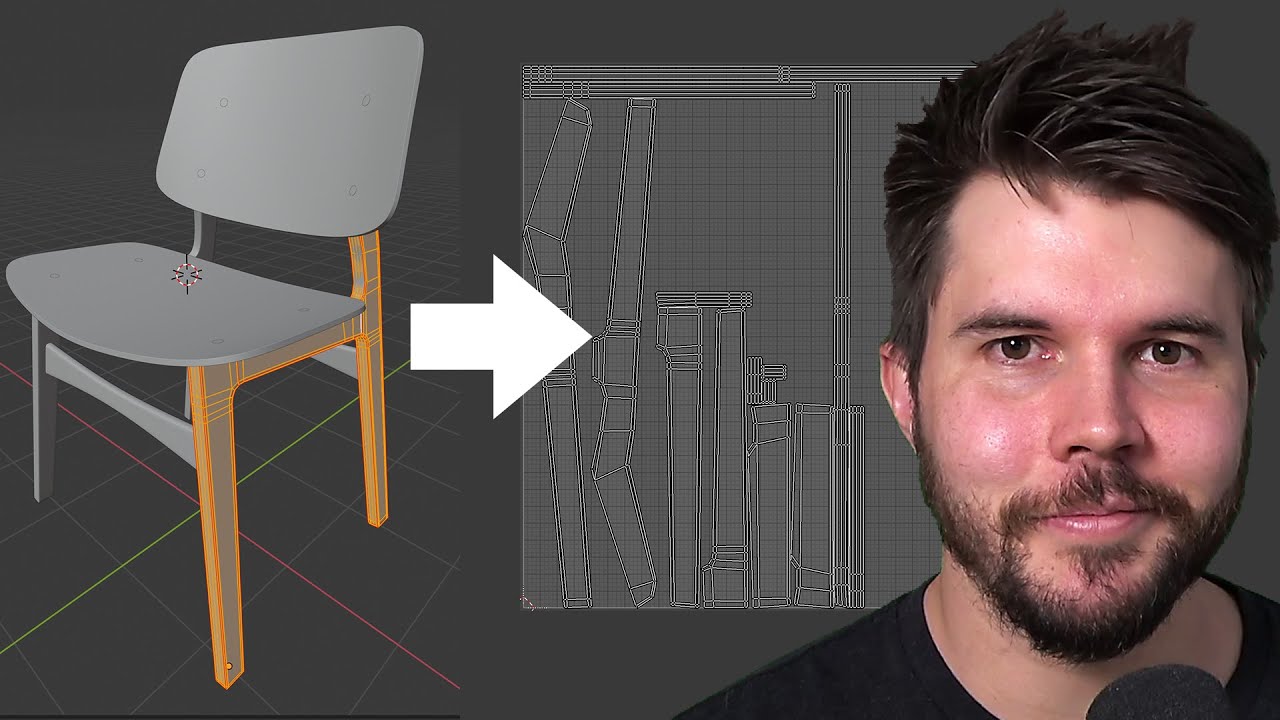
Blender chair tutorial continues! In this part we discuss what UV unwrapping is, why it's needed and how to unwrap several types of objects.
Join the free newsletter to get a Blender Keyboard Shortcut PDF: https://mailchi.mp/ef5b15a32043/subscribe-to-the-newsletter
Follow me:
Twitter: https://t...
That's part 7, but whole series goes from modeling to texturing/Shading.
 loud stone
I hope whoever designed the tires at the ZiL plant .... well. Anyone got tire-modelling workflow tips? Not 100% happy with these

 woeful viper
It looks like yours is a little less wide. Also, it's fairly "squarish" - the sidewalls of the tire in the photo is bulging quite a bit outwards. It makes it look more chunky
loud stone
yeah shaping the tires to the uhhhhhhhh pattern is my main problem. I think I'm gonna try getting the base tube shape right first and then try to project the pattern onto it
 last spindle
WW40K more like it
woeful viper
If you want LP to have thread too, maybe try modelling/blocking out a LP version of the thread first (none of the little groves, only the big chunks), and only one side (the other is just mirrored, but with offset). It's easier to work with less polygons...
loud stone
oh that's essentially what I'm doing, I only have one actual V-shaped tread, the rest are instanced around a curve
woeful viper
ok
 umbral shuttle
For scopes, do I need to have a geo lod?
 charred bolt
umbral shuttle
For scopes, do I need to have a geo lod?
charred bolt
umbral shuttle
For scopes, do I need to have a geo lod?
Yes, but it can be a simple triangulated rectangle. You can use the same for the View Geometry and make it a bit more complicated, with penetration material(s), for the Fire Geometry.
umbral shuttle
charred bolt
Yes, but it can be a simple triangulated rectangle. You can use the same for the...
Okay cool will do
umbral shuttle
huh so after adding a geo lod, the scope is now rendered behind the gun
 charred bolt
umbral shuttle
huh so after adding a geo lod, the scope is now rendered behind the gun
charred bolt
umbral shuttle
huh so after adding a geo lod, the scope is now rendered behind the gun
Add autocenter 0 in Geometry LOD?
 hot hornet
view-pilot lod missing?
 bright echo
it might be a bounding box issue - ive had it happen with a weapon where the bounding box was too large it would draw over the units hands
you probably have the opposite happening whjere the sight is too small- maybe. you can fix it by adding a few vertexes in the geo lod just to extend the bounding box
umbral shuttle
hot hornet
view-pilot lod missing?
got a view pilot lod, for the holo scope portions
umbral shuttle
bright echo
it might be a bounding box issue - ive had it happen with a weapon where the bou...
I will try this in the morning and see how it goes
 orchid spruce
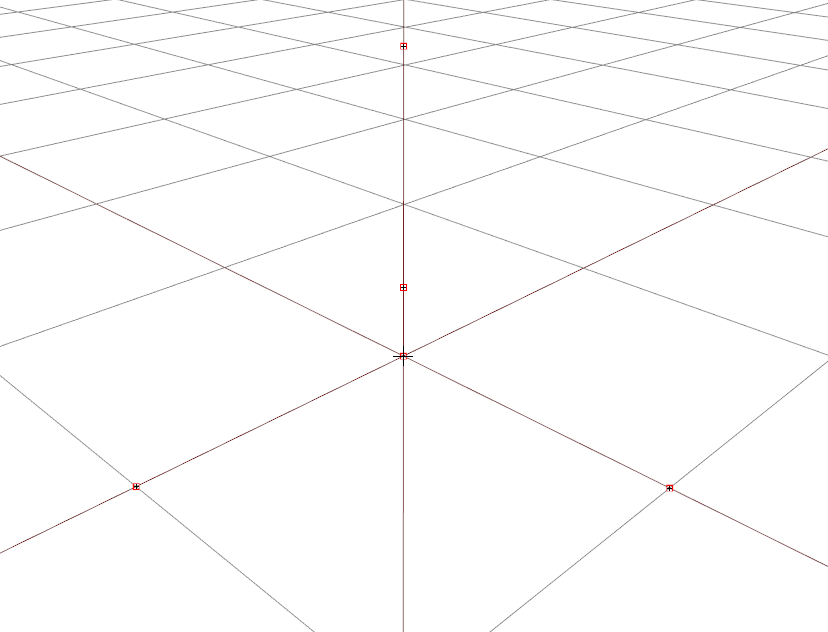
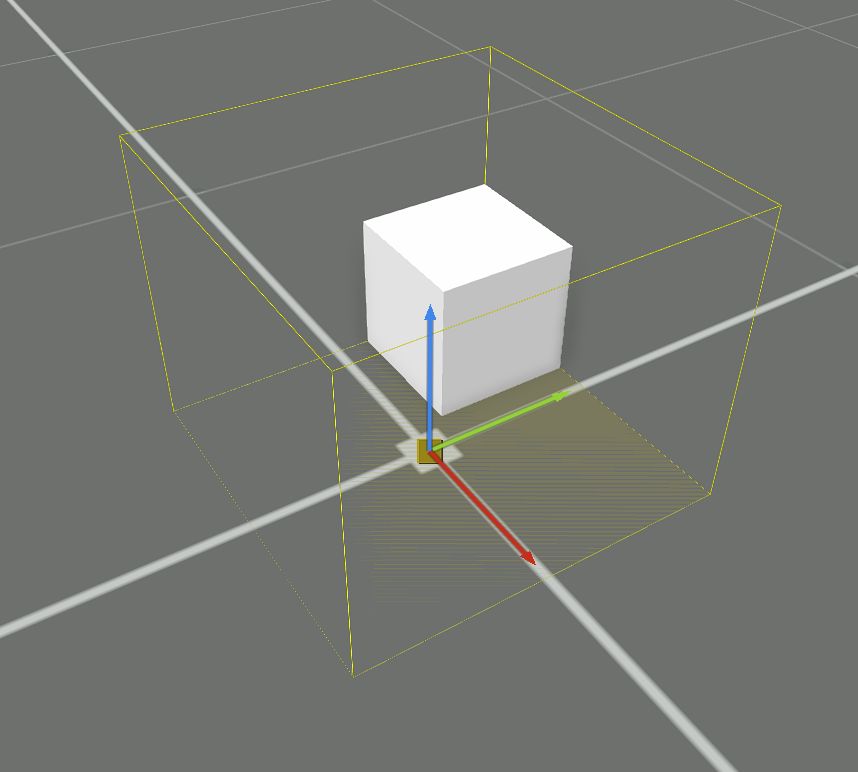
how do I get an object center to be properly at where the 0,0,0 position in the p3d is? I have a model that is just a cube in the center, but because I have memory points further away from the center, arma seems to draw a bounding box around the object and the memory points and then set the center based on that bounding box, I want it to just be at the bottom center of the box itself
https://i.imgur.com/O8NNjJF.png
https://i.imgur.com/Du9hKSH.png
https://i.imgur.com/Iw5POSm.png
 charred bolt
Do you have an autocenter LOD property set-up? Usually in the Geometry LOD.
 white oak
When using hidden selections, is there a limit to how many that can be used?
I'm guessing the less the better, but is there a hard limit
charred bolt
white oak
When using hidden selections, is there a limit to how many that can be used?
I'm...
Not a limit we need to worry about. Between 2 and 10 is normal, with the fewer the better, and don't use hiddenSelections for hiding parts, instead use hide animations in model.cfg.
white oak
Cheers
timid canyon
hey folks, question for y'all about Blender->O2
In blender, I've got my object with materials+textures etc
Do I need to "bake" the texture into a single file for my 1 object, to then just apply as the texture for the object? Or can I export the object with the materials/nodes as they're set up in Blender?
I ask because I tried baking my object, and I clearly did my UV Map not great, as some parts ended up very pixelated in the baked texture. And I thought I had a good UV Map..
And I really don't want to have to re-do the UVMap, as it took me forever haha.
Im new to all this.
What the object looks like in Blender:

 violet raft
Can one of you awe guys whip up an E.o.d suit ?
We have the ballistic protection we needed
timid canyon
(with six materials, all that)
What object looks like once texture is baked, and applied to object:
 violet raft
Awesome*
timid canyon
violet raft
Can one of you awe guys whip up an E.o.d suit ?
If you're asking for someone to make a model/object for you, correct channel is #creators_recruiting
violet raft
Ok thank you good sir
white oak
Is there a guide/wiki page somewhere on proxies and memory points for weapons?
hallow steeple
How do I make materials be changeable?
User textures are working, but I want to let the object's material be changed as well.
 pallid island
hiddenSelections[]=
{
"Camo"
};
hiddenSelectionsTextures[]=
{
"a3\Weapons_F_Exp\rifles\ak12\data\ak12_ak12_2_co.paa"
};
hiddenSelectionsMaterials[]=
{
"a3\Weapons_F_Exp\Rifles\AK12\Data\AK12_F_2.rvmat"
};``` oh is that it? I just add hiddenSelectionsMaterials to the objects config file?
pallid island
yes
charred bolt
Yes, but bear in mind that using hiddenSelectionsMaterials can break damage material swapping, although we are expecting it to be fixed in a future platform update.
hallow steeple
So it I want to have physics, it might be an issue? But if it's like a ground texture, I should be fine?
charred bolt
If your object takes damage and changes it's textures (perhaps to show bullet holes or cracks) using class Damage {}, you'll have issues if you use hiddenSelectionsMaterials.
hallow steeple
ah ok, so I should be fine then x3
charred bolt
So it's mostly a vehicle/uniform issue.
hallow steeple
ok so now. How does this model config file look? ```cpp
class CfgModels
{
class Default
{
sectionsInherit="";
sections[]={};
skeletonName="FloorSign_Skeleton";
};
class FloorSign1x1: Default
{
sections[]=
{
"camo1"
};
};
class FloorSign2x2: Default
{
sections[]=
{
"camo1"
};
};
class FloorSign4x4: Default
{
sections[]=
{
"camo1"
};
};
class FloorSign8x8: Default
{
sections[]=
{
"camo1"
};
};
};
class CfgSkeletons
{
class Default
{
isDiscrete=1;
skeletonInherit="";
};
class FloorSign_Skeleton: Default
{
};
};
I added the CfgSkeletons and default >> skeletonName. Before CfgSkeleton wasn't there and the skeletonName was "" but OB was getting mad at me. x3
I have broken things
charred bolt
It's usual to put the CfgSkeleton above the CfgModels.
You should probably add some bones to the FloorSign_Skeleton.
hallow steeple
I would think it didn't need bones.
Although more pressing issue, now the texture's not working right.
charred bolt
No moving parts then?
hallow steeple
Nope. Basically just a helipad
charred bolt
You probably don't need the CfgSkeletons then, and put skeletonName="";
hallow steeple
Alright. Can skeleton's cause texture issues?
B/c there's still the whole not displaying part 😅
I am thinking it's actually my new- LOD?
charred bolt
That's too vague to help with. "I can't see it" might be due to 100 things, including you having your eyes closed 😉
hallow steeple
I duplicated the visible LOD, make it roadway, remove the camo1 from the new LOD, and set the new LOD's face to have blank texture and material.
charred bolt
Go back a step and explain what's not currently working, and what was the last change that broke it?
hallow steeple
I place it down and before it was a black square, like I wanted, that stuck to the ground. I added the skeleton, material selection in config, and the new LOD. Now the bounding box is there, but I can't see anything other then the yellow bounding box. Although I might try something really quickly
I got an error for the 3den attributes. Maybe that was constantly trying and failing to set the texture so it was blank even when I tried manually setting it via console
horray
now to test with grass x3
yay! thank you :P
 charred bolt
Well done, progress is made!
woeful viper
timid canyon
What the object looks like in Blender:
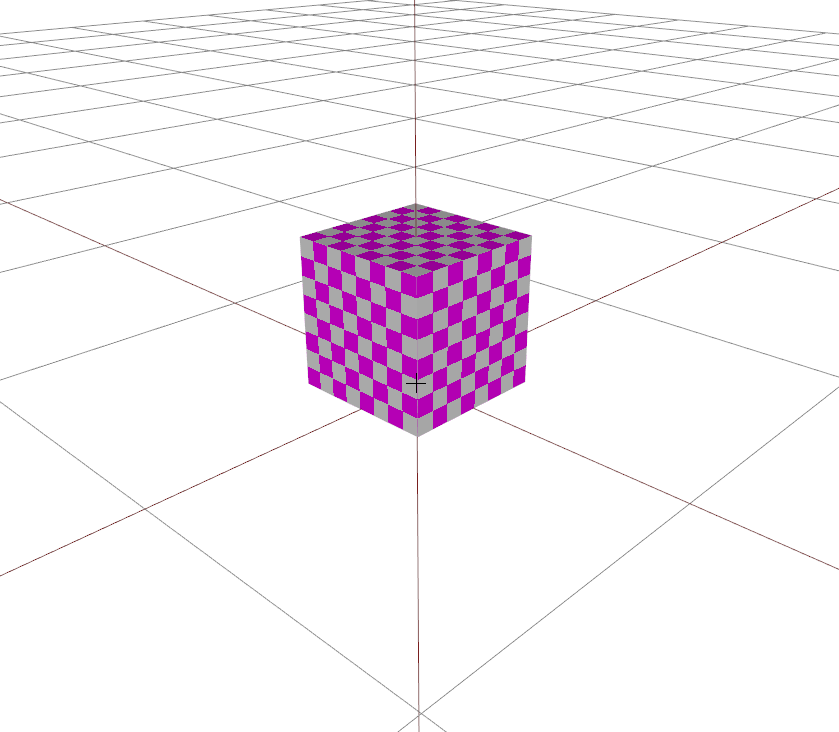
- apply a checkermap texture to your model (with small enough squares) - that way you/ we can check if you have adequate UV. And also show UV if you want
- baking settings can cause "pixelation", esp. low quality ambient occlusion /raytracing settings
 warm sand
Hello. Does anyone know how I can add the helicopter I made to Arma 3? any video tutorial or something?
stuck oyster
warm sand
Hello. Does anyone know how I can add the helicopter I made to Arma 3? any video...
Specifically for helicopters no exact tutorials. There is a a sample of one in the Arma 3 samples on steam that can be helpful. But you would really want to start learning implementation with something simpler.
There are few useful videos from El tyranos, sokolonko and battlestad too
It all comes down to learning to understand the workflow.
timid canyon
woeful viper
1) apply a checkermap texture to your model (with small enough squares) - that w...
I think I figured out part of my problem when baking the textures. I didn't realize I was doing the combined option in Blender, which combines color/other stuff and also some shading.
But now I'm not sure how to bake the texture correctly, then. Some online tutorials recommend baking the "Color" and then the "Roughness" textures, but if I do that, how do I combine them?
I've tried doing the "Diffuse" option for baking, but then it just captures the color, I think, and it misses out the effects/metallic sheen/etc that I have in my Blender materials.
Anybody got any advice/tips for how to appropriately bake my gun model textures to make it easier to export to OB?
Or does Object Builder itself take in the diffuse/normal/roughness textures separately?
woeful viper
yes, the later (kind of) You apply a material (.rvmat file) that contains paths to all the "effect" textures like gloss, normal, specular. Diffuse is assigned in OB directly
timid canyon
Oh! Okay. That helps a lot. I'm just now learning the process with blender/Object builder, and even some of the extensive youtube tutorials assume some degree of knowledge that I currently lack.
So it's been a trip 😛
stuck oyster
timid canyon
Oh! Okay. That helps a lot. I'm *just now* learning the process with blender/Obj...
You will have to adapt more recent tutorials that talk about roughness and metalness to older specular gloss workflow as the latter is what Arma3 uses
timid canyon
stuck oyster
You will have to adapt more recent tutorials that talk about roughness and metal...
lol
I should've stuck with just scripting, which is way more straightforward haha
stuck oyster
Most of the fundamentals remain same though
timid canyon
stuck oyster
Most of the fundamentals remain same though
Okay, cool.
Separate question now:
In blender, I've got 6 materials for my model.
Do I bake each material separately into its own Diffusion/normal/specular/gloss file? or do I just bake the whole object and then, when exporting, place the same diffusion image under:

The tutorials Ive found from blender to arma only use one material, so Im not completely sure what the answer to this question is.
stuck oyster
timid canyon
Okay, cool.
Separate question now:
In blender, I've got 6 materials for my model...
Highpoly model can have as many materials you need it to have, the lowpoly bake/game model typically has 1 or 2 on a weapon
The idea is to combine the procedural colors/surfaces into single/few texture
wide crown
tried to load my file into object builder and this came up

it's a p3d and all so that's not an issue
any idea why this might have occured?
charred bolt
Was it a file you originally made, or obtained from somewhere else?
 amber swift
guys any idea on how to make the sidearm appear on the vest holster?
wide crown
charred bolt
Was it a file you originally made, or obtained from somewhere else?
file I originally made
charred bolt
Doesn't look hopeful, perhaps the file has got corrupted? Is it's file size sensible?
stuck oyster
empty export most likely
wide crown
stuck oyster
empty export most likely
What does that mean?
timid canyon
Your model might have some feature preventing it from being exported
Ive had that happen to me when file had ngons.
Question for y'all:
Should my shadow LOD be very detailed, or can it be as rough as my geometry Lod?
stuck oyster
timid canyon
Question for y'all:
Should my shadow LOD be very detailed, or can it be as rough...
it should be as simple as possible
depending a bit what it is, somewhere under 1000 tris
stuck oyster
wide crown
What does that mean?
that you dont have all set up right for export and it creates a 0kb file that has nothing in it
you need to set up the arma toolbox correctly with the o2script.exe path in the addon settings and then you need to enable the arma properties tab on all things you want to export
 past canopy
^
wide crown
Okay so now I think I've got another issue. I was able to load the mod thanks to all of y'alls help. Is the model supposed to look like this? I don't think it is so I'm confused.

 marsh canyon
Ctrl+A to apply transformation in Blender
hallow steeple
@thick valve Sorry about all the hopping
 thick valve
it's alright
hallow steeple
So, from what I can see, I believe you'd want to have a plane offset slightly from the surface. I don't use blender to export directly to P3D...
 hallow steeple
Yea, so if the texture given is completely transparent, it'll show the texture of the board.
thick valve
so RGBA
hallow steeple
One moment, As I said, I never actually make a model in blender directly for arma 3 xD
thick valve
very confusing
hallow steeple
See, I barely know how to do this myself xD
aww man- I'm sorry I dunno if I can help get the model set up :(
thick valve
it's alright
I'll try to look things up
thanks
if I have multiple hidden selections

how do I separate them ?
with coma ?
or space
marsh canyon
I don't know if it does anything. It is better to define it in Vertex Groups
thick valve
I've defined it in vertex group
marsh canyon
Then that's it

 stuck oyster
thick valve
and I've assigned the vertex group only to the board
stuck oyster
thick valve
and I've assigned the vertex group only to the board
What is it you try to do?
thick valve
stuck oyster
What is it you try to do?
I want to understand the workflow for hiddenselectiontexture so I could use it in future project but there isn't much about it out there
hallow steeple
do you think this is too many vertex's for a object that's about 0.1m squared? xD
 stuck oyster
thick valve
I want to understand the workflow for hiddenselectiontexture so I could use it i...
stuck oyster
thick valve
I want to understand the workflow for hiddenselectiontexture so I could use it i...
On a model it is just a vertex group/named selection
The hiddenselection tool in toolbox can also create the selection but it's not mandatory to use.
stuck oyster
hallow steeple
do you think this is too many vertex's for a object that's about 0.1m squared? x...
If you make aggressive distance lods to it that reduce the quality it can be like that in first lod.
But
Will it be ever seen up close?
hallow steeple
probably not
thick valve
setObjectTexture is not making an effect (the hiddenselection texture is not changing)
😦

model.cfg

config.cpp
charred bolt
thick valve
config.cpp
You've called the selection "camo" in the model but "board" in the config? Change the config and model.cfg sections[] to "camo".
Your hiddenSelectionsTexture should be called board_co.paa, with the _co suffix added to the original texture file name before it is converted to .paa.
thick valve
charred bolt
You've called the selection "camo" in the model but "board" in the config? Chang...
I changed the selection to "board"
Also why is it that I have to add the _co suffiex before converting to paa? what does that affect?
charred bolt
thick valve
Also why is it that I have to add the _co suffiex before converting to paa? what...
This should explain it: https://community.bistudio.com/wiki/Arma:_Texture_Naming_Rules
thick valve
charred bolt
This should explain it: https://community.bistudio.com/wiki/Arma:_Texture_Naming...
did that but nothing changed though
set object texture is still not working
the texture is still not changing
thick valve
charred bolt
This should explain it: https://community.bistudio.com/wiki/Arma:_Texture_Naming...
can I dm you the project files ?
charred bolt
No, best that you keep asking questions here so that multiple people with the time can help you.
thick valve
charred bolt
No, best that you keep asking questions here so that multiple people with the ti...
alright, no problem
charred bolt
Many of us with the experience to help are very busy with our own projects (dlc's, mods etc), and we dip in/out of channel to help where we can. Next thing for you to do is try to simplify the problem - can you change the texture using the in-game debug console to a procedural colour?
thick valve
charred bolt
Many of us with the experience to help are very busy with our own projects (dlc'...
understandable, I can't change it no
stuck oyster
Then there is something missing in your setup
thick valve
stuck oyster
Then there is something missing in your setup
would you check please
thick valve
thick valve
I've sent the cfg and cpp

this is how it appears in game ( I used _object setObjectTexture [0,"#(rgb,8,8,3)color(1,0,0,1)"];)
stuck oyster
@jovial snow ?
thick valve
thick valve
this is how it appears in game ( I used _object setObjectTexture [0,"#(rgb,8,8,3...
attempted on even a simpler object (literally just a plane)
still no luck
 charred bolt
thick valve
attempted on even a simpler object (literally just a plane)
still no luck
charred bolt
thick valve
attempted on even a simpler object (literally just a plane)
still no luck
In your previous screenshot it looked like you had managed to turn the signboard red using the setObjectTexture, but not the lorry picture?
thick valve
charred bolt
In your previous screenshot it looked like you had managed to turn the signboard...
the selection that is meant to be changed is the lorry picture, not the other part of the model, the red color was just a placeholder
charred bolt
Yes, but did you change it red using the setObjectTexture or was it red in the p3d?
thick valve
red in the p3d
charred bolt
Oh, bad choice of colours then, lol
thick valve
I agree
charred bolt
Having looked over the files with armenjoyer, there were two things that needed to be fixed:
- add a
requiredAddons[] = {"A3_Data_F"};to cfgPatches - the CfgModels class name must exactly match the p3d file name
 lethal anchor
Hey guys how do you go about adding door ways in blender
 slim granite
18
stuck oyster
lethal anchor
Hey guys how do you go about adding door ways in blender
Adding doorways to what?
stuck oyster
slim granite
18
Wrong chat?
lethal anchor
stuck oyster
Adding doorways to what?
Buildings
stuck oyster
well like
umm
same way the building is modeled?
drawing a bit of blank here honestly
 jade fractal
hello
i have an idea for a mod but i never actually coded anything
i need help editing structures (houses primarly)
i hate how arma 3 has a lot of door with no room behind it or garage doors that arent working.
any advice /help would be very much aprecieated
for example on this warehouse i want to make the garage doors functional

some other building would require more work
but that is enough as proof of concept
 fluid copper
jade fractal
for example on this warehouse i want to make the garage doors functional
fluid copper
jade fractal
for example on this warehouse i want to make the garage doors functional
I believe impossible. Doors require reference points and definitions to be created/assigned within the model. Editing arma 3's models would break tos and is therefor not allowed
fluid copper
It applies to anything thats been provided as a binarized p3d file
If you cant directly open it in object builder
jade fractal
and if i want to expand the interior of a building without adding door ?
doors
also does this apply to windows as well ?
sorry for having to dump down everything but i only managed custom flag textures so far ...
fluid copper
Yes to both. Any editing of the physical structure or interactivity of a building would require you to edit its model file
The only thing afaik that can be changed (sometimes) is the texture and material of the building
Now, you could simulate interiors, but it would be a "loading screen" to get inside
jade fractal
do you know why bohemia doesnt allow such things ?
yes with teleporting into an interior simulations somewhere in the sky
fluid copper
jade fractal
do you know why bohemia doesnt allow such things ?
I dont know the specifics, but its proprietary content, if it was all available then anyone could steal it for anything. They sre slowly releasing arma 2 content since it's very outdated now. Maybe you could use some a2 buildings
jade fractal
i dont think that would work for me ...
i wanted to focus on apex building because they have so wierd interiors
in the base games there is almost any thing accessible in the buildings...
ok
thank you for your time
fluid copper
Sorry to curb your ideas... perhaps one day you can model some custim buildings with full functionality!
jade fractal
i know they limited room inside buildings to improve perfomance but i think that should be such an issue after 10 years ...
its such a shame because arma buildings might not have all the functionality but the defintetly lokk nice even after all this time ...
fluid copper
jade fractal
i know they limited room inside buildings to improve perfomance but i think that...
The games engine is still over 10 years old, and its notoriously bad at utilizing modern systems effectively. I'd think that this would still be a performance limitation, especially in bulk
jade fractal
i didnt want to change all buildings on a map to my new version but just a few key ones
its funny on some buildings you can see excess textures when looking behind walls and such
so some building must have been more accessible earlier in development
jade fractal
btw where can i find information on what assets from the game are proprietary content and what not ?
 mossy mulch
everything in the base game is unable to have their models edited until it is released as a licensed data pack
stuck oyster
jade fractal
btw where can i find information on what assets from the game are proprietary co...
all
what you want to do is impossible until Arma3 public datapacks are released
and well. it is frankly easier to make new buildings than open up old ones
so Id suggest that
hallow steeple
Model.cfg goes in the same folder as object config file or p3d file?
I assume with the p3d file.
fluid copper
p3d file
charred bolt
Usually p3d file (makes most sense), but I think pboProject will look back through root folders until it finds a model.cfg and then will use that.
 stuck oyster
lethal anchor
There anyway to get the yellow lines more visible? And also what are they called...
stuck oyster
lethal anchor
There anyway to get the yellow lines more visible? And also what are they called...
its Object Builders way to show a reference lod from one of the other lods
if you right click on the lod list there is show background button there
I dont recommend doing that stuff in Object Buidler though
lethal anchor
What would you recommend I do it in?
stuck oyster
lethal anchor
What would you recommend I do it in?
blender or other better 3d modeling program
lethal anchor
I've got the blender tools, you got a tutorial for it?
stuck oyster
you might find some use for El Tyranos, Sokolonko and Battlestad tutorials
they probably dont do exactly what you are doing
but many parts are same or similar enough
preferably you would first forget all about Arma
and just learn modeling and texturing with basic blender tutorials
lethal anchor
Ye I've got a basic model
timid canyon
Question:
I know geometry/shadow lods need to be closed/nonconvex, but do res lods also need that?
stuck oyster
timid canyon
Question:
I know geometry/shadow lods need to be closed/nonconvex, but do res l...
no
timid canyon
(my guess is no, but I don't see it specified in the BI Lod wiki)
awesome, thanks.
Also... why are texture files preferred in png rather than .tga format? Bc they're compressed?
stuck oyster
timid canyon
Also... why are texture files preferred in png rather than .tga format? Bc they'...
both are ok. dont think png is preferred
lethal anchor
Hey guys getting this error when trying to export my model from Blender -
Using Blender 3.1
Python: Traceback (most recent call last):
  File "C:\Users\name\AppData\Roaming\Blender Foundation\Blender\3.1\scripts\addons\ArmaToolbox\..\ArmaToolbox\MDLexporter.py", line 895, in execute
    exportMDL(self, filePtr, False,
  File "C:\Users\name\AppData\Roaming\Blender Foundation\Blender\3.1\scripts\addons\ArmaToolbox\..\ArmaToolbox\MDLexporter.py", line 678, in exportMDL
    exportObjectListAsMDL(myself, filePtr, applyModifiers,
  File "C:\Users\name\AppData\Roaming\Blender Foundation\Blender\3.1\scripts\addons\ArmaToolbox\..\ArmaToolbox\MDLexporter.py", line 754, in exportObjectListAsMDL
    export_lod(filePtr, newTmpObj, wm, realIndex)
  File "C:\Users\name\AppData\Roaming\Blender Foundation\Blender\3.1\scripts\addons\ArmaToolbox\..\ArmaToolbox\MDLexporter.py", line 503, in export_lod
    writeFaces(filePtr, obj, mesh)
  File "C:\Users\name\AppData\Roaming\Blender Foundation\Blender\3.1\scripts\addons\ArmaToolbox\..\ArmaToolbox\MDLexporter.py", line 182, in writeFaces
    raise RuntimeError("Model " + obj.name + " contains n-gons and cannot be exported")
RuntimeError: Model 0.001 contains n-gons and cannot be exported

location: <unknown location>:-1
"RuntimeError: Model 0.001 contains n-gons and cannot be exported"
Object Builder needs your model to only have triangles.
In blender, select all faces, then rightclick->triangulate faces
after that, should be good to go.
lethal anchor
Ta
wide crown
Two questions. A) what AI UV unwrapping tool do you recommend for blender and B) how do you do the coding for a custom vest
lethal anchor
Hey again, there anyway for me to edit this geometry lod to include the outline of the door. If so how would I do it as I can't really see any details on it
 fluid copper
Model editing is much easier to do in a 3rd party software, like blender
stuck oyster
wide crown
Two questions. A) what AI UV unwrapping tool do you recommend for blender and B)...
UVpackmaster has been very solid tool and not very expensive.
however latest/upcoming native blender uv tools also start to have pretty decent quality
lethal anchor

Can soeone explain to me why that is happening?
My lods do not have any holes in them
stuck oyster
Well your mesh seems to be inverted
charred bolt
Select inverted parts in Object Builder and press W.
lethal anchor
Thanks guys and hopefully the final issue that I have (hopefully) - https://gyazo.com/93b354e85e90e768f736c34df3d7e442

Appears to be open bits of mesh in my roof. But I have no issues on my blender side?
 snow plank
I've ran into a knowledge barrier, I hope sum1 here can help me. How does one go about defining another magazine model, for example, if a weapon uses a 20 rnd and 100 rnd mag, how do you get the proxy to switch to displaying / hiding the 100 rd mag if the model was made with the 20 rnd mag by default?
 orchid fern
I don't think the engine supports that at this point.
past canopy
Anyone know how to change UVs in OB?
I get how to open UVs but not how to import a new set
timid canyon
So, how exactly does textures for different Lods for objects work?
--If I make the different Lod models, they'll end up having different UV Maps, no? So wouldn't the texture for the res1 LOD not work for the res2 LOD?
stuck oyster
timid canyon
So, how exactly does textures for different Lods for objects work?
--If I make t...
No they should be reduced from the main model so they keep the uv and use same texture
In very rare cases would you also have different texture/uv mapping on the distance lods
timid canyon
stuck oyster
No they should be reduced from the main model so they keep the uv and use same t...
How would they be reduced?
What I did was: in Blender, I simplified model, cutting tris by half per lod, but it definitely did move around the UV map. Just applying the "decimate" effect in Blender didn't really work well.
is there a better way of doing it?
Or do I just need to be more careful with how I did it to not f*** up the UV map?
stuck oyster
timid canyon
Or do I just need to be more careful with how I did it to not f*** up the UV map...
Pretty much this
And design of the model helps or hinders this
And how it's uv is seamed
timid canyon
Damn. Okay, thanks Goat.
Back to the drawing board!
I was gonna make textures for every Lod.
it's only one asset, but I guess it'd make it much more chunky, file-size wise
stuck oyster
Well theoretically the further lods would could use smaller res textures (mipmapping handles that with shared texture) so it would not bloat mod size that much. But it's not performance optimized.
This starts to be the finer detail stuff of game modeling so you are crossing into next level on your learning journey.
timid canyon
Thanks! I'm always eager to learn.
why is it not performance optimized to call different texture files for different lods? That seems weird, especially if the more distant Lods have smaller resolution texture files
like.. what's the explanation for that?
pallid island
separate texture = separate material = extra memory overhead and no batch rendering (or instancing or whatever that's called) 🤷♂️
stuck oyster
pallid island
separate texture = separate material = extra memory overhead and no batch render...
In a nutshell this yeah
Once you have all different lods in view it stacks up
And on single model it would not matter much, but if all models were like that it would add up fast
pallid island
seemingly sane thing i've seen is to have closer LODs have 3-5 shared textures/materials, and the most distant one(s) use a single material with lower-res texture 
stuck oyster
Yep
timid canyon
So... what I'm hearing is, I can either be lazy and just keep going with what I'm doing, for a counter-drone gun asset that probably won't have more than 3 in use at any one time, or do it right and properly go over the seams in my model to get nice UV Maps, so that texture files can be shared.
sigh. On to seams I go haha
Thanks, friends, for the advice/tips
pallid island
if we're talking Blender, playing with Decimate mode probably can help with preserving UV sanity. Like in totally synthetic example of decimating 3-subdivided and unwrapped cube Planar mode seems to provide better results than default Collapse 🤷♂️
timid canyon
Yeah, we're talking blender. That's a good suggestion, but I think I did a better job reducing the model for the 2-5 LODs better than any of the decimate modes.
Since I hadn't quite realized that the goal was to have LODs share textures, which meant I'd want to aim for nice UV Maps, I wasn't too careful with my seams, and instead just manually unwrapped, pieacemeal, the important sections of the model bit by bit, for some of the different LODs. I was about halfway done with the lods for that.
Obviously, that made for nice UV Maps for each individual LOD, buuuut since it was done manually, rather than through careful seam placement, they don't match up, so I can't share textures.
I'm gonna just make a copy of the blender file and re-do the seams/UV Maps, see how far I can take that.
lethal anchor
So is my issue with my uv map?
hallow steeple
So I'm having some issues. https://gyazo.com/4c234635470c6594e7b5fedd3766ceb9
 stuck oyster
wrong type of rvmat on it maybe
hallow steeple
ah ok, yea. Was about to ask if it was related to something in the logs. Old style material flags used - 1 (with texture #(argb,8,8,3)color(0.270588,0.270588,0.270588,1.0,co))
hallow steeple
oh yea, that's it. Set it to be a blank string via console, and it's working
do u like my light bulb? xD

today's feelin funny. I don't think i'ma be able to get much done today, but tomorrow, I'm thinking of looking into memory points, as well as moving the origin down to the center of the base. Memory point put where the current origin is, and then put a light point on there.
The light does need to be made via scripts however, b/c I want it to be modifyable
stuck oyster
👍
heres mine at the attic of Hanoi trainstation in SOGPF


small details can have great effect
thick valve
stuck oyster
looks great but it has no shadow effect
perhaps it would need a baked cubemap ?
stuck oyster
its not really a thing in Arma
there might be some specific things that would work with but the day/night cycle is nto very good with those
as in you could have baked in shadows for lights in a building but those would be visible at daylight too
thick valve
stuck oyster
as in you could have baked in shadows for lights in a building but those would b...
yep
complex situation
stuck oyster
simplest solution of not having any is usually the best allaround answer
it also fits how vanilla stuff works
hallow steeple
stuck oyster
yea so mine would be the light bulb, then you can set the parameters, including color.
I got a version to work without any addons (by me x3) Sphere gets placed, calls a bit of code. spawns a simple object of a light bulb model I already had (but in a unit's aux mod, so yk xD)
Then I have the bulb offset a certain amount.
lethal anchor
Hey guys made a selection for my door in blender however in object builder it does not appear. Am I using the right property window?

 stuck oyster
lethal anchor
Hey guys made a selection for my door in blender however in object builder it do...
stuck oyster
lethal anchor
Hey guys made a selection for my door in blender however in object builder it do...
no
this is for named properties which is different thing
named selections (in OB) == vertex groups (Blender)
lethal anchor
Ta very much, where by is in the menus?
stuck oyster
lethal anchor
Ta very much, where by is in the menus?
Id recommend keeping Blender manual close at hand. but its the green triangle at the toolbar
lethal anchor
Ah so it ain't within the tools itself, it's apart of blender?
lethal anchor
Heya can someone explain why this is happening - https://gyazo.com/28ec097006a7ba0c1bedd4fc180a1383?token=4f49087a3f969a0e6a350ebdee40bf89
 fluid copper
Whats wrong..?
lethal anchor
Holes in the top of the mesh and around the size which are not present in the model in object builder or blender
stuck oyster
still looks like you have partially flipped faces there
Id recommend going back to blender to and turning on backface culling or face orientation so you can see what faces are pointing wrong way
lethal anchor
Pressed control + w and its created more holes? Believe that is the flip faces key
stuck oyster
W is the flip key
but your mesh is likley not unifromally flipped
but more messy
so you will likely need to do more manual work with it
this is common issue with new modelers and will get easier in time
but you are rushing forward a bit here
which is the cause of most of your issues
lethal anchor
Ye I am just messing around to be honest, thought I would try and learn it over the summer, I'll give it a google and work out backface culling
lethal anchor
Fixed it turned on the settings and recalculated the normals, thanks guys I know this is all dumb issues, I am running, With memory lods, is it best to do it in object builder or in blender? If so where by in blender is it possible to do?
fluid copper
Avoid any editing in object builder if possible 😅
Memory points are just single vertices. I dont think you can create a single vertice in blender, so just make a plane and delete the other 3 corners
lethal anchor
Ye I know just don't know this stuff really. Used object builder donkys time ago and know how to do it in that
very new to this thanks for your patience lol
stuck oyster
fluid copper
Memory points are just single vertices. I dont think you can create a single ver...
there is a tool in edit mode for that too but its easy to just select one and duplicate it too
stuck oyster
lethal anchor
Ye I know just don't know this stuff really. Used object builder donkys time ago...
in long run you can do pretty much everything in blender so best to keep learning it
eventually it will be a lot easier to work in
and its always best to have 1 source model with all the stuff so if you need to make changes you dont have to start combining model parts from many places
timid canyon
fluid copper
Memory points are just single vertices. I dont think you can create a single ver...
To create a single vertex in Blender, control+right click while in Edit mode. If you're already selecting another vertex, it'll create an edge from the new vertex to the old, too.
snow plank
@orchid fern Thanks buddy. I kinda feared that.
 neon harness
I'm having an issue where my model keeps "flickering" whenever I move it around in object builder and in Arma. Is there a weird interaction between them and split edges if so, then how do I smooth an object without it looking like it's made from playdough?
Sample of the issue.

It's almost like I have 2 overlapping models.
Issue only present when splitting edges.
Issue only present on lod 1 and changing it into any other type fixes the issue lol.
Nvm, too much Arma for today.
stuck oyster
neon harness
Issue only present on lod 1 and changing it into any other type fixes the issue ...
you seem to have overlapping faces there
neon harness
stuck oyster
you seem to have overlapping faces there
Weirdest part is, I have the same exact model in 2 different lods and they seem fine.
stuck oyster
you are probably exporting same model onto same lod twice
and that is very very too highpoly thing honestly xD
neon harness
Seems that you are right. I just deleted lod 1 and replaced it with the view pilot for now.
So I deleted lod 1 and re-exported from blender and guess what?
It's still there.
stuck oyster
It is something you do in the export
you probably have same lod part marked on multiple overlapping objects
like I said earlier
or just duplicate mesh in the object
 shell mantle
What is the maximum height of a model in Arma 3?
shell mantle
stuck oyster
7
Midget world
stuck oyster
there is no exact number for that
but one should be careful with tall things as they have a lot larger simulation footprint
and as such they can cause performance issues
what is it you want to make?
shell mantle
A building
stuck oyster
what kind of a building
shell mantle
Skyscraper
stuck oyster
probably possible but if you want interiors on it, its going to be crazy high poly
stuck oyster
how many meters you thing you would want?
shell mantle
But it might go over 1000m
stuck oyster
might not work
shell mantle
800?
stuck oyster
youll justt have to test
it might also activate such a large simulation area you get nice solid 2fps
or it might disappear from view from certain angles
stuck oyster
is it going to be editor or terrain object?
shell mantle
Editor
stuck oyster
then sure could try sectioned components
it should at least enable better lodding on the parts
shell mantle
stuck oyster
it might also activate such a large simulation area you get nice solid 2fps
Simple object will activate simulation areas too?
stuck oyster
Ive built a 3km tower out of smaller parts without much of a problem
stuck oyster
shell mantle
Simple object will activate simulation areas too?
collision and such will trigger
shell mantle
And what about width and length?
stuck oyster
50x50 is safe
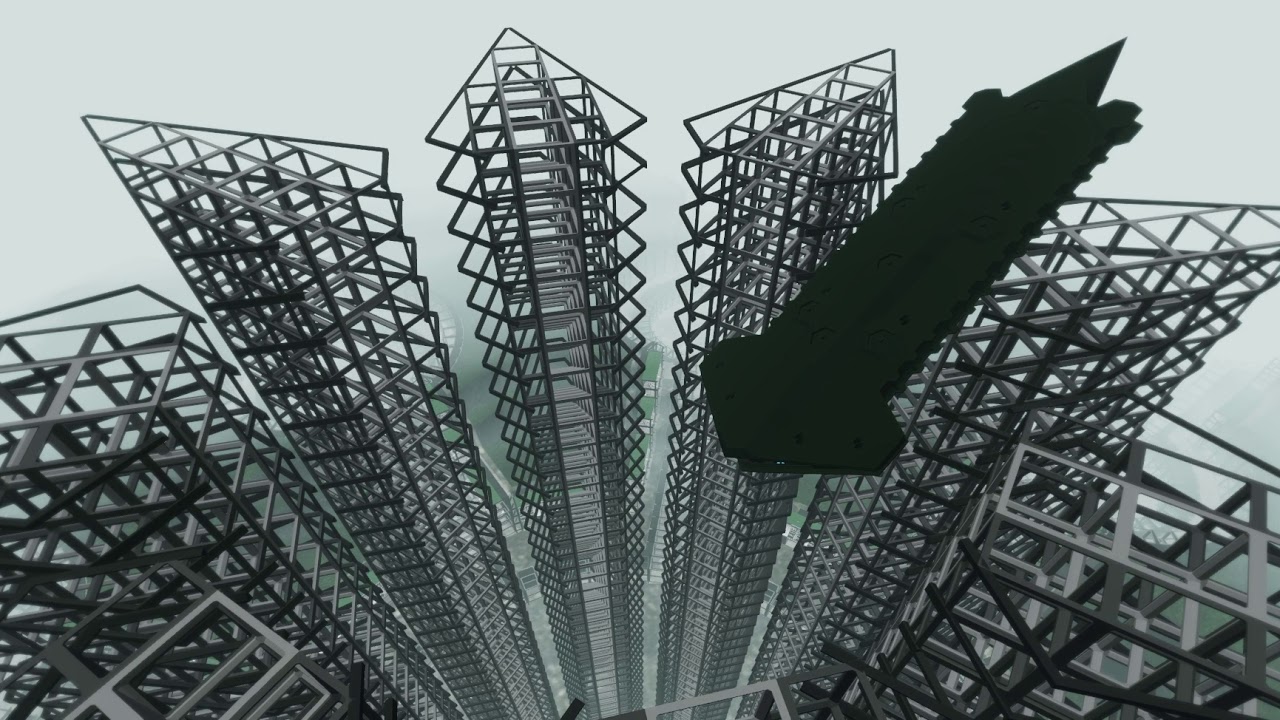
Since the Battleship is rather large vehicle in Arma standards there was a bit of worry that the collision might not work right on it.
So far test have been very positive though.
shell mantle
stuck oyster
50x50 is safe
25m from center?
stuck oyster
these are 40something cubes
stuck oyster
shell mantle
25m from center?
yes
 quick terrace
@past canopy - what do you mean by importing a new set?
wide crown
how do I export a uv map I made in blender? found some stuff online but it appears to be out of date
stuck oyster
wide crown
how do I export a uv map I made in blender? found some stuff online but it appea...
export uv map for what kind of use?
lethal anchor
Hey guys getting this error when placing my building in game (then crashing) -
 2:29:20 Warning: killhouse\house.p3d:3.40282e+038 Face 12233, point 3001, face points 3001,3020,3012 - very small normal 0,0,0
 2:29:20 Warning: killhouse\house.p3d:3.40282e+038 Face 13592, point 36886, face points 36886,36906,36905 - very small normal 0,0,0
2:29:20 Warning: killhouse\house.p3d:3.40282e+038 Face 13693, point 36886, face points 36886,36905,36897 - very small normal 0,0,0```most likely you have some non existing faces in there
or other render issues causing stuff
lethal anchor
Normals appear to be fine - https://gyazo.com/f8348166db174a7202ac7f8a7eaa0266

Reset all my rendering in blender, see how it goes
stuck oyster
lethal anchor
Reset all my rendering in blender, see how it goes
Try running merge to closest tool and see how much stuff it removes. There is a lot of thing that lead to errors but are not very clearly seen visually
wide crown
stuck oyster
export uv map for what kind of use?
Wait does it just automatically save? I got my start doing custom armors for a unit so I’m used to having to put a paa file with the texture into a folder for the game to read. (Also let me specify how do I export a texture uv map, might be a better question)
stuck oyster
Uv mapping is part of the model you uv map
lethal anchor
stuck oyster
Try running merge to closest tool and see how much stuff it removes. There is a ...
I've done that, still getting the error. Looked at the rpt, same error.
wide crown
stuck oyster
Uv mapping is part of the model you uv map
Ah okay sounds good.
And the texture stays with it too?
timid canyon
Question, while importing my shadow lod into OB, I found it wasn't convex. But, when I selected the "Component Convex Hall" option, it made it non-closed.
Is there any way to get OB to make it convex without making it non-closed? Or is it a safer bet to just go back to Blender and try to make it convex myself?
charred bolt
timid canyon
Question, while importing my shadow lod into OB, I found it wasn't convex. But, ...
If solely using OB, and the auto function doesn't work, you'll need to do it manually by moving vertices around, which can be a pain.
Sometimes it's easiest just to split the troublesome area into two components.
But doing it in Blender, if you're familiar with it's tools, will be the fastest option.
timid canyon
I fixed it, I'm all good with convexity now 🙂
I'm starting the import into blender, following a youtube tutorial, and I can't figure out why I'm getting errors for the paths to my textures/rvmats

that's the exact path on my P drive. dunno why it's marked as wrong
charred bolt
Not the solution you're asking for, but you'd be better off using .tga textures
If you look at the first and last entries on your screen shot, the paths do not match, so at least one of them is wrong
timid canyon
charred bolt
Not the solution you're asking for, but you'd be better off using .tga textures
damnit. lol. I went with png because this wiki page said png is preferred
https://community.bistudio.com/wiki/Arma:_Texture_Naming_Rules
I shouldn't trust the bi wiki blindly 😉
timid canyon
charred bolt
If you look at the first and last entries on your screen shot, the paths do not ...
I replaced the _ in "dronegn files" with underscore in case OB was being finicky, but the path of the first five is correct as is.
charred bolt
"my folder" is definitely not the same as "my_folder"
I'd recommend not have spaces in folders or files, replace them with the underscore
timid canyon
yeah fair. i almost never do (you can I went with RUF_mods initially but got lazy when I made the drone files folder)
I'll replace/adjust that in a min, but here's a sc of the path on explorer. You can see what it is here:
 charred bolt
you may also want to consider using all lower case, as some systems (eg linux) might be fussy
Again, not related to the problem, but you have textures without _co or _ca suffixes
or _nohq, _as, _smdi, if they are maps
timid canyon
yeah, the other 3 (Glossy/Normal/Roughness) I just named based on the kind of baked texture they are from blender. I figured I'd rename them once I figured out, for glossy/roughness, what the equivalent is for Object builder.
Normal's clear enough, I just hadn't renamed yet.
charred bolt
Object Builder, >File>Options
 timid canyon
Yeah, I dunno what's wrong. I've set the right folder there, then checked back on the texture/material renaming tool, and still marked red.
Either I'm being real dumb (always strong likelihood), or I'm sleep deprived, or something
Sigh, never mind.
I was being real dumb. Let's not speak of it again, Apollo
😛
as always, your help is appreciated.
charred bolt
If you could update with the solution, it might help others who read this via search at a later date.
timid canyon
Oh, I just had set, a while ago, my path to textures to be P:\ruf, last time I thought I'd try my hand at modeling rather than scripting.
But then my textures' relative paths were ruf\ruf_mods...
So I was having ruf\ruf...
And when you sent that screenshot, I checked again and it didn't click, because as I said, I was being real dumb XD
stuck oyster
@timid canyon one note about the shadow lod. It does not need to be convex, just closed
charred bolt
and triangulated, and sharp
timid canyon
sigh. I spent quite some time making it convex. oh well hahaha
charred bolt
Geometry LOD's need to be convex, so the learning experience will be useful
timid canyon
Oh, My geometry LOD was easy to do.
My problem for my shadow LOD was mostly that for the faces that had the same plane, they weren't perfectly on the same plane, not so much the 180deg internal angle thing.
pallid island
object builder not able to read .paa 💀
lethal anchor
lethal anchor
I've done that, still getting the error. Looked at the rpt, same error.
DIscovered it is to do with my Shadow lod, it must be too complex. How many triangles should my shadow max out at?
stuck oyster
lethal anchor
DIscovered it is to do with my Shadow lod, it must be too complex. How many tria...
as simple as possible
your house would probably be few hundred at most
lethal anchor
stuck oyster
as simple as possible
So a series of cubes a bit like my geomertry lod?
stuck oyster
that often works
lethal anchor
Hey all new problem - https://gyazo.com/a70b49dc7aa91200b0547096d6c84a3b
https://gyazo.com/8504fe97f4b187d01f4aba43d1f6fe0b
Can someone point me in the right direction of why I got a weird shadow and transluant sort of view of my building?

 lethal anchor
Got this sort of back shadow now - https://gyazo.com/8972741c62ad3fd0b5416ef43d45f763
 stuck oyster
you probably have alpha transparent texture assigned to it
looking at the mesh there your roof is quite detailed there
neon harness
What are the most common causes of a model flipping?
stuck oyster
neon harness
What are the most common causes of a model flipping?
flipping where?
neon harness
stuck oyster
flipping where?
I have a mortar with wheels and it flips to whichever side the gun is rotating towards after I pass a certain point to either side.
I was wondering if it was a weight distribution issue,
because that's how I dealt with it.
stuck oyster
neon harness
I was wondering if it was a weight distribution issue,
sounds like this yea
neon harness
It weighs 5000 mass.
stuck oyster
pretty hefty
neon harness
Where should I concentrate the weight then. I tried the wheels and the back plate and I made sure both end at the same point on the y-axis.

Ok, I will try putting all of the weight on the back plate. Let's see what happens.
stuck oyster
mass mainly affects interaction between other physX things, airlifting and of course the balance
so yeah best would be put most mass on the bottom so it stays upright
neon harness
Ok, so in the end, do I want weights that make sense or just ones that work?
stuck oyster
usually realistic weights and distribution has worked alright
woeful viper
does it flip when firing, or even when simply rotating the weapon?
it's possible to reduce muzzle impulse by config, if firing is the issue
neon harness
woeful viper
does it flip when firing, or even when simply rotating the weapon?
Rotating.
neon harness
woeful viper
it's possible to reduce muzzle impulse by config, if firing is the issue
I did that for firing yes.
Before I knew that was possible, it weighed as much as a black hole 💀.
lethal anchor
stuck oyster
looking at the mesh there your roof is quite detailed there
So is this a blender issue or object builder one? Ye the roof is a tin style
Would a new UV Map fix it, or am I on the wrong lines about it?
stuck oyster
lethal anchor
So is this a blender issue or object builder one? Ye the roof is a tin style
design issue perhpas
the roof is not really very visible thing unless you are constantly walking on it
so it might be better optimized if it was not so detailed shaped
the curves seem pretty many segmented
lethal anchor
stuck oyster
the curves seem pretty many segmented
Decimate them a bit then? Would thst fix my shadow issue?
stuck oyster
no they are unlikely to be related
lethal anchor
So what would be causing the box shadow below my building?
stuck oyster
my guess is wrong made shadow lod
pallid island
Inb4 not enough noshadowlod everywhere
lethal anchor
stuck oyster
my guess is wrong made shadow lod
There anyway for me to show you my shadow lod to see whats wrong with it?
stuck oyster
😅 I try not to get that involved with what others make. otherwise I end up doing everyones mods but my own
lethal anchor
haha makes sense lol
Just getting a little pead, as I've remade it a few times
Is the only issue with the building
stuck oyster
lethal anchor
Just getting a little pead, as I've remade it a few times
first try making just simple boxes for the walls and roof and see if that works any better
lethal anchor
stuck oyster
first try making just simple boxes for the walls and roof and see if that works ...
Fixed it, the faces needed triangulation. However having this sort of messy floor now, is it a texture issue or a plane or some sort - https://gyazo.com/6807f7cb30d8d39cf9e6bedf0a4b9cd2
 stuck oyster
lethal anchor
Fixed it, the faces needed triangulation. However having this sort of messy floo...
stuck oyster
lethal anchor
Fixed it, the faces needed triangulation. However having this sort of messy floo...
correct, shadowlod needs to be closed, triangulated, all hard edges to work
lethal anchor
So the above is an issue with the main lod, needed to be sorted with triangulated
stuck oyster
shadow bleed though face usually means the shadow mesh is on top of the visual lod mesh
you need to pull it under the visual mesh
triangulation can help too as it would then likely go same way as the shadow lod
instead of the opposite way
in game everything is triangles anyway
but if you have a quad surface how it gets triangulated in game may not always be how you want it to be
lethal anchor
ah so my floor of my shadow lod is above my main lod?
stuck oyster
yes
or the floor triangulates differently and is not fully level and causes slight bump that does not match the shadow lod floor
lethal anchor
I see, if its to do the with faces, if I select the floor then I am guessing an operation in obj under topology could give it a quick fix?
charred bolt
Just what I was going to say lol
Sv lod should be fully contained inside the res lod's. It's not easy making them properly.
lethal anchor
Should the floor shadow be below the main lod's floor?

Selected is the shadow lod, the non-one is the main lod, I am using
Additionally my main lod looks like this (similar to the one in game) - https://gyazo.com/f15af58d2e0b86ce14dd23c32accdc24
Appears to be all jagged and that, what would be causing that?
 timid canyon
Anybody know why I'm getting this when viewing my model in Buldozer?

Do I need to re-install Arma Tools?
Or is the issue that I don't have anything in my rvmat files yet, so it's freaking out buldozer?
I followed the path, and there definitely IS a ImageToPAA.exe file at that location, so IDK why its saying no?
Any of you seen this error before?
stuck oyster
lethal anchor
Additionally my main lod looks like this (similar to the one in game) - https://...
double faces maybe
your mesh is a bit all over the place
stuck oyster
timid canyon
Do I need to re-install Arma Tools?
Or is the issue that I don't have anything i...
have you assigned completely empty rvmat files on the model?
try starting the arma tools launcher 1 time so it checks/creates the tool registry entries
that could help
timid canyon
stuck oyster
have you assigned completely empty rvmat files on the model?
Currently, yes. I'm going step by step.
Just did that and no dice.
Weird thing is that I can open up the ImageToPAA tool itself, but for some reason Buldozer isn't seeing it. huh.
stuck oyster
it might also fault on non existing textuers
timid canyon
That's my guess. I'm just gonna keep going, make the rvmat file, and try to preview it again later.
stuck oyster
you can always point to default rvmats in P:\a3\data_F\ when you dont have any
or just leave the rvmat line empty
lethal anchor
stuck oyster
double faces maybe
Looks fine in Bulldozer though
stuck oyster
things can look fine and be faulty
timid canyon
stuck oyster
you can always point to default rvmats in P:\a3\data_F\ when you dont have any
Will do that. I'm also just gonna change my texture files to .tga.
Despite the wiki saying .png is preferred, it looks like OB is set up to work much nicer with .tgas
stuck oyster
TGA is bit more lossless format but PNG should work just fine
and PNG usually is easier to use since TGA needs to be uncompressed and some have trouble handling that kind of stuff
main problems with textures and the tools come from wrong resolutions that the tools cant handle or wrong bit depth images
 muted tapir
stuck oyster
TGA is bit more lossless format but PNG should work just fine
muted tapir
stuck oyster
TGA is bit more lossless format but PNG should work just fine
are PNGs lossy?
timid canyon
stuck oyster
main problems with textures and the tools come from wrong resolutions that the t...
What bit depth should they have?
nvm found out its 8 per channel
muted tapir
i thought they were lossless
stuck oyster
muted tapir
i thought they were lossless
it can be
lethal anchor
Could my issue be with the triangles on my floor. Or is it collision? Remade it and still getting the issue
stuck oyster
from what youve shown its no reall possible to say more
lethal anchor
What can I show/send to help debug this?
timid canyon
Sigh. Issue wasn't with BUldozer/ImagetoPAA files, but rather: I didn't have my texture images in correct bit depth.
as always, thanks Goat!
My next challenge is gonna be figuring out how to work with OB's texture system, given that I originally had procedurally-gen'd my textures in Blender.
Yikes, that won't be fun.
stuck oyster
so this is where texture baking becomes a thing
timid canyon
Yes. What I meant was: in Blender, I baked the diffuse/normal/glossy/roughness textures. I was mostly guessing which ones I'd need.
I think it was you? Someone told me Arma/OB uses an older system. So what I'm gonna have to play with/figure out is how to translate that stuff into the older system arma uses.
stuck oyster
there are articles and guides for going from spec gloss to metal rough pbr and vise versa
should come up pretty easily
timid canyon
Thanks. This is all new to me, so I didnt even know what to look for XD
 wise coral
has anyone had a pbo that no matter how you sign it the server says its mismatched?
stuck oyster
while making a model sound simple, there are quite a lot of things involved in this stuff
it takes time to learn all of it
timid canyon
Oh for sure. Im enjoying learning. Its just a bit hard to do it on one's own, so I appreciate y'all.
So, I can bake the glossy texture directly in blender. I'm more concerned with the specular. To get the specular texture map, a guide I found has you play around with the metallic map, apply it as inverted layer mask to the diffuse map.
However, my objects are NOT metallic at all. So, does that mean that my specular map will just be a uniform color, the #383838 color?
https://marmoset.co/posts/pbr-texture-conversion/
By Joe “EarthQuake” Wilson In this tutorial, I’m going to demonstrate how content created for traditional […]
(the guide I'm following)
stuck oyster
timid canyon
Oh for sure. Im enjoying learning. Its just a bit hard to do it on one's own, so...
specularity map can be done in various ways as long as you understand what and how it works in Arma
that tutorial explains quite a lot of concepts alright so its good read
even non metallic surfaces have some specularity so just uniform color one might make your thing look dull
but it will be something you need to experiment with so you can learn how it works
lethal anchor
Heya guys, I am still getting flickering on the floor of my building, I have no idea why there is no double faces on the mesh and all other walls are functioning fine without a problem. This only appears when the camera is moving (bulldozer works fine) within the building.
timid canyon
Another question, Goat.
I obviously need a separate color texture image for each material I have in my object. Do I also need a separate normal image for each material, or can I have a single normal image for my whole model?
charred bolt
timid canyon
Another question, Goat.
I obviously need a separate color texture image for eac...
In general, each supershader diffuse texture (_co) will have an accompanying normal (_nohq), specular (_smdi), ambient occlusion (_ao) and thermal (_ti_ca) map texture, all linked together by a material file (rvmat).
stuck oyster
timid canyon
Another question, Goat.
I obviously need a separate color texture image for eac...
no you dont need separate color texture for each material you have
I suspect you can bake all of it to just 1
timid canyon
Thanks Apollo, that's very helpful.
And so, Goat, you'd recommend baking it all into one texture, and one map texture of each type, but then for the different object materials (one part is rubber, one part plastic), have different rvmats? Am I understanding that correctly?
stuck oyster
timid canyon
Thanks Apollo, that's very helpful.
And so, Goat, you'd recommend baking it all ...
no many things can have same rvmat and things like SMDI (specularmap) texture then modulates their look
typically Arma weapon has 1 max 2 textures/materials if I remember right
timid canyon
ohhh got it. Thanks.
hopefully for Arma 4 BI writes extensive documentation haha
stuck oyster
thats the idea of the different technical textures that they modulate the materials base value to make different pixels look like something else
stuck oyster
timid canyon
ohhh got it. Thanks.
*hopefully for Arma 4 BI writes **extensive** documentatio...
well the kicker here is, that people go to schools or spend months or years learning the theory behind these things
modding is a very hot landing in the middle of complex things
how these different renderings work are very extensively documented.
the Arma specifcis maybe not as much
but there is some technical information in the wiki that kinda tells this stuff
timid canyon
Oh god yes.
A good buddy is an extensive modder, but mostly messes with scripts. He's only done a single object/texture mod, so while he helped me learn scripting, he just shrugged when it came to modeling/textures
stuck oyster
but its not something you might immediately understand having no prior theoretical background
timid canyon
stuck oyster
but there is some technical information in the wiki that kinda tells this stuff
Yeah, I've been reading/re-reading, but as you say, I have no technical background XD
charred bolt
Ideally you would have a different rvmat for each type of material in your object (rubber/metal/cloth etc), but in reality this would add too many draw calls and be poorly optimised, so we have to make do with a few rvmat's representing many materials. As HG says, the texture maps (_nohq, _smdi, _as) do their job in recreating a certain look, but where it can fall down is that each rvmat fixes the specular reflection and power, plus the fresnel scattering, and that's where splitting rvmat's can be important.
So it's typical to have the metal and rubber type materials mixed in a single rvmat, but glass will use it's own texture/rvmat.
stuck oyster
good point
timid canyon
Got it, thanks. So when materials are roughly close, keep them mixed in a single one and just hope _as/etc do their thing, whereas for very different materials, separate?
stuck oyster
anything with any transparency, partial or full needs its own texture and material
charred bolt
timid canyon
Got it, thanks. So when materials are *roughly* close, keep them mixed in a sing...
yes, good rule of thumb
stuck oyster
if you want like chrome shiny parts and matte rubber they require their own rvmats
as the materials very well cant handle both extremes in single one
this is one of the pitfalls of the old shader/rendering
charred bolt
absolutely, and in some instances the supershader isn't the best choice either
timid canyon
So just to pick your brain, you'd recommend this be two separate rvmats, since the rubber is very matte and the other plastic does have a lot more reflection?

Obviously I don't expect it to end up exactly like in blender, but having the difference would be nice.
charred bolt
I'd start from an idea of how many materials max there should be on that type of object, then work backwards
timid canyon
Got it. I'll try going with one, seeing how it goes.
And if not, re-do and separate into two for those two. I've only got those two materials, really, in Blender.
charred bolt
More than likely 1 rvmat will suffice, looking at the image. Neither is a "shiny", which is where most issues occur.
stuck oyster
yep 1 works here just fine.
one thing to note will be that baked textures can hold only so much pixels for a surface
charred bolt
Is it a building? Has anyone dared mention multi-mats?
timid canyon
weapon. I wanted to make an anti-drone gun. That's how I got into this shit project in the first place. I wrote up all the scripts, and then had the brilliant idea that I should make an asset for them.

Also just realized I keep asking about textures/texture maps here rather than the texture_makers channel. My b
stuck oyster
timid canyon
Also just realized I keep asking about textures/texture maps here rather than th...
Its ok since its continuation
timid canyon
Any tips for how to properly bake my AO map?
I'm currently just baking it in blender, but I think something is getting messed up.
stuck oyster
blender should be able to do it just fine
but it requires light source
I prefer a HDRI environment material setup
timid canyon
stuck oyster
I prefer a HDRI environment material setup
What's that?
Or rather, since I can google it, why do you prefer it?
stuck oyster
timid canyon
Or rather, since I can google it, why do you prefer it?
it can give nice even lighting all around
timid canyon
Okay, I'll look into it. My ambient Occlusion bake is capturing what I'm 99% sure are co-planar triangles, so that they are visible in Buldozer.
I'm assuming that's a problem with the model, more than the AO bake, would that be a good guess?
stuck oyster
possiblu
lethal anchor
Hey guys, my model freezes my game when it loads into the map. IS this an issue with my topology?
stuck oyster
possibly 😅 that does sound a bit bad
lethal anchor
Made the mesh smaller and it fixed it, not gonna complain
 sleek trout
Before I bite the bullet here. Is it possible to get a model with this many vertices down to an acceptable level for Arma?

Royalty free 3D model High Mobility Protected Vehicle Hawkei PMV 4x4 Camo for download as max, 3ds, blend, c4d, fbx, ma, obj, and max on TurboSquid: 3D models for games, architecture, videos. (1359941)
 subtle bison
yes of course. it's a lot of work, though
sleek trout
What kind of work would this require besides baking normals from the high poly into a lower poly? Sorry I’m not very experienced in blender and mainly do config stuff
subtle bison
well you have to turn the model into a low poly
that means either automatically or manually trimming polys wherever you go
past canopy
@quick terrace I meant like the new UV coords, but nvm I just redid the whole thing
Anyone have a flashlight template I can use?
quick terrace
config?
past canopy
config, model.cfg, p3d
or show with a picture what I need for the p3d
dont need to give me file
quick terrace
for p3d you need 2 mem points
one called flashdir one called flash
flash is the point of origin, flashdir is direction
past canopy
ah and then it uses it as an axis?
quick terrace
no model cfg on my own
past canopy
k
quick terrace
class rhs_acc_2dpZenit : acc_flashlight
{
dlc = "RHS_AFRF";
Author_Macro
scope = 2;

displayName = $STR_RHS_ACC_2DPZENIT;
descriptionShort = $STR_RHS_ACC_2DPZENIT_SD;

picture="\rhsafrf\addons\rhs_weapons2\icons\rhs_2dpZenit_inventory_ca.paa";
model = "\rhsafrf\addons\rhs_weapons2\acc\flashlights\2dpZenit\rhs_2dpZenit.p3d";

class ItemInfo : InventoryFlashLightItem_Base_F
{
	mass = 2;
	class Pointer {};
	class FlashLight
	{
		color[]={25,22,20};
		ambient[]={0.001,0.001,0.001};
		size=1;
		innerAngle=50;
		outerAngle=120;
		coneFadeCoef=10;
		intensity=330;
		useFlare=1;
		dayLight=1;
		FlareSize=0.7;
		onlyInNvg=0;
		position = "flashdir";
		direction = "flash";
		class Attenuation
		{
			start=0;
			constant=2;
			linear=1;
			quadratic=75;
		};
		scale[]={0};
	};
};

inertia = 0.1;
};
quick terrace
of course you can have a look over BI's acc_flashlight
yes
under weapon config if that is how you have it setup (and not spread between dif h files)
lethal anchor
Hello again, for some reason. I can walk through my door, but not back through it. Appears to be some geo-blocking it, but the door needs geo to prevent people just walking through it right?
 atomic nymph
why is that error ?

 quick moon
im new to arma 3 and i want to model my own uniform (british army mtp) Is this possible? And if so how?
 runic plover
quick moon
im new to arma 3 and i want to model my own uniform (british army mtp) Is this p...
runic plover
quick moon
im new to arma 3 and i want to model my own uniform (british army mtp) Is this p...
I'd rather to check out the pinned messages in this channel, also last pinned message to start with. New in Arma modding and creating a whole new character mod is a very difficult start to go with
not impossible, but a hard way '^^
quick moon
Yh ive watched loads of videos on arma mods. Ive just never found a video on actually creating a whole new uniform model, so i wasnt sure if it could be done
stuck oyster
quick moon
Yh ive watched loads of videos on arma mods. Ive just never found a video on act...
You may have seen mods with new stuff like that so it is possible. There however are no complete tutorials for for specific things like this.
First step is to learn modeling just in general, Arma related specific come later.
neon harness

 wide crown
Working on a custom humanoid character however it doesn’t have 100% human proportions, the guide dots in the Arma 3 samples skeleton model don’t have to line up with where the bones actually are right?
stuck oyster
wide crown
Working on a custom humanoid character however it doesn’t have 100% human propor...
it wont with animations of its not same shape and size
so yes it kinda needs to alight
custom character with different shape/size no matter little different will basically need wholly new everything
otherwise it gets wonky
wide crown
Also how do I apply selections after importing the skeleton and the model
wide crown
going through a guide and it says to apply selections after importing the skeleton and the model but idk if that just means apply all transforms or something else.
stuck oyster
wide crown
going through a guide and it says to apply selections after importing the skelet...
what guide?
i dont know what apply selections mean either xD
quick moon
stuck oyster
You may have seen mods with new stuff like that so it is possible. There however...
Ive had some experience with modeling and i say i could do it, just im confused on how to upload the mods from blender and then actually add it into my mission
 dusk oasis
Does anyone have a good tutorial to get from a Blender Model to a P3D file?
The ones i found use very old blender versions 😅
stuck oyster
dusk oasis
Does anyone have a good tutorial to get from a Blender Model to a P3D file?
The ...
principles are still the same, you just have to do bit more legwork to find where the buttons are now
nobody has updated their tutorials im afraid
(one reason I dont like video tutorials as they are hard to change)
dusk oasis
I woud take text or other kinds as well
When exporting my model, the P3D file always has 0 kb
stuck oyster
dusk oasis
I woud take text or other kinds as well
When exporting my model, the P3D file al...
you need to enable armaproperties for each object you want to export
and assing what lod rype each object belogs to
dusk oasis
Where do i enable them?
dusk oasis
I dont have a arma 3 tab in the toolbar
but the Arma Toolbox is activated in addons
stuck oyster
 dusk oasis
fuck me... i looked at the wrong tool bar, this one was invisible as default
Thank you a lot!!!
stuck oyster
Ive been toying with the idea of making complete tutorial one day
but cant find the time
and cant really even decide where to start
"turn on computer"

dusk oasis
Yeah, making a good tutorial isnt as easy as it seems
stuck oyster
these are pretty big multi part and multi program things
and would a good tutorial expect its reader to already know principles of modeling and texturing
and good practices on model optimization etc
like people study this stuff for years to git gud 😅
dusk oasis
stuck oyster
and would a good tutorial expect its reader to already know principles of modeli...
I probably did do a lot of mistakes in that department :S
pallid island
(and a bunch of arma shenanigans as well)
stuck oyster
yeh theres tons that could be written about the arma stuff too
 haughty lodge
no one expects me in this channel
where can i read about compatibility between A3 models (and assets in general) with earlier armas
stuck oyster
haughty lodge
where can i read about compatibility between A3 models (and assets in general) w...
they are not compatible and Arma3 models are not release to be used in any way.
mossy mulch
i think they meant models made for a3
haughty lodge
stuck oyster
they are not compatible and Arma3 models are not release to be used in any way.
what KJW said, i meant custom assets
 pearl steeple
Hey, does anyone know if its possible to cut faces in OB?
I want to cut it where I marked it
 stuck oyster
pearl steeple
Hey, does anyone know if its possible to cut faces in OB?
I want to cut it wher...
stuck oyster
pearl steeple
Hey, does anyone know if its possible to cut faces in OB?
I want to cut it wher...
No easy way
marsh canyon
Especially in OB. You shouldn't edit a mesh in OB
pearl steeple
No problem. Thank you for your time and help! 🙂
 bold flare
haughty lodge
what KJW said, i meant custom assets
bold flare
haughty lodge
what KJW said, i meant custom assets
Models for newer games won't work in older ones.
But at least Arma 2 models will work in A3. Don't know about earlier than that
thick valve
a bit of a random useful tip
you can search anything inside files, makes it easier to see how a config for specifics like hiddenselectionstextures should be set up
 bold flare
I prefer notepad++ find in files functionality for that
Windows explorer search is always slow, and it only brings you to the file, while n++ finds every line
 jovial snow
hey, i'm modeling a vest, and i seem to have a problem with one of the items on the vest, like .. in object builder it is on the vest, but when i get in game, its on the vest but when i move around, it doesnt stick to the vest, like its connected to another spine, i understand i did a wrong weighting.
anyone minding to explain to me how do i change the weight like, weigh it to spine
marsh canyon
Do you have model.cfg?
jovial snow
marsh canyon
Do you have model.cfg?
yes.
marsh canyon
And does your model.cfg have your model's class?
jovial snow
yes.
marsh canyon
The vertex groups, are correct name?
jovial snow
what are vertex groups..?
you mean the skeletonBones?
"Face_Hub","head", "Face_Jawbone","Face_Hub", ... etc'
jovial snow
marsh canyon
Model itself
where do i check it?
marsh canyon
Blender?
marsh canyon
Are you sure? Are case sensitive
jovial snow
marsh canyon
Are you sure? Are case sensitive
yes
marsh canyon
Can you show the screen ingame?
marsh canyon
What was that?
haughty lodge
bold flare
Models for newer games won't work in older ones.
But at least Arma 2 models will...
i saw a video where they dropped a whole map from A2 to Reforger to test the lighting engine
bold flare
"dropped"
There are conversion tools, and if you have source files you can re-encode the files to work in a different game
pearl steeple
Good morning friends. I am having an interesting issue with my triggers not sure why its happening.
For whatever reason the "Open Garage" actionmenu in game only activates when your crosshair is in the wall (blue cirtcle) but in object builder the trigger is in the middle of the garage (orange circle).
Does anyon know why would something like this happen?
 runic plover
Does your Garage Door has a Geometry already?
 pearl steeple
managed to fix it by doing component convox
 thin wigeon
Hi gang, I'm trying to display paa textures from a p3d model in blender. I made the model in blender then assigned tileable textures (i.e. brick, tiles) to each face in O2, but now I want to create a single texture tile with everything in it rather than 20 plus paas. So I figured if I reimport the p3d back into blender via arma3 tools, I could use the automap UV thingy to make my single texture file, that I can then bake and use to create the LOD models too. But I can't find how to make the paa display as a texture natively in blender. Can I use the source texture (eg png) and plug that in somewhere? Can someone please point me at a tut that helps me?
stuck oyster
thin wigeon
Hi gang, I'm trying to display paa textures from a p3d model in blender. I made ...
Paa don't work in blender. Needs conversion to tga or png
If you got brick and such I guess it's a building?
You'll want to create multimaterial setup for that
Baked texture can't hold enough resolution to look good
thin wigeon
yes, I know - but I think I figured it out anyway. If I enable Principled BDSF (WTF is BDSF) I can open file to png of that particular rvmat/paa and it seems to display in blender.. But yes, I'm trying to collate all of these textures into one single UV mapped image, rather than loads of tiling textures. I think multimaterial is the keyword I'm struggling with - there's bound to be a tut for that somewhere, thanks
- yes it's a building
I am complete n00b with blender, I prefer doing all my edits in O2 but I realised O2 is shit for anything super clever like making a single texture tile for all my combined textures - or is it?
stuck oyster
There are wiki pages about basics of what multimaterial is
thin wigeon
Yes, thx, that was the keyword I'm struggling with - I think
stuck oyster
There are no specific tutorials on how to do that in blender
You can find my talk about it in the maker channels history
thin wigeon
goat_sacrifice++; 🙂
charred bolt
Use tga in both blender and object builder, simple.
.paa's will be created automatically during the build process.
jovial snow
having some issues with the weighting of a vest, when i redefine spine 3, its all straight and moves with the player.
same if i only redefine spine 2, but when i redefine spine2, spine3 it is on top, but moves around and shakes and its glitching through the player, any reason or idea why this stuff happens?
 cedar coral
Folks this might be on interest that I discovered the other day -- https://forum.allegorithmic.com/index.php?topic=4869.0
Allows to go from 3dsmax directly to substance painter.
last spindle
I was thinking about using the current muzzle animation source to do different magazines, Different size mags only work with specific muzzles, and some scripts which automate the muzzle selection for certain events
timid canyon
Why am I getting a message, "An error occured during save operation" while trying to save in Object Builder?
Its literally right after importing from Blender. I've got 5 res models, a geometry model that is closed/convex, and a shadow model that is also closed/convex
marsh canyon
Sometimes Blender or some other software accessing the p3d even after the job is done. One tip you want to note
timid canyon
Good to know! thanks, guys!
timid canyon
Does anyone have a sample nonbinarized .p3d of a launcher? Trying to see what sorts of memory points launchers normally have.
Arma samples doesn't have one, I dont think.
marsh canyon
Nothing is different than a rifle IIRC
timid canyon
Another question, what do y'all think?
I'm making an anti-drone gun. Doesn't have a built-in sight but has a rail on top which should hopefully allow people to put attachments eventually.
Should I just place the sight memory points lined up with the rail?
What model looks like in blender for reference:
 amber swift
yes, but its not done with a memory point,the scope/sight mounting position is defined with the following proxy "\A3\data_f\proxies\weapon_slots\TOP". Its still a good idea to put the "eye" memory point alligned with the rail in case no scope is equipped, but keep in mind that wont influence the scope attatchments view, they have their own eye memory point in them.
stuck oyster
pearl steeple
I think it keeps the P3D open in the background or something
The object gets locked in limbo if export fails.
pearl steeple
Oh, sometimes I wouldn't be able to save even the export was successful.  technology I guess lol
Does anyone know if there is there any further information regarding translation/translationY for animating doors? Trying to make my gate go down but can't seem to figure it out 
stuck oyster
Use translation and direction axis memory points
pearl steeple
I think that's what I did but then the offset0 and offset1 appear to be only left and right regardless of what value I use (negative or postive in either side)
 stuck oyster
pearl steeple
I think that's what I did but then the offset0 and offset1 appear to be only lef...
stuck oyster
pearl steeple
I think that's what I did but then the offset0 and offset1 appear to be only lef...
It's direction vector. From point 1 towards point 2 so yes your axis vector is currently horizontal and thus moves the door sideways
pearl steeple
I assume that's what translationY is for? The problem with TranslationY will always go up no matter what
but based on search history translationY does not use axis?
stuck oyster
Yes translatioX/Y are hard coded axis directions.
Only plain translation used memorypoints and can do whatever you want
pearl steeple
Is there a pbo I can unpack to take a look as an example? I don't think there is a sample in Arma 3 Samples
stuck oyster
No. Model.cfg gets written into P3d so it does not exist in pbo
I'm fairly sure there is a translation using animation class somewhere in there though
pallid island
open building sample, change door 2 to translation, add offset0/offset1, check the result in Bulldozer, move the axis in memory lod, check the changes in Bulldozer again 
pearl steeple
I'll give that a try. Thanks friends 
Don't know if I am dumb but moving the axis. Did nothing. I moved it to the left, all the way outside of the work area and it didn't change results.
        class Door_2_rot: Door_1_rot
        {
            type            = translation;
            source            = Door_2_source;
            selection        = Door_2;
            axis            = Door_2_axis;
            minValue        = 0.1; // Rotation of door starts at 0.1 instead of 0, because from 0 to 0.1 the handle is pressed down.
            offset0 = 0;
            offset1 = 1;
        };
the "new" class for door_2
 pearl steeple
yeah, I tried putting it below the door and above the door. It still moved the door only up
pallid island
rotate the axis/move only one of its points - translation would follow the new axis direction


 pearl steeple
oh yeah that did it it does move side ways now
Thank you!
so confused. moving it sideways works but when I try to move it down it won't do it. It will just move up 
pallid island
axis length matters, though, as 0...1 phase scales with it
stuck oyster
Axis also defines the length of move between offset and offset1
pallid island
and you can use negative offsets to invert the direction
pearl steeple
That did it too. Thank you so much! 
stuck oyster
pallid island
and you can use negative offsets to invert the direction <:blobdoggoshruggoogly:...
And multipliers like offset of 2 would move 2x the length of the axis
pearl steeple
Will note that down. Thank you! ❤️
pallid island
and the axis direction is actually defined by... what? Vertex numbers? Because rotating the axis 180 degrees does invert the rotation to me 
stuck oyster
Vertex order in the 2 vertex selection
One of the points is the start of the vector, second is the direction
From what direction of the vector array it calculates it I don't remember
pallid island
anyways, rotating by 180 works and that's enuf
pearl steeple
What would cause the gates not to work in game (other than gate 1) but all of them work in bulldozor?  .
.
pallid island
when actuated by animate/animateSource command directly(-ish) or when action is used?
pearl steeple
when action is used
pallid island
first guess would be some config.cpp mishap. Care to post in on sqfbin or somewhere?
pearl steeple
pallid island
and model.cfg please?
pearl steeple
Forgot to remove 'Garage_1_Handle_rot_1', 'Garage_1_Handle_rot_2' from the garage_1 when removing it it
As soon as I removed it stopped wroking
https://sqfbin.com/ijirofecohoxuwivexog
Garage_2_rot
and
Garage_3_rot were my attempts at fixing it to see if that made a difference
pallid island
example seems to go for [this, 'Door_1_rot'] call BIS_fnc_DoorNoHandleOpen for single-animation doors
pearl steeple
I'd assume it'd be BIS_fnc_DoorNoHandleClose for close?
pallid island
yep, BIS_fnc_DoorNoHandleClose
pearl steeple
Thank you
pallid island
also, with (player getVariable ['medicLevel',0]) > 0 in condition, is that variable set? Is the action actually shown (and doesn't work)?
pearl steeple
action will be hidden if player is not a medic
It does work though
welp that didn't work. So I changed it back to
statement = ([this, 'Garage_1_rot', 'Garage_1_Handle_rot_1', 'Garage_1_Handle_rot_2'] call BIS_fnc_DoorOpen);
however, it still does not open the other garages just Garage_1
repacked it and it works now. But I still have to add the "fake" handles to make them work
Hopefully it wont cause issues down the road 
Thanks for your time and help! I really appreciate it
stuck oyster
The BI door function is just their way to simplify repeating the door opening. the scripting in the function or simplified version of it can also be run directly in the action statement
pearl steeple
welp just found an issue with my building  . You can only go through the main door when you're armed. I guess because you're slightly crouched when you are.
How tall is a player (in meters/cm) for future reference?
pallid island
https://community.bistudio.com/wiki/Arma_3:_Infantry_Metrics this is the closest thing to organized related data i can remember
pearl steeple
Thank you, that will be useful 🙂
timid canyon
amber swift
yes, but its not done with a memory point,the scope/sight mounting position is ...
Thanks, xano.
I found it out late last night/early this morning, just kinda forgot to delete the question here.
amber swift
no problem
timid canyon
I assume that if I have multiple res lods, I should add the TOP proxy in all of them, no?
stuck oyster
timid canyon
I assume that if I have multiple res lods, I should add the TOP proxy in all of ...
yes, otherwise the the proxy stops showing up at X lod
it could be meaningless for last lod though
timid canyon
Yeah, I thought so. Thanks, Goat!
I'm slowly plodding through the model.cfg/config stuff. The more I'm doing this, the more respect I have for mod makers, goddamn.
white oak
Now that I have some tall buildings, I really love the vibe it gives to the cities
would recommend making them
 runic plover
pallid island
and you can use negative offsets to invert the direction <:blobdoggoshruggoogly:...
runic plover
pallid island
and you can use negative offsets to invert the direction <:blobdoggoshruggoogly:...
Also depends if you use rotationX / Y or Z or just rotation, same with translation
stuck oyster
white oak
Now that I have some tall buildings, I really love the vibe it gives to the citi...
yay!
how many triangles is that?
white oak
7k for the shortest, 11k for the tallest
white oak
making a set of each building
ground floor always enterable with with 4 floor counts
3 colourways for each part set
in 4 building shapes
so I can knock out 40 buildings from a single set of parts
stuck oyster
👍 very good
white oak
Hence the very understandable naming convention
Apt Variant/Shape/Colour/Floor/Extra
 austere marsh
even if i had started from a blank map?
white oak
maps and models are whole different things
austere marsh
yes but one or the other will resolve my conflict
as h said, density of items is my issue
im solving the issue of item density by making changes to the items assumably
white oak
you'd need the source files (And the permission from the author to edit them) for the models for what you're trying to achieve
 mortal walrus
Got a question regarding Pylons. I have been adding pylons for missiles and bombs to a vehicle and they do render fine, but when i fire them they eject from the origin point of the aircraft. I am wondering am i missing a memory point that arma uses to determine where the missile flies from?
 somber stag
Not sure if this is more of a config or model question but is it possible to add a "proxy" of sorts to a model that can show other models? I want to make a couple of crates and cache's for weapons storage but I didn't want to end up remaking the weapons as well If I could instead somehow proxy them onto the model if that makes sense
stuck oyster
somber stag
Not sure if this is more of a config or model question but is it possible to add...
you can create "groundholders" that act same way as when you drop items down and the items show up
somber stag
interesting, I'll look it up thanks for the lead!
stuck oyster
I believe there are at least one or two such mods in the workshop too
like weapon crates or weapon shelves that fill up
you are on the right track with the proxying
somber stag
Yeah I'm specifically building mine to be themed around the issurectionists from optre and as a kind of intro project for myself getting models into the game
since I'm much more experienced with configs/scripts
stuck oyster
somber stag
since I'm much more experienced with configs/scripts
im fairly sure Ive seen some crates like that made for OPTRE already 😅
probably for the UNSC though
somber stag
Yeah we want to do a bunch more insurrectionst themed stuff and give them a more unique design language
since they are kinda bland atm
which is funny since OPTRE is primarily focused on pre-convenant war lol
stuck oyster

ArtStation
Model made for the Arma 3 Total modification Operation: Trebuchet: https://steamcommunity.com/sharedfiles/filedetails/?id=769440155
Based on a weapon crate from Halo: Reach: https://www.halopedia.org/JW_Armory_Storage_Cabinet
The weapon crates are a HP to LP baked workflow using ID maps for texturing and made in the metal rough texturing workf...
this was it
so OPTRE devs might be able to give you a leg up
somber stag
yeah I'll give em a shout as well for sure
 grizzled halo
is it possible to have multiple selections follow the head of the arma man within a single model, or all face/headwear/nvg needs to be done in a single slection?
?
grizzled halo
it is, nvm the question 🙂
pearl steeple
Hey, does anyone have any tips on how I'd geo the round bit? I can use box but then I think it will take like 100 of them to make it proper. Can't figure out how to use the cylinder in OB it just spawns one line
 marsh canyon
Excuse me, what exactly is the issue?
pearl steeple
I want to add geometry around the round thing just trying to come up with the best way to do it without using bunch of boxes
marsh canyon
Ah, I've misunderstood what “geo” in your first post
And umm... I TBH don't think there is any “plug-and-play” solution for it
pearl steeple
boxes it is. Thank you
marsh canyon
Just don't overthink it, it shouldn't be so complex
pearl steeple
I'll keep that in mind. Thanks for your time and help!
timid canyon
Wooo! @stuck oyster , can't thank you (and others) enough for all the help. Finally managed to get my Counter-Drone Gun into the game.
For whatever reason, I can't equip it. it's config'd as a launcher (bc nobody will want this as a primary) but either I f***d up something in the config, or its a handanim problem.


Again, all you wonderful people were super patient with my noob modeling skills, so I thank you.
 silver dragon
pearl steeple
Hey, does anyone have any tips on how I'd geo the round bit? I can use box but ...
silver dragon
pearl steeple
Hey, does anyone have any tips on how I'd geo the round bit? I can use box but ...
This looks great, I would like to see more buildings that could be used in CQB scenarios. Will it have insides?
pearl steeple
silver dragon
This looks great, I would like to see more buildings that could be used in CQB s...
Yeah it has a full interior with rooms
silver dragon
pearl steeple
Yeah it has a full interior with rooms <:PES_Happy:493353112493621258>
It reminds me of the Pearl Castle villa from Rainbow Six 3.
pearl steeple
went based of that. Just realized that I got the roof wrong  couldn't get the windows in either into the arc they kept poping out the sides
 timid canyon
pearl steeple
went based of that. Just realized that I got the roof wrong <:LUL:37688491254585...
timid canyon
pearl steeple
went based of that. Just realized that I got the roof wrong <:LUL:37688491254585...
Will it have AI pathing indoors?
pearl steeple
Never thought of adding one so probably not
 raw beacon
Question, how did Bi achieve the crosshair overlay on vehicle PiP? Ive copied over exact class Rendertargets and configured the mfd display properly but still not showing. Using MBT_01_Arty as reference
Currently I have this. As you can see, no crosshair
 charred bolt
Is it a separate transparent texture over the top?
raw beacon
Idk thats what im trying to figure out lmao
But I cannot access the lods in the model to check
 jade harness
is there a skeleton i can import into blender to make rigging a uniform model easier?
stuck oyster
jade harness
is there a skeleton i can import into blender to make rigging a uniform model ea...
no but you can use macsers armarig
jade harness
cheers i'll give that a shot
 deft vale
anyone have good forward observations helmets and vests?
marsh canyon
deft vale
anyone have good forward observations helmets and vests?
Are you here to search one, create one or hire one?
deft vale
i just want to see if there any i can use in sp
marsh canyon
So trying to search one that you can use right now?
deft vale
yeah
marsh canyon
- No to crosspost #rules
- This is a channel for creators
- Search in Steam Workshop may satisfy you
- If not, #arma3_questions
white oak
Is there much difference between having a shadow volume and using "sbsource = visualex"?
stuck oyster
white oak
Is there much difference between having a shadow volume and using "sbsource = vi...
visualex is better
white oak
neat, being lazy was good for once
stuck oyster
for buildings anyway
small things that you want detailed shadows need the shadowlod
white oak
noted
charred bolt
white oak
Is there much difference between having a shadow volume and using "sbsource = vi...
visualex is great, but doesn't work on objects that have a "1st person" LOD, such as View Pilot, View Cargo, View Gunner.
This discounts it's use in vehicles sadly.
raw beacon
charred bolt
Is it a separate transparent texture over the top?
I think its actually modeled into the plane
A lot of the PiP/MFD stuff i cant find textures for. Its also not a gunner optic proxy cause I tried that and it didnt look good. Plus some of the items are animated so makes me think its a modeled selection rather then a flat plane being rotated
neon harness
I have a question regarding the hitpoint lod, is this overkill or even correct? (Did it by placing spheres with radius 0.2 and then collapsed them at their centers, outline is fire geometry. Wheel spheres go out of fire lod while barrel ones are inside). I just want to have damage hide the wheels and maybe destroy the barrel.


 silver zenith
atomic nymph
silver zenith
atomic nymph
the pivot is misaligned and there is probably an hole somewhere near where that protusion happens
atomic nymph
silver zenith
the pivot is misaligned and there is probably an hole somewhere near where that ...
thank you !
but it was another problem but thanks anyway for this tip , others may take your tip
 pastel heath
Hi guys i have a question Can arma work with 2 uvs on 1 object. Basicly i have trim sheets in blender. A texture with multiple use.
And on a object i have 2 uvs. 1 UV for texture resizing and 2 UV to fit in 0 to 1 space. Can i import that data to Object builder somehow if so how ?
marsh canyon
Hm, I'm thinking one thing but uncertain what exactly is your case right now. Can you elaborate?
pastel heath
marsh canyon
Hm, I'm thinking one thing but uncertain what exactly is your case right now. Ca...
So basicly example i have uv1 setup witch is basicly resize to set texture on a object:
(picture 1) and 2nd uv witch is in 0 to 1 space basicly in the square space. Basicly my question is can i have data from both uvs and add that to arma 3. in Unreal and Unity its possible to add this.

 marsh canyon
So please keep it mind that I'm not REALLY a model guy, but only some simple things - but I'm going to talk about only the fact.
Arma 3's p3d can have multiple UVs. This is at least the fact, but usually you can use one for texture, only one.
Multiple UVs can be used in the rvmat, especially it is a “multimat” - the very special case.
neon harness
atomic nymph
does anyone know whats wrong with this shadow lod ??
Search for non-manifolds.
 junior ibex
I suppose there's still no ETA on the licensed data packs?
marsh canyon
None I know of
I know, I know. Sit patience. We've already waited enough, but sit patience.
neon harness
junior ibex
I suppose there's still no ETA on the licensed data packs?
? Which ones?
neon harness
neon harness
I have a question regarding the hitpoint lod, is this overkill or even correct? ...
No one has any input on this?
junior ibex
neon harness
? Which ones?
For Arma 3
muted tapir
@pastel heath if you wanna resize a texture on an object, maybe UV animations are what you're looking for?
https://community.bistudio.com/wiki/Arma_3:_UVAnimations
pallid island
O_o
arma 3 allows for 2 (and no more) uv maps. And, as POLPOX mentioned, you need rvmat to control which one is used per shader stage
i.e. common "super" shader can use tiled uv for main texture and unique (0-1) mapped uv for detail map
or multimaterial shader, yes
stuck oyster
pastel heath
So basicly example i have uv1 setup witch is basicly resize to set texture on a ...
Is it a building?


 median sparrow
nice car
thick valve
lost the vehicle because I didn't backup so good
 timid canyon
Been struggling with adjusting a model in OB so that it matches up with the handanim I made in Blender.
Took me 20min to notice that the z axis in OB is not "up". 💀
stuck oyster
protip. do the adjusting of the gun in Blender 😅
so you can make the animation straight with it
timid canyon
Yeah... I was just going with f'it and doing it in OB, but then realized one of my named selections was wrong in OB, which meant I'd have to fix in Blender and re-export anyways.
(easaier to fix in Blender than OB)
pallid island
Easier everything in Blender i'd say
pastel heath
stuck oyster
Is it a building?
Yea i was thinking to create a couple of object using same texture. Doing some modular stuff.
https://www.youtube.com/watch?v=VEHsZniXguY&list=PLD7vclnmlFUulaJtVoL1DFoODHhHfJF2S&index=13 Here is basicly what i would like to do.

In this video I show my 2 main UV unwrapping techniques I use when mapping my trim sheets onto my 3d models, hope this speeds up your workflow!
Part 1 - Planning Trims: https://youtu.be/DipfrjCgYW8
Part 2 - Sculpting in Zbrush: https://youtu.be/Tspveb9bjYA
Part 3 - Substance Painter: https://youtu.be/CarefswACgs
The original trim texture overvie...
stuck oyster
pastel heath
Yea i was thinking to create a couple of object using same texture. Doing some m...
Then I'd say multimaterial is what you want
 worn ginkgo
would it be possible to take the code associated with the Marshal and change the 3D model out to that of a LAV25?
so for all intents and purposes it is a marshal but has the body of a LAV 25 model?
stuck oyster
worn ginkgo
would it be possible to take the code associated with the Marshal and change the...
No
they are not exactly same shape
it might work somewhat, but likely would have issues
worn ginkgo
collision wise?
 candid marlin
Hi all,
I'm trying to create a NVG that covers the face with a gasmask as well.
I'm running into this issue where the model can't seem to find the texture. (ignore the model being in the ground, thats another can of worms ill figure out next)
In the .p3d file I have told the texture path to find \masks_f_elr\ugm15\ugm15_CO.paa. I have also told the materials to call the .rvmat file from the correct path. In my config.cpp, I am calling for hiddenSelectionsTextures \masks_f_elr\ugm15\ugm15_CO.paa
I'm sure I'm missing something really obvious, but I am just not seeing it. Any suggestions on what I might be doing wrong?
 pallid island
make sure your texture/rvmat are accessible over that path in-game. As in: PBO prefix is set to some starting part of the path and the actual path inside the PBO is the rest
fileExists "\masks_f_elf\ugm15\ugm15_co.paa" in debug console can be used for that
candid marlin
stuck oyster
is your project folder called masks_f_elf?
It's called masks_f_elr, and I am using P drive
candid marlin
pallid island
`fileExists "\masks_f_elf\ugm15\ugm15_co.paa"` in debug console can be used for ...
This did return as true
pallid island
candid marlin
This did return as true
try to remove leading \ in the texture path in the model then
candid marlin
pallid island
try to remove leading `\` in the texture path in the model then
That did it, my textures are now showing LOL
Now for my second question, how do I make the mask go to the face of the character rather than being stuck in the ground? is it a config.cpp issue, model.cfg issue I have to do, or something I have to do in object builder?
pallid island
there is a pinned message specifically about helmets, i guess all the points there also apply to masks?
stuck oyster
pallid island
there is a pinned message specifically about helmets, i guess all the points the...
correct
candid marlin
Alright, i can start there, I appreciate the advice 🙂
woeful viper
but you have one fire mode per muzzle (e.g. on APC's you have HE and AP muzzle -> 2 different fire modes)
so you have to cycle through 1 empty set (full, single and maybe burst) of each magazine that you dont have
also, idk but since you can have different magazines for each, what prevents you from reloading 2 different mags at once? Never really thought about it for handweapons... For vehicles you dont have to deal with hits obviously.
*if it even works for handweapons that is...
candid marlin
So, I've managed to at least get the object out of the ground by setting up the model.cfg with the correct classname and setting the vertex group weight to head (at least i think), however I'm running into a problem. The model is at least attached to the skeleton now, however its now stuck in the mans chest.
How do I setup autocenter on either blender or OB? I'm assuming it's through the attached picture, however when I do that and export it as a .p3d from blender, OB doesn't want to open the file anymore and gives me the error "Unable to load file. Load error".

a picture of the issue of the mask being stuck in his chest for reference
 woeful viper
has anybody checked if "isSelected" animationsource works for handweapons? I'd like to make a folding stock that is folded when the rifle is "holstered" (on the shoulder)
 worldly knoll
candid marlin
So, I've managed to at least get the object out of the ground by setting up the ...
worldly knoll
candid marlin
So, I've managed to at least get the object out of the ground by setting up the ...
not entirely sure if it's case sensitive, but make sure that the "autocenter" property is all lowercase, so it's "autocenter = 0"
candid marlin
So, I did change the autocorrect to be case sensitive and OB still isn't a fan of loading the .p3d
neon harness
candid marlin
So, I did change the autocorrect to be case sensitive and OB still isn't a fan o...
How many faces is it? (I had a similar issue when count was way above Arma levels)
candid marlin
neon harness
How many faces is it? (I had a similar issue when count was way above Arma level...
It is just barely over 12k faces
stuck oyster
its a little hefty 😅 but not a "break everything" amount
candid marlin
Well, I think I figured it out finally:
I was not aware that in OB one could assign properties or that the tab even existed, so I was able to set autocenter correctly there. Now its no longer stuck in the mans chest 😄
stuck oyster
👍
candid marlin
Thank you guys for the help given, I've learned a lot from this 🙂
 hollow fulcrum
👋 (damnit Murphy (back from working ventures))
 lean furnace
I recently bought this Mesh from a website and now I'm attempting to incorporate it into an outfit for Arma 3.


How can i go by Placing it into the Game ?
pastel heath
how do i set mass for geometry in blender ?