#arma3_model
1 messages · Page 14 of 1
 plush trail
 versed cosmos
I don't think the P drive data extraction will extract workshop data.
It'll mainly take the a3 directory game files (all the pbo's and whatnot) and unpack them
I've got my P drive on a removable SSD and don't have any workshop folders on it.
plush trail
ok
plush trail
does Alwarren's Arma Toolbox for blender work for current blender versions?
plush trail
I say it cause I get his on the arma 3 tab

just a checkbox
I got the one from 2021
I'll try to move my blender project to the p drive
now the things are visible
plush trail
is there a sample for a plane weapon? or a guide for them
 stuck oyster
plush trail
I'll try to move my blender project to the p drive
stuck oyster
plush trail
I'll try to move my blender project to the p drive
Blender files dont need to be on P drive
stuck oyster
plush trail
is there a sample for a plane weapon? or a guide for them
no
well the Arma2 samples have some
they should be pretty much the same basically
stuck oyster
plush trail
I'm trying to see cuase for masks or items you hold there are bones
not quite sure what you mean by this
ammo p3d does not really differ from any other p3d
all models have same rules
plush trail
got the stuff
 pallid island
except pylon configs, hanger proxies and such 
plush trail
I mean the files
I don't have an issue withcode
coding and texturing I'm ok. I make templates and stuff work
modeling not so much
plush trail
how do I apply my texture in object maker
I have a paa a tga and a jpeg on standby
 plush trail
after pressing E
?

I tried select all but it still kept the pink and white checkers
 charred bolt
You'll only see textures in Object Builder if you use .tga's.
stuck oyster
and correctly set up P drive/Object builder settings so it can access the files
and this does not look like valid path

unless youre files are in P:\ root
which would be bad
stuck oyster
correct path structure is the same way its on P: but without the P:\ in front
p:\ represents the root of the games internal file system
plush trail
so
aim9\agm113.tga

 plush trail
oh ok
stuck oyster
you would want the buldozer viewer
(preferably with the real game lighting hacked in)
also OB view does not show the rvmat, only color
stuck oyster
but also yes your sharp/smooth edges are not set up right
so its trying to shade it smooth all over

 stuck oyster
then it means your blender toolbox addong is not set up right with the O2Script exe
and your p3d will never export correctly
youll need to set that path in the addon settings
plush trail
In blender right?
stuck oyster
yes
plush trail
in which tab is the setting cause in the guide the guy doesn't say or show
plush trail
Oh
plush trail
fixed it and made my geometry

I made it with selecting non-convexities and using component convex hull
 umbral shuttle
how do u view the texture like that in obj builder?
 plush trail
 fluid copper
Highlight what you want textured and press E
fluid copper
Highlight what you want textured and press E
how to add
plush trail
umbral shuttle
how do u view the texture like that in obj builder?
above
 plush trail
you can by selecting all and pressing E
and setting a texture
but bulldozer is recomended
stuck oyster
plush trail
your geometry needs to be just a box

this is a simple object with nearly no geometry interaction
umbral shuttle
plush trail
and setting a texture
Yeah I get that part, but it always just shows wireframe and never the texture like that 
stuck oyster
umbral shuttle
Yeah I get that part, but it always just shows wireframe and never the texture l...
youll need to push some of these buttons
 umbral shuttle
stuck oyster
youll need to push some of these buttons
umbral shuttle
stuck oyster
youll need to push some of these buttons
huh I dont have the colorful one next to use direct3d button
oh its greyed out, 
 umbral shuttle
yeah I tried pressing nothing happaned
lets press all the buttons and see wat happens
charred bolt
umbral shuttle
huh I dont have the colorful one next to use direct3d button
When in wireframe mode, either press Numpad 0 or use the menu
View > Solid Fill Faces
to get up the solid view.
Then the colourful button "Show Textures" will be available.
That will change the greyscaled solid textures into full _co textures, if you are using .tga
umbral shuttle
charred bolt
When in wireframe mode, either press Numpad 0 or use the menu
View > Solid Fill ...
ah okay, I was reading on the forums that the texture needs to be tga inorder to show in object builder, ill try that next
its doing the pink/grey checked box since paa
charred bolt
You get the pink grey if using paa. Yes, use .tga instead.
Only thing to remember is that after changing .tga textures, you should delete the corresponding .paa's so that it rebuilds them on the next pack.
 stuck oyster
just a simple box that covers the tube

all this extra has no use and can cause issues

 stuck oyster
 plucky meteor
https://images-ext-1.discordapp.net/external/TRweNPOHIIntICe1HeeXOAEsgFXU-Ji3DAJ...
plucky meteor
https://images-ext-1.discordapp.net/external/TRweNPOHIIntICe1HeeXOAEsgFXU-Ji3DAJ...
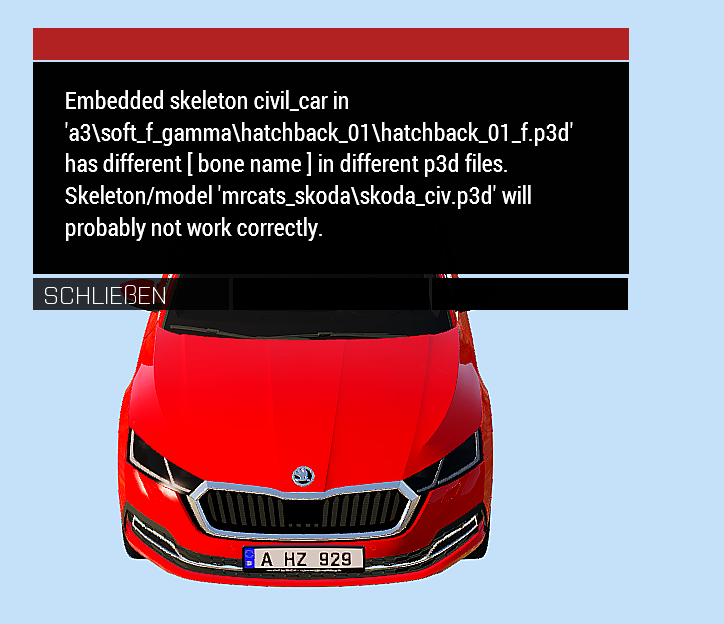
You are not supposed to touch the vanilla files
plucky meteor
You mean the civil car skeleton?
stuck oyster
yes
 raven plover
What's up
I'm trying to edit and merge models but most of the materials lost the effect (for example the goggles lost the transparency)
How can I fix it?
stuck oyster
raven plover
I'm trying to edit and merge models but most of the materials lost the effect (f...
What kind of models are they? How exactly do you merge them? How much do you know of modeling, uvmapping and texturing?
raven plover
stuck oyster
What kind of models are they? How exactly do you merge them? How much do you kno...
They are helmets. I merge them with object builder. Not that much because this is my first model. I learned how to edit them, modify model and some other stuff
I'm taking one helmet, deleting some stuff and add that stuff to another one
 plush trail
do you think I need a FireGeometryLOD
plush trail
I got this error when I tried to export the model
Python: Traceback (most recent call last):
  File "F:\SteamLibrary\steamapps\common\Blender\3.5\scripts\addons\ArmaToolbox\__init__.py", line 247, in execute
    exportMDL(self, filePtr, self.selectionOnly,
  File "F:\SteamLibrary\steamapps\common\Blender\3.5\scripts\addons\ArmaToolbox\..\ArmaToolbox\MDLexporter.py", line 583, in exportMDL
    exportObjectListAsMDL(myself, filePtr, applyModifiers, mergeSameLOD, objects)
  File "F:\SteamLibrary\steamapps\common\Blender\3.5\scripts\addons\ArmaToolbox\..\ArmaToolbox\MDLexporter.py", line 646, in exportObjectListAsMDL
    export_lod(filePtr, newTmpObj, wm, realIndex)
  File "F:\SteamLibrary\steamapps\common\Blender\3.5\scripts\addons\ArmaToolbox\..\ArmaToolbox\MDLexporter.py", line 464, in export_lod
    writeMass(filePtr, obj, mesh)
  File "F:\SteamLibrary\steamapps\common\Blender\3.5\scripts\addons\ArmaToolbox\..\ArmaToolbox\MDLexporter.py", line 337, in writeMass
    weight_layer = bm.verts.layers.float['FHQWeights']
KeyError: 'BMLayerCollection[key]: key "FHQWeights" not found'
select geo lod, go to edit mode, select all verts, set some mass to verts in Arma 3 Tools tab
 plush trail
oh
pallid island
yeah, not really obvious
plush trail

 plush trail
did I mess up?
 marsh canyon
Not sure what you're trying to tell
plush trail
I made a geometry cube. I scaled it to be the thing on the left set its LOD as geometry gave it 50 as weight. Exported it and then it came as that on the p3d
marsh canyon
tldr: You need to Ctrl+A and apply all transforms of the geometry and export
plush trail
I had the whole cube selected to make the geometry by selecting all vertices
marsh canyon
I'm saying about Object mode not Edit mode
tldr, Arma ToolBox doesn't take object scaling/transformations into the count (unless you're using the very latest experimental version)
plush trail
marsh canyon
tldr, Arma ToolBox doesn't take object scaling/transformations into the count (u...
how do I get that
marsh canyon
Check the pinned
plush trail
I'm looking at it and cannot see it
marsh canyon
plush trail
oh
 plush trail
I copied the Firegeometry and memory points from an old missile from the SU-47 open source project (the guy has the unbinarized files in it ). I took the stuff from the R-60
they fit like a glove
it's open source and he says people can use it. if it doesn't work I'll follow the video guide I was watching
stuck oyster
raven plover
They are helmets. I merge them with object builder. Not that much because this i...
Where are the helmets from? It does not sound very practical way of doing this, Object Builder is a bit difficult to work with to begin with and other programs might be more suited to stuff like this.
raven plover
stuck oyster
Where are the helmets from? It does not sound very practical way of doing this, ...
Another mod. For what I'm doing it's not that hard using Object Builder. I already edited the model
In-game texture works
Just the rvmat
stuck oyster
raven plover
Another mod. For what I'm doing it's not that hard using Object Builder. I alrea...
Just to make sure, you do have permission from the original maker?
plush trail
does my fire geometry look right

the object won't be shot so I made it empty of components. I duplicated the geometry
for some reason my memory points arent visible
they are there and show up when I move them
not when they are stationary
stuck oyster
plush trail
they are there and show up when I move them
Need to adjust the viewport drawmode
plush trail
how I do that?
stuck oyster
plush trail
how I do that?

 grizzled halo
yes, use the axis buttons on that same row, they are in the left section that is left out of that screenshot
stuck oyster
id really really recommend using better programs for that kind of editing 😅
you are shooting yoursefl on the foot by handicapping the work on OB
plush trail
I make most my stuff in blender
 last spindle
http://i.imgur.com/B57iUzp.png
almost happy with this, rushed a few bits to get it finished, but going to redo the raised bevels on the main body
last spindle
no idea atm, it will have the same reticle as the ACE spotting scope atm, since it is replacing it
 frozen stirrup
ah, perfect
last spindle
unless someone can show me what the spacemaster 15-45 X 60MM reticle looks like exactly, havent found any info on that
havent looked to hard yet though
frozen stirrup
either a mil or mildot reticle would be fine
 errant garden
About weapon models, I'm trying to adjust its offset to touch the hand. Do they have to be adjusted in the offset via object builder or can it be done by scripting?
stuck oyster
errant garden
About weapon models, I'm trying to adjust its offset to touch the hand. Do they ...
Have to be done in the weapon model
 alpine matrix
im a little lost on making shadowlods for a vest im working on, it appears to be too high poly still and im unsure if theres a specific way to make them
stuck oyster
alpine matrix
im a little lost on making shadowlods for a vest im working on, it appears to be...
there is not magic to make it, its "just making a simple model that fits inside your res lod mesh"
nothing fancy to it, just basic modeling
if you show your vest and shadow lod for comparison maybe some advice can be given based on that
 wise coral
Kenny that hotel is in the a2SU_data_APL-sa.zip from the bi site
has anyone done a model.cfg for a baseball bat melee?
plucky meteor
Hey, cursorObject only returns null on a modded car. CursorTarget, on the other hand, works. But I don't want to modify all scripts. Is there a way to fix this with the mod car?
I have heard that this is a problem that occurs more often with modded cars. But what is the reason that cursorObject does not work? 🤔
Is there a specific change that needs to be made in the model?
stuck oyster
Does it have proper view, fire and normal geometry lods?

 stuck oyster
Try adding a valid view geometry to it
charred bolt
plucky meteor
Hey, cursorObject only returns null on a modded car. CursorTarget, on the other ...
cursorObject is working fine for me on modded vehicles.
Models have several res LOD's, View Pilot or View Cargo, SV0 and SV10, Geometry, Geo Phys, Memory (with bounding box points), LandContact, HP, View Geo and Fire Geo.
For performance reasons, you should have optimised Geo Phys and View Geo LOD's that are less complex than Geometry and FG LOD's - perhaps missing one of these upsets cursorObject.
Or could it be that you don't have the bbox memory points?
 plucky meteor
The thing is, on vehicles that do not have this either, cursorobject works 👀
stuck oyster

plucky meteor
But we will give it a try 
 woeful viper
if you know how rifles/pistols are made, you know how to make a baseball bat
so start with the easier (conventional) things, then you can do stuff that requires some workarounds. No point in doing the 2nd step before the first
 celest arch
is there a limit on destructable named selections?
 sterile sand
hi, can i export a blender BSDF to an .rvmat?
pallid island
in my understanding: not really. .rvmat is, essentialy, a configuration values for shader that's not directly accessible by user
sterile sand
it can be opened like a txt file
pallid island
what "can be opened"? Rvmat? Yes, it can. Because it is the text representation of shader inputs
sterile sand
isn't that like the point? how could i export the shader then? it's pretty basic, no nodes used except the texture which i know how to set up
just edit the values in a copied rvmat i guess?
pallid island
yes, you prepare the textures with the proper data and you make an rvmat that tells the game to use those shaders
stuck oyster
sterile sand
isn't that like the point? how could i export the shader then? it's pretty basic...
you write rvmat in a text editor
blender shaders/node materials have no connection to the game
sterile sand
stuck oyster
blender shaders/node materials have no connection to the game
i know, and i already did
stuck oyster
👍
 tribal rain
question yall whats the process for making identities? ive got a 3d model all set to go just confused as to whats the process for the config and model cfg as it seems quite different to the others ive done work on
this is just a basic place holder for now but making a rogue trooper mod

already made the helm needs textures etc though
 stuck oyster
tribal rain
this is just a basic place holder for now but making a rogue trooper mod
stuck oyster
tribal rain
this is just a basic place holder for now but making a rogue trooper mod
you mean like making a new head?
tribal rain
stuck oyster
you mean like making a new head?
yeee
stuck oyster
helmet in itself has nothing to do with it since its just an item
tribal rain
no its just sits on top
stuck oyster
but basic premise is the same
you got your p3d, model.cfg for it
and configs for new head type
tribal rain
way i figure it the two options ive got is make a uniform which encompasses the whole body including the head but then youd get no lip/eye animations
or the other options is make a new head
tribal rain
stuck oyster
but basic premise is the same
any example cfg.s floating about arma samples is devoid of this info it seems
stuck oyster
not really no if I remember right
tribal rain
stuck oyster
not really no if I remember right
a shame but nevermind thanks for the swift reply as usual hope your doing well!
stuck oyster
the head config is not very complex though
you can trace the vanilla head classes pretty easily and make a copy of one of their classes and plug your files into it
tribal rain
stuck oyster
you can trace the vanilla head classes pretty easily and make a copy of one of t...
alright ill give it a go
i wasnt sure if i was fed bad info before but i was sure i was told and or read somewhere that head cfgs were complicated
stuck oyster
well the head, face, identity stuff can be bit all over the place at first since its multiple classes working together
but the classes themselves are pretty simple
like around 10 lines
but then again everything Arma modding related is complex before you learn it
tribal rain
stuck oyster
but then again everything Arma modding related is complex before you learn it
 tribal rain
so im assuming i messed up somewhere

for context the face is supposed to blue like this
 stuck oyster
does it still carry the HL selection?
but yes its also possible you did something wrong
id recommend adding some cube to it or something that you can easily tell its your custom one
tribal rain
stuck oyster
does it still carry the HL selection?
HL?
stuck oyster
The skincolor/identity named selection/vertexgroup

 midnight verge
sorry for the question im starting to model, any basic app for p3d? very basic one?
stuck oyster
midnight verge
sorry for the question im starting to model, any basic app for p3d? very basic o...
people use the popular modeling tools like Blender or 3dsmax and export models to p3d
nobody (sane) makes p3d straigh
(Sentry)
👀
Blender probably would be the tool for you to learn as its free and has tons of tutorial material for generic "how to model"/"how to texture" etc
midnight verge
yeah so my friend sent me a p3d file (basiclly a uniform) and i want to texture it
stuck oyster
where did your friend get it? The kind of "friend models" often turn out to be ripped assets which lead to bans so not the best place to start learning. So best to make sure the model is something you can actually use and work with
stuck oyster
retexturing does not require models at all either btw
tribal rain
stuck oyster
it would be a vertex group in blender
ohhhhhhhh
midnight verge
stuck oyster
retexturing does not require models at all either btw
yeah so how am i supposed to get the paa textures out of the p3d
in blender?
stuck oyster
midnight verge
yeah so how am i supposed to get the paa textures out of the p3d
paa textures are not stored in p3d..
where was the p3d from 😅
you are not really going in the right direction with this
midnight verge
idk i was searching for a pilot suit and someone just sent me a p3d file
stuck oyster
midnight verge
idk i was searching for a pilot suit and someone just sent me a p3d file
Then Id scrap that one.
you are responsible for stuff you use
and if you dont know where its from its most likely dodgy
and well you are behaving pretty dodgy too right now..
 orchid fern
Is there a write-up of the performance implications of proxies somewhere?
 atomic nymph
Whats PreNlod format of p3d ?
stuck oyster
atomic nymph
Whats PreNlod format of p3d ?
where does it come up and what you try to do?
atomic nymph
Testing a p3d
stuck oyster
testing it how
atomic nymph
P3d of a vest from the internet
stuck oyster
from where?
this starts to feel like it may not be very legit the way you are dodging the questions
 cedar coral
Has there been any updates that would cause buldozer not launching from OB? I asm getting it crashing everytime now?
 white oak
Has anyone used the blender toolbox over at linux?
stuck oyster
white oak
Has anyone used the blender toolbox over at linux?
cant say anyone has ever reported doing so at least
white oak
toolbox itself should work fine I suppose, with blender being native and all
exporting using the O2 script would be the tricky part I'm guessing
going to give it a shot
 hallow steeple
I use object builder right?
How do i make the textures appear in the editor? I think that was possible, but I forget how xD
nvm
hallow steeple
merge textures means merge into the model file right, or?
no- I am now confused
Why is the hidden selection not working xD
stuck oyster
merge textures is not really part of any common workflow
what exactly are you trying to do?
hallow steeple
Make a usertexture prop that's a surface decal.
https://gyazo.com/58aefc5c5421c6ec130fc371d44b7fd9
The hidden texture selection isn't working tho
 hallow steeple
stuck oyster
what exactly are you trying to do?
hallow steeple
stuck oyster
what exactly are you trying to do?
any ideas? xD
stuck oyster
hallow steeple
any ideas? xD
probably dont work on decals
is my guess
or you lack one of the buidling blocks
hallow steeple
ok, lets try making it be a normal instead of a surface
on surface, surface*
this will sound weird, but HORRAY! It's still not working! xD
Ok, what do i need for hidden selections-
Is it the points or the face that is put into a selection?
stuck oyster
HorribleTip of the Day:
HIDDEN SELECTIONS
Assuming object type supports hiddenSelections,
HiddenSelections require the following components:
**#1 **UV mapped mesh surface with a named selection/vertex group (often called Camo,Camo1 etc) that does not overlap with other hiddenselections (by faces, bordering vertices can be shared) This mesh also needs to have some defautl texture and material set to give it necessary face properties
#2 Model.cfg class (class nameOfP3d connection) withs sectiosn[] array that contains the above mentioned selection (Camo etc)
#3 Config class with hiddenSelections[] array that contains the same selections as in model.cfg sections defining them to be accessible with scripting commands
#4 Config can also contain hiddenSelectionsTextures and hiddenSelectionsMaterials arrays that can overwrite the p3d default textures on that particular config class
stuck oyster
stuck oyster
HorribleTip of the Day:
# HIDDEN SELECTIONS
Assuming object type supports hidde...
hallow steeple
oh-
Horray! Also idk if the default texture is needed. I have texture field in OB as blank, then the hiddenSelections in config file give it the weird image ya see on the right

looks like it was just the lack of a model.cfg xD
ah, and on surface seems to work too! :D
stuck oyster
hallow steeple
Horray! Also idk if the default texture is needed. I have texture field in OB as...
it says in my post that it is
default texture flags it with transparency flag if it supposed to be transparent
so if you wanted to have say blood splatter with transparent surrounding you would need a default texture similar to it
hallow steeple
oh..
plush trail
hello
I have a question
if I want to modify an arma 2 mag (eg stanag 30 rnd) where do I find the model
in the open source files the only I could find the mag is through the base model
 stuck oyster
plush trail
in the open source files the only I could find the mag is through the base model
stuck oyster
plush trail
in the open source files the only I could find the mag is through the base model
in A2 the mags were part of the models
hallow steeple
stuck oyster
so if you wanted to have say blood splatter with transparent surrounding you wou...
material too? I've never touched materials 😅
stuck oyster
hallow steeple
material too? I've never touched materials 😅
well depeneds what you want it to look like
hallow steeple
basically, just the usertexture prop
stuck oyster
plush trail
with a sample mag
in arma3 samples
plush trail
in arma 3 samples the test gun has a mag as part of the model
stuck oyster
then no
plush trail
ok
hallow steeple
so, leaving material blank will disable transparency, right?
stuck oyster
no
hallow steeple
wait so why is it black
stuck oyster
what is?
hallow steeple
make the texture on my object be #(argb,8,8,3)color(0,0,0,0,ca) and it's completely black. but same thing on game's usertexture object and it's clear
(Green and half transparent)

wait-
Can I make the default texture be an empty image
stuck oyster
sure

 stuck oyster
dunno. could apply some basic rvmat on it from a3\data_f\
hallow steeple
Do I need to extract the material from the game's pbo or?
hallow steeple
how would I get the material for the OB
stuck oyster
preferably you had P drive and all this stuff ready..
hallow steeple
I have P drive, but I don't have stuff from the game in there
 plucky depot
hallow steeple
Can I make the default texture be an empty image
plucky depot
hallow steeple
Can I make the default texture be an empty image
you can also just use the procedural texture in the model
hallow steeple
My head hurts and I am annoyed so I shall return to this later xD
 dapper hound
Not sure if this is the right spot but I'll put it here since I don't now where else - making a female version of the wetsuit but for whatever reason the arm texture halfway through changes to what I assume is the default arma man arm texture. I have absolutely no idea why it's appearing (didn't even use it in blender) so it's got me super confused.
 stuck oyster
dapper hound
Not sure if this is the right spot but I'll put it here since I don't now where ...
stuck oyster
dapper hound
Not sure if this is the right spot but I'll put it here since I don't now where ...
which wetsuit?
as in whats your process to get here
dapper hound
it's a custom one from cgtrader like the juggernaut suit I mentioned a few days ago - Exported it to arma just the same way as I did before
stuck oyster
well it would likely indicate you have messed up the identity selection
so it replaces larger chunk than it should
dapper hound
I assume it's something with the vertexes in arma. Looking through them, this looks to be it, so I'll color out this vertex and see if that changes anything, I'm just unsure if this is the specific issue or if it could be something else

 dapper hound
ah
I did a simple weight paint transfer from the default arma one. Do you know what the vertex name is that may be causing this?
stuck oyster
HL
weight transfer will work only so much
it always needs manual fixing
because models are made different shaped
dapper hound
ah okay, fixing that vertex now - I wasn't even aware of what the HL vertex did so I didn't do anything with it
stuck oyster
one has to learn to walk first before running a marathon
 stuck oyster
no
dapper hound

 lone minnow
I have a backpack I'm trying to add. I have successfully added some vests to the game and I'm trying to repeat the process for this backpack but it's just not appearing when I select it in arsenal (I can put stuff in it, it's just invisible). There is no obvious issue in the config and the model.cfg looks good too. The p3d files looks good to go too.
What other things should I check?
 wheat shoal
SGTGunner, I was launching OB from my desktop shortcut for the longest time, Buldozer only works when opening OB from Steam tools for me
stuck oyster
turn on logging in launcher and see if it pops up any error messages?
and then check the rpt log file if there are any clues
() after trying to use the backpack
dapper hound
for adding new heads, does the whole head need to utilize a single texture map, or can it have multiple textures? Asking because in the config file there's a specified texture

when I add the head, the eyes don't show up for some reason
dapper hound
found that the eyes do show up, they're just.. for whatever reason on the floor
stuck oyster
wrong weighting
dapper hound
I fixed it by weighing it to the head
stuck oyster
that kinda works
but naturally they wont have any eye movement
not that it matters, the shape of the head must match the man too for those to work
dapper hound
yeah, it doesn't match the shape anyways, so the eyeballs would look goofy if I weighed them to the arma eyes
cedar coral
yeah, I think when I updated my P drive with Mikero's batch something got screwed up.
 foggy finch
wierd I launch all tools from shortcuts, cutting out a3tools/steam
never had any issue with crashing
cedar coral
yeah, it is very weird. Normally rock solid.
I might just create a P drive from scratch.
foggy finch
only time TB has crashed via shortcut (it wodl have crashed anyway) was being a bit ambitious with mask file sizes
ob's never crashed however
cedar coral
humm, okay. Time to mess around with it. Argh.
foggy finch
enjoy :)
dapper hound
what the heck is going on with my shadow
 charred bolt
dapper hound
what the heck is going on with my shadow
charred bolt
dapper hound
what the heck is going on with my shadow
Is it closed, triangulated and sharp? (as checked in Object Builder)?
dapper hound
charred bolt
Is it closed, triangulated and sharp? (as checked in Object Builder)?
I’m not entirely sure as I’ve never done any shadow stuff before. Would you be able to guide me through that process/show me where I can find that process?
charred bolt
sure
stuck oyster
way too complex and you applied hiddenselection material to it
dapper hound
I’ll double check to make sure there’s no textures on it
stuck oyster
and no HL or camo selections
charred bolt


Poly (tri) count, somewhere between 500 and 5000. For uniforms and vests, aim for the lower end of the scale, complex vehicles might be at the top end.
dapper hound
this is my stencil shadow

and my shadow volume uses the same thing
there's no hl or any hidden selection material, or camo selections
dapper hound
charred bolt
will try this
charred bolt
I'll defer to horriblegoat on this, as my thing is vehicles, but you generally shouldn't have proxies in shadow LOD's or you'll get duplicates.
stuck oyster
id recommend using the one from samples and tweaking it
dapper hound
I'll grab the one from samples
hallow steeple
if not provided, what kind of material would be used by a model?
stuck oyster
depends on the models and what kind of visuals is wanted
hallow steeple
I am wondering if my issue was the material being CO instead of CA, yesterday
The black texture when given a completely clear texture thing
Side note, when extracting Arma 3 game files, is it possible to tell it to go to a different directory? :P
I wanted to order my P drive, but it seems all the arma 3 trools dislike that xD
Also, idk where to ask this, sorry :P
oh new question, do I NEED to have a material/texture avaiable when I am using OB, or could I have it as missing?
charred bolt
a3 files should be extracted to p:\a3
You can tell if a problem is being caused by shadows or not, by going in game, then to graphics settings, and temporarily disable shadows.
hallow steeple
I'm not worried about shadows :P
hallow steeple
hallow steeple
(Green and half transparent)
This image, they both have the same alpha. But, the usertexture works, but my own object does not allow transparency
hallow steeple
hallow steeple
oh new question, do I NEED to have a material/texture avaiable when I am using O...
So, for this, in OB it is upset that material doesn't exist at [P:\Addons\]A3\Misc_F\Helpers\usertexture.rvmat
Addons folder has the stuff I am working on. [P:\Addons\]usertextureprops\empty.paa
charred bolt
I can only recommend you put a3 in the root of p:. If you don't, good luck.
hallow steeple
Well, it is, but I've changed the texture path for OB x3
My question is, can I reference something I don't have in the P drive, but do have in the game.
charred bolt
You mean reference a file (as opposed to a class name or function)?
hallow steeple
 charred bolt
Don't think so - pboProject won't build as the file is missing
that's why you have to extract a3 in the first place
hallow steeple
wait why don't I just try it? xD
charred bolt
That should be a prerequisite before anyone asks a question.
hallow steeple
ok, so I guess it's not the material at all?
#(argb,8,8,3)color(0,0,0,0,ca)
With this, I still get black, not transparent
 charred bolt
Do you have a transparent (_ca) texture in your p3d?
hallow steeple
Yes, though it's not called ..._ca.paa
Is that needed?
charred bolt
99% of the time yes
All textures should be _co or _ca, especially if using tex2view to convert from tga to paa
If you don't have a transparent texture in the p3d, you won't be able to get one in game
hallow steeple
I mean, the texture shows up right it seems.
plucky depot
hallow steeple
`#(argb,8,8,3)color(0,0,0,0,ca)`
With this, I still get black, not transparent
are you setting this in hidden selection or model?
hallow steeple
hallow steeple
usertextureprops\empty.paa
plucky depot
why don't you just put empty transparent procedural texture in the model?
#(argb,8,8,3)color(0,0,0,0,ca)
it should give you workng transparency.
hallow steeple
And I don't need to worry about lighting or Z bias or anything, right?
Or anything in model.cfg or config file, if I want transparency.

Yay!!!!
Thank you. I thought procedural textures wouldn't work right for some reason 😅
plucky depot
There's litteraly a color picker near the folder icon which allows you to set one from it.
charred bolt
So the rules are, you must have a transparency in the p3d and you should name it with _ca suffix unless you're using a procedural.
plucky depot
hallow steeple
And the _CA is required, and not just for user readability?
charred bolt
If you are converting from another format, such as tga, yes, it is required.
plucky depot
and don't use TexView for img>paa conversion, in my experince ImgToPAA produces better results.
charred bolt
What does pboProject use vet? Never had issues with whatever that is
plucky depot
img2paa
or maybe its own implementation, not 100% sure
TexView is the GUI viewer thingy
hallow steeple
I use a website b/c I was an idiot and didn't realize I could just drag the png to the exe xD
charred bolt
Use tga, and put tga in the p3d. You'll then see the textures in Object Builder, and when you build it will auto-convert to paa
plucky depot
Grupe Adler thingy? I would use it for missions but I wouldn't trust it for mods but maybe it's okay.
hallow steeple
ah yes, new issue. I can't open UV editor in OB
hallow steeple
charred bolt
right click, maximise
thank you xD
hallow steeple
Ok, not QUITE right, but hey. I'm pretty happy with it xD

ok, normal user texture has this too. I assume it's shadow or fog or something. Maybe material.
yea looks like material.
stuck oyster
imageToPaa is the best tool

 hidden fern
Is there any good videos out for blender to arma 3 ..?
umbral shuttle
ik a bit random and possibly unanswerable, but is poly count taken into account when changing res lods?
like lets say u have lods 0,1,2,3,4. when say deciding to use 2 or 3, will the game look at the poly count of lod 2 vs lod 3?
charred bolt
umbral shuttle
like lets say u have lods 0,1,2,3,4. when say deciding to use 2 or 3, will the g...
The game engine expects your model to roughly halve the number of triangles from 1 res LOD to the next one down.
LOD switching is automated, so you can't and shouldn't, try to force the engine to use a particular LOD.
So if you have, say a medium complex vehicle with 64k tri's in LOD 0, then make them like this:
LOD Tri's
0 64k
1 32k
2 16k
3 8k
4 4k
5 2k
6 1k
umbral shuttle
charred bolt
The game engine *expects* your model to roughly halve the number of triangles fr...
ah I have not been halfing, okay but does it know that lod 1 is 32k polys as one of the factors in determining to switch to it?
charred bolt
No I don't think so. But the game engine is presumably measuring your PC ability to display the entire scene, and based on that, decides what distance to put the LOD switching at.
umbral shuttle
I ask cause I have this vest, where at 10 meters it drops down to the lowest res lod (theres 5 res lods), https://streamable.com/1lkpqy
and granted, I think the poly count of 44k at res lod 0 has to do with it
 charred bolt
If you mess up the model by say having, 64k, 64k, 64k, 1k LOD's, I guess it will also degrade overall performance.
umbral shuttle
res lod 0 - 44k
lod 2 - 37k
lod 4 - 32k
lod 5 - 22k
lod 10 - 3k
charred bolt
Section count might also be an issue to check on.
umbral shuttle
wowe we really did not half at all, section count is at 11
charred bolt
yeah, those LOD's are "bad"
umbral shuttle
so 44k, 22k, 11k, 5.5k, and 2.75k res lods should maybe fix the issue?
charred bolt
I wouldn't get fixated on the decimals at the low end, however for a vest I think you probably should be optimising quite a bit, due to the number of them that might be in scene at once.
Typically you might aim for 8k, 4k, 2k, 1k, 500
umbral shuttle
yeah I figured a 44k poly vest might be tooo much
umbral shuttle
yeah I am not sure how id do that cause I believe this vest has like 7 UVs
charred bolt
Combine them into less textures.
umbral shuttle
I can try that
charred bolt
With 11 sections, you might have 11 textures? So they could be all reduced in scale (the UV's) by 25% and placed into the quarters of 3 textures
charred bolt
No, it's possible for a non-artist to just scale and move the UV's without having to redo the topology.
It's a bit of work, because you have to do it for _co, _as, _smdi and _nohq, but definitely do-able.
umbral shuttle
Okay I will try to do this and if I get stuck I shall return 
charred bolt
Does that make sense?
 umbral shuttle
Yes, wat would I have to do in object builder to now tell it that hey this red texture is in the top left corner?
charred bolt
You'd select the red texture, hiding all the rest.
Then open the UV editor. Select all of the UV and scale it down by 25%. Then move it to the corner.
And of course, change the mesh so that it's using the new texture.
charred bolt
It's much much easier if you have an artist you can go back to and tell them to reduce the textures from 11 to 3 though 🙂
but I'm guessing that might not be an option (it often isn't for "modders")
umbral shuttle
Yeah I could try doing that too, combine all the tiny parts into 1 uv and retexture right
its an option, if we still have the OG blend file 
but it might have gotten lost to the sands of time
certainly could combine the 3 grenades and 2 shotgun shell textures into 1
fun fact the grenade belt on the armor is 15k polys 🙂 why idk but hey fancy grenade
stuck oyster
There is quite a bit of optimization room In there yeah. 😅
umbral shuttle
yeah old asset is indeed old
could be worse, the shadow lod could have more poly then the res lod
hidden fern
Is there any videos you can recommend for blender to arma 3?...
 old gulch
So, working in blender before I export to p3d, if I don't want to have collisions, etc, is it better to have empty LODs for geometry and so on, or just to not even make them? I'm not actually sure.
stuck oyster
old gulch
So, working in blender before I export to p3d, if I don't want to have collision...
Empty geo lod is better
old gulch
Thanks. Just wanted to observe best practices.
old gulch
Alright, just so I remember this correctly. If I want hidden selections, I have to name the model in model.cfg, and add the selections for renaming to the skeleton, or the sections? I forget which, exactly.
Ah, it's pinned, so into sections it goes. Wonderful.
old gulch
Alright, last thing. I've trying to replicate the User Texture object's functionality, and while I can set to whatever I want, it seems like all objects are rendering over it. Is there something I am missing?
old gulch
Maybe it's a Z-Bias issue?
 stuck oyster
old gulch
Ah, it's pinned, so into sections it goes. Wonderful.
stuck oyster
old gulch
Ah, it's pinned, so into sections it goes. Wonderful.
Success! It's very new pin too

old gulch
Yep! Now just to sort this issue. I'm wondering if it's an issue with render flags in the RVMat
stuck oyster
So what are we looking at here?
Possibly render flags sure if you've enabled some. Typically they are used in very special cases
old gulch
So, objects, grass, the sky, etc, are all rendering over the top of the object, terrain is rendering behind it.
stuck oyster
Is the object there actually in front of the house wall?
old gulch
Yes, it's just tilted at an angle
old gulch
Yep
stuck oyster
Then yes render flags could be an issue. Or something g else funky happening with the material
old gulch
Yep! It was the flag in the rvmat. How strange, considering that's what is applied to the regular user texture object


Now I can push this update, woo
 bold flare
tekzt
old gulch
Indeedilydoodily
 old gulch
And uploaded. Woo~ My invisible walls mod may be small and mostly unnecessary, but I find it very useful.
And this was a requested addition, so that's nice
 compact zenith
anyone an idea? Tried everything.
Strangly if I attach myself per debug console to the command with
player setDir 0;
player setPosWorld getPosWorld player;```

it kind of works. but not via script (executed on the player, object in mission):
```player attachTo [_table, [0,0,-0.54], format["seat_%1",(_seat+1)],true];
  player setPosWorld getPosWorld player;
  player setDir _dir;```

no idea of the rotation of memory point yet

model cfg:
```class blackjack
    {
        isDiscrete = 1;
        skeletonInherit = "";
        skeletonBones[] =
        {
            "seat_1","",
            "seat_2","",
            "seat_3",""
        };
        sections[] =
        {
            "seat_1",
            "seat_2",
            "seat_3"
        };
};```😮 when did these get pinned I didnt see the message that says stuff got pinned
stuck oyster
umbral shuttle
😮 when did these get pinned I didnt see the message that says stuff got pinned ...
You can see the timestamp on the message 
umbral shuttle
yes yes 2 days ago wowe
where is the 28th tip of the day 😠
I have one 🙂
for somereason importing an fbx into object builder directly makes it smooth and doesnt maintaine sharpness. Only solution I was told about to make p3d via blender with arma toolbox
stuck oyster
28tips in one day. That would make anyone sore.
umbral shuttle
😮
stuck oyster
umbral shuttle
I have one 🙂
for somereason importing an fbx into object builder directly makes...
Fbx saves hard, smooth variation via smoothing groups which is different from how blender/Arma handle it via sharp/smooth edges. So to get fbx export sharp correct, one has to make sure smoothgroups get exported
(I'm not fan of fbx)
umbral shuttle
stuck oyster
Fbx saves hard, smooth variation via smoothing groups which is different from ho...
oh, how do u do make sure its exported correctly. Also would like obj work better?
stuck oyster
If you are working in blender I'd definitely use the toolbox to export directly to P3d.
For fbx I'd consult fbx related guide/tutorials. I believe the topic is pretty covered (not Arma related)
umbral shuttle
ah okay
ill stick to using blender more, at times feels easier to make selections
stuck oyster
You can do b
Nearly everything in it. I do verify model.cfg stuff still in buldozer but most things can be done in blender. And it's best practice to work fixes in source files so you don't branch into multiple versio files
 twilit pike
looks good I like the log cabin aesthetic
 candid mason
So, in blender, what's the scale of object to arma meters? If I wanted a 10m wide plane, how big is that in blender?
 young meteor
Hello there, do someone know if the weapon_holstered proxy work on an item considered to be a backpack ?
 rose ibex
candid mason
So, in blender, what's the scale of object to arma meters? If I wanted a 10m wid...
rose ibex
candid mason
So, in blender, what's the scale of object to arma meters? If I wanted a 10m wid...
same scale
just remember to apply the object scale before you export
aka. ctrl+A, apply scale. Or select apply transformations
stuck oyster
young meteor
Hello there, do someone know if the `weapon_holstered` proxy work on an item con...
No
stuck oyster
rose ibex
just remember to apply the object scale before you export
To continue on this, it's best to do edits in edit mode and apply scale often. As scale of object will also affect other tools behavior
white oak
goat do you know if there's a sample ladder model somewhere?
especially with the memory points & config
stuck oyster
white oak
goat do you know if there's a sample ladder model somewhere?
A2 Samples is where I took reference. Config sample can pretty easily be found in vanilla configs, especially if you get all in one config dump
white oak
cheers
last spindle
Day 3 - Finished Texture, now it just needs to be armarized
https://sketchfab.com/models/b34f5e681fad4dfc8225dbe4cd044956
 terse elm
very nice work dude
cedar coral
@last spindle nice. I would put a little more wear around the edges. Especially around the tripod legs, on the edge. Given you are using substance, that would be easy. I like the top of the sight, nice effect. Not sure if you want to make it a bit more grimey...
last spindle
^ updated
 molten cargo
hello guys hope you can help as i have been pointed here by exile server and a couple others i have tried,unsure which section to put this in so gonna put here until told otherwise. I have been making a model based on the test tank from arma tools and everything works except accessing driver from scroll wheel,driver works if selected in editor but cant get back to it when moved to other seat or out tank. In the editor the driver model is actually not there, (he is playable and player) the memory points are correct in the model also and even lined up with commander/gunner points which work fine. the test tank also comes with an empty 'config' which confuses me as seems to all work fine without it...strange. it is the test_tank_01 from arma samples. Thanks in advance
stuck oyster
molten cargo
hello guys hope you can help as i have been pointed here by exile server and a c...
seats to work they need
- proxies for the position (in all view lods and in firegeometry at least. compare to samples)
- driverAction/gunnerAction config paratmeters to define what pose/action to use when on the seat (no action defined = disables the seat)
- getin(Out)Driver/Gunner etc points (memorylod) and corresponding actions (and point parameters) in config for being able to get in/out of the thing
molten cargo
stuck oyster
seats to work they need
1. proxies for the position (in all view lods and in fi...
hmm maybe i can show you? might be easier for me to compute if you are comfortable doing that?
stuck oyster
sorry I dont have time to get that involved in other peoples work 😅
molten cargo
okay no problem, i will go through this list here and double check everything again. thanks for the input though. much appreciated
hold on you mention config. But the test tank config is empty, Cfgvehicles and model seem to be the only two scripts with relevant info. is this strange? everything else works fine when testing tank in editor
stuck oyster
molten cargo
hold on you mention config. But the test tank config is empty, Cfgvehicles and m...
its split into multiple files

they are all added into the config.cpp via the include function
 molten cargo
okay that's fine,same as mine then. just checked all proxy are present in the different LOD and they are. the memory is all there. It has to be the script...i will continue to dig around and hopefully crack it soon. thank you @stuck oyster
molten cargo
okay after long time trying everything. I realised driver can turn out and when he does i can see him...but when he's turned in i can not
stuck oyster

molten cargo
i din't even relise he turned out. totally forgot. yi live and yi learn
woeful viper
the bevel on the raised section on the mainbody could be a bit more angled - atm the normal doesnt catch it very well. Other then that nice
 autumn ridge
Look great pinga
autumn ridge
Pinga check out Bushnell's web page download the PDF its got info on redicals ect
umbral shuttle
when binning a p3d, edit lods will go away correct? nvm saw that there was an entry on the lods page, gotta delete em rip
cedar coral
@last spindle Better on some of the worn look, but up to you it looks a bit too uniformed and I would have it a little thinner in the strokes down the legs.
 balmy zephyr
Sorry
woeful viper
put it ingame first, then judge if you want to improve it from there...
last spindle
the usual workflow ^ things never look the same from PBR -> Supershader
woeful viper
especially for subtle detail... this stuff just disappears in arma
 bleak tangle
Say you have a sky scraper with 20 floors, each floor has 10 sections and you proxy each floor for all 20 are you now at 200 sections versus if you didn't proxy floors and included every floor into the same model you'd have 10 sections for 20 floors?
last spindle
yes
bleak tangle
So you should never proxy part of a building unless you are going over polygon limits?
last spindle
well not the actual building itself, you should ise the proxy to add interior objects, and then just remove it in any of the distance lods, there is no hard rules, but you have to take into account how many times the object will be placed on a terrain, if it is place 20 times in a city, then you are growing the section count very fast.................at distance 20 proxys for a single building would be too much
bleak tangle
Jesus some of the E76 buildings are really bad then, one of the towers has about 20 proxied floors and I think there are 5 of that type of tower in the main city on jackson county/lakeside
woeful viper
what's E76?
bleak tangle
https://forums.bistudio.com/topic/162730-applegate-community-project-wip/, most of the modded life servers use them and kinda explains the frames they get
woeful viper
well yes theres a reason why life players constantly complain about performance when all they have going on is a few guys running around pretending to be cops or civilians
absolutely shitty optimized (as in not at all) models
not just buildings. i'm pretty sure they didnt bother to create LODs for the vehicles that a big part are ripped off from somewhere
bleak tangle
Well I think the E76 stuff was just never finished and it's been passed around so much at this point
 north sundial
It was made in sketchup so it was bad from the start haha
bleak tangle
lol this is the first lod https://i.gyazo.com/a6ae2cc3608853685697e538d6adbab0.png
north sundial
To be fair, it was the first map/models made by the people working on it and it was made for a community that went under and was never acctually finished
bleak tangle
Yeah and for Arma 2, they were marked as WIP and I guess people said they work enough so let's use them
 pearl steeple
Hi, I and my friend are trying to make a model for ArmA but... its tiny in blender, but massive in ArmA. Also the textures are missing. We're not sure what we're doing wrong.
Appreciate any help we can get! 🙂 ❤️

 marsh canyon
- Blender Materials don't apply in Arma, you need to set the menu ArmaToolbox offers
- ArmaToolbox doesn't take objects' transformation into the count. Ctrl+A in Object mode to apply all transformations
woeful viper
sketchup? ewww die in a fire
cedar coral
@last spindle @woeful viper agree. Let's see how the shader in game handles it. :-)
last spindle
after messing about with rvmats http://images.akamai.steamusercontent.com/ugc/400053111084667745/2DDFD1FFC2D238292F83A7E7F7535FBE4DFF9722/
cedar coral
ah, interesting. You get the level of detail on the worn edges in game. It does look a little too uniformed. But up to you...
@last spindle I am specifically focusing on the legs. I think the neck tripod is good. I would add little grime on the lens body too. But that is my thoughts, up to you. I don't want to be an arm chair critic. ;-)
woeful viper
dirty optics... video game trope 101
cedar coral
lol
last spindle
well its not 3D optics anyway, so dirty lense aint going to matter, but i would expect any self respecting sniper to be cleaning the lense of the spotting scope
cedar coral
I like this artist's approach - https://www.artstation.com/artwork/military-storage-props

With respect to dirt/grime/wear, etc.
last spindle
if it was an object i was more focused on i would like to spend the time to make it better, but atm im just trying to replace http://i.imgur.com/oaZlJkC.png
cedar coral
oh, okay.
pearl steeple
Thanks!
woeful viper
the wood boxes look ok but the ammo box is way over the top
last spindle
i wonder if they are for a project or just random, because when i saw the wooden crate, i though WWII prop, but when i saw the metal container, i thought SC-FI which was strange
cedar coral
yeah, I did the same. I was looking at the woodern box more.
 minor cove
Can someone transform the f14 mod into a 5/6th gen aircraft ?
stuck oyster
minor cove
Can someone transform the f14 mod into a 5/6th gen aircraft ?
no, there is no access to models
somene could make a new one, but using old ones is not possible
 white jay
And not to mention the hundreds of scripts they ran on those servers, but thats really other thing
 timid canyon
So, I'm new to modeling.
I bought a gun model that has 37000 polys, which I hear is way too much.
Gun looks amazing, but def way too much detail.
Does anybody have recs for optimizing/lowering poly/tris numbers?
(like... 3-face bevels on every edge of the gun, etc)
stuck oyster
there may not be any simple easy way to do it without breaking it. but yes typical arma weapons are in 4000-10000 tris range
it is in a way already optimized and its textures are made for that particular shape
they might start to distort etc
so manual reducing might be the only relatively safe way
you could also just use it if you make very good distance lods for it
but that is basically same thing, reducing the quality so at distance it does not take so much power to draw it
tribal rain
so ive made a tank but when i try to place it down in eden it is unplaceable? it shows in the list of placeable objects but cannot be placed down?
Any advice would be great
 stuck oyster
id first disable any other mods you have running to make sure nothing conflits with your work
 winter frost
hello can i ask a question?
 dusk sand
You just did
marsh canyon
What model?
marsh canyon
Is that a model from a Mod?
winter frost
yeah why?
marsh canyon
Because the model is binarized, you can't edit
marsh canyon
No
winter frost
oh ok thx
stuck oyster
winter frost
can i do something about it?
You can make your own models. Taking someone else's work is strict no no
pearl steeple
Good morning,
I am having a weird issue with my object buidler not sure what I am doing wrong. My buildig has no colllision.
I've double checked that it has a Geometry LOD, and a mass. (all above 10). I've also tried placing a huge box around the building to see if it does anything and setting the mass to 500 and still nothing I can walk through the placed box in object builder.
I am not sure where to go from here would apprectiate if someoen could point me in the righ direction.
Thanks for your time and help and have a great weekend! 
marsh canyon
How big the Geometry is?
pearl steeple
Sorry, still triyng to figure out object buildier. Where would I see that?
marsh canyon
The grid is 20x20m. Is it bigger than that?

 marsh canyon
Seems fine. Well Arma 3 more like RV engine has an issue so bigger than 50m (?) makes it no solid anymore
pearl steeple
 object is less than most buildings in game so I don't think that's the issue
probably the size of 2 small sheds
https://forums.bohemia.net/forums/topic/202350-geometry-lod-not-working/
I did what he did and it fixed it
I run Structures -> Topology -> find components.

I run Structures -> Topology -> find non-closed. (No red vertices).

I run Structures -> convexity -> find non-convexities. (No red vertices).
Bohemia Interactive Forums
Why can I run trough an object that I have made? I made the object in Blender. I made 4 visual lods, each marked ARMA object properties and set as custom. I made one geometry lod. Marked as ARMA object properties and set as geometry. I name the object Component01 I also added a geo physX lod, mar...
lone minnow
Hey, so recently I fixed a shadowing issue on some plate carriers by closing the Topology in Object Builder. Now I have a uniform and I cannot seem to replicate the same results due to the proxies acting like mesh on the uniform. How should I go about fixing the shadow issue with a uniform in light of this?
Is there a way to hide the proxies before closing the topology on the uniform model?
stuck oyster
lone minnow
Hey, so recently I fixed a shadowing issue on some plate carriers by closing the...
are the proxies in the shadow lod?
Id recommend not using the close mesh tool in OB as it is rare that it actually works right
fixing the mesh in where you modeled it (blender etc) is really the best way to go even if it takes more time
but if you want to use it, you can always cut paste proxies into an empty lod or edit lod and then use the close tool and cut paste the proxies back
lone minnow
stuck oyster
fixing the mesh in where you modeled it (blender etc) is really the best way to ...
I’ll give this a go, thanks!
lone minnow
stuck oyster
fixing the mesh in where you modeled it (blender etc) is really the best way to ...
The issue here for me is what exactly is the problem with the mesh in blender. I've been trying to research this all day and have come up empty. What is the same thing as closing topography in OB in Blender?
lone minnow
Also tried separating the proxies and pasting them back and it almost worked. I think I just really need to know or be pointed in the right direction of how to close the mesh properly in Blender
white jay
Is this the chat to ask if anyone would make an R32 skyline GTR and GTST mod for arma 3????
marsh canyon
white jay
aight thanks man
stuck oyster
lone minnow
Also tried separating the proxies and pasting them back and it almost worked. I ...
There is tool called fill holes. But usually in these cases it is not the correct way just the same as close topo in OB because it creates faces where you don't want them.
For example if you have open edge seam between a segment of faces you don't want to fill it I with 0 space faces
You want to merge the edge vertices
So don't over think it, closing mesh is just same basic modeling you've done the thing in the first place.
lone minnow
stuck oyster
There is tool called fill holes. But usually in these cases it is not the correc...
Awesome thank you
tribal rain
stuck oyster
id first disable any other mods you have running to make sure nothing conflits w...
Figured it out.
Was pathing issue cheers for the help amigo!
lone minnow
stuck oyster
There is tool called fill holes. But usually in these cases it is not the correc...
Unfortunately, this doesn't work. It causes the game to crash. It's a very weird issue that seems to be an arma issue not a Blender issue. There is nothing wrong with the 3D model in blender, but when it gets to arma the textures do not interact with the lighting at all. Could it be something else like the rvmats?
What I mean by that is when I do Fill Holes, the model then crashes the game with a status access violation error
 rapid tree
stuck oyster
Id recommend not using the close mesh tool in OB as it is rare that it actually ...
rapid tree
stuck oyster
Id recommend not using the close mesh tool in OB as it is rare that it actually ...
Not true it works perfect for me you just need to know how to work with it
stuck oyster
right right
lone minnow
stuck oyster
ye you cant say model is fine in blender if its crashes
No it crashes when I try fill holes, it wont crash if I don’t do that, the uniform model appears in the game with the texture, light just wont interact with it etc.
The model is fine, arma is the problem here
Or the rvmats or something
lone minnow
rapid tree
Not true it works perfect for me you just need to know how to work with it
Right it worked relatively ok for me with my plate carriers (it did cause some minor image tearing on some small textures)
stuck oyster
lone minnow
The model is fine, arma is the problem here
 lone minnow
I think you need to accept arma is a little janky compared to other games, yes
Like I said above I had little issue doing this with my plate carriers, now with the uniform closing the topology is a problem
Strum's insight is useful though I'll continue to look at trying in in OB rather than blender
stuck oyster
Ok. 😄
I wont stop you
Like Ive been modding arma for about 10 years
but what do I know
lone minnow
Sure
woeful viper
🤔 how do you model a plate carrier without the knowledge to fill holes without special "fill hole" tools?
stuck oyster
Educated guess is, this is not self modeled stuff.
 amber swift
Guys, if i were to use vanilla magazines in my gun, how would i do it? My idea would be to use the vanila 556 stanag mags
pallid island
this https://community.bistudio.com/wiki/Arma_3:_Magazine_Proxies, plus cpp magazineWell[]= { "STANAG_556x45", "STANAG_556x45_Large" }; in weapon's config. Should be enough
amber swift
Thank you, but would i have to put some sort of proxy in the p3d?
pallid island
yes, the link has details
amber swift
Ok thanks again
 heady stirrup
Hello people! Im coming to you with a question - I would like to have a bunch of heads that have different shapes than the default one, essentially for custom, non human races. Are there any guides on how to do that?
stuck oyster
heady stirrup
Hello people! Im coming to you with a question - I would like to have a bunch of...
0
heady stirrup
:(
stuck oyster
that does go a somewhat beyond "normal modding" so you will need to learn quite a lot
heady stirrup
I see. Well, that is an answer enough. Thank you
amber swift
pallid island
this <https://community.bistudio.com/wiki/Arma_3:_Magazine_Proxies>, plus ```cpp...
What about other weapons, how would i know the lines to type under magazineWell ? Is there a list? If so i cant find it : (
 grim trail
amber swift
What about other weapons, how would i know the lines to type under magazineWell ...
grim trail
amber swift
What about other weapons, how would i know the lines to type under magazineWell ...
Something like this?
https://community.bistudio.com/wiki/Arma_3:_CfgWeapons_Weapons
pallid island
amber swift
What about other weapons, how would i know the lines to type under magazineWell ...
check class CfgMagazineWells in the in-game config viewer (or config dump). Entries in weapon's magazineWell[] are classnames from there
amber swift
oh ok, thanks guys
lone minnow
woeful viper
🤔 how do you model a plate carrier without the knowledge to fill holes without...
This issue ended up not being a "fill holes" at all actually it was something else and I resolved it.
And correct I bought the models from Jota's store over at 3DMA, they're great
tribal rain
so ive made this moustache that has a high poly and low poly version how, ive done the necessary things in blender to put the normals onto the mesh. How do i then get the details to show up in game?
as far as i can see there is no way to do it in blender. i know im missing something im just not sure what exactly is the step im missing.
any help would be greatly appreciated.


this was the process i followed
https://www.youtube.com/watch?v=Yx9TvvnxCAM

We will go through the process of reducing the poly count on a 3d scan or a high poly mesh, down to an acceptable size, and then to bake a normal map and also a diffuse map in Blender. The model was downloaded from SketchFab
Support me on Patreon
https://www.patreon.com/Markom3D
SketchFab
bit.ly/37YudJ4
Node Preview Addon
https://blendermark...
stuck oyster
tribal rain
so ive made this moustache that has a high poly and low poly version how, ive do...
what details you mean
have you already baked the color and normalmap textures from the HP to the LP model?
tribal rain
stuck oyster
what details you mean
Yes
i have baked the normals & textures to the LP
stuck oyster
then you assign those to the LP model texture in textuyre slot, normalmap through rvmat
tribal rain
stuck oyster
then you assign those to the LP model texture in textuyre slot, normalmap throug...
so this box right here?
 stuck oyster
ye
tribal rain
also i thought an RVMat was like a code file?
tribal rain
like colour values and shit
stuck oyster
yes
and it tells the game what shader to use on the surface
and what technical textures the shader is using
like normalmap and others
tribal rain
stuck oyster
yes
oh ok so in pbos and such where there is co, diffuse, normals etc are those all rooted through the RVMAT?
stuck oyster
co is assigned on the texture slot
the rest through rvmat
well _CA or _CA on the texture slot
this is essential as if the thing is supposed to be transparent it needs to have the _CA texture on it for the engine to flag the p3d as transparent
tribal rain
did not know that
i need to make a glossary of what the different file extensions pertain to
stuck oyster
there is a wiki page
about rvmat and different texture suffixes
and sample rvmats in P:\a3\data_f\
tribal rain
stuck oyster
there is a wiki page
good to know
i said it before i dont know if i said it here but i had a pdf once before that detailed how to import a weapon into arma but ive lost it 😦
 timber night
Made a model

And this is how it turned out .. its a hat.
How do I normalize this?
Rotation, scale, location?
marsh canyon
Pretty much. Also make model.cfg
timber night
Ok, I included model.cfg and it was the same end result

Why is it so big .. ?
and not on their head
pallid island
make sure to apply all transforms. And assign all vertices to the target vertex group/selection ("head" or something) 🤷♂️
stuck oyster
timber night
and not on their head
Pinned messages have a list what helmet/headgear needs to work
timber night
@pallid island did all that
 hoary knoll
what in a model defines the simulation type? for example if gravity affects the object
ok i guess each geometry selection can have a mass assigned in oxygen
stuck oyster
hoary knoll
ok i guess each geometry selection can have a mass assigned in oxygen
to have simulation to work right object needs valid geometry lod with parts that are named with the componentXX naming and mass (arma specific property) set to at above 1 and often above 10
 stuck oyster
timber night
I reset scale like 5 times
stuck oyster
timber night
I reset scale like 5 times
how do you export it
timber night
I fixed it @stuck oyster I'm bad at blender and never applied scale, etc.
I was reseting not applying.
stuck oyster
That would explain it 👍
 remote sable
timber night
https://steamuserimages-a.akamaihd.net/ugc/2018225171775570187/2B2C9CD70221E523F...
remote sable
timber night
https://steamuserimages-a.akamaihd.net/ugc/2018225171775570187/2B2C9CD70221E523F...
I'd wear it
timber night
@remote sable Thank you sir.

Another update, any reason why I'm getting these shadow refractions?
marsh canyon
timber night
I have 3 Lods

Ill take a look
Ok whatever I did, did not work.
I tried to change ShadowVolume to a lower value.
marsh canyon
LOD number doesn't do anything if your shadow volume is broken
This LOD is used to cast shadows on the ground, other objects and on the object itself. Shadow LOD should be simplified compared to resolution LOD, but can be more detailed then Geometry/Fire Geometry LOD. Shadow LOD must be slightly shrinked compared to resolution LOD (in 3dsmax you can use a push modifier to do this), otherwise the Model may look partly or completely shaded in the game. There are usually two Shadow LODs - one detailed for close range and one very simple one for long distances. LOD must be:
Closed
Triangulated
Sharp Edges
marsh canyon
Well, try and error
timber night
True, ill attempt
timber night
OK, so I found that a portion of my model is non closed, how do I fix that on a hat?
It's just a flat mesh that goes around the hat.
stuck oyster
timber night
It's just a flat mesh that goes around the hat.
You make it closed
Or remove it
Shadow does not need to contain every tiny bit and bob
minor cove
who here is very good at moddling plane
stuck oyster
minor cove
who here is very good at moddling plane
many, but this is not really a request channel
minor cove
tehn where is the request chanle
stuck oyster
minor cove
tehn where is the request chanle
there isnt one.
we do have _makers channels for people who want to learn how
stuck oyster
minor cove
tehn where is the request chanle
Well there is #creators_recruiting if you want to try to hire someone
rapid tree
hello can someone tell me where in the sample files of Arma 2 i can find the RPK 45 Round Mag ?
stuck oyster
rapid tree
hello can someone tell me where in the sample files of Arma 2 i can find the RPK...
it is possible its not there.
rapid tree
i see thank you
umbral shuttle
is there a setting to make objectbuild allow for more precise digits, like 4 or 5 points after decimal point
 stuck oyster
umbral shuttle
is there a setting to make objectbuild allow for more precise digits, like 4 or ...
stuck oyster
umbral shuttle
is there a setting to make objectbuild allow for more precise digits, like 4 or ...
no dont think so. Id recommend trying snapping
or just redesinging your thing to use easier units
that sort of decimals are pretty invisible already
since it goes to 1/10 1/100 millimeters
and honestly you dont need that kind of accuracy
umbral shuttle
stuck oyster
and honestly you dont need that kind of accuracy
ah okay, this is for the eye point for scope. I guess maybe the image for the reticle might not be centered, it feels like its 1mm off
stuck oyster
Id do that kind of adjustment and centering in the source model with easier to use tools
but also make sure your points are actually in straight line too
timber night
Still getting this refraction, cannot figure out how to make it closed.
removed it from the shadow model guess that wasn't doing it
marsh canyon
Closed and not closed


This is what Arma asks you
Also Object Builder have a way to detect non-closed part
timber night
I fixed it ..
But now my band around my hat is somehow inside the hat ..

and it changes colors at a distance lol
marsh canyon
Do you know what a vertex group is?
timber night
Yes but I made the entire model to attach to head
marsh canyon
That's not the only thing you need to attach it
timber night
Gotcha
marsh canyon
You need to tell “which part of the model belongs to this bone”
It is what the bone/weight does
timber night
Ok but if its just a hat and I have the entire model to head why would that change the band thats on the hat model.
marsh canyon
How does it look in Weight paint?
timber night
lol looks bad prob
marsh canyon
Well, it is good if you can show me
 marsh canyon
Blue means it doesn't follow the bone
timber night
fml
marsh canyon
So you just need to assign the band part Head too
timber night
How would I fix the coloring issue at distance
up close its green and distance its brown
marsh canyon
As I said you may have different color/rvmat in different resolution LODs
 marsh canyon
You sure they all share one texture/rvmat?
marsh canyon
Can you show how different in close and far LODs?
timber night
In game?
marsh canyon
Yeah
timber night
By the way is higher or lower weight better?


Weight fixed my problem by the way
Thank you 
But not the color
marsh canyon
I do not really see the color issue I think. Can you point where exactly it is?
 marsh canyon
Ah

 marsh canyon
In OB
marsh canyon
Can't really say without looking your source, but... maybe normal issue?

 frail cloud
What distance away from a model would LOD 2 and such come in effect?
stuck oyster
frail cloud
What distance away from a model would LOD 2 and such come in effect?
lod change is not set distance
it depends on overall scene complexity and video settings
 true spear
Can someone please help me with putting an already made 3D Model into Arma 3 itself? I had a friend of mine make me a custom helmet that I can put into the game but since then we’ve part ways and I have absolutely no clue how to put the files he sent me into the game and be able to use the helmet. This is regarding custom models so I assume it goes in here but I’m at a complete loss, I’ve had these files for months and have absolutely zero idea how to put them into the game. If someone can help me please shoot me an @
woeful viper
ahh, the classic "the friend of mine made it for me" case
true spear
Well it’s true
timber night
The reason my color on the model keeps changing is because of LODs
Is there any way to prevent the texture from messing up on a model that has been modified for LOD use.
charred bolt
timber night
Is there any way to prevent the texture from messing up on a model that has been...
Apply the same texture and rvmat in all resolution LOD's, and if you're using hiddenSelections, ensure the "camo" type selections are also applied in all res LOD's.
stuck oyster
textures mipmap too
so make sure your textures have common background color so when it blends to lower render resolution it does not get messed up
charred bolt
and check your UV's in the res LOD's aren't messed up


 timid canyon
Hey folks! New to model-making, still learning the ropes. Is 16k triangles too much for an arma weapon? Is that pushing it?
charred bolt
timid canyon
Hey folks! New to model-making, still learning the ropes. Is 16k triangles too m...
Sounds about right for the first res LOD. Add further LOD's, dividing it by 2 until you get below 1k.
timid canyon
Perfect, thank you.
And, well, I just finished this model in Blender.
Now I need to research and look into what the next steps are to actually make it into an arma weapon XD
So... long way to go heh
timid canyon
charred bolt
Sounds about right for the first res LOD. Add further LOD's, dividing it by 2 un...
(since Im new to this)
Is there any rough rule of thumb to know what the distances will end up being for the different LODs?
Mostly to estimate which details will/won't be visible, when cutting down tri for the next LODs
For a gun model, I mean.
charred bolt
No, it's all automatic and will depend on each client pc.
timid canyon
Damn. Im gonna have a hard time cutting tris then.
stuck oyster
for modeling workflow it is better to use quads in source material as that simplifies easier
timid canyon
Yeah, that's what I have. Just been thinking in terms of tris because I originally found the suggestion of max 15/16k tris for Arma guns.
But Im completely new to modeling, so struggling. Been a (fun) trip 😅
I bought a hi-def model (86k tris) and been just trying to adjust for use in arma
 stuck oyster
timid canyon
stuck oyster
timid canyon
yaaah you would really want to bake some of that on the textures
timid canyon
stuck oyster
yaaah you would really want to bake some of that on the textures
So, question. I'm obviously nowhere close yet, but just for thinking/planning ahead.
When importing the 3d models to actually make the arma asset, does each model for each LOD have its own associated textures?
That is, at the more high-def LODs, I can keep some of the details in the model, and at lower LOD, bake them into the textures?
For example, in the grip, the model currently uses a LOT of faces to make it nice and detailed, for example separating the back of the grip from the front part, or as you can see, there's various spots with vent-like areas (back of the buttstock) that are nicely detailed in the model.
For the later LODs, should I just remove those details from the model, and just add them to the textures?
(Yes, Im new to this and out of my depths haha. I'm more experienced as a scripter, but once I made scripts for a Counter-UAV gun, I decided I needed models... haha)
stuck oyster
timid canyon
So, question. I'm obviously nowhere close yet, but just for thinking/planning ah...
no you would make a textured 1st lod model and reduce that for less details so its texturing stays same
the grip there has waaayy too much for a game model that is most of the time held from that grip
you would bake such stuff on textures
timid canyon
Fair. It just looks like a real nice grip 😛
pearl steeple
~~good day, I am having a weird issue with my object builder. I tried verifying files with Steam and no luck. This happens with every single P3D that I have, includng the sample ones from Arma 3 Samples.
I am opening the files from my P drive.
Has anyone seen this befoe and knows what to do? Thanks!~~
Restarting PC fixed it
 white jay
Can someone explain to me the process of making a vest? For example, I have a vest, I have textures, I just do not know really what to do next....
stuck oyster
white jay
Can someone explain to me the process of making a vest? For example, I have a ve...
Is it a vest you made?
as in do you knoiw how to use 3d tools
white jay
stuck oyster
as in do you knoiw how to use 3d tools
Yes
stuck oyster
if you have not found any on the workshop then no. general arma 3 questions go to #arma3_questions for future reference. this channel is for stuff related to making of models
pearl steeple
Hello! Is adding door geo the same as wall geo? Having no luck with doors for some reason I can walk through them
charred bolt
You have to give them the same selection name in the geometry LOD as in the res LOD so that the geo animates too
pearl steeple
Thank you for the quck response. Is geo animation required? I don't seem to see it on the sample file for Test_House
oh sorry misread your post. I'll double check that I did that
Yeah, so I named them all Door_1 (for 1 door obviously)
charred bolt
On the Test_House_01_f.p3d, note that the "Door_x" selections are also in Geometry, Geo Phys, View Geometry and Fire Geometry
Check especially the Geometry LOD for human/house collisions. Make sure your mesh is closed, convex and all component parts are named "ComponentXX"
Also in the Geometry LOD that all parts, including doors, have mass. Suggest >5kg each part, sample door_1 is 215kg.
pearl steeple
Component## for all the walls, etc minus for doors right? Those should be Door_#
charred bolt
No, two named selections. So BOTH ComponentXX and Door_X
pearl steeple
So to confirm a door component should have 2 components? 1 ComponentXX and one Door_X
charred bolt
Without the "ComponentXX" it won't be used in collision detection, and without the "Door_X" it won't animate open/closed. So, yes, both needed.
pearl steeple
Great, that's what I missed. Thank you so much! 🙂
stuck oyster
please try to compile your message into one in future instead of haiku
and second your picture is from blender, what exactly are you wanting to do
and third if its a huge building, it wont work in Arma
whats it from?
Im not sure we can continue then
is it something you made?
if its from some other game, then you can not use it
we take ip rights seriously and have 0 tolerance for ripping/stealing
that is no excuse.
are you serious
do you think im stupid?
this is pretty insulting you know
if you ever actually make something, come back for advice
charred bolt
stuck oyster
do you think im stupid?
Can we all have a go at this one? 😉
timid canyon
Seeing Goat's messages without the other person's made me think that Goat finally cracked and was talking to themselves 😛
stuck oyster
Whacha mean finally 🤪
 vast nimbus
Bout to say
pearl steeple
Hey, was wondering if there is a deselect hotkey? (kinda like the ctrl one to select 1 point/face)
charred bolt
pearl steeple
Hey, was wondering if there is a deselect hotkey? (kinda like the ctrl one to se...
Ctrl Shift select
pearl steeple
Thank you so much 
 shy hamlet
I've got a problem. Made its own pylon for the technique as a bomb, fully customized and works but when you click on the bomb, the pylon creates a duplicate and resets and further suspended on the plane and does not disappear. Continuing to hang but at the same time shows that zero shells.
Maybe here you need model.cfg, but then what to write in the animation class?
https://cdn.discordapp.com/attachments/1130544652924244029/1130763040317505586/image.png
 pallid island
shy hamlet
I've got a problem. Made its own pylon for the technique as a bomb, fully custom...
pallid island
shy hamlet
I've got a problem. Made its own pylon for the technique as a bomb, fully custom...
(i'm guessing you've made a bomb): make sure your new model goes into ammo's class as model and proxyShape (check something like configFile >> "CfgAmmo" >> "BombCluster_02_Ammo_F" for reference).
Then make a new magazine class with a fitting pylon hanger as its model(i.e. model="\a3\Weapons_F_Orange\DynamicLoadout\PylonMissile_1x_BombCluster_02_F.p3d";, configFile >> "CfgMagazines" >. "PylonMissile_1Rnd_BombCluster_02_F" for for reference).
(and don't mind BombCluster_02 part in magazine's model p3d name, only hanger is actually modeled there and munitions are proxies)
 stray shadow
stuck oyster
if you ever actually make something, come back for advice
stray shadow
stuck oyster
if you ever actually make something, come back for advice
deleting all the ripped files and will work on a model which I own

I repent
🐸


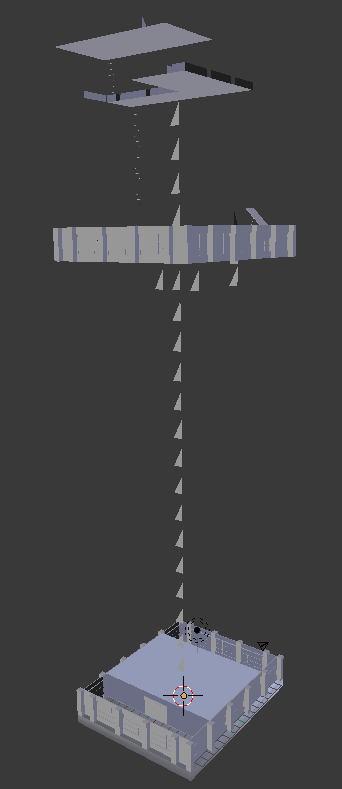

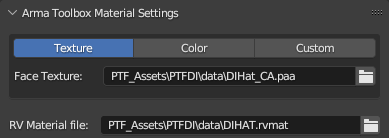
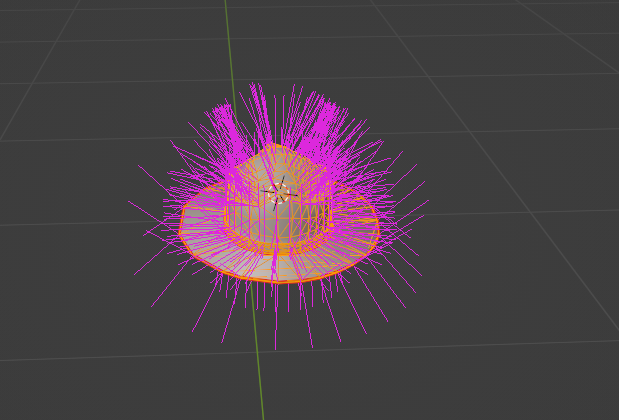

here is a model which I made

can I import to arma 3 now please
hallow steeple
why is my model not removing grass? 😅
I may want to make the model not be grass textured for the exmaple screenshot
it's supposed to be like a helicopter pad, it snaps to the ground, but it isn't removing the grass.
 hoary knoll
Any idea how you can split a face with 4 vertices into 2 triangle faces with 3 vertices in oxygen/object builder?
pearl steeple
hallow steeple
it's supposed to be like a helicopter pad, it snaps to the ground, but it isn't ...
I don't think objects are supposed to hide other objects? You can use the hide module in Edan and in theory it should remove the grass? I never tried it on grass though