#arma3_model
1 messages · Page 5 of 1
 stuck oyster
 charred bolt
Although he says he has already put a basic object in game... perhaps that wasn't entirely correct?
 woeful crystal
Not completely
I’ve done file scripting before
Is matlab an acceptable modeling software?
charred bolt
Many artists use free Blender.
There's a plugin called Arma Toolbox to help export files from there to Object Builder.
For texturing, many use Substance Painter.
If you haven't yet made an simple unanimated object and put it in game, forget about anything more complex until you've done that.
stuck oyster
Matlab is not quite a computer game graphics program Id suppose. Would recommend the mentioned Blender
woeful crystal
Ok do blender it is
charred bolt
It's professional level quality and youtube is full of tutorials to teach you how to use it.
woeful crystal
charred bolt
It's professional level quality and youtube is full of tutorials to teach you ho...
any particular person you recommend?
 rose ibex
I'm having some shading issues with buldozer that doesn't exist in blender
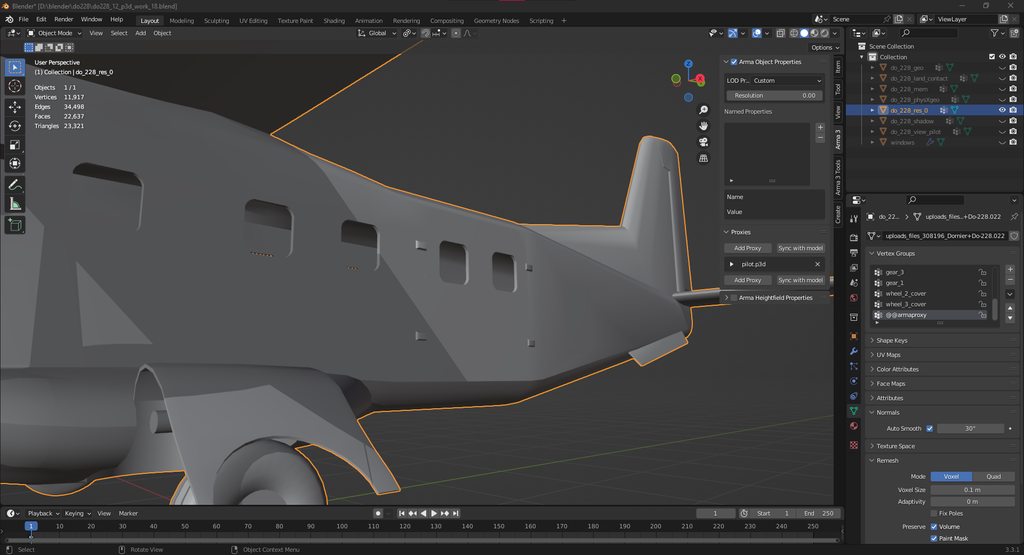

This a test of the Dornier 228 model and animations with textures applied to the vehicle. Work in progress.
it seems to me that auto smoothing isn't exporting correctly with the blender toolbox
However I wonder what the Veterans are thinking.
Should I just use an edge split modifier?
stuck oyster
is your model triangulated in blender?
stuck oyster
rose ibex
I'm having some shading issues with buldozer that doesn't exist in blender
and is that lod made out of multiple objects that get merged at export?
stuck oyster
you can manually add sharp edges too to test if that works
and is your O2Script.exe path set up in the addon settings?
without it, the export does not fully work
stuck oyster
wrong exported shading is one symptom for example

 night furnace
does anyone know how to retexture a helmet
stuck oyster
basically:
You paint a texture
put that into a modProjectFolder (of your chosen name)
you create a config (in that same folder) that uses the target helmets config as base (config inheriting)
replace hiddenselection paths to point to your new texture
pack addon
@night furnace
night furnace
i tried it and i couldn’t get it after watching a youtube video
it was a 5 year old video tho
they showed different hpaa files or something idek
stuck oyster
@night furnace you can just ask here. But there should be no difference in how to retexture any mod
You need new file, new config and new addon
Or we'll you can continue on #arma3_texture
 wheat ledge
why does this happen to the ankle area when I import into oxygen?
 stuck oyster
there isnt really any answer on that without analyzing your setup
other than something goes wrong i your workflow
Id recommend using the p3d export in the Arma Toolbox addon though
 pastel stump
Hey I’m looking for someone that can model for my star sim group. You will be paid and rates are negotiable.
stuck oyster
pastel stump
Hey I’m looking for someone that can model for my star sim group. You will be pa...
pastel stump
Thank you bro
 bright flax
What property should I add to my model so that when it is placed it cuts the grass and does not go through the ground?
 tawdry veldt
I've unpacked the game data via arma 3 tools so I can use proxies in my models. I have 2 different models with the same problem. I'm trying to create custom heads, from my current understanding I need to have a 'bysta' proxy which I believe is the bust. It's not in the directory I see it referenced on the arma 3 templates though, it's in a different directory (should be a3\characters_f\heads\bysta but not present, but is present in a3\characters_f\templatertm\bysta - should I copy and paste it into the heads folder or should I just reference it on the templatertm folder? at a real loss why I can't get these heads in 😦
tawdry veldt
also, one of my heads is a rescaled arma head. the other is a totally new head with new bones etc. should I create a 'bysta' proxy for each of these seperate or is it ok to just use the default one?
stuck oyster
tawdry veldt
also, one of my heads is a rescaled arma head. the other is a totally new head w...
Proxies are just reference point
And the name of the proxy is what connects it with config
And engine hardcoded features
So if you want to use the native head/identity swap you will likely need to use the default proxy name
tawdry veldt
stuck oyster
And engine hardcoded features
This is something I'm really interested in but can't find much about, so forgive the barrage of questions about to come your way :p
So proxies are a reference point, they're pre-made models that can be loaded in on any model as like a reference? I see that with head, pistol and flag. But none of the other models load in? Are the others, i.e. equipment, backpack etc. essentially just a placeholder that tells the engine it is allowed to load in those elements on that model? As the actual models being brought in would have there own location in the environment etc?
That being said, one of my models I'm working on has a totally seperate head that isn't based on the arma man head. Would I then need to make a seperate proxy just for that head? I've tried doing this but no luck so far but this is verging config I think (see below). Doing this, I would just load in a proxy that references the p3d below? Or am I missing some steps - because this seems almost too simple to what I've become used to
class CfgNonAIVehicles
{
class ProxyBysta;
class ProxyOgryn_Bust: ProxyBysta
{
model="\ogryn\model\Ogryn_Bust.p3d";
};
};
stuck oyster
tawdry veldt
This is something I'm really interested in but can't find much about, so forgive...
yes the proxy models have shapes just so they can be more easily placed correctly on characters. This kind of proxies then get replaced by live loaded models like identity defined head or weapon you have in your inventory
I think you could still use the normal bysta as a proxy as long as you model the head so that it then fits your model
since its just the reference point
the model of the head (or anything else) is only connected to the proxy by its model space origin [0,0,0 coordinate]
tawdry veldt
Will give that a go - cheers!
 mossy saddle
Can someone help me understand vertex weighting?
rose ibex
mossy saddle
Can someone help me understand vertex weighting?
Think of each vertex as a range between one and zero. One means this is one hundred precent true, zero means this one hundred precent false. When you paint or assign a weight to a vertex all you are doing is changing that value. Say for instance I have a face of 4 vertices and I want to some way to distinguish that these four vertices on this face are special. Well I can assign a weight to this group for my purpose. Then I can use that weight later. An example would be I can assign a group of vertices to weight groups(vertex group) that represents a wheel or a blade on a plane.
 umbral shuttle
Will having overlapping fire geo components cause issues?
stuck oyster
they can cause double hits
rose ibex
On the topic of fire lods do they have a minimum thickness?
stuck oyster
very thin parts might get ignored by very fast shots and if simulation gets laggy
so yes, thin parts are not good
there are multiple different plate penetration materials for thin things
rose ibex
And length and width restrictions?
stuck oyster
50 meters or so
rose ibex
Because my fire lod is acting like it doesn't exist
stuck oyster
I refer you to pinned messages

 woeful viper
the nose-cockpit area isnt convex
 unborn harness
where do i post a idea for a mod
stuck oyster
unborn harness
where do i post a idea for a mod
im afraid we dont have channel for that
charred bolt
umbral shuttle
Will having overlapping fire geo components cause issues?
It's best practise to avoid it, but in reality you probably won't notice when things go a bit wrong because the thing you are shooting at does not have visible health bars, so there is no feedback to the player. Regarding vehicles, early Arma models tended to have quite a lot of overlapping FG, but since the introduction of Tanks DLC with the new armor component method, it's now better to make hollow interior models with more accurately placed "walls", and things like interior fuel tanks and engine blocks sit in their own space.
TLDR; if you have time and want to do it "right", then avoid overlapping FG, but otherwise it'll probably still be acceptable if you don't (ie not game crashing bad)
charred bolt
rose ibex
Because my fire lod is acting like it doesn't exist
As well as closed and convex, you should also use Object Builders auto-method to give each component of the FG a name in the format "ComponentNN" where NN starts at 01 and runs sequentially upwards.
rose ibex
charred bolt
As well as closed and convex, you should also use Object Builders auto-method to...
I use the blender tool's equivalent for the component generation
stuck oyster
rose ibex
I use the blender tool's equivalent for the component generation
convex hull?
it does not always create same convex as Object Builder/Arma
rose ibex
no just to generate the vertex groups
 charred bolt
However you make it, AFTER exporting to p3d, use Object Builders tools to run checks
Structure>Topology>Find non-closed
Structure>Convexity>Find non-convexity
And I'd recommend you delete component names and refind them using Object Builder's:
Structure>Topology>Find Components
 stuck oyster
well its still not convex
 charred bolt
It's a mute point if he follows my advice, OB will tell him if he's done it right or not.
stuck oyster
true
charred bolt
Of course the other thing is that each component of the FG needs to have a penetraton material (rvmat) assigned to it.
 silver zenith
has anyone encountered weird UV problems after the last blender update?
stuck oyster
charred bolt
Of course the other thing is that each component of the FG needs to have a penet...
they would still have the default one if no specific is applied
stuck oyster
silver zenith
has anyone encountered weird UV problems after the last blender update?
what kind of uv problems?
silver zenith
for some reason when I unwrap a face it unwrap other faces of the model
even if the face is separated from the model
I've had this issue only in the UV editor view
if I unwrap from the modeling view it works fine

 stuck oyster
as far as I remember thats how it has worked before
silver zenith
it never happened for me
I'm only unwrapping one face why would it unwrap other faces of the model?
its not even unwrapping all of them
and it only started happening after the update which I downloaded today
stuck oyster
try the other UV mode
rose ibex
charred bolt
It's a mute point if he follows my advice, OB will tell him if he's done it righ...
yes but we are talking about something else being not convex when it is
stuck oyster
did you check it in OB?
and yes I did assume it was one big blob
dont get hung up on that
rose ibex
yeah it was a fucking red mess
silver zenith
stuck oyster
try the other UV mode
other UV mode?
rose ibex
No worries, it just hurt my feels a little bit. I'm better now.
rose ibex
silver zenith
other UV mode?
 rose ibex
silver zenith
for some reason when I unwrap a face it unwrap other faces of the model
even if ...
rose ibex
silver zenith
for some reason when I unwrap a face it unwrap other faces of the model
even if ...
did you mirror the object by chance?
silver zenith
rose ibex
did you mirror the object by chance?
nope


it affects other faces for absolutely no reason
rose ibex
actually that's right
blender has to join those faces because there isn't a seam
That playlist I just sent goes over that
silver zenith
but I'm only unwrapping that separate face
why would it even touch the rest of the model?
it never did that
rose ibex
silver zenith
but I'm only unwrapping that separate face
why would it even touch the rest of t...
https://www.youtube.com/watch?v=cS6B5PAzlWI&list=PLZpDYt0cyiuuwWbyUAWSllrhtZ9KfU3B_&index=3&ab_channel=RoyalSkies
unless those faces aren't connected, it will do that
Alright guys, we are making our way to the good stuff. I know these explanation videos might seem a little basic for those of you who are more advanced, but I really want new users to be able to follow a streamlined playlist if they've never done this before. This next video tackles what I believe to be one of the most confusing things for new 3...
you need a seam in there to tell blender not to do that
here even timestamped the 3 minute video where he talks about it
silver zenith
rose ibex
you need a seam in there to tell blender not to do that
that would be the case if I tried to unwrap the entire thing
but I'm just unwrapping a single face
for 5 years of modeling it did exactly what I expected and unwrapped only the selected face
rose ibex
what version of blender let me go test?
silver zenith
matter of fact if I press the same button but from the model view, it does work
3.4.0
rose ibex
Have you checked the bug tracker to see if that is a already know bug?
silver zenith
I asked in their discord but I seem to be the only one with that issue
rose ibex
silver zenith
I asked in their discord but I seem to be the only one with that issue
Yeah can't reproduce that, selecting a face and unwrapping it unwraps the face and nothing else. Very weird
I would make a bug report on there bug tracker with that blender file
silver zenith
rose ibex
I would make a bug report on there bug tracker with that blender file
its happening with every file
any way to revert to a previous version?
stuck oyster
they should still be isntalled
Blender installs ever version into their own folders
rose ibex
yeah if you haven't removed them you can search for the version in the windows search. Like Blender 3.3.1
silver zenith
rose ibex
yeah if you haven't removed them you can search for the version in the windows s...
I see the folder for 3.3 but don't see an exe
rose ibex
you can always install an LTS version of blender
https://www.blender.org/download/lts/

The Blender LTS program is aimed at ensuring that long-lasting projects can be executed using a stable Blender version with official support for 2 years.
as long as you haven't using an new 3.4 features you "should be " good for using 3.3.1lts
silver zenith
oh yeah steam lets you switch to older versions through the beta properties
ah beautiful
it works
thanks for the help
I hope they patch it soon
 old gulch
Is there any samples for the attachable lasers? I'm wanting to make my own but I'm unsure about what might be needed.
rose ibex
old gulch
Is there any samples for the attachable lasers? I'm wanting to make my own but I...
No samples for specific attachments, the only one is the scope in the samples.
old gulch
There is also a bipod sample in the test_weapon folder, so I was asking in case I had missed it
umbral shuttle
charred bolt
It's best practise to avoid it, but in reality you probably won't notice when th...
so heres the issue that me and a friend are having, I am trying to make a fire geo for a dome like the one on atlas that big white building but the actual object is like 2 meters. If he makes the fire geo in blender following the model the interior parts are nonconvex. so I was like lets make a hollow square for this but if I try that theres going to be some overlapping fire geos
stuck oyster
umbral shuttle
so heres the issue that me and a friend are having, I am trying to make a fire g...
Fire goemtery could be just a sphere or half sphere and it could have penetration material that handles the thickness
umbral shuttle
stuck oyster
Fire goemtery could be just a sphere or half sphere and it could have penetratio...
oh okay, so that would prevent bullets from going into the dome and going out, given the bisurf is thick enough?
I thought a plane would only block fire from one direction?
stuck oyster
Not out of it. But since you said it's 2 meters I assumed no one is in it since its so tiny.
Then make a simple UV sphere and separate all faces and extrude them but don't move and the scale them
umbral shuttle
ah yea I am trying to have them shoot out, I guess my sense of scale in arma is off. I will try that then
stuck oyster
umbral shuttle
ah yea I am trying to have them shoot out, I guess my sense of scale in arma is ...
So you don't want to block shooting from inside to out?
Then the non hollow sphere works for you
umbral shuttle
oh I do want to block shooting form inside to out
sorry if I made it sound confusing
here 1 sec, I shall use the power of ms paint
stuck oyster
Then you need the extruded wall blocks

 stuck oyster
Sure.
You may need to experiment on the thickness of the blocks and the size of the sphere
umbral shuttle
Okay will try that
stuck oyster
Preferably the walls would be 10cm thick to be safe but less sould work too.
woeful viper
umbral shuttle
I thought a plane would only block fire from one direction?
You are deailing with collision bodies there, not individual faces.
If a shot hits a collision body (hits on one face), it calculates if it penetrates through or not. If it does, the exit point is caculated, and the projectile teleports from the impact point to the exit point. Everything in between is ignored
if your projectile starts within the body, then (although i have not tested this) it will likely ignore the body completely
umbral shuttle
so I could have a plane, doesnt matter which side it gets hit on, it gets hit and the calculations happen
stuck oyster
No
woeful viper
a plane is not a closed body with a volume
umbral shuttle
oh okay so has to be closed body with a volume
I thought a plane would be considered a closed body
woeful viper
while you could argue that 2 planes (opposite normal directions each) where all edges are welded together with the other plane, is a "closed surface", it still has no volume
volume is important for fire geometry
see Example case 1 and Example 2 in biki
https://community.bistudio.com/wiki/LOD#Fire_Geometry
so your "2 plane body" would have 0 thickness and therefore could not have penetration stopping properties (or lead to crashes, if some formula tries to divide by thickness value)
umbral shuttle
Oh
I didnt think the actual thickness in model mattered, just that it was big enough
woeful viper
charred bolt
It's best practise to avoid it, but in reality you probably won't notice when th...
Overlapping FG leads to no issue, since shots just teleport to the other side of the body it impacted on. In fact you can create a "hole" in armor without cutting it. You can just put a little cube with rvmat with little penetration resistance and make that cube slightly thicker than the base plate, so that when a projectile impacts, it will hit that one first.
In fact things more often seem to go wrong if you try to precisely not have overlapping FG. Presumably because of rounding and floating point errors. To be sure that 2x 30mm thick plates ontop of eachother provide 60mm protection, they have to be moved apart by an unknown distance.
I noticed with my tanks that shots where often able to pass through the areas wherever a joint was between armor plates. And i concluded that the best (most safe way) to model corners in armor is to overlap it like the right case. Left and middle case can lead to problems for all impact directions from A, B and C due to imprecision. Only the right case is safe against all imprecision
 woeful viper
umbral shuttle
I didnt think the actual thickness in model mattered, just that it was big enoug...
woeful viper
umbral shuttle
I didnt think the actual thickness in model mattered, just that it was big enoug...
that was my thinking as well until i scratched my head why things didnt work as expected... and thats how those lines where added in the biki.
charred bolt
For the case you're highlighting, yes, that's ok.
But there are cases where overlapping FG is problematic for exactly the reason you mention. Such as a solid armour body with an engine block encased in it.
woeful viper
ok, yeah, it is a double edged sword
if you just model the hull as one big block, there is also no chance the crew will be able to get hit by penetrating shots
charred bolt
There are also differences when one considers the "old" hitpoint method, and the newer armor component method.
 harsh moat
Hello anyone know how to get rid of p3d binarization so i can open arma models in blender for retexturing
basically I need to get arma models into Substance painter
 hot hornet
hello, you can't (and it's forbidden anyway)
stuck oyster
harsh moat
Hello anyone know how to get rid of p3d binarization so i can open arma models i...
big no no
harsh moat
stuck oyster
big no no
even if im not planning to change to model but just do some retexturing?
 marsh canyon
Even if.
 warm spindle
hello i would like some help please. I have the following problem. Basicly this is a cutom helmet i made and part of it has the shading issue shown. Effectively shadows cause it to lose its "3d effect". Any idea what might be causing it ?
woeful viper
please post screens of the model in your 3d app and in the game, so we can tell you whats wrong
umbral shuttle
how do you view center of mass in geo lod? havent done so in a hot second and forgot
stuck oyster
need to look at geometry lod, select parts (or all) and turn off DX draw mode
@umbral shuttle
 karmic silo
Hey, folks could use some help..

I am making a custom red dot for the handgun I made. However I can't get the dote to translate downward. I have tried moving the physical service it is attached too up and down, but it doesn't seem to affect it.
and to answer the question I am sure will be asked I am using the standard textures and rvmats from the MRD already in the game.
Only solution I have come up with so far is physically move the rest of the mode to align it, and then move the proxy on the gun way down to adjust but then it would screw it up for other sights
any help is appreciated, I have been stuck on this for a couple days.
woeful viper
isnt this the "red dot" shader? Have you tried to move the eye memorypoint down?
karmic silo
Memory point hasn’t affected it so far.
And the dot uses the material shader correct.
stuck oyster
you got a viewpilot lod in the scope?
karmic silo
Yup
All moving the memory point has affected was the actual angle you look at the optic. The red dot is still stuck towards the top.
 cedar coral
Get the first message in on this channel. :-)
 elder fulcrum
Hey, so i'm trying to follow the advice of this article to get my buldozer lighting closer to what its like in-game, but no matter what i've tried my buldozer can no longer find materials for any of my objects. https://pmc.editing.wiki/doku.php?id=arma3:modeling:buldozer-lighting
Yes, I made sure the paths to my arma 3 were correct
The second image is when I am using my p:\drive buldozer.

 stuck oyster
elder fulcrum
Hey, so i'm trying to follow the advice of this article to get my buldozer light...
stuck oyster
elder fulcrum
Hey, so i'm trying to follow the advice of this article to get my buldozer light...
if you followed the guide fully then your P drive/buldozer setup does not seem to work with the guide
elder fulcrum
I used arma3p when setting up my P:Drive
stuck oyster
if the lighting kicked in you would see the blue sky and clouds
elder fulcrum
Yeah, I figured. I'm not entirely sure. I had to change all my texture paths to include a P:/ suffix in order for it to recognize the textures. That doesn't solve the problem though
 elder fulcrum
It is already at P:\
stuck oyster
file menu options
elder fulcrum
 stuck oyster
is your P drive mounted with armaTools mounting or the simplified subst P: command .bat file
elder fulcrum
I mount it usually with arma 3 tools.
I run my Object Builder directly from the .exe
stuck oyster
arma3tools mount is not quite compatible with this
it messes up the admin/normal user file access rights and buldozer P drive detection
elder fulcrum
Alright. Is there a .bat file somewhere I could download or the cmds for it? Never done that.
Ah, found it. It should look something like this?
subst p: "E:\A3WorkDrive"
pause```yes
though susbt P: /d
so it first makes sure to remove any existing P drive mounting
and then mount the folder you want
elder fulcrum
Hmm, I did that and made sure to turn off auto-start P: Drive with my ArmA 3 Tools, restarted my PC and still encountering the same issue.
Like you said, still doesn't look like the world is loading properly.
 vagrant night
I am working on a structure that will have lighting inside but I do not have the proper model config entry for it to work. Sorry if this has be asked before. I just need the proper config for my light source. Thanks for the help
stuck oyster
vagrant night
I am working on a structure that will have lighting inside but I do not have the...
Model.cfg does not handle lights. The sample house in arma3 samples on steam has lights set up though if I recall right.
And if not the lamp pole has
vagrant night
ah thanks. I look it up
bright flax

I have shadow lods on my model and yet the rain keeps coming through.
what am I doing wrong?
charred bolt
bright flax
what am I doing wrong?
Have you got View and Fire Geometry LOD's with roofs?
bright flax
charred bolt
Have you got View and Fire Geometry LOD's with roofs?
no, i only have shadow lod
 wraith tendon
Anybody here, who had the issue with Island objects can't be targeted with CursorTarget?
 last spindle
some things cannot be targeted, or atlest return useless information.......don't know much more
wraith tendon
When i used them on another Island, it worked. Thats the strange thing. And while i write that, i notice, that i might change to the island creator Channel
last spindle
I think it might have something to do with, if the object does not have a config class for that p3d type, then it is just an unknown item on the terrain, if you have a config.cpp that uses the .p3d then maybe it works..........pure speculation
elder fulcrum
totally refreshed everything in my p folders... now the assets are looking like they do in-game... this will make my MC work so much easier. Thank you, you make my MULTIMAT MADNESS ten times easier @stuck oyster

 stuck oyster
👍👍
rose ibex
elder fulcrum
totally refreshed everything in my p folders... now the assets are looking like ...
May I ask for a guide on what you did? I have been having the same issue.
 hollow fulcrum
dun dun dun duuunnn
 cursive sleet
ba dum tss
 ember heart
@hollow fulcrum whatsupppp
cursive sleet
Sup Assain?
hollow fulcrum
Heya SA, I'm not really sure why I'm up. :P But glad to see a honest effort to get away from skype. This thing is pretty good. See how it handles the numbers.
cursive sleet
@last spindle How is the arty going?
hollow fulcrum
@cursive sleet Yes you can make a bridge using physx pieces/tiles on the top layer. you'll have to play around with weighting, and i suggest limiting/encasing those 'roadway tiles'. Depending on how you want them to move, that'll determine what and how play stuff under each tile.
It actually works surprisingly well.
cursive sleet
Do you have any pictures or video of it?
hollow fulcrum
Nope, showed ya what I do have. The roadway video with the loop has the tiles in it. You can see them falling out of the air, and floating in the ocean. But I don't know thats particularly useful. :\
You could also make something like a teeter-toter effect length wise if you wanted large sections of the roadway to move.
cursive sleet
teeter-toter?
hollow fulcrum
note... I have no idea how the AI would negotiate that. Probably wouldn't be pretty if more than a single model. Might be completely horrible.
cursive sleet
okay, well i think it is best to keep the bridge simple :P and add more functions to it later maybe
hollow fulcrum
nothing wrong with that. and if incorporating into a map. it'll probably all fail also. but, would still be cool in a supply scenario or something. weight the tiles just right and they'll slide around with the big trucks. :|
cursive sleet
the bridge will look like this https://www.youtube.com/watch?v=D04G_hxiuGc 0:32 in the video
 dusky dragon
hello
hollow fulcrum
not much to move there buddy
hey Fox
unless you mean the bridge sections from the vehicle..
cursive sleet
when the bridge is deployed completly in the end of the video
hollow fulcrum
yeah if i did anything crazy it would be make them flex at the joints a bit.
cursive sleet
the animation of it sliding into position will be hidden selections or proxies. After it is in the position it is going to get hidden and a bridge from model will get spawned on that location
was the idea atleast :P
hollow fulcrum
i see
cursive sleet
yea, i was thinking about flexing at the joints
dusky dragon
oke, so everyone migrated to here then i guess
hollow fulcrum
I will be here for now. To at least support the effort. Plus it works well so far.. so we shall see.
dusky dragon
ehe
cursive sleet
Hi brian
dusky dragon
hi jonas
cursive sleet
Do anybody finds this chillstep relaxing? https://www.youtube.com/watch?v=cU1akTtb5aU
 plucky pecan
WAIT! No more lag?
hollow fulcrum
I have yet to see it anyway. Watching carefully though.
much easier to navigate, the relative channels. but still have a dozen other channels on skype still. :|
cursive sleet
do you use the desktop app?
hollow fulcrum
yep, and have the mobile app. and for course the web based stuff works. actually all syncs very rapidly and consistently. few of us have been playing with it the last week and half or so.
dusky dragon
i have the desktop app aswell
hollow fulcrum
plus voice is directly integrated which is a nice feature to be explored later.
and no you haven't missed anything. was done in private channels :)
cursive sleet
okay
hollow fulcrum
(i gotta sort the smilies, there is a button/code for that)
hollow fulcrum
(╯°□°)╯︵ ┻━┻
ember heart
(╯°□°)╯︵ ┻━┻
hollow fulcrum
dusky dragon
:)
cursive sleet
㊙
dusky dragon
how do i do all those smileys then
hollow fulcrum
dunno, i didnt read. but the clicking path seemed logical.
hollow fulcrum
suggest PM testing of these things. I'm just trying to make people aware of foo ;)
or make a private channel quick. it's all, pretty easy.
hollow fulcrum
no clue. i qualify as both so ... i assume Dwarden testing foo.
cursive sleet
okay
hollow fulcrum
i could see the use of adding a select group of 'guru' types to that list. might make finding help or qualifying things for new guys easier.
then a group for known 'lifers' would be useful. (hahaha, sorry couldn't resist)
cursive sleet
do the voice thing works? i cannot see when my mic get activated
hollow fulcrum
no, these are text channels. there is a general chat voice channel for arma though.
cursive sleet
i tested it but i cant see my mic get activated when i talk :P like in TS the blue thing light up
hollow fulcrum
(i might make a sideline voice channel for model makers)
cursive sleet
nice
 rustic field
Hello!, im completly new to the modding community in arma, i'been wanting to make this rpg29 mod for a while and i've been working in a 3d model for a while.
my question is, does the model need to be quats? or can it be all triangles
what texture software can i use to create textures
for reference im using blender for all the modeling. i have 0 experience in this field and im learning as i create the models
i been thinking about using substance painter to create the textures, but id like to know if you guys have any software that is better suited for newbies
stuck oyster
rustic field
Hello!, im completly new to the modding community in arma, i'been wanting to mak...
triangulated model ís best, it makes sure uvmapping stays same between programs
any program you know how to use can be used to make textures as long as you can export out images
for newbie any progrma is as "bad" as one will need to learn how it works
substance painter is good program but can be a bit expensive. but if you intend to continue modeling it can be good investment
texturing can be done in blender too as the blender node material system is pretty powerful
but also it can take more learning
rustic field
thx!
hollow fulcrum
who has a grappling hook gun/device type thing?
hollow fulcrum
thats better than where i'm at. need something to get us from the water to the oil rig.. so 30 odd meters. well assuming i dont animate the rig.
hollow fulcrum
be interesting to see
dusky dragon
yep indeed
dusky dragon
think so
hollow fulcrum
it's scalable and panels will collapse.
plucky pecan
The channel panel doesn't, atleast havn't found a way.
hollow fulcrum
yeah it's just the right panel. kinda like Skype!
dusky dragon
NP
plucky pecan
This really needs a ingame overlay.
cursive sleet
Theres a ingame overlay for this app? :)
hollow fulcrum
dont think so, but you can run voice over a game. which is handy for those things.
plucky pecan
@cursive sleet Think you need to read what I said again.
cursive sleet
ohh okay
woeful viper
ok so how does the notification for mentions look?
dusky dragon
@woeful viper like this
hollow fulcrum
its nice really, auto fill pop box :P
woeful viper
ok then... if you need me, you know what to do :P
hollow fulcrum
haha, fair enough
dusky dragon
lol,
cursive sleet
Yupp
 north sundial
So you just click any channel to talk in it instead of having to join it seperately
hollow fulcrum
yep
 terse elm
where do u change ur profile pic?
cursive sleet
Who made the mcwaiters building again?
terse elm
kenny and me
north sundial
<3
hollow fulcrum
user settings bottom left gear
on left panel (bottom right gear icon, user settings)
north sundial
Changed mine
cursive sleet
Nice
terse elm
gottya cheers
cursive sleet
what is the "playing ARMA III" thing bellow name tags?
north sundial
I don't see what you are on about
cursive sleet
cursive sleet
Was just thinking if it had something to do with some overlay stuff
woeful viper
veteran means he plays on veteran difficulty obviously
hollow fulcrum
lmao
cursive sleet
Good one
hollow fulcrum
those are actually sub groups dwarden was playing with. unimportant at the moment. bar the 'moderators' (be afraid)
KJ is a veteran
woeful viper
ima troll
hollow fulcrum
lol @ profile pic
cursive sleet
why skype logo?
hollow fulcrum
he just told you, he's a troll.
cursive sleet
woeful viper
test 3
thank you crowd, i wanted to make something productive today and now you gave me yet another new thing to faff around with... successfully distracted yet again sigh
 drowsy sail
Anyone else had issues with Arma3Toolbox for Blender not merging LODs on export? It's not giving me the tickbox option on the export screen, running 2.93 LTS - All other features seem to work as expected
hollow fulcrum
lmao, i am screaming that myself. as i feel like im now obligated to battle the trolls and assit in the transfer this morning. f'n logistics.. every f'n time..
north sundial
What distraction? heheh
drowsy sail
Potentially relevent console output:
if len(texName) > 0 and texName not in texNames and texName[0] is not "#":
panels
lists
Register done``` inland pawn
drowsy sail
Anyone else had issues with Arma3Toolbox for Blender not merging LODs on export?...
inland pawn
drowsy sail
Anyone else had issues with Arma3Toolbox for Blender not merging LODs on export?...
Could attempt a reinstall
stuck oyster
Could be your blender is too old.
hollow fulcrum
https://github.com/Jiiks/BetterDiscordApp for the DEV pro's..
old gulch
I still use 2.93 LTS and it works fine
 pallid island
syntax warning looks sound though
hollow fulcrum
figured KJ needed to be fully distracted but rewarded for participation.
not that it really does all that much. does address making things smaller. and also the need for proper smilie foo.
stuck oyster
old gulch
I still use 2.93 LTS and it works fine
you probably have a toolbox version that is compatible with it.
latest likely will need also latest blender
old gulch
Nah, I grabbed mine from github, at least a couple of months ago.
stuck oyster

hollow fulcrum
there is a python wrapper floating around somewhere
plucky pecan
I don't know python.
hollow fulcrum
many moons ago, i could muddle my way through it. but yeah, that way with most code today. especially .sqf, which i blame for destroying all previous knowledge.
plucky pecan
haha, fucken arma again.
woeful viper
is there no search?
plucky pecan
Ohh guess not/
hollow fulcrum
no, but that is on the current dev sheet i think
woeful viper
you better not type anything important until this gets fixed...
hollow fulcrum
meh.. how many people actually back search and find good info on skype?
woeful viper
i do frequently
hollow fulcrum
i see it as more of a flowing conversation where anyone can jump in and find some help.
i have searched a couple times though. usually looking for something else i posted.
the feature will be here though. the guys really do seem to be on top of their chit.
woeful viper
yes my own stuff frequently, or something the handfull of selected people who know stuff posted...
hollow fulcrum
valid point
woeful viper
or when i wanna confirm that i already explained ABC to a guy several weeks back
again
hollow fulcrum
putting an ID on those handful of people is perhaps a good idea also. or at least those willing to be ID'd as such. maybe make finding help/info easier for new guys or even those old guys who are new to the talking to people bit..
and also valid point lol.
plucky pecan
I like how there is a channel notif mute.
woeful viper
ID? lol no...
hollow fulcrum
i didnt think you'd fall into that boat.
but i also support a list for known or suspected lifers. that would be useful. and they could even work themselves off the list. haha
woeful viper
now if the devs of this chat thingy could raise polycount limit in a3 as well that would be the swellest
plucky pecan
X3...
hollow fulcrum
the hardcoded bit is frustrating +1
woeful viper
no quoting either i suppose?
hollow fulcrum
thats right there with the search function.. lemme see if i can find the current dev todo
i read it a few days back, was pretty motivating.
plucky pecan
I'm off boys, enjoy. o/
hollow fulcrum
screen sharing in a month or two.. stuff like that in there also.
have a good one Raid
can not find the damn thing...
 boreal orbit
Can you confirm what the mem point should be caused pleasE?
stuck oyster
boreal orbit
Can you confirm what the mem point should be caused pleasE?
very likely
inland pawn
boreal orbit
Can you confirm what the mem point should be caused pleasE?
You need pos driver and pos driver dir points
boreal orbit
GetOutLow
inland pawn
Though, keep in mind, some planes, like the Black Wasp(?) require a differently named memory point
inland pawn
boreal orbit
GetOutLow
That’s a get in/out action
boreal orbit
seems like the issue was my getoutaction I had the mem points
I would get out and just go vooom
changed it from helicoptercargo to GetOutLow
inland pawn
I usually use get out low or get out high depending on what vehicle I’m setting up
boreal orbit
small thing similar to cesnar
stuck oyster
helicoptercargo is not a valid getout animation/action, so yes that would indeed break it
 foggy finch
Hatchet, ever had an object thats too big for OB>Model Viewer to display, but loads in A3 fine?
hollow fulcrum
ermm, not that i can recall speficially. that being said, i've pretty much been aware of the limitations from the beginning, so just played within what OB will handle.
foggy finch
well I just broke it :D
hollow fulcrum
which is a lot when you actually start using proxies.
foggy finch
50m x60m x 25m approx
hollow fulcrum
you lost me there
foggy finch
it's part of a larger structure im working on for bamburgh / 2017
those are the outside dimensions of the object
hollow fulcrum
that technically should work. the limit is higher than what i always say is 50m. but i still don't understand what you broke.
foggy finch
well object builder > model viewer for some unknown reason wont load the model
but it loads fine in A3,
will see when I get the geo and roadway lods done
hollow fulcrum
well, OB should produce an error of some sorts. or you might really have something broken. not likely OB. if it's a count limit, it'll usually tell you that. what are you using to pack it with?
foggy finch
pbopro
hollow fulcrum
well if it's packing, and works properly, do it!
someone should make a set of these utilizing the FloatingStructures class or whatever it is, with mempoints for connecting with ropes easily or whatever, points for cargo, a roadway and little ai pathing:
http://www.maritimejournal.com/__data/assets/image/0007/676294/MJ-Newsletter-22-9-11-ASRY.jpg
http://img.nauticexpo.com/images_ne/photo-g/floating-platform-25707-7296177.jpg
http://www.boatdesign.net/forums/attachments/boat-design/78243d1359335333-retirement-houseboat-floating-home-005-2-.jpg
maybe skip the motor bit on the last image. simple stuff really. and would be very functional. probably not so much for moving ai, certainly not driving ai.. but yeah.. be cool.
hollow fulcrum
^^ (is where you find errors of 'some sort' when not in yer face)
foggy finch
yeah just a couple of things in rpt about the geo lods, will fix them in due course, besides those it works as intended
thanks for the pointers though!
inland pawn
What would cause a model to show up in buldozer but be invisible in game?
charred bolt
inland pawn
What would cause a model to show up in buldozer but be invisible in game?
What do you mean by "invisible in game"?
inland pawn
charred bolt
What do you mean by "invisible in game"?
I have a helmet. It loads in buldozer fine, but when in game, it's invisible
charred bolt
So it's invisible in game which means you can't even see it in Eden as an object to select.
The more specific about your problem that you can be, the more likely the help you receive will be useful to you.
inland pawn
In game it's entirely invisible
stuck oyster
inland pawn
What would cause a model to show up in buldozer but be invisible in game?
textures not loading is one possibility (pathing issue/file issue), no model.cfg connection (model should be between legs though), no helmet proxy on the unit in question (no other helmet will show up either)
inland pawn
Hmmm, I don’t think the type of unit I’m doing has a head proxy
I’ll have to check but I’m pretty sure that’s it
 white jay
Hello! Im looking to get a bathrobe imported into a mod for arma 3, i havent really found any models or anything just reaching out to see if its doable
stuck oyster
possible yes. you would need a properly made model for that
but it may not look great as there is no cloth simulation so any long clothing has to move with the body
cursive sleet
Anybody wanna play DCS?
hollow fulcrum
thats more of an OFF TOPIC channel question. but i might actually be willing to do that in about 20mins.
cursive sleet
nice
hollow fulcrum
there is an OT channel btw
cursive sleet
sorry :P about the wrong channel :p
 quick terrace
did everyone actually moved over to the new toy?
hollow fulcrum
managed to grab quite a few, and i have assumed a propaganda role in things.. been playing with it the last couple weeks.
so we're trying?
cursive sleet
I hope everyone jumps on here :P i like this app
Easy to switch channel and talk on other topics too
quick terrace
at least it seems it is lag free
cursive sleet
Yes
hollow fulcrum
it has its shortcomings, but i think the guys working on it are on point. and yes, no lag thus far.
lots of good stuff coming.
quick terrace
what shortcomings?
hollow fulcrum
just limited functinality, like searching, contact building, and other things. but most of the needed foo is here.
like @quick terrace
screen sharing is in dev right now i believe, along with things like the overlay for gaming.
the voice layer is pretty decent also. so perhaps more suitable for some groups.
hollow fulcrum
or app, or phone app. except windows phone. i've tested all, very seamless, very well synced.
(bring forth the RHS (at some point))
quick terrace
i meant the IOS, OSX and win app
hollow fulcrum
haven't done OSX actually
hollow fulcrum
see previously claimed 'propaganda role'
oh and quoting is on the next to ready list i think
should be in pretty decent shape in a couple more months i think. it's stable for now, and functional enough.
anywho.. away for a bit. catch you guys later.
quick terrace
doubt it
hollow fulcrum
he seems a little standoff'ish currently. but he has spies here so... thats well enough for now i guess.
inland pawn
@stuck oyster It does have a headgear proxy. Still invisible
marsh canyon
What LODs you have?
inland pawn
1 visual, 1 view pilot and 1 geometry
marsh canyon
Can you put the helmet on the ground and see it?
inland pawn
No
marsh canyon
Hmm, I assume it is a section and hiddenSelections related I kinda think
If it has one, double check them
marsh canyon
Hmm. Let's say, if you make a cube and call it a helmet, can you see them?
inland pawn
marsh canyon
Hmm. Let's say, if you make a cube and call it a helmet, can you see them?
I'll test that next. Though, when we were doing this initially, the shadow appeared, but not the model
It's there. Just invisible
@marsh canyon Shows up on arma man at least
Won't work on our unit
Must be something in it's model or config
marsh canyon
Which unit/unifom?
inland pawn
marsh canyon
Which unit/unifom?
I'm currently working on the Jackal from Halo. We have a helmet for them and they were built after the arma man and then suddenly all helmets stopped working
Do heads need headgear proxies?
marsh canyon
Yes
A headgear is not head, check the samples
Well, before I proceed, what model you try to implement right now? An uniform or a helmet?
inland pawn
Helmet
Let me get a pic
https://cdn.discordapp.com/attachments/624359589927976960/1057515968928153820/Capture.PNG @marsh canyon

Our own custom kig yar targeting headpiece
It appears on the arma man, just not our JackalMan
north sundial
I know what will get him here, look mikero goats! 🐐 🐐 🐐 🐐 🐐
inland pawn
marsh canyon
Your, JackalMan, can have vanilla helms?
No, 0 helmets work for them
It's gotta be a uniform issue, but what
marsh canyon
Then the uniform doesn't have the headgear prox
marsh canyon
inland pawn
I'll test that next. Though, when we were doing this initially, the shadow appea...
This suggests that it has the proxy in shadow LOD but not in visual
inland pawn
marsh canyon
Then the uniform doesn't have the headgear prox
It does have the headgear proxy. It's in the same spot as arma man
woeful viper
the more you pester him the more unlikely he will join
marsh canyon
Make sure your uniform model has updated
cursive sleet
Yea :(
marsh canyon
Make sure every visual LODs have the proxy, too
inland pawn
They all do
marsh canyon
Strange
Maaaaaybe it is a config (not model) issue
(but can a config issue cause shadow-only proxy?)
inland pawn
I honestly have no clue
 median bough
last thing i remember bout mikero he won't join discord
woeful viper
he wont leave his sacred ground, just like i said
woeful viper
when you need wisdom spoken to you - you travel to his hideout
stuck oyster
inland pawn
I honestly have no clue
remove texture from the helmet p3d (all empty fields) and test that
marsh canyon
Ah good idea
One thing unrelated to the recent topic: is it possible to let ArmaToolBox merge multiple objects in Blender with same LOD index into one LOD in OB upon exporting into a p3d? It could boost my workflow if is possible
marsh canyon
How would I do if I want to let them so? Maybe I'm using an outdated Toolbox?
stuck oyster
I personally prefer to always export with the "export selected ticked" to have control over what I export.
However exporting all works too if you have only stuff you want to export in the scene.
You would make multiple objects with arma properties enabled and same lod and lod number set and in the export dialog there should be this

assuming you have recent enough version
marsh canyon
Let me verify it once I'm back at the office
Well, at least I think I've never seen such option to tick. So I assume I'm outdated
marsh canyon
stuck oyster
I personally prefer to always export with the "export selected ticked" to have c...
Just to verify what you mean, this screen is from Toolbox's export menu right?
hollow fulcrum
The mountains are not guarded by goats I assure you. Mikero has killed most if not all of them on his island. This is why we must pay to have the goats shipped to him. Which is reasonable considering the power of the things that dwell on the island.
stuck oyster
marsh canyon
Just to verify what you mean, this screen is from Toolbox's export menu right?
yes exactly that
marsh canyon
Good to know
stuck oyster
Im running toolbox v 3.1.1 it seems. Have not checked very recently if there are updates
marsh canyon
3.1.1? I must missing something. Think 3.0.4 is the latest I can find. Where do you find your copy of latest Toolbox?
Nevermind I just checked pinned 
stuck oyster
marsh canyon
3.1.1? I must missing something. Think 3.0.4 is the latest I can find. Where do ...
😅
its directly from the source
marsh canyon
I thought the Git is the only place to install
 woeful viper
to be frank - not really liking the idea of having every single arma chat under one roof, simply for the reason of spammers idiots etc... "can i haz model made by u?" " i tweeted your wip screen to everyone" ...
cursive sleet
True that.
terse elm
uggghh change
hollow fulcrum
i considered this, im still 50/50 on how it's organized currently. i think there are both benefits and detractions. from the admin side, this is certainly easier to manage. and for the global lurkers.
however it does dump everyone into a single boat.
woeful viper
when this thing will work as intended and alot of people join... you will come back to me and praise me for my foresight mike...
terse elm
:-)
 errant anchor
Hello :)
woeful viper
i would prefer seperate servers - one for gaming/server /testing channel and one for general editing and the likes
cursive sleet
Hi Cunico :)
marsh canyon
Hmm somehow I can't install 3.1.1, it says this upon I try to enable it
 hollow fulcrum
meh, i had not considered that. that would be a little easier to manage than breaking all the channels up as it is in skype.
and Hello :)
woeful viper
basically like its on BI forum...
hollow fulcrum
i get what you're saying for sure, and inclined to agree. chit drives me nuts also.
marsh canyon
Huh I have merge LODs option whatsoever, disregard my last
stuck oyster
Hmm maybe 3.1.1 is already old. 
woeful viper
i WIP(ped) something up http://abload.de/img/voxcaster6hsgd.jpg early stages ofc
hollow fulcrum
does it fly?!
woeful viper
no, it doesnt talk either... so it wont be a replacement for your dead parrot.
hollow fulcrum
is that a light?
hollow fulcrum
alright, sorry. it all makes sense now.
you said not direct, and my brain goes -> ACRE route. so why would it be a speaker.. haha
woeful viper
errant anchor
Am I allowed to post pictures?
hollow fulcrum
i believe so
depending on the general reaction, we'll go from there.
think most of it auto formats actually.. on image links.
errant anchor
this is my project at the moment http://i.imgur.com/QdcV6dP.jpg
woeful viper
neat
errant anchor
Still a WIP but its a start
woeful viper
i cant do wrinkles properly for the life of me...
errant anchor
same here lol
hollow fulcrum
that looks really good actually, keep that going for sure. :)
errant anchor
I can honestly say I've redone the pants at least 5x
woeful viper
well that looks pretty solid to me
errant anchor
Thanks, I was going for the more natural look
vs my other models where it's just like "lets put some wrinkles on it".
Thanks :)
hollow fulcrum
only thing that jumps out at me is the pulling behind in the knees. if it were like that in RL, i'd be wearing shorts.
woeful viper
better then my attempts... (i gave up after 2 reworks and used marvelous designer instead)
errant anchor
Yeah, I was going off different pictures but thats the area im kinda working right now
kinda a pain in the arse
hollow fulcrum
looks really good though man. i can see the attention to detail.
errant anchor
Thanks :)
woeful viper
before you go into crazy detail though... remember we are talking about arma here. So half the detail will get lost :P
hollow fulcrum
lol its not that bad.. but.. it is arma.
errant anchor
Im not gonig to add fabric detail and stitching to the model like previous versions.
woeful viper
i think if at all, it would be better to just apply that via texture painting
errant anchor
yeah, exactly my plan.
hollow fulcrum
^^ is what i would do also
but would for sure do it.
i mean if you're doing it right, do it right.
errant anchor
Agree.
woeful viper
err... i would have wanted to give you a thumbs up. but the emoticon thing only shows a gazillion of stupid faces that i have no clue what those are supposed to mean o0
errant anchor
lol
woeful viper
are those memes? must be i guess... reddit/twitch barf
hollow fulcrum
nah i dont think so.. there are some pretty common ones though. i miss the old doom icons.
and still do :godmode: !!
woeful viper
ThunBeast ???
hollow fulcrum
lol, i can not account for all of things. this is true.
woeful viper
<insert random face> emoticon. bravo internet
hollow fulcrum
you know it helps.
woeful viper
the icon for emoticons also happens to block the end of longer texts...
unless i brought this upon myself by trying to install betterDsomething and failing... a distinct possibility
 west otter
Hello everyone. I'm trying to get into modding for my MILSIM unit but can't find a working download for Eliteness. Is it broken? If so is there a good alternative?
marsh canyon
https://mikero.bytex.digital/Downloads
This is always goto place to install Mikero's Tools
west otter
The code execution cannot proceed because DePbo64.dll was not found. Reinstalling the program may fix this problem.
This is the third time i'v e installed Eliteness from that website
marsh canyon
You need to install DePbo as well
 marsh canyon
Not everything AFAIK, but in doubt, that's a good way
west otter
AFAIK??
marsh canyon
As Far As I Know
west otter
Gotcha
stuck oyster
west otter
Do I need to install everything from that page?
get the all in one installer and it handles it for you
you dont really do anything with eliteness btw. its not the correct tool for other than viewing some data statistics
pboProject is the tool for pbo packing
terse elm
about to test drive ur mkv mr hatchet
cursive sleet
Do anybody know where GNAT is? havent seen him active in a long time
hollow fulcrum
i hope it floats 😮
hollow fulcrum
sweet, really hope to update that this week.
hollow fulcrum
Gnat has been AFK for a bit.
terse elm
well hatchet hats off to you its quite impressive
hollow fulcrum
ah, ty sir. she needs some work, but it's been fun, mostly.
terse elm
handles really well too
 warm trench
Don't suppose you could remind me what the trick is for telling Arma that something is transparent, could you?
Just trying to add a semi transparent lens to a weapon attachment and I know there's something I need to do within object builder to get this to work but can't remember what it is...
(Alpha should be set in the .paa as is the forcenotalpha on the geom LOD.)
I've been searching the channel and my notes and annoyingly can't find it!
warm trench
warm trench
Don't suppose you could remind me what the trick is for telling Arma that someth...
Sorry - I was an idiot and used _CO not _CA!
 languid charm
Is it possible to prevent physical object from pitching and rolling without blocking movement.
setVectorUp for whatever reason stops movement.
stuck oyster
warm trench
Sorry - I was an idiot and used _CO not _CA!
This is indeed the answer! 👍👍
stuck oyster
languid charm
Is it possible to prevent physical object from pitching and rolling without bloc...
Please explain the exact situation what you try to do.
languid charm
stuck oyster
Please explain the exact situation what you try to do.
I have a capsule shaped object that I use as a substitute collider for a unit in a mod I am making unfortunately it pitches and rolls when moving against surfaces and I need to keep it vertically locked (yawing is fine)
stuck oyster
Unit as I'm character?
languid charm
stuck oyster
Please explain the exact situation what you try to do.
It looks like this
https://cdn.discordapp.com/attachments/1011266123796316300/1058087623278743622/image.png
 languid charm
stuck oyster
Unit as I'm character?
languid charm
stuck oyster
Unit as I'm character?
yes
can't use players collider because ropes don't work with player model
languid charm
mostly when it encounters small ledges.
languid charm
against smooth surfaces without significant offset it is fine
stuck oyster
One thing that could help a bit is to make the geometry very bottom heavy
And other could be to make its top more pointy instead of round

The steeper top angle could steer it away from ledges
languid charm
stuck oyster
How much does it weight?
I do setMass 100 on the colider
stuck oyster
Do you have a P3d for it?
languid charm
yes
languid charm
stuck oyster
One thing that could help a bit is to make the geometry very bottom heavy
moving CoM helped but I probably overdid it too much mass in one point makes physics wonky
Making top pointier helped slightly but I would hope for something with a more pronounced effect.
languid charm
Is it possible to make geometry slippery instead of having default high friction?
 obsidian egret
Abit off topic, but im on the hunt for these buildings, They look arma 1 era to me, has anyone seem them before? Flashpoint arma2/1. Would be really helpful if someone knows.
 inland pawn
Is it possible to attach rtms to a vehicle? Or does it need to be a script
languid charm
stuck oyster
I ultimately solved the problem by going to spherical collider that can roll without issue as capsule was sliding poorly.
stuck oyster
languid charm
I ultimately solved the problem by going to spherical collider that can roll wit...
👍
stuck oyster
inland pawn
Is it possible to attach rtms to a vehicle? Or does it need to be a script
it is an undocumented feature witch may be little wonky. A2 scud launcher deploy was powered with RTMS
and scripting would need to be used to run those rtms as I dont think there is any native way to connect actions to it
inland pawn
stuck oyster
remove texture from the helmet p3d (all empty fields) and test that
Update, figured it out. No view pilot LOD
stuck oyster
inland pawn
Update, figured it out. No view pilot LOD
👍
plucky pecan
The problem with this right now is that only the people that know what they are doing have come across. There are no questions for me to anwser. :z
wraith tendon
You mean those glorious Answers like "Look in the Samples" or burner like "SAMPLES!!!111oneoneone"? :D
plucky pecan
hahahaha So true I won't lie.
wraith tendon
:D
plucky pecan
I mean someone has to tell them right?
wraith tendon
but most of the stuff is.. meh. not very helpfully
plucky pecan
Atleast most of the variables are commented.
warm trench
I don't suppose there's any way to shed multiple light sources from a single weapon accessory is there?
I've tried adding a second Flashlight(2) class, inheriting from the official Flashlight class but as expected, that doesn't work.
I was just trying to get slightly nicer overall effects than just the inner/outer cone angles.
Perhaps I'll have to investigate the flashlight volumes further?
stuck oyster
Don't recall seeing any with more than one light at least. 
 tender hemlock
What is the transparency issue here?
 charred bolt
_co texture?
Supershader rvmat?
tender hemlock
This is what happens when you enable HBAO+ in game settings
it fixes itself when i close HBAO+
stuck oyster
texture contains transparency
so game thinks its transparent
and then HBAO reacts to it like that
 harsh wedge
am i doing something that's causing all the p3ds i include in a mod to take forever to open ingame?
nothing too bad but still a sizeable freeze of a few seconds compared to the usual near instant
though they arent my models if it helps, just stuff ive been given
inland pawn
harsh wedge
though they arent my models if it helps, just stuff ive been given
Usually that should happen for really badly optimized assets or new skeletons that aren’t ARMA man
harsh wedge
seems weird though because the mods the assets are originally from load them instantly
am i forgetting to binarize something?
should p3ds already be binarized before addon building?
inland pawn
harsh wedge
should p3ds already be binarized before addon building?
P3ds Binarize during the packing process. Unless given to you with permission, it is not allowed to debinarize p3ds that are not yours
harsh wedge
they've all been given with permission
stuck oyster
harsh wedge
they've all been given with permission
What are they, who made them, who gave them to you, why are you packing them again?
harsh wedge
vests
made by ookiejamie
given by ookiejamie
packing them again because the original was made for aegis and I'm retexturing them and putting them in an rhs related mod
the defender vests to be specific
stuck oyster
Retexturing via hidden selections not enough?
harsh wedge
no? like i mentioned I'm repacking them to avoid extra unrelated dependencies
cedar coral
I hope we can get Mikero over here? He seems pretty happy in Skype channel....... :-(
wraith tendon
He will, sooner or later :P
cedar coral
lol. a question for @woeful tartan -- Could we get a playwithsix and map builder channels? I think that would bring the community closer together?
cedar coral
yes, sorry, neo's map builder tool
 velvet kite
im trying to write the configs for a German Flak 37 8.8cm and can not seem to find the information on the ammunition explosives used. Or the bore twist etc to use it in ACE3.
charred bolt
harsh wedge
no? like i mentioned I'm repacking them to avoid extra unrelated dependencies
Assuming you're using pboProject, I've got a feeling it's something to do with compression of p3d's or rvmat's (perhaps when obfuscated), we've seen this before.
Experiment with some of the compression settings to check if you can pack in a way that doesn't give the lag.
harsh wedge
alright, will do. thanks for the advice
last spindle
So it said i have a mention somewhere.....but it doesnt show me, and i dun wann go through the history :s
 twilit depot
Does anyone know the cause for why buldozer isn't syncing actions with my Object Builder, e.g I edit a UV pos in O2 and it never updates in Buldozer, furthermore, if I go to alt-f4 buldozer, it basically takes 5 minutes to actually close and freezes up the application.
twilit depot
stuck oyster
is it very heavy model?
Doesn’t matter the complexity
stuck oyster
odd then. off the top of my head dont have any ideas unfortunately
ember heart
@errant anchor <3
cursive sleet
Is Cunico online?
ember heart
Was earlier judging by the history
cursive sleet
Ok. The IOS App for discord is nice :)
hollow fulcrum
Yeah I much prefer the dark theme also. Although you can't mute channels/notifications like you can with the desktop app.
cursive sleet
I agree
hollow fulcrum
all in good time though, all in good time.
speaking of time, im going back to bed.
(teething children, so annoying at times..)
cursive sleet
Okay have fun :P
 woeful tartan
@cedar coral mapbuilder ? you mean software, why you need more than #arma3_terrain ? and playwithsix belongs under #arma3_tools
charred bolt
twilit depot
Does anyone know the cause for why buldozer isn't syncing actions with my Object...
Do you have more than one UV set, and you're editing the wrong one?
 twilit depot
charred bolt
Do you have more than one UV set, and you're editing the wrong one?
twilit depot
charred bolt
Do you have more than one UV set, and you're editing the wrong one?
No
Doesn’t matter if it’s the most very basic thing in the world
The UV stuff was just an example
Textures won’t update, rvmat changes, etc
LODs
It’s like bulldozer has a bad connection to O2 lol
charred bolt
So if you start a new p3d and make a cube, when you open it in Buldozer you see a previous complex model?
 undone pine
Hello guys, I'm having trouble making pbo's with the new version of PboProject. I'm having a problem when it comes to test the .rtm. It says I'm missing a skeleton bone but it's everytime a different one.
.using \HL_Veh_14\RTM\model.cfg to test Driver_Dodge_Durango.rtm
===using OFP2_ManSkeleton to binarise rtms===
skeleton is missing '┬¿;G├┐├ÿ☺'
.preprocessing files produced an error
I have the 3.59 version of Pboproject. I apologize if it's the wrong section to post this question !
last spindle
does anyone know if i can use 'time' animation source in ammunition model classes? well for the purpose of spinning fins on a long range arty shell
?
or if animations will work at all for ammunition, not that it wll ever actuall even be seen lol, but looks good in slow motion videos
twilit depot
charred bolt
So if you start a new p3d and make a cube, when you open it in Buldozer you see ...
Yes
I’ve tried reinstalling and validating the install files for O2 already
stuck oyster
undone pine
I have the 3.59 version of Pboproject. I apologize if it's the wrong section to ...
Sounds like obfuscation issue or you just have buggy modelcfg
twilit depot
I don’t know if there’s some stuff on my p drive I could try removing
Or running a compat mode on O2
undone pine
stuck oyster
Sounds like obfuscation issue or you just have buggy modelcfg
I have the exact model.cfg from Mikero's doc. It's really weird because it's only happening to me since the newest version of pboproject 3.59.
Do you know if I can contact Mikeros?
stuck oyster
undone pine
I have the exact model.cfg from Mikero's doc. It's really weird because it's onl...
He has a discord for the tools now
undone pine
Do you have the link? I did'nt find it on his website. Or I'm literally blind ahaha
wraith tendon
hmm, good question
stuck oyster
undone pine
Do you have the link? I did'nt find it on his website. Or I'm literally blind ah...
It's probably linked in the all in one launcher and mikeros wiki
undone pine
Thanks 🙂
charred bolt
twilit depot
I’ve tried reinstalling and validating the install files for O2 already
Very odd, can't say I've heard of this before.
Check your OB settings (File>Options) for buldozer.
 twilit depot
charred bolt
Very odd, can't say I've heard of this before.
Check your OB settings (File>Opti...
twilit depot
charred bolt
Very odd, can't say I've heard of this before.
Check your OB settings (File>Opti...
 charred bolt
I'd recommend you set-up buldozer using mikero's tools, not the Arma3 steam tools.
twilit depot
? I'm using the params from the PMC wiki
And I've used these parameters before for like years until this suddenly started happening
So I dunno
I wasn't aware there was a buldozer setup through Mikero's stuff 😅
stuck oyster
Could try verifying Arma tools
twilit depot
Then again it's been 2+ years since I've actually setup my work stuff
twilit depot
stuck oyster
Could try verifying Arma tools
I've done this several times already unfortunately
 civic forge
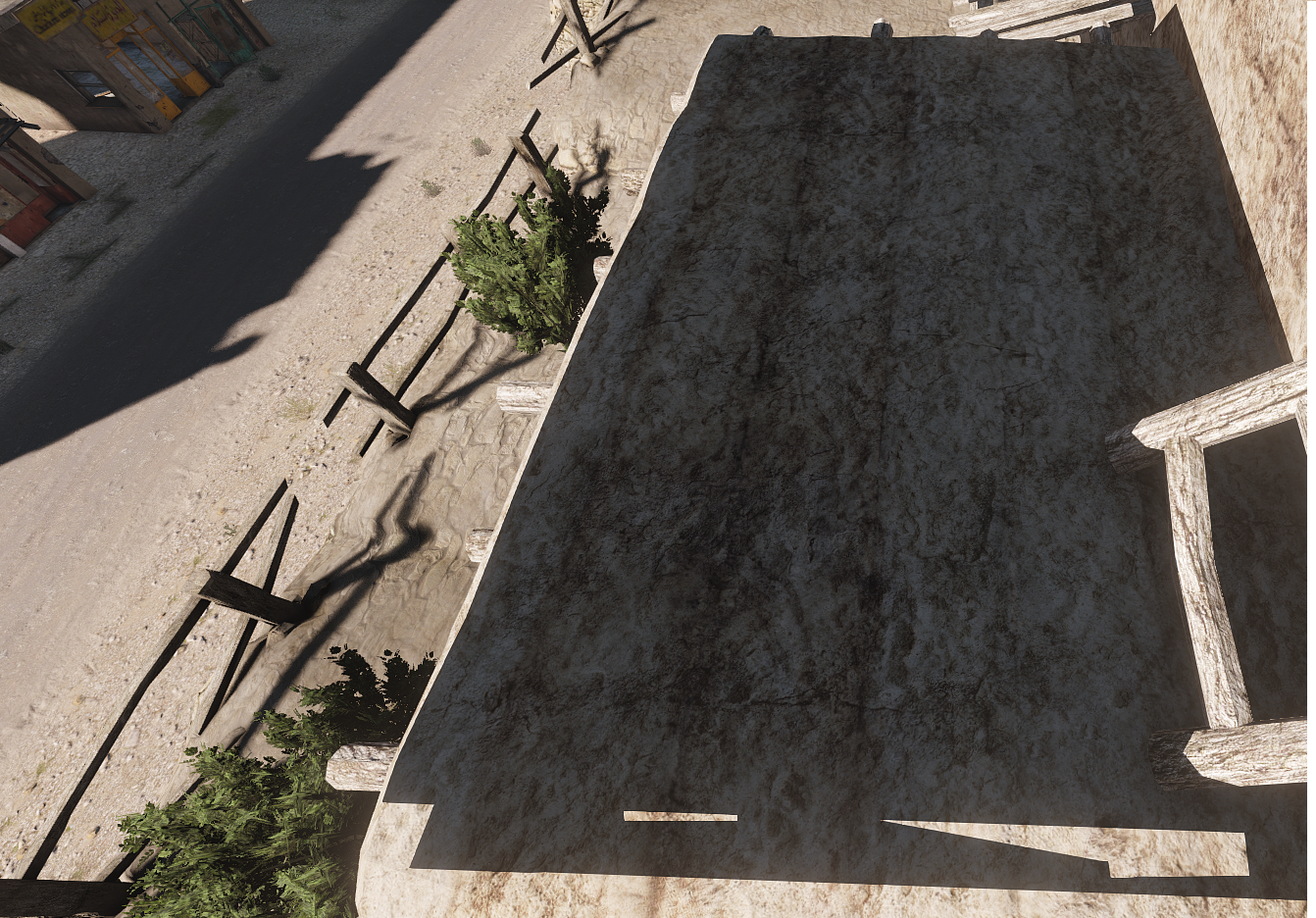
Hi All, im trying to work out the shadow lods, everything is correct in-game apart from this one area - https://imgur.com/tGcfWJC, ive set the mesh to triangulate and sharp, any other suggestions?
 stuck oyster
twilit depot
I wasn't aware there was a buldozer setup through Mikero's stuff 😅
stuck oyster
twilit depot
I wasn't aware there was a buldozer setup through Mikero's stuff 😅
Arma3p sets up buldozer to run from the arma3 exe directly instead of the copied/renamed buldozer. Exe
twilit depot
Well, I do know that I setup my work drive with Arma3p
stuck oyster
civic forge
Hi All, im trying to work out the shadow lods, everything is correct in-game apa...
It's probably too big
twilit depot
Suppose I'll verify again and maybe try running it in a compat mode
stuck oyster
Worth a shot
twilit depot
It's only O2 that I have this issue with
stuck oyster
Oh and try swapping the Arma 3 exe between 32 and 64 bit exe
For buldozer launch path
twilit depot
TB works fine
I've tried swapping between the 32 and 64bit exe and I found that there's a higher latency with the 64 bit version
for whatever reason
stuck oyster
The tools are not exactly known for consistency 
twilit depot
I wonder actually
If it's because the tools themselves are on a separate drive partition
Than my work folder
Like physically I have the tools on my HDD and not my SSD 😅
I'll try that haha
twilit depot
No luck, so I guess I'll let it stay broken
wraith tendon
erm... Okay, something very very new for me:
Starting Arma with Addon -> Circular addon Dependency in 'AddonName'
Okay, now start the game with param: "No Logs" enabled in A3 Launcher -> It starts oO
(no error Msg)
last spindle
you have and addon1 the requires and addon2, and addon 2 requires addon 1, comes from the part of cfgPatches
wraith tendon
"" now start the game with param: "No Logs" enabled in A3 Launcher -> It starts oO ""
+It does not, thats the point
last spindle
yeah but it is something that shouldnt happen, i would bet that it would work,but it is just not good
wraith tendon
class CfgPatches
{
class AW_B_Houses
{
units[] = {};
weapons[] = {};
requiredAddons[] = {};
};
};
Thats it, so...
last spindle
if things are built using mikeros tools, make sure that it isnt rebuilding the requiredaddons
wraith tendon
hmm. good point. Ill take a look
aannnddd it does...
But still: Why doesn't it detect it, when No Logs is enabled? strange
last spindle
probably because no-logs is turning that part of the debug off, it doesnt generate logs, makes sense that atleast some error checks are not bothered with i guess, or is just a bug
wraith tendon
tbh, that should be still enabled.
 stuck oyster
white jay
why does my model look soggy
stuck oyster
white jay
why does my model look soggy
Wheres the model from?
white jay
I made it
 unkempt token
Object Builder tends to display things funky with solid-fill faces in my experience. If you aren't happy with it you could try using an edge split modifier before exporting from Blender, assuming you made it in blender.
 stuck oyster
I'd suggest marking up sharp edges and keeping the object in. Smooth shade mode so you can see the sharp/soft surfaces
Also the Armatoolbox P3d export should export auto smoothed sharp/soft edges
 rapid tree
so idk where to ask this but for my mods i want to add decals to arma 2 vehicles, i know how to make decals in general etc but sometimes i have to follow the shape of the model for a decal, can anyone explain me how i can connect single points to form a plain or something like that ?
stuck oyster
Depends on the program used. Check manual.
rapid tree
stuck oyster
Depends on the program used. Check manual.
I use Object Builder
stuck oyster
Id strongly recommend something else for easier modeling
white jay
stuck oyster
I'd suggest marking up sharp edges and keeping the object in. Smooth shade mode ...
yea will test things out when the model is done thanks
tho I did create my first mod

worked with the files of a face mask and accidentally made mario kart
woeful viper
@last spindle yes you can use time for ammunition, i saw someone making spinning razor disks in arma2
however... i wonder if artillery ammo models follow the angle of flight path... because if you use a tracer on a bullet it stays in the direction is was fired into, no matter how steep it drops. From what i can remember, havent tested that stuff in a long time
unkempt token
Here's a new one. I've got a bunker model with 2 doors. Door01 works great... Door02 doesn't do anything. I checked the config and model, it is bulletproof from what I can tell- tried troubleshooting by removing/renaming door01 things to door02 things but no dice, and in the p3d file itself, it all looks good. But in OB + in game, only Door01 will animate, door02 just doesn't seem to exist. Am I missing anything obvious? I can post config if needed but I think it's solid after this troubleshooting.
P3d name matches classname matches skeleton name
unkempt token
Okay, I've done a ton of troubleshooting- it seems that the Named Selection in 0.000 is not being found by the config. The other door works, but Door02 doesn't, I tried renaming, redefining, etc. Nothing.
unkempt token
This has me so stumped. I totally cleared 0.000 and reimported the mesh, redid all the named selections for door01, door02, and the camo for hiddenselection, and STILL nothing- Door01 works fine, Door02 wont recognize at all. The memory points for Door02_axis and Door02_trigger worked when I tied them to Door01
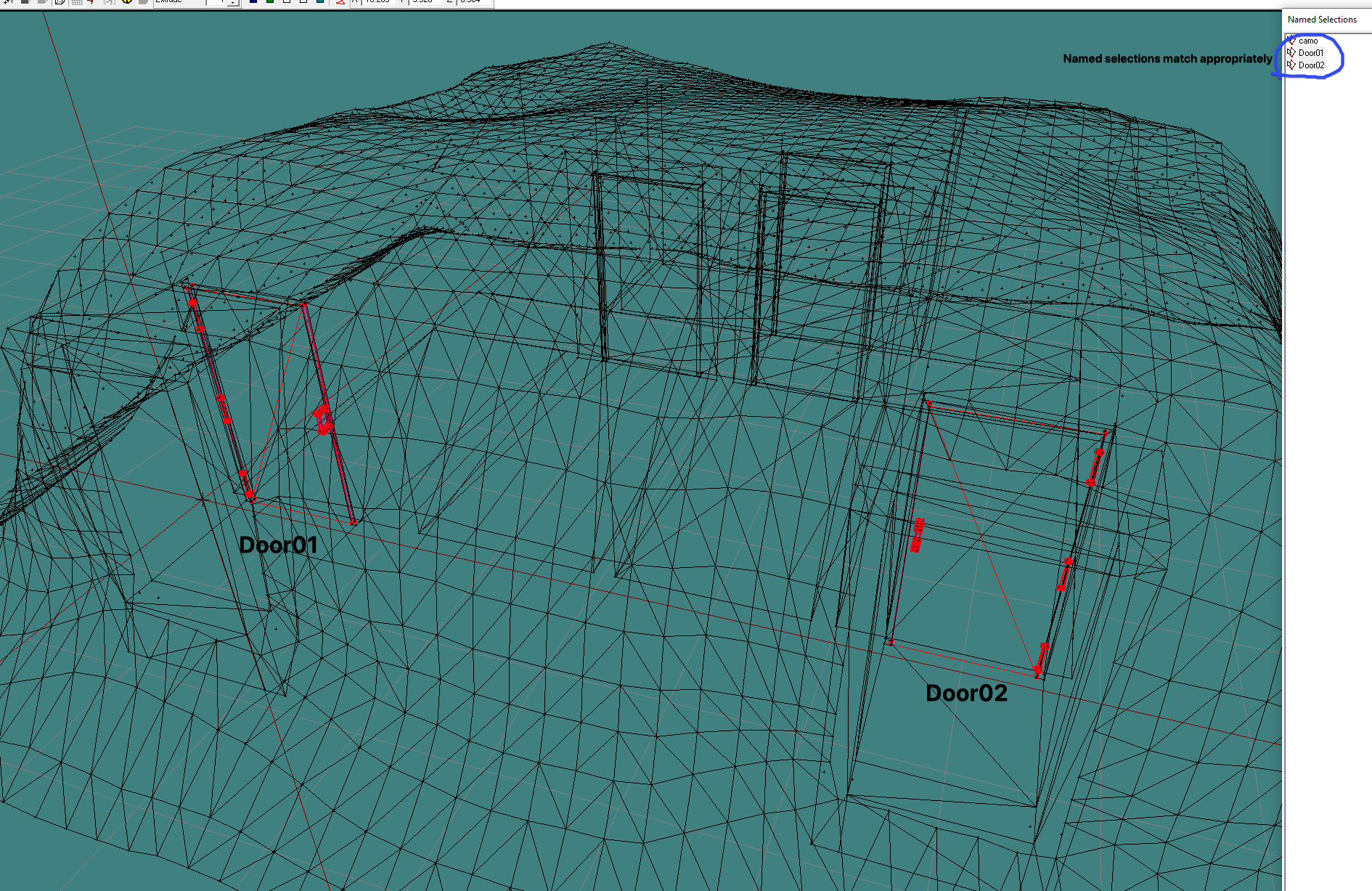 charred bolt
unkempt token
Okay, I've done a ton of troubleshooting- it seems that the Named Selection in 0...
charred bolt
unkempt token
Okay, I've done a ton of troubleshooting- it seems that the Named Selection in 0...
We'll probably need to see the config.cpp and model.cfg
umbral shuttle
I have a vehicle with a Buoyancy lod, and then in Geometry have the named property of Buoyancy = 1 and in game it does float but cant move/turn once in water. I am inheriting off the base arma 3 badger that does float so config wise I am 99% its okay, so is there anything else I have to do in object builder to make a vehicle moveable in water?
unkempt token
charred bolt
We'll probably need to see the config.cpp and model.cfg
Sure thing-
Config.cpp: https://pastebin.com/tSfGLaVc
Model.cfg: https://pastebin.com/FXpkzRP9
stuck oyster
unkempt token
Sure thing-
Config.cpp: https://pastebin.com/tSfGLaVc
Model.cfg: https://pastebi...
your bones definition is not right
they are done in pairs
you dont have a door2 bone at all right now
just door1 that has non existing parent bone door2
 that worked
stuck oyster
that worked
stuck oyster
always good idea to look how the samples do things, they cover most if not all of the basic setups
charred bolt
umbral shuttle
I have a vehicle with a Buoyancy lod, and then in Geometry have the named proper...
There are some config values to adjust related to position of engine in water which change with p3d (object size).
umbral shuttle
charred bolt
There are some config values to adjust related to position of engine in water wh...
oh right, that would be engineShiftY right? so would I have to adjust that value so that the engine is in water just a little bit based of I guess the center of mass?
charred bolt
Yes, sorry not at pc to be more helpful. Change that value initially before looking at other physx related values, such as engine power and drag/friction.
umbral shuttle
Okay will try, tho I suspect the values to be correct enough where it should move a little bit. Maybe the mass being 600 is an issue so I can try toying with that
white jay
is this guide outdated
 woeful viper
4 years, that was practically yesterday... still usable
marsh canyon
If is a valid guide, though
Model wise there is no real significant change since then, not sure if there is some major config change but most unlikely
stuck oyster
The bleder ui has changed since but the process is same still
white jay
stuck oyster
The bleder ui has changed since but the process is same still
alrighty that's no issue
thanks
white jay
woeful viper
4 years, that was practically yesterday... still usable
idk Bohemia could've changed something yesterday that'd make it obsolete so doesn't hurt to ask before sinking in 4 hours
hollow fulcrum
:coffee:
 slate epoch
:P
hollow fulcrum
oh, it actually works in the app. i was on the phone app at the time. well, that makes me feel better.
""however... i wonder if artillery ammo models follow the angle of flight path... ""
@woeful viper for some reason i want to say they follow the trajectory. but can't find that video.
be interested in knowing myself for sure.
inland pawn
What controls where the model makes contact with the ground?
Is that LandContact?
Or geo?
charred bolt
inland pawn
What controls where the model makes contact with the ground?
LandContact determines how it sits in Eden Editor on in-game if not physx (incl a physx vehicle set to "simple object").
Geometry LOD controls collision with non-physx objects (like people).
Geo Phys LOD controls collision with physx objects (like grenades, other vehicles, buildings)
For a physx vehicle, how it sits on the ground when live, is controlled by physx config values and p3d memory points.
stuck oyster
put axis memorypoints in correct place
 vestal flint
Do you have any tutorial for this?
marsh canyon
Putting a memory into a right place has no tutorial I think. What model.cfg does this? Check axis, move memory where the door should rotate
vestal flint








 marsh canyon
The brief look of the axis and rotation relationship. Where the X is the axis and rectangle is the door model itself
 vestal flint
so the door axis is inverted?
marsh canyon
No, not in the right place
stuck oyster
vestal flint
Do you have any tutorial for this?
yes there are various tutorials that touch animating too and the BI wiki pages for model.cfg and "how to animate a model" and the arma3 samples show all of it
vestal flint
i'm going to try thanks for you help.
marsh canyon
Brief pic: red X is where your axis, and black X is where it should be
 umbral shuttle
What happens if there is no LandContact LOD? I assume the geo lod is used? and is there any downside to not having a landcontact lod
stuck oyster
some things may rely on it
umbral shuttle
Okay I will have it then, I didnt see anything about this but should the points be lower or higher then the wheels in geo lod?
stuck oyster
check sample models for reference. a bit under the wheel points is common if I remember right
umbral shuttle
Ah okay, yeah the landcontact is higher (like in the wheel) then the geo wheel
 bold kindle
from my tests with bullet cam i can say that it seems to work for the mk6 and the m4 socher
woeful viper
could be that this is the key difference between simulation= shotshell and shotbullet
 halcyon bluff
Are single LODS supposed to be one mesh? If i have a box, thats supposed to have like a small sign attached to it, does it make sense to make them one mesh or is it just as good to keep them seperate but within the same LOD?
Because merging them obviously costs time, especially to make the interfacing faces not ngons
stuck oyster
halcyon bluff
Are single LODS supposed to be one mesh? If i have a box, thats supposed to have...
No they don't need to be single mesh
halcyon bluff
Is there a benefit in doing it?
stuck oyster
No
halcyon bluff
thats a straight forward Answer i can work with
hollow fulcrum
hrmm.. so i'm trying to decide what to do with the remote spotlight on the Mk.V ... what I would like is for that crew member to be able to operate it from his seat (which is offset from the light), and i need the gunnerView to basically be where the operators head is, and rotate with the light. ie.. you're looking out the windows to 'aim' the spotlight..
hooking the gunnerView point to the light would just not be realistic.. unless i add a camera to it or something..
nevermind.. when all else fails add mooooaaarrr animation foo! fixed.
now i just need to animate the twin .50s and all is well, less sound foo I think. oh and fix a couple scripts. my crafty physx anchor/ropes system seems to be farkled currently. 😒
woeful viper
nevermind.. when all else fails add mooooaaarrr animation foo! fixed.
there is some property "aimturret" or something like that... its used for helicopters gunners to point the turret where the gunner is looking, so that would be ideal in your case
@hollow fulcrum turretFollowFreeLook = 0; is the solution
stuck oyster
OB needs to be set on DX draw mode as win 10 does not like the old draw mode
stuck oyster
there is a blue yellow DX button in the toolbar
you need to do that on all viewports
and there is a setting to enable it by default in the options/settings in the "file" menu
hollow fulcrum
hrmm... i used the spotlight as source for a couple rotations of the gunnerView mempoint. that does seem like a better option though.
see if that works..
umbral shuttle
nvm figured it out lol
hollow fulcrum
the current solution is nice because when you come out of the 'gunnerView', the light stays where it was pointed and you can free look around as a normal piece of cargo.
woeful viper
hm ok with follow freelook it will always point
hollow fulcrum
yeah, that might be sub optimal. thanks for the info though, cuz i was unaware of that variable in the first place.
woeful viper
yeah havent seen this either before, but i occasionally config dump vehicles/weapon configs and skim through every bit there is in sub and default classes
hollow fulcrum
i need a current All-In-One config (DEVB). i used to generate my own, but have forgotten how/what/which means to compile it.
marsh canyon
Those files should have proper suffix, eg yourTexture_nohq.paa
stuck oyster
No, you have multitude of texture type Arma does not use
Arma uses older specular gloss type shading and no the more recent metal/rough pbr
@deep cargo
You can find more info in the #arma3_texture pinned messages
And yes it makes things somewhat more complicated
You will need to learn how to convert the files
marsh canyon
Most of Arma models can be decent enough, or under the limitation are stll nice
SOGPF models are one of the examples
stuck oyster
Using wrong kinds of textures can have negative impact on how things look
Like pbr albedo is too plain and roughness metallic can't really be used at all as they are
So yes I would say it will look bad in comparison to what you might expect it to look like compared to some proper pbr render
cedar coral
@woeful tartan fair enough on the text channels.
warm trench
Does anyone know what the vanilla laser.p3d looks like?
I've got some ideas I'd like to try for changing laser appearance a little and spotted @marsh canyon had made a version to play with laser effects in the blurry laser mod.
Any info available anywhere?
Not sure if Polpox would be willing to share an image or something of what the model and UV sheet needs to look like?
(Googling/searching produced nothing so far!)
marsh canyon
IIRC it should be the same with A2OA laser
 bold flare
warm trench
Does anyone know what the vanilla laser.p3d looks like?
I've got some ideas I'd ...
bold flare
warm trench
Does anyone know what the vanilla laser.p3d looks like?
I've got some ideas I'd ...
gib path to it
warm trench
marsh canyon
IIRC it should be the same with A2OA laser
Is that available in a samples pack somewhere?
(Sorry - used to play OFP but then didn't really have time for PC stuff until A3 where I've been modding for a bit.)
warm trench
bold flare
gib path to it
Not sure I know what you mean. I know where the original A3 version is but I'm 99% sure it's an encrypted pbo so can't see what it looks like.
(Will double check that's the case though.)
bold flare