#struggling with ac origins
362 messages · Page 1 of 1 (latest)
 grizzled jetty
 wide bane
Have you tried other games?
Iirc some assassin's creed games didn't work nicely with it.
Try windowed if anything
grizzled jetty
i tried fallout 3 and whenever i turned it on one the resizing wasnt working
two frames dropped worse
grizzled jetty
refunding
ill get it when i get a new pc but its not working for my rig
@covert obsidian
 short minnow
Borderless fullscreen not recommended you should use windowed mode.
Sometimes borderless works but it usually doesn't
grizzled jetty
still not helping with frames like everyones saying
i switched to windowed mode
lemme see if its a cpu issue
no its mostly gou
gpu
ok i think its the game
because im hardly usinf any gou
gpu
this shi ass
lemme try god of war
 opaque narwhal
I'll teach you how to make a good configuration tomorrow (if you have the app yet)...
grizzled jetty
opaque narwhal
I'll teach you how to make a good configuration tomorrow (if you have the app ye...
i still have it!
i decided to uninstall origins bc eh
but ill still need it for some other games :3
i just need to hbe patient with it too
grizzled jetty
opaque narwhal
I'll teach you how to make a good configuration tomorrow (if you have the app ye...
also do you know how to get frame gen working? i cannot seem to get it working
 mighty turtle
show me your settings for LS and what is your performance without LS enabled
what specs do you have
are you on laptop or PC
grizzled jetty
laptop, 2060 6 vram, 16 ddr4, i7 9th gen
very bad specs but i usually get decent fps
60 fps
sometimes it drops tho
my refresh rate is 144 hz
mighty turtle
nah those are decent spec
s
ok show me your LS(LOSSLESS SCALING) settings
do you have an iGPU in your system?
another very important thing is, if you game natively stutters without LS it is going to do the same with LS, like for EX on ac origins if you have 40 fps and it drops to 20 or 10 you will get stutters and etc even with framegen
grizzled jetty
 mighty turtle
these are the settings i recommend for windowed you can disable scaling if AC origins has dlss
 grizzled jetty
 grizzled jetty
Oki
well i uninstalled origins but i have other games i can test on
ie. fallout 76
or skyrim
also what am i supposed to set my refresh rate to
i have 144 hz monitor and can only do 60 hz if i wanna change from 144
mighty turtle
ok so
lleave your monitor refresh rate to max
it is not the refresh rate you should change
but your in game fps limiter
for example on fallout 76 how much fps do you get natively, without LS
this will be a good test to show you how you should use LS
mighty turtle
ok, well limit your fps to 40
can you lock your in game fps to 40 with nvidia control panel or in game?
grizzled jetty
wait im gonna try using riva tuner to get an exact number
mighty turtle
i would honestly recommend using the nvidia control panel, some people say they get more latency or less perf with riva turner frame lock
i also recommend having the setting nvidia low latency set to ultra globally in the control panel
grizzled jetty
yeah i use that aswell
mighty turtle
i have riva turner but i still go with nvidia control panel to limit the fps of each game individually
grizzled jetty
ill go 35
mighty turtle
ok
if you don't like the results
do medium with 45 fps lock 3x generation
does fallout 76 have dlss
mighty turtle
ok then set the game to windowed and render resolution at 1366x768
and enable scaling in app chose LS1
exactly like in my screenshot

same settings
also test if it runs better with perf mode on or off for framegen
i use LS1 scaling for all games that do not support dlss
to get fps improvements and the quality is not bad, can't really notice it personally on games such as gta or others
if you have issues with it on fallout 76 disable it
do a test lemme know how it works
grizzled jetty
well im making max
40 fps with the
ls1 and no difference in visual quality
now
time to try the dlss frame gen
lsfg
grizzled jetty
lowered frames to 22
mighty turtle
enable perf mode
grizzled jetty
33 fps
mighty turtle
in game or with framegen on?
mighty turtle
well enable the fps counter
grizzled jetty
it says 33/80
mighty turtle
try medium
your gpu is under too much workload
or try using 2x instead
the game is on windowed right? not borderless
grizzled jetty
yes bordered windowed
grizzled jetty
only options are
fullscreen, bordered window, and borderless windowed
trying bordered window
mighty turtle
so like windowed with borders?
grizzled jetty
yes but it works
mighty turtle
yes bordered windowed which should be normal windowed
can u send a screenshot of what the game window looks like now
mighty turtle
can u show me a screnshot of the game window?

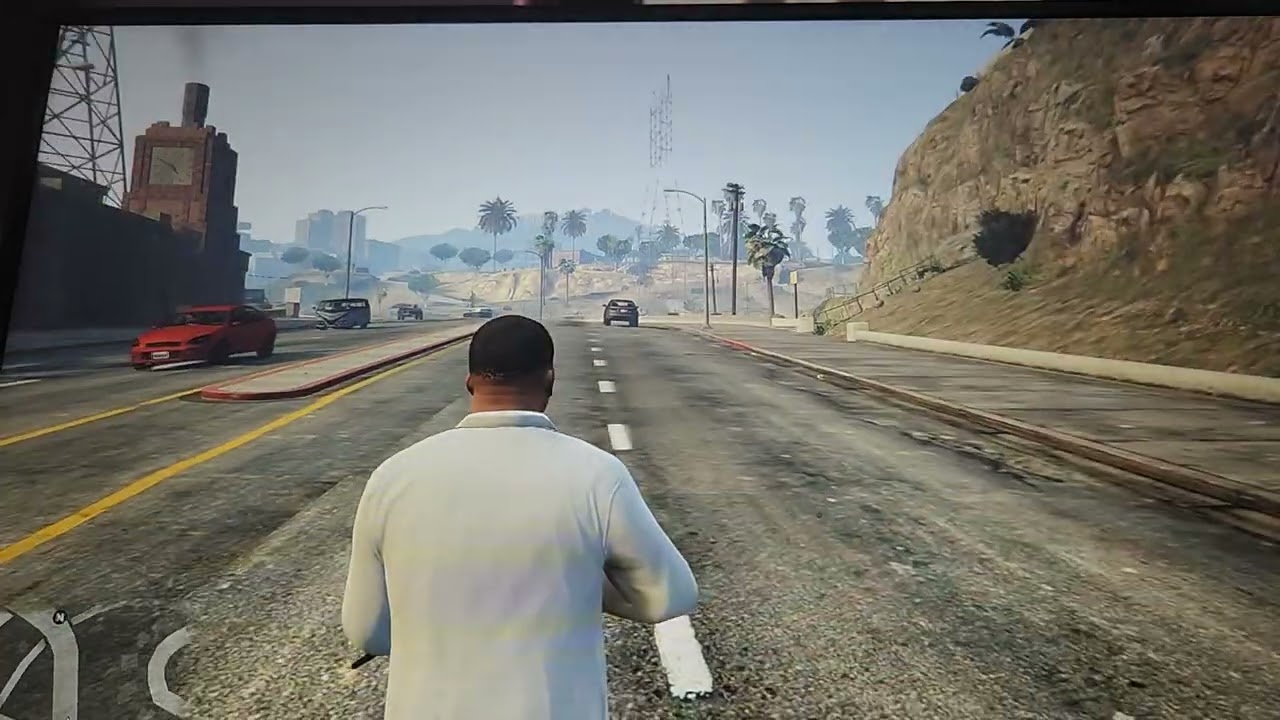
VERY IMPORTANT in the beggining i had silent mode on that underclocks my GPU and cpu and limits fps to 60 and had weird visual bugs without and with LS enabled, after settings my profile to manual it got fixed, furthermore the pistol has a modded barrel and sometimes he textures bug on it, without lsfg and it can be seen on video.
this is my test on fallout 4
which as the sameengin
mighty turtle
 mighty turtle
grizzled jetty
im having some freqent stutters with it
mighty turtle
grizzled jetty
im having some freqent stutters with it
that means your gpu is being used too much
and it cannot keep up
grizzled jetty
lsi is really helpful though. i just see a lot of issues with the frame gen
mighty turtle
you need to lower your settings
it is due to your GPU not having enough power to do both framegen and run the game at high fps
set your settings to medium and try again
mighty turtle
can you check your GPU workload?
grizzled jetty
i might try this on origins but i fear origins is a lot cause
yes
well
i can see my gpu utilization
mighty turtle
well imagine you need to have your gpu workload or utilization at max 80% before framegen
no more than that
grizzled jetty
Ok
mighty turtle
try medium with fps locked at 40
grizzled jetty
im gonna try running this with skyrim tommorow too after i get vramr all sorted out
but lemme test on fallout again ill launch it again
mighty turtle
alright
1366x768 medium settings with ls1 scaling plus framegen 2.1 X3
try X2 yoo
and run LSFG perf mode on
grizzled jetty
getting a lot of visual errors with frame gen
dunno if thats normal but its more than usual
grizzled jetty
riva tuner isnt on
mighty turtle
bruh
grizzled jetty
i had the same issues before too
mighty turtle
i can't help you if i don't see what you are doing or happening
mighty turtle
yes, normal voice
grizzled jetty
am i able to share my screen with this software
grizzled jetty
yes
@mighty turtle
yes
starting it up rn
ill let you know how it works
eh
its still pretty much the same just locked at 40
 near wagon
i dunno if this was already mentioned, but for laptops you guys must add LS to windows' graphics settings with the option set to power saver and then in LS itself you choose your strong GPU

 grizzled jetty
near wagon
i dunno if this was already mentioned, but for laptops you guys must add LS to w...
grizzled jetty
near wagon
i dunno if this was already mentioned, but for laptops you guys must add LS to w...
yes i fixed this
just now
now were just testing it trying to get mine to work with that
cause mines still very different
mighty turtle
it keeps running like poop or not working for him for some reason
grizzled jetty
overlays off
i see the screen for lossless
only
also i had trouble enabling the upscaler and framegen from fallout 4
i can try it on lotr return to moria
minecraft yes
that will be good
near wagon
i'll come read the thread in a bit. brb
mighty turtle
alright
best test is to limit fps to 40 and enable framegen to 2x or 3x
have mineraft on windowed like i do
@near wagon how do i stream my gam ewith ls on disc
grizzled jetty
yes i see it
mighty turtle
 grizzled jetty
i turned on my minecraft too
should i try running mine?
i like your house
will this work on stalker shadow of chernobyl
it work sbetter on minecraft but im noticing my game isnt going beyond 40 fps
ok discord overlay was on let me see if that fixes it turning off
its very awesome how long did it take
i wanna make cave like that eventualy
this works well for me on minecraft but my frames stay stuck only at 40 fps it doesnt go over to 80 like before
i have 106
its working
its working
not as much visual problems
@mighty turtle
mighty turtle
medium settings fallout 76, windowed bordered limited to 40 fps
 mighty turtle
no problem!
the problem was, LS running on iGPU power saving mode and that limit fps was enableed globally including Lossless scaling + impropper initial settings
 jade pumice
Note that AC Origins is very heavy even today and with certain settings can bring even a modern system to its knees, leaving LSFG with little to work with .
grizzled jetty
soo no point in doing thaat
bro stalker running in 120 fps hits so different
frame gen is probably the best investment ive ever made
this scaling software
this is literally the best
who made rhus
this
because i love them
near wagon
mighty turtle
<@304301127707656192> how do i stream my gam ewith ls on disc
#💬│lossless-scaling message
mighty turtle
grizzled jetty
soo no point in doing thaat
if you can gett it to run a steady 30-35 it is perfect
 dull hound
should I turn on performance on scaling and LSFG
I lose like 20 fps in every game when I use LSFG
and it's reduces 10-15 fps with performance on
I have 2070 super btw


 mighty turtle
make sure this says PERFORMANCE MODE

and you ve got a bunch of settings that by themselves impact perf and might not be compatible with LS i think like antistropic filtering and etc
dull hound
 dull hound
mighty turtle
and you ve got a bunch of settings that by themselves impact perf and might not ...
dull hound
mighty turtle
and you ve got a bunch of settings that by themselves impact perf and might not ...
Anisotropic does not affect performance that much
on pc atleast
mighty turtle
go to program settings in nvidia control panel lossless scaling and disable all settings except low latency mode
set them to the original default
dull hound
ok
mighty turtle
also super important, check your GPU usage
dull hound
it doesn't go max in most games
mighty turtle
because if it is already at 90% percent before you start frame generation it won't do much
mighty turtle
damn that game was good
dull hound
AC Origins on the other hand takes it to 87% on heavy areas
mighty turtle
it runs really well
dull hound
but never 99%
mighty turtle
detroit
mighty turtle
new ac games are really bad
dull hound
60 fps locked can't remove DOF without changing hex code from exe
mighty turtle
except for their VR release
dull hound
and heavy use of film grain
mighty turtle
hex editor moment
you can just use LS to triple it to 180
another important thing is runnnig your game on windowed or borderless
with propper settings
dull hound
most of the time borderless
mighty turtle
for both ls and the game itself


this is for windowed games
i recommend going windowed for all games, it is simple to use
i will also show you my nvidia control panel settings, you should only apply these to LS in nvidia control panel
some of custom settings u have might impact it
dull hound
mighty turtle
i will also show you my nvidia control panel settings, you should only apply the...
ok
thnx


 mighty turtle
this is me recording my stream with my phone testing VRR you can also see my settings and how i do things
mighty turtle
dull hound
ya I cap my fps to 55 with RTSS
i use nvidia control panel
some people said something about latency or perf when capping with RTSS
 dull hound
mighty turtle
https://youtu.be/oP0cKtfMhts
dull hound
mighty turtle
https://youtu.be/oP0cKtfMhts
how did you enable VRR
mighty turtle
AMD allows VRR on LS while nvidia doesn't
but you won't really need VRR if you use a capped frame rate i think, or have a good monitor
mighty turtle
nvidia g sync doesn't work with LS, they probably locked it on purpose xd
but yeah
for ex 144hz you need 48 fps
with 3x
mighty turtle
that is global fps
dull hound
 mighty turtle
for all other programs
mighty turtle
i cap fps for games individually with nvidia control panel, for LS it is also capped at 144, which is monitor's max refresh rate, although i did that before the dev added a native generated fps lock to monitor refresh rate
mighty turtle
@dull hound did you solve it
dull hound
yes thank you
The performance is really good with minimal fps loss (<5) and latency is also great
earlier it was 22ms
now it's 18.1ms

 analog nymph
grizzled jetty
i tried fallout 3 and whenever i turned it on one the resizing wasnt working
analog nymph
grizzled jetty
i tried fallout 3 and whenever i turned it on one the resizing wasnt working
Fallout 3 and Lossless FG work well for me. 55 x3 for 165 and im using around 400 mods. I use borderless fullscreen
grizzled jetty
dull hound
ill try this
mighty turtle
damn noice
enjoy!
try helping others if you can with the info i gave you
there is a huge influx of people who don't know how to use and lose on a massive opportunity
grizzled jetty
@mighty turtle havign some issues with minecraft bedrock edition, when i try loading in with frame gen it makes the screen black, fullscreen is off btw
mighty turtle
i dunno, try a diff capture method, but i don't think that should be the issue
some anti stream?
line on netflix
can you record the minecraft bedrock window with obs or some other recording software?
otherwise i honestly have no idea what it might be
make sure LS is running as admin too
you can do that in the settings tab for the LS app
 grizzled jetty
im also using better rtx but that shouldn’t be a problem