


6 messages · Page 1 of 1 (latest)
 pseudo spade
Buttons:
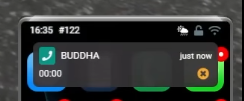
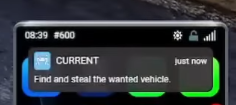
Would be cool to be able to add functions to notifications, sort of like buttons, a notification where you can accept / deny it. Concept / idea in image 1. Would also to have option to only have one button like image 2
IMAGE 1: https://i.imgur.com/7m2iH8x.png
IMAGE 2: https://i.imgur.com/0v1IEwF.png
exports["lb-phone"]:SendNotification({
    app = "Twitter", -- the app to send the notification to (optional)
    title = "Test", -- the title of the notification
    content = "This is a test notification", -- the description of the notification
    buttons = {
        accept = function() -- can remove this to only have deny button
            -- CALLBACK HERE FOR ACCEPT BUTTON
        end,
        deny = function()
            -- CALLBACK HERE FOR DENY BUTTON
        end
    }
})``` client side example

```-- source: string or number, the phone number / source to send the notification to
-- data: table, the notification data
-- cb: function, the callback function (optional)
exports["lb-phone"]:SendNotification(source, {
    app = "Twitter", -- the app to send the notification to (optional)
    title = "Test", -- the title of the notification
    content = "This is a test notification", -- the description of the notification
    icon = "https://www.example.com/photo.jpg", -- the icon of the notification (optional)
    buttons = {
        accept = function() -- can remove this to only have deny button
            -- CALLBACK HERE FOR ACCEPT BUTTON
        end,
        deny = function()
            -- CALLBACK HERE FOR DENY BUTTON
        end
    }
}, function(res) -- res can be false, true or the notification id
    print("Notification sent:", res):ballot_box_with_check:
end)``` server side example

Sticky notifications:
Another cool option would be to be able to add "sticky = true" in the notification data, which would make the notification stay until the player physically puts it away by opening their phone, can be used in a lot of scripts, example in image 3.
IMAGE 3: https://i.imgur.com/1ERiYcS.png

```-- data: table, the notification data
exports["lb-phone"]:SendNotification({
    app = "Twitter", -- the app to send the notification to (optional)
    title = "Test", -- the title of the notification
    content = "This is a test notification", -- the description of the notification
    sticky = true
})``` client side example

```-- source: string or number, the phone number / source to send the notification to
-- data: table, the notification data
-- cb: function, the callback function (optional)
exports["lb-phone"]:SendNotification(source, {
    app = "Twitter", -- the app to send the notification to (optional)
    title = "Test", -- the title of the notification
    content = "This is a test notification", -- the description of the notification
    icon = "https://www.example.com/photo.jpg", -- the icon of the notification (optional)
    sticky = true
}, function(res) -- res can be false, true or the notification id
    print("Notification sent:", res)
end)``` server side example

Update notification export:
Ability to update the text or overall data in a notification by using an ID so it doesn't send a new one, would be useful for the 2nd idea of sticky notifications.
`exports["lb-phone"]:UpdateNotification(notificationId, newData)` - client side
`exports["lb-phone"]:UpdateNotification(source, notificationId, newData)` - server side

Remove notification export:
`exports["lb-phone"]:RemoveNotification(notificationId)` - client side
`exports["lb-phone"]:RemoveNotification(source, notificationId)` - server sideMore notification features (developers)
[API / Exports] More Notifications Features
 vale horizon
We have popups, not needed.
 terse hare
vale horizon
We have popups, not needed.
terse hare
vale horizon
We have popups, not needed.
Well the goal of this to add a new notification system
instead of just popups