#stronghold 2
268 messages · Page 1 of 1 (latest)
 mossy plume
I tried out the save and it still does work for me. Let me send you my rtx.conf. Let me know if it works for you.
It looked like it was working okay aside from the cliff walls in your screenshot.
I didn't bother setting that as a terrain texture, and from what I understand Remix's terrain blending doesn't do great with angles that sharp.
Fortunately, it doesn't seem like that texture is used anywhere but cliff walls and I don't believe it really blended with anything in the regular rasterized game anyway, so not having it set as a terrain texture doesn't mess up the visuals.
 crisp imp
what folder do i place that in game or trex
mossy plume
The game root folder (where the game's .exe is)
crisp imp
with that file used this is the f part
 mossy plume
Ah, those little grayscale squares?
crisp imp
yes and the missing wooden fence posts
mossy plume
The squares you can tag as either a lightmap or as hide texture instance. The missing fence posts might be something I mistakenly tagged as a lightmap.
crisp imp
i think they are trees no or grass looks like grass but how do we fix the fence missing all its sides haha
this is what it has to look like
 mossy plume
I do know that those squares don't seem to show up with shader model 0 forced in dxvk.conf. I am not sure about the fence, though.
Like I said, I may have mistakenly tagged something related to it as a lightmap or something.
You can look through the textures and see if untagging any ignored textures brings it back.
This is an older dxvk file, but it does have the shader model = 0 argument in it. You can put it in the root folder as well
crisp imp
works a bit better but the flicker is fun hahaha
and they are not green no mre with rtx haha

its like the animations only play when i move the cam with rtx on
mossy plume
crisp imp
and they are not green no mre with rtx haha
Yeah, I noticed that. That happens with a number of other games as well. I have to wonder if editing the shaders would be able to help Remix know which clothes should be which color?
mossy plume
crisp imp
its like the animations only play when i move the cam with rtx on
Yeah, that's annoying for sure. I don't know what is up with that.
crisp imp
mostly the fire one is what doing that well in the game fps is locked to game speed hahah no joke
thats what frame gen is so cool in this we can go more then the 30 fps haha
 wide hatch
theres a setting related to vertex colors that you could try turning up from it's default low value to 1.0, might do something with the clothes
crisp imp
i st the fire to ui and its working now but it not showing in the step 1 menu no more haha
wide hatch
the water could be flickering because (guessing) there are 2 coincident planes, which pathtracing doesn't like. try ignoring the material on one of them maybe
you can then tag the remaining plane as water / animated water, give it a normal map in remix toolkit and it might work
crisp imp
i set it to decal and its not flickering the water
wide hatch
excellent, that's a good idea. yeah. decal tag should give a small position offset to avoid coincidence
crisp imp
the only major problem is the in game mouse cursor not showing up
crisp imp
so people can play the game haha
crisp imp
The game is currently unplayable because there's no way to get the mouse cursor back working
crisp imp
And it doesn't appear as a texture you can select either
mossy plume
What I find most curious about that is that even if you uncheck "Raytracing Enabled", the cursor still does not reappear.
Could it be an issue with DXVK itself rather than Remix?
I did figure out how to get rid of the baked in shadows, however.
Checking "Ignore Last Texture Stage" under Texture Parameters in Step 2: Parameter Tuning gets rid of them and also seems to get rid of the unsightly grey untextured edges of the map.
wide hatch
crisp imp
The game is currently unplayable because there's no way to get the mouse cursor...
try playing with these in bridge.dxvk
client.hookMessagePump = False
client.overrideCustomWinHooks = False
client.DirectInput.disableExclusiveInput = True
client.DirectInput.forward.mousePolicy = 2
client.DirectInput.forward.keyboardPolicy = 2
crisp imp
mossy plume
I did figure out how to get rid of the baked in shadows, however.
Checking "Igno...
Wow that's awesome
After the mouse issue is fixed it's just the issue of the lighting when hovering over and looking inside the castle 😅 but probably have to place lights in there the issue is do the lights stay if you place the item down somewhere else because the castle is never just static if you build one yourself
You're doing an awesome job I never thought we would get this far with this game at all @mossy plume
crisp imp
for me that did not do a thing odd on this map but it did work and fix the dark map #
rt is off on this one
crisp imp
I found the best way to test stuff is in the in-game map editor you can place mostly any item available in the game
I also think maybe the best bet is to set everything apart from ui elements to decals so that there's no flickering at all
crisp imp
wide hatch
try playing with these in bridge.dxvk
# client.hookMessagePump = False
# client...
None of this seems to change anything
wide hatch
crisp imp
None of this seems to change anything
try different settings
try 3 on the mouse policy
crisp imp
we need to fix the lights as well
 crisp imp
wide hatch
try 3 on the mouse policy
crisp imp
wide hatch
try 3 on the mouse policy
nope did not fix it
crisp imp
crisp imp
we need to fix the lights as well
But I don't know how this works for this type of game because every building is placeable so I doubt the lights would be attached to anything when placing the object down
crisp imp
Unless the baked shadows disappear when RTX is enabled and still show when it's disabled
mossy plume
crisp imp
Unless the baked shadows disappear when RTX is enabled and still show when it's ...
That is exactly the case. All of the settings in the RTX Remix Developer Menu only take effect if "Raytracing Enabled" is checked.
mossy plume
crisp imp
But I don't know how this works for this type of game because every building is ...
As long as the mesh hash for the buildings is stable, adding a light to it in the toolkit should work for all instances of said building.
crisp imp
Well a lot of the inside castles have fireplaces with fire but I wouldn't have a clue how to add in light to emulate that fire
mossy plume
That part would be tough mainly because I don't believe it is possible to have animated lights added via Remix, so it would be impossible to have that natural flickering that a fireplace would have.
crisp imp
It's going to be interesting to see what happens when you replace a texture with how the games blending works
I don't think the game supports bump maps or it's used very rarely
mossy plume
crisp imp
It's going to be interesting to see what happens when you replace a texture with...
I already partially tested that out. I didn't replace the diffuse texture, but I did add the game's own normal map (converted first to octahedral format) and height map to the castle walls. There is some odd flickering where it seems to switch between it using and not using the replacements, though.
mossy plume
crisp imp
I don't think the game supports bump maps or it's used very rarely
You are correct that they are used rarely, but the game does have both normal and height maps for some objects as well as possibly specular maps in some of the alpha channels of the diffuse textures (though I could be mistaken and the alpha channels could be used for something else)
crisp imp
Some enhanced assets for my HD project for this game maybe they'll be useful I think it found information on the original images they were bought from for the book one and the stained glass


 mossy plume
Oh, wow! Those look lovely.
crisp imp


Supir ai is what do I use if I remember I think the book one and the stained glass the AI somehow found the originals
crisp imp
crisp imp
Some enhanced assets for my HD project for this game maybe they'll be useful I t...
the mud lines one was so hard to get right haha

one thing we need to do is see how if we replace a textures on the npc and guards fix the outfit not looking right
crisp imp
yes i now see the flickering with replace a texture
wide hatch
crisp imp
nope did not fix it
try the new commit on the dev branch maybe
crisp imp
wide hatch
try the new commit on the dev branch maybe
what that is iot a new settings
wide hatch
Get the rtx remix downloader from here:
#remix-beginners-guide message
and choose the development -> release build
mossy plume
crisp imp
one thing we need to do is see how if we replace a textures on the npc and guar...
That I don't know about.
That seems to be an issue with texture blending, which is unfortunately a tricky issue. Might take some shader editing on the game's end to fix, but I don't know for sure.
crisp imp
mossy plume
That is quite the upgrade!
I tried to implement it but it bugged out haha I'm not so good at replacing textures haha
mossy plume
crisp imp
I tried to implement it but it bugged out haha I'm not so good at replacing tex...
Oh? How did it bug out on you?
crisp imp
It had a weird blank line in between 😅 it's probably because I didn't make it a connected texture maybe by putting it in one of those website generators to make it a connective texture

And it's only covering one half you can see its using the old and the new
There's lots of different ways to do connective textures


But It could also be I imported it not correctly
mossy plume
Ah, that's strange.
crisp imp
I'll try later using one of those connective textures to see if that does anything
Or maybe I'm just importing it incorrectly all together
mossy plume
crisp imp
Ah, I think I figured it out! I used your texture and set it to be a terrain texture and it seems to work.

 mossy plume
crisp imp
Some enhanced assets for my HD project for this game maybe they'll be useful I t...
mossy plume
crisp imp
Some enhanced assets for my HD project for this game maybe they'll be useful I t...
I used this one up here.
crisp imp
mossy plume
Ah, I think I figured it out! I used your texture and set it to be a terrain tex...
What does it look with two of them placed next to each other
mossy plume
crisp imp
What does it look with two of them placed next to each other


Three, but still 😛
crisp imp
Looks great I probably need to adjust the colour of the texture a little bit to make it a little bit darker like the original but it looks great
mossy plume
Indeed it does!
crisp imp
But that could also be a result of remix 😅
mossy plume
Also, I did some other replacements.
All I did was add the normal and height maps of the parts of the castle that use them, plus inverted the alpha channels of the diffuse maps and used them as roughness maps.
I also added some lights to the interior.
Not perfect, but it does look a bit more natural.
crisp imp
Cool doing great maybe I should go and make high resolution versions of all the textures in the game for you to use
mossy plume
Sure, if you want! You've done a great with them so far.
crisp imp
I do have a HD texture pack for the game on Nexus mods but it's severely outdated and apparently crashes the game and also uses an old upscaling method which isn't as good as the one I use now
mossy plume
crisp imp
I do have a HD texture pack for the game on Nexus mods but it's severely outdate...
Well, if ported to Remix, it wouldn't crash the game.
As long as all texture replacements are done through Remix, 32-bit memory limits are not a factor.
The resolution can be theoretically whatever you want them to be.
crisp imp
I have no idea what was crashing it haha but it wouldn't take me too long to redo them again just have to remember how I converted the game files to PNG at hq
And I'm guessing by now there's probably a really good AI to make normal maps and bump maps automatically from images
mossy plume
crisp imp
And I'm guessing by now there's probably a really good AI to make normal maps an...
Not just that, but roughness maps as well.
Full PBR.
There's stuff like PBRify and PBRFusion 2 that can be used.
I haven't played around with them yet, but I have seen some screenshots of their results and it looked damn good.
crisp imp
I will try and check them out later
mossy plume
Could definitely fill in the gaps for stuff like terrain, which for the most part only has diffuse textures and for certain other objects. Usually the smaller stuff.
crisp imp
I don't know if there's any way to improve the grass on that crop it does look a bit weird
I might try this https://github.com/NVIDIAGameWorks/ComfyUI-RTX-Remix as I have that UI set up already
GitHub
ComfyUI RTX Remix. Contribute to NVIDIAGameWorks/ComfyUI-RTX-Remix development by creating an account on GitHub.
crisp imp
this works ok but would have to restart over haha fresh settings will not look as good as supir but still looks good it auto sets all the things
before this we need to clamp down the must have settings to set in rtx remix and see if we can fix the mouse
mossy plume
crisp imp
before this we need to clamp down the must have settings to set in rtx remix and...
The mouse is going to be tricky.
I honestly think it isn't Remix's fault that the mouse cursor isn't visible.
The fact that it doesn't show up even when ray tracing is disabled tells me that it could very well be an issue with DXVK, so it might be worth playing around with some of the settings in DXVK.conf to see if anything helps.
crisp imp
with it off image 1 and 2 using ComfyUI-RTX-Remix at the hay bale roof

 crisp imp
mossy plume
The mouse is going to be tricky.
I honestly think it isn't Remix's fault that t...
crisp imp
mossy plume
The mouse is going to be tricky.
I honestly think it isn't Remix's fault that t...
i did mess with that but no luck at all


 mossy plume
crisp imp
i did mess with that but no luck at all
mossy plume
crisp imp
i did mess with that but no luck at all
Damn. I have noticed that if you bring up the Remix menu, the cursor that appears lines up more or less perfectly with where the game cursor would be.
I guess occasionally bringing it up as a sort of guide would be one way to play, lol.
Not ideal, but it is better than nothing until this whole thing gets figured out.
Also, those upscaled textures are looking mighty fine if I do say so.
crisp imp
That's what I've been using open the menu however the place I want to load the save then click back click the save then click back again and move over to the load button 🤣
mossy plume
Did some more replacing and used your upscaled caste wall diffuse texture, which looks absolutely lovely.


 crisp imp
We need to use the Nvidia comfy UI stuff because it generates all the normal maps and other stuff automatically I just need to work out how to disable it for upscaling so I can use higher resolution textures instead I've made myself
crisp imp
mossy plume
Did some more replacing and used your upscaled caste wall diffuse texture, which...
The shadow in the first images is kind of weird it's like it has fence wires spanning across haha
mossy plume
crisp imp
The shadow in the first images is kind of weird it's like it has fence wires sp...
I have noticed that the shadows get weird when you look inside of a building and the walls disappear.
I guess it does make sense. After all, Remix's shadows come from the actual geometry in the scene, so if the walls disappear, so do the shadows. Not sure that there is any way to work around that.
crisp imp
I wonder if remix knows what the actual sky source is because it doesn't show up inside of the texture selection
mossy plume
It doesn't show up even with ray tracing disabled, so it may just be another glitch.
crisp imp
Well it's getting the sun light from the map for RTX to work
mossy plume
It is indeed. It is passing through two distant lights from the game itself
mossy plume
I replaced one of the types of bushes with one I got from Nvidia's own available assets in USD Composer just for fun. While my main PC runs at max FPS no matter what, this improves the FPS by 2 on a PC with a 2070, lol.
By replacing all of the foliage (except for the grass, which does not have a stable geometry hash) with actual modeled leaves and branches as opposed to alpha tested, it may be possible to greatly improve the framerate for those with weaker GPUs.
#general-remix message And it does look like these assets are free to be used in Remix mods, which could be a great help.
crisp imp
mossy plume
I replaced one of the types of bushes with one I got from Nvidia's own available...
Game speed is attached to frame rate btw
So 35 FPS is 35 game speed is default
75 is what I get with frame gen on at 35 speed
mossy plume
crisp imp
Game speed is attached to frame rate btw
Ah, gotta love somewhat older games sometimes
crisp imp
60 speed is way too fast haha
 manic pendant
crisp imp
And I'm guessing by now there's probably a really good AI to make normal maps an...
manic pendant
crisp imp
And I'm guessing by now there's probably a really good AI to make normal maps an...
Normal map generations are garbage but honestly a lot of textures you can get away with converting to grayscale and it usually pumps out a nice height map which you can use to turn into a normal map with awesome bump or materialize (I recommend the former)
crisp imp
There's probably some other solution I can find
mossy plume

 manic pendant
Why is the tree a palm tree like it's the jungle
mossy plume
They're on the coast near beaches mainly in the game.
wide hatch
mossy plume
man that looks waay cool, how did you do that? ahh using the nvidia assets ?
mossy plume
wide hatch
man that looks waay cool, how did you do that? ahh using the nvidia assets ?
Indeed I did! Not all of them are able to be used - specifically the ones that use gprims, as they tend to have a lot of their geometry missing within Remix - but there are some really high quality models there.
wide hatch
mossy plume
Indeed I did! Not all of them are able to be used - specifically the ones that u...
bloody genius
i want to stash away secret 4090's all over the levels 😄
mossy plume
That is perfectly doable!
crisp imp
mossy plume
But do the palm trees fit that time period hahaha
crisp imp
what about this for the grass https://www.poliigon.com/texture/grass-ground-texture-green/4585
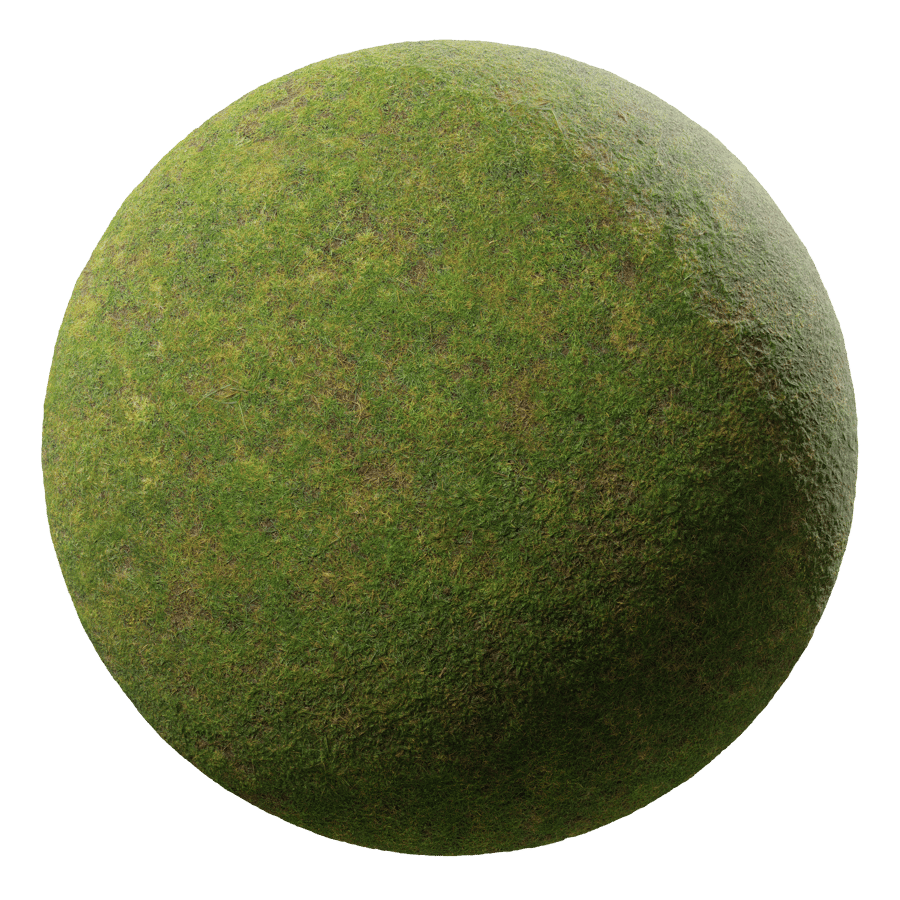
Poliigon
Download the Grass Ground Texture, Green from Poliigon. Over 4000 studio quality Textures, Models and HDRIs for professional 3D artists.
and this for the wood maybe https://www.poliigon.com/texture/poplar-bark-texture/2985

Poliigon
Download the Poplar Bark Texture from Poliigon. Over 4000 studio quality Textures, Models and HDRIs for professional 3D artists.
mossy plume
crisp imp
But do the palm trees fit that time period hahaha
Uh... totally! There were tons of palm trees in the Medieval Ages (not a verified historian)
mossy plume
crisp imp
what about this for the grass https://www.poliigon.com/texture/grass-ground-text...
Using stuff like that for the ground textures might not be a bad way to go. There would already be all of the requisite texture maps after all.
mossy plume
crisp imp
and this for the wood maybe https://www.poliigon.com/texture/poplar-bark-texture...
That is also an option.
Probably some of the more generic random textures could be replaced that way as well.
crisp imp
It's the niche textures that are the hardest
mossy plume
crisp imp
what about this for the grass https://www.poliigon.com/texture/grass-ground-text...
I read the license for these and apparently if you use these assets, you cannot "share, sell, license, redistribute, or repackage our assets with anyone."
https://discord.com/channels/1028444667789967381/1211706192510844999 These sites might be better for Remix since their licenses seem to be more lenient for the most part.
crisp imp
mossy plume
I read the license for these and apparently if you use these assets, you cannot ...
Oh interesting I thought it had three different licenses you could choose from
mossy plume
crisp imp
Oh interesting I thought it had three different licenses you could choose from
It does, but this is what the free individual license says:
"This license lets an individual use Poliigon assets on personal or commercial projects.
It's intended for individual professionals, such as freelancers and those working on their own projects. It can't be used by anyone working at a business with multiple people and you can't share, sell, license, redistribute, or repackage our assets with anyone.
Some further restrictions apply, for full details and information on all our licenses, see our license overview."
crisp imp
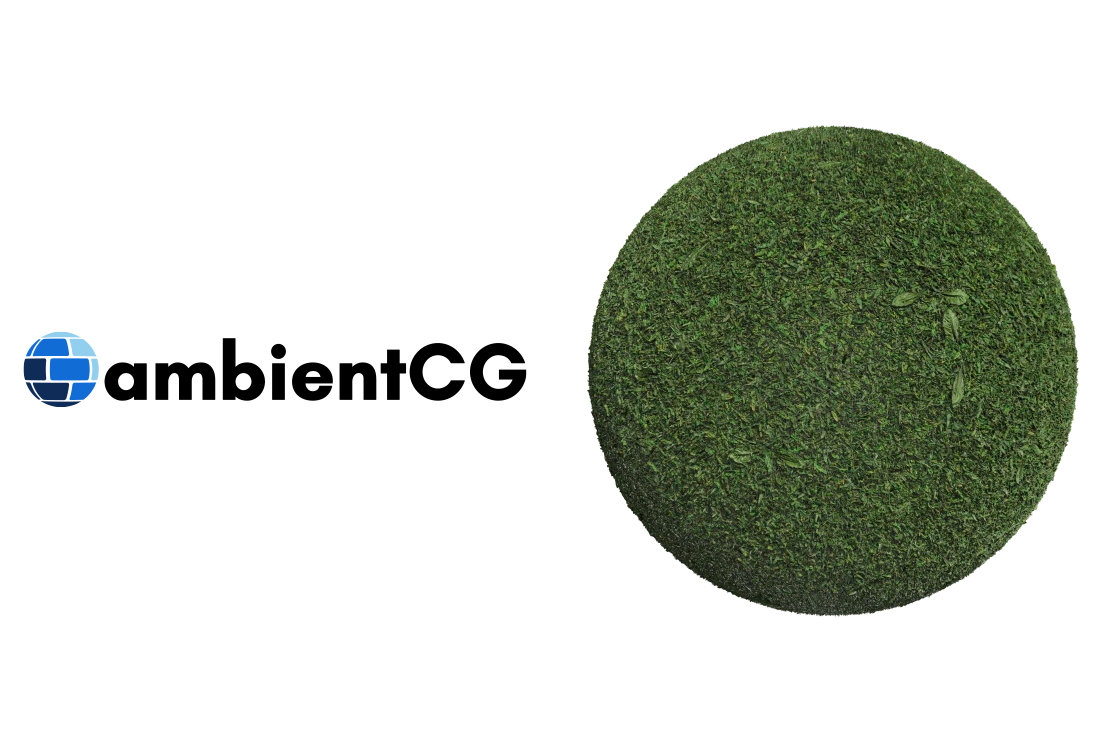
Grass 001 on ambientCG. Get this asset and 2000+ more PBR materials, HDRIs and models for free under the Public Domain license.
mossy plume
crisp imp
https://ambientcg.com/view?id=Grass001
Good find!
I am using some textures from there, some from Poly Haven, and some from Public Domain Textures so far. There are a lot of landscape textures to replace, but hopefully it will be possible to be fairly faithful to the originals.


I am using the 4k versions so far, which might be overkill for this game, honestly. Especially when you consider just how many landscape textures need to be replaced.
mossy plume

 crisp imp
i love the lines haha when the next texture ends haha
mossy plume
crisp imp
i love the lines haha when the next texture ends haha
Sadly, that is not something that I think we can fix.
Kind of weird that there are so many texture seams, though. Even the buildings have them.
crisp imp
mossy plume
Sadly, that is not something that I think we can fix.
well are all the texture you are using made into seamless textures that helps a lot
mossy plume
crisp imp
well are all the texture you are using made into seamless textures that helps a ...
I have not as of yet. Some of them need some color correction as well in order to look more like the stock textures.
Also, I did an experiment with HDRIs (using CR's HDRI sphere as a test), but one problem that exists is that there is no singular piece of geometry that is always rendered at all times.
I have tried attaching it to some of the plants, but that leads to the sphere looking glitchy do to a bunch of spheres existing overtop of each other.

It does seem to help make the texture seams less noticeable, though. That I did not expect.

 crisp imp
its so bright haha there are lots of ways do seamless textures we just have to find the one that works best
mossy plume
crisp imp
its so bright haha there are lots of ways do seamless textures we just have ...
Yes, I may want to lower the emissive intensity, but it does do a good job of smoothing out those harsh shadows.
Just don't look at the edges of the map...
crisp imp
mossy plume
Yes, I may want to lower the emissive intensity, but it does do a good job of sm...
yep you are doing amazing work thank you
crisp imp
if we only had someone who knows remix well to help fix are mouse thing maybe can help us
 dapper epoch
.
dapper epoch
crisp imp
if we only had someone who knows remix well to help fix are mouse thing maybe ...
I may or may not have just told you to ping the wrong guy
crisp imp
Hahahaha what trouble am I in now 🤣
crisp imp
Also if someone from the actual development team could also has some interesting insight
crisp imp
so whats new with this so far
crisp imp
found a few of my ground hq terrain i did from back in the day @mossy plume
mossy plume
crisp imp
so whats new with this so far
Not a whole lot. I have reapplied the proper normal, roughness and height maps to a few more of the buildings, but nothing major.
mossy plume
crisp imp
found a few of my ground hq terrain i did from back in the day <@33309566622420...
These could be a decent alternative to trying to look for terrain textures that match the original aesthetic.
They'd just need some normal, roughness and maybe height maps and there you'd go!
mossy plume
I'll test them out as is later on at some point and post some screenshots of them.
crisp imp
Cool
 crisp imp
wide hatch
nice, is that in the browser?
crisp imp
wide hatch
nice, is that in the browser?
nope its a Python File
wide hatch
ah nice
crisp imp
most of the setting are in the games setting window but not all of them
Stronghold Legends used the same game engine i dl the demo to see if it had new settings in the xml but it's just the same maybe full game has new settings the steam port
crisp imp
there is a odd thing about this settings file in the game popup settings window it has these settings but in the file they are not listed at all


so is it using the settings are are they just fake haha
crisp imp
this tool is probably going to be useless but it has all the settings in it haha and i made it better now as well

working on making the presets work but the ai is The server is busy. Please try again later haha
crisp imp
how the game settings presets work is odd haha
mossy plume
crisp imp
so is it using the settings are are they just fake haha
I believe Anti-Aliasing is controlled by "multiSamples value" and Anisotropic Filtering by "Anisotrophy value" in the ini.
crisp imp
mossy plume
I believe Anti-Aliasing is controlled by "multiSamples value" and Anisotropic Fi...
well it may just be my setup but if i change a setting in the steam settings game menu its not updating the settings file if i open the cdrom game one it updates the settings file
mossy plume
That's odd. I'll have to test that out when I get on later.
Maybe the Steam settings are partially broken from them changing them a bit.
crisp imp
if its true and its not just me my new tool will help us out haha
mossy plume
Absolutely! It's looking rather good so far.
crisp imp
well ai made it hahaha its good for things like this
crisp imp
mossy plume
Absolutely! It's looking rather good so far.
when i have the presets fix its good to go and use
i can make a rtx preset with all the settings we need not on haha
crisp imp
when you have one thing fix then find out one more thing is rip haha
well one bug is resolution is saving backwoods in the settings file but looks good in the ui haha bug 2 off and on text is buged haha

 crisp imp
well iot did tool tips but not well hahah
crisp imp
this is better
 crisp imp
its up for all to use now https://github.com/twitchplayskh/SH2.GraphicsEditor
GitHub
a GraphicsEditor for all settings in stronghold 2. Contribute to twitchplayskh/SH2.GraphicsEditor development by creating an account on GitHub.
will fix the button on off text in the first update tomorrow
crisp imp
It's so hard to find a good modern python UI library to make things look slick and modern
crisp imp
the mouse things is still the one thing stopping this game
crisp imp
so how is this how is this going right now
mossy plume
Sadly I haven't made much progress as of late.
Been mainly focusing on packing stuff up.
Once I am finished moving, I should have some more time to get some more stuff done.
I still want to try out those terrain textures of yours.
mossy plume
Some of those terrain textures you sent with normal and roughness maps generated by PBRify.
Honestly, I do like the fact that doing it this way will preserve the game's own art style.


 crisp imp
Did you generate the normal mouse and roughness these are just textured from the original game upscaled using a AI method
mossy plume
crisp imp
Did you generate the normal mouse and roughness these are just textured from the...
I did generate them from your already upscaled textures. All I did was just disable the upscaling node since you already upscaled them before and reconfigured it to just generate the normal and roughness maps.
crisp imp
I could never work out how to implement my upscaling method I used into that if I could do that it would make the whole process easier 😅
We probably just need to tweak the roughness settings inside of remix and then it would look perfect
crisp imp
whats next for this ?
mossy plume
That I don't know. I do wish there was a way to create an anchor mesh that we could attach a proper HDRI to, but I am not sure that would be easy to do for this game.
The current way that I have it set up is incredibly imperfect, but there aren't any good options I am afraid.
At the moment, it seems like just finishing up the material replacements is all that can be done for now.
crisp imp
mouse fixing is big as well
mossy plume
Yeah, I would say that is probably the biggest issue so far.
It is nice that it can be somewhat worked around by using the Remix menu to get a sense of where your cursor is, but that is hardly an ideal solution
crisp imp
Did you ever end up trying out that tool I made and seeing if settings actually did save or not using the in-game launcher settings
And if there were any in-game differences
crisp imp
Has anyone tried remix 1.0 yet with this game
crisp imp
i did a bit of testing but needs work haha
mossy plume
crisp imp
And if there were any in-game differences
I have played around with it a bit, and it does indeed do the job. Pretty handy alternative to having to edit the Stronghold2.GraphicsSettings.xml to edit some of the stuff that they took out of the launcher's settings.
mossy plume
crisp imp
i did a bit of testing but needs work haha
Yeah, I mean it certainly doesn't appear to have broken anything, but I think stuff like NRC's effect on this game is going to be limited (at least until lighting replacements are more complete) just because there aren't that many lights to begin with.
crisp imp
do you have the remix config you you i can use again
crisp imp
 mossy plume
Hmm. You may not have shader model 0 forced. Try going to Game Setup and going to the shader support tab and turn those options on.
I have this alongside the game.exe as well. It automatically forces the game to believe your GPU can't support any shaders.
It seems like the game's rendering is slightly less broken when this is the case.
crisp imp
new 1.0 setting

 mossy plume
I've seen that "Terrain as Decals" option. Going to have to play around with it for sure. Right now it seems like for this game, the terrain baker is the way to go, but for other games that option might be handy.
crisp imp
i think its part of the 1.0 update that just dropped
mossy plume
I figure that while this is still a ways from being perfect, I'll go ahead and release what I have done so far here for you to play around with.
To use it, go ahead and extract this to your Stronghold II installation's .\rtx-remix\mods folder.
I used some foliage assets from Nvidia's own repository in Omniverse Create to replace some of the bushes and trees, though only just a few.
Not all of it is exactly faithful to the original game, but I mainly did it more as a test anyway.
crisp imp
If we can find me get the mouse things sorted out somehow this project could actually be pretty viable
dapper epoch
.
crisp imp
.
crisp imp
i think this is rip now on the new rtx remix i just have a black screen
 green radish
crisp imp
i think this is rip now on the new rtx remix i just have a black screen
green radish
crisp imp
i think this is rip now on the new rtx remix i just have a black screen
It's working on my end. The missing mouse issue still persists. The RAM usage is problematic. When panning the camera it eventually maxes out and crashed. Keeping the camera still is fine though
crisp imp
green radish
It's working on my end. The missing mouse issue still persists. The RAM usage is...
Odd I just have a black screen haha
green radish
In terms of the VRAM usage, I am finding that if I leave the game alone after panning the camera around, after a while the VRAM resets from 16GB down to 4GB. Not sure if the game or Remix triggers this refresh or is it's something that can be manually refreshed.
crisp imp
Maybe you should uninstall the game and use the dvd version you have to make sure is the correct version from archive.org I think the DVD version it also gives you the option to switch shader model in the games options menu @green radish I haven't tried it on the latest remix release
crisp imp
on the new remix all i get with this game now is a black screen
 crisp imp
Has anyone else tested the latest version and it's not just me having this issue
crisp imp
the cliff side hd upscale texture and with new Hight map


 crisp imp


The dirt was upscaled at a higher resolution then the cliff face as I didn't realize I could go higher 🤣
crisp imp
Ground textures are the ones that seem to not have height maps buildings and stuff already have their own height maps
crisp imp
This game is currently broken and probably need someone from the actual remix development team to try and find what's the problem because it worked in the past and now it's broken
crisp imp
i went and made tool to make processing and cataloging the game texture files because some use different DDS formats


 grave bay
crisp imp
This game is currently broken and probably need someone from the actual remix de...
grave bay
crisp imp
This game is currently broken and probably need someone from the actual remix de...
Your best bet is probably to submit a bug report on the remix github. If you can figure out which update broke it, that would help narrow it down.
crisp imp
grave bay
Your best bet is probably to submit a bug report on the remix github. If you can...
I wouldn't know what to put any suggestions on how to write out something like this I would definitely try and include a log file
grave bay
crisp imp
I wouldn't know what to put any suggestions on how to write out something like t...
Theres a basic template for submitting new issues, you can do that and see examples here: https://github.com/NVIDIAGameWorks/rtx-remix/issues
GitHub
Combined repo for the RTX-Remix runtime and toolkit - Issues · NVIDIAGameWorks/rtx-remix
 grave bay
Yeah that seems right
crisp imp
GitHub
Describe the bug This game used to work with remix but the latest version I just get a black screen when I launched the game originally that only problem we had was the mouse didn't work in gam...
grave bay
Might be worth editing that to specifically name which game you are referring to.
crisp imp
fix it
crisp imp
it will probably take months before anything is done haha
crisp imp
The post got someone's attention so there may be hope fingers crossed
crisp imp
Ok so I made an interesting Discovery it's kind of a silly thing though remix doesn't work if the game is not in full screen if it's in window mode it breaks but I'm still getting weird texture rendering issues setting the texture category doesn't fix
And the mouse doesn't work still Without opening remix positioning it over where you want to click closing remix then clicking and repeating