#Need For Speed Underground RTX
927 messages · Page 1 of 1 (latest)
 inner creek
inner creek
inner creek
 inner creek
Roadworks
 inner creek


 charred viper
shouldnt this be merged into the existing thread for this
charred viper
@coral hollow can we please merge this into the other thread for this game
 coral hollow
it can't be merged, only deleted
repost whatever you want there, then i'll delete this
inner creek

ModDB
NFS Underground with path tracing. Alpha version early access, WIP.
 prime notch
the dinput8 file is not working
inner creek
prime notch
the dinput8 file is not working
try to rename it to dsound.dll
inner creek
prime notch
still no
it runs without widescreen patch (dinput8)?
 inner creek
it runs or not without dinput.dll or dsound.dll?
prime notch
ye but as i said its bad
inner creek
Did you set your screen resolution in .ini file?
prime notch
1 sec
inner creek
I don't know what is the reason, maybe there are some dependencies not installed, when I installed Portal RTX from steam it also installed "Microsoft Visual C++ Redistributable", maybe that's the reason.
prime notch
inner creek
I don't know what is the reason, maybe there are some dependencies not installed...
also which version?
inner creek
prime notch
also which version?
install latest, both x64 and x86
prime notch
ok
 prime notch
wont work with fullscreen too
inner creek
prime notch
The game is so buggy and 5 fps
what gpu do you have?
prime notch
i heard its amd compatible
inner creek
yes it is compatible with rtx-remix, but not compatible with dlss, even my overclocked to 42tflops rtx3090 gives me 7-10fps at 4k without dlss
prime notch
@inner creek
 ocean nimbus
prime notch
AMD RADEON 6600XT
ocean nimbus
prime notch
AMD RADEON 6600XT
AMD's path tracing performance is terrible right now
You won't really see much better performance than that on an AMD gpu right now
prime notch
oki but does this mean that i shouldnt use it?
ocean nimbus
You won't get playable framerates
prime notch
then no
prime notch
@ocean nimbus is there any alternative?
ocean nimbus
prime notch
<@309723958943678465> is there any alternative?
Other than getting a new GPU or wait for AMD's path tracing drivers to get better, not really
 frosty hawk
ocean nimbus
Other than getting a new GPU or wait for AMD's path tracing drivers to get bette...
frosty hawk
ocean nimbus
Other than getting a new GPU or wait for AMD's path tracing drivers to get bette...
Or use Linux
coral hollow
inner creek
New houses


 coral hollow
nice work
prime notch
frosty hawk
Or use Linux
its working on linux?
imma downloading linux but which linux?
also is it ok on hdd?
frosty hawk
prime notch
its working on linux?
AMD has better drivers on Linux for 6000/7000
As for Linux OS, I'm not sure since I mainly use it on my Steam Deck, I know there's some Linux users in here tho
And then HDD should be ok, although not recommended
prime notch
frosty hawk
And then HDD should be ok, although not recommended
i only have an hdd free
@frosty hawk can i dm you?
if have some questions with linux
 exotic vine
prime notch
imma downloading linux but which linux?
exotic vine
prime notch
imma downloading linux but which linux?
I hear that Linux Mint is a good starting point
 clear cedar
linux mint is nice option
inner creek

 clear monolith
the remixed graphics alone make me want to buy the Need For Speed Underground game
geez does this just look so good
inner creek
Hey guys. I created over 100 hi-res custom textures retaining original game look, this week.

 exotic vine
not bad I like
 unreal lagoon
That's extremely impressive. Well done
 broken remnant
inner creek
Hey guys. I created over 100 hi-res custom textures retaining original game look...
broken remnant
inner creek
Hey guys. I created over 100 hi-res custom textures retaining original game look...
road looks cool
 somber void
inner creek
Hey guys. I created over 100 hi-res custom textures retaining original game look...
somber void
inner creek
Hey guys. I created over 100 hi-res custom textures retaining original game look...
Good job, do you have a video?
prime notch
Muito bom msm, impressionante
 hollow matrix
inner creek
Hey guys. I created over 100 hi-res custom textures retaining original game look...
hollow matrix
inner creek
Hey guys. I created over 100 hi-res custom textures retaining original game look...
are the facades from AmbeintCG?
inner creek
hollow matrix
are the facades from AmbeintCG?
No, from stable diffusion
inner creek
somber void
Good job, do you have a video?
I'll make it when I finish the houses, and also post an update on moddb.
inner creek
 inner creek

 split pasture
inner creek
split pasture
inner creek
That looks really rtx
 leaden otter
Too mmuch crushed black
Physically inaccurate and looks bad
Literally losing out on detail
inner creek
leaden otter
Physically inaccurate and looks bad
What exactly physically inaccurate?
coral hollow
i think they're referring to the colors
the contrast is indeed too high imo. there are crushed black levels
inner creek
I'll do it later, and it can be done in few clicks, it is not even a problem. Textures in higher priority, a lot of emissive masks should be done first of all.

 oak bison
has anyone else experienced crashes after finishing a race ? it runs quite well on my rtx 2080super (8gb vram) but its like 50/50 to crash everytime when finished and about to load the reward menu. I tried different versions of bridge / dxvk but results are more or less same
unreal lagoon
inner creek
I'll do it later, and it can be done in few clicks, it is not even a problem. Te...
Also for the record the crushed blacks can be addressed within the Remix runtime itself. There's eye adaptation/tonemapping options there. Good work btw, I'm impressed with output of the AI model overall
Personally I actually like the high contrast look
Bet it'd be beautiful on an OLED
leaden otter
I have an LG OLED, that's where I'm viewing these images. There should be pure black where it makes sense, crushed black levels are not appealing and they're effectively reducing the dynamic range and realism of the image
unreal lagoon
Fair enough, I think it wouldn't need too much changing to fit the bill for a more contrasty look though
While having enough range
leaden otter
Sure you can have very high contrast without crushing near black
A very common issue in games is raised black floor, especially with poorly done HDR implementations, but we've got plenty of simple solutions for that such as specialized shaders.
But when there's black crush you can't do anything to recover the lost detail
inner creek
Just started using new upscaler "SUPIR", result is amazing!
(texture of Peugeot 206 headlight used in this example)
 unreal lagoon
Holy shit
That's unbelievable
Should do a before and after comparing vanilla graphics to a shot with SUPIR upscaled textures. Curious what that would look like
 sly finch
this is insane
coral hollow
yeah SUPIR is a great tool
unreal lagoon
Congrats on the mod spotlight!
broken remnant
damm looks good
 stiff inlet
inner creek
Just started using new upscaler "SUPIR", result is amazing!
(texture of Peugeot...
stiff inlet
inner creek
Just started using new upscaler "SUPIR", result is amazing!
(texture of Peugeot...
What ui you used?
prime notch
cara, o jogo nem abre depois de colocar os arquivos na pasta do jogo.
@inner creek parabens pelo trabalho que vem fazendo.
 calm dew
How i get the game cd? I didn’t seen the game on orginl or store EA
ocean nimbus
calm dew
How i get the game cd? I didn’t seen the game on orginl or store EA
It's not available anywhere, you have to go to your local retro stores and buy used
calm dew
ocean nimbus
It's not available anywhere, you have to go to your local retro stores and buy u...
So I must buy play disk for cd
calm dew
I mean play disk
ocean nimbus
Yes, me too?
The game disc and the CD is the exact same thing
So you'll need one of those to play the game yeah
 half timber
We have these replaced in u2 already, if you guys would like to use them 
Actually, U2 and U1 share a lot of road props which you guys can check in our mod folder 03_meshes/01_props/01_roads...

 stiff inlet
inner creek
Just started using new upscaler "SUPIR", result is amazing!
(texture of Peugeot...
stiff inlet
inner creek
Just started using new upscaler "SUPIR", result is amazing!
(texture of Peugeot...
Did you use comfy with SUPIR-F?
inner creek
stiff inlet
Did you use comfy with SUPIR-F?
No, from original repo - https://github.com/Fanghua-Yu/SUPIR
GitHub
SUPIR aims at developing Practical Algorithms for Photo-Realistic Image Restoration In the Wild - Fanghua-Yu/SUPIR
stiff inlet
inner creek
Just started using new upscaler "SUPIR", result is amazing!
(texture of Peugeot...
Send requirements please using pip freeze >req.txt
stiff inlet
inner creek
thx
inner creek
Just uploaded new version of mod to moddb - https://www.moddb.com/mods/need-for-speed-underground-rtx-remix/downloads/nfs-underground-rtx-v005

I enabled reflections in this version, don't know if it is a good idea, because they are still not perfect, and causing some black crush at car surface, still need to figure out why.

Need For Speed Underground RTX mod, path traced global/direct illumination, more than 2500 lights added, a lot of custom textures.
few cars have headlights/taillights at this moment (civic, skyline, mx5, golf, peugeot 206), work in progress.
Download mod: https://www.moddb.com/mods/need-for-speed-underground-rtx-remix
changelog:
-huge amm...
 primal dome
Goodnight.
I have a problem with my game.
I applied the mod to both version 0.0.4a and version 0.0.5 in my game and after the first load the game goes black screen.
I would like to know if I have to do any other configuration for the game to work.
Sorry if my lines don't make much sense, English is not my primary language.
inner creek
primal dome
Goodnight.
I have a problem with my game.
I applied the mod to both version 0.0....
Are you using full game version? Did you set your screen resolution in file "scripts/NFSUnderground.WidescreenFix.ini"? Did you follow recomended in-game settings?
primal dome
inner creek
Are you using full game version? Did you set your screen resolution in file "sc...
I installed another version of the game and the game opened but it stayed like this.

Yes. I took the image as a reference and left the settings the same before applying the MOD
inner creek
primal dome
I installed another version of the game and the game opened but it stayed like t...
Just tried on fresh installation, everything works good. I can send you a link of a game with preinstalled mod, may be there something wrong your game.
inner creek
Fixed car windows, now with reflections and without light distortion. Also I fixed npc cars reflections (thanks to Hemry). In the next update all cars will have head/tail/break lights.

 primal dome
inner creek
Just tried on fresh installation, everything works good. I can send you a link o...
primal dome
inner creek
Just tried on fresh installation, everything works good. I can send you a link o...
I would be grateful if you could do it.
charred viper
@coral hollow correct me if I'm wrong but this is against server rules
inner creek
ok, sorry
 lyric plaza
coral hollow
yes. if that's the full game, that isn't allowed <@864001614791966740>
lyric plaza
coral hollow
yes. if that's the full game, that isn't allowed <@864001614791966740>
piracy?
coral hollow
it was piracy, yes
lyric plaza
coral hollow
it was piracy, yes
as far as I know nfsu cannot be purchased from ea games officially anymore. at this point is this still considered as piracy?
coral hollow
yes. abandonware is not legally recognized in the US (or most countries afaik), let alone considered legal
 urban lintel
charred viper
<@410198342300205066> correct me if I'm wrong but this is against server rules
urban lintel
charred viper
<@410198342300205066> correct me if I'm wrong but this is against server rules
 inner creek
Just made head/tail/brake lights with emissive masks and volumetric lights for all cars and every variation.

Also made a lot of PBR textures


and banners

The update will be released within a few days
ocean nimbus
You should really fix your contrast, those blacks are so crunched
inner creek
ocean nimbus
You should really fix your contrast, those blacks are so crunched
perhaps the reason is high Metallic bias, but reflections became shitty when I set it to low value.
 ocean nimbus
inner creek
perhaps the reason is high Metallic bias, but reflections became shitty when I s...
ocean nimbus
inner creek
perhaps the reason is high Metallic bias, but reflections became shitty when I s...
That looks a lot better
inner creek
ocean nimbus
That looks a lot better
Ok, I'll release upcoming update with one additional mod file, for those who prefer second less reflective variant, while I do not fix it.
ocean nimbus
inner creek
Ok, I'll release upcoming update with one additional mod file, for those who pre...
Just fix the settings of your metallic materials? Just turn roughness way lower
Messing up your colour grading isn't making anything more reflective
inner creek
ocean nimbus
Messing up your colour grading isn't making anything more reflective
screen space reflections disappears when metallic bias is too low
ocean nimbus
inner creek
screen space reflections disappears when metallic bias is too low
That has nothing to do with your colour grading
Fix your material settings then
inner creek
ocean nimbus
Fix your material settings then
I already tried everything
ocean nimbus
Sure doesn't sound like you did! What are your settings at?
The reflections work great for us in UD2 without messing up our colour grade
inner creek
same problem in U2
Share please U2 screenshot with good reflections, because I cant find
ocean nimbus
@hidden flower You're the screenshot guy, give us
ocean nimbus
The reflections on our cars in U2
He doesn't believe we have nice looking ones now 😛
inner creek
Good reflections
 ocean nimbus
inner creek
Good reflections
ocean nimbus
inner creek
Good reflections
Nice latex car
inner creek
Bad reflections
 ocean nimbus
inner creek
Bad reflections
ocean nimbus
inner creek
Bad reflections
But what are you actually changing between these two?
Surely this isn't just you changing the colour grading?
Well of course that changes it, you don't want to edit that
You want to edit the material of the car itself
inner creek
I really want to fix it, if you know how, I'll be glad.
ocean nimbus
What you're changing right now is a global setting
 hidden flower
I'm not arguing that reflections in underground 2 don't look bad, but what you're cooking looks really bad
Never cook again
inner creek
hidden flower
I'm not arguing that reflections in underground 2 don't look bad, but what you'r...
ok, can you show how it looks in u2

 ocean nimbus
You shouldn't mess with the bias setting
That's a global game-wide setting that you just shouldn't mess with
Edit the car material itself through the toolkit
Just as an explanation, the metallic bias setting is essentially a threshhold for "How non-metallic something can be" before they start fading out reflections and stuff
It's an optimization setting for a lot of raytracing software
So what you're doing with that setting is really just removing reflections, and nothing else
The RTXremix toolkit
inner creek
ocean nimbus
The RTXremix toolkit
already did it, tried every value for metallic and roughness from 0.0 to 1.0, looks bad, especially in motion, so I'll leave it as is.
ocean nimbus
inner creek
already did it, tried every value for metallic and roughness from 0.0 to 1.0, lo...
Could you share a screenshot?
inner creek
ocean nimbus
Could you share a screenshot?


 ocean nimbus
inner creek
ocean nimbus
inner creek
The material for the cars in your remix toolkit doesn't have a metalness value set
So yeah, they'll look worse
For future reference I suggest looking into PBR workflows so you can understand what all the values actually do 🙂 Helps a lot!
inner creek
just released new version - https://www.moddb.com/mods/need-for-speed-underground-rtx-remix/downloads/nfs-underground-rtx-v01
 inner creek
2 variants of reflections are available, until I figure out the problem.
 hidden flower
inner creek
2 variants of reflections are available, until I figure out the problem.
hidden flower
inner creek
2 variants of reflections are available, until I figure out the problem.
These are the roughness and metalness values that are used in underground 2

 prisma cliff
@inner creek , hi, cannot use ur mod from moddb. Ver. 0.1.0
:33:16.808] err: Unsupported image file format, use the RTX-Remix toolkit and ingest the following asset: :\Games\Need for Speed Underground\rtx-remix\mods\nfs\ingested\Textures\6FA2B40C6A51A0E8.dds
[21:33:16.808] err: Texture :\Games\Need for Speed Underground\rtx-remix\mods\nfs\ingested\Textures\6FA2B40C6A51A0E8.dds asset data cannot be found or corrupted.
@inner creek could u, pls, send me this file? i was downloaded archive (3 gb) two times..
@inner creek this is full log.
NFSU ver. is 1.4.0
hidden flower

Wccftech
A new version of the Need for Speed Underground RTX Remix mod has been made available, and here's what it does.
Good job @inner creek
coral hollow
very nice
inner creek
hidden flower
Good job <@864001614791966740>
Thank you!
inner creek
prisma cliff
<@864001614791966740> , hi, cannot use ur mod from moddb. Ver. 0.1.0
:33:16.808]...
Tried to download archive, everything works, texture - 6FA2B40C6A51A0E8.dds exist and opens, perhaps it downloaded or unpacked with errors.
prisma cliff
inner creek
Tried to download archive, everything works, texture - 6FA2B40C6A51A0E8.dds exis...
hi. the weirdness continues...
Still couldn't run the game, because for some reason there are no .usd files in the archive....
I unpacked the file with winrar, 7zip...I already stop understanding what is happening.
top right top archive window, bottom right bottom game folder window, they are identical. On the left side of the log window it says that there are missing files from the /SubUSDs folder
Let's reconcile
archive weight:
size: 3.03 GB (3,262,730,340 bytes)
on disk: 3.03 GB (3,262,738,432 bytes)
unpacked folder weight:
size: 5.20 GB (5,588,760,630 bytes)
on disk: 5.20 GB (5,592,875,008 bytes)
Contains: Files: 2,216; folders: 89
 prisma cliff
hidden flower
Don't worry about the secret repplacement objects
prisma cliff
hidden flower
Don't worry about the secret repplacement objects
But how can I not worry if these files are not enough for me to run the game? 😄
hidden flower
What exactly is happening?
prisma cliff
hidden flower
What exactly is happening?
what to do?) game won't start
hidden flower
Send gamename_log.txt
prisma cliff
exactly by this mask "gamename_log".txt there are no files, there are only those attached
Speed.exe - original, 1.4.0 version
prisma cliff
sure
hidden flower
prisma cliff
sure
Use this
prisma cliff
Why are they different? What's the difference between the versions by more than a kilobyte?)
hidden flower
It's basically a list of options you can enable or disable
This file is made to ensure compatibility
prisma cliff
it won't start, same errors.
prisma cliff
hidden flower
hmm
Could you please send me the speed.exe file or the one you run the game from, as well as rtx.conf and the settings file from the /scripts folder?
hidden flower
Try running the game without remix, and lowe all graphics settings to the lowest
Then try again
prisma cliff
Here's where the settings and profile file is, by the way? I was thinking of going this way.
hidden flower
Better to just do it through the game
prisma cliff
hidden flower
Better to just do it through the game
but game won't start))
hidden flower
Just rename d3d9.dll to anything else
prisma cliff
The game started after I entered the current monitor resolution in the /scripts/NFSUnderground.WidescreenFix.ini file.
what a bunch of crap...
hidden flower
 spare ravine
game turns black after the loading screen
 ionic cloud
hidden flower
These are the roughness and metalness values that are used in underground 2
ionic cloud
hidden flower
These are the roughness and metalness values that are used in underground 2
Correct me if I'm wrong or if it for some reason don't apply here but shouldn't metalness usually be either a value of 0 or 1?
hidden flower
ionic cloud
Correct me if I'm wrong or if it for some reason don't apply here but shouldn't ...
Yes,
 shy heron
Am I going mad, where is the 'rtx(less-car-reflections).conf' file?
I know the install text file mentions if you don't like the reflections, you can disable them by deleting "rtx.conf", I just can't seem to find the other file to rename.
Also, based on my screenshot above, is that what the reflections look like at the moment? Want to make sure I'm on the right tracks here.
 inner creek
shy heron
I know the install text file mentions if you don't like the reflections, you can...
inner creek
shy heron
I know the install text file mentions if you don't like the reflections, you can...
in the root of zip archive
 shy heron
inner creek
in the root of zip archive
shy heron
inner creek
in the root of zip archive
Weird, thanks for pointing that out! Seems like my mouse didn't select all the files when I wanted to drag and drop 'em outta the folder.
shy heron
inner creek
in the root of zip archive
Just to confirm, the screenshot I shared above, is that how reflections are looking like at the moment? Want to make sure I at least got that right
inner creek
shy heron
Just to confirm, the screenshot I shared above, is that how reflections are look...
yes
shy heron
Cool cool, mod's looking great by the way - thanks for the help 👌
Forgive me for asking, but after the intro race, is there a known bug that won't let you select a car?
 inner creek
shy heron
Forgive me for asking, but after the intro race, is there a known bug that won't...
inner creek
shy heron
Forgive me for asking, but after the intro race, is there a known bug that won't...
I heard it happens in some versions, try to disable mod, buy first car and re-enable the mod.
shy heron
Cool cool, will do!
shy heron
Just wanted to say @inner creek
Great work with the mod, it was really fun getting to mess around in Underground, and RTX Remix too:
https://www.ign.com/videos/need-for-speed-underground-rtx-remix-remaster-gameplay-4k-60fps

IGN
Check out this RTX Remix Need for Speed: Underground gameplay running at 4K 60FPS with ray tracing, Nvidia DLSS, and more. Ready to take on Olympic City with this fantastic RTX Remix mod? Here's a link!https://www.moddb.com/mods/need-for-speed-underground-rtx-remix
RTX Remix is a new modding tool that supports RTX mods for classic games. NFS Un...
Also now on YT:
https://youtu.be/dnvYEKMucag

Check out this RTX Remix Need for Speed: Underground gameplay running at 4K 60FPS with ray tracing, Nvidia DLSS, and more. Ready to take on Olympic City with this fantastic RTX Remix mod? Here's a link!
https://www.moddb.com/mods/need-for-speed-underground-rtx-remix
RTX Remix is a new modding tool that supports RTX mods for classic games. NFS U...
hidden flower
Cool
leaden otter
the amount of losers in the comments
shy heron
Haha, it can be a tough one at times. I have spotted a few people saying it's understandable that it's all a work in progress, and not a full team working on this! But some people forget that.
hidden flower
I like to read comments like witnessing a train wreck
leaden otter
shy heron
Haha, it can be a tough one at times. I have spotted a few people saying it's un...
Most people just want to comment hate for the mere fact that it's RTX related, most of these negative commenters don't even have the hardware to run this, or at least not at any sort of playable level.
Then you just have teh usual bunch who will call any remaster/remake bad
ocean nimbus
shy heron
Also now on YT:
https://youtu.be/dnvYEKMucag
Keep spreading the good word!
shy heron
Whenever I possibly can, I will! @ocean nimbus
Very much looking forward to the Republic Commando release
ocean nimbus
shy heron
Very much looking forward to the Republic Commando release
Auto is doing good work ❤️ The lad has come a long way from knowing absolutely nothing about 3D art!
clear cedar
the perfomance is actually playable (30-50 fps) on NFSU with RTX 3060 And I7-10875H with dlss ultra perfomance
oh also the vram consumption is up to 4gb
 hot beacon
clear cedar
the perfomance is actually playable (30-50 fps) on NFSU with RTX 3060 And I7-108...
hot beacon
clear cedar
the perfomance is actually playable (30-50 fps) on NFSU with RTX 3060 And I7-108...
U can probably squeeze some more fps if u disable Rtxdi and Rester gi in lighting settings and disable v sync
 glad oracle
any fix regarding the black screen after load on startup ? i tried the game without the mod and it worked
 waxen bobcat
@inner creek hi, do you plan to help with underground 2? Looks like the guys there are just lost
 minor dome
waxen bobcat
<@864001614791966740> hi, do you plan to help with underground 2? Looks like the...
minor dome
waxen bobcat
<@864001614791966740> hi, do you plan to help with underground 2? Looks like the...
i think you should help them with your topaz gigapixel ai upsclaler skills again and they would be back on track
ocean nimbus
@waxen bobcatMind expanding on that..?
ocean nimbus
minor dome
i think you should help them with your topaz gigapixel ai upsclaler skills again...
We don't use AI
minor dome
it was sarcasm
ocean nimbus
Right!
hidden flower
What the hell happened here
 rancid jewel
inner creek
I heard it happens in some versions, try to disable mod, buy first car and re-en...
rancid jewel
inner creek
I heard it happens in some versions, try to disable mod, buy first car and re-en...
is there a way to disable the mod without deleting everything?
inner creek
rancid jewel
is there a way to disable the mod without deleting everything?
rename d3d9.dll in game folder for example to 1d3d9.dll
 storm ether
hi all, does anybody has experienced a crash when you finish a race with this mod?
during race works perfectly fine, but when i end any race it just crashes
 dusty summit
black screen when launching game i can see cursor moving after UG splash screen I know there must be quick fix for this
i can even see rtx remix overlay
inner creek

 pulsar cliff
dusty summit
black screen when launching game i can see cursor moving after UG splash screen ...
pulsar cliff
dusty summit
black screen when launching game i can see cursor moving after UG splash screen ...
I never got it over the black screen.
frosty hawk

Since I was told it couldn't run on handhelds, I was summoned, I already got it loaded, will update on the progress
frosty hawk
for some reason widescreen isn't working
hidden flower
frosty hawk
Since I was told it couldn't run on handhelds, I was summoned, I already got it ...
Wrong game, but okay
frosty hawk
hidden flower
Wrong game, but okay
I missed the "2" part 
hidden flower
frosty hawk
This game hits the Steam Deck CPU hard
 rose rock
Hello my game is not opening up
Which version of need for speed underground am I suppose to have
clear cedar
Should be latest afaik
rose rock
Can anyone share what their folder looks like so I can know what I have to do
hidden flower
rose rock
Can anyone share what their folder looks like so I can know what I have to do
Instructions are pinned
rose rock
Which pin I don't see it
rose rock
I just need to know what version I need for the game and to see a persons folder to know If I have all the files right
rose rock
Nvm I got it to work had to do some research work with the files it looks amazing
Works great on my 3060 12gb
 thorny sundial
frosty hawk
It was the dinput8
thorny sundial
frosty hawk
It was the dinput8
well yeah it isn't loading it without that, allot of the stuff wrappers don't work without that
 warped tusk
Hello everyone. Where i can find subusd folder for nfs underground 1
warped tusk
Trying to raytrace but not detecting a valid camera i bet this is the problem for blackscreen
clear cedar
thats not raytracing properly
inner creek
Fixed traffic cars (emissions, roughness, volumetric lights), more PBR textures. Fixed some missing textures. Updated RTX Remix runtime and DLSS. https://www.moddb.com/mods/need-for-speed-underground-rtx-remix/downloads/nfs-underground-rtx-v02

ModDB
Need For Speed Underground RTX mod v0.2, full path tracing. WIP.
clear cedar
would be nice if it was compressed in 7z
inner creek
Sorry for the delay, was on vacation. Continuing modding, focus will be on high-poly meshes.
 keen moss
exe is not supported error :/
inner creek
keen moss
exe is not supported error :/
Did you try no-cd exe?
keen moss
yeah never mind i fixed it , thanks
 leaden cave
Do we have a general guide on how to run this game, I don't need the mod atm
 viral crow
leaden cave
Do we have a general guide on how to run this game, I don't need the mod atm
viral crow
leaden cave
Do we have a general guide on how to run this game, I don't need the mod atm
triple times reinstall
leaden cave
Oh, you reinstalled 3 times?
it's something related to either what version of remix you use or the game install
very finicky to work with
inner creek
viral crow
triple times reinstall
Sent a link to DM.
inner creek

ModDB
Need For Speed Underground RTX mod v0.2.1, full path tracing. WIP.
Added windows meshes to facades, almost to every building, they was missed in original game.


 inner creek
leaden cave
can there be a possibility to fix the dimly lit cars
inner creek
leaden cave
can there be a possibility to fix the dimly lit cars
No global fix for now, waiting when Nvidia add Clear coating to rtx toolkit. You can adjust some parameters in developers menu (alt+x) to make cars brighter. SDR screenshots also dims the picture.
leaden cave
i was trying to address this first by adding a small distant sphere light but it casts some unwanted lighting arounds every, it made the car look less dark but also kind of ruins the effect
leaden cave
inner creek
No global fix for now, waiting when Nvidia add Clear coating to rtx toolkit. You...
Clearcoat is very difficult atm, since its multiple and layered materials, an expensive endeavour for path tracing in remix
 boreal nexus
im having problems with this. when i install as vid instructed im still getting no response from app
black sceen of death ig lol
Tryna run this badly ngl
minor dome
inner creek
is there any post process effect/ filter which can correct the colour grading? right now its too warm compare to the original
boreal nexus
 inner creek
boreal nexus
https://tenor.com/view/sad-hamster-sadhamster-hammy-hampter-popcat-gif-656108857...
inner creek
boreal nexus
https://tenor.com/view/sad-hamster-sadhamster-hammy-hampter-popcat-gif-656108857...
Replied to DM
inner creek
HDR sky

 half timber
inner creek
HDR sky
half timber
inner creek
HDR sky
fine tuned hdri maps make all the difference and is often overlooked
inner creek
Fixed Ray Reconstruction


 leaden cave
is it less dark now?
leaden cave
inner creek
Fixed Ray Reconstruction
definitely looks better, less metallic paint or more glossy finish
inner creek
leaden cave
is it less dark now?
yes, with RR autoexposure started working properly without ghosting, so I enabled it
leaden cave
how does it look when in gameplay
inner creek
leaden cave
how does it look when in gameplay
Almost good 😀, much better than without RR
leaden cave
amazing, would love to see the updated version
 tall bone
just a logo i did long time ago


 topaz rose
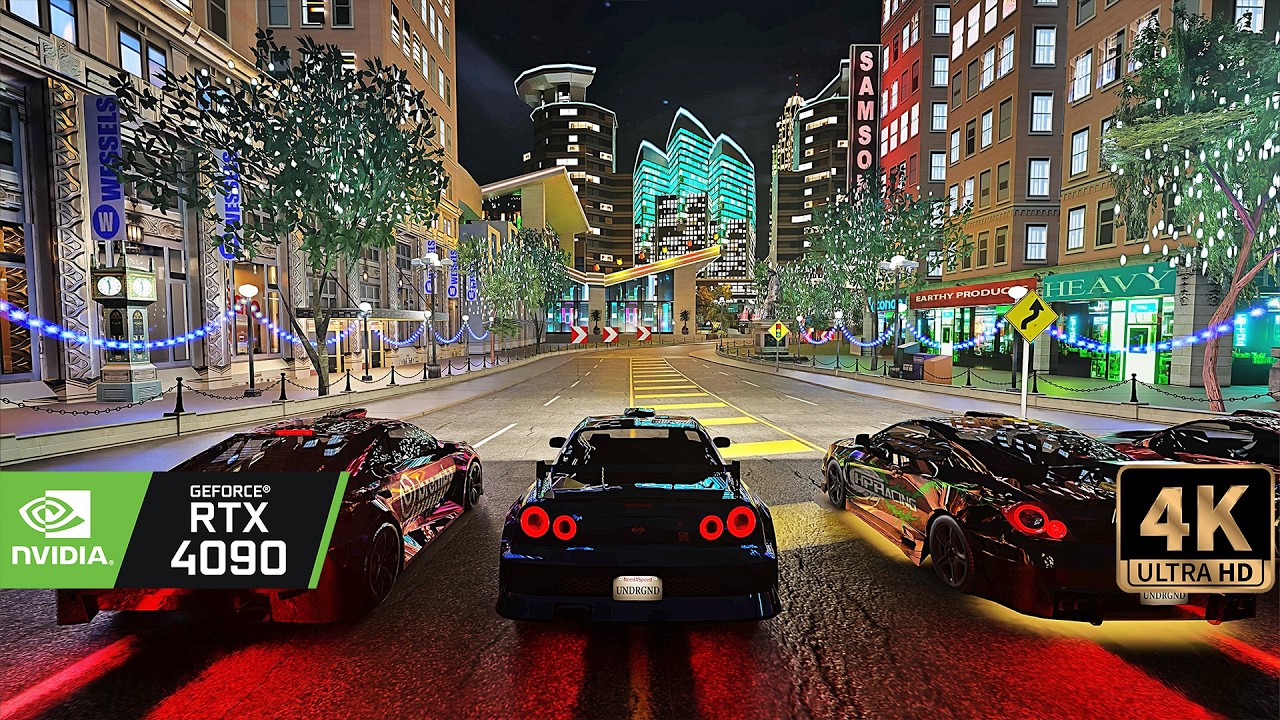
[4K] Need for Speed: Underground Remastered - RTX Remix Photorealistic Raytracing Graphics
►Tags: #needforspeed #rtx #gaming
Get your Hands on more then 200 presets at once. The biggest preset library ever!
►Do...
Hope it is fine to post this here 🙂
inner creek
 urban lintel
nicre
inner creek
fixed another 30 y.o. bug 🙂
 tall bone
inner creek
fixed another 30 y.o. bug 🙂
tall bone
inner creek
fixed another 30 y.o. bug 🙂

just added logos (Original and mine Remix logo)
tall bone
inner creek
fixed another 30 y.o. bug 🙂
by the way, you missed ®
inner creek
tall bone
just a logo i did long time ago
added to menu
 tall bone
inner creek
added to menu
tall bone
inner creek
added to menu
I should drop flat logo then, it ain't look good like that, do you still have original logo texture so i could had just a little reference?
inner creek
 tall bone
inner creek
tall bone
inner creek
funny, the thing you've sent looks different than what it looks in game
 tall bone
inner creek
tall bone
inner creek
Well, here is two res images done aligning to your dropped logo, one in og res (64), one in more high res (256)

 rose rock
@inner creek how did you fix the color issue and made it look so beautiful
rose rock
Plus it won't open after I installed the updated version just shows the app not responding
rose rock
does anyone know how to fix the blackscreen issue
leaden cave
rose rock
does anyone know how to fix the blackscreen issue
Do you have patch 1.4 installed? I had the same problem as you but in the end I had to reinstall the game
That fixed it
rose rock
What is patched 1.4? Is it a file? @leaden cave
leaden cave
It's a patch file meant to update your game to version 1.4
Though I have a feeling it won't work, hence I'm suggesting you reinstall the game, try this mod on clean files
rose rock
I did a clean wipe or the game and downloaded the files for the mod and same thing happen again
Before this new mod the older mod worked
So idk what's going on
Cause my version was already 1.4
 brazen mesa
il been having a issue but i really dont know what is caussing it
so after the first mission i need to pick a car but the game just stays there, i cant do nothing, im pressing enter and nothing... i can only quiting the game..
 rose rock
I can't even get the game to open. Your lucky @brazen mesa lol
brazen mesa
rose rock
I can't even get the game to open. Your lucky <@471785882991591425> lol
that was an issue for me as well
but i fixed by re-installing the whole game and open it once after the rtx-mod install
if you install the game and install the rtx mod and then you open it. you would have a black screen and the game won't start
you need to open the game at least once after you extract the rtx files
rose rock
@brazen mesa let me get this straight so you just install the game first then open it. then you install the rtx files in that same folder?
leaden cave
run the game first without installing the mod on your clean install
Then install and run with the mod
rose rock
ok
I wonder how long it takes the first time to open up and if running speed or no cd makes a difference
inner creek
New release v0.3 https://www.moddb.com/mods/need-for-speed-underground-rtx-remix/downloads/nfs-underground-rtx-v03

ModDB
Need For Speed Underground RTX mod v0.3, path tracing, ray reconstruction.
- Ray Reconstruction
- HDR hdri sky
- fixed cars reflections (almost)
- more PBR textures
- more high poly meshes
- some relight
- fixed auto exposure
- fixed neon underglow
 split oak
inner creek
New release v0.3 https://www.moddb.com/mods/need-for-speed-underground-rtx-remix...
split oak
inner creek
New release v0.3 https://www.moddb.com/mods/need-for-speed-underground-rtx-remix...
Wow I was just last night trying to make this work. And now we got the new version. I still don't know what version of the game is necessary to run it correctly.
inner creek
split oak
Wow I was just last night trying to make this work. And now we got the new versi...
I'm recommending to use last version v1.4
leaden cave
inner creek
New release v0.3 https://www.moddb.com/mods/need-for-speed-underground-rtx-remix...
And I just downloaded v2.1 moments ago
🫠
split oak
inner creek
I'm recommending to use last version v1.4
I have 1.4 . I've tried with US and EU versions, I have the resolution set in the ini file but I get the title, then a notification of loading enhancements and then a black screen. I bet you are tired of answering the same question, but after reading everything I could online, I still can't make it work 😕
brazen mesa
i recently had a freeze ingame so don't know if its my pc or this version, il keep updating this issue
inner creek
NvRemixBridge.exe sometimes stops responding, I have found out several reasons why this happens, but not completely.
coral hollow
you need to find a solution that isn't sending users entire copies of the game, that's against server rules
tall bone
inner creek
New release v0.3 https://www.moddb.com/mods/need-for-speed-underground-rtx-remix...
No remix logo?
inner creek
added to game menu, thank you for logo, I'll add it to moddb later and to next youtube video.
 cursive frigate
Hmm found solution to poor performance: Get better CPU.
 stiff egret
inner creek
New release v0.3 https://www.moddb.com/mods/need-for-speed-underground-rtx-remix...
stiff egret
inner creek
New release v0.3 https://www.moddb.com/mods/need-for-speed-underground-rtx-remix...
My game looks like this , help please
 inner creek
stiff egret
My game looks like this , help please
inner creek
stiff egret
My game looks like this , help please
Set all settings to High and restart race
Found Nvidia rtx remix bug: RTX HDR cause black crush. Fix - disable it in Global setting (nvidia app)
stiff egret
Still


 inner creek
If game feels to bright in SDR mode, try changing SDR slider in windows display settings, or set lower autoexposure min and max values in rtx menu (alt+x)
 leaden cave
could there be any possibility of an update mod for v0.2.1? like, only those files that were changed could be downloadable?
stiff egret
inner creek
If game feels to bright in SDR mode, try changing SDR slider in windows display ...
Thx bro now it looks so much better
rose rock
I don't even get the rtx menu @inner creek
I did everything too and I don't know what I am missing
inner creek
rose rock
I don't even get the rtx menu <@864001614791966740>
Can you send log file from game folder?
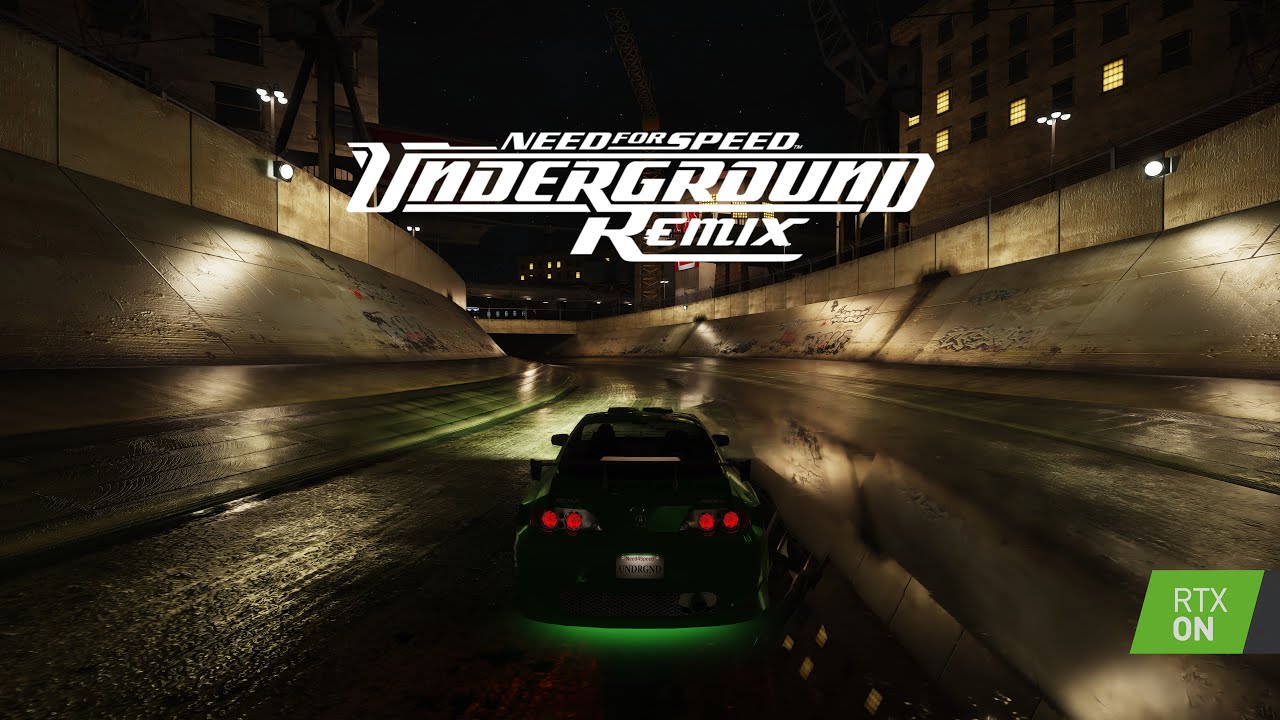
Need For Speed Underground RTX mod, path tracing, more than 2500 volumetric lights added, lots of custom PBR materials.
Ray Reconstruction is now working! Added HDR hdri sky. Fixed cars underglow neon. More high poly meshes and PBR textures. Lots of bugfixes, fixed old original game bugs. Updated RTX Remix runtime and DLSS.
changelog:
- Ray R...
split oak
I just wanted to share that yesterday I got the game running and it looks great. I just have a 3070 but it's already looking so awesome, especially on the bumper camera. Thanks for all the hard work 💫
 edgy robin
Good morning everyone, I don't know if this chat is right for that. If not, I ask you to do so. Thanks. And although I have a problem, I would like to use the Need For Speed Underground RTX Remix, but the graphics somehow don't look the way they should look.
inner creek
edgy robin
Good morning everyone, I don't know if this chat is right for that. If not, I as...
Need log. Which mod and game versions do you use?
edgy robin
So according to the ingame 1.4.0 MOD version, unfortunately I don't know because I have someone else's MOD. On the ModDB page the latest version didn't work for me, there was always just a black screen when starting.
brazen mesa
edgy robin
So according to the ingame 1.4.0 MOD version, unfortunately I don't know because...
You always need to run the base game first without modding it, so after you install the base game run it and then install the mod, you need to run the game at least once after installing
edgy robin
I reinstalled everything and downloaded it again, I needed a nocd EXE with version 1.4, now it works and without any graphical errors, I think.
split oak

Support us on Patreon: https://www.patreon.com/hardwareunboxed
YT Membership: https://www.youtube.com/channel/UCI8iQa1hv7oV_Z8D35vVuSg/join
Buy relevant products from Amazon, Newegg and others below:
GeForce RTX 4070 Super - https://geni.us/wSqSO07
GeForce RTX 4070 Ti Super - https://geni.us/GxWGmYQ
GeForce RTX 4080 Super - https://geni.us/80D6...
is that related to the artifacts you see on the cars?
inner creek
split oak
is that related to the artifacts you see on the cars?
Yes
stiff egret
inner creek
Yes
Can I ask u how to change the res ?
Or make the game run at fullscreen
because I'm using borderless gaming to change it
inner creek
stiff egret
Can I ask u how to change the res ?
To change resolution edit "scripts/NFSUnderground.WidescreenFix.ini" file with any text editor. Also you can change screen mode there.
 steady niche
is there a way to fix slow downs when fps drops below 60?
im using 4090 and 4k display and im not gonna lie dlss performance looks bad
brazen mesa
steady niche
is there a way to fix slow downs when fps drops below 60?
disabling "NEE Cache" may help and "Particle Lights"
steady niche
that will fix slowdowns? or reduce quality resulting with more frames?
i dont have problem with performance, i would like to use frame gen and higher quality dlss and frame rate would be on spot. but game engine is like chained with frame rate in result anything below 60fps will be in slow motion
if that could be somehow resolved that game + mod would be better than cyberpunk with pathtracing for me
 noble roost
how to install this mod ?
noble roost
edgy robin
My game crashes on the first race, any solution?
 burnt island
Try to complete the first race in the original game
 lime hatch
inner creek
Just started using new upscaler "SUPIR", result is amazing!
(texture of Peugeot...
lime hatch
inner creek
Just started using new upscaler "SUPIR", result is amazing!
(texture of Peugeot...
what in the world!
tall bone
Yep, its that good
inner creek
Several meshes were replaced
 hidden flower
As someone with functional eyes, I can confirm the fact that these meshes are indeed several in quantity and I trust that they have been replaced.
leaden cave
inner creek
Several meshes were replaced
These prefabs are good
inner creek

ModDB
Need For Speed Underground RTX mod v0.3.1, path tracing, ray reconstruction.
coral hollow
inner creek
https://www.moddb.com/mods/need-for-speed-underground-rtx-remix/downloads/nfs-un...
tall bone
congrats with new version release
tall bone
You know, it would be funny if i would do a trailer for this Remixation
Maybe even with Get Low remix
 stoic raft
inner creek
https://www.moddb.com/mods/need-for-speed-underground-rtx-remix/downloads/nfs-un...
stoic raft
inner creek
https://www.moddb.com/mods/need-for-speed-underground-rtx-remix/downloads/nfs-un...
hey 🙂 so i wanted to try that, but if i start(only works with your exe) then i get for short the loading screen, and then only blackscreen with the mouse
inner creek
stoic raft
hey 🙂 so i wanted to try that, but if i start(only works with your exe) then i ...
Try to finish first race without mod, set everything to high in game settings and re-enable the mod.
stoic raft
inner creek
Try to finish first race without mod, set everything to high in game settings an...
i got it. it was the dinput8.dll which broke my exe and your exe didnt work at all. now i have another version uf ug and that works 🙂
stoic raft
Neons doesnt work at the moment right?
inner creek
stoic raft
Neons doesnt work at the moment right?
Neon afterglow is working, just turn on shadows in game settings
stoic raft
inner creek
Neon afterglow is working, just turn on shadows in game settings
i mean underglow on cars
inner creek
stoic raft
i mean underglow on cars
sorry typo 😀, I mean underglow
stoic raft
inner creek
sorry typo 😀, I mean underglow
hm ok so i set al to max in options but if i choose underglow, nothing glows 😄
 inner creek
stoic raft
inner creek
stoic raft
even in race?
inner creek
stoic raft
Is it normal that it crashes often?
rtx bridge bugs
stoic raft
All right
Ok in race it looks good i guess
I can only See the Intro and then Freeze 😂
It Freezed second now

At this point
but big props what you did yet! looks really good, sadly i cant continue my game now because i cant finish the first tourament. because of crashes 😄
inner creek
stoic raft
At this point
I'll try to figure out why it happens.
stoic raft
inner creek
I'll try to figure out why it happens.
That would be cool, maybe because of fast view change? I also had a freeze while i wanted to Look back
And sometimes it Freeze random by normal driving
inner creek
Custom meshes and huge pbr textures can cause fps drops and crashes, but almost all crashes caused by rtx remix bridge app. I also found few bugs related to bigger than 4k textures, and bigger than 2mb meshes, I already replaced such assets.
inner creek
Another problem - rtx remix toolkit sometimes saves mod file with errors, so I need a time to fix all this bugs.
stoic raft
ok
inner creek
stoic raft
I guess i will wait for a bridge Update then
send me log file please
stoic raft
no pressure 🙂 its allready way more playable then ug2 😄
stoic raft
inner creek
send me log file please
d3d9 log?
inner creek
yes
inner creek
stoic raft
Try to set "WindowedMode = 4" parameter in "scripts/NFSUnderground.WidescreenFix.ini" file.
stoic raft
inner creek
Try to set "WindowedMode = 4" parameter in "scripts/NFSUnderground.WidescreenFix...
I already have
inner creek
stoic raft
I already have
Which game version do you use? it seems like 1.4 US is the most stable.
stoic raft
Im using 1.4 us
1.1 didnt work at all
But i dont use ur exe, because with that exe i only get blackscreen with the cursor
stoic raft
Hmm
coral hollow
dude come on. this is like the 4th time i've had to tell you. rule 5
one more time and you'll have to be kicked
stoic raft
If my game freeze, then 90% in loadingscreen or at this place (only that way)
 inner creek
stoic raft
If my game freeze, then 90% in loadingscreen or at this place (only that way)
inner creek
stoic raft
If my game freeze, then 90% in loadingscreen or at this place (only that way)
Thanks for feedback, I'll try to debug.
inner creek
I made the website for the project - https://nfs-rtx.com/
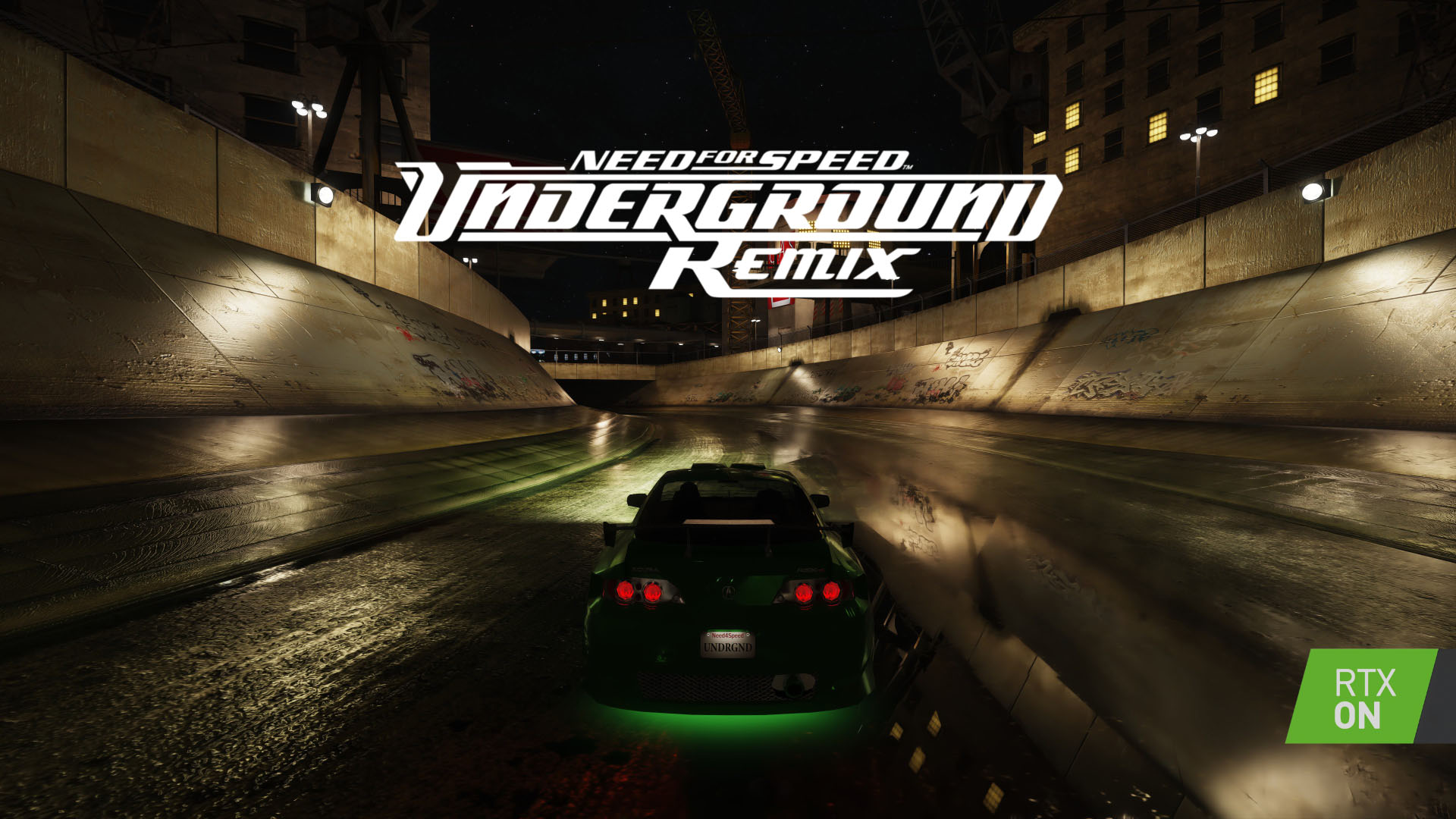
Experience the adrenaline-fueled world of street racing like never before with this cutting-edge RTX mod for Need for Speed Underground.
stoic raft
If i can give a Suggestion, the settings are Looking really good, but for my taste it would be cool, if the Image is a bit Brighter to See the car. Maybe its less realistic, but then you See something of your build
tall bone
inner creek
I made the website for the project - https://nfs-rtx.com/
Dude, that's helluva impressive, looks really amazing, also love how my logo looks on it, especially at most below part
leaden cave
yo wtf
inner creek
sv_gravity 0
leaden cave
i was playing around with free camera and something caused zero gravity, oh wait
maybe it's a extra options mod thing?
inner creek
I haven't seen anything like this before
leaden cave
that comes with your mod
the music was very trance-esque with that blue floating car lol
inner creek
Funny. I'll try to replicate it 😀
tall bone
leaden cave
yo wtf
i had to do this
split oak
Hi, is there a way that we can help with the development of this mod?
charred viper
I don’t really like that the site is named nfs-rtx
It makes it seem like it’s a repository of every NFS RTX mod when it’s just for NFSU
inner creek
split oak
Hi, is there a way that we can help with the development of this mod?
I'll be glad, I need a lot of 3D models, but not too huge, up to 25k triangles/vertices. PBR textures.
leaden cave
inner creek
I'll be glad, I need a lot of 3D models, but not too huge, up to 25k triangles/v...
I can make you some models, I have experience to make prefabs
Just tell me what you need in a list and I can design them
half timber
split oak
Hi, is there a way that we can help with the development of this mod?
The U2 project has always had its assets open for anyone who'd like to use them as well. Though we don't have a list of what we remastered already
https://github.com/Ekozmaster/NFSU2-RTX-Remix/tree/main/rtx-remix/mods/gameReadyAssets
stoic raft
inner creek
Thanks for feedback, I'll try to debug.
in disabled enahnced meshes and now i could finish the race first time
stoic raft
So i enabled Enhanced meshes again and disabled direct Light and made the complete Image a bit brighter. Now it is a lot less noisy and runs way mire stable
 inner creek
stoic raft
So i enabled Enhanced meshes again and disabled direct Light and made the comple...
inner creek
stoic raft
So i enabled Enhanced meshes again and disabled direct Light and made the comple...
it also disables volumetric lights
stoic raft
inner creek
it also disables volumetric lights
I think so. So somewhere you can disable direct Light and indirect Light
leaden cave
stoic raft
Why do the reflections look off? As if it is screen space reflection
stoic raft
leaden cave
Why do the reflections look off? As if it is screen space reflection
dont know
tall bone
stoic raft
quite good shot
 stoic raft
At this point i got 3 crashes with 3 tries

Direct lighting off
Ok i disabled enhanced meshes-> crash fixed, so i returned back to this place, enabled enhanced meshes again and then crash again

This makes the crash

 stoic raft
that was the only one i saw i that scene
but is that lamp not in every part of the map?
inner creek
stoic raft
but is that lamp not in every part of the map?
I dont know may be it is remix bridge bugs, early I planned to make this mesh little bit lighter (<=1mb).
stoic raft
ok so how can i disable only that model? then i will try if it fix the crash
inner creek
stoic raft
ok so how can i disable only that model? then i will try if it fix the crash
It is possible to modify and replace an asset without going to rtx remix toolkit (drag n drop). I'll modify mesh and upload it for testing.
stoic raft
ok
leaden cave
inner creek
It is possible to modify and replace an asset without going to rtx remix toolkit...
you have to manually add the references to that mesh in your mod.usda, or atleast rename the existing one to match the new one you've modified
make sure the pivot point is set accordingly to the original mesh
frosty hawk
Hey, any idea why my game switches from full-screen to windowed when starting up a race? I'm trying to make a performance video on AMD hardware
inner creek
frosty hawk
Hey, any idea why my game switches from full-screen to windowed when starting up...
Try to change windowed mode in "scripts/NFSUnderground.WidescreenFix.ini" file.
frosty hawk
inner creek
Try to change windowed mode in "scripts/NFSUnderground.WidescreenFix.ini" file.
Ok, maybe I'm a bit dumb
Don't know how I didn't see that 😅
Thanks
@inner creek what level would you recommend showing off?
inner creek
frosty hawk
<@864001614791966740> what level would you recommend showing off?
4 (Borderless Fullscreen)
frosty hawk
inner creek
4 (Borderless Fullscreen)
No, I meant like which race level
inner creek
High
frosty hawk
inner creek
High
This thing (I'm so bad at explaining)
 inner creek
frosty hawk
This thing (I'm so bad at explaining)
inner creek
frosty hawk
This thing (I'm so bad at explaining)
you mean map, olimpic square is the most heavy in term of performance
frosty hawk
inner creek
you mean map, olimpic square is the most heavy in term of performance
Got it, thanks 👍
leaden cave
I noticed this too, in early stages this area affects my FPS a lot

On a 4090 that is, drops to mid 30s to 40s
I even checked it with anti culling off for both mesh and lights
Maybe CPU is struggling
frosty hawk
leaden cave
Maybe CPU is struggling
My CPU usage is pretty low so I'm definitely 100% GPU bound because even VRAM usage is pretty low
steady niche
leaden cave
I noticed this too, in early stages this area affects my FPS a lot
do you have slow motion when fps drops?
leaden cave
No, slow motion does not occur
brazen mesa
steady niche
do you have slow motion when fps drops?
the engine does that itself, you need to run the game at 50 fps at least
leaden cave
I'm having constant 60fps without much dlss help, but that area specifically just drops below 60, somewhere around 40ish fps
Maybe I haven't got the update mod files. I'll check again sometime and report back
inner creek
steady niche
do you have slow motion when fps drops?
I found a way to prevent it - set "FPSLimit = 0" in NFSUnderground.WidescreenFix.ini
steady niche
inner creek
I found a way to prevent it - set "FPSLimit = 0" in NFSUnderground.WidescreenFix...
will test that but i dont think thats the case, I think mine is at 0 by default. Will check and let you know
brazen mesa
i dont know why it crash always in the same spot... im using nvidia studio drivers 566.36

it freezes and crash
stoic raft
inner creek
It is possible to modify and replace an asset without going to rtx remix toolkit...
Hi, something new about that?
inner creek
stoic raft
Hi, something new about that?
Try this file (\NFS Underground\rtx-remix\mods\nfs)
stoic raft
inner creek
Try this file (\NFS Underground\rtx-remix\mods\nfs)
I will thx 😊
stoic raft
didnt fix that crash
inner creek
stoic raft
didnt fix that crash
Replace this file, it should fix some crashes (\NFS Underground\.trex)
stoic raft
inner creek
Replace this file, it should fix some crashes (\NFS Underground\\.trex\)
no, it crashes
 patent glade
Anyone had problems with buying first car? For me, "Enter" is just playing sound - I just can't buy car
stoic raft
patent glade
Anyone had problems with buying first car? For me, "Enter" is just playing sound...
i had that too, with another version it worked then
patent glade
stoic raft
i had that too, with another version it worked then
Ok. Thanks
stoic raft
your welcome 🙂
brazen mesa
NFSU running with DLSS 4 Performance Mode

something that i noticed as well... im not crashing anymore
stoic raft
stoic raft
Wait for this race and give feedback pls
stoic raft
stoic raft
At this point i got 3 crashes with 3 tries
If it crashes at this point
inner creek

 steady niche
inner creek
I found a way to prevent it - set "FPSLimit = 0" in NFSUnderground.WidescreenFix...
steady niche
inner creek
I found a way to prevent it - set "FPSLimit = 0" in NFSUnderground.WidescreenFix...
Mate, you are a legend! Now i can use frame gen, and with DLSS 4 fuck! Im gonna finish Underground now
tall bone
inner creek
Holy! Haha, that rocks
inner creek
Thanks, next time I'll post there too.
inner creek

 inner creek
Preparing new release..
 tall bone
Getting more and more impressive
Kinda wish bricks could had little POM so they wouldn't be that flat, but that's okay
inner creek
tall bone
Kinda wish bricks could had little POM so they wouldn't be that flat, but that's...
I changed normal and roughness
 inner creek
 tall bone
inner creek
I changed normal and roughness
tall bone
inner creek
I changed normal and roughness
Huh
stoic raft
inner creek
Preparing new release..
nice, when?
inner creek
stoic raft
nice, when?
within a week
stoic raft
Uh nice
 tribal orbit
guys need the help

how resolve this?
I downloaded it from here (moddb), version 0.3.1, I tried to follow the tutorial in a more recent video I found and it gave me this error

i have rtx 2060 and i7 8700
brazen mesa
This particulary remix project is very gpu intense, so maybe your gpu can't handle the load so it crashes
also try to run the game as administrator
tribal orbit
It held up well on the rtx remix of nfs underground 2, that's why I found it strange that 1 didn't work
tribal orbit
New error in version 0.0.1
 inner creek
tribal orbit
inner creek
tribal orbit
attach log files
inner creek

ModDB
Need For Speed Underground RTX mod v0.4.0, path tracing, ray reconstruction. In this version: Lots of new meshes, PBR textures, various bug and stability fixes.
coral hollow
inner creek
https://www.moddb.com/mods/need-for-speed-underground-rtx-remix/downloads/nfs-un...
 smoky sleet
Hi, I've a problem at startup of game with RTX Remix mod
- game icon in visible in taskbar as black vertial bar (at 4 window mode) or as horizontal bar (at 1 window mode)
- original game without mod, was working
- there are some errors in dxvk d3d9 log
https://pastebin.com/WbJRawR2

Pastebin
Pastebin.com is the number one paste tool since 2002. Pastebin is a website where you can store text online for a set period of time.
inner creek
smoky sleet
Hi, I've a problem at startup of game with RTX Remix mod
- game icon in visible ...
Try different no-cd exe. If you have Eu version than set "WindowedMode = 0" in "\scripts\NFSUnderground.WidescreenFix.ini"

 vestal ivy
this error
 inner creek
waxen bobcat
found the read-me but:
inner creek
waxen bobcat
found the read-me but:
set all settings to high, go back to menu, and start race again
inner creek
vestal ivy
this error
What game version do you use? US 1.4? If so, try different executable, this one from EU version. I'll add US version too, in next mode version.
vestal ivy
inner creek
What game version do you use? US 1.4? If so, try different executable, this one ...
how to check that
your previous version mod worked
this new is showing this error
stoic raft
hey 🙂
so i tested the new version and is looks, like it fixed all crashes i had 🙂 i past the alltime crash zone now 7 times and no crash anymore! thank you. great job!
inner creek
vestal ivy
this new is showing this error
Without window? If you also have blackscreen, try this: set "WindowedMode = 0" in "\scripts\NFSUnderground.WidescreenFix.ini"
vestal ivy
inner creek
Without window? If you also have blackscreen, try this: set "WindowedMode = 0" i...
still it's showing error
It's also made a new folder (first one)
 stoic raft
New crashzone 😅
 stoic raft
 inner creek
stoic raft
New crashzone 😅
inner creek
stoic raft
New crashzone 😅
everytime?
stoic raft
3 out of 3 and after my post here 2 times worked
But then i disabled direct Light
But i guess it has nothing todo with it
inner creek
stoic raft
3 out of 3 and after my post here 2 times worked
Thanks for feedback. I will find the cause of the error, perhaps there are duplicate entries or other errors in mod.usda file.
stoic raft
Your welcome 😊
waxen bobcat
inner creek
stoic raft
Bug fixed by Nvidia. remix-1.0.0
stoic raft
inner creek
Bug fixed by Nvidia. remix-1.0.0
Uh nice i will try it
waxen bobcat
How to update remix?
inner creek
waxen bobcat
How to update remix?
Unpack in root game folder, accept replacing.
split oak
inner creek
Bug fixed by Nvidia. remix-1.0.0
i got this

 native kayak
split oak
i got this
native kayak
split oak
i got this
same
stoic raft
inner creek
Bug fixed by Nvidia. remix-1.0.0
hm win blocks the download because of virus?
inner creek
There are 2 executable in archive - "NvRemixLauncher32.exe" and "NvRemixBridge.exe". Which is shown as virus? They are both from Nvidia github repo (https://github.com/NVIDIAGameWorks/rtx-remix/releases/tag/remix-1.0.0)

GitHub
For the full release notes for RTX Remix, please visit https://docs.omniverse.nvidia.com/kit/docs/rtx_remix/latest/docs/remix-releasenote.html
RTX Remix Runtime 1.0.0 Release Notes:
DXVK:
DLSS4: m...
stoic raft
I dont know what its problem 😅
so i donwloaded it from github now
i need only the 2 exes to replace?
inner creek
stoic raft
i need only the 2 exes to replace?
No, you need all files from archive.
 inner creek
it is not a virus, it is unsigned executable.
It looks like new remix version is very stable, I don't have crashes anymore.
New release will be soon, including new models and textures not just bugfix and remix update.
Reworked drift track

 dapper edge
Switched to Palit RTX 5090 now all textures look broken. Can somebody help fix it, please?

 hidden flower
Get another 5090
tall bone
Yeah, he should have 5 of 5090's 
dapper edge
Adorable. It's a review sample, going back in a week. How about some help now?
inner creek
dapper edge
Switched to Palit RTX 5090 now all textures look broken. Can somebody help fix i...
Try this updated rtx config file.
tall bone
dapper edge
Adorable. It's a review sample, going back in a week. How about some help now?
yeah, sorry, couldn't help but to use moment because of his joke
dapper edge
inner creek
Try this updated rtx config file.
Sadly, it didn't work. No change at all. HL2 RTX works perfectly. I am gonna try other fan RTX Remix mods later to see if they work
 deft canyon
 inner creek
ModDB
Need For Speed Underground RTX mod v0.4.1, path tracing, ray reconstruction. In this version: DLSS 4 Transformers model, Neural Radiance Cache, Path traced volumetrics, Volumetric fog and particles, added roughness to buildings, fixed vertex color shaders...
Changelog:
- DLSS4 Transformers
- Neural radiance cache
- Path traced volumetrics
- Volumetric fog and particles
- added roughness to buildings
- fixed vertex color shaders
- bug fixes
- stability fixes
- code cleanup
 tall bone
 inner creek
Hey guys, do you know anyone who can help to create an ASI plugin?
The goal: disable internal culling system.
I already made my first ASI plugin, it disables car wheels culling, useful for using with Free Camera.
(copy to scripts folder to install)
waxen bobcat
You want to disable frustum culling, occlusion culling, LOD popping, or all of them?
inner creek
waxen bobcat
You want to disable frustum culling, occlusion culling, LOD popping, or all of t...
Frustum/occlusion culling, and to render objects behind the car.
 merry valve
Hi,
Yesterday I decided to return to my beloved game after years, I came across a fantastic RTX mod 🙂 and launched the game. Something amazing.
Unfortunately I ran into a problem (v 0.4.1) - after starting the mode "Undergroud" and driving the first race is followed by the selection of the first car - I can not select anything. I uninstalled the whole NFS and reinstalled, deleted all settings, re-installed the mod and all the time the same thing. I also checked it on another computer and the same problem, making the career (Underground mode) unplayable 😦 I will be grateful if you fix this problem because the mod is REVELATIVE 😄 Alternatively, please confirm if this problem is also occurring with you.
inner creek
merry valve
Hi,
Yesterday I decided to return to my beloved game after years, I came across...
Hello, it is known bug of asi widescreenfix plugin. Disable rtx remix for a first race, finish race, buy car, reenable rtx.
merry valve
I see, thank You for the tip.
merry valve
Great time, the family sleeps, you can spend some free time reminiscing about the times of your youth 🙂 I fired up NFS with what a great mod RTX. I'm mainly playing the storyline (Underground mode) and I'm on "Championship" level 1. Unfortunately, the game crashed during a race (stopped responding). I turned on the game but it also crashed elsewhere (during the same race). Does the mod save logs? I would like to help you at least in this way to improve this wonderful mod.
[21:20:57.441] err: DxvkSubmissionQueue: Command submission failed: VK_ERROR_DEVICE_LOST
[21:20:57.441] err: [RTX Neural Radiance Cache] EndFrame call failed. Reason: Unexpected condition occured during processing, see error log for more information.
My specs: Win11 Pro 24H2 Ryzen 7 5700X3D, MSI X570 Gaming plus, MSI RTX 4060Ti 16GB, G Skill 32GB 3600MHz, Sound BlasterX AE5 Plus
Nvidia latest driver 572.83
merry valve
I turned off HDR (as stated in the readme file) and deleted the Speed.dxvk-cache file and now I have played and completed 5 races in the career without any problems.
tall bone


 chilly locust
Hi guys hope you doing great, i have an issue. I used to play an early build of this mod without any issues, however i came back with a fresh install of windows and nfsu while using the latest version of this mod and it does not work properly, first there a slim chance to get past the start screen as it hangs like forever and when i get in by miracle the textures does not display properly ( quite similar to the person with a new 5090 but mine wont show wheels and the parking in the menu) my rig has a 4080 32gb ddr5 ram and a 13600k i5 and the latest drivers.


this one was with enhanced texture disabled

Btw i tried two version of this game from different sources it gave me the same results
chilly locust
i tested the previous version of the mod (0.4.0) and it seem to work without any major issue
inner creek
can you upload log file?
chilly locust
where can i find it ?
inner creek
chilly locust
where can i find it ?
./game_folder/rtx-remix/logs
 pallid pelican
Hi @inner creek, I sent over a DM, any chance you can check it? Thanks!
inner creek
pallid pelican
Hi <@864001614791966740>, I sent over a DM, any chance you can check it? Thanks!
I'll check, thanks.
chilly locust
this one ?
inner creek
chilly locust
this one ?
yes, thanks
inner creek
dapper edge
Switched to Palit RTX 5090 now all textures look broken. Can somebody help fix i...
I'm switched to 5090, and have the same issue, I'll try to resolve asap.
chilly locust
Thank you
i feel like its tied to the latest drivers
i mean the ones since the 50 series release
inner creek
inner creek
I'm switched to 5090, and have the same issue, I'll try to resolve asap.
I resolved it, just delete dxvk.conf from root folder 🤣

 deep fern
urban lintel
deep fern
urban lintel
very nice
 minor fjord
can anyone help me ?
inner creek
minor fjord
can anyone help me ?
with this mod?
minor fjord
inner creek
with this mod?
yeah
inner creek
minor fjord
yeah
How can I help you?
minor fjord
inner creek
How can I help you?
yoo my game is crashing
idk why im new
i did updated the files
inner creek
minor fjord
yoo my game is crashing
Can you upload logs from - NFS Underground\rtx-remix\logs? Is there any error messages?
inner creek
Something related to display mode, it sets screen to 800x600@0HZ,need to investigate, try to delete dxvk.conf from root folder.
minor fjord
inner creek
Something related to display mode, it sets screen to 800x600@0HZ,need to investi...
like i tried compability mode too
do i need to open a updated exe or the old exe of "speed"
 inner creek
minor fjord
do i need to open a updated exe or the old exe of "speed"
inner creek
minor fjord
do i need to open a updated exe or the old exe of "speed"
Do you have US 1.4 version?
Try both
inner creek
speed2 is nfs underground 2 executable
minor fjord
any tweak?
vestal ivy
minor fjord
any tweak?
mine is 3070 but still goes below 30
minor fjord
vestal ivy
mine is 3070 but still goes below 30
how u did that?
burnt island
minor fjord
any tweak?
DLSS, Neural Radiance Cache, or you can try reducing the number of light bounces. But RTX Remix is quite demanding on the graphics card
vestal ivy
minor fjord
how u did that?
Reduce the bounce light and set dlss ultra performance
Select CNN for ray reconstruction
But still not playable
coral hollow
on a 4050, Transformer RR has very minimal performance impact
you'd want to continue using that
try these out if you want. read the instructions on how to use
chilly locust
inner creek
I resolved it, just delete dxvk.conf from root folder 🤣
this fixed my issue too thank you
brazen mesa
how's people getting a 5090, gad damn
 swift vale
$3000 + in my country 😭
ngl tho, the 50 series is not worth it. I am still on my 3080 and it's going great.
 heavy ivy
 keen moss
swift vale
ngl tho, the 50 series is not worth it. I am still on my 3080 and it's going gre...
keen moss
swift vale
ngl tho, the 50 series is not worth it. I am still on my 3080 and it's going gre...
depend what u upgrade from
is the 5070 good enough for rtx remix tho ?? im upgrading from 2080 ti
 trail ingot
hi
This is me from YouTube. My laptop ASUS ROG 2021 Ryzen9 5900HX+RTX3070+32GB. Lags 25 FPS
trail ingot
I did everything. And so I entered the race and 20 fps is not possible to play
 burnt island
path tracing 
trail ingot
burnt island
path tracing <:green_fire:1271186031047217282>
Didn't understand. Explain and help what you need to dо
burnt island
Only DLSS can significantly increase FPS

 burnt island
trail ingot
burnt island
trail ingot
Reducing the number of light bounces can increase performance a bit. And Ray Reconstruction can be switched to CNN mode, but I don't think it's worth it. Transformer makes the picture much clearer
trail ingot
burnt island
Reducing the number of light bounces can increase performance a bit. And Ray Re...
And where can you reduce the amount of light display?
burnt island
Min light bounces/ max light bounces
trail ingot
burnt island
Min light bounces/ max light bounces
Why, after the first race in my career, can I not choose the first car? She just doesn't get out
burnt island
You need to complete the first race on the original game
trail ingot
burnt island
You need to complete the first race on the original game
And what to do if I have already installed a mod in the game?
burnt island
Hmm. You can look for a save where the race has already been completed.
burnt island
burnt island
path tracing <:green_fire:1271186031047217282>
RTX Remix adds path tracing to games. This is an advanced version of ray tracing. It is very demanding on the GPU
trail ingot
burnt island
RTX Remix adds path tracing to games. This is an advanced version of ray tracing...
Bad project. Why do this is not clear.
inner creek
trail ingot
Bad project. Why do this is not clear.
do better..
 modern fern
Hi guys, do you know how to enable DLSS in this Underground Remix mod?
deep fern
modern fern
Hi guys, do you know how to enable DLSS in this Underground Remix mod?
Press Alt + X in-game to enter the Remix graphics settings window, and there should be a menu to enable DLSS that looks like this.
 modern fern
deep fern
Press Alt + X in-game to enter the Remix graphics settings window, and there sho...
modern fern
deep fern
Press Alt + X in-game to enter the Remix graphics settings window, and there sho...
Much thanks!
Besides I have problem to launch this game in lower resolution that 4K.
I changed dimensions in widescreenfix.ini to 1440p but it doesn't launch
 potent ice
can the ghosting be somehow improved?
i feel like rtx remix wasn't designed to accomodate the speeds of ug1 xd
deep fern
modern fern
Much thanks!
Besides I have problem to launch this game in lower resolution tha...
I'm not sure if I can assist with widescreenfix.ini, I don't think I've messed around with the widescreen fix mod with this game + Remix mod. However, I wish you the best of luck finding a solution! :3
potent ice
modern fern
Much thanks!
Besides I have problem to launch this game in lower resolution tha...
can you show me your widescreenfix.ini?
if all else fails, just set both ResX and ResY to 0, then the game will launch at your desktop resolution
or atleast, it should
 stoic jungle
Game hangs on “press enter to start” then crashes. I’ve installed, uninstalled, updated drivers, rolled back drivers. Changed widescreen ini settings. Nothing seems to work.
 sudden minnow
Anyone else encountering this issue on a fresh install?
Windows 11
Nvidia Driver: 570.40
RTX 3080

 burnt island
Did you change the graphics settings?
 inner creek
version - us 1.4?
sudden minnow
I might be using EU version, let me try US and see if that changes anything
sudden minnow
nope, using US 1.4, even with the provided EXE
inner creek
sudden minnow
nope, using US 1.4, even with the provided EXE
Very strange behaviour, can't simulate it. Did you try older versions? I changed DXVK.conf in last version, try old one.
sudden minnow
will try later today
inner creek

#RTXRemix gives modders the power to breathe new life into classic games with full ray tracing, remastered assets, and neural rendering. Easily capture game assets, automatically enhance materials with generative AI tools, and inject neural rendering technologies like NVIDIA DLSS 4 with Multi Frame Generation to create stunning RTX remasters.
...
 verbal elk
inner creek
Very strange behaviour, can't simulate it. Did you try older versions? I changed...
verbal elk
inner creek
Very strange behaviour, can't simulate it. Did you try older versions? I changed...
I encountered the same bug, with this config everything seems to be ok, thanks
tall bone
YAAY BABY!! MY LOGOS ARE THERE!
verbal elk
verbal elk
I encountered the same bug, with this config everything seems to be ok, thanks
Okay, it looks like this is some kind of floating bug and dxvk.conf has nothing to do with it. It's just that from launch to launch sometimes there is asphalt, sometimes not
burnt island
Played again, but with DLSS 4. The mod has become noticeably better. I had some drift footage on an older version and it's noticeable that the textures are better now. Also culling of light is now unnoticeable.
There were issues with shadows enabled in the game settings. It's gotten better without them.
I don't understand why to change Frontend and Global files. I had to roll back some of the files to get Russian fonts back
tall bone
Well, i dunno what exactly of those two files have game logo in menu, but one of them surely was changed to replace usual Underground logo to Underground Remix logo, because as much as it would've been fun to replace UI elements same way as other elements in Remix through Enhancement Assets, its not possible as far as i know, so those changes happens manually
sudden minnow
inner creek
Very strange behaviour, can't simulate it. Did you try older versions? I changed...
That dxvk.conf file fixed it! Thank you, for both the support and the hard work you've put into making this mod!
 nocturne cipher
hello there what im doing wrong and looks so dark?

 nocturne cipher
Okey i fix that but what happens when im trying to buy the first car? it didnt let me to buy one
inner creek
nocturne cipher
Okey i fix that but what happens when im trying to buy the first car? it didnt l...
finish first race in career without mod, it is known bug.
 opal lotus
Hi guys
The game launches but then closes after 1 or 2 seconds with no error message or anything. Anyone know what might be causing this?
opal lotus
opal lotus
Hi guys
The game launches but then closes after 1 or 2 seconds with no error me...
d3d9.dll loading failed: 127 solved after reinstall directx then nvidia drivers thru DDU Uninstaller
opal lotus
I’ve been getting these crashes randomly while playing with the logs always showing 'Still waiting on the Present semaphore to be released...' I need help to understand what’s going on
 pine ledge

is anyone else stuck on this screen? i cant purchase the car
the controls are completley busted for me in this game
i cant progress

looks like this is a known issue as well
getting constant crashes as well on a 5090 and 9800x3d
seems like this mod isnt ready yet lol
inner creek
pine ledge
getting constant crashes as well on a 5090 and 9800x3d
Try latest nvidia driver - 590.10, I don't have even a single crash with this driver. Performance also better, 40-60 fps at 4k with dlss quality, 25-40 with full res dlaa
pine ledge
i just updated to the latest earlier today using DDU
could it be my undervolt from msi afterburner?
im using dlss balanced at 5160x2160 and 3xx framegen
inner creek
this driver is not public, it is technological preview with new shader model, https://developer.nvidia.com/downloads/shadermodel6-9-preview-driver

NVIDIA Developer
inner creek
pine ledge
could it be my undervolt from msi afterburner?
No, I'm use undervolt too (with overlock)
pine ledge

new driver update seemed to fix the crashes
but same issue when doing underground mode, cant purchase a vehicle
inner creek
pine ledge
but same issue when doing underground mode, cant purchase a vehicle
You should buy first car with disabled mode
opal lotus
opal lotus
I’ve been getting these crashes randomly while playing with the logs always show...
Nvidia driver 590.10 shader model 6.9 really stopped my game from crashing too
 unique orbit
https://www.nexusmods.com/needforspeedunderground/mods/2 can you use this HD mod with RTX remix or not?

Nexus Mods :: Need for Speed: Underground
HD Textures for Need for Speed Underground and bring for more proxy for new generation of games. it is just use Textures availables for give best enhanced graphics for you !!.
unique orbit
i know it's still wip but are those black lines meant to be there in this version of the mod
 pine ledge
inner creek
You should buy first car with disabled mode
pine ledge
inner creek
You should buy first car with disabled mode
tried i t again today

same issue
cant buy any car
nvm had to just delete the game and do it fresh
works now 👍
 inland mantle
sudden minnow
That dxvk.conf file fixed it! Thank you, for both the support and the hard work ...
inland mantle
sudden minnow
That dxvk.conf file fixed it! Thank you, for both the support and the hard work ...
Where do you put the config?
Cause im having the same issue
sudden minnow
Should be in the same folder as the speed.exe file. If it prompt you to override the file, it should work. If not, you most probably pasted in the wrong directory
inland mantle
Anyone know how to fix this? As soon as I turn on frame gen it starts like screen tearing alot and stuff
opal lotus
To make the mod work I had to install nvidia driver 590.10 and always keep the Windows resolution the same as the one set in the scripts/NFSUnderground.WidescreenFix.ini file otherwise I would get bugs similar to the ones you're experiencing
brazen mesa
nocturne cipher
Okey i fix that but what happens when im trying to buy the first car? it didnt l...
how you fix it?
brazen mesa
how can i fix the slowdowns when i got under 60 fps?
is there a way to disable that motion slow thing?
 alpine lintel
opal lotus
Nvidia driver 590.10 shader model 6.9 really stopped my game from crashing too
alpine lintel
opal lotus
Nvidia driver 590.10 shader model 6.9 really stopped my game from crashing too
Im still getting crashes on my 9800x3d 5090 rig with the developer driver: [10:57:17.577] err: DxvkSubmissionQueue: Command submission failed: VK_ERROR_DEVICE_LOST
[10:57:17.586] err: [RTX Neural Radiance Cache] EndFrame call failed. Reason: Unexpected condition occured during processing, see error log for more information.
alpine lintel
Tried reinstalling drivers with DDU, so far so good
nocturne cipher
you guys have a problem with bodykits?
inner creek
Warning!
Do not use 590.26 driver, it has a huge fps drop in scenes with a lot of alpha blending like vegetation. (2x fps drop)
alpine lintel
inner creek
Warning!
Do not use 590.26 driver, it has a huge fps drop in scenes with a lot ...
Is 590.10 still the recommended version with no crashing and less fps drops?
inner creek
alpine lintel
Is 590.10 still the recommended version with no crashing and less fps drops?
yes, 590.10 is best at this moment.
alpine lintel
inner creek
yes, 590.10 is best at this moment.
Thank you!
inner creek
v0.5
RTX Remix Mod Contest version.
- 500 new textures.
- 30 new high-poly 3d models.
- 26 remodeled original meshes.
- Reworked "Lock Up" sprint race track.
- Updated RTX Remix runtime to v1.1
Recorded in 4K at DLSS Quality

ModDB
RTX Remix Mod Contest version. 500 new textures. 30 new high-poly 3d models. 26 remodeled original meshes. Reworked "Lock Up" sprint race track. Updated RTX Remix runtime to v1.1
inner creek
inner creek
🤟
 opal lotus
Totally deserved!! This mod is awesome! When NVIDIA opens the pool for best RTX mod you’ve got my vote for sure
vestal ivy
inner creek
590.10 driver (https://drive.google.com/file/d/14-ZJ5xBjsyQH6QoKRaDlyKWDaEZz6x72...
is it support laptop gpu?
inner creek
vestal ivy
is it support laptop gpu?
I don't know, I can't check.
inner creek
Forgot to mention that NVIDIA added brightness control to the Remix menu (alt + x) in Remix Runtime v1.1, which already included in the new version of the mod.
 vestal ivy
inner creek
I don't know, I can't check.
vestal ivy
inner creek
I don't know, I can't check.
i checked, it is not working
is there any performance improvment in this version 590.10?
inner creek
vestal ivy
is there any performance improvment in this version 590.10?
Yes, It has opacity micromap improvements, shader execution reordering and other new stuff that improves path tracing performance, now I can play even at DLAA@4k but in some areas the fps drops to 25fps.
 blazing folio
Why used preset is E instead of J or K?
inner creek
blazing folio
Why used preset is E instead of J or K?
Should be K "Transformers", where you found it?
blazing folio

CNN forces A preset
driver 590.10
@inner creek override in profile inspector would affect? currently all default, in base profile and nfs
inner creek
blazing folio
<@864001614791966740> override in profile inspector would affect? currently all ...
Yes it should, need to try.
blazing folio
now it shows this, idk is this mean that K forced, but usually in other games where i forced K preset it shows that running Preset is K
 inner creek
 open geode
i cant choose a starter car
open geode
i cant choose a starter car
The first race in the game must be completed with the mod disabled and re-enabled after purchasing the first car.
leaden cave
Is the mod author using any fake rect like to lit the roads?
I have something figured out that will ever so slightly enhance the scene and make it more so that cars appear to show their colours better
inner creek
leaden cave
Is the mod author using any fake rect like to lit the roads?
It would be cool to add a moon.
leaden cave
Can I talk to you in DM?
inner creek
leaden cave
Can I talk to you in DM?
Yes
leaden cave
inner creek
Yes
already sent you a message
opal lotus
anyone has tested driver 577.00?
inner creek
HDR config, for use with RTX HDR.
 civic knoll
RTX upscales the textures. Why pathtracing?
 wild pasture
@inner creek may I ask you for Underground remix logo for video thumbnail?
inner creek
wild pasture
<@864001614791966740> may I ask you for Underground remix logo for video thumbn...
 wild pasture
inner creek
wild pasture
inner creek
appreciate it 🫡
 woeful birch
Is there anyone here who speaks German and can help me?
i can´t get the game to work 😕
alpine lintel
Anyone test the new 580.88 driver yet?
woeful birch
Does anyone have a tutorial on how to install the game for the latest version?
alpine lintel
580.88 has been really good so far, with no crashes and less slowdowns than 590.10
 dull rose
Hey guys, i have these particular problem that when i activate rtx remix, the game goes in slow motion, fps says is going around 80 fps with dlss, so i don't know what's going on, i have a legion 7i pro with an rtx 4070, core i9 and 32gb of ram, so i don't think the specs are the problem, please help
inner creek
woeful birch
Does anyone have a tutorial on how to install the game for the latest version?
 tired seal
does anyone know if theres a way to make the mod playable on a radeon? its pretty much unplayable because of how little fps i get
 broken sinew
how can I make lights and light bounces stable but not this ugly pixelated mess? I found that ray reconstruction causes it and this is not the only one game with this problem
"ugly pixelated mess" maybe more understandable will be to say light looks like water caustics but with pixels
verbal elk
tired seal
does anyone know if theres a way to make the mod playable on a radeon? its prett...
Sell radeon, buy nvidia
civic knoll
multiplayer mod?
 lament fossil
Anybody know how to get the neons working??
civic knoll
My game won't allow me to pick a car after the first race. The neons worked installed with the opponents card. @lament fossil
pine ledge
civic knoll
My game won't allow me to pick a car after the first race. The neons worked inst...
u gotta get past the first one with the mod uninstalled and then make a save game
and then install the mod again
thats what worked for me
civic knoll
! @pine ledge

 inner arch
Hello everyone. I downloaded the game as a hole pack from the Offical website (i guess at least) and deactivated the d3d9 file so i can go through the first race but I still cant buy the first car. Anyone knows why? Here the website i was talking about https://nfs-rtx.com/installation/#download
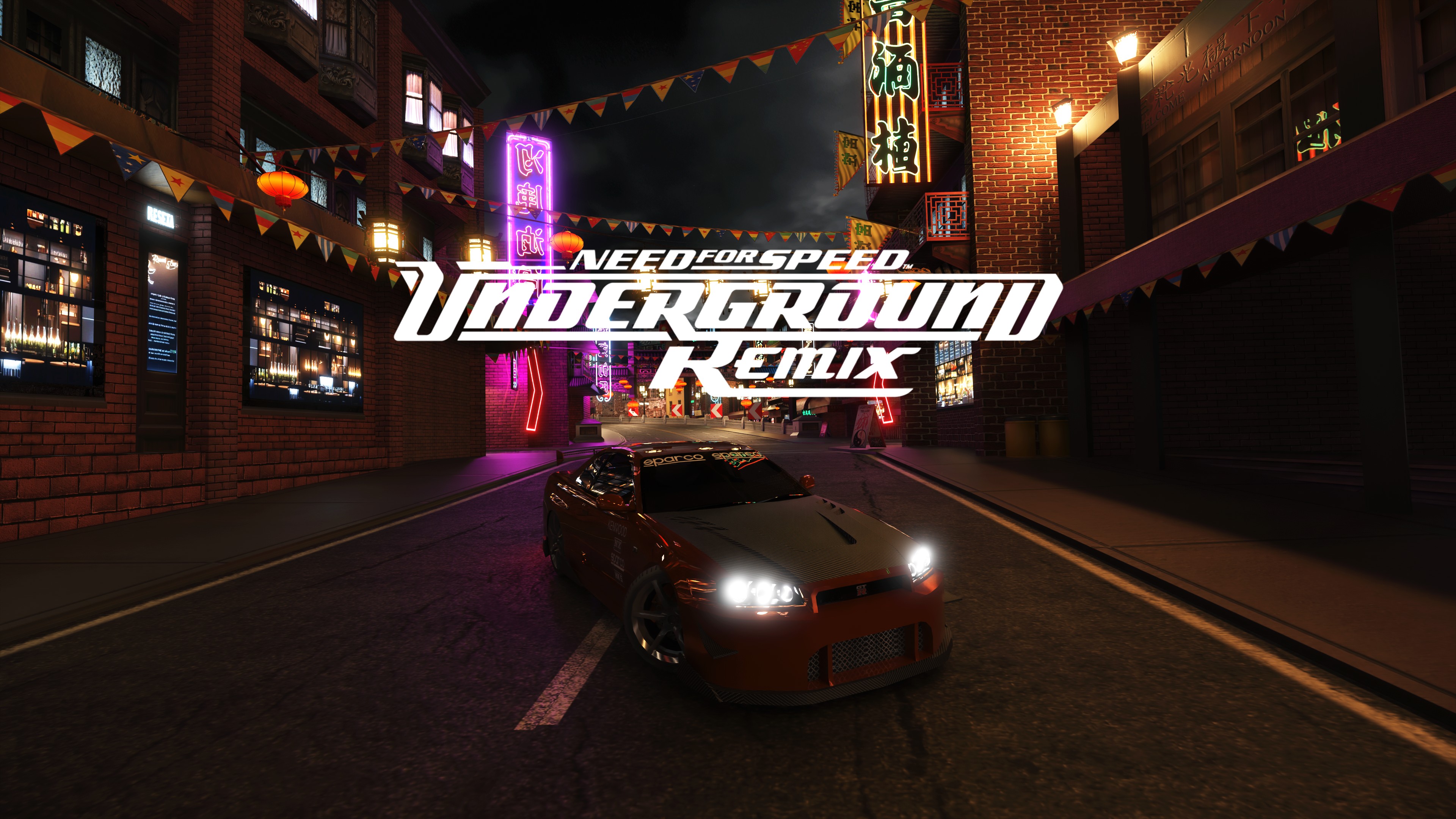

 inner creek
inner arch
Hello everyone. I downloaded the game as a hole pack from the Offical website (i...
inner creek
inner arch
Hello everyone. I downloaded the game as a hole pack from the Offical website (i...
I'll reupload the game, seems there is some bug in prepacked version. Try to install mod on freshly installed game.
 stone eagle
is there any lite version of this mod ?
I mean some version that could be playable with 3060 with 30-35 fps at most
civic knoll
try the frame gen. it may not be available with 3.5 dlss but it might help, also might turn off pathtracing. @stone eagle
civic knoll
transformer to cnn i mean.
civic knoll
For nfsu and nfsu2
 verbal elk
civic knoll
try the frame gen. it may not be available with 3.5 dlss but it might help, also...
verbal elk
civic knoll
try the frame gen. it may not be available with 3.5 dlss but it might help, also...
So what do you get as a result of disabling path tracing in rtx remix?
Something like that?
 civic knoll
no. just a single issue that has occurred recently. not pathtracing. i meant transformer mode to cnn. its lighter version of the mod and it looks just a little different.
civic knoll
 viscid grove
Hello friends, may you please share some information on how to fix this issue? nearly all light sources are off included streetlamps
Thanks in advance!
FIX: If someone else has this problems: change INGAME MENU GRAPHICS TO HIGH
 viscid grove
Hey Friends,
New Issue. After the first 3 or 4 Races my game crashes constantly at 4 Bars of Loading Screen into a new Race. Anyone had this issue before and can recommend a fix?
Thanks a lot!
FIX: If you got this error. Deactivate Language Selection in the Script folder.

 tepid totem
uhh how can i actually fix the issue with the enter button on first race?
Edit: already figured out. It has something to do with the audio stuff from the mod, just use the vanilla audio, the enter button just doesnt works because Samantha's line can't be played
 pallid fox
For some reason they're not letting me buy a car in a story mode & Samantha isn't talking when I'm trying to buy a car. is there away that I can fix that?
pallid fox
tepid totem
uhh how can i actually fix the issue with the enter button on first race?
Edit:...
Wait how can you play the vanilla audio over the remix version? Because when I tried to buy my first car after the cutscene, Samantha doesn't talk in a main menu screen. When I try to buy a car, Is acting like the cars are locked. Since Samantha wasn't talking & i couldn't buy a car, I was bein' soft locked.
tepid totem
pallid fox
Wait how can you play the vanilla audio over the remix version? Because when I t...
just replace it by the vanilla audio files
btw i found another issue, i can't equip a body kit, for some reason the game crashes
like it instantly crashes when i select the wide body kits option
pallid fox
tepid totem
just replace it by the vanilla audio files
Oh that sucks.. I hope they'll be able to fix that. Is the audio files in the sounds folder?
tepid totem
yeah
i'm trying to figure out what could be making the game crash when i try to equip a body kit
pallid fox
Ohh okay I'll try to fix that when I can. I'm nearly burnt out from all that installing & extracting i did. I hope you'll be able to figure out how or the dev's can help you. Because I might be asking you to see what do I need to do. 'cause I'm basically drawing a blank over here lol
pallid fox
Okay. So apparently, when i place a vanilla sound folder to the remix, there's no music playing. but Samantha talks and i'm able to buy a car. So the game perfectly goes on without any music playing. But when i switch it back to the remixes sound folder, the music plays. But Samantha doesn't talk while the game got me soft locked from buying a car. So I am getting some where. But i'm just more puzzled from why's it doing that.
tepid totem
pallid fox
Okay. So apparently, when i place a vanilla sound folder to the remix, there's n...
replace SNDSTREAMS with the vanilla folder too
waxen bobcat
Any updates on this project?
 boreal birch

Does anyone get stucked at this moment ?
(NFSU RTX Remix)
I tried 3 times , with and without controller , and I can't pass through this , I can't chose the car and continue , I hear the selection sound but it doesn't go further
Playing with RTX 3070 , and I downloaded the full 7GB package directly
leaden cave
You need to play the underground prologue and select the car before using remix mod
Or use a save file, currently I think there's a problem. Or always was whenever you started a new game with this mod
boreal birch
I tried and it works , thank you !