#Midtown Madness 2
258 messages · Page 1 of 1 (latest)
 sick seal
install dxwrapper (ddraw.dll) and turn on d3d7 to 9
and install this config
original map didnt work well however because of lags
sick seal
yeah thanks for the good work !
sick seal
sick seal
with the new updates of dxwrapper, its now working with RTX Remix
current bugs :
HUD and Menu not appearing
AI Car texture disappear (proably issue of alpha blend in RTX Remix i had seen this in various games
sick seal
categorie 3 texture as sky texture
the sky texture
the cloud texture
and texture looks like this
this one which made the car to show correctly

different map could be different but it looks like this
remember to use my rtx config above which made the game to be more stable

 river swallow
sick seal
with the new updates of dxwrapper, its now working with RTX Remix
river swallow
sick seal
with the new updates of dxwrapper, its now working with RTX Remix
Is the hash stable for the texture/mesh replacement?
sick seal
❔
 low pilot
my work here is done
 low pilot
sick seal
❔
low pilot
sick seal
❔
he means if the hashes are stable for texture or mesh replacements
you can check them in debug view
sick seal
@low pilot btw can you send me original MM1 build with no open1560
lazy to find one lol
low pilot
thing about remix is that this flat 2d texture and the steering wheel can possibly all be converted into actually 3d dashboards because if the hashes are stable
 sick seal
well mm2 dashboard is actually 3d model, but 2d 
low pilot
its a flat 2d plane with texture
low pilot
sick seal
<@759994782528307220> btw can you send me original MM1 build with no open1560
you got the game now?
sick seal
low pilot
you got the game now?
nah
sick seal
river swallow
Is the hash stable for the texture/mesh replacement?
i think its a no
low pilot
@sick seal can you check this and record a video again?
 sick seal
true
river swallow
sick seal
there
Good
low pilot
that means mesh replacement is possible
 mild lava
sick seal
there
mild lava
sick seal
there
Wow, the performance in this latest build of dxwrapper seems way better when paired with remix now. Which gpu do you have?
low pilot
actually it would be very easy to replace assets in this game because shared hashes on street lights and trees
sick seal
mild lava
Wow, the performance in this latest build of dxwrapper seems way better when pai...
an RTX4070s
mild lava
Oh, a 40 series card, I wonder if its the omm doing its thing. Could you please check if the whole game gets red if you check "is opaque" in the debug view?
 sick seal
its not opaque when render tho
low pilot
sick seal
its not opaque when render tho
it is used for reflection probably
just like how the ground was semi transparent in Midnight club 2
could be fixed by replacements
 simple halo
TIME TO REPLACE EVERYTHING WITH CJ MODEL!!!!
Its really interesting even the world is stable
This makes me so excited
low pilot
simple halo
TIME TO REPLACE EVERYTHING WITH CJ MODEL!!!!
or just make a quick toolkit AI mod to see how it looks with PBR assets before working on it
sick seal
i need an AI mod to fix alpha blend opaque texture 
low pilot
sick seal
i need an AI mod to fix alpha blend opaque texture <:Shrug:983063500714819595>
did you try octotex?

GitHub
texture loader, dds to png converter, upscaler, pbr generator, and replacements writer for rtx remix - alex-suspicious/OctoTex
sick seal
nah im going to try that 
sick seal
do that works with tga 
anyway so to get this project working we gunna do 3 things
- fix the menu
- fix the lags
- get the texture working
low pilot
did you try taking a capture and viewing it in remix toolkit?
@sick seal btw in settings turn off reflections if you have it on already, maybe that's what's causing opaque texture
sick seal
not yet unfortunately
sick seal
low pilot
<@651381082868023307> btw in settings turn off reflections if you have it on alr...
where ?
low pilot
MM2 graphic settings
sick seal
i will try tomorrow
low pilot
settings everything to low except textures, model details and visibility to high
sick seal
but honestly i think its not where the problem from
i had seen this issue in 5+ game from 1999 to 2013
low pilot
we shall see tomorrow
 novel knot
sick seal
well mm2 dashboard is actually 3d model, but 2d <a:trollSmile:898200304976281610...
novel knot
sick seal
well mm2 dashboard is actually 3d model, but 2d <a:trollSmile:898200304976281610...
Unfortunately, I noticed this on many DX7 and older games. They use 2D menus and other things in the game.
novel knot
mild lava
Wow, the performance in this latest build of dxwrapper seems way better when pai...
Yes, I was using color blending to display the 2D items and switched to using a pixel shader. Should be much faster in most cases. I know that RTX Remix does not work well with shaders but it is the only way to do color keying in Direct3D9.
river swallow
@sick seal I'm just curious, are you from Hong Kong? I noticed that you play maps of Hong Kong in OMSI and MM2.
sick seal
river swallow
<@651381082868023307> I'm just curious, are you from Hong Kong? I noticed that ...
ye
river swallow
sick seal
ye
Yeah, me too, finally found a HK ppl in remix channel, are you going to mod this game?
sick seal
river swallow
Yeah, me too, finally found a HK ppl in remix channel, are you going to mod this...
very nice but which game ?
river swallow
MM2
sick seal
mm2 ? yes but im not professional
river swallow
sick seal
mm2 ? yes but im not professional
Do you have any experience in modding games, specifically with remix mods or modding other games?
sick seal
river swallow
Do you have any experience in modding games, specifically with remix mods or mod...
i just love using mods for games, but im not a developer
and thanks god im not the only guy to discover those in Hong Kong
river swallow
I really love this game, perhaps I can create a remix mod for it. However, I still need to finish working on something for NFSU2 first.
sick seal
river swallow
I really love this game, perhaps I can create a remix mod for it. However, I sti...
me too, this game is my childhood
river swallow
During my teenage years, I used to play this game on MSN Zone most of the time. It was my most played online racing game.
sick seal
river swallow
During my teenage years, I used to play this game on MSN Zone most of the time. ...
i love how this game still has a strong community which creates tons of mod to make this game better
but MSN Zone is gone since 2000s 😔
river swallow
sick seal
but MSN Zone is gone since 2000s 😔
That's sad, I actually made some friends on MSN Zone and even meet them in real life. It was a fantastic website for gathering and playing with local people.
sick seal
river swallow
That's sad, I actually made some friends on MSN Zone and even meet them in real ...
its amazing that the HK community was alive for about 12 years
river swallow
sick seal
its amazing that the HK community was alive for about 12 years
Which website are you referring to? Uwants or something else?
Oh the uwants mm2 channel is gone.
sick seal
river swallow
Which website are you referring to? Uwants or something else?
it was very alive back in 2000-2012 in different forum
low pilot
@sick seal can you extract the textures of cars?
low pilot
sick seal
which part of cars ?
Drivable one
sick seal
low pilot
Drivable one
oh ok i will send you once im back to home
low pilot
I need to remove lighting data from it and apply PBR, then you can test it as a replacement
Because they have pre baked lighting information on it which will mess up the PBR process
Maybe madness club can give a solution
sick seal
ah
low pilot
anyone working on this?
sick seal
not really been busy with works recently
 agile roost
sick seal
with the new updates of dxwrapper, its now working with RTX Remix
agile roost
sick seal
with the new updates of dxwrapper, its now working with RTX Remix
Where'd you get this map from? Did you make it on your own?
river swallow
I want to give this a try, but I'm having trouble loading the game with remix. Every time I try to load the actual game scene, it freezes. Remix only seems to work during the preloading scene (scene/vehicle selection), and the game resolution is very low.
novel knot
BTW: I created a branch for Midtown Madness 1 and put in a hack that I think should get it working. It does require adding additional lines into the ini file: DdrawOverrideStencilFormat = 80 and ForceExclusiveFullscreen = 1
sick seal
agile roost
Where'd you get this map from? Did you make it on your own?
made by hong kong community in 2012
sick seal
river swallow
I want to give this a try, but I'm having trouble loading the game with remix. E...
did you use my config
it should work without dlss frame gen
low pilot
@sick seal this is for midtown madness 1
https://github.com/elishacloud/dxwrapper/tree/Midtown-Madness
GitHub
Fixes compatibility issues with older games running on Windows 10 by wrapping DirectX dlls. Also allows loading custom libraries with the file extension .asi into game processes. - GitHub - elisha...
river swallow
sick seal
did you use my config
I've tried both with and without your conf, but it still doesn't work.
sick seal
what's yo GPU
river swallow
4090
sick seal
damn that's better than my 4070
you did put rtx.conf in folder right
and you have nhook ?
sick seal
novel knot
BTW: I created a branch for Midtown Madness 1 and put in a hack that I think sho...
didnt seem to work
river swallow
sick seal
you did put rtx.conf in folder right
I have already created numerous remix mods, so I believe I haven't made any mistakes.
sick seal
river swallow
I have already created numerous remix mods, so I believe I haven't made any mist...
ah yes
do you got any error message
river swallow
Wait, it can run now, but there are heavy visual bugs, and the screen resolution is still very low.
low pilot
river swallow
Wait, it can run now, but there are heavy visual bugs, and the screen resolution...
use widescreen fix and increase visibility from in-game settings
low pilot
sick seal
and you have nhook ?
what about MM2hook
GitHub
Midtown Madness 2 Hook. Contribute to Fireboyd78/mm2hook development by creating an account on GitHub.
sick seal
nhook is newer
sick seal
river swallow
Wait, it can run now, but there are heavy visual bugs, and the screen resolution...
you can set it higher
sick seal
river swallow
Wait, it can run now, but there are heavy visual bugs, and the screen resolution...
you forgot to category texture sseem like ?
river swallow
sick seal
you can set it higher
My mouse is behaving strangely in the game. It is unable to click the Remix imgui menu properly.
What are your in-game settings?

Some of the in-game screens appear as textures.
 sick seal
river swallow
My mouse is behaving strangely in the game. It is unable to click the Remix imgu...
sick seal
river swallow
My mouse is behaving strangely in the game. It is unable to click the Remix imgu...
me too, cursor doesnt appear
sick seal
river swallow
What are your in-game settings?
everything high
sick seal
river swallow
Some of the in-game screens appear as textures.
well this is texture of rtx remix capture probably, seen this on all game
river swallow
river swallow
The textures are visible in Remix, but after capturing, many of them fail to load correctly. This makes it difficult to work on texture replacement.

 low pilot
oh crap
river swallow
Oh, It's visible in Remix Toolkit
low pilot
i wonder what format it is
 fast drum
river swallow
Some of the in-game screens appear as textures.
fast drum
river swallow
Some of the in-game screens appear as textures.
lol is it rendering the "widescreen mode" to a texture
if you press w the game has a letterboxed widescreen mode
river swallow
Texture replacement is technically possible, but it's challenging to recreate a new texture without the original one as a reference due to the texture format issue. As a result, I'm not currently focusing on this task. Instead, I'll shift my attention back to modding NFSU2, MC2, and GTASA. Perhaps I'll wait for the remix to fix the texture format issue before continuing my work.
 sick seal
mm2 uses three type of image file mainly
ranked tex > tga > bmp
you would need .tex file to do texture replacement in original map
river swallow
sick seal
you would need .tex file to do texture replacement in original map
Are you sure? Have you created any remix mods in the past?
low pilot
sick seal
you would need .tex file to do texture replacement in original map
What about PBR textures
river swallow
@novel knot Huston, we have a problem
#general-remix message
It appears that the texture issue is originating from the wrapper, which is causing problems with the Gli texture format.
#general-remix message
novel knot
river swallow
Wait, it can run now, but there are heavy visual bugs, and the screen resolution...
Yes, Midtown Madness supports a max resolution of 640x480. So not much can be done about that without hacking it.
novel knot
river swallow
<@711834107704770561> Huston, we have a problem
https://discord.com/channels/102...
In what way is the texture issue coming from the wrapper? Can you give me more details?
novel knot
river swallow
Some of the in-game screens appear as textures.
That is how the game was written. Dxwrapper is just trying to convert it to DX9 directly. I try as much as possible to do call-for-call translation.
river swallow
novel knot
That is how the game was written. Dxwrapper is just trying to convert it to DX9...
The wrapper is currently utilizing the Gli texture format to the renderer, and when we capture the scene, remix saves the captured texture directly in that format. However, most texture editing software nowadays does not support this format, making it difficult for us to properly replace the textures. Is there any possibility of switching the output to another texture format that is compatible with the modern texture editing software?
novel knot
Actually dxwrapper does nothing with the texture format. The game directly puts data in the texture surface by itself. dxwrapper just gives the game the DX9 texture memory address and then game puts data in there.
It would cause perf issues if I tried to intercept the data and change it on the fly.
Besides. Dxwrapper knows nothing of texture formats.
Maybe a Gli texture converter needs to be made?
river swallow
But Gli was released in 2009, while the game itself came out in 2000. How is it possible for the game to use a future format that was not supported at that time?🤔
novel knot
That is weird. Unless it is done by D3DX?
river swallow
novel knot
That is weird. Unless it is done by D3DX?
How can I determine if it was done using D3DX?
novel knot
It seems that Gli texture format is from OpenGL. There is no code related to that in dxwrapper.
I can make a build that disables D3DX and see if the issue remains. But that will be a bit of work...
river swallow
novel knot
I can make a build that disables D3DX and see if the issue remains. But that wi...
Okay, thank you. Perhaps it can fix other games as well.
novel knot
Are all the textures Gli? If not, which textures are Gli? It might help me figure out what's happening.
Here is some data that may help you: https://learn.microsoft.com/en-us/windows/win32/direct3d9/texture-support-in-d3dx

Learn about texture support in D3DX. D3DX is a utility library that provides helper services. It is a layer above the Direct3D component.
river swallow
Here are some of the Gli textures. Most of them are in the Gli format, while only a few textures (specifically the transparency textures) are in the common DDS format.
novel knot
I was hoping to find out what part of the game uses these textures. For example, the car textures or the sky textures, the menu textures, etc.
Do you think it is possible that DXVK is dong the conversion?
I really don't believe that dxwrapper is doing this. I wrote every line of code in dd7to9...
river swallow
novel knot
Do you think it is possible that DXVK is dong the conversion?
As Nvidia Mark mentioned, it seems that Remix doesn't alter the texture. It's possible that DXVK is responsible for this, considering that the Gli texture format is also used in Vulkan engines.
 novel knot
That makes more sense to me. Maybe the format used by the game is too old and so DXVK converts it to something they know about.
Maybe we can find a texture tool that works with Direct3D9 and can pull the textures directly.
This way we can see what dxwrapper is giving to Direct3D9 before DXVK gets it.
river swallow
novel knot
Maybe we can find a texture tool that works with Direct3D9 and can pull the text...
Hmm, that seems to be the fastest way to resolve the issue.
river swallow
Found something in Remix GitHub:
https://github.com/NVIDIAGameWorks/dxvk-remix/blob/main/RtxOptions.md

GitHub
Contribute to NVIDIAGameWorks/dxvk-remix development by creating an account on GitHub.
novel knot
"rtx.usePartialDdsLoader bool True A flag controlling if the partial DDS loader should be used, true to enable, false to disable and use GLI instead.
Generally this should be always enabled as it allows for simple parsing of DDS header information without loading the entire texture into memory like GLI does to retrieve similar information.
Should only be set to false for debugging purposes if the partial DDS loader's logic is suspected to be incorrect to compare against GLI's implementation."
river swallow
I have tried enabling and disabling it, but there is still no difference.
novel knot
I recommend dumping all the Direct3D9 textures. This way you can see what textures are coming out of the game/dxwrapper. Check out this page: https://steamcommunity.com/sharedfiles/filedetails/?id=1491783680
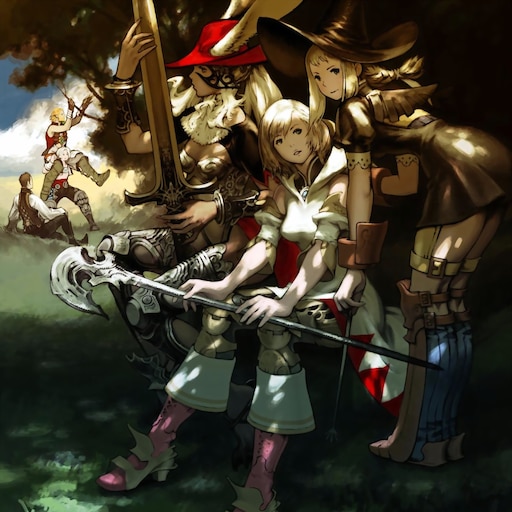
Instructions for dumping textures and texture injection via Kaldaien's SpecialK utility....
 calm belfry
@river swallow can you just set up a script to modify the header in all of the dumped files?
river swallow
calm belfry
<@944081029331820574> can you just set up a script to modify the header in all o...
Yes, I can. However, even after changing the header, the texture still doesn't display correctly. It seems to be in the wrong texture format. I will need to find a converter that can convert it to the correct texture format.
calm belfry
interesting. the one you sent earlier worked perfectly with DXT1
river swallow
calm belfry
interesting. the one you sent earlier worked perfectly with DXT1
In game texture look like this

Edited header texture look like this
 calm belfry
ah weird
river swallow

 river swallow
Some textures look completely different from the original ones.

 river swallow
calm belfry
i found this. supposedly it supports GLT DDS handling
river swallow
calm belfry
i found this. supposedly it supports GLT DDS handling
Wait, is GLT the same as GLI?
calm belfry
oops. i must have searched wrong lol
supposedly this library supports it: https://freeimage.sourceforge.io/
 river swallow
My broken brain can't comprehend C++ source code at 5 a.m., I think it would be better to try working on it tomorrow.
river swallow
Sadly specialK not working in MM2.
river swallow
⭐ For those who are interested in texture replacement⭐
I have make a script that provides a temporary fix. It changes the texture header from GLI1 to DXT1, allowing other texturing tools to load the DDS file format.
 However, please note that the texture itself is not converted correctly. If you intend to use it for AI upscaling, it will not work as expected. I will search for a library to convert the texture to the correct format later.
Installation:
Requires Python 3.x or above.
Place the script outside the folder that requires administrator rights.
How to use:
Simply click the browse button to locate the capture texture folder and press proceed. This will automatically convert the texture headers from GLI1 to DXT1.
mild lava
river swallow
⭐ For those who are interested in texture replacement⭐
I have make a script that...
Does that affect the original file or does it create a copy of it?
river swallow
mild lava
Does that affect the original file or does it create a copy of it?
It affects the original file, but it creates a backup. The reason for editing the original files is to allow you to see what the texture looks like in Omniverse. Since it allows you to select the folder where you want to edit the texture, if you prefer not to edit the original, you can simply copy the texture to another folder for conversion.
 dull lion
So to get RTX working in MM2 is there anything more I need? Do I need to install dgvoodoo before running Remix?
low pilot
dull lion
So to get RTX working in MM2 is there anything more I need? Do I need to install...
You need dxwrapper
Specifically this one https://nightly.link/elishacloud/dxwrapper/workflows/ci/master/dx7 binaries.zip
And then use it with remix
dull lion
I have to install dgvoodoo first before I can use it right?
low pilot
Uhhh I don't think so because dgvoodoo wrapper converts old dx7 code to d3d11 or d3d12
We need it to be dx9 so that it runs with remix
dull lion
Okay but MM2 usually doesn't boot on modern operating systems unless dgvoodoo is installed and settings are adjusted.
I wonder how OP dealt with this
low pilot
@dull lion #1216305912558653552 message
dull lion
Again I'm missing messages, had downloaded that rtx.conf sometime ago too
low pilot
dull lion
Okay but MM2 usually doesn't boot on modern operating systems unless dgvoodoo is...
Dgvoodoo is a wrapper just like dxwrapper, it's sole purpose is to translate those old draw calls to modern equivalent
While it's true you need it to run on modern systems
It just doesn't imply in the case of remix
low pilot
dull lion
Again I'm missing messages, had downloaded that rtx.conf sometime ago too
You can always check out modDB for rtx.conf files as well
dull lion
Actually since you mentioned it I'm pretty sure that's where I got my rtx.conf
Alright well might as well get MM2 working, or try to at least. Thank you.
low pilot
Yeah sure, if you have any problems lmk
dull lion
I will.
low pilot
did anyone try with the latest remix builds?
 harsh wolf
2025?
 visual fable
I will try this when i get home on the 14th unless someone beats me to it.
low pilot
try nuhook and dxwrapper. Maybe remix capabilities could be extended by lua scripting (could be accelerated by use of coding AIs like claude)
Currently this game renders everything in its draw distance which means it's very cpu heavy
 vagrant verge
Hi, I'm trying it with this: https://github.com/elishacloud/dxwrapper/releases
And without dgvoodoo, although my game lags a lot without dgvoodoo, but just to see if I can at least try remix in mm2.
Is "Dd7to9 = 1" the only setting i need in the wrapper ini? I'm using the wrapper's "ddraw.dll" file besides the dxwrapper.dll. Without the Nuhook mod for MM2 it just doesn't run, and with the mod I get this error at the end of the console:
Do I need to do something else to the wrapper ini perhaps? Or try a different wrapper or different method?

I come from a MM2 fans discord called Midtown Club where we have made a lot of mod these last few years. The game is extremely moddable by now, but of course Remix would take that to the next level for graphics
low pilot
I think you only need dx7 version of dxwrapper and that's probably it
vagrant verge
ah alright, gonna try that one 👌
its the one in the same link i posted right?
cause it gives me the same error in the NuHook console, ill see if i can solve it
oh it stops happening if i remove the d3d9 from remix 🤔 ill try adding it with a different name to the wrapper ini
low pilot
GitHub
Fixes compatibility issues with older games running on Windows 10/11 by wrapping DirectX dlls. Also allows loading custom libraries with the file extension .asi into game processes. - Add atomic l...
Get the dx7 game binaries and try an older version of remix runtime release
I'm really trying to get the first game to work but that game is fundamentally flawed and may never work so due to pre transformed vertices that are projected directly into screen space and originally rasterized by a blitter (d3d, OpenGL)
 clever forge
vagrant verge
I come from a MM2 fans discord called Midtown Club where we have made a lot of m...
clever forge
vagrant verge
I come from a MM2 fans discord called Midtown Club where we have made a lot of m...
can you share link of that group? is still active?
vagrant verge
clever forge
can you share link of that group? is still active?
I'd say it's active enough, not super active but definitely not dead lol: https://discord.gg/hFsM2WVThW
clever forge
vagrant verge
I'd say it's active enough, not super active but definitely not dead lol: https:...
Buddy is there any graphics mod or mm1 mm2 ?
Rtx remix etc?
vagrant verge
No
I dont think anyone has made a proper RTX Remix mod for MM2 and i couldnt run Remix on it myself yet
Some people in that server have tried Reshade on MM2 but i havent myself
low pilot
vagrant verge
I dont think anyone has made a proper RTX Remix mod for MM2 and i couldnt run Re...
Why can't you run remix if I may ask?
vagrant verge
vagrant verge
Hi, I'm trying it with this: https://github.com/elishacloud/dxwrapper/releases
A...
i get this error at the start if i use Nuhook with Remix and then it closes. Without Nuhook and with Remix the game simply doesnt run
low pilot
Odd, same error occurs with modified dxwrapper for dk2 rtx comp with midtown madness 1
Create process failed with open1560
vagrant verge
I havent tried older versions of Remix yet though, I still gotta do that at some point
low pilot
This game sort of works
But texture replacements were not possible last time I checked
clever forge
How about other titles? Gta san andreas remix? Is it worth as compared to definitive edition?