#SCP: Containment Breach
1 messages · Page 7 of 1
 blissful pilot
I tried the mod later that day on a friend's PC which had a 4090, and even they had trouble with it. granted they tried doing 4K widescreen which can cause issues generally
 formal sierra
yeah i think 4K widescreen would make any real-time lighting solution chug slightly even with a 4090 lol
blissful pilot
The highest I've been able to do is 3840x2160 on my personal machine
got a solid 57 fps too
but there was a lot of hiccups starting up with that
formal sierra
do you think theres any more ways for you to optimize?
blissful pilot
probably
formal sierra
like i mean with rtx remix, of course you can do things with the meshes, etc
blissful pilot
still probably
I want to expiriment more, its just when I try fiddling with the rtx.conf I usually end up breaking something or causing some texture to stop working like the blink
I believe thats what happened when I released the LCZ update with Kuro
I want to spend a day just trying the RTX.conf like stress testing everything I can to see what can be done
like we haven't really played around with RTX remix's volemtric settings yet
formal sierra
i'd love to help out but im not sure i could ever get it working with my current rig lmao
i dont think having a xeon helps me out either lol
blissful pilot
which resolutions did you try too?
I want to do some stress testing for my steam deck too, so If I get a rtx.conf that works well on that maybe I can learn something to get it running on your machine
but one of the biggest things was making sure to run it on the lowest resolution scale I could
made the game go from unplayable on the steam deck to runable. Its apparently necessary on running any RTX game on the steam deck
formal sierra
blissful pilot
which resolutions did you try too?
tbh i have no idea lol
i think i tried it at 1080 only
could you send the link to the drive when you can?
blissful pilot
To the mod? Yeah I can
formal sierra
i'd love to try it again since i did ANOTHER driver update
yeah if it wouldn't be too much trouble
blissful pilot
RTX Files - v0.05
The RTX.conf as I said might be a little weird though
If you already have one from a previous version of the mod, wouldn’t be a terrible idea to swap the one on the drive with what you have
I’m gonna have a shower in a bit and then spend the rest of the “night” trying it on my Steam deck
Because I’m not sure if I tried the LCZ release on there
formal sierra
blissful pilot
I’m gonna have a shower in a bit and then spend the rest of the “night” trying i...
what time is it for you lol
and thanks, i just drag the majority of everything into the root right
blissful pilot
It’s nearly midnight where I am
So technically when I try on the steam deck it would be considered morning not night m
formal sierra
thats a loophole
blissful pilot
How to get SCP:CB v1.3.11 - RTX Files Running
"The Google drive link I made with all the files to get ray-tracing working In SCP Containment Breach v1.3.11, It consists of three folders, RTX Runtime; which has all the RTX runtime files latest version, Misc; which has the options.ini, - Launcher is enabled and can be disabled by preference, The Misc folder also holds the mod usd file i'm currently running in the rtx-remix folder, as well as the rtx.conf file that worked best for me after tinkering with it. and lastly the dxwrapper folder, which holds all the dxwrapper files needed, its a mix of elishacloud's debug and dx7 games dxwrapper binaries."
"Sometimes the RTX Runtime "unexpectedly closes" if that happens, just keep trying to open it, once I try it a couple times it works. besides that, any monitor that uses render target, such as the CCTV monitor in the intro area is bugged and causes the screen to flicker, you can also adjust settings for RTX by pressing "Alt + X" to bring up the developer menu
I also reccomend setting "camerafog 99999" in console if you want the identical look to the video I sent earlier"
There's an old video and instructions on the best way to get it running,
How to get SCP:CB v1.3.11 - RTX Files Running
I'm only writting that so I can find it later on if I need it.
formal sierra
thank you
yeah i remember you sending that the last time i tried the mod and i was tryna look for it in search but couldnt find it
formal sierra
640x480 experience
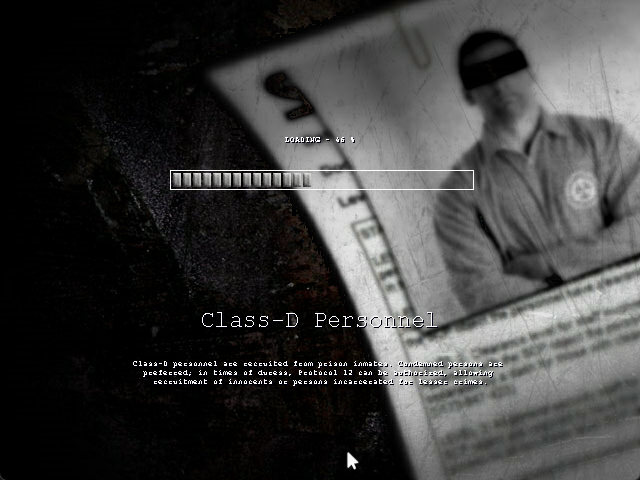
insane gameplay
and it still has the same issue unfortunately 🫡
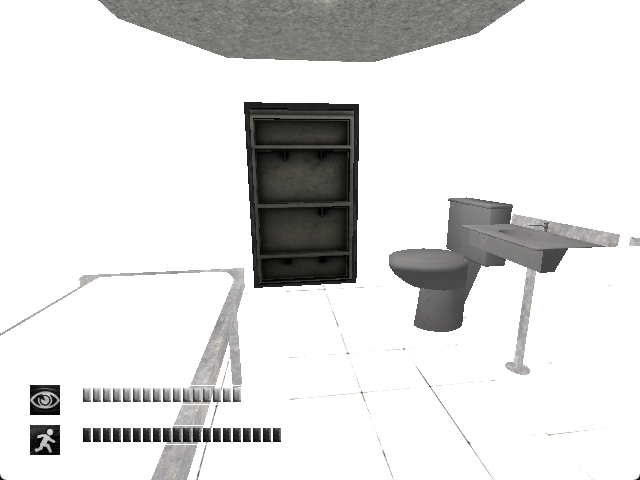
gonna fiddle around with the rtx stuff and see if anything changes
what on earth


it has to be something with the ray tracing that isnt working, since when i toggle it off the game just looks normal 🤷♂️
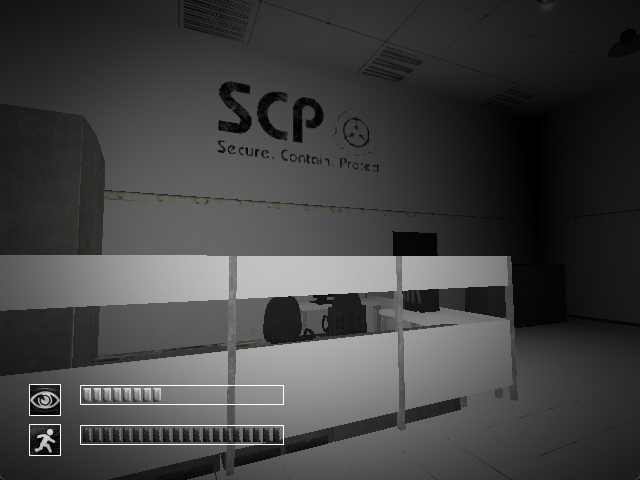
with it on:
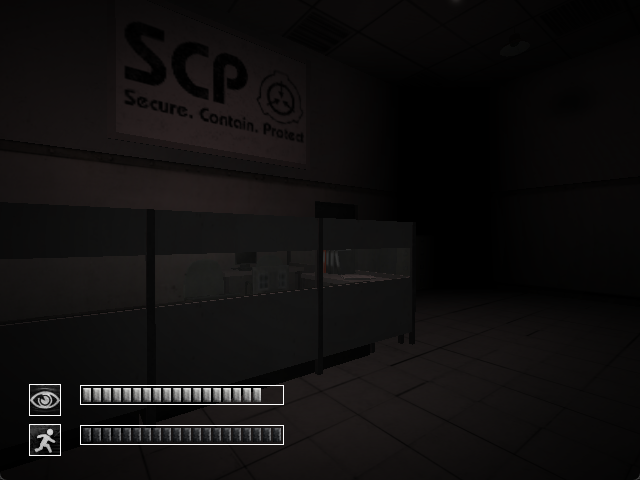
just looks the same as vanilla lol
blissful pilot
Darn
formal sierra
yeah, sucks
i messed with pretty much all the settings and there was no effect
i'll mess with it more tomorrow but i just dont think its gonna work, although it should, since the Radeon 6600 supports DXR
blissful pilot
I have an idea
have you tried running othe RTX mods?
portal RTX might be the most down to earth, at least in my experience
if you're able to get something like that running it would be a good sign, if it can't though.. well; that would tell us something
I can run portal RTX on my steam deck at ~30 fps give or take
with SCP, regardless of the settings so far, no higher than 10
so SCP:CB at least now, runs crappier than portal rtx
huh
hey @oak dirge , if you have the time ever, I found something else for us to play around with
besides the rtx.conf file
there's also a fogrtx.conf
never noticed that until now
I'm gonna try the latest version of RTX remix runtime too
I've been using 0.6.0 so its best to update that
if it runs well, once again; I'll update the drive
blissful pilot
So far it’s not being super nice
That being said, my computer is shuddering at just copying 200 mb so I think it’s my PC acting up for some reason
Still, I’ve never had the rtx remix runtime crash at just the launcher
Yeah this is strange..
My PC becomes incredibly slow whenever I just open up the .zip file of 1.0.0 release
blissful pilot
Yeah no luck tonight, it’s very strange that it doesn’t work with 1.0.0
I’ll do some more trying and testing tomorrow
 oak dirge
blissful pilot
Yeah no luck tonight, it’s very strange that it doesn’t work with 1.0.0
oak dirge
blissful pilot
Yeah no luck tonight, it’s very strange that it doesn’t work with 1.0.0
Use the latest commits
blissful pilot
oak dirge
Use the latest commits
whats that
oak dirge
Just get the RTX remix downloader tool
Pulls all the latest in dev versions for remix, dxvk, and bridge from GitHub
blissful pilot
on github?
 fading fractal
blissful pilot
fading fractal
blissful pilot
oh, is that up to date
I thought that still needed to be updated
I'll try that then
oak dirge
It pulls the updates from GitHub the tool doesn’t need updates
blissful pilot
I also got a tip to modify bridge.con but I haven't been able to find that file yet
fading fractal
blissful pilot
oh, is that up to date
it's always up to date 🙂
i update it as soon as it breaks or needs changes
blissful pilot
what build type would be ideal or best given this old game?
I've been wondering about that for a bit
fading fractal
i recommend development + debugoptimized
blissful pilot
definitely 32 bit I imagine too
fading fractal
yes
debugoptimized gives you more control over remix, including a freecam mode and being able to toggle RT
fading fractal
blissful pilot
definitely 32 bit I imagine too
64 bit only works for a few games. beamng.drive, garry's mod, and a couple others
almost always choose 32 bit
blissful pilot
I'm also trying to find more ways to reduce crashes and optomization so debugoptimized would be a good start
I imagine if theres a feature being tried in RTX remix, it gets put there first
fading fractal
you can use debugoptimized with visual studio to look at dump files and such
although for that, you need to download the builds manually as my downloader deletes the .pdb files
i'll look into adding a toggle for that
blissful pilot
huh, weird still doing the same thing did last night where the remix doesn't hook into the game
where is this bridge.con file too?
fading fractal
.trex folder
blissful pilot
or is it not super important
ah
Another thought I had last night is if potenitally the dxwrapper could be causing issues, I tried the version I had in the drive as well as the latest from github, but for cases like this where it doesn't hook into the game I wonder if thats the case
Lmao I found a new error
 formal sierra
blissful pilot
Lmao I found a new error
formal sierra
blissful pilot
Lmao I found a new error
you've been upgraded
blissful pilot
for some reason it reminds me of Baldi's Basics
fading fractal
blissful pilot
Another thought I had last night is if potenitally the dxwrapper could be causin...
https://nightly.link/elishacloud/dxwrapper/workflows/ci/master?preview
you can use this link to always grab the very latest builds
formal sierra
lol i forgot about that game
blissful pilot
blissful pilot
for some reason it reminds me of Baldi's Basics
 blissful pilot
fading fractal
https://nightly.link/elishacloud/dxwrapper/workflows/ci/master?preview
you can ...
blissful pilot
fading fractal
https://nightly.link/elishacloud/dxwrapper/workflows/ci/master?preview
you can ...
You are a saint
I was looking for that exact thing but had no idea how to find it
huh ok I just noticed something
the RTX remix runtime files from the downloader wants to override some of the file from the dx7 wrapper binaries
blissful pilot
blissful pilot
In my mind I'd think prioritizing the wrapper's file over the wrapper file from RTX remix could be ideal, but I believe thats how I got this error before
fading fractal
blissful pilot
the RTX remix runtime files from the downloader wants to override some of the fi...
yes, it comes with dx8 dxwrapper by default
use the downloader first, then install dx7 dxwrapper over it
fading fractal
that's all it should be
dxwrapper.dll, dxwrapper.ini, and then the stub (d3d8 or ddraw)
blissful pilot
These are the dxwrapper files I put together for the mod ages ago

so I'm trying to remember what the other files were for
fading fractal
all you need are dxwrapper.dll, dxwrapper.ini, and one stub
the other files can be tossed
the dx7 binaries pack for example just has these 3

@blissful pilot new PBRify model
 blissful pilot
Alright
I recorded something
tried to make it as short as possible
it shows a few short list of things I tried, I pause the recording inbetween waiting times so it should be as short as possible
fundamentally enough it works with 0.6.0, it only breaks with 1.0.0 which is very strange
I have it in my mind that 1.0.0 would make the game run better for a multitude of reasons so I'm determined to get it working with it
blissful pilot
fading fractal
<@276528172533678083> new PBRify model
no bad, can it do any form of albedo work?
fading fractal
blissful pilot
that process looks correct to me
that error is very likely from remix itself. it'd be worth opening an issue on github for it
fading fractal
blissful pilot
no bad, can it do any form of albedo work?
what do you mean?
blissful pilot
like removing the shadows and lighting
I mainly use other programs like crazybump thats only reason I ask
fading fractal
ah. sadly not
i've tried training a model for that about 20 times now with no luck
i have a dataset for it and everything
might try again soon
fading fractal
this is just an upscaler
blissful pilot
I really want to get more indepth into AI
I had a friend help me make this with his homemade models


it was a pretty awesome result
fading fractal
pretty impressive yeah

GitHub
How to start training AI models (restoration, upscaling) - Upscale-Community/upscale-resources
blissful pilot
this photo if you wanna try, has been one that has not been wanting to work with AI for me for a while too
fading fractal
fading fractal
https://github.com/Upscale-Community/upscale-resources
this covers just about everything for training and upscaling
blissful pilot
blissful pilot
this photo if you wanna try, has been one that has not been wanting to work with...
Mainly because its a photograph of a painting
blissful pilot
fading fractal
this covers just about everything for training and upscaling
Neat i'll take a look when I can
oak dirge
I’ve been running latest remix commit the entire time btw
No file modifications from the drive
blissful pilot
thats weird
are you able to zip and send your game files then?
I'm curious if I'm able to reproduce the problems you had last time then
Also does it matter if the mod file thats been packaged is packaged from a different older version of RTX remix?
I had to update that too, like the toolkit
I repackaged the mod too, which is here
should be exactly the same, just repackaged in the newer version of the RTX remix toolkit
blissful pilot
fading fractal
all you need are dxwrapper.dll, dxwrapper.ini, and one stub
Also I did try it with 0.6.0 RTX runtime but with the 3 binaries for dx7 and it worked the same as with the ones from the drive
so Yes. those 3 files appear to be all thats needed for the wrapper
not sure where the other ones came from though
Another thing I noticed Kim, the error only mentions the d3d9.dll file in /.trex, fundamentally enough replacing that file with the one from 0.6.0 makes the game work again with RTX, my only question with that is; it probably wouldn't benefit from anything else from 1.0.0 doing that would it?
blissful pilot

I don’t think so, still identifies it as 0.6.0
@oak dirge if you have the time, try going into your version of the game and do the same, go to the About tab in the developer menu and see what version it says for RTX Remix, I’m curious if yours would also say 0.6.0 or 1.0.0 if you’re using the latest
And if it says 1.0.0, then I’m really curious why mine is shitting the bed lol
blissful pilot
blissful pilot
Another thing I noticed Kim, the error only mentions the d3d9.dll file in /.trex...
Also doing this method does produce this error when closing the game, nothing terrably bad but I'm making a note of it too
 blissful pilot
oak dirge
I’ve been running latest remix commit the entire time btw
No file modifications ...
blissful pilot
oak dirge
I’ve been running latest remix commit the entire time btw
No file modifications ...
Yeah also whenever you can (if you don't mind) zip up what you have and send it to me, I'd love to give it a try and see what I'm missing
I'll have to do that once I get back from my day job though
blissful pilot
I was able to find an open issue that is similar to what’s happening with the d3d9.dll, different line. But still something

GitHub
Describe the bug Updated remix to continue working on Bridge Commander. As this is a DX7 game, it uses a ddraw.dll wrapper from ElishaCloud's repository. RTX crashes on boot with an application...
Might still need to open my own issue ticket
Might not be the worst idea
I just want to write down the most concise explanation of what’s going on
blissful pilot
Hm?
blissful pilot
Another thing I wanna try is potentially try swapping dxvk-remix builds and bridge-remix builds to narrow down which work and which do not, similar to what they did in that GitHub issue
I think that’s something Jevediah tried in the past too if I recall correctly
oak dirge
uploading the game files now
I'm using release commits not debug-optimized so that's a potential difference
fading fractal
guys, you can't just upload entire copies of games
formal sierra
fading fractal
guys, you can't just upload entire copies of games
whos gonna stop me when i upload the entirety of Black Ops 6 😎
fading fractal
me 😛
blissful pilot
fading fractal
guys, you can't just upload entire copies of games
I don’t really care about the game files, more just zipping up repositories used
Dxvk-remix and bridge-remix
Regardless I’m gonna do some more research and attempts when I get home
formal sierra
fading fractal
me 😛
darn
fading fractal
blissful pilot
I don’t really care about the game files, more just zipping up repositories used
ya i was responding to Kuro, who actually uploaded the entire game
oak dirge
uhhhhhhhhhhhhhhhhhhhhhhhhhh
cb mods say otherwise lol
jk I'll make it just the repo files
formal sierra
fading fractal
ya i was responding to Kuro, who actually uploaded the entire game
what game?
CB?
if so, theres nothing wrong with that its CC BY-SA
formal sierra
blissful pilot
portal RTX might be the most down to earth, at least in my experience
btw i know im a bit late to this (ass internet), but im stuck in the menu at 2 FPS lmao

can't even open the RTX thing
blissful pilot
Oh boy
Yeah check what DLSS render setting you’re on to
Or I guess if it’s AMD you might not have that eh?
I’m not sure
formal sierra
yeah its FSR for AMD but i cant even get the menu open LOL
formal sierra
the camera moved and it smeared like crazy
formal sierra
blissful pilot
What resolution is that?
1080p, i tried changing it in options but it was too laggy to even open (you can see options literally highlighted in the screenshot lmao)
blissful pilot
Yikes
Yeah if you’re able to lower the resolution
But otherwise, if it’s 2 fps there, then that might be why SCP RTX has so many issues
That being said; I’ll use my steam deck as a testing device for the closest thing to your hardware, who knows; if I’m able to optimize SCP:CB to run more efficiently than Portal RTX then maybe there’s hope there
formal sierra
blissful pilot
Yeah if you’re able to lower the resolution
LMAO
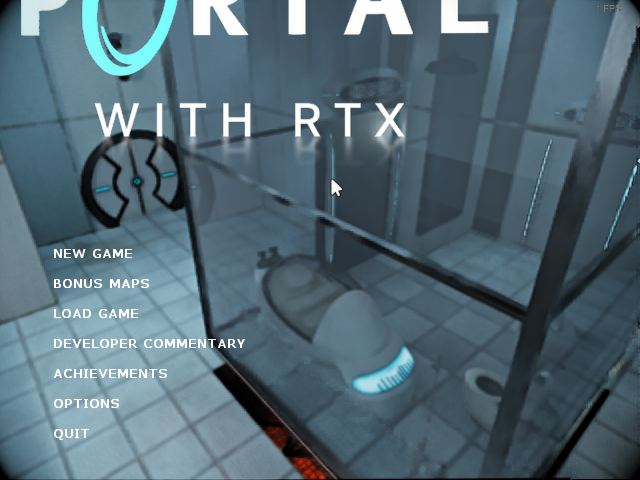
epic fucking gameplay right here
640x360 experience
truly awesome
fading fractal
formal sierra
if so, theres nothing wrong with that its CC BY-SA
ah, sorry then lol
formal sierra
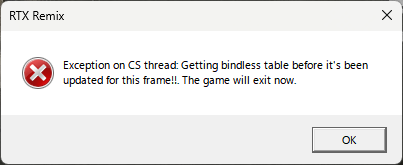 blissful pilot
Yeah on the Steam deck it’s pretty awesome too
formal sierra
you're all good, licenses are confusing and especially creative commons lol
blissful pilot
(Sarcasm)
formal sierra
as for me im not being sarcastic this is top-tier gameplay
blissful pilot
fading fractal
ah, sorry then lol
So yeah if the game is already free and CC0 compliant it’s aight sharing here?
Only asking for this game but
I’ve been curious
fading fractal
blissful pilot
So yeah if the game is already free and CC0 compliant it’s aight sharing here?
yup that's fine
blissful pilot
CC BY-SA specifically I think it is
fading fractal
i think i got this game mixed up with another one and thought it was on GOG & other platforms
formal sierra
blissful pilot
CC BY-SA specifically I think it is
fading fractal
i knew at some point that it was CC something lol
blissful pilot
fading fractal
i knew at some point that it was CC something lol
Ours is completely open source too
So we could build our own version of the game if we wanted, that’s how CC and free it is
Like SCP:CB is completely open source
formal sierra
creative commons is just really confusing sometimes, since like you can commerically publish a game under the same license and make it proprietary/not open source, just people can still rip the content related to SCP in your game
thats how SCP: 5K is paid i believe, since it isnt TECHNICALLY all Creative Commons, the engine/libraries are licensed differently
legal stuff is confusing 😔
fading fractal
yus
looking into license stuff more myself recently
it's so annoying lol
i ended up having to write my own for something
formal sierra
fading fractal
it's so annoying lol
i always use this one lmao
https://www.wtfpl.net/

The WTFPL is a very permissive license for software and other scientific or artistic works that offers a great degree of freedom. In fact, it is probably the
fading fractal
afaik CC0 is actually more legally sound, so i use that one
formal sierra
fading fractal
afaik CC0 is actually more legally sound, so i use that one
whats the difference?
fading fractal
i think CC0's language is more compatible with more countries
but that's just what i've heard
plus it's by a known good source for licenses and stuff. WTFPL is kind of a one-off and a bit weird
formal sierra
i just do it cause its funny lol
fading fractal
good enough 😛
formal sierra
wish licensing was more straight forward than having to consider a million different things when picking a license 😭
fading fractal
i use CC BY-NC-SA 4.0 the most
formal sierra
noncommerical right?
formal sierra
i do wanna use 4.0 for this SCP-related project im working on, but it uses some CB assets as of now, so i kind of have to be stuck with 3.0 lol
fading fractal
you should be able to use 4.0 just fine
formal sierra
really?
 formal sierra
oh so you can do 3.0 and up?
fading fractal
ya
formal sierra
awesome
@blissful pilot I GOT IT TO LOAD THIS IS CHRISTMAS
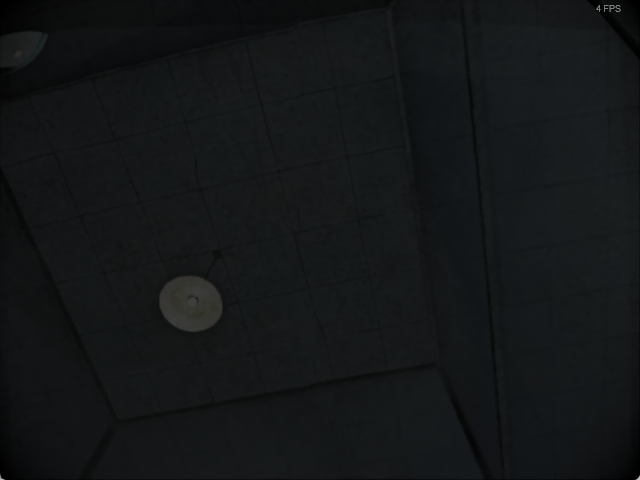
solid 4-5 FPS right here
oak dirge
what loaded
formal sierra
portal RTX lmao
formal sierra
a potato
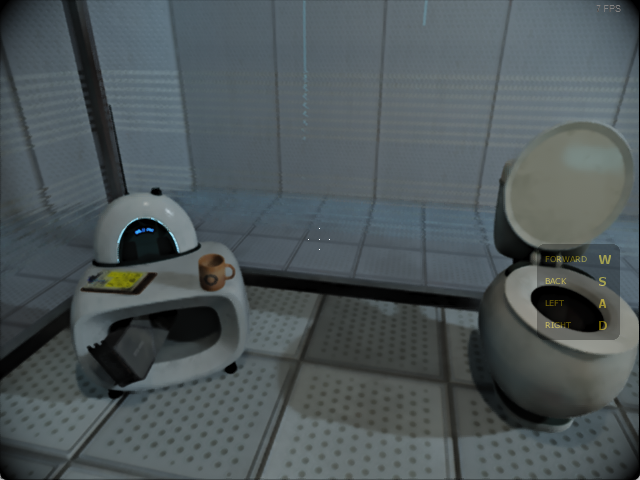
its definitely
interesting looking
holy denoise
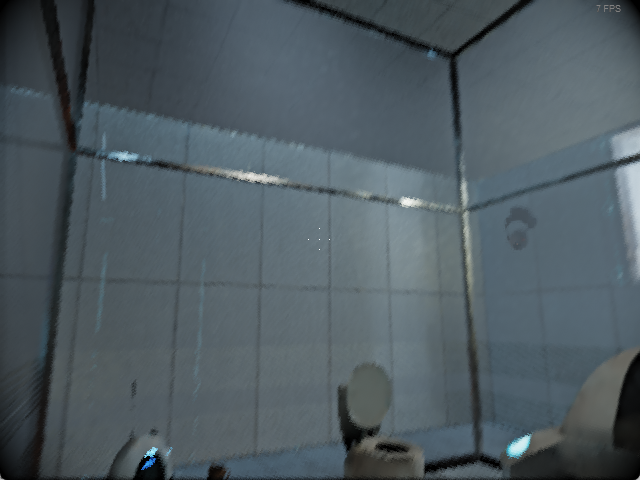
perfectly playable
blissful pilot
That’s about as well as the SCP mod runs on the steam deck
Also what resolution did you change it to?
blissful pilot
formal sierra
a potato
A PotatOS
blissful pilot
formal sierra
creative commons is just really confusing sometimes, since like you can commeric...
Copyright and Fair Use gets even more confusing
blissful pilot
fading fractal
afaik CC0 is actually more legally sound, so i use that one
Same
blissful pilot
formal sierra
640x360
I think I ran it on the next resolution up from that on my steam deck
I’ll check when I can
What’s the lowest resolution you could run SCP:CB on?
formal sierra
640x360
formal sierra
ye
formal sierra
raytracing off just made the game look normal
raytracing on just brought me to the pearly gates of heaven
formal sierra
oh idk i was in another SCP server talking to someone, glanced at the members list, and some guy had an SCP tag like mine
apparently if you join servers that have Level 3 boost and are in the "beta" for server tags, you can claim them
formal sierra
blissful pilot
What’s the 💀SCP thing besides your name btw
heres the server if you'd like it lol
https://discord.gg/sHVBJYtu
blissful pilot
I still have no idea how Kuro is able to run the game with Remix 1.0
I've tried so much, and reading online it seems to be an issues with DX7 games that depend on dxwrapper, specifically with certain lines in d3d9.dll depending on the game
So if that's the case, its an issue with remix itself in 1.0.0; but if THAT's the case, then how is Kuro using the latest version?
Unless he's using the latest version of 0.6.0 which I haven't tried and am curious about
fading fractal
so to clarify, when you used the downloader, did you select stable or development?
blissful pilot
I've tried all of them
fading fractal
😦
blissful pilot
everything except 64 bit builds
I did it before leaving for work, so I could try again just to make absolute sure and note it down
the only thing I can think of trying which I haven't yet because I don't know where to find them is to try creating my own repo by mixing dxvk-remix and bridge-remix and trying to narrow down which is the newest version of each that works
but since 1.0.0 I haven't been able to find them separately, its all just rtx remix release
blissful pilot
blissful pilot
I did it before leaving for work, so I could try again just to make absolute sur...
I'm gonna do that again though, just to check my bases
fading fractal
blissful pilot
the only thing I can think of trying which I haven't yet because I don't know wh...
dxvk-remix and bridge-remix are now one repository
blissful pilot
Yeah thats what I noticed
I am curious why though
I couldn't really find anything online saying anything about the change
fading fractal
it simplifies a whole lot of processes for them according to Mark
blissful pilot
ah
fading fractal
makes maintaining it easier
blissful pilot
I suppose
fading fractal
it also makes it easier for the downloader to function 😛
nice benefit
#asset-creation message
blissful pilot
I figured that as well, had the same thought when I figured out that they were infact one repository now
So essentially after 1.0 its basically it all works, or not at all
its probably better for rtx remix anyhow going forward, regardless of the game in a general sense
I'll mark that off as not an option then
also, why is the d3d9.dll file dated from 1979?
lol
blissful pilot
I'm pretty sure its not a real date, but still weird
given the stuff that existed in 1979

 blissful pilot
Thats even more strange that mines different then
it has it in the properties too
fading fractal
i'm wondering if yours is somehow getting corrupted
also 36mb is way too small
mine is 102 MB
blissful pilot
Theres a edited recording of me doing it once again; -Does it make a difference if you drag the files while it's still compressed than if its extracted and then moved over?
because when I dragged them from the compressed .zip, it came up as 30 mb and 1979, but if I extracted it and then moved it over, it was same as yours
fading fractal
blissful pilot
Theres a edited recording of me doing it once again; -Does it make a difference ...
my guess is windows is messing up the decompression step
i'd recommend using nanazip: https://github.com/M2Team/NanaZip/releases/download/5.0.1263.0/NanaZip_5.0.1263.0.msixbundle
that's what i use, 0 issues
blissful pilot
I'll give that a try
fading fractal
you can drag and drop just fine with it
and that is a fork of 7zip btw, it's completely safe. just more modernized
blissful pilot
also I was dragging the dxwrapper binaries from a zip too, so I want to try that too
fading fractal
windows' decompression is pretty horrible
blissful pilot
Windows' alotta things are pretty horrible
I'm not sure if you noticed, but I'm using startallback, and terracopy as well in my recordings
I love an oppertunity to modify the defaultness of windows because generally.. yeah its pretty bad
Linux would be the best if it was more, yknow
fading fractal
i use those too 😛
blissful pilot
There's my attempt with nanazip
Same result :/ shucks
at least we ruled that out though
fading fractal
blissful pilot
There's my attempt with nanazip
just a hunch
try temporarily renaming your rtx.conf file if you put one in there
fading fractal
blissful pilot
just to anything?
yup
fading fractal
  // Combo Box with unique key per combo entry
  // The combo entries are displayed in the order they appear in ComboEntries
  template<typename T>
  class ComboWithKey {
  public:
    struct ComboEntry {
      T key;
      const char* name = nullptr;
      const char* tooltip = nullptr;
    };
    using ComboEntries = std::vector<ComboEntry>;

    ComboWithKey(const char* widgetName, ComboEntries&& comboEntries)
      : m_comboEntries { std::move(comboEntries) }
      , m_widgetName { widgetName } {
      for (int i = 0; i < m_comboEntries.size(); i++) {
        T key = m_comboEntries[i].key;
        assert(m_keyToComboIdx.find(key) == m_keyToComboIdx.end() && "Duplicate key found");
        m_keyToComboIdx[key] = i;
      }
    }

    ~ComboWithKey() = default;

    ComboWithKey(const ComboWithKey&) = delete;
    ComboWithKey(ComboWithKey&&) noexcept = delete;
    ComboWithKey& operator=(const ComboWithKey&) = delete;
    ComboWithKey& operator=(ComboWithKey&&) noexcept = delete;

    template <typename T, std::enable_if_t<std::is_integral_v<T> || std::is_enum_v<T>, bool> = true>
    bool getKey(T* key) {
      auto it = m_keyToComboIdx.find(*key);

      int comboIdx = it != m_keyToComboIdx.end() ? it->second : 0;

      bool isChanged = Combo(m_widgetName, &comboIdx, getString, static_cast<void*>(&m_comboEntries), static_cast<int>(m_comboEntries.size()));

      *key = m_comboEntries[comboIdx].key;

      return isChanged;
}```this is the code for it
blissful pilot
for d3d9.dll or?
fading fractal
dxvk-remix, where it's crashing
blissful pilot
ahhh
fading fractal
unfortunately i don't know enough to debug this
blissful pilot
Yeah its probably a more indepth thing too
fading fractal
idk how you'd be having this crash and no one else would
blissful pilot
I do have logs too if you'd want em I'm just not sure which are the most valuable
When I get a hold of Kuro I really want to know what his game says
fading fractal
blissful pilot
I have a hunch that its secretly 0.6.0 but then again, if its not.. I'm just as perplexed
fading fractal
fading fractal
out of curiosity, try this conf
blissful pilot
nah, I also forgot that sometimes the game likes to remain open in the background
so I gotta be careful and check for that
I redid the renamed anything.conf as well as that rtx.conf file
no luck
fading fractal
idek 😦
fading fractal
blissful pilot
nah, I also forgot that sometimes the game likes to remain open in the backgroun...
and yeah that likes to happen when Remix crashes
blissful pilot
I'm curious what "assert(m_keyToComboIdx.find(comboEntry.key) == m_keyToComboIdx.end() && "Duplicate key found");" means
on line: 385
fading fractal
it's trying to add duplicate entries to the GUI overlay for Remix
so that's what the error is reporting i think
blissful pilot
do you have a link to the code of 0.6.0
actually they'd probably be on different lines anyhow
different code
shoot
fading fractal
it wouldn't be that exact code causing the issue, it'd be something else in the rest of the code causing that code to be triggered
blissful pilot
ah alright, interesting
fading fractal
it's similar here
it's something else causing this to be triggered
i would suggest opening a github issue for this
blissful pilot
Yeah I'll do that, anything important you think I should mention specifically?
fading fractal
https://github.com/NVIDIAGameWorks/rtx-remix/issues/new/choose
select Runtime bug report, then fill it all in
blissful pilot
alrighty ill give that a go
fading fractal
blissful pilot
Yeah I'll do that, anything important you think I should mention specifically?
you can leave out the decompression weirdness, doesn't seem to have been a problem
blissful pilot
I concur
fading fractal
just give an outline of what happens
tell them where to get the game, what you did to install Remix & your mods, and then what happens when you run it
and mention that it worked on 0.6.0
blissful pilot
fading fractal
and mention that it worked on 0.6.0
that's one of the more important pieces of info yeah, also probably the d3d9.dll
although that basically IS remix
no its expected
fading fractal
blissful pilot
that's one of the more important pieces of info yeah, also probably the d3d9.dll
what about it?
blissful pilot
if I keep all other files from 1.0.0 and the latest dxwrapper files, but only replace the d3d9.dll file with one from 0.6.0; it works
granted, it says ingame that its version 0.6.0 in the RTX remix menu
fading fractal
the d3d9.dll file in the root game folder, or in .trex?
fading fractal
yeah that is dxvk-remix's core function
it is odd that it even launches like that tbh
but yes definitely mention it. and clarify that it's the file in the .trex folder
blissful pilot
I wasn't expecting it to either
blissful pilot
fading fractal
but yes definitely mention it. and clarify that it's the file in the .trex folde...
Yes! thats a good piece of info too
cause less confusion
blissful pilot
blissful pilot
granted, it says ingame that its version 0.6.0 in the RTX remix menu
that's also why I'm suspicious that Kuro might be running 0.6.0 but I'd love to see it if it is infact 1.0
fading fractal
yeah. i'm more inclined to believe this is a legit issue with newer Remix builds rather than an issue with your system
blissful pilot
fading fractal
yeah. i'm more inclined to believe this is a legit issue with newer Remix builds...
I've tried it with three systems just to narrow that out
my fiance's computer, my laptop, and my main PC all with 40 series RTX GPUs
So I'm inclined to think so too
I haven't tried it with my steam deck, but thats what I'm gonna do once I post the issue
fading fractal
3 systems is more than enough
mention that in the issue as well
but focus on your main system
blissful pilot
If anything I wish I had more systems with lower end hardware, like 30 or 20 series, generally speaking. would make stress testing for older systems a lot easier
But yeah I'll mention that too
blissful pilot
---------------------------
Assertion failed!

Program: ...CP - Containment Breach v1.3.11\.trex\d3d9.dll
File: D:\a\dxvk-remix\dxvk-remix\src\dxvk\rtx_r...\rtx_imgui.h
Line: 385

Expression: m_keyToComboldx.find(comboEntry.key) ==
m_keyToComboldx.end() && "Duplicate key found"

For information on how your program can cause an assertion
failure, see the Visual C++ documentation on asserts

(Press Retry to debug the application - JIT must be enabled)
---------------------------
Abort   Retry   Ignore
---------------------------```This is the error message for future reference
This is the description of the bug so far

still gotta fill everything else out
blissful pilot
Video I just recorded breaking down the issue I wrote

GitHub
Describe the bug When trying to run the game; The game crashes with two errors the first reads as follows: Microsoft Visual C++ Runtime Library --------------------------- Assertion failed! Program...
Here's the github issue request as well
and linked in the issue is also this video showing how to recreate the bug/error and even showing that 0.6.0 does infact work while 1.0.0 does not.
Google Docs
as clear and consise as I could make it 🙂
I'm gonna hit the hay with that in mind.

 north topaz
formal sierra
north topaz
formal sierra
A bit outdated but: https://gamebanana.com/mods/512627
GameBanana
A Portal (PRTL) Mod in the Other/Misc category, submitted by NightSightProductions and NightSightProductions
formal sierra
north topaz
A bit outdated but: https://gamebanana.com/mods/512627
THANK U
north topaz
blissful pilot
Yeah on the Steam deck it’s pretty awesome too
We do provide an optimization guide for Steam Deck, note that newer runtimes have Wattage problems currently: #1348752543689216152 message
formal sierra
north topaz
A bit outdated but: https://gamebanana.com/mods/512627
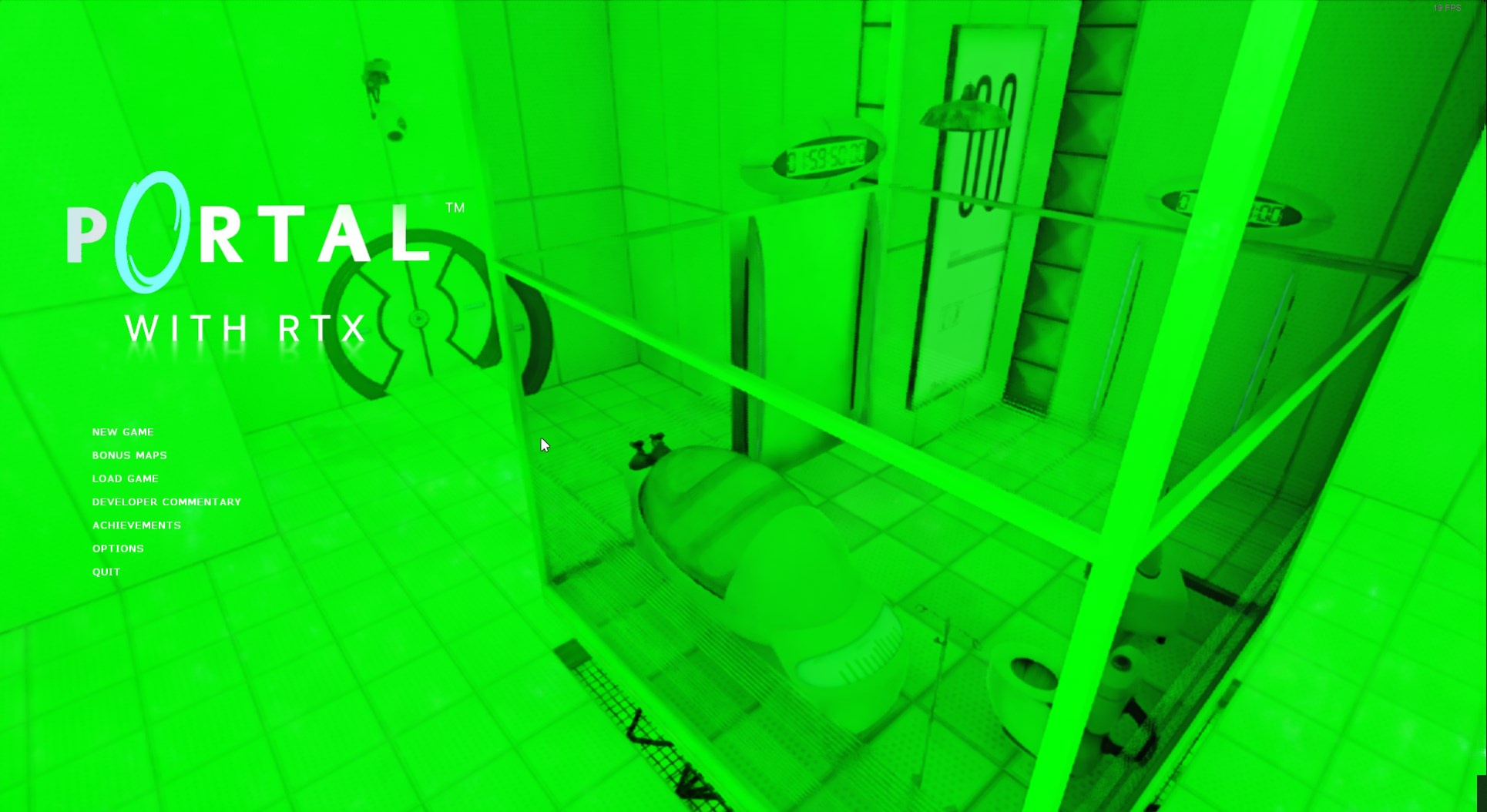
wow
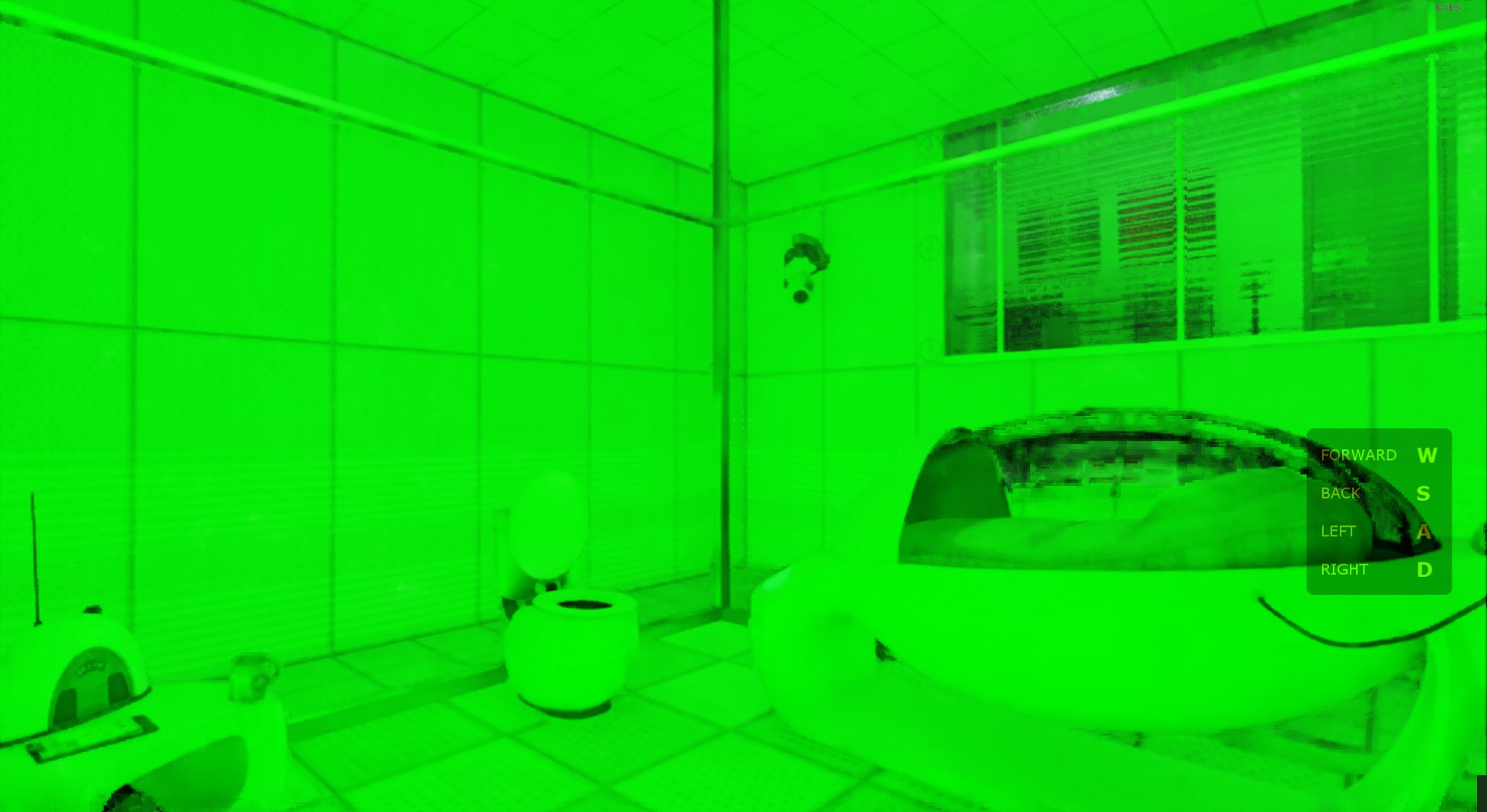
i have no idea why its all green but
+12 FPS
 north topaz
formal sierra
i have no idea why its all green but
north topaz
formal sierra
i have no idea why its all green but
Let me guess, RDNA 2 user?
formal sierra
yeah 😔
north topaz
This an issue we still know nothing about, it only effects some RDNA 2 users
formal sierra
im special
north topaz
Hopefully updating the runtime will fix it, when I get to that
formal sierra
if you could lmk when you do that'd be awesome, i'd love to see if it works then
blissful pilot
formal sierra
https://i.imgur.com/V2ye2Bl.jpeg
At least there’s no 966 there
north topaz
formal sierra
if you could lmk when you do that'd be awesome, i'd love to see if it works then
What GPU are you using?
formal sierra
the RX 6600
north topaz
formal sierra
the RX 6600
One of the most popular for sure
formal sierra
yeah its a very good budget AMD gpu imo
north topaz
Hoping AMD gets back to me on their performance fixes for it
north topaz
formal sierra
yeah its a very good budget AMD gpu imo
I had switched from a RX 7600 that I got for $250 once
I still have it because AMD testing and all that for Portal 2 with RTX
formal sierra
damnn thats a good deal
the 7600 is like $370 right?
actually might be $400 now idk
north topaz
formal sierra
the 7600 is like $370 right?
MSRP is like $269
formal sierra
oh whatt i thought it was way more lol
north topaz
formal sierra
oh whatt i thought it was way more lol
It was a really good deal at the time, it was a new generation card for under $300 but the problem was it barely improved anything over the RX 6650 XT besides AV1, Better RT and Display Port 2.1
Another problem was people wanted a 16GB version and AMD did that with the RX 7600 XT but the specs were identical and the clock speeds were barely different so in non VRAM limited scenarios they performed exactly the same on top of it being over $300
formal sierra
do you think the 6600 can even do ray tracing lol
i do want to upgrade soon tho
i have a hand me down CPU (its a CPU intended for servers/workstations lmao)
north topaz
formal sierra
do you think the 6600 can even do ray tracing lol
I had the RX 6600 XT and it was ok for light RT
The RX 6600 is a bit lower at 28CUs compared the the XT’s 32CUs
north topaz
formal sierra
i do want to upgrade soon tho
One of our P2RTX devs @plucky cobalt upgraded to the RX 9070 and he seems happy with it
formal sierra
oh yeah i heard that one is pretty good but i feel thats a bit out of my price point considering i need to get a new CPU as well lol
i might honestly just build a new rig to render my Blender stuff, since thats the main reason i want to upgrade my hardware
north topaz
formal sierra
oh yeah i heard that one is pretty good but i feel thats a bit out of my price p...
There’s also the RX 7000 series which performs about the same as a RTX 3000 series
But the RTX 4060 seems to be a popular budget option right now
formal sierra
ye i think i might just try switching to nvidia lol
never used one of their GPUs before, only AMD
north topaz
formal sierra
never used one of their GPUs before, only AMD
Just don’t go 50 series right now, it’s been a nightmare for me 
north topaz
formal sierra
aren't drivers awful on it rn
Very awful
north topaz
formal sierra
or did they fix that mostly
Nope
All you really lose out on is multi frame gen
And I don’t even use frame gen at all
formal sierra
oh yeah the 50 series is mostly AI right
its crazy how every company saw AI upscaling/and just that side of AI, and immediately marketed all their stuff towards it
like no google i do not want to use gemini in my search
north topaz
formal sierra
oh yeah the 50 series is mostly AI right
To be fair, their AI performance increase was huge
That’s one good thing they did
Especially for LLMs
oak dirge
not that big for higher float values
the chart the made that shows a huge increase was fp4
north topaz
oak dirge
the chart the made that shows a huge increase was fp4
I mean looking at their GPU specs, it shows that the RTX 5060 Ti gets close to last gens RTX 4080 in AI which is insane
The RTX 4060 is no where near that level
oak dirge
north topaz
I mean looking at their GPU specs, it shows that the RTX 5060 Ti gets close to l...
where do you see that
All I see is that is has almost the same number of AI TOPS
759 vs 780
but theoretical perf on other spec sites show 4080 having double the fp32 speed
also probably don't want to be filling this chat with random talk lol
north topaz
oak dirge
where do you see that
All I see is that is has almost the same number of AI TOP...
The AI TOPs is what I’m talking about
blissful pilot
formal sierra
i might honestly just build a new rig to render my Blender stuff, since thats th...
if you're working with any rendering software such as Blender I highly recommend Nvidia GPUs
I often find Intel CPU and Nvidia GPU to be the best combo for that workflow (granted it can also be the most expensive) but I also have a rig with AMD CPU and Nvidia GPU, and it also serves me well with blender usage
blissful pilot
north topaz
Just don’t go 50 series right now, it’s been a nightmare for me <:Nagatorostare:...
But i also Agree don't go for 50 series yet, at least at this time
formal sierra
blissful pilot
I often find Intel CPU and Nvidia GPU to be the best combo for that workflow (gr...
thanks :)
i was just thinking of building a second rig so that i dont need to use my main rig's performance while doing other stuff, i don't need anything too fancy
blissful pilot
north topaz
A bit outdated but: https://gamebanana.com/mods/512627
I gotta check this out again, i wonder if that mod or parts of it, maybe config settings could help it run with SCP
north topaz
blissful pilot
I gotta check this out again, i wonder if that mod or parts of it, maybe config ...
All of the settings used are in the optimization guide I linked earlier
blissful pilot
oak dirge
I'm curious which commit this is, I'm assuming Kuro is using the downloader, I'm not sure if its stable/development and/or release/debug/debugoptomized though
oak dirge
That one was an older downloader commit
But 1.0.0 release is just the main GitHub version
blissful pilot
Yeah I just tried that one, Mar 13 commit ff0463c
fundamentally enough it doesn't cause the error
but it doesn't start either
runtime error
oak dirge
The 1.0.0 release off main?
blissful pilot
oak dirge
But 1.0.0 release is just the main GitHub version
And this one worked for you too in SCP:CB right?
blissful pilot

GitHub
For the full release notes for RTX Remix, please visit https://docs.omniverse.nvidia.com/kit/docs/rtx_remix/latest/docs/remix-releasenote.html
RTX Remix Runtime 1.0.0 Release Notes:
DXVK:
DLSS4: m...
I've just been going here
oak dirge
Yes just the highlighted one there that has all the files
blissful pilot
remix-1.0.0-release.zip
oak dirge
Yeah that’s what I tested
blissful pilot
darn so yeah I have no idea why mine doesn't work then
what GPU you have again?
I thought it was also 40 series
do you use launcher too?
I've tried with and without launcher but I'm curious if theres another setting in rtx.conf or options.ini that might be causing it
fading fractal
oak dirge
Yeah that’s what I tested
when you installed it, you overwrote all existing files?
blissful pilot
OMG
I got it to work
Not on my main PC
But on my laptop
AND

Omg this makes me so happy to see
Very broken though
Gotta do more testing when I can
Unable to recreate success on my PC, but I’m zipping up and transferring the exact game files that did work on my laptop over and I’ll try that
Even so though, there’s tons of issues within 1.0 on my laptop compared to 0.6 prior
Black screen, crashing while loading, game freezing up, that sorta thing
So more testing I’ll have to do and troubleshooting
formal sierra
was digging through the sonniss GDC audio archives, and found some samples used in CB lol
i lost where it was but i also found that one bloop ambience sound in the Zero-G altered realities sample pack
sorta sounded like that
theres also a crap ton of these samples that were used in HL2 or HL1
like this one, which i believe is an ambience for HL1:
im not sure if you're looking to remaster/source every single one of CB's sounds, but if you should really check out the soniss GDC stuff, and i'd love to send you my Zero-G altered realities samples too if you are interested at all
heres what i believe was used in the CB menu music, just with some additional audio effects

This is one of the Music Tracks for SCP: Containment Breach.
This plays in the Title Menu.
Credits goes to TJGuitarVids for making this music. Please check his channel out.
sounds veryyy similar
sorry to dump all this but i just went down a rabbit hole lol
i also found what seems to be the source for 682's ambient roar you hear towards the start of the game:
https://freesound.org/people/Sea Fury/sounds/48662/
blissful pilot
formal sierra
like this one, which i believe is an ambience for HL1:
it is, another game I have memorized like SCP:CB
blissful pilot
formal sierra
i also found what seems to be the source for 682's ambient roar you hear towards...
I've actually found 682's roar at gate b too
its a straw being pulled back through a plastic lid in slow motion
I'll see if I can find it
but awesome finds, I'll make sure to credit and put into the archive when I can
I am archiving SFX too even though we're only really remastering visual stuff
mainly because of how much we've already found
formal sierra
blissful pilot
I am archiving SFX too even though we're only really remastering visual stuff
WOOO
blissful pilot
1.0.0 works on my Steam deck too
Just tried it out
By lowering the resolution too I was able to get higher FPS
Before 10 was the highest at 1280x800 but now at 640x480 I was averaging 15 fps with a lowest of 10 and highest at around 17-20 depending on the area
Not bad considering
Definitely a good way to test for older hardware though
Now that being said, even though the FPS remained the same between 0.6.0 and 1.0.0 on the steam deck the performance otherwise is different


This is the Video Memory Usage on 0.6.0 ^
With Ray-tracing turned off in the menu, vs turned on in game


This the same but in 1.0.0
Ditto- With Ray-tracing turned off in the menu, vs turned on in game
It’s actually astonishing just how much worse 1.0.0 runs with this game generally speaking, at least when I have been able to, and I know it’s likely a few other things, not that 1.0.0 is bad in of itself, but still. I remember @oak dirge mentioning that he’s only been running the latest commit and haven’t tried the runtime files from the drive, but I’m curious if his game will also run better on 0.6.0
I did A LOT of testing different versions of 1.0.0 on my main PC with writing down the results of each too. But I’ll post that tomorrow once I’m back on there
I also want to test my laptop in the same way as I’ve done my Steam Deck and PC
It’s just a shame I can’t even get it running on my PC I could do a lot more testing on there than I can the other two
north topaz
blissful pilot
1.0.0 works on my Steam deck too
Works but not well compared to 0.5.1
I used to get 30fps at 1280x800 in Remix on my Deck
oak dirge
blissful pilot
It’s actually astonishing just how much worse 1.0.0 runs with this game generall...
I haven't seen any differences besides the NRC lighting bug
blissful pilot
north topaz
Works but not well compared to 0.5.1
That was the other idea I wanted to try, running older versions of remix to see if those run more efficiently
Maybe make a list of versions that work better than others, at least for playability
north topaz
blissful pilot
That was the other idea I wanted to try, running older versions of remix to see ...
For Steam Deck it’s gonna be 0.5.1
For RDNA 2 discrete GPUs it’ll be the latest runtime
Also don’t forget older AMD cards support RT Emulation
blissful pilot
Neat, I did not know that
AMD is the only area of ‘I’ve barely used them myself’ I only have a single PC that I decided to try AMD on just to have it, and my steam deck
oak dirge
Damn that's a crazy contest
blissful pilot
Yeah just read about it
I’d love to finish this mod and submit it but uhhh
Memory Access Violation
Or Unable to create 3D Scene. I get those more often
north topaz
blissful pilot
AMD is the only area of ‘I’ve barely used them myself’ I only have a single PC t...
I’m a recent ex AMD user and still have my AMD GPU on the side
I’ve also been in contact with AMD for Portal 2 with RTX stuff
blissful pilot
Yeah I wish I kept my older GPUs would be useful now with the mod
oak dirge
I've not gotten any mavs or 3d scenes since testing other game versions
blissful pilot
I more meant the engine
oak dirge
You've been messing with the editor?
I looked into it but I saw all the map stuff is paywalled
blissful pilot
blissful pilot
I more meant the engine
the game has always had issues, it doesn't necessarily mean we can't enter the contest if we wanted to, but we'd already be at a disadvantage with the game's old-ness
blissful pilot
oak dirge
I looked into it but I saw all the map stuff is paywalled
wdym
blissful pilot
oak dirge
You've been messing with the editor?
also which editior?
oak dirge
For b3d
blissful pilot
like fragmotion? or for the maps?
oak dirge
Maps
blissful pilot
I haven't done much with the rmesh files, I've played around with modding them long ago
Besides that I'm not sure
oak dirge
I could look into the code but idrk if any changes are needed that would affect remix
blissful pilot
I got a response back for the error i've been getting
reccommending to update Vulkan and Microsoft Visual C++
so that's what I'm giving a try
Another thing I was curious about but didn't look into is how the prize cash pool works
like if we we won the spot for $20,000 how would that be distributed? unless its just based off who submitted and was referred into the contest, similar to how steam handles contests
Alright hopefully this fixes it
Restarting my PC now to try it

I'm gonna run some more tests, but it finally works
I could not be any happier
blissful pilot
Unfortunately there’s still versions that cause issues,

At least it’s line 3468 instead of 385
This was also a release from GitHub, the debug optimized
yikes, lotta weird stuff to sort out
so @oak dirge what specific bugs or issues were you encountering in 1.0.0 now that I have it working
lemme know when you can and I'll see about fixing/troubleshooting them
I'm also running tests similar to like I did prior but marking down my results here;
 rare epoch
blissful pilot
like if we we won the spot for $20,000 how would that be distributed? unless its...
rare epoch
blissful pilot
like if we we won the spot for $20,000 how would that be distributed? unless its...
It's paid out to the person who submitted, and that person is solely responsible for any distribution that might be involved if multiple people worked on it
blissful pilot
rare epoch
It's paid out to the person who submitted, and that person is solely responsible...
ah that makes sense then
Would it make sense for the person developing and packaging the mod to do that then? that would be me, only reason I ask
I have no idea if the mod is in any state to submit into the contest, but who knows; I won't discount it at face value
also
rare epoch
Deadline is 60 days, you have time
Also 3 of the 4 winners don't require the entire/majority of the game to be remastered
blissful pilot
blissful pilot
I'm also running tests similar to like I did prior but marking down my results h...
dx7.games v1.3.7700.25 + Remix v1.0.0 Stable Release, 32 bit, Release from Downloader - Result: Runs, No crashes or errors. weird bump mapping texture bug similar to UER, Ghosting with 173, Lighting is inaccurate/disappearing
oak dirge
blissful pilot
so <@301763975534870528> what specific bugs or issues were you encountering in 1...
Only major issue has been the black overlay that covers almost all the screen on vanilla
blissful pilot
rare epoch
Also 3 of the 4 winners don't require the entire/majority of the game to be rema...
We have about 1/3 of the game lit, the rest of it is pitch black, not sure how good that is; it is possible to light all rooms before the deadline, but other issues still need to be resolved too to provide a more playable experience
my other bigger concern is the importance of PBR workflow in contest entered mods, or if its just about ray-tracing, because PBR materials would also take a little bit of time to put together, albeit again; not impossible before the deadline
blissful pilot
oak dirge
Only major issue has been the black overlay that covers almost all the screen on...
is it constantly there or partially
oak dirge
Only constant in pocket dimension
blissful pilot
I've had a black screen on one of the github releases, the hud was overtop and the game crashed when going to game setup, hense why I ask
blissful pilot
oak dirge
Only constant in pocket dimension
what's your gamma at too?
oak dirge
Whatever the default is
blissful pilot
alright good
I had that issue when adjusting the gamma in PD
I'll have to see it for myself if I can
what specific version of 1.0.0 are you running as well?
the next thing I wanna check is if the version of the mod makes a difference, I've had all the lighting break with the one that was packaged for 0.6.0 so I want to try the repackaged mod for 1.0.0
This is the repackaged mod from Remix 1.0.0
if you wanted it
oak dirge
blissful pilot
what specific version of 1.0.0 are you running as well?
I switched to main release
I was using the build in the screen shot before that I think was like 2-3 weeks old
blissful pilot
oak dirge
I switched to main release
From downloader or GitHub
I assume GitHub
Like main branch release
dx7.games v1.3.7700.25 + Remix v1.0.0 Development, 32 bit, Debug-optimized from Downloader - Result: Microsoft Visual C++ Runtime -Assertion Failed! line 385, followed by Assertion Failed line 96, plus crash
I'm also attaching recordings from now on for each tested version, as some of them run and have different results ingame
unless the result is the exact same to a earlier test
dx7.games v1.3.7700.25 + Remix v1.0.0 Development, 32 bit, Release from Downloader - Result: Runs, Near crash, No errors. weird bump mapping texture bug similar to UER, Lighting is inaccurate/disappearing
There's a video of the bump mapping thingy incase you're curious what it was
plus the disappearing broken lighting
I did another test with the same version but using mod files that were packaged in 1.0.0 (Version 0.06 of the mod) and it seems like its not loaded, certain areas that were lit before such as this lamp in room4info are not lit here, and turning off enhancement meshes, materials, lighting, or assets doesn't affect or change the lighting. so the lighting is just kinda by itself which is strange
I've said this before, but this is very similar to how UE and UER ended up running on my PC too, its kind of a good thing I suppose because I guess that means all versions of the game are on the same page in terms of how 1.0.0 runs on them. at least from where I'm at
dx7.games v1.3.7700.25 + remix-1.0.0-release.zip from GitHub - Result: Runs, No crashes or errors. weird bump mapping texture bug similar to UER, Lighting is inaccurate/disappearing
oak dirge
blissful pilot
From downloader or GitHub
Git
oak dirge
Haven't seen the texture bug thing in like forever idk why it's suddenly back for you
I'm built different
Maybe I should re-upload my entire game directly
blissful pilot
Id say go for it
I've been trying so many versions I could probably see whats different right off the bat if I saw
I've become very systematic with my methods
huh
So just to give it a try, I copied over the files from dx7.games v1.3.7700.25 + remix-1.0.0-release.zip from GitHub to my main SCP:CB folder, the one that most of the mod development has been worked on with the toolkit, and fundamentally enough, textures work again, they're a little jank, but the lighting and everything else is there as expected.
I believe there were some major changes/optomizations to indirect and direct lighting between 0.6.0 and 1.0.0, so I believe that's why the result looks different despite being the same mod.
strange, but at least its good to see the textures
formal sierra
you should just make the game on scratch instead 😎
 formal sierra
the graphics will get even better trust me
blissful pilot
true, but we'd still be dealing with the same issues of troubleshooting and testing
happens with any form of game development
plus, you already know I've tried 😅
at the moment I'm content with a remaster in the same engine, and if that does well then maybe
I'm going to post secondary for Unreal engine as well in the next year or so, who knows by then
oak dirge
blissful pilot
I believe there were some major changes/optomizations to indirect and direct lig...
When I mentioned NRC that's the indirect lighting engine
It's currently buggy in scp where when a light goes offscreen it disables indirect lighting randomly
It looks and responds way better than ReStir but Restir at least works 100% of the time
blissful pilot
oak dirge
It's currently buggy in scp where when a light goes offscreen it disables indire...
Isn't that light culling?
also
I found out what causes the weird bump mapping broken lighting thing
I kept replacing the mod file but not the rtx.conf and replacing that fixed it
oak dirge
blissful pilot
Isn't that light culling?
No it's just straight up a bug. The direct light still works but indirect bounce light just ceases to exist completely until you disable and enable nrc in remix
blissful pilot
so I redid two rtx.conf files if you want to try them, one is stable only having UI elements and that 2x2 texture, the other does a little bit more with labeling decals and world UI textures for stuff like the tesla and monitors, I didn't do all monitors and there is only few things I changed
blissful pilot
oak dirge
No it's just straight up a bug. The direct light still works but indirect bounce...
I'll give that a try too
here's the stable UI and 2x2 only rtx.conf
oak dirge
Also be aware that old confs can break the game when swapping major remix versions
blissful pilot
oak dirge
Also be aware that old confs can break the game when swapping major remix versio...
I think that's what it was too yeah
oak dirge
Forgot about that. Can happen on any title
blissful pilot
and this is the rtx.conf for decals and such
I'm going to do more, but its moving closer to being better at least
I do think 1.0.0 is more stable overall
I've had less hiccups and randomness with random crashes and such
materials are a little weird, but overall it feels a lot smoother
sometimes in 0.6.0 I felt like I had to hold my breath during loading screens and prey it didn't freeze at 25% or 45% to crash
I've never had that issue in 1.0.0
it either works, or it doesn't
enabling ReSTIR crashed my game so I'll have to try again
blissful pilot
but @oak dirge if you have the time this is what I want you to give a try; This is the mod file I've been testing all day, and the rtx.conf I just finished working on, If you're able or willing, give those a try, I've been using remix-1.0.0-release.zip from the Github release. But give those a try when you can, and assuming you don't have any major issues with it, I'll update the drive with the new files
Right now the drive still uses both debug dxwrapper binaries, which isn't necessary. plus outdated, And of course 0.6.0 runtime files also outdated.
so I'd like to update those as soon as I can assuming it works
oak dirge
Btw pocket dimension texture lost a lot of detail
All the black grungy spots are just pure gloss black
blissful pilot
I’ll have to check it out
Haven’t looked in the PD myself
How’s LCZ otherwise?
I think I also figured out how the blinking works
And how it broke
There’s a plane in front of the player at all times, I’m not sure why, but that is connected to blinking, and disabling that texture partially breaks the blinking, so you gotta set it to UI instead
I haven’t had a single issue with blinking since doing that
…yet, hopefully that’s all there is to it
What I really want to get working if possible is that weird blurry vision effect that happens during a jump scare or when you’re injured
But then again, I’ve read that rtx remix doesn’t handle shaders well, so I have no idea if that’s a shader or if it’s possible
blissful pilot
Interesting.
blissful pilot
oak dirge
It looks and responds way better than ReStir but Restir at least works 100% of t...
I see what you mean though
I had to enable ReSTIR from the menu, wasn't able to get it working ingame changing it, but It looks exactly the same as it did in 0.6.0, before using NRC or whatever the default was for indirect illumination caused some of the lighting to bleed, like the main start area would be red shifted because of the room with the red lights (173's chamber) but that wasn't an issue with ReStir
ReStir, literally. looks exactly as the mod did for me on 0.6.0. which is good
on the other hand though, I did notice a noticeable performance difference too, I went from 67 fps with it not ReStir to 47 fps average with it on. I also had some crashes, it crashed when I went to game setup
I wasn't able to see the thing you mentioned with lighting, shadows or what have you disappearing though, mesh culling happened but once again activating the infinite frustum in anti-culling fixed that again.
speaking of which
Updated rtx.conf with that turned on, both ReSTIR and the Infinite Frustum anti-culling
I want to play around with volumetrics too, I saw a new menu for that which wasn't in 0.6.0
it was really confusing and broken in 0.6.0 so I want to see if it works any better, or is easier to set up
Here's the recording of my findings
I did some reading and It makes sense why NRC causes the result it does, It uses AI and terminates the path-tracing for indirect lighting early so the lighting result is closer to reference rather than ReSTIR, but.. the take away is better performance, that's why red light bleeds from 173's chamber, because its close to the player and the pathtracing is approximated.
oak dirge
It also infers more bounces and caches results among other things
oak dirge
I didn't see that it caused any light leaking though I'll have to look again
blissful pilot
It’s just something I noticed, it was mainly just in that first area
I have yet to explore the PD either
I tried volumetrics, so far it crashed my game
That was another thing though
We can configure the most optimal setting through trial and error for ReSTIR
Because they have a whole list of options for that alone
oak dirge
For me none of the volumetrics did anything cause it's skybox based
Could only change vanilla fog distance
blissful pilot
ooh
it might work in two places then, maybe
because 1499 and Gate A & B have skyboxes, unless its not the same I'm not sure
oak dirge
You'd think since it can edit the vanilla fog it would work but nope
is the remix zip also the mod files or is that separate
blissful pilot
Also volemtrics do work
they're just tricky to set up and have look good
took me about an hour to get the results I did
I recorded the whole thing though
blissful pilot
oak dirge
is the remix zip also the mod files or is that separate
rtx-remix.zip is the rtx-remix folder in the game's directory, so it's the mod files and the captures needed for the mod
oak dirge
where exactly had light leaking
blissful pilot
if you start a new game with intro turned off


 blissful pilot
oak dirge
also are your textures still weird
blissful pilot
oak dirge
also are your textures still weird
since changing to ReSTIR I don't believe so
the glass ones still occasionally break which is something I gotta fix
blissful pilot
oak dirge
where exactly had light leaking
I have a video of it, it's very brief
I'm also working on a short edit montage of volumetric setting incase anyone wants to create or experiment with them
oak dirge
no problems with your files
blissful pilot
Awesome
Of course, adjustments will be made too
but at least now the drive will be up to date
oak dirge
only time I had those bluish purple textures was on early versions of UER with certain settings + hdr
blissful pilot
It could be something with the rtx.conf too, because replacing that ended up fixing it for my indefinitely
I think before I was using one of jevadiah's rtx.conf from forever ago
so its possible it was also the same used in UER
oak dirge
16bit mode was what this was
looks different so probably corrupted conf
ultra perf transformer looks so much better I keep forgetting the conf defaults to that
if you want example of nrc breaking just go to spawn catwalk and look up and down a few times
blissful pilot
ugh that took forever
I am getting fasting at editing though
A short edited montage labeled and with each setting shown of Volumetric Lighting and all the combinations that affect the game in some degree.
If there's a specific one you like or if there's specific values throughout the video you think look good; this video can act as an index to quickly refer back to without having to manually adjust the settings in game. it also acts as a visual aid doing so.
formal sierra
blissful pilot
A short edited montage labeled and with each setting shown of Volumetric Lightin...
goddamn
blissful pilot
And because you asked; @oak dirge This is an edited video showing the difference between NRC and ReSTIR when I first start up a new game with no intro
It's only red-shifted for a little bit when the rooms are first loaded in, and its only in that room
formal sierra
IT LOOKS M SO GOOD
blissful pilot
blissful pilot
It's only red-shifted for a little bit when the rooms are first loaded in, and i...
because of the color and where it is, I am lead to believe its coming from approximation of rays from the lights in 173's chamber
Besides that, the only real difference I notice between the two is that ReSTIR looks better, but crashes more frequently for me
formal sierra
did you get v1 working?
i saw you were having issues with it earlier when i glanced in here
blissful pilot
oak dirge
looks different so probably corrupted conf
lmao, not that specific rtx.conf
Jevediah posted many throughout the discord
it was just an old one, long before the drive was made
blissful pilot
formal sierra
did you get v1 working?
Yep
oak dirge
that pic is just the other weird texture issue I had forever ago
blissful pilot
formal sierra
i saw you were having issues with it earlier when i glanced in here
got feedback from a Nvidia dev and the solution was to update drivers for Vulkan (Nvidia GPU) and Microsoft Visual C++
blissful pilot
blissful pilot
dx7.games v1.3.7700.25 + Remix v1.0.0 Development, 32 bit, Debug-optimized from...
Sometimes the error still happens in certain circumstances, I am completely unable to run Remix 1.0.0 with Dev 32 bit debug-optimized. as seen here
oak dirge
blissful pilot
And because you asked; <@301763975534870528> This is an edited video showing the...
oh I see the weird glow in the corner from accumulation or something
blissful pilot
Ye
I forgot to mention this too, but I was able to run the game at 40 fps on the steam deck last night

Albeit at 360x240 or whatever the resolution is
It’s like the second smallest
blissful pilot
Christ
oak dirge
Gotta restart pc
blissful pilot
NRC?
blissful pilot
Haha lol
If anything it’s the rtx.conf
That single file can make the mod run like butter, and bring it to its knees with the wrong settings
oak dirge
Keep making rtx.conf's and I'll generate a memory access violation
formal sierra
blissful pilot
got feedback from a Nvidia dev and the solution was to update drivers for Vulkan...
blissful pilot
Fundamentally enough though
Since updating to 1.0.0 I haven’t had any MAV or UtB3DS
Or even runtime errors
It just doesn’t crash for me, if it does, it’s in game and randomly
blissful pilot
formal sierra
Keep in mind it still has the error to some degree
formal sierra
o
oak dirge
blissful pilot
got feedback from a Nvidia dev and the solution was to update drivers for Vulkan...
There's are separate dl for vulkan?
blissful pilot
blissful pilot
Keep in mind it still has the error to some degree
It’s just now a version of 1.0.0 works now
While before none of them worked for me
blissful pilot
oak dirge
There's are separate dl for vulkan?
They just said update Vulkan and Visual C++
I updated my GPU drivers to the latest and Visual C++ and it worked from then on
oak dirge
Interesting
I've been on a pretty recent build of visual maybe that's why everything has worked for me
Did you ever see if the rooms are glitched in uer
blissful pilot
oak dirge
I've been on a pretty recent build of visual maybe that's why everything has wor...
I think 2019 should be the most stable version of V C++ according to the latest dxvk release notes so who knows
blissful pilot
oak dirge
Did you ever see if the rooms are glitched in uer
whichs ones? or in general
I think I did a full video of both UER and UE a while ago
nothing since those though
oak dirge
1125 floors
oak dirge
It was pretty recent
You asked about uer stability again after you couldn't light those rooms due to the map glitching in captures
blissful pilot
ahhhhhh
1123
the skull room
now I gotcha
yeah I was more curious about it incase we weren't able to make vanilla stable, I still want to do both overall, but I was just curious if UER was more stable because of its wrapper
although since then I've done more extensive research and the problem has less to do with CB being a POS game and more just Directx 7 being vastly different than 8 and 9
wrappers can only do so much, so regardless the version we'd have issues with remix, especially with new versions
that being said, it does appear 1.0.0 is more stable overall than 0.6.0 which was what I was hoping for for vanilla
I could try re lighting that in the new version though
probably have a better time with it
oak dirge
I think if we did both vanilla containment breach could just be an RTX remaster and then UER is where we take the creative liberties
blissful pilot
Exactly
Uer is where we could try new stuff
while CB, I really don't want to tarnish what is already there, its the OG. and i just want to make it more modern given the tools
thats the hope anyhow
oak dirge
If we can get documents working that’d be peak
Literally the only major bug outside of monitors
blissful pilot
there can be some creative liberties in CB but the game should be roughly the same artstyle wise at least
blissful pilot
oak dirge
Literally the only major bug outside of monitors
ehhhh theres a couple more
surveillance room is completely broke since 1.0.0
at least the monitors are
not talking about the one with render target
oak dirge
It’s all the same render target encompassing issue
Well with the two SCP’s
And cameras
blissful pilot
it worked in 0.6.0 though, if you have the render target one out of frame
now.... well now it looks like they're flickering off
oak dirge
I never looked at surveillance
blissful pilot
so maybe that's an in for us trying to figure out why the others don't
also also, any vision effects
oak dirge
Stole my words
blissful pilot
haha
oak dirge
Look in code at why the burnt doc is different maybe
blissful pilot
yeah that single effect is what I miss the most
blissful pilot
oak dirge
Look in code at why the burnt doc is different maybe
probably the text, im not sure
oak dirge
I miss my 173 screen smear
blissful pilot
although other docs work besides the ones with text too, so I dunno
fog is another one
rooms only load like 2-3 at a time before being culled out, so like it or not, we might have to have some kind of fog
I don't think theres a way to prevent rooms being culled out
oak dirge
Well I def want to keep the fog
oak dirge
Game isn’t the same at all without it
Plus the fog actually makes the mood since it partially darkens everything
blissful pilot
yep, and the game is pretty bright without it
oak dirge
Has like an invis darkening gradient way out in front or something
blissful pilot
what I want to do (if possible) is set fog in remix, and if it exists, I want to change the fog settings depending on the location
like PD, 1499, the surface, having the dark fog that is indoors outside would be weird looking, same with open areas like PD and 1499
so that would be ideal if it can be done
speaking of which
im gonna try the fog settings again, but this time with the default camera fog instead of camerafog 99999
because I have a hunch that the legacy fog setting actually affects the ingame fog rather than adding its own
oak dirge
That’s what I tried before
All I could do was change the fog distance of the vanilla fog
But none of the other settings worked regardless of if legacy fog remap was on or off
Which is weird since it could change the fog distance
blissful pilot
Well the biggest one that I used in the video was advanced material options in Volemetric Lighting
its just tricky to look.. decent
I haven't played with fogrtx.conf though
maybe its just for textures
oak dirge
Yeah when I tried none of those settings in the video did anything
oak dirge
But I also had the vanilla fog set to normal distance instead of using view distance cutoff
blissful pilot
because I believe that video was on NRC, I haven't tried it on ReSTIR yet
blissful pilot
oak dirge
But I also had the vanilla fog set to normal distance instead of using view dist...
ah thats what I'm about to try too
yeah my fog was set to 99999
oak dirge
NRC I think. Could be also that my indev build was bugged
blissful pilot
so far, out of the twelve dozen different versions of remix i've tried in the last 3 days, remix-1.0.0-release.zip from github is the most stable way to play the game with ray-tracing
each other version of remix on my machine at least; has something that does something weird
blissful pilot
Christ
Yeah, if we can get the fog working, it makes the game look so much cooler
formal sierra
blissful pilot
Alright I got another video I edited for you guys, and I'd appreciate whoever watches it because I need your guys' feedback, I have two different configurations I settled on after a couple of hours of playing around with the settings, in the video they are the first two, Config 1 and Config 2. Compare them, and lemme know which you prefer over the two, its subtle but there is a difference. If you can break the tie on my end, then I'll try to include the rtx.conf that has those fog settings into the latest version of the mod; Of course. this can be tweaked overtime, but this will hopefully be the fog for LCZ, HCZ, the majority of the game going forward.
At the end of the video is a showcase of how changing the fog in different zones such as the Pocket Dimension can be a huge thing if possible, I show different more greenish volumetric lighting just to play around with the idea.
But yeah, If you're able to lemme know after watching the video which of the two options you prefer the look of
And if its too hard to tell the difference, or you need more to compare it, Here's a quick side by side comparison I did up using that video as well
fading fractal
@blissful pilot temporarily disabled the filter
blissful pilot
Otherwise the Google Drive files have been updated with the newest version of the mod, Remix v1.0.0 release, and the latest dxwrapper v1.3.7700.25, alongside the stable rtx.conf I sent earlier Here it is: RTX Files v0.06
blissful pilot
fading fractal
<@276528172533678083> temporarily disabled the filter
Thanka
The only other thing I'll mention is that Google decided to restrict one of the files for the RTX runtime on the drive, I'm not exactly sure why because it was able to be there before, but that may mean that Remix Runtime would have to be installed from the GitHub, the most important part is keeping track of what versions we're using, have, or are stable with the mod
formal sierra
blissful pilot
Alright I got another video I edited for you guys, and I'd appreciate whoever wa...
1 all the way
I kinda like 2 as well
idek I like them both a lot 😭
fading fractal
i think i slightly prefer 2
i like 1 for how enclosed it feels, but it's just a little bit too much imo
2 still gives the right feeling while allowing you to see more
blissful pilot
2 is ultimately the one I was leaning towards (hence why there’s more footage of it) and also because it’s closer to the baked lighting
Overall, color wise, 1 is more yellow-greenish, and 2 is slightly more teal, only a tiny bit, the fog is mostly colorless just a small tint
blissful pilot
blissful pilot
Alright I got another video I edited for you guys, and I'd appreciate whoever wa...
the fog used in the video here was just the default; near 0.5 and far 5
blissful pilot
So I wanted to make a note of this, I remember @oak dirge saying if you use an older rtx.conf file from an earlier version of remix into a newer version, so If I were to use a 0.6.0 rtx.conf in 1.0.0 it would cause problems
I would believe so, except
I deleted the rtx.conf file from my game and created a new one by going into the game and saving the rtx.conf file with only making one change of 'always developer menu'
This is what that looks like; this is basically a "default" for a v1.0.0 rtx.conf made by not having a rtx.conf and saving the conf file ingame in version 1.0.0 of remix

This is the most stable rtx.conf file i've been running this whole time, and it's the one I provided in the google drive, it is from 0.6.0 but it changes very little that I doubted it would make a difference back then and I still doubt it now
 blissful pilot
This is what that looks like; this is basically a "default" for a v1.0.0 rtx.con...
blissful pilot
blissful pilot
This is what that looks like; this is basically a "default" for a v1.0.0 rtx.con...
infact, I had the game randomly crashing again using this conf file, but not the other one
which is by far the strangest thing
the other thing I noticed when I did this same experiment yesterday with a 1.0.0 conf file and with my old 0.6.0 conf file I found that my video memory usage somehow jumped and nearly doubled between the two, with a brand new default 1.0.0 conf file using somewhere around 5,300 mib and the stable 0.6.0 one using to my memory like 3,400 mib
blissful pilot
blissful pilot
This is the most stable rtx.conf file i've been running this whole time, and it'...
in my mind it makes sense too, you can read through this pretty easily,
rtx.dlssPreset = 2- it changes the DLSS preset to my guess is either Auto or Ultra performance
rtx.uiTextures = 0xAE8C29D5A34CF923, 0x9FDDDADCE21BF3B4, 0x8BBF51C6FA494E2F- it changes the textures for blinking, vignette, and the fog texture to UI
rtx.captureInstanceStageName = capture_2025-03-03_11-09-27.usd- This one isn't super necessary, but it is the default name for captures.
rtx.defaultToAdvancedUI = True- Switching the menu to always be developer menu by default
rtx.lightmapTextures = 0xD0A66A65C7528968, 0x46AAD977D840FEDC- Sets the 2x2 black texture and another one that I cannot recall but I know its needed to lightmap, something that is required to make the game playable.
blissful pilot
blissful pilot
in my mind it makes sense too, you can read through this pretty easily,
* `rtx....
So I see no reason not to use this one, at least for now; of course more changes than just these would also improve the game and should be added, but this is a bare bones rtx.conf hence why I've been calling it the stable one
Just some useful insight and info I found out
oak dirge
It really depends, I just know previously that carrying over rtx.confs can break games in weird ways
Really sucks that it's not consistent
blissful pilot
blissful pilot
infact, I had the game randomly crashing again using this conf file, but not the...
Yeah in that sense a lot of stuff inconsistently breaks the game, I was just thinking about that too, all of this is how it runs on my machine, but someone with a 3060 might have a completely different experience
ReSTIR makes my game crash so often christ
I don't even really know why
it doesn't make it crash more than it did in 0.6.0 without NRC, but it actually pretty on par to how it was
why NRC works without crashing, I'll never know
rare epoch
blissful pilot
This is the most stable rtx.conf file i've been running this whole time, and it'...
From my experience it's a good idea to start fresh with rtx.conf files every now and then. It's easy to get locked in to something that isn't configured in the most ideal way
blissful pilot
This is how the game looks with Volumetrics config 2 from the video but with the default game camerafog Near 0.5 and Far 5
blissful pilot
rare epoch
From my experience it's a good idea to start fresh with rtx.conf files every now...
I'm 50/50 on it, I agree with the statement in a general sense, but I've gone through the defaults of the 1.0.0 and a lot of the settings in it likely hinder the gameplay and is why I'm getting random crashes