#Unreal Engine 1 D3D9DrvRTX render device
1729 messages · Page 2 of 2 (latest)
 lyric mason
 dreamy delta
That's not a bad thing though. Unreal, UT, and HL were my jam back in the day lol
dreamy delta
lyric mason
then I consider myself guilty and play more on dm-arcane temple
You got me 😛

Another comparison of on vs off


What's interesting there is the lighting effect appears to be above the clouds, but when reproject is on, you can't see the lighting except where it has cloud behind it
Here's another shot with RT disabled

RT enabled/reproject on

RT enabled/reproject off

Seems like somewhere between RT on/Reproject on and off is the sweet spot lol
The skybox seems to be getting culled when out of view
Also, here's the actual skybox geometry for this map. The lighting is indeed on top of the clouds

It sure does look like reproject is breaking things...


Sky brightness tuning is working at least


Reproject causes panning textures (clouds are a good example) to stop animating
Shame that sky tuning isn't map specific...
dreamy delta
Light types are pretty awesome... this scene is kind of going overboard on the lighting but none of these scripted lights were working before (obviously :P)
https://youtu.be/FMVcxsMsZK8
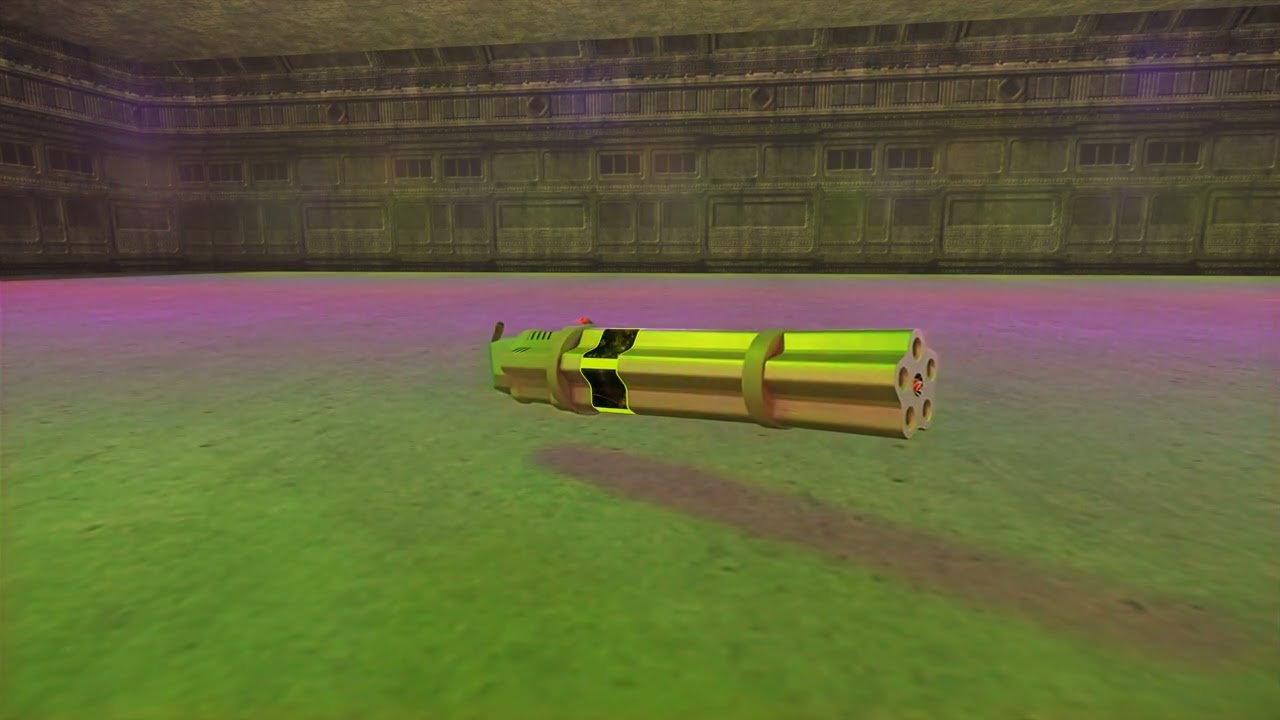
I'm about to head to bed, I'll do some more testing tomorrow
lyric mason
@lost yarrow just to verify, entity and model hashes will not change, right?
 lost yarrow
lyric mason
<@87561672067149824> just to verify, entity and model hashes will not change, ri...
lost yarrow
lyric mason
<@87561672067149824> just to verify, entity and model hashes will not change, ri...
No they should be the same. Only level geo is changing.
dreamy delta
Is the renderer likely to work in the upcoming 469e patch? It probably won't be released any time soon, but I was just watching videos on some of the changes and it got me thinking about this
lost yarrow
I am hoping it's just gonna work. Will just have to wait and see
lost yarrow
Just pushed some changes to the skybox, always renders it now so it shouldn't have that flickering issue anymore. https://github.com/mmdanggg2/D3D9DrvRTX/actions/runs/11904987777
dreamy delta
lost yarrow
Just pushed some changes to the skybox, always renders it now so it shouldn't ha...
Awesome, feels so much better now! I still think reproject should be off though 😛

 lost yarrow
Pushed out the latest as the new version!
https://github.com/mmdanggg2/D3D9DrvRTX/releases/tag/v1.6.0

GitHub
New:
Support for Harry Potter 2 Chamber of Secrets
Sky boxes are rendered for remix to pick up
Light types are now working so lights can now pulse and flicker
Changes:
Level geometry is now spli...
 coral wolf
Is there any media for harry potter chamber of secrets with your custom renderer? Also interested in how you achieved pulsating lights and flickering with said light Types
lost yarrow
Not yet, might try and post some tomorrow. When I have time.
Light types is a unreal engine thing. It's just that that info is now mixed in with the brightness given to remix.
lyric mason
lights in unreal are a bit similar to how it's handled in quake, which means they originally had a separate lightmap just for themselves which is blended in with the normal lights. The animation of the light is driven by code, which to simplify just blended between the opacity of the lightmap. So for remix it wasn't visible by default since it's a different thing that's animating the lights.
dreamy delta
I think I found a bug stemming from the new skybox rendering. Seems lighting from the skybox is locked to the current state of the skybox when capturing. This is normally okay, but on maps with rotating skyboxes (Face, SpaceNoxx, etc) this is a major issue
dreamy delta
Actually, I haven't tried release v1.6.0, is there anything different from this one?
#1211038540218109953 message
lost yarrow
dreamy delta
Actually, I haven't tried release v1.6.0, is there anything different from this ...
Shouldn't be anything that affects skybox
dreamy delta
Well damn
lost yarrow
Just put up a quick tutorial on how to install the mod: https://youtu.be/XEe-pyZ3J9g

How to install the D3D9DrvRTX render device for Unreal Engine 1 games to work with RTX Remix.
You can find D3D9DrvRTX on github at https://github.com/mmdanggg2/D3D9DrvRTX
00:00 Intro
00:09 Requirements
00:25 Unreal Tournament
01:30 Harry Potter Chamber of Secrets
03:00 In-game
03:59 Outro
lost yarrow
coral wolf
Is there any media for harry potter chamber of secrets with your custom renderer...
Bit of footage from Harry Potter 2 in there.
dreamy delta
Nice!
coral wolf
lost yarrow
Bit of footage from Harry Potter 2 in there.
I liked how stable the game is
 coarse gull
lost yarrow
Just put up a quick tutorial on how to install the mod: https://youtu.be/XEe-pyZ...
coarse gull
lost yarrow
Just put up a quick tutorial on how to install the mod: https://youtu.be/XEe-pyZ...
Does this finally work with the OG Unreal?
lost yarrow
coarse gull
Does this finally work with the OG Unreal?
It has since April?
coarse gull
are the crashing issues gone?
lost yarrow
Oh you're having that freezing thing? Not unless remix has fixed whatever's wrong there.
coarse gull
Yeah it's only in Unreal OG and Gold and I didn't know it works in tournament
I'm going to try using the latest nightly next time I'm at my Dad's
lost yarrow
worth a shot, difficult to figure out what's wrong since I can't replicate the problem myself.
You can try UT v469, there are changes in the engine to work better with newer windows versions. If you don't have it you can get the game for free here https://www.oldunreal.com/downloads/unrealtournament/full-game-installers/
dreamy delta
Unreal Gold still doesn't work for me and I never got any replies on the GH issue I posted
 woven ruin
Hi, trying your mod right now and i can't figure it out what happen. I put everything in the system folder and started it, tried to change to the renderer to direct 3D 9 RTX like in the tutorial but it only shows Direct 9
when i open UT99 it shows the rtx remix window but its all white, no cursor and bugged
what im doing wrong xD
dreamy delta
woven ruin
what im doing wrong xD
Sounds like you're not using the correct version of Unreal Tournament. I highly recommend v469d and the matching RTX renderer
lyric mason
and just to make things easier, try to set up the custom renderer first to check that it's working (everything should be fullbright) then install remix on top afterwards
woven ruin
dreamy delta
Sounds like you're not using the correct version of Unreal Tournament. I highly ...
it is
woven ruin
lyric mason
and just to make things easier, try to set up the custom renderer first to check...
okay it really was working, I deactivated RTX and it let me see the cursor, now the problem is when i activate it , this is how i see the game
 lost yarrow
woven ruin
okay it really was working, I deactivated RTX and it let me see the cursor, now ...
lost yarrow
woven ruin
okay it really was working, I deactivated RTX and it let me see the cursor, now ...
Looks like it might be using the regular directx9 renderer and not the rtx one.
Oh, you said it only showed the normal dx9 one
Double check the rtx one isn't in the menu. If it's not you can try to edit the unrealtournament.ini like show in the second half of the tutorial.
Although if it's not in that menu then it's likely you've installed the wrong version of the renderer or not put the files in the right place.
woven ruin
i changed the unrealtournament.ini and its the same thing
im gonna try reinstall again
coarse gull
lost yarrow
You can try UT v469, there are changes in the engine to work better with newer w...
Is v469 made by old unreal?
lost yarrow
yes, they have a deal with epic to continue making patches
 vernal dew
uh... guys, what all have i missed?
like... i just found out UT became public domain or some crap and now im lookin here and...well... im not sure what all's changed... are skyboxes working yet?
coral wolf
vernal dew
like... i just found out UT became public domain or some crap and now im lookin ...

Skybox can now be detected through this compatibility mod
vernal dew
hell, its about time. alright, what about Runestorm's thingy he was working on?
idk if that helps him or makes it harder tho
thus, since im passing out at the KB, imma just ask. is unreal/UT finally playable with Remix?
shiiit i wonder if this crap would work on Klingon Honor Guard too
that game would def benefit from this same crap
coral wolf
Does that game use the unreal engine?
coral wolf
vernal dew
hell, its about time. alright, what about Runestorm's thingy he was working on?
I think it's his own remix mod, hand made assets and everything, work in progress though
dreamy delta
vernal dew
thus, since im passing out at the KB, imma just ask. is unreal/UT finally playab...
UT99 works fine for me, Unreal does not. Unreal seems to be a targeted issue for me and one other person, it apparently works for everyone else 😦
UT99 only works for me with the OldUnreal v469d patch though
lyric mason
vernal dew
hell, its about time. alright, what about Runestorm's thingy he was working on?
😎
lyric mason
vernal dew
idk if that helps him or makes it harder tho
it did cause me to lose some progress because geometry hashes changed which undid my work on barricade, so I'll have to manually fix that.
vernal dew
welll, i dont plan on playing unreal gold as is, i install it, then rip the files into UT99 via Oldskool
Ahhh fuck im sorry about that, but... wait, is that all it fucked up?
i doubt the normal texture pack is gonna work well with the RTX stuff rn tho
like the 8 gb or whatever one i keep using
lyric mason
vernal dew
Ahhh fuck im sorry about that, but... wait, is that all it fucked up?
that was quite a lot of work since the map was built like a modern map with many handplaced assets, during my work on that map I did learn a lot about the limitations and workflow required by remix compared to traditional game engines.
vernal dew
i see
well, if your doing a full Remix pack...thats awesome and worth the wait. imma try it as is and with all my current mods, see if its playable enough
if not, i'll wait for your pack. also, arent you like the person who made Ballistic weapons?
idk if i remember that right as i havent touched that or UT2004 in...well years
how functional is remix rn with the HD texture pack from moddb/google sites
if at all
lyric mason
vernal dew
if not, i'll wait for your pack. also, arent you like the person who made Ballis...
Haha, I am not directly affiliated with the Richert brothers who created Ballistic Weapons 😁
lyric mason
My latest work was primarily with Natural Selection 2 from Unknown Worlds Entertainment.
Working with them
vernal dew
Goddamn that...was good!
i played a bit of it
the original
but yeah thats awesome
imma go to bed soon, but tomorrow imma just shove RTX thingy and the driver in there with my already built thingy and see what happens
here's hoping i'll be able to finally navigate outside lol
dreamy delta
vernal dew
how functional is remix rn with the HD texture pack from moddb/google sites
Remix will never look good with any non-PBR textures. You can tweak the look of them (all original textures share the same settings in Remix so you might make one look good and others look worse) but it will never look right without replacements
Without normal maps and roughness maps (at the very minimum) everything will look flat and have a weird sheen to it.
vernal dew
is there any packs that DO have that?
i'd take native res in that case if it meant the RTX worked right
lyric mason
you'd have to create them yourself with something like #1263287747905327236 and importing them into remix I reckon.
There's no PBR asset pack for Unreal or Unreal Tournament as far as I'm aware.
dreamy delta
lyric mason
There's no PBR asset pack for Unreal or Unreal Tournament as far as I'm aware.
Nope, because Unreal and Unreal Tournament could never use PBR without major engine rewrites. Supposedly there was one in the works but I haven't heard about it in years
dreamy delta
Holy hell this looks good. Would be cool if these textures could be used as a base for a Remix project
https://youtu.be/_-Zh1N6GnQw

In this video, I take a first look at the UT99 HD Remastered v4.0 BETA texture pack, sent to me by its creator, AHaigh01. This is an exciting upgrade from the 3.5.1 textures released in 2020, showcasing incredible improvements in detail and fidelity. Using the 469 patch and UnrealHD skins, I walk through several maps, comparing the new textures ...
lost yarrow
definitely not trying to do that right now.
dreamy delta
I dunno, it looks pretty good to me. Not to mention that's basically what most RTX mods are going to end up being anyway.
Upscaled original textures with roughness and normal maps thanks to the AI tools built in to Remix
Might as well start with nice looking textures
vernal dew
blumpkinking87 is right guys, we might as well start with the HD textures for the remix project as they're true to the art style and do look good. plus remix can eventually fix the models too
the low poly models in UT99 arent even that incompatible with the 4k textures, thats a testament to how well this game and its tech has aged
lyric mason
is it just me or are there visual artifacts and flickering in that video?
while I do agree that the textures themselves look fine and are of high quality, they do add a lot of visual noise and do feel somewhat out of place given that they're just diffuse textures instead of full materials so the baked in lighting and emulation of depth will look off when paired with PBR materials.
Face looks quite different, it's a lot more dark and gritty, changing the mood and feel of the map.
dreamy delta
lyric mason
is it just me or are there visual artifacts and flickering in that video?
That would be UE1. Notice the jittery camera movement? UE1.
lyric mason
I'm talking about the 1 frame of entirely broken visuals
dreamy delta
Also UE1
lyric mason
Never once had that
dreamy delta
Do you use xOGL?
dreamy delta
I guess I should specify. Not particularly UE1, xOGL specifically
It's garbage
It's the brainchild of a half-ass coder
 wide fox
dreamy delta
Holy hell this looks good. Would be cool if these textures could be used as a ba...
wide fox
dreamy delta
Holy hell this looks good. Would be cool if these textures could be used as a ba...
should work with reshade "raytracing" using this new textures. with some displacement... will try
wide fox
and here works fine with remix too
lost yarrow
Almost got it to automate running pbrify on the 4k pack textures and then ingest and setting that on a mod layer.
 lost yarrow
Doh, and of course remix doesn't seem to be able to set USD overrides for textures not in the capture.
 lost yarrow
seemed to work


Obviously not as good as properly done textures and model updates as rune is doing but probably better than stock.
dreamy delta
Roughness seems off. Almost looks like there is no roughness map at all
lost yarrow
I think the ai just isn't very good at that

 dreamy delta
I doubt AI tools will ever be good enough. Would be nice if you could tell the model "hey this material is non-metallic and not shiny, so don't make it fucking shiny"
looking at you, shiny dirt
coral wolf
dreamy delta
I doubt AI tools will ever be good enough. Would be nice if you could tell the m...
i wish the comfyUI and REST API toolkit intergration was more widely used
lost yarrow
It was not well suited for this at all, I found. Very cool and nice when in editor to just upres and gen pbr for selected stuff though. Not good for large batch work.
dreamy delta
It's okay for diffuse textures, but metallic and roughness is probably pretty hard for an AI to calculate from a flat low res image
lost yarrow
doesn't even calculate metallic map
dreamy delta
That's an issue
lyric mason
lost yarrow
those normal maps on the walls hurt my soul on a whole different layer 🥲
lost yarrow
only the best, premium ai normals here.
 winged cloak
honestly for most materials it's better just to set a specific value and move on. Unless your texture has several different materials in it
dreamy delta
Most textures will have variation in metallic and roughness values. Even a metal panel on a wall for example, would have some sort of rust, dirt, damage, paint, etc that would need to be non-metallic
lyric mason
https://www.epicgames.com/unrealtournament might as well post the official link

Before we were known for Fortnite, you might have known us for another game: the one that started it all. Between 1998-2010, we released nine titles in the Unreal franchise, including Unreal Tournament. The rest is, you know, history.
 coarse quest
This feels pretty significant, is it not
lost yarrow
I think the significant thing is that they allowed oldunreal to link to the game ISO's and make installers that download and patch the games for free. Having an official page on their site that links to oldunreal is just icing on top.
coarse quest
If the games are now officially accessible for free by an unofficial community, doesn't this effectively remove the concern over sharing modified game files as part of your mod to expand what's possible? @lyric mason
lost yarrow
I think the concern was more that modified game files prevents you from playing online in most cases
coarse quest
Ah. Yeah that would do it
I'm guessing there's no anticheats that would conflict with Remix itself
lost yarrow
There is also that, ACE anticheat which is used on a fair number of servers doesn't like the render device as one would expect. I very much doubt that my renderer would be cleared for that either as it absolutely could be used nefariously.
lyric mason
coarse quest
If the games are now officially accessible for free by an unofficial community, ...
No, my mod has to be compatible with vanilla servers so any mutators or edited game files are off the table for this.
lyric mason
lost yarrow
There is also that, ACE anticheat which is used on a fair number of servers does...
to be fair, so can the default renderers, especially the openGL one. Saw a video of someone intercepting calls and creating a very simple wallhack for ut99 yesterday.
lost yarrow
But at least in those cases the renderer is only outputting geometry that is in front of the camera. Mine sends most of the level out.
UE culls almost everything that isn't actually visible from the camera
lyric mason
true
winged cloak
still stupid as they could have left them up on gog and steam and just had the fan patches pre applied. Not to mention the single player games that you can't legally get anymore
dreamy delta
winged cloak
still stupid as they could have left them up on gog and steam and just had the f...
You absolutely can get the single player games legally, that's what the Old Unreal downloads are.
dreamy delta
That X link says Unreal II as well
lost yarrow
it does but from what I've seen they're not allowed to give downloads for that yet
dreamy delta
lost yarrow
it does but from what I've seen they're not allowed to give downloads for that y...
lost yarrow
not the game though, just the official patches
dreamy delta
Ah yes, so it would seem
lyric mason
(not like missing out on unreal 2 would be a huge loss anyway)
dreamy delta
I don't think it's a terrible game, but it has very little to do with Unreal lol
What I think is interesting is Old Unreal never had anything to do with Unreal II, so why is Epic letting them host downloads for it and not other games like UT2K4
lost yarrow
They always had those, they were freely available since the patches were released.
dreamy delta
I never noticed
What I mean though is Epic seems to imply you can download the full version from OU.
Obviously that's not the case (right now)
lost yarrow
they did and the oldunreal devs seemed a bit surprised by it too.
winged cloak
lyric mason
(not like missing out on unreal 2 would be a huge loss anyway)
Not the point
lyric mason
Enlighten me please. I just made a joke.
dreamy delta
You can't do that!
dreamy delta
I prefer Unreal II over Halo
dreamy delta
Subjective
winged cloak
No it's objectively better but unreal II has a charm to it too
dreamy delta
Opinions are not objective though
winged cloak
it's an observable fact 🙂
lyric mason
 dreamy delta
Opinions
dreamy delta
The only thing Unreal II needs is faster movespeed, which is easy to change
winged cloak
And better story and level design and music and characters and
 mystic oak
Welcome to the arena. It's an intense battle to dominate and come out the victor, and there's too much on the line to fail.
Secret Level is a new adult-animated anthology series featuring original stories set within the worlds of some of the world’s most beloved video games. From the creative minds behind LOVE, DEATH + ROBOTS, each of the epis...
dreamy delta
I just watched the full episode
It's okay
Wasn't nearly as cool as I was hoping, and I think it conflicts with the UT lore but I'd have to double check.
lyric mason
It checks out, just kinda sad they made it intentionally 13+, likely so that epic can put those UT skins in the fortnite shop without restricting those skins like borderlands and doom are.
The new robot design is interesting and there are some lore clarifications since there was some stuff that was just fan theories for the most part.
dreamy delta
Just watched the Armored Core episode. It's definitely more mature, and way more bad ass than the UT episode
Also where the hell is the Mega Man episode!
I think you hit the nail on the head about using the assets from the UT episode in Fortnite lol
lyric mason
There are several episodes still missing, exodus is also missing, so is the PlayStation one...
dreamy delta
Lame. I hope they're not locked behind a loot box 😛
Watching the Crossfire episode now. They done fucked up in the first 3 minutes. Using thermal vision through glass 🤔
lyric mason
This is probably better suited for #offtopic
dreamy delta
Don't worry I've watched all the episodes I wanted to, no more comments 😛
vernal dew
having tested it all morning, and then some... uh, i can say that with the texture pack and RTX that two things happen, 1: FPS dies... 2: uh, lighting is like...too dark in some areas, and way too oversaturated (to the point all colored lighting ends up washed out and white) and such. all of this is precisely what was mentioned by the lack of PBR textures i think. for example, the models tend to look overly reflective and unnatural, despite the high resolution textures.
Basically, its ALMOST playable.
Unreal 1 maps are...well, i can see the potential for map 2 to be especially beautiful... the valley and lighting could be magnficent tbh
but rn it just feels like a screen space reflection nightmare
also, it really chokes on some things, idk why, but sometimes it'll just crash for no apparrent reason
for now im gonna wait till the last few pre-requisites are finished Hell for all i know all thats needed is Runestorms thingy and it might just be good enough
wide fox
@lost yarrow renderer v1.6 work with remix 0.6.0
started on 3rd attempt, but works...
vernal dew
well thats odd, for me too it took 3 attempts before it properly booted. first time, it crashed my OS lol
lost yarrow
OldUnreal just released the 227k sdk!
 lost yarrow
Gonna be a PITA to get working with my build scripts because it needs different compiler settings to the others :/
dreamy delta
Sweet, I'll mess with it after I eat
dreamy delta
Renderer reverts to xOGL ingame 😦
D3D9DrvRTX doesn't even show up in the ingame settings

doesn't even show up in the configurator

I'm using the latest 227 GH build. Not sure if it's 227k_12 or not
Ah, of course... I was missing the .int and .ini
So now it shows up in the configurator and ingame, but the game still reverts to xOGL
Also I don't know why the configurator has broken text strings, that's the fault of this latest 227k build I guess
Do I need to be using the 32-bit .exe?
Seems to be using the correct graphics driver using the 32-bit exe, but the game crashes
I'm also using the latest RTX Runtime from the automatic downloader
So the latest OU GH release is indeed 227k_12. They haven't updated it in 3 months and that was the _12 update
lost yarrow
dreamy delta
Do I need to be using the 32-bit .exe?
Yes it is for 32 bit. Worth trying without remix first to make sure the renderer is working. Also I find sometimes remix can take a few tries to start without crashing on new installs.
dreamy delta
lost yarrow
Yes it is for 32 bit. Worth trying without remix first to make sure the renderer...
Launched a couple mroe times and it works 😛
But there seems to be no direct lighting
And the flyby map is just skybox
lost yarrow
You got the rtx.conf too?
dreamy delta
Using my rtx.conf from UT99
That seemed to fix the flyby map, but there's no direct lighting in the vortex riker

Some lighting works...
lost yarrow
oh, dxvk.conf too?
dreamy delta
the entrance to the vents
lost yarrow
otherwise it will max out at like 8 lights
dreamy delta
Yes
Actually
UT99 is super dark now too
Outdoor areas seem fine...

Maybe the lighting is just fucked up on the map
lost yarrow
seemed ok to me
but it's basically working, which is good
one slightly anoying thing is the mesh hashes seem like they can be different so a mod for 226 won't necessarily work in 227 or 469 for the same map
 dreamy delta
Wird, it looks like just the one surface is different
Two surfaces*
Oh and the corpse
Is that room dark as fuck for you?
Wait a freakin minute
All the sudden it's fine now lmfao

 dreamy delta
Meshes using PHYS_RigidBody are invisible
dreamy delta
Debug stuff drawn to the canvas doesn't show up either, but that's not a huge deal
This is xOGL to show what I mean by debug stuff
 coarse gull
Does unreal gold work yet?
lost yarrow
lost yarrow
In the mean time, here it is to test with:
@coarse gull you can try with this on the 227k_12 patch, install D3D9DrvRTX for 226 first and then replace the dll.
dreamy delta
coarse gull
Does unreal gold work yet?
It works for me with 227k_12 but not any other version
The screenshots I posted just above are all from Unreal Gold 227k_12
dreamy delta
Replaced the baked textures from one of my mods with the PBR textures (hands and weapon in this case)... Is there any kind of shadow terminator to fix shading on low poly meshes in Remix?


I never realized how dog shit my older textures are until seeing them RTX'd ingame lmao
Need to export the more updated mesh so I can use my newer textures but it's been so long since I've messed with this mod I don't even know where to begin lmao

I also can't capture objects with PHYS_RigidBody because they don't render at all with the RTX renderer. This sucks because it means I can't replace world model textures for my mods
I'll be surprised if Discord doesn't flag this image

Just another example of bad shading on a LP mesh
lost yarrow
@dreamy delta do you have a link to some content that has these xemitters and rigidbody meshes so I can test with them?
dreamy delta
Yeah one sec
In console type:
summon lca.aks74u
it will drop on the floor right in front of you, but will be invisible
It uses PHYS_RigidBody which for some reason Remix does not like to render
The bullet projectile has a tracer xemitter and the shells have smoke trail xemitters
Also there are a couple custom binds for that weapon, one sec
Button bExtra1
Button bMelee0
You can either edit the user.ini to add them to whatever key you want or bind them in the console like this:
set input r Button bExtra1
That command is for reloading
other one should be obvious but I'm not even sure if that works in that version, plus you don't really need it for testing xemitters
lost yarrow
Nice, thanks. I'll try to have a go with that tomorrow.
dreamy delta
Alright sounds good
Let me know if you need any other packages for it to work. It shouldn't have any dependencies though
dreamy delta
Here's a video showing how the xemitters should look
https://youtu.be/KqTRtJeypvw

Testing some experimental features in Unreal Gold 227j like Rigid Body physics and also attaching smoke and tracers to skeletal meshes! I haven't figured out how to get projectiles using PHYS_RigidBody physics to perform the normal functions such as ProcessTouch(), Hit() or Landed() just yet, so for now they only interact with the world geometry...
Bullets do not ricochet like that in the version you have though. I couldn't figure out how to script them to interact with other actors so they just passed through enemies and whatnot
I just realized something odd: the empty shells are also rigid body but they seem to render...
lost yarrow
good start

It's actually static meshes that weren't working
I think the normals aren't right still though
and the physics are broken
actually the physics are just broken anyway
lost yarrow
Managed to get the action builds going too so @dreamy delta you can give that a try https://github.com/mmdanggg2/D3D9DrvRTX/actions/runs/12601891287
dreamy delta
lost yarrow
actually the physics are just broken anyway
Broken how?
You might need to set the physics driver in the advanced options. I had to do that for some reason.
dreamy delta
lost yarrow
It's actually static meshes that weren't working
That's odd because I didn't notice any of the vanilla static meshes missing
lost yarrow
base game doesn't use static meshes, only mesh and lodmesh.
dreamy delta
Ah
lost yarrow
they're new to 227
dreamy delta
Well I suppose this explains why the empty shells from the ak show up, they're skeletal meshes 😛
lost yarrow
thankfully the skeletal mesh classes derive from lodmesh and so need no special treatment
dreamy delta
What's up with the physics? It seemed to be working on my end, just wasn't rendering the mesh
lost yarrow
well it just doesn't physic, only floats there
I'll try looking for the physics driver in a sec
dreamy delta
Yeah you need to set the driver
Classic OldUnreal
It's probably set to "English(international)" or whatever
Clearly that's not correct lol
Also I had to copy all the int files from the localization folder to my system folder, you probably need to as well
lost yarrow
Yea, that was it. And also
 dreamy delta
Got rid of the xemitter sprites?
lost yarrow
yea, fair bit of fuckery because the 227 is missing some exports I wanted to use
dreamy delta
Those sparks always showed up
dreamy delta
lost yarrow
yea, fair bit of fuckery because the 227 is missing some exports I wanted to use
Do the xemitters show up?
lost yarrow
no longer, though I don't know if they're working properly.
dreamy delta
I'm talking about the effect itself
Should be smoke trails from the shells and tracers on the projectiles
lost yarrow
then no
dreamy delta
Damn
dreamy delta
lost yarrow
Managed to get the action builds going too so <@317455573706735617> you can give...
Does this include the fixed static mesh rendering and sprite removal?
Ah I see that it does. I also see a 64-bit version!
64-bit still reverts to xOGL
lost yarrow
x64 should work. That build only has the static mesh stuff, sprites not pushed yet
to be fair I've not tried x64 with remix just yet but it builds and runs
keep in mind that for x64 you need to install remix differently
dreamy delta
lost yarrow
keep in mind that for x64 you need to install remix differently
That would have been nice to know
I was also just about to say the sprites are still showing up in the 32-bit version 😛

And if you're wondering, it's running at 19FPS because of the rigid body AKs not because of the renderer 😛
lost yarrow
ok, I did wonder if that was my fault or not
dreamy delta
lol nah the game just doesn't like using the exact same static mesh for collision and visual (considering the AK is like 12,000 triangles)
lost yarrow
probably wants a low poly box for colision
dreamy delta
Yeah I never got around to simplifying the collision because OU kept fucking up RBP
I quit working on my Unreal projects because of OU constantly breaking their own shit
Therefore I never got around to optimizing anything
dreamy delta
lost yarrow
keep in mind that for x64 you need to install remix differently
So what is different about installing Remix on 64-bit?
lost yarrow
it doens't need the bridge part since it's already 64, I think you basically just dump the contents of .trex next to the exe
Probably make sure it works without remix first as ususal
dreamy delta
So all this will go into System64 instead of System64/.trex?
 dreamy delta
Still reverts to xOGL
lost yarrow
did it work without remix?
dreamy delta
How do I try that again?
lost yarrow
just remove/rename the d3d9.dll
dreamy delta
Same thing, reverts to xOGL
lost yarrow
hmm, just double checked and that build from github is working for me
 lost yarrow
you have installed the .int .ini etc all in System64 too?
dreamy delta
I guess I have to manually set it because using the configurator doesn't fully set it
lost yarrow
strange, to be fair I usually set it in the ini
dreamy delta
I usually let it automatically set itself up when it pops up when launching for the first time
I'm not getting the popup that asks if I want to do that
Also, WindowedRenderDevice should be changed as well, no?
lost yarrow
yea, I would expect that to happen. That works on the 32bit one doesn't it?
dreamy delta
lost yarrow
yea, I would expect that to happen. That works on the 32bit one doesn't it?
The popup? Yes
lost yarrow
I don't think WindowedRenderDevice is used
dreamy delta
Manually set Render=D3D9DrvRTX.D3D9Render and still no dice

- XOpenGL
lmfao fuck off discord
I didn't want a bullet point list with only one bullet point
lost yarrow
it must be having trouble loading the dll then, too bad it's not telling you the error
nought in the logs?
dreamy delta
Can't find package for file blah blah blah
lost yarrow
yea not much to go off
dreamy delta
Nop
dreamy delta
lost yarrow
you have installed the .int .ini etc all in System64 too?
Yes
lost yarrow
don't suppose you know how to launch it with a debugger?
dreamy delta
Nope, sure don't
lost yarrow
you can get windbg from the windows store, try running that and just do launch exe on the unreal.exe
 dreamy delta
Also, the advanced renderer options button doesn't show up ingame like it does in UT99
lost yarrow
it will do the same thing but the logs in that should show if the dll tried to load and why it didnt
dreamy delta
Not really important because there are only a few options and they can be set in the ini, but figured it's worth mentioning
lost yarrow
might just be because it's not loading or you mean in 32bit?
 lost yarrow
oh that one, is that there for any of the renderers?
might be a ut exclusive
could be some other way to add them in 227
dreamy delta
I've never seen that button in Unreal Gold
I figured you added it to the UT99 RTX dll
That's the only reason I brought it up here lol
Thought it was supposed to be showing up in Unreal Gold as well
lost yarrow
oh no, that's an oldunreal addition, I just added the options in the menu with the .int file
dreamy delta
Ah. It would be nice if they could be consistent for once.
That will never happen though
lost yarrow
still all available in the advanced options gui
 lost yarrow
just hit go
lost yarrow
it just hit a breakpoint
might be a few possibly
should be able to keep hitting go until it launches
dreamy delta
Game is running. Does WinDBG save its own log file?
lost yarrow
don't think so, just have to copy it out
wide fox
guys, any help please?
I cant get it work:
renderer 1.6
remix 0.6.0
unreal 227k
ini changed as in Tournament, which is working fine for UT.

says entry point ??DFN... not found in D3D9DrvRTX.Dll
lost yarrow
wide fox
guys, any help please?
I cant get it work:
renderer 1.6
remix 0.6.0
unreal 227k...
I've not released a version for 227 yet, you can try the test build here though: https://github.com/mmdanggg2/D3D9DrvRTX/actions/runs/12601891287
lost yarrow
click download on the artifact
wide fox
maybe I am blind:
 wide fox
404 here
lost yarrow
wide fox
thanks man, aaaand.... it works 🙂
lyric mason
lost yarrow
hmm, usually can just click the name. Perhaps you need a github account.
Downloading github actions requires an account by default, you can get around that by using the nightly.link website, it's what I used to allow the remix auto downloader to get artifacts without requiring logins.
lost yarrow
@dreamy delta I tried x64 btw and it worked ok for me, just extracted the contents of .trex into System64
dreamy delta
lost yarrow
<@317455573706735617> I tried x64 btw and it worked ok for me, just extracted th...
Sure wish it worked for me.
At least 32-bit works
coarse quest
@lost yarrow just to give a heads up, ^hes no longer in the server and was hoping to add you so he could continue work on his Unreal Remix stuff
wide fox
any idea why with 227_12 and rtx sound doestn work in Unreal? UT works fne.

i tried all options for sound drivers
lost yarrow
wide fox
any idea why with 227_12 and rtx sound doestn work in Unreal? UT works fne.
Not seen that before. Does it work if you switch back to opengl?
wide fox
I tried dx11 and it works fine
lost yarrow
32 or 64 bit?
wide fox
32
lost yarrow
if you rename the remix d3d9.dll temporarily to stop it using remix, but still use the rtx render device, does it work then?
wide fox
when renaming D3D9DrvRTX.dll, it seems running as swRenderer, at least in options it says so. and image rendered is weird
lost yarrow
d3d9.dll from remix, not D3D9DrvRTX.dll from the renderer
wide fox
oh
lost yarrow
basically removing remix to see if the issue is with the renderer or if remix is causing it.
lost yarrow
just in System, the one next to the game exe
I say rename just so it's easier to put back after
wide fox
ok no sound, but now i tried to change audio in options , instead of startup setup (still empty slot there),
then sound works.
tried same way for RTX (revert renaming) and for some reason works too.
thanks for help anyway, so I was able to make it work.
probably 227_12 patch bug
lost yarrow
yea, might be worth trying with a fresh install of unreal.
wide fox
all is fresh
- your renderer prerelease for 227, remix 0.6.0
thanks again
yeah and for some reason, while saving any progress, it crashes, but thats for sure out of your remix renderer.
ok and I have to switch the audio every time I run the game.
but that part is fine.
mystic oak
anyone ran Nightraven's pbrfusion through the high res UT textures?

i was going to try it but im curious if anyone already has and how the results were

Jump to HD Textures Download Page
News!
Video from 314 Reactor on the new UT 469e patch
UT99 v4 LE released. A smaller HD edition - 3gb - Jan 2025
UnrealGold v4 LE released. A smaller HD edition - 2gb - Jan 2025
UT99 Version 4 HD Remastered Textures released. - Dec 2024
New video from 314Reactor
not sure if @lost yarrow or @lyric mason might know
lyric mason
I know about them, the thing is that I want to reference the original textures and recreate those in high res PBR, using the HD textures as a base might sound like a good idea, but I am redoing all the textures from scratch anyway so they'd be of not much use for me.
This reminds me that I have to instruct people to use vanilla textures as the HD pack will break the mod
lost yarrow
lost yarrow
I did have a go with pbrify here.
mystic oak
lost yarrow
I did have a go with pbrify here.
Interesting, I've heard pbrfusion has better results but would definitely like to try it
Any python script you used to run the process? Or was it all manual
lost yarrow
I built a horrific comfyui script that I left to run for 2 days
the results were pretty mid
I do wanna try with the new hd textures v4 and maybe pbrfusion
Was sorta waiting for the guy to release v4 in dds format.
mystic oak
lost yarrow
Was sorta waiting for the guy to release v4 in dds format.
What format are they in rn?
lost yarrow
Unreal utx files
lyric mason
Aren't they in dxt1 blocks? I swear I recall the editor supporting export as .dds or .bmp
mystic oak
yeah i thought unrealed exports to dds
lost yarrow
Nope, only as png, pcx or bmp. But also tranparrency and other things don't export quite right all the time. The dds hd package only has the new updated textures in it which is more useful.
mystic oak
lost yarrow
Nope, only as png, pcx or bmp. But also tranparrency and other things don't expo...

on unreat tournament 451
unrealed 2.2
lost yarrow
Huh, not on 469.
mystic oak
lost yarrow
Huh, not on 469.
just checked 469d, my copy has it

unreal 227final also seems to

should say that in the about tab
the original epic games one might not have it
lost yarrow
469d and e don't have it, only 227k
mystic oak
ah that makes sense
presumably that copy of unrealed could be used to open any .utx file and dump to dds though
lost yarrow
I suppose, I do want to try and do it again but it was such a pita to get comfy to do batch work like that. I just want a python api that I can give an image, and tell it to save a generated normal map to a certain location, ridiculous effort to just do that.
mystic oak
lost yarrow
I suppose, I do want to try and do it again but it was such a pita to get comfy ...
I was reading through https://huggingface.co/NightRaven109/PBRFusion and it seems like its just a matter of queueing up a batch?
going to try it later today
lost yarrow
yea, I just looked at it and saw another node graph that looked like comfy and didn't want to go through the pain again.
I get the feeling the batch stuff will only run on a single folder
mystic oak
can remix batch read in all the replacements once they have been created? or do you have to go through every texture one by one
lost yarrow
I wrote a python script that generated a usd file that had all the replacments in it
so comfy was also using remix to ingest and write the dds files from the generated normals.
that's part of why it took so long to run, remix is slow as shit to ingest textures.
mystic oak
ahh that makes sense. i'd love to try the script if you have it uploaded somewhere
lost yarrow
oh it was such a hackjob, I can't even remember where some if it is.
Here's some of it, exportall will run ucc to export all the textures out of all the utx files. Then hashTex opens all the png files and tries to generate the hash that texture would get in remix and saves it to a .hash file and then genUSD creates a usd file for those hashes that points to the dds files that you get out of ingesting in remix.
So I think, have the regular textures installed, export that, and rename the export to texture_export_orig then install the hd textures, export all again and name it texture_export_hires
mystic oak
gotcha, what purpose do the original textures serve if the game has hd textures already installed?
lost yarrow
to generate the correct hash that remix would see. I guess if you're running unreal with the hd textures then there's not much point but it would mean your mod would only work for people that have already installed the hd textures. I would recommend you not run remix with hd textures installed in the game.
And this was the horrifically cursed comfy script
mystic oak
ah gotcha. yeah at this point its just a test/proof of concept so the hd textures would be a prerequsite
mystic oak
lost yarrow
And this was the horrifically cursed comfy script
oh boy haha
lost yarrow
needed to install WAS node suite
lyric mason
mystic oak
gotcha, what purpose do the original textures serve if the game has hd textures ...
if for example you had someone make a full remaster of the game then it makes sense they would just use the vanilla textures as they get replaced anyway, and since those HD textures are different to the vanilla ones the mod would break for anyone who had said HD textures installed.
lost yarrow
Hey, new version is out! Mainly adding support for Unreal v227k
https://github.com/mmdanggg2/D3D9DrvRTX/releases/tag/v1.7.0
GitHub
New:
Support for Unreal v227k_12 with some custom content such as static meshes, particles and terrain
Config option for NonSolidTranslucentHack
Multiple optimizations
Changes:
Disable RTX skybo...
lost yarrow
Just a quick bugfix release for some random corruption that was happening: https://github.com/mmdanggg2/D3D9DrvRTX/releases/tag/v1.7.1
coarse gull
So I heard you got 227k of old unreal to work @lost yarrow ? cannot wait to use it on my dad's pc! Finally no crashes!
lost yarrow
yes indeed!
coarse gull
Awesome! How did you get access to 227k's sdk? Is it public?
lost yarrow
Yep, they released it a few months ago.
lost yarrow
yea works fine with the new version
coarse gull
That's good! I'll get the unreal install ready 4 RTX remix
I wonder if someones gonna make PBRs for the Unreal engine
mystic oak
lost yarrow
to generate the correct hash that remix would see. I guess if you're running unr...
Not sure if you saw this but OnnoJ wrote a great tool for Deus Ex that simplifies this process a bit. I'm thinking it would work with UT also since the texture hashes should be the same between renderers. gonna try it this weekend
coarse gull
Does the custom renderers files need to be in system64 folder for Unreal Gold?
lost yarrow
If you want to run the 64 bit version, then yes. You need to install remix differently too. It's in the readme.
coarse gull
Ok thanks!
coarse gull
And it's any release of 227k even when it gets updated?
lost yarrow
Depends what they change in the next versions
coarse gull
Does the fan made HD texture pack for unreal. https://sites.google.com/view/unrealhdtextures/home work with this mod? It goes up to 4k but I'm using the low res HD texture pack

Jump to HD Textures Download Page
News!
Video from 314 Reactor on the new UT 469e patch
UT99 v4 LE released. A smaller HD edition - 3gb - Jan 2025
UnrealGold v4 LE released. A smaller HD edition - 2gb - Jan 2025
UT99 Version 4 HD Remastered Textures released. - Dec 2024
New video from 314Reactor
lost yarrow
It should do but don't use any texture mods if you're going to make an rtx mod.
coarse gull
I just want to run the game without any mods. I don't plan on making one
lost yarrow
then go for it
coarse gull
What do you think what DLSS preset I should use when I use the HD Textures?
I'm stuck between performance or quality
I won't have a chance to try this out until I'm at my dad's house this weekend. He's the one with the 4070 ti SUPER
lyric mason
Whatever runs good enough for you, if quality gives you enough fps then use that. If it doesn't go with balanced.
Just keep in mind that the HD textures lack the extra information that rtx remix needs to look good. So expect flat surfaces that are coated in a sheen.
coarse gull
I got it to work! But it seems like it is very fragile when it comes to video settings. If 1 or 2 settings are set to a certain value it will crash on boot up
Unreal looks well Unreal with Raytracing!
Fps seems to be stable at DLSS quality preset and RR transformer model
Only curtain video settings crash unreal when applied with your driver if the remix runtime is applied
But if the runtime isn't, it works normally!
Idk what settings crash it with the runtime enabled
I'll make a clip of unreal with RTX next time I'm at my dad's pc
 last island
Hello there. I'm having a crash on startup on 469e, using the renderers from the downloader and the latest version of the projects. I have a 4080 super with the latest drivers.
 lost yarrow
469e made an incompatible change and doesn't work with the 469d build. There is a version for 469e in the latest action build: https://github.com/mmdanggg2/D3D9DrvRTX/actions
last island
lost yarrow
469e made an incompatible change and doesn't work with the 469d build. There is ...
Thank you. How might I download that build exactly?
lost yarrow
Oh, you will need a github account to download from actions I think.
last island
Ah, there we go. Not used to github's interface...
Well, it starts now, but then crashes a few seconds in. Messes with my resolution too, but snagged this.
 lost yarrow
That's a weird one, that might be more of an issue with remix itself. Try running it a few times in case it's a bit of a fluke.
last island
Lmao, it somehow perma set my resolution to 640x480
lost yarrow
Could also try disabling fullscreen mode in the unreal ini file
 lost yarrow
Ok, that's the usual one. Genuinely just try running it a few more times. I think that happens when remix pauses to cache shaders
last island
Ah, I've heard of that type of thing before. Ok.
last island
Yeah, many thanks. I got distracted by something pug related, but it works now! Here, have a pug as a tip.
 lyric mason
lost yarrow
Ok, that's the usual one. Genuinely just try running it a few more times. I thin...
lyric mason
lost yarrow
Ok, that's the usual one. Genuinely just try running it a few more times. I thin...
Might be worth trying to add this to the bridge.conf to see if it reduces the crashes on a fresh install with no shader caches #general-remix message
last island
Absolutely love the lighting for this. It looks great on most of the maps.
Shame that there's just not that many people playing online though.
lost yarrow
🐻 🫎

 slow girder
Wow cool! Do you have the game's SDK for the Unreal Headers available, or did you just mix and match from the available SDKs?
When I tried to compile Chris Dohnal's D3D9 driver for DeepSpace9 I kept getting crashes and errors, most probably due to incorrect headers
lost yarrow
slow girder
Wow cool! Do you have the game's SDK for the Unreal Headers available, or did yo...
Have to make my own headers, starting from whichever sdk I think is closest. Then have to add game specific features and fixes. This one for example was made following Harry potter 2, so I started with the sdk I made for that and many of the fixes are the same.
lost yarrow
Made that work public here if you're interested in that: https://github.com/mmdanggg2/UE1-sdks
They are in no way complete, just fixing the parts I need to get this working.
lost yarrow
New release available now!
https://github.com/mmdanggg2/D3D9DrvRTX/releases/tag/v1.8.0

GitHub
New:
Support for Brother Bear
Support for Unreal Tournament v469e
Customizable per level Anchors and RTX config settings
Anchors can be customized and animated in various ways to assist with addi...
lost yarrow
Unreal Tournament (D3D9DrvRTX Render device)
Unreal Engine 1 D3D9DrvRTX render device
lost yarrow
Kling

 storm glade
lost yarrow
Kling<a:rtxon:1069047685635649686>
storm glade
lost yarrow
Kling<a:rtxon:1069047685635649686>
What game am I looking at, Shran?
 lost yarrow
And here is the new version with support for breaths in Star Trek: The Next Generation - Klingon Honor Guard

GitHub
New:
Support for Star Trek: The Next Generation - Klingon Honor Guard
Fixes:
Possibly fixed some masked textures with bad alpha values
This one was quite an interesting challenge, KHG is I believe the oldest version of unreal engine that exists; Even older than the one used for the original release of Unreal. So there was a lot of low level stuff that's just different or missing.
lost yarrow
lost yarrow
poll_question_text
What game should I work on next?
victor_answer_votes
8
total_votes
12
victor_answer_id
1
victor_answer_text
Clive Barker's Undying
victor_answer_emoji_name
🧟
 steep lava
Any idea if this works with Duke Nukem Forever 2001/DNF2001RP?
lost yarrow
steep lava
Any idea if this works with Duke Nukem Forever 2001/DNF2001RP?
Not currently. Not planning to work on it any time soon either.
storm glade
lost yarrow
Incidentally, Clive Barker's Undying is currently deeply discounted on GOG:
https://www.gog.com/en/game/clive_barkers_undying
I've never played it, but after looking at screenshots I'm excited to see what people can do with some modern moody lighting!

GOG.com
What a horrible night to have a curse!
Someone should have warned the Covenant children:
lost yarrow
Indeed, that's where I just got it from (and so will be the version I'm testing against)
lost yarrow
Managed to get something rendering at least, some progress!

 lethal karma
Does Undying do some weird stuff with rendering?
lost yarrow
lethal karma
Does Undying do some weird stuff with rendering?
Not sure how weird yet, but it's got a unique mesh class and some custom rendering functions for sure.
vernal dew
i cant get KHG working... it just hangs on white screen
vernal dew
nvm, i got it. turned off auto exposure too, it was overbright
 pure crow
I've never played it,
Me neither... BUT would an enchanced version of it!

 storm glade
lost yarrow
And lights are working
storm glade
lost yarrow
And lights are working
Is that a new texture on the doors, or just the new lighting making the OG texture look way better than it did before?
lost yarrow
No new textures here
storm glade
lost yarrow
No new textures here
Wow. It's amazing how much just improving the lighting engine does to improve the scene. I'm psyched to see this in action (even if when I tried to play the game I consistently got killed almost immediately).
slow girder
Yep, getting killed by the first monkey creatures on Normal diff really added to the horror element 🤩 You’d need to map powers the shortcut keys, and don’t reload during battle, instead switch to ectoplasm and finish the little beasties. Later on keeping the shield up is a must. I have memories of shooting point blank with sulfur shells and dying due to catching fire myself 😂 🥲
storm glade
slow girder
Yep, getting killed by the first monkey creatures on Normal diff really added to...
I've clearly gotten spoiled by the recent trend of games that hold your hand as they teach you how to play, because in the absence of any real tutorial on how to use my powers the farthest I could get was the second room of creepy monkey things. I did die enough times in the conservatory to have time to reflect how nice it would look remixed, though...I can only imagine how incredible this will look with moonlight coming through all this glass and casting detailed shadows on PBR tiles. When the project reaches that point, I'll probably be so distracted by the pretty visuals that I'll get killed by these little beasties another dozen times or so.
 slow girder
😂 True on getting spoiled. I started the game the other day on Easy.. and I clearly remember long ago, reaching a point where I wandered for 30min having no idea how to continue.. those were the days @storm glade
This will be nice with Remix. There is a nice vista, after exiting the manor and visiting an old crumbled church at sunset. I remember thinking it was truly beautiful.
lost yarrow
Bit more progress, doors are working properly and masked textures aren't pink anymore.


 storm glade
lost yarrow
Bit more progress, doors are working properly and masked textures aren't pink an...
storm glade
lost yarrow
Bit more progress, doors are working properly and masked textures aren't pink an...
Wow--this already looks so dang good, and it's clear it's going to be really incredible once the textures get the ol' PBR treatment!
lost yarrow
Tragically taken me 3 weeks to figure out why this bastard's hat was floating 3.75 units above his head

Scrye objects now appear and disappear though!


If you're desperate to give it a try, there are action builds available: https://github.com/mmdanggg2/D3D9DrvRTX/actions
Let me know of issues you find.
slow girder
Impressive! It's cool that remix seems to intercept the Scry effect. Is that done via Vertex colors, or changing the lighmap?
lost yarrow
Nothing so interesting, it's just a UI overlay and a light at the player's location.
slow girder
Yea makes sense, it's simple, that may bee good. Quake2 draws a colored plane in front of the camera when picking-up items or taking damage.
storm glade
lost yarrow
If you're desperate to give it a try, there are action builds available: https:/...
How do I build the proper version? I cloned the repo. but I'm not sure the next step to generate the proper files to give this a try.
lost yarrow
storm glade
How do I build the proper version? I cloned the repo. but I'm not sure the next ...
You can download a prebuilt version from the latest run on that page I linked, under artifacts
If you did want to build yourself there's some basic instructions in the readme
storm glade
I wasn't getting a download link under artifacts, but forgot I had to be signed in to get artifact access. Now I'm signed in and got it. Thanks!
lost yarrow
Yea, kinda anoying it requires that
storm glade
I wish it had at least kicked up an error message, like "Please sign in to download" rather than just not generating a download link.
lyric mason
storm glade
I wish it had at least kicked up an error message, like "Please sign in to downl...
You can also download them without signing in via nightly.link with a link like this https://nightly.link/mmdanggg2/D3D9DrvRTX/workflows/build/master?preview
I have no idea why github just doesn't let non-signed in users download artifacts but here we are.
change "master" to "undying" for the other branch
storm glade
I got sidelined for a while with system crashes, but I finally got everything set up and tried to do a test capture. However, when I click the capture button nothing happens. I have the enhanced assets turned off, and the capture button lights up when I hover the mouse over it, but the progress bar never moves. I've just been standing around outside the mansion with rats eating my toes, waiting for Remix to start capturing assets, with no luck. (I'm also not sure if it's pathtracing--I haven't gone inside yet, but in the courtyard everything looks very vanilla.)
lost yarrow
storm glade
I got sidelined for a while with system crashes, but I finally got everything se...
If you disable raytracing (or temporarily remove/rename d3d9.dll to disable remix entirely), it should have no lighting at all:

If not then you've not installed the render device correctly - make sure you've made the necessary changes to the game's .ini file (System.ini for undying)
storm glade
lost yarrow
If not then you've not installed the render device correctly - make sure you've ...
What changes do I need to make to the System.ini?
lost yarrow
Change the render device to D3D9DrvRTX, in the install instructions in the readme
storm glade
lost yarrow
Change the render device to D3D9DrvRTX, in the install instructions in the readm...
Thanks. I thought I had the right render device selected through the game's setup menu, since Remix finally hooked. However, the System.ini file still had the Glide renderer selected. Now, after I made those changes to the System.ini, the game crashes with the attached error message indicating a General Protection Fault.
 lyric mason
storm glade
Thanks. I thought I had the right render device selected through the game's set...
lyric mason
storm glade
Thanks. I thought I had the right render device selected through the game's set...
Remove your d3d9.dll that you installed with remix and try to get the game running with just the render device first. This will tell you if the issue lies with the renderer or remix. Also restart the game a couple times, might fix itself
lost yarrow
storm glade
Thanks. I thought I had the right render device selected through the game's set...
oh I forgot about that - need to figure out why. Fix for now is to remove D3D9DrvRTX.ini
storm glade
lost yarrow
oh I forgot about that - need to figure out why. Fix for now is to remove `D3D9D...
When I remove those files, the game launches, but Remix no longer hooks. And there doesn't seem to be any lighting anymore--the soldiers in the intro cinematic are fully illuminated rather than silhouetted against the red background, and there is no lightning in the courtyard. Here is what it looks like now. (Also, while Scrying worked, the glow on the Gelzibaar stone to cue that I could scry was displaced towards the center of the screen, rather than attached to the model of the stone.)
 lost yarrow
storm glade
When I remove those files, the game launches, but Remix no longer hooks. And th...
lost yarrow
storm glade
When I remove those files, the game launches, but Remix no longer hooks. And th...
well the render device is working then, just need to put remix back on (d3d9.dll)
storm glade
lost yarrow
well the render device is working then, just need to put remix back on (d3d9.dll...
I restored the d3d9.dll file, and this time remix hooked, but when I tried to start a new game as soon as I selected a difficulty the game hung, and then crashed with a Remix error. I've attached the error message and the crash logs.
 lost yarrow
Probably can't help much with that. Just try it a few times to make sure it's not a one off.
lyric mason
From my testing and usage it's possible that remix might crash a few times when it initializes for the first time, try restarting the game a few times and it should eventually work. This problem seems to stem from the initial shader compilation probably exceeding the timeout delay for the GPU, it's just a guess but it fits the behavior.
storm glade
lyric mason
From my testing and usage it's possible that remix might crash a few times when ...
Is there anything I could do to disable some of the shaders? I don't think there are many used. I think when I got Remix to hook w/o raytracing, a message popped up in the bottom left saying it had 6 shaders to compile. But in this instance, it hung as soon as I clicked "Easy" without giving any instance that Remix was doing anything.
lyric mason
just wait for remix to finish, you can't disable or remove those shaders
 ionic ingot
@lost yarrow have you seen an issue where some angled surfaces won't accept displacement? as in these pics here - the first is the whole roof, the second is a surface accepting displacement, the third is a surface with the same material that doesn't accept displacement


 lost yarrow
ionic ingot
<@87561672067149824> have you seen an issue where some angled surfaces won't acc...
lost yarrow
ionic ingot
<@87561672067149824> have you seen an issue where some angled surfaces won't acc...
Can't say I have, though I've barely experimented with replacing stuff. Not sure what might be the cause. From what I recall the normals aren't set for level geo.
ionic ingot
gotcha. I'll poke around and probably report a bug 👍
lyric mason
Unfortunately I replace geo wholesale and remove existing geo so I can't say I've encountered this.
ionic ingot
lyric mason
Unfortunately I replace geo wholesale and remove existing geo so I can't say I'v...
can you generally do this in the Unreal Engine 1 stuff? I had thought it might be like the world geo in Source where it's generally not stable enough to replace
there's some very dodgy areas I wouldn't mind replacing wholesale! 😅
lyric mason
ionic ingot
can you generally do this in the Unreal Engine 1 stuff? I had thought it might b...
With the custom render device yes, I've went a step further because I asked for a custom anchor system (with support for movable anchors to allow for dynamic environment pieces like pistons, moving cars or the backdrop of a speeding train) and I've created a anchor at 0,0,0 in every level that gets a custom id based on the name given to the anchor. Allows for reuse of skyboxes for example. But I'm using that 0,0,0 anchor to tie the entire custom geometry to it as this makes it resilient to map edits or updates to the engine messing something up.
The anchors are defined in a json file which makes adding anchors quite easy. The docs for it are on the github and the example configuration.json
ionic ingot
good shout! I could go back and bake heightmaps into some geometry to get around both this issue and the usual issues with POM seaming
(and get around issues with "bends" that are really just 3 segments at best)
lyric mason
I go the extra mile and replace all the geo with high fidelity replacements, but just taking a capture and replacing any problematic areas with customized UVs or normals is quite easy with the custom renderer. Generally stays persistent but for extra safety I just tie everything to the anchor which is a tiny pyramid mesh.
lost yarrow
I would hope the level geo is stable enough to use, I suppose the anchors are a bit more hardy against minor map edits if there's somehow different versions of them out there.
I do know that for Unreal levels, which can be loaded in at least 4 different versions of the engine, some hashes do change slightly across versions even though it's the same map file.
Granted the core engine has been changed a fair bit between them.
ionic ingot
I suspect no one will be changing Nerf's engine any time soon, heheh
storm glade
I got Undying to load, and took some captures. I can explore the captures I made of the first few areas. I can even move around some of the numerous lights Remix has fond around the scenes. However, I can't get to the "Asset Replacement" phase, because I keep getting the error that "The selected mod file is not valid. Existing mod file is not the correct type, replacement." in the attached image, Undying_RTX is the root mod file created when I started the project, and Undying1.usd is an empty file I created from the "Create New File" option on the "Captures / Setup" screen after I got the error the first time. I'm also getting a "Can't find the mod layer in the current stage" error. I'm assuming something went sideways when I set up the mod, but what can I do to get this fixed?

 storm glade
I created a new mod, which seems to have solved the problem--I can now substitute assets, and see the results in-game. However, I've noticed a lot of weirdness with transparency. Some textures with transparency work fine, like the bannisters in the entrance hall, or the fences in the courtyard. However, in this screenshot you can see the two kinds of errors--for some textures (like the branches here) it doesn't apply the transparency, while for others (like the billboard of the mansion on the hill) are more transparent than they should be. In both cases, these are the stock assets, and I haven't changed any settings yet.
 ionic ingot
storm glade
I created a new mod, which seems to have solved the problem--I can now substitut...
ionic ingot
storm glade
I created a new mod, which seems to have solved the problem--I can now substitut...
I got this in Nerf Arena Blast as well - the managed to solve this by selecting the asset in Remix, and then in the alpha blending menus I ticked off "legacy alpha state", and then I set it manually if it needs alpha
storm glade
ionic ingot
I got this in Nerf Arena Blast as well - the managed to solve this by selecting ...
That did the trick!
 storm glade
ionic ingot
I got this in Nerf Arena Blast as well - the managed to solve this by selecting ...
storm glade
ionic ingot
I got this in Nerf Arena Blast as well - the managed to solve this by selecting ...
It also worked on the chairs in the foyer...mostly. I think I need to clean up the alpha channel on the upscaled texture. On the topic of alpha blending, any advice on how to set up partly-translucent textures like the lampshade and stained glass windows in the foyer? I'm really looking forward to seeing the lights properly project through the glass, instead of the current arrangement of sphere lights floating vaguely near the lamps and windows.
 ionic ingot
storm glade
It also worked on the chairs in the foyer...mostly. I think I need to clean up ...
ionic ingot
storm glade
It also worked on the chairs in the foyer...mostly. I think I need to clean up ...
There’s no method for partially transparent opacity pixels atm, but for glass you can use the translucency shader instead, give it a colour and normal map
storm glade
ionic ingot
There’s no method for partially transparent opacity pixels atm, but for glass yo...
Right now I just doubled the diffuse texture as an emissive map on the Tiffany lamp and the wall lights, which kind of works--but I was really hoping there would be a good way to get light to project through the various stain glass windows to cast interesting shadows around the house. I could have sworn I'd seen ohter remix mods get that effect to work, but I might have only seen it in Painkiller (where the team has access to one of the original game engine devs to squeeze effects into the game that would be hard in other engines.)
lost yarrow
storm glade
Thanks. I thought I had the right render device selected through the game's set...
Just pushed a fix for this startup crash with the config ini present
ionic ingot
hey @lyric mason, my first attempt remodelling terrain for the nerf mod has already started looking great, but I'm having trouble figuring out how to line things up. when I append it as a reference directly to the original level geometry, whether I retain the origin from the captured mesh or center the origin, it looks like the replacement doesn't come in anywhere near the original geometry and manually lining it up is...dubious 😅 is there a method you might've used that would yield more success here?
lost yarrow
That might be because the "origin" of all the level geo is 0,0,0 so you might just need to apply the location transform to your mesh.
lyric mason
ionic ingot
hey <@98863121749250048>, my first attempt remodelling terrain for the nerf mod ...
as already said above, all geometry has their origin at 0,0,0 so I generally bake that offset of the actual geometry into my meshes if needed. Also keep in mind that there's a factor of 100 scaling going on in captures so everything needs to be scaled to centimeter or 0.01 by default.
ionic ingot
ah, roger! I'll give that a go tomorrow
storm glade
lost yarrow
That might be because the "origin" of all the level geo is 0,0,0 so you might ju...
Is there an efficient way to move replacement objects from 0,0,0, to the location of the legacy object I want to replace? Because dragging each potential replacement across the dark map into position is incredibly slow going.
lyric mason
storm glade
Is there an efficient way to move replacement objects from 0,0,0, to the locatio...
geometry no, but if it's an actor it should have local coordinates that work as intended.
lost yarrow
I suppose my imagined workflow for that would be to take the level geo into your dcc and edit/build your replacement mesh around that and export it as a whole to replace the old level geo. The geo should be split up by zone and material, so I'd hope you can do that piece by piece. Though that may very well not be the best way to do it in practice.
storm glade
lyric mason
geometry no, but if it's an actor it should have local coordinates that work as ...
I ran into this when I tried to replace a chair, and the new mesh dropped in at 0,0,0--hundreds of meters from the legacy mesh, in the black abyss below the level. It's just such a weird design choice to not give an easy way to have the new asset drop in on or near the legacy asset. I'm replacing a specific instance of a discrete mesh, so the toolkit can easily calculate where the legacy mesh is relative to 0,0,0 and use those coordinates as the initial placement point for the replacement asset rather than 0,0,0.
lyric mason
storm glade
I ran into this when I tried to replace a chair, and the new mesh dropped in at ...
that's odd, the chair was a mesh instance (an actual actor in the editor) and not a piece of geometry?
slow girder
storm glade
I ran into this when I tried to replace a chair, and the new mesh dropped in at ...
I was wondering whether the toolkit could display the x,y,z coordinates of the camera position, an we could manually put those coords into the light/replaced mesh coordinates then do the final adjustments with the gizmos.. would something like that help?
In theory it would be easiest to implement..
ionic ingot
So, is this the right way to do it? I've got my replacement mesh in the same place as the captured mesh relative to origin, and I've joined it to the captured mesh so it inherits the "visual correction" x-form at the top of the hierarchy

(I'm of course going to dleete the captured geo too, just keeping it here for lining up atm)
lost yarrow
That sounds like how I imagined the workflow would be.
ionic ingot
righto, so this ought to be in the right place when I ingest and stick it in? 🙂
I'll give it a whirl!
lyric mason
That should work. The way I'm doing it is importing the capture and only copying the assets I need to work on into a new file with proper scaling applied, replacement being in the same location as the original mesh, and during export I omit the og mesh from the export. Just keep axis orientation in mind, also normals might be flipped depending on your DCC.
In C4D I have to swizzle the export else it's inverted and on its side (c4d has Y up instead of Z up)
lost yarrow
Yea, normals are extra weird with blender because it will flip them in the viewport if it has a -1 scale (which it will under the visual correction)
ionic ingot
nice, that worked! thanks guys 🙂
storm glade
Is there a difference between how displacement and normals work in the Runtime compared to the editor? the first image is the foyer as it looks in the editor, with a nice smooth replacement floor. the second image is how it looks in-game, with the floor all bumpy and the tiles skewed at crazy angles. The displacement also seems to have been ramped up on the maid--compare the middle image from the game with the third image from the editor. Other replacement textures seem to be working normally, so I can't figure out what's going on.


 coarse gull
I heard about Unreal Gold's RTX Remix Texture and mesh model mod! I really hope it works on My dad's PC. (I still haven't gotten Base RTX Remix to work)
 normal magnet
storm glade
Is there a difference between how displacement and normals work in the Runtime c...
normal magnet
storm glade
Is there a difference between how displacement and normals work in the Runtime c...
Game deserves separate topic!
lost yarrow
@storm glade Fixed the alpha textures! Pushed it so you can get the latest build on github.

Only UE1 game I've seen to use the poly flags like that, why they were extra messed up.
lost yarrow
And particles are working, everything's positively glowing now!
 normal magnet
lost yarrow
And particles are working, everything's positively glowing now!
normal magnet
lost yarrow
And particles are working, everything's positively glowing now!
Looks cool!
lost yarrow
Fixed some more UI textures that didn't use the alpha channel correctly.
Probably ready to release unless I find any more issues.
lost yarrow
ohhh, this game has cloth physics. They do not like my method of getting stable actor hashes
 lost yarrow
Ok, that thankfully seemed like a simple fix.
Noticed the blood trail decals on the floor aren't there either.
lethal karma
Damn, UE1 cloth physics
slow girder
lost yarrow
ohhh, this game has cloth physics. They do not like my method of getting stable ...
Mind elaborating a bit on how you get stable actor hashes, or point me to some lines of code in the repo?
lost yarrow
slow girder
Mind elaborating a bit on how you get stable actor hashes, or point me to some l...
It's pretty dumb, but basically I "move" the actor to 0, 0, 0 before getting the vertices for it. Since the game always bakes in the actor transform. Early on I did try to manually transform them back but slight imprecisions cause that approach to throw off the hash.
GitHub
Unreal Engine 1 RTX Remix Render Device. Contribute to mmdanggg2/D3D9DrvRTX development by creating an account on GitHub.
storm glade
lost yarrow
ohhh, this game has cloth physics. They do not like my method of getting stable ...
Is the cloth physics used for the billowing drapes on some of the windows? I noticed that they had seemed stuck at a fixed angle in Remix, when I had remembered them being in motion in the vanilla game.
lost yarrow
storm glade
Is the cloth physics used for the billowing drapes on some of the windows? I no...
Yea, that's what tipped me off. Turns out Patrick's hair is too.
lost yarrow
Nice
 lost yarrow
Those fixes are pushed too if you wanted to give it a go
lost yarrow
That's now out as version 1.10!
https://github.com/mmdanggg2/D3D9DrvRTX/releases/tag/v1.10.0
GitHub
New:
Support for Clive Barker's Undying
Made debug symbols available
Fixes:
Fixed HP1/2 crash at startup #16 #21
Better level change detection, reduces chance of crashing when loading a new ...
lethal karma
Hell yes
normal magnet
lost yarrow
That's now out as version 1.10!
https://github.com/mmdanggg2/D3D9DrvRTX/releases...
Nice!
 swift topaz
@lost yarrow I tried moving the existing lights to more precise locations in the toolkit, like inside these lamps I made transparent, but in-game the lights are still in the original place. Is there some kind of setting I need to change to make these lighting changes to show up or do I have to place new lights?

 lyric mason
swift topaz
<@87561672067149824> I tried moving the existing lights to more precise location...
lyric mason
swift topaz
<@87561672067149824> I tried moving the existing lights to more precise location...
If Undying is handled like the other UE1 games then I just suggest setting the intensity of the original light to 0 and creating a new light
lost yarrow
swift topaz
<@87561672067149824> I tried moving the existing lights to more precise location...
Just had a fiddle and it seems like this does work if you just press Create Transforms on the light

Benefit of that as opposed to what RuneStorm suggests is if the light changes colour in game, it will still do that. A newly created light would just stay the same.
Stuff like pulsating lights, and in Undying specifically, one of the first rooms in the mansion has all the lights turn off for a scare - wouldn't work if they had been replaced.
lyric mason
ah true, for dynamic lights for sure
swift topaz
lost yarrow
Just had a fiddle and it seems like this does work if you just press Create Tran...
OMG Thank you! I noticed that with that scene and was like aw I ruined that effect when I replaced the lights, so stoked to know I can fix it now. And amazing job with these renderers
ionic ingot
hey @lost yarrow, there's some assets in some kind of 3D skybox (best analogue I can think of, what with being scaled up geometry outside the playable space) that use materials from the main level but are strangely transparent
 lost yarrow
ionic ingot
hey <@87561672067149824>, there's some assets in some kind of 3D skybox (best an...
lost yarrow
ionic ingot
hey <@87561672067149824>, there's some assets in some kind of 3D skybox (best an...
UE1 does have skyboxes. They should be picked up by remix and default to just turning into a hdri background image. There's the remix option to make them come out as 3D too which should work fairly well and let you replace parts of it.
As for the translucent materials, they're likely just set as modulated/translucent surfaces in the level for whatever reason.
swift topaz
@lost yarrow The "Create Transforms" works 99% of the time but there are a few rare instances like the two main lights in this room that don't seem to update regardless of having create transform clicked on these lights (the lights keeps appearing on the ground below the light fixtures). Even turning the lights to 0 doesn't work.. any ideas? edit NVM I fixed it, took multiple captures of the same room to get a few extra lights to appear but all good now.


 stoic owl
does anyone have an issue where if you fire some weapons in UT99 like the enforcer, all textures and the like flash black/white for a single frame
im using UT99 Version 469e
and my D3DRTX patch version is 1.10
lyric mason
@lost yarrow ^
lost yarrow
Might be this https://github.com/NVIDIAGameWorks/rtx-remix/issues/662

GitHub
Describe the bug It seems that whenever the view model goes from exising to not, the lights for that frame do not get detected. This manifests as a single frame flash whenever this happens. How do ...
stoic owl
I have a recording of the issue
on two maps (deck 16 and Facing Worlds)
just excuse the background noise, as i recorded it via Nvidia shadowplay
ok
got a better recording without background noise
i was trying to fire some bullet based weapons on deck 16 (enforcer and sniper rifle)
and both gave me the same 1 frame black flash on my screen
where as on facing worlds firing bullet based weapons show some weird lighting on some of the textures, tho im not sure if that's related or a seperate issue as well
@lost yarrow
lost yarrow
Yeah that sure looks like the linked issue to me.
The underlying cause in UT is the muzzle flares, they get drawn before the weapon does but they're actually 2d UI elements and that makes remix then bypass 3d for the gun render and it is also drawn as if it were UI. I haven't figured out a good solution for that yet.
However, that then triggers a bug in remix, that I guess is still there. The weapon is set up to be detected as a "view model" but if it has detected the view model and then it stops being detected, then for that first frame all lights disappear.
stoic owl
so is there a way to fix this, or at least mitigate the flash?
is this an issue that can be solved user side? or would this possibly be fixed in a 1.11 update?
lost yarrow
Not really anything you can do on the user side, possibly you might be able to disable view model detection but that could cause other issues.
As I say I've not come up with a way to fix it on the drv side as it's not really possible to tell if the game's started to draw actual ui or it's just a muzzle flash and then do something special in that case.
The bug in remix doesn't look like it's gonna be fixed any time soon either, though that's not solving the core issue, just fixing the black flash you get.