#Star Wars: Republic Commando RTX
1 messages · Page 4 of 1
 dry shoal
Wait I just remembered something
At least for the clone Commandos, bits of their body are actually static meshes with stable hashes
So in theory I could make a 20k tri clone commando mesh, then cut off the helmet + backpack to implement those through remix

That would save a ton on tris
 dusk trail


 royal sonnet
If you get decent perf without doing that, I wouldn't bother. If you start running into CPU perf bottlenecks, I'd recommend experimenting with it to see how much extra overhead you can get out of it
dusk trail
Fair enough, I was more or less thinking worse case anyways
I mean if it can run fine without doing all that then by all means it would save so much time
royal sonnet
It'd likely be quite a bit of manual work to do all the modding and replacing
dusk trail
dry shoal
I can't think of reasons why it wouldn't be possible <:peepothink:98371281100593...
Uh it might, altho the issue would be more related to the mesh calculations that a skinned mesh has to do not the tri count itself
So idk
You could try
dusk trail
royal sonnet
It'd likely be quite a bit of manual work to do all the modding and replacing
Yeah definitely, and either way this is gonna be a long but hopefully fun thing to achieve if we can
And I'm all for it
 dusk trail
Hmm
Well all we can really do is push the limits of the engine and define a good point to be at
dry shoal
I'm relatively confident we could manage. Between the overall suggestion that it should work well enough, there's also the potential aspects of doing a partial replacement (body only, not the helmet or backpack)
Oh and the fact that I know much more about what the hell I'm doing since the last time I worked on the clone mesh
The difference in knowledge between now and then is enormous
dusk trail
Always is
Best part about learning new stuff is looking at what you did before and cringing hard
Lol
But that's how you know you've come a long way since
dry shoal
It's funny you say that because I don't really process it that way. I judge my previous stuff relative to the time I made it. I think for someone who had never touched 3D modeling software before I got a surprisingly good looking model back then
But it was essentially through brute force and I lacked the information needed for many different aspects
There were actually some guys who came in here a while back giving me shit for that very clone mesh. "That's a piece of shit. Delete it, open up blender and-" insert demands for me to do it again by hand
Even back then, I knew it was a piece of shit but it was my piece of shit. I will always be proud of it 
 modern isle
dry shoal
An experienced modder in the RC community believes we shouldn't run into many is...
modern isle
dry shoal
An experienced modder in the RC community believes we shouldn't run into many is...
they did mention setting up LODs, which is something you absolutely should do btw! And this is not a suggestion...
dry shoal
modern isle
they did mention setting up LODs, which is something you absolutely should do bt...
Yep, it made sense the instant he said it. In the distance the animations won't be as hard on the CPU using power LOD models
I would never run full quality on such meshes at all times
When I responded I said I should probably do the lower LOD versions myself, but he said the UE2 auto LOD isn't too bad?
I used it with the 20k tri mesh and it did do the job I suppose
modern isle
dry shoal
When I responded I said I should probably do the lower LOD versions myself, but ...
there's a littel software called InstaLOD
coindicentally implemented into InstaMAT, weird how that works :P
almost like it's made by the same team or something
dusk trail
dry shoal
Even back then, I knew it was a piece of shit but it was *my* piece of shit. I w...
Fair enough, might just be me

dry shoal
It's okay brother. Take pride in where you came from, the journey, and the destination altogether 
Just had a convo with a modder seems to know a good deal about graphics rendering, and from what he described it sounds like the CPU performance cost shouldn't be any different than how it is now. I know it's single threaded but the single thread perf jump since 2005 is probably significant enough for that to be a non issue, right?
You said Remix also has to track them via the CPU. Does Remix calculate those related things on the same thread as the game?
dusk trail
That's a good question actually
My own guess until Mark responds is that it probably does, since to my understanding Remix is more or less a wrapper, so it'd be limited by the game it's running on
But I'm only speculating I have no clue how Remix works under the hood
I could be the very big dumb about it rn
modern isle
I could be wrong but I think that the bridge is just forwarding everything to remix so that it can run in 64 bit address space.
dusk trail

Time for Mark to explain everything
We are but simple folk, we know not of the magik ways of the Remix

royal sonnet
dry shoal
Just had a convo with a modder seems to know a good deal about graphics renderin...
I believe we only block the game thread until we can copy the data, then return control to the game and do our processing on a worker thread (or multiple threads in some cases).
dry shoal
Wait a sec that's our guy‼️
 modern isle
yes?
dry shoal
Let me have my fun rune
royal sonnet
umm, yes I do manage to sneak some actual coding work in between chatting on the discord
modern isle
no, I'm from the magical land of being serious all the time... I will now proceed with my favorite pasttime, taxes taxes taxes!
dusk trail
modern isle
no, I'm from the magical land of being serious all the time... I will now procee...


Taxes suck
So much
 wind briar
modern isle
no, I'm from the magical land of being serious all the time... I will now procee...
wind briar
modern isle
no, I'm from the magical land of being serious all the time... I will now procee...
That's the germans for you!
wind briar
So productive
modern isle
germany sucks
dusk trail

modern isle
no for real... so many stupid things...ESPECIALLY THE PUBLIC TRANSPORTATION WHICH IS NEVER ON TIME OR RELIABLE AT ALL.
at least postal service works perfectly fine, unless it's hermes...
dry shoal
royal sonnet
I believe we only block the game thread until we can copy the data, then return ...
I'm having a hard time wrapping my head around this
So remix hijacks the game thread and straight up pauses it to grab everything?
Every frame?
royal sonnet
Game calls a D3D9 API function
we copy the data into our own data structures
we return from the D3D9 API function
--in a separate thread--
we process the data we copied from the game into ray traceable data
modern isle
dry shoal
I'm having a hard time wrapping my head around this
think of it like an office, the game runs in one cubicle, then when it says it's ready to submit the report, the bridge comes by, collects all the papers and then heads down to the next cubicle which is remix.
dry shoal
modern isle
think of it like an office, the game runs in one cubicle, then when it says it's...
This i understand. It's just the interaction of it stopping the game momentarily that confuses me
It's hard to wrap my head around such a process happening that fast
royal sonnet
in normal rendering, the game will tell d3d9 to do something, d3d9 does it, then returns control to the game. that happens thousands of times per frame
Remix intercepts those commands and just copies the data into our own stuff, then returns
dry shoal
So remix grabs them before the game renderer does 
wind briar
But then there are these hoops right, followed by the waterlogs.
Kinda like Takeshis castle.
ANd who ever makes it to the end wins 40 K yen
Wait...
modern isle
dry shoal
This i understand. It's just the interaction of it stopping the game momentarily...
the reason stalls are necessary is so that it gets executed in order, else race conditions (literally a race to the finish line, where one function that got called later MIGHT finish before an earlier one) can happen which is very bad.
if the game submits data (geometry, textures, whatever) to the API then it needs to wait until it gets the response that everything is being handled. Else it would just continue sending data, something that is also problematic because you cannot read and write to the same byte in the same clock cycle.
dry shoal
That makes sense  it's kind of mind-blowing how fast computer hardware is to do such complex things at such a low level with ease
modern isle
decades of research, refinement and technological advancement tend to improve things... except printers.
royal sonnet
On a single threaded computer, only one bit of code can be running at a time. When the game tells d3d9 to do something, d3d9 actually needs to run code to do that thing. So the game code runs for a bit, then invokes the d3d9 code. when the d3d9 code is done running, it returns control to the game code, which continues from where it left off.
that happens every time the game wants to send any data to the GPU - usually multiple times per draw call, since d3d9 uses separate commands for setting the texture, setting the vertices, then actually drawing.
dry shoal
royal sonnet
On a single threaded computer, only one bit of code can be running at a time. ...
Which all happens in less than a millisecond
royal sonnet
way less
dusk trail
So fast you basically can't calculate it, I mean you can but only be so accurate at that point
royal sonnet
CPU's run in gigahertz, which means billions of operations per second. so millions of operations per millisecond.
each operation is very simple, like one multiplication
handing off control between the game code and the d3d9 code is actually trivial - the CPU is just executing instructions in one place, then jumping to another place and executing instructions there, then jumping back.
so a given call into d3d9 may take 10's, 100's, 1000's, or even 10,000's of operations, and still take less than 0.01 milliseconds to run
of course, when you have 1000 calls that all need 10,000+ operations, suddenly you're at 10 ms
dusk trail
Haha yeah that's why modern UE runs at about 8-12ms no matter what by default
10 being the average, and that's just so the engine can run a blank level
dry shoal
Just goes to show you how much we take what we have today for granted. Happens with everything, it's so normalized we don't think twice but we're using tech made on the other side of the planet, that went through multiple processes and quality checks, went to a shipping company that took the half-planet journey, to then get unpacked by a guy just doing his job, which then gets handed to the inventory person, etc. every little thing went through tons of little interactions, and through dozens if not hundreds of people to reach the store shelves we casually grab stuff from
Humanity is cool
dusk trail
When we're not trying to kill each other yeah lmao
Just in general I mean, nothing to do with any conflicts rn
dry shoal
Cool doesn't mean not filled with flaws! Still, it's crazy how complicated every little system working together to create a functional society is. But it just works
modern isle
dusk trail
Haha yeah that's why modern UE runs at about 8-12ms no matter what by default
the base cost of deferred rendering is a decent chunk, scales a lot better than forward though and games and engines are designed around this base cost in mind.
royal sonnet
Most people don't realize how large the actual engineering effort behind basically any modern program is. Like discord has something like 40 engineers directly working on it, but they're probably using a ton of libraries, compilers, and tools build by tens of thousands of other engineers
dusk trail
royal sonnet
Most people don't realize how large the actual engineering effort behind basical...
Very true, so much combined effort it's just inconceivable
dusk trail
modern isle
the base cost of deferred rendering is a decent chunk, scales a lot better than ...
True true, it's why I'm really waiting for things like CDR and stuff to come to UE
If it does, I really hope so
modern isle
royal sonnet
Most people don't realize how large the actual engineering effort behind basical...
oh absolutely, discord runs on electron iirc, the mobile apps have their own framework that are all maintained by a bunch of people themselves, relying on libraries and system features that themselves are maintained by hundreds of people.
dusk trail
Crazy how it all works
dry shoal
royal sonnet
Most people don't realize how large the actual engineering effort behind basical...
Exactly the thing I keep in mind when hearing different announcements/controversies. A design decision might seem arbitrary to the end consumer, but there were many different variables that led to X thing being how it is at the end of the supply chain
dusk trail
And then most of them run on things like AWS and Cloudflair
royal sonnet
I remember one time when someone deleted some tiny javascript library for adding whitespace padding, and it broke the entire internet because everyone had been indirectly depending on it.
https://qz.com/646467/how-one-programmer-broke-the-internet-by-deleting-a-tiny-piece-of-code
modern isle
oh I remember that 🤣
royal sonnet
It was definitely a shitshow. I was only on the sidelines, but I was working adjacent to a bunch of web devs.
really made it starkly clear to me just how many people were actually contributing to the code we were working on, when you follow that web of dependencies all the way down.
modern isle
and people wonder why windows has so many legacy "baggage"...
dry shoal
The butterfly effect is super interesting on that regard
dusk trail
The really crazy thing to think about is if it's this complex now just think about the future, like how many people will actually be involved in the amazing stuff we do day to day both with web and tech in general, it's utterly nuts the shear amount of effort, creativity, and man power that hasn't even happened yet, from people that aren't even born yet
dusk trail
modern isle
and people wonder why windows has so many legacy "baggage"...
Oh god... don't even start lmao
dry shoal
From people who aren't even born yet, using the tools we're making today. And we might not even know it

dusk trail
With how many people and how things spread even at the top you couldn't know all the people who'll use our creations
dry shoal
Hate to get all philosophical but all this stuff amazes me. We're all doing our own thing but the world is so much bigger, millions of people rely on millions of other people in ways that can't be seen. Billions of people rely on billions of people, all so the little things daily can happen
It's beautiful 
dusk trail
Indeed it is
 sinful niche
I'd like to take this opportunity to tell you that many of us are following what you're doing, and admiring everything you're doing to bring RC back to life 
dry shoal
Forgot to throw this in here the other day. Slowly but surely making progress 
 dusk trail
dry shoal
Forgot to throw this in here the other day. Slowly but surely making progress <a...
dusk trail
dry shoal
Forgot to throw this in here the other day. Slowly but surely making progress <a...

dry shoal
Also learned an important lesson the other day related to texel density
The takeaway: don't use the same texel density across the board. That's not good
It should scale based on proximity to the player. Such that tiling doesn't look nearly as repetitive
dry shoal
Well I was hoping to make some progress today but I got sidetracked trying to get an easy install process up and running to test the potential user experience and the very recent performance increases on AMD GPUs specifically. Wasn't able to finish that either due to unforseen factors
Turns out it'll take quite a bit more work to make it relatively seamless. I know what to look out for now though
 smoky condor
Was scrolling through chat but the helmet is able to be 32:9 compatible in the native engine so likely in remix too
dry shoal
smoky condor
Was scrolling through chat but the helmet is able to be 32:9 compatible in the n...
For sure. But it's likely gonna be implemented in a very different way. So in this instance they were asking for 32:9 support with the worldspace helmet overlay. To do that I'd need to test and make sure it looks good and is fully visible at such wide aspect ratios, while still keeping the 4:3 HUD which allows for no stretching of helmet UI elements
So basically I need to make the helmet very wide 
modern isle
shouldn't be a problem because the helmet goes off screen at the top and bottom even at 16:9 already
dry shoal
modern isle
shouldn't be a problem because the helmet goes off screen at the top and bottom ...
The problem is the FOV scaling. The install process requires Republic Commando Fix which has an automatic FOV setting by default. Instead of being hor+ which is more predictable, it literally just increases the fov with wider aspect ratios
So on default settings you'd see the edges of the helmet most likely at 32:9
modern isle
okay? but why do you need to make the helmet wider?
dry shoal
modern isle
okay? but why do you need to make the helmet wider?
Because if the fov is wider you'd see the cut off point
modern isle
the z-near plane?
modern isle
the camera is a frustum, with a near and far plane, it only renders everything within the range, so a z-near is the closest a model can get before it "clips" into the camera.
 dry shoal
It's not in the Z near plane then
If I'm understanding right
It's very close but it exists within the world. So with a higher FOV you'd physically see the sides of the helmet since your view is much wider than the physical width of the helmet
dry shoal
I don't understand
dry shoal
modern isle
there are no other "cut off points" then

Crude visual of what it would look like
modern isle
your drawing is incorrect unless your helmet is a plane
dry shoal
modern isle
your drawing is incorrect unless your helmet is a plane
The helmet is a mesh
How could it be incorrect
It's in worldspace and doesn't scale on its own
Keep in mind the helmet doesn't function in worldspace in the vanilla game
This is a hacky setup but one worth pursuing
modern isle
I don't see any parallel lines here, everything is cylindrically distorted.
or is your helmet a plane?
dry shoal
modern isle
The way you're scaling it isn't how it functions
dry shoal
modern isle
It's like this
 modern isle
dry shoal
The way you're scaling it isn't how it functions
modern isle
dry shoal
The way you're scaling it isn't how it functions
the video you just posted shows EXACTLY that it works that way though?
dry shoal
modern isle
the video you just posted shows EXACTLY that it works that way though?
Am I high right now?  when I change the FOV the helmet doesn't move with it
In the video I show the perspective correction from remix, but that breaks the 4:3 helmet overlay
And you just get stretched UI again
dry shoal
In the vanilla game, the helmet is slapped onto the viewport. It's a 3D mesh but always stretches to accommodate fov and aspect ratio. This one does not
dusk trail
Yeah FOV is only camara perspective related, never changes mesh or world stuff, just not how FOV works
dry shoal
Right. And if you change your perspective to see more then you see the floating helmet that's in front of you
dusk trail
Yes that's how it'll work in any game
dry shoal
Yes but rune is disagreeing with me lol
dusk trail
How?
dry shoal
It's why they don't use a floating helmet in the vanilla game
dusk trail
I'm confused now
dry shoal
modern isle
the video you just posted shows EXACTLY that it works that way though?
.
Unless there's miscommunication, the way I described it is accurate and I need to change the mesh itself to support all aspects ratios
Making it physically larger such that an increase in fov is accounted for
modern isle
dry shoal
Yes but rune is disagreeing with me lol
no, I did not disagree with that, you made an incorrect assumption
dusk trail
Nvm I'm staying out of this, I don't have a fix for it I just know that FOV is purely camera related and changes nothing in the world
dry shoal
modern isle
no, I did not disagree with that, you made an incorrect assumption
What was the assumption
modern isle
dry shoal
It's very close but it exists within the world. So with a higher FOV you'd physi...
this
dusk trail

modern isle
if the sides are beyond your sides you will NEVER EVER see them
not even at 180° fov
dry shoal
My brother in Christ the sides are not beyond the FOV that would be used at 32:9
This is 21:9 where it works at all fov levels for the most part
(I'm open to being wrong I'm just not seeing it)
YOU CAN EVEN SEE IT IN THE VIDEO AT THE BOTTOM

 modern isle
dry shoal
YOU CAN EVEN SEE IT IN THE VIDEO AT THE BOTTOM
modern isle
dry shoal
YOU CAN EVEN SEE IT IN THE VIDEO AT THE BOTTOM
see what exactly? That the mesh is more and less visible depending on FOV? Yes? Never argued against that, what I said is that if you shouldn't worry about making your helmet wider because anything that passes behind the front viewplane will never ever come into view, no matter the FOV.
dry shoal
I must be misunderstanding, we might be talking about different things
 dry shoal
I didn't say anything behind the helmet would become visible, I'm saying you would see that the helmet is a floating object
Sorry I typed that out but it delayed sending
dry shoal
modern isle
No, it doesn't wrap around
 dry shoal
If the helmet was a sphere, someone took the knife tool and cut a square* out
modern isle
okay but where is the edge of the visor, is it in front or behind the camera?
dry shoal
Non representative drawing but close enough to use for reference

It's in front of the camera that's what I'm trying to say 
modern isle
so the hole is like this?
 modern isle
dry shoal
Because if the fov is wider you'd see the cut off point
modern isle
dry shoal
Because if the fov is wider you'd see the cut off point
what cut off point do you mean, the edges of the visor on the left and right?
because to fix this all you have to do is move the helmet closer to the camera so that the visor moves past the positive viewplane and no matter what aspect ratio. 1:1, 4:3, 16:9, 420:69, it will never show the sides of the visor.
I genuinely do not understand what the problem with ultrawide would be.
dry shoal
modern isle
because to fix this all you have to do is move the helmet closer to the camera s...
The problem is the location of the helmet mesh isn't arbitrary. It has to be there if it's gonna line up with the helmet UI
I guess I could change the mesh such that he UI could still look good/natural but that seems like more manual work than just bringing out the sides and/or wrapping it around the head
This goofy MF also wouldn't work in super giga omega ultrawide (32:9)
 modern isle
you can just make it an elipsoid
dry shoal
I'd still have to make the visor itself wider unless I want the functional equivalent to black bars for 32:9
But even then it just means I wasn't high af at first which is good to know lol
modern isle
you want to make the cutout wider, yes.
modern isle
does it? You can't just remove more faces on your sphere? Why?
dry shoal
Because if I make a unique texture for the mesh it would stretch if I only made the faces wider
Hmm actually
modern isle
what?
dry shoal
That implies id make the texture first which I'm not sure of
dry shoal
modern isle
does it? You can't just remove more faces on your sphere? Why?
It then this just brings the same problem. If the helmet itself isn't scaled enough then at the highest FOVs you'll see that it's floating which is a hit to immersion
modern isle
???????????
dry shoal
I love you rune but I don't think this is especially confusing
Ok tldr -> helmet mesh needs to be bigger, because if the FOV is too high you see the boundary of the helmet model. You see it's visibly floating and it sucks. If I wrap a sphere/ellipsoid around the player, I still have to make the helmet mesh wider because otherwise you'd see the equivalent of black bars. I can't just remove the faces of the sphere because then it goes back to the previous issue of seeing the boundary of the floating helmet mesh
Fairly long TLDR but the original was longer I suppose lol
I hope that makes more sense
dusk trail

 dusk trail
Are mom and dad done fighting
Lmao I joke
Misunderstanding and not having enough info on how RC handles it seems to be the case yeah
dry shoal
I think the info was there, I just might've poorly communicated it due to my lack of technical experience
So when someone who actually knows things reads it's like

Also since I need to start documenting things properly, I'm starting to get that going
 dusk trail

dry shoal

All this stuff is easy thankfully
With one exception the graphics have fully worked in my setup. As in no major visual anomalies that makes the game unplayable. In the briefing cutscene/mission thing at the start there's flickering of the whole scene where I only see the skybox. After a few seconds it resolves itself
modern isle
dry shoal
Ok tldr -> helmet mesh needs to be bigger, because if the FOV is too high you se...
if you can see it floating
does that mean that the geometry cuts off at the sides when it shouldn't?
I still have to make the helmet mesh wider because otherwise you'd see the equivalent of black bars.
Black bars on the top or the sides?
dry shoal
This was a fun one I left for myself
 dry shoal
modern isle
> if you can see it floating
does that mean that the geometry cuts off at the s...
dry shoal
modern isle
> if you can see it floating
does that mean that the geometry cuts off at the s...
The geometry is finite and floating ahead of the camera. It's essentially a square. And black bars on the sides, since any space where you would see outside the boundary of the mesh would be filled in by helmet sphere thing instead
modern isle
so to get this right, your helmet part that is visible in the video is just a flat seperate thing and ends somewhere midair and you just put another mesh (the sphere) around it and cut a hole in it?
dry shoal
modern isle
so to get this right, your helmet part that is visible in the video is just a fl...
That's exactly what it is
Lol
 burnt light
@dry shoal could you share your latest rtx.conf?
dry shoal
burnt light
<@877718466398932992> could you share your latest rtx.conf?
Definitely can. Gonna be a few hours longer till I'm on my PC though
Are you gonna try your hand at implementing the model results?
burnt light
yeah, namely on the stormtrooper
 burnt light
did i mess up the name or something? lol
dusk trail
They're all Clone Troopers
Lmao
It's a common mistake don't worry
I'm just a nerd is all
dry shoal
Storm troopers are from the original trilogy, episodes 4-6. They're the bad guys. In the prequel trilogy they're clone troopers and are good guys fighting for the Republic
burnt light
i don't really pay attention to star wars 😛
dry shoal
They're super similar aesthetically but very different in behaviors
 dry shoal
burnt light
i don't really pay attention to star wars 😛
dry shoal
burnt light
i don't really pay attention to star wars 😛
Lol you're good. Sometimes the cool bright swords hitting eachother is enough
dusk trail
dry shoal
Lol you're good. Sometimes the cool bright swords hitting eachother is enough

SW is love, SW is life
dry shoal

dusk trail

dry shoal
LOL
dry shoal
I really love Star Wars, just not as much of a super fan as I was growing up
Not to say it's gotten worse (well maybe the sequel trilogy) I've just been occupied with other things
The fandom does some really amazing things that I'm consistently impressed with
burnt light
i had a mild interest growing up, but the modern state of Star Wars has put me off almost entirely
still like the older movies though
dusk trail
dry shoal
I really love Star Wars, just not as much of a super fan as I was growing up
I still am, can't even count the amount of money I've spent on art books over the years on SW stuff
dry shoal
Y'know, I have a new appreciation for art books after starting this project
This detail with the two screws is inspired by the concept art rather than the model used in the vanilla version


I think it's much more visually pleasing
Unfortunately there isn't a ton of RC concept art which h makes some things pretty damn tough to work on
dusk trail
I could get some renders for the commando rifles we have in GC if you want, might give you better refs then what you can find online
@dry shoal
dry shoal
dusk trail
I could get some renders for the commando rifles we have in GC if you want, migh...
That would be awesome if you could. There aren't many good models available online and yeah, concept art is limited
Just seeing a high quality interpretation would be really helpful
dusk trail
The source references we used for ours were a mix of RC, BF2, and some stuff like Bad Batch/TCW iirc
So our model is fairly accurate
dusk trail
dry shoal
That would be awesome if you could. There aren't many good models available onli...
Alright I asked if one of our devs could send me a few renders of it, don't know when I'll get a response tho
I'll let you know when I do
dusk trail
Yep
dusk trail
@dry shoal Got a response, the dev who made it doesn't have any good renders of it on hand so he's gonna make some new ones when he can

Censored since this is a public server
But yeah some custom renders should be done soonish, hopefully
dry shoal
dusk trail
<@877718466398932992> Got a response, the dev who made it doesn't have any good ...
Awesome, thanks
Should help a good bit
dusk trail
Ye
dry shoal
@burnt light you still need the rtxconf?
burnt light
yes
dry shoal
@burnt light disclaimer: I'm not sure what I may have tweaked with the expectation of having my mesh replacements
I doubt you should have issues but it's a heads up
also the front of the helmet has a blinding spot light, so I'd recommend turning the translation of those off
dry shoal
no big progress but it looks cool

 urban turtle
Wait, blaster shot has shadow? Isn't that thing supposed to be emissive (texture should cast light = no shadows from object itself)
dry shoal
urban turtle
Wait, blaster shot has shadow? Isn't that thing supposed to be emissive (texture...
Funny thing is that's not a shadow of the object, it's just that the object itself is flat. So making it emissive only has light coming from the sides, not the top or bottom
This isn't noticeable in game however, only in the editor
dry shoal


Forgot to share here. Began work on the explosive barrel and am restarting work on the grenade ammo box
Tools like Boxcutter make this dramatically easier to do with 0 bs
Cut the general shape, connected a couple edges caused by two separate cutters (which in hindsight I could've just made a custom cutter) with auto merge and everything was perfectly clean
Mirroring is also super seamless with HardOps. These add-ons are absolutely coming in handy for basic workflow. Alt+X -> click the side to mirror from. Done
modern isle
dry shoal
https://media.discordapp.net/attachments/1196836285545971712/1227816088809771078...
those hexagons are rotated differently :P
dry shoal
modern isle
those hexagons are rotated differently :P
And I did it on purpose 
It's just a personal touch yk and not just a 15° simple rotation that takes no effort
modern isle
deviating from the source material? oh mondieu! 🤣
dry shoal
Yeah I'm definitely deviating in some ways but I do think the original looks better with the tap top edges
So I'll change it to match
I need lots and lots of practice. I've stayed on easy stuff/low effort stuff for too long
And I need to get assets I made myself in-game. I don't recall seeing a single one of my models implemented in practice. Not a good sign
The vast majority of issues I have with modeling just come down to what damn button/menu to go into for a given function. Like extruding from normals is hugely beneficial but I never actually figured that out. Gotta get studying more
 static mason
dry shoal
no big progress but it looks cool
static mason
dry shoal
no big progress but it looks cool
Is it just me or do the bolts have shadows in this image? Very cool remix!
dry shoal
static mason
Is it just me or do the bolts have shadows in this image? Very cool remix!
Lol yes. Not exactly intentional and more like a byproduct of it being flat
But in-game they're flying everywhere so it's not something you can notice very much in motion
static mason
Fair
dry shoal
It's also technically inaccurate to how the bolts are supposed to look like. So while the shadow looks pretty damn cool it's better that it isn't seen
static mason
I can't wait to see the finished product 🔥
royal sonnet
dry shoal
This detail with the two screws is inspired by the concept art rather than the m...
Just as a heads up (and this is entirely up to artistic preference), but these sorts of small surface features are often better done in texture / normal mapping, or even a bit of POM. That can free up a ton of triangles to use in other areas that can't be done that way, like making a round part look actually round.
dusk trail
Could also just bake them down
dry shoal
royal sonnet
Just as a heads up (and this is entirely up to artistic preference), but these s...
Yeah that makes sense. Just the model is still very WIP maybe one day I'll actually finish it so I couldn't bake it into a normal for the time being
And depending on the end tri count, Remix handles high poly meshes quite well doesn't it 
This model would be added via remix replacement
royal sonnet
dry shoal
And depending on the end tri count, Remix handles high poly meshes quite well do...
It does, and this is probably completely fine - I doubt this gun is going to need nearly as many triangles as organic curved surfaces do.
But if you wanted to have dozens of screw holes across the entire mesh, those could add up quickly - especially when you can almost the exact same visual result using only a texture and normal map
dry shoal
There are few organic/curvy surfaces to begin with so shouldn't be too bad
dry shoal
royal sonnet
But if you wanted to have dozens of screw holes across the entire mesh, those co...
I'm only adding detail where it's part of the original model/texture, there's very little in the way of screws so this one stood out to add
royal sonnet
imagine trying to make this gun using actual modeled detail for all of the hexagons:

that's the level where it goes from artistic preference to "be sane with your triangle coutns"
dry shoal
Forgot if you saw but fun fact, that test mesh I made for the helmet replacement was over 100K tris (no I won't use even close to that many)
royal sonnet
lol
dry shoal
royal sonnet
imagine trying to make this gun using actual modeled detail for all of the hexag...
Oh yeah, definitely a no-go
dusk trail
Actually question for you Mark, I asked in here before but no one had much of a clear answer but could someone take the final mod file and get the source files of the Remix mod from that?
royal sonnet
Once you get in the habit of thinking "does this require geometry, or can I just do it in texture space", you start doing things in texture space even when it isn't strictly necessary, since it is still slightly cheaper. Like buying a $10.40 thing instead of a $10.50 thing.
dusk trail
dusk trail
Actually question for you Mark, I asked in here before but no one had much of a ...
Not sure if you'd know or not but worth an ask
royal sonnet
dusk trail
Actually question for you Mark, I asked in here before but no one had much of a ...
yes, but...
dusk trail

dry shoal
TLDR there's someone(or people) we could get extremely high quality assets from but they're worried about them being easily accessible as they sell them normally @royal sonnet
royal sonnet
there are a few level of assets:
- Art source files - these are like PSD files, maya / blender project files with quad meshes, etc.
- pre-ingestion files - these are the pngs, the triangulated FBX or USD meshes, etc
- ingested files - these are USD and DDS files that are usable in game / toolkit
- packed / compressed files - (I'm not sure if the toolkit actually makes these automatically yet). This is like the rtxio package of textures that lets them load directly onto the GPU in Portal RTX.
it's possible to go from 4) back to 3)
dusk trail
dry shoal
TLDR there's someone(or people) we could get extremely high quality assets from ...
Pretty much, between that and people just taking them and either reselling or claiming them as their own without credit
static mason
dry shoal
TLDR there's someone(or people) we could get extremely high quality assets from ...
You mean like that guy who ripped the entirety of portal rtx
royal sonnet
DDS files are lossily compressed, so if you go back and forth between dds and png you'll start seeing a lot of compression artifacts (similar to how jpg works)
and the triangulates meshes / png textures from step 2 are a lot harder to modify and work with than the original art source files from step 1
all that being said... if the artists are worried about someone grabbing textures or meshes in a useable state from the mod, then unfortunately I have to say yes, that's generally easy to do
dusk trail
Well let me ask this then, would it require a lot of work to get the original assets from an Remix file?
dusk trail
royal sonnet
all that being said... if the artists are worried about someone grabbing texture...
Damn...

royal sonnet
The mods yall are currently making are 'Remix files' - we just open USD and textures packed in an industry standard way.
maybe aside from the octahedral normal maps, but there are open source scripts for converting those back to regular normal maps
dusk trail
So remix doesn't have any sort of encryption system in place for mod files then to protect the art assets and stuffs
royal sonnet
any future compressed remix mod will just be using usdz or some other zip style compression.
as a general policy we want these mods to be shareable and further modifiable, not locked down
dusk trail
That's fair I suppose
On one hand more open and accessable modding, altho on the other hand people taking said assets and using them for nefarious uses without much effort
I wish I could say people wouldn't be that way but it's happened across many modding spaces
royal sonnet
well, it's not like it's hard in general to scrape game-ready meshes from any game that uses d3d9
dusk trail
dusk trail
I wish I could say people wouldn't be that way but it's happened across many mod...
Looks at Arma
dusk trail
royal sonnet
well, it's not like it's hard in general to scrape game-ready meshes from any ga...
True
royal sonnet
and all the remix mod really contains are those game ready meshes
dusk trail
royal sonnet
well, it's not like it's hard in general to scrape game-ready meshes from any ga...
Ninja Ripper and such are literally made for that sort of thing sadly
dusk trail
royal sonnet
and all the remix mod really contains are those game ready meshes
Right
@dry shoal I probably won't be able to get those assets then, but I can still get refs and what not for you from those
Thanks for the info Mark, I appreciate it
 dusk trail
Indeed
dry shoal
dusk trail
<@877718466398932992> I probably won't be able to get those assets then, but I c...
No worries. It only means I have to learn and become the GOAT of modeling 
dusk trail

dry shoal
||not really but I hope to be pretty good by the end||
dusk trail

dry shoal
Also I just thought of a mesh that you might be well equipped for!
Well "mesh". At the end of the arena there's a metal bunker thing that I feel like would be great to get help on, given you've made various rooms and whatnot
dusk trail
Sure
Just need the original files and some screenshots of it in the level in game as was
I'll be back home either tomorrow or the day after
dry shoal
You got it boss. It's possible I won't be able to get the original originals in their entirety since parts are actually BSP geometry, but Remix is able to extract those so that could work maybe
dusk trail
I just need something for scale, since the collisions can't be changed via remix
dry shoal
dusk trail
I just need something for scale, since the collisions can't be changed via remix
They can't be changed via remix but I can change them in the level editor
dusk trail
Well either way still need it for scale
dry shoal
Basically as long as it's close enough I can make little tweaks to those as needed.
dry shoal
dusk trail
Well either way still need it for scale
Absolutely
I'll try and get as much as possible so you aren't in the dark. So the extracted model be it game or remix, screenshots of how it looks in the native game including wider shows that show what's gonna be outside of a given area you might be working on
Stuff like that
Man this is where my mind starts running wild with what's 100% possible. But I don't have the skillset or time for it
Like in talking stuff like adding droids inside the bunker doing basic animations to make the level feel less static
It can be done, but the scope required to do stuff like that would be too much
dry shoal
not RC related, but I'm trying to get modeling practice in general to apply to this project 🙂
 dry shoal
My priorities for the project have been a bit all over the place. I think it's time to come to terms with the fact that I'm burning out pretty hard. I've hit multiple roadblocks that stopped progress from happening, and when I push to make an important model or something I often get frustrated that I can't figure out how to do a specific thing that can be tricky to look up wording-wise. Hence why I'm following the guides for this scifi rifle^ itll help me a lot and already has in some ways

I can only go so long only exploring ideas or half-implementint things to do a better version of it later
Doesn't mean I'm quitting the project or anything remotely similar. Just trying to get the motivation momentum back up which will come soon enough
dusk trail
I see
Well hopefully when I return home and get started on stuff it'll help with your own motivation
dry shoal
every now and then I wonder if it was even worth remaking this model, but when I put them side by side I think it is


 dry shoal
currently I don't plan on doing the Kamino intro, but I'd really love to see this scene in full PBR and fully set up lighting
 dry shoal
running into an issue where everyone gets this shader effect put on them on direct viewing, even droids

this is on a reset conf btw
comparing my previous rtx conf to this one. Seems like I had enableStochasticAlpha set to false. I'll look into that later for the exact settings needed for the helmet UI
dry shoal
"linking up with your HUD boss"
 dry shoal
I'm 95% sure enabling the helmet requires the toolkit, not just the runtime
but matching the settings to my last project USDA file didn't seem to work. They have different material names but I did match them
in their respectively projects
dusk trail
dusk trail
dry shoal
every now and then I wonder if it was even worth remaking this model, but when I...
I'd say it is
dry shoal
dry shoal
but matching the settings to my last project USDA file didn't seem to work. They...
probably makes the most sense to play it safe and stick to the last project file, just with new captures
 dry shoal

by disabling antiportal actors I'm able to get 95% of the level in one capture. The circle is where I am in this one


for my own reference. Gonna make a replacement mesh for the ground since the base game has awkward behaviors due to it being BSP

also this so I can have a ground surrounding the level at all times. Usually it doesn't render so you get random patches of light, no bounce lighting etc
 dry shoal


playing around with lighting, I think indirect might be the play. If I do that I think the idea of light shining on the objective would be really sick
so down the line when I make the necessary geometry I want to finesse the lighting to make it striking
 dusk trail
@dry shoal I HAVE RETURNED HOME, LET THE GREAT WORK BEGIN
dry shoal
 dry shoal
this was the mesh I was thinking


that grating in the front is where a bomb is planted as part of a squad action, so it's important for that to line up
I can do all the materialwork, it's just the mesh I need
it shares a material with much of the area so might not make sense to do it twice
you can see here the other side is a window for the droids to see through across the battlefield
 dusk trail
Eh I may make a quick material for it anyways, at least for my own sake, even if it's not good
dry shoal
fair enough!
and feel free to go relatively crazy with geometry. I wanna take advantage of pathtracing's performance scaling where possible
so like the lines across the texture and such would be awesome if they were geo
I have an export of the original mesh file I can toss your way
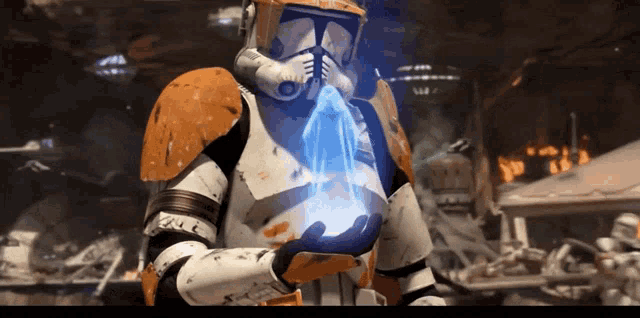 dry shoal
expect to take at least a little creative liberty since the inside of the original is fucked


after the squad actions there's a destroyed version, but I have plugins for blender that make destroying meshes fairly easy, so don't feel the need to make that version too. I could totally cover that
 dusk trail
dry shoal
after the squad actions there's a destroyed version, but I have plugins for blen...
dusk trail
dry shoal
after the squad actions there's a destroyed version, but I have plugins for blen...
Alright

 halcyon knot
Hi, the ModDB instructions for this game should really include turning off the helmet! I was stuck wondering what I messed up wrong when I started a new game through remix and got hit by a 9bang from that glitching out lol.
dry shoal
halcyon knot
Hi, the ModDB instructions for this game should really include *turning off the ...
hey! I'm pretty sure that is part of the instructions
let me double check
looks like I have it here but maybe it's not on the moddb page

but I also do have the helmet working now, made a good bit of progress. I don't think it's ready to update the moddb listing for the rtx.conf file but yeah the instructions should be updated for sure
@burnt light no rush, could you look into this when you get a chance? 🙂
also messed around with the wording on the discord instructions if you wanna copy paste that minus stuff that doesn't apply like "link below"
burnt light
sure. i can do it tomorrow morning
dry shoal

boom barrel
middle is the original, right is first attempt, left is current (2nd) attempt
 analog wedge
Funny. I never realized that the intro was in an arena. Graphics too bad lol.
bsp map format is wild, too
could one import bsp maps from other games?
modern isle
The CSG system that unreal uses isn't identical to what quake or half life uses, so proper conversion isn't possible
dry shoal
analog wedge
Funny. I never realized that the intro was in an arena. Graphics too bad lol.
Trust me, I felt the same way going into this project. I noticed the arena itself but so much debris just seemed like random rock when it's actually just that, debris from the arena architecture itself
analog wedge
Conveniently placed blocks of stone to obfuscate the abysmal render distancr and lack of skybox detail
dry shoal
analog wedge
Conveniently placed blocks of stone to obfuscate the abysmal render distancr and...
The render distance is actually fairly impressive imo, like there are assets that are 600m tall in full view. The real pain and suffering comes from the original meshes. They're an absolute mess, each and every one. Tons of intersecting geometry, random gaps, weird one sided face setups
It would make my life way easier if I could take advantage of the existing models on some capacity but the amount of effort needed to make them good enough to even reliably edit is wild
modern isle
Tons of intersecting geometry
Kitbashing?
analog wedge
dry shoal
The render distance is actually fairly impressive imo, like there are assets tha...
Yes, but is it not UE2.5? The aliasing is particularly nasty.
dry shoal
analog wedge
Yes, but is it not UE2.5? The aliasing is particularly nasty.
Actually with modern resolutions it looks quite good with the default AA. Played quite a bit on my laptop recently and everything looked crisp
Now the textures on the other hand, different story lol
analog wedge
dry shoal
Actually with modern resolutions it looks quite good with the default AA. Played...
not me still on 1080p
dry shoal
analog wedge
not me still on 1080p
I'd be surprised if it didn't look clearer than modern games with their TAA
 cobalt cypress
I see this and all I can think is that spongebob meme where he gets in Sandy's Dome and needs water. Screaming "I NEEEEED ITTT"
 dry shoal
Well thanks for tossing a message here. It's always good motivation
I do want to do a character model import sometime in the near future. I was originally thinking of doing the clone trooper replacement but I wonder if I'd have an easier time time creating a battle droid
Most of my experience is hard surface modding so unless the animations have plenty of deformation it'd be easier for me to make from scratch
analog wedge
dry shoal
I'd be surprised if it didn't look clearer than modern games with their TAA
UE 2.5 is really sharp. It's just very badly aliased as a tradeoff. There's a reason they gave Red Orchestra the nickname Pixel Hunter 2005
Then again those were engagement distances of 500m
UE4 is comparatively blurry af
modern isle
TAA will not resolve sharper than MSAA, makes sense.
dry shoal
analog wedge
UE 2.5 is really sharp. It's just very badly aliased as a tradeoff. There's a re...
I looked up the game out of curiosity and yep, I absolutely can see how that game would be a nightmare. Seems like it was ahead of its time in physical scale. Republic Commando is much tighter packed by comparison, so no needing to spot pixels from 500m away
dry shoal
This dumbfuck explosive barrel will be my magnum opus

 dry shoal
If I'm on top of things I can finish this barrel today without too much trouble
It's mainly a matter of how much do I care to look into the stand design
I don't know when I'll be texturing it. I think it's probably a good idea to do it right after the mesh is complete
I've noticed a pretty consistent cycle of spend a lot of time on material making -> fumble and mess up a ton going back to modeling and the vice versa of spend a lot of time modeling -> fumble and mess up a ton going back to material making. I should be taking turns between them rather than hard focusing on one at a time I think
 dry shoal
in the final stages. No shading issues. Unsure if I'll add the stand but I do want to add smaller details as well


quickly assigned a few materials so I could test it
 dry shoal


 dry shoal

I was about to say I forgot to show the back but now that I resent it I see it...
Used placeholder materials to test
dusk trail
@dry shoal I'm still here, just been sick, won't be able to do much until I'm feeling better
 dry shoal
No worries 
dry shoal
Making lots of interesting discoveries with native RC modders. I'm doing some light collaborating with them by scaling down the assets I build for my Remix project (that's the plan anyways) but it seems as if it might not be much of a problem at all. The biggest concern by far for the native game is related to memory since the limit is very low. But importing static meshes into Unreal Engine 2 consumes an extremely tiny amount of RAM it seems
They also found out things that will be directly relevant to this Remix project. Namely how to use replacement animated meshes that use more materials than the original
dry shoal
Model memory footprint scaling is also much smaller than any of us were expecting, so there's a very high chance I'll have models I won't need to scale at all when sharing for their project. Naturally they won't have the fancy lighting and PBR materials but it's cool to imagine a game from that era with such clean looking geometry
modern isle
Until you discover the max vertex alloc and get half the framerate because the cpu gets swamped. Creating LODs is something you absolutely have to do.
Raster just bloody dies in performance when triangles are smaller than a single pixel.
dry shoal
modern isle
Until you discover the max vertex alloc and get half the framerate because the c...
UE2 has a built in system for generating LODs. No one was intending to force LOD0 at all times

Though I know I'll likely increase the LOD falloff distances since I won't be adding too many assets game-side myself
modern isle
I need to check that, if it's similar to ue3 it'll be dogsh...
dry shoal
I don't doubt it is lol
But for the purposes of a native mod they should be alright. Worst case scenario they bump the transition distances
@modern isle since you've worked on games, do you have any reference you could share regarding the tri count of models in modern game projects
Like the full quality one that will render in-game
I have quite literally no point of reference with tri counts except that Ryze Son of Rome had like a 60k tri main character
modern isle
dry shoal
<@98863121749250048> since you've worked on games, do you have any reference you...
For UE2 or modern?
dry shoal
Modern
modern isle
Characters 25k excluding face morphs
Small environment details 1k
Larger environment assets like rocks, shack walls etc. Generally 5k, up to 10k depending on size.
Ofc it depends on art style and density
But there are many more considerations to make for modern games. GPUs are very good at crunching through polys, HOWEVER if the shader applied to the mesh is heavy then performance can take a nosedive. So keeping polycount as low as possible while still looking good is very much still a thing.
Even nanite shouldn't be overdone, a soccer ball doesn't need 1 million polys, that just completely <expletive> with memory requirements.
dry shoal
Yeah absolutely. Through all the experimentation it appears as if UE2's general tri count performance scaling works roughly in line with what most games still use, in that there are no hard limits. The modding guys found that 25-30K is the limit for when the model import breaks so that's the hard cap in practice
modern isle
I have a focus on shaders and optimization. So I spend plenty of time looking at performance cost and tweaking things until they run well.
dry shoal
Well you'll be happy to know I plan on putting a good deal of effort into optimizing the Remix project lol. Anti culling does work and works fairly well, but the performance hit is intense
I'm planning on doing a sort of hybrid system where I use much of UE2's normal culling system where it's unintrusive, then using anchor meshes the large environmental assets like cliffs/walls etc will always be rendering
That should do wonders for performance. The thing flies when leaving the default culling as is, I got over 200fps on DLSS balanced iirc (using frame gen*)
So getting some of that benefit will be great
I will finish this barrel mesh TODAY
I swear it on my LIFE
It's gonna be a BANGER
I hope
modern isle
dry shoal
I swear it on my LIFE
 dry shoal
modern isle
https://tenor.com/view/spongebob-rip-sad-sponge-bob-stephen-hillenburg-crying-sp...
dry shoal
modern isle
https://tenor.com/view/spongebob-rip-sad-sponge-bob-stephen-hillenburg-crying-sp...
I take it back 🙂
details got heavy potential tho. Screws, split panels with hinges


 dry shoal
Surely the barrel will be completed today 
dry shoal
nvm bc I'm being held at gunpoint to make welding imperfections (which look amazing tbf)


I really gotta get this damn barrel done though. I'll mirror this weld, follow some other, relatively simple feedback I got that could go a long way, and I'm calling it
I need to get back into texturing
dry shoal
mesh came out with some issues for some reason, but I'm relatively happy with it. Gonna make changes and make the materials more true to the original, but I'm so sick of this fucking barrel that it's going on the backlog


 dry shoal
Was making my own custom material for the model, this is a snapshot of where it was at sometime the other day
But I'm going to be taking some advice that will help with the project, and that's simply to take advantage of existing materials to tune as I see fit. No doubt it's much more efficient, so might as well give it a shot
dry shoal
At a weird point where idk what to work on I could finish the barrel by biting the bullet and using existing materials and altering them as needed but


 dusk trail
Oh nice
Also just wanted to say I'm still here, feeling better from being sick but I'm really busy with house renovations atm, haven't been at my PC for more then like 20mins in the last 3 days
I'm tweaking over it, I NEED MY PC DAMNIT
Gotta get that fix
dry shoal
I know it'll be worth the wait 
gonna 100% finish the barrel today, I'm extremely close
dusk trail

 dry shoal
It is done


And I refuse to get stunlocked into working on it more. It's time to move on
It has room for improvement but I'm just not gonna acknowledge that internally otherwise I'll work on it more
wind briar
dry shoal
And I refuse to get stunlocked into working on it more. It's time to move on <:p...
But I literally work at Stunlock though
That's MY JOB
modern isle
I should open a studio called Feature Creep and then never add additional features mid development.
dry shoal
wind briar
But I literally work at Stunlock though
 no you misunderstand. What I mean is Stunlock sets such a high quality bar with employees like @wind briar that to try and match up to them is a fools game
saved
 wind briar
dry shoal
<:monkaS:586435299400220682> no you misunderstand. What I mean is Stunlock sets ...
wind briar
dry shoal
<:monkaS:586435299400220682> no you misunderstand. What I mean is Stunlock sets ...
If you're trying to get in my pants at least buy me dinner first
 wind briar
dry shoal
Okay keep it real with me how shit is the barrel <@309723958943678465>
wind briar
dry shoal
Okay keep it real with me how shit is the barrel <@309723958943678465>
I'm at work! I'll shit on your hard efforts later ❤️
From a quick glance though it looks nice!
dry shoal

 naive robin
Lead programmer does an entire play through.  https://youtu.be/Jd9PkWahp8k?si=6WRZz5Dp1nLFA4dz
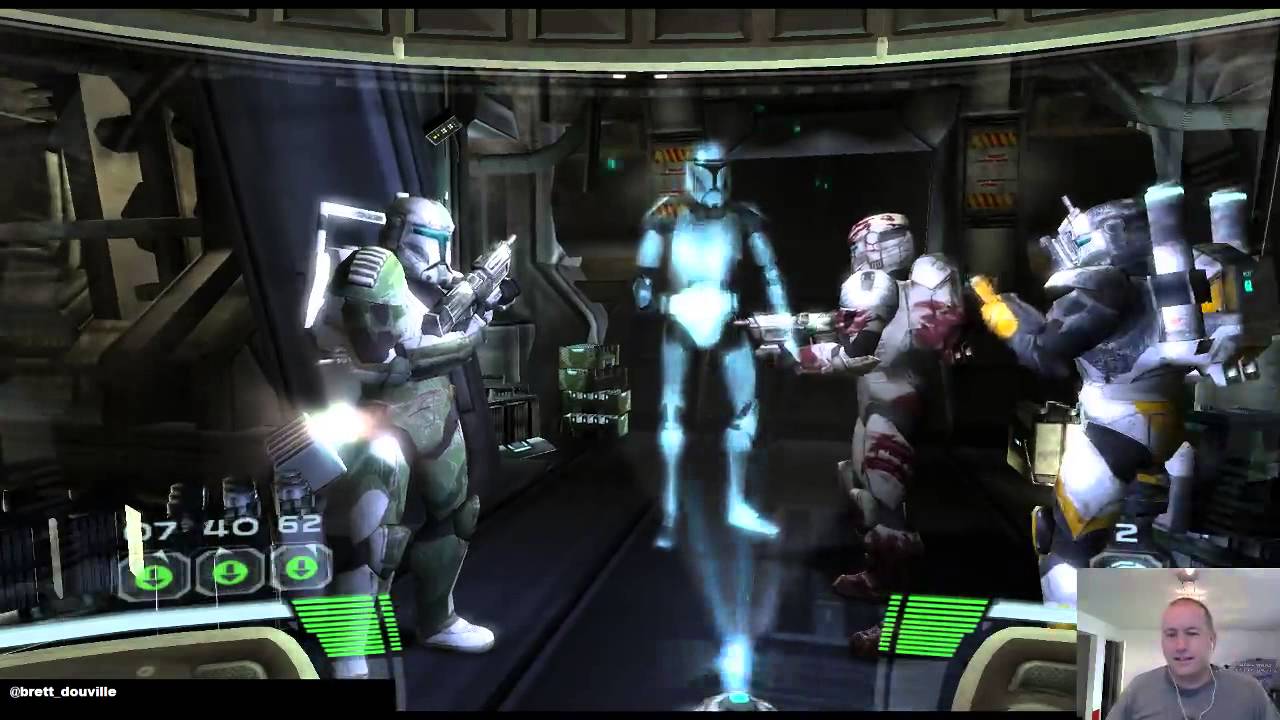
Welcome to the second stream of Republic Commando where we talk about its development.
Special guests! Joining me for this segment were Daron Stinnett (original project lead, ultimately executive producer, and incidentally, the guy who hired me) and Jesse Harlin (composer and music editor for the whole game, and for a decade of LucasArts work)....

Join us for a speedrunning livestream where game developers and speedrunners who know their game engage in a spirited exercise. Watch dev Harley Baldwin commentate while runner Utsu runs through Star Wars: Republic Commando. See how runners find the tricks that developers use to make the game functional in order to beat the game at top speeds!
...
 naive robin

Join hosts and game industry veterans Brett Douville and Tim Longo as they explore older titles to talk about the influences those games had and what we can learn from them even today.
I’ll do some more digging later
dry shoal
dry shoal
For easy future reference bc mod privileges 
Thanks a ton Adam my boy, this is big 
I'm sure I'll also find something I'm inspired to work on next through some of this stuff
dry shoal
naive robin
https://devgameclub.libsyn.com/2020/07
Listened through the whole segment with the guests (main concept artist & UI designer). Got some good insights and confirmations of things I had come to understand about the game's visual style. They very intentionally strayed from established Star Wars to get a more gritty experience. They wanted everything to feel dangerous and intense with the red glow on the Geonosians and the battle droids. The first area taking place in the arena is apparently taking place at the exact same time as the movie. Like the Jedis are doing their fancy Jedi thing and this elite unit of clones went off into the lion's den with their own orders. They made a point not to make the game too vibrant, everything was intentionally muted to keep the gritty tone intact. They never wanted the player to feel quite comfortable. In the game's development a core design pillar was "you're the ones fighting behind the scenes against an army that overwhelmingly outnumbers you. They aren't cannon fodder like they are to Jedi, they're a very real threat that are in a way scary to the clones

They went over design decisions for the helmet, wanted the player to feel grounded and immersed. They didn't want to put everything in the visor, hence the display showing total ammo count on the DC17 as well as the individual mags having lights to indicate how many shots are left
An important one is that they didn't want the helmet to just feel like an overlay, it's a key piece of immersion such that you can even see the little speakers and microphones they use to communicate with their squad. The HUD elements smoothly follow the shape of the helmet in a way that's certainly unrealistic but gives more character to the game
The helmet being the only "comforting" color is very intentional. The helmet is your home, your armor against the threat beyond. What you'll see through the entire game
I absolutely think I can take some of these things into account as I work on the project. The mood is something that's important to maintain. It also 100% confirmed that I don't want warm pretty lighting in the arena. It needs to be harsh or indirectly lit
naive robin
Ah, you’re finding out how important the research is  Glad it was such a great resource for ya
 dry shoal
This could be super important so leaving it here
 dry shoal
v2 vs v1
 dry shoal
I found out how I'm gonna attach proper light sources to all blaster shots
I can attach static meshes to the laster projectiles. In other words, I can just add a unique mesh to attach to lasers that isn't visible in realtime

in this I tested attaching a light fixture mesh to each projectile and yep, stable hashes
🙂

for my own reference
dry shoal
Ngl though the game is in a really odd spot in terms of the remix project setup. Running into an issue where the helmet's "screen" is just pitch black and I'm not sure what it it. So most of the screen is blocked but only when using enhanced assets
Which leads me to believe there's something I fucked up that I can solve by resetting my changes to the helmet
static mason
insert CAve Johnson like quote
Wait did the original post I was making a funny about go? Now my comment doesn't work 😦
Oh wait it is further up editing post then 😛
static mason
modern isle
I should open a studio called Feature Creep and then never add additional featur...
"They say great features eventually added to a game can broaden a games scope. Well not here. Here at Feature Creep we brainstorm ideas. There is no additional development here".
dry shoal
What's next for the Remix project as of today:
- now that i have a method to attach dedicated lights to the laser bolts, I'll have to create two to three virtually invisible meshes to import into UE2 and add it to each laser bolt instance. It'll have a stable hash, so it's smooth sailing from there. Also I'm 99% sure this is gonna be helpful in far more ways than that. But don't wanna jump the gun. It's kind of a massive deal that I discovered this
- the helmet is in a pretty functional state, but I'm running into alpha related issues only with enhanced assets enabled. So everything related to the helmet I'll be reverting in the toolkit. It'll still be fully functional
- More assets! Now that I'm not as stubborn and likely (emphasis on likely) won't be making a custom material for every single thing (I want to tho), that side should be faster for props. Environment materials I'm still trying to do from scratch. With this that also means making more meshes. Ngl I'm in a bit of a slump after he explosive barrel and I am so sick of working on environments that I'm gonna need to find more props to work on that won't make me die inside while also not being too complex
- Research on emitters. Emitters are used for a shit ton of different things visually. "Fog", smoke particles, background laser bolts, explosions, all the fun stuff. For some emitters I simply want to make one that's static, as it'll let me smoothly implement a high quality flipbook while still following the player camera. For other emitters though, I might be able to add what would essentially be scripted light sources
dry shoal
dry shoal
- Research on emitters. Emitters are used for a shit ton of different things vis...
After some skimming in Unreal Engine 2's documentation, there's a 99% chance I can create what are essentially scripted light sources. I can create or set emitters around the map each with various trigger points (I'll reference existing triggers). Emitters can spawn static meshes. So that means for an explosion for instance, I can spawn in a really intense light that lasts only for as long as it needs to. It'll give a ton of kick to them. It should also let me attach an anchor static mesh for things like the clone advisor holograms too. I just set the anchor and place the lights such that it matches the general shape of the clone's pose
modern isle
would those mesh emitters be stable? I think you could also use a light emitter directly so that you can drive the intensity from the game engine side.
dry shoal
modern isle
would those mesh emitters be stable? I think you could also use a light emitter ...
They would be, yes. I did some testing on it but didn't go too deep tbf
And I could do in engine based lights but that seems a lot harder to configure than doing it through Remix
modern isle
you sure? Might be my over a decade of experience in unreal, but the particle editor is pretty straight forward to animate in.
Unlike remix which can do... exactly none of that.
dry shoal
No I mean stuff like the strength of lights
And I wasn't planning on going fully static. Meshes you attach to an emitter particle follow that particle. So whatever it goes, the light goes
I can make custom emitters no problem, I just don't want to reinvent the wheel if I can mostly utilize what exists and just add the lights in remix
dry shoal
dark = bsp

underground area is also BSP which explains why it sucks

ramp to the bunker-ish area is also BSP

geo1b has extremely little bsp geo


the night vision mode should be able to be adapted. The overlay doesn't work but if a light source is activated and is tuned well I think it'll work
 dry shoal
@sick river running into this quite frustrating issue where when I switch to enhanced assets the visor mesh in front of the player just goes pitch black (image 1). When enhanced assets are off, (image 2) it works just fine. Naturally my first inclination was to reset whatever changes I had made in the toolkit, but in image 3 in the exact same location on the exact same scene with the reset meshes it looks normal. And yes, I saved the project and went back into the game. Same issue as image 1


 sick river
So one of your mesh replacements is causing the screen to go balck then, correct ?
dry shoal
sick river
So one of your mesh replacements is causing the screen to go balck then, correct...
that's what I would think, but in the last image there are no mesh replacements
I completely reset the mesh
sick river
What's wrong with the last image? You're not supposed to have the yellow square ?
dry shoal
sick river
What's wrong with the last image? You're not supposed to have the yellow square ...
last image is in the toolkit. I went into the toolkit, reset the mesh, saved the project and went back ingame. Same issue
sick river
I see so you're saying that the toolkit looks OK with & without mesh replacements but the runtime is broken in both cases
dry shoal
sick river
I see so you're saying that the toolkit looks OK with & without mesh replacement...
even if the toolkit is matching how it looks without any mesh replacements, it looks like it's stuck with a mesh replacement once ingame
like for further context that last image is a scene capture I took right after those other two screenshots
there were no other variables I could think of
sick river
You don't work with sublayers ?
dry shoal
uhhhh
no
I haven't touched that workflow yet so I suppose everything I'm doing is destructive in a sense
sick river
In this case it should be fairly easy to test if it's a runtime or toolkit issue
dry shoal
oh cool. What should I be checking?
sick river
You can create a new project just to test, then take your mod.usda from your new project and copy it over in your existing project
just make sure to rename your mod.usda in your real project first to not lose your changes
That'll ensure you have a completely clean mod.usda in your project, so if you still see the issue the problem is either with your project file (unlikely but possible or in the game)
The next step would then be to test using your empty test project as a mod and then you'll know for sure that it's the runtime if you still have an issue
dry shoal
I'll try your suggestion but I did one additional load into the game on a fresh start. The black screen is gone but the replacement mesh that should have been reset is still there, alongside the thin glass panel I had manually placed there sometime earlier (you can see the HUD reflected in it). I imagine this suggests it's a project file issue

I looked through many different captures to see if one had a different hash but unless I wasn't thorough enough, nothing
I'll give what you said a shot
sick river
Yeah if you do that you'll be able to isolate the cause, if it's the project you can send me your USDA and I can check it out
dry shoal
you got it boss. I'm gonna take a short break but I'll tag you once I've done it. SHould be within the hour
sick river
Probably gonna check it out tomorrow 😛
dry shoal
roger, take it easy
dry shoal
confirmed to be the project file. Upon using a clean mod.usda the issue no longer occurs. File extension is renamed but it opens as intended with notepad++ anyways @sick river
this is the file for my current project
uhhh I started an actual fresh project to start from scratch. It's contained in it's own folder and I opened the last capture that I took in my existing rtx-remix folder. It contains meshes that I replaced from the previous mod project and treats them as if they're original meshes?
namely this throwaway wall back here I tested but left up in my previous project

I might expect that in the game itself since the mod is still referenced in the rtx-remix folder there, but the toolkit?
img 1 is my new project directory, image 2 is my previous (it's labeled weirdly, "RepublicCommandoNew" is not the new one)

 dry shoal
namely this throwaway wall back here I tested but left up in my previous project
dry shoal
dry shoal
namely this throwaway wall back here I tested but left up in my previous project
I found a couple more meshes from the other project in the new one here. But notably the replaced meshes don't also have the textures asssociated with them. They use the original game's textures instead (I assume because these are parented under the originals with those textures)
modern isle
dry shoal
No I mean stuff like the strength of lights
yeah exactly, can't animate that in remix, that's what I said.
dry shoal
modern isle
yeah exactly, can't animate that in remix, that's what I said.
That's true but it'll depend on the use-case. Right now I don't see any need to do that but we'll see
sick river
dry shoal
confirmed to be the project file. Upon using a clean mod.usda the issue no longe...
So the issue is in your mod, not your project file ?
dry shoal
sick river
So the issue is in your mod, not your project file ?
Ah I think I got the names messed up in my head. By mod you mean literally mod.usda and project is the projectfilename.usda
Idk how I didn't pick that up earlier but you're right
When using a fresh mod.usda the issue went away
sick river
dry shoal
uhhh I started an actual fresh project to start from scratch. It's contained in ...
I'm not sure how you go to that point but that's not normal. Any changes you make should be applied on mod.usda or its sublayers so original captures should never have modified data
sick river
dry shoal
Ah I think I got the names messed up in my head. By mod you mean literally mod.u...
Correct
dry shoal
sick river
I'm not sure how you go to that point but that's not normal. Any changes you mak...
I would think so too which is why I particularly found it odd
sick river
dry shoal
When using a fresh mod.usda the issue went away
So your mod.usda still had an override somewhere for your mesh in question, if you open it with notepad you can CTRL+F for your mesh hash
dry shoal
sick river
So your mod.usda still had an override somewhere for your mesh in question, if y...
Appears to be the case yes. So solving it would be a matter of finding the mesh hash and removing references below it? I haven't really touched the usda files yet but from a quick glance I had the other day it looks fairly intuitive. I could probably figure it out
sick river
Yeah you'll have an entry like
    over "meshes"
    {
        over "mesh_9858949B5B49CCDC" (
            references = None
        )
        {
        }
    }
You can just delete that entry from your mod.usda and normally that should completely reset your changes
dry shoal
That seems almost too easy lol. Cool, I'll be doing that later. Thanks for the assist
sick river
NP! If you figure out the culprit lines let me know! It'll be good to look into it to see if it's an issue
dry shoal
Actually one quick question, if one game contains multiple projects, which mod.usda file is prioritized? They're all referenced in the rtx-remix folder @sick river
sick river
For now it's alphabetical, in the future the runtime should support multi-mod but for now it picks the first one it finds based on its name
dry shoal
Makes sense. Thanks, I was curious about that one since I had a mess of projects some time ago for the same game
dry shoal
@sick river houston we got a problem. I have the mesh + mat hashes here, but they don't get any results in the mod.usda file


proof that these are the same projects

 sick river
Might be caused by another hash then, unless you have a solid repro you'd have to do trial and error to try to isolate the cause
dry shoal
understood. I might just restart the project entirely since I had planned on doing so anyways. But that means we might not ever know what it was
sick river
Yeah ideally if you have clear repro steps we can identify the cause
dry shoal
the default setup in the latest builds of the runtime have a great deal higher compatibility out of the box than the builds from jsut a few weeks ago

in this screenshot I had only categorized the reticles for the guns and set sky to automatic camera detect
dry shoal

this game is fucking awesome. I spent so long doing modding nonsense that I haven't actually played too much
I think the scope of my project is gonna expand quite a bit. It would be extremely jarring to end at geo1c
I think I'm gonna aim to cover the entirety of geonosis
modern isle
Do me a favor and don't scope creep. Finish the first level entirely, then move to the next. Otherwise you'll open up too many construction sites at once.
burnt light
or if you do, make a separate project + workspace for it & delete it when you're done messing around or testing
 severe flare
dry shoal
I think the scope of my project is gonna expand quite a bit. It would be extreme...
severe flare
dry shoal
I think the scope of my project is gonna expand quite a bit. It would be extreme...
"yet unbeknownst to automata, they truly had no idea what they were in for"
in any case, please by all means do whatever u want, checkin in on this every few days has been so goddamn fun
static mason
Damn this is coming along nice
dry shoal
modern isle
Do me a favor and don't scope creep. Finish the first level entirely, then move ...
To be clear since it's Geonosis there are a ton of shared assets. There are definitely areas that will be more challenging in the later content I played the other day, but working my way up to that I should be well equipped by then to take it on. Genuinely it would be far too jarring if I stuck to the original scope of 3 maps. By going through the first Geonosis "chapter" or whatever of the game, there's a pretty fulfilling experience there that is nowhere close to the demands it would take to cover the whole game
modern isle
dry shoal
To be clear since it's Geonosis there are a ton of shared assets. There are defi...
define jarring
because you should create a vertical slice/demo first
dry shoal
As in you go through a door, load screen, it's over (for what would be covered in the mod) but the mission is still continuing
dry shoal
modern isle
because you should create a vertical slice/demo first
I mean the whole thing is kind of a demo already
Also I'd be stupid to jump ahead to this and abandon everything beforehand
That much I'm well aware of
Honestly the thing that's gonna be most painful is that I have to do literally everything myself. Like I'm not just doing assets with someone else handling the native game stuff. I need to do all of it
dry shoal
Because no one else is going to lol
modern isle
dry shoal
I mean the whole thing is kind of a demo already
Didn't know you had a level completely done already.
dry shoal
modern isle
Didn't know you had a level completely done already.
I don't
What I mean is the scope of the project is not the whole game
It's a start to finish first chunk of the game. Enough to really see what Remix can do and how the game would look if taken the whole way, but without such an increase in variety that it becomes a monumental undertaking
Wait just a goddamn minute

Do you mean you people thought I was going to just put everything from before on pause to do the later levels
Where did I give any indication of such an intent
modern isle
what
dry shoal
modern isle
Do me a favor and don't scope creep. Finish the first level entirely, then move ...
"otherwise you'll end up with too many construction sites at once"
I wasn't going to start construction there yet bc the earlier stuff isn't done
modern isle
I meant this as
geo01, geo02, geo03 etc.
finish one map, then move to the next, don't try to finish all geonosis maps at once.
dry shoal
modern isle
I meant this as
geo01, geo02, geo03 etc.
finish one map, then move to the next,...
That's what I mean. What makes you think I was going to do them all at once
The most I did in geo 1b was place a single light
modern isle
because you said you want to expand scope my man.
dry shoal
I might be crazy bc in my head that's not what expanding scope means
When I think of it I think of the bigger picture. Like in the end more will be covered than was intended previously
modern isle
it means that you will work on more things before you consider this project (you called it a demo) done.
dry shoal
Ah okay I see what you mean
I didn't really think of it that way but it's a good point. It probably makes the most sense to stick to what was aiming for and put that out as part 1 of the demo. Then part 2 covers the rest of that Geonosis mission
Not that I planned on doing otherwise it's just not something I thought about yet
modern isle
and that was all I was saying, get that first map fully done, then you can release it if you want as a sneak peek. But at least you got something out the door and people can take a look at it themselves.
dusk trail

dry shoal
yall have no idea how much easier my life would be if I had a native game modder helping me directly on this
modern isle
I ain't touching UE2 uscript
dry shoal
not only because I have to learn so much shit by trial and error, but also because with well done native game modding this Remix project could be one of the best ones out there. There's so much to do on the engine side that would push remix to the fullest
dusk trail
modern isle
I ain't touching UE2 uscript
Same
dry shoal
modern isle
I ain't touching UE2 uscript
not even uescript, just basic stuff like configuring properties of actors
modern isle
just awful
dusk trail
Give me UE4/UE5 any day
modern isle
dry shoal
not even uescript, just basic stuff like configuring properties of actors
you mean the F4/F5 menu?
dusk trail
UE2 = 
dry shoal
if that's a keybind for that then yes lol I just right click though
in other news the newest Remix runtime handles terrain blending dramatically better than before
dusk trail
dry shoal
it just straight up did not work previously and now it does out of the box for the most part
i need to figure out disabling the helmet lightsource. It makes using in-game lights totally unviable if the helmet is gonna stay
dry shoal
there are two "helmet textures". One is labeled HUD specifically and the other is labeled as a shader

this could explain why there were two instances selectable within the helmet mesh
modern isle
you mean the texture on the left in the texture browser?
that's the texture that is assigned in the shader
 dry shoal
right but they seem to coexist when the game is running
it would explain some odd behaviors I've seen previously
modern isle
the texture is loaded by the shader and displayed through the shader
unreal doesn't maintain this object outside of its shader domain
dry shoal
hmm okay
I feel like there's a lot I can learn from native game stuff that would help so much on my project
modern isle
probably, UE2 is just a bit difficult to navigate if you don't know where everything is
dry shoal
well that and the function, like you just described to me with the shader
it doesn't help that the native game modding community (the most knowledgable ones at least) aren't very ecstatic about helping me when I ask stuff
it's gotten better but it's clear they don't care all that much vs people doing native modding for native modding
modern isle
I know some stuff about UE2, most of my experience is with UE3 however.
dry shoal
I already wanna give up on the whole project lol
I think that's a good sign to take a break
fkn dumbass helmet !!!
modern isle
put it on your to-do list and work on something else
dry shoal
funny how I said I was sick of doing env work but here I am. Blue is the original, WIP
 dry shoal
WIP prop texture
 dry shoal
good news, I know 100% how to get the helmet HUD working within worldspace (necessary to not run into weird render target related stuff + lots of benefits). Turns out it requires tagging the UI elements as "terrain" textures. I guess how the native game behaves is something akin to terrain blending for the helmet? not sure, but this is the ONLY way to get it working

@royal sonnet ik it'll be a while till you see but I think this is important to know. Maybe other games have UI issues that use a similar-ish system to this, requiring terrain blending rather than tagging as UI
@sick river unsure if you could use this info in any capacity lol
I'm glad I got this documented so I can use a fresh rtx.conf and have the helmet working right away, just about every feature working
some odd UI elements are rendered as orthographic in the original game, namely the weapon crosshairs. But the health, shields, objective text (hidden bc of an in-game keybind in this shot) and some other smaller things ONLY render using terrain blending
burnt light
dry shoal
good news, I know 100% how to get the helmet HUD working within worldspace (nece...
i've noticed this in some other games. in my cases though, temporarily marking an object as terrain (or sometimes sky) then unmarking it will allow it to display properly until the runtime is restarted. leaving it on does usually work so long as the terrain baking functions properly
dry shoal
the game has a really weird way of UI with render target nonsense. From my very limited understanding it goes roughly like this: only the world rendered -> helmet rendered separately -> helmet is then layered on top of the world rendering done at the start of the chain
if it'd be helpful to hear a more exact version of how the game handles it as an edge case thing for Remix development (idk, you tell me), I can ask some very intimately familiar modders to give a more technical and thorough explanation
dry shoal
burnt light
i've noticed this in some other games. in my cases though, temporarily marking a...
that's interesting. I'll have to keep that in mind, thanks
dry shoal
test of laser projectiles as proper, shadow-casting light sources
burnt light
very cool
dry shoal
 dry shoal
fresh RTX.conf with working helmet, brand new project, new capture that covers the vast majority of geo1a, configured alpha effects, set all original textures I came across to roughly the intended material values to have them be decent placeholders

I have the BSP geometry for the vast majority of the level within this one capture, so I'm gonna remake my ground geo replacement with some ideas so it looks a little nicer
modern isle
dry shoal
test of laser projectiles as proper, shadow-casting light sources
Is the video super low fps or is that just discord mobile being stupid?
dry shoal
modern isle
Is the video super low fps or is that just discord mobile being stupid?
It's your discord mobile lol. Granted I haven't updated since the latest redesign but it's got perfect 60fps playback on my phone
It's really amazing how much ray reconstruction keeps up with the realtime lights on each bolt
I will once again say with high confidence: with the right amount of support, this game has some of the highest potential for any Remix-based remaster. The level of fidelity that's possible even while working within the limitations of today's Remix is hard to understate. The sky is the limit, genuinely
I got a good starting point as is, good enough such that I could probably update the public RTX.conf file too since this one is so much better for out of the box playability. But I'm still trying to learn where I can make the biggest visual contributions the fastest way possible. I can get a burst of progress in the near future; eliminating major culling/ensuring there's no gaps, a few material replacements, a new BSP replacement with very subtle displacement on the mesh itself, creating custom meshes to use as anchors for laser bolt lighting (so no "add light to texture"), increasing the LOD on skinned meshes dramatically which makes captures easier, and so much more
That's gonna go a long way as-is but beyond that I hope I don't slow down too much
I'm at a place mentally where my mind is swimming with ideas but also frustrated that I don't have the knowledge yet to implement these ideas smoothly. I know for certain they're all possible though
dry shoal
I'd really like to disable the light attached to the helmet so I can take advantage of native game light translation
 dry shoal
ngl the changes I made had fewer benefits for captures than I was hoping for, but still significant enough such that I can cover 95% of the map in one capture
 dry shoal
Did some work on the thermal detonator mesh too but ngl I am getting absolutely cooked. Despite having high aspirations and seeing the potential I'm not sure if I can see this through long term. Most of the people who have helped me a ton thus far just by sharing knowledge are all euro bros, so when I'm working it's basically radio silence bc timezones. Game engine-side stuff has a lot of potential but the most knowledgeable native modders aren't always there to help yk. I'm relatively proud of my assets when I get stuff done but the key phrase is when I get it done, because I'm not getting much done at all compared to what I could if I had a little bit more support from various experienced people in different areas
The drive is there, the vision is there, but executing that is an exercise in frustration when I'm largely left to my own devices at times when help would matter the most (not anyone's fault, it is what it is ofc)
That's not to say I'm stopping the project, but just giving an update for where I'm at I suppose
severe flare
im sorry man, i hope u find some passionate people willing to help. In any case we appreciate the work u been doin
dry shoal
I. Cannot. Figure. Out. How. To. Disable. The. Fucking. Helmet. Light.

I'm so hyper fixated on this because the game is unplayable out of the box at this point really only because the helmet has a blindingly bright light attached to it at all times when using light translation
My life would be so much easier if I could just disable that shit, and play through the content I plan on covering for this project to get a good feel for how much needs to be done on the lighting side. As it stands now feels like my only option is adding lights through remix which fucking blows for a handful of reasons
 formal cypress
dry shoal
My life would be so much easier if I could just disable that shit, and play thro...
formal cypress
dry shoal
My life would be so much easier if I could just disable that shit, and play thro...
could you try putting a cube around the lightsource so that the light doesnt leak? Probably not ideal but might be a hacky workaround. I'm not super knowledgeable when it come to remix (or most game dev) but it may work
is it a light source, a filter, or both in RC?
dry shoal
formal cypress
could you try putting a cube around the lightsource so that the light doesnt lea...
The problem is the light is right smack in front of the player POV from what I can tell. So while I could but a cube around it probably, it would need to be big enough that it would affect the game too much
Though I'll admit I didn't really think of that previously. It's possible the light is behind the player or something so it wouldn't be an issue at all
I'll have to experiment with that for sure

Hold on it might actually be behind the player
dry shoal
There are so many great materials out there that I'd be stupid not to use them. Making materials takes me a lot longer than I would like, but for specific items I think I'll continue to do so
For example these plaster materials would be a perfect match for the plaster used everywhere in the arena

but the game makes excessive use of this texture, likely for technical limitations back then. So I won't do a 1:1 replacement. Just where it makes sense
naive robin
dry shoal
*but* the game makes excessive use of this texture, likely for technical limitat...
Fix UV scaling and then toss a generic / preset texture on objects is my go to starting point.
dry shoal
naive robin
Fix UV scaling and then toss a generic / preset texture on objects is my go to s...
Yeah I can probably do that for a good number of assets. But I also have some ready to go so I'll have to look at that too
dry shoal
I may have gotten critical insider info on the helmet light. It involves doing a function override from a script within a new actor class, if I understand correctly. Someone shared the format that I would likely use so I shouldn't need a ton of technical know-how to get it going
 dry shoal
modern isle
https://tenor.com/view/byuntear-incrives-meme-meme-react-gif-25029710
dry shoal
modern isle
https://tenor.com/view/byuntear-incrives-meme-meme-react-gif-25029710
Don't worry this is apparently like 3 lines total

I don't understand but I probably have enough to figure it out
 modern isle
Hey I'm just saying I'm glad uscript got taken behind the shed and splattered across the whole countryside in such a way that not even dental records could identify it.
 dusk trail
dry shoal
I'm getting some help from RC modders but
it's like they assume I already know 90% of this
"add this line as a pawn under X class"
like bro what the fuck does that even MEAN
dusk trail
Oh neat
dry shoal
I think it's what I got in the ss but I sent it there for them to verify
dusk trail
Hopefully I'll be able to do more on the bunker soon, still doing house renovations rn
dry shoal
you got it boss
dusk trail
dry shoal
like bro what the fuck does that even MEAN
Ah yes actor classes, what fun...
Not really hard at all in UE4/5 but in UE2...

dry shoal
I have to compile all new code........
on the bright side, colored laser bolt light sources are in

I just need to find a method to get that cube out of the way
dry shoal
 dry shoal
not all the mats are in but got a good few

I keep getting stunlocked into little things that aren't a big priority. Hoping putting what I have together + a couple placeholders will get me on track
royal sonnet
dry shoal
good news, I know 100% how to get the helmet HUD working within worldspace (nece...
Interesting. Thanks for tagging me on it. If we can narrow down what it is about sky / terrain categories that is fixing it, we can probably add a new texture category to just do that.
dry shoal
royal sonnet
Interesting. Thanks for tagging me on it. If we can narrow down what it is abo...
Could be missing something but AFAIK the sky doesn't play a direct part. That said, there's a part of the first level where either the skybox is culled out or the order it's placed in the list of drawcalls changes, which causes issues with sky auto detect. I'm unsure how relevant it is to the helmet, but I feel like I remember the HUD disappearing whenever the sky was changing behaviors. Only way to solve that was manual texture tagging
When the sky is having issues the helmet mesh itself does stay present though, maybe because it's recognized as a view model within Remix?

Then of course there's this nonsense where giant helmet related HUD elements are kept behind the player, even when these HUD elements are displaying properly on the helmet's "glass" surface
To add a bit more info, when disabling vertex shader translation the HUD and these giant billboards stop rendering
royal sonnet
dry shoal
To add a bit more info, when disabling vertex shader translation the HUD and the...
It's intriguing that the HUD is somehow interacting with sky / terrain - definitely sounds like a case where we need to actually understand what the game is doing and handle it better within Remix.
Have you filed a github issue about it?
dry shoal
royal sonnet
Have you filed a github issue about it?
No, but sounds like one I should do soon enough. I know modders of the vanilla game have a much deeper understanding of how the helmet renders, would it be beneficial to bring a technical explanation of how it's done as a part of the GitHub issue?
It's likely relevant to diagnosing the problem from the little bits I remember. And better than whatever I'd be able to describe myself most likely
royal sonnet
dry shoal
No, but sounds like one I should do soon enough. I know modders of the vanilla g...
Well, if it gets to the point of an Nvidia engineer directly spending time debugging it, we'll probably wind up capturing the full d3d9 trace and puzzling it out from there. But if you can get a more technical explanation of what's going on, that may help us figure out quick workarounds. Or ideally get a sudden "oh we can fix it by just doing X" brainwave, which can lead to it getting fixed much faster.
dry shoal
the amount of shit I'm putting myself through for this mod is unreal, pun partially intended
time to download visual studio 2003 and make C++ code to compile for the game :)

 dry shoal

not digging the ground color I don't think
also probably gonna use a different plaster textures that are a little less "dirty" (?)
dry shoal

 late jetty
Haven't really dug into this yet (or played the game) - but as it is, is it mostly playable through most of the campaign?
I remember booting it up once and getting it going - but didn't get far
Are the pinned instructions still current, or any revisions? 🙂
dry shoal
progress on the new dc17m model :)
 dry shoal
late jetty
Haven't really dug into this yet (or played the game) - but as it is, is it most...
dry shoal
late jetty
Haven't really dug into this yet (or played the game) - but as it is, is it most...
yes it's mostly playable with some caveats. You could probably play through the entire game as long as you have the helmet disabled and use translated lights. Only things you need to look out for really is tagging the sky and lightmaps. Everything else should kinda just work but it's been a while since I've tested without a helmet
the helmet isn't useable atm because it has a blindingly bright light attached to it that makes the original game's light translation not viable
the instructions should be roughly correct. Just turn off the helmet (if I forgot to include that in the instructions) and you should be alright. If you want my current rtx.conf you're free to take it off my hands 🙂 I can help with any little things that might crop up
late jetty
Sweet, and yes please! I'd love to grab it from ya 
dry shoal
@late jetty as long as you follow the rest of the instructions, you should be good
in fact 0.5.0 of the runtime kinda makes this easier. If you download the latest stable runtime it should include the wrapper used in this project. Just double check that the name of it is correctly set to d3d8.dll
TLDR: Install remix runtime with the included wrapper (d3d8.dll), run the game. Close the game, then install the SWRC fix mod linked in the instructions. Set everything to lowest except textures, characters, helmet off and you should be good
if you run into any trouble just tag me
burnt light
@dry shoal i ran into an issue with my A/C unit. can you help?
dry shoal
if you let me consult my A/C repair ultimate handbook then I'll get back to you
late jetty
Roger that, tutorial works great, thank you!
dry shoal
late jetty
Roger that, tutorial works great, thank you! <a:BLANKIES:1049173674831392829>
WAIT NO
YOU NEED TO TAG A FEW TEXTURES AS UI
actually I'm gonna give you a new rtx.conf one sec

@late jetty try this one boss. UI should be fully functional without helmet enabled
the only things you have to look out for for the most part are tagging sky textures and lightmap textures. They should be covered for the first two geonosis levels. Auto sky detect can come in handy if you progress further and run into issues finding what to tag. Both of the "on" options work better at different times so flip between em if something's really cooked
other than that I believe the game is fully playable with those caveats
I enabled anticulling in that conf as well which covers that, though it does have a performance hit. Your fps looks plenty high enough from that vid though so you should be alright
it's so surreal seeing someone else play it 
late jetty
EEEEE thank you, this game is so cool
dry shoal
late jetty
EEEEE thank you, this game is so cool <a:BLANKIES:1049173674831392829>
YESSIRRR. Only issue is the billboard that follows casting a shadow, trying to figure that one out with time. If you wanna try something neat, categorize the blue and red laser beam textures to add light to them. Then watch the fireworks
Enjoy 
late jetty
Got rid of that huge billboard floating around us, went into free cam mode and ignored it's textures 
So far I don't notice it affecting any gameplay - so far. Not sure what it was there for, but my shadows aren't cursed anymore lol
dry shoal
late jetty
Got rid of that huge billboard floating around us, went into free cam mode and i...
for some reason I can't actually click the billboards even in freecam. As for why they're there, they're helmet related. Since you aren't using the helmet and just use the alternate UI, you should be able to ignore them just fine
ignoring them with the helmet enabled breaks everything lol
(wip project ss)


 dry shoal
late jetty
It looks so good!! <a:PoggersHype:837925517956349973>
dry shoal
late jetty
It looks so good!! <a:PoggersHype:837925517956349973>
the game may be mostly playable as-is, but I want to go all out on this project

 modern isle
dry shoal
the helmet isn't useable atm because it has a blindingly bright light attached t...
modern isle
dry shoal
the helmet isn't useable atm because it has a blindingly bright light attached t...
And the light is unstable I presume?
dry shoal
modern isle
And the light is unstable I presume?
that's right unfortunately. I tested it a couple days ago thinking "hold on, could I just lower the intensity in Remix?". So I took 3 different captures containing the helmet light and I had to set each to an intensity of 0, it didn't carry over between captures. and in-game everything was exactly the same


 static mason



 dry shoal

 ancient void
wow looking good
modern isle
You're gonna make your mod look like this, right? https://www.dsogaming.com/videotrailer-news/heres-what-star-wars-republic-commando-remake-could-look-like-in-unreal-engine-5/
No pressure 😛

Oleksandr Maziura has recreated the intro of Star Wars: Republic Commando in Unreal Engine 5, giving us a glimpse at what a modern-day remake of it could have looked like.
dry shoal
modern isle
You're gonna make your mod look like this, right? https://www.dsogaming.com/vide...
No, mine will look better
static mason
dry shoal
No, mine will look better
I'm gonna hold your word to it, as soon as I purchase the game, fo not fail me anakin (kidding)
dry shoal
I'm actually getting some help from an RC modder, he's working on some code to force disable the helmet light. It's got some issues though so still WIP
dry shoal
static mason
I'm gonna hold your word to it, as soon as I purchase the game, fo not fail me a...
Don't worry boss, lemme cook
I hope some of the shots so far give an idea of what could be as the project is more and more developed
Like this shot is pretty sweet imo
 static mason
People look at this, and think hell yea(very cool)
 dry shoal
modern isle
https://tenor.com/view/joeblesson-penguin-discord-gif-25126252
dry shoal
modern isle
https://tenor.com/view/joeblesson-penguin-discord-gif-25126252
Thanks again for the material you made a while back, I'm still using it on the cave walls haven't found anything that would fit better
static mason
modern isle
https://tenor.com/view/joeblesson-penguin-discord-gif-25126252
My favorite mentally unstable game dev
modern isle
Same, Dani is my spirit animal
static mason
Giraffe
modern isle
dry shoal
Thanks again for the material you made a while back, I'm still using it on the c...
Always happy to help 😅
dry shoal
modern isle
Always happy to help 😅
I'll be around asking for more help in the future as I fumble around the node graph like a complete fucking idiot
I've forgotten almost everything feels like
 limber marsh
modern isle
You're gonna make your mod look like this, right? https://www.dsogaming.com/vide...
limber marsh
modern isle
You're gonna make your mod look like this, right? https://www.dsogaming.com/vide...
1.5 years to make - yikes
dry shoal
limber marsh
1.5 years to make - yikes
Yeah, I actually contacted the main guy working on it to see if he would share stuff for my project, but he basically said he's sick of Star Wars at this point
oh my god with the sniper model replacement I can add a physical scope instead of using UI
dry shoal
sorry rune but I truly cannot be assed to remake this
 dry shoal
WIP, will be using custom materials with colors taken directly from thermal detonator reference images
 dry shoal
lighting test
 burnt light
awesome
dry shoal

probably gonna make the ground heightmap a touch less strong
I have reason to believe I solved the billboard problem with the helmet

did some messing around and got a close recreation of the original game's "overly shiny" commando textures

not so great reference image


Better reference image
static mason
dry shoal
https://media.discordapp.net/attachments/447080997645844483/1237277955462533171/...
Silver
formal cypress
dry shoal
https://media.discordapp.net/attachments/1200925027554558034/1236850932726104145...
looks pretty good, idk how you would feel about it but I think warmer lights for the background instead of white might thematically look better, but that might just be me. Or is it a volumetric fog doing that look?
dry shoal
formal cypress
looks pretty good, idk how you would feel about it but I think warmer lights for...
Good eye! So that is being caused by volumetric fog, but that volumetric fog is being lit by a colder white light around that corner. Don't worry, it's not an intended part of the lighting. I placed it there to have clearer lighting on an in-game asset I was working on in blender as a point of reference
formal cypress
that makes sense
dry shoal
Since that shot I've already removed the white light so now it's only warmer colors for the most part. Definitely fits a lot better
formal cypress
:rave:
ah it broke :(
tried to send a a dancing dwarf spider droid like a stick bug
dry shoal
That sounds oddly fitting


 dry shoal
geo1a anchor is in. Scaled to encase the entire play area with geometry surfaces that will never be seen by the player. But because it's so huge (impossible for bounding box not to be in LOS) and hardware occlusion culling is disabled, it'll always be rendering
okay the anchor didn't work
