#Call of Duty: World at War
1 messages · Page 2 of 1
 umbral goblet
Used a no-no word and the server blocked it 💀
I'd say it's a night and day difference but I appear to have made them the same 💀

Night sky during the day is... odd
 night surge
Lower sky brightness and the distant light 😜
I guess performance is much better now?
umbral goblet
Probably will be when I turn off motion blur 🤮
umbral goblet
night surge
I guess performance is much better now?
Definitely looks a lot better, transparency isn't fucked now, but it's about the same ngl
Well, actually no it's staying above 30 so
Yeah bit better
Why they decided to put two decals in the same fucking spot I do not know

You got grime and the RETURN THROUGH AETHER message on top of it
Why
umbral goblet
night surge
Lower sky brightness and the distant light 😜
Silly question, where do I find these?
I cannot for the life of me figure out where the fuck they are
night surge
Game setup tab. Second tree node under lighting or something like that
umbral goblet
Got the sky brightness down, 0.1 works fine for Der Riese
But the lighting itself still bright as fuck
night surge
It’s one node below that. 3 floats next to each other
umbral goblet
night surge
It’s one node below that. 3 floats next to each other
One of these?

This is what I'm seeing rn if that helps
 umbral goblet
It's darker but it's still too bright, this is strange

I think I took too much LSD

 silver light
Ok! Now it's fully working
 night surge
🙏
silver light
The work you have done is really amazing!
night surge
fixed by using a few hooks and logic to sort out any duplicates
 night surge
5120x1440 - dlss performance - 22 fps 😂
 umbral goblet
W I D E
 south raven
W I D E
 supple glade
What GPU is that being brought to its knees?
 umbral goblet
 umbral goblet
 daring folio
Interesting...
daring folio
Interesting...
What the fuck happened to yours lmao
 south raven
umbral goblet
daring folio
https://tenor.com/view/food-gif-20616531
south raven
umbral goblet
daring folio
https://tenor.com/view/food-gif-20616531
WHY is bro eating charcoal?
daring folio
umbral goblet
WHY is bro eating charcoal?
 daring folio
umbral goblet
It's darker but it's still too bright, this is strange
daring folio
umbral goblet
It's darker but it's still too bright, this is strange
How are you getting 31 fps on DR?
My fps is shit unless it's nacht.
Maybe my settings are bad?
umbral goblet
daring folio
How are you getting 31 fps on DR?
Maybe, running on Medium/High textures and such with filtering set to bi-linear and no anisotripic filtering
 sharp sparrow
night surge
5120x1440 - dlss performance - 22 fps 😂
sharp sparrow
night surge
5120x1440 - dlss performance - 22 fps 😂
see when i first loaded nacht the lighting looked exactly like that and now whenever I load it up again it looks like this
 night surge
thats because the rtx.conf you are using has fallback lighting that you need to change yourself to suit your needs (until you start to actually create a remix mod with the toolkit)
sharp sparrow
night surge
thats because the rtx.conf you are using has fallback lighting that you need to ...
along with that the waw menu wont event pop up when i press esc either so im not sure if that also had something to do with that
night surge
mh do you actually use the rtx.conf that came with the actions build on github?
sharp sparrow
night surge
mh do you actually use the rtx.conf that came with the actions build on github?
yes
night surge
mhh odd because I'm sure I've hid these fake light shaft thingys
 sharp sparrow
now im having ANOTHER weird issue. nacht and verruckt work fine but when i load up der riese or shi no numa theres game audio but just a black screen
night surge

 golden wyvern
sharp sparrow
now im having ANOTHER weird issue. nacht and verruckt work fine but when i load ...
golden wyvern
sharp sparrow
now im having ANOTHER weird issue. nacht and verruckt work fine but when i load ...
It breaks sometimes
night surge
mhh never happened to me
sharp sparrow
golden wyvern
It breaks sometimes
any recommendations to get those maps working?
golden wyvern
Restart the game usually.
sharp sparrow
huh i just switched back into the game and now it loaded in
i guess I have to wait for it to fully load? weird
sharp sparrow
night surge
Oooo that looking good so far 👀
sharp sparrow
sharp sparrow
huh i just switched back into the game and now it loaded in
also just found out it fixes itself whenever I view my desktop via windows key and switch back into game. might be a resolution issue?
night surge
Are you using fullscreen? If so go windowed mode by setting r_fullscreen to 0
Then use the borderless console command to remove window borders
If you want borderless fullscreen
 quasi flicker
Hi, just saw your work on WAW, seems pretty insane, any tips on why does i get an unhandled exception while launching it with T4-RTX ?
daring folio
night surge
Then use the borderless console command to remove window borders
How would you do that?
night surge
quasi flicker
Hi, just saw your work on WAW, seems pretty insane, any tips on why does i get a...
Retail or steam game?
night surge
daring folio
How would you do that?
Open the console and type borderless
quasi flicker
Retail, box version @night surge is it for this one that we need to patch it ?
quasi flicker
Also, don't know if it could be useful for texture, model or anything, but i have a TT-33 from 1942 at home
silver light
quasi flicker
Retail, box version <@204650202072743936> is it for this one that we need to pat...
I also have the retail version and it works fine, do you have installed last patch?
quasi flicker
Yup, 1.7
also what is even more strange, is that codwawMP launch fine, at least in the menus
silver light
silver light
I also have the retail version and it works fine, do you have installed last pat...
Forgot to say, worked with remix 0.3 , I haven’t tried 0.4 yet
quasi flicker
but for the SP, it launch with the waw logo, and then Unhandled exception in the console
yeah i'm on 0.4
will try 0.3
Nope, same thing, here is what i got in the console

It's when the game try to resize the blackscreen with the resolution
at launch apparently
will try to delete the config file, to see if it help
Nope, same issue with fresh cfg
quasi flicker
-windowed ?
do you have your config file ? It's located in appdata/local/activision/codwaw
silver light
This I guess
quasi flicker
Exactly, thanks ! And yes, it works again when i remove T4 RTX, and stop working as soon as i put it back
silver light
These are all the rtx files I got so you can test
umbral goblet
quasi flicker
-windowed ?
r_fullscreen 0
Or -r_fullscreen 0
if you're using a launch arg
quasi flicker
Same
🫠
very strange, first time i encounter this type of issue, maybe i would need to reinstall
but what is even more "bizarre" is that it work when i just remove the T4 RTX
it's running on 13900k and 4090
night surge
+set r_fullscreen 0
umbral goblet
^^^
night surge
soooo with you install being the retail version .. do you have a disk in your disc drive? 😂
I guess you have some kind of …. Uhm … medicine
I’m dm you when I’m home
umbral goblet
Nah you don't need the disc for retail WaW, just a valid CD Key for online profiles
As far as I remember at least, had a polish disc copy ages ago
silver light
umbral goblet
Nah you don't need the disc for retail WaW, just a valid CD Key for online profi...
Yes, it's necessary 😔
 umbral goblet
Ahhh damn
silver light
But it's no problem for me as I have a dvd player (usb)
Btw I miss when you were able to buy physical games for pc 😭
 umbral goblet
I still have my 6 disc copy of Infinite Warfare around here somewhere 💀
 unborn comet
umbral goblet
I still have my 6 disc copy of Infinite Warfare around here somewhere 💀
unborn comet
umbral goblet
I still have my 6 disc copy of Infinite Warfare around here somewhere 💀
burn it
umbral goblet
No it was a birthday present from my mum :(
Also back then it was still faster to install 6 fucking DVDs than it was to download the game on Steam 💀
night surge

umbral goblet
God fucking DAMN
night surge
ooooh I have an idea 🫣 😂
quasi flicker
Oh
btw, any ideas why on cod5 and cod2 my game just freeze when trying to do a capture ? Is it normal ? (4090 13900k)
umbral goblet
night surge
ooooh I have an idea 🫣 😂
👁️ 👁️
night surge
quasi flicker
Oh
should be pretty quick normally but it might freeze the first few seconds (depends on the map)
and make sure to follow the first note: https://github.com/xoxor4d/t4-rtx/wiki/Home-‐-General-Tips-‐-Troubleshooting-‐-etc
 night surge
mhh tbh I havnt tried capturing such large scenes yet. You might wanna try with something smaller at first
night surge
not perfect but only took me 5 minutes 
umbral goblet
Pls give
 heavy minnow
night surge
<:hypers:765970265368035378>
heavy minnow
night surge
<:hypers:765970265368035378>
Woah that looks good
night surge
umbral goblet
Pls give
uploading
umbral goblet
BASED
umbral goblet
You fucking god
night surge
I suggest fx_cull_elem_draw 0 and obv. fx_enable 1
bind N "give m2_flamethrower_zombie"
and bind # "give kar98k_scoped_zombie; give ammo_mp; r_warm_static 1; rtx_sky_night"
lemme know if everything works
 night surge
did you put the rtx.conf in root?
umbral goblet
Yeah
night surge
Latest actions build?
sharp sparrow
night surge
<:hypers:765970265368035378>
JESUS CHRIST
silver light
 night surge
👍🏻
silver light
now this is actually terryfing
 umbral goblet
Still fucked for me
Not a clue what's going on there
Do I need a specific verion of the remix runtime stuff? Like debug optimised vs release?
night surge
Not really no. r3rc fixed it by repasting the rtx.conf #1165264083554148482 message
umbral goblet
Aight, will give that a go
Repsting conf did not work
I am cursed
Should I use the one from the actions tab instead?
silver light
it looks like there is a little bit of culling

 umbral goblet
Should I use the one from the actions tab instead?
umbral goblet
umbral goblet
Should I use the one from the actions tab instead?
Did it, but now I literally cannot see at all
Hahahaha

I am so confused lmao, what on earth did I fuck up
sharp sparrow
umbral goblet
Hahahaha
Why is there a whole field as your background 😭 no judging it just caught me off guard LOL
umbral goblet
It's one of xoxor's skyboxes, I must've monumentally fucked up somehow and it replaced the main menu with it hahahah
 vernal carbon
thought a new windows xp background just dropped
umbral goblet
vernal carbon
thought a new windows xp background just dropped
WinXP 2024 goes hard
 lofty pecan
Not seeing any tutorials pinned. Can you guys point me to what I need to try this out for myself? I have the game itself ofc
umbral goblet
night surge
Not really no. r3rc fixed it by repasting the rtx.conf https://discord.com/chann...
I was not playing on extra. that was the problem 💀
umbral goblet
lofty pecan
Not seeing any tutorials pinned. Can you guys point me to what I need to try thi...

GitHub
nvidia rtx-remix compatibility mod. Contribute to xoxor4d/t4-rtx development by creating an account on GitHub.
lofty pecan
Great, thanks
I feel like that link should probably be pinned lol
Don't know who has perms to do that though
umbral goblet
Kim does but she's busy with stuff a lot of the time
@night surge does this take place in Vanguard's Dark Aether timeline now then?
What is happening
heavy minnow
umbral goblet
What *is* happening
Australian bush fire
umbral goblet
💀
quasi flicker
it's fire ! 🤡
Still having the issue to capture anything, in .usd or .usda
game freeze and then stop responding, tried on different maps like nacht for example
even asset only crash the game
lofty pecan
so scene captures don't work at the moment?
daring folio
night surge
Latest actions build?
What's that?
Also, the bordless thing isn't working. My game isn't recognizing it.
umbral goblet
daring folio
What's that?
GitHub
nvidia rtx-remix compatibility mod. Contribute to xoxor4d/t4-rtx development by creating an account on GitHub.
daring folio
umbral goblet
https://github.com/xoxor4d/t4-rtx/actions
I should be able to install it from here right?
 umbral goblet
Yeah grab the release binaries thing
daring folio
I can't.
umbral goblet
Are you logged in?
 umbral goblet
I almost spat out my fucking drink 💀
daring folio
You know what, good.
umbral goblet
Funny as fuck
umbral goblet
daring folio
no
daring folio
umbral goblet


Thanks though.
Hmm, my game looks like this now.

And I'm pretty sure I imported the config file.
I may not have imported it correctly though.
umbral goblet
Did you take the stuff out of the assets folder and put it in the root folder?
 umbral goblet
Ye
daring folio
Yes, but I can do it again.
umbral goblet
Make sure you run exec rtx_load when you're on the menu and exec rtx_game when you load the map
daring folio
So, my game crashed.
daring folio
umbral goblet
Make sure you run exec rtx_load when you're on the menu and exec rtx_game when y...
Idk how to change my game's settings, and I can't seem to open up the console.
I know it's unrelated to the message I replied to, but I thought it was worth mentioning.
umbral goblet
Remove d3d9 from your root folder and adjust your settings as necessary (Make sure textures and such are all on Extra) and make sure you enable console in game settings
daring folio
umbral goblet
Remove d3d9 from your root folder and adjust your settings as necessary (Make su...
So all of these?
 umbral goblet
No, just the dll, don't delete it, just move it or rename it to something so it doesn't load
daring folio
is it under .trex or under the games files?
umbral goblet
In the root, where the exes are
daring folio
alr
daring folio
umbral goblet
Make sure you run exec rtx_load when you're on the menu and exec rtx_game when y...
Also, idk if I have these.
Where would these be located?
umbral goblet
They should be in your main folder afaik

 umbral goblet
Strange, it should work just fine
daring folio
I don't see any execs
umbral goblet
You don't see them in here?
 umbral goblet
exec is a command
umbral goblet
💀
daring folio
also, idk if you tested this, but does this work on plutonium?
umbral goblet
Not a clue but I doubt it
umbral goblet
You got all your settings sorted?
daring folio
aside from hz, yes
umbral goblet
Tried that again? Could just be WaW being WaW
daring folio
cool, I windowed out and it wont open
umbral goblet
Are you running in fullscreen mode?
daring folio
I think?
also
okay, I can't screenshot it, but it has black bars on the top and bottom
i have a 3440x1440 monitor, and i have the resolution set to 2560x1080.
It gave me black bars when I chnaged the hz, is there anyway to fix that?
umbral goblet
open the console and type
r_fullscreen 0; vid_restart
and hit enter
daring folio
umbral goblet
open the console and type
r_fullscreen 0; vid_restart
and hit enter
alr, it working now
although my mouse does still seem a bit choppy in the menu
not choppy, but lower hz
umbral goblet
Probably just WaW
umbral goblet
r_noborder 1
I think
daring folio
did nothing
umbral goblet
or just
noborder
umbral goblet
Aight
daring folio
I just wish it was pinned to the top left

why tf is the crying emoji so hard to find
umbral goblet
😭
daring folio
daring folio
I just wish it was pinned to the top left
😭
there
okay, so what do I do next?
umbral goblet
Exit out of the game and put the d3d9.dll back, or rename it to d3d9.dll depending on what you did, then you can run the game with remix again
daring folio
okay
is there anything else or am I good?
I'm not seeing some of the extra lights in game.

😭
umbral goblet
Did you exec those rtx_load and rtx_game files?
umbral goblet
Close game, re-open, then once you get to the main menu type in the console
exec rtx_load
then load the map either with the menu or through the console
once the game itself loads open the console once again and type
exec rtx_game
Then once that's done (It may freeze for a second or two but that's normal) type
rtx_sky_night
 umbral goblet
okay, now type
r_warm_static 1; fx_cull_elem_draw 0
 umbral goblet
is
fx_enable 1
active?
 umbral goblet
Should be it
daring folio
should it be that dark?
 daring folio
would there be a fix for that?
umbral goblet
You'd have to ask the man himself about that, I'm sure if there isn't one now then he's likely already working on it
daring folio
One thing I did notice is that the game didn't freeze when I typed exec rtx_game.
At least it didn't see like it did.
umbral goblet
What gpu you got?
daring folio
3070ti
umbral goblet
Probably just me then, I'm running on a 3060 rn
(One that seems like it's dying too ngl)
 umbral goblet
You could likely add a few as launch options, and the ones that you can't just add a keybind, but for the most part 90% of them should stick
daring folio
So the only ones I need to worry about after a relaunch would be "exec rtx_load" and "exec rtx_game"?
umbral goblet
Think so and rtx_sky_whatever for any given level, yeah, but you could bind those all to different keys and just press them whenever needs be
daring folio
or really, how?
actually
before you even answer that
What do you mean by "...the game itself..."

?
Just want to make sure we were on the same page about that one
umbral goblet
The map or level that you chose
 umbral goblet
It is kinda neat but also very strange lmao
umbral goblet
No problem fam
daring folio
It's just kind of annoying that some of the lights aren't working.
umbral goblet
Verruckt looks sick outside ngl

 stiff kestrel
umbral goblet
https://github.com/xoxor4d/t4-rtx/
umbral goblet
stiff kestrel
umbral goblet
https://github.com/xoxor4d/t4-rtx/
umbral goblet
This image goes hard
 daring folio
umbral goblet
Verruckt looks sick outside ngl
daring folio
umbral goblet
Verruckt looks sick outside ngl
It needs that yellow-orange tint.
umbral goblet
True, but it is nice
night surge
lofty pecan
so scene captures don't work at the moment?
They do but you have to capture in usda. See the wiki tab on GitHub
Culling can be disabled using r_warm_dpvs but that’s all mentioned in the readme on GitHub 😜
quasi flicker
Very strange then that mine doesn't even in .usda
even on little map, i got the same issue on cod2 when trying to capture, it's trying and then when it says importing into .usd or .usda it freeze and game never come back :/
 umbral goblet
Ay xoxor can we get orange sky and green swamp sky?
night surge
umbral goblet
Ay xoxor can we get orange sky and green swamp sky?
Mhh example? But thats actually something one should do via the remix toolkit (actual hdri)
The ones spawned in-game are just meant as temporary solutions
umbral goblet
Well I was gonna show the verruckt skybox as an example for the orange one but uhh
 night surge

umbral goblet
Yeah I'm not too sure what happened here but the game is not happy I removed RTX lmao
night surge
you just removed remix right? You need to rename nvapi too
umbral goblet
Ahhhhhhh
night surge
umbral goblet
Well I was gonna show the verruckt skybox as an example for the orange one but u...
Thats how the game looks with fixed function rendering .. without remix 😂
quasi flicker
So that mean that only theses parts are fixed ? Other are shaders ?
umbral goblet
The fact I get 100+ more frames without remix than I do with 😭

But yeah you notice how it's still a blue sky but has that orange/yellow tint to it?
night surge
quasi flicker
So that mean that only theses parts are fixed ? Other are shaders ?
nah almost everything is fixed function besides a few effects (like blood) and the hud
night surge
umbral goblet
But yeah you notice how it's still a blue sky but has that orange/yellow tint to...
disable fog
I think fog can affect the skybox in this game
quasi flicker
i see


 night surge
I've created a full release that should contain ALL required files (including rtx remix itself): https://github.com/xoxor4d/t4-rtx/releases/tag/v0.5
Also published a small demo rtx-mod (mainly for nacht der untoten) on modDB: https://www.moddb.com/mods/cod5-nacht-der-untoten-demo

GitHub
a compatible demo mod for this release can be found over at modDB: https://www.moddb.com/mods/cod5-nacht-der-untoten-demo
This release comes with all required files including:
the remix runtime (c...

ModDB
Call of Duty World at War - Nazi Zombies with Pathtracing :] (DEMO)
night surge
FOG
golden wyvern
God damn, Howd you pull that off?
umbral goblet

If you hate fog in Zombies, smack that LIKE Button!
A little spare time, a dislike for Fog & this is what you get :)
► Subscribe to see more videos from me! http://bit.ly/SubToSyn
I hope you enjoyed this randoms ass montage that I felt like creating!
Watch the original trailer here
http://www.youtube.com/watch?v=gId6lQsCvYs
Make sure you...
FOG ROLLING IN
umbral goblet
night surge
FOG
For real though, sick as fuck
umbral goblet
 thorny bramble
wtf did u guys turn this into
thorny bramble
wtf did u guys turn this into
The modern day remaster that I'd have wished for for WaW ;-;
golden wyvern
thorny bramble
wtf did u guys turn this into
Pretty pictures.
umbral goblet
golden wyvern
Pretty pictures.
Well technically, I suppose it really is just pictures
night surge
golden wyvern
God damn, Howd you pull that off?
SetRenderState(D3DRS_FOGENABLE, TRUE) / SetRenderState(D3DRS_FOGVERTEXMODE, D3DFOG_LINEAR) and set start, end and color
paired with
 golden wyvern
night surge
`SetRenderState(D3DRS_FOGENABLE, TRUE)` / `SetRenderState(D3DRS_FOGVERTEXMODE, D...
golden wyvern
night surge
`SetRenderState(D3DRS_FOGENABLE, TRUE)` / `SetRenderState(D3DRS_FOGVERTEXMODE, D...
The joys of being able feed remix what it expects works wonders 
lofty pecan
night surge
FOG
Fkn incredible. Any plans to change/add the lights inside to make things a little more visible? The lanterns that are there don't seem to do a ton
Within reason ofc, you still want the atmosphere
night surge
still need to figure out what it actually expects so I get the results I'm after. Want settings that are parsed from a text file that define fog vars per map
umbral goblet
RTX fog on TranZit when? 💀


 umbral goblet
HOLY SHIT
THAT'S ACTUALLY FUCKING INSANE
This shit unironically looks better than BO3 and VG SNN combined
 tight beacon
damn this looks good
south raven
Holy fucking shit, this is the single best thing I've ever seen in my entire life. This is better than any game that has ever come out. Please marry my sister. /s
Srsly tho looking good
 worthy summit
night surge
MORE FOG
worthy summit
night surge
MORE FOG
reminds me of l4d2
golden wyvern
Does it crash when trying to capture for anyone else?
quasi flicker
@golden wyvern yes, figured it out yesterday. If your scene capture or asset crash, try moving your game to another drive or outside of « program files » it’s a right issues, remix isn’t able to creates it’s files, after I moved it to another drive no more issue for cod5 and cod2
golden wyvern

 lofty pecan
does co-op work with the mod?
umbral goblet
golden wyvern
<a:HECOOKING:1116003528951992320>
YOOOOOOOOO
umbral goblet
lofty pecan
does co-op work with the mod?
Unsure if anyone's tested it but I don't see why not, might just be really laggy
lofty pecan
well I can confirm you can 
just played a round with a buddy, he didn't have the mod but I did
umbral goblet
Nice
 sterile girder
golden wyvern
<a:HECOOKING:1116003528951992320>
sterile girder
golden wyvern
<a:HECOOKING:1116003528951992320>
SSS for zombies skin when??
sterile girder
south raven
It's just surface translucency
better than nothing 😔
south raven
Won't look good
vernal carbon
Would look like hollow paper bags in the shape of people
 eternal isle
Add multiple layers of skin each with its own SSS parameters
night surge
 quasi flicker
Anythings to upscale some textures ? The Remix tool, even with good parameters, doesn't seem to be really good for now, lots of strange things on some textures
maybe i should start looking at just replacing the assets instead of upscaling them with ai ?
night surge
quasi flicker
Anythings to upscale some textures ? The Remix tool, even with good parameters, ...
I use chainner paired with pytorch models from: https://openmodeldb.info/?t=general-upscaler
(https://www.youtube.com/watch?v=_r-nhJ_Cf1k)
quasi flicker
Thanks for the info !
Will take a look
and for roughness and normal map, how you get it with your upscaled texture ? Use the original one ? And if not, use the one from remix AI ?
night surge
I use the games normal and specular maps. These can be unpacked from the iwd's in the main folder and converted to dds using iwi2dds converters
finding the right images can be quite painful tho
quasi flicker
so can do the same for cod2 i imagine ?
night surge
yes
quasi flicker
good to know, thanks, still neeed to figure out how i can solve some render issue with alpha blending etc.. Have some texture pop up etc
daring folio
night surge
MORE FOG
That looks like the Vanguard Remaster.
 copper surge
Hey, i haven't looked that much here, is it playable now ??
quasi flicker
@night surge Thanks for the Chainner tips, work like a charm, way better than remix ai for now on surface textures etc..
Also don't know if there's an AI or something to upscale a 3D model with more polygons
 fair saffron
Can I get a config file?
south raven
fair saffron
Sweeeet, thankya
damn it looks fuggin good hey, BO3 qaulity
Ill jump in have a play, then ill see what I can help out with
night surge
copper surge
Hey, i haven't looked that much here, is it playable now ??
sp (zombies in particular) is very playable yes. Mp is working but I still need to port the latest changes
lofty pecan
Any way people can help with assets? I played it co-op last night and the assets that were touched up looked pretty good, but there were plenty of poor textures and plastic looking guns
copper surge
night surge
sp (zombies in particular) is very playable yes. Mp is working but I still need ...
Nice, do I have to set the game graphics settings to full low ?
night surge
Mhh not really no. Crucial settings should already be forced to their needed state. I recommend windowed mode tho
If you are using my demo mod from moddb, you even have to set texture settings to max iirc
fair saffron
lofty pecan
Any way people can help with assets? I played it co-op last night and the assets...
would have go through chainner, the upscaling built in for remix isnt very good but it does do normal maps at same time which is good, not sure if chainner can do that
Saying this though there might already be a upscaled texture pack
lofty pecan
Yeah that's totally fine. But I mean to contribute to this specific project. Could be as simple as an updated Nacht demo where all textures have been touched up
fair saffron
lofty pecan
Yeah that's totally fine. But I mean to contribute to this specific project. Cou...
yes, someone just needs to run down the list of textures
lofty pecan
Chainner can do normals but in my (limited) experience they have less complexity than Nvidia's normals
umbral goblet
fair saffron
Saying this though there might already be a upscaled texture pack
Unfortunately not, believe me I have searched for YEARS, and is part of the reason I'm so excited for what xoxor is doing to this game
lofty pecan
fair saffron
yes, someone just needs to run down the list of textures
If we had access to the project files or something then we could do it ourselves. Depends on xoxor of course
Hell I'd spend a whole afternoon doing it lol
fair saffron
they might be using completely new textures, might not be able too distro for copywrite reasons
night surge
lofty pecan
If we had access to the project files or something then we could do it ourselves...
mh? Just take a few captures and you are ready to go. You could also use the demo mod on moddb as a base and build on top of that. Comes with all textures and meshes
you know .. the toolkit allows you to remaster remix mods
lofty pecan
night surge
mh? Just take a few captures and you are ready to go. You could also use the dem...
Funnily enough I tried that the other night and couldn't figure out how to start from your basis
lofty pecan
night surge
you know .. the toolkit allows you to remaster remix mods
This is what I tried lol
When I loaded my own capture of Nacht everything was default. Do I have to manually apply all assets to "catch up"?
I was expecting to have it all already applied to start
 lofty pecan
Yes. It asked me to set a project directory and pick the rtx-remix folder. Then below that there's a "load existing mod" button. Did that, selected your packaged usd/usda file (forgot which)
It said it loaded but nothing changed
Granted I only tried for like 5 or 10 min before calling it a night
fair saffron
Just incase your wondering how bad the built in upscaler is
 south raven
lol
fair saffron
looking like 2020 ai
night surge
can post the source image in here? 😄
fair saffron
yup ill find it
golden wyvern
fair saffron
Just incase your wondering how bad the built in upscaler is
For remix or chainner?
fair saffron
remix
golden wyvern
Ah. I use substance to upscale my conversions.
lofty pecan
fair saffron
Just incase your wondering how bad the built in upscaler is
Tbf remix's AI isn't meant for complex textures like that. It's meant for consistent materials like rocks, grass, brick, etc. Though based on my own experience other AI models do that better too lol
golden wyvern
Have you tried the super resolution scaler in the nvidia texture tools?
fair saffron
ahhh i cant find the original now I had it but

and nah not used texture tools yet
fr tho can we can nightly builds? 🤣
night surge
mh?
golden wyvern
fair saffron
fr tho can we can nightly builds? 🤣
There’s builds on the GitHub action page
night surge
fair saffron
ahhh i cant find the original now I had it but
its static_berlin_bulletin_board_theater

oh no its static_berlin_bulletin_board_coast
night surge
 fair saffron
thats it
night surge
quick upscale
 golden wyvern
night surge
quick upscale
golden wyvern
night surge
quick upscale
Pretty good 
fair saffron
Yeah not too bad, probably wouldnt notice in game
I think BO1 has higher base res textures from the remastered map pack also
not confirmed but iirc
textures and stuff no doubt, but i think the art is higher res
bo3 definetly does
golden wyvern
Sounds like a lot of work for some textures.
fair saffron
bo3 would be fairly easy to pull textures from using radiant
quasi flicker
From what I’ve tried so far, chainner with model is way better than nvidia for now, however i still use it on stock texture to get a normal and roughness map
golden wyvern
There’s normal and roughness maps in the original game already btw.
lofty pecan
So a good upscale of the base textures, normals, and roughness maps could have some great results

But with xoxor's mod are those included in the captures?
Or would they need to be manually extracted
quasi flicker
In cod5 yes, don't think it's the case on cod2 though ?
remix don't detect it atleast
lofty pecan
Cod2 probably not
night surge
remix only uses the albedo texture for non-replaced materials no matter the game
same for captures
golden wyvern
lofty pecan
So a good upscale of the base textures, normals, and roughness maps could have s...
It sure does
golden wyvern
lofty pecan
Or would they need to be manually extracted
They sure do
Manually matching too
I tweak each one cause some of them come in pretty bleh
quasi flicker
Any ways to fix the camera in remix ? In the viewport, when i press rmb and move to the right, my camera roll to the right instead of just going to the right
Pretty annoying 😄
lofty pecan
That's an error with the capture unfortunately. In the Remix runtime in-game, there's options for captures that toggle the axis the capture is taken on. Some games need that toggle
So try recapturing using that setting and see if that does the trick
It might also need the left handed setting enabled too, I needed it for a UE2 game
quasi flicker
Thanks
quasi flicker
sorry for being annoying, anyone know why i get this error while building dxvk with meson ? Seems like a dependency issue when trying to download.

Can this be because i didn't rebooted ?
quasi flicker
@night surge sorry, don’t want to bother you and be annoying but, any ideas ?
golden wyvern
🧑🍳
 golden wyvern
quasi flicker
<@204650202072743936> sorry, don’t want to bother you and be annoying but, any i...
golden wyvern
quasi flicker
<@204650202072743936> sorry, don’t want to bother you and be annoying but, any i...
Don't build it from source. just download the binaries
 quasi flicker
I need to recompile it to include a fix for cod screen resolution it’s not fixed yet in the binaries sadly 😢
 golden wyvern
Got the vacuum tube looking neat
 quasi flicker
Looks nice ! Yeah nobody seems to know either in general 💀
fair saffron
quasi flicker
i dont think remix works with vulkan
fair saffron
Ahhh my mistake
fair saffron
Ive gone in and tried to edit but in remix the file shows as such, is this because I need to press capture assets only aswell as capture

its the demo file, just renamed
night surge
 novel turret
what did you use to upscale?
night surge
fair saffron
Ive gone in and tried to edit but in remix the file shows as such, is this becau...
novel turret
what did you use to upscale?
night surge
fair saffron
Ive gone in and tried to edit but in remix the file shows as such, is this becau...
no idea .. haven't edited an existing mod yet
is the demo mod working properly in-game? Did you set your texture settings to extra?
night surge
golden wyvern
Anyone know what texture this is?
I personally use this xmodel viewer (needs modtools installed): https://tom-crowley.co.uk/downloads/

I then go into raw/xmodels and open zombie_difference_engine in a hex editor and search for the material it uses (almost at the bottom)

I then open the material located in raw/materials to find the images


 night surge
oh yes definitely! That slight bit of fog also adds something
@vernal carbon lovely lamp 💡
night surge
remix is like an addiction 😂
vernal carbon
Probably should upload my other bits and bobs now toolkits out. got a wall lamp and wooden crate
vernal carbon
night surge
remix is like an addiction 😂
Too right.
golden wyvern
I think I might change up the sun light from the original game's. It doesn't quite reach the right bits with PT


 golden wyvern

 night surge
 daring folio
night surge
daring folio
night surge
Dude, that looks beautiful.
@night surge Sorry to bother you, but shouldn't there be fire here?
 night surge
You have to enable fx
daring folio
night surge
`SetRenderState(D3DRS_FOGENABLE, TRUE)` / `SetRenderState(D3DRS_FOGVERTEXMODE, D...
Does anyone know what those commands are?
I have no clue if I have to put it into some kind of config file or on the console.
golden wyvern
Fx_enable 1
daring folio
golden wyvern
Fx_enable 1
I did this, but the fog doesn't look as good as the video.
golden wyvern
daring folio
I have no clue if I have to put it into some kind of config file or on the conso...
They’re commands for the renderer. Not something for us
golden wyvern
daring folio
I did this, but the fog doesn't look as good as the video.
Takes some tweaking in the remix settings and the fog config file
eternal isle
There's always someone in the comments section who tries to be the cool guy
Do you have lenses in the scope 😛 ?

Or is it just a single one for the eyepiece
for reflections
night surge
daring folio
I did this, but the fog doesn't look as good as the video.
are you using the latest release and updated the rtx.conf?
night surge
eternal isle
Do you have lenses in the scope 😛 ?
there are 4 lenses in there but I didnt manage to get it to look somewhat proper 😂
daring folio
night surge
are you using the latest release and updated the rtx.conf?
I'm pretty sure.
I downloaded the stuff through the links you provided a few days ago, unless that's already outdated.
night surge
daring folio
I downloaded the stuff through the links you provided a few days ago, unless tha...

GitHub
a compatible demo mod for this release can be found over at modDB: https://www.moddb.com/mods/cod5-nacht-der-untoten-demo
This release comes with all required files including:
the remix runtime (c...
if you have that already, go to map_settings.ini in root/t4rtx/ and edit the 3rd parameter on nazi_zombie_prototype from nazi_zombie_prototype, 2, 5000, .... to nazi_zombie_prototype, 2, 1000, .... to increase fog by A LOT
daring folio
night surge
if you have that already, go to `map_settings.ini` in `root/t4rtx/` and edit the...
Alright, I'll try it when I get the chance. Thanks!
 upbeat patrol
Damn, game really looks amazing but boy gonna need a 5090 to get high FPS at anything above DLSS ultra performance on a 4k monitor.
Even in an early state like this, looks really promising though. Always wanted a WaW remaster.
 edgy oasis
i tried it with nacht but the only light comes from the sky
not the laterns and stuff
night surge
edgy oasis
i tried it with nacht but the only light comes from the sky
Did you use the demo mod from modDB or just the client mod on GitHub?
night surge
Huh no the client on GitHub includes no assets and is a makes the game itself compatible with remix. The mod on modDB ist an actual remix mod (materials/assets)
If you installed both things, make sure that your texture quality is set to extra ingame
edgy oasis
so the moddb is talking about this?

cause when i click download this is what the file is
which seems to be the same as the github file they are even the same side


so idk where the asset like mod is
i could just be blind
night surge
Oh shit I’ve uploaded the wrong one thanks for letting me know 😂
Will fix that after work
edgy oasis
all good
night surge
edgy oasis
cause when i click download this is what the file is
which seems to be the same ...

ModDB
RTX ON! - Demo mod files for Nacht der Untoten (Prototype) - Edit - 29.01.24
night surge
aah finally some good quality video 😄
https://www.youtube.com/watch?v=4elSCvahDVY
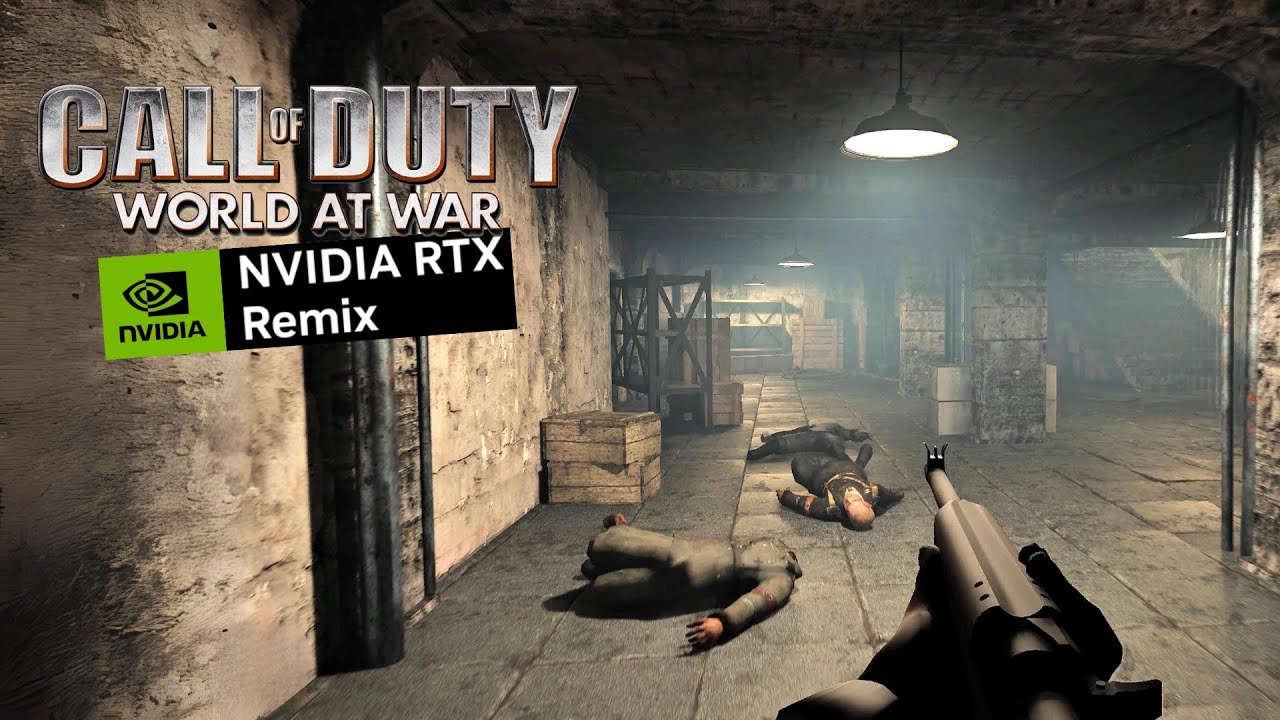
Call of Duty: World at War Zombies Nacht der Untoten RTX Remix (Work in Progress) - RTX 4080 4K 60 FPS Gameplay
CoD-WaW (cod5) rtx-remix compatibility mod:
https://github.com/xoxor4d/t4-rtx
Zombies RTX MOd Demo:
https://www.moddb.com/mods/cod5-nacht-der-untoten-demo/downloads/t4-rtx-samplemod-zombie
Gameplay was captured in 4K Ultra Settings ...

Call of Duty World at War Zombies (Work in Progress) RTX Remix vs Original - RTX 4080 4K 60 FPS Graphics Comparison
CoD-WaW (cod5) rtx-remix compatibility mod:
https://github.com/xoxor4d/t4-rtx
Zombies RTX MOd Demo:
https://www.moddb.com/mods/cod5-nacht-der-untoten-demo/downloads/t4-rtx-samplemod-zombie
Gameplay was captured in 4K Ultra Setti...
umbral goblet
sterile girder
(is that the right word?)
Think so
I do like the new tone as well tbf, but I think the lighter colours, at least on the lightbulbs, would be cool to see how it plays
golden wyvern
Did some of the weapons not have normal maps  , they just show up as $identitynormalmap.iwi in xmodel.
night surge
Most of the weapons don’t use a normalmap
 steady flax
night surge
also nice https://www.youtube.com/watch?v=itE8WDxo_0Y
steady flax
night surge
also nice https://www.youtube.com/watch?v=itE8WDxo_0Y
is this a current build?
night surge
steady flax
is this a current build?
That’s what’s currently up on modDB
golden wyvern
night surge
Most of the weapons don’t use a normalmap
Weird. You’d think with it taking up so much of the screen they’d make it have one.
Guess I’ll just generate some in substance and chainner
night surge
Yeah never understood that either 😜
 fervent pelican
@night surge https://www.youtube.com/watch?v=aQ_oIoJcbVs

This is INSANE.
https://github.com/xoxor4d/t4-rtx
https://twitter.com/xoxor4d
Follow me on twitter!
https://twitter.com/D3AL1O
Thanks for watching!
World at War Zombies now has RTX...
yo cod zombies creators are makin videos on ur mod
 woeful inlet
o shi dats amazing
copper surge
Y'all should try the 2.5.1 DLSS, i don't recall who tried this but it was the last version that didn't had ghosting
night surge
copper surge
Y'all should try the 2.5.1 DLSS, i don't recall who tried this but it was the la...
yea its definitely caused by dlss .. will try that version thanks 👍🏻
lofty pecan
It's worth mentioning the only thing special about 2.5.1 is that it was the last version of DLSS to not include all presets
It was based on (imo) the best preset, C
But you can use this same preset in newer DLSS versions, in fact I think you can change the preset through rtx.conf
So you could use the latest DLSS improvements + the best preset for clarity/ghosting
2.5.1 is definitely the quick way though
night surge
same kind of ghosting on 2.5.1
lofty pecan
That's actually pretty surprising lol
unborn comet
night surge
same kind of ghosting on 2.5.1
then its not ghosting i think
vernal carbon
We need an exorcist to be sure
unborn comet
#1201950875476828271 message
please read this conversation
might be related
Basically it tries to determine if the same geometry between two different frames is the same object or not. For example in the case of instanced street lights in a row, when you go to the next frame, and the search distance is too large, remix will think that one lamp next to the other one is the same object but it moved a few meters ahead. This can cause the object to have motion vectors even tho it didn't actually move.
night surge
Hey @wooden barn, sorry for the ping 🫣
There is some kind of ghosting problem in this game and only happens when dlss is enabled.
It also happens on cod4 but not as bad as here. I noticed that its only really visible in darker areas in cod4.
Any idea what might be causing that?
Video of dlss on/off
Motionvectors
setting viewtransform to inview (changes motionvectors but the distant light rotates with the camera)
and cod4
unborn comet
this might not be ghosting
 night surge
also happens with TAA-U, also tested dlss 2.5.1 (same issue)
unborn comet
what about no DLSS
night surge
unborn comet
what about no DLSS
I turned dlss off in the first video - does not happen then
 golden wyvern
night surge
Hey <@617500777191047168>, sorry for the ping 🫣
There is some kind of ghosting...
golden wyvern
night surge
Hey <@617500777191047168>, sorry for the ping 🫣
There is some kind of ghosting...
I remember this being a sore spot for U2. If it’s the same issue, then turn off autoexposure
night surge
golden wyvern
I remember this being a sore spot for U2. If it’s the same issue, then turn off ...
huh yea thats definitely better
golden wyvern
I wonder if it’s some setting with autoexposure that can be tweaked.
night surge
there is still some ghosting around the gun but it only affects shadows
also happens without dlss tho
so if its an issue, its not related to dlss
golden wyvern
night surge
there is still some ghosting around the gun but it only affects shadows
Might be something with the denoiser?
unborn comet
night surge
also happens without dlss tho
temporal accumulation perhaps
 wooden barn
night surge
Hey <@617500777191047168>, sorry for the ping 🫣
There is some kind of ghosting...
wooden barn
night surge
Hey <@617500777191047168>, sorry for the ping 🫣
There is some kind of ghosting...
You've already figured out more than I know about this topic 😅 I'll see if I can get someone more familiar with it to take a gander.
night surge
wooden barn
You've already figured out more than I know about this topic 😅 I'll see if I c...
Haha thank you! Thats one of the most prominent things people point out in the comments 😬 🤦♂️
golden wyvern
Mark’s not tracing the rays quick enough
 bright knoll
Tried out the mod last night and it looks great! A lot of ghosting like people have mentioned. Hits my 4070ti hard even with dlss. I get between 30-60 fps. Frame gen helps tho.
night surge
much better without auto exposure. Looks great with a few tonemapping tweaks 👍🏻
night surge
bright knoll
Tried out the mod last night and it looks great! A lot of ghosting like people h...
can you try again with this conf?
golden wyvern
If you crank the adjustment time of autoexposure to as small as possible does it still happen?
unborn comet
night surge
much better without auto exposure. Looks great with a few tonemapping tweaks 👍�...
the shadows getting their details blurred out for a bit is still persistent
night surge
golden wyvern
If you crank the adjustment time of autoexposure to as small as possible does it...
yea doesnt change no matter what value I put in .. nothing of the settings changes anything ghosting wise
bright knoll
night surge
can you try again with this conf?
Yes! I'll try it when I'm home later today! Thanks!
golden wyvern
night surge
yea doesnt change no matter what value I put in .. nothing of the settings chang...
Welp
Anyway the autoexposure ghosting has been an issue that occurs in every game. Hopefully this pushes for a fix
wooden barn
golden wyvern
Anyway the autoexposure ghosting has been an issue that occurs in every game. Ho...
Has anyone filed a github issue about auto exposure causing ghosting?
golden wyvern
wooden barn
Has anyone filed a github issue about auto exposure causing ghosting?
@south raven might have
south raven
Nope
golden wyvern
Welp
south raven
go do it
wooden barn
definitely worth filing one with some of the videos / images demonstrating the issue, and a list of the games this is most obvious in would also be helpful
night surge
golden wyvern
I remember this being a sore spot for U2. If it’s the same issue, then turn off ...
Are you filing the issue or should I?
golden wyvern
night surge
Are you filing the issue or should I?
I’m horribly at filing issues on GitHub so I’d rather you do it
night surge
@golden wyvern any other game that comes to mind where its really noticeable? Do you maybe have some footage of u2 or the posts so I can link them?
golden wyvern
Search for autoexposure on this discord for all the fun conversations
night surge
#showcase message
upbeat patrol
night surge
much better without auto exposure. Looks great with a few tonemapping tweaks 👍�...
Great, this is already looking a hell of a lot better!
Likely isn't a surprise, but I have noticed the ghosting improves significantly with better frame rates. Using DLSS ultra performance(upscaled to 4k) on a 4090 and getting around 120-150~ FPS with frame gen the ghosting was vastly less than even with performance. If that data point's of any help. I was getting around 85-115~ FPS on DLSS performance so was surprised at how significant the improvement was.
night surge
GitHub
Describe the bug Eye Adaption (under Post-Processing > Auto Exposure) causes ghosting if enabled together with DLSS. Remix version (bridge release 0.4 - runtime commit 90bb5a04c2dbd96fe0562402b4...
wooden barn
got a few rendering people chatting about the ghosting due to dlss + auto exposure and what could possibly cause that. There were a few ideas of things they want to test, but not really anything yall could do anything with.
One note that was interesting - DLSS apparently needs to know a bit about the min and max expected exposure, and we may only be passing that to DLSS when Remix starts up. so you may need to save your settings and reload to actually see what a given set of exposure values + DLSS setting will actually look like.
night surge
Thanks for the quick update! I really like reading these details 😜
Min and max exposure seem to adjust (visibly) without reloading the game. Did a few tests with a lot of different values (+reloading) but couldn't get either a reduction or an increase in ghosting
wooden barn
night surge
Thanks for the quick update! I really like reading these details 😜
Min and max ...
the settings work on the auto exposure, but DLSS apparently needs to know those settings as well to properly do something or other. The theory was that ghosting would be worse after you adjust the auto exposure settings, unless you save those settings and re-start the game.
That's just one thing that we'll need to look into when we actually investigate this though - not something yall need to try to dig into or test
bright knoll
night surge
can you try again with this conf?
Just tested it out! Ghosting is all but gone! Performance may have gone up by 3-5 fps.
steady flax
golden wyvern
Mark’s not tracing the rays quick enough
Maybe he should start raying the trays
Does Mark have raytraced eyeballs though? That is the question
Will we see all reflections
umbral goblet
steady flax
Does Mark have raytraced eyeballs though? That is the question
Technically everyone has raytraced eyeballs, they do reflect stuff if you look close enough 👁️ 👄 👁️
steady flax
Well yeah lol
umbral goblet
There you go then, question successfully answered 
umbral goblet
Just look into your eyes, you'll find the answer eventually
 lunar swan
Hey can we expect to this to made for the campaign as well?
As in playable from start to finish
night surge
yea .. just start
worthy summit
click the play button xD
lunar swan
night surge
yea .. just start
Nah because I saw a lot of images from zombies. So I figured you were focusing on getting RTX to work with zombies with no issues. Not the campaign. As in playing the campaign with no noticeable visual hiccups or something like that
night surge
zombies = sp
lunar swan
I imagine that in order to ensure that you would need to play the campaign start to finish
But your working on it
So you know better
lunar swan
night surge
zombies = sp
Fair enough
night surge
campain works, doesnt crash but performance isn't good as levels are huge
lunar swan
Yeah that’s what I meant by that
Regardless of which
It’s nice to see WAW look this good
So thanks for your work
It’s epic
night surge
💚
unborn comet
south raven
Game not working?
have you tried turning your router on and off again
south raven
@night surge What about occlusion culling
Fully occluded objects don't really need to be rendered
Especially tiny ones
night surge
I'm not skilled enough to implement such a system especially without source access 🫣
would definitely help a ton tho
south raven
night surge
would definitely help a ton tho
Time to break into infinity ward archives
eternal isle
south raven
Time to break into infinity ward archives
If they are keeping one
unborn comet
south raven
And the concept art
And NX1 project
south raven
dunno what that is
night surge
south raven
dunno what that is
there was a recent video "leak" that showcased a canceled prototype build of a cod game made by neversoft
south raven
ah
 upbeat patrol
night surge
campain works, doesnt crash but performance isn't good as levels are huge
upbeat patrol
night surge
campain works, doesnt crash but performance isn't good as levels are huge
Really?
I have a very consistent crash in the second mission whenever I call in the missile strike on the beach. Haven't played the entire campaign, but played a handful of stages and it'll work, even if there's a lot of graphical glitches. That's the only impassable crash I've seen
night surge
upbeat patrol
Really?
I have a very consistent crash in the second mission whenever I call in...
oh true! Happens because I'm trying to read memory that I'm not allowed to .. but only because of a game bug
looks like the game itself is writing out of bounds because used > the total buffer size
 steady flax
dlss has ghosting issues in general, noticeable in forza 5 as well
also in cod if you focus on your red dot or iron sight there is ghosting
night surge
the heavy ghosting in this game is gone now tho
steady flax
ok
 cold willow
Everytime i try to install the rtx mod i get a directx unrecoverable error. Any ideas what that could be
lofty pecan
did you follow the instructions? it should work first try
cold willow
Yes i've tried numerous times. I have no clue what i could be doing wrong
cold willow
it says t4 rtx when i start game up but no visual differences? And it lags very badly. Its laggy then speeds up and lags more.
lofty pecan
something's up because rtx remix is vulkan
it's supposed to turn the game from dx9 to vulkan to enable RT
cold willow
can you give me a brief installation walkthrough? There must be something im missing
lofty pecan
install the t4 rtx mod, then install the RTX remix runtime. The files should come with a pre configured rtx.conf file that does everything for you basically
then there's also this (https://www.moddb.com/mods/cod5-nacht-der-untoten-demo/downloads/rtxconf-update-to-fix-ghosting-for-0015) patch which updates the rtx.conf file to help with ghosting

ModDB
fixes ghosting around the viewmodel (was caused by eye-adaption (auto exposure)) and also increases visibility a little bit.
but really the two things are all you need
make sure your ingame texture quality is set to ultra if that might be an issue
cold willow
thats what my game looks like
 cold willow
it also lags super bad as is
lofty pecan
yeah I'm not quite sure why it's not pathtracing
unborn comet
Mark not tracing enough rays 
cold willow
I've tried the "easy" installation method and I've tried the "manual but always updated" method and both led to the same results as the screenshot
steady flax
Gives me errors when trying to launch it
lofty pecan
might wanna wait until xoxor's back online and ask him about it directly. He'll probably have an idea
steady flax
here's the log I get
stiff kestrel
post the d3d9_gamename.log file too
steady flax
stiff kestrel
Intel(R) RaptorLake-S Mobile Graphics Controller
this isn't a laptop, right?
steady flax
No, full gaming PC
 reef gorge
stiff kestrel
so many weird things going on
reef gorge
stiff kestrel
so many weird things going on
agreed
reef gorge
was about to say if it's a laptop i can help but i
stiff kestrel

NVIDIA Developer
Get the latest Vulkan 1.3 general release drivers and developer beta drivers.
i think this is the right thing?
reef gorge
'm at a loss other then the vulkan drivers
reef gorge
stiff kestrel
i think this is the right thing?
looks like it
steady flax
brings me right back to NVIDIA Drivers, which I am fully up to date on
reef gorge
did you install the studio or game ready drivers
steady flax
GRDs
steady flax
as in the remix itself
steady flax
stiff kestrel
@steady flax also just to be clear, you installed both the client mod and the mod file from moddb?
reef gorge
hmmm
stiff kestrel
have you tried other games with Remix?
reef gorge
^^
steady flax
was about to try CS:S
stiff kestrel
try one of the really easy games first: #1198957423982018620
stiff kestrel
ya
for most of those, that's the case
Minetest requires a specific version though. Oddworld requires the beta version in Steam. i'll add notes in that channel
stiff kestrel
does it at least get past the driver thing?
steady flax
yes
it shows the Welcome on launch
check SHAR's forum to work that
so yeah, it might be something with WaW then
night surge
@steady flax if you didn't already, could your try the latest full release of t4-rtx? -> https://github.com/xoxor4d/t4-rtx/releases/download/v0.5.3/t4-rtx-v0.5.3-240126-acdcfc5.zip
This comes with ALL files that are needed, just drag and drop everything into your cod5 root folder
Its also worth a try to :
- delete your waw profile config under
C:\Users\USERNAME\AppData\Local\Activision\CoDWaW\players\profiles\PROFILE\config.cfg - using nvidia system tools to manually set your gpu to your 4090 for CoDWaw.exe (3D Settings -> Programm Settings) because I suspect that its trying to use your onboard gpu
night surge
steady flax
nvidia system tools as in?

or disable the onboard gpu in your bios if you are up for that 🫣
stiff kestrel
it seems to be using their 4090 already according to Remix logs?
other games running with Remix are okay, it seems to just be this
night surge
it definitely checks the igpu and fails after that
 stiff kestrel
it prints my iGPU info as well it doesn't
stiff kestrel
very weird. i have an iGPU enabled and never had this issue. this game must be doing something very odd to cause Remix to break in that way
steady flax
now to uninstall, reinstall, then add Remix
cause I can't do gfx settings with remix
tysm @night surge
night surge
@steady flax Glad that it works now. Make sure to use the full release I linked, then grab the latest nightly: https://github.com/xoxor4d/t4-rtx/actions/runs/7762612504
If you install the sample mod from moddb afterwards, make sure not to overwrite the rtx.conf .. the conf that comes with the latest nightly is the most up to date 🙂

GitHub
nvidia rtx-remix compatibility mod. Contribute to xoxor4d/t4-rtx development by creating an account on GitHub.
steady flax
ok now fullscreen is off center
night surge
I advise you against using fullscreen 🙂
steady flax
I already was gonna run windowed then do Borderless Windowed through a program
just had to alter options
night surge
no need for another programm. Just use the borderless console command
it will place the window at 0 0 and disable the titlebar
reef gorge
stiff kestrel
~~it prints my iGPU info as well~~ it doesn't
For my I got a laptop and it does that for me
Print it
stiff kestrel
i swear it used to, but it's not in my most recent logs
cold willow
just tried to install again and still the same outcome! why is raytracing not working correctly?
 south raven
try finger but whole
night surge
cold willow
just tried to install again and still the same outcome! why is raytracing not wo...
please post the steps on how you installed it
cold willow
I started off by installing the full release for rtx-remix v0.4, extracted it into waw directory on steam. I then installed rtx remix demo. then installed the updated config.
night surge
can you open the ingame console and take a screenshot of what it says?
cold willow
is this correct?
 night surge
it didnt load the client mod (the console does not display t4-rtx [version] >
dxvk.conf maybe?
golden wyvern
Ohhhh he prob doesn’t have that nvapi flag changed in dxvk
night surge
that is in .trex right?
golden wyvern
Nah it’s in the main folder
night surge
@cold willow alright can you check if you have a dxvk.conf file in the root folder of cod5?
if so open it with a texteditor and search for dxgi.nvapiHack
if its set to true then comment out the line by adding # infront like so: # dxgi.nvapiHack = True
golden wyvern
I think from the default you have to change it to false.
cold willow
yeah i don't have the dxvk.conf in the root directory
night surge
what gpu do you have?
night surge
golden wyvern
I think from the default you have to change it to false.
I dont have a dxvk.conf either so should be disabled by default
cold willow
i have a 6900xt so that's probably why
cold willow
I tried installing on my laptop with 3080 and it gives me a directx error. Does that have to do with the dxvk.conf?
night surge
cold willow
I tried installing on my laptop with 3080 and it gives me a directx error. Does ...
its probably because the game or remix tries to use your onboard gpu (you'd have to disable that in the bios if that works on your laptop)
download: https://github.com/ThirteenAG/Ultimate-ASI-Loader/releases (the non x64) version
GitHub
ASI Loader is the tool that loads custom libraries with the file extension .asi into any game process. - ThirteenAG/Ultimate-ASI-Loader
extract dsound.dll into your cod5 root folder
then rename nvapi.dll to nvapi.asi
and start the game
cold willow
i extracted dsound.dll into root folder but im not seeing a nvapi.dll on my laptop
night surge
then re-extract it from the t4-rtx release
cold willow
still getting this after following your steps
 night surge
that is on your laptop tho right
cold willow
yes on the laptop
night surge
cold willow
yes on the laptop
you only need the asi loader on your other pc with the amd card
laptop: you have to either disable your onboard gpu in the bios or force the dedicated gpu via nvidia system controls
cold willow
awesome news got it to work now on the pc with amd card. but it is unplayable due to the lag lol and ideas what i could do to help performance
golden wyvern
cold willow
awesome news got it to work now on the pc with amd card. but it is unplayable du...
||Buy an RTX card||
 pearl star
nothing works with plutonium apparently🤷♂️ no clue why
 umbral goblet
It's because plutonium is shit
eternal isle
golden wyvern
||Buy an RTX card||
The more you buy, the more you save
stiff kestrel
Nvidia H100 😛
worthy summit
eternal isle
The more you buy, the more you save
propaganda
stiff kestrel


 stiff kestrel
wow
 fleet wasp
pog
golden wyvern
Note: the explosions look pretty goofy with the low settings 
Going to try messing with the berlin levels now. All the foilage on the japan ones murders fps. I'm getting like 15fps most of the time.
umbral goblet
Bro's not just cooking, he's running a whole damn kitchen
golden wyvern
umbral goblet
Bro's not just cooking, he's running a whole damn kitchen
Eh, I'm just taking the game's original materials and porting them over. Lighting is my own to a degree tho
umbral goblet
Still looks incredible
golden wyvern
upbeat patrol
golden wyvern
Damn that's cool. Awesome to see the campaign getting some love!
golden wyvern
 umbral goblet
Now I can get my ears blown out by Reznov screaming "FIRE THE PANZERSCHREK" every 3 seconds in HD!
golden wyvern
Because @eternal osprey asked for remix on a CRT.
stiff kestrel
lol
 eternal osprey
Hah, close enough!
upbeat patrol
golden wyvern
Because <@309723958943678465> asked for remix on a CRT.
Goddamn that's cursed lol.
eternal osprey
Yeah no kidding! I was never a CoD person but this is definitely what Halo looked like to me back in the day haha
Was still using a CRT when Halo 2 launched even
stiff kestrel
i used a CRT for my PS3 up until like 2015, lol
playing BF4 wasn't very easy on that
golden wyvern
I had a flat CRT for the entire 360 generation
stiff kestrel
mine was one of those older, rounded ones. composite input only 😢
eternal osprey
stiff kestrel
playing BF4 wasn't very easy on that
DAMN! Honestly, respect
 topaz kiln
golden wyvern
topaz kiln
golden wyvern
I normally look at this chat in silence but my god is this tugging the right nostalgia strings. How I remembered waw when it first came out.
eternal isle
golden wyvern
Because <@309723958943678465> asked for remix on a CRT.
If you used reshade, did you used a controller or figured out how to use keyboard & mouse
golden wyvern
eternal isle
If you used reshade, did you used a controller or figured out how to use keyboar...
No it’s a separate application
 gritty salmon
So anytime I launch the game it is just a black screen with the main menu music playing
The screen is also off-center
night surge
- does it show something without having remix installed? (rename or delete d3d9.dll in the root folder)
- does it show something without t4rtx? (rename or delete nvapi.dll)
- if its still black, go to your player profile under
appdata/local/Activision/CoDWaW/players/yourprofileand open the config.cfg file, search forrendererInUseand tell me the value
gritty salmon
night surge
1. does it show something without having remix installed? (rename or delete d3d9...
Okay so I deleted each of the files you recommended to - one at a time - and here's what happened:
-
Deleting d3d9.dll causes my game to launch okay and the menu loads just fine.
-
Deleting nvapi.dll causes the game to go back to a black screen and goes off center. The audio stutters briefly before the application freezes.
-
I went searching for "rendererInUse" in the config.cfg and it couldn't seem to find it anywhere
night surge
its r_rendererPreference sorry
So step 2 was also without the d3d9.dll? Thats odd.
Could you post your d3d9.log?
gritty salmon
Oh okay well here is what it says:
seta r_rendererPreference "Default"
night surge
change that to seta r_rendererPreference "Shader model 3.0"
gritty salmon
Alright I just changed it
Also was I supposed to delete both of those files or just one at a time?
That could be the issue
night surge
deleting both is fine if you did that, just wanted to know if you did so or if you restored the d3d9.dll before that
gritty salmon
Ahh okay
I deleted d3d9.dll then launched the application
Then after that I brought back d3d9.dll and deleted nvapi.dll before repeating the process
So that was my mistake
night surge
ah okay so its definitely related to remix then. Please post your d3d9.log (root folder) and NvRemixBridge.log (within the .trex folder)
gritty salmon
Okay so you want me to copy and paste the info from the d3d9 text document and NvRemixBridge text document here?
Or send a screenshot?
night surge
just drag/drop the txt files into here
night surge
mhh what GPU do you have?
and could you try to change the following in your config.cfg:
seta r_fullscreen "0"seta r_mode "1280x720"
gritty salmon
night surge
mhh what GPU do you have?
NVIDIA GeForce RTX 3060
gritty salmon
night surge
and could you try to change the following in your config.cfg:
- `seta r_fullscre...
I'll try it
night surge
and I noticed that you are on an older version of remix (0.3.5). So please also try with the latest full release: https://github.com/NVIDIAGameWorks/rtx-remix/releases/download/remix-0.4.1/remix-0.4.1-release.zip
looks like you are running a more recent bridge build but an older runtime
gritty salmon
night surge
and I noticed that you are on an older version of remix (0.3.5). So please also ...
I downloaded the latest full release and tried launching it but it won't launch
night surge
it wont launch at all? - please post the most recent d3d9.log
gritty salmon
night surge
Odd ... do you have an onboard gpu? If so, you could try to disable that in the bios. That has helped a few people with similar issues.
gritty salmon
After checking, I don't believe I have an onboard gpu
I honestly feel as if I am missing something which is causing my game to launch as a black screen
What all is needed to be able to use the nacht der untoten rtx demo exactly? Like step by step
gritty salmon
Also I just encountered a new error when trying to launch the game once more
It won't even launch the application as a black screen anymore
 night surge
gritty salmon
Also I just encountered a new error when trying to launch the game once more
It ...
night surge
gritty salmon
Also I just encountered a new error when trying to launch the game once more
It ...
this guy had the same error and it was the onboard gpu that caused that: #1165264083554148482 message
do you have a desktop or a laptop?
 celest lily
Man I've been wanting to test this for a minute now but I can't get it to run for the life of me. Upon testing its giving me the same error as above. (as in what the log says aswell) I have a desktop, my GPU is a RTX 2060 Super and I don't have integrated graphics so that's not the cause and I double checked the config just to make sure the game is reading my GPU properly. I also reset my config and only changed the resolution/fullscreen settings to no avail.
The game only boots up and runs in multiplayer but doesn't load t4rtx and otherwise I can get both single/multi to work if I simply remove the nvapi.dll, removing the d3d9.dll does nothing.
golden wyvern
celest lily
Man I've been wanting to test this for a minute now but I can't get it to run fo...
Use asi loader
celest lily
I'm giving it a shot, so far to no avail. It just requires the d3d9 and nothing to do with the binkw one right?
golden wyvern
No idea what binkw is
worthy summit
golden wyvern
No idea what binkw is
its a video decoder
celest lily
^
worthy summit
RAD Game Tools' web page. RAD makes Bink
Video, the Telemetry Performance Visualization System, and Oodle Data Compression - all popular video game middleware.
celest lily
I think it's specifically for the cutscenes in WAW
worthy summit
for those movies u see at beginning
celest lily
bingo
So what am I doing wrong? If I'm reading correctly I just download the x86 version off the github and just rename the old one right?
worthy summit
celest lily
So what am I doing wrong? If I'm reading correctly I just download the x86 versi...
old one? there shouldnt be a (existing) d3d9.dll in the game dir
celest lily
Oh? Removing the dll causes remix to not boot with the game and it still crashes cause of t4rtx
south raven
I remember when portal version of remix refused to work with any games with fmvs
celest lily
I'm pretty sure they don't even have the videos in FMV format, they have em in some weird IWD format if I'm not mistaken.
worthy summit
celest lily
Oh? Removing the dll causes remix to not boot with the game and it still crashes...
what does t4rtx ship with?
dll? asi?
celest lily
The two DLLs packaged directly in the zip file are the nvapi and d3d9 dll files
worthy summit
then u should use those
i was thinking it came with a seperate dll and it loaded alongside remix its d3d9 hook
celest lily
Alrighty, I'll make sure I get a fresh wipe rq and see if I can work this out
Yup, still nothing. I know when ya'll first got this working I BARELY managed to get t4rtx running but for the life of me couldn't load into a map. Not sure what I did but I know I'm missing something
lofty pecan
Nothing looks wrong with that log, might be some instability with the game itself
celest lily
Damn, guess it's back to waiting for everything to become more stable between this project and remix itself 😭 can't wait for this to function smoothly I'm gonna go wild with WAW
night surge
celest lily
Damn, guess it's back to waiting for everything to become more stable between th...
can you try the nvapi from this nightly? https://github.com/xoxor4d/t4-rtx/actions/runs/7553878933
- uploaded it just in-case you dont have a github account

GitHub
nvidia rtx-remix compatibility mod. Contribute to xoxor4d/t4-rtx development by creating an account on GitHub.
Having multiple people with that issue now ... What's your game's localization? -> localization.txt first line
umbral goblet
Insane if it's just a localisation error, but ngl it wouldn't surprise me
celest lily
Game is english, I'll give that one a shot right now and lyk if it works
night surge
umbral goblet
Insane if it's just a localisation error, but ngl it wouldn't surprise me
unsure if the newest german version has a different exe (just like black ops 1)
can you also post CoDWaW_d3d9.log if it fails again?
celest lily
Yup, here ya are
It is actually attempting now which is good, still doesn't launch however. I didn't get this much info from any of the previous logs tho so there's that
umbral goblet
night surge
unsure if the newest german version has a different exe (just like black ops 1)
Likely would I'd imagine, even when compiling maps and mods and whatnot there're specific tags for german safe so it'd have to be compiled separately, I'm assuming it'd need different pointers and stuff to the german-safe equivalents
celest lily
If I'm reading correctly my crash is coming from the bridge specifically right? I wish I understood better but is it getting stuck on communicating with DXVK during launch?
night surge
celest lily
If I'm reading correctly my crash is coming from the bridge specifically right? ...
Yeah because the game and the runtime aren't launching probably .. you dont have visual studio installed by any chance? 😂
I'd really like to find the issue here but its kinda hard without knowing where it fails
celest lily
night surge
Yeah because the game and the runtime aren't launching probably .. you dont have...
I should have visual studio installed, if not I don't mind reinstalling it rq. You'd just need too let me know what I gotta do
night surge
your log seems good besides it detecting your gpu twice 🤷♀️
night surge
celest lily
I should have visual studio installed, if not I don't mind reinstalling it rq. Y...
VS 2019 would be fine, 22 better. With c++
 celest lily
night surge
your log seems good besides it detecting your gpu twice 🤷♀️
celest lily
night surge
your log seems good besides it detecting your gpu twice 🤷♀️
Oh yeah I see that now, interesting.
celest lily
night surge
VS 2019 would be fine, 22 better. With c++
Gotcha, I'll get 22 installed with C++ rn
night surge
🙏
celest lily
night surge
🙏
Alright I have it installing, I'm gonna step outside for a smoke rq and it should be ready to roll
night surge
celest lily
Alright I have it installing, I'm gonna step outside for a smoke rq and it shoul...
alright lets take this to dm's and figure it out 
celest lily
night surge
alright lets take this to dm's and figure it out <:PES_ElonMusk:5857245656871076...
It's halfway done now, I'll shoot you a DM when it's ready 😎 👍
night surge
gritty salmon
Also I just encountered a new error when trying to launch the game once more
It ...
can you right click your CoDWaW.exe -> go to Details and make a screenshot? Need to know the version of your exe 🙌
night surge
celest lily
Man I've been wanting to test this for a minute now but I can't get it to run fo...
^ This was caused by not running the latest patch (1.7). It's working now 🙏
gritty salmon
night surge
can you right click your `CoDWaW.exe` -> go to Details and make a screenshot? Ne...

Hope this helps
gritty salmon
night surge
do you have a desktop or a laptop?
Also I'm on desktop btw
night surge
gritty salmon
ah forgot, can you also post your CoDWaW_d3d9.log ?
gritty salmon
night surge
ah forgot, can you also post your `CoDWaW_d3d9.log` ?
Here:
celest lily
I haven't been able to get the toolkit to work so I'm disappointed I can't add lighting but thus far I am super satisfied with what I've seen. Seeing the light bleeding through the top of the Reichstag in the beginning of Downfall is stunning and I died laughing when I crashed during the last part where the roof gets shelled to shit right before you grab the flag lmaooo.
By chance has anyone already made some simple lighting mods for zombies? Not sure why the toolkit won't allow me to do anything unfortunately, I wanna hand make some PBR for Nacht but with how dark it is it isn't worth the effort.
golden wyvern
There's not that many lights to begin with in nacht so you'd have to go in and add your own lamps and such
celest lily
golden wyvern
There's not that many lights to begin with in nacht so you'd have to go in and a...
That's what I'm saying but I can't even get the toolkit to function, I made a thread in the toolkit help section about it.
Still using OctoTex to upscale Nacht textures for shits n gigs anyway lmaoo then I'mma redo everything except the normals manually.
celest lily
As a matter of fact I got the toolkit working with a GMOD map but it absolutely detests World at War maps for some reason.
night surge

GitHub
nvidia rtx-remix compatibility mod. Contribute to xoxor4d/t4-rtx development by creating an account on GitHub.
celest lily
night surge
https://github.com/xoxor4d/t4-rtx/wiki/Home-%E2%80%90-General-Tips-%E2%80%90-Tro...
Goated, thanks for that. I figured it was WAW specific after further testing and that explains why. Thanks unicode lmaoo
celest lily
Definitely way more taxing than Garry's Mod generally, but surprisingly handles 2K without DLSS much better. That makes taking screenshots for WAW so much easier. I've had so much fun playing around with this and the toolkit already lmaoo

 rocky flicker
Tried using both the release and action versions of t4-rtx but the console still reads Cod_WaW
Also I think remix is using my iGPU for some godforsaken reason
 night surge
rocky flicker
Tried using both the release and action versions of t4-rtx but the console still...
night surge
rocky flicker
Tried using both the release and action versions of t4-rtx but the console still...
do you maybe have a dxvk.conf in your root folder that has dxgi.nvapiHack set to true?
If so, set that to false. Otherwise .. you either have an amd card or your onboard gpu doesnt support nvapi
You'll have to force your external gpu for this game via nvidia control panel (if you have a nv card) or disable your onboard gpu in the bios
Once you fixed the igpu issue and the game still wont load t4rtx:
you can also load the t4rtx dll using asiloader: https://github.com/ThirteenAG/Ultimate-ASI-Loader/releases -> rename the downloaded file (non x64) to dsound.dll -> place it into the games root folder. Then rename nvapi.dll to nvapi.asi
rocky flicker
No dxvk.conf, is it supposed to be included in any of the release zips or do I need to make it myself? I'm very new to remix
I'm running a 7600X and 4070 so nvapi shouldn't be an issue
I'll try forcing the dGPU, hopefully that sorts it out
night surge
dxvk.conf shouldn't be included in any actual remix release no so dont worry
I guess the game determines your igpu as incompatible, hence not loading the nvapi.dll. So yeah, fixing the igpu issue should fix the nvapi loading issue as well
rocky flicker
Looks like I'll have to disable the iGPU, quick question but in the event I have my dGPU unplugged in the future and try to get to BIOS with the iGPU disabled, would that pose any issues?
night surge
you'd simply reset your bios if your dedicated gpu dies
rocky flicker
Welp disabled it via device manager and that worked, though thinking about it doing it via bios would be preferable since its easier to reset than I thought
Everything runs perfectly now, thanks a lot 🙏
celest lily
I'm currently toying around with several maps and using OctoTex for textures since my GPU isn't capable of using the AI tools in the remix toolkit. I'm so impressed by how well this works despite my GPU clearly being too underpowered but man can I pull off some amazing screenshots which is good enough for me. Downfall looks BEAUTIFUL, all of the cracks in the ceiling that let the sunlight through is phenomenal. The chandeliers when given light are so gorgeous too. Vendetta is also extremely gorgeous yet gritty. I've been working on map textures but I need to get on adding PBR to all of the guns.
After spending some time with this I absolutely have to commend your work on getting this running Xoxor, I've had for more fun playing around with raytracing in this game than GMOD despite it lacking the same sandbox nature. I'm not sure if there's other commands I'm not aware of that'd be neat to play with but the ability to swap skyboxes on the fly is an excellent feature and the map settings are also goated.
Can't wait to post some screenshots in the showcase section when I finally finish getting everything to look how I want. 😎 👌

Oh and the only rasterization issues I've noticed are literally in this level. For some reason objects to the left like the german patrol and that dead soldier get rasterized in the intro but everything gets fixed when you get control. Very minor issue but I figured its something to point out.
night surge
celest lily
Oh and the only rasterization issues I've noticed are literally in this level. F...
Mhh haven’t checked that but it might be that you or I marked some world element as UI that causes that.
I’m glad that you are having fun 🙏
celest lily
night surge
Mhh haven’t checked that but it might be that you or I marked some world element...
I'd be willing to bet I probably did actually, and if I decide to I'll check if it happens with the original config file and see if I can't figure it out for ya.
And absolutely! I believe I've stumbled on some old forum posts from you in the WAW mapmaking community and it caught me by surprise! Very impressive how long you've been doing stuff with this game, and I can't wait to see how you improve on this in the future! Especially MP if that's still something you plan on, but even if not this is incredible as is!
upbeat patrol
celest lily
I'm currently toying around with several maps and using OctoTex for textures sin...
Love seeing the progress that's being made with multiple fronts of the game!
Really hoping to see the campaign remastered at some point as WaW easily had one of the best CoD campaigns and it was the only one of two you could play co-op on. Playing through effectively a remaster with modern bells and whistles with buddies would be a great time.