#Counter-Strike Source
1885 messages · Page 2 of 2 (latest)
 median sequoia
 crisp fern
I did
crisp fern
crisp fern
I did
Oh nevermind, I put it in the bin folder
But now everything is dark and windows aren't transparent anymore

 vivid garnet
 vale isle
like my only focus is finding good looking bricks rn
vale isle
like my only focus is finding good looking bricks rn
Yea i did train I was going to upload it yesterday on moddb but moddb was being slow for some reason not letting me upload gonna try today
vale isle
if you do please ping me because i wanna try another one of your amazing looking remakes
you dont gotta but it would be nice
vivid garnet
vale isle
you dont gotta but it would be nice
It's fine, also if you want like more brick textures you can look them up in polyhaven and ambient CG, they give free textures with res all the way to 8k some even going to 16k
vale isle
crazy
vivid garnet
Most of the textures in the train map are AI upscaled and PBR but some are from ambient CG and polyhaven
crisp fern
crisp fern
But now everything is dark and windows aren't transparent anymore
Okay so I messed everything up again and I have put the rtx.conf into main folder and everything kinda changed but still everything is still dark and now I really don't have any ideas why
 vivid garnet
crisp fern
Okay so I messed everything up again and I have put the rtx.conf into main folde...
vivid garnet
crisp fern
Okay so I messed everything up again and I have put the rtx.conf into main folde...
open remix menu go to game set up, then parameter tuning, then in there open light translation and untick directional after that open fallback light and set fallback light mode to never
and to increase brightness of the skybox go to sky tuning in the same parameter tuning tab
crisp fern
Yoooo it works now! Thank you for your help!
vivid garnet
crisp fern
Yoooo it works now! Thank you for your help!
also for culling like shadows disappearing u need blu amalets patches
vivid garnet
crisp fern
Yoooo it works now! Thank you for your help!
but on steam version with patchs MP wont wrk
GitHub
A set of patches for Source Engine games to improve RTX Remix experience - BlueAmulet/SourceRTXTweaks
get the applypatch.py
need python though
simply make a new folder and put applypatch.py in it
then
make a folder and name it bin in the new folder where u put applypatch.py
get engine.dll, shaderapidx9.dll, client.dll and datacache.dll and place them inside that bin folder
then just open Cmnd and just write applypatch.py
then just place the patched files in there own original places in CSS folder
vale isle
vivid garnet
Yea i did train I was going to upload it yesterday on moddb but moddb was being ...
qwhen u mgonna upload
vivid garnet
vale isle
qwhen u mgonna upload
Already did forget to share the link here wait
vivid garnet
vale isle
qwhen u mgonna upload

Reflections and stuff might varie due to different conf settings, I have my roughness scale at 1 and roughness bias at -0.290 and metallic at 0.150 in PBR material settings in parameter tuning tab
vale isle
beautiful


 vale isle
vivid garnet
vale isle
vivid garnet
Those look quite good
vivid garnet
dang I'm lazy, yea pirensi is done but can't decide between the rock and the grass texture uff, gonna try more textures and see what fits well
vivid garnet

ModDB
PBR textures for CSS and GMODDDDDDDDDDDDDDDDDDDDDDDDDDDDDDDDDDDDDDDDDDDDDDDDDDDDDDDDDDDDDDDDDD
vale isle
i love these textures bro
vivid garnet
imma do office next
vivid garnet

 jaunty bloom
decided to install rtx remix again to css after awhile and umm
 vivid garnet
jaunty bloom
decided to install rtx remix again to css after awhile and umm
vivid garnet
jaunty bloom
decided to install rtx remix again to css after awhile and umm
use this config maybe and the launch cmnds
jaunty bloom
vivid garnet
use this config maybe and the launch cmnds
uhhh


I think something is wrong
someone put my hands in a box
 vivid garnet
jaunty bloom
uhhh
vivid garnet
jaunty bloom
uhhh
did u put dxvk.conf? right next to the hl2 exe file in css directory
jaunty bloom
oh
I have been using the one from dxvk remix
lemme try the one u sent
yea it works but I dont have arms for some reason
 vivid garnet
jaunty bloom
yea it works but I dont have arms for some reason
vivid garnet
jaunty bloom
yea it works but I dont have arms for some reason
oh I might had set the arms textures as ignored in the Game setup tab, Try to find the texture there and untick the ignore or hide tag, Did this with the Glock aswell so might need to untick it for it aswell
jaunty bloom
yea u did
vivid garnet
jaunty bloom
yea u did
do u have the patches? blu amalet patches? it fixes the culling issue
jaunty bloom
vivid garnet
do u have the patches? blu amalet patches? it fixes the culling issue
lemme get it
GitHub
A set of patches for Source Engine games to improve RTX Remix experience - BlueAmulet/SourceRTXTweaks
vivid garnet
jaunty bloom
lemme get it
it's a bit tricky to do it, cause u need python installed and then there's a few steps
vivid garnet
jaunty bloom
https://github.com/BlueAmulet/SourceRTXTweaks this?
yes download applypatch.py there
vivid garnet
then make a new folder and put apply patch py in it
then make another folder called "bin" in that new folder
put Engine, Client, Shaderapidx9 and Datacache DLLs in that bin folder
jaunty bloom
and then drag it to the main folder right?
vivid garnet
from the CSS bin folder (client.dll is in the bin folder located inside cstrike folder)
vivid garnet
jaunty bloom
and then drag it to the main folder right?
to patch them u need python u have it?
jaunty bloom
yea I have it
vivid garnet
ok now open cmd in the folder where u put apply patch py
vivid garnet
yes and it should work
then just paste the files back to there original positions in CS directory
note MP won't work though, for that u need a non steam version of CSS
jaunty bloom
why dont I just do it with the original bin files
like can I put the patch with the exe
vivid garnet
jaunty bloom
like can I put the patch with the exe
idk it gives error for me.I do it that way I told u and it works for me
jaunty bloom
yea I think I patched it
vivid garnet
jaunty bloom
also what folder do I put the pbr stuff
rtx remix/make a "mods" folder and u put the pbr stuff inside it
jaunty bloom
alright
vivid garnet
idk if it should be named mod or mods but if mods don't work then rename it to mod
Also for flickering UI, use custom UI mods that fixes the flickering
u can find them at gamebanana
for the crosshair use some software that adds external crosshair
all these fix the buggy hud issue
 vivid garnet
jaunty bloom
what is this supposed to be
vivid garnet
jaunty bloom
what is this supposed to be
just set the texture as hide
 iron ocean
Guys, is there a way to fix the FPS? Also, is there an update for this mod? @vivid garnet Your game looks really great, it would be so good if we had all of your RTX Remix files. 🙂 Thanks...
 low palm
hello a video tutorial how to install ?
vivid garnet
I'm tired 😩 everything is In da pins
 ivory yarrow
anyone can help me for install?
 thick lagoon
everything should be in the pins
 south shale
is it possible to run this one without portal rtx or is it required?
vivid garnet
south shale
is it possible to run this one without portal rtx or is it required?
u just need to have the std_shader 7, 8 and 9 from portal rtx bin and paste it into css bin, after that having portal rtx installed or uninstalled shouldn't matter
vivid garnet
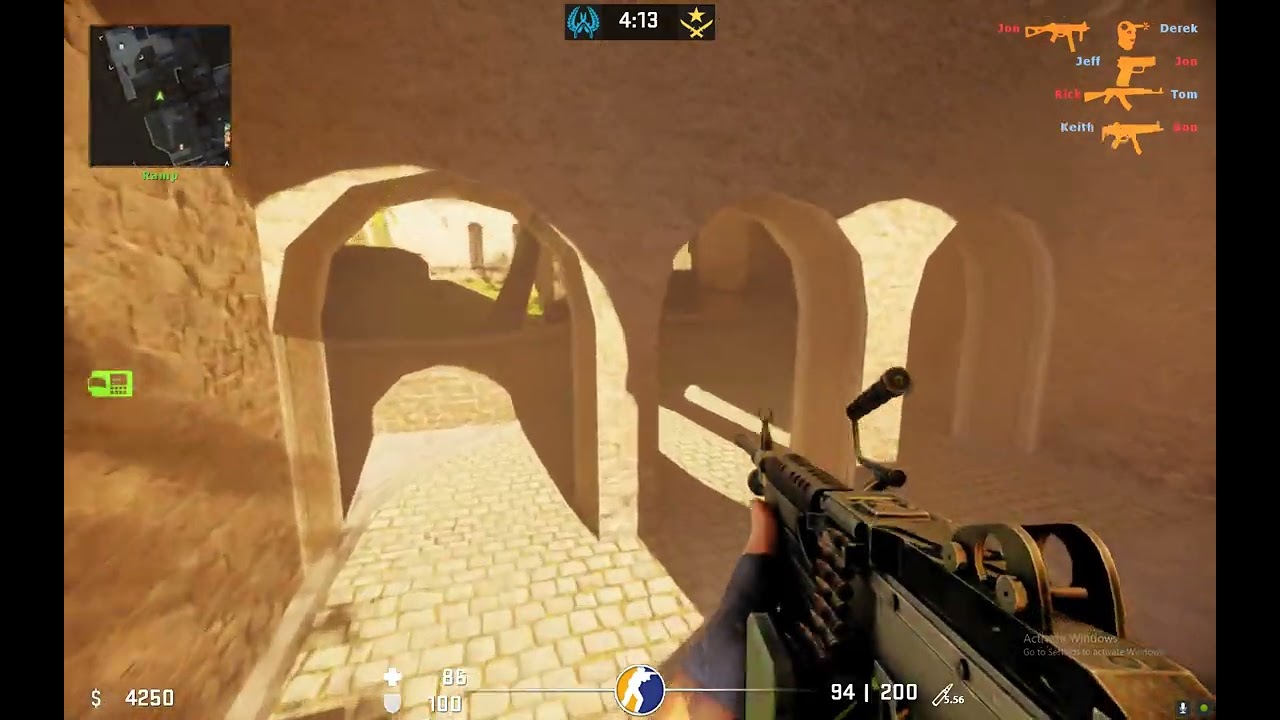
found a way to add reflections on glass without toolkit

 vivid garnet
 vivid garnet

 vivid garnet
 fresh crest
@vivid garnet did all the steps still dont see any rtx, do i have to download some nvidia rtx tool?
vivid garnet
fresh crest
<@900427985503535114> did all the steps still dont see any rtx, do i have to dow...
it should wrk, did u put dxvk.conf right besides hl2.exe? and put the launch cmnds on steam?
fresh crest
could u tell me exactly what files i need where please
fresh crest
vivid garnet
it should wrk, did u put dxvk.conf right besides hl2.exe? and put the launch cmn...
and is there anything else i need, or just those files and press play. no other software?
vivid garnet
fresh crest
and is there anything else i need, or just those files and press play. no other ...
Let's recap.
Put .trex, D3d9.dll and nvbridge file from rtx remix into the bin folder of CSS,
Now open up portal rtx bin folder and copy the std_shader6 to 9 and paste it in CSS bin folder
Now Put dxvk.conf right besides hl2.exe
Now add the launch commands in steam launch options for CSS.
it should work
to further stabilize the game, get bluamulates patches from GitHub
download applypatch.py from there (note need python and make sure to tick the PATH option when installing it)
GitHub
A set of patches for Source Engine games to improve RTX Remix experience - BlueAmulet/SourceRTXTweaks
it should make the game way more stable, Fix culling and other issues
vivid garnet
fresh crest
where can i get .trex d3d9.dll files from?
rtx remix from GitHub or use the automatic downloader https://discord.com/channels/1028444667789967381/1132988164814934167
or if u have portal rtx those three files are in it's bin folder aswell, simply copy those files and paste it in css bin folder
fresh crest
@vivid garnet done it all. when i launch i get a rtx remx driver error
??
i have a 4060 ti and latest drivers
vivid garnet
fresh crest
i have a 4060 ti and latest drivers
hmmm I have no clue why remix isn't recognizing 4060ti as ray tracing card, some people did had issues like this one but idk which solutions they did to fix it
u can ask in general that's where the nividia guys or someone with deep knowledge are
I don't think it is portal rtx files cause I used it few days ago and it worked fine in my 2080 super


 fresh crest
vivid garnet
hmmm I have no clue why remix isn't recognizing 4060ti as ray tracing card, some...
fresh crest
vivid garnet
hmmm I have no clue why remix isn't recognizing 4060ti as ray tracing card, some...
@vivid garnet its so werid right, i have a 4060ti 16gb version to, redownloaded nvidia drivers 2 times, downloaded rtx remix just iun case too, still no result. any chance ur using studio drivers? or game ones?
vivid garnet
fresh crest
<@900427985503535114> its so werid right, i have a 4060ti 16gb version to, redow...
Game one and u should ask about this in general or game compatibility, people there can help u on why remix isn't recognizing 4060ti compatible as I don't have knowledge on how to fix it
fresh crest
thank u, i asked dw. must be a stupid little thing i probably have to do, thanks for helping me set up the rest. as soon as i finish this it will work for sure. so thank you
fresh crest
vivid garnet
Game one and u should ask about this in general or game compatibility, people th...
thanks
@vivid garnet what version of drivers are u using?
vivid garnet
fresh crest
<@900427985503535114> what version of drivers are u using?
Latest ones
fresh crest
@vivid garnet all up and running now. turns out i had older trex files and dd9 files
fresh crest

any fix?

for example this is the grey i see for 90 percent of office map
but here its amazing
 fresh crest
fresh crest
fresh crest
i think it has to do with the sun as any place i go where a the natural light is and not a electrical light. it greys out. any help please
vivid garnet
fresh crest
sum maps will cause this, to fix this need blu amulats patches
fresh crest
where can i get that
vivid garnet
fresh crest
type r_3dsky 1 in console
vivid garnet
fresh crest
where can i get that
ill help wait
fresh crest
vivid garnet
type r_3dsky 1 in console
still see grey 😭
vivid garnet
fresh crest
but here its amazing
use my conf to fix some materials up ill send it
fresh crest
vivid garnet
use my conf to fix some materials up ill send it
trying now
it fixed it
ggs
thank you


 vivid garnet


changed the main stone texture cause felt like the lighter contrast didnt match the map


 vivid garnet


 vale isle
popo😎👍
vivid garnet


 vivid garnet


 vivid garnet
 vivid garnet

the perf on inferno 💀 goes to 40 fps due to the abundance of alpha textures in that map
vivid garnet
 vivid garnet


 dusk drum
...do I really need the width and height arguments?
also, where can I find the std_shader thing?
dusk drum
@vivid garnet help?
vivid garnet
dusk drum
...do I really need the width and height arguments?
no make them at your native res
vivid garnet
dusk drum
also, where can I find the std_shader thing?
from portal rtx bin
dusk drum
my native res is 2560x1600
dusk drum
vivid garnet
from portal rtx bin
ah, yeah, I managed to find them
I have a new problem though
game launches, but only shows black screen
vivid garnet
dusk drum
game launches, but only shows black screen
dxvk.conf?
dusk drum
vivid garnet
dxvk.conf?
can other mods, like these ones: https://gamebanana.com/mods/535714 and https://gamebanana.com/mods/536148 conflict with RTX Remix?
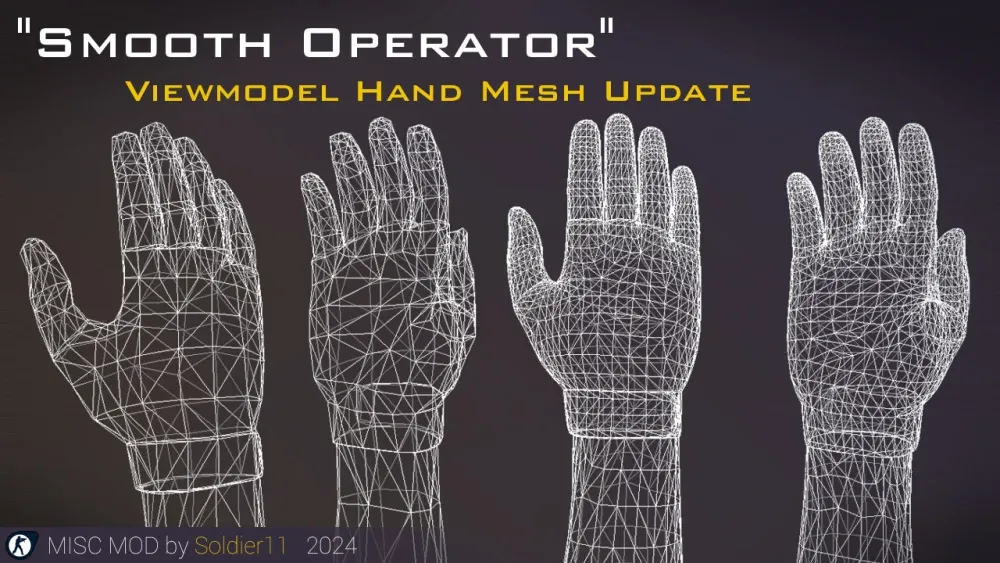
GameBanana
A Counter-Strike: Source (CS:S) Mod in the Weapon category, submitted by Soldier11
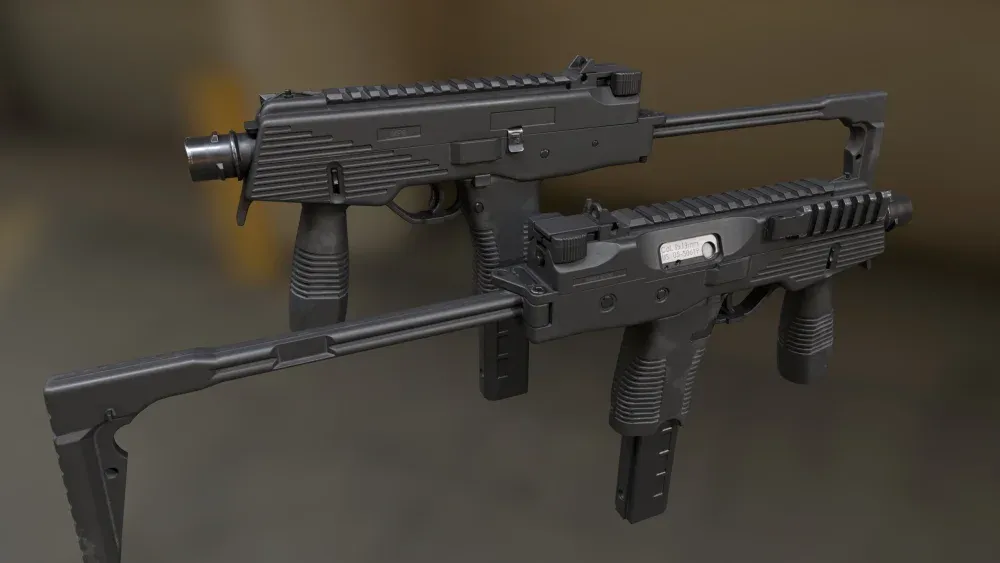
GameBanana
A Counter-Strike: Source (CS:S) Mod in the TMP category, submitted by NgHung
vivid garnet
dusk drum
can other mods, like these ones: https://gamebanana.com/mods/535714 and https://...
yep
dusk drum
vivid garnet
yep
fuck
dusk drum
vivid garnet
wait, but UI mods like what you have don't conflict?
vivid garnet
dusk drum
wait, but UI mods like what you have don't conflict?
nope
dusk drum
vivid garnet
nope
so how do you install custom mods then?
vivid garnet
dusk drum
so how do you install custom mods then?
cstrike/customs/
put the folder insaide it
if the mod has resources like material, scripts and etc instead of them inside a single folder then make a new folder in customs any name and put those resources in that folder
if there are just .vpk then just paste then in the customs, no new folder needed
dusk drum
dusk drum
can other mods, like these ones: https://gamebanana.com/mods/535714 and https://...
shouldn't these kinds of mods already go into customs though? anyway, I'll check later
vivid garnet
dusk drum
shouldn't these kinds of mods already go into customs though? anyway, I'll check...
yea all mods go in customs
dusk drum
vivid garnet
yep
should I uninstall the mods?
vivid garnet
dusk drum
should I uninstall the mods?
why, mods dont conflict with remix unless if there related to enhancing the graphics or shaders
dusk drum
vivid garnet
why, mods dont conflict with remix unless if there related to enhancing the grap...
oh yeah, what about animation mods?
vivid garnet
they wrk
vivid garnet
dusk drum
I think first one enhances graphics
nah thats just a replacement for the view model, basically a skin mod
these are da mods i have currently
 dusk drum
hmm, weird then
my game launches, but I get black screen after that
I ran applypatch python file inside the folder that has hl2 exe
applypatch generated the dll files you talked about before, and I copied them in
I also took std shaders dx6 to dx9 from Portal and copy them to CS Source cstrike folder (or was it bin?)
vivid garnet
dusk drum
I also took std shaders dx6 to dx9 from Portal and copy them to CS Source cstrik...
nahhhh in cs source bin folder
dusk drum
vivid garnet
nahhhh in cs source bin folder
yeah, in bin folder
I pasted them in bin
not in cstrike
vivid garnet
there are two bin folders one in cs trike and the other in the main diretory hmm did applypatch.py gave any errors like highlighted in yellow?
it should wrk if u followd da steps correctly, first paste .trex, d3d9 and nvbridge inside css bin, then copy std_shader 6 to 9 from portal rtx bin to css bin, then paste the launch cmnds in steam launch options, then past dxvk.conf right besides hl2.exe
applypatch comes later just to make the game more stable
not a requirment to run it
vivid garnet
dusk drum
yeah, in bin folder
Btw u can also use .trex, nvbridge and d3d9 from portal rtx bin in CSS, just paste those in CSS bin and it will also work
dusk drum
vivid garnet
there are two bin folders one in cs trike and the other in the main diretory hmm...
applypatch applies stuff then instantly closed
vivid garnet
dusk drum
applypatch applies stuff then instantly closed
Then it's not working do u have python installed?
dusk drum
then again, I directly opened it
dusk drum
vivid garnet
Btw u can also use .trex, nvbridge and d3d9 from portal rtx bin in CSS, just pas...
I already pasted them
I already have Python too
I directly opened the file with Python instead of calling it via cmd though
vivid garnet
Ok so u have to basically make a a new folder anywhere, put the applypatch py in there
Then make another new folder in it called bin
Now paste datacache, engine and shaderapidx9 dlls in the bin
Then paste client dll from the other bin folder in cstrike inside the bin too
Now open cmd from withen the folder, u can do that by removing directory path above and writing cmd in it
U know that place up there that says D:/Steam/Steamapps and etc remove that and write cmd in it's place within the folder
Then write applypatch.py and it should work
Enter it
After the paste the dlls in there original positions like client dll goes in cstrike/bin and the rest go in the main bin folder
dusk drum
vivid garnet
Ok so u have to basically make a a new folder anywhere, put the applypatch py in...
like this?

(the py file is in the applypatch folder)
vivid garnet
dusk drum
like this?
Yes now run the apply patch.py and it will make a patch folder at the same place where applypatch.py is
The folder name will be "patched"
dusk drum
vivid garnet
The folder name will be "patched"

also, applypatch created the "patched" folder, but nothing is inside
also, I didn't back up the original dll files....

so the whole thing ended up not working or something, because I used the broken stuff
I'll try verifying CSS files first, load up the stuff again, etc.
alright, refixed the stuff

copied the stuff
but black screen once again????
is dxvk.conf file supposed to be 1KB in size?
vivid garnet
dusk drum
is dxvk.conf file supposed to be 1KB in size?
Can u open it and see what is in it?
And can you see what the shader module is set to
dusk drum
vivid garnet
Can u open it and see what is in it?

oh yeah, should have mentioned this: I'm on a laptop, and my GPU model is the RTX 4060 (8GB VRAM)
dusk drum
vivid garnet
And can you see what the shader module is set to
it's set to... 0?
dusk drum
hello?
 warm fiber
?
dusk drum
help?
warm fiber
be patient
vivid garnet
dusk drum
help?
try using these just put them right next to hl2.exe
in css directory
if u did everything properly then idk why your getting a black screen upon launching the game
dusk drum
vivid garnet
try using these just put them right next to hl2.exe
https://github.com/NVIDIAGameWorks/rtx-remix?tab=readme-ov-file do I need to install the runtime?
also, fuck, still got black screen....
GitHub
Combined repo for the RTX-Remix runtime. Contribute to NVIDIAGameWorks/rtx-remix development by creating an account on GitHub.
vivid garnet
dusk drum
https://github.com/NVIDIAGameWorks/rtx-remix?tab=readme-ov-file do I need to ins...
.trex, nvbridge and d3d9 are the main things in the run time
so u already have it in the bin


 dusk drum
vivid garnet
.trex, nvbridge and d3d9 are the main things in the run time
dusk drum
vivid garnet
.trex, nvbridge and d3d9 are the main things in the run time
huh, weird then
I still have black screen
could it be due to my driver
dusk drum
I said it before, a 4060
vivid garnet
dusk drum
I said it before, a 4060
are they latest drivers?
vivid garnet
dusk drum
also, I'm on Studio Driver, not the Game Ready one
hmm does portal rtx wrk or is it also black screen? if it wrks then this should also wrk hmm
dusk drum
vivid garnet
hmm does portal rtx wrk or is it also black screen? if it wrks then this should ...
it does work
launches and plays just fine
dusk drum
vivid garnet
Can u open it and see what is in it?
you asked about my dxvk.conf before, was it fine?
vivid garnet
dusk drum
you asked about my dxvk.conf before, was it fine?
yes
vivid garnet
dusk drum
you asked about my dxvk.conf before, was it fine?
oh when it gives black screen, do u see the rtx remix menu notification above?
dusk drum
no
I don't see anything at all
only the FPS counter from Steam shows up
wait, do I need those things to run?
vivid garnet
dusk drum
no
then rtx remix is not wrking, u might have done sumthing wrong in the steps, try reinstalling the game, then use this auto downloader instead to download the remix files https://discord.com/channels/1028444667789967381/1132988164814934167
after running the script it will install the files
heres what u just need to do
paste the remix files in Counter strike source/bin
paste std shader 6 to 9 from portal rtx bin to Counter strike source/bin
paste dxvk.conf and rtx.conf in Counter strike source/
after that paste the launch command in steam launch options hl2 -dxlevel 80 +mat_dxlevel 80 -w 1920 -h 1200 +r_worldlights 16 +r_novis 1 +r_frustumcullworld 0 +c_frustumcull 0 +r_occlusion 0 +r_shadows 0 +mat_queue_mode 0 +r_unloadlightmaps 1 +mat_drawwater 0 -novid (make the -w and -h in your native resolution) here


it has to wrk
dusk drum
vivid garnet
paste the remix files in Counter strike source/bin
wait, what about the applypatch thing?
vivid garnet
dusk drum
wait, what about the applypatch thing?
that is not needed to run the game
that only fixes the culling issues
and some stabilization
dusk drum
vivid garnet
that is not needed to run the game
ah, if so, the game does launch with the original dll files, no applypatch
vivid garnet
first do those steps, we need to make the game run and open first properly before applypatch.py
dusk drum
it does launch, no black screen, straight into menu
dusk drum
vivid garnet
first do those steps, we need to make the game run and open first properly befor...
it can go into menu without applypatch
 vivid garnet
dusk drum
it does launch, no black screen, straight into menu
vivid garnet
dusk drum
it does launch, no black screen, straight into menu
do u see the notification of rtx remix above?
vivid garnet
did u do those steps above?
dusk drum
yeah?
vivid garnet
how on earth is remix not injecting 😭 it wrks for me and all others i helped
vivid garnet
dusk drum
yeah?
did u do it after reinstalling?
dusk drum
vivid garnet
did u do it after reinstalling?
no?
I just keep the original files
and I overwrote the patched files with the original ones
vivid garnet
dusk drum
I just keep the original files
i think your best bet would be to reinstall the game
vivid garnet
vivid garnet
then rtx remix is not wrking, u might have done sumthing wrong in the steps, try...
and do these steps
precisely
vivid garnet
 dusk drum
vivid garnet
dusk drum
vivid garnet
nice, it works now!
vivid garnet
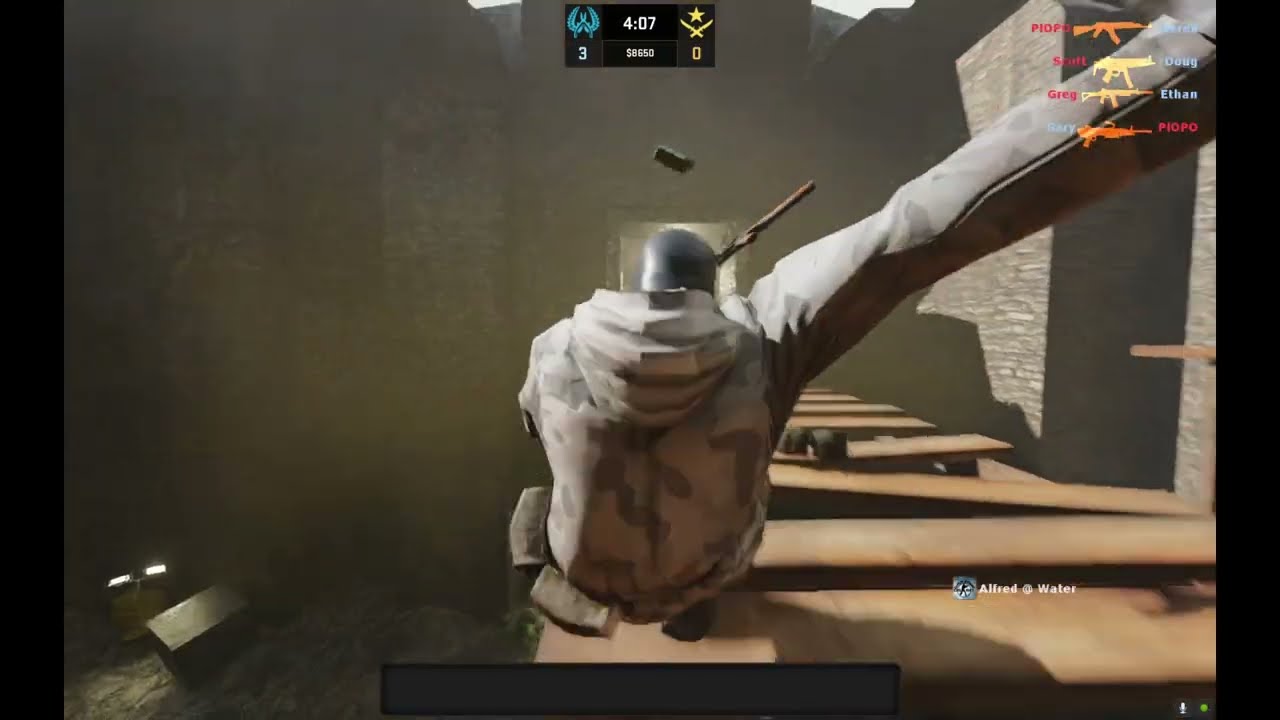 dusk drum
vivid garnet
https://www.youtube.com/watch?v=HPBR_6NYAMM
dusk drum
vivid garnet
https://www.youtube.com/watch?v=HPBR_6NYAMM
question, though: does CS:S RTX Remix need specifically-made maps for the RTX stuff to work well?
I just tried out a game of Dust 2, it was all fine until I entered the section close to T spawn, more specifically the part running from T spawn to A site
then the game slowly crashes while I was in there
vivid garnet
dusk drum
then the game slowly crashes while I was in there
,yea now add the patched dlls using apply patch.py which will stabilized the game and fix culling
vivid garnet
dusk drum
question, though: does CS:S RTX Remix need specifically-made maps for the RTX st...
no, it works well, the screenshots I showed are just texture replacements, the maps are still the same
Since the OG textures don't have pbr for it, u have to use AI to make pbr or premade the pbrs for path tracing to react to textures
Otherwise it's just flat
I'm making one so far I've done dust, dust2, inferno, chatue, Pirensi, train and Aztec
I will share it though
dusk drum
vivid garnet
,yea now add the patched dlls using apply patch.py which will stabilized the gam...
I did, now the game has a black screen?
dusk drum
vivid garnet
no, it works well, the screenshots I showed are just texture replacements, the m...
 vivid garnet
luk at da shiny finger nails

 vivid garnet
night vision is soo useless

 vivid garnet
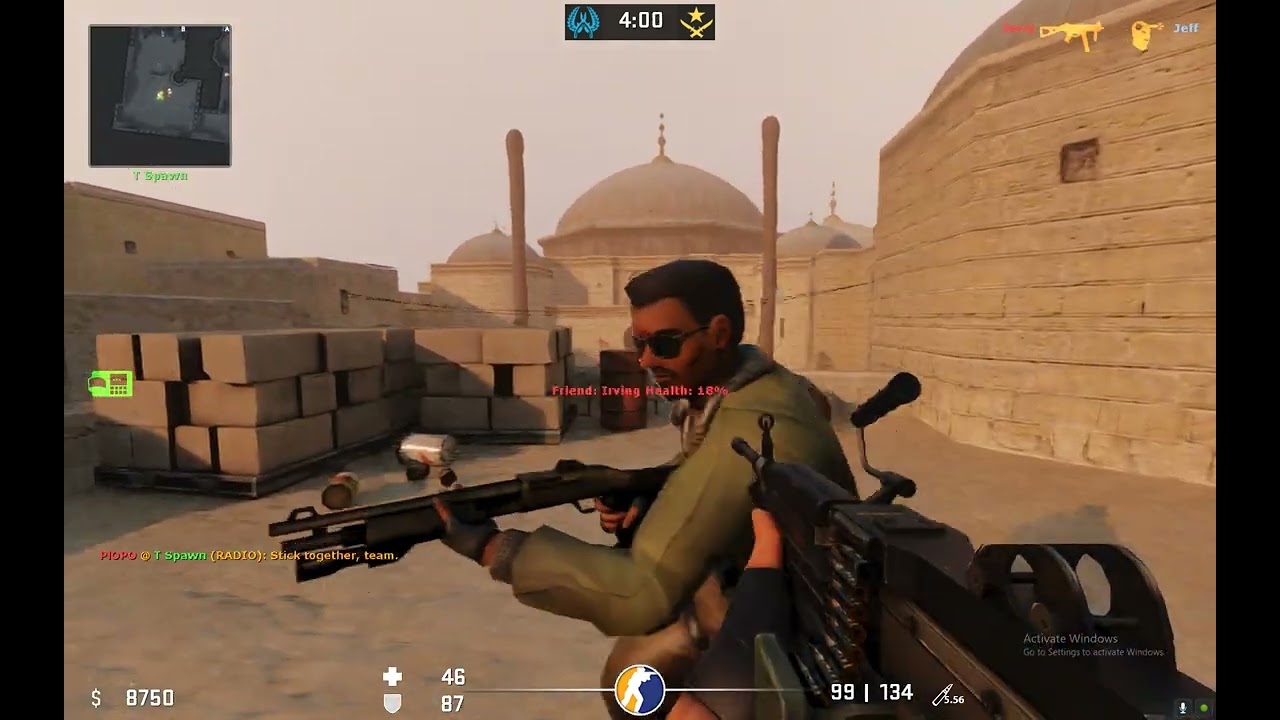 vivid garnet

 dusk drum
I cries :(
still no into CS Source RTX
@vivid garnet does your CS folder has gameinfo.txt? mine doesn't, so whenever I launch the game without Steam, it threw an error about not having gameinfo.txt
vivid garnet
dusk drum
<@900427985503535114> does your CS folder has gameinfo.txt? mine doesn't, so whe...
i have it, it should be in cstrike folder
launching it via steam wrks aswell
dusk drum
vivid garnet
launching it via steam wrks aswell
yeah, launching the game via Steam is fine
but if I don't launch the game using Steam then the game won't launch
also, I overwrote the patched dll files with the original ones
I tried playing Dust 2, but nothing changed
then I went to B, but the game suddenly darkens, then stutters and crashes
vivid garnet
gonna do cobble next


 vivid garnet
 vivid garnet
Dang still 9 maps left :0
It's 10 but port and compound use almost same textures so 9
vivid garnet
0.500 pom value dang


 idle furnace
hey guys back again
trying to play css and its broken
it was fine before i did this rtx bs
i reinstalled css and it still looks weird at times


look at that "waterfall" in the back
it takes the ballon and tree textures and looks weirdly with checkered patterns
on this map there is not even the ramp, its invisible

this one... just..

tried reinstall and verify integrity
what am i missing?
warm fiber
most likely not configuring properly
vivid garnet
idle furnace
tried reinstall and verify integrity
idk try this launch cmnd maybe -dxlevel 90 +mat_dxlevel 90 +r_novis 0 +r_frustumcullworld 1 +c_frustumcull 1 +r_occlusion 1 +r_shadows 1 +mat_queue_mode 4 +r_unloadlightmaps 0 +mat_drawwater 1, other then that freshly installing the game should reset everything if theres a issue
idle furnace
this is what i see in that map now, even after removing those launch args

reinstalled and still looks like that ^
 idle furnace
this is what i see in that map now, even after removing those launch args
idle furnace
idle furnace
this is what i see in that map now, even after removing those launch args
but cant turn on steam cloud anymore or itll come back like that
 ocean pike
hey there, i followed the main instructions but everything appears to be really really dark/black ingame, any suggestions?
its like very black and blue
i think i fixed it, textures are all seethruogh now though
ah r_3dsky 0 did it!
vivid garnet
yea I always seem to forget adding that in the launch cmnds
ocean pike
no worries
your tutorial was very simple to follow
thank you for it
i've never actually used rtx remix before as well
is there an easy way to disable all this stuff without taking it out the folder?
vivid garnet
well for that u need to install the debug version of remix or whatever it's called, it has the option to disable Path tracing within The remix menu, the normal one u have doesn't have it so u need to remove the remix files to disable it
but its kinda easy even in there cause all u need to do is just remove three files
vivid garnet
.trex, d3d9 and Nvbridge
ocean pike
but im not sure if it was the debug one
vivid garnet
yea it's probably the normal one
ocean pike
is there an easy way to mess with the lighting in the alt x menu? like differnt colours and such
or a way to download people's presets for sometihgn like dust2
vivid garnet
ocean pike
is there an easy way to mess with the lighting in the alt x menu? like differnt ...
look for fallback lighting in parameter tuning, u can change the sharpness of shadows, lighting color and suns direction in there as long as u set the fallback light mode to Always in the same menu
ocean pike
vivid garnet
https://www.youtube.com/watch?v=HRLiyz9lu3k
like is there a way for me to get this preset?
for example
vivid garnet
ocean pike
like is there a way for me to get this preset?
the sun set lighting?
ocean pike
vivid garnet
the sun set lighting?
just all of it I guess yeah
like is there a way to import other peoples settings
vivid garnet
ocean pike
like is there a way to import other peoples settings
yea peps can share there rtx confs and pbr materials they made also sorry for da late reply
ill share the one with the sun set
ocean pike
vivid garnet
yea peps can share there rtx confs and pbr materials they made also sorry for da...
no problem brother 🤞🏽
thank u
is there a list of ones for maps i can get?
vivid garnet
ocean pike
is there a list of ones for maps i can get?
yea i have uploaded a few on modb https://www.moddb.com/mods/dust-1-and-2-rtx

ModDB
DUST 1 and 2 with PBR Textures For CSS and GMOD for NVIDIA RTX Remix

u basically put these in your CSS directory /rtx-remix/mods (make a mods folder) and paste the folders in there
vivid garnet
then u go to the enhancements tab in the rtx remix menu and enable the replacements from there
ocean pike
okok sounds good! thanks
how about the lighting and stuff?
the default one looked a lil weird
vivid garnet
ocean pike
how about the lighting and stuff?
yea ill send a rtx conf with the sun set and also share a tutorial video on how u can also change the lighting stuff
ocean pike
thanks i really appreciate this!
ocean pike
Thank you bro
vivid garnet
ocean pike
thanks i really appreciate this!
heres how u can change lighting, disable directional frst as shown in da vid
ocean pike
I’ll give these a try out later
ocean pike
vivid garnet
heres how u can change lighting, disable directional frst as shown in da vid
Ahhh that’s where the parameter tuning is!!
thanks
vivid garnet
the other options besides directional like point and spot these disable the lighting of light srces like lamps and stuff in the map
vivid garnet
and the froxel menu is where u can configure the volumetric lighting and its intensity and distance as shown at the end
vivid garnet
ocean pike
this is all a great help
and this is how u can make shadows of sun or point and lamp light srces sharp or blurry
0.28 is the sharpest value
ocean pike
 idle furnace
does anyone know why this suddenly popped up? i didn't change anything..

ok works after exiting riot's vanguard... just random thing i tried
ocean pike
is there a way to easily disable rtx remix withuot messing with the files and stuff?
i just wanna play normal css atm
or do i just have to take everything out
vivid garnet
ocean pike
is there a way to easily disable rtx remix withuot messing with the files and st...
unfortunetely no, u have to take .trex, d3d9 and NvBridge out of the bin folder and remove the launch cmnds, idk if the 4 std shaders from portal rtx are also needed to be removed or not
i think wat u can do is reinstall CSS but this time make a backup of CSS somewhere and put remix on that version, this way u can have both vanilla and remixed CSS
ocean pike
vivid garnet
unfortunetely no, u have to take .trex, d3d9 and NvBridge out of the bin folder ...
alright cool! thanks
i could just delete the bin folder and the stuff next to hl2.exe then verify game cache as well i suppose
idle furnace
vivid garnet
i think wat u can do is reinstall CSS but this time make a backup of CSS somewhe...
and even that isnt enough if steam cloud redownloads saved configs
vivid garnet
 vivid garnet
idle furnace
where do the enhanced assets come from?
vivid garnet
idle furnace
where do the enhanced assets come from?
i make them using AI and textures from ambientcg and polyhaven, ive uploaded 3 of them
RN dust1/2, inferno, chatue, train, pirensi, cbble and aztec are dne and currently doin havana
ocean pike
@vivid garnet did any ofthose config settings for normal CSS mess with sharpness of textures or somethig?
i uninstalled RTX, removed launch options etc but my games textures look sharper on dust
im wondering if any of those console commands did something
everything looks WAY sharper
and its kind of jarring
2nd screenshot is how it used to look
ocean pike
i thought so
but i looked at the commands in the launch options
and they dont seem to be present in my cfg at all
im not really sure what else could be causing this
vivid garnet
idle furnace
cache pls
the new one will look sick with all that green and mossy foliage
yea it looks very sharp but idk what would cause that, Alot of people here have removed remixed even me myself to see normal CSS again and this is the first time I'm seeing this issue.
idle furnace
ocean pike
im not really sure what else could be causing this
yea idk it was something weird for me after trying to remove it, transparent stuff like water and glass or so would look really bad
ocean pike
let me go test the water thing
idle furnace
i just disabled steam cloud and reset the config
i couldnt get it to upload the reset config to steamcloud, idk how
ocean pike
glass / water looks fine to me
i just tried restting steam cloud and turning everything off
and using another account too
still sharp
gonna try reinstalling the VPKs
ocean pike
i literally deleted the entire bin folder, disabled steam cloud, installed on a new drive
deleted the entire GAME from explorer and did the same thing
and its still fucking sharp
i cant figure this out for the life of me lmao
 tired monolith
t
ocean pike
t
idle furnace
ocean pike
i cant figure this out for the life of me lmao
deleted whole game as in the steamapps/css folder?
and did u disable steamcloud, then delete all cfgs and then open css without steam cloud?
ocean pike
idle furnace
deleted whole game as in the steamapps/css folder?
yes
ocean pike
ocean pike
deleted the entire GAME from explorer and did the same thing
thats what i meant by this part
like i deleted the entire folder, disabled steam cloud, reinstalled it
and everything was still sharp there
its really confusing lmaooo
idle furnace
does installing maybe redownload cloud data even if you disabled it?
ocean pike
idle furnace
does installing maybe redownload cloud data even if you disabled it?
nah because when i got in my settings were all default
including keybinds, crosshair etc etc
idle furnace
thats so weird
🤔
un/reinstall everything nvidia (maybe its really some setting in the nvidia control panel?)
ocean pike
idle furnace
~~un/reinstall everything nvidia~~ (maybe its really some setting in the nvidia ...
i didnt touch anything there though
baically all ive done was like
put rtx files into css
then remove them
its very odd
even i fi use lower graphic settings its still weirdly sharp / contrasted
ocean pike
cant figure this out for the life of me
vivid garnet


 sturdy lagoon
helP?

i tried to copy and paste the game info from a website into a gameinfo.txt text document i made and that ddnt work either
 worn bane
@vivid garnet hello do you have a folder or something with all the rquired files needed? as well as hopefully instructions all ive done so far is launched with the propetires commands but it doesnt work
 vale isle
does multiplayer work?
vivid garnet
vale isle
does multiplayer work?
Yes but with Patches that fix Culling steam version won't work with MP but non steam version of CSS will
vale isle
wdym non steam version
vivid garnet
vale isle
wdym non steam version
Version of CSS that doesn't require steam, like copy of CSS on CD or from other places online then steam or crack version and etc
vivid garnet
vale isle
are you able to send be a version
Can't, it's against the rules here
vale isle
vivid garnet
Can't, it's against the rules here
not in the server
or is that still
against the rules here

oh
vivid garnet
vale isle
yea so i cant share whole folders of the game here, u have to like follow the instructions and get it wrking, there easy to do if u use the remix auto downloader
vale isle
no i mean like a regular non steam version of the game i was talking about
 deft quarry
how i can download this?
warm fiber
 zenith drift
is it possible to work with it on v34 version
zenith drift
I replaced the stdshader from portal rtx in the bin folder for css v34 and I can not see any font and the whole game is covered with squares
can someone help me
 topaz nova
i installed all that i had to and it doesnt work i see regular game with the rtx remix popup menu
topaz nova
i have this problem
 vivid garnet
 vivid garnet
 vivid garnet
topaz nova
i have this problem
vivid garnet
topaz nova
i have this problem
use my rtx.conf
vivid garnet

 vivid garnet
 vivid garnet
 vivid garnet
@novel kindle share the pool map here when u have time so I'll check it out and see if I also get this issue
fresh crest
this has stopped working for me
 vague jetty
this actually works for me

culling its pretty bad but atleast the game works in multiplayer
vague jetty

 shut lantern

 half solar
 vivid garnet
Native vs dlss full vs dlss quality, vs dlss balance vs dlss perf vs dlss ultra perf


 severe smelt
The difference between FULL and Q is so small
Also native looks so bad compared to full
 cedar storm
firstperson but this type of bug..idk
 rose scarab
cedar storm
firstperson but this type of bug..idk
rose scarab
cedar storm
firstperson but this type of bug..idk
probably not a bug
select it as playermodel in the remix game setup
cedar storm
@rose scarab
rose scarab
put your cursor over the character
cedar storm
then??
half solar
i never had this issue before lol what
warm fiber
Pick player model body texture
 ancient dust
should this happen?
 ancient dust
should this happen?
ancient dust
ancient dust
should this happen?
sometimes it becomes normal, but the walls are still transparent
vague jetty
ancient dust
should this happen?
do you have the 3dskybox enabled?
ancient dust
nope, i seriously dont know how to activate it
ancient dust
yeah
vague jetty
make sure r_3dsky its set to 0
btw did you dowloaded a custom rtx.conf?
it might be that too
ancient dust
vague jetty
btw did you dowloaded a custom rtx.conf?
nope
ancient dust
still strange
 fresh crest
might need the dxvk.conf
vague jetty
ancient dust
still strange
put this on your cs source folder where rtx remix is installed
vague jetty
vivid garnet
use my rtx.conf
btw u have an rtx.conf for css here
also remember to follow the guide on pinned messages
vague jetty
 cedar storm
need new water texture! could any one have....link
warm fiber
cedar storm
need new water texture! could any one have....link
You can make one by using normals
cedar storm
warm fiber
You can make one by using normals
do you have new link? css rtx wp pack
previous one 404 not found
half solar
@vivid garnet i can't play on multiplayer servers with rtx
it says "you are in insecure mode"
and in the launch parameters i have the "-secure" argument
vivid garnet
half solar
<@900427985503535114> i can't play on multiplayer servers with rtx
I'm using non steam version
cedar storm
does anyone have Aztec map's new texture ??
vivid garnet
Ahhhhhhh 64bit update broke remix in CSS
so CSS rtx Ded atleast for steam version unless someone finds a way to make it 32bit again or a workaround 64bit
 half solar
vivid garnet
so CSS rtx Ded atleast for steam version unless someone finds a way to make it 3...
half solar
vivid garnet
so CSS rtx Ded atleast for steam version unless someone finds a way to make it 3...
You can't use/force trough beta x32?
 coarse delta
When I follow the step as the pin above. This error pops up. Also weird thing it needs cstrike_win64.exe even I already set to previous build by right click to properties - beta.
 coarse delta
Screenshot for testing on non steam.


 vivid garnet
coarse delta
Screenshot for testing on non steam.
vivid garnet
coarse delta
Screenshot for testing on non steam.
yea non steam version is best since it's still in 32bit and online servers work even after patches, Steam version was mostly like a demo since you could only play offline
 restive badge
has anyone tried setting it to previous build and after that make a copy of the game folder and rename it to something like "Counter-Strike Source RTX" and then make a bat file containing the parameters from the pin
 rough bay

why is this shit so fucked
weird
the 64 bit version wont even launch with remix anymore
vivid garnet
rough bay
the 64 bit version wont even launch with remix anymore
Yes 😦 Good thing most servers and people are on non steam CSS 😏
rough bay
vivid garnet
Yes 😦 Good thing most servers and people are on non steam CSS 😏
non steam css?
vivid garnet
rough bay
non steam css?
Hey you know what I mean, I can't name it here or else Ill get in trouble


 restive badge
rough bay
the 64 bit version wont even launch with remix anymore
restive badge
rough bay
the 64 bit version wont even launch with remix anymore
have you tried setting the betas to previous build?
rough bay
restive badge
have you tried setting the betas to previous build?
no yeah but i have patches for the 64 bit versions of the other 64x games
and they don't work with cs source
they won't even launch cause of shader model 0
half solar
rough bay
they won't even launch cause of shader model 0
explain this a little better please, you need to d3d9 shader model = 0 in the dxvk.conf?


 vivid garnet
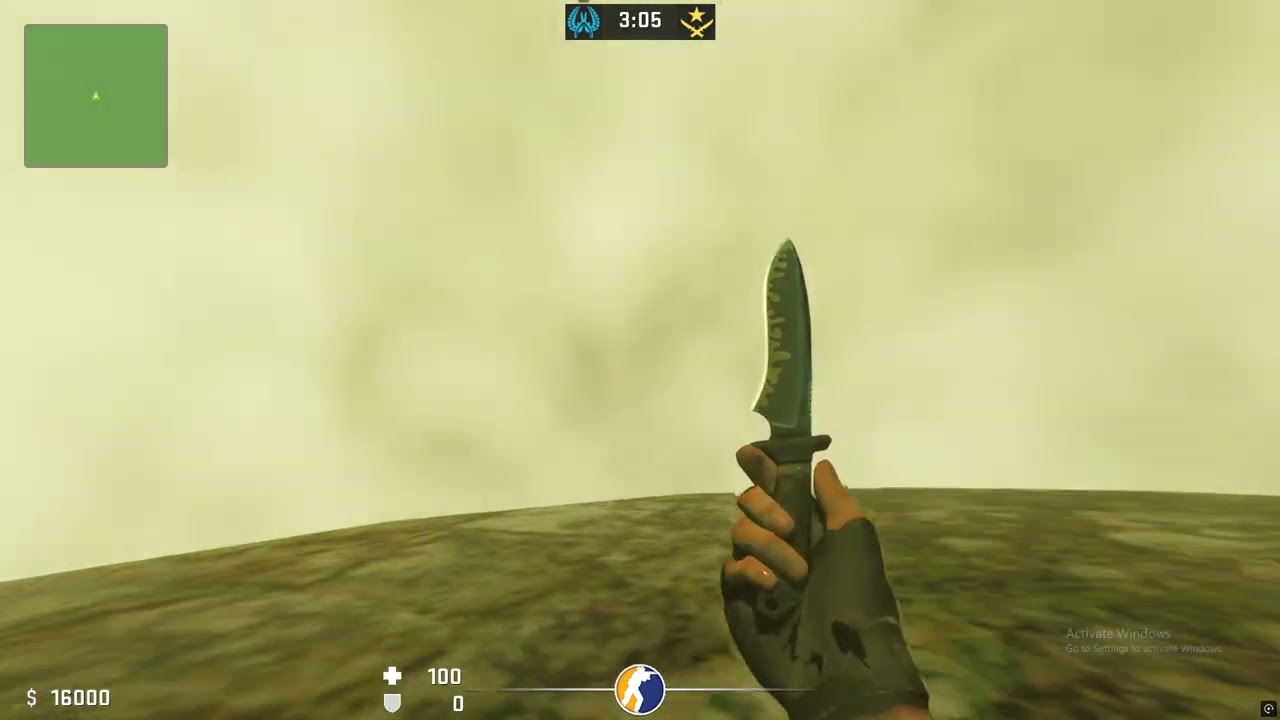 half solar
so @vivid garnet you are using latest action builds for remix?
rough bay
half solar
explain this a little better please, you need to d3d9 shader model = 0 in the dx...
it won't launch with shader model 0
on the new 64 bit version
vivid garnet
half solar
so <@900427985503535114> you are using latest action builds for remix?
yus
the beta build its abit buggy in css


 vivid garnet


 vivid garnet
rough bay
give launch options and config
vivid garnet
rough bay
give launch options and config
u wont get this kind of volumetrics in the latest builds u need da latest beta build (its abit buggy thoug withh alpa textures flickering and stuff when moving)
#server-announcements message u can download the beta build using this
click the second option after thhe exe launches

-dxlevel 80 +mat_dxlevel 80 -w 1920 -h 1200 -noborder -windowed +r_worldlights 16 +r_novis 1 +r_frustumcullworld 0 +c_frustumcull 0 +r_occlusion 0 +r_shadows 0 +mat_queue_mode 4 +r_unloadlightmaps 1 +mat_drawwater 0 -novid
rough bay
vivid garnet
u wont get this kind of volumetrics in the latest builds u need da latest beta b...
the game is like
mega blurry
vivid garnet

 vivid garnet
rough bay
mega blurry
vivid garnet
rough bay
mega blurry
with the beta build?
rough bay
yeah
vivid garnet
rough bay
yeah
yea its buggy, need to wait for a public stable release


 vivid garnet
 vivid garnet


 rough bay
they're so glossy


 muted flower
can someone help me out?
I did everything the guide says and it doesn't work
the rtx menu doesn't pop up for some reason
vivid garnet
muted flower
can someone help me out?
u need a non steam CSS, CSS steam is 64x bit now and doesnt wrk with remix
muted flower
vivid garnet
u need a non steam CSS, CSS steam is 64x bit now and doesnt wrk with remix
oh
Idk where to get a non steam css
I'm gonna look around a bit
rough bay
vivid garnet
u need a non steam CSS, CSS steam is 64x bit now and doesnt wrk with remix
or just use the previous branch...
vivid garnet
rough bay
or just use the previous branch...
but steam version is boring no mp servers

 vivid garnet
muted flower
menu works
vivid garnet
muted flower
menu works
did u put the launch options?
vivid garnet
-dxlevel 80 +mat_dxlevel 80 -w 1920 -h 1200 -noborder -windowed +r_worldlights 16 +r_novis 1 +r_frustumcullworld 0 +c_frustumcull 0 +r_occlusion 0 +r_shadows 0 +mat_queue_mode 4 +r_unloadlightmaps 1 +mat_drawwater 0 -novid
this
muted flower
yes
vivid garnet
hmm the std shader files from portal rtx?
muted flower
vivid garnet
hmm the std shader files from portal rtx?
yes
vivid garnet
muted flower
but game crashes when I shoot?
what about dxvk.conf?
try this one
put it next to hl2.exe
 vivid garnet
yea there
muted flower
the rest is in the bin folder
vivid garnet
try it now

 vivid garnet
muted flower
game crashed
vivid garnet
muted flower
game crashed
try again, it crashes for me aswell at start but wrks properly after sec launch
muted flower
vivid garnet
try again, it crashes for me aswell at start but wrks properly after sec launch
alr
 vivid garnet
muted flower
alr
vivid garnet
muted flower
alr
also u using the latest rtx remix build? like 1.0
muted flower
some parts of the map are disspearing
muted flower
vivid garnet
also u using the latest rtx remix build? like 1.0
I think so yeah
stable ver
vivid garnet
muted flower
I think so yeah
yea that has a issue with CSS where alpha textures keep flickering
but the beta version of 1.0 wrks fine


 muted flower
muted flower
muted flower
"99 GPU"
vivid garnet
well u can disable restir gi and lower the light bounces and get optiscaler that adds FSR
muted flower
alr
vivid garnet
muted flower
can I optimise it somehow?
also r_3dsky 0 in console, might give fps aswell
will disable 3d skybox though but there unstable anyways
also enable multicore rendering in CSS settings
thats gives good fps boost
muted flower
vivid garnet
also enable multicore rendering in CSS settings
its on
muted flower
vivid garnet
well u can disable restir gi and lower the light bounces and get optiscaler that...
where's that
vivid garnet
yea amd gpus gonna struggle unless your on linux and have stuff installed that optimizes path tracing for amd
vivid garnet
muted flower
where's that
this

set it to importance sample or neural
should give good boost, i lose 10 or 15 fps with restir
muted flower
I gained 1 fps boost
vivid garnet
dayum
muted flower
gulp
vivid garnet
muted flower
gulp
have u touched the other upscaling methods like TAA U?
muted flower
vivid garnet
have u touched the other upscaling methods like TAA U?
nope
I am oblivious asf


gonna try pooldayt
welp shit I'll give up
vivid garnet
muted flower
welp shit I'll give up
yea if your on amd then linux and optiscaler is the way to use rtx remix in playable frames


bllood
 stuck narwhal
Yo guys, did you guys have an issues with using the runtime when the 64 bit update came out?
Seems Day of Defeat Source is not even registering the runtime
vivid garnet
stuck narwhal
Yo guys, did you guys have an issues with using the runtime when the 64 bit upda...
yea 64 update broke it for all surce games
im using the non steam version of CSS that is still in 32 bit
if u want to wrk on day of defeat src u might wanna need to find a way to downgrade it to 32bit or find a non steam version of it
rough bay
stuck narwhal
Yo guys, did you guys have an issues with using the runtime when the 64 bit upda...
im working on partial patches for 64 bit
but css wont even launch with shader model 0
really weird
coarse delta
rough bay
im working on partial patches for 64 bit
Hey, was it hard and idk, lots of work to implement remix into 64bit for most source multiplayer games?
rough bay
coarse delta
Hey, was it hard and idk, lots of work to implement remix into 64bit for most so...
its annoying in general
 copper marsh
hi, how i can fix this?
vivid garnet
copper marsh
hi, how i can fix this?
put this next to the exe
copper marsh
vivid garnet
put this next to the exe
now this happens
vivid garnet
copper marsh
now this happens
did u put this in the launch options? -dxlevel 80 +mat_dxlevel 80 -w 1920 -h 1200 +r_worldlights 16 +r_novis 1 +r_frustumcullworld 0 +c_frustumcull 0 +r_occlusion 0 +r_shadows 0 +mat_queue_mode 0 +r_unloadlightmaps 1 +mat_drawwater 0 -novid
copper marsh
yes i did
copper marsh
 wintry meteor
use old build
previous build
bcz now css is 64bit
rtx remix only for x32
wintry meteor
 wintry meteor
got you, thank you
warm fiber
copper marsh
rtx remix only for x32
Can work on 64 bit too
First mistake is that copying whole files since it only works for 32 bit
For 64 bit copy files inside .trex folder
copper marsh
 warm fiber
Wait
i just realized that 64 bit CSS didnt work
i thought he was copying wrong files
 warm fiber
My stupidity increased 100x + bonus
copper marsh
warm fiber
i just realized that 64 bit CSS didnt work
epic fail
 sonic moss
guys ive just downloaded these 3 that are required but which bin folder should i move these to

also do i pick one file from it (like just the dxvk.conf) or should i paste all of them into the forementioned bin folder
severe smelt
sonic moss
also do i pick one file from it (like just the dxvk.conf) or should i paste all ...
#remix-beginners-guide
sonic moss
it shuts itself down when i press enter and nothing else happens

before shutting itself down there is this screen showing up for less than one second
 vivid garnet
new skybox


 ancient osprey
Hi my game crashes when i join a server
 hallow rose
copper marsh
now this happens
hallow rose
copper marsh
now this happens
same happening to me ;-;
vivid garnet
😏
vivid garnet
the instruction in the pin should work with no issue as long as u have set CSS to pre-release in steam library
hallow rose
im using non steam and i dont think i did anything wrong
hallow rose
😏
 unique shuttle
does anyone know how to fix this
fresh crest
unique shuttle
does anyone know how to fix this
use the provided config
unique shuttle
fresh crest
use the provided config
it looks normal now but it crashes when i try and choose a team
or pick any other map than de_dust 2
fresh crest
Did you also do the commands in the launch prompt
copper marsh
unique shuttle
it looks normal now but it crashes when i try and choose a team
knew it
just like i said
his shit not helping
fresh crest
Brother
fresh crest
copper marsh
his shit not helping
He probably forgot the dxvk and command items
Jumping to conclusions is such a hasty thing
copper marsh
fresh crest
He probably forgot the dxvk and command items
lol with dxvk and command lines literally the same crashes
🤓
fresh crest
ok, you really are annoying, i get i may be wrong but thats just uncalled for man
trying to find solutions and i dont need that shit
copper marsh
fresh crest
ok, you really are annoying, i get i may be wrong but thats just uncalled for ma...
lol
fresh crest
ok
unique shuttle
fresh crest
He probably forgot the dxvk and command items
i used both
fresh crest
ok
well then there probably is an issue on the games part with remix, what build are you using of remix though?
copper marsh
fresh crest
ok
:sobspongebob:
unique shuttle
fresh crest
well then there probably is an issue on the games part with remix, what build ar...
i was using 0.41 but ill try again with 1.0.0
it works properly with 1.0.0
 copper marsh
huh
copper marsh
unique shuttle
it works properly with 1.0.0
u playing on steam ver?
copper marsh
unique shuttle
i was before but i suppose the older version didnt work welll with it
u playing on beta or what i dont understand
copper marsh
ok thx
fresh crest
unique shuttle
it works properly with 1.0.0
tada
 meager trench
unique shuttle
it works properly with 1.0.0
meager trench
unique shuttle
it works properly with 1.0.0
Did you download the so called 1.0.0 zipfile from this link? https://github.com/NVIDIAGameWorks/rtx-remix/releases/
GitHub
Combined repo for the RTX-Remix runtime and toolkit - NVIDIAGameWorks/rtx-remix
meager trench
vivid garnet
https://discord.com/channels/1028444667789967381/1028475530271539272/13045991634...
So do you mean we should download the downloader, rather than the 1.0.0 zip file. But@unique shuttle said 1.0.0 zip file works properly...
It is a mystery which one should be used for the latest x86 steam version CSS.
vivid garnet
meager trench
It is a mystery which one should be used for the latest x86 steam version CSS.
hold on give me just few hours imma check if the steps still work on steam CSS or not, I did try those steps last time about 2 months ago I think and it did work
The only new step added since then is just going to steam library>right click on CSS and then properties>updates tab and set CSS to previous build that uses x32 bit
meager trench
haha that's many hours now.
I also found out that, with dx8 forced, and lots of mods installed, we cannot load into a map any more. Not to mention the Remix thing.
So there is one more question: why do we have to force dx8? That is not good...
vivid garnet
😭 Uff I can't find timeee I'll try to do today, I have exams going on tats why
Well it's your choice which dx level u want to use, I just used dx8 cause when I tried dx9 all the hashes were different so no pbr mod would work due to that but I think that might not be the case currently
 long trellis
Hey guys! been following the steps to the detail and can't get remix to work with CS source, can you guys give me a hand?
vivid garnet
meager trench
I also found out that, with dx8 forced, and lots of mods installed, we cannot lo...
i found time today and its working for me
 vivid garnet
as long as u set the version to previous build and patched shaderapid.dll, engine.dll, datacache.dll and client.dll and do th steps in the pins it should wrk
but it should have still wrked without this patches but it seems to crash
vivid garnet
u basically put this py file in a folder then in that folder make a bin folder after that put all those dlls from CSS bin folders to the bin u made and then just click on the py file and then just paste it back in the css bin folders
 restive torrent
can someone help me do this pls i installed rtx remix whats next?
 past sandal
incredible

 snow stratus
copper marsh
now this happens
snow stratus
copper marsh
now this happens
Hi, you fixed that?
copper marsh
snow stratus
Hi, you fixed that?
no
snow stratus

copper marsh
same
snow stratus
yea
snow stratus
vivid garnet
@copper marsh you use this patch? I try it, and crash gone
copper marsh
snow stratus
<@756573446116212758> you use this patch? I try it, and crash gone
no i don't tried
snow stratus
copper marsh
no i don't tried
Try, it should help
 rose patrol
 distant sonnet
is there a mod for css that removes all the culling from the maps?
distant sonnet
nvm got the rtx patch
 plucky cosmos
tf is this? how to fix?
 copper marsh
we all don't know

 copper marsh
plucky cosmos
fixed kinda but where is dust now bro 😿
copper marsh
plucky cosmos
fixed kinda but where is dust now bro 😿
how u fixed? and it's last update or not
plucky cosmos
copper marsh
how u fixed? and it's last update or not
update of what?
i fixed it with r_3dsky on 0, and some few fuck ups while installing, cuz i put conf files to wrong folder
copper marsh
plucky cosmos
update of what?
game
plucky cosmos
copper marsh
game
previous build
copper marsh
okay
plucky cosmos
i hope they come up with fix for newer version of css
cuz many servers doesnt work
i wanted to test few bhop servers but most of them offline already
copper marsh
u can build ur own
plucky cosmos
i still think its whole ton of shit to do
 obsidian garnet
i put the latest dxvk and rtx remix files in the bin folder. no rtx remix, launch arguments set too, still no rtx remix
 fast hollow

 ashen arrow
i follow the instruction but it doesnt work, read a bunch of chat history, still have no clue