#Sonic Adventure DX ( 2003 Version )
1 messages · Page 2 of 1

 lavish frigate
The sky does look a bit washed out comparing the two screenshots above 🤔
Why do the stretching come back @warped fox
 warped fox
I don't know, happens when you swap textures out
if I don't used enhanced assets, it's fine
texture swap breaks it
don't know why
lavish frigate
Ah, ok, I think I know why
 warm notch
They actualy are, nvm
warm notch
warm notch
They actualy are, nvm
No, their hashes aren't stable. How did you replace the water material? Did you apply to every water texture hash?
Or you just assigned a new material to the mesh?
warped fox
I need to recall how I did it, hang on lol
Actually @boreal niche made a quick vid on it for me.
#1148994432704725043 message
There should be a like a main mesh that you do this with, not the instances of it
that worked for me
warm notch
Yeah. The mesh_HASHES are unstable for me. Did you mark them as water texture? Can you send me your updated rtx.conf + mod.usda to analyse?
warped fox
ok hang on
warm notch
I applied to a mesh but it blinks every second, so the mesh hash repeats based on animation frames
lavish frigate
RE the sky looking washed out, it should just be a case of setting the "Sky Brightness" based on your preference (see: Game Setup -> Step 2 -> Sky Tuning) . Note if you decide to use the worldspace UI option, there will be less opportunity to modify the sky in the future when toolkit is available.
warped fox
Yea that's fine, I prefer having reflections right now though
warm notch
lavish frigate
RE the sky looking washed out, it should just be a case of setting the "Sky Brig...
The sky is actually working as far as I understood Kyori, the problem is that reflection/bouncing rays aren't rendering it, only direct miss rays
ppl working on gmod were having that issue afaik
lavish frigate
Ok, can you show me how it looks with everything set to super shiney sonic mode? (Game Setup -> Material Options -> Legacy Material Defaults -> Roughness = 0.02)
I have a feeling its related to the sky brightness still but, would be good to confirm
warm notch

remix camera rotates the skydome with it, kind of weird, but if I use the game camera, I can see the sky just fine, only, it won't reflect
warped fox
this is as sky texture


worldspace ui
it's no contest
Sky just doesn't reflect
which, makes sense since it's kinda rendered infinitely
at least thats how it looks
but it's still a geometrical object, so hopefully there's a way to get it to reflect
I have noticed though, alpha based textures set as with opacity materials seem to have trouble reflecting in general
from what I've noticed, hence me switcing to translucent
warm notch
Oh boy, alex is actually right
warm notch
Just bump up the sky brightness to like, 50 and it works
 warm notch
How much did you use?
warped fox
100
warm notch
Weird, it works fine on shiny soil bits for me, only the water that I didn't figure out the replacements yet aren't quite there

And I'm using 50
warped fox
How does it look as you look out to sea?
lavish frigate
Interesting. I will need to try some things to understand this issue
 warped fox
There's no meshes underneath far out, need to get a good look at it
Yea ok it is reflecting
it's just.. not great lol
Man if we could get the worldspace look with sky textures, that'd be perfect
warm notch
Well yeah, the terrain below is actually reflecting, not the water surface

the sea bed
warped fox
ok yea, as I suspected
the opacity material with alpha doesn't reflect at all, that was the reason I looked into making it translucent
which works way better for water surfaces, apparently, lol
warm notch
Well, the mesh has sliding UVs, which then makes them unstable, and the textures are changing between 6+ frames, so the material is also unstable. I don't know how in the world you managed to replace them
warped fox
There's actually two layers there
there's one with the animated textures, and the one that has sliding uv's
two meshes, to be more clear
You want me to pack up the mod shit and send it over?
You can see what I did then
warm notch
Sure please, if you could sent me your setup I might be able to figure out
warped fox
👍
warm notch
If there are two layers, which one did you change?
 lavish frigate
warped fox
this is as sky texture
lavish frigate
warped fox
this is as sky texture
I see the bug, this is a good find!
warped fox
Nice!
Appreciate you looking into it, it's really helpful
and hopefully you're still doing your job, so no worries for not getting paid
lol
warm notch
Lets get alex a pizza after that
 warm notch
Pretty as "pretty" can be
warped fox
Ok let me pack all this up for you, gimme a sec
Do you need my captures as well? I won't imagine so
 warm notch
Hmm are you using the steam version or the 2003?
warped fox
Steam version, downgraded to 2004
I used this one, it's safe, but you may get a warning when trying to download and install it
warm notch
Weird, none of the textures in your rtx.conf exists on my game
warped fox
When you install this, it will give you an option to downgrade to 2004
warm notch
or my rtx.conf
warped fox
I thought it was the mod.usda that handled that?
warm notch
warped fox
I thought it was the mod.usda that handled that?
Nope. Yours have only this texture marked as water (first pic) while mine had a ton (second)

 warped fox

was talking about this file
this is what handles the texture/model swaps etc
Where did you put that mods folder I sent you?
warm notch
warped fox
this is what handles the texture/model swaps etc
Oh sure, that is correct. I'm analysing how did you get stable hashes for water meshes as so your replacements work. That is why I'm looking at the rtx.conf
warped fox
I don't think the rtx.conf will help you there
I also have no idea what you mean by stable hashes
warm notch
Maybe its the 2003 version who has stable hashes
Everytime a property of a mesh changes (like the sliding UVs), that mesh will have a new hash to uniquely identify it, the hash is computed based on several properties of the mesh (positions, uvs, normals, etc, I'm not sure which ones exactly)
warped fox
Ah I see
warm notch
So if you make a replacement for a mesh_123, it will only apply to that specific UV mapped mesh, next frame it won't apply
I got it to sort of work, but the mesh blinks with the new material a single frame every second
warped fox
Don't know what to tell you, I followed that video I showed you earlier and it just works
warm notch
If you open several captures of the water in OV, does the mesh has the same inst_HASH_x on any one of them?
warm notch
Hmm yeah, most likely this is what is happening
 warm notch
If you open another capture and select the water plane, it will still have the hash 43E277...?
warm notch

 copper copper
damn the steam version works now? wild
if only sa2 had a chance of working 😩
wait i think i found a compromise

GameBanana
Play SA2 levels in SADX! A new experience!... A Sonic Adventure DX (SADX) Mod in the Gameplay Overhaul category, submitted by Sora_yx
warm notch
copper copper
damn the steam version works now? wild
Yes, it is working. Just need to set the graphics to lowest on the modloader setup
copper copper
thats awesome
warm notch
Testing out with skybox replacement using the same trick we used in U2

 urban mesa
I'm sorry for asking, it's been a while for me, but does remix now support skybox replacement?
looks gorgeous too
warm notch
urban mesa
I'm sorry for asking, it's been a while for me, but does remix now support skybo...
Yup. But you can't mark their textures as skybox in the runtime. They must be seem by the runtime as regular large spheres rendered in the sky so you replace those meshes with your custom with nice UV maps so you can slap a hdr map on it's material's emissive map
 royal ridge
redhoge

 boreal niche
lavish frigate
I see the bug, this is a good find!
boreal niche
lavish frigate
I see the bug, this is a good find!
This is a common issue actually. #1148142262895775844 message
Sky textures doesn't reflect and are not visible through thick glass
#general-remix message mirror

 royal ridge
 boreal niche
This issue exists in https://discord.com/channels/1028444667789967381/1110245358040260668 too but I couldn't find a image clearly representing it


 warped fox
Few things I want to do today, big one is model a new capsule for items
warped fox
You mentioned this yesterday, what does kit.exe even do, and why can I close it?
boreal niche
warped fox
You mentioned this yesterday, what does kit.exe even do, and why can I close it?
kit.exe is the usd composer
I said you can suspend it not kill it
warped fox
Is that through task manager?
Minimizing the app seems to do a decent job bringing my frames back
boreal niche
If you suspend, it basically pauses the program. This should free up cpu & gpu (not ram). Then you can resume it to continue from where you left off.
warped fox
I've never suspended and app in my entire life, it sounds useful lol
boreal niche
warped fox
Is that through task manager?
Minimizing the app seems to do a decent job brin...
Yea it frees the vram afaik
warped fox
Damn, wish I knew about this all these years lol
boreal niche
warped fox
I've never suspended and app in my entire life, it sounds useful lol
It is extremely useful but it wasn't available with the default task manager until Win11
I am on Win10 so I use a 3rd party foss alternative
warped fox
So how do I suspend? Seems it's not as simple as right clicking and suspending >.>
efficiency?
boreal niche
warped fox
So how do I suspend? Seems it's not as simple as right clicking and suspending >...
It should be, check the details page
warped fox
I'll have to dig into it later, there's no suspend button, but I can see a bunch of apps that are suspended
boreal niche
warped fox
I'll have to dig into it later, there's no suspend button, but I can see a bunch...
Oh btw I didn't tested the win11 myself, Kim said that task manager has this ability in win11
warped fox
I'm sure they're right, I see suspended apps
boreal niche
If you can't find it you could either use sysinternals Process Explorer https://learn.microsoft.com/en-us/sysinternals/downloads/process-explorer
Or a free and open source task manager alternative: https://github.com/winsiderss/systeminformer
 boreal niche
Sysinformer
 warped fox
Hmm, that is clean
I just.... paid for lasso lol
how much is that?
oh wait that's the free one
boreal niche
Process Explorer
 boreal niche
Process Explorer
boreal niche
boreal niche
Process Explorer
Process Explorer makes it much easier to find out what dlls a program loaded or what handles it has
sysinformer might have the same feature but I didn't dig down its settings
warped fox
PE I may check out
boreal niche
boreal niche
Sysinformer
This thing allows you to remove hidden windows drivers 💀
warped fox
Yea this is nice actually
being able to see what process are running and under which tree
that's nice
 barren lichen
warped fox
<@759994782528307220> you available a sec?
barren lichen
warped fox
<@759994782528307220> you available a sec?
I am available
warped fox
can you pop into the streaming channel and let me know if the audio is playing, please?
barren lichen
Ok
warped fox
If not, I may have to set up a voicemeeter thingy
barren lichen
My stream is not loading
warped fox
Ugh
ok no worries
What's the best settings for discord, 1080p?
Just knocked it down th that, maybe it'll load for you now
warped fox
Hmm
barren lichen
Maybe a problem on my end
warped fox
Could be
warped fox
any sound?
barren lichen
Nope
barren lichen
Laggy, sound glitching
barren lichen
No lol
warped fox
Feck
barren lichen
But it's consuming way less kb/s like 28kb/s
Maybe because its a still image
Oh yeah
It works sometime
warped fox
I just removed sound echo etc
barren lichen
It works but with micro breaks
warped fox
dammit
gonna open on my phone
Well that didn't work lol
If you're talking, I won't hear shit
warped fox
Yea it's not that
warped fox
But I can't hear it lol
barren lichen
But I can
warped fox
I am not working in complete silence XD
barren lichen
Put up some heavy metal for a bit
warped fox
It plays for a few seconds and stops
barren lichen
yes
warped fox
sweet, how's the quality?
warped fox
Has to be a way to improve it
barren lichen
dude audio is okay
warped fox
Screw it, wasted enough time on this lol
barren lichen
yeah stream is good, continue working
warped fox
I shall lol
barren lichen
I'm interested in seeing you model
hey umm
im on PC now but can't see your stream
warped fox
Oh I use the client
barren lichen
but no sound on my end lol
warped fox
ugh
urban mesa
the stream has sound for me
barren lichen
im no blender expert but damn, you model stuff very fast
warped fox
I have a lot of experience, it was my job lol
warped fox
nah you can't see through it
barren lichen
the refractions are amazing
warped fox
it doesn't matter really, it's just to help me visualise
warped fox
however it will bug the shit out of me
to google, hang on it's been while
It must be broken, I'm doing it right
whatever
barren lichen
im here dude, still watching
barren lichen
warped fox
It must be broken, I'm doing it right
only way to test is to replace it in the game itself
barren lichen
yep
warped fox
refracts lovely
barren lichen
you need to use the ApertureMDL something to get the transparency on certain parts
translucent it's called, right?
boreal niche
Nice
barren lichen
im going afk
barren lichen
i gtg dude, important stuff to do rn
warped fox
No worries mate, I'll be here a while.
warped fox
So they fixed the reflections for textures that are tagged as sky

However, the offset seems to be a bit off
I'm not sure how to go about fixing that, but the islands should be reflecting too
but it seems to be relfecting the higher parts of the sky texture
Overall though, I'm happy
Could be a scaling issue, I'll try with a new skydome
warm notch
warped fox
However, the offset seems to be a bit off
Nah, it seems correct. By the pic, the water plane ended way before reaching the horizon, thus the reflections don't show the islands
warm notch
Hmm weird. for me it seems just the plane not stretching all the way to touch the sky sphere mesh. I'll take a look when back home.
 warped fox
that's an illusion, trust me
warm notch
Oke 🙂
warped fox
what version are you using?
Started work on a new capsule model, obviously not finished, but it's getting there.
 copper copper
warped fox
what version are you using?
copper copper
warped fox
what version are you using?
steam with the conversion mods
warped fox
Did you tag the UI textures etc?
copper copper
yeah i did for the ui, problem is once i get in game my mouse locks up
even when i have the remix menu open
warped fox
Hmm, that used to be the issue, but it's since been fixed, have you got the latest remix files?
copper copper
yep, just downloaded them
warped fox
At which point does the game go black?
copper copper
once i start the actual story mode
warped fox
So once you get in game
copper copper
yes
warped fox
can you see the character in the character select screen?
Also, with SadX, did you set the graphics to Lowest?
copper copper
warped fox
can you see the character in the character select screen?
yeah i can, but it looks like its using shaders for it (bad polygonal shading)
copper copper
warped fox
Also, with SadX, did you set the graphics to Lowest?
yep.
warped fox
Do you have that new lighting engine mod enabled?
copper copper
also, its not entirely black, some textures show up. i think theres just no light source
yes
warped fox
Turn that off
copper copper
yeah im using the one that comes with the loader
warped fox
ahh ok cool
can you bring up the remix menu?
You need to tag the sky textures as sky, otherwise it blots out the sun, lol
it's pretty dark otherwise
copper copper
yeah i can, but only until i have control of the character
then my input gets locked
copper copper
and i dont see the character model in character select
warped fox
Yea tagging stuff as UI will seem to draw over him
and tagging the textures as worldspace UI does nothing

 warped fox
Look at that bounce lighting from the grass, looks great
copper copper
yeah

man if only SA2 ever had a chance of actually working

this is a nice compromise though
copper copper
the rendering is like.... emulated entirely with shaders or something
copper copper
yeah
so theres nothing to capture
you enable vertex shader capture and it just renders the raster
maybe someday there will be some something that gets it working, but im guessing probably not
copper copper
my worry is that its doing something super jank to emulate the rendering of the gamecube or something
because if its doing something nonstandard then theres no hope
lol it looks like one of those bad hd remakes where they just import the levels into unreal and make a youtube video about it
 warped fox
except it's the real deal! 😄
copper copper
man even with bad textures this stuff looks so good
 lavish frigate
warped fox
However, the offset seems to be a bit off
lavish frigate
warped fox
However, the offset seems to be a bit off
It does look really strange. I think the problem is the game skybox was really small, and now we're treating the sky as infinitely far away so its a bit odd. I will take a closer look into what options there are.
One thing I will say though, the code says you can replace sky textures (they can even be HDR textures e.g. BC6H where the sun is defined as a super bright spot). To do so, just use a standard material replacement for the original games texture. I see we dont have any good tests for this feature, so YMMV, but Im interested in knowing what you run into
warped fox
lavish frigate
It does look really strange. I think the problem is the game skybox was really ...
I'll give that a shot tomorrow, thanks for work you're doing
lavish frigate
Also, just merged a change that will fix the texture stretching on replacement materials
🤞
warped fox
Ugh, as soon as I go to bed, lol
I'll check it tomorrow, first thing in the morning, thanks Alex, really appreciate the work you're doing here.
lavish frigate
No rush at all
warm notch
lavish frigate
It does look really strange. I think the problem is the game skybox was really ...
There are 2 problems with replacing sky though:
- The original game mesh is really bad. It is a weird cylindrical shape with an open top, and there is another separate "cap" mesh to cover the hole up top, and the UVs won't play nice with HDR maps. It is much preferable to replace the whole mesh by a properly UV mapped sphere, like blender's default UV sphere.
- The issue I registered yesterday about sky meshes not being replaceable: https://github.com/NVIDIAGameWorks/dxvk-remix/issues/39
lavish frigate
I see, yes, you'd be constrained to the original games mesh/UVs with the current replacement capabilities. Replacing the original game mesh in this case would be, tricky for that system to handle currently.
Do you have an example of a HDR map you'd like us to support? Would be nice if you could add that to the ticket so we have something to test with
Of course, the benefit of using the original games mesh, is that the current system actually renders the sky to a texture using the original games shaders (which means it would support any dynamic sky there may be). If we supported replacing the sky wholesale with a mesh/texture, it would be largely static...
warm notch
lavish frigate
Do you have an example of a HDR map you'd like us to support? Would be nice if ...
I attached a zip containing a Sphere mesh USD and a HDR dds texture to test already, should be game ready
warped fox
@warm notch , They can be captured, in this case at least, you just need to increase the search distance, but otherwise yea, you can't seem to replace them if they're tagged as sky
can replace the texture, but that's not super helpful right now
@lavish frigate I could of sworn there was a way to increase the size of the skydome on one of the builds, unless that was part of the Portal build, I'm not sure, I know I saw it.
@lavish frigate good job, you done fixed the issue with textures.

Now I can finally get to balancing
Oh my god, and somehow capturing now works correctly XD
 barren lichen
warped fox
Oh my god, and somehow capturing now works correctly XD
barren lichen
warped fox
Oh my god, and somehow capturing now works correctly XD
how shit
does that mean
replacements are possible?
warped fox
Yes
I mean they were anyway, but were just broken
fixed now
So I think the issue with the skydome is that it's just too small, far too close to the camera, which is causing the weird reflections, if you get the camera low enough, it will reflect the islands.
I think in this case, maybe a skydome scale slider would help
barren lichen
warped fox
So I think the issue with the skydome is that it's just too small, far too close...
is it due to the skybox being too large?
i mean it is pretty big
warped fox
No, it's too small, lol
Way too small

but it's a product of it's time, but it won't work for out purposes
boreal niche
warped fox
Its almost like a football field lol
boreal niche
The shape is weird too
barren lichen
Couldn't we remove it and replace it with our own skydome
Like how @quaint sage did with chess titans
(Sorry for the ping, had to bring it up 🙂)
warped fox
I don't think we can replace it right now
barren lichen
Are the hashes stable?
warped fox

GitHub
Tested in U2 and Sonic Adventures DX. If one mark the sky texture as such, captures won't contain the meshes and even if you handwrite a replacement for that mesh_HASH, the replacement won'...
E-Man raised the issue about it
not just this game affected
If I attempt to change the skydome in anyway, the game doesn't like it, either freezes or black screen
I really wish remix would capture meshes as whole, rather than separate materials, smoothing groups etc
 quaint sage
My sky dome USD is included in the mod files for chess titans if you fancy having a go.
warped fox
may be engine specific, if I try to do anything with the skydome in this game, it really doesn't like it
warped fox
I'm currently trying to find a decent palm tree pack to purchase, there's a lot of crap out there
https://www.cgtrader.com/3d-models/plant/other/coconut-palm-trees-asset-1 Think we have a winner

CGTrader
Model available for download in 3D Studio format. Visit CGTrader and browse more than 1 million 3D models, including 3D print and real-time assets
I can always make adjustments if needed
Hmm, or I could go for the modular approach
https://www.cgtrader.com/3d-models/plant/other/modular-coconut-palm-trees-cocos-nucifera

CGTrader
Model available for download in Autodesk FBX format. Visit CGTrader and browse more than 1 million 3D models, including 3D print and real-time assets
warped fox
Nah, I'll be buying them
There are some things I'm just not willing to model, lol
I could, but it's just a pain
copper copper
It would be pretty cool if remix had a sky replacement feature or something that would just generate a sky with clouds and what it automatically and we could just remove the built in skybox
warped fox
Volumetric clouds and stuff, yes please
warped fox
@lavish frigate Sorry for the tag, when you get a minute, do you know why my custom textures appear darker than how they should actually be? I'm using SRGB for the sand, but it's a lot darker than it should be
Non metalness etc
That's in omniverse.

This is ingame, could be a normal issue, but I'm not sure

Even when I mess with exposture values to match the ingame scene, it still doesn't match up

It's a shame that composer doesn't show stage lighting accurately
warm notch
barren lichen
Couldn't we remove it and replace it with our own skydome
Yes, I did that in the files I posted earlier yesterday, but you should untag the textures from being "Sky Textures", as mentioned in the issue I raised
warped fox
I figured it out, seems like converting via Chainner causes the textures to get darker, but using the nvidia texture tools seems to be 1to1
warped fox
Actually no, there is something going on with chainner, nvtt works when I restart the game, and when I export with Chainner, the texture will be darker, one instance where it didn't even load at all and was invisible
@copper copper sorry moving it here, didn't want to bog down general
I will make a new chain from scratch, see what happens
warm notch
warped fox
I will make a new chain from scratch, see what happens
Did you try updating chainner? Maybe it was a known issue that got fixed
I recall someone else also havin that issue a while ago
warped fox
Yea chainner is updated
Nah, just rebuilt the chain, same issue
Seems to be something with BC7 sRGB from chainner, as the other maps seem to work fine
although I'm going to double check now lol
Nope. definitely an issue with Chainner, and I'm on 0.19.4
@copper copper
Here's some information you may find useful, on the left is from nvtt, and on t he right is from Chainner. Seems Chainner is outputting more colours

They are both using sRGB BC7
copper copper
warped fox
<@66238401078112256>
Here's some information you may find useful, on the left ...
Interesting, maybe that's the compression amount/quality then?
warped fox
It could be, nvtt is set to default
I don't know if I have the same level of control in chainner, not too familiar with it, but the dropdown menus for saving files only give dds formats
Oh and compression I guess
wonder if I should try a different one
copper copper
Yeah try it
warped fox
Bah, none of them give the result I'm looking for, but the colour amount does change, so I doubt it's to do with that
nvtt

Chainner

DXGI format is different slightly
not sure why, but chainner adds SRGB and is set to 99, nvtt is 98
if that makes any sense?
Also alpha mode is set to straight intead of opaque in the nvtt one
royal ridge
So I’m guessing that the project got split into two, one for the steam version and the other for the pc disk version
warped fox
There's no real plan, I'm just doing my own thing and seeing where it goes, I just want to have a project to work on tbh
Also, I can't seem to change the alpha mode in chainner, and linear is meant for greyscale, doesn't make much sense to use that mode
copper copper
warped fox
Also, I can't seem to change the alpha mode in chainner, and linear is meant for...
i dont think it has that option right now. and sorry, i don't know shit about how DDS works
MSchmidt is working on doing something related to alpha though, i think he's gonna be adding some stuff within the next week
probably best to just export to png and use nvtt in the meantime
warped fox
Ahh I see, I thought it was your baby, didn't mean to come across as pushy or anything, just wanted to help 😁
copper copper
chaiNNer is my baby but uhh it's also co-parented by MSchmidt lol. He's done so much for the project, and actually has more commits in the repo than I do. The extent of DDS support that it currently has is all him
warm notch
Oh, I didn't know you guys were the maintainers of chainner. Thats pretty cool
copper copper
yeah its probably the one project i've actually stayed committed to the longest and haven't lost interest in yet 😆
it helps that people actually use it. didn't have anything like that before chaiNNer
Unfortunately it still lacks a lot of things, like as you can see there's a lot of DDS stuff missing
copper copper
warped fox
Ahh I see, I thought it was your baby, didn't mean to come across as pushy or a...
And btw you didn't come across as pushy, anything like this where there's some kind of issue with a saved output or needed settings to do something, is something i prioritize generally. I'm just not the one that knows what to do for this
warped fox
Fair enough, it's a great little tool and I see a great future for it, the way I see it, I help you, that helps me and everyone else.
copper copper
warped fox
Fair enough, it's a great little tool and I see a great future for it, the way I...
yep, a lot of features are only there because people suggested them, or bugs fixed only because people report them. Feedback like this is always good
and btw, i might make a separate remix mod for SADX using the SA2 conversion mod -- maybe. I'd at least like to see city escape with pbr textures and some models replaced
could probably even model swap in some ones from generations
warped fox
I liked SA2, but I missed the hub world and stuff, which is why I thing SA1 was the better game
SA2 was a nice leap in style and graphics though
copper copper
i never finished SADX because i had borrowed it from a friend, got stuck at some point, and then had to give the game back
but SA2 i actally played all the way through
and i played it just generally way more, so i'm more fond of it
 warped fox
I'm still plugging away with it, just experimenting with shapes, I don't wanna go too overboard, it's still Sonic, so it's pretty basic
warped fox
S'ok guys I saved him...

Just missing a body
Also yes, I'm bored, just having some fun before moving on to the low poly, baking etc
warm notch
warped fox
Also yes, I'm bored, just having some fun before moving on to the low poly, baki...
Given how basic this game is, also so little objects are on screen at any given time, I'd totally go overboard and let full high poly assets, specially considering that polycount has very little impact on performance in raytracing as compared with raster
royal ridge
warped fox
Oh my god, and somehow capturing now works correctly XD
for me it does not
💀
oh wait
capturing is working!
hell yeah
royal ridge
i need to try octotex
royal ridge
warped fox
I'm currently building a tool that will make texture conversion much easier
i have one
but it's not that easy to use
warped fox
Mine will be as simple as right clicking on an image, and converting straight to DDS, It'll be based on workflow though, so it'll be expected to name your textures correctly
_Normal, _Roughness, _Alebedo etc
warped fox
And automatically converts normals to Octahedral
warped fox
Chainner is nice, but it's overkill for my needs, and I don't like the idea of having another tool in my arsenal just for making octahedral normal maps
royal ridge
warped fox
Chainner is nice, but it's overkill for my needs, and I don't like the idea of h...
yeah
im understanding you
btw wait
warped fox
?
royal ridge
this script allows you to convert normals to octohedral
it's from nvidia as i understand
warped fox
Ah they're using numpy as well lol
That looks a lot better than mine though
Where'd you get that?
royal ridge
im using this script
royal ridge
warped fox
Where'd you get that?
it's somewhere on the server
i can't find it anymore
im a blind kinda
warped fox
Well, that's super useful, so thanks a lot for that, mine isn't anywhere near as robust as this, so I'll just use this lol
plus this way, I know it's correct.
 warped fox
Might want to invert the roughness, but looking cool
royal ridge
 royal ridge
warped fox
Might want to invert the roughness, but looking cool
royal ridge
warped fox
Might want to invert the roughness, but looking cool
yeah
royal ridge


 royal ridge
oh i see
royal ridge
barren lichen
Can't we make it seamless
this game has alot of tiling issues
even sand
if you try to generate a roughness map, it won't tile
idk why
ok i gonna upload these textures as mod
Google Docs
there's it

 barren lichen
royal ridge
barren lichen
royal ridge
wrong textures on the top
royal ridge
k I'll try to make some more modern animations for sonic later
royal ridge
ugh
royal ridge


 urban mesa
amazing
royal ridge


 fiery lion
royal ridge
k I'll try to make some more modern animations for sonic later
fiery lion
royal ridge
k I'll try to make some more modern animations for sonic later
Why not just port the anims already available for the current version?
royal ridge
fiery lion
Why not just port the anims already available for the current version?
nah i hust wanted to try
and decided not to do that
hello btw
fiery lion
Hi
I used to mod this game when I was a kid
Nothing fantastic though
The stuff I'm seeing looks great
royal ridge
thanks
fiery lion
Look, idk how the whole RTX thing works or how to set it up, but if you need someone to throw some concepts, models, or textures your way, reach out to me
royal ridge
im only developing the tool, idk if i continue to make stuff for sonic
but the chances are high
fiery lion
Oh okay
Well whatever the case
I literally specialize in 3D Modeling and VFX stuff, just graduated from college doing this type of work not too long ago
So if you need someone to do a few simple assets for you, I'm open to doing it
Don't gotta credit me or anything
royal ridge
fiery lion
I literally specialize in 3D Modeling and VFX stuff, just graduated from college...
How about to make a little team?
But I need to finish my tool
fiery lion
Sure
 fiery lion
Idk what USDA is
When I used to mod this game, you had to extract from a file called CHRMODELS.dll
royal ridge
Rtx remix saves the models as the USD files
fiery lion
Hmm
I'm not sure how that would work tbh
Again, I've never used RTXRemix nor know how to set it up
royal ridge
That'll allow you to use more polygons for example, and fps will be higher
fiery lion
What's preventing you from using the original method?
royal ridge
Don't wanna mess with it
royal ridge
And high poly models makes fps with remix lower
fiery lion
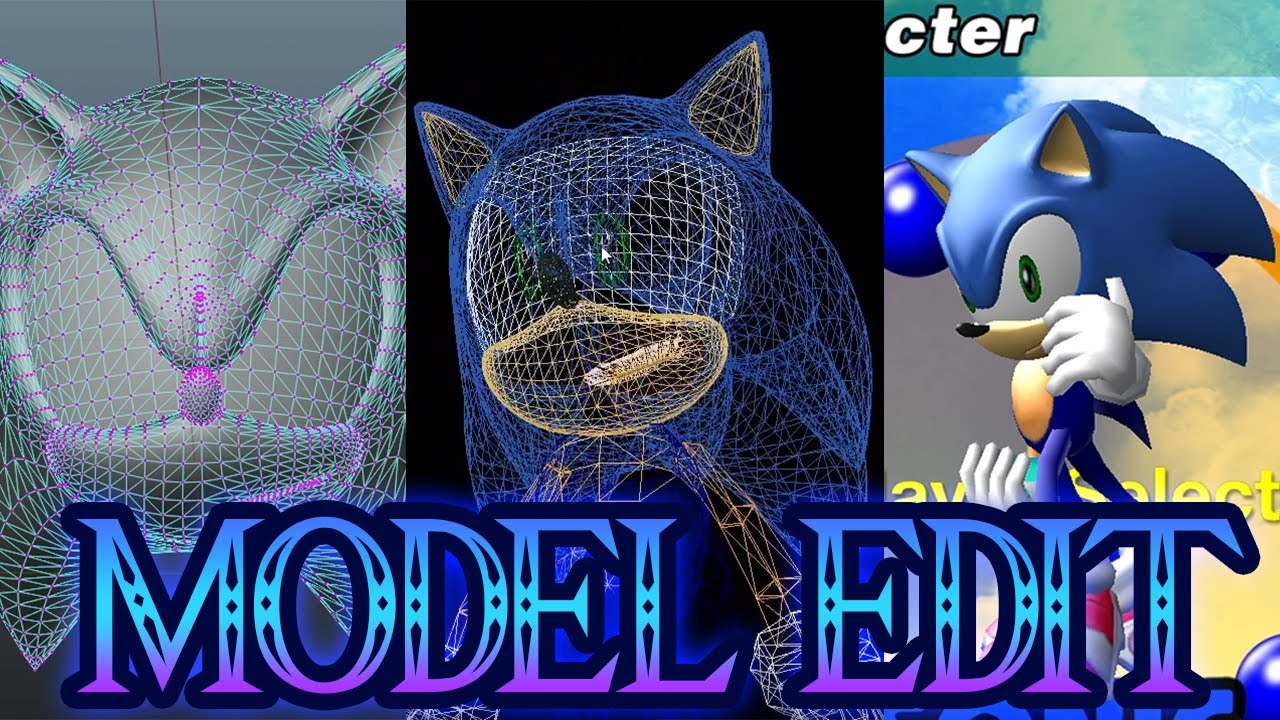
Here it is! my SADX Model Edit tutorial
please watch the full video before start with the questions
First Tutorial part (Texture Edit): https://youtu.be/LYyGVELJBhI
----------Download Links----------
Blender (Steam Version): https://bit.ly/34EbrVu
Blender (Official WebPage Version): https://bit.ly/3nDSAm0
SATools: https://bit.ly/3jIM7nz
Sonic ...
royal ridge
I will need sadx mods only for music, sounds, Animations
fiery lion
This is probably the way I would've done it, but if you're saying high poly models will be a problem, then maybe you could vert edit the existing model
fiery lion
royal ridge
I will need sadx mods only for music, sounds, Animations
Music can be done with a simple .wav replacement, I remember that much
royal ridge
The textures and models will be replaced with remix
royal ridge
I've wanted to just replace sadx models to generations one
But idk
It'll be the fastest method I think
fiery lion
That's been done already

GameBanana
A Sonic Adventure DX (SADX) Mod in the Sonic the Hedgehog category, submitted by SoloSlacker
royal ridge
Even default models looks great

 fiery lion
Why not just get the model in the normal way, then only edit the textures in RTX Remix?
royal ridge
fiery lion
Why not just get the model in the normal way, then only edit the textures in RTX...
I need more polygons...
Or wdym
fiery lion
Like follow the tutorial to import a model into the game the normal way
fiery lion
fiery lion
https://www.youtube.com/watch?v=NOjqya7KIf0
Like do what's done in this video
And get the model in the game
Then
Only use Remix to edit the textures
It'll probably be more efficient this way too since I know that there's a different model for each frame of animation in that game
When a cutscene plays, his head will probably break or the game will crash
barren lichen
@royal ridge you got HALO CE to test?
royal ridge
It's better to replace the model through remix
royal ridge
barren lichen
<@456226577798135808> you got HALO CE to test?
Nope
fiery lion
Hmm
You could probably get away with the 3DS model lol
Or the PS2 unleashed model

I honestly don't know any other potential workaround since again, I've never used RTX Remix or know how to help troubleshoot that specific issue
I'm just the art guy
royal ridge
fiery lion
I honestly don't know any other potential workaround since again, I've never use...
Why you trying to avoid remix
fiery lion
I'm not trying to avoid it, it just seems a bit complicated to setup from what I've seen
Though of course
I haven't really checked this server for months so
My initial interests were to mod SH3 and Prince of Persia with it
But I couldn't figure out how to hook it into the game
royal ridge
fiery lion
I'm not trying to avoid it, it just seems a bit complicated to setup from what I...
I'll just need a models with an obj extension
I'm working on a tool that in theory should make life easier
fiery lion
Wait
That's all you need?
3DS - Sonic Generations - Modern Sonic - The #1 source for video game models on the internet!
Wii - Sonic Unleashed - Sonic - The #1 source for video game models on the internet!
fiery lion
Is the tool for RTX Remix or for the game?
 fiery lion
Damn, that would mean that you could only use static models
The head may still break in game or crash
royal ridge

 fiery lion
Like during cutscenes
royal ridge
fiery lion
Damn, that would mean that you could only use static models
Do you think that?
fiery lion
Well obj is static
royal ridge
We need to try still
fiery lion
So yeah
If it were fbx it's a different story
There's animation in fbx
There isn't any animation data in obj
royal ridge
Oh wait
It'll be animated
You're replacing the meshes
Game uses it
But still thinks that the old meshes are here
And animates them
fiery lion
There's a couple of issues though
There's a problem with auto weld
If you're importing static models, you might get breaking in the legs, arms, and feet
Because they're divided in to 3 separate parts on the legs and 2 in the feet
fiery lion
On top of that, there's still nothing accounting for the animation data stored in each character's head
No
Obj is just static geometry
Fbx is what you want for animation
royal ridge
Welp remix do not gives you the weight
So I think that it's ok
Still we can use low poly sonic model in the game
fiery lion
You can still replace the model, but what I'm saying is, you'll probably run into issues with some things that Remix won't be able to fix
royal ridge
And everything else will be high poly
royal ridge
K it's a bit late for me, cya tomorrow!
fiery lion
Same
royal ridge
fiery lion
9:28 AM
Oh Jesus
royal ridge
fiery lion
I used to be a Sonic fan lol
I think the word "used to" actually better applies more for me too
fiery lion

12 years ago
This was back when we had to do it the shitty way and 3DSMax would only let us edit 1 model at a time
And it was this ugly light gray UI
 void egret
Would Remix even be able to handle the chunk-style models?
Same for the heads: they're animated by transitioning the vertices between about 30 different possible heads.
Well, for Sonic, 20.

For that matter, nobody's actually bothered trying to cover them all in their model mods. It's possible, but it hasn't been done.
fiery lion
That's exactly what I was getting at before
royal ridge
void egret
Would Remix even be able to handle the chunk-style models?
Didn't tried yet
I'm training new ai models for pbr
And working on two additional models
For emission and metalness
royal ridge
void egret
Well, for Sonic, 20.
Tails, you gonna crash, AAAGH
royal ridge
 royal ridge


im happy
now i can export models with octotex
now i need to place them right way with capture.usd
and write them back to the replacements.usda
void egret
I just realized all the land tables are bunched up in that second image lol
royal ridge
hehehe
void egret
I'll be honest I kind of think a Remix version of adventure is a lost cause over just remaking the whole game in either an engine that supports ray tracing or just has very good lighting from the start just because a lot of the work that would go into remaking some of these assets would seem to demand as much.
void egret
I also don't think it can be brute forced through upscaling and making textures PBR alone.
I'm still interested in the results either way 
royal ridge
download?
 high void
royal ridge
Even default models looks great
high void
royal ridge
Even default models looks great
So can anyone provide on tutorial on how install rtx remix onto the game to get it looking like this? I already have the pc version installed
I tried remix on the game myself a long while ago but it was just broken geometry mess
 wooden orbit
void egret
Same for the heads: they're animated by transitioning the vertices between about...
wooden orbit
void egret
Same for the heads: they're animated by transitioning the vertices between about...
Remix should be able to render these just fine, but it probably won't have a stable hash, meaning they won't be replaceable. You should still be able to replace the material.
void egret
So you could still do replacements at the game's level itself, and just use Remix for extra materials?
royal ridge
void egret
So you could still do replacements at the game's level itself, and just use Remi...
Yes, but the fps will be lower
void egret
By how much
royal ridge
in another game, if i create a car with alot of polygons
fps will drop from 60+
to 15 or so
im on 3080
idk maybe with a better cpu situation will be better
royal ridge
royal ridge
to 15 or so
there's alot of polygons yeah
void egret
It can't be that bad unless the object itself is just really high poly
wooden orbit
void egret
So you could still do replacements at the game's level itself, and just use Remi...
The game is probably doing the skinning / vertex blending on the CPU, which is really slow for high poly meshes. even on modern CPUs.
so yes, you can absolutely replace the meshes using the game's normal non-remix modding flows. Just be aware of the performance constraints on those.
for Portal RTX, Remix didn't support animated meshes yet, so all the skinned replacements were done as normal Source mods. for Portal Prelude RTC we ported all of those over to Remix replacements and saw a significant performance improvement.
 smoky shale
i would love to see station square in RTX
smoky shale
tried to add rtx to SA1 but remix menu doesnt pop up
 hasty heath
this looks firee
my personal take on the model thing is maybe look for models that resemble either the DX models or the DC models, just having say generations sonic in adventure feels off, only criticism I’ve got is that like, the sand looks awkward ig
void egret
My solution would probably be to take the Secret Rings models and have someone at least bake some really nice materials for them even if they couldn't really be much higher poly than they were on the Wii, But considering the reaction to even bothering with in-game replacements at all over Remix replacements is "oh my god that's going to slow everything down so much oh my god" I guess that's maybe too optimistic of a goal.
I guess for an example their Brawl models are about the same and their trophies conveniently pre-posed to give an idea of what that they all look like.


 void egret
Eggman would be pretty funny to see actually because his entire mouth is hidden so they didn't have to deal with syncing his voice.

 winged gale
Hey there! Is there a group working on an RTX version of this game? or are you guys doing your own separate things?
void egret
As far as I can tell there is no group and Alex's stuff has remained his own.
There is some interest outside of this server, but I'm not sure how far that will go.
 balmy sandal
Damn, so is RTX Remix dead for this game? New to the beta and was most looking forward to this and SA2, and both of them look nearly insurmountable with the current iteration of remix.
copper copper
SADX is actually at least possible. Nobody's actively working on a project but that doesn't mean it's dead
SA2 on the other hand doesn't work at all lol
balmy sandal
copper copper
SADX is actually at least possible. Nobody's actively working on a project but t...
Strictly speaking though, it's only the 2003 version of SADX right? Also -- for SA2 is it a complete impossibility? It feels like the type of thing that could eventually see support
copper copper
balmy sandal
Strictly speaking though, it's only the 2003 version of SADX right? Also -- for ...
no actually the steam version is better
that wasn't the case originally but if you turn shadermodel to 0 and install a few mods it works great
void egret
what do you mean the steam version is better lol
I mean hypothetically sure it could work but you don't want to be using that version because the 2003 version is the one all the mods are made for, including all the patches the mod loader provides such as widescreen.
And 9 times out of 10 a "mod" made for it is not a mod made for it, it's just an installer that will replace it with the 2003 version.
Bettersadx is similar but outdated and stop calling the mods included "bettersadx"
copper copper
void egret
what do you mean the steam version is better lol
I mean it actually works with remix instead of being super glitchy
No need to be rude about it, why don't you try it yourself and see? If you can get the 2003 version to work well with remix, that'll be big news
@royal ridge would you mind confirming of this is still the case?
royal ridge
copper copper
<@456226577798135808> would you mind confirming of this is still the case?
Idk really, didn't tried remix for a long
But 2003 version objectively will be better for many reasons
I'm telling you as a sonic fan
🫶🏻
copper copper
Sure it would be better, but I just thought we ended up with the conclusion that the steam version works better with remix
It doesn't really matter if the original 2003 version is better for modding if remix isn't as compatible with it
warm notch
copper copper
It doesn't really matter if the original 2003 version is better for modding if r...
IIRC, the 2003 and steam version had just some minor differences about some mesh hashes being stable in one version and unstable in another. I'm using the steam version, had to install this sadx mod manager to get a bunch of mods enabled and then it worked. Idk a thing about sonic modding community or sonic games in general, jsut played this one when I was a kid, but on the remix side for me theyre equally promising, the steam one obviously having the convenience of accessibility throgh steam, so maybe a bigger player base for the mod? idk 
These ones
 copper copper
Ah ok, well if they're equal then I guess we're just good to go
void egret
But what I'm saying is that the fact mod manager is working means you are playing the 2003 version
copper copper
Do you still need a dx8 wrapper when using the mod manager with the steam version in order for remix to work?
Sorry but it's been a while since I've tried this
void egret
It's used by and included with Lantern Engine so It's probably working in the background.
copper copper
I think for remix to work you have to disable the lantern engine
void egret
What I'm saying is that it's probably installed because of that and Alex and the others didn't even notice
Also I'm not trying to sound like I'm confronting anyone in particular but it is a pain point of a general lack of education about how this all works
I'm just trying to offer perspective and clarity as someone who's been around this for a long time and watched a lot of this stuff come into existence
copper copper
Thank you, that make sense
warm notch
copper copper
Do you still need a dx8 wrapper when using the mod manager with the steam versio...
yup. I have lantern disabled in the mod manager and using d3d8.dll stub file
first time I tried I had lantern enabled and remix didn't hook. Later on I disabled and it worked
balmy sandal
warm notch
IIRC, the 2003 and steam version had just some minor differences about some mesh...
Wait, so for a dunce like myself – what do I have to do to get remix working with SADX steam? Just install these mods or is there more?
 wispy elk
No rtx
balmy sandal
rip
copper copper
balmy sandal
Wait, so for a dunce like myself – what do I have to do to get remix working wit...
you install the better sadx mod, disable the lantern engine, then setup remix with it normally i think
maybe also configure the shadermodel to 0 in the dxvk config
void egret
Again, betterSADX is outdated.
Honestly maybe even this method is outdated and they built it right into the new mod loader, I'm not sure.
Maybe not: Whatever the case, the installer will get you as close as possible to having everything ready and the update processes in the mod manager will clean up the rest.
balmy sandal
void egret
Maybe not: Whatever the case, the installer will get you as close as possible to...
I'm so sorry for being dense -- but you're saying the regular mod manager process will get me there? (Rather than bettersadx)
Thanks for your help folks
Also -- do auxillary things such as the DC character pack or other such mods affect Remix? (I.e. should I just be going forward with a vanilla as possible mod loader install)
void egret
The installer that I linked will help you convert the vanilla Steam release. The only thing you should need to install for RTX compatibility is Lantern Engine, but even if you don't otherwise just get d3d8.dll and follow the other directions.
balmy sandal
void egret
The installer that I linked will help you convert the vanilla Steam release. The...
So Lantern SHOULD be enabled? Just asking because Joey mentioned disabling it
void egret
It shouldn't, it's just an easy way to get the dll.
balmy sandal
copy
void egret
I would also say don't use anything non-vanilla like DC Characters or Dreamcast Conversion since a full project is just going to replace everything anyways.
Well... I don't know. Dreamcast Characters is completely redundant, but otherwise That's actually going to be a personal choice, I guess, since some levels are modified on a technical level by Dreamcast Conversion and people generally prefer it.
balmy sandal
And when you say " just get d3d8.dll and follow the other directions" the d3d8.dll is just a DirectX 8 wrapper right? And in terms of "other instructions" are you just referring to setting up Remix in general?
Apologies for all the questions. First time doing something like this.
void egret
Yes and Setting up remix, yeah.
balmy sandal
Copy that, appreciate
balmy sandal
void egret
Yes and Setting up remix, yeah.
Final clarifying question --
I should install lantern engine, but disable it. Because installing lantern is just a convenient way to obtain the wrapper?
void egret
Yeah
balmy sandal
Cool cool, thank you for your help!
Game has loaded up and seems to be doing something differently than before. Thank you so much! Any other setup tips / troubleshooting stuff I should be aware of unique to SADX?
Like the chaos 0 fight is entirely black for some reason lmao
void egret
I swear someone said something about shader=0
balmy sandal
omg yes you're right so sorry
Actually, they mentioned a dxvk config, which I'm having trouble locating. Is it usually found in the remix base folder or in the sadx folder? seems like something that would be remix centric
balmy sandal
Okay, so I think I got it working! But now I'm having an issue where I can't open the Alt+X menu after the game launches. Any wisdom?
For anybody who faces the same issue -- disabling geforce experience overlay fixed this for me ^^^
void egret
Unfortunately I can't really help with the Remix part because I can't use it myself.
balmy sandal
Oh dang! Well, I got it working. For anybody who's clueless like me, here's what I did to get it working with Steam SADX based on the advice of Shilz and Joey:
- Download SADX mod manager and install Lantern
- Disable Lantern
- Download SADX conf file found here: https://www.moddb.com/downloads/rtxconf-sonic-adventure-dx-directors-cut1
- Place RTX runtime files into main folder
- Disable geforce experience overlay
- Disable any dreamcast mods for the time being, and try a capture.
At this point now, I'm messing with texture / material replacements. SADX has a pretty short render distance so Emerald Coast has required quite a few captures so far,
ModDB
RTX Remix conf file for Sonic Adventure DX Director's Cut, NVIDIA's modding platform.
balmy sandal
The beta definitely makes texture editing and PBR stuff easy for artists. Loving it so far!
The one issue I'm running into so far in terms of modifying assets is the water. I'm guessing it's because it's an animated texture?
In the editor it's looking like this, but in game it's a sort of flashing texture

also, randomly this area of emerald coast does this
 void egret

balmy sandal
Interestingly, if I turn DC conversion off, and make the same modification to the materials, I do not have the same issue. I'm wondering if maybe I keep the SADX water mod enabled if something changes. Further testing tomorrow!
balmy sandal
This shit made me laugh
 void egret

balmy sandal
balmy sandal
also, randomly this area of emerald coast does this
Something similar to this actually happens when I'm in the tornado in windy valley. Haven't been able to figure it out as of yet
If anybody has any ideas let me know
void egret
If I had to take a guess, it might have something to do with transparency.
 fickle bane
so i'm very very late to the party, but i've been working on sonic adventure on and off for a few months now, just recently picking it back up again. i wanted to reveal my progress once i had a bit more of station square's pool finished, but it seems like the game is getting a bit of attention now.
i've been making a few textures and assets from scratch, including station square's daytime skybox (found the original source texture, edited it, and saved as an exr), the switch/button object, a pool parasol & tableset, pool tile textures, etc. modeling isn't my strong suit but i've been learning as i go. again, my short-term goal is to finish station square's pool area, then work from there.


i am also using Dreamcast Conversion as a base, just for personal preference. i'd like to have a non-dc version at some point but that's for the very distant future
fickle bane
a couple of problems i've run into so far, sorting by importance:
- culling is a big problem. every object offscreen is culled. rtx remix's anti-culling causes offscreen objects to.. technically exist? but their textures flicker rapidly, faces disappear, and the game tends to crash a lot (
warn: Still waiting on the Present semaphore to be released...). to attempt to remedy this, i'm making a companion mod to work in tandem with rtx remix. i've managed to find the function that culls SET objects and overwrite it, so that's one part out of the way, but i've been struggling to find the function that culls landtable objects, aka the level terrain. i'll keep searching and i'll ask around in the modding server eventually, but if i can't find anything, i could most likely add a custom SET object to every single level, then use it as an anchor for all of the replaced terrain.
copper copper
That's awesome
fickle bane
- player characters have unstable hashes. the game uses CPU skinning and also stitches vertices together in realtime. NPCs seem to have stable hashes, though their parts are not stitched together. can't imagine any replacement assets looking good here. there are already a few game mods that replace certain player characters with higher poly versions, so it is certainly possible
certain parts of characters also have jiggle physics, causing even more hash instability. turning this off is trivial but wouldn't fix much, though i thought it was worth noting
...god knows what's going on with tails' tails
- a majority, if not all of the stages can be completed with rtx remix... in a vacuum. when launching the game directly into each level and event cutscene that i've tried, they seem to work without crashing. but when launching the game normally and making my way to the exact same event and level, i get strange crashes relating to
warn: Still waiting on the Present semaphore to be released...not sure what could be causing this
every single subtitle is its own hash. every. single. one. i had no idea that subtitles were generating textures in realtime. but that, uh, sucks. i could go in and select every single vanilla subtitle and set it to UI texture so it gets rendered, but that does not seem feasible. or fun. or sane.
fixed by using HD GUI 2!
copper copper
aren't those issues fixed by disabling shaders?
or am i thinking of something else
fickle bane
i'm not super sure honestly
void egret
Interesting approach to the tables.
void egret
Actually really bold of that place to allow for glasses in their pool section lol
void egret
From what I remember you can merge vertices in any mesh you want but I imagine that would pile up a pretty heavy load with all the NPCs.
 heady token
fickle bane
- player characters have unstable hashes. the game uses CPU skinning and also st...
heady token
fickle bane
- player characters have unstable hashes. the game uses CPU skinning and also st...
is there a way to replace it with standard skeletal skinning via remix or no?
warm notch
fickle bane
- ~~every single subtitle is its own hash. every. single. one. i had no idea tha...
When you tag a texture as UI, remix will forward that draw to render as the original game is asking, but so will happen with every following draw call until the frame ends. If you manage to tag an UI element that is being rendered before the subtitles, they should also render just fine.
Also, there is an heuristic settings you can enable that could help: "Orthographic is UI". It should assume that every element being rendered using orthographic (no FOV angle) should be UI
warm notch
fickle bane
...god knows what's going on with tails' tails
This is really weird. It is almost as if his tail had each face scaled inwards along their individual normals  . Or maybe the skinning weights just got messes up
 fickle bane
warm notch
This is really weird. It is almost as if his tail had each face scaled inwards a...
fickle bane
warm notch
This is really weird. It is almost as if his tail had each face scaled inwards a...
i figured out the problem, it's two things:
1, i had a mod on that restored a lost effect from the dreamcast version - "onion skin blur", which adds fake motion blur to tails' tails, sonic and knuckles' feet when running, etc. disabled and it looks a bit better. but now the real problem is
2, tails literally has three sets of tails, to simulate faster motion when he spins them. they're a lot easier to notice when they aren't in resting position.
no one has made a mod that removes the fake tails, but i'm hoping it's pretty trivial? it's something i can look into later
balmy sandal
fickle bane
no one has made a mod that removes the fake tails, but i'm hoping it's pretty tr...
First of all this looks so sick. When I get some time I'm excited to share some of my own texture work. Aside from a few textures, I'm utilizing AI so it's awesome to see somebody homegrowing most of their assets. I haven't begun modeling new assets yet but you've inspired me! Those umbrellas are dope.
Secondly, this is why I've decided to work off the base game. Using the DC Conversion as a base is preferable but I found it to cause a lot more issues for whatever reason.
I mean base game + the normal stuff you need to get everything running
balmy sandal
fickle bane
- player characters have unstable hashes. the game uses CPU skinning and also st...
I'm wondering if for the time being it's optimal to install such a mod and use that as a base?
fickle bane
so after checking, there's a few general model mods here and there that either use the DX models as a base, or just straight up use models from newer sonic games.. which isn't quite what i want. there's one hd dreamcast sonic, but it is unfinished, is missing mouth morphs, and was last updated 3 years ago
i definitely do want to tackle hd character models at some point. it'd likely have to be from scratch, and i'd be limited in terms of poly count as it'd have to be modded ingame rather than through rtx remix due to cpu skinning
personally i'm aiming to be as faithful to the dreamcast models/textures as possible
void egret
There's basically no mods with custom morphs
fickle bane
i remember that it's tedious, but not impossible?
void egret
Of course it's not impossible but the higher poly you go the more work is required.
Coincidentally was just fed a tweet that mentioned this one. https://vxtwitter.com/Voltrix77/status/1690643239529840640

@CyanHyprPsychic secret rings to me is like the perfect baseline for a modern sonic model, it has a lot of elements you could link to other interpretations
though interestingly enough i find it most closely resembles the original dreamcast adventure model in a way
Oh you'd also probably have to add entirely new welds, that Secret Rings model doesn't have any where the body meets the legs.
fickle bane
this is still for the distant future, but i saw that weighted character models were released late last year (still cpu skinned unfortunately), i think that removes the need for manual welds, right?

GitHub
This mod provides an example of weighted character models, and may be used as a template to build other character mods from. It replaces every playable character's main model, giving them weigh...
fickle bane
another texture remade.. but i should really get to remodeling the hotel/pool exterior lol


original vs recreation (albedo)


 flint pewter
fickle bane
another texture remade.. but i should really get to remodeling the hotel/pool ex...
flint pewter
fickle bane
another texture remade.. but i should really get to remodeling the hotel/pool ex...
I wonder if you know about the source photos being found?
fickle bane
oh yeah, somehow i forgot about the source photos.. which is funny because i literally used them for roughly recreating station square's sky (might try remaking it again later)

 warm notch
fickle bane
oh yeah, somehow i forgot about the source photos.. which is funny because i lit...
warm notch
fickle bane
oh yeah, somehow i forgot about the source photos.. which is funny because i lit...
"How much saturation should we add?"
-YES
fickle bane
yeah LOL
fickle bane
you mean this mod? https://gamebanana.com/wips/76263

GameBanana
A Sonic Adventure DX (SADX) Work In Progress in the Action Stages category, submitted by ChaoMeister
void egret
texture looks nice
flint pewter
fickle bane
you mean this mod? https://gamebanana.com/wips/76263
yes
fickle bane
i might look into it if necessary
fickle bane
fickle bane
- ~~every single subtitle is its own hash. every. single. one. i had no idea tha...
by the way, easy fix for this is just using the HD GUI 2 mod. they rewrote the code for subtitles, so the font texture is just one hash that is reused for every subtitle in the game, instead of each generating its own hash on the fly. i thought i tested it months ago, guess not. i'll just make that mod another requirement (or at least a strong recommendation..)
fickle bane
yes, it requires converting the steam version to the original pc port
it has infinitely more modding support
fiery lion
If you run me through setup, I'd be happy to help
I used to mod this game when I was a kid
Knew Dude, Mainmemory, ItsEasyActually, Fiamonder, and some others
fickle bane
i believe the conversion is done with this installer https://sadxmodinstaller.unreliable.network/
as for assistance with the mod, things are super early as of rn, and while i do have big ambitions for the project, i don't have much actually made yet. for now i'd like to lay down a bit more groundwork before asking for help :p
 stuck ember
fickle bane
you mean this mod? https://gamebanana.com/wips/76263
stuck ember
fickle bane
you mean this mod? https://gamebanana.com/wips/76263
really recommend using this for some of the textures
also since i'm in the team for that project
so if you need any help with source textures and stuff
then i'm here for that
fickle bane
building the hotel exterior. progress is slow as i'm pretty bad at modeling, but it's going good. mirror and array modifiers are doing a majority of the work, lol


most of the rooms are going to be real exteriors instead of textures (not too detailed, but just detailed enough!). i need to close those two sets of curtains because they can't have rooms in them. the reason for that is.. well..
..the rooms would clip into the lounge
i'd love to find a way to turn lights on inside the rooms only at night, but i'm a bit stumped on that for now. i can't attach it to the nighttime skybox, as the skybox is the same for each area in station square...
reluctantly, i could add an anchor object through code that only exists at night, but... blegh, coding
just kind of brainstorming for the future. right now i just gotta finish this building
void egret

fiery lion
fickle bane
i believe the conversion is done with this installer https://sadxmodinstaller.un...
Well I can maybe help with 3D stuff
I've been doing this stuff since I was like 12 so
Also, unrelated but, https://www.youtube.com/watch?v=kcpkZL0llbc not sure if this grabs your attention

A blue storm is coming, Blue is back! Render94 is based on the Sonic 3 title/in-game sprites with a hint of 3D Blast which also used a slight modified version of it, before we got the Render97 used in Sonic Jam and Sonic R.
Download https://drive.google.com/file/d/1woSDBYbEA3lrPX405ZFP9HBGWgpziPLP/view?usp=sharing
Big thanks to Banty for making ...
 livid geyser
this one looks great so far, definitely gonna wait on replaying SA1 for a while :)
void egret
You'll be waiting a pretty long time I think.
fickle bane
got a majority of the exterior modeled, textured, and loaded ingame. not quite finished yet, but learning a lot as i go. there's still some kinks to iron out here and there (i don't like the pink brick texture at all lol, expecting POM to do all of the work was a poor choice. definitely redoing) but progress is going smoothly.


it also has no culling issues... but that is a workaround that i don't expect to work everywhere. i'm only lucky that this area is small and has a mesh with a huge culling radius.
copper copper
Amazing
livid geyser
Lighting's barely touched if at all and it looks pretty out there
fickle bane
took a small break but just redid the brick material. it was ugly, and now it is not (i think).


 livid geyser
Not bad :3
heady token
fickle bane
so i'm very *very* late to the party, but i've been working on sonic adventure o...
this looks amazing, however i think you might want to be more sparing with the polycounts on background objects such as those tables and chairs.
livid geyser
heady token
this looks amazing, however i think you might want to be more sparing with the p...
Pretty sure those assets aren't even replaced, and even if they are, poly count isn't an issue at all as in this renderer... the polys are rendered per-pixel and not per-tri, if anything texture size becomes more of an issue in terms of optimisation in this workflow
heady token
they are remade

 delicate lance
 heady token
lol
also im pretty sure lighting is only calcucated per pixel
polygons still need to be rendered before any rays can be traced against them
plus cyberpunk path tracing still uses lods
copper copper
heady token
polygons still need to be rendered before any rays can be traced against them
I don't think this is true for full path tracing
Idk how it actually works under the hood, but I know poly count is waaaaay less of an issue using path tracing. Like to the point where it kinda doesn't matter
#general-remix message
So, yeah poly count matters, but it matters differently from traditional rendering
livid geyser
copper copper
So, yeah poly count matters, but it matters differently from traditional renderi...
Moreso for RAM usage and file size than making the cores chug
copper copper
Right
livid geyser
People have done some crazy poly tests and there's not really a limit in that department
copper copper
@wooden orbit sorry for the ping, but would you mind confirming how remix handles poly rendering? It doesn't render any polygons before doing the path tracing right? It just renders literally the entire scene using PT, so poly count isn't a factor like it would be under RT or raster?
wooden orbit
umm, general sentiment is mostly right, but I some of the particulars aren't quite right.
-
If a draw call is marked as worldspace UI, or is after the first normal UI call (or if the camera is in certain states), it will just be rendered as normal rasterized triangles.
-
For all of the original game's draw calls that Remix processes and path traces, we have to do a bunch of CPU processing to identify and track them. So increasing poly count of the original game's draw calls can cause a lot of CPU overhead within remix.
-
If the extra triangles are brought in as Remix replacements, then the polygons are handled in a pretty optimized way. When doing full path tracing, the cost of the most expensive parts scales with the log of the triangle count (instead of linearly with triangle count, like raster renders always have).
Note that there are still parts of the pipeline that scale linearly with triangle count, but those parts are much cheaper, or don't have to be done every frame.
TLDR: Remix can handle very high triangle count replacement assets, so long as they're applied using the Remix replacement pipeline.
High poly draw calls coming from the original game can actually be more expensive (CPU side) than they would have been originally.
as an example, I threw in the sponza base scene as a remix replacement once, with the curtain add on, and we handled it fine:
https://www.intel.com/content/www/us/en/developer/topic-technology/graphics-research/samples.html
Intel
Download professionally created assets for your research and academic purposes.
livid geyser
Thanx for the extra notes
heady token
ah ok
copper copper
Yes, thanks Mark!
livid geyser
 subtle edge
How would you get the 2003 ver?
subtle edge
How would you get the 2003 ver?
it was in retail from 2003-2004
livid geyser
not officially
subtle edge
And unofficially?
Wait
Is it part of that disc pack that had SA1, Riders, Heroes and Some classic collection of some kind???
livid geyser
subtle edge
Is it part of that disc pack that had SA1, Riders, Heroes and Some classic colle...
not sure what ur talking about
I don't remember if there was a PC port of Riders
there was a release of Heroes but it was trash from what I remember
subtle edge
livid geyser
I don't remember if there was a PC port of Riders
I had an old collection of disks
It was a case, and it had a pack of Sa1, Heroes, Riders, and some type of classic collection
livid geyser
subtle edge
I had an old collection of disks
if you (still) have the original disc that's awesome
 subtle edge
livid geyser
if you (still) have the original disc that's awesome
subtle edge
livid geyser
if you (still) have the original disc that's awesome
Might need to go digging lol
subtle edge
Anyone know where I can find these files?
royal ridge
I think some mod loader can can lower your game version
 royal ridge
subtle edge
But where can I find the old RTX-Remix files
royal ridge
subtle edge
But where can I find the old RTX-Remix files
I've downloaded them from unofficial sources 🤫
But I have the portal in my steam so
livid geyser
royal ridge
I think some mod loader can can lower your game version
there are mods that fix specific issues of the porting process from the 360/ps3 version but nothing will make it exactly like the 2004 version because they're still compiled in their own ways
subtle edge
royal ridge
But I have the portal in my steam so
I have portal too.
Which files do I copy over lol
That's what I'm asking
royal ridge
livid geyser
there are mods that fix specific issues of the porting process from the 360/ps3 ...
Isn't one of the mod loaders replaces the exe file to the original one?

livid geyser
so is 0.4 of the runtime broken with SADX?
royal ridge
subtle edge
Which files do I copy over lol
I can't remember too
 livid geyser
royal ridge
Isn't one of the mod loaders replaces the exe file to the original one?
livid geyser
royal ridge
Isn't one of the mod loaders replaces the exe file to the original one?
I don't know, but if it does then cool if that doesn't break anything
royal ridge
I can't even try it, cuz I have no rtx GPU anymore
royal ridge
It's standing still on my shelf, I can't use it because of the old power supply