
#The Simpsons Hit & Run
471 messages · Page 1 of 1 (latest)

 strong smelt
This you-tuber has been remastering the game in ue5 https://www.youtube.com/watch?v=tTPPB1ilm5A&t=601s, they have updated a lot of the assets to pbr to take advantage of that engine, though in theory you could just as easily import the same assets to nvidia omni verse and remix mod them into the original game. Eventually i suppose.
Try the Make Games with Reubs course:
http://bit.ly/makegameswithreubs
Discord:
https://discord.gg/meFRZfm
 quaint parcel
strong smelt
This you-tuber has been remastering the game in ue5 https://www.youtube.com/watc...
quaint parcel
strong smelt
This you-tuber has been remastering the game in ue5 https://www.youtube.com/watc...
he does not share the game files
strong smelt
Ah bummer
 dim pumice
sorry new to remix, how would i install this
 gleaming quarry
@dim pumice donwlaod remix 0.2.0 from github, extract where the game.exe is, dl the rtx.conf from this thread, replace, run.
dim pumice
that's actually incredibly easy holy shit ty
 nimble sandal
mine doesnt load with lucas,s mod launcher
but it works pretty well with the normal exe
trying to change the textures in omniverse but its pretty slow
 toxic rock
Is there a fix for it to work on other levels?
toxic rock
Well the only problem is no light
nimble sandal

textures replaced with new ones

before
and heres after

kind of subtle in screenshots but looks a lot better
 terse kestrel
This game is running VERY well now. It's partially playable (probably even fully...
terse kestrel
terse kestrel
This game is running VERY well now. It's partially playable (probably even fully...
 lusty jolt
don't say twice
https://www.youtube.com/watch?v=emPdkfcxb6E

I have a Patreon https://www.patreon.com/elgatodeltejado
Paypal donations https://paypal.me/ElGatoDelTejado
And Instagram: https://www.instagram.com/elgatodibujado/
#thesimpsons #hitandrun #thesimpsonshitandrun #remastered
nimble sandal
Does anyone else have the issue where it switches between normal rendering and textures and rtx rendering and new textures when driving around
 autumn radish
rtx remix won't load at all both the base game and through the mod launcher
how fix?
terse kestrel
you need to use this too: https://cdn.discordapp.com/attachments/1099010051294908446/1110379287476969532/dxwrapper_dx8.7z
autumn radish
now i get a could not start directx error
terse kestrel
are you sure remix is installed properly?
i have the latest build here
just extract it to the game folder
autumn radish
terse kestrel
are you sure remix is installed properly?
yes it is
its definitely an rtx remix issue as after i deleted everything relating to rtx remix then ran the game it now runs fine
autumn radish
tried a completely different game
to be precise it was guitar hero 3 and that too gives me a directx error when rtx remix is installed
rtx remix for me is out of date video card error simulator even though i have a 3060
terse kestrel
can you post the error? @autumn radish
autumn radish
these are the errors
 toxic rock
Could this be an issue with the latest build like barnyard i'd go to the build from a couple days ago
autumn radish
i tried 0.1.1 too and same issues
nimble sandal
should just work with 0.2 and d3d8 wrapper
nimble sandal
you got a pic of your folder with remix in it?
autumn radish
heres both the simpsons foler and the guitar hero folder
 toxic rock
looks like you need dxwrapper
autumn radish
guitar hero 3 doesn't need it since it natively uses directx 9
and with hit and run i tried the wrapper and the directx 9 mod in the mod launcher
both give the exact same error
 sage silo
in the last two days i got interested in rtx remix after playing portal rtx. found the nvidia blogpost about the modding tool in development and found this discord.
Decided to play around with simpsons Hit & Run and after reading all posts you guys made for the other games, got everthing working.
you still need lucas launcher to play with rtx remix (tbh you need the launcher just to play the game normally) but i reduced the list above made by Kim to only need the direct3D 9 hack.
The intro, title card and menu is playing as normal, is not a black void anymore.
Right now i am just playing around in adding lights to the menu just to learn how Omniverse/Create works.

sadly, shar seems to have the same problem barnyard and gta sa, for some reason the capture is really small, even if i change the unit scale. if you guys found a solution for this, please tell me.

got the basic ui working again, like the pause menu, the objectives icons and the police meter.
 sage silo
for future reference, the game is made with maya from 2005 or 2004, so everthing is left-handed generated
 sage silo
playing around with lights

 terse kestrel
sage silo
in the last two days i got interested in rtx remix after playing portal rtx. fou...
terse kestrel
sage silo
in the last two days i got interested in rtx remix after playing portal rtx. fou...
whatever new info you have, please give it to me so i can update the original post
nice work
sage silo
terse kestrel
whatever new info you have, please give it to me so i can update the original po...
not much for now, still learning how create works. trying to figure out how to add a global light for the sky, since direct light is moving with the camera and where to place it since is a semi-open world, and mesh get re-used multiple times
and other stuff, like today i found out half the npcs use the same texture 64x64, i hope this wont be a problem for me in the future... i hope... (i made the entire texture blue just for the picture)


*warning flashing lights/colors.
Here is a basic on how to get the game working and how to use the rtx with it.
1° first get the game somehow, since the game is not sold anymore you can ask the speedrun community how they got access to the game.
2° Download Lucas' shar mod launcher: https://modbakery.donutteam.com/releases/view/6
3° Download RTX Remix.
4° place the rtx files inside the game installation folder.
5° Start the lucas launcher and in the "settings" tab, check Direct3D 9.
5.1 Is not necessary but i recommend to check Bug Fixes and frame limiter, since it can fix a crash that can happen at random on start and some issues related to high fps.
If you did set everything correctly, just press Launch button and the game should start with rtx remix.
You can use a rtx.conf file from this thread to try execute the game with ui, without it RTX Remix gets confused and makes everything black.
if you want to run the game without rtx, just uncheck the direct3d hack, since the game uses (iirc) opengl or some proprietary rendering engine, rtx will not work, acting as normal.
terse kestrel
sage silo
Here is a basic on how to get the game working and how to use the rtx with it.
...
nice
toxic rock
sage silo
*warning flashing lights/colors.
there seems to be some unstable hashes
sage silo
just a few 🙂
tbh, idk if this is a actual mesh problem or is rtx remix not liking Mesh + Skeleton, because it seems to be in every character.
lusty jolt
sage silo
*warning flashing lights/colors.
 sage silo


I think I'm getting to the vision I want to try to put in the game, change the lighting but try to keep the original taste
terse kestrel
that dark?
sage silo
not dark haha, the sky is dark just to test the lights
is easier to see how strong the lights actually are since the game has multiple times of day.
sage silo
sometimes when you get a coin or pause the game, a 3D rotating coin shows up at the top right with the counter, for some reason rtx remix makes the coin disappear and i couldn't find how to make the coin to show up again, so i gave up for now.
i was trying to make direct light to work so i can finally start messing with sky illumination and something really small appear on my screen, and only if i turn the camera in a specific direction, after a few seconds looking i found the coin...


for reference, the normal game
 terse kestrel
did you mark the texture as UI?
sage silo
i tried, but this makes another problem
terse kestrel
how about world space UI
sage silo
the game uses the same mesh and material for the world coins
 terse kestrel
ah
sage silo
terse kestrel
how about world space UI
i tried and i get the same problem
terse kestrel
unfortunately i don't really see a way to fix that
sage silo
yea....
terse kestrel
😦
sage silo
so i have a two side problem, if i don't fix this i get a small problem, the pause menu alpha background start to blink every time the coin does the "shinny" effect, which is not something big, is just a flicker at the pause screen. if i try to fix by setting it as a world UI the render breaks... so i guess the pause is gonna flick for now
i wonder if other games with 3D objects used directly at the UI has the same problem
also, i tried set to ignore the shinny texture to try fix it but rtx can't find it and can't add it to the list, is not a quick texture that gets discarted, it just can't get the hash for it.
this coin and the shinny texture is really strange
sage silo
My Major problem right now is to add a distant light, the distant light that i made for the menu world works fine, i can set a rotation and intensity and everything works fine.
But for some reason if i add a distant light to a level is just really bright and any changes to the intensity value does nothing, and this happens in all the levels except the menu, if someone knows what i should try to fix it please let me know.

 icy bough
Did you remove all instances of inputs: from your mod usda?
terse kestrel
i still don't understand why that breaks things. it works fine for me when they're left in
sage silo
icy bough
Did you remove all instances of `inputs:` from your mod usda?
this causes problems? didn't know, so i should remove it only from the distant light?
or from all lights that i add?
icy bough
terse kestrel
i still don't understand why that breaks things. it works fine for me when they'...
No idea why it breaks mine either 
icy bough
sage silo
this causes problems? didn't know, so i should remove it only from the distant l...
You can try with just the distant light
sage silo
it worked, thank you for your help!
 sage silo
icy bough
You can try with just the distant light
sage silo
icy bough
You can try with just the distant light
i only removed from the distant light, btw.
icy bough
Classic inputs:
sage silo
its sad that distant light uses the camera rotation instead of the world rotation for the direction of light but is something i don't care for now, so gonna deal with the broken shadows and light from the distant light until the official rtx modding tool is available. the fact that i can get a custom sky light is already enough for me.
sage silo
my progress so far.
Trying to learn PBR and applying some normal maps to a few textures.


 sage silo
More Normal maps added to a few textures and for the houses that have windows i did some small details like add a few metal + Roughness maps to give some reflectiveness.
sage silo
thanks to the fact this game is very compressed to fit in a old CD, a lot of textures get reused and is in a small resolution, changing one texture changes a lot of other things that also uses the same texture making my job easier, and making rough and metal is easy, can be done in a few seconds, normal maps are a bit trick to get to work since is way more visible if not careful. per example, the blue house is just 4 textures, bigger part being just this one:
Albedo / Metal / Roughness
 terse kestrel
icy bough
Classic `inputs:`
terse kestrel
icy bough
Classic `inputs:`
have you talked to Mark about this?
 boreal timber
is the remix tool able to export a map to lets say obj or smth to use in ue5?
sage silo
for simpsons hit & run you can use lucas' tools.
you probably want Pure3D Editor for this:
https://modbakery.donutteam.com/browse
 boreal timber
sage silo
for simpsons hit & run you can use lucas' tools.
you probably want Pure3D Editor...
boreal timber
sage silo
for simpsons hit & run you can use lucas' tools.
you probably want Pure3D Editor...
i got the fully connected mod that months ago i was remaking in ue5 but stopped after finding no solutions when trying to bring thre .p3dxml into ue5
i dont think that worked for me
sage silo
i believe you can extract it to blender and from there you can export into .JDK or .OBJ
not sure, its been some time since i used it
you can ask for help on how to use the tool on https://donutteam.com/discord/
The best forum for discussing mods and tools for The Simpsons: Hit & Run.
terse kestrel
boreal timber
is the remix tool able to export a map to lets say obj or smth to use in ue5?
it can only export what's being rendered currently. right now it outputs usd files for models and meshes, which i imagine could be converted
boreal timber
alright il check these things out
sage silo
Giving a normal map pass on the neighbor houses, still have some details to fix (the height for some windows is wrong) but for now gonna set all the textures with normal and give a second pass fixing all the details later. i want to get this textures done because almost all the building in homer 1 uses this same textures, making this solves almost 50% of the default building of the level.


 nimble sandal
Do you know a way to make the mirrors actually opaque for the houses ? I never managed to get it working
toxic rock
even if you do you'd need to do a little bit of interior work
sage silo
decided to test my mod files to see what would happen if i gave it to someone else and did notice homer looks strange... his shadows are more sharp, so i decided to investigate.
in this video, the first part is the lucas save state launcher ( is a test launcher for the save states hack, i use it to quick test things in game ) and it includes the older version of the Direct9 Hack, homer shadows are more smooth.
the second part is me using the default lucas launcher with the updated direct9 hack, it seems donut team (the team behind the launcher) fixed the homer model hash in one of the updates, creating this hard shadow effect on him.
Posting this here because this is a interesting effect.
Now to find out how to fix this...
sage silo

 sage silo
while i search for a solution for this.
yesterday decided to start the work on the power plant, since everything with rtx there is just a complete dark , for now some basic lighting, playing around with cylinder lights for the nuclear leak at the end. maybe start with some texture changes later.
sage silo
sage silo
at least is not exclusive to the donut team d9 hack, dxwrapper seems to cause the same issue
 nimble sandal
I never managed to make him not shiny even after changing textures
sage silo

 toxic rock
Are those real lights or emissive textures?
sage silo
emissive
toxic rock
I guess they would work well here because they never go off screen
toxic rock
Started playing around with translucent materials
 sage silo
cool! how did you do it? i tried to learn how to do this yesterday but i failed. only got a black semi transparent glass or nothing.
also, i see you have a few missing ui elements, here is my rtx.conf in case is helpful for you.
 paper fox
Does anyone know why I don't see my model?

 warm moon
Is this a model replacement your doing?
warm moon
Ah ok
toxic rock
Did you fix the models?
paper fox
Yes but now for some reason when I open the game it crashes after a few seconds with this message

Ok never mind I think I fixed that too 😅
toxic rock
I'm trying to get lights in the power plant but the light doesn't seem to be where I am placing it, is there an easy way to position lights?
sage silo
i think you got the same problem i had. the light is not where the gizmos is, the light is where the icon is, i think this is because the way they compressed the models, not sure.

when you add a sphere light to any models in the reactor for some reason they are really far to the right or left.
so you need to bring the icon to where you want the light, and if you need to change something based on the gizmos you gonna have some work to zoom out to check it. and this seems to be specifc to nuclear reactor models, any other smaller models don't give this issue.
terse kestrel
sage silo
i think you got the same problem i had. the light is not where the gizmos is, th...
this has happened in every game i've attempted to place lights in
do lights actually stay in their proper locations?
sage silo
yeah
terse kestrel
hm. i thought it may have been connected to that bug. good to know then
sage silo
if you place the icon in the place you want, the gizmos don't matter
now thinking about it, i think this is a USD composer bug, because the gizmos is in the camera 0,0,0 while the icon is in the model 0,0,0
because the entire nuclear plant is multiple different compressed models
and i tried to place it on the lamp model, which is a big compressed mesh

 vague elbow
sage silo
Here is a basic on how to get the game working and how to use the rtx with it.
...
vague elbow
sage silo
Here is a basic on how to get the game working and how to use the rtx with it.
...
i follow this exactly but my game starts black even with the rtx.conf
sage silo
try this one
sage silo
vague elbow
i follow this exactly but my game starts black even with the rtx.conf
^^ did this file work for you?
vague elbow
is that the same one kim posted?
sage silo
nope, this is one i made
vague elbow
ill try give me a sec
i think it might have just been a problem with that one the one you gave me actually works really well
 sage silo
yeah, the one kim made don't have the cutscenes and the ui selected correctly
or tagged as UI
so is just a blackscreen
vague elbow
idk if its just me but the rtx version feels like everything has a blue tint
terse kestrel
yeah, i put it together in like 45 minutes, lol
sage silo
oh yeah, my file have the directional lights disabled
you can enable in the settings
i should make one basic file and ask kim to pin it
with everthing tagged correctly
terse kestrel
i have one of your messages pinned. i thought you were just going to update it as you went along in development
i also changed the initial message in the channel to point to it
vague elbow
sage silo
you can enable in the settings
where is it?
its 2 am rn i can barely comprehend
terse kestrel
sure would be nice if Discord added the ability to transfer thread ownership
sage silo
vague elbow
where is it?
iirc, game setup -> Light Translation -> uncheck Directional
and fallback to always
here, this should be enough to start the game without a blackscreen cutscene and menu, the default stuff already tagged as UI.
A few textures that is used as shadows got tagged as "ignore texture" so it does not interfere with RTX illumination.
Play around with the directional lights if you want to fix the main menu or the world. ( Game Setup -> Light Translation -> Fallback Light Mode -> Always )
vague elbow
might just be the sleep deprived me but the file size keeps changing
also thank you
amazing conf game looks 20 years better
sage silo
No problem, feel free to ask if you have other problems
vague elbow
i dont have problems just a question
the main menu screen is supposed to be like this right?
 sage silo
yep
or is the directional light off, i don't remember
its been some time since i used the default settings
terse kestrel
sage silo
here, this should be enough to start the game without a blackscreen cutscene and...
sage silo
anyways, just play around with the settings until you get something you like
toxic rock
Got the windows to have a nice coloured translucent property now I just need to give them some light
 toxic rock
This might've fixed an issue
https://github.com/NVIDIAGameWorks/dxvk-remix/commit/56352d731dce243258c94eb27a29c24f0d3da8c6

GitHub
[REMIX-2060] Implement support for sky probe in shader based games
See merge request lightspeedrtx/dxvk-remix-nv!462
sage silo
it did fix the sky flickering sometimes
now is back to normal
yep, walking around the city and is not happening anymore. Good.
sage silo
i wish there is a way to get fixed directional light or a way to make sky light parameters that change based on which mesh is loaded. would help with this game that reuses the same map in multiple levels but in different times of the day. using a direct light as workaround works but looks so bad when moving the camera around don't matter the mesh that the light is attached.
autumn radish
what is the best config to use for rtx remix on simpsons hit and run atm would love to try it
its stuck on this with audio
 autumn radish
got it working and oh my the kwik-e-mart from level 7 with it on is actually kinda creepy
 boreal timber
I'm at some point I would be interested in learning how to export the game world with the fully connected mod with all the meshes/ dynamic phys and general information into ue5. This tool I think would expand the development a lot more than just rtx. Ignore my rambling lol 😆
sage silo
boreal timber
I'm at some point I would be interested in learning how to export the game world...
this tool can help you with that: https://modbakery.donutteam.com/releases/view/9
also for any other modding or extracting from the game and similar .p3d files:
https://modbakery.donutteam.com/browse?releaseCategory=type_1
boreal timber
sage silo
this tool can help you with that: https://modbakery.donutteam.com/releases/view/...
I did use these when I was remaking shar un ue5 but I hit a bug roadblock when trying to parse .p3dxml Into .xml to allow dynamic physics to transfer
This is what I want to do https://youtu.be/8-1vNmmbEow?t=159

🌏 Get my Exclusive NordVPN deal here! ➼ https://nordvpn.com/reubs
It's risk-free with Nord's 30-day money-back guarantee! ✌
In this episode we add all of the main characters to game, add a day night cycle, weather patterns, and more!
Get Hit & Run Episodes Early & Try my C++ Survival Game Course:
http://bit.ly/unrealsurvival
Join the Discord...
This will show you the way he imports the things like street lamos, coins' boxes ect
sage silo
boreal timber
I did use these when I was remaking shar un ue5 but I hit a bug roadblock when t...
did you try getting in contact with donut team to report the bug and maybe get some help?
quaint parcel
boreal timber
This is what I want to do https://youtu.be/8-1vNmmbEow?t=159
he will never relese it so its wasted time
sage silo
it been some time since i last posted something here. a few months ago, i worked on this project for 3 weeks without knowledge of USD composer and RTX Remix and this is all i got for now. i have plans to go back to it when the tools are out but for now this is a recording of the unfinished project:
https://www.youtube.com/watch?v=sYmOAliBqM0
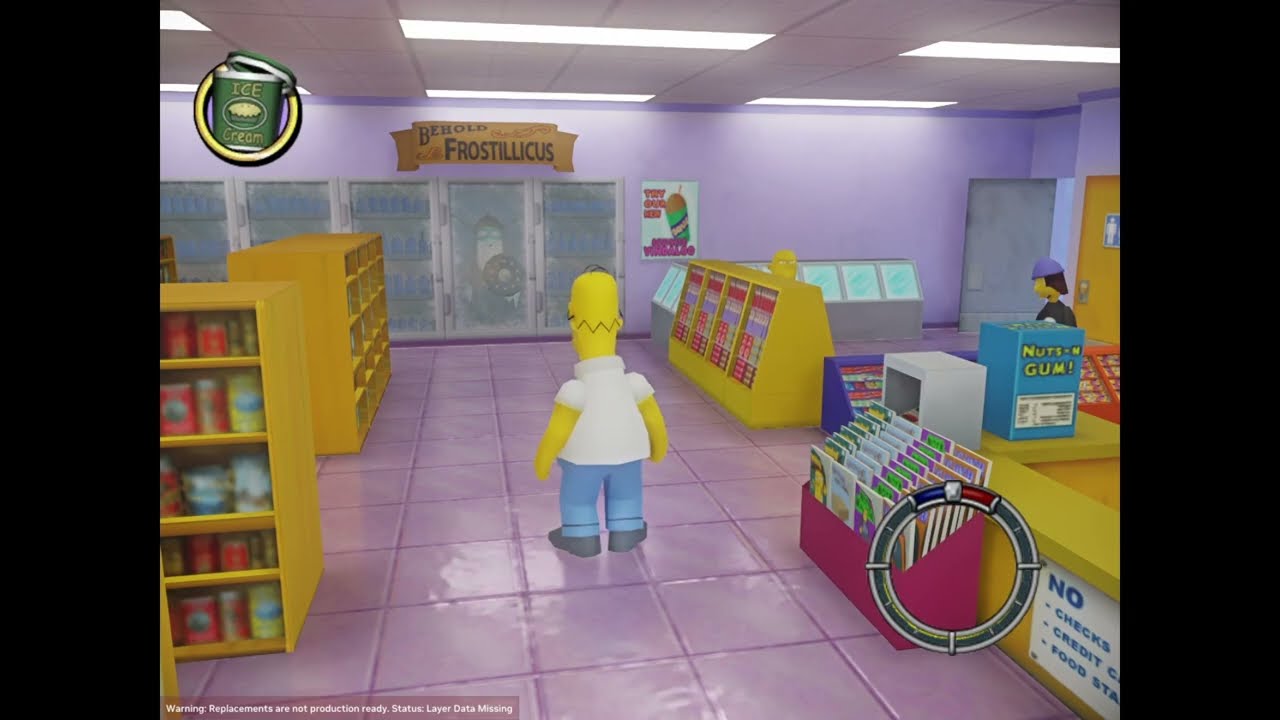
EN: this is a project that i started a few months ago, worked on it for 2~3 weeks and then i didn't do anything else. When i started this i had no idea how rtx remix and USD Composer worked. since nvidia is releasing RTX Tools soon i decided to record what i have.
PT-BR: Esse é um projeto que eu comecei a meses atrás, trabalhei nele por 2 ou 3 ...
is a bunch of default textures with pbr added to it and some lighting.
at least i learned a lot from this project
the recording is on low bitrate because i am dumb and forgot to increase it. lol
 storm cairn
sage silo
it been some time since i last posted something here. a few months ago, i worked...
storm cairn
sage silo
it been some time since i last posted something here. a few months ago, i worked...
I can't resist looking at every project in this community and thinking about the amount of potential each one has. Make me wanna work on every one of them
boreal timber
storm cairn
I can't resist looking at every project in this community and thinking about the...
Yh I was working on a ue5 remaster and I imported the map mod called fully connected maps and it was going great until I hit a few issues. No 1 being windows are one with the house texture, No 2 being alphas and inverted normals, No 3 materials and textures although are same arous the various sections being different names (minor issue) and finally the one that made me need to stop was importing dynamic phys with p3d.xml into ue5
Although it's been about a yr since I started and stopped if those issues were addressable mainly the final issue then I can finish a playable build
boreal timber
sage silo
it been some time since i last posted something here. a few months ago, i worked...
What even is a usd composer lol?
sage silo
boreal timber
What even is a usd composer lol?
Nvidia Omniverse USD Composer is the tool we use to edit the mod.usda file that RTX Remix uses to define which model to replace or attach a object/material to.
RTX Tools is usd composer but with a new ui and tools made for rtx remix instead of general .usd editing.
 sage silo
boreal timber
Yh I was working on a ue5 remaster and I imported the map mod called fully conne...
sage silo
boreal timber
Yh I was working on a ue5 remaster and I imported the map mod called fully conne...
houses without window textures is actually separated in game, they made windows a separated thing so they could reuse the houses for other night levels.
boreal timber
sage silo
houses without window textures is actually separated in game, they made windows ...
Hmm I remember the buildings you can go inside like the simpsons house, kwiki mart and the comic book store having separate textures. However for me when I was making the other windows have new ray traced shaders on the whole house would get messed but it's been ages since I worked on it 🙃 😊
I might be miss remembering
 heady locust
Hey
has anybody done a texture replacement yet?
im new in here so I haven't seen everything thats happened so far, i'll take a quick look while waiting
sage silo
heady locust
im new in here so I haven't seen everything thats happened so far, i'll take a q...
ye, the video in the promo channel is all the default textures with pbr added on top, but you can change without problem
this is just emissive for the light and metalness for the floor, no lights in this scenne

but basically i am replacing textures, but by the same default texture (by my choice) + PBR
The only problem i think is the distant lights.
for some reason, distant light follows the camera rotation
the rest you can change as you wish
if you need help creating textures, this topic has a few useful infos.
https://discord.com/channels/1028444667789967381/1111273025657114654
if you need a tutorial on how to replace textures:
https://www.youtube.com/playlist?list=PL4w6jm6S2lzvgJ97T1_VbLGBR_l6zzOUm
YouTube
NVIDIA RTX Remix is a powerful tool that enables modders to remaster classic games with high quality PBR Assets, full ray tracing (path tracing), and NVIDIA ...


The issue i am having with distant light.
All other lights works fine.
terse kestrel
@sage silo i noticed in the video posted here: https://www.youtube.com/watch?v=sYmOAliBqM0 that there's seemingly a weird bug with a gray plane taking over the screen when entering buildings?
EN: this is a project that i started a few months ago, worked on it for 2~3 weeks and then i didn't do anything else. When i started this i had no idea how rtx remix and USD Composer worked. since nvidia is releasing RTX Tools soon i decided to record what i have.
PT-BR: Esse é um projeto que eu comecei a meses atrás, trabalhei nele por 2 ou 3 ...
sage silo
@terse kestrel this is the cartoon fade effect, is a 3D object in game
is a 3d mesh without texture
normally he has high priority for rendering and is on top of everything, but remix removes this, so he is visible in a normal order of rendering.
without rtx
is the same for the black bars, is just 2 3D squares without texture
 terse kestrel
would you like those to be removed?
sage silo
not for now, i still have a few other things to focus.
but having a way to not remove it and make it have high priority on rendering like in the normal game would be cool
terse kestrel
i own the game and am practicing some reverse engineering, this seems like a somewhat simple thing to fix through that and wouldn't mind doing so
just wanted to know if it's a problem you want fixed, or if it was intended 🙂
sage silo
Thank you! i will ask you then when i need something solved. but for now everythig is fine
terse kestrel
well, if the game would run. seems to have corrupted itself 😢
ya, just let me know
sage silo
terse kestrel
well, if the game would run. seems to have corrupted itself 😢
crashing on start?
terse kestrel
black screen, nothing happens. Remix isn't even installed
sage silo
don't alt tab or remove focus when opening the game
and use luca's launcher to open it
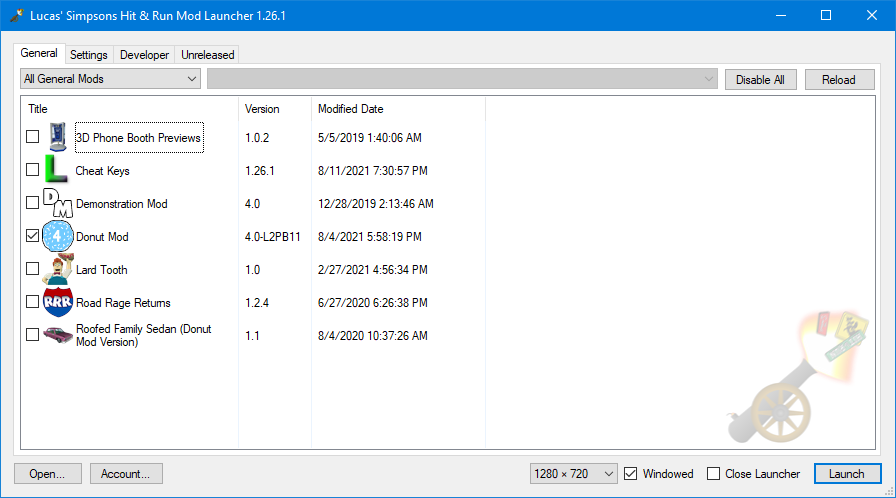
Mod Bakery
Play and create mods for The Simpsons: Hit & Run utilizing a wide array of custom features without tampering with your game install.
terse kestrel
sage silo
don't alt tab or remove focus when opening the game
ah yeah, that fixed it. it keeps selecting a different application when it launches for some reason. clicking back in immediately worked
terse kestrel
sage silo
https://modbakery.donutteam.com/releases/view/lucas-mod-launcher
ya, i've got it, thanks
sage silo
👍
terse kestrel
wow. i haven't tested this since May of last year
sage silo
the game is so much more smooth
terse kestrel
does the sun work?
sage silo
nope
sage silo
cutscenes and other UI effects works fine
only things made in 3D for the UI that is a bit broken. like the 3D fade effect
terse kestrel
would you mind sending the latest conf file?
wait, what about the sun is broken? it's showing up fine for me in-game
terse kestrel
the texture. it wasn't showing up for me when i initially tested this game, and was causing major issues
should be able to assign a proper light to the sun though for lighting?
sage silo
oh right, the sun texture is tagged as sky texture
because it gets a strange ghost / noisy effect
if you need something that is always visible.
for level 1 is the plane that is flying over the sky
heady locust
sage silo
if you need a tutorial on how to replace textures:
https://www.youtube.com/playl...
Dw I know how to replace textures lol
I've been doing some temporary ones in half life 2
terse kestrel
sage silo
i noticed that "Capture Normals from Shader" is enabled. it's leading to an odd effect on Homer specifically. this happens in Barnyard too, along with some other games. disabling it fixes it

off

on
 sage silo
oh nice find
solves one issue
i did notice this but i was thinking this is just a bug on the wrapper
#1106682638619639888 message
terse kestrel
one more thing: Homer is apparently marked as "opacity" according to Remix. disabling that in a capture could boost performance (maybe 😛 )
 terse kestrel
sage silo
i did notice this but i was thinking this is just a bug on the wrapper
https://d...
terse kestrel
sage silo
i did notice this but i was thinking this is just a bug on the wrapper
https://d...
so you managed to get his hashes stable since then? cool
sage silo
ye, seems like lucas solved this issue a long time ago, i never updated my launcher this is why i had unstable hashes.
if you are using the current one you have stable hashes
terse kestrel
ah, that's nice
terse kestrel
terse kestrel
one more thing: Homer is apparently marked as "opacity" according to Remix. disa...
ultra simple mod.usda with homer fixed
the culling in this game looks like such a bad implementation that it probably won't even be a problem for remix, lol
terse kestrel
terse kestrel
ultra simple mod.usda with homer fixed
never mind, it didn't change anything. might be a weird shader issue (since Homer is done through shaders seemingly)
sage silo
the advantage for this game is the source code got leaked a longe time ago, if there is something wrong we can just check it
sage silo
terse kestrel
never mind, it didn't change anything. might be a weird shader issue (since Home...
also i believe is because of his eyes, since is 4 separate textures
terse kestrel
sage silo
the advantage for this game is the source code got leaked a longe time ago, if t...
well, it's against the rules to discuss such things, sorry
terse kestrel
sage silo
also i believe is because of his eyes, since is 4 separate textures
doesn't seem to be related actually? all characters seem to be rendered through a shader. i noticed in Barnyard that anything done with shaders appears to be marked as "opacity" despite having no reason to be. this is finally proof that it's a weird issue in shader interpretation
sage silo
interesting
terse kestrel
i'll make a github issue
terse kestrel
before i forget, here's the conf with the normals issue fixed along with a texture marked as sky that was causing rasterization
heady locust
is there anything we have to do to get this working with remix?
I wanna get it setup rq
I have lucas' launcher already, its pretty much a must have
sage silo
also enable dx9 mod on the launcher
heady locust
I get no visual when launching the game, just frozen black with the welcome bar
nvm got it to load
sage silo
heady locust
I get no visual when launching the game, just frozen black with the welcome bar
by default all the UI elements are not rendered, you need to tag everything from the ui.
OR just use one of the .conf someone made that already have most of the basic ui tagged: #1106682638619639888 message
heady locust
I get a black screen on mine
I downloaded the rtx.conf
and im already playing with Lucas' launcher
I dont have an option to enable dx9 for some reason, but I think it may be enabled by default, since I clicked "no renderer" and it said the dirextx 9 mod isnt compatible with no renderer
i found the option to show all
these are the mods I now have enabled

Okay it works now

 nimble sandal
any clue whats up with the ui?
 sage silo
last time i got a white square texture it was because i had set one road texture as ignore by accident and for some reason it broke everything in the hud.
heady locust
small issue with cars not appearing in my capture
 heady locust
its working now
heady locust
hmm, now the changes being made in remix arent applying ingame

nvm they are, its just that any new textures dont get loaded in

even though i've added these same textures in before
terse kestrel
make sure you're not assigning textures through the symlink
it won't show up in-game properly
heady locust
terse kestrel
make sure you're not assigning textures through the symlink
I dont even know how you'd do that?
the thing is, they were working before and then all of a sudden they weren't?
heady locust
hmm weird, I still can't change the textures
Are there texture size limits?
because I can change between the original grass texture and a darker one I made, but not a higher res one thats 512x512
heady locust
remix isnt seeing the updated texture

this is my roughness map being used as a diffuse, just to see how its showing up
and just as a test, I made it super bright to make it super rough rather than shiny

as you can see, not the same texture
the one im using in remix is definitely the same texture too
I have to close down remix just to get it to update
 abstract dragon
 abstract dragon
Still learning how to use the tool, but this is good practice
terse kestrel
i tweaked my conf file to change the unique search distance for objects. it reduced flickering and instability quite a bit 🙂
autumn radish
is there any updates for this? would be cool to see more progress on it
 torpid terrace
Hey been messing around with this how do you make the game not crash within 5 seconds of gameplay is it just rng or is there some special sauce I am missing
torpid terrace
yes even reinstalled base game to make sure no random stuff was in the way
boreal timber
Anyone got the fully connected map mod working with this using ue5 ?
 fading moth
hi i am an absolute newbie, is there any easy way to get lights placed?
 terse kestrel
fading moth
hi i am an absolute newbie, is there any easy way to get lights placed?
terse kestrel
fading moth
hi i am an absolute newbie, is there any easy way to get lights placed?
yep, use the remix toolkit
#remix-beginners-guide
 safe nymph
Wish there was a fix for this.
 safe nymph
apparently using an old version of the DirectX 9 hack does fix this, though the costume/car shop isn't raytraced.
though it could be because of some UI textures causing that, but at least it's being rendered in front for now.
safe nymph
Seems like it was only really in that one instance I was testing. Oh well.
safe nymph
safe nymph
Wish there was a fix for this.
I had found a fix for this a couple of days ago, just have the costume/car shop textures set as UI textures. Now they render on top of everything, but you only get the original game view and look.
safe nymph
WIP Footage.
terse kestrel
btw try marking the ground as terrain and changing the world scale to ~0.01

should fix this kind of stuff
safe nymph
terse kestrel
btw try marking the ground as terrain and changing the world scale to ~0.01
Tried changing the world scale, but nothing really changed.
Also setting that texture as terrain made it looks worse.
terse kestrel
the world scale needs to be low for the terrain to look right with that setup
but in some games it just doesn't work 😦
safe nymph
Tried it after setting a ground texture to terrain, not really seeing a difference between this and not having a texture assigned as terrain and the world scale being just 1.00
autumn radish
safe nymph
WIP Footage.
this looks stunning now i really want to try this
 low vine
Hi there, I'm trying to play this on the 1.0 version of RTX remix. The screen is completely black unil you load in, and then the screen is stuck on this image. If you try to walk around, you can hear the noises, but the screen does not shift past this
 low vine
terse kestrel
i tweaked my conf file to change the unique search distance for objects. it redu...
low vine
terse kestrel
i tweaked my conf file to change the unique search distance for objects. it redu...
I am using this config
these are the settings I have enabled
 low vine
[00:24:47.426] info:  Presenter: retrying to create swap chain without Exclusive FS
[00:24:47.468] err:   Presenter: vkCreateSwapchainKHR failed again, error code: VK_ERROR_NATIVE_WINDOW_IN_USE_KHR. Giving up.
[00:24:47.468] err:   Failed to create swap chain
[00:24:47.480] info:  Presenter: Actual swap chain properties:
[00:24:47.480] info:    Format:       VK_FORMAT_R8G8B8A8_UNORM
[00:24:47.480] info:    Present mode: VK_PRESENT_MODE_IMMEDIATE_KHR
[00:24:47.480] info:    Buffer size:  1920x1080
[00:24:47.480] info:    Image count:  2
[00:24:47.480] info:    Exclusive FS: 2
[00:24:47.524] warn:  Presenter: vkCreateSwapchainKHR failed, error code: VK_ERROR_NATIVE_WINDOW_IN_USE_KHR
[00:24:47.524] info:  Presenter: retrying to create swap chain without Exclusive FS
[00:24:47.588] err:   Presenter: vkCreateSwapchainKHR failed again, error code: VK_ERROR_NATIVE_WINDOW_IN_USE_KHR. Giving up.
[00:24:47.588] err: Failed to create swap chain```This is the error within the log
safe nymph
recorded this late last night, 1080p on quality DLSS settings, Transformer model.
terse kestrel
that's really nice 😛
low vine
low vine
Hi there, I'm trying to play this on the 1.0 version of RTX remix. The screen is...
Okay, testing things, if I enable DX8toDX9, it causes the screen to go black and instantly crashes the game before it can start
 sonic siren
Messed around with remix for a couple days, thoughts? https://www.youtube.com/watch?v=NGXtcpdpP5M

Let me know what you think. Not to be taken seriously for the most part, just had some fun placing lights and learning RTX Remix.
Big thanks to the RTX Remix Showcase discord for supplying the CONF file to fix the mini-map and a few other issues. I tried for like two hours to fix it myself before hand with no luck.
I only upscaled a few thin...
 unkempt solstice
Old games don't need a full path tracing panel, imo sparing the artstic classical renderer and augmenting GI with shadows is all these games need most of the times, somehow a fully path traced rendering will highlight the aged gameplay in contrast, make the game world feel small and is we're just playing a demo
terse kestrel
not when it's done well
low vine
sonic siren
Messed around with remix for a couple days, thoughts? https://www.youtube.com/wa...
Looks great
low vine
low vine
Okay, testing things, if I enable DX8toDX9, it causes the screen to go black and...
Issue resolved, this config requires an older version of remix btw
 knotty moon
.
sonic siren
safe nymph
recorded this late last night, 1080p on quality DLSS settings, Transformer model...
Man good job on fixing the mini map completely, I don't know how many hours I've spent tagging UI elements in different orders and trying different settings. Even tried LucusPure3D to try and edit the hud file but no luck. Only issues I have left are the minimap road strech and the shops rendering partially in the floor.
terse kestrel

i opened an issue about this before
but this is a better example
normals through vertex shaders are corrupted
when capture normals is disabled
 sonic siren

Nearly 150 handplaced lights between level 4 & 5 and quite a few emissives made. I tried to make the lighting as stable as possible with no culling pop-in and I think I achieved this. Let me know what you think, thanks for watching.
Realized while the video was processing my Shadowplay was set to a pretty low bitrate so the new videos will be s...
Here's my conf that goes to level 5 currently.
Any advice would be appreciated, I think I did pretty good.
 noble hull
Really nice work so far, looking forward to seeing some more PBR work and lighting on the later levels!.
sonic siren
The skybox artifacting is caused by ray reconstruction. Just figured this out, not sure if it is known. RR also causes issues with the On-Foot Orbit Camera mod when moving the camera, weird flickering occurs on the ground. Not noticeable with stock camera.
Sucks because ray reconstruction does some heavy lifting 😦
terse kestrel
sonic siren
The skybox artifacting is caused by ray reconstruction. Just figured this out, n...
enable Preset D for RR
it's in the denoiser settings
might help
sonic siren
terse kestrel
enable Preset D for RR
Greatly reduced the artifacting! Thanks kim!
sonic siren
https://www.youtube.com/watch?v=KtP03Z5AEuU transformer model D helped level 6 with its moon and dark skybox but it sure does hate clouds. Weirdly CNN seems to completely eliminate artifacting. Way better than running without RR so I'm happy. Hope this is a clue to what causes this though since it doesn't happen with the CNN model.
 terse kestrel
there's an open issue documenting issues with the transformer RR models, but there were almost none for Preset D
terse kestrel
sonic siren
https://www.youtube.com/watch?v=KtP03Z5AEuU transformer model D helped level 6 w...
interestingly, i had this issue in multiple games with both Transformer and CNN
noble hull
Looking awesome!, can't wait so see levels 6&7
sonic siren
Found a fix for the character models!! Make a file called CommandLine.txt next to the executable for Lucas' Launcher and paste this in: -nohardwareskinning
Thanks to ShadowLuigi for mentioning that an earlier verison of the DX9 mod doesn't have this, but I wasn't aware of the command line.
https://docs.donutteam.com/docs/lucasmodlauncher/hacks/direct3d-9 Here is where they document the change they did that makes this issue occur.
DT Docs
This hack makes the game use Direct3D 9 instead of Direct3D 8.
autumn radish
sonic siren
https://www.youtube.com/watch?v=quswwJmBEn4
this looks stunning
i’m tempted to try this now
sonic siren
Last conf update for a while. Should have everything tagged correctly up to level 6 including some particles I missed last time.
 autumn radish
where does the rtx conf file go
sonic siren
in the main directory of the game. Next to the exe, where you drag the remix files.

 sonic siren
Yeah that happens, if you want to use fullscreen, use borderless and run at the resolution of your screen.
autumn radish
i'm in the stonecutters is it meant to look like this?
 sonic siren
autumn radish
i'm in the stonecutters is it meant to look like this?
sonic siren
autumn radish
i'm in the stonecutters is it meant to look like this?
Yeah thats good. You'll want to take captures and add lights, etc. I'm currently stuck on level 6 since it doesn't have a map specific mesh I can reference lights to, I can't have night time lighting, street lights etc without having the daytime variants having lights on as well.
autumn radish
well right now its doing what i call a "portal rtx" where it worked once crashed and now refuses to load without crashing i'm on the latest drivers
sonic siren
Did you enable any hacks in the launcher or anything before the crashing? I notice I have to relaunch it 2-3 times after enabling certain things in the launcher or adding mods.
Beyond that, I'm not sure sadly, this is one of the most stable RTX remix games I've personally tested. Try deleting the conf, maybe? hmmm.
autumn radish
sonic siren
Did you enable any hacks in the launcher or anything before the crashing? I noti...
i did its just a few small gameplay changes though and the required dx9 one
with the conf it gets to the menu then crashes when i try to go in game
without the conf it crashed on a black screen at the menu
putting the conf back makes it work?
i'll also note that theres no shadows or anything like that as seen in the videos when i play
sonic siren
I was thinking maybe it had something to do with my conf, but you shouldn't be crashing without it then. Do you have the same hacks enabled that my screen shot of lucas launcher does?
autumn radish
i'll check
sonic siren
That's what I did, its not out yet as it's not finished and i'm not quite sure how i'd share it yet hehe.
I probably should figure that out and release my projects as a base, but I think it would be better to start fresh with your own creation. I get wanting to download and just play it but it's not ready yet.
All you'll need to do with the first level is basically just add a distant light. That's all I've done, a lot of the work went into the night maps since they require so many hand placed lights. That goes for daytime maps, the lighting is just a single distant light.
autumn radish
aaaaaaaand back to the crashing
i like the idea of rtx remix but damn getting settings out and even just setting it up is a nightmare
sonic siren
Yeah it can absolutely be a headache, sorry you're having issues.
autumn radish
i tried doing what i did earlier to fix the crashes and no dice
it'll probably be easier single handedly remaking the whole game in unreal then it is getting this to work right its kinda annoying ngl
right finally got it to load and it still has like no shadows and stuff
i don't know the first thing about making stuff for rtx remix but i will say if its a mess getting it working with someone elses config it'll probably be worse with me making my own

oh yeah i'm using the same hacks as in that screenshot
sonic siren
You'll have to take a capture and add a distant light in the toolkit. Right now it's just using the Skybox for lighting. I used one of the background images of mountains as a reference.
The crashing though, no idea, hopefully someone with a bit more knowledge on the game side can help.
Omg weirdly enough your minimap is fixed wth!
My radar always has broken roads that extend pass the radar. What version of the game are you on?
Because that would be really useful haha
autumn radish
i clicked 1 button in the rtx remix settings and it made the whole game crash
sonic siren
Where is your game located?
Try to copy the game folder and move it to your desktop.
autumn radish
sonic siren
Where is your game located?
it was in a games folder on my d drive
sonic siren
Move it to the desktop and try.
Remix doesn't like other drives from my understanding.
autumn radish
sonic siren
My radar always has broken roads that extend pass the radar. What version of the...
this version (uk best sellers version) running from the actual disc with an external disc drive
 sonic siren
awesome, thanks for that so much, because it appears this version doesn't have the radar glitch. Completely install it to a folder, move that folder onto your desktop. I run mine from here:
 autumn radish
i can just move it to the desktop and as long as the disc is in the drive it doesn't care
you know whats weird
the radar bug is in level 2

also even with it on my desktop it still crashes
how do i make a capture
sonic siren
autumn radish
you know whats weird
the radar bug is in level 2
Oh damn! Unfortunate. Its in the enhancements tab, disable enhancements if they are on, and then name the capture and hit "Capture Scene"
You'll open the Toolkit, create a project, make a project folder, select that project folder in the toolkit and then select your rtx-remix folder in the game directory.
autumn radish
the bug is there in every level (level 7 untested) excluding level 1 for some reason
sonic siren
Yeah it's lens flare being tagged as UI, only the 1st and 3rd level use the lens flare. This fixes the UI on those levels. I forgot about that, my apologizes, I was super excited myself and confused how it was working haha.
terse kestrel
rule 5
sonic siren
terse kestrel
rule 5
Sorry Kim! Won't happen again
autumn radish
until i can find a fix for this crash i'm gonna hold off sorting this for now
sage silo
sonic siren
My radar always has broken roads that extend pass the radar. What version of the...
its been some time since i did the first conf file and messed around with the first versions of remix, but if i remember correctly, sometimes the minimap works but when you start moving around the road starts to go outside of the radar for some reason. probably some shader code that remix don't like
noble hull
Any plans to continue with this? This game has always been a favourite of mine.
noble hull
Anyone seen this: https://www.youtube.com/watch?v=nlwo65uSTP8 ? might be a good basis for making PBRs that make sense for this game. Especially as using upscaling for blurry text is a bit of a nightmare.
Subscribe - http://www.youtube.com/c/Muckluck?sub_confirmation=1
Watch more The Simpsons: Hit & Run mod spotlights - https://www.youtube.com/playlist?list=PLbSWnLFd8sFrOz5OcHwtlVp08HOySHlz8
Designing my DREAM sequel to The Simpsons: Hit & Run! - https://www.youtube.com/watch?v=N7Ax_CmU6Y4
Let's Play The Simpsons: Hit & Run - https://www.youtube....
noble hull
Muckluck's textures are looking very clean, I don't know if you're planning on continuing Jordan. But I might have a go using Muckluck's textures as the basis for new materials. (Mostly roughness textures with occasional normal and depth maps).
 safe nymph
only downside of that is only level 1 has been retextured so far.
p.s I do like the lighting here.
noble hull
Thanks, literally two minutes just using the distant fallback light. Jordan did a ton of work on this, but I can't seemed to find their videos on youtube anymore or work past the config on this thread. It would be a shame to have to do all the light placements again.
noble hull
The new 'Futurama Hit and Run' mod seems to work pretty well too, although the textures are fairly low res
 noble hull
Decided to have another go using Muckluck's texture as a basis for making PBRs, still tweaking values until I can get PBRs that really fit with the style.

 noble hull

Just a little preview of an RTX Remix Mod for The Simpsons Hit and Run using @Muckluck 's amazing remastered textures as a basis for making PBRs to interact with the path-traced lighting. Please ignore the noise, it's created by NVIDIA game overlay, not the game or mod.
 sullen heron
Is there any fix to this issue ?
 terse kestrel
sullen heron
Is there any fix to this issue ?
terse kestrel
sullen heron
Is there any fix to this issue ?
turn off "capture normals" in the game setup -> parameter tuning menu
 hot vault
is this still "in production" or is the mod already done?
noble hull
Jordan has gone AWOL so I'm working on it atm. Level 1 is almost done and I'm going to start working on level 4 as most of the assets are the same.
noble hull
Kwik-E-Mart
 noble hull
Menu
 noble hull
I'm enjoying how much you can change the atmosphere with lighting

 noble hull
Slowly going through the process of porting textures from 1 to other levels as well as figuring out a workflow to create new ones based on Muckluck's. Also looking to do some model replacements for some of the ultra low poly models (like the lion statues here).

 noble hull
Hopefully the new Remix Logic means I can create a system where the car lights turns on during night scenes when getting in and out of cars. ATM I just have them temporarily attached to pedestrian cars, the game spawns in a billboard lens flare effect for car lights which are dynamic but the geometry isn't very stable, I was worried that I would have to make an additional mod to replace them with cubes so that I could re-attach the lights to them but I'm hoping Remix Logic will mean I don't have to do all that and can just turn the lights on and off with the lens flare being spawned.