#Fallout New Vegas
1 messages · Page 6 of 1
 hearty crane
hearty crane
hearty crane
Suposedly that option is for 1st person, But... the actual body to be retained/to cast shadows ,be in reflecitons and so on...
 lavish isle
the camera is something too
hearty crane
As far as ive heard
lavish isle
wonder if it can be replaced
hearty crane
So if you deselect the body/armor from any of the player model options, its raster ? right? you cant select it with hovering over with mouse?
lavish isle
its just rasterized, anything else its gone
hearty crane
Dont got a clue for that. In skyrim you turn the camera and the sword becomes a "glass" sillouette with dark outlines, its like some UI or post processing is connected to a certain shader. Again im not a programer to explain what actualy is going on.
And i want to clarify there are many issues in NewVegas but i dont place em front and center.
One of those illogical things are the "outilnes" of some geo.Picture frames, or bellow a pooltabe, etc...that seem to be baked in ambient occlusion(AO decal?) , but when you go to that texture asuming its some sort of dark texture or lightmap, what you find is nonsense. You get some texture from another geometry(a radio for example)...😣
 dusty lynx
iirc there were some odd things that should have been marked as ui but doing so would cause rasterization of other parts of the world. When I was interested in remix I had a modified version of dxvk-remix that let me press a button to unmark the last detected UI element and I could just hit that repeatedly until the world stopped being rasterized.
hearty crane

Test to see the woes of a CPU. BlueAmulets anticull engaged.Reflection Values are cranked on purpose.
If someone can test this anticull with 7800x3d (or at least some powerfull cpu in that range)dat wood bee interesting.Is it the engine causing problem or the cpu?(or boat⛵ ?)
For the record:Dont get your hopes up on my account, im not working any any game.
 dusk rock
almost certainly an engine limitation combined with being limited to a single thread?
or very few threads
if i ever manage to get this working on my system, i'll report back
 stuck harness
How doesn't it work?
dusk rock
for whatever reason, i could never get it running. it just crashes upon boot when following the instructions
hearty crane
maybe the ini has something that prevents from starting:
heres mine
 fiery axle
do we have a guide for the actual settings for Remix i followed the guide that was pinned however that yeilded poor results any ideas?
hearty crane
If these work for most of you, Kim should pin them
@fiery axle try these files
rtx -> main dir
Bridge -> trex folder
fiery axle
Thank you the RTX.conf should be exactly what I need! I'm hopefully close to on having a playable experience!
 solemn nacelle
whats happening here?
 dusk rock
it's the game's built in godrays showing up in Remix
you can hide them manually. if you used the latest rtx.conf file posted right above, you shouldn't even have that issue?
solemn nacelle
im completely new to this i just got done with the viva new vegas guide and i put the 2 configs in place still looks off
are there mods im not supposed to have
hearty crane
Like kim said that option should be saved in the rtx.conf but if for some reason it isnt,flip that off, if its on.And if that does nothing try the one above it. Learn,experiment ... No one said its perfect. And no mods, no one needs aditional complexity, its already too complex
 solemn nacelle
ok ill try that next im doing a clean install
hearty crane
@solemn nacelle first try flipping those options in alpha blending tab,if it gets you nowhere..then you can reinstall
solemn nacelle
too late lol
are you able to capture scenes and go into remix and do ai upscaling textures n stuff like that?
hearty crane
so far i only did it omniverse for new vegas not in toolkit
in the toolkit maxpayne2 and Stalker ClearSky(i started these in omniverse too)
also swat4 in omniverse
solemn nacelle
i was lookin at the morrowind vid on yt and seen you could do that and thought thats was amazing so i wanted to give it a try
hearty crane
havent tried the upscaling in toolkit.maybe one texture to see what maps it will generate
solemn nacelle
i wanna make texture mods using this and see how it will turn out
hearty crane
from what ive seen others do with the upscaler, its ATROCIOUS ... no comparison with what they advertised
even the advertised pics are not so inteligent, from ceramic tiles to stone tiles
solemn nacelle
ahh the good ol ubsoft downgrade lol
hearty crane
i dont know much about the inner workings to be talking details, maybe its user error, maybe there are different profilers to be used and the one they advertised is not ready. i simply do not know
solemn nacelle
yeah anyways ill give it a try
 woeful swallow
What about the pre existing texture mods?
Why not just ask for permission to use them
 signal wave
i don't want sound like an ass but why is no one working on new vegas? is it because the game engine is hard to work with or is it because there not a lot of interest in the game?
 raw slate
I think performance wise it's terrible so even if someone would work on it no one will play it
 rustic pine
too much crashing
 barren jungle
Even the mod made just for the game, New Vegas Reloaded, is extremely intensive even on the best hardware and fairly prone to crashing so I think RTX Remix ever being stable on the engine is a bit of a pipe dream
 summer cargo
I want to say Fallout 3 is in progress but I'm not sure what the status is-- I feel like that game is more likely to work with Remix sooner. I should probably dig up the code to that asset converter I made a while back to make a USDA for that game but I don't have a time window for doing that.
dusk rock
FO3 is far less popular, i haven't seen anything going on with it. FNV was definitely further along last i checked
 brazen oyster
signal wave
i don't want sound like an ass but why is no one working on new vegas? is it bec...
brazen oyster
signal wave
i don't want sound like an ass but why is no one working on new vegas? is it bec...
because everyone working with the renderer is not on an RTX compatible system
 severe plover
Really? Can anyone confirm perf is bad on a 12900K or later and a 4090?
 wintry agate
severe plover
Really? Can anyone confirm perf is bad on a 12900K or later and a 4090?
wintry agate
severe plover
Really? Can anyone confirm perf is bad on a 12900K or later and a 4090?
It is the shader capture tanking performance I believe
 glacial sedge
well i have one question and probably know the answer
should i buy new vegas on a whim to play it with remix
actually play the game
 polar prawn
Remix compatibility is still bad, tons of issues and the current way to deal with geometry culling heavily drops performance
We depend on the RTX Remix devs to fix the compatibility issues for FNV
still you should buy this game just to mod it in whatever way you want, follow the Viva New Vegas guide for more info
severe plover
Still one of the GOATs. Definitely play.
glacial sedge
i mean could i play the story with remix without it being that bad
like holding guns and shooting isnt super messed up
severe plover
Can someone with a 4090 and the latest AMD or Intel beast CPU tell us their average indoor and outdoor frame rate?
glacial sedge
well im downloading the game now, does the newest remix work with it?
glacial sedge
Hey I finished the instructions and I used the rtx and bridge config you posted earlier however everything is quite broken, looking at the pip boy the screen is just black and stuff is pretty screwy
hearty crane
glacial sedge
well im downloading the game now, does the newest remix work with it?
use the #408 release nothing newer
hearty crane
glacial sedge
Hey I finished the instructions and I used the rtx and bridge config you posted ...
Shouldnt be that way but strange things happen with rtx.conf in my experience .Try this one.
And this engine acts weird like that, if you solve one issue another one most likely will appear
dusk rock
hearty crane
use the #408 release nothing newer
what broke in the newer builds?
dusk rock
severe plover
Can someone with a 4090 and the latest AMD or Intel beast CPU tell us their aver...
i'm about to test on similar hardware
hearty crane
#409 , Vertex capture cleanup, vertexes start dancing around , if you stay still it gets worse and worse
hearty crane
dusk rock
😦
Yes, some1 had similar issue in batman lego , told em to try the #408.Et worked(tho another problem remained in that particular game with normals or something.Prob separate issue)
dusk rock
i'll revert to that build for Barnyard really quick just to see what happens
edit: no luck
dusk rock
hearty crane
maybe the ini has something that prevents from starting:
heres mine
where does this go btw?
hearty crane
users....documents>my games>FalloutNV
Next to where the saves are
Or maybe paste in Fallout_default.ini in the main dir.Sohuld be the same file.
Still dont know which one the game reads actualy.
dusk rock
hm
well, this is all i see unfortunately. solid black

i did put it in Documents
oh, there we go

(i forgot to install the NVSE patches and all that)
@hearty crane sorry, one last ping. is it normal to not be able to open the Remix overlay?
hearty crane
dusk rock
<@1040060506834223135> sorry, one last ping. is it normal to not be able to open...
No, its should be working without issues. I never had issues with the remix menu but some suggested they are commands in the ini for keyboard input, dont remember what was the command exactly. gonna search now.
dusk rock
i found it
thank you
sadly setting that didn't work
ugh i fixed it. i'm not thinking well today
hearty crane
No worries. I make alot of mistakes too
dusk rock
there's this very... interesting orange-ness to everything 😛

performance is pretty good on my system though
well, considering what it's doing
hearty crane
also the volumetrics might be heavy , tone em down see what happens, and yes there is heavy yellownes and sometimes other pinkish or violet sky emissive collor(as the day go by)
@dusk rock Now for the key part...
Dont know if its disabled/false by default.
 dusk rock
it is set to True by default
hearty crane
Yeeees... 🙂
dusk rock
every time i alt-tab, performance gets about 500,000x worse, lol
hearty crane
ughhh
dusk rock
i started out at about 35 FPS when i went outside
it is now... 5 😛
looks pretty decent now though
 hearty crane
if you can get in the general store the hide from the general storm of low FPSness, See what the latency windows says(inside and then outside)
And do tell if the graph goes crazy for a second or two , then reads normaly/correct values, the goes crazy again
dusk rock
something is still not quite right though, lol
 hearty crane
dusk rock
something is still not quite right though, lol
hearty crane
dusk rock
something is still not quite right though, lol
Yeah that happens almost always
random textures get slapped over the work in conversations
 dusk rock
hearty crane
if you can get in the general store the hide from the general storm of low FPSne...
dusk rock
hearty crane
if you can get in the general store the hide from the general storm of low FPSne...
yeah, i see that. i had an issue similar to this in certain games before, and it'd eventually lead to a driver crash. i wonder if it's another imgui bug
hearty crane
Thats one of the main issues with a "seemingly" baked AO texture or maybe dirt texture. If you ignore it a radio may disappear , or something else. 😄 😄 😄
dusk rock
😛
is it not possible to implement our own level of culling with xNVSE, instead of disabling it entirely? culling anything outside of a certain range behind the player would probably work well
here's my initial performance

whatever this mesh is, textures are constantly assigned to it, blocking light?

i do have the mesh mod, maybe it's not installed properly though
hearty crane
Roswell space alien...thingy 👽
you know... it might be a severly scaled down dome , clounds or dust or something like that. Usually particle effects dont look like that
dusk rock
Skyrim has a similar dome, though it can be ignored easily because textures aren't randomly assigned to it
so my FPS just stopped dropping for some reason after a game restart. not sure what changed
hearty crane
dusk rock
Skyrim has a similar dome, though it can be ignored easily because textures aren...
iNumHWThreads=4
Try this in the ini
Some say it crashes with 4
I stupidly place the cmd in the default so ofc et doesnt work. Will test with the documents ini.
Even tho i see it uses more than just one core on the pic you sent
hearty crane
dusk rock
so my FPS just stopped dropping for some reason after a game restart. not sure w...
So its smooth?
dusk rock
hearty crane
iNumHWThreads=4
Try this in the ini
Some say it crashes with 4
I stupidly plac...
which ini file, and what category?
dusk rock
hearty crane
So its smooth?
smooth 60, yeah. it's extremely CPU bound though
hearty crane
dusk rock
smooth 60, yeah. it's extremely CPU bound though
Yea makes sense. But thats good news.
dusk rock
 hearty crane
that anti cull is HEAVY , as you might have seen in that short video
dusk rock
and yeah, it's great. i was expecting like 15 FPS consistently
dusk rock
hearty crane
that anti cull is HEAVY , as you might have seen in that short video
i'm honestly surprised the engine can handle it
hearty crane
dusk rock
i'm honestly surprised the engine can handle it
Yeah , thats why i said, good news 🙂
40 % of 12700k, Wooh..
dusk rock
pretty messy graphs too, lol

but yeah. i really hope this project goes somewhere & things can be figured out. unfortunately the level of work required on this game is beyond me
@severe plover here's the performance you can expect ^
hearty crane
dusk rock
but yeah. i really hope this project goes somewhere & things can be figured out....
Beyond me too. and way too big for a single person. I dont know if i can finish (properly) a smaller game like Maxpayne 2 or Swat4 let alone this.
glacial sedge
hearty crane
use the #408 release nothing newer
which release is that, i dont see the hastag numbers you mention
hearty crane
@glacial sedge
https://github.com/NVIDIAGameWorks/dxvk-remix/actions
These are DXVK-Remix files , pasted inside the Trex folder


GitHub
Contribute to NVIDIAGameWorks/dxvk-remix development by creating an account on GitHub.
glacial sedge
oh so the newest release works just not the dxvk
hearty crane
the newest release RtxRemix has some of these(dxvk-remix) releases included in it. Not necessarily the newest.
I dont know if they pick and choose which build to include or just the latest tested dxvk-remix at the time of packing the official RtxRemix runtime
glacial sedge
hm, okay i got the older dxvk and the new conf i will let you know how it runs
@hearty crane So the game is now completely black
Except for the hud
 glacial sedge
Okay will do I’ll let you know
glacial sedge
hearty crane
<@419323108365828100> Put the fallout ini here
Which one the fallout default ini?
hearty crane
glacial sedge
Which one the fallout default ini?
Just fallout Ini in documents (ignore the fallout default.ini)
glacial sedge
Where do I find the fallout ini
Okay I see it in documents
So what do I do with it
I don’t understand the next steps
I copied it and put it in the main directory is that what it means
hearty crane
glacial sedge
I copied it and put it in the main directory is that what it means
not the main dir. Go to your User Documents> My Games>FalloutNV there should be FALLOUT.ini
glacial sedge
hearty crane
not the main dir. Go to your User Documents> My Games>FalloutNV there should be...
Yes there is
hearty crane
Paste the file over it
glacial sedge
Paste which file ?
hearty crane
This one.Scroll up cause i might have changed something since then.Dont wanna give you different file
 glacial sedge
okay i did, i shall try again now
It’s still black
The only way I can see is if I turn on fallback lights
hearty crane
well same issue as kim ... you havent installed the NewVegasRtx files , from blueamulet
@glacial sedge
 glacial sedge


if this is any help it looks like this
and ill do that i just didnt see it on the pinned instructions list
hearty crane
Ye i think thats basicaly what remix does, tho for direct lights you need the nvse patches and all the files from blueamulet which convert the base game direct lights to be translated in remix. Thats why its dark inside , no emissives and no RTXDI engaged so you cant see notin. 😄
glacial sedge
hearty crane
Ye i think thats basicaly what remix does, tho for direct lights you need the nv...
Okay I think I have it set up for the most part but the pip boys screen is black which is kind of game breaking

As well as this lol
hearty crane
Well... seems all selected textures dont really translate to another PC. So you need to select it manualy
hearty crane
glacial sedge
Should I set them as ui
No, the clouds as sky texture
hearty crane
I dont remember exactly either UI or sky for the pip.
also in rendering > alpha blending, disable the 4th box. i see you have normal maps showing as emissives
glacial sedge
Well I think I’ve fixed most of it but it will seems kind off and I’m going to assume it’s because of the textures
Are there any rtx textures people have made for nv
hearty crane
Its not perfect by any means , i use NMC texture pack which replaces many but not all , as far as i see.
and with that pack "you" will complain about the terrain cause its blocks of textures, not blended together
hearty crane
I had those issues solved long time ago(i aint leaving that stuff to look like that 😄 ) but somehow they are either not saved or they dont translate to other machines.
rtx.conf wise, FNV is weird .
1 Egg sample: Saving with separate denoiser for direct/indirect doesnt save.Tho in other games it does.
glacial sedge
hearty crane
Its not perfect by any means , i use NMC texture pack which replaces many but no...
Well I mean like for Garry’s mod using octotex you can make pbr textures that work with the game, and if there’s anything like that for nv
Instead of everything being legacy materials controlled by a roughness slider
hearty crane
Sorry,i didnt comprehend your question.
I generated pbr with chainner
BUT... there is ALOOOOOOOOOOOT of manual editing
glacial sedge
Yeah I imagined I did some 300 textures for Garry’s mod and that really isn’t that much
hearty crane
this game may have more then 4000 , maybe alot more. I have some areas captured and i see 1473..so far.

that doesnt necesseraly mean that all those textures will be edited but still , its a massive game compared to most.
glacial sedge
Damn
hearty crane
not even a quarter of the base game was captured
glacial sedge
So I’m guessing since I’m probably not going to get into that stuff right now is that using that pack you then used chainner to generate pbr and then manually tweaked some
hearty crane
Yeah, istalled the pack then ran through chainner. then another capture same deal. after a while a started to edit some textures manualy
i mean create roughness maps manualy or emissives(chainner emissives were too exposed and no gradients/nuances like the original texture)
its too slow, too hard especialy for this game
But im amused to see how et can look so i do et , not complaning
glacial sedge
Looks like we got our work cut out for us
Hope a remix update comes out and fixes a huge amount of stuff making this easier
hearty crane
I never claimed to be doing this or any project.Just keeping my selfamused.Got fascinated at the possibilities of realistic lighting in certain games(not any and all old games).
Nvidia needs to pay modders for all this effort , time, and spent bills etc.
Because after a project is finished, it will be used as unofficial comerical for the current gen of GPUs. that might mean the 50series or 60 doesnt really matter.
This 3080ti is power hungry someone has to pay those bills. 😄
I already see some people salivating from half finished remixes. They see the capabilities of the tool.
glacial sedge
Yeah I’m just doing it for myself too, I don’t have the know how to actually complete a real project only really set it up after asking a lot of questions lol. And that’s definitely a good point about getting paid, nvdia would just take the project make an advertisement and make money off of someone else’s work. I wonder how much longer it’ll be till remix starts getting to its peak with stability compatibility and ease of use without all this random stuff we have to do for just about any game
And hell the most crazy thing would be if remix could ever possibly work with newer games, that would change everything
Extremely unlikely or just a very very long time, but the dream of playing Skyrim special edition with mods with remix or red dead 2 and many more is more captivating than the truth that it’s unlikely lol
dusk rock
glacial sedge
Hope a remix update comes out and fixes a huge amount of stuff making this easie...
that'll probably be a long time unfortunately. games this heavy in shader utilization likely aren't their focus at all right now
glacial sedge
Yeah, they gotta get their intended purpose in good order first
I can only dream lol
dusk rock
lol, yeah
it's nice to mention that and not have someone argue back that Nvidia needs to shift their entire focus or something 😛
glacial sedge
Yeah, if they couldn’t even do most old games as it stands how would they just jump to newer games lol
hearty crane
glacial sedge
And hell the most crazy thing would be if remix could ever possibly work with ne...
Maybe im fantasizing , but if some of us actualy manage to create a really impressive mod/s that might entice companies to reforge their engines(if or wherever possible).
meaning to do et themselves
glacial sedge
Yeah that’s another thing I’ve imagined, with all these tools out hopefully way more games now will start being implemented with rtx out of the box
Damn this is why I don’t comes to this channel, the second I start thinking about rtx remix and games I can’t stop and go on a binder trying to add it to games
glacial sedge
@hearty crane do you have any pictures of your game with your pbr textures and how it looks compared to mine
severe plover
An FNV remaster seems like a no-brainer and I wonder why it’s been shot down in internal conversations by the owners.
glacial sedge
I think it’s just because of how broken and hard it is rn
Kinda need a remix update to hopefully fix a lot
hearty crane
glacial sedge
<@1040060506834223135> do you have any pictures of your game with your pbr textu...
https://www.youtube.com/watch?v=UmgvF2mEYmg
ignore the windows transparency issue, i tested new capture(for remix tool) forgot to apply read-only on that texture.Keep in mind some textures are up-rezed by chainner and some i did manualy with Topaz photo-Ai(Those that look better=Topaz). I had to see how they looked ingame,not too bad but still artificial(go fig).
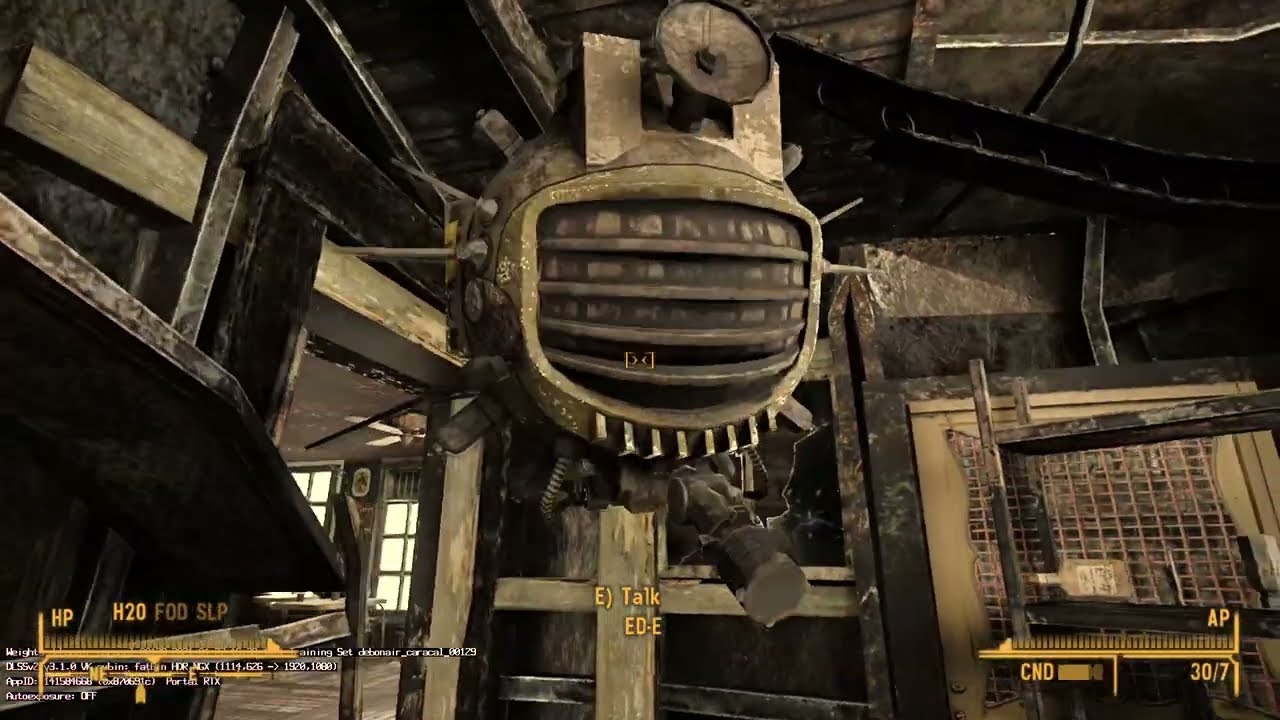
also messed up something with removing the normals from nmc texture pack. Terrain is slightly worse also.
glacial sedge
hearty crane
https://www.youtube.com/watch?v=UmgvF2mEYmg
ignore the windows transparency issu...
Damn that looks awesome man, do the enhancements ruin your fps that bad outside or were they like that before
hearty crane
glacial sedge
Damn that looks awesome man, do the enhancements ruin your fps that bad outside ...
its the cpu. 6700k , no turbo , no OC. @4Ghz
If you want see some semi transparent military tents + some pretty interesting floor roughness map inside McCarran , you need to pay up.
glacial sedge
I have a core i7 and laptop rtx 3060
hearty crane
glacial sedge
Damn that looks awesome man, do the enhancements ruin your fps that bad outside ...
If i disable the anticulling then fps is much higher ,maybe about 40fps +/-
glacial sedge
Ah okay, i only have anti cull lights on
I guess I’ll be trying out chainner soon, I’ve been playing some of the story already with remix
hearty crane
The anticull from remix doesnt really work.Retains too little and causes other problems, what im reffering to is the custom made from Wall_soGB( i thought Blueamulet made et)
glacial sedge
Oh
Also it seems like you fixed the terrain clipping or whatever it is
I didn’t see a second random terrain texture clipping through the main one coming in and out of existence
hearty crane
Its not fixed seems random to me. Got in to McCarran and terrain tex dissapeared(gets exchanged with some global terrain map ,low res) , rotated camera, et reappears...
glacial sedge
Ah alright
Well I’m might try it out in a little while, I don’t have much time today tho unfortunately
glacial sedge
So how should I add normals maps and start doing all that with nv, should I use omniverse? Octotex or chainner ?
hearty crane
I dont know if you should waste your time because... Even if you finish all the texturing , you cant add lights with the toolkit 😦 . Im stuck with 8 lights in interiors.(maybe im missing something)
But if you want lo learn and stuff , id start with Chainner for generation and use omniverse for the tex maps implementation.
Yesterday i was seting up lights with GECK , and only some are in the scene(total of 8 )
Tried attaching lights to mesh in the remix toolkit, which works in other games. 0 effect in this one. Maybe im doing smething wrong. Ill leave it for now.
glacial sedge
I’m guessing it’s not possible to send your files for my game to look exactly like yours and if it was I’d understand if you didn’t want to
hearty crane
Tho you still need to manualy edit different maps. you cant just slap em willy nilly many require customisation (applies for all games).
glacial sedge
hearty crane
Tried attaching lights to mesh in the remix toolkit, which works in other games....
I’ve at least notice that I game with the texture parameter where adding lights does nothing
hearty crane
I was trying to add lights through the remix toolkit not the remix UI(runtime)
 fresh belfry
dusk rock
there's this very... interesting orange-ness to everything 😛
fresh belfry
dusk rock
there's this very... interesting orange-ness to everything 😛
That is some aggressive sky-lighting 😂😂
fresh belfry
dusk rock
whatever this mesh is, textures are constantly assigned to it, blocking light?
That is atmosphere.nif, as Kim said Skyrim (and Oblivion) have it.
Its usually a couple layered domes for the sky, clouds, stars, weather etc
I just realised I quoted you while reaponsing to you 🙃
Gee, today sure is one of The Days of all time
dusk rock
lol
if there's a simple way to mod it to remove that, it'd go a long way. it was causing a ton of issues
fresh belfry
You can do a mesh replacement without a.. well, mesh to replace it with.
Basically hide it by the mesh hash. (Grabbed from capture)
Its what I did for a while with Oblivion and it doesnt rely on texture hacks.
Who did the no-cull patch for FNV? Was that you or BlueAmulet or..?
dusk rock
fresh belfry
You can do a mesh replacement without a.. well, mesh to replace it with.
Basical...
that's what i'm saying, it doesn't work. the hash is constantly changing, so it'll just re-appear
it needs to be replaced in the base game
dusk rock
fresh belfry
Who did the no-cull patch for FNV? Was that you or BlueAmulet or..?
BlueAmulet. that's well beyond me 😛
fresh belfry
... oh
Its stable in Oblivion, or at least it was 😂
Miiiight need to change the geometry hash rules tho.
I know I did at some point, dont remember what version.
Ill make a note to check tonight 👍
 keen niche
hearty crane
Yesterday i was seting up lights with GECK , and only some are in the scene(tota...
keen niche
hearty crane
Yesterday i was seting up lights with GECK , and only some are in the scene(tota...
The game doesn't have a native 8 light limit.
However, NVR, which the RTX Remix helper plugin used code from, does. Or, did at the time.
It's probable that it inherited it.
fresh belfry
Alright, so apparently my notes are a bit all over the place, but by modifying one of these (and I forget which 😅 ) you can change how the geometry hashes are calculated and get something a lot more stable.
The risk of course is that if you remove too many determinators you're more likely to create hash collisions.
rtx.geometryAssetHashRuleString
rtx.geometryGenerationHashRuleString
(These are in rtx.conf)
I'm pretty sure NV_Mark has some comments about this from several months back in... uhh... #1096847508002590760 I think
Aha! Here: #general-remix message
fresh belfry
(You probably were already familiar with all this, but its a good reference for any new people hopefully 😅)
hearty crane
keen niche
The game doesn't have a native 8 light limit.
However, NVR, which the RTX Remix ...
Yea , i forgot.I know there was 128 lights patch or whatever (thought it might be from DXVK release)...but with that patch screen gets stuck on the loading screen , game(sound)runs in the background(mbc hack doesnt help here)
Disabling enhancements doesnt help
summer cargo
hearty crane
Yea , i forgot.I know there was 128 lights patch or whatever (thought it might b...
Might be worth reporting, it sounds like a bridge crash.
hearty crane
@summer cargo
The patch is from blueamulet, and its expired from the link/github.
I have it on my drive from way back when. Its old ...old dxvk layout/features
For anyone trying to run NewVegas, the last commit i suggest is dxvk-remix #408 ‼️
summer cargo
hearty crane
<@623738668057755648>
The patch is from blueamulet, and its expired from the li...
Oh you mean the multi bridge crash? I thought that was added to main ages ago 😅
hearty crane
actually , now that i think about it , i think the multi bridge crash happened after walking some distance in game world.This is different, the loading screen is the only thing that remains on-scr ,game runs in bckgnd and you cannot access the remix menu so its remix unhooking after loading
Far as i remember...
dusk rock
fresh belfry
Alright, so apparently my notes are a bit all over the place, but by modifying o...
i used that in Barnyard and Skyrim, yeah. i assumed you guys already had applied them here, since i posted in this channel about it right after we found those options
i'll mess with it
dusk rock
someone did mess with it, but the values are totally wrong. there's more than the default, which may have led to these issues
oki doki, all fixed
i don't have the odd mesh issues anymore. however, performance also seems drastically worse for some reason
hearty crane
dusk rock
i don't have the odd mesh issues anymore. however, performance also seems drasti...
What DXVK=remix version? Maybe its begging for a restart too 😄
dusk rock
408, as you instructed
i'll try updating to see if that's fixed now
@hearty crane i see the issue you were talking about. it seems to only happen when the fake AO stuff is on screen, otherwise it's okay. if we can find a way to remove that stuff through nvse, it should be pretty dang stable now
i've also begun setting terrain textures properly so they blend
@simple gazelle could having too many unnecessary settings in rtx.geometryGenerationHashRuleString theoretically cause performance issues?
 simple gazelle
dusk rock
<@617500777191047168> could having too many unnecessary settings in `rtx.geometr...
simple gazelle
dusk rock
<@617500777191047168> could having too many unnecessary settings in `rtx.geometr...
er, what settings is it even possible to add?
dusk rock
positions,indices,texcoords,geometrydescriptor,vertexlayout,vertexshader
someone had mistakenly configured this game to have less, and performance was noticeably worse after configuring it to the default (listed above). however i'm not sure if this was due to this change, or if it's just the game acting funky
simple gazelle
Well, we have to generate each hash component that is used for any rule (asset and geometry). I suppose there would be a lower per-drawcall cost if you removed the more expensive hashes to generate, like positions
but you'd be much more likely to run into hash collisions that way
dusk rock
what would hash collisions present as?
simple gazelle
generating those hashes is done in worker threads though, I'd be surprised if they were a considerable perf issue.
hash collision means 2 completely different draw calls are being identified as using the same asset - most common would be two assets with the same material and the same number of vertices, but different actual shapes. like a broken table vs an intact table,
dusk rock
interesting. yeah, that was happening with the incorrect configuration
as for the performance issues, this game has culling disabled and is very CPU intensive already. i imagine it may just be adding to the strain on the CPU
i'll try to eliminate as many as possible for that setting in that case
simple gazelle
it's definitely a CPU cost. how many cores on the cPU that shows the perf difference?
simple gazelle
dusk rock
i'll try to eliminate as many as possible for that setting in that case
some are much more expensive than others. positions, texcoords, and indices are the only ones that are remotely expensive, the others are trivial
dusk rock
i have an i7 12700k, 12 cores and 20 threads (8c16t performance cores, 4 efficiency cores)
simple gazelle
hmm, it's strange that it's noticeable. either we're introducing more cost on the main d3d9 thread than I thought we would be, or we're actually doing enough hashing to max out the worker threads...
dusk rock
unfortunately the Reflex graph is totally broken in this game, otherwise i could provide some additional info
i got it to be stable just long enough

 simple gazelle
I don't know what code falls into what bucket in that, but I'd guess all the remix code happens in the driver duration?
dusk rock
unfortunately i have no idea either. i'll see what other games report when i can
i managed to cut it down to rtx.geometryGenerationHashRuleString = positions,geometrydescriptor,vertexlayout, and there's no performance improvement. so i guess the previous settings were leaving out a lot of geometry that happened to improve performance (there were certainly visual bugs), or the game is just really struggling with other things now
simple gazelle
how much does it change if you remove positions?
dusk rock
i'll try that
simple gazelle
indices should be much cheaper than positions or texcoords
dusk rock
unfortunately i just get this error

i'll restore the other settings first
yeah, same error
simple gazelle
huh, I guess we started requiring positions at some point, you won't be able to remove it
what happens if you set the hash to just be positions and nothing else? any perf change?
dusk rock
i get a similar error as before
 simple gazelle
ah, some draw call is getting a hash of 0. which would mean it doesn't have positions? that's confusing
dusk rock
tossing indicies along with it does allow it to boot, however there's a lot of visual bugs
performance is majorly improved though
simple gazelle
well of course there are bugs.
so positions + indices has good perf, but positions + geometrydescriptor + vertexlayout has bad perf?
 simple gazelle
that's a big difference... although if we're getting hash collisions that also means we're re-using cached geo data more often, so I would expect some improvement. not a 3x improvement tho.
well, I suppose it depends on how much is getting re-used
dusk rock
something else that occurs with this game is that performance gets noticeably worse any time you alt-tab. i'm not sure if that could be related or not, but i figured it's worth mentioning
the CPU bottleneck overall appears to be so large that the 4090 i'm using only gets up to about 30% utilization
simple gazelle
clearly the bottleneck is geometry processing, but I'm wondering if the bottleneck is actually the hashing. if the hashing allows for a lot of collisions, then we'd be reducing the number of blas entries we have to create and increasing the instancing instead
can you find a hash rule that doesn't have a ton of immediately obvious visual bugs, that also improves the perf dramatically?
dusk rock
i was attempting to, but it seems that any performance improvement also comes with the visual bugs
i'll keep at it and let you know
hm. adding vertexlayout back into the setting causes the performance issues again, although the visual bugs are still present
simple gazelle
vertexLayout is roughly 4 arithmetic operations and then hashing a single int. that's less than it costs to hash the position of a single vertex
if that's making a major perf difference, than I'm almost certain the cause isn't related to the actual cost of hashing
if you turn on dxvk's hud, does it show you a blasEntry count or something like that?
dusk rock
positions + indicies
 simple gazelle
these are the numbers you care about. if the BLAS number goes down, then you're getting hash collisions
 dusk rock
same amount for positions + indicies + vertexlayout, and now performance is magically okay again. it definitely is something else
simple gazelle
sounds like hash rule was just a red herring though... which is a relief that code that I thought of as cheap is indeed actually cheap, but is a pain since it means there's still a perf bug stealing 66% of your frames.
If you can find a reliable way to cause driver times to go from 30 ms to 90 ms, that's definitely worth filing a github issue over.
dusk rock
i'll keep trying. thank you for your time 🙂
ah just really quick, here's the dxvk hud with the performance bug. i did change to positions,geometrydescriptor,vertexlayout though, which probably renders this irrelevant as it can't be directly compared
 dusk rock
there were so many unnecessary settings in this rtx.conf file. i just went through and removed all of them, performance seems a tad bit better
dusk rock
it looks like this now
 dusk rock
after some further tweaking
 raw slate
So this is getting somewhere, i love it
dusk rock
latest conf
dusk rock
dusk rock
latest conf
raw slate
dusk rock
ah just really quick, here's the dxvk hud with the performance bug. i did change...
This is the only part that scares me, there is 4090 next to 15 FPS
my gpu gonna die if I try it lmao
dusk rock
i'm pretty certain it's a CPU bottleneck rather than GPU
raw slate
what's ur cpu ?
dusk rock
interestingly the dxvk hud claims the GPU is at 100%, but the usage is low in other monitoring software and the temps are only at 42 C
dusk rock
raw slate
what's ur cpu ?
12700k
raw slate
and a 12th gen is a bottleneck ??
dusk rock
well, in this instance. the game just isn't happy
when i first started testing the game, i had 60 FPS just fine
there's a bug causing performance issues
raw slate
It it a game bug or a remix bug ?
Cuz it needs tons of patches in the game to run remix so maybe some fixes are killing the cpu more than it needs
simple gazelle
This implies that there are only 120 distinct assets, being drawn an average of 8 times each. That seems unlikely, but maybe bethesda is really good at re-using assets
 dusk rock
it appears to be misreporting GPU utilization, so maybe it's misreporting BLAS as well?
hearty crane
Incase you wonder why the pip isnt working.
This texture/green tinted screen is the Pipboy UI and is connected to the yellow general tint/(post process effect? ).Dont see a diffrent way of solving through runtime
 dusk rock
simple gazelle
This implies that there are only 120 distinct assets, being drawn an average of ...
dusk rock
simple gazelle
This implies that there are only 120 distinct assets, being drawn an average of ...
so i found that only positions and geometryPositions are required to have the game function, however it does still come with that performance hit. i haven't managed to get good performance again with these settings at all
reverting to the settings that break visuals boosts FPS significantly still
simple gazelle
dusk rock
it appears to be misreporting GPU utilization, so maybe it's misreporting BLAS a...
not sure about the GPU part, the the blas count should be coming directly from remix. I was bringing that up more as a "you're probably get hash collisions"
dusk rock
ah, okay
in the scene i'm in, it goes as low as 17 and bounces up to 219 seemingly at random
simple gazelle
and I'd expect the game to be 99% functional with a reasonable hash rule. full position, index, and texcoord hashing was needed to get that last 1% in Portal
dusk rock
out of curiosity, i reverted both geometryAssetHashRuleString and geometryGenerationHashRuleString to their defaults, and this is how the hud looks
 simple gazelle
dusk rock
out of curiosity, i reverted both `geometryAssetHashRuleString` and `geometryGen...
simple gazelle
dusk rock
out of curiosity, i reverted both `geometryAssetHashRuleString` and `geometryGen...
... yeah, you've convinced me there's something wrong with that blas count 😅
dusk rock
just to document it, this is the visual bug with the reflex overlay
simple gazelle
Ah, apparently we started combining blas entries for perf reasons, so my understanding of that hud entry is... very out of date.
dusk rock
ah, okay
simple gazelle
It hasn't represented what I was thinking of for at least a couple years
dusk rock
well unfortunately, i'm pretty much out of ideas. the base game even with culling disabled hits a solid 60 FPS for me, so this is very likely a problem on Remix's end
simple gazelle
we do a lot more geometry processing on the CPU than the original d3d9 drivers had to, so it's expected to have a higher cost. still, the 30 ms per frame is maybe reasonable if you're tossing a lot of geo at us, 90 ms per frame is not.
especially if the same scene can be 30 or 90 with no visual changes
dusk rock
yeah 😦
is there anything additional that i could provide that'd help troubleshoot this issue?
simple gazelle
reliable repro instructions are definitely the most important thing
dusk rock
okay. i'll open an issue about it then with my config and everything else

GitHub
Describe the bug Once configured, Fallout New Vegas has abnormally poor performance compared to other games. On an i7 12700k and RTX 4090, I'm only getting 17-18 FPS. The DXVK hud reports 100% ...
@dusty lynx would it be possible to update the patch to remove the fake shadows and AO around objects such as window frames and the workbenches? it causes a lot of visual bugs and artifacts
 fresh belfry
dusk rock
hm. adding vertexlayout back into the setting causes the performance issues agai...
fresh belfry
dusk rock
hm. adding vertexlayout back into the setting causes the performance issues agai...
Id be tempted to agree that by causing hash collisions we're causing some expensive draw calls or errors to be skipped entirely (because they become instances of something that isnt broken)
If I had to bet, it'd be a combo of textures with alpha / translucency & the anticull exe causing an entire game world's worth of them overlaid for literally (simulated) kilometres 😅
Glad that a vigorous spring-cleaning on the shared rtx.conf has helped tho.
Since Ive been working in my own little bubble (and been out of the loop for a few months thanks to work) I forgot most people are running whichever the latest linked .conf is
As for rendering changes... its a bit Cursed, but Oldblivion supports extracting, decompiling and recompiling Bethesda's .shader format (which afaik is a renamed .bsa full of compiled DX9 pixel and vertex shaders)
We might be able to use that to decompile the shaders for the game's lowest quality setting and (for anyone who's brave enough for dx9 shader-foo) remove these operations from their respective pixel shaders.
Imo it'll probably be the best way to bully Creation Engine games into cooperating, but it will probably not be... comfy.
dusk rock
fresh belfry
Id be tempted to agree that by causing hash collisions we're causing some expens...
i considered that it's just the way things are, but the base game's FPS is very high whilst Remix's is not. setting a cutoff distance to reduce the workload on Remix doesn't help either, which also implies it's a bug. in addition to all of that, when i first started testing this game earlier this week, i was getting 60 FPS solid. then testing it again today, i was only getting 18 FPS
the alpha stuff is definitely harming performance still, i agree, however i'm also convinced there's a bug degrading performance beyond reasonable amounts
dusk rock
fresh belfry
As for rendering changes... its a bit Cursed, but Oldblivion supports extracting...
yeah, that certainly sounds like a challenge, but one worth undertaking. i personally have little to no interest in NV, i just messed with this out of curiosity and to transfer whatever progress we had to FO3, so i likely won't be the one to do that. but it's great to know it's an option
fresh belfry
I know that with Oblivion some of the rendering bugs there could tank performance, but yea I wouldn't know what bee FNV has in it's bonnet (or cazador I suppose :P)
Yea (Oblivion &) FO3 are my priorities as well, but it is really nice that progress in one really does seem to help the others.
glacial sedge

Inside the bison Steve hotel
And the flashlight doesn’t really work
Darkness on top of brokenness
The only way I can see is if I set it as hi
Ui
dusk rock
are you using the conf file i sent today?
glacial sedge
Yes I am
dusk rock
also it's important to use the patches by blueamulet
dusk rock
hm. usually i only see that black sphere issue when the mesh patch isn't working
the conf file i sent today fixed that in every area i tested. i'll try that spot and see if i can fix it
ah, it's just a lack of light
are these the ones you marked manually?
 dusk rock
those aren't showing up for me
dusk rock
it looks like they're marked as UI
dusk rock
everything is here in debug view, so it's just because there's no lights and the pipboy light doesn't work

i'll give you my own Fallout.ini file to use as well, it's possible there's a small settings difference causing that to show up
these go in your documents\My Games\FalloutNV folder
back up your own files
 dusk rock
yeah, those are definitely set as UI
glacial sedge
But when I go to parameters they aren’t

 dusk rock
ah, did you mark the pip boy screen as UI?
glacial sedge
Yes
dusk rock
that causes a lot of in world things to show up as UI as well
right now you have to mark it to use it, then unmark it after
dusk rock
in most games, that has to be done with manual replacements in the toolkit. BlueAmulet's plugin works for a lot of lights, but afaik not all of them
you can try the much earlier conf file just in case that somehow works for it
this one
glacial sedge
How can I use the toolkit
I’m only used to really messing with rtx not omniverse or that stuff
dusk rock
#remix-beginners-guide goes over it all
seems like there is some light with that conf file. not sure why mine doesn't have it. either way, it's a mess. i'll try to fix it
 rustic pine
this channel is all of the sudden alive now.
dusk rock
those spheres are valid light sources in the scene
 dusk rock
seems like there is some light with that conf file. not sure why mine doesn't ha...
dusk rock
dusk rock
seems like there is some light with that conf file. not sure why mine doesn't ha...
the light here really shouldn't have been happening. as far as i can tell, it's just a bug from a broken config that happened to benefit this scene
this is a correct one

the old lights may have been emissive. i'll check that
yeah it was just an improperly marked UI texture
so these kinds of places will need manual light placement
i also just realized that the conf we were using had SER forcibly disabled. enabling this should help 40 series cards
gotta love path tracing
 glacial sedge
okay wait so what should i actually do?
glacial sedge
dusk rock
gotta love path tracing
is that manually added?
dusk rock
one of the automatic ones
dusk rock
glacial sedge
okay wait so what should i actually do?
i just remembered that light placements do not work in this game, and neither do geometry replacements. so downloading the toolkit would just be a waste of time for this game
the only way to set them would be to add them into the original game and rely on the xNVSE plugin to pass them through
glacial sedge
my only question is why
that just seems dumb ash
and just makes this way more complicated
dusk rock
this game relies very heavily on shaders, and as a result it has introduced an incompatibility with Remix. replacements simply do not function correctly
i wouldn't say it's "dumb", just that it doesn't work right now. we can only hope it will in the future
there's only 5 games total with this issue (that we're aware of) and they're all newer games, most of which are seemingly outside the scope of Remix's support
it's amazing this game works as well as it does
keen niche
dusk rock
<@475032692501643264> would it be possible to update the patch to remove the fak...
That's not really feasible, unfortunately.
It's just geometry with alpha vertex colors.
You can render everything with any vertex alpha invisible, or everything with a black vertex color paint and transparency as invisible, but I think that introduced some visual problems when Alenet did it with NVR for testing.
There's a lot of stuff that happens to use black for vertex colors alongside transparency for non-AO reasons.
dusk rock
crap, that sucks. i suppose it'd be necessary to use GECK to manually go into each cell and remove it?
keen niche
It's not some sort of independent placed object, it's part of the meshes themselves.
On the bright side, since meshes are reused liberally across the game, there aren't a ridiculously huge amount to deal with.
Also, the AO/fake shadows tend to be separate geometry, so you can just open up the nif and delete it without needing to edit any geometry.
keen niche
As an example, here's a generic shack (No textures because I can't be bothered to set up the paths for rendering):

You can see the AO down there in the nif.
However, it is a completely separated part of the nif. Nifskope even allows you to just click on different strips in order to select them quickly in the node tree:

Then you just right click, block, remove branch...

And it's gone!

Now, you might notice that the bottom part of the shack is still shaded slightly darker than normal.
Since we don't have any textures here, you can see that it's done with vertex colors:

Not a lot you can do about that without going way more in-depth and editing the actual geometry to remove it.
But, with textures, it often just looks like it's kinda... got mud on it or something. Darker because it's partially buried. Easy to explain away, and it might not even be visible with Remix; I don't know if it would respect vertex colors, or even be able to interpret it from the shaders.
dusk rock
hm. i'm honestly not sure, i haven't paid attention. this is all great info though, thank you
keen niche
I don't know if 'vertex painting' is some universal thing that's core to rendering, or if it's specific to this game and implemented on a per-game basis.
If it's universal, greater chance it's standardized and Remix may know what it is and show it. But, again, not a big deal, probably for the better in general since terrain relies quite heavily on it.
Actually, that is a thought.
Even if Remix's terrain system ends up doing textures just fine, Bethesda games (Of this era, at least. No clue about Starfield) rely very heavily on painting the terrain different colors to add variety, completely separate from the underlying texture.
Remix probably has no reasonable way of handling that.
hearty crane
keen niche
But, with textures, it often just looks like it's kinda... got mud on it or some...
Dirt,grime,dust. 👍
keen niche
I myself have used completely white textures for the terrain, and then painted the color in myself using the game's landscape tools to avoid the need for separate pre-colored textures.
dusk rock
keen niche
Actually, that is a thought.
Even if Remix's terrain system ends up doing textur...
the terrain baking system does actually handle this
my latest conf file has a lot of it set up
hearty crane
That terrain painting part probably applies to skintone too.I mean the concept
keen niche
Hmm, maybe. Does Remix handle NV's skin colors properly?
hearty crane
Nah, Generic ,base pale skin. all across the board
dusk rock
terrain baking can't be applied to anything else without introducing a ton of weirdness. we'd have to implement a whole extra thing just for skin
keen niche
Oh, although, it might be helped along by the fact that, while the game can generate skin tones on-the-fly from data, it tends to have pre-baked facial textures (Colors, normals, etc) per-NPC, done from the GECK.
hearty crane
Textures, geometry(ofc) and decals for each character are respected.Skin tone is left out
keen niche
Actually, I need to double-check that. I know it's used to solve the 'white face' bug in mods.
hearty crane
@keen niche I tried it,doesnt work for me.
keen niche
hearty crane
<@247706851158917121> I tried it,doesnt work for me.
What doesn't?
hearty crane
in fallout ini. bLoadFaceGenHeadEGTFiles=1
keen niche
Ah, Remix doesn't show the dynamically-generated skin tones?
hearty crane
i was surprised that it was an issue outside rtx-remix. Bugtesda 😁
hearty crane
keen niche
Ah, Remix doesn't show the dynamically-generated skin tones?
Nope, Easy pete is Pale skin
keen niche
Right. Well, at least relying on that ini setting is discouraged due to the performance impact! 😅
It's not hard to generate the textures for mods and NPCs that lack them. Just load it in the GECK and press 'generate'.
hearty crane
keen niche
It's not hard to generate the textures for mods and NPCs that lack them. Just lo...
So baked in skintone for EACH(?) individial NPC?
I dont know how remix would separate one old man from another
keen niche
This is from a mod I was working on:

The filenames are prefixed with the localized formIDs of the NPC.
hearty crane
wait a minute... those are read by remix . whenever is saw them they seemed the same coolor,so i thought they are some typle of specular or something
keen niche
Body, too, though it looks like that's just the color? I wonder if that works with Remix, or what?
 hearty crane
keen niche
Body, too, though it looks like that's just the color? I wonder if that works wi...
hearty crane
keen niche
Body, too, though it looks like that's just the color? I wonder if that works wi...
these im not so sure if i seen them
dusk rock
keen niche
This is from a mod I was working on:
so the base game takes these and blends them per NPC? or are these assigned to individual NPCs
keen niche
hearty crane
these im not so sure if i seen them
It would be hard to tell, they seem to just be a solid, vaguely skin-toned color.
Seems to be 32x32 px.
keen niche
dusk rock
so the base game takes these and blends them per NPC? or are these assigned to i...
The face ones, at least, are for individual NPCs.
They have matching-named face and body textures, so I assume they're both for individual NPCs.
They are referred to as 'FaceMods' and 'BodyMods' in the file structure, though, so that might imply it does some bespoke shader stuff which Remix is unlikely to support.
dusk rock
that sounds likely
keen niche
It could be applied as some sort of blend on top of the pure white base face.
 dusk rock
also regarding a reimplementation of culling to boost performance:
 brazen oyster
that's me
dusk rock
yup
i don't have the proper knowledge to implement it, so unless someone else does it'll probably stay how it is
brazen oyster
keen niche
That's not really feasible, unfortunately.
It's just geometry with alpha vertex ...
there is an insane way to do it
and I do mean insane "hope nothing gets hit by accident" way
you won't get rid of AO baked onto meshes, but the ones as separate geometry
like that shadow
keen niche
brazen oyster
you won't get rid of AO baked onto meshes, but the ones as separate geometry
Alenet did try it, but it hit a lot of other stuff collaterally.
hearty crane
@keen niche One of those textures , not reffering to Easy Pete here necessarily.
 keen niche
I wonder if Remix might have a 'blend' option for textures at some point, so it can somehow blend on top of the geometry it's supposed to render to?
brazen oyster
keen niche
Alenet did try it, but it hit a lot of other stuff collaterally.
bro
are you seriously comparing me to alenet
keen niche
brazen oyster
bro
I know, it's Alenet. 😼
keen niche
keen niche
I wonder if Remix might have a 'blend' option for textures at some point, so it ...
Or heck, just go all the way and let us designate normal maps, too. Get rid of the purple, and let us use the game's native stuff without needing to process it externally in to folders and different formats.
brazen oyster
this is the function responsible for picking render passes for BSShaderNoLightingProperty

which is the property used by those fake shadows
keen niche
Problem is, vertex colors + vertex alpha = a decent bit more than just fake shadows.
keen niche
Although, a lot of them are probably the fake sunshafts, which wouldn't be relevant with Remix, hrm.
brazen oyster
fake shadows fall into this pass

_S is skinned
the insane way to pull this off would be to check if mesh falls into this, then iterate through all verts (and luckily those are just planes) to check if they are shades of gray
insane? yes
would work? in 99% cases, yes
since it's black + alpha fade
In fact I'll check it right now
no shadow

also no shadow

worried about light shafts? no issue
 dusk rock
great work 😛
brazen oyster
fun fact, this is a texture

game uses a full 0,0,0 texture instead of vertex colors
because obsidian
I guess that's what you call "optimizing The Strip for PS3"
keen niche
Easy, just scan every pixel of every texture to see if they're all black. 😼
brazen oyster
brazen oyster
game uses a full 0,0,0 texture instead of vertex colors
not kidding

it's even named "BlackPlane" ironically
and the best part is, it uses a goddamn lighting shader
keen niche
They couldn't even be bothered to make a global black pixel texture, they went and found a random one elsewhere. 💀
brazen oyster
I'll have to tell grave to fix this
loading 2 textures just to paint 4 vertices black 👍
hearty crane
Kim asked couple of days ago where to put this command.
Dont know if et helps,tou can always try. Fallout.ini in documents Ofc
For the 12700k iNumHWThreads=8 ???
 dusk rock
it didn't do anything for me btw
hearty crane
Quadtree, Raymarched, off
This is why outward displacement is needed , no?
exaggerated to show the error.


 dusk rock
outward displacement would be a huge improvement. i ran into this issue in Barnyard and another game as well
brazen oyster
hearty crane
Kim asked couple of days ago where to put this command.
Dont know if et helps,to...
values above 3 don't do anything
setting has nothing to do with core count at all
most settings are doing nothing or are completely misleading
I put anything that makes sense here:
https://vivanewvegas.moddinglinked.com/utilities.html#customIni

ModdingLinked
Essential stability and performance mods, required for any modded setup.
hearty crane
Thanks all for that info Wall_soGB and everything youve done.
Can anything be done for the 7+1 lights total i get(maybe even in exterriors.There was a 128 lights patch but doesnt work now. And even that i dont remember having all lights appear in small area like Prospectors saloon,as an example. Cause now i see how many lights there are from the GECK. I dont know if there is a difference between a regular light and ambient/filler light(concerning the NewVegasRTXLight).
Did you make that (NewVegasRTXLight) or BlueAmulet?
dusk rock
@brazen oyster let me know when you release that patch for the AO stuff please, thank you for working on it
dusk rock
i wanted to pin some newer instructions
OLD STEPS
To set up Fallout NV
- Download these:
- NewVegas RTX Mesh Patches.zip
- NewVegasRTXHelper.zip
- nvse_6_3_5b.7z
- FalloutNV ini.zip
- rtx.conf: #1106553248590090351 message
- dxvk.conf: #1106553248590090351 message
- Extract the contents of
nvse_6_3_5b.7zto your game folder - Extract the contents of
NewVegasRTXHelper.zipto your Data folder - Extract
FalloutNV ini.zipto your Documents\My Games\FalloutNV folder - Install Mod Organizer 2, set it up for Fallout New Vegas (make sure to not enable profile specific config files), then install the mesh patch
- Install RTX Remix:
- Download and extract to the root game folder
- Download and extract the archive to the root game folder (overwrite files)
- Download and extract the archive to the
.trexfolder (overwrite files)
- Place
rtx.confanddxvk.confin your game folder where you installed Remix, then launch the game fromnvse_loaderthrough Mod Organizer
DO NOT mark the pip-boy screen as UI. It causes everything to become rasterized
dusk rock
dusk rock
## OLD STEPS
**To set up Fallout NV**
1. Download these:
- [NewVegas RTX Mesh ...
stuck harness
How do you install the mesh patch?
glacial sedge
dusk rock
i wanted to pin some newer instructions
no longer use mo2?
dusk rock
mo2 is preferred
dusk rock
stuck harness
How do you install the mesh patch?
download the zip file, then in mo2 do this:

then select the zip and proceed
stuck harness
I don't think that actually did anything to the game when I tried before
dusk rock
it removes atmosphere.nif, which is a sphere around the player that can cause issues. it definitely works for me
hearty crane
Made this a day or two ago, but its mostly the semitransparency that does most of the work.
https://www.youtube.com/watch?v=D2kKmjzvL0Y
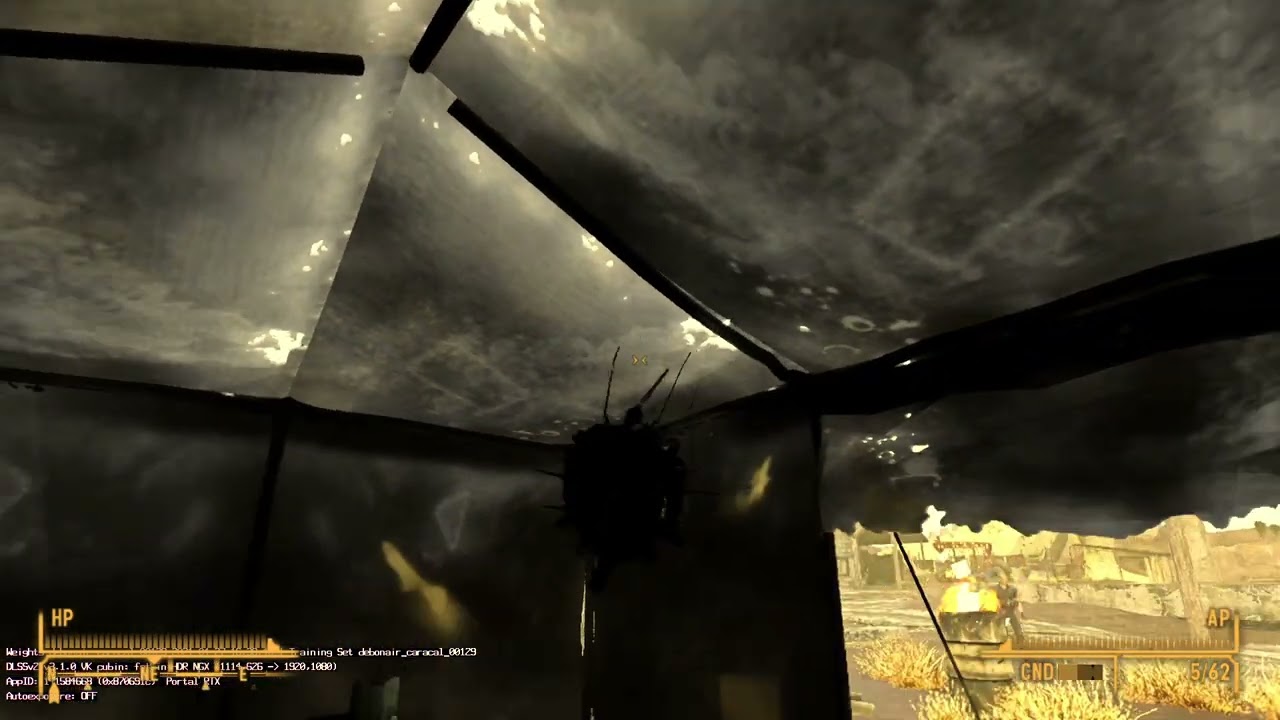 dusk rock
turning off the denoiser fixes distant terrain?

denoising on

swapping to ReBLUR fixes it. i'll keep it configured that way for now
@hearty crane unless you want to keep the very top post updated, you should just redirect users to my new instructions
 rustic maple
This game definitely needs to replace the game assets with newer ones 🙃
dusk rock
performance is a major issue, and replacements don't entirely work. doing it through the base engine would work, but it's also notoriously unstable and can't handle too much at once without issues
so we can place lights in the base game with some (very well optimized) models, and we can replace textures in Remix
fresh belfry
keen niche
It could be applied as some sort of blend on top of the pure white base face.
Im fairly sure this is correct, as with Oblivion it shows the same textures but doesnt respect "complextion" on character faces (for eg it is used to blend in wrinkles, its just a texture)
 random night
dusk rock
turning off the denoiser fixes distant terrain?
random night
dusk rock
turning off the denoiser fixes distant terrain?
 ❓
❓
dusk rock
i think the bug is tied to the same thing BeamNG suffers from
ReBLUR is fully functional, ReLAX causes major artifacts
random night
same behavior in BeamNG?
dusk rock
very different, but i believe it stems from the same bug (whatever it may be)
dusk rock
GitHub
Describe the bug When the denoiser is enabled in BeamNG.drive, it introduces major visual artifacts and performance issues dxvk-remix-717c1d2-278-debugoptimized bridge-remix-0903dd0-33-debugoptimiz...
dusk rock
random night
also how does the motion vectors look?
they're fine
dusk rock
pcgamer
"I don't actually have anything to do with that stuff, I just happened to have it saved and helped archive it."
 uneven shale
dusk rock
## OLD STEPS
**To set up Fallout NV**
1. Download these:
- [NewVegas RTX Mesh ...
uneven shale
dusk rock
## OLD STEPS
**To set up Fallout NV**
1. Download these:
- [NewVegas RTX Mesh ...
anytime I try to launch nvse_loader from the mod organizer it ends up launching the new vegas launcher and does that first-time setup thing, which replaces the INIs
hearty crane
uneven shale
anytime I try to launch nvse_loader from the mod organizer it ends up launching ...
mark the inis as read only
uneven shale
hearty crane
mark the inis as read only
didn't fix it
dusk rock
well, it'll open the launcher but it shouldn't overwrite the config files
you should be able to launch it and keep the config
uneven shale
It still overwrote it for some reason. I'm sure it's probably because of some weird windows settings on my side
uneven shale
It seems to only happen after I replace the INIs with the ones listed. If I just launch it again without replacing the INIs with the ones linked it launches normally. So for some reason it just doesn't count those INIs as valid for me
dusk rock
it's possible if the ini contains a mismatch in the PC hardware detection that it'll try again
i really don't know other than that. maybe a registry key?
uneven shale
dusk rock
it's possible if the ini contains a mismatch in the PC hardware detection that i...
This was it. Going into Falloutprefs.ini and replacing 4090 with 3060 fixed it
under this part
 glacial sedge
Kim, using the new config I notice you guys have all the alpha settings on which causes issues
 dusk rock
yeah, that's needed to retain most of the important visual components. if you need to turn them off for performance, go ahead
i'm working on getting them working correctly visually for now. later on we should replace them with meshes
glacial sedge
It’s not the performance it’s the visual bugs
The beams of light that just kinda break it
dusk rock
that's not the correct way to resolve those issues. you'd just mark them as ignored textures in the Game Setup tab
glacial sedge
Alright I was just having trouble clicking on it
glacial sedge
dusk rock
gotta love path tracing
Amazed at how you got this
My game looks nothing like that
Mine looks pretty mid

I wish we could get this game 100% working and start working on textures
rustic pine
does this game still crash every 5 seconds?
hearty crane
rustic pine
does this game still crash every 5 seconds?
Find the mbc_hack zip
dusk rock
mine crashes after about 20 minutes usually
hearty crane
This should help for crashing , by blueamulet
Might help other games too. If it does , Kim should pin it
dusk rock
cool, will try
dusk rock
hearty crane
This should help for crashing , by blueamulet
Might help other games too. If it ...
can you summarize what this does?
oh wow, this is a very old build. i don't think i'll be using it in that case. but i'm curious what patch was applied, and if it could benefit other games
hearty crane
Helped with skyrim too(with newer DXVK files,somewhere int the range of release #408). Solved the crash at startup in that one
hearty crane
dusk rock
can you summarize what this does?
MBC/Multiple bridge command. Dont know exacly what it does.I suspect it has to do with properly managing memory. In New Vegas Remix was creating(for some reason) multiple bridge ...iterations? so it got choked up on it self 😁 or something like that
dusk rock
oh right. i remember vaguely. can't believe it's been almost a year since that patch
dusty lynx
dusk rock
oh right. i remember vaguely. can't believe it's been almost a year since that p...
 opal crystal
dusk rock
something is still not quite right though, lol
opal crystal
dusk rock
something is still not quite right though, lol
"You've met heavy metal suynshine, but let me introduce dirty window sunshine!"
dusk rock
@hearty crane #asset-creation message
try this for the height maps
hearty crane
Dont know exactly what i should try or rather how... but here is proof that its beyond the displacement map problem, OV doesnt show displacement so its the game itself/geometry tiling.


this might amuse someone...
https://www.youtube.com/watch?v=KldmlCPQ9Ms

rasterized ...
 hearty crane
Admire some reflexions
https://www.youtube.com/watch?v=FWUxIuljBeM
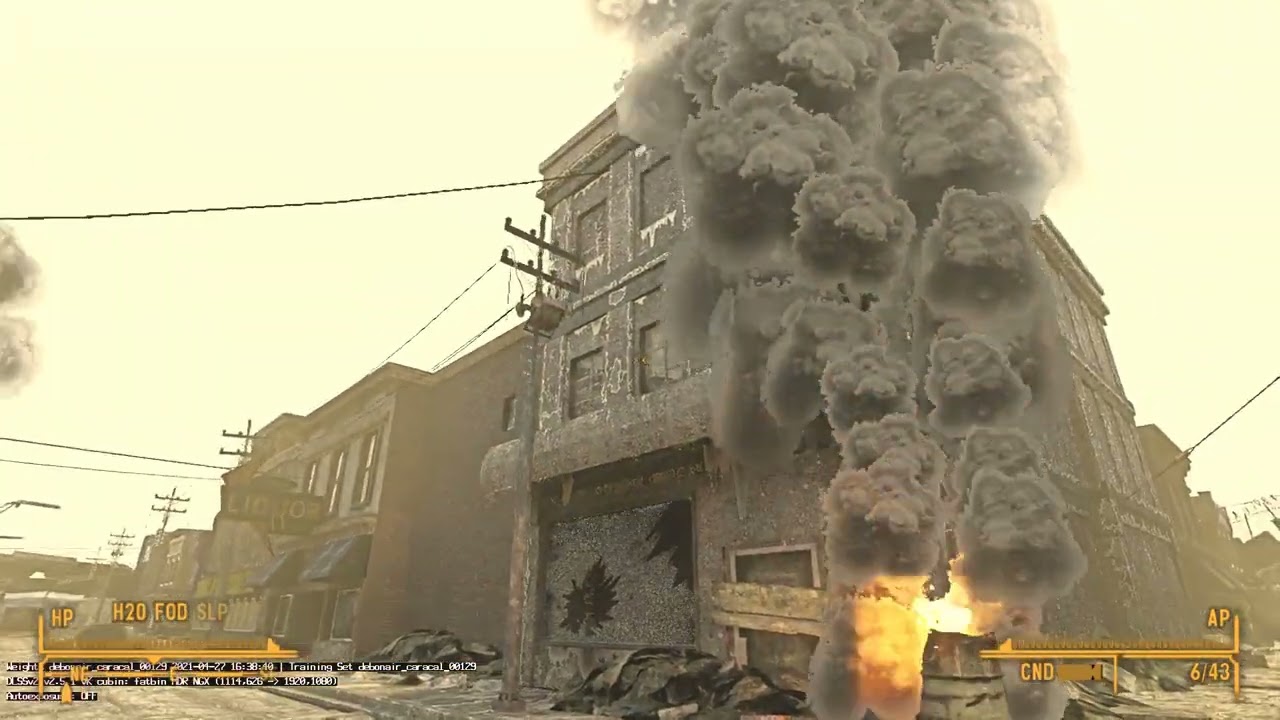 hearty crane
@dusk rock
Clamped uvs> seems/seams solved (no pun), but it isnt.massive issues.
and from a different angle even the seams are extremely visible

 dusk rock
😦
hearty crane
While ingame i disable the alpha blended , and get maybe + 10fps(more or less)
Kim,If you can also confirm this...
I think all those transparency textures(all those swirling dust clouds and vegetation textures and so on.)/the blending between them are getting remix bogged down. Just a guess. or maybe its simply the sheer amount of them(cause of the anti culling)
dusk rock
yes, it definitely benefits performance. iirc some stuff is incorrectly marked as opacity which is causing a performance hit too
but foliage is probably the biggest problem. there's so much of it, transparent textures are horrible for Remix in terms of performance
if someone can replace the foliage in the original game with actual geometry, performance would improve drastically
 sinful vapor
have you used this mod with rtx remix in this game https://www.nexusmods.com/newvegas/mods/82343?tab=files

Nexus Mods :: Fallout New Vegas
Adds fully dynamic, real time reflection system to the game. Realistic ambient lighting on meshes. Highly customizable, can run even on weak computers!
 mellow isle
Hey all, new here, just started playing around with RTX Remix yesterday.
Has anyone figured out how to edit/add lights to the scene? None of the edits to existing lights are applied, and lights created seem to be anchored on the player's transform. Have only had success lighting by turning off existing lights and utilizing emissive maps.

 dusk rock
we need to mod them into the original game unfortunately
replacements through Remix are broken in this game
mellow isle
Damn. Figured. Oh well
mellow isle
It's a bummer how limited Remix is for F:NV at the moment. I've been playing with the assets a bit and there's a ton of potential with the tool, but I'm blocked on a lot of what I wanna do, or stuck with workarounds (e.g. noisy lighting through emissive rather than primitive lighting). Also some annoyances like generated decal meshes and general engine noncooperation.
That said, you can get some cool results already. Going to push what's doable and partially remaster some areas of Goodsprings, see what can be accomplished visually. Some in-progress work of the old watering hole here.

 dusk rock
nice work
 echo kernel
hearty crane
Actualy im not sure if the issue is open but he said he will open it.To be clear
echo kernel
hearty crane
Actualy im not sure if the issue is open but he said he will open it.To be clear
Yep 👍
echo kernel
dusk rock
okay. so long as it's planned, that's good 😛
It just has a Jira attachment so I don't think they are working on it as it is a dx9c game
mellow isle
Trying to figure out a good workflow for getting lights set up in GECK, it works but RTX lighting doesn't work in the viewport... If anyone's done some explorations in that direction and has some tips, help would be greatly appreciated.
dusk rock
echo kernel
It just has a Jira attachment so I don't think they are working on it as it is a...
JIRA is a good sign though. it means it's been added to their internal ticket tracker
dusk rock
mellow isle
Trying to figure out a good workflow for getting lights set up in GECK, it works...
viewport in what, the toolkit? or GECK?
mellow isle
dusk rock
viewport in what, the toolkit? or GECK?
GECK, remix hooks into the viewport but none of the lights are registered. been using a debug view, but obviously not efficient for actually seeing the lights being edited/created
dusk rock
sadly i'm not sure it's possible to get that working right. i never considered using Remix in GECK. i was just going to place lights manually using vanilla lighting, then test in-game
i don't have much experience modding these games though
mellow isle
no worries, I'll keep exploring options there. It may just be a place in GECK->test in-game kind of flow  at the very least a library of RTX lights can be created for GECK and perhaps attaching those to light objects globally
hearty crane
mellow isle
GECK, remix hooks into the viewport but none of the lights are registered. been ...
I have used it in GECK but only 8 light per scene are translated through the NewVegasRTXlight.dll
and thats all i know about that. If that would be solved that we might not need the Remix tool.tho we would be limited to sphere lights only.On the positive side, some of the light can be animated
hearty crane
⚠️ Clarification for what i (shall) call the "Rogue Vertices random explosion syndrome" (that issues solved with dxvk-remix #408...). With these last portal's files the issue is back so i started ignoring manualy normalmaps, and it solves it (somewhat)... IF...you can find all of them. some might be very dark looking(might be specular maps causing the prob also,maybe other textures too), you turn the camera another set of normals appear. and so on for the next section that loads 😮💨
dusk rock
that only seemed to happen to me when AO objects were on screen
what ever happened to that patch that someone was working on?
dusk rock
@brazen oyster are you planning on releasing that patch for AO meshes that you made?
keen niche
mellow isle
GECK, remix hooks into the viewport but none of the lights are registered. been ...
That's probably because the light helper .dll is only loading in the game.
Most plugins specifically disable themselves in the editor, unless they do something specific to it or add new script functions.
 winged osprey
there are scripted mods that add actual lights to all light sources, like lamps, etc. also there is a mod that removes all lights that are not attached to a light source, but simply placed in the world
winged osprey
dusk rock
that only seemed to happen to me when AO objects were on screen
does that mean that remix has issues with vertex colors?
mellow isle
Some basic performance/visual tests with lighting. Doc Mitchell's is lit with a combo of emissive and primitive, the random Goodsprings house is only emissive to test practicality. Emissive is tough in its noisiness, hard to get defined shadows, but certainly works in claustrophobic cells (though I do wish I could easily edit its texture brightness vs output lighting). Otherwise, a good tool for fill lighting, realistic looking light sources, and areas that simply don't require a significant light source.
Interior performance is looking good (1440 res on a RTX 4080). Going to push it more, create an effective pip-boy light, then see how exterior performance (which is hellish atm) can be improved.
rustic maple
I can't believe that New Vegas can look so cool. The dim light adds mystery to it.
mellow isle
rustic maple
I can't believe that New Vegas can look so cool. The dim light adds mystery to i...
Agreed. I think the lights (outside of maybe The Strip) have to be kept low to maintain the Fallout feel, with a good Pip-Boy light so you can find your way through the truly dark areas.
hearty crane
mellow isle
Some basic performance/visual tests with lighting. Doc Mitchell's is lit with a ...
If you have portal rtx , put the files for Ray reconstruction, the Light resolve from RR is much faster. Im not 100% keen on RR in this current state for the severe loss in texture quality, but for emissives, not only its faster to accumulate but also more precise and more stable once it sets in.
Actually... this is not exclusively due to RR,my mistake.The NEE cache does alot of the "give power & stability to emissives" (at least in New Vegas)
mellow isle
hearty crane
Actually... this is not exclusively due to RR,my mistake.The NEE cache does alot...
I've been utilizing NEE cacheing, though I do want to see if there's any improvements from RR as well.
hearty crane
1st pic/RR with restir finetuned preset


 hearty crane
Game crushes now even with MBC hack(still helps, without it crashes in exploring a small area)


 little wave
winged osprey
there are scripted mods that add actual lights to all light sources, like lamps,...
little wave
winged osprey
there are scripted mods that add actual lights to all light sources, like lamps,...

Nexus Mods :: Fallout New Vegas
Scriptrunner that scans all cells upon entry and disables any fake lights placed within them. A modders testing resource to improve performance and eliminate ugly overlighting.
mellow isle
Figured out a nice flow for avoiding manually placed primitive lighting 👀
A light is added in the .nif file of the chandelier. The Lumen LLL mod has added lights to most of the interior lighting models (thanks to JIP LN NVSE plugin), going to do a pass for RTX and see how well it lights up various areas.
 hearty crane
To see if et actually adds direct lights(that are translated through NewVegasRTXlight.dll) go to to lighting tab in rendering and flip the lighting debug mode.also go to a scene with more lights like mccarran for example.
if you are getting more than 8 total/per scene/cell *(whatever they are called), that would be something.
mellow isle
Unfortunately it still is tied to the max number... does make it difficult for any large cells.
 pseudo condor
Hey is there an updated link for the RTX.conf file? I can't seem to search through this specific thread for it and the pinned link is dead
Also FYI don't upload attachments to discord, they don't want it being used as a CDN and attachments are deleted in like, 2 weeks
dusk rock
Discord's timeout system on links is such a pain in the ass
dusk rock
pseudo condor
Also FYI don't upload attachments to discord, they don't want it being used as a...
it's not deleted, it works fine. the link just doesn't work unless you copy it again
dusk rock
yes, because they added a timeout system to the links
but the actual file is still valid
dusty lynx
hearty crane
To see if et actually adds direct lights(that are translated through NewVegasRTX...
~~https://nightly.link/BlueAmulet/dxvk-remix/actions/runs/8310636074/dxvk-remix-43574a9-5-release.zip~~
Does this build of dxvk-remix work? Should have the light limit increased to 128
Set d3d9.maxEnabledLights = 128 in dxvk.conf
hearty crane
Not with current runtime.
dusty lynx
?
hearty crane
With the newer runtimes (i think v0.3 , v0.4.1) it didnt work last time i tried, gonna try again
dusty lynx
that's a custom build that has the number changed from 8 to 128
dusk rock
dusty lynx
~~https://nightly.link/BlueAmulet/dxvk-remix/actions/runs/8310636074/dxvk-remix-...
is this your very old build from last year?
dusty lynx
3 days ago
dusk rock
i can test it right now. i was just about to mess about with it
dusty lynx
though also I've been seing some "unbound light indices" patches that were added to base remix, so setting d3d9.maxEnabledLights in a vanilla build might just work? unsure
https://github.com/NVIDIAGameWorks/dxvk-remix/commit/02f2683a9f7bf63e6f595d08bffa727e297d82ba
dusk rock
i believe i tried that, but i'll test again
dusk rock
dusty lynx
~~https://nightly.link/BlueAmulet/dxvk-remix/actions/runs/8310636074/dxvk-remix-...
seems to work. 24 lights in scene now
 dusk rock
dusty lynx
though also I've been seing some "unbound light indices" patches that were added...
dusk rock
dusty lynx
though also I've been seing some "unbound light indices" patches that were added...
where does this setting belong. dxvk.conf? or rtx.conf
the commit you posted shows it was removed
 dusty lynx
dusk rock
the commit you posted shows it was removed
dusty lynx
dusk rock
the commit you posted shows it was removed
if you mean the change for src/util/config/config.cpp, that's just the built in config if you're running on hl2.exe
dusk rock
ah
dusty lynx
I'm assuming dxvk.conf though
dusk rock
well, i added d3d9.maxEnabledLights = 128 in dxvk.conf, and it does indeed do the same thing
weird that there's an undocumented feature like that, but it works 🙂

 dusk rock
yes, thank you
hearty crane
Ye right kim, with the d3d9.maxEnabledLights = 128 in dxvk.conf.
This is with Portals files / RayReconstrucion ...now for that custom light placement i created some months ago for this area...
 hearty crane
if only the rogue vertex explosions would leave me alone , so i can take a couple of screenshots (with my lightreplacements.bsp 50+ lights in this area 👍 )
 hearty crane
I notice that this (picture) release(dxvk #408) even tho it doesnt have the vertex problem, when disabling alpha blended it doesnt improve perf. Et stays the same.
-On the same topic, In the court yard of that military base next to the lake(fort hope?) there is ALOT of grass and with portals files, FPS drops even lower than 10-12, goes to 7-8 maybe, and then you look up in the sky and jumps to 17fps 🙂
just like pc gaming 20 years ago ey?
-Also portals files "properly" translate the UI from the pip boy, with slight ghosting. enabled by Emissive blend translation.(also effects the firebarrel emissive textures,i think 🤔 with it disabled... they appear in reflections and are dynamic)
 hearty crane
Vault 21, why do you have more than 21 lights? 🤣 🤣 🤣 🤣 🤣 ,
WHAT DA...... this vault has more than 512 lights,
someone,long time ago, mentioned that they had way more lights than is reasonable

vault constelation
Enhancements off cause..issues
 hearty crane
and with 1024 max lights cap...we have 622 lights in Vault 21 . 😄.
Kitchen area had 0 lights with d3d9.maxEnabledLights = 512
 hearty crane


 hearty crane
RR on. Miguels shop is creepy, dont know why it says 3 lights total but i cant see any (xept the pip boy which is on in the pic). Also the fake light remover script is pasted but i dont know if it applies to all cells.


 mellow isle
This is huge. I was planning on taking a look at the source code later but no need to now, thanks blueamulet !
keen niche
I do want to see if anyone can get Remix's terrain system working with NV.
Blended textures are a big part of the landscape's design, losing it would be a shame.
hearty crane
GECK lights added

now for some reason lights disappear when close to them, gonna lower the max lights in dxvk.conf
This has nothing to do with dxvk.conf but a issue with my corrupt (old)saves corelated to the esp file that changes lights. 😑 😮💨. (or i messed up the master esm file)
Update:The good news is , problem was caused by fake light remover script.
dusk rock
keen niche
I do want to see if anyone can get Remix's terrain system working with NV.
Blend...
my conf file already has them blended
hearty crane
👀 !
DXVK-remix #471 mixed with RR, surprised the model appeared in reflections, this is without even selecting for individual body model textures.
Since there is no walking animation i selected the body manualy but no difference(there is animation in switching weapons/arms are animated,but legs stiff and they float)
Maybe its because the save files were messed up for a long time(from TTW) there was warning that some geo/or features might be missing. (Some Characters were missing too,Sunny & Trudy ...)

 sudden cave
holy shiz been awhile... how?! soooooo much progress it seems like
did recent updates to remix just make things work better or yall doing some hackery lol
dusk rock
just a lot of work being done
sudden cave
dusk rock
just a lot of work being done
is it mostly showcase and screenshot stuff or is this actual progress to a playable version waaaay down the road?
dusk rock
it's definitely not playable right now. it runs at about 12 FPS for me on a 12700k and 4090
 worn gull
Is that at 4k? Just to check are you using DLSS as well
dusk rock
1440p. it's not GPU bound. my GPU sits at 40% utilization
it's from the anti-culling patch most likely. Remix doesn't like it, it's very intensive
 near abyss
is there a way to fix the plant textures without just removing them or using the remix app (it's not finished installing yet)?

the actual textures are black with the plants infront ofc so I'd assume it should be marked as cutout or something but that's not an option
dusk rock
near abyss
is there a way to fix the plant textures without just removing them or using the...
the latest conf file i sent should fix that to some extent
#1106553248590090351 message
near abyss
Fixed it with RTX remix:3 also adding per textures to everything improves fps to 30 on a rtx 3060ti in 1440p with quality dlss, so almost on par with other games. Weird but cool
Looks better will send screenshots soon
Pbr*
fresh belfry
Heya @dusty lynx is it ok if I DM you? Looking to up my remixing game and had some questions about how you've developed your patches for culling etc  (totally ok if not tho)
dusty lynx
fresh belfry
Heya <@475032692501643264> is it ok if I DM you? Looking to up my remixing game ...
I didn't make any of them, WallSoGB did
dusk rock
sadly they haven't been responding here
fresh belfry
Ahhhhh, I got my notes a little scrambled
Ahhh drats. I guess Ill go around the hard way then 😤👍
hearty crane

Ray Reconstruction (Portal's Files)
Asus Tuf 3080TI oc
I7-6700 @4ghz
Just showing the potential of this tech/imagining how et can(or would) look.
Ofc there are many issues seen and unseen. and on that note...
Comments disabled cause too many toxic...frustrated...demons leaving USELESS comments.
dusk rock
dusk rock
sadly they haven't been responding here
who wants to venture into the NVSE server to talk to Wall_SoGB again?
severe plover
hearty crane
https://youtube.com/watch?v=a5bd00qzNuE
Which CPU and GPU are used in this capture?
severe plover
severe plover
Which CPU and GPU are used in this capture?
Nm. I see it in the clip description.
hearty crane
Kim,if you can try this,
https://www.nexusmods.com/newvegas/mods/69779?tab=files
I had et installed in the last vid(dont know if et helps or not)

Nexus Mods :: Fallout New Vegas
This library will replace the in-game heap with a faster, more optimized version. It should decrease load times, remove some stutter and slightly improve frame rate.
lavish isle
hearty crane
Kim,if you can try this,
https://www.nexusmods.com/newvegas/mods/69779?tab=file...
will that side load by remix on account of the d3d9 dll?
dusk rock
i'll try it
lavish isle
if it works let me know i would see if it works for the project im doing too
hearty crane
lavish isle
will that side load by remix on account of the d3d9 dll?
Et does, thats why i said kim should try. by principle i dont want to add (too much) cause we already have a sluggish case, but this suppose to make things run better.
tho im seeing some things that work like basic lighting mods without shaders so im not strict on not adding stuff.
dusk rock
performance is about the same. the problem in the end isn't the game, it's Remix's interaction with the game
if i turn off RT and just pass through the game's visuals, it's about 60 FPS. sometimes dips to 50s
Remix on = 12 FPS
dusk rock

i believe it might have something to do with the DX9 render queue in Remix
just a wild guess though
lavish isle
that would strain my pc. and probably my gpu since its a 2060 8gb super.
lavish isle
hopefully a better d3d9 dll comes with remix soon
dusk rock
i really doubt that'll happen. it'd require some specific fixes for this game 😦
lavish isle
sadly yea. has nvidia thought about remix for newer games on the horizon?
dusk rock
Mark was helping with troubleshooting this a while ago, and i opened an issue for it. nothing official though afaik
lavish isle
interesting
dusk rock
keen niche
I do want to see if anyone can get Remix's terrain system working with NV.
Blend...
 lavish isle
i hope it gets fixed soon as the bridges seem to crash on my system now
even with the fixes dark gave me for my project which was doing good
fallout has a different mesh setting than the older games bethesda did but hopefully new vegas and other bethesda games start working good soon
dusk rock
afaik no one's given it a serious shot. right now the base game is barely workable
hearty crane
lavish isle
is tale of two wastlands working?
Yeah , works, but im not going through the mental pain of instaling that again.And im way more leaning towards FO3 than NW 🙂
lavish isle
hearty crane
Yeah , works, but im not going through the mental pain of instaling that again.A...
ah
hearty crane
@lavish isle , these are the only ones i have. Very old ones, when the whole world was earthquaking,except in small interiors(World transfromations option i think? Disabling it actually)


 lavish isle
interesting
dusk rock
i'd love so much for FO3 to work properly
NV gets more love though. TTW is the solution
hearty crane
Me too👆
FO3 much closer to my heart.but like i said instaling ttw was a frustrating experience for me , and i dont know how i even managed.Then you (can) will have the issue of mising items/geo/characters if you mix the save files. Dont know if TTW has a 1 companion feature but i couldnt have Ed-e + a companion. maybe one of those missing features problems the game warns you before loading
 distant cove
😅
I'm sure I messed up a step in the pinned instructions just now. But it's almost working.

 hearty crane
distant cove
😅
I'm sure I messed up a step in the pinned instructions just now. But it's _a...
hearty crane
distant cove
😅
I'm sure I messed up a step in the pinned instructions just now. But it's _a...
Maybe the fallout.ini?
distant cove
Does this look right?
 distant cove
hearty crane
Maybe the fallout.ini?
distant cove
hearty crane
Maybe the fallout.ini?
When I launch the game from nvse the launcher says its changing the graphics quality (and like you're saying, I bet the fallout.ini is rewritten).
Edit: Ah I was using the wrong profile/I was calling fallout launcher.
hearty crane
i see i dont have Force load libraries enabled 🤷♂️
try disabling that
Never messed with those particular options in MO2
distant cove
Quite a bit better
 dusk rock
very odd how some UI elements get tagged on some people's installs but not others
i had to fix that on mine, but the fix didn't transfer
hearty crane
distant cove
Quite a bit better
Try this one, and do tell if eths better.
keen niche
lavish isle
is tale of two wastlands working?
Remix works on my heavily modded profile (TTW and Frontier included), just with the same bad performance as vanilla with Remix.
 warped roost
Having issues with a fresh install, just getting flashing lights, exploding geometry, and otherwise a black screen after following the instructions in the pinned post.

 warped roost
I had the Remix Helper files in the wrong place XD It's till having the same issue though even with the lights being detected now though
dusk rock
the explosions are an ongoing issue. @brazen oyster made a patch but hasn't released it for whatever reason
as for the lights, i'm not sure why
dusk rock
warped roost
this looks like there's elements in the scene that are marked as UI. unfortunately this isn't particularly easy to troubleshoot if you aren't familiar with Remix. go into the Game Setup tab and categorize it by section (the two checkboxes at the top), then open the UI category and start unmarking anything that doesn't look like a typical UI element
warped roost
I'll try that out soon, thanks ^_^7
 solid bear
Decided I wanna try this out, got everything set up and working, but none of my system keys are working in-game, (Like Windows, Ctrl, Alt, any of the function keys, etc.) which is a bit of an issue given the remix menu needs Alt-X to open obviously, has anyone got any ideas? I don't think it's remix that's the issue here but my game itself blocking those inputs. Figured I'd ask here since I can't find anything on Googling it, any suggestions whatsoever are appreciated
dusk rock
I think you missed one of the steps, it should fix it
Either that or I forgot to document the fix
solid bear
Also is it normal for the plants to work depending on time of day? 🤔
dusk rock
no, that's definitely not normal
they keyboard fix is in the FalloutCustom.ini file
In the custom tab, under the controls section set bBackground Keyboard=1 to 0. Otherwise you won't be able to open the RTX-Remix menu.
i'll add that to the zip tonight
solid bear
Yeah I definitely missed that part, thanks Kim
dusk rock
wasn't your fault. it's in an older tutorial not pinned. i forgot to include it, it's on me
solid bear
Here's a video of the grass btw (plus some cool lighting from the Service Rifle's shots)
(Ignore the floating hud in the sky)
warped roost
UI textures seem to be fine, even extriors are appearing all black even though lights have been found

I should mention that in exteriors I also get earthquaking
solid bear
Apparently changing the background keyboard makes the game think it's been uninstalled 🤔
We move, ignoring the launcher is an option by just running NVSE, editing the Fallout.ini (Which sets itself back to default if you edit it) and FalloutPrefs.ini (Which doesn't seem to acknowledge changing that specific setting) doesn't work I guess, specifically has to be FalloutCustom.ini for this specific setting which is very odd, but oh well

 solid bear
I seem to have figured out the LOD terrain textures, if they're marked as Worldspace UI background they render properly, instead of tiling the entire location that the texture is supposed to be of, dunno if this is already known but just in case I'm mentioning it
dusk rock
that only fixes it for one boot
if you restart the game, it'll break again
swapping the denoiser to ReBLUR instead of ReLAX fixes it permanently
solid bear
Any idea about the uh... orb(?) outside of Mojave Outpost?
 solid bear
dusk rock
swapping the denoiser to ReBLUR instead of ReLAX fixes it permanently
solid bear
dusk rock
swapping the denoiser to ReBLUR instead of ReLAX fixes it permanently
Also, thank you
I probably should've said that first 💀
It does also look like it's permanent with Worldspace UI background though as well, at least for me, I've crashed a few times and it's never changed back to the tiling it was doing beforehand after re-opening
 reef siren
oh you dont know about the orb?
solid bear
reef siren
oh you dont know about the orb?
I do not, care to enlighten me?
reef siren
the orb knows all worship the orb (i dont have nv on this computer cant actually help)
solid bear
Honestly the answer I was hoping for
??????????????
Only assumption I can make here is that the Strip uses a different Sky to literally every other worldspace
dusk rock
there's many weather states afaik, which could cause the issue
warped roost
I've been wondering if we have a way to smooth normals and stop distant terrain from disappearing yet. Totally understandable if not considering that remix isn't finished/technically able to support FNV at the moment.
keen niche
I don't think Remix gets actual normals from shaders right now, just pure face geometry.
warped roost
Fair enough ^_^7
dusk rock
you can set it to import Vertex Normals, but it causes major issues
doodlum proposed a script to fix this, but given the way these issues are presenting, i'm not sure it'd work
warped roost
I hope a solution is found in the future, this project is looking pretty great so far ^_^/
dusk rock
solid bear
??????????????
it just occurred to me that the outside view there is totally rasterized
i don't see any path tracing
something must be set incorrectly
 gusty kraken
solid bear
??????????????
gusty kraken
solid bear
??????????????
It renders pathtraced until the outside finishes loading and then switches to raster  It could be a UI-tagged object(s) that spawns/renders when loading is complete
During a frame, if remix encounters any UI-tagged texture, every subsequent draw call until the frame ends will turn to raster
dusk rock
yeah. there's a problem with FNV where a config that works fine on one system will not work well on another. it will suddenly have a lot of UI textures tagged for seemingly no reason
gusty kraken
dusk rock
yeah. there's a problem with FNV where a config that works fine on one system wi...
It could be the game randomly rendering UI stuff mid-frame instead of only at the end. If so, the only solution I can think of atm is tagging every single individual UI texture as World Space UI (which does the same but doesn't triggers subsequent draw calls as raster) and enable "Orthographic is UI" option under Game Setup -> Parameter Tuning -> Heuristics
dusk rock
i'll try that, thanks
solid bear
gusty kraken
It renders pathtraced until the outside finishes loading and then switches to ra...
You beautiful bastard it was the Terminal screen UI, you're a legend
gusty kraken
solid bear
You beautiful bastard it was the Terminal screen UI, you're a legend
Oh nice, glad it was that easy to solve 
solid bear
I do have to wonder why the terminal UI of all things causes the Strip to be completely non-traced after it loads though
Very very strange
summer cargo
solid bear
I do have to wonder why the terminal UI of all things causes the Strip to be com...
It's probably considered in-world. Could it be Pip-Boy or how terminals appear on their 3D model?
solid bear
Shit yeah, they probably use the same textures between the UI and the terminals themselves, that's a really good point
summer cargo
Thankfully if the terminal uses any other UI texture it'll be rasterized all the same. Usually.
dusk rock
oh. if you marked the pip-boy, yeah. most things become rasterized
i assumed you were using the default config
i added a big bold disclaimer in the instructions now, as 3 people have done it
solid bear
I realised what it was and why it was only the Strip
There's a terminal behind the Lucky 38 that controls the ambient audio for the area (Like playing Blue Moon and etc.) and because I had the terminal marked as UI (Because it uses the same texture on the interactable terminal screens I guess) it was making everything rasterised because it waa in the same area
dusk rock
if we can make a mod to separate the rendering somehow for terminals and pip-boys, that'd be great
no idea how to even begin though
dusk rock
gusty kraken
It could be the game randomly rendering UI stuff mid-frame instead of only at th...
lol

giant ominous floating UI elements
solid bear
New Vegas RTX VR when? 💀

 solid bear
Oh nice, good shit Kim, can actually somewhat see the background too
Still wonder what the fuck is up with the red square, but you can get rid of that in the remix menu by ignoring it if you manage to find it, seems to appear and disappear at random
dusk rock
thanks for the suggestion @gusty kraken
i did mess with it before, but never this particular setup. i'm glad it worked out
dusk rock
solid bear
Oh nice, good shit Kim, can actually somewhat see the background too
Still wonde...
i think it's related to the AO mesh pieces (which cause the vertex explosions). i'm quite frustrated because there is a simple fix for it, but the person who made it just... never bothered posting it
 solid bear
The lengths you probably just went to get that answer 💀
hearty crane
The normal maps bubbing beneath the surface are caused by NewVegasRTXLights(Maybe even Those vertex explosions ),
Skiprenderpass has something to say about et. Simply remove the d3d9.DLL (to get remix ot of the picture) and start the game, youll see all kinds of weird things.And changing the Fallout.ini in documents doesnt change anything(for me at least/while the NewVegasRTXLights is in use ).
Now...you can argue that with dxvk #408 there is no vertex issue, but i think the same issues are present but nowhere nearly as easily noticeable.
1 example , half of a table in Goodsprings sallon effected by remix the other looks flat...weird stuff
dusty lynx
hearty crane
The normal maps bubbing beneath the surface are caused by NewVegasRTXLights(Mayb...
it was designed to work with remix, it's known that the game is highly broken looking outside of remix
hearty crane
Concerning the table example i posted about, seems the normal map was wrong, ,weird that it only applied to half of the table.My apologies.
near abyss
dusk rock
lol
oh I actuilly know why this happense because my games I make do this to if you mess with the rendering a bunch,
UI is kept at least in my game at around 1,000 1,000 1,000 and is never rendered with the main camera, it's rendered as a overlay ontop the screen.
anyways if fonv does anything simular that's why you removed the shader or whatever that hides it.
at least that'd what'd do it in my stuff xD
guns are done like this to, swords etc aren't though.
swords I keep in the actual world attached to my player so they can swing it and stick it into things. idk how fonv handles things but yeah
 mild crater
sorry if this question is redundant but the goal rn is to work out any issues/bugs so that actual conversion work can be done?
dusk rock
yeah, pretty much. not a bad question btw
right now, performance is the main hindrance. to fix that, i believe a custom culling solution would be best
but that's hard to implement, and requires a talented xNVSE modder
hearty crane
Kim, try the dxvk #490 if you able
keen niche
dusk rock
right now, performance is the main hindrance. to fix that, i believe a custom cu...
I think ideally you'd want to leverage the roombound system, since it's already a hand-defined culling solution.
The problem is that it works based on line-of-sight, so anything light-emitting around a corner wouldn't be picked up by Remix.
It would need to be changed to consider adjacent rooms, to allow the RTX light to propagate better.
For exteriors... I think you're a bit out of luck.
I guess you could add a minimum distance to the frustum cull check, so it keeps things in a certain radius around the player regardless of the angle, but will still cull things behind you past the cutoff distance?
fresh belfry
keen niche
I guess you could add a minimum distance to the frustum cull check, so it keeps ...
This is what I've been trying to look into, but it's going to take me some time
If anyone else thinks they've got what it takes to get this done please gun right ahead!
dusk rock
this culling pattern is what i proposed to Wall_SoGB. he said it's possible iirc
this would ensure the relevant area behind the player is rendered, then anything important in the field of view forward is rendered as well
 mild crater
would changing fov casue issues with a setup like that? or would it just adapt to the new fov
dusk rock
ideally it'd be large enough to work for most FOVs
dusk rock
hearty crane
Kim, try the dxvk #490 if you able
what am i looking for?
vertex explosions still occur
hearty crane
dusk rock
what am i looking for?
performance/lag, any change?
Yeah, unfortunately vertex mess is still here
dusk rock
it might be performing the slightest bit better?
there's some new visual bugs. a lot of textures turn white when RT is disabled, which wasn't happening before
this generally doesn't matter, but when you pause the game and when you open any dialog it will show through and look quite odd


anyway, i did a nice simple comparison between the visuals

 warped roost
The white texture thing was happening to me in doc Mitchell's with the stuff included in the pinned post. Only fix I was able to find was making a full clean install of the game.
fresh belfry
If a clean install fixed it, maybe its some weirdness with the shader cache?
Could be worth testing, or if deleting the cache doesnt work, perhaps deleting all remix files and fresh install just remix.
 raven plume
Does anyone know if rtx works with new vegas multiplayer? The multiplayer mod crashes frequently without any mods so Im a bit afraid to add the rtx mod and cause more issues.
solid bear
Bruh if someone can get NVMP to run for more than 10 seconds with Remix then they should probably be paid a substantial amount 💀
solid bear
Ngl back in the day I used to be able to play for like an hour or more at a time and it was very surprising to everyone in the faction that that was even possible lmao
raven plume
dang thats crazy
I've been playing with a couple friends, we've spent about six hours in total trying to play (over a couple days). I think we are less than an hour into the storyline.
solid bear
Yeahhhh sounds about right
raven plume
its been crash after crash but we have a rhythm now where we can recover from crashes quick
kinda sucks though
solid bear
Wonder if it was more stable before or after they added quests and NPCs back 🤔
 north sequoia
Are you guys using the usual bugfix/crash prevention mods with this? Or any of the mods that add extra light sources?
dusk rock
no mods other than the ones in the pin
right now Remix is the main instability, not FNV
 vocal hound
Hey, I have experience with textures and models as well as a decent knowledge of the NV GECK if that would be of any help to this project.
vocal hound
little wave
https://www.nexusmods.com/newvegas/mods/81251
Dunno if it's been discussed but in tandem with that mod this could help boost performance on tests
https://www.nexusmods.com/newvegas/mods/79516

Nexus Mods :: Fallout New Vegas
Dynamically adjusts draw distance in accordance with the fog to improve performance with little to no visual difference.
sinful vapor
I downloaded a mod pack for fallout New Vegas does anyone know what mod could be making the conversations have cinematic borders on the top and bottom
This is what I'm using https://next.nexusmods.com/newvegas/collections/yui73x?tab=about

Nexus Mods
Buckle your butts for a new and improved experience ready to be submissive to your will! This collection is a cross between New New Vegas and the vanilla game in order to achieve significantly larger compatibility for adding your own mods.
little wave
Wait fallout new Vegas is rtxable?
hearty crane
little wave
Wait fallout new Vegas is rtxable?
Ray Reconstruction (Portal's Files)
Asus Tuf 3080TI oc
I7-6700 @4ghz
Just showing the potential of this tech/imagining how et can(or would) look.
Ofc there are many issues seen and unseen. and on that note...
Comments disabled cause too many toxic...frustrated...demons leaving USELESS comments.
If you care to add something useful, come to the...
little wave
Cool, hope epic games doesn't mind it and remove the dll
sinful vapor
just not a fan of this lol
 reef siren
not that this is the place to do it but yeah i got you
its CBD - Cinematic Bars in Dialogue
 buoyant heart
hearty crane
https://www.youtube.com/watch?v=a5bd00qzNuE
buoyant heart
hearty crane
https://www.youtube.com/watch?v=a5bd00qzNuE
What were the demons commenting? Such a shame
Actually, I think I can guess from your other videos. Sucks some people can't see the potential.
hearty crane
buoyant heart
What were the demons commenting? Such a shame
Many months ago there was an issues with reflections where they appeared upside down, so it got solved and got excited i thought most will see it as something amusing/never seen before.so i recorded that short vid about the window reflection(goodsprings general store).without really balancing the textures overall, effects(eye adaptation) , and so on. and the toxic comments just kept comming. most of them usless , just frustated children.Some of them were realistic seeing the bad and the good.
Such is life.
sinful vapor
hvm i found the mod haha
 proper pollen
Comment sections are free real estate to the dumbest people on earth
I find it amusing more than anything when I upload a simple video showing something off and get 15 people freaking out in the comments
fresh belfry
Top tip is to delete their comments so you get a boost in the algorithm when they repost complaining about it 😉
little wave
fresh belfry
Top tip is to delete their comments so you get a boost in the algorithm when the...
On gang I know this works
 north sequoia
by the way, i wanted to mention that i did try using remix with a heavily modded new vegas, and as you can expect, it did not work at all. Granted, one of the mods was new vegas reloaded so idk what i was expecting. it was actually quite interesting just how broken it was
hearty crane
north sequoia
by the way, i wanted to mention that i did try using remix with a _heavily_ modd...
Some mods work , if they are for textures or light placement.
like Interior lighting overhaul,but that one stll requires alot of work to reposition the lights /add lights cause 1 light per neon light fixture is not enough(at least 3 needed) aaaand... you have to reapply light switch properties(for each one 😮💨😮💨😮💨😮💨😮💨) even for the duplicated lights.that mod has light switches.Which is why i was very interested.
Shader mods, out of the question.as far as i know&tested
north sequoia
well yeah, i was just curious what would happen
biggest thing was the increase in vertex explosions. Also normal maps all over the place, the hand going crazy, and the pip boy UI bing in world and gigantic
keen niche
My heavily modded game worked fine.
Bad FPS and missing vanilla graphical effects, yeah, but not broken the way you're saying.
north sequoia
are you using new vegas reloaded?
thats the mod i assume was breaking everything due to it adding a lot of shaders
keen niche
I disabled it because there was no point.
It adds shadows and does shader stuff, none of which will matter with Remix.
signal wave
I just started a new playthrough of tales of two wastelands and I'm wondering if it would be possible to use remix to fix the CPU bottleneck in the game
signal wave
also is it possible to use it to fix the limited RAM use so we can use more than four gigabyte
I am using reload at the moment to play the game but I am considering using remix now I don't know how bad the FPS is but as long its can be locked to 30 I don't have any issue
north sequoia
signal wave
also is it possible to use it to fix the limited RAM use so we can use more than...
The game is 32-bit, so no.
Remix does bridge the application to 64-bit, but that doesn't affect any of the actual code that is only able to be aware of 4gb max.
north sequoia
signal wave
I just started a new playthrough of tales of two wastelands and I'm wondering if...
The game is still running the same under the hood, the renderer is just being replaced. So it still needs the same amount of cpu to run, but you'd also need more GPU. If just utilizing more GPU is what you're looking for though, the yeah sure that would do it
signal wave
I guess I just have to put up with the game crashing after I played one to two hours and it runs out of RAM I was hoping moving to remix could help with that issue
north sequoia
Are you using any of the mods that rewrite a bunch of the internals of the game for better performance? There might be a fix for that leak in there somewhere
north sequoia
that definitely could be part of it
signal wave
i use this one

Nexus Mods :: Fallout New Vegas
This is a high definition texture pack created by artificial intelligence for Fallout: Tale of Two Wastelands.
hearty crane
@signal wave Try this.Should help with crashing. Its from BlueAmulet (afaik)
signal wave
thanks
severe plover
Is this still relevant? https://github.com/NVIDIAGameWorks/rtx-remix/issues/10#issuecomment-2096732172

GitHub
[12:52:41.432] info: No default config found for: D:\SteamLibrary\steamapps\common\Fallout New Vegas\FalloutNV.exe [12:52:41.432] info: Trying to open config file: D:\SteamLibrary\steamapps\common...
dusk rock
i updated it. thanks
 mighty topaz
signal wave
i am using a lot of 4K textures so that might be why
mighty topaz
signal wave
i am using a lot of 4K textures so that might be why
tick fix fixes that
disables textures mirroring to ram
only vram now
 placid seal
This looks really interesting and looking forward to seeing it evolve with time.
I would really recommend to do the first part of the Viva New Vegas modding guide.
Doing the base part of it can help a lot to alleviate not only performance issues but a lot of bugs along with visual bugs.
That in tandem with the performance guide that they link too could help this project a lot.
Again, I mean only the first base part of the guide and the performance guide they link to.
Then you can have a more stable build which is crucial for this.
ModdingLinked
A fully modular, comprehensive and regularly updated Fallout New Vegas modding guide that allows for any personal preference to be satisfied.
So yeah I would follow that guide right up to the Extended version starts and stop there.
That section deals with more normal modding recommendations that would not be of importance for this RTX Remix Project.
Then, on top of doing the base guide of VNV, then I would follow that up with what makes sense for you guys from this performance guide:

A guide to making Fallout New Vegas run smoother. Hopefully. Covers DXVK, Alt-Tabbing, stutters and frametimes.