#Half-Life 2
1 messages · Page 6 of 1
 regal sphinx
 sweet radish
the only niche thing i can think of is my gpu itself
its a tiny 2080 ti blower variant
regal sphinx
what about CPU? some source games dont like high thread counts or NUMA nodes
sweet radish
7500f 6/12
regal sphinx
ye should be fine
i really doubt its the 2080 ti itself lol
unless it fails 3Dmark stress tests or something
sweet radish
yea id be floored if my gpu is ded
its like impossible to find a gpu small enough to fit my needs
regal sphinx
im holding out for the 5090
regal sphinx
it will be like a 300% improvement over my 2080 
i do a lot of ML so i kinda need it
regal sphinx
lol yea i saw that post
sweet radish
its got a super fast mem bus
compared to any other future option
you can shadily get a 2080ti w 22gb chips for about $350
regal sphinx
i imagine there isnt many performance differences in-game except where vram limited
regal sphinx
omg yes
sweet radish
next closest option is a 3090 which,, doesnt really exist in dual slot form
regal sphinx
google earth vr leaks so badly i cant play more than a hour
google pls dont abandon it 😭
regal sphinx
rip wallet
 regal sphinx
sweet radish
theres also a 7900xtx dual slot but again its too long
regal sphinx
sweet radish
theres also a 7900xtx dual slot but again its too long
no cuda
 sweet radish
zluda 
regal sphinx
yea but nvidia keeps killing it 
 regal sphinx
you got a modded vbios by any chance?
 regal sphinx
is there nothing in the exename_d3d9 log files in the game directory?
 regal sphinx
yep nothing odd there
sweet radish
mhm
regal sphinx
remix is loading normally
sweet radish
its just cursed
regal sphinx
its gotta be crashing in the driver then
regal sphinx
lets try running gmod with remix first
sweet radish
uuh right
regal sphinx
it uses a much newer remix and bridge version
sweet radish
do i grab an artifact or
regal sphinx
follow this
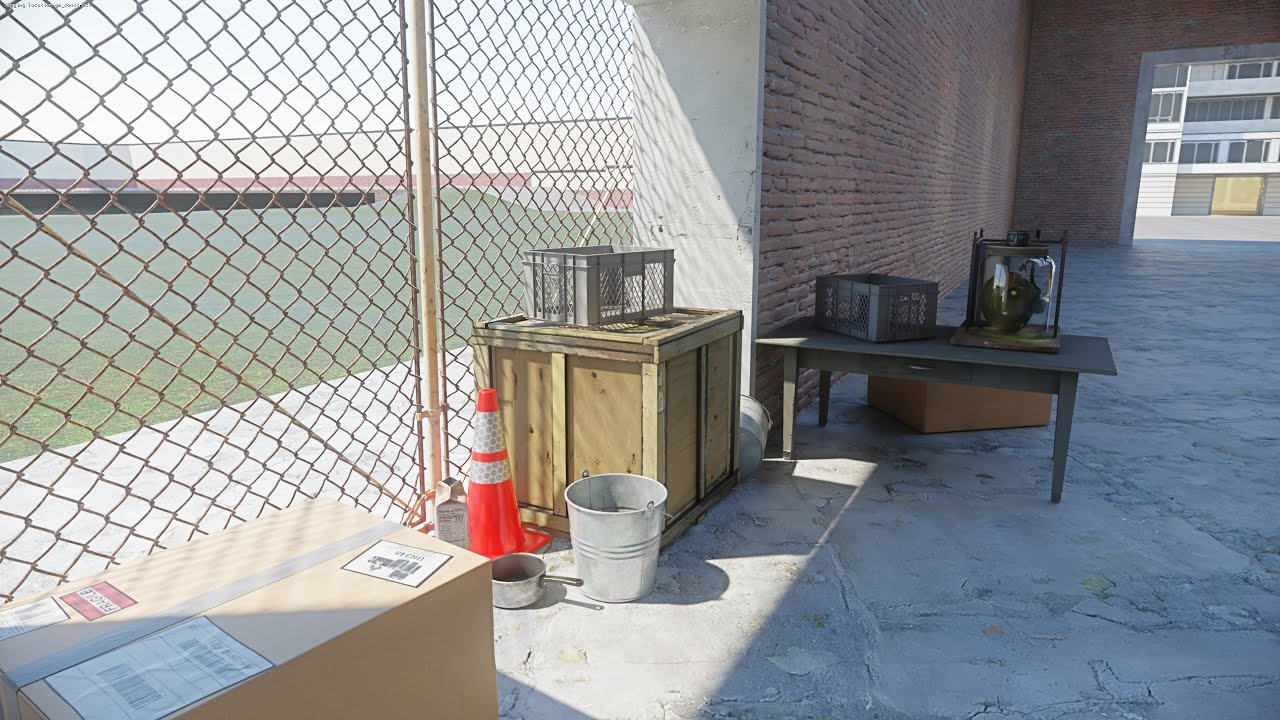
(Edit: Something keeps turning comments off on the video and it's not me!)
You MIGHT need a GitHub account to download the following:
DXVK-Remix: https://github.com/NVIDIAGameWorks/dxvk-remix/actions
Bridge-Remix: https://github.com/NVIDIAGameWorks/bridge-remix/actions
Patcher: https://raw.githubusercontent.com/BlueAmulet/SourceRTXTweaks/main/a...
sweet radish
hope it doesnt start downloading 327489023 addons as i open the game
yea im already done
regal sphinx
dont use this version of the bridge though, https://github.com/NVIDIAGameWorks/bridge-remix/tree/6559f0d3ba82bd2eaefc0bf2898e3c9cf5af8cb7, it has input bugs
use an artifact that's slightly older
i would also save your current addons to a collection, then unsubscribe from all addons, and install the ones in the video
32-bit gmod and remix get really unstable with too many addons


 sweet radish
regal sphinx
dont use this version of the bridge though, https://github.com/NVIDIAGameWorks/b...
sweet radish
regal sphinx
dont use this version of the bridge though, https://github.com/NVIDIAGameWorks/b...
oh whoops
no workie
i see the menu but no rtx ingame
whaaagrsgwefygfdivhc
nvm im dumb i forgot some dlls >.>
..nope still no dice
i give up 😭
sweet radish
okay so this may or may not have been due to unstable ram
had the most bizarre unity crashes and everything got topped off with a mem management bsod
 modest bear
Ahhh
My friend
When he had things like Medal open to record
Couldn’t use any remix games
 unborn galleon
 modest bear
unborn galleon
modest bear
unborn galleon
Yeah the anniversary update broke the RTX method, I’m trying to fix it rn, but my PCs broke at the moment so I’ll get back to you guys eventually, some people can get the game to run there’s just no tracing, and others get this error, I’m not exactly sure what causes any of them, but it could be a hardware thing, I’m not rlly sure tho
unborn galleon
modest bear
Yeah the anniversary update broke the RTX method, I’m trying to fix it rn, but m...
i got it working but some chapters dont work
wont*
modest bear
unborn galleon
i got it working but some chapters dont work
Yeah it’s kinda broken
R u using my method or the gmod one
unborn galleon
and the garrys mod rtx gives me black screen
unborn galleon
modest bear
R u using my method or the gmod one
gmod one
modest bear
Ah
modest bear
Well, do you get a remix bridge error when you launch?
unborn galleon
modest bear
Well, do you get a remix bridge error when you launch?
nope everything works alright but black screen
i feel when the rtx hl2 comes out we can easly get gmod rtx
modest bear
unborn galleon
nope everything works alright but black screen
Try launching with nothing open in the background
modest bear
unborn galleon
i feel when the rtx hl2 comes out we can easly get gmod rtx
Probably, we got the portal method through mixing the files and we’ll, gmod and half life are even closer to similarity than half life and portal, (there essentially the same game)
unborn galleon
modest bear
Probably, we got the portal method through mixing the files and we’ll, gmod and ...
yeah
unborn galleon
modest bear
Probably, we got the portal method through mixing the files and we’ll, gmod and ...
i get 70-80 fps in portal rtx i dont think if im going to get 60+ in hl2
rtx
modest bear
unborn galleon
i got it working but some chapters dont work
So how exactly did you get past the client DLL issue?
modest bear
unborn galleon
i get 70-80 fps in portal rtx i dont think if im going to get 60+ in hl2
What res, and what GPU
unborn galleon
modest bear
So how exactly did you get past the client DLL issue?
i used run as adminstrator
administrator*
unborn galleon
modest bear
What res, and what GPU
4060 ti , 1080p
unborn galleon
ultra
modest bear
You mean quality?
unborn galleon
nope
modest bear
Okay
Yeah I run hl2 RTX, I think because it runs through portal it has more stable and higher fps, I run it at 4k DLSS balanced+fg on my 4070, as other remix games don’t have as good DLSS and things like that because they haven’t rlly been developed fully yet, I run at 1440p DLSS quality+fg on my 4070 SUPER
So this really all comes down to how well Orbifold optimizes there mod and DLSS
unborn galleon
modest bear
Yeah I run hl2 RTX, I think because it runs through portal it has more stable an...
i dont like dlss idk why but i need to use it else i get 50 fps
unborn galleon
modest bear
So this really all comes down to how well Orbifold optimizes there mod and DLSS
can i maybe call u and stream so u can help me with gmod rtx if u dont mind

 modest bear
unborn galleon
can i maybe call u and stream so u can help me with gmod rtx if u dont mind
modest bear
unborn galleon
can i maybe call u and stream so u can help me with gmod rtx if u dont mind
I’m at my families thanks giving at the moment, the time it is for me, we ain’t rlly doing nothing and not everybody’s here, but soon I won’t be available and I’d have to cut you short which is something I don’t want to do, and as well, despite not being here, I’d barely be able to here you
unborn galleon
modest bear
I’m at my families thanks giving at the moment, the time it is for me, we ain’t ...
its okay alright understandable
modest bear
unborn galleon
https://cdn.discordapp.com/attachments/1138805619915247618/1311695791177338900/H...
Yeah the whole game is rasturized
modest bear
modest bear
Yeah the whole game is rasturized
There’s also at the MOST, ray tracing
But no path tracing
I don’t think
While rasterized, you can’t do things like captures, and are limited by various other things
The game would look noticeably better unrasterized

Here’s a shot with some changed textures, and path tracing from when the game was working
unborn galleon
idk i rlly want gmod rtx bc its sandbox and u could do alot of stuff there
when i use the dev branch
the game works but no rtx
aswell as chromium
modest bear
unborn galleon
idk i rlly want gmod rtx bc its sandbox and u could do alot of stuff there
Yeah it also only works on the RTX supported maps

Btw here’s a shot you gave but unrasterized
Just so you can see the difference
unborn galleon
modest bear
yeah mine doesnt look like this at all
modest bear
There are some obvious changed textures, because these are from when I first started remix
This is where I learned how it all works
But something that wasn’t changed, in the bottom right, you can’t see the pipe system, and on yours you can see the insane reflection, which is the rasterization
unborn galleon
unborn galleon
https://cdn.discordapp.com/attachments/1138805619915247618/1311695805513728021/H...
in this pic everything has reflection
modest bear
Yeah I don’t got a shot of that though
unborn galleon
the water doesnt look right
unborn galleon
unborn galleon
https://cdn.discordapp.com/attachments/1138805619915247618/1311695791177338900/H...
grass has reflection 😭
thats not grass but anything its not a reflective floor
modest bear
unborn galleon
the water doesnt look right
There is a fix for the water, see things like water were done via fixed function pipeline, and without it, remix can auto replace the water
You do know where to place remix mods right?
unborn galleon
modest bear
You do know where to place remix mods right?
bin
modest bear
No
unborn galleon
wait mods?
modest bear
Yes
unborn galleon
modest bear
You do know where to place remix mods right?
no
modest bear
Okay
So open the folder in the root directory (the folder with the games exe) and you’ll see a folder called RTX remix
 unborn galleon
 modest bear
You should just be able to make a folder and name it mod and it should work
 modest bear
I’m trying to find if the folder is mod, or mods, cause it does matter
Yk what
It’s not hard to change one letter
unborn galleon
alr
modest bear
So I just need to find the mod that, atleast before the anniversary update fixes the water
Also, just to make sure, the mod folder you made is in the RTX-remix folder
unborn galleon
it is dw
modest bear
Here we go
Use that
And it is mods not mod
This should make the water look absolutely stunning
unborn galleon
modest bear
And it is mods not mod
alr
 shy gazelle
modest bear
Yeah the whole game is rasturized
shy gazelle
modest bear
Yeah the whole game is rasturized
It’s not rasterized
modest bear
shy gazelle
It’s not rasterized
Whatever the name for that reflective shit is then
shy gazelle
Path traced
modest bear
shy gazelle
Path traced
Then the shit is way too fucking path traced
You also, if I’m correct, can’t make captures on that shit
shy gazelle
You can
shy gazelle
If remix is rendering you can take a capture
unborn galleon
modest bear
Can’t rlly try it
run the game as admin
modest bear
unborn galleon
run the game as admin
Really? That’s all it takes, I’m suprised man
shy gazelle
ebi rewarch the gmod tutorial, make sure you place the right items in the bin folder
unborn galleon
modest bear
Really? That’s all it takes, I’m suprised man
mine works with that
modest bear
shy gazelle
ebi rewarch the gmod tutorial, make sure you place the right items in the bin fo...
I’m tryna do portal not gmod so
unborn galleon
shy gazelle
ebi rewarch the gmod tutorial, make sure you place the right items in the bin fo...
i did
idk why its not working tho
modest bear
modest bear
I’m tryna do portal not gmod so
I could do gmod now that I own it, just tryna fix the portal method
unborn galleon
shy gazelle
ebi rewarch the gmod tutorial, make sure you place the right items in the bin fo...
i even did the portal shader files right
but yet not working
modest bear
That’s cause it’s broken
unborn galleon
what is broken?
unborn galleon
modest bear
Did the the portal RTX method
yeah
i used portal files for gmod too
it didnt work
(Edit: Something keeps turning comments off on the video and it's not me!)
You MIGHT need a GitHub account to download the following:
DXVK-Remix: https://github.com/NVIDIAGameWorks/dxvk-remix/actions
Bridge-Remix: https://github.com/NVIDIAGameWorks/bridge-remix/actions
Patcher: https://raw.githubusercontent.com/BlueAmulet/SourceRTXTweaks/main/a...
this video
modest bear
Any way using portal RTX don’t rlly work now since the anniversary update
unborn galleon
@shy gazelle
unborn galleon
modest bear
Any way using portal RTX don’t rlly work now since the anniversary update
so we wait for hl2 rtx
modest bear
unborn galleon
so we wait for hl2 rtx
Nah Ima fix it eventually
I might just be driving through forever
unborn galleon
modest bear
I might just be driving through forever
fix what
gmod rtx?
or hl2 rtx
unborn galleon
modest bear
I ain’t waiting for the full mod
fix the gmod pls

these are the files for gmod
modest bear
I’m done adding textures and shit to it but I still would love figuring out the method to get steam workshop support on it
 modest bear
unborn galleon
https://cdn.discordapp.com/attachments/1311379738807369821/1311629778687885332/i...
modest bear
unborn galleon
https://cdn.discordapp.com/attachments/1311379738807369821/1311629778687885332/i...
You aren launching from the .bat file, correct
modest bear
unborn galleon
https://cdn.discordapp.com/attachments/1311379738807369821/1311629778687885332/i...
And you did extract those 2 folders, right
unborn galleon
modest bear
And you did extract those 2 folders, right
Nope
i didnt extract i dragged them
into gmod
i dragged the files only*
modest bear
They can’t be zipped
unborn galleon
modest bear
They can’t be zipped
no not the zip file
i dragged the files in the zip into gmod
modest bear
It’s better to extract the content of remix bridge into the bin, and then extract the dxvk into .trex
unborn galleon
modest bear
It’s better to extract the content of remix bridge into the bin, and then extrac...
okay imma try that
unborn galleon
modest bear
It’s better to extract the content of remix bridge into the bin, and then extrac...
i fixed the black screen
but now i cant click on anything in the game
modest bear
unborn galleon
i fixed the black screen
Send some short clips/screenshots of the problem in the gmod thread cause, I’m not exactly sure how to help you here
unborn galleon

FINALLY I GOT IT WORKING
but lights only work when im near them
nvm i needed to download niknaks
addon
shy gazelle
unborn galleon
W gun addon 🤌
 outer oriole


@regal sphinx
did you know about this
there used to be a 64 bit version of hl2
outer oriole
regal sphinx
ye
have you tried to use remix with it?
regal sphinx
i used a cough, other 64-bit version of hl2, it works fine
perf is much better without the bridge
outer oriole
regal sphinx
i used a *cough*, other 64-bit version of hl2, it works fine
what does this mean

regal sphinx
 neat grove

shy gazelle
Wonder what the hl2 rtx team did to remedy this 20th anniversary update and if it affected the project
modest bear
shy gazelle
Wonder what the hl2 rtx team did to remedy this 20th anniversary update and if i...
Considering there probably working with Valve, they may have a version of the game that Valve is letting them use, an old build we don’t have access to or a build we never had access to and only the team gets to use until release obviously
 grand comet
modest bear
Considering there probably working with Valve, they may have a version of the ga...
grand comet
modest bear
Considering there probably working with Valve, they may have a version of the ga...
I doubt it
modest bear
I do too
And that’s coming from me
I don’t doubt much
Wouldn’t be entirely away from they have the version before the 20th anniversary though
grand comet
I don't think valve is really putting anything into besides maybe a mod page, its an independent mod i really don't know how many times I can say allat
modest bear
Yeah, I mean, Valve owns all of the P1 RTX assets, so they could be doing more than just the mod page, maybe there doing the legal end of things
grand comet
I seriously don't think so, and what legal side
modest bear
grand comet
I seriously don't think so, and what legal side
Ownership of the assets, official release on steam, etc
grand comet
modest bear
Ownership of the assets, official release on steam, etc
Its a mod, so the modders own the assets, and to release it on steam there isn't anything legal, just 100 usd
modest bear
Yeah I suppose it could be different, but I know portal RTX and I think most of pre-lude, as they are p1 RTX assets, are also owned by Valve
grand comet
modest bear
Yeah I suppose it could be different, but I know portal RTX and I think most of ...
But thoes weren't game mods in their respective parts
I seriously doubt it at all that valve has much in this
modest bear
I doubted that about P1 RTX, thought Nvidia owned everything thing there, but they don’t, I don’t think valve has much either but I’m not gonna rule it out, a possible answer, if they do have the rights, is they would use them for Half Life 3 now that it’s believed to be in the works, save them some time a resources
 worldly heath
modest bear
Considering there probably working with Valve, they may have a version of the ga...
worldly heath
modest bear
Considering there probably working with Valve, they may have a version of the ga...
They're not
 modest bear
grand comet
Now that's just a jump
modest bear
grand comet
Now that's just a jump
Yes, I really doubt that one
More than everything else I’ve ever said in this server
grand comet
worldly heath
They're not
So yeah, 8. Valve isn't doing anything at all with hl2 rtx
modest bear
grand comet
So yeah, 8. Valve isn't doing anything at *all* with hl2 rtx
I gave the message a thumbs up
grand comet
modest bear
I gave the message a thumbs up
Congrats
modest bear
grand comet
Congrats
Thanks
 mellow blaze
shy gazelle
Wonder what the hl2 rtx team did to remedy this 20th anniversary update and if i...
mellow blaze
shy gazelle
Wonder what the hl2 rtx team did to remedy this 20th anniversary update and if i...
sdk 2013 mods (which HL2RTX is fundamentally built on top of) were not affected by this update at all
 rocky canopy
hey guys does this still work even after the 25th anniversary update?
grand comet
rocky canopy
hey guys does this still work even after the 25th anniversary update?
Look up one message 
 grand comet

rocky canopy
patching didn't work
 modest bear
rocky canopy
patching didn't work
modest bear
rocky canopy
patching didn't work
I was told running the game as an administrator fixes the problem
The one main thing that baffles me is that not everyone gets that error, even if they set it up the same way
rocky canopy
modest bear
I was told running the game as an administrator fixes the problem
didn't work, it reaches main menu but crashes just before
modest bear
rocky canopy
didn't work, it reaches main menu but crashes just before
Hm
Weird
I haven’t had time to try myself but I’ll get back to everyone eventually
rocky canopy
man I still can't understand why
modest bear
rocky canopy
man I still can't understand why
Sometimes it’s just remix moment, I do got a few ideas, just gotta try em out when MSI gives me my PSU back
rocky canopy
modest bear
Sometimes it’s just remix moment, I do got a few ideas, just gotta try em out wh...
I just think that the original procedure cannot be applied to the anniversary edition
- Install Half Life 2 and PortalRTX. Make sure both are fully updated
- Copy the contents of "common\PortalRTX\portal_rtx\cfg" to "common\Half-Life 2\hl2\cfg" overwriting existing files
- Copy the contents of "common\PortalRTX\bin" to "common\Half-Life 2\bin" overwriting the existing files
- Copy rtx.conf and dxvk.conf from "common\PortalRTX" to "common\Half-Life 2"
- Extract the contents of the latest rtx-remix release to "common\Half-Life 2\bin" overwriting existing files
- Launch from steam.
because now hl2 has two hl2 folders and since it's AIO with ep1 and ep2, it technically should be the one that is complete

I tried using hl2 and doesn't work
fresh installed both too
regal sphinx
wouldn't you still run into issues with the different engine branch client.dll hl2 20 anniversary uses?
rocky canopy
I just think itìs a matter of directories
regal sphinx
i can verify when I get home, im placing my bets on the different engine branch
i can download a older hl2 depot from steam and it will most likely work
rocky canopy
they have the same folders which can be irrelevant...

ill try the same procedure on hl2 complete
update: as I thought (process didn't feel correct but still tried) it doesn't work
modest bear
rocky canopy
1. Install Half Life 2 and PortalRTX. Make sure both are fully updated
2. Copy ...
Nice man
 modest bear
rocky canopy
i copied and pasted the instructions that didn't work for me
modest bear
rocky canopy
i copied and pasted the instructions that didn't work for me
Yeah those are my steps that are pre-20th anniversary and worked the best at the time
I will edit the message when we get a sure fire way that works as well as it used to
rocky canopy
im sure they did, but im afraid they do not work anymore
modest bear
rocky canopy
im sure they did, but im afraid they do not work anymore
Yeah
I’ll get it together when my PSU comes back
regal sphinx
i got about an hour before i get home, ill come up with a process
it's most likely going to involve downloading pre-20th anniversary depots from steam
they've made a lot of changes to the new engine and it would be easier to downgrade than try to figure out all of the hex patches for the new one
rocky canopy
i hope I can make it work because i wanted to stream it tomorrow since i did it with hl1 rtx, thats why im trying xD
modest bear
rocky canopy
because now hl2 has two hl2 folders and since it's AIO with ep1 and ep2, it tech...
I think the hl2_complete folder is the 20th anniversary update stuff and the game is now made to overlay the 20th anniversary over the original, so that’s why tracing don’t work, it’s missing things that the client.dll is told to look for but isn’t there
 shy gazelle
very skibidi 
regal sphinx
works fine

i copied Half-Life 2/hl2 and Half-Life 2/platform to prelude's rtx's base dir without replacing anything
and ran it with -game hl2 -windowed

also works for normal portal rtx

same process
a bit buggier than prelude though, light and skybox culling is pretty broken
pre HL2 20th anniversary guide:
- Open Properties for
Half-Life 2in Steam, go toBetasand selectsteam_legacyinBeta Participation - Let HL2 and its episodes update in steam
- copy
Half-Life 2/hl2andHalf-Life 2/platformfolders to either thePortalRTXorPortal Prelude RTXbase directory and do not replace anything - delete the
modsfolder insidePortalRTX\rtx-remixorPortal Prelude RTX\rtx-remix(or turn off the replacements in the runtime, it prevents missing materials for some replaced models) - go to the Properties of either game on Steam, and set
-game hl2 -windowedas the launch parameters - profit
as for why Prelude RTX is an option; It provides a more stable experience with HL2.
Less light culling issues, npcs eyes work, no broken fonts, and you can run SDK 2013 mods with its engine
@last fog can you pin this?
oops forgot to leave this here for the tutorial


 regal sphinx
ok so maybe some additional steps are needed
try using blueamulets patcher on hl2's client.dll

 last fog
regal sphinx
pre HL2 20th anniversary guide:
1. Open Properties for `Half-Life 2` in Steam, g...
regal sphinx
last fog
regal sphinx
pre HL2 20th anniversary guide:
1. Open Properties for `Half-Life 2` in Steam, g...
regal sphinx
ty
ye patching works


its a bit difficult as blueamulets script tries to find other folders before hl2's, so i had to isolate the folders like this
 shy gazelle
regal sphinx
shy gazelle
regal sphinx
LOL that's so funny, I was just preparing that 
muy skibidi, we have liftoff
 regal sphinx
only real remaining issue is how many lights the engine can send to remix
its quite dark lol

also gonna try updating remix just to see if it breaks anything, the built in one is a year old
oh yeah newer remix seems to mess up light culling even more
skybox only lighting actually looks pretty good here lol

ignore my previous comment, my launch parameters broke something, newest remix works fine
on the other hand no launch params breaks other stuff

time to mess around
im hoping to make a python script that kinda automates all of this
something similar to the remix downloader
regal sphinx
uhhhhh
i wonder if this applies to gmod...
nope
probably some engine specific fuckery going on with prelude keeping the top part of the water rendered
neat grove
regal sphinx
skybox only lighting actually looks pretty good here lol
this is so beautiful...
 tiny gust
shy gazelle
what cat <:confusedCat:1060102114241679460>
tiny gust
shy gazelle
what cat <:confusedCat:1060102114241679460>
The sun is leaking....
shy gazelle
Yee I fixed it
 radiant phoenix
half life 2 20th Anniversary update works for me with rtx remix


i just did it the old way with BlueAmulet fixes + the stdshader files+the cfg files from portal rtx and put them in half life 2 then used the .bat file from xenthio garry's Mod and ofc d3d9.shaderModel= 0
and it works
radiant phoenix
radiant phoenix
half life 2 20th Anniversary update works for me with rtx remix
except for the water that needs to be fixed again, it works perfectly smooth
radiant phoenix
radiant phoenix
i just did it the old way with BlueAmulet fixes + the stdshader files+the cfg fi...
oh and the old fire fix
still works 😏
oh and you need to put this in the .bat file: hl2 -game hl2_complete
regal sphinx
how does switching to episodes work from the main menu? at least pre-anniverssry update i had issues running ep1 and ep2 from hl2 directly and had to run them via portal prelude rtx instead
radiant phoenix
regal sphinx
how does switching to episodes work from the main menu? at least pre-anniverssry...
works smoothly surprisingly
 fossil tiger
tiny gust
The sun is leaking....
fossil tiger
tiny gust
The sun is leaking....
This is going to be a permanent addition to half life fandom
regal sphinx
radiant phoenix
works smoothly surprisingly
wow that perf drop switching to ep2 
lack of culling on large maps really hurts perf
 fiery plume
I think that's either the amount of static props or all the alpha testing going on because of the leaf textures
Because iirc that background map isn't big
modest bear
regal sphinx
pre HL2 20th anniversary guide:
1. Open Properties for `Half-Life 2` in Steam, g...
@rocky canopy @unborn galleon @sweet radish @cinder kernel @outer oriole
regal sphinx
the guide might be outdated if HL2 20th patched works better lol
@radiant phoenix how is light culling?
rocky canopy
Yo! Thank you for the new updated tutorial, I'm downgrading hl2. You saved my stream! now as soon as everything gets downloaded...and...when I try this it works...hopefully nothing else breaks....
do i need to do anything in game? or do I just move files and tada I get cool rtx experience?
regal sphinx
for the fancy water you need this
https://xenthio.github.io/stuff/RTXRemixWater-v1.zip
extract to rtx-remix/mods in your game dir
i dont think it works everywhere though, i only tested that one map
rocky canopy
regal sphinx
pre HL2 20th anniversary guide:
1. Open Properties for `Half-Life 2` in Steam, g...
what's portal prelude?
rocky canopy
regal sphinx
i dont think it works everywhere though, i only tested that one map
so it's not gonna be that stable if I plan to play from beginning to end with RTX
regal sphinx
rocky canopy
so it's not gonna be that stable if I plan to play from beginning to end with RT...
nah im just talking about the water replacement, iirc the game itself is stable but expect visual bugs, its far from a perfect experience
regal sphinx
rocky canopy
what's portal prelude?
a mod for portal, but also another source engine remix title
it's on steam
you're also gonna need a rtx.conf with most of the textures tagged, i've already done most of the work so ill share mine
rocky canopy
oh wow
 regal sphinx
you're also gonna need a rtx.conf with most of the textures tagged, i've already...
regal sphinx
regal sphinx
you're also gonna need a rtx.conf with most of the textures tagged, i've already...
ok well nvm i cant reach my NAS from work so ill have to send it later
regal sphinx
rocky canopy
oh wow
yea the content of the mod itself isnt too good, but prelude rtx is preferrable because of the engine if u want to play hl2 or other source mods
i listed the reasons in the pinned message
regal sphinx
garry's mod is also a good method to play through hl2, its a much more polished experience but it's more involved to set up
check the pinned message in the garrys mod project on this server if you're interested
outer oriole
modest bear
<@593825320788951048> <@639809955070738462> <@355016991506956290> <@220165455875...
i love you
modest bear
outer oriole
i love you
You’re welcome
modest bear
regal sphinx
pre HL2 20th anniversary guide:
1. Open Properties for `Half-Life 2` in Steam, g...
Do workshop mods work?
regal sphinx
no this downgrades the game to a version without support, you can try copying mods manually though
they should work just fine
as i said before, my guide might be invalid if i can write up and test a better method for the anniversary update
since someone got it working
rocky canopy
holy

no way I can F this up with even a tutorial
I used to build castles with lego as a child when did this downhill begin
regal sphinx
try this rtx.conf
its a bit old but i believe i have most textures correctly flagged and the skybox fixed
also try r_3dsky 0 in the console
rocky canopy
I will try later I'm about to start
ty for all your help btw, especially since you're also working. appreciate it
 half dove
yall think wukong could be dragonborn in a fight
modest bear
No
 night quarry
half dove
yall think wukong could be dragonborn in a fight
night quarry
half dove
yall think wukong could be dragonborn in a fight
if you take into account that gman is wukong because he is a human who came from monkeys
so
easy boss
liddoly
didnt even make the alpha come out of skibidi
regal sphinx
did chatgpt invade this chat or something
half dove
Wukong would win still
 sterile plume
hi, anyone know why i cant launch a new game ?
 outer oriole
anyone know why hl2's ui just wont work?
regal sphinx
wdym
outer oriole
regal sphinx
wdym
everytime i try and install the lastest version of remix with hl2 or any hl2 mod
ui is just not working
regal sphinx
yea but what does "not working" mean, give some screenshots or explain a little
 regal sphinx
oh, downgrade your bridge to
https://github.com/NVIDIAGameWorks/bridge-remix/actions/runs/11489607160

GitHub
This is the NVIDIA RTX Remix Runtime Bridge repository - Merge branch 'dev/markh/displaceOut' into 'main' · NVIDIAGameWorks/bridge-remix@7b3d696
outer oriole
aight
regal sphinx
newer versions broke input in source games
regal sphinx
anything newer than the commit posted, so 0.6.0 is also affected

so dont use these
outer oriole
aight
shy gazelle
@devout current this is the latest rtx.conf for hl2, it helps fix the visuals
grand comet
 devout current
ugh my downloads folder is so big now its crashing explorer
devout current
ugh my downloads folder is so big now its crashing explorer
If need be you can go to settings: storage and clear temporary files, where you can clean downloads
devout current
nice textures


i sure do love half life 2 rtx
im literally on the firsst chapter and im already seeing broken textures
grand comet
It looks like you set one of them as a decade texture and the other has some form of z fighting
devout current
grand comet
It looks like you set one of them as a decade texture and the other has some for...
howo fix
grand comet
Unmark the the decal texture and idk how to fix the other
devout current
i loaded into the next map and now i can just see through walls
 devout current
i loaded into the next map and now i can just see through walls
devout current
devout current
i loaded into the next map and now i can just see through walls
help
@grand comet
grand comet
This isn't my game, I don't know what's causing this im afraid, sorry
modest bear
devout current
i loaded into the next map and now i can just see through walls
Try setting it up again
A fresh restart
If your open to that
Also
If you launch the game
From the remix app
I noticed
Some things become more stable
Sometimes
shy gazelle
Nah they've got it setup right, they probably just need to set sky to auto detect
modest bear
shy gazelle
Nah they've got it setup right, they probably just need to set sky to auto detec...
Your right
🤦♂️
For Space, if you don’t know, it’s under game set up tab, switch to the parameter tuning tab, then it’ll be under sky tuning, if I’m wrong on any of what I just said Skurty will prob correct me
 modest bear
Thanks
 snow obsidian
How do you get Half life 2 RTX working anyway?
regal sphinx
regal sphinx
pre HL2 20th anniversary guide:
1. Open Properties for `Half-Life 2` in Steam, g...
^
 flint holly
radiant phoenix
i just did it the old way with BlueAmulet fixes + the stdshader files+the cfg fi...
flint holly
radiant phoenix
i just did it the old way with BlueAmulet fixes + the stdshader files+the cfg fi...
so there is no tutorial for doing your way with HL2 20th aniversary?
and by blueamulet fixes you mean what?
radiant phoenix
flint holly
and by blueamulet fixes you mean what?
GitHub
A set of patches for Source Engine games to improve RTX Remix experience - BlueAmulet/SourceRTXTweaks
radiant phoenix
flint holly
so there is no tutorial for doing your way with HL2 20th aniversary?
the guide is what I wrote in the message
flint holly
radiant phoenix
the guide is what I wrote in the message
so i need to apply the patch like in the xhentios video from gmod?
radiant phoenix
flint holly
so i need to apply the patch like in the xhentios video from gmod?
use the BlueAmulet patch, because it's for source games in general and not garry's mod specifically
you can use the xhentios bat file he made for garrys mod, thats what i did at least
flint holly
@radiant phoenix why the floor is reflecting everything? is there some fix?

literally every prop in the game

 dusky hound
flint holly
literally every prop in the game
dusky hound
flint holly
literally every prop in the game
game setup>materials
radiant phoenix
flint holly
<@499972733967532042> why the floor is reflecting everything? is there some fix?
change the roughness
flint holly
dusky hound
game setup>materials
thanks
dusky hound
 flint holly
eyes won't work anymore, weird, in gmod im using stdshader6.dll and 7 from portalrtx and it worked
 regal sphinx
flint holly
eyes won't work anymore, weird, in gmod im using stdshader6.dll and 7 from porta...
regal sphinx
flint holly
eyes won't work anymore, weird, in gmod im using stdshader6.dll and 7 from porta...
also the "functioning" eyes in gmod are still broken, they are stretched to the dimensions of the eyeball and do not animate
flint holly
regal sphinx
also the "functioning" eyes in gmod are still broken, they are stretched to the ...
yeah but now, the eye, actually render
i also "fixed" the fire particles
 lyric bloom
flint holly
yeah but now, the eye, actually render
lyric bloom
flint holly
yeah but now, the eye, actually render
how do you fix that?
 solar kite
does anybody know how to delete every rtx remix file in the half life folder?
I tried following the instructions from here but the game is just some purple texture, so I'm trying to bring the game back to its original state
modest bear
solar kite
does anybody know how to delete every rtx remix file in the half life folder?
Just make a fresh install of the game
solar kite
how?
i tried using verify integrity of game files but rtx remix is still there
i also tried uninstalling but its still in the files
solar kite
which one?
solar kite
thanks its now fixed
grand comet
Yea
flint holly
well so i can play even the HL2 episodes...

amazing...

btw i need to find a way to fix the flashlight but outside of that i didn't had any issues and played like 2 hours with rtx on
before anyone ask yes, im using the HL2 aniversary .exe, i launched the game with some parameters trough steam and no issues...
modest bear
flint holly
btw i need to find a way to fix the flashlight but outside of that i didn't had ...
I have a fix that works sometimes
The flashlight just decides not to work on some areas
.
The file at the bottom of that message
Open up the root, go to hl2 folder, and then place it in the folder titled
Cfg
grand comet
flint holly
well so i can play even the HL2 episodes...
Probably safe to assume the episodes weren't altered for the anniversary
flint holly
finishing HL2 EP1 with RTX, i was having a blast.
 modest bear
I wonder if hl2 RTX will do the dlcs as well, or has that question already been answered?
flint holly
modest bear
I wonder if hl2 RTX will do the dlcs as well, or has that question already been ...
It has already been answered, sadly the episodes will not be available as a remaster content
maybe in a future? idk
modest bear
Might end up being something like pre-lude
Some other team will make it and release separately
flint holly
i hope so, the episode 1 at least, take place around c17, they need to create new materials and change some other things for ep2 but hope so
omg 25 fps in this spot right here, now imagine with new materials, pbr, props and textures updates

it looks geourgeous btw
 abstract glade
I really hope a different team handles the episodes; it'd be a shame if this was left incomplete
regal sphinx
regal sphinx
pre HL2 20th anniversary guide:
1. Open Properties for `Half-Life 2` in Steam, g...
@flint holly
last fog
nah
this is with a ton of legacy assets, which hit performance much harder than a proper remaster would in Remix
all that foliage right there is tanking performance because they're textures with alphas to create transparency, rather than actual geometry
flint holly
but you have at least Frame Generation
 ebon hinge

does anyone have
a rtx.conf
that works
🙏
ok volumetric doesnt work with vulkan
regal sphinx
i believe if you have a rdna2 gpu volumetrics are completely broken
worldly heath
regal sphinx
i believe if you have a rdna2 gpu volumetrics are completely broken
It was RDNA 3 but it was fixed in a Remix commit
Volumetrics works on all AMD cards as intended now
worldly heath
ebon hinge
im on rdna3
Download the latest Remix commit, that'll fix the volumetric lighting on RDNA 3
I also recommend using FSR 3.1
 worldly heath
ebon hinge
worldly heath
ebon hinge
Workflow actions
Like here's the DXVK

GitHub
Contribute to NVIDIAGameWorks/dxvk-remix development by creating an account on GitHub.
Click the latest check mark one
And then you can download it
 worldly heath
ebon hinge
but also the tool kit
worldly heath
ebon hinge
but also the tool kit
Toolkit only works on NVIDIA unfortunately
worldly heath
ebon hinge
hopes they add some sort of compatibility
I mean, it's open sourced now, so technically, anyone can add support
flint holly
regal sphinx
<@471785882991591425>
so after some tests and trial/error i followed your tut but i can't get rid of the culling issues and the water flickering, so maybe il stay with hl2 aniversary for now 😦
also patched .dll's using blueamulet patch but that didn't work as expected, also using the "autoexec.cfg" did nothing to my game
so my experience running hl2 ep2 with the prelude engine was somehow worse than in the aniversary for some reason
maybe you can tell me wich version of the runtime are running into prelude, i was using the latest 0.6.0 and the lastes build action for dxvk

 flint holly
 maiden pebble
change your "sky autodetect" to by camera position

 vagrant whale
HL2 vs official HL2 RTX
(i took from Twitter/X)

 flint holly
where you got that?
grand comet
From twitter/x
vagrant whale
as i said
flint holly
why everyone 💀 me? lol
grand comet
He stated where he got it in hid original message
modest bear
“It’s all just a symptom of being human”
 sinful frigate
vagrant whale
HL2 vs official HL2 RTX
(i took from Twitter/X)
sinful frigate
vagrant whale
HL2 vs official HL2 RTX
(i took from Twitter/X)
Somehow they took that with my grass disabled 
modest bear
vagrant whale
HL2 vs official HL2 RTX
(i took from Twitter/X)
I only dream of achieving this skill in development
 drowsy sorrel
Did y’all see the new materials for the headcrab?
 sinful frigate
drowsy sorrel
Did y’all see the new materials for the headcrab?
sinful frigate
drowsy sorrel
Did y’all see the new materials for the headcrab?
Waxy headcrab. Poor thing got hollowed for the showcase.
Super neat though. Can't wait to see ppl using that for characters and what not
dusky hound
Yes
modest bear
Technically, the hl2 RTX mod would work in gmod
grand comet
modest bear
Technically, the hl2 RTX mod would work in gmod
Not anymore
The hashes are different
modest bear
They are?
grand comet
Yea
modest bear
Is this cause of 64 bit
grand comet
Because they now use gmod exe instead of hl2.exe
modest bear
Weird, my mod still worked, either way it wouldn’t be hard to pick apart the mod and move it to gmod
grand comet
Yeah
drowsy sorrel
grand comet
The hashes are different
Well still though people could manually replace the assets to have them work instead of just dragging and dropping
grand comet
Yea
fossil tiger
sinful frigate
Somehow they took that with my grass disabled <:Peepo_Cry:832227339161174027>
Noticed that. I was like "why does this one spot look so Xbox 360?" Big whew.
maiden pebble
how do i fix the leaves
 regal sphinx
@maiden pebble instead of using portal rtx, use portal prelude rtx
maiden pebble
regal sphinx
<@609896178003214371> instead of using portal rtx, use portal prelude rtx
ok
regal sphinx
prelude is closer to hl2's engine than portal rtx so it kinda "just works"
you can also patch hl2 directly but that's a more difficult route
maiden pebble
nice
so do i stick to the drag and drop thing with hl2 folder inside the hl2 game folder
regal sphinx
wdym
maiden pebble
copy Half-Life 2/hl2 and Half-Life 2/platform folders to either the PortalRTX or Portal Prelude RTX base directory and do not replace anything
maiden pebble
regal sphinx
wdym
ima let it download so i have wait like 10 min bruhhhh
regal sphinx
maiden pebble
copy Half-Life 2/hl2 and Half-Life 2/platform folders to either the PortalRTX or...
ye
maiden pebble
regal sphinx
ye
uhhhh
 regal sphinx
hold on
maiden pebble
regal sphinx
hold on
fixed
regal sphinx
you probably gotta set the sky
maiden pebble
yea
dusky hound
maiden pebble
how do i fix the leaves
VERY CAREFULLY
maiden pebble
dusky hound
VERY CAREFULLY
i fixed em
 maiden pebble
these damn trains are making me mental
 flint holly
if someone had any kind of issues, use my config file, this could fix some flickering textures in-game and some others things...
maiden pebble
flint holly
if someone had any kind of issues, use my config file, this could fix some flick...
will it fix trains
flint holly
maiden pebble
will it fix trains
dont know exactly, but you could try
btw im using the aniversary build
to play hl2 and episodes...
maiden pebble
flint holly
btw im using the aniversary build
bruh
well train now solid not flickering mess
flint holly
in any case i tried that rtx.config file inside Prelude engine and works fine
regal sphinx
i would send my prelude rtx.conf as well but i left the external drive unplugged at hone 
maiden pebble
flint holly
dont know exactly, but you could try
quick question how do i fix the big screen that breen is talking on
flint holly
maiden pebble
quick question how do i fix the big screen that breen is talking on
take a screenshot
wdym
maiden pebble
 flint holly
weird, didn't had that issue, check if its marked as decal/particle maybe?
maiden pebble
flint holly
weird, didn't had that issue, check if its marked as decal/particle maybe?
the problem is that the rtx dev menu is looking kinda weird
 flint holly
that's normal
maiden pebble
flint holly
that's normal
no through the normal portal rtx its categorized prob wrote that wrong
and i can see breen just very faintly
maiden pebble
regal sphinx
update the remix runtime for prelude rtx
how
regal sphinx
the ususal way?
maiden pebble
idk i have never done it before
regal sphinx
oh
https://github.com/NVIDIAGameWorks/dxvk-remix/actions/runs/12382112519
download dxvk-remix-6801315-698-release (you will need a github account), open the zip file
extract everything into the GameFolder/bin/.trex folder, replace everything

 frail finch
any idea how to fix the leaves (I'm playing through prelude)
 regal sphinx
flint holly
if someone had any kind of issues, use my config file, this could fix some flick...
regal sphinx
flint holly
if someone had any kind of issues, use my config file, this could fix some flick...
try this rtx.conf
also make sure you disabled/removed the portal prelude enhancements in the pinned guide
frail finch
hmmm, didn't seem to do much, I have my folders set like this
 frail finch
nope, still a blocky mess
regal sphinx
if you open your remix menu and go to alpha test/blending, do the settings match?
 regal sphinx
yea super weird, something is overriding the mesh/alpha

try disabling the enhanced assets
frail finch
its only some meshes as well
flint holly
try launch the game trough steam with this parameters: -allowdebug -condebug -dxlevel 90 +mat_disable_d3d9ex 1 -w 1920 -h 1080 -noborder -debug +sv_cheats 0 +r_3dsky 1 +r_WaterDrawReflection 0 +r_WaterDrawRefraction 0 +r_shadows 0 +r_frustumcullworld 0 +r_unloadlightmaps 1 +mat_specular 0
dont know if would help
and wich version of remix are u using?
flint holly
hmmm yea
frail finch
flint holly
try launch the game trough steam with this parameters: -allowdebug -condebug -dx...
weird, this just made the background blurry
regal sphinx
what about disabling the enhanced assets?
flint holly
that's because of the r_3dsky 1
frail finch
nothing
only way i've gotten the mesh to normal messed everything else up
and that was by turning the leaves into ui mesh
maiden pebble
frail finch
nothing
mark em as a cutout something it worked for me until i updated the rtx runtime
frail finch
its not just the leaves
 grand comet
is alpha blending off?
 regal sphinx
i swear i've only seen this happen when enhanced assets are enabled with the portal prelude assets still being around
but they said they deleted them
so im at a loss
frail finch
yeah i deleted that
regal sphinx
yea, unless steam redownloaded them, i really have no idea what's going on
last fog
frail finch
yeah i deleted that
is the toggle for enhanced assets grayed out for you?
regal sphinx
i believe they have other remix mods installed
which is fine, they shouldnt be causing it
i asked them to turn off enhanced assets earlier
regal sphinx
yeah but that wouldnt affect prelude rtx since those directories dont interact with each other
maiden pebble
frail finch
its not just the leaves
Same here the fences are driving me insane
flint holly
didn't know that, amazing
 maiden pebble
how do i fix the flash light
dusky hound
Very carefully
frail finch
maiden pebble
how do i fix the flash light
pretty sure you either have flickering lights ingame or no flickering lights and a buggy flashlight depending on if you got the fix for the flickering
maiden pebble
frail finch
pretty sure you either have flickering lights ingame or no flickering lights and...
just im in ravenholm and blind af
maiden pebble
frail finch
pretty sure you either have flickering lights ingame or no flickering lights and...
it does not excist for me
maiden pebble
Should I be worried remix has been stuck like this for idk 20 min and its still responding

nvm it crashed
maiden pebble
and also one thing the game runs better with studio drivers installed for some reason
flint holly
the flashlight at least in HL2 with remix its very unstable so in order to enter in darker areas you need to "add lights" within the remix menu and select your gravity gun, this way i played some levels of EP1 and EP2
maiden pebble
is there anyway to fix the fire particle
neat grove
maiden pebble
and also one thing the game runs better with studio drivers installed for some r...
oh, really?
maiden pebble
neat grove
oh, really?
idk why but the game ran better for me i was confused
neat grove
gonna check this out
outer oriole
maiden pebble
and also one thing the game runs better with studio drivers installed for some r...
can confirm this!
flint holly
outer oriole
can confirm this!
How
maiden pebble
Question can I replace the sky box texture any skybox texture with a hdri image
maiden pebble
flint holly
How
Nvidia studio drivers
regal sphinx
maiden pebble
Question can I replace the sky box texture any skybox texture with a hdri image
you'd have to find a way to splice a .hdr/.exr into 6 different images while maintaining the dynamic range. I dont think a tool like that exists
not to mention being able to actually replace the skybox textures in the toolkit, i wasnt able to do that with source games which is why I made a skydome in blender
maiden pebble
regal sphinx
you'd have to find a way to splice a .hdr/.exr into 6 different images while mai...
Cant i like make a giant sphere withe the hdri and put it over the level in a editor or something like that
Dosent hl2 have a lvl editor for making levels
regal sphinx
maiden pebble
Cant i like make a giant sphere withe the hdri and put it over the level in a ed...
it'd have to be inside remix
so you'd attach the sphere to a unique model in a capture
in gmod i made my own entity but im not sure what would be used in hl2
maiden pebble
help
 fossil tiger
So excited for HL2 RTX. Just tried replaying the original and everything except the urban levels looks pretty sad.
Even then it's squares with flat textures. Ravenholm is so ugly:V
 heavy terrace
maiden pebble
help
heavy terrace
maiden pebble
help
do you have any alpha blending going on maybe?
maiden pebble
heavy terrace
do you have any alpha blending going on maybe?
ive tried fiddeling with it
dusky hound
https://vxtwitter.com/hl2rtxofficial/status/1879589448754831534
https://vxtwitter.com/hl2rtxofficial/status/1879589454043848870

Happy new year! Hope you guys are up for another great year of ray-traced Half-Life 2!
Kicking things off, Nagy Martin Gabor, Nicolas Wirrman, Michael McCormick, and Radomir Zhuravlev!
Start 2025 off strong and apply to the team at http://hl2rtx.com! https://t.co/o2h6DBvm4J

Rounding things off, Yi Sun, Yoshi Vu, and Matthew Vegh!
dusky hound
eh?
 sacred tide
Twitter lmao but nice
regal sphinx
Twitter lmao but nice
flint holly
Twitter lmao but nice
dusky hound
Twitter lmao but nice
outer oriole
Twitter lmao but nice
 pine siren
Twitter lmao but nice
 safe bridge
Twitter lmao but nice
neat grove
 dusky hound
Mark my words. As soon as hl2 RTX comes out, I'm gonna make Versions of Alyx similar to those seen in the cinematic mod. In memory of fakefactory
Not that he's dead or anything
With the fully modeled anatomy of course

Today we'll be looking at a Half-Life 2 mod that has stirred up the community way back in the early days, often viewed in a negative light, even in more recent times. Why was it so hated? Was it warranted? Let's find out.
THIS IS A REUPLOAD. THE ORIGINAL UPLOAD DATE WAS:
December 17th, 2023
Subscribe to me on Patreon!
https://www.patreon.c...
Good video by the way
hour long
But a good review
 hallow sage
 tiny gust
fossil tiger
Will they remaster the awful terrain as well? 😦
tiny gust
fossil tiger
Will they remaster the awful terrain as well? 😦
theyve changed the maps
outer oriole
tiny gust
theyve changed the maps
i wonder how much hammer editing theyve done
flint holly
we have Episode 3 Remixed before HL3
 maiden pebble
how do i play on linux i just switched cus i got tired of slow ass windows
cus the game is whining about a corrupted cache
 bright scaffold
why when i press capture scene it doesn't capture?
also i probably i installed it not properly, because when i try to change something i don't see any changes
drowsy sorrel
omg what?
dusky hound
yoooo
drowsy sorrel
dusky hound
yoooo
i hope the updated dlss and ray reconstruction can fix a bit of the flickering on the gravity gun
radiant phoenix
yep, many things were leaked, but i think they don't want us to talk about it here on the server, so it's better to delete
dusky hound
Yeah
drowsy sorrel
radiant phoenix
yep, many things were leaked, but i think they don't want us to talk about it he...
ah ok sry
just thought since it was a community server and not an official one it was ok
worldly heath
drowsy sorrel
just thought since it was a community server and not an official one it was ok
I mean, I'm pretty sure it's still ran by NVIDIA, lol
drowsy sorrel
worldly heath
I mean, I'm pretty sure it's still ran by NVIDIA, lol
really? i swear i remember an announcement from an nvidia dev stating they want to keep this server's independence or smth?
ya this

nvm its fine i just hope the devs are doing well and the leak didn't affect them that much
just made me more excited for the mod
worldly heath
drowsy sorrel
nvm its fine i just hope the devs are doing well and the leak didn't affect them...
Well it seemed to be an old build in the video, so it probably doesn't represent the current state whatsoever
last fog
our server is not run by Nvidia, but we're partnered & respect their wishes
no leaks please. any discussion regarding leaks will be deleted, and repeated posts will lead to punishment
 solemn thistle
Man, I'm looking forward for HL2 RTX to come out someday, so I can see how horribly it runs on my 7900 XTX.
Althrough 7900 XTX's RT handle just as good as my previous RTX 3080 12GB was in Linux enviroment. not sure on Windows.
tiny gust
solemn thistle
Man, I'm looking forward for HL2 RTX to come out someday, so I can see how horri...
would perform better than portal rtx
bright scaffold
how do i install rtx remix without using portal rtx files?
i tried just pasting remix runtime in bin folder, RTX HUD appears but does nothing expect blueish main menu, i can't even capture the scene
modest bear
This game is completely broken if you don’t use portal or gmod
bright scaffold
modest bear
This game is completely broken if you don’t use portal or gmod
are there any gmod installation guides?
modest bear
bright scaffold
are there any gmod installation guides?
There is, I believe, I am only familiar with the portal method https://discord.com/channels/1028444667789967381/1116089843479498782 someone might know here, it (could) be just the mod for gmod that adds all of hl2 maps to gmod, I’m not sure though
devout current
why i hl2 so buggy
flint holly
wdym
devout current
game randomly crashes
can ssee out of bounds randomly
etc
flint holly
you need to mark some textures as "decals" inside gui menu
devout current
flint holly
you need to mark some textures as "decals" inside gui menu
well can i just run gmod with rtx and play hl2 inide of mod
flint holly
replace your rtx.conf inside hl2 main with this one
 static sedge
So i know theres probaly a solution somewhere in the thousends of replys but when i try to add rtx remix to hl2 it just doesent have path/raytracing the remix menu still show up tho
 regal sphinx
static sedge
regal sphinx
static sedge
so i followed all steps but when the game loads after the valve start screen this error appears:
 regal sphinx
did you downgrade hl2?
static sedge
Yes i downgraded to the pre aniversary build (sorry for the late respond)
static sedge
Ok i fixed it by not replacing the files
flint holly
my pistol looks badass path traced
 modest bear
Gordon Freeman looks bad ass
vagrant whale
drowsy sorrel
Did y’all see the new materials for the headcrab?
Tadpole surely would love to use RTX skin for his COD 2 Remixed project
vagrant whale
dusky hound
Mark my words. As soon as hl2 RTX comes out, I'm gonna make Versions of Alyx sim...
 snow obsidian
flint holly
my pistol looks badass path traced
snow obsidian
flint holly
my pistol looks badass path traced
How do you even get it working?
NVM
 oblique stream
Gordon Freeman saved my life
modest bear
Yup
flint holly
snow obsidian
How do you even get it working?
wdym?
modest bear
he figured it out
 frozen lichen
oblique stream
Gordon Freeman saved my life
frozen lichen
oblique stream
Gordon Freeman saved my life
Without a single word.
 cinder edge
Im getting this error message and yes I did download the legacy version
 cinder edge
anyone?
flint holly
cinder edge
Im getting this error message and yes I did download the legacy version
try to use blueamulet patches in order to avoid client.dll crashes
cinder edge
flint holly
try to use blueamulet patches in order to avoid client.dll crashes
doesnt work
cinder edge
am I doing something wrong
I ran the script in the game directory
and copied over the folders in it to the main directory
OK
I wasnt doing it properly apparently
now it just says loading for a while then crashes
wihout error by the way
cinder edge
modest bear
Try to run as administrator
did that didnt work
cinder edge
modest bear
Also, by chance, do you have something like Medal open?
wdym something like?
cinder edge
no
modest bear
Okay
modest bear
You are putting the commands in for launch options on steam in, right?
cinder edge
yes -game hl2 -windowed
cinder edge
ok
cinder edge
modest bear
Try without windowed
it wont launch anymore
modest bear
Send a shot of your root folder
modest bear
Yeah


 cinder edge
not in the root
modest bear
cinder edge
The hl2 folder in this root, is there a gameinfo.txt
cinder edge
nope
cinder edge
modest bear
The hl2 folder in this root, is there a gameinfo.txt
I meant not in the hl 2 root
modest bear
Yeah I got that
In prelude, click on the folder named hl2, and look for a gameinfo.txt
modest bear
When you do
cinder edge
I acidentally clicked verify game integrity
and it got to lke 5 percent
before I stopped steam thru task manager
before it stopped launching
modest bear
modest bear
When you do
Put it back in -windowed -game
modest bear
cinder edge
I acidentally clicked verify game integrity
😬
cinder edge
please dont tell me I have to redwonload it
modest bear
You probably do, I’d recommend it
cinder edge
modest bear
You probably do, I’d recommend it
ok so
now
it doesnt crash
but
it wont load
it says loading
I can hear CP
but it wont load
and the rtx remix overlay is completely frozen
cinder edge
so I managed to get it working by using a diff config but now I have filckering textures and npcs are super shiny fsr
modest bear
yeah that's because you need the conf
try this one
wait this is the wrong one
this one
modest bear
yeah the conf "should" fix all that
cinder edge
modest bear
yeah the conf "should" fix all that
and the shiny people
but not the darkness
cinder edge
nope
modest bear
send a shot of what your looking at/where you are, casue there are some areas that don't work
cinder edge
im in the train station
cinder edge
cant u fix that using hammer?
modest bear
You can fix that with the remix tool kit
modest bear
Well, you see, what we give you is the ability to get path tracing working, tool kit is what makes the mod for textures and allat, which is something you’d put together
cinder edge
oh
modest bear
If your willing to learn the toolkit a bit, it’s really easy to make glass transparent
modest bear
Do you have the toolkit installed with the Nvidia app?
cinder edge
yes
modest bear
Great
So, you did delete the file in the RTX-remix and then the mod folder in the root directory right?
modest bear
Okay
It should be fine
Yk what
Ik a video that can explain how to set up a mod to you
I’ll send it
It doesn’t show the transpernt stuff
But you watch that until you got the mod in the tool kit
cinder edge
ok
modest bear

Join this channel to get access to perks:
https://www.youtube.com/channel/UCzoVL1aVjec7YKPeG59xKFg/join
https://ko-fi.com/mattscreative support the Channel it helps me Eat and survive these hard times thank you!
https://github.com/Theverat/NormalmapGenerator/releases/tag/v0.4.4
https://www.nvidia.com/en-us/omniverse/
https://instamaterial.com/...
Start at about 8 minutes
cinder edge
modest bear
https://youtube.com/watch?v=yb9Rn0o4oho&si=9TpTpP52svX-chuz
so question
there are 2 enable opacity checkmarks
modest bear
Can you send a shot?
modest bear
when you close it should tell you to save
cinder edge
yeah
modest bear
if it doesn't
cinder edge
but where do I save it
cinder edge
what who tells me?
modest bear
when you click x
and close tool kit
it should all pop up on screen
and just keep clicking save and okay
and if doesn't tell you
it already saved for you and will be there
cinder edge
save or save as?
modest bear
save
when you click on the texture you want to make transparent, clikc on the 3 lines, and then click the option to make it translucent
 modest bear
then when your done, click on mod packaging
then click on package
then just follow what it says
cinder edge
modest bear
then when your done, click on mod packaging
I think package packages only to project directory
cinder edge
I did
cinder edge
modest bear
Try it out in game
it doesnt
modest bear
Do you have enhancements on, you can check when you hit alt+x
cinder edge
modest bear
Do you have enhancements on, you can check when you hit alt+x
still doesnt ork
cinder edge
 cinder edge
yes
cinder edge
 modest bear
Okay
Is there anything in the package folder, it should just be the mod usda and maybe materials, and maybe the testing usda
cinder edge
yes
modest bear
What does the mod usda say?