#NFSU2 (Need For Speed Underground 2)
1 messages · Page 32 of 1
 cloud crypt
 open atlas
ive never used miui so i cant comment
the one thing ill give every other manufacturer that isnt google is that they dont use material you
cloud crypt
but they were poorly optimized, after that i would Rank Samsung, but bloatware, and only then i would rank Pixel
open atlas
but i use root to shut that off
cloud crypt
I rank Pixel as 3. because there Software is optimized and not full of bloat. But there Option menu is too complicated
open atlas
yeah google really needs to sort out the settings menu
but in terms of everything else pixel just works better
 jade briar
Hands down one of the best features that I'll instantly miss
I like pixels. My friend has a pixel 4. Really good. The camera is leagues better than my budget, but still really good Samsung camera.
open atlas
and the shit i dont like i just use root to shut off
while still having all the things that make pixels great
now playing
direct my call
call screening
jade briar
Hmm
open atlas
Custom notification pane
 jade briar
Also. Hate manufacturers that use gesture navigation. Can I please just have 3 buttons on the bottom.
open atlas
Custom lock screen clock
 open atlas
jade briar
Also. Hate manufacturers that use gesture navigation. Can I please just have 3 b...
open atlas
jade briar
Also. Hate manufacturers that use gesture navigation. Can I please just have 3 b...
You can enable 3 button navigation on Pixel I just don't like button navigation
jade briar
I know. I forced my friend to do it when he got it lol.
open atlas
Developer options in the launcher settings
 jade briar
Interesting
open atlas
Custom icon pack in the launcher

And I even still pass SafetyNet
So Google Pay works too
jade briar
Yeah losing google pay is a huge bummer
open atlas
What are you talking about it works fine
 cloud crypt
u guys using google pay?
open atlas
I even have a modded Twitter that blocks ads
jade briar
open atlas
What are you talking about it works fine
No, it's just that some phones loose google pay when you root
open atlas
 jade briar
open atlas
I even have a modded Twitter that blocks ads
jade briar
open atlas
I even have a modded Twitter that blocks ads
YouTube vanced.
open atlas
jade briar
No, it's just that some phones loose google pay when you root
They all do, you can use root to spoof it
jade briar
I know. Extremely useful
open atlas
cloud crypt
YouTube vanced is usable on every phone
Only if you want to put up with MicroG
I don't


 jade briar
Well, micro g is only an annoyance for the first time setup.
open atlas
Why bother with it at all when you don't need to
cloud crypt
once and never touched again
open atlas
Then let's not forget that Substratum still exists to theme apps
jade briar
Here's the thing. I'm chronically attached to my computer chair. I don't use my phone as much. So all I need, is a phone with a really good camera. That's it. I'm still using the default ringtones and everything. The only real customization on my phone is the wallpaper.
open atlas
Which is fine, I'm just saying that this is all possible on a Pixel and not so much a Samsung
Samsung's root tweak scene is pretty much non-existent nowadays
jade briar
Surely, after rooting the phone, you can do most if not all of this stuff.
jade briar
Hmm
open atlas

GitHub
Customize Boring Android UI. Contribute to Mahmud0808/Iconify development by creating an account on GitHub.
AOSP + Pixel

GitHub
mixed Xposed+Magisk module for customization of AOSP-based Android 12+ - GitHub - siavash79/AOSPMods: mixed Xposed+Magisk module for customization of AOSP-based Android 12+
jade briar
Hmm
open atlas
AOSP + Pixel
open atlas
AOSP + Pixel

The one for the S23 Ultra is dead
I tried using the phone for a solid month and couldn't get over my gripes with it
And couldn't get rid of Samsung's quirks
cloud crypt
1 for is sure and never will change: i never ever will gat an eaten apple called iPhone 🤮🤢
 open atlas
yeah the s23 had nothing last i checked
jade briar
Here's the thing. S23 is really expensive. So not a lot of people developing for it.
open atlas
 jade briar
The cheaper the phone, the more people develop for it.
open atlas
i mean the pixel is almost as expensive and it has plenty of development
jade briar
True
open atlas

XDA Forums
Google's 2022 flagship device features a 6.7" 120Hz AMOLED display, Google Tensor G2 octa-core chipset, and either 128/8GB, 256/8GB, 128/12GB, 256/12GB or 512/12GB of storage/RAM. It sports a 50/48/12MP main shooter with OIS and Laser AF, and a 10.8MP selfie camera.
The PIxel 7 Pro is powered by...
cloud crypt
last one is the S22 Ultra...
jade briar
This is extremely enticing to say the least.

Guess I know what I'll be doing tomorrow
open atlas
cloud crypt
last one is the S22 Ultra...
XDA Forums
Announced in Q1 2023, the Samsung Galaxy S23 Ultra comes with a 6.8" Dynamic AMOLED 120Hz display, with a resolution of 1440x3088, and features Corning Gorilla Glass Victus 2 protection. It's powered by a Qualcomm Snapdragon 8 Gen 2, along with either 256/8GB, 256/12GB, 512/12GB or 1TB/12GB of...
open atlas
jade briar
Guess I know what I'll be doing tomorrow
wiping your phone, losing access to all knox apps that cant be fixed with knox patcher, and installing magisk?
open atlas
this is why i dont even bother with importing samsung phones
jade briar
I just wanna have some fun modding my phone
open atlas
if i unroot my pixel its back to factory defaults
no issues at all
no broken apps
no lost warranty
 ember cobalt
i've gotta recommend against using a custom ROM for your daily phone. it can easily prevent you from using banking apps properly, along with google play
open atlas
ember cobalt
i've gotta recommend against using a custom ROM for your daily phone. it can eas...
im not using a custom rom and my phone passes safetynet fine
and all but the highest tier of play integrity that literally no app uses
ember cobalt
if you're on the stock rom, then that's pretty much my point. things work fine, lol
any time i've used a custom ROM, i had to deal with google play not working, or banking apps refusing to work
open atlas
ember cobalt
any time i've used a custom ROM, i had to deal with google play not working, or ...
thats safetynet
and its not hard to get around it
ember cobalt
i did all of the recommended steps
i ended up having to swap between 4 different ROMs before one worked right, and even then it wasn't perfect
this happened on multiple devices as well, so it wasn't just for that particular phone
anyway, that's just my view on it. hopefully it works if you go for it
open atlas
most phones dont really have a custom rom scene anymore anyway
jade briar
So apparently there are fix modules that can be installed to get most of the Knox functionality back
open atlas
most, not all
you still wont have samsung pay or pass ever again
they cant be patched to work
jade briar
Hmm
Samsung pay, I don't really care about
Google pay should still work
Samsung pass, however
That's hard
open atlas
i would have overlooked them if i liked the rest of the phone i use google pay and 1password anyway
youre lucky to be able to root it at all since in the us market you cant do that
my s23 is an imported saudi arabian phone
with a ksa csc
jade briar
I'm not in the us, so that's not a big problem
open atlas
open atlas
youre lucky to be able to root it at all since in the us market you cant do that
read the first half of that sentence
jade briar
Yeah
open atlas
i just in general hate samsung mobile
jade briar
I'm fine with them tbh
open atlas
their anticonsumer bullshit is just too much for me
either be full apple or be full android
at least i know what i got into having an iphone
but its also not my primary phone
and it has a case and screen protector on it for that exact reason
jade briar
Not having at least a case on any phone is just irresponsible.
Screen protectors are nice to have, but you can work without them
open atlas
i disagree i got through an entire year of using my pixel 6 pro caseless and it was perfectly fine when i traded it in
just scratches on the screen
jade briar
I have dropped my phone while driving a motorcycle at least 5 times. The only thing that saved it, was the case.
open atlas
i got through nearly a whole year with my 7 pro before it got attacked by two known defects
cloud crypt
trying to shut down LODs with Profile inspector... Status: testing
Status Change: not working

@jade briar Topic Frame Generation: Yes it does crash the game... without: its all right, with: game goes no no
Topic DLSS: Better Performance, clearer Picture with less noice when importing DLSSv3 dll


 ember river
Looking good. Just avoid using global tonemapper as it tends to crush the blacks
cloud crypt
My Denoise Settings

Previous Denoise Settings

still pretty noisy when moving, but i am working on it
cloud crypt
ember river
Looking good. Just avoid using global tonemapper as it tends to crush the blacks
what do you mean by crushing?
help...

 dusty grove
cloud crypt
help...
dusty grove
cloud crypt
help...
U have old version of mod
cloud crypt
no
dusty grove
cloud crypt
no
So than go to AdamPlayer github and download his lights he fixed it there
ember river
cloud crypt
what do you mean by crushing?
Color depth-wise
ember river
dusty grove
So than go to AdamPlayer github and download his lights he fixed it there
@tawny elk we should probably merge those fixes before setting up a new release
 tawny elk
Ugh, it's so all over the place with this game. I don't remember which repo was the furtherest along.
cloud crypt
ember river
Color depth-wise
if set correctly the colordepth will not be bad
ember river
cloud crypt
if set correctly the colordepth will not be bad
just don't tell adam
tawny elk

cloud crypt
no worries @tawny elk i messed a bit with the local settings to be more suitable on our eyes

Thats how it looks outside

a small improved denoising profile

thats the old one... both on quality
 tawny elk
cloud crypt
tawny elk
cloud crypt
Crushed blacks 
cloud crypt
where??
tawny elk
I had to turn my brightness up, but the treeline was looking crushed my b

 tawny elk
cloud crypt
tell me where
tawny elk
cloud crypt
tell me where
It does look really dark tho like the buildings are painted black.
cloud crypt
better?
 tawny elk
Getting there.
cloud crypt
but yeah, dont know
 cloud crypt
tawny elk
Getting there.
cloud crypt
tawny elk
Getting there.
if i increasy the exposure even more the neon und backlights will be way to bright
dusty grove
cloud crypt
but yeah, dont know
Go to AdamPlayer github
https://github.com/adamplayer/Underground2RTX?search=1
Anyway that should ve been fixed already in main github
GitHub
An RTX-Remix mod for Need For Speed Underground 2. Contribute to adamplayer/Underground2RTX development by creating an account on GitHub.
cloud crypt
tawny elk
Getting there.


 dusty grove
cloud crypt
and to bright in general...
dusty grove
cloud crypt
and to bright in general...
Try messing around with global tonemaping instead of local one
cloud crypt
adam doesnt like global
cloud crypt
well, what do you gyus think abou new denoiser setup

even when moving its less noisy
that should be fixed whoever that was

Reference

Gameplay

reflections
 dusty grove
Is all of that stuff is more stable while moving?
cloud crypt
a bit more stable
couldnt get it very stable, but now you can defenetly see what is reflecting
even the performancepreset gets now better denoise results

while driving its looking like that, as i said, better than before but still not perfect (screenshot taken in performance mode)
 cloud crypt
Current Problem: Denoiser gets resetted every time you restart the game... Presets dont get saved when clicking save.... complete work lost...

 vague sparrow
Can we replace the texture with light?
cloud crypt
what do you mean?
vague sparrow
This neon light looks pixelated, I wonder if we can hide this light and replace it with a real neon rod that emits light

 vague sparrow
Yes
cloud crypt
sorry for asking, but i didnt saw it until now... who dafuq ruined the hole main menu background?

it looked like that before

For those who want to test the reconfigured denoiser (as mentioned only a part of the settimgs get safed, still better than the old denoiser) ( @ember river , @tawny elk , @jade briar )
ember river
cloud crypt
sorry for asking, but i didnt saw it until now... who dafuq ruined the hole main...
Think someone added custom lights and setup the environment, but using the global tonemapper as base, and since we switched to local again, it feels out of place
cloud crypt
ember river
Think someone added custom lights and setup the environment, but using the globa...
Its completely out of place, even the texture dont fit anymore
think i will rework it
ember river
cloud crypt
For those who want to test the reconfigured denoiser (as mentioned only a part o...
Great job 
Think it not saving might be a bug. Probably there might be a way to handwrite the values in the rtx.conf
I'll check it tomorrow and add to the rtx-remix-defaults folder on another branch
cloud crypt
yeah maybe handwriting the settings will solve, i will see if i get that done, but for now i should sleep a bit XD
ember river
Me too. Good nite bro
cloud crypt
n8
But pls guys be aware that these settings are only for testing and review purposes. I want to improve the denoiser as much as possible so any feedback is more than welcomed
Bur for real, im going to bed now, gn8, read ya in 5 hours haha XD
 balmy chasm
cloud crypt
it looked like that before
balmy chasm
cloud crypt
it looked like that before
I mean, there is nothing on background here. Neither cityscape or street
cloud crypt
I only talk about the textures, thats what i meant
The emissives are fully out of place and the textures themself looking odd
vague sparrow
hey, couldn't we make our own UI?
mod it as well
the main menu blocks like 40% of the background, why not align it in column (if it is possible)
cloud crypt
vague sparrow
hey, couldn't we make our own UI?
Its possible, but not with remix
vague sparrow
im not saying you guys should
balmy chasm
cloud crypt
I only talk about the textures, thats what i meant
The emissives are fully out ...
Which textures exactly
cloud crypt
Windows, Platform, Floor, and the garages
balmy chasm
What is wrong with them out of sudden? except emissives
cloud crypt
And emissives
cloud crypt
balmy chasm
What is wrong with them out of sudden? *except emissives*
They look uglier than the old ones
balmy chasm
No, I mean, can you explain exactly each one
Let's debate on example of any of your choise
cloud crypt
Garage door left and right, windows are pretty small and they are nearly plain white
Trash in the background lost all its colors
Platform isnt tiled anymore (or does look like a garage platform at all)
Floor looks reallybm blurry/washed and doesnt really have rougness/normal
Enough info?
vague sparrow
cloud crypt
Garage door left and right, windows are pretty small and they are nearly plain w...
how did it look before?
wasn't it the same?
i see....

hmmm

 cloud crypt
Its the standart one
balmy chasm
cloud crypt
Garage door left and right, windows are pretty small and they are nearly plain w...
- Doors are your own preference. They're literally taken from IRL with added grunges;
- You can't edit that couple of trash on background - worst UVs in the world;
- Platform never been tiled here. And texture is taken as my pick of preference based on IRL solution + added marks;
- It may be blurry because I didn't put 8k texture, yea. But it got normal and Rougness
cloud crypt
cloud crypt
it looked like that before
If you dont have eyes, the platform is tiled
Or atleast used a tiled texture
balmy chasm
I mean... You can spend time recreating your old look with textures and lights. But it won't matter anyway because we're moving to mesh replacement
cloud crypt
I dont want to change lights. Lights are fine. Emissive have to be reworked and textures too. And even if mesh replacements are coming, its good to have better textures for these meshes
balmy chasm
But they will mostly not be used at any point
cloud crypt
And why you so sure abou that?
balmy chasm
Cuz most of meshes right now have weird UVs. So you'd need to choose between recreating same weirdness or applying textures as normal human
cloud crypt
When i created my textures back then i only used square textures. The UVs didnt mattered at all when i replaced them
Because the og textures where just squares too
balmy chasm
And that's not the case for half of them at least
cloud crypt
Its is, the floor for example uses the same square texture in a row, which you also can see in ov
balmy chasm
Well, as the person who did touch all of those textures, I can tell you that floor, platform and manhole are the only ones to be untouched
cloud crypt
cloud crypt
Its is, the floor for example uses the same square texture in a row, which you a...
When looking from above they are used that way, atleast for the floor
 balmy chasm
Majority of textures in lobbies won't be transferred to mesh replacement
cloud crypt
1 big mesh could make it better
But we will provide a new release before we are actually changing meshes
balmy chasm
And you can contribute to anything else we haven't touched instead of being the 100th person redoing main lobby. Especially when it awaits for mesh replacement
vague sparrow
balmy chasm
And you can contribute to anything else we haven't touched instead of being the ...
this
cloud crypt
Why did it got touched anyways? That werent 8k textures i used. 1440p at max. They could have stayed. Why lower quality?
vague sparrow
we need complete asset replacements rather than relying on 4k textures on old geometry, it can give it a much better look with mesh replacements
cloud crypt
I know that
balmy chasm
cloud crypt
Why did it got touched anyways? That werent 8k textures i used. 1440p at max. Th...
Main lobby texturing is part of my Generall lobby texture replacement which included all of known garages/shops. We created a poll to vote for which textures to stay and to merge. Can't remember your option being in the repo before it actually
cloud crypt
It was lol, i shared them to burrito
These were the very first texture replacements besides wet roads
 cloud crypt
The first one i made, but a smoothed version because burrito meant the normals were too much
balmy chasm
So people were choosing between this and merged version
cloud crypt
This obe looks way better than the merged one. Poeple must be blind
balmy chasm
I didn't complain about blindness
cloud crypt
The rail where the platform moves on could have been easily added too it
However, it is how it is, lets see what the future with new mehes brings us... (hopefully good textures 😅)
balmy chasm
Oh yeah. Create UV's which would need like 1x128 map with 1 pixels per color!
cloud crypt
Whuuuut, i dont understand a thing😅
I am more lighting and texturing... not mehing xD
balmy chasm
Imagine having like thousands of UV shells referring to exact one pixel on this super small texture. Super memory efficient
balmy chasm
Like you different Scene Scale param while capturing?
ember river
For this release, best thing I see would be to focus on just adjusting garage lights to the local tonemapper, or the tonemapping settings hellraven just came up with, and let it rest for a while. As burrito mentioned, let's focus on the roads first, Speedrun towards new release. There many more stuff we are expecting to improve with a 0.3.0 release that are just waiting final touches to be done, like packing up dxvk, bridge & widescreen fix together for easy install
cloud crypt
 cloud crypt
ember river
For this release, best thing I see would be to focus on just adjusting garage li...
cloud crypt
ember river
For this release, best thing I see would be to focus on just adjusting garage li...
And better denoiser settings too🤌
 desert ridge
The parallax room's albedo and emissive textures are complete. Should I proceed to create the normal map? What are you guy thoughts on this?

 balmy chasm
Well, Normals won't be visible at any point. But will eat up some memory
desert ridge
Alright, that means I can now start experimenting and working with the geometry node.
vague sparrow
sometime in the future, when you guys would've remixed this game, please remember to put a little easter egg with everyone's credit on some billboard
maybe a gaint burrito
😆
ember river
desert ridge
The parallax room's albedo and emissive textures are complete. Should I proceed ...
Looks good. Think you'll probably use the albedo map as emissives too, rather than just the lamps. Not sure how the denoiser will work with the rooms being lit by using emissives just on the light bulbs 
 surreal ruin
desert ridge
The parallax room's albedo and emissive textures are complete. Should I proceed ...
surreal ruin
desert ridge
The parallax room's albedo and emissive textures are complete. Should I proceed ...
That's a lot of opacity rendering for something that's just a background element?
Not sure that's a great approach
desert ridge
surreal ruin
That's a lot of opacity rendering for something that's just a background element...
There are many opacity renderings. Should I replace them with simpler meshes?
surreal ruin
Yeah geo-cutting them instead of rendering opacity is probably going to be a better approach
Opacity ain't fun for renderers, and can be super janky in path traching
Don't want to let simple background stuff soak it up
ember river
surreal ruin
That's a lot of opacity rendering for something that's just a background element...
Think it is not the final texture yet, just the collection of assets awaiting bake
surreal ruin
ember river
Think it is not the final texture yet, just the collection of assets awaiting ba...
Oh? Righto, just try to keep opacity maps to a minimum in-engine 🙂
Probably best to make sure those are delegated to cars and close-camera props
And vegetation ofc
 spark moon
where can i download mod files canr find in pins
dusty grove
spark moon
where can i download mod files canr find in pins
Ok
#1103377328530276403 message
https://github.com/Ekozmaster/NFSU2-RTX-Remix
GitHub
RTX Remix mod for Need for Speed Underground 2. Contribute to Ekozmaster/NFSU2-RTX-Remix development by creating an account on GitHub.
spark moon
dusty grove
Ok
https://discord.com/channels/1028444667789967381/1103377328530276403/11240789...
not asking for guide...link for game ready files
spark moon
spark moon
not asking for guide...link for game ready files
ok damm... got it...
 dusty grove
spark moon
dusty grove
spark moon
"i dont need guides"
Ok
Install github desktop
Clone repo
And don't forget about latest bridge and dxvk
spark moon
dusty grove
"i dont need guides"
Ok
Install github desktop
Clone repo
And don't forget abou...
already done all still this
dusty grove
spark moon
already done all still this
Textures missing, come on, you didn't clone repo, you downloaded it straight from github, thats why only some files get downloaded.
dusty grove
spark moon
already done all still this
Install github desktop into pc
Clone repo
spark moon
dusty grove
Install github desktop into pc
Clone repo
thanks
open atlas
https://www.dsogaming.com/mods/starfield-gets-its-first-ai-upscaled-4k-texture-pack/ since we've discussed AI upscaled textures before, how bad do we think this will be
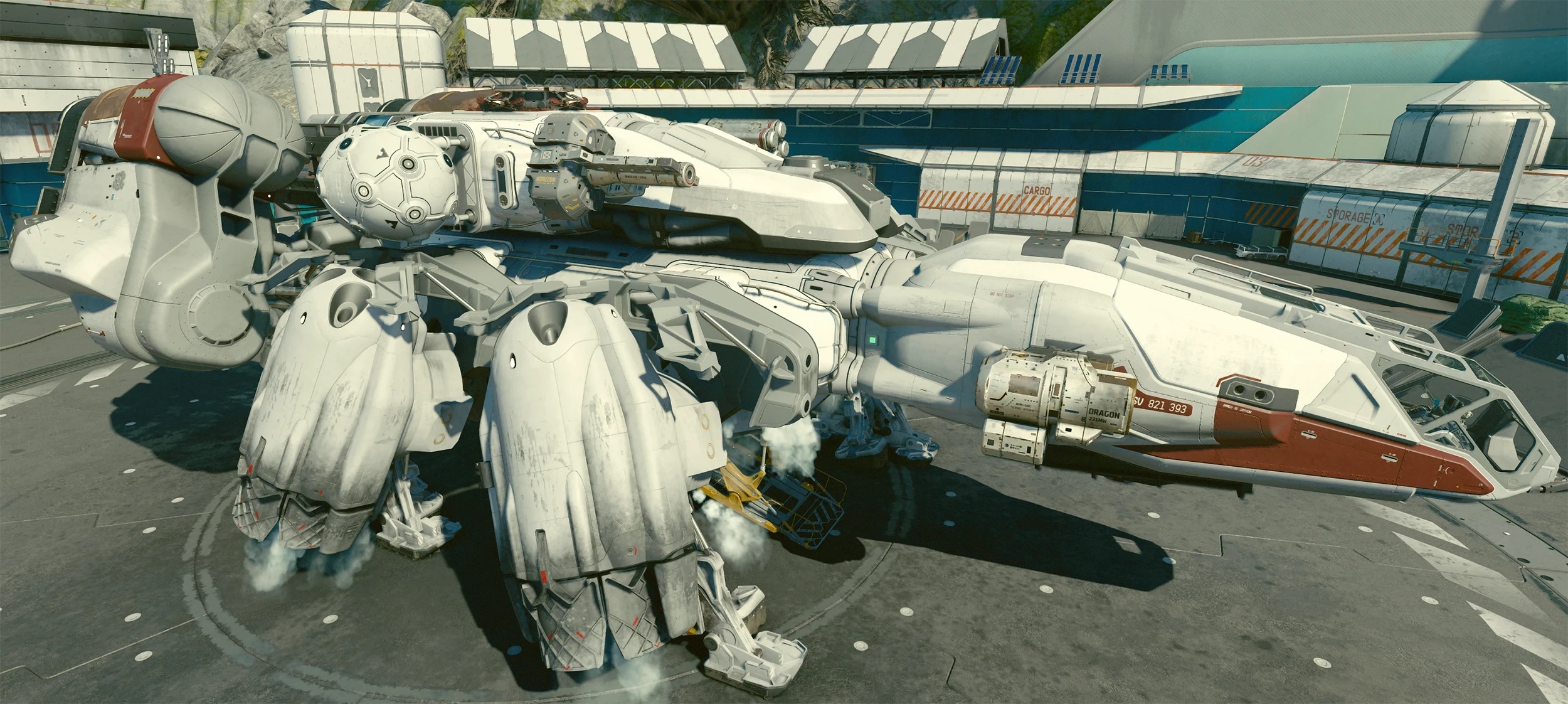
Modder 'Epiphany Absolute' has released the first AI-upscaled 4K Texture Pack for Starfield, weighing around 13GB in size.
jade briar
Depends on the source.
Upsclaing from a good enough res to 4k won't be as wonky as going from 512x512 to 4k.
open atlas
I mean in fairness to that it'll be working off textures made to 2023 standards and not 2004
jade briar
That too
cloud crypt
Basically if textures are 1440p and you scale them to 4k it looks much much better and doesnt need as much space as in 1080p
ember cobalt
i don't see how they could screw these textures up
these are really easy to upscale, even if you pick a shitty model
desert ridge
 pallid river
Is it normal for rough.usda to fail to load in composer?
pallid river
Is it normal for rough.usda to fail to load in composer?
Where did you obtain the "rough.usa" file? It is not included in the GitHub repo.
ember river
Well yeah, I noticed that sliped through in the last merge. The mod.usda refers to an unexsiting rough_only.usda file
pallid river
Ok then.
spark moon
ember river
Well yeah, I noticed that sliped through in the last merge. The mod.usda refers ...
rtx.config is incomplete
desert ridge
ember river
Well yeah, I noticed that sliped through in the last merge. The mod.usda refers ...
I believe I have ignored the file in ".gitignore" but forgot to remove the corresponding line in mod.usda.
spark moon
cant see rain
 jade briar
Use eyes
spark moon
GREAT
pallid river
do not all cars have headlights/tailights or am I missing something
 humble niche
jade briar
Upsclaing from a good enough res to 4k won't be as wonky as going from 512x512 t...
humble niche
jade briar
Upsclaing from a good enough res to 4k won't be as wonky as going from 512x512 t...
Pretty much this, part of the reason I stopped trying to polish my ESRGAN packs so far is that trying to pull from 128x or smaller textures is squeezing detail from a blurry rock jpg.
cloud crypt
Well, i think i get back to work and try to get a better denoiser again... hopefully the settings are getting safed this time because i use the old dlss file again
pallid river
looks like widescreen patch only works for 1440p and lower
cloud crypt
Also for 4K
It can check wich res your running on the pc as default and set it to it
If the monitor only can handle 1440p it will be set to 1440p
But you can set it manually
For x you set 3830
For y you set 2160
But if the problem is crash related it could be that either your gpu or remix itself cant handle it
Or you should disable framegeneration
pallid river
My problem is the game launches borderless and partially off the screen.
If I choose 1440p desktop res it works
cloud crypt
Set wudescreenmode to 4
pallid river
any rules for adding headlights/taillights to cars to ensure they work?
I see on one car they are just children of the windshield
pallid river
cloud crypt
Set wudescreenmode to 4
tried all the above, no luck.
Thing is in the past I could alt+enter to fix but now it no work

So the application is running in borderless fullscreen not as a window
which explains why all the window related key binds and functions are disabled.
also wacky, the 350z has lights set up according to the usda, but they don't work in-game
but I've seen npc cars with working headlights/taillights
and in the garage as well
also should skip intros actually be skipping the intros because right now it just makes them black
Also I noticed that if Force High Res textures is not on certain textures will be like 1/4 res at all times. Which I think is just it using original game textures?

 cloud crypt
Nope, these are not original textures
pallid river
Ok so just a low lod of them on the low res side?
pallid river
also it just all of sudden started worked in 4k
Figured out lack of headlights was due to car geometry detail setting
still no tailights though
pallid river
so no tailights due to incorrect light params.
spec and diffuse were set to 1 so there was no light emitted
cloud crypt
less noise while moving )what you see is motion blur=

without motion blur

@tawny elk do you want to test the new denoiser settings?
or @jade briar
cloud crypt
yeah, to make the game less noisey... We cant really make it perfect for now, be we can make the denoiser atleast a bit better
pallid river
yeah the default settings are pretty cursed tbh
cloud crypt
i wouldnt recommend to change any textures for now since we want to replace the meshes of the game
pallid river
I'm not touching textures just the actual lights
I'm trying to figure out why the tailights devolve into plastic if any sort of emission is enabled near them
like it's aperature translucent but doesn't look like it at all in-game

I made the light bulb texture inside the cover emissive and this happens
Any way to fix the car pop-in and flickering of everything for a second as you approach it?
cloud crypt
nope, not for now... got it a bit more stable with the denoiser but still happens
pallid river
Gotcha, not huge deal.
Just need to figure out my super low 1% fps that happens sometimes
cloud crypt
you dont have to forget that remix itself still is in development... its an open alpha
pallid river
ik, for this game I didn't know if the flickering was from alpha blend like in other games, or from nfs
cloud crypt
well when moving the car the shadows dont get lost anymore. They are a bit noise but they dont get canceled

when not moving its pretty neat and feels good to look at

i made the denoiser faster so that these outcomes are possible
cloud crypt

Custom Denoiser for Underground 2. Since the settings dont get safed completely i icluded pictures of the settings so you can change them manually
@ember river @jade briar @tawny elk
sry for Ping, but thats the easyiest way to inform you
cloud crypt
cloud crypt
Custom Denoiser for Underground 2. Since the settings dont get safed completely ...
its recommended to use it with motion blur on for best results
ember river
cloud crypt
Custom Denoiser for Underground 2. Since the settings dont get safed completely ...
Nice job man. I'll be taking a look at it tomorrow then
spark moon
 mossy pelican
laughed way too much at this
mossy pelican
laughed way too much at this
I took an appointment to change my eyes...bro

 sharp sinew
humble niche
Pretty much this, part of the reason I stopped trying to polish my ESRGAN packs ...
sharp sinew
humble niche
Pretty much this, part of the reason I stopped trying to polish my ESRGAN packs ...
What if you had high Res source assets?
https://youtu.be/i__614yy53Y?si=SYSIGIibhyTgFfjH
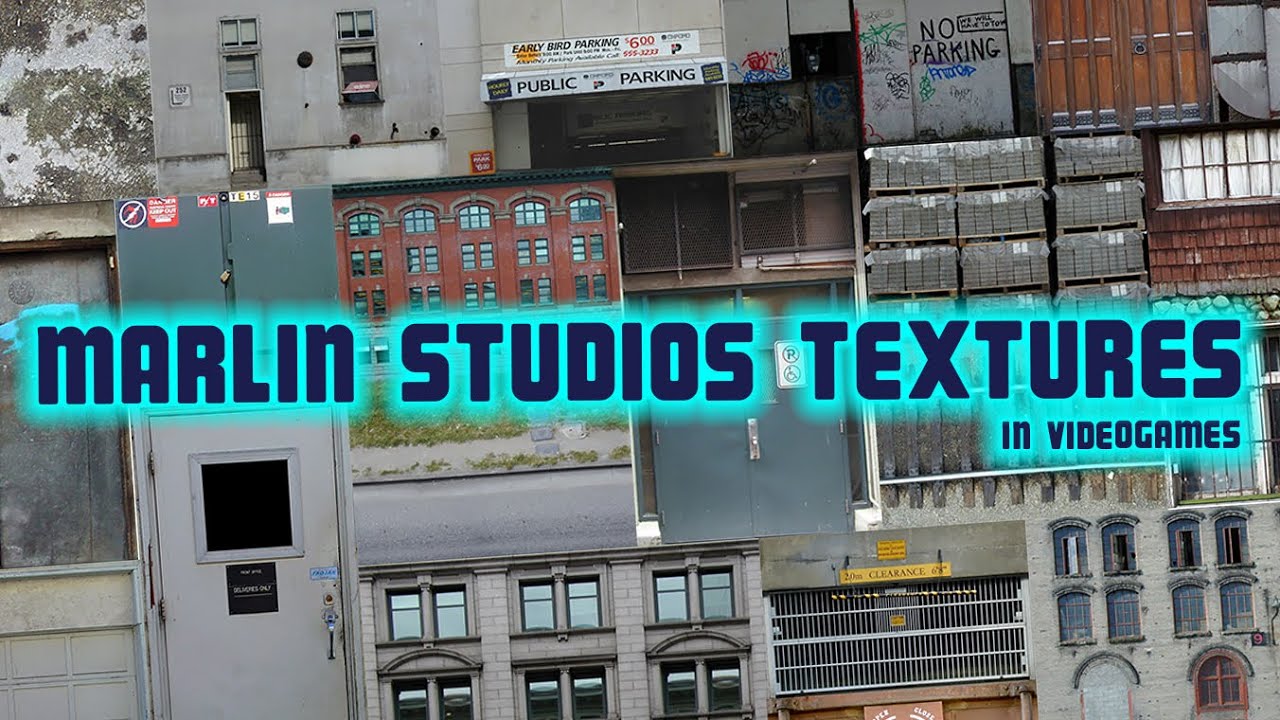
This video will show an encyclopedic collection of texture usage examples of Marlin Studios by Canadian photographer and 3D artist Geoff Holman, and I'll tell you the story of why we see repeated textures in various 2000s games from different developers. I wish you a pleasant viewing and ask you to subscribe to this channel if you liked it.
htt...
spark moon
cloud crypt
Custom Denoiser for Underground 2. Since the settings dont get safed completely ...
NRD was updated last 2 months ago 4.2.2 still not implimented in dxvk remix...still on 4.1
 elfin beacon
spark moon
elfin beacon
spark moon
Fancy
tawny elk
sharp sinew
What if you had high Res source assets?
https://youtu.be/i__614yy53Y?si=SYSIGIib...
Definitely going to look into this 👀
humble niche
The Punisher apparently used these assets just about everywhere so there's a chance this may work. 👀
Good lord, it's like I'm playing Hypnospace again.
https://web.archive.org/web/20000301153101/http://marlinstudios.com:80/home/home.htm
 sharp sinew
Can you buy the discs still? Would be awesome to have
tawny elk
humble niche
Good lord, it's like I'm playing Hypnospace again.
https://web.archive.org/web/2...
Eight great texture libraries 
tawny elk
sharp sinew
Can you buy the discs still? Would be awesome to have
They’re on archive
sharp sinew
I'd have to own them to use them
Imagine making loads of stuff and a year later getting an email or something
tawny elk
You’d have to get in touch with the original photographer to figure out who has the rights now
humble niche
The website is completely down. I'm drafting something to send to the support email.
Guess the question is whether Marlin is dissolved or a skeleton crew at this point.
sharp sinew
It's got a linked in and Mr marlin is there
humble niche
As for the archive, there's a few on there but these are multi CD collections and very little of it is preserved there.
Oh nvm
tawny elk
sharp sinew
It's got a linked in and Mr marlin is there
The photographer is Geoff Holman per the video https://www.behance.net/Zargonstudios

Behance
humble niche
Found Tom Marlin's facebook 🤣 maybe it's worth sending a message?
vague sparrow
sharp sinew
Can you buy the discs still? Would be awesome to have
ebay
humble niche
RE: Ebay, I tried, nothing there.
vague sparrow
humble niche
RE: Ebay, I tried, nothing there.
old archives
i think i may know some websites
vague sparrow
humble niche
But we still need to legally acquire them.
well in that case i could chip some money
humble niche
Same, not this month but definitely next month.
vague sparrow
if we find a whole dataset
tawny elk
humble niche
Same, not this month but definitely next month.
Moneys in the mail I swear
humble niche
I'll probably use them for a Unity project afterwards anyway, I'm getting my money's worth 🤣
Should we start a group DM or something for the Marlin Studios Archaeology Project?
vague sparrow
humble niche
Should we start a group DM or something for the Marlin Studios Archaeology Proje...
yeah
a group DM
i'll need some research time to get all the sources i need
balmy chasm
Why you guys need this decades old pack again?
vague sparrow
tawny elk
I’ll give whatever phone number I can find associated with them a call since it isn’t international for me 
vague sparrow
 tawny elk
balmy chasm
Why you guys need this decades old pack again?
tawny elk
balmy chasm
Why you guys need this decades old pack again?
I want them pixels for MW
 tawny elk

humble niche
That does look complete but there's a lot of volumes that aren't here, that and we still don't have a license to ues it.
vague sparrow
humble niche
That does look complete but there's a lot of volumes that aren't here, that and ...
ah shit
well i found one texture pack for 300megabytes
should be good for reference
humble niche
Stop downloading textures y'all, I can't get on the archive anymore 🤣
vague sparrow
humble niche
Stop downloading textures y'all, I can't get on the archive anymore 🤣
i'll just upload it somewhere safe lol
this archive site is slow asf
humble niche
Archive is generally safe but it seems like it's getting slammed out of nowhere
vague sparrow
yeah this isn't going to get me anywhere
 tawny elk
Working fine for me 
tawny elk
It’s about 4 minutes to download per collection for me
humble niche
It'd be pretty funny if we formed some kind of loose company for this thing 🤣
tawny elk
Can we get that group DM going? Need to coordinate
vague sparrow
good 'ol IDM to the rescue
 humble niche
@tawny elk@vague sparrow Anyone else need to be added?
vague sparrow
tawny elk
Can we get that group DM going? Need to coordinate
i need to add yall friends first
humble niche
Yep, same here
@vague sparrow You need to send me the friend request first I think.
tawny elk
I wonder if the road textures were from a texture collection
vague sparrow
tawny elk
I wonder if the road textures were from a texture collection
i can match them
jade briar
So how's the texture hunt going?
vague sparrow
jade briar
So how's the texture hunt going?
we got the source textures
jade briar
How many?
vague sparrow
some
jade briar
Wonder if someone can message marlin and explain our situation. He'll probably help out.

 jade briar
Only pack 5
vague sparrow
jade briar
Only pack 5
that's where all the main textures are found
come join us in the private DM
 ember river
Heyo, just work up. Whats going on
vague sparrow
ember river
Heyo, just work up. Whats going on
original texture source hunt to be precise
ember river
Oh boy, thats cool
 chrome meadow
Well, enhanced color likely work on the whole frame but the computation is fairly simple, light trails appear to work only on certain lights for example
 soft zinc
chrome meadow
Well, enhanced color likely work on the whole frame but the computation is fairl...
soft zinc
chrome meadow
Well, enhanced color likely work on the whole frame but the computation is fairl...
Icic
I'd figured the O(n) operations would've still taken a lot of time
ember river
Anyone wants to review this big boy or should I proceed to merge? It has one approval already
https://github.com/Ekozmaster/NFSU2-RTX-Remix/issues/89
jade briar
Looks good
spark moon
Strange cull igo close to it light goes off
 pallid river
Nice headlights on that car
cloud crypt
Someone tested the culling settings yet?
cloud crypt
hey man, just wanted to metion that i could succesfully upgrade the BIOS to the one of the AMP! Extreme with 128.4% TDP Powerlimit
the old powerlimit was 105%, clock are way higher and performance is way way better than before
 open atlas
cloud crypt
hey man, just wanted to metion that i could succesfully upgrade the BIOS to the ...
open atlas
cloud crypt
hey man, just wanted to metion that i could succesfully upgrade the BIOS to the ...
what bios did you end up flashing just out of sheer curiosity
cloud crypt
GPU 4070 Ti, or what exactly do you want to know
open atlas
The BIOS file you flashed


 ember river
@cloud crypt I tested the denoiser settings you posted, but I think I might not be the one to test it now. My 3060 already runs the game pretty slow. I noticed it got darker and has more denoising fireflies than before. Not like your pics
 cloud crypt
Oh ok, every feedback is welcomed. I rework it again
What do you think could create these fireflys? I would recommend to only use it with the rtx conf included
cloud crypt
what did you guys do...
 cloud crypt
ember river
<@401032793829933056> I tested the denoiser settings you posted, but I think I m...
cloud crypt
ember river
<@401032793829933056> I tested the denoiser settings you posted, but I think I m...
dont know what dlss setting u use, but in quality its not that much
this setting solves firefly issue... its normally on 1000, when using it on 5 firefly gone
 dusty grove
cloud crypt
what did you guys do...
dusty grove
cloud crypt
what did you guys do...
"thousand time saying you that you need latest adam lights" https://github.com/adamplayer/Underground2RTX

GitHub
An RTX-Remix mod for Need For Speed Underground 2. Contribute to adamplayer/Underground2RTX development by creating an account on GitHub.
cloud crypt
why its not in the main git, makes no sense
dusty grove
adam said that he will move his stuff to main, about 2 months ago, idk what go wrong
open atlas
@tawny elk
cloud crypt
@ember river new denoise settings, use the rtx file inside too (not changed much except pathtracing integrator and denoiser, but could be that not all are saved so pictures included again too)
vague sparrow
dusty grove
"thousand time saying you that you need latest adam lights" https://github.com/a...
this screenshot looks awesome
dusty grove
cloud crypt
<@544327892599963668> new denoise settings, use the rtx file inside too (not cha...
Actually its pretty good, there is less light reflection so you get more detail (720p internal res)
 cloud crypt
dusty grove
Actually its pretty good, there is less light reflection so you get more detail ...
cloud crypt
dusty grove
Actually its pretty good, there is less light reflection so you get more detail ...
which version do you use?
dusty grove
cloud crypt
which version do you use?
you mean? dlss 3.5 + ur conf
cloud crypt
you have to apply the settings from the scree4nshots manually since they dont get safed in the config
in the config only the main settings get saved and the pathtracing settings. The denoise settings from primary Direct/Indirect and secondary dont get saved in the .conf file
i hope that this big will get fixed in future
vague sparrow
cloud crypt
i hope that this big will get fixed in future
 dusty grove
cloud crypt
you have to apply the settings from the scree4nshots manually since they dont ge...
dusty grove
cloud crypt
you have to apply the settings from the scree4nshots manually since they dont ge...
bro next time pls dont cut screenshot, cuz i need to click on every tab in remix to find the thing you change)
cloud crypt
its in denoise settings... its simple to find lol
u just need to change the options from the 2 primary and the 1 secondary file
ember river
cloud crypt
dont know what dlss setting u use, but in quality its not that much
I use in performance always. Quality is too much for my gpu
cloud crypt
Try the newer version. I fixed the firefly issue
ember river
I'm not sure what causes it, I notice it the strongest on penumbra transitions between shadow and light, with less lit regions
I'll be trying tomorrow. Going to bed rn
cloud crypt
Same, gn8
 dapper root
It is
pallid river
Just noticed that man Frame Generation struggles here, DLSS has issues as well.
spark moon
dusty grove
Actually its pretty good, there is less light reflection so you get more detail ...
This looks amazing
tawny elk
dusty grove
adam said that he will move his stuff to main, about 2 months ago, idk what go w...
It isn't easy to just merge it with main 
cloud crypt
ember river
I'll be trying tomorrow. Going to bed rn
Hows it going😂
ember river
cloud crypt
Hows it going😂
Heyo. Didn't stop to test yet. Helping ppl out on some other threads. I'll be looking asap 😉
cloud crypt
ember river
Heyo. Didn't stop to test yet. Helping ppl out on some other threads. I'll be lo...
Did you have tested

 timid prairie
I really have nothing to do except making photo of ground


 slender sail
i've been planning to buy this monitor for quite some time but i've been planning to buy other monitors off the internet because it seems that it doesn't have a built-in speaker. does it have a built-in speaker?
open atlas
if youre using built in speakers with a monitor costing the better part of $1000 youre doing it wrong
slender sail
welp it doesn't have it then
i've been worried about this because buying additional speakers would use some space in the table
and that if not placed properly, it could also look unfitting for the aesthetic
cloud crypt
Well, i use Levovo Legion Y27q-30... 1440p, HDR400, 10Bit, build in speakers, up to 180Hz, 0.5MS MRPT, 126% srgb color, 95% DCI-P3 color and 27"... is more than enough
slender sail
yeah i've been also planning to buy a laptop to experience the game
cloud crypt
Buy the Legion Y27q-30 Monitor and don’t miss a single frame of action. The monitor’s Display HDR™ 400 support delivers colours that are true to life.
balmy chasm
slender sail
whoops
Well, those 3W Speakers in Lenovo are as cheap as you can imagine them to be. Consider that as an option if you have headphones already
cloud crypt
I only use headphone (Logitech G Pro X) or Speakers (Logitech G560)
open atlas
if youre looking at a thousand dollar + monitor and youre worried about the speaker quality your priorities are off
and if youre worried about aesthetic just use headphones
cloud crypt
In adams lights these were off.
After i put my mod_lights back into mod.usda there are back again.... My lights would be needed to be brighter and some have to be deleted (like highway lights) but that way we could a more immersive experience by only keeping some of them
 cloud crypt
@tawny elk is it ok for you if i rework my lights? I mean that i delete the lights you already have added from my mod_lights and add only new ones? Like these in my pictures which were actualy missing in your lights
pallid river
Couldn't imagine even more lights tbh
cloud crypt
the other lights seem to be added in adams own repo, which sucks that they are not in the main repo... but the light bulbs in the picture above are missing
pallid river
you mean like when you use them separetely I'm assuming?
Speaking of lights is it cheaper to use emissives instead for less important lights?
dusty grove
Emissive - disappears off camera
cloud crypt
normal lights dont get culled away, and emissives doesnt work as we want them to work
pallid river
Yeah I notice they kinda break the material of anything in front of them
just turns it into glowing plastic
but I'd assume they work well for optimization where you want something glowing or a simple light in a less important area to ut down on full lights.
Especially when we are getting to 50+ lights minimum with Adams
#1103377328530276403 message
putting this here cause it looks nice
might use it
cloud crypt
still having this problem
 cloud crypt
could fix it...
 balmy chasm
@ember river Hi, can you investigate normals here. This wavy noise all over the texture is not intended for sure
 tawny elk
cloud crypt
<@264632269174472704> is it ok for you if i rework my lights? I mean that i dele...
tawny elk
cloud crypt
<@264632269174472704> is it ok for you if i rework my lights? I mean that i dele...
Go for it
tawny elk
pallid river
Especially when we are getting to 50+ lights minimum with Adams
There’s no perf hit with tons of lights because of restir 
desert ridge
The first building is complete. Finally, I utilized the array feature in Omniverse because Blender cannot output instance objects, resulting in significantly larger file sizes.
jade briar
Looks good
vague sparrow
how exactly are we going to put this building in the game?
desert ridge
vague sparrow
how exactly are we going to put this building in the game?
With mesh replacement, this is the original mesh.
 vague sparrow
these windows are kinda big
jade briar
This is either gonna look really good, or really strange. Excited to see how it turns out.
jade briar
vague sparrow
these windows are kinda big
Nothing in the game is to scale
vague sparrow
jade briar
This is either gonna look really good, or really strange. Excited to see how it ...
one way it could work is to make these meshes behind the orignal geometry
jade briar
Maybe
vague sparrow
with some very dull opaque windows
jade briar
desert ridge
Do you think putting a flat plane in front of all the rooms with a glass material would be a good idea?
cloud crypt
I'd say yes
desert ridge
I have nearly completed the headlight/taillight glass with a normal map, adjusted raindrop refraction by reducing raindrop size using NFSU2ExtraOptions, added some windows refraction, recreated carbon fiber texture, and updated some interior light textures.


 desert ridge
jade briar
Do you think putting a flat plane in front of all the rooms with a glass materia...
desert ridge
jade briar
Do you think putting a flat plane in front of all the rooms with a glass materia...
Are you referring to using real reflection and refraction on the glass or simply using transparent glass?
vague sparrow
i think transparent material would work fine
glass will add more complications like refraction, we simply want the rooms to be lit up and that "look! there's rooms in those buildings" kinda impressions
but yeah it should be reflective, basically glass
yeah
desert ridge
I need the assistance of a mesh replacement Master. I am unable to replace the building mesh in Omniverse; after replacing the mesh, it simply disappears. However, when I open it as a single file, it works fine.
here is the file
pallid river
tawny elk
There’s no perf hit with tons of lights because of restir <:shrug:67155326930635...
That’s how it’s supposed to work to an extent but I’m straight up getting lower FPS with your mod. I’ll double check later.
vague sparrow
pallid river
That’s how it’s supposed to work to an extent but I’m straight up getting lower ...
you could load in millions of lights and ReSTIR would perform the same
actually it produces much better looking results with more lights
jade briar
desert ridge
I need the assistance of a mesh replacement Master. I am unable to replace the b...
@ember river
jade briar
desert ridge
Are you referring to using real reflection and refraction on the glass or simply...
I'm just talking about plain reflections so that the glass can reflect the world around the building
desert ridge
jade briar
I'm just talking about plain reflections so that the glass can reflect the world...
Does the opacity material in Remix support reflections? I believe only translucent materials can have both transparency (refraction) and reflections simultaneously.
jade briar
desert ridge
Does the opacity material in Remix support reflections? I believe only transluce...
I don't think so.
jade briar
desert ridge
Does the opacity material in Remix support reflections? I believe only transluce...
Maybe this can be recreated for the game?
balmy chasm
We have transluecent material in Remix?
desert ridge
balmy chasm
We have transluecent material in Remix?
Certainly, for the car windows, headlights, and taillights, I have utilized translucent material to achieve both reflection and refraction.
tawny elk
desert ridge
Does the opacity material in Remix support reflections? I believe only transluce...
Don’t use transparency with the opaque shader. You’ll destroy your frame rate.
cloud crypt
desert ridge
I have nearly completed the headlight/taillight glass with a normal map, adjuste...
How you got vehicle reflections?
desert ridge
use AperturePBR_Opacity.mdl , Opacity amount set to 0.1, without Thin-wall

use AperturePBR_Opacity.mdl , Opacity amount set to 0.1, with Thin-wall

use AperturePBR_Translucent.mdl, without Thin-wall

use AperturePBR_Translucent.mdl, with Thin-wall
 vague sparrow
desert ridge
use AperturePBR_Translucent.mdl, with Thin-wall
vague sparrow
desert ridge
use AperturePBR_Translucent.mdl, with Thin-wall
does this look more reflective?
like can we use this as a window for buildings
tawny elk
tawny elk
Don’t use transparency with the opaque shader. You’ll destroy your frame rate.
Sorry I should have clarified, I meant alphas/dithering sort of transparency and not just adjusting the opacity as a whole.
For arch glass you’d want to just make a thin rect, mark it as thin walled, and set the IOR to the correct amount. It’ll be around 1.5-2. Might tint the glass with a greenish blue.
desert ridge
cloud crypt
How you got vehicle reflections?
In the Remix GUI, set the Legacy Material roughness to 0.02 and the metalness to 0.4-0.6. This will make all scene objects highly reflective. Place the "rough_only.usda" file in the gameReadyAssets folder and edit the mod.usda file in the subLayer by adding "rough_only.usda" at the bottom line. Additionally, if you encounter disappearing textures, capture frame to USD texture will appear again.
 desert ridge
tawny elk
For arch glass you’d want to just make a thin rect, mark it as thin walled, and ...
desert ridge
tawny elk
For arch glass you’d want to just make a thin rect, mark it as thin walled, and ...
Does that mean I should use the AperturePBR_Translucent.mdl material?
cloud crypt
Ok, in the mod.usda that line already was there but the file missed. Thx
desert ridge
cloud crypt
Ok, in the mod.usda that line already was there but the file missed. Thx
I didn't upload the file to GitHub, it could result in textures disappearing. In such cases, all objects will appear grey if the corresponding texture is missing from the Capture Folder.
cloud crypt
Already have that issue with some buidlings without that file
They are kinda black with only theyre emissives
desert ridge
I believe I have captured nearly all the textures in the scene to resolve the reflective issue.🤣
balmy chasm
*Like how project structure gets more and more~~ complex~~ unstructured *
desert ridge
Single plane, with Thin-wall

"Shell" plane, without Thin-wall

"Shell" plane, with Thin-wall
 tawny elk
What are you trying to show?
desert ridge
What is your opinion on which window material is the best?
In my opinion, a single plane looks almost identical to a double-faced window material when viewed from a distance.
tawny elk
Just a tall rectangle with like 2cm of depth. Translucent material. 1.8 IOR. Slight blue green tint. Thin Walled.
desert ridge
OK
ember river
Ayo, just woke up.
Lemme sort my todo list in order.
I'm still in debt of testing hell's denoising settings
ember river
balmy chasm
<@544327892599963668> Hi, can you investigate normals here. This wavy noise all ...
Sure, I hated that since day 1, but decided to move on. I removed that grid normals at some point, but they still affect some places so I will take a closer look at what interference pattern is causing it
ember river
ember river
Sure, I hated that since day 1, but decided to move on. I removed that grid norm...
Actually, think I'll rework the sidewalks in 8k
ember river
desert ridge
I need the assistance of a mesh replacement Master. I am unable to replace the b...
Check if the mesh's origin is located at (0, 0, 0) in the capture in OV. If so, you must compensate for that, translating the mesh vertices in blender so the origin is still at 0,0,0 but the vertices match the original mesh location
ember river
balmy chasm
Never said they should be upscaled
I know. Just something I got in my mind for a while
balmy chasm
ember river
Check if the mesh's origin is located at (0, 0, 0) in the capture in OV. If so, ...
Does it also work with just moving mesh pivot to zeros?
ember river
ember river
Check if the mesh's origin is located at (0, 0, 0) in the capture in OV. If so, ...
A quick way to do that is Ctrl+A -> Apply location and rotation transforms
This happens for unique meshes like buildings or the road pieces. Other meshes that are instanced multiple times like props, the common walls I've been replacing or the car meshes are all located near origin already so one replacement fits them all
desert ridge
ember river
Check if the mesh's origin is located at (0, 0, 0) in the capture in OV. If so, ...
I have finally learned how to replace the mesh. It appears that array instancing geometry in Omniverse does not work in Remix, so I ended up using Blender to export the USD file. The mesh runs smoothly in Remix but runs very slowly in the game. I believe Remix operates differently from Omniverse. I suspect that the large number of instances in the mesh is causing the issue, so I may need to join them as a single mesh in Blender beforehand.
balmy chasm
desert ridge
I have finally learned how to replace the mesh. It appears that array instancing...
To be fair you should change your approach. Using a ton of separate cubes is Vertices intensive, while somewhat Texture efficient. But considering the fact all building are far from camera - you can just use a single low res textured plane as background after the glass wall
ember river
desert ridge
I have finally learned how to replace the mesh. It appears that array instancing...
I've never added dozens of meshes to a single mesh before, so I can tell whether it is an issue or not, but yeah, if you can merge it all would be best for managing and assigning materials too.
Also, the simpler the mesh, the less headache. Apply all modifiers, triangulate the meshes, 1 material per mesh, and so on
ember river
balmy chasm
To be fair you should change your approach. Using a ton of separate cubes is Ver...
Poly count isn't that much of a problem in RT. Having to merge them all would result in roughly the same as it would require a texture atlas with all the background variations, to map each room's background to the correct texture in the atlas
balmy chasm
Considering what he said, verts count should decrease
ember river
desert ridge
I think you're exporting all the original geometry as is instead of baking a cube map for each room, right? That might be your performance issue. Millions of polygons
desert ridge
To improve performance, I need to join the multiple objects into a single mesh because the Export Geometry Node defaults to exporting them separately.
ember river
There is a "Realize Geometry" node that you can attach just before the output node in geo nodes that merges them all
Also, "Join Geometry" node does the merging for yah
ember river
ember river
I think you're exporting all the original geometry as is instead of baking a cub...
Oh now I've paid more attention, it is not actual geometry, just billboards/plain textured rects.
Then maybe you're enabling opacity blending for the whole building even for the solid walls rather than separating the alpha tested objects on their own mesh
pallid river
vague sparrow
you could load in millions of lights and ReSTIR would perform the same
Yeah I’m aware of how it works I’m just wondering where my FPS went lol. Maybe my DLSS preset changed or something.
desert ridge
I have already used the "Join Geometry" option, but the "Visual Geometry to Mesh" function did not work as expected. When I pressed "Visual Geometry to Mesh," the entire mesh disappeared.
 ember river
desert ridge
I have already used the "Join Geometry" option, but the "Visual Geometry to Mesh...
ember river
desert ridge
I have already used the "Join Geometry" option, but the "Visual Geometry to Mesh...
Hmm I dont use that option. Rather, I go to the modifiers tab and "apply" the geometry node, so it commits to the mesh. It will still disappear, that is why you need the "Realize Geometry" or "Realize Instances" (forgot the name)
Between join and group output nodes
After adding that node, maybe your right click option should also work
desert ridge
ember river
Between join and group output nodes
It's called "realize instances." Thank you very much!
ember river
@cloud crypt Just tested your latest denoising settings (v.06), and I love them. I'd say the game got a bit too dark on less lit areas like jackson heights, but is just my personal opinion, overall it has gotten a nice moody look. For the denoising though, I have no down sides to point, it looks perfect to me. I'm playing on performance mode, and against your recommendations, disabled motion blur, and it still looks quite good. First thing I noticed improved a lot were the exaggerated guard rails reflections that are now gone, same for chain link fences and other highly reflective metallic surfaces.
Question now is, how to share that properly?
cloud crypt
Glad to hear that my latest denoise settings work this good🙏
And with the darkness, well, that could be fixed if you raise up the exposure of the tonemap by 0.05 or 0.1
But well, the denoise settings getting deleted everytime we boot up the game again, so that is still an issue that needs to be fixed
ember river
Wanna file an issue for that on the combined repo?
timid prairie
as soon as I don't waste my time on something like this....
 ember river
Heyo gang @jade briar @tawny elk @balmy chasm @safe patrol @desert ridge @cloud crypt
Just created a "Release 0.3.0-alpha" milestone to help managing the project. Now we can tag the issues and tasks on our projects boasrd (https://github.com/users/Ekozmaster/projects/1) that are planned to be delivered on the next 0.3.0-alpha release, just like I did for the overpass textures uncle mentioned
 jade briar
🔥
pallid river
So in regards to my FPS woes, it appears perhaps the partially broken dxvk version was at fault?
Updated and now I'm locked at 60 even in the funny 300 light area, where I was getting ~40 the other night.
And everywhere else my FPS is more stable of course.
pallid river
 plain lantern
how i can download this
plain lantern
how i can download this
You need the game obviously, then you need to use git to grab the repo.
GitHub
RTX Remix mod for Need for Speed Underground 2. Contribute to Ekozmaster/NFSU2-RTX-Remix development by creating an account on GitHub.
Instructions are provided by readme
Is this different than Adam's culling asi?
Like do I use one or the other or both
jade briar
You can use both. The option is available in zolika's underground 2 mod menu
pallid river
I wish it fixed the vehicle LOD's too
The taxi model is just hilarious to see
And there is no fix for the light flickering right?
Guessing that might be denoiser and not the game though
Here's hoping for DLRR then
I think my only real issue with this atm is the car headlights.
Second would probably be the car materials.
Otherwise everything is really good.
jade briar
pallid river
Guessing that might be denoiser and not the game though
Looks like a problem with remix getting wrong motion vectors from the game.
pallid river
jade briar
Looks like a problem with remix getting wrong motion vectors from the game.
That would explain the funny FG and DLSS artifacting
Same issue that F123 has
jade briar
Maybe
pallid river
Also anyone else having horrendous 1% lows?
plain lantern
how i can use new 0.30 textures?
jade briar
plain lantern
how i can use new 0.30 textures?
You can install them from the GitHub repo. The instructions are there. The setup is a little complicated, but should be doable.
 jade briar
What do you see?

 jade briar
Hmm
jade briar
plain lantern
this one i got download?
Did you download the normal remix 0.2?
plain lantern

GitHub
Release Notes
The Remix Runtime Bridge is now open source on GitHub! You can find the repo here!
Many Bridge improvements have gone into this release to address various game compatibility issues:
...
from this link i downloaded
remix-0.2.0.zip
jade briar
Did you put it in the game folder?
plain lantern
there is remix-0.2.0-symbols.zip
plain lantern
jade briar
Did you put it in the game folder?
yes
plain lantern
yes i got it
and widescreen fix
installed
and changed dinput.dll to dsound.dll
jade briar
plain lantern
and changed dinput.dll to dsound.dll
Now download this app and run it somewhere
#1132988164814934167 message
It should download the latest dxvk and bridge for you automatically
plain lantern
Would you like to open the Remix directory now? [y/n] (y):
what to write
y or n
 jade briar
Y
plain lantern
ok and copy to game folder?
jade briar
Just show me the folder contents first
plain lantern
 plain lantern
done
jade briar
see if the game launches
 plain lantern
 plain lantern
its asi
jade briar
And don't touch the d3d9 in the trex folder
plain lantern
 plain lantern
 jade briar
Can you screenshot the whole game folder?
 jade briar
plain lantern
cant download this release to
jade briar
plain lantern
cant download this release to
You already have it. The script downloaded it for you
plain lantern
🧐
cloud crypt
ember river
Heyo gang <@877275530813128724> <@264632269174472704> <@331104351907217408> <@32...
im on the bridge underide but didnt had time yesterday for that, i will do them now
ember river
cloud crypt
im on the bridge underide but didnt had time yesterday for that, i will do them ...
Whenever you start, just drag the card to "In Progress" and set you as assignee so we know you're on it 😉
cloud crypt
ok
jade briar
plain lantern
🧐
Download these files from the repo

 jade briar
And put them in the folder
plain lantern
where are theese files
cloud crypt
then you did smth wrong
jade briar
Hmmm
cloud crypt
install widescreenfix, set widescreenmdoe to 4
rename dinput8 to dsound
jade briar
Did you put the files in the game folder. That I told you to download
jade briar
cloud crypt
install widescreenfix, set widescreenmdoe to 4
rename dinput8 to dsound
Dsound isn't necessary
jade briar
Sure
cloud crypt
jade briar
Dsound isn't necessary
it is, otherwise game doesnt start
jade briar
It does
cloud crypt
you will get dinput8 error in remix
jade briar

cloud crypt
anyways, these 2 textures shall be redone, right?

 jade briar
Yyyyes
jade briar
Yes?
plain lantern
done
jade briar
Files from the script installed?
jade briar
Now the files from the nfs repo
plain lantern
done
jade briar
Now try the game
 cloud crypt
works better, but there is still smth not correct
cloud crypt
well, tried smth here

 jade briar
You can't download from browser
So you either have to use GitHub desktop, or git to clone it
plain lantern
nfs repo?
 jade briar
God
plain lantern
so i will not play
jade briar
GitHub
RTX Remix mod for Need for Speed Underground 2. Contribute to Ekozmaster/NFSU2-RTX-Remix development by creating an account on GitHub.
This
You will have to download GitHub desktop
Log in
And then clone this repository
Because you can't directly download from the website
I know
It's annoying
Once it downloads all the textures and stuff
Copy them all and put them in the game
@plain lantern
pallid river
if you set up the repo as stated in the readme there is no copy and paste
jade briar
That's for git
 plain lantern
selected
jade briar
I think it'll ask for a link now
jade briar
jade briar
https://github.com/Ekozmaster/NFSU2-RTX-Remix
Put this in
plain lantern
 jade briar
pallid river
if you set up the repo as stated in the readme there is no copy and paste
jade briar
pallid river
if you set up the repo as stated in the readme there is no copy and paste
Nice
Wrong reply
Grander
Nice
Let me know when it's downloaded
sharp sinew

 sharp sinew
Phone on 1%. Worried I'm gonna miss the ending where burrito has a breakdown
jade briar
plain lantern
Now find the folder where it downlded everything
plain lantern
 jade briar
Copy everything in the game
plain lantern
done
jade briar
And last step is that
In the rtx remix defaults folder
There's a file called rtx.conf
Copy that. And paste it into the main game folder
Where the exe is
After that. You should be done
jade briar
sharp sinew
Phone on 1%. Worried I'm gonna miss the ending where burrito has a breakdown
It's 4 am, and tech support drains sanity real fast
plain lantern
 sharp sinew
You're a good man for helping, I'm sure grander appreciates all your help
jade briar
No, it crashes the game real quick. We've let the remix devs know. Hopefully they fix it soon.
cloud crypt
could this work as bridge underside?

 cloud crypt
thats normal...
plain lantern
lighting enabled at building
cloud crypt
just look back and its fine
jade briar
plain lantern
got RTX 4090
Also. Press alt+x. Then select graphics settings menu at the top. From there, you can change graphics settings. I think textures are set to low by default and motion blur is off. You can also enable frame gen, but it'll probably crash the game. Make sure to save settings before closing the menu and restart to reload textures.
 jade briar
plain lantern
lighting enabled at building
jade briar
plain lantern
lighting enabled at building
Oh I almost forgot.
Download the script in this lonk
Link

GitHub
NFS Underground 2 Culling Disabler. Contribute to nlgxzef/NFSU2AntiCull development by creating an account on GitHub.
And put it in the scripts folder
Should help stabilize the lighting
plain lantern
done
i can turn on everything at DLSS settings?
i mean lighting settings and Overdrive
jade briar
What lighting settings?
cloud crypt
new vs old one

 plain lantern

i changed resolution to 3840x2160 at widescreen fix settings
use DLSS Auto
- Undervolting to 2300mhz card from 2740 to save power
cloud crypt
too reflectice? @tawny elk @jade briar @ember river
 jade briar
Yes
cloud crypt
 jade briar
Very reflective
cloud crypt
hm, ok
 jade briar
Nice
 slim coral
Why are my game cutscenes just black
plain lantern
yea cutscenes are brooken

the lighting on the url tracks works, but in my opinion some lamps should be lit in the opposite direction. Can they be placed on the other side? @jade briar
the lamp that shines on the banners should be on the other side
jade briar
The light that shines in the banners is because there's banner lights installed on it
As for the flood lights
That's adam's job
@tawny elk
cloud crypt
how was the NVidia PBR tool named?
plain lantern
and its funny you can change DLSS from Quality to Performance and graphic is the same @jade briar
plain lantern
hmmm
slim coral
How do you get headlights to work
 plain lantern
no
jade briar

jade briar

tawny elk
plain lantern
the lighting on the url tracks works, but in my opinion some lamps should be lit...
Fixed in my repo a while ago
cloud crypt
But complicated to install... i made it that way: i just put the lines that were missing into the mod.usda file and copied the other files into the main mod. Ofcourse replace files if needed and that way i could get it running without more issues... but @tawny elk , pls fix the main menu lighting, its way too bright😅
tawny elk
I don’t think my lighting is in the main menu anymore after EA Worlds branch textures got added?
cloud crypt
Well, after i added your files the main menu was brighter than before
tawny elk
I’ll toss it on the todo list 
tawny elk
No idea. I forgot the scope of it.
 tawny elk
Looks like it works to me.
plain lantern
only in this part i mean dont works
tawny elk
Headlights need adjusted
tawny elk
It’s not an easy copy paste sorta thing, sorry :/
My repo is also way out of sync with the main one now
plain lantern
if i find some lighting issue i will post screen here
one you got up 😛
ohh lamps work but they give small lighting
i see now lol
tawny elk
They were much brighter before
 tawny elk
I agree but
plain lantern
😦
tawny elk
cloud crypt
But complicated to install... i made it that way: i just put the lines that were...
It might need to be adjusted to your new tonemapper
plain lantern
 cloud crypt
thats not the problem. with default tonemap its the same
 tawny elk
plain lantern
this area is the same problem
tawny elk
plain lantern
this area is the same problem
I can't help ya. The consensus was to make it that level of light.
And I really don't have the energy / willpower to go through and adjust them all again.
 tawny elk
You're right next to a street lamp?
plain lantern
yes
tawny elk
There's lighting, it's just pretty dim.
tawny elk
As in it needs an emissive texture?
 tawny elk
Yea I didn’t do any emissive textures
 cloud crypt
creating the underside of the bridges is harder than i thought... tiling doesnt work well

when tiling the resolution gets destroyed
 tawny elk
Yepp
cloud crypt
i try to tile this texture i created with substance sampler
 tawny elk
UVs be wack
cloud crypt
hm okay, should i try in unreal engine then?
tawny elk
What do you mean?