#NFSU2 (Need For Speed Underground 2)
1 messages · Page 30 of 1
 cobalt peak
 cobalt peak
Ye same
 vague sparrow
Need for speed: the Need of peed
vague sparrow
 jade briar
Underground has the nostalgia factor
jade briar
Underground has the nostalgia factor
?
 tawny elk
The latest one
vague sparrow
there's no nostalgia
jade briar
Huh
tawny elk
I think he meant Unbound
tawny elk
Huh
jade briar
I said underground
vague sparrow

 vague sparrow
good morning from taiwan
tawny elk
I ain't messing with BIOS stuff, too risky
jade briar
What
tawny elk

 chrome meadow
you have to launch the nsight monitor
chrome meadow
Mirroring the scene is an old trick for reflections, AFAIK that is close to what planar reflection do which place another camera to render an image to be used as a texture. I honestly don't remember if there is a render target for the reflection
tawny elk
I consulted the cats again. They suggested a way to help speed up redoing materials.
What if we just took the existing meshes, cleaned up their UVs (just toss them into magic UV or similar), and then just applied a PBR texture from CC0 or similar. We could then go and use substance painter for the details and wear.

They thought it might be better than just remaking each texture by hand to fit the wonky UVs.

Any thoughts on this workflow?
 severe solstice

 ember river
tawny elk
I consulted the cats again. They suggested a way to help speed up redoing materi...
ember river
tawny elk
I consulted the cats again. They suggested a way to help speed up redoing materi...
Hmm good one. I'm working on a tool to be used within OV that should speed up assets replacement considerably, specially meshes. Since OV extensions use basic python scripting, that could also be implemented easily
For being basically python, any other method to enhance the assets using, like, pytorch ML models in the textures could be used, all within OV UI itself
tawny elk
I’ll try doing the UV workflow later tonight and see how it works out.
I saw you made that obj to usd script for OV on Kim’s repo 👀
ember river
tawny elk
I saw you made that obj to usd script for OV on Kim’s repo 👀
Hmm nope, I have some scripts for converting dds <-> png, and USD <-> USDA but never contributed directly to kim repo, just sent him the scripts to add.
The tool I'm developing now is on another repo, gimme a sec
ember river
ember river
Hmm nope, I have some scripts for converting dds <-> png, and USD <-> USDA but n...

GitHub
Simple toolkit for creating remixing assets compatible with RTX Remix runtime using Nvidia Omniverse apps - GitHub - Ekozmaster/NvidiaOmniverseRTXRemixTools: Simple toolkit for creating remixing as...
 ember river
 ember cobalt
it would be nice if all of these tools were just in one repo honestly
ember cobalt
it would be nice if all of these tools were just in one repo honestly
I'd, but for publishing and making the extension available in OV extension browser, it must be linked to the repo so it can grab the releases directly from the github page
 soft zinc
chrome meadow
you have to launch the nsight monitor
soft zinc
chrome meadow
you have to launch the nsight monitor
I am sorta lost sorry, where do I find the launch option?
wait nvm
Ok no still lost
tried launching nsight monitor after loading up the game through Nsight VSC
nothing happens
tawny elk
Getting a graphics debugger like that working anymore is kinda of a pain. You can try using apitrace if you really wanna dig into things.
It’s a modern program and supports pretty much every form of api.
soft zinc
tawny elk
Getting a graphics debugger like that working anymore is kinda of a pain. You ca...
I think it's more of an issue on my end than the program itself
I don't quite know how to work with it
Or if I have done something wrong
tawny elk
I’ve tried the same program [old nsight] and it was so temperamental to get working.
tawny elk
I don’t remember. It was frustrating enough for me uninstall it and just use apitrace.
soft zinc
Launch VSC > Click on Nsight in the ribbon bar > Start Performance Analysis > Set game exe path > Set DirectX in trace settings > Launch App > Kill app after a while
oh isee
tawny elk
Yea screw all that
soft zinc
but cool hud 😔
soft zinc
i was referring to nsight
tawny elk
That’s perfhud I presume, which needs to be compiled in.
soft zinc
tawny elk
That’s perfhud I presume, which needs to be compiled in.
oh fuck
I thought it was part of nsight
💀
tawny elk
Nopeeee
tawny elk
ember river
Hmm good one. I'm working on a tool to be used within OV that should speed up as...
Journeyed to a Buddhist temple and contemplated this some more. I think it’ll help accelerate things a ton. Especially the roads/sidewalks since those are a hero texture and need good UVs the most.
jade briar
I'll be afk for 4 days
tawny elk
jade briar
I'll be afk for 4 days
Going to the temple huh?
jade briar
Going to the mountains in searc for mark's temple. Might find the toolkit there.
tawny elk
I went to the one on the left, I think Mark is on the right.
 ember river
tawny elk
Journeyed to a Buddhist temple and contemplated this some more. I think it’ll he...
ember river
tawny elk
Journeyed to a Buddhist temple and contemplated this some more. I think it’ll he...
Yeah. I'm aiming for a design in which the user doesn't needs to quit a capture to open another usd file just to come back and assemble the replacement. It will be all setup while navigating through the capture and messing up with the assets
ember cobalt
i've never had to do that in my workflow
but having it integrated anyway should be very helpful
ember river
ember cobalt
i've never had to do that in my workflow
Weird, the way we do requires to open the exported mesh.usd to create the material from the MDL file, assign the textures and stuff and then go back to the capture, add an authoring mod layer and perform the actual replacement adding the xform, then the reference to the mesh.usd and so on 
ember cobalt
oh, i just do that all in notepad with a template i have
i forgot that i do that, lol
makes sense then
ember river
ember cobalt
oh, i just do that all in notepad with a template i have
Interesting. I found out that the materials can be added as an external reference rather than being a defined prim inside the mesh.usd, and might not seem like much, but makes all the difference to iterate back and forth during modeling
ember cobalt
i used to use that method, but Mark said it could have some negative consequences
i'll see if i can find that post
#general-remix message
ember river
ember cobalt
https://discord.com/channels/1028444667789967381/1028444668918235197/11211085911...
Hmm I see. i remember it having some bugs a while ago too, with it applyint the same material on every single replaced mesh.
I'll be adding the material to the authoring layer as a def rather than an over, which maybe might work fine, if I understood what mark said right
soft zinc
On that note, did look into the OV thing you'd mentioned @tawny elk I must admit, I am very lost
From what I understand, it creates and lets you edit USD files, files that describe a scene
How do these link into remix exactly? Why are these in particular used and why does it require OV as opposed to a regular 3d modeler software, like say, Blender?
soft zinc
No, as in, why OV is used at all with RTX Remix
tawny elk
soft zinc
No, as in, why OV is used at all with RTX Remix
Cause Nvidia be betting the ship on it. encouraging its usage.
ember cobalt
soft zinc
No, as in, why OV is used at all with RTX Remix
Omniverse is compatible with what Remix needs to work, and it's easier than doing everything in text
usd and usda files are how we replace stuff in Remix
tawny elk
There’s also not much pubically available tooling that really works well with USDs. Which is what OV strives to be the first in, since it’s all USD based.
ember river
Honestly, adam said it, but it has some cool features, like being an universal standardized method for describing the 3D stuff of a scene. With it you can open in USD composer (AKA OV), Omniverse Code, blender, maya...
ember cobalt
yeah
soft zinc
tawny elk
There’s also not much pubically available tooling that really works well with US...
I see
So how do you load in the entirety of the map of ug2 as a USD
by that, I'm mostly referring to how you extract the entire map as a mesh with scaling, positions, etc intact
I had trouble getting a single texture out as is
the only way I got a mesh out was through ninjaripper, which was a pain and a haalf of thousands of disconnected meshes to sort through
tawny elk
You drive around and capture things a bunch
So just redoing the UVs with automated tooling seems to be a good way to fix things, especially in regards to texel density and getting rid of stretching. Once @ember river gets the tooling streamlined to make mesh replacements, or the toolkit releases, I'll try doing a larger attempt and get it into game.
ember cobalt
tawny elk
So just redoing the UVs with automated tooling seems to be a good way to fix thi...
i just want to make sure you know, but you can process an entire stage of meshes with the omniverse script i have
and a whole folder with the non-OV one
ember river
soft zinc
the only way I got a mesh out was through ninjaripper, which was a pain and a ha...
Well yeah, even after capturing things using remix, the meshes are all disconnected to improve frustum culling granularity, it is how the game is after all.
Remix being such a middleware intercepting stuff, performs the captures by intercepting the api calls requests to render the meshes during a single frame, and dumps all the data into separate .usd files, all materials too, all textures as DDS and then generates one single capture.usd file to aggregate and assemble all the assets so you can open the capture.usd file in OV and mess with it. Everything that was rendered during that single captured frame
ember river
tawny elk
So just redoing the UVs with automated tooling seems to be a good way to fix thi...
I'd release a version this very weekend if I weren't involved these 3 days in a startup weekend event on my city, so probably, next week (tm)
ember cobalt
this is more of a sidenote, but i wish you guys would let me know what you need added/changed in scripts to allow them to be used more efficiently, or at all. so far the only person to do so was CountBuggula, and instead a lot of people seem to just be writing complete replacements? like i really don't mind maintaining the scripts and adding features, that's why they're there
i wouldn't have had time to do the total OV integration, so i'm not really referring to that. i just mean in general really. it's a bit frustrating
tawny elk
I would love it if the mesh python script was just an exe or batch file that I could drag an OBJ file onto
ember river
ember cobalt
i wouldn't have had time to do the total OV integration, so i'm not really refer...
As sad as it sounds, even the very day I wrote that little fix for the meshes interpolation thing, I knew the engagement wouldn't be that great. Python is already difficult to distribute to final users, and most ppl working on mods here aren't familiar with much programming at all, so we are kind of the only ones who feel comfortable to open a terminal and type some commands to do stuff.
Your scripts are great, but without some clicky UI for getting ppl feeling more comfortable, ppl won't be venturing that easily on mesh replacements.
If you would like, I can work on the UI stuff and you can contribute to the tool with your scripts too, adding more functionality to it. I'd love having more ppl working together on that thing, rather than being alone
tawny elk
ember river
As sad as it sounds, even the very day I wrote that little fix for the meshes in...
Speaking of how fun python is for end users. Pip decided it didn't want to work anymore so I can't even use the scripts 
ember cobalt
ember river
As sad as it sounds, even the very day I wrote that little fix for the meshes in...
mm, i guess this is the case. the other community i'm very active in (AI stuff) is comfy with python and it's very very common to use scripts like these
i thought being able to just open the script editor in OV, paste the script, click on the model, and press run would be easy enough for people
tawny elk
It's not. I've got quite a smooth brain
ember river
tawny elk
Speaking of how _fun_ python is for end users. Pip decided it didn't want to wor...
Yeah, indeed. The target public drives the tooling specifics
ember cobalt
i'm not really cut out for GUI stuff. i've tried so many times and i just suck at it
ember cobalt
tawny elk
I would love it if the mesh python script was just an exe or batch file that I c...
this is very doable though
If you would like, I can work on the UI stuff and you can contribute to the tool with your scripts too, adding more functionality to it. I'd love having more ppl working together on that thing, rather than being alone
i don't think i'll be able to contribute unfortunately. it's really outside the range of what i'm okay at. i was hoping that people would contribute to mine as well, but that hasn't happened yet
ember cobalt
ember cobalt
this is very doable though
i'll work on that tomorrow at least
tawny elk
What verison of python do most people use? It's defiantly not 3.11
ember river
ember cobalt
> If you would like, I can work on the UI stuff and you can contribute to the to...
Whenever you change your mind, lemme know. Maybe after I get a few samples of how the UI side of things work inside OV (which is quite simple) you might feel more comfortable to take a look and get along
If you would rather go away from ui stuff for sure, I can give you a hint: We're in need of some pretty cool automated scripts that could analyse all the mods folder and check for possible errors and improvements to integrate in a CI/CD pipeline
If you would like to start a repo on that, I'd also love to contribute
ember river
tawny elk
~~What verison of python do most people use?~~ It's defiantly not 3.11
Hard to say. We often jump around between many versions due to some libs not supporting certain versions, so it really depends on the applications.
In linux I use pyenv a lot, it allows to install and easily switch between many versions of python at need. On windows I'm using an equivalent one which I can't remember the name
tawny elk
It's something with the usd-core package. I don't think it has a windows 11 build 🙄
ember cobalt
it doesn't depend on the Windows OS like that
i use 3.9.7 and 3.10.x though
for 3.11 it doesn't seem to have a package
which is annoying
tawny elk

ember cobalt
ember river
If you would rather go away from ui stuff for sure, I can give you a hint: We're...
that sounds fairly complex. i'm not sure how i'd go about doing that efficiently. hmm
also, did you include the alias dictionary in your OV mesh conversion script? @ember river
ember river
ember cobalt
for 3.11 it doesn't seem to have a package
Hm yeah, that is what I meant by some libs not supporting certain versions. It is quite annoying 😭
ember river
ember cobalt
also, did you include the alias dictionary in your OV mesh conversion script? <@...
Not yet, just got it working and run out of time to the event, will go back to it on monday
tawny elk
||Python on windows is a mess imo, drives me mad||
ember cobalt
i use miniconda personally. makes python a lot easier
i have separate environments for the various things i do/use, and you can have multiple python versions
python as a whole is just a pain in the ass imo
ember river
ember cobalt
also, did you include the alias dictionary in your OV mesh conversion script? <@...
The code is right here btw
https://github.com/Ekozmaster/NvidiaOmniverseRTXRemixTools/blob/e274fea7401755b3141f1daf92e5348d33bcbb48/exts/ekozerski.rtxremixtools/ekozerski/rtxremixtools/mesh_utils.py#L25
GitHub
Simple toolkit for creating remixing assets compatible with RTX Remix runtime using Nvidia Omniverse apps - Ekozmaster/NvidiaOmniverseRTXRemixTools
ember cobalt
btw in stages, i had to do a really hacky workaround to prevent it from modifying the paths. i think we already discussed this though. hopefully you can get it working the correct way
ember river
ember cobalt
btw in stages, i had to do a really hacky workaround to prevent it from modifyin...
We talked briefly, but I'd like to understand better how it works
tawny elk
Okay I finally got usd-core to install. Just need to preface the command with py -3.10 -m 
ember cobalt
tawny elk
Okay I finally got usd-core to install. Just need to preface the command with `p...
that's so weird
ember river
In OV, if the stage doesn't have a saved usd file yet, the paths will all be absolute
tawny elk
ember cobalt
that's so weird
I don't try to understand how python works on windows. It's too confusing
ember cobalt
ember river
In OV, if the stage doesn't have a saved usd file yet, the paths will all be abs...
ohh right, i got 2 issues confused. i had that issue with the non-OV script. i had to do a very hacky workaround
the problem with the OV script was that i couldn't delete the now useless primvar, so it was bloating file sizes and could potentially cause issues
#general-remix message
so i had to do this, where it just empties the old primvar. mark says it should be compatible, and it worked for me
ember cobalt
i still can't get it to work right. the documentation is either wrong or i'm missing something very obvious, lol
it sucks though
tawny elk
Supposedly worked 
 ember cobalt
tawny elk
Supposedly worked <:shrug:671553269306359810>
ember cobalt
tawny elk
Supposedly worked <:shrug:671553269306359810>
looks like it. it should print an error if it failed
you can process whole folders by just putting the folder paths instead, and specifying a file type with a flag
ember river
ember cobalt
i still can't get it to work right. the documentation is either wrong or i'm mis...
Do you use debug mode with breakpoints? They save lives while learning what can be done in a lib
tawny elk
Neat, I'll see if I can do some UV corrections here after I finish my movie 
ember cobalt
ember river
Do you use debug mode with breakpoints? They save lives while learning what can ...
i do not. i'm still fairly noob at python to be honest. i struggle a lot more than i should
can you point me to a good tutorial on that?
ember cobalt
tawny elk
Neat, I'll see if I can do some UV corrections here after I finish my movie <a:P...
what movie?
ember river
Oh, debug mode is not that difficult really, usually python extensions for vscode already setups a launch.json setup for you to use.
By placing a breakpoint, you can analyse the variable values, make modifications to them, execute arbitrary code in a terminal window while the code execution is on a hold
Sadly I don't have any good sources that I know of, kinda learned on the fly, but any 10min python tutorial on debug mode should tell everything you gonna need
tawny elk
ember cobalt
what movie?
My neighbor Totoro 
cobalt peak
jade briar
Payback was fun
Payback deez nuts
Anyway, I'm some kind of 'Nvidia purist'.
soft zinc
ember river
Well yeah, even after capturing things using remix, the meshes are all disconnec...
So to capture the whole map, you'd have to drive around, carefulyl getting Remix to pick up every mesh, generating USDs and combinging the USDs together?
 open atlas
If you're looking to capture the whole map you're better off using the debug camera
soft zinc
open atlas
If you're looking to capture the whole map you're better off using the debug cam...
wont you run into lod issues then
jade briar
You would
soft zinc
So the only way to get highest lod versions of meshes is to drive around hten?
jade briar
Yes
cobalt peak
jade briar
Yes
How did you get your lighting to be so stable in this vid? https://www.youtube.com/watch?v=_d9BpYgoGhE
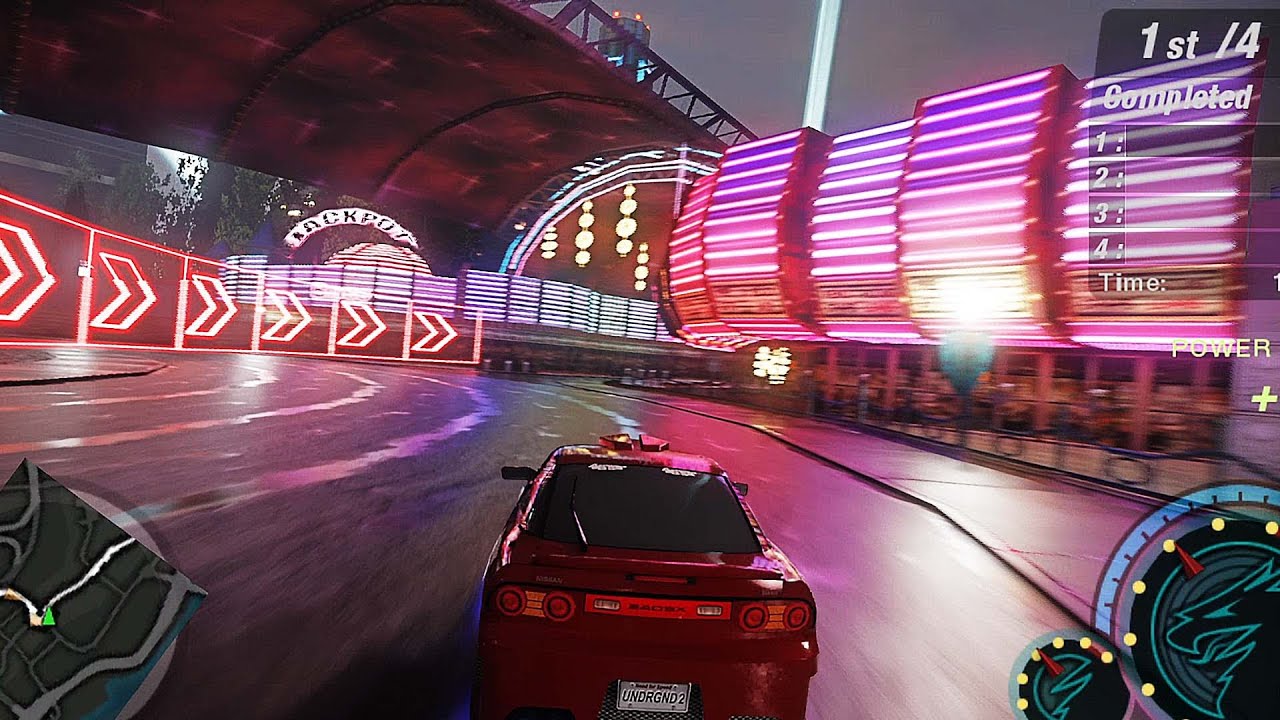
This project is still in very early development stages. It may not look good right now, but things will change.
Join the RTX Remix discord server, and head to the Need For Speed General thread under the remix-projects channel, and check the top pinned message.
Join the server from this link: https://discord.gg/xEs8tSR6qr
What's new:
-Edited Ro...
I already disabled culling
But sometimes lights don't load in
jade briar
cobalt peak
How did you get your lighting to be so stable in this vid? https://www.youtube.c...
Light anti culling
cobalt peak
Oh I have that enabled
But still, sometimes I have to enter the hood perspective for lights to load in
I mean, lights that are infront of me
jade briar
cobalt peak
I mean, lights that are infront of me
That's the game's low lod distance. I used zolika's mod menu and selected (disabled world culling.)
cobalt peak
jade briar
That's the game's low lod distance. I used zolika's mod menu and selected (disab...
Nice thanks
 timid prairie
tawny elk
I went to the one on the left, I think Mark is on the right.
timid prairie
tawny elk
I went to the one on the left, I think Mark is on the right.
Reminds me of Final location in "For Your Eyes Only" film
ember river
soft zinc
So to capture the whole map, you'd have to drive around, carefulyl getting Remix...
Yup, then each capture will generate it's own capture usd file and you merge them all in OV to make one single huge capture
soft zinc
ember river
Yup, then each capture will generate it's own capture usd file and you merge the...
that sounds very tedious :O
 slender sail
cobalt peak
How did you get your lighting to be so stable in this vid? https://www.youtube.c...
slender sail
cobalt peak
How did you get your lighting to be so stable in this vid? https://www.youtube.c...
why is the map square?
is this a bug?
cobalt peak
slender sail
why is the map square?
I think so
ember river
soft zinc
that sounds very tedious \:O
Yeah. Luckly we don't have to do all that. Would be just for "funsies".
We just need to capture the very thing we want to replace in a given moment and that is enough to setup the replacement mod
ember river
slender sail
why is the map square?
There is some problems with it, I think is some specific ingame settings for antialiasing, texture filter, idk, that must be disabled
soft zinc
ember river
Yeah. Luckly we don't have to do all that. Would be just for "funsies".
We just ...
I see. So you can patch in exactly the portions you want?
What about the 'hitboxes' of the meshes?
Say you moved around a mesh by mistake in OV and brought it back into UG2 via remix
Do the hitboxes move around with it? I have no idea how UG2 handles collisions so im lost
jade briar
soft zinc
Do the hitboxes move around with it? I have no idea how UG2 handles collisions s...
There's no way remix can influence hotboxes. Remis simply unable to make any gameplay changes. It's just a different render engine.
tawny elk
Remix doesn’t change anything about the actual game. You’d hit the original collision mesh.
vague sparrow
Just wait till we get flex particle support
Like the one they showed in quake 2 rtx before release
tawny elk
I still wonder if we can tweak the smoke texture to look better
vague sparrow
30 series GPUs can't exactly handle decal textures as efficiently as 40 series, right?
Because of opacity micromaps
ember river
tawny elk
I still wonder if we can tweak the smoke texture to look better
I wonder how remix renders the alpha blended stuff like smoke if we can't have alpha blended materials
tawny elk
ember river
I wonder how remix renders the alpha blended stuff like smoke if we can't have a...
Makes it a particle using some wizardry
tawny elk
tawny elk
My neighbor Totoro <:aww:1031362472021602345>
I fell asleep after the movie. Was too comfy. I try placeholder materials later this afternoon 
ember river
tawny elk
I fell asleep after the movie. Was too comfy. I try placeholder materials later ...
After howls moving castle
tawny elk
ember river
After howls moving castle
I wish
vague sparrow
cobalt peak
RTX Remix wasn't officialy released yet, right?
The runtime for rtx remix is open sourced so technically it's kind of released and no, we are not using portal rtx files
Only the creator toolkit remains to be released
Hopefully 2023 🙏
cobalt peak
Sheesh deez
soft zinc
tawny elk
Remix doesn’t change anything about the actual game. You’d hit the original coll...
ic
soft zinc
vague sparrow
Just wait till we get flex particle support
what be flex particles
vague sparrow
soft zinc
what be flex particles
https://youtu.be/vY0W3MkZFs4 stuff like this (at 1:55 minute mark)
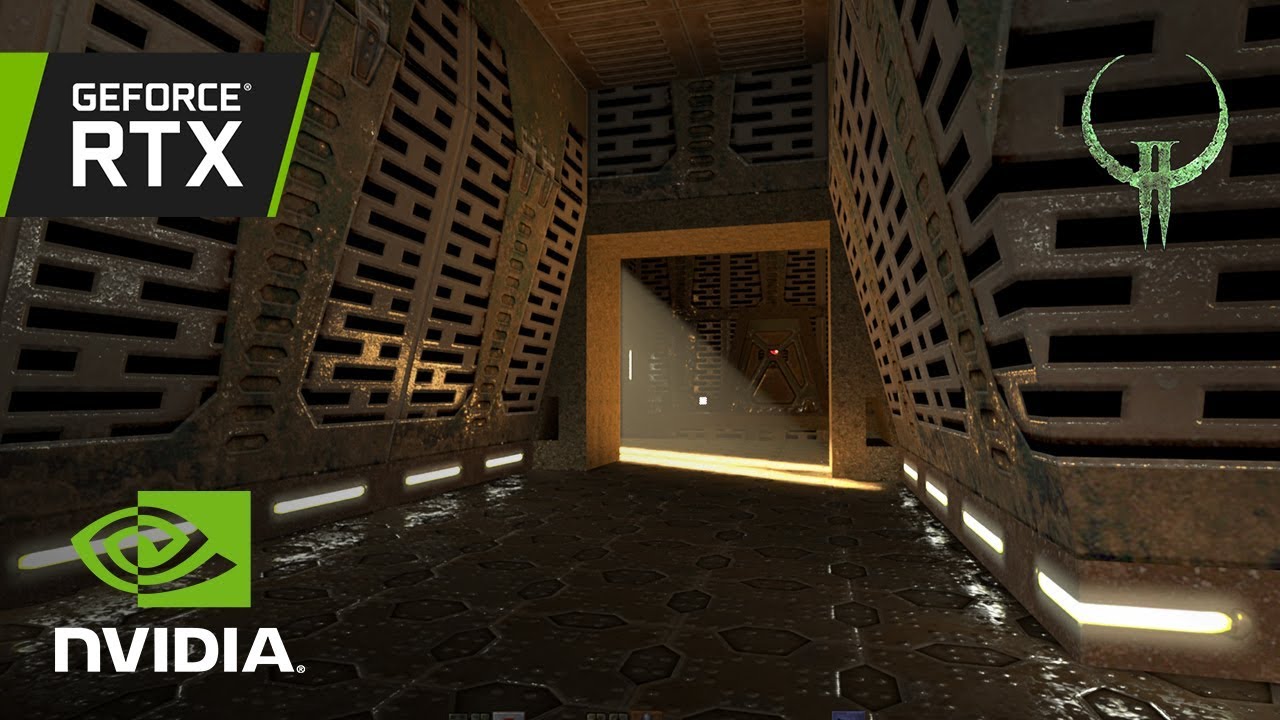
Lifted from the opening keynote of GTC 2019, Jensen Huang presents the newly-created Quake II RTX demo. This walkthrough shows off upgrades to the legendary 1997 game with added real-time ray traced global illumination and reflections, dynamic direct and indirect lighting effects, mimicked physical material light reflection properties, and volum...
Maybe it was gameworks Flow
Who knows
That stuff is good too for volumetric smoke effects
jade briar
Those simulations are
Not very impressive
The explosions just go up in a little plume
vague sparrow
Uncle party ooper
jade briar
I'm just saying the truth
Explosions
Expand
Outwards
Rapidly
Not just flow upwards slowly
vague sparrow
How would you like burnout effects that has simulated smoke using such a volumetric system?
vague sparrow
jade briar
Not just flow upwards slowly
ok genius 🤓
cobalt peak
jade briar
The explosions just go up in a little plume
Well what color is your explosion then?
jade briar
I'm not talking aboutcolor
Those barrel explosions look like a little poof and scpand upwards
A good looking explosion would expand with force in all directions.
And then rise
vague sparrow
So you're only grudge is that the smoke goes up and doesn't expand like any normal explosion would
jade briar
Yes. That was my whole point. I'm not hating on the tech. I don't like the specific implementation.
jade briar
Mark pls
vague sparrow
Being able to project smoke or any other particle separate from the games code would be so cool
 jade briar
cobalt peak
jade briar
cobalt peak
I will the need for speed.
 ember cobalt
tawny elk
I would love it if the mesh python script was just an exe or batch file that I c...
ember cobalt
tawny elk
I would love it if the mesh python script was just an exe or batch file that I c...
mm apparently open-usd hates being put in a binary. lots of weird errors and issues
however, i did manage a version that works just through python still. no command line
ember river
jade briar
A good looking explosion would expand with force in all directions.
I must agree. The green one looks pretty good. The regular one makes no much physical sense
jade briar
Yea
tawny elk
🤢
 tawny elk
Getting better at it I think
 ember cobalt
mm apparently open-usd hates being put in a binary. lots of weird errors and iss...
ember cobalt
ember cobalt
mm apparently open-usd hates being put in a binary. lots of weird errors and iss...
it only outputs as the original input format right now, and usd doesn't seem to be saving right. can't really recommend using this right now, and i'm not really in the best state to be writing this. i'll work on it in a few days
makes a new subdirectory in the folder where the script is with the new files
vague sparrow
tawny elk
Getting better at it I think
Are you guys going to release a proof of concept remix remaster?
tawny elk
Uh I don’t speak for everyone here. You’re better off asking the project manager.
vague sparrow
and who is that
 balmy chasm
tawny elk
Getting better at it I think
balmy chasm
tawny elk
Getting better at it I think
Why angled? 🥲
ember cobalt
ember cobalt
<https://raw.githubusercontent.com/Kim2091/RTXRemixTools/dragndrop/RemixMeshConv...
i give up. openusd is a mess when working with it like this. stage.Export() replaces file paths, stage.Save() isn't capable of converting formats, and i can't get transferring to work
sorry Adam
cobalt peak
Yes, because both (Los Santos obviously more than Bayview) are based off Los Angeles
But Bayview also got some Seattle vibes, and Miami vibes (due to the islands).
vague sparrow
Wasn't nfs underground 1/2 inspired by 2fast2furious? It's a Miami type of setting obviously
cobalt peak
Somewhere in the game, when you unlock a unique part, Rachel hints that Bayview is located in the West Coast.
So california, not florida.
The only Bayview resemblance to Miami I see is that some areas are seperated into islands. Like Downtown.
But the Bayview sign, the hills which kinda look like Beverly Hills, and the Jackson Heights, all look like LA/California.
And the first Fast & Furious movie was filmed in Los Angeles, so it could be that Bayview is a mixture of both.
Just noticed something funny tho, wait a sec

A short scene from classic 2Fast and 2Furious in HD.
All rights reserved to NBC Universal

Всем привет, вы на канале Odonata Cinema! В этом видео мы сделали то, чего все так долго ждали от разработчиков) три иконы из Need For Speed встретились вместе! Легендарные автомобили из каждой части NFS (Underground 1, Underground 2 и Most Wanted) стелят в локации NFS Undeground 2 - что может быть круче?. И конечно же концовка в стиле известн...
tawny elk
balmy chasm
Why angled? 🥲
First attempt. Not final product
jade briar
vague sparrow
and who is that
Me? Idk. But the game has been a proof of concept since release 0.1. For the next release, I want all the textures in the highways to be replaced so that it can be used as some sort of a vertical slice.
vague sparrow
jade briar
Me? Idk. But the game has been a proof of concept since release 0.1. For the nex...
Great....last remaining thing would be to remake some of the assets properly with the toolkit
Get the marketing guys
Couple of YouTubers
And get the attention
jade briar
A bunch of YouTubers made videos on this
Baleto plays
Black panthaa reacted to it.
You probably remember muta
He talked about it again.
A few other smaller youtubers
Nyle is the marketing guy for remix. He asked me to send him a couple screenshots for the game. He wanted to show some to the press. Idk what happened next.
cobalt peak
Shaved my head bald to look more like Caleb.
 cobalt peak
How about Bayview as a World for Sims 3? There's already one for GTA IV and GTA V.
cobalt peak
I plan very egghead stuff with my square egghead
tawny elk
balmy chasm
Why angled? 🥲
I’ve now read more on UVs and see the errors in my ways


 hardy maple
jade briar
Nyle is the marketing guy for remix. He asked me to send him a couple screenshot...
hardy maple
jade briar
Nyle is the marketing guy for remix. He asked me to send him a couple screenshot...
you guys are awesome and it shows (near 30K messages)
 tawny elk
Thoughts on this headlight aiming? I feel it's a bit too high but wann know what ya'll think.
Texel density tis but a far off idea at Blackbox games
 jade briar
tawny elk
Thoughts on this headlight aiming? I feel it's a bit too high but wann know what...
jade briar
tawny elk
Thoughts on this headlight aiming? I feel it's a bit too high but wann know what...
Could be a little lower
 restive magnet
tawny elk
Thoughts on this headlight aiming? I feel it's a bit too high but wann know what...
restive magnet
tawny elk
Thoughts on this headlight aiming? I feel it's a bit too high but wann know what...
Is there a way to project a texture on to the light itself? It looks off cause it laks any light pattern that cars have irl. But if there is no way to do that, maybe you can try to limit the length of light rays or limit their spread so the light cone would gradually go off closer to the end.
 slate surge
tawny elk
Thoughts on this headlight aiming? I feel it's a bit too high but wann know what...
slate surge
tawny elk
Thoughts on this headlight aiming? I feel it's a bit too high but wann know what...
Falloff is strange, but they are aimed a bit high for a realistic replication of headlights. Most headlights project somewhat downwards, rather than dead-ahead.
 cloud crypt
tawny elk
Thoughts on this headlight aiming? I feel it's a bit too high but wann know what...
cloud crypt
tawny elk
Thoughts on this headlight aiming? I feel it's a bit too high but wann know what...
Now make it smooth and it will be great
But backlight is way too much
And the headlights should be a bit wider
 vague sparrow
cloud crypt
vague sparrow
cloud crypt
explain me in fort terms
cloud crypt
They should be wider, only inches away from the car the light should already illimunate bothe sides of the road
The light in the video is to direct
Should be more like that
 vague sparrow
i get it now
cloud crypt
In video it looks like a flashlight to be more specific😅
vague sparrow
well i guess you couldn't configure it properly with no appropriate tools
that does look like a basic cone light
really excited to see later versions of remix with DLSS3.5
it removes the ghosting effect
(rn i believe there is a trail behind the car that follows you)
cloud crypt
Yep
cloud crypt
vague sparrow
that does look like a basic cone light
You could combine 2 of them
A wider less bright one and the one that alredy exist
tawny elk
restive magnet
Is there a way to project a texture on to the light itself? It looks off cause i...
God I wish we could use IES files and have sane distributions.
vague sparrow
tawny elk
God I wish we could use IES files and have sane distributions.
that's not possible without the provided toolkit, no?
tawny elk
No idea if it’ll be in the toolkit. I keep praying at the Temple of Mark to make it happen.
vague sparrow
tawny elk
No idea if it’ll be in the toolkit. I keep praying at the Temple of Mark to make...
do you know which IES is responsible for handling car headlights?
tawny elk
vague sparrow
do you know which IES is responsible for handling car headlights?
IES is a format to describe a light source's distribution
vague sparrow
tawny elk
<a:HUH:1024139682205933618> IES is a format to describe a light source's distri...
i know my dude
tawny elk
Do you mean if I have an IES file for a car headlight?
restive magnet
remix can use ies?
so, at the moment only generic cone-shaped light is available?
vague sparrow
tawny elk
Do you mean if I have an IES file for a car headlight?
yes i meant that
well i don't want the file though, just wanna know what IES preset imitates car headlights
tawny elk
Presets? I don't have any presets ones.
open atlas
https://youtu.be/aM_gzfAMdNs so when are we getting one of these for UG2 

Half-Life 2 RTX: An RTX Remix Project is a new community-made remaster of one of the highest-rated games of all time, Valve’s Half-Life 2. Half-Life 2 RTX is being developed by four of Half-Life 2’s top mod teams, now known as Orbifold Studios. Using the latest version of RTX Remix, the modders are leveraging NVIDIA technologies including full r...
tawny elk
Maybe once we get the toolkit and able to model things a bit quicker.
vague sparrow
tawny elk
Maybe once we get the toolkit and able to model things a bit quicker.
Step 1: Get hired by Nvidia
Step 2: gain access to the toolkit
Step 3: ?????
soft zinc
tawny elk
🤢
im curious
with how balls ah the uvs are, how did the textures look decent as they did in UG2
jade briar
So. When are we getting lightspeed's blessing?
vague sparrow
jade briar
So. When are we getting lightspeed's blessing?
soon
soft zinc
jade briar
So. When are we getting lightspeed's blessing?
who be lightspeed
jade briar
soft zinc
who be lightspeed
Nvidia's game dev studio.
soft zinc
jade briar
Nvidia's game dev studio.
I c
soft zinc
soft zinc
I c
this message does not imply that I am light speed
/s
ooooh
dlss 3.5 looks poggy
Will rtx remix receive a dropin replacement once dlss 3.5 comes around?
vague sparrow
soft zinc
Will rtx remix receive a dropin replacement once dlss 3.5 comes around?
yes
vague sparrow
good bye flickering ReSTIR calculations
soft zinc
ReSTIR?
vague sparrow
there will be no more of that "sparkly" effect
vague sparrow
soft zinc
ReSTIR?
the tech that lets you handle millions of point lights?
soft zinc
vague sparrow
the tech that lets you handle millions of point lights?
i recall reading about something similar a long while back
interestin
tawny elk
jade briar
So. When are we getting lightspeed's blessing?
I wish
jade briar
tawny elk
I wish <:Prayge:1013619634924175440>
One day.
If igor can get it, so can we.
vague sparrow
jade briar
If igor can get it, so can we.
cry.
jade briar
vague sparrow
cry.
 dusty grove
Ok boys now you have no excuse not to use ultra pbr reflective surfaces
Neural radiance cache a.k.a dlss 3.5 will do the job!
https://youtu.be/bTJYvtPRRcM
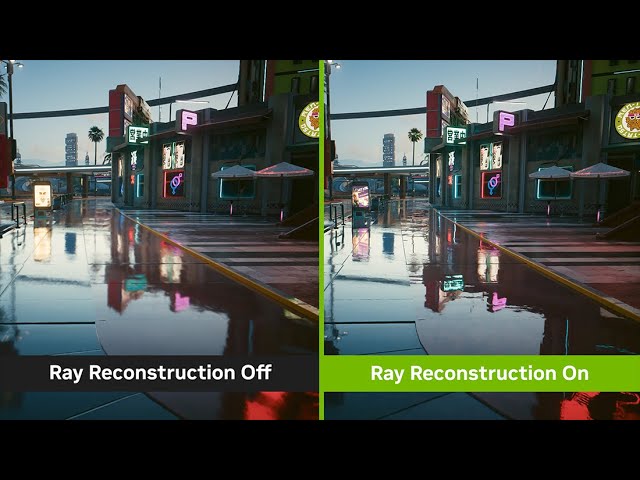
New DLSS Ray Reconstruction enhances image quality for all GeForce RTX GPUs by using AI to generate additional pixels for intensive ray-traced scenes. DLSS replaces hand-tuned denoisers with an NVIDIA supercomputer-trained AI network that generates higher-quality pixels in between sampled rays.
Learn More: https://www.nvidia.com/en-us/geforce/t...
jade briar
No. People say I'm a GTA v max graphics rtx 5090 (2065) bait tuber.
vague sparrow
jade briar
No. People say I'm a GTA v max graphics rtx 5090 (2065) bait tuber.
luber
jade briar
But if we are able to get something that works well with the original style, then sure. Water roads.
 elfin beacon
jade briar
No. People say I'm a GTA v max graphics rtx 5090 (2065) bait tuber.
elfin beacon
jade briar
No. People say I'm a GTA v max graphics rtx 5090 (2065) bait tuber.
Facts
balmy chasm
Water roads :D
vague sparrow
jade briar
But if we are able to get something that works well with the original style, the...
bro tryna be jesus driving on water
jade briar
Real
soft zinc
jade briar
But if we are able to get something that works well with the original style, the...
nfs 2015 moment
speaking of water on roads
what causes road reflections to appear 'stretched' on watery roads IRL? Could it be pulled off with pathtracers?
cloud crypt
Its the angle of viewing and the depth of the water
jade briar
Idk where you live, but here water works like water.
cloud crypt
jade briar
Idk where you live, but here water works like water.
I think you dont understood what he meant
jade briar
Probably
dusty grove
soft zinc
what causes road reflections to appear 'stretched' on watery roads IRL? Could it...
If surface is not flat than you get stretched reflection
Earth isn't flat btw, thats why)))
jade briar
How do you know
 soft zinc
cloud crypt
He meant that
soft zinc
cloud crypt
He meant that
yeah
soft zinc
cloud crypt
Its the angle of viewing and the depth of the water
Why is the stretching dependent on the angle of view exactly though?
or the depth?
cloud crypt
Well, if there are waves for example and you view from a small angle its more streches
Because the area of reflection gets bigger and the the light breaks on the waves
soft zinc
From what I understand, ray bonks off surfaace in accordance with surface normal, contributing to most of what the surface is perceived to look like. How does the angle of view come into how 'stretched' the final image/reflections appears
vague sparrow
soft zinc
From what I understand, ray bonks off surfaace in accordance with surface normal...
yes
soft zinc
cloud crypt
Well, if there are waves for example and you view from a small angle its more st...
What stretches here exactly? Reflections off the wave?
cloud crypt
Ignore the wave
Lets take your phone as example
Tje glass is reflecting... when you view directly on it its a good non streched picture
But with an angle your face wille be streched
Its only a bit but it does, bit its also a bad example... cant explain it clearly, it just does it
tawny elk
It's the incidence angle
cloud crypt
Consider these two extremely scientific diagrams.
In this first diagram, it assumes that the surface is perfectly smooth and the light is being reflected uniformly along the entire surface. This is (approximately) the case for mirrors and polished floors and areas of water.
A fancy way to describe this is to state that the normal incidence of the surface is consistent throughout the reflective surface (in this case "up" toward the top of the image).

In this second diagram, instead of reflecting uniformly the light is being scattered due to the uneven surface at a range of different angles. Here we show the scattering in two dimensions but of course it will be happening in at least three. Note that in this case the "normal angle" is inconsistent due to it being an uneven surface.
In this case, some of the light is reaching the observer and it is being seen at a wider range of points along the reflective surface. A typical example of this is uneven surfaces of water as shown within the question. In particular, note that the image is distorted/stretched/irregular in these cases (due to the distorted surface it is being reflected from).
 ember river
soft zinc
From what I understand, ray bonks off surfaace in accordance with surface normal...
ember river
soft zinc
From what I understand, ray bonks off surfaace in accordance with surface normal...
Because the BRDF tells how much energy a ray bounce will have based the direction it has bounced to, having its peak energy at the exact reflection angle. For perfect mirrors, the peak is also 100% of the energy for the whole hemisphere, and no energy will bounce any other direction. As the surface gets rougher, it becomes a matter of probability for rays to carry energy towards the viewer's direction. In a nutshell, it has a much higher probability to stretch the reflections like the pic because other directions diminish much faster than the incident angle
cloud crypt
EDIT: To address the updated question, note that the reflections ARE being scattered in all directions. The catch is that we can only PERCEIVE them in approximately the general direction of the source and the receiver. This can be seen somewhat in the car headlights example within the question - note that it appears to wobble somewhat.
What will vary is the angles to which the reflections occur. "Most" will continue in roughly a straight line, while few (the minority) will go off at a significant angle AND return to the observer at an equally significant angle (but ~opposite in specific plane(s)). This means that the image will be at its most intense when the source/reflector/observer are all approximately in a straight line. In isolation this might be fine, but of course in those "other" directions are other emitters of light which will be more intense than the dim images being weakly reflected at relatively huge angles.
Another example to show this is a standard projector - note that in schools and offices and cinemas, the projector is typically along the same line/plane as the observers so that the bulk of the reflections from the projector return back towards the projector (thus the observers).
Also note that where an image is being projected onto a wall, the wall is scattering the light back in all directions - thus allowing anybody in any part of a room to view the image being projected onto the wall regardless of their position/height relative to the projector source. Here the projector source must project a sufficiently intense and clear image to be seen at a range of angles as opposed to vaguely illuminating the surface.
tawny elk
Okay, now let's do the math 
cloud crypt
Just found this
vague sparrow
 cloud crypt
🤣
tawny elk
When a ray of light hits a surface at a low (incidence) angle it diffuses across the surface more (the reflected ray ends up hitting more things).
ember river
cloud crypt
In this second diagram, instead of reflecting uniformly the light is being scatt...
This second image is pretty good
tawny elk
If you look at a BRDF plot it makes a bit more sense too
 cloud crypt
👍
vague sparrow
tawny elk
When a ray of light hits a surface at a low (incidence) angle it diffuses across...
why is bro shooting lasers

from his eyes
🤨
tawny elk
vague sparrow
why is bro shooting lasers
Wait till you learn it's actually the reverse in reality
soft zinc
ember river
Because the BRDF tells how much energy a ray bounce will have based the directio...
Right, what I don't understand is why this causes a stretching towards ONE particular direction? If a diffuse surface starts wilding and yoinking rays off it in every direction due to a super rough ah surface, the stretching should be 'uniform' in every direction right? Based on what you said, if I had, say, a circle of points all around a rough plane, the probability that a ray bouncing off the plane and hitting one of the points is just the same as any other point on the circle\ right?
Why would other points on the circle diminish faster than ONE of the particular points like you've mentioned?
soft zinc
cloud crypt
EDIT: To address the updated question, note that the reflections ARE being scatt...
"the general direction of the source and the receiver" What do you mean by this exactly?
tawny elk
soft zinc
"the general direction of the source and the receiver" What do you mean by this ...
Light source, and your eye
cloud crypt
Yesp
soft zinc
no, as in, what do they mean by 'general direction' of the two objects there?
Sorry, english isn't my first language
tawny elk
soft zinc
Right, what I don't understand is why this causes a stretching towards ONE parti...
No it is not uniform in every direction unless the light source itself is emiting from every direction to the source. The reflection stretch is roughly aligned with the light source.
severe solstice

ember river
soft zinc
Right, what I don't understand is why this causes a stretching towards ONE parti...
For super rough surfaces it is a bit difficult to see, but for slightly rough ones, the probability distribution will be biased towards the reflection angle rather thsn uniformily bounce everywhere
cloud crypt
soft zinc
Sorry, english isn't my first language
Mine neither🤣
soft zinc
tawny elk
No it is not uniform in every direction unless the light source itself is emitin...
I am seeing it happen even with a point source though
 ember river
soft zinc
no, as in, what do they mean by 'general direction' of the two objects there?
ember river
soft zinc
no, as in, what do they mean by 'general direction' of the two objects there?
Trace a line between your eye and the light source. That would be the general direction they're referring to
soft zinc
ember river
For super rough surfaces it is a bit difficult to see, but for slightly rough on...
I see. So ALL of this is down to it simply being biased towards what you would expect to be the reflection angle?
ember river
soft zinc
I see. So ALL of this is down to it simply being biased towards what you would e...
Yeah, basically that. A BRDF is the mathematical function that describes how much energy is scattered towards a certain direction based on incidence angle, surface normal, roughness, etc.
soft zinc
cloud crypt
EDIT: To address the updated question, note that the reflections ARE being scatt...
"but of course in those "other" directions are other emitters of light" Are you referring to indirect light sources here? If so, what do
" dim images being weakly reflected at relatively huge angles." refer to here?
ember river
Recommend reading about those
soft zinc
ember river
Yeah, basically that. A BRDF is the mathematical function that describes how muc...
That's..... it?????????????? 😭
no fucking way
wait
cloud crypt
soft zinc
"but of course in those "other" directions are other emitters of light" Are you ...
Dim images = less bright images
Less bright images dont have strong reflections
soft zinc
cloud crypt
Dim images = less bright images
Yes I got that bit, are you referring to those as stuff that reflects at angles that devite a lot from the 'general' normal angle of the surface?
soft zinc
vague sparrow
jokes aside, I'm really thankful you all took up the time and effort to write it up! I love when stuff goes in depth. + this topic is fun to read up on lol (as long as I underestand it)
This effect should be TRIVIAL with a pathtracer
how did NFS 2015 do it all the way back in 2015 with a rasterizer though? am kyoorious
tawny elk
soft zinc
That's..... it?????????????? 😭
 soft zinc
stretch the 'fov' of the cubemap capturing the refcltions?
very hacky so they had to have used a more elegant way right?
tawny elk
When using pathtracing, it is quite trivial because you are working the rays of light.
soft zinc
tawny elk
When using pathtracing, it _is_ quite trivial because you are working the rays o...
yeah
cloud crypt
soft zinc
Yes I got that bit, are you referring to those as stuff that reflects at angles ...
Yes
tawny elk
When using rasterization, it gets less ideal. I think the simplest way is you find the direction and amount of energy from a given light source and plug it into the equation.
soft zinc
tawny elk
When using rasterization, it gets less ideal. I think the simplest way is you fi...
this would work if we're forward rednering right?
What about for gbuffers where we can't render from the light's pov
(
assuming that's what you meant
)
ember river
I think it can be achieved by modifying that BRDF to account for "anysotropic" reflections, so it wouldn't fall off too much if the angle is still within the general direction from viewer to source
tawny elk
soft zinc
What about for gbuffers where we can't render from the light's pov
Are you referring to a deffered renderer?
open atlas
Discord tries to figure out how to use the word refraction without using the word refraction challenge 2023
tawny elk
open atlas
Discord tries to figure out how to use the word refraction without using the wor...
You get it without water as well.
vague sparrow
This chat

 pale sentinel
do you already know that? https://github.com/nlgxzef/NFSU2Unlimiter I'm new here, sorry if that's not allowed, I just found that and thought you might need it

GitHub
Need for Speed Underground 2 Unlimiter. Contribute to nlgxzef/NFSU2Unlimiter development by creating an account on GitHub.
soft zinc
tawny elk
Are you referring to a deffered renderer?
yes
soft zinc
ember river
I think it can be achieved by modifying that BRDF to account for "anysotropic" r...
brdfs are a thing in rasterizers too?
ember river
soft zinc
brdfs are a thing in rasterizers too?
Sure. Here is a pretty good tutorial focused on implementing PBR in OpenGL
https://learnopengl.com/PBR/Theory
Learn OpenGL . com provides good and clear modern 3.3+ OpenGL tutorials with clear examples. A great resource to learn modern OpenGL aimed at beginners.
soft zinc
ember river
Sure. Here is a pretty good tutorial focused on implementing PBR in OpenGL
https...
I see, thanks!
How did games before PBR become commonplace do it though?
Apart from fucky ones like my changing fov idea (not sure if it'd work at all)
Since pbr only became common place mid to late last decade iirc
ember river
soft zinc
How did games before PBR become commonplace do it though?
Not sure if you're still talking about the stretched reflections or just graphics rendering as a whole.
If you mean the reflections, back then it was a wild west lawless land era for CG, I can't image anyone giving a damn about the accuracy of reflections while they were still using things like gouraud shading, phong/blinn-phong shading and so on, and speaking of which, if you actually meant the CG as a whole, those two last shading algorithms were used quite a bit
soft zinc
ember river
Not sure if you're still talking about the stretched reflections or just graphic...
stretched reflctions, yes
wait, ssorry if my q is silly
Isn't blinn-phong shading what games and cg software tradtionally use to smooth shade stuff?,essentially interpolating vertex normals?
ember river
soft zinc
Isn't blinn-phong shading what games and cg software tradtionally use to smooth ...
That was before someone step up to bring the physically accurate theories of light transport from physics into the CG world in a realtime-feasible way, aka, PBR
jade briar
pale sentinel
do you already know that? https://github.com/nlgxzef/NFSU2Unlimiter I'm new h...
It's a nice to have thing, but not much use here.
soft zinc
ember river
That was before someone step up to bring the physically accurate theories of lig...
icic, thank you!
cobalt peak
jade briar
No. People say I'm a GTA v max graphics rtx 5090 (2065) bait tuber.
Are you?
jade briar
No
cloud crypt
seems like they added Frame Generation back into Remix
but only in the newest bridge + dxvk build
jade briar
Yeah
 desert ridge
Are there any developers creating realistic window glass with accurate reflection and refraction effects?

 vague sparrow
desert ridge
Are there any developers creating realistic window glass with accurate reflectio...
vague sparrow
desert ridge
Are there any developers creating realistic window glass with accurate reflectio...
Is this your work
ember river
@jade briar had some story with the car interiors causing troubles afaik
Looks pretty cool
desert ridge
vague sparrow
Is this your work
I created the glass material and the brand and logo decal.
desert ridge
ember river
<@877275530813128724> had some story with the car interiors causing troubles afa...
The car interior requires a complete rework.
vague sparrow
desert ridge
I created the glass material and the brand and logo decal.
How did you do that
dusty grove
desert ridge
I created the glass material and the brand and logo decal.
Does your glass material apply automatically to all cars, or you need to do that per car bases?
Also can you share .usda?
jade briar
desert ridge
Problem is that the interiors use the same material as the car body. So as soon as you change the body to be glossy, the interior also becomes glossy. I did a glass material before, but that one problem completely killed the endeavour. There's a way to fix that, but it requires mesh replacements. So now, we wait for the toolkit.
vague sparrow
jade briar
Problem is that the interiors use the same material as the car body. So as soon ...
Or nfsCartoolkit
jade briar
Uh huh
desert ridge
vague sparrow
How did you do that
Translucent Material
desert ridge
dusty grove
Does your glass material apply automatically to all cars, or you need to do that...
Apply to all car with the same texture hash
vague sparrow
@jade briar get to work
 errant iris
desert ridge
errant iris
desert ridge
this is so cool
desert ridge
How to upload to Github?
jade briar
vague sparrow
<@877275530813128724> get to work
I got that part working a long time ago.
vague sparrow
jade briar
I got that part working a long time ago.
Yours just looks like a level 3 black tint
jade briar
This is the problem.
jade briar
vague sparrow
Yours just looks like a level 3 black tint
Requires further tweaking, but I gave up after failing to attempt a fix for the interior
vague sparrow
jade briar
Requires further tweaking, but I gave up after failing to attempt a fix for the ...
Hemry has found the solution, so use that instead
jade briar
What solution?
desert ridge
I plan to prioritize working on the car's body, improving it with high-resolution decals. Additionally, I will address the car's rim and wheel textures, possibly considering mesh replacements as well.just
jade briar
desert ridge
I plan to prioritize working on the car's body, improving it with high-resolutio...
Problem with car textures is that the game bakes a new texture every time you change the car in any way. So the texture hash keeps changing.
ember river
That little issue I raised a while ago to solve this random hash problem has gotten some attention couple days ago on remix' github. If it works, we will be able to make those replacements
desert ridge
jade briar
Problem with car textures is that the game bakes a new texture every time you ch...
I am specifically recreating the decals such as the brand and logo, independent of the car's body texture.
vague sparrow
desert ridge
I am specifically recreating the decals such as the brand and logo, independent ...
that's very nice of you
errant iris
should i be using the latest builds of bridge and dxvk?
desert ridge


It's just the small details that may go unnoticed unless someone looks closely enough.😅
ember river
desert ridge
I am specifically recreating the decals such as the brand and logo, independent ...
So you're modifying the game files directly?
jade briar
This is cool
desert ridge
Has anyone attempted to create a simulated clearcoat effect by duplicating the car body mesh? If so, does it work effectively?
jade briar
desert ridge
Has anyone attempted to create a simulated clearcoat effect by duplicating the c...
It would be denoising hell.
desert ridge
I believe that the body texture hash change will not have an impact because it's merely a mesh attachment with different textures assigned to it.
ember river
desert ridge
I believe that the body texture hash change will not have an impact because it's...
Oh that is pretty good idea. You got to check if this works when changing different spoiler models and whole car bodykit
desert ridge
jade briar
It would be denoising hell.
Have you tried it? I created this translucent material for the windows about a month ago, and it used to have a lot of visual artifacts. However, after updating DXVK Remix and Bridge Remix, it has become much cleaner and smoother.
jade briar
I haven't.
But I also can't fathom the mesh replacement workflow
There'd also be some z fighting is the exact same mesh is used for cc
So...
Who's gonna try it?
ember river
Its gonna need a bit of a extrusion/scaling along normals to work
desert ridge
jade briar
Who's gonna try it?
I can give it a try to see if it works.
ember river
Id wait to see if the remix ppl will get something working so we can focus our effort into replacing individual decals, vynils, etc.
jade briar
ember river
Id wait to see if the remix ppl will get something working so we can focus our e...
Can you link your issue
Oh wait
I found it
 worthy drift
Is there a way to make NFSU1 work? I only see the UI, tried to categorize some textures but that doesn't help. The debug view doesn't change anything also. I am on latest RTX Remix (with latest builds)
 worthy drift
OK so I looked it up in the NFSMW project, and in order to get this to work you have to rename d3d9.dll to d3d9.asi. This enabled raytraycing in the game.
 sage wraith
If you using my car lights, its connected to the frontwindow
desert ridge
ember river
So you're modifying the game files directly?
No, I simply replaced the texture in Remix because it allows for including roughness, metal, and normal maps, making it more realistic
desert ridge
jade briar
But I also can't fathom the mesh replacement workflow
It appears to be functional in Omniverse, but I am unable to see the mesh replacement in the game. I am currently searching for a method to make mesh replacement work properly.
balmy chasm
desert ridge
It appears to be functional in Omniverse, but I am unable to see the mesh replac...
#1103377328530276403 message
#1096847508002590760 message
#1103377328530276403 message
desert ridge
I have submitted the windows glass materials and some texture replacements to GitHub for approval.
jade briar
I'll go check
jade briar
desert ridge
I have submitted the windows glass materials and some texture replacements to Gi...
I don't see a pr
desert ridge
jade briar
I don't see a pr
Is it this link?
https://github.com/Ekozmaster/NFSU2-RTX-Remix
GitHub
RTX Remix mod for Need for Speed Underground 2. Contribute to Ekozmaster/NFSU2-RTX-Remix development by creating an account on GitHub.
 desert ridge
Ok, I try again
Oops, my mistake. I only uploaded it to my GitHub repository and forgot to create a pull request. Can you see the pull request now?
jade briar
I see that
jade briar
desert ridge
Oops, my mistake. I only uploaded it to my GitHub repository and forgot to creat...
Approved. You can merge it now
desert ridge
jade briar
Approved. You can merge it now
Thank you! Tonight, I will work on creating additional texture and material replacements.
jade briar
Make sure the textures you use are using have a liscence that allows you to use them
desert ridge
Certainly! I created most of them myself using Photoshop, and I also used some CC0 textures.
jade briar
Nice
vague sparrow
what's this about lol
 jade briar
Manhole
 mossy pelican
jade briar
mossy pelican
jade briar
yes.
severe solstice
🕳️
errant iris
I know this comment is kinda old but I was having this exact issue and could not for the life of me figure out what was wrong; turns out I put build.conf in the .trex folder in the game folder and not the root directory of the game 😭
i felt so stupid
tawny elk
Do y’all need a photogrammetry scan of a manhole cover? 👀
ember cobalt
i actually do
tawny elk
Say no more I’ll add it to the list of things to scan 
ember cobalt
thanks 🙂
what's your method for scanning btw?
i was considering just using my phone
tawny elk
My phone has lidar on it which proved to be good enough to get meshes. Not the actual PBR texture though. I would need a few more bits before being able to do that.
tawny elk
iPhone, the camera itself isn’t that good for photogrammetry, but the lidar is adequate
I have a dslr if I wanna do the full photogrammetry workflow
vague sparrow
tawny elk
iPhone, the camera itself isn’t that good for photogrammetry, but the lidar is a...
isn't that a mid tier one?
on the iphone 12 that is
tawny elk
No I have a 14
vague sparrow
Lich!!
cloud crypt
I have a S33 Ultra, so what 🤣
tawny elk
Need that LiDAR for niche usages like this 
 cobalt peak
Made Bayview in Sims 3
 cobalt peak
vague sparrow
https://media.discordapp.net/attachments/838829928039317575/1144661310668284006/...
cobalt peak
vague sparrow
https://media.discordapp.net/attachments/838829928039317575/1144661310668284006/...
He's the gigachad of politics
vague sparrow
cobalt peak
He's the gigachad of politics
 cobalt peak
So Joe Biden is Wallace Breen, makes sense
cobalt peak
vague sparrow
 vague sparrow
LMAo
cobalt peak
🙂
timid prairie

 dapper root
Hey guys, how to use the latest version of the project?
jade briar
cloud crypt
severe solstice
tawny elk
tawny elk
Say no more I’ll add it to the list of things to scan <:KEK:677348119729668106>
Scan complete 

The mesh came out a little wonky but
vague sparrow
tawny elk
Scan complete <:BinoculaRs:963676238801690624>
that's a nice.....Manhole
tawny elk
Take a look
tawny elk
Nah just throw it in fam. What could go wrong

 jade briar
tawny elk
The mesh came out a little wonky but
jade briar
tawny elk
The mesh came out a little wonky but
Mid
vague sparrow
this is awesome Adam
vague sparrow
jade briar
Mid
shut up
jade briar
No
jade briar
Thx
ember river
tawny elk
Take a look
Wow that looks sick. What did you use, camera and software-wise?
I've made some experiments with Meshroom and my phone but not so satisfied
vague sparrow
ember river
Wow that looks sick. What did you use, camera and software-wise?
I've made some ...
an iphone
i think they have this LiDAR tech built in so it makes the scanned surface into a model
which is pretty cool
tawny elk
ember river
Wow that looks sick. What did you use, camera and software-wise?
I've made some ...
Scaniverse app. I tried others but they don’t process detail well.
iPhone 14 Pro Max ultra deluxe season pass
cloud crypt
XD
ember river
tawny elk
iPhone 14 Pro Max ultra deluxe season pass
all DLCs included
vague sparrow
tawny elk
iPhone 14 Pro Max ultra deluxe season pass
mega fart poop limited editiobn
ember river
The mobile apps I tried always had a very limiting paywall
so I started grabbing the pics and throwing at meshroom myself
tawny elk
There's some 11 herbs and spices apple has thrown into their api that handles photogrammetry quite well.
It's not comparable in quality to going out and using a dslr but the time savings is quite high.
tawny elk
Perfect to just toss into the game
 dusty grove
jade briar
Right?
dusty grove
jade briar
Right?
 tawny elk
 You mean subdivide
vague sparrow
how do you subdivide a complex mesh like that
tawny elk
Use meshlab.
 vague sparrow
surely this will go well with something like a displacement map
we just don't have that in remix yet
tawny elk
Aw it crashed
vague sparrow
tawny elk
Aw it crashed <:KEK:677348119729668106>

who'll put the manhole is the question you guys should be asking

 blazing bone
tawny elk
Anything ya'll need scanned while I'm out and about?
blazing bone
tawny elk
Anything ya'll need scanned while I'm out and about?
Lightpole
vague sparrow
tawny elk
I simplified it. All good
 jade briar
Thank me later.


 tawny elk
blazing bone
Lightpole
tawny elk
blazing bone
Lightpole
Too tall 
 sharp sinew
vague sparrow
jade briar
Thank me later.
sharp sinew
vague sparrow
jade briar
Thank me later.
Nice IP grabber
jade briar
np
sharp sinew
jade briar
Thank me later.
boring, the point is to make stuff and have fun doing so aint it?
jade briar
another


 vague sparrow
sharp sinew
boring, the point is to make stuff and have fun doing so aint it?
vague sparrow
sharp sinew
boring, the point is to make stuff and have fun doing so aint it?
this person seems to understand it
tawny elk
Yea but we can't use displacement with remix, so it just ends up being kinda flat imo if you just use textures.
vague sparrow
there's something rewarding when you take the creativity and apply it to the problem
cloud crypt
hopefully they add displacement support
jade briar
sharp sinew
boring, the point is to make stuff and have fun doing so aint it?
Yes, but I'm justposting better stuff
I also like scanning stuff
sharp sinew
jade briar
Yes, but I'm justposting better stuff
rude
jade briar
But I don't have a dslr or an iphone
jade briar
sharp sinew
rude
am I wrong? I didn't say Adam's was bad
tawny elk
jade briar
Yes, but I'm justposting better stuff
My manhole isn't good enough for you?
cloud crypt
my S23 Ultra can do that too without LiDar
vague sparrow
jade briar
Yes, but I'm justposting better stuff
 tawny elk
cloud crypt
my S23 Ultra can do that too without LiDar
tawny elk
cloud crypt
my S23 Ultra can do that too without LiDar
 Can you post an example?
vague sparrow
(this is a non canon event and i shouldn't have affected the timeline by posting a little screenshot of the manhole requirement in ug2 remix github)
ember river
I never used a DSLR, My biggest concern with phone cameras is huge chromatic aberration when you zoom in into the details which tends to distort high quality texture pics. I have a Xiaomi 12T Pro with a 200MP pic option for 16k res pics, but as you zoom in close the artifacts starts to show up.
I wonder if that specific aspect looks better in DSLR
cloud crypt
tawny elk
<:Pog:1013613859921199184> Can you post an example?
if you can wait i make a 3D scan of my Elite series 2 controller XD+
cloud crypt
ember river
I never used a DSLR, My biggest concern with phone cameras is huge chromatic abe...
well, that does my phone not have
tawny elk
ember river
I never used a DSLR, My biggest concern with phone cameras is huge chromatic abe...
Bigger sensor = higher quality. I'm not saying these are DSLR quality scans, they're a good trade off for the speed at which I can do them though in my opinion.
ember river
tawny elk
Bigger sensor = higher quality. I'm not saying these are DSLR quality scans, the...
Interesting. My phone has that option and it might seem great, but if you need to grab a smaller patch of the texture, the artifacts become quite noticeable and kind of defeats the purpose
ember river
tawny elk
Bigger sensor = higher quality. I'm not saying these are DSLR quality scans, the...
For whole objects like this manhole it works wonders indeed
cloud crypt
tawny elk
<:Pog:1013613859921199184> Can you post an example?
I just took 4 photo of a part of my desk. I can use up to 40 photos to create a way more detailes version

On the Screenshot you can see the stand of my mic, a part of my monitor, some papers and even a lamp holder for my bike
And yes, its really a 3d model
 severe solstice
man 🕳️
ember river
Those scanning tool are unexpectedly good at scanning still humans avoiding the uncanny valley of CGI. Cheesy way to go if you need a shot with a still human in it
cloud crypt
about the max number i was wrong, i can take 200 pictures for a detailed scan
vague sparrow
Man I wish Nerf was able to make models too
tawny elk
Still haven’t quite gotten scanning roads down
 cloud crypt
40 picture scan...

But it only can scan seperate Objects, so roads wouldnt work i think
tawny elk
I can scan anything as long as it isn’t too smooth/shiny cause it throws off the sensor
Like this glossy bollard. Couldn’t get it to scan with much detail.
 cloud crypt
I can literally scan shiny things but not too big things xD
cloud crypt
tawny elk
Like this glossy bollard. Couldn’t get it to scan with much detail.
An object of that size isnt a problem if i rescale and measure it
tawny elk
Anything yall need scanned ? Planning out my scanning schedule
vague sparrow
tawny elk
Anything yall need scanned ? Planning out my scanning schedule
Scam us an old woman mailboxes
jade briar
Adam try photometric scanning
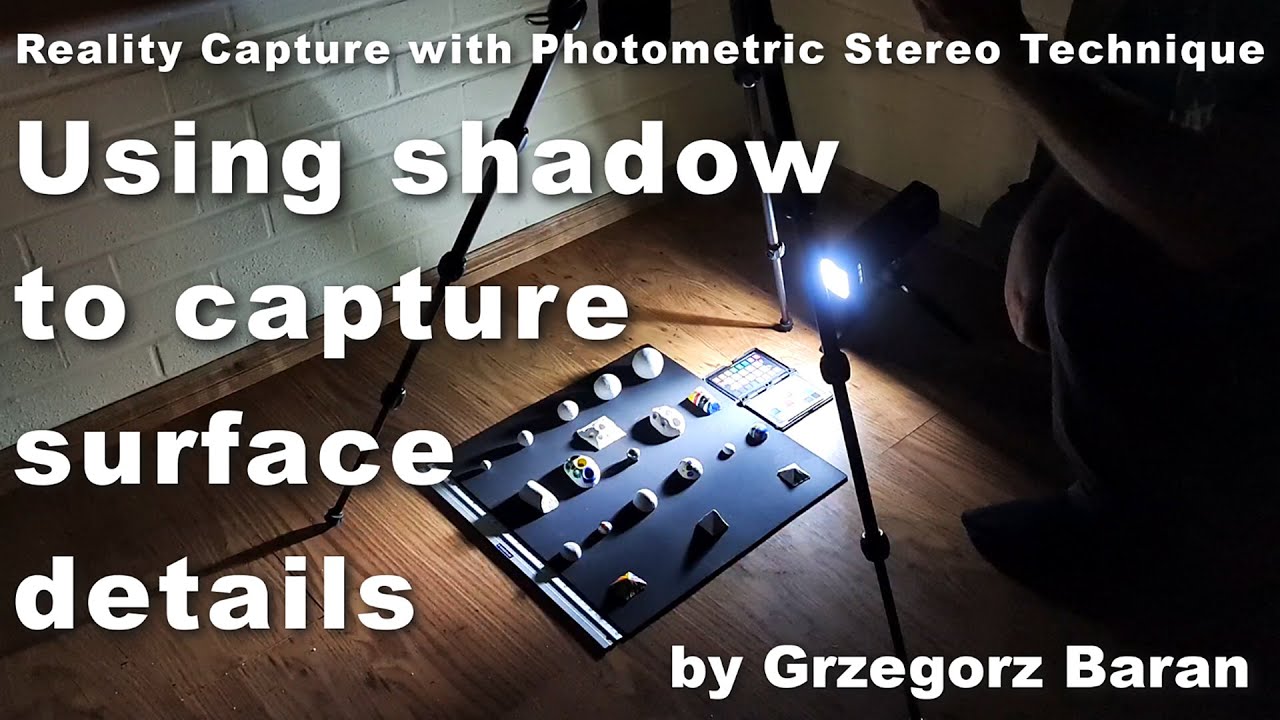
#photometric #scanning #tutorial #materials #photography #capture #photogrammetry
In this video I present and share my experience with the photometric stereo technique, which is one of a few basic reality capture techniques used in PBR material and atlas texture creation. While it struggles with large and medium sized shapes, it is probably the...
tawny elk
I don't have that kind of time nor equipment
chrome meadow
soft zinc
I thought it was part of nsight
It is part of nsight (well, its monitor actually) but can run without VS,PerfHUD was an old tool.
The monitor must be run before launching the application probably both with admin rights (monitor, VS)
soft zinc
chrome meadow
It is part of nsight (well, its monitor actually) but can run without VS,PerfHUD...
Tried launching nsigjt monitor, both as admin and via nsight hud
The latter displays a command window that promptly closes bdfore I can get a good look
The former does nothing at all
chrome meadow
soft zinc
The former does nothing at all
It should open and run in background, you should see an icon on the task bar
soft zinc
chrome meadow
It should open and run in background, you should see an icon on the task bar
whoops, just noticed, sorry!
 final knoll
I get that the Bridge Remix file is expired and I can't download it
soft zinc
chrome meadow
It should open and run in background, you should see an icon on the task bar
Odd. What are these boxes supposed to display, since NSight doesnt seem to 'support' my nvidia gpu (3050 mobile)?

Said something similar in the VS Plugin too, claimed the GPU rendered 0 frames or somethong to that effect
chrome meadow
soft zinc
Said something similar in the VS Plugin too, claimed the GPU rendered 0 frames o...
It's GPU telemetry basically, it shows the load on different components of the GPU to sort out bottlenecks or perf issues, you only appear to be able to see primitives per frames but all the other function should work
soft zinc
chrome meadow
It's GPU telemetry basically, it shows the load on different components of the G...
I see I see
got it, thank you!
I'd also noticed something odd when moving through events
midway through the rendering of the frame, the game seems to have multiple events that do full 'passes' of the frames, applying postfx
Exactly what are these for? At first glance, it'd look like it was for Chromaticc Abberation (an impossibility, considering the age of the game). And how was the game able to afford time to process full size framebuffers multiple times before producing the final frame?
Sounds impossible, especially for the time
tawny elk
Prob the light trails
soft zinc
tawny elk
Prob the light trails
You're right, but i'd also seen entire passes for the car after the trails were rendered
Not sure why this was done though
alsoWhen the cubemaps begin rendering, I'd noticed that 5 faces seem prerendered

while one is filled in over time
How does the game have access to whatever's in those 5 faces ahead of time? Sky texture makes sense, as does the 'front' (which you could simply extract from the camera). I suppose you could also extract information from the road texture. What about the other 2 (left and right side of the cube) faces? How does it have those ahead of time?
cobalt peak
I found proof that Harry is not the son of Charles https://www.youtube.com/watch?v=jF27U4gHAGk

Provided to YouTube by Believe SAS
Hype Boys (feat. Mr. Bigz) · Sway
This Is My Demo
℗ Dcypha Productions Limited
Released on: 2006-02-06
Author: D. Safo
Featured Artist: Mr. Bigz
Composer: Sway
Auto-generated by YouTube.
final knoll
I have installed the rtx remix to nfs underground 2 and it goes to 3fps when I have an rtx 4060, it does not load the road textures and the same for the garage
jade briar
final knoll
I have installed the rtx remix to nfs underground 2 and it goes to 3fps when I h...
Change graphics settings
severe solstice
3 fps so much
final knoll
jade briar
Change graphics settings
 jade briar
You probably didn't install it correctly
final knoll
jade briar
You probably didn't install it correctly
It's weird, because I followed the whole tutorial
cloud crypt
if you would have followed it, it would work properly
dusty grove
final knoll
Download mod itself through releases page on github, or clone it (if u don't know how google it) through github desktop on ur pc.
 ripe shell
Hi. Can someone help me find the compiled version of Bridge Remix? I tried to compile it myself but it doesn't work.
blazing bone
ripe shell
Hi. Can someone help me find the compiled version of Bridge Remix? I tried to co...
Actions
sharp sinew
ripe shell
Hi. Can someone help me find the compiled version of Bridge Remix? I tried to co...
 ripe shell
sharp sinew
https://github.com/NVIDIAGameWorks/bridge-remix/actions/runs/5970830997
ripe shell
sharp sinew
https://github.com/NVIDIAGameWorks/bridge-remix/actions/runs/5970830997
Thank you.
chrome meadow
soft zinc
You're right, but i'd also seen entire passes for the car after the trails were ...
Now I don't remember exactly but there are multiple effects other than light trails, there are enhanced color and some sort of bloom
soft zinc
chrome meadow
Now I don't remember exactly but there are multiple effects other than light tra...
How did the game run entire full screen passes so fast back then though? That too multiple times a frame
 grave wolf
I don't understand at all how to install NSFU2 remaster. I just donwloaded the re-master file, then what? i need smthing else? im new in this dc, im sorry i dont even understand at all this sections. I need any RTX software efore? Any tutorial good explained? On the main file, nothing says. I've downloaded also asi loader.
chrome meadow
soft zinc
How did the game run entire full screen passes so fast back then though? That to...
Guess all effects had a low compute cost, I think they weren't impacting performance much even on my old GeForce 2 back at the time
dapper root
Hey guys, any idea why I'm stuck at the loading screen? I can hear the car sounds and the music but the screen is stuck on the loading screen.

NVM it was the culling disabler. I forgot to add it
grave wolf
Hi i followed all instructions and this is my result :/
 jade briar
You did in fact not follow correctly
 trail quail
@jade briarcan you show us ?
soft zinc
chrome meadow
Guess all effects had a low compute cost, I think they weren't impacting perform...
Why though?
Aren't they essentially iterating over all pixels of the frame for each pass, and doing this multiple times for each rendered frame?
 spark moon
dapper root
Hey guys, any idea why I'm stuck at the loading screen? I can hear the car sound...
spark moon
dapper root
Hey guys, any idea why I'm stuck at the loading screen? I can hear the car sound...
how did u fix it?
dapper root
spark moon
how did u fix it?
Install the nfsu2 culling disabler and it should work (normally)
spark moon
dapper root
Install the nfsu2 culling disabler and it should work (normally)
is this work for undergound 1
dapper root
I don't know.
spark moon
ok where can i find culling disabler
cloud crypt
Just search it

GitHub
NFS Underground 2 Culling Disabler. Contribute to nlgxzef/NFSU2AntiCull development by creating an account on GitHub.
Its in the pins too
final knoll
cloud crypt
https://github.com/nlgxzef/NFSU2AntiCull
what is it for???
vague sparrow
is this for back face culled objects?
ember river
vague sparrow
is this for back face culled objects?
Frustum/Out of view culling
Hmmm there are signs
https://www.google.com/maps/@34.0678331,-118.4015723,3a,72.8y,106.43h,99.97t/data=!3m6!1e1!3m4!1sYEj4UaOSOJjLPPeVPFOXdA!2e0!7i16384!8i8192?hl=pt-BR&entry=ttu


Google Maps
Encontre empresas locais, visualize mapas e obtenha rotas de tráfego no Google Maps.
cloud crypt
ember river
Hmmm there are signs
https://www.google.com/maps/@34.0678331,-118.4015723,3a,72....
Thats gta?
ember river
cloud crypt
Thats gta?
Nah just Google maps. Rodeo Drive - Beverly Hills
cloud crypt
Yeah, but in GTA 5 its exactly the same and Underground 2 copied it just a lil bit
ember river
cloud crypt
Yeah, but in GTA 5 its exactly the same and Underground 2 copied it just a lil b...
Ohh, gotcha. Yeah it looks quite a bit like in gtav. U2 did what it could with tech of the time and their UV mapping behaviour
jade briar
Surely
spark moon
cloud crypt
https://github.com/nlgxzef/NFSU2AntiCull
thnkx but i opened nfsu after a while with gamereadyassets game is getting stuck on menu without it its working
cloud crypt
Its only for u2
spark moon
spark moon
thnkx but i opened nfsu after a while with gamereadyassets game is getting stuck...
yea but i am also letting u know its was before it became usd composer
so do i have to satrt over my mod
 bright hedge
ember river
Hmmm there are signs
https://www.google.com/maps/@34.0678331,-118.4015723,3a,72....
bright hedge
ember river
Hmmm there are signs
https://www.google.com/maps/@34.0678331,-118.4015723,3a,72....
lol fr, never paid attention to that
cloud crypt
They also want to see carbon🤣👍
 dusty grove
Carbon works, but textures not loading in, both game itself (everything is grey) and remix.
(Maybe to start the game try to change inside dxvk - shadermodel to 0)
cloud crypt
tried it several times with different settings, wont work
Its only grey or it crashes in intro sequence
But i am wondering since its the same engine that is used for Most Wanted 2005... It should be possible somehow
 elfin zenith
@tawny elk sorry for this. just to know how some people are. 😄
tawny elk
elfin zenith
<@264632269174472704> sorry for this. just to know how some people are. 😄
Yeah, can you take this to DMs please? Or at least #offtopic .
elfin zenith
I deleted so as not to cause problems here. it's a pity that some people are insanely jealous.
I apologize.
tawny elk
Thank you
tawny elk
What do you mean?
elfin zenith
more stable version with new features..
tawny elk
I’m not a nvidia developer 
elfin zenith
Yeah...
tawny elk
I don’t understand what you’re asking then. I don’t develop the actual RTX-Remix runtime.
Do you mean the underground 2 mod?
elfin zenith
for what your roles are as developer? 😄
shouldn't you know when a new version of rtx remix comes out?
just asking
tawny elk
I develop mods(?) to improve compatibility with remix. No one knows when new updates for the rtx remix runtime are coming out.
elfin zenith
tawny elk
I develop mods(?) to improve compatibility with remix. No one knows when new upd...
Oky 😉
tawny elk
I also like to be a lighting artist (?) but there’s no role for that.
balmy chasm
*there is role for Artist in general 👉 *
ember cobalt
i've been looking to revamp those roles. any suggestions?
bright hedge
@gametest stop selling stolen mods and also are shitty
ember cobalt
can you guys stop with this drama? ultimately it's unrelated to this server
bright hedge
should just stop replying or helping him altogether
ember cobalt
do whatever you feel is best, just please don't provoke drama
this has happened like 4 times now for this particular topic
if there's finally proof of some kind, please DM me it. otherwise it shouldn't be brought up again
bright hedge
i am pretty sure before its been given proof above
ember cobalt
he left anyway it seems
bright hedge
yes
ember cobalt
bright hedge
i am pretty sure before its been given proof above
if you can find it, i'd like to see it
i don't realllly want people who steal mods to be active here, lol. he also caused a lot of arguments with his crappy behavior, so he's already been skirting the edge of what's allowed
bright hedge
also selling them for profit
.
nice cat :)) heard its a sign of affection if they want to get in ur way and stuff
ember cobalt
the video that's from really doesn't look like Remix to be honest. the road texture maybe
jade briar
ember cobalt
the video that's from really doesn't look like Remix to be honest. the road text...
The road texture seems very copied
This is what he sent me
 ember cobalt
can you give me an example of the current road texture you guys are using?
i haven't seen any images of this game in a while somehow
jade briar
This is the road texture used in the latest public release

This doesn't look like a stolen asset, but at the very least copied
Which I don't mind
I can't copyright ideas
ember cobalt
yeah, that's what i was thinking initially
still not the best thing to do when simultaneously insulting users here, lol
his videos on your guys' project never explicitly say that it isn't his work, and the only credit he does give is to you (burrito)
so far i don't see any stealing though, just scummy behavior
ember cobalt
the deleted messages certainly weren't very kind
bright hedge
still
its obviois
obvious
putting modpacks on 3 different games constantly 😂 yeah right, totally from scratch
vague sparrow
well you can use remix with. Just vanilla textures
And it will still look beautiful
cloud crypt
Well, steaking ideas is illegal too
ember cobalt
he basically just took inspiration based on your guys' texture. not illegal afaik
vague sparrow
cloud crypt
Well, steaking ideas is illegal too
unless you patent it lol
cloud crypt
Intellectual property (IP) theft is the unauthorized use, exploitation, or outright theft of creative works, ideas, trade secrets, and proprietary information otherwise protected under intellectual property laws
ember cobalt
yeah, this doesn't really fall under that imo
ember cobalt
ember cobalt
he basically just took inspiration based on your guys' texture. not illegal afai...
if we weren't allowed to take inspiration from other things, i don't know if we'd get anywhere, lol
to me, that's all this was. i still cannot find evidence of blatant stealing despite having looked for over an hour
some... annoyingly close things, yes. but not identical work
jade briar
I don't mind. It's clearly just inspired.
Nothing here is stolen
He probably just liked the look of my old textures
One can't steal ideas
vague sparrow
I can
jade briar
do it
ember river
Either way, we're using the MIT license, which gives a little bit of legal protection if anything goes sideways
grave wolf
@ember river when i try to git fetch says
[email protected]: Permission denied (publickey).
fatal: Could not read from remote repository.
Please make sure you have the correct access rights
and the repository exists.
ember river
grave wolf
<@544327892599963668> when i try to git fetch says
[email protected]: Permission d...
For non git users, there are some complications regarding authenticating your machine with your github acct using SSH keys and such. I suggest taking a look on how to do that using a GUI app. I'm not home rn, so I can't help
grave wolf
Okay thanks 😄 i will try to authenticate well
grave wolf
When i launch i see everything red on the world, but if i go to the ALT X menu and add the textures they appear but IDK which one goes where, there's a problem with my rtx.conf? someone has one to replace with everything well configured? Obviously rtx.conf is in game folder beside SPEED2.exe
dusty grove
grave wolf
When i launch i see everything red on the world, but if i go to the ALT X menu a...
When you have everything red thats mean you download mod wrong way.
Download mod from release page, or install github desktop on pc, and clone mod.(this way u will get latest stuff)
ember river
grave wolf
When i launch i see everything red on the world, but if i go to the ALT X menu a...
You did right if only the sky is red, just download the latest dxvk from their actions tab rather than their latest release.
grave wolf
I will try again so.. I've followed instructions and downloaded everything on the git repository. Its only the sky? Or some textures missing ? Sorry if im doing too many questions, just knowing if other textures missing, but it seems only the sky that gives bright to almost everything also, right?
 dusty grove
grave wolf
I will try again so.. I've followed instructions and downloaded everything on th...
vague sparrow
grave wolf
I will try again so.. I've followed instructions and downloaded everything on th...
dusty grove
grave wolf
I will try again so.. I've followed instructions and downloaded everything on th...
vague sparrow
grave wolf
I will try again so.. I've followed instructions and downloaded everything on th...
bro is in 2042 doha map
what was it called lol
hourglass
😆
dusty grove
E-man add tornado PLS
vague sparrow
☝️
grave wolf
dusty grove
https://github.com/NVIDIAGameWorks/dxvk-remix/actions/workflows/build.yml
Thanks , i will try and i'll be back 😄. The last one or i should look from the one says SKY or smthing? there are so many different
dusty grove
grave wolf
Thanks , i will try and i'll be back 😄. The last one or i should look from the ...
Last one
dusty grove
grave wolf
Thanks , i will try and i'll be back 😄. The last one or i should look from the ...
Put it in trex folder
 ember river
grave wolf
now looking like this :D, im missing something ?
ember river
grave wolf
now looking like this :D, im missing something ?
Now you're cooking with gas
final knoll
In some areas of the map, such as the mountain area, you need to add lighting because it is completely dark.
dusty grove
final knoll
In some areas of the map, such as the mountain area, you need to add lighting be...
Just use latest version
1install github desktop
2clone nfsu2remix
 unique helm
did someone get it to work here?
i mean it works for me, but there are no reflections on my car and no headlights
and the game is stuttering very well
have an i9 12900k, 32GB RAM and a 3080TI
vague sparrow
unique helm
i mean it works for me, but there are no reflections on my car and no headlights
how did you install it?
unique helm
LINKS:
NFSU2 Widescreen Fix: https://github.com/ThirteenAG/WidescreenFixesPack/releases/tag/nfsu2
RTX Remix: https://github.com/NVIDIAGameWorks/rtx-remix/releases/tag/remix-0.2.0
bridge-remix: https://github.com/NVIDIAGameWorks/bridge-remix/actions/runs/5095209923
dxvk-remix: https://github.com/NVIDIAGameWorks/dxvk-remix/actions/runs/5150202285
...
like here described
but i used bridge-remix-9833d09-28-release
and dxvk-remix-739c6ea-220-release
because the other versions are already expired

and i used this Version of UG2 Remix https://github.com/Ekozmaster/NFSU2-RTX-Remix
GitHub
RTX Remix mod for Need for Speed Underground 2. Contribute to Ekozmaster/NFSU2-RTX-Remix development by creating an account on GitHub.
cloud crypt
Reflections and no headlights are correct if u used alpha 0.2.0
cloud crypt
Yes, but very compicated to install
unique helm
oh ok
cloud crypt
The steps are further below in the git u posted here
And its mainly for us contributors
Maybe someone will make a usable package
But until that the 0.2.0 is the usable one
unique helm
ok thank you 🙂
desert ridge
cloud crypt
Reflections and no headlights are correct if u used alpha 0.2.0
I am currently working on assigning the correct glass material to all the headlights that already have a mesh with glass covers. To enhance their realism, I am creating normal maps. However, this process requires some time to complete.
cloud crypt
Well with what program u create normals?
I used materialized a lot and the results were pretty neat. Creating normals wirh chainner will not always result in good looking normals that will fit
cloud crypt
unique helm
ok thank you 🙂
Probably we need to discuss that with all contributors if we will make another release version now or still will wait
balmy chasm
cloud crypt
Probably we need to discuss that with all contributors if we will make another r...
Apparently the next step in our project is total mesh replacement. So it makes sense to push a release with lights and textures only
cloud crypt
Thats what i thaught
ember river
cloud crypt
Probably we need to discuss that with all contributors if we will make another r...
We're just waiting for a greenlight to ship a new release zip package with everything included, remix, bridge, widescreenfix and dxvk, so the install could be as easy as possible
There are a few features to be made before wrapping it up
I can't remember what they are though
desert ridge
cloud crypt
I used materialized a lot and the results were pretty neat. Creating normals wir...
I am creating a bump map in Photoshop and using the NVIDIA Texture Export Tool to save it as a normal map. materialized quality is good, but the process of saving it as a PNG and then opening Photoshop again to save it as a DDS file is quite bothersome for me.
ember river
desert ridge
I am creating a bump map in Photoshop and using the NVIDIA Texture Export Tool t...
A while ago I posted a python script to convert files by right clicking them using windows's context menu
https://discord.com/channels/1028444667789967381/1122242021386616852
desert ridge
balmy chasm
Apparently the next step in our project is total mesh replacement. So it makes s...
I am currently working on creating a traffic mesh. Is anyone else working on a traffic mesh at the moment? I am developing it for both NFSU2 and GTASA.
 cloud crypt
desert ridge
I am creating a bump map in Photoshop and using the NVIDIA Texture Export Tool t...
cloud crypt
desert ridge
I am creating a bump map in Photoshop and using the NVIDIA Texture Export Tool t...
For dds convert i used chainner
cloud crypt
desert ridge
I am currently working on creating a traffic mesh. Is anyone else working on a t...
Pls high poly (its over 9000!😅😉)
ember river
desert ridge
I am currently working on creating a traffic mesh. Is anyone else working on a t...
Really nice. I don't think anyone is.
If you'd like, I can add you as contributor to the project on GitHub and you can self assign tasks to yourself on our GitHub Projects board https://github.com/users/Ekozmaster/projects/1
Just send me your github user, email or profile link 😉
balmy chasm
desert ridge
I am currently working on creating a traffic mesh. Is anyone else working on a t...
You better connect them
 desert ridge
ember river
A while ago I posted a python script to convert files by right clicking them usi...
desert ridge
ember river
A while ago I posted a python script to convert files by right clicking them usi...
Perhaps I can write a Python script to automate the batch processing of all files within a specific folder.
ember river
cloud crypt
Pls high poly (its over 9000!😅😉)
Oh yeah, btw, go nuts. We're using raytracing which has a much much higher budget for polygon counts
desert ridge
balmy chasm
You better connect them
It's currently a work-in-progress mesh, and I intend to create it using all quads to ensure a well-suited subdivided mesh.
cloud crypt
Game uses only 9000, can handle max of 20000. But remix should be capable of more than that
ember river
desert ridge
Perhaps I can write a Python script to automate the batch processing of all file...
Feel free to contribute 😉
There are ways to add actions to the right click menu that accepts several files as inputs, so one could only select several files > right click > convert...
balmy chasm
desert ridge
It's currently a work-in-progress mesh, and I intend to create it using all quad...
Like... Those are triangles
desert ridge
Don't worry, I have been creating 3D cars for a long time in the past.
https://youtu.be/9CddV-t9wcQ?si=L5RkeJQzLJwrKlqq
https://youtu.be/4RC0acD7iDU?si=6m5RUaywj2w6F0IQ

Porsche Boxster WIP
used Software: Autodesk 3dsmax 9.0, VRay
my current WIP project, I used the 3dsmax basic polygon modeling tools to model this car

My test renders for fStorm Render, I remake some part of the cars e.g.: headlight and the taillight part for more detail render result, also make many bump map to archive the detail part. Hope you like it, feel free to leave a comment below, thanks.
jade briar
desert ridge
Don't worry, I have been creating 3D cars for a long time in the past.
https://...
Hell yeah. SOmeone who knows what they're doing.
Good luck
Don't worry about poly counts
cloud crypt
Damn that carrera
ember river
cloud crypt
Everything should be a triangle
For exporting yes, but rule of thumbs in 3D modelling is to keep the topology as quad as possible, it makes life incredibly easy when editing loop cuts, sliding vertices, edges, etc.
cloud crypt
Oh, didnt knew that xD
ember river
jade briar
Hell yeah. SOmeone who knows what they're doing.
The guy is good, right?
jade briar
yeah.......
vague sparrow
jade briar
Hell yeah. SOmeone who knows what they're doing.
woah woah woah my people look look
The champ is here
vague sparrow
ember river
The guy is good, right?
Look at his work, it looks great
and that's 14 years ago
balmy chasm
@ember cobalt Regarding role suggestions. May be more specific ranks can be better. Like showing what a person specialization is:
Modelling
Texturing
Programming
Lighting
Animating
Riggingetc.
ember river
vague sparrow
and that's 14 years ago
The only modelling I was doing 14 years ago was raking the yard for my hotwheels races
cloud crypt
For me its texturing and lighting XD
ember cobalt
balmy chasm
<@410198342300205066> Regarding role suggestions. May be more specific ranks can...
if we do this for every category we'd have like 30+ roles 😦
it'd be good, but also a total pain for users to select them. imagine that emoji based selector with that many
i saw a better selector type thing recently. time to find it
balmy chasm
Do you mean programming categories, right? Cuz I don't know which else except 3d modelling and programming
desert ridge
vague sparrow
and that's 14 years ago
The render time of that two videos take about a week, and now we can view the result in realtime. Thanks Nvidia.
ember cobalt
balmy chasm
Do you mean programming categories, right? Cuz I don't know which else except 3d...
 cloud crypt
NVidia is pogchamp of creators
ember cobalt
artist and creator
i was thinking more along the lines of adding extra general roles that may help, not a bunch of ultra specific ones
mmmmm
balmy chasm
What is the defference between Artist and Creator?
vague sparrow
balmy chasm
What is the defference between Artist and Creator?
Creator is like a guy who does all the stuff from making videos about remix or something
That's my interpretation
ember cobalt
i didn't make these 😛
vague sparrow
Artist is probably the one who makes stuff for remix
like models, animations, lighting
balmy chasm
Makes sense. Good I didn't pick Creator
ember cobalt
at the time these were made, i think they were intended to get people comfortable from their skills outside of Remix
but now we have a large community, so it'd be good to have some that are actually related to Remix
balmy chasm
Remix Employee, as example :D
vague sparrow
balmy chasm
<@410198342300205066> Regarding role suggestions. May be more specific ranks can...
@ember cobalt cant we follow this one?
ember river
balmy chasm
<@410198342300205066> Regarding role suggestions. May be more specific ranks can...
I don't see much animation going on, but something along the lines of the first 4 roles should be nice
vague sparrow
balmy chasm
Remix Employee, as example :D
Those are Nvidia dudes
And they're green 💚
balmy chasm
ember river
I don't see much animation going on, but something along the lines of the first ...
Just for future, you know
ember cobalt
vague sparrow
<@410198342300205066> cant we follow this one?
i guess. like i said, i was hoping for some more general roles, not a bunch of very specific ones
i'll think on it some more
ember river
ember cobalt
i guess. like i said, i was hoping for some more general roles, not a bunch of v...
Guess the point is: If you were looking for a specific person to help you get through some brick wall in your project, what roles would be useful to be able to search for?
ember cobalt
pretty much, but they also can't be too specific, otherwise we'll have way too many roles
so i'm trying to think of a balance
also ideally i'd rather not implement yet another bot
vague sparrow
let's just add a remix modder role then
that way you'll know who's working on or worked on remix stuff before
tawny elk
Idea: would it be beneficial to get photo scans of cars? I can see if the junkyard has any of use.
I can’t model something like that well so y’all would be a better judge if it’s worth it.
balmy chasm
But you'd need like cloudy-not-rainy sky, no reflections paint and view from all sides to do good scan
ember river
For some very specific things it might be. I can't think of any rn. One big selling point of car models, hard surfaces and other stuff are very good topology, specially well beveled edges and stuff like that for the normals to look great, and scans are more random triangles
balmy chasm
ember river
For some very specific things it might be. I can't think of any rn. One big sell...
But they're great as base for retopo. Adam would just need to learn retopo and that's it
ember river
balmy chasm
But they're great as base for retopo. Adam would just need to learn retopo and t...
U've got a pretty good point 
tawny elk
balmy chasm
But they're great as base for retopo. Adam would just need to learn retopo and t...
Y’all going to have some horrible topos then or have to wait a few months till I understand it better.
tawny elk
balmy chasm
But you'd need like cloudy-not-rainy sky, no reflections paint and view from all...
Those are far and few right now 
I’ll look into practicing modeling various things I know in the mean time 
desert ridge
tawny elk
Idea: would it be beneficial to get photo scans of cars? I can see if the junkya...
That's great! Could you capture a close-up shot of the headlight/taillight from various angles? I'm interested in seeing what's inside the headlight, as it will help me create a more accurate representation and avoid relying solely on normal maps to imitate the intricate details.
tawny elk
That’s easy to get, you can get close up photos of parts like that on eBay
desert ridge
tawny elk
That’s easy to get, you can get close up photos of parts like that on eBay
Thank you for pointing that out. I hadn't considered it before.😅
tawny elk
I should practice modeling a taillight to reassure myself that I’m not that good at 3d modeling
desert ridge
tawny elk
I should practice modeling a taillight to reassure myself that I’m not that good...
Practice makes perfect! 3D modeling is my hobby, and I'm relatively new to Blender. I've noticed that many shortcut keys differ from those in 3ds Max.
I've been contemplating whether it's feasible to develop a tree generation script in Omniverse. This way, we wouldn't need to create the trees in Blender and then export them to a large USD. Since tree leaves can be instanced, I believe it could save memory during real-time rendering, enabling us to incorporate high-quality trees into every remix game.
tawny elk
desert ridge
I've been contemplating whether it's feasible to develop a tree generation scrip...
Better use an external tool and just import it in as USD imo
ember river
desert ridge
I've been contemplating whether it's feasible to develop a tree generation scrip...
We don't have that much degrees of freedom with remix yet. For now, referencing external/authored USDs on Xform prims is our only working method for replacing game meshes
desert ridge
ember river
We don't have that much degrees of freedom with remix yet. For now, referencing ...
It would be fantastic if Nvidia could create a tree generation plugin that is compatible with remix. We would simply need to specify the game tree mesh as a placeholder, and then we could enjoy a real-time 3D tree with interactive wind animation, rather than just a static mesh in the game.
tawny elk
desert ridge
It would be fantastic if Nvidia could create a tree generation plugin that is co...
Why not use an existing tool? Nvidia isn’t known for their tree tooling
ember river
desert ridge
It would be fantastic if Nvidia could create a tree generation plugin that is co...
Coincidentally, I'm using blender's geometry nodes to make some trees (small bushes actually) at this very moment 
 ember river
desert ridge
It would be fantastic if Nvidia could create a tree generation plugin that is co...
ember river
desert ridge
It would be fantastic if Nvidia could create a tree generation plugin that is co...
If that becomes a highly request feature, I might implement something on my OV toolkit 👀

 sharp musk
I'm willing to do it
jade briar
aight someone help this dude
desert ridge
I have developed a script that retrieves the hash file of the captured texture folder. It assigns all textures, except for a specified hash (car texture), to a non-reflective rough texture. In the remix game menu, you can adjust the Legacy Material settings by setting the roughness to 0.02 and the metal value to approximately 0.4-0.6. This will give your car a road reflection effect.
Please note that there is a known bug: when the player's car or opponent's car changes, a new hash is generated. Consequently, you need to manually assign the car texture in the script and run the script again. I am currently working on enhancing the script to automatically detect possible car textures and exclude them from being assigned to a rough material. Additionally, it's worth mentioning that car interiors share the same texture as the car body, resulting in a highly reflective interior. To avoid this issue, you can assign the car interior to a different texture in Omniverse.
Put this two file to your mainfolder
jade briar
Hmm. That's an interesting way of doing it. Although a remix side fix would be a lot better.
desert ridge
In your mod.usda, insert this line in subLayers at the bottom
@./rough_only.usda@
jade briar
So, maybe make the script look for changes on a specific car body mesh. If texture on mesh-x changes, then update the material.
sharp musk
here?
 desert ridge
Also you have to "capture frame to usd" everytime a new hash is borned, otherwise your mesh will look grey
desert ridge
sharp musk
here?
yes
jade briar
desert ridge
Also you have to "capture frame to usd" everytime a new hash is borned, otherwis...
Also wonder if you can dig into remix to add that functionality locally for a custom build.
No need for captures then
desert ridge
After following these steps, you can achieve a similar outcome.
 desert ridge
jade briar
Also wonder if you can dig into remix to add that functionality locally for a cu...
desert ridge
jade briar
Also wonder if you can dig into remix to add that functionality locally for a cu...
That's a good idea. So, should the first priority be texture/mesh replacement, or custom build of remix? I think custom build of remix would be a time-consuming process.
jade briar
True, but one thing the game really lacks right now, is a good car material. You can make your car shiny and all, but as soon as you change anything, the material changes are just gone.


 jade briar
However, I'd suggest that you finish any ongoing projects before getting into it l, because you probably don't know the inner workings of remix, and exploring that would take a while.
desert ridge
jade briar
However, I'd suggest that you finish any ongoing projects before getting into it...
I enjoy recreating textures or meshes more than programming. Reading other people's code can be challenging.🤣
jade briar
desert ridge
I enjoy recreating textures or meshes more than programming. Reading other peopl...
True. Speaking of art assets, I want to replace most of the textures and meshes found on the highways for the next release, so that it can be presented as a vertical slice. We've got a good chunk of textures worked out, but a few still need good replacements. So if you have the time, I'd suggest working on that area. I'm also working on a few textures, but haven't gotten a lot of progress lately because burnout.