#NFSU2 (Need For Speed Underground 2)
1 messages · Page 23 of 1
 tawny elk
 tawny elk

 ember cobalt
ensuring it's totally flat when doing that is hard 😦
i've been meaning to try photogrammerty though
tawny elk
ember cobalt
i've been meaning to try photogrammerty though
It’s… time consuming to say the least
tawny elk
 jade briar
Ah
jade briar
Ah
Better yet, you type out what the texture is supposed to be, and then use the image of the text.

jade briar
ember cobalt
i've been meaning to try photogrammerty though
Photogrammetry for models is fairly easy. Photogrammetry for flat textures is extremely hard. You need lots of speed, a extremely sharp and high res camera, luck, and photos
jade briar
tawny elk
Better yet, you type out what the texture is supposed to be, and then use the im...

jade briar
jade briar
Photogrammetry for models is fairly easy. Photogrammetry for flat textures is ex...
Not to mention an extremely steady hand.
I saw a video of a guy who made a thingamajig, that had a lot of lights in it. You attach the doohickey to your camera, and it uses a lot of photos of the object in different lighting angles and some mit maths to turn it into a pbr thing
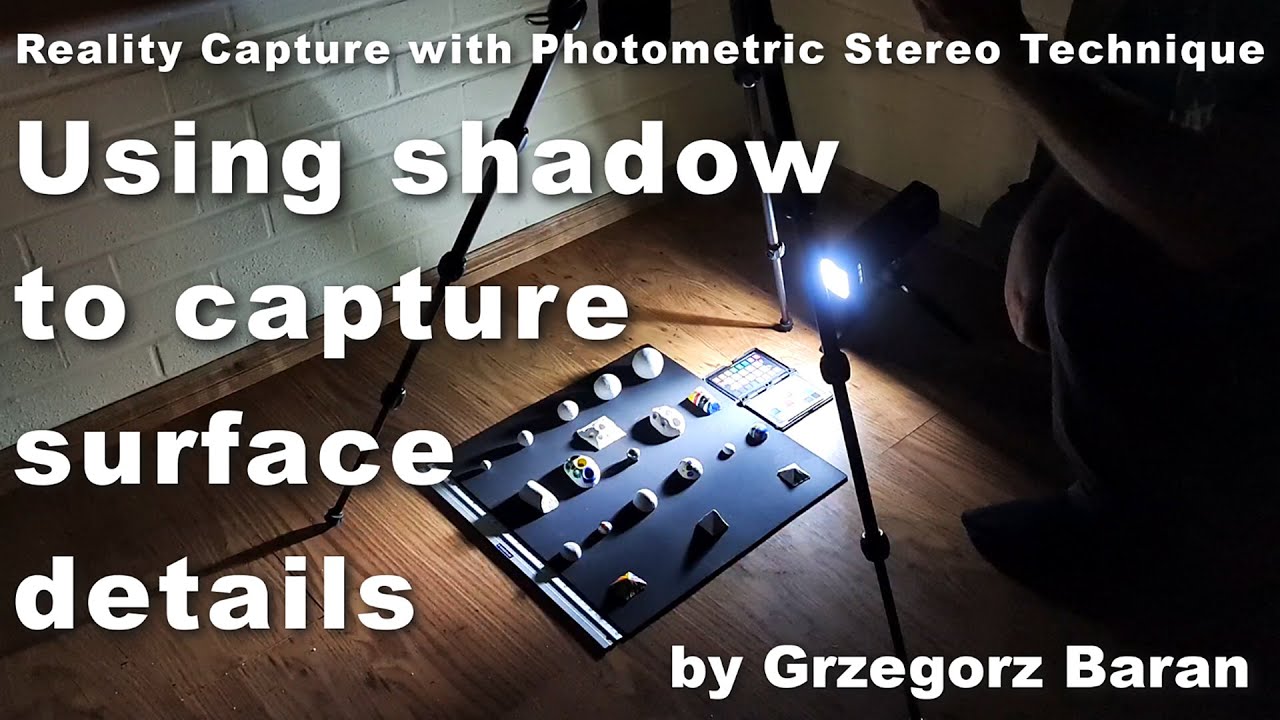
#photometric #scanning #tutorial #materials #photography #capture #photogrammetry
In this video I present and share my experience with the photometric stereo technique, which is one of a few basic reality capture techniques used in PBR material and atlas texture creation. While it struggles with large and medium sized shapes, it is probably the...
@ember cobalt
tawny elk
jade briar
I saw a video of a guy who made a thingamajig, that had a lot of lights in it. Y...
||Is that color temperature okay?||

 safe patrol
Most of the stuff I'm making is 1024. I think there's only a few things that I felt like warranted 4k that I've worked on so far.
And in the case of some of the tiny stuff only 512.
ember cobalt
that's how i feel about games that i've worked on
 ember river
I see it is a recurrent difficulty ppl have been having here, how to author high quality hand-made textures
 humble niche
Just draw the PBR owl.
ember river
I'm thinking maybe I could record and edit a 5min video with tips and tricks on my take and workflow on it. Wut u guys think?
humble niche
Jokes aside what's probably needed is a solid set of recommendations for further reading on general PBR info as none of it is Remix specific but rather an introduction-to-art set of resources.
humble niche
ember river
I'm thinking maybe I could record and edit a 5min video with tips and tricks on ...

 balmy chasm
My texture here. Definitely something you can achieve without using Substance package. Just a GIMP\Photoshop with layer blending and a bit of hand painting. Converting things to get Rough/Metal/Normal is not a problem when you have diffuse one ready
 ember cobalt
ember river
I'm thinking maybe I could record and edit a 5min video with tips and tricks on ...
ember cobalt
ember river
I'm thinking maybe I could record and edit a 5min video with tips and tricks on ...
that would be great
 balmy chasm
yet not sure if it's me or UVs messing ceiling texture

And here if you tilt camera all the way up

 ionic prawn
@ember river quando fica pronto o standalone?
 blazing bone
English please
tawny elk
blazing bone
English please
||I think eman speaks Portuguese, he asked if it was ready to be standalone||
So forcing it to load everything seems unlikely. But if I can find out where it unloads things and just tell it not to, that might be possible.
ember river
tawny elk
||I think eman speaks Portuguese, he asked if it was ready to be standalone||
Almost haha. Yup, we're Brazillians 🇧🇷. He is asking for the next release, mistakenly calling it "standalone"
tawny elk
I don’t speak Portuguese, I only roughly understand Spanish  So I’ll take that as a W.
ember river
ionic prawn
<@544327892599963668> quando fica pronto o standalone?
Soon. We don't have an estimate yet, but don't worry. Ill let you know when its out 😉
Morning y'all
Sooo... noob discord question: how do you guys get those much cooler emojis and stuff? All I have is the default ones (UTF-8, I guess?)
Pls tell me it is not nitro
tawny elk
Also joining servers dedicated for emojis.
 severe solstice

tawny elk
I’m tempted to take a shot at redoing some building textures 👀
Like the wall surfaces and such, the lack of PBR on those kinda ruin the facade lighting. Need something to highlight with those.
jade briar


Join the discord to suggest topics - https://discord.gg/48QTc8j8Tip to keep the stream alive - https://tinyurl.com/aisponge
YouTube
46 seconds · Clipped by Uncle Burrito · Original video "Ai Sponge [PARODY]" by Ai Sponge
ember river
- Star, Patrick
LoL
 jade briar
This is the funniest shit I've ever seen
 wise coral
ember river
Almost haha. Yup, we're Brazillians 🇧🇷. He is asking for the next release, mis...
wise coral
ember river
Almost haha. Yup, we're Brazillians 🇧🇷. He is asking for the next release, mis...
r/suddenlycaralho hahaha
tawny elk
Any ideas on what to replace the billboards with? 
I thought one should at least be something RTX related
wise coral
Wasn't expecting that, but seeing as NFSU2 was REALLY popular here in Brasil, it was fitting that there would be one of us involved in it
wise coral
tawny elk
Any ideas on what to replace the billboards with? <a:peepoG2:1021987154701848616...
Pictures of cats
ember river
wise coral
Wasn't expecting that, but seeing as NFSU2 was REALLY popular here in Brasil, it...
Indeed it is my favorite game of all times. Huge part of my childhood
wise coral
I would bike halfway across town just to play it on a "lan house" for 2 hours
ember river
tawny elk
Any ideas on what to replace the billboards with? <a:peepoG2:1021987154701848616...
Honestly, I'd love to make some ripoff brands, but then we'd have to also replace them in-game, like, the performance upgrades and stuff. Maybe we could just come up with some fictional food, beverage, amusement parks brands, etc.
tawny elk
ember river
Honestly, I'd love to make some ripoff brands, but then we'd have to also replac...
Hm. I’ll see what I can think of
ember river
Would it be too much of a push to add some bits of Nvidia or RTX Remix logos, since...?
tawny elk
I think that’s okay, at least to me.
Ooo, I had a thought of a big impact thing
The retroreflective textures on all the roadway bits.
safe patrol
normally I hate ads, but for some reason at least in this game I'm really fond of the real-world brands advertized in it.
tawny elk
tawny elk
The retroreflective textures on all the roadway bits.
Can use the anisotropic mapping for them.
ember river
tawny elk
The retroreflective textures on all the roadway bits.
emissives, right?
Hm... how does that works?
safe patrol
they're not actually lights, though, they just reflect way more than everything else

Assuming this is what Adam's referring to?
 jade briar
They look edible
tawny elk
safe patrol
Assuming this is what Adam's referring to?
Those are “cat eyes” or road markers (I think). Theyre one of many retroreflective surfaces.
ember river
tawny elk
Those are “cat eyes” or road markers (I think). Theyre one of many retroreflecti...
Lol funny thing, here in brazil we call the same, in portuguese 🐱
tawny elk
The road paint actually has some bits of retroreflective material in it.
jade briar
One methode I've thought of making them is increasing the specularity to 100% but remix doesn't allow that
safe patrol
they reflect so brightly that when your headlights are pointed at them they look like they're lit up, but they don't light up on their own. I've been trying to figure out how to recreate that sort of material in PBR, but I'm not experienced enough for it.
jade briar
What now
tawny elk
safe patrol
they reflect so brightly that when your headlights are pointed at them they look...
I think it’s the anisotropic stuff. But I’m not too sure. I can test some things later today
safe patrol
pretty much all road signs should be coated with the stuff too
jade briar

Here is a quick introduction and demonstration of retroreflectors.
tawny elk
safe patrol
pretty much all road signs should be coated with the stuff too
Time to bring out our old friend, the MUTCD
safe patrol
tawny elk
Time to bring out our old friend, the MUTCD
haha, I had to look up that acronym. Definitely wan't familiar with it.
ember river
Hm....
 safe patrol
Getting proper retro reflective effects on paint, signs, and a few other things would actually be huge for Underground.
tawny elk
safe patrol
haha, I had to look up that acronym. Definitely wan't familiar with it.
All public domain too
safe patrol
nice
ember river
I'm also no sure if anisotropic map would help in that case. It is meant to control the "flow"/direction of specular highlights, like in hair shading
jade briar

Road signage and other markings may be something you take for granted, but have you ever wondered how they can appear so brightly with just the output of your headlights? Find out how, and get a load of other trivia, in this video!
Links!
Geoff's and Steve's videos (respectively);
https://www.youtube.com/watch?v=AtOKYoJUhlA
https://www.youtube....
tawny elk
Fun fact: States that had cars before the federal gov really paid attention to cars, have their own MUTCD, thus having unique road signs.
safe patrol
I had started to work on road sign textures but hadn't found really good sources for them yet (thanks Adam!) and was trying to figure out how to do the retro reflect sort of material.
jade briar
Yeah anisotropy is useless here. What we need is a material with very high specularity
tawny elk
jade briar
Yeah anisotropy is useless here. What we need is a material with very high specu...
Fug
tawny elk
safe patrol
I had started to work on road sign textures but hadn't found really good sources...
Lemme see if I can find the specs for road signs on paint color and reflectance etc.
safe patrol
how about really high specularity with a super bumpy/rough normal map? Would that do anything?
If the normal map is just full of tiny noise?
tawny elk
 jade briar
safe patrol
If the normal map is just full of tiny noise?
jade briar
safe patrol
If the normal map is just full of tiny noise?
Wouldn't work. Denoising will kill it.
That's why we can't do proper car paint with orange peel and all that
safe patrol
hmm
jade briar
I've said it before I'll say it again. Remix would've been a lot better if it wasn't purely a path tracer
ember river
Well, if only we could write our own shaders for the pathtracer
The effect we're trying to mimic here is that light reflects back only at the exact opposite of the incoming direction, so instead of a normal BRDF that diffuses/spreads light rays based on roughness, it would only reflect mostly at the incoming direction. Not sure if PBR itself is suited for that thinking about its implementation now 🤔
safe patrol
this is quite the rabbit hole
https://www.sae.org/publications/technical-papers/content/2020-01-0567/
Modeling retroreflective material in a three-dimensional computer modeling and Physically Based Rendering (PBR) engine is extremely difficult without fully understanding the physics behind how the light rays interact and behave with the retroreflective materials. Without the proper engineering and p
jade briar
Huh
safe patrol
accurate reproduction of retroreflective effects seem to require that the rendering engine is specifically designed for it. Which...I don't know that remix (or any others) are.
tawny elk
safe patrol
this is quite the rabbit hole
https://www.sae.org/publications/technical-papers/...
Yepp
safe patrol
Our best bet might be to find some other workaround that at least approximates what we're going for, like E-Man said.
tawny elk
tawny elk
https://www.ecfr.gov/current/title-23/chapter-I/subchapter-G/part-655#655.603
Here’s the color standards. They’re in a fun format.
safe patrol
tawny elk
Here’s the color standards. They’re in a fun format.
oh boy
tawny elk
tawny elk
Here’s the color standards. They’re in a fun format.
Or is that just the reflection standard?
ember river
We've been using those aperture opacity models, which afaik, are shader files. Maybe we could mess with them a bit
safe patrol
maybe this is a question for Mark. I mean...the nvidia guys have to have come across the idea of retroreflection already? Right? I hope?
tawny elk
safe patrol
maybe this is a question for Mark. I mean...the nvidia guys have to have come a...
Not necessarily. It’s kind of a difficult thing to simulate accurately in real-time without any tricks. It’s also kind of niche to want to simulate accurately.
ember river
jade briar
Are they binary?
No. I just don't know how they work
jade briar
Hmm
ember river
safe patrol
maybe this is a question for Mark. I mean...the nvidia guys have to have come a...
Should we summon the guy?
safe patrol
ember river
Should we summon the guy?
Adam's not optomistic but I think it doesn't hurt to ask
jade briar

safe patrol
well, at the very least now I can make good albedo textures for the road signs with the documentation Adam provided, so I can start there while we figure out the materials.
tawny elk
Also: here’s something that’ll be helpful, the sign folks from the OSM/Wiki community love making these https://commons.m.wikimedia.org/wiki/Category:PD_MUTCD
To add an image to this category, add the {{PD-USGov-MUTCD}} template to its license section.
According to the FWHA website, in addition to black and white, the following Pantone colors (with RGB equivalents) are to be used on signs:
Brown - 469 (RGB 96,51,17 / Hex #603311) ; Red - 187 (175,30,45 / #af1e2d) ; Yellow - 116 ...
severe solstice
jade briar
I'll do some tests in blender to see if a similar enough effect is even possible without having to make a custom renderer
tawny elk
safe patrol
Adam's not optomistic but I think it doesn't hurt to ask
Inb4 mark gets a rant reply from the rendering team
safe patrol
tawny elk
Also: here’s something that’ll be helpful, the sign folks from the OSM/Wiki comm...
oh that's awesome and will probably save me some work
ember river
jade briar
I'll do some tests in blender to see if a similar enough effect is even possible...
Well, it shouldn't really be that difficult. The fundamental is like the print I sent earlier:
ember river
ember river
Hm....
This one
tawny elk
jade briar
https://youtu.be/Bi_Tp1H9CDs
My man Technology connections with the 45 minute video on the things that matter 
Apparently OV already has a retroreflective material in it for the Simulation stuff.
ember river
Can we grab it's MDL?
tawny elk
safe patrol
well look at that
tawny elk
I’ll look around for an MDL of it. It’ll likely be on one of the standard simulation assets like a cone.
wise coral
Wait, we can change the .mdl used?
tawny elk
I think mark said no, but it is open source..,
ember river
So, this file looks promising:
https://github.com/NVIDIA/MDL-SDK/blob/master/examples/mdl/nvidia/core_definitions.mdl
at 2134
tawny elk
ember river
So, this file looks promising:
https://github.com/NVIDIA/MDL-SDK/blob/master/exa...
You can link to lines https://github.com/NVIDIA/MDL-SDK/blob/2e4faa74176f17d9401e06fbbeae1e4014ea07e3/examples/mdl/nvidia/core_definitions.mdl#L2134

GitHub
NVIDIA Material Definition Language SDK. Contribute to NVIDIA/MDL-SDK development by creating an account on GitHub.
ember river
sry, forgot about that
tawny elk
All good. Does the MDL for any of the aperture materials have these properties: in material( thin_walled: true, surface: material_surface( scattering: df::weighted_layer( weight: 1., normal: normal, layer: df::custom_curve_layer( normal_reflectivity: 1.-normal_reflectivity, grazing_reflectivity: 1.-grazing_reflectivity, base: glossy_bsdf, layer: df::diffuse_reflection_bsdf( roughness: 1.0, tint: base_color ), normal: normal ) ) )
ember river
Yeah I think we'd have to write a custom Aperture_Model itself
tawny elk
Mark pls guide us
ember river
This is the Aperture base model mdl that is imported by the opacity model:
} in material(
  // Note: Not actually a thin surface in this case, just used to get Kit to render both sides of the MDL correctly.
  thin_walled: true,
  surface: material_surface(
    scattering: final_bsdf,
    emission:  material_emission (
      df::diffuse_edf(),
      intensity: emissive_radiance
    )
  ),
  backface: material_surface(
    emission:  material_emission (
      df::diffuse_edf(),
      intensity: emissive_radiance
    )
  ),
  geometry: material_geometry(
    normal: normal,
    cutout_opacity: enable_opacity ? opacity : 1.0
  )
);
#1097563444137427056 message
ember river
Think I'm figuring out the general picture:
- That file at line 2134 would be the base material, replacing the
AperturePBR_Model.mdl - Next we need to write an opacity.mdl file that imports from this new
NFSU2_RetroReflectiveModel.mdl?, as being our beloved opacity.mdl
jade briar
ember river
I'm looking specifically at this final_bsdf variable fed to the model, which is the ray distribution trick that I've mentioned. Maybe inside this "df" definition file there are others suited for our retroreflective needs
 tawny elk
Imma do it
@zinc meteor
I gotta get back to chrunching for this deadline. I’ll see what y’all come up with later 
 pallid river
balmy chasm
My texture here. Definitely something you can achieve without using Substance pa...
pallid river
balmy chasm
My texture here. Definitely something you can achieve without using Substance pa...
Very nice. This is my first time working on textures so I think I’ll practice by cleaning up upscaled textures and see where that takes me if I decide to keep going.
safe patrol
oh boy I have my work cut out for me. This is my streetsigns folder.
 pallid river
tawny elk
I’m tempted to take a shot at redoing some building textures 👀
pallid river
tawny elk
I’m tempted to take a shot at redoing some building textures 👀
Yeah at the very least walls and what not need a roughness map. Too glossy by default. I’ve been trying emissive maps for the windows and such in the skybox.
safe patrol
Also, I don't think there are any stop signs in this game. At least I don't have a capture of one and I can't remember seeing them anywhere.
jade briar
Also. On the topic of retroreflectors. The current headlights are way too dim.
ember river
omg lets sum up some info, lol
@zinc meteor we're looking at the apperture model rn, our goal is to add retroreflective effects to road sign and asphalt materials to react to car headlights. We've found some sources to work with, like:
https://github.com/NVIDIA/MDL-SDK/blob/2e4faa74176f17d9401e06fbbeae1e4014ea07e3/examples/mdl/nvidia/core_definitions.mdl#L2134
and the AperturePBR .mdl files to write some retroreflective shaders. Could you give us a help?
jade briar
pallid river
Couldn’t that affect be simulated automatically by the light interaction with the correct material?
Or is the problem that the material doesn’t exist yet
ember river
The standard PBR format isn't quite suited for that. Usually PBR surface functions models surfaces based on roughness values, that prioritize reflection of light rays towards the reflection angle of the incoming ray (Think of a ricochet/bounce), those are the most important rays. And, for retroreflective materials, we need to prioritize light rays bouncing in the same direction they came from (Ex: the car headlights)
ember river
jade briar
Also. On the topic of retroreflectors. The current headlights are way too dim.
Yeah I noticed that too. Think at 4x increase would be nice to begin with
jade briar
Yeah
safe patrol
ember river
Yeah I noticed that too. Think at 4x increase would be nice to begin with
I think Adam was working on trying to figure out how to give them better directed throw
tawny elk
Should be around 20,000 candela per headlight. So I’ll need to convert it to cd/m2.
ember river
hardware accelerated raytracing, as in RTX GPUs
 sharp sand
ah
pallid river
sharp sand
ah
It’s full PT though not hybrid raster/RT
It’s like Portal RTX or RT Overdrive in CP2077
sharp sand
its full pt?
thats dank
correct me if im wrong
i know 3 kinds of rt
hardware rt
software rt like lumen in fortnite
then path tracing in cp77
blazing bone
Software rt and hardware rt are the same
Just one that uses hardware acceleration
jade briar
sharp sand
then path tracing in cp77
Hardware accelerated pt
tawny elk
Mark traces every path by hand actually.
ember river
It is a lot of stuff, those terms usually get corrupted by marketing and such, but in a nutshell:
- Raytracing is a physics/mathematial operation of "tracing" a ray in a scene to check which objects does it collides with.
- Hardware accelerated raytracing, like RTX GPUs, is when you have cores on your GPU specialized in computing the above mentioned raytracing for a scene, using acceleration algorithms and structures like BVH trees (I'm not gonna touch it for now), the very hardware is optimized to traverse those structures and check collision on the scene.
- Path tracing is an algorithm to perform several raytraces to trace the path of a light rays bouncing around the scene x many times, summing up all lighting contributions from the objects it encounters on its path. Whether it uses hardware accelerated raytracing or is software based like Lumen, it totally dependent on implementation
jade briar
Not to mention making a software that is optimised enough to do all this in real time.
 zinc meteor
ember river
omg lets sum up some info, lol
<@617500777191047168> we're looking at the appert...
zinc meteor
ember river
omg lets sum up some info, lol
<@617500777191047168> we're looking at the appert...
Before you guys dig too far into the MDL, please be aware - AperturePBR_*.mdl is only used in Omniverse. it is NOT used in the runtime.
The mdl files were written to mimic the runtime rendering within OV. The actual runtime shaders are in the src/dxvk/shaders/rtx/ folder, like this:
https://github.com/NVIDIAGameWorks/dxvk-remix/blob/main/src/dxvk/shaders/rtx/concept/surface_material/opaque_surface_material_interaction.slangh

GitHub
Contribute to NVIDIAGameWorks/dxvk-remix development by creating an account on GitHub.
tawny elk
zinc meteor
Before you guys dig too far into the MDL, please be aware - AperturePBR_*.mdl is...
The shaders 
jade briar

ember river
poggers
zinc meteor
You can actually alter those shaders if you fork remix, like you were thinking of doing with the MDL files. But the actual code in there is different
ember river
Hm so why mesh replacement works like you've mentioned, by selecting the mdl file and stuff?
tawny elk
zinc meteor
You can actually alter those shaders if you fork remix, like you were thinking o...
Perfect. I’m sure the rendering team will be thrilled to see what perf we get with accurate PT retro reflections
Guess we gotta learn slang https://github.com/shader-slang/slang
GitHub
Making it easier to work with shaders. Contribute to shader-slang/slang development by creating an account on GitHub.
jade briar
Turns out that a simple pbr shader can not act like a retro reflective surface.
ember river
ember river
Hm so why mesh replacement works like you've mentioned, by selecting the mdl fil...
Actually nvm, I got the point now
tawny elk
Oh good, shadered has slang support and a nodal editor
ember river
software standardization is a blessing for this crooked world
tawny elk
I think the first step should be getting the remix shader into shadered or something so we can figure out how to modify it into what we want rather than write a new shader.
 tawny elk
I know about the physics of light interaction but not too much on how shaders work.
jade briar
 tawny elk
FPS in shambles
ember river
tawny elk
I know about the physics of light interaction but not too much on how shaders wo...
I could help on that side, although it is the first time I heard about slang
tawny elk
I wonder if the translucent MDL could make it happen somehow.
humble niche
ember river
Would it be too much of a push to add some bits of Nvidia or RTX Remix logos, si...
RTXDI car with green underglow? 🙄
Maybe a horror movie poster for Marbles RTX would be good.
tawny elk
If only we could just feed BSDFs and the like straight into remix 
 severe solstice
ember river
severe solstice
ember river
Well, maybe MDL support would be the best thing to come to remix material-wise. You could still use OV to integrate everything
severe solstice

 elfin beacon
severe solstice
elfin beacon
severe solstice
From this information we can conclude that the water is cold.
severe solstice
 elfin beacon
severe solstice
https://tenor.com/view/feel-that-thats-friday-friday-cat-cat-friday-gif-24004766
elfin beacon
severe solstice
https://tenor.com/view/feel-that-thats-friday-friday-cat-cat-friday-gif-24004766
 tawny elk

 bright hedge
damn thats awesome, i like animals
tawny elk
Can we finally get 20k poly traffic cones now?
jade briar
Time to yandere dev the project
tawny elk
Every brick is raw photogrammetry scans
ember river
tawny elk
Can we get mesh replacements now
Sry, got so excited and tired at the same time, decided to take a nap. I'm back.
Meshes now replace we can!
It only requires some transformation for the vertices/normals/uvs arrays so they all have the same length (that faceVarying interpolation thing), which I'm working on now to automate. The default USD exporter on blender has no option to disable it so, we have to resort on python scripts to convert the file.
Also, we can't use 0.2.0 release of dxvk. We must be using build #140 at least: https://github.com/NVIDIAGameWorks/dxvk-remix/actions/runs/5392546196

GitHub
Contribute to NVIDIAGameWorks/dxvk-remix development by creating an account on GitHub.
@ember cobalt do you know of anyone who have already written such script to convert meshes from faceVarying to vertex interpolation?
ember cobalt
not that i know of, sorry
if blender supports the conversion, they have a python library. however i couldn't find a valid library to use from pypi that supported what i needed (i was going to write a script to batch convert an entire folder of meshes using mark's script, and also triangulate the meshes)
ember river
So, I tried to use pixar usd lib for python, but it doesn't changes anything
ember cobalt
just in case i misinterpreted, Mark's script here doesn't do what you need? #1096847508002590760 message
ember river
So I'm basically doing stuff by hand, like (the logic isn't right):
 ember cobalt
ember river
So, I tried to use pixar usd lib for python, but it doesn't changes anything
ember cobalt
ember river
So, I tried to use pixar usd lib for python, but it doesn't changes anything
if you want an idea of how to implement that, look at my magicusda script: https://github.com/Kim2091/RTXRemixTools/blob/USDRefactor/MagicUSDA/MagicUSDA.py
it's a huge pain, and documentation is lacking
also, Bing's chat AI understands the openusd library fairly well. you should ask it on how to correct your implementation
it helped a lot with mine
ember river
even chatgpt 4 gives up and just start pulling non-existent code out of its a**
ember cobalt
i didn't know the library could even do that conversion
makes sense though
if you send me your code, i may be able to get it working?
ember river
sure
def convert_face_varying_to_vertex_interpolation(usd_file_path, output_usd_file):
    stage = Usd.Stage.Open(usd_file_path)
    mesh_prims = [prim for prim in stage.TraverseAll() if UsdGeom.Mesh(prim)]
    for prim in mesh_prims:
        mesh = UsdGeom.Mesh(prim)
        indices = prim.GetAttribute("faceVertexIndices")
        points = prim.GetAttribute("points")
        points_arr = points.Get()
        points.Set([points_arr[i] for i in indices.Get()])

        mesh.SetNormalsInterpolation(UsdGeom.Tokens.vertex)
        primvar_api = UsdGeom.PrimvarsAPI(prim)
        for var in primvar_api.GetPrimvars():
            if var.GetInterpolation() == UsdGeom.Tokens.faceVarying:
                var.SetInterpolation(UsdGeom.Tokens.vertex)

    stage.Export(output_usd_file)
 ember cobalt
ember river
So I'm basically doing stuff by hand, like (the logic isn't right):
ember cobalt
ember river
So I'm basically doing stuff by hand, like (the logic isn't right):
so, what happens when you run this?
ember river
The Mesh vs The Sheesh

 ember cobalt
isn't the rotation just off there?
i don't see where/what it's supposed to be
    stage = Usd.Stage.Open(usd_file_path)
    mesh_prims = [prim for prim in stage.TraverseAll() if UsdGeom.Mesh(prim)]
    for prim in mesh_prims:
        mesh = UsdGeom.Mesh(prim)
        indices = prim.GetAttribute("faceVertexIndices")
        points = prim.GetAttribute("points")
        points_arr = points.Get()

        modified_points = [points_arr[i] for i in indices.Get()]
        points.Set(modified_points)

        mesh.SetNormalsInterpolation(UsdGeom.Tokens.vertex)
        primvar_api = UsdGeom.PrimvarsAPI(prim)
        for var in primvar_api.GetPrimvars():
            if var.GetInterpolation() == UsdGeom.Tokens.faceVarying:
                var.SetInterpolation(UsdGeom.Tokens.vertex)

    stage.Export(output_usd_file)
this may work? can't be sure. i have no way to test it or run it
ember river
ember cobalt
isn't the rotation just off there?
Nah, the indexing is cursed. I'm modifying the points to just be fed from the indices array, but forgot to set the very indices array to be sequential then [0, 1, 2, 3, 4, 5, 6, 7, 8...]
That fixed the mesh but still the UVs aren't quite right

 ember river
ember cobalt
```def convert_face_varying_to_vertex_interpolation(usd_file_path, output_usd_fi...
ember river
ember cobalt
```def convert_face_varying_to_vertex_interpolation(usd_file_path, output_usd_fi...
Let me try
Well it produced the same mesh as the pics above
ember cobalt
what's it supposed to look like?
    stage = Usd.Stage.Open(usd_file_path)
    mesh_prims = [prim for prim in stage.TraverseAll() if UsdGeom.Mesh(prim)]
    for prim in mesh_prims:
        mesh = UsdGeom.Mesh(prim)
        indices = prim.GetAttribute("faceVertexIndices")
        points = prim.GetAttribute("points")
        uvs = prim.GetAttribute("primvars:uv")

        points_arr = points.Get()
        uvs_arr = uvs.Get()

        # Modify points
        modified_points = [points_arr[i] for i in indices.Get()]
        points.Set(modified_points)

        # Modify UVs
        uvs_interp = []
        for face_index, vertex_index in enumerate(indices.Get()):
            uvs_interp.append(uvs_arr[face_index][vertex_index])
        uvs.Set(uvs_interp)

        mesh.SetNormalsInterpolation(UsdGeom.Tokens.vertex)
        primvar_api = UsdGeom.PrimvarsAPI(prim)
        for var in primvar_api.GetPrimvars():
            if var.GetInterpolation() == UsdGeom.Tokens.faceVarying:
                var.SetInterpolation(UsdGeom.Tokens.vertex)

    stage.Export(output_usd_file)
I modified the mesh a little bit so now it is just a quad with a dented vertex


Doesn't makes sense, because the generated UVs seems to be alright
 ember cobalt
is it just the texture that's wrong now? i don't quite understand
ember river
Sorry, I should've sent you the mesh I'm working with
ember river
ember cobalt
i'm getting an error for uvs = none
wut, I'm only opening it in OV for now
ember cobalt
ah right, i keep forgetting you can do that
ember river
Oh it is not primvars:uv, it is primvars:st
AAAAAAAAA wtf man, kill me. I was jsut missing a goddamn:
rel material:binding = </RootNode/meshes/mesh_2C9333FB229098BD/Xform/mesh_001/MiniPole> (
    bindMaterialAs = "weakerThanDescendants"
)
def convert_face_varying_to_vertex_interpolation(usd_file_path, output_usd_file):
    stage = Usd.Stage.Open(usd_file_path)
    mesh_prims = [prim for prim in stage.TraverseAll() if UsdGeom.Mesh(prim)]
    for prim in mesh_prims:
        mesh = UsdGeom.Mesh(prim)
        indices = prim.GetAttribute("faceVertexIndices")
        points = prim.GetAttribute("points")
        uvs = prim.GetAttribute("primvars:st")  # Change to "primvars:st" for UVs

        points_arr = points.Get()
        uvs_arr = uvs.Get()

        # Modify points
        modified_points = [points_arr[i] for i in indices.Get()]
        points.Set(modified_points)

        # Modify UVs
        uvs_interp = []
        for face_index, vertex_index in enumerate(indices.Get()):
            uvs_interp.append(uvs_arr[face_index // 3][vertex_index])  # Divide by 3 as each face has 3 vertices
        uvs.Set(uvs_interp)

        mesh.SetNormalsInterpolation(UsdGeom.Tokens.vertex)
        primvar_api = UsdGeom.PrimvarsAPI(prim)
        for var in primvar_api.GetPrimvars():
            if var.GetInterpolation() == UsdGeom.Tokens.faceVarying:
                var.SetInterpolation(UsdGeom.Tokens.vertex)

    stage.Export(output_usd_file)
maybe?
omniverse finally finished updating, so i can test myself now (hopefully)
ember river
Nah dont worry, it worked now with:
def convert_face_varying_to_vertex_interpolation(usd_file_path, output_usd_file):
    stage = Usd.Stage.Open(usd_file_path)
    mesh_prims = [prim for prim in stage.TraverseAll() if UsdGeom.Mesh(prim)]
    for prim in mesh_prims:
        mesh = UsdGeom.Mesh(prim)
        indices = prim.GetAttribute("faceVertexIndices")
        points = prim.GetAttribute("points")
        points_arr = points.Get()

        modified_points = [points_arr[i] for i in indices.Get()]
        points.Set(modified_points)

        indices.Set([i for i in range(len(indices.Get()))])

        mesh.SetNormalsInterpolation(UsdGeom.Tokens.vertex)
        primvar_api = UsdGeom.PrimvarsAPI(prim)
        for var in primvar_api.GetPrimvars():
            if var.GetInterpolation() == UsdGeom.Tokens.faceVarying:
                var.SetInterpolation(UsdGeom.Tokens.vertex)

    stage.Export(output_usd_file)
 ember cobalt
ah, good
ember river
gonna test with some bigger meshes now (just to face another roadblock most likely)
ember cobalt
sorry i wasn't of much help, lol. i'm very glad you got it working though
ember river
ember cobalt
sorry i wasn't of much help, lol. i'm very glad you got it working though
oh man, thank you very much for the help. Our discussions is what ended up leading to it 😉
tawny elk
Whoops spent all day socializing.  I try texturing tomorrow morning instead.
ember river
So, huh, mesh replacements 🔥


 balmy chasm
ember river
So, huh, mesh replacements 🔥
balmy chasm
ember river
So, huh, mesh replacements 🔥
Like true mesh replace? No limits?(except shaders I guess)
 sharp sinew
ember river
Nah dont worry, it worked now with:
```python
def convert_face_varying_to_vertex...
sharp sinew
ember river
Nah dont worry, it worked now with:
```python
def convert_face_varying_to_vertex...
So how's this all work then E-man? I've VERY excited by all this, looks amazing!
ember river
I'm awake yet haha. Was going to play some rocket league haha
balmy chasm
Ah, that's holiday 'morning' :D
sharp sinew
you cant just do something this awesome then go play rocket league lol
we have a medal ceremony and everything
ember river
So yeah, it is seemingly very flexible, the only points are:
- Mesh must be exported triangulated
- Materials must be set up in OV using the AperturePBR model as mark showed
- The exported mesh from blender is in wrong format, so I made a python script to convert all meshes in a USD file to fix them properly (The vertex array must have the same length as UVs and Normals)
- We must use a more recent build of dxvk-remix than 0.2.0. At least build #140
ember river
sharp sinew
you cant just do something this awesome then go play rocket league lol
I've been messing with it all day long, and its 4am rn lol
sharp sinew
you're appreciated my man, get some sleep and have some fun 😉
sharp sinew
The exported mesh from blender is in wrong format, so I made a python script to convert all meshes in a USD file to fix them properly (The vertex array must have the same length as UVs and Normals)
so we open the mesh in omni create, put your script into the script window and run?
ember river
not exactly, I made a script that runs standalone on windows, so I bind it to the windows context menu (right click on file) > Convert Meshes in USD. I'll be sharing them later
 balmy chasm
time to replace a single mesh with entire city
sharp sinew
ok thank you, I'll need some help setting this up later if thats ok.
balmy chasm
Just wait for tutorials first 😅
 plain stag
Maybe good make limit for Poly How much for buldings , lamps trees to make optimized too i Have now few buildings modeled but still dont know What is limit for Remix
Maybe use 3D trees or old method Y or X with alpha
I can ask my felas id They want help with this Project to
balmy chasm
plain stag
Maybe good make limit for Poly How much for buldings , lamps trees to make optim...
Yeah, definitely a thing to add to the rules. But let's just spend some time testing which approach does good or bad. Just like we did with textures and lights
plain stag
Yee i think most important is first make lights after some textures like roads becuase roads not be replaced and stuf like Buidlings etc can replace with nee models and after make or use texturss
ember river
Omg, today was a day of victories for me, even managed to rank up. I should go to bed now and end up on a high note!
 sharp sinew
before you meet a "wave a save!" spamming guy who ruins your day I'd say so
 s trying to do manual mesh replacements. Just wait for creator toolkit.
 blazing bone
jade briar
Y'all <:nerd:1004339293512269895>s trying to do manual mesh replacements. Just w...
blazing bone
jade briar
Y'all <:nerd:1004339293512269895>s trying to do manual mesh replacements. Just w...
Nah creator tool will never come out
jade briar

sharp sinew
it could be years we have no idea.
it's as easy as placing lights once your usda is formatted correctly and you guys are doing great work with that
ember cobalt
mesh replacement doesn't seem that difficult in the end
if we get some scripts set up to automate the more annoying parts (like we're already doing), it'll be pretty simple
sharp sinew
if I can get that script working I should be good to go
ember cobalt
yeah
that script works on a single file i think. i may modify it to do it in batch and add some logging.
if it's okay with @ember river, i'd like to upload these modified versions to my RTXRemixTools repo (https://github.com/Kim2091/RTXRemixTools) as well (with credit of course)
sharp sinew
single file would be fine really, if you think about mesh authoring you're only going to do it one at a time
edit, convert, test, edit, convert....ect
ember cobalt
mm. my workflows usually involve setting up a folder to work in, processing them all, then using the files
i'd probably just do it for myself in that case
ember cobalt
i did modify the script to be used more easily and also added some logging
it'll automatically convert the file format based on the extension as well
jade briar
Will it tho
jade briar
Hmm
ember cobalt
i also wrote the batch version
this is the easiest time i've ever had modifying a script
nice change
tawny elk
ember river
So, huh, mesh replacements 🔥
 severe solstice
ember river
severe solstice
ember river
Morning y'all
Very Happy to see you guys are making progress 🙂
Rn I'm thinking about the ideal workflow and iteration to work with 3D tools, blender, the scripts and in-game testing. Would be nice if it was a thing that could work seamlessly, for example, if the scripts could be run inside OV
ember river
ember cobalt
that script works on a single file i think. i may modify it to do it in batch an...
Go ahead 😉
tawny elk
ember river
Rn I'm thinking about the ideal workflow and iteration to work with 3D tools, bl...
There’s a console in OV

 tawny elk
Hm
 balmy chasm
VertexColor?
tawny elk
No just trying to figure out what this building wants to be
 safe patrol
Does CGEA actually stand for anything?
 balmy chasm
Some sort of office building I guess
tawny elk
I figure I'll fill out the rest of the lights and hopefully something will come to me. 
ember river
It seems like a commercial building usually rented for events and conferences, like this annual computer graphics from EA. Could be maybe a coworking site?
tawny elk
I think I got something

 tawny elk
Wonder if substance sampler will get some decent quick results for some wall textures
 timid prairie
tawny elk
_Enhance_
timid prairie
tawny elk
_Enhance_
 tawny elk
Anyone interested in doing some textures today 👀
 dapper root
hey guys, how to get the latest update in the mod?
tawny elk
Check the pins
balmy chasm
tawny elk
Anyone interested in doing some textures today 👀
May be? I have like 30-60min now
ember river
dapper root
hey guys, how to get the latest update in the mod?
The latest one is a bit old now, we haven't release anything for a month I guess.
Download this big boy and follow the video tutorial by hellraven
https://github.com/Ekozmaster/NFSU2-RTX-Remix/releases
https://www.youtube.com/watch?v=U32QaB23Mws
dapper root
ember river
The latest one is a bit old now, we haven't release anything for a month I guess...
I already have this version, that's why i was asking. Thanks anyways! 😄
ember river
@tawny elk my boy, have you any accurate info on Bollards you'd like to share? Thinking on make some new meshes for those big boys
 balmy chasm
Rectractable ones?
tawny elk
ember river
<@264632269174472704> my boy, have you any accurate info on Bollards you'd like ...
Sure lemme grab you something.
ember river
balmy chasm
Rectractable ones?
Nah, just regular ones, with lights
 balmy chasm
Ah. That square base of the pole on that image is a part of mounting hole for rectractable one. So you basically don't need that part. Other than that you can find some designs in your local stores I guess 😅
dapper root
Hey guys, where do you usually find "remastered assets" (models and textures) for RTX remix projects?
balmy chasm
Create from scratch/modify existing ones/merge existing ones
ember river
dapper root
Hey guys, where do you usually find "remastered assets" (models and textures) fo...
In our imaginations 😉
dapper root
ember river
In our imaginations 😉
Oh so every model replacement is handmade?
tawny elk
That’s the most common one
If we’re thinking about something fancier I got some way nicer ones.
ionic prawn
ember river
Nah, just regular ones, with lights
ja ta on? ou wip?
ember river
Yeah I'm looking at some metallic ones, which I think is what the game wanted to to which those. Specially, I'm avoid having a glass transparent mesh for now. Thinking of using a light diffuser surface for the emissive surface

 tawny elk
I think this one might be closer to what we have in the game. https://www.selux.us/usa/en/products/notch
tawny elk
ember river
Yeah I'm looking at some metallic ones, which I think is what the game wanted to...
They all can be metallic Maybe you’re thinking of bollards that can stop a vehicle?
ember river
Well those looks sick. I'll prolly have to change a few bits since I can't assume their rotation
tawny elk
This one is radially symmetrical https://www.selux.us/usa/en/products/inula
balmy chasm
dapper root
Oh so every model replacement is handmade?
You can actually grab some bits from existing models. Just make sure to modify them to some level of uniqueness
tawny elk
ember river
tawny elk
They all can be metallic <:KEKW:1013613815197347990> Maybe you’re thinking of bo...
Haha idk bollards, I've never seen anything quite like that

I like it. Think I'll go for those brushed metal ones.
Thx man
tawny elk
Lemme know how it comes out
I’ll reshape the light source to better match it once it’s done
jade briar
tawny elk
Anyone interested in doing some textures today 👀
I'm thinking of doing some models to test things out.
tawny elk
balmy chasm
May be? I have like 30-60min now
I should’ve grabbed the hash for it texture for the regalle’s structure in the hotel plaza
tawny elk
jade briar
I'm thinking of doing some models to test things out.
50k poly cone
balmy chasm
What structure? Where structure? 😅 Actually I'm going to bed. So if you're good with it, just give me a screenshot of the thing and I'll make capture and other stuff myself
jade briar
tawny elk
50k poly cone

tawny elk
balmy chasm
What structure? Where structure? 😅 *Actually I'm going to bed. So if you're goo...
#1103377328530276403 message
Wait I know how to beat culling
Merge everything into one prim
tawny elk
jade briar
I'm thinking of doing some models to test things out.
Pls do the traffic lights 
balmy chasm
tawny elk
https://discord.com/channels/1028444667789967381/1103377328530276403/11259331960...
Textures for whole building?
tawny elk
Just the gray bit
 balmy chasm
Tiles?
tawny elk
Yea
balmy chasm
Sky UV's repeating suddenly
IRL photo
 tawny elk
balmy chasm
Sky UV's repeating suddenly
*IRL photo*
tawny elk
balmy chasm
Sky UV's repeating suddenly
*IRL photo*
Ugh. I gotta try a dawn lighting setup here sometime. 
ember cobalt
@ember river does this summarize the script properly?
This script takes a USD file as input, converts the interpolation of all meshes in a USD file from face-varying to vertex, and exports the modified stage to a new USD file. This should help with mesh compatibility when using mesh exports from Blender.
ember river
ember cobalt
<@544327892599963668> does this summarize the script properly?
```This script t...
Yeah, pretty much. It could be tested on DCCs other than blender, probably the script works for many. I'd omit the blender part
ember river
You've adapted it a bit so I don't know if it creates a new USD file or performs changes "inplace"
ember cobalt
it makes a new file, doesn't modify the existing
the core functionality is (nearly) identical though. the only thing that changed was some file path stuff, which i still need to fix actually
ember river
Oh, btw, I used it with the windows context menu, so I could right click on a file > Convert USD meshes. Here is my toolbag, if you'd like to explore more stuff (To work properly, this folder should go in C:\CustomPythonScripts):
ember cobalt
nice, thanks
jade briar
ok.
ember cobalt
@trail quail please knock it off with the constant memes/troll content. your entire post history is like this
 trail quail
ember cobalt
<@456226577798135808> please knock it off with the constant memes/troll content....
trail quail
ember cobalt
<@456226577798135808> please knock it off with the constant memes/troll content....
ok.
Sorry
Amma go bac to #offtopic
Cya
ember cobalt
if people in this channel are fine with it, you can continue here
but like, please don't post in #showcase or anything like that
and no worries
trail quail
ember cobalt
but like, please don't post in <#1028600697463263314> or anything like that
ok.

 mossy pelican
not fine
jade briar
So guys. How should I go about remoddeling this building?

Because this building is multiple different parts.
What I can do is
Remodel it as one big thing
And then replace one of the in game building meshes with the whole remade building.
So that I don't have to replace every single model individually.
sharp sinew
Is it made of repeated modular bits that get instanced around?
tawny elk
jade briar
So guys. How should I go about remoddeling this building?
You can hide meshes via OV so maybe go the route of replacing the unique mesh and include the meshes that you hide?
jade briar
tawny elk
You can hide meshes via OV so maybe go the route of replacing the unique mesh an...
Yeah that's what I was thinking.
Tho I wounder if it would cause culling related issues.
sharp sinew
It culls based on the bounding box of the original asset it replaces
Can't you mod NFS to bump up the bounding box by 100 or something? I see something similar in cod 2 I need to look into properly
Asset manager (assman for short)
tawny elk
sharp sinew
Can't you mod NFS to bump up the bounding box by 100 or something? I see somethi...
No idea, Eman had an idea of modifying the game's BBOX's to be massive to avoid culling
But I don't know if the mod tooling is developed enough to do that
sharp sinew
Yeeee turn it up to 11
ember river
tawny elk
But I don't know if the mod tooling is developed enough to do that
That is veeery unlikey. The game not only cull individual meshes, but also performs some complex aggressive culling based on what is hidden behind other objects. This is why the walls around some roadways are so high, so stuff behind it can be completely culled. I have no idea how it was implemented, but most likely the visibility of objects was baked into logical sectors... in other words, I don't think bbox extents alone will completely solve the issue, but they might help a bit
sharp sinew
Just be some bsp tree stuff right?
tawny elk
ember river
That is veeery unlikey. The game not only cull individual meshes, but also perfo...
A texture actually
Lemme finish up the conv center and I'll take a look at the tooling again and see what can be done 
ember river
I was thinking about taking a more accurate approach to remodel buildings in scale to the cars. Wut you guys of it?
Forza horizon 5 is a great source for references
jade briar
Adam creating fake hype again
jade briar
ember river
I was thinking about taking a more accurate approach to remodel buildings in sca...
Will it make the game look different? Probably. So no.
Unless it doesn't
We'll have to test it out.
ember river
I'd say it depends on the artists to capture the original vibe with refined stuff
jade briar
Yeah
I think
A lot of the original vibe depends on the color tones of the game
So uh
Gotta do something about it
tawny elk
jade briar
Adam creating fake hype again
Welp. All the tools that could edit the map are in the hands of modders that have disappeared.

Maybe I can beg for access to one of the tools to see if anything can be done.
ember river
Saaad
jade briar
Well
Have a funny
You guys have worked too much

Clipped from AI Sponge @AiSponger
balmy chasm
Omg, it just took around 5 mins for capture to be written on disk. Didn't know about that because garages are around x10-15 smaller in size
 thorny pawn
do we have a guide or something on how to do the mesh replacements? o:
balmy chasm
Not yet
jade briar
You can try reading through general
sharp sinew
thorny pawn
do we have a guide or something on how to do the mesh replacements? o:
I have a work in progress script and I can do it but I need to update to kims tool and do it properly. I'll record a video tutorial after that so everyone can do it
jade briar
Headlights definitely need to be brighter (please ignore mankind's brightest street light in the distance)

Also the road textures are quite low resolution. So I say, they also need a big rework to look nice.

@ember river
@safe patrol
I'm not sure who did the headlights, but I think it was count.
Everyone. I just realised that adam's rtx.conf file had the texture quality set to low.

And I had been playing like this for a while now.
At this point in time. I suggest everyone to laugh at adam
However, the texture is still a bit muddy.

And will need a bump in resolution.
 tawny elk
jade briar
At this point in time. I suggest everyone to laugh at adam
tawny elk
jade briar
At this point in time. I suggest everyone to laugh at adam
The high resolution textures destroy my frame rate for some reason.
I’m no where near vram limits though.
severe solstice

tawny elk
I might go through and add headlights to all the vehicles by using the car lot.
balmy chasm
tawny elk
I might go through and add headlights to all the vehicles by using the car lot.
Actually I haven't tested textures. Is emissive sign ok?
tawny elk
balmy chasm
Actually I haven't tested textures. Is emissive sign ok?
What sign?
balmy chasm
The Regalle
tawny elk
Oh, yea that sign is meant to be a neon sign
 dusty grove
jade briar
However, the texture is still a bit muddy.
dusty grove
jade briar
However, the texture is still a bit muddy.
what about gulliulli textures? (a bit blurry (1080p) but has nice pbr)

 dusty grove
jade briar
But what's the source on these textures
dusty grove
jade briar
But what's the source on these textures
UPD: after 15m of scrolling here it is the ESelkath textures > #1103377328530276403 message The install order is 1burrito 2esalkath > inside mod.usda > subLayers = [
@./adamplayer.usda@,
@./wet.usda@, - ESelkath textures
@./burrito.usda@, - burrito textures
dusty grove
jade briar
I'm talking about copyright
hmm u need to ask guys ho made it for that
balmy chasm
tawny elk
Oh, yea that sign is meant to be a neon sign
I actually included emissive map
tawny elk
I haven’t tested them yet. Was messing with SH2
ember river
U guys think the textures resolution are too low?
For me it looks fine considering they're already 4k, but there are some crossings that stretched the poor 4096x UVs so much that the cracks can fit the whole tire
Something that can be solved now by remapping the uvs
safe patrol
jade briar
I'm not sure who did the headlights, but I think it was count.
I only did the emissives, not the actual lights
jade briar
ember river
U guys think the textures resolution are too low?
For me it looks fine consideri...
Nah, I think the road textures look sharper. Right now, they look like there's just mud all over the roads.
jade briar
jade briar
However, the texture is still a bit muddy.
This screenshot
It was taken on a 1440p screen
ember river
Hmm maybe it is a matter of adjusting the roughness contrast with sharper cracks
Or maybe the normals themselves 🤔
jade briar
ember river
Or maybe the normals themselves 🤔
Sharper normals/
How do you get them?
By increasing the resolution
ember river
Let me see if I can get those with some chaiNNer settings
ember river
Didn't want to cross the 4k barrier 😞
jade briar
Understandable. But remember. You see roads a lot
Like a whole lot
So keep that in mind when making them
ember river
I'll be on it once I finish the bollard remodel
jade briar
🫡
 noble tendon
Since you can use normal maps now with rtx remix, I just thought of suggesting an idea of mine; replace the cars’ broken window texture with the one from NFS MW/Carbon/World
 jade briar
That's an issue for later me to worry about.
I think my english is reaking
But yeah, I still have to get the glass windows working.
tawny elk
jade briar
Anything new?
Lights be illuminating
jade briar
tawny elk
Lights be illuminating
Lights be over exposed and oversaturated.
Fix yo shit
Yo lighting fr be looking like a deep fried meme
Exhibit a
 tawny elk
 tawny elk
Should I just delete the roadway lights and redo them then?
jade briar
tawny elk
Should I just delete the roadway lights and redo them then?
I say yeah
Do it
Open up hellraven's file. Study it. Closely. Absorb it. Treat it like god's recipe to immortality.
And then remake it.
severe solstice
noble tendon
mmm yes orange lights

a "2015 style mod" that a friend of mine was working on back then, this was from like the earlier days
elfin beacon
jade briar
Exhibit a
Ughhhh
safe patrol
Now that we are starting to have the ability to modify meshes I'll try and focus most of my efforts on flat texture areas that aren't likely to change
ember cobalt
ya
i'm not sure if i ever posted here, but i put a modified version of E-man's script in my RTXRemixTools repo: https://github.com/Kim2091/RTXRemixTools
it fixes some weird mesh issues when exporting from blender or max (and hopefully maya) and also supports batch processing
ember river
jade briar
https://cdn.discordapp.com/attachments/1103377328530276403/1127646096966041770/i...
Are you using the latest stuff in the repo with the rtx.conf from rtx-remix-defaults folder? You game seems much different, still overbright and yellowish
 tawny elk
ember river
Are you using the latest stuff in the repo with the rtx.conf from `rtx-remix-def...
tawny elk
ember river
Are you using the latest stuff in the repo with the rtx.conf from `rtx-remix-def...
Too late, I gave up trying to “fix” it and deleted all the roadway lights and started over.
dusty grove
ember river
Are you using the latest stuff in the repo with the rtx.conf from `rtx-remix-def...
It isnt burrito screenshot, he just copy it as example of "to bright" adams lights i guess. (Game on screenshot is 0.250 exposure, no AE, no bloom) #1103377328530276403 message
ember river
dusty grove
It isnt burrito screenshot, he just copy it as example of "to bright" adams ligh...
I adjusted the tonemapping and color grading on that rtx-remix-defaults/rtx.conf file, the game should look like the picture I've sent

Also, here is 8K normals for asphalt
 tawny elk
Is that the non soaked asphalt textures 
ember river
Nah, they're the same wetter roads as requested last week, is just the normals producing a rougher effect/high frequency noise
dusty grove
ember river
Also, here is 8K normals for asphalt
Looks much better than before, but still it doesn't has that contrast, wich ESalkath textures have.#1103377328530276403 message
tawny elk
dusty grove
Looks much better than before, but still it doesn't has that contrast, wich ESal...
Those aren't able to be used in releases though so..
ember river
I'm going for a more reallistic, somewhat "dull" look, so the asphalt doesn't gets repetitive, saturated, with tiles easily spottable. Let me see if I can change something 🤔
tawny elk
Aw man I can't find it anymore
There's a viewer for the "Pavement Condition Rating" scans of interstates that sorta have heightmaps
Ope I found it 


 bright hedge
dusty grove
what about gulliulli textures? (a bit blurry (1080p) but has nice pbr)
bright hedge
dusty grove
what about gulliulli textures? (a bit blurry (1080p) but has nice pbr)
first pic looks awesome
 sage wraith
ember river
U guys think the textures resolution are too low?
For me it looks fine consideri...
sage wraith
ember river
U guys think the textures resolution are too low?
For me it looks fine consideri...
So your Right texture stretchings Are horrible at Some Pointe. And more then 4096x would be to large. I Made a 8k texture And only one albedo+normal+roughness it hit the 200mb mark.
sage wraith
dusty grove
what about gulliulli textures? (a bit blurry (1080p) but has nice pbr)
Do you mean the street? It isnt mine. I only Made the muddy streets And the crossing ^^
dusty grove
sage wraith
Do you mean the street? It isnt mine. I only Made the muddy streets And the cros...
yeap just tested ur textures not needed for street OOPS
Did anyone made this side road textures? or it will be in new repo release?
 bright hedge
dusty grove
Did anyone made this side road textures? or it will be in new repo release?
bright hedge
dusty grove
Did anyone made this side road textures? or it will be in new repo release?
dam bruh
this looks awesome
 timid prairie
officially: the operation to remove my kidney stones will happen tomorrow
jade briar
tawny elk
Too late, I gave up trying to “fix” it and deleted all the roadway lights and st...
Good
blazing bone
timid prairie
officially: the operation to remove my kidney stones will happen tomorrow
Good luck!
timid prairie
Thanks
ember river
sage wraith
So your Right texture stretchings Are horrible at Some Pointe. And more then 409...
Could you provide some examples of what you mean then?
By stretchings
ember river
dusty grove
Did anyone made this side road textures? or it will be in new repo release?
I was going to do them, since I have the editable files for the roads but that remains to be decided
sage wraith
ember river
Could you provide some examples of what you mean then?
For example in the tunnel the concrete sidebars
Or parkingplaces
ember river
Weird. I haven't done any parking place. Also, the UVs in this game are incredibly weird, sometimes stretched, sometimes squashed 🤔
tawny elk
The UVs need thearpy after all the abuse they get in this game.
ember river
Here is some FH5 pics, for reference. The game has incredibly high res textures all over the place 🔥
Ofc I'm playing on extreme, but still an example that a 3060 can handle a lot 🤔


 jade briar
The joys of rasterization.
The world doesn't really need full pt
It's noisy. And blurry, and glitchy, and slow.
We aren't there yet.
bright hedge
ember river
Here is some FH5 pics, for reference. The game has incredibly high res textures ...
not really
only key locations
which is where u most of the time go through
if u pay attention hard enough it got lots of lower q textures
ember river
Yeah that is important. Still, in such key locations, wherever you look, the textures are indrecibly detailed, from roads to houses, props... and much more varyied
 snow coral
ember river
Here is some FH5 pics, for reference. The game has incredibly high res textures ...
snow coral
ember river
Here is some FH5 pics, for reference. The game has incredibly high res textures ...
they also use parralax mapping amost everywhere
max graphics settings is asking for 8GB's of VRAM
sharp sinew
snow coral
they also use parralax mapping amost everywhere
they use cone step mapping not parallax mapping
ember river
Hey folks, following some feedbacks from you guys, I reworked the asphalt textures a bit, they're now 8K. Could you test this WIP now and give some earlier feedback?

 digital salmon

Hello folks, we have some life in Bayview now :) In the following some update notes that i still remember I did over the past few months.
World
- traffic is now on the road.
- pathnodes are layed out in the city core
- GPS pathfinding to drive to your desired destination. the blue arrow is a direction aid and leads you to your target (At the mo...
tawny elk
ember river
Hey folks, following some feedbacks from you guys, I reworked the asphalt textur...
Not soaked
tawny elk
digital salmon
https://www.youtube.com/watch?v=wQLfB_ytx-M&t=6s
It might be my sleep deprivation or how fast they're going but that camera movement is nauseous once he gets going.
digital salmon
tawny elk
It might be my sleep deprivation or how fast they're going but that camera movem...
This is true)
remake is done by one person on an unreal engine 4
snow coral
ember river
Hey folks, following some feedbacks from you guys, I reworked the asphalt textur...
It could look good if that texture wasn't such stupidly stretched. Maybe fix a bit UV mapping?
ember river
snow coral
It could look good if that texture wasn't such stupidly stretched. Maybe fix a b...
Yeah, that is the uv abusing we're referring to. The thing is, there is no global mesh replacement for roads. They're broken into smaller fragments for culling, so we have to replace the mesh for every single road just to adjust the UVs 
tawny elk
Or figure out how to edit the games map files Which ever is easier
ember river
An intermediate option would be the materials have an option to tile the textures by a multiplier vec2, like unity's texture inputs, so we could make smaller textures with more details
tawny elk
ember cobalt
reverse engineer the file format and then make a recompiler 😛
There’s people who’ve made map editors but they always seem to disappear once they show it off.
ember cobalt
(changed the link)
they do have a map editor, but i guess it isn't released 😦
mm, and some of their stuff has lots of positives on VT. guess i'll remove the link
Because of false positives, alternative links have been added to make it possible to download tools.
mmmmmmmmmmmmmmmmmmmm
i'll just DM it to you
tawny elk
The other one is called "Hypercooled" that is a closed source map editor that had beta testers but then they locked it down after it got leaked to some ru site.
I go beg in their discord for answers
ember cobalt
yeah, i came across that one too
tawny elk
It looks promising but they seem to really want to keep it to themselves
 novel sierra
Can anyone tell me why the sky in my game is as clear as day, something to do with the texture of the sky?
 jade briar
novel sierra
Can anyone tell me why the sky in my game is as clear as day, something to do wi...
jade briar
novel sierra
Can anyone tell me why the sky in my game is as clear as day, something to do wi...
Either the sky texture is not setup properly, or the sky brightness is way too high
novel sierra
can you tell me where i can get the sky texture and where i put?
jade briar
First check the sky brightness setting in game setup>parameter tuning>sky brightness
novel sierra
how do i get to this truck, through the ctrl x menu in the game
jade briar
Yes

 jade briar
novel sierra
looks like the texture of the sky is "old"
jade briar
novel sierra
looks like the texture of the sky is "old"
Do you have any mods installed?
novel sierra
only these
 jade briar
novel sierra
only these
jade briar
novel sierra
only these
That's strange. Try lowering the sky brightness value
novel sierra
not work, maybe its because i dont have the sky texture, but i don know where to find it
even my menu its too bright
 dusty grove
ember river
Hey folks, following some feedbacks from you guys, I reworked the asphalt textur...
dusty grove
ember river
Hey folks, following some feedbacks from you guys, I reworked the asphalt textur...
Looks much better, texture itself is even sharper than ESelkath textures (#1103377328530276403 message), the only thing that needs adjustmans its PBR, if u look at right side of screenshot ESelkath texture has that grain of real asphalt, and maybe coud be a just a bit darker (in most cases looks to gray)


Discord
Discord is the easiest way to communicate over voice, video, and text. Chat, hang out, and stay close with your friends and communities.
blazing bone
Ugh I hate need for speed modding community
Most mods are behind a paywall and closed source
bright hedge
digital salmon
remake is done by one person on an unreal engine 4
its unreal engine 5 now and its not done by 1 person anymore
he has more help
balmy chasm
Also I'm confused. While using original assets they keep some significant mesh culling for some reason.
timid prairie
I was called for an operation, well, the moment has come, as soon as I survive everything and can write, I will let you know
dusty grove
ember river
Here is some FH5 pics, for reference. The game has incredibly high res textures ...
nah nfs still has best pbr, most of the time forza looks flat in comperison to nfs. Were forza really shines it is folliage, rocks and water.


 jade briar
timid prairie
I was called for an operation, well, the moment has come, as soon as I survive e...
jade briar
timid prairie
I was called for an operation, well, the moment has come, as soon as I survive e...
Is this guy alive?
dusty grove
jade briar
Is this guy alive?
Need to wait at least 1 more hour
 jade briar
Hmm
balmy chasm
Guess in 2 hrs he will respond. Or not
jade briar
Well. Kidney surgery isn't anything super major or risky so he'll probably be fine.
dapper root
dusty grove
Looks much better, texture itself is even sharper than ESelkath textures (https:...
Damn where can I get this version of the project 👀
dusty grove
dapper root
Damn where can I get this version of the project 👀
U mean what? For game itself check pinns, for thoose textures: pic on left #1103377328530276403 message , pic on right #1103377328530276403 message
dapper root
dusty grove
U mean what? For game itself check pinns, for thoose textures: pic on left https...
Cheers. Which is the best texture pack?
jade briar
That depends on you
balmy chasm
 dusty grove
carbon with rtx looks interesting. UPD: game just have no textures at all, only texture that loads in remix its undershadow of caaghhhh. Meanwhile Most Wanted works just fine with remix. Ofcourse there will be problem if u try to load some mods for hud, or road textures, but game it self doesnt requares anything, even disabling shaders is not needed.
 balmy chasm
Yep. And guess what. Some vertexColoring ruined turntable, but it is compensated by the light brightness
Also. Finally when I'm almost at the end of 'garage road', I can do some QoL improvements
 tawny elk
dusty grove
nah nfs still has best pbr, most of the time forza looks flat in comperison to n...
tawny elk
dusty grove
nah nfs still has best pbr, most of the time forza looks flat in comperison to n...
I’d note that EA/Dice has way more experience with PBRs and it shows.
Turn 10 is getting better, but they’re still not quite at their level
tawny elk
balmy chasm
Is the ceiling texture used elsewhere ?
timid prairie
 jade briar
Good job

Gector life updates in need for speed mod channel. We're truly a community now.
tawny elk
So the dev at Hypercooled said you can modify the vertex coloring and UVs in blender  I don’t know if he understood I meant for the actual map file rather than cars, but maybe there’s some workflow we don’t know about.
balmy chasm
tawny elk
Is the ceiling texture used elsewhere ?
No idea. Ceiling lamp is used in other shop, that's what I know
jade briar
The need for speed for speed mod community is truly abhorrent
A very big mod for modern nfs games called project unite got shut down two days ago
Because someone made fun of the creator
And he went ballistic.
Truly childish behaviour.
dusty grove
jade briar
A very big mod for modern nfs games called project unite got shut down two days ...
At least we have unite at home - remix https://www.nexusmods.com/needforspeedunbound/mods/29

Nexus Mods :: Need for Speed Unbound
Unbound Remix is a game enhancement mod based on Need for Speed: Unbound. It mainly enhances the customization and gameplay experience.
jade briar
uh huh
tawny elk
jade briar
The need for speed for speed mod community is truly abhorrent
|| It’s really toxic for some reason as you’ve seen from YouTube comments. ||
jade briar
tawny elk
|| It’s really toxic for some reason as you’ve seen from YouTube comments. ||
The first discord server I ever joined was of a nfs modder called gzilla who was making a mod nfs payback. He later turned out to be a very unpleasent person to be around so the guys in the server tricked him and somehow took over the server. They then banned him.
Right now, the server has around 4k members but the only people who talk there is me and like 4 other guys.
tawny elk

jade briar
Honestly. If we ever need a server, I can just clean that place out and repurpose it as underground 2 remix
Guys there won't mind
 jade briar
dusty grove
Looks much better, texture itself is even sharper than ESelkath textures (https:...
jade briar
dusty grove
Looks much better, texture itself is even sharper than ESelkath textures (https:...
Hew @ember river Did you add red lights in this area?
dusty grove
jade briar
Hew <@544327892599963668> Did you add red lights in this area?
no its just emissive brightnessssssssssssssssssssssssss

 dapper root
Hey guys, any way to fix the darkness in the 0.2.0 release?
 balmy chasm
Do you mean fresh install? No mod.usda?
 balmy chasm
Go to free roam then
dapper root
 dusty grove
is it default 02? no additional textures or smth? looks like u messed up default mod usda with lights
balmy chasm
Well, set it to >5 as temporary measure
 dapper root
dusty grove
is it default 02? no additional textures or smth? looks like u messed up defaul...
dapper root
dusty grove
is it default 02? no additional textures or smth? looks like u messed up defaul...
Uhh yes. There is additional textures
dusty grove
dapper root
Uhh yes. There is additional textures
so than replace defualt 02 again first, that will fix darkness, and add lights to ur game
dapper root
balmy chasm
Well, set it to >5 as temporary measure
Lol UG2 Day mod xD
 balmy chasm
Something went wrong with lights, so use that
dapper root
It's specifically these textures
dusty grove
dapper root
Uhh yes. There is additional textures
if u are lazy ass, here u have my textures how i setup it, delete previos before install new https://drive.google.com/file/d/1NX2TkYinoaveMYWYNiXZZD6KnpOZeos5/view?usp=drive_link
Access Google Drive with a Google account (for personal use) or Google Workspace account (for business use).
dapper root
dusty grove
if u are lazy ass, here u have my textures how i setup it, delete previos before...
Asked for access
dusty grove
dapper root
It's specifically these textures
yep and u install it wrong
dapper root
I already did the 0.2.0 reinstall tho
Because it's easy and fast
I'd still like ur game tho, u might have a newer version of the project than me 👀
dusty grove
dapper root
I already did the 0.2.0 reinstall tho
look here
 dapper root
No, I mean that after doing the 0.2.0 reinstall it works
But if you have a better version, I'll gladly take it
dusty grove
u have .usda, the thing wich tells rtx what texture shoud look like, lights etc. when u install some new texture u need to add them to subLayers = [, any .usda file u can rename, im personaly rename thoose texturese to wet usda
dapper root
dusty grove
u have .usda, the thing wich tells rtx what texture shoud look like, lights etc....
ah I see
How to get the debug menu on my screen? I mostly just wanna see the FPS
jade briar
dapper root
Lol UG2 Day mod xD
#1103377328530276403 message
dusty grove
jade briar
https://discord.com/channels/1028444667789967381/1103377328530276403/11207709774...
burrito can u explain how i moddify all of thoose textures? i mean the process how to do it, how to take textures out of game, remake them, and put it back. (btw my knowlage is 0) what to use for it.
 jade briar
Man. You got a loooot to learn if your knowledge is 0
dusty grove
jade briar
Man. You got a loooot to learn if your knowledge is 0
yep all i did its only one mod for assetto, so i only know how 3dsmax works)]
jade briar
Can you make pbr textures?
dusty grove
jade briar
Can you make pbr textures?
no but guess there a lot of guids in yt, im asking for what is happenning, like how do u get textures from game, and put them back how process looks like, the thing i cannot google
balmy chasm
@dusty grove this
And don't hesitate to read all the #1095534398134300682 channel. You'd need things from there down the road either way
 desert kestrel
jade briar
Because someone made fun of the creator
desert kestrel
jade briar
Because someone made fun of the creator
said creator got high off his ego and doesn't care about need for speed
jade briar
desert kestrel
said creator got high off his ego and doesn't care about need for speed
yep
desert kestrel
also you could create/repurpose a server but what's the point when you have easier access to resources and help here
elfin beacon
jade briar
Average Country in Asia.
 valid geyser
jade briar
A very big mod for modern nfs games called project unite got shut down two days ...
valid geyser
jade briar
A very big mod for modern nfs games called project unite got shut down two days ...
things happened, people left, but it's most definitely not shut down
jade briar
I'ce seen what heppened
Mayube it's not dead
But the main guy did in fact go full schizo
 spiral fable
dusty grove
burrito can u explain how i moddify all of thoose textures? i mean the process h...
spiral fable
dusty grove
burrito can u explain how i moddify all of thoose textures? i mean the process h...
wait, I though most wanted was broken ? 🤔
dusty grove
spiral fable
wait, I though most wanted was broken ? 🤔
nope it runs perfecto
dusty grove
spiral fable
wait, I though most wanted was broken ? 🤔
here my cfg, just to not mess with sky textures. obv u install latest remix, bridge, dxvk. and before all of that widescreenfix with window mode at 1 or 4. ingame settings textures, geometry max, anything else on low.
spiral fable
dusty grove
here my cfg, just to not mess with sky textures. obv u install latest remix, bri...
hahahaha
i am at college rn, I dont have my gaiming pc
I only have a shitty i3 4gb ram laptop 

jade briar
dusty grove
here my cfg, just to not mess with sky textures. obv u install latest remix, bri...
You don't need to share dxvk.conf
spiral fable
dusty grove
here my cfg, just to not mess with sky textures. obv u install latest remix, bri...
but thanks, I will give it a shot when I get home
 dusty grove
jade briar
You don't need to share dxvk.conf
dusty grove
jade briar
You don't need to share dxvk.conf
what dxvk.conf is actually stands for?
jade briar
It's settings for the dxvk part of remix.
trail quail
jade briar
A very big mod for modern nfs games called project unite got shut down two days ...
Nah that's misinfo
it's still there, up and running
few members disbanded yesterday tho
how'd you find out?
trail quail
It's still up and the owner (srk) banned no one, neither did he shut off anything, it was a former team member who wiped the disk and left with 3-4 other members
trail quail
jade briar
Did SRK go schizo or not?
Nah man imma tell you its overexaggerated as fuck
he's absolutely fine
jade briar
I heard things about ego and whatnot
trail quail
Well yeah he has one, but he's a good person overall. Recently he was in a tough spot in life and now 3-4 members of the team decided to leave the server over a little dispute (which by the way has been resolved)
But yeah unite is kind of ending now, a few more updates for the incomplete mods and then it's gonna rest
It was fun while it lasted but unite ending isnt just because of srk, most of the members lost their motivation for the mod and Unite had already pushed heat, 2015 and payback to their limits
since the modding tool (frosty) gets no proper updates, mostly just ui. It would be difficult to find things to mod in the frosty games
dusty grove
trail quail
But yeah unite is kind of ending now, a few more updates for the incomplete mods...
So no rivals unite?
trail quail
Im sorry no, no one really worked on it
It's there, but not anything major you see
just cops buff and so gameplay changes
It wouldnt fit our standard for unite mods
Unite 2015 2.0 will be release and then it'll end
dusty grove
trail quail
Unite 2015 2.0 will be release and then it'll end
What 2.0 bring?
trail quail
afaik, Gameplay garage and lighting changes
well it's only srk modding it alone now tho so we'll have to wait
tawny elk
I wonder if a map editor for most wanted would work with Underground 2.
The hypercooled devs didn’t seem helpful with figuring out culling unfortunately.
jade briar
adam, what about the lights?
jade briar
Adam is dead
bright hedge
dusty grove
So no rivals unite?
there is only rivals+, unite wants owner of rivals+ to work on unite for them, just take rivals+
tawny elk
jade briar
Adam is dead
Work became insane and I’ve been working 12 hour days since Friday.
tawny elk
I would love to || but my coworker decided to make everything beyond difficult and time consuming under the guise of “learning” in an ego trip of some sort. ||
I might be back to normal hours Thursday I hope.
Worst comes to worst might be till the end of the month when things cool down.
Or when I become hospitalized from stress.
Which ever comes first.
jade briar
rip
tawny elk
Yea I’m not having a good time. Very grumpy and bad vibes all over. 
severe solstice

 final knoll
The mountainous area of the map is completely dark and since we don't have headlights with lights you can't see anything
ember river
Think it might be time for a new release guys
final knoll
I don't know if it's my fault that the streetlights don't charge
I'm looking forward to the new changes you've made
jade briar
ember river
Think it might be time for a new release guys
As soon as Adam fixes the lights

final knoll
No problem
In any case, thanks to you with the RTX technology in Need For Speed Underground 2 you have given it a face wash
tawny elk
jade briar
As soon as Adam fixes the lights
It’s only a few lights how long could it take?
jade briar
tawny elk
_It’s only a few lights how long could it take?_
Probably not long. But you take your time
tawny elk
It’d take way less time if I didn’t have to delete inputs: from the file every time I do something.
tawny elk
ember river
Think it might be time for a new release guys
Time for a PR for lighting
Nap first tho

ember river
tawny elk
Time for a PR for lighting <:KEKW:1013613815197347990>
git push origin main 
tawny elk
ember river
git push origin main <a:pepeEpicRun:894568559664050176>
There should be a force in there somewhere

Hopefully my thought process is right: I will make a PR removing the existing roadway lighting and add in my revised ones.
In another PR: Add changes done to the hotelplaza area
Am I getting the workflow right?
Or is making it all in a PR better?
ember river
tawny elk
There should be a force in there somewhere
Sure, forgot the -f
That would be right, but since you've already done it and isn't too much work to add on top, that could all be on a single one, to simplify things
I'm a little bit late with merging PRs, there are 3 alwaiting review for a really long time
I'll be on them once I finish adding the godamn bollard that refuses to work
ember river
the thing is kinda working, bug the materials aren't being loaded. They're all black
tawny elk
Did you make sure to delete all instances of inputs: in your usda?
ember cobalt
inputs: shouldn't be an issue at all
the newer version of my magicusda script includes it (since the openusd library does it), and it's worked fine in all of my tests
if it is, no idea what's going on
ember river
Hmmmm I got like, 300000 of these:
err: Light prims attached to replacement meshes must come after a mesh prim. mesh hash: 23732365b79cc785
tawny elk
ember river
Hmmmm I got like, 300000 of these:
```err: Light prims attached to replacement...
tawny elk
tawny elk
The hypercooled devs didn’t seem helpful with figuring out culling unfortunately...
They asked me if I knew what "culling" was  .
.
tawny elk
ember cobalt
`inputs:` shouldn't be an issue at all
Bizzare. In my case, it prevents the values from being read from the usda.
tawny elk
I found some more debug symbols from ||underneath the couch cushion||, I'll load up IDA and see if there's anything intersting in there
tawny elk
tawny elk
They asked me if I knew what "culling" was <:Stare:1013613189684019261>.
||Starting to think it's not worth my time to try get info from them..||
ember river
Does someone knows in what format does this aperturePBR model expects the anisotropic texture to be? Some DCCs like blender use a grayscale map to represent angles from 0 to 360, while others encode x and y direction vector in RG channels 🤔
ember cobalt
tawny elk
||Starting to think it's not worth my time to try get info from them..||
i saw the messages, they seem like jerks
tawny elk
ember cobalt
i saw the messages, they seem like jerks
Yea, I don't know what to expect. This holds true by default for anything NFS related it seems unless proven otherwise.. #1103377328530276403 message
ember river
Bollards. Lots of them.
Pretty boys


 tawny elk
Got that spun alluminum look to them
They seem really short in the second photo for some reason
ember river
They're scaled differently depending on the place haha
tawny elk
A true sign of BlackBox games
ember river
Some places they're tucked almost below the ground
tawny elk
Beautiful, and here I was thinking Bethesda was the only one bad about doing that
balmy chasm
Oh, now I get it. White car on the bottom is a 'spawn point'. And white car on the stand is a 'destination point'. I've wondered why all garage USDs always had another copy of the car and platform they stay on
 elfin beacon
ember river
Bollards. Lots of them.
Pretty boys
elfin beacon
ember river
Bollards. Lots of them.
Pretty boys
Amazing
jade briar
ember river
Bollards. Lots of them.
Pretty boys
Bollards are nice and all that but I really like your car
tawny elk
tawny elk
I found some more debug symbols from ||underneath the couch cushion||, I'll load...
So the map streaming is confirmed to handle the culling/chunk loading. There’s likely something in the “preculler” area that handles what we’re looking for.
jade briar
I read preculler wrong
tawny elk
I might have some time later today to take a closer look at it. I was chatting with someone that handled getting the chunks read.
tawny elk
ember cobalt
i saw the messages, they seem like jerks
The very little hope I had for that tool has disappeared. || The main dev:
My IQ has significantly went downwards from reading this thread
When referring to my discussion about the map streaming. Their tool they’re developing is a map editor keep in mind. ||
tawny elk
I don’t really know what the tool they’re making is going to do then
balmy chasm
AI based mesh-texture replacer
tawny elk
Ah.
ember river
It is always a top secret boys' project. Being total ass and not sharing anything doesn't makes any sense to me.
1 - If it is a marketing/business strategy to make a monetized modding tool and not share anything, that is stupid AF, because honestly, who plays these games anymore? Is there really a profitable market to begin with? Would such help be so harmful for their profits on whatever they're making?
2 - If it is just their inflated ego to be "The Creator" anime hero name behind "The Tool of All Times", then it is just straight up squared stupidity, needless to say
ember cobalt
balmy chasm
AI based mesh-texture replacer
i think that actually exists
balmy chasm
ember river
It is always a top secret boys' project. Being total ass and not sharing anythin...
Imagine that's just a part of a contract they signed with their investor
ember cobalt

GitHub
A custom extension for sd-webui that allow you to generate 3D model from txt or image, basing on OpenAI Shap-E. - GitHub - jtydhr88/sd-webui-txt-img-to-3d-model: A custom extension for sd-webui tha...
there's also this
 balmy chasm
Yeah, I know about img-to-model thing. But haven't heard about model enhancer which uses texture input
ember river
balmy chasm
Imagine that's just a part of a contract they signed with their investor
Imagine being the investor
ember cobalt
i recall reading about it somewhere. maybe it was a paper and the software wasn't released
ember river
 ember cobalt
yeah, beautiful 😛
tawny elk
ember river
Quick upscale it with ersgan
ember river
Honestly, it is fascinating that something like that exists. I get mesmerized by each video Two Minutes Paper releases. Ppl have been generating 3D scenaries out of short video clips
I wonder if retro feeding one of those dreaming AI images generators to "dream" about rotating around an object in an input image would produce good enough pics for a Meshroom-like app to work with 🤔
jade briar
What is e-man on about?
balmy chasm
balmy chasm
AI based mesh-texture replacer
this
jade briar
And who is e-man being mad at?
ember river
Those ppl who doesn't like to share software or any help at all
ember cobalt
he just means anyone who doesn't want to be helpful basically
balmy chasm
tawny elk
The hypercooled devs didn’t seem helpful with figuring out culling unfortunately...
this I guess
ember cobalt
with how rude they were, they do count toward that i guess
timid prairie
Basically Ego pricks
balmy chasm
Great we're not NFS modding community. We're Remix com 😅
ember cobalt
guys, since this channel is basically NFSU2 specific at this point (and that there's other threads for the other NFS games), i'd like to rename it
any particular names/requirements?
ember cobalt
well, yeah 😛
jade briar
ember cobalt
any particular names/requirements?
Need For Speed: Underground 2 RTX Remix
ember cobalt
this is the Remix server though...
ember cobalt
balmy chasm
Need For Speed Underground 2
i'll just do this, lol
balmy chasm
I believe we should keep to game name so any newcomer knows what's what
ember cobalt
Need For Speed Underground 2 (NFSU2)
balmy chasm
we got demoted
ember cobalt
there was barely any discussion about the other NFS games beyond the first week or so anyway 😛
anyway, we can go back to ranting about people now if you want
balmy chasm
*I literally was the one who asked for that 😫 *
tawny elk
jade briar
Who
The devs working on “hypercooled”, which might also be on the binary team I think.
tawny elk
I went out on a search to find a map editor to see if we could modify those files to get rid of culling issues.
Only one that seemed like it could do that is a tool called “Hypercooled”
I asked about culling and got asked by a dev if I truly knew what “Culling” was.
Someone helpful did confirm that the culling stuff will be handled with the map streaming system though.
||The dev said they lost IQ points following our discussion||
It’s supposed to be open sourced, but it’s a super secret open source
jade briar
hmm
plain stag
tawny elk
I went out on a search to find a map editor to see if we could modify those file...
i know about that tool long time ago ,, and i use different to export whole NFS maps ... but i ask for help they and they wont want help .. but some man help me becuase they dont want and i can stream map Most wanted in Unity app but its old tool i think 3 years old
they are terribly toxic and their community .. a few of them are normal and honour the exceptions
ember river
plain stag
they are terribly toxic and their community .. a few of them are normal and hono...
A while ago I searched for some tools to extract the map. Only wanted to play a bit with it in blender. That explains a lot why I could barely find anything useful
plain stag
ember river
A while ago I searched for some tools to extract the map. Only wanted to play a ...
Assetts exporter
tawny elk
Project completed. Back to normal hours
severe solstice
valid geyser
jade briar
It was formerly gzilla's
it wasn't


 slender zodiac
tawny elk
So the map streaming is confirmed to handle the culling/chunk loading. There’s l...
slender zodiac
tawny elk
So the map streaming is confirmed to handle the culling/chunk loading. There’s l...
It's something we already should know. He has to be the guy.
What is the tool that can replace models?
OMT?
tawny elk
slender zodiac
It's something we already should know. He has to be the guy.
Eh, I'm not holding my breath. They seem like they don't really want to help :/
slender zodiac
tawny elk
Eh, I'm not holding my breath. They seem like they don't really want to help :/
Like always
tawny elk
slender zodiac
What is the tool that can replace models?
Blender and a python script afaik
slender zodiac
tawny elk
Blender and a python script afaik
Show me please
tawny elk
@ember river is the person you want
ember river
Naah. It is on the hands of @ember cobalt and @sharp sinew now mostly, but I can help a little. Only, I'm not on my computer rn
slender zodiac
ember river
Naah. It is on the hands of <@410198342300205066> and <@780862799798468648> now...
Could atleast me explain what it does?
It makes sorta stream file
Or just dumps the thing into globalA.Bun?
tawny elk
This does it completely outside of the games system
slender zodiac
Like maploader?
tawny elk
Sort of. Remix just uses the original mesh location to display the replacement mesh.
slender zodiac
I saw you were looking for the stuff on disabling the stream stuff
You can actual disable by removing the regions of it.
tawny elk
The unloading?
slender zodiac
Yes
ember river
slender zodiac
Could atleast me explain what it does?
So, you need a DCC that can export your 3D models in USD format. Then you need to fix the interpolation mode set by the DCC from faceVarying to vertex, which is what the script does. Then you use Nvidia Omniverse Create to replace the models in your mod file.
You might probably have to start by reading the #1096847508002590760 pinned messages for that
slender zodiac
So you haven't really tried to mod the streams.
ember river
ember river
So, you need a DCC that can export your 3D models in USD format. Then you need t...
There is some foundational roads you need to figure out before start replacing meshes 🙂
tawny elk
slender zodiac
So you haven't really tried to mod the streams.
I only just figured out the streams are what is preventing us from getting the goal of preventing unloading
slender zodiac
I have to start a code for it, then I will make it public for you all if you want collaborate. I know c# and i am studying the actual streams
What was getting me out was hypercooled on unity i didn't keep loosing my time doing the tool knowing that would release soon.
ember river
That would be 
tawny elk
C# is not my forte so I'm not sure how much help I'd be tbh 
slender zodiac
tawny elk
C# is not my forte so I'm not sure how much help I'd be tbh <:SAD:99422983008840...
You debug right?
slender zodiac
tawny elk
Oh I do that pretty well
That's the thing
ember river
I know some good bits of C#, from unity
slender zodiac
Also i am working on this
GitHub
Contribute to bluesky-dev12/NFSMW_FELOADER development by creating an account on GitHub.
The exe boots but the thing doesn't quite work yet.
We can do one for ug2
Just need to learn more debugging.
Been working for ug1 remake. I just wanted to be something big.
tawny elk
The good thing with MW, is that the codebase is really similar to U2 from my exploration.
slender zodiac
I will add you let's later share some infos.
tawny elk
We'll be here  ||Debating about polycounts, texture sizes, and color temperatures.||
slender zodiac
I will also make github branch with tool that i made already and branch some it out.
ember river
If you guys need anything, I'd be happy to help
slender zodiac
Okay adam check pms
ember river
If you guys manage to crack that nut, I'd write a very lengthy detailed doc to keep it exposed so no one would have to reinvent the wheel
tawny elk
Should I change these lights? They weren't sorted yet.
 ember river
What do you mean by sorted?
tawny elk
Was in adamplayer.usda
ember river
I'm really noob when it comes to lights
tawny elk
Not one of the sublayers
ember river
Oh I see
Nvm
I personally think this region is too dark, although it is it's invention, gameplay-wise this darkness gets a bit in the way
Some bits only, not the whole street
tawny elk
Yea it'll brighten up once the buildings have some light.
tawny elk
ember river
I personally think this region is too dark, although it is it's invention, gamep...
The game looks really uncomfy without any lights on buildings imo. So hard to tell what’s going on.
safe patrol
tawny elk
The game looks really uncomfy without any lights on buildings imo. So hard to te...
Do I need to focus on storefronts and window emissives?
Actually there's a window emissive pull request that's been waiting to be merged since last week...
tawny elk
A lot of the storefronts have rollers or coverings in the fort uion area, so not quite that much to do.
safe patrol
Oooh that reminds me, I came across a really good resource for rollers I wanted to see if I could make work for a few spots. Need to remember to do that tomorrow
tawny elk
safe patrol
Oooh that reminds me, I came across a really good resource for rollers I wanted ...
Can always look at the company that makes em. Sure they have lots of beauty shots of them
For example https://www.cooksondoor.com/products
tawny elk
Got most of the road ways in the cetner part of the map figured out
balmy chasm
tawny elk
A lot of the storefronts have rollers or coverings in the fort uion area, so not...
Oh yeah. They are almost everywhere. I had to create 3 sets while working on 8 locations 🥲
ember river
New PR guys, awaiting review/testing
https://github.com/Ekozmaster/NFSU2-RTX-Remix/pull/67
dusty grove
ember river
New PR guys, awaiting review/testing
https://github.com/Ekozmaster/NFSU2-RTX-Rem...
Ok my iq is 0, where is big green download button?
ember river
dusty grove
Ok my iq is 0, where is big green download button?
For that you'll need to learn git, to checkout in this PR's branch and pull all the content
balmy chasm
Ah, I misread