#NFSU2 (Need For Speed Underground 2)
1 messages · Page 14 of 1
 balmy chasm
 bright cairn
Are the emissive car lights on the version uploaded to github?
balmy chasm
bright cairn
Are the emissive car lights on the version uploaded to github?
If it's been updated in past 7 hours then yes
bright cairn
Sweet.
 safe patrol
#1103377328530276403 message
 cobalt peak
NFSU2 - NFSMW - NFS 2015 favourite NFS Games
(NFS 2015 because it reminds me of U2)
Probably because Bayview is based on Los Angeles just like Ventury Bay, just downtown is missing
 cloud crypt
for the modders in here, if you need some good 3D scanned ground textures, this site will help you:

They are typical tiles which can be found in bathrooms or toilets. Comparing to Tiles 0001, it has no broken tiles and dirt, but it is not perfectly aligned. In real world, nothing is perfectly aligned.
it has not only ground textures. Materials like metal plates and other things too
and the best thing: all are free
safe patrol
cloud crypt
for the modders in here, if you need some good 3D scanned ground textures, this ...
I've actually been finding a lot of good stuff from there just today. This is another good one:
https://ambientcg.com/
Free 3D Assets Never Looked This Good! Get 2000+ PBR Materials, HDRIs and more for free under the Public Domain license.
safe patrol
balmy chasm
If it's been updated in past 7 hours then yes
Adam's lights are just real light sources in the game world. I'm working on emissives and they're not on github - search through my posts here for the latest zip files
cloud crypt
safe patrol
I've actually been finding a lot of good stuff from there just today. This is a...
All free too?
safe patrol
cloud crypt
All free too?
yeah, public domain
cloud crypt
Uh nice, then we have 2 free sites now
safe patrol
yeah between them I've found a lot of good stuff I'll upload soon
safe patrol
 cloud crypt
This does not fit
safe patrol
No? It's pretty close to the original texture
cloud crypt
Hm ok, i dont remember much
cloud crypt
has anyone else that the game is crashing like crazy lately?
cloud crypt
new mud texture for the muddy streets
 safe patrol
cloud crypt
Hm ok, i dont remember much
safe patrol
cloud crypt
Hm ok, i dont remember much
Yeah the original texture has similar color and shapes, just lacks detail
I need to add an emissive map to the GPS arrow
cloud crypt
No, pls dont do that. The arrow is a world space ui texture
safe patrol
cloud crypt
new mud texture for the muddy streets
Show us in-game!
cloud crypt
I cant rn, i am in bed now. But i will tomorrow, have to do some tweaking, some maps dont work right
safe patrol
cloud crypt
No, pls dont do that. The arrow is a world space ui texture
It's just really hard to see when it doesn't have the default game light effect. Go down a dark alley and it disappears.
cloud crypt
Ah ok
safe patrol
I'll keep it really subtle. I don't want it overwhelming and obnoxious, it just needs to be visible
cloud crypt
Then do it. 0.1 as exposure should be enough
safe patrol
Yeah that's what I'm thinking
 jade briar
cloud crypt
new mud texture for the muddy streets
jade briar
cloud crypt
new mud texture for the muddy streets
I made that already
cloud crypt
And it is crap (no offense)
it is not tiled, has weird shapes and the color doesnt fit
jade briar
cloud crypt
And it is crap (no offense)
it is not tiled, has weird shapes and the color doe...
Which one are you talking about
#showcase message
This?
jade briar
Need to see it to know which one exactly you're talking about
cloud crypt
In the side streets
jade briar
Can you make a screenshot?
jade briar
ok.
 hearty delta
i've been told you will do a suprise reveal
 ember cobalt
he's not muted
just deleted the spam
also ATTRM left at some point. dunno why. just noticed
 elfin beacon
ember cobalt
i'm gonna mute you if you don't stop
elfin beacon
ember cobalt
i'm gonna mute you if you don't stop
lol
His cat is also working on nfs remix.
ember cobalt
that was in response to someone else who spammed the channel
but yeah, cats using Remix is cool too 😛
elfin beacon
ember cobalt
that was in response to someone else who spammed the channel
oh i thought burrito........... nvm.
cats are much better than all of them.
cloud crypt
jade briar
Can you make a screenshot?
i mean they work but they seem oddly strange to me

the wheel prnts are also way to big in relation
balmy chasm
What is that?
cloud crypt
balmy chasm
What is that?
Burritos muddy roads
jade briar
cloud crypt
i mean they work but they seem oddly strange to me
That's how the original game works with its texturing. A looot of textures are mirrored. It worked fine for simple textures, but you can see mirroring in more complex ones.
balmy chasm
oof
cloud crypt
and thats how mine would look like


but theyre pretty big, 4096x16384
1 map size:
 jade briar
Yep. Mirroring.
jade briar
cloud crypt
1 map size:
That's not good.
cloud crypt
32 bits per pixel... i could decrease that a bit
balmy chasm
Ehm, I think bc7 can export only 8 bit
cloud crypt
vram usage didnt change at all, i generated mip maps for these textures
 trail quail
but for gameplay i dont think it's that good
trail quail
cloud crypt
vram usage didnt change at all, i generated mip maps for these textures
what's your gpu
just curious
cloud crypt
4070Ti
trail quail
damn that's one chonky boy
cloud crypt
thats how it looks when downscaled

 raw sage
so does this remix work on underground 1?
jade briar
cloud crypt
32 bits per pixel... i could decrease that a bit
Remix doesn't use high but depth textures
cloud crypt
which should i use?
 jade briar
cloud crypt
which should i use?
jade briar
cloud crypt
which should i use?
The one that's selected
balmy chasm
Also you might want to render Spec map twice as bigger in some cases
jade briar
cloud crypt
now they are 5,3mb
Linear is for black and white
cloud crypt
ah ok
cloud crypt
balmy chasm
Also you might want to render Spec map twice as bigger in some cases
spec map? I dont have a spec map
balmy chasm
Roughness
cloud crypt
doesnt make the normal more sense to get more detail?
balmy chasm
Well, I mean such cases where you have contrasting Roughness. It will add details no matter how bumpy Normal map is
trail quail
raw sage
so does this remix work on underground 1?
not this one, you'll have to make one yourself
raw sage
k thank you
jade briar
raw sage
k thank you
@spark moon is working on underground 1
 chrome meadow
safe patrol
It's just really hard to see when it doesn't have the default game light effect....
chrome meadow
safe patrol
It's just really hard to see when it doesn't have the default game light effect....
I don't know how world space UI elements are handled, you actually made me curious, but we should wait for NVIDIA to allow them to emit light
safe patrol
This is world space UI with a very low power emissive. I'm gonna bump it up just a little bit but it's a step in the right direction.
 cloud crypt
What did you do to the arrow
safe patrol
I gave it a dim emissive map
but something else looks off about it, I'm gonna redo it
 halcyon ether
i also wonder if theres much progress on nfsu1 front.
i'm afraid to ask baaz as it seems like he's the only one working on it xD
balmy chasm
halcyon ether
i also wonder if theres much progress on nfsu1 front.
i'm afraid to ask baaz as ...
If you want to contribute, don't hesitate to start yourself. Most of the info to get started is already here
halcyon ether
if i had any usefull skill for this sure.
balmy chasm
@tawny elk Hi. I'm trying to merge your lights into my .usda and I got a few questions about that. Here on picture I just replaced both .usda and .conf with yours and I get these overlit spots all over the place. Is it the intended way?
 safe patrol
balmy chasm
<@264632269174472704> Hi. I'm trying to merge your lights into my .usda and I go...
safe patrol
balmy chasm
<@264632269174472704> Hi. I'm trying to merge your lights into my .usda and I go...
Gotta adjust the auto exposure settings. Change min to 3.5 or so, max should be 20
Under post processing
balmy chasm
Well, the thing is - default one is 15. And 20 doesn't help
safe patrol
I found it helpful to turn the sky brightness down to about 1-2
safe patrol
balmy chasm
Well, the thing is - default one is 15. And 20 doesn't help
Min is the one that needs changing
balmy chasm
Yeah, you're right. Something like Min:5 and Max:20 worked
balmy chasm
safe patrol
Min is the one that needs changing
Can you help me with one more thing. I get noisy lights apparently. Do you also have them with his setup?
cloud crypt
I posted it somewhere
balmy chasm
Is it about expossure?
balmy chasm
Well, no big difference. It is yet present but more smoothed
balmy chasm
No Upscalers here
 cloud crypt
Thats weird
balmy chasm
I mean, what makes noise more noticable? I assume it is caused by recent changes of Exposure. Have someone discussed that before?
cloud crypt
I dont use exposure at all, or eye adaption... its just pure shit.
I just use the sky brightness with 0.200 and my own lights which are tuned without any exposure settings
Thats why i dont have any noise at all
balmy chasm
Yeah, like take a look at no ae. May be we should discuss like an overall standart for .conf settings so we can use each others assets without adjusting things too drastically
 balmy chasm
Adam's latest setup?
cloud crypt
My own
balmy chasm
Let me take a guess. Your main light there is something like -5 Exposure value?
cloud crypt
Bu i only placed lights at highway and city core yet
cloud crypt
balmy chasm
Let me take a guess. Your main light there is something like -5 Exposure value?
Nope
balmy chasm
What settings there?
cloud crypt
I will look when i am at home, i am at work rn. In 3 hours i can give you the exact value
balmy chasm
Yeah, would be great
cloud crypt
In ov my setting for light exposure are about 7.5 to 10.5
And i dont use any textures as lights
Thats what i can tell now, the rest i do when i am home. I also could send you my rtx.conf then when you want to test it
balmy chasm
A single light with exp:7.2. No ae, tonemapping for expossure is 1

Well, rect light with size of 1x1 unit
trail quail
uncle burrito new showcase when
cloud crypt
When its ready
 cloud crypt
Set intensity to 10 and exposure to 0.5
I named it false before.xD i meant the intensity not the exposure
balmy chasm
I tested .5 exposure...


To be fair I prioritised to change exposure more because Intensity is way to hard to adjust with slider
cloud crypt
Looks about rights, but a bit to much exposure
cloud crypt
balmy chasm
To be fair I prioritised to change exposure more because Intensity is way to har...
Just double click the value and put the number you want in there
balmy chasm
Yeah, but not ideal for speed placing
Same result you get with 15k intensity(which is default) and -2.2 exposure
cloud crypt
Yeah no, i always fine tune my lights.
For me speed placing = shit
balmy chasm
Okay, next question
cloud crypt
Ok
balmy chasm
Have you set up a somewhat accurate preview in ov?
cloud crypt
What you mean exactly?
balmy chasm
So your light setup in OV matches what you see in game
Visually
Like somewhat matches
 cloud crypt
Well no, i tune it with ingame lighting and only change settings in OV. If i set the intensity below 10000 the lights will not be displayed anymore in OV
But i am ok with that since i have 2 monitors
If it looks good ingame its ok that way
balmy chasm
Okay, can you post a picture of what you get in OV vieport when switching to 'RTX-Interactive' mode and doing so. As well as you lights settings
 jade briar
I'm finally done with exams. I'll get to work tomorrow.
cloud crypt
balmy chasm
Okay, can you post a picture of what you get in OV vieport when switching to 'RT...
Well not now😅
balmy chasm
Yeah, when you get back home
jade briar
Tho I don't know how long I can keep working
Each day, the weather keep getting hotter
And running a 4090 is straight up cbt
safe patrol
ok the arrow is actually rather tricky. I'm not quite sure where to go from here. The arrow is made of two separate textures and they unfortunately are either used for other things in the game world as well or just have really strange effects on them.
safe patrol
Here it is by default.

You can set the arrow to UI but for some reason it lights up the game world around it.
 balmy chasm
kekw
cloud crypt
safe patrol
You can set the arrow to UI but for some reason it lights up the game world arou...
Well, thats correct looking
safe patrol
cloud crypt
Well, thats correct looking
The arrow is correct, but it washes out the lighting on the car
You can set it as world space UI but all that does is disable the emissive map
 balmy chasm
Is it effect light or emissive light?
cloud crypt
Normally emissive
balmy chasm
safe patrol
You can set the arrow to UI but for some reason it lights up the game world arou...
Wait. Have you tried to save these settings and restart the game?
safe patrol
balmy chasm
Wait. Have you tried to save these settings and restart the game?
no but I will, let me just finish showing you what's going on
The second texture is what gives it the glow around the edges. Unfortunately it also adds a ton of other unwanted see-through effects when you tell it to be a UI texture

setting it as world space UI does nothing.
 balmy chasm
That's the thing happened to me recently. Your car is not 'lit up', it got no enhancments at all. Dunno why this happens when you select\deselect textures
safe patrol
oh setting the arrow to UI also makes a ton of other things in the world screw up and show through walls. Check out the difference:


So just setting that as UI doesn't seem to be an option. I don't know why it's doing that, but...
balmy chasm
Try restarting
safe patrol
k
nope, does the same thing after restart. So setting as UI is clearly not an option.

 vestal drift
Don't set in-world objects to UI
It will put everything that renders after that into raster mode
safe patrol
I see that.
I just don't know how else to get this dang arrow to show up like it's supposed to
balmy chasm
This is how my arrow looks like

 safe patrol
I think the best way forward at this point is to muck around with the emissive map for the arrow again to find something that works well enough.
balmy chasm
I haven't touched my arrow actually. Just vanilla one
cloud crypt
safe patrol
nope, does the same thing after restart. So setting as UI is clearly not an opt...
Settings as world space ui?
Not normal ui
safe patrol
cloud crypt
Settings as world space ui?
look at my pictures again, already tried it
balmy chasm
Also make sure you don't forget this orange boi
 cloud crypt
balmy chasm
Also make sure you don't forget this orange boi
cloud crypt
balmy chasm
Also make sure you don't forget this orange boi
Which supernova exploded there🤮
 late sable
safe patrol
nope, does the same thing after restart. So setting as UI is clearly not an opt...
late sable
safe patrol
nope, does the same thing after restart. So setting as UI is clearly not an opt...
man that looks goergeous ... lots of apreciation for you guys
balmy chasm
cloud crypt
Which supernova exploded there🤮
Adam's lights have values of +15 exposure...
 balmy chasm
He set them up with -4 and +15 ae settings
cloud crypt
Yeah, but auto exposure is stupid in all ways. It makes your game brighter and darker evertime you pass a light, it increases ghosting drastically and many other things
balmy chasm
Right. I'm aiming for turned off ae and 1 in tonemapping
jade briar
cloud crypt
Looking good.
cloud crypt
3500K and 5000K in 1 picture
ember cobalt
balmy chasm
Right. I'm aiming for turned off ae and 1 in tonemapping
the reason Adam has it set up that way is to reduce ghosting
balmy chasm
ember cobalt
the reason Adam has it set up that way is to reduce ghosting
But it causes a ton of noise D:
ember cobalt
it shouldn't be, that's weird
cloud crypt
Just turning off auto exposure eliminates ghosting nearly completly and turn down noise lol
balmy chasm
ember cobalt
it shouldn't be, that's weird
Take a closer look at spots right near the light source
ember cobalt
cloud crypt
Just turning off auto exposure eliminates ghosting nearly completly and turn dow...
i also haven't run into that bug with AE causing ghosting. i tried it on multiple games
it was identical on/off
cloud crypt
I have explained it already to marl and even posted a video if you dont remember
ember cobalt
yes, i saw. but did you only test it in this game?
i tested across 5 games and couldn't reproduce it
so i dunno
ember cobalt
balmy chasm
Take a closer look at spots right near the light source

are you running at ultra performance DLSS?
balmy chasm
balmy chasm
No Upscalers here
this one. I have a light source facing that U2 sign
ember cobalt
what resolution do you play at?
balmy chasm
1080p
cloud crypt
Yeah, on ultra Performance is always much noise
ember cobalt
i always had noisy visuals at 1080p unfortunately, even in Portal RTX
does turning off auto exposure actually fix the issue? or does it just make it less noticeable
balmy chasm
ember cobalt
does turning off auto exposure actually fix the issue? or does it just make it l...
It makes scene like Hell said 'an explosion of nova'. You can't literally see anything
ember cobalt
well, yes. because Adam set the lights up to be ultra bright, then uses auto exposure to reduce it
this should reduce ghosting
ember cobalt
i don't think any of us know the right way yet to be honest
balmy chasm
That moment when you haven't experienced ghosting either way
cloud crypt
Ghosting mainly happens at low fps using dlss and still only getting low 60s
Frametime is too big
Like 20ms or even higher
On some frames
jade briar
You all are incorrect
cloud crypt
And you are more than incorrect
jade briar
Making the lights brighter does not affect the ghosting in any way
ember cobalt
cloud crypt
Ghosting mainly happens at low fps using dlss and still only getting low 60s
that isn't the only reason ghosting occurs though
ember cobalt
jade briar
Making the lights brighter does not affect the ghosting in any way
it does though. more rays in a scene = more hits = less work for the denoiser
jade briar
The ghosting should still be there
ember cobalt
because the denoiser contributes to ghosting, not necessarily
jade briar
ember cobalt
it does though. more rays in a scene = more hits = less work for the denoiser
Yes, but a lot of the ghosting comes from upscaling
ember cobalt
the improvement is noticeable without any upscalers
i observed the improvement myself in Barnyard when i implemented Adam's suggestion
cloud crypt
Or without auto exposure xD
balmy chasm
jade briar
It significantly reduces noise
Okay, why in the world I got a ton of noise with Adam's lights and conf, and no noise with my non-ae setup?
cloud crypt
cloud crypt
Or without auto exposure xD
For me
cloud crypt
balmy chasm
Okay, why *in the world* I got a ton of noise with Adam's lights and conf, and n...
I dont have any noise either. And i also dont use ae
ember cobalt
i asked Mark
safe patrol
I'm not getting any noise with Adam's lights
balmy chasm
We have to standartise some config settings
ember cobalt
that probably shouldn't happen until the proper toolset comes out
cloud crypt
Yeah
balmy chasm
We pray for that
jade briar
balmy chasm
Okay, why *in the world* I got a ton of noise with Adam's lights and conf, and n...
That is because of the world lods. When meshes reload, the denoising data gets reset. It caouses the denoiser to visibly flicker. Really bad.
And high noise means less overall light in the scene, so the time it takes for the previous frames to set up new dn history, the world visibly changes in brightness.
ember cobalt
yes, other games have this issue too
balmy chasm
Eh, you mean scenery in garage always updates?
ember cobalt
it's not necessarily the denoising data alone, it's also the motion. without motion vectors (even temporarily), lots of things look bad
jade briar
balmy chasm
Eh, you mean scenery in garage always updates?
I don't see any artifacts in the garage
jade briar
ember cobalt
it's not necessarily the denoising data alone, it's also the motion. without mot...
Yeah, I bet a lot of things get reset when the world in front of you updfates.
balmy chasm
Just want to clarify. This much of noise I got without moving camera or anything. It just flickers with a ton of noise while scene being still
jade briar
balmy chasm
Just want to clarify. This much of noise I got without moving camera or anything...
I have a feeling that you messed up your settings.
ember cobalt
yeah, something isn't right there
it does sound similar to motion vectors being reset, but i don't think that's it
cloud crypt
Warm lights in menu... pls no...
balmy chasm
Is it something that is not affected by mod.usda and rtx.conf?
jade briar
ember cobalt
it does sound similar to motion vectors being reset, but i don't think that's it
Nah debug mode is stable
And now that you've mentioned
I see that too
I think I know what's up
Give me a sec
cloud crypt
Thats not happening for me either
cloud crypt
Seems so
jade briar

 ember cobalt
you guys should try to aim for the settings most people will be using
jade briar
But less noticable.
ember cobalt
like... not 8 bounces
cloud crypt
ember cobalt
like... not 8 bounces
4 is enough i think
ember cobalt
sure, but that won't even run on most 3000 cards
ember cobalt
cloud crypt
4 is enough i think
sounds good
jade briar
Okay so you guys may or may not remember that the other day I was asking why the normal map looked so bad
Well now I know
cloud crypt
And why
jade briar
Adam had set EVERY FUCKING THING to low
cloud crypt
Hahahahahahahaha😂😂
 cloud crypt
Thats my normal map right?
balmy chasm
jade briar
Where is this tab?
ember cobalt
jade briar
Adam had set EVERY FUCKING THING to low
i think he may be using those settings
cloud crypt
jade briar
But I still need to make adjustments
Ok
jade briar
balmy chasm
Where is this tab?
 ember cobalt
do you both have 4000 series cards?
jade briar
ember cobalt
i think he may be using those settings
Probably
cloud crypt
ember cobalt
do you both have 4000 series cards?
Yes
ember cobalt
i can barely run games at 1440p with balanced on my 3070 ti
jade briar
ember cobalt
do you both have 4000 series cards?
I'm stupid so I bought a fortinity
safe patrol
I bumped up texture and denoising quality to high and light bounces to 4 and it runs fine on my 3060 ti
and looks much nicer
 cloud crypt
Yeah, 4 should run on everything
balmy chasm
No ae and low denoise
 jade briar
@balmy chasm . Don't care that you deleted the message. I made this anyways.
 ember cobalt
safe patrol
I bumped up texture and denoising quality to high and light bounces to 4 and it ...
ember cobalt
safe patrol
I bumped up texture and denoising quality to high and light bounces to 4 and it ...
ya, there was no reason for it to all be on low unless it's like a 2060
balmy chasm
So much effort
 safe patrol
ok here's what I've come up with just using emissive maps. I might bump the brightness of the edges up a bit even higher to make it closer to the original

without rain in the way
 cloud crypt
jade briar
Society if gameplay could look like the reference mode.
cloud crypt
jade briar
Society if gameplay could look like the reference mode.
Reference mode gives me really much noice
jade briar
You have to wait for it to calculate.
ember cobalt
yeah
 ember cobalt
it just accumulates to get a nice screenshot basically
ember cobalt
just increase ray count to 1000 😛
jade briar
Nah just wait that many frames
ember cobalt
ah yes
jade briar
Or enough frames that the image is clean
ember cobalt
1000 seconds per frame
cloud crypt
If i only could turn modding into my work instead my actual work...
jade briar
Yeah just like trying to render a 100 megapixel photo as a texture in blender
I learned the hard way
cloud crypt
XD, try 200MP from my S23 Ultra
 safe patrol
jade briar
windows crashed
safe patrol
jade briar
windows crashed
I've had a BSOD from remix. Good times.
jade briar
safe patrol
I've had a BSOD from remix. Good times.
Same
It bsod so hard that the bsod screen was semi transparent
safe patrol
impressive!
jade briar
cloud crypt
200MP wooden desk texture xD
I can almost taste the jpg compressiong.
cloud crypt
jade briar
I can almost taste the jpg compressiong.
Yeah, thx discord xD
Looks way sharper on my phone
jade briar
ember cobalt
i've gotten probably 20 from Remix
I started messing with remix as soon as portal was out, but never got a bsod
I've gotten one so far
Through omniverse
Not bad
jade briar
safe patrol
impressive!
 cloud crypt
I dont get bsod from remix, only game crashes
safe patrol
@cloud crypt Did you share this texture yet? If not, would you mind?
 ember cobalt
jade briar
I started messing with remix as soon as portal was out, but never got a bsod
ember cobalt
jade briar
I started messing with remix as soon as portal was out, but never got a bsod
it happened a lot with Renderware games
i got 5 from THSP4 alone, lol
cloud crypt
safe patrol
<@401032793829933056> Did you share this texture yet? If not, would you mind?
I want to rework it since i get better with materialize
safe patrol
fair enough. How about that asphalt texture?
cloud crypt
I shared it to buritto, he uses the normal map from it
jade briar
I don have nothing
safe patrol
@jade briar is that something that's ready to be shared or you still tweaking?
jade briar
If you're talking about walls
safe patrol
no, street
cloud crypt
jade briar
I don have nothing
Dont lie, you have my normal map
jade briar
Only the road
safe patrol
This one
#1103377328530276403 message
safe patrol
can you share it?
cloud crypt
He isnt done with it yet i think
jade briar
I mean
cloud crypt
Yeah?
jade briar
safe patrol
can you share it?
#1103377328530276403 message
You can use this
I had to scroll through 7 pages of HellRaven mass image posting™ to find this
jade briar
ember cobalt
just release it 😛

cloud crypt
Sry😒🙃
 tawny elk

jade briar
Mf is sharing around a fucked up rtx.conf
cloud crypt
😂😂
Stop bullying adam. It's not his fault.
It's his GPUs fault
Lol, thats not supposed to happen...
tawny elk
jade briar
Mf is sharing around a fucked up rtx.conf
Whatcha you mean
safe patrol
they're just complaining about your method of making everything super bright and then using auto-exposure to compensate
jade briar
Fuck it. Computer has lost the right to stay on.


 tawny elk
Y’all gotta add enough light to the scene to help reduce ghosting 👀
cloud crypt
jade briar
Fuck it. Computer has lost the right to stay on.
celsius????
jade briar
jade briar
Okay so you guys may or may not remember that the other day I was asking why the...
@tawny elk read a bit from here
 cloud crypt
in germany even 30 is way to hot, at 35 no one will work anymore
jade briar
We hit easy 45+ here
cloud crypt
damn, i wouldnt survive
safe patrol
jade briar
<@264632269174472704> read a bit from here
oh, right, my bad. They're complaining that you had the settings set to super low quality everywhere.
jade briar
**Replies to the wrong person
cloud crypt
am i getting better with materialize?

 tawny elk
jade briar
<@264632269174472704> read a bit from here
tawny elk
jade briar
<@264632269174472704> read a bit from here
Oh 
jade briar

jade briar
cloud crypt
am i getting better with materialize?
Mf
Stop using it
Idk why I said mf
But still
jade briar
Materialize is not that great with figuring out height. It says. Light = high. Dark = low
Which is not always the case
You can see that on the white highlights on the bricks
cloud crypt
yeah i know that, thats why i tune the diffuse first to flatten it out and then i set the height map as a displace
its not usable on all textures, but on most
jade briar
cloud crypt
yeah i know that, thats why i tune the diffuse first to flatten it out and then ...
But then, you're removing all lighting and depth from the image and feeding it just the raw color info
Which is worse
cloud crypt
jade briar
But then, you're removing all lighting and depth from the image and feeding it j...
i dont use it as color map... i still use the og color map
i only do that for the height and normal map
jade briar
You don't get what I'm saying. Let me explain it to you.
cloud crypt
im dumb
ember cobalt
jade briar
You don't get what I'm saying. Let me explain it to you.
thank you. there's something off with the textures made with it
and no offense @cloud crypt. your effort is appreciated
cloud crypt
ember cobalt
and no offense <@401032793829933056>. your effort is appreciated
yeah, you guys and girl just try to help
jade briar
Imagine bricks. They are placed in a pattern. The areas between the bricks are dark. Because not much light can get in there. "Ambient occlusion" and whatnot. Now you remove that darkness from the lines between the bricks. You have raw color data, and nothing else now. We know that materialize works by figuring out the depth by comparing the textures bright and dark spots. If you edited the texture. To remove any shading from the image. Now you give materialize just the raw color data. It won't be able to figure out the depth of a texture. And make something completely wrong.
I hate typing on touch screens
I hate typing on touch screens
I hate typing on touch screens
I hate typing on touch screens
I hate typing on touch screens
cloud crypt
thx for explaining. i keep that in mind

 jade briar
What is this even supposed to be?
cloud crypt
mud
jade briar
Ngl
cloud crypt
a muddy road
jade briar
I couldn't tell what it was meant to be
cloud crypt
its clearly to see lol
 ember cobalt
to me it looks a lot like a heavily degraded/unmaintained pavement road
jade briar
Yeah that's what I wanted to say but couldn't find the exact words
"sorry for bad English I'm not native" and whatnot
cloud crypt
its that one here

 proper umbra
mud texture should have tire marks, i think
 cloud crypt
wouldnt make a dirt road instead of a muddy road more sence, like a only a bit wet?
found this one (seamless and 3d scanned)

2 i found

 safe patrol
https://youtu.be/f7TBppqHM6k
Great progress everyone! Thanks to everyone who's been contributing!
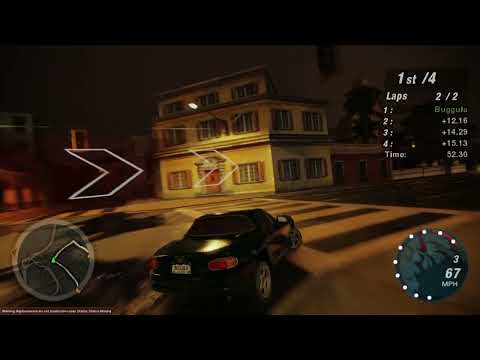
Progress with remix, thanks to all those who are working on improved textures and lighting.
 soft isle
safe patrol
https://youtu.be/f7TBppqHM6k
Great progress everyone! Thanks to everyone who's ...
soft isle
safe patrol
https://youtu.be/f7TBppqHM6k
Great progress everyone! Thanks to everyone who's ...
Doesn't look to bad cool stuff 1 thing i will say though watching it at 1080p didn't seem to do it much justice though and oddly unsure why but had watched ubisoft and capcom showcase and they were limited 1080p which also didn't do the showcases any justice either.
I will have to reinstall NFSU 2 thought i still had it installed but turns out it was only Carbon and Mostwanted
cloud crypt
safe patrol
https://youtu.be/f7TBppqHM6k
Great progress everyone! Thanks to everyone who's ...
this looks just way to wrong...
soft isle
cloud crypt
this looks just way to wrong...
Light Pop in im assuming theres away to prevent it? I also noticed a alley way was very dark but had street lights down it but wasn't emitting enough light as for textures in the video im not gonna judge as the video at 1080p didn't do it any justice
safe patrol
soft isle
Light Pop in im assuming theres away to prevent it? I also noticed a alley way w...
Culling problems we're still trying to fix.
safe patrol
cloud crypt
this looks just way to wrong...
Saying this without any other details really doesn't help.
safe patrol
soft isle
Doesn't look to bad cool stuff 1 thing i will say though watching it at 1080p di...
I only have a 1080p monitor and likely wouldn't be able to run any higher than that on my 3060ti anyways
cloud crypt
safe patrol
Saying this without any other details really doesn't help.
there are no details needed, i mean everything except the textures... way too much volumetric lighting, some lights dont even emit light... and the overall light intensity is just off the scale...

but it is not good looking at all :/
soft isle
safe patrol
I only have a 1080p monitor and likely wouldn't be able to run any higher than t...
Fair enough it would look a lot better for you oddly my pc is in living room and i don't use a monitor i'm using a 58" 4k tv and yes I know people maybe like wtf lol
ember cobalt
i just opened an issue regarding the geometry flickering (regardless of LODs or culling)
it's visible in that video and contributes heavily to the visual instability
i meant to do this before, but forgot
cloud crypt
jade briar
Yeah that's what I wanted to say but couldn't find the exact words
the OG texture isnt even a mud texture
 safe patrol
cloud crypt
there are no details needed, i mean everything except the textures... way too mu...
safe patrol
cloud crypt
there are no details needed, i mean everything except the textures... way too mu...
Well voice your complaints at @tawny elk as it's his lighting setup, I haven't touched any of the lights or such. And if someone else wanted to share their version of lights I'd be happy to show what that looks like too.
tawny elk
safe patrol
Well voice your complaints at <@264632269174472704> as it's his lighting setup, ...
I think it looks good 
cloud crypt
safe patrol
Well voice your complaints at <@264632269174472704> as it's his lighting setup, ...
It wasn't directed at you either. I was just expressing my opinion on it. And after reading several articles and reports and their comments about this project, that's pretty much what most would say. Of course it's just speculation, but at least that's what it looks like.
tawny elk
cloud crypt
It wasn't directed at you either. I was just expressing my opinion on it. And af...
> Reading comments
Well there’s your problem
soft isle
I just reinstalled NFSU copied all files over to the folder but can't get remix to open?
NFSU2 sorry
I have widescreen mod
safe patrol
soft isle
I just reinstalled NFSU copied all files over to the folder but can't get remix ...
Watch the stickied video tutorial
safe patrol
cloud crypt
It wasn't directed at you either. I was just expressing my opinion on it. And af...
Obviously this isn't production ready. We're still missing more textures than we've replaced by far, we're still missing a ton of lights that need to be manually placed all around the map, we're still tweaking things like light values and balance, and still dealing with culling issues that make lights pop in and out.
My only intention was to show the current status of what we have working and to show off some of the hard work some of you guys have been putting into this, and to see how far we've come already.
Yes there's still a long ways to go, but I think what we've done so far is impressive!
 timid prairie
cloud crypt
timid prairie
cloud crypt
😅
 noble tendon
I thought of a title
“Underground 2 (20th Anniversary Remix)”
Unless if that’s too long
hearty delta
i heard burrito is doing surprise release full game remixed late this year
balmy chasm
@tawny elk I set all of your lights to -5 exposure and recorded a test footage to ask if you can see any ghosting after such changes. As it was told earlier, I'm running on no ae settings. Some lights appear to be really dim and some too bright after all, but that's caused by unregular intensity values. Nothing I can really do here
elfin beacon
hearty delta
i heard burrito is doing surprise release full game remixed late this year
Burrito has got a whole team.
soft isle
safe patrol
Watch the stickied video tutorial
Thank you will do it later
cloud crypt
safe patrol
Obviously this isn't production ready. We're still missing more textures than w...
Light popping in like crazy is caused by mipmapping. If you add lights to the mipmapped textures it isnt that noticebable anymore. Ive tested it on some lights.
But yeah, geometry culling is still a problem. For example: A light behind a geometry that is only blocked partly. If you pass the geometry the light will go full power and gets brighter...
 thorny pawn
jade briar
Materialize is not that great with figuring out height. It says. Light = high. D...
thorny pawn
jade briar
Materialize is not that great with figuring out height. It says. Light = high. D...
gotta agree on that, it can sometimes do a bit and is still better than nothing but what would make more sense is to at least use the texture + stable diffusion depth map as input for materialize
best would be if we find real pbr textures that have the same vibe and modify if necessary
cloud crypt
thorny pawn
gotta agree on that, it can sometimes do a bit and is still better than nothing ...
Ive found a free site for that. Buggula shared also 1. These gave good 3d scanned textures.
jade briar
thorny pawn
gotta agree on that, it can sometimes do a bit and is still better than nothing ...
That's what I'm doing
cloud crypt
Thats what i have done with the garage floor
jade briar
Yeah it makes more sense
thorny pawn
also there was some open source node based procedural texture generation tool with which some people have great success, but it's a steep learning curve to get anything reasonable out of it, probably better off just using blender and texture nodes
cloud crypt
PBRoven yeah is that open source program... i dont like it... the resolution of the textures remains shitty
thorny pawn
nah not that one, it's fully nodebased and you can procedurally generate textures even without any base
some people do crazy stuff with it
but it's really tough to get anything good looking out of it unless ur a pro at procedural art xD
Material Maker procedural textures authoring tool web page
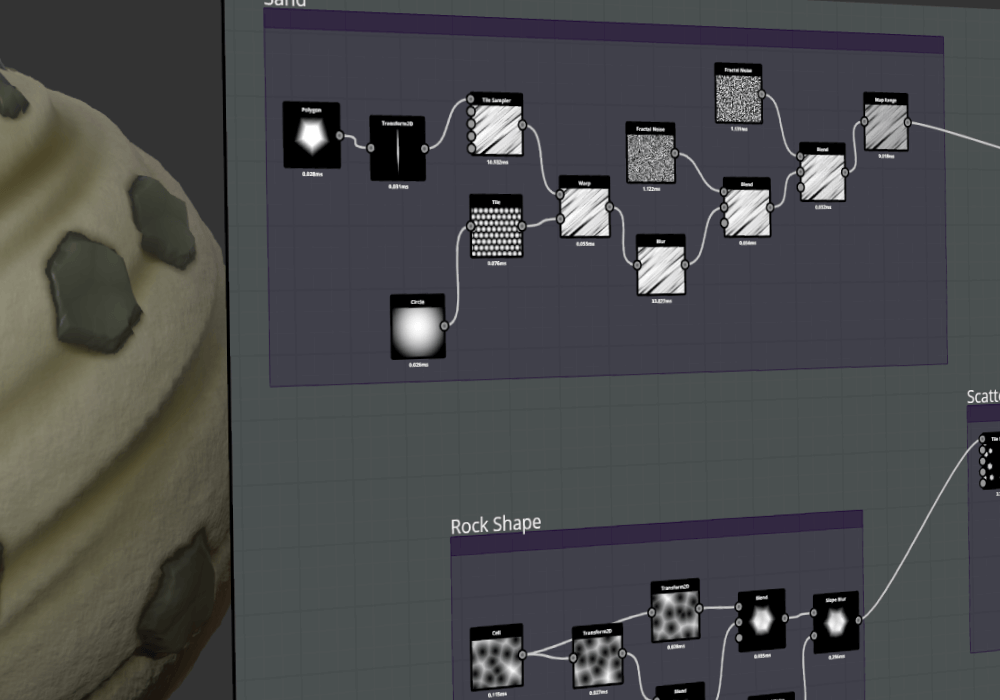
Create beautiful procedural materials easily

talking about those
jade briar
WHO THE FUCK?
 cloud crypt
Hm?
jade briar
hm?
cloud crypt
From who is that
jade briar
No idea. The mod page is deleted
thorny pawn
jade briar
Any procedural texturing tool.
i know just thought i'd mention it since as much as i personally love blender, many people have a really hard time getting into it, and those are built specifically for this task so maybe easier for some, definetly better than just slapping some jpegs in materialize and tweaking parameters and praying for it to produce something useful
trail quail
I followed the steps to install the rtx remix for NFSU2 in the pinned comments but the game refuses to launch
I'll try to get a log but the game queitly fails
balmy chasm
trail quail
I followed the steps to install the rtx remix for NFSU2 in the pinned comments b...
Which instruction exactly?
soft isle
trail quail
I followed the steps to install the rtx remix for NFSU2 in the pinned comments b...
Did you rename dinput8 to dsound?
trail quail
 balmy chasm
Please follow this one
soft isle
Most likely you have dx9 dll and dinput8 i think they conflict.
trail quail
soft isle
Did you rename dinput8 to dsound?
That was it , thanks
this is messed up tho

that's what happened to me too
soft isle
You will need to mess with settings oddly I had it working but I thought something was weird so reset to default then after that I couldn't alter brightness, Radius or anything of lights oddly but stuff like bloom etc... Worked as for that issue maybe go in scripts folder and edit the .ini file change resolution and go with number 4 for windowed mode it worked fine for me.
Also make sure your using latest Widescreen patch as I thought I was and I wasn't and some features were missing.
 soft isle
Yeah it was like that for me Ctrl + X and mess with lighting etc... You will eventually see the cars colour and stuff.
jade briar
bruh
Start the game
The main menu is kinda dark because no custom lights
Messing with the lighting in main menu will mess up what things look like in game.
jade briar
trail quail
Also you didn't turn off road reflections from in game settings
soft isle
I had the main menu after tweaking to be to bright could see everything but the in the screen after in the showroom it was a whole different story I kinda wish I had kept the settings to show it. Also it didn't help I had every setting in game cranked up AA, Textures etc... All maxed out and was only getting 10fps lol with my 3090.
jade briar
soft isle
I had the main menu after tweaking to be to bright could see everything but the ...
Turn on dlss
I turned it off because I don't need it.
soft isle
That was with DLSS lol I had it on quality and had reflex boost, oddly had somewhat massive ghosting effect could of been due to low FPS but oddly game didn't seem like it was running at 10fps but that's what steam overlay was saying.
I guess you got 4090 if so is it worth me upgrading or wait for 5090 cards.
TBH I think my 3090 is bottlenecked by i9 10850k
jade briar
The 40 series is mostly disappointing
soft isle
I had a feeling it was only decent thing is DLSS 3.0 with frame generation.
soft isle
That's a shame I thought it was I know in games that use DLSS 3.0 it's unaccessible with 30 series cards but oddly someone had DLSS 3.0 Working with them not officially but it was somewhat working.
cloud crypt
jade briar
The 40 series is mostly disappointing
What you mean?
cloud crypt
jade briar
Which isn't even in remix
It was😂
jade briar
cloud crypt
What you mean?
You know what I mean
cloud crypt
maybe
the rasterize performance is good on 4090, but the RT performance could be better
jade briar
The 20 series did not have a huge performance leap than the 10 series. Then the 30 series had a huge performance boost. And now the 40 series doesn't have such a big performance difference again
It's like
Every other release is actually good
cloud crypt
4090 has double the rasterize performance of the 3090 Ti and you say its not good lol
its not good in RT performance yes and gets mainly bottlenecked by every CPU out there
the bottleneck is the bad thing
the best performance with a 4090 has the Ryzen 7 7800X3D
and the 4070 Ti only has the same performance as the 3090, not the TI like they stated, nope only 3090
BUT: the 40 series is way faster in rendering and editing, like 3 times as fast
soft isle
Before this pc I have now I use to have a GTX1060 6GB and honestly don't know how but I could run a huge amount of games 1440p max settings at 60fps (Except AA and odd few Nvidia Specific settings that tanked performance) but pretty much full max settings. It was paired with a i7 7700k and 16gb ram.
As for my 3090 honestly it's some what a good card but I was a little disappointed in the leap really when it comes to Rasterized performance I tried Tomb raider at 4k max settings with AA and it ran like crap. Thanks to DLSS now though being added to the game I can get a good stable 60fps.
Thing is the Price for Rasterized performance doesn't seem worth it.
jade briar
cloud crypt
4090 has double the rasterize performance of the 3090 Ti and you say its not goo...
Yes, but how many people are buying a overpriced GPU that costs 3 times a current gen console. When I'm talking about the 40 series. I don't mean the 4090. I'm talking about all the other ones that are not that great.
cloud crypt
jade briar
Yes, but how many people are buying a overpriced GPU that costs 3 times a curren...
ah ok, then its mainly true
i only upgraded from a 3070Ti because of rendering and such stuff
jade briar
Because only rich enthusiasts and professionals will buy a 90 card
jade briar
cloud crypt
i only upgraded from a 3070Ti because of rendering and such stuff
Same
8 GB vram is not great
cloud crypt
12 neither, but better than 8 xD
soft isle
16gb Vram isn't great either there's games pushing 16gb and just over now.
cloud crypt
soft isle
16gb Vram isn't great either there's games pushing 16gb and just over now.
only 1 as far as i kow
even Cyberpunk with no dlss and pathtracing on 4K only eats 11GB
ok, maybe 2 games. I forgot there is Microsoft Flight simulator
cloud crypt
xD
cloud crypt
yeah, its bad Optimized i think
and high Draw distance with parallax textures in 4K will take a huge amount of performance
not to forget abou Volumetric Clouds
soft isle
TBH I made a texture pack once for PCSX2 and it was so demanding it used all my RTX3090 Vram up and manage to hard crash my PC it was funny honestly they were .PNG in the end I had to convert them to .DDS and oddly never ended up with that issue and textures loaded a lot quicker as well.
cloud crypt
even in GTA with no enb/reshade, only volumetric light, parallax roads and volumetric clouds my 4070Ti will only output 45 frames in 1440p
cloud crypt
soft isle
TBH I made a texture pack once for PCSX2 and it was so demanding it used all my ...
DDS means direct draw surface. Game engines are optimized for that standart and it was basically invented for games
soft isle
Yeah I know .PNG had higher quality however I didn't lose much quality. When going to .DDS
cloud crypt
DDS files with no compression have a higher file size then png without compression. You probably gain quality instead of losing. Only when you use 8bpp compression in linear or sRGB with BC compression you will lose quality
balmy chasm
@cloud crypt Have you looked at your lights settings by any chance?
cloud crypt
oh, wait, i do now
balmy chasm
Yeah, you can send them as plain text if you'd like
cloud crypt
what you mean? sending the ov light settings as text?
balmy chasm
As it is stored in mod.usda
balmy chasm
I'd prefer those which you have in first garage(not career)
cloud crypt
ah thos, ok wait, let me see
Should be these 3
over "mesh_B3BE5C134A533293"
{
custom int preserveOriginalDrawCall = 1
        def SphereLight "SphereLight" (
            prepend apiSchemas = ["ShapingAPI"]
        )
        {
            float diffuse = 1
            float exposure = 1.5
            float intensity = 15
            bool light:enableCaustics = 0
            bool normalize = 0
            float radius = 0.15
            float shaping:cone:angle = 90
            float shaping:cone:softness = 0.1
            float shaping:focus
            color3f shaping:focusTint
            asset shaping:ies:file
            float specular = 2.5
            bool treatAsPoint = 0
            bool visibleInPrimaryRay = 1
            double3 xformOp:rotateXYZ = (0, 0, 90)
            double3 xformOp:scale = (1, 1, 1)
            double3 xformOp:translate = (-3.62, 12.51, 3.300000049173832)
            uniform token[] xformOpOrder = ["xformOp:translate", "xformOp:rotateXYZ", "xformOp:scale"]
        }

        def SphereLight "SphereLight_01" (
            prepend apiSchemas = ["ShapingAPI"]
        )
        {
            float diffuse = 1
            float exposure = 1.5
            float intensity = 15
            bool light:enableCaustics = 0
            bool normalize = 0
            float radius = 0.15
            float shaping:cone:angle = 90
            float shaping:cone:softness = 0.1
            float shaping:focus
            color3f shaping:focusTint
            asset shaping:ies:file
            float specular = 2.5
            bool treatAsPoint = 0
            bool visibleInPrimaryRay = 1
            double3 xformOp:rotateXYZ = (0, 0, 90)
            double3 xformOp:scale = (1, 1, 1)
            double3 xformOp:translate = (2.571173912917642, 32.637754800895, 4.400000065565109)
            uniform token[] xformOpOrder = ["xformOp:translate", "xformOp:rotateXYZ", "xformOp:scale"]
        }
    }

    over "mesh_CF0F4B847A80131F"
    {
        custom int preserveOriginalDrawCall = 1

        def SphereLight "SphereLight_02" (
            prepend apiSchemas = ["ShapingAPI"]
        )
        {
            float diffuse = 1
            float exposure = 0.5
            float intensity = 2
            bool light:enableCaustics = 1
            bool normalize = 0
            float radius = 0.8
            float shaping:cone:angle = 180
            float shaping:cone:softness = 0.5
            float shaping:focus
            color3f shaping:focusTint
            asset shaping:ies:file
            float specular = 2.5
            bool treatAsPoint = 1
            bool visibleInPrimaryRay = 0
            double3 xformOp:rotateXYZ = (0, 0, 0)
            double3 xformOp:scale = (1, 1, 1)
            double3 xformOp:translate = (0, 0, 2.500000037252903)
            uniform token[] xformOpOrder = ["xformOp:translate", "xformOp:rotateXYZ", "xformOp:scale"]
        }
    }
Thanks
balmy chasm
Looks fine even though I haven't removed my lights on the back(which are probably a bit brighter)
 timid prairie
noble tendon
I thought of a title
“Underground 2 (20th Anniversary Remix)”
Unless if that’s t...
timid prairie
noble tendon
I thought of a title
“Underground 2 (20th Anniversary Remix)”
Unless if that’s t...
When i will be able to use my laptop again, i'll try to make it visual
 sage wraith
So can i Maybe help in this project? Maybe with Some textures?
balmy chasm
That would be great. Are you willing to learn Omniverse app?
sage wraith
Yes, but im absolutly new in it And i am German, with semi good english knowledge 😂
balmy chasm
sage wraith
Yes, but im absolutly new in it And i am German, with semi good english knowledg...
- To get started you'd need to setup game first. HellRaven explained it clearly here #1103377328530276403 message
- After that you also need to download and setup an editor for game files. Omniverse Create does the job well, so here a little tutorial on how you work in it(watch both parts) https://youtu.be/j-JPMgcyfvI
- And the last step is to browse this server for more guides and tutorials. They can be found in #1095534398134300682 #1055002308649427004 and in pinned messages here as well

In part 1 of this NVIDIA Omniverse Create tutorial, learn the ins and outs of setting up a project within the advanced scene composition app. Omniverse Create allows you to interactively assemble, light, simulate, and render scenes in Pixar USD in real-time.
Omniverse Create is an application within NVIDIA Omniverse, an accelerated 3D design an...
cloud crypt
yeah nice
sage wraith
balmy chasm
1. To get started you'd need to setup game first. HellRaven explained it clearly...
Okey nice thx 🙏 I will take a look and Try it 😊
cloud crypt
there is also a video tutorial i uploaded if you need
 hasty plume
did anyone play nfs unbound? I was put off by all the hate (plus the steep price tag) but got it a few days ago and genuinely enjoying it a lot.
The graphics overall also look way better than my expectations
jade briar
Modern nfs is dead to me.
cloud crypt
they are not good, and not near as good as the old ones
balmy chasm
Played 8hrs, stopped on 1st week saturday. Was too boring to play
hasty plume
I think one of the bigger flaws is balancing, some cars make the game too easy because of how the class system works
my second car I chose was the Nissan z prototype and regretted it, top speed from the better stock gearbox put it just in the class but in reality it was falling behind a lot on the straights because accel was so low you don't reach that speed
cloud crypt
dont know what ya talking about... the type z was the car i played the game 3 time with
hasty plume
I believe multiplayer isn't fun because of meta cars from what I've heard
hasty plume
cloud crypt
dont know what ya talking about... the type z was the car i played the game 3 ti...
the new one right? not 350 or 370
hasty plume
I spent all my cash on the car and no upgrades
just couldn't keep up with the leaders
cloud crypt
depends how you built it. You have to built it that it goes straight directly after corners but still can drift in them without losing speed
hasty plume
corners were great
just straight line speed was awful compared to what I was up against
hasty plume
this is true, always leaned more into cornering abillity
a couple upgrades to get to mid-class and it was fine
but I see how it can be quite easy to put yourself in a bad spot and make the game less enjoyable
I didn't like the look of the new z at first, it is growing on me
lowering it some and giving it a different bumper made it feel more like the 350/370

 cloud crypt
 spark moon
i have added these lights how is this looking guys...
spark moon
i have added these lights how is this looking guys...
give them an angle more towards the street and add a cone angle and it would look good
cloud crypt
spark moon
plus this 1
this one is a bit too bright
spark moon
cloud crypt
this one is a bit too bright
because 4 pole together
spark moon
cloud crypt
give them an angle more towards the street and add a cone angle and it would loo...
i did
cloud crypt
how much coneangle?
cloud crypt
thats to less, go for a 65 degree with 0.2 cone softness
 spark moon
cloud crypt
thats to less, go for a 65 degree with 0.2 cone softness
spark moon
cloud crypt
thats to less, go for a 65 degree with 0.2 cone softness
i will try how these look
looks better now
 cloud crypt
Yeah
spark moon
cloud crypt
Yeah
did u figure out vehicle lights
cloud crypt
only backlights... i still have problems with headlights...
but i have an idea for them. I can create my own sprites for the different colors and add lights to these. So the sprites wont get lighten up themself and emit light maybe somewhat correctly
but have to reinstall OV now...
spark moon
dont think so adding to sprite is good idea...better to ignore sprites..makes game look ugly
spark moon
cloud crypt
but have to reinstall OV now...
why>?
cloud crypt
spark moon
dont think so adding to sprite is good idea...better to ignore sprites..makes ga...
the problem then is that we cant change the headlight colors like in the og game
i could add an opacity map to them
spark moon
cloud crypt
the problem then is that we cant change the headlight colors like in the og game
i will check was reading create documentation i think there a setting in over to work it out
cloud crypt
spark moon
why>?
edit wont work anymore
spark moon
not editing...we can add textures as a refence or something like that to light
cloud crypt
you misunderstand. I mean the edit from create... normaly you could right click on mod layer and select edit to add the preservedrawcall
this doesnt work
spark moon
cloud crypt
you misunderstand. I mean the edit from create... normaly you could right click ...
strange will try myself
i understand why colors dont work but dont know how to fix that yet...
spark moon
cloud crypt
you misunderstand. I mean the edit from create... normaly you could right click ...
lol
 cloud crypt
reedited the city entrance when you come from the airport
 cloud crypt
This high power beam light ok like that?

or more like a bit wider with more softness?

 bleak spoke
any download link? or can I have to setup 1by1 so i need guideline for that
 balmy chasm
Softer
cloud crypt
thats now 0.6 cone softness
 balmy chasm
Well, make it equivalent brighter
cloud crypt
 spark moon
cloud crypt
spark moon
cloud crypt
looks amazing not sure about the cone area
cloud crypt
 tawny elk
Wish we could get that nice sharp shadow that some street lights give off while in motion.
balmy chasm
Adam, have you seen my message?
 balmy chasm
Check out pings please
balmy chasm
That you're not fighting ghosting by doing overbright lights and enabling ae
tawny elk

balmy chasm
And please check the pings before the last one
cloud crypt
tawny elk
I’m confused at what you’re trying to show
who do you mean?
balmy chasm
I have posted a video with explanations
tawny elk
When I reduce the lighting I get lots of ghosting 
cloud crypt
because of eye adaption and no tuned lights
when i turn ae on i get extreme ghosting
hm, looks great i think
 tawny elk
cloud crypt
because of eye adaption and no tuned lights
tawny elk
cloud crypt
because of eye adaption and no tuned lights
So if I turn off AE, ghosting will disappear, regardless of the amount of light in the scene?
balmy chasm
But you would need to lower your lights first
tawny elk
Weird. It has no effect on ghosting for me.
timid prairie
noble tendon
I thought of a title
“Underground 2 (20th Anniversary Remix)”
Unless if that’s t...
 timid prairie
its not C
cloud crypt
😂
timid prairie
cloud crypt
Can you do it like that without the C?
 ember cobalt
that's really difficult to read imo
soft isle
cloud crypt
Silly question I'm assuming all those extra features are from using Omniverse? with custom lighting?
cloud crypt
soft isle
Silly question I'm assuming all those extra features are from using Omniverse? ...
yes
soft isle
Nice I just grabbed Omni I'm gonna see what I can come up with as using Just remix on it's own seems really a bit tedious to get looking right specially when only using in game light sources. Maybe Custom Lighting Main Menu also could help it look better
balmy chasm
balmy chasm
1. To get started you'd need to setup game first. HellRaven explained it clearly...
Message for you either, I guess
soft isle
Oddly I had read that it's why I grabbed omni but I was just curious as all if that was the features from within Omni as I haven't ever Used it before and honestly thought you had to buy it lol but apparently it's free for single users Which is pretty neat.
thorny pawn
sage wraith
Yes, but im absolutly new in it And i am German, with semi good english knowledg...
if u need any help in german HMU
cloud crypt
@tawny elk
thorny pawn
hasty plume
did anyone play nfs unbound? I was put off by all the hate (plus the steep price...
never got the hate on that game, it's the first NFS in a long time that's actually trying to have fun for once
balmy chasm
cloud crypt
<@264632269174472704>
Do you have motion blur enabled?
soft isle
Is it eye adaption causing weird ghosting
balmy chasm
Oh, I guess Adam also has it enabled. Well, I don't. So, the theory is about Motion blur causing ghosts?
cloud crypt
soft isle
Is it eye adaption causing weird ghosting
yes it is
timid prairie
cloud crypt
Or seethrough
 cloud crypt
timid prairie
cloud crypt
timid prairie
 hasty plume
timid prairie
hasty plume
timid prairie
what font did you find?
 odd dome
first pic looks hot, but the 2 should be on the right
odd dome
cloud crypt
woah
ember cobalt
so i'm the only one having difficulty reading the bottom section?
cloud crypt
seems so, do you need glasses?
ember cobalt
this part

it just isn't "easy" to read
the A looks like an H for example
the X also looks like an H, lol
cloud crypt
for me it is easy to read xD
I wish we would have somewhat of car performance and sounds in UG2 like that:

Drag Racing in SA, Tarlton Raceway/ ODI Raceway/ Smiles Raceway/ Street Racing AND much much more
 cloud crypt
@balmy chasm
here are my Tonemapping settings
 tawny elk
cloud crypt
<@264632269174472704>
tawny elk
cloud crypt
<@264632269174472704>
I don’t get that at all
cloud crypt
100pts for ea stupidity
 ember cobalt
i mean
you guys should exchange configs and mod.usda files to see if it's a per-person issue or a config issue

 ember cobalt
warmer
cloud crypt
ok
tawny elk
cloud crypt
100pts for ea stupidity
I found that one too

 spark moon
ember cobalt
ouch
spark moon
ember cobalt
ouch
after adding those lights performance got down...still my 2060 super doing the job
cloud crypt
new lights for streetsigns. They no longer lighten up the street, only the signs
 cloud crypt
why though xD
i havent even done the city center completely
but here you have anyways
jade briar
I just wanna see.
cloud crypt
dlss could be set to ultra performance
jade briar
I'll fix that
jade briar
cloud crypt
but here you have anyways
Does this call towards any textures?
cloud crypt
Yes, ive changed the Floors for Career garage and main menu
i can sent them too
Just put the textures folder into your game ready assets folder
jade briar
ahhhhhhhhhhhhhhhhhhhhhhhhhhhhhhhhhhhhhhhhhhhhhhhhhhhhhhhhhhhhhhhhhhhhhhhhhhhhhhhhhhhhhhhhhhhhhhhhhhhhhhhhhhhhhhhhhhhhhhhhhhhhhhhhhhhhhhhhhhhhhhhhhhhhhhhhhhhhhhhhhhhhhhhhhhhhhhhhhhhhhhhhhhhhhhhhhhhhhhhhhhhhhhhhhhhhhhhhhhhhhhhhhhhhhhhhhhhhhhhhhhhhhhhhhhhhhhhhhhhhhhhhhhhhhhhhhhhhhhhhhhhhhhhhhhhhhhhhhhhhhhhhhhhhhhhhhhhhhhhhhhhhhhhh
fuuuuuuuckkkkkkkkk
I deleted all my textures
cloud crypt
you did whaaaaaaaaaaaaaaaaaaaaaaaaaaaaaaaaaatt??????????????
i still have the old ones from you
 safe patrol
jade briar
I deleted all my textures
safe patrol
jade briar
I deleted all my textures
did you delete the texture files themselves or you deleted their entries in the mod.usda?
jade briar
The textures
safe patrol
how did you even manage that?
cloud crypt
if he would have deleted them normaly they would be in the trash
i think with OV
and with OV they are gone forever
jade briar
safe patrol
how did you even manage that?
So I was installing hellraven's textures. I accidentally installed them in the wrong place. So I quickly deleted the "textures" folder before verifying that I was actually deleting mine.
safe patrol
recycle bin?
jade briar
I always shift+delete
safe patrol
well that doesn't seem like a good idea
cloud crypt
yeah...

 cloud crypt
oh boy... you know for next time
safe patrol
good luck with that.
tawny elk

cloud crypt
how long will this take?
jade briar
cloud crypt
how long will this take?
At least 2 hours
safe patrol
@cloud crypt I fixed your tail light emissive. It should only be lighting up the white part while reversing.
I'm working on integrating my textures to yours and then I'll test too.
cloud crypt
safe patrol
<@401032793829933056> I fixed your tail light emissive. It should only be light...
i know that, wanted to do it myself, but thx anyways
safe patrol
It was quick and easy since I've already been working on a bunch of them. Sorry if I stepped on your toes
cloud crypt
and these are no original game backlights anyway. They are from archies mod
safe patrol
oh no kidding. Well either way.
@cloud crypt your mod.usda calls a bunch of assets in /gameReadyAssets/meshes/ that you need to share to make this work.
cloud crypt
hm??? that shouldnt happen. I dont implemented any assets. I always youse preserveoriginaldrawcall = 1
safe patrol
2023-06-14 23:09:10 [Warning] [omni.usd] Warning: in _ReportErrors at line 2830 of C:\b\w\ca6c508eae419cf8\USD\pxr\usd\usd\stage.cpp -- Could not open asset @D:/Program Files/EA GAMES/Need for Speed Underground 2/rtx-remix/mods/gameReadyAssets/meshes/mesh_F6D1DD4F7199E7B3.usd@ for reference on prim @D:/Program Files/EA GAMES/Need for Speed Underground 2/rtx-remix/mods/gameReadyAssets/mod.hellraven.usda@,@anon:000001C08A5882B0@</RootNode/meshes/mesh_F6D1DD4F7199E7B3>. (instantiating stage on stage @D:/Program Files/EA GAMES/Need for Speed Underground 2/rtx-remix/mods/gameReadyAssets/mod.hellraven.usda@ <000001C0E085C0D0>)
cloud crypt
safe patrol
`2023-06-14 23:09:10 [Warning] [omni.usd] Warning: in _ReportErrors at line 283...
you can ignore that one. Its a config error i didnt fixed yet
safe patrol
ok I'll see if it works anyways
cloud crypt
thats the error
 safe patrol
good start. Definitely got your tiles in there.
 cloud crypt
yeah, and my lights too
safe patrol
yep
 cloud crypt
should be fixed now
safe patrol
looks good so far. Gotta go for now, but it works.
cool, I'll test that one when I get a chance.
the car headlights seem to be a little much. Might want to tone that down a bit.
 cloud crypt
i didnt have done anything to them yet xD
safe patrol
oh. I guess in Adams they were disabled. I think I'll get rid of whatever texture that is since I have proper emissive maps for those cars.
cloud crypt
yeah, its just a sprite texture
safe patrol
overall I like the look and it seems to be working well. After some tweaking I'll make a video...probably tomorrow
cloud crypt
the lights are already tweaked
safe patrol
oh I know, I mean tweaking my stuff
cloud crypt
ok ok xD
you guys should probably install BadassBaboon HDRI sky textures
my rtx conf is optimized for them
 cloud crypt
here ya go
safe patrol
TY
haha, moddb is having cloudflare outage
I'll nab it later
Oh nevermind you just gave it to me here
cloud crypt
yeah lol xD
jade briar

 cloud crypt
thats bad, so probably 1 and a half hour left
safe patrol
It only took me once of having to do serious data recovery to change some behaviors for things I'd absolutely never ever do again. Hard lessons.
and always take backups
cloud crypt
same for me
safe patrol
in my case I was getting a bit overzealous with my use of raid-0 in places I absolutely should not have.
jade briar
I fear the day when I accidentally delete this folder.
this

Forgot to post the screenshot
jade briar
I would just stop working 3d
 raw sphinx
jade briar
<:sadge:895740413854490644>
raw sphinx
jade briar
<:sadge:895740413854490644>
WHAT
jade briar
raw sphinx
How much storage is that tf

 ember cobalt
cloud crypt
do not ever use shift + delete again
ember cobalt
cloud crypt
do not ever use shift + delete again
this is the worst thing. my keyboard merges . and Delete into one key. when numpad is on, delete is disabled unless you press Shift. holding shift + delete then does a normal delete.
so i've mistakenly permanently deleted stuff
jade briar
need more
spark moon
jade briar
need more
if u use quick heal therea feature file can never be deleted
ember cobalt
aw
jade briar
It is 7 am and I haven't slept
ember cobalt
late night projects ending in failure is one of the worst feelings
jade briar
I'm
Aaaaa
If I sleep now
I won't be waking up anytime soon
But then I have to give my cat his medicine
Fuck
ember cobalt
😦
cloud crypt
Its 4am for me
tawny elk
EST time best time 
tawny elk
ember cobalt
late night projects ending in failure is one of the worst feelings
Can't learn anything if it always succeeds 
ember cobalt
pretty much
jade briar
I learnt nothing
I just waited 8 hours for a progress bar to finish its thing while watching youtube shorts.
Hello guys and gals, it's me Mutahar again! This time we take a look at what appears to be massive gains and wins in the world of video game emulation. Some of the last key titles in the PS3 era of games are finally preserved under emulation technology allowing further generations to play these titles. We've also got games from nearly two decade...
Look guys
@tacit tusk thx for sharing with people.
Also the light culling is fixed
Your info is a bit old.
 balmy chasm
cloud crypt
<@331104351907217408>
here are my Tonemapping settings
balmy chasm
cloud crypt
<@331104351907217408>
here are my Tonemapping settings
Okay... Is it default by any chance?
sage wraith
thorny pawn
if u need any help in german HMU
Oh Nice Okey thx 🙏
sage wraith
cloud crypt
Its 4am for me
Hey so i saw in your Video, that car lights Are working by you. How did you fix that?
balmy chasm
sage wraith
Hey so i saw in your Video, that car lights Are working by you. How did you fix ...
Have you added this?
custom int preserveOriginalDrawCall = 1
sage wraith
balmy chasm
Have you added this?
`custom int preserveOriginalDrawCall = 1`
Where i have to Add this?
balmy chasm
Oh, sorry. I thought you meant this. Check this one, please
sage wraith
Ah oke so he added it to the vehicle yet
So is somewhere a „collection of Progress“? Where i can Upload my files and Download your files (that not all do the Same😄) ?
balmy chasm
sage wraith
Ah oke so he added it to the vehicle yet
Oh, you meant back lights. They are simple emissive maps. As he said, he just put albedo map into emissive and adjust the intensity
sage wraith
Aah oke I understand. But they don’t emissive light then right?
balmy chasm
They can, but when intensity is really high
balmy chasm
High enough to make it little sun as bright
sage wraith
Aah I tought the performance intensity😂
sage wraith
balmy chasm
High enough to make it little sun as bright
Ok i think I have to test it I bit for better understanding 😊
jade briar
idk why but turning denoise off looks so cool.
 plain stag
lookslike more natural
spark moon
jade briar
idk why but turning denoise off looks so cool.
yea agree
denoise soften lot of details
timid prairie
it would be amazing to have half denoising, but that will never happen
jade briar
timid prairie
it would be amazing to have half denoising, but that will never happen
This kinda is half denoising.
@surreal ruin

wHAT ARE THESE FONTS?
 surreal ruin
Oh it's the Silent Hill 2 logo font, "Futura Bold Condensed"
ANd the smaller is uuh
Lemme load the PSD
The smaller is just Cambria
jade briar
Thank you
cloud crypt
jade briar
idk why but turning denoise off looks so cool.
Are these my lights?
jade briar
cloud crypt
Are these my lights?
yes
cloud crypt
These looking awesome With your textures
jade briar
 trail quail
Hi everyone, have you tried the road textures that I sent?
jade briar
cloud crypt
These looking awesome With your textures
Hell, you're doing a very good job with your lights. I like the way things are going. I'd say you stop worrying about the textures. Let me handle them. You just kkep on adding lights.
jade briar
trail quail
Hi everyone, have you tried the road textures that I sent?
where
cloud crypt
jade briar
Hell, you're doing a very good job with your lights. I like the way things are g...
Ok, i will
trail quail
if you want to have water flowing over the car in need for speed underground 2 just recover the textures in need for speed 2015 with frosty tool

 dark spoke
yeah just recover the textures  who needs the shader amirite gamers
trail quail
at a time when need for speed 2015 and release with the frosty tool software I had to recover the textures to have a rain effect on the bodywork
jade briar
trail quail
if you want to have water flowing over the car in need for speed underground 2 j...
Yes, but it'll need a custom shader to work properly.
trail quail
nothing and impossible
at this time if it's the modders who bring a need for speed underground 2 back to life not EA billionaires
surreal ruin
trail quail
if you want to have water flowing over the car in need for speed underground 2 j...
That's not how it works
jade briar
Yeah
jade briar
We will have to at least wait for the creator toolkit to release to even start thinking about it.
balmy chasm
trail quail
at a time when need for speed 2015 and release with the frosty tool software I h...
Can you show how this type of texture looks?
trail quail
there is chatgpt at our disposal I created shaders for reshade alone without the help of anyone
jade briar
Just a normal map of droplets
surreal ruin
trail quail
there is chatgpt at our disposal I created shaders for reshade alone without the...
That's not the point, I KNOW how to make a shader
Remix CAN'T do shaders
We're kind of locked down with what Nvidia has provided us right now
balmy chasm
jade briar
Just a normal map of droplets
And shader just offset it?
jade briar
Pretty much, yeah
surreal ruin
You COULD currently achieve the look by using a flipbook, however given how many frames would be needed to make it smooth, the drops would have to be GIANT
Which would look insanely dumb
There's also the issue of the current car UV's, they're not made to support an animated flowing water texture
So I'm sure there'll be lots of really bad looking stretching etc
AND, even if we COULD somehow make a shader, or animate them using the flipbook method
The current CAR UV's are probably not all aligned in the same direction
Which means the drops would all just flow in random directions on different parts of the cars

