#NFSU2 (Need For Speed Underground 2)
1 messages · Page 12 of 1
 safe patrol
 balmy chasm
Well, I swapped to Y direction. In both modes it is inverted
 cloud crypt
 balmy chasm
This
 cloud crypt
rotation invertion is normal, i have the same issue. But Z-Axis moving - instead of + a new one to me
can you show me your parameter settings from Remix?
balmy chasm
Well, creating it over again fixed inverted position as you can see. It was 'under ground' in such condition
 wraith robin
were exactly do i download the files from as havent used github in ages and cant seem to find any of the links to download them
 cloud crypt
the release one, you need a git acc
balmy chasm
Also dunno if it was mentioned, but creating such attribute under Mesh Xform(not light or 'mesh' thing) and setting value to one, does the same as editting 'mod.usda' with 'custom int preserveOriginalDrawCall = 1'
 cloud crypt
yikez, someone give you an oscar XD
balmy chasm
I haven't seen that, here at least .-.
cloud crypt
yeah, nobody mentioned it. So thx for that
 simple light
yo there are a few pinned posts here, which do i need to follow if I want to try RTX on UG2?
 sick compass
simple light
yo there are a few pinned posts here, which do i need to follow if I want to try...
sick compass
simple light
yo there are a few pinned posts here, which do i need to follow if I want to try...
hi grim
cloud crypt
simple light
yo there are a few pinned posts here, which do i need to follow if I want to try...
well, first you should look the pinned Tutorial video, after that the 4. pin and the 1. pin
simple light
alright
 tawny elk
balmy chasm
Also dunno if it was mentioned, but creating such attribute under Mesh Xform(not...
tawny elk
balmy chasm
Also dunno if it was mentioned, but creating such attribute under Mesh Xform(not...
Does it persist between every time you add it? Or do you have to type it in the field each time?
balmy chasm
As for bulk editing you mean?
tawny elk
They’re based on the origin of the mesh, not the world. So they’re typically wonky.
tawny elk
balmy chasm
As for bulk editing you mean?
No so if you have to do it for many meshes, are you able to select them all and do it? Or if you have to do it one by one, do you have to type in the name field each time?
With vscode you can do a bunch of them at once, just wanna know if that’s a better way to go.
balmy chasm
Let me test it. As of now I can say for sure, you don't need to update value every time you edit that lights in the Mesh
wraith robin
sorted all working legend how do i bring up the remix menu again?
balmy chasm
tawny elk
No so if you have to do it for many meshes, are you able to select them all and ...
You can add this attribute to multiple Meshes at once. But I can't seem to find a way to edit them all at once. So you end up with blank value everywhere

But to be honest, you can simply turn it 1 when adding light to mesh
 quick ivy
hello i cannot find the link to download and instructions to install ug2
cloud crypt
quick ivy
hello i cannot find the link to download and instructions to install ug2
Install instructions and tutorial: https://youtu.be/U32QaB23Mws
the download is in pins

This project is still in very early development stages. It may not look good right now, but things will change.
You may want to visit @UncleBurrito15 Youtube Channel for WIP 1 to 3.
We are several Poeple working on this mod and it still will take much time until its perfect.
We have to ask you to wait.
If you still want to play the unfinishe...
 stable plover
Yes, I have not yet managed to completely remove this haze. 😢
quick ivy
cloud crypt
Install instructions and tutorial: https://youtu.be/U32QaB23Mws
the download is...
okay thanks
cloud crypt
oh, new dxvk remix soon
 cloud crypt
Sry, but please get Underground 2 over a "legit" way.

GitHub
Contribute to NVIDIAGameWorks/dxvk-remix development by creating an account on GitHub.
 small acorn
turn dlss to performance
small acorn
path tracing is a heavy thing
quick ivy
yea ikr
small acorn
and depends on rendering resolution
quick ivy
so how do i set my graphic settings and stuff?
small acorn
quick ivy
from where?
first tab on the remix menu, at the first menu as i can remember
small acorn
alt + x
quick ivy
yea got it thanks mate
the game feels like its in slow mo, like the sense of speed is not there
is there a setting that can make it more fluid
cloud crypt
somehow the skybox is handling weird
 cloud crypt
quick ivy
is there a setting that can make it more fluid
cloud crypt
quick ivy
is there a setting that can make it more fluid
alt + x and then under rendering enable dlss

 ember cobalt
cloud crypt
somehow the skybox is handling weird
ember cobalt
cloud crypt
somehow the skybox is handling weird
does increasing the draw call setting for the sky change it?
cloud crypt
cloud crypt
alt + x and then under rendering enable dlss
and then turn off eye adaption to fix ghosting
 cloud crypt
ember cobalt
does increasing the draw call setting for the sky change it?
cloud crypt
ember cobalt
does increasing the draw call setting for the sky change it?
where do i find that?
ember cobalt
game setup -> parameter tuning -> sky
cloud crypt
this?
 cloud crypt
well, it does not work
cloud crypt
hm okay
found the issue, it was a problematix texture. Setting it as skytexture fixed it


 ember cobalt
i like 5000k personally
cloud crypt
so 5000 it is

 cloud crypt
well its one of the best looking entitys in the game
 jade briar
tawny elk
I'm kinda shocked how many sources are for this building
jade briar
tawny elk
I'm kinda shocked how many sources are for this building
Did you not use spot lamps for the street lights?
tawny elk
The orante street lights?
tawny elk
No I used rect for those
But that's from my first pass
Will probably convert them over to sphere
This gas station  Gonna make it look real nice
 jade briar
tawny elk
No I used rect for those
jade briar
tawny elk
No I used rect for those

 I forgot this engine doesn't really handle cove lighting all that well
 cloud crypt
i am sad now
 tawny elk
What were you trying to do?
cloud crypt
i tried to "create" a mesh and apply a light (purple) to its. But thats not gonna work :/
also, for those who want to replace the sky in OV: You have to be at the drive in to your garage (not in front of the gate, where the lights are) and look into the direction of the acces. now make a capture. The sky should be captured now


 severe solstice


 safe patrol
cloud crypt
warm lights with 2500K
safe patrol
cloud crypt
warm lights with 2500K
Looks amazing. Would you mind sending me your current mod.usda so I can merge your updated lights with the street textures (now that I finally figured out how to do that)?
cloud crypt
The lights arent done yet, still have to add a ton of them. And i am currently laying in bed so, i cant share it now
safe patrol
Oh I know it's just a WIP, but I thought you might like to add the nicer PBR asphalt to your work
And I'm lying in bed right now too...so no rush 😉
jade briar
We gotta agree on a single color temperature.
 hollow oak
Cant we make it variable
Or more like you make it variable
As in the player sets it to their liking
 gritty crest
Is the light temp global for all lights or can certain lights be at certain temps? It would be cool to distinguish the different districts with that
 dusky seal
nfs prostreet dont work

 vague sparrow
jade briar
We gotta agree on a single color temperature.
vague sparrow
jade briar
We gotta agree on a single color temperature.
Every region should have its own type of light
Because....
balmy chasm
What if you use random color temp. Some light bulbs degrade, some not, some were replaced when broken, so they're lighter, some are almost dead dim. Just keep it in common range
vague sparrow
Id rather not change lights now because the creator toolkit is not released
Saving my energy for the latter releases
balmy chasm
Yeah. Textures makes more sense
jade briar
vague sparrow
Saving my energy for the latter releases
Frfr
Right now, the textures are the most convenient thing to replace, so I'll just do that. Don't even know if my mod USDA will be compatible with the creator toolkit
Should be tho
 trail quail
Hey, have you guys managed to get any lights into a game yet using Create?
 vague sparrow
You made it 11112
(Now it's 11113)
 snow coral
11115
vague sparrow
11116
snow coral
Let's go!
balmy chasm
trail quail
Hey, have you guys managed to get any lights into a game yet using Create?
Ye, check out #1095534398134300682 for tutorials
trail quail
balmy chasm
Ye, check out <#1095534398134300682> for tutorials
I've already looked at the tutorials and lights still dont show up haha
hence why im here
balmy chasm
this
small acorn
dusky seal
nfs prostreet dont work
shader capture is enabled in settings?
dusky seal
I guess not, where can I activate it?
 plain stag
I use stable diffuision to render with AI and Upscale sometimes good Results
 elfin beacon
jade briar
Right now, the textures are the most convenient thing to replace, so I'll just d...
elfin beacon
jade briar
Right now, the textures are the most convenient thing to replace, so I'll just d...
 jade briar
elfin beacon
https://tenor.com/view/homelander-speech-bubble-the-boys-upset-crying-gif-262847...
jade briar
elfin beacon
https://tenor.com/view/homelander-speech-bubble-the-boys-upset-crying-gif-262847...

Patreon: https://www.patreon.com/Podel1
Twitter: https://twitter.com/Podel_irl
2nd Channel: @PodelAux
Insta: https://www.instagram.com/podel_irl/
Subreddit: https://www.reddit.com/r/Podel
Nvidia Bread is the future of bread. Featuring HDMI, USB and VGA ports, it can connect to almost any device. Attach a heatsink to cool down your bread after...
elfin beacon
jade briar
https://youtu.be/1cfKc8U4iwg
I want real bread mate.
vague sparrow
elfin beacon
https://tenor.com/view/homelander-speech-bubble-the-boys-upset-crying-gif-262847...

 vague sparrow
 elfin beacon
 jade briar
#shitposting
 vague sparrow
jade briar
#shitposting
vague sparrow
jade briar
#shitposting

 timid prairie
So....any project news?
vague sparrow
timid prairie
So....any project news?
we're done basically, minor adjustment of light sources but mostly we're just waiting to properly tinker with ug2
you need that nvidia remix tool to do that
cloud crypt
Thats a big lie... There are so many textures that we have to change
vague sparrow
cloud crypt
Thats a big lie... There are so many textures that we have to change
done as in not much is happening
you misread it
or maybe i have structured my sentence improperly, doesn't make sense to me to either
sorry for the confusion


 cloud crypt
using materialize for creating PBR Textures
cloud crypt
cloud crypt
using materialize for creating PBR Textures
with this tool, and a texture i created a long time ago for my underground 2 tokyo nights mod.Just had to convert the png maps to dds because remix only can handle dds format
 late sable
Is it ppossible to make lightsource for building windows? for instance making window texture transparent and placing light source behind it
cloud crypt
Well no... UG2 Buildings are just plain textures with no depth at all.
late sable
cloud crypt
Well no... UG2 Buildings are just plain textures with no depth at all.
so the whole facade is just one texture?
cloud crypt
yes
late sable
basicly it could be possible if you can add meshes
cloud crypt
the lighten up windows are just an additional textured placed overthe first one
cloud crypt
late sable
basicly it could be possible if you can add meshes
this isnt possible at this moment. For that we have to wait until the remix toolkit is fully revealed
late sable
cloud crypt
the lighten up windows are just an additional textured placed overthe first one
Is there any way to attach light source to those additional textures?
cloud crypt
they are already emissives, but i can look into it
anyways, these Building-Textures look good though
 late sable
I guess it could be nice addition to light pollution of the map
i mean its still kind dark
cloud crypt
i havent placed lights in the city core yet
late sable
cloud crypt
anyways, these Building-Textures look good though
Yes, especially with paralax it looks great
balmy chasm
cloud crypt
anyways, these Building-Textures look good though
But parallax was told to be unavailable .-.
cloud crypt
Parallax is literally the same as PBR
or atleast nearly, because you need a special mapping
but there is a way to achieve a parralax look with PBRs
so basically you can create a Parallax map and use it as normal map

but sometimes it can look really weird
thats why i set Parrallax in "..." in the first Picture i posted
balmy chasm
Wait a minute. It dones't work, does it?
cloud crypt
well atleast in OV it is shown as "real depth" but yeah, in remix it just work as normal map

wait a minute... how can there be depth in remix. Happened after i deleted the roughness map

enabled emission

its just for testing purposes
 balmy chasm
Can you tell how emissive masking set up? I missed that part somehow
cloud crypt
just use the albedo map as emissive map
 digital salmon
cloud crypt
its just for testing purposes
digital salmon
cloud crypt
its just for testing purposes
you can make it so that the light does not burn in all windows, otherwise it is not very realistic))
cloud crypt
digital salmon
you can make it so that the light does not burn in all windows, otherwise it is ...
yeah i know, for that part i have to edit the albedo and save it as emissive map.
balmy chasm
huh .-.
jade briar
cloud crypt
using materialize for creating PBR Textures
This is like. Worse than ai.
tawny elk
I think it looks good
cloud crypt
huh? I just used my old ai upscaled textures. Thats why it looks bad
when you use good quality textures it will look good
jade briar
Well. The problem with materialise is that white=height.
cloud crypt

Today we're checking out this severely underrated software that allows you to get instant PBR materials from a single image.
Get Materialize Here
https://boundingboxsoftware.com/materialize/getkey.php
🔽SUPPORT THE CHANNEL (& Yourself ❤️)🔽
📚Level Up Academii📚
🚨Learn...
jade briar
Which is not always accurate
It also probably not work with albaedo textures
Diffuse maps are 50/50
 cloud crypt
nearly every uncharted texture was created with that tool lol
vague sparrow
E-begging
cloud crypt
 vague sparrow
||jk||
cloud crypt
jade briar
Can you send me the upscaled road, and the normal map that you created?
uh yeah, wait
jade briar
vague sparrow
E-begging
tawny elk
Lappies...?
vague sparrow
jade briar
lappies?
last time they gave Haier ones from 2019 were trash tbf
jade briar
the what are you talking about


 jade briar
vague sparrow
last time they gave Haier ones from 2019 were trash tbf
jade briar
vague sparrow
last time they gave Haier ones from 2019 were trash tbf
Did you get one.
vague sparrow
my cousin got one
jade briar
cloud crypt
Lemme do something rq
jade briar
vague sparrow
my cousin got one
Wasn't ever smart enough to get one anyways.
¯_(ツ)_/¯
jade briar
Also why would they give out expensive ones in a country that's drowning in debt every day.
jade briar
cloud crypt
is this dx, or ogl?
cloud crypt
dx. png format, needs to be converted to dds
cloud crypt
well, when i convert with photoshops intel dds plugin there is no quality loss. The file size even gets way bigger
balmy chasm
Do you generate mipmaps by the way?
cloud crypt
i could, but i never do
balmy chasm
Do they even work?
cloud crypt
well, when i generate them and open up the file with photoshop they get loaded, but i dont know how the game would handle them
 jade briar
@cloud crypt
So the first one here is yours and the second one was what I was able to get using an ai normal map generater. I think it's a bit more accurate. What do you say?
cloud crypt
i would say the first is more acurate
balmy chasm
Well, first looks better just because it's not so extreme :D
balmy chasm
cloud crypt
looks good to me though
Even though here it looks like double the value
cloud crypt
but i am right i think, the first is way more acurate. In the second one the surface gets flattend out
balmy chasm
Wait. First one is flatted out, second one is sharp
cloud crypt
no lol
balmy chasm
First is yours, which got less details
jade briar
this is the first one.

 jade briar
I like the normal map density on this one tho
cloud crypt
cloud crypt
have edited it a bit
on this?
you can test it, do you need the height map too?
 vague sparrow
cloud crypt
have edited it a bit
vague sparrow
cloud crypt
have edited it a bit
This might be good, not saturated as before
jade briar
cloud crypt
you can test it, do you need the height map too?
Okay I'll in a sec.
Okay so @cloud crypt, I've noticed that even though your texture is a lot sharper, and more detailed, it is mostly flat. My texture however, has a lot of depth to it. So I think I can use a combination of these two to make a new road texture (again) by using my texture as a basis for the puddles, and yours as a normal map base.
Sound good?
elfin beacon
cloud crypt
have edited it a bit
 jade briar
I'll test everything out ingame in a bit. My friend is here, and we have to study for an hour or two now.
cloud crypt
ok
cloud crypt
jade briar
Sound good?
yeah
simple light
guys, for anyone who deals with adding emissive lights, here's something interesting; you could copy ps2 demo of ug2. that is, add orange lamp post lights in city core and coal harbor, teal lights in beacon hill, blue lights in jackson heights, and white lights for the speedway @tawny elk elay tried doing that for the PC version of UG2 but he used reshade, you guys can do it much better probably by changing the color of the lights https://www.youtube.com/watch?v=PoDYyfado-0

NFS Underground 2 - Beta Visuals Mod will try to make your game look more like OPM/PS2 Demo version.
Download link: https://nfsmods.xyz/mod/4424
0:00 - Intro
0:33 - Showcase: Teal/Green Fog
1:06 - Showcase: Orange Fog
1:56 - Showcase: Blue/Purple Fog
2:30 - Showcase: White Fog
2:47 - Before you install mod
3:13 - How to change fog color preset...
vague sparrow
simple light
guys, for anyone who deals with adding emissive lights, here's something interes...
that's what i want to see
this distant fog effect adds up to the atmosphere
simple light
yh that too, lights aside
tawny elk
simple light
guys, for anyone who deals with adding emissive lights, here's something interes...
 Might be fun to do once I get all the lights put in
cloud crypt
 dark spoke
looks a little too "sharp"
dark spoke
looks a little too "sharp"
yeah, i have uploaded an edited version too with not too much sharpness
dark spoke
alright that's good lol
all of that sharpness would be flattened out by tires over time so unless bayview keeps building new roads every 30 minutes they'll never look that sharp
looks good otherwise tho
simple light
tawny elk
<:Hmm:1021952353361993900> Might be fun to do once I get all the lights put in
if u add the fog too as seen in that vid it's perfect
cloud crypt
ug2 is just art in my eyes... why cant the devs be like in the days back then...
dark spoke
UG2 is beautiful, yeah
simple light
cause fog is all elay could add but the color of the emissive lights can't be changed in ug2 normally, only the color of the lamp post light texture but the lights on the road won't change; it's mostly a slight yellow/orange but in areas like stadium it's actually teal. you guys however can change probably the color of the lights fully so you can take it to a whole new level
dark spoke
Underground 2 is part of the last generation of games before advanced shading techniques gave all games a really fake look
tawny elk
 dark spoke
some games from the early 2000s looked better than games made in 2007 or later because they all used regular photo sourced textures with no real special shading tricks
but later on everyone went wild with shaders so everything got piss filters and became super blobby lol
jade briar
Lights
tawny elk
I have no idea why there was so many light sources left in the game
cloud crypt
@tawny elk does his own version. Variety is good


 tawny elk
Like none of these effect the game in it's original state
dark spoke
tawny elk
I have no idea why there was so many light sources left in the game
well none of the lights do shadowing, right?
tawny elk
dark spoke
well none of the lights do shadowing, right?
None of those lights exist in the base game. Just something that suggests it's a light
jade briar
tawny elk
Like none of these effect the game in it's original state
For "beautiful" graphics
dark spoke
oh interesting
jade briar
So they're just texture details?
 tawny elk
dark spoke
so it's some different object that remix is interpreting as a light source
tawny elk
dark spoke
so it's some different object that remix is interpreting as a light source
No
I'm going back and adding lights to the meshes
tawny elk
jade briar
So they're just texture details?
I'm still shocked at these spot lights that are placed everywhere. It's like something from a press release render.
 dark spoke
gonna have to replace all of these with new spotlights
tawny elk

tawny elk
Oh
dark spoke
13 fps gaming
jokes aside i do actually intend to help out with mesh replacements once those are implemented
simple light
simple light
cause fog is all elay could add but the color of the emissive lights can't be ch...
here you can see what i mean actually, I didn't even have to drive up to the stadium. this is mostly vanilla ug2, max graphics, using just 8k sky and hd reflections
 dark spoke
jokes aside i do actually intend to help out with mesh replacements once those a...
dark spoke
dark spoke
jokes aside i do actually intend to help out with mesh replacements once those a...
mostly environment stuff though, modelling cars is not my strong suit lmao
plus the cars look pretty damn good considering they were modelled in 2003 lol
simple light
simple light
here you can see what i mean actually, I didn't even have to drive up to the sta...
vanilla ug2 lamp post lights are a bright pink, this texture can be changed in vanilla ug2 along with its color by using TexEd. however the lights on the roads can't be changed, and the pic shows how in some places they are a bright yellow, and in other places (ahead of the car), they are cold, tealish, instead of the warm yellow. they don't even correspond with the lamp post light vanilla texture which is actually bright pink lol
tawny elk
Was there supposed to be landscape lighting in the game originally?
 tawny elk
simple light
guys, for anyone who deals with adding emissive lights, here's something interes...
tawny elk
simple light
guys, for anyone who deals with adding emissive lights, here's something interes...
I wonder if this is the reasoning behind different parts of the city generating diffrent mesh hashes for the same meshes.
Bridge time
 dark spoke
tawny elk
I wonder if this is the reasoning behind different parts of the city generating ...
dark spoke
tawny elk
I wonder if this is the reasoning behind different parts of the city generating ...
could it possibly be that the meshes were saved at a different rotation?
so the vertices are the same but their positions are different
tawny elk
No it handles that
 dark spoke
i believe it was teal
lemme check
answer is: sort of

there are faint teal lights on the bridge
 dark spoke
the hard part is going to be recreating the volumetric light cones
because it's not realistic whatsoever
but it's also very cool 
tawny elk
This is what I mean when I say there were so many light sources kind of planned. These are spot lights
 dusky seal
could you tell me why this happens?
 dark spoke
tawny elk
This is what I mean when I say there were so many light sources kind of planned....
dark spoke
tawny elk
This is what I mean when I say there were so many light sources kind of planned....
oh that's kinda cool!
but yeah i think a really big part of Underground 2's vibe is "cool volumetric light cones"
well
cool volumetric light cones wasn't just a ug2 thing it was more of a "every game made in the early 2000s" thing lol
i wonder if it'd be possible to bring back the effect without showering the entire map in way too much fog
balmy chasm
tawny elk
This is what I mean when I say there were so many light sources kind of planned....
Omg. All these lights looks like devs just put no skydome light in the scene and they're in urgent need to show every mesh present on screen
tawny elk
balmy chasm
Omg. All these lights looks like devs just put no skydome light in the scene and...
I get the feeling that they were expecting to be able to have way more light sources than they could
Cause the poly count on the spot light is so low
dark spoke
i imagine it was possible to have these on PC but they had to cut it because of consoles
tawny elk
 jade briar
tawny elk
Cause the poly count on the spot light is so low
jade briar
tawny elk
Cause the poly count on the spot light is so low
Nah bro they just added those as texture/world details. They were never planned to be real light sources.
But now, we can make them.
tawny elk
jade briar
Nah bro they just added those as texture/world details. They were never planned ...
I figured that, but it seems odd to waste polygons on things like the base of the bridge, which never get seen
jade briar
I guess it was designed before the layout was planned
dark spoke
it's possible, ug2 was developed for what, 2 years at most? 🤔
jade briar
It's crazy how quick, yet good they used to be.
GTA VC came out a year after GTA 3
Still waiting for GTA 6
dark spoke
back when game programmers were the best of the best and making textures was as easy as "take a real picture and scale it to 64x64"
and when making meshes took 15 minutes and not 15 days
jade briar
Yeah that is true
dark spoke
afaik UG2 went right into development when UG1 was getting finished
and there was a bunch of map changes
even late in developmentt
jade briar
Highly detailed means more time required
dark spoke
jade briar
Highly detailed means more time required
yeah you have to make the high poly mesh, you have to texture it, make the materials, then you have to bake it down and only then can you use it in-engine
shit takes way too much time
that's why most indie games nowadays go for 90s to 2000s graphics because modern asset making takes more time than they have lol
tawny elk
> Places landscaping lights everywhere
> Forgets about overpasses and covered highways
 dark spoke
lol yeah the highways in UG2 were kinda half-assed
the layout was great but detailing wise they didn't care much lol
there's even more highways that aren't accessible left over from the beta
tawny elk
I think the road texture being so "high res" kinda blew their budget
dark spoke
they cut a lot more highways in late development
there's a mod that re-enables the cut highways
and it makes the maze-like highways even more maze like 😄
 cedar estuary
dark spoke
there's a mod that re-enables the cut highways
cedar estuary
dark spoke
there's a mod that re-enables the cut highways
There is? Thought it just opens up the tunnel used for drag races
dark spoke
yeah there is, the tunnel used for drag races is a completely different "level"
cedar estuary
I know. Thought you meant about the demo version highways, which were a complete clusterfuck
dark spoke
i think it is the demo version highways (sort of?)
cedar estuary
The PS2 demo, that is
dark spoke
afaik the PS2 demo is before they finished the highways right
cedar estuary
Nah, the PS2 demo highway system was veeeeey complicatee
dark spoke
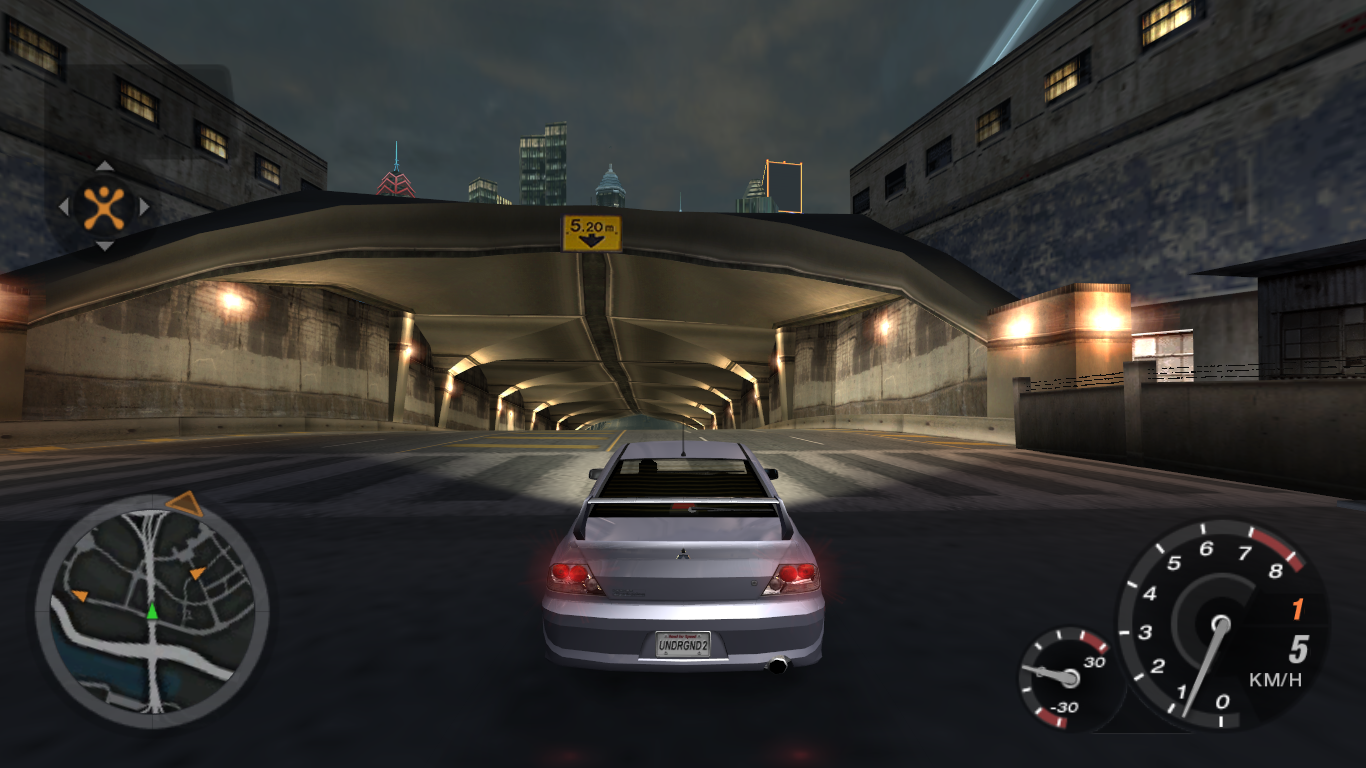
v1.1 5 years tho. If anything wrong with the mod, comment. -Barriers fixed. -Map fixed. Needed: The Files http://www.mediafir...
this one
it just leads to more highways lol
i think they cut them because the highways were already confusing and these roads ended up being redundant
cedar estuary
Yeah, this is just the drag mode version oppened up. Way before in the ps2 alpha, they were such a mess, way bigger mess than that one
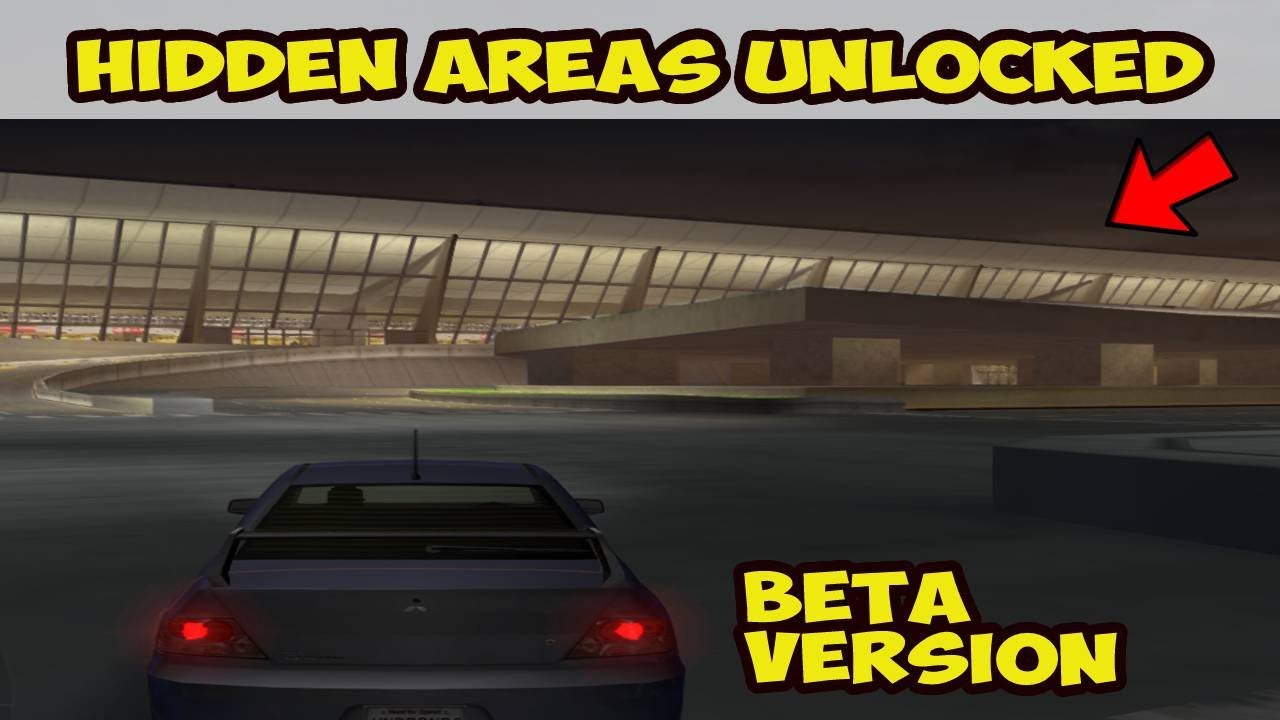
In this video I show some gameplay of the Need For Speed Undeground 2 Demo Hidden Areas. This is the beta version of the game and there are several differences to the final version. Don't forget to like and subscribe for more!
Download this version (requires PCSX2 emulator to play): https://drive.google.com/file/d/1HFqQirgsdTwgeZ6H1SFB-_SOOL2EG...
Air baloons in center were cool though
dark spoke
oooh I see
tbh I wonder if there is ever going to be a map that combines ug1 city and Bayview
cedar estuary
If map tool happens, could happen, but probably too much work

This time I'm showing the beta PS2 demo of NFS Underground 2. It has been modified by people from nfstheories and it's possible to drive around the whole Bayview in this demo. It features an earlier version of Bayview compared to the final game, with few roads being completely different than their counterparts from the final game. The road where...
At 1:31 look at the highway system, map comparison
It looks cool, but probably hell to drive
dark spoke
so even more confusing identical highways lol
I think a good idea for the ug2 rtx mod would be to add some sort of differentiation to the highways 🤔
jade briar
I mean
If anyone wants to add them
They can just use the beta map mode
Most of the textures are reused
So there won't be many, if any unique assets
tawny elk
 cedar estuary
dark spoke
I think a good idea for the ug2 rtx mod would be to add some sort of differentia...
cedar estuary
dark spoke
I think a good idea for the ug2 rtx mod would be to add some sort of differentia...
Probably impossible atm
Map editing for nfsu2 its not just possible now
tawny elk
 dark spoke
cedar estuary
Probably impossible atm
dark spoke
cedar estuary
Probably impossible atm
I more meant in terms of asset replacement and or addition
be it different colored lights or a different colored wall or something
possible to do under remix when the full editor comes out
cedar estuary
Ahhh, misread, thought you meant adding the extra highways
dark spoke
modifying ug2 itself is a bit of a lost cause lol
dark spoke
cedar estuary
Ahhh, misread, thought you meant adding the extra highways
naaah they're useless anyway lmao
cedar estuary
They would be cool to drive on for a change to see how it would've been, but yeah thats about it
Wish a early pc beta/alpha would leak, but that will never happen
dark spoke
lol yeah unfortunately so
 red ferry
Download link for NFSU2 RTX ???
dark spoke
red ferry
???
balmy chasm
That means you should check pinned messages
red ferry
I can't find the link
dark spoke
here you go
 balmy chasm
Just to make it clear, you need to have a basic game installed
red ferry
what channel is it on?
simple light
btw guys will this ever be compatible with reshade
tawny elk
No I don't think so
 cloud crypt
but you wanted him to do it that way XD
 plain stag
cloud crypt
its just for testing purposes
plain stag
cloud crypt
its just for testing purposes
Looks interensting but same texture every flor is weird
plain stag
cloud crypt
looks good to me though
Looks good maybe more soft NM
cloud crypt
was just for testing though. I will rework some building textures. Also Burrito works on a new road textures with a new normal map for a better look
plain stag
cloud crypt
was just for testing though. I will rework some building textures. Also Burrito ...
Yeee but good still
jade briar
@elfin zenith
We use omniverse create for texture replacements
Also. The lights in your video turn off as soon as they leave the camera view
Not in my latest one
quick ivy
cloud crypt
alt + x and then under rendering enable dlss
thanks will try it out
 elfin zenith
jade briar
Also. The lights in your video turn off as soon as they leave the camera view
elfin zenith
jade briar
Also. The lights in your video turn off as soon as they leave the camera view
with anti culling the same for me 😛
cloud crypt
elfin zenith
with anti culling the same for me 😛
you have to turn on anti culling light. If you not have that setting then you do not use the correct version
jade briar
elfin zenith
with anti culling the same for me 😛
Yes, you have to download the anti culling update.
Anti LIGHT culling
balmy chasm
How to disable fog? -_-
vague sparrow
Turn off volumetric option
cloud crypt
and back to work...
 balmy chasm
Can you guys explain a little what type of lights this is. Are you all packing new lights on top of these or there is a way to disable them?

 balmy chasm
Its effect is almost nullified when adding lights. But it is there and definitelly affecting my scene
cloud crypt
@quick ivy pls write about your problem here. Maybe adam himself can help
quick ivy
after applying the mod it just went pitch black
 vague sparrow
quick ivy
after applying the mod it just went pitch black
vague sparrow
quick ivy
after applying the mod it just went pitch black
Are your in-game video settings low, you might want to check it 🙂
small acorn
balmy chasm
Its effect is almost nullified when adding lights. But it is there and definitel...
game's directional lights disabled?
balmy chasm
They are
quick ivy
vague sparrow
Everything low except world detail
cool i'll just check it
quick ivy
vague sparrow
Everything low except world detail
i set world detail to ultra and the rest to low
still same
vague sparrow
something wrong with remix then
tawny elk
cloud crypt
<@159031557062000640> pls write about your problem here. Maybe adam himself can ...

vague sparrow
did you put the files accordingly as the guide said in the pins?
quick ivy
yea one in the rtx remix folder that was the mod file and the rtx one inside the directory
tawny elk
You might have the mod.usda in the wrong location
tawny elk
You do have the Enhanced Content in the rtx menu enabled right?
Try restarting the game? Do you have any mods/fixes in use?
quick ivy
i tried it was still the same
tawny elk
Damn something is wonky with your setup.. Anything interesting in any of the logs?
quick ivy
earlier i had some other mod applied was using that
downloaded yours pasted files in the directories mentioned and the pitch black thing happened
tawny elk
The ones from my repo?
quick ivy
the pinned message
yes

GitHub
Guides to adding RTX-Remix to games! Contribute to adamplayer/RTXRemixGuides development by creating an account on GitHub.
tawny elk
Did you backup your RTX conf? Mine is to be used as a base and be built off of.
quick ivy
sadly no
or wait i think i have it
but is there a way to run yours ?
or do i have to reinstall my game and then do the setup ?
tawny elk
All you really need from mine is the mod.usda
quick ivy
okay and try out the older config file?
tawny elk
Yes, use your own rtx.conf.
tawny elk
👍
cloud crypt
 balmy chasm
small acorn
game's directional lights disabled?
balmy chasm
small acorn
game's directional lights disabled?
This is thing can be somehow controlled with 'Effect Light Intensity' in Rendering tab
safe patrol
headlights on AI cars
 tawny elk
This face made me giggle
 safe patrol
tail lights on AI cars too
 tawny elk
safe patrol
tail lights on AI cars too
tawny elk
safe patrol
tail lights on AI cars too
There's no funny face here 
safe patrol
lots of DLSS ghosting though!
oooh, I found an AI car I missed in my previous capture
tawny elk
 safe patrol
sadly my 3060 ti REALLY can't handle having Remix open at the same time as Omniverse
tawny elk
safe patrol
sadly my 3060 ti REALLY can't handle having Remix open at the same time as Omniv...
My 3080 can't either
safe patrol
yeah sucks having to go back and forth
tawny elk
That technique is resevered for the 4090s and professional cards sadly.
safe patrol
I bet
small acorn
safe patrol
sadly my 3060 ti REALLY can't handle having Remix open at the same time as Omniv...
imagine me with my 6GB 2060
i think i need 16 more GBs of RAM
cloud crypt
@safe patrol turn off eye adaption under post processesing
safe patrol
cloud crypt
<@322425147132739585> turn off eye adaption under post processesing
thanks, I fogot where that was
cloud crypt
 safe patrol
*forgot
tawny elk
My work is switching up things and might be getting rid of their Quadro RTX8000s.
cloud crypt
xD
 cloud crypt
gimme one xD
trail quail
but sometimes looks good
 safe patrol
I had a job a few years ago that was in the medical imaging field and all the Radiologist's PCs had fancy Quadros that they absolutely did not make the most out of at all. I really wished I could have snagged one.
cloud crypt
tawny elk
It's just like a 3080 with 48GB of VRAM
oh, then it is not as good as my 4070 Ti
tawny elk
cloud crypt
oh, then it is not as good as my 4070 Ti
It's weaker in everything but VRAM
cloud crypt
yeah true
tawny elk
safe patrol
I had a job a few years ago that was in the medical imaging field and all the Ra...
Gotta get that FP processing
My wallet hurts
 safe patrol
it was "required" because they had to have super accurate color reproduction on these insanely expensive monitors. But other than the color accuracy they didn't use the cards for anything.
tawny elk
||Not so fun fact, when you use these Quadro cards with Virtual Desktops / VMs you have to license the drivers. The cost increases depending on how much VRAM you assign to each.||
cloud crypt
Dafuq
tawny elk
cloud crypt
should i turn temperature down?
 tawny elk
I'd say yes 
safe patrol
tawny elk
||Not so fun fact, when you use these Quadro cards with Virtual Desktops / VMs y...
Yeah I used to work for VMware. After running a vSphere lab in my basement for over a decade, I'm fed up enough with their nonsense that I've finally been migrating away from it entirely.
cloud crypt
5000K
 safe patrol
cloud crypt
5000K
safe patrol
cloud crypt
5000K
I like that better
small acorn
cloud crypt
5000K
show 4500K
cloud crypt
 small acorn
 cloud crypt
also changed these
 small acorn
same mesh
balmy chasm
Okay, who said colored lights are not supported?
cloud crypt
quick ivy
which config did you use to make it look like that
i place my own lights with Omniverse
cloud crypt
balmy chasm
Okay, who said colored lights are not supported?
dont know, they are
quick ivy
oh okay i dont know how to do all that
trail quail
balmy chasm
Okay, who said colored lights are not supported?
I believe they are very much supported lol (i only tested on lego star wars with emission, but its definitely worked, they were red)
balmy chasm
Green light
 trail quail
quick ivy
oh okay i dont know how to do all that
trail quail
quick ivy
oh okay i dont know how to do all that
I do, and I still come across a bunch of issues
cloud crypt
balmy chasm
Green light
why though
balmy chasm
Just example
safe patrol
I just showed red emissives on taillights
quick ivy
trail quail
I do, and I still come across a bunch of issues
okay
tawny elk
balmy chasm
Light culling yet killing me
safe patrol
looking good!
cloud crypt
i dont know how i should feel about this. There is way to much light. Its supposed to be night not day
tawny elk
Yea I need to do another pass at the relative brightness of everything
tawny elk
small acorn
where's skybox?
tawny elk
cloud crypt
i dont know how i should feel about this. There is way to much light. Its suppos...
The good new about how I do it since I try to set things with a static exposure, is that you can just adjust the ingame exposure to make it darker.


 cloud crypt
i dont use exposure at all because it causes extreme ghosting. Sky brightness is all you need
tawny elk
I don't think I get that much ghosting with it on
jade briar
cloud crypt
also changed these
I'd say these ones should stay white
cloud crypt
white again

 surreal slate
dark spoke
https://nfsmods.xyz/mod/79
surreal slate
dark spoke
https://nfsmods.xyz/mod/79
This mod is known to cause crashes and freezes
jade briar
cloud crypt
white again
this is good
 polar bane
so I'm assuming that this won't be compatible in the future with most current car mods for the game since the lights for headlights and taillights have to be manually placed.
surreal slate
cloud crypt
also the car color material would have to be placed manually
for each color?
cloud crypt
surreal slate
for each color?
yes
surreal slate
damn
polar bane
been following along with y'alls work (awesome job by you all by the way), there's currently an issue with using in game parts upgrades too, right?
cloud crypt
Well no, i found a way to not break tje tail lights by changing them. We only have to add emissives to the taillights
The biggest problem would be the color thing on cars. We would have to do it for every color, every tuning part combination on every car
polar bane
oof
safe patrol
I'm doing some work on emissives
I realized though, there isn't really a way to do brake lights is there?
cloud crypt
Nope, they are just sprites
safe patrol
the game doesn't switch out a different sprite while braking does it?
cloud crypt
no, it just makes it bigger and brighter. You could say its shaded
safe patrol
makes sense. Shame because that would make this way easier
quick ivy
tawny elk
👍
tried with the earlier config didnt work 😦

pitch black is gone but the lights are bright
safe patrol
NFS: Vegas
balmy chasm
yay, I figured something out 🥲
 balmy chasm
What. I just hide it .-.
cloud crypt
what did you hide
balmy chasm
 quick ivy
tried with the earlier config didnt work 😦
quick ivy
quick ivy
tried with the earlier config didnt work 😦
Any fix for this
elfin zenith
jade briar
Yes, you have to download the anti culling update.
Solved 😄
jade briar
nice
elfin zenith
good? 😄


 slate scaffold
It's not working for me
jade briar
elfin zenith
good? 😄
Yeah, you can actually see now.
elfin beacon
The amount of work done in bringing a unit positive charge from infinity to a point is called electric intensity.
Thank me later.
 jade briar
F
tawny elk

 mossy pelican
who likes cheese
small acorn
small acorn
well, i broke my mod.usda
assets are on a far plane but when i get close they're disappearing

 safe fossil
cloud crypt
Parallax is literally the same as PBR
safe fossil
cloud crypt
Parallax is literally the same as PBR
Parallax has nothing to do with "pbr" nor are they mutually exclusive concepts, you can use both together, they are entirely unrelated. Parallax is shifting texture coordinates by height so the resulting frame has actual depth without geometry changes. Pbr is just a vague concept of "being physically based", whatever that means, that in practice usually comes down to better materials with some energy conserving function that simulates microfacets distribution, probably with ggx function, to have the values be in some "physically sensible" range as it spreads over a surface. And of course the schlik's approximation for fresnel somewhere in there. That's it. It's not some committee defined standard either, so you can call whatever you want pbr if you have some concept of something being "physically based", it's just people have come to mean the thing i described above by this term. Something that's supposed to reduce guessing and make stuff just work ™️ under any condition with consistency.
Ugh, it's been such a misused buzzword that only sows confusion being thrown around literally everywhere by everyone without any context nor understanding and then the worst of it in marketing, like by Todd with FO4 with it's totally consistent visuals ranging from pretty good to really ugly waxy acid plastic and other ugly shit like witcher 3 that's more consisten in looking revolting where it's either the acid vomit or dull gray and nothing in between, to sell you that while their game looks like utter shit, it must be still good cause they said a fancy magic word. Yes, sweety, we know you got pbr, it's just you and eeeeeeverybody else. I get ptsd every time i read it now 🤮
Rant over
 dreamy gazelle
guys, sorry for this parenthesis, but anyone tried carbon?
I messed up with configurations, but I think there are some issues with some shaders or something related,
fonts are not rendered and most of the textures are missing/not found
 small acorn
dreamy gazelle
guys, sorry for this parenthesis, but anyone tried carbon?
I messed up with con...
small acorn
dreamy gazelle
guys, sorry for this parenthesis, but anyone tried carbon?
I messed up with con...
same as prostreet on shader model 0
jade briar
safe fossil
Parallax has nothing to do with "pbr" nor are they mutually exclusive concepts, ...
I ain't gonna read all that. But I'm happy for you. Or sad that it happened.
dreamy gazelle
small acorn
same as prostreet on shader model 0
so I think it's the case to abandon the idea for now? is crashing with the other models
safe fossil
jade briar
I ain't gonna read all that. But I'm happy for you. Or sad that it happened.
Thanks for letting me know 👍
cloud crypt
dreamy gazelle
guys, sorry for this parenthesis, but anyone tried carbon?
I messed up with con...
Shadermodel 3 is used, which isnt supported by remix
dreamy gazelle
cloud crypt
Shadermodel 3 is used, which isnt supported by remix
ok, thank you 🥲
slate scaffold
It's not working for me, i get stuck on the loading screen and then it crashes
 chrome meadow
I mean' it rain every 30 minutes and it's always night so wet road are pretty realistic
cloud crypt
Yeah, thats also what i think
tawny elk
The game looks pretty eh if you don’t have any reflection on the road.
Flattens out the lighting pretty bad.
chrome meadow
cloud crypt
warm lights with 2500K
Adam turned you to the warm side of the light 😬
safe patrol
Ok this is more or less in a shareable state. I'll continue to add more cars as I find them.
Emissives for headlights and taillights
these are far from complete because I don't have any good way to dump all the lights at once, but it's a start
I'm taking a break from it for a bit to work on emissives for neon signs
since that's an easy low-lying fruit
If you want to test them, the easiest method is to extract them into your gameReadyAssets directory and use Kim's python script to make a usda file. Using Omniverse, add that as a sublayer to the existing mod.usda.
safe patrol
dangit I broke something in omniverse

oh it just doesn't like to save if the light is set to default. That's dumb.
nope, nevermind, I thought I got it working again but it's broke. Hmm
ok I think I found the problem, it REALLY didn't like one of my textures
it's not one that I included in any of the packages above so you guys shouldn't have anything to worry about
 vapid halo
looks like it doesnt work on wine
 wise coral
vapid halo
looks like it doesnt work on wine
wise coral
vapid halo
looks like it doesnt work on wine
Can confirm, tried drinking wine, and it still doesn't work
safe patrol
I've heard some people have had success with wine but my Linux system only has a 1070 so I haven't tested it myself
 still carbon
[05:35:03.637] info: No default config found for: E:\Oyunlar\Need for Speed Underground 2\SPEED2.EXE
[05:35:03.638] info: Trying to open config file: E:\Oyunlar\Need for Speed Underground 2.trex\bridge.conf
[05:35:03.638] info: Found user config file: E:\Oyunlar\Need for Speed Underground 2.trex\bridge.conf
[05:35:03.639] info: Effective configuration:
[05:35:03.639] info: useSharedHeap = True
[05:35:03.640] info: SharedHeap policy: TEXTURES, STATIC BUFFERS
[05:35:03.640] info: ==================
[05:35:03.640] info: NVIDIA RTX Remix Bridge Client
[05:35:03.640] info: ==================
[05:35:03.641] info: Version: undefined
[05:35:03.641] info: Loaded d3d9.dll from E:\Oyunlar\Need for Speed Underground 2\SPEED2.EXE
[05:35:03.656] info: DirectInput8 hook attached.
[05:35:03.680] info: DirectInput hook attached.
[05:35:03.682] info: Initializing new shared memory object.
[05:35:03.684] info: Initializing new shared memory object.
[05:35:03.687] info: Initializing new shared memory object.
[05:35:03.742] info: Initializing new shared memory object.
[05:35:03.883] info: Launching server with GUID 3740b1ce-c1db-4a5a-ba4a-ad1f94d7b43a
[05:35:03.885] info: Process set as DPI aware
[05:35:03.886] info: Sending SYN command, waiting for ACK from server...
[05:35:04.136] info: Ack received! Handshake completed! Telling server to continue waiting for commands...
[05:35:04.140] info: Initializing new shared memory object.
[05:35:04.325] info: Creating a NON thread-safe D3D9 device.
[05:35:09.671] err: ...server-side D3D9 device creation failed with 8876086a.
[05:35:09.672] info: Creating a NON thread-safe D3D9 device.
[05:35:10.838] err: ...server-side D3D9 device creation failed with 8876086a.
[05:35:12.373] info: About to unload bridge client.
[05:35:12.373] info: Sending Terminate command to server...
[05:35:12.830] info: Server notified that it has cleanly terminated. Cleaning up.
[05:35:12.841] info: Shutdown cleanup successful, exiting now!
[05:35:12.848] info: DirectInput8 hook detached.
[05:35:12.849] info: DirectInput hook detached.
[05:35:12.849] info: [Uptime]: 9s
my video card is not rtx and that's why it won't boot? Or is it not opening for some other reason? @jade briar
 jade briar
still carbon
[05:35:03.637] info: No default config found for: E:\Oyunlar\Need for Speed Und...
jade briar
still carbon
[05:35:03.637] info: No default config found for: E:\Oyunlar\Need for Speed Und...
The reason it's not opening.
IS BECAUSE YOU DON'T HAVE A RTX GPU
hollow oak
Can i run it on intel hd graphics


trail quail
Me
 soft isle
TDU2 cars could be ripped if your still looking
vague sparrow
jade briar
The reason it's not opening.
IS BECAUSE YOU DON'T HAVE A RTX GPU
Biggest "I have a RTX gpu" flex
 tepid spade
i need help
small acorn
dark spoke
guyes pleas help rtx remix not working on my GeForce 8600GT
wrong timeline
tepid spade
guys i think the tutorial is a bit outdated
can someone help me because the new versions of rtx remix have different files
from the ones in the video
and yes i have an rtx card a rtx 3060ti
and my cpu is a 12400f
vague sparrow
And I have a life
tawny elk
I don’t 
jade briar
tepid spade
can someone help me because the new versions of rtx remix have different files
All rtx versions have the same files
Which one did you download?
elfin beacon
still carbon
[05:35:03.637] info: No default config found for: E:\Oyunlar\Need for Speed Und...
💀
tepid spade
jade briar
Which one did you download?
The latest of the
Dxvx, bridge and remix
jade briar
tepid spade
The latest of the
Dxvx, bridge and remix
The files should be the same
tepid spade
jade briar
The files should be the same
Strange, can you upload them to drive and send them to me ?
jade briar
Show me what your zip file looks like.
tepid spade
jade briar
Show me what your zip file looks like.
Ok
Let me go to my pc
These are the files

@jade briar
In the remix-0.2.0 folder

In the dxvx folder


In the bridge folder

 safe patrol
You downloaded the source, not the release builds
tepid spade
safe patrol
You downloaded the source, not the release builds
Where do I find them
digital salmon
in 2023 do you take pictures of a computer monitor?🥲
tepid spade
digital salmon
in 2023 do you take pictures of a computer monitor?🥲
It's the faster way
safe patrol
He's never heard of printscn apparently
digital salmon
shift+win+s seems to be faster)))
safe patrol
tepid spade
Where do I find them
GitHub
Combined repo for the RTX-Remix runtime. Contribute to NVIDIAGameWorks/rtx-remix development by creating an account on GitHub.
tepid spade
digital salmon
shift+win+s seems to be faster)))
I know but I have a phone in my hand right now and I didn't have discord open so
tepid spade
safe patrol
https://github.com/NVIDIAGameWorks/rtx-remix/releases
Thanks
safe patrol

GitHub
Contribute to NVIDIAGameWorks/dxvk-remix development by creating an account on GitHub.
jade briar
UHD screenshots
safe patrol
GitHub
This is the NVIDIA RTX Remix Runtime Bridge repository - Merge branch 'ajaus/clamp_wait_attempt_counter_lower_bound_to_zero' i… · NVIDIAGameWorks/bridge-remix@a18db5f
tepid spade
safe patrol
https://github.com/NVIDIAGameWorks/bridge-remix/actions/runs/5205950299
Thank you 👍
simple light
There aren’t any releases here
You can create a release to package software, along with release notes and links to binary files, for other people to use. Learn more about releases in our docs.
where is the bridge remix release xd
GitHub
This is the NVIDIA RTX Remix Runtime Bridge repository - NVIDIAGameWorks/bridge-remix
 jade briar
who tf is this
 chrome meadow
still carbon
😔
chrome meadow
still carbon
😔
Out of curiosity on what card did you try to run it?
jade briar
simple light
 vague sparrow
 simple light
jade briar
simple light
jade briar
I looked at the wrong pinned message then
Although I was told to follow this one
jade briar
50 people have made an attempt to make a tutorial
Use whatever
All of them should work
simple light
Yeah the one I followed doesn't have bridge-remix release files
I'll try the other one then
still carbon
chrome meadow
Out of curiosity on what card did you try to run it?
GTX 980Ti 😅
simple light
ye
small acorn
still carbon
GTX 980Ti 😅
 tawny elk
Would it be better to create a general Need For Speed Underground 2 support thread in the remix help section so all that kinda stuff goes there instead of here?
tawny elk
It’ll be a nice PowerPoint possibly
dreamy gazelle
tawny elk
It’ll be a nice PowerPoint possibly <:shrug:671553269306359810>
Or a step by step guide with pictures in a separate thread
tawny elk
There are so many tutorials already written that all work. I’m not writing another one.

 safe patrol
I figured out why my dumb butt kept breaking omniverse yesterday. I was trying to do "save as" instead of "save flattened as"
tawny elk
safe patrol
I figured out why my dumb butt kept breaking omniverse yesterday. I was trying ...
What does save flattened as do? I’ve never had a problem with save as with mod usdas and the like.
safe patrol
it's for combining different mods as sublayers
vague sparrow
simple light
that's some insansely bad ghosting
safe patrol
so when I went to add my textures back to your lights, it freaked out with just a normal "save as" but when you flatten them it works.
what's funny is that I was doing it earlier in the day just fine and for some reason forgot that it had to be the flattened version
 sage wraith
hey i did all, like you said, but if i start the game, i get for short a screen and in the upper left corner is standing remix stuff, but then the window close and nothing happens anymore
jade briar
you didnt install correctly
simple light
sage wraith
but what do i wrong?^^
you don't have RTX 6069
balmy chasm
Most likely haven't installed patched dxvk and bridge?
sage wraith
simple light
you don't have RTX 6069
thats correct^^
sage wraith
balmy chasm
Most likely haven't installed patched dxvk and bridge?
i downloaded remix and did it in the game folder, then i downloaded brige and did it in the game folder, then i downloaded the nfs files down below the post and did it in the mainfolder and then i renamed d3d9.dll to d3d9.asi
i downloaded the the files over the links
balmy chasm
dxvk?
balmy chasm
It is literally one of the steps
sage wraith
ah lol ok in the post was nothing written about that
balmy chasm
Which post, omg?
safe patrol
I don't know what post you're looking at but every tutorial stickied here has the dxvk step
trail quail
hi everyone i can share you some high quality asphalt 8k 4k i work for gta v a very long time ago
sage wraith
this one
jade briar
someone help this man
sage wraith
i think i get it thx 🙂
balmy chasm
jade briar
someone help this man
Edit that post .-.
safe patrol
Oh man, Burrito's in trouble for forgetting a step!
cloud crypt
trail quail
hi everyone i can share you some high quality asphalt 8k 4k i work for gta v a v...
ah, you are comin from my tutorial arent you? Yeah yo can
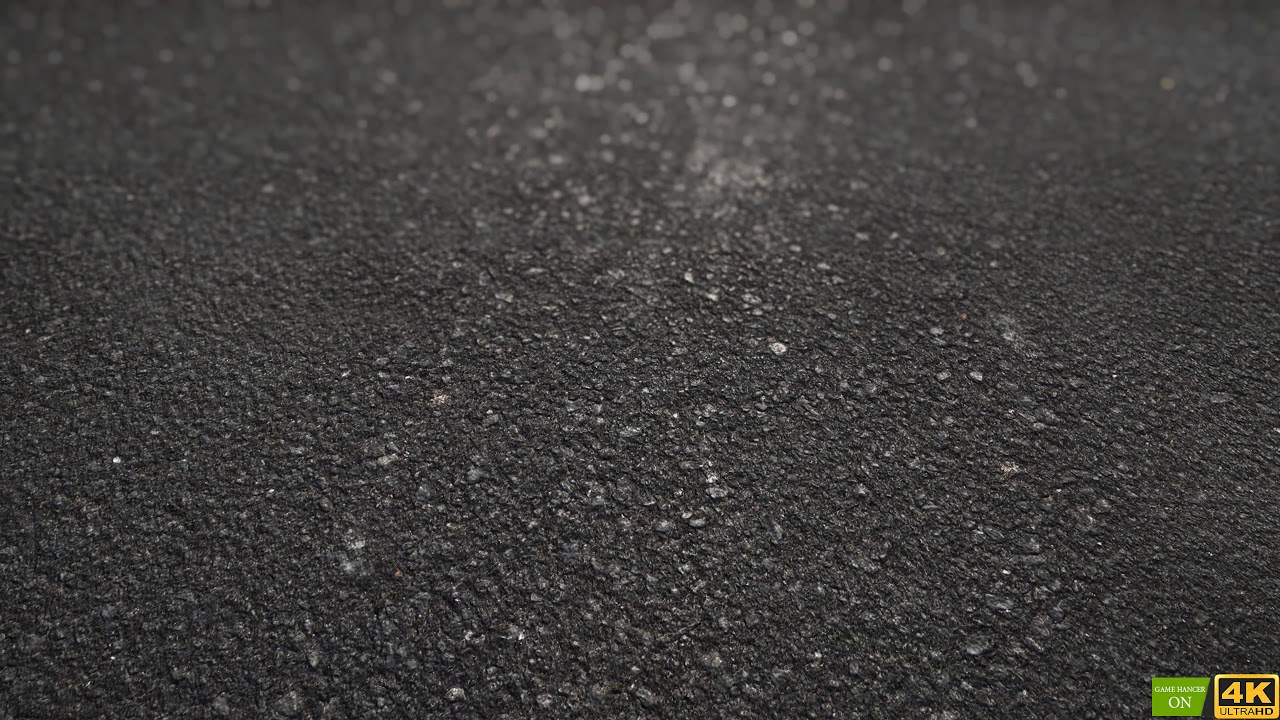 cloud crypt
Dang, these looking freakin awesome
trail quail
I was a big lover of parallax and roads in gta v I never managed to finish the project
format dds
cloud crypt
yeah, dds is also the only supported format by remix
sage wraith
balmy chasm
dxvk?
so i did all steps again (like the pinned list) but the same issue
cloud crypt
sage wraith
so i did all steps again (like the pinned list) but the same issue
pls watch my pinned video tutorial #1103377328530276403 message
trail quail
I send you the textures it is with pleasure if you wish to work with these textures of good quality
cloud crypt
if you want to support the project then pls dont hesitate to do that
vague sparrow
trail quail
https://www.youtube.com/watch?v=e99HWkJ20_c
this is like...too much
safe patrol
Dangit, something made these neons UI so they show through the car but I can't find the stupid texture to fix it
 vague sparrow
can't we support vertex displacement maps for remix in some future updates, like its possible, right?
safe patrol
vague sparrow
can't we support vertex displacement maps for remix in some future updates, like...
Right now just normals but I think that's on the roadmap for eventually
trail quail
 simple light
vague sparrow
that's some insansely bad ghosting
simple light
vague sparrow
that's some insansely bad ghosting

not sure why I get just day time now
trail quail


the textures are in JPG 4096x4096 I send the rest there is a lot of texture there is the dds format too
sage wraith
cloud crypt
pls watch my pinned video tutorial https://discord.com/channels/1028444667789967...
okey now it looks like it work 🙂 thx! i hade the wrong bridge files
trail quail
 balmy chasm
vague sparrow
can't we support vertex displacement maps for remix in some future updates, like...
balmy chasm
vague sparrow
can't we support vertex displacement maps for remix in some future updates, like...
What is the difference with height\displacement maps?
 vague sparrow
simple light
vague sparrow
simple light
remix's default lighting i presume
sage wraith
Ouuh that eats fps 😂
vague sparrow
@trail quail is the texture seamless?
cloud crypt
seams so
cloud crypt
sage wraith
Ouuh that eats fps 😂
yeah, that is normal with pathtracing
balmy chasm
vague sparrow
remix's default lighting i presume
Actually default light is in Root Node layer. Changing any properties won't create any links to the mod.usda
sage wraith
cloud crypt
yeah, that is normal with pathtracing
Yes i know but that much^^ i am using a 4090 And 30fps is Not possible?
cloud crypt
balmy chasm
Actually default light is in Root Node layer. Changing any properties won't crea...
nah, he just activated direct lighting
trail quail
vague sparrow
<@456226577798135808> is the texture seamless?
I haven't touched the texture since 2019
cloud crypt
sage wraith
Yes i know but that much^^ i am using a 4090 And 30fps is Not possible?
well no, not without DLSS Qulaity though, on my 4070 Ti only 12 fps without dlss
cloud crypt
yeah
sage wraith
cloud crypt
well no, not without DLSS Qulaity though, on my 4070 Ti only 12 fps without dlss
Aah you i Found the dlss option^^ now it is smooth 🙏
cloud crypt
if i would play on 4K my GPU would say fuck you, i want to die
sage wraith
Thank you for your help ☺️
cloud crypt
no problem
simple light
vague sparrow
remix's default lighting i presume
how do i get night time
cloud crypt
simple light
how do i get night time
the setting where the cursor is has to be enabled
 simple light
rite

 cloud crypt
could you put the files into a rar file and upload that pls?
simple light
cloud crypt
the setting where the cursor is has to be enabled

sky still bright for some reason
trail quail
tonight I have too many files
simple light
nope
 young quartz
u people here are just amazing ❤️ keep up the good work!
cloud crypt
no way, Dragozool here
You did the most famous texture pack back then, or wasnt it you?
young quartz
always everywhere if it comes to nfs modding 😄
yeah thats me 🙂
the one and only as far as i know ^^ happily i have a unique name 🙂
cloud crypt
haha ok nice
young quartz
if i can help somehow let me know. just cant guarantee that i will be a big help ^^ rusted a bit
long time i did some texture work
and sorry if my english is not the best ^^ not my native language
safe patrol
young quartz
and sorry if my english is not the best ^^ not my native language
What's native for you?
cloud crypt
no worry, my neither xD
young quartz
german
cloud crypt
mine too
safe patrol
ah. Sorry can't help you there. I do English and Spanish.
Fortunately google translate works REALLY well German <-> English
young quartz
it´s okay 😄 i understand everithing in english and can communicate without issues 🙂 just my spelling is sometimes a bit off
safe patrol
You and HellRaven got it though!
cloud crypt
Well, only because i need good english for my work xD
jade briar
safe patrol
Oh man, Burrito's in trouble for forgetting a step!
Literally which?
young quartz
i was working for an english bussinesman so mine got alot better over that time 😄
trail quail
I send you a mediafire link for all the textures
cloud crypt
Ok nice
safe patrol
jade briar
Literally which?
dxvk isn't in your post
cloud crypt
i created these road textures a while a go, ai destroyed them a bit...


 jade briar
trail quail
https://www.youtube.com/watch?v=e99HWkJ20_c
jade briar
trail quail
https://www.youtube.com/watch?v=e99HWkJ20_c
Too detailed. All is gonna get lost in remix.
cloud crypt
Burrito, maybe you can use my parking lot texture, because you did not created one yet
or i could create a n-map out of it
simple light
 young quartz
thicc rain
simple light
why are the roads so dark like there are no lights xd
cloud crypt
and maybe we also could use one of these building textures i created a while ago


 jade briar
cloud crypt
or i could create a n-map out of it
jade briar
cloud crypt
or i could create a n-map out of it
Show me what it looks like.
balmy chasm
Guys, can you hint me where fps meter can be enebled?
jade briar
cloud crypt
and maybe we also could use one of these building textures i created a while ago
I'll wait for creator toolkit. They'll need a remodel.
jade briar
balmy chasm
Guys, can you hint me where fps meter can be enebled?
There is none.
cloud crypt
jade briar
I'll wait for creator toolkit. They'll need a remodel.
yeah
balmy chasm
What did you use for that purpose then?
simple light
simple light
why are the roads so dark like there are no lights xd
do i need some specific settings
balmy chasm
jade briar
There is none.
Well, NVidia's built-in works. The one you set up on Alt+Z screen in HUD options
cloud crypt
Created n map and monitors whent black 😂👌 have to create them again

 sage wraith
is it fixable yet, that all car lights doesnt work?


 vague sparrow
👍
safe patrol
There we go. Finally fixed all my messed up things. Have better textures working with Adam's better lights.

yay headlights!

it appears I screwed up the road textures though. And I need to fix the roughness map for the windows on NPC cars
jade briar
cloud crypt
I would literally just use this as a tire normal map.

 balmy chasm
welp. Not much we can do with grass either way
cloud crypt
there are some grass textures
jade briar
Yeah but grass testure won't do much.
cloud crypt
jade briar
Yeah but grass testure won't do much.
yeah, but still there, and it would not be complete if we let them just be plain textures
would look good as parallax though

without parallax features

 jade briar
safe patrol
ok NPC cars now have nice shiny windows
jade briar
safe patrol
ok NPC cars now have nice shiny windows
What did you do
safe patrol
roughness maps for the npc cars
safe patrol
and their windows, which are separate textures
jade briar
safe patrol
and their windows, which are separate textures
Is this like a custom roughness map, or did you just decrease the overall material roughness?
safe patrol
custom roughness maps. They're in that .7z I just shared
jade briar
So what here is different from just turning the material roughness down?
quick ivy
quick ivy
tried with the earlier config didnt work 😦
can someone help me fix this 🥺
jade briar
Because I don't see any roughness detail here
elfin beacon
cloud crypt
would look good as parallax though
Looks yummy
jade briar
ur mom looks yummy
 elfin beacon
jade briar
ur mom looks yummy
elfin beacon
jade briar
ur mom looks yummy
Shut
cloud crypt
elfin beacon
Looks yummy
Yeah, but parrallax doesnt work with remix
safe patrol
jade briar
Because I don't see any roughness detail here
well in the case of the windows, there's pretty much zero roughness. I could add a bit of noise I guess but I just wanted to make sure it worked for starters
elfin beacon
cloud crypt
Yeah, but parrallax doesnt work with remix
Yup.
quick ivy

elfin beacon
quick ivy
<:siuudrink:1067202644386533426>

You guys wanna see Burrito's face reveal?
cloud crypt
 quick ivy
safe patrol
There we go. Finally fixed all my messed up things. Have better textures worki...
quick ivy
safe patrol
There we go. Finally fixed all my messed up things. Have better textures worki...
how can i make it look like this which files did you use, i will reinstall the game and install everything properly
severe solstice
cloud crypt
 jade briar
safe patrol
well in the case of the windows, there's pretty much zero roughness. I could ad...
jade briar
safe patrol
well in the case of the windows, there's pretty much zero roughness. I could ad...
So you basically just did what's equivalent of moving a slider to the left, but with a lot of extra steps.
cloud crypt
jade briar
So you basically just did what's equivalent of moving a slider to the left, but ...
Probably xD
safe patrol
jade briar
So you basically just did what's equivalent of moving a slider to the left, but ...
only for the windows. The rest of the car has proper maps
jade briar
safe patrol
only for the windows. The rest of the car has proper maps
Like what maps
cloud crypt
safe patrol
only for the windows. The rest of the car has proper maps
Couldnt you enable opcity too?
safe patrol
roughness, normal, emissive
jade briar
I simply don't get it. The windows look just like someone moved the roughness slider all the way to the left, and I don't see any normals or emmissives.
safe patrol
cloud crypt
Couldnt you enable opcity too?
yeah I can make the diffuse a bit more transparant. I think the main reason they're not for the NPC cars is that there's no vehicle interior
safe patrol
jade briar
I simply don't get it. The windows look just like someone moved the roughness sl...
I just said that yes, the windows themselves don't have any other detail yet - I'm working on adding some noise to the roughness map but it's just glass - there's not much there.
vague sparrow
 jade briar
safe patrol
I just said that yes, the windows themselves don't have any other detail yet - I...
jade briar
safe patrol
I just said that yes, the windows themselves don't have any other detail yet - I...
I'm gonna be completely honest with you. It's a waste of time. Most of the time, the npc vehicles are moving too slow to be noticable, and denoising, ghosting, motion blur will completely hide the details.
safe patrol
lol, why were you complaining that there wasn't any detail there then?
vague sparrow
Why are you compensating on performance....max out on all small details
jade briar
safe patrol
lol, why were you complaining that there wasn't any detail there then?
I was saying that I don't see any detail so it looked like a material tweek, and not a custom texture.
safe patrol
well yeah, that's really the same thing
I did it all automatically anyways, it's not like I spent a half an hour on that
vague sparrow
🤦♂️
safe patrol
And when I said custom textures I really meant more the whole cars, not just the windows
vague sparrow
jade briar
So you basically just did what's equivalent of moving a slider to the left, but ...
That's kind of fatphobic bro
safe patrol
quick ivy
how can i make it look like this which files did you use, i will reinstall the g...
basically you have to extract the custom textures I shared into the gameReadyAssets directory, make sure nothing is named _diffuse, run kim's python usda creation script, open omniverse create, open Adam's mod.usda, insert the newly created texture.usda from the script as a sublayer, and save flattened as mod.usda. It's a lot of manual extra steps involved right now, so if you're not already familar with the creation tools or actively working on making stuff, it's probably better to just wait until we're done and have something easier to share with you.
simple light
safe patrol
There we go. Finally fixed all my messed up things. Have better textures worki...
can ye send me these settings? like in a file?
safe patrol
see my message I just now posted
Several people are still working on the lights. They're very much WIP and I don't even have up-to-date versions. I'm mostly providing the textures I worked on for their benefit. Once that's in a state that's more sharable, we'll combine everything we've got so far into a nice mod package for everyone.
simple light
alright
 bright cairn
safe patrol
basically you have to extract the custom textures I shared into the gameReadyAss...
bright cairn
safe patrol
basically you have to extract the custom textures I shared into the gameReadyAss...
This might be another dumb question but where's kim's python script?
bright cairn
Thanks!
quick ivy
safe patrol
basically you have to extract the custom textures I shared into the gameReadyAss...
cool
cloud crypt
Highway walls?
 elfin beacon
cloud crypt
Highway walls?
elfin beacon
cloud crypt
Highway walls?
Toblerone?
cloud crypt
what for toblerone lol
vague sparrow
elfin beacon
Toblerone?
That not looking like tobleron at all lil bro
cloud crypt
with AO-Map
 jade briar
too dark
cloud crypt
better?
 elfin beacon
vague sparrow
That not looking like tobleron at all lil bro
elfin beacon
vague sparrow
That not looking like tobleron at all lil bro
umm u are right , i was out of chocolates tho.
trail quail
Hiii
cloud crypt
thats the n-map
 vague sparrow
Won't that be flat
cloud crypt
yeah, wait
got a bit more height to it

more aint possible

Or like that without AO map
 tawny elk
I should share my textures with y’all 👀
safe patrol
uh...yes please?
tawny elk
Tonight 
cloud crypt
burritos roads best, they just need to be more real
jade briar
tawny elk
I should share my textures with y’all 👀
What did u make?
Also

Current state of newyork (the game)
cloud crypt
jade briar
What did u make?
made*
jade briar
safe patrol
I did it all automatically anyways, it's not like I spent a half an hour on that
So you basically did this?
balmy chasm
cloud crypt
Or like that without AO map
Which software is it in?
jade briar
Materialize

 balmy chasm
jade briar
So you basically did this?
balmy chasm
jade briar
So you basically did this?
You don't need to search .dds image and all that stuff. Just click Open after browser shows up
safe patrol
jade briar
So you basically did this?
well, honestly it was even easier than that because I ran a whole bunch of stuff through a chainner script. But yes, basically. And actually thank you, I'm still very new at Omniverse and couldn't find where to do it there.
tawny elk
jade briar
What did u make?
Mostly the emissive stuff. I need to toss some surfaces in sampler though.
jade briar
balmy chasm
You don't need to search .dds image and all that stuff. Just click Open after br...
Oh shit
balmy chasm
cloud crypt
but be aware EAWorld, bad textures = bad maps
Does it have dds export?
cloud crypt
no, you still need to convert
balmy chasm
How do you convert?
jade briar
chainner
balmy chasm
Okay okay
cloud crypt
photoshop
balmy chasm
cloud crypt
photoshop
Do you? Or you just wanted to give an alternative?
cloud crypt
I do it with photoshop
safe patrol
I'm still really annoyed that gimp can't handle bc7 dds
balmy chasm
Is there a way to bulk export then? Or you just go an old way?
cloud crypt
gimp is shit, used it a long time, switched to photoshop because everything on gimp annoys me
safe patrol
I've gotten pretty decent at gimp and get annoyed when I try to use photoshop again because I can't remember where anything is.
ok fixed roads
 tawny elk
Affinity Photo 
safe patrol
I would share the roads in a format that works with kim's script but it's too big for non-nitro discord
cloud crypt
with R, N and D maps

maybe they could be better with blender, but i dont have any blender skills xD
trail quail
jade briar
Also
car need the paint shaders i think, amazing overall. I think the lights could be darkened a bit too
cloud crypt
more like these 😏


 halcyon ether
i do wonder, why are you not using the remix textures?
cloud crypt
because i started from ground up, will add them when Burrito has released the new textures
halcyon ether
ow ok so theres multiple versions of the remix mod
cloud crypt
well no, my is private for now. The released ones are from Burrito and adam
tawny elk
Mines out of date and has no textures 