#NFSU2 (Need For Speed Underground 2)
1 messages · Page 6 of 1
 vague sparrow
 cloud crypt
got my hands on this

 jade briar
vague sparrow
<@877275530813128724> that arrow needs to go fr
jade briar
vague sparrow
<@877275530813128724> that arrow needs to go fr
I tried to set it up so it doesn't show up in reflections/gi, but I failed.
I'll ask Mark for help later.
Don't like to ping the poor guy. He's always getting ping by some guy.
jade briar
hmmmm
vague sparrow
I rarely do it unless I have some questions regarding remix as whole and it's Future
jade briar
But it'd still show up in gi
cloud crypt
uhm ok...
 jade briar
huhh
cloud crypt
more lights, we need more lights
used cylinder Lights for it (and yes uncle Burrito i made it size of light source)
 jade briar
No. We need to fix lights behind that car.
cloud crypt
jade briar
No. We need to fix lights behind that car.
this too, yes
jade briar
ah nice.
cloud crypt
 jade briar
cloud crypt
jade briar
cloud crypt
Did you make the lights slightly orange?.
cloud crypt
jade briar
Did you make the lights slightly orange?.
no, somehow when the rain enters the game gets a orange tint
why ya asking?
jade briar
cloud crypt
no, somehow when the rain enters the game gets a orange tint
No like how most street lamps are indecent
That's probably the wrong word
jade briar
cloud crypt
so like 5500 kelvin instead of 6500
yeah yeah
like this

but not AS warm
This image is kinda exaggerated.
cloud crypt
ok, but modern streetlights are cold, i will find a good balance
 waxen bison
rtx.comf
 tawny elk
jade briar
like this
tawny elk
jade briar
like this
Those are 2100k 
jade briar
Yeah it is exaggerated .
tawny elk
Nah that's accurate HPS is basically only yellow light so it looks weird.
cloud crypt
5500K look nice

 desert trout
cloud crypt
ok, but modern streetlights are cold, i will find a good balance
desert trout
cloud crypt
ok, but modern streetlights are cold, i will find a good balance
Underground 2 is not exactly set in super modern times
cloud crypt
but maybe i prefer this (5000K)
 cloud crypt
 tawny elk
I wonder what the WB is set to by default.
cloud crypt
6500
tawny elk
Ah
That's why
You'd wanna set it to the car's headlights color temp if you're shooting for accuracy. Something like 3000k to 4000k
cloud crypt
and now i use 5000, but i think for the highway and the high power lamps i still use 6500
this is 4000
 tawny elk
On the lights?
cloud crypt
streetlights yes
tawny elk
Ah, they look pretty warm cause it's fixed at 6500k WB.
cloud crypt
5000K is my personal favorite, what do the others think?
or still 6500 atleast some light xD?
tawny elk
2100k with a WB of 4000k is my take. But I'm a lighting designer so it's going to be accuracy > art direction 
cloud crypt
let me see what it looks like in OG game
tawny elk
I honestly don't remember what the OG game looks like 
jade briar
cloud crypt
this is 4000
Okay this looks really good, but don't make every lamp 5k.
Make sure to color them appropriately .
cloud crypt
in OG game its an inbetween 6000K and 6500K


you see better with my reshade (no color thingys, just Tonemapping)
 tawny elk
I'm not the most confident on the metal halide cause that's pretty fancy to have in your street lights but maybe Bayview has the money.
 cloud crypt
3000K looking like this in remix
 tawny elk
That feels right for the WB.
Street lights are 4000k if you want that modern look.
Only place I’ve seen 6500k is Xeon headlights and surgery rooms 
By the way, you do what you want, I’m just letting ya know where things are in the real world 
 jade briar
tawny elk
I'm not the most confident on the metal halide cause that's pretty fancy to have...
jade briar
tawny elk
I'm not the most confident on the metal halide cause that's pretty fancy to have...
🤓
jade briar
cloud crypt
Yeah but warm street lights are ✨AESTHETIC✨
 chrome meadow
cloud crypt
In my hometown we have LED Streetlights and they are that white
chrome meadow
cloud crypt
In my hometown we have LED Streetlights and they are that white
LED streetlight are bugged
 tawny elk
Fun fact: HPS lights, the super warm yellow ones, are nearly monochromatic. You only see shades of that yellow color. Nothing else.
tawny elk
chrome meadow
LED streetlight are bugged
Cheap LEDs do that. They lack any filters or lens.
jade briar
tawny elk
Fun fact: HPS lights, the super warm yellow ones, are nearly monochromatic. You ...
I think I saw that in a video
chrome meadow
tawny elk
Fun fact: HPS lights, the super warm yellow ones, are nearly monochromatic. You ...
Efficient but crap rendering
tawny elk
chrome meadow
Efficient but crap rendering
They were one of the most efficient sources up until a few years ago when LEDs finally surpassed them.
cloud crypt
for now i will only place lights. I can do the color temperature after that
chrome meadow
Good for certain plants too 👀
tawny elk
Still haven’t found the culling 
cloud crypt
keep trying
jade briar
cloud crypt
for now i will only place lights. I can do the color temperature after that
aight. You got it. Unlike adam who still hasn't figured out the culling yet 
 jade briar
Very well could be.
chrome meadow
Maybe, it's like a black hole
jade briar
I lost my vape between those today.
tawny elk
Hold my beer I’m going in 
chrome meadow
Miller Light?
chrome meadow
and it's not light
jade briar
I drink. Water. For. HYDRATION.
tawny elk
It’s like 95 cal for a pint so it’s lighter. But alcohol is pretty bad for you so I don’t drink that often anymore. Gotta maintain my figure.
chrome meadow
was a reference to the reaction at the crazy ad they made btw
tawny elk
jade briar
I drink. Water. For. HYDRATION.
Ever drink straight off a hydrant?
 jade briar
Don't think that would be too great of an idea.
tawny elk
It’s deliciously high pressure fresh.
It’s also how they get that wet look in bayview.
jade briar
ah
chrome meadow
A dream world, everything wet
 jade briar
ok.
tawny elk
Could someone send me a screenshot of how far back the culling occurs?
 tawny elk
I wanna see if I can find it just by looking for the value of the radius or something.
 trail quail
tawny elk
I wanna see if I can find it just by looking for the value of the radius or some...
trail quail
tawny elk
I wanna see if I can find it just by looking for the value of the radius or some...
Bro idk who invited me on this server
Sorry for the shitposting
trail quail
How can i mod this into NFS
 trail quail
jade briar
Shitposting is good.
trail quail
jade briar
Shitposting is good.
 jade briar
tawny elk
I wanna see if I can find it just by looking for the value of the radius or some...
jade briar
tawny elk
I wanna see if I can find it just by looking for the value of the radius or some...
seems a bit random.
 tawny elk
Are you able to line it up with some poles or something that has a fixed distance in between objects?
cloud crypt
jade briar
seems a bit random.
what the F
jade briar
jade briar
seems a bit random.
Small objects or poles die pretty much as soon as they leave the camera.
tawny elk
Ah so it’s really low then
The forward distance is 6000 (I think) units by default.
So we might want a value of in the single digits.
I’ll save that for my next deep dive. There’s only so many places it can hide 
jade briar
tawny elk
I’ll save that for my next deep dive. There’s only so many places it can hide <:...
Adam taking "deep dive" for like 15 minutes every sitting.
cloud crypt
well, he did a deep dive for what, 9 hours or more?
jade briar
Also the light intensity contrast in this game is very bad. Some areas are wayyyy too bright and some areas are too dark.
 cloud crypt
put this obver every game and it will look the same
tawny elk
jade briar
seems a bit random.
It’s what having a bunch of responsibilities does to a mf
tawny elk
jade briar
Also the light intensity contrast in this game is very bad. Some areas are wayyy...
That’s what the exposure stuff is for. It’ll try its best to keep things within a certain range.
jade briar
yeay
jade briar
tawny elk
It’s what having a bunch of responsibilities does to a mf <a:verySadge:102198707...
I'm just fucking with you.
tawny elk
cloud crypt
well, he did a deep dive for what, 9 hours or more?
This morning I was at for like 3 before I had to go do errands
 thorny pawn
The lights are probably being culled earlier due to them being billboard textures, or they might have some special handling because they represent a bloom/lensflare effect, so there would be something that has been explicitly done so that those flares get culled as soon as they're offscreen
I hope that makes sense
It's just an idea/assumption but maybe it helps
 velvet rivet
culling would most likely be able to get remedied with a script mod
 wispy drum
 jade briar
Neat
 cerulean summit
I'm new to all this remix stuff but have worked with 3d for a while. Just wondering if there are any specific limitations or reasons the textures have such a high contrast in roughness.
Its like the road is either pure gloss or super matte with a very small transition between.
jade briar
cerulean summit
I'm new to all this remix stuff but have worked with 3d for a while. Just wonder...
The answer is pretty simple. It's because I'm stupid.
cerulean summit
Oh
 ember cobalt
whoever's handling adding the lights for this game, can you please show me what you're doing?
cerulean summit
If I knew how any of this worked, I would craft some textures for you guys XD
jade briar
But if I think about it. Larger puddles can stay on a dent in the road for quite some time. Even if the rrest of the road is completely dry.
jade briar
cerulean summit
If I knew how any of this worked, I would craft some textures for you guys XD
Any help is appreciated.
jade briar
cloud crypt
this is 4000
@ember cobalt
ember cobalt
i mean in omniverse
cerulean summit
jade briar
But if I think about it. Larger puddles can stay on a dent in the road for quite...
Yeah. If it's currently raining, the whole road will be a varied level of roughness.
If it's finished raining, most will dry up except the puddles which leaves you with the higher contrast

 cerulean summit
jade briar
Any help is appreciated.
cerulean summit
jade briar
Any help is appreciated.
What are the limitations? What maps can be used?
Colour and roughness are obvious but how about normal/bump, specular, etc?
jade briar
cerulean summit
What are the limitations? What maps can be used?
Colour and roughness are obviou...
D/r/n
jade briar
cerulean summit
Yeah. If it's currently raining, the whole road will be a varied level of roughn...
In the game, it rains for a short period of time every few minutes, so having small puddles and a little bit of wetness on the rest of the road made sense to me.
ember cobalt
the puddles don't blend very well with the road, i think that's the only problem with them
cerulean summit
Fair. It was more of a nitpick (I get kinda obsessed over details). A higher contrast also exaggerates tiling textures too.
Ultimately it's an artistic choice
jade briar
ember cobalt
the puddles don't blend very well with the road, i think that's the only problem...
U don't blend very well with the road
cerulean summit
 ember cobalt
i mean, i'm a human 😛
jade briar
Tho I could try redoing the roughness map, since every road texture uses the same roughness and normal map for optimization and sanity.
ember cobalt
the edges of the puddles just need to blend in a bit more really
it looks good otherwise
jade briar
Hmm. I'll see. That's a problem for future me to solve.
Tomorrow me
Was working on some textures for the mountain area, but had some technical issues, so retired for the night
cerulean summit
I could give textures a shot if you like, if you don't like em I don't mind, the fun part is making them tbh
jade briar
cerulean summit
I could give textures a shot if you like, if you don't like em I don't mind, the...
I'll see if your statement change when you have to make textures for 10 different asphalt types all with different markings. But they also have to blend in with each other.
cerulean summit
Uhhhh, how exactly do they need to "blend"
jade briar
 tawny elk
Where substance boys at
ember cobalt
mm
jade briar
So roads are devided into flat planes for each lane. Different lanes have different road markings, which have different textures, but they all need to be seamless.
tawny elk
thorny pawn
The lights are probably being culled earlier due to them being billboard texture...
Everything is getting culled hard. If you go to the hood or bumper views I think the rear wheels get culled.
ember cobalt
i just do all my texture work manually and with chaiNNer, lol. i need to expand my toolset i guess
jade briar
So I use a base markingless asphalt textures, and then make a big ass node group for procedural markings.
cerulean summit
jade briar
So roads are devided into flat planes for each lane. Different lanes have differ...
So the underlying asphalt texture is the same? That has to tile? But the road markings on top are different?
jade briar
Underlying asphalt textures does tile perfectly.
cerulean summit
jade briar
So I use a base markingless asphalt textures, and then make a big ass node group...
That answers that question. That sounds exactly how I'd do it too so simple enough
jade briar
cerulean summit
That answers that question. That sounds exactly how I'd do it too so simple enou...
Well, yeah working with nodes is pretty simple. It's just that when setups get too big, maintaining them gets pretty hard.
tawny elk
ember cobalt
i just do all my texture work manually and with chaiNNer, lol. i need to expand ...
Ain’t nothing wrong with that
jade briar
Like a puzzle. Simple ones are fun, but when it gets too difficult, I start to fume.
cerulean summit
Trust me. I'm the master of poorly maintained massive node trees. I've hit blenders hard limit a few times XD
tawny elk
I’d do more texture work with y’all once I get this culling figured out
cerulean summit
For the record, it's not a good thing. They're a mess
jade briar
But what textures are you going to be working on?
jade briar
tawny elk
I’d do more texture work with y’all once I get this culling figured out
You better figure it out. This project is dead if we can't get rid of it.
 cerulean summit
jade briar
But what textures are you going to be working on?
cerulean summit
jade briar
But what textures are you going to be working on?
I'll have a look. I know how to do the texturing part but not the actual modding and remix stuff yet so it might take me a bit to figure out which textures are which
Anyway, I'll stop clogging up the feed
cerulean summit
Unless... Up to you, would you be up to sending across the blend files with the textures you've got @jade briar?
cerulean summit
Don't have to
ember cobalt
tawny elk
||And that’s about it||
you debugged the sims too 😛
jade briar
Almost 5 am
tawny elk
He’s embarrassed
jade briar
So prolly later
tawny elk
So much spaghetti nodes
jade briar
tawny elk
He’s embarrassed
Nuh uh
cerulean summit
jade briar
Almost 5 am
Oh, shit. Yeah, no worries 😅
tawny elk
ember cobalt
you debugged the sims too 😛
I’ll relapse and dive into the madness again one day.
Figuring out the culling in this is a stepping stone to the sims.
jade briar
Also I have a feeling that the funny Indian man from sog might make a video on this mod.
jade briar
tawny elk
Figuring out the culling in this is a stepping stone to the sims.
Everytime u do something on the computer. U learn.
tawny elk
jade briar
Also I have a feeling that the funny Indian man from sog might make a video on t...
What if I made a video on this mod but it’s just me alt tabbing between changing memory values and the game.
The true RTXRemix experience
jade briar
I could make a video about jumping between 4 softwares and 5 different folders open in explorer just to make a single texture.
tawny elk
jade briar
I could make a video about jumping between 4 softwares and 5 different folders o...
That’s peak
ember cobalt
i could make a video of running a game and it crashing for an hour until i figure it out
ember cobalt
jade briar
I could make a video about jumping between 4 softwares and 5 different folders o...
but really, i know this pain
ember cobalt
tawny elk
What if I made a video on this mod but it’s just me alt tabbing between changing...
how did you learn to do that? or rather, what values to look for
tawny elk
ember cobalt
how did you learn to do that? or rather, what values to look for
Uh I used the reverse engineering project to see what function was a render one. And then keep looking for something that bypass a lot of the function
Theory is now that it’s happening before or outside fo the render3d function.
jade briar
This whole process just makes me want to install win 11 so bad. Just so I can make use of the explorer tabs. It's a pain to find the right window from the 5. And if I missclick 
tawny elk
ember cobalt
how did you learn to do that? or rather, what values to look for
Sims 2 made me learn the hard way of reverse engineering. And then wouldn’t even let me make any progress.
ember cobalt
i need to learn how to modify games in hxd myself
there's been many times i've needed it
jade briar
Same
ember cobalt
jade briar
This whole process just makes me want to install win 11 so bad. Just so I can ma...
the tab system isn't as great as it looks
i end up getting frustrated with it and using separate windows again
ember cobalt
tawny elk
Sims 2 made me learn the hard way of reverse engineering. And then wouldn’t even...
can you give any tutorials you'd recommend? i really want to learn this
ember cobalt
jade briar
But I wanna be mark's apprentice.
lol
tawny elk
ember cobalt
i end up getting frustrated with it and using separate windows again
Why the hell can’t you drag them onto other windows 
thorny pawn
ember cobalt
i need to learn how to modify games in hxd myself
at this rate of progress with large language models i hope we can soon just give windows copilot a binary and ask it to patch the assembly and explain everything lol
tawny elk
ember cobalt
can you give any tutorials you'd recommend? i really want to learn this
There’s 2 hour tutorial that shows you the basics on using ghidra in combination with x64dbg. https://youtu.be/ZmPArvsSii4
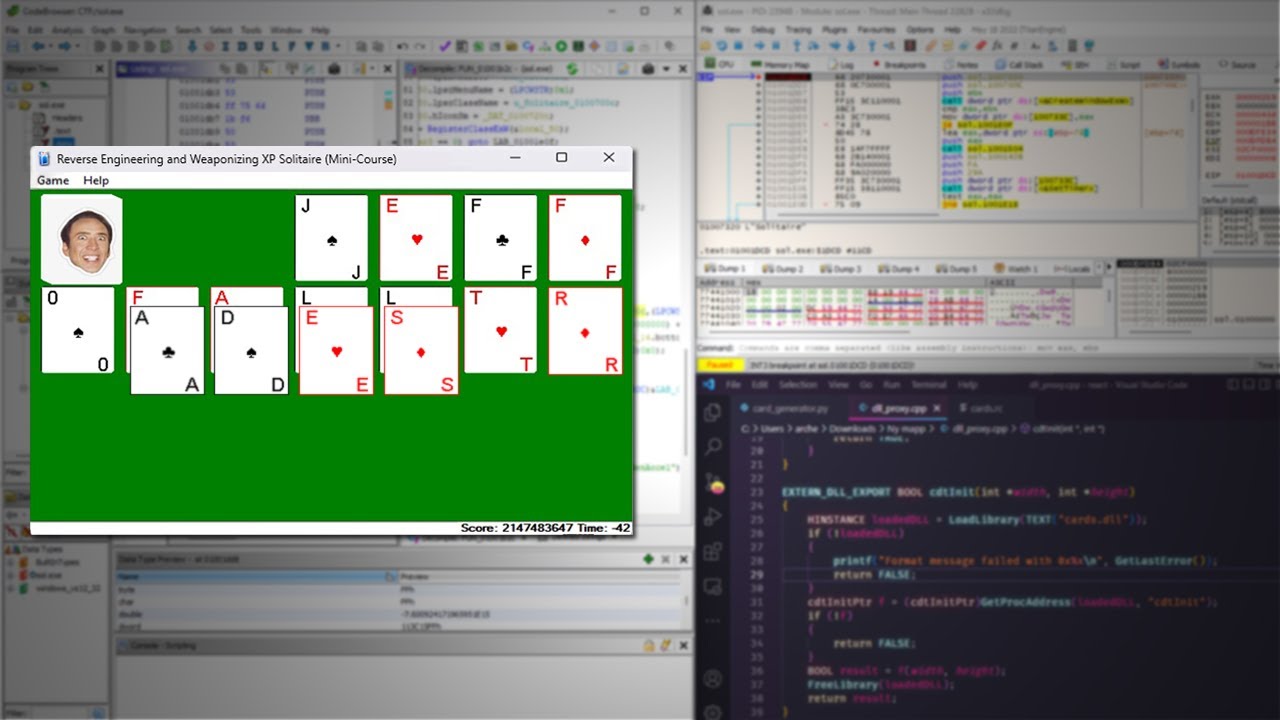
As a beginner, reverse engineering can be a daunting and frustrating endeavor - But it's a lot more fun if you can learn via hacking and modding games to create your own cheats and maybe even inject a few (harmless) pranks into the code!
Whether you watch it all the way through, or just in bits and pieces, join me in this master (of none) class...
tawny elk
thorny pawn
at this rate of progress with large language models i hope we can soon just give...
ChatGPT isn’t that good with ASM unfortunately.
It kind of gets it line by line but doesn’t understand the big picture.
ember cobalt
tawny elk
There’s 2 hour tutorial that shows you the basics on using ghidra in combination...
thanks. i usually don't learn well from tutorials that drawn out unfortunately, so what tools do you use? i'll try to find a tutorial that's more suited to me
tawny elk
ember cobalt
thanks. i usually don't learn well from tutorials that drawn out unfortunately, ...
Ghidra, or IDA Freeware, x64dbg, and cheat engine for memory scanning if you’re looking for a changing value.
Ghidra is OP af. It’s an NSA tool.
IDA is a bit cleaner with its disassembly, but I find the interface more confusing ngl.
I wish there was a release of U2 that had the symbols left in like Sims 2
Was there every a macos release of U2? 
ember cobalt
there's a cut debug log. that'd have been nice
and it's not of help, but apparently the gamecube version of this game shipped with debug symbols
jade briar
tawny elk
Was there every a macos release of U2? <:blurryeyes:1051713989320654918>
The game has a debug menu that is accessible by messing with the mainframe. I've only seen mods that unlock the car debug menu, but not anything else. It might have a rendering debug menu somewhere on there.
 open atlas
tawny elk
I wish there was a release of U2 that had the symbols left in like Sims 2
open atlas
tawny elk
I wish there was a release of U2 that had the symbols left in like Sims 2
check for a prerelease build. we have symbols for ug1/mw/carbon/ps/uc/hp10/mw12/rivals i dont see why ug2 woud be any different
jade briar
There was a demo
tawny elk
I checked the demo but nothing there afaik
tawny elk
jade briar
Now get to work
vague sparrow
Damn
Muta dropped in and made a video that momentarily features UG2 rtx at the beginning in his new video
jade briar
Yo. I didn't even bother checking because I thought he'd be working on a dedicated video for it.

YouTube
29 seconds · Clipped by Uncle Burrito · Original video "Nintendo Has Issued a DMCA Against Dolphin Emulator..." by SomeOrdinaryGamers
jade briar
mmhm
jade briar
honestly.
I was waiting for a 15 minute rant about how wet roads does not mean good graphics.
tawny elk
jade briar
Now get to work

tawny elk
jade briar
I was waiting for a 15 minute rant about how wet roads does not mean good graphi...
Wet roads bad. 
tawny elk
Waiting for someone to ask why the car paint doesn’t look like gran turismo 7
https://youtu.be/rYZaMTl2nSA POV you show someone RTX Remix before it’s complete.

Episode: Pizza Delivery
Season 1
Episode Nm 5a
jade briar
The bozo in #general-remix
 orchid grail
I just installed rtx for this, and everything seems to be working, besides that ground textures are missing. Did i install it wrong or is that an issue right now?
vague sparrow
orchid grail
I just installed rtx for this, and everything seems to be working, besides that ...
turn down your video settings
orchid grail
in game, right?
jade briar
orchid grail
I just installed rtx for this, and everything seems to be working, besides that ...
Disable road reflections.
I should edit my tutorial.
orchid grail
yeah working perfect now, thanks
wispy drum
Good morning guys. Wow put most settings to low in the game is the way that remix is working in this game? I have everything high in the photos I upload yesterday. Thank you for updating the tutorial
jade briar
wispy drum
Good morning guys. Wow put most settings to low in the game is the way that remi...
Putting things to low shouldn't cause graphics to look bad in remix.
Most of the texture and geometry settings are high
eg world and car detail
The rest are settings specific to game's original looks so they cause issues with remix.
vague sparrow
jade briar
Most of the texture and geometry settings are high
that is due to replacements
cloud crypt
I always turn everything down except model and world lod. Light glow also turned on
cloud crypt
vague sparrow
that is due to replacements
Not only, world lod not only defines roads
vague sparrow
i think world detail should be high
jade briar
yes
wispy drum
Yes didn't knew that so will get even better graphics with these settings. Yes I understand so I think something is wrong in the photos I upload due to high graphics. Will try later to put low most settings. The tutorial is in the pinned is more and more detailed excellent
jade briar
I keep updating it to cover things that people may have problems with.
wispy drum
Yes it is excellent. Add if you can the correct order that needs to be install. Dxvk remix isn't in the tutorial I think I missed that one zip yesterday and messed up
jade briar
wispy drum
Yes it is excellent. Add if you can the correct order that needs to be install. ...
You don't really need the latest dxvk remix in order to play.
Runs fine with the release version.
cloud crypt
 jade briar
I remember playing that
 jade briar
Well, it doesn't work on modern windows. No I'll have to restart my computer.
nvm. I killed it in task manager
jade briar
vague sparrow
so i went outside
I think it was more intense at ur side
I just felt my chair moving a little
ember cobalt
where do you guys live?
jade briar
But yeah I got kkreiger to work
jade briar
ember cobalt
where do you guys live?
Pakistan
jade briar
 ember cobalt
eek
jade briar
@vague sparrow
vague sparrow
hmm
jade briar
It wasn't that bad
jade briar
jade briar
@elfin beacon
 elfin beacon
vague sparrow
bruh my whole monitor went boinky
elfin beacon
elfin beacon
vague sparrow
bruh my whole monitor went boinky
RTX
cloud crypt
🤣
We are getting all the fame now, UE5 Remake is history🤣🤣
https://twitter.com/OrdinaryGamers/status/1662534956457885702?t=SoxdXX-Gl04As46yWN2yiQ&s=19

Need For Speed Underground 2 with Nvidia RTX Remix.
Currently a massive work in progress but what's here is insane. old games getting visual upgrades like these to come.
Likes
7897
Retweets
468

 Twitter
·
Twitter
·

But many in the comments say its fake. For example: With a change of Road and tree textures you can fool everyone...
@tawny elk
 elfin beacon
cloud crypt
We are getting all the fame now, UE5 Remake is history🤣🤣
https://twitter.com/...
elfin beacon
cloud crypt
We are getting all the fame now, UE5 Remake is history🤣🤣
https://twitter.com/...


jade briar
cloud crypt
We are getting all the fame now, UE5 Remake is history🤣🤣
https://twitter.com/...
nice
 stray orchid
hi all!
"Download RTX remix from this link (https://github.com/NVIDIAGameWorks/rtx-remix/releases/tag/remix-0.2.0) and extract them into the main game folder next to the exe
Download the latest version of remix bridge from this link (you have to be logged into a github account in order to download) (https://github.com/NVIDIAGameWorks/bridge-remix/actions/workflows/build.yml) extract these files where you unpacked the other zip file. Replace any files if prompted.
Download the zip file at the bottom of this message, and extract the files in the main game directory. Replace any files if asked.
If you want to run the game at larger resolutions, then download the widescreen patch from this link (https://github.com/ThirteenAG/WidescreenFixesPack/releases/tag/nfsu2), and install it. IMPORTANT rename "d3d9.dll" in the main game folder to "d3d9.asi"
Run the game"
but game crashes, should it be smth special, like version?

GitHub
Release Notes
The Remix Runtime Bridge is now open source on GitHub! You can find the repo here!
Many Bridge improvements have gone into this release to address various game compatibility issues:
...

GitHub
This is the NVIDIA RTX Remix Runtime Bridge repository - Actions · NVIDIAGameWorks/bridge-remix
cloud crypt
stray orchid
hi all!
"Download RTX remix from this link (https://github.com/NVIDIAGameWorks/r...
You're 5 days late mate, we already pinned these
cerulean summit
cloud crypt
You're 5 days late mate, we already pinned these
I think they're confirming that they've followed those steps. Problem is it crashes
cloud crypt
Then they did not made it right
cerulean summit
I'm finally getting around to setting it up myself but I've got the same issue. Updating my drivers now in case thats the issue
cloud crypt
- Install widescreen fix
- Install remix 0.2.0 to game directory
- Install bridge to game directory
- Install dxvk to trex folder
- Install the files from uncle buritto to game directory
- Rename dinput8 to dsound
And you are ready to go
cerulean summit
thats a different setup, no?
I'll give it a shot
Sorry if this is an obvious question. What's dxvk?
cloud crypt

GitHub
Contribute to NVIDIAGameWorks/dxvk-remix development by creating an account on GitHub.
Download the release one at the bottom
cerulean summit
oh 🤦♂️ . Thanks
jade briar
cerulean summit
got it working, thanks. Can finally work on textures
jade briar
well, good luck
 cloud crypt
Uncle Burrito, youre textures are missing the parking lots😅 just wanted to mention that
cerulean summit
@jade briar what are you using to convert textures to the right kinda dll?
jade briar
cerulean summit
<@877275530813128724> what are you using to convert textures to the right kinda ...
Like texture format?
jade briar
game>blender, or blender>game?
cerulean summit
roughness and normal are the only ones that work
jade briar
So this is for game > blender
 cerulean summit
oooooh, that tool is exactly what I've needed for ages!
jade briar
So I'll give you a quck walkthrough of the texture conversion precess
cerulean summit
thanks
jade briar
cerulean summit
thanks
So this is for roughness maps. Take note of the highlighted setting, It is very important.

this is for normal maps
 cerulean summit
yup, the specific dds format is what I was about to ask for 👍
 cerulean summit
thank you
jade briar
And
A few tips.
If you want to make a texture that is not completely square, i.e same size on length and width, try to import a single piece of object that uses that texture, and use it to bothj make, bake, and compare your textures.
Very important that you compare the textures to the original
cerulean summit
I assumed if I just matched the aspect ratio of the image it'd be fine?
cloud crypt
All working with blender... me doing it with photoshop😅
cerulean summit
I would be doing this in substance, but I dont have the commercial license so I can't
jade briar
cerulean summit
I assumed if I just matched the aspect ratio of the image it'd be fine?
Like how I'm doing it here.
Things should always line up, or you'll have issues in game.
I also highly prefer that the new textures look as close to original as they can.
cerulean summit
jade briar
I also highly prefer that the new textures look as close to original as they can...
I'll try my best. As I said earlier, I dont mind if you guys dislike it, if I get it wrong don't hesitate to let me know
jade briar
A lot of the textures are going to be 64x512. So use the objects in this blender file to make textures for them. new textures should be 452x3620. You can make square textures 4k.

Also since you are using the image name output as the image name input in chainner, make sure to bake them with proper names.
idk if you want to add them in game yourself.
cerulean summit
I've got remix set up and everything so I should be able to get them in game myself. We'll see
jade briar
cerulean summit
I've got remix set up and everything so I should be able to get them in game mys...
Then don't forget to set your output folder in channer to be this>texture folder name

And uh.
Name your folders. Don't want things to get out of hand.
cerulean summit
yeah, I'll keep it simple
stray orchid
cloud crypt
1. Install widescreen fix
2. Install remix 0.2.0 to game directory
3. Install br...
still crashes 🙁
jade briar
Reinstall everything. Read the pinned instructions carefully.
stray orchid
could someone upload all nessessary files in one file, maybe?
cerulean summit
stray orchid
still crashes 🙁
update your driver, go back through each step in order. Also, the remix bridge link is a bit vague (for the sake of surviving updates to bridge), make sure you're using this https://github.com/NVIDIAGameWorks/bridge-remix/actions/runs/5095209923
GitHub
This is the NVIDIA RTX Remix Runtime Bridge repository - Bridge doesnt handle concurrent D3D9 module and device calls safely · NVIDIAGameWorks/bridge-remix@4d6dc56
jade briar
jade briar
Reinstall everything. Read the pinned instructions carefully.

#1103377328530276403 message
cloud crypt
Your instruction is which get them failing
vague sparrow
jade briar
https://mega.nz/file/LUUHhAoC#PTUdWYWvIlbS0ou7F-11YCtXoBfwruql4miZMuochlU
Time to use UHARC to compress textures
cerulean summit
I never checked but I assume there's a requirement to have an RTX card too. @stray orchid it may be obvious but what gpu are you using?
stray orchid
cerulean summit
I never checked but I assume there's a requirement to have an RTX card too. <@20...
3050 ti mobile
 cerulean summit
stray orchid
3050 ti mobile
cerulean summit
stray orchid
3050 ti mobile
should be... fine
vague sparrow
jade briar
Only a few mb
I'll come back when you guys make nfs ug2 a 40gb game with remix replacements
cloud crypt
Haha xD
jade briar
cerulean summit
should be... fine
A difference between Playable. And starts uo.
cerulean summit
I'm on a 2060 super so as long as you dont expect it to run well or look good, it 'should' work
jade briar
vague sparrow
I'll come back when you guys make nfs ug2 a 40gb game with remix replacements
That will for sure happen.
vague sparrow
Now add RTX sound
jade briar
cerulean summit
I'm on a 2060 super so as long as you dont expect it to run well or look good, i...
Oh, before I forget. The way I get my puddles is that I use textures that come with a depth map. I then use the depth map to control the intensity of the normal map (to make flat spots for puddled up water), and I use a second color ramp for roughness control. You can check the blender file I provided for reference.
cerulean summit
yeah, I got the actual texturing side down. Just gotta make it match the game
 jade briar
cerulean summit
yeah, I got the actual texturing side down. Just gotta make it match the game
jade briar
cerulean summit
yeah, I got the actual texturing side down. Just gotta make it match the game
hmm. What texture is this?
cerulean summit
what I'm using as a base is from polyhaven.com, its CC0 licensed so it should be good
jade briar
Yeah, but. Where does it go in game?
vague sparrow
jade briar
Oh, before I forget. The way I get my puddles is that I use textures that come w...
Did you try AI assisted PBR generator?
jade briar

cerulean summit
jade briar
Yeah, but. Where does it go in game?
this is the base asphalt. I gotta put the road markings and stuff on top for the individual game textures
cerulean summit
I can do something else?
jade briar
I mean. tbh, wouldn't it make more sense to work on something untouched?
vague sparrow
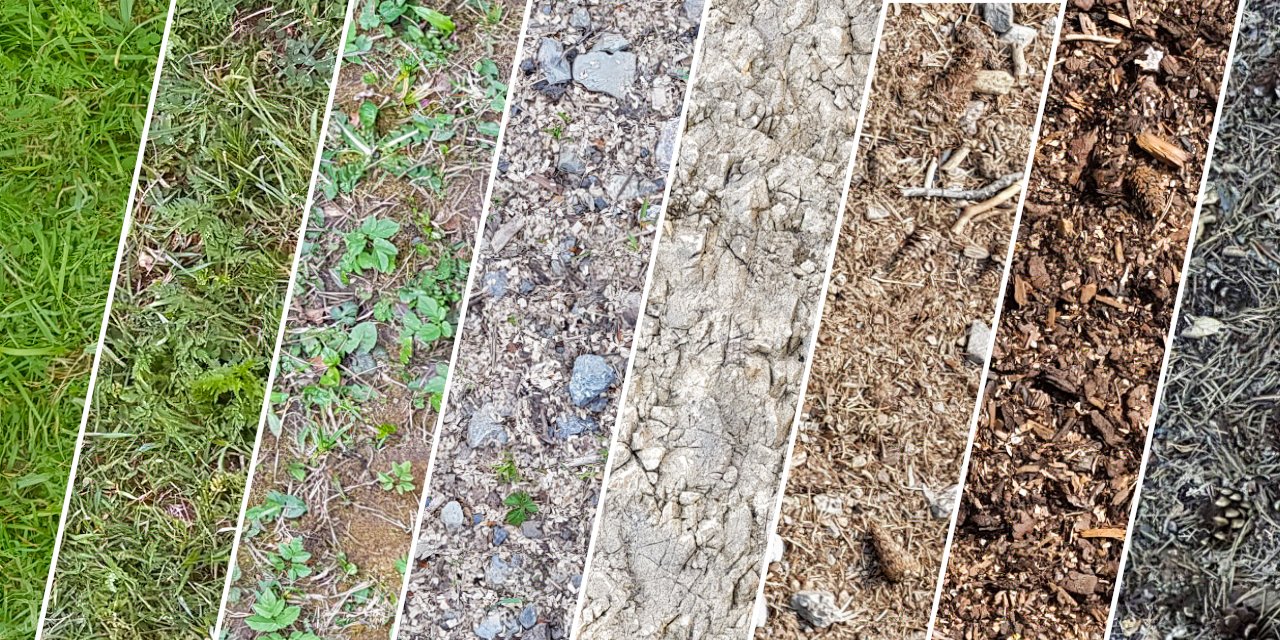
GitHub
🤖🖌️ Generate photo-realistic textures based on source images or (soon) PBR materials. Remix, remake, mashup! Useful if you want to create variations on a theme or elaborate on an existing texture. ...
cerulean summit
I got involved cos I had that query about the road roughness remember? if we're happy with where its at thats fine
vague sparrow
This looks promising
jade briar
cerulean summit
I got involved cos I had that query about the road roughness remember? if we're ...
Here's the thing. I can edit it because I've got the node setup.
I would appreciate if there's help with more untextured objects.
cerulean summit
ok, sure. Sorry for the confusion. Any suggestion for specific textures or should I have a look around?
jade briar
cerulean summit
ok, sure. Sorry for the confusion. Any suggestion for specific textures or shoul...
I'm starting out with drivable surfaces. There's a lot of untextured asphalt in the drift and streetx maps. Should be pretty straightforward because those don't have a lot of markings.
jade briar
cerulean summit
ok, sure. Sorry for the confusion. Any suggestion for specific textures or shoul...
Easy as that.
Could be tweaked further. What do you suggest?
cerulean summit
jade briar
Could be tweaked further. What do you suggest?
I can infinitely nitpick anything but I'll try and keep it to a minimum. you might want to add some noise (make sure it tiles) to break up the repeating pattern you've got from tiling square textures to fit the rectangle
jade briar
Yeah makes sense.
cerulean summit
ok, so all the textures are in rtx-remix > captures > textures?
cerulean summit
I mean the old textures
jade briar
Yes.
cerulean summit
they dont have names though, are we using arbitrary ones for the new textures?
jade briar
cerulean summit
they dont have names though, are we using arbitrary ones for the new textures?
No, omniverse will assign a new texture with the full path, so remix will refer to that specific file name at the given location. So yes. Do name your texture. Tho it would be convenient that you use the naming format that I'm using, you don't really have to do that.
cerulean summit
jade briar
No, omniverse will assign a new texture with the full path, so remix will refer ...
oh, I gotta figure out omniverse. I'll get on that
jade briar
And the best way to find a texture to work on is by selecting an object in ov, opening up the material properties, and copying the dds file name. Then you can search for it in your captures>textures folder. Convert it to png, start working.
jade briar
cerulean summit
oh, I gotta figure out omniverse. I'll get on that
#1108266959763685458 message
This is a very good quick start guide.
 spark moon
Hi muta nice to see u here
vague sparrow
@jade briar can you test if out of world objects are fully modelled, like they are culled but their geo does exist, right?
A much better way to explain this would be geometry that is inaccessible to the player
jade briar
vague sparrow
A much better way to explain this would be geometry that is inaccessible to the ...
Remix doesn't capture anything selectable.
stray orchid
cerulean summit
update your driver, go back through each step in order. Also, the remix bridge l...
it works, thanks!
is it possible to avoid full disabling light?
jade briar
what
vague sparrow
ok.
jade briar
ok.
 quiet ravine
👌
 odd forum
oak
spark moon
have u guys tried latest bridge release 6 games not working after updating
cerulean summit
While I'm waiting for omniverse to install, I figured I'd swap out the textures for what I've already done. I know it was a waste of time in hindsight but whats done is done so I might as well see what it looks like

right is old, left is new
vague sparrow
holy moly
cerulean summit
 vague sparrow
your textures are amazing
vague sparrow
cerulean summit
While I'm waiting for omniverse to install, I figured I'd swap out the textures ...
the left texture is amazing
jade briar
spark moon
have u guys tried latest bridge release 6 games not working after updating
What's the error message?
jade briar
cerulean summit
While I'm waiting for omniverse to install, I figured I'd swap out the textures ...
A bit too uniform, I'd argue. But looks pretty good regardless.
 surreal ruin
cerulean summit
While I'm waiting for omniverse to install, I figured I'd swap out the textures ...
surreal ruin
cerulean summit
While I'm waiting for omniverse to install, I figured I'd swap out the textures ...
Ehy that's proper nice, the gritty normals help a ton
surreal ruin
Yours also has the issue of the obvious repetition
cerulean summit
jade briar
A bit too uniform, I'd argue. But looks pretty good regardless.
You want some level of uniformity for a tileable texture, otherwise it's obvious that it's repeating, but I'd still agree.
I can tweak to make it a bit more varied if you want to keep it, but I don't want to just replace stuff while there's other stuff I could be doing, I failed to consider that earlier
jade briar
cerulean summit
Also. Tech tip. Go to the remix menu, and under denoising, turn on reference mode. Keep the camera still, and it'll accumulate rays over a number of frames for cleaner screenshots. Like normal offline renderers.
cerulean summit
jade briar
Also. Tech tip. Go to the remix menu, and under denoising, turn on reference mod...
Honestly, it's running so slowly that navigating the menus takes forever, and sometimes crashes.
Thats a 2060 super for you
cerulean summit
For the screenshot dlss is set to quality but I need ultra performance while I'm actually playing it... At 1080p!
cerulean summit
I gotta go in and sort out settings anyway. I got portal RTX to a good state, I can do it with this given time
jade briar
cerulean summit
So does the base texture that you're using come with a depth map?
cerulean summit
I can do col, rough, and norm
jade briar
nono
cerulean summit
Ohhhh
Yes
Yeah, the texture from polyhaven does, but I'm not using it like that
jade briar
Like use it to texture out the deepest parts of the textures for some light puddling.
idk what I'm typing
Haven't slept all night.
Was planning on making some textures, but now I'm stuck making renders for others
cerulean summit
im a bit past that

 jade briar
Now that is what I call. Not clean.
spark moon
jade briar
What's the error message?
there was no error but its works
cerulean summit
I've got a lot of different things controlling the wetness. depth mask alone would give obvious tiling for example
vague sparrow
sorry guys but this looks better than RTX remix, we need to find out what textures this mod is using
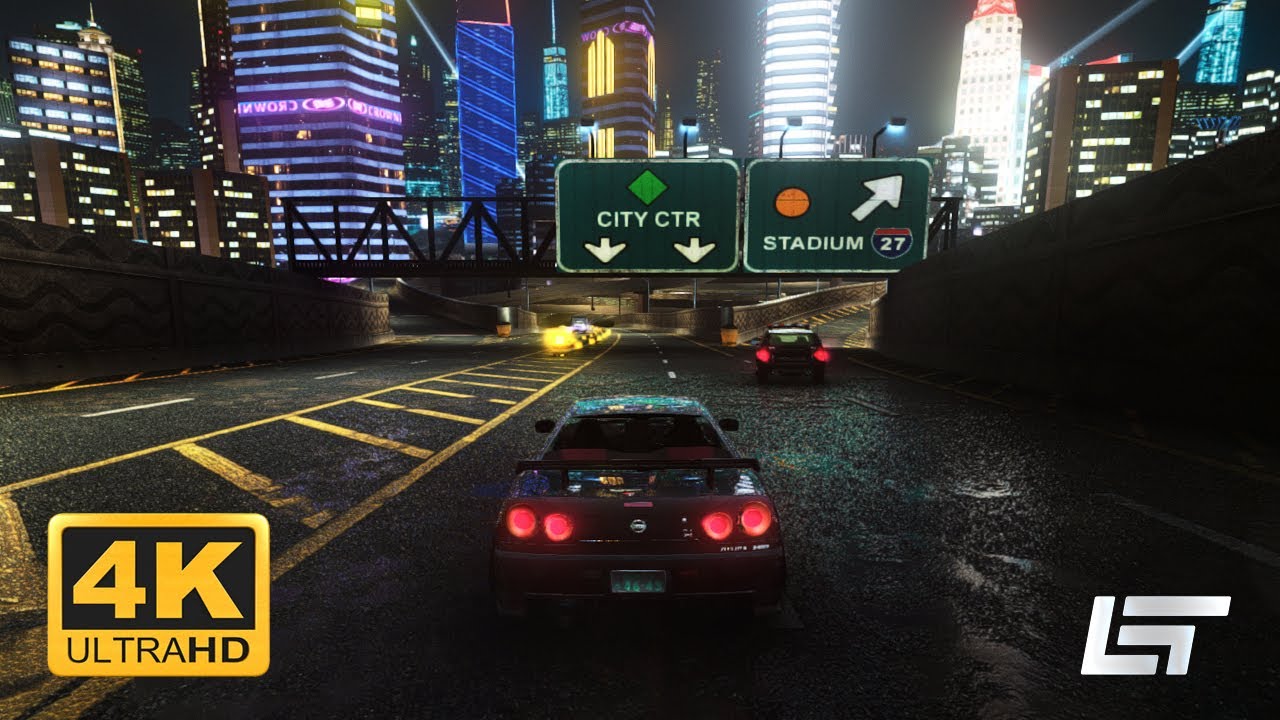
Support https://www.patreon.com/gametestro
✔️ Subscribe to the channel
🔔 Activate the bell
👍 Leave your like
Discord server: https://discord.gg/ehgC9xRbBZ
⚠ Mod in development.
Car mod
Porsche 911 (930) Turbo 3.0 by GM25
🎵 Music
Phonk Racing Gaming by Infraction [No Copyright Music] / Freaky
https://youtu.be/orvA83_92Ho
Epic Cyberpunk by Ale...
cerulean summit
jade briar
Now that is what I call. Not clean.
if I need to share it I can clean it up
jade briar
vague sparrow
sorry guys but this looks better than RTX remix, we need to find out what textur...
WIP
cerulean summit
vague sparrow
sorry guys but this looks better than RTX remix, we need to find out what textur...
if thats in unreal engine so I'd wager its megascan textures. We can't use those (unless someone wants to pay a fortune) as its only free for unreal
vague sparrow
jade briar
WIP
someone got angy
jade briar
yes
vague sparrow
its ok bruh i was joking
cerulean summit
vague sparrow
but that does look good despite how simple the whole reshade MXAO 10+
wait, thats just reshade?
ember cobalt
cerulean summit
if thats in unreal engine so I'd wager its megascan textures. We can't use those...
vague sparrow
cerulean summit
wait, thats just reshade?
yup
cerulean summit
wtf, the reflections are usually something thats pretty difficult with reshade
I can see it now tho, I'm disappointed in myself for thinking it was UE
ember cobalt
SSR is usually less versatile than that
cerulean summit
surreal ruin
Looks like standard SSR
sure, but that usually applies to everything uniformly with reshade. Its the same here, but it didn't look like it
surreal ruin
SSR can be EXTREMELY forgiven from these kinds of locked behind car camera angles
ember cobalt
it's reflections on everything or nothing. in that clip, it's only being applied on strong light sources and it's blended well
surreal ruin
cerulean summit
sure, but that usually applies to everything uniformly with reshade. Its the sam...
Aaah fair! Never touched reshade
cerulean summit
there is an older reflection method in reshade, I forgot what its called but its probably that
jade briar
cerulean summit
I can see it now tho, I'm disappointed in myself for thinking it was UE
That's the game's original reflection system. Planar. The textures in game use the alpha channel for road roughness. They're using a very high resolution road texture with white noise as alpha.
ember cobalt
those textures are locked behind a paywall, no way you guys can use them
cerulean summit
jade briar
That's the game's original reflection system. Planar. The textures in game use t...
roughness wasn't a thing back then, its only specular strength. I assumed the game used cubemaps so I was surprised that islands between lanes were reflected. Planar only works on flat surfaces
vague sparrow
This is why i hate these graphics mods, all the cool textures are not available for modding when its literally a mod

Support https://www.patreon.com/gametestro
✔️ Subscribe to the channel
🔔 Activate the bell
👍 Leave your like
Discord server: https://discord.gg/ehgC9xRbBZ
Credits
BadassBaboon - Extended Cameras
SpeedyHeart - Physics Framerate Changer
Xanvier - Lighting Control
Archie - Motion Blur Control
Aero - NFS HD Reflections
nlgxzef - Extra Options
nlgx...
jade briar
That's not even roughness. Just alpha based specularity on a plane texture.
The grainy spec map works good to simulate both roughness and give it a bumpy feeling that'd otherwise be covered by normals.
So yeah, even if you had those textures, they're not pbr in any way.
cerulean summit
jade briar
The grainy spec map works good to simulate both roughness and give it a bumpy fe...
yeah, I've achieved the same effect in the old kotor games. Its surprisingly effective but has to be very high res
jade briar
yep
surreal ruin
vague sparrow
This is why i hate these graphics mods, all the cool textures are not available ...
How do people PLAY with these kinds of mods
It LOOKS cool sure, but I can't tell what's even happening when in movement lol
jade briar
One of those mods that do not respect the original aesthetic.
surreal ruin
You gotta love it when the reflections of a lightsource on the ground is brighter than the lightsource itself

Oh, those lights are blue and red?
Well, they're white now!
jade briar
Law of conservation of energy is dead
surreal ruin
Me and an old colleague used to discuss the idea of starting a metal band called "Breaking Energyconservation"
Where all the music would be about ripping apart poor rendering
cerulean summit
surreal ruin
That's gotta be ssr, surely.
Planar wouldn't work on that sloped surface
surreal ruin
Uuuh I don't know! I've never played this NFS honestly so I've no clue what runs under the hood
The thing is with these fixed camera things, it becomes pretty easy to mask those kinds of issues
Hell it could even have cubemap fallbacks
cerulean summit
Not possible, there's depth and dynamic objects included
surreal ruin
Racing games commonly use a single cubemap that is live updated attached to the car
Been doing that for a loooong time
cerulean summit
Yeah, but road reflections look very wonky if they use the same solution
surreal ruin
Although again I don't know if this uses it as I'm not familiar with the game at all
I'm not seeing any of the trademark edge fading from SSR though
Which leads me to believe it's just the planar doing its thing

I find this extremely interesting
Because these kinds of inconsistencies wouldn't really be produced by any realtime solutions
cerulean summit
That looks simple enough.
Reflected light sources with no shadows
Notice it's ONLY lights that have accurate depth
surreal ruin
But it's only reflecting like, half of the windows on the buildings
The other half are completely left out XD
jade briar
alright
So what is this? I can see parts of the world being reflected.
100% unmodified.
surreal ruin
Well Underground 2 is just a planar
jade briar
See. I told ya3.
cerulean summit
We'll have to agree to disagree on that. Planar simply doesn't function on surfaces that aren't flat.
I think it's point lights being reflected with (you were right about this) a cubemap for the environment.
The image from earlier must have reshade ssr though
surreal ruin
Yeah but that's not what we're pondering though
We talking about what this MOD is applying through reshade or whatever
The base games 100 % use planar reflections
It's even CALLED planar reflections in the options menu isn't it..?
jade briar
surreal ruin
It's even CALLED planar reflections in the options menu isn't it..?
No it just says road reflections.
surreal ruin
Aaah fair
cerulean summit
surreal ruin
It's even CALLED planar reflections in the options menu isn't it..?
the game might use planar reflections in select areas like the garage and menus, but not most roads
odd forum
i downloaded the build main for bridge remix, i cant seem to find release build and it doesnt work
cerulean summit
jade briar
It's perspective corrected cubemaps.
thats good for reflecting things around you, but not things you go around. anyway, I think we should move on cos that conversation could go forever
cerulean summit
odd forum
i downloaded the build main for bridge remix, i cant seem to find release build ...

GitHub
This is the NVIDIA RTX Remix Runtime Bridge repository - Bridge doesnt handle concurrent D3D9 module and device calls safely · NVIDIAGameWorks/bridge-remix@4d6dc56
is this what you need? I'm not sure
surreal ruin
cerulean summit
the game might use planar reflections in select areas like the garage and menus,...
Do keep in mind this was a PS2 game, actually runtime reflecting point lights wasn't really a thing we could do for performance reasons, many a times we'd just fake these things by making the ground texture transparent and then placing fake light billboards under the road
Not that NFS does that, it clearly doesn't
But actual point light reflections are definitely not going on
cerulean summit
surreal ruin
Do keep in mind this was a PS2 game, actually runtime reflecting point lights wa...
point light reflections are the earliest and cheapest form except from arguably simple cubemaps. Planar is by far the most expensive short of RT (though it scales worse so RT will be cheaper in more detailed games)
odd forum
cerulean summit
https://github.com/NVIDIAGameWorks/bridge-remix/actions/runs/5095209923
found it, dumb mistake :p
cerulean summit
no worries, glad you got it sorted
surreal ruin
cerulean summit
point light reflections are the earliest and cheapest form except from arguably ...
Going of modern day rules yes, planar reflections are EXTREMELY expensive these days
It was actually fairly common to see a few gens back
cerulean summit
a full quality planar reflection is rendering the scene twice so ~2x performance hit. the simpler the scene, the cheaper the planar reflection, so they've always managed to be usable across many generations
but you need 1 per flat surface and using more than one quickly results in rendering the scene an absurd number of times
 odd forum
cerulean summit
no worries, glad you got it sorted
odd forum
cerulean summit
no worries, glad you got it sorted
do i just placce the folder in main game directory or paste the files in the folder there
surreal ruin
Far too accurate for a cubemap
cerulean summit
surreal ruin
Far too accurate for a cubemap
whats too accurate? are you looking at the reflection of the lights?
surreal ruin
cerulean summit
but you need 1 per flat surface and using more than one quickly results in rende...
The guardrails
cerulean summit
oh shit
 jade briar
odd forum
do i just placce the folder in main game directory or paste the files in the fol...
jade briar
odd forum
do i just placce the folder in main game directory or paste the files in the fol...
Look at the pinned message
cerulean summit
and yet, the sign isnt reflected, only the light thats placed on it
its more complex than I thought but I still doubt its planar
odd forum
jade briar
Look at the pinned message
aite
surreal ruin
It's common to omit lots of things from planar captures to make them cheaper

You can see here, there's a palm reflected on the ground
But that palm is actually BEHIND those bushes
cerulean summit
this is a good example. Thats a flat road there, so I can accept thats planar
 surreal ruin
 cerulean summit
surreal ruin
cerulean summit
surreal ruin
this road looks sloped but can I get a sanity check on that?
 surreal ruin
Honestly they could just be pulling the ancient screen inversion trick
Although I don't think that's what's going on
odd forum
is this bcz of widescreen patch i applied?
 surreal ruin
Because there are ones like this scattered about as well

Where the reflection is not just a 1 : 1 copy
Also look at this

You can see the guardrail reflection continue down the hill
Whilst the actual guard rail isn't visible
Y'know what that means?
cerulean summit
no?
surreal ruin
Transparent road textures
surreal ruin
They've just duplicated the geometry of the guardrails and are using light billboards placed under the roads
No clue I don't have it installed atm ;P
cloud crypt
cerulean summit
check in omniverse, see if theres anything under the road?
There isnt
surreal ruin
There isn't?
cloud crypt
You also could check with debug cam
surreal ruin
DANG
Well in that case all I can think of
Is a miss aligned planar reflection
But you just kinda can't tell when going fast
cerulean summit
I would accept a single flat planar reflection thats somehow distorted
sea of thieves does that for its water
no idea how you'd do it like nfs seems to tho, its still a bit different to anything I've seen
surreal ruin
 cerulean summit
WTF
surreal ruin
Important to note that it IS capturing the cars and stuff as well
cloud crypt
I will let the World-Textures to you guys, i will do Lighting and some Garages/Shops.
surreal ruin
Including dynamic liveries etc
cerulean summit
most importantly, the underside, so its not a camera position cubemap
cerulean summit
 cerulean summit
a little bamboozlement left?
surreal ruin
HAH, it's really funny, if you pay attention to the reflection of the udnerside of the car you can tell there IS no underside
cloud crypt
Hm, but what i can tell is that they used height maps. They are in the game for the roads
surreal ruin
Because the cars roof is being reflected

BUT, here's spooky mystery
There are stretched out billboards used in the reflections for the lights
Do they perhaps have in-world objects that are set to ONLY render in the reflections for these?
cerulean summit
well the bottom of the car would be culled as its not in view, so even if it could render whats offscreen, there would be nothing there
thorny pawn
cerulean summit
While I'm waiting for omniverse to install, I figured I'd swap out the textures ...
ngl left looks pretty damn hot 👀
cerulean summit
surreal ruin
There are stretched out billboards used in the reflections for the lights
u sure its billboards? point reflections are so simple I've even done it with blender nodes without any actual lights in the scene
cloud crypt
thorny pawn
ngl left looks pretty damn hot 👀
But puddles missing
cerulean summit
cloud crypt
But puddles missing
that seems to be the impression I'm getting, I shall work on that
surreal ruin
cerulean summit
u sure its billboards? point reflections are so simple I've even done it with bl...
100 % sure yes
cerulean summit
hmm
surreal ruin
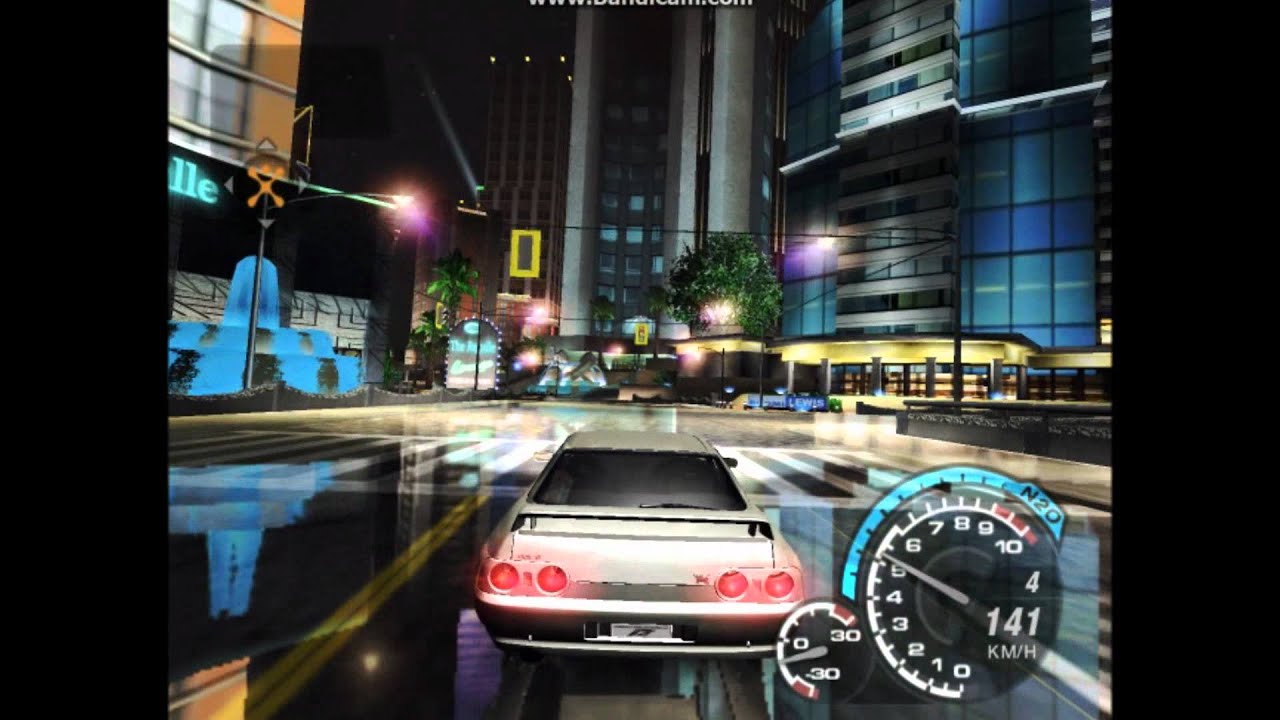
Driving around the Original Mod City made by DARKSIDE. Feel free to DOWNLOAD here: http://www.nfscars.net/file/view/underground2/15939.aspx
Music: Skrillex - Hey Sexy Lady
Thanks for watching!
If you peek at the video you'll see that they're clearly static textures moving with the car
cerulean summit
video is blocked
cerulean summit

 cloud crypt
surreal ruin
If you peek at the video you'll see that they're clearly static textures moving ...
cloud crypt
surreal ruin
If you peek at the video you'll see that they're clearly static textures moving ...
The roads are modded, thats why they reflect that much
surreal ruin
They're completely static on the lights
surreal ruin
cloud crypt
The roads are modded, thats why they reflect that much
Yeah! It's modded, but it's still using the games tech
cerulean summit
cloud crypt
The roads are modded, thats why they reflect that much
yeah, but the tech used for the reflections is the same, its just a better look
surreal ruin
This video just makes it easier to see
cloud crypt
True
cerulean summit
it is planar then. The underside of the car doesn't cut off whats out of view, but rather per object (object culling), which means its not a camera aligned cubemap
 surreal ruin
cerulean summit
https://tenor.com/view/hearties-ray-wcth-when-calls-the-heart-i-dont-often-say-t...
surreal ruin
cerulean summit
https://tenor.com/view/hearties-ray-wcth-when-calls-the-heart-i-dont-often-say-t...
 odd forum
what happens if you have changed resolution with widescreen patch 🙂
surreal ruin
This is a stupidly interesting look into the games tech though
And had we not had this discussion I would've never bothered digging this deep lol
cerulean summit
these are the sorta conversations I love to have, and everyone I know thinks I'm crazy XD
surreal ruin
cerulean summit
these are the sorta conversations I love to have, and everyone I know thinks I'm...
I FEEL YOU MATE
Right there with ya
vague sparrow
cerulean summit
it is planar then. The underside of the car doesn't cut off whats out of view, b...
 cerulean summit
vague sparrow
https://tenor.com/view/mhmm-reading-oh-oh-yeah-gif-14434817
cerulean summit
vague sparrow
https://tenor.com/view/mhmm-reading-oh-oh-yeah-gif-14434817
its pretty simple really. when the whachumacallit sees the thingymabob, the dooberywhatsit does the thing to the stuff
cloud crypt
I am not a game engeneer or smth. But i understand some things from what you are talking😅
stray orchid
is it possible to avoid full disabling light?
like this one

 cloud crypt
Yes, when i am ready with placing lights
Will still take my time on this
surreal ruin
So basically.
-It is a planar reflection, and distortion errors on curved roads DO occur if you're paying attention. It appears to be rendered at a 3'rd or half the resolution of the game itself. ( Hard to tell without pixel counting and I'm not THAT anal )
-It updates in realtime but only captures certain objects, like guard rails, light sources and specific vegetation and building pieces that are important enough.
-They appear to have in-world objects that are ONLY captured by the planar reflection, we can determine this from no duped geometry existing under the roads and yet certain reflection billboards exist in game that you can't see outside the reflections. ( Such as reflections from street lights and car lights )
And that class, has been todays deep dive into old tech nobody gives a rats butt about!
Join me again next week when we analyse the 4'th pixel from the top right of Simon Belmonts original Castlevania sprite.
cerulean summit
amazing ted talk, thank you
vague sparrow
cloud crypt
Yes, when i am ready with placing lights
Will still take my time on this
can we like suspend lights in the scene as of currently? basically when the light culls, we still have our own adjusted light in that place
disable pre existing lights and then adding lights that aren't attached to meshes as child mesh
stray orchid
stray orchid
is it possible to avoid full disabling light?
like this one
anyone know smth about it?
cloud crypt
stray orchid
anyone know smth about it?
I already awnsered
cloud crypt
vague sparrow
disable pre existing lights and then adding lights that aren't attached to meshe...
I know how to create meshes, but how to create child meshes?
stray orchid
cloud crypt
Yes, when i am ready with placing lights
Will still take my time on this
ok, thanks! will wait
cloud crypt
With my lights they wont randamly dissapear. And they look better.
surreal ruin
Oooooh hahaha, these reflections are SUPER scuffed anytime a bump in the road happens
 vague sparrow
cloud crypt
I know how to create meshes, but how to create child meshes?
vague sparrow
cloud crypt
I know how to create meshes, but how to create child meshes?
anything attached to normal game mesh will still get culled, that's why im asking to add non-child mesh lights (if its actually possible)
i'll consult mark about this in a bit
vague sparrow
surreal ruin
Oooooh hahaha, these reflections are SUPER scuffed anytime a bump in the road ha...
yeah, hence the name planar
cloud crypt
I dont think that a mesh where not a reference is added will be displayed in game.
surreal ruin
vague sparrow
yeah, hence the name planar
Aye it's just interesting to see! Because without this mod it's genuinely hard to notice in game
Just goes to show how much care was put into hiding it
You can also tell how much less accurate the reflections become when you enter the city itself, as it has WAY more objects than these outskirts
Which goes to show they had an extremely limited "Objects rendered in the reflection" budget
vague sparrow
cloud crypt
I dont think that a mesh where not a reference is added will be displayed in gam...
i meant most older games used suspended lights that were not attached to anything
why can we not add these lights so that they wont get culled
cerulean summit
I seem to be misunderstanding how this works. I've followed one of the tutorials and changed some material parameters and textures, saved it, and it doesn't change anything in game


the texture swap I did earlier was just replacing an existing texture, this is a bit weirder
surreal ruin
Wish I could help ya there but I've not touched Omniverse yet!
cerulean summit
I hadn't either until an hour or two ago
cloud crypt
cerulean summit
I seem to be misunderstanding how this works. I've followed one of the tutorials...
I already made a new floor
 cerulean summit
oh, it was blank on mine
cloud crypt
Yeah, i work currently on burritod mod as a base
Adding lights, new floors and some other things
cerulean summit
ok, I'll work on some of the other textures then, but I still dont know how to do it
cloud crypt
You will need a base texture (called albedo) a height map and atleast an occlusion/normal map
There are plenty on tutorials on youtube on how zo create them.
I made my floor with Photoshop, created there my AO, Normal and height map out of a Texture i had
cerulean summit
nah, thats not the problem. I can make textures and swap them in omniverse, but it doesnt transfer to the game
cloud crypt
Its really simple. When you edit a texture (replace the albedo) a mat is created in the layer tab. Go there and open up the shader. There you can edit the roughness and other things
cerulean summit
again, I can edit it, but it doesnt go to the game
cloud crypt
Are the textures png or dds?
 cerulean summit
cloud crypt
Are the textures png or dds?
cerulean summit
cloud crypt
Are the textures png or dds?
ohhhhhhhhhhh
cloud crypt
They need to be DDS
cloud crypt
No problem
 ashen cradle
For some reason the game doesn't start. May I send a .dmp for someone to check it?
cloud crypt
cerulean summit
if thats in unreal engine so I'd wager its megascan textures. We can't use those...
Its fake lol, he just using dds files. Its just SSR and RTGI
cloud crypt
ashen cradle
For some reason the game doesn't start. May I send a .dmp for someone to check i...
- Install widescreen fix
- Install remix 0.2.0 to game directory
- Install bridge to game directory
- Install dxvk to trex folder
- Install the files from uncle buritto to game directory
- Rename dinput8 to dsound
And you are ready to go
cerulean summit
cloud crypt
Its fake lol, he just using dds files. Its just SSR and RTGI
yeah, I realised a bit later in the thread
whooooole conversation about how it looks like it did
cloud crypt
😅🤣
vague sparrow
 upper pond
turn down everything in game's video settings except world detail
ashen cradle
cloud crypt
1. Install widescreen fix
2. Install remix 0.2.0 to game directory
3. Install br...
Yeah I did all of that
cerulean summit
ashen cradle
Yeah I did all of that
where did you get bridge remix? should have been here https://github.com/NVIDIAGameWorks/bridge-remix/actions/runs/5095209923
GitHub
This is the NVIDIA RTX Remix Runtime Bridge repository - Bridge doesnt handle concurrent D3D9 module and device calls safely · NVIDIAGameWorks/bridge-remix@4d6dc56
cloud crypt
I hope we will get the remix tools soon
cerulean summit
Same. I'm a 3d artist, not a programmer or full on developer. All this stuff is very confusing
elfin beacon
cerulean summit
Same. I'm a 3d artist, not a programmer or full on developer. All this stuff is ...

Same , don't understand shit here but I enjoy watching these people.
tawny elk
cloud crypt
<@264632269174472704>
I’m thinking forcing the rear view mirror might be the trick
vague sparrow
tawny elk
I’m thinking forcing the rear view mirror might be the trick
how would you do that?
making the game think its in rear view camera while actually its forward camera
?
 tiny nimbus
vague sparrow
sorry guys but this looks better than RTX remix, we need to find out what textur...
tiny nimbus
vague sparrow
sorry guys but this looks better than RTX remix, we need to find out what textur...
This looks like ass
🗿
vague sparrow
 tiny nimbus
looks like i was the one that needed glasses all along
 tidal gust

 tidal gust
why is my game doing this ?
vague sparrow
tidal gust
https://youtu.be/gE6IZkyUox0
change your video settings in the game to low except world detail
everything must be low to exclude shaders from being executed
also did you download the replacements?
tidal gust
yes
vague sparrow
ok try setting everything like i said and then try
tidal gust
https://youtu.be/VEZSyvyU5Ac it worked but is this how its supposed to look ? and why its very laggy ?
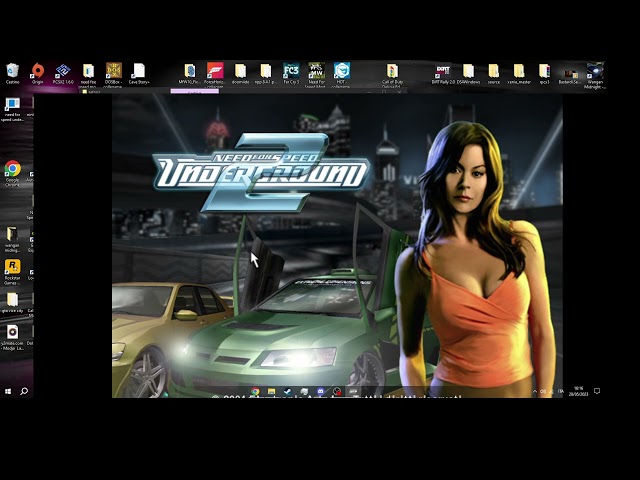 tidal gust
rtx 3060
tidal gust
vague sparrow
also is DLSS enabled?
no
cerulean summit
use dlss performance
vague sparrow
enable it by pressing Alt+X and selecting DLSS performance under DLSS tab
 timid prairie
cerulean summit
While I'm waiting for omniverse to install, I figured I'd swap out the textures ...
timid prairie
cerulean summit
While I'm waiting for omniverse to install, I figured I'd swap out the textures ...
Left texture made game feel even more freshier
cerulean summit
thanks. I'm still struggling to actually get texture replacements working tho
chrome meadow
tawny elk
Ah so it’s really low then
Attaching lights to updated geometry may help but disabling culling would be ideal
vague sparrow
cerulean summit
thanks. I'm still struggling to actually get texture replacements working tho
Burrito can help you out
tidal gust
vague sparrow
enable it by pressing Alt+X and selecting DLSS performance under DLSS tab
performance is now fixed
vague sparrow
tidal gust
performance is now fixed
hmm...send video, i want to see how it performs on 3060
tidal gust
just a sec
cerulean summit
vague sparrow
Burrito can help you out
already helped a ton, I've yet to become completely stumped so I wont bother anyone until then
chrome meadow
jade briar
U don't blend very well with the road
That's usually a good thing, but how can I know? and it' hard to ask to people that did blend
tidal gust
vague sparrow
hmm...send video, i want to see how it performs on 3060
its tying its best https://youtu.be/bMA6xcWdqMw
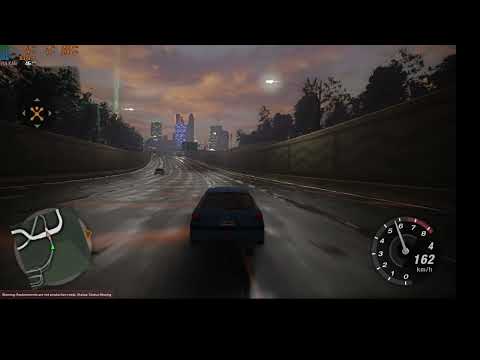 spark moon
vague sparrow
hmm...send video, i want to see how it performs on 3060
spark moon
vague sparrow
hmm...send video, i want to see how it performs on 3060
basically the same as 2060 super not gonna have a difference
cerulean summit
spark moon
basically the same as 2060 super not gonna have a difference
it has 4gb more vram and slightly faster RT performance if I remember correctly. My 2060s struggles but manages, a 3060 should be fine with lower expectations
vague sparrow
tidal gust
its tying its best https://youtu.be/bMA6xcWdqMw
why is it still stuttery
are you Cpu bound or screen recording issue
tidal gust
vague sparrow
are you Cpu bound or screen recording issue
both
cerulean summit
check the vram capacity in the alt+x menu, that can cause stutter too
vague sparrow
so without recording, it looks ok
tidal gust
and i am watching the f1 race at the same time
tidal gust
vague sparrow
so without recording, it looks ok
little better yes
 cerulean summit
not that then
tidal gust
problably the ram and becouse i am running the game from an hdd
cerulean summit
figured out texturing. I should probably make the road markings more obvious though
 tidal gust
but i dont actually mind the stutter irl its better then on the video
vague sparrow
cerulean summit
figured out texturing. I should probably make the road markings more obvious tho...
ooooooo, these look very nice
cerulean summit
absolutely no idea how to share it
vague sparrow
tidal gust
but i dont actually mind the stutter irl its better then on the video
hmm i kinda knew it
vague sparrow
cerulean summit
absolutely no idea how to share it
you have textures and mod.usda, right?
tidal gust
vague sparrow
hmm i kinda knew it
used to be a console player this is nothing compared to some ports
chrome meadow
tawny elk
Was there every a macos release of U2? <:blurryeyes:1051713989320654918>
There is the demo that work a bit differently, like the neon that are rendered in a different way
cerulean summit
vague sparrow
you have textures and mod.usda, right?
is that all I need?
vague sparrow
cerulean summit
is that all I need?
probably you're RTX.conf file too
because all the adjustment values
vague sparrow
tidal gust
used to be a console player this is nothing compared to some ports
in a good way or bad way? because this is in testing phase
cerulean summit
vague sparrow
probably you're RTX.conf file too
whats that for? and where is it?
vague sparrow
we are still figuring out problems that we can not solve right now
vague sparrow
cerulean summit
whats that for? and where is it?
ummm, in the root folder, its where your settings are saved when you tinker with developer options
cerulean summit
ohhhh, you dont want that. All I've done is ruin it so it runs at all
tidal gust
vague sparrow
in a good way or bad way? because this is in testing phase
if this is still in testing than good seen full relesed game that are worst
btw thanks to the one who helped me
cerulean summit
any objections to me trying AI (the proper stable diffusion kind) for upscaling building textures?
surreal ruin
cerulean summit
figured out texturing. I should probably make the road markings more obvious tho...
Now THAT, is what I'm talkin'bout
vague sparrow
@cerulean summit ngl i like your choice of textures, where did you get them?
tawny elk
chrome meadow
There is the demo that work a bit differently, like the neon that are rendered i...
I’ll check over the demo again, I don’t really remember the symbols being in that build.
surreal ruin
Correct me if I'm wrong but I believe they made them? They're a fellow artist!
tawny elk
But I can check all the different regions and languages of the demo.
cerulean summit
vague sparrow
<@316234613691252738> ngl i like your choice of textures, where did you get them...
heavily modified from polyhaven.com (its all CC0 so free to use)
tawny elk
There’s gotta be a time they slipped up
stray orchid
interesting, on low res without widescreen fix 20 fps is fully playable, but with widescreen fix 20 fps fully unplayable, even with same low res https://www.loom.com/share/06917c05d338451f94c96bd454044810
 vague sparrow
stray orchid
interesting, on low res without widescreen fix 20 fps is fully playable, but wit...
vague sparrow
stray orchid
interesting, on low res without widescreen fix 20 fps is fully playable, but wit...
how you have 4gb vram
stray orchid
vague sparrow
how you have 4gb vram
so?
cerulean summit
thats probably not enough for full path tracing
this sorta tech can bring a 4090 to its knees if you're not careful
vague sparrow
stray orchid
so?
i don't recall any RTX card having 4gb vram
cerulean summit
if it works though 🤷♂️
cerulean summit
vague sparrow
i don't recall any RTX card having 4gb vram
I was about to say the exact same thing, but its a 3050ti... mobile
glad to see nothing ever changed from my old 1050ti
vague sparrow
oh
cerulean summit
yeah
I don't want to gatekeep based on hardware, I've tried to maximise what limited tech I've had for years, but there are limits
hell, even running this on my 2060 super is pushing it
thorny pawn
appropriate pc case for RTX 
 stray orchid
it work, but some issue with widescreen fix,
with same resolution without widescreen fix 640*480 on 20 fps is fully playable, but with widescreen fix - no
https://www.loom.com/share/c3ae41470d16459b85f027fdbb845974
 cerulean summit
@stray orchid if you want to try and power through, best you can do is lower texture quality, use ultra performance dlss, and if you know your way around the dev menu, lower samples and bounces
cerulean summit
stray orchid
it work, but some issue with widescreen fix,
with same resolution without wides...
u sure its the same resolution?
stray orchid
cerulean summit
u sure its the same resolution?
yep
stray orchid
cerulean summit
u sure its the same resolution?
check video
thorny pawn
i dont get it, both with and without you seem to be getting the exact same performance? Is it stuttering or something with widescreen fix?
cerulean summit
what exactly is the issue? I'm multitasking so I cant hear if the vid explains it with audio
thorny pawn
not sure what you mean by "unplayable"
stray orchid
without widescreen fix responsiveness is good, but with it - no
cerulean summit
so is it input latency?
you cant see that on a vid cos obviously we dont know when inputs are made
stray orchid
yep, input latency
cerulean summit
idk why it would be different, so this probably isnt a fix but it might help counter it. in the remix settings enable nvidia reflex
stray orchid
and speed of game itself also
tiny nimbus
what card
cerulean summit
tiny nimbus
what card
3050ti mobile
tiny nimbus
😭
cerulean summit
trying our best here 😅
cerulean summit
tiny nimbus
dont even bother lol
its worth trying. If recommended specs were followed then I'd never have run anything when I was younger
and it DOES work, something else is broken
stray orchid
tiny nimbus
dont even bother lol
you're wrong, it work, but issue with widescren fix
 thorny pawn
+1 i played through portal 1 using SwiftShader on cpu because my onboard graphics didn't support shaders lul got through the game at like 18fps or so
cerulean summit
I used to play on integrated laptops and 15+ is playable, trust me
tiny nimbus
nah
vague sparrow
tiny nimbus
wouldnt call 20fps playable but you do you
if you told me that in 2002, i would laugh the living shit out of my lungs
tiny nimbus
but its not 2002
cerulean summit
once you're used to higher fps its awful, but claiming its not worth even trying for people that are used to lower expectations is just pointless gatekeeping
tiny nimbus
look man im not trying to start a discussing rn but
stray orchid
tiny nimbus
wouldnt call 20fps playable but you do you
it depends, 20 fps is playable if input lag is good and gamespeed is good, you could try through teamviwer and then say
thorny pawn
human eye can't see beyond 1fps anyways, jokes aside, his issue is not the performance but widescreen fix causing input lag, maybe somebody has had this issue and can answer, worth asking i would argue
vague sparrow
tiny nimbus
but its not 2002
retrive me a CRT and then talk, LCD/LEDs dont do justice with 20hz
 hearty delta
cerulean summit
I used to play on integrated laptops and 15+ is playable, trust me
hearty delta
cerulean summit
I used to play on integrated laptops and 15+ is playable, trust me
still do, just finished fo4 on a 20 average
vague sparrow
thorny pawn
human eye can't see beyond 1fps anyways, jokes aside, his issue is not the perfo...
maybe change the config from widescreen
cerulean summit
hearty delta
still do, just finished fo4 on a 20 average
how are you... here? dont tell me you can run remix on the same system?
hearty delta
cerulean summit
how are you... here? dont tell me you can run remix on the same system?
lol no, just like to watch
cerulean summit
fair
ok, back to actual progress. Any thoughts on AI for remastering building textures. Its not perfect but its alright

 tawny elk
chrome meadow
Attaching lights to updated geometry may help but disabling culling would be ide...
tawny elk
chrome meadow
Attaching lights to updated geometry may help but disabling culling would be ide...
Even if you attach them to the geometry it gets unloaded really fast.
tawny elk
cerulean summit
ok, back to actual progress. Any thoughts on AI for remastering building texture...
AI always gets things looking a bit too smooth imo.
vague sparrow
cerulean summit
ok, back to actual progress. Any thoughts on AI for remastering building texture...
what are you using, stable diffusion upscaling?
cerulean summit
this aint smooth, but its got fake compression
 tawny elk
But buildings are what I deal with on the daily so there’s so much detail I focus on that y’all prob don’t even notice.
cerulean summit
vague sparrow
what are you using, stable diffusion upscaling?
yeah
cerulean summit
tawny elk
But buildings are what I deal with on the daily so there’s so much detail I focu...
you're not wrong, it is certainly noticeable, but aside from remodeling the entire thing its the best option I can think of. I can hardly think of everything tho so I'm open to suggestions
vague sparrow
tawny elk
But buildings are what I deal with on the daily so there’s so much detail I focu...
like?
vague sparrow
cerulean summit
this aint smooth, but its got fake compression
i suspect it of it having a invisible watermark
cerulean summit
yeah, I wont use that one anyway
tawny elk
cerulean summit
this aint smooth, but its got fake compression
Answering Attrm’s question here:
It got rid of the expansion joints in the stucco part above the storefront. It also really toned down the stucco texture.
tawny elk
cerulean summit
ok, back to actual progress. Any thoughts on AI for remastering building texture...
Whoops I meant to reply to this one
stray orchid
stray orchid
it work, but some issue with widescreen fix,
with same resolution without wides...
same issue with orig game, so it's defenetely in widescreen fix.
is it possible to run it in fullscreen without widescreen fix? even in 4:3 with black borders
vague sparrow
tawny elk
Answering Attrm’s question here:
It got rid of the expansion joints in the stucc...
first explain me what is a stucco
vague sparrow
@cerulean summit you can use stable diffusion infinity canvas to make out a new texture using prompts
tawny elk
vague sparrow
first explain me what is a stucco
This is stucco. See how it’s like got a splotchy look
 tiny nimbus
ngl the sounds could use some work too
tawny elk
Comes from how it’s applied.
tiny nimbus
some cars sound great others not so much
surreal ruin
cerulean summit
this aint smooth, but its got fake compression
Could you send the original texture? I'd like to have a go!
tawny elk
cerulean summit
you're not wrong, it is certainly noticeable, but aside from remodeling the enti...
I don’t mind redoing them. Modeling building is my fav.
vague sparrow
tawny elk
This is stucco. See how it’s like got a splotchy look
hmm...it get it now
cerulean summit
tawny elk
I don’t mind redoing them. Modeling building is my fav.
ALL of them?
thats a tall order
stray orchid
cerulean summit
idk why it would be different, so this probably isnt a fix but it might help cou...
same issue with orig game, so it's defenetely in widescreen fix.
is it possible to run it in fullscreen without widescreen fix? even in 4:3 with black borders
tawny elk
cerulean summit
ALL of them?
Once I find that culling I’d love to get into some model replacement.
thorny pawn
uhhh actual models for the buildings would be amazing
are we able to do that yet?
last time i checked we could only do textures/materials?
cerulean summit
stray orchid
same issue with orig game, so it's defenetely in widescreen fix.
is it possible ...
if its an issue independent of rtx remix I you could look it up on forums dedicated to widescreen fix or ug2 as a whole. If the whole discord was dedicated to it I'd try to help but a single chat gets full pretty quick
thorny pawn
tawny elk
Once I find that culling I’d love to get into some model replacement.
would definetly be much nicer than just upscaled textures on flat walls
cerulean summit
the buildings do seem to have rough models, thats why I wasnt straying too far from the original texture or they wouldn't align. new ones would be amazing though
vague sparrow
tawny elk
Once I find that culling I’d love to get into some model replacement.
is there a camera address when we switch to backview?
cerulean summit
for now, I'm gunna finish this texture anyway
stray orchid
cerulean summit
if its an issue independent of rtx remix I you could look it up on forums dedica...
issue that without widescreen fix game open with empty space up and left, and cut bottom and right
is it possible run game in fullscreen without widescreen fix?
cerulean summit
go into the games settings and change the res, it might kick it to fullscreen, otherwise I have no idea
stray orchid
cerulean summit
go into the games settings and change the res, it might kick it to fullscreen, o...
ok, thanks!
thorny pawn
https://github.com/ThirteenAG/WidescreenFixesPack/issues/886
Also check this issue and maybe open ur own issue and describe your problem 🙂 it doesn't have anything to do with RTX Remix
GitHub
I have a strange problem using this fix. When I install it, cars change it's gear in a really slow way, then there is a lag between accelerating and it's sound. With fix removed, it turns a...
stray orchid
thorny pawn
https://github.com/ThirteenAG/WidescreenFixesPack/issues/886
Also check this is...
it helped, thanks a lot!
 vague sparrow
jade briar
Y'all got your irrelevant reflections figured out?
vague sparrow
jade briar
Y'all got your irrelevant reflections figured out?
you're textures now suck
there is a new king and its this
 cerulean summit
hey, I wouldn't even be here if not for uncle burrito, be nice 😧
tiny nimbus
neevermind
i tried it myself with the pinned comment and it runs at like 20 fps + invisible roads 🗿
vague sparrow
cerulean summit
hey, I wouldn't even be here if not for uncle burrito, be nice 😧
its okay i just trigger him
cerulean summit
tiny nimbus
i tried it myself with the pinned comment and it runs at like 20 fps + invisible...
use dlss and lower the actual games settings. many effects ug2 has break rtx remix so you have to turn them off
vague sparrow
we go for stuff that's like better and this road is actually really good no cap
tiny nimbus
Dlss performance made it run above 60 but yeah there is a lot work needed lol
vague sparrow
tiny nimbus
i tried it myself with the pinned comment and it runs at like 20 fps + invisible...
turn down your game settings
except world detail
cerulean summit
tiny nimbus
Dlss performance made it run above 60 but yeah there is a lot work needed lol
thats remix for you. not all the tools are out yet and path tracing in general is far from practical performance on most hardware
tiny nimbus
yeah i already deleted everything lol just gonna lurk here
nvidia release 🤌
now
🤌🤌🤌🤌
vague sparrow
tiny nimbus
nvidia release 🤌

 jade briar
vague sparrow
there is a new king and its this
jade briar
vague sparrow
there is a new king and its this
Looks about the same.


 cerulean summit
in all fairness, my road markings are shit rn
yeah, I don't think my method for buildings is a good idea, scrap that

 jade briar
Figured
cerulean summit
hows the sky set up btw? I doubt its a hdri is it?
jade briar
cerulean summit
hows the sky set up btw? I doubt its a hdri is it?
It is the default sky texture that comes with the game.
cerulean summit
usually games like this use geometry for the skydome but I cant find it in omniverse
jade briar
cerulean summit
usually games like this use geometry for the skydome but I cant find it in omniv...
It doesn't get exported.
Well. it kinda does.
But it doesn't show up in ov.
cerulean summit
how do I find/edit it?
does remix support hdris if I made it invisible and fell back to the 'proper' sky?
surreal ruin
cerulean summit
hows the sky set up btw? I doubt its a hdri is it?
Very interesting actually, I've been trying to peek into that but can't quite figure it out
But from footage and looking at the game
It must be using something really funky because it suffers from integer precision errors
As if it was a PS1 mesh
cerulean summit
surreal ruin
It must be using something really funky because it suffers from integer precisio...
thats quite common when objects are scaled up to insane degrees
same reason you get similar errors in massive open worlds without dynamic origins
surreal ruin
Aaaye! But normally you'd avoid rendering your skyboxes in a way that makes that obvious
RTXremix has issues with it but this is the base game as well
cerulean summit
probably less obvious at the lower resolutions of old, idk
surreal ruin
It's typically MORE obvious at lower res
cerulean summit
oh
jade briar
So here's the map exported from ov, to blender.

You can see the skydome
But in ov
You can neither see it, nor select it.
cerulean summit
whats the object called in blender?
vague sparrow
you mean the hash?
cerulean summit
just what its called in the outliner
hash may be the term, but never one that I've used so idk
jade briar
cerulean summit
hash may be the term, but never one that I've used so idk
I was about to post it, but my shitternet died
cerulean summit
rip
tawny elk
vague sparrow
is there a camera address when we switch to backview?
Yes but I’m not quite sure how to get to be used by rtx
cerulean summit
Ive only been vaguely following the whole camera thing. Is the idea to stop lights and meshes culling when they leave frame by using the rear camera?
cos surely that'd cause a lot of flickering as stuff passes between the front view and reappears later in the rear
cerulean summit
I dont have a specific hdri in mind but I would suggest looking here https://polyhaven.com/hdris

quality varies, but its easily the best free hdri resource I've found
cloud crypt
cerulean summit
I dont have a specific hdri in mind but I would suggest looking here https://pol...
these are shit and wont work
cerulean summit
wont work?
cloud crypt
they are not Pure Sky, you need pure sky and it have to be night
cloud crypt
there have to be no objects and other stuff, only the sky
jade briar
These are shit
Doesn't elaborate
cerulean summit
cloud crypt
there have to be no objects and other stuff, only the sky
oh, right
cloud crypt
like this
 cloud crypt
jade briar
>These are shit
>Doesn't elaborate
cloud crypt
jade briar
>These are shit
>Doesn't elaborate
sry
cerulean summit
is that hdr?