#Max Payne: Remix
1 messages · Page 3 of 1
 opal knot
Fun fact: your logo looks more complicated than mine
Look who's talking
Mine: Text + Text
Your: Text + some feature with text on it
 rare glade
yes
opal knot

 velvet flint
Honestly, guys, the best option is still this one
opal knot
velvet flint
Honestly, guys, the best option is still this one
design wise, yes, i even was really ready to leave this project, but Slask pointed that project won't change its name, and nmn's logo has a different name
rare glade
that logo might be even better without the extra rtx with green background text on it 🙂
 muted tinsel
opal knot
design wise, yes, i even was really ready to leave this project, but Slask point...
muted tinsel
opal knot
design wise, yes, i even was really ready to leave this project, but Slask point...
its not a problem to fix that


 merry zealot
 velvet flint
opal knot
https://tenor.com/view/packing-light-before-the90days-paul-amazon-gif-12488515
velvet flint
opal knot
https://tenor.com/view/packing-light-before-the90days-paul-amazon-gif-12488515

Finish the survivors
opal knot
о нет
 tribal oracle
guys i put the remis files into max payne folder and it's not working at all .. what's the solution to make the remix working on max payne 1 ?
 radiant iris
No no, there's no reason to fight boys. Let us express our artistic freedoms together. This isn't a contest. The logo may undergo several iterations and design variations until we are satisfied.
To some degree I agree with this. A bit too much "in your face" We want a stylish and clean design for this. Logowise the green Remixed text works better. But for the red main menu background, the yellow one works better.
@opal knot Could you try design the same logo but in metallic red tone? And make the red a little darker, like closer to blood. And the Remixed text in metallic gold. Let's see how it shines
radiant iris
tribal oracle
guys i put the remis files into max payne folder and it's not working at all .. ...
Hi, sorry for the late reply. Follow the instructions over here: https://www.moddb.com/mods/max-payne-rtx-on-demo-level

ModDB
Welcome to my humble inn weary traveler. Make yourself at home while I brew some hot raytracing for you!
radiant iris
opal knot
while I pack my luggage to leave.
Are you leaving us Yosuke? 😟
 blissful moat
nah paini
blissful moat
velvet flint
нинада
radiant iris
Privet @blissful moat Good morning!
blissful moat
Good morning from Russia heh
radiant iris
I'm submitting bugs to help with the development of Tookit, if anyone is curious
 daring plinth
Love this one
 radiant iris
Me too man, it's nice!

Neo's stuff ingame. Gonna talk with Giygas today to get those models to Neo
daring plinth
radiant iris
Neo's stuff ingame. Gonna talk with Giygas today to get those models to Neo
(😭 I'm giygas) I am downloadeding Maya 2024 rn with the script
Used rasmaker to unpack all level.ras files
daring plinth

radiant iris
Is it down to a daily basis now dear?
daring plinth
seems like it
radiant iris
 daring plinth
but anyways Im working on the model conversion I suppose, hopefully it works now
Updating Maya atm
radiant iris
Attaboy my man!
 peak sand
daring plinth
Love this one
peak sand
daring plinth
Love this one
“an” should be used before words that begin with vowels
Layout looks good
radiant iris
Not always
In English, it's sometimes down to case by case scenario
You don't say, for example, An unicorn. But A unicorn. But we do say An apple, not A apple
radiant iris
I think it's because An RTX...Project, rolls much better of off the tongue than A RTX....Project
But we would use A rabbit remix project... Not An rabbit remix project
peak sand
radiant iris
I think it's because An RTX...Project, rolls much better of off the tongue than ...
Yeh sounds good too
radiant iris
LOL English language is weird 😛
peak sand
😂
radiant iris
Another funny curiosity is, they say: Give me the scissors. When it's actually one item. But the item has two moving parts, thereful it's plural haha
Same with, stairs. It's plural because it's a set of stairs. You don't have a name for a single stair. So they use "step" instead
daring plinth
"an" comes when the first syllable of the word sounds similar to a vowel sound
peak sand
 peak sand
daring plinth
"an" comes when the first syllable of the word sounds similar to a vowel sound
peak sand
daring plinth
"an" comes when the first syllable of the word sounds similar to a vowel sound
"RTX," since it starts with a vowel sound (pronounced "ar-tee-ex") so its Ok
daring plinth
so example R (aar-) has strong vowel sound in it so it could use an in it
peak sand
daring plinth
so example R (aar-) has strong vowel sound in it so it could use an in it
Yeh exactly
radiant iris
peak sand
"RTX," since it starts with a vowel sound (pronounced "ar-tee-ex") so its Ok
Yeah this is a perfect explanation, thanks
daring plinth
Realizing I didn't need to nerd out on a language
peak sand
English is sometimes weird like you said
radiant iris
Damn that confused fugly man started to become too much after a while, so I had him removed xD
Giygas, are your nicknames procedurally generated? 😆
peak sand
xD
 teal thorn
Redid the metal beams, I think the roughness map is a bit too dark
 radiant iris
We haven't even started working on Roscoe yet. If you're talking about the textues used in my demo, they are not tuned what so ever. Batch processed and slapped on. And they don't have any roughness maps. They are globally set to 0.8, that means every single texture in the level 😅
teal thorn
Lol, no these are my textures Although i still prefer your version
radiant iris
@teal thorn If you're determined to manually adjust every texture in the game, I will be adding a link to your textures as a separate download in the download section. Just be aware that there are well over 3000 textures for this game
teal thorn
I haven't tried your version yet, I've only seen it on the IGN vid
radiant iris
teal thorn
Redid the metal beams, I think the roughness map is a bit too dark
I think you shouldn't use roughness maps for metal surfaces. Use a metal map, and a tweaked normal map. You will get great results that way 🙂
teal thorn
Ok, What did you use for the rust on the lockers?
radiant iris
All textures you saw in the demo were albedo+normals, and a fixed roughness @ 0.8, and metallic to 0.3
@daring plinthProgress report
daring plinth
radiant iris
<@759994782528307220>Progress report
trying to install Pillow
doesn't throw me an error anymore just says modulenotfound
Holy fucking shit
 radiant iris
Discuss the issue with GPT please
 radiant iris
Damn "E" is bugged and won't insert 😤
radiant iris
daring plinth
i did it!
I'm very pleased with this. Thank you Giygas!
daring plinth

hmm
im trying to navigate
this is very confusing
@radiant iris can i just import the whole level?
radiant iris
 daring plinth
 radiant iris
daring plinth
<@190211679353700352> can i just import the whole level?
radiant iris
daring plinth
<@190211679353700352> can i just import the whole level?
Errrrrrr... This is probably a discussion we should take with @blissful moat
daring plinth
trying to ask for help from GPT
radiant iris
Good thinking!
daring plinth
ah finally, can look around like a normal person
complete noob rn on how to move the camera around but atleast it lets me select models

if anyone knows Maya please help me 
ig the only concern here is getting accurate models here
@radiant iris come in DM
radiant iris
Huh
radiant iris
daring plinth
complete noob rn on how to move the camera around but atleast it lets me select ...
Patience and ChatGPT is the path forward my friend
 steel carbon
guys, where can i find the latest dxvk-remix build, since the remix-downloader is bugged out?
radiant iris

Check out this RTX Remix Max Payne gameplay running at 4K 60FPS with ray tracing, Nvidia DLSS, and more. This Max Payne RTX ON DEMO, by 'Slasks Psykbunker' is the perfect reason to slow-mo dive back into Max Payne's single-player campaign! Prepare to revisit the iconic and deadly Roscoe Street Station.
Want to try the demo out for yourself? Che...
radiant iris
steel carbon
guys, where can i find the latest dxvk-remix build, since the remix-downloader i...
https://github.com/NVIDIAGameWorks/dxvk-remix/actions & https://github.com/NVIDIAGameWorks/bridge-remix/actions sir

GitHub
Contribute to NVIDIAGameWorks/dxvk-remix development by creating an account on GitHub.
GitHub
This is the NVIDIA RTX Remix Runtime Bridge repository - Workflow runs · NVIDIAGameWorks/bridge-remix
steel carbon
thanks a lot!
teal thorn
I'm trying to add muzzle flash to the guns with the use of emissives but I can't get a capture that contains it
radiant iris
Muzzleflashes are bugged, you must tag textures as I have in my demo for them to work.
daring plinth
Did we ever discuss why muzzle flashes get clipped through meshes?
With the Nvidia developers
 tulip prawn
teal thorn
I'm trying to add muzzle flash to the guns with the use of emissives but I can't...
tulip prawn
teal thorn
I'm trying to add muzzle flash to the guns with the use of emissives but I can't...
Press the preserve textures button at the top(in game setup ofc) , thats your best chance i think.
radiant iris
daring plinth
Did we ever discuss why muzzle flashes get clipped through meshes?
It's because I tagged it as an UI texture 😅 Well it has to, otherwise it won't show up ingame
radiant iris
tulip prawn
Press the preserve textures button at the top(in game setup ofc) , thats your be...
Nah fam, preserve texture option is for fast flashing textures that gets unloaded once the game loads in, like loading screens and such. That aint it
daring plinth
i figured it out, the whole world is fused together because only interactable objects get seperate model

and what are these cubes and arrows
never seen them before
radiant iris
daring plinth
i figured it out, the whole world is fused together because only interactable ob...
Good job Giygas. I guess for the arrows and stuff is some rest product from the developers, indicators, or meant for AI. I think it can be deleted. Why are you at Ragnarok already by the way? We should focus on prologue level as of now
daring plinth
radiant iris
Good job Giygas. I guess for the arrows and stuff is some rest product from the ...
im just messing around
some levels are very large
radiant iris
It's a good idea actually, to scout ahead and check the scope of things. Perhaps some levels aren't divided up in parts that suit our workflow, in that case we have to rely on manually capping meshes using remix.
daring plinth
aha i also learned how to select faces and seperate
that means i can export individual models
radiant iris
daring plinth
aha i also learned how to select faces and seperate
Wow, that would be really useful
daring plinth
from now on
teal thorn
Did you just mark it to add light?
 radiant iris
teal thorn
Did you just mark it to add light?
radiant iris
teal thorn
Did you just mark it to add light?
Yeap, something like that 🙂
tribal oracle
radiant iris
Hi, sorry for the late reply. Follow the instructions over here: https://www.mod...
thanks brother
radiant iris
I'm kinda out of gas for today guys. Carry on the torch please! Helping  takes a toll on ya 🥱
 vapid chasm
radiant iris
https://www.youtube.com/watch?v=wm1DvlNvIX4 😃
vapid chasm
radiant iris
https://www.youtube.com/watch?v=wm1DvlNvIX4 😃
Just wanted to say, thanks for sharing my video! Wish I had known about this place before hand.
Looking forward to following the project as it goes along.
velvet flint
muted tinsel
This one
opal knot
final decision is under Slask's opinion i think
velvet flint
Why not? Last time we voted for lighting art design, there's nothing stopping us from doing it now.
The only thing left to do is to make it noticeable, so that my emoticons with big text and other things, but I can't do this
@radiant iris your turn
 shrewd kernel
daring plinth
i figured it out, the whole world is fused together because only interactable ob...
shrewd kernel
daring plinth
i figured it out, the whole world is fused together because only interactable ob...
They wanted to save drawcalls probably, I see the arrow but not the cube, where is it?
daring plinth
shrewd kernel
They wanted to save drawcalls probably, I see the arrow but not the cube, where ...
Cubes
 rare glade
cutscene max positions yes?
daring plinth
Wasn't he near the bed when crying in front of her dead wife? There's no cube there tho
I wonder what these arrows and cubes are
rare glade
big pink arrow at lupino sshot was propably player/camera position and or facing direction?
seemed similar to that scene
daring plinth
It must be related to cutscene camera then
rare glade
maybe pink arrow was max himself and then these pink boxes maybe cutscene camera pos and smaller box where it is looking at possibly?
maxed might have additional info on those
daring plinth
rare glade
maybe pink arrow was max himself and then these pink boxes maybe cutscene camera...
I'll try looking at it again
opal knot
radiant iris
https://www.youtube.com/watch?v=wm1DvlNvIX4 😃
only thanks to this video i noticed that Slask added my materials on a page, its lovely
radiant iris
vapid chasm
Just wanted to say, thanks for sharing my video! Wish I had known about this pla...
Hello Jesse and thank you right back at ya! For featuring my demo in your video for IGN and spreading the word! That's huge! ❤️
radiant iris
vapid chasm
Looking forward to following the project as it goes along.
You're most welcome aboard sir! 🙂
This is looking 🔥 Yosuke, now we're talking! Some variations of this, try getting the metal properties a bit different, and see how it will look. Good job sir!
radiant iris
daring plinth
What's the final decision tho
That's a decision we're gonna take closer to mod completion 🙂 So quite a while to go my dude
radiant iris
velvet flint
Why not? Last time we voted for lighting art design, there's nothing stopping us...
Stop trying to make decisions without me being involved @velvet flint. That kind of behaviour will not be tolerated for this project! 😼 We had a vote for the lighting yes, but it was futile. Because I decided to let YOUR WISH get through by making two versions of the mod. The final decision the logo will be mine and Yosukes, but I will take into account peoples opinions, suggestions or ideas regarding the logo and its development as well.
radiant iris
opal knot
only thanks to this video i noticed that Slask added my materials on a page, its...
You're our esteemed Graphics/Art designer, naturally I will feature your works for the project 🥰
radiant iris
How can i sticky peoples posts guys?
@modern star + @wet tangle The interest has dropped boys? The highly anticipated ToolKit" didn't deliver enough amazingness and ease-of-use as ya'll thought? So interest and will to mod MP plummeted? 🥲

 red charm
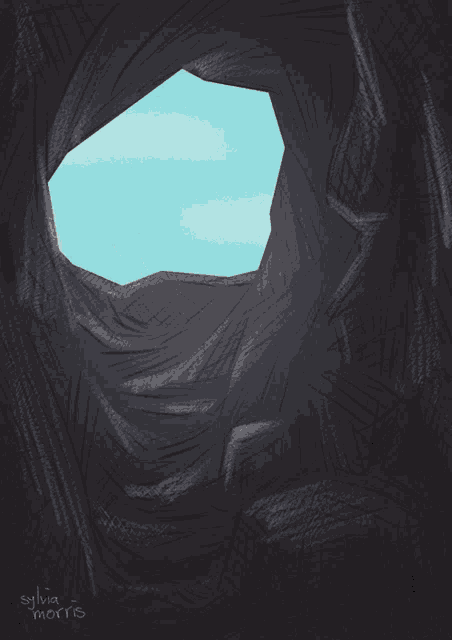
"Remixed" should be green, or grey
 cold nacelle


 opal knot
red charm
"Remixed" should be green, or grey
opal knot
red charm
"Remixed" should be green, or grey
It was green from the start, but as Slask said one time "but 'Remixed' part can't be green. It has to follow the overal color scheme of the background image'
opal knot
red charm
What about gold?
Mate, mine is already GOLD, i literally picked "Gold" color
Christ..
red charm
opal knot
Mate, mine is already **GOLD**, i literally picked "Gold" color
your yellow is not a gold, it's like lemon yellow
 red charm
looks horrible
opal knot
@radiant iris your opinion


 radiant iris
red charm
"Remixed" should be green, or grey
radiant iris
red charm
"Remixed" should be green, or grey
Nope. The colors are chosen to blend in with a red background
radiant iris
red charm
What about gold?
Gold is the way!
daring plinth
we haven't even made the mod yet and we're fighting over logos
radiant iris
opal knot
<@190211679353700352> your opinion
Put more red hue in the Gold son
Abradox isn't wrong, the hue should be changed a little more towards red
daring plinth
can we settle on one logo in the meantime, there's just too many posted here in one day

radiant iris
daring plinth
can we settle on one logo in the meantime, there's just too many posted here in ...
That's a negative Giygas! The boys must have their creative freedoms set free, at all time, every day!
There will be a hondred variations to the Max Payne Remixed logo before we are finished with the project! 🙂 And when we are nearing release. We will pick out a beautiful logo!
I just wish I knew how to sticky posts! Grrrrrr. I wanna sticky all good Logo submissions, and other useful stuff too. But can't! Do I have to be OP for that?
 daring plinth
radiant iris
I just wish I knew how to sticky posts! Grrrrrr. I wanna sticky all good Logo su...
daring plinth
radiant iris
I just wish I knew how to sticky posts! Grrrrrr. I wanna sticky all good Logo su...
take screenshots
red charm
@radiant iris
 radiant iris
Hm.... 🤔
not a fan of the Crylics tho
Making me think of Putin. And that makes my blood boil
red charm
radiant iris
not a fan of the Crylics tho
 radiant iris
Aaaahhh 😌
I gotta hand it to ya, that looks pretty dope
I'm playing with an idea to have the "Max Payne" part 100% VANILLA and have the "Remixed" part brand spankingly new and shiny, golden and metallic AF
red charm
 opal knot

Well...my job is over, i can leave

This time really for good
Use my work as you want, redo it as you want, im done
red charm
opal knot
Well...my job is over, i can leave
Don't rush to leave, this is probably not the final version.
What is the name of this font?
opal knot
red charm
Don't rush to leave, this is probably not the final version.
What is the name of...
Final or not i don't care
Font is ITC Machine STD
velvet flint
radiant iris
Stop trying to make decisions without me being involved <@321729125289164801>. T...
As you wish
red charm
opal knot
Final or not i don't care
Font is ITC Machine STD
I only adjusted the color, nothing more.
There's no reason to be offended.
radiant iris
red charm
Cleeeeeeeeeeeean!! 🤩

For fans of this logo, I'm sorry. It just looks too "Nvidia-fied" for my taste. Like it was some Official somethingsomething, made by Nvidia or... I dunno.
radiant iris
opal knot
Well...my job is over, i can leave
Ha ha ha, Stop it Yosuke. Your designs has always been nice. We shouldn't disregard or disrespect design ideas and suggestions from others. We will together make an effort to find a nice looking Logo. Getting inspiration from others can be a nice way to "Steer" the design progression of the logo in a direction that is progressive and beneficial. Use these ideas to improve upon your own work and please don't be bitter sir!
radiant iris
velvet flint
As you wish
Thank you for complying my friend. The logo discussion has been controversal for sure. Many different opinions and wants stretching in different directions. In the end, I want it to be @opal knot who makes the final design, but the design have to respect the ideas, contributions and suggestions of the others (to some degree at least)
daring plinth
@radiant iris please take a look at the prologue level, make a list of stuff that needs to be remodelled so that we focus on stuff that's important
 opal knot
radiant iris
Making me think of Putin. And that makes my blood boil
opal knot
radiant iris
Making me think of Putin. And that makes my blood boil

Provided to YouTube by Musiques & Solutions
Song for Denise · Piano Fantasia · Serge Bijaoui · Thierry Durbet · Mike Serbee · Tidi
Best of Collector: Piano Fantasia (Le meilleur des années 80)
℗ C.r.c. Editions / Musiques & Solutions
Released on: 2012-01-01
Auto-generated by YouTube.
 west badger
 opal knot
 opal knot
radiant iris
Can we try silver as well please?
opal knot
radiant iris
Can we try silver as well please?
silverfied
radiant iris
Looking stellar Yosuke! Make the silver a tad darker please.
That's an improvement already, but keep the highlight up, like in the first version. But get the mid to low tones down a tad
 radiant iris

It's still too bright overall. Should we try more towards a titanium direction perhaps?
opal knot
now its too dark?
 radiant iris


 muted tinsel
 radiant iris
Looks like paper 😬
radiant iris
There's no ongoing voting. We're just experimenting with different designs for now
I mean silver is cleaner, a lot cleaner than gold. Also, gold is a little childish isn't it?
opal knot
you asked for it
daring plinth
radiant iris
I mean silver is cleaner, a lot cleaner than gold. Also, gold is a little childi...
Gold watch with matching cufflinks, all well beyond a cop's pay
radiant iris
Yeap, true. We gotta have to stay lore friendly on this one I'm afraid
 chilly beacon
Hello first time user of mods need some help with downloading max Payne remix mod
 winged gale
muted tinsel
winged gale
muted tinsel
Would it be alright if I tried my hand at editing this version?
muted tinsel
winged gale
Would it be alright if I tried my hand at editing this version?
sure
 sterile quest
Hey Gang, downloaded some of the files here off Moddb. I'm not sure if the Def Edition is requied but I don't get a level select and most lights sourced show dark halos. No updated textures. What am I doing wrong?
red charm
opal knot
goldified
That's much better but still to yellow
opal knot
well freaking amazing


 opal knot
you're welcome
 red charm
 radiant iris
winged gale
Would it be alright if I tried my hand at editing this version?
radiant iris
winged gale
Would it be alright if I tried my hand at editing this version?
We don't need more people working on the logo. But thanks anyway. I'm gonna leave this task for Yosuke. But suggestions and ideas for him to try out are welcome 👍
radiant iris
chilly beacon
Hello first time user of mods need some help with downloading max Payne remix mo...
Sure, visit moddb and follow the instructions carefully. If you still have trouble, come again.
radiant iris
sterile quest
Hey Gang, downloaded some of the files here off Moddb. I'm not sure if the Def E...
Follow the instructions on the demo's moddb page. And don't forget my mod files which you can download from there! Good luck! Come back if you need more help 👍
radiant iris
red charm
Hmmmmm
I still haven't gotten my brushed titanium version guys. Gold has kind of shrinked on me a bit 🫠
chilly beacon
radiant iris
### I still haven't gotten my brushed titanium version guys. Gold has kind of sh...
I messaged you slask on getting some help with max Payne mod.
opal knot

Every time im getting more done
Let the Abradox continue do logos and stuff, he's now got the stuff, he knows the font, he has my logos as a reference and etc. There is literally no need in me
I'm just wasting my time and my nerves.
velvet flint
Instead of whining endlessly, you should have recognised a long time ago that there are people who can do a better job than you
opal knot
No shit sherlock
And thats why i want to leave
there is no need in me when there is better people already
yet Slask for some reason keeps asking me to stay
rare glade
It's obvious there's always someone that is better at what you are doing but also doesn't mean you're doing a bad job. Logo is looking good and colors/style is getting there. Better if ppl pitch in, it's not all going to be gold but y'all get there eventually 🙂
velvet flint
Well, get your balls in a knuckle and get on your way, don't play the tragedy
You can always try your hand at something else
opal knot
velvet flint
Well, get your balls in a knuckle and get on your way, don't play the tragedy
Thats what im going for real this time
opal knot
rare glade
It's obvious there's always someone that is better at what you are doing but als...
Just leave this to more pros, i don't want to waste my time on this, I'm in a bad mood already.
 safe pulsar
for what it's worth, i'm still partial to your logos 🙂
velvet flint
opal knot
Thats what im going **for real** this time

Just got done watching the classic of 1980 Star Wars: The Empire Strikes Back film and just love the saying that Yoda says in the movie.
radiant iris
velvet flint
Instead of whining endlessly, you should have recognised a long time ago that th...
Shut up s0crates, we don't talk like that to each other here. We show each other respect and encouragement, and kindness. I'm getting really REALLY tired of you lately. Your toxic crap doesn't belong here. This is your final warning. Behave or begone!
radiant iris
opal knot
there is no need in me when there is better people already
Ignore them man. People just wanna help out, let them post, let them have opinions. But don't take crap like what s0crates just threw at you. You're my assigned Graphics designer and 2D art director, they aren't. So keep doing YOU, cuz you're awesome! 💪
 radiant iris
You know what. I changed my mind. @velvet flint you're out! Yesterday should've been your final warning, after what you did. I had it with you. I don't need you impulsiveness and negativity for this project. I won't stand for the kind of behavior you're pulling off
🥾
velvet flint
radiant iris
Shut up s0crates, we don't talk like that to each other here. We show each other...
I respect him as much as he deserves. I'm not saying his work is terrible and should be consigned to oblivion. I'm just somewhat amused by his rather lengthy threats to leave (how long has he been threatening to leave? 3 days? a week?). And so I offer him options to save face. And I see them several, the first is the coolest - to draw such a logo, which would be the envy of Artemy Lebedev, but not to whine about leaving is worth only to hear the edits and see the work of other guys, the second - to try yourself in something else, not necessarily dwell on the same, well, and the most boring option, which even I do not like - to leave in the English style, saving face
velvet flint
radiant iris
You know what. I changed my mind. <@321729125289164801> you're out! Yesterday sh...
It's funny to see how you've given yourself power over the project, but come on
radiant iris
velvet flint
I respect him as much as he deserves. I'm not saying his work is terrible and sh...
Nothing about Yosuke's behavior has bothered me the slightest. I actually like his style, because he's doing him. And he never was disrespectful or rude towards another person.
You on the other hand, have stretched my patience a few times too many. The problem is your bad attitude, and your disregard for the structure of the mod team. And I explained that part to you quite thoroughly in DM earlier.
You're out, and nothing changes that.
'THE project' is actually my project believe it or not. I initiated it, I put a team together, I chose a name for it. Marketed it. And I'm here every day to work on it. So yes, I have certain benefits and privileges as project leader. But also responsibilities.
velvet flint
What commercial? Post an alpha version on modbd and accidentally get on hypterain?
radiant iris
You have no idea what you're talking about buddy. But be my guest, keep being disrespectful and see how far that'll get you.
This conversation is over!
velvet flint
Well, "over" and "over." Anyway, the github is still open for you to read and write, my developments are still available to anyone who wants them
daring plinth
 rare glade
not bad
daring plinth

Credit goes to my friend btw, not my work
I asked him if he could give his own idea for a logo
radiant iris
Nice stuff Giygas, thanks for sharing! Your friend has a nice idea. We will add it to our pipeline 👌
daring plinth
radiant iris
Nice stuff Giygas, thanks for sharing! Your friend has a nice idea. We will add ...
his words:
So nothing fancy. I liked to keep it simple. I chose a gradient for the main coloring to symbolize the main thing about the mod which is raytracing and reworking the lighting in this game "Remixed" is now less invasive yet has its presence. I did not want to complicate things since it's a logo and should remain memorable and simple as possible
red charm
I thought about it. This is good for cover design, but not for a logo.
radiant iris
I agree with his words, simple yet elegant. Not too invasive like he said.
red charm
daring plinth
I like this logo
daring plinth
thanks, credit goes to HeroTK (he's not here but he made it)
radiant iris
@teal thorn Would you like to be an official member on the mod team? We're kinda one man short now.
radiant iris
s0crates had to go, unfortunately
I'm glad you wanna participate! Thank you sir!
@red charm Abradox, do you have any skills except 2D artwork?
@rare glade Skillz?
teal thorn
Unfortunately my toolkit is broken though 😦
rare glade
radiant iris
<@158246917334106112> Skillz?
None that help this project im afraid
red charm
radiant iris
<@356539553835778062> Abradox, do you have any skills except 2D artwork?
No.
And I have no RTX graphics card 😩
I can't test something with RTX
radiant iris
Dang it, I don't like bad news boys! But I'm still glad ya'll are here and cheering on the project! Thanks ❤️
radiant iris
teal thorn
Unfortunately my toolkit is broken though 😦
How so? Did you try reinstalling it? It doesn't matter too much if Toolkit doesn't work, because we're mainly working in USD Composer anyway
teal thorn
Well I've put the issue here #1201109063438700595 message
But it just closes after the launch screen, and it still persists after reinstalling it
teal thorn
radiant iris
GPU?
RTX 3060 Laptop
radiant iris
@teal thornLet's talk privately about your issues, I'm sure we can solve them 👍
opal knot
killerpain team
radiant iris
Welcome back Yosuke, I'm glad to see you 🥰
opal knot
opal knot
*killerpain team*
Decided to do shit as always 😆
opal knot
golden splat
 opal knot
Decided to do shit as always 😆
opal knot
opal knot
Decided to do shit as always 😆
golden variation.........because i can
radiant iris
Dat is some hot stuff Yosuke! Love it. The name is also fitting! When we release the mod on Moddb, can we use that name and a logo for it? Right now it's Slasks Psykbunker, which I really only made up real quick when I created the my demo page. But I want a proper one for the mod itself when it's done.
opal knot
radiant iris
Dat is some hot stuff Yosuke! Love it. The name is also fitting! When we release...
yes
radiant iris
 radiant iris

ModDB
The Max Payne Remixed is looking for talented modders
 vivid drum
 velvet flint
hm...
radiant iris
Grapes almighty Yosuke! That gave me goosebumps! 🤩


 rigid plinth
Hay are skinned meshes stable?
red charm
@opal knot

 daring plinth
rigid plinth
Hay are skinned meshes stable?
daring plinth
rigid plinth
Hay are skinned meshes stable?
How do you check that?
was looking forward to having high poly characters as well
rigid plinth
daring plinth
was looking forward to having high poly characters as well
Debug view>geometry hash
daring plinth
We have this USD from the capture as well

how to sculpt his shit eating grim face
Basically we want the rough edges to look round
velvet flint
rigid plinth
Hay are skinned meshes stable?
No
opal knot
red charm
<@467239884596445185>
i really don't think its necessary
radiant iris
Disaster struck, SSD died mid work 😔 No backup of mod files. I guess we're starting from scratch again people. Just gonna scrape together enough for a new hard drive. I have a feeling my GPU is next in line. It has been acting up lately, crashing apps when Vram ceiling is reached, even crashing Explorer when it goes.
opal knot
radiant iris
Disaster struck, SSD died mid work 😔 No backup of mod files. I guess we're star...
well, shit.......just will share the thing i did back at July of 2023


 daring plinth
radiant iris
Disaster struck, SSD died mid work 😔 No backup of mod files. I guess we're star...
daring plinth
radiant iris
Disaster struck, SSD died mid work 😔 No backup of mod files. I guess we're star...
we need a github backup
radiant iris
I'm working on that part. So far no bites on the modder recruitment.
velvet flint
radiant iris
Disaster struck, SSD died mid work 😔 No backup of mod files. I guess we're star...

GitHub
Contribute to s0cra13s/Max-Payne-RTX-Remix development by creating an account on GitHub.
There's 0.4 in the Noir branch, it's the last thing I downloaded from gdrive.
daring plinth
@radiant iris we should give s0crates another chance
velvet flint
I've already switched to toolkit and started drawing all the necessary maps for pbr in photoshop. Replacing geometry doesn't work yet unfortunately
daring plinth
Why not
radiant iris
daring plinth
<@190211679353700352> we should give s0crates another chance
That's not a good idea I'm afraid.
I'll learn how to operate Git on my own if that's what it takes. Heck I'll even learn how to do 3d modeling myself. I'm a fast learner 🙂
 radiant iris
As soon as I've figured out the right workflow, we can get up to speed. But replacing assets one by one Is beyond our current capabilites. I'm working on a few ideas. Don't worry, soon everything will be a lot clearer.
daring plinth
@rigid plinth do you guys replace assets one by one?
rigid plinth
yes
daring plinth
Understandable
rigid plinth

daring plinth
velvet flint
There's no other way to do it. If you want something done well, do it yourself.
And generally speaking, it doesn't happen as scary as it sounds. I've replaced half the materials for the first floor of the prologue last night
radiant iris
The complex and rich environments of the levels in MP makes for a lot of work. There's over 450 meshes just for the House in the prologue. But I have an idea of how to do it much faster, without having to do objects one by one.
daring plinth
velvet flint
I've already switched to toolkit and started drawing all the necessary maps for ...
Replacing geometry does not work yet unfortunately
Can you elaborate on that please?
velvet flint
daring plinth
> Replacing geometry does not work yet unfortunately
Can you elaborate on that ...
#1201209269425537075 message
rigid plinth
radiant iris
The complex and rich environments of the levels in MP makes for a lot of work. T...
Objects are divided by material and not the actual object so the remix object count can potentially be much larger than the actual number.
daring plinth
it is
You are correct
it's divided into much smaller meshes
It's probably much less if I could each asset myself
rigid plinth
exactly
daring plinth
The 450 meshes are actually small parts of a larger model. I was scratching my head figuring what goes where without a proper way to categorize them
radiant iris
Just a quick test. Vanilla chair replaced by custom one. Didn't move it an inch. Works perfectly. It can all be done in code.

 daring plinth
That's great and all but what's that paper like stuff on it
radiant iris
Just edited geometry
daring plinth
got it
and this code will replace every single mesh once we have made them all separately and the scale would be similar
Yeah?
radiant iris
I'll explain it in the other channel 👌
opal knot
just wanted to do something while doing nothing
velvet flint
I remember some of you wanted to make a capture with muzzle flash. My advice: change shot to any button on your keyboard, go to capture tab in runtime menu, press alt+del and then press shot, then the capture will definitely have shot.


 red charm
too old max
daring plinth
velvet flint
before
ask remedy for actual photos, (they still have them untouched)
velvet flint
daring plinth
ask remedy for actual photos, (they still have them untouched)
I could write one, of course (really, I think I should write in T2 with RockStar since they own the entire franchise), but I wanted to do something fun
rigid plinth
I highly doubt rockstar are gonna reply
Remedy is just built different
Maybe write to sam
velvet flint
Your bets on the answer, gentlemen
 rigid plinth
Either he'll say rockstar has him by the balls, or he'll give them to you.
opal knot
 radiant iris
We really shouldn't alert Rockstar about our "remastering" stuff. I've seen them take down mods many times before. And it wasn't even long ago. Or perhaps they are already aware of it but don't care/can't care?
teal thorn
Thing is though Rockstar are supposedly working on a Max Payne remaster
radiant iris
Hm... true. Still though. I would be cautious
daring plinth
stay low ig...
teal thorn
Well the project has reached a handfull of news outlets
radiant iris
Yeah they prolly already know. Just pray they aren't gonna sink their teeth into it.
daring plinth
teal thorn
Well the project has reached a handfull of news outlets
who is rockstar going to stop anyway? its not like we are modifying the game files
hence not a mod
its a remix
radiant iris
But we are, aren't we?
daring plinth
radiant iris
But we are, aren't we?
not tampering with game files does not result in a traditional game mod technically, Nvidia probably have thought about it
velvet flint
Time to buy servers in countries that don't dance to the tune of the united states, and sit at your computer in some kali linux
radiant iris
Wile it's true, we don't actually change the original files. We just hide them by putting remix visuals over them. Cleaver
 rigid plinth
how
radiant iris
Multiple layers of AI assisted upscaling. Mixing models, working in sections of the photo. Using high contrast sharpening filters, etc
 velvet flint
radiant iris
Multiple layers of AI assisted upscaling. Mixing models, working in sections of ...
velvet flint
radiant iris
Multiple layers of AI assisted upscaling. Mixing models, working in sections of ...
Sounds like a nice little joke to me
rigid plinth
Hey lets be respectful
daring plinth
 velvet flint
Sounds like a nice little joke to me
velvet flint
velvet flint
Sounds like a nice little joke to me
I misscliked my reply, I meant replacing the pictures with something of my own, not trying to extract information using neural networks.
rigid plinth
 flint ember
radiant iris
Multiple layers of AI assisted upscaling. Mixing models, working in sections of ...
flint ember
radiant iris
Multiple layers of AI assisted upscaling. Mixing models, working in sections of ...
that...wouldnt work..
rigid plinth
Let him cook
 flint ember
 daring plinth
Slask lost one of his SSD which had the project files
he has to start from scratch again
velvet flint
daring plinth
he has to start from scratch again
Thanks for the idea, by the way
radiant iris
flint ember
that...wouldnt work..
And what do you base that statement on?
flint ember
radiant iris
And what do you base that statement on?
#1201311018907881602 message
and thats a high res pic
you are upscaling a super tiny pic
youll face a LOT of artifacts
im just telling you its not worth the effort
radiant iris
Just because you don't know of a way, doesn't mean it's not possible 😉
flint ember
honestly id rather replace it with a joke pic lol
like the modding team noses pics or something idk
radiant iris
It's just pixels, arrenged in a specific order. If you know how to manipulate them pixels, you can achieve unbelievable stuff.
radiant iris
flint ember
like the modding team noses pics or something idk
We're gonna add easter eggs, in fact ^^ But not at the cost of an original texture.
velvet flint
radiant iris
Just because you don't know of a way, doesn't mean it's not possible 😉
Everything has a limit, if we don't have input data (and in this case it can be considered that we don't have them), we can't get a satisfactory result.
 rigid plinth
radiant iris
It's just pixels, arrenged in a specific order. If you know how to manipulate th...
rigid plinth
radiant iris
It's just pixels, arrenged in a specific order. If you know how to manipulate th...
These are like 32 total pixels. There's literally no data there. What will any upscaling algorithm go off of? There's nothing to work with here.
daring plinth
bro doesn't know anything 💀
velvet flint
They also call me a toxic person
daring plinth
rigid plinth
These are like 32 total pixels. There's literally no data there. What will any u...

GitHub
[NeurIPS 2022] Towards Robust Blind Face Restoration with Codebook Lookup Transformer - GitHub - sczhou/CodeFormer: [NeurIPS 2022] Towards Robust Blind Face Restoration with Codebook Lookup Transfo...
this one is quite old but you get the idea

Kim probably knows even newer ones
only drawback is that it really changes how a person looks
from a glance it does look like its the same person but the minor details are self added by this model
rigid plinth
hmm
opal knot
teal thorn
Thing is though Rockstar are supposedly working on a Max Payne remaster
They're just the publisher and sponsor of the Remake.
daring plinth
opal knot
They're just the publisher and sponsor of the Remake.
they also own the IP rights
daring plinth
Remedy couldn't even think of making another max payne game without Rockstar/T2 permission
rigid plinth
Yes, exactly
radiant iris
These guys don't know much about this topic 😅 So funny watching their sceptical confused faces.
Anyone with a little deeper insight knows that AI upscaling is just one part in the process of repairing photos. There are many other techniques that can be used. One such technique is facial reconstruction. And that can be done in multiple ways. Another one is surface material reconstruction. Another one for geometry, another for contrast and color.
It's all just about bending pixels to your will. Someone who's been doing that kind of stuff for a very long time, knows the inns and outs of it 🙂
radiant iris
I worked in law enforcement, I'm also a photographer and digital artist. So I've been acquiring certain sets of skills when it comes to digital image manipulation.
rigid plinth
 radiant iris
You're all be able to marvel at my creations once we get the mod finished up! ✌️ Including the framed family photos standing on Max's cupboard.
daring plinth
gonna need a source collection like this
 safe pulsar
daring plinth
this one is quite old but you get the idea
safe pulsar
daring plinth
this one is quite old but you get the idea
this one is still what most of us use
on low res images, it often doesn't look natural enough. and when it comes to faces, manually repairing images like that requires pretty great skills to make it look natural
daring plinth
i heard codeformer is better on AI faces but not that great
works best on compressed pictures
daring plinth
the image we're dealing with is a compressed low resolution game texture
how the hell are we ever going to get a use out of that
safe pulsar
you'll get a usable result, but it won't look good with what we have currently. depending on how long this project goes on, that may have to be done last
daring plinth
daring plinth
gonna need a source collection like this

Remedy Entertainment's art director Saku Lehtinen walks us through the history of the studio by digging through their warehouse and showing artifacts from Max Payne and Alan Wake's production.
the dude in the picture is Vinnie Gognitti

safe pulsar
if you track down the original actors and somehow get higher res pics of them, then map it to the required texture, that might work. i think that's what you're getting at?
i'm really not sure if this gets into any messy legal stuff though
daring plinth
safe pulsar
i'm really not sure if this gets into any messy legal stuff though
low key scared cuz of it
safe pulsar
yeah. there's a lot of things in regards to Remix that i wish i had a lawyer for 😛
daring plinth
for example uploading game captures to ModDB 💀
safe pulsar
yes. i'll never support or advocate for that
safe pulsar
radiant iris
Multiple layers of AI assisted upscaling. Mixing models, working in sections of ...
by this, i think Slask means upscaling the face with multiple different models (e.g. CodeFormer, GFPGAN) and mixing the results through masks and general blending in a photo editor. i've tried this before and with enough work, it's passable, but that was for a base texture of 128x128
how large are the face textures in this game?
daring plinth
only if there was a way to let Remedy know we're gonna replace 90% of the stuff inside with high quality assets
 radiant iris
daring plinth
gonna need a source collection like this
radiant iris
daring plinth
gonna need a source collection like this
I already have it sir
radiant iris
safe pulsar
by this, i think Slask means upscaling the face with multiple different models (...
Finally someone who speaks the same language 😍 And...you're actually not that far off Kim.
Good news everybody. I fixed the hard drive problem and everything's fine now. All files are intact 😌
 nova meadow
velvet flint
Your bets on the answer, gentlemen
nova meadow
velvet flint
Your bets on the answer, gentlemen
reminds me of texting with Florent Castelnerac. i've asked him if he don't have original non cropped textures from trackmania
 rigid plinth
what
nova meadow
rigid plinth
what
 rigid plinth
hmm
nova meadow
It was a miracle he even answered
velvet flint
velvet flint
Your bets on the answer, gentlemen
I'd appreciate it if you could post too. I've also tried twitter, but no response yet
velvet flint
By the way, I wonder what appearance will be taken as a basis - from the first, second or third part? Or will they end up using Aidan Gillen?😁
rigid plinth
I really hope it's Sam
But regardless, it's gonna be good
I 110% trust remedy make it perfect
velvet flint
And Courtney Hope as Mona Sax
velvet flint
rigid plinth
The old lady right?
Payne's mistress
velvet flint
rigid plinth
Was she that in the original?
Yep
velvet flint

 rigid plinth
Uhhh
I'm having a hard time seeing Courtney in this
I believe ya
I guess she's older than I thought she was
velvet flint
Well...
 rigid plinth
Yeah that's her
opal knot
Courtney as Mona....sounds like a quite not bad idea
opal knot
velvet flint
By the way, I wonder what appearance will be taken as a basis - from the first, ...
why i would want to see that? 🤣
safe pulsar
velvet flint
she would've been like 5 when this game came out, lol
opal knot
He imaging her for remake, heck thats why he joked about Aidan Gillen as Max Payne
safe pulsar
i take this as a discussion of the original game actress?
 opal knot
I guess he understood question wrong
rigid plinth
safe pulsar
she would've been like 5 when this game came out, lol
That's what I said
rigid plinth
velvet flint
Yep
This reply here derailed everything lol
velvet flint
I was answering the question "was Mona Sax in the original game?", not "was Courtney Hope in the first Max Payne?".
rigid plinth
Well that's what I meant lol
rigid plinth

I'm talking about courtney hope being in Max Payne
She wasn't
She would be 12 years old when max payne came out


 daring plinth
Caught slacking
opal knot


worked instantly with no problems during instalment, menu is not visible (in-game the menu appears for couple second then disappears), i used DLSS Quality plus Reflex, most of the time it was 20-24 or just slightly more FPS, playable, pretty much enjoyable, i didn't configured anything else as i think most of things done alright
door
teal thorn
Is this the demo mod?
opal knot
Well of course it is
radiant iris
Hi Yosuke! I've missed you
I'm delighted to see that you wanna try my demo 🙂 The reason why you don't see the menu is that you need to set Texture Color Depth to 32bit in the game's settings (the launcher that pops up before launching the game)
@opal knot Blyatiful screenshots my friend! I think they are well framed and setup. You know what, we should invite you to our inner circle. I have just forgotten about it 💚
opal knot
radiant iris
I'm delighted to see that you wanna try my demo 🙂 The reason why you don't see ...
the thing is that my settings WAS 32 bit
radiant iris
Ok, might be a missmatch with my rtx.conf and the new updated Remix versions... To get rid of this problem, you need to "Tag" all the 2D background images under UI Textures. Do that with the Remix menu. I'll show you where

Important that you set the check-boxes like I did, then simple click on the 2D menu art/backgrounds. And they will show up correctly 😉
rare glade
opal knot
don't forget to invite me to "inner circle"
Alfred Woden liked this
rare glade
#remix-updates message
 radiant iris
 remote raft
Nice work
remote raft
Nice work
Thanks, but we're stuck in development hell right now
remote raft
radiant iris
Thanks, but we're stuck in development hell right now
It’s a beautiful place to be 
I actually hate the what now feeling at the end of a dev cycle more lol.
 remote raft
indeed
radiant iris
@remote raftThanks for the optimism and encouragement man! You're right, it's kinda beautiful 😗
remote raft
Download Max Payne (Re-Engineered Soundtrack) (2001) album to your PC for free as MP3. Free Max Payne (Re-Engineered Soundtrack) (2001) soundtracks, Max Payne (Re-Engineered Soundtrack) (2001) MP3 downloads. Browse our great selection of Max Payne (Re-Engineered Soundtrack) (2001) music.
Maybe you guys can use the remastered tracks. I'm 100% going to use the first person mod when you guys finish this.
remote raft
Back, good guys can win still. Lmk if you’re looking for any content help. I love Max Payne. I’ve only played part 1 and 2 though.
daring plinth
remote raft
Back, good guys can win still. Lmk if you’re looking for any content help. I lov...
content help as in? you want to contribute
remote raft
daring plinth
content help as in? you want to contribute
Yes please
daring plinth
well what are you good at? We got people for texturing but we really need some 3d artists
remote raft
I’ve been really inspired by tadpoles projects on here. It would be nice work on some of the level content, like furniture and such
daring plinth
remote raft
I’ve been really inspired by tadpoles projects on here. It would be nice work o...
can we talk in DM 🙂
remote raft
daring plinth
can we talk in DM 🙂
Absolutely, my dms are always open
 hard tapir
been trying too get this game working for couple hours now with remix and i finally got remix too load but its a very dark screen but the game is running. is there a thing i can do too solved it? I know supertuxkart i first had this but it was due too the sky box which needed checked.
 radiant iris
hard tapir
been trying too get this game working for couple hours now with remix and i fin...
radiant iris
hard tapir
been trying too get this game working for couple hours now with remix and i fin...
 hard tapir
thanks 🙂 will save that incase somethinng goes wrong again 🤪 but got it working following your steps from 1/13 which did the trick 🙂 lol......

 radiant iris
@hard tapirI'm glad you got it working! But House level is not yet Remixed. Config is for Roscoe level
But you really should turn off fallback lighting and tag the UI textures properly instead 😉
 lethal hull
Anyone know how to stop the camera from zooming in/out every now and then?
daring plinth
Why is it zooming
velvet flint
I think by the time I finish the prologue, I'll be taken by paramedics to the loony bin
rare glade
🤣
tulip prawn
lethal hull
Anyone know how to stop the camera from zooming in/out every now and then?
If you are refering to camera zoom/change of perspective when you look straight in to doorways(portals?) MaxPayne 2 has that problem too. no real solution yet. The only thing effecting how bad the distortion is , is the perspective option in Game setup>param.tuning>View model
daring plinth
velvet flint
I think by the time I finish the prologue, I'll be taken by paramedics to the lo...
what did you replace overall?
velvet flint
daring plinth
what did you replace overall?
Of meshes replaced cabinet with drawer, houseplants, whiskey glasses, 1 painting and table lamp. Of the materials replaced parquet, wallpaper, floor tiles, brickwork of the fireplace
 ember kettle
Hi guys.
I would be interested in joining your team to designate participation in a project for portfolio.
About myself: 3d modeler with skills in Stable Defusion.
Experience as a freelancer for 6 years
Software: 3ds max, RizomUV, Substanse Painter, Zbrush
 sand crag
ember kettle
Hi guys.
I would be interested in joining your team to designate participation ...
sand crag
ember kettle
Hi guys.
I would be interested in joining your team to designate participation ...
@radiant iris
velvet flint
ember kettle
Hi guys.
I would be interested in joining your team to designate participation ...
 radiant iris
ember kettle
Hi guys.
I would be interested in joining your team to designate participation ...
radiant iris
ember kettle
Hi guys.
I would be interested in joining your team to designate participation ...
Hello Dawg! Nice to hear that you're interested in joining the effort. We're always looking for new talent to help shape Max Payne Remixed into a thing of beauty and technical wonder. So you're very welcome on board sir! I will direct you to our lair and inner circle via PM.
To everyone else anticipated and eager for updates: When we have something significant to share, we will publish it here in this thread. For various reasons we can't use this thread for constant small updates and development progress. Sorry about that. We're about halfway done with the prologue level, after that the pace will pick up for the later levels. The biggest time thief is the learning process, in combination with having a very small team working on this. Stay tuned for news everybody! This project is far from dead, it's just slow.
velvet flint
I'll tell you more- there are two of these projects
I think once I finish a prologue that demonstrates a shared vision, I can think about recruiting a team (or even swapping assets)
 swift axle
Learning the whole RTX remix thing, really want to contribute to this. I'm a generalist so I can model, improve textures, light scenes and a bunch of stuff. Project is looking good so far!
rigid plinth
@radiant iris
lethal hull
I'm playing max payne for the first time with rtx on - and it works amazingly well, I"m gunna be able to get through the game forsure


In areas, remix is 100% better than the vanilla
Here's my rtx.conf - it's pretty fleshed out, but does anyone have a A+ one? 🙂
radiant iris
lethal hull
Here's my rtx.conf - it's pretty fleshed out, but does anyone have a A+ one? 🙂
Were working on a A+++ one 😉
lethal hull
I’m so excited 
radiant iris
@near shore The release notes for the Toolkit beta (Remix app) mentioned improved/reworked culling if I remember correctly. Also, some months ago Nvidia specifically asked me for my Max Payne mod project files. Which I shared with them, but I haven't heard back from them whatever became of it. I wanted to ask you if you know if any progress was/is being made to the culling issues specific for Max Payne? Thank you for your time 🙏
 near shore
radiant iris
<@617500777191047168> The release notes for the Toolkit beta (Remix app) mention...
near shore
radiant iris
<@617500777191047168> The release notes for the Toolkit beta (Remix app) mention...
The mod files you gave us were probably used for testing internally, and might be incorporated into some of our automatic testing - not really sure, though I could try to chase that down if you can tell me who precisely you sent the assets to.
in regards to culling... You should probably just test it. We've taken several passes trying to improve culling, but beyond hearing about them in status update meetings I haven't really been tracking what specific titles they've focused on there.
radiant iris
near shore
The mod files you gave us were probably used for testing internally, and might b...
Thank you so much for taking opon yourself to chase this down, I tried to ask the guy I gave it to whatever became of it, after some couple of months had passed. He did tell me that they were gonna use it for "internal testing" but couldn't give any more information than that. It was Kralich (David) who asked me on behalf of Nvidia for the files.
Oh okay, well Max Payne as a particularly painful culling, it literally loads only two rooms at a time, and lights are culled even more aggressively, and the current anti-light culling system doesn't entirely work for it. At least for now. I'll try to be keen on this matter and test every new update to see if some improvements were made. In case there was, I will post here and tell everyone about it! 🙂
Appreciate your time and help, as always! 💚
near shore
radiant iris
Thank you so much for taking opon yourself to chase this down, I tried to ask th...
You probably only need to re-test this if the commit mentions culling. It looks like the latest of those was back in Nov, so maybe this hasn't been worked on in a while
https://github.com/search?q=repo%3ANVIDIAGameWorks%2Fdxvk-remix+cull&type=commits&s=committer-date&o=desc
Also, if you haven't already, check out this page - you may need to tweak some settings to get anti culling working better
https://github.com/NVIDIAGameWorks/dxvk-remix/blob/main/documentation/AntiCullingSystem.md
From digging around, I don't see any replacement assets for Max Payne in our test suite, so I don't think they're being used currently. I suspect a dev may have used it for testing while developing some specific feature, but not added it to the standardized testing suite.
radiant iris
Interesting, thanks Mark! I'll check it out. Ok, well whatever happens with the mod files, I'm glad if someone found it useful, or will use them to improve Remix in the future.
radiant iris
@near shore Hi Mark. I have a very particular and complicated problem that I wish you could shine some light on:
Whenever I make a scene capture in MP, all the meshes captured has an offset transform baked into the vertices, by a few meters. Once I import the scene as a sublayer in Composer the meshes are loaded then hidden by default. The meshes are positioned in a total mess, and not placed in the positions according to the level layout. However there are instance meshes created within Composer that are visible/inherited and they are all placed in their correct positions. I was looking a little deeper into the code of the instances and noticed that they have something called a "visual_correction" Xform applied to them.
Our problem is that whenever we make a new reference, to our custom 3d asset, for a selected parent mesh in Composer, our new mesh spawn offset to the location of the instances/level specific positions. This means we are forced to manually move each and every new 3d asset by hand to their right positions. We are looking for a way to make the new asset automatically take the same position as its parents instance.
Is there any way to capture scenes with Remix where the captured meshes doesn't get any transform/position baked into its vertices? Of if we can somehow copy or transfer that positional info onto our new custom meshes in a quick and simple way? Thanks in advance for your time and help. Our development is kinda stuck before we can get this part sorted out.
 near shore
radiant iris
<@617500777191047168> Hi Mark. I have a very particular and complicated problem ...
near shore
radiant iris
<@617500777191047168> Hi Mark. I have a very particular and complicated problem ...
the instance / mesh divide is very much intentional - the mesh is the asset, and the instance is how the game uses that asset. Without that divide, multiple copies of the same mesh would be completely separate, and you wouldn't be able to replace all the copies of a mesh with one replacement.
the vertex positions captured for mesh_HASH prims should be exactly the vertices the game is sending us
Are you saying that you see multiple copies of the same mesh, where the only difference is that their vertices are displaced? if so, the game may be baking the positions into the meshes before sending them to the GPU
Are you applying replacements in USD Composer, or in the Remix toolkit?
The toolkit should automatically handle transforms correctly, so that you can just select the instance, move it, and the transform is correctly applied to the mesh.
If you're doing it in USD Composer, then I'd recommend hiding all mesh_HASH prims but the one you're working on, bringing in your replacement mesh, positioning it relative to the original mesh, then deleting the reference to the original mesh. That's roughly the workflow we used when developing Portal.
as far as I can tell from the code, the "visual_correct" transform is for dealing with inverted axes and left handed / right handed conversions. Without that, the capture would be flipped or mirrored from the original game.
(It's possiblle I'm misunderstanding what you're asking - I'm not entirely sure what's going wrong based on your question)
radiant iris
near shore
Are you saying that you see multiple copies of the same mesh, where the only dif...
No, I don't see multiple copies of the same mesh (other than possible instances). The meshes captured by remix seem to have positional information baked straight into the vertices, as you can see in the screenshot I attached, that's one of the vanilla game meshes captured by remix, a rubbish bin. The information seem to be baked into the mesh, but the instances of each meshes are ending up in a different location than their mesh twin. But I can see no specific transforms information for either of them, they are both using the Matrix4d xforms like this:
 radiant iris
near shore
Are you applying replacements in USD Composer, or in the Remix toolkit?
The too...
radiant iris
near shore
Are you applying replacements in USD Composer, or in the Remix toolkit?
The too...
I will try this in the toolkit asap. Normally I'm working in composer. Thanks for the headsup. Will report back 👍
radiant iris
near shore
If you're doing it in USD Composer, then I'd recommend hiding all mesh_HASH prim...
Yes but it's the "positioning it relative to the original mesh" part we are looking to skip, and have our custom replacement meshes automatically take the same position as the instances. For now, adding any custom mesh to a selected mesh_hash parent will spawn the object NOT where the instance was. The original mesh instance disappears, and gets replaced by a newly created instance of our custom object. The problem is its position not being correct. And we want to avoid manually moving it into the right place.
near shore
radiant iris
Yes but it's the "positioning it relative to the original mesh" part we are look...
so, lets just be clear on some terms here.
If the USD contains this:
meshes
  mesh_HASH
    mesh
    new_replacement_mesh
instances
  inst_HASH_0
    mesh
    new_replacement_mesh
  inst_HASH_1
    mesh
    new_replacement_mesh
the copy of new_replacement_mesh inside of mesh_HASH is the only one you should change, The others are just references to the one inside mesh_HASH, and changes to them will not be read by the runtime.
the runtime does not read anything inside the instances prim. it only reads the stuff inside the meshes prim.
the mesh_HASH prim is intended to be an asset, placed at the origin. the inst_HASH prims are copies of that asset, placed according to however the game placed them at capture time.
Remix only supports replacing mesh assets, it does not support replacing mesh instances.
radiant iris
I am very well aware of this Mark, but thanks for making sure!
near shore
If you transform mesh_HASH/new_replacement_mesh into the same place as mesh_HASH/mesh, and then observe that inst_HASH_0/new_replacement_mesh is not in the same place as inst_HASH_0/mesh, then something is bugged. You can try going to the layers tab, expanding your mod layer, and deleting instances and everything under that.
inst_HASH_0/new_replacement_mesh is still not in the same place as inst_HASH_0/mesh even when there are no overrides to anything in instances/, then something is likely bugged about how we're handling inverted and/or mirrored coordinate systems. I would definitely be interested in knowing more details if that is the case.
radiant iris
@near shoreI will investigate what you just said, and report back as soon as I have time. I'm glad you're willing to investigate this. Because it's super frustrating.
near shore
I dug into the capture that was shared on general, and as far as I can tell stuff is working properly - max payne is just sending kinda nonsense geometry sometimes. Some objects, like these pictures, have transforms exactly how I'd expect

similarly, all of these plates and cups have reasonable transforms:

I suspect whatever engine MP is using, those things are 'props'
Other objects, however... seem to have no rhyme or reason to where their origin is vs where the actual mesh is. i.e. this shelf unit
I suspect these are modeled as part of the level geometry or something

It'd probably be possible to introduce a new feature to Remix that would move the mesh origin to the centroid or something, but that'd be really annoying with meshes that are supposed to have 0 = floor or stuff like that. And we'd have to develop it, which would take time away from other things.
I recommend a workflow fix - when creating a replacement mesh, open up the original mesh in blender and model the replacement to occupy the same space as the original.
radiant iris
near shore
I dug into the capture that was shared on general, and as far as I can tell stuf...
Thanks Mark, for looking into this. But I'm afraid you still don't understand the problem here. There's nothing wrong with the instances, they all show up where they are supposed to according to original game layout. It's the actual mesh_HASH items that are problematic. If you unhide them all inside Composer, you'll notice that they are all clumped up together in a beautiful mess.
Now, once we select any of these mesh_HASH items, and make a new reference, to use our custom 3d assets, the assets will then spawn roughly 5-6 meters AWAY from that mesh_HASH. Forcing us to manually move it to the exact same position as its parent mesh. Which we can't afford, due to having a too small of a team. We need to be able to mass replace every OG asset with our custom remastered ones. Because we already have all remastered 3d assets done and dusted, we just need a convenient way to automate their insertion/asset-replacement into our mod layer. We could have done this via a simple script and the 'over' function.
But since all captured meshes of our game is offset by a few meters, due to positional code that Remix baked into its vertices, that's not gonna happen and we have to fall back to manual labor. And before you ask, yes this issue is also present in Remix app/toolkit.
near shore
Because we already have all remastered 3d assets done and dusted, we just need a convenient way to automate their insertion/asset-replacement into our mod layer
Ah, so you're not actually making new assets for this, but re-using existing assets.
the mesh_HASH prims being all clumped together is intentional - they're just supposed to be sitting at the origin, afterall.
I'm fairly certain Remix is not responsible for baking these transforms into the vertices - the replacement meshes are rendered relative to the transform the game sends us for that draw call.
I see two ways you could feasibly solve this issue without just fixing them manually:
- Figure out why the game is baking some transforms and prevent it from doing so. Then redo your captures, since that will change the mesh hashes.
or - Write a script that calculates the bounding box for the original and replacement meshes, and sets a transform to minimize that difference. Then run that script over all your problematic replacements. This script would be relatively straightforward to write in USD Composer's script editor, but will definitely require knowledge of Python and the USD python API (or willingness to learn them).
daring plinth
the new assets are already made(like they were pre-made by our 3d modeller), we just have to place them and also scale them as well because they aren't one-to-one match yet
radiant iris
near shore
> Because we already have all remastered 3d assets done and dusted, we just nee...
No we are making new assets for this, continuously. We were just lucky to get a head-start as all assets for the first level was already made when we started this project, courtesy of one of our members. They still need to be inserted and replace the original game assets.
How can Remix not be responsible for this issue? As I see it, it must be due to compatibility issues with this particular game. Remix captures the meshes and somehow positional/transform information is baked into each and every vertices for all objects. You suggested me to find out what is baking these transforms and prevent it from doing so, but isn't that the Remix developer's job? I can't even begin to imagine where to start looking for what's causing this phenomenon. And unfortunately we don't have anyone experienced in coding on our team, be it python, usd, flowgraphs or anything like that. So I guess all we can do is to kindly ask the Remix team to investigate this, and possibly come up with a fix.
near shore
I'm not as familiar with the capture flow as I am with the loading-and-rendering-replacements flow. When we load a replacement mesh and replace a draw call with it, we just combine the draw call's transform with the mesh_HASH to replacement mesh prim's transform. Nothing about the captured mesh's vertices or transform has any impact on how the replacement mesh is rendered.
radiant iris
Nothing about the captured mesh's vertices or transform has any impact on how the replacement mesh is rendered. Yeah, and that's the main problem right there. The OG meshes are all offset, and any new mesh, or light sources added in that is not made by Remix from the game, will all have their positions zeroed. Thus they will always end up in the wrong position.
near shore
As far as I can tell, those offsets are being applied by the game
If there is a game setting or console variable that you could tweak (or some other game mod you can apply) to disable this behavior, then that will make your job easier.
It wouldn't be unreasonable to request a feature from the tools team to automatically transform a replacement mesh to fit into the original mesh's bounding box - but like any feature request, implementing and adding that feature would come down the prioritization and scheduling. Aside from that, there isn't really anything I can think of that we could do on the Remix side to fix this.
radiant iris
I understand
Well, there are many console variables in this game, i've seen it. There's also OG engine tools laying around. We just lack the skills to use any of it. And that goes for Max Payne modding as well. But I will take your suggestion and look if this can be solved via scripts. Or if I can find someone who can help is make such a script. After all, there's plenty of experienced and helpful people in this community. I was also thinking that we might be able to read/borrow the vertices offsets and transfer that positional info onto our custom 3d assets using .usda coding, because that's something we do understand. But to avoid tons of manual labor on that part, it would have to be done via scripting and/or a tool as well.
near shore
I do also recommend writing up a feature request for a "move and scale replacement to match original AABB" feature, though I can't make any promises about if or when that would actually get added.
and for future replacement assets, it's definitely better to develop the replacement model to fit the captured model's bounding box.
If you do decide to try to write up a script in USD Composer, you could use the old triangulation script I shared as a starting point:
#1096847508002590760 message
(mostly as an example of how to get a prim and access values in it)
radiant iris
Thanks a lot Mark, for helping with this issue. And for your continuous support. It's very appreciated! 💚
 blazing cargo
Hi @near shore, I've been looking at this with @radiant iris.
-
My guess is that you are right that the reason that the vertex data is not near (in fact significantly far from) the local origin is just how it's coming out of the game. The curious thing is that the visual_correction transform is there. It does actually bring the mesh perfectly to the origin when viewing the asset's USD file on it's own (i.e. when the visual_correction transform is in-scope and applied). So if Remix is placing the visual_correction transform there, it seems that Remix must be aware of the original delocalized position of the mesh.
-
Secondly, we can see that instance references to the assets are made directly to the mesh_HASH prim, making the visual_correction transform (it's parent prim) is out of scope. Therefore, the transform for each instance is calculated from the uncorrected position of the asset mesh.
-
It looks like the trouble is that when the new assets are imported, since they are, correctly, around their local origin, they appear out of place due to (2). I'm wondering whether there isn't some disconnect here between (1) and (2)
As a workaround for this project, I am planning to make them a script (better a kit extension) which adds a transform op, being the inverse of the visual_correction transform, either on the updated asset USD or maybe on the instancing prim. We tried this on the USD file of a new asset and it seems to work.
I missed your note about your triangulation script. I'll check that out. But it was relatively easy in python to add the necessary inverse. (NB that this also needs to take into account that Blender defaults to exporting with Y-UP)
Also, I jsut want to say that I have not used Remix so I am working "form the outside" here. I could be missing something completely obvious...
near shore
I'm not 100% sure about the visual correction transform (the code in that area is confusing and the dev is out on paternity leave), but there was a desire to have all mesh_HASH prims close to the origin when selected, so that when you open the file they aren't just way off in the distance somewhere.
To achieve that, I believe we're setting visual correction by calculating the average position of all vertices (the centroid), and then moving the mesh so that the centroid is at the origin.
So it's not that we actually know the game's transform, it's that we are creating a transform to move the mesh close to the origin.
visual_correction was added as a convenience, but I can see that in this case it's causing confusion.
If you construct your replacement mesh as a child or the visual_correction transform, then the vertices should wind up in the right place. I believe you can also just reparent a mesh underneath it in blender then bake the transforms somehow? or at least you can do that in Maya.
If you have a large number of existing meshes than it'll probably be faster to hack together a script to fix them all. Going forward I'd recommend finding a modelling workflow that doesn't require that script
blazing cargo
near shore
I'm not 100% sure about the visual correction transform (the code in that area i...
Thanks Mark! I guessed that’s what’s probably goin on in practice. No issues with that 👍
blazing cargo
visual_correction was added as a convenience
I guessed that might be the intention and it makes sense 👍
If you construct your replacement mesh as a child or the visual_correction transform, then the vertices should wind up in the right place.
Basically the inverse of that correction will put a new asset (being near it’s origin) in more or less the right place. The “issue” in this case was that the correction is not automatically applied when new assets are swapped out.
Whether or not adding this this override to the USD for replacement assets is an option I am not sure, but it would be another convenient feature 💡 (for this case I will make an extension for the team)
I believe you can also just reparent a mesh underneath it in blender then bake the transforms somehow? or at least you can do that in Maya.
One issue is that Blender is not yet USD native and transforms cannot easily be turned on/off.
If you have a large number of existing meshes than it'll probably be faster to hack together a script to fix them all. Going forward I'd recommend finding a modelling workflow that doesn't require that script
For now I will write an extension which will automatically apply the inverse of the transform in a convenient way (hopefully to the parent stage) which only needs to be done once after generation and also allows the modelers to work around their origin uninterrupted. Small set-dressing errors can be fixed later.
(Just FYI Blender also does not support live sessions but a set-dressing pass round the level to adjust things is unavoidable in any case)
near shore
blazing cargo
> I believe you can also just reparent a mesh underneath it in blender then bake...
One issue is that Blender is not yet USD native and transforms cannot easily be turned on/off.
You just want to bake a transform into the mesh's vertex positions. I don't know blender well, but in Maya that's just a matter of hitting 'bake transform'
blazing cargo
near shore
> One issue is that Blender is not yet USD native and transforms cannot easily b...
We don’t need to bake it in. We can let USD do its magic in the parent layer. This also avoids needing to do multiple bakes to update the minor positioning corrections.
near shore
👍 seems you have a solution that works for yall, so I say go for it.
If you want to put together a feature request for the toolkit, make sure to be very clear about what you want. it's very easy to get confused about this
blazing cargo
near shore
👍 seems you have a solution that works for yall, so I say go for it.
If you wa...
If it works as intended I’d be happy to. I think I have a good grasp of what’s going on but need to verify it in practice of course.
Really appreciate your advice 🙏
radiant iris
near shore
👍 seems you have a solution that works for yall, so I say go for it.
If you wa...
Right, we will look to make a detailed feature request about this issue in the near future, for the benefit of everyone. I heard the NFSu2 team also had the same issue at certain points. So it's not unique to Max Payne from what I can tell. Thanks Mark!
radiant iris
@near shore Hi Mark! I noticed this in the latest runtime build, is THIS what you were talking about earlier? Did the madlads actually fix this for us?
 radiant iris
Upon further testing, it doesn't seem to work, at least not for MP 🥺
near shore
radiant iris
<@617500777191047168> Hi Mark! I noticed this in the latest runtime build, is TH...
That was actually added by a github PR:
https://github.com/NVIDIAGameWorks/dxvk-remix/pull/67
It should only be improving instance tracking in the runtime tho - I don't think it will have any effect on the captured transforms

GitHub
The changes in this PR try to improve instance matching by using its AABB instead of just its world position.
This leads to more stable instances and thus in less visual artifacting -> motionblu...
radiant iris
near shore
That was actually added by a github PR:
https://github.com/NVIDIAGameWorks/dxvk-...
Understood, thanks for the clarification. I just spotted that AABB stuff and came to think about our earlier discussion, alas it was something else.
Although, one of our talented coders came up with a kit extension that fixes the offset issue and snaps all of our remastered assets riiiight into place, by the millimeter 🙂
near shore
radiant iris
Understood, thanks for the clarification. I just spotted that AABB stuff and cam...
awesome! glad to hear someone is taking advantage of OV's extensions
radiant iris
Yeap! And do you know if it's possible to use these extensions also in Toolkit somehow? Or kit extensions are exclusive to OV/Composer?
It's really great seeing you back again by the way! 😊
near shore
ummm... it should be possible, the toolkit is still on OV. @remote turret Do we expose a way for end users to activate kit extensions in Remix toolkit?
 bronze nest
You can runlightspeed.app.trex_dev.bat, click on "Window -> extensions" , "import extension"

 radiant iris
bronze nest
You can run`lightspeed.app.trex_dev.bat`, click on "Window -> extensions" , "imp...
radiant iris
bronze nest
You can run`lightspeed.app.trex_dev.bat`, click on "Window -> extensions" , "imp...
This is wonderful news, thanks a lot Damien! This will make development a breeze going forward 🙏
bronze nest
If you want to automate that and have your extension always discovered, you can click on settings, add the folder of where your custom extension is


After you can enable your extension, click autoload. It should always load when you run your app.
 radiant iris
@near shore Sorry to bother you with another request but, right now we have to work with our scenes mirrored in composer/kit to have the lights point in the correct direction and stay syncred with the game.
For example this rect-light in the screenshot. If my scene wasn't mirrored, then the light would appear to point in the opposite direction compared to ingame. Is there a way around this? To have our scenes non-mirrored but have it synced with the direction of the game anyway? Thanks in advance!
 near shore
Does it work correctly in the remix toolkit?
radiant iris
No, it's plauged by the same phenomenon

Ingame, looks fine and lights align

Stage tab, instances with forced tranforms = X Scale set to minus, in order for this to work
Left-handed capturing isn't working right now, and I've filed as much detailed as I could about it in a bug report to Github. But that's really beside the point here. Cuz I've used this workaround mentioned above.
The question here really is: Do we alwas have to work mirrored in MP to have things aligned and synced correctly?
near shore
To me that sounds like the inverse scale being applied to instances isn't being applied to lights (which makes sense, since that inverse isn't supposed to be applied to the replacements that the runtime reads)... but may point out a fundamental flaw with how we're handling the axes inversion stuff
radiant iris
Hm.. I mean even if the scene was captured correctly with the left-handed feature working, it would just mean that we wouldn't have to manually set X scale to negative values, and that Remix would do that for us. But it would still give us a mirrored layout for our levels. But I'd honestly have mirrored level layouts than lights (and possible other stuff) being rendered opposite to what we see in our modded game.
Regarding Negative X Scale values btw: That's just how it needs to be setup right now (probably to counter some 4matrix transforms already applied) Because in dxvk 265, when capping left-handed, it automatically adds a negative scale value to "Z" instead... 🤔
near shore
I'll admit I haven't done a deep dive on how the transforms work since the last major refactor of the code. Can you add a summary of this stuff to the github ticket for fixing left handed support? That's where the dev who investigates this will be looking to figure out what needs to be fixed
GitHub
Describe the bug The Scene Left-Handed Coordinate System checkbox in the Remix ingame UI has no effect on my captures. It used to work fine before, but was broken some time ago. EDIT: It works on d...
oh, right, that was you
so yeah, please add more info about what problems you're actually running into from this
like "all the lights are facing the wrong direction" and "I have to manually apply a bunch of negative scales to fix _______".
radiant iris
Alright, Will do sir! I'll add as much useful info to the report as I can. Thanks for your assistance! Hope it will be looked into soon by the right people 🙏
near shore
The exact words of one of the engineers when he looked over your original ticket:
yeah, they don't mention that the capture is actually wrong
just that the option doesn't do anything for captures, which is expected
keep in mind that we have no idea what you're actually experiencing and seeing, so just saying "this option does nothing to captures" doesn't tell us why you would want it to do anything to captures
radiant iris
I can see how he responded that way. I will add more details sir!
radiant iris
near shore
The exact words of one of the engineers when he looked over your original ticket...
just that the option doesn't do anything for captures, which is expected
Why is it expected that the left-handed option has no effect on the captures? Isn't that what it's meant to do? An option specifically used for games which uses a left-handed world axis? or something?
near shore
radiant iris
> *just that the option doesn't do anything for captures, which is expected*
Why...
The big transform refactor was supposed to make the capture transforms just work in all cases, including left handed scenes. A later PR added a left handed option back in because the terrain system needed it, not to be used by the capture
radiant iris
near shore
The big transform refactor was supposed to make the capture transforms just work...
Interesting, will you rely this info to that startled engineer please? I don't want him to get the wrong idea, I'm not a sloppy nor nonchalant/indifferent kind of person, I just should have made more testing and gathering more information before I made that report. At least I redeemed myself by adding it afterwards.
 frank wing
If the problem was the lights, then this was known, and it was actually just addressed in the recent sprint. Please try this build from a couple days ago: https://github.com/NVIDIAGameWorks/dxvk-remix/actions/runs/8992288752
GitHub
Contribute to NVIDIAGameWorks/dxvk-remix development by creating an account on GitHub.
tulip prawn
I confirm(from Max Payne 2) the directional lights (rect, Sphere with lower angle and so on) are 180grades opposite in the toolkit.
(tho its weird that RARELY, they appear the same ingame as the toolkit/no im not mixing this with regular sphere(180deg) or cylinder lights)
Not only i cant see the light profile/direction in the toolkit ..i have to acount for being 180 in the opposite direction on some axis...😑
radiant iris
@tulip prawnYeah, it's pretty much how it's always been with MP... I used to solve this before by capturing left-handed... But since March they reworked how the left-handed cap system works, and it no longer affects our captured scenes. I recently found a workaround for this, by adding a minus to the X scale transform for the Instances main parent under the Stage tab (this requires Composer) That will make directional lights shine the same as ingame, not mirrored.
When it comes to Toolkit, it's horrible working with lights at the moment. So many features lacking, Because of this, I have added about 10 bug reports/feature requests just for lights alone, to the issues section of Remix Github. Hopefully they will implement improvements soon.
radiant iris
I think I broke something 🫢
 lethal hull
@wooden sleet
To get max payne running with remix
1.) I applied this multi-fix patch/mod pack to the basegame (You won't need to do this if you're already able to open the game/have no issues.
2.) In #1055002970091176006 message under DirectX 8 to 9, the first blue link that says Dxwrapper, extract all of those files and place into main Max Payne directory
3.) Launch game, open Remix menu with Alt+X
That step 2 is likely the fix and why it wasn't working - the new default dx8to9 file that comes with Remix now didn't work for me to make remix hook
And optional, place this in the main game directory as well - this is my rtx.conf file, this is used to tag textures, UI textures, make the game "Download and play" ready 🙂
 wooden sleet
Thank you very much! I'm gonna test it now
@lethal hull If I press Alt+X and nothing happens then I assume im missing something :\
lethal hull
Hmm, what gpu do you have?
lethal hull
What's your max payne folder look like?
wooden sleet
Can I pm you?
lethal hull
Sure thing!
 knotty canyon
her
rigid plinth
true
lethal hull
Is anyone able to play in 2K? I can get 1920x1080 working, but 2560x1440 I can't get past the loading screen 
velvet flint
lethal hull
Is anyone able to play in 2K? I can get 1920x1080 working, but 2560x1440 I can't...
I have everything working fine even at 3440 by 1440, but I have the pirated version with the fixes. Most likely one of the fixes was some kind of widescreen fix
lethal hull
velvet flint
I have everything working fine even at 3440 by 1440, but I have the pirated vers...
What wrapper are you using? There's a widescreen fix that replaces the games d3d8 file, but I'm guessing this is where I'm running into an issue with wrappers maybe
radiant iris
@lethal hull I believe this is what you need sir: https://community.pcgamingwiki.com/files/file/2325-max-payne-anthology-definitive-fixes/ 😉
lethal hull
Thanks PapaSlask! I wonder what's happening on my end, but I'm getting this error. Anyone encountered this one before?
 radiant iris
lethal hull
Thanks PapaSlask! I wonder what's happening on my end, but I'm getting this erro...
radiant iris
lethal hull
Thanks PapaSlask! I wonder what's happening on my end, but I'm getting this erro...
Sorry about your troubles man, I'd suggest checking out the troubleshooting guide that I wrote over here: https://www.moddb.com/mods/max-payne-rtx-on-demo-level/news/installation-instructions10
Furthermore one guy on our team reported issues with the latest version of dxvk/bridge, you might wanna try downgrade em if you updated em in the past 10 days.
Also check my installation guide again; and make sure to use the same game graphics setting as i did.
ModDB
RTX ON!!!RTX ON!!!RTX ON!!!RTX ON!!!RTX ON!!!RTX ON!!!RTX ON!!!RTX ON!!!
lethal hull
Thanks Papaflask! That fixed the directx8 issue - but for some reason the 2k resolution wouldn't let me load in. But, I've found a fix! I'm not sure if it will effect anything else but, the "testapp.exe" I'm able to launch the game in 2k, and load into games!
Very bizzare - I was kinda having fun digging into why the maxpayne.exe wouldn't let me go full resolution. Not sure what testapp is, but it works 
opal knot
Fun fact: testapp is an original exe with DRM and stuff, currentt maxpayne exe is exe with pirate crack as Rockstar apparently didn't had source code or something to remove DRM, same treatment goes to GTA 3, VC, SA, Max Payne 2, Manhunt, and as far as i remember to Bully and Midnight Club 2 as well
radiant iris
lethal hull
Thanks Papaflask! That fixed the directx8 issue - but for some reason the 2k res...
No probs mate, I suggest consulting pcgamingwiki.com page for MP related stuff. Full-screen can be toggled by a shortcut launch option, you can also try the fullscreen checkbox inside the launch settings for the game (you know that little window that pops up before you launch the game)
Remix UI also has a setting to force "full-screen exclusive" might be worth checking out. And also, in the .exe's compatibility properties, you can try disable or enable "full-screen optimizations"
At the end of the day, full screen 2k, 4k, etc should work fine.
You can also check the NVidia control panel for screen scaling options and play around with that, you can try switching from screen scaling to GPU scaling, full-screen or aspect ratio options.
Here's a snippet from pcgamingwiki.com:

Oh and by the way, it just struck me: The dx8 to dx9 wrapper that comes with Remix is faulty, you might want to replace it with crosire's wrapper instead!!
 orchid tinsel
How's the progress on this? considering making a Steam Deck and AMD mod for it so I just wanted to check where it is right now
radiant iris
orchid tinsel
How's the progress on this? considering making a Steam Deck and AMD mod for it s...
We're hard at work on the first three levels, making steady progress. But we're not at a point where we want to showcase our work just yet. Thanks for showing interest 🙂
velvet flint
orchid tinsel
How's the progress on this? considering making a Steam Deck and AMD mod for it s...
In general, nothing much is needed for rtx remix to work except vulkan ray tracing and dx8/9 support
orchid tinsel
velvet flint
In general, nothing much is needed for rtx remix to work except vulkan ray traci...
RDNA 2 is a mess on Windows and Steam Deck requires a lot of tweaking
velvet flint
orchid tinsel
RDNA 2 is a mess on Windows and Steam Deck requires a lot of tweaking
Well dxr and vulkan ray tracing work through proton quietly, the same doom and cyberpunk 2077
It's more of a performance issue, but, sorry, what company - such and products (more or less ok only in rasterization).
orchid tinsel
velvet flint
It's more of a performance issue, but, sorry, what company - such and products (...
I know it's a performance issue, lol, I'm working with 8 RT cores
 silent pumice
How many people have you guys got working on this atm?
daring plinth
silent pumice
How many people have you guys got working on this atm?
Not many but we have a couple of people that contribute from time to time, including me
silent pumice
I just posted in the team requests thread (hadn't seen it yet) but I have some applicable skills and would be willing to help you guys fill any gaps in your progress
daring plinth
That's great! what kind of experience do you have that could help with this project
silent pumice
I've been bouncing around roles in gamedev since 2017, little bit of everything, primarily (at least with regards to what's useful here) I can do hard surface modeling, texturing/material authoring, and scene lighting and setup
daring plinth
Wait I've seen your message in the mod-request channel
silent pumice
Nowadays I mostly get shuffled to programming tasks since that's where my teams are usually most shorthanded, so it'd be nice to get some practice in on modeling and texturing again lmao
daring plinth
Currently we need a person that can use remix to capture, remake assets, place lights and replace it in the game.
If you're interested I can discuss with you in DMs about details. You are certainly welcome to contribute to the project
silent pumice
That sounds like something I can figure out, I have remix installed to my copy of MP1 already, I just need to install Omniverse and such
I have some experience taking low poly models and turning them into much more detailed models, rather efficiently
Feel free to shoot me a dm with any questions or info you've got
velvet flint
orchid tinsel
I know it's a performance issue, lol, I'm working with 8 RT cores
This is not a issue if it is a performance issue. Is it running? If so, there's no problem anymore
 gaunt delta
how the freak do i download this bull crap
rigid plinth
gaunt delta
how the freak do i download this bull crap
gaunt delta
rigid plinth
 daring plinth
rigid plinth
daring plinth
rigid plinth
Can't see pins on mobile
 rigid plinth
daring plinth
Can't see pins on mobile
rigid plinth
daring plinth
Can't see pins on mobile
Click on settings
rigid plinth
I know
 daring plinth
You should go on moddb.com where the demo version of the mod is available
That has included instructions on how to run it with remix too
 lapis hare
has there been any dev updates since the demo?
radiant iris
@lapis hare #1100576149895131246 message
radiant iris
We need more members to our team, so we're recruiting people with skills in the following fields:
- 2D artist/photoshop
- 3D artist/modeling
- Code/programming/Python
- Oldschool Max Payne modding
Feel free to reach out if you want to contribute! 💪

 wet tangle
 river adder
in pins i can see only photos
river adder
in pins i can see only photos
That was me, separate from the active project in the thread.
rigid plinth
wet tangle
That was me, separate from the active project in the thread.
Holy shit, you a real one
 wet tangle
rigid plinth
Holy shit, you a real one
wet tangle
rigid plinth
Holy shit, you a real one
rip, that was a great resource.
rigid plinth
I was stalking a bunch of the regulars from there the other day and a few of them have landed industry jobs
 green isle
how do i install the mod
radiant iris
green isle
how do i install the mod
There is no mod, yet. But there's a little demo that I prepared long ago. It's on moddb, just search for RTX Max Payne 🙂
 glossy whale
this is amazing
the game even without rtx is fire
but damn
is someone able to show me how to get it
because there are only outdated tutorials
radiant iris
glossy whale
it sometimes twitches
untag all "UI-tagged" textures, and twitches is gone
radiant iris
Christ people, stop using my ancient rtx.conf file from last year, it has issues xD I suggest making ur own from scratch. OK OK I will update it and fix the problems lol 😅
glossy whale
when will we get a full rtx version of max payne
radiant iris
It depends on how much help we can get
radiant iris
New version of my Roscoe Street Station Demo With Lasers (yeh it's a mouthful) available now! Grab it while it's hot ppl! ❤️🔥 https://www.moddb.com/mods/max-payne-rtx-on-demo-level

ModDB
Welcome to my humble inn weary traveler. Make yourself at home while I brew some hot raytracing for you!
flint ember
radiant iris
New version of my Roscoe Street Station Demo With Lasers (yeh it's a mouthful) a...
I think you should update the screenshots, i don't think they represent the mod anymore
radiant iris
@flint ember Heh, you're right they don't. But I'm too lazy for that 😆 I'll do it when we release Demo 2.0 though
rigid plinth
Are the screenshots updated?
daring plinth
is there a way to force V-sync?
opal knot
radiant iris
<@584522946970910730> Heh, you're right they don't. But I'm too lazy for that 😆...
i'll might do those, plus i have ability to do 4K screenshots, as i can join my laptop to TV through HDMI making it work in 4K
i think i'll try to recreate your original screenshots that you did for mod posting
radiant iris
rigid plinth
Are the screenshots updated?
No, they're from the pre-release version a.k.a v0.1... I CBA taking new ones
rigid plinth
Ah yeah. I was wondering why you hadn't gotten rid of the ai textures
radiant iris
opal knot
i'll might do those, plus i have ability to do 4K screenshots, as i can join my ...
Knock yourself out son 🤠
radiant iris
daring plinth
is there a way to force V-sync?
🫳
 radiant iris
rigid plinth
Ah yeah. I was wondering why you hadn't gotten rid of the ai textures
radiant iris
rigid plinth
Ah yeah. I was wondering why you hadn't gotten rid of the ai textures
I won't, if you want custom textures, wait for happysufigee's Max Payne Remix mod 😉
rigid plinth
radiant iris
I won't, if you want custom textures, wait for happysufigee's Max Payne Remix mo...
So there are two different mods?
Yours is using ai textures, and sufigee is using hand made ones
daring plinth
Pick your poison
rigid plinth
Hand made any day
radiant iris
rigid plinth
So there are two different mods?
Yours is using ai textures, and sufigee is usin...
I really have no idea dude 😅 I just saw some flashy stuff that resembled Roscoe station posted by happy in the last couple of days, I reckon the lad is making his own version. Personally I don't have time to make 12000+ materials by hand even if I wanted to.
rigid plinth
Fair enough
radiant iris
Now that I came to think of if, there's actually 3 versions in the making, cuz s0crates (guy I kicked from the team very early on) is making his own thing too xD
nova meadow
radiant iris
New version of my Roscoe Street Station Demo With Lasers (yeh it's a mouthful) a...
normal maps goes brrrrrrrrrrrrrrrrrrrr
radiant iris
Yeap, they're cranked to 1.4 ^^ The denoiser and DLSS removes quite a bit of detail, so had to crank em' up. But ironically, thanks to the effectiveness of DLSS, we can afford to push good old normal maps quite high, since DLSS is so effective at removing shader-aliasing 🙂 Nowadays we're using a very different approach to materials though, where normals play a very small role.
nova meadow
radiant iris
Yeap, they're cranked to 1.4 ^^ The denoiser and DLSS removes quite a bit of det...
That's not a train station. That's a cave and everything is a wet rock. I barely can distinguish those tiles from metal. Not to mention that sign. But if it's just a stylization, then OK but otherwise I can't compare it with RL references at all. Sorry
Happysufigee is doing it correct. Take a notes from him
#asset-creation message
nova meadow
radiant iris
I really have no idea dude 😅 I just saw some flashy stuff that resembled Rosco...
This is fully understandable
radiant iris
nova meadow
That's not a train station. That's a cave and everything is a wet rock. I barely...
You're right, it's a subway station! But thanks for your extremely valuable feedback on those 1 year old concept screenshots buddy 🥹🙏
radiant iris
nova meadow
Happysufigee is doing it correct. Take a notes from him
https://discord.com/chan...
Yeah the lad is really good, a rising star among artists if you ask me. He just barely began tapping into his potential. How I wish I could work with him again.
nova meadow
radiant iris
Yeah the lad is really good, a rising star among artists if you ask me. He just ...
He just knows how things should look
daring plinth
Damn. Lmao
It's okay, I try to make things out of passion and it takes time to develop
nova meadow
daring plinth
It's okay, I try to make things out of passion and it takes time to develop
It always takes time. Not everything can be pushed with AI bullshits. Give it just some love and you will be highly rewarded
Textures can be upscaled but materials must be handmade
radiant iris
@nova meadow You're confused, I see that. And I understand the frustration. It's my fault for not updating the media on the mod page... Sorry I just CBA 🙃 Therefore I suggest that you download the demo instead of looking at those old screenshots that are keeping you confused
radiant iris
nova meadow
Textures can be upscaled but materials must be handmade
Not true 🤭 You'd be surprised what can be achieved with "AI bullshits" nowadays ^^ Don't worry, I'll show you in due time, so stay tuned my boy!
 arctic scroll
radiant iris
Not true 🤭 You'd be surprised what can be achieved with "AI bullshits" nowadays...
arctic scroll
radiant iris
Not true 🤭 You'd be surprised what can be achieved with "AI bullshits" nowadays...
Have you replaced the materials in that screenshot with AI generated ones that are better?
 light marlin
Hi I managed to get it to work but as soon as I press resume game it crashes
daring plinth
oh lol
 radiant iris
arctic scroll
Have you replaced the materials in that screenshot with AI generated ones that a...
radiant iris
arctic scroll
Have you replaced the materials in that screenshot with AI generated ones that a...
Nope, no more material work has been made for the demo. It still features the same old ones, which are quite bad compared to what I have today. Once the first two levels are complete, I'm thinking of releasing a proper, updated demo
radiant iris
light marlin
Hi I managed to get it to work but as soon as I press resume game it crashes
What's your system specs? Also, did you follow the installation guide through and through?
light marlin
radiant iris
What's your system specs? Also, did you follow the installation guide through an...
rtx 3080 ti
And I managed to get it to work but simply if I close the game and enter it again it just crashes
daring plinth
light marlin
And I managed to get it to work but simply if I close the game and enter it agai...
did you set it up like this
 radiant iris
@light marlin You mean, if you alt+tab out to windows, then back into the game, it crashes?
light marlin
radiant iris
<@567747657334915082> You mean, if you alt+tab out to windows, then back into th...
For example, I installed the mod and entered the game, after about an hour I completely close the game and then let's say I launch the game again and i press resume game and it crash
daring plinth
oh
light marlin
daring plinth
did you set it up like this
Except for antialiasing, which is 8 for me, everything is the same
oh wait now i tried to load the game and it didn't crash
nevermind its still crash
radiant iris
light marlin
For example, I installed the mod and entered the game, after about an hour I com...
There's a weird bug when the game doesn't properly close when you exit it, even though the game's icon disappeared from the task bar. If one instance of the game is already running, and you try to launch another one, I believe it could cause a crash.
You need to look at the processes in task manager and make sure the game is properly terminated. I usually put "Max" in the search bar above processes to filter out everything else, and then have a quick look in there each time I exit the game.
Lemme know if this helped!
radiant iris
light marlin
Except for antialiasing, which is 8 for me, everything is the same
Are you sure you put Texture Color Depth to 32-bit too?
light marlin
radiant iris
Are you sure you put Texture Color Depth to 32-bit too?
yep
light marlin
radiant iris
There's a weird bug when the game doesn't properly close when you exit it, even ...
I will try it
radiant iris
@light marlin
1: What's your CPU?
2: Also, did you follow any of the troubleshooting steps in the installation guide?
3: Did you download and install The Definitive patch?
https://community.pcgamingwiki.com/files/file/2325-max-payne-anthology-definitive-fixes/
light marlin
radiant iris
<@567747657334915082>
1: What's your CPU?
2: Also, did you follow any of the ...
my cpu is i7 12700
i didnt try this
and i download this fix patch
radiant iris
@light marlin So the game did run, and RTX raytracing, and my updated textures were working at first? And now the game crashes when you try to load back into the game? Is that it?
Also, please do check out that troubleshooting section as well sir 👍
light marlin
radiant iris
<@567747657334915082> So the game did run, and RTX raytracing, and my updated te...
yes
radiant iris
Hm... 🤔 Never heard of anyone having this particular issue before...
@light marlin Did you check and make sure that there weren't any instance of the game running in the background, in the list of processes in Task Manager, before trying to run the game again?
light marlin
I'll try when I'm home and tell you
radiant iris
One more question: When did you last update your graphics drivers?
light marlin
If I'm not mistaken two days ago
radiant iris
Ok, so it's not due to an incompatible driver then
Try the Task Manager thing, if that's not it. The next step is to reset the rtx.conf to default. Hit me up when you get back home 👍
light marlin
I can't find anything related to the game here @radiant iris

 light marlin
I also found out as soon as I do ctrl alt delete (because it's the only option to exit the window) the game crashes
radiant iris
@light marlin Hm... The fact that you're taking a photo of the screen with your phone, instead of taking a screenshot, suggests rather low technical computer skills, with little knowledge in Windows usage. So it makes me wonder if you have installed Remix correctly? And the mod correctly? Did you follow all steps in the installation guide to the point?
There's also a chance that your version of windows is corrupt.
Also, would you mind posting your d3d9.log file, as well as your MaxPayne_d3d9.log from the e2driver folder. And I'll have a looksie
rigid plinth
The assumption is crazy 💀
light marlin
radiant iris
<@567747657334915082> Hm... The fact that you're taking a photo of the screen wi...
Um it won't let me take a screenshot in the task manager for some reason so I had no other choice
I am 100 percent sure that I installed the mod according to the instructions, otherwise it would not have worked at all
radiant iris
light marlin
Um it won't let me take a screenshot in the task manager for some reason so I ha...
Oh I see, I'm sorry for the assumption I made earlier. I just tested it myself and you're right, the screenshot overlay doesn't come up for some reason when you have the task manager window open and active. The Win+Printscr key combo does work though, and will cap the whole screen. Another workaround is to open task manager and resize the window to leave a gap to your desktop on the side, then simply click on the desktop to make task manager a non-active window.
@light marlin I will take a good look at those logs sir, I'll let you know if I find something out of the ordinary!
daring plinth
new rock material

 opal knot
quite good, different type of rock, but really good
daring plinth
I've been looking at close matches
This one just felt like it could look good
But right after I took the screenshot, I feel like it got rotated 90 degrees in game, lines should go horizontal
radiant iris
@light marlin Sorry for the delay Ofek, I've been looking through your logs, and there are a few problems that I noticed:
In the d3d9.log, I see the following:
[00:06:22.352] info:  Setting display mode: 3840x2160@120
[00:06:22.675] info:  Client window became inactive, disabling timeouts for bridge client...
[00:06:22.841] info:  About to unload bridge client.```

Are you running a 4K display? Or are you trying to run the game/remix in 4K? What's your display's native res? What's your resolution set to in Windows? Also, do you have multiple monitors connected?

Then, looking at the MaxPayne_d3d9.log, I noticed the following:

```[23:22:03.535] info:  [RTX] Opacity Micromap: enabled```
```[23:22:05.607] warn:  A suboptimal replacement texture detected: d:\Max Payne\e2driver\rtx-remix\mods\gameReadyAssets\tex\AD2083F6B1EAF004_diffuse.dds! Please make sure all replacement textures have mip-maps```
```[23:22:17.964] info:  [RTX Opacity Micromap] Instance requires more texel taps to resolve opacity than allowed.
[23:22:48.932] warn:  [RTX] InstanceManager: detected unsupported quad index layout for billboard creation
[23:24:40.981] info:  [RTX Opacity Micromap] Out of memory budget. Requested: 296468 bytes. Free: 105268 bytes, Budget: 1610612736 bytes```
```[23:24:51.791] info:  [RTX-Compatibility-Info] Trying to raytrace but not detecting a valid camera.```

Now, I know that some of the newer Nvidia GPU series are are handing Opacity differently compared to older ones, but I don't know the specifics. I made this demo on a first generation RTX 3070. And you're rocking a 3080 Ti, which is newer. I dunno if there's a compatibility issues here. Have to ask NV_Mark.
Secondly, I believe I didn't make any mipmaps for the textures (for some reason), it might be a problem for some users?
Third, Looks like you ran out of memory budget for micromap! We need to ask an expert about this. Also no valid camera?Awesome stuff man, on point!
daring plinth
radiant iris
Awesome stuff man, on point!
i've changed the material
this specific cliff rock is Drilled
to carve out the subway lines
light marlin
radiant iris
<@567747657334915082> Sorry for the delay Ofek, I've been looking through your l...
The native resolution of my monitor is 1920x1080
I have another screen but I don't use it at the same time
daring plinth
some progress on materials, some are handmade


testing animated water for intro sequence
 radiant iris
@light marlin Here's what I suggest, try these following things in the order I present them:
- Rename the rtx.conf file to rtx.conf_Backup (it's located in the e2driver folder), then run the game and try load into a level. If it's working, let me know and we'll start dissecting the config.
- Rename the rtx.conf AND the autopbr.usda with the same _Backup suffix, autopbr is located in \e2driver\rtx-remix\mods\gameReadyAssets, if it works lemme know.
 spiral wagon
Lowkey exited to see this mod finished
radiant iris
@daring plinth Some feedback based on my personal opinion: Materials are nice and crisp. But they're too crisp, too sterile, looks like the subway station came straight from the factory, brand spankingly new. You need to ground it better, and make the scene "fuse". Adjust materials to have a worn, aged look. Various amounts of grime and imperfections would help. Microdetail and/or color variations in the albedo can help too. A lot can also be done via the normals to help with this. Other than that, looks great mate 🙂
 daring plinth
if this is about the tiles then i haven't touched them in weeks
that specific tile doesn't even have the right color cuz it looks grey
other than that im taking in feedback, you're welcome to throw in suggestions and i will make it come true
radiant iris
daring plinth
https://streamable.com/qppiih
testing animated water for intro sequence
Awesome stuff for initial testing, I better get back to testing water too, I was on the brink of a breakthrough last time. Anyway, some feedback: Try to find a way to get the water moving sideways, it's a river after all. Also movement is too calm, there's supposed to be a severe storm taking place. Try tampering with the scale for the material, adjust speed, and also: Leverage a displacement map to get more depth 👍
radiant iris
spiral wagon
Lowkey exited to see this mod finished
Implementing only material and light replacements, I could have the full game done in 3 weeks. But the scope of Max Payne Remixed is bigger than that. So It'll take longer. I might release the mod in sections. Like 3-4 levels at a time. Kinda like how them modern devs nowadays does it 😅 with their "early access" and "DLC's" and "season passes" and "micro transactions" and all that bullcrabs 😆
radiant iris
daring plinth
if this is about the tiles then i haven't touched them in weeks
I'm talking about most of the materials sir
daring plinth
radiant iris
Implementing only material and light replacements, I could have the full game do...
how about not using AI materials 🤦♂️
spiral wagon
radiant iris
Implementing only material and light replacements, I could have the full game do...
Right yeah, I'm exited either way  I played max Payne once, fun stuff
radiant iris
daring plinth
how about not using AI materials 🤦♂️
How about hiring a team of developers to hand-paint all the textures? Sure, if you're paying! 🤣 Jokes aside, let's address your concern more directly:
You haven't seen the materials I'm working on right now, using updated tools and a new methodology and framework. All you have as a base of your concerns, are one year old materials that I did in a haste, thrown together a proof of concept, not meant for public view, and not meant as any form of official demo. Alas, it happened anyway, as you know. But also, those materials consisted of only color+normals, so quite an old and traditional setup. This time around, we're doing full PBR.
I know there's a ton of caveats, misconceptions and prejudices when it comes to AI processed textures and materials, but it's not such a black/white situation. Crafting proper AI processed textures, is more than simply pressing a button. And people tend to forget that. Soon, I'll show what we're working on. Until then, let's try not to discourage, mock or defame one another, the work we do, or the decisions/methods we choose to take.
daring plinth
 rigid plinth
DAMN
light marlin
radiant iris
<@567747657334915082> Here's what I suggest, try these following things in the o...
The first step doesn't work it makes it load the intro and then there is a black screen
radiant iris
@daring plinth Good, then don't talk nonsense of stuff you know very little about. I had punks throwing the "i'M nOt GuNnA rEaD tHaT" punchline before, he ended up receiving a warning by the server mods. If you don't care about the topic, don't initiate it, it's that simple bud.
radiant iris
light marlin
The first step doesn't work it makes it load the intro and then there is a black...
Ah, I think I know what's going on. Kindly check the scripts folder for a file called MaxPayne.WidescreenFix.ini, open it and make sure that LoadSaveSlot is set to -1 Then try launching the game again 👍
daring plinth
Jesus lmao
Your nature of writing in paragraphs was the main critique, not what was written inside of it
light marlin
radiant iris
Ah, I think I know what's going on. Kindly check the scripts folder for a file c...
It is already set to -1
radiant iris
daring plinth
Jesus lmao
Ah, classic damage control comment. There's absolutely nothing wrong with the way I write my comments. It's a bliss to read, and you never complained about any of my long messages before. You used to be very content, cooperative and respectful. Nowadays tho, not so much. You alright mate?
radiant iris
light marlin
It is already set to -1
Understood, then I want you to try this rtx.conf file, replace the one you already have in the e2driver folder:
daring plinth
radiant iris
Ah, classic damage control comment. There's absolutely nothing wrong with the wa...
Jesus you're too judgemental
I suggest you stop it right now
spiral wagon
daring plinth
Jesus you're too judgemental
i mean he does have a point, usually you are a bit more cool headed
light marlin
radiant iris
Understood, then I want you to try this rtx.conf file, replace the one you alrea...
It does solve the ctrl alt delete problem but it doesn't solve the crash problem and it also disables the ui in the game
light marlin
And now I noticed that it broke the ray tracing
radiant iris
daring plinth
Jesus you're too judgemental
Am I though? You used to be a really cool guy, and very kind, always helpful and supportive (see attached screenshot). But ever since you left the MP Remixed team, that personality has shifted. You come into this thread, throwing a boot at AI assisted asset-creation, without arguing for why it's bad. And when I reply and address that, explaining my opinion on the matter, also highlighting possible misconceptions, you're suddenly not interested to read it.
Instead you slide in a silly Gif suggesting that my post was too long, too badly composed, or too w/e, for people to willingly read it. Perhaps to save you from having to address or contest my reply?
When I then confront you about it, you try to retrofit your intention with that Gif in order to save your face a bit. And when I called you out on it, you respond with hostility, telling me to stop?
Perhaps you should be the one stopping? Since you've backed yourself into a bit of a corner here. And, I dunno, maybe apologize for the whole thing?
I'm open to discuss AI with you, or anyone here for that matter, but not like this.
 radiant iris
light marlin
It does solve the ctrl alt delete problem but it doesn't solve the crash problem...
radiant iris
light marlin
It does solve the ctrl alt delete problem but it doesn't solve the crash problem...
The config is nearly blank. I just reverted everything back to remix-default, and then tagged the main menu UI items as UI (like you're supposed to), to make the main menu show up properly when you enter the game, instead of giving you a black screen. Yes, the UI ingame are supposed to be disabled, but it wouldn't matter here, because it's not related to the issues you're having.
Tell me more about this ctrl+alt+del bug you're having. And please give me more details on the crashing, when exactly does the game crash? Does it crash in the same place at the same time, every time? In other words, are the crashes consistent and repeatable?
radiant iris
light marlin
And now I noticed that it broke the ray tracing
So what now? The game is up and running, but the RTX rendering is disabled? Are you sure? Can you send me a screenshot please. So it's not crashing any longer?
I will fiddle a bit more with the rtx.conf and send you an updated one, gonna double-check everything. Thanks for your patience 🙏
spiral wagon
Is it the steam version of max Payne that this works on btw?
radiant iris
Errr, you don't happen to have RTSS (Rivatuner) installed? It's sometimes being a part of Afterburner @light marlin
radiant iris
spiral wagon
Is it the steam version of max Payne that this works on btw?
It works on all version of MP, as far as I'm aware. You should be good to go with either way. It does need a few prerequisites though. Just lemme know if you need guidance☝️🙂
spiral wagon
radiant iris
It works on all version of MP, as far as I'm aware. You should be good to go wit...
I will probably need guidance, but first things first I have to get to work. so I will ping you if I get to it tonight (if It's not late when I get home from work) your help is much appreciated!
radiant iris
@spiral wagon Hey no probs👌 Oh absolutely, I'll probably be sleeping by then. Time zone Sweden here hehe. But I'll be available in 12 hours form now, give or take.
@light marlin I changed some stuff around, please try the following rtx.conf sir
opal knot
daring plinth
some progress on materials, *some* are handmade
now the rocks are perfect
opal knot
radiant iris
How about hiring a team of developers to hand-paint all the textures? Sure, if y...
Text in nutshell:
"You're judging my work based on outdated materials. The new textures are being made with advanced tools and a full PBR workflow, so it's not as simple as you think. Hold your judgment until you see the final results."
opal knot
radiant iris
Am I though? You used to be a really cool guy, and very kind, always helpful and...
Version for those who don't love too much letters:
"You've changed since leaving the MP Remixed team. Your recent actions, like mocking my AI-assisted work and refusing to engage with my explanation, are hurtful. It seems you're not open to discussion, and instead, resort to hostility and dismissive behavior.
I'm open to talking about AI, but not under these circumstances. Perhaps an apology would be a good place to start."
radiant iris
😅 Yosuke though
Did you seriously ask an AI to compress/simplify my messages in an argue about AI?? 🤣 Only you could do such a thing Yosuke! Aaand that's partly why I love ya, and always want you around ^^
opal knot
radiant iris
Did you seriously ask an AI to compress/simplify my messages in an argue about A...
Yep! shortened with Telegram's ChatGPT 😂

 velvet flint
radiant iris
Did you seriously ask an AI to compress/simplify my messages in an argue about A...
velvet flint
radiant iris
Did you seriously ask an AI to compress/simplify my messages in an argue about A...

The AI Colonel from Metal Gear Solid 2 reading part of a paper published by OpenAI, verbatim.
The paper details various proposed strategies for verifying the "humanness" of users on the Internet to distinguish them from AI generated content and bots, including something called "decentralized attestation of humanness."
Raiden warned by Colonel ...
daring plinth
spiral wagon
i mean he does have a point, usually you are a bit more cool headed
Not anymore, I've dropped the act
spiral wagon
gotcha
rigid plinth
Ohh boy
Another day, another person having issues with slask
Time to start reading
light marlin
radiant iris
<@567747657334915082> I changed some stuff around, please try the following rtx....
It does the same
radiant iris
@light marlin You forgot to reply and answer on these ones from before sir, can you take a look please?
 light marlin
radiant iris
The config is nearly blank. I just reverted everything back to remix-default, an...
light marlin
radiant iris
The config is nearly blank. I just reverted everything back to remix-default, an...
The crash of the ctrl alt delete is due to the fact that as soon as I perform this action the game freezes and then goes to a black screen and I have to close it
(Although it seems to have been fixed somehow)
light marlin
radiant iris
So what now? The game is up and running, but the RTX rendering is disabled? Are ...
When I changed the rtx.conf file the ray tracing seems broken

And with the normal file it looks as it should look
 light marlin
radiant iris
Errr, you don't happen to have RTSS (Rivatuner) installed? It's sometimes being ...
light marlin
radiant iris
Errr, you don't happen to have RTSS (Rivatuner) installed? It's sometimes being ...
i have
spiral wagon
it may be a bit till i can try this out lol
 daring plinth
Wait for sale at least
spiral wagon
yeah
daring plinth
This game is generally very easy to set up
spiral wagon
thats good at least
radiant iris
light marlin
The crash of the ctrl alt delete is due to the fact that as soon as I perform th...
Did you try turning off fullscreen optimization under compatibility settings for the maxpayne.exe? Could be worth a shot. Also, did you try running the game in windowed mode?
light marlin
I haven't tried it but it's definitely worth a try
radiant iris
light marlin
When I changed the rtx.conf file the ray tracing seems broken
It's not broken. See that shine on his leather jacket? See the shadow cast from the foot of the downed man? Vanilla Payne doesn't have such effects 😉
So that's good news bud 👍
light marlin
radiant iris
It's not broken. See that shine on his leather jacket? See the shadow cast from ...
And what about the lighting?
radiant iris
light marlin
i have
Yeah, see that's the problem. You cannot have it. It's not compatible the dx9 wrapper.
If you need OSD statistics, I suggest geforce experience
@spiral wagon I know places that sell the game for a buck or two, in case you're interested ✌️
light marlin
radiant iris
Yeah, see that's the problem. You cannot have it. It's not compatible the dx9 wr...
I did not turn on msi afterburner for this game
radiant iris
light marlin
And what about the lighting?
The lighting will of course look different with the config from my demo. But at this time, we're troubleshooting your crashes, so don't mind the visuals for now.
spiral wagon
radiant iris
<@456226577798135808> I know places that sell the game for a buck or two, in cas...

radiant iris
light marlin
I did not turn on msi afterburner for this game
It doesn't matter if AB is up or not, RTSS is a legacy app and completely obsolete today, and is separate from AB, and it runs as a background app, constantly running. You can't even terminate it lol, it starts up again a second later.
@spiral wagon dm me for directions ✌️
light marlin
radiant iris
It doesn't matter if AB is up or not, RTSS is a legacy app and completely obsole...
It doesn't work in the background for me
spiral wagon
aye
radiant iris
light marlin
It doesn't work in the background for me
It does, now kindly uninstall RTSS
light marlin
radiant iris
It does, now kindly uninstall RTSS
So is this the problem?
radiant iris
Yes most likely, that and the fact that you're running a game from 2001 with 2024 Windows fullscreen optimization tech...
 hexed spade
radiant iris
Yes most likely, that and the fact that you're running a game from 2001 with 202...
hexed spade
radiant iris
Yes most likely, that and the fact that you're running a game from 2001 with 202...
this shouldn't cause any issues. Maybe I'm working off old knowledge but I've never seen any game, regardless of era, work without fullscreen optimizations and not work when it's enabled
safe pulsar
can confirm, it's rare that there's an issue
RTSS is also perfectly fine and is still updated regularly
also, check your github tickets. you have a ton of responses spanning months that have gone without answer
radiant iris
light marlin
So is this the problem?
Okay, so the game is running, and Remix is working, what more issues are you experiencing? You should be good to go putting back the rtx.conf from my demo and run Roscoe Street. I dunno what you're doing on Ragnarok, there's no support for that level, or any other levels for that matter.
radiant iris
hexed spade
this shouldn't cause any issues. Maybe I'm working off old knowledge but I've ne...
Hi Automata, thanks for this valuable information, I was unsure how the optimizations works and its effect on very old games. I just threw it out there as a possible thing for him to try.
radiant iris
safe pulsar
RTSS is also perfectly fine and is still updated regularly
Hi Kim, yeah regarding RTSS, it was a miss on my end. I remember seeing it being mentioned on the Definitive Fix webpage, but after a second look, it's actually a recommended software to limit the framerate.
Regarding github, really now? I wasn't aware. I'll go address them straight away ma'am. Thanks for the headsup 🙏
orchid tinsel
The urge to buy the game so I can torture my AMD devices
light marlin
radiant iris
Okay, so the game is running, and Remix is working, what more issues are you exp...
I still have the problem as soon as I end a game session and if I don't turn off the computer or sign out if I start the game again it goes to the menu and as soon as I resume game it turns into a black screen
radiant iris
light marlin
I still have the problem as soon as I end a game session and if I don't turn off...
Hm... Are you 100% sure you don't have any instances of maxpayne.exe open under processes in Task Manager when you attempt to re-launch the game after a previous game session? The list of items is long, so I suggest using the search bar at the top and simply type in max and it will instantly show if the game didn't quit properly.
Because with the latest build of remix, dxvk and bridge, the game isn't shutting down properly like 9 out of 10 times for me. That wasn't the case before, with older versions of dxvk/bridge, I have this happen maybe 1 out of 10 times.
radiant iris
@near shore Hi Mark, do you happen to know what kind of texture this is? What its purpose is, and why this little bugger is showing up uninvited as a big gray slob on top of some specific vanilla textures ingame? Now, this only happens when "Detail textures" is set to High in the games own settings menu.
These textures in question are very small, 256x256, and are showing up inside the 'texture tagger' in remix ui. I got curious about these textures and decided to upscale them to have a closer look. And they seem to depict small small portions of the level, like 2D scans from the side and above.
It kinda look like they hold some kind of information for remix to use, like the level layout or the placement of vanilla light sources?
Now, before I figured out it was these specific textures causing the issue, I simply turned down detail textures to medium, as a quick workaround. But now I simply tag these two buggers as "Hide texture instance" and boom, problem solved. But then I was thinking like, do these textures need to be untouched and visible at all times? Since they do seem to hold some information that remix is using. Can you give any comment on that as well sir?
Thank you in advance for your time and potential help on this issue 🙏


 safe pulsar
that's a lightmap
there's a flag you can mark it as in the texture settings. iirc "hide lightmap"
radiant iris
@safe pulsar Hey thanks Kim! And what difference does it make if I tag it as "ignore texture" or "hide texture instance" or by doing it your way "hide lightmap" ? Also, where did I find this?
tulip prawn
For some the hide lightmap will work, but....I hope you wont meet with the "i marked this particular texture" but the problem persists situation. Cause thats what happens in rare ocassions in Max Payne 2.And its terrible. The base texture is corrupted for specific meshes.
radiant iris
@tulip prawn Haven't touched MP2 yet, but I reckon there could be surprises like that. Thanks for the headsup man ✌️
tulip prawn
some times there are like ...two layers of "light maps" . Like this one. Dont know what it is exaclty but when you ignore/select as lightmap it disappears
 safe pulsar
radiant iris
<@410198342300205066> Hey thanks Kim! And what difference does it make if I tag ...
safe pulsar
radiant iris
<@410198342300205066> Hey thanks Kim! And what difference does it make if I tag ...
sometimes the lightmaps just won't go away with the normal ignore texture option
i've found this second option to work a good portion of the time
tulip prawn
Lightmaps look same as MP2 , also the symptoms (right pic). The problem is if you the ignore light map and it doesnt work... you cant view or even change the base texture.😑 ...
 radiant iris
safe pulsar
i've found this second option to work a good portion of the time
radiant iris
safe pulsar
i've found this second option to work a good portion of the time
Thanks for the insight, and where can I find the "hide lightmap" option you're talking about? Or do you simply mean the "hide texture instance" ?
Welp, tagging them as lightmaps resulted in their demise, along with the textures they sat ontop of 😅
 radiant iris
tulip prawn
Lightmaps look same as MP2 , also the symptoms (right pic). The problem is if yo...
radiant iris
tulip prawn
Lightmaps look same as MP2 , also the symptoms (right pic). The problem is if yo...
Did you try the "Preserve discarded textures" option sir? Might not "disappear" if you have that one checked
tulip prawn
radiant iris
Thanks for the insight, and where can I find the "hide lightmap" option you're t...
I meant mark as lightmap , which in my experience is same or at least very similar as ignore texture
here part of the weirdness, these wooden walls(or screens dont know how you call em in english) in the police station MOST TIMES, they are corrupt like the glass they are connected to(you cant select it in this case not menu appears like it doesnt exist). So this wall ive only seen the texture appear a second time. And ive tested this area ALOT of times. Doesnt make sense to me.

