#Call of Duty 2
1 messages · Page 9 of 1
 dull oar
Omg just realised it works lol
Thank you so much for giving this a go xoxor
I haven't turned on the server yet but we can play online whenever we like as well.
dull oar
Oh no, that's todays job then
dull oar
Ignore the grass and plants
 granite forge
aaaa

with Render alpha tested off
performance is better but can no longer see the fps counter :p
dull oar
yea turning alpha off does that
granite forge
yea I triggered the corruption .. even with it back on now
 dull oar
yea you have to close it once that starts
you'll need to turn on frame gen to play it really
granite forge
you should really do /unbind x
so it does not open the game menu whenever you open the remix settings 😄
granite forge
Is the fallback light (distant) supposed to be enabled?
granite forge
cant really tell but it definitely has some minimal contribution. Just mentioning stuff I come across
dull oar
Yea nice one, any thing would help
granite forge
weird that dlss quality settings dont really make a difference which means it's cpu or bandwidth bound?
granite forge
yea I get 40 instead of 15 that way
dull oar
and I have no idea why. think i need to turn off each replacement and find the issue but its all fine from what i can see
does dlss modes affect frame rates after you turn off meshes?
granite forge
yea can get up to 60 with ultra perf - 23 with quality
which in itself is already a little .. low
but you are also always rendering the entire map right
granite forge
dull oar
Does remix cull?
uhm no .. enabling the view distance cutoff only helps little as well
using ReSTIR instead of NRC improved fps by 4-5
granite forge
also found that you can "fix" the corruption in-game without relaunching it
dull oar
How?
granite forge
if you drag sky min z to 0 once
 granite forge
dull oar
That's so random
granite forge
dull oar
That's so random
well it clears the scene basically
granite forge
dull oar
What if you change terrain to baked terrain?
no difference in performance but looks worse
dull oar
i've just removed all textures and it made no difference
from the game files so before they get loaded in game
 glass marlin
@dull oar do you think the low frames are a result of not enough mesh optimization with the enhanced meshes?
dull oar
What like polycounts too high?
dull oar
Yea in the debug menu
glass marlin
Mmmmmm banban https://youtu.be/LxpXihAVVwc
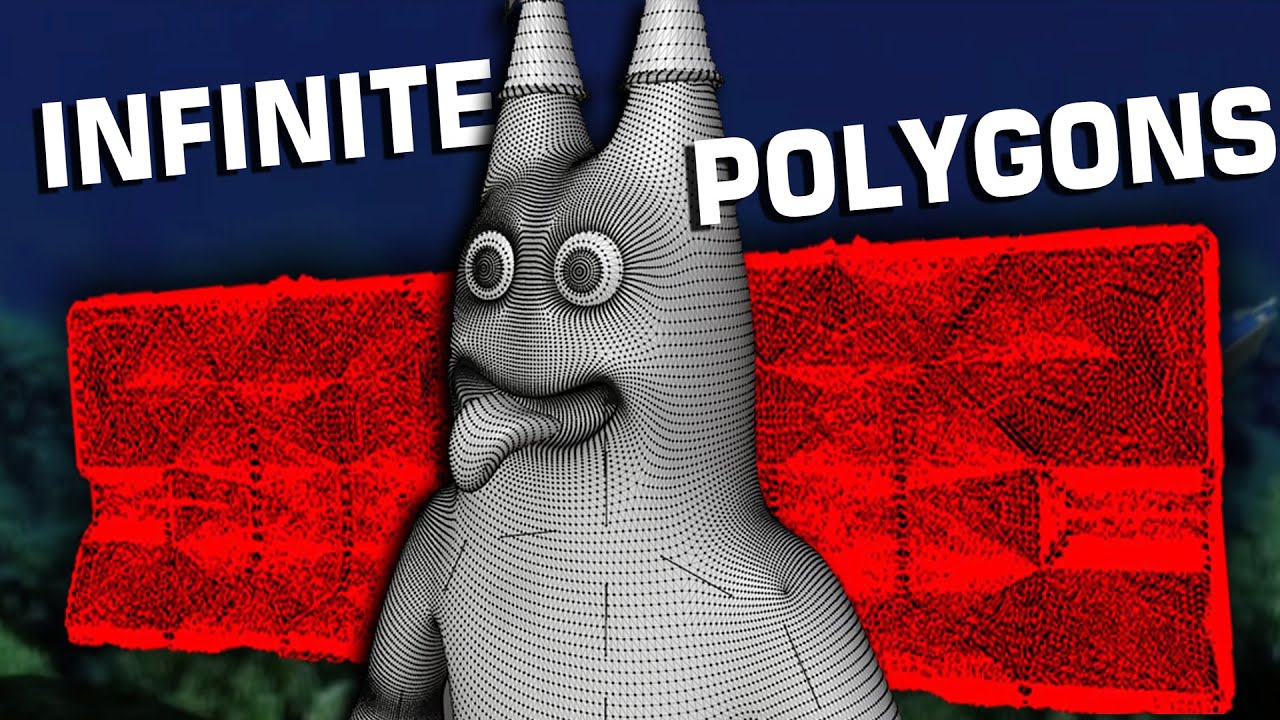
This is the most violent examples of topology I could find and you'll ever see.
Consider downloading blender and submitting your 50,000 polygon household objects to our discord.
Here's all da links 0.0
Discord:
https://discord.gg/HQ4A3SCm7y
Rat Smasher Steam Page:
https://store.steampowered.com/app/3150040/Rat_Smasher/
Instagram:
https://www...
Does it look anything like this?
dull oar
Remix doesn't really care about polycounts from my previous experiments
glass marlin
Really?
Asking since u mentioned disabling enhanced meshes increased fps by a bunch
dull oar
Yea good shout though
Turning off all plants, trees and background trees makes no difference either
I think it's isolated to the layer building.usda
granite forge
side note: still getting corruptions after some time without playing with the settings
dull oar
Yea your running low on memory and it's stopped caching omm
 dull oar
shit, one thing at a time though
granite forge
disabling "Enable Binding" made a difference tho (same as disabling OMM's altogether)
 dull oar
what did it do?
granite forge
got me from 14 to 19 fps
I do think that 40 series is the minimum requirement for this project as 30 series is not optimized for OMM's
granite forge
tho, I thought you modeled the leafs and such?
dull oar
Yea I did
The old game uses alpha on the terrain
Going to see if I can reduce the polycounts in the omm. It's confusing though
glass marlin
I wonder what’s causing those polygon explosions
glass marlin
granite forge
yea I triggered the corruption .. even with it back on now
This can’t be of any fault with tadpole right?
dull oar
no something up with remix, its a bug
all i've done is turned off culling and chucked art at it
you need to keep binding on for omm otherwise it explodes
granite forge
I dont think OMM is required at all for your mod
if you dont have any alpha cutout textures or alpha tested foliage
granite forge
mhh dont think that matters really
dull oar
i have loads of cutout alpha textures though
granite forge
but yea gettjng some corruptions that way. Its kinda weird that the scene "resets" for a few frames when I alt tab out of the game (I use windowed mode)
that normally only happens if sky reprojection is on or if there is a second camera
dull oar
fullscreen gets you better perf as well but cod2 fullscreen shit crap
dull oar
oh we're running this on the star ship enterprise
granite forge
weird that r_drawDecals 0 does not fix the terrain corruption
dull oar
i have set some decals in models
but turning off alpha test and alpha blend in remix should get rid of them all
but it corrupts worse than ever
hey could you try this rtx.config?
and turn off alpha blended
after you're in the game and all set up
otherwise you loose the menu 😛
 dull oar
oh man mines fine
granite forge
I have a fix - 75 fps when i use r_drawWorld 0 😂
dull oar
Oh well there we go
granite forge
dull oar
Oh well there we go
sorry that was sarcasm (it disables all drawing besides the viewmodel and some entities)
dull oar
Lol yea I knew, mine was sarcasm as well
granite forge
r_drawEntities 0 stops corruption tho
dull oar
oh thats interesting
fx_draw doesnt do anything, i was sure that would help
need render test to break down the frame
we're just poking at random things
i got the omm to reduce its polycount from 4 to 2 million so that might help
dull oar
I got no idea what to do to do at this point. I don't know what the issue is
glass marlin
@dull oar it has to be some engine based thing right? any dlss preset i choose is the exact same its so weird
but wait it runs very well without enhanced assets?
 slate plank
granite forge
using ReSTIR instead of NRC improved fps by 4-5
slate plank
granite forge
using ReSTIR instead of NRC improved fps by 4-5
Do you see same speedup for indoor and outdoor scenes switching from ReSTIR GI to NRC? What graphics and NRC Quality preset are you using? What's your base FPS for 5 FPS improvement? Are you using latest runtime or v1.0?
I suggest trying NRC Medium preset with latest runtime and see how that compares for both indoor and outdoor scenes.
glass marlin
uhhhhh

and the webley seems to be the exact same as retail compared to what u showed a few months back
 dull oar
glass marlin
uhhhhh
dull oar
glass marlin
uhhhhh
Incorrectly tagged texture does that to the UI. I can fix it. The only weapon I upgraded and included is the enfield
dull oar
slate plank
Do you see same speedup for indoor and outdoor scenes switching from ReSTIR GI t...
Yep will do cheers Peter. I'm on ultra preset for NRC so that's no good. I'kk keep you posted. Any more tips would be massively appreciated
glass marlin
dull oar
Incorrectly tagged texture does that to the UI. I can fix it. The only weapon I ...
Ah ok, any reason why u didn’t also include the updated human models and pistol?
dull oar
glass marlin
Ah ok, any reason why u didn’t also include the updated human models and pistol?
Copy right issues. I ran out of time to replace it with a new custom mesh
glass marlin
Ahhhhh ok
dull oar
I have a half finished kar98 as well
glass marlin
U don’t have the rights to em or smth?
dull oar
Yea I brought the body online so I can't share it
I have a replacement ready to go but haven't done it yet
glass marlin
dull oar
Yea I brought the body online so I can't share it
That’s weird tho, by that logic any other game using that body would also be “sharing it”
dull oar
Yep. But the open USD format means you get source quality art with a share
glass marlin
Which ig the license for the thing u bought doesn’t like?
 radiant cradle
My Steam Deck:
 granite forge
slate plank
Do you see same speedup for indoor and outdoor scenes switching from ReSTIR GI t...
granite forge
slate plank
Do you see same speedup for indoor and outdoor scenes switching from ReSTIR GI t...
This project has some issues especially with OMM building (at least on 3000 series cards) for me where it never really completes building them and switching from NRC to ReSTIR either stopped the OMM build process or it finished exactly when I switched to ReSTIR. Can't really reproduce the 5fps improvement I had earlier.
NRC was on ultra and there is now almost no difference in performance between the two now
 slate plank
There's no direct relation between NRC/ReSTIR GI and OMM. Theoretically, if one of the two changes amount of available VRAM, then OMM system can increase/decrease its budget or even get disabled if amount of free VRAM becomes too low, so possibly, but yes OMM actively building does have a bit of overhead but it should be within few % of frame time.
dull oar
slate plank
There's no direct relation between NRC/ReSTIR GI and OMM. Theoretically, if one ...
Think someone could take a look at Nvidia? Something is up here
Dlss presets make no difference
Removing all textures, removing all layers makes very little difference as well

ModDB
This is a remake of the map Carentan for call of duty 2 made with rtx remix and submitted as part of the competition
slate plank
I think NRC Medium should be your best bang for the buck in CoD2 Carentan since you have mostly diffuse surfaces and you probably can get away with less responsiveness and more coarse detail in indirect lighting
dull oar
slate plank
I think NRC Medium should be your best bang for the buck in CoD2 Carentan since ...
it didnt make any difference, I think i'm being bottlenecked by something massive
4k, ultra perf, no frame gen I'm getting 22 fps
slate plank
What GPU are you on?
slate plank
Yeah that's on the low side. What if you disable the grass replacement?
dull oar
if i disable ALL enhancements I only go as high as 60 at 4k ultra perf
i have most of my enhancements on these 4 layers in my mod.usda. changing the name to treesx.usda turns them off so you can isolate the meshes

they barely make any difference to fps, 10 maybe
keep building.usda so your map doesnt get any holes
radiant cradle
dull oar
if i disable ALL enhancements I only go as high as 60 at 4k ultra perf
It’s like Half-Life 2 RTX all over again

dull oar
whats perf like for that?
radiant cradle
dull oar
whats perf like for that?
When I was testing on my RX 7600 with assets, it would start dipping to single digits, but without them, solid 60 iirc
It wasn’t a VRAM issue either, just really hated the assets, foliage in particular
granite forge
hl2 wasn't as bad as this on day 1
radiant cradle
granite forge
hl2 wasn't as bad as this on day 1
It wasn’t also great, even my RTX 5060 Ti struggled in HL2 RTX a lot that FG might be a must
dull oar
just uploading a video highlighting the issues so we got a good understanding of where we're at
frame gen here is a must as well
you can get 100fps with frame gen
i recorded the video at 100fps
played multiple rounds without it running out of memory and crashing as well
I think whats happened is i have a stray setting turned on, something that should be off
but without any debugging tools i'm working blind
i'm hoping someone at nvidia could help find the issue so i can fix it
radiant cradle
dull oar
frame gen here is a must as well
Guess I’m gaming at 30fps because of my monitor

AMD users are also gonna struggle
slate plank
I think you should be able to expect ~40 FPS at 1080p w/o DLSS or that's 4K DLSS performance on 5080 w/o Frame Gen. If you are far off then yes there's some unexpected bottleneck.
dull oar
slate plank
I think you should be able to expect ~40 FPS at 1080p w/o DLSS or that's 4K DLSS...
is this normal then? if its normal thats fine i just dont wanna have screwed up somewhere
https://youtu.be/29fPLljOoPE
 slate plank
Grass was a pain point in HL2RTX so that's why I asked. Also when you guys say it's 10 FPS difference, it's better to say 10 FPS from what. 20->30 or 90->100, otherwise it's hard to gauge how much of a diff you are talking about
dull oar
i'll get you a proper number one second
check that video out though when you get a second please
slate plank
The perf overlay reports a very low GPU util which is a problem considering it's measuring the utilization properly and since you see such a low perf w/o much FPS diff when switching NRC or other things then that seems correct. You want to be GPU bottlenecked (98%+).
dull oar
so cpu? too many objects perhaps?
slate plank
Yeah likely.
dull oar
what would you suggest? I could combine all the little meshes into one big mesh and export each building like that
slate plank
@static tangle has looked at object draw call bottlenecks so pinging him here. CoD2 is at 40% GPU util and very low FPS
glass marlin
radiant cradle
It wasn’t also great, even my RTX 5060 Ti struggled in HL2 RTX a lot that FG mig...
My 4060 ti wasn’t that bad without framegen with hl2 rtx tho?
What settings did u run at?
dull oar
slate plank
<@617500777191047168> has looked at object draw call bottlenecks so pinging him ...
just uploading a video with the grass on and off
be five minutes
radiant cradle
glass marlin
What settings did u run at?
Ultra like I do with all Remix games
That usually allows for 1080p DLSS Balanced 60fps
But in HL2 RTX I had to drop DLSS to Performance and it would drop to 40fps at times
dull oar

i can get 30 fps at 4k ultra perf with plants off. thats pretty good going. anyone wanna give this config a go?
slate plank
Do you build remix runtime locally or just download it from github?
dull oar
off github, near latest release
turned NRC to medium like you said peter and turned off lots of other things in the same section that might help. reduced max bounces on various thinks like rtx.psrrMaxBounces = 2 from 5, turned rtx.enableDirectTranslucentShadows to false, just anything that might help
rtx.secondaryRayMaxInteractions = 2 from 8
slate plank
Yeah you're going to be lowering IQ a lot for little gains that way because your primary issue is not GPU performance
slate plank
I'd ask you for a tracy capture that should show the bottleneck but you need a custom built remix, so I need to get an OK if I can just share a build with you first.
dull oar
oh thank you peter
i'm no coder though so I might not be able to use it
I sculpt rocks really well though
slate plank
It's easy to use. In the meantime do you have setup and repro steps for this anywhere?
dull oar
oh yep oooooooone second
slate plank
I had troubles running MP COD 2 before, so not sure if anything improved on that front
dull oar
loads
https://www.moddb.com/mods/call-of-duty-2-rtx-remix-of-carentan/downloads/call-of-duty-2-carentan
instructions are in the description, its just a case of downloading the unofficial patch from here
https://community.pcgamingwiki.com/files/file/3158-call-of-duty-2-custom-patch-v2/
and extracting that to the root of cod2. then extracting my zip folder from here
https://www.moddb.com/mods/call-of-duty-2-rtx-remix-of-carentan/downloads/call-of-duty-2-carentan
and putting that into the root folder of the game. thats all you have to do now 🙂
the unoffical patch fixes all the old windows 10 and 11 bugs you had trouble with before
glass marlin
radiant cradle
Ultra like I do with all Remix games
That usually allows for 1080p DLSS Balanced...
Ah I usually play hl2 rtx with 1440p dlss performance around those settings with 40 fps too
Weird I thought 50 series cards were more optimized for rt
radiant cradle
glass marlin
Weird I thought 50 series cards were more optimized for rt
They say that every generation

There was barely any RT gains between 40 and 50 series iirc
glass marlin
radiant cradle
They say that every generation
Still weird it seems like u had a worse experience on a newer generation
I could play 1080p balanced around those settings and be at 50-60
radiant cradle
glass marlin
Still weird it seems like u had a worse experience on a newer generation
Maybe it’s my CPU or PCIe 
dull oar
glass marlin
uhhhhh
hey did you manage to download and play it?
glass marlin
dull oar
hey did you manage to download and play it?
Ya I did, i tested on a 5090 and it still ran around 15 fps with everything enabled, at a res around 1080p
dull oar
no it didnt 😛
glass marlin
While disabling meshes seemed to rocket it over and around 100 fps
dull oar
turn on frame gen. it runs at 110fps at full res dlss preset at 1080p
are you free to try something for me?
glass marlin
dull oar
turn on frame gen. it runs at 110fps at full res dlss preset at 1080p
I did, it was kinda bad on latency and the visual artifacts were horrible
glass marlin
dull oar
are you free to try something for me?
What’s up?
dull oar
i have a new rtx config and some new meshes i'd like to see what you think
thinking i could release a full res version and a perf version
i'm getting 32 fps on ultra perf at 4k
granite forge
tadpole cooked too much and now its a little to crispy
dull oar
it may well be
i'm hoping i just need to attach the meshes together and export that
this is one of the buildings, it aint that high

oh i never shown this off, check this out

carentan 🙂 everything here i modelled from scratch over the two months working from 4pm after work til 1-2am every day taking breaks to eat
this has CONSUMED every waking hour I wasnt working
glass marlin
dull oar
i have a new rtx config and some new meshes i'd like to see what you think
Where should I get the download?
dull oar
oh yep sory
dull oar
this goes here
Call of Duty 2\rtx-remix\mods\project\Level_Specific\Carentan
this goes here in the root folder of call of duty 2
glass marlin
I’ll try later
dull oar
oooooooooh boo
i'll do all the buildings in that case
cheers mate
over the next few weeks i'm sharing everything i made in the art share space so people can build their own stuff with it
and sharing that trucks substance file for learning and fun 🙂 cc0
 static tangle
dull oar
https://www.youtube.com/watch?v=f4V6Jl0I37Y
static tangle
dull oar
https://www.youtube.com/watch?v=f4V6Jl0I37Y
that's some pretty bad frame judder when you have DLFG enabled. What graphics card are you on?
And can you enable the dxvk hud (dxvk.hud = 1 in dxvk.conf)? that helps give some basic numbers like how many instances are being drawn
dull oar
static tangle
that's some pretty bad frame judder when you have DLFG enabled. What graphics c...
5080 mate
static tangle
latest drivers?
(just trying to get baseline info to know what you're dealing with)
dull oar
oh the nvidia app is updating, one sec
it only does it on windowed mode, fullscreen is fine
yea on 576.88
static tangle
so windowed mode pacing is broken, clearly. you're running 1440p?
glass marlin
dull oar
it only does it on windowed mode, fullscreen is fine
Oh I don’t run on fullscreen, ima try that when I get the chance
dull oar
aaaaah yea fullscreen mate
ultra perf at 4k i'm now getting 35fps
if i turn off plants and stuff
static tangle
And what build is this? recent Action build, 1.0...?
are the plants done with pointInstancer, or just by having a bunch of meshes?
granite forge
static tangle
And what build is this? recent Action build, 1.0...?
#1099591203768504421 message
static tangle
ah, so 1.1.0 rc5.
dull oar
i've included 862 in the download
sorry trying to keep up 😛
so many files to check
plants are done like this with emans tool
 static tangle
I actually added a perf optimization as of #863, tho that had crashes until #872. so if the bottleneck is coming from "here's a replacement asset with 1000 plant prims", then that may help a bit
dull oar
100,000 lines in that plant.usda
you can download it now mark, i'd love for you guys to get hands on
static tangle
dull oar
plants are done like this with emans tool
😦 those aren't point instancers. not sure if that's a configuration thing or E-man just hasn't updated his tool yet.
dull oar
i could open the usda in max, combined it all together and export that
is it cheaper to just replace the prop of grass in game with new meshes rather than scattering my own?
static tangle
This is what I mean by pointInstance. When you use the paint tool directly in USD Composer, there's a dropdown to choose either instances or pointInstancer
 dull oar
ah damn
static tangle
@summer brook Did you ever get pointInstancing working in your grass painting tool? or a way to convert existing grass?
dull oar
peter thinks its a cpu bottleneck
if you havent read up a bit
he got that from this video
https://youtu.be/29fPLljOoPE
 static tangle
I'm curious how much perf improvement you'll get with build #872 or later (a build from Main, not from the release branch). I got rid of the most significant expense for all those grass instances, so you might see a significant improvement.
And yeah, instance count bottlenecks are definitly CPU
I watched the video, yes
having dxvk.hud on would let me see instance count, which would let me know for sure how high it is... but if you have 100,000 lines of 1 instance per 13 lines, you're almost certainly way too high
I do want to be able to support that many instances in the future, mind - but it'll take a couple months of refactoring and paying down tech debt in the draw call pipeline. In the short term, redoing the grass as a pointInstancer will get you most of that perf back
dull oar
right ok so first first lets get a video with dxvk.config
static tangle
just a screenshot when the grass is being drawn would be enough
 static tangle
yep. you'll want that down closer to 3000, IIRC.
 dull oar
wow ok 😛
static tangle
and some rough math tells me you have 7500+ grass prims
dull oar
what about multiple meshes inside the same usda file. like all the 3d bricks on the top o the wall?
i have 900 bricks all loose, i can combine them into 1 mesh. would that help?
static tangle
probably. either that or making them pointInstancers.
We had problems with this same code in the ending room on Portal (with all the personality spheres) and we solved that by making each shelf of spheres a single mesh
pointInstancer is a better solution though, since it keeps the bounding box tighter
dull oar
i have no idea how to do that though unfortunately
static tangle
well... you could convert your existing file with some mass text editing and maybe a spreadsheet, or you could repaint it in USD Composer with the proper tool settings. I believe it's possible to get E-man's tool to generate pointInstancers, but I don't remember the details
dull oar
static tangle
I'm curious how much perf improvement you'll get with build #872 or later (a bui...
this one right?
 static tangle
If you want to go the text editing route, you need to change
{
orient: (x1, y1, z1, w1)
...
},
{
orient: (x2, y2, z2, w2)
...
}
to
{
quath[] orientations = (x1, y1, z1, w1, x2, y2, z2, w2)
...
int[] protoIndices = [0, 0]
}
use the release build for best performance
btw - could you test DLFG when you're getting above 20 fps without it? (i.e. with replacements disabled). Just want to know if you still get that judder when turning when the pre-DLFG framerate is higher
dull oar
i'll give that a go when latest is finished downloading
glass marlin
dull oar
this goes here
Call of Duty 2\rtx-remix\mods\project\Level_Specific\Carentan
why is the file gone?
dull oar
glass marlin
why is the file gone?
cause i can do better!!!!
dull oar
static tangle
btw - could you test DLFG when you're getting above 20 fps without it? (i.e. wi...
still 16fps on latest with no frame gen, still judders when enhancements are turned off
you ready to test @glass marlin ?
static tangle
whats your native fps with enhancements off?
glass marlin
dull oar
you ready to test <@669250315576672256> ?
yuh
dull oar
static tangle
whats your native fps with enhancements off?
between 32 and 37 at 3840x2160 on balanced preset
on ultra perf at 3840x2160 its between 55 and 59 fps
static tangle
and DLFG is still bad?
dull oar
yea still bad
glass marlin
@dull oar how do i start the game in full screen?
dull oar
did you download the patch?
glass marlin
ya
dull oar
you can do that by opening "cod2patch.ini" and edit this line to a 0
";Play singleplayer and multiplayer in windowed mode
WindowedMode=0"
btw has anyone even tried changing time of day and weather with f7 and f8?
or increasing the speed of the sun with f6?
its cool as
that is all 😛
glass marlin
dull oar
btw has anyone even tried changing time of day and weather with f7 and f8?
nah ill try rq
dull oar
right so let me get you some new files, one second
this goes here
Call of Duty 2\rtx-remix\mods\gameReadyAssets\Level_Specific\Carentan
glass marlin
thx
dull oar
oh snap i'm getting 40fps now! its the amount of meshes
static tangle
dull oar
oh snap i'm getting 40fps now! its the amount of meshes
just from disabling the grass and merging the bricks?
glass marlin
@dull oar holyyyyyyyyyyyyy the game runs so much better at full screen
but nrc sadly strikes again with weird colors in indoor blank areas
dull oar
static tangle
just from disabling the grass and merging the bricks?
turned some stuff off in the rtx.config before as wel. lets me switch that back to how it was. one sec
dull oar
glass marlin
but nrc sadly strikes again with weird colors in indoor blank areas
i'm sure you'll manage 😛
dull oar
static tangle
just from disabling the grass and merging the bricks?
getting around 21-25fps up from 16
with the extra reductions in the rtx.config i can get that upto 40fps on ultra perf 4k with no frame gen
with grass!
slate plank
glass marlin
but nrc sadly strikes again with weird colors in indoor blank areas
Try adjusting max expected average radiance in NRC settings - by 10x or 0.1x of what it is by default. To decide which disable auto exposure in Post Processing and if the scene is super dark, lower the NRC setting, if it's super bright increase it. That should help
dull oar
right so with grass ultra perf at 4k i'm getting 21 - 25fps without grass 31-33fps with changes to the rtx.config 40fps
thats playable, lets tidy this up and upload version 2.1
static tangle
BTW - If you wind up remaking your grass, this is the important option:
 dull oar
is that really all it was, maaaaaaaaan 😛
how long we got left on this comp?
25 hours, possible
static tangle
yep, I believe that's it - though I'm not sure if that's possible on early versions of E-man's tool, I've only ever used the USD Composer Brush tool that he was wrapping.
dull oar
booting now to take a gander
dull oar
static tangle
yep, I believe that's it - though I'm not sure if that's possible on early versi...
its only got the option none

hows that new version feeling @glass marlin ?
static tangle
dull oar
its only got the option none
Is that E-man's tool or USD Composer's paintbrush tool?
dull oar
emans tool version of it yea
glass marlin
dull oar
hows that new version feeling <@669250315576672256> ?
still finding a way to make the game use my custom res and HZ without dying
dull oar
old game aint it, you may struggle
static tangle
yeah, I think you may just need to use the raw paintbrush then. Just make sure it's painting the grass as a child of the mesh you want it anchored to.
dull oar
i'm thinking of opening it in max, combining it into chunks every 10 meters and exporting THAT out and ingesting it
i'm happy with the placement
simply combining everything in the buildings together has done wonders already
and i dont care its combined
cause i just do that before exporting to fbx
and ingesting
static tangle
dull oar
i'm thinking of opening it in max, combining it into chunks every 10 meters and ...
That will significantly improve the CPU load. It'll be heavier on the GPU (and will take up more VRAM), but that's preferable to the CPU bottlenecking you get currently.
Would be a good idea to save the current form of it - once we have time to actually fix up the draw call pipeline, the current form will have better perf than the combined meshes
glass marlin
dull oar
old game aint it, you may struggle
i tried doing it ingame but all it seemed to do was make the game use the lowest res and be a blue screen, tried changing the conf directly after reinstalling but the game just ignored it
dull oar
static tangle
That will significantly improve the CPU load. It'll be heavier on the GPU (and ...
i'll keep v1 on mod db for this purpose then 🙂
dull oar
slate plank
Try adjusting max expected average radiance in NRC settings - by 10x or 0.1x of ...
lowering it to 0.25 helped with the glow out as you entered rooms and the cloudy spots you get
slate plank
Yeah that's a per game parameter so if you find a custom value working better, use it
 summer brook
static tangle
<@544327892599963668> Did you ever get pointInstancing working in your grass pai...
summer brook
static tangle
<@544327892599963668> Did you ever get pointInstancing working in your grass pai...
Nope. It renders with transforms all messed up in usd composer and I never got back to debug that again. Was a big blocker to get point instance in the tool so I'm now looking forward to get it in the Toolkit instead
dull oar
i got it all worked out guys

lets try again tomorrow with a updated remix package 🙂
changing dlss settings affects fps as expected now as well
and we kept the grass and plants 🙂
i have one more pile of geo to combine that can bump the instance count down to under 3000 and boosts fps by a good chunk
3840x2160 at ultra perf with no frame gen is 37-40fps with all the plants where as before it was around 16-18fps
dull oar
would someone be up for testing my latest version? Just about to upload so maybe an hour away
@glass marlin or @granite forge maybe?
glass marlin
dull oar
<@669250315576672256> or <@204650202072743936> maybe?
Nah I’m busy sry
granite forge
dull oar
would someone be up for testing my latest version? Just about to upload so maybe...
sure! - just ping me again when the files are ready
dull oar
granite forge
sure! - just ping me again when the files are ready
oh mate you're a life saver 🙂 be about an hour to fiddle and upload then we can see how it goes
dull oar
still uploading, will be another 30 minutes
dull oar
dude it just finished then went back to an empty file upload page!!!!
fuck sake
its been 2 fucking hours fuck sake
granite forge
You could just upload the updated files as a patch if you know what you changed
so that you don't reupload all the assets
dull oar
would you mind if I give you the files on a google drive as a patch?
granite forge
(or just do that for the testing phase)
granite forge
dull oar
would you mind if I give you the files on a google drive as a patch?
no sure, go ahead!
granite forge
because if something goes wrong, you'd have to reupload all of it all over again
dull oar
true, thought it would be easier than this
dull oar
@static tangle so i just uploaded version 2 of my mod and was giving it a test with all the reduced drawcalls and look what's working now. frame gen
Version 2 out now with HUGE performance gains. from 18fps at native 4k with version 1 bumped up to 47fps at native 4k with version 2.
https://www.moddb.com/mods/call-of-duty-2-rtx-remix-of-carentan/downloads/call-of-duty-2-carentan-v2

for the first time in 2 months i'm going to bed today and waking up tomorrow, night night all
radiant cradle
dull oar
for the first time in 2 months i'm going to bed today and waking up tomorrow, ni...
I’ll make sure to make a bug list when you wake up
dull oar
We need to schedule a match, server works and everything
radiant cradle
dull oar
We need to schedule a match, server works and everything
I need to buy CoD 2 still
dull oar
Yea you do dude, join meeeee
Though not today, I'm still dead from the conp
Server is online now and working perfectly btw
radiant cradle
dull oar
Server is online now and working perfectly btw
Oh, it’s on? Hell yeah I’m buying the game then
Time to put my RTX 5060 Ti to the test
dull oar
No one else is online though mate. It'll be lonely
radiant cradle
dull oar
No one else is online though mate. It'll be lonely
Aren’t bots enabled?
dull oar
No, they can be but I don't know how
And I've been so knackered I haven't looked into it
dull oar
guys if you can could you please vote for call of duty 2? I'd greatly appreciate it
https://www.moddb.com/groups/rtx-remix-modding/competition

ModDB
A public group setup for RTX modders - RTX mods, modding, and collaboration!
 slow shore
dull oar
guys if you can could you please vote for call of duty 2? I'd greatly appreciate...
slow shore
dull oar
guys if you can could you please vote for call of duty 2? I'd greatly appreciate...
oh lol u don't even need an account?
i voted for cod2 because i'm biased :p
huh
i could vote twice?
how many times can u vote
dull oar
Probably just removing and adding the same vote mate
 slow shore
dull oar
Probably just removing and adding the same vote mate
slow shore
dull oar
Probably just removing and adding the same vote mate
or it's a different category
uhmm...
it just allows me to vote for all..?
i can't undo a vote either
idk it's weird but oh well i voted for 4 entries then
slow shore
dull oar
Damn it I'm no closer to winning than before I started
there's more than 4 entries
dull oar
How you getting in with ya new card then?
slow shore
and even so the other 3 are great too
slow shore
dull oar
How you getting in with ya new card then?
im not
it works on windows but i dont wanna keep dual booting just for the rtx stuff
so ill wait for nvidia to fix their drivers
dull oar
Bloody ell, who do you even tell about the issue?
slow shore
in the meantime blender works, cuda works, vulkan seems to work... outside of games strangely and OpenGL games work fine
dull oar
Tried your AI stuff yet?
slow shore
ye it works except for the windows stuff
dull oar
Should try that truck you started for me a while ago. You wrote down the processing time
slow shore
oh u mean that model gen thing?
dull oar
Yea was a while ago mind
slow shore
idk if it works it should i guess, another one does work but that one i haven't tried locally yet
even though the min reqs are met
the vram it said in the github repo
dull oar
Aaaah
slow shore
chinese one online
radiant cradle
Do regular servers work as well?
dull oar
radiant cradle
Do regular servers work as well?
Nope just the rtx modded one
radiant cradle
dull oar
Nope just the rtx modded one
How come?
dull oar
Cause I had to mod it for stable hashes
radiant cradle
Ah, got it
 frigid dirge
Hey guys anyone knows why when i click capture scene in call of duty 2 SP in the first mission it doesnt even capture anything
dull oar
Your the best, cheers buddy
dull oar
call of duty 2 launch video is now on YouTube
https://youtu.be/ykc6XloqK00
don't forget to vote on moddb if you like what you see :). you could be as cool as QC above is

This mod is a complete remake of the map Carentan for call of duty 2 made with rtx remix and submitted as part of the competition. Please remember to vote for it at https://www.moddb.com/groups/rtx-remix-modding/competition
 floral stump
dull oar
Your the best, cheers buddy
floral stump
dull oar
Your the best, cheers buddy
🤜🤛
floral stump
dull oar
call of duty 2 launch video is now on YouTube
https://youtu.be/ykc6XloqK00
don't...
You nailed it man!
dull oar
They like it!
https://youtu.be/I4cywtyU-II?si=rW4EHUQsa-yxTQXr&t=6m36s

We've discussed RTX Remix before - a remarkable Nvidia tool that allows modders to essentially remaster classic PC games with the very latest path-tracing, DLSS and ray reconstruction technologies. Right now, Nvidia and ModDB are running a $50,000 competition to see just how far modders can push the tech - and as Alex discovers, there's some rem...
"right up there with the best graphical presentations you can load up on a modern pc"
Don't forget to vote on moddb if you haven't already
https://www.moddb.com/groups/rtx-remix-modding/competition
slow shore
dull oar
They like it!
https://youtu.be/I4cywtyU-II?si=rW4EHUQsa-yxTQXr&t=6m36s
some dude in the comments said it looked too clean for an active war location
😛
also wow surprise they matched the lighting against the original like i said xd
 dull oar
I only got so many hands to do the work!
Never did decals on interiors or vertex painting
Ah well, I can keep going can't I
slow shore
dull oar
I only got so many hands to do the work!
ye true
great job for the time available
dull oar
Yea it's aight ain't it
slow shore
ye + they matched it themselves because thats what they do
they compare graphics
ez outsourced
dull oar
Going to wrap this level then do that sandy boi
slow shore
sandy boi?
slow shore
should be easier/faster done because it's smaller and less objects/mostly terrain 🫢
did i jinx it
dull oar
Yea, lots of the truck I've already made
Scanning sand is a fun way to destroy a zoom lens though
dull oar
gets everywhere so I hear
I wanna add some shop fronts in carentan first to break up the plain walls. Fix the empty interior's, add some more weapons
One shops going to be a chemist so loads of glass bottles to smash up
Giving the new stuff collision through spawning xmodels
dull oar
mp_decoy appears to work, its all stable hashes
just behind where i spawn in that video my first person stuff disapears so i need to change my pvs lock location
you can see it right at the end of the video above
dull oar
and i fixed it, just had to find the sweet spot 🙂
might as well do this for all maps while i'm in the mooooood
dull oar
where I got up to
 dull oar
Man these comments sure wind me up. Like how dare I make something new with the old gameplay and collisions. Fuck me it's not like I'm installing the mod on everyone's pc
Blurry textures on cubes! Don't touch the cubes! The art style lives in the cubes!
I'm making something new, it won't look like the original, that already exists.
 scarlet monolith
People have always acted self-entitled towards modders but this last generation of videogamers is very bad at grasping how much effort goes into things. Sorry you have to deal with the bullshit.
dull oar
It's like they see but don't look. Some prick called my work "artless" and pointing to my hay cart. That thing was rebuilt by volunteers of a local woodland near my house over years. I scanned it in over the course of two days crawling in the dirt to get every single angle. I then cut it up and stuck it into the shape of the cart in game modelling the missing parts by myself over the course of a week. And that's artless! Jesus Christ I couldn't have gone harder if I tried
"but the old hay cart was dirtier!" So fuckin what, mine ain't

Though honestly most are cool. It's just those odd ones stick with ya 😋 super encouraged to do more
Got a bunch of the other maps working and even documented the issues so I can fix up the ones that dont
AND I think this process will work for single player.
scarlet monolith
I'm not even sure what is 'artful' about the original. It's trying to do the exact same you are, but with technological constraints. If low fidelity is the art style, the original still exists. As you said.
dull oar
Just cubes with a burnt wood texture on them as far as I could see
slow shore
dull oar
Though honestly most are cool. It's just those odd ones stick with ya 😋 super e...
The negativity bias, also known as the negativity effect, is a cognitive bias that, even when positive or neutral things of equal intensity occur, things of a more negative nature (e.g. unpleasant thoughts, emotions, or social interactions; harmful/traumatic events) have a greater effect on one's psychological state and processes than neutral or...
dull oar
colts stable, time to repo this scan i captured 🙂

looks GREEEEEAT in game already 😛 proud of this texture

 static tangle
Hmm, @dull oar have you ever seen remix limited to only 486 MiB of VRAM when launching COD2? Trying to repro your crash, but I haven't been able to get the game to launch properly.
I do notice that you have a lot of stuff in your rtx.conf that probably shouldn't be in there - can't even get past the initial loading bar with it, whereas when I remove it I can at least get to the weapon select screen
dull oar
static tangle
Hmm, <@780862799798468648> have you ever seen remix limited to only 486 MiB of V...
No I've never seen remix limited to 486mb, it's always fine. Nyle got it to run the other day
no one's had issues launching the competition entry either as far as I know
static tangle
I probably just messed up the instalation instructions somewhere. thanks
dull oar
static tangle
I probably just messed up the instalation instructions somewhere. thanks
It should be as simple as extracting the zip into the root of cod 2 folder
Does it work with only the files from the zip?
static tangle
I think it's due to the version of the game I installed - I don't own it on steam, so I was trying to use the test build available to nvidia. it's probably missing some updates that are in the steam build.
static tangle
in theory so am I. I'm just going to buy it off steam
dull oar
This is all you need to do to get it to work though
Installation instructions
Purchase Call of duty 2
You will have trouble getting Call of Duty 2 to work straight away on windows 10 or 11 so I recommend this patch unofficial patch It fixes the black screen, the microphone issue as well as fixes windowed mode. Follow the instructions on the site, leave the ini file at default options
Download my mod file "Call of Duty 2 Carentan.zip" and extract it to the root folder of Call of Duty 2
Done
Launching
The zip file came with two .bat files (they're safe, right click and edit in note to see what they do 🙂 they just set some launch variables to launch the mod) one takes you to a special server to play against other people with the mod installed called
"CoD2_RTX_OnlineMultiplayer.bat" the other is called "CoD2_RTX_SinglePlayer.bat" and loads up an empty dev map for you to run around in. I recommend you launch "CoD2_RTX_SinglePlayer.bat" first.
static tangle
Purchase Call of duty 2 I was trying to skip that step 😛
dull oar
You'll want this patch. Cod2 hates windows 10 and above
Call of Duty 2 - Custom Patch v2 - Unofficial patches - PCGamingWiki PCGW Community https://share.google/RrCrXk4ongqfcf6zs
static tangle
I've already been following those instructions aside from that
dull oar
static tangle
I've already been following those instructions aside from that
Could you give me an update when you next try again, you might need to clear your old profile data
Call of duty 2/main/players/ delete anything in here
static tangle
figured it out, actually - the copy of the game I was using was selecting my iGPU instead of my 5080, for some reason. probably some patches on steam to better handle modern GPUs
dull oar
Aaaah happens to the best of us mate
static tangle
that being said... I've now got a build on the top of main, using your rtx.conf, and I haven't seen any crashes. What were you doing to cause the crash you were seeing?
Nvm, got a crash right after I asked that
dull oar
Video games are fun ain't they
Think it needs to load the replacements first before it crashes but not sure it's 100% the case and didn't wanna muddy the water
radiant cradle
static tangle
figured it out, actually - the copy of the game I was using was selecting my iGP...
AMD sabotage fr
granite forge
static tangle
figured it out, actually - the copy of the game I was using was selecting my iGP...
Every cod game does that unfortunately 
static tangle
dull oar
Think it needs to load the replacements first before it crashes but not sure it'...
Figured it out - the crash actually happens because of replacements loading in.
As a WAR, wait on the load / weapon select screen for all the assets to load, then enter the game. That should bypass the only crash I've been able to reproduce.
I've got a fix for that locally, I'll clean it up and see about getting it submitted.
dull oar
static tangle
Figured it out - the crash actually happens because of replacements loading in.
...
Hell yes mark! Thank you so much!
I'm seeing all the new particle stuff and I'm despite to play with it. First thing tomorrow it's particle time
static tangle
dull oar
I'm seeing all the new particle stuff and I'm despite to play with it. First thi...
Please give me a heads up if the WAR doesn't work for you, that'd indicate there's something else I need to dig into
dull oar
Yep will do, Its midnight over here but I'll give it a go first thing tomorrow morning
What changed in 870 to cause this I wonder?
static tangle
The change was actually in 863. But you have to get in before the assets load in, so if you were a bit slow to pick your team / weapon when testing 868, you would have thought that build was working fine
dull oar
right well fingers crossed mate 🙂 thanks again
Btw multiplayer works hint hint nudge nudge poke poke bang bang
static tangle
too much work to do 🙁
dull oar
@static tangle looks like the work around isnt working for me mate. the video ends just as the game crashes
it looks like its movement based, if i spawn and dont move it's fine but as soon as i move that camera it crashes
just switched to half life 2's rtx.config and swapped the hashrules to match mine and it crashes in the same way so its not the rtx.config file
static tangle
dull oar
<@617500777191047168> looks like the work around isnt working for me mate. the ...
It crashed at the end of this video?
your texture resolutions are super low, how is your VRAM budget looking? and what do you see in the logs?
dull oar
The logs are attached here, bridge just says it's crashed and dxvk talks about neural cache stuff but if you remember you show me how to turn that off and it still crashed
https://github.com/NVIDIAGameWorks/rtx-remix/issues/891
Just booting the pc now to check vram, textures do look low don't they
50%, 7617/15323
if i keep the camera still i'm fine, its still running even now
static tangle
but when you start moving it immediately crashes?
dull oar
this is strange, if i turn on freecam and fly around it doesnt crash either
yea 1 second after i move the camera or player
i was flying around in free cam for ages then, moved the player, instant crash
static tangle
the crashing might be from culling or something.
I did notice that you have a couple of mesh replacements where a light comes before any meshes, which may have been handled incorrectly before.
Try this out (only sending the d3d9 files, make sure you have the latest public build installed before dropping these in)
dull oar
remix doesnt hook now
i used this build, debug optimized
https://github.com/NVIDIAGameWorks/dxvk-remix/actions/runs/16914477236
yea it doesnt hook with the new d3d9.dll from your zip folder anymore
static tangle
which d3d9.dll did you replace? the one I sent is supposed to go inside the .trex folder
static tangle
I'm just building the runtime, sorry,
don't need to redo the bridge for stuff like this
dull oar
yes! hell yes thats fixed it!
static tangle
righto. I've already got that up for review, so it's just a matter of getting it merged
dull oar
spot on, i'm good like this for a good while now 🙂
right time to remix again baby, thank you very much mark
static tangle
keep in mind that this build doesn't have the hash hack that I put into that old build for you
dull oar
yep thats ok, that issue turned out to be released to opacity micro maps and that tick box
it would blow up into spikes when memory ran low when that tick box was on. turning it off fixed it for good 🙂
static tangle
good to know
dull oar
work has begun!

this ones not a ww2 real piece i scanned though its a prop for stage or film but that's fine.
dull oar
Naught picture of my box

Certified free from explosives so that's cool. Now free of mouse droppings as well. Let's scan!
That was £16 on eBay or something like that. Wild
dull oar
more progress
 scarlet monolith
Wow my assumption was correct
scarlet monolith
I was like vocally telling myself "stop speculating about boxes at 1am and go the fuck to sleep. delete your messages before you're tied up in a conversation about something you know nothing about"
But big woop asbestos gang
dull oar
tasty tasty asbestos
scarlet monolith
 dull oar
looks like its a crate used to hold ammo for a 20mm Oerlikon Mk 12. a big navy gun for shooting down aircraft
dull oar
wow this is crate


thats not texture is vertex colour, its 12 million polygons and came out great 🙂
dull oar
and while the crates been crating i've made this
 floral stump
yooo congrats @dull oar 👏🎉
dull oar
Cheers mate 🙂
floral stump
You deserve it
 dusk comet
congrats!
dull oar
Got lucky
 sage locust
it means we voted well? 😄 congrats buddy!

 mystic musk
Congrats 🩷
dusk comet
i was glad to see you up there
dull oar
Glad to see something other than painkiller win
 marsh hinge
congrats on the award
dull oar
Never thought I'd win the community vote. Not with need for speed getting 50k downloads
dusk comet
dull oar
Never thought I'd win the community vote. Not with need for speed getting 50k do...
gotta remember nfs was like
one of the earliest rtx mods i think(?)
so like early on hype
dull oar
We need to set up a date and time. Get the server going and get playing together 😁
Who's point of multiplayer mods ain't it
 radiant belfry
ccongrats!!!
glass marlin
@dull oar what do u wanna use the reward for?
dull oar
I'm gonna build a koi pond cause I'm an old ass man
And buy things to scan for my mod 😁
I can show the fish my mod, they'll love it
slow shore
dull oar
Never thought I'd win the community vote. Not with need for speed getting 50k do...
gz
sad that xoxor didn't win anything though
but i get it
also i agree with the results
even if it would be too big of a project to remix more than just carentan
the other entries were really good
dusk comet
i kinda wish it was spread out more
 languid goblet
slow shore
but i get it
languid goblet
slow shore
but i get it
Thought his Black Mesa was for sure gonna win something.
slow shore
dull oar
"...after tadpole who i expected to win all the main categories"
who said that?
tbh the reason why i thought u might not is the scope that the other projects had which was completely impossible for cod2 in that timespan though
dull oar
You're a ray of sunshine ain't ya
 floral nexus
Hey, does anyone know how to fix some textures? In the game, some of them "jump" and disappear. But if you turn off RTX in the settings, everything is fine.
 dull oar
If you turn it off your just playing the game normally
You need to mark ones with alpha or vertex alpha as decals
floral nexus
dull oar
You need to mark ones with alpha or vertex alpha as decals
sor, but where can i find it?
dull oar
floral nexus
sor, but where can i find it?
Trial and error, turn it on, check it works. Turn it off if it dont
floral nexus
dull oar
Trial and error, turn it on, check it works. Turn it off if it dont
im noob in this. cant see it in remix menu 🙁
dull oar
Wanna start with the tutorials mate? Kinda diving right in aren't we. My bad

NVIDIA RTX Remix is a powerful tool that enables modders to remaster classic games with high quality PBR Assets, full ray tracing (path tracing), and NVIDIA technologies like DLSS and Reflex. This video gives you a crash course on RTX Remix, and serves as an introduction on using the Toolkit–except instead of modding a real game, you will mod ...
floral nexus
dull oar
Wanna start with the tutorials mate? Kinda diving right in aren't we. My bad
damn. I just wanted to download the mod and play the game with it, I don't want any tutorials xd
floral nexus
dull oar
Did you download my mod?
aha, guide on moddb helped me
floral nexus
dull oar
It's only carentan for now
wdym
dull oar
The mod your referring to is mine I think mate
floral nexus
for cod 2? i see, soo..
dull oar
It only works for carentan in the multiplayer
floral nexus
omg. I didnt know that. it wasn't written anywhere
dull oar
The mods name is remix of carentan
floral nexus
mb im just blind
Alright. Sorry for the misunderstanding, thank you for ur time
I understand that work on SP is on the way?
dull oar
Yep yep. Just wrapping up compatibility for the last of the multiplayer maps
dull oar
@static tangle hey so latest still crashes unless i copy the files from the cod2fix.zip file you gave me, is that right?

we got particles coming soon, and i know i'm not working on painkiller, but i thought it might be cool to see
static tangle
dull oar
<@617500777191047168> hey so latest still crashes unless i copy the files from ...
Damnit.... fixing your stuff the first time broke Portal and HL2, and now after fixing those I've broken you again. What happens when you ignore that assert, another crash?
static tangle
Is that a crash, or just an assert? after I ignore it a couple times, the game seems to be running just fine
static tangle
@dull oar I've got a fix for the assert, but I haven't been able to reproduce any actual crashes. Could you give me more info on what the actual crash was? or was it just the assert firing with no actual crash?
dull oar
static tangle
<@780862799798468648> I've got a fix for the assert, but I haven't been able to ...
three ignores and it crashes
more of this
 static tangle
dull oar
three ignores and it crashes
static tangle
dull oar
three ignores and it crashes
What were you doing ? just entering the match before assets finish loading and walking around?
dull oar
yea just walking around, let me try waiting for them to load first
static tangle
I haven't been able to reproduce a crash like that at all, only that assert firing, but then it being fine once ignored.
what does it show when it crashes? any popups, logs, etc?
dull oar
yea the log popup happens
i sat on the choose team screen and did nothing while assets loaded. the pop up happened, i pressed ignore then it let me play
thats new
static tangle
https://github.com/NVIDIAGameWorks/dxvk-remix/actions/runs/17137085705
this build should fix the assert once it's done building, and hopefully your crash as well.
but I'd like more info about the crash you're getting
dull oar
oh new pop up
 static tangle
I've only managed to get that when closing the app, did you get it while playing normally?
dull oar
yea i was just loading in again
static tangle
pass over the log?
dull oar
static tangle
[20:40:38.844] warn:  Specified hash was already present in SpatialMap::insert(). May indicate a duplicated overlapping object.
[20:40:38.874] warn: Specified hash was missing in SpatialMap::erase().```hmm... could feasibly happen due to the bug that was causing the assert, so this is probably fixed by the latest build
dull oar
oh ok
is this is my replacements?
i'm loading the same object twice at the exact same spot?
static tangle
Your replacement is falling into a corner case I didn't consider, which is pointing out a hole in the logic.
dull oar
could painkiller do that! best use of rtx my arse
static tangle
nothing is wrong with your asset - it's just doing something I hadn't thought of
dull oar
i can crash ya in 10 seconds, poke holes all over ya logic
that is good to hear though, i had no idea how to find that in this web of assets
static tangle
You have a replacement with 5 meshes+lights, where at least the first 3 meshes are all instances of the same mesh.
That mesh is getting moved around, to the point where the 3rd instance is closest to where the 1st instance was the previous frame. So the runtime starts trying to use that 3rd instance as the 1st instance, which it's not supposed to do
dull oar
oh wow that is an edge case 😛
static tangle
might be the clip full of bullets in the gun or something like that, not really sure
dull oar
if its moving yea its on the player
i got lil lights on him for a three point lighting rig
static tangle
I assume the 5 bullets would share a mesh, and moving the gun up and down rapidly could mean that #3 is almost exactly where #1 was last frame
static tangle
I haven't looked into exactly what the asset is tho, since I really just need to make it so meshes #2-#5 are not considered when looking for the #1 mesh (#1 mesh is considered the "root" of the replacement, while 2 through 5 are "subprims")
dull oar
oh we built lets give this a go
@static tangle works like a dream! yay!
smooth as butter, no need to wait for everything to load of anything
i like to bunny hop around the map while we load
static tangle
jumping.. exactly the sort of behavior most likely to cause the corner case I mentioned above
dull oar
boing boing, i'm out here making the game better
you think its just mindless jumping but now remix is stronger
I appreciate all your help mark btw, this has been my main hobby for years and i wouldnt be able to do any of it without your help mate 🙂
static tangle
dull oar
I appreciate all your help mark btw, this has been my main hobby for years and i...
I appreciate people actually using the things I spend years making - and nobody would be playing Remixed games if it weren't for modders actually making those games
dull oar
500 downloads and counting 🙂 getting comments and views all the time. digital foundry's video is at 200k views.
dull oar
bang bang bang bang bang
 dull oar
New article baby
A single developer has remade Call of Duty 2's Carentan level with photo-scanned models, ray tracing and more | Eurogamer.net https://share.google/qKyIrqx97WaO1Na1p

Eurogamer.net
Will checks out RTX Remix winners at Gamescom - including a sterling upgrade of Call of Duty 2's Carentan level, plus Painkiller and Vampire: The Masquerade.
Laughed at the cloudy weather remark, it's true!
dull oar
more bots and bobs
 dull oar
now a right side!? omg
 dull oar
scale a little off but its working 🙂
scale is right, the handle is longer in the old model is all
 chrome onyx
Is that model based off of the one from the og game? I kinda forgot what it looked like since i play the letlev mod with the cod 3/waw weapon mod. Having the waw/bo1 1911 in the gane is peak
dull oar
it's based on a photoscan of the real weapon, all my stuff based on reality 🙂
so its brand spanking new. I'm still making it 🙂 check out the Enfield to see other examples of this
scarlet monolith
dull oar
scale a little off but its working 🙂
 dull oar
scarlet monolith
https://tenor.com/view/oooh-toy-story-aliens-amazed-shocked-gif-5654122
dull oar
scarlet monolith
https://tenor.com/view/oooh-toy-story-aliens-amazed-shocked-gif-5654122
did you change your username to the sticker on my crate?
 dull oar
nearly done, got some bits and bobs to do still though
scarlet monolith
dull oar
did you change your username to the sticker on my crate?
I'm glad you noticed, because I had forgotten. Lovely work as always. Anybody who bothers with mesh modelling is a hero, and yours is great. lol 🪿
dull oar
Oh cheers mate
dull oar
butterflies that land and stuff!111!!
glass marlin
dull oar
butterflies that land and stuff!111!!
Amazing start, hope you fix the ghosting issue
scarlet monolith
I support the concept of french butterflies that warp spacetime
dull oar
I don't think I can fix the ghosting, it's the denoiser ain't it.
Small solid things leave trails in remix
glass marlin
dull oar
I don't think I can fix the ghosting, it's the denoiser ain't it.
Then hopefully ur able to fix the animations soon
summer brook
dull oar
butterflies that land and stuff!111!!
Thats an interesting use of the particle system 
Try toggling "align with velocity" 👀
dull oar
Oh yea good idea. Then they'll point the way they fly
summer brook
dull oar
Oh yea good idea. Then they'll point the way they fly
They'll fly upside down half of the time though
Unless, your textures don't point clear directions
dull oar
Yea why is everything upside down?
I noticed it with my smoke, this butterfly and some of the sparks I've been faffing with
summer brook
dull oar
Yea why is everything upside down?
Hmm interesting. I haven't tested myself what is the defaults, but the particle will rotate clock-wise/ccw to align with the direction, which also means sometimes they might show upside down, as in a 180 degrees turn
dull oar
I have rotation set to 0 in everything I've tested so far. Always upsidedown
I assumed it had something to do with the uvs of my replacement mesh tbh
Try spawning a new default system with an arrow
You can see my butterflies are upsidedown
summer brook
Right now I remember doing some tests and seeing my textures upside down, though it was fixed at some point 
The repro steps is just: Create a particle system and assign a texture with sense of direction? @dull oar
dull oar
Yea I'm not doing anything special. Just add a texture with "this way up" on it
It's wrong way up mate
#general-remix message
 light carbon
This is probably the best looking RTX mod so far imo, cheers to you Tadpole because everything so far has been top notch. If you need help with character stuff i'm available
 limber compass
dull oar
butterflies that land and stuff!111!!
limber compass
dull oar
butterflies that land and stuff!111!!
how did you make these trees? they look amazing
dull oar
Downloaded the branches off sketch fab and spawned leafs I scanned on the twigs 🙂
dull oar
light carbon
This is probably the best looking RTX mod so far imo, cheers to you Tadpole beca...
Cheers mate, I'm enjoying making all the art though. I'm scanning the uniforms myself
light carbon
dull oar
Cheers mate, I'm enjoying making all the art though. I'm scanning the uniforms m...
I was mostly talking about faces and arms but you seem to have them down too so yeah keep it up. Hopefully one day the project will expand beyond the one map but it's still crazy good
dull oar
limber compass
how did you make these trees? they look amazing
i just remembered i recorded a little making of
https://www.moddb.com/mods/call-of-duty-2-rtx-remix-of-carentan/videos/propworkflow-new
skip to 13:37 to see the bit about the tree

ModDB
This is a prop workflow breakdown video for Call of duty 2 RTX remix of Carentan. this is a breakdown of just a small hand full of props out of around 30 unique props
dull oar
FINALLY some good fuckin content
https://youtu.be/lJIlHA2ze4A

Ein Einzelentwickler hat den ikonischen Carentan-Level von Call of Duty 2 mit RTX Remix komplett neu gestaltet. Erfahre, wie fotogescannte Waffen, Raytracing, realistische Materialien und detaillierte Umgebungen das Spiel neu definieren. Entdecke auch die anderen RTX Remix-Projekte wie Painkiller und Vampire: The Masquerade – Bloodlines. Einbl...
dull oar
colts all done now 🙂

 glass marlin
dull oar
FINALLY some good fuckin content
https://youtu.be/lJIlHA2ze4A
glass marlin
dull oar
FINALLY some good fuckin content
https://youtu.be/lJIlHA2ze4A
Do you plan on editing the truck to look as rusty and gruff as the original on the left?
dull oar
glass marlin
Do you plan on editing the truck to look as rusty and gruff as the original on t...
the invation of carentan happens on d day + 4. whys the original art so fucked up? it's come over from the UK, drove off a boat and 20 minutes down the road 😛
glass marlin
dull oar
the invation of carentan happens on d day + 4. whys the original art so fucked u...
So basically irl in that same era that truck wouldn’t have looked that messed up?
dull oar
no not in 4 days. even that assumes it came over on day 1
glass marlin
Ah ofc
dull oar
there will be a fucked up version mind you, and a desert one 🙂 just not here
battle of caen around the same time

thats what the map needs to look like man, got some work to do
another great photo

even the wrecks are less fucked up that cod2's original artwork 😛
 glass marlin
dull oar
battle of caen around the same time
glass marlin
dull oar
battle of caen around the same time
ooooo who tried restoring that image?
dull oar
yea background looks a bit funky dont it, got some bangers here though
https://www.facebook.com/worldwarincolor/photos
See posts, photos and more on Facebook.
dull oar
redid the crate 🙂 much sharper

 glass marlin
dull oar
redid the crate 🙂 much sharper
glass marlin
dull oar
redid the crate 🙂 much sharper
Maybe you could have both as variants across the map
dull oar
anyone know what this article says? It's paywalled and dutch
https://www.pcgameshardware.de/Nvidia-Geforce-Grafikkarte-255598/Specials/RTX-Remix-Call-of-Duty-2-Unreal-Performance-Grafik-Test-1481419/

PC Games Hardware
Nvidia veranstaltete einen Wettkampf um das Modding- und Pathtracing-Tool RTX Remix. Wir prüfen Grafik und Performance von Call of Duty 2 und Unreal.
granite forge
dull oar
anyone know what this article says? It's paywalled and dutch
https://www.pcgames...
its german mate
RTX Remix has been stirring excitement among players for quite some time now — fueling inspiration for modders and, not least, rekindling the warm feeling of nostalgia. So far, however, it has mainly been Nvidia themselves or Nvidia-backed modding teams who have shown the potential of RTX Remix. With Portal RTX — our review and detailed technical information can be found at this link — Nvidia’s modding toolkit flexes its path tracing muscles. Another modding project currently in development that is directly supported by Nvidia is Half-Life 2 RTX — you can also find a hands-on report on our website. Additionally, a short feature on Need for Speed Underground with RTX Remix and fine path-traced graphics is freely available on PCGH.

What is RTX Remix?

The modding toolkit RTX Remix, developed and offered by Nvidia, is designed to make it easier for modders to bring classic games back to life in a new shine. Quite literally, since RTX Remix is intended to promote ray tracing and — even more so — path tracing. To achieve this, modders can use RTX Remix to replace or supplement the original assets of a given game, including textures, shaders, and models. If desired, AI comes to the rescue. Artificial intelligence can help, for example, by converting textures into Physically Based Rendering (PBR) materials needed for modern lighting techniques. AI can also upscale textures to higher resolutions.

The toolkit provides a convenient graphical user interface for this task. Highly complex programming skills or even manual reverse engineering of the game’s original code are not strictly necessary. That said, RTX Remix is merely a supportive tool and can be very helpful for asset porting — but it does not replace the complete work of a modder or a whole modding team. Considerable effort is still required, and for successful ports, quite a lot of it. This can be seen, for example, in the lengthy development process of Half-Life 2 RTX.

The RTX Remix Competition

Probably to demonstrate that RTX Remix can also enable smaller modding teams — or even individual creators without direct Nvidia support — to breathe new (path-traced) life into older games, the graphics card manufacturer and path tracing pioneer launched a modding competition in collaboration with Moddb.com. The contest offered a total prize pool of 50,000 USD. Naturally, there weren’t just awards for first place or a single category. Prizes were awarded, for example, for “Best Overall Remix Mod,” “Best Use of RTX in a Mod,” or “Most Complete RTX Mod, Playable Experience,” all judged by a panel. The community was also able to vote for a favorite.
and it also links to this: https://www.youtube.com/watch?v=uXJThqivfqY

Thanks to all the modders for their great work! Download their RTX Remix mods from ModDB’s contest page and check out even more on ModDB’s dedicated RTX Remix page. Also, path-traced particles are coming to RTX Remix in September. The new update will allow modders to create brand new particles in Remix that match the look of those in modern ...
not sure if there is more content tho - I'm not a sub
dull oar
its this page i'm after but i'm not paying for it

yea no worries, just on the off chance someone is
i didnt charge for the mod you'd think i'd be able to see what people say about it
granite forge
haha just send them a message and ask for the article 😄
dull oar
thats not a bad shout actually
 cerulean mica
Does anyone know why NVIDIA game filters don't work with Call of Duty 2?
sage locust
https://www.youtube.com/watch?v=c6BifJrCqoI once again.
FYI @dull oar As mentioned earlier I am preparing COD2 RTX Carentan exhibition that will be available to public during the tournament. I could use your COD2 REMIXED logo for that purpose, can you tag the guy who made it? I think he sent it to me in the past but I have no idea how to find it now 😄

We're beyond excited to announce the Call of Duty 2 LAN - PROJECT MAJOR, marking the 20th Anniversary of our beloved game, set to take place in Prague from November 7th to November 9th, 2025. With 48 teams participating, we've reached over 16 000€ in the prizepool! Read more!
ROSTER
🇭🇺 REASON Gaming (G4box, Sp1RiT, Sk1lzZ, paty shepar...
dull oar
Hey, he got banned for being a plonker
I remade it myself

Here you go @sage locust
Video looks sick
cerulean mica
cerulean mica
Does anyone know why NVIDIA game filters don't work with Call of Duty 2?
Guess what? I renamed CoD2SP_s.exe (CoD2 executable) to iw5sp.exe (MW3 executable), and NVIDIA game filters started working natively (DX9, without RTX Remix), although Ambient Occlusion and HUD removal are not available in the filters list

 cerulean mica
I remember the hacks from 2005 that allowed forcibly enabling Ambient Occlusion by editing the NVIDIA game profile, although it looked terrible with snowdrifts due to visible polygons 😄
cerulean mica
dull oar
What's the plan dude?
I’m just looking for what else can be fixed or improved in this game.
I recently released the LE mod update for the 20th anniversary of Call of Duty 2, but I’m not sure if any part of it will help improve the Remix project, except… that now you can use my new files to add HD fonts hehe

 dull oar
Hey that's cool. 20 years is mad. I remember walking to the shops that day to get the game
Cold Saturday walk on a sunny day. Stopped off at the model shop on the way to have a look around
 granite forge
he's back 👀
dull oar
I spent the $10,000 on fortnite skins, getting fired up for the next competition
dusk comet
dull oar
I spent the $10,000 on fortnite skins, getting fired up for the next competition
Please tell me this is a lie
dull oar
dusk comet
Please tell me this is a lie
No no that's REALLY a vertex painted material
dusk comet
dull oar
No no that's REALLY a vertex painted material
Sob
 dusk comet
dull oar
heeeeeeeeeeey look at that 🙂 the forest looks good
dusk comet
dull oar
heeeeeeeeeeey look at that 🙂 the forest looks good
I cant help but notice the edges, trees are Hella gad
Gas
dull oar
what edges mate?
dull oar
dusk comet
I cant help but notice the edges, trees are Hella gad
the ones in the terrain?
dusk comet
Yeah
dull oar
ah yea dont worry about that, gaea time tomorrow
going to sculpt it in gaea and blend some textures together with vertex blending 🙂
dusk comet
Nice
dull oar
gonna spend some time on this, been thinking about it for a while
even though my american sides handgun is 98% finished
dull oar
hehehe
 chrome onyx
dull oar
hehehe
chrome onyx
dull oar
hehehe
Looks great! What are you going to do for the hud?
 chrome onyx
dull oar
not sure yet, any suggestions?
chrome onyx
dull oar
not sure yet, any suggestions?
Hmm. Maybe a mix between CoD 3 and WaW. I'm not sure there is an HD verson of those 2 though
dusk comet
dull oar
man this looks sick
Crazy
dull oar
very cool stuff


with blender i can paint where my grass goes 🙂
i can add these lil pathways and stuff 🙂
radiant cradle
dull oar
with blender i can paint where my grass goes 🙂
So much foliage
I think my GPU might explode
dull oar
but its instanced foliage, seems fairly cheap
glass marlin
dull oar
but its instanced foliage, seems fairly cheap
Wait ur able to do instancing in remix?
dull oar
glass marlin
Wait ur able to do instancing in remix?
Hell yes
#asset-creation message
radiant cradle
dull oar
but its instanced foliage, seems fairly cheap
What’s the VRAM usage?
dull oar
varies based on your graphics card dont it
gotta sculpt the new terrain to the old terrain still but its a great start
 dull oar
radiant cradle
What’s the VRAM usage?
dull oar
radiant cradle
What’s the VRAM usage?
its this on mine but a good chunk of settings are set to things like "25% of available vram"
 radiant cradle
dull oar
its this on mine but a good chunk of settings are set to things like "25% of ava...
radiant cradle
dull oar
its this on mine but a good chunk of settings are set to things like "25% of ava...
Oh yeah, AMD 8GBs is cooked

radiant cradle
dull oar
naaaaaaaaaaaah you wanna try it?
My RX 7600 is on eBay, lmao
I might use it one last time for a upcoming video and that’s it for that
dull oar
nevermind then
glass marlin
dull oar
Hell yes
https://discord.com/channels/1028444667789967381/1196836285545971712/14...
Amazing news ty so much, does that mean I’m able to have a high about of lights that have meshes on them and the gpu won’t freak out?
dull oar
glass marlin
Amazing news ty so much, does that mean I’m able to have a high about of lights ...
not sure. I think remix caps the max amount of lights in a scene

 dull oar
its perfect!


I can even vertex paint it, just need some decent materials and paint masks 🙂
 radiant belfry
dull oar
its perfect!
radiant belfry
dull oar
its perfect!
what did you use to place the grass meshes so naturally?
dull oar
geometry nodes, its from @sullen iris 's awesome tutorial 🙂
dull oar
wee lighting study cause why not


 dull oar
Yea does don't it. My new terrain blends with the old and sits just under it so all the decals blend like they did before. I got vertex painting as well but my materials suck
dull oar
mountains?
 radiant belfry
@dull oar https://www.youtube.com/watch?v=OA6iUYAr_bk
if you wanted to try to simulate the exact pattern of the tires for the trucks
dull oar
oooooooh thats an idea aint it

 limber otter
The reclaimer of destroyed worlds
scarlet monolith
dull oar
i am become grass
destroyer of hash
sage locust
dull oar
i did it
my usual rtx experience 😂
dull oar
sorted the terrain now 🙂 looking very cool. wanna add some farms and stuff still though
 chrome onyx
dull oar
sorted the terrain now 🙂 looking very cool. wanna add some farms and stuff stil...
chrome onyx
dull oar
sorted the terrain now 🙂 looking very cool. wanna add some farms and stuff stil...
Hard to imagine that this is still a 2005 game from this screenshot
dull oar
Getting there, got so many things I need to wrap up. stuff I've started but never finished
chrome onyx
dull oar
Getting there, got so many things I need to wrap up. stuff I've started but neve...
Wonder if it would be possible to make the powerlines move in the wind
though I dont think it is possible just yet
dull oar
affraid we dont have usd animation but would be wicked, get the trees wiggling as well
chrome onyx
Would it work if we make a little mod (using cod radiant) to add wavy animation for cloth and such? Or would it just show up solid in remix?
dull oar
it would work yea, its how i do characters 🙂
dull oar
texture time baby, and about time it's been 15 minutes from texture time for 6 months
 dull oar
slapped a random material on it and got it in remix. doing it like this is a tadpole top tip cause then you just gotta reingest the meshes over and over everytime you got an update to textures or model 🙂


 dull oar
there we go that'll do it


 dull oar
brap brap
dull oar
all my character stuff together 🙂

 dull oar
still need to wear the metal down a bit where stuff rubs. getting closer
 dull oar
getting cooler all the time baby

and in game cause this is remix showcase afterall. needs some faffing though til i'm happy with the rifle

 dull oar
there we go all done now

 dull oar
working on some renders and wanted to show off
 glass marlin
dull oar
working on some renders and wanted to show off
glass marlin
dull oar
working on some renders and wanted to show off
what rendering software r u using?
dull oar
marmoset toolbag
dull oar
made nighttime more nightish. the stars twinkle with an animated mask 🙂 they're also 3d meshes now
now to change the points position to match a star map. i spend my time strangely
dull oar
i stayed up late and got that sorted 🙂 we got real stars now 🙂
radiant cradle
dull oar
i stayed up late and got that sorted 🙂 we got real stars now 🙂
Not real until you recreate the process of nuclear fusion within the game
 chrome onyx
dull oar
i stayed up late and got that sorted 🙂 we got real stars now 🙂
chrome onyx
dull oar
i stayed up late and got that sorted 🙂 we got real stars now 🙂
Add a nuke going off after getting 30 kills without dying 😂
dull oar
Let's say I have. Ain't no way I'm getting that anyway
chrome onyx
Is it possible with the new logic update to remix?
dull oar
Right so playing online isn't really doable. No one's around to play so with the help of ai I've added some bots to the mod. It's just a death match but they run around and shoot you. It's fun enough.
They glide around the map on a waypoint system cause the multiplayer part of cod2 has no nav mesh or ai. What can you do 🤷♂️
They shoot you and you shoot them, it's fiiiiine
dull oar
time to show off my bots for the first time. they aren't great YET but they will be pretty damn sick when its done 🙂
they arent great but they're mine and i can ship them with the mod
gives you something to do as well, plus is kinda fun
dull oar
right so we got new behaviour
If they loose 60% of their health they run away If they take 40% of your health they're emboldened to hunt your pathetic arse They can throw grenades They camp They snipe They crouch and duck behind things (they do that more then low on health or under heavy fire) They only fire if your in view They loose accuracy if you fire at them a bunch They have a cone of vision that uses bullet trace so if your behind something your out of sight and they wont just fire at you, you can evade them with this They can hear you approach unless you crouch walk up to them They can hear your gun shots and react based on their health levels They have a tactical reload
also we got a new night time config to show off, check out the tracer bullets and muzzle flashes! i love playing at night its so much more spooky
if anyone actually wants a go i could release this, I'd have to take out the characters mind you so it wont be a quick thing
also they still dont animate. i made them bob up and down when they move. best i can do for now 🙂
 chrome onyx
dull oar
yooooooo new map 😮
chrome onyx
dull oar
yooooooo new map 😮
did anything carry over from caretan?
scarlet monolith
the n didn't make it 🤧
dull oar
experimenting with 3d snow, its procedural but i can paint on it and set up materials, its got a lot of power.
i know its poking through roofs and looks a little strange but its first hour with it. we'll get there
oh before and after just so you know what your looking at


i'm going to replace the old snow with snow and dirt and have the actual snow be 3d 🙂
limber otter
dull oar
experimenting with 3d snow, its procedural but i can paint on it and set up mate...
can you spawn a decal with POM enabled underneath your feet to fake snow deforming?
chrome onyx
dull oar
experimenting with 3d snow, its procedural but i can paint on it and set up mate...
I'd love to see this on WaW, then I realize there isnt ANY snow missions on the game. Well custom maps do lol
Id imagine you could add stuff like smoke and ash into the air via logic
radiant cradle
dull oar
oh before and after just so you know what your looking at
should let me feature this in a video

dull oar
Oh it's first pass shit right now. Let's hold off until I got the buildings sorted
chrome onyx
dull oar
Oh it's first pass shit right now. Let's hold off until I got the buildings sort...
Does the snow only interact properly with original game assets, or would it also interact with assets that only exist in remix?
dull oar
chrome onyx
Does the snow only interact properly with original game assets, or would it also...
It doesn't interact or anything, it's just a mesh that sits on top of the other meshes
chrome onyx
dull oar
It doesn't interact or anything, it's just a mesh that sits on top of the other ...
i meant as does the snow land on remix objects
dull oar
It hits the floor and immediately dies. Doesn't really land
 dull oar
A memorial service will take place this Sunday for the snowflakes we lost in the process.
static tangle
@dull oar https://github.com/NVIDIAGameWorks/dxvk-remix/commit/bb05bddfdf6c2a302f36218e98941422dd178701 FYI 🙂
GitHub
…uring short camera cuts in some games.
[REMIX-4990] Fixes a bug where shader compilation could result in an empty scene.
dull oar
static tangle
<@780862799798468648> https://github.com/NVIDIAGameWorks/dxvk-remix/commit/bb05b...
oh mark you are a legend, this has made my day 🙂
dull oar
static tangle
<@780862799798468648> https://github.com/NVIDIAGameWorks/dxvk-remix/commit/bb05b...
do i need to comment out anything for my issue where the textures all get blurry when i die and respawn? I had to comment out a clear before didnt I
#general-remix message
static tangle
That's exactly the issue this new build is supposed to fix, but you need to set an rtxOption
set rtx.sceneKeepAliveFrames to 1 or 2 in your rtx.conf. You'll want to keep that number low, but high enough that you don't get the texture resets
dull oar
perfect, i'll rebuild (i build now :P) and give it a play. thanks mate
static tangle
Gimme a heads up if it's fixed for you, so I can close up the internal ticket
dull oar
testing now mate
oh hang on something up on github

GitHub
Contribute to NVIDIAGameWorks/dxvk-remix development by creating an account on GitHub.
static tangle
yep, that's the build
dull oar
its dead no?
 static tangle
oh dear
looks like some kinda server error, you should still be able to rebuild it locally if ya want
dull oar
textures dont pop when i due 🙂 graph resets mind still though but the textures are solid as a rock 🙂
this is latest right? i dont trust visual studio "remix-main+1fa669aa"
static tangle
the commit I linked? yes, basically latest - the merge commit after it should just be git tracking stuff, no actual changes.
I'm surprised the graphs are still resetting, but maybe it's registering a camera teleport or something
dull oar
i think its probably best i wait for an action and download from that, i cant tell if i'm on latest or not 😛
static tangle
looks like retrying the action builds worked, so they should be available in a few minutes
dull oar
wheres the option in the remix dev menu mate?
static tangle
didn't add one, since it's just a workaround for a single game (for now at least). was just trying to knock it out in between working on other tasks
dull oar
really appreciate it mate, i'll just add the line to my rtx.config file 🙂
been working around the clock on some mod upgrades i'd dying to show off
13 hours on saturday i swear i'm so pumped up its mad
static tangle
Glad to hear it, always a good feeling when a project can make time disappear like that
dull oar
its wild, how is it nearly midnight?! where is everyone?
oh sneaky peaky time, i'd made a fake lod script. since we cant really lod i've made a fake one for my hgh res new characters that switches at 30 meters and 50 meters to some super low lod versions i've made. they also switch lod out of view and when behind walls. its pretty seamless and boosts perf laods. i was getting engine warnings about too many skinned verts
also you can just nuke all the grass in a map and free up 900 entities for new stuff dont you know. i think i've nearly cracked singleplayer when deleting grass gives you a spare 11,000 entities. then with the lod script you can have high res custom characters and they cull again
static tangle
build finished, BTW
https://github.com/NVIDIAGameWorks/dxvk-remix/actions/runs/21608665939
GitHub
Contribute to NVIDIAGameWorks/dxvk-remix development by creating an account on GitHub.
dull oar
that works just as before 🙂 setting it to 0 also works mind you so not sure what's happened there
static tangle
nice! so no more texture loading problems. glad to hear it
dull oar
hell yea, i'm back in business
the graph resets on death still though. the sky is meant to be dark but lightens up after death
static tangle
If you set rtx.sceneKeepAliveFrames to a larger number, does the graph resetting stop?
Oh, also, the code is set up to reset the graphs when a camera teleport is detected (to not apply settings from one level to another). So the camera moving on respawn would reset the graphs
dull oar
aaaaaah yea that'll be it then, any idea what i can do?
static tangle
Looks like there aren't options for that right now - camera cut is based on unique object search distance, and you don't want to make that huge
static tangle
so I guess... file a github issue asking for ways to control whether camera cuts cause a graph reset, or to change how camera cuts are detected
dull oar
could do a hacky thing, tick box to not reset on camera change. the overrides go away when the hash goes right?
static tangle
yep.
dull oar
i'll pop a github issue in the morning, cheers for this mate it's made a massive difference
got bots now, you can play solo 🙂 i'll update moddb soon
dude how cinematic is this!
huh my decals have a ring of bright (shiny?) pixels around them. it fades out as i get closer
 static tangle
could be volumetrics and low mipmap levels having some kinda poor interaction
dull oar
Yea could be, I'll have a play tomorrow after work, see what makes that texture special
radiant cradle
dull oar
dude how cinematic is this!
Best RTX Remix project imo
glass marlin
dull oar
dude how cinematic is this!
Shame those transformer artifacts are roughhhh
dull oar
glass marlin
Shame those transformer artifacts are roughhhh
What's a transformer artifact?
glass marlin
dull oar
What's a transformer artifact?
The blocky artifacts on screen when the enviroment flashes
dull oar
glass marlin
The blocky artifacts on screen when the enviroment flashes
Oh yea bit ugly ain't it, can I fix that do you know?
glass marlin
dull oar
Oh yea bit ugly ain't it, can I fix that do you know?
enabling model D but it leads to more boiling
radiant cradle
glass marlin
enabling model D but it leads to more boiling
Screw it, Model L
glass marlin
radiant cradle
Screw it, Model L
ray reconstruction and super resolution models are different 💔
radiant cradle
glass marlin
ray reconstruction and super resolution models are different 💔
Just leave RR off, ez

glass marlin
radiant cradle
Just leave RR off, ez
0/10 ragebait
glass marlin
radiant cradle
RR is blurry at lower resolutions anyway
at the expense of normal denoising being terrible on motion
radiant cradle
glass marlin
at the expense of normal denoising being terrible on motion
Maybe I should experiment with Intel’s denoiser, I hear it’s quality is quite good while being hardware agnostic
Intel is fr the new AMD 🥀
(Seems their denoiser is offline rendering only, I don’t think anyone has made a direct alternative to NRD)
dull oar
You NRD's got a combination of settings you prefer? Normally I just leave this stuff default
glass marlin
radiant cradle
Maybe I should experiment with Intel’s denoiser, I hear it’s quality is quite go...
no you should experement with this denoiser https://www.lalber.org/2025/06/percentile-based-adaptive-svgf/

We describe the algorithm currently used to denoise our Quake path-tracing demo, Merian-Quake, which won first place at the 2025 High-Performance Graphics (HPG) Student Competition.
radiant cradle
glass marlin
no you should experement with this denoiser https://www.lalber.org/2025/06/perce...

GitHub
A Vulkan development framework. Contribute to LDAP/merian development by creating an account on GitHub.
Benefits?
Over NRD I mean
glass marlin
radiant cradle
Over NRD I mean
im sure its gotta be better if the denoising in merian quake is so incredible in motion
glass marlin
radiant cradle
Screw it, Model L
oh btw dlss 4.5 resolves ray tracing data worse than preset K
Way more noise and boiling
radiant cradle
glass marlin
Way more noise and boiling
What about model M?
radiant cradle
glass marlin
im sure its gotta be better if the denoising in merian quake is so incredible in...
I’ll give it a try then
glass marlin
radiant cradle
What about model M?
model M is the main culprit i think
glass marlin
radiant cradle
I’ll give it a try then
gameplay of the denoiser in action https://youtu.be/ehaiiZGC6zA

This was part of the HPG student competition: https://highperformancegraphics.org/2025/student-competition/
In our Quake path-tracer, we use a percentile-based outlier detection to drive the accumulation factor of SVGF. This allows to quickly react to lighting changes in the scene. More information can be found here: https://www.lalber.org/perc...
dull oar
we adding new denoisers now?
dull oar
so I reset pretty much everything in the denoiser and turned on the D. it's looking pretty good on the sky change and lightning now. it smears a lot of the grass though
radiant cradle
dull oar
we adding new denoisers now?
I’ve been adding a few things, albeit incomplete