
#Call of Duty 2
1 messages · Page 3 of 1
 sweet cloak

 slate plank
Can you uncheck "Use diffuse layer" as diffuse layer isn't properly handled in this attenuation and stained glass shouldn't be having diffuse layer
sweet cloak
The hell did I doooo
 dull oar
sweet cloak
The hell did I doooo
dull oar
sweet cloak
The hell did I doooo
is portalfinecull off?
dull oar
slate plank
Can you uncheck "Use diffuse layer" as diffuse layer isn't properly handled in ...
ah i see. I've turned it off, its darker now and doesnt like the sky box anymore


also no shadow 😦
sweet cloak
dull oar
is portalfinecull off?
They've become unstable entirely, don't even have to move to have them change

dull oar
have you changed the hashrule?
sweet cloak
I didn't update anything :/
dull oar
you have holes in your terrain mate
slate plank
dull oar
ah i see. I've turned it off, its darker now and doesnt like the sky box anymore
Hmm. I don't have a quick fix, I logged the issue internally, though we know the attenuation for translucent objects is a ToDo item.
sweet cloak
dull oar
you have holes in your terrain mate
I think my games settings got messed up
dull oar
slate plank
Hmm. I don't have a quick fix, I logged the issue internally, though we know the...
cheers peter, no rush 🙂 i'll wrap this model up and wait on a push with the updates
slate plank
One last suggestion:
Check the box in Path Tracing -> Resolver -> Direct Translucent Shadows
dull oar
😮
 dull oar
your a genius peter, I've said it before
slate plank
This was suggestion from someone else on the team but I am glad we got to unblock you
dull oar
tell them thank you ❤️ gonna look amazing!
 dull oar
that has to be hash rule
rtx.geometryGenerationHashRuleString = positions,texcoords,geometrydescriptor,vertexshader
in rtx.conf
 dull oar
phew
it'll fuck up your light placement but you just need reattached them to the new mesh hash
how'd that get changed?
sweet cloak
I have no idea
dull oar
indices in that rule ruins it
sweet cloak
I didn't modify the hash rule at all before
dull oar
must have reverted to default
indices in there is default
maybe you pressed reset in rtx menu by mistake
dull oar
ah
sweet cloak
Lemme go grab your rtx conf
sweet cloak
Aw man now no textures load 😦
dull oar
replacement ones?
sweet cloak
Yea
dull oar
yea it's that hash rule
sweet cloak
It seems like it's only on mp_carentan
dull oar
the no textures only happens there?
sweet cloak
No wait it happens on most of them
I think some reference in my mod usda got messed up
dull oar
they will do as you changed the hash rule
but i can share my mod and rtx config and fix that, one sec
sweet cloak
I'm really confused now 
dull oar
the hashes get remade when the rule changes
so remix doesnt know whats replacing what anymore
as i remember it
 radiant belfry
dull oar
😮
radiant belfry
dull oar
😮
how did you guys get the frame to be solid?
sweet cloak
radiant belfry
how did you guys get the frame to be solid?
Seperate meshes
radiant belfry
sweet cloak
Seperate meshes
you can replace a single mesh with 2 meshes?
sorry if that's obvious, lol
sweet cloak
So I think it might be the fact that the walls act as an occuluder which likely get handled different than the frustum culling.
Which means that's gotta go too 
sweet cloak
Aw man there's nothing really pointing to where those are used
Gotta venture into the depths


Not sure why the pop in is so bad for railyard
sweet cloak
I'll mess with the pop-in at a later date
Game do look pretty tho with all the updated materials
dull oar
Yes Adam! you're a machine! A game making machine. That's incredible
If you swap level without closing the game popin is awful. It'll be what's happening on your railyard video I bet. I think it's because of one of these
seta r_portalFineCull "0"
seta r_lodScale "1"
seta r_forcelod "0"
seta r_lodBias "-1000"
dull oar
that looks perfect to me mate well bloody done dude!
oh looks like we have props disappearing. like we had in single player last time #1099591203768504421 message you mentioned blending the modifications kungfooman made in response #1099591203768504421 message that mp_brecourt by the tumbled down house
sweet cloak
I hope blending his modifications works cause I don’t know why the props are popping in now.
dull oar
Isn't it going to be the same fix you did with single player?
sweet cloak
Single player just had a visibility bypass, didn’t touch anything else. I still had to figure out the rest of the culling for it.
Multiplayer already has that modification, so I probably cant pull from it.
I think bypassing the occlusion broke something with the props that I’ll have to look at. Hopefully it’s another easy patch but ya never know.
dull oar
Fingers crossed that's all it is
sweet cloak
Hm. I wonder if it’s just drawing all props in a sphere around the player rather than the camera frustum?
Could look around in any of the sub functions in the render function for usage of pi.
Could you check if the props are still being rendered behind the player or are they only in front?
If they are rendered behind the player then I just gotta look for a function that involves both a square root and/or pi. A square root is indicative of a normalization which how you do a distance comparison quickly. Pi is typically reserved for math dealing with trigonometry and circles among other things.
dull oar
checking now 🙂
kinda feels like an area where props go away
infront or behind they get culled around that tree area
sweet cloak
Hmm
So it’s not just a sphere now
I wonder if it’s treating things that shouldn’t be occluders as occluders now.
sweet cloak
I’ll test out applying the KingFooMan modifications to see if that helps this afternoon.
sweet cloak
dull oar
and so far only in that one spot
It seems that props are now occluding based on their bounds or something.
dull oar
why that big tree?
sweet cloak
I think it has an occlusion flag for the trunk.
sweet cloak
Man I can not for the life of me get a distant light to add to the scene via OV
sweet cloak
There we go
 sweet cloak
Okay got stable hashes and frustum culling gone in SP

Gun keeps flashing in and out of existence though like it did in MP for a bit
 dull oar
Lol oh yea cool ain't it. It's got a mode for surface materials too
sweet cloak
Hm I can't seem to figure out how to draw behind the player
dull oar
How's bsp brushes looking in single player? Are those as stable as the multiplayer ones?
The multiplier ones don't change at all as far as I can tell. Even terrain is on lock
radiant belfry
sweet cloak
Okay got stable hashes and frustum culling gone in SP
man, you're amazing
you're singlehandedly destroying culling, lol
dull oar
In every game he touches!
radiant belfry
holding out hope for Barnyard still 😛
radiant belfry
sweet cloak
Okay got stable hashes and frustum culling gone in SP
this already looks amazing
curious to see what you'll do with it
sweet cloak
Current status
Note: I don't have any debug commands besides the portalfinecull, so the props changing hash from lod isn't too much of a surpise
sweet cloak
radiant belfry
curious to see what you'll do with it
Add lighting and play the campaign 
dull oar
Props are changing draw hash, you have r_smc_enable set to 0 right?
sweet cloak
Nope
dull oar
Stops props batching
dull oar
Oh it's lods, I see
Looks super stable in that case
Do you plan to make the 4 commands default with the dll then?
sweet cloak
I should probably yea, can I just copy one of the cfg's you sent?
sweet cloak
dull oar
Looks super stable in that case
But the last piece, complete overdraw including behind the player, is missing from the puzzle 
sweet cloak
dull oar
The last one I sent you from my Google link has my commands I execute in game bound to f2. Tis handy
sweet cloak
I'll make an IPS of these modifications and add it to my repo. Need to go into the Chamber of Understanding to figure out the drawing behind the player.
 dull oar
Now you have to post "GOOD NEWS, EVERYONE" once you crack this
sweet cloak
Might not be for awhile The one direction check that I know of doesn't seem to do the trick in the SP.
sweet cloak
Yea. I'll mess with lighting the hold the line mission while I ponder what they might've done.
dull oar
Nice, have some fun dude
sweet cloak
Might be able to just get by with the anticulling lights feature
Nope, muzzle flashes persist with that
It do look pretty tho
 dull oar
Oh hells yea that's sick
You can add custom sky's but it's noisy. You might remember my issues a few weeks back
Direct light was shining through it last time. No idea why so I had sun and sky
sweet cloak
I figured out how to add a distant light/sun light source finally
dull oar
Oh nice one! Per level lighting
sweet cloak
By default, remix puts it under the map. You have to rotate it to be under the map in OV. If that makes sense
I think it's Y=-180
The other rotations work as expected
dull oar
Oh I get it
Well found mate, I'll have to give that a go later.
What we really want is some kind of post process volume we can set exposure, fog, bloom and colour tonemapping to. Could even put your sun light in there as we do with the fallback lighting
Gonna be hard to make your post processing work for desert levels and snow levels otherwise
 mystic juniper
Hello there, I accidentally saw the rtx.conf in the github repo and there are some inconsistencies in it, that result in first-person weapons casting shadows onto the world / clipping through walls.
E.g. removing all rtx.playerModel* lines from rtx.conf and trying to tweak the View model settings

 sweet cloak
So don't mark the player model textures?
mystic juniper
Might worth removing, if there is no visible effect; as they may change the draw call type detection
dull oar
Thank you so much, if you spot anything else please speak up it's super appreciated
sweet cloak
👍


@dull oar 's textures are just 
Props still pop in and out of existence in SP so I guess it’s just props being all wonky.
dull oar
You fixed that in single player over the weekend didn't ya?
sweet cloak
I fixed it in multiplayer, but not in SP afaik.
dull oar
Ah yes I see. Your fixing too much too fast I can't keep up 😭
 timid trout
sweet cloak
<:scheme:843303093487271978>
timid trout
sweet cloak
<:scheme:843303093487271978>
What a beautiful day to chill out and get wrecked by a panzerfaust.
sweet cloak
dull oar
Ah yes I see. Your fixing too much too fast I can't keep up 😭
I believe it was the occluders that ended up being at fault somehow. I don’t think the game updates the position correctly with the modifications I’ve made.
I’ll be out being social this weekend so not going to be making any progress till later next week. 
dull oar
Take it easy mate
dull oar
aight i found out what this is, its r_lodbias -1000 perfectly fine after that
@sweet cloak ^ just dont do that and you're all set
sweet cloak
For the pop in?
dull oar
the random props popping in and out on brecourt
 dull oar
0 is default
it means stuff disappears away fairly close to the camera
-1000 pushes it back quite a distance
dull oar
havent posted in a while. now we got stable hashes i'm making models to replace them with. making progress, gonna be sweet 🙂
 sweet cloak
Absolutely amazing 👏
dull oar
I'm currently adding all the dials and internal bits to the lamps for you to light as you like. We can make it look like the cars running still. the left sides going to be blow up slightly like the original
sweet cloak
Gonna be a showcase piece once we’re done 
timid trout
this should change
 timid trout
There isn't CoD is there
radiant belfry
don't think so. that was from about a month ago
we could have like a monthly competition thing to make a new banner based on images from #showcase
timid trout
Then CoD2 and UG2 would dominate it
sweet cloak
With enough boosts I think
timid trout
sweet cloak
With enough boosts I think
It is maxed out
radiant belfry
no
solid image only afaik
ah yeah, okay
Animated Server Banner
If your server has reached Boosting Level 3, then you server gets access to an Animated Server Banner at the top of your channel list!
they must have added this since i last looked
personally i'm not a fan of that though, because it'd just constantly be playing as long as it's visible
ah no, they changed that too
The banner animates when the guild first loads for 5 seconds, then it pauses.
If a user scrolls through the channel list, making the banner disappear, the banner will animate again for 5 seconds once the banner reappears.
The banner will animate on hover (like an animated server icon).
seems okay
dull oar
A monthly competition could be cool. Good way to encourage making images
timid trout
dull oar
A monthly competition could be cool. Good way to encourage making images
We need more competition
sweet cloak
Gotta figure out more games that work well
dull oar
Yea for sure. I saw a 007 games in projects that uses idtech 3 btw Adam
Hmm can't find it now
sweet cloak
Just like 007 
 sweet cloak
Scripted
dull oar
Oh that's the wrong bond game. Source engine. Nevermind
timid trout
goldsrc
sweet cloak
timid trout
goldsrc
Which is a quake engine iirc
timid trout
Yeah looks like old games had such close relationships
timid trout
Was Quake's game engine open sourced back then?
sweet cloak
No not then I don't think
dull oar
guess they were licensing it out like unreal and unity do now
renderware were doing that around this period as well werent they
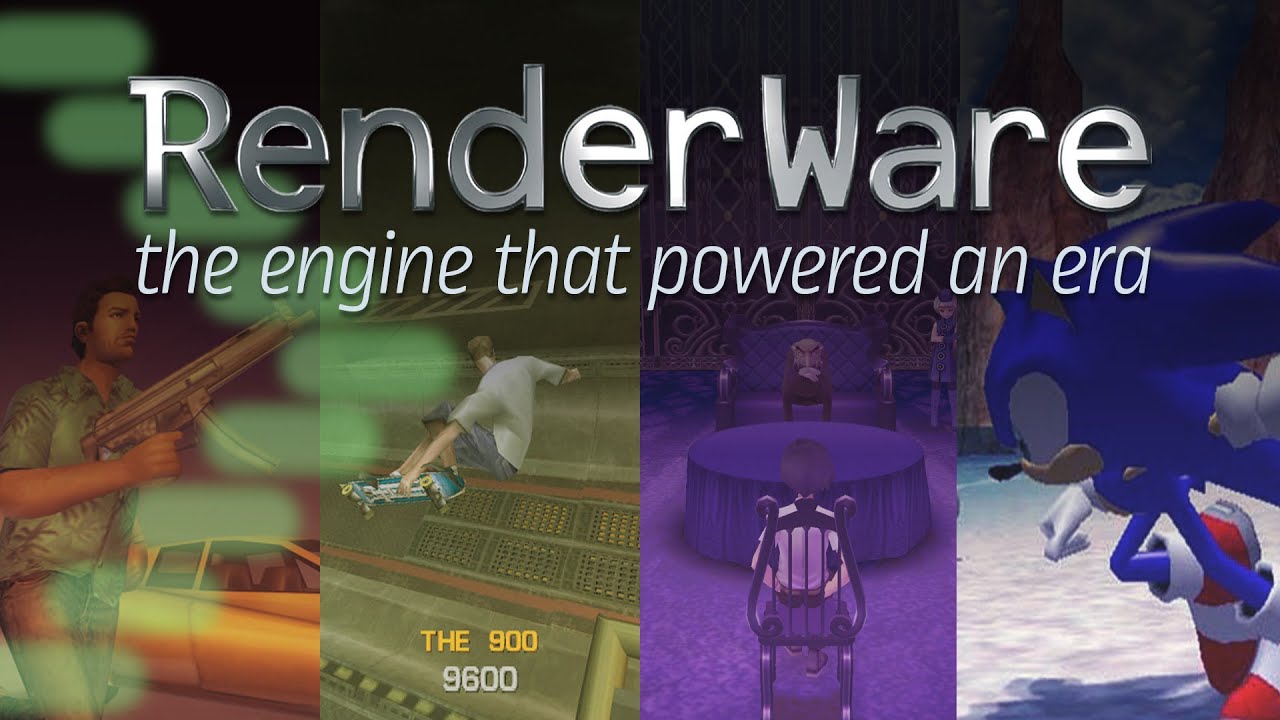
One of the first reusable game engines came from an unexpected quarter: a group of British software engineers working in the research arm of a Japanese camera company. You've probably seen their work without knowing it, and if it weren't for their engine, the PS2's game library would look a lot more barren.
14/11: Apologies for the blurring on ...
timid trout
@dull oar https://trello.com/c/9lgqM6dt/334-call-of-duty-2
This is before you solved the decal issue, it is clearly playable now 🙂

RTX Remix Version: 0.2.0
Wrappers used:
Issues:
- Glitchy layer blending causes almost everything to be transparent.
Notes:
Set the renderer to DX7
See the Discord thread for up to date information.
**Submitted on: **...
Labels
Partially Playable, Retail, Remix 0.2.0
dull oar
timid trout
<@780862799798468648> https://trello.com/c/9lgqM6dt/334-call-of-duty-2
This is b...
Yep totally playable now. You mind updating that? Never used Trello before, don't have an account or anything
timid trout
dull oar
Yep totally playable now. You mind updating that? Never used Trello before, don'...
Unfortunately you can't update existing ones, Runestorm told that he is working on it.
#offtopic message
This was after I pinged you sorry :/
dull oar
All cool mate, was just catching up on the conversations anyway
dull oar
slapped some basic material on it, no glass or anything yet. progress!
 dull oar
and now for something completely different I photoscanned a tree for the oak in carentan
 sweet cloak
That do look like a tree. White oak?
dull oar
yea seems about right. tiny oak tree in an english park 🙂
sweet cloak
How many tris did your scan end up with? Wonder if you could just clean it up in meshroom and plop it straight into remix without much fps loss 
dull oar
couple million polys mate 😛
sweet cloak
It’ll handle it ez
dull oar
but with five minutes inside 3ds max we got this
 sweet cloak
dull oar
transfer texture and mesh in mudbox, sculpt a bit, bring into substance painter, paint a bit and we're all set 🙂
i'll have to model the ends of the branches and eventually slap a load of this stuff all over it though
https://www.textures.com/search/114563?q=Quercus
sweet cloak
Are there any italianate architectural elements or facades ya want scanned? Got hundreds here.

Or cobble/brick streets
dull oar
oh snap, yea we do have this that i'm strugling to find IRL

its dark today...not sure why
another one i'm struggling to find is this, wooden roof tiles
 sweet cloak
dull oar
another one i'm struggling to find is this, wooden roof tiles
sweet cloak
dull oar
another one i'm struggling to find is this, wooden roof tiles
There’s a few homes with that, I can dig through my archives and see if I have photos of it.
dull oar
had metalness on it for some reason, all fixed now, its the trim on the side of the building

 dull oar
oh snap tasty
do you know how to capture for photo scanning? specifically a flat surface
sweet cloak
I can do LiDAR Scanning and photo scanner with my iPhone
dull oar
never played with that, be curious to see what it makes
sweet cloak
I don’t live far from all this so it’s no biggie if I end up with a bad scan
dull oar
typically i shoot raw with a DLSR on an overcast day. for flat surfaces you shoot planar to the object and pan side to side slowly working your way up with at most 50% overlap in each photo. process them in agisoft and you're all set 🙂
being from england getting an overcast day's typically fairly easy 😛
sweet cloak
We don’t get those till fall so might be a bit till I get to that level
dull oar
anything like this would be awesome, patches in a smooth stucco wall revealing the bricks

now we got stable walls we can go crazy adding decal patches like this
sweet cloak
dull oar
anything like this would be awesome, patches in a smooth stucco wall revealing t...
Got lots of those. From on purpose patch work to just plain aging
There’s also a copy of the Norte dame nearby. 👀
dull oar
oh no way, calls for a drone that mate
sweet cloak
I think my work has a lidar scan of it, but that’s not really a photo scan
sweet cloak
dull oar
had metalness on it for some reason, all fixed now, its the trim on the side of ...
There’s a painted masonry example of this nearby if you’re good with just the mesh of it
 dull oar
long way to go. old COD just stole from band of brothers 😛

 dull oar
sweet cloak
There’s a painted masonry example of this nearby if you’re good with just the me...
dull oar
sweet cloak
There’s a painted masonry example of this nearby if you’re good with just the me...
oh thats lovely brick work, would love that
sweet cloak
dull oar
long way to go. old COD just stole from band of brothers 😛
I’m certain that movie was watched many times as a source
 scarlet monolith
ily guys
timid trout
sweet cloak
Are there any italianate architectural elements or facades ya want scanned? Got ...
wow where do you live
timid trout
dull oar
and now for something completely different I photoscanned a tree for the oak in ...
I can confirm that it is a tree
dull oar
Honestly that's over 1 million
I'm sculpting it first, then I'll retop it to something more appropriate. Before that I'll stuff some branches into the arms then it's a case of sticking on loads twigs and leaves.
The car is 200k. Each screw and bolt is modelled
radiant belfry
i sure hope we can use rtxio, we'll need it 😛
sweet cloak
timid trout
wow where do you live
A city with lots of italianate facades
dull oar
I was away for only a couple days and some sod set fire to my car!

work in progress 😛 aint touched the chrome or tyres yet
slate plank
@dull oar FYI We have reenabled Opacity Micromaps (OMMs) by default. I know you had a crash repro in CoD2 multiplayer a while back but we have made numerous stability improvements to the feature since then that hopefully address that crash as well. Anyway, keep an eye on any new crashes and let me know if you find it to be due OMMs.
mystic juniper
On the latest build, there are some minor tweaks to the terrain engine (now textures marked as "ignore" should not be blended on top of the terrain; game's lightmaps are an example), might be worth trying to use a terrain instead of decals to see what other problematic cases may be there
dull oar
I'll give that a go as well, thank you sultim 🙂 it's all going on today ain't it!
dull oar
mystic juniper
On the latest build, there are some minor tweaks to the terrain engine (now text...
it's not looking very good compared to using decals, it changes colour and I loose most reflection detail even after turning on the option to include secondary PBR maps. lightmaps dont appear in the texture capture list in call of duty so i cant mark them as ignore either so I get shadows in my terrain 😦

updated to latest just now remix bridge and dxvk
another thing my motion vectors have gone all screwy again. This was an issue once before and you fixed it around the 23/06/23 (probably this update but i'm guessing based on dates https://github.com/NVIDIAGameWorks/dxvk-remix/actions/runs/5383274906)
see my meshes appear to be moving very fast all of a sudden then stop
slate plank
dull oar
it's not looking very good compared to using decals, it changes colour and I loo...
Did you update to this commit https://github.com/NVIDIAGameWorks/dxvk-remix/commit/f5a8d7f0a8e76709e6402108cb6eea2bbbee7a51?
Do you have the rtx.sceneScale properly set? Terrain system should produce higher resolution by default than what you have. First thing is to check the rtx.sceneScale is correct since the terrain baker keys of its resolution parametrization from it. I think the default value of 1 is correct for CoD2. You can also bump up terrain baker's resolution by lowering Terrain System\Cascade Map\First Cascade Level's Half Width https://github.com/NVIDIAGameWorks/dxvk-remix/blob/main/documentation/TerrainSystem.md
@mystic juniper can you look into "lightmaps dont appear in the texture capture list in call of duty so i cant mark them as ignore either so I get shadows in my terrain"?
dull oar
yep thats the one i got, i'll set the scene scale and give it another go 🙂
and cheers for the help guys ❤️
slate plank
Using decals in CoD2 in the end is fine if it works well, but the Decal System only approximates the game intended blending while the Terrain System fully replicates it. We'd like to know if you can get by with decal system or there are cases where the terrain system works better.
What maximum resolution are your replacement textures using? Currently we limit it to 8Kx8K by default for perf reasons. It can be adjusted via Terrain System\Material\Max Resolution
mystic juniper
lightmaps dont appear in the texture capture list in call of duty so i cant mark them as ignore either so I get shadows in my terrain
Hmm, let's see.. @dull oar , so the lightmap texture doesn't appear in theGame Setup -> Categorize Textures? 🤔
dull oar
mystic juniper
> lightmaps dont appear in the texture capture list in call of duty so i cant ma...
this is every texture i get in carentan, no lightmaps (and no sky but thats another thing :P)
 dull oar
slate plank
What maximum resolution are your replacement textures using? Currently we limit ...
dull oar
slate plank
What maximum resolution are your replacement textures using? Currently we limit ...
the maximum terrain texture size i use is 4096 with only the car using 8192
mystic juniper
I guess, replacements are used? We don't save non-primary textures (like those lightmaps) to a USD capture, so maybe because of that they're not uploaded and not shown in the menu (for a detailed debug, might need enabling Game Setup -> Preserve discarded texture ).
Anyways how it looks with / without replacements?
dull oar
I'll switch that on, save and give it a reload and see if my lightmaps appear in the list
mystic juniper
72e5c84be95131f6 is a suspicious number 🙃
dull oar
I've never felt good about the number 13 personaly
I have these things, could they be lightmaps?
mystic juniper
Yeah, the last one seems to be a lightmap that covers each surface, should be marked as ignore
sweet cloak
Something that I’ve found out with Need For Speed is it’s easier sometimes to mark the nuisance textures as don’t preserve draw call in OV
dull oar
just uploading a video of my switching from decal to terrain and marking that texture a ignore so you can see what i'm seeing
https://youtu.be/q0xo63nKnoQ
it's processing up to hd still, will take 35 minutes apparently

oh and I forgot to say yep all these textures are using texture replacements
dull oar
dull oar
another thing my motion vectors have gone all screwy again. This was an issue on...
Is this what your seeing @summer brook in NFS?
 glass marlin
dull oar
it's not looking very good compared to using decals, it changes colour and I loo...
glass marlin
dull oar
it's not looking very good compared to using decals, it changes colour and I loo...
Omg your dynamic decals genuinely look amazing
dull oar
Oh cheers, it's all hand made from photo photographs. Taking ages but coming together nicely ain't it
glass marlin
dull oar
Oh cheers, it's all hand made from photo photographs. Taking ages but coming tog...
It reminds me of the dirt water in cs2
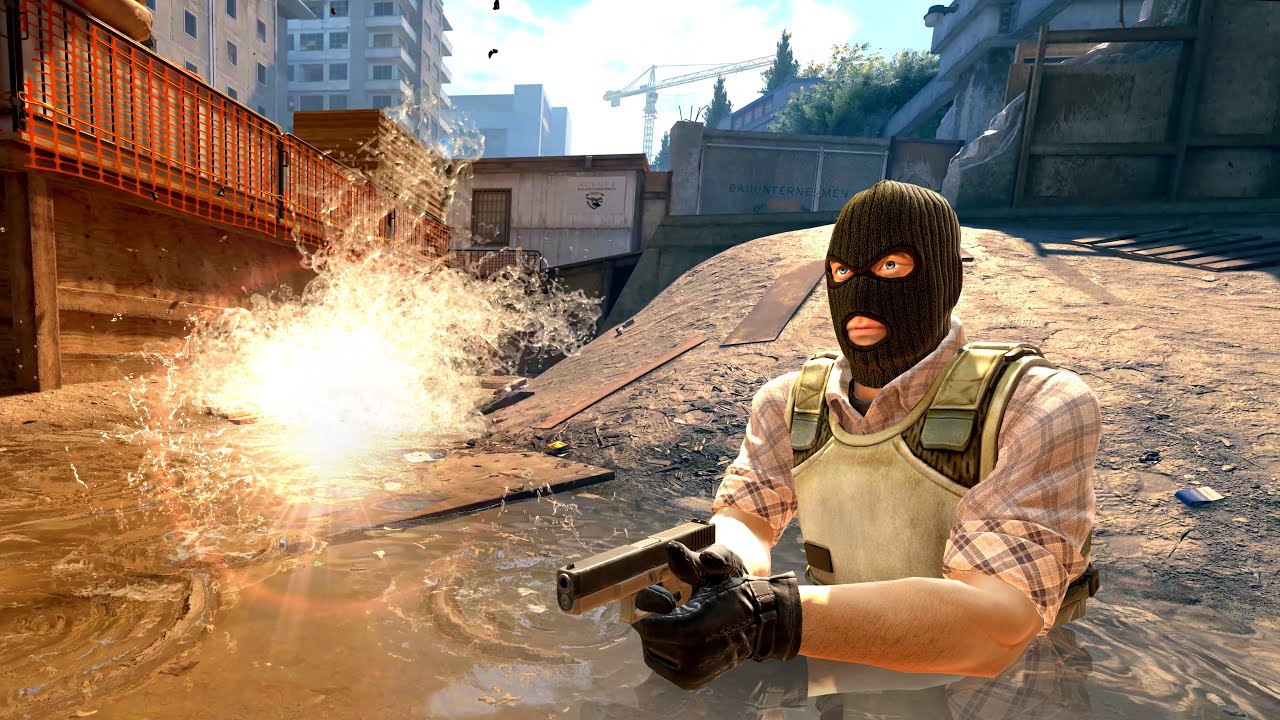
CS2 Overpass is out. A fully remade map, with fully remade WATER for Source 2! Complete with sewage and stuff.
0:00 - Other updates
0:38 - Water and sludge/debris
1:35 - Interacting with water
2:02 - Reflections
2:31 - 3D effect
2:57 - Foam and bubbles
3:51 - Screen Space Reflections!
4:29 - Bugs and Smoke grenades
Do you think it’d be okay if you posted gameplay being ingame and walking around the decals?
If u can ofc
dull oar
https://youtu.be/Cpq5pXWN7Uc?si=8pfQLmZIfOo-gWod
It's a couple months old but they're in there 🙂
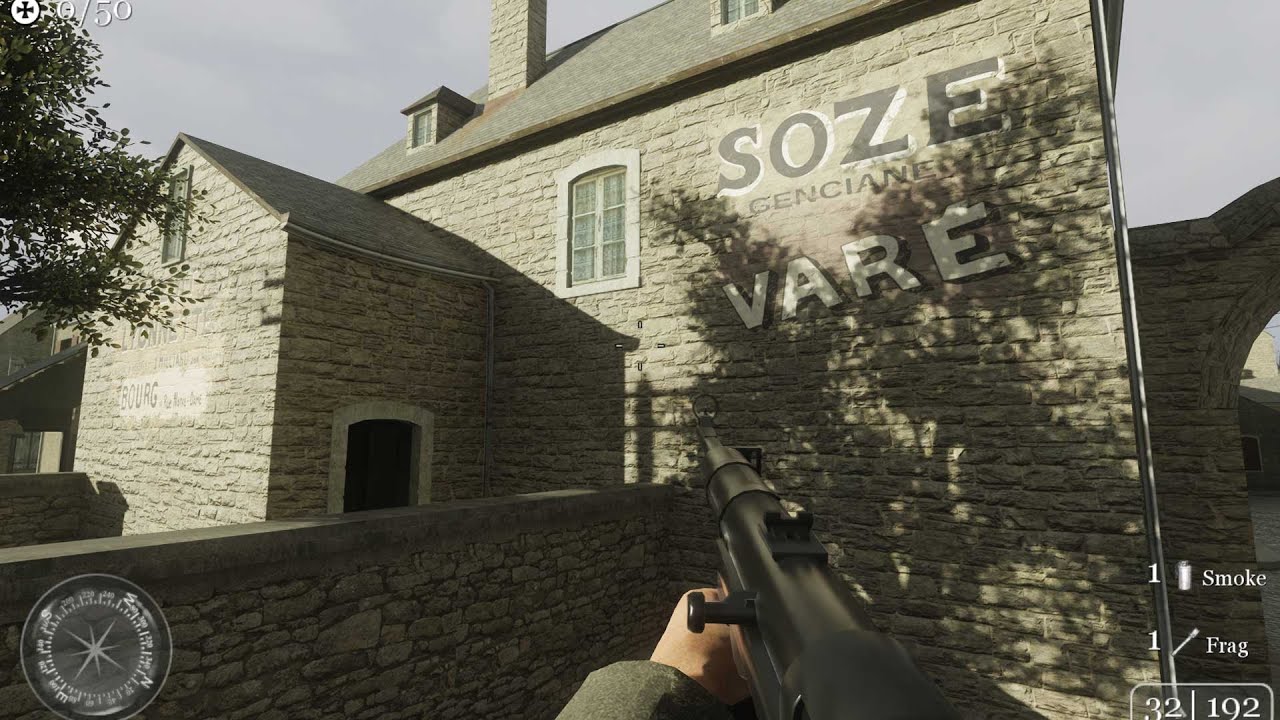
COD2 Carentan RTX Remix 03, still work in progress, lots to do :)
timid trout
dull oar
https://youtu.be/Cpq5pXWN7Uc?si=8pfQLmZIfOo-gWod
It's a couple months old but th...
lovely
slate plank
dull oar
https://youtu.be/q0xo63nKnoQ
it's processing up to hd still, will take 35 minute...
Thank you for sharing the video. We have some kinks to iron out. Question: was there any reason why you tagted some textures as Ignore Opacity Micromap? OMMs improve ray tracing performance and textures shouldn't be tagged as such unless there's a corner case where the system is not doing the right thing.
 summer brook
dull oar
Is this what your seeing <@544327892599963668> in NFS?
summer brook
dull oar
Is this what your seeing <@544327892599963668> in NFS?
Sort of yeah. I added a video + pics to Kim's open issue on remix github on that topic
dull oar
Oh it was Kim, sorry mate. Cheers for adding to Kim's bug ❤️
dull oar
slate plank
Thank you for sharing the video. We have some kinks to iron out. Question: was t...
Sorry about the late reply I was at work. So I did that because when you enable opacity micromaps you get this issue with decals where chunks of the decal will disappear in triangle shapes over the top of the surface it's rendered on.
You can see it here in the brick trim, the triangle error shape here is that's straight edge that cuts through my decal. I highlighted it in the second image.

 slate plank
dull oar
You can see it here in the brick trim, the triangle error shape here is that's s...
slate plank
dull oar
You can see it here in the brick trim, the triangle error shape here is that's s...
I see, yes in that case it makes sense. Are you using replacement assets for that surface? Does it repro with non-replacement assets?
dull oar
slate plank
I see, yes in that case it makes sense. Are you using replacement assets for tha...
Great question. If I toggle off texture replacements in the enhancement tab would that work as a test?
slate plank
Yes, disabling Enhanced Assets or Materials should do the trick.
dull oar
Awesome, gonna give it a test now then
dull oar
Right so first thing i did was unmark all textures as opacity micromap ignore, saved and reloaded. So the good news is on latest I cant get it to happen on my replacement textures anymore, only on these bushes I had marked as legacy cutout. The first image is with micro opacity maps on and the second is with it off.


looks really good though besides that bush. All my smoke blends over my alpha cutout meshes perfectly now
slate plank
Thanks. So the stone wall doesn't have the sliced issue no more after a reload?
dull oar
spot on see. kinda wanna make sure you know how awesome this is looking cause we come here with a lot of issues back to back and might paint the wrong impression
 dull oar
slate plank
Thanks. So the stone wall doesn't have the sliced issue no more after a reload?
dull oar
slate plank
Thanks. So the stone wall doesn't have the sliced issue no more after a reload?
I took that image a while ago and shared it as an example of what happens with mico opacity maps on but it was a few months back. on latest I cant get that to happen anymore
this is the only issue i can see with MOM on
#1099591203768504421 message
slate plank
OK great. I'll file an internal ticket for the issue with cutout bushes.
dull oar
if you turn on MOM...wait...no nevermind
lets stick with micro opacity maps for now yea
slate plank
Also when you get a chance can you try the terrain system for the dirt road and grass again, save and reload and see if the baked terrain is still unstable ?
dull oar
will do 🙂
mystic juniper
Is there a way to load into a Multiplayer map from a Singleplayer mode?
dull oar
no sorry multipler only, having issue getting it to load?
mystic juniper
Yeah, Multiplayer mode is problematic; need to wait 1-4 minutes for the main menu to appear
dull oar
i got a fix for that one sec
glass marlin
@dull oar have u been able to play the cod 2 campaign?
dull oar
yep works great, got a video on my youtube
glass marlin
dull oar
yep works great, got a video on my youtube
i wonder what he looks like
 dull oar
mystic juniper
Yeah, Multiplayer mode is problematic; need to wait 1-4 minutes for the main men...
dull oar
mystic juniper
Yeah, Multiplayer mode is problematic; need to wait 1-4 minutes for the main men...
https://steamcommunity.com/app/2630/discussions/0/3412056228820106631/
this fixes that wait mate

Full credit to PHP for figuring this out. Firstly, the CoD2MP_s.exe that Steam downloads is compressed and so this fix won't work with the .exe Steam downloads. You need to replace Steam's CoD2MP_s.exe with the retail version. You will not lose any features by doing this. You can download retail .exe's from here; https://1drv.ms/u/s!Am8jhe9O85YI...
mystic juniper
I wonder what those bits are doing
timid trout
mystic juniper
Yeah, Multiplayer mode is problematic; need to wait 1-4 minutes for the main men...
I think windows xp compatibility mode fixes that
dull oar
I think it's just checking for microphone input. a proper cod2 modding legend found it a little while back
sweet cloak
Call of Duty public lobby chatter was mandatory for this game
dull oar
you wont be able to just change the bits in the steam exe if thats what you're using. You'll need to download the exe from the disc thats included in the steam topic. it's just the disc exe with the bits sorted out, I've been using it for ages and php is lovely 😉
https://steamcommunity.com/app/2630/discussions/0/3412056228820106631/
dull oar
@static tangle played around with your technique for puddles some more, it even blends with decals as part of the terrain system if you mark the terrain layers as dynamic decal. looks great 🙂
for reference for anyone else who fancies a go it's the same texture as the base cobble stone with water applied over the top (i used substance sampler, took all of 1 minute to add the filter and paint where i wanted it with the mask option) First import the terrain into blender or whatever, copy the terrain, apply the cobble stone with the water on it, cut around your puddles, delete what you dont want to be wet, lower to the ground, tuck in the edges with some cuts.
 dull oar
invisible so far, checking whats wrong. looks like i added it to an intance like a plonker
oh snap its cool man

let me get you a video
radiant belfry
looking great
timid trout
radiant belfry
looking great
It doesn't function in bf1942
I mean it barely magnifies anything
yet it should be 4x
radiant belfry
i know it shouldn't be related, but could it be due to scene scale or something odd like that?
timid trout
radiant belfry
i know it shouldn't be related, but could it be due to scene scale or something ...
I have no idea, I think it should be ok as long as the scale of the lenses and their distances are correct
dull oar
I've scaled this uniformly so not to mess with your positions @timid trout
call of duty has a seperate camera for the zoom so i cant slap it on my sniper rifle
timid trout
dull oar
I've scaled this uniformly so not to mess with your positions <@1074634383996227...
Weird, distortions are different on this
radiant belfry
timid trout
I have no idea, I think it should be ok as long as the scale of the lenses and t...
do you have an example of how it is in 1942?
dull oar
might be whats kims saying about scene scale. i'm using 1 and call of duty is 1 meter = 1 unit
oh lol
timid trout
radiant belfry
do you have an example of how it is in 1942?
#1102927658762895390 message
Here
radiant belfry
that looks a lot less disorienting, lol
dull oar
cant tell one end of a gun from another 😛
radiant belfry
honestly i have no idea though, sorry
timid trout
radiant belfry
honestly i have no idea though, sorry
Yeah I gotta remake the smaller lenses, they might be faulty
#1102927658762895390 message
Video showing how it looks in BF1942
dull oar
having a time getting a good position for it to line up
timid trout
dull oar
having a time getting a good position for it to line up
Use the debug camera
don't forget to adjust its speed
dull oar
oh yea duh, one sec
radiant belfry
dull oar
for reference for anyone else who fancies a go it's the same texture as the base...
i'd love to implement this technique in the future in Skyrim
dull oar
bloody obs recording discord for some reason over and over again. sorry about the wait
timid trout
dull oar
bloody obs recording discord for some reason over and over again. sorry about th...
Yea it is faulty.
I don't get which part tho
dull oar
looks so damn cool though honestly 😛
slate plank
dull oar
<@617500777191047168> played around with your technique for puddles some more, ...
Are those textures tagged as terrain textures, or just as decals?
 static tangle
does the ior of the glass material match real glass's ior?
timid trout
static tangle
does the ior of the glass material match real glass's ior?
1.5
I double checked the positioning of lenses so the only thing left is the lenses themselves
I probably messed up something
dull oar
slate plank
Are those textures tagged as terrain textures, or just as decals?
just decals, means i can slot me puddles under the upper layers of the terrain and get a blend of wet dirt and straw 😛 such a cool lil hack
static tangle
it's clearly distoring the rays... does it work for magnification inside of USD Composer?
timid trout
static tangle
it's clearly distoring the rays... does it work for magnification inside of USD ...
Yes it does, it does in game too - if you scale it to 100m or something
The scale shouldn't matter tho, as long as each axis has the same multiplier
static tangle
maybe you're too far away from it? not really sure
timid trout
static tangle
maybe you're too far away from it? not really sure
Probably not, the 8x telescope I made earlier might have a lower amount of magnification too. This one is extremely subtle
Also the image doesn't get blurry when it is out of focus like irl
Not in ov nor the game
timid trout
timid trout
Also the image doesn't get blurry when it is out of focus like irl
Basically you can have infinite mag with a single lens
dull oar
this is wild i'm doing not this a realtime
static tangle
hmm, maybe due to the denoiser?
sweet cloak
Refence mode ? 
static tangle
blurry images actually need a lot more samples than clear ones, and the denoisers are all set up for making things clear
I'm just theorizing tho
timid trout
static tangle
I'm just theorizing tho
I can't wrap my head around all of these 😅
dull oar
maybe, the zooms very subtle
sweet cloak
Telescope simulator when?
timid trout
dull oar
maybe, the zooms very subtle
I had my hands on a real acog once, definetely has more magnification than this
timid trout
sweet cloak
Telescope simulator when?
I will try making a reflector telescope after figuring out the issue here
sweet cloak
timid trout
I will try making a reflector telescope after figuring out the issue here
Is the issue that it doesn't magnify enough?
timid trout
sweet cloak
Is the issue that it doesn't magnify enough?
Almost none
sweet cloak
Hmm
dull oar
reference mode with lower fov
 timid trout
#1102927658762895390 message
The width of outgoing rays is 1/4 of incoming ones
static tangle
what happens when you get the camera much closer to the lens?
sweet cloak
Does a basic magnifying glass work by chance?
timid trout
sweet cloak
Does a basic magnifying glass work by chance?
It works too well. Never gets out of focus
the image
You get infinite magnification as you get closer to the focal point
dull oar
getting closer to the lenses
sweet cloak
timid trout
It works too well. Never gets out of focus
Hm.. Have you tried using two of them on top of each other to see if there isn't something being chopped when passing through multiple lenes?
Or am I behind in the lenes testing?
static tangle
looks magnified at this point:

every real life optic has an ideal eyebox that you're supposed to look at it from to get the correct effect. You should figure out what the correct eye box is for this scope
due to the "doesn't get blurry" aspect, the eye box may seem a lot larger than it's supposed to be.
dull oar
ah yea good point, you'd see it as out of focus and would move closer but cause its sharp we're thinking something else is going on
static tangle
https://www.badassoptic.com/what-is-optic-eye-box/ decent explanation, looks like.
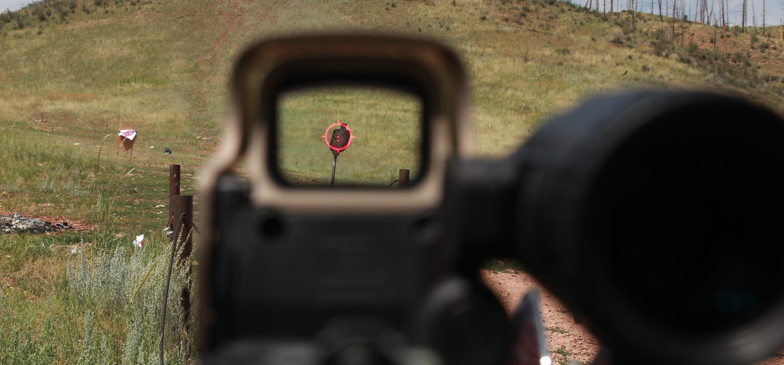
Understand what an optic eye box is and how to adjust your eye position behind the optic to have the perfect aim.
we're apparently not getting the exact effect correct, might be interesting to dig into exactly why
It should look more like this,
 dull oar
must be the bend in one of the lenses
static tangle
It could also be RT specific stuff like importance sampling and denoising.
sweet cloak
Try with an IOR above 1.75
dull oar
sure
sweet cloak
That'd be some very high quality glass that would let it be really thin
dull oar
1.8 ior
sweet cloak
@timid trout can you walk through your lens setup?
sweet cloak
@dull oar if you're feeling like doing some modeling, if you orbit these shapes around their centerline, it should make a zoom lens.

The closer the middle lens is to the front lens, the more it zooms
sweet cloak
Yea around the yellow line or the center point of the shapes if you can get them
sweet cloak
Yea gimmie a second
glass marlin
dull oar
1.8 ior
I mean there is a ton of ghosting on the scope so idk if it’ll be that useful in gameplay
I hope all goes well tho
dull oar
just a bit of fun honestly
glass marlin
dull oar
just a bit of fun honestly
Do u think you can reduce the ghosting with changing the scope a bit and changing the denoiser settings?
dull oar
yea maybe, its all tweakable aint it
sweet cloak
How about FBX since Autodesk doesn't seem to like SVGs in any of their viewers
dull oar
ah perfect, ta
glass marlin
dull oar
yea maybe, its all tweakable aint it
Do you think the ray reconstruction will reduce the ghosting overall?
slate plank
dull oar
1.8 ior
There's quite a bit of ghosting which we are aware of for this type of scenario. But it would be helpful to see how this looks in an in-game scenario when the scope moves and rotates with the camera since that scenario is much more applicable to a regular gameplay.
dull oar
sure i'll slap it on a rifle and see whats what 🙂
 slate plank
dull oar
sure i'll slap it on a rifle and see whats what 🙂
slate plank
dull oar
sure i'll slap it on a rifle and see whats what 🙂
If you manage to get that done, can you share a recording of a case when you're running Remix at some reasonable FPS (i.e. 40-80) for best evaluation how it looks in game play? You can adjust resolution or DLSS preset to adjust FPS. Make sure to use ultra graphics preset.
dull oar
will do, just about to test as a prop to see if it works first they i'll attach to my m1 🙂
you wont believe it
sweet cloak
dull oar
it only bloody works
i pass through the first lens at the end cause its also kinda cool
static tangle
nice! what did you change?
sweet cloak
dull oar
followed adams instructions honestly 😛
static tangle
so it was an issue with the lens shape / layout?
sweet cloak
I don't think @timid trout had the optical shapes dialed in. No fault to them though, it's not a simple subject.
static tangle
(also, kinda hilarious that the lack of a head means you get to see behind you, instead of just blackness)
dull oar
keep getting reflections in car window, i'm just arms and a gun!
i'll add a mesh behind the lens for to simulate a head
sweet cloak
https://phydemo.app/ray-optics/simulator/ Here's the little web app that we both used to get the layout

A free, open-source web app for creating and simulating 2D geometric optical scenes.
dull oar
and fbx for anyone who wants it. I've included the IOR into the mesh names so its easier to assign a material
sweet cloak
Now we get to figure out the fun part of putting a reticle in the scope
dull oar
where would it go in the real scope?
sweet cloak
To be honest, don't really know in an acog scope. In a regular rifle scope it's at on one of the focal plane lenes.
dull oar
middle seems about right 😛
sweet cloak
Nope
dull oar
middle lens i meant
dull oar
i have no idea mate you're the puppet master here
sweet cloak
Our simple zoom lens has no focal point so it can't have it have it in the traditional spot
dull oar
also how did @timid trout pack all his models into one usda model? i've had to do it all seperatly on a single prop 😦
 limber otter
Huh
limber otter
static tangle
(also, kinda hilarious that the lack of a head means you get to see behind you, ...
And this here. This is when strelok had the idea to use rtx remix to cheat in games
dull oar
you can just set everything to ignore and see through everything 😛
you can put ray tracing lights on the enemies heads
need to ask kamilkampfwagen tomorrow about how to attach all these scope bits into one usda file before i can put this on a gun @slate plank think this is the best we'll get until tomorrow
i added a big box behind the camera to block the light
radiant belfry
i like the idea of being able to see an enemy behind you in the scope's reflection 😛
i don't mean while scoped in, just while running about
dull oar
i'll put a wing mirror on the gun for ya lol
dull oar
static tangle
(also, kinda hilarious that the lack of a head means you get to see behind you, ...
fixed that for ya mate
static tangle
that got a snort and a laugh out of me 😛
dull oar
lol nice, right off to bed, laters all
timid trout
dull oar
fixed that for ya mate
I wasn't expecting this at all 😄
timid trout
sweet cloak
<@780862799798468648> if you're feeling like doing some modeling, if you orbit t...
Where did you found this 👀
Mine look like this

 timid trout
sweet cloak
<@1074634383996227627> can you walk through your lens setup?
timid trout
sweet cloak
<@1074634383996227627> can you walk through your lens setup?
So magnification is -Fo / Fe: I calculate the focal lenghts I need to get that magnification which also must fit into the body by length (I am using the same lens for both the inverter and the eyepiece so I the simple formula of magnification is still valid)
Test the setup using https://phydemo.app/ray-optics/simulator/: If the witdh of output beam is 1 / (magnification level) of incoming rays, it is correct
I get the radius of curvature of the lenses I need to make: https://www.123calculus.com/en/lens-maker-equation-page-8-40-400.html: All lenses have an ior of 1.5
I create a sphere with that radius, depending on the shape I either use intersect or difference for the boolean operator.
Place the lenses accordingly
I do the calculations for ideal lenses but in this case it shouldn't matter much.

 timid trout
sweet cloak
Now we get to figure out the fun part of putting a reticle in the scope
timid trout
sweet cloak
Now we get to figure out the fun part of putting a reticle in the scope
It either goes to 2 or 4, the intersecting focal points

But your lens setup is little bit different
timid trout
dull oar
also how did <@1074634383996227627> pack all his models into one usda model? i'v...
I put everything inside another Xform manually after exporting from the blender
using a text editor
timid trout
sweet cloak
I don't think <@1074634383996227627> had the optical shapes dialed in. No fault ...
😦 I wish I was listening to optics in physics class. I can only make simple lenses, convex biconvex etc
dull oar
I've attached the fbx model I used here if your like a go.
#1099591203768504421 message
I added everything as an xform with a reference and saved as USDA but it would load in game ☹️
Create xform, add reference til I added everything and saved the scene as USDA but no good
timid trout
dull oar
I've attached the fbx model I used here if your like a go.
https://discord.com/c...
So what is the magnification for this
dull oar
I'm not sure, does it say on the SVG
#1099591203768504421 message
(won't open on my phone)
timid trout
dull oar
Create xform, add reference til I added everything and saved the scene as USDA b...
Like this?
#usda 1.0
(
    defaultPrim = "RootNode"
    doc = "Blender v3.6.2"
    metersPerUnit = 1
    upAxis = "Z"
)
def Xform "RootNode"
{
    all that stuff blender exports except the #usda 1.0 (...)
}
I can't remember. I might take your acog and swap the references to these new lenses. That should work
You have to have different ior for each piece of glass
timid trout
dull oar
You have to have different ior for each piece of glass
Why?
dull oar
One for Adam that mate
sweet cloak
timid trout
😦 I wish I was listening to optics in physics class. I can only make simple len...
I’m not quite sure on how the sphere thing works out, seems like a short hand method of making the lens? I’ve never done it that way
sweet cloak
timid trout
Why?
IOR adjusts how the light focuses in the lens
timid trout
sweet cloak
IOR adjusts how the light focuses in the lens
I know but why I need them to be different. Glass is 1.5 so that would be cheating wouln't be
sweet cloak
Typical glass is 1.5. When dealing with optics, you do a bunch of fun stuff to it to change the IOR.
timid trout
sweet cloak
Typical glass is 1.5. When dealing with optics, you do a bunch of fun stuff to i...
But it should be totaly possible with just a single type of material
timid trout
sweet cloak
<@780862799798468648> if you're feeling like doing some modeling, if you orbit t...
Where did you this, is there other types
sweet cloak
timid trout
Where did you this, is there other types
On the website I posted, it was an example one
timid trout
sweet cloak
On the website I posted, it was an example one
Hmm. I was using that website for long tho I couldn't found that example scene in the gallery
timid trout
timid trout
So magnification is -Fo / Fe: I calculate the focal lenghts I need to get that m...
Is there anything I am doing wrong
timid trout
sweet cloak
I’m not quite sure on how the sphere thing works out, seems like a short hand me...
Just a boolean operator to combine / subtract shapes from others
 sweet cloak
timid trout
Just a boolean operator to combine / subtract shapes from others
sweet cloak
timid trout
Just a boolean operator to combine / subtract shapes from others
No I meant as in how that works out with physics.
timid trout
sweet cloak
No I meant as in how that works out with physics.
Oh, simple lenses are just a cut part of a sphere(s combined) with a defined radius
timid trout
timid trout
Like this
timid trout
sweet cloak
I don't think <@1074634383996227627> had the optical shapes dialed in. No fault ...
That hurts 😦
I have the diagram of acog here. To get actual lengths divide it by 80, each square is 20 units
https://phydemo.app/ray-optics/simulator/#XQAAAALPAwAAAAAAAABEqcrGU8hqLFnplfssnTFrVyjTHFiP9Y348FrinKNdt-77GpNkdE39fEnh-R7BCMhCJCwr8D95OXFEUKRJ2xpMckJk7D8q-Ss9jkaPXXXbxwTz6rVjJGj7JdUyjuPiJubOVYfOJ6ks9ocQ336q1miu0NLHyG-bJQeGNwhSeEygh-TxfFN_jE-HMB6Q1WtMs7FZiGz2mP6_I9_8lxJz9f9MVK287obDtVdTT1_ihaz6egy99OOzGyld2YmwCLJrgr-ffBQhW8GhAVXCL7J937j5OMz6_c7ljlnEMF-IrVvuavGrzN0I9gbjxhDedwHCi5jzVRXQEUYJUOfGVZ7no6GS-tMjNSAih6AGS0ZUN8rmWhnYRPNSch-hJW6uwXYBE5VpsAkzKEkOggJghDApU4-HjzScUIfwCzBA0MxU7G2tjfwpz33Y1QbU6Qg1h9sBmHX3qVO0CdH_8AmCcg
A free, open-source web app for creating and simulating 2D geometric optical scenes.
sweet cloak
timid trout
That hurts 😦
I didn’t mean in it a mean way, sorry if it came across like that
timid trout
sweet cloak
I didn’t mean in it a mean way, sorry if it came across like that <a:verySadge:1...
Nah, I mean I thought I could get away with simple lenses since there is no caustics no artifacts that complex lens structures are supposed to overcome
sweet cloak
Ideal lenses like the setup you have don’t do much besides focus light. So you’re not getting any magnification I think.
sweet cloak
timid trout
Nah, I mean I thought I could get away with simple lenses since there is no caus...
Too bad we don’t have full spectrum rending, we can’t make a kaleidoscope.
timid trout
sweet cloak
Too bad we don’t have full spectrum rending, we can’t make a kaleidoscope.
and rainbows
Magnification is just focusing the image to a smaller fov, so it must be possible with ideal lenses too. I think Mark's statement applies here:
every real life optic has an ideal eyebox that you're supposed to look at it from to get the correct effect.  You should figure out what the correct eye box is for this scope
due to the "doesn't get blurry" aspect, the eye box may seem a lot larger than it's supposed to be.
I made the 8x telescope (still not sure if it is actually 8x but definetely magnifies) with the exact same method
Tho when I put it in the gun it was behaving differently, I just realized that view model correction is squishing it with this new one
timid trout
timid trout
Magnification is just focusing the image to a smaller fov, so it must be possibl...
Mine aren't ideal either, they are pretty thick compared to their irl counterparts actually
timid trout
timid trout
Magnification is just focusing the image to a smaller fov, so it must be possibl...
Because when I make it way bigger I can see the magnification (still doesn't look like 4x but) since I have a wider room for the eyebox
This video shows it #1102927658762895390 message
sweet cloak
timid trout
This video shows it https://discord.com/channels/1028444667789967381/11029276587...
Yeah your focal distances must be getting thrown off then.
timid trout
with the giant scope I get this effect too

so the path tracer & denoiser aren't lacking anything besides dof
 sweet cloak
I’m not an optical engineer, so I can only help ya so much here. In my mind I’d suggest modeling the lenses, without using the ideal lens shape, in that simulator and then just radial sweeping them for the game.
I don’t trust myself with figuring out all the lens equations
timid trout
sweet cloak
I’m not an optical engineer, so I can only help ya so much here. In my mind I’d ...
Ideal lenses are considered as infinitely thin, tho modelling from the diagram is a great idea
(which I've never done before)
sweet cloak
If you’re using blender, you can export the sim to SVG and just use the shapes directly
Ez
sweet cloak
I will say, since we don’t get the imperfections, and focus issues with lenses, it is hard to tell what’s wrong
 warm lagoon
a
limber otter
Just simulate depth of field
We had ray traced depth of field and motion blur in Minecraft's better rtx mod
slate plank
dull oar
Right so first thing i did was unmark all textures as opacity micromap ignore, s...
Can you share your latest mp config and rtx.conf and any other things needed to be done to repro this? Thanks
dull oar
slate plank
Can you share your latest mp config and rtx.conf and any other things needed to ...
no problemo 🙂 extract main.zip here D:\SteamLibrary\steamapps\common\Call of Duty 2\main after you enter a map press F2 and it applies all this at once. none of this affect the bug but makes the game look good so why not 😉
seta r_smc_enable "0"
seta r_portalFineCull "0"
seta r_fog "0"
seta r_lodbias "-1000"
seta r_lodScale "1"
seta r_forcelod "0"
seta r_zfar "10000000"
seta r_znear "16"
and i forgot the attachments lol
sweet cloak
Okay, I think I need to setup a test scene in blender to work on these scopes.
Not exactly the scope we were looking for but more of a proof of concept

Here's the JSON of it that can be opened in the simulator
sweet cloak
Note: that one didn’t work out. Had to redo it to get the one I posted in optics.
slate plank
dull oar
Right so first thing i did was unmark all textures as opacity micromap ignore, s...
This is because the geometry hashes are not stable. Is it possible to stabilize the hashes?
sweet cloak
slate plank
This is because the geometry hashes are not stable. Is it possible to stabilize ...
Might need to patch your exe. The hashes are stable when using that with tadpoles commands
slate plank
sweet cloak
Might need to patch your exe. The hashes are stable when using that with tadpole...
Do you mean this post or something else? #1099591203768504421 message
warm lagoon
dull oar
no problemo 🙂 extract main.zip here `D:\SteamLibrary\steamapps\common\Call of D...
i think this
slate plank
warm lagoon
i think this
I meant the "patch your exe" reference which is not covered by that post
sweet cloak
slate plank
Do you mean this post or something else? https://discord.com/channels/1028444667...
Something else. I have a binary patch for the exes that disables frustum culling.
GitHub
RTX Remix Mod for relighting Call of Duty 2. Contribute to adamplayer/CallOfDuty2RTX development by creating an account on GitHub.
slate plank
@dull oar were you using the patched exe with disabled culling when you reproduced the OMM issue for bushes?
sweet cloak
The patched exe is the way it’s meant to be played(tm)
warm lagoon
was this added recently?
 slate plank
How is the patch applied, just drop into the game's root?
sweet cloak
I can provide the plain text patch, as in the values that change, that can be applied with x86dbg if needed.
Or you can view the ips file with a hex editor I think
I know patching an exe is an IT departments nightmare so I’ll give ya whatever ya need
slate plank
slate plank
<@780862799798468648> were you using the patched exe with disabled culling when ...
Let's confirm this first as the unstable hashes look to be the issue.
dull oar
Oh forgot that's not default. Yep I'm using lock pvs to stabilise the hashes
slate plank
Are the geometry hashes shown in debug view for those bushes stable when you do see the issue with incorrect OMM cutouts?
dull oar
I'll double check but I'm sure everything is 100% stable post patch.
there is a point where the geo is unstable until i enter the command r_portalFineCull "0" it's the first thing i do after i enter the map and the hashes change after that
here i load into a map, open remix, turn on debug, exit remix and use a hot key to enter the command r_portalFineCull "0" which stablizes the map. I guess that change in mesh hashes is the issue @slate plank
slate plank
Does the OMM cutout issue still repro after you stabilize the hashes with the above command and reset OMMs via toggling Pathtracing \ Opacity Micromap \ Enable Opacity Micromap off and on? Give it 10s to regen the OMMs after you reenable it
dull oar
lets see
slate plank
Also if you see the issue please double check whether the geometry hashes are shown to be stable in their debug view
dull oar
looks perfect so far but i'm going to play a couple rounds first before I say for certian.
you have the patience of a saint, cheers for sticking with me
dull oar
slate plank
Also if you see the issue please double check whether the geometry hashes are sh...
yea its spot on peter, had a few rounds and havent seen it the whole time 🙂 thank you
if we can find a way to turn on portalfinecull before entering a devmap we would be fine. the cheat protection doesnt let us do it 😦
slate plank
dull oar
if we can find a way to turn on portalfinecull before entering a devmap we would...
Great. Let me know if disabling prior to entering the map is not doable.
mystic juniper
dull oar
https://youtu.be/q0xo63nKnoQ
it's processing up to hd still, will take 35 minute...
Minor: noticed the usage of Game Setup -> Step 2: Parameter Tuning -> Sky Tuning -> Sky Auto-Detect, it can be disabled if it doesn't have the effect, as it introduces a CPU overhead.
Also, to not have shadows from a first-person weapon: #1099591203768504421 message
dull oar
oh sweet thank you sultim 🙂
 cerulean mica
@dull oar feel free to use improved HUD icons, cursor and fonts from my SP mod if you think they are suitable for your CoD2 RTX Remix project.
https://www.moddb.com/mods/letlev-edition
I'm planning to restructure the mod files in v1.2 to provide better compatibility with third-party mods and CoD2 retail version, but the textures will remain the same as in 1.1.

 cerulean mica
dull oar
if we can find a way to turn on portalfinecull before entering a devmap we would...
cerulean mica
dull oar
if we can find a way to turn on portalfinecull before entering a devmap we would...
 cerulean mica
dull oar
no problemo 🙂 extract main.zip here `D:\SteamLibrary\steamapps\common\Call of D...
cerulean mica
dull oar
no problemo 🙂 extract main.zip here `D:\SteamLibrary\steamapps\common\Call of D...
Also use r_polygonOffsetBias "0" to fix display of overlapping parts of models
 cerulean mica
You may also want to replace rect -128 0 896 480 with rect -106.8 0 853.5 480 in ui_mp/background.menu and ui_mp/connect.menu to fix the aspect ratio for background images. This solution works in both SP and MP, but requires adjusting the position of loading bar in MP.

 warm lagoon
cerulean mica
You may also want to replace `rect -128 0 896 480` with `rect -106.8 0 853.5 48...
warm lagoon
cerulean mica
You may also want to replace `rect -128 0 896 480` with `rect -106.8 0 853.5 48...
we can probably just paste a reference path traced image of this exact position. Do you know how to replace this loading screen with a newer one?
dull oar
cerulean mica
Also use `r_polygonOffsetBias "0"` to fix display of overlapping parts of models
I've had a play with this, I think remix takes over with its own offset and does t do anything. I'll try agai. And set it something huge and check again though 🙂 thank you
dull oar
cerulean mica
<@780862799798468648> feel free to use improved HUD icons, cursor and fonts from...
Oh wicked, thank you! that's what's really letting down the presentation in gameplay with the original tiny UI textures
And the portalfinecull command just fixed my opacity micro map bug. So thank you again
If you want to play along yourself you just need these files
#1099591203768504421 message
It won't have my fancy textures but I need to double check the licensing on a couple to be safe before I upload. Ideally I'd only upload when it's done though as to not have work in progress stuff floating around
dull oar
cerulean mica
this worked a treat, would it be ok if i add to the .menu files here? this is the last of the commands I need to have the hashes be stable and for remix to work its best. I've set them myself and it's working, just wondering if it might have some issues later down the line
setdvar r_portalFineCull "0";
setdvar r_smc_enable "0";
setdvar r_forcelod "0";
setdvar r_lodbias "-1000";
now the real question, how do we set this to work online? We could all join a server with remix installed, modders vs Nvidia or something 😛
timid trout
cerulean mica
<@780862799798468648> feel free to use improved HUD icons, cursor and fonts from...
I loved how frag grenade icons are switched to potatos for that specific mission
timid trout
dull oar
now the real question, how do we set this to work online? We could all join a se...
What exactly do you mean? Like opening a public server?
dull oar
nah just join a random one online with the map carentan
chuck in a map vote and it's carentan forever
timid trout
dull oar
now the real question, how do we set this to work online? We could all join a se...
Then ignore every texture except for player models
add lights to players
dull oar
lol oh yea, perfect
dull oar
problem with this is when you leave a map and go back the lod distance is all messed up, almost all things disapear right in front of you
well maprestart has the issue, going back to the main menu and back in appears fine
cerulean mica
dull oar
this worked a treat, would it be ok if i add to the .menu files here? this is th...
I think there won't be any problems, but I haven't had many tests in MP
cerulean mica
timid trout
I loved how frag grenade icons are switched to potatos for that specific mission
and there is an extra charm in adding damage and the possibility of picking up thrown potatoes in LE mod
cerulean mica
dull oar
problem with this is when you leave a map and go back the lod distance is all me...
This LOD distance issue happens to me in SP after I load a save file containing r_forcelod "0", for this reason I do not use it in LE mod
dull oar
what if you force a very low lod? like 3
we need it static or when the lod changes our mesh replacements change back to the old models
 cerulean mica
dull oar
what if you force a very low lod? like 3
cerulean mica
dull oar
what if you force a very low lod? like 3
I think you can really use this value to bypass the internal logic of drawing models but more checks are needed
dull oar
ah i see
wonder what controls the limit on models we're seeing here then
oh i installed your mod, its great mate, loads better
cerulean mica
dull oar
oh i installed your mod, its great mate, loads better
I've never tested it with MP 😄
dull oar
actually using the compass now
oh i meant in single player
do you have an rtx graphics cards to play with us?
cerulean mica
dull oar
wonder what controls the limit on models we're seeing here then
I suppose this is an engine limitation of the max number of triangles, in CoD4 and newer games there are not so strict limits. I can't get around this by changing the NVIDIA profile settings
cerulean mica
dull oar
do you have an rtx graphics cards to play with us?
Unfortunately, no. I'm stuck on GTX
dull oar
damn, the entry level cards are fairly decent, you'll get a good 30fps at 1080p with medium settings.
https://www.overclockers.co.uk/gainward-geforce-rtx-3050-ghost-lhr-8192mb-gddr6-pci-express-graphics-card-gx-20r-gw.html

Order Gainward GeForce RTX 3050 Ghost LHR 8192MB GDDR6 PCI-Express Graphics Card now online and benefit from fast delivery.
glass marlin
dull oar
oh i installed your mod, its great mate, loads better
What’s the mod about?
glass marlin
dull oar
damn, the entry level cards are fairly decent, you'll get a good 30fps at 1080p ...
Also no way is 8 gigs of vram enough like come on
They can afford to up the vram and keep a similar price right?
dull oar
lol rtx has a scaler for texture size in the settings, i'm on a 4070 and its fiiiiiine
dull oar
glass marlin
What’s the mod about?
#1099591203768504421 message
i uploaded my rtx config a few days ago btw @glass marlin if you wanna have a go
aint got my textures though
only done about half of Carentan, going out in 30 mins to get some lovely cobble road textures and dead grass
glass marlin
dull oar
lol rtx has a scaler for texture size in the settings, i'm on a 4070 and its fii...
Wdym?
dull oar
glass marlin
Wdym?
 glass marlin
dull oar
glass marlin
dull oar
Ah shit that exists? Thanks, might help with my vram not slowly maxing out before the game stutters and freezes
 glass marlin
dull oar
guess 8 gig isnt ideal
glass marlin
dull oar
guess 8 gig isnt ideal
I only have 6 gigs of vram…
glass marlin
dull oar
but i'm using 8k textures sooooo who knows
Holy shit I thought 4K was enough already
dull oar
 glass marlin
dull oar
https://tenor.com/view/bullshit-this-is-bullshit-bs-load-of-barnacles-spongebob-...
glass marlin
dull oar
https://tenor.com/view/bullshit-this-is-bullshit-bs-load-of-barnacles-spongebob-...
Nah I genuinely only have 6 gigs of vram
dull oar
the photorealism lies in the 7th k
glass marlin
dull oar
the photorealism lies in the 7th k
Then make it at least 7k
How much space do the textures take up?
Sry if I’m being harsh, I’m just in a really bad and stressful mood
dull oar
2gb
oh i just gotta save at half res, no bother, would take an hour
10 minutes with something like chainner
we'll squeeze it onto your card mate dont you worry 🙂
glass marlin
dull oar
2gb
I mean like in storage sry
dull oar
yea 2gb folder on the hard drive
was wondering where i put my head

no idea what that is 😛
glass marlin
dull oar
yea 2gb folder on the hard drive
Ah ok askin cause portal rtx takes up like 20 gigs like wow
dull oar
whole game though aint it, we got this, i can half that memory usage i'm sure
do you have the game?
glass marlin
Nah I don’t have cod 2
dull oar
just install remix and plop my rtx.config file into it
glass marlin
Tho I should get it since it’s on sale lol
timid trout
dull oar
no idea what that is 😛
You sure its not Mark's profile picture you put behind the scope?
dull oar
lol oh yea that'll be it
glass marlin
dull oar
just install remix and plop my rtx.config file into it
How do I install rtx remix?
On cod 2
Sry for askin so many questions
I hope I’m not being annoying
glass marlin
Can I just download rtx remix and the artifacts separately?
dull oar
download this, you need a github account
https://github.com/NVIDIAGameWorks/rtx-remix/releases/download/remix-0.2.0/remix-0.2.0.zip
glass marlin
I don’t feel comfortable installing a random exe
glass marlin
dull oar
its the official nvidia github your fine
Nah I mean like the auto updater
dull oar
fair enough
manually is easy enough
its just rune didnt want to answer another "bruh 💀 cant update?" message i think 😛
after you install 2.0 release i posted above
#1099591203768504421 message
download this, extract it to the root of cod2 folder, overwrite what it wants to overwrite
https://github.com/NVIDIAGameWorks/bridge-remix/actions/runs/6099434198
then download this and extract it to the "trex" folder
https://github.com/NVIDIAGameWorks/dxvk-remix/actions/runs/6179061052
so easy even an artist could do it
glass marlin
dull oar
so easy even an artist could do it
Oh trust me my dumbass will get smth wrong lol
Btw I wanna ask have ya been able to get this working in like cod 4?
glass marlin
dull oar
thats the death message "no camera found"
So maybe it’s still sorta working? It just can’t find a camera
Idk
@dull oar how does captain price look like in cod 2?
warm lagoon
camera is like your weapon, you shoot rays through it
now imagine having no camera
dull oar
daft, characters are aweful, i tried to make a solider but the model and UV's suck
glass marlin
warm lagoon
camera is like your weapon, you shoot rays through it
now imagine having no cam...
Uhhhh I’d go look for the camera duhhh?
dull oar
have to wait on mark to make cpu skinned character replacements a thing 
warm lagoon
glass marlin
Uhhhh I’d go look for the camera duhhh?
ray tracing requires a camera is what im trying to say, without cameras, it just won't work
That's why its called reverse path tracing
glass marlin
warm lagoon
ray tracing requires a camera is what im trying to say, without cameras, it just...
Ya ik ik, I just wanted to have some fun sry lol
warm lagoon
 glass marlin
@dull oar what settings should i use?
 limber otter
glass marlin
<@780862799798468648> what settings should i use?
limber otter
glass marlin
<@780862799798468648> what settings should i use?
How dare you reduce the number of corpses to tiny!!!
glass marlin
limber otter
How dare you reduce the number of corpses to tiny!!!
idk so my pc doesn't die trying to render so much stuff in remix?
limber otter
glass marlin
idk so my pc doesn't die trying to render so much stuff in remix?
It shouldn't
:3
glass marlin
limber otter
It shouldn't
i only have 6 gigs of vram on a mobile gpu...
dull oar
Use my config file mate. It's all saved in there
glass marlin
dull oar
Use my config file mate. It's all saved in there
can u send the message link?
dull oar
Can't find it, one sec I'll upload it
it goes here
D:\SteamLibrary\steamapps\common\Call of Duty 2\main\players\USERNAME
copy and paste it and rename it to config_mp.cfg for multiplayer
glass marlin
dull oar
it goes here
D:\SteamLibrary\steamapps\common\Call of Duty 2\main\players\USERNA...
there's stuff like this tho?

can i just copy paste some bits into my config?
glass marlin
sweet cloak
https://github.com/adamplayer/CallOfDuty2RTX/tree/main
@dull oar should i mess with this?
glass marlin
dull oar
lets get it running first
Should I load into mp or singleplayer?
Since mp has a massive problem of people being able to remote execute code due to how old the game is
warm lagoon
lets do a peer to peer MP match
glass marlin
(And activision won’t update or patch it)
dull oar
try multiplayer, spawn a map with the console command devmap mp_carentan
you can also go online but stuff happens
glass marlin
dull oar
you can also go online but stuff happens
like meanies remote executing code
dull oar
all maps share the same lighting i'm afraid
like unstable hashes limiting your mesh replacements but as you dont have any should be fine thinking about it
glass marlin
glass marlin
*like meanies remote executing code*
It was honestly jarring seeing cod 2 have the same exact console as cod bo3
A game that’s over like 10 years apart
Insane how old the cod engine is
dull oar
its why latest cod is hacked day 1
glass marlin
dull oar
its why latest cod is hacked day 1
Iirc cod games that use the mw19/unified cod engine don’t get affected by stuff like getting booted off the game or having code remote executed
Like in cod mw19, cod vanguard and cod mw2
While games like cod Cold War
That use the treyarch branch of the cod engine which was basically built off of cod bo4 due to treyarch being rushed to make a new game during covid
Still uses that old branch of the cod engine
With all the security issues
Which is why people can get booted off the game
It’s why Cold War feels alot different and in some cases worse than mw19
It was rushed during covid due to sledgehammer basically fighting with raven while making the cod 2020 game so sledgehammer was removed and treyarch became the new lead development team
And again it uses an older less advanced version of the cod engine in comparison to the mw19 engine
Which vanguard uses
And is why is feels alot more like an mw19 reskin
While cod Cold War felt like it’s own thing even tho it tried to copy the style of mw19
Sry for saying so much
Apologies
dull oar
oh right yea makes sense. ww2 has been my favourite of the latest games
glass marlin
glass marlin
Iirc cod games that use the mw19/unified cod engine don’t get affected by stuff ...
Cod mw22, warzone and warzone mobile all use the new unified cod engine
Which iirc is what all cod games is gonna use from now on
@dull oar should i place remix here?
 dull oar
yep thats the spot
glass marlin
dull oar
download this, extract it to the root of cod2 folder, overwrite what it wants to...
which should i install?
 dull oar
have you got 2.0 release first?
glass marlin
dull oar
have you got 2.0 release first?
ya i got remix 0.2
dull oar
glass marlin
which should i install?
so now you need the bottom one
glass marlin
dull oar
so now you need the bottom one
same with dxvk?
dull oar
yep and that goes into the trex folder
glass marlin
dull oar
yep and that goes into the trex folder
should i leave this? the readme mentions nothing of it so ya
 dull oar
drag it all mate
glass marlin
is that what u do?
dull oar
yep
glass marlin
@dull oar should i keep this next to the games exe or do i place it in trex

since the readme mentions to not place it next to the exe for x86
dull oar
yea in the main folder
you can just drag the whole lot and pop it next to the exe and everything from dxvk goes into trex
glass marlin
okay what should i do with the rtx config?
dull oar
next to exe
glass marlin
dull oar
next to exe
where can i get the config?
dull oar
#1099591203768504421 message
glass marlin
dull oar
https://discord.com/channels/1028444667789967381/1099591203768504421/11511962129...
wouldn't it break due to us having different gpus + me not having the replacements?
dull oar
nope
glass marlin
dull oar
nope
okay what else should i do now?
dull oar
boot it up dood
 dull oar
congrats man 🙂
glass marlin
@dull oar how do i disable and enable path tracing ingame?
or is that only in the debug build?
 dull oar
oh i got a fix, one sec
put this
#1099591203768504421 message
here
D:\SteamLibrary\steamapps\common\Call of Duty 2\main
and rename the zip to iw_16.iwd
 worldly river
dull oar
damn, the entry level cards are fairly decent, you'll get a good 30fps at 1080p ...
worldly river
dull oar
damn, the entry level cards are fairly decent, you'll get a good 30fps at 1080p ...
As someone who owns a 3050, please do not ever buy a 3050
glass marlin
dull oar
put this
https://discord.com/channels/1028444667789967381/1099591203768504421/1...
actually uh, i think ill stick with the culling
(i dont like downloading random files lol)
dull oar
it's a menu to trigger r_portalfinecull "0" without bothering cheat protection
you can just open the console and type that in though
glass marlin
dull oar
you can just open the console and type that in though
stuff still culls tho
should i do /r_portalfinecull 0?
it seems like no commands work in the console
noclip doesn't work or nothin
warm lagoon
worldly river
As someone who owns a 3050, please do not ever buy a 3050
💀
Is it bad?
worldly river
Yes
dull oar
glass marlin
noclip doesn't work or nothin
cheat protection
enter the level with spdevmap levelname spdevmap eldaba for example

or download the zip
glass marlin
dull oar
cheat protection
not even in singleplayer?
dull oar
yep
glass marlin
then whats the point of giving the option to enable console?
glass marlin
dull oar
enter the level with `spdevmap levelname` spdevmap eldaba for example
stuff still culls :(
and commands dont work still
glass marlin
dull oar
download the zip
can i just edit the files on my own?
timid trout
dull oar
should be able to just do this though even without the zip
OBS recording detected (mkv)
dull oar
glass marlin
can i just edit the files on my own?
dude come on i dont want to walk you though it, its a bunch of menu files just download it
glass marlin
dull oar
dude come on i dont want to walk you though it, its a bunch of menu files just d...
im sorry im sorry
glass marlin
cerulean mica
@dull oar so i just download this?
dull oar
#1099591203768504421 message
glass marlin
dull oar
https://discord.com/channels/1028444667789967381/1099591203768504421/11524706882...
so i just pop it into main?
dull oar
yep and rename to iw_16.iwd
glass marlin
dull oar
yep and rename to iw_16.iwd
what does the file do exactly?
 glass marlin
dull oar
with mesh hashes please
glass marlin
dull oar
with mesh hashes please

 sweet cloak
Sp is a tough one. Only MP works for sure.
dull oar
i have no idea how badly its culling
glass marlin
mp keeps running in fullscreen even when i edit the config to not run in fullscreen :(
dull oar
yea its a bug
sweet cloak
Yea it do that. I think I use the bridge config to make it windowed.
dull oar
i set it to my monitor res of 1920 by 1200 and its always windowed 😛
glass marlin
dull oar
i have no idea how badly its culling
its weird uh, alot doesn't cull but some do
aaaaand my game froze great
dull oar
switching around can do that
sweet cloak
Oh yea it only works on one map per game instance(?).
glass marlin
dull oar
switching around can do that
ik this sounds dumb but how do i know if the file i downloaded doesn't exploit some security issue in this almost 20 year old game to try execute code through the game?
sry im just tryin to be safe
sweet cloak
glass marlin
ik this sounds dumb but how do i know if the file i downloaded doesn't exploit s...
You can run it through virus total yourself if you’d like.
glass marlin
sweet cloak
You can run it through virus total yourself if you’d like.
i did and it came back clean but considering it'd prob use an obscure exploit in an old shooter game i doubt it'd detect much
sweet cloak
glass marlin
i did and it came back clean but considering it'd prob use an obscure exploit in...
Why would someone that can do those kind of exploits be hanging out here?
glass marlin
look man im sorry
i have horrible paranoia and anxiety issues and its why i dont usually mess with stuff like this
even when i really wanna
glass marlin
dull oar
its plain text
yup
 dull oar
iwd files are zip folders
extract the files to your desktop and open the menu files in notepad
dull oar
anxiety is a hell of a thing, no worries
glass marlin
thx for helping with this
as i was saying for some reason smth culls
even when everything else doesn't cull
dull oar
can you share a video of you entering a map please?
glass marlin
dull oar
can you share a video of you entering a map please?
game crashed again lol
dull oar
remix does that
could you show me a video of how you get into that map please? from the main menu
glass marlin
dull oar
could you show me a video of how you get into that map please? from the main men...
i just entered with devmap mp_carentan
sweet cloak
Did you press f2?
glass marlin
sweet cloak
Did you press f2?
honestly do not remember, idk why i would
dull oar
i didnt give him the autoexec
glass marlin
dull oar
i didnt give him the autoexec
||is it okay if u dont refer to me by a dude, sry it makes me feel uncomfortable, could you use she/they if thats okay? sry i just dont like being referred to as a dude||
dull oar
pop this into main, press f2 when your in game
before you ask its just some commands

when you get a sec @sweet cloak could you try this iwd?
sweet cloak
Sure 👍
dull oar
I added
setdvar r_portalFineCull "0";
setdvar r_smc_enable "0";
setdvar r_forcelod "0";
setdvar r_lodbias "-1000";
glass marlin
dull oar
before you ask its just some commands
sadly f2 does nothing + autoexec seems to do nothing
placed in main btw
dull oar
one sec let me see whats what
oh fuck
open console with shift and console button
its the expanded console
then do r_portalfinecull 0
and screenshot what it says
forgot about that
glass marlin
just this
 glass marlin

even after enabling sv_cheats and enabling the anti culling
stuff still culls
its weird
dull oar
well now you gotta patch your exe
but the fact it says "is read only" means cheats isnt working
thats the root of your issue
you cant run the commands
glass marlin
can i stop for now?
glass marlin
@dull oar did u encounter any of the issues i went through?
dull oar
no i turned off cheat protection
dull oar
fina-fucking-ly finished this car model, time to unwrap and colour in with substance painter




250,000 polys.
sweet cloak
Chess titans has proved that we can just dump as many polys as we want
dull oar
well thats good cause i refuse to stop
cerulean mica
dull oar
oh right yea makes sense. ww2 has been my favourite of the latest games
btw WWII, MWR and MW2CR are based on an enhanced AW engine, which featured significantly better lighting and PBR
cerulean mica
glass marlin
potato
interesting fact: in CoD5 there is an unused potato model intended for mp_vodka (soviet factory map) from map pack 3

 sweet cloak
IWD file works
dull oar
oh nice one cheers @sweet cloak
and thank you @cerulean mica its perfect 🙂 just what we needed
cerulean mica
dull oar
and thank you <@389063986009735189> its perfect 🙂 just what we needed
I'm so glad that worked
dull oar
Need a way to make them work in a non dev map next if you got something
We can play online after that. I've emailed the website I get my photo textures from and if they're ok with it I'll upload my mod for you guys to much around with 🙂 (once I'm done with a map)
cerulean mica
sweet cloak
Sp is a tough one. Only MP works for sure.
the explanation is simpler: this .iwd contains changes only for mp menus, but I made it based on what works in sp
cerulean mica
dull oar
Need a way to make them work in a non dev map next if you got something
try also adding commands from F2 macro in .menu
 dull oar
Yep this is what I did here
#1099591203768504421 message
cerulean mica
here are more commands that worked for me in sp
 dull oar
sv_cheats "1" that's the bit that was messing to that person earlier today
cerulean mica
dull oar
sv_cheats "1" that's the bit that was messing to that person earlier today
oh, I use sv_cheats "1" only in sp so that players can use their favorite commands like higher jump or give all without devmap, but I assume this is not required for the following commands to work in mp
dull oar
Huh, I guess the difference is multiplayer cause portal fine cull and others are cheat protected ☹️
cerulean mica
I suppose this can be bypassed only if you create your own server and allow these commands there, but I've never done that before.
dull oar
Breaking new grounds!
Never seen before ways to break your game!
Bet some cheat thing somewhere does this already
All I need it for is portalfinecull and forcing only one lod
cerulean mica
https://www.moddb.com/games/call-of-duty-2/downloads/call-of-duty-2-single-player-improvement
I just downloaded gfx_d3d_x86_s.dll from this custom patch and renamed it to gfx_d3d_mp_x86_s.dll, and it worked on a public server
 cerulean mica
glass marlin
mp keeps running in fullscreen even when i edit the config to not run in fullscr...
cerulean mica
glass marlin
mp keeps running in fullscreen even when i edit the config to not run in fullscr...
have you tried these patches?

 velvet onyx
sweet cloak
<a:NODDERS:1013959035982200862> IWD file works
velvet onyx
sweet cloak
<a:NODDERS:1013959035982200862> IWD file works
damn wish i could do this with bo1. That game deserves a remaster
glass marlin
cerulean mica
btw WWII, MWR and MW2CR are based on an enhanced AW engine, which featured signi...
we love the sledgehammer branch of the cod engine 🤩
glass marlin
dull oar
but the fact it says "is read only" means cheats isnt working
but i was still able to enable noclip after using sv_cheats 1
dull oar
Ok so now you need to patch your dll fine with Adams patch and your done then
That fixes objects culling and mesh stability
Think we got stuck with you not knowing what portalfinecull is supposed to do
static tangle
Are the full setup instructions for Call of Duty 2 posted anywhere? And are yall sharing the assets anywhere yet?
dull oar
I'm asking the own of the website I got the source photo textures I used if it's ok to share it online first.
We don't have instructions yet but I could put them together though. I'll install it to another harddrive so it's a fresh install
dull oar
static tangle
Are the full setup instructions for Call of Duty 2 posted anywhere? And are ya...
If you get it running it's Nvidia Vs modders team death match though
sweet cloak
static tangle
I'm just interested in getting a better stress test for the POM stuff I'm doing, and your height maps are nice
dull oar
Ah thanks 🙂 don't wanna get in trouble with textures.com though so may have to wait til I get the ok from them
static tangle
👍
dull oar
@sweet cloak would you be able to upload this
#1099591203768504421 message
to your cod 2 GitHub thingy please?
Going to put together a little install guide and that makes everything loads simpler don't it
dull oar
your a star mate, ta
dull oar
@static tangle call of duty 2 remix install instructions 🙂
a guide to Installing call of duty 2 and adding RTX remix 🙂
static tangle
You may want to host that as a google doc or something so you can keep it updated
dull oar
wont that just lock it to me though?
static tangle
? just share it so anyone can access or comment, but only you can modify
if someone else wants to modify, either you grant them permission, or they fork it
dull oar
ah i see
static tangle
Alternatively you could write this up as a README file for Adam's github page
sweet cloak
||Note a google doc reveals your google account||
dull oar
||yea thought so, I can do without "hey tadpole wheres ma god damn graphics" emails ||