#Call of Duty 2
1 messages · Page 2 of 1
 dull oar
 sweet cloak
Let's take a look a the family tree 
I highly doubt it since they're so many branches apart
dull oar
But the pvs method is the same as John carmacs which both cod and source use
"Source both use the Binary Space Partition model, based on John Carmack's implementation in Quake. "
sweet cloak
I'd have to take a look closer look at it and see if there's any overlap in implentation.
dull oar
Not knowing anything about anything but there has to be a bit that works out what leaf your standing in. That's the bit you wanna break, were in all leafs Mr game engine
Rather than removing leafs be in them all and leave leafs alone
Leaf
Them alone
Sorry
sweet cloak
Hm. Lemme make a flow chart to what I think the rendering flow is like and then maybe that'll get us on the same page
Or even bring up new plans of attacks


Quake3 Rendering Engine Intro to Quake3 rendering techniques including BSP, PVS, textures, and lightmapping Modified from an original presentation prepared by ...
That's the stuff I was looking for
This is what happens when you never take a data structures class. I have no idea what I was looking for
sweet cloak
Maybe
dull oar
I'll take it!
sweet cloak
I gotta go find how it was implemented
sweet cloak
I wonder if r_skipPvs was left in the retail build..
sweet cloak
dull oar
Oh snap. So we're changing a 0 to a 1
Could not find that implementation from my search
Hmmm
Wait I think I found it?
if ( (dword_1896FF8 - 1) >> 1 < 0 )
                      {
                        v79 = dword_1896FFC;
                      }
                      else
                      {
                        v79 = dword_1896FFC;
                        v77 = (float *)(dword_1896FFC + 8 * ((dword_1896FF8 - 1) >> 1));
                        if ( v65 < v77[1] )
                        {
                          v101 = (dword_1896FF8 - 1) >> 1;
                          for ( ii = dword_1896FF8; ; ii = v102 )
                          {
                            v71 = *((_DWORD *)v77 + 1);
                            *(float *)(v79 + 8 * ii) = *v77;
                            *(_DWORD *)(v79 + 8 * ii + 4) = v71;
                            if ( (v101 - 1) >> 1 < 0 )
                              break;
                            v79 = dword_1896FFC;
                            v77 = (float *)(dword_1896FFC + 8 * ((v101 - 1) >> 1));
                            if ( v65 >= v77[1] )
                              goto LABEL_143;
                            v102 = v101;
                            v101 = (v101 - 1) >> 1;
                          }
                          v79 = dword_1896FFC;
                        }
                      }
LABEL_143:
                      v72 = 8 * v101;
                      *(_DWORD *)(v79 + v72) = v27;
                      *(float *)(v72 + dword_1896FFC + 4) = v65;
                      ++dword_1896FF8;
                      result = v82;
LABEL_32:
                      ++v25;
                      v76 += 68;
                      if ( v25 >= *(_DWORD *)(result + 32) )
                        break;
                      continue;
                    }
It’s not identical to the quake3 render, but it is a bitwise operation.
And it’s in decent context.
dull oar
sweet cloak
I wonder if r_skipPvs was left in the retail build..
Ok so skip pvs renders nothing at all.

 sweet cloak
So it skips the whole Pvs system, thus rendering nothing.
I was thinking during the presentation yesterday, it might be better to just light the scene via emissive and thus not need stable hashes for floors and walls.
dull oar
I'm an environment artist, I need to be able to swap everything for what I plan to do.
And you don't have a sun so you need something stable to stick it to
 dull oar
Thanks man, I appreciate it
sweet cloak
At least unlike the sims, this already has a proven solution 
 slate plank
How much of a burden/blocker is the issue with the background effects showing up on top, unless rtx.skipDrawCallsPostRTXInjection = True is set is for COD2 modding?
sweet cloak
Can you show an example? I’m not sure what you’re talking about.
slate plank
It's the issue filed here: https://github.com/NVIDIAGameWorks/rtx-remix/issues/150

GitHub
Describe the bug Everything is transparent except for the players weapons remix 0.2.0 MSI 2070 super 531.79 1.2 (Steam) Attach logs! NvRemixBridge.log d3d9.log CoD2SP_s_d3d9.log To Reproduce Get in...
dull oar
I found a way to do that properly. turns out r_drawsun "1" was the issue, swap that for a 0 and decals are fine
I went through each of the 1000 commands one at a time...:P
sweet cloak
slate plank
It's the issue filed here: https://github.com/NVIDIAGameWorks/rtx-remix/issues/1...
I have yet to run into that issue tbh
dull oar
want me to close this bug @slate plank ?
your using my config aint you adam?
oh i cant close it, but i can comment
slate plank
dull oar
I went through each of the 1000 commands one at a time...:P
That doesn't fix the issue with background particle effects and other objects appearing on top. Can you share your config where the override is no longer necessary to confirm it's not an issue in COD2 anymore?
dull oar
here you go 🙂
slate plank
I also believe you previously mentioned that you were unable to do replacement for a sky, which I think this issue could contribute to that. Is that still the case?
Does that config apply to singleplayer, I have been unable to run mp.
dull oar
oh for multiplayer to work just plug a pair of headphones into your recorder input on the back of your pc
its looking for a microphone and got stuck
then hangs on black for 1 minute 😛
then its fine
slate plank
No, I already tried the workarounds.
dull oar
oh nevermind then, single player 🙂
my latest rtx config 🙂
for the sky I cant find the texture in the texture list 😦
I've found the mesh in omni and it has no material
sky_mesh hash
is the name of the instance of the sky but searching the hash gets you the mesh
slate plank
Thanks, that config doesn't suffer from the issue. We still want to improve this, but it's good to know it's not a blocker. If you can comment on the issue with your config to unblock any other people seeing the post that'd be helpful.
slate plank
On another note, I see you are not tagging any terrain textures. Does the decal system work good enough for you in this game and/or are there any issues with the terrain system getting in the way? Note, there are some tradeoffs. Decal System will sample the textures at their source asset resolution and handles arbitrary directions, while the terrain system uses actual in-game blending modes as set by the game. Decal System only approximates the intended blending operations.
dull oar
i do get issues with decals overlapping and cutting into each other. if you go ingame and load up the level "spdevmap duhoc_assault" you can see the beach after the first cutscene has a lot of issues

swapping to terrain changes its colour and as the cliffs also use the terrain system the textures go all stretched down the cliff
slate plank
Yes vertically dominant slopes will suffer. You can bump the resolution of the system to counter that, but that can go only so far depending on the world span of the terrain in the game and how much resolution you need for such steep slopes.
dull oar
using dynamic decals on the beach causes this but my carentan level its perfect
 slate plank
i do get issues with decals overlapping and cutting into each other
I am aware of that and hopefully will have an update for you soon. For future reference, it's best to file it on github as an issue with an rtx.conf and repro steps. Mark does a good job of keeping up with discord, but we can easily miss any posts on here, plus it's easier to track issues on github than here.
dull oar
will do mate
is that screen shot good enough for you?
while we're talking decals would love an options to set draw order
marking the same terrain textures as terrain from the beach it rasterizes
 slate plank
Yes sorry I misunderstood your post. Yes I meant the aliasing decal issue that I have been looking into. The intersecting decals is probably a separate issue.
How does the beach look in non-RT mode?

 slate plank
OK thanks I will file an internal ticket for it.
dull oar
dull oar
using dynamic decals on the beach causes this but my carentan level its perfect
would you like me to set up a bug for the terrain dynamic decals changing the way they blend from this image?
i got this one as well. set it to dynamic decal and your fine. set it to decal or offset decal and you get the second image


i've been playing with decals for the last week. I got issues all lined up and you asked lol
slate plank
Yes if you can file it on github that would be helpful.
dull oar
okey pokey on it 🙂
dull oar
jesus using portal prelude rtx files on cod2 i'm getting over 100fps on quality with dlss3. was getting 25 up to 50 before


 timid trout
Frame Gen ?
 radiant belfry
dull oar
jesus using portal prelude rtx files on cod2 i'm getting over 100fps on quality ...
radiant belfry
dull oar
jesus using portal prelude rtx files on cod2 i'm getting over 100fps on quality ...
try it on/off with the preulde files
since there were performance improvements regardless of DLSS
timid trout
dull oar
jesus using portal prelude rtx files on cod2 i'm getting over 100fps on quality ...
You still have that grass don't you 🙂
dull oar
Lol yea that's still there as well
timid trout
What progress are you guys doing over the weeks? Haven't been able to keep up with.
dull oar
radiant belfry
try it on/off with the preulde files
so much better than 2.0. swear i was getting 40fps from this angle before

 radiant belfry
i guess we can look forward to some much improved performance then 😛
 radiant belfry
still a 10 FPS improvement, pretty great
dull oar
yea totally, worth shouting about tbh
radiant belfry
especially since the image quality improved too
looking forward to this being added
dull oar
100%
timid trout
timid trout
What progress are you guys doing over the weeks? Haven't been able to keep up wi...
Uhm..
 sweet cloak
No progress with getting stable hashes and such
dull oar
my videos are starting to get some views so we might get some newbies with a coder mindset to come help you adam
https://www.youtube.com/watch?v=hcPIZkXMLoU
sweet cloak
I hope  It’s a difficult one for sure.
dull oar
did skippvs turn into anything?
sweet cloak
No it skips the whole pvs system, and thus the rendering system, and renders nothing.
It’s a good way to find the pvs system in the exe and dll though
dull oar
every discovery gets us that bit closer dont it
sweet cloak
Ever so slowly it’ll get solved.
Maybe I should look at RTCW and see if there’s any notes on it. That’s the common node between iw2 and quake 3.
dull oar
not a bad shout
sweet cloak
Oh that was easier than I thought. https://github.com/id-Software/RTCW-SP

GitHub
Return to Castle Wolfenstein Single Player GPL Source Release - GitHub - id-Software/RTCW-SP: Return to Castle Wolfenstein Single Player GPL Source Release
dull oar
lol no way
sweet cloak
GitHub
Return to Castle Wolfenstein Single Player GPL Source Release - id-Software/RTCW-SP
Pretty similar to CoD2s system
I don’t have the mental capacity till like next week to really dig into it. Let me know if you find something that correlates to load everything or the likes.
dull oar
yea will do, no worries. I'll ping you if anythng pops up
sweet cloak
GitHub
Return to Castle Wolfenstein Single Player GPL Source Release - id-Software/RTCW-SP
=================
R_LoadVisibility
=================
*/
static void R_LoadVisibility( lump_t *l ) {
    int len;
    byte    *buf;

    len = ( s_worldData.numClusters + 63 ) & ~63;
    s_worldData.novis = ri.Hunk_Alloc( len, h_low );
    memset( s_worldData.novis, 0xff, len );

    len = l->filelen;
    if ( !len ) {
        return;
    }
    buf = fileBase + l->fileofs;

    s_worldData.numClusters = LittleLong( ( (int *)buf )[0] );
    s_worldData.clusterBytes = LittleLong( ( (int *)buf )[1] );

    // CM_Load should have given us the vis data to share, so
    // we don't need to allocate another copy
    if ( tr.externalVisData ) {
        s_worldData.vis = tr.externalVisData;
    } else {
        byte    *dest;

        dest = ri.Hunk_Alloc( len - 8, h_low );
        memcpy( dest, buf + 8, len - 8 );
        s_worldData.vis = dest;
    }
}
Specifically this bit:
if ( !len ) { return; }
From my, very basic, understanding of this system. This is where the length of the expected visbility section (the portals) is determined for being loaded into the rendering pipeline
Now to see if this applies in cod2
dull oar
Poop ☹️
sweet cloak
I believe you said that if you don’t generate portals for a map, the entire map gets placed into one giant portal right?
Seems the map loading is entirely based on the PVS system, so telling it there’s no portal cells results in things breaking when trying to add things to the view.
Seems like this walks through the nodes to check their visibility and lines up with the q3bsp presentation of the bitwise and.
GitHub
Return to Castle Wolfenstein Single Player GPL Source Release - id-Software/RTCW-SP
So maybe skipping that will get us what we need
The answer might of been r_Markleaves the whole time
Clearly this is the work of Mark himself
dull oar
Oh wow well found Adam. Googling r_markleaves get a few good finds as well. It's more source stuff but you know.
https://twhl.info/thread/locate-post/344423

The Whole Half-Life
= Prologue
Even 16 years down the road, the vast majority still have an extremely vague idea of the operating principles of Quake-type engines. This simple fact prompted me to write this series of articles (or at least the first article of this series). There are basically no articles on the ...
sweet cloak
The visible part of the world is cut off in the same fashion: we find the current leaf where the player is located (in QUAKE this is implemented by the Mod_PointInLeaf function) then we get a pointer to visdata for the current leaf (for our convenience, it is linked directly to the leaf in the form of "compressed_vis" pointer) and then stupidly go through all the leaves and branches of the map and check them for being visible from our leaf (this can be seen in the R_MarkLeaves function)
That stupidity is the key 
dull oar
Lol you get all the lines
One sec let me check the maps all one cell without portals for ya
dull oar
sweet cloak
I believe you said that if you don’t generate portals for a map, the entire map ...
yep it's all one cell

 hazy canyon
Is this the Steam version of COD2? and did you apply any patches?
@sweet cloak lol there is a BSP decompiler built right into the game engine:
https://github.com/id-Software/RTCW-SP/blob/70951bc71b730efe6bcb07db7ae76ef0c4ae7c14/src/bspc/bspc.c#L860C5-L860C17
first it loads the BSP, then it writes it out to a map file
I was trying to see if it had support for loading maps directly, but seems not
this recompiler is really interesting though ....
" forcesidesvisible = force all sides to be visible\n"
I wonder what would happen if you added all the nodes in the tree to a single portal:
https://github.com/id-Software/RTCW-SP/blob/70951bc71b730efe6bcb07db7ae76ef0c4ae7c14/src/bspc/portals.c#L212
much to try 🤔
dull oar
hazy canyon
Is this the Steam version of COD2? and did you apply any patches?
Just the steam version yea.
hazy canyon
I think if you mark all portals as translucent, the PVS calculation for the node clusters will just see through right to the next poral:
https://github.com/id-Software/RTCW-SP/blob/70951bc71b730efe6bcb07db7ae76ef0c4ae7c14/src/bspc/portals.c#L142
dull oar
All you gotta do is set the render preference to dx7. Draw sun to 0
hazy canyon
okay, thanks 👍
dull oar
Wow watbulb well found mate! Loads to try here
 tight obsidian
The screenshots are beautiful! I'm a big fan of the older COD games. Seeing it like this, is really cool. Thanks for all your effort and work put into this
I'm hoping one day someone will put the same amount of love as you did in COD WAW
hazy canyon
dull oar
Wow watbulb well found mate! Loads to try here
yeah im just guessing but there's lots we could try when recompiling the maps to BSP's. or potentially trick the viscluster calculations to pass through each node and portal to the next one
dull oar
Just something to keep in mind we don't have . map files just the compiled .d3dbsp files
I know you mention the built in decompiler just wanted to highlight that though
hazy canyon
yep. but you can decompile the BSP's to map files. then use bspc to compile them again, though im not sure how well that works
dull oar
Will you be getting giving this a go yourself and joining our little party of 2?
hazy canyon
probably yeah, i'll give it a shot for a bit this weekend. first step is just to look at the BSP files to figure out what they are and how they are compiled, then look at the source to see how it does the viscluster calculation to see if there is any way to trick it with the existing BSP's to passthrough the PVS calculation between all portals. if that doesn't work it might be best to figure out how to recompile the BSPs to make everything use a single portal, or a portal that is always marked as translucent, to trick the viscluster calculation to move onto the next cluster and portal pair so everything becomes visible.
dull oar
dull oar
here you go 🙂
Awesome stuff. Here this should get you started
dull oar
dull oar
my latest rtx config 🙂
That's my multiplayer config file. And this is my rtx config
hazy canyon
rgr thanks
dull oar
No problemo. Holla if you need a hand. Right it's bed time for me. Laters
hazy canyon
have a good one
sweet cloak

sweet cloak
hazy canyon
I _think_ if you mark all portals as translucent, the PVS calculation for the no...
Note that there’s differences to cod2 and rctw’s code base.
CoD 1 is closer to rctw
hazy canyon
Yeah unfortunately 😢
hazy canyon
I want to just get hands on with the BSPs and see what kind of info is in the file itself to define portal properties
sweet cloak
The file structure is kinda defined on the modding wiki but it’s not really clear.
This is a good breakdown of the PVS system #1099591203768504421 message
I know @dull oar has a compiled map comparison that you can diff to see what a the portals appear as.
I believe CoD2 doesn't have the simple walking of each "leaf"/"node" of the BSP tree still in it.
hazy canyon
Hmm interesting
I’m really hoping that internally when it starts the viscluster calculation from the node parsing recursion, we can leverage a trick
Since in COD2 some portals can be marked as transparent, which causes the viscluster to flood through to the next leafset until a portal is reached
But im not sure if they expose portal properties in the BSP
Or if it’s simply used as a data organization primitive during compilation
 hazy canyon
Yeah all my current info comes from the BSPC compiler
But that is also useful
Since it looks like the game code is aware of VisPortalsForCell
ShowPortals would be cool for debugging
Is that a command?
sweet cloak
Yes
hazy canyon
Sweet
sweet cloak
||I never got it to work but Tadpole has shown it works just fine for him ||
hazy canyon
Hah lol
sweet cloak
 sweet cloak
I used to use ghidra but it just doesn't analyze as well it seems
hazy canyon
IDA is sort of the king at win32 reversing, it’s been around since before the people who wrote ghidra were probably even born
sweet cloak
I can share my idb. It's based on the mac build from back in the day.
Aspyr always leaves debug symbols in their macos builds for whatever reason
Not that I'm complaining
sweet cloak
7.5
sweet cloak
Living large over there 
hazy canyon
Haha yeah. I reverse engineer software at work for a living, so we gots all the modules from everything from blackfin DSP to obscure MIPS processors
sweet cloak
Oh boy bizzare architectures. IDA's favorite
hazy canyon
Yea it really is
Really it’s just one defence customer that reallllly wants it, so they pay hex rays to make it and then they integrate it into the product
Cough Northrop Grumman
Cough
Binary ninja is also nice
Far more affordable
We usually use that for writing custom arch plugins because writing them in hex rays is an exercise in insanity
And ghidra doesn’t support VLIW
sweet cloak
Ghidra was spending all that time for that dark theme
hazy canyon
Lolllll
Yeah
That really bugs me
For awhile you could enable accessibility mode and invert all the colours, it was half passable
But still looked so bad
hazy canyon
Foreal
sweet cloak
By the way the magic for loop is this #1099591203768504421 message:
    for ( i = 0,leaf = tr.world->nodes ; i < tr.world->numnodes ; i++, leaf++ ) {
        cluster = leaf->cluster;
        if ( cluster < 0 || cluster >= tr.world->numClusters ) {
            continue;
        }

        // check general pvs
        if ( !( vis[cluster >> 3] & ( 1 << ( cluster & 7 ) ) ) ) {
            continue;
        }

        // check for door connection
        if ( ( tr.refdef.areamask[leaf->area >> 3] & ( 1 << ( leaf->area & 7 ) ) ) ) {
            continue;       // not visible
        }

        parent = leaf;
        do {
            if ( parent->visframe == tr.visCount ) {
                break;
            }
            parent->visframe = tr.visCount;
            parent = parent->parent;
        } while ( parent );
    }
Found in R_MarkLeaves, which I don't know if the CoD2 engine still has
I go rest now as well 
hazy canyon
I wonder if vis is precaclulated or loaded from the BPS. I wonder what happens if you add all leaf clusters to vis 🤔
have a good one
hmmm R_VisitPortalsForCell. I want to try visiting all the portals for all the cell clusters 😅
could probably do some quick interception with frida and dump the args to R_MarkLeaves and R_VisitPortalsForCell and call them myself
sweet cloak
hazy canyon
hmmm `R_VisitPortalsForCell`. I want to try visiting all the portals for all the...
I think that’s possible, it's called only from r_vistportals, so it's straight forward to manipulate.
They’re in the gfx DLL if you want to manipulate them.
Everything render related is in the gfx DLL, the games exe keeps a struct(?) with pointers to all of them.
I didn’t take all the fun programming courses in college so I don’t really know how to describe it
dull oar
Morning, just to catch you up @hazy canyon I have installed the old cod2 mod tools including the old level editor. This came with two levels from the base game for you to learn from. The multiplayer map Matmata and a single player level set at night in France. Taking out all bsp brushes marked as "portal" and "portal_nodraw" saving and compiling got us this #1099591203768504421 message we know for certain the portals are causing mesh hash instability. Now it's just a case of breaking this system any way we can.
I've exported Matmata with and without portals and compiled the maps with the exact same settings. The difference between the two files are the portals.
But it's all hexadecimal
hazy canyon
@dull oar okay makes sense, thanks for the info. I also saw the mod tools and was also playing with them and am just getting to grips with how it all works. My only question, is if its the portals which are causing the instability (which makes sense because that is the locality for the current cluster set in the PVS), would it not be possible to just remove the portals from all the BSP's and recompile them?
sort of seems like its solved if you remove all the portals, which causes the clusters to all be exposed to the root portal, if there is any (which causes the PVS to passthrough)
dull oar
We're tried removing the portals from the compiled map files (.map goes into the compiler, .d3dbsp comes out) but it just won't have it. They stick around no matter what unfortunately
Hopefully we're just missing something though
Another little trick that we haven't tried yet but if you make structure brushes detail brushes and they shouldn't get culled
hazy canyon
oh okay, I see, so you are trying to remove the portals from the precompiled maps, whereas you had the raw source maps before and were compiling the maps out of them (and removing the portals in the process)
dull oar
Yep. We only have the two raw source maps infinity ward provided us
It's in the maps source folder of your mod tools
hazy canyon
rgr makes sense, thanks
in that case I'll probably look into decompiling those back into maps, and seeing if we can do the same thing with the official compiler
another thing I was thinking of, is if that doesn't work, we could try and modify the engine to not remove a cluster from visualization once it has been initially rendered, which would be easier than trying to reverse engineer how the whole PVS system works. we know the clusters get rendered, and eventually they get culled out due to the PVS, so if we can edit a branch in the engine that causes the leaf to get removed from the current vis set, then that could work too.
dull oar
I don't know if that might make it unstable until all leafs have been seen though
It's the increasing and decreasing of vert and UV count that's causing the instability.
hazy canyon
thats true, I dont know either, but at some point they all get rendered based on where you are and what you see, its just they eventually get removed from the PVS set at some point, im assuming you could tell it to not do that. but im not certain
oh okay
dull oar
We have this as well, might help you
https://github.com/riicchhaarrd/d3dbsp/tree/main

GitHub
D3DBSP reader for CoD2. Contribute to riicchhaarrd/d3dbsp development by creating an account on GitHub.
sweet cloak
hazy canyon
another thing I was thinking of, is if that doesn't work, we could try and modif...
RTCW does keep track of what was visible and keeps it in memory for a few frames.
sweet cloak
@worldly river do you have interest in finding the elusive if statement ? 
radiant belfry
Call of Duty 2
slate plank
dull oar
i've been playing with decals for the last week. I got issues all lined up and y...
Hi, give the latest runtime a try. I have added some fixes and parametrization for decal offsetting. It should help with some of the issues. See parameters under rtx.decals.* and a texture category rtx.singleOffsetDecalTextures. You can find the parameters in GUI under Rendering \ Geometry \ Decals. Note that these settings apply when a new geometry is detected, so you may need to move camera and/or restart a level to take effect. The added texture category is to be set for textures that are already set as decalTextures or dynamicDecalTextures. See https://github.com/NVIDIAGameWorks/dxvk-remix/blob/main/RtxOptions.md for more info.

GitHub
Contribute to NVIDIAGameWorks/dxvk-remix development by creating an account on GitHub.
dull oar
oh wow thank you peter! I'm on it now mate
dull oar
slate plank
Hi, give the latest runtime a try. I have added some fixes and parametrization f...
I'm sorry peter i'm not sure what this fixes. I've had a play around with the settings reloading the map and cant see anything decals clip, cut through the scene and all sorts as before. guess I'm a little confused. what problem specifically does this resolve mate? could you give a practicle example of how I should use these new options?
slate plank
I think you have various issues with decals than what I was looking at with this so it wasn't clear, sorry. The change should help with the decals Z-fighting as well as make their order more invariant due to camera positioning shown in #1099591203768504421 message and any runtime dynamicity of the decals in the game (i.e. when new decals are generated frame to frame such as due to machine gun fire).
What you can do is first see if this change helps with the z-fighting and ordering issues of decals on its own. In addition you can tag decals that don't inter-overlap (i.e. the stains on the walls shouldn't overlap within their own texture hash category - in other words the same stain shouldn't overlap with itself) as singleOffsetDecalTextures . Last you can adjust the parameters, though that should be the last resort since the default should generally work. However in case of lot of decals being spawned in a frame and it being OK to allow to offset decals further, bumping the rtx.decals.maxOffsetIndex further would be beneficial to prevent wrap arounds (i.e. when decals that should be further are offset closer since the decal offset index wraps around back to the rtx.baseOffsetIndex within a frame).
Is this more clear?
dull oar
ah so bulets from your gun no longer flicker around jumping from top to bottom of the stack and are nice and stable now. can confirm, very nice 🙂
it's not so much the stain overlapping with itself thats the problem its the stain overlapping with another unique decal. here look
and if i mark a decal as decal instead of dynamic decal i get this effect
 slate plank
If the stain and the other unique decal have different texture hashes then they can be tagged as single offset decal textures. The purpose with that is to slow down decal offset index increase in a frame. RTX Remix offsets input decals from the game. Generally each decal is offset based on the order they are seen in a frame (there are some caveats), so if there is a lot of decals or the ordering of decals changes frame to frame this can cause ordering artifacts.
singleOffsetDecalTextures just helps avoiding hitting the rtx.maxOffsetIndex and unnecessarily offseting decals.
slate plank
dull oar
and if i mark a decal as `decal` instead of `dynamic decal` i get this effect
Note, current system has a limitation of decal offsetting happening when a new geometry is detected. So if you tag textures as decals or change their categories, you may need to move the camera or reload the level to force the geometry to be recreated. We'd like to improve this in the future, but that's how it is right now.
dull oar
yep worked that out with the terrain decals the hard way. go off in a huff and come back the next day and everything working thinking it was magic 😛
so the wall trim and wall smudge should be singleOffsetDecalTextures i save, close, open and they should be ok?
sorry about all the questions and I REALLY appreciate all the hard work you've put into this so far mate ❤️
slate plank
dull oar
so the wall trim and wall smudge should be `singleOffsetDecalTextures` i save, c...
Yes if they have separate texture hashes and they don't self overlap, then yes please tag them as singleOffsetDecalTextures.
dull oar
dull oar
it's not so much the stain overlapping with itself thats the problem its the sta...
isnt that what i've done here though?
slate plank
Yes you did tag them. Does it reproduce after you reload the level preserving the texture tagging state?
slate plank
Can you set following in rtx conf and restart and see if it makes any difference here?
rtx.decals.maxOffsetIndex = 10000 rtx.decals.offsetIndexIncreaseBetweenDrawCalls = 10
dull oar
here we are, still flickering i'm afraid.
slate plank
Which map is it?
dull oar
mp_carentan. its on multiplayer
you just need to be sure you have a microphone enabled and multiplayer should open for you
thats how you get to the map
and the wall
slate plank
There's a scenario that if these two decals are first seen on frames where they are not rendered at the same time, then current system won't resolve them well since the offseting happens when they are seen for the first time. But I'd like to confirm that's the problem since it would be unusual for this to happen.
sweet cloak
|| Peter can you make hashes stable pls ||
slate plank
I think Mark knows more about the state of hash stability and what we're doing to help there.
dull oar
bsp brush meshes are getting culled by baked in vis called PVS and remix thinks they're new meshes as parts of the batched brush meshes disappear and reappear with culling. its an issue you have with most games of the era that use brushes including portal. fixing this stabilizes everything as shown here.
had to recompile the maps with out portals, only maps that exist as source .map files are matmata and a singleplayer rhine map. it's proven portals and PVS are making our brushes unstable. now we either gotta remove them the hard way or bribe someone at nvidia

ever been to disney land peter? adam's willing to take you if you can take a look at this PVS issue
sweet cloak
dull oar
ever been to disney land peter? adam's willing to take you if you can take a loo...
I’ll pay for parking too
dull oar
bargin
sweet cloak
It’s super simple I promise. Walk in the park compared to the sims 
 static tangle
This sounds similar to the problems we had in Portal, where culling changes will change batched mesh draws, which results in different meshes being sent to Remix. It's not so much hash instability, as it is the actual draw calls changing.
sweet cloak
We got the graphics renderer to [attempt] rendering everything at once and it seemingly made the hashes even less stable.
static tangle
We do have some long term ideas for improved ways of handling that situation - basically hiding the original BSP geometry and making it easier to just model aa entire room in USD and attach it to the room overal.
for now, an easy work around is to put a unique static prop in each culling region, hide all the original walls, and just create replacement rooms anchored to those static props.
sweet cloak
Man, BSPs really are an enigma to figure out it seems.
static tangle
| rendering everything at once and it seemingly made the hashes even less stable.
Across two captures, are the actual contents of the mesh_HASH prims different? i.e. if you select a specific wall, what is different about the mesh that wall is a part of
dull oar
this video demonstrates the issue really well with meshes popping in and out and the hashes changing with each pop
https://youtu.be/2pY6Bh75PjM
 sweet cloak
static tangle
| rendering everything at once and it seemingly made the hashes even less stable...
sweet cloak
static tangle
| rendering everything at once and it seemingly made the hashes even less stable...
No idea. Didn’t check a capture. The debug mode is still tied to the capture hash right?
static tangle
that looks like exactly the type of culling I'm talking about - and since it happens based on turning, that means it's probably frustrum culling
so the game is hiding portions of the mesh that are beside or behind the camera
sweet cloak
static tangle
that looks like exactly the type of culling I'm talking about - and since it hap...
I believe that’s gone from our build now.
From my testing at least
static tangle
try going into the dev settings tab, enable free camera, move way up above your camera and look down, then exit the remix gui and look around as normal. that will let you see the entire level geometry as you rotate the in-game camera around
should make it easier to figure out what is actually changing as you turn the camera
dull oar
yea it's along the lines of the portals, it's these things the seperate the world into chunks
static tangle
(I know nothing about the game engine, but there are a ton of things that could be causing draw call instability - maybe it batches the meshes in different order depending on camera angle or something
sweet cloak
static tangle
(I know nothing about the game engine, but there are a ton of things that could ...
It’s the quake 3 engine pretty much.
dull oar
one second, let me get you a visual
static tangle
each mesh_HASH prim in a capture represents the geometry sent in a single draw call.
if the geometry a wall is a part of is different in two different captures, then the game is batching that wall with different other walls, leading to the instability. There's nothing we can do on the remix side to stabilize that - you'll need to figure out why the engine is changing the batch
dull oar
static tangle
try going into the dev settings tab, enable free camera, move way up above your ...
sweet cloak
static tangle
(I know nothing about the game engine, but there are a ton of things that could ...
Hm that gives me a thought. The q3 still does this bizarre chop and patching of meshes that span two leafs. Wonder if that’s what we’re seeing happen.
static tangle
dull oar
that looks exactly like frustrum culling.
Also, you can move and rotate the free camera using keyboard/mouse
dull oar
so you can see above is frustrum culling, no doubt. but this mode is based on portal culling
slate plank
static tangle
that looks exactly like frustrum culling.
Also, you can move and rotate the fre...
Note the free camera won't have the same effect as moving in-game camera for the purposes of camera based runtime state of the game. So if you suspect the game changes state based on camera (things being unstable, popping etc) you can check with free camera if it happens there as well. If it doesn't repro with free camera, then yes it's the game doing fancy things. Otherwise if it's unstable with Free Camera as well then it's something that should be investigated in Remix.
dull oar
dull oar
so you can see above is frustrum culling, no doubt. but this mode is based on po...
these are artist placed planes that break the world into chunks
static tangle
dull oar
so you can see above is frustrum culling, no doubt. but this mode is based on po...
well, it still looks like it's culling zones based on the camera
dull oar
surely you had this issue with quake 2 no?
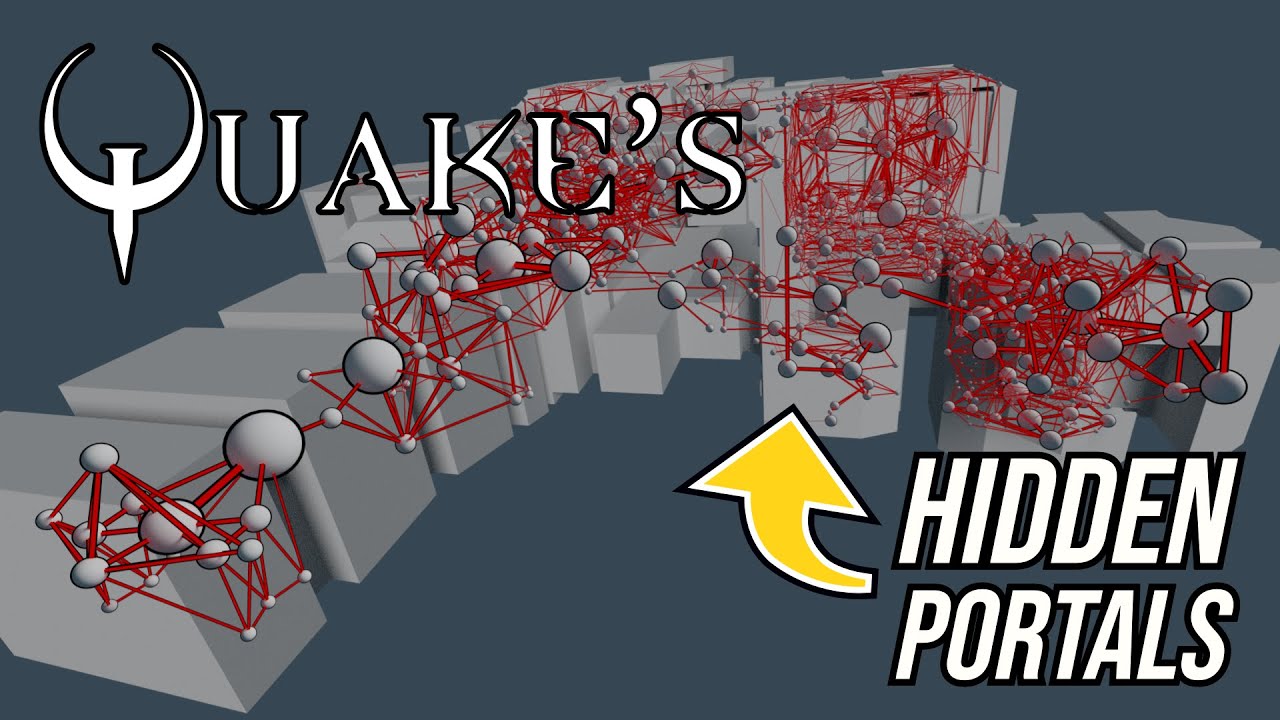
A look at how Quake uses portal graphs to pre-calculate visibility information.
Support: https://www.buymeacoffee.com/mattsramblings
Mastodon: https://mastodon.cloud/@mattsramblings/
00:00 Intro
00:43 Portal graphs
01:57 Visibility in a linear graph
05:15 Recursive trace
Music Credits:
Heavy Interlude by Kevin MacLeod...
static tangle
quake RTX wasn't a remix project, that was bespoke
sweet cloak
dull oar
so you can see above is frustrum culling, no doubt. but this mode is based on po...
Looks we’ll have to go back to the reverse engineering. I don’t think the modifications that kungfooman made were what we’re looking for
dull oar
no same, portalfinecull 0 is key here. its frustum culling as mark said when its portalfinecull 1
static tangle
Yep. Note that if your world is already split up into zones, if you can just prevent those zones from batching together when drawing, that would actually make the meshes pretty stable and easy to replace
dull oar
makes the one map i can do it too 100% stable
static tangle
although you may see bits of the world disappearing in the reflections with frustrum culling
dull oar
he can nuke that though with portalfinecull command
sweet cloak
dull oar
no same, portalfinecull 0 is key here. its frustum culling as mark said when its...
Could you expand on this?
dull oar
in those two videos above with the culling the first one has portalfinecull set to 1 and its frustum by the looks of it. with portalfinecull set to 0 its all based on the portal zones
i've just noticed this when mark pointed it out btw 😛
sweet cloak
So is your theory that we need to nuke frustum culling now?
 dull oar
matmata with portalfinecull set to 1 . if its frustum based culling it'll be unstable
static tangle
note that both of those videos show frustrum culling. It's just that one of them culls entire zones at a time, and the other culls sub meshes within a zone
both of them are working to remove geometry that the camera is facing away from
just at different levels of granularity
sweet cloak
Dx9 has a hard limit of things it can draw right?
dull oar
with portals isnt it all about being able to prove you can see portal b through portal a at a certain angle and baking that into the bsp file rather than frustum culling though?
static tangle
I think you'd actually be better off leaving it doing zone based culling, and then investigating the draw call batching to make that only batch meshes within a single zone.
each draw call was pretty expensive in dx9. behavior will be very different in remix... but we also have a decently heavy cpu burden due to all the hashing we do
static tangle
dull oar
with portals isnt it all about being able to prove you can see portal b through ...
it's very possible, but that just means it's a fancier way to cull stuff you can't see right now
sweet cloak
dull oar
with portals isnt it all about being able to prove you can see portal b through ...
You keep only the portals that are possibly visible in memory. Then apply the frustum culling.
dull oar
static tangle
I think you'd actually be better off leaving it doing zone based culling, and th...
that would work, r_single cell shows all the brushes in that one cell and thats stable
static tangle
the fundamental problem is that the contents of a batched drawcall changes when the game changes what is being culled. Splitting all that out so that drawcalls only get batched from a single cell may make rock solid hashes... but it also may wreck your CPU and drop you down to 1 fps
dull oar
dull oar
static tangle
the fundamental problem is that the contents of a batched drawcall changes when ...
r_singlecell ^
static tangle
that's something you'll have to experiment with. Keep in mind that for Portal we eventually just had to give up on replaceming anything that wasn't a prop
static tangle
dull oar
r_singlecell ^
yeah, matches with what I'd expect, aside from that one bit of instable terrain
dull oar
terrain are based on curves, different system.
sweet cloak
Could you expand upon the batching? Are you saying how the game sends the draw calls to the gpu?
static tangle
I have no solid info on how this specific game is doing it. But a common technique in this era was to gather up all the meshes that use a given texture, make one long list of all of their triangles, and send it down to the GPU as one mesh. There was a very large per-drawcall overhead in dx9, so having more triangles in fewer draw calls was a bit performance improvement
dull oar
lines up with what i see in onmiverse. all my brick walls are one mesh
static tangle
when a given wall is enabled or disabled by the culling system, it will get added to the batch of triangles using that same texture.
sweet cloak
dull oar
lines up with what i see in onmiverse. all my brick walls are one mesh
It does it based on material from my understanding in this game.
static tangle
thus changing the geometry and invalidating the hash
sweet cloak
Ohhhh
So by breaking up that list into each of its element rather than the larger list would net us our stable hashes?
Apart from destroying our CPU
static tangle
possibly destroying. or maybe it would improve CPU performance. I really have no idea
sweet cloak
But the hashes, they’d theoretically be stable?
static tangle
I know it will be a significant change, so you should check the performance with and without that mode and see how it changes
sweet cloak
It’s stable hashes at any cost here Mark. 
static tangle
and yeah, if you could split up those batches, the hashes would no longer be invalidated by culling coming in and out. There could still be other ways the draw calls change though
I do want to make a bit of a clarification though:
When a draw call changes, the hash should change. this isn't hash instability - it's draw call instability.
hash instability is when the draw call is still drawing the same geometry, but the hash is changing anyways.
dull oar
ah right i get it
if the hash was flashing every frame as a cpu skinned character thats a hash instability
sweet cloak
Noted. I’ll change my dictionary.  That’ll help prevent confusion going forward
static tangle
draw call instability can only be changed on the game side, Remix can't do anything about it.
hash instability may come from either side, and if it comes from the Remix side we'll want to fix it.
(cpu skinning is still the draw call changing, but it's one of the cases where we want to give those different draw calls a stable hash somehow... but that's an area of research)
sweet cloak
sweet cloak
So by breaking up that list into each of its element rather than the larger list...
I’ll write this up into a proposal here tonight so we can formulate a plan of attack.
dull oar
someones talking himself out of an all expense paid trip to disney land
static tangle
and I'm going to go get lunch 😛 Good luck with figuring this out, I look forward to hearing about it.
dull oar
most fun i've had all day, cheers mark, peter and adam ❤️
sweet cloak
static tangle
and I'm going to go get lunch 😛 Good luck with figuring this out, I look forwa...
I’ll put a shout out in the preface of the paper
static tangle
actually, another thought I just had that won't leave me alone -
If you make all the BSP meshes use a single texture, they would all be batched into a single draw call. Splitting that out so that meshes in different cells go into different draw calls would then give you one draw call for all the BSP meshes in each cell - essentially giving you each cell as a distinct mesh_HASH prim that can be replaced
dull oar
oh snap good idea. we dont care what they look like with mesh replacement i can change it to anything
sweet cloak
static tangle
actually, another thought I just had that won't leave me alone -
If you make a...
Hmm. That is an interesting thought
Not sure on the implementation yet 
dull oar
arent materials stored in the d3dbsp map files as plain text?
sweet cloak
Maybe?
static tangle
so, if you could assign one standard texture to the BSP meshes in a specific cell, and use a different texture per cell, you'd get stable mesh hashes 😛
you'd have to commit to remastering all of those meshes to restore their correct material assignments tho
sweet cloak
static tangle
you'd have to commit to remastering all of those meshes to restore their correct...
There goes all the time for the Disney land trip
static tangle
and you'd need to have that culling mode that was per-portal instead of per submesh
still though, it's a definite road forward that shouldn't even need any code changes, just map changes
dull oar
that bit we can do. and i've waited 20 years to mod cod2. I got this 😛
sweet cloak
static tangle
still though, it's a definite road forward that shouldn't even need any code cha...
We don’t have the source map files 
static tangle
oh... well if you can do code changes, you could probably change the texture assignements when loading the map
either way. I think I've given yall a path forward now, so I'm going to go back to making lunch
sweet cloak
static tangle
still though, it's a definite road forward that shouldn't even need any code cha...
If you have the source [map] files, you just compile maps without portals and you’re done by the way. I believe the same applies for source engine games 😉
dull oar
it's true, portal can be stable after 5 mins of deleting portals per map and a quick recompile
static tangle
I believe we tried that, and it had really significant perf impacts.
sweet cloak
dull oar
cod2s fine with it, very playable
Just avoid adding 800k polygon grass
dull oar
i'm being creatively stifled! I cant work under these conditions!
sweet cloak
sweet cloak
I’ll write this up into a proposal here tonight so we can formulate a plan of at...
I’ll need to consult my cats on this one again  they seem to know their stuff from doing the sky dome in u2
dull oar
textures in your d3dbsp in lump0
https://wiki.zeroy.com/index.php?title=Call_of_Duty_2:_d3dbsp#Lump.5B0.5D_-_Materials
they are very wise it is true
sweet cloak
Doing some more reading: https://wiki.zeroy.com/index.php?title=Call_of_Duty_2:_Portals
Seems like portal fine cull cuts up the geometry?
Regardless, seems like disabling frustum culling is a good path forward.
sweet cloak
Going to spend some time trying to disable the chopping today
dull oar
Hell yes! kick its arse
sweet cloak
Imma take a note from KungFooMan and just start hitting it with a hammer and NOPing it until it works.
sweet cloak
Is there anyway to run the multiplayer in windowed mode?
dull oar
I think its broken mate
sweet cloak
Damn
dull oar
seta r_fullscreen "0" in your player config file might work
sweet cloak
Found the frustum clip plane function 
dull oar
get in
sweet cloak
Ugh the game crashes if you leave it alt-tabbed too long
dull oar
sometimes yea. I think its remix cause you can still shoot and run around but it wont render anything
sweet cloak
Hm
You can get it to run windowed via remix btw
in the bridge conf
Seemingly the only repeatable way
Okay NOPing out the frustumclipplane function just ends up drawing nothing
Do you also get 1000 remix errors about compatability when starting the game?
dull oar
sweet cloak
Now this is just unfair
dull oar
lol right
i dont use any bridge.conf for cod2, just boots without it. could be you have a setting in there its disagreeing with?
dull oar
omg!
sweet cloak
That's with 0 clip planes
dull oar
is that r_singlecell?
dull oar
i think its only showing you one cell
 Something weirder
dull oar
Something weirder
dull oar
looks almost like showsinglecell with portalfinefull on 0. this it that for comparison
i think your on the path mate
dull oar
i think portalfinecull 0 uses portals where as 1 using frustum culling
sweet cloak
dull oar
looks almost like showsinglecell with portalfinefull on 0. this it that for comp...
I'm in that exact situation, it's the same as r_singlecell 1 and fineculling of 0
Time to put the hammer into pratice and start beating the frustumclipping into submission
sweet cloak
Everything visible but still unstable draw hashes 
sweet cloak
dull oar
darn
maybe try lifting the camera way up and look down, has to be something going in and out as you move around
 sweet cloak
 Just one simple jmp

IDA didn't want to decompile the function so I guess all of us just ignored it
It sets up the number of sides to cull
dull oar
your amazing, well done man
sweet cloak
I'll setup an IPS patch here in a second
sweet cloak
Test it out and see if it works for you. You'll wanna apply the typical smc and finecull things
Lemme know if you need a video tutorial
dull oar
i'm sorry mate i do, never used an ips patch before
timid trout
sweet cloak
How is yours? (x64db - I don't have any experience was just playing around)

 timid trout
I have no words
timid trout
sweet cloak
Time to go outside and touch some grass 🙂
dull oar
now we can have fun and play 😛
dull oar
its very smooth and soft
timid trout
Just like in real life
sweet cloak
Hold on I'm getting the set together 
dull oar
i'm trying to be patient XD
dull oar
yep
sweet cloak
Yea
dull oar
those were always stable
sweet cloak
I didn't have all the typical things setup to prevent those from going wild
dull oar
r_forcelod 1 to be high lod all the time
sweet cloak
My install doesn't seem to like reading the cfg file
dull oar
oh you need to add it to an autoexe and trigger it in level with a button
sweet cloak
Ah
Well if you wanna set that up in a way that I can add it to mine lemme know
I'm gonna go let me brain cool down with some ice cream or something
dull oar
you bloomin earnt it mate!
well done again, never did i ever have a chance to do without you
sweet cloak
Lemme know if you get it working
dull oar
got it working, every map except mp_carentan looks stable so far
sweet cloak
dull oar
got it working, every map except mp_carentan looks stable so far
Anything special about that one that you know of?
dull oar
yea but i cant remeber it off the top of my head.
I'll dig it up though. I think it uses a special type of portal or something
rhine is rock solid
this is a thing of beauty. hang it on a wall man
sweet cloak
I’ll see if I can make a patch for SP here in a bit
Are there any night multiplayer maps that I could look at adding lighting to?
Wanna see how stable all the hashes are and if the distant light can be messed with.
dull oar
single player has a fantastic one with tanks you have to blow up. loads of scripted tank battles. fire blazing at night would look sick
tracer bullets
nuff said
mp_trainstation looks ripe for awesomeness
 sweet cloak
What's the original skybox look like?
dull oar
sunny day
 sweet cloak
damn
dull oar
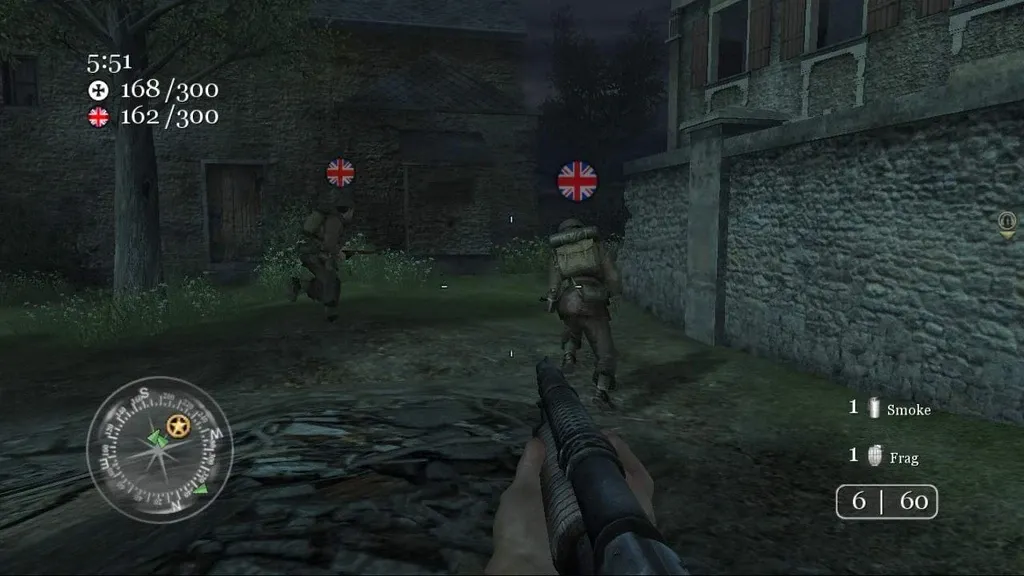

Call of Duty Wiki
For the campaign mission, see The Battle of El Alamein. El Alamein is a multiplayer map in Call of Duty 2. El Alamein is a widely favored map in Call of Duty 2's multiplayer. It takes place at...
el alamein is a banger of a map as well
its got a single player mission at night
sweet cloak
I'll patch the SP dll and then play with that map
dull oar
assult on normandy for me mate. you got the spitfires at the end as well. so damn cool
so far looks like carentan, brecourt and railyard and still unstable. everything else so far is rock
slightly unstable, like its very specific positions and angles
sweet cloak
Hmm
dull oar
in Carentan for example the only thing that culls when you look away and lock pvs is this one house in the middle of the world. this staircase and some wood trim bits inside

do we really wanna do this now?
celebrate the win, worry about this another day i say
sweet cloak
SP doesn't seem to want the same method applied
sweet cloak
sweet cloak
SP doesn't seem to want the same method applied
Oh I see the problem. Can't seem to disable the portalfinecull
dull oar
should be able to, developer "1"?
oh no its the cheats
one sec, super easy on single player
sv_cheats "1"
sweet cloak
Won't let me change it 
dull oar
lol i got you
add these to your single player config file
seta thereisacow "1337"
seta sv_cheats "1"
seta sv_pure "0"
no idea why they need to be seperate like they are
 dull oar
Damn Adam that's sick!
 dull oar
Yea I think so, i did the same size for the wall lamps. Any smaller and it clips the model don't it
sweet cloak
The actual bulb is transparent so it should go inside it for now
sweet cloak
 dull oar
Now we're talking that's awesome
sweet cloak
Is it possible to add a distant light source?
dull oar
Only ever tried with the fallback light. Now we got stable hashes can't see why that won't work
Yesterday I got a sky dome AND direct light to work but I couldn't work out how or why
Fallback direct light that is
Btw with your patch performance seemed the same
sweet cloak
dull oar
Only ever tried with the fallback light. Now we got stable hashes can't see why ...
Don't know why but it doesn't work for me
dull oar
The fallback or a new distant light?
sweet cloak
Maybe, we could be on the bleeding edge
dull oar
Maybe. Quick server search not seen anything about it working. Might have to use the fallback for now mate til we bug mark enough he gives in 😅
Or gas light him "remember you said last week you'd make direct lights your focus? How's that going"
 dull oar
Oh wow! It's lighting up the smoke!
sweet cloak
 dull oar
Nailed that soft night time glow
dull oar
Looks absolutely mint
When you save rtx make a copy. Rtx_AlAlamein so you can keep your settings map specific until mark adds post process volumes so we can have per map looks
That's second in the list after distant lights
sweet cloak
Ignore the textures freaking out, I think the light value from the sun are pretty okay

That's with 0.04 as well
dull oar
I've sorted that nap. You can use the nod files I sent you. Textures shouldn't freak out
sweet cloak
I used the rtx conf you sent but for some reason emissives didn't work :/
dull oar
It's a good soft diffused look, lovely cloudy grey day
And I'm from England I know all about them
sweet cloak
Oh thing I've discovered. I can't get the terrain lightmaps to disappear in the terrain baking that remix does.
So you'll wanna make the lightmaps set to 1
sweet cloak
sweet cloak
dull oar
I just normally mark the layers as dynamic decal
It prevents all most of the zfighting
sweet cloak
Whatcha mean
dull oar
Terrain baker doesn't support normal maps I thought
dull oar
Have a look at carentan or Matmata and see what how I used the dynamic decals. Works fairly well but yea like you say. Z fighting everywhere
sweet cloak

I'm going to go touch grass for a bit and then come back for some more
https://github.com/adamplayer/CallOfDuty2RTX for all my rtx things

GitHub
RTX Remix Mod for relighting Call of Duty 2. Contribute to adamplayer/CallOfDuty2RTX development by creating an account on GitHub.
dull oar
Hell yes , nice one. Looking awesome


 marsh hinge
I see this is exclusively a cod2 thread again. Was it deemed impossible to get other older cods to work?
dull oar
Cod4 hooks but the renderer is rasterized. It'll be due to shaders. Luckily cod4 has loads of mod tools including a shader editor. If we can simplify them somewhat maybe we can get something to render.
But yea, cod 2 first
marsh hinge
I'm cool with that. I wanna see my favorite cod2 mod in RTX lol. Can't remember which one it was but it was a really good zombies backport
I'll have to get the github and mess around with that
dull oar
Hell yeah. Volumetric fog with zombie glowing eyes would be very scary
timid trout
sweet cloak
This looks awesome
dull oar
playing through some of the single player we have a few more unstable props and hashes. not a lot, it's the odd wall or wood texture
hazy canyon
Should I still try working on recompiling maps without portals? It looks like you guys have figured out more stuff and tbh I don’t have the time to catch up with where you are at in regards to that
Seems like Adam found the mystery jump anyways #1099591203768504421 message
dull oar
yep looks like adam's method might work, it's got some kinks I hope he can iron out but we're loads better than we were
Thank you for helping though mate ❤️
dull oar
after setting a couple floating terrain decals as dynamic decal the floors and walls no longer have holes

the terrain stuff tints your ground, you loose normal maps when you replace. I wouldnt use it yet
dull oar
mp_decoy is the night map. all sorted now. just had to set some decals and close and open the game as peter said
 sweet cloak
dull oar
mp_decoy is the night map. all sorted now. just had to set some decals and close...
sweet cloak
dull oar
mp_decoy is the night map. all sorted now. just had to set some decals and close...
Well that does work better than the terrain system
dull oar
wanna copy my dynamic decal line from my RTX and slap it in your own?
sweet cloak
Yes please 🙏
dull oar
i'll upload the whole thing so people can play along 🙂
sweet cloak
dull oar
playing through some of the single player we have a few more unstable props and ...
I think I’m going to try blending the modifications that KungFooMan made and see if that does anything to the sp levels.
dull oar
good idea. expanding the frustrum might be worth doing if you can. I'm noticing lamp shades coming off light sources as you turn around
sweet cloak
Yea I noticed that too. They really did not want any overdraw with these quake engines, so much hammering to get it out 🔨
sweet cloak
Latest IPS patch is up on the repo, disables all the bad culling afaik.
dull oar
yay!
sweet cloak
I'll mess with SP in a little bit. Going to try out that map you suggested
dull oar
flopping massive, got blown up tanks and everything
dull oar
works a treat, still have a hole in carentan but as that's just me must be something i've done 😛
sweet cloak
Do you know how to apply the translucent shader by chance? 👀
dull oar
I can do it to new meshes but havent done it to an existing mesh before
think kim knows
lights are fixed, even when you turn around 🙂
sweet cloak
@radiant belfry could you help me pls. I can't find a guide or anything on how to replace the shader
sweet cloak
dull oar
lights are fixed, even when you turn around 🙂
||He finally is doing the music meta  ||
||
dull oar
lol thought you'd like it
sweet cloak
Hopefully we can figure out the translucent shader so we can get all the windows working
dull oar
would look amazing. got me a replacement texture and everything
sweet cloak
Found a hidden mark tutorial
#1096847508002590760 message
I’m gonna grab some lunch and then I’ll attempt it if you haven’t already
dull oar
half way through a reinstall to fix my carentan
radiant belfry
sweet cloak
https://discord.com/channels/1028444667789967381/1096847508002590760/11208399530...
yup, that's it
timid trout
sweet cloak
Hopefully we can figure out the translucent shader so we can get all the windows...
What's wrong with translucent shader?
dull oar
having trouble with latest @sweet cloak
sweet cloak
That looks like remix more than the game itself.
How does it look with RTX turned off?
dull oar
i'm going to send the video in a DM as it fickers and i dont wanna ruin someones day
sweet cloak
Is it happening everywhere? Or is it localized?
dull oar
Every where yea. Have you spawned with a gun on your side?
dull oar
thats sorted it! nice one
sweet cloak
Okay got the translucent shader working
Going to try and see if I can get a glass texture working
Works but it do be wonky
I don't know what I did but the smoke suddenly worked nicely

I didn't mark them as particles
sweet cloak

I feel like I'm not quite grasping what I should set the transparency amount at

Not liking it too much tbh
radiant belfry
i didn't realize what i was looking at
sweet cloak
It's the fact that the frame is also transparent, I can't seem to get that bit to be opaque
sweet cloak
Can just do a mesh replacement and have it be all fancy 
radiant belfry
could maybe kind of slightly hack the outer frame mesh and integrate the other frame part into it
sweet cloak
There are two meshes for every window for culling reasons
radiant belfry
transparency so far in Remix has been a real pain in the ass
i've been unable to get it looking right in basically anything
sweet cloak
Oh boy, the SP culling system appears to be completely different than the MP 
radiant belfry
that explains why i made absolutely 0 progress with the SP maps
sweet cloak
What’d ya try?
timid trout
sweet cloak
Found a hidden mark tutorial
Yeah these are scattered around, would be more practical if each one of them gets its own thread.
dull oar
I'll make the window model tonight. Found a lovely stain glass window texture I'm going to shatter. Imagine that sun pouring through stained glass with rtx
timid trout
dull oar
I'll make the window model tonight. Found a lovely stain glass window texture I'...
I can't imagine because I am out of VRAM.
Or in this case IRAM
sweet cloak
I didn’t see a massive jump in vram with the translucent glass tbh.
timid trout
I am sure tadpole will slap a 8k shatter-crack texture on that window.
Or he'll model that crack then replace the mesh itself.
bullet holes made of thousands of polys
timid trout
sweet cloak
I didn’t see a massive jump in vram with the translucent glass tbh.
BF1942 was using more vram with translucent water.
I am not sure, it might be just the normal map taking up that much memory..
dull oar
I'll crack it in 3d so we get proper refraction effects. Extrude and bevel the 3d metal elements as well. Should only take a couple hours.
sweet cloak
By the way, the opacity for the translucent diffuse should be set to something like 99% or even 100% otherwise you can’t see the color.
Or set it with the transmission color, i think that’s the proper way to
timid trout
sweet cloak
Or set it with the transmission color, i think that’s the proper way to
It is, I realized that after having weird distance cut-offs with diffuse texture.
sweet cloak
timid trout
It is, I realized that after having weird distance cut-offs with diffuse texture...
Which makes sense as to why I couldn’t get the frame of the window to not be opaque
timid trout
sweet cloak
Which makes sense as to why I couldn’t get the frame of the window to not be opa...
For some reason no matter the alpha value it never gets completely opaque, we probably need to use two mashes with corresponding material as you stated.
radiant belfry
question: has anyone observed worse performance in these games than Portal RTX or Prelude?
sweet cloak
timid trout
For some reason no matter the alpha value it never gets completely opaque, we pr...
Perfect for a mesh replacement as tadpole is doing then. We can also get that nice wavy stained glass normal on them as well
sweet cloak
radiant belfry
question: has anyone observed worse performance in these games than Portal RTX o...
Of course
radiant belfry
what causes that again?
sweet cloak
Probably need to have the materials optimized for PBR.
radiant belfry
even when there's no replacements at all?
timid trout
radiant belfry
question: has anyone observed worse performance in these games than Portal RTX o...
Foliage also slows down a lot
sweet cloak
Like clamping the colors and reflectances to not be so wacky. There’s also a lot of problems with things becoming transparent due to having alpha textures that seems to cause problems.
radiant belfry
like what i mean is if you turn off replacements in Portal RTX, performance there is significantly higher than i've seen in any other game
sweet cloak
radiant belfry
like what i mean is if you turn off replacements in Portal RTX, performance ther...
Ohhh
Im sure there’s some optimization techniques we haven’t been told about or discovered yet.
radiant belfry
i hope so
sweet cloak
I know portal RTX lighting is way less noisy than what we get and the emissive materials look way better
radiant belfry
i get like 20 FPS in Barnyard without balanced DLSS, lol (no replacements)
it's ~30 in PRTX with replacements on
timid trout
#1096847508002590760 message
I think it is high amounts of alpha textures like foliage. Because no matter the game I get terrible performance on maps that has lots of grass and such.
the chain link fences in Portal RTX are actually modeled for exactly that reason
radiant belfry
hmm
makes sense i guess. barnyard has like the worst foliage possible (4 layers of alpha textures stacked on top of each other)
dull oar
got some 20k tri's of grass if you wanna test your theory
timid trout
radiant belfry
makes sense i guess. barnyard has like the worst foliage possible (4 layers of a...
It needs 20k poly grass, you can borrow some from @dull oar
sweet cloak
timid trout
https://discord.com/channels/1028444667789967381/1096847508002590760/11272735190...
There’s a lot of objects that end up getting marked as non opaque, you can check with the debug view, that should be opaque.
radiant belfry
replacements are totally broken right now, so no 20k grass for me 😦
dull oar
oh no
sweet cloak
Did someone say remove frustum culling? 
radiant belfry
but i can hide the foliage and see
radiant belfry
sweet cloak
Did someone say remove frustum culling? <:Pog:1013613859921199184>
hmm?
there is culling that i'd love help with, lol
sweet cloak
radiant belfry
but it's definitely not BSP based
sweet cloak
The empire of anti culling expands.
dull oar
we're still unstable adam, finish your first snack before you move on to the next 😛
timid trout
sweet cloak
There’s a lot of objects that end up getting marked as non opaque, you can check...
Exactly, BF1942 has literally all textures marked as transparent, and captured textures are transparent.
timid trout
dull oar
we're still unstable adam, finish your first snack before you move on to the nex...
Born to debug
dull oar
https://www.textures.com/search?q=stained glass
what glass do we want btw?
sweet cloak
dull oar
we're still unstable adam, finish your first snack before you move on to the nex...
Damn SP has such a different culling system for whatever reason.
radiant belfry
they just got bored and devised a new system for the heck of it
dull oar
multiplayer carentan would be cool, it's got unstable hashes still 😦
sweet cloak
dull oar
https://www.textures.com/search?q=stained%20glass
what glass do we want btw?
It’s modeled after this kind of style originally https://www.textures.com/download/WindowStainedGlass0003/13430
dull oar
sods law its the one i've been working on
sweet cloak
dull oar
multiplayer carentan would be cool, it's got unstable hashes still 😦
I still don’t know why tho

 sweet cloak
radiant belfry
they just got bored and devised a new system for the heck of it
sweet cloak
radiant belfry
they just got bored and devised a new system for the heck of it
The classic maxis approach.
timid trout
radiant belfry
lmao 60 FPS at 800x600
Get a CRT monitor and you'll be fine
radiant belfry
i beat you to that 😛
oh also any time the moon is visible, many things turn rasterized
sweet cloak
dull oar
multiplayer carentan would be cool, it's got unstable hashes still 😦
I’ve got some improved debug tooling last night, I’ll see if it helps figure it out.
timid trout
radiant belfry
oh also any time the moon is visible, many things turn rasterized
It might be some sort of post processing on the moon?
radiant belfry
sweet cloak
There’s a lot of objects that end up getting marked as non opaque, you can check...
which debug view?
radiant belfry
timid trout
It might be some sort of post processing on the moon?
the moon doesn't exist at all in captures
timid trout
radiant belfry
which debug view?

 sweet cloak
radiant belfry
sweet cloak
radiant belfry
Yea that’ll mess up fps
 sweet cloak
If you can do mat replacement, remove the opacity flag on everything
radiant belfry
so what's the easiest way to remove it for everything?
sorry if the answer is obvious
i just woke up and am on a mission
 sweet cloak
radiant belfry
so what's the easiest way to remove it for everything?
sweet cloak
radiant belfry
so what's the easiest way to remove it for everything?
The opacity flag via mat replacement.
radiant belfry
sweet cloak
The opacity flag via mat replacement.
yeah, i just kind of don't understand what you mean\
timid trout
sweet cloak
Does this do anything?
No idea, gotta gave a look
timid trout
sweet cloak
Does this do anything?
Seems like no
radiant belfry
timid trout
This maybe? Untested
that just toggles the actual transparent textures
sweet cloak
radiant belfry
yeah, i just kind of don't understand what you mean\
In OV when editing a material there’s a remix specific flag under “other” for the material properties that’s titled something like “Is Opaque” or similar.
radiant belfry
timid trout
This maybe? Untested
so it looks like this now, lol
 radiant belfry
sweet cloak
In OV when editing a material there’s a remix specific flag under “other” for th...
radiant belfry
sweet cloak
In OV when editing a material there’s a remix specific flag under “other” for th...
right, that's what i thought. can i do that in bulk though?
timid trout
radiant belfry
so it looks like this now, lol
How is the performance
radiant belfry
if not, i may make a script for it
radiant belfry
timid trout
How is the performance
the same
sweet cloak
You can tack it on in your magic usda script, it just adds a line to each mat definition
radiant belfry
before/after moon btw

 radiant belfry
sweet cloak
You can tack it on in your magic usda script, it just adds a line to each mat de...
radiant belfry
sweet cloak
You can tack it on in your magic usda script, it just adds a line to each mat de...
yeah
alright then. thanks guys
i'll leave you to COD again, sorry to invade 😛
timid trout
radiant belfry
before/after moon btw
What's the bottom left triangle
the image on the right
radiant belfry
that's a fake light source. it pops up again whenever the moon is in sight
just like the window there

 sweet cloak
dull oar
sweet cloak
dull oar
I think adding a bunch of different colored pieces of glass will really make it look nice. Like how this is https://www.textures.com/download/WindowStainedGlass0165/115914
sweet cloak
radiant belfry
i'll leave you to COD again, sorry to invade 😛
I’ll hop on over to the barnyard thread for a bit
timid trout
sweet cloak
I think adding a bunch of different colored pieces of glass will really make it ...
You would need to create individual sub meshes for different colors if you are going with transmittance.
sweet cloak
timid trout
You would need to create individual sub meshes for different colors if you are g...
That’s true. I’m sure there’d be a fun way to do that with nodes in blender, but I don’t know if that’s worthwhile to do
timid trout
I am sure it is, these look awesome in Minecraft RTX
sweet cloak
timid trout
I am sure it is, these look awesome in Minecraft RTX
Man. What a showcase that thing was
radiant belfry
radiant belfry
right, that's what i thought. can i do that in bulk though?
btw it seems this isn't possible in OV
timid trout
Even with scripting?
radiant belfry
i think the line is uniform bool enable_opacity = 0
 timid trout
You would need to create individual sub meshes for different colors if you are g...
timid trout
timid trout
You would need to create individual sub meshes for different colors if you are g...
@dull oar What do you think?
dull oar
cant control it with a texture?
timid trout
dull oar
cant control it with a texture?
You can use a diffuse texture but it causes distance cut-offs in some of the games I've tested.
dull oar
we cant replace every coloured piece of glass i'd be here for ever 😛
timid trout
The transmittance is what meant to be used. If I apply a blue diffuse texture on water, it will look blue no matter the depth or angle. If I apply a blue transmittance color and adjust it's distance it will get the blue-er as the water gets deeper.
timid trout
dull oar
we cant replace every coloured piece of glass i'd be here for ever 😛
Yeah diffuse texture will be just fine for glass, I hope it doesn't get that weird cut-off on CoD2
dull oar
lets try it with rgb windows at first and see what happens, then replace it with complex texutres later if it works
timid trout
timid trout
The transmittance is what meant to be used. If I apply a blue diffuse texture on...
Water with diffuse texture.

By setting trasmittance values instead of using a diffuse texture

 sweet cloak
Do you use blender ? You can do it with geonodes pretty easy afaik.
dull oar
3ds max, no worries mate, i got it 🙂
sweet cloak
Or model the frame and do a simple subtraction modifier.
dull oar
gonna sculpt it a lil but as well
sweet cloak
That’s how you’d do that frame in real life as well, sculpt it and make a mold out of it.
dull oar
I'm going to replace the texture in the outter frame, its the last non pbr material in that church
sweet cloak
The masonry frame around it?

 sweet cloak
Yea that’s the frame for the window. It’s got a fun exact architecture word that I’d have to check in my book for.
It does look like nicely dressed limestone tho
Which is period and location correct afaik.
dull oar
nice 🙂 i'll keep it lime stone then 🙂
thats a lot of smiley
should have a temp asset down today we can test floating in the level and place and break up proper ones tomorrow

 sweet cloak
Looking amazing
dull oar
and it works in game
 sweet cloak

timid trout
dull oar
do you guys need a quick video tutorial to get it in your own games?
Get what?
dull oar
the stained glass meshes i just attached
sweet cloak
Do they need to be setup as a mesh replacement still?
dull oar
yep just same process as with a light but you pick xform then click add then reference and find the usda
the frame and the glass are seperate so you gotta copy the transforms from one to the other.
just gonna nip out with the dog for 30 mins 🙂
timid trout
dull oar
yep just same process as with a light but you pick xform then click `add` then `...
I was trying to add a plane to gmod (my first mesh replacement), it never worked until I simply attached the plane to something else.
dull oar
one sec, i'll record the process
@sweet cloak @timid trout
https://youtu.be/EiYH9DQ_4yc
 timid trout
dull oar
<@264632269174472704> <@1074634383996227627>
https://youtu.be/EiYH9DQ_4yc
timid trout
dull oar
<@264632269174472704> <@1074634383996227627>
https://youtu.be/EiYH9DQ_4yc
Great, have you tried adding both the frame and the glass as childs of a single USD? (With different materials referenced to them of course). It should be possible if I recall Mark's post correctly.
dull oar
yea in that video i add them both. its just the glass is invisible
I now have three in a line 😛 cause you can just go to edit>duplicate
 timid trout
dull oar
yea in that video i add them both. its just the glass is invisible
timid trout
dull oar
yea in that video i add them both. its just the glass is invisible
My question was quite unclear, what I meant is that you should be able to package both the frame and the glass panel into a single usd, then reference the package in the mod.usda, instead of referencing two individual pieces.
dull oar
ah right, havent tried that before but sounds like it should work
might make it hard to select a single mesh and fiddle with it's material settings mind you
its just listed as Xform1 with no children
 sweet cloak

dull oar
default is like sunglasses, you can just about see through it and its reflective

thats me, face against the glass looking in. you can see a building reflected in it


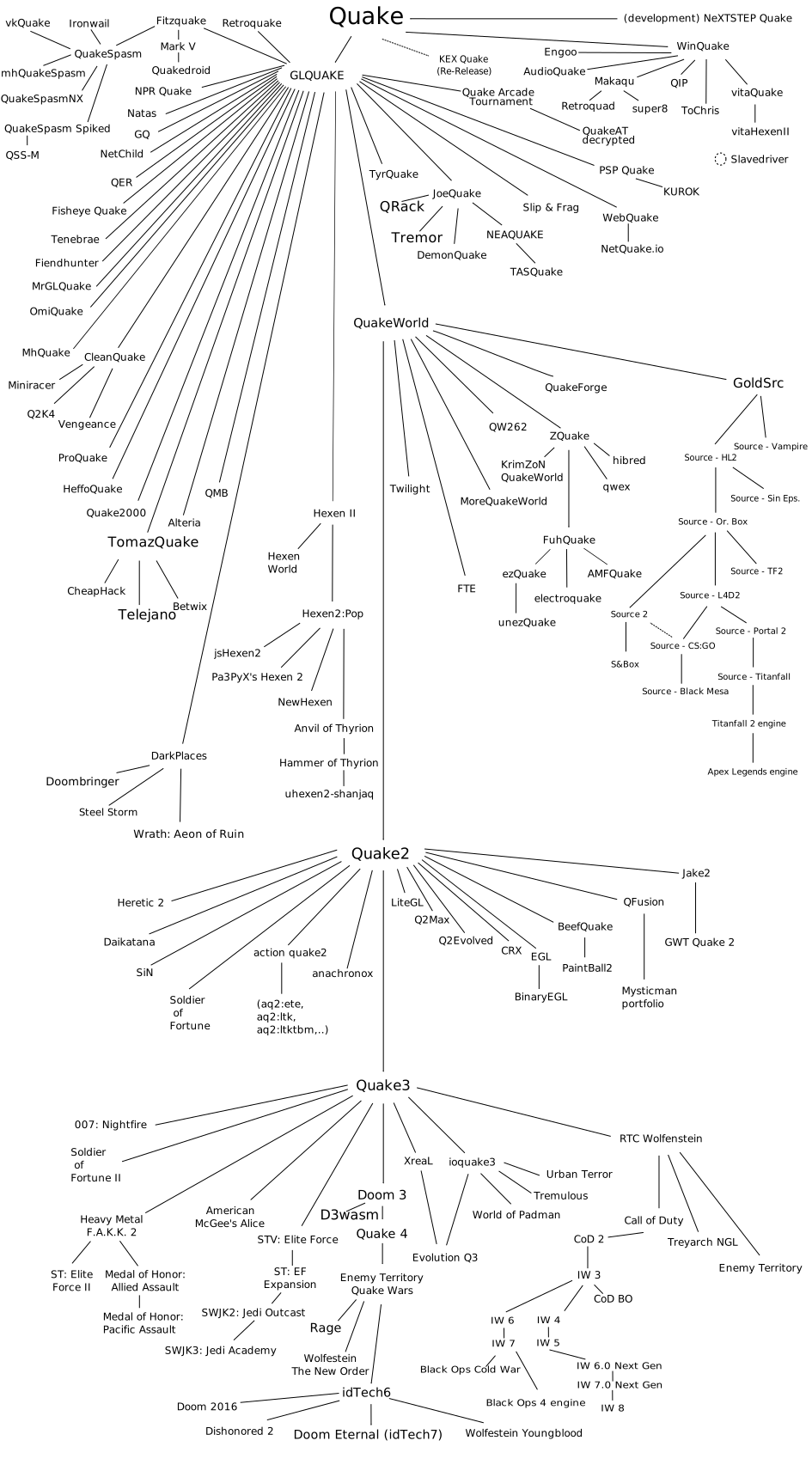 sweet cloak
I can't seem to get the materials to load 😦
dull oar
You may need to recreate them. Just open the USDA models. Create material from MDL file and find the capture materials
The glass zfights with one side of the frame just an fyi
This muppet forgot to push the glass forward a little bit
I can record a video if you need one
sweet cloak
Lemme try it a again and then I'll need your guidance
Yea I keep messing it up somehow
Looks pretty tho
 sweet cloak

We're getting somewhere
I don't know how, but it was in a superposition of what mat was being assigned
 dull oar
yay!
just push the glass forward a bit so it doesnt clip with the back of the frame and you're golden 🙂
just holla when your ready for the proper assets and i'll wrap this window up proper for ya
i'm off to bed, have fun 🙂
sweet cloak
@static tangle do you have any ideas? Is colored transulent material not supported?
dull oar
The glass here is a single poly plane with a bc7 DDS with no alpha map and aperture translucent material
static tangle
sweet cloak
<@617500777191047168> do you have any ideas? Is colored transulent material not ...
I know it's come up before - I believe it's on the todo list, and we just haven't gotten around to it.
Although that glass also looks like it should be marked as thin
(thin glass is when the game has a single plane, and that plane represents both the entry and exit of the glass. non-thin glass is when the game has 2 planes, one of which is the entrance, the other is the exit. From the screenshot, it looks like the renderer thinks the entire world behind that window is in the glass - which happens when you have just a single plane of non-thin glass.)
sweet cloak
Ah gotcha, I’ll stop trying to figure out why it doesn’t work then
 pearl birch
Geez the progress on Call of Duty 2 is amazing. My question is why is there no Call of Duty 1? Is it because Call of Duty 1 runs on OpenGL? I do have a problem with OpenGL.dll missing errors and crashes on Call of Duty 1 though.
sweet cloak
pearl birch
Geez the progress on Call of Duty 2 is amazing. My question is why is there no C...
Yep
sweet cloak
Wonder how the glass would look if you we just made a normal map out of it and applied it.
That’d at least give it something to look more than a pane of glass
 brazen gorge
sweet cloak
Wonder how the glass would look if you we just made a normal map out of it and a...
brazen gorge
sweet cloak
Wonder how the glass would look if you we just made a normal map out of it and a...
Cod2 with normal map
That's is just... Amazing...
And i though a gold lambo was thing but fucking normals on old game is more cool...
dull oar
I'm getting a lot of ghosting with this glass. Might help though
More details to hide it
timid trout
dull oar
I'm getting a lot of ghosting with this glass. Might help though
Can you try with frame generation off?
dull oar
It's not on. Just the denoiser doing it I guess
sweet cloak
dull oar
It's not on. Just the denoiser doing it I guess
Mark did say the denoiser struggles with lots of details with that shader
I’ll have some time later this afternoon to mess with the SP gfx DLL and try to get stable draw calls.
dull oar
sweet cloak
I’ll have some time later this afternoon to mess with the SP gfx DLL and try to ...
Would it be ok if you take another look at multiplayer? A couple maps still have unstable bits. We can work around them by attaching lights and meshes to the stable meshes sitting next to them, stuff like that. but would be nice to know you've had another look with fresh eyes.
No pressure though, only if you want to.
timid trout
dull oar
Would it be ok if you take another look at multiplayer? A couple maps still have...
Remix discord multiplayer deathmatch when?
dull oar
Oh yes please. I know where the decals glitch and can see through the map
timid trout
dull oar
Oh yes please. I know where the decals glitch and can see through the map
Legit wallhack 😄
dull oar
Honestly remix would be the perfect cheat tool
timid trout
dull oar
Honestly remix would be the perfect cheat tool
I am sure there is a way to validate remix settings at runtime
dull oar
Would be cool when it's out
sweet cloak
dull oar
Would it be ok if you take another look at multiplayer? A couple maps still have...
Could you write up an issue for it? You could put on my repo, post it to rentry or whatever. I just need to have the scope of the issue narrowed down
I think the issue is the jump type that I used for bypass frustum culling.
dull oar
It was from the first jump thingy you did when you got Matmata stable. The frustum culling update worked first after you posted the fix on Sunday
dull oar
sweet cloak
<:EZ:1013613173221380166> Just one simple jmp
After this one. It got like 95% of bsps stable but a couple stubborn buggers still cull
dull oar
dull oar
in Carentan for example the only thing that culls when you look away and lock pv...
Here's what still culls in carentan
sweet cloak
Oh so it was never stable
dull oar
Loads more stable but a handful of bsps still cull sometimes
sweet cloak
dull oar
Here's what still culls in carentan
Is that player visible?
There are surfaces that are single sided
dull oar
So what I did there was look away from the map and lock pvs so that culling gets locked and I can see what's still getting culled. If it's gone, it's culling
Those stairs and some bits inside that house disappeared so they're still getting culled
It's that low now, were talking stair cases and bits of wall and flooring
sweet cloak
But is it there when the player goes near it?
sweet cloak
Yea that’ll be some deeper thing with the map loading.
dull oar
That screenshot just highlights the bit that culls still. Map looks great, no bugs
sweet cloak
Just making sure, the hashes stable on those maps right?
dull oar
No it's not. It's better but the concrete those stairs uses is unstable. Same for some bits of wood
Railyard, carentan and brecourt are slightly unstable still
sweet cloak
Interesting, that helps a lot
dull oar
Have a look at railyard, it's the one with the tanks you lit first
That's the worst offender of the three trouble maps
That issue also affects single player
sweet cloak
I need to force the portalfinecull to 0 for single player so bad.
I always get caught up spending time debugging it and forget that it’s turned on.
dull oar
That'll be in the dll right?
I saw a dll for lod distance online
I bind all those commands to f2
sweet cloak
I’m not sure, I just know I can’t seem to get it to change to a 0 even when modifying the memory.
does that DLL turn off the portalfinecull?
dull oar
No but I figure if one command is in there would that mean more might be
Remember I'm a Muppet lol
just trying to be the best rubber duck I can be
sweet cloak
Just need to find a way to get the cheats enabled in normal SP and we’ll be in a way better place.
dull oar
Spdevmap has cheats enabled
Spdevmap assault_duhoc
Same as devmap for multiplayer supports cheats
I'm always no clipping and god mode in my videos on YouTube. I'm crap
That's what I mean with the command binding to f2. Spdevmap to your level. Bind your autoexec.cfg to f2 and in that put this in it
seta r_portalFineCull "0"
seta r_lodScale "1"
seta r_forcelod "0"
seta r_lodBias "-1000"
sweet cloak
sweet cloak
sweet cloak
https://www.unknowncheats.me/wiki/CVAR_Protection_Patching_Code_(Dynamic)_CoD2
I can see if I can find that pattern and just permanently apply the patch
dull oar
Oh wow neat. That would be wicked
sweet cloak
End goal is to not have to do anything in the games console commands and just have it read the cfg.
dull oar
That would be amazing. We'd be able to play online as long as we only played on servers that aren't pure (Most aren't) and have all our lovely remix stuff in there
sweet cloak
I wanna be able to play the SP campaign with PT.
sweet cloak
dull oar
That would be amazing. We'd be able to play online as long as we only played on ...
That as well
dull oar
Oh yea the single player is wicked. The nighttime tank battle level in the French town is crying out for Adamplayer lights ™
sweet cloak
Rip the denoiser
dull oar
Pop another graphics card in the case, it'll be fine
slate plank
dull oar
I'm getting a lot of ghosting with this glass. Might help though
Can you share a video showing the ghosting? Enable HUD (Set dxvk.hud = 1 in dxvk.conf) so we can see what FPS it was recorded at. Does the ghosting repro for both DLSS ON and OFF? What Denoiser quality are you using? If you are using Low, does it repro on High quality?
dull oar
slate plank
Can you share a video showing the ghosting? Enable HUD (Set `dxvk.hud = 1` in dx...
here we go peter 🙂 if you pause the video while moving you can see it
going to try low next
does it on ultra perf as well
but if i select non rather than dlss it's fine. grass in the background doesnt look so flickery either
slate plank
dull oar
but if i select non rather than dlss it's fine. grass in the background doesnt l...
Just to confirm, are you saying the ghosting doesn't show with Denoising on High and DLSS being off?
dull oar
sorry it shows with DLSS with ultra perf or quality mode. turning off DLSS makes the ghosting go away
if me wiggling in front of a floating glass plain isnt clear enough I dont know what is lol
it's a 1940's dance move, all the kids did the wiggle back then
slate plank
I can see it in the video, I just wasn't clear on the wording for DLSS off case. Thanks for confirming. I'll add that info to our internal ticket.
dull oar
just mucking about 😉 cheers peter
also something to note this glass plane doesnt cast pretty colour shadows as we hoped. it casts no shadows

wanted to blow some of your minds with fractured stained glass effects
slate plank
How is the glass and bars within it put together? Is it a single material or a mix of different things - single pane glass + decals
dull oar
the frame is a solid mesh with the normal opacity material, the glass is a second mesh with translucent material on it

I uploaded the mesh here if you'd like to play with it
#1099591203768504421 message
does look pretty sick in that screenshot above dont it. if it can cast coloured light in a burning church it'll look straight up amazing. I've made brand new 4k pbr materials for every part of the church so it's all set for the best screenshot ever award
slate plank
Yes we don't support colored attenuation yet, but it should be affecting the light throughput. I'll double check on that.
dull oar
thanks mate, reach out if you need anything else from me
@sweet cloak Carentan with latest patched dll. sorry I couldnt get to my pc earlier to record it for you.
sorry it's not recording for some reason
sweet cloak
That’s alright, it’s on tonight’s docket to work on It’ll hopefully be an easy fix and then I can get back to SP.
dull oar
there you go buddy
you're an absolute treasure mate, thank you so much for your hard work on this mate. SUPER appreciated
sweet cloak
Ahhhh it’s the indoors parts
I suspected that they had issues when I was messing with the church on one of the maps.
dull oar
sometimes, see the terrain and that one type of wall?
it could be a red herring though couldnt it. like maybe the bricks on the inside and cause of the batching its also culling?
sweet cloak
Yea I’m not too worried about the terrain since it’s all goofy with its many layers.
sweet cloak
I think I have to revisit the portal system cause the indoors seems like it doesn’t get loaded when outdoors.
And then it culls the outdoors when indoors.
sweet cloak
dull oar
bet your right you know
Guess we’ll find out soon enough
sweet cloak
Uh my game has unstable drawcall hashes now for some reason
dull oar
is this from something new?
sweet cloak
Nah I think steam might've done somehting
slate plank
slate plank
Yes we don't support colored attenuation yet, but it should be affecting the lig...
Direct lighting should be getting attenuated if you tag the glass panel as thin glass as Mark explained earlier.
dull oar
I think I tagged it as thin glass before i took those screenshots earlier today, let me double check