
#Grand Theft Auto: San Andreas (GTA SA)
1 messages · Page 2 of 1


 pseudo moon
shit this looks really cool
 jaunty kestrel
yeah bro insanity is awesome
 fringe slate
those textures though they really need improving
jaunty kestrel
yeah thru
texs+pbr
GitHub
Tools I've made to help with using Nvidia's RTX Remix - Kim2091/RTXRemixTools

 stoic steppe
PBR! PBR! 🙂
 warm thorn
jaunty kestrel
2AM
warm thorn
jaunty kestrel
2AM
Once you have obtained all the scene objects in PBR, you can utilize my rtx.conf file to achieve a similar result as shown in my screenshot.
warm thorn
jaunty kestrel
https://github.com/Kim2091/RTXRemixTools/tree/main/MagicUSDA
I have created my own Python script similar to Kim's RemixTools. It includes additional functions such as automatic deletion and addition of references, automatically inserting the "custom int preserveOriginalDrawCall = 1" parameter, editing instance inst_XXXXXXXXXX in Omniverse, and automatically applying it to mesh mesh_XXXXXXXXXX objects. I plan to release my version after fixing some bugs.
jaunty kestrel
So will you make full map pbr?:)
jaunty kestrel
stoic steppe
PBR! PBR! 🙂
haha its not pbr its just the perpixel lighting cleo script
because it can find where the sun is at
so with that script pbr basically work just how it normally would look 😉
jaunty kestrel
jaunty kestrel
haha its not pbr its just the perpixel lighting cleo script
but pbr would basically make it look like how GTA IV reacts on the ground 🙂
its awesome that with the script you can adjust this sun lighting’s intensity
looks like ENB but lot better and i think with pbr map it will look literally - wow
so basically look
its awesome that real skybox work too
jaunty kestrel
warm thorn
I have created my own Python script similar to Kim's RemixTools. It includes add...
so can you literally make the full map to have PBR like renderhook ?
warm thorn
jaunty kestrel
So will you make full map pbr?:)
Yes, as I mentioned earlier, all the objects in the scene have been enhanced using AI upscaling for PBR textures, including some custom textures.#1097105394821759006 message
jaunty kestrel
Maan thats fucking awesome!
It will be mind blowing imagine real skybox and real linear graphics is compatible too
jaunty kestrel
jaunty kestrel
and with this directional sun position fix.. man it will lookk like GTA IV:SA ray traced lol
its awesome that remix is dx9 so its basically so compatible with anything
ped spec.asi fixes the players too, fucking awesome
jaunty kestrel
warm thorn
Yes, as I mentioned earlier, all the objects in the scene have been enhanced usi...
But btw, the black stripes you mentioned can be fixed with marking the car dirt textures as decals too !
warm thorn
jaunty kestrel
But btw, the black stripes you mentioned can be fixed with marking the car dirt ...
I have tried but couldn't fix it in my game. Can you share your rtx.conf file? That way, I can compare our settings and see what the differences are.
After I separated some materials into different usda files, some PBR materials are not visible in the game.
jaunty kestrel
I didnt tried it yet but it should work
or when you use imvehft the dirt and textures getting replaced in another way, maybe try with that
but i dont think you should, because your back lights and stufss already look bettrr
jaunty kestrel
jaunty kestrel
I didnt tried it yet but it should work
i mean couldnt find the dirt tex btw
jaunty kestrel
warm thorn
After I separated some materials into different usda files, some PBR materials a...
U should try using one usda i think only
jaunty kestrel
cant wait till his pack, imagine
jaunty kestrel
imagine these env mods once @warm thorn will made every textures have pbr and cars and lights fix

 shy wind
@jaunty kestrel
 jaunty kestrel
it will be mind blowing btw.
 fiery girder

 vale lava
jaunty kestrel
imagine these env mods once <@944081029331820574> will made every textures have ...
vale lava
jaunty kestrel
imagine these env mods once <@944081029331820574> will made every textures have ...
what is pbr?
jaunty kestrel
fiery girder
wow
how the fuck the directional per pixel lighting mod looks this good
vale lava
jaunty kestrel
idk if its possible but have you tried installing skybox mod on it?
jaunty kestrel
yeah real skybox works, but bro @fiery girder instead of turning off denoiser u can try messing with tonemap settings to get rid of blurred shadows
jaunty kestrel
fiery girder
can you save ur rtx conf and send it here with this exact settings?
U dont need to use the cleo script btw to get the sun to work now, just enable it in silentpatch.
 jaunty kestrel
verynice settings
warm thorn
jaunty kestrel
U should try using one usda i think only
If I only use one USD file, it becomes challenging to manage when multiple people are creating different assets.
fringe slate
fiery girder
How did you get your night to look like that? mine looks like this
 fringe slate
fiery girder
fringe slate
fiery girder
What did you do to get the performance great on this? I used to get 40 fps on dlss perf?
fiery girder
fringe slate
How did you get your night to look like that? mine looks like this
This is drone view that's y looks different plus weird lighting for me at night...
Do you have solution for weird night time lighting fix
@jaunty kestrel can u post ur results
fringe slate
Did you do anything to improve the performance?
fiery girder
fringe slate
Did you do anything to improve the performance?
Just change the dlss to performance or balanced
fringe slate
I swear i never used to get that much fps even on performance

 fiery girder
jaunty kestrel
<@436604165830082570> i fixed ur present , u dont have to disable denoising
fiery girder
jaunty kestrel
<@436604165830082570> i fixed ur present , u dont have to disable denoising
how
jaunty kestrel
just enable the directionall ighting in silentpatch and increased fixed light intensity
and mess with tonemapping
but bw @warm thorn i marked all dirt textures as decals too but no change, idk why
fiery girder
ok share ur config
 fringe slate
still doesn't look right
 jaunty kestrel
lol
adjust tonemapping
it doesnt matter anyway, u can use linear timecyc and so many stuff, what matters rn to fix black stripes of cars
fiery girder
jaunty kestrel
lol
ur setting is worse
jaunty kestrel
no i just didnt applied tonemapping right
fringe slate
Annoying thing with my game is that the textures seem to change the more I play
fiery girder
jaunty kestrel
u shared ur config aftre ruining it
fiery girder
 fringe slate
IDEK what is going on anymore
 jaunty kestrel
dont try my preset its messed up
i will share it once @warm thorn will be done with the pbr and car refs 🙂 it will look like gta v since it will have clouds too
jaunty kestrel
btw, this is da power of PBR 🙂

( this is renderhook dx11 NOT remix)
but btw @fringe slate @warm thorn the black stripes of cars easily can be removed once a dev insist into the problem just a bit

Találat a Google-on a(z) www.fiverr.com domainről
why the fuck this looks so photorealistic lol
imagine upscaled pbr of original textures on THIS DAMN
the texture wouldnt change only its properties, that would be literally awesome
lol i will buy this from this guy
and then use this road tex as all main roads lol
mostly
cuz its so realistic
upscale it then use it on most roads lol
or ask him if he can overdo whole LS
(but there actually lot of already done environment mods for sa)
but not much like this one. tho
so good
jaunty kestrel
but yeah, anyway, some gta v textures would look the same lol
its just the grass on the sidewalk and the buildings
all this possible with modding lol
man, so amazing
it just looks very realistic because of the green overlay , looks like matrix demo already lol
i dont think yal understand how awesome it will be once the full map will have pbr , like damn !
jaunty kestrel
idk abt yall but rn im getting black screen
fucking irritating
oh it wasnt remix it was the game
bro i give up, it works on the first try when installing remix into it then it stops, no output
fucking frustrating
yesterday it never bugged out like this ! wtf
but im sure updating graphics driver will fix it
jaunty kestrel
and yep, that was it. dont try to update ur card with geforce experience
BRO THERES NO WAY IT STILL CRASHES WHAT THE FUCKK
unbelieveable
it just wont work no matter what i try, silentpatch or samp addon, no worky
xd
fiery girder
jaunty kestrel
it just wont work no matter what i try, silentpatch or samp addon, no worky
delete evrything inside User/Appdata/Local/modloader
this will clear cache
if still dosent work try deleting rtx.config
jaunty kestrel
oh shit thank u
still crash rn
idk wtf happened to remix
or sa or my pc lol
idk wtf happened to the game, i tried portable and steam ver. , samp addon, silentpatch, even updated gpu drivers like before, and black screen still
warm thorn
I have discovered that the issue is caused by the setting "rtx.skyBoxTextures" in the "rtx.conf" file. After removing the "rtx.skyBoxTextures" setting from the "rtx.conf" file, the game is able to run again.
jaunty kestrel
Oh nice,!
warm thorn
I have assigned many windows to glass materials. PBR broken glass can have transparency and reflection simultaneously, but normal window glass cannot achieve this result. I'm unsure why. However, normal window glass can display transparency and reflection simultaneously in Omniverse.
 warm thorn
Buildings windows with real reflection

 gaunt sluice
hello, when i start gta sa with rtx i get this error:
NvRemixBridge.exe - Entry Point Not Found
The procedure entry point vkGetBufferDeviceAddress could not be located in the dynamic link library C:\Jatekok\Rockstar Games\rtx nvremix gta sa.trex\d3d9.dll.
OK
fringe slate
You'd need all the textures aswell which isn't available yet
jaunty kestrel
fringe slate
You'd need all the textures aswell which isn't available yet
He almost done, he assigned in the usdas so it will be any (re)texture dependant
🙂
jaunty kestrel
gaunt sluice
hello, when i start gta sa with rtx i get this error:
--------------------------...
magyar barát
warm thorn
I am creating a script to help your guys achieve a result similar to my screenshot without using AI upscaled textures. To do this, I need to navigate through the map and collect all the texture hashes. These hashes will be assigned to a non-reflective roughness texture. Thanks to the multilayer properties in Pixar USD format, we can still apply remastered textures on top of the roughness layer. If you're interested, I would appreciate your help with this task.
jaunty kestrel
btw i think frameratevigilante&mixsets&silentpatch is at least what needed for remix to run good.
fringe slate
@warm thorn How are you able to change the glass on cars when Omniverse won't allow me to remove materials from an instance?
warm thorn
If anyone wants to help with the project, you can place this script in your "GTASA folder\rtx-remix" folder and run it (Python needs to be installed on your system). Running the script will generate a diff_file.data, which you can open with a text editor and copy all the hashes to send to me. Alternatively, you can simply send the generated file to me.
fringe slate
warm thorn
fringe slate
<@944081029331820574> How are you able to change the glass on cars when Omnivers...
To make changes, you must edit the actual mesh object naming format is mesh_XXXXXXXXXX.
warm thorn
fringe slate
thanks
Once you have executed the script, you can include the "rough_only.usda" file in your mods.usda and utilize my rtx.conf file to achieve a similar result as shown in my screenshot.

After collect some texture hash to put in the rough_only.usda, I will publish my first GitHub repository tonight.
I forgot to disable the highlighting of legacy materials. This version is the correct one.
warm thorn
Windows now have both reflection and transparency, but as a trade-off, certain body parts may disappear. What would you prefer:
1.windows with reflection but some parts disappear
2.fully transparent windows without reflection
warm thorn
Hey everyone! I'm thrilled to announce that I've just released my first GTASA RTX-Remix mod on GitHub! 🎉
You'll find all the details and files needed to enhance your gaming experience. I'm excited to hear your feedback and see how you enjoy the mod!
Join me on this exciting journey as we explore new possibilities and create awesome gaming experiences together. Stay tuned for more updates and future mods!
Thank you all for your support, and let's have some fun in the world of RTX!😃
https://github.com/Hemry81/GTASA_Remix/
 teal turret
warm thorn
Hey everyone! I'm thrilled to announce that I've just released my first GTASA RT...
teal turret
warm thorn
Hey everyone! I'm thrilled to announce that I've just released my first GTASA RT...
Hey, am I supposed to download nvidia rtx seperately somehow? I have no idea how it works but I tried following the steps on your github and when I open the game nothing seems to have changed
I just added the remix-0.2.0 files to the game and nothing seems to happen
Am i supposed to downgrade? I havent done anything to the game files except download your gta sa remix folder and the rtx remix 0.2.0 files
fringe slate
Well I'd recommend downgrading for a mod that makes the game more compatible with remix
warm thorn
teal turret
Hey, am I supposed to download nvidia rtx seperately somehow? I have no idea how...
In order to run the game with RTX-Remix, you need to downgrade to version 1.0.
shy wind
latest remix/bridge/dxvk, i downloaded mods needed, rtx.cfg in game folder
 warm thorn
copy capture folder "capture\texture" folder to "rtx-remix\captures\textures"
shy wind
warm thorn
copy capture folder "capture\texture" folder to "rtx-remix\captures\textures"
yeap figuret out just when u type it, but still
 warm thorn
place rtx.conf to your game folder
your sky setting is wrong, i think you copy rtx.conf to the other folder...
shy wind
warm thorn
place rtx.conf to your game folder
rtx.conf is in game folder, yeap sky wrong
 warm thorn
Press Alt+X in game, in the RTX-GUI what is your sky Tuning skip First N untexture drawcalls value?
 shy wind
warm thorn
Press Alt+X in game, in the RTX-GUI what is your sky Tuning skip First N untextu...
shy wind
warm thorn
Press Alt+X in game, in the RTX-GUI what is your sky Tuning skip First N untextu...
man its ur cfg, and it is 1, i will try reinstall everything, becouse when i scroll through textures in remix i cant find textures connected to skybox
warm thorn
Which mods do you currently have installed?
shy wind
warm thorn
Which mods do you currently have installed?
only thoose that ur github reccomends
warm thorn
shy wind
man its ur cfg, and it is 1, i will try reinstall everything, becouse when i scr...
The original GTASA does not include a real skybox, so you won't be able to find it in the game.
You could try adjusting the "skip First N untextured drawcalls" setting to a higher value and see if it solve the problem
shy wind
warm thorn
Which mods do you currently have installed?
You need to change your folder structure to smth like this, where u have rtx-remix/mods/gameReadyAssets, same as nfsu2 guys did. Know that is more comfortable for now share the one folder but yeah
 fringe slate
warm thorn
In order to run the game with RTX-Remix, you need to downgrade to version 1.0.
fringe slate
warm thorn
In order to run the game with RTX-Remix, you need to downgrade to version 1.0.
I had the game working mostly fine on the normal steam version although there were some visual issues with it
shy wind
warm thorn
Press Alt+X in game, in the RTX-GUI what is your sky Tuning skip First N untextu...
ok here it is, ive deleted all mods only essential are installed, after number 18 sky finnally works
 fringe slate
But I'm happy that this is finally released so I can start working on SA again without random textures in the wrong spot
warm thorn
shy wind
You need to change your folder structure to smth like this, where u have rtx-rem...
To streamline the process, I plan to create a batch file that automates certain tasks. Currently, the "rtx-remix" folder contains numerous Python scripts and unnecessary files. However, I am unable to share the entire "rtx-remix" folder at the moment.
fringe slate
What version of remix dxvk is used?
warm thorn
fringe slate
What version of remix dxvk is used?
I recently updated to the latest version approximately three days ago.
warm thorn
shy wind
ok here it is, ive deleted all mods only essential are installed, after number 1...
Still have no color car?
fringe slate
Has the rail texture been changed?
shy wind
warm thorn
Still have no color car?
no colors still, btw can you share screenshot how your modloader folder looks like?
warm thorn
shy wind
no colors still, btw can you share screenshot how your modloader folder looks li...
 warm thorn
fringe slate
Has the rail texture been changed?
warm thorn
fringe slate
Has the rail texture been changed?
If I recall correctly, I haven't replaced the texture yet. I believe I'm still working on it using Photoshop.
fringe slate
The annoying thing I found with it is the shadows are baked into the texture
warm thorn
fringe slate
The annoying thing I found with it is the shadows are baked into the texture
Yes, I noticed that in a location near the beach, I observed a house where the shadow of the staircase is connected to the actual staircase.🤣
shy wind
love how broken gta sa is 😍
 fringe slate
Yeah I have that issue
warm thorn
you need to capture frame in usd to get back the correct texture
fringe slate
What I've noticed with that issue is it doesn't happen straight away but when I unloaded the area and came back
jaunty kestrel
shy wind
love how broken gta sa is 😍
dont change too much of his rtx conf
its not sa, its remixs fault
warm thorn
Alternatively, you can try using the pin message method and see if it resolves the issue.
fringe slate
I have an issue aswell where I go under a traffic light and the whole game turns to the colour of that traffic light
warm thorn
shy wind
love how broken gta sa is 😍
That's strange i already mark all terrain texture with/without car mods
warm thorn
fringe slate
I have an issue aswell where I go under a traffic light and the whole game turns...
To address the issue, you can enable the ignore directional light option. However, please note that currently there is no sunlight during the daytime, so the problem cannot be resolved at the moment.
 shy wind
warm thorn
you need to capture frame in usd to get back the correct texture
shy wind
warm thorn
you need to capture frame in usd to get back the correct texture
turned off textures> capture frame> turn on again > not fixed(
 warm thorn
shy wind
turned off textures> capture frame> turn on again > not fixed(
warm thorn
shy wind
turned off textures> capture frame> turn on again > not fixed(
How about restart the game is it still load the wrong texture?
shy wind
warm thorn
How about restart the game is it still load the wrong texture?
each restart it loads diffrent wrong texture, i will try reinstall it again, with only sky box, and vechile mods, i think its caused by npc and carl retexture mods, will try and see UPD: no diffrence its broken, maybe game is switching texture hash, so when remix is loading smth not from gamereadyassets, but from captures, its loads wrong textures, the only way to fix it will be replace all textures i gueeeeeees
 warm thorn
fringe slate
missing textures?
warm thorn
fringe slate
missing textures?
Are you familiar with how to use "git pull"? You can try renewing the assets by doing so. It's possible that you may not have obtained all the capture textures. maybe I didn't upload all the texture when you are downloading
warm thorn
fringe slate
Who made the textures?
With the exception of my recreated textures, the rest of the textures I use are AI upscaled
fringe slate
Seemed to have fixed the issues by moving the captures I didn't know that it was necessary for the mod
warm thorn
fringe slate
Who made the textures?
For the majority of textures, I primarily utilize CC0 Textures obtained from various texture websites. However, for certain building textures, I manually create them using Photoshop. The remaining low-detail textures are the original ones from the game. The AI upscaled textures amount to approximately 50GB in size and take over 6 hours to upscale to PBR (Physically Based Rendering) using an RTX 4090. Due to the large file size, it may not be feasible to upload all the textures to GitHub. The simplest option would be to utilize a tool like ChairNNer to locally upscale the textures on your own computer.
fringe slate
Idk what the issue is. I started here and looked normal but going to unity station and coming back...
 warm thorn
memory issue?
fringe slate
it could be
warm thorn
You can try reducing the resolution of the terrain textures to conserve memory, as they tend to consume a significant amount of memory.
 fringe slate
It appears to be a memory issue i'm not surprised since I only have 6gb
warm thorn
Perhaps you can set the resolution to 1024, but please note that doing so may result in subpar car reflections at times.
fringe slate
I've set it to 1024 and that has reduced my usage but the issue still seems to be occuring
Now the Vram usage is staying at 68% instead of 86%
Issue still seems to occur
warm thorn
I suggest restarting the game and closing any background applications, especially web browsers like Chrome or Edge. Sometimes, when these applications are running in the background, they can cause the same issue.
warm thorn
Here's a potential solution to fix the texture issue. Please note that it may not work all the time, but sometimes it can resolve the problem.
warm thorn
Apologies, everyone. I need to shut down the current GitHub repository and create a new one. I will share the link to the new GitHub repository once it is ready.
fringe slate
Why? are you redoing the folders for a drag and drop install?
So where are the road textures from?
fringe slate
But I really love the effort put into this

 warm thorn
fringe slate
So where are the road textures from?
warm thorn
fringe slate
So where are the road textures from?
The road textures are a combination of the original textures, AI-scaled textures, and textures obtained from CC0 texture websites such as ambientCG.com and sketchuptextureclub. These textures were carefully blended and adjusted using Photoshop, along with some manual creation. As a result, you will notice that the road textures align perfectly with the original game textures.
fringe slate
Are the taillights supposed to be emissive?
warm thorn
The smoke, fire, and certain particle textures are created by taking reference textures from the internet and then manually painting them by hand.
warm thorn
fringe slate
Are the taillights supposed to be emissive?
Certainly! NPC headlights will automatically turn on during nighttime. However, the streetlights are always illuminated, and I'm not aware of a way to toggle them specifically during nighttime, as they consistently use the same texture.
fringe slate
Does it turn on in the original game?
Also there is this gap in The Johnson house

but I think it is just a part of remix
warm thorn
fringe slate
Does it turn on in the original game?
in the original game, a decal texture was used to simulate the lighting effects cast on the ground. However, I have chosen to ignore that texture in the RTX-Remix Menu. It is a blurry, smooth circle texture that is typically visible.
fringe slate
warm thorn
in the original game, a decal texture was used to simulate the lighting effects ...
Could you make the texture invisible and attatch it to that?
warm thorn
fringe slate
Also there is this gap in The Johnson house
I'm not entirely sure about it, but the CJ House is not located at the world position 0,0,0 where the original mesh objects is stored. Therefore, it might not be considered a remixed object.
warm thorn
fringe slate
Could you make the texture invisible and attatch it to that?
No, when remix captures the mesh, it becomes a large, single object, and each time the mesh hash is different.
fringe slate
Ok, I've got no clue how to solve the issue but the grass turned into neon lights
 warm thorn
fringe slate
Ok, I've got no clue how to solve the issue but the grass turned into neon light...
warm thorn
fringe slate
Ok, I've got no clue how to solve the issue but the grass turned into neon light...
Nice bug🤣
warm thorn
fringe slate
Ok, I've got no clue how to solve the issue but the grass turned into neon light...
The AI upscaling model I'm using doesn't work well for upscaling text, and I haven't found a suitable font that matches this text. I don't want to invest time in fixing this issue. Moreover, due to the lighting, bloom effects, and lack of text detail, it's difficult to notice the text's flaws. However, when this bug occurs and the light "grows" on the ground, the weaknesses become evident. As you can see, it doesn't meet the quality standards of my road texture.
Here is the link to the new GitHub repo.
https://github.com/Hemry81/GTASA-Remix
GitHub
GTASA RTX-Remix Project. Contribute to Hemry81/GTASA-Remix development by creating an account on GitHub.
fringe slate
Couple suggestions, Can you make the skid marks black and the tyre smoke white?
warm thorn
fringe slate
Couple suggestions, Can you make the skid marks black and the tyre smoke white?
I already make one, forgot to assign the materials😅, it's inside the effect folder, i will update it tonight
warm thorn
The first time I saw it, texture is fading out without proper culling. Not sure what is that
fringe slate
What I've also noticed is that my windows are still black
fringe slate
warm thorn
in the original game, a decal texture was used to simulate the lighting effects ...
Is it an emissive texture or is it a light?
I've noticed through the smoke that the alpha is not clipped but this is more of a remix issue
 shy wind
fringe slate
What I've also noticed is that my windows are still black
shy wind
fringe slate
What I've also noticed is that my windows are still black
Did you installed this mods? If yes most of the cars shoud have working windows UPD: remember to use essantial mods first
 fringe slate
I'll try that then
 shy wind
 rare glade
go to sky, and change that value to more than 18 will fix the issue
 rare glade
 rare glade
i not going use again
warm thorn
how come everybody's car color still white...
fringe slate
Because the config file hasn't got it marked as a terrain texture
warm thorn
I'm confident that I have correctly marked all modified or unmodified dirt textures as terrain textures using car spawner.🤔
fringe slate
probably because of the mods
Also with how you set the translucent material on the window it appears to have changed the bumpers and rims
fringe slate
And taking a capture of my own has broken my textures when I load in now
Are your diffuse textures contained in the captures folder?
warm thorn
fringe slate
Also with how you set the translucent material on the window it appears to have ...
This is the only method to achieve both reflection and transparency simultaneously. I attempted to assign a glass material to the windows object individually, but it had no effect.
warm thorn
fringe slate
Are your diffuse textures contained in the captures folder?
The original game textures are located in the "captures\texture" folder, while the recreated PBR textures are stored in "rtx-remix\mods\gameReadyAssets\texture".
fringe slate
So why is it when the capture folder is not present meshes have no textures?
Would you have any clue on how the police lights work?
hmmm
 warm thorn
fringe slate
Would you have any clue on how the police lights work?
warm thorn
fringe slate
Would you have any clue on how the police lights work?
they are direct light
 fringe slate
So it wouldn't work
warm thorn
fringe slate
So it wouldn't work
Perhaps I can disable it and keep only the sunlight. Let me try and see if it works.
When I capture the scene in Remix, it appears that a new light hash is generated each time. However, there is one stable light hash, which is likely associated with the direct sunlight.


Same Scene but different hash
jaunty kestrel
Im gonna make a total environment pack for whole LS then LV and SF , coorporating with lots of mods like project ReLIT and 2dfx fixes, and basically everything within those properties of the dff files, then use stable diffusion to make all of them photorealistic
jaunty kestrel

 jaunty kestrel
can yall keep posting SS?
With @warm thorn PBR fix and cars fix?? pls
it looks so good
and im working on the next AI env mod
jaunty kestrel
fringe slate
hmmm
yeah this the problem with the reflection on cars
warm thorn
fringe slate
Has the rail texture been changed?
@fringe slate rail texture on the way
 jaunty kestrel
jaunty kestrel
jaunty kestrel
Im going to remaster whole LS, SF, and LV with the environment packs in the style of these , style of 80-90S retextures and re-maps , and then use stable diffuse AI to make them photorealistic, so PBR can be used on them .
jaunty kestrel
jaunty kestrel
Im going to remaster whole LS, SF, and LV with the environment packs in the styl...
I will use also Project Props .
fringe slate
I would love to be working on textures rn but with this bug where random textures are being assigned to random meshes I wouldn't be able to get any good results let alone see them
fringe slate
Are you mark the lamps done with emissive textures? Because if so the problem with using emissive textures is that they aren't rendered off screen so you're not going to get the light once it is off screen
fringe slate
warm thorn
The road textures are a combination of the original textures, AI-scaled textures...
What did you use to make the normal and roughness maps?
fringe slate
@warm thorn Could you send your gta-sa_d3d9.log?
jaunty kestrel
https://www.gtainside.com/en/sanandreas/mods/167336-krazy-mexicans-13
im collecting env mods like these
GTA San Andreas Krazy Mexicans 13 Mod was downloaded 2173 times and it has 10.00 of 10 points so far. Download it now for GTA San Andreas!
basically done with 90% LS
warm thorn
fringe slate
What did you use to make the normal and roughness maps?
With experience in 3D rendering and some understanding of light physics, you can learn how to create realistic PBR maps. Some of these maps are crafted manually, while others are available in CC0 textures that already include PBR-ready maps such as albedo, roughness, height, normal, and metalness. To display the desired area on the map, you can use Photoshop and create a mask.
warm thorn
This is a demo of my road creation in Photoshop, combining AI-upscaled images and CC0 PBR textures. The layer with the hash name represents the original texture with AI upscaling. By adjusting the layer blending on top of the albedo, I can enhance the road map's detail while maintaining its original appearance. Sometimes, the lane may appear blurry, so I add a road line on top of the AI upscaled texture to make it clearer.
For the roughness map, you can add an adjustment layer to fine-tune brightness and contrast. Sometimes, inverting the original image can yield better results. It's important to note that ray tracing does not necessarily mean a wet road, so avoid making it excessively reflective. While wet road results may be visually appealing, they are not realistic.
To create the normal map, I combine the CC0 height map with the original image. Photoshop doesn't directly support combining normal maps, but you can use a height map (bump map) and export it as a normal map using NVIDIA Texture Export plugins. Adjusting the height map is much easier than combining normal maps.
Alternatively, you can use other PBR texture creation tools like Substance Painter or Quixel Mixer. I plan to switch to Quixel Mixer as it offers a similar experience to Photoshop and is easy to use. It provides high-quality assets, allowing you to create various textures. The best part is that it's free.
warm thorn
fringe slate
<@944081029331820574> Could you send your gta-sa_d3d9.log?
I discovered a PNG texture that I wasn't aware of until I checked the log file.🤣
Additionally, some textures have been moved to another folder while I was organizing them. This is because I wanted to create a folder structure similar to the one in NFSU2 for easier management. However, I forgot to update the path in Omniverse accordingly.😅
Perhaps I should create a simple Python script to automate the process.
fringe slate
I noticed that you are using an older version of the runtime
but that might be the reason why i'm having texture issues
warm thorn
fringe slate
I noticed that you are using an older version of the runtime
My remix runtime have DLSS3 frame generation support is older version?🤔
fringe slate
DXVK_Remix: remix-0.2.0+a43354a7
this is what mine is on the 2nd line
warm thorn
That’ strange, I update the remix dxvk and remix bridge just a few days ago…
warm thorn
fringe slate
DXVK_Remix: remix-0.2.0+a43354a7
this is what mine is on the 2nd line
After i am update to dxvk 0.2.0+a43354a7, i have texture issue too...
 jaunty kestrel

VIDEO: https://youtu.be/kc-8Ckh3SXs
New music from BlocBoy JB - Still Crippin available now on DatPiff YouTube!
#BlocBoyJB #StillCrippin
Powered by @DatPiff
iOS: http://piff.me/iphone
Android: http://piff.me/android
Contact: [email protected]
jaunty kestrel
warm thorn
After i am update to dxvk 0.2.0+a43354a7, i have texture issue too...
fuck
 round tendon
jaunty kestrel
round tendon
jaunty kestrel
wAsSuP foo' is this yo block?
wHere u fRoM hOmeboy
yOu bAnging?
TheSe aInt colors duDe
fiery girder
 jaunty kestrel
round tendon
yOu bAnging?
jaunty kestrel
round tendon
yOu bAnging?
tHeS
jaunty kestrel
round tendon
TheSe aInt colors duDe
tHeSe RoUnDsS nOt ColOrS
warm thorn
I believe I have identified why some people are experiencing a lack of car colors. It seems to be due to the usage of a different resolution of "ECG - VehicleTXD." I will provide a detailed description of the mode I am using. Currently, I have a freshly installed GTASA, and I plan to create a step-by-step video later to demonstrate the process.
I encountered a significant issue where I am unable to capture frames to USD, regardless of the version of Remix DXVK and Remix Bridge that I use...
The screen has frozen after I pressed Capture Frame to USD, but I can still hear the sound from the game.
warm thorn
After reset the rtx.conf file, it started working again.
jaunty kestrel
warm thorn
I believe I have identified why some people are experiencing a lack of car color...
True
 native gust
warm thorn
The screen has frozen after I pressed Capture Frame to USD, but I can still hear...
native gust
warm thorn
The screen has frozen after I pressed Capture Frame to USD, but I can still hear...
That means the bridge crashed
jaunty kestrel
im thinking abt using photoshop ai to be used on the textures
also try this:
https://www.gtainside.com/en/sanandreas/mods/185840-gta-sa-de-weather-for-og-sa/download/
https://www.gtaall.com/gta-san-andreas/mods/181462-4k-sky-and-stars-new-sky-and-stars.html
GTA San Andreas GTA SA:DE Weather for OG SA Mod was downloaded 3520 times and it has 10.00 of 10 points so far. Download it now for GTA San Andreas!

GTAall.com
Mods for GTA San Andreas - 4K Sky and Stars - New Sky and Stars with auto-installer free download.
fringe slate
I don't think it will work well enough for that
jaunty kestrel
or maybe like stable diffusion or a model that could be prompted to make sa look like LA
more like gta v
hm
but something could be considered since theres no retexture pack that looks realistic
jaunty kestrel
jaunty kestrel
also try this:
https://www.gtainside.com/en/sanandreas/mods/185840-gta-sa-de-wea...
this comb. looks really good

lmao looks better than volumetric cloud shader
 fringe slate
but what does it look like with rtx?
jaunty kestrel
the same haha
bc remix happily adapts to original sky
i cant launch it btw bc my remix is broke💀


 shy wind
Lovely!
How does lights culling? Is it disappears off camera?
fiery girder
Yea it disappear off camera
shy wind
fiery girder
Yea it disappear off camera
So you using emissive.
To make it stay, you need to put custom light, or there is a way to disable culling in gta sa, so everything behind camera will stay
fiery girder
shy wind
So you using emissive.
To make it stay, you need to put custom light, or there i...
not evry light cull few


 split badger
casual klaszlo activity
jaunty kestrel
jaunty kestrel
casually making sa look like 2023 rt x on 6090 ti graphic cards fx
native gust
jaunty kestrel
Select the smoke as particles
 sinful lagoon
fiery girder
sinful lagoon
fiery girder
This looks excellent
What u tried was make the light extemly small in scale and then out in directly under the light, but it casted a shadow above it. Did you do something to make it translucent
fiery girder
sinful lagoon
This looks excellent
thanks...ya i have my personal setting plus gave a little roughness
fiery girder
sinful lagoon
What u tried was make the light extemly small in scale and then out in directly ...
if u lower the radius completely then it cast shadow.. so i adjust as i like it
pseudo moon
fiery girder
V E R Y N I C E
jaunty kestrel

for the first time am trying to change something in blender usd then export back. no change in game
remix detect nothing
shy wind
jaunty kestrel
for the first time am trying to change something in blender usd then export back...
Use Nvidia Omniverse for that
jaunty kestrel
u mean usd composer right?
fringe slate
From what I've found out is you need the latest dxvk build
 stone karma
GitHub
GTASA RTX-Remix Project. Contribute to Hemry81/GTASA-Remix development by creating an account on GitHub.
DIS
fringe slate
update your dxvk to the latest github actions
stone karma
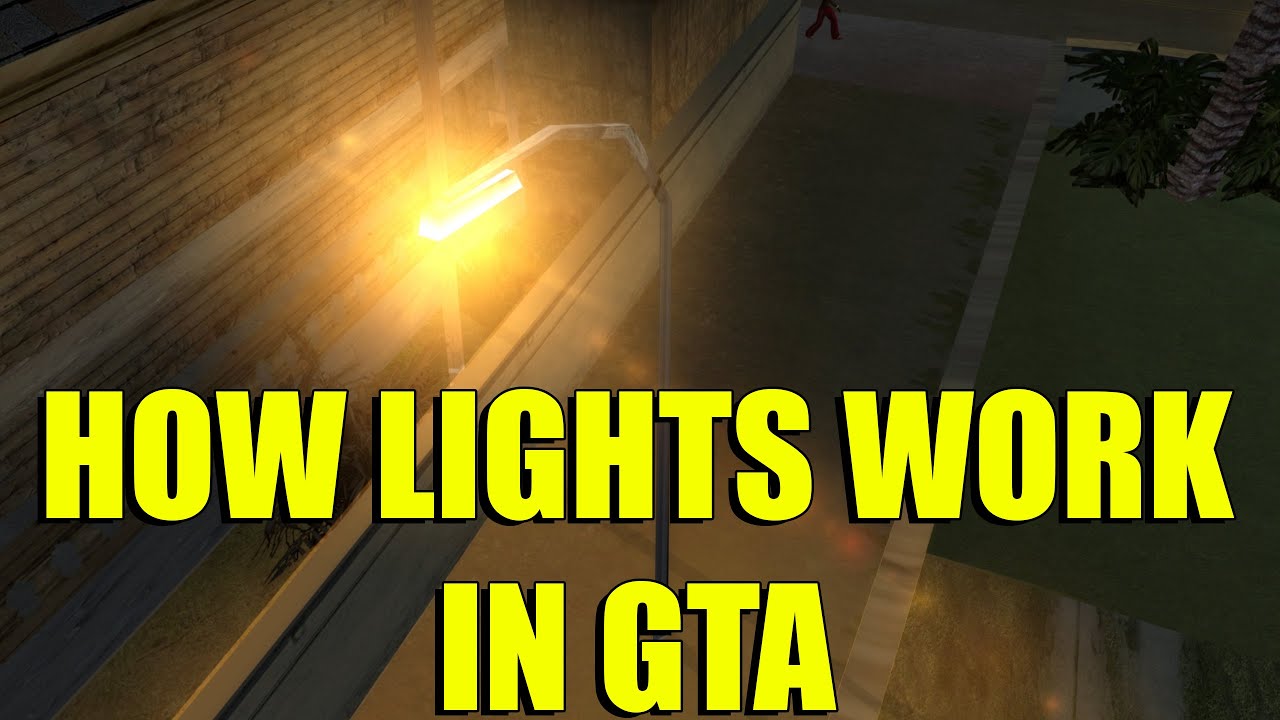
Ever wonder how lights/2DFX works in the older GTA games? Probably not... but I'll explain it in this video anyway!
Lights basically function the same way in III, VC, SA, LCS and VCS.
Subscribe for more:
https://www.youtube.com/c/tjgm1?sub_confirmation=1
Socials:
Instagram - https://www.instagram.com/_tjgm_/
TikTok - https://www.tikto...
BLA BLA
jaunty kestrel
The pointlights been fixed by some youtuber named jesse 2nd of remix
tho spotlights of cars havent
jaunty kestrel
jaunty kestrel
The pointlights been fixed by some youtuber named jesse 2nd of remix
but theres bugs like yeah some would love to attach a directional on the moon
because silentpatch only fixes the sun and makes it look like enb
but enb has moon light too
spotlight yuh
fringe slate
I can't fint it
jaunty kestrel
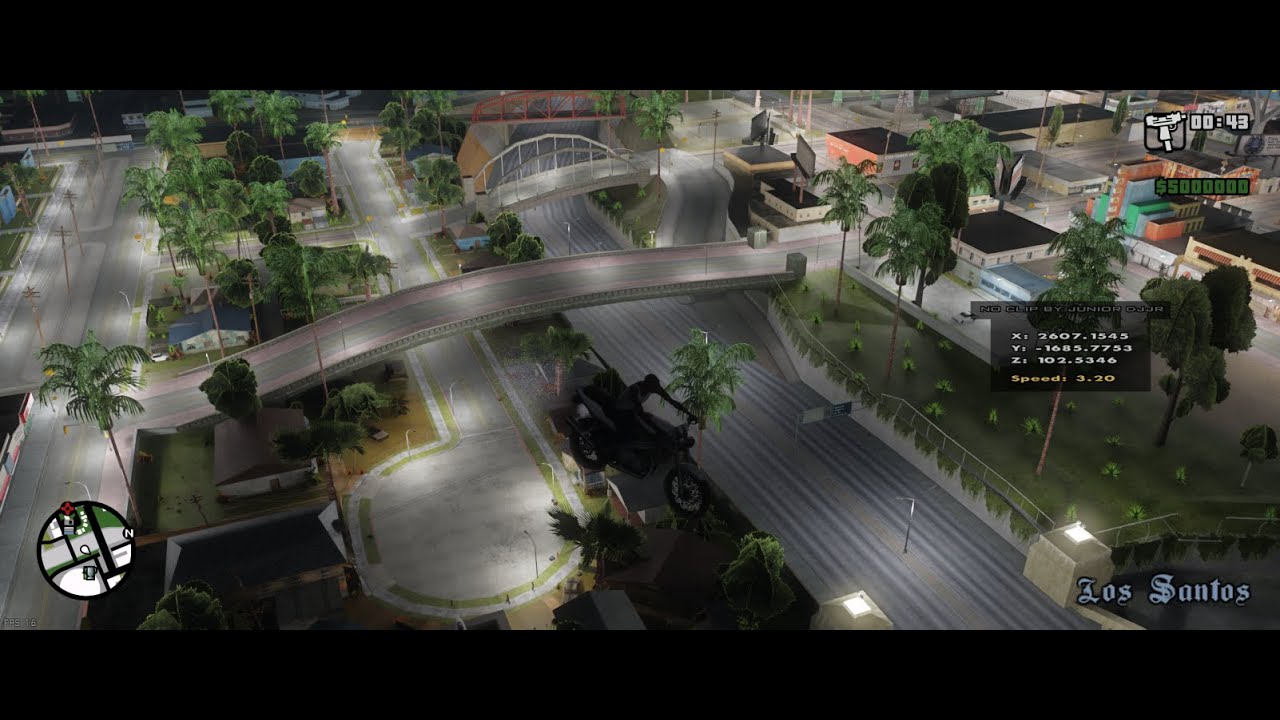
A small test of the game during night. Running on a RTX 3060
Note: this is still in progress and have problems, bugs etc and it doe's not represent the final version.
more info: https://www.mixmods.com.br/2023/05/sa-rtx-remix/
jaunty kestrel
remix is very unstable tho
for without reason it always crahses sa for me
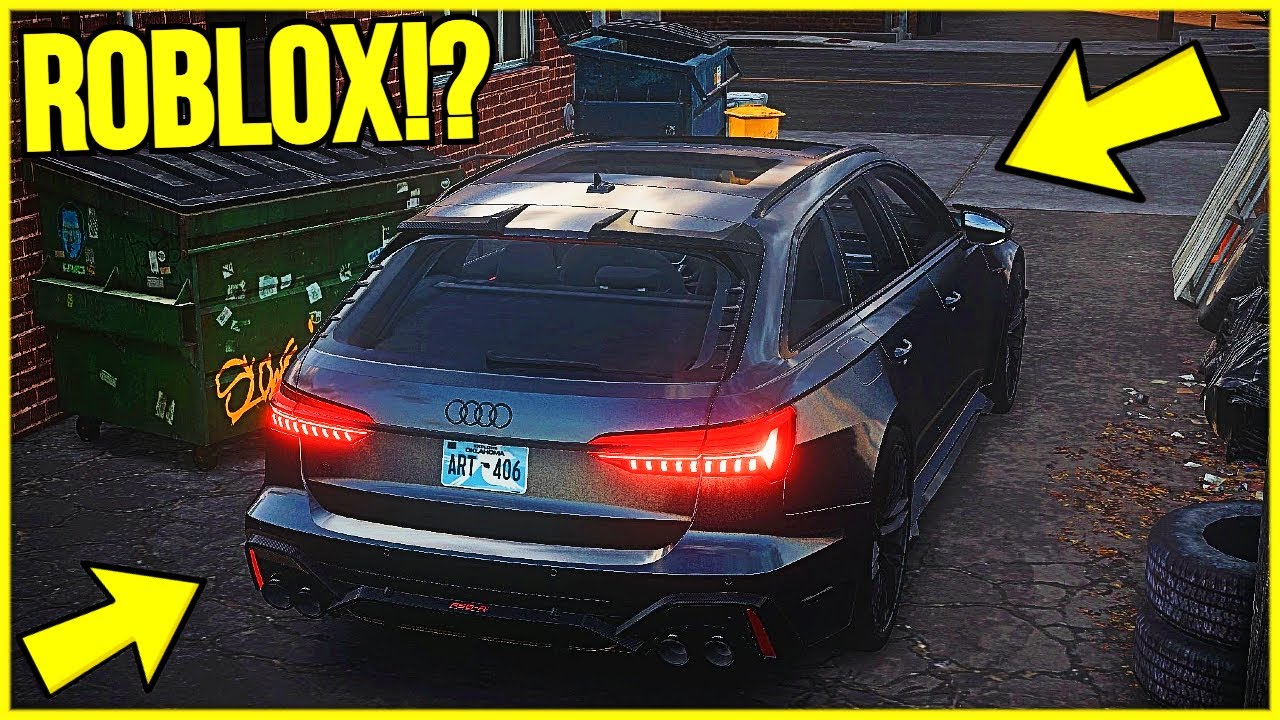
THE MOST REALISTIC ROBLOX GAME EVER!
His twitter: https://twitter.com/ArtBlox_406
Become a member to get access to perks:
https://www.youtube.com/channel/UCB9V-KVwiXopU0WD1j1x35Q/join
My Roblox group: https://www.roblox.com/groups/8982220
...
My Discord server: https://discord.gg/FxTeN7d36N
What is Roblox?
Roblox is a global platform where...

YouTube
imagine guys like this would work on remaking gta3/vc/sa map lmaooo
imagine real time intel isl photorealistic enhancement addon for remix 🤣 what do the technology waiting for btw?
warm thorn
jaunty kestrel
https://youtu.be/3eIB9EBJ5Cw?si=CXFE-deIl9l3kd67
Adding light to an object is not difficult; the challenge lies in how to turn it off during the daytime. In the video, you can observe some unusual light objects in the middle with double street lights. I believe the creator simply used an "add light to texture", which is easy but lacks accuracy.
fiery girder
jaunty kestrel
The pointlights been fixed by some youtuber named jesse 2nd of remix
lol she is jessica she done nothing yet...
warm thorn
If your guy have recently visited the NFSU2 group, you may have noticed that I have discovered a way to create realistic glass materials with refraction in NFSU2. I plan to apply the same method to GTASA, and once it's completed, I will upload it to GitHub very soon.
jaunty kestrel
The point to basically remaster SA would be environment mods first but its to hard to do the whole map
like look at gta iv environment

and mods likethese would make it look like real LA
 jaunty kestrel
like look at gta iv environment
jaunty kestrel
jaunty kestrel
like look at gta iv environment
dont even needs high textures and stuff just realistic ones
like real windows, yeah, graffities, and those red pavement lines + smooth road textures
fiery girder
warm thorn
If your guy have recently visited the NFSU2 group, you may have noticed that I h...
yeah i have seen...thats cool
fringe slate
warm thorn
If your guy have recently visited the NFSU2 group, you may have noticed that I h...
Haven't you already done that, I learned to do that through chess although i'm not sure if it is the same
jaunty kestrel
btw:
https://gtasamp.meilleurforum.com/f89-mapping
https://vk.com/main.php?subdir=croocksinc&subsubdir=mod
https://vk.com/westsmods/othermods
https://vk.com/m1amimods/othermods

gtasamp.meilleurforum.com
Forum CMLV du serveur numéro 1 Français Roleplay sur SA-MP. Un mod multijoueurs pour GTA San Andreas.

gtasamp.meilleurforum.com
Pent House: El Corona Street: Meth Lab: piBwasser pub: Crack House: Club House: Concessionnaire LS: Los Flores: Hell's angel club house: All Saint's Hall: LSPD
this ones pretty good
warm thorn
fringe slate
Haven't you already done that, I learned to do that through chess although i'm n...
Creating a glass material for a single object by assigning a texture is not too difficult. However, when multiple objects share the same texture, it becomes a more complex task.
jaunty kestrel
There lot of stuff on sites like these, its pretty good
pseudo moon
jaunty kestrel
like look at gta iv environment
oooooo ice 4!
round tendon
pseudo moon
oooooo ice 4!
i dont think thats ice4
 round tendon
ah
warm thorn
fiery girder
lol she is jessica she done nothing yet...
Her team discovered numerous original high-resolution textures used in the game. However, textures that are more realistic with high contrast, specular reflection, and shadows are not suitable for PBR textures. As a result, they need to recreate the textures entirely from the beginning or utilize software like Materialize or Substance 3D to eliminate the lighting information from the original textures.
fiery girder
Yea...I am following that ...they are fixing classic version for now...
warm thorn
We are both starting from the same point with the remix. While they have a team working on it, I am working alone as a one-person team. I believe their remix edition will be completed faster than mine. I'm eagerly looking forward to seeing their remix version as well.
split badger
warm thorn
We are both starting from the same point with the remix. While they have a team ...
Do you want to join them?
warm thorn
split badger
Do you want to join them?
I'm just curious why you're asking this question. Are you a member of their team?
split badger
warm thorn
I'm just curious why you're asking this question. Are you a member of their team...
I had contact with them.


 warm thorn
split badger
I had contact with them.
warm thorn
split badger
I had contact with them.
I see, but for now, I believe my main focus should be on collaborating with the NFSU2 teams. They are a fantastic group that is actively working on tangible projects and putting in hard work. This project has significant potential. GTA, on the other hand, is much larger in scale compared to NFSU2, which means there would be a substantial amount of rework required.
split badger
Awesome! Good luck
jaunty kestrel
u guys see that smoke? when we will be able to replace that with omnivers smoke ? XD
jaunty kestrel
just mark it as cutoff text
warm thorn
jaunty kestrel
just mark it as cutoff text
It should be mark as a particle texture.
jaunty kestrel
yeah


 shy wind
jaunty kestrel
shy wind
jaunty kestrel
Gta5 textures?
shy wind
round tendon
does it look gta5 to u?
Yes
jaunty kestrel
This is useless btw bc its OG retexture
all thse stuffs needs to be redone in remix lol
warm thorn
You can capture the asset and convert the original mods asset to a USD file. After that, modify the GTA mods file by using very low-resolution textures and replacing all mesh objects with simple box placeholders. Then, in remix, replace the placeholder objects and textures with the desired ones.
fiery girder
 pseudo moon
round tendon
schizophrenia
pseudo moon
round tendon
schizophrenia
😂

 jaunty kestrel
 round tendon
looks pretty nice, can't wait to order at Cluckin' Bell in 4k RTX on
jaunty kestrel
it doesnt even yet have skybox and the roads should look lighter, like in LA
and it would look photorealistic that way, btw
it looks like v atm
jaunty kestrel
jaunty kestrel
sir
will you share gta san remix mod with me ?
do you have a github repo ?
bro not my mod
@warm thorn ‘s mod
from where you got it ?
oh found it
i will use srt3 buildings on his mod because it will automatically adjust to pbr then and its 512x512, while looking pretty realistic enough (maybe too detailed lol) so it wont cause any lag like other moss
mods
imagine brighter, white LA roads on this, bruh, i promise, this will look better than gta v lmao
jaunty kestrel
what gpu u have there ?
jaunty kestrel
2070
round tendon
jaunty kestrel
2070
same, i have 2070 super
 pastel jungle
mine is 3060 mobile
jaunty kestrel
mobile wtf
shy wind
3080ti good for 30fps1080p XD
jaunty kestrel
u play remix android
pastel jungle
jaunty kestrel
mobile wtf
its for laptops
round tendon
those laptops gpu are shittier than their normal variant
pastel jungle
Ofc
pseudo moon
jaunty kestrel
nice fog
jaunty kestrel
jaunty kestrel
it looks awesome btw
i cant stop imagining la roads on this, damn
so happy that finally all buildings will be reworked
pseudo moon
yeah san andreas roads are too dark
jaunty kestrel
the only thing missing is mapping like bushes, bricks and etc on ground , and walls
to basically get photorealistic level
warm thorn
The latest version of Remix introduces a new unique feature in "Terrain Texture" materials setting, Thanks to Nvidia and the community for adding this functionality.
We no longer require the "rough_only.usda" materials. I will upload a newer version on GitHub soon, which includes window refraction without the car body disappearing.
fiery girder
warm thorn
We no longer require the "rough_only.usda" materials. I will upload a newer vers...
i was asking this for every texture but still a good update...
warm thorn
fiery girder
i was asking this for every texture but still a good update...
What do you mean by "every texture"? Hasn't it already been completed in the Legacy Material setting?
fiery girder
warm thorn
What do you mean by "every texture"? Hasn't it already been completed in the Leg...
legacy settings reacts to whole game we dont want that...i want every texture to have seperate material setting
@warm thorn is it memory leaking for u
 warm thorn
fiery girder
<@944081029331820574> is it memory leaking for u
warm thorn
fiery girder
<@944081029331820574> is it memory leaking for u
Yes, it's almost using up all of my memory.
 warm thorn
fiery girder
legacy settings reacts to whole game we dont want that...i want every texture to...
warm thorn
fiery girder
legacy settings reacts to whole game we dont want that...i want every texture to...
Texture replacement with PBR materials is possible in Omniverse. I'm curious why you would like to have this feature in Remix as well.
fiery girder
warm thorn
Texture replacement with PBR materials is possible in Omniverse. I'm curious why...
to not use the omniverse
warm thorn
fiery girder
to not use the omniverse
Alternatively, you can accomplish it in a text editor, but Omniverse offers easier management. Are you suggesting that they develop an integration in game's GUI for individually editing materials?
fiery girder
warm thorn
Alternatively, you can accomplish it in a text editor, but Omniverse offers easi...
yea...
jaunty kestrel
fiery girder
<@944081029331820574> is it memory leaking for u
nice project urbanize and props
awesome look
fiery girder
its working
 jaunty kestrel
wow this looks like skygfx
thats really nice
better than skygfx* and skygfx is the best
fiery girder
every car is same color

 warm sphinx
warm thorn
We no longer require the "rough_only.usda" materials. I will upload a newer vers...
warm sphinx
warm thorn
We no longer require the "rough_only.usda" materials. I will upload a newer vers...
@warm thorn Can u upload new version in google drive or mediafire, Github servers are extremely slow
fiery girder
i have tested dxvk builds 233, 234, 235, 236 all having merory leaks testing more
bridge build 29 is ok
fiery girder
fiery girder
i have tested dxvk builds 233, 234, 235, 236 all having merory leaks testing mor...
@opal sable im pls check
going to sleep rest i will update
 opal sable
fiery girder
<@410198342300205066> im pls check
opal sable
fiery girder
<@410198342300205066> im pls check
i'll see what i can find, but i can't test in SA
#general-remix message
someone else had some results
fringe slate
Wasn't this happening a couple months ago?
fiery girder
glass with terrain baking working like a mirror cant see-through
 fiery girder
glass with terrain baking working like a mirror cant see-through
fiery girder
fiery girder
glass with terrain baking working like a mirror cant see-through
@warm thorn are u getting color on cars

 jaunty kestrel
fiery girder
<@944081029331820574> are u getting color on cars
jaunty kestrel
fiery girder
<@944081029331820574> are u getting color on cars
cars have colors, its the problem that they r striped with cascades
@opal sable maybe fix for that??
fiery girder
jaunty kestrel
cars have colors, its the problem that they r striped with cascades
not working now
warm thorn
fiery girder
<@944081029331820574> are u getting color on cars
Sometimes the car color is displayed correctly, but only occasionally.
fiery girder
 round tendon
lol
this has potential
im guessing rtx remix in the future will be compatible with general other mods right?
fiery girder
round tendon
im guessing rtx remix in the future will be compatible with general other mods r...
yes i am using in this one too
jaunty kestrel
round tendon
im guessing rtx remix in the future will be compatible with general other mods r...
yeh but retexture, etc mods arent good bc they would use too much ram
stone karma
hmm
fringe slate
Well my car colours seem to work mostly fine

 naive cave
jaunty kestrel
yeh but retexture, etc mods arent good bc they would use too much ram
naive cave
jaunty kestrel
yeh but retexture, etc mods arent good bc they would use too much ram
maybe im misunderstanding here but doesn't the bridge converstion fix that issue?
warm thorn
naive cave
maybe im misunderstanding here but doesn't the bridge converstion fix that issue...
Since he is relying on texture mods instead of texture replacement in Remix, it would be more advisable to replace the textures in Omniverse. This is because Remix offers extensive flexibility in both mesh and texture replacement, allowing for nearly unlimited memory usage.
jaunty kestrel
fringe slate
Well my car colours seem to work mostly fine
yes there is settings where you can tweak em but look at the car on the right
jaunty kestrel
jaunty kestrel
yes there is settings where you can tweak em but look at the car on the right
and also bit bug could occour on car top but its a very tiny issue of remix tho
jaunty kestrel
fringe slate
Well my car colours seem to work mostly fine
nmn
pseudo moon
is anyone still working?
warm thorn
pseudo moon
is anyone still working?
I haven't seen anyone else contribute here except for me. Maybe you could do it? I will work on it in my spare time, but right now I am mainly focused on NFSU2.
fiery girder
i am annoyed by the weird lighting issue at night filled a issue lets see
pseudo moon
warm thorn
I haven't seen anyone else contribute here except for me. Maybe you could do it?...
my brother is not here anymore so i can't even use an rtx gpu :/
fringe slate
pseudo moon
is anyone still working?
I've done little things with POM, but there has been an issue for a while where textures swap around the further i get from the origin
warm thorn
fringe slate
I've done little things with POM, but there has been an issue for a while where...
Could you show a screenshot of the issue, with the corresponding height map?
fringe slate
No issue in this screenshot
 warm thorn
fringe slate
No issue in this screenshot
warm thorn
fringe slate
No issue in this screenshot
Nice
warm thorn
In GTASA, there are numerous textures that are not properly aligned, have varying strength, and different UV coordinates. This makes it extremely challenging to achieve consistent levels of POM across the game.

The ultimate objective is to replace the entire game's mesh, ensuring that the UV ratio is correct at the very least.
jaunty kestrel
fringe slate
No issue in this screenshot
Wow, what did you used for pom?
fringe slate
I used chaiNNer
fringe slate
warm thorn
In GTASA, there are numerous textures that are not properly aligned, have varyin...
Yeah I got the same issue with the sidewalk
jaunty kestrel
fringe slate
I used chaiNNer
i need to look into it, thanks
opal sable
chaiNNer has a CLI mode that could be helpful for OctoTex. just set up a chain in the GUI, then run it in CLI and tie it into your software. documentation: https://github.com/chaiNNer-org/chaiNNer/blob/main/docs/cli.md
opal sable
ah, okay
fringe slate
Here is the chain i use
pastel jungle
???
round tendon
search Orange guy
round tendon
pastel jungle
???

Poor CJ.
Notice the change in the tone of Fat CJ, he's a bit exhausted when talking. There's more, if Fat CJ crashes onto other cars, he says something with his fatness related.
Amazing job by Rockstar games, to put in such amazing level of details. Here's hoping these kind of funny details come back in GTA 5
warm thorn
Some interior with POM WIP, mesh replacement will come very soon😉


 warm thorn
The initial plan is to introduce grass in the Grove Street area, which involves replacing tree and plant meshes. I have discovered a method to paint scattered elements in Omniverse. Additionally, the road texture will be entirely recreated, featuring brighter roads and POM in the upcoming release.
 fringe slate
Well I have done the POM part although the result isn't amazing
 fiery girder
warm thorn
The initial plan is to introduce grass in the Grove Street area, which involves ...
fiery girder
warm thorn
The initial plan is to introduce grass in the Grove Street area, which involves ...
If u make your visual to mid or high grass will be visible
Oh is already there
fiery girder
fringe slate
Well I have done the POM part although the result isn't amazing
when write mod it doesn't write any code to usda...
Octotex...can u guys help me
warm thorn
fringe slate
Well I have done the POM part although the result isn't amazing
I have a plan to create a 4K road texture without relying on AI upscaling, as it tends to result in washed-out details. Additionally, I can precisely align the height of the road texture for POM with my custom height texture, which AI upscaling struggles to achieve effectively.
Here's a work-in-progress update on outdoor POM, featuring the replacement of grass meshes.


Due to the current version of Remix lacking accurate shadow casting for Parallax Occlusion Mapping (POM), the final result may appear different.
fringe slate
That grass looks amazing
pseudo moon
yess, it looks like a different game
warm thorn
fringe slate
That grass looks amazing
However, certain areas appear excessively dark, so I added a small amount of emission to prevent the darkness. However, this emission effect appears somewhat unusual during nighttime. I hope that Remix can incorporate a simple Subsurface Scattering (SSS) effect, as it would allow us to achieve more realistic real-time images.
I have considered using two different methods to create grass. The first approach involves mesh replacements, which can provide a wind effect but may have visible culling in the game. The second approach involves attaching the grass to the terrain mesh without culling, meaning that the grass is always visible on the terrain. However, this method does not support wind animation as the grass is a static mesh.
warm thorn
I am not satisfied with just replacing the foliage texture; my ultimate goal is to replace the actual mesh of the foliage. Additionally, I prefer not to use official assets in my mods to avoid any potential legal issues.
jaunty kestrel
warm thorn
Some interior with POM WIP, mesh replacement will come very soon😉
WOW thats Amazing!
jaunty kestrel
warm thorn
The initial plan is to introduce grass in the Grove Street area, which involves ...
Thos roads look already LA like.
jaunty kestrel
warm thorn
Here's a work-in-progress update on outdoor POM, featuring the replacement of gr...
Wow the last two WILL look photorealistic
jaunty kestrel
warm thorn
I am not satisfied with just replacing the foliage texture; my ultimate goal is ...
Yeah, Fuck, it will look like LA.
Bc from the photo-realistic part is only abt realistic environment mostly like grass and trees fr. then maybe graffities and Project Props but fuck looks so promising
imagine playing SA’ in LA style wirh samp
warm thorn
jaunty kestrel
Bc from the photo-realistic part is only abt realistic environment mostly like g...
It's unfortunate that you have stopped working on Remix modding. If you dedicate your passion to Omniverse and gather some CC0 assets from the internet to replace them in Remix, I believe you can achieve better results than me.
 neat sigil
is anyone have these problem on Cj is keep moveng wen a turn camera?
fringe slate
I think that is just an issue san andraes had with a mouse
neat sigil
is ther a way to fix t?
fringe slate
oh wait no nvm, yeah this is a remix issue i'm quite sure, I've had it happen in a few games, no clue how to fix it
neat sigil
ah ok thx
warm thorn
It is because CJ drink too much “hot coffee”, and he is shocking his world change so much in remix.
Just joking, by the way I remember I install one of the mod fix this issue, wait a moment I have to test which mod fix this.
warm thorn
neat sigil
is ther a way to fix t?
https://www.mixmods.com.br/2015/02/ped-spec-iluminacao-specular-nas-pessoas-como-no-mobile/
Install this mod can fix the issue.

MixMods
O maior site de mods para GTA San Andreas (e outros jogos) da América Latina.
neat sigil
warm thorn
https://www.mixmods.com.br/2015/02/ped-spec-iluminacao-specular-nas-pessoas-como...
ohh thx😁 ❤️
 nimble jackal
do you guys have a dedicated mod list yet? i mean i doubt you can fix the culling and other aspects without mods
jaunty kestrel

First Cloud Shader, this are very light
#gtasa #gtasaandroid #opengl
this is interesting, working mta shaders in og sa
on android 😭😭
warm thorn
Progress update: I am currently working on replacing the entire mesh in the tunnel near the airport. Additionally, I am adding tunnel lights. I have plans to recreate all road textures within this week. There will be a long-awaited window with real reflection/refraction. However, I regret to inform you that retexture mods and object mods, including car retextures, are no longer supported. The good news is that you won't even see the textures with the terrain system enabled, as my plan involves completely replacing textures or mesh in the original game. The only mod I support is the Insanity CJ mod, but I only want to use the body mesh. The textures will be completely replaced in the near future.


 jaunty kestrel
Amazing
neat sigil
nice 🔥 ❤️
warm thorn
I have already uploaded the beta version of my next update on GitHub. If you have already downloaded my previous version, you can use the "git pull" command to get the update. If you haven't downloaded any previous versions, please follow the instructions provided on my GitHub page. Some of the mesh files are too large to upload to GitHub. I need to find an easy way to replace them individually in Omniverse, instead of replacing the entire array of meshes in Blender. Your feedback on the gaming experience is highly appreciated, so feel free to leave comments and suggestions. (Aiport Tunnel mesh replacement not include in this version.)
GitHub
GTASA RTX-Remix Project. Contribute to Hemry81/GTASA-Remix development by creating an account on GitHub.
split badger
warm thorn
Progress update: I am currently working on replacing the entire mesh in the tunn...
crazy good 🔥
shy wind
amazing. btw game eating 10gb of vram. Game even has some cyberpunk style of bugs xD. I mean textures are spot on, they look like oroginal, wich is good. Obviosly for now the most needed, would be folige (that you already working on), cars, buliding windows.


helicopter light needs some love, look at adamplayer nfsmw cop helicopter. Also would be nice to work on cops car lights, hope they are gonna work when its needed (not all the time).

 warm thorn
shy wind
amazing. btw game eating 10gb of vram. Game even has some cyberpunk style of bug...
warm thorn
shy wind
amazing. btw game eating 10gb of vram. Game even has some cyberpunk style of bug...
Did you use any other texture mod to change the way the texture, and did you copy my rtx.conf file to the rtx-config folder? Because now almost all the cars and windows in my game have reflections.
warm thorn
shy wind
helicopter light needs some love, look at adamplayer nfsmw cop helicopter. Also ...
Unfortunately, the light corona mesh hash is different every time, which is why I can't connect the light to the helicopter.
warm thorn
shy wind
amazing. btw game eating 10gb of vram. Game even has some cyberpunk style of bug...
I will recreate all the pavement and road textures again. I just subscribed to the monthly plan for Substance 3D this week, and I'm still learning how to create higher quality textures that look more like the original. I want to improve the roughness, normal, and height maps for a better result. The textures you are currently using in the game were created with Photoshop, but the roughness and bump maps for different roads don't match well. That's why you may notice some roads appearing shiny while others don't.
shy wind
warm thorn
Did you use any other texture mod to change the way the texture, and did you cop...
I used all the mods that were needed for previous version. I guess now i will do fresh install without mods, only remix.
warm thorn


 warm thorn
shy wind
I used all the mods that were needed for previous version. I guess now i will do...
warm thorn
shy wind
I used all the mods that were needed for previous version. I guess now i will do...
I'm not using any car retexture mods at the moment because there are too many different variations. It's difficult for me to match all the mesh hashes and texture hashes one by one. So, I'm just playing the pure version of GTA with my recommended mods from GitHub, which is the perfect match for the current build.
Is this a waypoint from the next-generation version of GTASA?
Do your guy have an idea of how it should look in the next-generation version of GTASA?😉


 silent berry
hey, new here; is there anyway to add bump mapping so it looks less flat??
otherwsie great job
@warm thorn
scrolled up and see youve already been doing this ixnay that
warm thorn
silent berry
hey, new here; is there anyway to add bump mapping so it looks less flat??
I didn't use the height map in Blender to be more efficient, but the height map can be seen in GTASA.
I created a separate railroad mesh because the rail tracks are combined in the original game. This allows me to assign different textures to the rail tracks and ensures that the height map looks more realistic without distortion caused by the wooden tracks and pebbles. This addresses the issue shown in the previous screenshot.

Using a completely new mesh might be able to fix the problem of texture stretching in certain areas like this. I'm not sure why Rockstar included so many distorted textures. That's why I'm working on fixing the issue myself.

Here's what the new mesh looks like in the game. The rail texture still needs to be recreated, so it's not the final version. Additionally, the alignment of the rail and rail wood is not correct yet, but I will fix that in Blender. This is just a test, and I anticipate that creating the entire rail in the game will take a lot of time.

I need to add some dirt and aged textures to make it look more realistic.
The final result should look something like this, with different textures for each area. However, I am still learning Substance 3D Painter to create PBR textures, so it will take some time to create a good texture for the railroad.


 mighty sapphire
warm thorn
I need to add some dirt and aged textures to make it look more realistic.
mighty sapphire
warm thorn
I need to add some dirt and aged textures to make it look more realistic.
Please smooth roads 🙏 Edgy roads are common in old games (I especially hate hills that are edgy)


They fixed it in the Definitive edition, but they kept the old collisions
fringe slate
mighty sapphire
Please smooth roads 🙏 Edgy roads are common in old games (I especially hate hi...
Yeah I find this quite annoying, I tried to fix it with the grove street bridge but my modelling skills aren't up to it.
warm thorn
mighty sapphire
Please smooth roads 🙏 Edgy roads are common in old games (I especially hate hi...
I can visually fix the issues, but it's important to ensure that the collisions remain the same. The Remix modification only focuses on graphical enhancements and does not modify any game behavior. However, the Remix material shader has limitations, as it lacks advanced material techniques such as subsurface scattering (SSS), layered materials (such as skin or clear coat car shaders), mixed with multi-materials make seamless textures, screen effects (like raindrop or blood on the screen), weather effects, particle effects (such as smoke and fire), water shaders, real-time caustics, and many more.
Nevertheless, there is a possibility that Nvidia and the community will make these advanced features available in Remix in the future.
fiery girder
warm thorn
I can visually fix the issues, but it's important to ensure that the collisions ...
they have added sss check properly
warm thorn
In Remix, we use MDL materials, which means that everything I mentioned is possible if Nvidia implements it, as they have already done in Omniverse.
mighty sapphire
collisions can be added by modding the game
warm thorn
mighty sapphire
collisions can be added by modding the game
I don't have any experience with game modding. In fact, I'm just a 3D modeler who combines various CC0 textures using Photoshop.
warm thorn
fiery girder
they have added sss check properly
Oh, really? So, i can start creating a waiting list for the complete grass replacement now
warm thorn
The grass looks much better now with the implementation of SSS.

In certain angles, the grass still appears dark because the SSS material has not been fully implemented yet.
 fiery girder
warm thorn
In certain angles, the grass still appears dark because the SSS material has not...
fiery girder
warm thorn
In certain angles, the grass still appears dark because the SSS material has not...
it only works with indirect lighting for now
warm thorn
I have completely recreated the PBR texture for the cars, but I cannot add a dirt texture to certain areas due to numerous issues with stretched textures. Unless I perform a complete UV remap, the car's mesh hash always changes when the "dirt" texture is changed. Therefore, I won't undertake this task for now. I plan to do it later once Remix resolves the mesh hash problem.

 warm thorn
Currently in the process of adding interior lighting. I have already added lights to all the 24-7 stores and the barber shop. Furthermore, I have added a mirror in the barber shop.


 quaint heron
@warm thorn i love you
thank you soooo fucking much
does this work in SAMP?
San Andreas MultiPlayer
warm thorn
quaint heron
does this work in SAMP?
I haven't tried it yet, but it's possible. As long as they don't modify the actual mesh and texture, I'm primarily focused on preserving the original game.
Perhaps one day, I will create a mod exclusively for Remix. In this mod, I will add additional lights and geometry to certain locations in the game. Initially, I will use low-quality textures and meshes as placeholders, and then replace them with high-quality Remix textures and meshes.
quaint heron
Thank you so much man
warm thorn
Hey, everyone! Have you heard the news? RTX-Remix just released version 0.3 today, and I have another exciting announcement for you! Check out the video and see if you can guess what it is.
warm sphinx

 warm thorn
Good try, but that's not the correct answer.
Tip 1 : This modification addresses a previously bothersome issue that has now been resolved.
warm sphinx
I can't figure it out
One thing caught my eyes, those asphalt textures, it looks amazing, great job
warm thorn
warm sphinx
I can't figure it out
One thing caught my eyes, those asphalt textures, it look...
Thank you! I'm trying my hardest to make the textures resemble the original ones closely. In the upcoming release, you'll notice these top-notch asphalt textures covering the entire map. However, I'm considering releasing different texture resolutions for users with varying PC specifications. This way, those with low-end graphics cards won't experience performance issues due to heavy textures.
Let's others to guess what changes I've made in this modification. However, I still need to make some adjustments to ensure it works well in different time and weather conditions.
warm sphinx
warm thorn
Thank you! I'm trying my hardest to make the textures resemble the original ones...
It does look like original but 10 times better
warm thorn
It's time for me to switch back to working on NFSU2 to replace some buildings. GTASA will also have buildings that will be replaced in the mod.
warm sphinx
warm thorn
Thank you! I'm trying my hardest to make the textures resemble the original ones...
Is it possible to implement parallax interiors like DE or spider man 2018?
 warm thorn
warm sphinx
Is it possible to implement parallax interiors like DE or spider man 2018?
warm thorn
warm sphinx
Is it possible to implement parallax interiors like DE or spider man 2018?
That's exactly what I'm doing in NFSU2 but adding actual interior geometry to the buildings.
fringe slate
warm thorn
Good try, but that's not the correct answer.
Either the color of vehicles or that bumpers and that are no longer translucent
warm thorn
fringe slate
Either the color of vehicles or that bumpers and that are no longer translucent
You got it, color no more change during nighttime.
However, the mod is still affected by the game's lighting system. When you are under a street light at night, the car's color is displayed correctly. However, when you drive out of the illuminated area, the car's color appears dim. Nevertheless, the overall visual quality of the car is noticeably improved compared to before.
jaunty kestrel
warm thorn
Hey, everyone! Have you heard the news? RTX-Remix just released version 0.3 toda...
Did 0.3.0 fixed performance issues itself??
jaunty kestrel
warm thorn
Hey, everyone! Have you heard the news? RTX-Remix just released version 0.3 toda...
U mean atmospheric scattering?
Oh
jaunty kestrel
warm thorn
Hey, everyone! Have you heard the news? RTX-Remix just released version 0.3 toda...
this road is gorgeous
jaunty kestrel
warm thorn
Here's what the new mesh looks like in the game. The rail texture still needs to...
i tought this is a real life photo lol
jaunty kestrel
warm thorn
The grass looks much better now with the implementation of SSS.
Wow. Can you make them 2x times smaller tho ?
jaunty kestrel
warm thorn
In certain angles, the grass still appears dark because the SSS material has not...
on the bottom you havent yet replaced another model of grass
fiery girder
jaunty kestrel
on the bottom you havent yet replaced another model of grass
u are back...why you were asking money from me...
jaunty kestrel
cuz i know a method for crash but its 80-20 win and if u fall in the 20 3x times and bet too much u can lose all, ive made 10 to 100 repetadely
 slate mantle
pseudo moon
fiery girder
blocked him
slate mantle
pseudo moon
fiery girder
blocked him
🤣
 sick mountain
hey guys
have you heard about this chanel?
they collected a lot of gta sa textures
so somebody who wants to recreate texture faithfully can find the sources here
gta sa uses modified photos of real places and uses some old texture cds as well
warm thorn
sick mountain
gta sa uses modified photos of real places and uses some old texture cds as well
Useful reference that has been greatly helpful to me. Thanks.
sick mountain
warm thorn
Useful reference that has been greatly helpful to me. Thanks.
your welcome and good luck
 sonic crown
so are you guys gonna use use the orginal photos
warm thorn
sonic crown
so are you guys gonna use use the orginal photos
In my opinion, the answer is no. The prebaked shadows are not suitable for PBR textures; they are primarily used as a reference for mesh replacement and texture guidance.
sonic crown
warm thorn
In my opinion, the answer is no. The prebaked shadows are not suitable for PBR t...
does remix have the option to delight the photos?
warm thorn
sonic crown
does remix have the option to delight the photos?
Currently, the answer is no. However, there is a possibility that Nvidia might develop a tool for this in the future. I believe it won't be directly implemented in Remix, but rather integrated with a powerful real-time texturing tool. This is because directly incorporating it into Remix could place a heavy burden on the rendering engine.
quaint heron
@warm thorn when will we get the current release for your version of rtx remix for san andreas?
warm thorn
quaint heron
<@944081029331820574> when will we get the current release for your version of r...
My planned release date is between the end of this month and mid-November, depending on the progress. However, my primary focus is currently on NFSU2. After the release of the 0.3.0 Alpha version, I will shift my attention back to GTASA to work on additional tasks
quaint heron
Okay
i recently downloaded RTX remix on san andreas
but the UIs are hidden
any way i can fix thatt?
warm sphinx
https://cdn.discordapp.com/attachments/744569683360874534/1161358897035104356/sa-mp-004.png?ex=65413d42&is=652ec842&hm=b6f8f5ebf6eac0acd7f140a69128850c1bf5b27ca8fe5c1bbd2f81ece53da1fb&
Just imagine this with RTX
 warm sphinx
quaint heron
can you help me?
warm sphinx
quaint heron
can you help me?
I can but not right now,
U should find UI textures and set them as UI textures in remix settings
warm thorn
@quaint heron put those line in your rtx.conf
rtx.skyDrawcallIdThreshold = 1000
rtx.uiTextures = 0xDA451DD0D39CD1A5, 0x83B6A605BF3FDF8, 0x3FC78C823061BDB0, 0x5970DA3808FA8128, 0xC412E7D486FF9E5C, 0x1C9638A1D3E2479F, 0x564734B0F359FE43
jaunty kestrel
is gta san remix updated to 0.3?
 long burrow
cant get this to work with my modded game, i'm actually heavily modded by now, should i just forget it? Laking of a good graphics mod to make a proper modder remake, but none seems to work on my pc
crashing at the startup here
warm thorn
jaunty kestrel
is gta san remix updated to 0.3?
The latest version of Remix 0.3, is now more stable in GTASA.
warm thorn
long burrow
cant get this to work with my modded game, i'm actually heavily modded by now, s...
Remix is not compatible with many mods, especially graphic improvement mods like Project2DFX and SkyGfx. These mods can make the game very unstable when used with Remix. However, if you are using a retexture mod, it might be compatible.
long burrow
Are there other known incompatibilities between rtx remix and other mods? I've tried to get rid of everything graphics, but dont seem to actually solve it. Have noticed that some of my crash reports refer to peds mods, but yeah, almost giving up adding a graphic mod to the pack
warm thorn
long burrow
Are there other known incompatibilities between rtx remix and other mods? I've t...
I haven't tested many mods, but in theory, using retexture-only mods shouldn't cause any issues. However, if you use too many high-resolution texture mods, it may make the game unstable with Remix. It's better to replace high-resolution textures with Remix itself instead of using retexture mods. This approach is more stable and doesn't have a texture size limit; the only limitation is the memory capacity of your GPU.

 jaunty kestrel
sorry, i was played at fullhd without dlss, so there's alot of pixels yeah
oops, no pings, sorry
jaunty kestrel
 warm sphinx
jaunty kestrel
warm sphinx
jaunty kestrel
Looks like definitive edition but way better
jaunty kestrel
warm sphinx
Looks like definitive edition but way better
yeah


we need more pbr
shy wind
jaunty kestrel
Is it remix fog? Looks very "lore" accurate
jaunty kestrel
shy wind
Is it remix fog? Looks very "lore" accurate
yup it is
i've just changed the fog color

sorry for lags, more i play, more it eats vram, idk maybe there's some kind of memory leak?
sorry for lags, more i play, more it eats vram and lags
at the end it just turns into a slideshow
fr just 3fps lol
and more than 90% of vram is being used
At the start i can even play without dlss
but at the end it's just unplayable mess
round tendon
jaunty kestrel
better than Monkey edition
jaunty kestrel
round tendon
better than Monkey edition
What is a monkey edition?
round tendon
definitive edition
jaunty kestrel
Ah
 smoky gate
jaunty kestrel
smoky gate
jaunty kestrel
what the FUCK
looks better than gta v
the fog and blue shadows r really realistic
the future of this is crazy
jaunty kestrel
I will try soon to remaster all the game's textures
 dry storm
warm thorn
Hey, everyone! Have you heard the news? RTX-Remix just released version 0.3 toda...
dry storm
warm thorn
Hey, everyone! Have you heard the news? RTX-Remix just released version 0.3 toda...
A day and night motorcycle!!!!! 👍
smoky gate
jaunty kestrel
I will try soon to remaster all the game's textures
Damn
Can u work with stable diffusion?
graffities with in-paint mode maybe ??
jaunty kestrel
im on the way
 jaunty kestrel
smoky gate
Can u work with stable diffusion?
jaunty kestrel
smoky gate
Can u work with stable diffusion?
yup
writing...

i think that's not the all textures
but that's what i've got capturing avery place
smoky gate
jaunty kestrel
I will try soon to remaster all the game's textures
But work on / with Hemry’s repo tho
jaunty kestrel
No
smoky gate
But he already did roads and etc ?
jaunty kestrel
I did too
smoky gate
car colors / refraction reflection fix
jaunty kestrel
But mine is upscaled and PBR generated with ai
smoky gate
U can see LA ideas like cracky roads eith brighter colors r realistic
jaunty kestrel
jaunty kestrel
But mine is upscaled and PBR generated with ai
I just wanted to try the octotex on this
Nothing more
smoky gate
can u try then to do houses / objects with pbr ai ?
or maybe in-walk floors/grounds like the first mission + roads? but hemry did pretty good roads already
round tendon
smoky gate
looks better than gta v
nah man, u must have been playing gtav on 720p lowest settings 


 nimble jackal
jaunty kestrel
nimble jackal
jaunty kestrel
Damn look at these defined muscles, mate must lift cars for warm up
round tendon
CJ from minecraft 1.7
jaunty kestrel
hahaha
nimble jackal
If i remember correctly there is a blender addon that allows to import the model format used for sanandreas (tho you might need an older blender version). That way you could try to port one of the CJ mods, like carl johnson remastered formermy known as insanity CJ
Or Perhaps contact the mod author tho i dunno where he's active these days

 shy wind
jaunty kestrel
the fog doesnt look right to me
shy wind
jaunty kestrel
the fog doesnt look right to me
Maybe it's bloom
warm sphinx
jaunty kestrel
I prefer original textures, this looks weird
jaunty kestrel
warm sphinx
I prefer original textures, this looks weird
yeah
kinda
but they are original ones
but upscaled
#showcase message
 jaunty kestrel
smoky gate
Send more
jaunty kestrel
smoky gate
Send more
 smoky gate
Nice but bro i dont understand why octotex or the textures look sketched
jaunty kestrel
 jaunty kestrel
smoky gate
Nice but bro i dont understand why octotex or the textures look sketched
jaunty kestrel
smoky gate
Nice but bro i dont understand why octotex or the textures look sketched
normals fcked up
smoky gate
oh i see
the fog makes it rlly nice
if you could do all textures, hemry’s mod could be topped on that
so it will be fully remastered
but its hard to make the roads look so la’ like
quaint heron
@jaunty kestrel bro i beg you release that shit
jaunty kestrel
smoky gate
oh i see
that's how they should look
 quaint heron
i wont die until i play san andreas with those graphics
quaint heron
YOOOO @round tendon
jaunty kestrel
but with denoiser and dlss it's just neeeh
 quaint heron
remember SamoTR?
quaint heron
round tendon
not really
SamoPlush
round tendon
oh yeah
quaint heron
and Usersif
round tendon
now i do
round tendon
xD
jaunty kestrel

 round tendon
pretty good ig
quaint heron
jaunty kestrel
but with denoiser and dlss it's just neeeh
i dont see much difference
round tendon
jaunty kestrel
what about night - morning - midday?
or Las Venturas lights during night
jaunty kestrel
can't go there for now


 smoky gate
jaunty kestrel
that's how they should look
smoky gate
jaunty kestrel
that's how they should look
looks groany from afar and not scothatic
smoky gate
jaunty kestrel
could u make textures like this smaller? would look photorealistic
imagine this mod under hemry’s
that is basically fully reworked photorealistic sa lol
smoky gate
smoky gate
looks groany from afar and not scothatic
oh bc denoiser i see
jaunty kestrel
 smoky gate
jaunty kestrel
smoky gate
jaunty kestrel
theye roads n shit is perfect
Damn fuck
Can u post a lot of ss?? looks like real life wtf
jaunty kestrel

 smoky gate
fr lmao
jaunty kestrel
 jaunty kestrel
Can't get the cars colors to work
warm thorn
jaunty kestrel
Can't get the cars colors to work
#1097105394821759006 message
jaunty kestrel
warm thorn
https://discord.com/channels/1028444667789967381/1097105394821759006/11233501554...
The result

 nimble agate
Nice job!
jaunty kestrel
nimble agate
Nice job!
I mean, the colors are not appearing
And cars look broken now
smoky gate
jaunty kestrel
i like this road texture , looks bit like gta iv
jaunty kestrel
I need to fix the tiling issue
warm thorn
jaunty kestrel
The result
In GTASA, cars have inconsistent shading due to different lighting. I will release a simple mod that can fix this shading issue. However, some adjustments will still be required to ensure it works well with different times of day and weather conditions.
round tendon
jaunty kestrel
dam, nice
warm thorn
To fix the car shading issue at different times and weather conditions, please place this file in your "Games Folder\data" directory. This file will replace the default timecyc.dat file. Before proceeding, make sure to backup your original timecyc.dat file. It's important to note that this file is specifically optimized for use with RTX-Remix. Do not use it with the original game without RTX-Remix, as it may result in unusual shading effects. At the moment, the sky color remains the same regardless of time or weather, but I will make modifications to address this in the future.
smoky gate
So this fixes the last bug of black stripes on cars ??
warm thorn
I highly recommend setting the Sky brightness to 2 or higher and enabling the force HDR sky option in Remix. Otherwise, the nighttime will appear very dark.
warm thorn
smoky gate
So this fixes the last bug of black stripes on cars ??
No, the strip texture issue is caused by the Terrain System. Remix is unable to retrieve the car color, and it appears that the car color is not affected by the vertex color. I have experimented with various Debug options in Remix, and only the rasterize option can display the car, whereas the Terrain System utilizes a rasterized top-down view for the terrain texture.
During nighttime, if you are far from a light source, the car color will still appear dim.
quaint heron
warm thorn
Hey, everyone! Have you heard the news? RTX-Remix just released version 0.3 toda...
@warm thorn I'm waiting for the San Andreas RTX Remix preset from this video
Because night time in my game is not even night time, it's literally day time
cars dont have reflections or neons or any of that
but in the video you have all of it
its like im watching GTA San Andreas Definitive Edition
warm thorn
quaint heron
<@944081029331820574> I'm waiting for the San Andreas RTX Remix preset from this...
Please check my previous post where I have explained how to achieve the same results as shown in my video.
quaint heron
warm thorn
Please check my previous post where I have explained how to achieve the same res...
Ohh im so sorry if i missed that, is it in this channel?
quaint heron
Ok bro, sorry again
warm thorn
quaint heron
Ok bro, sorry again
np
quaint heron
warm thorn
I have already uploaded the beta version of my next update on GitHub. If you hav...
Is it this one?
warm thorn
GTASA Remix GitHub :
https://github.com/Hemry81/GTASA-Remix
You can use the auto-installer to easily set up all the required GTA:SA mods and the Remix mod itself, which was created by our talented modder Yaniss.
https://github.com/KCDQYaniss/SARemix-Installer/releases
How to show UI:
#1097105394821759006 message
How to fix car color (white material) :
#1097105394821759006 message
(The Vehicle Toolkit mod can fix this issue)
How to fix car shading (dark at night time) :
#1097105394821759006 message
(The Vehicle Toolkit mod can fix this issue)
How to fix sky wall:
#1097105394821759006 message
How to fix black surfaces randomly appearing:
https://discordapp.com/channels/1028444667789967381/1097105394821759006/1351961166682914818
How to fix the issue of "No Light" in the interior area :
#1097105394821759006 message
Health Bar mod :
#1097105394821759006 message
Sun and Moon mod:
#1097105394821759006 message
Street Light mod:
#1097105394821759006 message
Vehicle Toolkit mod v0.1.3.a:
#1097105394821759006 message
GitHub
GTASA RTX-Remix Project. Contribute to Hemry81/GTASA-Remix development by creating an account on GitHub.

GitHub
Contribute to KCDQYaniss/SARemix-Installer development by creating an account on GitHub.
quaint heron
warm thorn
GTASA Remix GitHub :
https://github.com/Hemry81/GTASA-Remix
You can use the aut...
Much love bro thank you so much
warm thorn
quaint heron
Much love bro thank you so much
np
 random moth
is this fully working?
opal sable
warm thorn
GTASA Remix GitHub :
https://github.com/Hemry81/GTASA-Remix
You can use the aut...
warm thorn
random moth
is this fully working?
GTASA is running quite stably with the latest Remix build. However, it is not compatible with graphic or effect enhancement mods such as Project2DFX and SkyGFX. On the other hand, using retexture mods should, in theory, not cause any issues.
 grand dove
Game still works only on one processor core?
warm thorn
grand dove
Game still works only on one processor core?

GitHub
Combined repo for the RTX-Remix runtime. Contribute to NVIDIAGameWorks/rtx-remix development by creating an account on GitHub.
 feral cloud
pastel jungle
warm thorn
GTASA Remix GitHub :
https://github.com/Hemry81/GTASA-Remix
You can use the aut...
feral cloud
pastel jungle
warm thorn
GTASA Remix GitHub :
https://github.com/Hemry81/GTASA-Remix
You can use the aut...
@feral cloud
smoky gate
jaunty kestrel
thats awesome that i assume u tried adding the tex mod w txd on hemry’s mod bc it initializes pbr already, environment mods make sa look photo real
or add more frequency to already initialized texture names by hemry
for pbr n shiit looks crazy
jaunty kestrel
smoky gate
thats awesome that i assume u tried adding the tex mod w txd on hemry’s mod bc i...
Nope, no Hermy's mods at all
All pbr was generated by OctoTex
smoky gate
Can ushare it
pseudo moon
jaunty kestrel
gta 6
smoky gate
Can u release it bro
 quiet isle
oh...

 drowsy vigil
Installed everything can only get to a black screen and it hangs..
works fine if i disable d3d9.dll D:
native gust
Guys i remember there was a gta SA mod for rtx remix that fixes some issues with the game
Did it get deleted?
drowsy vigil
im wondering if its because the exe i can find is already patched to largeaddress
jaunty kestrel
jaunty kestrel
this one
native gust
native gust
Guys i remember there was a gta SA mod for rtx remix that fixes some issues with...
@warm thorn
warm thorn
native gust
<@944081029331820574>
check the pins
native gust
warm thorn
check the pins
No like, a game modification, for point lights and stuff

GitHub
Contribute to petrgeorgievsky/gta-remix-compat development by creating an account on GitHub.
Found it
warm thorn
native gust
No like, a game modification, for point lights and stuff
Based on my understanding, the in-game lighting system of GTASA does not function in the current build of Remix.
warm thorn
native gust
https://github.com/petrgeorgievsky/gta-remix-compat
So what's the difference? This doesn't resolve any problem or address any issues.
 native gust
warm thorn
So what's the difference? This doesn't resolve any problem or address any issues...
native gust
warm thorn
So what's the difference? This doesn't resolve any problem or address any issues...
It does help, and we can use it as a base
warm thorn
native gust
It does help, and we can use it as a base
Does it resolve the floating point error that causes mesh shaking on the screen?
native gust
warm thorn
Does it resolve the floating point error that causes mesh shaking on the screen?
Try disabling world transform
warm thorn
That means you haven't tried it yourself and you believe it can fix the issue. Good luck then.
native gust
warm thorn
That means you haven't tried it yourself and you believe it can fix the issue. G...
I really didn't try it but in my experience floating point shakiness can be solved by disabling world transform
warm thorn
native gust
I really didn't try it but in my experience floating point shakiness can be solv...
But that doesn't work in GTASA. I have tried several methods to make it compatible with Remix. Perhaps you can attempt a different approach if you have the time.
smoky gate
jaunty kestrel
if anyone needs my pbr mod
this pbr no tex replacements?
smoky gate
native gust
https://github.com/petrgeorgievsky/gta-remix-compat
can u compile this , but i think the bugs this fixcing already fixed, specially by hemry
jaunty kestrel
smoky gate
this pbr no tex replacements?
With tex replacements too
smoky gate
hi bro ur mod is really great it looks awesome while it may look buggy but thats how realistic it should look with automated pbr and ai do u think its possible to fix the geometry errors around the map? it lags out the game and crashes
or mod is really good bro but altho it looks a bit meshed up but thats what makes it look realistic tho without fog it already looks awesome almost photorealistic or the best SA but why the latest remix has geometry bugs again
smoky gate
warm thorn
Based on my understanding, the in-game lighting system of GTASA does not functio...
yeah doesnt work but ur mod fixes it but ehy it has geometry bugs
smoky gate
how to fix da geometries
smoky gate
fam
smoky gate
anyone knows the issue?
pastel jungle
just be patient
smoky gate

this is a great idea

literally feel like gta v rn lol

this is so great

amazing mod
 smoky gate
 nimble jackal
Does it work with modloader?
Cuz i bet it'd look really good with 90s atmosphere cars
Tho perhaps gotta port some models to blender to a remix compatible format
jaunty kestrel
smoky gate
nice! where to have this mode ?
jaunty kestrel

GitHub
RTX files for GTA SA to use with Luminance. Contribute to alex-suspicious/gta_sa_luminance development by creating an account on GitHub.
 austere nest
how do you use it?
austere nest
oh 👍
smoky gate
Do it has geometry bugs fixed? i can only use 0.2.0 bc of that
smoky gate
The aestheticness is crazy on this
but with latest updates of 0.2.0 car colors work better
smoky gate
smoky gate
The aestheticness is crazy on this
I literally all i want is to put hemry’s work on this
I mean to keep all this stuff but to replace rails / custom made stuff
because this one is so good
i mean looks ai a bit maybe but it is great
smoky gate
smoky gate
One thing i dont understand about current remix is why the shadows seems to blur in motion so much that they seem disabled?
grand dove
smoky gate
I dont understand shit about remix but this already looks great
smoky gate
yes bro the roads already feel like asphalt
literally
but yellow lamps would be better for roads
smoky gate
smoky gate
this is so great
also thr pbr looks non scothatic or repeating but its not relly a prob yet
jaunty kestrel
early screenshot of the launcher
 jaunty kestrel
early screenshot of the launcher
jaunty kestrel
jaunty kestrel
early screenshot of the launcher
стараешься сделать похожий на рокстар?
рокстак что?


 smoky gate
i hope remix will fix geometry bugs, 0.2.0 works amazing on your mod
literally looks better than gta v, lmao
literally
but 0.3.0 have fixed car colors, but geometry bugs 😦 i hope 0.4.0 will fix that, and performance wise too
but last pushes of 0.2.0 have car color terrain texture fix too, that one is amazing with your mod
last thing needed is weeds, grass, vegetation, and props literally
and reworked cj = gta vi lmao
they wont call it gta sa they will call it gta los santos
lmao
gta los santos sound good
smoky gate
jaunty kestrel
This roads and overall retex + pbr would be mind blowing together with @warm thorn s custom stuff
literally
or with some environment mods of the og game too
it would look and be soo gooodd
warm thorn
Please refrain from tagging me regarding AI upscaled related matters. While I have created AI upscaled textures for my own mods in the past, I have chosen not to publish them. I am not satisfied with the quality of AI upscaled textures as they do not meet the standards of "next-gen" texture quality in their current state. If we can achieve higher quality results through RTX-Remix, there is no need to rely on prebaked textures upscaled with AI, which often results in subpar PBR textures. I consider AI upscaled textures to be more of a recreational pursuit rather than a serious endeavor in their current state. However, if Nvidia were to release neural materials in the future, my perspective may change.
https://www.youtube.com/watch?v=ffarLQDQmC4&ab_channel=TwoMinutePapers

❤️ Check out Lambda here and sign up for their GPU Cloud: https://lambdalabs.com/papers
📝 The paper "Real-Time Neural Appearance Models" is available here:
https://research.nvidia.com/labs/rtr/neural_appearance_models/
📝 My PhD thesis "Photorealistic Material Learning and Synthesis" is available here:
https://users.cg.tuwien.ac.at/zsolnai/gfx/...
split badger
always very articulated lol
warm thorn
@jaunty kestrel no offense intended towards your hard work on OctoTex. However, the AI model is still not proficient at upscaling low-resolution prebaked textures. We don't have the financial resources or computational power like Nvidia to train a powerful AI model for the upscaling process. I appreciate and respect your contributions to the community.
jaunty kestrel
warm thorn
<@456226577798135808> no offense intended towards your hard work on OctoTex. How...
Nah, don't worry about that 😛
I've tried to train some PBR models but they're still meh
I need a bigger dataset and much more computational power
And for solving baked light I did unbaker ai, but it doesn't look good too
Btw im developing Luminance Launch, wanna join us?
We need someone who will handle the GTA San Andreas repo for the launcher
👀


The launcher will allow users to play rtx games with ease
No need for patching, mods installation and etc, the launcher will do that automatically for better compatibility
warm thorn
jaunty kestrel
I've tried to train some PBR models but they're still meh
Have you tried using textures from ambientCG.com to train AI? I have seen some websites using those textures for creating AI-generated textures, but the results are not very good. The issue of prebaked light and shadow poses a significant challenge.
jaunty kestrel
And it's also a mod manager for installing and ordering mods
jaunty kestrel
warm thorn
Have you tried using textures from ambientCG.com to train AI? I have seen some w...
Yup all my ai models are trained on the ambientCG textures
Normal maps are the best out of all models
Cuz it was trained really long time
Like 3~4 days straight
On 3080
But the dataset is still not that huge
Roughness need to train more
warm thorn
jaunty kestrel
And it's also a mod manager for installing and ordering mods
I have see the roughness texture still not good.
jaunty kestrel
Parallax too
jaunty kestrel
warm thorn
I have see the roughness texture still not good.
They're ugly honestly
Actually not bad, but the tiling issue
Not bad for ai
And the roughness squares
Yeah
Unbaker artifacts may make a black dots on the texture
And a lot of stuff like this
Here and there
warm thorn
I think AI struggles to recognize textures that are combined together, as Ambient CG textures typically consist of individual material textures
jaunty kestrel
warm thorn
I think AI struggles to recognize textures that are combined together, as Ambien...
Oh you may be right btw
So, do you wanna join us?