
#Fresh Install on vmware 17
11 messages · Page 1 of 1 (latest)
 trim eagle
 opaque jewel
trim eagle
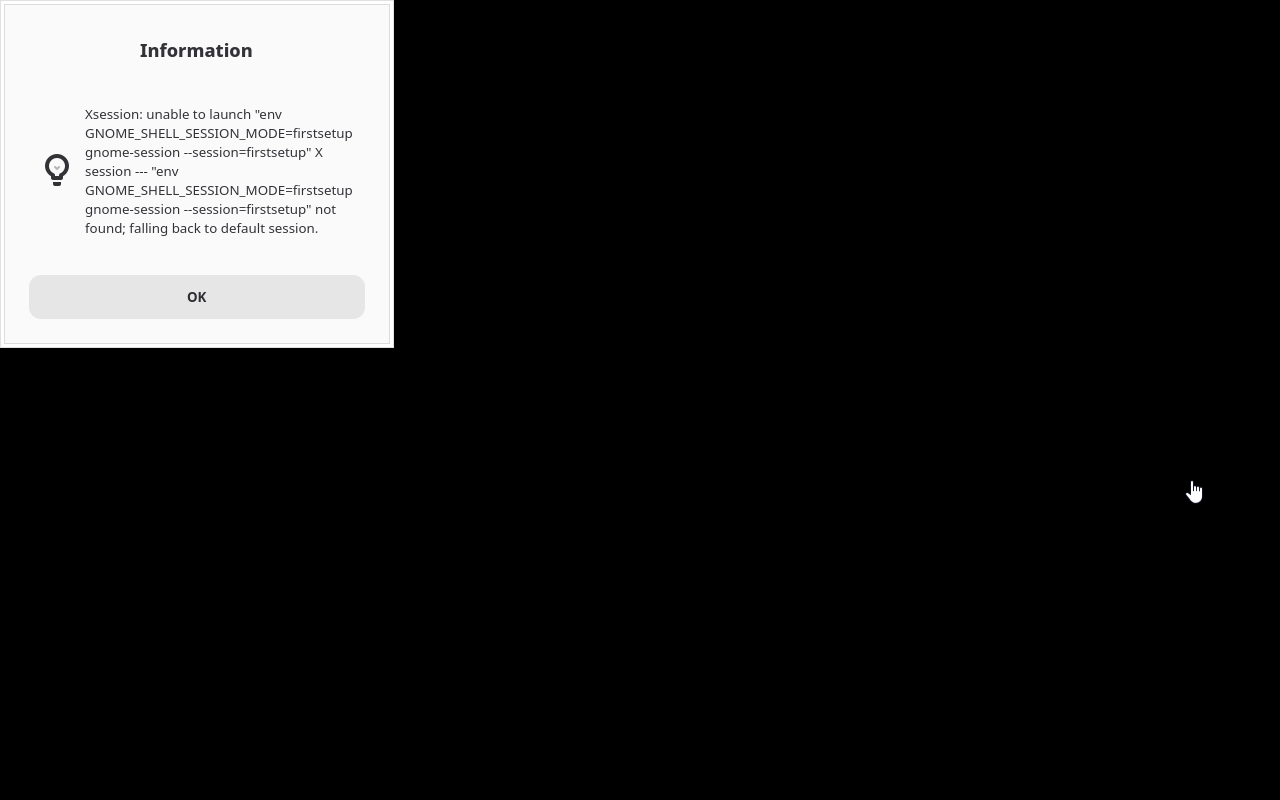
After reboot I only get this. I click ok and it just goes right back to it.
http...
opaque jewel
trim eagle
After reboot I only get this. I click ok and it just goes right back to it.
http...
Did you install a custom image, or did you make a regular install?
trim eagle
opaque jewel
Did you install a custom image, or did you make a regular install?
Very much regular. I downloaded the iso from the websites and answered things as I was asked. After I posted this it got past that and asked some more questions ending with dark or light theme. Now it stops at a screen with a flashing cursor top left corner, all black, like x isn't running at all
opaque jewel
trim eagle
Very much regular. I downloaded the iso from the websites and answered things as...
Ah, ok, so you ran first-setup already.
Try to select "Gnome" in the bottom right corner on the screen where you type your password.
trim eagle
Could it be that the entire disc encryption is breaking it because it's expecting some hardware feature that's not present because it's on a virtual machine? I'm not even getting to the login screen now.
opaque jewel
trim eagle
Could it be that the entire disc encryption is breaking it because it's expectin...
Wouldn't explain the error since the session would be in /usr which is not encrypted.
But it probably has to do with VMWare, yes.
trim eagle
Was not using the encryption an option during the installation? I don't remember. I didn't make any other choices besides light or dark theme, time zone, and keyboard layout.
I enabled UEFI, gave it a 50 gig disc, and 8 gigs of ram.
The installation did ask if I wanted to install VM tools which I of course agreed to
 pale flint
trim eagle
Was not using the encryption an option during the installation? I don't remember...
pale flint
trim eagle
Was not using the encryption an option during the installation? I don't remember...
Vanilla os only encrypts the var partition which has the users data not the root partition. Confused me at first too, also still not 100 sure if it's a good idea 🤔