#revert user area
1 messages · Page 1 of 1 (latest)
 livid verge
.visual-refresh nav:has([data-list-id="guildsnav"]) {
  margin-bottom: unset;
}
Fixes the ugly bottom margin hanging out


 errant sonnet
honestly this is all i needed to be fine with it thank you very much
 astral gulch
honestly the main issue with the user area was how it looks janky next to the msgbox
clearly the ui team dont have anyone with eyes that work
livid verge
i dont think what they did really fixed that either
 trim venture
astral gulch
honestly the main issue with the user area was how it looks janky next to the ms...
trim venture
astral gulch
honestly the main issue with the user area was how it looks janky next to the ms...
id kill to have this back it looked better imo

css noob 🥀
astral gulch
its as if experiments mean nothing to discord, because i HIGHLY doubt people liked the wonkyness of this version of the visual refresh
they likely got feedback about it being wonky and went "guess what, its staying. get fucked lmao"
trim venture
its so baffling they shipped the wonk instead of the double height chat bar
 fierce lava
huge thank you
 delicate crypt
sorry for asking dumb questions, but how do i use it?
i installed vencord for the first time when this new shit UI released, and since they removed the desktop visual refresh thingy, im trying to find fixes for it
figured it out sorry
 indigo compass
omg naked towel from twt
indigo compass
delicate crypt
HOW
Absurdo. Peidei no cinema e tiveram que me expulsar da sala. Achei muita mancada. #LevaNaBoa
delicate crypt

 urban prairie
yoo badass
ill take any snippets that brings back the old ui to a degree
true xD
either way very nice
 tardy timber
now we just need to somehow make server icons round instead of squares 
urban prairie
mines like this

 urban prairie
uhhh
im not sure which visual refresh snippet does it xD
actually might be this
[class*="closedFolderIconWrapper_"] > [class*="guildIcon_"],
[data-list-item-id*="guildsnav_"] > [class*="icon_"] {
    border-radius: 50% !important;
}
quick css my beloved
urban prairie
yea my quickcss is expanding like the universe lol
tardy timber
yipeee they are round
tardy timber
chat i have no idea about css whatsoever (sorta offtopic from this), but has anyone found a fix for the massive bar with the server name
this
 trim venture
the titlebar?
tardy timber
yes
trim venture
if u get rid of that then its no window management buttons for u buddy


 harsh gate
@tardy timber i can dm you the bits i have that turn my layout into this

it gets rid of the title bar + you can fix the spacing of the top icons (i need to redo mine a little since i think it got borked today), servers are round and the chat bar is lined up w the user panel
tardy timber
harsh gate
<@1244385034052304946> i can dm you the bits i have that turn my layout into thi...
please do
 odd trellis
I think this approach I sent a while back is better
:has() is very laggy, and aria label won't work for other languages
There's only a small downside of having to run your css through the class updater a couple times a year when the classes reroll
(Use the legacy version if you want it square) #🎨-css-snippets message
odd trellis
tardy timber
HOW ARE THEY ROUND
fierce lava
harsh gate
<@1244385034052304946> i can dm you the bits i have that turn my layout into thi...
Do you mind sending me the CSS for the title bar?
harsh gate
fierce lava
Do you mind sending me the CSS for the title bar?
can do! let me see if i can find the snippet i used and link it there; otherwise i'll dm you the code itself
 worldly owl
@trim venture where do i put this code
 clear flint
harsh gate
<@1244385034052304946> i can dm you the bits i have that turn my layout into thi...
clear flint
harsh gate
<@1244385034052304946> i can dm you the bits i have that turn my layout into thi...
sorry for the ping! could i also request the bits? 👀
harsh gate
clear flint
sorry for the ping! could i also request the bits? 👀
can do!!
harsh gate
worldly owl
shiloh
i have been summoned again  will dm!
 velvet cove
requesting the bits if I may
harsh gate
friend requesting and dming everyone who's asked but here is a doc with the bits + links to the original creators' threads or messages for anybody else who sees this!!
odd trellis
worldly owl
<@333219489955184643> where do i put this code
In your quickcss
urban prairie
harsh gate
friend requesting and dming everyone who's asked but [here](<https://docs.google...
Shiloh is a nice name imo
harsh gate
urban prairie
Shiloh is a nice name imo
thank you! <3
urban prairie
harsh gate
thank you! <3
I also like names like "Shawn" :p
 hearty jetty
harsh gate
<@1244385034052304946> i can dm you the bits i have that turn my layout into thi...
hearty jetty
harsh gate
<@1244385034052304946> i can dm you the bits i have that turn my layout into thi...
May I also have this please? 
harsh gate
harsh gate
friend requesting and dming everyone who's asked but [here](<https://docs.google...
@hearty jetty here's the doc! send a friend req and dm me if you've got any questions about it <3
 storm cradle
I guess my theme must have some line of code that prevent this css from working correctly, but this is still a great css
 prisma vine
harsh gate
<@1244385034052304946> i can dm you the bits i have that turn my layout into thi...
prisma vine
harsh gate
<@1244385034052304946> i can dm you the bits i have that turn my layout into thi...
yo can I get that?
harsh gate
harsh gate
friend requesting and dming everyone who's asked but [here](<https://docs.google...
@prisma vine got a doc all done up and pretty! friend request and dm if you've got any questions about it, but i linked all the OG creators, so hopefully those threads can be helpful
prisma vine
harsh gate
<@665602016759775232> got a doc all done up and pretty! <a:spinnyboing:123537983...
thanks
 plush inlet
Users with Better Folders should use this for the User Profile Area:
    width: 100%;
    left: 0px;
    bottom: 0px;
    border-radius: 0px;
    border: none;
}

.visual-refresh nav:has([data-list-id="guildsnav"]) {
  margin-bottom: unset;
}```
It doesn't look exactly the same, but it's as close as I could get. I just changed width to 100% and left to 0px to make it stick to the size of the sidebar in total.I copied it but I still have the bottom margin
 livid verge
harsh gate
friend requesting and dming everyone who's asked but [here](<https://docs.google...
livid verge
harsh gate
friend requesting and dming everyone who's asked but [here](<https://docs.google...
v+ snippet wtf is this just post it lol
livid verge
harsh gate
friend requesting and dming everyone who's asked but [here](<https://docs.google...
v+ snippet
hopefully i dont get nuked for doing that like i often do
and follow the format if you do please
harsh gate
i'm not sure what you're asking of me + i don't want to jump into somebody's thread with a concoction of other people's code!
that's why it's in its own doc <3
livid verge
It's fine, just link to their message/thread in your messsage :p
harsh gate
the links are in the doc 
livid verge
I'm just giving you options cause css in a google doc is crazy

and i dont see what you're talking about anyway
It's just the css with no formatting for me
harsh gate
thank you, but unless given official direction to share it in a different format, this is easiest for me to share the link with all the people who've been asking or dming me + keep the links to the original creators in the comments on the doc
livid verge
uhhh you do you then lol
prisma vine
livid verge
<:skillissue:904767098889322517>
I copied the code exactly how it is wdym skill issue lmao
livid verge
I mean it works for multiple people so it must be a problem with something you have enabled/overriding it
:p
And works for me, I havent see anyone else say it doesnt work
livid verge
harsh gate
thank you, but unless given official direction to share it in a different format...
are they here? i'm almost 90% sure they dont mind
we all have the same common goal
But don't let me push you around i got stuff to do
odd trellis
plush inlet
Users with Better Folders should use this for the User Profile Area:
```.visual-...
.visual-refresh section.panels_c48ade {
  left: calc(var(--custom-guild-list-width));
  width: calc(100% - calc(var(--custom-guild-list-width)));
  bottom: 0;
  border-radius: 0;
  border: none;
  border-top: 1px solid var(--border-faint);
  /* Fix vc buttons resizing weirdly */
  .actionButtons_e131a9 button {
    padding: 0;
  }
  .activityPanel_c48ade {
    border-radius: inherit;
  }
}
nav.guilds_c48ade, #channels {
  margin-bottom: 0 !important;
}
/* optionally hide the bar at bottom of server list */
.sidebar_c48ade:after {
  display: none;
}
/* Better Folders Fix */
.visual-refresh [style$="grid-area: betterFoldersSidebar;"]~section.panels_c48ade {
  left: calc(var(--custom-guild-list-width)*2);
  width: calc(100% - var(--custom-guild-list-width)*2) !important;
}
use !important
and this should be significantly less laggy
nav.guilds_c48ade {
  margin-bottom: 0 !important;
}
nice
plush inlet
odd trellis
https://discord.com/channels/1015060230222131221/1028106818368589824/13543314848...
:O It works
Thanks c:
prisma vine
odd trellis
use !important
and this should be significantly less laggy
```css
nav.guilds_c48...
idk what im doing wrong but I still got the bottom
odd trellis
prisma vine
idk what im doing wrong but I still got the bottom
you're probably copying it into your css wrong or maybe a theme conflict
 glass cave
.visual-refresh section[aria-label="User area"] {
    width: calc(var(--custom-guild-sidebar-width) - var(--custom-guild-list-width) + 1px - 16px);;
    left: calc(var(--custom-guild-list-width) + 9px);

}

.visual-refresh nav:has([data-list-id="guildsnav"]) {
  margin-bottom: unset;
}
here if anybody want rounded corners 

 dry steppe
glass cave
```css
.visual-refresh section[aria-label="User area"] {
width: calc(var(--c...
dry steppe
glass cave
```css
.visual-refresh section[aria-label="User area"] {
width: calc(var(--c...
hey any way to make it smaller like the ol' days?
glass cave
dry steppe
hey any way to make it smaller like the ol' days?
what did it look like I forgot :A:
dry steppe
glass cave
what did it look like I forgot :A:

i dont have a screenshot on me sorry
 this server has this emoji im stupid
glass cave
is it like smaller overall?
dry steppe
also just wanted to share a tip for discord's random classes
do this:
[class*="searchBar__"]
instead of hardcoding the values
odd trellis
glass cave
```css
.visual-refresh section[aria-label="User area"] {
width: calc(var(--c...
here's a slightly better version
odd trellis
dry steppe
also just wanted to share a tip for discord's random classes
do this:
```css
[cl...
This is actually worse for performance, and causes selectors to be more laggy, so it's generally discouraged to do this instead of using the actual class name
dry steppe
odd trellis
This is actually worse for performance, and causes selectors to be more laggy, s...
did not know that. although you will need to update your selectors every time discord does something
odd trellis
yeah, but it's super easy to do that with the class updater website
dry steppe
class updater?
odd trellis
 spark brook
Oh dear
 dry steppe
spark brook
Oh dear
dry steppe
spark brook
Oh dear
LOL
 glass cave
@dry steppe is it something like this?
 spark brook
Oh dear
spark brook
spark brook
Oh dear
Turns out it was a theme issue
odd trellis
spark brook
Oh dear
does this work for you?
#🎨-css-snippets message
ig nvm, but slightly curious
probably won't either
dry steppe
glass cave
<@867220425276260353> is it something like this?
yea
glass cave
dry steppe
yea
okie hold on I will send the css o7
#popout_46 {
    left: 88px !important;
}

.visual-refresh section[aria-label="User area"] {
  margin-left: var(--custom-guild-list-width);
  width: calc(100% - var(--space-xs)*2 - var(--custom-guild-list-width)) !important;
  .actionButtons_e131a9 button {
    padding: 0;
  }
  .container__37e49 {
    padding: var(--space-xxs);
    padding-left: var(--space-xs);
    .avatar__37e49 {
        width: 32px !important;
        height: 32px !important;
    }
    .mask__44b0c {
      foreignObject {
        width: 32px !important;
        height: 32px !important;
        mask: url(#svg-mask-avatar-status-round-32);
      }
      rect {
        width: 10px !important;
        height: 10px !important;
        x: 22 !important;
        y: 22 !important;
      }
    }
  }

}
nav.guilds_c48ade {
  margin-bottom: 0 !important;
}
/* optionally hide the bar at bottom of server list */
.sidebar_c48ade:after {
  display: none;
}
sorry if the code is bad I tried my best T_T (please feel free to correct it!!)
odd trellis
glass cave
```css
#popout_46 {
left: 88px !important;
}
.visual-refresh section[aria-l...
what are you trying to do?
are you just trying to round the evie's snippet like this? or something else

also, I don't think #popout_46 will work
pretty sure that will change
glass cave
odd trellis
what are you trying to do?
making the thing shorter like arsikk said ;w;
50% of what I wrote was for making the profile picture smaller
I couldn't figure out a better way 
odd trellis
Maybe something like this?
.visual-refresh section.panels_c48ade {
  margin-left: var(--custom-guild-list-width);
  width: calc(100% - var(--space-xs)*2 - var(--custom-guild-list-width)) !important;
  .actionButtons_e131a9 button {
    padding: 0;
  }
  >div:not(.wrapper_e131a9) {
    height: 40px !important;
    padding: 4px !important;
  }
  .avatar__37e49 {
    scale: 0.8;
  }
}
nav.guilds_c48ade {
  margin-bottom: 0 !important;
}
:root {
  --custom-rtc-account-height: 0;
}
/* optionally hide the bar at bottom of server list */
.sidebar_c48ade:after {
  display: none;
}
ooooh yeah that !!
odd trellis

it's smaller if you use get rid of the padding stuff around it like this or something
 glass cave
odd trellis
Maybe something like this?
```css
.visual-refresh section.panels_c48ade {
marg...
glass cave
odd trellis
Maybe something like this?
```css
.visual-refresh section.panels_c48ade {
marg...
@dry steppe here is better version o7
odd trellis
glass cave
it looks way cleaner than what I wrote xd
and doesn't break the status icon lol
glass cave
right?
odd trellis
why were you even trying to mess with the masks
glass cave
I had to change popout thingy because it broke T_T
glass cave
odd trellis
why were you even trying to mess with the masks
was trying to figure out in inspect element
basically pressing random buttons and see what changes stuff 💀
odd trellis
that's pretty much what i do lol
odd trellis
yeah scale: can be pretty useful, but i don't like using it too much (just because i think it can be a bit janky, and i'd rather change the size of things the "real" way if possible)
 full heart
the code doesn't work for me, any idea what the problem would be? i'm very new to this
full heart
odd trellis
Maybe something like this?
```css
.visual-refresh section.panels_c48ade {
marg...
this worked :P
 cobalt echo
does anyone know if it's possible to hide the server name in the titlebar? it's a bit distracting
odd trellis
cobalt echo
does anyone know if it's possible to hide the server name in the titlebar? it's ...
yes, but that's not at all related to this snippet. ask in #🎨-theme-development for stuff like this in the future
.title__85643 { display: none !important; }
 rough heath
i love you
 mint delta
dont let the discord uiux devs cook
rough heath
mint delta
dont let the discord uiux devs cook
everything they touch turns into abysmal dogshit
mint delta
rough heath
everything they touch turns into abysmal dogshit
so far this theme is the first step in improvement
 forest acorn
div[class^=sidebar_] section[class^=panels_] {
  width: calc(var(--custom-guild-sidebar-width) - var(--custom-guild-list-width) + 1px);
  left: var(--custom-guild-list-width);
  bottom: 0px;
  border-radius: 0px !important;
  border: none;
  padding: 0px;
}

div[class^=sidebar_] nav[class^=wrapper_] {
  margin-bottom: unset !important;
}

div[class^=sidebar_] .panel__5dec7 {
  border-radius: 0px !important;
}

#vc-spotify-player {
  border-radius: 0px !important;
}

div[class^=sidebar_] .scroller__629e4, .scroller__99e7c  {
  margin-bottom: unset !important;
}``` there is version without needing to have discord in english since evie used aria-label 😄 odd trellis
 random folio
Which code do I paste where?
random folio
Which code do I paste where?
this snippet in quickcss
odd trellis
odd trellis
I think this approach I sent a while back is better
:has() is very laggy, and ar...
.
random folio
I did everything but my folders won't open
odd trellis
forest acorn
i have a fix for these corners and this margin here btw #1361443579905445898 message
 odd trellis
random folio
I did everything but my folders won't open
odd trellis
random folio
I did everything but my folders won't open
you pasted this snippet into your quickcss?
#1361443579905445898 message
random folio
yea i did but it didn't happen
odd trellis
random folio
yea i did but it didn't happen
do you have other themes?
try disabling them, it might be a theme conflict
 odd trellis
 lone sleet
Is there any way to revert this to the old way
lone sleet
Is there any way to revert this to the old way
ask in #🎨-theme-development
 oblique fox
odd trellis
Maybe something like this?
```css
.visual-refresh section.panels_c48ade {
marg...
oblique fox
odd trellis
Maybe something like this?
```css
.visual-refresh section.panels_c48ade {
marg...
that bricked my settings button 💔 i can't open them now. fixed
forest acorn
odd trellis
i have a fix for these corners and this margin here btw https://discord.com/chan...
oh xD
fixed

i also have the new style
div[class^=sidebar_] section[class^=panels_] {
margin-left: var(--custom-guild-list-width);
width: calc(100% - var(--space-xs)* 2 - var(--custom-guild-list-width)) !important;
}
div[class^=sidebar_] nav[class^=wrapper_] {
margin-bottom: unset !important;
}
div[class^=sidebar_] .scroller__629e4, .scroller__99e7c {
margin-bottom: unset !important;
}``` clear flint
very minor but, is it possible to remove the little margin on top? also i tried changing the background color for the username but no luck :( any tips?
 forest acorn
yes
use css div[class^=sidebar_] .scroller__629e4 { margin-bottom: unset !important; }
clear flint
it worked!! thank you!! 
forest acorn
no problem 😄
forest acorn
forest acorn
```css
div[class^=sidebar_] section[class^=panels_] {
width: calc(var(--custom...
there is my updated code 😄
so people dont need to use english
clear flint
all i need now is change color, i'll try tweaking a bit more :3
 forest acorn
which color?
forest acorn
the panel background?
forest acorn
so like this for example
 clear flint
 yes!
yes!
just to keep the og colors, sadly they also changed the grading so it looks different. trying to make it as close as possible
forest acorn
then in css div[class^=sidebar_] section[class^=panels_] div[class^=sidebar_] .panel__5dec7 #vc-spotify-player add background-color: COLOR !important;
clear flint
mmm might be doing something wrong tho

 rugged gust
How do I fix this?
.visual-refresh section[aria-label="User area"] {
width: calc(var(--custom-guild-sidebar-width) - var(--custom-guild-list-width) + 260px);;
left: var(--custom-guild-list-width);
bottom: 0px;
border-radius: 0px;
border: none;
}
.visual-refresh nav:has([data-list-id="guildsnav"]) {
margin-bottom: unset;
}
 forest acorn
clear flint
mmm might be doing something wrong tho
forest acorn
clear flint
mmm might be doing something wrong tho
i dont see anything wrong in it
clear flint
it’s still not showing the color 
i’ll try deleting everything else and see if it’s conflicting with anything i have
 onyx yoke
The snippet causes the user area to be misaligned when using the betterfolders plugin and having a folder opened
 clear flint
i noticed that the little margin on top is fixed on servers but still shows up to me in DMs!  still something very minor so i dont mind
 clear flint
 dire stratus
how do i use this
dire stratus
how do i use this
add the code to quickcss and tweak around if something isn't fitting right
dire stratus
clear flint
add the code to quickcss and tweak around if something isn't fitting right
i did, but nothing happens
clear flint
do you have more codes? make sure nothing is conflicting with each other (plugins included). i can't help much code wise bc i barely know how to use css, i just go around changing margins and scales
dire stratus
nope, i just pasted that code there and restarted discord
clear flint
forest acorn
```css
div[class^=sidebar_] section[class^=panels_] {
width: calc(var(--custom...
this one right?
if that didnt do anything then idk
 mellow isle
Oh you are an absolute legend tysm
dire stratus
clear flint
this one right?
its like this now
 clear flint
try tweaking around the width or left values!! like increasing or decreasing pixels
this is a very amateur-ish solution tho
 dire stratus

 lofty spire
clear flint
i noticed that the little margin on top is fixed on servers but still shows up t...
lofty spire
clear flint
i noticed that the little margin on top is fixed on servers but still shows up t...
the fix I found personally for this was switching out the .scroller__629e4 at the end of the code with div[class^=scroller__] instead and it seems to fix the issue for me
clear flint
o i'll try it out then
lofty spire
But then again it's like putting a bandage on a nearly collapsing dam but it works so 🤷
clear flint
my entire code is like that 
lofty spire
so much to fix discords naive choices
lofty spire
clear flint
my entire code is like that <:omegalul:919740156766978129>
Same thing here, I have done quite a bit of tweaking to other peoples' css and it fits my needs so. 🥀

 warped warren
odd trellis
Maybe something like this?
```css
.visual-refresh section.panels_c48ade {
marg...
warped warren
odd trellis
Maybe something like this?
```css
.visual-refresh section.panels_c48ade {
marg...
for anyone viewing this, i decided to steal this snippet because its AWESOME and noticed a small issue that i fixed
if you are using spotify player, add this to prevent it from breaking the position:
#vc-spotify-player {
   height: 120px !important;
}
 plucky karma
the button icons get tiny if you make the channel sidebar small 🤔
 odd trellis
plucky karma
the button icons get tiny if you make the channel sidebar small 🤔
odd trellis
plucky karma
the button icons get tiny if you make the channel sidebar small 🤔
i have a fix for that here
https://discord.com/channels/1015060230222131221/1354331484831354952
 lucid ginkgo
is there css to remove the padding here?
 odd trellis
lucid ginkgo
is there css to remove the padding here?
odd trellis
lucid ginkgo
is there css to remove the padding here?
ask in #🎨-theme-development because that's unrelated to this thread
lucid ginkgo
oops thanks
forest acorn
clear flint
i noticed that the little margin on top is fixed on servers but still shows up t...
i have fix for it
change css div[class^=sidebar_] .scroller__629e4 { margin-bottom: unset !important; } to
div[class^=sidebar_] .scroller__629e4, .scroller__99e7c  {
  margin-bottom: unset !important;
}```thank you!! worked perfectly! :D
forest acorn
no problem 😄
odd trellis
forest acorn
change ```css
div[class^=sidebar_] .scroller__629e4 {
margin-bottom: unset !im...
you can use #channels instead of .scroller__99e7c
 queen nest
For me original version does not work, I took part here and corrected a little for myself and it turned out something like this, if someone needs it
.visual-refresh section.panels_c48ade {
  left: var(--custom-guild-list-width);
  width: calc(105% - var(--space-xs)*2 - var(--custom-guild-list-width)) !important;
  bottom: 5px;
  >div:not(.wrapper_e131a9) {
    height: 40px !important;
    padding: 1px !important;
  }
  .avatar__37e49 {
    scale: 0.8;
  }
  .actionButtons_e131a9 button {
    padding: 0;
  }
}
nav.guilds_c48ade {
  margin-bottom: 0 !important;
}
:root {
  --custom-rtc-account-height: 0;
}
.container__37e49 {
  gap: var(--space-4) !important;
}
.avatar__37e49 {
  width: 30px !important;
}
.wrapper_a629d4 {
  margin-left: 7px !important;
}
 chrome sable
queen nest
For me original version does not work, I took part here and corrected a little f...
chrome sable
queen nest
For me original version does not work, I took part here and corrected a little f...
look kinda weird tho

well, better than nothing

 forest acorn
 lethal steppe
use css div[class^=sidebar_] nav[class^=wrapper_] { margin-bottom: unset !important; }
 dense shadow
keep in mind that where it says "User area" thats only if your discord is set to english. In my case its spanish so i had to change it to "Área de usuario"
 forest acorn
yes that why i made version that dont need to use specific language
forest acorn
forest acorn
```css
div[class^=sidebar_] section[class^=panels_] {
width: calc(var(--custom...
here
 dense shadow
forest acorn
yes that why i made version that dont need to use specific language
dense shadow
forest acorn
yes that why i made version that dont need to use specific language
oh thx didnt see. i was reading from top to bottom
 kindred lynx
I placed the code and it still looks the same as the default, weird...
kindred lynx
dense shadow
keep in mind that where it says "User area" thats only if your discord is set t...
Ohh now i get it why didn't worked for me because i'm using in a different language
That helped, thanks!!
 cloud hemlock
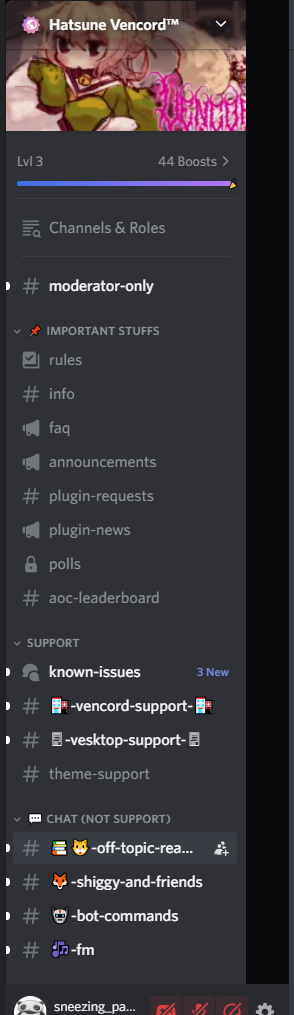
When enabled I get this big black bar, any help would be appreciated. https://i.imgur.com/x8XgO2d.png
 trim venture
by the way i updated the css so that its language agnostic now, it was an oversight by me
 velvet badge
Hi, I'm trying to get this to work with a Hover Server List code (not mine), but it doesn't work no matter what I do.
.guilds_c48ade,
.tutorialContainer__1f388,
.listItem__650eb,
.sidebarList_c48ade {
transition: width 0.3s ease, padding 0.3s ease, opacity 0.3s ease, margin 0.3s ease;
}
.guilds_c48ade:not(:hover) {
padding-left: 25px;
width: 60px;
opacity: 0;
}
.sidebar_c48ade:has(.guilds_c48ade:not(:hover)) .sidebarList_c48ade {
margin-left: -70px;
width: calc(var(--custom-guild-sidebar-width) + -15px);
}
div[class^=sidebar_] section[class^=panels_]:has(.guilds_c48ade:not(:hover)) div[class^=sidebar_] section[class^=panels_]{
width: calc(var(--custom-guild-sidebar-width) - var(--custom-guild-list-width) + 65px);
left: 16px;
bottom: 0px;
border-radius: 0px !important;
border: none;
padding: 0px;
}
div[class^=sidebar_] section[class^=panels_] {
width: calc(var(--custom-guild-sidebar-width) - var(--custom-guild-list-width) + 1px);
left: var(--custom-guild-list-width);
bottom: 0px;
border-radius: 0px !important;
border: none;
padding: 0px;
}
div[class^=sidebar_] nav[class^=wrapper_] {
margin-bottom: unset !important;
}```
The goal is to have it shrink to a smaller size as I hover over where the servers are supposed to be. scenic drift
Sadly, doesn't work with BetterFolders
scenic drift
odd trellis
https://discord.com/channels/1015060230222131221/1354331484831354952/13550036314...
Thank you :D
 zealous cedar
how do i change 5the color
odd trellis
btw @trim venture :has() is quite laggy
it might be fine in this case since there aren't many navs, but even :has(>...) would be better so it only has to search immediate children
but that isn't even necessary, because you can just use nav[class*=guilds_] (probably needs an !important then), or the actual class name, .guilds_c48ade (because attribute selectors are slightly laggy, but they have the advantage of not needing to update them with the class updater the few times a year when discord rerolls classes)
 ruby loom
?
odd trellis
ruby loom
where is the one that when you hover it shows the user profile
does ntts not have the link in the description?
trim venture
odd trellis
btw <@333219489955184643> :has() is quite laggy
it might be fine in this case si...
tell @livid verge that i just pasted their thingy
im a css noob
trim venture
but if you have any other working solution ill edit and add it
livid verge
u can fix it lol i made that snippet in like 2 and a half seconds
odd trellis
trim venture
 urban prairie
randomly found this somewhere in this channel
@import url(https://davart154.github.io/Themes/Snippets/Old%20Chat%20Bar%20Layout/OldChatBar.css);
shit wrong thread
odd trellis
oh i spent so long bug testing, fixing problems with plugins, and making it pixel perfect since border widths are weird lol
trim venture
whatever yo the snippet works and in my experience with it theres no slowdown
again if u hve a solution ill edit and add it to the original message
odd trellis
yeah it's probably not that noticable with the one :has()
odd trellis
odd trellis
https://discord.com/channels/1015060230222131221/1354331484831354952/13550036314...
.
this is the version I made
it's probably good with all the people from ntts to use the attribute selectors like you're doing though
odd trellis
nav[class*=guilds_] and use !important

actually !important isn't necessary if you leave the .visual-refresh
trim venture
you didnt put that in ur original solution
odd trellis
yeah I used nav.guilds_c48ade
trim venture
odd trellis
`nav[class*=guilds_]` and use !important
i added to the original, thanks
odd trellis
and if you want to link to mine that has fixes for BetterFolders and GameActivityToggle plugins, you can
trim venture
i must also say i dont use this snippet so i dont know if or when it will break, i made it for a friend and i know people would appreciate it here
trim venture
odd trellis
`nav[class*=guilds_]` and use !important
sorry for ping but i also added credits
 tall sorrel
cloud hemlock
When enabled I get this big black bar, any help would be appreciated. https://i....
tall sorrel
cloud hemlock
When enabled I get this big black bar, any help would be appreciated. https://i....
hello, like Sneezing_panda, I still have the black bar on the side of the channel

 tall sorrel
I have nothing but oldcord :/
but it's still buggy, idk
even when disabled (oldcord) still the same
 forest acorn
tall sorrel
even when disabled (oldcord) still the same
forest acorn
tall sorrel
even when disabled (oldcord) still the same
oldcord by milbits right?
tall sorrel
forest acorn
oldcord by milbits right?
exactly
tall sorrel
but I'm too tired for fighting anymore, I gave up, my discord is ugly, whatever
forest acorn
thats not compatible with this one
cuz of the width that this one use
its longer than the oldcord channel list
it could be compatible if you change the width
for now it using the new resizable function
so thats the conclusion why u and i belive also panda have black line
 abstract forge
is there a way to fix the discrepancy between the user area and the message box?
 forest acorn
idk i dont see problem in my code xD
 abstract forge
your code is fine, i mean is there another css snippet that rezises the message box anywhere?
odd trellis
abstract forge
is there a way to fix the discrepancy between the user area and the message box?
There's some in #🎨-css-snippets
abstract forge
odd trellis
There's some in <#1028106818368589824>
I tried to find one by scrolling/searching but I didn't see any, do you have a link or name? thanks
odd trellis
abstract forge
odd trellis
https://discord.com/channels/1015060230222131221/1028106818368589824/13542272448...
much appreciated
 left elk

 eager tree
check if folder is open
 fierce roost
so this happened
 odd trellis
fierce roost
so this happened
odd trellis
fierce roost
so this happened
is that with betterfolders?
fierce roost
odd trellis
is that with betterfolders?
yea
odd trellis
I have a fix for that, apparently it broke though https://discord.com/channels/1015060230222131221/1354331484831354952
will fix tomorrow
fierce roost
odd trellis
I have a fix for that, apparently it broke though https://discord.com/channels/1...
ah
ty
@odd trellis can you lmk when its fixed
onyx yoke
harsh gate
friend requesting and dming everyone who's asked but [here](<https://docs.google...
not certain if this is the place to post this, but the snippet for round icons in the doc seems to have broken recently -- the bottom of folders cuts off the icons, the icons are too squished together and aren't centered in folders, and the notifications icon is wildly off


(changing ui density doesn't fix it)
harsh gate
onyx yoke
not certain if this is the place to post this, but the snippet for round icons i...
prowl this thread! OP of the code has tidied stuff up after that broken update
onyx yoke
awesome! thanks a bunch~
harsh gate
onyx yoke
awesome! thanks a bunch~
ofc!!
urban prairie
onyx yoke
not certain if this is the place to post this, but the snippet for round icons i...
oh cool you're in the bta server too
 calm haven
onyx yoke
The snippet causes the user area to be misaligned when using the betterfolders p...
calm haven
onyx yoke
The snippet causes the user area to be misaligned when using the betterfolders p...
i guess that interaction with betterfolder has been overlooked. also mildly irritated by it. maybe there's a way to attach the div to the chat channel separator on the left/right?
odd trellis
calm haven
i guess that interaction with betterfolder has been overlooked. also mildly irri...
I have a fix for betterfolders #1354331484831354952 message
calm haven
perfect, thank you!
 small whale

 silk nymph
any way to align these?

 dull night
Where can i download it?
odd trellis
dull night
Where can i download it?
ok you deleted your message. does the link help?
I'm not really sure what you're asking if not that
dull night
odd trellis
https://discord.com/channels/1015060230222131221/1028106818368589824/13614435799...
Jamen hvor downloader du det? eller hvordan får jeg det, fatter hat lige nu
odd trellis
there's nothing to download. you just copy it and put it in your quickcss
dull night
odd trellis
there's nothing to download. you just copy it and put it in your quickcss
shit jeg er dum mange gange tak for det b ❤️
Men skal jeg bare øre det med alt?
odd trellis
Can you speak english? I only know a little bokmål
dull night
dull night
Men skal jeg bare øre det med alt?
Should I just do it with everything? @odd trellis
odd trellis
if you have other stuff in your quickcss, you can just copy it in there in addition to what's already there
dull night
odd trellis
if you have other stuff in your quickcss, you can just copy it in there in addit...
ok thanks ❤️
 stuck solstice
if you want to set the size equal to channel list bar this seems to be the best way
left: var(--custom-guild-list-width);
to
left: px;
and just set the amount you need to fit
stuck solstice
@trim venture its no longer alining proper
my personal fix
.visual-refresh div[class^="sidebar_"] section[class^="panels_"] {
    width: calc(var(--custom-guild-sidebar-width) - var(--custom-guild-list-width) + 1px);
    left: var(--custom-guild-list-width);
    bottom: 0px;
    border-radius: 0px;
    border: none;
}
 astral inlet
forest acorn
change ```css
div[class^=sidebar_] .scroller__629e4 {
margin-bottom: unset !im...
astral inlet
forest acorn
change ```css
div[class^=sidebar_] .scroller__629e4 {
margin-bottom: unset !im...
Yo, when I pasted in the css, it just made the channels overlap the user bar instead, and whenever I try changing the numbers it justs crops it too early like in the original issue this css was trying to fix. Is there any way to fix it and keep it consistent even when I join a vc? (Since the user bar is bigger when joining a vc of course)

 forest acorn
ofc.. its not the full code
div[class^=sidebar_] section[class^=panels_] {
  margin-left: var(--custom-guild-list-width);
  width: calc(100% - var(--space-xs)* 2 - var(--custom-guild-list-width)) !important;
}
div[class^=sidebar_] nav[class^=wrapper_] {
  margin-bottom: unset !important;
}
div[class^=sidebar_] .scroller__629e4, .scroller__99e7c  {
  margin-bottom: unset !important;
}


 swift steppe
welp the user area is broken
swift steppe
forest acorn
```css
div[class^=sidebar_] section[class^=panels_] {
margin-left: var(--custo...
nvm it worked but the buttons are small
 odd trellis
https://discord.com/channels/1015060230222131221/1354331484831354952
odd trellis
odd trellis
https://discord.com/channels/1015060230222131221/1354331484831354952
use this
here's the direct link to the snippet #1354331484831354952 message
swift steppe
i have the css pasted
like
wait
uhm
i broke it xD
welp the reason why the buttons are ao small it's because of the sidebar
like
here is maximum left

and when its maximum right it shows the icons big
i guess this css no longer works
/* sidebar fix*/
.base_c48ade .sidebar_c48ade {margin-right: -0.007px}
.visual-refresh
.base_c48ade .sidebar_c48ade > .sidebarList_c48ade {
width: 240.3px;
}
.reaction_f8896c, .reaction__23977 {
border-radius: 8px; }
/*left sidebar borders*/
.visual-refresh .theme-dark, .visual-refresh.theme-dark {
--app-border-frame: var(--background-secondary)
}
also
mr obsidian
do you know how to get rid of this?

like thingy on top
odd trellis
swift steppe
i still don't know how to make the voice buttons bigger
i guess i will need to find an sweetspot
fierce roost
@odd trellis how do i uncomment the betterfolders fix? which /* */ do i remove?
there are a couple of them and i've tried it already but it doesn't fix this

 south bane
🙏 Life saver
forest acorn

 frozen needle
ts broken with the new discord update
fierce roost
yep
 hazy fable
@trim venture it broke 😭
 tranquil rivet
rip
odd trellis
run it through the class updater found in #theme-support
tranquil rivet
odd trellis
run it through the class updater found in <#1213972277176045578>
that did not work for me
or do anything at all
nothing at all changes

 odd trellis
oh it uses attribute selectors
change them all from [class^="name_"] to [class*="-name"]
or use this (after running it through the class updater) #🎨-css-snippets message
tranquil rivet
odd trellis
or use this (after running it through the class updater) https://discord.com/cha...
that has a rounded border that I don't like
tranquil rivet
odd trellis
change them all from `[class^="name_"]` to `[class*="-name"]`
thanks
it's still broken if you do that but you just have to use the
nav._5e434347c823b592-guilds {
  margin-bottom: 0 !important;
}
as well
I think
 livid vapor
broken @trim venture
 sturdy portal
livid vapor
broken <@333219489955184643>
sturdy portal
livid vapor
broken <@333219489955184643>
.visual-refresh div[class*="-sidebar"] section[class$="-panels"] {
  width: calc(var(--custom-guild-sidebar-width) - var(--custom-guild-list-width) + 1px);
  left: var(--custom-guild-list-width);
  bottom: 0px;
  border-radius: 0px;
  border: none;
}

.visual-refresh nav[class*=-guilds] {
  margin-bottom: unset;
}
decided to dig into it a bit myself and this works
yes i censored the server icons

but it works
livid vapor
sturdy portal
```css
.visual-refresh div[class*="-sidebar"] section[class$="-panels"] {
widt...
thanks
livid vapor
sturdy portal
```css
.visual-refresh div[class*="-sidebar"] section[class$="-panels"] {
widt...
 swift steppe
tranquil rivet
nothing at all changes
swift steppe
tranquil rivet
nothing at all changes
it worked for me
stuck solstice
i hate how discord did this i have to fix so much now
 smoky oracle
sturdy portal
```css
.visual-refresh div[class*="-sidebar"] section[class$="-panels"] {
widt...
smoky oracle
sturdy portal
```css
.visual-refresh div[class*="-sidebar"] section[class$="-panels"] {
widt...
anyway to move this up a little bit it looks like there should be room there
 sturdy portal
smoky oracle
anyway to move this up a little bit it looks like there should be room there
sturdy portal
smoky oracle
anyway to move this up a little bit it looks like there should be room there
- i just made the snippet work, thats it. i just wanted a working snippet
- idk bro it looks fine for me
 smoky oracle
sturdy portal
1. i just made the snippet work, thats it. i just wanted a working snippet
2. id...
smoky oracle
sturdy portal
1. i just made the snippet work, thats it. i just wanted a working snippet
2. id...
okay idk it might be from other css for old dc ui
warped warren
can someone give me pointers to what fixes this.. trying to update the snippet as it is in my theme

i remember knowing this in the past but i have forgor
frozen needle
sturdy portal
```css
.visual-refresh div[class*="-sidebar"] section[class$="-panels"] {
widt...
i love you
stuck solstice
Fr
forest acorn
.visual-refresh div[class*="-sidebar"] section[class$="-panels"] {
  margin-left: var(--custom-guild-list-width);
  width: calc(100% - var(--space-xs)* 2 - var(--custom-guild-list-width)) !important;

}
.visual-refresh nav[class*=-guilds] {
  margin-bottom: unset;
}``` my version
just like the new one but shorter like a old one
sturdy portal
sturdy portal
```css
.visual-refresh div[class*="-sidebar"] section[class$="-panels"] {
widt...
WORKING VERSION HERE
 golden sun
sturdy portal
```css
.visual-refresh div[class*="-sidebar"] section[class$="-panels"] {
widt...
golden sun
sturdy portal
```css
.visual-refresh div[class*="-sidebar"] section[class$="-panels"] {
widt...
thanks you help me brooo
 elder cape
sturdy portal
```css
.visual-refresh div[class*="-sidebar"] section[class$="-panels"] {
widt...
elder cape
sturdy portal
```css
.visual-refresh div[class*="-sidebar"] section[class$="-panels"] {
widt...
sorry for the ping but is there also a fix for using better folders?
odd trellis
odd trellis
https://discord.com/channels/1015060230222131221/1354331484831354952
just run this snippet through the class updater before using it
I haven't updated the message yet
 pine forge
forest acorn
```css
.visual-refresh div[class*="-sidebar"] section[class$="-panels"] {
marg...
pine forge
forest acorn
```css
.visual-refresh div[class*="-sidebar"] section[class$="-panels"] {
marg...
ty it works
sturdy portal
pine forge
ty it works
-# does he know thats not the original
pine forge
sturdy portal
-# does he know thats not the original
I know but it's the only one that worked for me
sturdy portal
pine forge
I know but it's the only one that worked for me
the working version i posted just a bit up:
pine forge
sturdy portal
~~the working version i posted just a bit up:~~
for some reason didnt work for me
sturdy portal
pine forge
for some reason didnt work for me
oh aight
astral inlet
.visual-refresh div[class*="-sidebar"] section[class$="-panels"] { width: calc(var(--custom-guild-sidebar-width) - var(--custom-guild-list-width) - 1px); left: 77px; bottom: 0px; border-radius: 0px; border: none; }
This part broke, did some testing and noticed that my panel kept getting added this in element view: _5e434347c823b592-disablePointersWhileSorting


Could someone try and look for a fix
astral inlet
odd trellis
https://discord.com/channels/1015060230222131221/1028106818368589824/13543314848...
It's this part that breaks specifically, only when dragging a server around
 odd trellis
yeah and mine does it but without being broken, and also not being hardcoded values
use the square legacy squared version
just change the border-radius: 0 in mine to this if you want the top corners rounded
  border-bottom-left-radius: 0;
  border-bottom-right-radius: 0;
 chilly tulip
I have a working snippet but I don't remember who made it
/*Fix to make borderless*/
._5e434347c823b592-panels {
    border-radius: 0 !important;
}

._37e49614b9f110a9-container {
    height: 56px !important; /*Experiment between 50 and 60 px*/
    [aria-label="Mute"],[aria-label="Deafen"] {
        border-radius: 8px; /*Changes buttons but not the borders*/
    }
    [aria-label="Input Options"] {
        display: none;
    }
    [aria-label="Output Options"] {
        display: none;
    }
}
._5e434347c823b592-panels > ._37e49614b9f110a9-container {
    border-top-left-radius: 0;
    border-top-right-radius: 0;
}
._629e4c86564a4ee7-scroller {
    padding-bottom: 0 !important;
    margin-bottom: 16px;
}
.visual-refresh section._5e434347c823b592-panels {
    border: 0;
    margin-left: 58px; /*LEFT SIDE -- Play with these = 72px default 58px edited */
    margin-bottom: -5px; /*Up-down placement = -5px default*/
    width: calc(100% - var(--space-xs)*2 - 52px) !important; /*RIGHT SIDE -- Play with these = 72px, 52px edited */
    overflow: hidden;
    .e131a99484292a19-actionButtons button {
    padding: 0;
    }
}
Just try to modify the left side/right side thing if placement is off
chilly tulip
chilly tulip
I have a working snippet but I don't remember who made it
oh good to know
 odd trellis
chilly tulip
```
/*Fix to make borderless*/
._5e434347c823b592-panels {
border-radius: 0 ...
odd trellis
chilly tulip
```
/*Fix to make borderless*/
._5e434347c823b592-panels {
border-radius: 0 ...
i'd recommend using mine that i linked above. that doesn't quite center it correctly
and i've spent many hours and extensively tested my snippet to get it pixel perfect, and also made fixes for plugins (it also isn't reliant on aria-labels which change depending on what language you have discord set to)
chilly tulip
i think it's better to let people choose
chilly tulip
odd trellis
i'd recommend using mine that i linked above. that doesn't quite center it corre...
bro your version covers the username and I do not consider this "pixel perfect" if I need to expand channel area just to see my username


I've tried your "legacy version" (that's buried under many messages btw) and original one
same effect so far

and I'm not sure if that was your intention but your message sounded like "my project is better because i put more effort into it so use mine"
odd trellis
chilly tulip
bro your version covers the username and I do not consider this "pixel perfect" ...
that is pixel perfect. it covers your username because you didn't use the css in the message that removes the arrows (it is kind of confusing right now. i should probably make it a bit more user friendly to get the right fixes and stuff)
use the other css in my message to remove the arrows for more space (yours is removing them)
odd trellis
chilly tulip
and I'm not sure if that was your intention but your message sounded like "my pr...
well it's objectively better. that other one requires manual adjustment to get the alignment correctly
but i also did put more effort in it
i'm not sure why there's a bit of a transparent thing above the panel in your screenshot (which you didn't mention, which is the only thing I see that's wrong)
that must be caused by some other css you're using
chilly tulip
odd trellis
i'm not sure why there's a bit of a transparent thing above the panel in your sc...
Thanks for the suggestion I'll check if other css is causing the difference
astral inlet
chilly tulip
```
/*Fix to make borderless*/
._5e434347c823b592-panels {
border-radius: 0 ...
Worked perfectly after some tweaking, thanks
odd trellis
the reason i recommend mine, is that it doesn't require tweaking to align the user area
astral inlet
Everything broke, not just you, read #1257025907625951423
 clear kernel
A friend of mine got it working again mostly.
.panels__5e434 {
    border-radius: 0 !important;
}

.container__37e49 {
    height: 50px !important; /*Experiment between 50 and 60 px*/
    [aria-label="Mute"],[aria-label="Deafen"] {
        border-radius: 8px; /*Changes buttons but not the borders*/
    }
    [aria-label="Input Options"] {
        display: none;
    }
    [aria-label="Output Options"] {
        display: none;
    }
}
.-panels__5e434 > .container__37e49 {
    border-top-left-radius: 0;
    border-top-right-radius: 0;
}
.scroller__629e4c {
    padding-bottom: 0 !important;
    margin-bottom: 16px;
}
.visual-refresh section.panels__5e434 {
    border: 0;
    margin-left: 64px; /*LEFT SIDE -- Play with these = 72px default 58px edited */
    margin-bottom: -8px; /*Up-down placement = -5px default*/
    width: calc(100% - var(--space-xs)*2 - 53px) !important; /*RIGHT SIDE -- Play with these = 72px, 52px edited */
    overflow: hidden;
    .actionButtons_e131a9 button {
    padding: 0;
    }
}```Only thing not working is the masking covering up servers.
odd trellis
clear kernel
Anyone got a fix?
I have a fix that shouldn't need to be played with #1354331484831354952 message
clear kernel
odd trellis
I have a fix that shouldn't need to be played with https://discord.com/channels/...
Used them both together, and they kinda compliment eachother.
odd trellis
clear kernel
Used them both together, and they kinda compliment eachother.
?
you don't need the one you sent if you use mine
clear kernel
Let me put it this way, yes I do.
As the way yours makes it, is not how I actually want it to look
Yours makes it look like this, which as far as I care? Not a good look to me.

Both together?
Like so
 odd trellis
clear kernel
Yours makes it look like this, which as far as I care? Not a good look to me.
odd trellis
clear kernel
Yours makes it look like this, which as far as I care? Not a good look to me.
you didn't use the one i linked
you used the one above it
clear kernel
The main reason I have yours now, is to fix the masking issue it did covering up servers for me.
It still works for me.
odd trellis
use the one i linked and get rid of yours
clear kernel
As long as it works I do not care.
Nah, I'm good.
Mostly because I don't like being told to do something.
You could suggest, but I rather not you order me to do a thing.
If it works, it works for me.
Thats where my care ends.
Plus it forces me to fiddle with CSS a bit more.
Need to learn this shit anyways.
odd trellis
clear kernel
Need to learn this shit anyways.
mdn is a great resource https://developer.mozilla.org/en-US/docs/Web/CSS/
clear kernel
I learn better by doing or by someone actively showing and talking with me about what is going on
Anyways, I'm out.
 odd trellis
well mdn is documentation. it's more for looking up how to use a certain property or something
clear kernel
I was done with the conversation, please, stop.
forest acorn
.panels__5e434 {
margin-left: var(--custom-guild-list-width);
width: calc(100% - var(--space-xs)* 2 - var(--custom-guild-list-width)) !important;
}
.guilds__5e434 {
margin-bottom: unset;
}```
this works fine  sturdy portal
```css
.visual-refresh div[class*="-sidebar"] section[class$="-panels"] {
widt...
sturdy portal
sturdy portal
```css
.visual-refresh div[class*="-sidebar"] section[class$="-panels"] {
widt...
.visual-refresh div[class^="sidebar_"] section[class^="panels_"] {
  width: calc(var(--custom-guild-sidebar-width) - var(--custom-guild-list-width) + 1px);
  left: var(--custom-guild-list-width);
  bottom: 0px;
  border-radius: 0px;
  border: none;
}

.visual-refresh nav[class*="guilds_"] {
  margin-bottom: unset;
}
fixed yet again
discord needs to stop renaming their stuff
stuck solstice
bro so thats why it broke when i was setting it up
i had to replace left with a actualy px amount but that might be my set up is weird
stuck solstice
time to go to bed and have discord break the fix when i get up
 fading shale
Idk why but for me to delete this weirs border I need to add "padding: 0px" xD. I don't know where i messed this up in the css xD
 fading shale
Which arrows??
swift steppe
near the mic and headphones
odd trellis
swift steppe
how do i get rid of em
.micButtonParent__37e49>.buttonChevron__37e49 {
  display: none;
}
.micButtonParent__37e49>.micButtonWithMenu__37e49 {
  border-radius: var(--radius-sm);
}


 sturdy portal
```css
.visual-refresh div[class^="sidebar_"] section[class^="panels_"] {
widt...
sturdy portal
sturdy portal
```css
.visual-refresh div[class^="sidebar_"] section[class^="panels_"] {
widt...
@golden sun
golden sun
it's huge again
golden sun
sturdy portal
<@291995509718253569>
oh big thanks bro
 glossy light
sturdy portal
WORKING VERSION HERE
glossy light
sturdy portal
WORKING VERSION HERE
jumpscare
glossy light
sturdy portal
<@291995509718253569>
hi!!!
sturdy portal
glossy light
jumpscare
why are you here
swift steppe
bruh
sturdy portal
sturdy portal
```css
.visual-refresh div[class^="sidebar_"] section[class^="panels_"] {
widt...
working version here
 soft cipher
sturdy portal
```css
.visual-refresh div[class^="sidebar_"] section[class^="panels_"] {
widt...
soft cipher
sturdy portal
```css
.visual-refresh div[class^="sidebar_"] section[class^="panels_"] {
widt...
tried this and it results in the icons being the correct sizes, but the bounding boxes are still small and square
 odd trellis
soft cipher
tried this and it results in the icons being the correct sizes, but the bounding...
odd trellis
soft cipher
tried this and it results in the icons being the correct sizes, but the bounding...
try this #1354331484831354952 message
soft cipher
no difference unfortunately
commenting this url import out actually just makes it look like normal discord which is really odd
 odd trellis
soft cipher
commenting this url import out actually just makes it look like normal discord w...
odd trellis
soft cipher
commenting this url import out actually just makes it look like normal discord w...
// comments don't work in css
you have to use /* */ around the line
sturdy portal
soft cipher
tried this and it results in the icons being the correct sizes, but the bounding...
-# i think youre in the wrong thread, this is user area
 bold solar
Hey idk if anyone else had this issue, but this revert cuts off the top way too much and i couldnt find out how to fix it for the longest
(i hate what im about to say)
but i used AI to look at the code and it gave me some CSS code that makes it fixed
what my bug in particular was this

the color diff is what im talking about
.visual-refresh div[class^="sidebar_"] section[class^="panels_"] {
    width: calc(var(--custom-guild-sidebar-width) - var(--custom-guild-list-width) + 0px);
    left: var(--custom-guild-list-width);
    padding-top: 10px;
    bottom: 0px;
    border-radius: 0px;
    border: none;
}
padding-top: 10; is what the AI wrote in its blouted ass code but i just took it out and added it into the CSS code here