#Thread
1 messages · Page 1 of 1 (latest)
 opal cairn
19045.3633
 rocky arrow
Windows 10 2H22 build 19045.3633
 short flint
huh
rocky arrow
 opal cairn
rocky arrow
Windows 10 2H22 build 19045.3633
opal cairn
rocky arrow
Windows 10 2H22 build 19045.3633
You're right about the admin issue most likely
short flint
ive never seen that screen before lmao
 rocky arrow
opal cairn
You're right about the admin issue most likely
rocky arrow
opal cairn
You're right about the admin issue most likely
I was able to run the program even with Administrator
I've also tried to give TrustedInstallers permissions [Probably the highest possible on Windows]
it doesn't make any difference
opal cairn
rocky arrow
I was able to run the program even with Administrator
Do you get the "Dont' run this as admin" warning
when you try install it
rocky arrow
Yeah
rocky arrow
Yeah one sec

 rocky arrow
But yeah as i said it always worked even with that on, the administrator user doesn't force everything to run as admin
opal cairn
then go thru that
rocky arrow
yeah gonna to
It's better if I try to make another user, it still warns me
Give me one moment
opal cairn
sure
rocky arrow
Uhh there's one issue, since I've removed every single Microsoft bloatware that forced me to make an account for using windows I can't really make a normal account the ordinary way

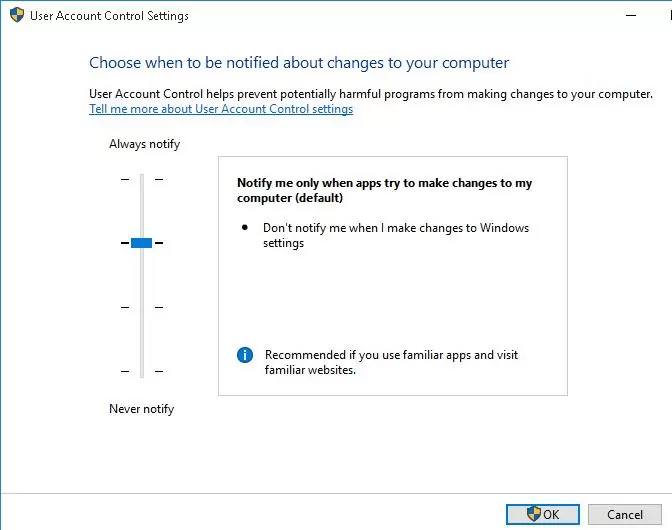
It opens this window, I have to learn how to create another normal user account
I don't really have any other permissions issues with any other programs
Is there a way for installing it "Manually"?
opal cairn
rocky arrow
Is there a way for installing it "Manually"?
Have you tied tried the dev build install?
opal cairn
Yeah essentially

GitHub
The cutest Discord client mod. Contribute to Vendicated/Vencord development by creating an account on GitHub.
try this as last resort
rocky arrow
I'll check it, I'm first trying to adjust some stuff on my pc
opal cairn
npm i -g pnpm needs to be run in admin cmd then the rest needs to be non admin cmd
rocky arrow
opal cairn
`npm i -g pnpm` needs to be run in admin cmd then the rest needs to be non admin...
I've ran every command correctly, it still takes me to the normal launcher which doesn't work
Looks like that the only installation process that is able to do at least something is "./VencordInstallerCli.exe --install", unfortunately I can't really run anything as a normal user due to the fact that I use my PC on an Administrator account
I don't know if it actually means something, but the same issue doesn't occur with BetterDiscord or other modifications
opal cairn
rocky arrow
I don't know if it actually means something, but the same issue doesn't occur wi...
Yeah vencord is built differently
Have you tried Vesktop?
GitHub
Vesktop gives you the performance of web Discord and the comfort of Discord Desktop - GitHub - Vencord/Vesktop: Vesktop gives you the performance of web Discord and the comfort of Discord Desktop
rocky arrow
yeah I tried it and it worked, but I don't really like the audio quality when screensharing
opal cairn
Ah yea that's fair
rocky arrow
It kinda popped in and out
opal cairn
I'm willing to bet that it's the admin thing that's causing the issue
But if we cant work around that I'm really not sure
rocky arrow
I don't know in which way since I've always used it with an admin account
And maybe it's not even an Admin rights problem, everything that runs inside an Admin account got administrator permissions if I'm not mistaken
Actually, i have an idea, what about trying an older version of the installer? Maybe the one that still had the trolley icon lmao
opal cairn
rocky arrow
Actually, i have an idea, what about trying an older version of the installer? M...
lmao yea could work
rocky arrow
opal cairn
lmao yea could work
Looks like that I can't install older versions of Vencord since older releases got deleted
rocky arrow
Should I submit this issue on github?
opal cairn
rocky arrow
Should I submit this issue on github?
I doubt they'll leave it up
It's just bundled in with "we dont support admin install issues"
rocky arrow
Ahw
I'll figure out how to make a normal user and hope the issue will be still there
rocky arrow
@opal cairn I have some updates
I've discovered that when I install discord on my system it gets installed on a strange place [C:\ProgramData\Administrator] unlike on a normal windows [C:\Users\user\AppData\Local]
 opal cairn
rocky arrow
I've discovered that when I install discord on my system it gets installed on a ...
opal cairn
rocky arrow
I've discovered that when I install discord on my system it gets installed on a ...
Ohhh
that is weird
does it work now though
rocky arrow
rocky arrow
I wonder why discord is here instead of the usual appdata local folder
rocky arrow
opal cairn
does it work now though
Even if I change the directory it says the installation is broken
just because it is in a different place
I probably might know why it happens
The "ProgramData" folder is hidden

The installer is probably unable to manage a hidden folder or just gets confused over the fact it is on a different place
Bruh, I'm sorry if I wasted your time
opal cairn
No it's ok happy to help
rocky arrow
<33
Do you have any knowledge about changing discord install place?
Oh I managed to just move it without any issue, vencord works!
opal cairn
okok
if you want to change that install issue you need to make a regedit
HKLM\SOFTWARE\Microsoft\Windows\CurrentVersion
Double click "ProgramFilesDir" and change the value to where you want to install.
rocky arrow
opal cairn
if you want to change that install issue you need to make a regedit
Where can I read about that?
Ahh
opal cairn
That lets you set the default

 opal cairn
rocky arrow
opal cairn
rocky arrow
was yours already set to that?
rocky arrow
Yeah
rocky arrow
It's so confusing
I was comparing it with an original windows
and it's pretty much the same
rocky arrow
 opal cairn
u installed base discord as administrator so that's the path it defaults to
rocky arrow
rocky arrow
that's on a normal pc
opal cairn
so the patch couldnt find it
rocky arrow
opal cairn
u installed base discord as administrator so that's the path it defaults to
I've always used discord on administrator accounts
Maybe this time it changed its mind and installed on another place lol
I wonder why vencord doesn't support other directories tho lol