#🎨-theme-development
1 messages · Page 62 of 1
 pure cairn
 green vine
why specify .visual-refresh?
which came first, the themedev or the theme?
figured you'd know since.. well

nesting seems to be your specialty
i took my own jab at it
/* Button hub on the chatbar */
.buttons__74017{
    > div:has( > button), /* Vencord buttons */
    > div:has( > .button__74017), /* Most discord buttons */
    > .button__74017, /* Special treatment 3:< for the gift button */
    > .channelAppLauncher_e6e74f /* Special treatment 3:< for the game launcher button */ {
        transform: scale(1.5); /* Change scale here */
    }
}
 pure cairn
green vine
which came first, the themedev or the theme?
pure cairn
green vine
which came first, the themedev or the theme?
the theme ofc
God set background-color: white; and said "let there be light"
green vine
very wise
also- does anybody know how to do.. none of this? i just want a shadow that also affects the inside but have to emulate it apparently
 pure cairn
green vine
i took my own jab at it
```css
/* Button hub on the chatbar */
.buttons__74017{
...
pure cairn
green vine
i took my own jab at it
```css
/* Button hub on the chatbar */
.buttons__74017{
...
This will take your performance and throw it in the garbage bin with those :has()
green vine
i dont believe so, there's only 2 of them and they're direct
yea i asked chatgpt and it says its fine
pure cairn
I asked my potato pc and it bluescreened
pure cairn
green vine
also- does anybody know how to do.. none of this? i just want a shadow that also...
Didn't quite get what you want
green vine
uhhh
i feel like the duplicated shadows are weird
and how- i cant make box shadows affect the inside
pure cairn
box-shadows are applied externally
green vine
ya that's the issue
can i do that like- except not only external
i want like a little
blurry splat in the background
pure cairn
add inset to the shadow attributes
green vine
ive heard you can use inset box shadow but like- then that makes the stacking problem worse
 green vine
ive heard you can use inset box shadow but like- then that makes the stacking pr...
green vine
green vine
ive heard you can use inset box shadow but like- then that makes the stacking pr...
^i no no wanna
pure cairn
Why are you stacking that many shadows?
green vine
bc one isnt cutting it
pure cairn
Increase the strength then (?)
pure cairn
Open devtools, go to the box-shadow property and mess around with the quick editor until you get what you like
green vine
sis what the hell 😭
pure cairn
Or you can just
Use a 2nd one with larger blur and less/more opacity
Depending on the opacity you gave to the first one
green vine
it's fully black
 hoary stone
pure cairn
God set `background-color: white;` and said "let there be light"
hoary stone
pure cairn
God set `background-color: white;` and said "let there be light"
Tell us more, church of CSS preacher
green vine
pure cairn
Use a 2nd one with larger blur and less/more opacity
how is that any different than just duping it again
pure cairn
It'll take up more space and the difference between shadow and no shadow will be less obvious
green vine
by increase the strength I thought you implied there's a strength arg
green vine
pure cairn
It'll take up more space and the difference between shadow and no shadow will be...
I don't want that lmao
I just want the actual shadow part to be darker
hoary stone
green vine
by increase the strength I thought you implied there's a strength arg
I believe you’d do that through the colour
green vine
hoary stone
I believe you’d do that through the colour
the color is already opaque though
100% black 0% transparent
pure cairn
green vine
I just want the actual shadow part to be darker
Idk then, I'd have to check on pc later
green vine
pure cairn
Idk then, I'd have to check on pc later
😭
pure cairn
Can't get my head around it on mobile rn
pure cairn
hoary stone
Tell us more, church of CSS preacher
He also set background-color: black; and said "fuck light theme users lmao"

pure cairn
green vine
by increase the strength I thought you implied there's a strength arg
Technically there is
It's the 3rd specified value you set
green vine
that's blur
pure cairn
Which is the blur radius
hoary stone
pure cairn
He also set `background-color: black;` and said "fuck light theme users lmao"
He truly blessed those with oled
pure cairn
The smaller the number, the stronger the shadow
But it also makes the shadow smaller
Because it's less spread out
green vine
pure cairn
The smaller the number, the stronger the shadow
that's not what i wanted though 😭
pure cairn
You just said you wanted a darker shadow wdym
green vine
this is like going to a resteraunt, asking for fries, and you handing me a box of pickles
hoary stone
I’m going to say that you ordered something that sounds like pickles here
green vine
pure cairn
You just said you wanted a darker shadow wdym
I want to reduce the stacking but keep the look the same
green vine
reply to the message
pure cairn
green vine
also- does anybody know how to do.. none of this? i just want a shadow that also...
Here you asked how to get an inner shadow
pure cairn
green vine
and how- i cant make box shadows affect the inside
Here too
pure cairn
green vine
blurry splat in the background
Idk what you meant with this
green vine
pure cairn
Here you asked how to get an inner shadow
I had 2 issues, you were addressing one of them, and now you're going back to the one you ignored claiming that's not what I asked for
green vine
i asked for fries and a drink, you handed me a box of pickles and when I said that's not what I wanted you pointed at the transcript of me saying I wanted a drink
pure cairn
We did talk about stacking shadows, but I didn't get you wanted to reduce them
My bad
Short answer then is "I don't think you can"
green vine
pure cairn
Idk what you meant with this
like uhh-
like text shadow except in the background of transparent elements
kind of like such

that's not very in the background but I mean like- including the background
pure cairn
green vine
i took my own jab at it
```css
/* Button hub on the chatbar */
.buttons__74017{
...
no need for :has() shenanigans
.buttons__74017 {
  & > .expression-picker-chat-input-button, /*pretty much any button*/
  & > div[aria-disabled="false"], /*gifts*/
  & > .channelAppLauncher_e6e74f { /*the name says it all*/
    transform: scale(1.5); /*edit size*/
  }
}```you don't need & for those
green vine
I didn't use expression picker chat input button because it's exclusive to the expression picker buttons
green vine
guess 2 wrongs does make a right
green vine
pure cairn
it's also for the vencord plugins buttons
just bc vencord uses it doesn't mean they should

green vine
fair enough
green vine
pure cairn
no need for `:has()` shenanigans
```css
.buttons__74017 {
& > .expression-pick...
and I also avoided aria stuff bc I've been told it's also volatile
pure cairn
aria-labels are
since they change with languages
aria states are a bit more resilient
and it's the only thing affected by that selector anyway so
it's also specific enough to work
green vine
yea other than that it works
pure cairn
and to be fair
you could also just
.buttons__74017 {
  & > div { /*lmao*/
    transform: scale(1.5); /*edit size*/
  }
}```
pure cairn
mhm
green vine
pure cairn
```css
.buttons__74017 {
& > div { /*lmao*/
transform: scale(1.5); /*edit ...
add some more unnecessary nesting
not enough
pure cairn
I can't with such simple snippets smh
pure cairn
/* VC tweaks */
.list_c3cd7d {
  /* fix ugly spacing */
  padding: 0 10px 10px;

  & > .draggable__55bab > .voiceUser__07f91 {
    &:hover {
      /* only show "options" button on hover */
      .content__07f91 > .icons__07f91 {
        display: none;
      }
    }

    & > .content__07f91 {
      padding: 4px 8px;

      /* hide clan tag */
      & > .container__394db > .chipletParent__394db {
        display: none;
      }

      /* set "LIVE" as first */
      & > .icons__07f91 > .iconGroup__07f91 > .live_a7acae {
        order: -1;
      }
    }
  }
}```have some
green vine
at the very least wrap it .visual-refresh
green vine
pure cairn
```css
/* VC tweaks */
.list_c3cd7d {
/* fix ugly spacing */
padding: 0 10p...
lovely
.visual-refresh {
div {
.buttons__74017 {
  & > div { /*lmao*/
    transform: scale(1.5); /*edit size*/
  }}}} /*lmao*/
also atp
pure cairn
green vine
kind of like such
going back to this, I have no idea what you want to do
like genuinely lol
green vine
pure cairn
```css
.buttons__74017 {
& > div { /*lmao*/
transform: scale(1.5); /*edit ...
.buttons__74017 > div {
    transform: scale(1.5); /*edit size*/
}```adding a backdrop blur to a transparent element?
green vine
pure cairn
going back to this, I have no idea what you want to do
I don't want you to do anything lmao, I was asking if something like that exists
it's the behaviour of box shadow but it starts inside of the element
and doesn't clip the middle
green vine
let's say
for example the typing indicator
nevermind I won't make you struggle with thay
green vine
let's do the actual header element in the emoji menu from categories
pure cairn
not the point, I need some ideas on what to do with it
green vine
that's what I was doing when I asked
pure cairn
pure cairn
green vine
let's do the actual header element in the emoji menu from categories
oh god
I just noticed something in that menu
green vine
what?
pure cairn
EW
 green vine
oh yeah I thought I messed that up :3
green vine
pure cairn
EW
you sure it's not your theme?
pure cairn
I don't have a theme for the emoji panel
green vine
pure cairn
I just noticed something in that menu
also notice how the background of the categories is used to cover up the emojis when you scroll into another category
that's what I'm trying to fix with that actually
green vine
pure cairn
I don't have a theme for the emoji panel
what theme do you use?
pure cairn
a personally tweaked version of nvhhr's actuallybasicbackground
green vine
green vine
also notice how the background of the categories is used to cover up the emojis ...
it's the same in the roles menu
green vine
pure cairn
a personally tweaked version of nvhhr's actuallybasicbackground
I'm currently working on a commit to naat which is basically the same thing, but it affects all elements
pure cairn
green vine
that's what I'm trying to fix with that actually
so .wrapper__14245
green vine
let me see
pure cairn
yeah you set its background to transparent
green vine
no
pure cairn
green vine
also- does anybody know how to do.. none of this? i just want a shadow that also...
yes

pure cairn
the text component, okay
pure cairn
and you want to do
green vine
a box shadow on it that also affects the inside
and makes it look not ugly
set your wrapper to transparent and make it look okay
pure cairn
 green vine
that's a child element
green vine
green vine
that's a child element
you can't do them separately because then the 2 shadows overlay eachother
pure cairn
I did
.wrapper__14245 {
  background-color: transparent;

  > .header__14245 {
    box-shadow: inset 0 0 20px 0 black;
  }
}```I did, nothing changed
green vine
oh yea cus your shadow is inset
pure cairn
yeah
green vine
the goal was to also have outset shadows
to make it look like the example I sketched up
pure cairn
.wrapper__14245 {
background-color: transparent;
overflow: visible;
& > .header__14245 {
border-radius: 8px;
overflow: visible;
background-color: white;
border: solid 2px var(--background-mod-subtle);
box-shadow:
inset 0 0 20px 0 black,
0 0 10px 0 white;
}
}``` green vine
and that's effectively my solution lmao
with overflow visible you can set border radius to an absurd amount
meaning less mismatching color
less noticible
green vine
nothing I was kinda curious if you could come up with something better
pure cairn
maybe
hm, this doesn't look too bad
add border: solid 2px var(--background-mod-subtle); to the header
green vine
hmm
the border in my example was to show the bounds of the element, I was moreso hoping to give it a faint background that fades out into nothing
basically strictly for accessibility
pure cairn
pure cairn
```css
.wrapper__14245 {
background-color: transparent;
overflow: visible;
...
 green vine
that indeed doesn't look awful
pure cairn
or, even better
.wrapper__14245 {
  background-color: transparent;
  overflow: visible;

  & > .header__14245 {
    border-radius: 8px;
    overflow: visible;
    background-color: white;
    border: solid 2px var(--background-mod-subtle);
    box-shadow:
      inset 0 0 20px 0 black,
      0 0 10px 0 white;

    & > .headerLabel__14245 {
      text-shadow: 0 0 5px black;
    }
  }
}``` green vine
kind of seems like it'd be distracting a little tho
pure cairn
depends, it's more of a neon-ish design for sure
green vine
mhm
I like it
would be cool if you could make a custom like- led like stripe with borders
pure cairn

green vine
you could make a pseudo element and have a dotted border
pure cairn
erm
green vine
it wouldn't be hard
pure cairn
did you know that you can already do dotted borders?
pure cairn
then why have it on a pseudo
green vine
to overlay it over the uhh
solid border
then you can set the opacity down or apply a blur filter to make it seem like there's individual LEDs on the strip
that sounds cool I wanna do that now
pure cairn
pure cairn
I think I'm satisfied with this final version
green vine
pure cairn
I think I'm satisfied with this final version
i would add a bit of padding on the right, otherwise pretty good
not exactly fries tho
 atomic plank
Anybody know the new container for the chat box?:
/* Aligned Chat Box and Typing indicator */
.container_c48ade {
  --custom-chat-input-margin-bottom: 22px;
}```
no longer appears to workGlowy permission buttons for anyone who wants it, i would post in css snippets but i dont have the role(made a submission 2 days ago)
/* Permission buttons */
/* Base button*/
.item__344e6 {
    background-color: var(--overlay-background);
    /* Selected variant*/
    &.selected__344e6 {
        &.deny__344e6
        {box-shadow: var(--status-danger) 0 0 10px;}
        &.passthrough__344e6 {
            background-color: var(--darker-overlay-background);
            border: solid rgba(255, 255, 255, 0.1) 1px;
            box-shadow: rgba(255, 255, 255, 0.3) 0 0 10px;
        }
        &.allow__344e6
        {box-shadow: var(--status-positive) 0 0 10px;}
    }
}
 green vine
atomic plank
Anybody know the new container for the chat box?:
```css
/* Aligned Chat Box an...
green vine
atomic plank
Anybody know the new container for the chat box?:
```css
/* Aligned Chat Box an...
what version of discord are you on?
atomic plank
atomic plank
Anybody know the new container for the chat box?:
```css
/* Aligned Chat Box an...
Ah nevermind it's way more then that CSS
atomic plank
green vine
what version of discord are you on?
stable 443854 (94a5adb) Host 0.0.109 x64 Build Override: N/A Linux 64-bit (6.1.0-39-amd64)
green vine
what's the full snippet?
atomic plank
I just have this empty space in my chat box and it's annoying
/* Aligned Chat Box and Typing indicator */
.container_c48ade {
--custom-chat-input-margin-bottom: 22px;
}
:root {
--custom-channel-textarea-text-area-height: 42px;
}
.visual-refresh .base_b88801 {
font-size: 13.5px;
height: 22px;
display: flex !important;
align-items: center !important;
}``` green vine
atomic plank
I just have this empty space in my chat box and it's annoying
```css
/* Aligned...
green vine
atomic plank
I just have this empty space in my chat box and it's annoying
```css
/* Aligned...
what's the intended look?
green vine
you could remove the entire snippet if it doesnt matter to you what it does
atomic plank
Ah hmm all the snippet does is move the buttons and text up within the text box...
atomic plank
this is what it looks like without it
 green vine
mhm
atomic plank
Probably remnents from when I was using this quickCSS on my 5:4 monitor...
 atomic plank
I think it's probably just fine without the snippet and my brain didn't realize it was broken looking when it isn't squished on a 5:4 aspect ratio monitor
green vine
lol okay
atomic plank
Though the other broken CSS I have is the activity showing up again:
/*Remove Activity from server list*/
[class*='membersGroup']:has([role=button]),
[class*='member'] [class*='container']:has([class*='badges']) {
  display: none;
}```what is this one supposed to do?
this is awful for performance
atomic plank
It's not too bad from my experience, but it's supposed to get rid of the activity showing up
it used to work but now it only hides the members and not the activity itself
 atomic plank
It's only in small servers
atomic plank
green vine
cant you just disable it through discord settings?
Only collapse it as far as I know
atomic plank
It's this if that helps
 green vine
atomic plank
It's this if that helps
green vine
atomic plank
It's this if that helps
h3.container__13cf1{display: none;}
That hides all the roles on the member list
green vine
okay can you expand that and take another screenshot?


 green vine
i actually have a server older than me running a couple minecraft servers
i recommend
okay i see
green vine
atomic plank
h3.container__13cf1:has( > .headerContainer__095fe) {display: none;}
nope
there you go
my bad
atomic plank
that appears to do nothing
green vine
hmm
green vine
atomic plank
that appears to do nothing
you sure you coppied the updated one?
atomic plank
Yup
atomic plank
Sure
green vine
stream?
atomic plank
I don't have permission in this channel
green vine
@pure cairn i think this is what would help achieve what i meant https://developer.mozilla.org/en-US/docs/Web/CSS/gradient/radial-gradient

MDN Web Docs
The radial-gradient() CSS function creates an image consisting of a progressive transition between two or more colors that radiate from an origin. Its shape may be a circle or an ellipse. The function's result is an object of the <gradient> data type, which is a special kind of <image>.
just found it

that looks pretty good i think

will probably not use it though
.header__14245 {
    position: relative;
    &::before {
        content: "";
        position: absolute;
        inset: -100%;
        z-index: -1;
        background: radial-gradient(ellipse closest-side at center, rgba(0, 0, 0, 0.7), transparent 50%);
    }
}
it acts weird
green vine
green vine
that sounds cool I wanna do that now
hooolyyy crap that looks amazing

 vagrant path
sorry the i cant screeenshot rn but is anyone able to help me with changing the text color that is shown when you hover over a server? (also with over texts like Show All or any pop up text)
green vine
vagrant path
sorry the i cant screeenshot rn but is anyone able to help me with changing the ...
tooltips?
vagrant path
I think
green vine
/* Apply tooltip color param */
.tooltip__382e7, .tooltipContent__4e35b > .defaultColor__4bd52, .guildNameText_b1f768 {
    color: yellow !important;
}
actually give me a second
that should cut it

@vagrant path
green vine
it changes all tooltip text tho
 vagrant path
there we go
green vine
do you want it to only affect the server bar?
vagrant path
uhh
i did want it to change everything but i think it only changes the server bar actually
cus when you hover over the discord icon
it didnt change
green vine
 vagrant path
ya
green vine
the earlier one didnt affect actual servers, only server folders and user profile tooltip texts
the thing i sent should affect like- everything
 green vine
the what
oh help
hold on
now im confused because no matter which one you copied that one should be affected
try setting it as important
green vine
green vine
```css
/* Apply tooltip color param */
.tooltip__382e7, .tooltipContent__4e35b >...
^
vagrant path
nah it didnt work
green vine
 green vine
that's wierd..
you said you cant screenshot, could you screenshare?
it is that also not possible
vagrant path
no i could screenshot it was just when i did it stopped hovering over the server so i couldnt show you
green vine
oh
vagrant path
what do you need me to screenshot?
green vine
i would guide you through to access the tooltip
you need to enable the f8break plugin
then when you enable devtools it would let you press f8 on discord and stop js
then you could find the tooltip inside of the layer container
find the text element and see what's overriding the color
green vine
green vine
hooolyyy crap that looks amazing
@pure cairn ^
vagrant path
alr so i have dev tools on and i installed the plugin but f8 aint doing anything
green vine
vagrant path
alr so i have dev tools on and i installed the plugin but f8 aint doing anything
do you have discord in focus?
green vine
click on the top bar and try f8 again
i dont believe so, i think ven uses linux
@vagrant path did you figure it out?
green vine
sure
vagrant path
do i dm or just here
green vine
i dont believe it matters
vagrant path
green vine
i see what's wrong
vagrant path
is there two of the same thing???😭
vagrant path
yeaaa
green vine
your theme looks
uh
like it already has options for that
give me a sec
also what the hell
you do have- 2 configs and 2 theme imports
one doesnt even work lmao
 green vine
XD
green vine
vagrant path
so tuff
me
 spring pewter
is there a reason to why themes never change the user profile? every theme ive used so far change everything except for the user profile making it look abhorent, is it bc of smth or its just like that
green vine
im not sure, i suppose its because there was recently a change to them?
im p sure there's some snippets people have done
someone has made theirs look like an envelope
spring pewter
green vine
im not sure, i suppose its because there was recently a change to them?
does it rlly change much abt em tho
 half crystal
spring pewter
is there a reason to why themes never change the user profile? every theme ive u...
half crystal
spring pewter
is there a reason to why themes never change the user profile? every theme ive u...
laziness + fuck profile modals v2 AUUUGGGHHH I WANTY TO FUCKING KILL IT WITH HAMMERS
spring pewter
half crystal
laziness + fuck profile modals v2 AUUUGGGHHH I WANTY TO FUCKING KILL IT WITH HAM...
ok fair
anyway how do i add a panel label to the user profile like the ones on system 24
like dis

 brazen quartz
spring pewter
is there a reason to why themes never change the user profile? every theme ive u...
brazen quartz
spring pewter
is there a reason to why themes never change the user profile? every theme ive u...
recent change & there's a separate (old) profile modal for bots, which I personally do not want to do
spring pewter
brazen quartz
recent change & there's a separate (old) profile modal for bots, which I persona...
whar
whyd there be a separate profile modal for bots
brazen quartz
¯_(ツ)_/¯
spring pewter
fckin claude is so sigma he got an entire modal for himself
brazen quartz
bots still retain discrims, so go ask discord
spring pewter
whats a discrim now
brazen quartz
username#0000
^^^^^^^ discrim
spring pewter
brazen quartz
username#0000
^^^^^^^ discrim
so like
soace
space*
or whar
or u mean the numbers
brazen quartz
 brazen quartz
spring pewter
or u mean the numbers
brazen quartz
spring pewter
or u mean the numbers
yeah
spring pewter
brazen quartz
 green vine
brazen quartz
recent change & there's a separate (old) profile modal for bots, which I persona...
green vine
brazen quartz
recent change & there's a separate (old) profile modal for bots, which I persona...
what?
you're right wth

 vagrant path
any1 know what the notification number color is called:)))
 echo frost
green vine
echo frost
green vine
yeah bots are always behind on profile changes
green vine
vagrant path
any1 know what the notification number color is called:)))
--status-danger
but its used for a bunch of stuff, i dont recommend changing that on its own
vagrant path
ty
green vine
if you want to change ping color uh
vagrant path
it just looks like theres a few things that are black like the notification, and the NEW text above your text
green vine
.numberBadge__2b1f5 {
  background-color: yellow !important;
}
see that idk
dehydrated peeng indicator
 vagrant path
😭 ty
 errant zenith
green vine
dehydrated peeng indicator
errant zenith
green vine
dehydrated peeng indicator
yo whats that theme
green vine
errant zenith
yo whats that theme
emm,,
realistically you can get that look with anything
errant zenith
green vine
realistically you can get that look with anything
im too lazy icl
green vine
uhh im working on a pr for not another anime theme, its the theme i have applied rn
green vine
errant zenith
im too lazy icl
il send it to you if you promise to msg about any part that i forgot to fix :3
errant zenith
green vine
il send it to you if you promise to msg about any part that i forgot to fix :3
alr alr!!
spring pewter
is there a way to like add html to discord
i wanna add a small panel for ascii art below user profile but idk how to do it without making a div
pure cairn
::after or ::before pseudoelements, can't make stuff that's too complicated tho
otherwise you'll have to make a plugin if you end up having to add actual elements to the HTML tree
spring pewter
pure cairn
`::after` or `::before` pseudoelements, can't make stuff that's too complicated ...
whats a pseudoelement
pure cairn
spring pewter
whats a pseudoelement
MDN Web Docs
A CSS pseudo-element is a keyword added to a selector that lets you style a specific part of the selected element(s).
check the ::before and ::after sections
spring pewter
pure cairn
https://developer.mozilla.org/en-US/docs/Web/CSS/Pseudo-elements
So like
It adds html to a class?
pure cairn
no, it adds a fake children element that depends on the parent
if you open someone's profile and see the bubbles in their status element, the small circles are made with pseudo elements
and rely on the bigger one which contains the actual status
that's the easiest way I can explain it
spring pewter
so uh
turns out the pop ups and the user profiles in dms are the same class and changing one changes the other, is there a way to like only change one
pure cairn
I remember having a selector for that somewhere, hold on
which one do you want to change?
.content_f75fb0 .outer_c0bea0:not(:is(.custom-user-profile-theme)), /*dms profiles*/
.content_f75fb0 .outer_c0bea0:is(.custom-user-profile-theme) /*regular popouts*/```the one in dms
spring pewter
pure cairn
```css
.content_f75fb0 .outer_c0bea0:not(:is(.custom-user-profile-theme)), /*dms...
so do i just replace that one instead of the .outer_c0bea0

oh it works yippee
spring pewter
pure cairn
```css
.content_f75fb0 .outer_c0bea0:not(:is(.custom-user-profile-theme)), /*dms...
theres a problem it doesnt apply at all to profiles with gradients
 chilly knoll
pure cairn
```css
.content_f75fb0 .outer_c0bea0:not(:is(.custom-user-profile-theme)), /*dms...
chilly knoll
pure cairn
```css
.content_f75fb0 .outer_c0bea0:not(:is(.custom-user-profile-theme)), /*dms...
i could just about understand basic css, what u just said sounds like a made up language to me
 iron smelt
chilly knoll
i could just about understand basic css, what u just said sounds like a made up ...
iron smelt
chilly knoll
i could just about understand basic css, what u just said sounds like a made up ...
Real
spring pewter
iron smelt
Real
omg fres hater its a honour to meet you
iron smelt
spring pewter
omg fres hater its a honour to meet you
Thanks you ❤️
pure cairn
spring pewter
theres a problem it doesnt apply at all to profiles with gradients
Oh right, I forgot I made it just so that non-nitro profiles had their backgrounds transparent
I'll send a working version in a bit
pure cairn
chilly knoll
i could just about understand basic css, what u just said sounds like a made up ...
As if any programming language wasn't made up in the first place

chilly knoll
iron smelt
https://bigzaphod.github.io/COW/
MOO
MOo
[[ anything in here happens "current" number of times ]]
moo
That's amazing
pure cairn
spring pewter
theres a problem it doesnt apply at all to profiles with gradients
aside[aria-labelledby^="user-profile-sidebar-heading-"] > .outer_c0bea0
will work with all languages btw, it's not a regular aria-label
 plain kelp
Obviously, aria-labelledby is not aria-label
pure cairn
spring pewter
pure cairn
`aside[aria-labelledby^="user-profile-sidebar-heading-"] > .outer_c0bea0`
Ty
pure cairn

spring pewter
pure cairn
https://developer.mozilla.org/en-US/docs/Web/CSS/Pseudo-elements
Also how do i use them i cant get em working at all
pure cairn
For ::before and ::after pseudo elements to work properly, you have to specify
- the content, which is usually just left empty with
""if you only want to add an image/coloured background, otherwise the text goes here - a position, which can be
absoluteorrelative - left/top/right/bottom values to adjust its position (most useful when the position is absolute)
pure cairn
and I guess width and height values too, I don't remember if they get inherited from the parent element
 crimson skiff
pure cairn
and I guess width and height values too, I don't remember if they get inherited ...
crimson skiff
pure cairn
and I guess width and height values too, I don't remember if they get inherited ...
if you set top right bottom left values, you don't need to set height and width when you are using position absolute
pure cairn
spring pewter
pure cairn
For `::before` and `::after` pseudo elements to work properly, you have to speci...
Whar
So i can only add text in the content
pure cairn
Correct
crimson skiff
spring pewter
So i can only add text in the content
no, you can add much more than just text
MDN Web Docs
The content CSS property replaces content with a generated value. It can be used to define what is rendered inside an element or pseudo-element. For elements, the content property specifies whether the element renders normally (normal or none) or is replaced with an image (and associated "alt" text). For pseudo-elements and margin boxes, content...
/* Keywords that cannot be combined with other values */
content: normal;
content: none;

/* <content-replacement>: <image> values */
content: url("http://www.example.com/test.png");
content: linear-gradient(#e66465, #9198e5);
content: image-set("image1x.png" 1x, "image2x.png" 2x);

/* speech output: alternative text after a "/"  */
content: url("../img/test.png") / "This is the alt text";

/* <string> value */
content: "unparsed text";

/* <counter> values, optionally with <list-style-type> */
content: counter(chapter_counter);
content: counter(chapter_counter, upper-roman);
content: counters(section_counter, ".");
content: counters(section_counter, ".", decimal-leading-zero);

/* attr() value linked to the HTML attribute value */
content: attr(href);

/* <quote> values */
content: open-quote;
content: close-quote;
content: no-open-quote;
content: no-close-quote;

/* <content-list>: a list of content values.
Several values can be used simultaneously */
content: "prefix" url("http://www.example.com/test.png");
content: "prefix" url("/img/test.png") "suffix" / "Alt text";
content: open-quote counter(chapter_counter);
Dont scare me
crimson skiff
spring pewter
Dont scare me
what exactly do you want
spring pewter
crimson skiff
what exactly do you want
Money preferably
crimson skiff
spring pewter
Money preferably
SAME
spring pewter
Anyway like idk to just put an image
crimson skiff
content: url("path/to/image")
For an image you can use both content and background
spring pewter
crimson skiff
```css
content: url("path/to/image")
```
Ok
crimson skiff
pure cairn
For an image you can use both content and background
maybe, but it wont work if you want position relative
spring pewter
how do i add a border to the pseudoelement

it simply doesnt work
for some reason adding css to the pseudoelement changes the view full profile
green vine
spring pewter
how do i add a border to the pseudoelement
uh same way as you normally do
have you tried
border: solid 1px white;
spring pewter
green vine
border: solid 1px white;

 pure cairn
Your height is set to 0
spring pewter
pure cairn
Your height is set to 0
yeah i set that cuz before when i changed it it would change the button for some reason
green vine
spring pewter
i would just do inset: 0;
instead of height settings and stuff
works great
    position: relative;
    &::before {
        content: "";
        position: absolute;
        inset: 0;
    }
Scary
spring pewter
how do i apply the gradients of a profile to smth
--profile-gradient-primary-color and --profile-gradient-secondary-color works but its not the exact same colors
 onyx mesa
hmmmmmmmmmm
 onyx mesa
why can't i fix it
no matter what i do it keeps pushing up whenever one of the bars on top are present
crimson skiff
onyx mesa
no matter what i do it keeps pushing up whenever one of the bars on top are pres...
they are inviting you to use :has 
onyx mesa
crimson skiff
they are inviting you to use `:has` <:blobcatcozy:1026533070955872337>
idk, tried absolute, didn't work
a fixed position works but it completely launches the indicator at the top corner
onyx mesa
actually... i am pretty sure using :has is the only way to fix it
i'll just use :has for now, maybe someone else will find an actual solution for it cuz i give up
crimson skiff
i was wondering whether you can use a flex box with flex set to column reverse on the parent element
spring pewter
@crimson skiff im gonna create a css snippet which makes the new ui even worser
crimson skiff
have fun
spring pewter
Thanks
crimson skiff
np
onyx mesa
crimson skiff
i was wondering whether you can use a flex box with flex set to column reverse o...
i tried something similar to this, couldn't get it to work
green vine
spring pewter
how do i apply the gradients of a profile to smth
like what
what are you trying to do
spring pewter
green vine
what are you trying to do
make the gradients carry over to the lil panel i made below

bc otherwise it looks stinky
green vine
spring pewter
make the gradients carry over to the lil panel i made below
hmm.. meow eow meow
sorry
uh
you should send me the css snippet
spring pewter
green vine
hmm.. meow eow meow
oh shi lemme try that
spring pewter
green vine
you should send me the css snippet
this abomination
 spring pewter
what thingy
green vine
is it something ike a notes box for every user profile?
or do you want to give it to a specific persson
green vine
spring pewter
what thingy
the- huh interesting
spring pewter
green vine
is it something ike a notes box for every user profile?
no its just i wanted to put ascii art in there bc pretty but lowk didnt find any so js decided to write some text there
not related to the profile itself
spring pewter
ya
green vine
peculiar
okay
@spring pewter

i did something like this
.inner_c0bea0 {
    &::after {
        content: "Cat ascii goes here";
        inset: 0;
        height: 100px;
        color: white;
        margin: 10px;
        margin-top: 0px;
        background: gray;
        border-radius: 30px;
        text-align: center;
    }
}
and to make background colors okay you just uh
actually let me test that
gray seems to work okay in most places
 spring pewter
green vine
<@981850228749631538>
spring pewter
green vine
<@981850228749631538>
lowk thought this was mobile
spring pewter
green vine
gray seems to work okay in most places
.?
vro i dont just want a fitting color i want the gradient from the profile carry over to the box
green vine
spring pewter
vro i dont just want a fitting color i want the gradient from the profile carry ...
i dont understand exactly what your uh- intended look is- it cant just continue because thats the end of the gradient
unless you want to- figure out what the gradient would look like if it continued going
spring pewter
green vine
i dont understand exactly what your uh- intended look is- it cant just continue ...

green vine
the reason i did it like that is bc the gradient goes from one color to another, if you want it to continue you need a magic third color
spring pewter
the gradient would just repeat
green vine
green vine
spring pewter
the gradient seems to be darkened in dms how to do that
uh- color mixing i guess
spring pewter
green vine
? [MenheraConfused1](https://cdn.discordapp.com/emojis/1191489035986808894.webp?...
first pic is gradient on the server list popout second in the dms

 spring pewter
green vine
uh- color mixing i guess
spring pewter
green vine
uh- color mixing i guess
wats color mixing
green vine
uhh color-mix(colorspace, color percentage, color)
green vine
spring pewter
first pic is gradient on the server list popout second in the dms
thats weird, i dont think thats default discord behaviour
oh- it uh
is
:3
spring pewter
green vine
thats weird, i dont think thats default discord behaviour
it is
always been
green vine
annoying
green vine
spring pewter
it is
i think i figured it out


i just- coppied the values from the inner profile and put them into the pseudoelement
 spring pewter
green vine
i just- coppied the values from the inner profile and put them into the pseudoel...
spring pewter
green vine
i just- coppied the values from the inner profile and put them into the pseudoel...
can u show which
onyx mesa
couldn't you just use the vars for it
green vine
il send you the snippet after
green vine
onyx mesa
couldn't you just use the vars for it
yap = explode
vars are localized, the vars nessesary are located inside of the inner profile element
so to fix that you just recalculate those on the pseudoelement
green vine
spring pewter
can u show which
.outer_c0bea0::after {
    --profile-gradient-start:  color-mix(in oklab, var(--profile-gradient-overlay-color) 100%, var(--profile-gradient-primary-color));
    --profile-gradient-end:  color-mix(in oklab, var(--profile-gradient-overlay-color) 100%, var(--profile-gradient-secondary-color));

    content: "Cat ascii goes here";
    inset: 0;
    height: 100px;
    color: white;
    margin: 1px;
    margin-top: 5px;
    background: linear-gradient(var(--profile-gradient-start), var(--profile-gradient-start) var(--custom-user-profile-banner-height), var(--profile-gradient-end));
    border-radius: 25px;
    text-align: center;
}
uhhh dms are still broken because of the margins and the border radius
but in your theme you dont have those so you could just remove them
spring pewter
green vine
```css
.outer_c0bea0::after {
--profile-gradient-start: color-mix(in oklab,...
doesnt work
im very confused
green vine

hmm
- have you tried it without your theme
ohhh that might be my fault
i havent tried it without my theme
spring pewter
green vine
1. have you tried it without your theme
im making it for system24 tho
green vine
- have you disabled your ascii
spring pewter
i wanna make it fit
green vine
im not suggesting you dont use your theme im just testing
if it works without you can make it work with
still works.. kind of

 spring pewter
green vine
okay can you send me the theme
spring pewter
green vine
man this seems awful for performance..
spring pewter
green vine
okay can you send me the theme
spring pewter
green vine
man this seems awful for performance..
seems fine for me
green vine
spring pewter
seems fine for me
yeah my school computer is not enjoying this
i guess thats my fault
spring pewter
green vine
yeah my school computer is not enjoying this
BAHAHAHAH
WHY R U USING VENCORD ON UR SCHOOL COMPUTER
green vine
spring pewter
WHY R U USING VENCORD ON UR SCHOOL COMPUTER
my computer brok :<
spring pewter
green vine
my computer brok :<
😭
green vine
also its working literally just fine lmao


 green vine
spring pewter
someone logs on and end
green vine
spring pewter
someone logs on and end
actually im running vesktop locally
all on my usb
spring pewter
ah
green vine
- my school doesnt have bad per-user security
it has bad security in general but thats besides the point uwu
they forgot to enable the execution policy for usb drives, thats how im able to do this in the first place
uhhh- i read "drive 55% usage" and im like- ah my usb is being slow but no- its the built in drive, lovely
 spring pewter
green vine
uhhh- i read "drive 55% usage" and im like- ah my usb is being slow but no- its ...
spring pewter
green vine
uhhh- i read "drive 55% usage" and im like- ah my usb is being slow but no- its ...
91 cpu
insane
green vine
yep
unironically

back on topic, @spring pewter it worked just fine, are you sure you did it right?
spring pewter
green vine
back on topic, <@981850228749631538> it worked just fine, are you sure you did ...
idk
i js copied those and pasted em

 spring pewter
green vine
can i see the full snippet?
spring pewter
green vine
can i see the full snippet?
i lowk already deleted what i pasted
i js put it at the top
spring pewter
spring pewter
this abomination
above content
green vine
you're on your own im sorry-
i sent you a snippet and you said it doesnt work, i test it and it works fine, turns out you didnt even use my snippet but spliced your theme to include some elements of mine and told me it doesnt work
spring pewter
green vine
you're on your own im sorry-
pain
spring pewter
green vine
i sent you a snippet and you said it doesnt work, i test it and it works fine, t...
cuz ur snippet was like different and to every profile unlike mine
so i just took the gradients
green vine
spring pewter
cuz ur snippet was like different and to every profile unlike mine
could have mentioned that
spring pewter
green vine
could have mentioned that
mb
green vine
 green vine
spring pewter
cuz ur snippet was like different and to every profile unlike mine
green vine
spring pewter
cuz ur snippet was like different and to every profile unlike mine
so was yur intention to just change the sidebar?
spring pewter
green vine
so was yur intention to just change the sidebar?
the panel is only in the dms
green vine
spring pewter
the panel is only in the dms
what panel?
spring pewter
green vine
what panel?
the asciiiiii
green vine
😭
man
actually i think the bigger issue is that im not sure if you can put line breaks in content
spring pewter
green vine
actually i think the bigger issue is that im not sure if you can put line breaks...
oh fuck
youre right
green vine
nevmrind
spring pewter
how
 spring pewter
what
green vine
content: "new\aline";
spring pewter
what
green vine


 echo frost
what css are you using? I think newline has always been kinda buggy for me
green vine
.user-profile-sidebar::after {
    --profile-gradient-start:  color-mix(in oklab, var(--profile-gradient-overlay-color) 100%, var(--profile-gradient-primary-color));
    --profile-gradient-end:  color-mix(in oklab, var(--profile-gradient-overlay-color) 100%, var(--profile-gradient-secondary-color));

    content:
"                       (`.-,')\a"
"                    .-'     ; \a"
"                _.-'   , `,-  \a"
"          _ _.-'     .'  /._  \a"
"        .' `  _.-.  /  ,'._;) \a"
"       (       .  )-| (       \a"
"        )`,_ ,'_,'  \\_;)      \a"
"('_  _,'.'  (___,))           \a"
" `-:;.-'                      \a";
    white-space: pre;
    inset: 0;
    padding: 20px;
    color: white;
    background: linear-gradient(var(--profile-gradient-start), var(--profile-gradient-start) var(--custom-user-profile-banner-height), var(--profile-gradient-end));
    text-align: center;
}
you need white-space: pre;
green vine
echo frost
what happened here
uh watch out for any \ characters
echo frost
ah lol
green vine
you need to do \\\a if you want to do \(newline)
echo frost
yeah
green vine
the more you know
echo frost
that's how backslash normally works
green vine
green vine
```css
.user-profile-sidebar::after {
--profile-gradient-start: color-mix(i...
@spring pewter should work for you
echo frost
idk why newline in css is \a though
spring pewter
green vine
<@981850228749631538> should work for you
il try later
echo frost
\n isn't just windows though
green vine
yeah it works in most enviorments
but \r\n is like- more specifically macos and linux i believe other way
either this friday or this thursday
echo frost
historically at least
I thought \n did both now though
\r is carriage return
like a typewriter
green vine
nevermind i was totally wrong
kind of?
\n is indeed newline
but on windows i believe its \r\n
crlf vs lf
too confusing it doesnt rly matter
crimson skiff
green vine
but on windows i believe its \r\n
i mean when i use python, \n just goes to the new line, and \r goes to the start of the current line
echo frost
yeah
I think historically, you had to do both, but now \n just does both
oh wait maybe windows uses \r\n
just most of the time it's taken care of for you
but on the typewriter, \r moves the carriage to the beginning of the line, and \n moves the paper up so you're on a new line
 real night
are there any existing css snippets to remove the new user leaf entirely?
 burnt sky
real night
are there any existing css snippets to remove the new user leaf entirely?
burnt sky
real night
are there any existing css snippets to remove the new user leaf entirely?
easy enough
[class="newMemberBadge_f80704"]{display: none;}
why are you using attribute selector if you're using the whole class name
you can just do .newMemberBadge_f80704
easier to type, and should be more efficient too
green vine
echo frost
easier to type, and should be more efficient too
more stable too
even if they add another class to the element its going to break that selector
green vine
burnt sky
```css
[class="newMemberBadge_f80704"]{display: none;}
```
.newMemberBadge_f80704{display: none;}
have to keep everyone who uses a typewriter for modern operating systems in mind MenheraPray
 echo frost
green vine
more stable too
echo frost
green vine
more stable too
yeah that too
chilly knoll
i thought maintaining discordrn themes was a pain, desktop isnt any better  my theme is half broken
 trail ice
is there any color text plugins?
 onyx mesa
spring pewter
how do i remove the new chat gradient whenever i scroll up
onyx mesa
spring pewter
how do i remove the new chat gradient whenever i scroll up
.chatGradientBase__36d07 { display: none; }
thank you so much
green vine
spring pewter
this abomination
I have a better one that makes the typing indicator easier to read
/* Chat gradient */
.chatGradientBase__36d07 { display: none; }

/* Temporary probably, fixes discord bottom aligned chat experiment */
.align-chat-input .scrollerSpacer__36d07 {
    height: 30px;
}

/* Make typing dots have text shadow */
.typingDots_b88801 {
    /* For performance and unique name reasons */ --catmeowshadow: 0 0 30px black, 0 0 10px black, 0 0 10px black;
    overflow: visible !important;
    /* The people text*/
    .text_b88801 {
        overflow: visible !important;
        text-shadow: var(--catmeowshadow), var(--catmeowshadow);
    }

    /* the Actual typing dots */
    .dots__5ad89 {
        background: rgba(0, 0, 0, 0.65);
        box-shadow: var(--catmeowshadow);
        border-radius: 100%;
        overflow: visible;
    }
}
I would make it more stable but idh access to a PC at this moment
spring pewter
green vine
I have a better one that makes the typing indicator easier to read
whats bad abt the current typing indicator
green vine
uhh if you scroll up, profile pictures and text gets in the way pretty easily
that's just my way of making it look not as ugly
spring pewter
green vine
uhh if you scroll up, profile pictures and text gets in the way pretty easily
nah

 warped folio
why isn't it working
    display: none;
}
div[class*="lineClamp1__4bd52 text-xs/medium_cf4812"] > p > span {
    display: flexbox !important;
}```I wanna hide the connected for text without hiding the numbers in the span
 echo frost
is the p the span's parent?
 clear siren
p:not(span) makes no sense
idk about the rest of it but that immediately caught my eye
 velvet crow
so this experiment seems to have completely stopped working. Anyone got a fix?

 echo frost
clear siren
`p:not(span)` makes no sense
echo frost
clear siren
`p:not(span)` makes no sense
yeah that too
echo frost
warped folio
why isn't it working
```div[class*="lineClamp1__4bd52 text-xs/medium_cf4812"] > ...
.rtcConnectionStatus__06d62 p {
  font-size: 0;
  >span {
    font-size: 12px;
  }
}
I think the aligned chat bar experiment broke it
warped folio
echo frost
is the p the span's parent?
yes
warped folio
clear siren
`p:not(span)` makes no sense
it should be excluding the span and it kinda works
echo frost
if you display: none the parent, the children will also be display: none'd
echo frost
warped folio
it should be excluding the span and it kinda works
a p can't be a span, so the not is useless there
echo frost
echo frost
```css
.rtcConnectionStatus__06d62 p {
font-size: 0;
>span {
font-size: ...
do this
velvet crow
echo frost
I think the aligned chat bar experiment broke it
yea seems like it. well too bad I've already almost finished making a janky fix xD
 warped folio
echo frost
```css
.rtcConnectionStatus__06d62 p {
font-size: 0;
>span {
font-size: ...
warped folio
echo frost
```css
.rtcConnectionStatus__06d62 p {
font-size: 0;
>span {
font-size: ...
It's perfect TYSM
velvet crow
velvet crow
the folders are still misaligned but otherwise it looks fine so far. I wont be sharing my css because I have my entire theme in one file with 4k lines of jankiest css known to man
good enough™
 chilly knoll
velvet crow
good enough™
chilly knoll
velvet crow
good enough™
briish server
 royal tusk
cotton candy nitro theme if it was even more pretty
pure cairn
I may have committed crimes against the Geneva convention of css with this one
 green vine
warped folio
why isn't it working
```div[class*="lineClamp1__4bd52 text-xs/medium_cf4812"] > ...
green vine
warped folio
why isn't it working
```div[class*="lineClamp1__4bd52 text-xs/medium_cf4812"] > ...
this snippet is a joke spoken in css
iron smelt
pure cairn
I may have committed crimes against the Geneva convention of css with this one
iirc an early version of visual refresh was actually like this
pure cairn
yeah, I'm trying to recreate it but it's really duct taped with hopes and dreams
chilly knoll
iron smelt
iirc an early version of visual refresh was actually like this
i thought it was nicer
channel list feels less bloated
pure cairn
For now that's manually aligned, tomorrow I'll look for ways to have the buttons fit the row by themselves
echo frost
pure cairn
I may have committed crimes against the Geneva convention of css with this one
can i see
 mild vortex
hi im new are there any demon slayer themes by any chance?
green vine
mild vortex
hi im new are there any demon slayer themes by any chance?
see if you can find something on betterdiscord themes
they're compatible with vencord
if you cant just get a random theme with an image and change the background
its unlikely for stuff to be themed to niches, if you want something you usually have to make it yourself
best niche theme i know is probably "NieR: Automata - YoRHA-UI-BetterDiscord"
pure cairn
echo frost
can i see
Wrong, the right question is "do I want to see"

I'll send the snippet when I get back home from work
echo frost
pure cairn
Wrong, the right question is "do I want to see"
i do want to see (:
 empty gyro
pure cairn
I may have committed crimes against the Geneva convention of css with this one
empty gyro
pure cairn
I may have committed crimes against the Geneva convention of css with this one
i would not be against this
pure cairn
echo frost
i do want to see (:
.content__99f8c {

  & > .containerWithMargin__0d0f9 {
    margin: 12px 8px;
  }

  & > li:not([class]) {
    width: 20%;

    & > .wrapper__2ea32 > .basicChannelRowLink__2ea32 > .content__65844 > .name__2ea32 {
      display: none;
    }

    &:nth-of-type(1) {
      position: absolute;
    }

    &:nth-of-type(2) {
      position: absolute;
      left: calc(48.2px*1);
    }

    &:nth-of-type(3) {
      position: absolute;
      left: calc(48.2px*2);
    }

    &:nth-of-type(4) {
      position: absolute;
      left: calc(48.2px*4);
    }
  }

  & > div:not([class], div:nth-of-type(1), div:nth-of-type(2)) {
    width: 20%;

  & > li:not([class]) > .wrapper__2ea32 > .basicChannelRowLink__2ea32 > .content__65844 > .name__2ea32 {
      display: none;
    }

    &:nth-of-type(4) {
      position: absolute;
      left: calc(48.2px*3);
    }
  }

  & > .sectionDivider__629e4 {
    margin-top: 55px;
  }
}```
there you goof course it only works properly when all 5 buttons are present for now
but now I want to try a less cursed version
pure cairn
okay, I've managed to make it better, still have to manually set the buttons amount tho which sucks
:root {
  --buttons-amount: 5
}
.scroller__629e4 > .content__99f8c {
  display: flex;
  flex-direction: row;
  flex-wrap: wrap;
  align-content: flex-start;

  & > .containerWithMargin__0d0f9 { /* boosts bar */
    margin: 12px 8px;
    width: 100%;
  }

  & > li:not([class]) {
    width: calc(100%/var(--buttons-amount));

    & > .wrapper__2ea32 > .basicChannelRowLink__2ea32 > .content__65844 > .name__2ea32 {
      display: none;
    }
  }

  & > div:not([class], div:nth-of-type(1), div:nth-of-type(2)) {
    width: calc(100%/var(--buttons-amount));

    & > li:not([class]) > .wrapper__2ea32 > .basicChannelRowLink__2ea32 > .content__65844 > .name__2ea32 {
      display: none;
    }
  }

  & > .sectionDivider__629e4 { /* divider */
    width: 100%;
    margin: 20px 15px;
  }

  & > .containerDefault__29444,
  & > .containerDefault_c69b6d,
  & > .container__5b40b { /* fix categories and channels */
    width: 100%;
  }
}```and yes, I did reinvent the channel scroller just for this
half crystal
pure cairn
For now that's manually aligned, tomorrow I'll look for ways to have the buttons...
good
fucking
luck
afaik the only way to do this is like 10 :has or very bad use of + maybe
half crystal
what the fuck
half crystal
ooh i havent sent the gospel here
https://lyra.horse/blog/2025/08/you-dont-need-js/
half crystal
pure cairn
don't think you're the only one committing css warcrimes here
my days as a warlord are mostly over, i now make nice, sensible themes
||(DO NOT LOOK AT GORD)||
pure cairn
half crystal
ooh i havent sent the gospel here
https://lyra.horse/blog/2025/08/you-dont-need-...
good stuff
echo frost
pure cairn
```css
.content__99f8c {
& > .containerWithMargin__0d0f9 {
margin: 12px 8...
you were right
echo frost
pure cairn
okay, I've managed to make it better, still have to manually set the buttons amo...
you could maybe use :has(>:nth-child(5)) { --button-amount: 5; }
and repeat for other amounts
you might need to do :has(>nth-child(4)):not(:has(>nth-child(5))
echo frost
echo frost
you could maybe use `:has(>:nth-child(5)) { --button-amount: 5; }`
and repeat fo...
I'm sorry for my crimes against humanity please forgive me
green vine
green vine
css needs a new spec
what do you mean you can't autokey between a bunch of values?
what do you mean you can't store selectors?
green vine
that
while yes you could argue that's what CSS post processors are for I disagree fully
they're inconvenient for redistributing snippets
pure cairn
echo frost
you could maybe use `:has(>:nth-child(5)) { --button-amount: 5; }`
and repeat fo...
Is that even a thing
green vine
echo frost
you could maybe use `:has(>:nth-child(5)) { --button-amount: 5; }`
and repeat fo...
what the hell did I just read
pure cairn
Well I guess it is
green vine
you should be put in css jail
echo frost
pure cairn
What do you mean you can't use vars in a selector
I'm not
green vine
echo frost
I'm not
they were talking about my complaints
pure cairn
Yop


 pure cairn
I would also like to be able to add more than 2 pseudo elements to a single element
green vine
echo frost
oh you're in hue
this is true
pure cairn
Imagine the amount of things you could do
echo frost
pure cairn
I would also like to be able to add more than 2 pseudo elements to a single elem...
you can
I think
there's other types of pseudo elements
pure cairn
Multiple ::before and ::after pseudos?
echo frost
I don't think they're as flexible as before and after
echo frost
pure cairn
Multiple ::before and ::after pseudos?
no
pure cairn
echo frost
I don't think they're as flexible as before and after
Yeah I was mainly talking about these two
green vine
pure cairn
I would also like to be able to add more than 2 pseudo elements to a single elem...
oh yeah I was gonna mention that but I fear that'll get very complicated
echo frost
green vine
also hey obsidian
why did you say this?
was it about hue or something else
green vine
I want to be able to get the parent of a matched selector without doing :has(>{{SELECTOR}})
green vine
echo frost
why did you say this?
was it about hue or something else
oh I've just seen you around
thought I'd say hi
you write good CSS and you seemed nice
echo frost
echo frost
you could maybe use `:has(>:nth-child(5)) { --button-amount: 5; }`
and repeat fo...
is this included in my good css (:
echo frost
huh
green vine
has is pretty expensive last I checked
 smoky belfry
too much and it's bad
echo frost
it is
smoky belfry
too little and it sucks
echo frost
smoky belfry
too little and it sucks
no
smoky belfry
you need to season stuff
green vine
smoky belfry
too little and it sucks
what does that even mean lol
pure cairn
smoky belfry
too little and it sucks
Not necessarily
smoky belfry
add some sprinkle of joy
instead of doing gross hacks
green vine
waiter waiter, too little expensive functions
pure cairn
Waiter, more rendering time please!
echo frost
I feel like has is way slower in discord than other things
smoky belfry
echo frost
1 has is too much
has can be fine when very targeted
if it happen on a single element, it can be less costly than a bad hack
echo frost
pure cairn
Waiter, more rendering time please!
has isn't related to rendering
brazen quartz
it's only awful on discord, which is awful on its own already
echo frost
smoky belfry
has can be fine when very targeted
if it happen on a single element, it can be l...
ill still husk it though
smoky belfry
tbh yeah discord is more the issue than has
smoky belfry
#when csscord
a version of discord where css doesn't suck
green vine
nobody would use that 🙏
green vine
pure cairn
Just *{display:none} it
we got our solution
green vine
green vine
nobody would use that 🙏
just commit to vesktop easy
pure cairn
I would use it on a daily basis
green vine
I do already do that, partially because I need to
but also because it's much better for CSS performance
as is
smoky belfry
green vine
nobody would use that 🙏
you think so
pure cairn
But I would have to swap to regular discord when I want to screenshare something
So I just
Cba to
green vine
smoky belfry
you think so
yeah to target CSS devs as a demographic is weird
don't you want users to use it?
smoky belfry
we should just all return to IRC
green vine
yes please
brazen quartz
brazen quartz
it's only awful on discord, which is awful on its own already
I use multiple :has in my theme, and it's not bad yet, but I don't do anything really specific with it, so maybe that's why
smoky belfry
green vine
yeah to target CSS devs as a demographic is weird
no, the default CSS would be better thus better perf thus everyone want to use it
pure cairn

smoky belfry
having discord use 60% of my weak CPU is not nice
green vine
smoky belfry
no, the default CSS would be better thus better perf thus everyone want to use i...
ohhhh csscord as in a CSS replacement to discords
I'm down
pure cairn
Could have it integrate ThemeAttributes (with extentions too) by default
Which would be nice
Simple as adding a status-related class to the body so that one can easily know if the user is in streamer mode
half crystal
green vine
hey rabbit disabler
i disable rabbits, yes
green vine
pure cairn
Could have it integrate ThemeAttributes (with extentions too) by default
I feel like it should be a plugin to just disable discord CSS
that way anyone could create themes for discord
half crystal
green vine
I feel like it should be a plugin to just disable discord CSS
yeah, and then write our own
inf perf profit
pure cairn
I feel like it would be too drastic
half crystal
pure cairn
I feel like it would be too drastic
i have tried it once before
pure cairn
Maintenance wise too
green vine
pure cairn
I feel like it would be too drastic
you'd be doing that anyways, no?
pure cairn
Meh, kinda
I did rewrite the server channels scroller and somehow made it better while I was working on this latest snippet of mine so

green vine
this way it would just open the doors to more people and easier, to not have to contribute to vencord itself to work with it
pure cairn
Who would've thought that having it set to flex-direction: row, flex-wrap: wrap and setting the elements' width would be better than before
green vine
pure cairn
I did rewrite the server channels scroller and somehow made it better while I wa...
I hate scrollers
changing the background of any scroller to transparent makes discord re-render all of the elements inside it every frame
when you scroll
horrible for perf
pure cairn
Most optimised discord element
brazen quartz
green vine
changing the background of any scroller to transparent makes discord re-render a...
like, removes unseen elements and adds new ones ?
green vine
brazen quartz
like, removes unseen elements and adds new ones ?
nop
it repaints all the elements every frame that you scroll
it's worse with smooth scrolling
brazen quartz
kill smooth scrolling
green vine
what the hell
pure cairn
What's smooth scrolling?
green vine
an animation that tweens your scroller when a new scroll value is- uhh set
basically makes scrolling smoother
pure cairn
Gross
green vine
everything has it
I just disable it because I have a mouse with an unlocked mouse wheel
scroll like that
pure cairn
oh, like the g502's?
green vine
precisely
pure cairn
is it a good mouse?
I was planning on getting it for the tons of buttons on it (which I would regularly use)
green vine
it's okay

it does mouse things, it's unusual to any other mouse, might take time to get used to a little
it comes with weights if you like that
and it is a little heavy on its own
pure cairn
green vine
it comes with weights if you like that
oh that's cool
green vine
yeah I also love the buttons on the face of the mouse
I use both for autoclicking
speaking of, ghub let's you set up macros for autoclicking using the mouse buttons
actually best unintentional feature ever
green vine
yeah one of my friends set theirs up to specifically under hypixels autoclicking detection speed
they're also enjoying it lmao
pure cairn
lmao
green vine
unfortunately you can't rebind scroll up and scroll down
that'd be amazing for autoclicking
green vine
with gswap, gswitch idfk you could switch to another profile and just spin the wheel at however fast you wanna click
that'd be amazing
if you need another mouse I recommend it, it's pretty good
pure cairn
green vine
with gswap, gswitch idfk you could switch to another profile and just spin the w...
why clicking when compressed air cans exist
https://youtu.be/aANF2OOVX40
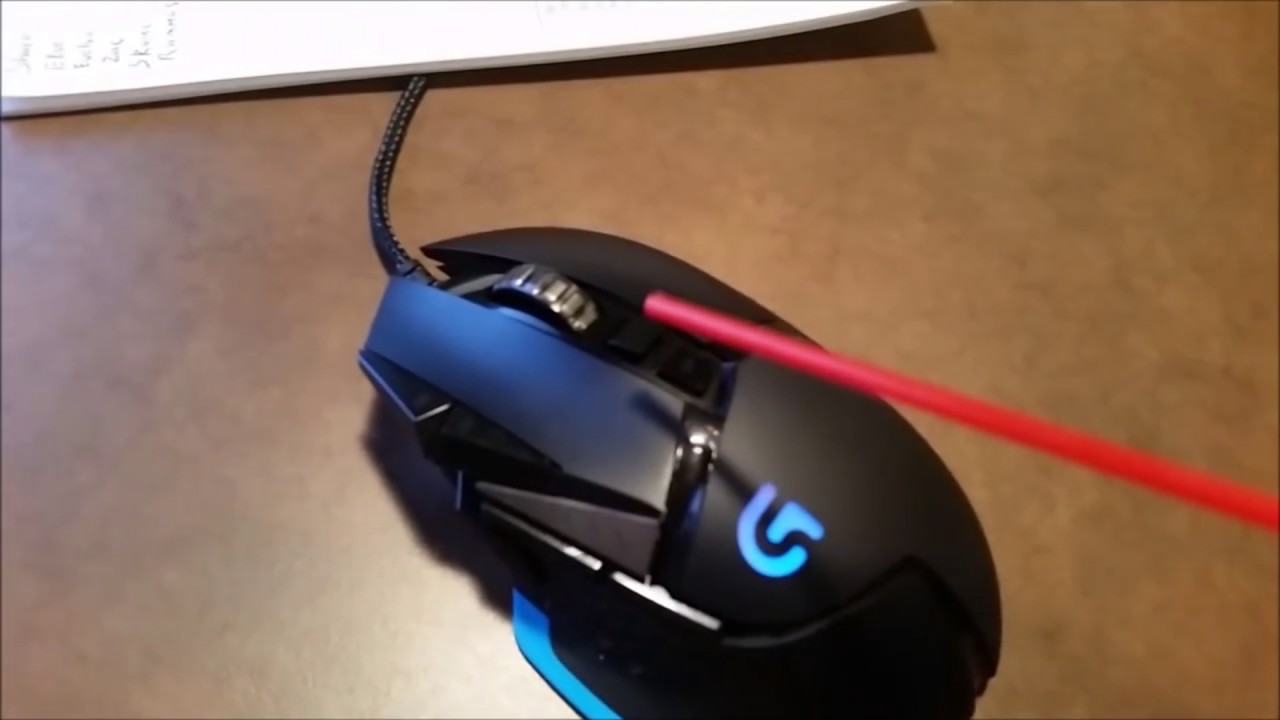
Interstellar Docking Scene but instead of Matthew Mahogany it's some kid and instead of a space ship it's a gaming mouse
Music is; Hans Zimmer's No Time For Caution
Mouse video; https://youtu.be/dap5lEuS5uM
Give traffic to my other video if you like poorly constructed memes : https://www.youtube.com/watch?v=77fojojHezo
Join this : https://d...
pure cairn
green vine
if you need another mouse I recommend it, it's pretty good
will probably get it once this one breaks
green vine
pure cairn
But I would have to swap to regular discord when I want to screenshare something
oh yeah awful thing about vesktop, il never get it, why is it so awful for streaming
pure cairn
discord browser is like that
green vine
it was supposed to be better on Linux, how hard is it to make it okay on windows?
pure cairn
sadly
green vine
ahh damn it
green vine
pure cairn
no keybinds either iirc
no global keybinds yeah
green vine
half crystal
i have tried it once before
how'd it go?
smoky belfry
pure cairn
why clicking when compressed air cans exist
https://youtu.be/aANF2OOVX40
a classic
half crystal
green vine
how'd it go?
i need time
a lot of time