#🆕|sd3
1 messages · Page 126 of 1
 halcyon yarrow
@dry wave do you code everything on your own or do you get ChatGPT to assist you with some of the prep work?
 dry wave
no, I'm programmer, I do that myself
 craggy crest
and runway - just dropped video outpainting
 halcyon yarrow
Cool man, programmer here too, I’m a lazy programmer I try to offload as much of the work I can to ChatGPT and only step in to make adjustments that would take more time to explain than if I just do it myself lol
dry wave
I'm in bioinformatics and most stuff I do is too specialized for chatgpt :/ I use it, though, when I have to do stuff like making a quick html/javascript page with visualizations of results
halcyon yarrow
Have you tried getting ChatGPT to just chart stuff inline with the chat?
dry wave


still struggling with statues but it looks a bit better
this is downsampling factor 4
halcyon yarrow
If I could make a request ask for a resin pvc figuring style statue
 halcyon yarrow
Like those anime style figurines made out of resin plastic, just changing the material same concept
Yeah it nailed it lol
dry wave
it happens quite often, though, that it forgets the second person
if you mention "two women" in the prompt it gets better

although it looks a bit... erotic... that was not in the conditioning image
oh, and she has three legs
halcyon yarrow
That’s great, this stuff is so powerful exciting stuff to play with. I’m not even leveraging it fully, I could inject a certain theme or style to all prompts and generate a bunch of themed images, I could make all my generation of people become figurines, loras move aside this is where it’s at
@dry wave I tried combining img2img with this WF but the result didn’t work well
dry wave
hm... using it for img2img shouldn't make a difference...
halcyon yarrow
This was back before your node existed that I tried it
dry wave
I think, though, that the Reflux model encodes positions of the image patches directly into the T5 embeddings
so I could imagine it doesn't like to change compositions
halcyon yarrow
Yeah there has to be some fixed positions in the embeddedings bc the crop effect is def real
dry wave
like putting a character who is on the left to the right
halcyon yarrow
You tried that and it didn’t work?
dry wave
so img2img of images that do not follow the composition of your conditioning image might fail
no, I didn't tried that yet
it's just my assumption
cause the images look blurry when you merge tokens in a bad way. This indicates they encode a position in some way
halcyon yarrow
The way I tried it was giving it a load image of a colored swirl and then using a black and white mask for the style, the thinking was with the right denoise I can get a black and white colored swirl
dry wave
oh, that never works
halcyon yarrow
But again this was with the stock node not without yours
dry wave
colors are determined early in the diffusion steps
you can only change colors in the very early steps
halcyon yarrow
Have you tried the multi conditioner WF where they chain two model style apply to merge two concepts? I tried it and had poor results too
dry wave
but you could condition on both images and make a 100% denoise
halcyon yarrow
I’m thinking maybe if I try that with your node I could set a down sample of 1:9 for the black and white image to slightly extract the style, then use load image with a denoise of like 0.9 to make the image influenced by the conditioning of the style
dry wave
 halcyon yarrow
For the chaining they showed a cat and some strange river and then it placed the cat in the painting, being able to control how much each element influences the image was a crucial step, I’ll have to play with that some more to see how it looks
dry wave
I added this one as second conditioning: https://www.pexels.com/de-de/foto/komplizierte-bogen-der-mogul-architektur-in-jaipur-29406307/
works
halcyon yarrow
Oh cool so you chained the reference image with this new one and they were both 1:3?
dry wave
yes
halcyon yarrow
Can you try both with 1:1? just curious I’m thinking the results will look catastrophic
 craggy crest
@halcyon yarrow

 halcyon yarrow
Man it feels like so much power and directions this can be used in. Chaining images plus influencing with prompts I feel like a young puppy chasing a 🍭 lol
craggy crest
halcyon yarrow
Man it feels like so much power and directions this can be used in. Chaining ima...
sd3.5 L
 halcyon yarrow
Recraft wins that round imo
 halcyon yarrow
@dry wave try chaining 3 images and do one @ 1:9. they only demo’ed 2 chained but in theory you could chain unlimited images right?

 craggy crest
 dry wave
this is when I use factor 4 on all of them
 halcyon yarrow
@dry wave try the first image at 1:1, second one at 1:3 and last one at 1:9
Prompt:
A surreal underwater world showcasing a vibrant coral reef at the bottom, with a sunken shipwreck partially buried in the sandy seabed in the midground. Ethereal, glowing jellyfish with neon blue, purple, and pink hues float gracefully above the scene, casting a magical glow on the water. The coral reef’s vivid colors contrast with the weathered textures of the shipwreck, while the jellyfish add a mystical atmosphere. Sunlight filters softly through the ocean surface, illuminating the composition and creating depth.
This prompt brings together the coral reef, shipwreck, and glowing jellyfish while maintaining their individual elements and creating a natural visual flow.


 dry wave
 halcyon yarrow
lol wow that’s precious, thanks man that was my last request
I like how it did a good job inserting the same style of jellyfish
dry wave
yeah, depending on the interpolation method you get quite different results
like this is area

I still can't say which works best
halcyon yarrow
So you’re using the interpolation node for this one? What strengths did you use for each one?
dry wave
1:3 is always the best option xD
you can also try 1:4 or 1:2
but everything above or below is too weak or too strong
halcyon yarrow
I guess 1:3 is the sweet spot bc of how the system is designed with multiples of 3?
dry wave
for the interpolation it shouldn't matter that much I think... I guess its just the right amount of tokens
halcyon yarrow
@dusky thistle you love blending images together this stuff seems like right up your alley, I could see you generating multiple images and then chaining them together in this way to make crazy new concepts
dry wave
GitHub
Contribute to kaibioinfo/ComfyUI_AdvancedRefluxControl development by creating an account on GitHub.
so, updated everything. That's enough for today, though
halcyon yarrow
@dry wave similar related
Someone else said this in another server:
i've been using redux, happy to have easier controls. i built a solution that starts conditioning with text prompt then switches to the applied style and that usually works https://civitai.com/models/969812/flux-redux-workflow-kinda-sorta-ip-adapter
I haven’t had a chance to look at the WF bc I’m not home but I figured you’d get a kick from what other people did to tackle the same challenge
dry wave
its just the normal reflux workflow
ah, I opened the wrong workflow
he is doing an img2img basically
first he uses only the text prompt to generate an image and then img2img with the style
halcyon yarrow
Nothing custom nothing cool there, I tried it with low success thx for the analysis
craggy crest

 bitter hearth
ah I see thanks, I never actually checked what these nodes did
doesn't sound like it would work then
halcyon yarrow
@dry wave do you think if I take an image that’s landscape or portrait and I letterbox it before I pass it in to clip vision it’ll be able to capture all the details of the image while ignoring the filler sides? I can’t manually crop the subjects and I want as much of the composition as possible so I’m thinking the letterboxes sides won’t make it into the latent space
I can’t try it myself right now but I’m just thinking maybe that’s how I get around the square limitations imposed?
To be clear the input image would be let’s say portrait, the output image would also be portrait, I would ve letterboxing the input image to be square with filler black or white on the left and right side so that when it does it’s square patching thing it’ll capture all the details
dry wave
it will definitely also learn the black bars
halcyon yarrow
So what do you think will happen? I mean the output image would be portrait too and if it’s learning fixed positions maybe it’ll naturally be cropped out or omitted?
dry wave
I think it will still place the black bars into the output image
halcyon yarrow
Do you think we’ll see a portrait image that’s squished the subject and added black bars onto the side?
halcyon yarrow
lol maybe target black bars in the token space and filter those out?
dry wave
that's difficult
it COULD be that only the corner tokens are effected by the black bar
in theory, of course, all tokens are impacted because of self attention.
but in practice the tokens might preserve the original image composition
halcyon yarrow
Yeah it does sound tricky, I’m really curious to try it now bc I’ve seen it does a really strict job on fixed positionality so if the aspect ratio of the input portrait was taller it’ll crop the top and bottom edges, I’m guessing that same functionality would translate to the black bars
One more thing I wanted to ask you @dry wave someone showed me a setup where they use a node called ConditioningAverage and he was setting it to a factor of 0.5 or 0.25 on the output of the style apply. Technically speaking how is that different or similar to how you’re doing it and is it possible to do that same thing with your node?
dry wave
you can do both. I just found that less effective
halcyon yarrow
Here is the guys setup. I guess what I’m asking is can ConditioningAvg achieve the 1:3 configuration we use or is that not possible with it?
 dry wave
its a different approach
halcyon yarrow
I’m guess bc the Avg is more generalized it’s not tailored to the whole clip vision grid model patching scheme so it’s not possible to achieve that same level of config
dry wave
its just a weighting
when you use the Advanced node of my custom model (its now hidden in the experimental category) you have the "clipWeight" property
"clipweight" is the same as the merging thing above
you basically multiply the tokens with a value between 0-1, thus, bringing them closer to 0
this approach is somewhat similar, though simpler, to the "prompt weighting" we used back in SD 1.5/XL days
the problem is: if you scale the tokens close to zero you might just change their meaning
the norm of a token is not necesarilly associated with its importance
Feel free to experiment with that. In my own experiments this approach just didn't worked very well. It was the first thing I tried before coming up with my approach. But I only tested on a few example images, so maybe this approach works for different tasks better. I don't know
halcyon yarrow
My understanding is that tokens become embeddings so “I screwed this up” and “I screwed this in” while they have similar tokens it’s up to the model to interpret the meaning and assign it an embedding. I could see how by messing with the tokens you’re essentially ruining the meaning before it can even be interpreted
dry wave
the tokens are already interpreted
the reflux does not output the raw embeddings but the final embeddings
so these embeddings do not pass again to the text encoder
okay, I did a few very quick experiments
1.) in my experiment, the black war was ignored(!)
so just because your input image has a black bar does not mean that Flux is using this black bar
so maybe your approach with filling in black bars to make the image square just works out of the box
2.) you can indeed crop the clipseq tokens and, doing so, effectively crop the part of the image you want to see.
so I will add another parameter to my plugin that allows the user to submit a mask (like for IPAdapter) such that you have finegrained control over which part of the image should be used for reflux
here, only the lower left corner of the original image was interpreted (but the complete image was given to reflux)
 halcyon yarrow
You lost me in the second point. Drop the clipseq tokens? So you’re saying you’re going to add a new input to the node to accept a mask that’ll define what part of the input image should be used? That’s cool af
Going back to that example of that ocean image with the ship wreck we could in theory mask the ship so it more closely follows that design right?
Personally I wouldn’t have practical application for it except to maybe mask out the letterboxing but as you said in point 1 it works great out the box so masking would be overkill
dry wave
yes, there is not that much of a use, because in generel its better to just crop the image
there are two scenarios I can think of where it would help
a.) the letterboxing you described above
b.) maybe I want the model to just focus on a detail of the image, but cropping/zooming in might destroy context. Lets say you want to focus on the "flower pattern" of the clothing of one of the two women. If you zoom into the pattern, the model might not know anymore that this is a pattern printed on clothing. So it might take over the pattern, but apply it to non-clothing related objects. With masking you can use the pattern but restrict it to clothing related objects
so its more of a "not much work, so why not implementing it"
halcyon yarrow
dry wave
so its more of a "not much work, so why not implementing it"
Love that attitude I do that all the time too lol
bitter hearth
been trying different conditioning node combinations with the flux inpaint model
not making much progress yet
hopefully it will become possible to get it to outpaint to a region that has regional conditioning areas, and get it to take that into account
halcyon yarrow
@valid lotus the guy who made the style node is here is called @dry wave if you wanna ask him any questions on how it works he's the right guy
bitter hearth
has anyone tried the depth or canny yet
halcyon yarrow
hey @dry wave in the new node @valid lotus installed there's just one field and iit's highest/medium/low and you took kout the other fields, im guessing that highest = 1:1 and medium = 1:3 and low 1:9 right?
halcyon yarrow
bitter hearth
has anyone tried the depth or canny yet
i haven't tried it yet
bitter hearth
spent the whole time making outpainting workflow
cos I wanted to do it with my own nodes
instead of pre-made ones like inpainting cut and stitch node pack
already seems better
I used comfy layerstyle blend with composite masks for the stitch, so you can use different blend modes, and blur the seams
and then added histogram match and colour match nodes, that operate before the stitch
and then added loop so that it does the outpaint in 20 stages instead of 1 stage lol
dry wave
halcyon yarrow
hey <@321288280651857922> in the new node <@156575887788212224> installed there'...
it's 1:1, 1:2, 1:3, 1:4 and 1:5
but the other nodes still exist
halcyon yarrow

see his looks like this now

oh he's using one called Simple? i guess iits part of the toolkit now?
so 1:1 = highest
1:3 = medium
1;5 or 1:9 = low?
@valid lotus asks why is 3 medium when it goes to 9?
II'm guessing that 3 = medium in the simple node, would 5 be medium in simple?
dry wave
9 is too strong. I think everything above 5 is too strong
1:3 is best setting usually, so it's "medium"
halcyon yarrow
ah so you killed 9, i see
 toxic bone
halcyon yarrow
<@156575887788212224> asks `why is 3 medium when it goes to 9?`
II'm guessing t...
toxic bone
halcyon yarrow
<@156575887788212224> asks `why is 3 medium when it goes to 9?`
II'm guessing t...
you dont need to keep pinging content creators with your question. The guy made a video you watched. He's not on demand help. He has his own server too.
dry wave
black and white is btw. still challenging. It's probably better doing that with img2img
toxic bone
you can trust that a youtuber will never answer your questions directly
halcyon yarrow
toxic bone
you dont need to keep pinging content creators with your question. The guy made ...
we're talking on DM so I figured we could switch to talking on here so I'm not acting as his proxy
halcyon yarrow
toxic bone
you can trust that a youtuber will never answer your questions directly
we've been talking directly for the last half hour playing with @dry wave node he's like getting the hang of it and im like explaining what the dev taught me
 mortal mesa
just put this number here - Olivio
dry wave
the simple node is, as the name suggests , for easy use, so it contains only settings that make sense. The two other advanced nodes have more settings if you want to experiment a little bit
it's fine - I'm happy if people find it useful and ask questions
halcyon yarrow
@valid lotus it starts here this is his base image and then scroll down the chat to see all the variations he made from this one
bitter hearth
I always like it when node packs put out simple and advanced nodes
I don't like to collapse nodes, and advanced nodes tend to be larger
so if I don't need the options I prefer the simple ones
PAG is best example of this
dry wave
bitter hearth
I always like it when node packs put out simple and advanced nodes
yeah, I think thats stuff is kinda new and I first have to understand how the new graph system in comfyui works
comfyui is not actually very well documented and the code is quite messy ^^°
but the main reason why I have the simple node is that this stuff is all still very experimentally
bitter hearth
the new execution thing broke a lot of nodes I like and I don't really understand it yet LOL
dry wave
so when people use my node and I later change it they get incompatible to it
however, if I have a simple node with simple settings like effect: strong-weak, then I can change the meaning of this setting under the hood without making anything incompatible
bitter hearth
yeah I love Clown's samplers but his repo has breaking changes each day
it gets quite chaotic
dry wave
(of course that has then the disadvantage that it makes everything non-reproducible. So its no free lunch whatever you do)
bitter hearth
you can change the code that points to strong-weak yeah
apparently stock pytorch is not very reproducible anyway
they have some more deterministic modes but they aren't used in Comfy (they are slower)
the Flux outpainting is by far the best I have ever seen

input was just R2D2
toxic bone
the seams are very apparant
dry wave
yeah
composition is perfect, but the colors don't match
it only happens at a certain point, so maybe flux don't like too extreme aspect ratios
toxic bone
it's all the way through.
 bitter hearth
I managed to improve that aspect a bit
this was the final one from last night

its mostly a case of carefully setting the color and histogram match nodes
that run each loop
toxic bone
the composition i agree. beautiful.
those histogram nodes are likely causing issue
halcyon yarrow
@dry wave so i'm at home i'm testing the letterbox / paddng idea I think it does have an effect but maybe it's just my bias
so the image is 896x1152 so i'm padding it to be 1152x1152


downsampling set to 1, with paddinig left, w/o padding on the right


oh interesting notice how it did add letterboxing to the image but it added it at the top and bottom edge
seems to be random tho here's 2 more with padding enabled and it didn't add any letterboxing

 bitter hearth
with flux sadly you have to test on many many seeds
when it came out I thought it would have low image variety like SDXL lightning, because its distilled
but flux actually has extremely high image variety for a large model
halcyon yarrow
i think the fact that it did it once already discourages me from the idea of using this technique, but yeah you're right Ive been running the same exact thing and i get so much variety each run
bitter hearth
I've been working on a loop where it keeps trying seeds until an image model says its ok
has been done by some others now I think
a good SD 1.5 fine tune can do hands perfectly fine a low % of the time
if you can automate trying lots of seeds it could be good
would benefit most models
halcyon yarrow
so a script that'll rerun the same prompt with different seeds while having a classifier determine if the hands are good so you can find the good seeds for hands?
bitter hearth
yeah exactly that
its what they do in the LLM world anyway
generate answers from a dozen LLMs or VLMs and let BERT decide which one to keep
craggy crest
halcyon yarrow
craggy crest
wow that looks really neat good job, i especially like how the bottom frames continue to morph coherently throughout the animation
 fleet meteor
craggy crest
fleet meteor
craggy crest
Nice! what model is it? 👀
bitter hearth
maybe kling
halcyon yarrow
i think it's kling + manually stiched
craggy crest
fleet meteor
Nice! what model is it? 👀
SD3.5 large, no loras - animated image to video in kling
halcyon yarrow
craggy crest
SD3.5 large, no loras - animated image to video in kling
I thought you said you were going to build a bunch of those using joint and stitch them together is that still the plan?
@dry wave @bitter hearth after much testing I’ve concluded that letter boxing is def the way to go, either way it’s a crapshoot bc you can’t control what you’re gonna get and as we all know it’s completely different every time but just based on the odds.
The odds are more likely that it’ll use the entire composition when letter boxing. So I had a portrait image of a person standing and without letter boxing it would often (about 30% of the time) make an image where it’s cropped at the shoulders or neck and the knees. With letter boxing it never cropped the head out not once and would often expand past the knees
craggy crest
halcyon yarrow
I thought you said you were going to build a bunch of those using joint and stit...
i am. i've got 7/8's of them done. just have about 20 more todo and have part of the longer video already edited together. still have to do the music track as well
halcyon yarrow
Oooo would it be to much to ask to see an early preview of the 7 stitched so far? 🙏
I know it’s tough for an artist sometimes to show their work early so I understand if you say no
@dry wave look bro he made a video for you
https://www.youtube.com/watch?v=UrUDHSpmB90
Olivio is pretty big is consider with 320k followers I’m sure that video is gonna help a lot of people like us out

REDUX Advanced is really good. I love to play with this new node. You can do so many things with style and combining images and much much more.
Links from my Video
Get my SHIRT: https://www.qwertee.com/ with Code "Olivio"
Get my WORKFLOW: https://www.patreon.com/posts/redux-advanced-116592360
https://github.com/kaibioinfo/ComfyUI_Ad...
craggy crest
halcyon yarrow
Oooo would it be to much to ask to see an early preview of the 7 stitched so far...
it's a few more than 7...

i've finished at least that many more than aren't in the project and i'm working on the last 30 or so that have to become clips yet
halcyon yarrow
I just finished watching that video, pretty cool how he shouts me out too lol
Speaking of watching videos are you gonna share with us a sneak peek?
craggy crest
 spark quail
that's NICE!
 proven pecan
 marsh verge
craggy crest
marsh verge
craggy crest
What is this made of?
halcyon yarrow
remix left, original right
the remix was made using Flux Heavy 17b Q4 + Redux. I'm going to run a bunch of examples today using flux heavy, already its pretty cool redux works with it


 crisp garden
Muppet drawings
halcyon yarrow
all these created with flux heavy, one shot, no cherry picking


 dry wave
I started implementing masking
quick example:
mask:

prompt: "a man walking on the street in New York. He is smiling. In his hand he holds a smartphone."

his shirt got the pattern of the dress of the women which was contained in the mask 😄
halcyon yarrow
wow I would theorize it understood that the region you selected was fabric bc you got it right in the middle where there's buttons going down so it put 2 and 2 together there
dry wave
oh yes, thats the idea.
halcyon yarrow
bc like you said you could mask certain other fabric regions that are less obvious and it might not understand the goal
 pastel trout
Luna, the fluffy white kitten, is a lovable character who thrives on curiosity and creativity. Her consistent personality makes her perfect for magical, heartwarming adventures that kids will adore!
dry wave
clipvision gets the complete image and then only the tokens outside the mask are filtered out
so it still understands the image
this should definitely also solve the letterboxing issue
halcyon yarrow
are you gonna update your github and provide a WF for that setup you got going?
dry wave
in principle yes. Its just I don't wanna make too many updates that always make the node incompatible again
so I would first finish the feature
halcyon yarrow
i agree in fact pls don't
dry wave
whats missing so far is:
- automatically letterboxing images to prevent aspect ratio and then mask the black bars out
- make "smart" autocrops that center around the mask and use a user-specified margin
I also have to think about how to best combine the subsampling and the masking. If your mask is very small, you don't event want to subsample anything as the number of tokens is small anyways. So I have to think how I decide when to subsample and when not
probably the predefined strength values ("strong","medium" and so on) could define a number of "tokens" and if the masked region has much more tokens it is downsampled until it reaches the desired number of tokens.... have to think about that
halcyon yarrow
break it into a third node called ModelStyleApplyMask that’s dedicated for it, keep simple and advanced for their own use case imo
halcyon yarrow
dry wave
whats missing so far is:
- automatically letterboxing images to prevent aspect r...
I can tell you that after running a test on almost 200 images only 1 came out letterboxes in the output, that is im letterboxing everything and it only picked up the black bars for 1 image, id say that’s a good ratio for me
halcyon yarrow
dry wave
probably the predefined strength values ("strong","medium" and so on) could defi...
I’ve thought of down sampling as the number of details in an image, if you chain 2 images and they’re both high it’ll make a blend that closely aligns with both original images.
With that said internally it’s doing 729+729 tokens so something is getting truncated. I think you shouldn’t auto adjust downsampling and just let the user control, if they mask a region with 100 tokens and downsampling is set to high it should remain 100 tokens, medium gets you 50 and low gets you 25?
If they select a region with 10 tokens and they select low and it ends up using 1 token then so be it, it’s up to the user to try different combinations
dry wave
yeah, that's also a possibility
halcyon yarrow
If I were you I’d look at a specific node I use (can’t tell you the name right now) for letterboxing in ComfyUi.
- get image size node
- minmax node
- input width and height into min max to output max
- input max into resize node setting both width and height to the same value
- set content to “pad”
- set mode to “always”
What I would do is either include that as part of your workflow or if you wanna get fancy about it just cross reference how they do it in code and then just copy that code?
dry wave
oh, letterboxing is easy to implement, that's not the issue
halcyon yarrow
what's the issue with it?
craggy crest
marsh verge
What is this made of?
Sd3.5
halcyon yarrow
Flux Heavy is actually super decent look at the stuff I'm making now

 pseudo owl
halcyon yarrow
Flux Heavy is actually super decent look at the stuff I'm making now
pseudo owl
halcyon yarrow
Flux Heavy is actually super decent look at the stuff I'm making now
tried with schnell 4 step
b&w photograph, of a woman holding a wine glass in a intricate detailed bar, her eyebrows are red, and her wine is red.
 halcyon yarrow
pseudo owl
tried with schnell 4 step
b&w photograph, of a woman holding a wine glass in a i...
halcyon yarrow
pseudo owl
tried with schnell 4 step
b&w photograph, of a woman holding a wine glass in a i...
wow thats prety good too
pseudo owl
I just noticed thats not her eyebrows lol
halcyon yarrow
flux.1-heavy-17...q4_0 | 🌱 135940678 | 🦶 24 | 🦮 1.2 | 🧠 flux_aeSft.sft | 🎤 res_2m | 🕦 sgm_uniform | loras: 3x | 🗓 11/24, 9:33 AM | ⏱️ 428s A Woman Holding A Glass Of Wine With A Red Lipstick On It's Cheek And A Black And White Photo Of A Woman In The Background
Mines took 428 seconds to generate and yours?
lol yeah i think red eye shadow works better than red eye brows
pseudo owl
halcyon yarrow
> flux.1-heavy-17...q4_0 | 🌱 135940678 | 🦶 24 | 🦮 1.2 | 🧠 flux_aeSft.sft | �...
15sec but probably not fair to compare since mine is a different device(T4)
and euler scheduler
seed: 802218955
halcyon yarrow
wha's t4?
euler is a scheduler? i thought that was a sampler?
btw don't mind the title, it's generated by BLIP, that VLM is so derpy but I still love it lol
pseudo owl
halcyon yarrow
euler is a scheduler? i thought that was a sampler?
Im using diffusers, the real scheduler name is FlowMatchEulerDiscreteScheduler and T4 is a gpu, kinda old but still pretty decent with 16gb vram
halcyon yarrow
this is the original image by the way, and the original prompt if you wanna try that with your flux-s 4step model:
monochrome, b&w, red lips, girl, cute Asian girl with dark hair,slanted eyes,red eye makeup, in hand champagne flute, outline with zirconia light, intricate details, vintage, surreal, hyper-detailed, professional photoshoot, ultra-sharp, vivid colors, holiday lighting, 50mm lens, aidmaimageupgrader, E1Ro1g1er1s

I kinda like the remix more than the original,, the oriiginal i prefer how vibirant my variation is, of the 3 I'd sayy Heavy wins
pseudo owl
halcyon yarrow
this is the original image by the way, and the original prompt if you wanna try ...
For fun, I tried with just 1step with schnell, FlowMatchEulerDiscreteScheduler scheduler, different seeds, no lora


 halcyon yarrow
oh yeah despite saying loras 3x, this is flux heavy so internally its not actually using any of those 3 loras
lol wow 1 step looks fantastic but I'd love to see the wine glass with red wine instead of whatever that is, moscato maybe?
red finger nails is pretty cool I like the loose interpretation of the prompt, of the 4 i'd say the 4th is my fave bc her face
pseudo owl
yeah the face in that one is positioned a bit better
Ok just added red wine to the prompt


I have to move from diffusers to svdquant probably, svdquant is 4bit, 3x faster then bnb4bit, uses less vram, and is better quality(similar to 8bit)
pseudo owl
Stable diffusion 3.5 large turbo can't do 1step it seems(always gives me very blurry images), doesn't seem to follow prompt very well but the aesthetic is decent. I do prefer flux schnell for sure in this prompt(even 1step is better then sd3.5 large's turbo 4step imo)
prompt: ```
monochrome, b&w, red lips, red wine, girl, cute Asian girl with dark hair,slanted eyes,red eye makeup, in hand champagne flute, outline with zirconia light, intricate details, vintage, surreal, hyper-detailed, professional photoshoot, ultra-sharp, vivid colors, holiday lighting, 50mm lens


 dry wave
okay, I tried an extreme example for the letterboxing

this is the input image
this is the prompt: "a man walking on the street in New York. He is smiling. In his hand he holds a smartphone."
output

no black bar anywhere ^^
halcyon yarrow
yeah its super rare like i said 1 out of 200 aint bad
man I queued up an image using @dusky thistle 's 5s sampler using Flux Heavy 17b, I'm at 42 minutes in, 8 minutes remaininig
@dry wave here's the example for the 1 out of 200 iti did letterboxing for this is the original image and the output was square aspect ratio
 dry wave
halcyon yarrow
yeah its super rare like i said 1 out of 200 aint bad
dry wave
halcyon yarrow
yeah its super rare like i said 1 out of 200 aint bad
yes, but I automasked the bars away, so it should never happen now
halcyon yarrow
notice how one has letterboxing and the other one doesn't and they both have the same seed, they're from the same batch even

oh interesting, but wouldn't auto masking it put you back at square 1 where it's cropping the subject?
dry wave
what do you mean?
halcyon yarrow
like the point of letter boxing was to ensure it didn't crop the edges of a tall or wide picture out, so by making it non-square again via a mask aren't you subjet to that crop imposed internally by the tool after that?
dry wave
no
halcyon yarrow
or are you saying you're able tto
add letter box > have the system input the letter boxed image > apply mask so only include the non-letter boxed regions
dry wave
yes
halcyon yarrow
wow now THAT's useful application for masking
that kinda goes back to the chat we had about filtering for the letterboxed tokens, but in a smarter way
dry wave
"apply mask so only include the non-letter boxed regions" <-- the mask is applied on the Reflux level, not on the output image
so I remove the tokens from Reflux that are associated with the black bars
halcyon yarrow
right so you're getting around the limitation imposed that all input images must be square by letterboxing it (like me) and then you're further improving the quality of the conditionoing by filtering out parts of the conditioning that include the letter boxed regions
so it would go from 1/200 letter boxed to 0/200. I mean technically i bet if i run that girl with the headphones a few times I might get a bunch of letter boxes, if anything that's a good test subject to use
this went from "a fun little tool to play with masking" to "must have upgrade for my system" lol
so I would just give your node the raw image and it would take care of everything right? I dont even have to letter box it myself?
i can't show the image but it ended up taking 48 minutes to render this one lol that's the 5s sampler for ya, one of those "you get what you pay for"
 dry wave
halcyon yarrow
so I would just give your node the raw image and it would take care of everythin...
dry wave
halcyon yarrow
so I would just give your node the raw image and it would take care of everythin...
yes
halcyon yarrow
do tag me when it's released, I'd happy implement that over my current solution, if I could make a request I'd ask for you to use the downsampling_factor over downsampling_words bc I feel that's clearer in the code what it's doing
dry wave
"downsampling_factor over downsampling_words" what do you mean?
halcyon yarrow
I find it facisnating I tried this Flux Heavy model the other day and it was terrible, the translation of an existing prompt to flux heavy was a total fail, it was performing on par with flux mini, but then I fold Redux into it and it's like the interaction between two machines talking and describing for me the original image at the embeddings level and it really brings out the good in this model


 halcyon yarrow
dry wave
"downsampling_factor over downsampling_words" what do you mean?
halcyon yarrow
dry wave
"downsampling_factor over downsampling_words" what do you mean?
like don't make the downsampling field selector be "medium" "high" "low" etc make it just be numeric
leave the word one just to Simple if you can lol
talking to some guy on Olivio's discord about your stuff, he uses the simple and he's having great results at "low" setting
dry wave
hm, yeah. Probably that make sense. I also found that weighting is not totally useless
weighting seem to be better in transfering style while downsampling is better in transfering content
so offering both gives more control
I just wanted to make the node as simple as possible ^^°
so maybe I would still just have two nodes: One with several options and one with few but simple options
halcyon yarrow
I think 3 makes sense
Simple - just one field and the words like it is now
Advanced - just the way it is now too
Mask - A merge of advanced but with new mask input and potentially the same controls and maybe a new field for the mask? I'm not sure does this mask thing have any additional level of control, you were talking about adjusting the token count but you landed on just letting the user control it via downsampling field right?
dry wave
nah, I would have masked and advanced in one
halcyon yarrow
@dry wave here's a fun little snippet of my code that interacts with your node
if (targetBaseModel === 'Flux.1 D' || targetBaseModel === 'Flux.1 S') {
    nextItemCloned.targetBaseModel = 'Flux';
    nextItemCloned.downsampling_factor = _.sample([2,3,4]);
    nextItemCloned.c_base_shift = _.sample(_.range(1.2, 2, 0.2));
    nextItemCloned.c_max_shift = _.sample(_.range(1.6, 3.6, 0.2));
}
If I'm making the image for flux I'll randomly pick a downsampling of 2 3 or 4 and I'll dynamically adjust the shift randomly lol
i guess i you just add an input and don't change the order of the inputs and don't add any new fields it would still be compatible for me but if you did change any of that I'd have to adjust this piece:
{
      "id": "style_model.apply",
      "type": "StyleModelApply",
      "class_type": "StyleModelApplyAdvanced",
      "config": {
          "downsampling_factor": "downsampling_factor",
          "mode": "bicubic",
          "merge_strength": 1,
          "clipWeight": 1
      },
      "slots": {
          "input": [
              "conditioning",
              "style_model",
              "clip_vision_output"
          ],
          "output": [
              "conditioning"
          ]
      },
      "requirements": {
          "AND": [
              "targetBaseModel === 'Flux'",
              "uploaded_image_path.length > 0"
          ]
      }
  }
 turbid grotto
halcyon yarrow
I find it facisnating I tried this Flux Heavy model the other day and it was ter...
turbid grotto
halcyon yarrow
I find it facisnating I tried this Flux Heavy model the other day and it was ter...
Flux mini? Where can I find it? TencentARC/flux-mini hf page doesn't work 😦
halcyon yarrow
yeah i wonder what happened they took down their page and it's still not up yet
here is Flux-Heavy 17b: https://civitai.com/models/964045?modelVersionId=1079329
here is Flux-Mini 3b: https://civitai.com/models/955242/flux-mini-3b?modelVersionId=1069832
i gave mini a lot more love than I gave heavy maybe I should go back in there and finish it out, i'm getting really good results
turbid grotto
Wow, thank you so much! Didn't know it exist
turbid grotto
Interesting thing! Speed is similar to sd3.5m, but quality is worse
Seems like Flux 8b is minimum possible for now
halcyon yarrow
turbid grotto
Interesting thing! Speed is similar to sd3.5m, but quality is worse
which one mini or heavy?
mini is super fast, i got a 512px/30 steps image to generate in 12 seconds using mini and 8gb gpu
turbid grotto
halcyon yarrow
which one mini or heavy?
Mini. Heavy won't be optimal time-wise for me anyways
halcyon yarrow
to be fair the one i posted is heavy 17b q4 so it's heavily quantsized, its a 9gb or 11gb file so it's on par with other sized models
also it's running pretty fast for me at 220 seconds, i'd say below the average or around the average of other models
halcyon yarrow
turbid grotto
Mini. Heavy won't be optimal time-wise for me anyways
I'm going to be running a bunch of Mini + Redux to see if i get any good output
turbid grotto
halcyon yarrow
to be fair the one i posted is heavy 17b q4 so it's heavily quantsized, its a 9g...
Additional params will make it slower. Quantization, sadly does not improve speed. I am getting around 110s for flux dev and still feels a lot
I really wish someone will figure out how to finetune sd3.5m, it is perfect fit, diversity is crazy, but coherence is bad 😦
Maybe Stability could help with optional params for tunning... It seems to not go rapidly, if at all
halcyon yarrow
quantzation does improve speed, by quantsizing it your optimizing the precision to be less accurate but faster. as a point of reference I wouldn't be able to run the 17b model bc it would be way too slow and require too much memory for me so the q4 model is naturally faster bc the process optmiizes the file to run with less memory usage
look thse are all with flux heavy, the times are in the description in the bottom in seconds, i have an 8GB GPU. ~200s is not bad at all

I would not be getting 270s with the full 17b model
turbid grotto
halcyon yarrow
quantzation does improve speed, by quantsizing it your optimizing the precision ...
I have 3060 + 32ram and able to run fp16, while q4 is faster by only ~10%
turbid grotto
halcyon yarrow
look thse are all with flux heavy, the times are in the description in the botto...
is it more accurate than 12b?
halcyon yarrow
so you're contradicting yourself, it is faster, you said "does not improve speed" not "only marginally improves speed"
halcyon yarrow
turbid grotto
is it more accurate than 12b?
honesly flux heavy is still just a fun model to play with and test but it's not a serious model, its not better than the base model its regressed a lot
the only way i'm able to get any good results out of it is bc i'm running it through redux
someone linked me to this spreadsheet where he's doing reviews/testing of the best flux models if you really wanna play around with high quality stuff you should start with the ones in this list: https://docs.google.com/spreadsheets/d/1543rZ6hqXxtPwa2PufNVMhQzSxvMY55DMhQTH81P8iM/edit?gid=1074472502#gid=1074472502
it's on the third tab Quick Model Asssesment
turbid grotto
halcyon yarrow
so you're contradicting yourself, it is faster, you said "does not improve speed...
yea, a bit 🙂 but I think it is only because fp16 does not fit in vram, and if it would - quantized would be slower, as it is with sd3.5m
halcyon yarrow
turbid grotto
yea, a bit 🙂 but I think it is only because fp16 does not fit in vram, and if i...
yeah i agree with what youre saying, assuming everything fits in ram then the bigger file might be faster bc it's less processing required to read it vs the smaller file that requires more compute to process it
here's my flux mini + redux results so far
 turbid grotto
halcyon yarrow
someone linked me to this spreadsheet where he's doing reviews/testing of the be...
turbid grotto
halcyon yarrow
someone linked me to this spreadsheet where he's doing reviews/testing of the be...
Ohh thanks! that is super useful
toxic bone
40 series cards might not be afflicted by the speed of quantizing as much, because of the hopper transformer engine giving hardware support
30 cards woudl though
turbid grotto
halcyon yarrow
here's my flux mini + redux results so far
definitely better than t2i
 hybrid flame
Hiya
halcyon yarrow
toxic bone
40 series cards might not be afflicted by the speed of quantizing as much, becau...
i have a 40 series card (4070) so that's probably why its hard to notice a difference
hybrid flame
Noob here guys
Can anyone please tell me where n how can i generate images in midjourney bot
turbid grotto
toxic bone
40 series cards might not be afflicted by the speed of quantizing as much, becau...
sad that there is no way to "trim" model's parameters instead of quantizing, with comparable quality, it would make models so much faster
turbid grotto
hybrid flame
Can anyone please tell me where n how can i generate images in midjourney bot
it is not midjourney channel 😆
toxic bone
i'm not sure how you would trim a set of fp16 weights.
trim is when you take the whitespace off the beginning of and end of a string
hybrid flame
Duh
turbid grotto
toxic bone
i'm not sure how you would trim a set of fp16 weights.
trim is when you take t...
oh yea, not the best fitting word
toxic bone
if you mean make the length of decimal places lower, that's quantizing
bitter hearth
halcyon yarrow
I find it facisnating I tried this Flux Heavy model the other day and it was ter...
flux heavy was good in my original testing personally
it had a bit of CFG burn effect, which can be mitigated
halcyon yarrow
bitter hearth
it had a bit of CFG burn effect, which can be mitigated
i saw that as well, agreed
bitter hearth
setting flux guidance to 1 and using CFG++ (specifically CFG++ and not CFG) would help a lot
have not tried that yet
APG or Characteristic Guidance might also be good
otherwise the usual anti-burn nodes like skimmed CFG, tonemap or threshold
turning off the CFG for the first few steps and last few is also good
dry wave
@halcyon yarrow I pushed a new version. Unfortunately I had to completely change the advanced node, including its name ^^°°°°
https://github.com/kaibioinfo/ComfyUI_AdvancedRefluxControl
it now comes with masking and aspect ratio preservation

GitHub
Contribute to kaibioinfo/ComfyUI_AdvancedRefluxControl development by creating an account on GitHub.
halcyon yarrow
lol nooooooo
i see the new section for non-square images, you explained it perfectly
i will pull, refresh and re-test and integrate keep you updated @dry wave
dry wave
its now also in the ComfyUIManager - but I think it takes a while until the newest version is ON there
bitter hearth
gonna try it out as well, seems cool
halcyon yarrow
@dry wave trying iti now AND you got riid of Clip Vision Encode, I could see why you would need to do that to have ultimiate control of the pipelinie
dry wave
I had to, yes. Its important that the mask and the image are processed exactly the same way
halcyon yarrow
im guessing your node outputs an image so we can see the previiew of what it's seeing to 'debug' the image essentially?
to confirm the mask went in properly too
dry wave
yes
halcyon yarrow
A Renaissance-style painting featuring realistic perspective, balanced composition, and naturalistic detail, with classical themes. The scene is illuminated by harmonious colors and dramatic light and shadow (chiaroscuro), enhancing depth and a sense of three-dimensionality. Include intricate textures and rich.


so which one of the 3 settings is the one that adds the letterbox and then masks it?
 halcyon yarrow
whats the difference between those two?
oh you wrot eiit on the github illl just read that 👍
found a bug, I get an error with autocrop wiith mask
Nonetype view i think t said
dry wave
do you have a mask set?
I wanted to add a validation that the mask is set but forgot about it
it's the only option where you have to set a mask. In all other options the mask is optional
halcyon yarrow
yeah you should throw a friendly message like "The option says 'with mask' you have to input a mask, duh!"
I sent you a DM on the logs but I think that's what it was, let's say user error sort of
 dusky thistle
 halcyon yarrow
@dusky thistle redux'ed

I still like the original better, the first one was strength 2, this one is strength 3, no prompt for both
 dusky thistle
this was my input... not using redux
 halcyon yarrow
strength 1, its just hard to match the level of detail yours has, these look plastiic

i can't do it bro i can't copy the master's work lol I think it's the shift, i remeber shift affects realism i'm gonna crank it up to 3

i give up this was my last attempts, left is shift 3, right is shift 1


@dusky thistle i took your mushrom and fed it to redux and it had an acid trip

there we go i feel like this is a good remix to your original one
 dusky thistle
 halcyon yarrow
dusky thistle
halcyon yarrow
dusky thistle
lol ok that's a weird one im not reduxing that one
halcyon yarrow


the compositiion is really fun to remix I keep going "oooo and ahhhhh" when lookinig at every crarzy variation it generates, I have shift set to 1 to 4 and it seems to give the model some really cool results


 dusky thistle

 halcyon yarrow
dusky thistle
some new samplying methods with my beta node
halcyon yarrow
dusky thistle
some new samplying methods with my beta node
that's cool man, what are they called? how performant are they relative to res_2m and res_3s?
dusky thistle
same performance, uses all the same stuff
i just made a node called "ClownsharKSampler_Beta" so i can experiment with new stuff without breaking the one eveyrones using


 sterile pendant
I've been out of the loop for a few busy, but is redux basically and official ipadapter for flux? If so, hell yeah
dusky thistle

 halcyon yarrow
dusky thistle
i just made a node called "ClownsharKSampler_Beta" so i can experiment with new ...
halcyon yarrow
dusky thistle
i just made a node called "ClownsharKSampler_Beta" so i can experiment with new ...
lol thank god man i really do appreciate you doing that
halcyon yarrow
sterile pendant
I've been out of the loop for a few busy, but is redux basically and official ip...
ive never used IP adapter so for me it's like using ip adapter for the first time plus trying it with flux and its mind blowing still
halcyon yarrow
dusky thistle
was that with redux or with just your sampler?
halcyon yarrow
so liike img2img flow plus specific settings?

 halcyon yarrow
you mean you're feedinig the image with like a 0.5 denoise via the latent input to the sampler right?
so instead of empty latent node you're doing load image basically, and no special adjustments on the sampler?
dusky thistle
i'm using an empty latent image
100% denoise
i'm using a variety of tricks to steer things toward the guide image during the sampling process
halcyon yarrow
let me in, im asking what those tricks are lol
i was gonna be surprised if you agreed and said you were replacing the empty latent image bc img2img is usually never this good lol
dusky thistle
well i'm doing stuff like a couple different methods for calculating a different epsilon at each step and substep
and then weighting and blending it with the epsilon that is coming back from the model
that's one of the methods
yeah you box yourself in with img2img cuz you don't get a lot of noise to play with
halcyon yarrow
that's way over my head, I guess I can just load the workflow from the image to get the nitty gritty
lol can't unsee
 dusky thistle
lol
that's nuthin 😄
lemme add a couple hundred unconnected spectator nodes real quick.......... 😛
halcyon yarrow
is mecrog recache a flux or sd3 model?
i guess that should be obvious by the supporting nodes its flux
is it like an unreleased special edition model just for you?
@dusky thistle here's my humble attempt to redux the problem, I'm inputting the pattern you used and the image of this model hoping i can get that heavy winter in similar style


 dusky thistle
halcyon yarrow
is it like an unreleased special edition model just for you?
dusky thistle
halcyon yarrow
is it like an unreleased special edition model just for you?
it's a keybaord mash trash finetune experiment tbh
i burned it pretty bad in some ways lol
hard restarting over and over
halcyon yarrow
your method is more effective than redux, its almost like that tech where you could generate an QR code out of any image prompt
dusky thistle
fried it at one point then just kept going and it kinda settled again
halcyon yarrow
dusky thistle
fried it at one point then just kept going and it kinda settled again
lol well as long as you're having fun doing it that's all that matters
dusky thistle
oh yea that qr code generator controlnet
that thing was amaaaazing with sd15
the sdxl one sucked
halcyon yarrow
yeah that thing isi what this WF reminds me of, I could imagine a lot of ppl could find it handy
i don't understand the concept of unsampling, like to sample is to pick from the latent space so to unusample is to pick from the pixiel space of the image?
dusky thistle
oh this one isn't unsampling
unsampling is to run sampling backwards
basically what you do is... you take a normal step down, a denoising step
and you use the noise you removed... as a guess for what you would add to get up to the next step, with higher noise
halcyon yarrow
hmmm that kinida makes sense but not really, i gave it one more shot setting the pattern at 1 (high) and the model to 4 (low) and it's more closely aligned with what yyoure doing (still rendering)
 dusky thistle
yeah the tough thing is to land on that tightrope where it doesn't collapse back to the input (like above) or drift far away from it
that's really fn hard
to get that shit down consistently
halcyon yarrow
you gotta admit this is pretty close to your output

consider it the poor man's solution, or at least the stupid man's
dusky thistle
lol
halcyon yarrow
i found playing with the shift really helps me nail down the target look

 halcyon yarrow
yeah same concept tho, like I'm sure if you give me another 5 minutes of trying i can even closer to something likke that
this one got pretty close too, I would imagine a WF that blends both techniques would be even more powerful
 dusky thistle


have to play with the strength a bit sometimes but usually a latent guide weight between 0.35 and 0.65 will do the trick
halcyon yarrow
i love that pattern so you just prompt for the room riigght? you dont have a second image of a room laying around that you feed it?
dusky thistle
correct
"the interior of an office for a software design firm" that's the prompt
that pattern is a really tough one to pull off
it wanst to collapse back to the source image bigtime
 halcyon yarrow
i was chaining 2x images i wonder if iill have better success with just the pattern as the input and text for the prompt
btw are you familiar with IP adapter? I see that SD3.5L has one II'm thinking if it's similar to Redux I could set that up for SD3 and start reduxing my sd3 queue
dusky thistle
yup def used ipadapter a lot
def worth a shot
xlabs stuff is usually shit though maybe they got something good for once
just in case thats what youre looking at
halcyon yarrow
yeah thats what im looking at
or maybe not? https://huggingface.co/InstantX/SD3.5-Large-IP-Adapter
 dusky thistle
not sure, i haven't tried it
i've heard some work, not quite as well as the sdxl stuff but workable
halcyon yarrow
lol yikes i dot know if i can or should


 fleet meteor
dusky thistle
fleet meteor
dusky thistle
Nice! I love the lighting btw 👏
craggy crest
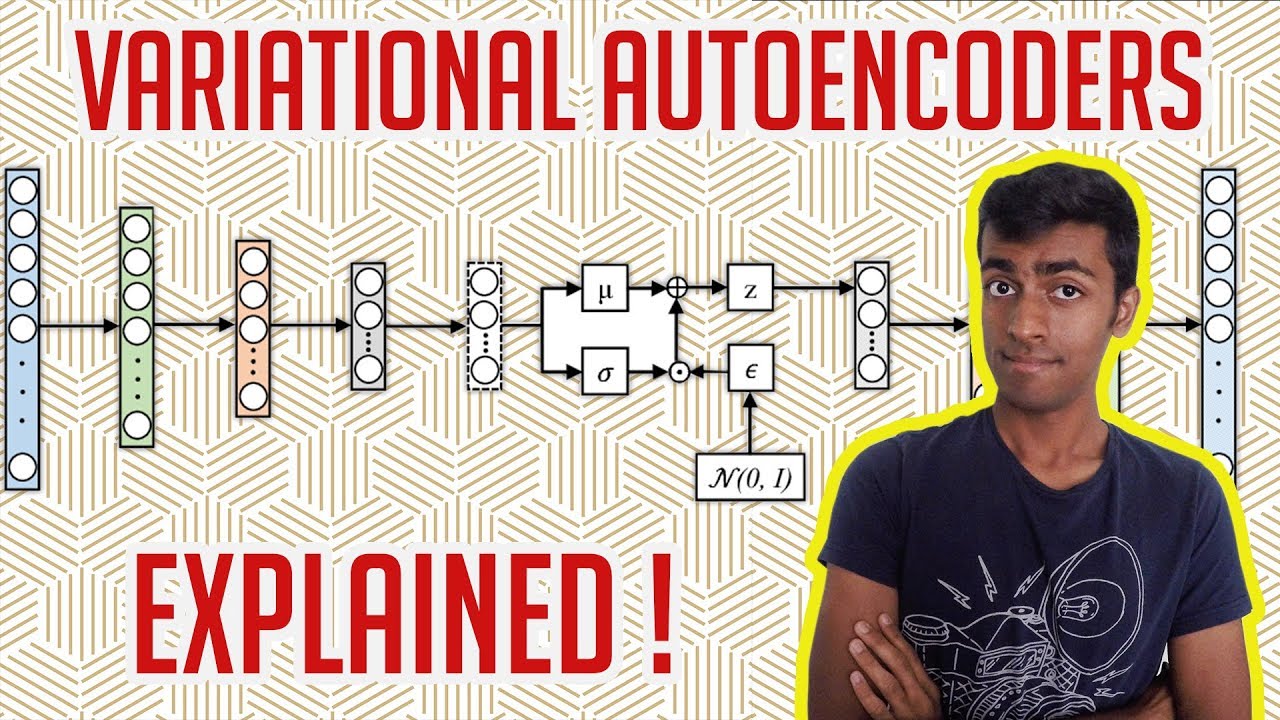
In this video, we are going to talk about Generative Modeling with Variational Autoencoders (VAEs). The explanation is going to be simple to understand without a math (or even much tech) background. However, I also introduce more technical concepts for you nerds out there while comparing VAEs with Generative Adversarial Networks (GANs).
*Subscr...


 odd basalt
dusky thistle
some new samplying methods with my beta node
odd basalt
dusky thistle
some new samplying methods with my beta node
Love these
toxic bone
last time i made a nuke asplosion pic was myh profile pic. the week that controlnet came out
the first version. i made a white circle on a black background and used that
dry wave
Ipadapter are cool, but I found the one for Flux much worse than Redux
bitter hearth
apparently the best ip adapter was in Kolors although I never tried that model
I liked the reference, shuffle and recolor control nets for SD 1.5 for style transfer, but other models didn't get those
dry wave
reference control net is just a hack
Flux can do it extremely well itself without controlnet
I found the new BFL controlnets really good
its just Canny and Depth, but in particular Depth is the most important one anways in my opinion
 muted dove
This is really good for anyone starting into ComfyUI
https://github.com/diStyApps/ComfyUI-disty-Flow

GitHub
Flow is a custom node designed to provide a user-friendly interface for ComfyUI. - diStyApps/ComfyUI-disty-Flow
bitter hearth
dry wave
its just Canny and Depth, but in particular Depth is the most important one anwa...
its impressive that Flux can do reference without a control net but the adherence to the input image isn't as good as SD 1.5 reference control net
with redux or the noise inversion stuff, Flux may well get closer though
I haven't tested the flux canny/depth yet, hopefully it is good
the example images didn't follow the canny condition as well as SD 1.5 canny
pseudo owl
New control for flux as well, looks pretty good, https://github.com/Yuanshi9815/OminiControl

GitHub
A minimal and universal controller for FLUX.1. Contribute to Yuanshi9815/OminiControl development by creating an account on GitHub.
dry wave
the examples look awesome, but I'm sceptical until I try it myself
so far all third-party adapters for Flux were garbage :/
pseudo owl
They already have a demo so you can try it
bitter hearth
failed every test so far
having trouble with this one, can't get one to work
I don't want to discount it until release I guess
it says it can do recolor which would be great
halcyon yarrow
i just tried the canny one this morning, ii don't liike how i'm fixed to a specific model to get it to work, it'd be nicer if i could use any model and it would work like redux working as a lora or something
dry wave
halcyon yarrow
i just tried the canny one this morning, ii don't liike how i'm fixed to a speci...
there are lora ones, too. You can use them on other checkpoints
halcyon yarrow
dry wave
there are lora ones, too. You can use them on other checkpoints
Yeah third party Lora ones right? But the only official canny and depth are full checkpoints I’m guessing, I wonder if it’s possible to extract the functionality that lets the model follow the guidance from the pix 2 pix node and apply it to other models, that would be cool, ultimately I don’t see the value in depth but I do see canny as a slower less flexible alternative to redux
halcyon yarrow
Oh thank goodness then let me get on that, so do I find it in the release page for flux tools?
I tried mergin a redux and canny conditioning pipeline to see if could blend both techniques, tried every combination for routing and couldn’t get it to work, mismatched tensor size
dry wave
yes its in the blog post by bfl
halcyon yarrow
sweet! it works, https://civitai.com/models/970090/flux-tools-canny-lora just tried it with shuttle 3 and it worked perfectly
@dry wave in your professional and technical opinon sir do you believe it'll ever be possible to use both techniques in the same conditioning pipeline? in other words redux + canny at the same time?
redux to inject some style and canny for heavy structural following
 gusty trail
I think yes
halcyon yarrow
consider me wrong, i just tried it again to really dig deeper and it works now?
i dont know why it didnt work before
here's the setup in case anyone is curious

i just used the example provided in the blog one and then added the lora loader in the corner to use the lora version and added kai's node in the middle to go right after the prompt like it was doing before
@dry wave I wish there was a way to control the strength of the canny side. I often see Redux's style takes over and it doesn't follow the Canny side very well, like I'd love to control the ratio of redux to canny
 dry wave
really?
with the depth node I don't have this problem
depth model image:

Redux image

outcome

if I add the prompt "digital camera photo" I get

so everything works perfect. It follows the depth map. It considers the prompt AND the redux image
turbid grotto
muted dove
This is really good for anyone starting into ComfyUI
https://github.com/diStyApp...
is it possible to use any complexity workflows and assign own inputs, fields, switchers?
Anyone tried this?!?!
https://github.com/mit-han-lab/nunchaku
GitHub
SVDQuant: Absorbing Outliers by Low-Rank Components for 4-Bit Diffusion Models - mit-han-lab/nunchaku
there is so much cool things that is just being forgotten due to not having comfy support 😦
 halcyon yarrow
dry wave
so everything works perfect. It follows the depth map. It considers the prompt A...
halcyon yarrow
dry wave
so everything works perfect. It follows the depth map. It considers the prompt A...
ill def try yit
halcyon yarrow
turbid grotto
Anyone tried this?!?!
https://github.com/mit-han-lab/nunchaku
ii looked into it in detail and there's no comfy nothing and their instructions are unuclear how to actually use it, just figured id wait until somene does something with it
halcyon yarrow
turbid grotto
is it possible to use any complexity workflows and assign own inputs, fields, sw...
I like the ComfyRoll extension set it comes with a bunch of switch nodes for all sorts of different types of pipelines, i've since moved away from that to just dynamically building my own WF based on the config of the gen
I'm lookinig at the flux depth lora example.png workflow and it doesn't have a depth node @dry wave you mind sharing that workflow where you got those two girls to have the pumpkin face pls??
 dry wave

should be in the image
there is not depth node. it works exactly as the canny example
just change the lora and the preprocessor
turbid grotto
halcyon yarrow
I like the ComfyRoll extension set it comes with a bunch of switch nodes for all...
I have bunch of smaller workflows for each case and it just feels easier than one spagetti monster, especially since comfy does not require reloading models after switching workflow
But if I can build interface for my wf - it can be super useful, thanks
halcyon yarrow
I showed this to kabi in dm yesterday, kinda seguing from #sd3 topic by a lot but I have this library I made that looks like this:
const { workflow: dslWorkflow } = JSON.parse(fs.readFileSync(path.join(__dirname, 'workflowBuilder', workflowName), 'utf-8'));
const { output, workflow } = serializeImageGenData(dslWorkflow, nextItemCloned);
so you input it the 'dslWorkflow' which is the speification of how you want stuff to buiild, and then you pass it in 'nextItemCloned' which is the parameters for the generation and it'll output a output and workflow object that will be accepted by ComfyUI's backend
i'm hoping with kai sharing his depth WF i'll take that knowledge and add another layer of complexity to my spec to randomly iniclude canny + depth + redux or just do redux for images being generated
muted dove
turbid grotto
is it possible to use any complexity workflows and assign own inputs, fields, sw...
I don't think so
 rapid pivot
dusky thistle
rapid pivot
dusky thistle
gib prompt 
halcyon yarrow
muted dove
I don't think so
well it is, liike i just said with enough code you can do anything, I did it, I an make any complex workflow and then feed it a config object and it'll build it for me. There's just nothing publicly available that's like it afaik
pseudo owl
turbid grotto
Anyone tried this?!?!
https://github.com/mit-han-lab/nunchaku
I tried to run it on a T4, had some installation issues. They had a space(which is inactive now) but the quality was great compared to fp16(nearly identical) while being really fast.
It completely replaces bnb4bit, gguf 4bit and fp8 imo if it’s easier to install.
odd basalt

 pseudo owl
 brittle nexus
https://huggingface.co/Djrango/Qwen2vl-Flux
brittle nexus
https://huggingface.co/Djrango/Qwen2vl-Flux
Yeah this looks amazing, I want to see prompt following/text compared to normal flux, but looks amazing so far.
 cinder lichen
brittle nexus
https://huggingface.co/Djrango/Qwen2vl-Flux
cinder lichen
brittle nexus
https://huggingface.co/Djrango/Qwen2vl-Flux
Do you just use this like a normal Flux model? I have a hard time grokking HF readmes 😆
pseudo owl
cinder lichen
Do you just use this like a normal Flux model? I have a hard time grokking HF re...
No, you have to use their code right now.
cinder lichen
Cool, I see now. Thank you for clarifying 😄
turbid grotto
that needs to be quantized into oblivion in order to fit in my 12gb 
turbid grotto
pseudo owl
I tried to run it on a T4, had some installation issues. They had a space(which ...
so that is a thing, did you measure how much faster compared to fp16?
halcyon yarrow
@pseudo owl do you know how to convert those safetensors file to a format that'll work with ComfyUI?
https://huggingface.co/Djrango/Qwen2vl-Flux/tree/main/flux/transformer I don't know how to use this split file format
halcyon yarrow
turbid grotto
that needs to be quantized into oblivion in order to fit in my 12gb <:sadcat:113...
Memory Requirements: 48GB+ VRAM
lol sounds liike this needs to be q4 to run on my stuff
pseudo owl
turbid grotto
so that is a thing, did you measure how much faster compared to fp16?
Yes it was 3-4x faster, I also had a comparison but let me find it.
halcyon yarrow
@pseudo owl i looked into it and I don't see anything comfyuii related for that model yet 😦 keep me updated if anyone does make it
pseudo owl
halcyon yarrow
> Memory Requirements: 48GB+ VRAM
lol sounds liike this needs to be q4 to run on...
The flux dit/vae/clip is the exact same but they add a Qwen2 7b as a extra text encoder it seems like. The qwen model can be easily quantized, with almost no loss. Even 2bits is surprisingly decent.
dusky thistle
 halcyon yarrow
pseudo owl
The flux dit/vae/clip is the exact same but they add a Qwen2 7b as a extra text ...
halcyon yarrow
pseudo owl
The flux dit/vae/clip is the exact same but they add a Qwen2 7b as a extra text ...
i was looking at the main.py file for the projoejct and it has a bunch of specific modes, I think someone would need to make a specific node for the clip loader and a specific mode for adjusting the model params
pseudo owl
halcyon yarrow
i was looking at the main.py file for the projoejct and it has a bunch of specif...
Yeah basically normal flux dev is
clip(0.3b) embeddings, t5xxl(4b) embeddings--> dit --> vae
The new model works like
qwen2vl 7b embeddings --> dit --> vae.
What you need to do is load qwen2vl instead of t5xxl and clip, and use its embeddings. Might be a bit complicated though on how they process the embeddings.
halcyon yarrow
pseudo owl
Yeah basically normal flux dev is
clip(0.3b) embeddings, t5xxl(4b) embeddings-->...
what's dit stand for?
pseudo owl
halcyon yarrow
what's dit stand for?
Diffusion transformer I believe and its the actual image generation part, all the new models use a variation of dit(sd3, flux, sd3.5, pixart, lumina, sana, auraflow)
halcyon yarrow
oh i see thx or the insight
cinder lichen
Do you folks generally run with triple clips? Is there a large benefit? I suffer from old hardware so am trying to weight pros/cons
bitter hearth
cinder lichen
Do you folks generally run with triple clips? Is there a large benefit? I suffer...
could you name your GPU model, CPU model and DRAM amount pls?
cinder lichen
GPU: GTX-1070 (8Gb), CPU: Intel(R) Core(TM) i7-3770 CPU @ 3.40GHz, & is DRAM just RAM? (If so) 16Gb
bitter hearth
DRAM is just RAM yeah
this hardware is fine you can run triple clip
cinder lichen
Yeah, I've done it before I'm just trying to figure out if its worth it 😄 Does it add much?
(sorry, kind of an open ended question, I know)
bitter hearth
for SD 3 / SD 3.5
not sure
your hardware is good though so you should just use all 3 anyway
you can fit T5 GGUF in VRAM, then offload to CPU before starting the DiT
pseudo owl
cinder lichen
Do you folks generally run with triple clips? Is there a large benefit? I suffer...
For sd3.5 and sd3, T5 doesn't make a huge difference. It is a slight difference, but not much. For flux, Flux's main text encoder is T5, without it, you get bad quality I believe.
bitter hearth
yeah
seems that with SD 3 / SD 3.5 series, clip g drives the boat
but with flux, T5 drives the boat
feels like having T5 as the main one was a drastically better choice TBH
pseudo owl
bitter hearth
feels like having T5 as the main one was a drastically better choice TBH
yep, you're right. honestly now, I expect newer models to have llms as text encoders. Gemma 2b outperformed T5XXL in everything(better performance while being faster and using less vram).
The new qwen2vl flux replaced T5xxl with qwen2vl 7b, and seems to have so much control: https://huggingface.co/Djrango/Qwen2vl-Flux
bitter hearth
I need to try this Qwen thing yeah
pseudo owl
This is a interesting feature, like controlled ip adapter.

 bitter hearth
in my view, Clip L has a token limit of 77, I am not sure about Clip G
but T5 technically has an infinite limit (like an RNN) but in practice it can extract words from over 3,000 tokens deep
I've been dumping a dozen 3,000 token prompts from GPT 4o into Flux regional prompt boxes and it has worked well
this requires an LLM cos its effectively 36,000 tokens per image LOL
pseudo owl
Yikes 36k tokens, I want to see a model with 128k ctx models as text encoders like l3/mistral, you could input so much info.
bitter hearth
Meta and OpenAI have that but not released
pseudo owl
bitter hearth
Meta and OpenAI have that but not released
We actually already have that, these ones have 128k ctx, mistral 2411 is the best at 128k ctx but probably not worth using such a large text encoder lol.
llama3.1(8b, 70b): https://huggingface.co/meta-llama/Llama-3.1-8B
mistral(123b, the best open source text model right now, better then llama 405b and competitive to closed source sota): https://huggingface.co/mistralai/Mistral-Large-Instruct-2411
bitter hearth
I mean they have hooked it up to be able to generate images
the GPT 4o demo showed Omnigen-like abilities
and Meta Chameleon is similar
pseudo owl
bitter hearth
and Meta Chameleon is similar
Oh you mean like that, yeah thats a different story then, they released the vision part of chameleon, but it was a disappointment (far better open alternatives).
We don't have something like that yet, but we have similar if not more ctrl with flux now(in context loras, ominigen, and qwen2vl flux but didn't try that yet)
cinder lichen
pseudo owl
For sd3.5 and sd3, T5 doesn't make a huge difference. It is a slight difference,...
Thanks, this is the dual I roll with generally (for both flux & sd3.5
 cinder lichen
lol, I'm not smart enough for that apparently 😛
What's the 3rd clip in this case?
(or rather what is the recommended one)
bitter hearth
clip g
turbid grotto
pseudo owl
Yes it was 3-4x faster, I also had a comparison but let me find it.
WHAT I need that
bitter hearth
https://github.com/mit-han-lab/nunchaku is the best
it really is faster
as usual the best things have zero hype
turbid grotto
halcyon yarrow
> Memory Requirements: 48GB+ VRAM
lol sounds liike this needs to be q4 to run on...
encoder can be in ram, vlm maybe too? flux q4 and controlnet should fit into 12 vram
turbid grotto
bitter hearth
``https://github.com/mit-han-lab/nunchaku`` is the best
Is it hard to install?
bitter hearth
I tried text encoders in ram
but it can be slow
turbid grotto
bitter hearth
I tried text encoders in ram
but it can be slow
yea, up to 15s for me on cpu
bitter hearth
turbid grotto
Is it hard to install?
yeah everything in ML is hard to install lol
juggling so many versions and dependencies
halcyon yarrow
i haven't tried messing with offlading things to ram, I have 16GB of regular ram but all my renders just run in a queue so it's not critical how long it takes, I would appreciate any adusting that would offloading stuff into ram see if it helps my 8gb setup, i just have --lowvram mode enabled in comfy that's all
I tried taking the QWEN safetensors file, i merged it, I converted it to q8, i tried using and I get a strange error Model architecture not allowed for conversion! (i.e. reference VS diffusers format) I looked it up and it's bc it has a banned key apparently, there's still much i dont understand about all these formats
bitter hearth
turbid grotto
2 weeks ago, no comfy support 😦
I'm kinda on my way out of Comfy ecosystem
its close to the cutting edge but not quite there
turbid grotto
halcyon yarrow
i haven't tried messing with offlading things to ram, I have 16GB of regular ram...
I removed --lowvram argument from comfy and so far it handles everything fine, encoder, btw, seems to be partially swapped with flux improving encoding speed a bit
halcyon yarrow
turbid grotto
I removed --lowvram argument from comfy and so far it handles everything fine, e...
i could never do that, with 8gb there's no way id be able to run anything at all lol but cool stuff making it work with 12
turbid grotto
bitter hearth
I'm kinda on my way out of Comfy ecosystem
its close to the cutting edge but not...
I found a video installation, will try it tomorrow 
halcyon yarrow
bitter hearth
I'm kinda on my way out of Comfy ecosystem
its close to the cutting edge but not...
you want more cutting edge than comfy? i mean you're pretty much saying youre j ust gonna resort to coding everything manually? that's the only way you can get any more cutting edge
bitter hearth
halcyon yarrow
you want more cutting edge than comfy? i mean you're pretty much saying youre j ...
yeah will be coding manually
turbid grotto
halcyon yarrow
i could never do that, with 8gb there's no way id be able to run anything at all...
I can run fp16 flux too, but 32gb ram is nessesary for that, I think
halcyon yarrow
the qwern stuff seems really cool and im really tempted to try that script to run it locally but feels like a waste of effort when i know some dev out there is already workinig on a comfy node and it'll probably be out by tmrw
bitter hearth
there is a project on L2 server where they are making a GUI for diffusers
its a node GUI like comfy
if that succeeds, it will almost immediately be the best GUI
cos diffusers supports more stuff
turbid grotto
turbid grotto
I can run fp16 flux too, but 32gb ram is nessesary for that, I think
thing that confuses me is that it is not much slower with such crazy offloading
halcyon yarrow
I think LLM2CLIP is similar to QWEN in that they managed to fuse a full 8b LLM into flux
halcyon yarrow
bitter hearth
there is a project on L2 server where they are making a GUI for diffusers
its a ...
yeah ive seen it, diffusers is being treated like first class lately, a lot of conversion has to be done bc the old "stable_diffusion" format is being treated liike whatever old news
bitter hearth
I didn't realise earlier in the year
diffusers has like a 99% market share in Arxiv papers
and ones that aren't diffusers are usually pure pytorch
its rare to see anything else
halcyon yarrow
yeah bc all the research nerds arent using comfyy they're all just coding all this stuff anyway
bitter hearth
since I dislike node/noodle interface I should just start doing it in code anyway lol
for me the noodles are a downside
noodles are fine until about 300 nodes
halcyon yarrow
i dont know ii like it, it's the embodimemnt and the spirit of extensibility
bitter hearth
I do like comfy a lot
has been really fun this year
if arxiv papers came with comfy nodes instead of diffusers code I would like that
halcyon yarrow
lol yeah but i could understand why they deal with just diffusers and pure code they're the guys running batches and tests
pseudo owl
The main problem with diffusers is that you can’t really “add” or “remove” things easily. You have to make a completely new pipeline. But that’s going to change since diffusers is working on modular support.
halcyon yarrow
this probably won't work but what if we convert the .safetensors file provided to a format that works with Load Checkpoint and then we bundle the QWEN 8B CLIP modell into it lol
it's a pie in the sky type of theory highly unlikely that'll work
I jjust got it rendering locally using the Load Diffusion Model node in ComfyUI, this is the full 23GB model
 bitter hearth
pseudo owl
The main problem with diffusers is that you can’t really “add” or “remove” thing...
bitter hearth
pseudo owl
The main problem with diffusers is that you can’t really “add” or “remove” thing...
yeah pure pytorch is the best overall
was talking to the invoke guys and they stopped using diffusers
their flux inference code is pytorch
halcyon yarrow
btw the full 23GB model ran in 150s, so it's not bad at all
halcyon yarrow
yeah thats the qwen model running locally with comfy
halcyon yarrow
lets try the classic blue dog prompt see what it gets
 bitter hearth
https://github.com/logtd/ComfyUI-Fluxtapoz
this repo added flux PAG and SEG yesterday
halcyon yarrow
I think CFG has to be set to 1 on ksampler it's a disitilled model (thats kind of a duh for me)
not bad, failed on the paintings but not bad
 bitter hearth
the cow pictures in the corners are my issue with that prompt
halcyon yarrow
im using an 'enhanced' prompt that attempts to remove any ambiguities
A realistic photograph capturing a white cat physically sitting on top of a blue dog on a brown couch in a cozy living room. The couch sits against a wall featuring a large window. The window frame is adorned with a cow picture at each of its four corners, ensuring all frames are immediately adjacent to the vertices of the rectangular window. Through the window, the scene reveals the vastness of outer space, with a dark star-filled sky, distant celestial bodies, and a UFO hovering midair. The juxtaposition of the living room's warm ambiance and the surreal outer space view creates a striking visual contrast.
I figured if I want to be fair let's give the model a fair shot to actually nail it with full explicit guidance, and if it still fails then blame the model but I moved past giving it the previous half assed prompt it's just testing creativity at that point
that was using base clip L + t5xxl, im gonna try longclip and v1.1 and flan see if any of them nail it with this model
this is just switching base clip_l to longclip and leaving t5xxl v1
 bitter hearth
its the concept in general of cow pictures in the corners that I have an issue with
its not the semantic wording its the subject
halcyon yarrow
did you read my prompt?
the window frame is adorned with a cow picture at each of its four corners, ensuring all frames are immediately adjacent to the vertices of the rectangular window.
It uses the word VERTICES lol i mean if it doesn't understand that, how much more semantic can you get right?
v1,1 and flan generate a black screen, so only v1.0 is compatible with qwen
bitter hearth
its the opposite-
I don't have an issue with the wording
I have an issue with the concept of cow pictures in the corner of a window
halcyon yarrow
lol i dont get it how so? the guy enjoys bovine images and and he's OCD about placement so that's how he wanted them. what's so wrong about that?
 hot isle
bitter hearth
``https://github.com/logtd/ComfyUI-Fluxtapoz``
this repo added flux PAG and SEG ...
hot isle
bitter hearth
``https://github.com/logtd/ComfyUI-Fluxtapoz``
this repo added flux PAG and SEG ...
thank you! looks good
bitter hearth
halcyon yarrow
lol i dont get it how so? the guy enjoys bovine images and and he's OCD about pl...
cos I've never seen a window with picture frames in the corners like that
halcyon yarrow
lol there's people out there that demand stuff be plaed perfectly aligned and symmetrical
bitter hearth
that's not really the correct way to use the models
stuff like that is for control net
if you are just prompting then the model gets to re-interpret you words
halcyon yarrow
check it out this is the magic sauce if you will for qwen+flux, after they run the iniitialize code they basically take the conditioning from the LLM and they convert it to t5 format similar to how redux and sigclip work to do that
        pooled_prompt_embeds = self.compute_text_embeddings(prompt="")
        t5_prompt_embeds = None
        if prompt != "":
            #self.text_encoder_two = T5EncoderModel.from_pretrained("/src/models/flux", subfolder="text_encoder_2")
            #self.tokenizer_two = T5TokenizerFast.from_pretrained("/src/models/flux", subfolder="tokenizer_2")
            #self.text_encoder_two.requires_grad_(False).to(self.dtype).to(self.device)

            self.qwen2vl_processor = AutoProcessor.from_pretrained("/src/models/qwen2-vl", min_pixels=256*28*28, max_pixels=256*28*28)
            t5_prompt_embeds = self.compute_t5_text_embeddings(prompt=prompt, device=self.device)
            t5_prompt_embeds = self.t5_context_embedder(t5_prompt_embeds)
        else:
            self.qwen2vl_processor = AutoProcessor.from_pretrained("/src/models/qwen2-vl", min_pixels=512*28*28, max_pixels=512*28*28)
we just need a smart guy like @dusky thistle or @dry wave to turn that into a node and we're good to go (I know easieir said than done)
I got qwen working with the Load Chekpoint node @bitter hearth @pseudo owl now or the last step I can finally q4 it
 bitter hearth
sounds good
halcyon yarrow
qwen flux q4 is better than bf16? this is first try too, not even cherry picked
 halcyon yarrow
ha there's no way I can tackle this: https://chatgpt.com/share/674537c1-b728-800f-9381-ce85f916b3ef I gave it a shot I'm calling it quits lol
 odd basalt
halcyon yarrow
check it out this is the magic sauce if you will for qwen+flux, after they run t...
odd basalt
halcyon yarrow
check it out this is the magic sauce if you will for qwen+flux, after they run t...
What kind of code do you want?
halcyon yarrow
odd basalt
What kind of code do you want?
read the chatgpt conversation it delves exactly into what i was trying to do, if you find it a fun read lmk and I can send you the link where i explore using the clip vision nodes instead
odd basalt
halcyon yarrow
read the chatgpt conversation it delves exactly into what i was trying to do, if...
I’m reading it actually thank u
halcyon yarrow
do you think it's within your wheelhouse to do something like that?
the whole thing seems real daunting to me, like i feel i would try it, get stuck somewhere, and then be left w/o support with chatgpt basically as confused as i am as to why something doesnt work, without an actual deep level of understanding there's only so much one could tackle. Like I dont even want to think about the switching of the modes it has just the CLIP pipeline
odd basalt
halcyon yarrow
do you think it's within your wheelhouse to do something like that?
I actually draw so my idea of fixing and changing is earsing and drawing in or using ps and texture fix especially to make it less plastic looking ai cannot get realism down at all everything looks like polyclay
odd basalt
halcyon yarrow
the whole thing seems real daunting to me, like i feel i would try it, get stuck...
I think it could work actually
Try it out and u can fix any nodes missing as u go etc
halcyon yarrow
I think stuff like this is very similar to flux tools/redux but I think the promise of an 7b model intead of 800m sigcliip model could make it a lot more powerful
 halcyon yarrow
odd basalt
Try it out and u can fix any nodes missing as u go etc
halcyon yarrow
odd basalt
Try it out and u can fix any nodes missing as u go etc
I think it's important to fully think it through and not jump into a half cooked idea bc then you realize its wrong and you gotta start over, so im still in the thinking stage
odd basalt
halcyon yarrow
I think stuff like this is very similar to flux tools/redux but I think the prom...
Realistically could work and they look less clay but one on the right does look a bit plastic
odd basalt
halcyon yarrow
I think it's important to fully think it through and not jump into a half cooked...
Correct map out ur ideas before you start a fire in the kitchen
dusky thistle
 pseudo owl
halcyon yarrow
qwen flux q4 is better than bf16? this is first try too, not even cherry picked
pseudo owl
halcyon yarrow
qwen flux q4 is better than bf16? this is first try too, not even cherry picked
Ok not bad, seems a bit blurry but prompt following seems like flux dev quality.
halcyon yarrow
pseudo owl
Ok not bad, seems a bit blurry but prompt following seems like flux dev quality.
Here’s a link to the model if you or anyone wants to try it
muted dove
halcyon yarrow
ha there's no way I can tackle this: https://chatgpt.com/share/674537c1-b728-800...
Have you tried opening a feature request for ComfyUI?
...or ask this guy https://github.com/kijai 🙂
 halcyon yarrow
muted dove
Have you tried opening a feature request for ComfyUI?
halcyon yarrow
muted dove
Have you tried opening a feature request for ComfyUI?
I did I can link you to the feature request on GitHub if you wanna upvote it lol
They have like 1100 open issues on their GitHub and hundreds of feature requests it feels like it’s just gonna get buried and forgotten
muted dove
New stuff does seem to be added quickly, if it's likely to be popular. Often for day 1
pseudo owl
halcyon yarrow
They have like 1100 open issues on their GitHub and hundreds of feature requests...
You could probably ask Kijai, he makes the original nodes for cogvideo, mochi, ltxv with by far the most optimizations(fp8, fastercache, sageattn, and much more)
bitter hearth
sageattention is cool
can apparently help image generation too if the batch size is large enough
might require 5090 though
24GB isn't quite enough, unless more pruned versions of flux come
bitter hearth
Has sd3 improved in the last couple of months?
bitter hearth
bitter hearth
Has sd3 improved in the last couple of months?
I don't think there has been a finetune of any of the DiTs yet (flux, auraflow or SD3) that meaningfully improved on the base model in the way that SD 1.5 and SDXL checkpoints did
I see
thank you
halcyon yarrow
bitter hearth
I don't think there has been a finetune of any of the DiTs yet (flux, auraflow o...
Agreed, i love fine tunes that are so heavily tuned that no matter what you type you’ll get something in that style or aesthetic
halcyon yarrow
pseudo owl
You could probably ask Kijai, he makes the original nodes for cogvideo, mochi, l...
I always say, doesn’t hurt to ask
Just read the announcement, seems like SAI is one step behind BFL’s release of flux tools. I wonder if “blur” is the equivalent to the concept of redux and depth and canny are the same thing
https://stability.ai/news/sd3-5-large-controlnets
can’t wait to try it out

Stability AI
Today we are adding new capabilities to Stable Diffusion 3.5 Large by releasing three ControlNets: Blur, Canny, and Depth.
bitter hearth
oh awesome
blur means tile
basically
this is huge though, if its the first decent tile control net for a DiT
 wild veldt
bitter hearth
blur means tile
wild veldt
bitter hearth
blur means tile
it is yeah, works with the comfyui tiling extensions
bitter hearth
ah thanks that's awesome
tile is the main one I've been waiting for cos I mostly do upscaling
wild veldt
awesome! please post or DM if you run into issues
the comfy examples have some good defaults in them
 azure maple
What is the best affordable AI infographic generator API ?
bitter hearth
wild veldt
awesome! please post or DM if you run into issues
okay sure, gonna download now
muted dove
bitter hearth
blur means tile
How did you get to blur meaning tile? The example image looks like it does just blur the image.
bitter hearth
I've seen blur refer to tile before
but luckily they just confirmed anyway
muted dove
Just found some old moon mission archive images...


 bitter hearth
I like the way it did space in the one with the red flower
muted dove
The others are real, that one is just a black sheet with holes in it and a backlight 😄

 ancient radish
is it normal for flux to take 3-5mins per pic? have 4070 ti super and good cpu
muted dove
ancient radish
is it normal for flux to take 3-5mins per pic? have 4070 ti super and good cpu
The CPU is mostly irrelevant, but depending on the workflow and models used, the timing isn't that unusual.
 ancient radish
muted dove
The CPU is mostly irrelevant, but depending on the workflow and models used, the...
ancient radish
muted dove
The CPU is mostly irrelevant, but depending on the workflow and models used, the...
oh ok thanks, saw on reddit people saying 30secs, maybe i misread
muted dove
This was on a 4090 Prompt executed in 156.72 seconds
 ancient radish
are u using any loras etc? i have been just trying simple prompt with default settings
prob using wrong sampling or something xd
muted dove
ancient radish
are u using any loras etc? i have been just trying simple prompt with default se...
For the illustrations, yes...


an illustration of a mouse looking longingly at a piece of cheese in a mouse trap
ancient radish
did u disable cuda system fallback btw?
im getting some faster times now 20-30sec (with fluxunchained) but had to disable that
 alpine axle
@wild veldt are these controlnets supposed to already work in Comfy? It doesn't seem to recognize the mode for me
wild veldt
they should, yeah, though we're received some other reports from users that it isn't working with their installs, we're talking with comfy org about it
alpine axle
latest comfy update is 7h ago and I'm on that, also tried without any custom nodes and on fully different comfy install (Windows and Linux)
wild veldt
hang tight, i'll ping when we hear back
dry wave
hm, Flux for composition and then upscaling with SD3+Controlnet could be interesting workflow
bitter hearth
ancient radish
im getting some faster times now 20-30sec (with fluxunchained) but had to disab...
you've got a 4070 ti, you can get a lot faster
with torch.compile, FP8 fast and 4-8 step loras you should be able to make flux image in a few seconds
ancient radish
bitter hearth
you've got a 4070 ti, you can get a lot faster
with torch.compile, FP8 fast and ...
i see, ill suss what torch.compile is and try fp8. ty
ancient radish
bitter hearth
you've got a 4070 ti, you can get a lot faster
with torch.compile, FP8 fast and ...
do u have any 4-8 step loras i can take a look at?
bitter hearth
ancient radish
do u have any 4-8 step loras i can take a look at?
these ones are good https://civitai.com/models/630820/flux-fusion-v2-4-steps-gguf-nf4-fp8fp16
https://civitai.com/models/941929
https://civitai.com/models/876388?modelVersionId=981081
ancient radish
bitter hearth
these ones are good ```https://civitai.com/models/630820/flux-fusion-v2-4-steps-...
thanks will check them out
bitter hearth
also check out shuttle diffusion 3
is a new model based on schnell
looks good at 2 steps even
ancient radish
aight will suss!
also do u use euler? i tried a few others and they took longer or would be pixelated
bitter hearth
euler is the worst possible choice for a sampler, its not actually possible to make one simpler
however for very low step counts like 2-4 the difference is relatively small
I don't think you are missing out on much by using euler at 2-4 steps
ancient radish
some of the images/loras im trying to use require 20-40, do u have a recommendation for those?
tried DEIS beta just now but it looks worse than eular
bitter hearth
the flux turbo lora in particular at 8 steps seems to give you the same result with style/subject loras
flux seems very different to other models in that the acceleration loras lose less quality
this does not apply as much to flux hyper which didn't come out as strong
I don't actually think hyper is competitive in SD 1.5 or SDXL either though, relative to things like TCD or PCM
ancient radish
i see, brand new to this stuff so didnt even know there were acceleration loras lol
downloading flux turbo, will try it out
bitter hearth
yeah its okay it takes ages to learn this stuff
its easier now with more recent models than it used to be
ancient radish
i have been using stable diffusion stuff / pony etc for the past day and that seemed easy, but flux is giving me a few issues, slowly sorting thru them lol
end goal is trying to get really realistic portrait photos
like one taken on an iphone, not the ai/airbrush style
bitter hearth
flux will be easier in the long run
it needs a lot less messing with settings
ancient radish
couldnt seem to do it well on sd
hopefully
looked into torch compile, looks rly hard to set up, im using sd-forged
set it up with the package installer
bitter hearth
SD 1.5 and SDXL in particular are enormously reliant on FreeU and PAG settings, and they need to be done block by block ideally
flux doesn't have issues like that
ancient radish
i see, will eventually learn what that means 🤣
appreciate your knowledge
for this flux turbo, does it use distilled cfg or normal?
bitter hearth
the flux turbo uses distilled cfg (guidance)
although you can use it with cfg if you want
ancient radish
oh ok, i mean i got 2 sliders, they are both enabled? i thought it would just read off of one of them
ancient radish
aight
ancient radish
any idea how i would avoid errors like in this picture? if u open it you can see a very distinct square around the head that suddenly goes out of focus
 muted dove
ancient radish
any idea how i would avoid errors like in this picture? if u open it you can see...
muted dove
ancient radish
any idea how i would avoid errors like in this picture? if u open it you can see...
Looks like your original image was blurry anyway, then you used facedetailer on it, which left the sharper image of the face.
wild veldt
alpine axle
latest comfy update is 7h ago and I'm on that, also tried without any custom nod...
Please pull latest comfy again, should be able to run the example workflows just fine
ancient radish
muted dove
Looks like your original image was blurry anyway, then you used facedetailer on ...
i've just generated it, all my images are having this error
 muted dove
Disable the face restoration and concentrate on getting a sharp base image.
ancient radish
wdym, face restoration? i haven't seen a setting like that
muted dove
I don't use A1111, so don't know where it's enabled, but it's mentioned in the output.
ancient radish
i see it, thanks. will see how that goes
bitter hearth
oh its codeformer lol
I forgot about that model
it works weirdly well for a 2 year old GAN
there are better methods these days though
ancient radish
muted dove
Disable the face restoration and concentrate on getting a sharp base image.
makes sense, now my whole image is blurry haha
not sure what im doing wrong zz

the image im trying to somewhat recreate to make sure my stuff is working well https://civitai.com/images/35437473
muted dove
Try changing number of steps. I don't know how many that model requires, or if needs specific sampler/scheduler.
ancient radish
yep unfortunately no info on the model
 lucid swift
halcyon yarrow
all these created with flux heavy, one shot, no cherry picking
lucid swift
halcyon yarrow
all these created with flux heavy, one shot, no cherry picking
what is flux heavy
halcyon yarrow
lucid swift
what is flux heavy
https://civitai.com/models/964045/flux-heavy-17b
created by City96 (the same guy that made the GGUF nodes for ComfyUI) and it's a self-merged 17b version of Flux
what is self merged? Imagine layers on the model look like this: L1, L2, L2, he made copied and pasted the layers so the new structure would look like L1, L1, L2, L2, L3, L3 making the model deeper but not nessecarily more complex, in theory it shouldn't make it smarter but there's something about it that does seem to help improve performance, in @bitter hearth testing running the full model in a side by side he did see an improvement over the base model, in my testing of the q4 version of the model it seemed to have regressed and wasn't as good as anything else I use
lucid swift
but how is the file only 9gb. does not make sense
halcyon yarrow
however once I did Flux Heavy + Redux I started to see much more amazinig results, I think something about having sig clip talk directly to flux heavy really helps nail down the concepts
the q4 file is 9gb the original file is like 35gb
lucid swift
oh
halcyon yarrow
q4 is where you reduce it to make it smaller and faster
it goes from q3 lowest to q8 highest like "compression" levels
There's also another project where they reduced Flux 10b to Flux Mini 3b lol and that one is very bad, it's hard to love it
i actually generated some images with Mini today earlier let me see if i can find some of the decent ones
bitter hearth
Flux Heavy was better in my tests yeah
lucid swift
halcyon yarrow
i actually generated some images with Mini today earlier let me see if i can fin...
cool
bitter hearth
q4 sometimes is okay and sometimes nukes your image quality
lucid swift
have any of you tested the new controllnets for sd3.5?
halcyon yarrow
i haven't they just came out like an hour ago, I actually had a bug in my SD3 pipeline all the imagmes were coming out corrupted, im letting it run for a bit before i stop it to play with that
its just a bunch of safetensors you put in the controlnet folder
original image left, remix right, for being Flux Mini you kinda have to judge it with a more forgivinig score lol

 bitter hearth
no lol I messed up downloading actual sd 3.5
pseudo owl
bitter hearth
q4 sometimes is okay and sometimes nukes your image quality
Yeah svdquant is a better option since it’s much faster and better quality while using less vram. Installation is a bit annoying though.
halcyon yarrow
one more comparison, original left, mini right

 halcyon yarrow
pseudo owl
Yeah svdquant is a better option since it’s much faster and better quality while...
halcyon yarrow
pseudo owl
Yeah svdquant is a better option since it’s much faster and better quality while...
cool dude you got svdquant to work, is this something you got working with comfy or just in your scripts?
pseudo owl
halcyon yarrow
cool dude you got svdquant to work, is this something you got working with comfy...
Just scripts, I try not to use comfyui lol, actually seems more complicated then code.
halcyon yarrow
holy cow each controlnet safetensors file is 8gb c'mon SAI!
bitter hearth
svdquant is good yeah
halcyon yarrow
pseudo owl
Just scripts, I try not to use comfyui lol, actually seems more complicated then...
i use ComfyUI bc it's someone else doing the work of maintaining and ensuring compatibility with the latest tech and I'm just the end user relying on it as my backend, I'm still wriiting tons of code to interact and interface with ComyUI's backend API but it doesn't make sense to maintain my own pipeline that ensures all the stuff gets setup right, i don't want to micro manage that much basically
bitter hearth
if comfy actually had the latest stuff then yeah
its a bit removed from cutting edge though
halcyon yarrow
very cheeky for SD3 or for ComfyUI to use the girl with fennec ears as their examples
clearly a nod to Flux Tools
bitter hearth
the way the ecosystem works is that tools are released on arxiv in diffusers format
and then someone has to port them to comfy
but this year there were like 100 great tools that never got ported
so I'm struggling to understand why not just use diffusers and then you have everything
halcyon yarrow
yeah thats a good point
i guess the comfy community isn't that big and the amount of talented people that can add value to the communuity is even smaller so it makes sense some cool stuff gets left behind
this is without using controlnet, the original image was made using flux,
left is original, right is SD35L


original (Pony) left, remix right (SD35L)


i'm already pretty happy with my ability to remix across base models and land on similar results using just img2img guidance, if control impresses me I'll work to replace img2img with controlnet for SD35L
bitter hearth
comfy community is still a great community
but yeah I realised there's less people than it seems who are working on porting stuff
pseudo owl
bitter hearth
so I'm struggling to understand why not just use diffusers and then you have eve...
You can add nodes and delete nodes pretty easily in comfyui and it’s modular, diffusers isn’t, you can do it but it will take much more code.
Like if you use a regional prompting pipeline, and you also want to use ControlNet, you would have to rewrite the whole pipeline. But modular support is coming to diffusers, so should be fixed
bitter hearth
I read this criticism of diffusers a lot but I don't really understand cos you can indeed just re-write the pipeline
halcyon yarrow
I think this one came out really precious
left iis SD1.5! (not my image but impressive quality for sd1.5)
rght is SD3.5 w/o img2img

 pseudo owl
bitter hearth
I read this criticism of diffusers a lot but I don't really understand cos you c...
pseudo owl
bitter hearth
I read this criticism of diffusers a lot but I don't really understand cos you c...
Yeah I did that with rpg diffusion, pretty annoying though. Modular support is just much more easier.
wild veldt
bitter hearth
the way the ecosystem works is that tools are released on arxiv in diffusers for...
What are some examples of tools you’d like to see ported?
halcyon yarrow
@bitter hearth piick qwen2vl, tell him that one! lol
turbid grotto
turbid grotto
Anyone tried this?!?!
https://github.com/mit-han-lab/nunchaku
O my god I have infinite amount of errors
halcyon yarrow
i personally like my setup I define the nodes and the rules for for each node and I don't have to worry about the micro mannaginig of building these custom pipelinies per image generation, ii don't have to build a monolithic piipeline that's flexible and works for everyy use case, I can just build each WF custom tailored for that specific scenario and just define what those general scenarios are and let the code figure out how to set it up for me, feels like having my cake and eating it too
bitter hearth
wild veldt
What are some examples of tools you’d like to see ported?
just off the top of my head:https://github.com/scxue/SA-Solver
https://github.com/wl-zhao/DC-Solver
https://github.com/YangLing0818/RPG-DiffusionMaster
https://github.com/PRIS-CV/I-Max
halcyon yarrow
@dusky thistle thisi seems like ClownShark's territory

ifi you add the dc-solver as a sampler bro do let us know those comparison shots look badass
bitter hearth
the original UniPC has some more potential as well than the way it is used in ComfyUI at the moment
its in two stages and you can use one of the stages on other samplers like DPM
bitter hearth
pseudo owl
Yeah I did that with rpg diffusion, pretty annoying though. Modular support is j...
I'm looking forward to seeing their modular thing that is coming, I agree it would be good for testing/prototyping
part of the reason why diffusers is more centred around fixed/rigid pipes is that its more focused on deployment rather than experimentation
which is a blessing and a curse since a lot of people do still want to experiment with it
I also wouldn't actually want to deploy diffusers for a production thing cos to optimise as best you can, its probably best to be in pytorch or jax
so its kinda tricky, there's pros and cons to everything
dusky thistle
halcyon yarrow
<@1208924372299939890> thisi seems like ClownShark's territory
def interesting
cfg is absolutely an issue
halcyon yarrow
would you consider porting DC-Solver as part of the clownshark toolset maybe the beta sampler?
halcyon yarrow
lookin at their code it seems to work well alongside with cfg, can you lend some insight as to what the potential issue migiht be? for example check out this command:
PYTHONPATH=./src:$PYTHONPATH
python scripts/sample_dc_solver.py --mode search --NFE 5 --CFG 7.5
dusky thistle
no idea
halcyon yarrow
im guessing NFE means 5 steps and cfg 7.5
dusky thistle
i'd be rewritting that shit completely from scratch if i were to work with it tbh
halcyon yarrow
wow sounds intense, it's not just like a modular sampler you could just hook into your stuff through their existing code?
dry wave
bitter hearth
so I'm struggling to understand why not just use diffusers and then you have eve...
I used diffusers a lot in the past, but it's a really bad codebase and it gets worse and worse.
In particular with Flux this is really apparent. Flux has a very clean codebase, and the diffusers team managed to mess it up completely
halcyon yarrow
just looked at the code to see if i can get anything from it and nope: https://github.com/wl-zhao/DC-Solver/blob/main/stable-diffusion/scripts/sample_diffusion.py the whole thing seems like one big cryptic set of steps
dry wave
there are just so many bad design choices in diffusers it's no fun to use 😦
halcyon yarrow
1026 seconds first run to generate a 1024px image / 32 steps using the example workflow for SD35L canny that's 17 minute wait for this image, not a good siign
 halcyon yarrow
dry wave
there are just so many bad design choices in diffusers it's no fun to use 😦
halcyon yarrow
dry wave
there are just so many bad design choices in diffusers it's no fun to use 😦
it's funny bc you're more closer to the R&D peeps that would be using and making use of diffusers for their scientific and research purposes but you're actually against it
muted dove
halcyon yarrow
<@1208924372299939890> thisi seems like ClownShark's territory
Add the "Ground Truth" sampler, that looks best! 😄
halcyon yarrow
they should've compared it against actual good ones tho, like who uses uni-pc anyway? when's the last time you heard someone swear by unipc? lol, from chating with ppl it's etiher #TeamEueler or #TeamDPMPP
oh speaking of which @dusky thistle I'm thinking of omitting your 5s sampler from my system, Im consistently getting 13-15 minute times with 5s and Flux and then for waiting that long I'd demand excellence against adverse parameters but no it's still messed up looking so it's like back to res_3s as my only fallback. Is there any other samplers like res_3s in terms of quality that I can randomly choose between as just an alternate to it?
dusky thistle
halcyon yarrow
oh speaking of which <@1208924372299939890> I'm thinking of omitting your 5s sam...
any other 3s, tbh
but they're gonna be fairly similar unless you're using eta > 0.0
with eta > 0.0 the differences become more clear
halcyon yarrow
oh cool i didnt know that, ii am using eta fixed at 0.5
halcyon yarrow
okay so I can just make a list of all the ones with 3s and just swip swap back them at my whim? that's cool maybe I can gleam some insight as to if they faiir better for different use cases
lol when I know I should cancel the job in Comfy but it's already at 70% so I feel committed to see it through
 dusky thistle
halcyon yarrow
okay so I can just make a list of all the ones with 3s and just swip swap back t...
dusky thistle
halcyon yarrow
okay so I can just make a list of all the ones with 3s and just swip swap back t...
yep
halcyon yarrow
if (!nextItemCloned.workflow.oldWorklowUsed) {
    nextItemCloned.rk_type = _.sample(['dpmpp_3s', 'heun_3s', 'res_3s', 'houwen-wray_3s', 'kutta_3s', 'ralston_3s', 'ssprk3_3s']);
    if (isFluxModel && nextItemCloned.uploaded_image_path != '') {
        nextItemCloned.positive_prompt = 'high quality, award winning';
    }
}
if not using the old workflow (means using sharksampler) then pick a higher quality sampler, and if it's flux and I have an image attached (it using redux) then blank out the prompt for a generic prompt as a fallback to try to nail a better remix
16.75 minutes on the second run, this sucks SAI!

it doesn't even have any semblance of the original image even after using a blank prompt I think I might have to stick to img2img for sd3 this stuff isn't performant like redux
8 minutes for this one using canny still, strength 1, with the fennec prompt, this is tough so far I'm not getting wow'ed like reduux
 pseudo owl
dry wave
I used diffusers a lot in the past, but it's a really bad codebase and it gets w...
pseudo owl
dry wave
I used diffusers a lot in the past, but it's a really bad codebase and it gets w...
How though, it’s actually pretty clean and they tell you what’s happening step by step?
dry wave
how is it clean? Their pipelines are horrible and violate every rule of good software design. Usually you abstract the frontend and implement different backends. For some reason they did the opposite: every model has its dozens of pipelines, all copy pasted code
inpainting has to be reimplemented hundreds of times for every model
it makes it impossible to implement something that should work for any diffusion model
the models themselves, however, all use the same codebase
even if model architectures are different they are forced into the same underlying codebase
that's why models like Flux are hard to read. The codebase contains hundred of options and branches that are not even used in flux
the variable names all changed to totally weird and stupid names
this is also the reason for so many incompatibilities between diffusers and every other software (auto111, comfyui, ...)
because diffusers just changed all names
and then you have these attention processors that totally mix up and mess up optimization procedures, loras, controlnets and so on
if you want to learn how diffusion works I would recommend to not look into diffusers codebase. It makes everything 100x more complicated than necessary
pseudo owl
dry wave
and then you have these attention processors that totally mix up and mess up opt...
Lora’s are very easy to apply, but the unmodular way everything is organized is annoying, true.
dry wave
Loras are easy to apply, yes, but they implemented them in the most stupid way possible
nowadays, there is the PEFT library that, luckily, can be used instead of the diffusers own disfunctional lora implementation
argh, I don't really wanna criticize open source projects. Its easy to criticize code, but hard to "make it better". I also think that ComfyUI is a mess, but its really hard to maintain a software in a field where everything is changing so fast, I totally get that.
it's just for diffusers there are very fundamental issues in their design philosophy
I really liked the idea of having a "generalized diffusion library". But in my opinion, diffusers is merely a enduser library like comfyui, but it fails horribly as an API for development
 civic trail
 halcyon yarrow
civic trail
halcyon yarrow
civic trail
cool
I'm messing with the SD3.5's control net feature and I have this node I've never played with before, anyone has insight as to what start_percent and end_percent do?
 cinder lichen
Those control when the controlnet is active, so 0 is start & 1 is end
the "percent" naming is a bit confusing
halcyon yarrow
so if i set end percent to 0.5 that means that guidance will only be provided for the first half of the generation and then it'll turn off guidance through control net and just let the model do it's own thing?
cinder lichen
exactly
halcyon yarrow
im running one with 0 to 0.5 and another one 0.5 to 1
right now I want to give the prompt less strength but it's really adhering to the prompt and not the image, using Canny model
simple scientific testing for control net
- input image of a woman
- input prompt of a man
- target output image of a woman
this is my 10th attempt at this point finally got a woman lol

the times are super decent too i'm seeing 150-400 seconds on average per take, SAI I'd say your tech is approved for integration with my system ✅
halcyon yarrow
so i'm giving up on the idea of including the prompt I'm just gonna go with the controlnet part this is the input image and I used 0.1 canny for all these examples with varrying degrees of start_percent and end_percent

from left to right: 0 to 0.8 | 0 to 0.5 | 0 to 1


 bitter hearth
halcyon yarrow
they should've compared it against actual good ones tho, like who uses uni-pc an...
bitter hearth
halcyon yarrow
they should've compared it against actual good ones tho, like who uses uni-pc an...
UniPC is one of the strongest samplers out there, and it beats DPM++ 2M
there is a method for measuring discretisation error, its not actually subjective
this is why the heated sampler debate doesn't exist in the literature, because discretisation error is simply a number that can be measured
halcyon yarrow
so its a balance of trying to find the sampler with the lowest error rate and the best times?
bitter hearth
that's the majority of it yes
there are some additional things to think about
how sensitive the sampler is to sub-optimal schedule
how stable it is when the differential equation gets more stiff, e.g. when CFG is high
and some samplers have high sensitivity to settings, some of which require training to set
and that's just for ODE, the SDE side is much more complex, partly because SDE samplers actively harm the discretisation error metric in order to get closer to the ground truth distribution
halcyon yarrow
yeah very good analysis honestly that's really comprehensive way to look at it
so from your review you think DC Solver excels at all those elements?
bitter hearth
I think it got much better results within a certain settings range but the results with the settings closer to what I would use were not as good
its advantage was massive at very low CFG and steps
at more normal levels its advantage was less big
craggy crest
halcyon yarrow
so its a balance of trying to find the sampler with the lowest error rate and th...
personally, i like the results Heun gives
bitter hearth
Heun is not bad yeah
DPM++ 2M is the easiest one to default to, works in flux/sd3.5 without tricky modifications
craggy crest
bitter hearth
DPM++ 2M is the easiest one to default to, works in flux/sd3.5 without tricky mo...
but really - my preferred sampler is Euler
bitter hearth
oh no
halcyon yarrow
i used to hate dpm++ 2m with a passion bc my code was incomplete and i wasn't parsing the scheduler so it would default to 'normal' i think and it would ruin all the images rather than using a compatible scheduler which i since learned was a thing
does @dusky thistle have like a comparison table or any data saved on the error rate of his custom samplers? I'd be curious to see how they perform against the big guys as far as that metric oes
halcyon yarrow
craggy crest
but really - my preferred sampler is Euler
#TeamEuler over here too, I guess I dont hate dpm++2m anymore its just ptsd by now
bitter hearth
I do actually use euler a lot now cos
I use acceleration loras or schnell so much
craggy crest
bitter hearth
oh no
if for no other reason than to watch you gasp after you realize you just liked an image and euler was the sampler
bitter hearth
lol yeah that happens a lot
dusky thistle
halcyon yarrow
i used to hate dpm++ 2m with a passion bc my code was incomplete and i wasn't pa...
nah, not really
bitter hearth
I have a theory that euler is popular cos the errors soften the image a bit
dusky thistle
but res_2m is going to be more accurate than dpmpp_2m
and run at the same speed
there's issues with the order conditions for dpmpp that res corrects
craggy crest
bitter hearth
I have a theory that euler is popular cos the errors soften the image a bit
it's also the default in a lot of workflows and on the top of the sampler list
halcyon yarrow
bitter hearth
I have a theory that euler is popular cos the errors soften the image a bit
yeah i had a long chat with chatgpt about that and it agreed that was probablyy the reason
dusky thistle
bitter hearth
I have a theory that euler is popular cos the errors soften the image a bit
yup
bitter hearth
I sometimes blur the image once or twice during a workflow, sometimes 3 times
and of course this lowers the accuracy, but softens it
dusky thistle
the average of lots of small errors is a soft look
halcyon yarrow
dusky thistle
but res_2m is going to be more accurate than dpmpp_2m
yes! res_2m ftw that's my default sampler for all models and generations
bitter hearth
I don't mind it as a default cos its kinda logical in some ways
to give the simplest sampler as the default