#🧣|comfy-ui
1 messages · Page 12 of 1
 safe sail
 surreal whale

 obtuse latch
surreal whale
obtuse latch
surreal whale
 surreal whale
show graph canvas menu setting gets rid of the other small widget thing
 livid gust
@safe sail Having a true Save As is a blessing. Under the hood, they added support for looping nodes. Can't stop progress.
 sly sundial
Anyone know where these have come from and if they can be disabled?

That bottom one can't be moved and the position is a PITA!
 lusty pewter
sly sundial
Anyone know where these have come from and if they can be disabled?
lusty pewter
sly sundial
Anyone know where these have come from and if they can be disabled?
Google search gave me this:
https://www.reddit.com/r/comfyui/comments/1h2dzc2/are_you_tired_of_long_queue_clogging_your_ram_but/

Reddit
Explore this post and more from the comfyui community
sly sundial
lusty pewter
Google search gave me this:
https://www.reddit.com/r/comfyui/comments/1h2dzc2/ar...
Thanks, but that only gets rid of the one that isn't really the problem 😄
 lusty pewter
 lusty pewter
sly sundial
Thanks, but that only gets rid of the one that isn't really the problem 😄
lusty pewter
sly sundial
Thanks, but that only gets rid of the one that isn't really the problem 😄

 sly sundial
lusty pewter
sly sundial
lusty pewter
I don't have extensions...
 lusty pewter
sly sundial
I don't have extensions...
lusty pewter
sly sundial
I don't have extensions...
Hence the 2nd screenshot.
sly sundial
lusty pewter
Hence the 2nd screenshot.
Ah! Thank you so much!! I'll get used to this new UI one day 😄
 sharp topaz
Could anybody help me with dynamicrafter?
 hazy cliff
I wanted to ask what you think about controlnet for sd 3.5? I don't really like it. It only works fine in 1024x1024 (Only in this resolution I was able to get a high-quality render without artifacts and other oddities.). Does anyone know what other resolutions it supports? (maybe there are some tables?)


Perhaps the problem is in the nodes, and not in the controlnet itself?

 wise wind
is there a way to encode string into clip, as dynamic prompt node outputs string and not clip
wise wind
i have no idea what nodes these are that combine string and clip
 sly sundial
wise wind
i have no idea what nodes these are that combine string and clip
sly sundial
wise wind
i have no idea what nodes these are that combine string and clip
The clip text encode nodes are standard and require a text and clip input. You may need to convert the text widget.
wise wind
oh i didnt know that
thank you
it seems to not work the same as in a1111
time to scour the guide
wise wind
wise wind
it seems to not work the same as in a1111
i cant get it to do 2 different things using {X|Y}
wise wind
sly sundial
The clip text encode nodes are standard and require a text and clip input. You m...
do you know what might be causing this?
ah it seems to choose one per batch
is there a way to make the workflow work a couple times with a single que click
or to combine consecutive outputs into one batch?
sly sundial
There is a number next to the queue button for the number of times you want it to run, or change the batch size in the latent node.
wise wind
wise wind
ah it seems to choose one per batch
i want to combine all the combinations into one batch
i want to combine consecutive batches into one larger batch
livid gust
Sounds like AnimateDiff to me. It combines all inputs into a single image batch.
 runic path
any1 has a good hand refiner for pony realistic models ??
 last lance
If I use flux fill nf4, what clip, vae, and text encoder should I use in comfyui?
I try to run it with:
clip_l.safetensors
t5xxl_fp16.safetensors
ae.safetensors
BUT, I get an incompatibility error, and I can't find any information on the internet, any information would be appreciated
 cloud stratus
class PlaceImage:
    RETURN_TYPES = (
        "IMAGE",
    )
    CATEGORY = "AIT_NODES"
    FUNCTION = "execute"

    PLACEMENT_TOP = "Top"
    PLACEMENT_BOTTOM = "Bottom"
    PLACEMENT_RIGHT = "Right"
    PLACEMENT_LEFT = "Left"

    @classmethod
    def INPUT_TYPES(s):
        return {
            "required": {
                "original_image": ("IMAGE",),  # Original image
                "image_to_place": ("IMAGE",),  # Image to place
                "placement": ([s.PLACEMENT_TOP, s.PLACEMENT_BOTTOM, s.PLACEMENT_LEFT, s.PLACEMENT_RIGHT],),
            },
            "optional": {}
        }

    def tensor2pil(self, image):
        return Image.fromarray(np.clip(255. * image.cpu().numpy().squeeze(), 0, 255).astype(np.uint8))

    def pil2tensor(self, image):
        return torch.from_numpy(np.array(image).astype(np.float32) / 255.0).unsqueeze(0)

    def execute(self, original_image, image_to_place, placement="top"):
        return original_image
why my output is 1024 image when i try to preview
 distant pendant
cloud stratus
```py
class PlaceImage:
RETURN_TYPES = (
"IMAGE",
)
CATEGORY...
distant pendant
cloud stratus
```py
class PlaceImage:
RETURN_TYPES = (
"IMAGE",
)
CATEGORY...
cause you're not returning a tuple
return (original_image,)
cloud stratus
Ahhh
And one more thing. I can't see my custom node with /API/extensions
Is there any way to show it
obtuse latch
Anyone have a easy solution to test all your loras in your comfy models dir? Or would I just have to write that to iterate over all of them using the API?
livid gust
From my experience, half the loras I have pulled down don't actually work.
 fading mural
is there any node that lets me select loras but instead of their name, look at their thumbnail? im having a hard time imagining it from my head
obtuse latch
Anyone know why my flux images all look similar, even when they each have all different loras.

 merry ermine
/animatediff
 covert bough
merry ermine
/animatediff
covert bough
merry ermine
/animatediff
read the information in #artisan-faq
 zinc berry
Excuse me, I have an issue with Triton and sageattention (can’t install both in my ComfyUI portabile installation - may e I should have a ComfyUI with venv?). Do I have to post here or in Tech Support?
sly sundial
zinc berry
Excuse me, I have an issue with Triton and sageattention (can’t install both in ...
Following the steps in this guide helped me, but it's not simple! https://www.reddit.com/r/StableDiffusion/s/ouQTgLDK2r

Reddit
Explore this post and more from the StableDiffusion community
zinc berry
Thank you 👍
 crystal arch
I wonder if there's a way to save a generated image's metadata to an edited version of it.
What I mean by this is that, you generate the image with its metadata, you save it, then you edit it in another program like Photoshop (or Pixlr, if you're me), then that metadata is gone. Is there any way or node that allows you to add that metadata back to the image, including stuff like loras and embeddings?


 wicked trench
Hello there, anyone have a optimized workflow for flux who contain : lora loader / Hiresfix ( simulate the same process than A1111/Forge ) And face Detailer ? Would be awesome
 flat dirge
 polar badger
how do i fix this??
polar badger
how do i fix this??
You have a mismatch between diffusers and huggingface-hub package versions. huggingface-hub version 0.26.0 removed the cached_download() function. You need to either update diffusers or downgrade huggingface-hub.
Or you could try out this fix: https://github.com/huggingface/diffusers/blob/dac623b59f52c58383a39207d5147aa34e0047cd/examples/community/README.md#troubleshooting
 grand pike
Hi, is it possible to get unique faces using realistic PonyXL models? I've tried most of top rated realistic models and every single character just looks like the same default template. I know Pony was trained off mostly blank empty anime faces so maybe this is an impossibility with Pony?
 bleak stump
New short concept video! - https://www.youtube.com/watch?v=0cWBtiXhTTI&ab_channel=uisato

More experiments, through: https://linktr.ee/uisato
#design #animation #ai
merry ermine
bleak stump
New short concept video! - https://www.youtube.com/watch?v=0cWBtiXhTTI&ab_channe...
really nice style
 keen basin
ive been trying to get comfyui to generate a image for over 4 hours and it wont work it always says "CLIPTextEncode 'NoneType' object has no attribute 'tokenize'" also i cant get the manager to work ether i downloaded it and unziped it into the custom_nodes folder pls help
surreal whale
try reselecting the models in the nodes if youve loaded someones workflow
livid gust
Make sure to start by using the Load Default workflow. It's the easiest way to generate your first image.
keen basin
I haven't tried messing with any work flows yet I've left it all default, also when i first start it up and click queue it shows a green line around the load checkpoint node and then when it gets to the "CLIP Text Encode (Prompt) #7" the outline turns purple and thats when the error shows
oh also im using acornisspinningFLUX
 lone cape
Images used 1600M 1024px sana model.The avg sampling time is 18 sec on 35 steps. The 512 model was 40 steps and 7sec avg time before. The SD1 avg time is 9 sec, but the SDXL is around 40-45. 3060/12.


 hidden trail
Images used 1600M 1024px sana model.The avg sampling time is 18 sec on 35 steps. The 512 model was 40 steps and 7sec avg time before. The SD1 avg time is 9 sec, but the SDXL is around 40-45. 3060/12.
 uneven stratus
Anyone did install successfully Trellis thing for image to 3D on Comfy ?
 alpine thunder
hey people
I'm looking for some advices in how to use Comfy UI... I managed to create a workflow, using my way for ComfyUI, it's working, generated some cool results, great platform and modularity. However, when trying to use controlnet, just like I used with A1111, the result is not coming out the way I expected.
However, even with a simple prompt, in this case "girl", apparently the ControlNet is not acting and controlling the diffusion using the Canny method, what am I doing wrong? Thanks in adv...

 lyric anvil
Cloning into 'OmniGen'...
what does that mean?
i did a mistake

i put this into cmd of "run nvidia gpu.bat" and now my comfyui looks so diffrent. i wanted to download omnigen but did this
git clone https://github.com/VectorSpaceLab/OmniGen.git
cd OmniGen
pip install -e .
I put this into cmd

GitHub
OmniGen: Unified Image Generation. https://arxiv.org/pdf/2409.11340 - VectorSpaceLab/OmniGen
GitHub
OmniGen: Unified Image Generation. https://arxiv.org/pdf/2409.11340 - VectorSpaceLab/OmniGen
?

 untold haven
Why illustrious give me this output
 lusty pewter
untold haven
Why illustrious give me this output
lusty pewter
untold haven
Why illustrious give me this output
You have the wrong VAE selected.
 hexed anchor
Can anyone help explain why Long Hair:2 works fine but (Long Hair:2) would cause everything to glitch tf out? Exact same prompt creates these 2 different versions


On a separate note
Does adding empty lines effect a prompt at all?
1girl, source_anime, cat girl, purple hair
vs
cat girl, purple hair```Long Hair:2 isn't weighted like (Long Hair:2) is. Not having the parentheses around the terms doesn't apply the weights to anything. However, everything in your prompt has an impact on the generation except extra spaces. So that means your :2 is just a colon and a 2 impacting the output in some random way that's being interpreted.
hexed anchor
Shit
Okay, that explains some things with why some things are showing up when I weighted them not too lol
thx
lusty pewter
Now you know and knowing is half the battle.
hexed anchor

hexed anchor

Does anyone have a beginners guide for creating your own LoRA's with Comfy? Self hosted. The only things I've been able to find are guides for doing it through websites that dont make sense to me or to use custom nodes that apparently dont work anymore
wicked trench
Hello theyre! Anyone know how to display all images generated in multiple queues on comfyUI ?
livid gust
Examine your output folder. It's generally a hot mess.
 west rain
hexed anchor
Can anyone help explain why `Long Hair:2` works fine but `(Long Hair:2)` would c...
west rain
hexed anchor
Can anyone help explain why `Long Hair:2` works fine but `(Long Hair:2)` would c...
shouldn't it go (long hair):2
livid gust
No, the first syntax is correct. Hair:2 will only bump up the word "Hair". (Long Hair:2) will bump the weights up on both words. The problem is the value. You really can only push weights so far, basically 0.5-1.75. Anything above or below that can cause anomalies.
hexed anchor
livid gust
No, the first syntax is correct. Hair:2 will only bump up the word "Hair". (Long...
Good to know, thx
lone cape
Weekend node dev: Prompt saver button on the prompt input node. The button show modal to save prompt to the external file, another node (long time ago exist) read back. No need to manually edit the prompt source file to add new prompt.

 autumn cradle
Sup kids
 kindred mirage
hexed anchor
<a:REEEEEEEEE:528707107231367169>
Does anyone have a beginners guide for creati...
kindred mirage
hexed anchor
<a:REEEEEEEEE:528707107231367169>
Does anyone have a beginners guide for creati...
he onetrainer to train loras
 candid tangle
Not very clear what you're trying to do, where did the blurry depth map come from in the first place? Why are you doing depth map processing on a depth map image that's already been processed?
 tired kestrel
Masks are not being recognized. Anyone have any ideas?
It says "mask is required", but I am sending a mask as I always have and it is not recognizing it.
 lyric anvil
is there a way to make comfyui faster?
livid gust
Use less nodes and less samples. Get better hardware.
 wispy kelp
lyric anvil
is there a way to make comfyui faster?
wispy kelp
lyric anvil
is there a way to make comfyui faster?
get better GPU
lyric anvil
wispy kelp
get better GPU
I have 4070s ._.
lone cape
The last dev idea for this year: I implemented DeepFace analyzer (only one existing nodepack used this lib, but not for the analyzer), and I wanna use analyzer's result for the face detailer, to change [age] [gender] etc... strings within refiner's prompts to the analyzer's result. I think I can solve the face detailer's problem when change the face age or gender to another. The truth the analyzer sometime miss the result but usually really good.
 sly sundial
lone cape
The last dev idea for this year: I implemented DeepFace analyzer (only one exist...
sly sundial
lone cape
The last dev idea for this year: I implemented DeepFace analyzer (only one exist...
This looks good! When will it be available?
lone cape
sly sundial
This looks good! When will it be available?
The code under development, then I wanna test longer with several images. I think first week of jan.
 hollow storm
here is a video I cut in CapCut, images made in Comfy UI, Flux models, animation and sound effects in Replicate, music in Suno ai music: https://youtu.be/QzugOE9iy0I?si=soZT5P7m9zG80Hgo

Immerse yourself in a high-octane sequence set in a dazzling, neon-lit cityscape that blurs the lines between modern reality and a futuristic dream. Sleek concept cars with cutting-edge aerodynamics dart through the rain-slicked streets, their glowing headlamps piercing the vibrant haze of holographic billboards and glowing storefronts. Trails o...
lone cape
lone cape
The last dev idea for this year: I implemented DeepFace analyzer (only one exist...
After first look the analyzer working well:


Comparison of same prompt when analyzer off/on:


 inner tapir
If you need Hunyuan video lora training, you can try this https://civitai.com/models/1085714/hunyuanvideo-lora-training-wsl-ubuntu-system-backup?modelVersionId=1219185
On windows with wsl installed
lone cape
Yesterday I created ComfyUI node from camera lens database, but I was sceptic that the lens name for example Canon RF 70-200mm f/2.8L IS USM just add noise so I got different picture but the lens name string do nothing. But today I start test again, and I have Lensbaby Circular Fisheye in the db as name, and description like: the camera lens created photo Delivers a circular fisheye perspective for a unique and distorted artistic look. So this pair (lens name + description) looks working well (the second pic really fisheye distorted). Attach the original pic as reference and the pic used Lensbaby Circular Fisheye and descr. at the prompt. Same prompt, same seed, same sampling, same SDXL model.


 untold haven
Hi what is the right name of this comfy file: extra_model.yaml.old?
 verbal sky
My newest video tutorial is now live (New movie maker using sequenced LTX) - looking forward to seeing what everyone creates with is and how we can make it even better! https://youtu.be/LhfrzpofBfQ

Discover a game-changing movie maker workflow that lets you LOCALLY create high-quality 20+ second videos at lightning speed compared to what you may have seen previously! 🚀 In this tutorial, I’ll show you step by step how to streamline your video creation process with an innovative workflow and a fun community challenge for us all! Perfect for ...
 tacit fractal
Can someone help me with a comfyui issue? I'm not too familiar with it. I set up cogvideox using comfyui desktop.
It works fine. But now I want to try some loras. I'm using kijai cogvideox 5b 1 and 1.5. I downloaded a lora called "orbit_left_lora_weights.safetensors" which is supposedly for cogvideox. However, when I go into my workflow, I add the "CogVideo LoraSelect" node but when I click on the lora, it just says "null" and it's not showing the lora I downloaded. I am sure it is in the right folder. Anyone know how I can have my lora be detected or what I'm doing wrong?
bleak stump
New technique / AI Flipbook style animation - https://www.youtube.com/watch?v=e-F7rtctxHs

Technique consisting in a new synthetically trained AI model [FLUX.D LORA], a little bit of Python, and some human[?]made editing.
You can access this LORA as of today through @civitai, and full project files [1760 images + prompts + Py files] through: https://linktr.ee/uisato
#animation #ai #design
 long quartz
Does anyone know if there is any way to make image generation faster? in ComfyUI
mine takes 5 seconds each step

six seconds
 slender lance
long quartz
Does anyone know if there is any way to make image generation faster? in ComfyUI
slender lance
long quartz
Does anyone know if there is any way to make image generation faster? in ComfyUI
it depends. whats your current hardware setup and what model are you using
long quartz
I know, but there's no way to optimize it, right?
when I used SD AUTO1111111
I could put some arguments that would make it faster
slender lance
could be a workflow issue, xformers etc
 leaden coyote

ERROR: Could not find a version that satisfies the requirement torchaudio (from versions: none)
ERROR: No matching distribution found for torchaudio
can't get venv installed
wispy kelp
ugh i had to update my comfy.... yuck
long quartz
Does anyone have a good workflow to give me Txt2Img
I just lost mine 
If possible, give me a simple and well optimized one, please co upscale
livid gust
Try loading the default workflow. That's text to image.
 rich agate
What are some recent updates or advancements with comfy ui? The only thing Ive noticein the pas few months is the update for video models like LTX.
 kindred mirage
comfy manager - try fix
 rugged loom
Does anyone know any good sources for documentation for ComfyUI and Custom Node creation that I can feed into something like ChatGPT or a local LLM that will allow me to talk to it and have it help me either create my own custom nodes or at least help me put together better workflows for specific use cases?
 rugged loom
kindred mirage
rugged loom
kindred mirage
I do use ollama in my workflows, but i want to be able to chat with an llm outside of comfyui and have it help me create my own custom nodes, and piece together better workflows.
kindred mirage
type to ollama in the terminal or create a workflow that only interacts with ollama
ollama generate > show text nodes
candid tangle
rugged loom
Does anyone know any good sources for documentation for ComfyUI and Custom Node ...
I saw a Reddit post about a week ago for a new custom node pack, and the guy said that he used CursorAI to help him. I've tried using ChatGPT to build a super basic custom node but never got it to actually load, so I'm assuming CursorAI is better at it. Unfortunately I don't think you can do much for free.
rich agate
@rugged loom@kindred mirage@candid tangle If you all are talking about building custom nodes you can actually load comfyui or the custom nodes folder only, inside visual studio code and use an extension like CLINE with a LLM like Google Gemini to help you build custom nodes with practically no code and just prompting. The AI (extension+LLM) will know essentially everything about your comftui or your custom nodes folder that you share with it. I've used this setup in the past to help me figure out what is wrong with my comfyui. I havent tried using it to build costume nodes but I imageine it should have no problem. For example you can tell the AI to look at all the custom nodes that you have and use that to build a custom node that you want or even modify existing custom nodes. There was the custom node or extension called anynode, for comfyUI and it sort of had a similar idea but as far as I know it wasn't actually very useful but if you use the setup Visual Studio Code and an AI assistant extension like CLINE that can know and work with whatever folder you give it I imagine it could build anything. I used it to fix a problem where I had a python environment that was causing my comfyui to not be able to load up and it was able to figure out exactly what python libraries was causing what problems, what to install, what versions, etc. and fix my comfyui.
 thin flame
which comfyui openpose best without loosing quality for pony ?
 thin flame
hello?
thin flame
how do i add a load image node?
wispy kelp

🚀 Transform your ComfyUI generation speed with ComfyWaveSpeed! In this tutorial, I'll show you how to make your image generations up to 3X faster without sacrificing any quality. Whether you're using FLUX, LTXV, or other models, this optimization tool will dramatically reduce your waiting time.
No more waiting forever for your images to generate...
in youtube land its great, in the real world i get this. ideas?
 wispy kelp
i had to upgrade torch and everything...
kindred mirage
did you make sure you have triton?
 kindred mirage
yes
sec

GitHub
Fork of the Triton language and compiler for Windows support - woct0rdho/triton-windows
im on linux and it still seems to not work out of the box and im gonna need to tinker with it
if you get success on first go, good
maybe if i could get the compile+ to work it would be 3x faster but just wave speed on its own shaves maybe 30secs for me
oh nvm it does work allot, even with the compile+
i get half the gen time
cool
once i get the compile+ figured out
nvm i got it~~maybe @uncut shoal can help?
mylast error
`Traceback (most recent call last):
File "/home/elisabethday/StabilityMatrix_Linux/Packages/ComfyUI/venv/lib/python3.10/site-packages/torch/_inductor/compile_worker/subproc_pool.py", line 270, in do_job
result = job()
File "/home/elisabethday/StabilityMatrix_Linux/Packages/ComfyUI/venv/lib/python3.10/site-packages/torch/_inductor/runtime/compile_tasks.py", line 68, in _worker_compile_triton
load_kernel().precompile(warm_cache_only=True)
File "/home/elisabethday/StabilityMatrix_Linux/Packages/ComfyUI/venv/lib/python3.10/site-packages/torch/_inductor/runtime/triton_heuristics.py", line 244, in precompile
compiled_binary, launcher = self._precompile_config(
File "/home/elisabethday/StabilityMatrix_Linux/Packages/ComfyUI/venv/lib/python3.10/site-packages/torch/_inductor/runtime/triton_heuristics.py", line 428, in precompile_config
triton.compile(*compile_args, **compile_kwargs),
File "/home/elisabethday/StabilityMatrix_Linux/Packages/ComfyUI/venv/lib/python3.10/site-packages/triton/compiler/compiler.py", line 276, in compile
module = src.make_ir(options, codegen_fns, context)
File "/home/elisabethday/StabilityMatrix_Linux/Packages/ComfyUI/venv/lib/python3.10/site-packages/triton/compiler/compiler.py", line 113, in make_ir
return ast_to_ttir(self.fn, self, context=context, options=options, codegen_fns=codegen_fns)
triton.compiler.errors.CompilationError: at 8:11:
def triton(in_ptr0, out_ptr0, xnumel, XBLOCK : tl.constexpr):
xnumel = 196608
xoffset = tl.program_id(0) * XBLOCK
xindex = xoffset + tl.arange(0, XBLOCK)[:]
xmask = tl.full([XBLOCK], True, tl.int1)
x0 = xindex
tmp0 = tl.load(in_ptr0 + (x0), None)
tmp1 = tmp0.to(tl.float32)
^
Set TORCH_LOGS="+dynamo" and TORCHDYNAMO_VERBOSE=1 for more information
You can suppress this exception and fall back to eager by setting:
import torch._dynamo
torch._dynamo.config.suppress_errors = True`~~
wispy kelp
intsalling triton is too much for me lol
wispy kelp
where do i got clone it
kindred mirage
ya fr

turns out my issue is hardware,my 3060 doesnt suport the fp8 format and the default takes too long to load for it to be worth it, double the speed for me
wispy kelp
at leats you got something
until it gets streamlined for windoze users probably ill wait
kindred mirage
sincwe it uses triton it prolyl wont
and youll need to build it
theres some minor degradation using it but still a very nice tool, glad you pointed it out
With vs without

 kindred mirage
cause. iots not made natively for windows so you need to build it manually and get it working the guide tells you to
cos its not
lol
windows is
linux is not
but thats why windows was sold and more popular than linux, so easy my grandma uses windows
but comes at a cost
performance
being the main one for me
wispy kelp

kindred mirage
yeah its intimidating but it gets easier the more you do, tbh i suggest you look into WSL
boot linux in windows
Cs is the one that got me on board linux
the one always in tech channel
man lives there is2g
wispy kelp
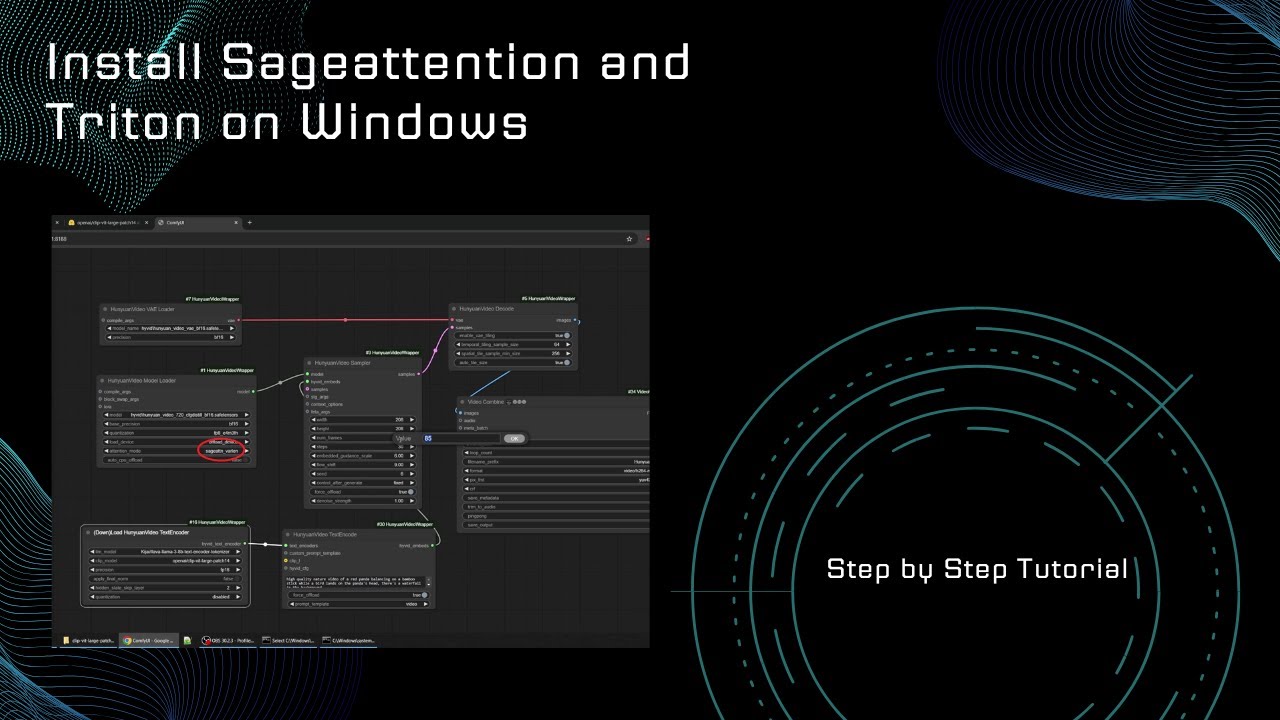
Step by Step tutorial on how to Install Sageattention and Triton on windows inside ComfyUI with Hunyuan Video.
Update on installing Visual Studio: User intLeon on reddit suggested that the Visual Studio Build Tools need to be installed and c++ desktop support to be added there.
So if you get the Error: SamplerCustomAdvanced - Failed to find C ...
🤔
 runic lake
that worked nicely for me. running hunyuan video fp16 and torch.compile with 3090 nicely.
thin flame
can i ask for a workflow that can do pony lora and controlnet pls?
wispy kelp
runic lake
that worked nicely for me. running hunyuan video fp16 and torch.compile with 309...
windoze?
runic lake
wispy kelp
windoze?
Windows11 yes
wispy kelp
Is it 3x faster?
is it worth the headache of wrestling with triton?
that would make SD15 generate in 10 seconds on a 3090
and sdxl less than 30
runic lake
wispy kelp
Is it 3x faster?
Triton+sage+wavespeed gives me propably twice the speed on hunyuan video. So from 6+min to 3+ min
I wont get triple speed with them
 winter onyx
Here's my problem. After adopting a workflow and learning that I can't really run most of the SAM models, i decided to replace the entire group of the SAM nodes, and instead add a load image node and loading the masked object. But I quickly realized that the masked object isn't being respected (only the outline) and being completely replaced.
If possible, I would like someone to check the workflow to help me determine the potential solutions on how can I resolve the problem (or if I'm doing something wrog with the nodes etc.)


 golden iris
Soo... I just updated my ComfyUI, but now none of my lora's shows the preview image anymore?
wispy kelp
Update at your own risk...
 ashen valley
hello
can someone help me?
i figured out how to use xy plotter
but i have no idea how to use it to change lora strength
so on the x i want lora strength -5 to 5
and on y i want to load different loras
the y part is easy but i cant do anything on the x value
ashen valley
also the efficient ksampler isnt working
or the loader
one of them makes my images become random noisemaps

 rose cobalt
What's the best way to train Flux LoRA in comfy right now?
kindred mirage
rose cobalt
What's the best way to train Flux LoRA in comfy right now?
use FluxGym
Training loras in comfy isnt the best and should always use dedicated trainers
rose cobalt
Got it. thx for the advice
kindred mirage
np
OneTrainer for 1.5 and sdxl and maybe 3.5, i havent tested yet personally, its on my todo list.
fluxgym for flux based loras
 ivory orbit
Hi,
Is there a way to make almost perfect anime backgrounds with Pony (or SDXL / Illustrious, but not Flux) for visual novels? I mean, simple backgrounds, without visible flaws.
I often get nice backgrounds, but flawed (a bit of blur, bit of wobbly lines, bit of elements that are not good like a clock, etc.)
I don't need complex backgrounds or highly detailed backgrounds, but "clean" backgrounds.
I tried upscaling, it's better, but still flawed.
How do you get good anime backgrounds?
kindred mirage
better prompting
rose cobalt
Why is flux dev (fp8) quality so bad at 512px compared to 1024px?
 stable tide
Hello, I have an issue with diffusion models on a new computer
it's with an RTX 4090, with wsl. when testing it with flux-dev, it seems to take forever to generate an image, several long minutes
what do you think im might be missing?
 maiden hollow
rose cobalt
Why is flux dev (fp8) quality so bad at 512px compared to 1024px?
maiden hollow
rose cobalt
Why is flux dev (fp8) quality so bad at 512px compared to 1024px?
because it was trained with higher resolution images. You might just have bad sampler settings set up for 512 too.
i used the base flux model weights for this, but loaded with "float8-e4m3fn" which is essentially the same as downloading the fp8 specific file. 512 works fine
 maiden hollow
stable tide
Hello, I have an issue with diffusion models on a new computer
it's with an RTX ...
maiden hollow
stable tide
Hello, I have an issue with diffusion models on a new computer
it's with an RTX ...
is your wsl instance installed properly? have you confirmed the drivers are on there right? is the virtual drive that wsl is using on the ssd?
stable tide
maiden hollow
is your wsl instance installed properly? have you confirmed the drivers are on t...
I confirmed it is using cuda
stable tide
maiden hollow
is your wsl instance installed properly? have you confirmed the drivers are on t...
i used the offical wsl2 documentation, I only have an ~4TB ssd on this computer
stable tide
maiden hollow
is your wsl instance installed properly? have you confirmed the drivers are on t...
and i used this repo https://github.com/black-forest-labs/flux
maiden hollow
4090 Should be faster than several minutes. I can't think of other common reasons it might take longer. sorry
stable tide
maiden hollow
4090 Should be faster than several minutes. I can't think of other common reason...
is it possible that the issue is that it sends some of the model to the ram?
it is around 40GB i think, and i only have 24 GB vram
maiden hollow
flux dev is 23.8 gb and comfyui should manage that memory effectively. I use it in 16gb of vram because not all of it needs to load. the t5 and clip can be moved to system memory after they're done
kindred mirage
rose cobalt
Why is flux dev (fp8) quality so bad at 512px compared to 1024px?
because its not trained on 512. its trained on 1440p res. dont gen at 512. gen at 1024-1440
kindred mirage
stable tide
is it possible that the issue is that it sends some of the model to the ram?
try launching with gpu only
stable tide
kindred mirage
try launching with gpu only
I tested it again, if i close everything it takes about 3.4 minutes when everything is default, I have 24 GB vram, Which I think is abit too small for loading the entire model into
kindred mirage
no
24vram is more than enough
gets up to 2it/s with wavespeed and compile+ thats not the issue
the issue is youre either running out of ram or on hdd
so its super slow
hmm reading up you have ssd so thats not it
stable tide
kindred mirage
hmm reading up you have ssd so thats not it
When I look at the weight files its around 23 GB, when i look at task manager, i see both the ram and vram go up when loading the model
How do i launch with gpu only?
kindred mirage
should be --gpu-only iirc
stable tide
 kindred mirage
may have to look up comfy command args
yes its a big file
personally on my 3060 and 64 system ram takes me 2 minutes to load
then its cached
stable tide
i am using the offical flux repo and not compfy ui
kindred mirage
then idk why youre asking help in comfy if youre not using comfyui
stable tide
kindred mirage
then idk why youre asking help in comfy if youre not using comfyui
i figured you guys are the best at debugging this, but im starting to think the issue really is that im not using compfy :P, or models optimized for it
it's a new pc 😋
kindred mirage
lol yeah for general questions best to ask in tech suppirt
when you ask help in these channels we'll assume its for this specific channels
i.e comfyui :p
stable tide
kk, I will ask for opinions
 thorny lily
stable tide
and i used this repo https://github.com/black-forest-labs/flux
thorny lily
stable tide
and i used this repo https://github.com/black-forest-labs/flux
Research repos are not well optimized, if you want optimized code you want an actual end user tool like swarm or comfy
rose cobalt
How do I use multiple lora's in a flux workflow? Just two LoraLoaderModelOnly nodes one after another?
Tried that but results were pretty bad
kindred mirage
link the lora nodes one after another yee
sly sundial
rose cobalt
How do I use multiple lora's in a flux workflow? Just two LoraLoaderModelOnly no...
Use something like the power lora loader, so you can load multiple loras in one node.
verbal sky
New video is now live (fun for the weekend!) - Exciting dynamic prompts, cache boosters, advanced styling, adherence awesomeness and more! - https://youtu.be/dtdJ-XiaHv8

In this video, we dive deep into the world of Dynamic Prompts 🌀, exploring how to take your creativity to the next level. Discover advanced techniques for modifying and customizing the Mile High Styler ✨, unlocking its full potential for unique, standout styles. Learn how to supercharge your workflow with TeaCache ☕ and WaveSpeed ⚡, delivering i...
 dense hamlet
I've just updated Comfy and downloaded the basic workflow json for Cosmos using 7B-Video2World. I get the following error when attempting to generate a video (everything set to the defaults per the json): CosmosImageToVideoLatent "conv_depthwise3d" not implemented for 'BFloat16'. Any idea what causes this or how to address it? Thank you.
 winter smelt
hosting my comfy workflow behind this domain! check it out
kindred mirage
or you could share the workflow here
 serene oriole

 golden iris
Pulid?
Oh, now i see. Sorry, can't help with that. Thought there was a typo in that question. Mah bad :3
 silent cargo
yoo, whenever i want the manager to install missing custom nodes it doesnt show me the missing ones and i need to find them manually which really sucks, does anyone maybe know what im doing wrong?

 vapid dagger
a long sword, simple color, no one, game icon, 2D animation style, white background
wicked trench
Hi guy's, is they're any node who allow me to load lora's file into a folder with their name ( string ) as input, Im trying to create a XY plot for flux ( none of the workflows I found from now working ) Thanks !
sly sundial
silent cargo
yoo, whenever i want the manager to install missing custom nodes it doesnt show ...
Do you know what the nodes are? It's probably just that they're not in the manager's list of known nodes.
golden iris
(Reposted from Tech Support) (Different set of skill, and users per channel)
Anyone got some suggestions on how I can best clean my lora folder? xD Besides reinstalling all.
When i first began the venture into SD, i kinda just pressed "Download" and "Save", not editing the file name.
Like, is there a node in Comfy, that allows for Renaming? (Can't rename in Folder, cause its in-use by the WebUI)
kindred mirage
no, either download metadata for the models that it populates preview images or rename them/delete
 peak geyser
Hello, do you guys know which node renders an output like this? I need to detect edge from a mask image and then modify their thickness.
 peak geyser
I mean is anything else than controlnet canny edge. Something less hardware demanding.
Thickness can be modified in photoshop by using "minimum/maximum filter"
I wonder if something like that exists in comfy
https://www.youtube.com/watch?v=kFM1UhVOnfU

A quick method to increase thickness of image in Photoshop.
kindred mirage

Reddit
Explore this post and more from the comfyui community
 opaque berry
why is it that I no longer can drag a workflow file into comfyUI ? notting happans when I do that
livid gust
Hmm, still works for me. Try a direct open of the workflow to see if that still works. Otherwise, click yea old update Comfy button.
opaque berry
thank you, I will try
 topaz yarrow
I made this app for generating 1000s of comfyUI images with minor tweaks to workflows declared with yaml. it works great as a queue manager and adds a pause button to your ComfyUI jobs. check it out here https://github.com/halkony/comfy-tweaker



GitHub
Contribute to halkony/comfy-tweaker development by creating an account on GitHub.
sharp topaz
Quick question! Is it possible to use comfyui in the colab free tier nowadays? I remember it used to kick me out of the runtime, etc, but now i see that it is working fine. Was I lucky or is it possible now?
 white patio
Hey all. It's my first day in ComfyUI and I am looking at an existing workflow file and reverse engineering it so I can learn. One thing I noticed is every time I make a change in the file, it overwrites the file. This is not behavior I was expecting and I'm wondering how to disable that so I have to manually save.
I've searched here for previous posts about it. I found a config.json and a default.json that had "Overwrite: true" parameters and changed them to false, but that wasn't it. I've been Googling for hours 😅
 sand topaz
Hi Did you found the way to replicate Magnific workflow?
 forest birch
Is there a custom node for inpaint painting? Or are there no "in-comfy paint to replace"?
 cunning osprey
@kindred mirage Do you know what this error means?

I attached my workflow.
And error.
cunning osprey
kindred mirage
https://education.civitai.com/quickstart-guide-to-flux-1/
I have all of these and then some, I was following a video. The only thing that seems to differ is the VAE.
I am running it with the change in VAE
Seems like something is having an error on the IPEX end..
cunning osprey
kindred mirage
idk what ipex is
Intel Extension for Python, essentially a framework that is designed to Optimize PyTorch Models for Intel Grpahics
The only solutions I have been reading about are changing the code.
Any assistance and me not having to do that would be ppreciated.
cunning osprey
cunning osprey
<@289981989480562688> Do you know what this error means?
I also had the following issue when I tried to run this workflow, but instead used ComfyUI's "--disable-ipex-optimize" on its start-up:
So a different issue altogether.
cunning osprey
kindred mirage
idk what ipex is
Pretty sure I have now figured it out now.
How quickly did you say you were capable of generating an image on your end?
cunning osprey
Also my images keep coming out as just black :I
silent cargo
yo does anyone know the fix to this problem?

this happens on all my workflows after deleting and reinstalling the manager
verbal sky
Newest video just released to the world - AMAZING realistic skin textures, PulID version 2, Flux Redux and Blur FX (tons of amazing new techniques to pick up!). Enjoy! 🙂 https://youtu.be/1llCjwo3rVM

✨In this video, I’ll showcase the ComfyUI power of PulID v2 🎭, a game-changing tool for seamless face swapping and importing faces from reference images with stunning accuracy. We’ll also dive into Redux 🎨, an innovative feature that takes in image ingredients and automatically crafts breathtaking composited masterpieces. Plus, I’ll explore the ...
 pearl magnet
lo all im getting an error : RuntimeError: CUDA error: no kernel image is available for execution on the device its a rtx5080. do i need to wait for an update or ?
kindred mirage
wtf
surreal whale
pearl magnet
lo all im getting an error : RuntimeError: CUDA error: no kernel image is availa...
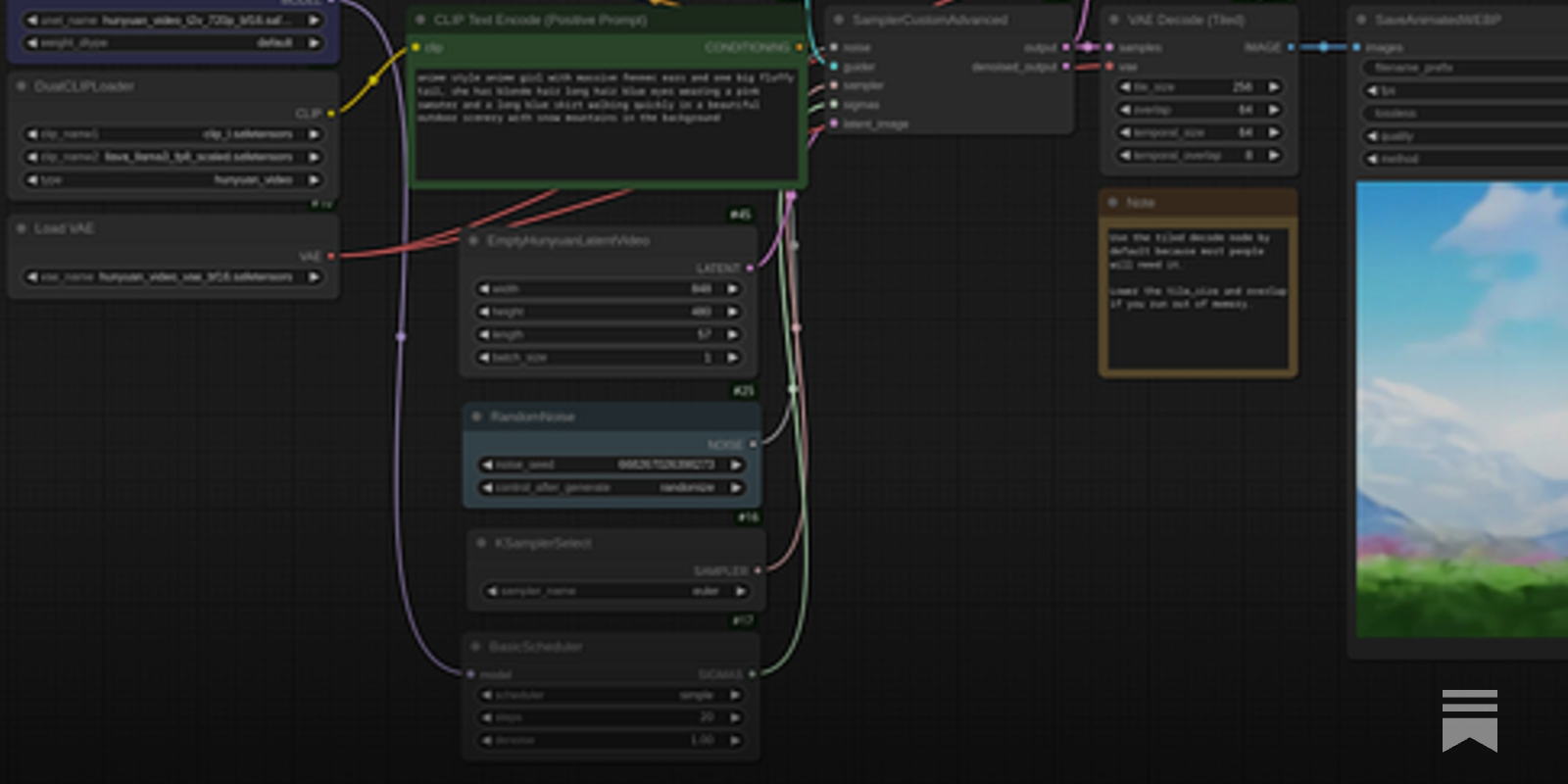
ComfyUI has day 1 support for the new 50 series Blackwell GPUs.
 pine oriole
I built a 360 panorama image viewer for ComfyUI: https://github.com/ProGamerGov/ComfyUI_preview360panorama
GitHub
A custom ComfyUI node for interactive 360° panorama image previews. - ProGamerGov/ComfyUI_preview360panorama
 desert jungle
pine oriole
desert jungle
pine oriole
This is insane fr
lusty pewter
That avatar, tho... looks like a pair of underwear.
 turbid bolt
is there a node that'll let me cycle through checkpoints for each queue so i can get a batch of images with only the checkpoint changed without having to do it manually?
turbid bolt
oh cg-random. now to figure out how to get checkpoint name output to save image extended
merry ermine
How do i load a json with comfyui? i'm trying to do this :
 lusty pewter
merry ermine
How do i load a json with comfyui? i'm trying to do this :
lusty pewter
merry ermine
How do i load a json with comfyui? i'm trying to do this :
the JSON is the workflow. You can open the workflow from the menu or simply drag the JSON file into the workflow window and it'll open up.
merry ermine
lusty pewter
the JSON is the workflow. You can open the workflow from the menu or simply drag...
Ah thanks a bunch, first time using ComfyUI
So i guess once i do that, i can save the workflow and not need to do it again
lusty pewter
If that's what you want to do, yeah.
 digital mortar
We are looking for some help with our Comfy workflow. Idk if this is the best place to ask this but would love to see if someone here would be interested in helping. We of course would pay
 primal otter
I am a programmer, but creating a hello world type node is proving difficult.
The issue feels very simple.
I am trying to create a simple node that concats two strings.
But I am receiving this error:
[ERROR] An error occurred while retrieving information for the 'simpleNode' node.
Traceback (most recent call last):
File "C:\ComfyUI_windows_portable\ComfyUI\server.py", line 589, in get_object_info
out[x] = node_info(x)
^^^^^^^^^^^^
File "C:\ComfyUI_windows_portable\ComfyUI\server.py", line 558, in node_info
info['output'] = obj_class.RETURN_TYPES
^^^^^^^^^^^^^^^^^^^^^^
AttributeError: type object 'simpleNode' has no attribute 'RETURN_TYPES'
The actual node itself is very simple. enough to post right here:
class simpleNode:
@classmethod
def INPUT_TYPES(s):
return {"required": {#"inputName": (), #Expected: list of Pre-defined options #"lora_Name": (comfy.lora.load_lora), #Expected: Menu with a list of Lora Names
"userInt": ("INT", {"default": 3, "min": 0, "max": 100}),
"userString": ("STRING", {"default": "HelloWorld"}) #Expected: User entered option
}}
#Capital values could be related to how Comfy observes a node
    RETURN_TYPES = ("STRING",)
    FUNCTION = "concat_values"
    CATEGORY = "Volundrs/First" #Menu values

    def     concat_values(userInt, userString):
            finalValue =  userInt + userString
            return (str(finalValue))
NODE_CLASS_MAPPINGS = {
"simpleNode": simpleNode
}
NODE_DISPLAY_NAME_MAPPINGS = {
"simpleNode": "simpleNode"
}
thorny lily
primal otter
I am a programmer, but creating a hello world type node is proving difficult.
Th...
welcome to python: your tabs/spacing is all wrong, and that's why it's broken
primal otter
thorny lily
welcome to python: your tabs/spacing is all wrong, and that's why it's broken
Uufda. We'll see if I can't fix my tabs. I thought I had them perfect but I must be missing something dumb.
wispy kelp
I just ask chatGPT to write my code. XD
obtuse latch
For comfyui if I wanted to get the prompt from a exported png (with embeeded prompts) would I just grab the image header in python?
obtuse latch
primal otter
I am a programmer, but creating a hello world type node is proving difficult.
Th...
AttributeError: type object 'simpleNode' has no attribute 'RETURN_TYPES'
obtuse latch
digital mortar
We are looking for some help with our Comfy workflow. Idk if this is the best pl...
What you looking for?
primal otter
obtuse latch
`AttributeError: type object 'simpleNode' has no attribute 'RETURN_TYPES'`
I figured out the bug. Thanks 🙂
 coral mist
Hey Stable Diffusion community!
I've seen those funny Photoshop requests floating around where people ask artists to add them into a vacation photo they missed. It got me thinking... is there a way to automate this kind of request, similar to how Pika's new "addition" feature works for video? I'm specifically looking for a solution for photos, not video.
My current understanding is that one approach would be to inpaint a "stand-in" figure into the photo, then use a face-swapping technique to replace that figure's face with the person's photo. However, this seems like a somewhat manual process.
I'm wondering if anyone has developed or knows of any ComfyUI workflows (or any other automated methods) that could streamline this? Ideally, something that could potentially be batch-processed.
Any pointers, ideas, or even just brainstorming would be greatly appreciated! Thanks in advance!
livid gust
Check out SEGS funtionality. This should allow you to isolate figures in the source photo. You could also inviestigage RemBG to remove the background from the source. After that, composite the isolated figures onto the background before supplying it as composition frame for the IPAdapter.
coral mist
livid gust
Check out SEGS funtionality. This should allow you to isolate figures in the sou...
I think the difficulty lies in inpainting a new person to the image in a place that makes sense, in an automated way.
That might be too difficult even. So I'm playing with the thought of building a GUI where the user uploads an image and then selects (draws a rectangular path) where their body should be inserted.
AI will inpaint a body (male/female/child whatever they prefer) and then I'll use some faceswapper to use the correct face
 short jackal
Is there an Adetailer equivalent on Comfui . Fatales seems to completely change the face for me
candid tangle
coral mist
I think the difficulty lies in inpainting a new person to the image in a place t...
shadows are a massive problem with that, you can't reasonably automate having it mask where the shadow should be for removals/additions, so for me automation seems to work best when changing what's already there instead of removing/adding
candid tangle
short jackal
Is there an Adetailer equivalent on Comfui . Fatales seems to completely change ...
facedetailer nodes are the easy way, but I prefer using face detection and Inpaint Crop & Stitch nodes to get more control over the process
 coral mist
candid tangle
shadows are a massive problem with that, you can't reasonably automate having it...
coral mist
candid tangle
shadows are a massive problem with that, you can't reasonably automate having it...
Thanks, haven't thought about the shadows that does seem to be an additional issue 🤔
 void shale
boys i need help, first time seeing this:
void shale
void shale
boys i need help, first time seeing this:
@tacit haven sorry for bothering you, i was trying to run hunyuan with sageattention im getting this error
didn't see any mentions of this error so far anywhere
can you help me?
 tacit haven
void shale
<@228118453062467585> sorry for bothering you, i was trying to run hunyuan with ...
tacit haven
void shale
<@228118453062467585> sorry for bothering you, i was trying to run hunyuan with ...
MSCV isn't setup correctly, it's looking for it's path from the "CC" environment variable... whole thing is it's own special kind of hell
something like this
 void shale
i should have it pathed, maybe its because its comfy portable
tacit haven
the annoying part is that there are multiple different ways of getting the path and you never know which one has priority, so you may have it right elsewhere and then some code decides to ignore that and look for it itself
tacit haven
void shale
i should have it pathed, maybe its because its comfy portable
nah this one is system wide
but as it says it's looking for CC variable, adding that should help
there was something else that ignored all env variables and actually searcher the file system.... which for me then pointed to wrong version, that was extra annoying to troubleshoot
void shale
trying to path as CC
lets see
god it took me like 4 days to fix all of the problems for the sageattention to work, the CC is just hell to deal with, i've had no idea it just needed a path
HyVideoSampler
Command '['C:\Program Files\Microsoft Visual Studio\2022\Community\VC\Tools\MSVC\14.43.34808\bin\Hostx64\x64\cl.exe', 'C:\Users\u1\AppData\Local\Temp\tmp3fjwnoao\main.c', '/nologo', '/O2', '/LD', '/wd4819', '/IC:\SD\ComfyUI_windows_portable_nvidia\ComfyUI_windows_portable\python_embeded\Lib\site-packages\triton\backends\nvidia\include', '/IC:\Program Files\NVIDIA GPU Computing Toolkit\CUDA\v12.8\include', '/IC:\Users\u1\AppData\Local\Temp\tmp3fjwnoao', '/IC:\SD\ComfyUI_windows_portable_nvidia\ComfyUI_windows_portable\python_embeded\Include', '/IC:\Program Files (x86)\Windows Kits\10\Include\10.0.26100.0\shared', '/IC:\Program Files (x86)\Windows Kits\10\Include\10.0.26100.0\ucrt', '/IC:\Program Files (x86)\Windows Kits\10\Include\10.0.26100.0\um', '/link', '/LIBPATH:C:\SD\ComfyUI_windows_portable_nvidia\ComfyUI_windows_portable\python_embeded\Lib\site-packages\triton\backends\nvidia\lib', '/LIBPATH:C:\Program Files\NVIDIA GPU Computing Toolkit\CUDA\v12.8\lib\x64', '/LIBPATH:C:\SD\ComfyUI_windows_portable_nvidia\ComfyUI_windows_portable\python_embeded\libs', '/LIBPATH:C:\SD\ComfyUI_windows_portable_nvidia\ComfyUI_windows_portable\python_embeded\libs', '/LIBPATH:C:\SD\ComfyUI_windows_portable_nvidia\ComfyUI_windows_portable\python_embeded\libs', '/LIBPATH:C:\Python312\libs', '/LIBPATH:C:\Program Files (x86)\Windows Kits\10\Lib\10.0.26100.0\ucrt\x64', '/LIBPATH:C:\Program Files (x86)\Windows Kits\10\Lib\10.0.26100.0\um\x64', 'cuda.lib', '/OUT:C:\Users\u1\AppData\Local\Temp\tmp3fjwnoao\cuda_utils.cp312-win_amd64.pyd']' returned non-zero exit status 2.
oh god
C:\Program Files (x86)\Windows Kits\10\Include\10.0.26100.0\ucrt\corecrt.h(10): fatal error C1083: Cannot open include file: 'vcruntime.h': No such file or directory
seems to cause this... well back to troubleshooting
void shale
to anyone reading this in the future, you need to install lots of libs in c++
 pliant hemlock
Has anyone ever seen simple switches for ComfyUI? I know ImpactPack and rgthree's pack has them, but the packs are too massive when all I want is just the switches. Multiple Inputs to One Output, and One Input to Multiple Outputs. I've been trying to make them myself, but I can't figure out the Javascript needed to make them function.
livid gust
The main problem I have with switches is that Comfy isn't smart enough to only compute the currently switched value. All input values are pre-computed, then the switch evaluates and supplies one of the inputs.
pliant hemlock
livid gust
The main problem I have with switches is that Comfy isn't smart enough to only c...
Supposedly it caches intermediary values now, so it doesn't rerun the same things repeatedly. At least that's been my experience. It does complain about this or that not having an input value though.
As an example, I made a massive grid of Preview Image Nodes for X/Y style comparisons. It works just fine, but the server console fills up with "this node doesn't have an input, ignoring"
livid gust
In my case I was generating different TTS voices. Each queue fetched a new chapter from the book. I wanted to cycle through different voices for different chapters, so there was no way to "pre-cache" anything. Comfy blindly calculated all five TTS MP3 files everytime. This was a switch running inside a loop.
candid tangle
pliant hemlock
Has anyone ever seen simple switches for ComfyUI? I know ImpactPack and rgthree'...
I prefer the switches by Crystools. I use them to make it easy to enable/disable things via Group Bypasser.
pliant hemlock
candid tangle
I prefer the switches by Crystools. I use them to make it easy to enable/disable...
Yeah that's not even remotely feasible (for my usage). I've already seen one of those called Floodgate. https://github.com/Haoming02/comfyui-floodgate/

GitHub
A Custom Node for ComfyUI that allows you to control the logic flow - Haoming02/comfyui-floodgate
I have 81 Preview Image nodes (biggest workflow is 440 PI nodes) that need a switch from ImpactPack (which is just too massive for my use, yet I need that switch)
untold haven
There is someone that could help me to fix it?

 tight harness
venv "C:\Users\DELL\Desktop\stable-diffusion-webui-master\venv\Scripts\Python.exe"
Python 3.10.9 (tags/v3.10.9:1dd9be6, Dec 6 2022, 20:01:21) [MSC v.1934 64 bit (AMD64)]
Version: 1.10.1
Commit hash: <none>
Traceback (most recent call last):
File "C:\Users\DELL\Desktop\stable-diffusion-webui-master\launch.py", line 48, in <module>
main()
File "C:\Users\DELL\Desktop\stable-diffusion-webui-master\launch.py", line 39, in main
prepare_environment()
File "C:\Users\DELL\Desktop\stable-diffusion-webui-master\modules\launch_utils.py", line 387, in prepare_environment
raise RuntimeError(
RuntimeError: Torch is not able to use GPU; add --skip-torch-cuda-test to COMMANDLINE_ARGS variable to disable this check
请按任意键继续. . .
why is that
obtuse latch
for flux, does anyone have a upscale example? Or what should I be using?
 stiff drift
is there any way to add text encoer and clip? like clip_I and t5xxl_fp16?

I can't find how to add them (I switched from automatic1111 to forge to comfy-ui)
pliant hemlock
stiff drift
I can't find how to add them (I switched from automatic1111 to forge to comfy-ui...
Doubleclick empty space for node searching, type in clip or load.
stiff drift
pliant hemlock
Doubleclick empty space for node searching, type in clip or load.
thank you 😀
it's easier to find things now
i was having difficulties searching for certain things
 shell bobcat
hello, i want to color black and white sketches in comfyui. can someone guide me on how to do it?
livid gust
Search for the IPAdapter and visit the github. There's a tutorial on style transfer. You could also search youtube.
candid tangle
stiff drift
is there any way to add text encoer and clip? like clip_I and t5xxl_fp16?
here's a good and fast Flux workflow if you want to try it, the workflow is embedded in PNG so you can just drag it into Comfy
 stiff drift
candid tangle
here's a good and fast Flux workflow if you want to try it, the workflow is embe...
stiff drift
candid tangle
here's a good and fast Flux workflow if you want to try it, the workflow is embe...
ty for the workflow, i'll try it out soon

it look better than the one i use right now
stiff drift
candid tangle
here's a good and fast Flux workflow if you want to try it, the workflow is embe...
i'm having an issue with your workflow, i'm missing certain thing (i don't know if they are extensions or other things)

can you help me?
candid tangle
Manager, Install Missing Custom Nodes
 stiff drift
candid tangle
Manager, Install Missing Custom Nodes
stiff drift
candid tangle
Manager, Install Missing Custom Nodes
where exactly is that?
candid tangle
top menu and blue Manager button, you have to run a file during installation though so I'm guessing you didn't do that yet
if you don't see it then try running this, \ComfyUI_windows_portable\install-manager-for-portable-version.bat
stiff drift
candid tangle
top menu and blue Manager button, you have to run a file during installation tho...
thank you
i thought i had to go in the ComfyUi-Manager folder in the custom_nodes folder
i don't know how i didn't see the big Manager button before asking where it is
candid tangle
the first 10-20 hours can be pretty rough, but definitely worth it
stiff drift
yeah, i already noticed how comfy is better than forge and automatic1111, managing workflow is way easier, no need to change every setting each time i launch the ui
being able to have multiple workflow open at the same time is nice too
wicked trench
Hello, is they're an alternative to this node ? Im using locally for increase the sharpness / contrast of my image of better realism but this pack of node not working on my serverless endpoint with runpod 😦
 pliant hemlock
wicked trench
Hello, is they're an alternative to this node ? Im using locally for increase th...
pliant hemlock
wicked trench
Hello, is they're an alternative to this node ? Im using locally for increase th...
If you're getting a solid black image your node is working fine. You have brightness set to 0 after all.
void shale
cmon triton... 12.8 > 10.0 why do you do this

anyway, we gotta wait for triton to push 12.8 support, it only works for up to 12.6 atm for anyone trying sageatt
 pulsar island
Anyone know how i can use reference image here

i beginner want to connect the reference image with VAE encode on KSampler but i need use "Empty latente image" too what should i do here
livid gust
You don't need the Empty Latent. Simply resize the image to the Empty Latent size before supply it to the encoder. Then you can connect the encoded latent to the KSampler. Remember, with a denoise value of 1.0, the reference image will have no effect. Lower it to 0.5 to establish some of the look from the supplied image.
Another option is to use the IPAdapter to transfer style or composition to a prompted image.
pulsar island
livid gust
You don't need the Empty Latent. Simply resize the image to the Empty Latent siz...
hmm ok btw can i send u the workflow i using and u change it so i can understand it better
used to a1111
comfyui still little confuse for me
livid gust
You don't even need to do the resize if you supply a resonable sized reference image. Just drag the pink latent dot to the pink dot on the Ksampler and lower the denoise value to 0.5. Like a1111, Comfy is a lot of trial and error.
pulsar island
livid gust
You don't even need to do the resize if you supply a resonable sized reference i...

like that?
ok
pliant hemlock
livid gust
You don't even need to do the resize if you supply a resonable sized reference i...
You don't even have to do that. You can just drag the end directly onto the node, no colored dot needed except for the origin node
pulsar island
pliant hemlock
You don't even have to do that. You can just drag the end directly onto the node...

is this right?
connected the vae too now
pliant hemlock
pulsar island
connected the vae too now
I've never messed with img2img on comfyui but it looks fine to me.
pulsar island
time to test
verbal sky
Newest video tutorial for creating video is live! Skyreels is pretty amazing, plus easy text fixes as well as the return of gradients in Flux. Enjoy! https://youtu.be/jqqH-INCs-E

🔥Experience the power of SkyReels, a groundbreaking local video model that delivers stunning quality with amazing results for local generation! 🌟 In this video, I’ll show you how SkyReels transforms video generation, how to boost generation speeds and even walk through the pros and cons of the model. Plus, I’ll dive into easy text fixes ✏️, show...
 dense sphinx
Guys I'm beginning to tinker with video. I don't seem to have any of the hunyuanvideo nodes and don't know where to get them. please and thank you
bleak stump
Liminal Found Footage - [Flux Experiment]
More experiments, and project files, through: https://linktr.ee/uisato


Technique consisting in a new synthetically trained AI model [FLUX.D LORA], some ComfyUI wizardry, and human editing.
Both music, and visuals, by myself.
You can access the full project files through: https://www.patreon.com/c/uisato
 slender hedge
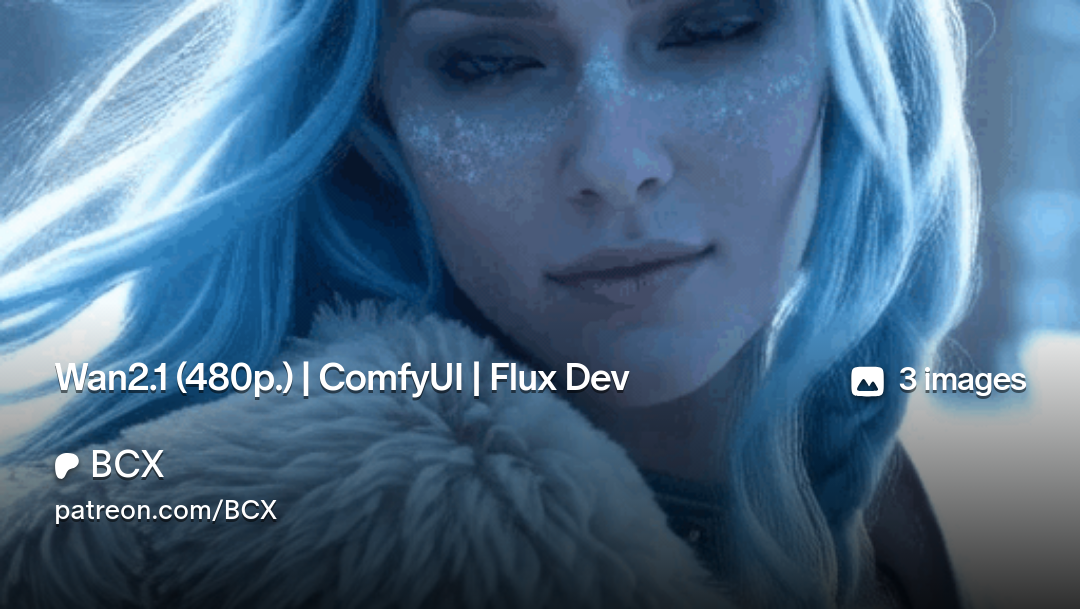
Wan2.1 (480p.) | ComfyUI | Flux Dev
https://www.patreon.com/posts/wan2-1-480p-flux-123272784?utm_medium=clipboard_copy&utm_source=copyLink&utm_campaign=postshare_creator&utm_content=join_link


 dense sphinx
Guys I could really use some help. I'm attempting to install sageattention. I have followed all the steps to install triton. CL works, I install python -m pip install trion wheel, and it still says no module named triton found.
forest birch
Is generations with comfy still affected by hardware accelerated gpu scheduling? Or was that only a automatic1111 issue?
 lost berry
I have no clue from anything about how to use all these things in comfy UI and do not know how to install all these and getting good result would there be anyone who want to help me pls dm me
pliant hemlock
lost berry
I have no clue from anything about how to use all these things in comfy UI and d...
ComfyUI has a lot of things already built in, I recommend looking at the documentation. https://blenderneko.github.io/ComfyUI-docs/
lost berry
pliant hemlock
ComfyUI has a lot of things already built in, I recommend looking at the documen...
no i mean like i have seen some good checkpoint models and loras on civit ai but i have no clue how to build a good workflow with them to achive my goals so it would be nice if someone could show me how these things work and maybe help me build a good workflow, but thanks for your Suggestion
 snow crow
lost berry
no i mean like i have seen some good checkpoint models and loras on civit ai but...
snow crow
lost berry
no i mean like i have seen some good checkpoint models and loras on civit ai but...
Hi. Maybe start with downloading ComfyUI workflows from openart.ai so you get the general gist of how it should be done, watch more tutorials depending on your needs and goals from ComfyUI, and integrate ComfyUI manager inside, it'll help you more in the future. I hope this helps 🙂
 languid wraith
Hi, I wanna use ComfyUI to build consistent character for my pixel art game assets, where should I start and any resources to learn? Appreciate all your support 🙏
pliant hemlock
languid wraith
Hi, I wanna use ComfyUI to build consistent character for my pixel art game asse...
First I recommend a good palette like DB16 or DB32, then lots and lots of practice.
 hardy tree
@storm folio i see you added support for LTXV 0.9.5, but where is the model?
or is it too soon for that :3
 storm folio
the model hasn't launched yet
the code was pushed to make sure everything is stable and to have time to do a release before it actually comes out
the new nodes work on the current ltxv so you can try them now if you want
hardy tree
ah ok cool ! im so excited to try all these new image to video models releasing these days, its crazy 😮
languid wraith
pliant hemlock
First I recommend a good palette like DB16 or DB32, then lots and lots of practi...
can you suggest some good resources to start with? I'm total newbie in this space sorry 🙏
pliant hemlock
languid wraith
can you suggest some good resources to start with? I'm total newbie in this spac...
I've never seen a model trained on the image sizes you would normally use with pixel art assets (32x32, 48x48, 64x64, etc). That's why I was saying you might just have to do it manually. There might be stuff out there for pixel art, but it's usually bigger.
 crystal shadow
is there any other free way to run comfyui except colab?..ran out of credits
pliant hemlock
crystal shadow
is there any other free way to run comfyui except colab?..ran out of credits <:w...
Locally on your own machine
crystal shadow
 got gt710..nvm
 wind rapids
Hi, I wanted to try to create a video starting from 1 photo. I installed: HyVideo. But when I go to create it gets to 39% then I get this error
 livid gust
You may need to run the requirements.txt to make sure all the supporting modules for HyVideo are installed.
 wild silo
does anyone know a good controlnet model to use canny?
 meager harness
Hello, I am struggling with getting ComfyUI to work with my AMD 5700/5700 XT on linux. I found in a github issue a tip to downgrade to torchvision-0.17.0a0+rocm5.2-cp310-cp310-linux_x86_64.whl and torch-2.1.0+rocm5.2-cp310-cp310-linux_x86_64.whl, however trying to run the program with them, I'm getting No HIP GPUs are available. Any ideas?
hardy tree
@low mist hey sorry to bother you, i am trying to run your Chroma 😮
but i am using GGUF and the workflow picture you provided and it gives some errors.
there seems to be a problem with using gguf with the nodes you provided and the
workflow you shared. so either can you:
- provide a working workflow with a GGUF version of your model
- is GGUF actually not really working and I have to use the normal checkpoint
 low mist
im not maintaining the GGUF version so idk
try the normal checkpoint first?
you can run it on 8bit quantization
hardy tree
ok will see and let you know
now i get this error on Ksampler step:
self and mat2 must have the same dtype, but got BFloat16 and Float8_e4m3fn

hmm ok i managed to get a result! 😮
i basically switched to the GGUF version and select 8bit mode as well and then it seems
to generate
idk weird
well at least it's working haha
crystal shadow
where can I download clip file to avoid this error? Prompt outputs failed validation
CLIPLoader:
- Required input is missing: clip_name
meager harness
If i try ro run ComfyUI tutorial workflow on my AMD 5700 XT without setting HSA_OVERRIDE_GFX_VERSION, then I get HIP error: invalid device function on CLIPTextEncode. However, if I run a torch tester script python -c "import torch; torch.ones(2).to(torch.device(0))" it succeeds.
Meanwhile If I try to set HSA_OVERRIDE_GFX_VERSION=11.0.0 or HSA_OVERRIDE_GFX_VERSION=10.3.0, both of the avove lead to segfault. Which one is less problematic?
wind rapids
livid gust
You may need to run the requirements.txt to make sure all the supporting modules...
here it is in requirements.txt:
comfyui-frontend-package==1.10.17
torch
torchsde
torchvision
torchaudio
numpy>=1.25.0
einops
transformers>=4.28.1
tokenizers>=0.13.3
sentencepiece
safetensors>=0.4.2
aiohttp>=3.11.8
yarl>=1.18.0
pyyaml
Pillow
scipy
tqdm
psutil
#non-essential dependencies:
kornia>=0.7.1
spandrel
soundfile
av
livid gust
By using the portable version of ComfyUI, you'll have to manually execute the requirements.txt. This is not the case if you run ComfyUI inside the Pinokio browser. You'd have to execute a command similar to this while running your terminal in admin mode.
S:\ComfyUI_Classic\python_embeded\python.exe -m pip install -r requirements.txt
You'll have to correct the path to your embedded python.exe file and the full path to the requirements.txt file. A shortcut is to use the cd command inside the terminal to change to the directory where your target requirement.txt resides.
wind rapids
guys,new error while creating video: mat1 and mat2 shapes cannot be multiplied (308x768 and 4096x5120)
meager harness
Looks like using two mismatched models@wind rapids
wind rapids
meager harness
Looks like using two mismatched models<@941348990631428136>
ahhh,ok,thx a lot 🙂
meager harness
do you need pytorch to be build with CUDA support for ROCm? I built one with ROCm but without CUDA and seem to be getting AssertionError: Torch not compiled with CUDA enabled
hardy tree
@storm folio is there any GGUF version yet for the fixed Hunyuan i2v model?
cause thats a lot of GB :3
or if i only knew how to make my own quants 😦
 waxen whale
Requesting help with something... I'm still learning a few basics with Comfy.
I modified the default LTX i2v workflow to Group the prompt enhancer LLM feature (and add a Get Text node to see the text).
Also added another positive text encode node, so that I could either use the enhancer or not.
To switch between these I'm toggling "Bypass" on the group / manual prompt nodes.
I also have to change the "conditioning" connection which is not too complicated or anything, but I was wondering if there's a cleaner way to handle this? Not have to reconnect stuff? Because I'll likely be implementing this sort of logic in all sorts of workflows to toggle features, and I don't want to do it like a baboon.

 rustic raft
Anyone could share a working wf using SDXL + InstantID please ? 🙏
meager harness
getting this error when trying to run comfyui in a docker container based on rocm/pytorch image (to get it running on AMD GPU)
RuntimeError: Found no NVIDIA driver on your system. Please check that you have an NVIDIA GPU and installed a driver from http://www.nvidia.com/Download/index.aspx
Is this an indication that something is wrong with pytorch, that comfyUI somehow did not recognize that I have AMD GPU, or something else?
livid gust
Most virtual machines default to a software-based display driver. Perhaps Docker is too? Try running ComfyUI inside the Pinokio browser. CUDA works for that hosting app.
meager harness
@livid gustI am able to run stable diffusion in docker
I've enabled the options listed here to grant the container access to the GPU: https://rocm.docs.amd.com/projects/install-on-linux/en/latest/how-to/docker.html
Install ROCm Docker containers
also, if I run rocminfo from within the container, it lists the GPU
hardy tree
@storm folio saw your recent commit, what is a Wan control lora? or are those coming out soon 😮
storm folio

GitHub
Feature Idea Example control lora for Wan 1.3b: https://huggingface.co/spacepxl/Wan2.1-control-loras/blob/main/wan2.1-1.3b-control-lora-tile-v0.1_comfy.safetensors Reference inference code: https:/...
hardy tree
haha just as you wrote that, i found the same on huggingface :3
nice ❤️
hardy tree
@storm folio i saw you added a new sampler "er_sde". i updated my comfy, but dont see it
in the list within KSampler. is it fully implemented yet? :3
storm folio
refresh
hardy tree
hmm still doesnt show 😦
does it show on your end?
i checked the sampling.py within my portable comfy and it doesnt seem to update (contain the er_sde) when i click update comfyui within the manager...
oh nvm.... i figured it out... my comfy was set to update only based on stable releases. i had to switch to nightly mode and now i see it 😮
leaden coyote
what's currently the best detector for masks?
ultralytics and yolo8?
opaque berry
I get this trying to run a workflow intended for video:
 forest birch
It might be a very huge request, but I need someone to test it for me.
If any of you have a 3090 and 128GB ram, could you try and convert flux 1D, and use trt static converter with 512x512 and/or 1024x1024 with 1 frame?
As I wanna see if that will work at all. As on my system, whenever I try to convert, it'll eat all VRAM, all my 74GB ram, and then start hammering nvme for pagefile lol. So I need to find out if 128GB ram can save the conversion lol.
Or if even 128GB won't be enough.
Oops, forgot to name model lol
wild silo
the comfyui-manager default already come with the log review node, alright? i'm not finding it here even in add node/utils
untold haven
Why i can't upgrade Comfy?

 hollow turtle
https://huggingface.co/zer0int/CLIP-GmP-ViT-L-14 I'm trying to use this with SDXL (I read that it's compatible) to get better text on my gens

I'm doing something wrong? I keep getting weird results, idk if it may be bc I'm using Illustrious
 crystal shadow
is there any docs for comfyui?
where in I can see what the nodes are and what are their uses?
wild silo
crystal shadow
is there any docs for comfyui?
I found this one these ays, but i'm not sure if there is another one more complete
https://comfyui-wiki.com/en

The ComfyUI encyclopedia, your online AI image generator knowledge base
livid gust
@hollow turtle It looks like you're using a Flux clip to drive an SDXL model. Don't do that. Just plug the clip in from the SDXL model into your conditioning. Perhaps drop the CFG down to 6.0 to start.
crystal shadow
wild silo
I found this one these ays, but i'm not sure if there is another one more comple...
thank you!
rustic raft
Anyone could share a comfyui wf using Flux1D + ControlNet Depth ? a simple one...
wild silo
crystal shadow
thank you!
another good article for beginners in comfyui https://medium.com/@ilsilfverskiold/9c98d0f1f930

 half sun
hey there!
can anyone help me regarding my workflow
- Input Image: Single image (model wearing clothes)
- Background Prompt: nature/in-the-wild etc
- Pose Control: ControlNet applies 3 times (to 3 different pose images)
- LoRA: photography-specific lora
- Output: 3 images, each with a different pose but the same background and clothes
- Batch Processing: currently producing all 3 images in one go, each with a unique pose
im using basic workflow with sdxl and controlnet
the outputs im getting have consistent pose
but the clothes and model is changed a bit in each output
how do i make this consistent and improve my workflow and results?
any help......
crystal shadow
wild silo
another good article for beginners in comfyui https://medium.com/@ilsilfverskiol...
thank you so much
 forest birch
Is there a node for comfyui to offload models to disk than ram? As nvme's can read at 6.5-7GB's on gen 4, which is somewhat plenty if time is of no issue for load and write to achieve a generation one otherwise doesn't have ram/vram enough for.
 marble kettle
Hey guys, if I only want to upscale my images using ComfyUI, would a GTX 1650 with 32GB of RAM be enough? My CPU is out of the equation since it's a laptop (AMD Ryzen 7 3750H, 2.30 GHz, 4MB L3 Cache, up to 4.00 GHz). Any recommended models?
livid gust
I would think yes, especially if you are not resampling. A simple network like this should work for you.
 pliant hemlock
Is there anyone in here capable of turning this into a node or set of nodes? They finally released the code a couple months ago. https://github.com/haoningwu3639/MegaFusion/
GitHub
[WACV 2025] MegaFusion: Extend Diffusion Models towards Higher-resolution Image Generation without Further Tuning - haoningwu3639/MegaFusion
opaque berry
any that can explain why my video get like this:
This cartoonish smoke or bubbles

 upbeat cobalt
Any people from Indonesia here?
upbeat cobalt
opaque berry
any that can explain why my video get like this:
This cartoonish smoke or bubble...
can you explain more how you did it? prompt, model, workflow?
opaque berry
This is the workflow I use
All I did was to use an image, since this is Image to video. Then added a positive and negative prompt. I have tried different setting on the nodes, I lowered the denoise strengt to 0.4
It is a 5 sec video, intended to use in a music video
 wicked urchin
Hi i tried updating pytorch, but now i get this error on startup
 covert bough
wicked urchin
Hi i tried updating pytorch, but now i get this error on startup
covert bough
wicked urchin
Hi i tried updating pytorch, but now i get this error on startup
torch not compiled with cuda enabled...
wicked urchin
ok how do i fix that
 analog oyster
when I look closely at the image I generate, I see distortions, I wonder why it could be
(deepL)


Look closely at the hair strands
pliant hemlock
Posting this here as well so it doesn't get lost like it would in tech-support.
Does anyone know of any ComfyUI nodes that perform the "Resize Seed from Width/Height" option that's on both WebUIs?
livid gust
Couldn't you just do that with math? Like GetImage size. Then Add Width and Height together. Use another add node to add that to the seed output. The seed would continue to change, but if you set it to fixed and changed the image size, it would also change.
pliant hemlock
livid gust
Couldn't you just do that with math? Like GetImage size. Then Add Width and Heig...
I have no idea at all, that's why I asked. My ComfyUI python programming is only one bat💩 insane node so far, but it works.
livid gust
I was think ing something like this ...
 covert bough
pliant hemlock
Posting this here as well so it doesn't get lost like it would in tech-support.
...
covert bough
pliant hemlock
Posting this here as well so it doesn't get lost like it would in tech-support.
...
you might ask @eager escarp
 eager escarp
if you mean resize a noise seed... you can't
in terms of getting a similar/the same output
pliant hemlock
eager escarp
if you mean resize a noise seed... you can't
So it's A1111 / Forge only huh? So much for my 64K resized seeds. :(
eager escarp
Nah, it just can't be done lol
No model I'm aware of will have the same interpretation of the same noise at vastly different resolutions
Best bet is 'lways generate and upscale
pliant hemlock
eager escarp
No model I'm aware of will have the same interpretation of the same noise at vas...
I'm not asking for the same interpretation. I just want the feature except on ComfyUI.
Resize Seed from Width / Height was one of the most amazing ways to get absolutely insane images when you combined it with Kohya's Hi Res Fix.
eager escarp
Yeah just looked at the code idk of any node that does that
pliant hemlock
eager escarp
Yeah just looked at the code idk of any node that does that
Do you know of any decent switch nodes that aren't tied into an absolutely massive pack (ImpactPack)?
Multi Input to one output, and one input to multiple outputs
pliant hemlock
eager escarp
It's worth having that one and inspire anyway though
ImpactPack broke itself. I hate the new UI so I'm using an older comfyui portable but you can't turn off the auto update that impact uses.
I guess my only option really is to suffer through javascript and try to roll my own somehow.
eager escarp
Best thing to do really is to just make your own lil pack then
It's all open source, you could just copy paste nodes you like
pliant hemlock
eager escarp
It's all open source, you could just copy paste nodes you like
The Python is easy, it's the JS that's annoying.
livid gust
I find the new UI is better. Just download Pinokio and build a new version inside that sandbox. You can keep your old portable until your confident the new one works for you. It's so much easier to configure Comfy that way.
forest birch
Have you guys experienced a newer torch/module altering how all gens will turn out? Suddenly all my gens looks drastically different vs the OG gens's workflow 
pliant hemlock
forest birch
Have you guys experienced a newer torch/module altering how all gens will turn o...
I can't find it now, but yes. People have noticed issues that when pytorch gets updated, suddenly all their gens are different.
forest birch
Ah, gotcha :) I shall experiment further of which python that gave the last results. Cause oddly, yesterday i got torch==2.7.0.dev20250302+cu126 to generate videos fine, today, they look vastly different.
Currently redoing venv completely as stuff started to change after i installed for tensorrt, or rife-tensorrt
ooohh.. I see why. torch 2.8
 forest birch
Nope. wasn't torch  Older gens are still completely different when i regenerate them
pliant hemlock
forest birch
Nope. wasn't torch <:sad_cat:905917016517521419> Older gens are still completel...
Did you change your commandline arguments?
forest birch
pliant hemlock
Did you change your commandline arguments?
Nope. Don't even know where to change them for comfy/completely forgot how to :P
Started after i installed a few new nodes yesterday, put pc to sleep, day after, suddenly all gens are different. Even if it was a workflow drag and drop from the saved results
So for 6 hours now, i wiped venv, manually installed all again, undid any changes to the other py files, but still altered results
Gonna try tomorrow setting up a fresh test comfy and see if there really is something completely bork with my current install.
Currently testing every torch==2.7.0 release from first one till the one i used last to see if that will help
pliant hemlock
forest birch
Started after i installed a few new nodes yesterday, put pc to sleep, day after,...
"installed a few nodes yesterday" sometimes this will do it if they upgraded this or that library to a newer version.But you also said you wiped your venv, so not sure.
forest birch
pliant hemlock
"installed a few nodes yesterday" sometimes this will do it if they upgraded thi...
Indeed. testing a fresh install now with just these/the other extensions needed, as well as the oldest dev branch of torch 2.7
 pliant hemlock
forest birch
Indeed. testing a fresh install now with just these/the other extensions needed,...
pliant hemlock
forest birch
Indeed. testing a fresh install now with just these/the other extensions needed,...
Yeah, that's probably why. I'm on "torch-2.4.0+cu124"
surreal whale
gens are just diffrent or worse? cuz lol i just installed 2.8
forest birch
pliant hemlock
Yeah, that's probably why. I'm on "torch-2.4.0+cu124"
Sadly. Ant do sage attention without a certain torch 2.7 :p
forest birch
surreal whale
gens are just diffrent or worse? cuz lol i just installed 2.8
Different, and I'd say worse too. Way too drastic movements with wan 14b 720p
forest birch
surreal whale
gens are just diffrent or worse? cuz lol i just installed 2.8
We don't know yet what caused it. That's why I've so far used 7 hours to find out exactly what. Uninstalling one custom node and one module at a time.
pliant hemlock
forest birch
Sadly. Ant do sage attention without a certain torch 2.7 :p
If you mean Self Attention Guidance it's built in to ComfyUI. But if it's anything like the built in version of Kohya's Hi Res Fix or Free-U, it's probably absolute shit
forest birch
pliant hemlock
If you mean Self Attention Guidance it's built in to ComfyUI. But if it's anythi...
Never tried those high res fixes.
And I meant sage attention
It requires torch 2.7.0
pliant hemlock
forest birch
Never tried those high res fixes.
And I meant sage attention
https://civitai....
I see, I still haven't messed with wan yet to be honest. I doubt I'll use sageattention though. That's a lot of special hoops to jump through
forest birch
@pliant hemlock Still a different result And i'm on torch==2.7.0.dev20250123+cu126, earliest working torch for sageattention 
@surreal whaleLoad an older gen you've made, is the results of the re-gen the same? Or is it now different?
surreal whale
forest birch
<@311330240788168704> Still a different result <:Thonk:399433609771220993> And ...
i didnt have time or desire to test much, left is older pytorch, right is 2.8, to me the older is better, think im going to install a new nightly first before i downgrade but you might be onto something

 obtuse latch
 obtuse latch
surreal whale
i didnt have time or desire to test much, left is older pytorch, right is 2.8, t...
obtuse latch
surreal whale
i didnt have time or desire to test much, left is older pytorch, right is 2.8, t...
There's a lot more movement noise in the right side, you can see it in the antenna, also what is generating that?
surreal whale
obtuse latch
There's a lot more movement noise in the right side, you can see it in the anten...
uh Wan2.1 720p Comfy if thats what your asking, i think the body movement is much better in the older one also
pliant hemlock
surreal whale
i didnt have time or desire to test much, left is older pytorch, right is 2.8, t...
The right side also has a lot of interlacing noise (or it reminds me of interlacing)
surreal whale
yup
forest birch
@tacit haven Hoi, i got a few questions/ideas for ya regarding nodes.
Do you think it'd be possible to make a node that splits checkpoints into smaller portions, and configs/pytorch tensor file that writes what model part contains what that nodes can use? And for every next step in the workflow, it then purges the vram/ram only the model parts it doesn't need.
Similar to how the OG large wan checkpoint does it with "diffusion_pytorch_model-00001-of-00012.safetensors" for example. as that can quite lighten the vram/ram load to only load what it needs from the model at a time, and free up much more memory from both ram and vram.
And if you could make a node for the random node repo you have to also purge vram/ram for models when it's past the steps where that model isn't needed anymore?
And if it's doable to make a "directstorage/directIO" node for comfy?
As i've tried myself with GPT's help, but couldn't properly get it working as i wanted, make a in-between node for model loading that will completely bypasses ram, and instead writes a clip_model.pt where it will be stored in it's own folder in the models folder, and for every generation/any future bootups of comfy to instead load whatever it needs from the clip to ship directly to vram instead with "directstorage/directIO". As with the failed test i managed, which made a .pt file, but it instead kept the model in ram, but it achieved a 1.9GB's load speed. But with proper directIO implementation, it could possibly load it at 6.5GB's on a gen 4, or 12GB's on gen 5 nvme.
And would you be able to implement tensorrt for nodes? As i found a rife tensorrt git for 2-3x interpolation speedup, but it hasn't been updated for 5 months and doesn't work today.
tacit haven
forest birch
<@228118453062467585> Hoi, i got a few questions/ideas for ya regarding nodes.
...
Sounds like what you're describing is what ComfyUI already does with it's lowvram mode, part of the model is offloaded to CPU and then back to GPU when that part is needed. In my wrapper nodes similar feature is the block swapping, which also moves model layers between CPU and GPU, so you only have to hold the layer on GPU when it's used.
if you mean doing that from HD... well that'd be incredibly slow and I'm sure not very healthy for the drive in the long run 😅
even the RAM - VRAM transfer is relatively slow operation on larger models especially
forest birch
tacit haven
Sounds like what you're describing is what ComfyUI already does with it's lowvra...
Aye, but what i am thinking of is not offloading to cpu, but to nvme for directstorage, meaning model data would be loaded straight into vram, bypassing ram entirely. As with some workloads i have, it can chew up all my 64GB ram and then some. It would of course need to load into ram once of course to create the directIO optimized "clip_model.pt", which the node will check for beforehand before loading anything into ram. That way, it can only load what current gen needs at the time from the nvme stored directstorage cache and use ram for other stuff. As some of us doesn't have 128GB ram :P
And in my case, and probably others, models stored on a gen 4/5 nvme, meaning 6.5GB's or more loading speeds :P
As even from a gen 4 currently, max speeds i've seen when loaded just into ram is 2.4GB's, a third of gen 4's peak sequential speeds.
obtuse latch
forest birch
<@228118453062467585> Hoi, i got a few questions/ideas for ya regarding nodes.
...
Does Comfy use Onyx?
obtuse latch
forest birch
Aye, but what i am thinking of is not offloading to cpu, but to nvme for directs...
GitHub
I am running the FP16 version of Flux and the fp16 T5 text encoder on my RTX 2060 laptop with 32 GB RAM. I was surprised to see WebUI forge having faster speeds by multiple magnitudes compared to C...
That's discussing that it already does the offloading.
obtuse latch
surreal whale
uh Wan2.1 720p Comfy if thats what your asking, i think the body movement is muc...
Do you want to pass me your prompt? I am testing 14b right now.
forest birch
obtuse latch
Does Comfy use Onyx?
I think you misunderstand. As the entire idea is to not keep models in vram.
This is fp8 of all the models needed for wan-video. 65 frames, 704x512. As i want to offload as much as i can to a nvme stored "cache" the gpu can fetch from, and not store/keep in vram apart from only what it needs, and clip, vae, lora and whatnot, move to the nvme's cache file to direct-read from when needed at full 6.5GB's
 obtuse latch
What am I doing wrong here for wan?
 obtuse latch
Thoughts? 0.9 denoise is still pretty bad from the original image.

 balmy shuttle
#imagina aguila blanca
pliant hemlock
obtuse latch
Thoughts? 0.9 denoise is still pretty bad from the original image.
Img2img/vid should always be low denoise, try .25 to .40
obtuse latch
pliant hemlock
Img2img/vid should always be low denoise, try .25 to .40
Myfirst image is 0.6 and it just gets worse as I get lower. Do you know if my other settings are wrong?
pliant hemlock
obtuse latch
Myfirst image is 0.6 and it just gets worse as I get lower. Do you know if my ot...
I've never messed with wan but uni_pc is a pretty bad sampler. If you can change that to one of the ancestral samplers, it might help.
obtuse latch
Hey guys using hun img2vid and I've swaped out my sampler, lowered the dnoise and it just seems to be broken, any ideas? eachj one of the output que is a different ksamper (has a different [sampler, scheudler, dnoise]

 pliant hemlock
obtuse latch
Hey guys using hun img2vid and I've swaped out my sampler, lowered the dnoise an...
pliant hemlock
obtuse latch
Hey guys using hun img2vid and I've swaped out my sampler, lowered the dnoise an...
Another issue is your resolution. 768x768 and using the 480p model is a bad idea.
And I quote: "Note: The 1.3B model is capable of generating videos at 720P resolution. However, due to limited training at this resolution, the results are generally less stable compared to 480P. For optimal performance, we recommend using 480P resolution."
obtuse latch
I'll test that out.
pliant hemlock
Trying to get mine set up again so I can help, but 8GB of VRAM on this machine hurts
obtuse latch
pliant hemlock
Trying to get mine set up again so I can help, but 8GB of VRAM on this machine h...
Lol. No worries.
forest birch
obtuse latch
What am I doing wrong here for wan?
You want denoise to 1. As this is not video to video, but continue where still image "left off"
pliant hemlock
forest birch
You want denoise to 1. As this is not video to video, but continue where still ...
That usually transforms your image completely ignoring the input. Is that not how it works with wan2.1?
obtuse latch
Yeah, you can see 1.0 at the bottom right.
 obtuse latch
forest birch
You want denoise to 1. As this is not video to video, but continue where still ...
obtuse latch
forest birch
You want denoise to 1. As this is not video to video, but continue where still ...
It's img to video, it will take the last frame and apply a complete noise to it making it be wildly different than the source image,
It may actually be the negative prompts, seeing if adding them does anything.
forest birch
obtuse latch
It's img to video, it will take the last frame and apply a complete noise to it ...
Aah ok, so your target is not to make a animated version of the last frame/image, but make something different based on the shape and setting of the first?
@obtuse latchSend me the image and prompt you used, wanna see how my current workflow would look with it at 1 :P
obtuse latch
No I'm specifically looking to make an animated short on the input image, Let me know if that video doesn't contain the workflow.

 obtuse latch
forest birch
Aah ok, so your target is not to make a animated version of the last frame/image...
obtuse latch
forest birch
Aah ok, so your target is not to make a animated version of the last frame/image...
You can see that's no change with the negative.
forest birch
obtuse latch
No I'm specifically looking to make an animated short on the input image, Let me...
Ah ok, and input image was that first image?
obtuse latch
forest birch
Ah ok, and input image was that first image?
Yeah
surreal whale
your workflow 480x480 denoise 1
 surreal whale
just the res and denoise, could probably do much better with a longer more descriptive prompt
obtuse latch
Yeah I'm pretty confused, I guess dnoise in this sense isn't the same as image generation.
Thank you!
obtuse latch
FFs is this my machine?
 obtuse latch
Okay I guess it's one of those...

 brazen turret
Uhhh, came back to comfy after a while and figured I'd do an update all through the manager and now I have this error in console and I am stuck loading infinitely:

please help
is there an easy fix to this or am I gonna have to spend an hour binary searching
pliant hemlock
brazen turret
Uhhh, came back to comfy after a while and figured I'd do an update all through ...
"update all"... If it ain't broke don't fix it.
pliant hemlock
brazen turret
please help
We can't help because that's the browser console, not the server cmd console.
brazen turret
Traceback (most recent call last):
  File "F:\Tools\AI\Stable Diffusion\ComfyUI\nodes.py", line 2141, in load_custom_node
    module_spec.loader.exec_module(module)
  File "<frozen importlib._bootstrap_external>", line 850, in exec_module
  File "<frozen importlib._bootstrap>", line 228, in _call_with_frames_removed
  File "F:\Tools\AI\Stable Diffusion\ComfyUI\custom_nodes\x-flux-comfyui\__init__.py", line 1, in <module>
    from .nodes import NODE_CLASS_MAPPINGS, NODE_DISPLAY_NAME_MAPPINGS
  File "F:\Tools\AI\Stable Diffusion\ComfyUI\custom_nodes\x-flux-comfyui\nodes.py", line 17, in <module>
    from .xflux.src.flux.util import (configs, load_ae, load_clip,
  File "F:\Tools\AI\Stable Diffusion\ComfyUI\custom_nodes\x-flux-comfyui\xflux\src\flux\util.py", line 13, in <module>
    from .model import Flux, FluxParams
  File "F:\Tools\AI\Stable Diffusion\ComfyUI\custom_nodes\x-flux-comfyui\xflux\src\flux\model.py", line 7, in <module>
    from .modules.layers import (DoubleStreamBlock, EmbedND, LastLayer,
  File "F:\Tools\AI\Stable Diffusion\ComfyUI\custom_nodes\x-flux-comfyui\xflux\src\flux\modules\layers.py", line 162, in <module>
    class Modulation(nn.Module):
  File "F:\Tools\AI\Stable Diffusion\ComfyUI\custom_nodes\x-flux-comfyui\xflux\src\flux\modules\layers.py", line 169, in Modulation
    def forward(self, vec: Tensor) -> tuple[ModulationOut, ModulationOut | None]:
TypeError: unsupported operand type(s) for |: 'type' and 'NoneType'

Cannot import F:\Tools\AI\Stable Diffusion\ComfyUI\custom_nodes\x-flux-comfyui module for custom nodes: unsupported operand type(s) for |: 'type' and 'NoneType'
these are the only 2 errors I see in console
I can probably nuke the x-flux-comfyui
pliant hemlock
brazen turret
I can probably nuke the x-flux-comfyui
Cut & Paste the 3D-Pack to another folder just for a quick test to see if it loads back up normally.
brazen turret
I did so with both 3D pack and the flux one but still get the same thing here is full console output
pliant hemlock
brazen turret
It says it started the server just fine without 3D-Pack
 eager ginkgo
Where do I install the pytorch for the 5090?
brazen turret
pliant hemlock
It says it started the server just fine without 3D-Pack
yes it did so before but still doesn't load with this in the browser console but no errors in actual console:
 pliant hemlock
brazen turret
yes it did so before but still doesn't load with this in the browser console but...
pliant hemlock
brazen turret
yes it did so before but still doesn't load with this in the browser console but...
I never ever look at the browser console. So you might as well be speaking a foreign language.
brazen turret
Yea but it's the only place that shows an error
I think the dev is @storm folio iirc
wild silo
someone have a workflow with flux and depth control?
brazen turret
brazen turret
yes it did so before but still doesn't load with this in the browser console but...
binary searching seems to have fixed this, most of my workflow is working again.
brazen turret
lets just say updates are scary
 pliant hemlock
brazen turret
lets just say updates are scary
pliant hemlock
brazen turret
lets just say updates are scary
That's absolutely insane. o_O What exactly are you doing here? (the workflow I mean)
brazen turret
pliant hemlock
That's absolutely insane. o_O What exactly are you doing here? (the workflow I m...
A lot, it's my master workflow that implements various techniques and such and supports various models like sd1.5, sdxl, pony, illustrious, (not working yet: SD3, Flux) and has optional passes for upscaling in like iterative fashion and LDSR and Hi-Res fix, not to mention inpainting for like hand fixes and such, as well as IP Adapters and custom samplers and shit, Basically a combination workflow for everything I've learned about so I can leverage it all at once if I want.
working with it can be a GIANT pain in the ass but imo, it's been totally worth it, I wish I had better ways to sort it such as Sub-Groups hint hint
pliant hemlock
brazen turret
working with it can be a GIANT pain in the ass but imo, it's been totally worth ...
You can't do it anymore, but you used to be able to do subgrouping, and then just mute the entire group as needed.
brazen turret
pliant hemlock
You can't do it anymore, but you used to be able to do subgrouping, and then jus...
I use rgthree's nodes to achieve something similar but I meant sorting it out like visually not like disabling stuff. Just stuff to make it easier to manage.
brazen turret
I would love to see a child parent group linking system tbh
tacit fractal
Does anyone know of a list of types of models and the default locations so I can modify them? I want comfyui to pull ALL models from a different directory, but you have to know the name of the model type exactly to put it in the reference yaml. It's a very frustrating system. I don't understand why they can have a simple GUI in comfyui desktop to let me choose the location of every type of model.
obtuse latch
tacit fractal
Does anyone know of a list of types of models and the default locations so I can...
/models
tacit fractal
obtuse latch
/models
Sorry, I should have clarified, I'm looking for names. Most are self explanatory, but I don't know if capitalization matters.
For example loras are under "loras" not "lora" etc
checkpoints: models\checkpoints
classifiers: models\classifiers
clip: models\clip
clip_vision: models\clip_vision
configs: models\configs
controlnet: models\controlnet
diffusers: models\diffusers
diffusion_models: models\diffusion_models
embeddings: models\embeddings
gligen: models\gligen
hypernetworks: models\hypernetworks
loras: models\loras
photomaker: models\photomaker\
pliant hemlock
tacit fractal
Sorry, I should have clarified, I'm looking for names. Most are self explanatory...
It's just a folder structure. As an example, ALL of my models are placed at C:/SD/Models and I just point extra_paths.yaml to the right subdirectory.
meager harness
Trying to run comfyui, im getting following output:
/opt/conda/envs/py_3.10/lib/python3.10/site-packages/torch/utils/_pytree.py:185: FutureWarning: optree is installed but the version is too old to support PyTorch Dynamo in C++ pytree. C++ pytree support is disabled. Please consider upgrading optree using `python3 -m pip install --upgrade 'optree>=0.13.0'`.
  warnings.warn(
Checkpoint files will always be loaded safely.
Total VRAM 8176 MB, total RAM 15940 MB
pytorch version: 2.6.0+rocm6.2.4
AMD arch: gfx1030
Set vram state to: NORMAL_VRAM
Device: cuda:0 AMD Radeon RX 5700 XT : native
Using sub quadratic optimization for attention, if you have memory or speed issues try using: --use-split-cross-attention
ComfyUI version: 0.3.23
[Prompt Server] web root: /opt/conda/envs/py_3.10/lib/python3.10/site-packages/comfyui_frontend_package/static

Import times for custom nodes:
   0.0 seconds: /dockerx/ComfyUI/custom_nodes/websocket_image_save.py

Starting server

To see the GUI go to: http://127.0.0.1:8188
I have AMD 5700 XT, which should be gfx1010. Any idea why it would be identified as gfx1030? Also, is it normal that it is listed as Device: cuda: when it should be using rocm?
Looks like I am able to get it to show correct gfx1010 if I set HSA_OVERRIDE_GFX_VERSION=10.1.0, however in that case I get this error on the test workflow:
CLIPTextEncode
HIP error: invalid device function
HIP kernel errors might be asynchronously reported at some other API call, so the stacktrace below might be incorrect.
For debugging consider passing AMD_SERIALIZE_KERNEL=3
Compile with `TORCH_USE_HIP_DSA` to enable device-side assertions.
With HSA_OVERRIDE_GFX_VERSION=10.3.0 I get the workflow stuck at 0%
bleak stump

Found it.
Technique consisting in a new synthetically trained AI model [FLUX.D LORA], and some ComfyUI wizardry, with the objective of accurately reproducing a 'found footage/liminal' aesthetic.
Both music and visuals by myself.
You can access these [new FLUX.dev LORA] + ComfyUI workflow + 2350 images and prompts in metadata + 26 img-to-vid e...
Likes
1265
 Instagram
meager harness
Instagram
meager harness
with HSA_OVERRIDE_GFX_VERSION=11.0.0 I get import errors and a segfault
meager harness
anyone tried running comfyui with zluda on linux with AMD GPU (gfx1010). Does this indicate something wrong with the setup?
    torch._C._cuda_init()
RuntimeError: Found no NVIDIA driver on your system. Please check that you have an NVIDIA GPU and installed a driver from http://www.nvidia.com/Download/index.aspx
like, should it be expecting an nvidia driver?
tacit fractal
Hey everyone. How do I enable to green progress bar at the top? I used to have it but I had to reinstall comfy and now its gone
hardy tree
@storm folio is there a workflow for Hunyuan 3D-2 that does text to 3D ? all the workflows seem to be for image(s) to 3D, but how do we do text to 3D ?
storm folio
Chain an image model
hardy tree
ah I just checked their HF gradio demo script, it does indeed use their Hunyuan DiT for the text to image part, I assumed the actual Hunyyan 3D model does the text to 3D by itself as well, but i guess not. ok ty 🙂
hardy tree
@storm folio is this going to be supported? 😮
https://www.reddit.com/r/StableDiffusion/comments/1jk98uj/wanfun_models_start_and_end_frame_prediction/
meager harness
I managed to get test workflow to reach ksampler (57%) by using --lowvram option but it is still hanging/segfaulting at that point. I also tried --disable-smart-memory, --novram and --reserve-vram 1.0 to seemingly no improve.
Strange thing is, looking at radeontop im not seeing there a significant VRAM usage increase while running. Any ideas?
this is rocm 6.2.4. I could not find where to install newer torch packages
forest birch
How do you guys deal with multiple custom nodes that requires different torch versions? Just have 1 comfy for each type of "project"?
For instance 1 for wan video for sageattention using torch 2.7.0 dev, one for 2.6.0 for others?
 viscid robin
So when using comfy with the XL template, do i need a special model to be a refiner. Not familiar with refiners since i didnt use them with a1111
Also Pony models work the same as XL right?
pliant hemlock
forest birch
How do you guys deal with multiple custom nodes that requires different torch ve...
You could, if you really wanted to. comfyui has a portable version.
tacit fractal
I'd like to find something that allows me to keep the aspect ratio of the image I upload. I'm using wan image to video, but if I have a rectangle I want the dimensions to be accurate to the image. The pixel height and width doesn't need to be the same but I want it to generate the video within the proportions of the original image. Does anyone know how to do this? I have this function built in to one of the nodes in one workflow but I don't think I can just move it to another. This is a common feature.
forest birch
pliant hemlock
You could, if you really wanted to. comfyui has a portable version.
I don't like the portable one, bit annoying to deal with :P
Just curious how others does it :P
But realized i can just make several venvs in the same comfy folder for each purpose :P Sadly 6GB each, but hey, i can then easily boot up any node i need at the time x)
Only time i can't (i think) is when it requires a python version lower than 3.12
tacit fractal
Comfyui in general is super annoying. I get that it's customizable, that's fine, but why don't they fix certain things? For example, when I save my workflows why doesn't it remember the directory I was last in?
Same for loading images, why doesn't it remember where I last loaded an image? So many little things that add up to being big annoyances.
and I don't really want to hunt around for the all these workflows. I want THE BEST workflow
hardy tree
@storm folio when you have the time, can you provide a working workflow for the wan 2.1 fun controlnet model? i always get "mat1 and mat2 shapes cannot be multiplied", no idea
where the problem is... i am using this checkpoint:
https://huggingface.co/alibaba-pai/Wan2.1-Fun-1.3B-Control/blob/main/diffusion_pytorch_model.safetensors
storm folio
you need to use the new node
hardy tree
i did, but maybe im doing it wrong
hardy tree
im gonna wait for someone's workflow
hardy tree
hmm i think i discovered the problem, i was disabling some nodes one by one until i found the one that causes the error, it seems that the Skip Layer Guidance for Wan doesn't work with the Control/InP models, it gives the error i stated above. Huh, that kinda sucks, i really wish there was a way to use SLG also 😦 @storm folio
storm folio
are you using the native skip layer guidance node?
hardy tree
im using Kijai one, is that maybe the reason 😮
but which one should I use then? there are a couple
storm folio
skiplayerguidancedit
hardy tree
ok let me try
hmm but that one has additional params... i just want the same settings as the Kijai one, like blocks 9 and 10 for example and start/end set at 0.2 and 1. this one has like single layers, double layers... plus some scale, etc
so not sure how to set it up
storm folio
use double layers
hardy tree
so double layers 9 and 10, single layers empty or as is (default values?),
and then i set start/end 0.2 and 1 also, rescale is 3 and 0 (defaults)
hmm i tried double layers 9 and 10, i cleared the single layers (empty),
scale 3, rescale 0, start/end 0.2 and 1, and it does work now technically,
but im not sure if i should keep the single layers or what...
ok, so i tested with:
double layers 9,10
single layers 7,8,9
scale 1
rescale 0
start/end 0.2/1
and it gives nice results, so il stick to that for now i guess, anyway, thx 🙂
now it's just a matter of experimenting with the numbers
livid gust
@tacit fractal To preserve your aspect ratio, try the Image Resize By Longer Side. Then you only have to specify the maximum value for the model you're currently leveraging.
There is no "best" workflow, only the one you are currently working on.
To have Comfy remember stuff, just throw it into the input folder instead of browsing all over your disk.
hardy tree
@storm folio for the Wan Fun control support that you recently added, is there a way to make it behave a bit more like the classical controlnets where you can also control the influence or strength of the control video or reference image, etc that you feed it? Cause that would help in some scenarios where the control is a little too much. This of course would only apply to the WanFunControlToVideo option, not sure it really makes sense for the Inpainting one.
storm folio
it doesn't work like a controlnet so there's not really a conventional way of doing it
hardy tree
hmm kk 😦 welp
 white ginkgo
Both initiated by sdxl
Same prompt of girl driving car theme
Left is sdxl + wan2.1 by comfy
Right is sdxl by webforge + klingai
Which one you like most?
short jackal
looking into installing the depthflow nodes but encountering this error . any help?
"Traceback (most recent call last):
File "MYDRIVE\SD\Comfy\ComfyUI_windows_portable\ComfyUI\nodes.py", line 2141, in load_custom_node
module_spec.loader.exec_module(module)
File "<frozen importlib._bootstrap_external>", line 995, in exec_module
File "<frozen importlib._bootstrap>", line 488, in call_with_frames_removed
File "MYDRIVE\Comfy\ComfyUI_windows_portable\ComfyUI\custom_nodes\comfyui-depthflow-nodes_init.py", line 8, in <module>
from .src.motion.depthflow_motion_components import DepthflowMotionSine, DepthflowMotionCosine, DepthflowMotionLinear, DepthflowMotionExponential, DepthflowMotionArc, DepthflowMotionSetTarget
File "MYDRIVE\SD\Comfy\ComfyUI_windows_portable\ComfyUI\custom_nodes\comfyui-depthflow-nodes\src\motion\depthflow_motion_components.py", line 1, in <module>
from .depthflow_motion_base import DepthflowMotion, Target
File "MYDRIVE\SD\Comfy\ComfyUI_windows_portable\ComfyUI\custom_nodes\comfyui-depthflow-nodes\src\motion\depthflow_motion_base.py", line 2, in <module>
from DepthFlow.Motion import Preset
ModuleNotFoundError: No module named 'DepthFlow'
merry ermine
white ginkgo
Both initiated by sdxl
Same prompt of girl driving car theme
Left is sdxl + wan2...
one on the right
hardy tree
@storm folio oh this would be awesome to implement, especially for Wan 😮
https://github.com/bebebe666/OptimalSteps
forest birch
⏫ @tacit haven Something you could add as a custom node implementation for comfy as well? :D
@hardy treeWhat i wanna try doing, as i sadly suck at coding, is with help of GPT to find a way to modify nodes that loads models and offloads to ram, but instead uses directIO/directstorage, where it will write model.pt of every model it normally offloads to ram, but instead of offloading to ram, i wanna make it either:
1: load into ram once, then create a directstorage model file that is instructed to only load from that file onto vram, bypassing the ram in any future load of the model completely, that way, the only limitation there then is your vram and nvme capacity
2: Instead of offloading everything and keeping everything in ram, it will do option 1, but only keep in ram what it uses right now. So when handling text encoder, it will load the directstorage model into ram, then offload to nvme once that step is done and handle lora's and other models, as ram will now be completely free for the next model, as the offloaded clip text encoder is the directstorage stored file.
This way, you don't need more ram than a single model would require.
forest birch
Also gonna see if i'd be able to make it load models faster than this.
 forest birch
I'd say that's a fair gain so far 
 forest birch
Oh boi, this might be wild lol.

If this shit works as i hope it will, it'd be 25 bucks GPT well spent to achieve 10-20 times faster model loading xD
hardy tree
hahah using GPT to implement stuff is wild :3 but good luck. Yea maybe Kijai or someone else can also implement OSS
forest birch
hardy tree
hahah using GPT to implement stuff is wild :3 but good luck. Yea maybe Kijai or ...
Spent an hour running in circle with GPT as it kept re-doing the same mistakes. So protip, make a new chat within the same pronect as often as you can to not literally make gpt end up talking like a zoomer with memory like a goldfish
but i'm actually gonna for fun throw the OSS into gpt and see if it's able to concoction up a custom node x)
hardy tree
well at least Kijai might be aware of it here also : https://github.com/kijai/ComfyUI-KJNodes/issues/253
oh nice il check tonight, it seems Kijai also fixed the mat1 and mat2 error with SLG, i had to switch and use Comfy's native version.
But it's still nice results tho.
forest birch
hardy tree
oh nice il check tonight, it seems Kijai also fixed the mat1 and mat2 error with...
What's mat and SLG?
And, i'm super curious how this will go
 forest birch
This will either be very successful, or my pc will catch fire.
 hardy tree
i dont even know what that is lol
forest birch
hardy tree
i dont even know what that is lol
You know how rtx gpu's can do ray tracing in realtime, right? can't do that on raster cores like regular cuda cores.
Tensorrt will accelerate models to perform up to 3x faster.
In other words, use the denoise cores on the gpu to speed up performance.
Sadly tensorrt from comfyanonymous hasn't gotten support for hunyuan nor wan models yet.
forest birch
Oh well, after 9 or 10 hours straight, i'mma take a break lol
 tacit fractal
Does anyone know how to turn on the setting that shows how much time it takes for each node to process?
I had it at one point but it disappeared and I have no idea how to bring it back.
It would show in minutes or seconds on each node how long it took
 elder sorrel
forest birch
Oh well, after 9 or 10 hours straight, i'mma take a break lol
elder sorrel
forest birch
Oh well, after 9 or 10 hours straight, i'mma take a break lol
you should be able to swap to DeepSeek, turn deep thinking on and for me its the same
also what? xD
 obtuse latch
Anyone know where I would put this:
https://huggingface.co/datasets/Gourieff/ReActor/blob/main/models/detection/bbox/face_yolov8m.pt

\models\ultralytics\bbox
 manic tapir
In which websites/ server can I search comfy ui workflow?
 floral loom
New ComfyUI Workflow: Studio Ghibli-Style Image Stylizer!
Hey everyone! I've created a ComfyUI workflow that transforms your photos into Studio Ghibli-style characters—without any daily limits!
💡 Why?
Recently, OpenAI introduced image editing features in ChatGPT, but free users are limited to just 3 edits per day. This workflow lets you achieve the same effect without restrictions!
✨ How does it work?
- Uses Flux1.dev Hyper 8 steps GGUF Q8_0 for high-quality image generation.
- Auto-generates a detailed prompt with Florence2.
- Enhances style with Studio Ghibli LoRA and ControlNet Depth for better consistency.
- Adds a vintage touch with custom post-processing.
📥 Try it out here:
🔗 Download the workflow
Let me know what you think and share your creations!

OpenArt
Created by: Alessandro Russo: ComfyUI Workflow: Transforming Photos into Studio Ghibli-Style Characters 1. Introduction Recently, OpenAI introduced an exciting new feature in ChatGPT: the ability to generate images that closely adhere to prompts and modify uploaded photos. As a result, many users have been experimenting with transforming real im...
 ebon jasper
trying to run comfyui on my computer but the vaedecode is suuuper slow. is it possible its trying to run on my cpu? how do i make it run on my gpu? (amd rx 7800xt, nixos)
livid gust
You can find that out by looking at the Windows task manager or equivalent on your OS. Is your GPU in use during this slow process? Another thing that can slow down VAE decode is if you are using the beta tiled vae decode. Setting the top value low allows it to work on low VRAM GPUs, but at a slower speed. Try upping the value to 256 or 512.
forest birch
manic tapir
In which websites/ server can I search comfy ui workflow?
Civitai.com has Tonnes of workflows. You can also sort image/video gens to only show results with workflow
Think I'm getting quite close to have gpt help me make comfyui completely bypass ram all together and only use a custom auto generated model that works akin to direct storage, loading the models at closer to 4GB's so far.
That way, I can set the teacache/offloader to offload as much as I want as it won't touch ram at all :p
hardy tree
@storm folio can we get some support for this: https://github.com/ali-vilab/VACE
😮
forest birch
loaded wan model in 6 sec

 flat bobcat
One For All😊 🚀 Revolutionary Image Editing with Google Gemini + ComfyUI is HERE!
Excited to announce my latest comfyui node update of extension that brings the power of Google Gemini directly into ComfyUI! 🎉
Full article
https://www.linkedin.com/posts/abdallah-issac_generativeai-googlegemini-aiimagegeneration-activity-7312768128864735233-vB6Z?utm_source=share&utm_medium=member_desktop&rcm=ACoAABflfdMBdk1lkzfz3zMDwvFhp3Iiz_I4vAw
the project
https://github.com/al-swaiti/ComfyUI-OllamaGemini
the workflow
https://openart.ai/workflows/alswa80//qgsqf8PGPVNL6ib2bDPK

😊 🚀 Revolutionary Image Editing with Google Gemini + ComfyUI is HERE!
Excited to announce my latest comfyui node update of extension that brings the power of Google Gemini directly into ComfyUI! 🎉
What's Inside:
🧠 Multiple AI Models: Access Gemini, OpenAI, Claude, Qwen & Ollama all in one place (with carfully struct the models to cr...

GitHub
AI-api text generation. Contribute to al-swaiti/ComfyUI-OllamaGemini development by creating an account on GitHub.

OpenArt
Created by: Abdallah Alswaiti: press 👍🏼 if u happy with that get ur free Gemini key from here https://aistudio.google.com/app/apikey one node for all purpose Check the node https://github.com/al-swaiti/ComfyUI-OllamaGemini Linkedin post Civitai profile
 iron kestrel
hi guys, im getting this error when trying out a style model.
any idea how to fix ?
 floral loom
Update: Flux Stylizer V2.0
A new update for the workflow is now available, introducing greater customization and flexibility for users. Previously known as "Image Stylizer - Studio Ghibli", the workflow was originally designed to generate only the Studio Ghibli style. With this update, it has been completely reworked to support any style you want to create, making it far more versatile and adaptable.
Key Updates:
- New name: The workflow has been renamed Flux Stylizer V2.0 to reflect its expanded capabilities.
- Support for multiple styles: Easily add and configure new styles without limitations.
- Structured JSON data: The workflow now uses nodes to read and extract information from JSON files, simplifying style management.
- Integrated manual: A "NOTE" node provides detailed instructions on how to add new styles, configure LoRA models with their trigger words, and optimize prompts.
- Custom prompts: You can now write a custom prompt instead of using Florence2’s automatic one.
- Improved visual consistency: With the integration of IPAdapter, the workflow maintains better image and color consistency.
- Creative mode: An additional option for generating more original and experimental results.
All details are available within the workflow. If you have any questions or feedback, feel free to leave a comment.
Download Flux Stylizer V2.0 at the following link:
https://openart.ai/workflows/lordtzeentch/flux-stylizer-v20/qqhqk4t8p8BEoPOHd4vB
OpenArt
Created by: Alessandro Russo: ComfyUI Workflow: Transforming Photos into Studio Ghibli-Style Characters 1. Introduction Recently, OpenAI introduced an exciting new feature in ChatGPT: the ability to generate images that closely adhere to prompts and modify uploaded photos. As a result, many users have been experimenting with transforming real im...
untold haven
Someone could help me

 forest birch
untold haven
Someone could help me
forest birch
untold haven
Someone could help me
First error at least means it is missing init.py which is a file that tells comfy what nodes are included in the folder. And yours appears to be missing.
untold haven
forest birch
First error at least means it is missing __init__.py which is a file that tells ...
It's impossible to install comfyui manager
forest birch
untold haven
It's impossible to install comfyui manager
How did you add it?
untold haven
forest birch
How did you add it?
run the bath
forest birch
bat*
Try removing it and manually adding it.
Open terminal here, then do git pull https://github.com/Comfy-Org/ComfyUI-Manager.git
 untold haven
forest birch
bat*
Try removing it and manually adding it.
Open terminal here, then do `git...
untold haven
forest birch
bat*
Try removing it and manually adding it.
Open terminal here, then do `git...
Ok, i'll try but i think the problem is deeper
forest birch
untold haven
Ok, i'll try but i think the problem is deeper
Could be, but one attempt at a time.
untold haven
forest birch
Could be, but one attempt at a time.
Already a fatal
 forest birch
untold haven
Already a fatal
forest birch
untold haven
Already a fatal
If it's a new comfy install, i would honestly just download a new one and start fresh.
I started fresh a few weeks ago myself, and now all is running smoothly, except for a few nodes that doesn't support torch 2.7.0 dev
I also do manual than portable so i can fully customize stuff
untold haven
forest birch
If it's a new comfy install, i would honestly just download a new one and start ...
It'a new installation
forest birch
Try using non portable and see how that goes. Then i can give you a bat file i use that auto opens webui when ready
@untold haven
@echo off
REM Check if venv directory exists
IF NOT EXIST "venv" (
    echo Creating virtual environment...
    python -m venv venv

    REM Activate the virtual environment
    echo Activating virtual environment...
    call venv\Scripts\activate

    REM Upgrade pip to the latest version
    echo Upgrading pip...
    python -m pip install --upgrade pip

    REM Install dependencies from requirements.txt
    IF EXIST "requirements.txt" (
        echo Installing dependencies from requirements.txt...
        pip install -r requirements.txt
    ) ELSE (
        echo requirements.txt not found. Skipping dependency installation.
    )

    REM Install torch, torchvision, and torchaudio with specific index URL
    echo Installing torch, torchvision, and torchaudio...
    pip install torch torchvision torchaudio --index-url https://download.pytorch.org/whl/cu118
) ELSE (
    REM Activate the virtual environment
    echo Activating virtual environment...
    call venv\Scripts\activate
)

REM Run the main.py script with --auto-launch argument
echo Running main.py with --auto-launch argument...
#set PYTHONVERBOSE=1
python main.py --auto-launch #remove

## Remove --auto-launch to not make it open a new tab every time.
## remove hashtag for PYTHONVERBOSE if you need cmd to log every output.

REM Deactivate the virtual environment
echo Deactivating virtual environment...
deactivate
Paste into a text document, and save as a run.bat, or whatever-you-want.bat
untold haven
forest birch
<@447920053468397588>
```
@echo off
REM Check if venv directory exists
IF NOT E...
I already know that not portable version run
Thie run a venv?
forest birch
untold haven
Thie run a venv?
Aye
"
IF NOT EXIST "venv" (
echo Creating virtual environment...
python -m venv venv
"
untold haven
forest birch
Aye
"
IF NOT EXIST "venv" (
echo Creating virtual environment...
python...
Still the same error
forest birch
untold haven
Still the same error
Try this for fun, and post the whole log in a txt file. (select all text from console and paste into notepad and save as a txt)
open anaconda prompt, cd into directory, then paste:
venv\scripts\activate
enter
python main.py
enter
@tacit haven Hoi, do you take general questions/feature requests somewhere on your gits? As i don't wanna spam ping you too much here :P Or can feature requests for instance be submitted within "issues" on your repos?
untold haven
forest birch
Try this for fun, and post the whole log in a txt file. (select all text from co...
Wait i miss something, the bat file log close everytime, so how can i save the log.
What is anaconda, i just download it and install?
tacit haven
forest birch
<@228118453062467585> Hoi, do you take general questions/feature requests somewh...
honestly I just don't take any requests 😅 I don't have the time to even do the things I want to do
forest birch
tacit haven
honestly I just don't take any requests 😅 I don't have the time to even do the...
Ah gotcha x) But for one question if you got time, for sageattention, is that only intended for 40 and 50 series gpu's? As i got a 3090 :P
forest birch
untold haven
Wait i miss something, the bat file log close everytime, so how can i save the l...
https://www.anaconda.com/download/success The python toolset that comes with most of what you'd need.
When the cmd closes, it's because something is missing, so it crashes.
Once installed, open anaconda-prompt
CD into the root directory of comfy
Paste venv\scripts\activate
enter
Paste batfile-you-named.bat
enter
Then it should start, then crash, but not close the window to see what the last log was
Kent Pribbernow
Anaconda is the birthplace of Python data science. We are a movement of data scientists, data-driven enterprises, and open source communities.
untold haven
forest birch
https://www.anaconda.com/download/success The python toolset that comes with mos...
Thank you
tacit haven
forest birch
Ah gotcha x) But for one question if you got time, for sageattention, is that on...
3000 series is the minimum it works with as far as I know
I know plenty of people using sage on 3090
untold haven
forest birch
https://www.anaconda.com/download/success The python toolset that comes with mos...
It say: Couldn't find the path
forest birch
Show log.
untold haven
forest birch
Show log.
No i mean it's fail here: Paste venv\scripts\activate
forest birch
Show a screenshot of your cmd window so i can see what was attempted as well as results
untold haven
forest birch
Show a screenshot of your cmd window so i can see what was attempted as well as ...
ok just a momenty
untold haven
forest birch
Show a screenshot of your cmd window so i can see what was attempted as well as ...
 forest birch
tacit haven
3000 series is the minimum it works with as far as I know
forest birch
tacit haven
3000 series is the minimum it works with as far as I know
Aye, tested now with sdpa vs sage, and sdpa was 320 sec, sage was 200 xD So yep, significant gain there lol.
All we need now is someone to make a node to unpack wan model into chunks, and convert every component to ONNX, then pack it all back to trt to really speed it up by 2-3x on top of sage if possible xD
tacit haven
forest birch
Aye, tested now with sdpa vs sage, and sdpa was 320 sec, sage was 200 xD So yep...
it's even bigger gain on larger res/more frames, even on Flux it gets pretty big beyond the 1024p
forest birch
As even flux saturates 24GB and 64GB ram in a blink of an eye as is lol
tacit haven
it's about the input size, on some Wan gens at higher res I've had more thant 200% gain
like it was shocking testing sdpa again after just using sage
forest birch
tacit haven
it's even bigger gain on larger res/more frames, even on Flux it gets pretty big...
Aye, but sadly, larger res/longer saturates more memory than what i have.
I attempted to have GPT make mmap accelerated multithreaded directIO-like performance, it works, and loads the generated DSMODEL files at 4GB's vs 300MB's, but couldn't get it to bypass ram at all, as that could at least free quite a bit of ram to allocate to teacache to achieve higher res/longer that way.
forest birch
tacit haven
it's about the input size, on some Wan gens at higher res I've had more thant 20...
huh, what res images did you lower them to?
untold haven
Is what you want?
forest birch
untold haven
Yes, now press enter.
untold haven
forest birch
Yes, now press enter.
Just say: Couldn't find the path and then nothing
forest birch
Type python -m venv venv and press enter.
Once it's finished, press arrow key up to get back the venv\scripts command and press enter on that.
Also, completely forgot to ask, have you installed python on your pc?
untold haven
forest birch
Also, completely forgot to ask, have you installed python on your pc?
It's running, something. Python 3.10.11
untold haven
forest birch
Type `python -m venv venv` and press enter.
Successfully installed MarkupSafe-2.1.5 filelock-3.13.1 fsspec-2024.6.1 jinja2-3.1.4 mpmath-1.3.0 networkx-3.3 numpy-2.1.2 pillow-11.0.0 setu
torchvision-0.21.0+cu118 typing-extensions-4.12.2
Running main.py with --auto-launch argument...
"#set" is not recognized as an internal or external command,
an executable program or a batch file.
C:\Users\anaconda3\python.exe: can't open file 'C:\ComfyUI\ComfyUI\venv\Scripts\main.py': [Errno 2] No such file or directory
"#" is not recognized as an internal or external command,
an executable program or a batch file.
"#" is not recognized as an internal or external command,
an executable program or a batch file.
Deactivating virtual environment...
(base) C:\ComfyUI\ComfyUI\venv\Scripts>
forest birch
untold haven
Successfully installed MarkupSafe-2.1.5 filelock-3.13.1 fsspec-2024.6.1 jinja2-3...
Darn, hoped hashtag was commenting that out. Replace "#" for the "set" with "//" and try again.
Also odd it tries to execute that, as it doesn't do that for me Unless it was set as commenting out for puthon 3.12 which i use
untold haven
forest birch
Darn, hoped hashtag was commenting that out. Replace "#" for the "set" with "//"...
Sorry i miss something, could you help me
i made the new batch changing: #set PYTHONVERBOSE=1 with //set PYTHONVERBOSE=1 then i should open condra
and then
forest birch
untold haven
and then
You can just remove the whole line with pythonverbose, as i commented it out as i use it to get every file read and error given when i troubleshoot why X won't load/do when i tested GPT made code to make a custom node from kijai's nodes.
After that, you just do pip install -r requirements.txt, then do python main.py
 alpine jasper
One message removed from a suspended account.
untold haven
forest birch
You can just remove the whole line with pythonverbose, as i commented it out as ...
Sorry, i open condra console then move to venv\Scripts\ and after that i miss it
 grave knoll

 white ginkgo
Things look decent after having the CR Upscale node ❤️
livid gust
@grave knoll To add width height, try using a Resize on the image instead of upscale image by.
pulsar island
anyone know what i can do to fix that?

 untold haven
Hi, do you know someone that could help me to fix comfyui, even paid?
obtuse latch
Hey guys, I have a bunch of static products that have been photographed head on I want to generate seamless backgrounds to make them more of a production shoot, any advice on what to use?
obtuse latch
pulsar island
anyone know what i can do to fix that?
Update, or cast to float?
 past acorn
how to save images with same file names as my file in img2img?
in A111 it saves ith same file name
like if the fire name is car it saves as 0001-car
livid gust
@obtuse latch Try searching inside the comfy manager for segment anything. It will analyze an image and generate a mask for the detected areas. This looks a lot like a traditional material ID sheet from a 3d program. You can pick a color from the matte to knock it out of the image. Also there is RemBg (i.e. remove background node). Not sure what you mean by seamless backgrounds.
You could generate an extremely wide image and then palce your foreground characters over it...
obtuse latch
livid gust
<@708156039115178014> Try searching inside the comfy manager for segment anythin...
I Was thinking this but I don't know if it will allow it to have dybamic positioning unless it's trained?
white ginkgo
Another trial on CR upscale❤️
obtuse latch
Is there a best way to quickly download models, similar to how comfy manager downloads missing nodes in a workflow?
So best thing is to just google the missing model names in a workflow?
😄
 untold haven
Hi, do you know someone that could help me to fix comfyui, even paid?
 thick geyser
can I use stable diffusiuon comfyUI without GPU? (CPU only)
livid gust
Not realisistically. I run some TTS stuff on a laptop without cuda, but to produce images...nah.
livid gust
Mismatched dimensions might be that your running a sd1.5 model against an SDXL controlnet. Check your models, and make sure they are all of the same type.
iron kestrel
how do we use a controlnet that consists of 2 characters with multiple loras ?
livid gust
You might want to consider rendering them separately on solid backgrounds, and composite the shot together.
 little yacht
❣️ stability matrix. makes setting up comfyui so trivial I could give it to my mum to do.
 thorn rune
comfyui - trivial setup
 gaunt tulip
 mortal flare
white ginkgo
Things look decent after having the CR Upscale node ❤️
mortal flare
white ginkgo
Things look decent after having the CR Upscale node ❤️
it cool , you how do it
 uncut shoal
anyone has a clue why i get Gray/flickering outputs from LTX Video 0.9.6 ?

there is no vae in the workflow, and im using t5xxl_fp8_e4m3fn clip
mortal flare
please !!! I'm training a lora. The reference image used is this one, and the starting word is "b0l3".
The label of the image is as follows: "b0l3 sitting on the floor in front of a white curtain. she has a bright, cheerful expression on her face.".
After completing the training, I only used the trigger word "b0l3", but it couldn't be generated normally
For the desired feature image, "blue long hair" must be added. Is this normal? Who can help me answer
white ginkgo
mortal flare
it cool , you how do it
Wan 2.1 native workflow with CR upscale
Btw, just encountered error message "workflow does not match input fields" how to resolve it?
pulsar island
can someone help me wanna add lora for that workflow anyone know how to do it?
 livid gust
I think wan-based loras are still in development. You might find a few floating around. Try simply prompting what you expect the lora to do. (i.e. in the style of Salvador Dali)
white ginkgo
pulsar island
can someone help me wanna add lora for that workflow anyone know how to do it?
Loraloadermodelonly
BTW, when you have KJ patch on sageattn, torch one is kinda contradicting...
white ginkgo
livid gust
I think wan-based loras are still in development. You might find a few floating ...
They are developing, yet updates are found every 3-5 days, enhancement can be seen significantly
white ginkgo
Btw, any enhancement on ic lighting?
 torn torrent
Hi there! What does it mean if a node input is highlighted like so? (upscale_model)
 torn torrent
Hi there! What does it mean if a node input is highlighted like so? (upscale_mod...
torn torrent
torn torrent
Hi there! What does it mean if a node input is highlighted like so? (upscale_mod...
I figured it out - it's "Use everywhere links"
verbal sky
Hi everyone - New video is now LIVE! Deep dive into Flux LORA training using FluxGym and new controlnet - https://youtu.be/3gasCqVMcBc Enjoy!

Time to get you that consistency you need every time! In this video, you'll learn how train LORAS in FLUX using FluxGym 🧠 to be used in ComfyUI 🔧 to achieve rock-solid character consistency. Gone are the varying styles or shifting features! 🚀 Let's get those characters looking sharp from start to finish!
- 1 on 1 LIVE AI Training (Summ...
hardy tree
@storm folio is there a workflow for the native Chroma?
storm folio
There's not much special about the workflow but I'll publish one
hardy tree
ty
 tawdry comet
oh my god 50$ gift
 wicked tide
Has anyone tried to add Batch support to the SD Ultimate Upscale node? Looks like it was added to the original repo 2 years ago, but never made it into the comfyui node
iron kestrel
how do i fix only one face of a character i choose when there are multiple characters in the image ?
im using the FaceDetailer node from impact pack
currently all of the characters's faces are changed
iron kestrel
nvm i figured it out
livid gust
What was the trick?
@wicked tide You can always run it through a loop to simulate batch processing.
iron kestrel
livid gust
What was the trick?
im using segmentation
hardy tree
@storm folio hey awesome work on the native Ace-Step music implementation! 🙂
just wondering if you will add features like from this repo: https://github.com/billwuhao/ComfyUI_ACE-Step
remixing, editing, extending, etc, would be awesome to have some of those as well! ❤️
storm folio
most likely
but some of it might already work
like you can do audio to audio just like you do image to image
 gritty knot
Hello, has anyone using Flux NF4 All in One models in Comfyui been getting errors on their workflows since last update? Error: mat1 and mat2 shapes cannot be multiplied (1x1 and 768x3072)?
wicked trench
Hi, anyone can use the florence 2 node for comfYUI ? ( the one from Kijai ). When I use it it's just stuck at 13% of the gen progress and I have to restart comfyUI... I don't have error messages
livid gust
I use Florence2 all the time. It never gets stuck for me. Perhaps check if you have free disk space?
 stone ibex
obtuse latch
😄
stone ibex
obtuse latch
😄
Just chuck it in a translator
bleak stump
Kinestasis Stop Motion / Hyperlapse - [new WAN 2.1 LORAs]
https://www.youtube.com/watch?v=3rYPtYxq_3c&ab_channel=uisato

Technique consisting in a fine-tuned AI model [WAN 2.1 / txt2vid]. Hundreds of hours of training and testing. Still far from good, but hopefully getting somewhere. I'm a huge fan of this technique.
Music by @klsr-av
You can access these new WAN 2.1 LORAs, through my Patreon profile.
#stopmotion #machinelearning #design #aiart
white ginkgo
hardy tree
<@1059592307579564162> hey awesome work on the native Ace-Step music implementat...
It's official a few days ago, however the one from here https://ace-step.github.io/ is still way better.
Sample:
https://youtu.be/G6rTuUxVlAg

Empowered by https://www.runninghub.ai
My invitation code: My invitation code: https://www.runninghub.ai/?inviteCode=4a6c1dd9
Register and get 500 RH coins, and you can generate a large number of images and videos for free!
Music Generated by: https://ace-step.github.io/
#aimusic #aiart #aivideo #runninghubai #alib...
gaunt tulip
Is there any way for me to run IPAdapter / clipvision at fp8?
 jovial niche
Anyone know the best workflow I could use for getting my t onto people in images without changing it?


Like all these photos were made with ai but when I try to use ai photos with my images it always changes my graphic tee to look very different
hardy tree
@storm folio hey, awesome work on the Wan Camera stuff 😮
but i was wondering just like their huggingface model page example,
how can we combine the camera poses? like zoom out and pan down, etc?
currently i can only select one camera pose
storm folio
someone needs to make a more complex camera node
 steep jacinth
please help me to get this missing nodes, even I can't find these nodes in manager

 dusk cove
I'm looking for a human or bot to help me create a wrapper and nodes for my Upscaling A1111 / Forge script. I've had a lot of requests to make it for Comfy.
https://github.com/HallettVisual/Regional-Prompt-Upscaler-Detailer
GitHub
Works similar to the Ultimate Upscaler except that uses Vision-Language Models to generate prompts for each tile. Plus a collection of other features. - HallettVisual/Regional-Prompt-Upscaler-Deta...
forest birch
@storm folio Hoi, regarding the tensorrt nodes, do you know if it'd be doable to split a model and cache parts of it as smaller .onnx to be stored/written to disk while converting to not hog the memory while converting to trt models?
Like splitting it to Tokenizer Layers, Transformer layers, Middle Layers, Output / Prediction Head (gpt helped me with the terms), to onnx files, then once all parts done, then puzzle it piece by piece back into a .trt model, would that be doable?
Thinking of if one wants to convert a large flux with large dynamic minimum, optimal and max resolution for instance.
As that could help especially also for wan/hunyuan as well  If those are trt'able that is
AS speeding those up would be hella beneficial as it can take several minutes to do a single video that doesn't look like it was filmed on a early 2000 camera phone lol
 fallen moat
jovial niche
Like all these photos were made with ai but when I try to use ai photos with my ...
fallen moat
jovial niche
Like all these photos were made with ai but when I try to use ai photos with my ...
You'd need to train a LoRA ( or some similar approach ) to generate your graphic tee in the output image consistently.
livid gust
Does anyone know how to trap for an error inside a Comfy loop?
silent cargo
hey can i create a 16:9 pic and then fill the sides to 32:9?
lone cape
Hi, I have a question. Checking inpaint nodes, I can mask the required area of source image. But is it possible to fill masked area like content-aware in Photoshop? Otherwords I just want to "remove" the content of masked area, for example a character, animal, or object by the area around the mask (without prompt, because I dont want to change, I want remove only)
forest birch
silent cargo
hey can i create a 16:9 pic and then fill the sides to 32:9?
Yep. With outpainting models.
silent cargo
forest birch
Yep. With outpainting models.
hi duckers i tried a lot of things, i always get to the point where i have a picture 16:9 i nthe center and then on the right and left side expanded but only filled in grey. Can you maybe tell me what exactly i would do further on? i was yesterday very long behind it but sadly didnt made it
forest birch
silent cargo
hi duckers i tried a lot of things, i always get to the point where i have a pi...
It's old, but the niftiest one i know of, and iirc only takes .ckpt, but this one has made some whacky large results. But sadly as it's SD 1.5, 512-768 might be square limit for outpainting.
https://github.com/lkwq007/stablediffusion-infinity
https://stable-diffusion-art.com/flux-fill-outpaint/ This one i will try myself actually. Haven't looked into outpainting in almost years.
GitHub
Outpainting with Stable Diffusion on an infinite canvas - lkwq007/stablediffusion-infinity

The Flux Fill model is an excellent choice for inpainting. Do you know it works equally well for outpainting (extending an image)? In this tutorial, I will
Wan VACE has one for videos, which i will try outpainting an anime episode of lol. (just hope it can read before and last few frames to properly generate extended frame
 red goblet
Hi I have this problem, somfy is not working properly, through krita. According to workflow it should capture a picture from krita and through scribbles (control net) to process it. But the output colors are acidic. If I do it in Stable Deffusion, with the same conditions, it generates everything right. What could be the problem?
Below are pictures and a file of workflow for comfy.
I did it according to this tutorial from youtube.
https://www.youtube.com/watch?v=TeALR63-LzE


Demonstration of custom workflow graphs in Krita. Connect to ComfyUI running in your browser and design node graphs. The Krita Plugin will adapt its UI dynamically and apply changes as you make them.
Latest Plugin Release: https://github.com/Acly/krita-ai-diffusion/releases
Documentation & Guide: https://docs.interstice.cloud/custom-graph/
Webs...
 echo spindle
i have made an all in one workfow for flux
https://civitai.com/models/1668904/desaign-workflow
hope you guys will apreciate it
hardy tree
@storm folio is there a workflow for the new cosmos predict2 stuff? like image 2 video?
hardy tree
kk ty ❤️
obtuse latch
I want to test out my 140gb server, anything you guys would suggest?
 mint bough
hi everyone, i need some advice please.
im trying to iterate over tags created by wd tagger, i want to automatically create mask for every tag separately and do other stuff, which node/node pack can help with batching strings, or else how can i trigger image processing for every tag?
 pseudo jackal
🚀 𝐀𝐈 & 𝐆𝐞𝐧𝐞𝐫𝐚𝐭𝐢𝐯𝐞 𝐌𝐞𝐝𝐢𝐚 𝐄𝐱𝐩𝐞𝐫𝐭 | 𝐂𝐨𝐦𝐩𝐮𝐭𝐞𝐫 𝐕𝐢𝐬𝐢𝐨𝐧 | 𝐕𝐄𝐎𝟑 | 𝐀𝐈 𝐈𝐦𝐚𝐠𝐞/𝐕𝐢𝐝𝐞𝐨/𝟑𝐃 𝐆𝐞𝐧𝐞𝐫𝐚𝐭𝐢𝐨𝐧
👋 Hey creators and innovators - I'm your partner for AI-driven image, video, and 3D generation, computer vision, and custom machine learning solutions.
🧠 What I Do:
• Generative AI - AI-powered image, video, audio, and 3D generation using VEO3, Stable Diffusion, ComfyUI, and Hugging Face
• Computer Vision - Object detection, pose estimation, and video analysis with YOLO, OpenCV, TensorFlow, and PyTorch
• AI Model Development - Fine-tuning, training, and deployment of custom models for vision, media, and generative tasks
• AI Video Generation - Leveraging VEO3 and diffusion models for cinematic, high-fidelity AI videos
• Automation & APIs - Backend pipelines, API development, and full-stack AI-powered tools
📌 Highlights from My Work:
• quickpose.ai - AI-powered real-time pose detection for fitness and sports
• www.hellohistory.ai - AI chat app for conversations with historical figures using LLMs
• kyzo.ai - Computer vision system for movement tracking and analysis
✅ What You Get:
• Fast execution
• High-performance AI pipelines
• Creative and production-grade generative models
• Transparent communication and daily updates
Let's create next-generation AI tools together. 🚀 DM me anytime!
hardy tree
@storm folio i see you implemented omnigen2. im just wondering what are the minimum vram reqs?
storm folio
model is not very big so you should be able to run it on 10GB vram without offloading
in fp16
wise wind
hello, this is an error ive never seen before how does one fix it?
 livid gust
I would guess upgrade to the latest Comfy.
 rose crescent
Hi folks, I'm working on a pixel-art restoration project and would love your input!
I'm trying to use ComfyUI to outpaint the full body of a T-Rex sprite from the Sega Genesis Jurassic Park game. In the original game, only the head and neck are visible — the rest of the body was never drawn. I want to complete the body in the exact same pixel-art style, seamlessly extending the existing sprite.
Here's what I'm working with:
A pixel sprite (just head and neck) from the game
Planning to place it on a 512x512 canvas, centered at the top
I'd like the AI to generate the missing body, tail, legs, etc., in the same retro art style
I'm using v1-5-pruned-emaonly-fp16.safetensors as the base SD model, but open to better checkpoints or LoRAs for pixel art
Questions I have:
What’s the best node setup for this kind of sprite-based outpainting in ComfyUI?
Should I provide a mask or silhouette of the expected body region to guide it?
Are there any pixel-art LoRAs or checkpoints that work well for retro 16-bit spritework?
Any tricks for preserving pixel clarity, like anti-blur or upscaling afterwards?
Is anyone doing something similar with sprites or retro games?
Thanks in advance for any help or examples. This is a weird but fun project and I’d love to get it looking authentic!

 subtle basalt
How do I enable Xformers in ComfyUI?
 half wigeon
hello all! New to the comfy workflow. I am very interested in creating rotomation-style video similar to the look from the film "a scanner darkly". I'd input a video and apply a hand-drawn reference frame (or several) from said video to, ideally, kick out a copy of the clip but in that new style.
Given the desired output, do you think WAN+VACE is the strongest candidate for achieving this kind of effect? Or is there some obscure Ebsynth Comfy workflow that's out there? Thank you for any help!

Subscribe to CLASSIC TRAILERS: http://bit.ly/1u43jDe
Subscribe to TRAILERS: http://bit.ly/sxaw6h
Subscribe to COMING SOON: http://bit.ly/H2vZUn
Like us on FACEBOOK: http://bit.ly/1QyRMsE
Follow us on TWITTER: http://bit.ly/1ghOWmt
A Scanner Darkly (2006) Official Trailer - Keanu Reeves, Robert Downey Jr. Movie HD
An undercover cop in a not-too-...
 bitter rampart
Is there a searchable list somewhere of the custom nodes available other than in the app. I'm very new and essentially what I would like to do is give AI some of my ideas and have them look through all of the available nodes and make suggestions. Because I currently don't know what all is available
 proper kraken
how i can create images where i need to give prompts please guide me...
livid gust
Try reading the FAQ in the Artisan channel of this Discord.
hardy tree
@tacit haven hey. since you updated the wan repo with the start and end frame node containing the new controls "start index" and "end index", im having problems with vace now if i want to do image to video from a start image. before this update, an image was fed into that start/end frame node as the "start image" and then output was fed into the vace encode "input frames". it then normally starts to generate from that starting image. but now... with this update, it still technically kinda starts with the image, but somehow drastically alters the outcome idk... just weird behaviour. do i need to set the start/end index at some specific values (currently 0 and -1) to get the old behaviour?
the starting image seems to "morph" quickly
hardy tree
or maybe my start image was too weird for the AI, cause i tried some others and it seems fine... idk lol
tacit haven
hardy tree
<@228118453062467585> hey. since you updated the wan repo with the start and end...
0 and -1 should be the old behaviour, you can always check the output if the node, in the end it's just an image batch
bleak stump
New release! https://www.youtube.com/watch?v=D0EIxRJcIo4
The Definitive Edition of the Audioreactive Video Playhead is now available.
This is a ground-up rebuild, focused on performance and adding a few new things I'm excited about:
- Veo AI Generator TOX: A new component to generate video from text prompts via the Gemini API, inside TouchDesigner.
- Expanded Library: All content from AVP2/AVP3 plus...
rich agate
Has anyone used AI to create nodes and workflows?
I've created some in the past and they work for the most part but I haven't created too much with it. I imagine that someone who can create them on their own would benefit from using AI to assist them.
wind rapids
Hi, can you help me with this error?

It gives me this both with the installed version of comfyui and with the portable one
 gritty anvil
wind rapids
Hi, can you help me with this error?
gritty anvil
wind rapids
Hi, can you help me with this error?
if you need my help, contact me
 twilit beacon
Any comfyui users here now? Im hoping for anyone to help with an inpainting/masking question
waxen whale
I’m too focused on coding to properly promote my project (a discord bot), but I personally believe that my recent updates could make it the “ultimate remote frontend” for ComfyUI:
- A system which makes it very easy to inject values into payloads, with default fallbacks.
- A “custom commands” feature designed with the intention for creating slash commands for Comfy workflows via a simple yaml config.
- Can designate an “upload” API client which would automatically upload and send a link for outputs exceeding 10MB limit.

GitHub
Discord bot which transforms your servers into hubs for limitless local AI-driven interaction and content creation. Features cutting-edge tools for professionals, and unlocks creative fun for casua...
wicked trench
Hi there, anyone still using WAS nodes ? Im aware that this pack has been discontinued but it's seems that since the last comfyUI update they're not working anymore ( even the revised fork ). Any solutions?
gaunt tulip
wicked trench
Hi there, anyone still using WAS nodes ? Im aware that this pack has been disc...
I mean if all else fails you either stick with an old comfy or replace the WAS nodes with alternatives
what are you using from that pack if you don't mind me asking?
livid gust
I use the WAS Text Multiline quite often. I didn't realize the node set was depreciated.
forest birch
Hoi, do you guys know if comfyui has a function to write a crashlog text file whenever it crashes? As i got comfy to run on the steam deck, but as soon as i hit generate, entire desktop environment crashes, and i wanna find out exactly what crashes.
 lapis pawn
Is someone there to help me with a broken comfy ? I installed a custom node to use imageComposerMasked, I don't exactly know what occured during installation but now I have two errors : some Florence nodes aren't found anymore, and more important : I can't generate because KSampler gets a tensorflow error...
forest birch
lapis pawn
Is someone there to help me with a broken comfy ? I installed a custom node to u...
Easy fix there.
Check console when comfy boots, for any tracebacks, or incompatible modules. As imageComposerMasked could need a dependency to function that is older than what your comfyui or other more often nodes needs.
So like my case for instance where i wanna use audio sampler node to make sound from video, i need a second venv with a older python or pytorch version than the one i use now. aka python 3.10, or even 3.8 for it to function.
So if that turns out to be the case, make a few venvs where you use python -m venv venv312 for instance for python 3.12, and one for every older python/pytorch version you need at the time. And simply just venv hop between them.
And a handy script i made by vibecoding for linux to save space, as each venv can take up 6GB++ each, is that it will scan folders for duplicate files by sha256 recursively, and any identical file, it will move the original to it's own folder, and make a symlink (a empty file that tells the OS the file it looks for is over here instead) to every venv, thus saving 10's of GB there.
Made the script originally for linux's compatdata, shader cache and the like that repeats across pretty much all non-linux games :P
lapis pawn
forest birch
Easy fix there.
Check console when comfy boots, for any tracebacks, or incompat...
Breaks went further and further when I tried to repair dependencies, I ended uninstalling and reinstalling comfy... I lost 2sec/it for flux fill, but at least I can work again (it's a pro use, so I had to find a quick solution ^^')
forest birch
lapis pawn
Breaks went further and further when I tried to repair dependencies, I ended uni...
Also, protip for starting over, only delete venv folder. That's where all the modules lies
lapis pawn
oh
forest birch
Venv, or virtual environment.
lapis pawn
So no need to copy paste my models/outputs/workflows
forest birch
lapis pawn
So no need to copy paste my models/outputs/workflows
Nope! That's what i used to do in the past too What you can do though, which is what i do, is for any incompatible nodes, is to zip them with 7zip, with LZMA2 (best compression for stock 7zip ) in ultra mode for best compression as a reminder to myself either that my alteration of that node didn't work, or the stock custom node was incompatible, to also keep tabs on custom nodes i fancied, yet was incompatible. Saves space in the process :P.

Here's how i did it in the past too. Now i just use one.
 lapis pawn
forest birch
Nope! That's what i used to do in the past too <:kek:1277414009657626685> What y...
lapis pawn
forest birch
Nope! That's what i used to do in the past too <:kek:1277414009657626685> What y...
nice folder names !
forest birch
I miss AIT tbh.. Hella outdated, but sped up sampling by up to 30%
https://github.com/FizzleDorf/ComfyUI-AIT If you wanna give it a go with a test comfyui :P

GitHub
A ComfyUI implementation of Meta AI's AITemplate repo for faster inference using cpp/cuda. - FizzleDorf/ComfyUI-AIT
Wait.. hol on. I might actually wanna try to update it  As i managed to update an older outdated node once that was outdated by author. So might see if i can update this one as well. Provided all it's dependencies are updated at least lol.
Don't know how far i get into tetsting it right now as i don't have much memory left lol
 hardy tree
@storm folio just a quick question. for Wan2.2, the workflow works nicely. but the Ksampler preview seems to be lower quality compared to the wan2.1 ? is it because there needs to be an updated tiny wan vae for 2.2?
storm folio
yes
lone cape
Hi, I have a question. I would like to develop workflow on my local machine (Python 3.12, Windows, portable version) but if the required comfy-deploy nodes enabled as custom nodepack, all my workflow failed with "[something] running on another tab" error and the queue never start. If I disable the required comfydeploy nodepack everything working well again. Is it possible to use required nodepack on local machine then deploy immediately to comfydeploy?
 daring quartz
Hi.
 placid jolt
Hi, the png saved from the save node looks desaturated compated to on the web, why is that?
 stable cliff
could someone sugest me a site to see comfy workflow? Im new on comfy
 dry rock
https://comfyworkflows.com/workflows, something like this ?
hardy tree
@storm folio maybe it's just me somehow.. but ever since i updated to latest comfy nightly, the previews with any sampler are not generating at all, regardless of preview method in the manager. edit: nvm fixed it... latest frontend had a bug, had to rollback. edit2: it was actually a problem with an old version of VHS node, had to update, frontend is fine...
 ebon shale
[Subject]
Close-up of Gojo Satoru's face, white spiky hair, black blindfold sliding down, glowing blue Six Eyes piercing gaze, slight smirk, blood streak on cheek,
[Style]
Trendy Chinese Xiaohongshu illustration style, pastel blue and pink neon lighting, holographic particles, crumpled paper texture overlay,
[Composition]
Dynamic angle from below, floating hair strands, shattered glass effect around edges,
[Text & Elements]
Bold handwritten Chinese text "会赢的哦!" in top right, dripping paint effect, starburst stickers labeled "战力天花板", "颜暴击", corner fold effect,
[Parameters]
Anime key visual, soft shading, detailed eyes --niji 6 --style expressive --ar 3:4
 lone tide
hi guys! anyone know what node to search for to add these?

 digital mist
character
Character consitancy for full shot is not getting propertly in ComfyUi, what can we do ? it looks like compressed human body and not realistic hight reflecting in the out, any idea?
 floral loom
Subject: New Self-Configuring Qwen Workflow for ComfyUI
Hello everyone,
I'm sharing a new workflow I've developed for ComfyUI. It's built around the Qwen model and is designed to be almost entirely self-configuring, allowing you to operate from a simple interface without needing to edit nodes manually.
The system automatically adjusts critical parameters (like CFG, Sampler, and Scheduler) based on your settings, making the process much simpler.
Here is a brief overview of its main operational features:
Operating Modes
Text to Image: Create images directly from a text description.
Image to Image: Modify an existing image based on a prompt, with adjustable denoise for fine-tuning.
Automated LoRA & Step Management
The workflow automatically configures the optimal settings for 4, 8, or 20 steps, depending on which LoRA (or no LoRA) you select.
Advanced Prompt Handling
It features an Auto Prompt option (using Florence-2) to generate a description from an input image.
All prompts are processed through a two-step OLLAMA system: first for cleanup (removing generic style terms) and then for enrichment (acting like a magic prompt).
You can find the workflow on OpenArt here:
https://openart.ai/workflows/lordtzeentch/qwen-smart-workflow/uUDAfTiclDeartDaUAtP
I would appreciate any feedback you may have. Thank you.

OpenArt
Created by: Alessandro Russo: # Qwen Smart Workflow --- Declaration of Ownership It is hereby declared that all images uploaded are works personally created by the author and were not acquired from third-party sources. --- ## Self-Configuring Workflow for ComfyUI This workflow is designed to be almost entirely self-configuring. The goal is t...
 forest siren
Hey, just a little question, when I want to use the Power Lora Loader (by rgthree) for flux generation, can I use any Lora? Or do I have to have a specific Lora trained with flux (like with fluxgym)?
Thank you in advance
 flat talon
What the hell of lastest Mask Editor. Why was the tolerance function of the paint bucket deleted? In addition, after adding the mask, open the mask editor again, the paint layer will automatically fill with black, making it impossible to see the origin picture. It must first select the graffiti layer and erase it.
It took me a long time to get used to the new mask editor, but now I have to go back to the old version.
 shrewd canopy
 granite bane
Anyone got sage attention 2.2 work with 5090 over ubuntu 25.04?
granite bane
granite bane
Anyone got sage attention 2.2 work with 5090 over ubuntu 25.04?
Got it working: https://forums.developer.nvidia.com/t/error-exception-specification-is-incompatible-for-cospi-sinpi-cospif-sinpif-with-glibc-2-41/323591/3

NVIDIA Developer Forums
For the record, this naive patch fixes my problem on Gentoo ~amd64 (where downgrading glibc is not possible): diff '--color=auto' -ur builds.orig/cuda_nvcc/targets/x86_64-linux/include/crt/math_functions.h builds/cuda_nvcc/targets/x86_64-linux/include/crt/math_functions.h --- a/builds.orig/cuda_nvcc/targets/x86_64-linux/include/crt/math_functio...
 glacial narwhal
Is anyone familiar with this node? Reinstalling does nothing.
 long quartz
Does anyone know how to optimize comfyui? Like making it faster without having to change the video card, but rather some method that can optimize it
glacial narwhal
Anyone familiar with reconnecting issues?
livid gust
@long quartz The simplest optimization is to generate at a smaller resolution or shorter frame count. Otherwise, Comfy is optimized as best possible.
 ivory bronze
hi all, i'm looking for a place to discuss the JS part of comfy
i'd like to see my node as an option when you drag a VAEdecode slot. It looks like it's done through JS and the addMenuHandler options but i can;t get anything no matter how hard i try
ivory bronze
the wiki custom-nodes/js/javascript_examples#node-menu talks about catching events and i could add "Add mynode" on right click for VAEdecode but i can't find how to catch the output slot drag
last lance
My images that were generated in 20 seconds went to 50 seconds per image. Has there been any change in ComfyUI? It's literally been 2 hours and out of nowhere this happens, without changing anything.
ivory bronze
last lance
My images that were generated in 20 seconds went to 50 seconds per image. Has th...
maybe give some context and also maybe use another way to baseline your production? did you try and reboot?
last lance
yeah, I closed the pod and opened it on another 5090, I use WAN 2.2 for t2i
ivory bronze
what is a pod

 ivory bronze
are you saying you generate stuff on the cloud with someone else's computer and you wonder what changed?
noisy neighbors maybe
ask the team who manages the hardware the pod runs on, what does it have to do with comfy
pulsar island
cannot import name 'sageattn_qk_int8_pv_fp16_cuda' from 'sageattention' (/home/zeus/miniconda3/envs/cloudspace/lib/python3.10/site-packages/sageattention/init.py)
someone know how to solve this
hardy tree
@storm folio is there a workflow for the new USO stuff? thanks for implementing it ❤️
hardy tree
oh nvm, found it
livid gust
@hardy tree I was looking for that as well. It's not in the ComfyUI tempalte browser. Where did you discover a USO workflow?
hardy tree
actually it was, you need to update your comfy @livid gust
but i think now i saw some reddit posts too with workflows
so more people are playing with it
livid gust
It seems like I just updated, but I'll give that a try.
dry rock
livid gust
<@226907283777388546> I was looking for that as well. It's not in the ComfyUI te...

ComfyUI
Unified Style and Subject-Driven Generation with ByteDance's USO model
livid gust
I gave the USO style transfer a spin. It's not nearly as robust as thew SDXL IPAdapter. Supplying the same composition and style frame to each produces these results. While the USO looks a little more festive with the background, the SDXL actually contains more of the style image influence.


 livid gust
This might offer a better comparison. Notice that the SDXL transfers a lot more of the paper bag style.


 winter brook
Hello ! I'm trying to install ComfyUI-WanVideoWrapper, but there's a problem. Every time I load a workflow, it tells me that the GetNode and SetNode nodes are missing, but after installing them, I'm asked to install them again. Does anyone have a solution? Tank"s
livid gust
What that message means is that there are Get/Set nodes in the workflow that don't match, not that a node pack is missing. Review your workflow for missing Get nodes referencing missing Set nodes. The solution is to drop down a new Set node and type in the name that the Get node is referencing.
I often drop a Set node right after my model load and call it "MODEL". Then, instead of dragging a wire to the input of a node that needs a model, I drop a Get node and plug that into the model. The Get node references the Set node value of "MODEL". You have to click inside the Get node to see what Set values are available inside the current workflow.
subtle basalt
How to Easily Swap between Baked in VAE, or be able to select a VAE in a Workflow???
Tired of ReRouting stuff/swaping Workflows to switch between Baked in VAE vs Selecting a VAE.
(WORKFLOW: https://civitai.com/models/1830913/illustrious-txt2img-with-multiple-detailers-workflow)
 dry rock
subtle basalt
How to Easily Swap between Baked in VAE, or be able to select a VAE in a Workflo...
dry rock
subtle basalt
How to Easily Swap between Baked in VAE, or be able to select a VAE in a Workflo...
Use a reroute node
subtle basalt
Thanks, gonna look more into that on Google.
(i previously tried inserting a Fast Groups Bypasser but don't think thats gonna work, ComfyNoob I am)
dry rock
pro paint skill ftw. Do something like that

that way you only have one node to connect / disconnect to switch
If you want something fancy, throw some logic nodes in here to do the switch for you based on some boolean value you have stored somewhere else in your workflow.
subtle basalt
Im 100% new to ComfyUI so ill have to research all the Nodes that exist and what they do
Ive done routable/modular stuff before tho like making VST plugins in FL FruityPlugin maker tho so shouldn't be too hard tyvm
subtle basalt
dry rock
If you want something fancy, throw some logic nodes in here to do the switch for...
and ill research this
lapis pawn
Hello guys, yesterday, by chance, I found a node with sliders to weight unet layers. It was easier to handle than every solution I tried before, but I can't find it anymore and I dont remind its name.
It had 11 vertical sliders with the values on top, and an simple "weights" output.
Anyone knows what it is ?
lapis pawn
I found it !! It's Easy Slider Control, in the comfy-easy-use extension !
 lavish pier
I've been working with Framepack I2V a bit and it has been working fine on my 4080. But recently I came back to it after a while not using it and now my exact same workflows are causing a crash, only when I add a lora to the mix. I can dig deeper but wanted to know if anyone else hit this, too. ComfyUI just shuts down. I don't get the typical error indicating OOM, either.
livid gust
Some nodes are just not compatible with others. Yesterday I was running a workflow, and then it crashed at the end on the VHS Video Combine. All I added was an audio volume adjuster. Whatever that node did to the data stream caused VHS to crash. I removed it from the workflow and everything started working again. I guess my point is just leave the lora out.