#🧣|comfy-ui
1 messages · Page 11 of 1
 merry ermine
 wintry jackal
I just learned that highres fix works with sd xl and it's amazing, but is there a way to use highres fix node with an image I already have??

 sly sundial
wintry jackal
I just learned that highres fix works with sd xl and it's amazing, but is there ...
sly sundial
wintry jackal
I just learned that highres fix works with sd xl and it's amazing, but is there ...
You could try...Load image > vae encode > send to latent in and reduce the denoise
wintry jackal
Thanks I will try It tomorrow 🙏
merry ermine
ye most stuff like this is just a case of trying every denoise value between 10% and 90%
if you throw in one of the nodes that adds some noise to the latent in between samplers
you can get a much nicer result (better than A1111 highres fix)
 ashen valley
i still didnt find a solution to fix this error even with chatgpt
can someone help me please?
The frustration is slowly creeping towards me 😅😭
 mystic plaza
so what does this error mean bro ?

 distant lagoon
It's complaining about the size of the input image it looks like. You probably need to crop or scale it with a scale node before feeding it in
sly sundial
ashen valley
The frustration is slowly creeping towards me 😅😭
Can you show the workflow?
ashen valley
sly sundial
Can you show the workflow?
yes one sec
sly sundial
 ashen valley
sly sundial
https://tenor.com/view/were-out-of-time-times-up-over-no-more-the-end-gif-159966...
ashen valley
sly sundial
https://tenor.com/view/were-out-of-time-times-up-over-no-more-the-end-gif-159966...
yeah sry i lost it
but now i found it again

i downloaded it from a website
and tried to install all dependencies
on startup its fine
 sly sundial
Did you download all of the models and put them in the correct directories?
ashen valley
 ashen valley
sly sundial
Did you download all of the models and put them in the correct directories?
ashen valley
sly sundial
Did you download all of the models and put them in the correct directories?
models?
i am new to comfyui

this is the console output
whats a .pth?
sly sundial
I think that's your problem. It's complaining that it can't find any of the listed models, and you've not added your own images, so it's looking in places that don't exist for you.
ashen valley
oh
ashen valley
sly sundial
They're controlnet files/models
you need controlnet models?
can you explain it a little bit to me?
if you have time
sly sundial
If you want to use controlnet, yes
sly sundial
I don't have time, but you'll need to locate them, download them into your models/controlnet folder.
There are different models depending on what you want to do. You need to work that out first, and you should probably learn how to start using it with simpler stuff.
wintry jackal
sly sundial
You could try...Load image > vae encode > send to latent in and reduce the denoi...
Thank you very much I forgot about this, comfy has so many things that from time to image I forget stuff 😭
 candid tangle
What's the best source for prompt syntax/tricks for ComfyUI? Things like alternating between dog/cat every step, changing weights, wildcards, etc
merry ermine
to be honest I am reasonably sure that the science says that heavy prompt engineering, on average, doesn't improve image quality that much
that's actually the reason why I have used the same prompt for the last 6 months
its notable though, that this is not the case for LLMs
where prompt engineering still has a very big effect
if you did want to try something new, this node is nice: https://github.com/Extraltodeus/Vector_Sculptor_ComfyUI
or if you are using regular text encode nodes then this: https://github.com/BlenderNeko/ComfyUI_ADV_CLIP_emb
it gets you A1111 or Compel-style weighting
candid tangle
Just seems weird to me that there isn't a basic info page about prompt syntax for the regular prompt node 🤷♂️
 crisp trellis


 silk aspen
Hello everyone, I would like to know if could someone help me to understand what am I doing wrong..?!
I´m trying to upscale an image, and after that, I want to apply ReActor to make a faceswap, but I got the error shown at the image
The error appears in the ReActor node

 distant lagoon
silk aspen
Hello everyone, I would like to know if could someone help me to understand what...
distant lagoon
silk aspen
Hello everyone, I would like to know if could someone help me to understand what...
that's actually a really common error that you'll see from time to time when working with python environments. what it means is a function in the code of the packages did not understand the arguments it was being passed. like it was expecting one thing and got something else. why does this happen? because as versions of packages are upgraded the developers of those packages will change things. as far as your specific issue, I have no clue which python package is the issue, but maybe just try and upgrade insightface since it was referencing that toward the end and see if that helps
so like pip install -U insightface
it could also be wanting an older version, so another approach is to look at what package versions reactor wants, if there's documentation to that effect
 flat dirge
silk aspen
Hello everyone, I would like to know if could someone help me to understand what...
flat dirge
silk aspen
Hello everyone, I would like to know if could someone help me to understand what...
I believe this is complaining that you are missing face embedding because you have nothing connected to face_model input.
https://github.com/Gourieff/comfyui-reactor-node?tab=readme-ov-file#main-node-inputs
 grand pike
hey peoples. so i did an "update all" in comfyui manager and now its broken. the URL just loads to a white screen in my browser. this is the 2nd time this has happened this week. what do i do so this stops happening? can i fix it?
 shell sonnet
I'm also curious about how to edit the command line args in comfyui, I'm using linux to run it so the answer of "oh check the windows.bat file" does not apply. I also checked in the main.py file and I could not find the args it's trying to pull from. Anybody have an idea about this?
merry ermine
shell sonnet
I'm also curious about how to edit the command line args in comfyui, I'm using l...
here you go https://github.com/comfyanonymous/ComfyUI/blob/master/comfy/cli_args.py
shell sonnet
Thank you, I'll look into that.
Ah, I was over complicating it.
Literally just.... add em to the end of the main.py command,
I'll just make a bash/python script to do that for me.
 tough hornet
Hello, I'm trying to reproduce this effect:https://www.instagram.com/p/C_La6hMoKsA/
I suppose I can do this with animationiff, but I don't understand how I can do it so that the background remains the same and that only the characters move?
Does anyone have a clue or a tutorial to give me? Thanks! 🙂
 Instagram
shell sonnet
Instagram
shell sonnet
Ok, I have everything working and able to generate images as intended. However the workflow is spazzing out constly with huge varriance in fps

it's bad enough to the point where it's almost impossible to do anything to the workflows.
(however everything else runs perfectly fine in terminal.)
 livid gust
@grand pike The white screen happened to me, using DuckDuckGo. Try visiting the same URL (http://127.0.0.1:8188/) using Chrome or Edge, they may still work. But I agree this latest update is a blunder. My fix was to pull down the portable version and rebuild from scratch. I had to abandon the update and use the old stuff.
Make sure your Manager's "Skip Update" checkbox is checked.
shell sonnet
Using firefox on linux,
livid gust
I think it's a Comfy issue because the previous version worked fine on the same browser.
merry ermine
okay yeah it was just a suggestion
it might be the case that the method of adding flags was not right?
would ask on the comfy discord its 10x more active than this channel
shell sonnet
what's the comfy discord? I have not seen it.
merry ermine
will dm you the link
livid gust
I'm not too concerned at the moment. The old stuff works fine. I only have an 8Gb card, so the new stuff is out of reach anyway. Saving up for a new card, though...
merry ermine
8GB is absolutely fine for the majority of stuff
I personally use cloud so there is not a fixed VRAM size, and I did a lot on 8GB servers at first
livid gust
8Gb is severely limited for complex work using AnimateDiff alongside the IPAdapter. I agree 8Gb is okay for stills. I'm more of an animator.
merry ermine
yeah
in general chrome is the most reliable browser
I think its best to not focus too much on one browser
cos then if you need to switch it feels annoying
so I install like 20 browsers these days
sadly I have to switch a lot, stuff doesn't work
shell sonnet
I dont mind using extra browsers for specific things. I just like firefox for the extra security
merry ermine
yeah I use brave as my main for similar reasons
or Ungoogled Chromium
firefox didn't work with my monitor
oh except on apple products I use safari
not a big apple fan though
 silent cargo
yoo so im using upscaler a lot on comfy ui but somehow the eyes of my character arent that great i wanted to ask if there isnt something like a highres fix inside comfy?
 lone finch
silent cargo
yoo so im using upscaler a lot on comfy ui but somehow the eyes of my character ...
lone finch
silent cargo
yoo so im using upscaler a lot on comfy ui but somehow the eyes of my character ...
can you share an example? does the eyes seem like lowres? like the pupil not fully circular?
i had that issue with quite a few of pony model.
silk aspen
distant lagoon
that's actually a really common error that you'll see from time to time when wor...
thanks a lot for that info
silk aspen
flat dirge
I believe this is complaining that you are missing face embedding because you ha...
thanks I will check it
 forest birch
How do people achieve video with flux? Or are those just image to video with SDXL motion models?
shell sonnet
merry ermine
yeah I use brave as my main for similar reasons
just in case the info does help, yes, firefox has an issue with comfyui ATM, Here's how I got it fixed. If you go to address bar and type in about:config
and then change this entry in particular from false to true.... standard default one. change this gfx.webrender.software false
to this one belowgfx.webrender.software true
It will turn off browser acceleration and will have minimal if noticable impacts, but it will fix the spasming/flickering on the firefox version of ComfyUI
Just posting this here just in case anybody else will have this same exact issue.
silent cargo
lone finch
can you share an example? does the eyes seem like lowres? like the pupil not ful...
yes sure
maybe my standard is too high but on stable diffusion with highres fix i bring out better eyes than with upscaling on comfy
 silent cargo
how high are you using denoise on the upscaler? that could be something im doing wrong, it just feels that everything over 0.15 is destroying every single hand at least xP
 merry ermine
shell sonnet
Just posting this here just in case anybody else will have this same exact issue...
merry ermine
shell sonnet
Just posting this here just in case anybody else will have this same exact issue...
ah thanks, funnily enough I had turned it off already due to previous issues with other software
shell sonnet
np
 wispy kelp
so the cogvideo imageencode node is just for show and only yet to be implemented? Coz it doesnt work
merry ermine
I was under the impression people had this model working in comfy
but possibly using a different node
this stuff is so bleeding edge that I think its best to just go in expecting things to not quite work without tinkering
I quite regularly find errors in node python code, its just worth baring in mind
it helps loads when they comment it saying they are not sure about that bit
its often not their fault cos Arxiv papers are so brief sometimes its tough to copy the methods
livid gust
@silent cargo Denoise is horribly misnamed. When denoise is 0.0, your output is a copy of the latents you supply. When it is 1.0, it is the prompt result. Denoise should be called Crossfade because it has nothing to do with noise. It allows you to blend between a supplied image as latents with the requested prompt. A value of 0.15 will result in mostly your input image (assuming you're not supplying empty-gray latents). To go higher than 0.15, I typically find 0.45-0.7 is a nice sweet spot, will introduce more prompt influence. What you can do is "fix" the seed, and then try different seed numbers until you find a "good" hand output produced by the prompt.
 steep marlin
livid gust
<@693485157004476487> Denoise is horribly misnamed. When denoise is 0.0, your ou...
steep marlin
livid gust
<@693485157004476487> Denoise is horribly misnamed. When denoise is 0.0, your ou...
It has everything to do with noise and removing noise. When set to 1.0, it adds the maximum amount of noise via the sigmas, which means it's a completely new image. When set to a number like 0.5, it means it adds roughly half of the sigma noise schedule to things and when set to 0.0, it means no noise is added, therefore no changes happen. So if you're doing an img2img workflow, 0.0 means you get your image back, 0.5 means you get a good amount of changes to the image that follow your prompts and 1.0 means the base image has no real influence on the final image.
livid gust
I guess I never thought of the prompt image as noise, but I guess you're right, the prompt shapes the noise.
steep marlin
livid gust
I guess I never thought of the prompt image as noise, but I guess you're right, ...
sort of, but it's a bit more complicated than that
point is, denoise is the correct word for it. is it elegant? no, but it does exactly what the name says.
lone finch
silent cargo
yes sure
maybe my standard is too high but on stable diffusion with highres fix ...
ngl, i think it just might be model issue. isaw from your workflow you use a bunch of lora. could be one of them. have you try using another model and see if it still have blurry eyes? i tried it on mistoonpony with no lora and such and imo the eye came out good enough.
 silent cargo
lone finch
ngl, i think it just might be model issue. isaw from your workflow you use a bun...
silent cargo
lone finch
ngl, i think it just might be model issue. isaw from your workflow you use a bun...
wow that looks amazing, Thats a good idea maybe all those things happen due to that
lone finch
ngl, i recently try out this model and i fkn love it. the eyes come out so nicely.
try it out
silent cargo
lone finch
ngl, i recently try out this model and i fkn love it. the eyes come out so nicel...
thanks will try that 🙂
silent cargo
steep marlin
It has everything to do with noise and removing noise. When set to 1.0, it adds ...
do you maybe also know why my Adetailer-settings sometimes giving overlaped faces? I'm abit overwhelmed with it atm
 steep marlin
silent cargo
do you maybe also know why my Adetailer-settings sometimes giving overlaped face...
steep marlin
silent cargo
do you maybe also know why my Adetailer-settings sometimes giving overlaped face...
The image size is probably too big for the model version you're using. Seeing weird duplicate stuff like that is what happens. Like sd1.5 doesn't want to go too far beyond 768x768, so if you're making it work on some 2048x2048 image, you'll see stuff like this
At least that's my assumption on what's going on there based on the limited information
silent cargo
steep marlin
The image size is probably too big for the model version you're using. Seeing we...
im using xl atm at 1280x720 that should be actually alright, right? (here would be an example if you would want to take your time)
- could it be that i need to increase the guide size on facedetailer?

 ivory warren
Try to remove all the negative prompts and also try with 1024x1024 with at least 22 steps. Careful of the cfg as well. use something like 5.5
silent cargo
ivory warren
Try to remove all the negative prompts and also try with 1024x1024 with at least...
ty, will do
silent cargo
ivory warren
Try to remove all the negative prompts and also try with 1024x1024 with at least...
if i would try with 1024x1024 latent how would i get a 16:9 image as output, does the upscaler with an enough high denoise do that for me already?
ivory warren
silent cargo
if i would try with 1024x1024 latent how would i get a 16:9 image as output, doe...
Explicitly set the output dimensions to 1920x1080 (16:9 ratio) if it is an SDXL model. That way you remove the doubt.
Also, for your case I'd give these samplers: k_lms, ddim, ddpm and play with your CFG
` CFG 2 - 6: Let the AI take the wheel.
CFG 7 - 11: Let's collaborate, AI!

CFG 12 - 15: No, seriously, this is a good prompt. Just do what I say, AI.

CFG 16 - 20: DO WHAT I SAY OR ELSE, AI.
`
silent cargo
ivory warren
Also, for your case I'd give these samplers: k_lms, ddim, ddpm and play with you...
thanks for the help I will experiment on that one later on again with all of the tipps i've got
livid gust
Generally, you don't want to exceed half as much as the model was trained on. For SDXL, that's 1024. 1024+512 is 1536. So the highest you should request in resolution is 1536x864 to remain in 16:9 aspect ratio. Beyond that you may experience doubles in your output.
silent cargo
livid gust
Generally, you don't want to exceed half as much as the model was trained on. Fo...
you mean in the empty latent image right?
 ashen agate
Does ComfyUI manager work with swarm?
distant lagoon
definitely
I'd say that is largely its intended configuration
manager is always the first thing I install after comfy, hard to imagine life without it
ashen agate
Oh good, I'm brand new to Comfyui. Where do I find manager, if you don't mind pointing me the way
I mean to say... is this the best source? https://github.com/ltdrdata/ComfyUI-Manager

GitHub
ComfyUI-Manager is an extension designed to enhance the usability of ComfyUI. It offers management functions to install, remove, disable, and enable various custom nodes of ComfyUI. Furthermore, th...
silent cargo
@livid gust @steep marlin @lone finch and @ivory warren thanks all of you for all the help time and tips, now I'm actually way happier with the outcome 🙂
livid gust
@ashen agate Yep, that's the only source I know of.
 sick badger
ashen agate
I mean to say... is this the best source? https://github.com/ltdrdata/ComfyUI-Ma...
sick badger
ashen agate
I mean to say... is this the best source? https://github.com/ltdrdata/ComfyUI-Ma...
That's the one. Once you get that up, you can do all almost everything else in the manager gui
ashen agate
Yeah, it's good, I got it installed. I won't be diving too deep into it right now, because I'm returning the PC I just got. The return has 4070 Super, the new has 4070 Ti Super. heh
Bestbuy has a good online PC deal.
 lone cape
Finally I integrated Flux to my workflow with "concept selector" node. Several params for flux available, but as I tested different public workflows and settings, the negative prompt has no effect to the image if all other params (noise, size, seed) same. Lot of workflows trying to use neg. prompt, but no difference if changed or deleted. Using several unet models (official, gguf) have very similar results if the seed, sampler and noise freeze. Is it right that the negative prompt have no effect including if I use ksampler instead of "official" wf advanced?

 distant pendant
both flux models are distilled and don't use negative prompts
shell sonnet
Is this a bad way to try to upscale an image?

If yes, what should I do to get better results?
 gilded jetty
lone cape
Finally I integrated Flux to my workflow with "concept selector" node. Several p...
gilded jetty
lone cape
Finally I integrated Flux to my workflow with "concept selector" node. Several p...
Does the red background not hurt your eyes?
sly sundial
Meanwhile, my nodes... 🤣
 gilded jetty
sly sundial
Meanwhile, my nodes... 🤣
gilded jetty
sly sundial
Meanwhile, my nodes... 🤣
Save your eyes before its too late
sly sundial
 lone cape
gilded jetty
Does the red background not hurt your eyes?
lone cape
gilded jetty
Does the red background not hurt your eyes?
No problem with any colors 🙂
lone cape
lone cape
Finally I integrated Flux to my workflow with "concept selector" node. Several p...
As I see after long test, GGUF workflow working well with neg prompt using cfg 3, huge difference and relative good result if changed (or deleted) neg prompt only. Continue with F1.dev workflow + ksampler.
 ivory orbit
Hi 👋
Does someone know how to fix anime full body pictures in ComfyUI (faces, hands, ...)?
merry ermine
ivory orbit
Hi 👋
Does someone know how to fix anime full body pictures in ComfyUI (faces, ...
impact pack face detailer and hand detailer are pretty much plug and play for this
ashen valley
Hey
im kinda having difficulties with flux
i have 64 gb of ram and an rtx 4070

it takes 13 years to generate 1 image
and that image looks.... interesting
do i have a mistake?
should i use a different sampler?
or is sth wrong with my clips?


distant pendant
ashen valley
set your cfg to 1 for starters, that will make it less baked
 distant pendant
also probably wrong sampler for flux, but I mean there is an example workflow for flux, just use that
ashen valley
is fp16 better?
ashen valley
distant pendant
also probably wrong sampler for flux, but I mean there is an example workflow fo...
which one do you recommend
it generated this image (notext) in only 4 steps
 distant pendant
the same one that the example workflow uses 😔
ashen valley
ok thx

 wicked urchin
Hi, im using the Krita diffusion plugin with ComfyUI backend. I try connecting to my local server but it says some nodes are missing (just updated btw)

tried installing thru github url but i get these errors

 wicked trench
Hi there, anyone can help me to connect 2 workflows together I’m a bit noob
 thin crypt
hey anyone can help me to solve to solve this error

 lusty pewter
thin crypt
hey anyone can help me to solve to solve this error
lusty pewter
thin crypt
hey anyone can help me to solve to solve this error
The message is pretty straightforward. You don't have the config.json in the directory it shows at the top.
 vestal topaz
how to install flux, i mean i have its workflow but have no idea with this, can anyone help?
 vestal topaz
how to let comfyUI show this to me?
 wicked trench
Hi there, anyone know how I can automatically detect a part of a body then insert a text on it with a natural effect like an handwriting effect. With a1111 I use Adetailer + inpainting + Flux, it’s working but the area detected change too much, I would like to preserve the skin without modify it.
thin crypt
lusty pewter
The message is pretty straightforward. You don't have the config.json in the dir...
config.json file already have in folder but i did not recognize
livid gust
@vestal topaz That might be part of ComfyRoll node set. Try searching in the Manager and instal it.
sly sundial
It is from a custom node pack, but not ComfyRoll. I have it but no idea which pack it is from now 😦
 desert willow
Hey is there an video or instuctions which can tell me how i can make videos using comfyui??
 humble harbor
Hi. Does anyone know a node or a basic workflow so that when uploading an image or a photograph, its dimensions are transferred to the latent image?
 timber depot
Hey comfy people, I published a little custom node set which might be interesting for you, they send a generated image directly into a specified Discord channel. https://civitai.com/models/717861

Gecco Discord Autosend Gecco Discord Autosend is a set of custom nodes for ComfyUI that allows you to automatically send generated images to Discor...
Soon also in manager 😉
timber depot
humble harbor
Hi. Does anyone know a node or a basic workflow so that when uploading an image ...
this is possible with get image size node and plugging the output into dimensions for upscale node, transfer them to input from widget.
While I'm here 😉
merry ermine
timber depot
Hey comfy people, I published a little custom node set which might be interestin...
this is really fantastic
could be useful to fill a private discord with generations
timber depot
I use it when I am generating images with friends, or for my DND group, so that I don't need to always post them manually^^
merry ermine
would be fun in a group chat yeah
wispy kelp
Flux Openpose when?
 obtuse latch
Hey lads, sorry for cross posting just looking for some suggestions on image blur: https://discordapp.com/channels/1002292111942635562/1089974139927920741/1280731128705192009
humble harbor
timber depot
this is possible with get image size node and plugging the output into dimension...
I'll try it right now. Lots of thanks 🙂
silent cargo
yoo guys whenever im using the ultimate sd upscaler on flux the upscaling restart after done rendering without giving out any image, its very weird every tip is highly appreciated

thats my workflow
 livid gust
@humble harbor You can load images from a folder, connect that to get image size, then convert the WIDTH/HEIGHT from your latents into inputs to connect them. Then your latents will match your image size. When I'm doing this, I often abandon the "empty" latents and just use a VAE Encode to produce latents in the form of the source image.
humble harbor
livid gust
<@1039503007060074496> You can load images from a folder, connect that to get im...
Yes, that is what I have finally done, but applying an upscale latent between the aspect ratio node and the sampler. I have also applied a second image resize in series with the first one, to reduce the weights. Thank you very much @livid gust 👌
 verbal sky
New video just dropped (including new intro) with advanced inpainting, compositing boosts, background removal and more! - https://youtu.be/9bwhoiYR920

🚀 Get ready to experience a whole new level of speed and efficiency in image compositing! In this video, we’re showcasing incredible boosts in speed that will revolutionize your workflow. 🖼️ But that’s not all – we’re also introducing some amazing new tools for advanced inpainting, allowing you to seamlessly fill in missing parts of your images ...
 fading mural
my comfyui suddenly doesnt wanna work

 vocal osprey
vestal topaz
how to let comfyUI show this to me?
vocal osprey
vestal topaz
how to let comfyUI show this to me?
GitHub
A powerful set of tools for ComfyUI. Contribute to crystian/ComfyUI-Crystools development by creating an account on GitHub.
fading mural
fading mural
my comfyui suddenly doesnt wanna work
anyone else??
or is it just me
at least tell me that
flat dirge
fading mural
anyone else??
If you are using smZNodes you need to update it
fading mural
flat dirge
If you are using smZNodes you need to update it
I am、I clicked 「UPDATE ALL」
still there
wait no、I don't use smZ nodes anymore
flat dirge
Okay I thought maybe you did because your error was the same as appears in two issues on ComfyUI_smZNodes. https://github.com/shiimizu/ComfyUI_smZNodes/commit/a7573b50970f0766dcc4cd5784cd15ccf4b085fe
 reef kite
yo how to use different loras in 1 image is there an extension
https://civitai.com/images/27308396 like this they used 2 loras

so like i have only used 1 lora and 1 checkpoint cuz i read if I use 2 it wouldn't work is there like an extension?
distant lagoon
you can use like 10 loras
reef kite
yea but like how can i just put them all in the prompt ?
like i click on them and use the trigger words
?
distant lagoon
but sometimes you can burn out certain weights if the loras are doing similar things
so you might have to play with the lora strengths
so if you had a lora that preferred blonde hair and another one that preferred red,, what happens?
reef kite
yea but i want like actions like idk "smug face" theres a lora for that and the character itself idk could be anything i can just do that? like just add both without an extension?
reef kite
alright thanks man
https://civitai.com/images/858851 so heres like another example they used a lot
 distant lagoon

grab that node
rgthree, load as many as you like
it works with any of the models as far as I know, though I've only personally done XL and flux
reef kite
alright ima look into it
cuz honestly looking at the image i dont quite understand it
is this like an extension?
i need to download that "rgthree"
distant lagoon
it's a custom node, you're in a comfy room so I'm assuming you know comfy
reef kite
yea
distant lagoon
so in comfy manager you would search rgthree
reef kite
oo alright bet
 scarlet rain
Can I train a lora on Flux dev and then use it with a ComfyUI workflow using the flux nf4 model? I don't have a workflow for flux nf4 plus Lora yet.
wicked trench
hi, very nood question for comfyui, but how convert a captionning ouput ( clip text encore ) into text/string ?
distant lagoon
can you be more specific about what you're trying to do? where is the captioning output coming from and what are you planning to do with the string?
scarlet rain
Is it possible to use Flux nf4 with a lora in comfyui? Connecting CheckpointLoaderNF4 to LoraLoaderModelOnly gives me an error ".to() does not accept copy argument"
 scarlet rain
Looks like the answer is not yet. I switched to GGUF and it's working, but slower than nf4.
distant pendant
you can use loras with nf4 in forge, comfy is a no go
scarlet rain
I haven't had much luck in Forge nf4 with Loras. My custom one doesn't work properly there for some reason. I've updated forge.
distant pendant
don't use it myself much but illyasviel boasted that loras work so idk
might be just some issue with key names
scarlet rain
I downloaded a random one off civit.ai and it seems to work better than the one I trained. I'm able to use my trained Lora on Flux GGUF in Comfy, but in ForgeUI, it just doesn't look like it's using the Lora at all until I pump it up to weight of 2.0 - 3.0 then it just starts messing everything up after that. I'm using a Lora weight of 0.9 - 1.4 in ComfyUI
wicked trench
Hello, anyone know how to resize + reshap a mask without touch the erosion settings ?

 sudden saffron
Hey need some help.
Does anyone know how to create an XY plot for Flux ?
flat dirge
sudden saffron
Hey need some help.
Does anyone know how to create an XY plot for Flux ?
I know you can create plots for Flux with this, https://github.com/cubiq/ComfyUI_essentials

GitHub
Contribute to cubiq/ComfyUI_essentials development by creating an account on GitHub.
sudden saffron
flat dirge
I know you can create plots for Flux with this, https://github.com/cubiq/ComfyUI...
Thank you will try that
silent cargo
does anyone probably know what checkpoint that is?
 sudden saffron
silent cargo
does anyone probably know what checkpoint that is?
sudden saffron
silent cargo
does anyone probably know what checkpoint that is?
LoRa for a "my hero academia" for the froggy girl + upscalers , if this is not cropped and it's not a horny picture, can't guess, if it is though, means pony
silent cargo
sudden saffron
LoRa for a "my hero academia" for the froggy girl + upscalers , if this is not c...
ty what pony would bring out such eyes, do you maybe have something in mind that could fit to that?

like those
 sudden saffron
silent cargo
sudden saffron
silent cargo
a-detailer for the face, maybe some lora-s for expressions.
If you'll check Civit you'll see there are 3-4 lora's used :
1 style
1 character
1 additional style additive
1 pose/expression/action
silent cargo
sudden saffron
If you'll check Civit you'll see there are 3-4 lora's used :
1 style
1 characte...
how did you saw that?
thanks for the information too
obtuse latch
 wicked trench
Hello, any expert with comfYUI ?
 raw kiln
i would like to request assistance from someone to help set up nodes in comfy-ui
sudden saffron
silent cargo
how did you saw that?
On the right hand side of the image -
 silent cargo
sudden saffron
On the right hand side of the image -
silent cargo
sudden saffron
On the right hand side of the image -
oh wow can you maybe send me the link?
 fallow quartz
guys any idea why it is ignoring my prompt completly and generating random images???
 silent cargo
fallow quartz
guys any idea why it is ignoring my prompt completly and generating random image...
silent cargo
fallow quartz
guys any idea why it is ignoring my prompt completly and generating random image...
try at the beginning of the prompt to put in "1male"
fallow quartz
its ignoring the prompt so puting 1male wont change anything, i cant put whatever, it just generating random images
silent cargo
fallow quartz
its ignoring the prompt so puting 1male wont change anything, i cant put whateve...
for flux i always used this text encode:

try it out with that
fallow quartz
yeah i just when for the clip text encode classic promt then adding a guidance node and it works...
silent cargo
fallow quartz
yeah i just when for the clip text encode classic promt then adding a guidance n...
noice
fallow quartz
but its weird because swarm ui does use the ClipTextEncodefLUX in their worklfow
silent cargo
fallow quartz
but its weird because swarm ui does use the ClipTextEncodefLUX in their worklfow
my computer is too laggy (atm) for flux so i really dont have a lot experience try to go to #🤝|tech-support cs1o is a genius in all around ai
sly sundial
fallow quartz
guys any idea why it is ignoring my prompt completly and generating random image...
Copy your prompt into the t5xxl field as well
Your empty negative is a waste of compute time, use a conditioning zero out node and feed your positive to that and then connect that to your negative in ksampler.
flat dirge
If CFG is set to 1 it will already ignore anything sent to negative conditioning
sly sundial
It's not about ignoring it, but it will still process the node and take more time.
 fading trench
anyone else get a cast_to() error from custom/Ksampler when using GGUF? I updated all nodes and UI :S
merry ermine
flat dirge
If CFG is set to 1 it will already ignore anything sent to negative conditioning
yes but it still calculates it
not 100% sure, as its possible there is a thing in comfy code to detect this issue and switch off neg prediction
lone cape
Finally I successfully modified KSampler for Flux. My main problem was, that flux was less "creative" than SD/SDXL, no "hallucinations", so for same (or little different prompts) I got very similar results while the seed changed. Now I play with noise and the variation levels now much higher, much more difference between images generated by same or similar prompts, but the bonus result that if seed has been frozen, the image can be variable by only noise. Long test running, result and node out soon, I have to check the code with very several prompts. The variation method will be useful for SD/SDXL models too.
 wispy kelp
Perkele.
lone cape
merry ermine
noise injection is great yeah
At second row I used. Same prompt.
 merry ermine
yeah the noise helped
obtuse latch
I'm using a base checkpoint for generating then another checkpoing for upscaling. When using an upscaler, is it fine to use the clip from the inital checkpoint? Or is it best to have a seperate clip connected?
 distant lagoon
obtuse latch
I'm using a base checkpoint for generating then another checkpoing for upscaling...
distant lagoon
obtuse latch
I'm using a base checkpoint for generating then another checkpoing for upscaling...
you didnt mention which model, plus why ask...just try it and decide
looks like XL based on what I can see in the image
merry ermine
yes it will work
obtuse latch
merry ermine
yes it will work
I know it works, I'm asking if it's the best way to do it: Or is it best to have a seperate clip connected?
merry ermine
I think its better to have a seperate clip
obtuse latch
Thanks, will do that.
merry ermine
because if you add in a lora or something and forget
then it will be a problem possibly if it affects the wrong one
if you are very low on vram then it could be better to reuse
obtuse latch
Sounds good, the only reason I ask is because:
 merry ermine
wow awesome
obtuse latch
Last question, I'm getting some pretty large differences in the upscale, any suggestions would be appreciated.


 obtuse latch
merry ermine
also canny or depth control nets
obtuse latch
merry ermine
also canny or depth control nets
Hate to bug you more, is there anything specific you would reccomend to look into this?
Just going to read some docs
merry ermine
there's a really famous guide here: https://stable-diffusion-art.com/controlnet/

ControlNet is a neural network that controls image generation in Stable Diffusion by adding extra conditions. Details can be found in the article Adding
wicked trench
Hello there ! Anyone know how to blend a text into a skin with comfyUI for it's look smooth and natural ? Thanks
wicked trench
Hey there, anyone know how to center and fit a text into a mask ? My text also go outside the mask ( so is incomplete ) 😦

 bleak stump

You can access this new patch, plus many more systems, experiments, and tutorials, through: https://linktr.ee/uisato
#touchdesigner #stablediffusion #visuals
 lavish stone
i can't seem to use loras in comfyui, i tried different lora loaders and they simply don't do anything, when the exact loras work on forgeui. I even downloaded the xlabs nodes for the lora and they give me "list index out of range error". Is there anyone who is using gguf flux dev and is able to use loras in comfy ui ?
lone cape
Automatic noise increaser, 9 steps, the very first pic the original without noise injection. Cascade, same prompt, and same seed.
 wicked trench
Hi there, anyone how to modify the size of a text generated from flux and also, how center this text ( generated into a mask ). I created a rectangle mask that I place into a image then inpaint the content of this rectangle with a text but the issue is that 90% of the time the text or is too big or generated at a corner of the mask ( so is cropped )
 merry ermine
Anyone else encountering high load on the GPU when having comfyUI idling?
18% with spikes to nearly 50% and perma bus traffic

Switching to another tab:

18% from a 4090 to render items on a screen?
distant lagoon
I do feel like I hear the fans kick on, but I haven't done the analysis like you have. If I remember I'll check later
distant pendant
it's probably because of canvas acceleration
when I switch to another tab my gens are faster
lone cape
I thinking how to exactly reproduce the original image if latent/noise/sampling modified internally. So I collected required generation data to tuple (the original is much larger, but not too interesting because contains prompt, sampler and scheduler, cfg, steps, model name, etc.... But here is the part what is important to read back and apply:
    "latent_data": {
        "noise_type": "white",
        "alpha_exponent": 1.146,
        "modulator": 1.36,
        "device": "cpu"
    },
    "sampler_settings": {
        "denoise": 1.0,
        "variation_extender_original": 0.0,
        "variation_batch_step_original": 0.0,
        "variation_level": false,
        "device": "DEFAULT",
        "align_your_steps": false,
        "noise_constant": 0.03,
        "variation_seed": 610662911819074
    },```

Non "standard" solution, meta reader needed and nodes to apply these settings.I get cuda error memory on clip encoder node since last the update....
merry ermine
distant pendant
it's probably because of canvas acceleration
Hardware acceleration is disabled in the browser.
I uninstalled Comfy now, i don't need a software which spins fans for nothing.
lone cape
New ideas on my image saver node. The first if you use aesthetic scorer, you have trigger for save. If the scorer under 500 in the example, image will be ignored. The another is include model concept to path. for example Flux with upper settings save result like this: h:\AIPICS\Comfy\FLUX\FLUX1-DEV-Q4_1\Coffee\2024-09-Week-37\Image_20241009_120412_683550649516920_2400x3512_1.jpg (Coffee subdir come from the prompt input as preferred path instead of Dev)
 merry ermine
lone cape
New ideas on my image saver node. The first if you use aesthetic scorer, you hav...
merry ermine
lone cape
New ideas on my image saver node. The first if you use aesthetic scorer, you hav...
this idea is great
using the score to decide
lone cape
merry ermine
using the score to decide
Yes under 500 images no need to save, but a.scores not always correct for image quality. I already using scorer for my detailer to ignore if refined hands worst than the original 🙂
merry ermine
Good idea, in the past i used ollama vision
 merry ermine
lone cape
I using this: https://huggingface.co/primerecomfydev/chadscorer/resolve/main/cha...
merry ermine
lone cape
I using this: https://huggingface.co/primerecomfydev/chadscorer/resolve/main/cha...
I uninstalled all that comfy stuff for now, but thank you 🙂
wicked urchin
I'm getting an error at the Apply Contronet (Advanced) node. Here's the logs, I'm also using PonyXL checkpoint with controlnetxlCNXL_bdsqlszLineart


 thin moss
people i become mad... i got currently on ksampler and also ultimate sd upscaler the error " ComfyUI Error Report
Error Details
Node Type: UltimateSDUpscale
Exception Type: AttributeError
Exception Message: 'NoneType' object has no attribute 'model_options'
Stack Trace" and i cant find anything about that error in the hole internet... can anybody help?
upscaler is upscaling ubt at the end there is this error
i try this workflow

Flux NF4 Upscale tutorial guide https://www.patreon.com/posts/110081967
Chat with me in our community discord: https://discord.gg/dFB7zuXyFY
Stable Diffusion for Beginners Playlist https://www.youtube.com/playlist?list=PLXS4AwfYDUi5sbsxZmDQWxOQTml9Uqyd2
My Weekly AI Art Challenges https://www.youtube.com/playlist?list=PLXS4AwfYDUi7RvFm4K6lKBH_...
livid gust
None Type errors in general might mean you have a model specified in a node that doesn't actually exist on your system. This can happen when you open other people's workflows. Use the manager to browse for missing models, or type the model name into google to find it online.
Pay careful attention to names, because they have to exactly match.
thin moss
i will check out this
thx
can you see.. i can chose the models and it start rendering but then the error
sly sundial
Your tile width and height is way too high and you only have 1 step. Did you do this intentionally?
Can you select a checkpoint model (follow the purple line)?
Tile size depends on your GPU, but try 1024x1024 or lower.
 grizzled zinc
Is there a way to use multiple images directly as prompts for Flux Dev? I understand the method of generating text from an image and using this as a prompt, I also understand connecting the image instead of the empty latent. But I'm after a more direct method of using multiple images to influence geometry/colours/style etc combined with either other images or a text prompt.
merry ermine
this is IP adapter
sadly there is not a very good IP adapter yet for flux
you could try this one https://huggingface.co/XLabs-AI/flux-ip-adapter
 grizzled zinc
merry ermine
sadly there is not a very good IP adapter yet for flux
grizzled zinc
merry ermine
sadly there is not a very good IP adapter yet for flux
Thanks ! It’s all beginning to make sense now.
 maiden wigeon
Hello, I am looking for advice. I have created a Discord bot that allows me to use SD models for different types of images. My issue is that when I switch from one model to another, ComfyUI restarts loading the new model from scratch, which is particularly limiting. I have already installed my models on an NVME and i'm running 32 gb of ram and 11gb of vram, but it still doesn't satisfy me. Is there no software solution to speed up model loading time between two switches? Perhaps a caching system or special nodes? Thank you!
lusty pewter
maiden wigeon
Hello, I am looking for advice. I have created a Discord bot that allows me to u...
You are likely running out of VRAM. Keep in mind that you still need enough for your system to load the text model you're using and to do anything else required by VRAM. So when it doesn't have enough, it's gonna dump the model and load the next one.
maiden wigeon
lusty pewter
You are likely running out of VRAM. Keep in mind that you still need enough for ...
hello and thanks for your answer, so with 24bg vram cards, comfyui doesn't dump models anf load the others ? if you haveenough vram you don't unload the model even if you change for another ,
 sharp raptor

Hello, what causes this repeated tiling issue when upscaling?
workflow is embedded in image
livid gust
Couldn't find a WF in your image, but generally, tiles and repeats happen when you exceed the models width. You can't upscale latents past more than 50% of that value. Keep your latents in bounds, and upscale the final pixels instead.
lusty pewter
maiden wigeon
hello and thanks for your answer, so with 24bg vram cards, comfyui doesn't dump ...
Why would it dump it if it's using it? Ideally, you'd want to keep as much in VRAM as you could, within reason.
 dry rock
sharp raptor
dry rock
sharp raptor
you re using a positive prompt describing the whole when upscaling. That s the problem
most likely you re upscaling with some sort of tiled method.
That s why you can see multiple "1girl walking a dog in forest"

one per tile of your upscaling process
Instead use no prompt or something very vague that could apply to every tile
Or decrease the denoiser so it deviates less from the original.
what do I mean by "tiled method". it cuts your input image in multiple sub images / tile, upscale each of them and then stitch everything back together.
sharp raptor
Yes this is what I thought was the problem. So I tried to replicate the issue but for just one tile.

this is what the result was with a img2img workflow and denoise at 0.35. Which is the same denoise I used in ultimate SD upscale


Size and amount of the tiles
@dry rock
bleak stump
New experiments + FLUX & SDXL LORA! - https://www.youtube.com/watch?v=acB5gA9WyPQ
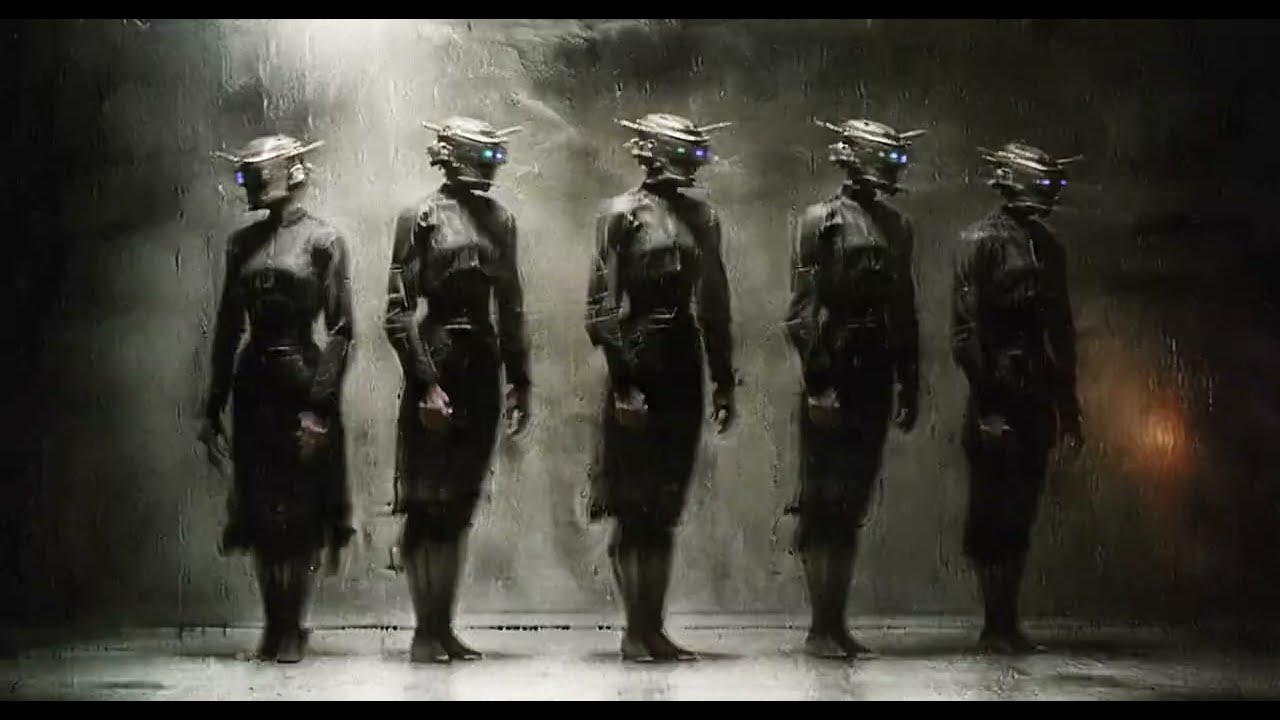
You can access this newly trained LORA [for both SDXL and FLUX] + 5 GB of images and videos with metadata [prompts and configs], plus many more project files and experiments, through my Patreon profile: https://linktr.ee/uisato
PS: Excited to see some of you next month during my travels. I’m still sorting out the details of where I’ll be, so fe...
 solid drift
is there a way to iteratively load images in comfyui?
distant lagoon
solid drift
is there a way to iteratively load images in comfyui?
yes
look up the was-node-suite-comfyui
silent cargo
Hey everyone! Is there a way to automate a list of character names through a specific part of a prompt in ComfyUI? To clarify, I have 20 characters, and I want to generate one pose for each. Since I'll be frequently changing the poses, I'm wondering if there's a way to automate inserting the character names into the text prompt node, rather than manually typing them each time. Any tips or workflows to streamline this process?
 winged hazel
Hey guys, try this interesting FLUX model

- The following suggestions are based on libulibu online raw image testing. 2. Ice element rendering, photography style. It is useful for both hum...
sharp raptor

Something is wrong with my flux inpaint workflow
My lora is not being applied to masked area, even at denoise 1
low denoise produces a copy of my mask while it should just change the base image with a low denoise str
What is the problem?
dry rock
sharp raptor
<@234988737526890496>
there's still 64 tiles and a positive prompt that is applied to each of them, run with an empty prompt and/or lower the denoiser even more
livid gust
@silent cargo Think of it as a batch with a length of twenty, then prompt schedule each frame with a different name...
"1": "picture of ellie",
"2": "picture of mike",
etc...
silent cargo
livid gust
<@693485157004476487> Think of it as a batch with a length of twenty, then promp...
how does this work, I'm a bit irritated ?
livid gust
It's part of the FizzNodes. Try dropping down a Batch Prompt Schedule. Fill in the frame number and your prompts. Drop it in place of your current CLIP encode. You will end up with a batch of images at the end. You may have to save it as a video and pull out the frames after render. You can also increase the frame gap, which produces an interpolated version of your prompt, allowing the creation of a blend between "Mike and Ellie."

 pure siren
gm
 mossy spire
Hello, does anyone have any tips on smart ways to speed up the image generation or ways to reduce the VRAM a model either uses or settings in the system that might effect the vram?
fading mural
mossy spire
Hello, does anyone have any tips on smart ways to speed up the image generation ...
i use Automatic CFG, it speeds up generations by 30% on low end gpus
mossy spire
huh. that looks neat. i got somewhat limited vram with only 10gb not sure how much that will mess up stuff
is there any good place to learn about super technical stuff like CFG?
hmm interesting. it seems like comfy ui is using about 4GB of VRAM without having an active task running
livid gust
That seems high. If you have only one video card, then all open apps are using your vRAM. Make sure to close others down.
I often drop the GPU Clean node after a GPU Intensive step completes (AnimateDiff, IPAdapter, Controlnets, etc...). This can free up GPU memory.
Use a LCM model. It resolves fairly quick, within 5 steps. Other models can require 9-21 steps.
Don't overdrive the network with excessively large image inputs. Make sure their size matches your model's maximum resolution.
ashen agate
Can anyone help guide me to some outpainting and upscaling nodes?
Or simple workflows with that in them. I'm avoiding adding too many more nodes, certainly being careful now, as some of them keep breaking my install.
lone cape
Hi, I testing custom nodes (what is far from "standard" solution what compatible will all previously generated images and nodepack) to get back the image if play with noise/clipping/other settings. I have saved metadata like this:
    "latent_data": {
        "noise_type": "blue",
        "alpha_exponent": 0.5,
        "modulator": 1.25,
        "device": "cpu"
    },
    "prompt_encoder": {
        "clip_model": "ViT-L-14-BEST-smooth-GmP-TE-only-HF-format.safetensors",
        "longclip_model": "Long-ViT-L-14-GmP-ft.safetensors",
        "clip_mode": true,
        "last_layer": 0,
        "negative_strength": 1.2,
        "use_int_style": false,
        "adv_encode": false,
        "token_normalization": "mean",
        "weight_interpretation": "comfy++",
    },
    "sampler_settings": {
        "denoise": 1.0,
        "variation_extender_original": 0.0,
        "variation_batch_step_original": 0.0,
        "variation_level": true,
        "device": "DEFAULT",
        "align_your_steps": true,
        "noise_constant": 0.1,
        "variation_seed": 203043622053871,
        "batch_counter": 1
    },
what reproduce the exactly same image (and can be modify any saved settings for small difference). This is saved as meta, so have to write and read back with special nodes, but at first test working well. The bonus, that this meta contains network settings (I deleted because too long), so if forgot or changed, the process will use the original settings for Lora/Embedding/Lycoris/Hypernetworks reads from image and ignore workflow settings.
forest birch
Hoi, any idea why it errors like this when it's just one image i'm feeding it?

 livid gust
You have to plug a VAE line into the decode. It's missing the input.
forest birch
livid gust
You have to plug a VAE line into the decode. It's missing the input.
Forgot to note i use this :P

As the second encode fails, but first gen does it just fine
Same error with manual wire

Here's the workflow.
Quite messy, but it's just to get the thing working. As this at least worked just fine for SD 1.5 to make literally minutes long videos by taking last frame of the first gen as target, first frame as reference, then shooting that over to the next sampler, and repeating over and over.
@livid gustFound the issue! It loaded from the wrong VAE :D
forest birch
Can not for the life of me find out why it just butchers the visuals on each further generation of the last video's last frame 

 untold haven
If i import an image made with automatic1111 in comfyui should i have the same output image?
shell sonnet
untold haven
If i import an image made with automatic1111 in comfyui should i have the same ...
You may need to elaborate a bit more. I'm not sure what you're trying to ask.
 wicked lantern
hello! Where is the best place to ask a question about ComfyUI and IPAdapterApply?
I"ve been trying to get this workflow going - apparently it's like Magnific: an upscaler with 'zing'. This one: https://github.com/fictions-ai/sharing-is-caring?tab=readme-ov-file
But after all is installed, I get the attached warning.
// Warning: Missing Node Types.
// When loading the graph, the following node types were not found:
// IPAdapterApply
// No selected item
// Nodes that have failed to load will show as red on the graph."
I've tried these links and fixes but I haven't got it right yet:
https://www.reddit.com/r/comfyui/comments/1dedkc9/ipadpterapply_missing/
https://comfyui-guides.runcomfy.com/ultimate-comfyui-how-tos-a-runcomfy-guide/how-to-fix-a-red-node-for-ipadapterapply
https://github.com/cubiq/ComfyUI_IPAdapter_plus/issues/123
I would really appreciate a little help. I'm not great at technical instructions although I do try following them step by step.
 livid gust
@forest birch From your short image series, it looks like your CFG is increasing per-frame. Are you animating it? Try to make sure it's a constant.
forest birch
livid gust
<@167576370736660480> From your short image series, it looks like your CFG is in...
Interesting  It's SVD image to video generation with the new SVD_xt_1_1. So CFG is the culprit? What should i do to make it a constant? Never had this happen before.
Cause so far, i've set it up to make 4 seconds long, but the CFG if the culprit, screws it over lol.
And do the seed have to be different for each continuation? AS i noticed if i use the same seed all over, first video will be fine, but second video will be a animated still. Where there's slight variation of colors/hue, but subject and background is a still image.
Here's the workflow i have it at. Basically like the multi gen sequence i made for animatediff for SD/SDXL
 forest birch
Oh wait, maybe this one is the culprit

 sharp topaz
I need your help :// I use ipadapter with att. masking for Renderings using a color map, and I have many (10+ masks). it works great except for this:
- If I use the nodes from Cubiq, I can chain them normally, and bypass the ipadapter related to the mask that I dont need to use. BUT the workflow gets exponentially heavier to run when I add more and more ipadapters.
- If I use the Inspire "Regional Ipadapter" nodes, it seems to be more optimized (it handles more regions easily). But there is no way to bypass or mute an independent region. If I do this, the "Apply Ipadapter Regions" doesn't run, since it is missing an input.
 dire sapphire
Anybody have difficulties to install IPAdapter/Instant ID/face ID/ReActor to comfyUI ?
Some nodes are installed other not, I can't understand how this thing works
distant lagoon
if you're using comfy manager, sometimes the nodes are not known to manager and you have to install them by git url
so assuming you found a workflow containing unknown nodes, you'll need to figure out where those nodes came from
bleak stump
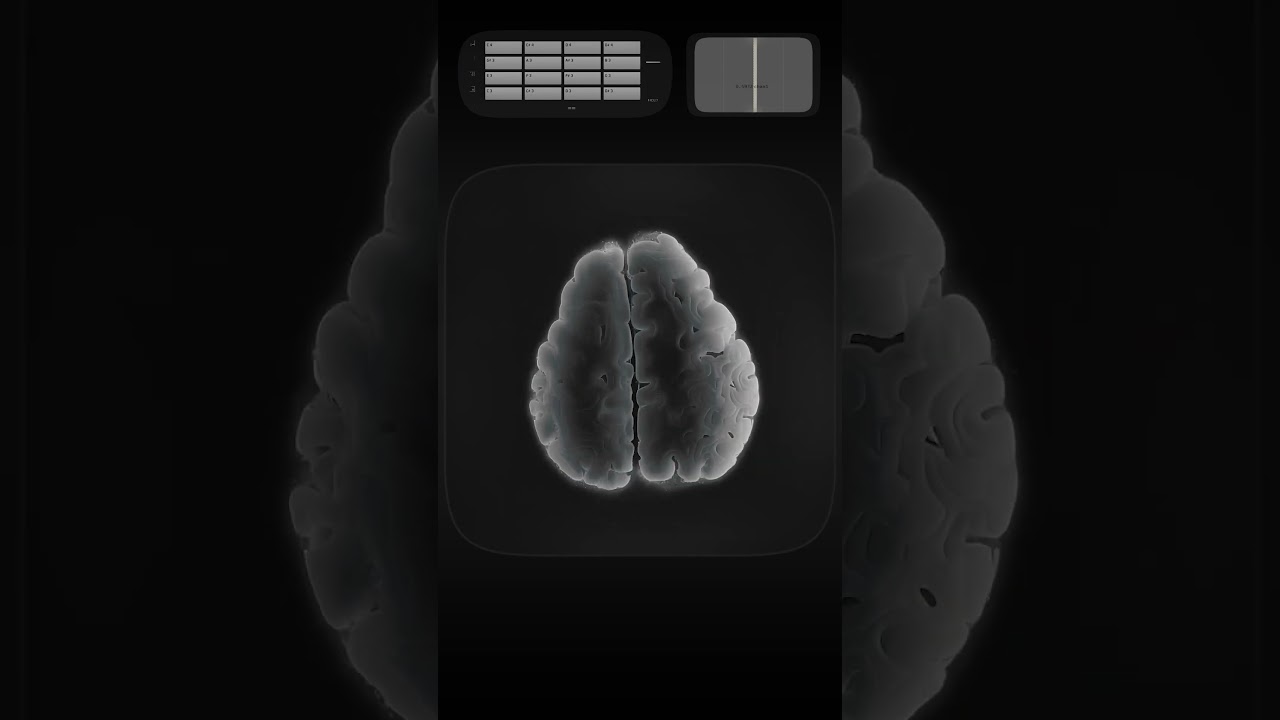
Audioreactive Video Playhead system, now with real-time MIDI control + 21GB of new timelapses, and SD configurations.
LK + UBridge + Smartphone → TDAbleton → TouchDesigner
You can access these project files, plus many more systems, tutorials, and experiments, through: https://linktr.ee/uisato
 lapis plank
hello
sharp topaz
sharp topaz
I need your help :// I use ipadapter with att. masking for Renderings using a co...
plsss :- )
 mortal ferry
Hey guys, anybody know how to solve this ?
 livid gust
Is there a comfy fix for this? I'm using SDXL, which I thought fixed some of these SD 1.5 problems, but it looks like it performs the same way. Even when pushing negatives, I can't get a decent embrace.
 merry ermine
livid gust
Is there a comfy fix for this? I'm using SDXL, which I thought fixed some of the...
merry ermine
livid gust
Is there a comfy fix for this? I'm using SDXL, which I thought fixed some of the...
exactly this https://github.com/Danand/ComfyUI-ComfyCouple

GitHub
Attention Couple made easier for ComfyUI. Contribute to Danand/ComfyUI-ComfyCouple development by creating an account on GitHub.
livid gust
Thank you. Going to try it out.
livid gust
ComfyCouple didn't actually work for me. It does install, but that form of prompt blending didn't help much. I basically had to do away with all resampling and run a highly tuned prompt through a single KSampler.


 drifting linden
ultraman
 rich agate
Hey this is more about stable diffusion, but i tkink its suitable for comfyui.. I was wondering is there a way to figure out why and how SD determines if an image or parts of an image should be blurry or sharp and then hijack it and allow the user to specify the bliurry and sharpness? I tihnk IPAdapter does something similar to achieve what it does. I could ask the IPAdapter author if they are interested figuring it out.
untold haven
Someone does know the difference between the nodes Freeu and Freeu_v2 for comfyui?
 fading badge
 distant lagoon
rich agate
Hey this is more about stable diffusion, but i tkink its suitable for comfyui.. ...
distant lagoon
rich agate
Hey this is more about stable diffusion, but i tkink its suitable for comfyui.. ...
My best understanding, in the training of these models, there is some level of understanding of photography and the terms used, perhaps in the relationship between the tags used and original datasets trained. Terms, such as bokeh, cinematic, shallow depth of field,fish eye, dynamic angle, etc. At varying levels the models understand these terms and how to recreate these concepts. Now if you dont supply any photographic or lighting details in your prompt, I suppose it just chooses for you. I'm not sure if this is what you were getting at, but that's my perspective.
rich agate
distant lagoon
My best understanding, in the training of these models, there is some level of u...
Sounds like you are referring to text prompting, which is more on a higher abstract level. But what I am thinking of is more on doing away with that and specifying whether to have 'sharp/clear' details versus blurry details like a slider from -1 to 1. Then you can use inpainting to effect the area. It is clear that stable diffusion can generate very sharp or blurry details wherever. The problem is there doesn't seem to be a way to control it exactly except through text prompting which is a hit or miss.
verbal sky
New video just dropped for everyone to enjoy! Flux frenzy speeds, magical sdxl to flux outpainting, text fx and more 🙂 https://youtu.be/pGqes29RuhM

In this video, we’re diving deep into the world of screaming fast FLUX speed boosts and next-gen tools that will revolutionize your workflow. 💡 Learn how to master outpainting with Flux for stunning results that go beyond the canvas. 🖼️ Plus, discover how to decrease render speeds by 90% to save time on every project. ⏱️ We’re also sharing brand...
distant lagoon
rich agate
Sounds like you are referring to text prompting, which is more on a higher abstr...
given loras already exist that get rid of the bokeh effect, I'd say what you're suggesting is likely already possible
wispy kelp
So do these new flux controlnets like the all in one work with any old flux models on comfyui or only specific ones like GUF?
I am trying to make it happen with the schnell FP8 model but it aint happening
 distant lagoon
so that wasnt the desired result?
distant lagoon
I hadnt played with it in a while, but at least with the xlabs sampler, I didnt have much luck with the FP8 models. the flux-dev model seems to work, and use lots of steps I was doing like 40
wispy kelp
I had to update comfyui... it works but its slow. I am back to sdxl speeds on my old card lol
 versed gorge
Traceback (most recent call last):
File "D:\ComfyUI\main.py", line 90, in <module>
import execution
File "D:\ComfyUI\execution.py", line 13, in <module>
import nodes
File "D:\ComfyUI\nodes.py", line 21, in <module>
import comfy.diffusers_load
File "D:\ComfyUI\comfy\diffusers_load.py", line 3, in <module>
import comfy.sd
File "D:\ComfyUI\comfy\sd.py", line 17, in <module>
from . import model_detection
File "D:\ComfyUI\comfy\model_detection.py", line 1, in <module>
import comfy.supported_models
File "D:\ComfyUI\comfy\supported_models.py", line 5, in <module>
from . import sd1_clip
File "D:\ComfyUI\comfy\sd1_clip.py", line 3, in <module>
from transformers import CLIPTokenizer
File "C:\Users\mb_19\AppData\Local\Packages\PythonSoftwareFoundation.Python.3.12_qbz5n2kfra8p0\LocalCache\local-packages\Python312\site-packages\transformers_init_.py", line 26, in <module>
from . import dependency_versions_check
File "C:\Users\mb_19\AppData\Local\Packages\PythonSoftwareFoundation.Python.3.12_qbz5n2kfra8p0\LocalCache\local-packages\Python312\site-packages\transformers\dependency_versions_check.py", line 57, in <module>
require_version_core(deps[pkg])
File "C:\Users\mb_19\AppData\Local\Packages\PythonSoftwareFoundation.Python.3.12_qbz5n2kfra8p0\LocalCache\local-packages\Python312\site-packages\transformers\utils\versions.py", line 117, in require_version_core
return require_version(requirement, hint)
^^^^^^^^^^^^^^^^^^^^^^^^^^^^^^^^^^
File "C:\Users\mb_19\AppData\Local\Packages\PythonSoftwareFoundation.Python.3.12_qbz5n2kfra8p0\LocalCache\local-packages\Python312\site-packages\transformers\utils\versions.py", line 111, in require_version
_compare_versions(op, got_ver, want_ver, requirement, pkg, hint)
File "C:\Users\mb_19\AppData\Local\Packages\PythonSoftwareFoundation.Python.3.12_qbz5n2kfra8p0\LocalCache\local-packages\Python312\site-packages\transformers\utils\versions.py", line 44, in _compare_versions
raise ImportError(
ImportError: tokenizers>=0.20,<0.21 is required for a normal functioning of this module, but found tokenizers==0.19.1.
Try: pip install transformers -U or pip install -e '.[dev]' if you're working with git main"
I encountered this problem after downloading the manager, does anyone know the solution?
distant lagoon
did you try those pip commands at the end?
unfortunately you'll have to start getting better at reading a stack trace
versed gorge
Yes I tried it and it doesn't fix my problem. I reinstalled the whole repository and it's good now
versed gorge
But now, I am facing with noise images :/

 sick roost
Full ComfyUI Workflow (free): https://www.patreon.com/posts/sdxl-morph-in-112867795?utm_medium=clipboard_copy&utm_source=copyLink&utm_campaign=postshare_creator&utm_content=join_link
It's my first long video, don't hesitate to give me feedbacks ((:
Feel free to contact me on insta for any questions/issues:
https://www.instagram.com/yvann.mp4/
distant lagoon
versed gorge
But now, I am facing with noise images :/
you're loading an fp8 model, have you tried it with normal flux-dev?
maybe the fp8 models work, I'm not sure, I've always used std dev
the fp8 clip model should be fine
 polar badger
How do I automatically mask the face for imparting? Is there any custom node for this?
 alpine parrot
@polar badger
Impact pack
https://github.com/ltdrdata/ComfyUI-Impact-Pack

GitHub
Custom nodes pack for ComfyUI This custom node helps to conveniently enhance images through Detector, Detailer, Upscaler, Pipe, and more. - ltdrdata/ComfyUI-Impact-Pack
It also has sam detector that I find really good at quick masking stuff
polar badger
alpine parrot
It also has sam detector that I find really good at quick masking stuff
im using setup like this isnt there any better way?

this is bad ik but doing the job for now
alpine parrot
its fine, if you need to bump details even more you`re gonna need to upscale base image
polar badger
alpine parrot
its fine, if you need to bump details even more you`re gonna need to upscale bas...
i see, i want this for face swap with my flux lora.
polar badger
alpine parrot
its fine, if you need to bump details even more you`re gonna need to upscale bas...
isnt there something i can do it automatically?
 alpine parrot
What do you mean? like generate the base image and then run adetailer and save final image?
If so just chain the workflows.
t2i > ksample > decode vae > adetailer workflow >ksample > decode > save image
polar badger
alpine parrot
If so just chain the workflows.
t2i > ksample > decode vae > adetailer workflow...
alr it worked, kinda ty.
alpine parrot
Glad I could help mate
adetailer is fine for quick fix but upscaling to oblivion always best


 polar badger
i see
alpine parrot
you can start with tiled diffusion, one of the easier ones with good results
 polar badger
alpine parrot
you can start with tiled diffusion, one of the easier ones with good results
polar badger
alpine parrot
you can start with tiled diffusion, one of the easier ones with good results
can i use flux with this?
alpine parrot
yes, it works fine
polar badger
alr can you share the workflow if you dont mind?
polar badger
alpine parrot
yes, it works fine
i just wanted for simple task for masing the face to swap with my lora
alpine parrot
for just faceswap lora I think simple hiresfix would be ok, it wont be able to generate skin texture and stuff
unless your lora has this level of detail
polar badger
alpine parrot
unless your lora has this level of detail
nah its alr im getting the very great details and face texture
untold haven
someone could help me to fix the faceid problem where onnx isn't loaded?
ComfyUI Error Report
Error Details
- Node Type: IPAdapterUnifiedLoaderFaceID
- Exception Type: Exception
- Exception Message: DLL load failed while importing onnx_cpp2py_export:
Stack Trace
  File "C:\ComfyUI\ComfyUI\execution.py", line 323, in execute
    output_data, output_ui, has_subgraph = get_output_data(obj, input_data_all, execution_block_cb=execution_block_cb, pre_execute_cb=pre_execute_cb)
                                           ^^^^^^^^^^^^^^^^^^^^^^^^^^^^^^^^^^^^^^^^^^^^^^^^^^^^^^^^^^^^^^^^^^^^^^^^^^^^^^^^^^^^^^^^^^^^^^^^^^^^^^^^^^

  File "C:\ComfyUI\ComfyUI\execution.py", line 198, in get_output_data
    return_values = _map_node_over_list(obj, input_data_all, obj.FUNCTION, allow_interrupt=True, execution_block_cb=execution_block_cb, pre_execute_cb=pre_execute_cb)
                    ^^^^^^^^^^^^^^^^^^^^^^^^^^^^^^^^^^^^^^^^^^^^^^^^^^^^^^^^^^^^^^^^^^^^^^^^^^^^^^^^^^^^^^^^^^^^^^^^^^^^^^^^^^^^^^^^^^^^^^^^^^^^^^^^^^^^^^^^^^^^^^^^^^

  File "C:\ComfyUI\ComfyUI\execution.py", line 169, in _map_node_over_list
    process_inputs(input_dict, i)

  File "C:\ComfyUI\ComfyUI\execution.py", line 158, in process_inputs
    results.append(getattr(obj, func)(**inputs))
                   ^^^^^^^^^^^^^^^^^^^^^^^^^^^^

  File "C:\ComfyUI\ComfyUI\custom_nodes\ComfyUI_IPAdapter_plus\IPAdapterPlus.py", line 610, in load_models
    self.insightface['model'] = insightface_loader(provider)
                                ^^^^^^^^^^^^^^^^^^^^^^^^^^^^

  File "C:\ComfyUI\ComfyUI\custom_nodes\ComfyUI_IPAdapter_plus\utils.py", line 161, in insightface_loader
raise Exception(e)what is imparting?
livid gust
@untold haven Have you tried using the Comfy Manager button? Click Update All. (and have a snack )
)
untold haven
livid gust
<@447920053468397588> Have you tried using the Comfy Manager button? Click Updat...
yes
livid gust
🤷♂️
lusty pewter
distant lagoon
what is imparting?
Do you mean "inpainting"?
distant lagoon
polar badger
How do I automatically mask the face for imparting? Is there any custom node for...
no idea, this guy asked the question earlier
versed gorge
distant lagoon
you're loading an fp8 model, have you tried it with normal flux-dev?
Flux-dev also doesn't work, is there a good workflow for flux model(f8, flux-dev, gguf)+flux lora+controlnet+ hiresfix(optional)?
distant lagoon
I have an almost identical workflow, it should work, maybe your model is corrupted? re-download?
polar badger
distant lagoon
no idea, this guy asked the question earlier
My bad, I mean inpainting.
distant lagoon
try segment:face:1 in your prompt
polar badger
distant lagoon
try <segment:face:1> in your prompt
I'll try. Ty
distant lagoon
I use swarm, so if that doesnt work maybe it's a swarm thing
it's part of a tool called segment-anything
 broken spoke
Is there a workflow for https://huggingface.co/spaces/jasperai/Flux.1-dev-Controlnet-Upscaler


 untold haven
Someone can help me with insightface?
i don't know how to fix some problem
why the dll doesn't load?
 past acorn
can some expert of comfy help me to set up my workflow
Hi Guys,
I hope you're doing well. When you have some time, I was wondering if you could kindly help me set up my workflow—I'd be incredibly grateful!
Here’s what I’m hoping to achieve:
1)Batch scan images from a folder.
2)Read the images and generate text prompts from them.
3)Use the generated prompts to create new images.
4)Set up a workflow with control net union for  SD/Flux/SDXL. Which one do you think is better?
5)Add an option to toggle seamless mode (horizontal, vertical, or both).
6)Option to remove background perhaps?
7)How do I add 2-3 loras or embeddings to it?
8)Add different stacking styles?
Thank you so much in advance for your help!
distant lagoon
past acorn
Hi Guys,
I hope you're doing well. When you have some time, I was wondering...
those are all possible, but you should figure out where to begin because that's like hours of tutorials that nobody is going to write out in one post
past acorn
I think begin wtih saving the prompts
read the image generate prompts from image and saving it
any blogs or links for it would be nice
distant lagoon
I use a workflow like that, it feeds wd14 into internlm, I strip off the extension on the image name because I use kohya for training and it wants the caption be the same name as the image but with .txt

wd14 is really good at detecting all the things in the image, but flux likes natural language, so I feed those into internlm to get a natural language prompt. that's the thinking behind it, you can tailor it to suit what you're trying to do
 lilac patio
good morningl i have a question regarding conditions or may be automated switches in comfyui: i have a workflow for archviz and for input im using a) a rendering with 3d placed people and autodetect them with sam2/florence2 and inpaints them with flux OR b) i make a maskpaint on the original input image and let flux generate a person where i masked it. i have put the respective nodes in a seperate group and by now i am controlling it with rgthree's "fast group bypasser" and an "image input switch". is it possible to automate it and make comfyui choose the right way, for example something like "if there a people found in the input, then take route img2img-flux, else take route txt2img-flux" and disable the other way?
past acorn
distant lagoon
I use a workflow like that, it feeds wd14 into internlm, I strip off the extensi...
Thanks will try this
 stiff field
Hey, what would be the correct way to connect the Eff LoRa Stacker node into a Flux workflow?
 sharp raptor
I just trained lora and want to test different versions. Is there any node which can load multiple lora but only generate with one at the time to get a X-plot of the Lora versions?
Ik, there is efficiency sampler with XY plot but looking for something useable with flux
 surreal whale
stiff field
Hey, what would be the correct way to connect the Eff LoRa Stacker node into a F...
surreal whale
stiff field
Hey, what would be the correct way to connect the Eff LoRa Stacker node into a F...
should be an apply lora stack node, drag out the noodle on the right side and drop it, should get a list of what connects to it
 agile panther
i just updated my comfy-ui to ComfyUI: 2736d1cdf5 and when i open it this is what i get on any browser and am using Manager: V2.51.2 i updated my nvidia drives and rebooted with no differance

 north flint
Please does anyone has experience using comfyui on google colab, I need some help. I am trying to install comfyui manager on comfyui in google colab but not successful.
 surreal temple
figured it out. i'd rather Forge UI get a clean up of the UI.. 😉
though i would prolly learn a little more with ComfyUI.
forge tends to have a shit tonne of options with no real explination of what they are, and what they do. some have mosueover tooltips and that's awesome, but some don't.
anyway, thanx for tollerating my randomness. 😉
 placid moon
Hello everyone! Could someone help me out with more details on how he’s doing this using Stable Diffusion/ComfyUI? I’m especially curious about this part of the video: https://youtu.be/SHmjC7t3fJA?si=vCqwT3uA-SrUmgSV&t=119. How is he making it happen? Where can I find more instructions, like installation, setup, and a quick guide for 'Blocking to Render'? #1292682865028501606
surreal whale
placid moon
Hello everyone! Could someone help me out with more details on how he’s doing th...
looks like this https://www.youtube.com/watch?v=Ckj8x4huv7E

tyFlow v1.111 marks the first official release of tyDiffusion, tyFlow's integration of Stable Diffusion (AI image/animation generation) in 3ds Max.
placid moon
surreal whale
looks like this https://www.youtube.com/watch?v=Ckj8x4huv7E
omg, thnks!!!
lilac patio
i have a workflow where i use a depth and a canny controlnet. when i load it up, everything working how intended, but when i change the strength value on one of the controlnet stackers for second generation after it worked, the output brakes and stays broken even i change to the exact value that worked in first run. the setting i changed loads when i restart comfy and then works. have anyone encountered such behaviour or may guide me where to fix this/get help? using pytorch 2.4.1+cu124
on startup i get these two errors:
removed**\ComfyUI_windows_portable\python_embeded\Lib\site-packages\xformers\ops\fmha\flash.py:211: FutureWarning: torch.library.impl_abstract was renamed to torch.library.register_fake. Please use that instead; we will remove torch.library.impl_abstract in a future version of PyTorch.
@torch.library.impl_abstract("xformers_flash::flash_fwd")
removed**\ComfyUI_windows_portable\python_embeded\Lib\site-packages\xformers\ops\fmha\flash.py:344: FutureWarning: torch.library.impl_abstract was renamed to torch.library.register_fake. Please use that instead; we will remove torch.library.impl_abstract in a future version of PyTorch.
@torch.library.impl_abstract("xformers_flash::flash_bwd")
updated comfyui + customnodes regularly, last time yesterday
lilac patio
this only occurs when i use a rendered image (zdepth) as direct image input for controlnet
fixed it
lone cape
Finished another preview node for saved prompt (.csv) file. Aesthetic score and category displayed on preview if available. Auto collected categories in buttons, keyword filter, sorting, randomized prompts from same category as selected one. Lora, Lycos, Embedding and Hypernetwork nodes left, but these will use same code but different path like the checkpoint selector.

 eager stream
I had a question, with regard to Flux Comfy workflows - is it possible to combine two ControlNet types (say depth and canny)? I can't seem to find a way to do this, like with my old setup when I was using the Efficiency Nodes, which was easy to work with, and didn't need many nodes. Unfortunately those aren't updated for Flux as of yet
past acorn
 past acorn
 past acorn
eager stream
I had a question, with regard to Flux Comfy workflows - is it possible to combin...
past acorn
eager stream
I had a question, with regard to Flux Comfy workflows - is it possible to combin...
i am using this set up atm
i think it will work with flux too maybe not sure
using cr multistack node
i need to fix my contrl net and latent image connection and its gonna be done
wicked urchin
when you save the currently used workflow, which folder is it saved in?
sly sundial
wicked urchin
when you save the currently used workflow, which folder is it saved in?
\ComfyUI_windows_portable\ComfyUI\user\default\workflows
past acorn
ok now its working but for some reason the depth says me to download control net when its already downloaded
 hexed igloo
Try updating the kernel version
 fickle remnant
Does anyone know where this menu comes from and how I disable it?
 merry ermine
maybe right click inspect element
fickle remnant
merry ermine
maybe right click inspect element
Tried that but nothing in there gave me a clue 
I just hid it through that for now, but id love to know where this came from suddenly
merry ermine
this is the problem with GUIs
fickle remnant
Nah more a problem of custom nodes adding random kinda useless stuff
like why do i need buttons to zoom
merry ermine
oh yeah if all GUIs were well behaved it would be fine
yeah I don't like it when a custom node pack adds scripts and extensions to the front end
fickle remnant
Some stuff makes sense, but a lot of things are just bloat
sick badger
fickle remnant
Does anyone know where this menu comes from and how I disable it?

settings/comfy/ under graph
 rocky sequoia
is there a way to make a prompt list so every time a prompt is queued it goes to the next prompt? so it isnt a batch but a round robin?
 weak urchin
eager stream
past acorn
i am using this set up atm
weak urchin
eager stream
past acorn
i am using this set up atm
yeah, I used the CR multi-CN stack too, with SDXL, but I don't think the regular Ksampler works with Flux, but the CR Apply ControlNet node might just work for that
past acorn
eager stream
yeah, I used the CR multi-CN stack too, with SDXL, but I don't think the regular...
for me the union depth and few other features not working when using union
the canny works but depth gives me an error
eager stream
yeah, it may not be compatible...
past acorn
operands could not be broadcast together with shapes (518,518,4) (3,)
m on my potato laptop now can't test
eager stream
I'm thinking that the Efficiency nodes should be updated soon for Flux - I believe the author is working on that.
past acorn
i thought my dektop with 24 gb ram and 16 gb gpu was good for flux but i was wrong lol
on my laptop i got 4 gb gpu xD
eager stream
I had to use the FP8 version of flux, myself, with my 4080 Super
past acorn
i am gonna try the q4 guff
but sdxl should work
can i run sdxl with 4 gb gpu?
is there optimized workflow for running sdxl? with low end device
past acorn
alright SD is my friend then 😄
on my laptop atleast
strangle i can que 100s of images with A111 but comfy says cuda ran out of memory
with sd 1.5
i am stll new with comfy man i hate nodes
but i got no other choice besides comfy atm
i am a programmer i like words xD
eager stream
I got sick of A1111 being slow as hell
past acorn
well the UI there is so straight forward
i put words i check mark and its done
no spiders with nodes and wires
but it is what it is i have to deal with darn wires and nodes i accepted it
past acorn
but give me other option i go back asap
i love blender for making my low poly modelling
i made this scene in blender i was quite happy about it
 eager stream
Yeah that's cool, I've never tried making stuff like that...
past acorn
oh its easy
if you do low poly its easy and fast
but those realistics a bummer
one thing takes one week
not ideal for hobbyists
 frail jasper
past acorn
but give me other option i go back asap
frail jasper
past acorn
but give me other option i go back asap
Forge or SwarmUI
Swarm needs to be the mcmonkey repo
 cosmic rapids
FLUX wold *\ComfyUI_windows_portable\python_embeded\Lib\site-packages\xformers\ops\fmha\flash.py:211: FutureWarning:
 ocean haven
could someone confirm that recent comfyUI updates completely broke CORS so I can't setup comfyUI as a backend for a webservice anymore
 carmine copper
comfyui_face_parsing
ComfyUI-Art-Venture
ComfyUI-SUPIR
ComfyUI_Custom_Nodes_AlekPet
after update the comfyui today those models cant be imported
 zenith quiver
hi I am wondering if I can run flux 1.1 in comfy?
flat dirge
zenith quiver
hi I am wondering if I can run flux 1.1 in comfy?
Only via API
https://github.com/black-forest-labs/bfl-comfy-nodes
GitHub
Contribute to black-forest-labs/bfl-comfy-nodes development by creating an account on GitHub.
 ashen agate
I'm using ReActor and wondering if there were a way of using occlusion around the eyes so if the image had glowing eyes, I could use that without inpainting
alpine parrot
wicked urchin
how to avoid getting this with Ultimate SD Upscale node?
tile controlnet, lower denoise
like this

text encoder should be blank
wintry jackal
Hi Im gonna delete this files so just before that I tought I could share it here, I don't often use discord because always forget it so here it is
wicked urchin
alpine parrot
tile controlnet, lower denoise
is it this model? https://huggingface.co/xinsir/controlnet-tile-sdxl-1.0
 alpine parrot
wicked urchin
is it this model? https://huggingface.co/xinsir/controlnet-tile-sdxl-1.0
alpine parrot
wicked urchin
is it this model? https://huggingface.co/xinsir/controlnet-tile-sdxl-1.0
This works
 torn moon
past acorn
torn moon
past acorn
I can someone help me how to generate mutiple images from a text file in comfy?
i got 50 prompts written in text file
I want to generate 2 images each for every prompt
merry ermine
past acorn
I can someone help me how to generate mutiple images from a text file in comfy?
inspire pack load text from directory node
the name is slightly different but its in inspire pack
lilac patio
is it recommended to have a second comfyui install for testing and share e.g. modelfolder? something to backup before? any experiences?
merry ermine
would recommend docker
wispy kelp
I recomend waiting about 1 year.
By then all images/video (even local) will be more or less perfect).
wispy kelp
So anybody here celebrates Friday?

 lone cape
Hi somebody have Python code example or workflow how to load SD3 and Flux Loras? SD3 result just noise, Flux getting error. https://huggingface.co/ByteDance/Hyper-SD/tree/main

 glass lagoon
In ComfyUI, i can see you can use a mask to choose where ControlNet is applied to image generation. However, it seems to be either "completely on" (at the set strength) or "completely off" (at zero). Is there a way to say "masked area is strength X" and "unmasked area is strength Y"?
glass lagoon
omg I just discovered masks can be greyscale, and are not binary
 slender hedge
ComfyUI FLUX-1Dev - UltraRealistic Upscale + Loras - fp-8
DownLoads Templates: https://www.patreon.com/posts/comfyui-flux-1-111180301?utm_medium=clipboard_copy&utm_source=copyLink&utm_campaign=postshare_creator&utm_content=join_link


 fresh vault
slender hedge
ComfyUI FLUX-1Dev - UltraRealistic Upscale + Loras - fp-8
_DownLoads Templates_:...
fresh vault
slender hedge
ComfyUI FLUX-1Dev - UltraRealistic Upscale + Loras - fp-8
_DownLoads Templates_:...
that first one with the wolf looks nice!
oh, hmm.. was this spam?
well whatever, that wolf is nice
mystic plaza
how should i resize my image or what and i am using this image

 hasty brook
Anyone have a ComfyUI workflow that uses both Flux schnell and ControlNet? Looking for examples
mystic plaza
mystic plaza
how should i resize my image or what and i am using this image
@dry rock how to fix this error bro or do i need to resize my image into 3:5
livid gust
If you don't know this, the IPAdapter can only process 512x512 images. Also, start with the default Context Options until you get up and running. Don't change any of the values.
 brave gull
ocean haven
could someone confirm that recent comfyUI updates completely broke CORS so I can...
brave gull
ocean haven
could someone confirm that recent comfyUI updates completely broke CORS so I can...
im always pulling comfyui straight from latest update in main, works for me. i use this to communicate with it https://github.com/deimos-deimos/comfy_api_simplified

GitHub
A simple way to schedule ComfyUI prompts with different parameters - deimos-deimos/comfy_api_simplified
brave gull
lone cape
Hi somebody have Python code example or workflow how to load SD3 and Flux Loras?...
why would a Lora trained w/ Flux work with SD3 ?
brave gull
lilac patio
is it recommended to have a second comfyui install for testing and share e.g. mo...
if you download models with huggingface-cli, your models all end up in ~/.cache/ , and you can symlink the models to your comfyui models dir. or another comfyui models dir. as many as you want. i dont store actual copies of models in my comfui models directory
verbal sky
wow nice @sacred gyro - latest Colossus Flux Model is the current leader (only downside is longer render times of 35 steps) - https://docs.google.com/spreadsheets/d/1543rZ6hqXxtPwa2PufNVMhQzSxvMY55DMhQTH81P8iM/edit?usp=sharing

Google Docs
sharp topaz
HI 🙂 Do you know any node to directly download models from comfyui, or to load them through URL? Im trying to make a runpod template that is as easy to use for my students as possible. Ive tried https://github.com/ciri/comfyui-model-downloader, but i dont like that you have to input the model id, etc. An url should be enough
 hardy tree
@storm folio with the latest comfy updates, can i move all the unet models (flux) to the new diffusion models folder (for the scaled flux), or is that new folder only for the scaled flux and I should keep the other flux models inside the unet folder?
hmm, there is also an error when i try to use the scaled flux:
Tensor for argument #5 'scale_a' is on CPU, but expected it to be on GPU (while checking arguments for _scaled_mm_out_cuda)
lone cape
brave gull
why would a Lora trained w/ Flux work with SD3 ?
No, these are only "speed" loras, half or quarter steps enough for same quality images, and hyper-flux useful only for flux, hyper-sd3 useful only for sd3.
Hi, when the LCM was released, I made a node that downloads the 2 LCM loras and automatically selects by safetensor is SD or SDXL. It was a pretty small node. :). But then Lightning and Hyper came out, and I did the same for these, had all 3 in 1 node, concept choose from a list, but Lora was automatically recognized and selected by checkpoint version and step. Then came Cascade, SD3, Hunyuan, Kolors, Flux, Playground, Pony, etc... I added these too, with selectable unet, text encoder or own vae if have, all with different sampler settings for each. Now this is my largest node, and it can do auto-detection by checkpoint, the list is not important, and a symlink trick useful to see unet files in the checkpoint selector. So Cascade Kolors and Flux files in my unet path, but selectable within checkpoint loader if symlinked. If somebody have downloaded files of several concepts, and wanna test my solution, pls dm me. The node not out yet in public repo, but developer can access.

 storm folio
hardy tree
<@1059592307579564162> with the latest comfy updates, can i move all the unet mo...
storm folio
hardy tree
<@1059592307579564162> with the latest comfy updates, can i move all the unet mo...
that diffusion models folder is one that replaces the unet folder
unet just doesn't really make sense when flux isn't a unet
sly sundial
Is there a method/workflow to merge loras into Flux diffusion model and then save it back as a diffusion model again?
I only see a node to save as a checkpoint.
hardy tree
storm folio
unet just doesn't really make sense when flux isn't a unet
ah ok ty 🙂
storm folio
sly sundial
I only see a node to save as a checkpoint.
ModelSave
sly sundial
storm folio
ModelSave
Thank you!
 covert bough
storm folio
ModelSave
covert bough
storm folio
ModelSave
you should post the annoucements in here as well as on your discord
lone cape
New trick working with my custom model loader. Just symlink unet/diffuser models to the original model/checkpoint path, then not just listed, but working good with hacked loader.

 distant pendant
...or you could just set all three to the same path in extra_model_paths.yaml
merry ermine
I think they are trying to make a node pack that does not require manually editing stuff like extra_model_paths.yaml
not 100% sure but that seems to be what they are doing
 onyx summit
do you guys have issue to use the new model in comfyui? it tell me this

 shadow chasm
how can i add img2img inside comfy?
shadow chasm
onyx summit
do you guys have issue to use the new model in comfyui? it tell me this
do you still need help
onyx summit
i need to rinstall it
onyx summit
i made it work
hardy tree
@storm folio so flux fp8 scaled was broken and needs to be uploaded again right?
storm folio
Yes
hardy tree
kk, cant wait 🙂 ty
storm folio
It was the test for the SD3 scaled model
So it had some issue that I fixed before doing the SD3
hardy tree
ah makes sense
 slim comet
fp8 turbo model, anyone?

 cloud hollow
cup of tea
slender hedge
Patreon
Get more from BCX on Patreon
 vocal vortex
storm folio
It was the test for the SD3 scaled model
vocal vortex
storm folio
It was the test for the SD3 scaled model
Any news on SD3.5 lokrs working soon in comfy? they give key errors where there are no key errors.

@storm folio not even lycoris loras work it has to be standard lora only.
storm folio
vocal vortex
Any news on SD3.5 lokrs working soon in comfy? they give key errors where there...
does it work now?
sudden saffron
Hello there, need an advice what the issue could be, please assist if it's the right place to ask..
Fresh comfyUI install.
No errors as what I see in CMD, attaching the browser log as well.


 livid gust
Try another browser and or update your graphics drivers.
 remote sequoia
hello, I using ComfyUI and i am trying to make my first lora (in hopes to make a realistic model) what a good number of images i should use to create the lora? Is it a general rule that the more photos the better? thank you
vocal vortex
storm folio
does it work now?
I'll check as I see someone else opened a ticket.
vocal vortex
storm folio
does it work now?
no.
 merry ermine
using this example workflow:
https://github.com/Acly/comfyui-inpaint-nodes/blob/main/workflows/inpaint-refine.json
what causes weird Fooocus Inpainting, and how to solve it?

GitHub
Nodes for better inpainting with ComfyUI: Fooocus inpaint model for SDXL, LaMa, MAT, and various other tools for pre-filling inpaint & outpaint areas. - Acly/comfyui-inpaint-nodes
 brazen turret
would someone experienced with comfyUI give me proper launch args for a 6GB card specifically the 1660 Super as I am having an issue where my id 0 gen will be super slow (90-160 s/it) and in console it says that it's requested to load SDXL and then loads it before the gen. But then on my id 1 gen it will gen super fast at around 7 s/it but it says unloading models for lowvram mode and then unloaded 0 models, but it's generating super fast so I don't have to wait 20 minutes or longer for a single generation. This is in lowvram mode, but in normalram mode it's slow every gen. So how do I get comfyui to a point where I can always gen at that 7 s/it on SDXL
storm folio
I merged a PR yesterday that should have added support
vocal vortex
it did not, or at least the one I just git pulled didn't
to be sure I am going to delete venv and start fresh
@storm folio YAY, it works. Thank you so much it must have been a venv issue
merry ermine
merry ermine
using this example workflow:
https://github.com/Acly/comfyui-inpaint-nodes/blob/...
I got header errors with the fooocus inpainting
I recommend instead the inpainting controlnet from the Union Pro Max
if that isn't strong enough then Powerpaint V2 Brushnet is a strong alternative but you need to do that pass with SD 1.5 for it to work
 forest cove
Anyone knows how to fix when I save a workflow then I load it it won't generate any images anymore?
brazen turret
brazen turret
would someone experienced with comfyUI give me proper launch args for a 6GB card...
@storm folio since you would be pretty experienced could you help me with this?
 proud void
brazen turret
<@1059592307579564162> since you would be pretty experienced could you help me w...
proud void
brazen turret
<@1059592307579564162> since you would be pretty experienced could you help me w...
Not an expert, but may need to run with --lowvram to split the Unet into parts, possibly also --disable-smart-memory to force aggressive unloading from vram into ram. If those are insufficient you may need to experiment with the arguments for loading unet and text encoders in fp8 instead of fp16. Not sure what other arguments would really help with this card in particular. I remember it having some quirks compared to other 1000 series and later cards.
covert bough
forest cove
Anyone knows how to fix when I save a workflow then I load it it won't generate ...
start by looking at the console log and seeing what the errors are - as long as you've shut the machine down, turned it off, and let it stay off for at least 10 seconds first
 manic moat
Hello please can anyone help me face swap tool option I tried lot nit not getting wat m expecting
Need same face in other images without change expression n jaw line
remote sequoia
hello, i ran a loRA training and the output_dir is models/loras but i can not find it, any suggestions? the datapath (text files for the pictures) i can find and are in the right folder but am lost finding the actual Lora model. Thanks I am running ComfyUI btw
 toxic gate
is it possible to take anime photos and turn them into realistic with FLUX yet?
past acorn
i like doing opposite turn real into anime 😄
 hollow vault
Installed this recently, does flux work with it?
verbal sky
Good morning all - new video is now live, so much fun in store and I apologize in advance for the puns 🙂 Topics include a new loader, compositor, flux controlnet and several tips and tricks including a memory booster! Enjoy! https://youtu.be/WSx74Uep590

🌟 Hey there, creators! 🎨 Ready to take your AI art game to the next level? Today, we’re diving into some serious upgrades that’ll make your workflow faster, smoother, and way more efficient. 🚀 First up, we’ll check out an all-new efficient loader 🔄 that steps you through the creation process. Plus, I’ll introduce you to a powerful new compositin...
 silver nebula

 thorn gazelle
I'm on the latest comfyui but I don't see the new skip layer guidance node. any idea how to get that to show up?
sly sundial
thorn gazelle
I'm on the latest comfyui but I don't see the new skip layer guidance node. any ...
Did you update in the last hour or two?
thorn gazelle
sly sundial
Did you update in the last hour or two?
yes. updated right before posting that, and I keep checking to see if there's anything more
sly sundial
It's possible your updates aren't working as expected then. Are you using git pull?
...or the update .bat file?
thorn gazelle
git pull
I can see the latest changes referencing the node in the git log and everything
figured it out. comfyUI manager took over the listing of nodes and defaults to making it a remote source. changing the "channel" setting to local fixes it.
vocal vortex
@storm folio Same issue we had with SD3.5 Large we now have with med, and I just git pull too.

 crimson minnow
HI GANG
am i doing something wrong
i click "install missing nodes" and get this

clearly theres more than 1 missing but they dont show up
vocal vortex
It means, normally, that the missing nodes are not a part of the db held by the manager. IOW, you will have to seek them out and their githubs.
@crimson minnow Sometimes I run into nodes that are private too.
crimson minnow
vocal vortex
It means, normally, that the missing nodes are not a part of the db held by the ...
Okay noted, yea can still see their names, just have to manually find them, thanks for confirming 💚
vocal vortex
crimson minnow
Okay noted, yea can still see their names, just have to manually find them, than...
Good luck as sometimes I can't. I wish Comfy showed the names of the missing nodes so I can sort of get an idea what they did for those cases I just can't find them.
storm folio
vocal vortex
<@1059592307579564162> Same issue we had with SD3.5 Large we now have with med, ...
should be fixed now
vocal vortex
storm folio
should be fixed now
Just saw. Thank you, and it does work
proud void
when running sdxl in fp8 mode in comfyui, is it worth having both the unet and textencoder in fp8?
sharp raptor

Is there any comfy Node which can save image with prompt data visible on the image itself?
As i Edited in the example image above
livid gust
There is a font node you can composite over top your final.
sharp raptor
livid gust
There is a font node you can composite over top your final.
Cool! What is the name of it?
livid gust
Double-Click and type "Image Text" in the search box.
forest birch
Damn, making tensorrt of SVD_XT 512x1024 be heavy on the memory lol.

 grave knoll
Does someone know where I should connect this please ?
 lusty pewter
grave knoll
Does someone know where I should connect this please ?
lusty pewter
grave knoll
Does someone know where I should connect this please ?
I mean...you can do whatever you want with it, but the nodes you've posted there are just going to be text, so I assume you want to condition that text into an actual prompt?
You don't have much workflow there to give us context as to your goal.
grave knoll
oh sorry @lusty pewter well basically, those nodes are supposed to help the prompt generation. Now I wonder if I would have to connect it to the rest of the workflow

Im testing flux
so the setup is basic
right now Im just coping / pasting the text into the text encode
lusty pewter
grave knoll
oh sorry <@211979248112631809> well basically, those nodes are supposed to help ...
Essentially, you'd convert the CLIP Text Encode text widget to an input and connect it there.
 lusty pewter
yes
lusty pewter
As you may have just discovered, widgets can be converted to inputs to allow for you to pass something in from another node.
grave knoll
yup !
forest birch
Is there a way to split up model conversion with tensorRT for comfy? Tried to do 1024 flux, but comfy just broke and cmd window closed xD
Need way WAY more than 24GB vram and 64GB ram for that lol
vocal vortex
is there a save to lora or a save to checkpoint we can extract a lora from for SD3.5 yet? the current save lora node isn't for 3.5.
carmine copper
i need help
 alpine parrot
carmine copper
i need help
alpine parrot
carmine copper
i need help
reinstall python dependencies, run as admin
forest birch
Do you guys know of a inpaint node to brush onto the image in comfy like the inpainting features in forge can?
alpine parrot
forest birch
Do you guys know of a inpaint node to brush onto the image in comfy like the inp...

load image > left click load image, open mask editor, brush > hit save
 kind karma
Is there a image to text node that allows for custom instructions?
livid gust
I've used Blip and Forence2. You can prompt the node like "describe this image to a child." Or "What is in the background of this image?"
sharp topaz
When applying multiple Ipadapters with attention masks, ive found that the least efficient way (in vram) is to chain Ipadapter Advanced nodes, the second least efficient is using Apply Regional Ipadapter from Inspire, and the best is to use Ipadapter Regional Conditioning and Ipadapter From Params
The problem is that this last technique doesnt allow to combine embeds... Ipadapter Regional Conditioning doesnt have a combine embeds parameter
 frail heron
Im just getting into comfy, and its pretty powerful...but also a weee bit confusing. So by default, it doesnt seem to have a "negative" prompt like SD does. How do people work around that?
Its generating some attributes I dont care for, but... not sure how to get them out of the image.
covert bough
frail heron
Im just getting into comfy, and its pretty powerful...but also a weee bit confus...
are you talking about flux?
 little anchor
Hello guys is there is anyone here that's good with comfyui and have some time to help me to setup some models
For example I've CogVideoX5b but it's really slow and i heared there is some other tools that could speed up the process
frail heron
covert bough
are you talking about flux?
Yes, i am. My apologies.
covert bough
frail heron
Yes, i am. My apologies.
okay. flux doesn't use negative prompts, because in order to use flux correctly, you have to set cfg to 0 - and with it at 0, negative prompts are ignored - so what you have to do is be careful about how you craft your prompt - use tight, concise terms. dont' ramble. tell the AI what you want it to draw, and be specific and detailed.
frail heron
So how do you handle removing things your not wanting in an image?
steep marlin
frail heron
So how do you handle removing things your not wanting in an image?
By writing more descriptive positive prompts. If you want a photo of a dog and want to make sure it doesn't come out as a charcoal sketch, you'd prompt something like "a photo of a dog" instead of just saying "a dog"
If you wanted to make sure a woman is wearing a red dress and not a blue dress, you'd say "a woman wearing a red dress" and therefore you wouldn't need a negative prompt including things like blue and blue dress
If you're having troubles with fleshing prompts out, use an LLM to prompt expand
bleak stump
New concept videos I made for The Voidz! - https://www.youtube.com/watch?v=pyNTS4oYGFU
For more experiments, head over to: https://linktr.ee/uisato
#animation #ai #cinematic
frail heron
steep marlin
If you're having troubles with fleshing prompts out, use an LLM to prompt expand
So, lets hypothetically say it keeps generating armpit hair... youd say "shaved armpits"? lol
livid gust
Don't prompt what you don't want, prompt what you do want. It will never make armpit hair.
fresh vault
bleak stump
New concept videos I made for The Voidz! - https://www.youtube.com/watch?v=pyNTS...
Pretty interesting. Clean images, looks like Flux to me at that quality. Hopefully we can get some tech to produce longer video without all the jump cuts. 🙂
steep marlin
frail heron
So, lets hypothetically say it keeps generating armpit hair... youd say "shaved ...
Yeah basically, but people just need to think about prompting with that style of logic in general. Be descriptive in your prompts.
 low spire
I forget...how do I circumvent this to update Comfy?
 sly sundial
little anchor
I need help running Moochi with multiple gpu's on ComfyUI please
sly sundial
little anchor
I need help running Moochi with multiple gpu's on ComfyUI please
I think you can run the model on the first GPU and choose another for the clip with this node
 alpine parrot
low spire
I forget...how do I circumvent this to update Comfy?
alpine parrot
low spire
I forget...how do I circumvent this to update Comfy?
git config --global --add safe.directory
frail heron
I had a ton of issues with comfy, node installation, etc, I moved to Linux and it couldnt be better.
little anchor
wispy kelp
When, or has it happened?
4 days ago
 placid flower
?
 fickle remnant
placid flower
?
fickle remnant
placid flower
?
Seems like youre missing something for CogVideo
placid flower
fickle remnant
Seems like youre missing something for CogVideo
Its solved.. thanks for the concern
verbal sky
Hi everyone, my new video is now LIVE 🙂 High resolution face swaps, model configuration optimization, finger fixes and power tips and tricks. Enjoy! https://youtu.be/vozQbuAMYN0

🌟Today’s episode is packed with pro-level techniques that’ll level up your results and save you tons of time! 👀 We’re starting with using Detailer and LORA to nail those high-res face swaps 🔥, targeting specific faces with crystal-clear detail. Then, I’m walking you through the best settings to get peak performance out of your FLUX models 💻, plu...
 restive escarp
verbal sky
Hi everyone, my new video is now **LIVE** 🙂 High resolution face swaps, model c...
restive escarp
verbal sky
Hi everyone, my new video is now **LIVE** 🙂 High resolution face swaps, model c...
possible to use workflow with AMD card? most i try use some sort of cuda only process like reactor
verbal sky
restive escarp
possible to use workflow with AMD card? most i try use some sort of cuda only pr...
I don't see why it wouldn't work since it's not using reactor 🙂 If you're able to normally render stuff in Flux, you should be good to go
restive escarp
verbal sky
I don't see why it wouldn't work since it's not using reactor 🙂 If you're able ...
thanks! ill check it out
 primal dagger
As I'm sure you can tell I'm very new to ComfyUI
 white pawn
Does anyone have an up-to-date workflow for creating realistic people (faces)? I'd be very grateful
livid gust
Click the Default button and type your prompt. You don't need any special workflow to make realistic people.
 wind minnow
What would be the best way to animate this in ComfyUI?

I just want like slight movement of these symbols. I've tried some AnimateDiff workflow but the animation did complete change the input
lilac patio
mhh, i had art-ventures custom nodes up and running, then installed mixlabs and since then getting import failed on art-venture.. anyone encountered something like this and know how to fix?
 prisma rose
lilac patio
mhh, i had art-ventures custom nodes up and running, then installed mixlabs and ...
prisma rose
lilac patio
mhh, i had art-ventures custom nodes up and running, then installed mixlabs and ...
Nope , same for me.
prisma rose
wind minnow
What would be the best way to animate this in ComfyUI?
You can try SVD XT, or cogvideox fun perhaps
lilac patio
it must be possible to have these two nodepacks running together, it worked fine two days ago
sly sundial
lilac patio
it must be possible to have these two nodepacks running together, it worked fine...
What's the error on startup?
lilac patio
fresh install (windows_portable), installed manager, installed art-venture (until here all fine) then installing mixlabs -> error occurs
i get the error described here https://github.com/sipherxyz/comfyui-art-venture/issues/13 but when i try to install segment-anything and omegaconf with pip as suggested there, it trys to use a python i do not have, the path is different.. it looks at
PS C:\Program Files\AI\ComfyUI_windows_portable\python_embeded\Lib\site-packages> pip install segment_anything
Fatal error in launcher: Unable to create process using '"D:\a\ComfyUI\python_embeded\python.exe" "C:\Programme\AI\ComfyUI_windows_portable\python_embeded\Scripts\pip.exe" install segment_anything': ...
should look at "C:\Programme\AI\ComfyUI_windows_portable\python_embeded\python.exe

GitHub
Hi, No matter what I do, I can't get this "ControlNet Preprocessor" node inside my loaded workflow. Whenever I load the workflow I get this error. When I go to install missing nodes I...
how do i f ix that
(i tried everything suggested there, including renaming the folder)
reinstalled pip, requirements already satisfied now after pip install segment-anything and omegaconf, replaced segment_anything from original zip to site-packages
even after uninstalling mixlabs, the error on art-venture (IMPORT FAILED) stays
sly sundial
lilac patio
i get the error described here https://github.com/sipherxyz/comfyui-art-venture/...
Is your install in "C:\Program Files\AI\ComfyUI_windows_portable"?
lilac patio
yes
sly sundial
Are you running this from the cli?: C:\Program Files\AI\ComfyUI_windows_portable\python_embeded\python.exe -m pip install -U {package to install}
sly sundial
No, command line interface (terminal)
lilac patio
yes
sly sundial
Did you have it installed in D:\a\ComfyUI at one time?
Not sure why it's coming up with that path in the error
sly sundial
Have you tried uninstalling both custom node packs and reinstalling each again? Restart between each pack.
lilac patio
yes
in every possible order
as soon as i install mixlabs art-venture stops working
sly sundial
Does one work without the other after installing it fresh?
lilac patio
art-venture works when i install it first
sly sundial
Does mixlabs, on its own?
lilac patio
yes
sly sundial
Sounds like they're just too incompatible to run together.
lilac patio
they did a few days ago 😦
everything just worked as intended
i made a huge workflow releasing it for free and already recieved lots of love for it.. now i cant use it myself anymore
sly sundial
Perhaps the nodes were updated and it broke. You could try installing an older version.
sly sundial
lilac patio
i made a huge workflow releasing it for free and already recieved lots of love f...
mixlabs update 3 weeks ago, and art0venture last week. When did you last update them?
lilac patio
around 5 days ago, i cant remember exactly but i always update on a regular base
sly sundial
Do you know how to change to an older commit?
lilac patio
unfortunately not
i have downloaded mixlabs 0.44 and replaced it custom_nodes
that worked, mixlabs showing me that there is 0.46 and i should update
but art-venture still import fails
im 100% sure that 0.44 worked on my thing
not sure about art-venture
sly sundial
Locate the commit hash for where you want to go back to, then go into the custom-nodes art-venture directory and run git checkout {commit hash}.
Give that a try and re-run the requirements install manually.
Commit hashes are listed here
https://github.com/sipherxyz/comfyui-art-venture/commits/main/

GitHub
Contribute to sipherxyz/comfyui-art-venture development by creating an account on GitHub.
So, to go back to the Oct 31st version, is hash 8d538c9678dd5fad21e35681a5c0f0202b247c36
lilac patio
rund update comfy and dependencies?
PS C:\Program Files\AI\ComfyUI_windows_portable\ComfyUI\custom_nodes\comfyui-art-venture> git checkout 8d538c9678dd5fad21e35681a5c0f0202b247c36
Note: switching to '8d538c9678dd5fad21e35681a5c0f0202b247c36'.
You are in 'detached HEAD' state. You can look around, make experimental
changes and commit them, and you can discard any commits you make in this
state without impacting any branches by switching back to a branch.
If you want to create a new branch to retain commits you create, you may
do so (now or later) by using -c with the switch command. Example:
git switch -c <new-branch-name>
Or undo this operation with:
git switch -
Turn off this advice by setting config variable advice.detachedHead to false
HEAD is now at 8d538c9 Merge pull request #56 from sipherxyz/develop
PS C:\Program Files\AI\ComfyUI_windows_portable\ComfyUI\custom_nodes\comfyui-art-venture>
sly sundial
From the same location run: ../../../python_embeded/python.exe -s -m pip install -r requirements.txt
If you want to change back to the latest version again, run git checkout main form the correct nodes directory
Each nodes repo has a list of packages that need to be installed and it's in requirements.txt. You can compare them on each and see if they try to install different versions of the same thing.
Conflicts can also be caused by same name nodes. This is common because there are so many that do similar things.
lilac patio
mhh, no success
sly sundial
Try rolling the other pack to an older commit too. Same procedure.
I just give up with some packs because they break too many things. They're just not usable without too many headaches.
lilac patio
i see, what makes me mad is that really everything worked just a few days ago
i even made a showcase video with it
frustrating.. but really thanks for your help on this, much appreciated
sly sundial
Have you update ComfyUI as well?
lilac patio
sure
its a fresh install too
install comfy -> install manager -> install custom nodes -> everything works until -> install mixlabs
update before install manager though
sly sundial
Did you download all the models for mixlab? I don't think that's the problem, but the Readme instructions do mention it.
https://github.com/shadowcz007/comfyui-mixlab-nodes?tab=readme-ov-file#models

GitHub
Workflow-to-APP、ScreenShare&FloatingVideo、GPT & 3D、SpeechRecognition&TTS - shadowcz007/comfyui-mixlab-nodes
I really don't know what else to suggest, sorry.
lilac patio
i do not see required models there :x
sly sundial
This sounds like your issue too https://github.com/shadowcz007/comfyui-mixlab-nodes/issues/363
GitHub
Had some issues so i decided to reinstall comfyui and install my custom nodes one by one (restarting after each install) and after installing mixlab i get this when launching ComfyUI: Traceback (mo...
No response to it though.
lilac patio
yes, sounds same
lilac patio
thanks, thats what i found too.. tried everything mentioned there already in the first place
merry ermine
lilac patio
install comfy -> install manager -> install custom nodes -> everything works unt...
lol yeah this is common
there is a problem with mixlabs
lilac patio
it has been around for a long time as far as i know, but it never occured to me
i dont knwo what i did right before or wrong now
merry ermine
mixlabs has been breaking loads of people's installs recently
its just one of those potholes to remember
lilac patio
for my work i cant replace its functionality.. so its just trash now?
merry ermine
quite possibly yeah
I haven't seen much of an explanation around as to how the repo broke
lilac patio
thats just sad news to me, i really spent a lot of time on a potential money saver to many people and gave it away for free
recieving already lots of love from around the globe and now have to tell people that its not working anymore
lone cape
Hi, new idea for my "visual nodes". Previews not just images, but contains lot of information. The model name, architecture (unet, diffusion), type (I call concept like SD1, SDXL, Flux, etc...), average aesthetic score with relative percent, and average sampling time. Not just display previews by modal, but previews sortable by several values, and 1 button filters by subdirectory and concept. Supported concepts: SD1, SD2, SDXL, SD3, StableCascade, Turbo, Flux, KwaiKolors, Hunyuan, Playground, Pony, LCM, Lightning, Hyper, PixartSigma. Different architectures like Flux or Kolors can be symlinked to the standard checkpoints folder, so these type of models can be selected by same loader. Not too easy to setup, the basic workflow required because custom loader and sampler. Please read the manual before use: https://github.com/CosmicLaca/ComfyUI_Primere_Nodes/blob/master/Workflow/Manual/nodes/basic_workflow.md


GitHub
ComfyUI node pack. Contribute to CosmicLaca/ComfyUI_Primere_Nodes development by creating an account on GitHub.
lilac patio
does anyone by chance know an existing nodepack that gives a floatslider like this?

ive tried to create one with claude but failed
sly sundial
lilac patio
does anyone by chance know an existing nodepack that gives a floatslider like th...
All of the nodes work like that 🙂
lilac patio
i know :p i would love to have limits to it.. a visual thing would be nice too but not necessary
some sliders would be a great benefit i think.. i'd love to have some at least
maybe with two inputs für range values
and something like steps
or how ever its defined wich numbers will be applied
the mixlabs thing was awesome for that.. but i'd rather like to work with my workflow again 😄
replaced everything from mixlabs now
thanks for help ❤️
sly sundial
You're welcome, well done!
merry ermine
mixlabs's end took out a lot of people's workflows yeah
lilac patio
i used to have xformers installed, why is pytorch attention so much faster now?
on my workflow everything works 3times faster now
and less ram is consumed
sly sundial
Progress? 🤷🏻♂️
 uneven stratus
When i run this, i got this result
 sly sundial
uneven stratus
When i run this, i got this result
sly sundial
uneven stratus
When i run this, i got this result
Are you running the windows portable version of ComfyUI?
uneven stratus
Yep!
Got this issue every months, but this time i seems not being able to solve it..
sly sundial
Go into the directory it's installed in and run .\python_embeded\python.exe -m pip install -U torch torchvision torchaudio --extra-index-url https://download.pytorch.org/whl/cu124
Run in your E:\ComfyUI_windows_portable\, or wherever you have it
sick badger
what custom node can i use to add extend an image downward from say 1024x1024 to 1024x1344 with the image moved to the top and just a blank area at the bottom
surreal whale
search for how to outpaint
steep marlin
sick badger
what custom node can i use to add extend an image downward from say 1024x1024 to...
Depending on the model, there are controlnets for it. I think shakker labs is one of the better ones? Can't remember the major names of the top of my head. They usually have some all-in-one "pro" controlnet that can handle outpainting. Just make sure to use the node that lets you pick the mode, since those pro models do canny/depth/normal/in paint/out paint/etc
Yeah it was shakker labs. The models are called controlnet union pro
sick badger
wanting to add some text to the bottom of the image like a caption but rather it not be on the the image itself
was able to extend with the outpaint padding node
steep marlin
Ahh I see
That's just simple Photoshop work then to slap the text on top afterwards
sick badger
steep marlin
That's just simple Photoshop work then to slap the text on top afterwards
trying to create a character card thing, using a local ollama to generate some fun text elements but if i do a long sentence i'd rather the text not be on the image
looks dumb on top, so wanna move it to an extended part like a bottom caption area where i can use wrap text so i can add a backstory with longer text
but all of it needs to be inside the workflow to work on my web app
got the padding to work just not sure that's how i want it yet
 surreal whale

GitHub
Custom nodes for SDXL and SD1.5 including Multi-ControlNet, LoRA, Aspect Ratio, Process Switches, and many more nodes. - Suzie1/ComfyUI_Comfyroll_CustomNodes
that and other nodes in there might be helpfull for you, i suggested outpainting to you but it sounds like you dont really need to do outpainting
sick badger
using comfyrolls text overlay, however it doesn't have a word wrap option
will figure out eventually, appreciate the helpful tips as always
 sick badger

fixed my old custom node, all the old outdate PIL versions
think this will get me started
forest birch
@storm folio Hoi, do you know if comfy/python would be able to offload data it loads into vram onto for example a second gpu to hold instead of ram? If i have a 3090, but 24GB isn't enough, to "expand" vram to hold 12 additional GB? Or would for instance x4 lane bifurcation make it slower than ram? :P
dry rock
forest birch
<@1059592307579564162> Hoi, do you know if comfy/python would be able to offload...
Natively no. Otherwise https://github.com/city96/ComfyUI_NetDist. Have fun.
Regarding multi gpus, most solutions out there are just "run 1 instance per gpu"'.
(at least regarding inference, there are a bunch of other solutions for training that I don't know much about)
You can also try to use "accelerate" https://huggingface.co/docs/accelerate/usage_guides/distributed_inference but that s outside of comfyUI scope.
forest birch
dry rock
Regarding multi gpus, most solutions out there are just "run 1 instance per gpu"...
Aye. Performance would be only 1 card, it's more to use a second gpu only as "extended vram A.I data holder" in it's vram, but not performance itself
dry rock
problem is kinda the same it would require some kind of unified memory across multiple gpus.
Having 1 gpu access another gpu's vram requires the cpu to pass along the information. Slowing everything down.
north flint
Hello all, please does anyone know how to fix this?
 lusty pewter
Well, first off, the node tells you not to use it. Use the node that it's telling you to.
 marble venture
is anyone else finding that the new comfyUI update from last night is causing vae encode to stop working and crash when using ae.safetensors?
sharp topaz
Hi! Is there anything similar to the mask bounding box crop components, BUT instead of cropping a bounding box that includes the whole mask, it crops the biggest square/rectangular box that is inside of the mask.
¿?
What I want is to get a piece of the masked region, but this piece has to include only information the is inside the mask
 crimson snow
Is it normal for a 896x1152 image at 30 steps to take 4 minutes to generate on an 6700 xt?
livid gust
Oh, you mean AMD? Could be. Are you using the Load Default button setup along the side?
 fallen moat
crimson snow
Is it normal for a 896x1152 image at 30 steps to take 4 minutes to generate on a...
fallen moat
crimson snow
Is it normal for a 896x1152 image at 30 steps to take 4 minutes to generate on a...
What are the rest of your settings and what model?
That's definitely within the realm of possibility with directml on Windows.
 digital mortar
Hello, not sure if this is the best place to ask this. But i built a basic diffusers pipeline and its working with our model and the Lora we are using. But we are having a hard time matching up parameters from A1111 to get similar results. Does anyone have any experience with this stuff?
sharp topaz
So basically a Controlnet-Tile should be called controlnet detail/deblur? The tile part is part of the workflow not the model right?
Or does it also retain coherence with the rest of the tiles?
merry ermine
tile and deblur are different
the main thing tile does is that when global semantics clash with local semantics, it uses the global semantics in those areas
this is actually enormously more valuable than deblur
however both can be done at once
lilac patio
hey, when using flux1-depth-dev-lora from the example workflow i get some errors:
lora key not loaded: vector_in.in_layer.lora_B.weight
lora key not loaded: vector_in.out_layer.lora_A.weight
lora key not loaded: vector_in.out_layer.lora_B.bias
lora key not loaded: vector_in.out_layer.lora_B.weight
.....
comfy etc. is uptodate, any hints?
primal dagger
Can someone help me with adding a lora picker node to this workflow? I want to try using loras in this but I'm not sure where to put it.
obtuse latch
So are the new versions of comfy breaking the json workflows?
I exported a workflow on one machine and opened it in another and all the nodes are wrong.
sly sundial
primal dagger
Can someone help me with adding a lora picker node to this workflow? I want to t...
Just add it straight after the model and clip loader nodes, then connect those to it.
Does anyone know how to drag over an area and use that to add a group?
livid gust
The new Comfy trashed my workflow. The Get/Set nodes no longer work. I can't find the old tools to search for missing nodes. The funny thing is that none of my nodes error out during pre-flight, so it looks like a bug to me.
How can you seach for missing nodes using the new Comfy?

A manual install of KJnodes fixed it, whew.
And manually updated the manager.
Is there anyway to get rid of this toolbar? I have no use for it.
 obtuse latch

 livid gust
Thx, that worked.
 forest turret
Hello, I'm looking for help, I tried many times to fix hands in my workflow but the results are pretty low.
I'm looking for an anwser for "how to correct hands".
It's the image I'm trying to fix, it was generated with Pony Diffusion 6 XL (SDXL) and know technique I tried :
- inpainting (with differents node variations)
- controlnet (don't really works)
- detailer with SEGS (don't works)
Best results was basic inpainting (for 20 generations, 8 was good).
Do you know others techniques ?


 void shale
forest turret
Hello, I'm looking for help, I tried many times to fix hands in my workflow but ...
void shale
forest turret
Hello, I'm looking for help, I tried many times to fix hands in my workflow but ...
get a model that can constantly generate hands correctly, circle the hands area and give it denoise at ~50 to 90% and let it work on it
forest turret
Does that model must be an anime style ?
Do you have an example ?
void shale
if you want it for anime then i suggest these options
1.find a model that can constantly generate hands correctly with prompts to optimize it, use inpaint and continue(just like above)
2.find a non anime model and use it to inpaint, the inpaint then goes into an inpaint with the same area into an img2img with the anime model at ~25 -50% noise
lower will lower the anime, higher might make it ruin the hands
sometimes you will need to make a large batch and then choose one of the options, use specifically img2img models or inpaint models
you can also use embeddings for hands
for better results i'd suggest talking in the anime channel
https://discord.com/channels/1002292111942635562/1091193032273043516
and bring a cross before you enter it, might need to recite a few bible chapters beforehand
sly sundial
livid gust
Is there anyway to get rid of this toolbar? I have no use for it.
That middle, square icon can be useful. Select any node and click on it to zoom in and focus on that node.
verbal sky
New video tutorial is now live! Tons of efficiency tips in using the new Comfy Interface including Flux Inpainting and other tips and tricks. Enjoy! https://youtu.be/d0_6pKLskLk

🎨 In today’s video, I’m detailing the amazing new ComfyUI interface 🖥️ that’s designed to turn you into a true power user. 🚀 With its extreme efficient design and enhanced functionality, you’ll master complex workflows like never before! But wait—there’s more! I’m also diving into the brand-new FLUX Inpainting feature 🖌️, which allows you to qui...
obtuse latch
The new update is dogshit.