
#🧣|comfy-ui
1 messages · Page 9 of 1
 hollow bay
This is acutally not to bad, but its not that my image contents are random. It must be possible to set the mask without yolo or not?

I always want the hexagon in the middle
to be masked
hollow bay
yes!
 merry ermine
ah yeah this will be doable without a model
hollow bay
Thought so, but i couldnt figure out how
merry ermine
can't you go into photo shop
add a second layer, and draw mask?
hollow bay
I cant believe that its that hard to pre set a mask given on a shape 😄
hollow bay
merry ermine
well I would do it will yolo but apart from that
I mean thats a nice way, but i gotta keep the computing low
and the ifnerence as fast as possible
merry ermine
I don't think that will be an issue
simply because running yolo is so much faster than running stable diffusion
if you can generate the image then you can definitely run yolo in a fraction of the time
hollow bay
thats good to know, ill keep it in mind if i cant find another (simpler) option!
thank you so much man!
hollow bay
Yea i was thinking about sth like exporting the hexagons one by one, (i guess then it should be easier to mask them ) and simply but them back together when inpainting
But maybe its even easier. Ill let you know
hollow bay
@merry ermine by any chance do you know ho i can prevent my generation from cutting of / being out of frame?
 merry ermine
what does your latent look like before VAE encode?
hollow bay
Initial image + mask input, get mask in 1024x1024, then forwarding it to the inference

Sorry for the mess, im pretty new with comfyui @merry ermine
And i dont think i need the Mask to region part however i was happy it was running like this and didnt want to make too much changes to it
One hexagon should be 1024x1024 whereas the picture with all 7 hexagons has 3072x3072
merry ermine
not sure this inpainting method works
you could try a different method like powerpaint2 node
hollow bay
merry ermine
you could try a different method like powerpaint2 node
awesome ill give that a try, as well as foocus. Thank you !!!
 proud vale
hello, i am new to Comfy-ui, i want to download some model from hunging face , but i find it always great amounts of files.all of them need to be saved or just part of ?
 hardy tree
if you just want the "models", and dont want to worry about those files and folders, just use CivitAi instead
unless what you want is exclusive on huggingface, in which case you only want the biggest file, models are usually anywhere from 2GB to 6.5GB, depends if SD 1.5 or SDXL, etc
proud vale
hardy tree
unless what you want is exclusive on huggingface, in which case you only want th...
like this , there are different branch folder. Can i ignore them and just download the biggest .safetensors file in the root directory?
 hardy tree
yes just download the biggest file in safetensors format
but you can find all that on civitai and it has previews, etc
also, i recommend you download finetuned models instead of base models
but then again, experiment with everything 🙂
proud vale
yes i tried civitai and it actually easier to operate. But sometimes i prefer base model than finetuned models.Anyway thanks for you help!
hardy tree
np
 upbeat charm
Hey, I'm a complete noob, been trying my way with AI for a couple of weeks now and I wanna change my work flow excessively. I want to use multiple prompts to get more control over the end product, and I found a node to do that. But somehow I can't connect anything to the node, nor can I find a one-stringed text box. The node I want to use is NoxinNodes Split Prompt Organizer. I feel like I might be missing something. Could someone help and and explain to me like I'm stupid? Thanks a lot.

This is the node.
I saw someone use it as so:

And I can convert the widgets to inputs, but then I still can't connect a thing to them. The person in the teal-colored picture has one-string text boxes connected, but I do not know how to do that. I also don't know if this workflow really works cause don't things have to flow in, and then also out again? How can it do that if it's one-stringed?
So lots of questions lol. I hope someone can help me 🙂
 sly sundial
upbeat charm
And I can convert the widgets to inputs, but then I still can't connect a thing ...
sly sundial
upbeat charm
And I can convert the widgets to inputs, but then I still can't connect a thing ...
The input (left side) are just entries that go into the fields, so you can type them directly into the widgets, or use a text node to add them. The output (right) needs to be connected to whatever you want to use those inputs on.
This text box should work
 upbeat charm
sly sundial
This text box should work
upbeat charm
sly sundial
This text box should work
I can't find this one in my nodes. I even searched with the searchbox but this one does not come up.

These are the only ones that come up
sly sundial
It's a custom node, so you need to install it from the manager
upbeat charm
Installing now
I only installed the manager yesterday so I'm not fully used to that either yet
Thanks a lot 🙂
I know the Combo+ and Combo- should be connected to something to flow through the workflow, but I got no idea what it should be connected to, lol. KSampler?
Cause it won't connect to that
sly sundial
I'm not familiar with the node, so maybe look at the repo for the instructions on using it. Probably need to got to a node to be combined and then fed into a text conditioning node.
upbeat charm
sly sundial
I'm not familiar with the node, so maybe look at the repo for the instructions o...
Got these two connected now, thanks 🙂
 upbeat charm
sly sundial
I'm not familiar with the node, so maybe look at the repo for the instructions o...
upbeat charm
sly sundial
I'm not familiar with the node, so maybe look at the repo for the instructions o...
I checked the read me, but it doesn't really tell you anything on how to use it
So it looks like I'm on my own
upbeat charm
Let me get the link, cause I coudln't find the examples but maybe I'm looking wrong?
GitHub
Utility nodes for ComfyUI that I created for me but am happy to share. - noxinias/ComfyUI_NoxinNodes
sly sundial
upbeat charm
Let me get the link, cause I coudln't find the examples but maybe I'm looking wr...
The file that has "workflow example" in the name 😄
Drag it into your ComfyUI
upbeat charm
This is awkward, I missed that completely

Apparently this is the example then, but I don't see the prompt organizer in this, lol.
This is for the library it seems
The workflow did give me the idea to do this... and I'm gonna see if it works

It worked.


The flow works, now tweaking 🙂
Couldn't have done it without you, thanks @sly sundial
upbeat charm
Next "problem" I run into is that it is taking colors from different prompts. I've had this problem since I started with AI. I want the girl to have grey blue eyes, but AI keeps grabbing her eye color from her dress color. No matter what color dress I choose, her eyes will match. Is there anything I can do to fix this?

 flat dirge
upbeat charm
Next "problem" I run into is that it is taking colors from different prompts. I'...
flat dirge
upbeat charm
Next "problem" I run into is that it is taking colors from different prompts. I'...
What you're probably looking for is conditioning concat
upbeat charm
flat dirge
What you're probably looking for is conditioning concat
I honestly don't know what that is but I'll google. Right now I fixed the order of loading first.
 queen temple
that happens because the tokens influence each other in cascade, influencing less and less the tokens coming after
pretty sure that node doesn't account for that
upbeat charm
queen temple
pretty sure that node doesn't account for that
I'm looking at the node, but I also can't figure out how that's supposed to stop the colorbleeding.
queen temple
try to add BREAK at the end of prompt
upbeat charm
Isn't that A1111?
queen temple
some nodes use it too
upbeat charm
When I search online they refer back to concat again
What is BREAK supposed to do?
This is my workflow right now. Just for reference
 queen temple
id it doesn't, you need to add a concat properly done to split the colored element from the rest of the prompt
upbeat charm
Face is already better thanks to the image reference, lol.
queen temple
concat is wot's is used to imitat BREAK of comfy
upbeat charm
Yea, but I got no idea how to use it, lol.
queen temple
it's easy, just connect 2 prompting node to a concat node
you can even add a concat node to a concat note
to BREAK more prompt nodes
there are different concat types
upbeat charm
Yea, but what will that do? It says "conditioning from/to", but what will the outcome be?
I might try it in a clean default thing to see if I can figure out how it completely works, lol
queen temple
you should test what answer better to your necessities
for now just add a concat to face and add 2 prompt nodes
upbeat charm
I don't think that's going to work for my split prompt organiser though
queen temple
somewhere i have a concat for strings
too bad i deleted comfy and just using krita lol
testing it
upbeat charm
I can't connect CONDITIONING to face. And the separate nodes for my prompt shouldn't be mixed. I am going to test it, but I can not connect it to my prompt cause the nodes don't connect.
queen temple
there are concat that use strings instead of conditioning
upbeat charm
I could only place it between CLIP Text Encode (Prompt) and KSampler
Okay, I don't think I got those types of nodes yet

I put "green eyes" in my specific negative prompt now and I got brown eyes...
Not exactly grey/blue yet, but getting somewhere I suppose
Negative prompt does seem to be working for me.
So maybe the concat stuff isn't necessary at all 🙂
queen temple
if you can gen fast enough you can try to gen face separately nd than use it to influence the final gen
upbeat charm
I tried that, and I can generate fast, but I didn't like how it came out
upbeat charm
I tried that like two weeks ago or something, a friend send me his workflow for it
No idea what he used, lol
upbeat charm

This is about the color I was aiming for
For the eyes
Very happy with my flow so far 🙂
Glad I decided to change it
 vocal vortex
how do I remove, or disable, wildcards in the impact pack?
hardy tree
@storm folio this made me laugh https://new.reddit.com/r/StableDiffusion/comments/1e779np/why_my_comfyui_is_showing_this_is_there_anyway_to/ 😆
 chrome ether
Does installing ComfyUI on windows actually installs anything (in the registries, environment paths, etc.) or is it akin to a portable application? (Beside the Microsoft runtime you have to install that is.)
vocal vortex
I installed the real way to install python based programs not the portable thing. venv which means it doesn't touch your system it is is a virtual environment.
 wispy kelp
Hello. Currently as of today what is the best upscaler for comfyui other than supir.
like there is a lot of upscaler models for the sd upscaler... which one is best
for realism even
 livid gust
They all seem the same to me. I typically stay with 2x.
chrome ether
vocal vortex
I installed the real way to install python based programs not the portable thing...
Alright, thanks!
vocal vortex
chrome ether
Alright, thanks!
you're welcome.
chrome ether
Is there a way to get which seeds were used for a given generation?
merry ermine
chrome ether
Does installing ComfyUI on windows actually installs anything (in the registries...
I use the portable version on windows with no issues. YMMV.
chrome ether
merry ermine
I use the portable version on windows with no issues. YMMV.
Yup, it's been working well for me too, at least for now.
wispy kelp
livid gust
They all seem the same to me. I typically stay with 2x.
yeah all the youtubers make somethign seem aamazing but they all seem more or less the same, they all do an ok job..
 tardy hornet
Hi everyone 👋🏼, looking for some AI image experts to join a soon to be launched virtual companion app. We're building a virtual companion app to cure loneliness and help people grow and feel heard. Our app allows users to customize their AI friends and we're very close to launching. Our goal is to have hyper realistic images of AIs including our items. We're using SD 1.5 as a base model. Looking forward to meeting people who want to join part-time, as freelancers or core team members. DMs are open! 🚀
wispy kelp
🤔
Lots of new free stuff for ComfyUI this week including the new ControlNet Union ProMax Model, Pixart Sigma going to 900M, a better background remover and more!
Want to support the channel?
https://www.patreon.com/NerdyRodent
https://www.patreon.com/posts/controlnet-union-108501230
Repos:
https://huggingface.co/dataautogpt3/PixArt-Sigma-900M/tr...
hehe
 brazen moat
What is the best way to enhance an image?
Highres fix doesnt give good results
 steep marlin
brazen moat
What is the best way to enhance an image?
Highres fix doesnt give good results
steep marlin
brazen moat
What is the best way to enhance an image?
Highres fix doesnt give good results
What do you mean by enhance? Upscale? Refine? Inpaint?
brazen moat
I mean to refine the result, faces don't look human, etc
vocal vortex
merry ermine
I use the portable version on windows with no issues. YMMV.
btw, wth is even the point of the portable since venv is 100% portable? I never understood why it exists.
has to be a reason
chrome ether
vocal vortex
btw, wth is even the point of the portable since venv is 100% portable? I never...
The portable version has an embedded python version.
vocal vortex
chrome ether
The portable version has an embedded python version.
ahhh
vocal vortex
chrome ether
The portable version has an embedded python version.
Since my system has python it made no sense to me. I had more issue with it, and if I wanted to do my own things it was so jacked up I finally deleted and went to the github venv version. No issues with it since.
upbeat charm
Which tags do y'all use to create higher quality images? Right now I use 4k, HD, RAW, Photorealistic, photo, real (positive prompt)
bad quality, low quality, worst quality, blurry, incorrect hands, bad anatomy, extra digits, extra hands, extra legs, bad face, ugly, ugly face, extra limbs, bad anatomy, bad eyes, cgi, airbrushed, plastic, deformed, watermark, bad teeth, mole, moles, glitch, (negative prompt)
Is there anything I could do differently?
 forest birch
Hoi, anyone knows how to fix this?
 steep marlin
forest birch
Hoi, anyone knows how to fix this?
steep marlin
forest birch
Hoi, anyone knows how to fix this?
Try reinstalling it with comfy manager
forest birch
steep marlin
Try reinstalling it with comfy manager
that's with comfyai manager
Unless you meant remove it, then reinstalling. ended up doing that manually, then i could continue with what i was doing. But comfy errors like that with everything
merry ermine
upbeat charm
Which tags do y'all use to create higher quality images? Right now I use 4k, HD,...
yeah I don't use any of those
just the word "photo"
and then the subject
and no negative
if you want higher image quality its better to pick a model that is focused on that and then just prompt "photo"
e.g. SD3, RealVisXL V4.0 etc
steep marlin
forest birch
Unless you meant remove it, then reinstalling. ended up doing that manually, the...
Yeah full uninstall, delete the residual folder in the custom nodes folder if it's still there, then reinstall it
 fading mural
guys what sampler and scheduler do you use?
 cursive ridge
What is this crap? 😦
"Error. No naistyles.csv found"
everything was working great until I started running SD3 stuff
 half hedge
my whole pc freezes when stable diffusion gets too 99 percent and im not sure whats wrong , how do i fix?
flat dirge
half hedge
my whole pc freezes when stable diffusion gets too 99 percent and im not sure w...
You could look at the logs to find out more info, also monitor your system resources as it's happening.
My guess is it's happening when you get to the VAE decode. Maybe you're running out of memory there. You could try swapping to tiled VAE decode and see if that helps.
 mystic plaza
i am guessing a model is missing here ?
 mystic plaza
i am guessing a model is missing here ?
mystic plaza
mystic plaza
i am guessing a model is missing here ?
@steep marlin @dry rock any inputs on how i can fix this ?
 dry rock
apart from telling you it s due to one of those nodes not finding a model. cant tell much more.
 mystic plaza
dry rock
apart from telling you it s due to one of those nodes not finding a model. cant ...
mystic plaza
dry rock
apart from telling you it s due to one of those nodes not finding a model. cant ...
so do i need to download that model or write a code for it cause these are all the models present in that directory ?
 dry rock
mystic plaza
so do i need to download that model or write a code for it cause these are all t...
dry rock
mystic plaza
so do i need to download that model or write a code for it cause these are all t...
dont think you have to write any code
more likely you re using the nodes in a wrong way.
or they re outdated
mystic plaza
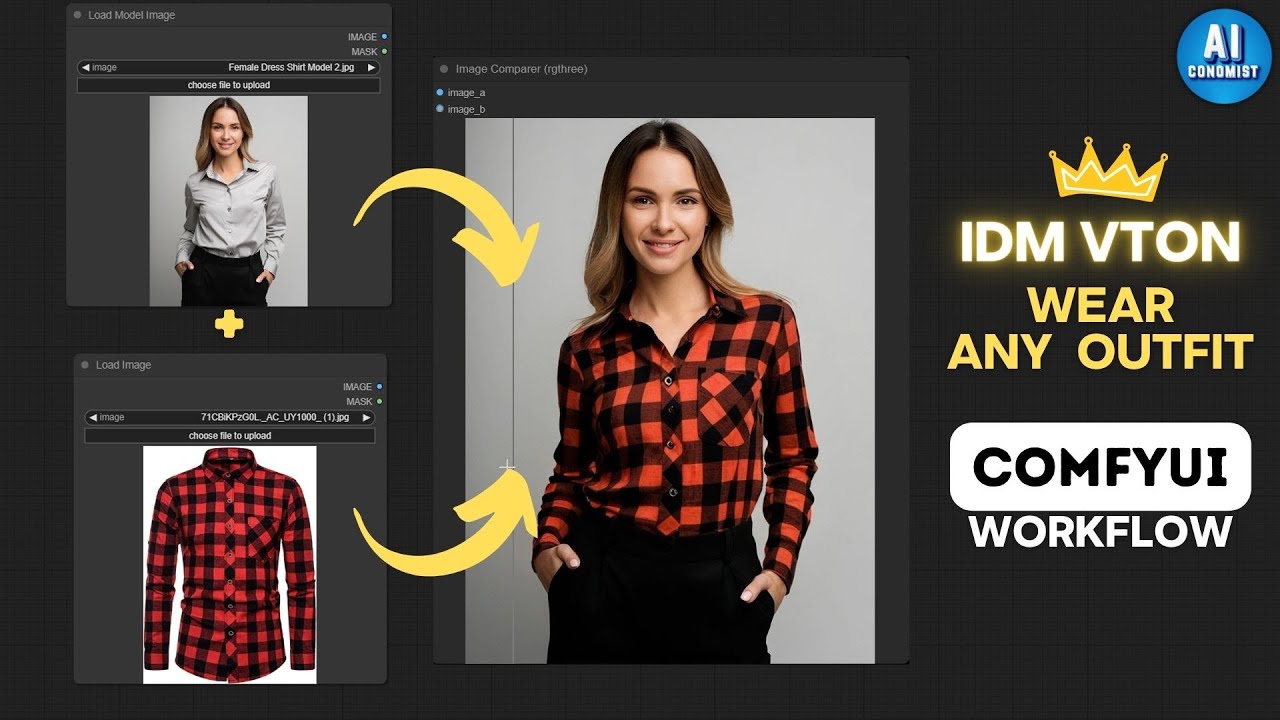
🌟 Visite for Latest AI Digital Models Workflows: https://aiconomist.gumroad.com/
IDM VTON for Realistic Clothing on Digital Models + ComfyUI Workflow
Discover the secrets of enhancing digital character outfits using IDM VTON on ComfyUI. This tutorial will teach you the techniques to bring your digital fashion creations to life.
Part 1: https:...
mystic plaza
mystic plaza
https://www.youtube.com/watch?v=pFYqPf1Z7x8&t=107s
trying to do something like this mainly @dry rock
dry rock
maybe it failed to download its models / didn t have enough room to download them. can t tell you for sure
mystic plaza
dry rock
maybe it failed to download its models / didn t have enough room to download the...
so should i try a uninstall and reinstall through the comfyui manager ?
dry rock
you can try, make sure to check the log for any errors
and make sure to have free space (25gb according to the video) on both your f: and c:
mystic plaza
dry rock
and make sure to have free space (25gb according to the video) on both your f: a...
it has plenty of space already tho in both drives
livid gust
@upbeat charm One thing I always add to the positive prompt when making characters is "realistic skin, natural pose." Realistic skin will trigger a close up, so be warned. Don't use it for landscapes or you'll get people.
upbeat charm
livid gust
<@427545429563932683> One thing I always add to the positive prompt when making ...
In my default positive I got: detailed eyes, detailed lips, detailed face, detailed nose, detailed body, beautiful, detailed iris, symmetrical face, symmetrical iris, realistic eyes, detailed skin
I got really weird faces without this all, but I can add realistic skin & natural pose as well
Also got 'cleft chin' in my specific negative cause I got super weird cleft chins on all my models lol
livid gust
Are you overdriving the model's resolution? Try backing off on the size or trying an alternate orientation (i.e. portrait vs landscape) I also often throw in "camera rule of thirds" in my positive, if subject framing is problematic.
 graceful pewter
is there a node floating around that takes an image and an input mask, and returns the image with the masked area as transparent?
or do I need anynode to make a node to do that?
steep marlin
graceful pewter
is there a node floating around that takes an image and an input mask, and retur...
Stable diffusion doesn't use an alpha channel for actual diffusion unless you use that specific custom transparency model workflow, but it's a custom addon. An alpha mask is usually all you need to direct things like cnets, ipa and inpainting
What are you trying to do? Like why does it have to be transparent?
graceful pewter
I have the image generated, I just want to remove the background on it for placing on a website so that I can use css to control the background. Its a final process - I could use the transparent-background node from the LayerStyle pack, but it seems stupid to have it figure out where the background is when I already have a mask from earlier in the workflow
steep marlin
graceful pewter
I have the image generated, I just want to remove the background on it for placi...
I'll check in a minute, but I think there's a join alpha node or something, but you might have to invert the mask before it
If not, just save the mask separately and use krita or photoshop to apply it
livid gust
@tall prism It's called the IPAdapter. Watch Mateo's video posted at his GitHub.
 trail trench
Hi i have a question. Is it possible to inpaint an image from an ipadapter? Like for example i have a base image of a empty interior and I want to inpaint a chair from ikea, is it possible?
And do we have a tutorial for that? I'm not really familiar with inpainting, just with ipadapter and controlnets.
merry ermine
powerpaint and brushnet 2 nodes
 rapid elbow
auto1111 has prompts from file or textbox how would i get that on comfyui?
 covert bough
https://x.com/fofrAI/status/1815786739362918751 FoFr has added Llama 3.1 405B into the Replicate ComfyUI custom nodes repo
I just dropped Llama 3.1 405B into the Replicate ComfyUI custom nodes repo.
So now you can run 405B straight from your ComfyUI:
https://t.co/wSAnwESe9U
Example workflow included in repo.

 Twitter
·
merry ermine
Twitter
·
merry ermine
awesome this might be the best prompt writer around potentially
hardy tree
@storm folio not sure if this was asked, but will Photomaker 2 be natively supported, it just released 😮
 storm folio
probably not in the short term since it would require me to add insightface to base comfyui
merry ermine
that insightface license causes trouble for so many projects lol
graceful pewter
merry ermine
that insightface license causes trouble for so many projects lol
The github repo is MIT?
Ah its the model weights that are non-commercial
livid gust
Is there any way to color fill a masked area? I'd like to tint my overlay.

 distant pendant
livid gust
Is there any way to color fill a masked area? I'd like to tint my overlay.
distant pendant
livid gust
Is there any way to color fill a masked area? I'd like to tint my overlay.
just load a second image with color maybe

there's probably some node that can generate image from color too
livid gust
It looks like ComfyUI_Fill-Nodes has a way to fill a solid color using a masked image. This lets me composite an overlay with a drop shadow.
 covert bough
GitHub
Nodes for better inpainting with ComfyUI: Fooocus inpaint model for SDXL, LaMa, MAT, and various other tools for pre-filling inpaint & outpaint areas. - Acly/comfyui-inpaint-nodes

GitHub
ComfyUI BrushNet nodes. Contribute to nullquant/ComfyUI-BrushNet development by creating an account on GitHub.
 steep trout
Images d une terre aride dessèche et poussiéreuse. Avec un homme a la peau blanc âgé de 50ans avec des lunette une blouse médicale . Un policier noir une deux femmes . Nous sommes en Afrique dans un monde post apocalyptique
Images d une terre aride dessèche et poussiéreuse. Avec un homme a la peau blanc âgé de 50ans avec des lunette une blouse médicale . Un policier noir une deux femmes . Nous sommes en Afrique dans un monde post apocalyptique
covert bough
steep trout
Images d une terre aride dessèche et poussiéreuse. Avec un homme a la peau bla...
vous ne pouvez générer que dans le canal artisanal. cliquez sur ce lien et lisez les informations. #artisan-faq
 vital root
covert bough
https://x.com/fofrAI/status/1815786739362918751 FoFr has added Llama 3.1 405B in...
vital root
covert bough
https://x.com/fofrAI/status/1815786739362918751 FoFr has added Llama 3.1 405B in...
please help me
 covert bough
vital root
please help me
covert bough
vital root
please help me
you'll need to either use the manager to install missing nodes, or install it by hand. let's do the manager first - go into it, and update all, then restart comfy. if the node is still not there, go back into the manager and choose install missing nodes. if it can't find any, then you'll need to go to the repository for the node, read the by hand install instructions, and follow them. you'll need to restart comfy after either method
 obtuse latch
anyone have any script that pulls embeddings from images?
steep marlin
obtuse latch
anyone have any script that pulls embeddings from images?
What do you mean, something like an image captioner?
If so, Florence-2 is really good and there's a wrapper node on comfy manager
obtuse latch
steep marlin
What do you mean, something like an image captioner?
No I want to be able to see / view my prompts in my image workflows (embedded workflows in images)
obtuse latch
steep marlin
If so, Florence-2 is really good and there's a wrapper node on comfy manager
CLI / Script
steep marlin
Oh that's a pain in the ass for comfyui since it's node based. You'd need to do something like give your pos/neg prompts some unique names and then parse the metadata for them
You could have 20 different positive prompts for various stages of a workflow
See where I'm going with this?
obtuse latch
steep marlin
You could have 20 different positive prompts for various stages of a workflow
For sure, I just need to be able to access the actual json workflow from an image, I can parse the prompts.
steep marlin
Should be doable with PIL I think, but there might be another library needed to read the metadata and probably a json library as well
Just Google for python image read metadata json or something like that
obtuse latch
steep marlin
Should be doable with PIL I think, but there might be another library needed to ...
Got it, metadata = img.info thanks
steep marlin
sweet, yeah, you'll still likely need some kind of json library to make things easier
since it's stored in that format afaik
obtuse latch
steep marlin
sweet, yeah, you'll still likely need some kind of json library to make things e...
Yeah, all good on my end, thanks again!

 true onyx
I'm getting this error using this workflow, using the same image in a previous workflow with VAE encoder for inpainting doesn't give the error. How can I fix this?
 forest birch
tested out tensorRT in comfy, and it was interestingly slower than automatic1111's tensorRT from almost a year back. Only gained 3-4 steps in comfy, while automatic's boosted it 3x faster than regular models
@storm folio Hoi, do you know why it's only giving 3 more iterations per sec with 512x512 1.5 base model? As automatic's addon gave 3x higher it's than stock, and it also needed the tensorRT library. Doesn't comfy use those?
storm folio
GPU?
 bleak stump
New audio-reactive geometry system!
[Architecture - Archaic / Ancient - AI]
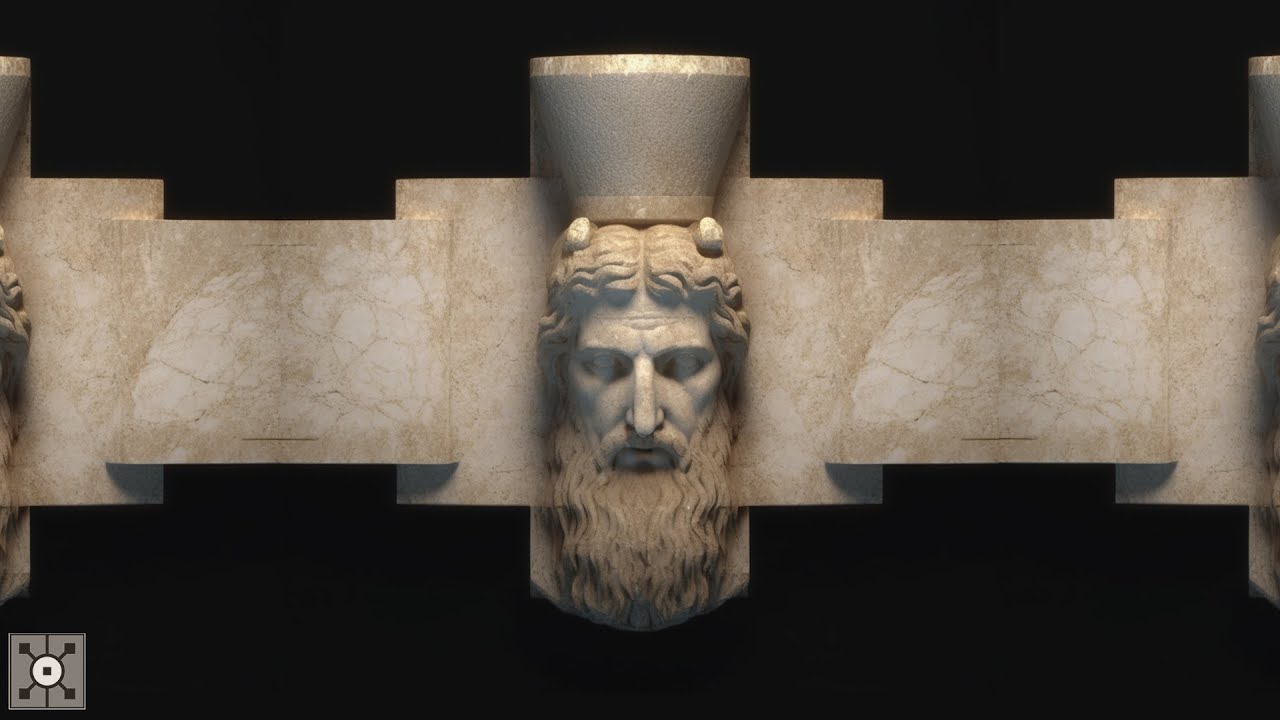
TouchDesigner audio-reactive geometry system + SD/WP parameter configuration files [3]
Music by @welovephoenix
You can access these project files, plus many more experiments, tutorials, and systems, through: https://linktr.ee/uisato
0:00 – Renaissance
0:27 – Ancient Greek
0:54 – Ancient Egypt
#touchdesigner #animation #stablediffusion
covert bough
clipvision enhancer is now compatible with image batches. Take this weird animation made with it. We lose some of its power because I have to average composition/details embeds, but maybe you can do something cool with it. Also thanks to @comfyicu for becoming a silver sponsor!
 Twitter
·
obtuse latch
Twitter
·
obtuse latch
Trying to get a tiled teture working, anyone know the best way?
 radiant sundial
Hi guys, currently trying to install ComfyUI on Windows with RTX 3090.
Git clone, install pytorch stable, pip install requirements then when I launch python main.py I got this error :
PS C:\Users\Raphael\ComfyUI> python main.py
Traceback (most recent call last):
  File "C:\Users\Raphael\ComfyUI\main.py", line 83, in <module>
    import comfy.utils
  File "C:\Users\Raphael\ComfyUI\comfy\utils.py", line 1, in <module>
    import torch
  File "C:\Users\Raphael\AppData\Local\Programs\Python\Python310\lib\site-packages\torch\__init__.py", line 148, in <module>
    raise err
OSError: [WinError 126] The specified module could not be found. Error loading "C:\Users\Raphael\AppData\Local\Programs\Python\Python310\lib\site-packages\torch\lib\fbgemm.dll" or one of its dependencies.
Any idea how to fix this?
obtuse latch
radiant sundial
Hi guys, currently trying to install ComfyUI on Windows with RTX 3090.
Git clon...
You don't need to install anything the .bat installs eerything for you.
radiant sundial
obtuse latch
You don't need to install anything the .bat installs eerything for you.
with the direct download link? it's the same than doing the git clone?

GitHub
This release contains code before the 1305fb2 that broke some custom nodes. This should be safe to use for custom nodes that are not yet fixed.
What's Changed
New menu fixes - fix send to work...
obtuse latch
radiant sundial
with the direct download link? it's the same than doing the git clone?
Unless you need to rebuild / modify, I wouldn't use the repo.
radiant sundial
Okidoki
To be honest I'm not sure if I need to rebuild / modify, so probably I don't 😄
Everything will be optimized for Nvidia GPU already with this install?
obtuse latch
radiant sundial
Everything will be optimized for Nvidia GPU already with this install?
You may need to install uda
covert bough
radiant sundial
Okidoki
you should probably just watch Scott's tutorial on how to install comfy
 eager escarp
posting this here for anyone that's using UltraPixel for cascade https://github.com/2kpr/ComfyUI-UltraPixel/pull/27
GitHub
The "safetensors" files provided for UltraPixel (ultrapixel_t2i.safetensors, lora_cat.safetensors) were not actually safetensors files at all. They were pytorch saves - potentially danger...
covert bough
eager escarp
posting this here for anyone that's using UltraPixel for cascade https://github....
did you notify the ultrapixel author?
eager escarp
covert bough
did you notify the ultrapixel author?
gotta do that too, yeah
radiant sundial
covert bough
you should probably just watch Scott's tutorial on how to install comfy
Yes I did and it works like a charm now! 🙂
radiant sundial
obtuse latch
You may need to install uda
I see this when I launch comfy:
Device: cuda:0 NVIDIA GeForce RTX 3090 : cudaMallocAsync
cuda:0 means it's not installed I guess? what's the best way to install it?
eager escarp
covert bough
did you notify the ultrapixel author?
https://github.com/catcathh/UltraPixel/issues/12 done, or close enough to it
GitHub
The "safetensors" files provided for UltraPixel (ultrapixel_t2i.safetensors, lora_cat.safetensors) are not actually safetensors files at all. They are pytorch saves - potentially dangerou...
they're the ones that originally linked to the non-safetensors safetensors
eager escarp
something that really should be a thing:
we've got checkpointsave, clipsave, vaesave....
but we don't have modelsave/unetsave
 pliant sluice
I'm having trouble finding the "Manager" button in ComfyUI. Has anyone else encountered this issue or has any suggestions on how to resolve it? Any help would be greatly appreciated!
 covert bough
pliant sluice
I'm having trouble finding the "Manager" button in ComfyUI. Has anyone else enco...
covert bough
pliant sluice
I'm having trouble finding the "Manager" button in ComfyUI. Has anyone else enco...
i had that. clear your browser and windows (if using windows) cache - and i don't mean hit F5, i mean go into the browser's settings and clear cache files
pliant sluice
covert bough
i had that. clear your browser and windows (if using windows) cache - and i don'...
got it thank you very much
covert bough
pliant sluice
got it thank you very much
you're more than welcome, but it's not my solution. it's what @uncut shoal had me do
trail trench
Anyway to improve the workflow? I want to put my chair inside a base empty interior room (not a generated one) :

i cant seem to make it work
 long flame
@covert bough @dry rock what i did wrong? the image is so ugly
 covert bough
long flame
<@407561236339752981> <@234988737526890496> what i did wrong? the image is so ug...
covert bough
long flame
<@407561236339752981> <@234988737526890496> what i did wrong? the image is so ug...
why is your CFG set to 0?
long flame
 wispy kelp
so initial render with pony, refine with sdxl- replace background with sd3, - handetelair - facedetailer - upscale with Sd upscaler - final sd15 pass
long flame
covert bough
why is your CFG set to 0?
its 9
wispy kelp
early attempts - also there is a face ip adapter in the facedetailer part and two initial optional openpose and whatever else controlnets
so well render these movie scenes and eventally when video gets good enough we make movies
covert bough
long flame
its 9
can you upload your workflow please
long flame
covert bough
can you upload your workflow please
workflow?
who can i see that? do you want me take a screeshot of my comfy?
covert bough
long flame
workflow?
the first thing you need to do is install the comfy Manager. then you'll have access to several extremely important tools, including the ability to save your workflow
some good comfy tools https://github.com/lucianosb/awesome-comfyui

GitHub
An awesome & curated list of cool tools for ComfyUI. - lucianosb/awesome-comfyui
 surreal whale
you can save json with the save button and save image of workflow right clicking the screen, not part of manager, but ya manager is super nice to have
should be default
covert bough
surreal whale
you can save json with the save button and save image of workflow right clicking...
sort of the difference between trying to fix a car with just a wrench and screwdriver - and trying to fix a car with acess to a mechanic's shop
surreal whale
pretty accurate
long flame
who can i find this workflow bro
surreal whale
right ckick save png

 covert bough
long flame
who can i find this workflow bro
covert bough
long flame
who can i find this workflow bro
did you watch the full tutorial i gave you the link to yesterday? the first thing scott has you do is to install comfy manager
surreal whale
i guess i was wrong i havent had vanilla comfy for a long time
surreal whale
the first pic you posted looked somewhat reasonable besides the upscale part, you should put the denoise at 1 and try again
long flame
covert bough
did you watch the full tutorial i gave you the link to yesterday? the first thin...
gonna do everything he said and generate a image, after i go back here
merry ermine
long flame
<@407561236339752981> <@234988737526890496> what i did wrong? the image is so ug...
The following 5 things in your workflow will lower image quality:
- sub optimal prompting
- CFG too high
- DPM++ SDE does not converge well at 30 steps. Switch to DPM++ 2M if you just want a single pass with 30 steps.
- You are doing 0.46 denoise on an empty latent
- You do an 8x GAN upscale
trail trench
Hi people! How do we apply a specific part (example a chair in a room) and apply an ip adapter to that changing its style?
covert bough
trail trench
Hi people! How do we apply a specific part (example a chair in a room) and apply...
inpaint
trail trench
will try that
do you know how to copy nodes while still being connected to other nodes?
tried copying but they are untethered to their original connected nodes
covert bough
trail trench
do you know how to copy nodes while still being connected to other nodes?
not a clue. i see people do that in videos but i can't get it to work
trail trench
alright thanks!
trail trench
@covert bough tried inpainting and it only resulted in this image

im assuming inpaint by model also requires a specific model right
covert bough
trail trench
<@407561236339752981> tried inpainting and it only resulted in this image
you have to mask out what ou want to change, and then change your prompt to specify what you want in the masked area
long flame
i did everything in the video and continue ugly @covert bough
 covert bough
long flame
i did everything in the video and continue ugly <@407561236339752981>
covert bough
long flame
i did everything in the video and continue ugly <@407561236339752981>
i'm not sure what you have in that negative prompt, but remove all of that and leave that blank. only use negative prompts if you absolutely need to, and then be super specific about the terms you put in, and only put in one or two, to start with. upload your workflow please
wispy kelp
why 512 tho
covert bough
wispy kelp
why 512 tho
probably how it loaded. he's very new to comfy
long flame
i dont have workflow
 merry ermine
long flame
i did everything in the video and continue ugly <@407561236339752981>
merry ermine
long flame
i did everything in the video and continue ugly <@407561236339752981>
there are still 4 big problems:
prompt issues, steps too low, CFG too high, euler is not a good sampler
 merry ermine
this is getting better yes
you don't want to try to predict in advance which values would be good for setting like CFG
instead hold everything else the same and do generations with different CFG values and see the result
with same seed
long flame
so i put different values in cfg and the same seed?
merry ermine
yeah and see what happens
covert bough
long flame
what is you suggestion in cfg?
don't put cfg higher than 4 to start
covert bough
long flame
better?
no. that's a screen shot. i can't load that into comfy and see your values. save the workflow with the SAVE button in the manager OR save an image - images saved from comfy have the workflow in them - and upload either or both of those
then the rest of us can load your workflow, look at the settings, see what might need to be adjusted, and actually help you with this
wispy kelp
haha poor euler always gets trashed
covert bough
long flame
it's usually a good idea to give your workflow a unique name when you save it
covert bough
long flame
you still haven't set cfg down to 4
long flame
covert bough
you still haven't set cfg down to 4
now i did
long flame
covert bough
it's usually a good idea to give your workflow a unique name when you save it
i have to rename it?
long flame
covert bough
long flame
is this the workflow that scott had you build or did you get this from somewhere else?
long flame
covert bough
is this the workflow that scott had you build or did you get this from somewhere...
scott
covert bough
long flame
scott
okay. i don't have that specific dreamshaper's model. i'm using dreamshaperXL_v21TurboDPMSDE. by switching to that model, slowing CFG to 4 on BOTH ksmplers, changing the sampler on the first one to euler_ancestral (leaving the second on alone) this is the image i get

by changing the sampler to euler_ancestral on both of the ksamplers (changing nothing else), this is the image i get

so at this point, you have comfy running, now you need to learn what all the values on all the nodes are for and what they do. start by just playing around with different samplers
and different models
long flame
covert bough
by changing the sampler to euler_ancestral on both of the ksamplers (changing no...
gonna try this
the steps still the same ?
scheduler is normal im ksamplers?
covert bough
long flame
gonna try this
if you 1. click on one of the images i just uploaded 2. once the larger image opens, click on the words open in browser 3. once the image opens in a new tab or window, right click on the image and save it - then you can just drag and drop that image into comfy, and you'll get the workflow - but you will need to go find and download the model i'm using or that node will get a red outline and you'll get an error that comfy can't find that model when you try to run it
covert bough
long flame
scheduler is normal im ksamplers?
karras
eular_ancestral sampler. karras for the scheduler
long flame
okk
covert bough
long flame
okk
here are the settings for both of the ksamplers
 merry ermine
there are ways to get the step count down but try to get your image working first
merry ermine
I meant stuff like Align Your Steps or GITS with UniPC
covert bough
long flame
now i just need to wait, its take too long to generate a image
that's a function of both how much you have it doing, and what hardware you're running on
wispy kelp
so whats the deal with unipc
covert bough
wispy kelp
not turbodong
no, that's the n-sfw version
wispy kelp
i kinda used it by accident and it seems like a hidden gem
merry ermine
unipc is one of the strongest samplers
it can do ok at rly low steps
with the right schedule
covert bough
 wispy kelp
👍
covert bough
merry ermine
oh its turbo
it's also a great model


 long flame
covert bough
if you 1. click on one of the images i just uploaded 2. once the larger image o...
long flame
covert bough
if you 1. click on one of the images i just uploaded 2. once the larger image o...
you have the link of the model?
covert bough
long flame
the ksampler normal
your prompt is confusing, btw - i'm not sure what you mean, and the AI is probably even less certain
covert bough
long flame
you have the link of the model?
search for it with google. you should find it on civitAI and probably a few other places like huggingface or github
long flame
i just copy the prompt from civitai, have i put other prompt?
merry ermine
I don't know turbo very well but 20 might be too much steps for turbo
if I remember rightly 4 CFG is ok for turbo but not for lightning or hyper
covert bough
merry ermine
I don't know turbo very well but 20 might be too much steps for turbo
look at his image again. i'ts not overcooked, she's in a wierd pose. that's the prompt
wispy kelp
the sad truth is that even with the best settings u can get duds like that floating shoe
merry ermine
yeah that's true it doesn't look overcooked so I guess 20 steps turbo is fine
it surprised me cos I thought turbo was closer to lightning in terms of steps
covert bough
merry ermine
yeah that's true it doesn't look overcooked so I guess 20 steps turbo is fine
20 steps is probably not necessary. but the prompt is confusing to the AI
however, i was demontrating the difference in cfg and sampler, so left everything else he had alone
merry ermine
yeah thats fine
its good to change only one thing
I'm essentially permanently stuck on juggernaut
cos they have a lot of sci fi in there
compared to the other big fine tunes
long flame
@covert bough well i downloaded the model
 covert bough
long flame
<@407561236339752981> well i downloaded the model
covert bough
long flame
<@407561236339752981> well i downloaded the model
did you follow the steps i said to download the correct image from discord? or did you just right click and save the image you saw in this chat?
covert bough
long flame
i did
did which?
long flame
the steps i did
covert bough
this is a good, basic, SDXL workflow. start with this

or this
if comfy can't find the model, just pick a model you do have
long flame
 covert bough
long flame
covert bough
long flame
when you get this, you go into the comfy manager, which i see you still have not installed, and you run the install missing custom nodes function
go install comfy manager
 covert bough
long flame
its soooooo long lol
covert bough
long flame
its soooooo long lol
nice image and how much vram did you say you had?
 covert bough
long flame
covert bough
long flame
restart comfy, and manager will show lup
 long flame
covert bough
restart comfy, and manager will show lup
long flame
covert bough
restart comfy, and manager will show lup
its already show
covert bough
long flame
its already show
okay, so now you need to go back to scott's youtube channel, rewatch his first video to make sure you didn't miss anything, then watch all of the rest of his comfy tutorial videos and work along with him, doing the steps as he does them
and don't skip anything
watch from the very first comfy video i gave you the link to, in order, till you get to the last one
long flame
okay, the one problem i have now is it take toooooo long to generate
covert bough
long flame
okay, the one problem i have now is it take toooooo long to generate
that's because your trying to run the program on hardware that isn't really powerful enough
long flame
who can i change it
covert bough
long flame
who can i change it
you buy a better computer
long flame
but my pc in games is good 
covert bough
long flame
but my pc in games is good <:agony:1002961183105634415>
so what? those are games. totally different subject. what you need for games is NOT what you need for graphics. those games use a combination of pre-rendered graphics, and low polygon textured objects. they are not processing graphics for the most part. not sure why everyone thinks that if their computer will run games, it will also be a graphics powerhouse rendering machine, but that's not the case.
 frosty dock
Hello, I'm not sure if this is the right chat to ask, but has anyone encountered a white blank screen on ComfyUI? Everything was working fine, but it suddenly stopped. I checked the console with F12, but there are no errors or anything interfering.
covert bough
long flame
your gpu is nvidia?
if you want to run CUDA, you need nvidia
covert bough
frosty dock
Hello, I'm not sure if this is the right chat to ask, but has anyone encountered...
reboot first to reload everything fresh (use restart from the manager, or just kill the command line window and close the browser tab) and then, if it happens again, try clearing your browser cache
frosty dock
covert bough
reboot first to reload everything fresh (use restart from the manager, or just k...
I uploaded to my other drive from scratch it still did not work, looks same situation. I deleted all my history from browser and updated everything still same.
 covert bough
frosty dock
I uploaded to my other drive from scratch it still did not work, looks same sit...
covert bough
frosty dock
I uploaded to my other drive from scratch it still did not work, looks same sit...
turn off your browser's ad and popup blockers, and your anti-virus if you're running one, and see if that helps. what browser are you using
frosty dock
covert bough
turn off your browser's ad and popup blockers, and your anti-virus if you're run...
I ve just turned off all no luck. I use chrome and tried Firefox did not work.
covert bough
frosty dock
I ve just turned off all no luck. I use chrome and tried Firefox did not work.
can you do this: set your anti-virus not to run at startup. make sure you don't have anything on your system that will block things that try to open in your browser, and then shut your machine down, leave it off for 10 seconds to totally discharge, boot it up, make sure you don't have any thing running in the background that could interfear. And then try runnign comfy again
obtuse latch
Anyone runnign cui on linu?
obtuse latch
covert bough
can you do this: set your anti-virus not to run at startup. make sure you don't ...
Don't turn your Antirus off @frosty dock yo should neer need to, you most likely installed a node that's breaking, just roll bak and test a new install.
covert bough
obtuse latch
Don't turn your Antirus off <@1085941047198232606> yo should neer need to, you m...
sigh.
obtuse latch
covert bough
sigh.
He said it was working before, turning off Anti wouldn't do anything, the ports are not bloked by anti anyways.
covert bough
obtuse latch
He said it was working before, turning off Anti wouldn't do anything, the ports ...
his tech support is all yours at this point.
obtuse latch
covert bough
his tech support is all yours at this point.
Turning off av isn't support 😄 but sure.
Just dl a new instane of ui and see if that will run.
frosty dock
obtuse latch
Don't turn your Antirus off <@1085941047198232606> yo should neer need to, you m...
I don’t think antivirus cause this I ve checked/tested multiple times nothing is wrong. I installed new comfiyu which is no custom node , still not working. Comfyui icon is working I can see but not responding . I have encountered so many problem but this one I have never seen
obtuse latch
frosty dock
I don’t think antivirus cause this I ve checked/tested multiple times nothing is...
it's not anti, it's neer anti, unless it's bloking a port (404) and that's fire wall.
Never turn anti off.
obtuse latch
frosty dock
I don’t think antivirus cause this I ve checked/tested multiple times nothing is...
Your inspector isn't showing any network, so you're not actually hitting the host.
No data is being GET

try localhost:...
frosty dock
Is that bad 😅 I’m not really tech person but trying
obtuse latch
frosty dock
Is that bad 😅 I’m not really tech person but trying
There's no data being sent from the instane.
So sure.
frosty dock
Remember last week there was windows problem all around the world. I think I also affected . After windows update everything is working. Thanks for your information guys.
wispy kelp
block updates.
wispy kelp
frosty dock
Remember last week there was windows problem all around the world. I think I als...
Bill Gates moment.
So this is the changes we will enforce. And these are the ways you can circumvent said changes. will you please love us? Apple will not allow such transgressions. The multitudes waving those phones will not understand.
covert bough
frosty dock
Remember last week there was windows problem all around the world. I think I als...
it was not windows. it was crowdstrike for windows. and since crowdstrike runs where the windows OS files run, it crashed windows when it crashed.
wispy kelp
We are at the end of time.
It is one of the reasons AI is allowed to proliferate. This is to show how easily our senses are fooled and how superficial what we think of as reality is and how much deeper truth is.
Eventually everything out there will deceive us and we can only find truth within.
This is it folks.
It will only get worse.
The wars, the climate, the nonsense. The pain.
The bullies,
The idiots.
When you can make your deceased ones talk as if they were still here. Thanks to AI.
You will know how fake this is.
All of it.
And you will be angry you ever fell for it and angry you did not punch the bullies and liars in the face way before.
And moved on to better and greener pastures.
Every batch of apples needs a rotten apple.
But not forever.
Damn am I glad I live now at the end of time to see all of the evil shitheads go down.
We will all celebrate yes?
Puke drunk.
Remember.
Iran, North Korea, Hamas, Hezbollah, all the bullies, in every classroom, in every Discord server, in every family. All evil. All evil. all of it.
Gone forever.
We won't shed a bitter tear.
hollow bay
Hey guys, I was wondering if you can use SD 1.5 Loras with SDXL models or even sd3?
sly sundial
hollow bay
Hey guys, I was wondering if you can use SD 1.5 Loras with SDXL models or even s...
No
livid gust
@frosty dock From any open browser, you can always just navigate directly to the port.
http://127.0.0.1:8188/
Hello guys, I'm tryng to use FaceDetailer in a txt2img workflow, I do VAE Decode --> Image batch to Image List --> FaceDetailer (pipe) but I have this error :
Error occurred when executing FaceDetailerPipe:
mat1 and mat2 shapes cannot be multiplied (154x2048 and 1280x768)
File "C:\Users\Raphael\ComfyUI_Portable\ComfyUI\execution.py", line 151, in recursive_execute
Probably missing something but not sure what
Also tried using the Rebatch Latents between my kSampler and VAE Decode but having same kind of error
 vestal thicket


Anywho, new to comfy, old hat with modular programming, though. Trying to figure out how to implement refiner. Anyone got any advice?
vestal thicket
wispy kelp
what does this do?
Creates a random choice of image size from a set of predefined ARs. There are easier ways to do it. I'm just being goofy. It's sort of a joke.
 deft saffron
I am looking for someone who can generate pics of 2 different person in same picture using multiple ip adapter
For example me and Zuckerberg shaking hands
vestal thicket
deft saffron
For example me and Zuckerberg shaking hands
Your example makes me immediately suspicious.
deft saffron
Haha
Bdw is it possible?
@vestal thicket is it possible using two different ip adapter of 2 different faces?
vestal thicket
deft saffron
How 😮 @vestal thicket
 terse talon
Hey everyone I am looking for a ComfyUI expert: https://www.upwork.com/ab/applicants/1815333397113988233/job-details
deft saffron
Can you please help @vestal thicket
There's no where anything on internet about two PPL in same photo
Everywhere there is lora
 vestal thicket
deft saffron
vestal thicket
deft saffron
Yeah, I'm not comfortable helping you with this. But we'll always have Zuckerberg-Meringue pie.
covert bough
deft saffron
There's no where anything on internet about two PPL in same photo
SD3 can successfully do more than one person in the same image. the other models have a problem with that concept
vestal thicket
Moving on... Is there a custom save image node that'll store and output said image when called?
covert bough
vestal thicket
Moving on... Is there a custom save image node that'll store and output said ima...
yeah. i'ts called save image
it'll display the image like preview image does, but also write it out to the outputs directory, and the workflow is included in the image
vestal thicket
covert bough
yeah. i'ts called save image
Poor wording. Trying to cut out a step. I'm looking for a save image with a switchable outpat. So I can say "Hey, I like that output, let's img2img it." without going to explorer.
covert bough
vestal thicket
Poor wording. Trying to cut out a step. I'm looking for a save image with a swit...
no, you just run the image connection from VAE decode into another processing set of nodes
vestal thicket
I hate that. Time to learn how to make nodes.
covert bough
here - this is my SD3 to SDXL character generator workflow. create the character with SD3, process/refine/etc in sdxl
use that to start with
vestal thicket
covert bough
here - this is my SD3 to SDXL character generator workflow. create the character...
Thank you, o wise wizard.
covert bough
vestal thicket
Thank you, o wise wizard.
welcome.
surreal whale
vestal thicket
Poor wording. Trying to cut out a step. I'm looking for a save image with a swit...
vestal thicket
surreal whale
https://github.com/chrisgoringe/cg-image-picker

Holy carp this is even better than what I had in mind. This will save so much time. Thanks much.
surreal whale
vestal thicket
Holy carp this is even better than what I had in mind. This will save so much ti...
NP, this set also has a bunch of different types of switches, might be useful if your gonna build out a big workflow https://github.com/rgthree/rgthree-comfy
vestal thicket
Lol. I already have it. I need to learn what f* nodes I actually have. Between Comfy an VCV I have no idea what kind of power I'm sitting on.
This dude's "Sillynodes" pack looks wild, too.
vestal thicket
surreal whale
NP, this set also has a bunch of different types of switches, might be useful if...
So, noob issue. I git-cloned CG-Image-Picker, but it's not showing in my custom nodes folder. Thanks again fro recommending RG. Already very useful.
vestal thicket
Nother issue: I'm trying to select random images from a source image directory. I'm going random prompts(1-500 as string)->Anyconvert to int-> batch index input. Keeps erroring out saying int is invalid input for index. Tried inputting the raw string, and it hates that more. Is there a way for me to find out what kind of input batch index is looking for?
surreal whale
vestal thicket
So, noob issue. I git-cloned CG-Image-Picker, but it's not showing in my custom ...
dont really know what or why to either question, one more helper package makes installing things easier. might help in general if you don't have it https://github.com/ltdrdata/ComfyUI-Manager
vestal thicket
My dumb ass. I didn't git it with manager.
vestal thicket
surreal whale
dont really know what or why to either question, one more helper package makes i...
"This action is not allowed with this security level configuration". Run as admin, maybe?
surreal whale
mmm ya i dont know, windows thing i guess, never got that
 wanton rain
Hello everyone, can I generate images by making requests to comfyui via API?
 maiden wigeon
Hello everyone, does anyone know a way to change the folder where ComfyUI looks for the checkpoints I downloaded? I am running out of space on my current drive. Thanks
steep marlin
maiden wigeon
Hello everyone, does anyone know a way to change the folder where ComfyUI looks ...
You can use either symlinks or I think you can add a launch flag or edit a config file somewhere to set the directory
A symlink is like a virtual shortcut from one folder/file to another. So if you symlink comfyuis checkpoints folder to some other folder with your models, when comfyui goes to access the folder, it gets virtually redirected to the other folder
oh and if you don't feel comfortable with that:
https://github.com/comfyanonymous/ComfyUI/blob/master/extra_model_paths.yaml.example

GitHub
The most powerful and modular stable diffusion GUI, api and backend with a graph/nodes interface. - comfyanonymous/ComfyUI
radiant sundial
Hello, I am working on creating a consistent character and was wondering if I should use IPAdapter FaceID or InstantID?
What I want is to be able to pass multiple images of the face of my character
I am not sure to really grasp the difference between the 2 of them so if anyone could enlighten me it would be amazing!
From what I understand InstantID do face + style consistency while IPAdapter Face is solely focused on face consistency?
merry ermine
both
 chilly kayak
is this the right place for me to ask for help when encountering an error when queuing a prompt? I was hoping someone could break down what my error means so I can better understand it and fix it myself in the future.
covert bough
chilly kayak
is this the right place for me to ask for help when encountering an error when q...
sure. what's the error?
chilly kayak
I actually googled it and figured it out on my own 😅
But as long as I know that this place is one where I can ask questions regarding errors then that'll help in the future
 tall prism
How to fix it
 vital root
Please help me to improve my workflow. This is to slow.
Best regards
livid gust
@tall prism I typically search for the model name in google, but you can try the Manager's Install Models button. After you install the model, click the Refresh button so Comfy repopulates all node dropdowns with new values.
@vital root With all those detailers, you have to wait it out. One thing you can do is to reduce that sample count. 60 on every detailer seems ridiculous. Try running 9. That can speed things up.
vital root
livid gust
<@1017181408571166724> With all those detailers, you have to wait it out. One th...
Thanks 😀
 shrewd bobcat
Does anyone know why ComfyUI_StableAudio_Open would completely wreck my install? ive tried to install it twice and its pretty bad.
its either that one or comfyui-sound-lab idk tbh, should be reported or something
covert bough
introducing: ComfyAGI 🧙♂️😉
we've taught Claude to generate ComfyUI workflows, so you can now build comfy workflows just with prompts...
We're open sourcing the entire prompt chain for this (which is a glif too), so u can remix & adapt it
join our Discord & come hack with us:
 Twitter
·
surreal whale
Twitter
·
surreal whale
neat its gonna suffer from knowledge cutoff at times till retrained
hum or is it smarter than i think
surreal whale
shrewd bobcat
Does anyone know why ComfyUI_StableAudio_Open would completely wreck my install?...
dont know what thoes nodes are comfy supports stable audio open by default, dont need extras
merry ermine
RAG might help
with newer node docs
feed it the python files as well
this is speculative though I am not sure
 chrome flint
anyone doing architectural rendering enhancements with artificial intelligence?
I don't know where to download comfyui prepare image and mask for inpaint, because by double clicking with the right mouse and typing it it doesn't appear, does anyone know?
merry ermine
brushnet with power paint nodes
merry ermine
anyone has idea about why comfyui update is stuck at Downloading opencv_python_headless-4.7.0.72-cp37-abi3-win_amd64.whl (38.1 MB) ?
hmm its progressing now, weird that it took so long for 38mb
i hate linux oriented frigging update process
shrewd bobcat
surreal whale
dont know what thoes nodes are comfy supports stable audio open by default, don...
Oh thanks. I ended up moving from portable windows to install on WSL ubuntu. I think this was a little smoother too.
long flame
if stable difussion in my pc dont work, civitai helps
 wispy kelp
We really should have a contets with the most complicated workflows, has anyone ever run out of space in comfyui, like no more room to add nodes?
covert bough
in case you haven't seen this site https://comfyworkflows.com/
wispy kelp

713 / 5.000
In this video, we explore the incredible capabilities of Portrait Master, Styler with Thumbnail Preview, All-Styler, Prompting with Blip Analysis, and delve into the theory behind these powerful tools. While the theory may seem a little daunting, feel free to fast forward if you'd rather get straight into the action. With these tools...
this workflow would probably make top 10
 primal otter
wispy kelp
https://www.youtube.com/watch?v=rtSMGm9nSJk
primal otter
wispy kelp
https://www.youtube.com/watch?v=rtSMGm9nSJk
That looks REDONCULOUSLY complicated
Iiii just got comfyUI Up and running for the first tiiimee YAAAY! :D
wispy kelp
It could be simplifed probbaly a lot for same results...
merry ermine
yeah a lot of the youtuber workflows, or ones that go viral on civit or reddit, are like that
wispy kelp
ikr!
maybe they want to seem impressive
its like comfui bling
comfy flexing
Flex those noodles!
merry ermine
yeah massive workflows like this in comfy isn't a good idea
if a workflow gets this complex it should be done with python scripts really
 queen geode
Hey guys, do you know which workflow I could use for Personal Image generator? Thanks
wispy kelp
queen geode
Hey guys, do you know which workflow I could use for Personal Image generator? T...
what do you mean?
queen geode
wispy kelp
what do you mean?
So I'm new to Comfy ui and Stable Difussion, my goal is to play around with personalized photo profile (like Image to Image generation), based on what I learn we could use some workflow for these, do you know any?
queen geode
wispy kelp
https://comfyanonymous.github.io/ComfyUI_examples/img2img/
Great, but what I mean is generating photo realistic from several photos
livid gust
Check out some tutorials on the IPAdapter node (Mateo's work on Github is a good place to start). It's good for photo reprocessing and nabbing the style of one photo to apply it to another. There are nodes that can read images from a folder as well.
distant pendant
anybody got flux working in comfy? according to the hf page
FLUX.1 [schnell] is also available in Comfy UI for local inference with a node-based workflow.
but I'm just getting key errors trying to load the checkpoint
 distant pendant
yuup
 woven rivet
I'm surprised there's no example comfy workflow somewhere
distant pendant
oh, I got further by changing the extension from sft to safetensors
but now it's saying it can't detect the model type
woven rivet
I tried that at first
But if you look in the comfyui commit, they updated the file extensions to include .sft so I think that's on purpose
 distant pendant
oh huh, there is a commit for that, how did I miss it
woven rivet
But no workflow 
Hmmm

Not the right clips but flux is a type in theer
*there
I wish I was smart with this stuff but I only know how to click and drag 😭
distant pendant
dual clip is nice but I can't really find a node to load the unet/transformer or whatever they use
maybe the checkpoint should come in separate pieces like sd3 did
woven rivet
distant pendant
maybe the checkpoint should come in separate pieces like sd3 did
Check in #🆕|sd3 , someone figured it out 👍
wispy kelp
flux!? another model??
primal otter
Whatching a video, I found that there is a differentiation between a CLIP text Encoder, and one SPECIALLY made for SDXL... whyyyy is this a thing? Comparing images there doesn't seem like much of a difference. (Though, I haven't done a billion experiments so there could be something i'm not seeing)
wispy kelp
hmm after my latets update the clear resources arrow is gone 😦
covert bough
primal otter
Whatching a video, I found that there is a differentiation between a CLIP text E...
wait till you find out there are 3 different encoders for sd3
primal otter
covert bough
wait till you find out there are 3 different encoders for sd3
Oop-
Do all of them... serve a purpose? Like. Do they make a big difference?
covert bough
primal otter
Do all of them... serve a purpose? Like. Do they make a big difference?
yes. that's why they are there. i can go into detail on what all of them do if you like. Dm me, it's a long discussion
 hardy surge
Hi, I am running Flux but it unloads from VRAM after generation, filling all of 32gb RAM and making PC barely usable, is there a way to keep model partially loaded forever? I don't have --lowvram argument in .bat file but it is still runs in lowvram mode
covert bough
 cursive ridge
anyone have a flux workflow I can use? Apparently just plunking the model into an SD3 workflow doesn't work
 minor plaza
Anyone may know what is happening here? The vae isn't selectable/showing up within ComfyUI.
Prompt outputs failed validation
VAELoader:
    - Value not in list: vae_name: 'ae.sft' not in []
DualCLIPLoader:
    - Value not in list: type: 'flux' not in ['sdxl', 'sd3']

It still can't recognize it even after installing the VAE directly within ComfyUI. 😦
 covert bough
 covert bough
minor plaza
covert bough
minor plaza
did you follow the install instructions on that page for the models?
minor plaza
Yes? I've triple checked it too.
covert bough
minor plaza
Yes? I've triple checked it too.
you're missing the encoder - you can get that from the SD3 hugging face page and you need a VAE - you can probably use the same one you use for SD3
minor plaza
I'm not sure what to download for the encoder or what folder it would be placed in then.
And I've downloaded the VAE twice. It's not letting me select it in ComfyUI
covert bough
minor plaza
I'm not sure what to download for the encoder or what folder it would be placed ...
you need the t5xxl encoder. zoom in on the node on the left side of the workflow and see what it is that's listed there. yo uprobably ahve it if you have SD3 but it might be in a different directory. left click on it and see if you can find t5xxl in the list
covert bough
minor plaza
And I've downloaded the VAE twice. It's not letting me select it in ComfyUI
did you put it in the right folder?


 covert bough
okay, put the ae.sft file into ComfyUI\models\vae and rename it to ae.safetensors
you have to rename sft files to safetensors
minor plaza
Ohhh duddeee. I did not know that! 😅
covert bough
minor plaza
Ohhh duddeee. I did not know that! 😅
make sure you rename the other flux files from sft to safetensors too
minor plaza
covert bough
you need the t5xxl encoder. zoom in on the node on the left side of the workflow...
Yep. Now the last error:
Prompt outputs failed validation
DualCLIPLoader:
    - Value not in list: type: 'flux' not in ['sdxl', 'sd3']
I am still missing a file, yeah?
covert bough
minor plaza
Yep. Now the last error:
```
Prompt outputs failed validation
DualCLIPLoader:
...
restart comfy
minor plaza
covert bough
restart comfy
The error is still present when I try to generate an image. It's not in this list, sorry:
 covert bough
minor plaza
The error is still present when I try to generate an image. It's not in this lis...
covert bough
minor plaza
The error is still present when I try to generate an image. It's not in this lis...
left click on each of those, and see if they are in the list of stuff you can pick from
those are your encoders
minor plaza
The only issue is coming from the type in the DualCLIPLoader, which is missing the option flux.
covert bough
you can download them from here https://huggingface.co/stabilityai/stable-diffusion-3-medium/tree/main/text_encoders if you need to
 minor plaza
I have them.

The latest ComfyUI now supports FLUX and allows the .sft extension to be used interchangeably with .safetensors. If your ComfyUI doesn't recognize the .sft extension, it means your version is outdated and needs to be updated.
But mine is updated lol
covert bough
minor plaza
But mine is updated lol
mine is too. easier to not fight with it and just rename them
 spring jungle
question is their a way to get avd to control start and stop of steps ?
 minor plaza
Yeah, that's fine, but I dunno why I cant generate an image still.
 covert bough
minor plaza
Yeah, that's fine, but I dunno why I cant generate an image still.
covert bough
minor plaza
Yeah, that's fine, but I dunno why I cant generate an image still.
open an issue on comfy's github page
 dreamy smelt
minor plaza
Yeah, that's fine, but I dunno why I cant generate an image still.
dreamy smelt
minor plaza
Yeah, that's fine, but I dunno why I cant generate an image still.
Just update your comfyui and change the CLIPLoader type to Flux
minor plaza
dreamy smelt
Just update your comfyui and change the CLIPLoader type to Flux
What is the latest version? This is as far as I could update to.

@covert bough Thank you for opening this bug report - https://github.com/comfyanonymous/ComfyUI/issues/4179
GitHub
Expected Behavior updated to the latest version of comfy with the support for flux. downloaded the example workflows and flux ae.sft and models to the specified folders, restarted comfy, expected t...
dreamy smelt
2024-08-01

 flat dirge
minor plaza
flat dirge
minor plaza
I updated with "D:\SD-ComfyUI\update\update_comfyui_and_python_dependencies.bat"
minor plaza
flat dirge
I updated with "D:\SD-ComfyUI\update\update_comfyui_and_python_dependencies.bat"
I do not have this. I am using a forked version of ComfyUI called ComfyUI-Zluda, since I have an AMD GPU. :c
minor plaza
Updated
 covert bough
minor plaza
<@407561236339752981> Thank you for opening this bug report - https://github.com...
covert bough
minor plaza
<@407561236339752981> Thank you for opening this bug report - https://github.com...
welcome. it's apparently hitting a lot of users
merry ermine
 small gate
radiant sundial
Hi guys, currently trying to install ComfyUI on Windows with RTX 3090.
Git clon...
small gate
radiant sundial
Hi guys, currently trying to install ComfyUI on Windows with RTX 3090.
Git clon...
i’m getting this same error, my previous stable diffusion ui was just automatic1111. can you please share how you fixed it?
 fair tiger
mystic plaza
fair tiger
mystic plaza

As promised, here is a breakdown of how I did the Deadpool animation I recently posted. #deadpool #wolverine #marvel
Likes
796

 Instagram
mystic plaza
mystic plaza
https://www.instagram.com/reel/C-JBb1ZAnha/?utm_source=ig_web_copy_link&igsh=MzR...
Instagram
mystic plaza
mystic plaza
https://www.instagram.com/reel/C-JBb1ZAnha/?utm_source=ig_web_copy_link&igsh=MzR...
can i get some help on creating this workflow bros ?
mystic plaza
merry ermine
it uses viggle so we cant
i mean the next part of it where he upsclaes and fixes the animation using animatediff
mystic plaza
merry ermine
it uses viggle so we cant
already did the animation on viggle
merry ermine
oh he uses runway and adobe after effects as well
mystic plaza
merry ermine
oh he uses runway and adobe after effects as well
also comfyui
 broken spoke
Guys
why is it like this

I used the 12gb vram workflow for flux
Do I need to use the schnell model?
sly sundial
broken spoke
Do I need to use the schnell model?
You can use either https://huggingface.co/Kijai/flux-fp8/tree/main
 broken spoke
Im using it inside Pinokio
but the dev version and the workflow to it was so slow as I need to switch to something else
sly sundial
The models are the same size if you use the fp8 versions.
workflow is the same for either
broken spoke
let me try
I have this models


I think the workflow is for the schnell model which I use because it only use 4 steps
mystic plaza
mystic plaza
https://www.instagram.com/reel/C-JBb1ZAnha/?utm_source=ig_web_copy_link&igsh=MzR...
@sly sundial can you pls guide me on how to create the upscale work flow he is using in comfyui ?
sly sundial
No
mystic plaza
sly sundial
No
thanks it looks complex as hell tho but any alt to achieve the upscale or polish the animation a bit ?
broken spoke
why it can't load the schnell model
 wispy kelp
There goes 50 GB of hard drive space.
wispy kelp
broken spoke
why it can't load the schnell model
Update and RESTART comfyui - as in close everything and start it fresh.
and someone showed that upscalers work with no problem with flux..
merry ermine
mystic plaza
thanks it looks complex as hell tho but any alt to achieve the upscale or polish...
he's got a patreon https://linktr.ee/enigmatic_e

if you sign up to their patreon they probably have the workflow there
mystic plaza
merry ermine
he's got a patreon https://linktr.ee/enigmatic_e
the workflow is paid i seen it
broken spoke
wispy kelp
Update and RESTART comfyui - as in close everything and start it fresh.
I restarted it already
minor plaza
I've done made the 50900 Ti with Flux Schnell
 vital root
https://civitai.com/models/620166/elevate-your-creativity-with-my-flux-professional-workflow
This ist my workflow for flux. This model is amazing. Inclusive refine and upscale in krea.ai style. Enjoy. 🥰


After countless hours of hard work, I have created what I can confidently call the perfect workflow. I encourage all of you to try it and see the d...
 desert rapids
Anyone know how to enable swarm option for a listen flag so I can connect to my swarm ui from another computer on the home network. Running portable
desert rapids
vital root
https://civitai.com/models/620166/elevate-your-creativity-with-my-flux-professio...
Can't get it to work, missing pretty much every node it seems like:

 fathom lake
desert rapids
Can't get it to work, missing pretty much every node it seems like:
fathom lake
desert rapids
Can't get it to work, missing pretty much every node it seems like:
Did you try installing them using ComfyUI manager?

GitHub
ComfyUI-Manager is an extension designed to enhance the usability of ComfyUI. It offers management functions to install, remove, disable, and enable various custom nodes of ComfyUI. Furthermore, th...
covert bough
minor plaza
My ComfyUI refuses to update then? :3
comfy posted a response on that issue - you have to use the update script in the comfyUI/update folder, not the manager update function. you also have to update pytorch - and that forced me to update xformers and a lot of other files as well
minor plaza
covert bough
comfy posted a response on that issue - you have to use the update script in the...
It turns out I had some weird outdated forked version of ComfyUI-Zluda that someone in the #🤝|tech-support channel put me onto. 😅
covert bough
minor plaza
It turns out I had some weird outdated forked version of ComfyUI-Zluda that some...
that'll make it mad, too
minor plaza
So I git cloned the actual ComfyUI Zluda version and things work fine. 😛
covert bough
minor plaza
So I git cloned the actual ComfyUI Zluda version and things work fine. 😛
is it working now then?
minor plaza
minor plaza
Updated
Yeah, I had it updated and working fine here last night. My apologies. 😅
covert bough
minor plaza
Yeah, I had it updated and working fine here last night. My apologies. 😅
🙂 i'ts fine. i'm still updating stuff. pip is throwing a fit
fathom lake
Anyways, I got this error when trying to run NerdyRodent's Reposer workflow:
!!! Exception during processing!!! 'NoneType' object has no attribute 'lower'
Traceback (most recent call last):
  File "C:\Users\lenovo\Downloads\ComfyUI_windows_portable_nvidia\ComfyUI_windows_portable\ComfyUI\execution.py", line 152, in recursive_execute
    output_data, output_ui = get_output_data(obj, input_data_all)
                             ^^^^^^^^^^^^^^^^^^^^^^^^^^^^^^^^^^^^
  File "C:\Users\lenovo\Downloads\ComfyUI_windows_portable_nvidia\ComfyUI_windows_portable\ComfyUI\execution.py", line 82, in get_output_data
    return_values = map_node_over_list(obj, input_data_all, obj.FUNCTION, allow_interrupt=True)
                    ^^^^^^^^^^^^^^^^^^^^^^^^^^^^^^^^^^^^^^^^^^^^^^^^^^^^^^^^^^^^^^^^^^^^^^^^^^^
  File "C:\Users\lenovo\Downloads\ComfyUI_windows_portable_nvidia\ComfyUI_windows_portable\ComfyUI\execution.py", line 75, in map_node_over_list
    results.append(getattr(obj, func)(**slice_dict(input_data_all, i)))
                   ^^^^^^^^^^^^^^^^^^^^^^^^^^^^^^^^^^^^^^^^^^^^^^^^^^^
  File "C:\Users\lenovo\Downloads\ComfyUI_windows_portable_nvidia\ComfyUI_windows_portable\ComfyUI\custom_nodes\ComfyUI_IPAdapter_plus\IPAdapterPlus.py", line 657, in load_ipadapter_model
    return (ipadapter_model_loader(ipadapter_file),)
            ^^^^^^^^^^^^^^^^^^^^^^^^^^^^^^^^^^^^^^
  File "C:\Users\lenovo\Downloads\ComfyUI_windows_portable_nvidia\ComfyUI_windows_portable\ComfyUI\custom_nodes\ComfyUI_IPAdapter_plus\utils.py", line 130, in ipadapter_model_loader
    model = comfy.utils.load_torch_file(file, safe_load=True)
            ^^^^^^^^^^^^^^^^^^^^^^^^^^^^^^^^^^^^^^^^^^^^^^^^^
  File "C:\Users\lenovo\Downloads\ComfyUI_windows_portable_nvidia\ComfyUI_windows_portable\ComfyUI\comfy\utils.py", line 14, in load_torch_file
    if ckpt.lower().endswith(".safetensors") or ckpt.lower().endswith(".sft"):
       ^^^^^^^^^^
AttributeError: 'NoneType' object has no attribute 'lower'
_ _
I feel like it's probably something obvious, but I'm not sure what
steep marlin
press f5 and in any slots where models are loaded, manually update the selected model in the options
his model checkpoint name might have been different than yours
fathom lake
Yeah I'll try that real quick
I think I just have the ipadapter model in the wrong directory. The video showcasing the workflow said to put it in here, but it looks like ipadapter's changed (?) since the video came out. Where do I put it now?

 steep marlin
you'll have to check his repo
the ipa author cubix or something like that

GitHub
Contribute to cubiq/ComfyUI_IPAdapter_plus development by creating an account on GitHub.
merry ermine
broken spoke
why is it like this
how much it tool to render ?
broken spoke
merry ermine
how much it tool to render ?
few second with the schnell model and 12gb vram but the output was bad anyway
merry ermine
i just saw comfyui for blender and looks intersting.
fathom lake
Okay I think IPAdapter's working just fine now, but now it's getting stuck on this

 merry ermine
i hope it support direct animation rendering. i will try it tonight.
fathom lake
Nevermind, it's loading, but this is the current progress

Is this normal for running on CPU?
For reference, I have an Intel Core i7-6500U CPU @ 2.50GHZ
Not much but
 vocal grail
vital root
https://civitai.com/models/620166/elevate-your-creativity-with-my-flux-professio...
vocal grail
vital root
https://civitai.com/models/620166/elevate-your-creativity-with-my-flux-professio...
I just tried your workflow and it worked. But after restarting comfyUI it doens't work anymore.

ComfyUI is not even starting
Do you know what could it be?
surreal whale
reinstall pytorch with cuda support, i dont know how with embedded https://github.com/comfyanonymous/ComfyUI?tab=readme-ov-file#nvidia
vocal grail
surreal whale
reinstall pytorch with cuda support, i dont know how with embedded https://githu...
Thanks it worked by updating COMFYUI

this one specifically
 fresh vault
can the unet folder location be changed? (something in extra_model_paths.yaml perhaps?)
vital root
vocal grail
Thanks it worked by updating COMFYUI
This is my first workflow I've created, and even though it works, it's all messy. I'd like someone more experienced than me to tidy it all up for me to have it nicely organized. I've made so many connections that I don't know how to arrange the nodes anymore. And if you could please add OpenPose to my workflow as well, that would be really fantastic. If someone helps me, I'll give a tip on Civitai. ❤️
storm folio
vital root
vital root
This is my first workflow I've created, and even though it works, it's all messy...
merry ermine
storm folio
https://comfyanonymous.github.io/ComfyUI_examples/flux/#simple-to-use-fp8-checkp...
its 17.2 GB do we have less then that ?
merry ermine

not just updating torch, updating nodes and extension akways lead to an error.
is there a solution for this ? is there a torrent link of comfyui full updated with all nodes?
small gate
merry ermine
not just updating torch, updating nodes and extension akways lead to an error.
dealing with the same issues, is beyond frustrating i just want to get flux running and everything is so bad and dont know where to turn to for directions
distant pendant
here's a node that just calls the flux hf space and returns an image for anybody with a potato 
(might need to pip install gradio_client)
wispy kelp
So I am not exactly 100% sure how to run the magic clothing thing.
there is this lebif thing missing or something?
Birefnet?
wispy kelp
I guess not just windows updates are hell but also Comfyui updates too.
covert bough
merry ermine
if you update torch, you also have to update xformers AND all the files that numpy will then be incompatible with.
(and then cocktail peanut tells me yesterday flux doesn't really NEED torch updated after comfy said it did)
merry ermine
the issue is comfy extensions update torch then mess with the whole app.
i never updated torch.
vital root
vital root


Better than midjourney with y workflow? 😀
Can you make it more user-friendly for me? I'm afraid to touch any links. I'll leave it to you experts. Can you organize everything? I think the quality I've achieved even surpasses Midjourney.
vital root
merry ermine
do you guys have full comfyui as torrent or direct link?
This is my workflow
If you can reorganize everything neatly, you'll make me very happy. There are too many spaghetti around.🤣
I created so many connections that luckily I managed to get what I wanted: an upscale that usually requires paid services like krea.ai or magnific.ai. But I don't even know how I did it. Surely someone more skilled than me will be able to organize my entire workflow.
sorry for my english I use google translate🤣
vocal grail
vital root
Yeah I just grabbed your workflow and bypassed most of it though. I am just trying FLUX without any img2img or upscaling, just to try it out. I didn't find the simple workflow for that so yours is what I found.
Anyway, is there a FLUX discord? I don't want to spam FLUX content into stable diffusion discord as I don't know it is the right place
vital root
you're right, but since I'm using comfyui I think this is the right place to talk about it. Then I don't know for sure
 lavish stone
anyone knows what this is doing, i feel like it changes the image in each step
 merry ermine
TBH constantly having to mess with python, torch, xformers and numpy versions is a thing in every area of maching learning
cos I use a wide range of models I have dozens of versions of this stuff installed in different areas
very confusing
fathom lake
What can I do about this?
merry ermine
lavish stone
anyone knows what this is doing, i feel like it changes the image in each step
that looks like it is scheduling the shift to linearly (or log-ly) go from one shift to the other
over the course of the steps
just guessing from the node wording though pls verify
steep marlin
lavish stone
anyone knows what this is doing, i feel like it changes the image in each step
It does that under the hood with or without the node. Those are the default values except for the resolution values you changed. The node just lets you tweak them if you want
merry ermine
what I am not understanding yet is what makes this different to SD3 shift
and does using adaptive solver nullify this anyway?
steep marlin
merry ermine
what I am not understanding yet is what makes this different to SD3 shift
they both use the same sampling method: FlowMatchEulerDiscreteScheduler
but it's likely due to how flux does a few things differently in the model
like with embed pooling and whatnot
merry ermine
ok thanks
steep marlin
i'd have to compare the two codes to really tell you for sure
merry ermine
don't worry I will start looking into it later next week
I'm just doing some random SDXL experiment for a week first
I'm trying to make a custom node for SDXL that tweaks rescaleCFG/tonemap/thresholding to my liking
steep marlin
merry ermine
I'm trying to make a custom node for SDXL that tweaks rescaleCFG/tonemap/thresho...
check into some of Extraltodeus's nodes. he makes the automaticcfg node, but he's got some other new ones like https://github.com/Extraltodeus/Skimmed_CFG and https://github.com/Extraltodeus/pre_cfg_comfy_nodes_for_ComfyUI
the skimmed one looks pretty neat, but i havent tested it yet
merry ermine
oh he finished the skimmed one wow
I was reading his comments on reddit about it while he was making it
yeah I love Extraltodeus's stuff
I just wish he was easier to understand
steep marlin
yeah, he words things pretty vaguely, but just trial and error the hell out of things and see what sticks
merry ermine
his node vector sculptor is really really fun on certain images
you can sort of use it to exaggerate concepts
so like you have a cocktail bar with colourful bottles
and then you boost the vector sculptor and then suddenly the bottles are all lined up in the foreground
or you have a car in a jungle, in a medium shot
and then you boost the vector sculptor and suddenly the car is filling the frame
steep marlin
I'll have to check it out. I hear it's good for breaking up the "sameness" problems that can happen. Like people having the same faces and shit
primal otter
Edit: Nvm I could be dumb. Experimetning is good
merry ermine
CADS is the best for lowering sameness
but CADS can get a little too crazy for some uses LOL
wispy kelp
so whats this birefnet
merry ermine
its a seg model
wispy kelp
so that new magicclothing all in one node is buggy as hell
merry ermine
ye I tend to avoid all in one nodes
wispy kelp
sadly i cant cobble together the face ip adapter into a workflow with magic clothing and also idk is it even better than just a plain adapter for clothing...
i guess your mileage may vary.. also onyl for sd15? tsk tsk
the quest for consistency continues...
tall prism
Hi where of file location to change IP network of comfyui?
 crimson root
oh here it is hahaha!!! hey guys !!!!!
i have some questions and some issues im trying to solve is anybody interested in being like my teacher hahahhahaa
flat dirge
tall prism
Hi where of file location to change IP network of comfyui?
Try these args.
-
--listen [IP]- Type:
str - Default:
"127.0.0.1" - Description: Specify the IP address to listen on. If provided without an argument, it defaults to
"0.0.0.0"(listens on all interfaces)
- Type:
-
--port- Type:
int - Default:
8188 - Description: Set the port to listen on.
- Type:
covert bough
@thorny lily how about adding a way in the comfy config files to point to a different directory other than comfyUI/output for output files?
flat dirge
covert bough
<@105458332365504512> how about adding a way in the comfy config files to point ...
I think that's also something you can change with an arg
covert bough
flat dirge
I think that's also something you can change with an arg
and a symlink, but it would be real nice to just have it in the extra paths file
surreal whale
covert bough
surreal whale
Its in here https://github.com/comfyanonymous/ComfyUI/blob/master/comfy/cli_args...
that's not the extra path's file, so not real convient for most people
sly sundial
It's just as easy to do this with the save image node, probably easier for some users.
 lone cape
Hi, how to solve this error:
ERROR: Could not detect model type of: H:\ComfyUI\models\checkpoints\Flux\flux1-dev-fp8.safetensors
when I trying to use safetensor as checkpoint instead of unet?
merry ermine
that file must be in clip folder i geuss
merry ermine
when i load a workflow it says to me that some node types were not found

while i actually i installed every updates of it
flat dirge
merry ermine
while i actually i installed every updates of it
It could be a situation of the custom node updating and either removing or completely changing a node. If that happens older workflows will show a missing node. In that case you have to replace the missing node in the graph with the updated version, or find some other replacement.
merry ermine
I actually instaled it from comfyui manager
but strangely when i restart it, even though it's updated, it still has the problem
"Cannot execute because a node is missing the class_type property.: Node ID '#107'"
That's what they tell me when i can't launch it
livid gust
That just means you missed a node, or the missing node is not part of the node registry (like recent custom nodes). If you can't find it in your workflow, try moving nodes a round. I've had missing nodes hidden under other working nodes, leaving me perplexed why I can't see them.
 long lodge
hello all. Relative new to comfy. Can you set somehow in the node (example load model) were node has to load from (directory etc)?
 frigid shale
Can some one help me with Lora training in ComfyUI? I'm getting this error while executing lora training. I'm using SDXL checkpoint

 tranquil scroll
Trying to bite the bullet and learn Comfy UI, but when I unpack the file it's missing the python_embeded folder, so the installation fails.
Why is that folder missing?
merry ermine
there is no python installed , not sur why its not using the local venv
tranquil scroll
except that it's definitely installed 😄
distant pendant
you probably downloaded source code instead of the portable build
tranquil scroll
that sounds right
distant pendant
just scroll down in releases and you'll see 'ComfyUI Standalone Portable Windows Build (For NVIDIA or CPU only)'
that's the one you want (if you don't want to use your own python)
 deep rapids
stupid question: I need this to try Flux,right?
I found some instructions: it included Comfyui install.... I also am wondering if my 1660 ti can run it.... I think I have to account for the low vram...
 thorny lily
covert bough
and a symlink, but it would be real nice to just have it in the extra paths file
thorny lily
covert bough
and a symlink, but it would be real nice to just have it in the extra paths file
i've been suggesting to the rest of the comfy org team that comfy's core settings should have an actual coherent interface like Swarm's settings, vs. just random cli args and files wherever
covert bough
thorny lily
i've been suggesting to the rest of the comfy org team that comfy's core setting...
i will back you on this 100% - random files are fine if you're actually a programmer - but for the less technical people, a configurator is much preferred - and comfy is now mainstream
merry ermine
my biggest issue with comfy ecosystem as a whole is that there is not always a lot of comments in the code, or documentation outside of the code
so for example I will often find a custom node with a new sampler with some really long name like DPM-restart-improved-4m-SDE-CFG++
and it can be tough to work out exactly what it is doing
will the coming changes in comfyui make it a standalone app ? no webui
they are changing the frontend.
native ui would be amazing yes
that would be a large undertaking though for something the size of comfy
primal otter
Any suggestions on a good Node pack with a Multiple Lora Loader? Or maybe a LoRA string converter? A Lora_Stack to clip and model node?
primal otter
I have not. Let me try that one.. I have seen the Impact and Inspire pack, but never tried them yet. They look good and if they were from the same guy who make the manager it's PROBABLY good... Imma go try them both!
 merry ermine
obtuse latch
merry ermine
obtuse latch
Recurrent Attention U-Net and Multi-Scale Windowed Multi-Head Self-Attention
primal otter
Having installed the module, I do see a couple that I could use... is there a specific node you'd have in mind?
merry ermine
obtuse latch
Anyone have a simple workflow that will output 1024x2048 properly?
you can get them here ```https://github.com/blepping/comfyui_jankhidiffusion````
primal otter
Sweet! That helps! I shall check him out
merry ermine
obtuse latch
Anyone have a simple workflow that will output 1024x2048 properly?
PatchModelAddDownscale with res-adapter also works
https://github.com/jiaxiangc/ComfyUI-ResAdapter
primal otter
TYVM!!
obtuse latch
merry ermine
you can get them here ```https://github.com/blepping/comfyui_jankhidiffusion````
That doesn't give me control of the uscale dimesnions
currently what I'm dealing with:
 merry ermine
it does
just pick the latent size that you want
obtuse latch
merry ermine
it does
just pick the latent size that you want
The model was trained on 1024.
obtuse latch
merry ermine
but that doesn't mean that you, the end user, have to use 1024
I need to create a image at 1024, then upscale.
merry ermine
why do you have to create the image at 1024 and upscale instead of just creating the image at 2048?
obtuse latch
merry ermine
why do you have to create the image at 1024 and upscale instead of just creating...
Becase, the image was trained on 1024, not 2048.
merry ermine
but you don't have to use the model at the resolution it was trained at
obtuse latch
obtuse latch
If I don't want duplicate objects in the image, yes I do. Re:
merry ermine
the idea behind the nodes I suggested is that they stop you from having duplicate objects
obtuse latch
merry ermine
the idea behind the nodes I suggested is that they stop you from having duplicat...
I don't understand how that works, seeing how you should prompt at the dimensions a model was trained on.
flat dirge
There are a variety of methods that have been created to avoid the issues that appear when generating images outside the range of the model's trained resolutions. Kohya Deep Shrink, HiDifusion, etc.
merry ermine
you can read the original papers if you want
obtuse latch
Since there's no input into the initial dimenision size, I don't see how they would auto know.
merry ermine
there is an input for the initial dimension size
that's what the latent is
obtuse latch
Just tried, it doesn't work, even their example is 💩, but thanks.


If anyone can reccomend a simple fast upscaler, just need 1024x2048. .
currently, (unless someone can suggest better)
 merry ermine
it does work
there must have been some issue
these techniques are over a year old at this point
 merry ermine
I'm just going to assume you are trolling at this point
obtuse latch
Yes I'm the one trolling: https://github.com/blepping/comfyui_jankhidiffusion/issues


GitHub
Janky implementation of HiDiffusion for ComfyUI. Contribute to blepping/comfyui_jankhidiffusion development by creating an account on GitHub.
 compact sluice
im confusion. i want use flux schnell/dev model but with this is really new to me. can anyone help me?
 obtuse latch
compact sluice
im confusion. i want use flux schnell/dev model but with this is really new to m...
obtuse latch
compact sluice
im confusion. i want use flux schnell/dev model but with this is really new to m...
You need a checkpoint.
compact sluice
obtuse latch
You need a checkpoint.
how can i get it?
obtuse latch
compact sluice
how can i get it?
compact sluice
some youtuber said patreon patreon
obtuse latch
compact sluice
some youtuber said patreon patreon
Watch a different YT
flat dirge
compact sluice
how can i get it?
compact sluice
flat dirge
https://comfyanonymous.github.io/ComfyUI_examples/flux/
i putted in comfyui
50-60gb was it
flat dirge
obtuse latch
Yes I'm the one trolling: https://github.com/blepping/comfyui_jankhidiffusion/is...
your using a repo with the word jank in the name. just use the default comfy node for this. PatchModelAddDownscale aka Kohya Deep Shrink
 compact sluice
how can i put. i dont know how to do this?
 flat dirge
compact sluice
how can i put. i dont know how to do this?
flat dirge
compact sluice
how can i put. i dont know how to do this?
Go to this website here and drag the image into ComfyUI. The image contains the workflow. The page also explains what to download and where to put the file.
compact sluice
flat dirge
Go to this website here and drag the image into ComfyUI. The image contains the ...
oh
obtuse latch
flat dirge
Yeah the lad I was talking to doesn't seem to understand what upscale artifacts are and assums the "gems" are part of a good prompt, and not noise. I'll check it out, thanks.
compact sluice
 merry ermine
obtuse latch
Yeah the lad I was talking to doesn't seem to understand what upscale artifacts ...
merry ermine
obtuse latch
Yeah the lad I was talking to doesn't seem to understand what upscale artifacts ...
I literally suggested PatchModelAddDownscale to you lol
 merry ermine
obtuse latch
Yeah the lad I was talking to doesn't seem to understand what upscale artifacts ...
merry ermine
obtuse latch
Yeah the lad I was talking to doesn't seem to understand what upscale artifacts ...
that's how I know you are trolling
you take the suggestion for the same node when he gives it but not when I do
 obtuse latch
merry ermine
that's how I know you are trolling
you take the suggestion for the same node whe...
obtuse latch
merry ermine
that's how I know you are trolling
you take the suggestion for the same node whe...
Mate you literally suggested jank, I checked it out then when I pointed out that the noise in their own example workflow (resolves to gems) was broken you didn't understand.
This is upscale noise, it's broken.
 merry ermine
I suggested the same node he did PatchModelAddDownscale
and you accepted it when he said it but not when I said it
obtuse latch
merry ermine
I suggested the same node he did PatchModelAddDownscale
and you accepted it whe...
Because your track record (even though I'm thankful for you trying) hasn't helped, I tried your suggestion, I'll try the other.
primal otter
obtuse latch
This is upscale noise, it's broken.
Ngl it looks kinda cool though with the infocus image
compact sluice
???
 merry ermine
obtuse latch
Because your track record (even though I'm thankful for you trying) hasn't help...
merry ermine
obtuse latch
Because your track record (even though I'm thankful for you trying) hasn't help...
hi-diffusion actually does work
I've used it on SD1.5
if you search on reddit or youtube you can find dozens of people using it
 merry ermine
flux dev is huge yeah
compact sluice
well i tried this:
 merry ermine
not sure what those are
compact sluice
HUH???
 flat dirge
14 min 
compact sluice
flat dirge
14 min <:rip:252317694475501578>
with rtx 3070 is really slow?
merry ermine
yeah rtx 3070 will be slow
compact sluice
no option for faster mode?
flat dirge
Flux schnell is faster
merry ermine
generally flux dev is for 24gb vram
but with optimisations like quantisation and some offloading it can work on lower vram hardware
compact sluice
i just want make only anime pictures
merry ermine
it depends because some people are okay with waiting
compact sluice
are both the same or different?

 merry ermine
looks like the name of the dev safetensors files are the same yeah
unless I misread it
compact sluice
im downloading schnell with 17gb but i have another in unet folder. why are both different in gb?
merry ermine
is one a quant and the other not a quant?
compact sluice
i should download this for checkpoints
 flat dirge
The 17 GB one from Comfy-Org huggingface is an all in one, checkpoint file version,
merry ermine
oh its got T5 included I guess?
flat dirge
it contains model, vae, clip_l, and t5xxl all in one file
merry ermine
ah okay yeah
compact sluice
flat dirge
it contains model, vae, clip_l, and t5xxl all in one file
so i wasted my time to download for other folder?


 obtuse latch
I'm getting very simmilar faces, anyone know how to get more different ones with the prompt?
 obtuse latch
any clue why I'm getting these facial artifacts?
 merry ermine
use auto re seed, if u detailed face in prompt it will not change alot
 boreal stirrup
I gave flux a go on my 6600 xt with zluda instant blue screen when I hit Queue 
steep marlin
boreal stirrup
I gave flux a go on my 6600 xt with zluda instant blue screen when I hit Queue <...
You probably only have 16gb system ram and a page file that isn't big enough
The model will need around 30gb of system ram or system ram+page file
boreal stirrup
steep marlin
You probably only have 16gb system ram and a page file that isn't big enough
Man I do have 16gb
steep marlin
Jack your page file size up in the windows options, set it to like 16gb. But if it's on a mechanical HDD, forget about it
boreal stirrup
steep marlin
Jack your page file size up in the windows options, set it to like 16gb. But if ...
I had nvme
*have
steep marlin
Yeah you can use that, just be aware that the constant writing will wear the drive down faster
boreal stirrup
steep marlin
Yeah you can use that, just be aware that the constant writing will wear the dri...
Sadge
steep marlin
Pick up a matching pair of ram or upgrade. Rams cheap if you aren't getting bleeding edge versions
boreal stirrup
steep marlin
Pick up a matching pair of ram or upgrade. Rams cheap if you aren't getting blee...
Give me a good ddr4 kit real quick
If I can get 64gb of ram for relatively cheap send me a link if possible please
steep marlin
boreal stirrup
Give me a good ddr4 kit real quick
what motherboard is in the computer if you know off the top of your head? it will be something like b660 or something
boreal stirrup
steep marlin
what motherboard is in the computer if you know off the top of your head? it wil...
I have 5600 it's a asus tuf b450m gaming plus (I got it back when ryzen 3000 launched)
steep marlin
so probably some ddr4 3200 would do
on amazon, just search for ddr4 3200 32gb or something. should run about 50 USD for 32. you might find cheaper deals on slightly higher versions
boreal stirrup
merry ermine
ram speed matters much more for AMD than for Intel
Their CPUs loves speed
steep marlin
well i can almost promise that the difference between something like 2666 vs 3200 isn't even going to make a 10% difference in it/s speeds (talking about ddr4 ram speeds)
boreal stirrup
steep marlin
well i can almost promise that the difference between something like 2666 vs 320...
Can I assume for ssd having one that has got Dram matters also?
I may get refurb 3090 for £550 GBP or so with 2 year warranty
steep marlin
that would help, but realistically, you still have to have more system ram. 32gb really is a minimum for these newer LLM based diffusers
they need to be able to offload the models like t5 to sysram
boreal stirrup
Unfortunately I wish I could get 4090 for £1.8k but I don't have 1.8k chilling for a GPU 😥
So ig refurb 3090 will do
steep marlin
yeah, the 24gb vram is really good
merry ermine
refurb 3090 is easily the best option
merry ermine
I don't want to sound like I am always pushing cloud but on cloud you can get 24-40GB vram for about £0.20 per hour
just to let you know
boreal stirrup
merry ermine
I don't want to sound like I am always pushing cloud but on cloud you can get 24...
I do have vast but importing models take like 3 light years
merry ermine
are you in US?
boreal stirrup
UK
merry ermine
sometimes Sweden data center servers have faster internet
steep marlin
yeah it really depends on how much you plan on using it. if you do diffusion for maybe an hour or two a week, cloud options are likely better in the long run. but if you also game and stuff like that, the card is likely a better value
merry ermine
ah yeah that's the thing I don't game
if you game then its different
steep marlin
you'd need 2750 hours of cloud diffusion @£0.2 per hour for them to break even
vs the £550 cost for the 3090
so that would be ~4h of diffusion per day for two years straight, if you would normally have gotten two years out of the card before upgrading again
merry ermine
hmm yeah its tricky
steep marlin
 merry ermine
bare in mind if you are willing to go for interruptible, non-data-center, non-verified GPUs
then the price is as low as $0.035/hr
but if you go that route its important to use anonymous email and payment, and never show your info on screen
sadly this won't work forever, as models get larger the download times will become too big for this method
boreal stirrup
merry ermine
sadly this won't work forever, as models get larger the download times will beco...
I think I'll get 3090 because then I can also game on it and not worry and not keep paying monthly
merry ermine
okay nice