#🧣|comfy-ui
1 messages · Page 7 of 1
 cursive ridge
have you tried mage.space and civitae for fun? 🙂
I hope SD3 works well with 8gb vram/16gb ram!
 hard marsh
I don't have money, so uh...no. 😆
I dunno if either of those are free, but I feel like they aren't, so.
cursive ridge
there's a free tier on both
hard marsh
Ahhh.
Well, I like system run better.... It feels better than being limited by 10 free gens a day (if that's the case, not sure though)
cursive ridge
hard marsh
Well, I like system run better.... It feels better than being limited by 10 free...
mage free is unlimited, but you only get the simple mode, not the add any model or lora you want mode.
Civitae is limited by how many points you have accrued I think.
Local is WAY better set a comfy randomizer workflow with 200 different variations, go do errands 😄
 silver nebula
How do you run Mobius in ComfyUI? 🙂
hard marsh
Why is my inpainting removing the object?
I can't share the image here as it's mild nsfw, but it's...removing the entire hand i'm trying to fix.
Like sometimes it adds in an attempt of what i'm looking for, and other times it just completely erases what i'm trying to fix.
Even a1111 is doing it? What the fuck?
I might've been using the wrong nodes...agh.
 lone bolt
Quick PSA if nobody brought it up already. If you are using those nodes here, there is a high chance that you might have been hacked. https://github.com/AppleBotzz/ComfyUI_LLMVISION

GitHub
Use Claude 3 and GPT-4, Vision and Text, in Comfyui! - AppleBotzz/ComfyUI_LLMVISION
 distant pendant
I dread to think how many people randomly installed this and possibly other nodes (according to the readme) without even looking at the sketchy wheels in the requirements
 verbal sky
Brand new Comfy training video is available to all! (Layer Composition, Photopea, Black Cut-out Effect, Sliders and Re-route). Enjoy! https://youtu.be/2I1O-NWbk6A

🔥 Unlock the full potential of ComfyUI with this power-packed tutorial! 🚀
🖼️ Master Layer Composition for stunning visuals
✂️ Create eye-catching Silhouette effects with black outlines
🌫️ Harness the magic of Mask Grow and Blur for seamless edits
🎨 Integrate Photopea (free Photoshop alternative) for pro-level tweaks
🎚️ Discover new sliders for l...
 unborn dune
hey guys, how do i set my workflow in comfy to run multiple times like in A1111 (i think it was called Batch Count)
in a1111 it could even be set to run forever. anything like that in comfy?
 sly sundial
unborn dune
in a1111 it could even be set to run forever. anything like that in comfy?
sly sundial
unborn dune
in a1111 it could even be set to run forever. anything like that in comfy?
There's a little square tick box for extra settings in the toolbar. There are options in there for batches.
unborn dune
yay ty!
cursive ridge
You can run comfy on your phone now!
It works 😄 Though the models that come with it kinda suck, but it still works. Perhaps I'll see how to add all my fave models to it when I have some free time.
https://auth.fal.ai/u/login?state=hKFo2SBoUi1qNnRHRW9XdmhqSnJGVHpuQnZWOXRlazdhS0o1TqFur3VuaXZlcnNhbC1sb2dpbqN0aWTZIFQxSElGdURVWE4yOTg3YUZocHY3dFZZTlRnNV96WHpDo2NpZNkgdmpmRndtS1llV1FuT0RIa2puQnpIeUZNcDJpOGxzazU
hard marsh
I'm kinda lost as to why my workflows are suddenly super slow...
i'm hoping it's not fooocus.
like it's... a whole 2 seconds slower.
instead of 1-2s/it it's now 3-4s/it
...could it be the model?
it's not the model. i dont think it's the model.
what the hell is going on...
...maybe i'm just trippin out.
sly sundial
hard marsh
...maybe i'm just trippin out.
Well...you are talking to yourself as well 🤣
hard marsh
i like to update people when im having a problem
sly sundial
Very thoughtful, thank you.
hard marsh
You never know who may waste their time just in case i fix my problem 😆
cursive ridge
hard marsh
...could it be the model?
Some models definitely take longer than others. A lot longer.
 livid gust
Comfy runs slow when you exceed memory.
 tame valley

#AIAnimation #TechDemo #FutureOfFilmmaking #ComfyUI workflows and more in our discord -Dream Animation sequences | AI powered by comfyUI | - check them out --Batched IP adapter - controlnet animation run using animate diff -8 image inputs - UDIO for music score Post processed -Interpolation using flow frames and then upscaled and audio added; ...
 obtuse raptor
https://www.reddit.com/r/comfyui/comments/1dbls5n/psa_if_youve_used_the_comfyui_llmvision_node_from/

Reddit
Explore this post and more from the comfyui community
 mystic plaza
@sly sundial @hard marsh is there a wayt to add a bg image if there is a croma screen behind the image in ai ?
sly sundial
mystic plaza
<@606112693597896716> <@603045752712724500> is there a wayt to add a bg image if...
Yes. You can do it with or without a chroma screen, just need to be able to mask the subject.
mystic plaza
sly sundial
Yes. You can do it with or without a chroma screen, just need to be able to mask...
can you pls guide me on this bro or send a yt video will checl it out ?
sly sundial
Use this node to remove the background and then blend that with your background image.
 mystic plaza
cause this the image i have and there intricate details as well in the image around the leaves portion and i mainly need to generate an outdoor image after that
 sly sundial
Something like this
 sly sundial
mystic plaza
cause this the image i have and there intricate details as well in the image aro...
sly sundial
mystic plaza
cause this the image i have and there intricate details as well in the image aro...
With this, you could colorize the image with a depth map and change it that way.

For example
 mystic plaza
sly sundial
For example
mystic plaza
sly sundial
For example
but the leaves are going to be tricky i feel to get done
mystic plaza
sly sundial
With this, you could colorize the image with a depth map and change it that way.
thanks for the idea will try it out
sly sundial
mystic plaza
but the leaves are going to be tricky i feel to get done
Does all of the outside view need to be there?
Could replace it all

 mystic plaza
sly sundial
Does all of the outside view need to be there?
mystic plaza
sly sundial
Does all of the outside view need to be there?
yes
sly sundial
It'll be harder to mask them, but possible
mystic plaza
will see what i can do asking one of my friends to do a keylight mask and then use that png and generate a outdoor image
sly sundial
mystic plaza
will see what i can do asking one of my friends to do a keylight mask and then u...
Do you want the workflow for that anyway?
mystic plaza
sly sundial
Do you want the workflow for that anyway?
yes pls
sly sundial
Embedded in this
 mystic plaza
 mystic plaza
mystic plaza
mystic plaza
i am not getting your latent empty image bro @sly sundial
sly sundial
mystic plaza
i am not getting your latent empty image bro <@606112693597896716>
You can drag and drop that image into ComfyUI to get the workflow.
mystic plaza
so will this mask work ?
 sly sundial
mystic plaza
so will this mask work ?
sly sundial
mystic plaza
so will this mask work ?
Yes, but it will need to be reversed because it changes the white areas
There is a disabled node in the workflow to do that
The mask still causes some slight blue areas though
 mystic plaza
sly sundial
mystic plaza
sly sundial
for some reason it aint working for me
 silver nebula
You want intricate details? Use this in your prompt ... microscopic ::1 closeup ::1 backlit jewel tiffany ::3 intricate needlepoint closeup murmuration ::3 photographic underwater lighting,
mystic plaza
this is what i am getting tho ?
 sly sundial
mystic plaza
this is what i am getting tho ?
sly sundial
mystic plaza
this is what i am getting tho ?
You're not loading the original image
Where the mask is loading should be the original image
mystic plaza
mystic plaza
so will this mask work ?
but how to add this mask tho ?
mystic plaza
sly sundial
You're not loading the original image
can you pls send the workflow once i am getting confused here
sly sundial
I already have
sly sundial
mystic plaza
can you pls send the workflow once i am getting confused here
If you're using your own mask, this is all you need

Workflow is embedded in the image
mystic plaza
sly sundial
Workflow is embedded in the image
thanks finally understood how this works
mystic plaza
sly sundial
If you're using your own mask, this is all you need
by increasing the steps will it give different results ?
sly sundial
mystic plaza
by increasing the steps will it give different results ?
That's only creating the background image, so it will change that image only.
mystic plaza
sly sundial
That's only creating the background image, so it will change that image only.
sometimes i feel theres a lot of things to learn of comfyui but its way too complex i feel
i guess the more i use a work the more i learn and understand how it works
sly sundial
It's fairly simple really. Follow the lines from the ksampler (where steps are set) and you'll see it leads to a preview image of the background, which is all that it is doing.
mystic plaza
sly sundial
It's fairly simple really. Follow the lines from the ksampler (where steps are s...
i meant the 3d passes and all that workflows which people use or the stable diffusion video
mystic plaza
so just wondering but where do the pony models go into in comfyui our check points or ?
sly sundial
mystic plaza
so just wondering but where do the pony models go into in comfyui our check poin...
Yes, same as any other checkpoint
mystic plaza
sly sundial
Yes, same as any other checkpoint
i see and do you have some exprience with comfyui for 3d stuff or renders ?
sly sundial
No
 cobalt halo
Is it planned to add stabel audio open Support?
 bleak crypt
cobalt halo
Is it planned to add stabel audio open Support?
bleak crypt
cobalt halo
Is it planned to add stabel audio open Support?
There already is a node for stable audio open that you can use.
I've used it, at least. It seemed to work completely fine.
GitHub
The New Stable Diffusion Audio Sampler 1.0 In a ComfyUI Node. Make some beats! - lks-ai/ComfyUI-StableAudioSampler
cobalt halo
bleak crypt
There already is a node for stable audio open that you can use.
nice but i wonder if they plan to make a offical implementain
 storm folio
 cursive ridge

 hardy tree
storm folio
hardy tree
storm folio
oh this would be cool 😮
 fluid pumice
To all Comfy users from a Forge user with luv' https://youtu.be/O3NzGSHjj4s

#aiart #stablediffusion #comfy #comfyui #stablevideodiffusion #stablevideo #imageai #videoai #aimusic #mistralai #udioai #blufftitler #parody #sarcastic
The Ballad of Comfy UI is a funny little video clip about the Comfy UI webui interface for Stable Diffusion, which is allegedly the superior interface !
All images and videos are AI made, gene...
 wispy kelp
Rears lubricated?
I have 0 expecations. SO I am OK.
well i hope it's about as good as sdxl with sigma T5 or somthing
actually i expect it to be somwhat better than Cascade.
 stoic gulch
what plugins do you guys suggest, particularly that might be compatible with the upcomming release
stoic gulch
any plugins/nodes work with the audio model?
 sharp raptor
bleak crypt
There already is a node for stable audio open that you can use.
sharp raptor
bleak crypt
There already is a node for stable audio open that you can use.
Hey I installed this from the comfy UI manager and now I cant open Comfy anymore. The cmd window shows for a second and then disapears
What is the issue?
stoic gulch
sharp raptor
What is the issue?
lol u answered my question ty
sharp raptor
Now tested to delete it from the custom nodes folder and comfy still wont load. Was using it without issues prior to installing the StableAudioSampler addon
cursive ridge
help? I have no idea how to connect these 😦
 hardy tree
according to comfy, you dont even need all that, and besides, just wait for some workflow :3
well... workflow/instructions 🙂
cursive ridge
Thank you 🙂
sharp raptor
hardy tree
according to comfy, you dont even need all that, and besides, just wait for some...
Do you know what I can do to be able to run comfyUI again?
sharp raptor
sharp raptor
Hey I installed this from the comfy UI manager and now I cant open Comfy anymore...
My comfyUI was running properly before installing a addon from the manager
hardy tree
if you know the addon, just disable or uninstall it
sharp raptor
I did remove it from the folder
issue remained
could it be some of the requirements that it installed?
The addon is StableAudioSampler
hardy tree
yea python dependency hell is sadly a thing that exists
one way to fix it in your case is to just get a fresh copy of comfy and then just transfer over the models, loras etc to the working copy
 sharp raptor
hardy tree
one way to fix it in your case is to just get a fresh copy of comfy and then jus...
sharp raptor
hardy tree
one way to fix it in your case is to just get a fresh copy of comfy and then jus...
ok will do this 
cursive ridge
sly sundial
Thank you very much 🙂
sharp raptor
hardy tree
or maybe just update within comfy, the update button
I cant open comfy
can test the new_updater.py file within the comfy folder
sly sundial
cursive ridge
Thank you very much 🙂
Where did you get that top right node?
hardy tree
@sharp raptor welp... then do what i said earlier... cause you seem to be fucked... or maybe if you have git then git pull to get latest files, but idk that wont work i think in your case
sly sundial
"SD3 select latent resolution"
sharp raptor
yeah that is the angle
cursive ridge
sly sundial
What is that awesome looking (orange) exteded image save called? 🙂
cursive ridge
sly sundial
Where did you get that top right node?
I just searched for SD3 in comfy manager install nodes lol
sly sundial
cursive ridge
What is that awesome looking (orange) exteded image save called? 🙂
It literally tells you all the details on it 😄
I chose my own colour
cursive ridge
I think I"m blinded for the next hour lol
sharp raptor
 sly sundial
Workflow is embedded, if anyone wants it.
 sharp raptor
@hardy tree Dang I cant even start comfy in the fresh git clone in other folder now
hardy tree
cursive ridge
I think I"m blinded for the next hour lol
blinded by love? :3
sharp raptor
sharp raptor
here
hardy tree
sharp raptor
<@226907283777388546> Dang I cant even start comfy in the fresh git clone in oth...
huh
sly sundial
hardy tree
blinded by love? :3
I get that a lot 🤣
hardy tree
sharp raptor
<@226907283777388546> Dang I cant even start comfy in the fresh git clone in oth...
dont be scared, but i think you entered the twilight zone 🙂
i actually need some sleep, hopefully you figure it out ❤️
sharp raptor
thank you, goodnight 😄
sly sundial
sharp raptor
What does this command show? nvcc --version
 sly sundial
Are you using windows portable version?
sharp raptor
no cloned the standard one
cursive ridge
sly sundial
Workflow is embedded, if anyone wants it.
How can anyone not like comfy, when you can do this?! 🙂
sly sundial
sharp raptor
no cloned the standard one
Run pip install torch torchvision torchaudio --extra-index-url https://download.pytorch.org/whl/cu123
Make sure you have latest Nvidia driver
sharp raptor
ok, ill check
sharp raptor
sly sundial
Run `pip install torch torchvision torchaudio --extra-index-url https://download...
Have latest drivers and did that pip install. Still get "AssertionError: Torch not compiled with CUDA enabled"
sly sundial
sharp raptor
Have latest drivers and did that pip install. Still get "AssertionError: Torch n...
I'd highly recommend using the portable version 😄
I used to use the cloned repo, but have had much less problems since changing.
sharp raptor
Okay try portable
Seems problem is with comfy since I tested to start Fooocus UI and that worked
sly sundial
sharp raptor
Okay try portable
You could run this in python to see what you get back
import torch
print("CUDA available:", torch.cuda.is_available())
print("CUDA version:", torch.version.cuda)
print("PyTorch version:", torch.__version__)
 upbeat needle
Hi I am trying to run PixArt-Σ I am getting error messages has anyone able to help. Thank you.

 sly sundial
upbeat needle
Hi I am trying to run PixArt-Σ I am getting error messages has anyone able to he...
sly sundial
upbeat needle
Hi I am trying to run PixArt-Σ I am getting error messages has anyone able to he...
Isn't there a sigma model choice in the loader?
I think your choice there is the problem.
Same in the resolution select
sharp raptor
sly sundial
You could run this in python to see what you get back
```
import torch
print("CU...
 upbeat needle
sly sundial
Isn't there a sigma model choice in the loader?
upbeat needle
sly sundial
Isn't there a sigma model choice in the loader?
I have
PixArt-Sigma-XL-2-1024-MS.pth -in >models>Stable-diffusion
t5-v1_1-xxl.safetensors -in >models>T5
diffusion_pytorch_model.bin -inmodels>VAE
sly sundial
sharp raptor
Save it in a file (eg. cuda.py), run python cuda.py
sly sundial
upbeat needle
I have
PixArt-Sigma-XL-2-1024-MS.pth -in >models>Stable-diffusion
t5-v1_1-xxl.s...
In the dropdown menus
upbeat needle
sharp raptor
Thank you I will try
upbeat needle
sly sundial
In the dropdown menus
Yes model is there I can select
sly sundial
upbeat needle
Yes model is there I can select
Change these to sigma models
 sharp raptor
sly sundial
Save it in a file (eg. cuda.py), run `python cuda.py`
sharp raptor
sly sundial
Save it in a file (eg. cuda.py), run `python cuda.py`

Says Cuda False but I can run fooocus and also use cycles render engine with CUDA set in blender
sly sundial
sharp raptor
That'll be your problem then
Your system doesn't recognise it being installed
ComfyUI uses your system variables, when you use the cloned git version.
Portable has it's own setup, so is easier and you don't need to worry about stuff like this.
 sly sundial
sharp raptor
Should I download this?
sly sundial
sharp raptor
Should I download this?
I don't know if there are any version limitations, but that's not what portable uses. If you're not sure what you're doing, then I'd still say use the portable version.
You can drag your models directory into that and use it straight away.
sharp raptor
sly sundial
You can drag your models directory into that and use it straight away.
Thank you sir
cursive ridge
sly sundial
Workflow is embedded, if anyone wants it.
What did I do wrong/not do yet? Or is it just my impatience and SD3 hasn't actually dropped yet? 😄
 sly sundial
cursive ridge
What did I do wrong/not do yet? Or is it just my impatience and SD3 hasn't actua...
sly sundial
cursive ridge
What did I do wrong/not do yet? Or is it just my impatience and SD3 hasn't actua...
Looks like a problem with that node's code
cursive ridge
sly sundial
Looks like a problem with that node's code
Ty, will reinstall
sly sundial
cursive ridge
Ty, will reinstall
No, it's the code

GitHub
!!! Exception during processing!!! name 'comfy' is not defined Traceback (most recent call last): File "F:\ComfyUI_windows_portable\ComfyUI\execution.py", line 148, in recursive_e...
I just opened that 😄
cursive ridge
sly sundial
I just opened that 😄
Thank you for that
but the workflow worked just fine for you right?
sly sundial
No, but I didn't test with no SD3 yet. I just have and get same error.
It can be fixed by adding a line to import comfy, but then it errors with:
!!! Exception during processing!!! SD3LatentSelectRes.return_res() got an unexpected keyword argument 'batch_size'
Traceback (most recent call last):
  File "F:\ComfyUI_windows_portable\ComfyUI\execution.py", line 151, in recursive_execute
    output_data, output_ui = get_output_data(obj, input_data_all)
                             ^^^^^^^^^^^^^^^^^^^^^^^^^^^^^^^^^^^^
  File "F:\ComfyUI_windows_portable\ComfyUI\execution.py", line 81, in get_output_data
    return_values = map_node_over_list(obj, input_data_all, obj.FUNCTION, allow_interrupt=True)
                    ^^^^^^^^^^^^^^^^^^^^^^^^^^^^^^^^^^^^^^^^^^^^^^^^^^^^^^^^^^^^^^^^^^^^^^^^^^^
  File "F:\ComfyUI_windows_portable\ComfyUI\execution.py", line 74, in map_node_over_list
    results.append(getattr(obj, func)(**slice_dict(input_data_all, i)))
                   ^^^^^^^^^^^^^^^^^^^^^^^^^^^^^^^^^^^^^^^^^^^^^^^^^^^
TypeError: SD3LatentSelectRes.return_res() got an unexpected keyword argument 'batch_size'
Hopefully it will be updated by the time SD3 comes out
I'm still amazed at that fancy image save node! 300dpi option ❤️
sly sundial
cursive ridge
Hopefully it will be updated by the time SD3 comes out
I've fixed it and created a Pull Request in the repo.
upbeat needle
sly sundial
I think your choice there is the problem.
I have made some progress no error messages but I got only some noise
 sly sundial
upbeat needle
I have made some progress no error messages but I got only some noise
sly sundial
upbeat needle
I have made some progress no error messages but I got only some noise

You're better off running the T5 model in CPU, not GPU
silver nebula
sharp raptor
Have latest drivers and did that pip install. Still get "AssertionError: Torch n...
Go to Pytorch.org and d/load and install wheel from there
upbeat needle
sly sundial
Wrong VAE? https://huggingface.co/PixArt-alpha/pixart_sigma_sdxlvae_T5_diffusers...
Thank you I will try👍
sly sundial
upbeat needle
Thank you I will try👍
 wispy kelp
I make my nodes red just to freak myself out
custom red that is like a misisng node color
upbeat needle
sly sundial
I downloaded the vae this time I got black noise I think I my models are wrong. my check point is "PixArt-Sigma-XL-2-1024-MS.pth " your one is safe tensors" my T5 model name also different "t5-v1_1-xxl.safetensors" Could you sent me correct models links. Thank you

 dense mica
Guys is there a defacto best way to do seperate character composition?
such as if im trying to make an image with two characters each wearing a seperate outfit or having distinct different features how am i to try to keep this consistant across different seeds without pot luck
ive seen things such as multi area conditioning or regional prompt but what do you guys do
sly sundial
upbeat needle
I downloaded the vae this time I got black noise I think I my models are wrong. ...
Have you tried searching Huggingface?
cursive ridge
sly sundial
I've fixed it and created a Pull Request in the repo.
Wow, ty so much 🙂
cursive ridge
how did you guys get it to work? 😦
I got this
 sly sundial
cursive ridge
how did you guys get it to work? 😦
I got this
sly sundial
cursive ridge
how did you guys get it to work? 😦
I got this
Some context?
cursive ridge
sly sundial
Some context?
That same workflow (that you posted above). I updated everything via manager....
sly sundial
cursive ridge
That same workflow (that you posted above). I updated everything via manager......
The Pixart-Sigma one, or the SD3 one?
Can you post your workflow?
cursive ridge
sly sundial
Can you post your workflow?
Though I didn't use the proper vae yet (can't find it on gimp or via comfy manager), but the other person at least got at an output with a random vae lol
 sly sundial
cursive ridge
Though I didn't use the proper vae yet (can't find it on gimp or via comfy manag...
sly sundial
cursive ridge
Though I didn't use the proper vae yet (can't find it on gimp or via comfy manag...
This won't work yet
cursive ridge
Needs the proper vae to do anything?
sly sundial
- The latent select node is broken.
- The text encoders will be looking for the SD3 CLIP.
sly sundial
 spring jungle
is sd3 github out yet xD
spring jungle
is sd3 github out yet xD
wtf is that? 🤣
sly sundial
spring jungle
sd3 come out today xD
It doesn't require any git repo
It'll be on Huggingface as a model.
spring jungle
oh must of mixed them up lol
upbeat needle
sly sundial
Have you tried searching Huggingface?
Thank you for your help, Finally worked I replaced all models from HuggingFace. Here it is my first image.

 sly sundial
upbeat needle
Thank you for your help, Finally worked I replaced all models from HuggingFace. ...
sly sundial
upbeat needle
Thank you for your help, Finally worked I replaced all models from HuggingFace. ...
 upbeat needle
🙂
unborn dune
hey folks. i tried loading the example comfyui workflow from the sd3 hugging face folder and see im missing nodes

but i ddnt see them in the manager
(ive been using comfy for like a week and love it but still rly fresh w/ it)
 merry ermine
does anyone have some good workflows + models to use for generating unique images with complex contexts?
 spice wharf
unborn dune
hey folks. i tried loading the example comfyui workflow from the sd3 hugging fac...
spice wharf
unborn dune
hey folks. i tried loading the example comfyui workflow from the sd3 hugging fac...
same here!
merry ermine
is SD3 a new model?
sly sundial
cursive ridge
how did you guys get it to work? 😦
I got this
That latent select node doesn't work
spice wharf
ah... i was stupid...
merry ermine
where do I find a guide/tutorial on setting up SD3
spice wharf
unborn dune
hey folks. i tried loading the example comfyui workflow from the sd3 hugging fac...
You need to update your comfyui. Dont forget to refresh the browser (that was my problem)
unborn dune
oh lol ty
 hexed pumice
Trying out the workflow for SD3, I replaced the CLIP loader and trying to use the model with clip included, but I got this error, any idea?

 craggy basin
I have the same issue as above. Missing Nodes. What am I supposed to do to resolve this?
hexed pumice
Update your comfyui
merry ermine
anyone have a guide page to set up SD3?
craggy basin
hexed pumice
Update your comfyui
This was the latest build
Ok, will try the nightly build
hexed pumice
This is the one I have
ComfyUI Revision: 2244 [c8b5e08d] | Released on '2024-06-12'
 cold mist
have an error with SD3, default workflow
 storm folio
craggy basin
storm folio
craggy basin
C:\Users\silve\Applications\new_ComfyUI\ComfyUI_windows_portable>.\python_embeded\python.exe -s ComfyUI\main.py --windows-standalone-build
Traceback (most recent call last):
File "C:\Users\silve\Applications\new_ComfyUI\ComfyUI_windows_portable\ComfyUI\main.py", line 73, in <module>
import comfy.utils
File "C:\Users\silve\Applications\new_ComfyUI\ComfyUI_windows_portable\ComfyUI\comfy\utils.py", line 1, in <module>
import torch
File "C:\Users\silve\Applications\new_ComfyUI\ComfyUI_windows_portable\python_embeded\Lib\site-packages\torch_init_.py", line 148, in <module>
raise err
OSError: [WinError 126] The specified module could not be found. Error loading "C:\Users\silve\Applications\new_ComfyUI\ComfyUI_windows_portable\python_embeded\Lib\site-packages\torch\lib\fbgemm.dll" or one of its dependencies.
This is with the nightly build
I don't have Python installed separately for the record.
storm folio
that's why it's the "nightly" try the stable instead
 storm folio
that means you have to update with the update/update_comfyui.bat
craggy basin
ok let me try that. Someone said update, but I had no idea what that meant, so updated by getting the nightly builds
(there was no UI update button or the like)
Ok, it worked. And is now telling me that my sweet innocent self was deluded in thinking that 10gb file was enough. lol. Let me get the other missing ones.
Small question though:
 craggy basin
What folder am I supposed to place them in?
craggy basin
ok, I simply used the Basic workflow in Hugging
In the Comfy workflow folder
Do the above files add anything? Or are they only for specific edge uses?
craggy basin
Thanks for the help and the sample. I got it to run as well as the prompt in the Hugging even

And for any curious this was on a modest gaming laptop with a 4060 and 16GB system Ram
@storm folio It still complains, with your sample, about the missing clips, even if I use the embedded larger model. To fix this, I attached the Clip point of the checkpoint directly to the Prompt and removed the connection from the TripleCLIPLoader
 craggy basin
I was able to test one of the prompts from the announcement page. Dang. Text can be hit and miss, but this is still seriously impressive

24 seconds on this very modest rig
 broken spoke
Is there a prompt generator
 spare monolith
hi, i have a question. is there something wrong with my workflow?
its keep getting RuntimeError: mat1 and mat2 shapes cannot be multiplied (2x768 and 2048x1536)
i tried updating comfyui and python dependencies and it didn't works
 storm folio
look at the second example workflow on: https://comfyanonymous.github.io/ComfyUI_examples/sd3/
craggy basin
The second image was what I had loaded
spare monolith
i tried the example, load single clip_l and still didn't work, so i tried downloading the model including clips and it worked! thanks!
craggy basin
Tell me, why am I getting different results when I use the separate CLIP files as opposed to the embedded ones? Is that normal? Just some weird RNG effect (yes, the seed is fixed and same)?
This was with embedded CLIPs

This is same exact everything but using the separate CLIP files:

If I use the CLIPless checkpoint it is the same as the last
 polar dove
I updated to use sd3 and broke my comfyui impact nodes.
Reinstalling the node is not working, and everything is fully updated with the manager.
I fixed the reactor nodes, but the impact ones are simply not cooperating.
Any suggestions?
craggy basin
So the biggest difference is that one uses the fp8 text encoder and the other uses the fp16. If you isolate one compared to the other there are often night and day differences, at least with text reproduction
I readily admit this could just be noise, but multiple attempts keep showing this
Here is an example. I am using only the fp8 and fp16, with no other clips. Here is fp8:

Prompt: photo of a baking tray of cookies shaped as letters to make the words "Fresh from the oven". The photo is taken in a bakery with artificial lighting.
This is fp16:

 storm folio
yes that's normal
fp16 is better but a lot bigger
fp8 is not much different from fp16 if you use the other CLIP models
if you use only T5 you should use the fp16
craggy basin
Can I make a suggestion? Offer a larger all-in-one file with the fp16 as well
storm folio
you can make one with the CheckpointSave node in ComfyUI
craggy basin
Oh I have no issue just loading the files directly in the ComfyUI, don't get me wrong. The issue is that many people simply won't even know there is a difference, and the sample page you linked to in no way suggests there is a possible difference either
I certainly did not and only discovered it via my quite anal testing (same seed, this on, that off, etc) as I always do with such things.
storm folio
oh I know about it, we just thought a full fp16 t5 was going to be too big for people
craggy basin
I don't doubt you know about it, as you confirmed it, meaning you did. But as far as I can tell, the difference is 5gb in size. Let people at least know what is what and they can decide if it is too big or not. I would have liked to at least know the all-in-one was not the ultimate experience, just the most practical one.
storm folio
AMD?
stoic gulch
no to karras
 severe pine
storm folio
AMD?
severe pine
storm folio
AMD?
yes AMD also even I installed amdsmi still
If I don't install amdsmi I got error in autmatic1111 too but I also installed it to comfyui still same
https://github.com/AUTOMATIC1111/stable-diffusion-webui/issues/15874
GitHub
Checklist The issue exists after disabling all extensions The issue exists on a clean installation of webui The issue is caused by an extension, but I believe it is caused by a bug in the webui The...
 steep marlin
@storm folio what's the point of the conditioning stuff on the negative prompt for SD3? like i see that it seems to zero it out after 10% of the way, but why? is it actually necessary?
 storm folio
steep marlin
<@1059592307579564162> what's the point of the conditioning stuff on the negativ...
storm folio
steep marlin
<@1059592307579564162> what's the point of the conditioning stuff on the negativ...
better images in some cases
 lavish stone
would be nice the T5 loader to work with cpu
is there any way to load the T5 with the old T5 loader of pix art sigma ?
it does not
it does not work for the moment
severe pine
opened issue at github
https://github.com/comfyanonymous/ComfyUI/issues/3698

GitHub
I tried to run SD 3 but I run into this I also installed amdsmi for be sure its not causing by it. I got Radeon VII gfx_906 using pip3 install --pre torch torchvision torchaudio --index-url https:/...
steep marlin
storm folio
better images in some cases
ahh, alright. yeah i've noticed that it seems to absolutely butcher some images with it. even with an empty negative prompt
steep marlin
storm folio
better images in some cases
with and without the conditioning on the negative prompt:
prompt: "photo of an apartment living room at night, dim lighting" and with an empty negative prompt

like it gave everything some kind of cartoon outline or something
merry ermine
@storm folio Thank you so much for the implementation you did of SD3 in ComfyUI
I can run SD3 in about same speed as SDXL, and even do batches of 4!!
With --lowvram, the encoders are all running on CPU, and the sampling takes about as long as SDXL's sampling would, It was a fantastic surprise to see that I wouldn't need to get a new gpu to play with SD3, again, I don't have enough words to thank you enough!!
merry ermine
I haven't tried --lowvram yet,
I always run it in lowvram because I always prioritize stability over speed
My hardware is a RTX 2060 with only 8gb of vram
severe pine
I got radeon vii and it won't run it load ram but it fail
steep marlin
merry ermine
I haven't tried --lowvram yet,
I always run it in lowvram because I always prio...
im running on a 2080 with 8gb vram and have no issues using normal mode. every once in a while, it will say in the console that it's "loading in lowvram mode 4582.307691574097" but other than that, it works great and is fast. thats with all three encoders and 32gb sys ram
merry ermine
Ah, I will also experiment with SD3's tensorrt version later, for rtx cards it could run much better than the usual workflow
merry ermine
steep marlin
im running on a 2080 with 8gb vram and have no issues using normal mode. every o...
Oh damn thats rly nice, I ougtha try out normal mode more times
 lone jay
Is there a way I could generate the image using multiple values for shift in ModelSamplingSD3? I want to use the same seed and stuff, just changing that setting without having to do it manually and generate an image for different values of shift.
steep marlin
lone jay
Is there a way I could generate the image using multiple values for shift in Mod...
convert the value to a pin and then use some other nodes to handle that part, there are a lot of ways to do it. like you could use an incrementer that starts at like 1.0 and then increments 0.5 each time you queue. so if you queue up up 9, it will go from 1 to 5 in 0.5 increments
 torpid hawk
Hello dear comfy-ui users, I was wondering if anyone has something that replaces ComfyUI_Dave_CustomNode as the project appears to have been archived? Specifically, I'm looking for a node that does this:

 stone bolt
hi can someone help me get started on SD3 with comfyui?
stoic gulch
stone bolt
hi can someone help me get started on SD3 with comfyui?
yes
i am live now i can take your questions if u have, i jsut put out a (shitty) tutorial on sd3 with windows on amd cards
stone bolt
im using ubuntu with nvidia unfortunately, can i just use the checkpoints from the official hugging face page out of the box?
also what about other modules like ipadapters and controlnets can they be used currently with the new model?
stoic gulch
try it vanilla first, 22.04 is the most capable
wispy kelp
do i need a special model loader node?

what do
do i have to download the clip and text separately? cant comfy handle the all in one package?
looks like i just had to update
i hope the update didnt break anythign else. im always scared of that
so if the t5 text encoder is included does this make sigma obsolete?
craggy basin
wispy kelp
so if the t5 text encoder is included does this make sigma obsolete?
You may want to use the fp16 encoder instead of the embedded fp8
wispy kelp
how do i do that
steep marlin
wispy kelp
so if the t5 text encoder is included does this make sigma obsolete?
In my testing, no. Sigma is still reliably beating SD3 at prompt comprehension in a lot of the more technical prompts I've tested. But obviously, SD3's quality is light-years ahead.
Oh and I've tested both with both t5 weights. Even tried sigma all the way down to bnb4bit(computes in fp16) and it was still reliably beating sd3. I even tried every combination of the three encoders with SD3 as well
craggy basin
in the Encoder folder download the fp16 file, as well as the others and place them in the model/clip folder of Comfy. Then connect the clip nodes in the TripleCLIPLoader
you can use this image to load the basic setup (it is modified from Comfy's page)
steep marlin
I'm about to make a sigma to sd3 workflow lol... Need to slap another 32gb of ram into my PC probably
craggy basin

if you are completely new to Comfy, the idea is simply: save this image to your PC, then drag and drop it into the Comfy screen in your browser. It will load all the parameters automatically, including the prompt and seed even
https://huggingface.co/stabilityai/stable-diffusion-3-medium/tree/main/text_encoders Get the first three and place in model/clip
 wispy kelp
wow
hehe its another 10 gigs
-_-
so all in all 25 gigs for the sd3 fun train
I can't imagine what the 8B model requires
50-100 gigs?
:))
craggy basin
You don't actually need the 10gb model if you are using the separate text encoders
The sd3_medium.safetensors at 4GB is fine as you are using the text encoders separately. The thing is that the fp16 text encoder is better than the fp8 one, so it makes since to use it instead.
In pure images it may not be obvious, but as soon as you render text it becomes glaring
stoic gulch
how do i make clip input text larger
merry ermine
does anyone have workflow to share for comfyui that works with SD3 and Face Detailer
wispy kelp
i assume if you refine it with sdxl u cna add facedetailer
i doubt anythign works with sd besides just loading and sampling lol
right now
merry ermine
wispy kelp
i doubt anythign works with sd besides just loading and sampling lol
oh snap, guess i should wait then, cause comfyui is kinda complex .. i usually work with auto
wispy kelp
just decode the sd3 output then encode it for sdxl
do 20 steps in sd3 then another 20 on sdxl
i mena u have to experiment
we all have to experiment now anyway
find out sd3's quirks
 marble venture
stone bolt
hi can someone help me get started on SD3 with comfyui?
marble venture
stone bolt
hi can someone help me get started on SD3 with comfyui?
I made a small guide https://www.youtube.com/watch?v=W14LRlDc_F0&t=51s

Stable Diffusion 3 is here! In this video we go thru how to download the models and get it up and running on your machine locally using Stable Swarm (An Automatic 1111 alternative), and ComfyUI. We also run some generations and compare them.
 limpid nexus
Hi, can someome here tell me what the sd3 model sampling node is for? What does the shift do?
storm folio
it shifts the timesteps up
limpid nexus
storm folio
it shifts the timesteps up
timesteps? What does that mean?
storm folio
so more steps will be spent sampling structure instead of detail
limpid nexus
storm folio
so more steps will be spent sampling structure instead of detail
oh okay. interesting. thanks
marble venture
@storm folio so how does that work? If we say start 0.1 and end 1 meaning it spends 10-100% of steps on structure?
storm folio
for 10 steps it might sample: 1.0, 0.9, 0.8, 0.7, etc...
 dawn zenith
Noticed a slight difference when importing a image into comfy and the image produced
this was using a image from a slightly older version of comfy wonder if anyone else has had this issue?
storm folio
with higher shift it might sample 1.0, 0.95, etc...
marble venture
and in the example workflow, why do you split the negative into two? in one you zero it out,a nd in hte other it goes straight. What difference does it make?
and what does modelsamplingsd3 do? the default shift is 3.0
storm folio
in that example it's because some images look better when the lower timesteps are done with a zero negative
marble venture
I see! so it's not required, thanks
and the model shift?
and the purpose of splitting them?
 fast summit
From my albeit limited testing yesterday, I honestly preferred 90% of the images I did when removing modelshift and the splitting of the negative. Aso setting the steps MUCH higher helped a ton (like 60+ high)
 maiden wigeon
Hello, does anyone know a way to save image names with Comfy using the same name as the prompt? or beginning of the prompt
 lusty pewter
maiden wigeon
Hello, does anyone know a way to save image names with Comfy using the same name...
lusty pewter
maiden wigeon
Hello, does anyone know a way to save image names with Comfy using the same name...
It's a node system, so you can pretty much do whatever you would like with it. Connect the text output from your prompt box to another node that truncates the text to what you want it to be length-wise, then change a save image node's widget to an input and connect it to the node that truncated the text.
If you don't find nodes in the default stack that do what you want, search ComfyUI Manager for a node pack that has nodes you want that will accomplish it.
maiden wigeon
lusty pewter
It's a node system, so you can pretty much do whatever you would like with it. C...
Thank you very much for your advice, do you know the name of a node that does this?
lusty pewter
No, but that's neither here nor there...just look through the nodes and find something that does it.
 wanton drift
for some reason TRT with SD3 makes black boxes even though it should support it (I compiled the engine for the precise settings I use)

 warm vapor
Both clip_g and clip_l are able to load on my ComfyUI instance but not T5XXL. Does anyone know why?
clip missing: ['text_projection.weight']
Requested to load SD3ClipModel

 heavy isle
warm vapor
Both clip_g and clip_l are able to load on my ComfyUI instance but not T5XXL. Do...
heavy isle
warm vapor
Both clip_g and clip_l are able to load on my ComfyUI instance but not T5XXL. Do...
no CLIP/text encoder weights in checkpoint, the text encoder model will not be loaded.
actually means its working correctly 😂
warm vapor
heavy isle
>no CLIP/text encoder weights in checkpoint, the text encoder model will not be ...
photo of three antique dragon glass magic potions in an old abandoned apothecary shop: the first one is blue with the label "1.5", the second one is red with the label "SDXL", the third one is green with the label "SD3".

Nevermind, I got confused by the logs. It takes a few tries to get it right. Sample images are very cherrypicked...
heavy isle
yeah, it's just a warning that you downloaded the 4gb smallest checkpoint so you need clip/t5 in seperate files.
warm vapor
yeah, i'm loading all three through the tripleclip node
wanton drift
warm vapor
```
photo of three antique dragon glass magic potions in an old abandoned apothe...
first try on my workflow, non-cherrypicked
 warm vapor
Then something's wrong with my sampler settings...
warm vapor
wanton drift
first try on my workflow, non-cherrypicked
Are you using both CLIPs + T5?
wanton drift
warm vapor
Are you using both CLIPs + T5?
I use the one with the 8 bit T5 included
okay, second try it forgot the dot

but it's really easy to cherry-pick one with nothing wrong
third try succeeded
 warm vapor
wanton drift
I use the one with the 8 bit T5 included
warm vapor
wanton drift
I use the one with the 8 bit T5 included
Hm...

What's wrong with mine? I'm literally using the workflow example from SAI's HF.
wanton drift
I'm using my own workflow, SAI's workflow might just suck
heavy isle
🐲
 wanton drift
heavy isle
🐲
wanton drift
heavy isle
🐲
that's similar to my workflow with the ksampler settings, but I don't do that weird thing with the negative cond and I use 2 ksamplers
 wanton drift
warm vapor
wanton drift
warm vapor
that's so much closer than before though
just a missing L is seed difference
craggy basin
warm vapor
Nevermind, I got confused by the logs. It takes a few tries to get it right. Sam...
Not cherrypicked. Taken from an entirely different model. (not being funny)
 mint igloo
has anyone managed to run any SD3 lora with comfyUI?
ah, that's fine
I just saw it here https://github.com/comfyanonymous/ComfyUI/issues/3701

GitHub
As the title says, Loras trained with Diffusers' scripts can't be loaded with stock Lora Loader
 echo jay
Anyone here using a custom workflow for SD3??
unborn dune
hey guys, anyone have a suggestion if I have a finished image and I wanna increase the saturation within the same workflow?
 topaz pollen
craggy basin
Can I make a suggestion? Offer a larger all-in-one file with the fp16 as well
topaz pollen
craggy basin
Can I make a suggestion? Offer a larger all-in-one file with the fp16 as well
This exists in the hf repo now btw
It just lagged slightly behind
wispy kelp
echo jay
Anyone here using a custom workflow for SD3??
There are amazing workflows for sd3.
but no one wnats to share

 flat bobcat
can we use this with comfyui or we have to build engine from normal model sd3 ?
 wispy kelp
since pony cant save SD3 maybe comfyui workflows can
 pulsar ivy
Curious if anyone has any thoughts on how https://botika.io/ was built, I assume it runs on the Stable Diffusion architecture, as I'm not aware of anything else with the necessary levels of customization.
I could arguably build a workflow that achieves the same result, but not without getting deformities occasionally. This is leading me to wonder whether they have someone manually improving each image, or if there's some secret solution that I'm not aware of to ensure this level of high-quality consistency.

Create stunning, photo realistic fashion images using AI-generated models. Save time and money and start selling in no time.
 sick badger
realize comfy "is" a webui in itself, but is there a commandline switch to start it but disable the webUI?
stoic gulch
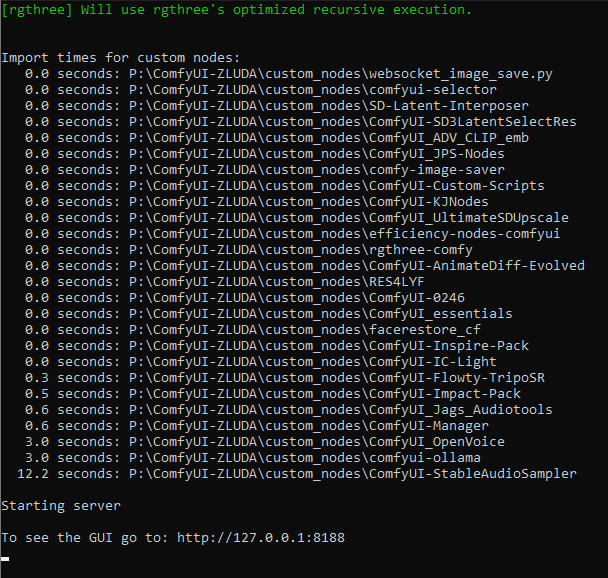
https://i.imgur.com/BuDDE3T.png i dont know how to use any of these but now they load
 hardy tree
wait what you mean... you installed all those without knowing what they do?
 sage timber
Hi! Pretty new to comfyUI and IP adapters. I want to do outfit swap with this anime guy (left) but after playing around the IPAdapter advanced I always got this. Any tips on this? It seems even controlnet doesn't fix it.

 stoic gulch
i am getting: Compile with TORCH_USE_CUDA_DSA to enable device-side assertions.... i feel like ive solved this before but i cant remember how to fix it
craggy basin
sick badger
realize comfy "is" a webui in itself, but is there a commandline switch to start...
Can't you just close the page?
 flat bobcat
wispy kelp
flat bobcat
wispy kelp
where did you get image
wispy kelp
some latent man gave me a workkflow he keeps showing off on sd 3 with his workflows
so this is a par tof his secret workflow he shared
in the sd3 channel that is
🤷♀️
wispy kelp
flat bobcat
where did you get image
its my image im trying to make latent man's workflow work
sick badger
craggy basin
Can't you just close the page?
Lol yes. I want to continue to run my workflows via web socket API but not have a UI exposed. Don't think it can due to the nature of what it is but had to ask.
 silent knoll
Hi, looking for someone to help me deploy a comfy WF to replicate. Ping me if you're interested and I can share more details. Thanks
 robust lily
 wispy kelp
whats the fee dear?
robust lily
fee for commercial, free for me

 stoic gulch
anyway to increase the text size of the prompt area?
 covert bough
@storm folio do you have technical documentation somewhere how exactly how the ModelSamplingSD3 node works? other than shifting the timestep?
storm folio
what do you mean by that?

GitHub
The most powerful and modular stable diffusion GUI, api and backend with a graph/nodes interface. - comfyanonymous/ComfyUI
this is the code
for the sampling part
covert bough
storm folio
for the sampling part
this node. i'm looking for a deep dive technical document that tells me eactly what it's doing under the covers. do you have one?
 storm folio
it sets the sampling of the model to that code I linked above
covert bough
storm folio
it sets the sampling of the model to that code I linked above
okay, thank you. i'll ask if i've still got questions after i go through that. kudos, btw - the updates for sd3 are working exceptionally well
steep marlin
storm folio
it sets the sampling of the model to that code I linked above
he probably means more on what it actually does. like lower values focus more on shape and primary forms, high values focus more on the fine details (i think i have that order right? might be the other way around). i do know that you don't want to go below 1 though or weird stuff starts happening
storm folio
higher shift means more focus on structure
covert bough
storm folio
higher shift means more focus on structure
question on this part:
def percent_to_sigma(self, percent):
if percent <= 0.0:
return 999999999.9
if percent >= 1.0:
return 0.0
that seems backwards to me
why those values?
steep marlin
storm folio
higher shift means more focus on structure
oh okay, i had it backwards then lol. knew it was one way or the other. 50% of the time, i'm right 100% of the time
covert bough
i just barely had a handle on u-net - i'm way out of my depth on this new network
storm folio
covert bough
question on this part:
def percent_to_sigma(self, percent):
if perc...
that's not for SD3
covert bough
storm folio
that's not for SD3
ah. okay
 tranquil parcel
Any plans to make SD3 medium compatible with more Samplers and Schedulers?
 dusk grove
Is it possible to use a mask for any tiled sampler node?
craggy basin
so before I waste time on this: will Hunyuan run on my 4060? Or do I need a GPU with more VRAM?
from within Comfy
the page about it left me unsure
 eager escarp
craggy basin
so before I waste time on this: will Hunyuan run on my 4060? Or do I need a GPU ...
eager escarp
craggy basin
so before I waste time on this: will Hunyuan run on my 4060? Or do I need a GPU ...
it probably will
you can offload the T5 to RAM
steep marlin
Guys, differential diffusion works with SD3... Why didn't I catch that memo...

i'm going to play around with it more, but shit, i wasn't expecting it to just work lol. wanted to try it out to see if it would work or not
craggy basin
eager escarp
you can offload the T5 to RAM
ok thx, will give it a go. Can't not be curious
craggy basin
and Lora support etc. Can I just stick them into the folders or do I need to run all the install scripts on the Git page?
eager escarp
i haven't tried any loras
craggy basin
I meant Hunyuan files and models in general
steep marlin
eager escarp
hunyuan 1.1 is pretty good
Wait, they updated it? I'll have to update my little standalone py app for it. I like hunyuan for brainstorming(scratch what I said before, was confusing with lumina's data set)
But it listens extremely well to prompting and is neck and neck with sigma for me, in that regard
eager escarp
yep, agreed, and yeah new version as of yesterday
they also released a "distilled" version that takes fewer steps, and a tensorrt version
steep marlin
eager escarp
they also released a "distilled" version that takes fewer steps, and a tensorrt ...
yeah i've been using the diffusers-distilled version. i see they also have the 1.1 version of that as well. sweeet
craggy basin
distilled meaning same quality and faster? Or a slight tradeoff in quality?
steep marlin
craggy basin
distilled meaning same quality and faster? Or a slight tradeoff in quality?
usually just the former, especially if you're still running the same step counts
sweet, it uses the same T5, I'll just let python start to pull the repo to get the folder structure and move the T5 over from the older version. saves redownloading it lol
just checked the SHA hashes to make sure
eager escarp
it/s are the same with distilled
but it gets a usable image in fewer steps
think they named it funny
steep marlin
yeah i should have specified that. it can be faster in the sense you can use 20 steps instead of 30to get roughly the same quality image, for example
eager escarp
yeah i haven't used distilled anything much at all tbh so i'm not too familiar with it myself
steep marlin
i only have an 8gb gpu, so i run it. my little app even tracks peak vram usage and it peaks to ~7.5gb with the t5 in q8 mode
craggy basin
ok, that's cool
steep marlin
the app is slower because it does a bunch of unloading/loading stuff to try to only keep the current step in vram, but i dont mind. i just use it to screw around with while doing work
craggy basin
Any notes on what the update involves? I mean, you can assume 'better', but in what I wownder?
Well, I plan to run from Comfy
steep marlin
apparently contrast issues and watermarks
craggy basin
contrast issues. Interesting. Like the early models of MJ
steep marlin
"HYDiT-v1.1 version is released, which mitigates the issue of image oversaturation and alleviates the watermark issue"
well saturation i should say
but i definitely noticed both these things a lot
craggy basin
oversaturation, ok that is different
T5 means it takes the same natural language prompts?
steep marlin
yep
their model is a bit slower than say pixart's though. with pixart sigma, i usually see like 1.6 it/s, whereas with hunyuan, it's more like 1.6 s/it. Oh and I got my models mixed up again, hunyuan peaks to 3.75gb for me using all these optimizations. my pixart app does similar stuff, but peaks to 7.5gb with t5 in q8 mode
craggy basin
I have not followed those last ones: Pixart for example
I last dabbled in homebrew when XL came out
steep marlin
pixart sigma is a beast at following prompts, it just lacks quality
craggy basin
Usually use Dall-E3 (MS's less censored one) and Ideogram
Dall-E3 on Copilot is way better than OpenAI's, which is a colossal pain with all its restrictions
but that is another topic. Anyhow, will test out this Chinese flavor for sure
The most exciting thing about SD3 (even this hobbled version) IMHO is the text rendering ability
steep marlin
I don't remember where i got this prompt from, but it's a really good one for testing prompt cohesion. SD3 fails this almost every single time. I think I ran a batch of like 50 and it got it right maybe three times. It would always show ears and wings

here's hunyuan 1.1 nailing it on the first try lol
craggy basin
Can you paste it here?
steep marlin
craggy basin
Can you paste it here?
paste what?
oh the prompt
In a soft, creamy haze, a mystical creature stands, its velvety blue fur glistening in the gentle light. Oversized butterfly wings, delicate and intricately veined, sprout from its head, functioning as ears. Large, bright blue eyes shine like sapphires, filling the space with wonder and enchantment.
but both pixart sigma and hunyuan nail this prompt 95% of the time from what i've seen (it's the default prompt for the two little apps of mine lol)

 steep marlin
craggy basin
steep marlin
craggy basin
yeah but see how that one still has ears? that's what sd3 does
steep marlin
yep for sure, subtle little nuance to prompt comprehension though
craggy basin
But to Ideogram's credit, second try got it

or not
damn those ityy bitty ears
lol
D3 got it twice even, so no fails
 steep marlin
i've tried other more literal variations of the wording like "has wings for ears," and sd3 fails at the same rate as with the regular wording
but i actually kind of love the prompt, i really should figure out who posted it. the critters are cute and the kids love em
craggy basin
yes, and it is challenging for the AIs so a good lithmus test
nothing too obvious or easy such as green ball under left foot etc
steep marlin
yeah, i have a bank of other litmus test prompts, but this one has been a go-to-first for me lately
craggy basin
damn. JSON for Comfy is not working
Anyone have an image with workflow for hunyuan in Comfy?
stoic gulch
craggy basin
looks like dinner
steep marlin
craggy basin
Anyone have an image with workflow for hunyuan in Comfy?
I don't use it in comfy because I accidentally nuked my comfy install with dependency conflicts that I was too lazy to undo, so I had to reinstall it lol
covert bough
craggy basin
D3 got it twice even, so no fails
SD 3 medium
 craggy basin
so I got it all sort of running but ran inbto snag
Error occurred when executing HYDiTTextEncoderLoader:
T5Converter requires the protobuf library but it was not found in your environment. Checkout the instructions on the
installation page of its repo: https://github.com/protocolbuffers/protobuf/tree/master/python#installation and follow the ones
that match your environment. Please note that you may need to restart your runtime after installation.

GitHub
Protocol Buffers - Google's data interchange format - protocolbuffers/protobuf
I have Protobuf in my normal install
but it is using the embedded Python I think
steep marlin
covert bough
SD 3 medium
Still has ears. The ears are supposed to be the butterfly wings. Maybe sd3 ultra will be able to do it
steep marlin
craggy basin
so I got it all sort of running but ran inbto snag
Yeah I remember something like that happening to me and I ran a force reinstall of the requirements and it bricked my comfyui venv
I hate python so much. It's so handy, but so f'in annoying sometimes
covert bough
steep marlin
Still has ears. The ears are supposed to be the butterfly wings. Maybe sd3 ultra...
🙂 and yet, when i ask for butterfly wings i usually get them on someone's head.
craggy basin
I managed toi bypass it but then got the following bug:
RuntimeError: Expected all tensors to be on the same device, but found at least two devices, cuda:0 and cpu!
steep marlin
craggy basin
RuntimeError: Expected all tensors to be on the same device, but found at least ...
That's a vram issue
craggy basin
and it crashed when it got to the Ksampler issue
covert bough
craggy basin
RuntimeError: Expected all tensors to be on the same device, but found at least ...
stop using your cpu to render with
craggy basin
I wasn't trying to do anything
steep marlin
You'll need to run it in a lower quantization like bnb8bit
covert bough
craggy basin
I just ran Main.py
what machine do you have?
craggy basin
plain Intel with 4060
covert bough
craggy basin
plain Intel with 4060
do you have a GPU?
steep marlin
If CPU offload is enabled in the code, it will cause errors like this when you run out of vram
craggy basin
how do I enable lowvram?
craggy basin
well I am using standalone but not its python
steep marlin
You might have to edit the code, I'll take a look. It's the hydit folder app right?
steep marlin
alright, lemme check real quick
oh i see why, shits not using the distilled version. the version you're using probably has the 20gb T5
craggy basin
that is correct. I can change
but when I ran the lowvram flag I got this BTW
Error occurred when executing HYDiTTextEncodeSimple:
"addmm_impl_cpu_" not implemented for 'Half'
steep marlin
lemme look through the code some more to see if it does any torch casting to 16 or bitsandbytes
yeah code looks like it wants to do t5 on the cpu:
class mT5Model(torch.nn.Module): def __init__(self, textmodel_json_config=None, device="cpu", max_length=256, freeze=True, dtype=None): super().__init__()
lemme see if it does the slightly hacky thing where it precalcs the tokens before sending them to the cuda pipe
i would say try loading the model on the gpu with bnb8 or 4, but idk if you'd still have enough room for the model and vae afterwards. bnb is awesome, but once the model is in vram, it can't be offloaded back to ram. it stays locked like an anchor
maybe try launching comfui with the --lowvram flag?
maybe it will shuffle things around more, idk
craggy basin
when I ran the lowvram flag I got this BTW
Error occurred when executing HYDiTTextEncodeSimple:
"addmmimpl_cpu" not implemented for 'Half'
I can DL and use the distilled versions
it is no sweat
steep marlin
you can't do BnB on the cpu, it's gpu only
craggy basin
as I am not a coder, I am guessing you don't mean Bed'N'Breakfast
craggy basin
Ok, let me install all the distilled versions and see what happens
but the error I got with the ---lowvram does not make me hopeful
steep marlin
so if a model is like 10gb at float16, you can compress it down to ~5gb at 8bit and ~2.5gb at 4bit. LLMs usually run perfectly fine at 8bit(virtually no difference between 8bit and 16bit)
lemme make sure that flag is correct
yeah it's --lowvram, you add it to run_nvidia_gpu.bat (edit the file)
when editing it, the first line will look something like .\python_embeded\python.exe -s ComfyUI\main.py --windows-standalone-build --lowvram
craggy basin
I cant use the embedded. It complains I don't have protobuf installed
steep marlin
oh and that addon isn't compatible with the distilled diffuser versions i dont think, kind of remember trying it and it not working
craggy basin
ok, then I will write this off as a no go for now. I wonb't lose any sleep
steep marlin
maybe check their repo to see if any other people have solutions (the extra models repo for the comfyui plugin)
covert bough
craggy basin
D3 got it twice even, so no fails
prompt: a blue, furry fluff, butterfly wing ears

 steep marlin
I said it over in the sd3 channel, but if you guys want to do a pixart sigma+sd3 workflow, you can share the t5 between them. The extra models plugin author is working on a node to allow you to also use the triple clip node as well(since pixart doesn't use clipG/L). That way, if you have the big all in one SD3 model, you can also pull off it's clip for sigma.
But even using just the standalone t5 as the clip for SD3, it still works great
 loud apex
If your using SDXL clip + t5 for SD3, which node do you use to combine the clips?
steep marlin
There's a triple clip node.
But if you're trying to pull off an sdxl model's clip for G/L and then append a separate t5 to it, I don't think there's a way yet. I tried it earlier and was running into issues(think I tried clipmerge or something)
 gray rampart
hi, when i use "sd3Medium.vu4B.safetensors", comfyui has a error :"no CLIP/text encoder weights in checkpoint, the text encoder model will not be loaded.",whitch model i need download
steep marlin
show a screenshot of it
gray rampart
 steep marlin
no i mean of the graph
 steep marlin
oh that just means that the model is a version without them baked into the model
download at least clip L and G and put them in your models/clip folder
steep marlin
and then use to load them in comfy

make sure to load them both, in this SS, i didnt change one to L
and if you want to also use T5 with it, download a version and use the triple clip node
 gray rampart
ok,thanks a lot.i try it first ,thanks again
steep marlin
np
 ancient bloom
I keep getting this error trying to use stable diffusion comfy AI for Krita's AI generative Ai. I am using Stability Matrix and have installed all the Models needed but it stillk says i am missing it
 covert bough
ancient bloom
I keep getting this error trying to use stable diffusion comfy AI for Krita's AI...
covert bough
ancient bloom
I keep getting this error trying to use stable diffusion comfy AI for Krita's AI...
krita doesn't have SD 3 support yet. SD 3 is a different network, krita will need to add code to let it run
ancient bloom
covert bough
krita doesn't have SD 3 support yet. SD 3 is a different network, krita will nee...
sorry I dont understand? Does this mean i cant use it?
covert bough
ancient bloom
sorry I dont understand? Does this mean i cant use it?
not yet
mystic plaza
is there any node for defocus in comfui ?
livid gust
Blur by depth perhaps..?
mystic plaza
livid gust
Blur by depth perhaps..?
like i have created a bg through ai and need the bg to be defocus
 marble mirage
what are the stable cascade requirements? tried in colab and failed t4 15gb vram. maybe i should try forcing fp16, increase RAM in the colab? or would i really need more VRAM?
mystic plaza
@sly sundial so a doubt in the workflow you created and sent me can i add a defocus image into it like a bg replacement without generation
sly sundial
Yes, just cutout the gen part and replace it with the load image.
mystic plaza
so now what do i need here bro @sly sundial
 sly sundial
mystic plaza
so now what do i need here bro <@606112693597896716>
sly sundial
mystic plaza
so now what do i need here bro <@606112693597896716>
Follow where the image was being connected to when it was being gen'd and attach the load image node to the same places.
mystic plaza
??? @sly sundial
 sly sundial
Why have you disconnected the mask as well?
I don't have the flow, or time at the moment.
Work it out...best way to learn 🙂
mystic plaza
sly sundial
Why have you disconnected the mask as well?
the mask is not disconnected its saved in my load image
sly sundial
If you say so
hardy tree
@storm folio i see you added some stable audio support. is the support ready for actual generation. if it is, is there any basic workflow you can share on how to use it? ❤️
storm folio
t5_base.safetensors (goes in ComfyUI/models/clip): https://huggingface.co/google-t5/t5-base/blob/main/model.safetensors
stable audio open (goes in ComfyUI/models/checkpoints): https://huggingface.co/stabilityai/stable-audio-open-1.0/tree/main
hardy tree
ah ty 🙂
storm folio
it's only basic support for now but it should work
hardy tree
@storm folio at the decoding stage, im getting error: "weight_norm_fwd_first_dim_kernel" not implemented for 'BFloat16'
storm folio
update pytorch
hardy tree
ah
storm folio
how old is your pytorch?
storm folio
yeah that's pretty old, 2.3 is the stable now and 2.4 is going to be released soon
hardy tree
but is 2.3 available with 11.8?
storm folio
as far as I know it is
storm folio
are you on the standalone?
hardy tree
ah i found the link: pip install torch==2.3.0 torchvision==0.18.0 torchaudio==2.3.0 --index-url https://download.pytorch.org/whl/cu118
storm folio
or manual?
storm folio
on the standalone you can just run the update/update_comfyui_with_python_dependencies.bat
hardy tree
i think i know how to update it, will let you know if i can then run the workflow
i hate python dependencies LOL.. cause i had to update xformers too, but then of course its not the "latest version" that works with 2.3...
WARNING[XFORMERS]: xFormers can't load C++/CUDA extensions. xFormers was built for:
PyTorch 2.3.0+cu121 with CUDA 1201 (you have 2.3.0+cu118)
Python 3.10.11 (you have 3.10.9)
Please reinstall xformers (see https://github.com/facebookresearch/xformers#installing-xformers)
Memory-efficient attention, SwiGLU, sparse and more won't be available.
Set XFORMERS_MORE_DETAILS=1 for more details
xformers version: 0.0.26.post1
and also python version too? ugh
maybe i need to downgrade to some earlier xformers
hardy tree
kk
ok it generates nicely, stereo too 😮 btw is it always going to be 47 seconds? but now how to fix xformers 😦
storm folio
for xformers I think if you just update it it's going to work
yeah I need to add some more controls on the empty audio latent node
this is just the first basic implementation that can match the reference one
hardy tree
but i did update it, latest version of xformers, doesnt work with torch 2.3 and also 11.8 cuda and python version.
can you put also maybe a node that can preview audio instead of saving? cause i dont want to always save or go to the
output folder to check the audio
storm folio
yeah that's coming
oh you might need to switch to cu121 for xformers
but on pytorch 2.3 perf with vs without xformers should be pretty much the same
hardy tree
so now i have to install torch 2.3 with 12.1? ugh
storm folio
at least it is on my setup
hardy tree
kk
btw is audio encoding technically working? cause that would be cool if we can do like img2img but with audio
craggy basin
While failing utterly to get Hunyuan to work within Comfy, I noticed Comfy also supported things such as Llama3, supposedly quite easily. Is there a simple workflow and step-by-step I can use to try it?
 blazing rampart
Anybody have any resources for advanced prompting techniques specifically in regards to SD?
All the videos/articles I can find are for normies, I'm looking for something that explains key technical and artistic terms (camera type, image POV, various styles, etc.)
storm folio
hardy tree
btw is audio encoding technically working? cause that would be cool if we can do...
Yes it might work
Didn't test audio to audio
But vaeencode works for audio
hardy tree
@storm folio btw i fixed my xformers too, the problem was when i did just pip install xformers, but that doesnt install the correct cuda version at all anyway, so i had to go here: https://download.pytorch.org/whl/xformers/ and grab the correct wheel to install for my pc: xformers-0.0.26.post1+cu118-cp310-cp310-win_amd64.whl and now it is using xformers again! 😮
storm folio
I see so they do have some wheels with that cuda
hardy tree
yes lucky for me :3 cause i didnt want to complicate myself with installing either different python or torch again.
im gonna try the audio encoder
and im assuming the input has to be in stereo?
ok im getting some results nicely, but im assuming i have to change the denoise strength
hmm yea i mean technically it works, denoise lower and higher than 0.5 seems to produce bad results, so i stick to 0.5, this works with blank prompt, seems to recognize instruments nicely and also if i guide it with positive prompt, i can improve the result as well, so yea, this does work and i used stereo input and it matched the length of the input audio, so if you input 30 seconds, it will output 30 seconds
nice
now we just need audio preview node, and some control for the text to audio like duration length, etc
i didnt try the negative prompt, but im assuming it works too, just dont see a lot of point to it idk... cause you specify enough in the positive prompt and it will give you what you requested, not even sure what would i negate, anyway :3
 fading jewel
@storm folio when you get a chance can you tell me why this is being done? it seems we're copying the conds to the GPU every single step? and also creating a fresh tensor out of them?
 storm folio
That's because they can change each step
 cloud badger
hardy tree
torch-2.1.2+cu118
cloud badger
hardy tree
torch-2.1.2+cu118
fyi, if you are on Windows versions of torch above 2.1.2 aren't compiled with Flash Attention, so it is likely to run slower.
storm folio
That's not really true when I tested
hardy tree
it runs nice for me, like fast
cloud badger
If I run any version above 2.1.2 I get errors saying that it wasn't compiled with flash attention
And it does run slower over longer workflows
hardy tree
i dont have those errors
cloud badger
You only get it once one the first run, then it doesn't come back up for some reason.
Unless they've very recently fixed it.
hardy tree
i mean i do have flash attention installed separately as a library
cloud badger
I'll try it again now with 2.3.1
Yeah still doing it in 2.3.1
out = torch.nn.functional.scaled_dot_product_attention(q, k, v, attn_mask=mask, dropout_p=0.0, is_causal=False)```And it's definitely a good bit slower when this happens vs 2.1.2 that doesn't have this error.
cloud badger
storm folio
That's not really true when I tested
Did you not get the error? Or did you just find that it wasn't slower.
hardy tree
for me personally, i never got that error and its not slow
cloud badger
Not sure why you wouldn't get the error on Windows. It's the same binary, so it's not going to have been compiled with Flash Attention
hardy tree
what's your version of python?
cloud badger
hardy tree
what's your version of python?
3.11.9
I tried 3.12.4 but it breaks some stuff
cloud badger
I don't think it would be because the error is specifically saying that it's not compiled with Flash Attention.
There's a few posts on the respective githubs but they aren't getting much traction.
hardy tree
i heard some people having problems with more newer python versions anyway, most people still stick to 3.10
cloud badger
Mines been perfectly fine on 3.11.9. No issues.
It's just any versions of torch higher than 2.1.2 give the error that it wasn't compiled with flash attention
hardy tree
can you somehow test by creating a virtual environment or something where you have 3.10 and try to use it, just to see if it gives the error?
cloud badger
I can, but I don't see it making a difference
hardy tree
are you using xformers?
cloud badger
no
hardy tree
can you try with xformers
cloud badger
Shouldn't need it when you are using sdp
hardy tree
yea but thats my point tho... cause your error comes from sdp
cloud badger
Yes because I'm trying to use SDP. Using xformers isn't going to prove anything because it's using something different
hardy tree
so you want to use sdp and not xformers?
cloud badger
Yes
hardy tree
is there any specific reason as to why?
cloud badger
It's generally better. There's a reason it's not in the requirements for Comfy anymore
hardy tree
hmm
cloud badger
There's an issue about it on the Comfyui page, but it's not a very good issue, there isn't actually any good information, except for a person moaning - https://github.com/comfyanonymous/ComfyUI/issues/3363
GitHub
It straight up doesn't work, period, because it's not there, because they're for some reason no longer compiling PyTorch with it on Windows. As it stands currently, you WILL be indefini...
storm folio
I get the warning but the versions I tested were not slower than xformers
cloud badger
I can test it again, but when I tested it before a workflow that was 100 seconds on 2.1.2 was 120 seconds on 2.3.0 consistently
fading jewel
these comparisons are blocking because timesteps are on GPU
 cloud badger
storm folio
I get the warning but the versions I tested were not slower than xformers
cloud badger
storm folio
I get the warning but the versions I tested were not slower than xformers
Ok fair enough then. Either they've fixed something, or perhaps something else was going on when I tested before, as there is no difference in speed now.
Initial SD3 Run - 49.02 seconds
After model loaded:
Run 1 - 12.75 s
Run 2 - 12.85 s
Run 3 - 12.68 s

SD1.5 Long Workflow:
Initial Run - 62.51 s
After Model Loaded:
Run 1 - 36.50 s
Run 2 - 36.83 s
Run 3 - 36.89s


Torch 2.1.2:
Initial SD3 Run - 48.55 seconds
After model loaded:
Run 1 - 12.69 s
Run 2 - 12.72 s
Run 3 - 12.72 s

SD1.5 Long Workflow:
Initial Run - 62.39 s
After model loaded:
Run 1 - 37.15 s
Run 2 - 37.47 s
Run 3 - 37.28 s
 severe pine
where can I get this?
clip missing: ['text_projection.weight']
steep marlin
cloud badger
It's just any versions of torch higher than 2.1.2 give the error that it wasn't ...
Newer torch uses a newer version of flash attention and its whl has to be compiled manually for Windows since they don't package it. It takes over an hour to compile on an i5 13600kf and then usually doesn't even work lol
If you go to the flash attention repo you'll see more about it
hardy tree
fading jewel
?????
just curious, what made you go look through the code? :3
cloud badger
steep marlin
Newer torch uses a newer version of flash attention and its whl has to be compil...
Yeah I read about it and I did compile a version of Torch with it successfully, but I don't know what I'm doing and it was missing DLL files that it needs for Comfy to have it run.
There doesn't seem to actually be a difference in speed anyway, so it doesn't matter.
fading jewel
hardy tree
just curious, what made you go look through the code? :3
mainly I think it started when I finally got my SD training script to have uninterrupted 100% usage, and after seeing that that is possible I realized that this means that if that isn't happening then something is almost certainly wrong somewhere
steep marlin
cloud badger
Yeah I read about it and I did compile a version of Torch with it successfully, ...
Well comfy is probably having the same issues I was having using a simple standalone diffuser script. Even though it succeeded in building the wheel, there's still some other compatibility issues in the libraries somewhere. Maybe try checking diffusers and transformers to see if anyone figured it out. It could just be something lame like it only works with some specific build of pytorch+python
 low heart
Hi guys, can someone pls gimmi a tip or trick to get these last 2 nodes to install in ComfyUI
I have spent a full day installing nodes to get this one workflow working but these last 2 nodes are just impossible, i cant crack the install / setup process to get them to work.

i have them placed in the same folder as all the other custom_nodes

however, these 2 nodes did not have a requirments.txt installation file
 uncut dawn
hello, how to add --lowvram to ComfyUI on Pinokio? https://pinokio.computer/
i just need to block usage spills from VRAM to system memory
storm folio
that's a setting in the nvidia driver
steep marlin
uncut dawn
i just need to block usage spills from VRAM to system memory
You can do it globally if you don't feel like pecking through folders to find Python.exe. the setting in Nvidia control panel is called CUDA fallback I think. You set it to prefer no sysmem fallback. But if you OOM on vram, it will spit errors
 brazen turret
is there some plugin I am missing or something in order to enable live preview in ksampler? I am watching a youtube video that shows them using advanced ksampler but as it's processing it's showing a preview of the image for every step. How do I enable this
steep marlin
uncut dawn
i just need to block usage spills from VRAM to system memory
that's the setting in case you have a hard time finding it, make sure to click apply after changing it and restart comfyui

 errant ledge
人
stoic gulch
https://i.imgur.com/BdaQ15X.png on windows 11 with py 3.11 using comfyui zluda... doubt it works but it loaded

comfyui is so f-n cool thank u guys
lavish stone
guys here is a way to add T5 to sdxl by i'm not a programmer so i don't know how could we do it : https://github.com/AIGText/Glyph-ByT5

GitHub
This is an official inference code of the paper "Glyph-ByT5: A Customized Text Encoder for Accurate Visual Text Rendering" - AIGText/Glyph-ByT5
cursive ridge
Help? I don't get it, I've downloaded hundreds of loras and checkpoints from civitae before and 99% of them worked wonderfully (and the others, the art just sucked), but ever since SD3, I get nonstop errors from them ALL, even after I select the correct models to fill in the nodes.
stoic gulch
cursive ridge
Help? I don't get it, I've downloaded hundreds of loras and checkpoints from civ...
they dont work with sd3
cursive ridge
stoic gulch
they dont work with sd3
They seem to be working for others though?? So I figure my settings are off, or something
stoic gulch
sdxl works with sdxl, 1.5 with 1.5, sd3 with sd3.. there is like 1 or 2 vae, and i doubt many people are making their own checkpoints and loras right now thats teh debate with the community license
i believe
https://i.imgur.com/NnWCyWC.png i think this is all you really get
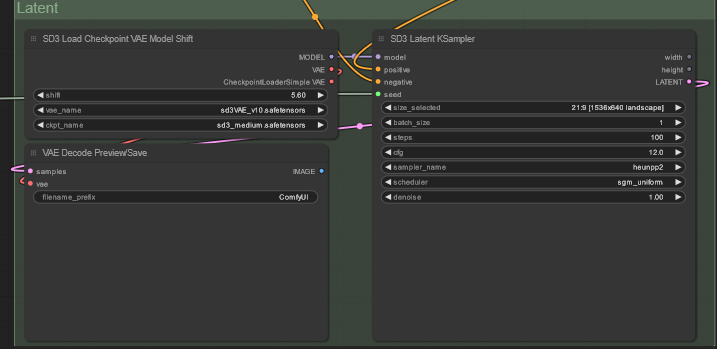
mine are customized but its just combining nodes
cursive ridge
stoic gulch
sdxl works with sdxl, 1.5 with 1.5, sd3 with sd3.. there is like 1 or 2 vae, and...
Hmmm, only 1-2 vae, here I've been putting in the vae I already have, oops!! Which vae actually work properly with SD3? In case that's the problem
stoic gulch
on civitai, when you search for sd3, they come up
cursive ridge
Thank you 🙂
stoic gulch
tbh, once again, i think this is where a lto of the debate lies. civit AI is not relly going to work with sd3 license
i dont know if anyone from civit will come out and say that, but this seems like war
🍿
cursive ridge
So download everything while I can, got it 😉
Clearly my prompting needs work ROFL
But at least I got ONE SD3 civitae model to work (it only crapped out on the same aspect at the end)
 stoic gulch
cursive ridge
Clearly my prompting needs work ROFL
But at least I got ONE SD3 civitae model to...
stoic gulch
cursive ridge
Clearly my prompting needs work ROFL
But at least I got ONE SD3 civitae model to...
 wispy kelp
Are these troll loras? or everyone rushing to be the one to get the first stuff for sd3 out
stoic gulch
wispy kelp
Are these troll loras? or everyone rushing to be the one to get the first stuff ...
i think its more of "what *can * we do"
can i buy stock in stability?
yes.
wispy kelp
oh theyre public?
stoic gulch
$20
cursive ridge
stoic gulch
https://civitai.com/models/515311/sd3-cotton-doll
I haven't tried that one, does it actually work?
stoic gulch
shhiiiiii
cursive ridge
The preview image scared me away from even looking at that one
stoic gulch
cursive ridge
I haven't tried that one, does it actually work?
no clue im trying to get 3d to work. i just got audio pumping. then i gotta optimize workflows, then i gotta pretend im a visual artist for hire
wispy kelp
RealvisSD3 juggernautSD3 pls
stoic gulch
i'd apprciate some zavy thank you
wispy kelp
and no sdxl/sd3 merges - real deal! 😄
funny you say that zavy is my fav one now, best model for sdxl
stoic gulch
zavy is the goat
cursive ridge
wispy kelp
and no sdxl/sd3 merges - real deal! 😄
Are you saying they do work, or they don't?
wispy kelp
i think theres a sdxl/sd3 merge already up
stoic gulch
cursive ridge
Are you saying they do work, or they don't?
no people are making sdxl sd3 hybrid checkopoints and loras but its not based on sd3, its just retrofitted, iiuc
wispy kelp

This is a very exprimental merge between my SDXL enhancer and SD3. I merged my own enhancer and a model I am working on at the moment (DEMONCORE 4 ...
cursive ridge
stoic gulch
no people are making sdxl sd3 hybrid checkopoints and loras but its not based on...
I had Alex recommend I try the merge idea, so I'm tryng the Civitae ones, one by one, and not having any luck so far 😦
cursive ridge
wispy kelp
https://civitai.com/models/511463/afros-sd3-experimental-sdxl-merge
This is one of the ones that is giving me neverending errors, what am I most likely doing wrong?
wispy kelp
cursive ridge
This is one of the ones that is giving me neverending errors, what am I most lik...
idk havent tried any of this yet. feels like troll checkpoint and loras at this point for now...
ppl rushing to get anything "sd3" related out the gate
stoic gulch
cursive ridge
I had Alex recommend I try the merge idea, so I'm tryng the Civitae ones, one by...
i'm so new to all of this so im not in a rush. just praying for zavy
cursive ridge
zavy?
stoic gulch
zavy makes some really nice loras. zavy cinematic*, the one with two girls kissing, kind started me on my journey
https://civitai.com/models/295530?modelVersionId=332071 this is one of my favorites.

For business inquiries, commercial licensing, custom models, and consultations, please get in touch at hello@zavyai.com or sales@zavyai.com . You c...
cursive ridge
stoic gulch
zavy makes some really nice loras. zavy cinematic*, the one with two girls kissi...
I like his style, I"m testing it out on civitae. 🙂
I really should have tested the SD3 ones out before downloading lol
stoic gulch
sd3 is fairly particular. not a lot of room for messing around. its more about prompting
also, as i said, i dont know what i am talking about
wispy kelp
also the clip cant digest as many words (toekns?) as sdxl
my monster styles with over 8000 words go in fine into sdxl models but sd gives me bs like memory error
i have like a genereic negative body style with about 6000 words
and it does help a tiny bit even with sdxl models, not a smuch as with sd15 models but still
stoic gulch
wispy kelp
also the clip cant digest as many words (toekns?) as sdxl
have you split the text inputs?
wispy kelp
no
stoic gulch
if be so curious so see this
wispy kelp
idk know i just use the "sdxl style" node
stoic gulch
i am using ollama to reprompt my prompts, and its nice
and i have it split into 3
clip l+g, negative, and text
stoic gulch
you dont want any terminology that is contradictory
because then it tries to do both and then erase it the next step
you can see it in the preview soemtimes fiddling between two subject ideas
my text prompt was talking aobut zebras and my clip prompt was talking aobut the hulk, i got alike a hulk zebra hybrid
but each preview it was one or the other, it was weird
its thinking
https://i.imgur.com/0cxQE7e.jpeg is like a furry's dream, he's supposed to be dissintegrating into a black hole
 cursive ridge
stoic gulch
sd3 is fairly particular. not a lot of room for messing around. its more about p...
cursive ridge
stoic gulch
sd3 is fairly particular. not a lot of room for messing around. its more about p...
Every workflow I've gotten so far was awesome, as were the ones I downloaded from the SD3 github, however, as soon as I got to civitae... lol
It's usually the other way around though
Well if they are trolling, no problem, because I'm posting my resulting images on their civitae model pages 😄
stoic gulch
it text heavy for sure. it would be cool if there was an instruct variant so there is some contextual history
cursive ridge
wispy kelp
i have like a genereic negative body style with about 6000 words
I"m generally a lazy prompter and do short ones, now I feel extra lazy. Wow, those are some intricate prompts you must do 😄
That said, I wonder if my prompting is too short for these models.
wispy kelp
cursive ridge
Every workflow I've gotten so far was awesome, as were the ones I downloaded fro...
throw me the bets most realistic workflow for sd3 you found so far 😉
stoic gulch
i have created this articifially with ollama, so llama3 is a proxy context interpretter for sd3
wispy kelp
cursive ridge
I"m generally a lazy prompter and do short ones, now I feel extra lazy. Wow, th...
I am lazy too hence I added the most frequent negative and positive promts to a style file
cursive ridge
wispy kelp
I am lazy too hence I added the most frequent negative and positive promts to a ...
That's a good idea!
stoic gulch
tbh i think what people are trying to accomplish with loras and vae should be available with better wording and interpretability of sd3 and future generations
cursive ridge
Here's a successful one. Actually msot are successful, until I hit civitea lol

It's Biden and Puten, in case you aren't from the USA..
uncut dawn
steep marlin
that's the setting in case you have a hard time finding it, make sure to click a...
😍 thank you so much for your time, this might actually solve my issue, will test it more
cursive ridge
 cursive ridge
wispy kelp
https://civitai.com/models/511463/afros-sd3-experimental-sdxl-merge
cursive ridge
wispy kelp
https://civitai.com/models/511463/afros-sd3-experimental-sdxl-merge
I finally got this one to work, perhaps it was my using random (not SD3) vae that was the problem
 fading mural
hella new, fresh out of the womb
how to insert more than 1 lora here if its a "chain"
 lusty pewter
fading mural
hella new, fresh out of the womb
how to insert more than 1 lora here if its a "c...
lusty pewter
fading mural
hella new, fresh out of the womb
how to insert more than 1 lora here if its a "c...
Literally just add another one in sequence.
fading mural
how
lusty pewter
fading mural
how
In the most basic way possible.
fading mural
helpful thanks
lusty pewter
Add another node, connect model to model and clip to clip.
You cannot get more simple than that.
cursive ridge
fading mural
how
You can copy/paste it. Or it as well as any connecting bits 🙂
or right click and add node, add lora
then connect the matching colour dots
lavish stone
fading mural
hella new, fresh out of the womb
how to insert more than 1 lora here if its a "c...
use lora stackers
 coral siren
Does anybody know, when using an input image in Comfy how to define a resolution, regardless of the input image res?
lavish stone
Depends what model you are using. I change the target resultuion in the Sdxl conditioner
coral siren
lavish stone
Depends what model you are using. I change the target resultuion in the Sdxl con...
What node is it? There are several regarding conditioning, I would like to use it as well with Cascade btw
lavish stone
Sdxl advanced conditioner
Go download my workflow in civitai, and look the nodes in the Sdxl section
Search for my handle
stoic gulch
requesting deletion no real photos allowed
cursive ridge
stoic gulch
requesting deletion no real photos allowed
Oops, thought swf ones were, sorry about that
merry ermine
Apologies if this has already been answered. I am trying to use SD3 with Comfyui and I can get it to select the model itself, but when I try to add the text encoders, I get undefined, as shown in the screen shot above. Any ideas what I am missing? The model and the text encoders are all in the same folder and all appear in the menu for choosing the checkpoint, but it's like the menu is empty for text encoders and I am struggling mightily to figure out just what I am missing. Thanks.
 marble mirage
merry ermine
Apologies if this has already been answered. I am trying to use SD3 with Comfyui...
marble mirage
merry ermine
Apologies if this has already been answered. I am trying to use SD3 with Comfyui...
encoders should be in model/clip not model/checkpoint
cursive ridge
merry ermine
Apologies if this has already been answered. I am trying to use SD3 with Comfyui...
Trying to remeber now, but try them in the clips folder
stoic gulch
cursive ridge
Oops, thought swf ones were, sorry about that
i was trolling i was sayin git looked real sorry
cursive ridge
stoic gulch
i was trolling i was sayin git looked real sorry
Oh LOL, can you tell that perhaps I've had mods tell me to remove NSFW deep fakes before? ROFL
merry ermine
Thanks for the help. That fixed that specific problem at least. Still waiting to see if I can get an image.
stoic gulch
its a joke.. there was a real flamingo** photo that won an AI contest
so i keep saying im banning people for real photos, but it reall just means i liked it
cursive ridge
stoic gulch
its a joke.. there was a real flamingo** photo that won an AI contest
Oh I get it now (had just woken up when I read that). I posted ones which were too real before, so had to take them down due to the deep fake thing lololol, so I easily fell for it LOL
cursive ridge
stoic gulch
so i keep saying im banning people for real photos, but it reall just means i li...
Nah the real one of Putin and Biden couldn't be made with SD3 😉
cursive ridge
 red dragon
I am getting an error
red dragon
I am getting an error
Which error?
red dragon
Cannot import C:\ComfyUI\ComfyUI\custom_nodes\ComfyUI-MimicBrush module for custom nodes: No module named 'cv2'
stoic gulch
cursive ridge
Nah the real one of Putin and Biden couldn't be made with SD3 😉
lol right i forgot was it was
cursive ridge
red dragon
Cannot import C:\ComfyUI\ComfyUI\custom_nodes\ComfyUI-MimicBrush module for cust...
Have you tried (using the comfy manager) importing all missing nodes?
That works for me most of the time anyways
red dragon
It is saying
No Results
merry ermine
Well, it got me further than before... I was at least able to get a black square. But when I used the one labeled t5xxl_fp8_e4m3fn.safetensors, it got crabby with me and gave me this error (screenshot), so I tried sd3_medium_incl_clips_t5xxlfp16.safetensors for the T5xxl model and it didn't give me the error but it just gave me a black screen. Not sure what to do.
 red dragon
@cursive ridge No Results
cursive ridge
merry ermine
Well, it got me further than before... I was at least able to get a black square...
Is the model that is listed in the workflow you are using, the exact same name as the model you are using? If not, just click on the one you want to use (that fixed most of my similar problems today.
THe other thing which has fixed most of my SD3 problems is me installing the correct Vae, instead of using my random SD2 ones
red dragon
Do install the repo using manager instead of cmd ?
cursive ridge
either works, just manager is easier sometimes.
For your errors, hopefully someone who actually knows what they are doing, and who gets less errors than you do, will come by shortly :>
cursive ridge
merry ermine
Well, it got me further than before... I was at least able to get a black square...
Did you also install any missing nodes via comfy manager?
Are you using SD3 specific Vae?
(those 2 things get rid of most of my screens full of red text)
Also, just correcting everyting that is outlined in red in the workflow tends to get rid of most errors
merry ermine
cursive ridge
Did you also install any missing nodes via comfy manager?
Are you using SD3 spec...
I am still trying to find an SD3 Specific VAE now that you mentioned that .. it was going to be the next thing I tried. I got all the nodes installed I think. I will look for the VAE and try that if I can find it.
sly sundial
merry ermine
I am still trying to find an SD3 Specific VAE now that you mentioned that .. it ...
It's baked into the models.
merry ermine
Good to know. If I could just find a loader that let me use the checkpoint that includes the model and all the clips at the same time, and had an output for the clips .. that would be cool.
cursive ridge
merry ermine
I am still trying to find an SD3 Specific VAE now that you mentioned that .. it ...
Search civitae for SD3 Vae, there are 2 🙂
merry ermine
Went on CivitAI and found a new workflow and a VAE so I am going to try a few things. Maybe I will also take a break and do something else for awhile. Thanks so much for your help 🙂
cursive ridge
I discovered a new comfyui thing today 🙂
 sly sundial
merry ermine
Good to know. If I could just find a loader that let me use the checkpoint that ...
sly sundial
merry ermine
Good to know. If I could just find a loader that let me use the checkpoint that ...
You know there are example workflows for this? https://huggingface.co/stabilityai/stable-diffusion-3-medium/tree/main/comfy_example_workflows
craggy basin
@merry ermine Download this image and drag and drop to your ComfyUI. This is a simple workflow. Then place the three text encoders, I, G, and fp16 in the Clip folder and the plain SD3_medium model in the Checkpoints.

Before starting, go to the Update folder and double-click Update ComfyUI
 merry ermine
I did something to work finally but it was with a workflow I found on CivitAi. It lets me use the model with the text encoders included ... when I try to use the indiviual text encoders I get an error. But at least I got a dog. Such as he is.
And yes, I did update Comfy first.
Thanks everyone - I at least have a work flow that works so I will play around with that. 🙂
 craggy basin
One or all those steps will solve any issues
merry ermine
Prompt was just "dog"
marble mirage
red dragon
Cannot import C:\ComfyUI\ComfyUI\custom_nodes\ComfyUI-MimicBrush module for cust...
module errors usually means python is missing something. cv2 is computer vision pip install opencv-python
marble mirage
idk unless you did a system wide python install of it and comfyui is using an isolated venv that you didnt install to 
merry ermine
 coral siren
lavish stone
Go download my workflow in civitai, and look the nodes in the Sdxl section
coral siren
lavish stone
Go download my workflow in civitai, and look the nodes in the Sdxl section
I'm actually looking for a cascade solution, thought there might be a general node for all models
hardy tree
@storm folio just want to confirm, is the new taesd3 from here: https://github.com/madebyollin/taesd ?
storm folio
yes
hardy tree
cool ty
lavish stone
coral siren
I'm actually looking for a cascade solution, thought there might be a general no...
i don't know if sdxl conditioner works for cascade, you could try it
coral siren
lavish stone
i don't know if sdxl conditioner works for cascade, you could try it
at least with Standard Cascade there is an individual Conditioner node, yet just that one, so I don´t know
we´ll see
coral siren
lavish stone
i don't know if sdxl conditioner works for cascade, you could try it
Found a solution (working for all models). Simply put a TransformImageResizeAbsolute directly behind the Load image one and I can simply set the according Resolution there:

Thank you for your help anyway
lavish stone
coral siren
Found a solution (working for all models). Simply put a TransformImageResizeAbso...
ah i did not know you wanted to resize the image, in your case i decode the image with vae then encode it simply. I keep the original resolution. If i want to resize i do it before in photoshop
coral siren
lavish stone
ah i did not know you wanted to resize the image, in your case i decode the imag...
yes, like said, when swapping inputimages constantly on the fly I would like to have that process automated for "whatsoever" image resolution I put in. Too much effort comparibly otherwise 🙂
red dragon
hello
I am getting this error
ImportError: numpy.core.multiarray failed to import
how to fix i t
coral siren
lavish stone
ah i did not know you wanted to resize the image, in your case i decode the imag...
btw I wouldn´t have mind if the outputresolution would simply have been altered, without actually resizing the image itself, then it´s enough the way it works now for starters 🙂
stoic gulch
can i load workflows into my current workflow?
coral siren
stoic gulch
can i load workflows into my current workflow?
don´t know, yet you can simply select/mark one complete workflow and copy paste it over into a new one for a workaround
brazen turret
can someone come join me in https://discord.com/channels/1002292111942635562/1005530764886155264 and help me get HiRes Fix working properly, it WAS working last night and now it's totally screwed
craggy basin
Has anyone set up Lumina in ComfyUI?
craggy basin
steep marlin
yeah but see how that one still has ears? that's what sd3 does
Lumina
 steep marlin
craggy basin
Lumina
steep marlin
craggy basin
Lumina
Looks good! Is that with the SFT version(supervised fine-tune)?
hard marsh
craggy basin
Lumina
That Lil guy is so cute!
 grand pike
Hello lovely people. I recently upgraded my PC with everything but a new graphics card. My comfyui install is on its on seperate hard drive. Would I need to re install comfyu ui?
stoic gulch
grand pike
Hello lovely people. I recently upgraded my PC with everything but a new graphic...
prob not if its in a venv. the rerequisites and drivers might be annoying
grand pike
Venv?
 bleak coral
Has anyone tried MusePose in ComfyUI? I'm encountering a very strange error.
 stoic gulch
feeling productive https://i.imgur.com/lA2KYc1.png
 silent knoll
Hi, where is the best place to hire comfyui devs?
stoic gulch
is ther a pytorch 2.3.0 i can download or a xformers that works with 2.3.1? the website didnt work im trying to compile from source now
distant pendant
stoic gulch
is ther a pytorch 2.3.0 i can download or a xformers that works with 2.3.1? the ...
just install from https://pytorch.org/get-started/previous-versions/#v230
compiling torch is a nuclear option
stoic gulch
distant pendant
just install from https://pytorch.org/get-started/previous-versions/#v230
compil...
yes i was typing pip install pip install i didnt realize it was blocking the install
i keep getting this when i'm swapping between torch versions and i always forget how i fix it. OSError: [WinError 126] The specified module could not be found. Error loading "P:\ComfyUI-ZLUDA\.venv\Lib\site-packages\torch\lib\caffe2_nvrtc.dll" or one of its dependencies.
stoic gulch
stoic gulch
i keep getting this when i'm swapping between torch versions and i always forget...
this means you're not installing cu118/cu12x
cursive ridge
silent knoll
Hi, where is the best place to hire comfyui devs?
@storm folio might know some
mystic plaza
in comfyui we can mention from which direction the light rays are falling from right
sly sundial
mystic plaza
in comfyui we can mention from which direction the light rays are falling from r...
The UI has no impact on this. It would depend on the interactions between your prompt, the model and the workflow you use.
Mostly the first two.
silent knoll
cursive ridge
<@1059592307579564162> might know some
Thanks!
mystic plaza
sly sundial
The UI has no impact on this. It would depend on the interactions between your p...
i see
sly sundial
fading mural
can you load lora by saying <lora:loraname>
If the prompt node supports it you can.
mystic plaza
sly sundial
The UI has no impact on this. It would depend on the interactions between your p...
its just that i am trying to match original image lighting with the background i am generating
fading mural
sly sundial
If the prompt node supports it you can.
how do i know if it does?
sly sundial
fading mural
how do i know if it does?
Try it, or read the repo details This one does https://github.com/ltdrdata/ComfyUI-Impact-Pack?tab=readme-ov-file#:~:text=ImpactWildcardEncode

GitHub
Custom nodes pack for ComfyUI This custom node helps to conveniently enhance images through Detector, Detailer, Upscaler, Pipe, and more. - ltdrdata/ComfyUI-Impact-Pack
brazen turret
fading mural
can you load lora by saying <lora:loraname>
btw this doesn't work in ComfyUI
when you load the lora you can adjust the model and clip weight before clip to your prompts. That's how lora is applied in comfy ui
I'm using ComfyRoll in order to load a LoRA stack and then apply that stack
hardy tree
interesting lora names there 
brazen turret
yea too bad half of them destroy generation
verbal sky
Fun times for all - new video just dropped, please enjoy and SHARE with a billion people so I can overtake Mr. Beast...muhahah... video tutorial topics include Boaty, Updated Loader, Image Switching, Dynamic FX, Photopea layer save/retrieval within Comfy - https://youtu.be/wDJm0qkgIOE

Step into the future of image editing with our latest Stable Diffusion tutorial using ComfyUI! 🚀🌐 Unleash the full potential of Boaty, the revolutionary upscaler that not only refines but also magnifies your images with stunning clarity. 🖼️🔎 Get the inside scoop on how to master layers in Photopea from within ComfyUI, making complex edits a bree...
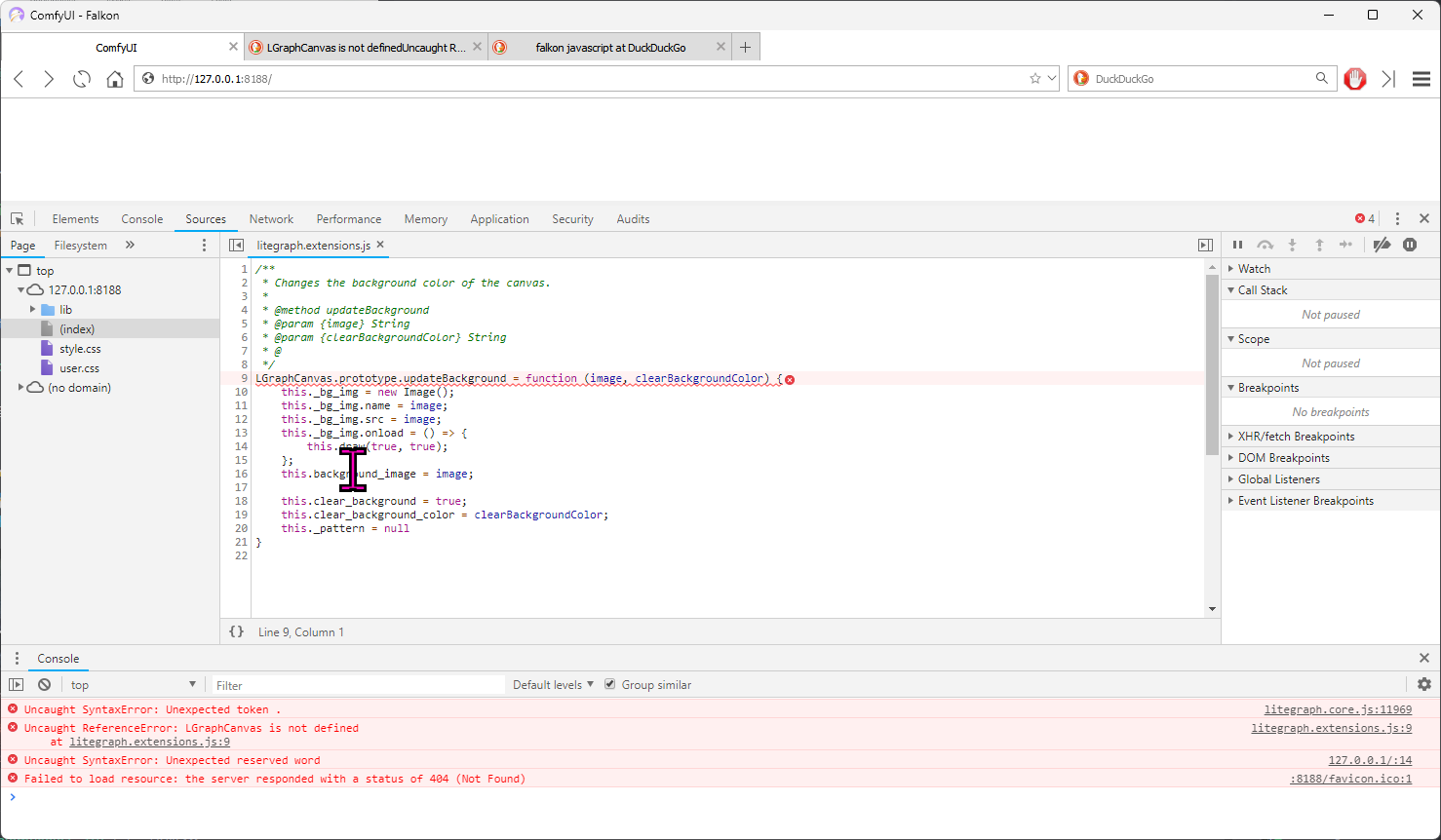 stoic gulch
https://i.imgur.com/JuV7QYM.png getting black boxes when i am trying tro generate videos
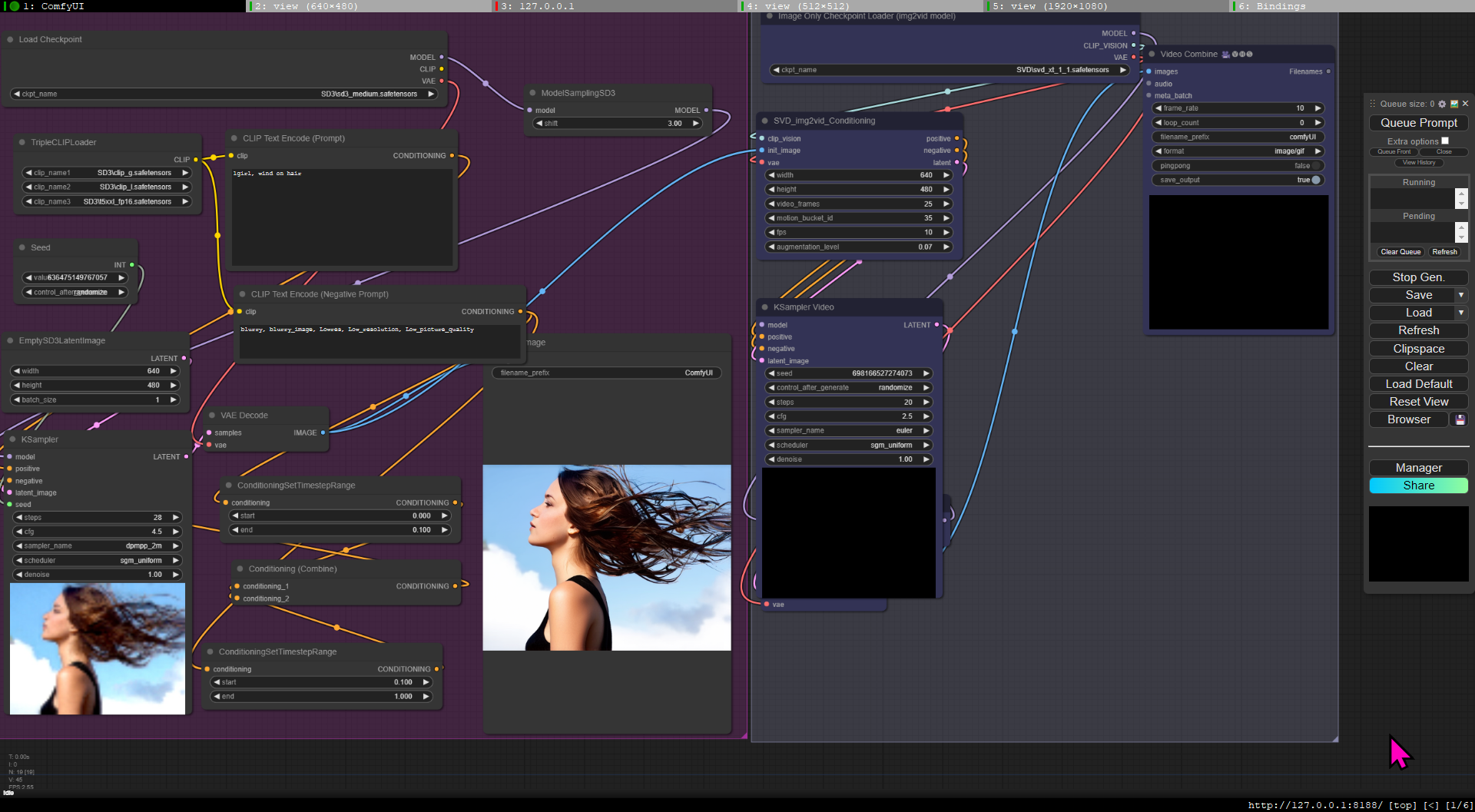



 stoic agate
hey guys
is there a way to do multiple instant id on more than one face in the image?
something like multi ID?
cursive ridge
So the whole SD3/SDXL merge thing, can you also use loras with that?
Btw, anyone have a workflow for it? I haven't found one that doesn't have dozens of errors, usually about untitled nodes missing, even after I install missing custom nodes.
 soft pagoda
stoic agate
something like multi ID?
soft pagoda
stoic agate
something like multi ID?
you can use attention masks https://www.youtube.com/watch?v=4jq6VQHyXjg&t=92s
stoic agate
soft pagoda
you can use attention masks https://www.youtube.com/watch?v=4jq6VQHyXjg&t=92s
thank you
 remote ore
Hi Everyone. Here is the link to the DeepFuze Repo: https://github.com/SamKhoze/ComfyUI-DeepFuze/tree/main
Please note that currently DeepFuze is optimized for Mac MPS+CPU, and Windows only supports CPU. If you are testing on Windows, make sure to choose your device as CPU on the nodes. We are working on enabling CUDA, and it will be released in a few days.
The playback nodes will be added shortly, so you will be able to hear the playback of the cloned voices. For now, it will merge to the lipsync, or you can connect the output to a play audio node.
Best Regards,
GitHub
DeepFuze is a state-of-the-art deep learning tool that seamlessly integrates with ComfyUI to revolutionize facial transformations, lipsyncing, Face Swapping, Lipsync Translation, video generation, ...
bleak crypt
@thorny lily Um.
eager escarp
bleak crypt
<@105458332365504512> Um.
use the exclamation emoji, it triggers an alert to the mods