#🧣|comfy-ui
1 messages · Page 4 of 1
 robust bloom
i am new
 olive yoke
all of this is in the comfyui readme no?
robust bloom
i followd that before.
i will use your command. just wait
now it is 2.2.2,python3.11 -c "import torch; print(torch.version)"
2.2.2
olive yoke
okay great
python3.11 main.py --force-fp16 --fp16-vae
also try:
python3.11 main.py
otherwise, a custom node is broken in a way that no one here will be able to diagnose. you should be testing with a simpler workflow
robust bloom
thank you for your sharing. it is still not worked .it generate pure color image. what i didn't do is this venv . python3.11 -m venv venv. i don't know if this is issue?
olive yoke
robust bloom
thank you for your sharing. it is still not worked .it generate pure color image...
okay listen
why did you do that?
you're not at that stage yet
open a new terminal tab
cd then your comfyui git directory
then try
python3.11 main.py --force-fp16 --fp16-vae
then, if that produces a pure blue image, try python3.11 main.py
then, if that produces a pure blue image, your issue is related to the custom node
read what you are doing
don't do anything you don't understand
 sick badger
anyone try cosxl yet? downloading now but curious what kind of results it yields
 steep marlin
sick badger
anyone try cosxl yet? downloading now but curious what kind of results it yields
steep marlin
sick badger
anyone try cosxl yet? downloading now but curious what kind of results it yields
Probably pretty similar to the results you'd get with playground 2.5, since that seems to be what cosxl is trying to match. Pg2.5 can do pure black and white and has an extremely awesome color range
sick badger
similar to what i was building earlier, but yours is way more robust
robust bloom
olive yoke
open a new terminal tab
thank you so much.
olive yoke
robust bloom
thank you so much.
did it work?
robust bloom
i just see this message, i will do this.
olive yoke
sick badger
anyone try cosxl yet? downloading now but curious what kind of results it yields
i don't think you are using my fork, but if you are, i merged the cosxl support
 thorny lily
steep marlin
Probably pretty similar to the results you'd get with playground 2.5, since that...
thorny lily
steep marlin
Probably pretty similar to the results you'd get with playground 2.5, since that...
playground definitely did not invent the proper color range thing
one of the XL release candidates had proper color range via zsnr, and another via offset noise, both of which were community published techniques originally used on sdv1 & 2
cascade also has proper color range, as does sd3
robust bloom
@olive yoke it didn't work, this is my checkpoints content: checkpoints % ls
LICENSE safetensors sd_xl_refiner_1.0_0.9vae.safetensors
SVD sd_xl_base_1.0.safetensors xxmix9realisticsdxl_v10.safetensors
put_checkpoints_here sd_xl_refiner_1.0.safetensors ,and this is vae content:vae % ls
put_vae_here sdxl_vae.safetensors, i download fromhttps://huggingface.co/stabilityai/stable-diffusion-xl-base-1.0/blob/main/sd_xl_base_1.0.safetensors and,https://huggingface.co/stabilityai/stable-diffusion-xl-base-1.0/blob/main/sd_xl_base_1.0_0.9vae.safetensors, and,https://huggingface.co/stabilityai/sdxl-vae/blob/main/sdxl_vae.safetensors. and https://huggingface.co/stabilityai/stable-diffusion-xl-refiner-1.0/blob/main/sd_xl_refiner_1.0.safetensors, this should be ok?
 olive yoke
robust bloom
<@247793168056057857> it didn't work, this is my checkpoints content: checkpoin...
olive yoke
robust bloom
<@247793168056057857> it didn't work, this is my checkpoints content: checkpoin...
do you mean it's sitll blue?
can you try a basic workflow?
you don't need to use an sdxlvae
just use a demo workflow from the examples
and see if you get blue
robust bloom
ok. what i didn't do is python venv environment. how i can start from a basic workflow? is there an example .
steep marlin
thorny lily
playground definitely did not invent the proper color range thing
Didn't say it did. We are talking about cosine SDXL vs playground 2.5 SDXL. Betterto compare apples to apples
robust bloom
yes, it is blue.it seems that no data was generated.
can you please share me a url of a basic workflow? i try that.
 grand pike
hi does anyone know where i can find the bnk_unsampler custom node?
i get an error when trying to load a workflow designed for re imagining existing pictures
 fierce hornet
This I think: https://github.com/BlenderNeko/ComfyUI_Noise
GitHub
6 nodes for ComfyUI that allows for more control and flexibility over noise to do e.g. variations or "un-sampling" - BlenderNeko/ComfyUI_Noise
btw, github search is great for finding this kind of info https://github.com/search?q=bnk_unsampler&type=code
GitHub
GitHub is where people build software. More than 100 million people use GitHub to discover, fork, and contribute to over 420 million projects.



(assuming ofc the extension is on github 😛 )
@grand pike
grand pike
Appreciate it. Unfortunately I have all that installed already, still getting a missing bnk_unsampler error.
@fierce hornet I'll try out that search too. Github is just a little intimidating lol
fierce hornet
grand pike
Appreciate it. Unfortunately I have all that installed already, still getting a ...
np, from the manager as well there's a "Nodes Info" that you can search through as well 😉
But yeah, that's the only one I'm seeing with that name
grand pike
your advice helped, found a different unsampler called easy unsampler. apparently bnk_unsampler is part of the comfyui-noise package. but it just doesnt work for me. google found one reddit thread mentioning the functionality broke after some kind of update a while ago.
havent made an image yet, but i have a good feeling
steep marlin
grand pike
your advice helped, found a different unsampler called easy unsampler. apparentl...
Update it. If you're using comfy manager you can update all your custom nodes. I want to say there was a fix today for the unsampler node, I'd have to double-check though
Otherwise, you have to go into the custom node folder, open a cmd prompt and run git pull to update it
Comfy manager just automates that process and runs the requirements.txt lists as well
https://github.com/BlenderNeko/ComfyUI_Noise/commits/master/
Yeah he updated it today
GitHub
6 nodes for ComfyUI that allows for more control and flexibility over noise to do e.g. variations or "un-sampling" - Commits · BlenderNeko/ComfyUI_Noise
grand pike
@steep marlin oh dude you're totally right, i see them mention it here in the issues news
 plain basin
Is there a way to see where a node is looking for a file? For example, ...

 lusty pewter
plain basin
Is there a way to see where a node is looking for a file? For example, ...
lusty pewter
plain basin
Is there a way to see where a node is looking for a file? For example, ...
That node looks in models/ipadapter
plain basin
lusty pewter
That node looks in models/ipadapter
Unfortunately not.
Even with a model in models/ipadapter, nothing can be selected. This makes me wonder where it's searching...
lusty pewter
Did you refresh after adding the model file?
 plain basin
lusty pewter
I can tell you that is the right place
plain basin
lusty pewter
I can tell you that is the right place
Not sure what my issue is then, it just isn't there.
lusty pewter
What isn't there?
You have to go get the models and put them there.
Installing the node doesn't do it.
plain basin
Let me make this as obvious as possible for you.
When you suggested that path I moved a model there and restarted cui
at this point I'm thinking its an install bug. But at the end of the day I didn't even ask. ALL i initially asked is if its possible to track down where a node is looking
lusty pewter
You don't need to talk to me like I'm some sort of asshole or idiot. I'm trying to help you.
What is the file you put in that directory?
 flat talon
Is your IPAdapter plus the latest version?
 mortal ferry
Hey guys, first time here, i'm a newbie comfy user and i want to know if i can generate a random seed automaticaly in efficient nodes

 summer fern
How to solve this situation

 wild thicket
aa
steep marlin
mortal ferry
Hey guys, first time here, i'm a newbie comfy user and i want to know if i can g...
Click the green recycle button to cycle between random or fixed seed
Also, if you generate an image with a seed you like, you can click it again to remain on that seed
mortal ferry
steep marlin
Click the green recycle button to cycle between random or fixed seed
Alright dude, I'll try it tomorrow, thanks
steep marlin
Np problem, gl
 lost totem
Is there a version of Comfy UI optimized for AMD?
 sly sundial
I've been using a workflow that worked perfectly fine. I then loaded up the workflow from @storm folio to merge the CosXL model and had to install the "ModelMergeSDXL" node to complete it. That worked perfectly fine as well. I then tried to use the previous workflow again, and preview windows no longer seem to display anything. I tried disabling the nodes that I just installed, but still no previews appearing. There are no errors and the workflow does complete.
Anyone else seen anything like this?
Edit: I deleted the nodes, re-added them and now it works 🤷🏻♂️
lusty pewter
@storm folio - When you blow up the IP2PSampler group node in your CosXL example, the reroutes from the prompts aren't connected to anything on the other side.
 storm folio
update comfyui
lusty pewter
I literally just did a few moments ago.
storm folio
did you refresh the page?
lusty pewter
storm folio
did you refresh the page?
I didn't even have the browser loaded at all when I restarted after the update.
storm folio
do a shift-f5 refresh
lusty pewter
No go. Breaking it into nodes still has them disconnected:

That's immediately after the explode.
storm folio
that exact bug is something I fixed days ago before I released the workflow
lusty pewter
Wild
lusty pewter
I promise it is and has been, but I'll clear the cache, close it all down, and try one more time.
No go.
storm folio
can you upload the web/lib/litegraph.core.js file to here?
lusty pewter
storm folio
can you upload the web/lib/litegraph.core.js file to here?
Yeah, gimmie a sec. 🙂
storm folio
that seems fine, make sure your browser hasn't cached an old version or you don't have an extension that's messing it up
lusty pewter
I dumped the cache for 127.0.0.1 completely before the last test.
Extension-wise, I'll see what I can do.
lusty pewter
storm folio
that seems fine, make sure your browser hasn't cached an old version or you don'...
34 extensions disabled...basically everything but the manager and it is working as intended:

I'll figure out which one.
 hushed pike
how can i use controlnets in comfyui to remake the anime girl image with an integration of the stuff in white, so itll like overlay the the black picture and keep everything the same except for the stuff in white which itll remake, sorta like impainting but different becuz if u do this on inpainting itll just fill it in in an normal way, even if you type in "black". also that involves drawing a mask, whereas this method involves using a seperate png as the mask or mask equivelant for controlnet. does anyone have a workflow or comfyui image that does this, or comfyui tutorial or explanation for this sort of thing

 lusty pewter
storm folio
that seems fine, make sure your browser hasn't cached an old version or you don'...
lusty pewter
storm folio
that seems fine, make sure your browser hasn't cached an old version or you don'...
Found the culprit. It's 378 from yolain, ComfyUI Easy Use.
 maiden laurel
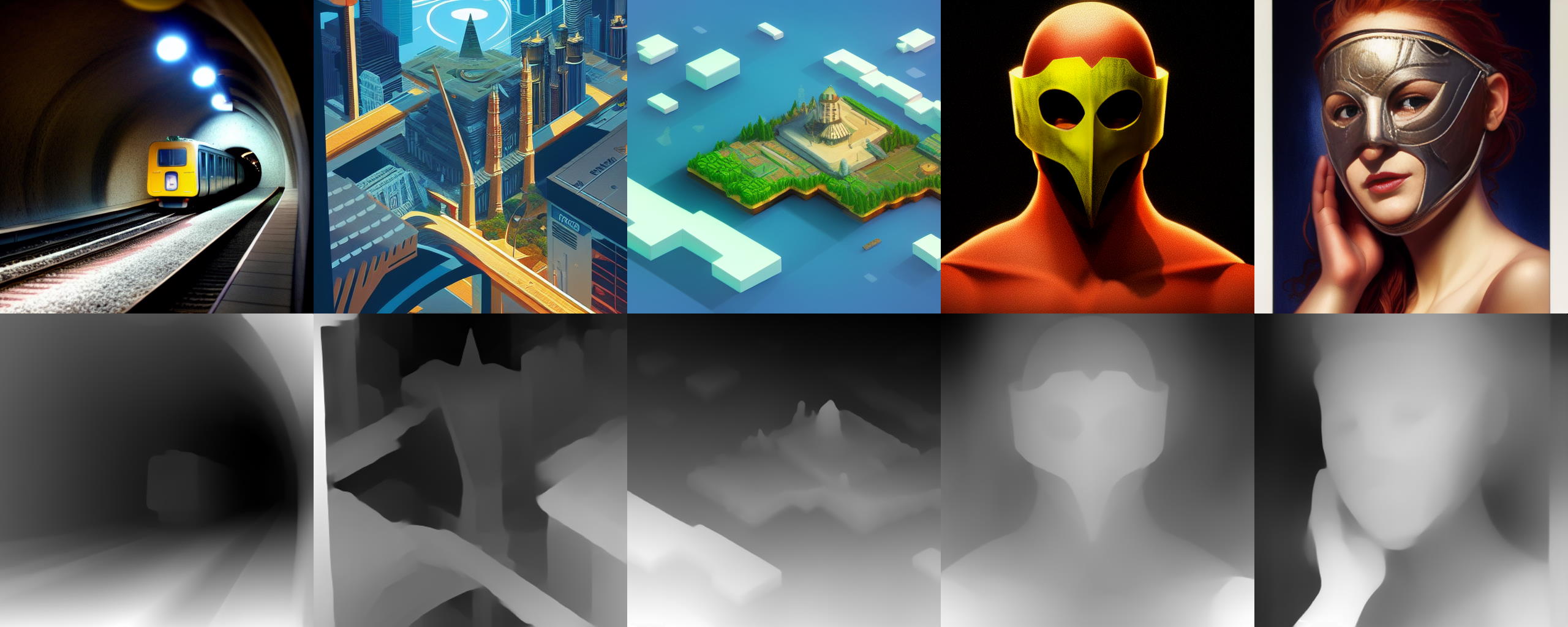
anyone know a comfy equivalent to this extension? https://github.com/thygate/stable-diffusion-webui-depthmap-script
GitHub
High Resolution Depth Maps for Stable Diffusion WebUI - thygate/stable-diffusion-webui-depthmap-script
sly sundial
maiden laurel
anyone know a comfy equivalent to this extension? https://github.com/thygate/sta...
There are quite a few of them. Have you got "Zoe Depth Anything"?
Just type "depth" in the node search
"Depth Anything"
 maiden laurel
sly sundial
There are quite a few of them. Have you got "Zoe Depth Anything"?
maiden laurel
sly sundial
There are quite a few of them. Have you got "Zoe Depth Anything"?
these are the only ones I can see
 sly sundial
 sly sundial
maiden laurel
these are the only ones I can see
sly sundial
maiden laurel
these are the only ones I can see
What about searching in the UI, not manager?
maiden laurel
sly sundial
What about searching in the UI, not manager?
the what
o
i already have it

sly sundial
Come out of manager and double click on background, type "depth"
maiden laurel
sly sundial
Come out of manager and double click on background, type "depth"
all done
any clue how to switch between workflows?
sly sundial
maiden laurel
any clue how to switch between workflows?

You can drag and drop the workflow into the UI, or just click on the "Load" button.
 sly sundial
maiden laurel
any clue how to switch between workflows?
sly sundial
maiden laurel
any clue how to switch between workflows?
It's also possible to have multiple tabs open, with a different workflow in each. They won't all run at the same time, but in the order you run them in.
maiden laurel
sly sundial
You can drag and drop the workflow into the UI, or just click on the "Load" butt...
so what's the "send to workflow" button?
sly sundial
maiden laurel
so what's the "send to workflow" button?
Where?
Do you mean "Save..."? That saves in a list that you can choose from when you load.
hushed pike
maiden laurel
so what's the "send to workflow" button?
u can also drag and drop other peoples images made in comfyui to copy the workflow that was used to create the image
 late bronze
#dream
lusty pewter
sly sundial
Do you mean "Save..."? That saves in a list that you can choose from when you lo...
No, Send to Workflow is a right-click option that looks for an input image node on a workflow you select. It's rather handy when you want to pass something from one workflow to another like into an img2img or upscaling workflow.
mortal ferry
Which could be a good setup for Ultimate Upscaler ?

Because the image output is worse than the normal upscaler
wild thicket
like
 pure salmon
like
 round spire
Which could be a good setup for Ultimate Upscaler ?
 opaque parcel
how can you inpaint in comfyui/stabilitymatrix?
 fleet fern
How do I clear the image inside load image node?
And also. How do I avoid running two node tree at the same time? I have a node tree for txt2image, image2image inpainting and detailer in the same wf. When I want to do txt2img, my image2image tree gets activated as well.
I made this simple "switch" to "activate" which process I want.

 silver nebula
fleet fern
And also. How do I avoid running two node tree at the same time? I have a node t...
silver nebula
fleet fern
And also. How do I avoid running two node tree at the same time? I have a node t...
Control B to switch a node off/on
olive yoke
mortal ferry
Because the image output is worse than the normal upscaler
what is your goal?
mortal ferry
olive yoke
what is your goal?
Nvm i found another way, thanks
 last root
new to confyui but what is the blue outline that on the grid in how do i make it bigger or remove it
lusty pewter
last root
new to confyui but what is the blue outline that on the grid in how do i make it...
You do nothing and don't remove it. That is the default screen outline that shows where your screen is when you start.
If you didn't move the canvas or zoom out, you'd never see it.
But it doesn't do anything but show you where you would be when you first load up.
 fierce cloak
How to rotate between terms in a prompt? For example, I want cat and dog to interchangeably be used rotating between the two, I right now am doing it like:
(cat/dog:0.5) Meaning the word cat and dog are interchangeable and it has a weight of 0.5 in the prompt weights
Is that way to use it correct?
"Prompt interpolation
a red [INT:dog : cat:0.2,0.8:0.05] will attempt to interpolate the tensors for a red dog and a red cat between the specified range in as many steps of 0.05 as will fit."
no idea how to interpret that
Also I see the prompts there are using [ instead of (
 prime tide
How do i change the transformers/huggingface temp folder on comfyui?
last root
can i have 2 confyui instance/folders so that some nodes dont clash when using some specific workflows?
 dapper mountain
《masterpiece》,《best quality》,8k,high detailed,ultra-detailed,Battle on a desolate battlefield, (clashing of sword and axe), (energy ripples from impacts), (cracks in the earth spreading), (dust and debris kicked up), (intense expressions on warriors' faces), (sound of metal striking metal), (backdrop of a barren landscape).
sly sundial
fierce cloak
How to rotate between terms in a prompt? For example, I want cat and dog to inte...
Did you want to randomly choose between cat and dog each time you run the prompt, or alternate during the making of a single image? If you want to randomly switch between them each time you run the prompt, and are using a node that supports wildcard prompts, you can use {cat|dog}
 hoary cradle
Hello
Does anyone know of a way to fix a design based on two images of the front and back and output images from various angles?
prime tide
prime tide
How do i change the transformers/huggingface temp folder on comfyui?
I figured it out, God bless Symlinks.
steep marlin
prime tide
I figured it out, God bless Symlinks.
good ol' mklink /j
olive yoke
hoary cradle
Hello
Does anyone know of a way to fix a design based on two images of the front...
this is very vague. what concretely are you trying to do? be specific with what is inside the image, and how you want to correct it
olive yoke
last root
can i have 2 confyui instance/folders so that some nodes dont clash when using s...
sure.
 smoky bear
is there any way to quickly run only certain nodes without having to bypass everything you dont want?
instead of saying what i dont want to run i want to say what i want to run
hoary cradle
olive yoke
this is very vague. what concretely are you trying to do? be specific with what ...
@olive yoke For example, StabeleVideo3D creates a turntable from a frontal image. This involves directing the design for both the front and the back. If possible, I'd like to include the sides as well, making it a three-sided instruction.
hoary cradle
olive yoke
this is very vague. what concretely are you trying to do? be specific with what ...
@olive yoke Additionally, when preparing a frontal design and using OpenPose to create a looking back pose, I would like to instruct the back design as well using Image-to-Image (I2I) techniques.
olive yoke
smoky bear
is there any way to quickly run only certain nodes without having to bypass ever...
only output nodes and all their dependents are run. you only have to mute output nodes to mute all their dependents.
olive yoke
hoary cradle
<@247793168056057857> Additionally, when preparing a frontal design and using Op...
what concretely are you trying to make?
what are you typing into the prompt?
smoky bear
olive yoke
only output nodes and all their dependents are run. you only have to mute output...
makes sense ty:) so mostly I just have to mute ksampler to try stuff out
olive yoke
smoky bear
makes sense ty:) so mostly I just have to mute ksampler to try stuff out
you would mute SaveImage
not KSampler
smoky bear
I see:)
olive yoke
once you mute SaveImage, everything it is dependent on will not be executed
if you bypass KSampler, you are not likely to get what you want
smoky bear
okay thank you very much
olive yoke
hoary cradle
<@247793168056057857> For example, StabeleVideo3D creates a turntable from a fro...
like why are you saying "for example"? just say what it is
steep marlin
Because the example they gave might be one of multiple things they want to do
 plain condor
I can't seem to find an img2img frame interpolation node that actually works on Apple Silicon. Any other Mac users out there having any success with creating frame interpolation animations?
 jaunty hatch
How to create 360 panorama in ComfyUI? I tried following tutorials from the internet, but it didn't work.
 eager escarp
is there a way to make the node search window longer? just shows such a narrow range of search hits
 fierce cloak
sly sundial
Did you want to randomly choose between cat and dog each time you run the prompt...
fierce cloak
sly sundial
Did you want to randomly choose between cat and dog each time you run the prompt...
I want to randomly alternate between these during the run of the prompt
So far haven't found anything that works
Maybe a different way is to use the prompt timing command, at least there is one in A1111, that allows to switch to a different word in the middle of the generation, for example:
[dog : cat : 0.5]
That in A1111 makes the dog be used for the 50% of the generation and then it switch to cat.
BUT thats not likely how it was typed, I don't remember the exact syntax.
I wonder if there is something like that in ComfyUI
I know there is some extensions that allow to use A1111 prompt reading into ComfyUI, but I am looking to know if there is a way to do that locally in ComfyUI without relying on an extension
 spring jungle
https://github.com/licyk/advanced_euler_sampler_extension?tab=readme-ov-file#通过绘世启动器安装 how would i add this to comfy
GitHub
Eular Smea 采样算法扩展. Contribute to licyk/advanced_euler_sampler_extension development by creating an account on GitHub.
eager escarp
spring jungle
https://github.com/licyk/advanced_euler_sampler_extension?tab=readme-ov-file#%E9...
as shown in the instructions, git clone in your comfy_nodes folder, or install through the manager
eager escarp
did you restart comfy
by closing the black console window
or clicking the restart button
and then closing any comfyui tabs you have open in your browser and opening new ones
(you can also hit refresh)
that's fooled me a few times, forgetting that last part
spring jungle
nope does not show up for me xD
 eager escarp
it might be a node only, idk
spring jungle
maybe xD
fierce hornet
@spring jungle if you're looking for Ella stuff you can try: https://github.com/ExponentialML/ComfyUI_ELLA/

GitHub
ComfyUI Implementaion of ELLA: Equip Diffusion Models with LLM for Enhanced Semantic Alignment - ExponentialML/ComfyUI_ELLA
There's also this but I haven't tried https://github.com/kijai/ComfyUI-ELLA-wrapper
GitHub
Simple wrapper to try out ELLA in ComfyUI using diffusers - kijai/ComfyUI-ELLA-wrapper
(I did succesfully get the ComfyUI_ELLA one working)
 lusty pewter
It's literally telling you what files it's looking for and points you to where you need to go.
 tacit fulcrum
yeah but the thing is I dont have a the folder these are to be copied into
I cant find the inpaint model folder

there isn't any
the foocus inpaint models where do I put them
fierce hornet
GitHub
Streamlined interface for generating images with AI in Krita. Inpaint and outpaint with optional text prompt, no tweaking required. - Acly/krita-ai-diffusion
spring jungle
fierce hornet
<@1061137293932499115> if you're looking for Ella stuff you can try: https://git...
thank you i will try installing it now an report back xD
last root
is there a node that can help me get image size after i loaded a pic. i saw some other nodes that can display size after i run the promp but dont know if there is any that does it automatically after i load the image.
 quick birch
Has anyone noticed that Eff. SDXL Ksampler doesn't give the same result as the native Ksampler for the same model, the same prompt and even if the seed is the same. The difference can be the color, the style, than the adequation to the prompt.
eager escarp
quick birch
Has anyone noticed that Eff. SDXL Ksampler doesn't give the same result as the n...
i've come across some issues with workflows using those... forgetting what now cuz i stopped using them much as a result
fierce hornet
Yeah, me as well I stopped using it in favor of the fooocus eff ksampler which is nearly identical but didn’t seem to have the issues
steep marlin
quick birch
Has anyone noticed that Eff. SDXL Ksampler doesn't give the same result as the n...
Are you also using the efficiency sdxl loader? If so, it likely has differences in the sdxl encoder sizes. Like if you use a regular checkpoint loader node and then pull out a clip text encoder node vs a clip sdxl encoder node. You'll notice the sdxl one has extra stuff to it that you can use like target size

that's what I'm talking about btw. I'm guessing that your non-efficiency workflows are likely using the simple prompt encoding, while the efficiency nodes use the sdxl encoder under the hood, so that's where your differences come from
 nocturne prairie
why is it that everytime i use animediff i still get controlnet model lines on the generated content
steep marlin
nocturne prairie
probably doing something wrong with the workflow. this is one of those test questions where you'd answer "C) Not enough information"
nocturne prairie
steep marlin
probably doing something wrong with the workflow. this is one of those test ques...
turns out ive been using 2 of the same controlnet openpose model on 2 seperate node
too much weight apparently effects the generation itself
nocturne prairie
after a couple of tweaks with the controlnet models i managed to get it to generate a more fluid character
 pallid cape
how to fix it ?
When loading the graph, the following node types were not found:
IPAdapterApply
Nodes that have failed to load will show as red on the graph.
i installed ip adapter
https://cdn.discordapp.com/attachments/1008814691079958548/1229160805367287908/image.png?ex=662eac34&is=661c3734&hm=10b7633b5fb76fff44bb754abd86fbd1b8a17422938384cd178732a89a361300&
 nocturne prairie
pallid cape
how to fix it ?
When loading the graph, the following node types were not found:...
nocturne prairie
pallid cape
how to fix it ?
When loading the graph, the following node types were not found:...
rerunnin comfyui didnt work?
download ipadapter from github
refer to manual install
fleet fern
where the fk is this thing?
 sly sundial
fleet fern
where the fk is this thing?
sly sundial
fleet fern
where the fk is this thing?
Have you restarted?
Also, is you ComfyUI updated to latest?
There is a basic one built in to ComfyUI now.
 sly sundial
If it was updated, you should see the new, inbuilt PAG node.
It was added 8+ hrs ago
 sharp raptor
Anyone got a img2img upscale workflow that works with the new ip adapters? https://github.com/cubiq/ComfyUI_IPAdapter_plus

GitHub
Contribute to cubiq/ComfyUI_IPAdapter_plus development by creating an account on GitHub.
 proud flume
Hi everyone, Any good tutorials (video or text) on how to work with ComfyUI to recommend ? And specifically on how to code extensions for it ?
quick birch
steep marlin
Are you also using the efficiency sdxl loader? If so, it likely has differences ...
This is what I used. Normally I don't use it, but since I need to create a grid for comparing images, I decided to test it.

 candid flicker
ELLA now only support sd1.5models?
 cedar mirage
candid flicker
ELLA now only support sd1.5models?
cedar mirage
candid flicker
ELLA now only support sd1.5models?
for now the only model released is for the 1.5 models. The sdxl is not released....
 stoic rock
Any recommended node for loading a model, or Loras, that helps remind of an ideal prompt structure and sampling settings for working with the particular model your loading?
steep marlin
quick birch
This is what I used. Normally I don't use it, but since I need to create a grid...
Yeah the efficiency loader uses the encoder sdxl under the hood instead of the simple encoder, that's why you're seeing differences with the same seed.
It probably uses the target width/height of 4096 but idk, I'd have to check the code
The efficiency sampler itself is identical to the regular ksampler though. You can break the tuple input on it and feed in a regular checkpoint loader and prompt to it and you'll see the same seed results that you were expecting
steep marlin
quick birch
This is what I used. Normally I don't use it, but since I need to create a grid...
See what I mean? They are identical

Oh and your efficiency loader is set to a clipskip of -3, it normally defaults to -2 and I think -2 is the default for the simple checkpoint loader as well.
actually, i double checked the code on the nodes and yeah, it's definitely your clipskip being set to -3

see, they are identical now when the clipskip is set to -2 on the eff. loader
eager escarp
sharp raptor
Anyone got a img2img upscale workflow that works with the new ip adapters? https...
sure, there's one in this image
 stoic rock
eager escarp
sure, there's one in this image
stoic rock
eager escarp
sure, there's one in this image
oh wow, I just loaded that for fun... wow, that's intense. 88 Image Loaders... I
sharp raptor
eager escarp
sure, there's one in this image
thanks 🙂
 lone bolt
stoic rock
oh wow, I just loaded that for fun... wow, that's intense. 88 Image Loaders... I
lone bolt
stoic rock
oh wow, I just loaded that for fun... wow, that's intense. 88 Image Loaders... I
Oh, you must have got the lite version of his workflow.
eager escarp
stoic rock
oh wow, I just loaded that for fun... wow, that's intense. 88 Image Loaders... I
the key nodes are found in europe. the americas can be discarded.
lone bolt
Don't forget to mention that he should keep the step count between 1.500 and 2.000 for the first pass.
stoic rock
lone bolt
Oh, you must have got the lite version of his workflow.
Well, I love the image anyways... I guess if that's what it takes to get there.
lone bolt
stoic rock
Well, I love the image anyways... I guess if that's what it takes to get there.
Oh, that's for sure. His images are great.
quick birch
steep marlin
actually, i double checked the code on the nodes and yeah, it's definitely your ...
Thanks for the information. As I do a lot of test I tried different clip -1 to -3.
The problem is still present even I do the exact settings for both. Here is the images. The first set ist the native and the second is the SDXL effi.
stoic rock
When you have a bunch of nodes to updates… do you do it one by one, restarting in between each… or update each one then do a restart?
eager escarp
stoic rock
When you have a bunch of nodes to updates… do you do it one by one, restarting i...
mass update
i click update all
stoic rock
eager escarp
i click update all
Alrighty, I did it.
My ComfyUI Manager now says “500 Internal Server Error Server got itself into trouble”
eager escarp
wtf
stoic rock
Do you use, DB: Channel (1 day cache) ?
stoic rock
I think this in my logs is related to the issue: “The currently installed ComfyUI is not a Git repository”
Seems like some errors have crept into comfyui-manager in the latest release
It would be cool if there were release cycles and versions
eager escarp
stoic rock
It would be cool if there were release cycles and versions
you can just roll back, it's github
release cycles would mean waiting months for new features like with a1111
and a month in AI years is, well, years
quick birch
steep marlin
actually, i double checked the code on the nodes and yeah, it's definitely your ...
Efficient Loader and Efficient SDXL Loader are the problem they don't manage correctly the CLIP and probably the VAE this is why the result is not completly the same. It seems for photo like a portrait or dog the problem is not present (less complexity) that is why I think the problem came from managing clip. What is your opinion ?
steep marlin
quick birch
Efficient Loader and Efficient SDXL Loader are the problem they don't manage c...
I'd have to take a look at the code more and you're sure you're using the same cfg for both? I'll also try some more complex prompts to see if it remains the same or not on my end
steep marlin
quick birch
Efficient Loader and Efficient SDXL Loader are the problem they don't manage c...
I ran a handful of other tests and the images are still coming out identical on my end. I even used the difference node to make sure(black means no change in a pixel)

So there is likely something else going on in your workflow
make sure you're using the eff. sdxl loader and the ksampler sdxl eff. nodes
sharp raptor
eager escarp
sure, there's one in this image
why so many image loaders?
eager escarp
sharp raptor
why so many image loaders?
not really any reason, you can just delete em
sharp raptor

Ok, this is part of the portrait maker node, I installed both via manager and git clone. Any idea how to fix? @eager escarp
Also tried to pip install -r requirements.txt from the portrait node folder
eager escarp
no idea, i don't use portrait maker
maybe the workflow is outta date
or you haven't restarted it but that's about all i got
sharp raptor
deleted node and it works. Is it possible to implement a img2img upscale where u can control denoise start value in these samplers or would u have to swap out to different sampler? I would like the workflow to upscale the image and keep the composition completely. Just improve details
eager escarp
there's really no such thing as a denoise value imo
but you can play with the multiplier node
higher values will change the image more, lower less
 sharp raptor
ok
eager escarp
click drag from the vae thing on the left and release
it'll give you options to add those
works with clip and model as well
sharp raptor
nice
steep marlin
fleet fern
How does perturbed AG compare with self AG?
One uses cross attention and the other uses self attention, they are quite literally apples and oranges. That being said, PAG is pretty awesome if you stick to around 1.5x on it with a cfg around 4-5 on your sampler
With those values, you'll see very positive results and it won't burn the images. You can also couple it with automaticCFG
fleet fern
@steep marlin Thanks for the explanation. Would it be possible to use them both at the same time then? or is that overkill?
quick birch
steep marlin
I ran a handful of other tests and the images are still coming out identical on ...
First of all, thank you for testing, as it's important when doing analyses to check whether others are getting similar or dissimilar results.
To make things perfect I did exactly the same workflow as you. As you can see, the images are different. And when I add cliplayer the image have more similarity with photography but are still different.
Have you updated ComfyUI and node Efficiency? is it a way to switch off clip in SDXL ?


 steep marlin
quick birch
First of all, thank you for testing, as it's important when doing analyses to ch...
steep marlin
quick birch
First of all, thank you for testing, as it's important when doing analyses to ch...
Np. Test it with a non-ancestral sampler and use a batch size of one. I'll run your setup and prompt in a minute.
steep marlin
fleet fern
<@204182589303554048> Thanks for the explanation. Would it be possible to use th...
I don't see why you wouldn't be able to, that's the fun of comfyui, you can experiment to your heart's content
steep marlin
quick birch
First of all, thank you for testing, as it's important when doing analyses to ch...
still identical on my end

and don't use clip skip -1, i think pretty much all SDXL models are trained around -2
the default checkpoint loader and prompt encoder do -2 by default as well
so right now, your eff. loader is on -1 and your regular loader is on -2, so yeah, you'll have differences
even with a batch size of 2, still identical on my end btw
 quick birch
steep marlin
still identical on my end
quick birch
steep marlin
still identical on my end
Eureka ! The problem is the clip ! If you put in the both workflow clip -2 you have the same image but not -1 or over -2. it is a pity as with clip -3 or even clip -5 we can sometimes have very interesting results. To my opinion this is a bug. Clip -1 should be clip -1 like on the native comfyUI , If we can not manage clip, it should not be added
steep marlin
quick birch
Eureka ! The problem is the clip ! If you put in the both workflow clip -2 you...
The native clip in comfyui is -2 and that's why the eff. Loader defaults to it as well. You can also use a clip node with a regular checkpoint loader, can't remember the exact node name but just pull off the clip pin and search for clip
quick birch
steep marlin
The native clip in comfyui is -2 and that's why the eff. Loader defaults to it a...
I think is clip set layer, there is another clip combine but I don't try yet. The possibilities of ComfyUI are endless.
Do you know if there is a pdf or a reference link for creating nodes ?
steep marlin
quick birch
I think is clip set layer, there is another clip combine but I don't try yet. T...
yeah that's the one. i like comfy a lot, but i've been working with UE4/UE5 for a long time now, so i feel right at home with spaghetti graphs. and i'm not sure about pdf/reference stuff. i know comfyui's github has an example node reference though.

GitHub
The most powerful and modular stable diffusion GUI, api and backend with a graph/nodes interface. - comfyanonymous/ComfyUI
olive yoke
steep marlin
yeah that's the one. i like comfy a lot, but i've been working with UE4/UE5 for ...
why are you burning time on efficiency nodes
you don't even want to interact with that part of the ecosystem.
steep marlin
olive yoke
why are you burning time on efficiency nodes
Because I experimented enough to know they save me a lot of repetitive hassle. I start most comfy projects from scratch or basic templates that I make that I never remember to use lol
steep marlin
Plus, they clean up graphs a lot with the Lora and control stacks
Oh I just screw around with AI for boredom and lols. Good for ADHD breaks between other things
 obtuse musk
Hey guys, is there an online hosted version of ComfyUI?
I don't think I will get very far with my macbook air
nocturne prairie
sharp raptor
try to keep resetting comfyui
i had the same issue before and it just decided to start working after a while but it was with ipadapter
obtuse musk
Has anyone set up a comfyUI server to send api requests to?
thinking of setting one up
 tranquil parcel
Are there any ComfyUI nodes similar to the Color Balance panel in Adobe Photoshop that allow you to adjust the cyan, magenta, and yellow colour cast in the “Midtones”, “Highlights” and “Shadows” of an image? 🎨

 digital quest
UNABLE TO CLICK ON THE LEFT AND RIGHT ARROWS IT DOES NOT CHANGE THE VALUES AT ALL

 polar dove
I have been using the IpAdapter quite a bit, and have had some success in saving embeds, which save to the ComfyUi output generations folder, does anyone know where the ipadpt files it makes need to be placed so the IpAdapter Embed Loader can see them?
So far whatever directory I try to place them in I cannot get the node to see the saved embeddings.
prime tide
Is there a comfyui addon or node that sorts checkpoints into folders like i could put my favorites into a favorites folder and ones I haven't tested into a folder for such?
 boreal stirrup
Hey guys I have a question I use Auto1111 (and I also hope this is the correct channel to ask) on my m2 pro macbook pro and was wondering is it worth switching to comfy UI would I see more negatives performance wise or not and would I see for negatives in the fluidity on how fast I can generate good looking images and another question is for mac do I use the standard comfy UI installation or is there a more optimised one for mac some1 in the community has made?
 pliant igloo
This is rather simple node, but what node is this I cant find the name? 😅 Im not new, but never did it this way Im comparing a workflow of someone else but they have this connect to clip Text encoder string
 flat talon
pliant igloo
This is rather simple node, but what node is this I cant find the name? 😅 Im no...
flat talon
pliant igloo
This is rather simple node, but what node is this I cant find the name? 😅 Im no...
Perhaps it's just a regular string node with a custom title
 buoyant knot

For comyui, and I have AMD gpu. Do I need to click the top option?
A youtuber said "if you run it on your cpu it will be way slower than gpu"
However I don't have nvidia gpu, could I still try to run comfui on the "nvidia gpu" file option even if my hardware is AMD?
sharp raptor
What does the clip vision do?
 mystic plaza
i keep this error and need some help

 fickle remnant
mystic plaza
i keep this error and need some help
fickle remnant
mystic plaza
i keep this error and need some help
Do you have that checkpoint?
Otherwise click on it and select one you have
mystic plaza
fickle remnant
Do you have that checkpoint?
not sure i downloaded a bunch of stuff
fickle remnant
mystic plaza
not sure i downloaded a bunch of stuff
Click on the name and you should get a dropdown list
mystic plaza
this is what i am getting
 fickle remnant
mystic plaza
this is what i am getting
fickle remnant
mystic plaza
this is what i am getting
When doing what?
mystic plaza
fickle remnant
When doing what?
trying to prompt
fickle remnant
mystic plaza
trying to prompt
As I already said twice, youre lacking the checkpoint you selected it seems
mystic plaza
fickle remnant
As I already said twice, youre lacking the checkpoint you selected it seems
also where do i get the checkpoint from then ?
fickle remnant
Its the standard 1.5 checkpoint, you can get it from SAIs huggingface
But as I also stated twice you can just select a checkpoint you downloaded and put into the models folder
pliant igloo
@mystic plazaYes, just like Boto said. Also you can just use the manager and install it from there
 mystic plaza
pliant igloo
<@1226060828692975656>Yes, just like Boto said. Also you can just use the manage...
mystic plaza
pliant igloo
<@1226060828692975656>Yes, just like Boto said. Also you can just use the manage...
this is what i am getting
 pliant igloo
Are you in the install models selection?
mystic plaza
pliant igloo
Are you in the install models selection?
yes
pliant igloo
Thats weird then you need to drop the model into the folder of your comfyui and refresh.

 silver nebula

We now can test out SD3! Thank you to Zho for building the node implementation
source git:
https://github.com/ZHO-ZHO-ZHO/ComfyUI-StableDiffusion3-API
Get StabilityAI API Key
https://platform.stability.ai/
Using the API for SD3 via ComfyUI is the same price as using assistant.stability.ai - so no freebie option for using desktop yet!


 tribal plaza
hi, help me understand the error. This happens when the process reaches the sampler
 silver nebula
tribal plaza
silver nebula
tribal plaza
Go to pytorch.org and make sure you compile Torch with the right version of CUDA
 slim seal
Can I edit KJ's SD3 API node so I can send the same seed to an SDXL workflow that'd need to be modified to also accept a seed?
tribal plaza
silver nebula
Go to pytorch.org and make sure you compile Torch with the right version of CUDA
I haven’t been able to solve it yet, I haven’t figured out how to compile Torch with the right version of CUDA? can you be a little more detailed?
silver nebula
Go to pytorch.org and read up there 🙂
tribal plaza
silver nebula
Go to pytorch.org and read up there 🙂
I read it, it didn't help yet 😦
slim seal
I need some help.. has anyone used Ollama with ComfyUI?
 zinc silo
Can anyone help me out with this?
*Error occurred when executing SaveImage:
Numpy is not available
File "O:\stable-diffusion-comfyui\ComfyUI\execution.py", line 151, in recursive_execute
output_data, output_ui = get_output_data(obj, input_data_all)
^^^^^^^^^^^^^^^^^^^^^^^^^^^^^^^^^^^^
File "O:\stable-diffusion-comfyui\ComfyUI\execution.py", line 81, in get_output_data
return_values = map_node_over_list(obj, input_data_all, obj.FUNCTION, allow_interrupt=True)
^^^^^^^^^^^^^^^^^^^^^^^^^^^^^^^^^^^^^^^^^^^^^^^^^^^^^^^^^^^^^^^^^^^^^^^^^^^
File "O:\stable-diffusion-comfyui\ComfyUI\execution.py", line 74, in map_node_over_list
results.append(getattr(obj, func)(*slice_dict(input_data_all, i)))
^^^^^^^^^^^^^^^^^^^^^^^^^^^^^^^^^^^^^^^^^^^^^^^^^^^
File "O:\stable-diffusion-comfyui\ComfyUI\nodes.py", line 1407, in save_images
i = 255. * image.cpu().numpy()
^^^^^^^^^^^^^^^^^^^
eager escarp
is it just me or is the self-attention guidance node broken now?

 smoky bear
Where can i find sdxl temporalnet controlnet?
 strong pewter
  File "C:\Users\Z\VST\Super-Stable-Diffusion\ComfyUI\python_embeded\Lib\site-packages\aiohttp\web_protocol.py", line 452, in _handle_request
    resp = await request_handler(request)
           ^^^^^^^^^^^^^^^^^^^^^^^^^^^^^^
  File "C:\Users\Z\VST\Super-Stable-Diffusion\ComfyUI\python_embeded\Lib\site-packages\aiohttp\web_app.py", line 543, in _handle
    resp = await handler(request)
           ^^^^^^^^^^^^^^^^^^^^^^
  File "C:\Users\Z\VST\Super-Stable-Diffusion\ComfyUI\python_embeded\Lib\site-packages\aiohttp\web_middlewares.py", line 114, in impl
    return await handler(request)
           ^^^^^^^^^^^^^^^^^^^^^^
  File "C:\Users\Z\VST\Super-Stable-Diffusion\ComfyUI\ComfyUI\server.py", line 41, in cache_control
    response: web.Response = await handler(request)
                             ^^^^^^^^^^^^^^^^^^^^^^
  File "C:\Users\Z\VST\Super-Stable-Diffusion\ComfyUI\ComfyUI\server.py", line 53, in cors_middleware
    response = await handler(request)
               ^^^^^^^^^^^^^^^^^^^^^^
  File "C:\Users\Z\VST\Super-Stable-Diffusion\ComfyUI\ComfyUI\server.py", line 468, in post_prompt
    valid = execution.validate_prompt(prompt)
            ^^^^^^^^^^^^^^^^^^^^^^^^^^^^^^^^^
  File "C:\Users\Z\VST\Super-Stable-Diffusion\ComfyUI\ComfyUI\execution.py", line 625, in validate_prompt
    class_ = nodes.NODE_CLASS_MAPPINGS[prompt[x]['class_type']]
                                       ~~~~~~~~~^^^^^^^^^^^^^^
KeyError: 'class_type'```
I accidentally loaded another workflow in the middle of generating and i tried to queue a new thing and now i get this. im not sure what to doi had this error with Ultimate Upscaler

 dapper sluice
Hi if I have an AMD cpu and gpu, will it generate images at a similar rate as if I spent similar $ on nvidia cpu & gpu and ran the other file?

 zinc oasis
silver nebula
Using ZHO-ZHO's SD3 Node in ComfyUI
zinc oasis
silver nebula
Using ZHO-ZHO's SD3 Node in ComfyUI
could you share the workflow? .json
 south widget
dapper sluice
Hi if I have an AMD cpu and gpu, will it generate images at a similar rate as if...
south widget
dapper sluice
Hi if I have an AMD cpu and gpu, will it generate images at a similar rate as if...
There aren't many updated benchmarks for AMD cards as far as I know, you can check this https://www.tomshardware.com/pc-components/gpus/stable-diffusion-benchmarks

Tom's Hardware
Which graphics card offers the fastest AI performance?
Which card were you interested in?
Done a quick search, I'm interested too and found this https://www.pugetsystems.com/labs/articles/stable-diffusion-performance-nvidia-geforce-vs-amd-radeon/
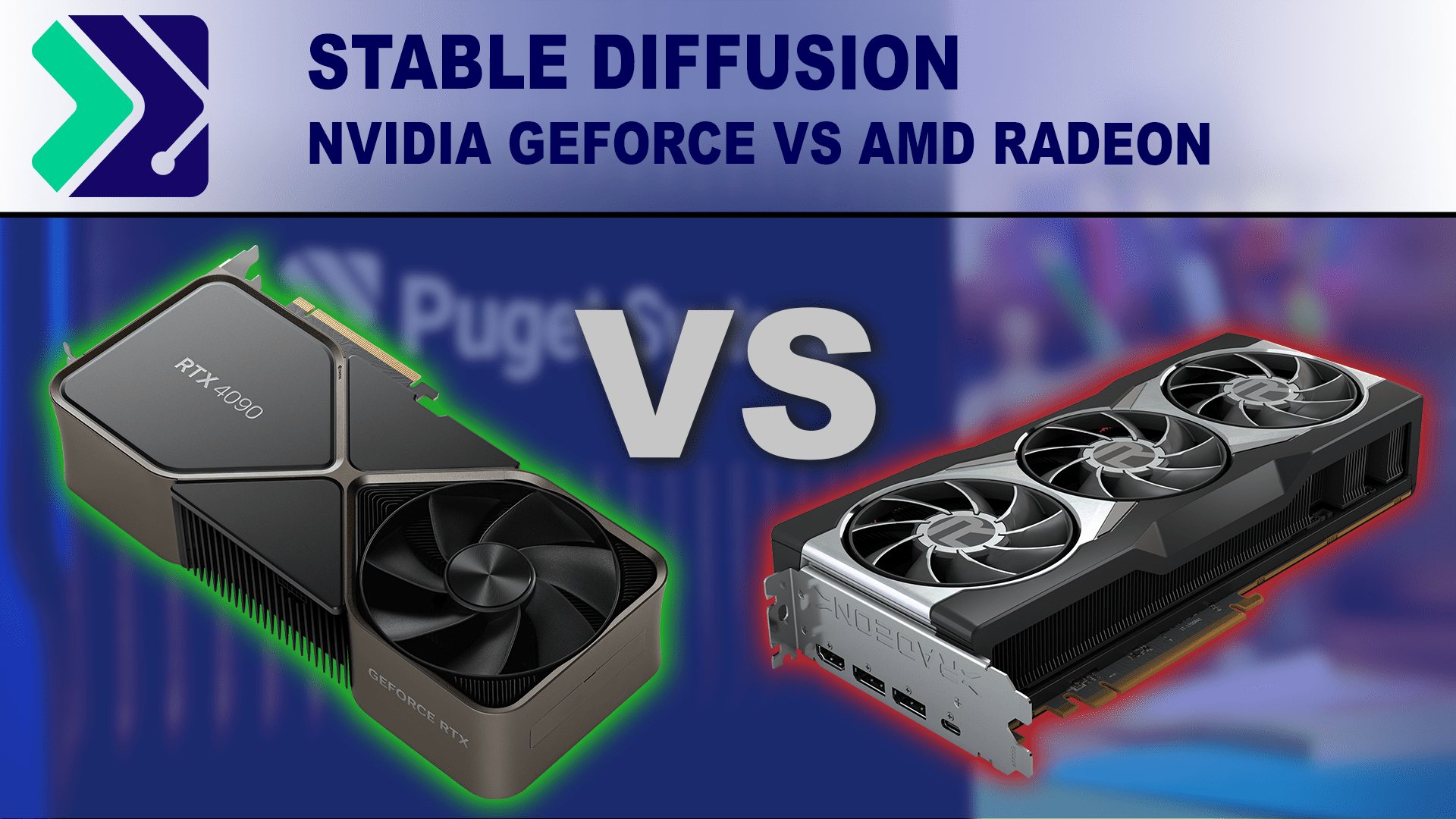
Stable Diffusion is seeing more use for professional content creation work. How do NVIDIA GeForce and AMD Radeon cards compare in this workflow?
It shows that the 7900 XTX (MSRP 1000$) performs similar to the rtx 4900 (1600$) with Shark. With Automatic 1111 only Nvidia cards work good.
I have never heard of Shark before 😄
silver nebula
zinc oasis
could you share the workflow? .json
I can attach the json - you must then pay for some credits on an Openai API Key.

GitHub
Stable Diffusion 3 via API in ComfyUI. Contribute to ZHO-ZHO-ZHO/ComfyUI-StableDiffusion3-API development by creating an account on GitHub.
 lone cape
Hi, little risky new development out of my nodepack. I included aesthetic scorer to segment detailer, and if the scorer result of detailed segment of image lower than the original part, then ignore the result. Not enought time for testing yet, but the scorer help to optimize detailer's settings, and as I see during development the a-scorer result most of time acceptable. The feature can be off if too much failed. (The red badge mean the scorer ignored the detailed results)


 verbal sky
New tutorial to help people in using Perturbed, Advanced Masking, and a Fashion Surprise - https://youtu.be/j3xHNmEWWCI Enjoy!

-- Discord - https://discord.gg/KJXRzkBM --
Get ready to take your detail game to the next level! 🚀 In this mind-blowing tutorial, you'll discover the incredible power of the "Perturbed" technique, which can infuse your images with insane amounts of detail at lightning-fast speeds. ⚡We'll also dive into the magic of using mask outlines 🎨 And as...
lone cape
I just testing Pic2Story model, and look really good:

 zenith quiver
Hi! Is there a seperate discord for comfy?
eager escarp
zenith quiver
Hi! Is there a seperate discord for comfy?
don't think there's any need for that
zenith quiver
anyone have tips for getting an enviroment to render around a character using a mask?
like keep the character part the same and just render the enviroment
zenith quiver
hello i cannot find the sampler for this model in comfy: https://civitai.com/models/112902?modelVersionId=351306

DreamShaper XL - Now Turbo! Also check out the 1.5 DreamShaper page Check the version description below (bottom right) for more info and add a ❤️ to...
DPM++ SDE Karras
lusty pewter
zenith quiver
hello i cannot find the sampler for this model in comfy: https://civitai.com/mod...
The sampler is dpmpp_sde.
Karras is the scheduler.
zenith quiver
lusty pewter
The sampler is dpmpp_sde.
thanks
found it
but for some reason my results look poor
lusty pewter
Because there is likely some other setting somewhere that differs. Don't try to match Civit; there's usually something else different in the settings of the original generations posted there.
zenith quiver
lusty pewter
Because there is likely some other setting somewhere that differs. Don't try to ...
could it be vae related?
lusty pewter
XL pretty much only has one VAE.
zenith quiver
 lusty pewter
So not likely...unless you're not using the SDXL VAE.
zenith quiver
 steep marlin
Just use the vae from the model
lusty pewter
Yeah, DreamShaper should have the VAE built in.
steep marlin
And that's a preview vae
zenith quiver
oh okay yeah that was the issue
lusty pewter
zenith quiver
oh okay yeah that was the issue
And be sure to grab the full SDXL VAE here if you don't have it. Some models don't bake the VAE in and you need to use it for XL stuff:
https://huggingface.co/stabilityai/sdxl-vae/tree/main
 lusty pewter
show an example of the output that you're saying is bad
zenith quiver

using controlnet
5 steps 2cfg
I think i fixed it
Does anyone know how i could have controlnet only work on my subject? and have it ignore the rest of controlnet input image?
 naive kelp
Hello guys! Does anyone know if there is a way to iterate through an input field in node? I want to iterate through a lot of styles in the Prompt Styler node, is there any easy way to do that?
 hardy tree
lone cape
I just testing Pic2Story model, and look really good:
hardy tree
lone cape
I just testing Pic2Story model, and look really good:
im confused... is that considered something new? cause i saw the pic2story model on huggingface, and it seems to have been uploaded like 11 days ago, but then it seems to be based on something from a 2022 paper, so like what... lol
or did they release the weights after 2 years
lone bolt
naive kelp
Hello guys! Does anyone know if there is a way to iterate through an input field...
You mean like, converting it to an input and connecting a primitive node?
naive kelp
lone bolt
You mean like, converting it to an input and connecting a primitive node?
I guess that can work, but would you happen to know how would I fetch the name of the styles from the Prompt Styler node? It has more than a thousand different styles, typing them would be kind of tedious
lone bolt
naive kelp
I guess that can work, but would you happen to know how would I fetch the name o...
I mean like this

You can set that to "increment" then
naive kelp
Oh damn dude, still learning comfy, I didn't know it works like that, I thought it only takes like strings and etc. Thanks a lot! @lone bolt
lone bolt
naive kelp
Oh damn dude, still learning comfy, I didn't know it works like that, I thought ...
We are all learning every day. Glad i could help.
 fallow jackal
I update my ComfyUI custom_nodes for reusing data in cycles: https://github.com/Pos13/comfyui-cyclist
Now, with Loop Manager node it's much more transparent and intuitive to use.

GitHub
Custom nodes for ComfyUI. It's for handling generation results in cycles! - Pos13/comfyui-cyclist
 lost junco
/cream
 cursive ridge
I finally installed sd/comfy 🙂
How do I add hires fix?
Also, I was able to add esergan so far, is it possible to run hires fix then esergan without messing up my images?
BTW comfy is awesome; I had more trouble getting windows to let me paste my models into a different folder, then I did making images in comfyui lol
sly sundial
lone cape
Hi, little risky new development out of my nodepack. I included aesthetic scorer...
I'm trying to use these, but having problems.
I'm trying to copy your whole detailer group, but the Image Segment nodes have inputs that I can't convert to widgets, yet they have been in your example workflow. This is causing problems because I don't know how to get around that.
There's something wrong with those nodes, even in the example workflow image they have incorrect parameters (NaN) in some fields.
fallow jackal
cursive ridge
I finally installed sd/comfy 🙂
How do I add hires fix?
Also, I was able to add...
Something like this? Generate → Upscale → Generate = Hires.fix, basically. You can pipe it in whatever you want order. You can add an extra upscale with ESRGAN, if you want.
 cursive ridge
fallow jackal
Something like this? Generate → Upscale → Generate = Hires.fix, basically. You c...
cursive ridge
fallow jackal
Something like this? Generate → Upscale → Generate = Hires.fix, basically. You c...
Thank you 🙂
 brisk charm
how are you guys adding all the basic functionality like string literals, etc.? got it. i didnt realize the primitive adapts to what you plug it into.
brisk charm
fallow jackal
Something like this? Generate → Upscale → Generate = Hires.fix, basically. You c...
each time you generate you use the same model?
 static tree
Hey all, I got this error while trying to run a video2video workflow:
Error occurred when executing KSamplerAdvanced:
mat1 and mat2 shapes cannot be multiplied (924x2048 and 768x320)
Anyone know what I can do to fix it?
Here's the workflow I made, The left-hand side is just the video loader and checkpoint loader.
 zenith quiver
hello! I was wondering if someone could help me understand if my simple inpainting workflow looks correct?
 eager escarp
zenith quiver
hello! I was wondering if someone could help me understand if my simple inpainti...
eager escarp
zenith quiver
hello! I was wondering if someone could help me understand if my simple inpainti...
yep that's correct, it's the most basic one but correct
spring jungle
question is there a way turn off a model at %?
i want to run ipadapt model until 50% switch it to model before ipadapt
🤔
 grand pecan
does comfy ui require python 3.11?
getting blue bottle issue on apple M2 unless I use --cpu arg
eager escarp
spring jungle
i want to run ipadapt model until 50% switch it to model before ipadapt
i'm not aware of any nodes that allow timestepping with models. i really, really wish that was possible, maybe it's not, idk
spring jungle
i could not figure out a way i gave up on it xD
i am sure there some way you could write it becuase denoise value control model
idk xD
eager escarp
you can do it kinda by using ksampler advanced chained together
but then you lose the momentum with the sampler
spring jungle
yeah i cant change ipadapt between 2 ksampler my limit problem xD
i dont think it would work properly that way
🤔
maybe i test around with that tomorrow
fallow jackal
brisk charm
each time you generate you use the same model?
Sometimes. It's not a big deal to connect another model.
eager escarp
spring jungle
yeah i cant change ipadapt between 2 ksampler my limit problem xD
what are you trying to do exactly?
turning IPA on or off isn't an issue
just change the start or end values
eager escarp
i figured you knew, then thought... ya know, i forget some absurd shit sometimes so maaaaaybe...
😄
spring jungle
yeah still pretty new to ipadapt xD
remebering what all nodes do xD
i have been getting some pretty cool results with it

 spring jungle
nice xD
grand pike
hello lovely people. what does that share option do in the comfyui manager window?
spring jungle
i dont think i know of this share option you speak of
 eager escarp
spring jungle
nice xD
eager escarp
spring jungle
nice xD
 grand pike
figured it out, thanks silly
spring jungle
grand pike
oh i think it metadata
spring jungle
eager escarp
that look nice xD
eager escarp
spring jungle
that look nice xD
started with a similar looking face
turned it into paint
spring jungle
here what im working with xD
 lone cape
sly sundial
I'm trying to use these, but having problems.
lone cape
sly sundial
I'm trying to use these, but having problems.
Hi, yes its possible, because I push the development first, then refresh and push the workflows some days later. Old workflows have use 'Fix node (recreate)' menu after development if the node inputs changed. But today I pushed recreated workflows, just load the .png or .json for example: https://github.com/CosmicLaca/ComfyUI_Primere_Nodes/blob/master/Workflow/civitai-rewear-rehair-wf.png (source images uploaded for testing)
GitHub
ComfyUI node pack. Contribute to CosmicLaca/ComfyUI_Primere_Nodes development by creating an account on GitHub.
silver nebula
lone cape
Hi, yes its possible, because I push the development first, then refresh and pus...
HELP!!!!!!
 silver nebula
LCM LoRA


 cursive ridge
is it possible to add esrgan to the workflow in comfy SD? If so, how? Where on the dropdown menu 😄
If not, how on earth can I run esrgan on more than one image at once? This one at a time thing is frustrating!
sly sundial
cursive ridge
is it possible to add esrgan to the workflow in comfy SD? If so, how? Where on t...
What are you trying to so, upscale images? You can add an upscaler to the workflow, and choose to use esrgan as the upscale model, or create a workflow that will run on all of the images in a folder.
You may need to download the model and put it in your models/upscale_models directory.
The UltimateSDUpscale node is one that allows you to do this.
...or just Upscale Image (using model), and there's also a batched version.
Loads of options!!! 😄
cursive ridge
sly sundial
The `UltimateSDUpscale` node is one that allows you to do this.
Where do I find that in the dropdown menus?
sly sundial
cursive ridge
Where do I find that in the dropdown menus?
It's a custom node; f you don't have it, you'll need to install it from the manager.
cursive ridge
sly sundial
What are you trying to so, upscale images? You can add an upscaler to the workfl...
I'm trying to make my images look better. Before I tried installing SD/Comfy I'd either use hires fix, or Esrgan... The hiresfix workflow looks even more confusing lol.
sly sundial
cursive ridge
I'm trying to make my images look better. Before I tried installing SD/Comfy I'...
Should be easy enough
 sly sundial
cursive ridge
I'm trying to make my images look better. Before I tried installing SD/Comfy I'...
sly sundial
cursive ridge
I'm trying to make my images look better. Before I tried installing SD/Comfy I'...
There is an SDXL HiRes Fix node, but I've not tried it.
 grand pike
hello lovely people. got a simple issue i think. trying to upscale a 152 x 152 portrait but it always generates at that small 152 x 152 resolution. What am i doing wrong in this workflow? It's from the scott deweiller workflow video. I know he used a much larger image in his example so maybe thats it?

oh i think it's because the intbinary nodes were set to add.
yup that was it
brisk charm
this normal?
 steep marlin
Yeah it's normal. I think certain types of flash attention aren't enabled for windows yet
last root
anonyone know a easy to use node in confyui to automatically calculate and resize to closest sdxl ratio/sizes
 olive yoke
sly sundial
I'm trying to use these, but having problems.
olive yoke
sly sundial
I'm trying to use these, but having problems.
is the idea with this workflow to select the hair with grounding dino, then generate new hair?
 thick ether
I have 2 promts and I want to generate images interpolation between the prompts. Can I somehow automate it or do I need to change the conditioning average value manually 100 times?
sly sundial
olive yoke
is the idea with this workflow to select the hair with grounding dino, then gene...
It redraws several different parts and then checks the aesthetics to see if it's better or worse, and then only applies the change if it's better.
The whole thing is custom nodes, so it's not easy to extract parts and just include it in your own workflow, so I gave up with it in the end. Didn't seem to detect anything most of the time, but when it worked it was good.
last root
how do i pin and unpin a group of nodes all at once. i selected a couple with ctrl but then i right click and pin but it only pins 1. same goes for unpin i select a group of nodes then when i righ click unpin it only unpins 1
 weak urchin

v2 Audio Reactive Group This took some work. What I did was use the audio reactive nodes and the prompt scheduling with Lora word triggers. Using L...
Muah haa haa haaaa lol
Now you can pose your character, decide the outfit and face


 hoary zinc
Hi there. I've just converted to ComfyUI, how do you copy a node without losing connection?
brisk charm
ctrl-c -> ctrl-shift-v
hoary zinc
it was a bug, also how do you avoid CUDA error and where to insert the parameters in ComfyUI?
for A111 I used --low-vram in the user bat file but idk what in comfy
since I have only 4GB of VRAM and even when the comfyUUI automatically set it isn't enough
I scaled an image to 2560x2560 px
brisk charm
hoary zinc
for A111 I used --low-vram in the user bat file but idk what in comfy
the bat file included in comfyui is this
.\python_embeded\python.exe -s ComfyUI\main.py --windows-standalone-build
pause
i think adding the parameters and saving should do the trick.
--lowvram
grand pike
hi so i'm trying to upscale a particularly blurry image but it's not filling in details. I see something about detailers but not sure how to use those.
hoary zinc
thank you
hoary zinc
grand pike
hi so i'm trying to upscale a particularly blurry image but it's not filling in ...
I have just started, but you can try to search for videos on youtube. There is many things you can use to increase a quality. I've tried this: https://www.youtube.com/watch?v=CxB47DMEyYQ. I'm missing only the step above, because Ior don't havve a powerful enough GPU.

In this ComfyUI tutorial we look at my favorite upscaler, the Ultimate SD Upscaler and it doesn't seem to get as much attention as it deserves. It is a node is easy to add to any graph, but I also explore how to make it so we can choose whatever scale factor we desire without needing to calculate the optimal resolutions required for the best re...
hardy tree
@hoary zinc im happy you are progressing with comfy 🙂
hoary zinc
thx, this too me quite a liong time, but I have yet to fix that out of memory error for upscaling.
hardy tree
well it's not gonna be easy to avoid all memory problems with low vram, but try the best you can
maybe also look into other comfy launch arguments to help with memory
hoary zinc
I think low-vram is already applied at the beginning when the program starts
hoary zinc
but that's it, I don't know where to start with this, maybe if there is a parameter to work with smaller chunks of data
hardy tree
there is tiled upscaling
that could help
it upscales in chunks
also look into tiled vae and tiled ksampler perhaps https://github.com/BlenderNeko/ComfyUI_TiledKSampler all these things can help with low memory
there are probably other things im forgetting
hoary zinc
nevermind, I'll check it out, thank you
hoary zinc
comfyUI doesn't recognize xformers argument, any ideas?
Is there any guide to the ComfyUI arguments? I have found one reddit page post, but there isn't everything nor on the official github.
hardy tree
what version of python do you have for comfy? i think xformers works best with like 3.10
did you install xformers?
also make sure you dont have conflicting arguments that dont work with xformers
i think xformers doesnt have argument, i think it's default as long as you have it installed
you can disable xformers after it is installed
hoary zinc
I'll try to install xformers again, but I didn't unistall xformers
so it should still eb there
and I use 3.10.6
hoary zinc
the default argument, --novram (even lower than lowram, but it probably won't help)
and tried --xformers and it said that it doesn't recognize it at all, I've just checked and xformers is installed
version 0.0.25.post1
hardy tree
no read what i said above
hoary zinc
.\python_embeded\python.exe -s ComfyUI\main.py --windows-standalone-build --novram
🤷 --xformers didn't work at all, it doesn't recognize
hoary zinc
so that's why, also, is there any guide to parameters? I haven't found an entire list of the commands and what they do.
only in cmd when it finds an error, but there is no description
hardy tree
i personally never had problems with xformers, i think but im not sure... that xformers doesnt work with your gpu, i think its only for rtx type gpus
but im not sure
hoary zinc
it works then, I thought it didn't apply, but comfyUI just works differently
hardy tree
so im confused, do you have it working now?
hardy tree
no you dont need parameter hahaha
it uses it automatically if you have it installed
you can even see that from the comfy console window, it should mention that it's using xformers
hoary zinc
Is there a tile upscaler? Or a way to split the Ultimate Upscaler pieces? I used the one Scott Detweiler uses according to his tutorial, but the problem is right there. When it goes int ultimate upscaler.
TiledSKsampler cannot be used there.
 hardy cloud
Hi! Please help me how to duplicate workflow internally with different parameters for example 10 times to run for a few hours on Auto Queue and it will spin generating 10 different things with different inputs (ref images, prompts, lora triggers, masks, paths to save image...).
Here I made a workflow, took out all that is common in Anything Everywhere. All the loaders. There I have XL Turbo > Lora > InstantID > IPAdapter > KSampler > Face Analysis > Save Image. If I run 3 duplicated such groups everything is ok. If 4, it sometimes falls to lowvram and performance drops. But I want to run 10 such groups, for example, so that the whole day would spin without me. I have 24 gb vram.
What am I doing wrong and what should be the principle here? I just don't understand where lowvram comes from if absolutely all loaders are common and stand separately as if it were a single group.


 distant pendant
hardy cloud
Hi! Please help me how to duplicate workflow internally with different parameter...
distant pendant
hardy cloud
Hi! Please help me how to duplicate workflow internally with different parameter...
are you actually observing increased vram usage or is it just comfy randomly switching to lowvram though? if the latter try forcing it to keep the models on gpu with --highvram
hardy cloud
distant pendant
are you actually observing increased vram usage or is it just comfy randomly swi...
Yes I definitely see a difference if I only run one group auto queue then it's 17-20/24 vram, but if 4 groups then it's 20-23/24 vram. But I don't understand why there is this difference.
I thought that the biggest things for vram are models + generation process, but I have it sequentially and not in parallel, and the models are the same from the same loaders, even if 1 group is enabled, or all 4
hardy cloud
distant pendant
are you actually observing increased vram usage or is it just comfy randomly swi...
Look please the first two screenshot shows the full process of one pass through 4 groups active. In the third screenshot, only 1 group is active. Maybe some of this makes sense to you? My skills aren't enough to figure it out.


Perhaps this green line "[rgthree] Using rgthree's optimized recursive execution" may play a role here, perhaps this thing is trying to do something in parallel. I mean [rgthree] is trying to optimize something and maybe on the contrary messes things up.
distant pendant
you're using a lot of custom nodes so honestly hard to say, could be a memory leak somewhere, there's a lot of ipadapter images based on the screenshot, these might not be getting offloaded properly in the same run
if you're just trying to get 10 random outputs maybe it would be easier to run 1 at a time and queue them up
hardy cloud
distant pendant
if you're just trying to get 10 random outputs maybe it would be easier to run 1...
No it's a machine to create perfect portraits like from the magazine cover for real people, from crappy photos, I called it Likeness Miner because I generate 500-1000 portraits of one person to get 1-5-10 perfect likenesses. This turned out to be the most reliable way. That is, each group has a different photo ref input, part of the prompt describing the appearance. Randomization style, lora style and checkpoint are common.
olive yoke
hardy cloud
Hi! Please help me how to duplicate workflow internally with different parameter...
at this stage your are better off creating the workflow in comfyui as straightforwardly and simply as possible, then asking chatgpt to author a python script that varies all the variables for you
hoary zinc
A quick question. I'm trying to setup an upscaler, but i need a controlnet model. I clonned this repository "https://huggingface.co/lllyasviel/ControlNet-v1-1/tree/main" into "models/controlnet" and restarted comfyUI, but it cannot find the model, am I oding something wrong?
Image
here is the image, it cannot find it
 hoary zinc
actually, I might have figured it out, I didn't download the models as the git clone didn't proceed any furthers
the model folder had 10GB+ of models (https://huggingface.co/lllyasviel/ControlNet-v1-1/tree/main) but for some reason it wouldn't proceed
 cursive ridge
I even hit the load default button to start over, and still can't seem to get Esrgan to work within SD. What am I doing wrong?
 hoary zinc
cursive ridge
I even hit the load default button to start over, and still can't seem to get Es...
hoary zinc
cursive ridge
I even hit the load default button to start over, and still can't seem to get Es...
you are missing upscale model in "Upscale Image (Using Model)"
you need to load an upscale model, such as this one

I finally moved from step 1 in Ultimate SDUpscale but chose VAE decode titled ... I wonder what image will it spit in my face
cursive ridge
hoary zinc
you need to load an upscale model, such as this one
so a .pth instead of a .bin?
(sorry just installed recently!)
 hardy tree
@hoary zinc are you using this one? https://github.com/ssitu/ComfyUI_UltimateSDUpscale i think it does the tiled upscaling
hoary zinc
yes, but when I activated that titled_decode option the result was same
no matter what, always ran out of GPU VRAM
so I'm trying my modified version with Controlnet and VAE titled
hardy tree
are you using a tiled vae decoder?
hardy tree
hmm maybe lower the dimensions further, like 256x256 idk
but it's always a struggle with low vram 😦
hoary zinc
I use KSampler and downloaded that 1.3GB controlnet model
this is the first time I'm not getting kicked out by that message
hardy tree
at what stage does it run out of memory for you? ksampler?
remember there is also a tiled ksampler, i think i linked it
hoary zinc
titled ksampler?
I see only the normal one and advanced, then some pipes and provider pipes and things I don't know
hardy tree
it's by blender neko
hoary zinc
I downloaded that one
cursive ridge
hoary zinc
models/upscale_models folder here they belong
I used the esrgan installer, it forgot some? Can I just use ones I find in google searches? It seems to have included a heap of bin files.
hoary zinc
https://openmodeldb.info/models/4x-UltraSharp you can get these models here

otherwise just search on google for 4xesrgan base model for example
hardy tree
yea https://openmodeldb.info/ has a lot of cool ones

OpenModelDB
OpenModelDB is a community driven database of AI Upscaling models. We aim to provide a better way to find and compare models than existing sources.
hoary zinc
either I set up something wrong or idk why 13th step

it takes way longer than A111 to upscale one image
lone bolt
hoary zinc
either I set up something wrong or idk why 13th step
Can you make a screenshot of the Ultimate SD Upscale node?
hoary zinc
oh no
it's 25 steps
I've noticed just now
🤣
I should've set max 10 for that image
Can it be undone or not?
although I'm already halfway through, so I'll just do something else I have prepared
lone bolt
 hoary zinc
Will the resulting image be broken?
because it just cancel the entire prompt
I mean image generation*
lone bolt
Yes, as long as nothing reaches the save image node, everything will be lost
hardy tree
i never understood why people use save node (at least for a regular image generation workflow), i always prefer the preview node, because i dont want tons of potentially bad pics on my pc, and with preview one, i decide manually if i like it and save it myself
hardy tree
nice
cursive ridge
hoary zinc
https://openmodeldb.info/models/4x-UltraSharp you can get these models here
Thank you so much! FINALLY it works 🙂
Now I'm going to figure out how to batch use it for the few hundred images I created in the last couple of days 😄
hardy tree
😮
hardy tree
@hoary zinc btw how you liking scott's videos?
hoary zinc
great
hardy tree
yea
hoary zinc
although I only watched 1 or 2 videos so far
cursive ridge
hardy tree
yea https://openmodeldb.info/ has a lot of cool ones
Thank you 🙂 I'm probably going to try them all 🙂
hoary zinc
I used the method with calculation
hardy tree
cursive ridge
Thank you 🙂 I'm probably going to try them all 🙂
there is a lot of cool stuff in there for sure
hoary zinc
I'll have to dig into it. I just set parameters according to my intuition without digging into documentation.
🤡
I should've done that from the very beginning. There is no tutorial which focuses on low VRAM
lone bolt
hoary zinc
I'll have to dig into it. I just set parameters according to my intuition withou...
I checked your workflow and its this what slows it down
 hoary zinc
yeah, I wanted it upscaled
lone bolt
4 times?
 hardy tree
yea documentation wise, it's not great perhaps, but we learned a lot as a community, so you will find an answer either on this discord, or reddit or just google :3
hoary zinc
How does one determine how many steps should a sampler and then upscaler take?
I set it acording to the videos I saw or the pictures (usually they show how many sampling steps they took)
hardy tree
upscalers dont need a lot of steps unless your initial image is so bad
lone bolt
hoary zinc
yeah, I wanted it upscaled
Thats a brave move. I have 16 gigs of Vram and i am scared of the waiting time for a 4x upscale.
hoary zinc
but it's quite sharp
cursive ridge
SD is dangerous, x4 images each time, and I can set that to 100 and go wash dishes or something!
(nm the fact that I experimented with pony and bad peramiters the 1st time haha)
hoary zinc
well, I survived A111, I must survive this one
hardy tree
nah 4x upscale is not that crazy, then again depends on the initial dimensions
hoary zinc
640x640
hardy tree
well thats not too crazy
hoary zinc
but you know, otherwise it'd give me CUDA errors
hardy tree
yea you have to find the spot for your gpu
hoary zinc
I'll just need to make the generation faster now.
hardy tree
there are couple inference tricks.... lcm is one of them
hoary zinc
Can you show me?
btw this image was SDXL generated
so it's not impossible  it just took hours of pain
hardy tree
sad cat
hardy tree
well lcm has a lot of tutorials, not sure if scott has one, cant remember.. i think there is a hand detailer for comfy
hoary zinc
problems are the eternal problem no matter what prompt I use
ok, thanks, I'll check them when I'm free. This is what I wanted to do today and it turned out better than expected.
hardy tree
comfy has a lot of tutorials on youtube, you can find almost anything
hoary zinc
yes, I plan to look at face tutorial, definitely
hardy tree
im happy you switched to comfy haha, a lot of people think it's too hard, but its not really
hoary zinc
welll, it is a bit harder, but I'll just need to remember relations between nodes
and I can avoid CUDA errors
hardy tree
yea but comfy has the relations color coded 🙂
hoary zinc
and can alter any process
 unreal reef
I have a workflow that runs an SDXL gen and then follows it up with an upscale and face detailer. I've been just monitoring it and canceling after the first step if I don't like the look of the image, but I assume there is a better way. Is there a custom node that can pause and wait for approval or something like that?
hardy tree
hoary zinc
welll, it is a bit harder, but I'll just need to remember relations between node...
eventually it becomes second nature, like yea load checkpoint, text encode, ksampler, conditioning goes here, etc, i dont even think about it these days, only on complex workflows do i have to slow it down cause i have to make sure its connected correctly
 maiden wigeon
Hello I would need some help please. I'm new to Comfy UI and I've learned to use Loras in my nodes, but there's something I need your advice on: I would like my prompt to be split into two parts, part 1 and part 2, and for both texts to be concatenated by Comfy UI before going into production. For example, if part 1 is "an orc" and part 2 is "in the forest", the concatenated prompt would be "an orc in the forest". I can't figure out how to do this while managing the Lora at the same time. Help would be appreciated!
 cursive ridge
I someow managed to create a few hundred images which automatically included a long number at the end of the filename. Suddenly now, they are all overwriting 0001 and I can't figure out how to get the sequential filenames back 😦
The google answers are confusing!
hardy tree
so what is the problem necessarily with just one positive prompt that says "an orc in the forest", why you need to separate it? @maiden wigeon
maiden wigeon
Because I need to keep a part of the prompt fixed and another part variable, for a specific use
hardy tree
well there are ways to concatenate indeed, i never used any of them, but i know i saw some nodes
maiden wigeon
hardy tree
well there are ways to concatenate indeed, i never used any of them, but i know ...
thanks, i can't find on google, i'll wait to see if someone knows how to do
hardy tree
would this work?
 lone bolt
hardy tree
would this work?
lone bolt
hardy tree
would this work?
No
hardy tree
😦
lone bolt
hardy tree
😦
What's your plan lodis?
 lone bolt
Just adding text together?
hardy tree
well idk
maiden wigeon
i'll try thanks @hardy tree
hardy tree
kk 🙂
maiden wigeon
lone bolt
Just adding text together?
yes
maiden wigeon
hardy tree
kk 🙂
it works ! you'are the best thanks ! just one question, i found "string to text" but not "string" as in your example, where is this node in the list ?
hardy tree
hmmm it should be a primitive type node
for example if you search for primitive and connect to the text button, it should automatically convert the node to a string type node
i have so many custom nodes these days its hard to tell where everything is from lol
but i think that one is just comfy
in comfy, you can also drag an input button to the workflow and it gives you suggestions as to what can be connected, for me, one of them was the string node
you should have it too
maiden wigeon
that's my list ^^
 hardy tree
well you dont always need this list btw
you can also like left click to search for nodes by typing
or like i said, drag the buttons so comfy finds a potential match
maiden wigeon
Thanks for the search fonction ! i have maaaany string nodes but not this one, thanks anyways for the help
hardy tree
i actually found it in the menu, its under utilities -> primitives -> string
but i think thats a custom node, only problem is, i have no idea where it comes from LOL
hoary zinc
btw what are those split clips? Or why split them?
the only use could be for Lora's to make it clear which one does which action.
hardy tree
split clips?
cursive ridge
Apparently, don't select that auto queue checkbox ever 😄
sick badger
maiden wigeon
Thanks for the search fonction ! i have maaaany string nodes but not this one, t...
you can use Show Text to see your combined text

 deft saffron
I want two person standing together but using photomaker ,how to do that so that two person have different face ?
quick birch
maiden wigeon
Hello I would need some help please. I'm new to Comfy UI and I've learned to us...
There is different way to combine images
The to- from works only with words Example First prompt House and Second Prompt Garden. You will a house in a garden change garden for Forest and you will have a House in a Forest. The first prompt can be more elaborate. This function can touchy
Now there is other Conditioning Combine , this add the two prompt a + b In the first Prompt is your principal Subject and the second it is the environment
You have another Conditioning Set Area with this one you can position an object in a special place in the picture.
quick birch
deft saffron
I want two person standing together but using photomaker ,how to do that so that...
I don't know photomaker but have you tried to make to distinctive workflow for each person with their own face and then combined the two latent to make a single image ?
deft saffron
Can we talk on private chat,I have some questions
deft saffron
quick birch
I don't know photomaker but have you tried to make to distinctive workflow for ...
Can we talk on private chat,I have some questions
quick birch
deft saffron
Can we talk on private chat,I have some questions
ok can we do it with discord ?
deft saffron
quick birch
ok can we do it with discord ?
Sureeee sir
quick birch
Lets go 🙂
hoary zinc
the lcm models are really great
I can generate low quality preview in the speed of light
sick badger

High resolution image Upscaler and Enhancer. Use at ClarityAI.cc. A free Magnific alternative. Twitter/X: @philz1337x
would be great to see phil setup some comfy nodes for this
mystic plaza
where can i get more models for comfyui ?
last root
mystic plaza
where can i get more models for comfyui ?
Explore thousands of high-quality Stable Diffusion models, share your AI-generated art, and engage with a vibrant community of creators
mystic plaza
for some reason i cant seem to get this image generated properly
 last root
well depends on the prompt/model you used and settings. some models requires specific settings for it to work well
 mellow loom
/model
mystic plaza
last root
well depends on the prompt/model you used and settings. some models requires spe...
its the basic 1.5checkpoint model
mystic plaza
@last root and where should i add the downloaded models in the models folder of comfyui or lora ?
sly sundial
mystic plaza
<@256679814784614401> and where should i add the downloaded models in the models...
models/checkpoints/
 delicate snow
Chinese Style Year Wheel Tai Chi Ripples Golden Sunshine Ancient Streets
cedar mirage
mystic plaza
for some reason i cant seem to get this image generated properly
Well with the prompt: "6 grey cats on an abstact silver artwork under three moons, star sky, drawing" it would be a nice result. Without knowing the prompt it is kind of difficult to judge the result 🙂
mystic plaza
did i not descibe the glass properly since it got wrapped

 night sigil
hi
mystic plaza
am i doing something wrong since most of my images are coming out bad
 lone bolt
mystic plaza
am i doing something wrong since most of my images are coming out bad
lone bolt
mystic plaza
am i doing something wrong since most of my images are coming out bad
Turn down the CFG between 5 and 7.5 and change the scheduler to karras.
tranquil parcel
Problem in ComfyUI Text strings enclosed in curly brackets {} no longer work at all, is anyone else having this problem and knows how to fix this?


 mystic plaza
lone bolt
Turn down the CFG between 5 and 7.5 and change the scheduler to karras.
mystic plaza
lone bolt
Turn down the CFG between 5 and 7.5 and change the scheduler to karras.
so in comfyui do we need to descriptive like i want to create this kind of image but its not giving me that kinda of image can i pls get some help
 hoary zinc
or you can always try to use AI to do the description of an image
hoary zinc
tranquil parcel
Problem in ComfyUI Text strings enclosed in curly brackets {} no longer work at ...
{} = () brackets, but {} are older, at least according to AUTOMATIC111 documentation
mystic plaza
hoary zinc
or you can always try to use AI to do the description of an image
meaning ?
hoary zinc
AI Copilot to make a description of a picture
and just make a prompt out of it, add things like: natural soap, turmeric roots in the background etc.
 mystic plaza
hoary zinc
and just make a prompt out of it, add things like: natural soap, turmeric roots ...
mystic plaza
hoary zinc
and just make a prompt out of it, add things like: natural soap, turmeric roots ...
its sandalwood actually
mystic plaza
hoary zinc
yeah, my dormmate told me it looks like a caramel 🤣
bots dont understand human language
hoary zinc
well, it certainly is interesting, although even if I make it write a prompt it'll never use the form I give it to.
such as: write a prompt for the appearance of an anime character (find it by yourself on the internet) and then make a prompt in a form: "glasses, long black hair, ..."
it'll just output: upper body: long hair: green hair with ...
lower body:
hair: etc.
grand pike
Hello lovely people. Does anyone else have trouble with open pose creating poses from existing images? It's always missing like half of the limbs and it even changes the style of the picture, very blurry.
hoary zinc
grand pike
Hello lovely people. Does anyone else have trouble with open pose creating poses...
Although I'm new in this can I look at it?
What exactly are you trying to do?
so far I've tried upscaler and face detailer
unfortunately I hit the CUDA error in face detailer when I tried to generate 2nd face detailer layer with pipe
haven't tried that, but you could add prompt such as "full-body, portrait"
eager escarp
it looks like TwoAdvancedSamplersForMask from Impact Pack is broken - the first step looks like a blurry image, second step you can see a lot of noise... it just adds noise. anything much beyond that looks like random noise.
hardy tree
these days you can have an open pose editor for comfy, where you can manually make the pose based on the image @grand pike
as for the blurry part... hmm not sure
maybe settings have to be adjusted
also, do you specifically mean OpenPose? cause i think DWPose is better
and maybe others, i didnt check everything myself :3
grand pike
@hardy tree Oh? That's sounds dope. Where can I learn more?
@hoary zinc sorry not at home right now. Will try that open pose editor though
hoary zinc
I'll try it too when I'm free. I haven't tried to add Lora as a node yet
hardy tree
well dwpose is part of the controlnet preprocessors (with openpose, etc), so when you use it the first time, it will download all the models for you. as for the editor, i think if you search for openpose in the manager, you can find couple, and also on github
hoary zinc
Does anyone have an idea how to make more than one Face detailer result? I got out of CUDA memory and can't include tilted decoding like I did with the SD upscaler's situation

https://www.youtube.com/watch?v=ekofgf9T-9c It's according to this video, but swapping doesn't work for some reasons.

I love the 1.5 stable diffusion model, but often faces at a distance tend to be pretty terrible, so today I wanted to offer this tutorial on how to use the Face Detailer custom node to fix those faces in any images that might be issues. To take this to the next level, we can also introduce Roop, which is a method of swapping a face with another...
because the node is updated or something it wrote last time
so if there is a possibility to do the thing with the pipe without running out of VRAM
steep marlin
hoary zinc
Does anyone have an idea how to make more than one Face detailer result? I got o...
Maybe some precision got changed under the hood. Like from fp16 to fp32
Or the wrong model file is being loaded that is in fp32
hoary zinc
steep marlin
Maybe some precision got changed under the hood. Like from fp16 to fp32
because it seems like the VRAM doesn't get flushed and everything stays there (every single step) resulting in memory overflow => CUDA VRAM error
so if there is a way to do 2nd processing of the face through the face detailer 2nd time without doing it all over again.
What exactly is SUPIR and what does it do?
all I see is praise on YT, but I'd like to know if it can run on 4 GB VRAM. So far I had to change img generation to tiled which was easy, upscaler was a bit tricky but I managed to do it too.
fickle remnant
Workflow to place product shots into a generated scene, with basic colour adjustment, subject interrogator that automatically places it into your prompt, made simple with group nodes, so not much spaghetti. Workflow should be in the image

Original Image

You need to use CosXL_edit model
hoary zinc
fickle remnant
You need to use CosXL_edit model
What nodes/plugins do you need for it?
olive yoke
tranquil parcel
Problem in ComfyUI Text strings enclosed in curly brackets {} no longer work at ...
comfyui has changed to not treating { } specially in all nodes by default. in your workflow, make an ordinary text box by deleting the connection to text multiline, then creating a string primitive, not text multiline, and curly braces will work. it will be multiline anyway.
olive yoke
mystic plaza
am i doing something wrong since most of my images are coming out bad
this isn't a supported sdxl resolution. use 1344x768
mystic plaza
olive yoke
this isn't a supported sdxl resolution. use 1344x768
i see
hoary zinc
olive yoke
this isn't a supported sdxl resolution. use 1344x768
Where can I find info on supported resoultions of the base models? SDXL and SD 1.5
olive yoke
hoary zinc
Where can I find info on supported resoultions of the base models? SDXL and SD 1...
you can punch that exact query into google it's just a list
hoary zinc
ok, thx
olive yoke
i knew it was an issue because bad resolutions often yield doubles
hoary zinc
sdxl has 1024x1024
olive yoke
due to the "wrapping" that occurs to implement different target resolutions
hoary zinc
good to know, I actually used SD 1.5 with 640x640
olive yoke
hoary zinc
Does anyone have an idea how to make more than one Face detailer result? I got o...
what is your goal?
you are making a very complex workflow. you don't need any of those extra custom nodes.
olive yoke
hmm
hoary zinc
I had to modify upscaler too or else I'd run out of VRAM
olive yoke
but you don't need to use upscaler at all
it doesn't really... do anything
what is your goal?
hoary zinc
upscales images 

olive yoke
what are you trying to generate? what is an example of a prompt?
hoary zinc
just some random stuff and trying out if I can make better faces
olive yoke
do you have an education in any visual artistic practice*?
hoary zinc
nope
just wanted to learn this since I got into AI with prompts and it's been very useful
olive yoke
so in what sense would you know if a face is better or worse? it's all placebos to you
you haven't even said a prompt
hoary zinc
well, disproportioned eyes or just some little details
olive yoke
i mean putting in all these custom nodes and all this complexity feels good, it feels like an improvement, and i think that's why people do it
hoary zinc
probably
olive yoke
you still haven't written an example prompt
we're almost 20 sentences in, no example prompt
olive yoke
i feel like stability is doomed.
it would be effortless for you to write a prompt
every time someone uses DALL-E3, Bing Image Creator, etc., they get to see the prompt. they can improve things
you can't even write a prompt to me
even though it is effortless! it is completely effortless!
it's copy and paste!
how is stability suppose to improve anything without the prompts
how would it know
you can go get a prompt you want to improve
you have it. i mean maybe the way you've been interacting with this stuff is copying prompts from civitai or whatever
that makes some sense
and instead of telling me a story about how you can't get this prompt
hoary zinc
a girl with a long red hair, blue eyes, clear eyes, full-body, holding out a hand, on the road
hoary zinc
for example, but it might be because wrote too complex examples and specified too many things
yeah
olive yoke
huh?
i mean what's the real prompt
that you are having trouble with
it is already obvious to you that you don't know how to write the prompts. so why are you adding the complexity of the face detailer nodes or whatever
hoary zinc
well, I can't tell you, I'll have to boot up my notebook, I haven't saved the prompts, that's the problem, but some turned out really good
olive yoke
the prompt is saved in the images
hoary zinc
not face detailer, bruh
olive yoke
you can drag and drop in the image into your comfy workspace
hoary zinc
you're completely misunderstanding
hoary zinc
it's all about the config of workflow 🤷 just wanted to ask for an advice about how not to run out of VRAM that quickly, because when it process once it doesn't flush VRAM and instead keeps everything there
olive yoke
which is hard without any art background
the VRAM story is telling you that you are doing something wrong additionally in a broad sense, not just the small sense of, "well i run out of VRAM due to a bug"
hoary zinc
yes, it is, that's why I try to observe
I managed to fix the upscaler I told you about before
olive yoke
define the final image result you want*
maiden wigeon
Hello everyone, how can I make it so that the file created in comfyui has the name of the prompt when saved in outputs? Instead of a generic name? I can't figure out how to do it, thanks!
olive yoke
maiden wigeon
Hello everyone, how can I make it so that the file created in comfyui has the na...
the simplest way is to use a string primitive for your positive clip text encode, then connect it to your saveimage prefix.
maiden wigeon
thanks, idk how to do this but i'll check
i haven't option for prefix node connection, how could i ?
 lone bolt
maiden wigeon
i haven't option for prefix node connection, how could i ?
lone bolt
maiden wigeon
i haven't option for prefix node connection, how could i ?
You can convert the prefix to an input. But be aware that your prompt can contain unsupported characters
I would not recomment to do that
Why would you name the file like that if you can retrieve the prompt from the workflow, embedded into the image?
maiden wigeon
thanks for answer, I need to do this to save time, but I don't understand how to make the connection point appear on my save image node to connect it to something else.
lone bolt
Rightclick -> Convert widget to input
maiden wigeon
hoo thanks ! i have to find this string primitive now
lone bolt
Just add a primitive and connect it
It will take the type of the input
For your shenanigans i would recommend the Text Multiline node from the WAS node suite
maiden wigeon
it worked, thanks a lot !!!
lone bolt
lone bolt
For your shenanigans i would recommend the Text Multiline node from the WAS node...
Well, no. I take that back. Maybe not a good idea.
fickle remnant
hoary zinc
What nodes/plugins do you need for it?
Please use comfyUI manager 
hoary zinc
fickle remnant
Please use comfyUI manager <:smugshroom:1064257380453470328>
I use it.
hoary zinc
Is there a way to make meshgraphormer hand refiner to recognize the 2nd hand?
it only shows one, so I wanted to test

 fickle remnant

hardy tree
nice hands 
olive yoke
hoary zinc
Is there a way to make meshgraphormer hand refiner to recognize the 2nd hand?
no
is this SD1.5 or SDXL?
hoary zinc
SDXL
olive yoke
use the hands fix slider lora
hoary zinc
ok, I'll try to find one, actually, I have only SD 1.5 ones
olive yoke
meshgraphormer is a good approach but it doesn't detect the hands a lot of the time
as you can see
but generally you should use a negative embedding and pernegguidance to ensure that you don't generate images with problematic hands in the first place
hoary zinc
used it and edited the prompt, but it still generates
olive yoke
negative prompts only really started working with perpnegguidance introduced what, today?
used what?
hoary zinc
incorrect anatomy, low digits, sketch, missing limbs etc... bad hands
and unaestheticXL_Alb2
but I used rgthree power prompt instead of the usual clip
last root
for hires latent fix in confyui what size or % should i increase it by
 rain hearth
last root
for hires latent fix in confyui what size or % should i increase it by
rain hearth
last root
for hires latent fix in confyui what size or % should i increase it by
what are you trying to do
hardy tree
@storm folio just wondering, will there be native support for TCD/Hyper-SD ? it seems to be some form of improved LCM
 wispy kelp
Post some screenshots of your most insane convoluted messy comfy workflows. XD
pallid cape
sdupscaler takes alot of time for 1 pictre to generate anyway to optimize it ?
rtx 2060 6gb
takes up to 20 30 mins and still not done
hoary zinc
depends on how many steps you use
 livid gust
I'm building my first ComfyUI node, and I'd like it to have a unique color. I notice the Note node does this, comes up brown, but I can't find any information on how to set the node color on creation. Does anyone know?
 clear bear
If that goes against rules/TOS, please let me know 👼
livid gust
@clear bear Shouldn't this be in some other channel? What does this have to do with comfy-ui?
fickle remnant
Please use #1092446741984444416
clear bear
fickle remnant
Please use <#1092446741984444416>
Thank you very much 👍
 carmine copper
Anyone here have experience on building a custom workflow
fickle remnant
carmine copper
Anyone here have experience on building a custom workflow
Whats your plan?
hoary zinc
How can I install DWPose into ComfyUI?
lone bolt
https://github.com/Fannovel16/comfyui_controlnet_aux
Has a DWPose Estimator node
hoary zinc
found it, I'll try
hardy tree
yea it automatically downloads the models
hoary zinc
which one is it?
because I clonned DWopenpose folder and put it into controlnet folder in comfyui
but I saw people having DW Open Pose node which I don't have
so some files must be in custom_nodes folder
hardy tree
well in your main menu, do you see something called "controlnet preprocessors" ?
that's how you know it installed correctly
hardy tree
most of the time, it's best to use the manager to install things, cause doing manually can sometimes mess it up
well i mean the menu of nodes, when you left click in the workflow
(add node)
hoary zinc
preprocessor selector or DWPose Estimator
hardy tree
so you do have it?
hardy tree
well it's called dw pose estimator, not sure what is that other thing you are talking about
lone bolt
I posted the node a bit above
hardy tree
i personally never seen two for dw pose estimation, only one :3
hoary zinc
I'll try to look into it a bit more, but on youtube all I see is A111 where you click a few buttons and have it installed and none for ComfyUI
hardy tree
make sure to filter videos by adding comfyui in the search
but you already have it then, if you see the name DW Pose Estimator
hoary zinc
ok
lone bolt
hoary zinc
ok
I guess thats what you mean?
 hardy tree
dwpose baby :3 way better than openpose
 opaque sentinel
Can someone help me fix this problem on ComfyUI please? I really have no idea how to fix it.
 lusty pewter
opaque sentinel
Can someone help me fix this problem on ComfyUI please? I really have no idea ho...
lusty pewter
opaque sentinel
Can someone help me fix this problem on ComfyUI please? I really have no idea ho...
Uninstall ComfyUI Impact Pack.
Update ComfyUI to the latest version.
Install ComfyUI IImpact Pack.
opaque sentinel
Let me try now

-i didn't install it yet but when im installing, it doesn't wokr
-ComfyUI is the lastest version
opaque sentinel
lusty pewter
Uninstall ComfyUI Impact Pack.
Update ComfyUI to the latest version.
Install Com...
Please help
hardy tree
your problem is stated right there: cmd('git') failed due to exit code(128)
do some google search on that and try to solve it
i never seen that problem before, weird
lusty pewter
Hence the suggestion about updating. But he's on portable version...might be capped out.
Try what the person in the replies did here:
https://www.reddit.com/r/comfyui/comments/18pc555/error_trying_to_update/
(Just make sure that you use the correct path, not just copy theirs.)
hardy tree
oh so this is a problem if his comfy version is too old?
lusty pewter
Might be.
opaque sentinel
It is possible because I install "git" and "ComfyUI" in different drives, C and D?
hardy tree
git should work across drives, as long as it's installed correctly
lusty pewter
Doesn't really matter where git itself is installed as long as it's in the path.
But your system sees the git executable, so I doubt that's the issue.
opaque sentinel
Thank you so much guys..really appreciated
opaque sentinel
lusty pewter
Hence the suggestion about updating. But he's on portable version...might be cap...
Let me check this
hardy tree
but im curious, is the problem gonna happen if you install via git outside of the manager?
like directly in the custom nodes folder
last root
in confyui when im generating a batch of images do they all have different seed numbers? if im generating like 4 image how do i know which image has what seed?
hardy tree
i think it's sequential, first one is the seed you see on ksampler and the others are +1
but not sure
opaque sentinel
now only these 2 that i can't install guys... how can i fix it?
i already updated everything
 hardy tree
its the same error, so however you installed the others successfully, install those two as well
opaque sentinel
hardy tree
its the same error, so however you installed the others successfully, install th...
i did but these two can't install sir
hardy tree
outside of the manager?
opaque sentinel
 hardy tree
dont use the manager, install them with git but directly in the custom nodes folder
opaque sentinel
ohh let me try. im sorry im not really good at computer. i want to use this for my work
hardy tree
i mean some of this stuff you just have to learn once and you will know it 🙂
opaque sentinel
thank you so much 🙏
opaque sentinel
hardy tree
i mean some of this stuff you just have to learn once and you will know it 🙂
now only this problem sir

ComfyUIStyler
hardy tree
you have to find where the node comes from
in manager, install missing custom nodes will tell you where it's from (most of the time)
if not, you need to search on google or github
tacit fulcrum
Did they remove (visual area conditioning/latent condtioning) custom node or is it now there by default and named something else
silver nebula
I updated ComfyUI and get this error
 opaque sentinel
hardy tree
in manager, install missing custom nodes will tell you where it's from (most of ...
opaque sentinel
hardy tree
in manager, install missing custom nodes will tell you where it's from (most of ...
thank you
grand pike
hi. so how do people make wildcards? Is it as simple as typing out all the descriptions in a text file, and then just using the file name of the text file as a trigger word? I'm making a random ethnicity prompt with 100 ethnicities, but i figure having that many tokens is bad?
grand pike

A wise Monk once said, "If you wish to master the path of Proompting. Ma boii, you gotta pump 'em dem Wildcards first." And That's why you're here,...
Found this for anyone else interested
hardy tree
the wrong thing was to get an AMD GPU 🙂
 mild ivy
does anyone know if there is a way to combine stuff like animatediff and layerdiffuse to make animations with the background transparent?
hardy tree
considering all the stuff you can do in comfy these days, i would be surprised if there isnt a way, but never did it personally tho
steep marlin
mild ivy
does anyone know if there is a way to combine stuff like animatediff and layerdi...
Yeah but it would be a multistage process. You'd render the animdiff frame first, then run layered diff to separate it. You would have to do that for every frame of the animation and hope random frames don't bug out on you