
#🍥|anime
1 messages · Page 86 of 1

 swift lava
Asking here because I saw some discussion of it yesterday, but when using Multidiffusion upscaler, is it possible to combine it with X/Y/Z plot?
I want to use the plot to automate changing some parts of the prompt, but it doesn't seem to work for that.
 untold glacier
swift lava
Asking here because I saw some discussion of it yesterday, but when using Multid...
untold glacier
swift lava
Asking here because I saw some discussion of it yesterday, but when using Multid...
I haven't tried that, let me see.
 bitter latch
goes to play games and waves
untold glacier
swift lava
Asking here because I saw some discussion of it yesterday, but when using Multid...
Yep. Works without issue.
 swift lava
Are you able to use prompt S/R to change things in the tiles? That is what I can't figure out. Like, I want to do a batch substituting out elements of the prompt in every region simultaneously while keeping the rest the same.
It doesn't work by default because I tried it, but I am wondering if there is a setting I can adjust.
untold glacier
swift lava
Are you able to use prompt S/R to change things in the tiles? That is what I can...
Yep. That's what I tested. Works flawlessly.

Wait.
I misread what you asked.
swift lava
untold glacier
Yep. That's what I tested. Works flawlessly.
Oh, how did you do that? It is at least similar to what I am attempting.
untold glacier
That's just your standard prompt s/r.
Now as for region prompt control, I don't believe you can change things within multidiffusion using prompt s/r, as it would need to be listed as an option within the x/y/z plot. It only looks at the main prompt.
Now, it does look like Adetailer has that to a certain extent. So we know that that particular extension has support for it--but it'd have to be within the list, and I don't see that for multidiffusion.
 swift lava
Ah, that is unfortunate. I might need to try regional prompter instead because it seems to work entirely from the main prompt. Or this might be the impetus to learn python coding and make an extension to the extension.
I will also take a look at Adetailer.
I don't think many people use prompt S/R heavily, so it makes sense that there is not that much support for it.
untold glacier
Do know that Adetailer is specifically for inpainting faces, hands, and people. So the models that it uses will automatically inpaint those, depending on what you choose.
swift lava
I am guessing that you also cannot read region prompts from a file? That is the other way that I tend to do large batches.
untold glacier
swift lava
I don't think many people use prompt S/R heavily, so it makes sense that there i...
I'd use it more myself, if it had more options. 
untold glacier
swift lava
I am guessing that you also cannot read region prompts from a file? That is the ...
I haven't seen the option to do that, no.
You might have better luck reading the Multidiffusion documentation, as there may be things that I'm missing in that regard that aren't well known.
swift lava
I guess that is my call to be the change I want to see in the world. I tend to use it for changing large parts of the prompt to get pseudo timelapse effects.
swift lava
untold glacier
You might have better luck reading the Multidiffusion documentation, as there ma...
Read through that and didn't find anything, and a google search also didn't turn up too much.
untold glacier
 untold glacier

 fickle pasture
made with revanimated model

 unborn knoll

 pale monolith

 stable crane


 supple raptor
swift lava
I am guessing that you also cannot read region prompts from a file? That is the ...
supple raptor
swift lava
I am guessing that you also cannot read region prompts from a file? That is the ...
Sounds to me like you should just be using wildcards unless there's a specific reason that you want to have them all arranged in a grid to compare.
supple raptor
 cyan burrow
is adetailer something requiring command prompts/script?
cyan burrow
is adetailer something requiring command prompts/script?
adetailer is an extension. It installs just like any other normal extension. A full SD restart may be required after adding the extension for the first time to allow it to download the detection models that it uses. https://github.com/Bing-su/adetailer.git
cyan burrow
supple raptor
adetailer is an extension. It installs just like any other normal extension. A f...
Yeah but even some extensions require you to write a commandlist and whatnot to make it do stuff
I guess adetailer is mostly a menu and prompts and values?
swift lava
supple raptor
Sounds to me like you should just be using wildcards unless there's a specific r...
What are wildcards? Is that another term for prompt matrix or something that I am unaware of?
Generally the grid is important, though, or at least the ability to input a series of specific prompts from file.
supple raptor
cyan burrow
I guess adetailer is mostly a menu and prompts and values?
For just inpainting faces, all you really need to do is turn it on and it sill just do it's thing with default settings, Leaving the prompt blank means it will just use your main prompt, same goes for the negative. Here's the full interface which is integrated into the txt2img and img2img tabs.
 stable crane
 cyan burrow
supple raptor
For just inpainting faces, all you really need to do is turn it on and it sill j...
cyan burrow
supple raptor
For just inpainting faces, all you really need to do is turn it on and it sill j...
separate steps and noise multiplier etc is what gives it a highly beneficial use right?
supple raptor
swift lava
What are wildcards? Is that another term for prompt matrix or something that I a...
wildcards is a term that refers to a list of things that can be dynamicallyand/or randomly inserted into your prompt. There are a few methods to use them. UmiAI makes it easy. I use this fork of UmiAI which has extra wildcard lists and has all of the embeddings that the main fork includes removed from it. https://github.com/Tsukreya/Umi-AI-debloat.git
There are more detailed instructions in the repo that you can check out, but the simplest way to use them in your prompt is to just type __FilenameOfTheWildcardList__ in your prompt and it will choose a random thing from that list for every generation. So, if you want a bunch of random generations, you would just increase your batch size and/or batch count to get the number of images that you want and each one would have a randomized set of wildcard things.
supple raptor
cyan burrow
separate steps and noise multiplier etc is what gives it a highly beneficial use...
No, what makes it highly beneficial is that it automatically inpaints the detected area at full resolution which means far greater level of detail. It's particularly good for faces and especially when it isn't a close up portrait.
stable crane
 swift lava
supple raptor
wildcards is a term that refers to a list of things that can be dynamicallyand/o...
swift lava
supple raptor
wildcards is a term that refers to a list of things that can be dynamicallyand/o...
Thanks. I am not sure if this will do what I am looking for, but it will probably be helpful in other ways.
cyan burrow
supple raptor
No, what makes it highly beneficial is that it automatically inpaints the detect...
How does it accomplish this better than others? Cause we can select the resolution of inpaints now
 quiet bramble
Looking for this style of LORA
 supple raptor
cyan burrow
How does it accomplish this better than others? Cause we can select the resoluti...
supple raptor
cyan burrow
How does it accomplish this better than others? Cause we can select the resoluti...
It happens during the txt2img generation process as an added step, similar to how Hires fix works.
cyan burrow
supple raptor
It happens during the txt2img generation process as an added step, similar to ho...
but faster and more precision?
supple raptor
cyan burrow
but faster and more precision?
I mean, ideally you use both. So when you click generate on txt2img the process becomes:
- low res generation
- upscale
- img2img at new resolution
- automatic face detection
- inpaint at full res on detected face
cyan burrow
I thought multidiffusion was better for upscaling
supple raptor
For actual upscaling, sure. That doesn't mean you don't want to use Hires Fix and adetailer on your images anyways so that you have a good image to feed to multidiffusion.
Multidiffusion is also completely unnecessary for most images and is a way slower workflow than simply letting Hires Fix and ADetailer work their magic first.
cyan burrow
I suppose, any suggestion for upscale model?
supple raptor
Depends on the image. fatal_Anime, AnimeSharp, and DigiPaint are the ones I use the most.
pale monolith
quiet bramble
Looking for this style of LORA
try Aetherion style, cogecha, motomurabito, and/or pyramid ghibli , all on civitai
nothing "exactly" like that, but flat colors and hard outlines are in the ones i mentioned
the pose dynamic, fisheye, and stuff will all be prompt work
cyan burrow
supple raptor
Depends on the image. fatal_Anime, AnimeSharp, and DigiPaint are the ones I use ...
Cheers mate
pale monolith
cyan burrow
I suppose, any suggestion for upscale model?
hugepaint8x if you want to keep glow effects, gradients, and semi-realism/ realism, otherwise fatal_anime, reksanime, lolipop, or yandere300k , reks will apply almost like a multiply to the color tint, the other three are just pretty good at upscaling without much change
cyan burrow
thank you, is it possible to run multiple upscalers at the same time on different unet lanes?
supple raptor
Definitely not with pixel upscalers. unet works in latents.
cyan burrow
mmm
It just came to mind how great it would be to have a different upscaler for style, and another for concept
untold glacier

 south sable
 cyan burrow
south sable
cyan burrow
south sable
Cursed blonde character...CURSED!
south sable
 untold glacier

 unreal ridge
does easynegative change the art style?
untold glacier
Slightly, yes.
untold glacier
Always exciting to change formulas.
untold glacier
unreal ridge
does easynegative change the art style?
But only very slightly. I've found it to be very clean of a negative embed. I use it or Auroranegative when I want to use one.
unreal ridge
untold glacier
But only very slightly. I've found it to be very clean of a negative embed. I us...
I was using both
untold glacier
Uh.... both auroranegative *and * easynegative?
unreal ridge
yes
 pale monolith
i just use auroraneg and khfb
untold glacier
Yeah, khfb is designed to work alongside auroranegative, whereas both easynegative and auroranegative are set to do the same type of things, but differently.
I'd imagine you could also use khfb alongside easynegative just as easily.
negative_hand can be used with anything, really. Such a light presence that it has, with a very specific focus.
south sable

 quiet bramble
pale monolith
try Aetherion style, cogecha, motomurabito, and/or pyramid ghibli , all on civit...
quiet bramble
pale monolith
try Aetherion style, cogecha, motomurabito, and/or pyramid ghibli , all on civit...
Thank you very much!
south sable
 untold glacier
 supple raptor
 unreal ridge
haven't changed this shit in months
unreal ridge
unreal ridge
haven't changed this shit in months
removed a few

 pale monolith

 untold glacier


 untold glacier
Why do they all have skirt wedgies? 
south sable
 untold glacier

 zinc flax
 south sable

 slow needle
 cyan burrow
south sable
cyan burrow
south sable
This is its voice and how it introduces itself
slow needle
 cyan burrow
which do you think fits the character of his best?
untold glacier
south sable
That wood shine tho... 
cyan burrow
 untold glacier

 silver tree
south sable
https://tenor.com/view/judge-gif-9081447
silver tree
south sable
https://tenor.com/view/judge-gif-9081447
how was this done, if i am allowed to ask?
cyan burrow
he felt very targetted by this. I mean imagine if this was Jack the Ripper and he sounded like this and spoke about these things
 untold glacier
silver tree
how was this done, if i am allowed to ask?
untold glacier
silver tree
how was this done, if i am allowed to ask?
That's just a gif from an actual anime, no SD involved, 
silver tree
hmm, okay. i was quite impressed
untold glacier
Hey, I'd be too if it were SD. Lol.
silver tree
still new to this so i am wondering the animation potential here
untold glacier
We're not quite there yet, but I've seen significant SD animation innovations on the horizon in regards to temporal stability.
silver tree
definitely seems possible in the future, if not possible now with extremely time consuming processes.
i wonder really how to recreate the same character with convincing poses, relative to the same scene
 runic vault
 silver tree
i can imagine there’d be techniques of rendering the background separately, using advanced inpainting techniques to somehow create proper enough keyframes, and then somehow getting cohesive animation out of that that doesn’t look super deep-dreamy. i was really impressed by that gif haha
stable crane
 zinc flax
Huge
stable crane
 stable crane
for me it's more about the shoulder
dude I gotta just update my SD so I can try the hands lycoris


 zinc flax
Very thic
supple raptor
stable crane
dude I gotta just update my SD so I can try the hands lycoris
New version was just released so you might as well.

 supple raptor
stable crane
latent coupling? luck?
supple raptor
stable crane
latent coupling? luck?
Just trying out one of this dude's LoRAs. https://civitai.com/user/konyconi/models


 brittle jay
silver tree
still new to this so i am wondering the animation potential here
brittle jay
silver tree
still new to this so i am wondering the animation potential here
animation potential at least from stable diffusion in my opinion is very very small
untold glacier
 wispy canopy
But what are they talking about? 
brittle jay
would be easier to use different technology
very hard to solve temporal something something forgot the name
wispy canopy
untold glacier
But what are they talking about? <:ASthink:582656811568594945>
sorry, i'm not fluent in stablediffusion-ish, but probably how you should invest into waifus
this would make for a fun ingame menu like that xD
 untold glacier
wispy canopy
sorry, i'm not fluent in stablediffusion-ish, but probably how you should invest...
untold glacier
wispy canopy
sorry, i'm not fluent in stablediffusion-ish, but probably how you should invest...

silver tree
my anime girls are ugly and weird and semi 3d n shi
you guys all have dat cute aesthetic with the glossy haair
brittle jay
silver tree
my anime girls are ugly and weird and semi 3d n shi
use different models
wispy canopy
silver tree
my anime girls are ugly and weird and semi 3d n shi
yeah, use different model 🙂
silver tree
which models are recommended for cute anime girls
pale monolith
or loras
 untold glacier
silver tree
my anime girls are ugly and weird and semi 3d n shi
untold glacier
silver tree
my anime girls are ugly and weird and semi 3d n shi
Part of that is the model, the other part (since many of the popular models lean toward that 3d look) is prompting against it.
supple raptor
 pale monolith
 wispy canopy
silver tree
which models are recommended for cute anime girls
wispy canopy
silver tree
which models are recommended for cute anime girls
my model is pretty easy to use, but it's an acquired taste, i suppose


 supple raptor
What model are you using?
pale monolith

 wispy canopy
silver tree
only difference here being seed
wispy canopy
silver tree
only difference here being seed
depending on prompt, you can steer the output too: this is all the same seed, difference being 2d/3d/realistic/flat shading
 supple raptor
silver tree
only protogen and waifu diffusion
supple raptor
silver tree
only protogen and waifu diffusion
Waifu Diffusion is sadly still pretty bad and protogen as a series is all over the place. I'd second the Aurora or darksushi recommendation. Haven't used flat animemerge personally.
silver tree
i need to delete some fo these jawns fr
ima delete waifu, it didnt do much for me trying to make old schoo, style anime shit
wispy canopy
protogen, like most non-anime models work very well when used with [anime lineart:0.2]
pale monolith
hmmm i should try that on my model
you sure 0.2? that doesn't feel like it does anything xD
wispy canopy
are you using a generic model?
anime models generally do very little, if anything with those tags
pale monolith
nah my buttons and thread merge
wispy canopy
you could go for 0.1
supple raptor
pale monolith
you sure 0.2? that doesn't feel like it does anything xD
It's adding it 20% of the way through the gen. It should have plenty of an effect.
wispy canopy
earlier makes the anime influence too stronk
supple raptor
I'm surprised buttons & thread worked this well with all of these LoRAs.
 untold glacier
 pale monolith
 supple raptor
pale monolith
tbh i think i should just release it on civ at this point
supple raptor
pale monolith
tbh i think i should just release it on civ at this point
It seems good to me. I don't know what I would want to change about it.
 pure oyster
oops, set my lora to 10.7 instead of 0.7, that explains a lot.
pale monolith
i guess it is a bit noticeable
 silver tree
im not making thesse images for nefarious purposes. simply to master the software
pale monolith
i'd actually want to merge in the lighting lora i have on like 99% of the time but i dont want to deal with kohya stuff xD
wispy canopy
silver tree
im not making thesse images for nefarious purposes. simply to master the softwar...
porn gets boring fast, art is eternal!
although, i do miss being able to express artful nude in this channel, but i suppose that's only fair
silver tree
so the anime lineart tag is not useful on aurora model?
supple raptor
pale monolith
i'd actually want to merge in the lighting lora i have on like 99% of the time b...
Just use SuperMerger.
supple raptor
silver tree
so the anime lineart tag is not useful on aurora model?
Not needed because Aurora is anime style by default.
wispy canopy
silver tree
so the anime lineart tag is not useful on aurora model?
yeah, not needed
same as with darkalfa, doesn't need it, although lineart does change it a lot
supple raptor
pale monolith
i'd actually want to merge in the lighting lora i have on like 99% of the time b...
Ctd released a couple new lighting LoRAs tonight BTW. I haven't tried them yet but her gens with them were 🔥 as usual.
silver tree
still a little bit too hd i suppose with the variety of shadows and shining light rays whatnot
 pale monolith
supple raptor
Ctd released a couple new lighting LoRAs tonight BTW. I haven't tried them yet b...
pale monolith
supple raptor
Ctd released a couple new lighting LoRAs tonight BTW. I haven't tried them yet b...
ghostlight? cause i got that one xD
untold glacier
wispy canopy
same as with darkalfa, doesn't need it, although lineart does change it a lot
I do wish there was another way to influence DarkAlfa into pure 2D anime style other than "flat color"--it seems like it tends more towards western animation stylistically in general, and with flat color it goes further in that direction.
supple raptor
silver tree
still a little bit too hd i suppose with the variety of shadows and shining ligh...
Now you need a VAE https://huggingface.co/nubby/kl-f8-anime2-blessed
 wispy canopy
untold glacier
I do wish there was another way to influence DarkAlfa into pure 2D anime style o...
wispy canopy
untold glacier
I do wish there was another way to influence DarkAlfa into pure 2D anime style o...
i suppose that's the generic model shining through
supple raptor
pale monolith
ghostlight? cause i got that one xD
 pure oyster
supple raptor
Now you need a VAE https://huggingface.co/nubby/kl-f8-anime2-blessed
pure oyster
supple raptor
Now you need a VAE https://huggingface.co/nubby/kl-f8-anime2-blessed
oh, a anime VAE with less contrast? Yes please
pale monolith
supple raptor
Ctd released a couple new lighting LoRAs tonight BTW. I haven't tried them yet b...
night time lighting is real nice
 supple raptor
Oh that is nice!
untold glacier
Nubbssssss all the embed previews  lol
lol
supple raptor
I'm on mobile. No easy way to remove them.
 supple raptor
Complain to Discord cause my ass is in bed 
silver tree
okay, now we're talking. good shit, nubby

 supple raptor
Yep VAE is very important. That's what turns numbers into pixels so you can have an actual image.
silver tree
yeah i dont know what any of that means but hey
pale monolith
important but also not much variation, lora's is the fun part
untold glacier
pale monolith
or darksushimix
Darksushi looks interesting.
pale monolith
untold glacier
Darksushi looks interesting.
it makes pretty anime
 untold glacier
Which one do you use?
 pale monolith
this is my buttons and thread base style
 supple raptor
untold glacier
Which one do you use?
supple raptor
untold glacier
Which one do you use?
I like colorful personally, but they're all good.
pale monolith
colorful as well
untold glacier
From the preview images, it looks like a more stable version of the Niji ripoffs.
pale monolith
that one image is probably all ive done with it, mostly got it as a candidate for more merging
i really like wwcolor mix
 silver tree
im fecklessly downloading
untold glacier
pale monolith
colorful as well
Is this booru-language or natural based? Probably booru, right?
pure oyster
silver tree
im fecklessly downloading
Good luck remembering trigger words.
pale monolith
untold glacier
Is this booru-language or natural based? Probably booru, right?
idk how it "should" be prompted i just prompt via booru tags xD
silver tree
my computer has been fucked to its last gig
untold glacier
pure oyster
Good luck remembering trigger words.
Gotta keep notes 
 untold glacier
pale monolith
idk how it "should" be prompted i just prompt via booru tags xD
untold glacier
pale monolith
idk how it "should" be prompted i just prompt via booru tags xD
Gotcha.
pale monolith
untold glacier
Gotta keep notes <a:NOTED:935231507952468059>
despair 

 untold glacier
pure oyster
untold glacier
pure oyster
And my LoRAs only take up less than 1/4th of the space of Eppinette-Chi's
supple raptor
untold glacier
Gotta keep notes <a:NOTED:935231507952468059>
You know most LoRAs have the tags list in the metadata right? You can view them by hovering on the preview tile and click the icon in the top right if it appears. Trigger words will be the most common tags used.
silver tree
im rookie still
 wispy canopy
just dedicate a disk to it 😄
 pure oyster
supple raptor
You know most LoRAs have the tags list in the metadata right? You can view them ...
pure oyster
supple raptor
You know most LoRAs have the tags list in the metadata right? You can view them ...
I'd say that I usually don't see that when I look, but then again my sample size is only like 4 lol.
wispy canopy

 pale monolith
supple raptor
You know most LoRAs have the tags list in the metadata right? You can view them ...
pale monolith
supple raptor
You know most LoRAs have the tags list in the metadata right? You can view them ...

silver tree
my other ssd still has my old os on it, imna fry this cookie
does adding more sampling steps do shit? i see people making hyper realistic cyborg shit with 20 steps still
i suppose, would doing 30 steps make a difference for anime style
pale monolith
silver tree
does adding more sampling steps do shit? i see people making hyper realistic cyb...
kinda, there's a point where an image isn't formed so there's a minimum
but after a point only small variations take place
wispy canopy
adding steps usually increases image coherency, up to a maximum point
some models like higher steps than others
pale monolith
the actual step count depends on the sampler used
wispy canopy
cfg, model, sampler, are all factors into stepcount
i generally go for 35, but that's just a personal preference

 pale monolith
i stick with 27 cause im impatient :3
supple raptor
I don't remember the last time I used anything other than 20 steps except for some upscaling.
silver tree
that was in my quest to get more simple anime girls which ive now solved
untold glacier
supple raptor
You know most LoRAs have the tags list in the metadata right? You can view them ...
I've looked at a few that have tags, and so far it's less than 50% that have that info in the metadata sadly. That and many of the LoRAs require additional steps, optimal weights, or models that they're best used with. It's not something that I could begin to use without my notetaking system.
supple raptor
I use all of the DPM++ samplers.
pale monolith
i find 20-26 steps quality varies a lot between steps for Euler A but 27+ is when it stop really changing much
untold glacier
pale monolith
i find 20-26 steps quality varies a lot between steps for Euler A but 27+ is whe...
For Euler A, you definitely get more detail at higher steps, such as 40.
supple raptor
untold glacier
I've looked at a few that have tags, and so far it's less than 50% that have tha...
If you want more notes you should create a .txt file for each one with the same filename as the LoRA. Place it in the same folder as the LoRA and it will appear at the bottom of the preview tile.
untold glacier
After 50 though, your returns aren't worth it.
wispy canopy
I only ever use UniPC
untold glacier
wispy canopy
I only ever use UniPC
How do you even upscale??
pale monolith
untold glacier
For Euler A, you definitely get more detail at higher steps, such as 40.
not detailed?!
 untold glacier
I can't use DDIM in a million years for that stuff.
untold glacier
pale monolith
not detailed?!
I didn't say it wasn't detailed, just that there is more detail at the higher steps.
wispy canopy
untold glacier
How do you even upscale??
set 2nd sampler to dpm++ 2m
untold glacier
wispy canopy
set 2nd sampler to dpm++ 2m
Wait, what second sampler?
Where do you select that?
pale monolith
untold glacier
I didn't say it wasn't detailed, just that there is more detail at the higher st...
 silver tree
the sampler on the img2img page?
pure oyster
pale monolith
2048 detail in a 640 sized image. Pretty good
wispy canopy
untold glacier
Wait, what second sampler?
ah, it's a vladmandic setting
unipc will revert to ddim in 2nd pass
supple raptor
untold glacier
Wait, what second sampler?
In settings you can enable setting a different sampler and prompt/neg for Hires fix.
supple raptor
wispy canopy
ah, it's a vladmandic setting
It's an Auto setting. Vlad just defaulted it to on.
untold glacier
pale monolith
not detailed?!
There's not a lot of detail in these areas--it's rather smooth. Now, that's one of the benefits of Euler A and it helps to give focus where it needs it--that was one of the reasons that Euler A was great for so long.
 supple raptor
 wispy canopy
oh right... this one
 untold glacier
Something like DPM++ 2M Karras will have a lot more light detail and slight noise or art markings all around, but that's often something that you may not want depending on what you're trying to gen.
untold glacier
wispy canopy
oh right... this one
Yeah, I don't have that option.
wispy canopy
untold glacier
Yeah, I don't have that option.
git pull 🙂
 untold glacier
wispy canopy
git pull 🙂
untold glacier
wispy canopy
git pull 🙂
You think I mess with that stuff? I use WINDOWS. I download and plop it into place when I wanna upgrade. 

wispy canopy

 pale monolith
 supple raptor
untold glacier
Yeah, I don't have that option.
supple raptor
untold glacier
Yeah, I don't have that option.
Unless you haven't updated in 3+ months, you do. You just need to turn it on
 untold glacier
supple raptor
Unless you haven't updated in 3+ months, you do. You just need to turn it on
untold glacier
supple raptor
Unless you haven't updated in 3+ months, you do. You just need to turn it on
 This is why I wish there was an easier way to know the upgrades. I've even kept up with most of them manually and didn't know about this one.
Thanks for the heads up.
supple raptor
untold glacier
<:AA_Sucrose_Sigh:988491003130441761> This is why I wish there was an easier way...
There's been a changelog for like 6 months now 
pale monolith
supple raptor
Unless you haven't updated in 3+ months, you do. You just need to turn it on
yup 3+ months out of date not there for me
not that i like ever use upscale besides SD upscale script verrryyy rarely
supple raptor
Update your shit 
pale monolith
when you point out a feature i use that is better i will !
supple raptor
pale monolith
when you point out a feature i use that is better i will !
Inpainting has built in zoom as of tonight
untold glacier
supple raptor
There's been a changelog for like 6 months now <:smugshroom:1064257380453470328>
AAAAAAAAAAaaaaaaaaagh
I've been reading the commits MANUALLY
 pure oyster
I never recognize anything you guys ever screenshot of your webapp lol.
pale monolith
supple raptor
Inpainting has built in zoom as of tonight
as of tonight as in its totally broken something else and wait a couple days for it to settle not tricking me with that
pure oyster
10 forks and 200 mods deep
untold glacier
pure oyster
I never recognize anything you guys ever screenshot of your webapp lol.
You're gonna love mine then, it's a whole different UI
 supple raptor
pale monolith
as of tonight as in its totally broken something else and wait a couple days for...
supple raptor
pale monolith
as of tonight as in its totally broken something else and wait a couple days for...
Should be good. I was using the RC that became the stable release for a month. I only reverted a couple of days ago to troubleshoot a problem that was unrelated.
pure oyster
untold glacier
You're gonna love mine then, it's a whole different UI
Borders between the tools are a lot more clear, so that is nice.
supple raptor
untold glacier
You're gonna love mine then, it's a whole different UI
Oh, you have Vlad, that's why you don't update because he's incapable of not breaking it literally every day 🤣
pale monolith
supple raptor
Should be good. I was using the RC that became the stable release for a month. I...
ehhhh idkkk im pretty precise with my tablet on default i haven't really needed to zoom on anything tho xD
wispy canopy
 untold glacier
supple raptor
Oh, you have Vlad, that's why you don't update because he's incapable of not bre...
untold glacier
supple raptor
Oh, you have Vlad, that's why you don't update because he's incapable of not bre...
Nope, never. I have standard 1111. I just have CozyNest as the UI extension.
 pale monolith
.> basic b for mee
 untold glacier
 It's a classic
pale monolith
 supple raptor
pale monolith
ehhhh idkkk im pretty precise with my tablet on default i haven't really needed ...
supple raptor
pale monolith
ehhhh idkkk im pretty precise with my tablet on default i haven't really needed ...
Besides that, there have been noticeable startup speed increases in 1.3 and now 1.4
pure oyster
look how ugly mine is
 untold glacier
First impressions are ɴ ɪ ᴄ ᴇ for DarkSushi
 pale monolith
supple raptor
Besides that, there have been noticeable startup speed increases in 1.3 and now ...
pale monolith
supple raptor
Besides that, there have been noticeable startup speed increases in 1.3 and now ...
does this count lora refreshing speed?
cause that.... that is tragic
webui boots faster than a lora refresh for me now xD
supple raptor
pale monolith
webui boots faster than a lora refresh for me now xD
Unfortunately no, I have the same problem.
pale monolith

wispy canopy
 silver tree
does seed hold its effects between models
wispy canopy
silver tree
does seed hold its effects between models
only minor
pale monolith
silver tree
does seed hold its effects between models
somewhat
silver tree
this is aurora and darksushi same seed

 pale monolith
its a way to kinda see the difference between models and and pinpoint what a single change does
silver tree
seems like darksushi overall adds more background detail
 untold glacier
Traditional hand problems, but good imagination
 pale monolith
silver tree
seems like darksushi overall adds more background detail
pale monolith
silver tree
seems like darksushi overall adds more background detail
aurora has an incredible clip so it listens to what you say a lot, but this also means if you don't specify stuff in the background it ends up being kinda empty a lot
supple raptor
silver tree
seems like darksushi overall adds more background detail
You can add mksks style, detailed background on Aurora to influence it towards more background details. Those are activation tokens for one of the models that was merged into it.
silver tree
hmm, ill try to add the background stuff. i strayed away from trying that cause how shit it is by default
 pure oyster
pale monolith
pure oyster
pale monolith
any hand looks good when you hide 3 fingers
pale monolith
pure oyster
any hand looks good when you hide 3 fingers
 wispy canopy
 wispy canopy
pale monolith
wispy canopy
pale monolith
it will be a while before we can get real ranni's as a 1-shot generation
pale monolith
wispy canopy
it will be a while before we can get real ranni's as a 1-shot generation
i messed up on the prompt to get 6 arms xD
this version 2 is realllyy close
but the ghost face is still elusive
pale monolith
i get hints sometimes
wispy canopy

 pale monolith
wispy canopy
yeah, the ghost face being the hard part
pale monolith
wispy canopy
yeah, the ghost face being the hard part
closest one i've gotten so far
 wispy canopy
pale monolith
closest one i've gotten so far
wispy canopy
pale monolith
closest one i've gotten so far
yeah, the hint is there
pure oyster
pale monolith
closest one i've gotten so far
That baby face
pale monolith
 supple raptor
 wispy canopy
still, i coulnd't keep playing elden ring
silver tree
never thought i’d have these powers to generate such waifus
wispy canopy
silver tree
never thought i’d have these powers to generate such waifus
post your best generations here!
pale monolith
everyone always expects the blade to be the part stuck in the stone smh
silver tree
you guys have only just barely opened my eyes to 1% of the possibilities here
supple raptor
wispy canopy
still, i coulnd't keep playing elden ring
I just didn't feel the need to any more after beating it 8 times.
wispy canopy
i'd also be exhausted if i whack my blade that way into a stone
untold glacier
Here we go.
 wispy canopy
 wispy canopy
silver tree
you guys have only just barely opened my eyes to 1% of the possibilities here
wispy canopy
silver tree
you guys have only just barely opened my eyes to 1% of the possibilities here
don't worry about posting stuff, i have no idea what i'm doing either!
untold glacier
 wispy canopy
untold glacier
wispy canopy
untold glacier
did she bend the blade on her biceps?!
supple raptor
supple raptor
I just didn't feel the need to any more after beating it 8 times.
All 8 were full completions too. No cave, catacomb, quest, or world boss was safe from me.
wispy canopy
as ever, i have no idea how i got to this, but me likey!

 silver tree
 untold glacier
I feel like I'm getting close to DA:I art territory.
 wispy canopy

 pale monolith

 gloomy lodge
 wispy canopy
gloomy lodge
wispy canopy
gloomy lodge
can't unsee the 3rd hand 😄
gloomy lodge
your luck it aint a 3 leg
wispy canopy
😄
untold glacier
 pale monolith
wispy canopy
can't unsee the 3rd hand 😄
pale monolith
wispy canopy
can't unsee the 3rd hand 😄
 gloomy lodge
 silver tree
some of yall gotta be high
silver tree
pale monolith
im tlakin bout whoever made this
pale monolith
silver tree
im tlakin bout whoever made this
 wispy canopy


 gloomy lodge
 silver tree
like what do u even type do achieve this lmao
untold glacier
 silver tree
that style is sick Eface
pale monolith
silver tree
like what do u even type do achieve this lmao
143279853915981432980378-170
silver tree
you guys get crazy detailed clothing, you look like fully upgraded characters. necklaces, rings, jacket patches, headgear, hella shit. is that all specified, or general randomness achieved via some setting?
wispy canopy
silver tree
you guys get crazy detailed clothing, you look like fully upgraded characters. n...
random
silver tree
you look like you solo horntail in .02 seconds
 wispy canopy
unless specified, the model just "does it's thing"
pale monolith
untold glacier
<a:sleepu:503581587368312853>
i should bed too is like 2
wispy canopy
untold glacier
Nearly 4 here. I gotta sleep. G'night peeps.
dude. xD
silver tree
hmm i see
silver tree
does higher denoising on upscale give the thingamajig a better chance to produce better quality hands and such?
or lower denoising if its already decent on the source img
pale monolith
silver tree
does higher denoising on upscale give the thingamajig a better chance to produce...
denoise determines how close it stays to source image
silver tree
thats why im wondering, if the hands are shit will it produce high quality alien hands
or if u wanna up the denoising to reduce that
pale monolith
0.1-0.3 is minor detail shift, 0.4-0.5 is moderate, 0.6 and above starts to completely shift image
silver tree
okay i see what u mean
wispy canopy
try to keep denoise as low as possible
silver tree
id prob want it at .3 for this
wispy canopy
some samplers/upscale methods can get away with lower denoise
silver tree
still fixes hands and such but doesnt change pose and allat
wispy canopy
latent upscale, with 2x increase, need ~0.58 denoise
looks at @supple raptor weren't you from US too?
supple raptor
If you're talking about Hires fix, then not usually. The reason for using that is that models struggle with high resolutions so we set the composition of the image at a low resolution then upscale and img2img so it doesn't have to do too much at the high res.
silver tree
yup, ive lost my waifu to the denoising. ggs
pale monolith
im on my first satyrday tho
wispy canopy
satyrday?
silver tree
ive not used hires fix yet
pale monolith
wispy canopy
satyrday?
silver tree
wait, this higher denoising gave me, like, a montage of waifus lol
wispy canopy
the original SD is trained in 512x512 pixel images
silver tree
this shit is hilarious honestly
wispy canopy
so when you go higher than that resolution, you end up with duplicates and the like
supple raptor
silver tree
wait, this higher denoising gave me, like, a montage of waifus lol
Oh, you're using one of the tiled options, yeah don't use high denoising with those.
wispy canopy
so, the highres fix first makes a lowres image, and then upscales it using SD again
however, with high denoise, it tends to become... creative
so you want to keep it as low as you can
silver tree
should i not be using a script at the bottom of the img2img panel?
supple raptor
I go sleep now. Night all.
 silver tree
ive got sd upscale selected at the bottom but ive got literally no idea if any of it is doing anything
supple raptor
silver tree
should i not be using a script at the bottom of the img2img panel?
SD Upscale is good, but you want to keep denoising at 0.25 or lower.
supple raptor
Use that when you want more detail on an image that's already pretty good.
zinc flax

 silver tree
 wispy canopy
pale monolith
wispy canopy
pale monolith
pretty nice detail 😮

 pale monolith
wispy canopy
old gen i had, on wheat 😄
pale monolith
wispy canopy
old gen i had, on wheat 😄
back in the olden times before custom models
 pale monolith
i think 1.3 tbh
am i realllllly tired or is there like an optical illusion think with this one?

when is full screen i feel like the highway blur where it stretches
wispy canopy
 pure oyster


 wispy canopy


 zinc flax

 brazen rapids

 storm ivy
 storm ivy
 storm ivy


 wooden coral
Breakdomain models are gone 
storm ivy


 storm ivy

 atomic stratus
Who did you got beautiful like this ?
brazen rapids
 storm ivy
 storm ivy
 pale monolith
 trim current
unreal ridge
trim current
unreal ridge
rip chat 🪦
zinc flax

 elfin bolt
 south sable
Good Morning
 supple raptor
 zinc flax


 south sable
tfw you and your friend are about to be sucked into the digital realm (possibly for all eternity).

 gloomy scroll
 pale monolith

 grim portal
gloomy scroll
grim portal
gloomy scroll
this one sparks happiness 
pale monolith
 zinc flax
i got jumpscared by my own gen
 south sable
 unreal ridge
Not inside the glass, but still decent


 untold glacier
unreal ridge
Not inside the glass, but still decent
untold glacier
unreal ridge
Not inside the glass, but still decent
If we still used CRT monitors, I'd make a remark about how she is technically still behind the glass...

bitter latch
 pale monolith
unreal ridge
Not inside the glass, but still decent
pale monolith
unreal ridge
Not inside the glass, but still decent


 near elbow


 unreal ridge
 bitter latch
unreal ridge
bitter latch
unreal ridge
非常によくやりました
文法が悪い場合は申し訳ありません。翻訳者を使用しています
😄 apologies if bad grammer, using translator
untold glacier
unreal ridge
I wish I could find out a specific tag or keyword that does this. I love the look where it's sort of painted in from white space.
bitter latch
untold glacier
I wish I could find out a specific tag or keyword that does this. I love the loo...
challenge accepted
untold glacier
 bitter latch
almost , white canvas, multicolor pastel paints, cloudy art style, anime angel warrior girl, art by makoto shinkai
Negative prompt: an6, kkw-extreme-neg
Steps: 20, Sampler: DPM++ 2M SDE Karras, CFG scale: 7, Seed: 102022262, Size: 960x640, Model hash: c0986c2136, Model: ElegantRPGAnimeMagick, Clip skip: 2, Version: v1.3.2
 supple raptor
untold glacier
If we still used CRT monitors, I'd make a remark about how she *is* technically ...
supple raptor
untold glacier
If we still used CRT monitors, I'd make a remark about how she *is* technically ...
Just view it on your phone and you can still make the joke.
untold glacier
ᴛʀᴜᴇ
supple raptor
unless you have a foldable phone in which case, why would you spend so much on a phone?
unreal ridge
bitter latch
非常によくやりました
He forgot about me 😔
There's no grammar errors on this one. Nice translator, whichever you're using.
bitter latch
using google
unreal ridge
untold glacier
I wish I could find out a specific tag or keyword that does this. I love the loo...
Idk the specific tags either
it just does that sometimes to me
untold glacier
Same.
bitter latch
could be the model too

 supple raptor
Unfortunately there isn't a specific tag for it afaik. Sometimes you can force it with something like [white background::5]
untold glacier
unreal ridge
I'm using `ink watercolor art` as tag
Sweet. That sounds like a great starting point.
supple raptor
you can also try watercolor \(medium\) which is the booru tag for watercolor
I like the effect you're already getting though
unreal ridge
 unreal ridge
supple raptor
you can also try `watercolor \(medium\)` which is the booru tag for watercolor
unreal ridge
supple raptor
you can also try `watercolor \(medium\)` which is the booru tag for watercolor
What's up with the \(something\) in some tags?
bitter latch
 unreal ridge
untold glacier
Sweet. That sounds like a great starting point.
unreal ridge
untold glacier
Sweet. That sounds like a great starting point.
My model can't do it very well without increasing it to 1.2~5. Try increasing it if your model struggles with it
supple raptor
unreal ridge
What's up with the `\(something\)` in some tags?
booru uses parenthesis in some tags, but WebUI uses parenthesis to increase emphasis on the word so you have to escape the parenthesis with a backslash before each so that it will interpret them as text.
 unreal ridge
supple raptor
booru uses parenthesis in some tags, but WebUI uses parenthesis to increase emph...
unreal ridge
supple raptor
booru uses parenthesis in some tags, but WebUI uses parenthesis to increase emph...
ooh
Nubby the 🐐
supple raptor
 untold glacier
unreal ridge
I'm using `ink watercolor art` as tag
untold glacier
unreal ridge
I'm using `ink watercolor art` as tag
Nice. I think this was the key to the right direction. Thanks.
 supple raptor
 untold glacier
That and possibly the prompt editing from Nubby. 
unreal ridge
Is there any list of art styles that work without loras and shit? Like
ink watercolor art
ukiyoe
art nouveau?

 zinc flax
retro style anime screencap pixel art flat color
untold glacier
Yes and no. Yes there are lists, but I haven't seen any that have assured stylistic effects. Just total lists of art styles and the like. There are limited studies that I've found on the web, but nothing with more than a few styles and examples.
unreal ridge
zinc flax
`retro style` `anime screencap` `pixel art` `flat color`
I'll add these to my list
ty ❤️
unreal ridge
untold glacier
Yes and no. Yes there are lists, but I haven't seen any that have assured stylis...
untold glacier

unreal ridge
art nouveau my beloved
 bitter latch
 unreal ridge
untold glacier
<a:AA_Bocchi_Gomenasai:855706801167925248>
unreal ridge
untold glacier
<a:AA_Bocchi_Gomenasai:855706801167925248>
is it on the booru tags thingy?
 supple raptor
some booru tags that work to varying degrees are painting \(medium\), marker \(medium\), watercolor \(medium\), graphite \(medium\), colored pencil \(medium\), millipen \(medium\), nib pen \(medium\), acrylic paint \(medium\)
 bitter latch
we broke him?
untold glacier
unreal ridge
is it on the booru tags thingy?
I can't remember specific sites at the moment, but there are wildcards. And as I said earlier, it's not assured that they'll affect things--especially in anime models--in the way that you expect.
unreal ridge
I need to figure out how wildcards work
untold glacier
unreal ridge
I need to figure out how wildcards work
Here's a link to where you can download a gigantic list of wildcards (each of which is a list). Do know that there are tags that are not SFW in the least in there. https://www.sdcompendium.com/doku.php?id=wilcards:wildcards_0108
unreal ridge
untold glacier
Here's a link to where you can download a gigantic list of wildcards (each of wh...
I downloaded two zip files of wildcards alrd
I'm pretty sure you sent one of them
untold glacier
Very likely.
unreal ridge
her ears 😭
 untold glacier
 supple raptor
unreal ridge
I need to figure out how wildcards work
supple raptor
unreal ridge
I need to figure out how wildcards work
I like this extension for wildcards. It comes pre-loaded with some wildcard lists that cover most things that you might want. I used to have the giant list of them from sdcompendium and at that point there's just too many lists to find new things to try. Using them is super easy, you just use __wildcardlistfilename__ in your prompt to get a single random item from the selected list. More in depth uses are explained in the readme for the extension. https://github.com/Tsukreya/Umi-AI-debloat
It also integrates with the sd-webui-tagcomplete extension so it can autofill wildcards for you so you don't have to try to remember the filenames of them.
unreal ridge
👍
untold glacier
Wildcards are extremely useful. It's what makes prompts like random D&D character generators possible. I myself use the extension Dynamic Prompts to use wildcards. I love the toolset that it is.
 silver tree


 untold glacier
 south sable
 silver tree
is this relative prompt for multiple character or more shìt
supple raptor
 south sable
silver tree
is this relative prompt for multiple character or more shìt
south sable
silver tree
is this relative prompt for multiple character or more shìt
this is the power of "Everyone" as a tag and then describing everyone as best you can. Although, there are such things as Latent Couple that could also get you more characters.
untold glacier
silver tree
is this relative prompt for multiple character or more shìt
How abouts we keep things nice and chill here, eh?
🧊 🧊
 south sable
 zinc flax
 unreal ridge
 untold glacier
Niiiiiiiiice
 unreal ridge
untold glacier
Niiiiiiiiice
unreal ridge
untold glacier
Niiiiiiiiice
This one looks nice
silver tree
my bad didnt realize curse words were unaccepted
untold glacier
silver tree
my bad didnt realize curse words were unaccepted
Attitude, bud. We like a light environment here and that sounded like a direct attack.
zinc flax
Stylish
 silver tree
i was just asking if he was using relative prompt or more complicated of setup. sorry if ti seemed like something more
definitely wouldn't come in here and attack anyone lol
south sable
 supple raptor
silver tree
i was just asking if he was using relative prompt or more complicated of setup. ...
supple raptor
silver tree
i was just asking if he was using relative prompt or more complicated of setup. ...
That's how I read it. You're good. Just a misunderstanding.
silver tree
well i will counteract the negative energy and emphasize that you are all goated and have helped me immensely with ideas and actual technical aspects 🙂
untold glacier

supple raptor
 unreal ridge
I sometimes forget that cow and pow exists
unreal ridge
supple raptor
https://cdn.discordapp.com/emojis/1107715323009966092.webp?size=48&name=saffronh...
Holy shit, I need to start doing this
I thought you had nitro for a sec lmao
ayo
supple raptor
owo
unreal ridge
No one saw the misspell, noice
supple raptor
unreal ridge
Holy shit, I need to start doing this
 supple raptor
unreal ridge
No one saw the misspell, noice
supple raptor
unreal ridge
No one saw the misspell, noice
Oh I did
south sable
 unreal ridge
supple raptor
Oh I did
unreal ridge
supple raptor
Oh I did

 unreal ridge
 south sable
 unreal ridge
what do y'all get if you prompt nothing? Just the neg tags
supple raptor
Most of us will get 1girl cause she's overfitted in almost all of the anime models XD
south sable
 unreal ridge
supple raptor
Most of us will get 1girl cause she's overfitted in almost all of the anime mode...
unreal ridge
supple raptor
Most of us will get 1girl cause she's overfitted in almost all of the anime mode...
I tend to get 🐯 40% of the times for some reason
unborn knoll
 supple raptor
this model is adorable

 supple raptor
no prompt on toonyou-JP

 south sable
ill try it!
unreal ridge
I'm getting some cool stuff for some reason


 stone onyx
unreal ridge
stone onyx
unreal ridge
does this have meta data? 👁️
unreal ridge
No. I remove metadata cuz I find the idea of people seeing my prompts without me knowing uncomfortable for some reason. Also, I sometimes put some sus prompts and I don't want to be judged
unreal ridge
stone onyx
does this have meta data? 👁️
It was posted by @wispy canopy a few days ago
supple raptor
watdafuq how this model so damn cute?
 unreal ridge
I'll try to find it
 unreal ridge
This
south sable
no prompt again
 unreal ridge
Why is no prompts giving me better stuff than when I try prompting 😭

 drowsy dove
Do you use nsfw on the negatives on the images without a positive prompt?
Asking because I don't think I can send what I'm getting with Anything v5
wispy canopy
unreal ridge
This
oh that one ^^
unreal ridge
wispy canopy
oh that one ^^
This one is perfection
Wasn't expecting it to work well with my model
wispy canopy
even with the spelling error 😄
unreal ridge
yes
unreal ridge
unreal ridge
Why is no prompts giving me better stuff than when I try prompting 😭
Fucked hands but looks cool

 wispy canopy
lets see if i can improve upon it 😄
south sable
just the negs (mistoon)
 silver tree
damn so what you’re saying is no prompt is better than prompts i be workin on all night
south sable

 drowsy dove
The power of negativity is overwhelming
silver tree
she got a wooden musket
wispy canopy
dudes, fuck prompts indeed -> throw in song lyrics again!
silver tree
that model looks nice with no prompt for sure
bitter latch
 south sable
toot ghost
unreal ridge
bitter latch
I can recognize this prompt just because of the ghost lol
wispy canopy
lightened up on the negative prompt, looks quite better actually ^^


 unreal ridge
@wispy canopy your prompt is spreading
south sable
#justhenegs
 south sable
darksushimixmix
drowsy dove
I got a not 1girl
 wispy canopy
well... darkalfa IS an ex-hentai model ... so there's that...
no pos, no neg, this model sucks LOL 😄


 south sable
 bitter latch

 south sable
its slowly going insane
 unreal ridge
at least it looks like a cat
south sable
its not unlike a cat
bitter latch
no eyes
south sable
looks like a failed taxidermy
bitter latch
we need to build a wall - trump
 unreal ridge
weed wump
south sable
#justhenegs

 south sable
 wispy canopy
that's why it didn't want to do the thing i wanted
supple raptor
 bitter latch
umm I can't post the one I did with just negs.. nope
bitter latch
put clothes in regular prompt area, well she has clothes but the buttons burst (facepalms)

put in nsfw for neg
😄
wispy canopy
i can't live without a lot of anti-nsfw in my neg: #justhornymodelthings
unreal ridge
wispy canopy
i can't live without a lot of anti-nsfw in my neg: \#justhornymodelthings
what about masterpiece on prompts?
bitter latch
I think I broke it
 south sable
 wispy canopy
unreal ridge
what about masterpiece on prompts? <:smugshroom:1064257380453470328>
wispy canopy
unreal ridge
what about masterpiece on prompts? <:smugshroom:1064257380453470328>

yeah. these are cool ❤️


lets add masterpiece, and see what happens


 wispy canopy
masterpiece editions ... eh

 unreal ridge
wispy canopy
masterpiece editions ... eh
unreal ridge
wispy canopy
masterpiece editions ... eh
Can't see the difference
bitter latch
 wispy canopy
unreal ridge
Can't see the difference
wispy canopy
unreal ridge
Can't see the difference
less creative use of colors, bit more washed out, the hair has less blending into background
masterpiece restricts it a bit in this regard
it does increase image coherency though, but well.. me and image coherency
LETS PUT MASTERPIECE IN THE NEGATIVE!
 bitter latch
 wispy canopy
south sable
https://tenor.com/view/explosion-anime-gif-24705382
wispy canopy
south sable
https://tenor.com/view/explosion-anime-gif-24705382
seeing this, i should remind you to watch trinity and beyond if you never did

 unreal ridge
wispy canopy
seeing this, i should remind you to watch trinity and beyond if you never did
unreal ridge
wispy canopy
seeing this, i should remind you to watch trinity and beyond if you never did
got some weird images when I searched by images
untold glacier
unreal ridge
Why is no prompts giving me better stuff than when I try prompting 😭
The machines have already replaced you
wispy canopy
i suppose i just killed masterpiece in my model 😄


 bitter latch

 wispy canopy
this one very worth it imho
should be mandatory viewing for anyone
so they know that they should shoot anyone who even considers nukes weapons to actually use

 wispy canopy

 bitter latch
mistoonanime
 wispy canopy

 supple raptor
silver tree
is that explosion one negatives only too?
supple raptor
silver tree
is that explosion one negatives only too?
Nah, that's one of my old prompts. Just trying some random stuff on this model I found.
bitter latch
BINGO- Giant goddess girl silhouette in the rainbow nebulas strands merging into universe, cinematic lighting, reflections, concept elegance, 16k, hi-res, RTX, cute and adorable, fluffy abstract , wet ink watercolor art, universe merging, ethereal holographic paint style, clouds, cloud merge, art by makoto shinkai
Negative prompt: an6, kkw-extreme-neg
Steps: 20, Sampler: UniPC, CFG scale: 6, Seed: 2140876664, Size: 960x640, Model hash: c7751e6108, Model: aZovyaRPGArtistTools_v3, Clip skip: 2, Version: v1.4.0
Used embeddings: an6 [40f4], kkw-Extreme-Neg [5dd3]
 wispy canopy


 wispy canopy
aight, imma go to bed ^^ sleep well everyone


 runic vault
 bitter latch

and back around to this...

ponders a cat nap


sets it back to 680 x 960 sets up batch of 8 and takes a nap
runic vault
 south sable


 silver tree
no prompt loves this white cat
 untold glacier
This model is pretty nice, if a very specific style.
 silver tree
the white background look with cascading watercolor stuff really is a cool style
what does controlnet even do? if i put an image here does it do anything?
 pure oyster
oh my, alot of discord servers just dropped
untold glacier
We're back!
 untold glacier
When the icon straight disappeared I thought I was somehow banned for a sec, heh.
 pure oyster
untold glacier
When the icon straight disappeared I thought I was somehow banned for a sec, heh...
pure oyster
untold glacier
When the icon straight disappeared I thought I was somehow banned for a sec, heh...
Same, my stuff is only mildy lewd
pure oyster
silver tree
what does controlnet even do? if i put an image here does it do anything?
control net is one of those extensions than need models that don't come with it pre-installed, they can all be downloaded here https://huggingface.co/lllyasviel/ControlNet-v1-1/tree/main

all the details on what each control net model does is here https://stable-diffusion-art.com/controlnet/#Preprocessors_and_models
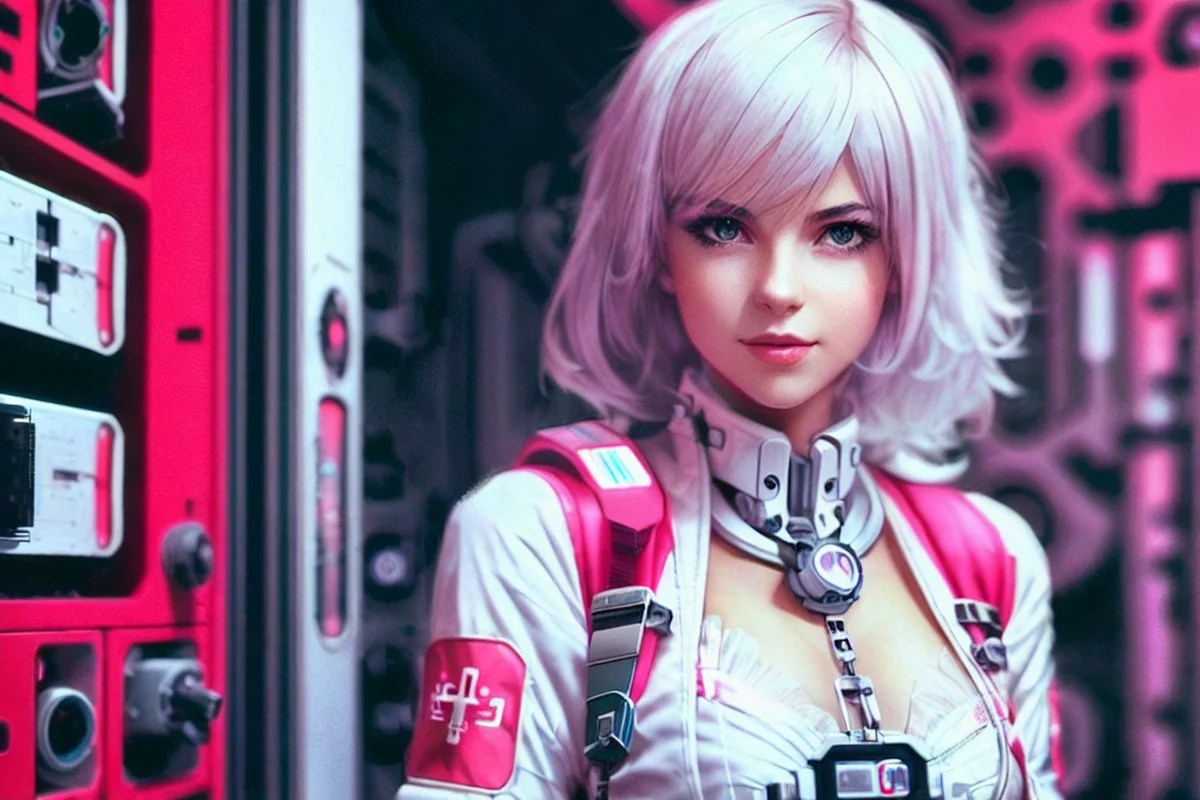
ControlNet is a Stable Diffusion model that lets you copy compositions or human poses from a reference image.
silver tree
clicks profusely
unreal ridge
pure oyster
all the details on what each control net model does is here https://stable-diffu...
I'll save this one
haven't touched control net yet
south sable
 untold glacier
Yeah I guess now is as good a time as any to get controlnet 1.1 installed.
silver tree
im trying to turn a picture into anime
untold glacier
south sable
Major FFVII vibes.
south sable
 silver tree
presumably control net is what i need although i just cant tell if im affecting anything
i have a preprocessor selected and image preview showing the little canny outline but no model selected so probably nothing happening
pure oyster
silver tree
i have a preprocessor selected and image preview showing the little canny outlin...
yep, you need to download the model type you need to use then put them into "stable-diffusion-webui\extensions\sd-webui-controlnet\models"
silver tree
just did it
im hucking files into folders like no other
not sure if canny is what id want for this, the previews seem to be fairly similar
pure oyster
canny would probably work
silver tree
alright it seems to have made a significant difference, this controlnet shiz allows me to turn up denoising while maintaining the scene and not having flying anime mermaids appearing
south sable
 pure oyster
Tried Darksushi for the first time using my normal workflow, I like it.
 south sable
i have mix mix and reg darksushi. both very fun
pure oyster
Here is the unedited text2img.
 pale monolith
untold glacier
This model *is* pretty nice, if a very specific style.
pale monolith
untold glacier
This model *is* pretty nice, if a very specific style.
which model? 
untold glacier
pale monolith
which model? <:woaaah:1088518863345434714>

ToonYou - JP - Alpha 1 is up! Another future for ToonYou 🙂 Less TY, More Anime feel and it's completely 2D! ⬇Read the info below to get the same qu...
pale monolith
oh i have the toonyou extract lora!
untold glacier
Nubby was testing it out and it looked good to me, so I decided to try it too.
Yeah, it's likely better suited to a LoRA--maybe used with DarkAlfa, but it'll be harder to get a flatness that the model gives. Without coloring it with keywords in a slightly different direction.
pale monolith
my lora results don't look nearly as cute as that style tho
 untold glacier
Lol
south sable
lol def checking it out now
untold glacier

 silk narwhal

 untold glacier
silk narwhal
untold glacier
silk narwhal
Yeah, I haven't seen what all the fuss was about when I tried XL. But, I'm used to the amenities of neg prompting, hires fix, upscaler models, etc. etc.
pure oyster
untold glacier
https://civitai.com/models/92834?modelVersionId=51593
god damn it it's another booru model, I got to learn how to properly prompt for these models.
 untold glacier
pure oyster
god damn it it's another booru model, I got to learn how to properly prompt for ...
untold glacier
pure oyster
god damn it it's another booru model, I got to learn how to properly prompt for ...
Yeah... 
They're not easy, especially when you're used to a natural-language based prompting style.
pure oyster
welp time to go onto Safebooru and pick out tags on their website
untold glacier
You don't have autocomplete?
pure oyster
there is a mod for everything huh?
untold glacier
pure oyster
there is a mod for everything huh?
If only my wants didn't outweigh availability, heh.
Just search tagcomplete
Or here's the direct https://github.com/DominikDoom/a1111-sd-webui-tagcomplete
pure oyster
yea, I see it in the list on the extensions tab.

 silver tree
 pure oyster
real men use purses.
 supple raptor
untold glacier
This model *is* pretty nice, if a very specific style.
supple raptor
untold glacier
This model *is* pretty nice, if a very specific style.
Yeah, it's a fun one. Hands are kinda messy on it, but I've seen worse.
pure oyster
Now that I got autocomplete installed I wonder If I should try aurora once more.
slow needle
pure oyster
god damn it it's another booru model, I got to learn how to properly prompt for ...
maybe wait for sdxl


 silver tree
 pure oyster
I can confirm Aurora is now working


 untold glacier
I've finally found it. A fantastic, sharp, detailed upscaling model midway between anime and real. It's smooth when it needs to be, and sharp with the details.
A new go-to for me when I don't want to use fatal_anime to darken the image further, or ultrasharp that may give slight graininess or patterns. All examples (aside from the first image) don't have Adetailer or Multidiffusion on, so as to ensure same seeds.
HugePaint


 pale monolith
yeah hugepaint8x is my go to usually xD
untold glacier
pale monolith
yeah hugepaint8x is my go to usually xD
It may have been you who clued me into this, I tried searching the channel history but couldn't find the message I originally saw. If so, then THANK YOU.
pale monolith
untold glacier
It may have been you who clued me into this, I tried searching the channel histo...
yeah all the other upscalers want to remove my depth of field and blurry foreground and glow and stuff
 pure oyster
damn, I don't think img2img can go past 4000x4000
darn, I wanted to make some dank shit
supple raptor
pure oyster
damn, I don't think img2img can go past 4000x4000
Pretty sure you can make it go as high as you want. Just have to modify ui-config.json to allow it. 4000x4000 is going to take a shit load of vram if you aren't using tiled VAE though.

 trim current
 lyric zealot
is this worth it
lyric zealot
is this worth it
uhhhhh can always go cheaper by building it yourself tbh
that too
4090
 next thorn
need that vram
lyric zealot
trueeeee
pure oyster
supple raptor
Pretty sure you can make it go as high as you want. Just have to modify `ui-conf...
tried inpainting a small portion of a 7052x4700, SD forced the image back to 4000x2667, can't go above that in extra's tab either.
untold glacier
pure oyster
tried inpainting a small portion of a 7052x4700, SD forced the image back to 400...
Change this:

It's in the "Saving images/grids" tab.
Sorry, didn't see the "inpainting" part until after I posted that. My above solution may not work.
runic vault
 pure oyster
still both worth the try, and the lag!
supple raptor
lyric zealot
is this worth it
That converts to roughly $2073.40 USD. I just threw together a build in pcpp with the same specs and low but not necessarily the lowest priced parts and it came out to $2034.31 without an OS. Not sure what component prices are like in Singapore, but based on US pricing it looks like a solid deal. https://pcpartpicker.com/list/Q48FFg
untold glacier
pure oyster
tried inpainting a small portion of a 7052x4700, SD forced the image back to 400...
Usually what I do in such situations is take the image into photoshop, crop to around the section I want inpainted, bring it back into SD, then inpaint and put it back in the original image in photoshop. This saves time, your vram, and your sanity.
lyric zealot
supple raptor
That converts to roughly $2073.40 USD. I just threw together a build in pcpp wit...
well, i'm almost certain if i build this pc with component bought in Sg, it's gonna be almost the same price
supple raptor
pure oyster
tried inpainting a small portion of a 7052x4700, SD forced the image back to 400...
I would always recommend inpainting at lower resolutions than that. It's better to do your fixes and inpainting after the initial hires fix gen, and upscale after which will allow the upscaling process to help smooth any visible transitions between the inpaint areas.
lyric zealot
lyric zealot
well, i'm almost certain if i build this pc with component bought in Sg, it's go...
which is why, this is an actual solid deal
pure oyster
supple raptor
I would always recommend inpainting at lower resolutions than that. It's better ...
to be specific , I'm inpainting a 7952x4700 image at 1200x1200 one little piece at a time.
supple raptor
lyric zealot
which is why, this is an actual solid deal
Yeah I would think the prices should be pretty similar after currency conversions. One consideration that might be worth thinking about is that you may be able to get a used 3090/3090ti for less than the 4080 if you were to build it yourself which would get you more VRAM and possibly save money.
supple raptor
pure oyster
to be specific , I'm inpainting a 7952x4700 image at 1200x1200 one little piece ...
Have you considered using the Krita extension for your inpainting? It'll give you much better control over both the masking and the area total inpaint area. I never inpaint in WebUI anymore. https://github.com/Interpause/auto-sd-paint-ext.git
pure oyster
Eww krita
as a colorist I must not
There is a photoshop one I think, I just have to sail the seven seas and update mine from 2021 to 2023 for it to work
lyric zealot
supple raptor
Yeah I would think the prices should be pretty similar after currency conversion...
true true, imma have to think a little more

 supple raptor
pure oyster
as a colorist I must not
supple raptor
pure oyster
as a colorist I must not
Nothing stops you from doing your quick fixes and inpainting in Krita and switching to PS for everything else. Krita is immeasurably better than the WebUI experience for inpainting.
pure oyster
supple raptor
Nothing stops you from doing your quick fixes and inpainting in Krita and switch...
I'll try it
lyric zealot
grim portal
thats a solid deal at 2k usd
totally agreed, just need to think a little more if i should get 4090 or even wait for 5000 series
lyric zealot
well, that's gonna be okay, not in a rush tbh 
pure oyster
I'll upgrade whenever my computer no longer turns on.
untold glacier
pure oyster
I'll upgrade whenever my computer no longer turns on.
Shortcut #🍥|anime message
silver tree
i am still rocking a 1080Ti lmfaoo
grim portal

pure oyster
oh my, possibly the worst video guide ever for this kirita stuff
silver tree

 fast sleet

 pure oyster
supple raptor
Nothing stops you from doing your quick fixes and inpainting in Krita and switch...
pure oyster
supple raptor
Nothing stops you from doing your quick fixes and inpainting in Krita and switch...
yo, do you know what the error "backend can't be reached" implies?
supple raptor
pure oyster
yo, do you know what the error "backend can't be reached" implies?
Do you have --api in your COMMANDLINE_ARGS?
pure oyster
supple raptor
Do you have `--api` in your COMMANDLINE_ARGS?
maybe, do I put a space after "set COMMANDLINE_ARGS="?
supple raptor
It shouldn't hurt if you do, but you don't have to. set COMMANDLINE_ARGS=--api will work fine.
if you have multiple args you do want a space between them though. For example: set COMMANDLINE_ARGS=--listen --opt-sdp-no-mem-attention --enable-insecure-extension-access --api
pure oyster
Then I definitely have it set, I actually have all the windows running in kirita and it clearly is reading my SD files.
supple raptor
I would recommend fully restarting WebUI and Krita.
pure oyster
Mine looks like this

Might be a misuse of layers, the video guide wasn't exactly clear
supple raptor
pure oyster
Might be a misuse of layers, the video guide wasn't exactly clear
Yep that all looks right. I'd recommend using picking the Airbrush brush for drawing your mask so that you get soft edges on the mask so that it will blend into the rest of the image better.
Here's how I have mine set up with an example of a mask drawn with the airbrush

Here's my SD Plugin Config tab
 pure oyster
I was able to generate an inpainted layer just now
runic vault
 pure oyster
lines are a little harsh even with air brush so I'll check more settings
runic vault
 pure oyster
will try to add gaussian blur to my mask
supple raptor
pure oyster
lines are a little harsh even with air brush so I'll check more settings
The easiest fixes are manually blurring the edges even more with the Filter Blur brush or adding gaussian blur, increasing the size of the airbrush (which will also blur the edges more), or lowering denoising (not always practical when you need to change something significantly).
You can also manipulate the layer that the inpaint creates to make it blend better. Eraser Soft with a light run around the edges can often be a quick and easy way to do that.
pure oyster
Oh boy, this generation time is possibly double if not more than usual
supple raptor
pure oyster
Oh boy, this generation time is possibly double if not more than usual
Check your base and max size and make sure they're set to resolutions that you can gen without running out of VRAM. It shouldn't be any slower than inpainting in WebUI.
 pure oyster
I set base to 512 and max 1024, I'll see how long it takes

 pure oyster
Harold smile
stable crane
 runic vault


 south sable

grim portal
i be generating and generating but still cant get decent hands 

 south sable
hard to get both hands
runic vault
 zinc flax


 i mean her eyes are a lil funky but what can i do
  south sable
 supple raptor
grim portal
supple raptor
grim portal
Looks good, eyes are likely either due to not enough resolution or not using an anime VAE. The Adetailer extension can help with the resolution problem without having to increase the size of the gen. For VAE, I'd recommend the one here that ends in 09: https://huggingface.co/nubby/kl-f8-anime2-blessed
south sable
 grim portal
i used hinata hyuuga pictures, they definetly arent of best quality , also threw humans into the mix lol
supple raptor
grim portal
i used hinata hyuuga pictures, they definetly arent of best quality <:PepeTearsC...
Oh is it a LoRA that you trained?
grim portal
yeap
took a good 2 hrs 52 pictures but ima retrain it again apparently had some doubles, i removed some lower quality ones
when i only ask for it to generate hinata hyuuga and nothing else it does pretty good
supple raptor
It could help to take a few images, make copies of them and crop them to be close-ups of the face.
grim portal
does adding more desciptive text to the txt help ?
close upps of face got it i can do that rn since i brought them with me 
im also going to seperate the humans out too
supple raptor
grim portal
does adding more desciptive text to the txt help ?
The captions in LoRA training are sort of like a negative prompt. You want to caption the things that you don't want to be inherent to the LoRA. For a style LoRA, that generally means basically everything. Most people use the WD tagging tool to automatically caption their images which really helps with consistency. https://github.com/toriato/stable-diffusion-webui-wd14-tagger.git

GitHub
Labeling extension for Automatic1111's Web UI. Contribute to toriato/stable-diffusion-webui-wd14-tagger development by creating an account on GitHub.
south sable
 supple raptor
 zinc flax
She really said 🐱
supple raptor
It made me think of the sad cat dance meme

 grim portal
is there a point in doing more than 150 sample steps for training ?
supple raptor
Depends on learning rate, number of images and batch size. On its own number of sample steps doesn't really mean anything.
south sable

 deft ore
 south sable
 deft ore


 grim portal
constipated 4 eyes demon with super hearing 


 storm ivy
