#✨|sdxl
1 messages · Page 71 of 1
 vital ermine
 nocturne trail
tom's isn't the best source since they used percentages here, not watts, but it's a 4090 founders edition so 120% is 450W
and again the delta for AI is even smaller

100% = 375W
getting a whole 0.7fps from 75W more
 trim orbit
honestly, if AMD hasn't got rocm support for RDNA3 yet, don't count on it coming this year.
nocturne trail
they do?
 vast narwhal
I will try
nocturne trail
RDNA3 is the only officially supported consumer architecture
RDNA1/2 work as well mind u
 nimble heart
it's worked since rocm 5.5 but it's not "officially" supported till the fall release according to AMD
nocturne trail
yeah but they support the workstation equivalents that are the same thing with lower power limits and more VRAM
even Vega and Polaris technically work
nimble heart
missing key things like ready-to-use flash attention and AIT support
vital ermine
AIT?
nimble heart
apparently both are usable if you compile the CK yourself but I'm not doing that
nocturne trail
if you want to use ROCm and have it actually work well you need to use Linux and compile shit yourself yes
vital ermine
AI training?
trim orbit
https://community.amd.com/t5/rocm/new-rocm-5-6-release-brings-enhancements-and-optimizations-for/ba-p/614745/jump-to/first-unread-message?sf267637036=1 here's them saying they're adding rdna 3 support in fall, a week ago.
nimble heart
nocturne trail
if you want to use ROCm and have it actually work well you need to use Linux and...
use linux, only compiled AutoGPTQ recently. Torch works OOTB now.
nocturne trail
"No official support" doesn't mean "it doesn't work"
and you can skip "compile it yourself" on RDNA2/3 on Linux
 visual glade
ROCm works pretty well on a 6800XT
trim orbit
hmm i don't know what this argument is about. i'm just saying don't count on them getting it out this year. even with the announcement
the "official" support
visual glade
it's just slow because nobody bothered to implement flash attention
vital ermine
Which is coming
nimble heart
flash attention for rdna 3 is in the composable kernel on their master git but I haven't heard anything about rdna 2 yet
 alpine pine
vital ermine
Which is coming
alpine pine
vital ermine
Which is coming
amd cards are starting to sound like a video game preorder tbh
vital ermine
alpine pine
amd cards are starting to sound like a video game preorder tbh
hehehe
trim orbit
they should just do driver support for things at launch imo. oh well
nocturne trail
trim orbit
hmm i don't know what this argument is about. i'm just saying don't count on th...
what it's about is, it already works, they just don't officially support it which only means that if you're a business and you have trouble and they can't help you, you can't demand compensation for that
visual glade
everything software related takes a very long time with AMD
trim orbit
nocturne trail
what it's about is, *it already works,* they just don't officially support it wh...
i still don't know what point you're demonstrating. good luck out there
nimble heart
alpine pine
amd cards are starting to sound like a video game preorder tbh
lol basically. I'm happy with my XTX but boy were the first months an adventure
visual glade
I'm still waiting for my 6800XT to get HDMI2.1 support on Linux
vital ermine
Yep, that is the shitastic ATI division they should have immediatedly dismantled and brought in quality people.
nocturne trail
my point is that "official support" is meaningless when you're not a business
nimble heart
visual glade
I'm still waiting for my 6800XT to get HDMI2.1 support on Linux
that's a patent issue no?
nocturne trail
vital ermine
Yep, that is the shitastic ATI division they should have immediatedly dismantled...
they did
nimble heart
it works on the nvidia drivers because they're proprietary
visual glade
nimble heart
that's a patent issue no?
not at all, both intel and nvidia had no issues implementing it in their open source kernel drivers
vital ermine
nocturne trail
they did
Okay, keep hitting that bong because they have sucked since ATI happened. Still sucky just not as sucky.
visual glade
intel implemented it before they actually released hardware that has HDMI2.1
AMD still has not implemented it and it has been almost 3 years now since they released the 6800XT
but it's apparently coming soon
nocturne trail
Intel have the best open source graphics driver rn hands down
ARC just works on mainline
vital ermine
AMD releases hardware then we have to wait for software/drivers/et. al to catch up. That is no way to run a real company. Even Adrenaline, and Catalyst before it, plays catchup.
nimble heart
wonder what'll get here first, HDMI 2.1 on the amd kernel drivers or displayport 2.1 on the actual monitors
vital ermine
My monitor has neither so I have to get a DP to DVI-D adapter along with the card
nimble heart
vital ermine
My monitor has neither so I have to get a DP to DVI-D adapter along with the car...
you've been able to get 4k 27" monitors on amazon for $300 or so for like 5 years
put that DVI shit in the garage
vital ermine
nimble heart
you've been able to get 4k 27" monitors on amazon for $300 or so for like 5 year...
So? I like my monitor and I only replace when they break not because some damn spec changed.
nimble heart
vital ermine
So? I like my monitor and I only replace when they break not because some damn ...
4k is really nice for programming. My font size is only like 10 points because it's so easy to read
trim orbit
with a dvi-d port id' be willing to bet that monitor is binnable for color reproduction purposes
visual glade
I still have my old 1440p 27inch korean monitor with only a DVI dual link, it's plugged into my old computer right now
vital ermine
Oh, don't get me wrong after the card, and next spring I am getting a 27 or maybe a 32 4k.
alpine pine
vital ermine
Oh, don't get me wrong after the card, and next spring I am getting a 27 or mayb...
gotta get that 42 in LG oled, thing is heavenly (and not too expensive)
vital ermine
No room
alpine pine
vital ermine
No room
darn 😦
nimble heart
alpine pine
gotta get that 42 in LG oled, thing is heavenly (and not too expensive)
not too expensive being 3K???
vital ermine
I know. 32 is even too big tbh
nimble heart
or are the 42's not that much anymore
alpine pine
nimble heart
not too expensive being 3K???
600 eur with tax last I checked
got mine for 1100 CAD with tax
visual glade
I have a 48 inch OLED as my main monitor
trim orbit
i still have the first flat panel tft i ever owned. 1280x1024 oldie format. it's not in use right now but it's seen some days lately.
nocturne trail
nimble heart
wonder what'll get here first, HDMI 2.1 on the amd kernel drivers or displayport...
i mean neither of them are super useful at this point
nimble heart
alpine pine
got mine for 1100 CAD with tax
poor canadian dollars lol
nocturne trail
visual glade
I have a 48 inch OLED as my main monitor
ah you're one of Those People - LG C2?
visual glade
LG C1
vital ermine
I have mine but it needed a cap replacement I bought and never did. 1680x1050 Samsung
nocturne trail
visual glade
LG C1
nice. that one has the better low persistence stuff iirc
or
there was something they nuked on the C2
nimble heart
nocturne trail
i mean neither of them are super useful at this point
having high refresh rate is mutually exclusive to HDR without
visual glade
the one I have has the EVO panel
they switched to the better panels near the end of the production run
nocturne trail
there's a software feature they removed in the C2
vital ermine
Anyway next mon will be 4k due to the ppi and I am going larger sice. 24 to 27 or 32 but prob 27
alpine pine
nocturne trail
that wasn't a huge deal but annoying
They hid a bunch of settings on c2
visual glade
did they remove the hidden option in the dev menu to disable the annoying auto dimming?
nocturne trail
nah all the hidden shit's still there
vital ermine
I disable that damn auto dimmin in everything as I hate it. Give me manual or give me death, lol
nocturne trail
i mean it's a bad idea on an OLED but ymmv
visual glade
oh that good, it would have been unusable if you couldn't turn that off
trim orbit
i'm doing a 1440p 27 inch right now. i could probably live the dream with 4k @ 48
alpine pine
vital ermine
I disable that damn auto dimmin in everything as I hate it. Give me manual or g...
honestly its not that bad (compared to other auto dims), it mainly just means when you open a lightmode app on accident at 2am, you dont go blind
trim orbit
was looking at dell's ultrawide oled too. is nice
nocturne trail
and you don't get permanent burn-in after 9 months if you're not careful
eh
desktop oled monitors are currently, at best, mid as fuck
they're all really dim
alpine pine
nocturne trail
they're all really dim
in anything with a lot of white, that is true
nocturne trail
even peak brightness on most of them is trash
alpine pine
OH desktop OLED
nocturne trail
they get outshined by my 5 year old "nano"IPS LG
alpine pine
yeye
nocturne trail
yeah
the "buy an LG 4K 120Hz OLED TV" approach beats any of the current OLED monitors on the market
alpine pine
nocturne trail
the "buy an LG 4K 120Hz OLED TV" approach beats any of the current OLED monitors...
and is substantially cheaper
nocturne trail
at worst same price yeah
and you're more likely to get a burn-in warranty
of course that goes out the window if you disable the burnin protections but
current desktop OLED monitors are all what i'd consider first-generation products; and you never buy a first-generation product
trim orbit
hmm. i'll just not say things. i set people off on rants.
visual glade
I'm on 8096 hours on mine, no burn it and no dead pixels yet
nocturne trail
yeah, the TVs are much more resilient
'cause we've been doing them for longer and bigger pixels are easier to manage
nimble heart
tvs dont fit on my desk
nocturne trail
not with that attitude
alpine pine
nimble heart
tvs dont fit on my desk
a 42in can fit on suprisingly a lot
the stand is really compact
nocturne trail
big monitor mount arm 
alpine pine
nocturne trail
stands are sooooo 2013
the stand is substantially smaller than any monitor stand and honestly looks nice
 nimble heart
im using like a $30 steel frame desk from amazon hooking a fat tv arm to it would probably shatter its bones
nocturne trail
alpine pine
the stand is substantially smaller than any monitor stand and honestly looks nic...
it takes up desk space though and it's not adjustable
alpine pine
nocturne trail
it takes up desk space though and it's not adjustable
that is very true
nocturne trail
and you probably don't want the bottom of your display 3" above your desk
trim orbit
nimble heart
im using like a $30 steel frame desk from amazon hooking a fat tv arm to it woul...
hehe i've been in that situation during CRT days and lan parties
only got so many surfaces and eventually you bring out the walmart foldup special
gaming gets a little excited and the desk starts building momentum
 glad grove
i remember my old 32 inch CRT tv it was like 400 pounds
nimble heart
trim orbit
only got so many surfaces and eventually you bring out the walmart foldup specia...
mine's not folding lol. I've hooked a racing wheel up to it without too much issue. Only problem is it's so light I need to press the desk against a wall or else the whole thing moves....
nocturne trail
9.8kg for the 42"
trim orbit
i had a 35 inch top end trinatron and it felt like it was 90% lead
nocturne trail
trim orbit
i had a 35 inch top end trinatron and it felt like it was 90% lead
fun fact ur not wrong
alpine pine
nocturne trail
9.8kg for the 42"
yup! Fits on a monitor arm for the 32:9 monitors pretty easily
glad grove
trim orbit
i had a 35 inch top end trinatron and it felt like it was 90% lead
yea my 32 inch was a sony trinitron too 🙏
nocturne trail
theres a lead blanket wrapped around part of the tube to stop x-rays getting out
trim orbit
all that ionizing radiation but at least it made gamecube games look great!
nocturne trail
it's not very thick lead but, well, lead
glad grove
only oled was able to match it on black color,LCD not even close
nocturne trail
some LCDs get close-ish but yeah
trim orbit
plasmas could do it. rip plasmas
glad grove
🙏
nocturne trail
nimble heart
depending what you're displaying
and on how good the local dimming algorithm is
and how many individual zones it has
nimble heart
1000%
nocturne trail
some """miniled""" panels have like 80 zones which is a waste of time
nimble heart
Some minileds may as well not even be
nocturne trail
there's that one 4k 27" that's got like 2000ish which is actually quite good
nimble heart
a 4k 27 miniled is basically my dream monitor but fuck are they expensive rn
nocturne trail
but im already pushing 11.8 megapixels over here, i don't need to make that 24
nimble heart
already spent $2500 on a computer not spending another 1k on a monitor
alpine pine
nimble heart
a 4k 27 miniled is basically my dream monitor but fuck are they expensive rn
there are some cheaper chinese ones are making their way to the NA market> I think its called like red magic or something
nocturne trail
where's my 48:10 1800R-curve 11520x2400 monitor
nimble heart
alpine pine
there are some cheaper chinese ones are making their way to the NA market> I thi...
never heard of, will search
I'd like it to be 120hz as well but I feel like that's asking a lot lmao
nocturne trail
you can get one of the good panels inside an Acer iirc
no they're 120hz
144 even i think
nimble heart
why is 144 even a thing? 120 cleanly divides down to 60 and 30
alpine pine
nimble heart
I'd like it to be 120hz as well but I feel like that's asking a lot lmao

REDMAGIC
Elevate your PC gaming experience to the next level with REDMAGIC's 4K Gaming monitor. Immerse yourself in stunning 4K visuals and gain a competitive edge in your favorite games. Upgrade your setup and start winning more with the ultimate gaming awesomeness of REDMAGIC 4K. - REDMAGIC (Europe) Store
nocturne trail
144 cleanly divides down to 24, 30, 29.97 with a cursed divisor over 3 seconds, 48, 59.94, 60, 72, etc
alpine pine
nimble heart
lame
it makes sense for tvs, which is why tvs are 120 hz and monitors are 144hz
nimble heart
I saw a movie that was 48 fps and it was like the future is finally here.
Then no one made any high refresh movies ever again
alpine pine
nimble heart
I saw a movie that was 48 fps and it was like the future is finally here.
Then n...
avatar 2 baybeeeeeee
alpine pine
its so good
nimble heart
just changes from 48 to 24 randomly
alpine pine
nimble heart
just changes from 48 to 24 randomly
randomly perfectly
it feels just like going from pre-rendered cinematic to gameplay
nimble heart
yea when it's 48 it's the best looking movie ive ever seen in 3d but fuck randomly going half frames during dialogue was weird
nocturne trail
nimble heart
just changes from 48 to 24 randomly
it changes to 48 in the bits they remastered/enhanced for IMAX

nocturne trail
also for those of you who are fans of using OLED TVs as monitors, https://www.rtings.com/monitor/reviews/lg/42-oled-flex

RTINGS.com
The LG OLED Flex is a 42-inch TV that's also popular to use as a monitor. It's a new model that's part of LG's 2023 OLED lineup, and its main feature is its cust...
alpine pine
 potent flame
getting an error of generating SDXL image
potent flame
getting an error of generating SDXL image
wrong channel, this is for anything that has nothing to do with SDXL
trim orbit
when high frame rate is done good it's great. i saw alll 3 hobbits with hfr and its all wonky and cheap looking a lot of the time
nimble heart
if avatar 3 is 48 all around then we'll finally be in the future
if not hopefully at least avatar 4 is
if else maybe avatar 5
(how many were they making again?)
nocturne trail
nocturne trail
also for those of you who are fans of using OLED TVs as monitors, https://www.rt...
their intent is for you to use it in portrait for some reason
trim orbit
then there's into the spiderverse which cuts frames out a lot for greater impact effects and it looks amazing and kills all other animations out there lately
potent flame
I get the similar warning from normal A111 SD.
nocturne trail
potent flame
getting an error of generating SDXL image
what error
 spark bear
people want the "cinematic" 24fps feel out of movies since thats what they're used to and the motion blur, 48 looks more like a tv show so people associate it with worse quality.
alpine pine
spark bear
people want the "cinematic" 24fps feel out of movies since thats what they're u...
I suspect our the latest gen will swap this with how popular games are
nocturne trail
this is a solid choice for miniled btw https://www.rtings.com/monitor/reviews/cooler-master/tempest-gp27u
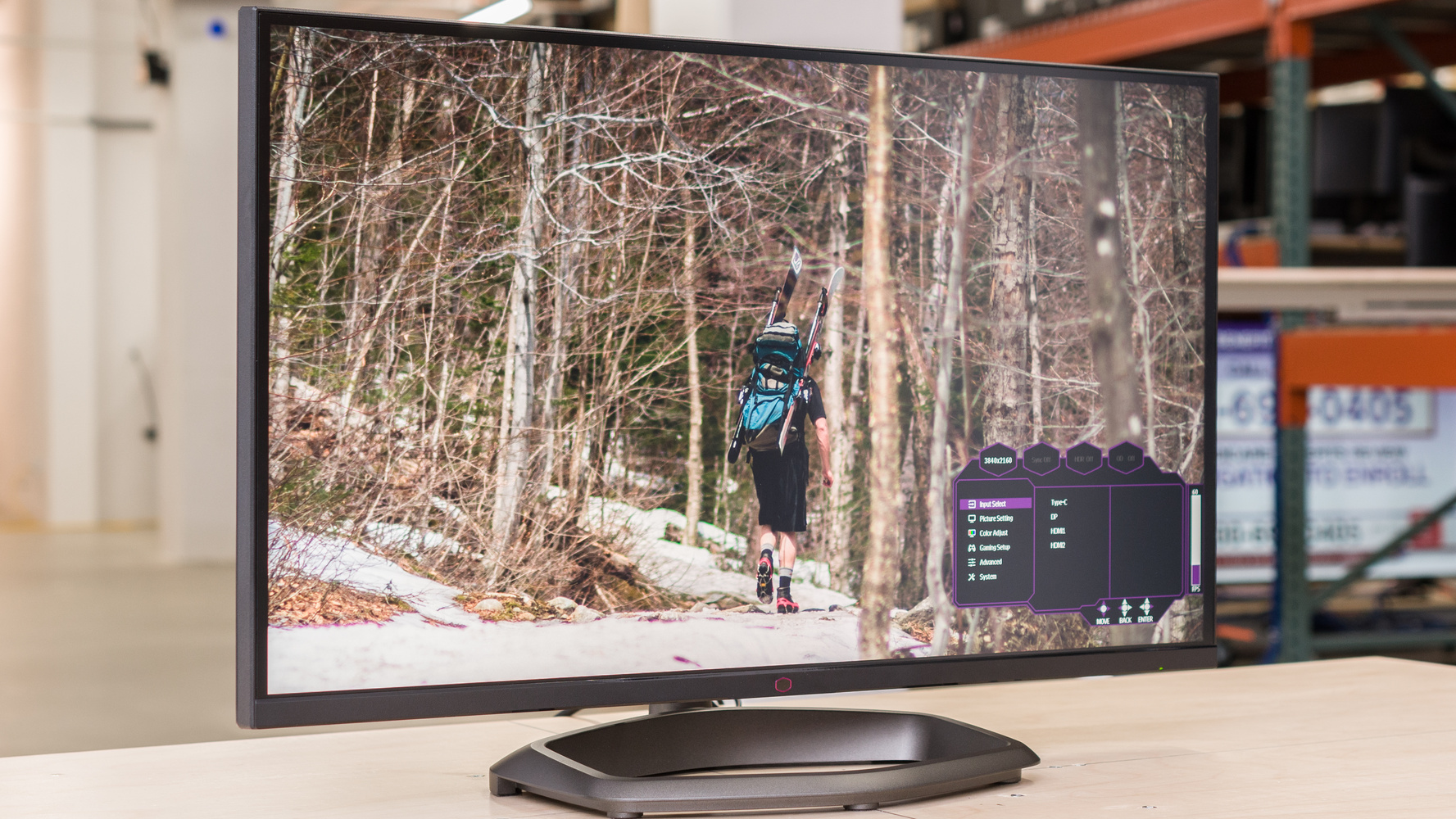
RTINGS.com
The Cooler Master Tempest GP27U is a premium 4k, 27-inch monitor. It features Mini LED backlighting with 576 local dimming zones, and as it's a high-end monitor,...
576 zones
potent flame
nocturne trail
what error
right really, KSampler executing error, CUDA kernel errors might be asynchronously reported at some other API call, so the stacktrace below might be incorrect. and operation not supported
nocturne trail
potent flame
right really, KSampler executing error, *CUDA kernel errors might be asynchronou...
yeah update your drivers/CUDA and/or recreate your venv
welcome to the dumpster fire that is automatic1111
nimble heart
spark bear
people want the "cinematic" 24fps feel out of movies since thats what they're u...
(X) doubt. most phones are even 120 now because people realized it looks so much cleaner
trim orbit
spark bear
people want the "cinematic" 24fps feel out of movies since thats what they're u...
that soap opera effect is actaully old fashion and dated. no one sees that anymore. hfr is the domain of video games and video games look "cheap" compared to movies
potent flame
yesterday I just reinstall cuda
nocturne trail
and pytorch in general
nocturne trail
what card and driver version
and you can/should install 12.1 these days (it's back compatible) but eh details
nimble heart
nocturne trail
this is a solid choice for miniled btw https://www.rtings.com/monitor/reviews/co...
amd linux drivers don't support HDMI 2.1 yet
nocturne trail
nimble heart
amd linux drivers don't support HDMI 2.1 yet
and? displayport
nimble heart
else I might've gotten that a few mnoths ago
nimble heart
nocturne trail
and? displayport
dp 1.4 == no HDR
potent flame
Pytorch 2.0.1 smh not working with 12.1 on specific application
like yea, it is tons of mess with my Python venvs
 nimble heart
nocturne trail
and? displayport
nimble heart
nocturne trail
and? displayport
also I think that monitor relies on hdmi 2.1 for its variable refresh
iirc
nocturne trail
nimble heart
also I think that monitor relies on hdmi 2.1 for its variable refresh
wrong you get 160hz with VRR down to <20Hz on both
 potent flame
nocturne trail
you can have both installed at once y'know
potent flame
nocturne trail
you can have both installed at once y'know

( yes real story i havent think on that )
nocturne trail
i have CUDA 11.8, 12.1, and 12.2 installed all at once you just have to set CUDA_HOME env var to specify a specific one to use
potent flame
i originally have 10.x version and 11.8 installed, and then bunch of reinstall something
nocturne trail
otherwise it uses whichever you installed last
potent flame
and uninstall
nimble heart
nocturne trail
wrong you get 160hz with VRR down to <20Hz on both
ah. Maybe this fall if they make a refresh of the model with DP 2.1 it'd be worth
potent flame
you set the variable in Terminal right?
nocturne trail
nimble heart
ah. Maybe this fall if they make a refresh of the model with DP 2.1 it'd be wort...
it had a firmware bug
initially
limiting it to 120hz on DP
its been fixed
nimble heart
nocturne trail
limiting it to 120hz on DP
120 4k over dp 1.4 limits you to 8 bit which effectively disables HDR support. paying for an hdr monitor and not being able to use it would suck
I've got one of 5 gpus on the planet with DP 2.1 I wanna use it
vital ermine
Yes, next mon I want HDR as the vibrance alone is killer. Even if it is 10bit gimme
nocturne trail
technically you can hit 4k120 over dp1.4 at 10bit by being clever with blanking timings
but it's dicey
 trail bay
Anyone used Sytan's 1.0 workflow (Comfy) https://github.com/SytanSD/Sytan-SDXL-ComfyUI and if yes, is it good? Also for the upscaler, is it okay to use RealESRGAN_x4plus (just because I have it from the SD stuff before) or that is a bad idea?. does the x4 mean it is x4 upscale, because it seems in the workflow that is what it wants
nocturne trail
and there's always DSC
visual glade
potent flame
right really, KSampler executing error, *CUDA kernel errors might be asynchronou...
what's your card?
alpine pine
trail bay
Anyone used Sytan's 1.0 workflow (Comfy) https://github.com/SytanSD/Sytan-SDXL-C...
its a solid workflow
nocturne trail
trail bay
Anyone used Sytan's 1.0 workflow (Comfy) https://github.com/SytanSD/Sytan-SDXL-C...
correct - fun fact about using upscalers in auto1111, most upscalers are x4 and you can't actually make them output a smaller image
potent flame
visual glade
what's your card?
nah with just kinda fix it by installing ANOTHER package of CUDA tookit ( 12 )
it is MX130
visual glade
on linux?
nocturne trail
if you use a x4 upscaler in auto but set your scale to x2 it upscales to x4 then downscales to x2
potent flame
aka the card I used to generate SDXL piece for 20 minutes per image
potent flame
Windows.
nocturne trail
i am sorry for your loss
trail bay
can someone tell me the KSampler settings where the steps are 25, start is 20, end is 1000? I don't get that part. wouldn't it end at 25?, and when I run it, I don't think it is really doing 1000 steps... (minus 20 or 25)
nocturne trail
m a x w e l l
trail bay
I know about partial diffusion, just the part about 1000 is confusing
nocturne trail
maxwell is catastrophically ancient, slow, no fp16 compute support though it can BS its way into handling fp16 weights
nocturne trail
trail bay
I know about partial diffusion, just the part about 1000 is confusing
end is the theoretical maximum number of steps the sampler is capable of
nimble heart
nocturne trail
technically you can hit 4k120 over dp1.4 at 10bit by being clever with blanking ...
but then how am I going to style on the 4090 plebians limited to dp 1.4
nocturne trail
start 20 is for use with a two-sampler-stage pipeline i.e. SDXL refiner
potent flame
Maxwell is 800 series card right?
potent flame
ah alright
nocturne trail
ah sorry
780ti is kepler still
always forget which
they sorta skipped 800 series for the most part
trail bay
nocturne trail
end is the theoretical maximum number of steps the sampler is capable of
so the 1000 doesn't really do anything? it should take it in after step 20 (that is start from what is done by the base) which should include the noise. and the steps input is 25. but then there is end_at_step 1000, does it actually do anything if it just ends at 25?
alpine pine
trail bay
so the 1000 doesn't really do anything? it should take it in after step 20 (that...
iot will just end at 25
nocturne trail
trail bay
so the 1000 doesn't really do anything? it should take it in after step 20 (that...
if you have start at 20, and steps 25, it will run for 5 steps then stop
visual glade
potent flame
Maxwell is 800 series card right?
if you update your comfyui it should work now
 glad flint
nocturne trail
MX130
glad flint
nocturne trail
MX130
I had 940MX in my old laptop, which was almost the same card as the MX130
it got too hot tho and then the motherboard died because Acer, rip
potent flame
yeah i already update the comfy through manager into 1250 something
nimble heart
trail bay
can someone tell me the KSampler settings where the steps are 25, start is 20, e...
people just set it to 1000 so you can change the total steps without also having to change the end step count to match, since it'll always stop when it's done anywyas
visual glade
update right now I just pushed a fix
 nimble heart
- if you use the ddim_uniform sampler end_step = step + 1 so setting 1000 is just a catch all
visual glade
don't know why these cards are in the 1000 series when they are maxwell
trail bay
nimble heart
people just set it to 1000 so you can change the total steps without also having...
okay makes sense. something to satisfy the backend part. but doesn't actually mean anything unless it is less than actual steps. guessing in that case it would error out or something
 wet nacelle
 nimble heart
trail bay
okay makes sense. something to satisfy the backend part. but doesn't actually me...
nimble heart
trail bay
okay makes sense. something to satisfy the backend part. but doesn't actually me...
if it's less than the total steps it just stops sampling before it's done. that's what enables the partial diffusion thing to work in the first place
nocturne trail
visual glade
don't know why these cards are in the 1000 series when they are maxwell
there's GT 1030s that are Kepler
 trail bay
nimble heart
if it's less than the total steps it just stops sampling before it's done. that'...
trail bay
nimble heart
if it's less than the total steps it just stops sampling before it's done. that'...
I thought partial diffusion was when the Stop step was less than Steps. nothing to do with end_at_step it seems
wet nacelle
 visual glade
yeah xformers works on maxwell
nocturne trail
yeah they still compile xformers for CC5.0 even for some reason
wet nacelle
 potent flame
I experienced a slower generating time in normal A111 build with xformers
compared to Doggettx
nocturne trail
I guess there are some insane people still using M60s
visual glade
it should be faster than that optimization
potent flame
some people like Ancient Relic
visual glade
that optimization is super basic
nimble heart
trail bay
I thought partial diffusion was when the Stop step was less than Steps. nothing...
wdym "stop step"? end_at_step is where it stops
nocturne trail
torch native SDP attention is bae
nimble heart
nocturne trail
torch native SDP attention is bae
cries in AMD
visual glade
sdp is just xformers code
trail bay
nimble heart
wdym "stop step"? end_at_step is where it stops
if that is the case then Sytan's workflow should be doing 1000 steps lol. nevermind I Think the question was answered already
nocturne trail
trail bay
if that is the case then Sytan's workflow should be doing 1000 steps lol. neverm...
the final sampler in a chain does not need stop at step set
visual glade
not really because xformers supports more shapes
nocturne trail
basically
potent flame
1255 version right?
nimble heart
Sytan's is correct. I'm the one that told him to set the end to 1000
nocturne trail
visual glade
not really because xformers supports more shapes
well and flashattention 2 if you pull prerelease
potent flame
I rarely use other optimization other than xformers and Doggettx.
visual glade
like sdp doesn't work in the VAE, it defaults to the math implementation
 candid walrus
nimble heart
people just set it to 1000 so you can change the total steps without also having...
candid walrus
nimble heart
people just set it to 1000 so you can change the total steps without also having...
i always assumed that when you're putting a latent image through 2 samplers, and your wanting to leave noise for the second sampler the end_stop_count is there for the first sampler to know what percentage of noise to leave. if it didn't know that 25 steps was the total goal then it would just try to 'finish' the diffusion in the first sampler
trail bay
nimble heart
Sytan's is correct. I'm the one that told him to set the end to 1000
I'm not saying it is incorrect. others answered the question here logically. I'll stick those answers since it makes sense within the partial diffusion workflow.
candid walrus
dont know if i'm correct just what seemed to make sense to me
nocturne trail
the sampler will stop at either steps or end_at_step, whichever is lower
trail bay
nocturne trail
the sampler will stop at either `steps` or `end_at_step`, whichever is lower
this makes sense to me.
hence end_at_step is NOT the end (total) unless it is lower
visual glade
exactly, end_at_step is only taken into account when it's less than the "steps"
nocturne trail
yes
nimble heart
candid walrus
i always assumed that when you're putting a latent image through 2 samplers, and...
yes. so on the 2nd pass (refiner) when you do want it to actually finish, people set it to 1000 to make sure its fully finished without having to manually adjust it after changing schedulers or total step counts
nocturne trail
so for your final sampler you can leave end at 1000 because you're not using that value
trail bay
so STEPS is actual total ends. Not end_at_steps, unless for some reason steps > 1000
nocturne trail
yesh
trail bay
I was asking about the 1000 specifically and when/if it mattered. I think it was explained well. it isn't the actual # of steps
unless an exceptional case arises
nocturne trail
1000 is just the max
you can't infer at >1000 steps
why you'd ever want or need to is beyond me
nimble heart
the comfy nodes' max is 10,000 I think
nocturne trail
iirc most k-diff samplers only support a max of 1k steps
candid walrus
it's a beyond resonable number to give u a clue
visual glade
some of the nodes let you put huge numbers but it's not because you can that you should
nocturne trail
yeah
potent flame
Yep, same error.
nocturne trail
I did do a 1000 step gen yesterday just because comfy suggested it as a joke
potent flame
Gonna head up for little bit waiting my CUDA installation and exam studying
trail bay
just the UI being comprehensive/verbose. and I Think that is fine. I just saw it wasn't actually the actual total steps and inquired. and it makes sense. I'm done with the question. haha I do have another one though. about the 2048 latent size
nocturne trail
result: yeah it looks the same as 50
nimble heart
candid walrus
it's a beyond resonable number to give u a clue
I see so many XL workflows using like 100 or more steps it's not funny
trail bay
which goes into the CLIP thing
nimble heart
anything over 50 is just way overkill.
trail bay
is that a CLIP specific number, the 2048?
nocturne trail
100-200 can be useful for some inpainting purposes
nimble heart
30-40 is the "you get 90% of the way there" mark
nocturne trail
but for t2i it's a waste of time
nimble heart
nocturne trail
100-200 can be useful for some inpainting purposes
on comfy or auto? auto I get because it's multiplied by denoise so 100 @ 0.3 is only 30 steps
nocturne trail
not if you check the box in settings that disables that stupid ""feature""
nimble heart
comfy un-multiplies it before sending it to ksampler_common() so it always renders whatever steps you put in
nocturne trail
 nocturne trail
be nice if there was a checkbox to disable normalization of prompt weights
i considered opening a PR but that codebase makes me want to jump out a window so
nimble heart
you could probably just write a git patch that adds pass to the start of the normalization fn and apply it every update
nocturne trail
it's only done once
nimble heart
No I mean like when you update the UI you re-apply the patch
nocturne trail
it'd literally be one extra config option and a single if:
eh
i got sick of updating custom patches
nimble heart
make folder called "patches" have git just apply everything in that folder
what's the worst that could happen
nocturne trail
that's exactly what my container startup script does
works great until they move shit around
i was applying the custom xyz grid colours with a patch

but now it's just a Cursed sed Command
nimble heart
excuse you but sed is entirely blessed
nocturne trail
yes, but this command is not
potent flame
sed...
nocturne trail
god
url and email validation regexes
cursed
# edit XYZ script text colors
echo -n "Editing XYZ script color settings... "
sed -i 's|color_inactive = (153, 153, 153)|color_inactive = (98, 114, 164)|' ./modules/images.py || true
sed -i 's|color_active = (0, 0, 0)|color_active = (189, 147, 249)|' ./modules/images.py || true
sed -i 's|"white")|(21, 23, 27))|' ./modules/images.py || true
echo "Done"
yes i could put all of those into a single command but I refuse on principle
nimble heart
that's way more tame than I was thinking
nocturne trail
you should see the ones I have commented out
nimble heart
I have native bash regular expressions that are worse
nocturne trail
yeah it was a mistake to tell me about the more advanced bash parameter expansion operators...
neggles is a war criminal
nimble heart
nocturne trail
neggles is a war criminal
average for anime cat girl pfp
nocturne trail
ya girl knows what she's about
nocturne trail
nocturne trail
neggles is a war criminal
especially when i'm doing cursed things on embedded devices with only busybox ash
we do not talk about the octeons
nimble heart
nocturne trail
```sh
# edit XYZ script text colors
echo -n "Editing XYZ script color settings.....
single bash regex to capture all the relevant information from nvidia-smi
re=".*"\
"Clocks Throttle Reasons[^a-zA-Z]*"\
"Idle *: *([a-zA-Z ]*).*"\
"FB Memory Usage[^a-zA-Z]*"\
"Total *: *([0-9]+ *[a-zA-Z]+)[^a-zA-Z]*"\
"Reserved *: *[0-9]+ *[a-zA-Z]+[^a-zA-Z]*"\
"Used *: *([0-9]+ *[a-zA-Z]+).*"\
"Utilization[^a-zA-Z]*"\
"Gpu *: *([0-9]+)[^a-zA-Z]*"\
"Memory *: *[0-9]+[^a-zA-Z]*"\
"Encoder *: *[0-9]+[^a-zA-Z]*"\
"Decoder *: *([0-9]+).*"
thankfully AMD just puts every value in its own file under /sys/ so I dont' need it anymore
you know now that I look at that I could've just used awk but you know hindsight is 20/20
nocturne trail
nimble heart
single bash regex to capture all the relevant information from `nvidia-smi`
```b...
cursed cursed cursed cursed cursed cursed
you do know you can get it to dump those out in CSV or JSON format right
nocturne trail
nimble heart
still think awk would be easier since it comes included. idk if I have any cli json deserializers
nimble heart
I'm only vaguely aware what csv is and I'm content with that
csv is like a spreadsheet thing right? like xls or something
nimble heart
don't expand the acronym like that
potent flame
well damn
nimble heart
makes me feel dumb because it's so simple
potent flame
still get the same error after installing 12.1.
nimble heart
csv should stand for something more sciencey like Courrier Sequential Variance
potent flame
Dont think there is a venv python inside the folder
nocturne trail
root@hyperion:~# nvidia-smi --query-gpu=index,name,memory.total,memory.reserved,memory.used,memory.free,temperature.gpu,temperature.memory,pstate,fan.speed,clocks_throttle_reasons.gpu_idle,clocks_throttle_reasons.sw_power_cap,clocks_throttle_reasons.hw_slowdown,clocks_throttle_reasons.sw_thermal_slowdown,power.draw,power.limit,clocks.gr,clocks.sm,clocks.mem,clocks.video,encoder.stats.sessionCount,encoder.stats.averageFps,encoder.stats.averageLatency --format=csv
index, name, memory.total [MiB], memory.reserved [MiB], memory.used [MiB], memory.free [MiB], temperature.gpu, temperature.memory, pstate, fan.speed [%], clocks_throttle_reasons.gpu_idle, clocks_throttle_reasons.sw_power_cap, clocks_throttle_reasons.hw_slowdown, clocks_throttle_reasons.sw_thermal_slowdown, power.draw [W], power.limit [W], clocks.current.graphics [MHz], clocks.current.sm [MHz], clocks.current.memory [MHz], clocks.current.video [MHz], encoder.stats.sessionCount, encoder.stats.averageFps, encoder.stats.averageLatency
0, NVIDIA A40, 49140 MiB, 620 MiB, 30545 MiB, 17974 MiB, 41, N/A, P0, 0 %, Not Active, Not Active, Not Active, Not Active, 81.84 W, 225.00 W, 1740 MHz, 1740 MHz, 7250 MHz, 1530 MHz, 0, 0, 0
1, NVIDIA A40, 49140 MiB, 620 MiB, 9067 MiB, 39452 MiB, 43, N/A, P0, 0 %, Not Active, Not Active, Not Active, Not Active, 81.89 W, 225.00 W, 1740 MHz, 1740 MHz, 7250 MHz, 1530 MHz, 0, 0, 0
--format=csv,noheader to skip the header column
and --loop <interval> for it to loop printing every X seconds
nvidia-smi --help-query-gpu for full list of props
nocturne trail
nimble heart
makes me feel dumb because it's so simple
just wait till you hear about TSV
hint: the T means Tab
nocturne trail
nimble heart
still think awk would be easier since it comes included. idk if I have any cli j...
also cli json deserializer, [apt|dnf|yay] [install|whatever] jq or rewrite your cursed bash script as a cursed python one 
nimble heart
nocturne trail
also cli json deserializer, `[apt|dnf|yay] [install|whatever] jq` or rewrite you...
turns out I already have it installed...
 nocturne trail
yeah it ends up getting pulled in by a lot of stuff
but turns out nvidia-smi lost its ability to handle json
 dense chasm
i just found the trained lora chain with 1.0 base model will generate forward diffusion noise-added on comfy preview images,so the LoRA model chain with 1.0 base model will generate noise-added preview images in Comfy
potent flame
alright just fix up my problem
720p for 12 minutes and 10 steps with MX130 seem reasonable
( I usually just go with somewhere 540p rather than 720p )
vital ermine
I wonder how much longer it will be before we start to see AI benchmarks for inference and training out there and not just gaming? The one Tom's did was so far out of whack from reality I no longer trust their scores.
 heady vale
vital ermine
I wonder how much longer it will be before we start to see AI benchmarks for inf...
heady vale
vital ermine
I wonder how much longer it will be before we start to see AI benchmarks for inf...
we could make a community benchmark workflow file. Not sure how many ppl would participate though
visual glade
benchmarks are difficult because the compute queue is the lowest priority so anything else taking the GPU on the machine is going to slow things down a bit
vital ermine
This is why the same environment must be used
visual glade
something I hope someone does is a benchmark between the different UIs
potent flame
I mean ComfyUI still opening up random browser.
what I mean is the funny power-hungry Chrome
or Edge
heady vale
The system info extension A1111 was OK, but hard to judge the results with everyone having different pytorch versions etc
vital ermine
yep
potent flame
so basically like every single result should specify the pytorch version, prompt, optimizations etc etc etc
vital ermine
I would love to see real world 7900XTX vs Nvidia for training but the best we get is 512x512 inference. That doesn't cut the mustard.
potent flame
packages stuff
in theory if someone have couple of GPU on their hand and with one setup
they can do the simple comparison easily.
vital ermine
yep
not gonna find that in the real world though, or super rare at best
then they would need to know how to use them for training, etc...
some sort of automated benchmarking tool (a Timespy for AI inference and training) that testers could use.
That is what is needed
vital ermine
what I am saying
a Timespy that is fully automated to test
click button then spits out a number
trim orbit
there's an a1111 extension called system-info that has a test, but it's working upon a1111
i think db0 makes it
 indigo carbon
visual glade
something I hope someone does is a benchmark between the different UIs
indigo carbon
visual glade
something I hope someone does is a benchmark between the different UIs
I did. so: when I optimized ComfyUI- it was about ~1.7it/s faster than A1111 in the same settings. also- ComfyUI manages VRAM in an extremally efficient way, I can batch size 4 on stuff I couldn't do more that one on A1111. my favorite thing about ComfyUI is that it translates the nodes into executable code, without needing to change the code to change the workflow. the only funky thing about ComfyUI is that I never managed to use seeds from A1111 and get the same image.
heady vale
trim orbit
there's an a1111 extension called system-info that has a test, but it's working ...
yeah I mentioned that but its not great to read with ppl using xformers/sdp or different pytorch and accelerate versions etc.
from memory there were some results with a 4090 only getting 20it/s, when my 3080 was at 19-20
visual glade
accelerate has a very misleading name: it doesn't actually accelerate anything at least not for inference
vital ermine
Precisely, pure_fire
Sytan was getting 11-12 it/s and Tom's hardware had far less on a 3060
indigo carbon
do you really think tom's hardware is a viable source of information?

WTF IS AN RTX 1080
 steady grove
heady vale
from memory there were some results with a 4090 only getting 20it/s, when my 308...
steady grove
heady vale
from memory there were some results with a 4090 only getting 20it/s, when my 308...
you can actually look at all the published results from it, and some people are running their gpus in very very poor configurations
heady vale
of all the review sites Tom's was the only one doing SD benches, unfortunately
heady vale
steady grove
you can actually look at all the published results from it, and some people are ...
yep
alpine pine
heady vale
of all the review sites Tom's was the only one doing SD benches, unfortunately
wait a 3090 is supposed to get 15it/s?
heady vale
alpine pine
wait a 3090 is supposed to get 15it/s?
he was doing 100 steps or something
indigo carbon
alpine pine
wait a 3090 is supposed to get 15it/s?
ask tom =]
also ask him what the shit is an rtx 1080
steady grove
tom sold the site decades ago i think
vital ermine
indigo carbon
do you really think tom's hardware is a viable source of information?
Not for a very long time
indigo carbon
what's next? radeon gtx 4069it??
trim orbit
hehe oh yeah tom is long gone
 midnight shuttle
RTX 1660S is also wrong. Should be GTX.
glad grove
is there any other site with SD benchmarks?
vital ermine
I am waffling back and forth right now between two cards as 600 USD difference in price is almost one half the price of the other. No info out there on it, and nothing but fear speak from people. smh
heady vale
 visual glade
my 3090 TI gets about 24/its at 512x512 for SD1.x
alpine pine
visual glade
my 3090 TI gets about 24/its at 512x512 for SD1.x
how about in sdxl 1k?
vital ermine
I know, Sytan's 3060 was 11-12it/s
trim orbit
i am actually right in line with that chart on my 4080
indigo carbon
visual glade
my 3090 TI gets about 24/its at 512x512 for SD1.x
don't you have AIT setup? you can easily get over 50it/s with AIT
trim orbit
haven't benched in comfy yet though
visual glade
I think it was about 4.5it/s for SDXL 1024x1024
midnight shuttle
The only real test is same sampler, same scheduler, same optimizations, etc.
trim orbit
i mean, could i even load 1.5 models in comfy if i tried? it feels like such ancient technology
vital ermine
what the heck is AIT?
trim orbit
like opening up the 8track
alpine pine
midnight shuttle
The only real test is same sampler, same scheduler, same optimizations, etc.
fair
visual glade
no I don't have AIT setup properly
indigo carbon
visual glade
no I don't have AIT setup properly
than how are you developing new nodes for it??
visual glade
I have it working just not integrated properly yet
indigo carbon
ohh, so like not on comfyUI? you just didn't make the nodes?
visual glade
it's not going to be nodes, it's going to be something that accelerates sampling transparently
indigo carbon
visual glade
it's not going to be nodes, it's going to be something that accelerates sampling...
so not like the custom node works? in the custom node you just go from load checkpoint to load AIT module then use the model from that node in K_sampler
vital ermine
@nimble heart Seriously? I do not know since I have a 1060 and never touched ROCm before.
 nimble heart
vital ermine
<@327582858069671938> Seriously? I do not know since I have a 1060 and never to...
nimble heart
vital ermine
<@327582858069671938> Seriously? I do not know since I have a 1060 and never to...
I think the aids part is from using linux for the first time.
trim orbit
in comfy, 512 x 512 eular A. 100 steps. faster by about 2 it than auto. i'll go test auto right now
 vital ermine
I dunno he sounds frustrated but no linux knowledge would not help.
nimble heart
You literally just copy paste the pip command from the pytorch website and it runs like it does on my 1070
trim orbit
dreamshaper 7 tho. not xl. just trying to get a bench
nimble heart
minus the not having flash attention thing
nimble heart
You don't even need to install rocm system-wide because it's statically linked in the official pytorch builds
indigo carbon
for people asking what AIT is, this is what AIT does to 1.5 models:
midnight shuttle
indigo carbon
for people asking what AIT is, this is what AIT does to 1.5 models:
What does AIT stand for?
vital ermine
indigo carbon
for people asking what AIT is, this is what AIT does to 1.5 models:
JESUS
heady vale
indigo carbon
for people asking what AIT is, this is what AIT does to 1.5 models:
drool
vital ermine
Is that for training too?
nimble heart
That a 4090?
indigo carbon
4070ti
heady vale
damn!
nimble heart
50 on a 4070 is wild
indigo carbon
about x3 speed
nimble heart
Wonder what the xtx will get once they finish their official AIT implementation
indigo carbon
this is what me and Comfy were talking about earlier
vital ermine
Is that just for cards with TCs?
visual glade
yeah and I'm going to implement it in a way that it enables itself automatically with the regular sampling node
that is if you don't pick anything that modify the model
vital ermine
is AIT like Shark then?
visual glade
cause then it's going to use the pytorch implementation
but loras will work with it
nimble heart
so loras yes but not controlnet?
midnight shuttle
What is AIT? Is that the thing that compiles the model?
indigo carbon
nimble heart
so loras yes but not controlnet?
cnet works with it
nimble heart
oh neat
alpine pine
indigo carbon
cnet works with it
what doent work with it?
vital ermine
AIT sounds like SHARK
visual glade
yeah controlnet is not really a model modification, it's an extra model
midnight shuttle
What does AIT stand for?
visual glade
AITemplate
nimble heart
vital ermine
AIT sounds like SHARK
shark makes a fat vulkan computer shader, AIT is much lower level
not vendor-agnostic like shark either
vital ermine
nimble heart
shark makes a fat vulkan computer shader, AIT is much lower level
I did not like SHARK at all
that agnostic approach I prefer
nimble heart
AMD has its own AIT fork they're maintaining
trim orbit
somethings up with my automatic install and it's only getting 12-13it/s when doing 512x512 images with eular a
i'm annoyed but i'll just use comfy tonite
indigo carbon
indigo carbon
for people asking what AIT is, this is what AIT does to 1.5 models:
also, this isn't even the most optimized AIT can get. when using AIT with Xformers- Xformers scales on top of AIT
potent flame
Error occurred when executing CLIPTextEncode:
Cannot copy out of meta tensor; no data!
What is this error?
visual glade
The AIT SD implementation uses memory efficient attention
potent flame
seem like it is something happening on CLIP
nimble heart
I actually can't find the amd AIT repo anymore
the official facebook one has a rocm branch now though so maybe it went there
 vital ermine
nimble heart
the official facebook one has a rocm branch now though so maybe it went there
vital ermine
nimble heart
the official facebook one has a rocm branch now though so maybe it went there
I was going to ask if you had tried it on your xtx too.
nimble heart
vital ermine
I was going to ask if you had tried it on your xtx too.
I might once comfy properly integrates it
indigo carbon
nimble heart
the official facebook one has a rocm branch now though so maybe it went there
is doesn't work on windows (as far as I know). I honastly have no idea how Comfy and Hlky managed to make the precompiled AIT modules for windows
vital ermine
wait, I just saw it used
nimble heart
vital ermine
I was going to ask if you had tried it on your xtx too.
I saw someone manually compile the amd fork a few months ago and it was only like 25 it/s on the XTX
vital ermine
nimble heart
I saw someone manually compile the amd fork a few months ago and it was only lik...
That's a bit shit
nimble heart
but that's basically as early stages as it can get so if you wanna sip the hopium now that it's actually being integrated for real it should be better
vital ermine
nimble heart
but that's basically as early stages as it can get so if you wanna sip the hopiu...
As I mentioned earlier I am waffling between XTX and 4090 but the damn 4090 is 700 more after taxes.
indigo carbon
vital ermine
wait, I just saw it used
using it isn't the same as compiling it. when I demonstrated the speed on 1.5 models I used the precompiled modules Hlky made for windows. I have no idea how he did that, when I try to compile on windows it spits errors
nimble heart
think AMD has the same problem with triton right now. If you manually compile their fork it performs at like 1/10th of the speed you'd expect even compared to the equivalent ROCm native functions
midnight shuttle
vital ermine
As I mentioned earlier I am waffling between XTX and 4090 but the damn 4090 is 7...
For AI Nvidia is still king. You need to pay the Nvidia tax if you want AI support now.
nimble heart
so like triton technically works in that it does what it does but it's got literally 0 optimizations yet
vital ermine
Not a matter the price difference I may be forced into XTX
indigo carbon
but the implementation @visual glade is working on also, (as far as I know) comes with standalone precompiled modules.
vital ermine
Jensen tax is too high
visual glade
yeah I'm going to ship some standalones for windows
nimble heart
vital ermine
Not a matter the price difference I may be forced into XTX
aren't 3090's the same price new? or did they go up?
 peak dove
With the reported supply issues, my dream of a four-oh-nine-oh has melted into a four-oh-no-no 😦
nimble heart
vital ermine
As I mentioned earlier I am waffling between XTX and 4090 but the damn 4090 is 7...
maybe by the time you save up for a 4090 the rocm will fix their ML libraries lol
indigo carbon
I just NEVER trust AMD with AI, I have a lot of expirience with them. every single time there is a new breakthrough in the AI sphere- it takes them like half a year to adapt. and don't even get me started for running AI with AMD on windows
peak dove
Should I be thinking that implementing AIT will reduce the need for me to upgrade my RTX 2070 8Gb GPU?
indigo carbon
peak dove
Should I be thinking that implementing AIT will reduce the need for me to upgrad...
no, the newer gen your GPU is, the stronger the AIT speed multiplier is
 tender timber
Is there a node out there that will load the prompt or the complete PNG Info after loading an image?
Yup, I am absolutely aware I can load some PNGs and grab the ComfyUI workflow, but as far as I've experienced, that replaces the active workflow
That out of the way, there's a reason for the ask. I have a few dozen images with Comfy0001, Comfy0002, etc filenames and I'd Like to rename with the prompt.
When I generate a new image, I am using some nodes to grab the prompt and save as part of the filename (along with the date/time), so I have 75% of the workload done, I just need the front end part. Or is it not possible, because an image won't be generated? I'd like to do something similar with scoring pictures too but that's for a later date.
vital ermine
nimble heart
aren't 3090's the same price new? or did they go up?
Went up
indigo carbon
like, for my RTX4070ti it multiplied the speed by over 3x
peak dove
So I should upgrade to a 4090 and implement AIT 🙂
vital ermine
nimble heart
maybe by the time you save up for a 4090 the rocm will fix their ML libraries lo...
Well, I have my 1060 dying too
nimble heart
my 1070 is still going 🏁
vital ermine
This has had 3 fan changes and pad changes and tim changed but now the fans are rattling again.
nimble heart
my 1070 just sat in a dusty box running for 5 years
midnight shuttle
3 fan failures? Do you use some kind of air blaster to clean the fans?
vital ermine
Due to the way EVGA made this card I can't just slap some 120s on it
vital ermine
midnight shuttle
3 fan failures? Do you use some kind of air blaster to clean the fans?
No, the fans go to 100% with deep fakes, now 100% with SD so they simply wear out. When I clean the fans are never allowed to spin.
 hardy cipher
visual glade
yeah I'm going to ship some standalones for windows
hardy cipher
visual glade
yeah I'm going to ship some standalones for windows
I don't necessarily expect a solution from you on this, because it doesn't make a lot of sense. but I wasn't able to connect to the colab webui so I deleted my entire comfyui install, and when I reinstalled I got this same error. I have no idea what the problem could be so I guess I'm dead in the water for now. at least with the colab side of it

 nimble heart
already have an issue tracker for rocm 6 so I wonder if that's when the "actually for real" consumer rdna 3 support starts
 vital ermine
I hate how companies are so scared of 7/8/9
due to some childish BS
Oh seven ate nine. pffft
Reason Win9 became 10 Microsoft said
nimble heart
pretty good commit activity on their flash attention fork 👀
 vital ermine
I wonder how much faster it will be with flash attention arriving?
midnight shuttle
vital ermine
Reason Win9 became 10 Microsoft said
Win9 became Win10 because of programmers who were incorectly checking product name (instead of product version) to identify Windows 95/98. Those prorgams would have incorrectly identified Win9 as Windows 95/98. That's why they skipped Windows 9. Because of bad programmers.
nimble heart
no idea. I know my 1070 with xformers was like night and day. Suddenly I could run like twice the resolution at 30% faster speed or so
vital ermine
midnight shuttle
Win9 became Win10 because of programmers who were incorectly checking product na...
Good on them but that is not what they publicly said. I thought it was a stupid ass thing they said, and did, too.
midnight shuttle
vital ermine
Good on them but that is not what they publicly said. I thought it was a stupid...
Uh...that's exactly what they said on their own documentation site. But whatever. Not important.
vital ermine
Because 7 ate 9. geez
glad grove
does AIT works on Pascal?
vital ermine
midnight shuttle
Uh...that's exactly what they said on their own documentation site. But whatever...
Oh, I agree with you but Microsoft going on NBC and stuff saying that I did a facepalm
@nimble heartbtw, a new 3090 is 1400-1800 USD while a refurb (renewed) is about 900-1100.
vital ermine
TI is more expensive than a 4090
nimble heart
what retailer?
vital ermine
Amazon and NewEgg
vital ermine
yep
midnight shuttle
And people keep buying them. They would buy them for twice the price.
vital ermine
yes, because they can link two and get 48GB
steady grove
you put a 48gb card on the market for $4-5000 i'll probably buy it
vital ermine
This AI is the new Crypto when I wanted to buy a card but instead couldn't find any so repaired the 1060
midnight shuttle
steady grove
you put a 48gb card on the market for $4-5000 i'll probably buy it
So would a lot of AI professionals. Which is why 48 GB cards will cost a lot more than that. Force professionals to pay more.
steady grove
just hobble whatever precision they need
friggin pros. thinking thye're all great with my gaming 48gber
pro off ok
vital ermine
midnight shuttle
So would a lot of AI professionals. Which is why 48 GB cards will cost a lot mor...
Now that Jensen has even shit on the pros I am not sure what he is doing as he ceased production of A100 to force upgrades to H100 Hopper
He has gone money mad
midnight shuttle
He isn't a nice person but he knows how to make a lot of money.
visual glade
what's the source of that?
 crude sparrow
whats the best realism xl on civit rn, would like to switch it out with realistic vision
steady grove
theres a rumor that he's ending all production
vital ermine
Something I saw but I still can't believe he would go that far
steady grove
and there are so many versions of it
vital ermine
I am waiting for confirmation as I am sure that will hit shortly
There is no way he would that as that would prove he is certfiable so stick him in a looney bin
tender timber
visual glade
what's the source of that?
All the articles go for paragraphs and then have the weasel words "if this is true", or "this isn't confirmed" buried deep down
vital ermine
tender timber
All the articles go for paragraphs and then have the weasel words "if this is tr...
Yep, precisely.
I can expect it to be true but I am waiting to see it plastered all over the tech sites.
tender timber

TechRadar
Or is this a golden opportunity for AMD to step in and take GPU market share?

ExtremeTech
Nvidia has allegedly shifted its resources to AI chips, and the company is also limiting the supply of its most expensive 40-series GPUs.
steady grove
imo its just manufactured clickbait for a slow news cycle
tender timber
 vital ermine

TechRadar
AMD's market share is looking pretty slim
midnight shuttle
Nevertheless it could be a strategy for Nvidia to pivot to high-end AI and let AMD pick up the much less profitable gamer GPU market.
tender timber

 vital ermine
midnight shuttle
Nevertheless it could be a strategy for Nvidia to pivot to high-end AI and let A...
vital ermine
midnight shuttle
Nevertheless it could be a strategy for Nvidia to pivot to high-end AI and let A...
This is the general feeling
visual glade
it comes from notorious hardware leaker Moore's Law is Dead on YouTube
That guy is always completely wrong
vital ermine
AI is the future
steady grove
that'd be a hard pivot
vital ermine
I have found Moore's Law is Dead to be pretty accurate with only a few misses
Shouldn't this be 8k instead?https://www.techradar.com/televisions/tcls-new-98-inch-4k-tv-is-as-ridiculously-cheap-as-it-is-ridiculously-big
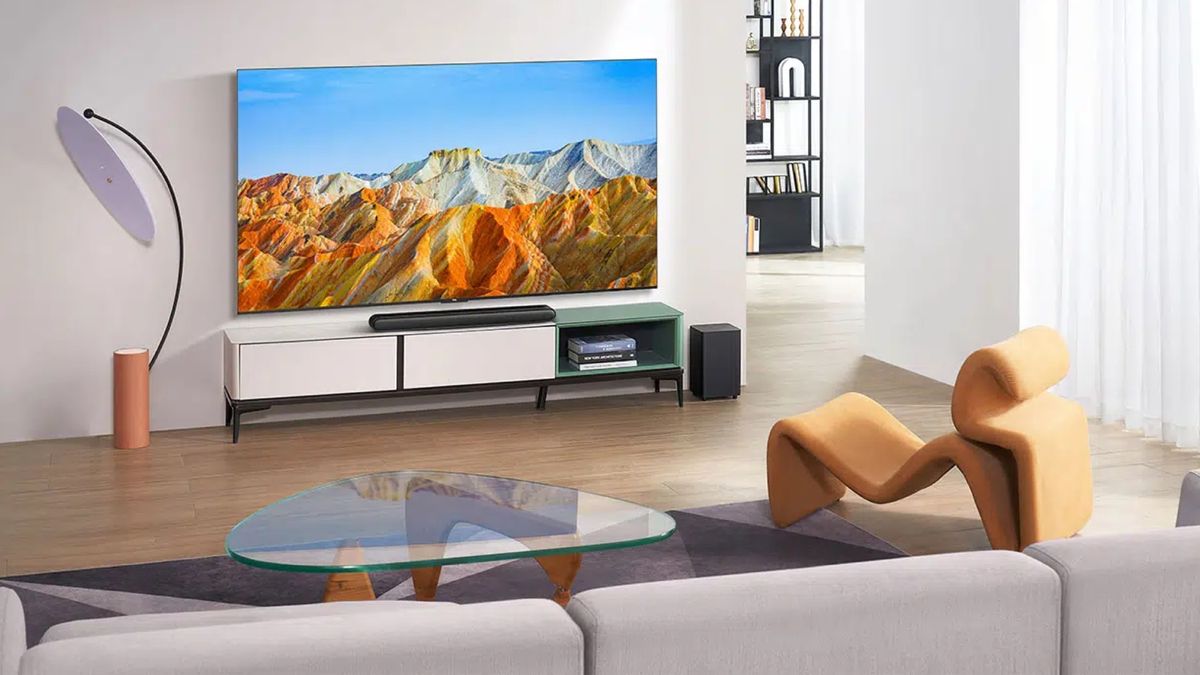
TechRadar
TCL wants to make massive TVs more affordable, and its latest model delivers lots of bang for a lot less bucks
visual glade
every video of him I have watched have been filled with misinformation and basic misunderstandings about how stuff works
vital ermine
When you have industry people on I listen to what they say. To say they are inaccurate I would question.
midnight shuttle
The sources seem questionable but the business decision could make a lot of sense. Only time will tell what is true.
alpine pine
visual glade
every video of him I have watched have been filled with misinformation and basic...
Hes kinda like the apple leaks guy, just predicts all of the things and gets something right maybe once
visual glade
oh for example I remember when he "leaked" the intel CPU prices a few days before they were released and it was posted everywhere
vital ermine
I prefer his sources not really his thoughts
visual glade
he was completely wrong on those
vital ermine
He freely admitted to that a few vids back to0, sort of appologizing.
steady grove
i predict iphone 15
midnight shuttle
CEO cares only about profit. Does not care about gamers or AI enthusiasts.
visual glade
and then I remember also watching a video about some GPU leaks and there was a lot of basics that were completely wrong
steady grove
i also predict iphone 16. it is written
vital ermine
midnight shuttle
CEO cares only about profit. Does not care about gamers or AI enthusiasts.
A short sighted CEO, yes.
alpine pine
steady grove
i predict iphone 15
omg its Mark Gurman!
midnight shuttle
vital ermine
A short sighted CEO, yes.
Or a long sighted CEO who sees 20 billion profits from industrial AI and 5 dollars profits from gamers and enthusiast.
 fresh path
waiting for them to discover some super fart conductor that makes gpus a gazillion times faster
vital ermine
Jensen's problem is he is a CEO who only cares about profit pissing everyone off knowing you have now where else to go so take his shit and eat it or go away.
steady grove
midnight shuttle
Or a long sighted CEO who sees 20 billion profits from industrial AI and 5 dolla...
= 25 billion profit
if he leaves money on the table that nvidia could've had, shareholders can sue
midnight shuttle
No I meant what I wrote. $20,000,000,005. 😆
steady grove
they'll do both because growth makes more sense
alpine pine
Gotta love how we went from complaining that MLID has inaccurate information to assuming we all know how a 500 billion dollar company is ran
midnight shuttle
Production capacity is limited. That is the main factor.
vital ermine
Smart moves I 100% agree but not being flippant about it and pissing everyone off. Bad blood can come back to haunt you. If he had an auto accident tomorrow I honestly wonder if AMD would still prefer to be second?
steady grove
i dont think it is to the extent that the conspiracy millers are painting it. if anything, nvidia eats up capacity leaving less for the other companies
vital ermine
20 4090 or 1 hopper. Sane person says 1 hopper
 vast galleon
Working on some custom nodes, I made one to edit a mask either provided or made by text.
still more to add to it though.
 midnight shuttle
vast galleon
Working on some custom nodes, I made one to edit a mask either provided or made ...
midnight shuttle
vast galleon
Working on some custom nodes, I made one to edit a mask either provided or made ...
Does that detect the face in the image or does it just make a face-shaped mask?
vital ermine
I just wonder when all the hoppers will have been sold and the next few generations the ones who bought them are waiting for ROI?
vast galleon
it detects the face
midnight shuttle
Oh that could be very useful.
vital ermine
I mean these companies are buying 100, or more, at a time.
midnight shuttle
Industrial AI demand is virtually unlimited in the short term.
vast galleon
For instance, this one has 3 faces detected
 steady grove
TSMC is always scaling up too. the factory must grow
vast galleon
technically 4 actually.
steady grove
midnight shuttle
Industrial AI demand is virtually unlimited in the short term.
many companies are already turning towards their own silicon instead. amazon, microsoft are going that way. tesla and apple already do.
i have no doubt that x will end up using their own silicon
vast galleon
gonna work on it more tomorrow. I need to add a grow mask feature and start messing around with separating each mask by a bounding box.

 vast narwhal
If it weren't for the shirt buttons this would fool someone

 earnest anvil
does using SDXL with A1111 use CLIP_G only? is there any way to use CLIP_L?
glad grove
 trim orbit
you're doing it
potent flame
glad grove
now make a world map based of bunch of nodes
 upbeat summit
potent flame
now make a world map based of bunch of nodes
upbeat summit
potent flame
now make a world map based of bunch of nodes
it's already pretty close. just move america up, add africa, the input image is japan 
trail bay
wow I'm loving this one with Sytan 1.0 workflow! (Tears of an angry evil supervillian clown) <- linguistic. (75mm) <--supporting pos. No negative

just one seed. i'm sure if i played with like 5-10 seeds, I could fine even better. nice
 autumn forum
why does sdxl suck at eyes most of the time.
 crisp owl
Cause it's new, mostly a base model with a couple new tuned models out there, which ultimately are also still working out kinks
peak dove
autumn forum
why does sdxl suck at eyes most of the time.
Use tencent to fix eyes
 copper rose
NSFW not allowed?
autumn forum
no
 crisp owl
There's an nsfw channel in the r/stablediffusion discord channel
autumn forum
copper rose
however i believe this is okay. sense it more or less represents a statue
copper rose


Actually obsessed with this lora, such a beautiful style, uploading it right now to civit if anyone is interested in playing with it
dense chasm
Hey,folks,i've successfully fine-tuned actress Michelle Yeoh with sdxl1.0 base model LoRA training with only 16G VRAM and uploaded LoRA model and comfy workflow json on Civitai link as below:https://civitai.com/models/122435/michelle-yeoh-actress ,you can check it out the more details when i upscaling with the 4Xultrasharp model node thr comfy,the second img is 1.0base 4X upscale and the third img is 1.0refine 4X upscale, sdxl with LoRA is awesome when fit in Comfy


This is a character SDXL 1.0 LoRA training model,it takes around 3700 total steps,8 epochs to complete finish,run pure python with kohya script on ...
copper rose
 vital ermine
What is this formula if the training is a BS5 1.02 it/s?
nimble heart
vital ermine
What is this formula if the training is a BS5 1.02 it/s?
I have no idea what you're asking. That formula is for bs16 inference.
4.65 it/s == (1 / 4.65) it/s
multiply that by 16 for per-image speed == 3.44 it/s
vital ermine
Yours was seconds per it this is its per second
vital ermine
ahhh, the reciprocal
nimble heart
yea math words
vital ermine
so he was getting 6 iterations per second if at BS1?
nimble heart
who is "he"?
vital ermine
someone I know
nimble heart
and where does 6 come from?
vital ermine
I have no idea I said he was getting 1.02 iterations per second for a BS5
nimble heart
that'd only be 5.1 it/s?
vital ermine
if that were a BS1, using your formula, what does that come to?
nimble heart
just 1.02 * 5
vital ermine
5.1, alrighty
nimble heart
it's already in it/s
Why batch 5?
square numbers are faster
Do 4 or 9
in my case 16 is the fastest
per-image
vital ermine
I dunno, I was just taking what he did in his test to see what his card comes to as he has a 4090
not much faster than your XTX
nimble heart
I mean it's like 50%
vital ermine
3.44 vs 5.1
nimble heart
yea
 glad fulcrum
nimble heart
glad fulcrum
nimble heart
5.1 / 3.44 == 1.48 but he's at batch 5 which is suboptimal so rounding up to 1.5x speed
vital ermine
for almost twice the price for a 50% gain in speed. smh
nimble heart
yea diminishing returns
vital ermine
now think when the optimizer comes
nimble heart
maybe AITemplate will increase the gap
vital ermine
you aren't even use a memory optimizer so that will close the gap
vital ermine
yes
nimble heart
In some games the XTX actually beats the 4090 by a whole 2%
usually it trails about 10% or so though
vital ermine
I am just seeing more and more reasons to do the XTX beyond price BUT their Windows support lacks
yes
it is a rasterization beast
nimble heart
I play a lot of games and almost exclusively use linux so it was an easy choice for me
vital ermine
As I previously mentioned I hate Linux. Love the cli but for a desktop no
I love how windows works for that
PLUS green with envy is dead now in Linux so no fan curves that AMD has
nimble heart
try something with kde plasma wayland sometime. not windows level of seamless but lot better than older mate/xfce/etc desktops
vital ermine
Nvidia doesn't do curves
My dual boot is Ubuntu Cinnamon 22.04
Cinnamon acts more like Windows
nimble heart
Don't like ubuntu, cinnamon is meh imo
It looks like windows but it was kinda jank from my experience
vital ermine
I like my taskbar in windows but in all the ones I tried they sucked to meh at best
nimble heart
i just use a text-based status bar and write my own widgets in bash
vital ermine
Not for me, I just want to get in, get the job done, and get the hell out as fast as possible.
nimble heart
ubuntu or red hat I guess are the most officially supported
vital ermine
yep
nimble heart
they're the only ones rocm provides packages for ootb
still ubuntu at least has half a million derivitives with different desktop environments. Maybe cinnamon just isn't it
I quite like kde on my steam deck. I don't really use the terminal except for things like ssh. Just install everything through flatpak
you could keep your 1060 and pass through the XTX to a vm running barebones ubuntu lol
its weird cause rocm is on linux but not windows while blender's amd hip-rt backend works on windows but not linux
 late marsh

 vital ermine
Strange
nimble heart
actually it might be on linux too now lemme check
vital ermine
I used to use linux mint but rocm I didn't see it listed
nimble heart
so the 'hip rt' checkbox is there but I guess linux users just aren't allowed to click it
vital ermine
Well, so nice
nimble heart
I benched 19 seconds in classroom without RT which according to a quick search beats the 3090 when it's also not using RT
vital ermine
Yes, pure math it should
nimble heart
It actually didn't on launch if that same chart is to be believed
Mine was 19.07 with some other windows open

chart is from XTX launch
vital ermine
I use the tech powerup A vs B in fp stats
hardware wise it is far superior to a 3090
the problem is the software and reluctant devs
chicken egg issue
nimble heart
think a big problem with rocm is the lack of official consumer gpu support. facebook's aitemplate repo only tests their builds against the MI gpus since that's what rocm "officially" supports
that's changing "in the fall rocm release" supposedly
 pallid sail
Looks like it's straight out of Pinterest

 ionic dragon
@dense chasm which tool did you use to crop images?
dense chasm
ionic dragon
<@648734171623194644> which tool did you use to crop images?
no need to crop,just bucketing and latent cache raw pre-trained imgs
ionic dragon
dense chasm
no need to crop,just bucketing and latent cache raw pre-trained imgs
my images res are weird

 jolly creek
 vital ermine
I screwed it up and chose the wrong desktop and can't figure out how to get the wizard back for SDDM
 hollow hare
hi guys, i want to train a clothing style lora, the dataset i use mainly cropped on the outfit (no human face), i want to ask for the captioning should i write
"a person wearing business suit outfit ...... "
or should i just describe the outfit only like
"business suit outfit in navy color with button ....."


 peak dove
ionic dragon
train trump in a bathtub
peak dove
ionic dragon
train trump in a bathtub
Mebbe tee hee 🤩🤠
peak dove
ionic dragon
train trump in a bathtub
Won't let me do Trump 😦
ionic dragon
peak dove
Won't let me do Trump 😦
comfy
peak dove
Yes I will use Comfy when I get home 🙂
ionic dragon
@dense chasm what are instance prompt and class prompt?
 dense chasm
peak dove
Yes I will use Comfy when I get home 🙂
dense chasm
peak dove
Yes I will use Comfy when I get home 🙂
i train my LoRA just with pure python code,cuz the webUI can't run well on google Colab,especially when interactive with some buttons, i think instance and class prompt maybe relate to trigger words?
ionic dragon
 high skiff
my SDXL gen speed just got faster, and i am not sure why-
high skiff
my SDXL gen speed just got faster, and i am not sure why-
got your 3090?
high skiff
yeah, but gen speed got faster for some reason beyond that
ionic dragon
high skiff
yeah, but gen speed got faster for some reason beyond that
compared to your prev broken 3090?
high skiff
it was 3.3it/s, now its 4.0it/s all of a sudden
thats a substantial increase
high skiff
ionic dragon
compared to your prev broken 3090?
no, like
this same GPU
the new 3090
it was 3.3it/s before, now its 4.0
I am not sure what happened
ionic dragon
high skiff
it was 3.3it/s before, now its 4.0
comparing with yesterday and today?
high skiff
 ionic dragon
dense chasm
i train my LoRA just with pure python code,cuz the webUI can't run well on googl...
ionic dragon
dense chasm
i train my LoRA just with pure python code,cuz the webUI can't run well on googl...
oh ok, btw wrong ping
ionic dragon
high skiff
both
lol
ionic dragon
high skiff
its just... suddenly 4it/s
thats better, it didnt jump back
high skiff
yeah
I am just not sure what changed
I thought it was my GPU OC, but I put it back to stock
ionic dragon
high skiff
I am just not sure what changed
did you do any perf test when you recieved it?
ionic dragon
then run few rn
high skiff
my base line was 3.31it/s
ionic dragon
and check the perf diff
high skiff
with OC it was 3.55it/s
then suddenly, now its 4.0it/s, same test prompt and everything
without OC
 dusk mica
maybe diminishing returns?
high skiff
its not OC'd tho
ionic dragon
high skiff
I was testing gen speeds with OC's right now
i meant, the 3rd party perf tests like 3d mark or so
dusk mica
i mean maybe it throttled? or it could be simply better driver
high skiff
at stock its doing 4.0 it/s now when before at stock it was 3.31, and OC'd it was 3.55
ionic dragon
high skiff
without OC
is it currently at 100% power input?
try to undervolt it to 50%, you would still get 80% perf, but 50% cheaper electricity
high skiff
I am real time temp monitoring it
all temps are golden
I am not complainging, this is dope
I am just not sure what changed
high skiff
ionic dragon
is it currently at 100% power input?
try to undervolt it to 50%, you would still...
I am doing an OC and under volt
I had it to where it was about 10% faster at about 15% less power
but I am testing more
ionic dragon
high skiff
I am doing an OC and under volt
and find the right pick, the thicc gpu consumes around 350W power
thats insane
high skiff
my GPU uses more than that
I have seen up to 440 lol
and with a full OC, 530
its insane lol
wanna try to get it down to like 380 if I can
thats where my 3080 was
ionic dragon
high skiff
I have seen up to 440 lol
damn, is it some sorta, those so called gaming 3090 or so?
ionic dragon
high skiff
and with a full OC, 530
damn, thats heavy, i hope you are getting free electricity
ionic dragon
high skiff
its an FTW3 Ultra, its a super strong 3090
there you go
high skiff
love this GPU already
high skiff
ionic dragon
damn, thats heavy, i hope you are getting free electricity
I am not 
and it heats my room up fast too lol
thats why I am trying overclock/undervolt
ionic dragon
high skiff
and it heats my room up fast too lol
i hope you live in alaska
high skiff
this is so weird...
ionic dragon
high skiff
thats why I am trying overclock/undervolt
one guy(Freon) said that he was getting 80% perf when he undervolt it to 50%
ionic dragon
high skiff
this is so weird...
i mean you could turn off your heater and make this thicc ass running
high skiff
I live in an extremely hot place, which sucks lol
ionic dragon
high skiff
I live in an extremely hot place, which sucks lol
oh damn
dense chasm
high skiff
no, like
T4 lora training speed can be up to around 5-6 it/s
high skiff
I am not training
ionic dragon
@dense chasm did you use regularisation images?
dense chasm
ionic dragon
<@648734171623194644> did you use regularisation images?
nope
vital ermine
@nimble heartI blew Linux out but I did like the KDE. Does ROCm work with kubuntu?
peak dove
high skiff
I live in an extremely hot place, which sucks lol
Is it throttling at all?
high skiff
nope
card is rock solid
making 3 profiles for OC
day to day overclock/undervolt comobo
Extreme OC for when my room is icey cold
And extreme power/heat saver for when its hot
 boreal bough
hapi it finally worked out with your hardware c:
high skiff
this new 3090 is daddy
I love it
my current underpower already has it at the same perf as my 3080 but at 210 watts
My 3080 used 380 watts for this perf
with some core voltage manipulation, I could likely get it down to 40% power, or about 180 watts
or stay at 210 and get more than 3080 perf
dense chasm
high skiff
this new 3090 is daddy
how much it cost?why not buy 4080 or 90😜
high skiff
$700
not 4080 cause too little VRAM, and not 4090 cause the 4090 has all the same functionality, just faster for over 2x as much
 bleak birch
hi
ionic dragon
@dense chasm how can I use your .toml file and train a lora?
nimble heart
vital ermine
<@327582858069671938>I blew Linux out but I did like the KDE. Does ROCm work wi...
Don't see why it wouldn't. Haven't personally used though. I assume you can just use the same script you do on Ubuntu to add the rocm repositories to apt.
bleak birch
what can i do in this website
nimble heart
pretty sure pytorch is statically linked to the rocm libs anyways
vital ermine
Aye
I deleted ubuntu as switching like that it wanted to upgrade then blew itself out and turned my monitor off. I had to hit the reset button
kubuntu is just the kde version
nimble heart
idk if kubuntu ships with the proprietary Nvidia drivers by default
you might have to install them. The open source ones are completely fucked for the 900 and 10 series cards because Nvidia gated all clock and power management behind a bunch of walls
 stray mantle
I tried a negative lora and pushed it at 3 with my jade skull on a table prompt, it totally transformed the base image, but I'm not even mad 😄

 plush gale
that looks sick
dense chasm
ionic dragon
<@648734171623194644> how can I use your .toml file and train a lora?
i use kohya scripts:https://github.com/kohya-ss/sd-scripts
GitHub
Contribute to kohya-ss/sd-scripts development by creating an account on GitHub.
 clever verge
@high skiff What's your findings on the importance of proper target_width and height on the clip?
high skiff
still looking into it
I do see that it benefits images in some cases, but its not always required
I feel like Joe Pennas results show a much more extreme effect than my own, as of now
clever verge
I've messed with it. I created an upscale factor that multiplies the latent width and height and I then use that as input to the clip base and clip refiner.
It seems to affect the image, but mainly the person not the environment. Which I find odd.
hollow hare
hi guys, for training image style with lora, should you use 20 repeats or lower repeats (like 5 or 10?)
clever verge
I'm also testing non-square resolutions.
 rustic garnet
clever verge
I've messed with it. I created an upscale factor that multiplies the latent widt...
rustic garnet
clever verge
I've messed with it. I created an upscale factor that multiplies the latent widt...
latent width/height is always super misleading. You mean the target image width and height
rustic garnet
clever verge
It seems to affect the image, but mainly the person not the environment. Which I...
it influences the underlying data manifold, similar to prompts and the aesthetic score. If you chose a high source image width/height then this should have a similar effect as prompts like "8k", "highres", and so on
clever verge
latent is the suggested resolutions by SAI, then I use that to scale up with a factor and use that on the clip
rustic garnet
clever verge
latent is the suggested resolutions by SAI, then I use that to scale up with a f...
then I don't know what you mean
clever verge
I'm sorry. 😄
rustic garnet
probably the biggest effect happens when you use the crop coordinates and image source together. Then you can somehow influence how the image is cropped. But as we never want our images to be cropped, this is rather not used
you mean the list of resolutions the method was trained on?
 rustic garnet
yeah, its impossible lol
but I guess you mean the predefined set of resolutions that work best
I just say, don't call them "latent resolutions/width/height", cause the latent space is always 8-fold smaller than the pixel space. So if you have an image which is 1024x1024 then the latent space is 128x128. So the word "latent width" has a very different meaning from what you wanted to say
clever verge
yeah I use the resolution and multiply that by upscale_factor to condition_witdth and condition_height. I then use that in the clip as target_width / height for the base and width and height for the refiner clip
upscale_factor 1, 2 and 4.


 rustic garnet
I think the image is already so highres it does not help to add more "make it highres" to the conditioning
clever verge
the latent image is 832x1216 and then later upscaled by a factor of 4 and downscaled to 0.5 of that size based on sytans flow.
high skiff
(that me :D)
clever verge
I think I get better detail in the base pass with higher target_width and height in the base clip.
 west breach
I added a target mode option to my node with the options: match, 2x, 4x, 2x90, 4x90, 2048, 2048-90, 4096, 4096-90
clever verge
Because I get better details in the upscaled version and that uses the base pass to "fix" the image after scaling.
nimble heart
it depends on the image. setting the resolutions higher targets higher frequency details which can look nice on some things but worse on others
rustic garnet
clever verge
the latent image is 832x1216 and then later upscaled by a factor of 4 and downsc...
no xD the latent image is 104x152
I don't want to be smart ass xD But its really sometimes confusing when people use the words wrong and nobody then understands what they mean
nimble heart
I do the opposite, actually. If my base latent is 1920x1080 I target 1376x768 to help reduce the duplications
clever verge
latent as in the input to the latent generation then. 🙂
rustic garnet
I know that you mean it that way, but then just say source image or even better: target image
ionic dragon
@rustic garnet need a help, why is it considering regularization images for calculating steps?
i have used 1740 regularisation images
 rustic garnet
its not only me. I remember that Sytan had a long discussion with Joe where they totally talked past each other because Sytan always talked about latent sizes and Joe thought he really meant latent sizes
rustic garnet
ionic dragon
<@321288280651857922> need a help, why is it considering regularization images f...
The implementation of regularization images in kohya is annoying anyways :/
ionic dragon
rustic garnet
The implementation of regularization images in kohya is annoying anyways :/
its better not to use regularisation images for training faces?
rustic garnet
I would just put reg images as normal training folder, then make the repeats so that the ratio fits, then lower the epoch so that the total number of steps stays the same
rustic garnet
nimble heart
I do the opposite, actually. If my base latent is 1920x1080 I target 1376x768 to...
but I think if the source image is larger than the target image then the method assumes you "scaled down" the source image. I don't think it helps against duplications... but I'm happy to be proven wrong
clever verge
nimble heart
I do the opposite, actually. If my base latent is 1920x1080 I target 1376x768 to...
If that is the case then I guess correct aspect ratio is preferable.
rustic garnet
ah, you are right, the aspect ratio doesn't fit. Haha, thats actually the explanation why it might help against duplications
lets say your source image is 2000 x 1000 and your target image is 1000 x 1000. Then SDXL assumes that you just want the left halve of the image rendered
so it will render an image where the complete left part is cropped out
ionic dragon
rustic garnet
I would just put reg images as normal training folder, then make the repeats so ...
if I place the regularisation images in normal training folder, wont my face get disrupted?
rustic garnet
ionic dragon
if I place the regularisation images in normal training folder, wont my face get...
no, why? You just have to caption the data correctly
ionic dragon
rustic garnet
no, why? You just have to caption the data correctly
i have captioned the faces images with the keyword + blip, for regularisation i didnt
nimble heart
rustic garnet
but I think if the source image is larger than the target image then the method ...
try a 1080p latent with the clip target set to 768p. It doesn't fix the high res malformations but it helps. Goes from smeary mess to hey there's a subject in there somewhere
ionic dragon
rustic garnet
no, why? You just have to caption the data correctly
oh so it only understands the ones with the keyword as a specific person and the non-captioned ones as randoms?
nimble heart
unless it's changed in 1.0, most of my tests with that were in the 0.9 beta
rustic garnet
there is no difference between train and regularization data from a technical point. The only difference comes historically from the Dreambooth procedure (where they came up with the regularization image idea=, where they always train the real face and the regularization face consecutively after each other. But there is no technical reason why this should be necessary (the opposite is the case, in DNN training you want to randomize everything as much as possible)
ionic dragon
rustic garnet
there is no difference between train and regularization data from a technical po...
so it's fine not to use them?
clever verge
rustic garnet
lets say your source image is 2000 x 1000 and your target image is 1000 x 1000. ...
I want to make sure I understand source image
width and height in the base clip?
rustic garnet
ionic dragon
oh so it only understands the ones with the keyword as a specific person and the...
I don't know. it depends how you caption the data.
If you write your own captions then it doesn't matter. You control how the data points are captioned. Just caption your face images with "photo of [name]" and the regularization images with "photo of [men/women]" (or better: randomize and variate the captions a bit)
if you don't use custom captions, then the captions are built from the directory name. Don't remember exactly what the exact format is, but just be sure that your faces are in a directory containing your name and the regularization images are in a folder with a neutral term like "men" or "women"
rustic garnet
clever verge
width and height in the base clip?
I don't know xD
there are source and target image size conditionings. I don't know how they are called in ComfyUI X_x
ionic dragon
rustic garnet
if you don't use custom captions, then the captions are built from the directory...
oh, that makes sense
ionic dragon
rustic garnet
I don't know. it depends how you caption the data.
If you write your own caption...
how many regularisation images do you suggest for 85 specific face images?
rustic garnet
from 0 to 1000 xD
rustic garnet
the thing is:
- when you use reg images, try to not repeat them or at least don't repeat them too often. Ideally, the method sees your face multiple time but each reg image only 1 time
- you don't need reg images. If your Lora overfits on your face so what? I use reg images in particular when the data quality of my train images is not soo good. For example, my train images are quite grainy and jpeg-ish. So I add reg images that the method does not overfits on low quality (it sees good looking face images from time to time)
clever verge
rustic garnet
there are source and target image size conditionings. I don't know how they are ...
I think that should be the same since that's what SDXL supports. Would be neat if it was named the same way though.
rustic garnet
thats why you are free to use either no reg images, or when you use reg images, use as much as possible
ionic dragon
rustic garnet
the thing is:
- when you use reg images, try to not repeat them or at least don...
i dont think my images are low quality they are pretty good, I will make sure to use 100 reg images
rustic garnet
on the other hand, using too many reg images can also be bad. Just imagine the method sees 1000 times photos of your face and 10,000 times reg images. Then it has seen 11,000 photos and might forget how a "non-photo" looks like. So it starts making everything photorealism even if you want a comic or an anime
ionic dragon
rustic garnet
thats why you are free to use either no reg images, or when you use reg images, ...
i'll first try using no reg images
rustic garnet
yes, then first try with no reg images
I mean, training a Lora is quite fast. You can try both and compare. But reg images are not really necessary. They sometimes can improve results, but they don't have to
 thorny frost
It seems Midjourney use has gone downhill. Just took a look at one of the bots and there is a generation every 5 minutes or so. Still they require subscription because "extreme demand". LOL
ionic dragon
@rustic garnet this time i have left the reg images path empty, but why is it again calculating steps at 1740?
 ionic dragon
rustic garnet
because you set it to 20 repeats
ionic dragon
rustic garnet
because you set it to 20 repeats
is that too much?
rustic garnet
depends on your lr. Just try it. I would say if you train on faces you want the Lora to overfit a bit
 rustic relic
clever verge
rustic relic
clever verge
what is the name of that node addon?
ionic dragon
rustic garnet
depends on your lr. Just try it. I would say if you train on faces you want the ...
oh ok, just worried about the time its gonna take on my laptop 3080
rustic garnet
do sample images every k steps
and just cancel training (ctrl+c) as soon as the images start looking good enough
clever verge
rustic relic
what is the name of that node addon?
It's my own, not released it.
rustic relic
the ui?
ionic dragon
rustic garnet
and just cancel training (ctrl+c) as soon as the images start looking good enoug...
ok, so a checkpoint file is saved for every epoch?
 inland vessel
whats the best and easiest way to generate images of myself using SDXL
rustic garnet
ionic dragon
ok, so a checkpoint file is saved for every epoch?
you can specify how often it is saved. There are --save-every-n-epoch and --save-every-n-steps parameters
if your lora is small (like only ~10-100mb) you should save rather frequently
rustic garnet
inland vessel
whats the best and easiest way to generate images of myself using SDXL
train a Lora (using e.g. kohya_ss) on images of your face.
 soft zealot
high skiff
still looking into it
soft zealot
high skiff
still looking into it
so I was curious. These 3 images atarted at 1024x1024 using same prompts/seed etc witht he only difference being that theszies in the text conditioner nodes were moved from 4096 to 2048 to 1024


 high skiff
ping
rustic garnet
use 10-100 images of yourself (from close-up, from side, from mid range and far away) with different clothings, backgrounds and so on.
soft zealot
high skiff
ping
pong
high skiff

ionic dragon
rustic garnet
you can specify how often it is saved. There are `--save-every-n-epoch` and `--...
yeah i did thanks
@soft zealot i dont know whats wrong, but I removed the positive and negatives prompts and I just used lexica, why isnt the income as intended?
can you please help

@rustic garnet i dont know why but is the start something like this, 71s/it
 soft zealot
ionic dragon
<@828725267937493012> i dont know whats wrong, but I removed the positive and ne...
soft zealot
ionic dragon
<@828725267937493012> i dont know whats wrong, but I removed the positive and ne...
the randomprompt fetches a randopm prompt from lexica it will be random.
rustic garnet
ionic dragon
<@321288280651857922> i dont know why but is the start something like this, 71s/...
yeah, thats fine. Just some deprecation warning in the safetensors library
ionic dragon
soft zealot
the randomprompt fetches a randopm prompt from lexica it will be random.
i specified it as astronaut
