#🔧|finetune
1 messages · Page 6 of 1
 weary knot
It's supposed to work much better in the long run
 fiery frigate
 jaunty robin
The're the same implementation
jaunty robin
The're the same implementation
but in the ui you can choose scheduler
jaunty robin
Not sure what the effects of different schedulers on training is honestly
weary knot
Haha it was in Portuguese because of my autocorrect
jaunty robin
I train for faces and the default is already the best sampler for faces
weary knot
So, gotta go again, good luck all
jaunty robin
Thanks! Have a good night dude
I wish there was some sort of way to run the webUI's version and rent a graphics card from like Nvidia or something
I mean I can do that with Colab right now
But I want it locally
I'm also cheating and I've made like 5 google accounts so I can keep training without running out of space hahaha
What would you guys consider to be an acceptable loss rating?
 rough marten
Hey everyone hope all is well! I'm working on a project to help make custom models super easy for the comm and curious about use cases, what are you guys training and why?
Even if it's purely for fun It's cool to hear about what people are up to, feel free to lmk here or dm 🙂
jaunty robin
I use my models for photography
I've posted samples here
I just realized, if I have the hard drive space, I could load like 300 photos of me, train it for 30,000 steps, and then save the weights every 1000 steps
I feel like I'm guaranteed that one of those weights spits out consistently accurate photos of me
I just got this, and it's pretty good, but I only get quality like this in 1/10 photos

Otherwise they're close, but juuuuust uncanny valley enough to be noticeable

 prime oyster
xqc model?
 restive ridge
Hi @acoustic cargo, yeah I used DreamBooth to make a samdoesarts model. That was one v1.4, with v1.5 and v2.0 it seems like you have to change your approach. With v1.4 I did "person" which generally worked great. The art I was going off of uses generally the same person in each photo, which means the results generally use that same person. The input photos were mostly portraits / full body shots, so naturally the model produced would excel at portraits. Other people do somewhat work (ie "taylor swift person"), but best results were with "samdoesarts person". In v1.5 I had some trouble getting "person" to work, the prompts needed to be different too. Overall I would say "painting" actually worked better. So "samdoesarts painting". I haven't attempted training on v2.0 yet. It's been a couple months since I've last done Dreambooth training, but in the folder with only a few photos (training folder?), I put 10-20 random photos of the art I was training. In the folder with lots of photos (classifier folder?), I put all the photos I had of samdoesarts art, which was like 100-200 photos. People say you can use random photos of anything, so not sure if that part matters. I used auto11's trainging pre-processor to crop and mirror the photos. For steps, it seemed like 3,000 - 6,000 was the sweet spot. I did 3,000, 5,000, and 9,000. 5,000 had the best results. If you overtrain, it seems like if you merge that model with other models (ie waifu diffusion), you can "save" the model (over-trained models can't be "untrained") and get results that still look good. For learning rate I think I just left it as the default. For the repo, there might be better repos, but I went with https://github.com/ShivamShrirao/diffusers where DreamBooth is in the "examples" folder. I then used this python code to convert the model folder you get, into a .ckpt file for auto11 usage. https://gist.github.com/jachiam/8a5c0b607e38fcc585168b90c686eb05
I put some details in #🔧|finetune , though a bit scattered. Generally same info as above. #🔧|finetune message Good luck!
jaunty robin
I feel like I accidentally stumbled onto a secret for getting more consistently accurate faces
I trained a model on my face, but it wasn't consistent, it only actually looked like me 10% of the time
So I took those 10% of pictures, and fed them back into dreambooth at a 50/50 mixture of real photos of me

This is after only 1000 passes
And there is still 3000 left to go
If I can replicate this method I think there's a lot of potential here
jaunty robin
What a difference! Look at the comparison at 2000 passes between the two data sets

 restive ridge
I didn't, Auto11's pre-processor tool did it for me. But, I imagine hand-cropping would improve the results. (This was my first time using DreamBooth, so I'm no expert on best practices)
 sullen eagle
just had an interesting idea for training better embeddings, if you included a weight in the training data (via a text file or within the filename) for the image in terms of relevancy to the targeted subject matter/style, the resulting generation during training would presumably weaken or strengthen the influence of a given training image on the end result.
it might also be possible with the same approach to create negative examples in order to guide it away from certain aspects depicted in the dataset by having a negative weight.
sullen eagle
slick, can confirm that it can parse weights from a text file per image. time to see if it improves the quality of the textual inversion
An additional thought, if this does work the way I think it might, it'd be a good way to train the model not to make problematic subject matter assuming the dataset can be appropriately tagged
That way you wouldn't need to have a strict hard cut off removing the content from the database, instead you'd be able to make use of it all on a distribution (and have the most extreme stuff completely break it)
 frozen bobcat
png
weary knot
jaunty robin
I wish there was some sort of way to run the webUI's version and rent a graphics...
there a lot of services that rent GPU machines; see https://lambdalabs.com/
weary knot
jaunty robin
So I took those 10% of pictures, and fed them back into dreambooth at a 50/50 mi...
great idea. I've seen some thing like that in distillation papers, but not quite the same method. Very good to know
 karmic warren
this looks promising https://github.com/tkalayci71/embedding-inspector
 crimson wasp
https://www.reddit.com/r/StableDiffusion/comments/zc65l4/rare_tokens_for_dreambooth_training_stable/
reddit
0 votes and 1 comment so far on Reddit
crimson wasp
jaunty robin
So I took those 10% of pictures, and fed them back into dreambooth at a 50/50 mi...
That might make sense similar to how regulation works. Somebody showed me results where using good pictures of celebrities as regulation images during finetuning on another concept actually made the model worse at those celebrities, but using good images that stable diffusion had already generated kept the concept preserved much better. It seems to have to do with everything in stable diffusion being connected as a network, and you can't change one thing without changing others. So you don't want to retrain the celebrity faces, you want to keep those parts of the model stable by making sure it keeps putting out things it already was
 eternal hollow
Is there a colab for dreambooth that has a simple and understandable ui like gardio?
weary knot
crimson wasp
https://www.reddit.com/r/StableDiffusion/comments/zc65l4/rare_tokens_for_dreambo...
very useful!
correlation is still important, even with rare tokens. Like models trained with 'sks' generating guns
nonetheless, great info
weary knot
karmic warren
this looks promising https://github.com/tkalayci71/embedding-inspector
cool also, is it yours?
karmic warren
weary knot
cool also, is it yours?
nop, but was the first question i asked the person who sent me this 😄
weary knot
xD
rough marten
hey all! anyone have luck/tips with the auto 2.0 colab?
 glass vigil
Does have anyone experience in fine tuning a fine tuned model? Wanted to train a model on myself and a specific artstyle afterwards. Can I expect good results using dreambooth
 hard fox


 waxen merlin
Trained SD 1.5 and 2.0 on DiscoDiffusion dataset and got somethingextremely similar to MJ in style
reddit
0 votes and 3 comments so far on Reddit

 jaunty robin
crimson wasp
That might make sense similar to how regulation works. Somebody showed me result...
jaunty robin
crimson wasp
That might make sense similar to how regulation works. Somebody showed me result...
It makes a lot of sense in theory, I was wondering last night how I could act as like the adversarial part of a neural network, and reject the images that don't look like the expected output
Interestingly I got much better results at 1000 steps than I did at 4000 steps, or even 3000 or 2000, with 30 sample images, 15 of my real face 15 AI gen
Perhaps, with all the new angles and lighting details, plus the fact that it's already AI gen, it's easier to learn?
So I feel like I'm on to something here
Just needs more refining and testing
Another thing I was thinking about last night, and this probably already exists, when training face data sets should there be a standardized set of expressions and poses to incorporate into the training set?
So when you build a model for someone, you send them a PDF of facial expressions and say "take a selfie in each of these facial expressions and angles in good lighting conditions"
I feel like I'm putting all this work into cracking great looking face models using the current tools when someone is going to come out with a more consistent method like tomorrow hahahaha things are moving so fast
 ocean grotto
Hello Guys,
Do you know how i can prevent restults from nudity and shocking content in stable diffusion 1.5 please ? There is good practice ?
jaunty robin
There is a NSFW filter you can activate
But it depends on what you're using, I am only familiar with 1111 and that is within the settings menu at the bottom
 maiden grail
Wait, so is Dreambooth just broken for 2.0 Stable Diffusion?
getting a weird error when I try to create a model, using the 768 2.0 cpk.
" Error(s) in loading state_dict for UNet2DConditionModel"
Saw someone else with the same problem, but they didn't solve it
"Error completing request
Arguments: ('dndswordresizenoflipSD20768v0', '768-v-ema.ckpt [2c02b20a]', 'euler-ancestral', 'runwayml/stable-diffusion-v1-5', '', False) {}"
Is it this runwayml thing that I have to update?
 final matrix
dataset for you all
https://www.dropbox.com/s/pkp93vycf64vgcs/1029 images of winged people%2C half-human hybrid people%2C transformation sequences - manually selected%2C manually pruned%2C manually downloaded - suitable for 768 and lower training.7z?dl=0
1029 images of winged humanoids, half-human hybrids (mostly dragonoids and insectoids tho), and some transformation sequences (no idea how well those will work).
all manually selected from the web, manually pruned, manually captioned with a unique caption method (e.g. those very simple captions that i have thrown in are on purpose)
currently training a model on them

 regal harbor
jaunty robin
regal harbor
jaunty robin
can you compare this to the same prompt before the training?
jaunty robin
I will, yes. I regrettably threw out the 1000 sample training data, and the 2000 and 3000 CKPTs that I did save are a little overcooked
So I have to re-train using the same 30 images but only 1000 steps this time
I may even have it save samples every 100 steps to see how the evolution looks
And if anyone has suggestions for settings I can tweak within these parameters please let me know
!accelerate launch train_dreambooth.py
--pretrained_model_name_or_path=$MODEL_NAME
--pretrained_vae_name_or_path="stabilityai/sd-vae-ft-mse"
--output_dir=$OUTPUT_DIR
--revision="fp16"
--with_prior_preservation --prior_loss_weight=1.0
--seed=1337
--resolution=512
--train_batch_size=1
--train_text_encoder
--mixed_precision="fp16"
--use_8bit_adam
--gradient_accumulation_steps=1
--learning_rate=1e-6
--lr_scheduler="constant"
--lr_warmup_steps=0
--num_class_images=10
--sample_batch_size=4
--max_train_steps=1000
--save_interval=100
--save_sample_prompt="photo of chris"
--concepts_list="concepts_list.json"
Using Colab so I have to stay under 15gb Vram
regal harbor
I would love to see the progress every 100 steps!
jaunty robin
Yeah, me too, that will be very interesting, see how quickly it coalesced at 1000 surprised me
regal harbor
it's to make faces look better in general, not just to look like you, right?
jaunty robin
No this research is purely about increasing the cohesiveness of faces
I want the bot to be able to make pictures of me more consistently, right now I'd say it draws "me" about 10% of the time, it draws dopplegangers about 80% of the time, and then it draws nightmare faces about 10% of the time
regal harbor
what do you mean?
jaunty robin
I want to make it draw "me" more consistently
So, in theory, by taking the pictures the bot spit on on the previous CKPT that do look exactly like me, and feeding those back in, I should get more consistent results
And, in practice, it looks like I'm on the right track with the sample posted above
regal harbor
ah, I see. I misunderstood you at first
still interested to see results at 100 steps
jaunty robin
yeah me too, very interesting stuff
That's a job for tomorrow though, I can't stay up all night playing with my new toy again XD
maiden grail
jaunty robin
Yeah, me too, that will be very interesting, see how quickly it coalesced at 100...
~Training a model at ~30 steps per image seems to be the sweet spot. Today I just generated ~20 DIFFERENT models, on similar data (swords, and magic potions), on various training levels, at that is my gut check/best number.
10 steps per model is WAY to low, and around ~40 steps per image I begin to see some artifacts of overtraining.
jaunty robin
maiden grail
~Training a model at ~30 steps per image seems to be the sweet spot. Today I ju...
check sample data above, too many steps for this dataset overcooks it at even 2000 steps
My testing seems to suggest, at least initially, that feeding AI generated photos back into dreambooth for training lowers the required number of steps/image and returns relevant data faster
Will this lead to more consistent outputs remains to be seen
maiden grail
yep, that fits in with my intuition. 2000 steps for 30 images would be 66 steps per image....
Its weird how EXACT the step numbers are too, lol. I would not have expected 10 steps (per image) to be obviously way to low, and 60 (per image) to be obviously way too high
jaunty robin
Oh, I am tired and bad at math
You are correct, I was doing 100 not 10 lol
So that would be 900 steps
Which fits my sample data too
Ohh that's exciting, that doesn't feel like a coincidence
I wish I could train locally, I am limited in my research by both colab's free limitations, and google drive storage
If I could train locally I'd save every 50 steps just to see the data
Fuck it
I gotta know haha
Gonna run it now
jaunty robin
regal harbor
still interested to see results at 100 steps
100

That's just a guy
200

Already looks a ton more like me
400

700, already looks overcooked

Very interesting test, 800 seems to provide the most consistency between images, so that's what 26 steps/image?
 regal harbor
what's your Learning Rate?
jaunty robin
1e-6
I've also read that naming your model something unique for the instance token is helpful, so this time instead of my name I used a random token id

 echo matrix
i tried to use the local dreambooth script extension for auto1111 on my cpu. but when i first create the new model it uses my gpu and crashes vram oom. how can i do that step on cpu?
or is there a better script out there for cpu?
 gloomy belfry
Released my trainer for folks to try out 🙂 https://github.com/devilismyfriend/StableTuner

GitHub
Finetuning SD in style. Contribute to devilismyfriend/StableTuner development by creating an account on GitHub.
lots of nice features on it for fine-tuning.
echo matrix
i skimmed true the features. no cpu support it seams?
you would be my hero if you made an amd version of your trainer 🙂
 round hare
Is it possible to use dreambooth tab in automatic with SD 2.0 model ? How do you train your 2.0 models ? Hypernetworks or textual inversion ? Does it works directly in automatic ? Is there any good tutorial ? Thx
 tough gazelle
gloomy belfry
Released my trainer for folks to try out 🙂 https://github.com/devilismyfriend/S...
tough gazelle
gloomy belfry
Released my trainer for folks to try out 🙂 https://github.com/devilismyfriend/S...
What sort of VRAM is required for this? And how is it different from dreambooth?
 stone garden
Does anyone know a good repo for finetuning the inpainting checkpoint? I am kind of new to this, and can't seem to find a good guide/script for it
gloomy belfry
echo matrix
i skimmed true the features. no cpu support it seams?
No this is made for GPUs
gloomy belfry
echo matrix
you would be my hero if you made an amd version of your trainer 🙂
Sadly I don't even have an AMD computer to try it on 😦
gloomy belfry
round hare
Is it possible to use dreambooth tab in automatic with SD 2.0 model ? How do you...
You can train you 2.0 models just as you would train your other models, the tool will make the necessary adjustments, you can try out your model at the model playground and also convert it to ckpt from there for use in Auto's
gloomy belfry
tough gazelle
What sort of VRAM is required for this? And how is it different from dreambooth?
as low as 12GB I believe, although I mainly focused on getting the highest batch-size I could from my 4090, higher batch-size == better models pretty much, can do 26 with 512 on a 4090
round hare
gloomy belfry
You can train you 2.0 models just as you would train your other models, the tool...
Good to know, i'll try it. Is it possible now to train multiples subject/style in the autoamatic tab ?
gloomy belfry
and Dreambooth is training a subject using a token with loss preservation, you can still do that with StableTuner, but to do a fine-tune use the image names as captions instead and drop the loss preservation, with a captioned dataset you'll fine-tune the entire model
gloomy belfry
round hare
Good to know, i'll try it. Is it possible now to train multiples subject/style i...
Have no idea
You can train multiple concepts (styles,subjects) in my trainer
tough gazelle
gloomy belfry
as low as 12GB I believe, although I mainly focused on getting the highest batch...
Ah rip, won't work on a 3080 10GB then.
Still not really got past that barrier for fine tuning.
So stuck with Textual inversions.
gloomy belfry
I could technically make it work on a 3080 with deepspeed
but it's not in this version currently
round hare
gloomy belfry
You can train multiple concepts (styles,subjects) in my trainer
I'd like to try it, but i'm not a develloper and I'm not fully clear with all those conda stuff
gloomy belfry
just install anaconda and run the installer bat, it will take care of the rest
for the settings in the app itself you can view the tool tips when you hover the settings
echo matrix
can you give me some tips how to train poses as ti? or styles with hypernetworks? only got a 1070 in my second computer 😦
round hare
gloomy belfry
just install anaconda and run the installer bat, it will take care of the rest
That seem's pretty simple indeed, I'll try it. Have you a step by step guide for noobs like me ?
gloomy belfry
just gave it to you 😉
echo matrix
it seams just open miniconda and run the script. sounds like it will create the env and pull all the packages for you
for /F "tokens=2 delims=: " %%i in (environment.yaml) DO (
set v_conda_env_name=%%i
goto EOL
yea ... just run it. will do everything for you....
tough gazelle
gloomy belfry
I could technically make it work on a 3080 with deepspeed
Isn't deepspeed really slow?
gloomy belfry
tough gazelle
Isn't deepspeed really slow?
yeah, but if you got a 3080 that's what you can do, I did that before buying my 4090 🙂
echo matrix
i have a tesla m40 (pascal 24gb compute card) but my PC it was in died and the damn thing will not work in any of my other PCs. i wish i could use it even to its definitly slower then a 3080 but still much faster then cpu
tough gazelle
gloomy belfry
yeah, but if you got a 3080 that's what you can do, I did that before buying my ...
I'll just use some cloud rental thing honestly. It's not worth the extra time it takes for deepspeed. Just can't use your cool gui.
 errant parcel
can somebody explain to me why my dreambooth model doesnt work?
I fire it up in google colab, i put the trained words, perfect, my face, every time. I download the ckpt file and load it into AUTOs and my face doesnt even appear when I type just my word
Im gonna have to fire up google colab every damn time
Its really frustrating
fiery frigate
When i trained a person on an rtx 3090 from runpod then it gave me the best results, but the two dreambooth colabs results were worse. I love to train models but the problem is the quality. I have an rtx 3070ti and required to use colab, but can't make the quality to look like a trained model via the dreambooth extension on colab. Can someone help me to find out what is wrong?
 tidal kiln
anyone know why increasing the train_batch_size doesn't speed up training? running on a A100 and trying to maximize the throughput for faster trains
fiery frigate
tidal kiln
anyone know why increasing the train_batch_size doesn't speed up training? runni...
What is train batch size?
tidal kiln
fiery frigate
What is train batch size?
for dreambooth, it breaks the data into batches to make better use of the GPU's resources. It adds a lot more memory - but the A100 can handle that. However it's not giving the speed boost that it should
fiery frigate
Oh
tidal kiln
it's actually giving the opposite effect
fiery frigate
If you put it to 2 then it splits the job by 2?
tidal kiln
yeh
fiery frigate
Rubpod?
tidal kiln
using lambalabs - they are cheapest
fiery frigate
Oh good
Maybe batches shouls give the opposite
Because if i increase the batch size per generation then it generates photos more slowly
You training it via the extension right?
tidal kiln
hmm - true,
not sure what the extension is
Colossal Ai had a write up on it - they managed to maximize their throughput by increasing the batch size in training and it saved them costs
they have their own implementation - but i imagined the concept is the same

Medium
Author: Yang You, Presidential Young Professor at the National University of Singapore
fiery frigate
tidal kiln
https://medium.com/@yangyou_berkeley/diffusion-pretraining-and-hardware-fine-tun...
maybe the implementation is different
gloomy belfry
tidal kiln
for dreambooth, it breaks the data into batches to make better use of the GPU's ...
if you're doing a higher batch size that means you get more images per step, that alone should be a "speed" boost
fiery frigate
gloomy belfry
if you're doing a higher batch size that means you get more images per step, tha...
yep
what is the recommendation?
fiery frigate
fiery frigate
When i trained a person on an rtx 3090 from runpod then it gave me the best resu...
anyone can help me please?
 earnest roost
hello, i just bought a 4090 rtx recently, and wanted to know how to make random animations, / pic express of my face with SD
 dapper prism
Just launched my new Knollingcase embeddings for Stable Diffusion v2.0: https://huggingface.co/ProGamerGov/knollingcase-embeddings-sd-v2-0

Corresponding Reddit post: https://www.reddit.com/r/StableDiffusion/comments/zdd4fe/new_embedding_release_knollingcase_more_training/
reddit
0 votes and 1 comment so far on Reddit
 valid path
dapper prism
Just launched my new Knollingcase embeddings for Stable Diffusion v2.0: https://...
valid path
dapper prism
Just launched my new Knollingcase embeddings for Stable Diffusion v2.0: https://...
You can also post them in #1047197565365538826 and use the embedding tag 🙂
 fickle haven
What is finetuning?
 marble zodiac
fickle haven
What is finetuning?
marble zodiac
fickle haven
What is finetuning?
very simplified said - right now with finetuning you can teach the AI new things by creating your own training datasets, using your own images to teach it a new art style or character etc. or help it to understand things that are already present in the AI "brain" but give it "instructions" how to make things.
please anyone correct me, if I got it wrong
fickle haven
marble zodiac
very simplified said - right now with finetuning you can teach the AI new things...
i think this is the correct definition of what i was looking for! adding a new character to the ai, how do i do it in dreambooth?
maiden grail
gloomy belfry
You can train you 2.0 models just as you would train your other models, the tool...
I think there might be some issues with DreamBooth for 2.0? Me and someone else in this discord got the following error by just dropping in the 2.0 model file:
"Error(s) in loading state_dict for UNet2DConditionModel"
Or, I am curious if anyone can CONFIRMED gotten DB to work with 2.0, on the automatic repo
gloomy belfry
maiden grail
I think there might be some issues with DreamBooth for 2.0? Me and someone else...
ckpt?
maiden grail
yeah, the ckpt. Just dropping that file in, gets that error when you try to use it for DB
gloomy belfry
I don't understand, you used Stable Tuner?
maiden grail
gloomy belfry
Another trainer
Oh, this is YOUR trainer! I'll check it out. Do you have a very short summary, of the best parts of it though compared to automatic1111?
Or, it just seems like a whole bunch of disparete QOL features across the spectrum?
gloomy belfry
check out the github, there's a lot of features
maiden grail
 a focus on captioning! Literally was about to spend all day trying to figure out how captioning works
final matrix
https://media.discordapp.net/attachments/1026990051185401917/1049402870946078751/grid-0764.png
https://media.discordapp.net/attachments/1038282137545211946/1049402592674979870/image.png
working on a winged humanoids, hybrids, and transformation model right now and early results are promising!


Btw: I may be able to train v2.0 of the Legend of Korra model on 1024x1024 resolution which would mean the training would be almost equivalent to the full-hd resolution used in the show if I crop to 1080x1080!
 quick stirrup
gloomy belfry
I don't understand, you used Stable Tuner?
quick stirrup
gloomy belfry
I don't understand, you used Stable Tuner?
Forgive me, but I looked around here, and Google it, and can't seem to find this. Link please?
final matrix
final matrix
https://media.discordapp.net/attachments/1026990051185401917/1049402870946078751...
nice sideeffect of my model:
i have several images tagged as "high quality highly realistic and detailed art". since this model is only about winged humanoids, hybrids, and transformations, all images show only those and mostly fantasy or scifi stuff.
yet when i prompt say
high quality highly realistic and detailed digital art of a girl wearing a sweat shirt and sweatpants
it gives me great high quality art (first image).
compared that to what i get from the same prompt in vanilla SD (second image)
https://cdn.discordapp.com/attachments/1026990051185401917/1049462832720261231/grid-0831.png
https://cdn.discordapp.com/attachments/1026990051185401917/1049462833131311134/grid-0832.png
the contrast becomes more apparant using the following example
high quality highly realistic and detailed digital art of a winged fairy wearing a dress
https://cdn.discordapp.com/attachments/1026990051185401917/1049463965987639416/grid-0839.png
https://cdn.discordapp.com/attachments/1026990051185401917/1049463966428049418/grid-0838.png


 noble sail
Hi, I have this same question
Can i train the model multiple times with different instance images and names?
or train it multiple times on different image set of the same person?
or do i have to do it all in one go?
from my previous results, the model starts making the images of only the latest person it was trained on
even if the identifier was not in the prompt
 fast crater
noble sail
Hi, I have this same question
Can i train the model multiple times with differe...
fast crater
noble sail
Hi, I have this same question
Can i train the model multiple times with differe...
in my tests all at once seemed key.
currently testing finetuning though
GitHub
Finetuning SD in style. Contribute to devilismyfriend/StableTuner development by creating an account on GitHub.
not sure if it has the same limitation or not.
noble sail
fast crater
in my tests all at once seemed key.
currently testing finetuning though
okk
and what about the instance images?
are more the merrier or do they harm the model?
fast crater
in my tests more different clothed images with different backgrounds and different expressions, face angles helped
but i am by no means an expert, i have had really good results though
noble sail
fast crater
in my tests more different clothed images with different backgrounds and differe...
Ok, Thanks for the reply!
fast crater
np
 turbid bloom
The dreambooth tab isn't showing up after installing it in automatic1111 and restarting... Any ideas? I'm on CU116. Can't seem to figure out where d8hazard's scripts are meant to go though, the instructions are a bit murky...
 remote vapor
try restarting it a few times
Just for anyone interested ..... 2.0 is now training in dreambooth via webui on 768,,,,,,,, training my second model now
final matrix
no idea what you mean
 warped jasper
Can someone explain to me what the difference is between Dreambooth and fine-tuning? Or is fine-tuning like an umbrella term for all these pseudo/training by using new images outside the original dataset? I feel like I get them mixed up a lot..
 magic gale
I see some embeddings having the instruction to put the file in the embeddings folder or no instruction at all, how do you actually use the embeddings?
Why would I have an embeddings folder anywhere? Is it relative to the checked out repo, to the place where I run my python script? 🤨
crimson wasp
remote vapor
Just for anyone interested ..... 2.0 is now training in dreambooth via webui on ...
any idea of the vram impact difference? I've been training 1.5 at 768x1280 and the text encoder on a 12gb 3060 using webui, with 8bit adam/fp16, so it might be that 2.0 is possible at that res, presuming nothing else changed
remote vapor
you will have to try ..... i dont really notice . im on a 3090ti
 remote steppe
not finding an appropriate channel to post this so here it goes:
I would like to learn more about stable diffusion so I was looking for a way to generate my own models (from scratch and using another model as base). I couldn't find any resources about this.
I am not looking for a way to finetune a model but to expand upon it if it makes sense.
Can some1 point me in the right direction on this?
 split acorn
Dreambooth is one of the most popular method's atm. There are a couple finetune repos that can add info to a base, as well
For finetuning there's this one:
https://github.com/devilismyfriend/StableTuner
For dreambooth, there's this one (colab):
https://github.com/TheLastBen/fast-stable-diffusion
or another popular one via Auto1111's extensions (local):
https://github.com/d8ahazard/sd_dreambooth_extension
Another is EveryDream (which is an inbetween):
https://github.com/victorchall/EveryDream
remote steppe
I ran into Automatic1111's repo a while ago but always understood it as a "add your own face to a model" kinda thing. Or add one artstyle.
But what can I do if i want to add multiple things. Let's say 4 or 5 different animal species that are not in SD's models?
split acorn
The finetuning one lets you add them caption based, so you can add as many as you want
the Auto repo lets you do up to 3
remote steppe
Nice, Im currently reading the EverDream repo. Sounds like the stuff I want to do. Ty a lot :3
split acorn
I think there's a couple of dreambooth repos that let you do a lot 
mmmm, I'll see if I can find
Dreambooth (local):
https://github.com/bmaltais/kohya_ss
allows for multiple
remote steppe
Ty a lot!
 solar hound
Hello, not sure where the correct place to ask this is. Is it possible to continue training an existing embedding with a different set of images?
stone garden
it is, it'll work especially well if whatever GUI you're using to train uses pt.optim files
solar hound
No idea what those are, but I'll look into it, thank you!
 calm pendant
Finetuned 1.5 to do anime pencil drawings
Here is the model, hope you enjoy it
https://huggingface.co/yehiaserag/anime-pencil-diffusion


 jaunty robin
@weary knot so in my ongoing research, I've stumbled onto a few things
First off, Huggingface has a Dreambooth training model now, that incorporates several methodologies and works incredibly well, it auto-adjusts learning rate and number of steps based on the images you input, it also seems to add additional words to the text encoder based on the training data. Early results are very promising for consistency and accuracy
And then I found this

And that's what I'm attempting now, starting with textual inversion @ 2000 steps, and then dreambooth for 1000 steps on top of that using the same instance token
This information from huggingface seems to confirm the theory I had with combining TI and Dreambooth training, I am very excited to see the results
jaunty robin
The TI is going to spit out a .bin fine, how do I take that file and upload it as my base file for ShivamShrirao's Colab?
sullen eagle
today i learned that you can turn a prompt into a token by making a textual embedding without actually training it lmao
you just put it in as the initialization text and hit generate, then you can use that term to represent that initialization text in your prompts
 grave owl
Please help. I've been trying to figure out what would be good class tokens and instance prompts for these? They are not AI generated, this is just the dataset I'm training the stuff on.


I've been confused as to what to put them as...
 indigo helm
I would probably either go with girl, or artstyle for the class
sullen eagle
young woman with white hair and blue eyes wearing modern street wear drawn in illustrated anime style
indigo helm
I clearly have been doing my class wrong 
sullen eagle
that'd be good initialization text
but in terms of the class of image, that'd definitely be specific. then your subject could be any number of characters that fit that description
grave owl
So... what could fit?
sullen eagle
what are you trying to train specifically
like is this supposed to all be the same character
grave owl
Nope, they're all characters in the Musical Isotope line.
From top to bottom we have Sekai, Coko, Haru, Kafu, and Rime.
sullen eagle
do you have multiple photos of each or just one of each
grave owl
One of each.
sullen eagle
it doesn't help that they all look very similar bar the art style
sullen eagle
if you are trying to train it so it can do those characters as individuals, you aren't going to easily achieve that
grave owl
sullen eagle
if you are trying to train it so it can do those characters as individuals, you ...
I don't mind that.
I'm going for that... musical isotope style.
sullen eagle
okay, thats much more achievable because it means you can treat them all as data on one subject
sullen eagle
young woman with white hair and blue eyes wearing modern street wear drawn in illustrated anime style
that being said, you'd be much better off training a textual embedding for something like that, cause dreamboothing a whole model on four pictures seems like a major waste
grave owl
sullen eagle
that being said, you'd be much better off training a textual embedding for somet...
I don't mind.
sullen eagle
then go for it :)
indigo helm
do both!
I will say from personal experience that a model + embedding of an artist gets me the closest to the art
indigo helm
you want your instance to be unique. I personally go with m_<artistname>
sullen eagle
luckily it doesn't know that :P
grave owl
musicalisotope?
sullen eagle
that'll do
indigo helm
If you want to remember that 👍
 sullen eagle
as far as im aware yes
that being said, I don't have experience in dreambooth as i cant run it on my gpu
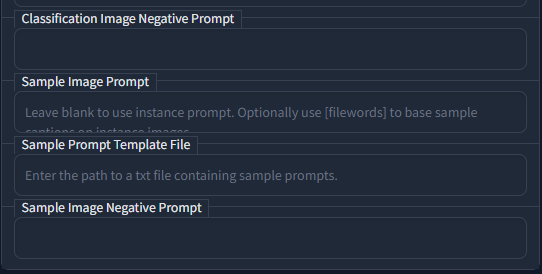 weary knot
jaunty robin
This information from huggingface seems to confirm the theory I had with combini...
weary knot
jaunty robin
This information from huggingface seems to confirm the theory I had with combini...
hoo, that's interesting! good luck!
weary knot
jaunty robin
The TI is going to spit out a .bin fine, how do I take that file and upload it a...
you need to load both files and check their structure
turbid bloom
grave owl
https://i.imgur.com/z8MOPQK.png
Is this within the dreambooth tab?
turbid bloom
grave owl
https://i.imgur.com/z8MOPQK.png
This tutorial is pretty good, skip to the end for that section. Their layout is a bit different from the current ones but the words are similar https://www.youtube.com/watch?v=HahKXY7AQ8c

Dreambooth local training has finally been implemented into Automatic 1111's Stable Diffusion repository, meaning that you can now use this amazing Google’s AI technology to train a stable diffusion model with your own images. You can train a character, an object, a style, or anything you want! There is also a new option that allows you to use D...
split acorn
If training on WD or another danbooru model, I use 1girl as the class
 carmine prism
Are there any tools to train on Sdv2? Heard there will be official tools that will released to fine tune Sd v2+
 grave carbon
Is there a colab notebook to dreambooth stable diffusion 2.0 or 2.1?
I tried shivam's with a bit of changes (they told me to work for 2.0) but didn't work. I also tried KaliYuga's but hag beige generated images.
jaunty robin
2.1 literally just released, I'm sure official sources will be updated in time
https://huggingface.co/spaces/multimodalart/dreambooth-training keep an eye on this I imagine it will update
 chrome dust
Has anyone tried finetuning with multiple classes and inferencing using multiple instance prompts?
My inference result is so much distorted
Any suggestions?
jaunty robin
jaunty robin
https://huggingface.co/spaces/multimodalart/dreambooth-training keep an eye on t...
This can do it
I haven't tried it
But it can do it
gloomy belfry
made a caption making helper, has blip support also 🙂
 gloomy belfry
carmine prism
Are there any tools to train on Sdv2? Heard there will be official tools that wi...
gloomy belfry
carmine prism
Are there any tools to train on Sdv2? Heard there will be official tools that wi...
my tuner does it, https://github.com/devilismyfriend/StableTuner, also trains 2.1 well
stone garden
I have generated from a model trained with my face this image, but I can't get another image to come out with a similar face, they all come out with differences and I only have one image of the face, I don't know how to create another with that face
This is the face
 jaunty robin
It's random
Sometimes when you train a model it isn't quite exactly perfectly trained to your face
There is ongoing research in this field
See the previous comments I have left. Later tonight I will be posting testing results through a few various testing methods done by @compact trellis and myself for comparison
split acorn
gloomy belfry
my tuner does it, https://github.com/devilismyfriend/StableTuner, also trains 2....
look forward to trying that out 
stone garden
jaunty robin
See the previous comments I have left. Later tonight I will be posting testing r...
Okeey
ocean grotto
Hello guys, it's look like training model (on SD2.1) with my own face take more time to train than SD1.5 max_train_steps=1600 take more than 60 minutes to be done.
Also, I generate one image with but the results are not so good when i try to put the face on something (superman for exemple)
But When i use a prompt with a very simple prompt like "Photo of zwx person". It works better, i can recognize myself
Can someone have an idea ?
I am on RTX6000
stone garden
ocean grotto
Hello guys, it's look like training model (on SD2.1) with my own face take more ...
Rtx or rx?
ocean grotto
RTX
stone garden
ocean grotto
Hello guys, it's look like training model (on SD2.1) with my own face take more ...
You can train the model with "(person name)", not "photo of (person name) person), maybe is better
 stone garden
Yes
I used to put photo of x person
But when i put x as prompt the person don't appear
So i change it to x only
ocean grotto
Thank you so much
I found my problem
It was because i had train at 768
in 512 its much better
jaunty robin
grave carbon
Is there a colab notebook to dreambooth stable diffusion 2.0 or 2.1?
Huggingface supports 2.1 now
I'm trying out the 768 model right now
jaunty robin
What happens if I train a model at 768 and then render it at 512?
ocean grotto
Let's try 🙂
jaunty robin
I'm working on it now 🙂

This is what happens
actually it's coming out bad even at 768x768

Might be my card
karmic warren
thelastben's colab, runpod or vastai, i even hear there's websites that are trying to build a business model around training a dreambooth for you, here's the maximum db config that will fit on a 3090 at 768 resolution without OOM
lemme know if i missed something
karmic warren
just finished training with 1k steps, and the results aren't as good as with batchsize of 1, maybe it's just a fluke
 tired wind
jaunty robin
actually it's coming out bad even at 768x768
tired wind
jaunty robin
actually it's coming out bad even at 768x768
That looks like my output when I had the wrong yaml file
 zealous ginkgo
Hello, I'm trying to figure out how to train a model and I want to know the steps I should take to train a model: (I'll use a Beholder eye monster, from dnd as an example)
1 - Collect Images of the monster in 512x512
2 - (Add caption for each image? ) <- How would I do this for a variety of mediums (Digital Painting, Minis, etc)
3 - Train on auto1111 repo (probably?)
I've seen some that used Dreambooth train the model on a specific object/ style but I can't find anything that trains on variety of mediums (Digital Painting, Photographs, Animation, etc) on something more of a general concept.
split acorn
As long as they share similarities between the pictures, the training will pick up on it
You could do the [filewords] method and that should work fine
Beholder1.png
Beholder1.txt (and that txt has the filewords describing the picture)
zealous ginkgo
Thanks, I'll look into that! Is there a web interface or site that can assist in that or is the manual, create a .txt the only available option
gloomy belfry
karmic warren
thelastben's colab, runpod or vastai, i even hear there's websites that are tryi...
that's bad performance for a 3090 imo
I can do batch size 16 on 768
karmic warren
gloomy belfry
I can do batch size 16 on 768
first thing i tired with and without gradient chekcpointing, if you wat to share you db_confg.json that'd be great
gloomy belfry
karmic warren
first thing i tired with and without gradient chekcpointing, if you wat to share...
oh if no gradient checkpointing that might explain it, although even with it I doubt you'd get good performance, you need latent caching for it to be viable
and I don't use lastben's trainer, so a config probably won't be compatible
karmic warren
gloomy belfry
and I don't use lastben's trainer, so a config probably won't be compatible
i use the extension for a1111's webui lately 😄 it's pretty good, also there's the thing with the results of the model being worse with bigger batchsize that needs further investigation
gloomy belfry
bigger batch sizes are best when used with captioned datasets
and I use my own trainer, https://github.com/devilismyfriend/StableTuner
GitHub
Finetuning SD in style. Contribute to devilismyfriend/StableTuner development by creating an account on GitHub.
karmic warren
captionned mined with BLIP took a look at the results and rewrote them by hand 😄 but yes good quality data with detailed caption does significantly boost things
karmic warren
gloomy belfry
and I use my own trainer, https://github.com/devilismyfriend/StableTuner
oh wow nice
gloomy belfry
I actually just added a tool for that
karmic warren
updated 16 minutes ago 😄
gloomy belfry
interactive blip captioning
gloomy belfry
 gloomy belfry
karmic warren
someone will get chatGPT to read pictures soon enough
gloomy belfry
karmic warren
someone will get chatGPT to read pictures soon enough
if someone can do it OpenAI probably can
karmic warren
gloomy belfry
if someone can do it OpenAI probably can
it shouldn't be that hard to hook a clip to their model and get results that blow anything we have today out of the water 🤞
question being how long before eleuther or anyone really reproduces their results to force them to release it like everything else
but yea .. the future looks nice on that side of things
gloomy belfry
can't run txt generators like that on normal pcs tho
karmic warren
yea there's that issue too, even neogpt is an insane size .... yea
we're up for some fun times
anyway reallly nice work, that tool will be really useful
gloomy belfry
it's in the github readme
 compact trellis
@jaunty robin yeah huggingface and lastben are basically the same if you use the same training model the huggingface uses for 1.5 and put it into lastben
its not exactly the sample, but almost exactly the same, and thats just because they have a finetuned 1.5 model on people. but they call it just 1.5
 digital totem
can I finetune 2.1 with 8GB VRAM? RTX2070
round hare
is there any tutorial/doc to fintune model with dreambooth or hypernetwork locally with SD 2.1 ? Does the tabs in automatic1111 works ?
 clear flume
which is better to do if you want to get multiple different characters in your model. Dreambooth the model a couple of times or use different embeddings for each character?
jaunty robin
tired wind
That looks like my output when I had the wrong yaml file
The yaml worked for 2.1, I just copied it and renamed it to match my model name
jaunty robin
compact trellis
its not exactly the sample, but almost exactly the same, and thats just because ...
Interesting, that's good to know, thanks for doing the research 🙂
jaunty robin
@compact trellis you've used TheLastBen
I'm trying to use it right now, do you know how to start with a custom CKPT from HF?

I've seen some photography samples from Hassan and I really want to try that out with my training data
compact trellis
i didnt use ckpt
jaunty robin
You just used the default?
Oh, I got it, I had the wrong link hahaha
Lastben recommends 200 steps/image?
That seems /really/ high
All my testing has showed that somewhere in the range of 60-80 steps per image is best
Perhaps it's because it's using an adaptive learning rate? It started at 1.99e-6 and is slowly dropping, loss seems lower than normal so maybe 200/image is good for this trainer
fickle haven
guys it does not work

how do i get elysium in fast dreambooth
i tried copying the link like it said
i started desesperating and copying all kind of links into there
and in the path too bc i have no idea what am i doing
jaunty robin
See the "OR" there? It means you have to select one of the three options, right now you have two different things inputted and I think it's confusing it
I just had this same issue
Delete the top link, run it again with just the elysium direct link
This is what mine looks like

Keep in mind these are guesses, it's my first time running this training tool
I don't know if it actually downloaded Hassan in my example (it finished downloading it suspiciously quickly), but it did allow me to proceed to uploading and training
jaunty robin
TheLastBen
More like
TheSlowBen
It's been 3 hours and I'm at 50%, I am so sure that their recommendation of 200 steps/image is wrong, but I guess we'll see
split acorn
200 steps per image seems like a lot tbh, but I suppose that might work when using an extra low learning rate? but that'll also be slow
jaunty robin
Seems to back up the testing so far
But, I /am/ seeing very, very low loss rates, so I am curious to see the results
I've also never used a custom model as a starting point, so I'm excited to see that too
Hassanblend has this really nice soft, diffused look that I think is going to be excellent for my SFW subject photography


I think there's a lot of potential for this to be better for subject photography than base 1.5
 solemn adder
What do y'all think about doing finetuning but with an application of inpainting? Ie wanna get really photorealistic outputs, so finetune on photos only. Could we finetune using the inpainting model?
weary knot
solemn adder
What do y'all think about doing finetuning but with an application of inpainting...
not sure about the inpaiting model, but finetuning on faces to get more photorealistic outputs works
there should be models that already do that somewhere on the internet
weary knot
jaunty robin
these look great! Though the people are too serious for christmas haha. Good to know you're moving forward
jaunty robin
Haha I'm trying!
weary knot
I'm also making cool progress, mostly waiting on my advisor now
jaunty robin
Oh? Progress on your TI improvements?
Every time I say TI I think of the calculator
 covert crest
Anyone else had issues with tuning the 768x768 models? I have access to A100s and I was still getting oom errors until I used gradient checkpointing and 8bit adam
Even with those it's using 31GB right now 🤬
 chrome valve
I have 455 images of various persons, like 25 persons. And, i used dreambooth, with 1e-6 learning rate, batch count 1. 40000 steps. Problem is that 25 persons are good, after training, but all other faces and functionalities of SD2.1 model, are messed up. i tried also , 20000 steps and 2e-6. same thing happend, any advices ?
 zenith chasm
The CoreWeave Finetuning Image Generation Models guide has been updated, along with supporting source code and docker images to support SD 2.0 and SD2..1.
Docs: https://docs.coreweave.com/compass/finetuning-image-generation-models
Argo Workflow templates, Python source code and Dockerfile here: https://github.com/coreweave/kubernetes-cloud/tree/master/sd-finetuner-workflow

Learn about using Argo Workflows for finetuning and training Stable Diffusion models.

GitHub
Getting Started with the CoreWeave Kubernetes GPU Cloud - kubernetes-cloud/sd-finetuner-workflow at master · coreweave/kubernetes-cloud
zenith chasm
zenith chasm
The __CoreWeave Finetuning Image Generation Models__ guide has been updated, alo...
 spiral nest
Can I use dreambooth with 2.1 using auto1111? Or can someone perhaps help me in the right direction? Thx
maiden grail
Anyone have an exact example of how a filewords txt file looks like?
I know you can replace an instance prompt with file words, using the image name, but can you replace multiple different fields as once, in the text file?
And what is the format of that text file? Some JSON thing?
final matrix
my theory of bulk captioning a bunch of images as just "image in the artstyle of X" to serve as cheap padding in addition to some detail captioned images doesnt work
prompt: "image in the artstyle of dd of Emma Watson"
from a darkest dungeon test model
3 different models
"image in the artstyle of dd (all)" vs. "image in the artstyle of dd + one image with a detailed caption" vs. "all images with a detailed caption"
https://cdn.discordapp.com/attachments/1026990051185401917/1050628197743591524/grid-1105.png
https://cdn.discordapp.com/attachments/1026990051185401917/1050628198125285396/grid-1104.png
https://cdn.discordapp.com/attachments/1026990051185401917/1050628198477594634/grid-1103.png


so it seems you need to give the model at least some idea of what is in the image
it is not smart enough to make the connections to the captioned images on its own
nor does it infer what the subject of the image is from the graphical representation of the image either
you have to at least give it some sorta help
i imagine "image in the artstyle of X of a person" would already be enough though. so you dont have to go very detailed i imagine. but just "image in the artstyle of X" is not enough even if it seems very obvious that its supposed to be a person
 spiral sage
Any SD Finetuned model that has like Mystery, Dark, Dim lighting, style ? or Should I look for embedding for this use case, I ama looking to make all the images have a fixed style/look
turbid bloom
jaunty robin
which model are you using for these?
jaunty robin
That's HassanBlend V1.4
turbid bloom
Thanks 🙂
Sorry real noob question, is it possible to install multiple models at once and blend them?
 half spoke
merging models?
turbid bloom
Pretty much, and using their keywords to differentiate between styles when using them
half spoke
The webui already let's you merge models, and depending on the "style" and number of merges you might get good results, but merging is a little dirty and things start overlapping. It won't be perfect.
it depends on a lot of things
jaunty robin
If he means what I think, he means merging the tokens separately
Which unfortunately isn't possible
You have to train one, use that as a base, and then train another
Or, you can train with multiple tokens
half spoke
Anyone have a clue why one moment both Shivam's and thelastben's dreambooth repos are giving results and now no matter what I do I get essentially the same exact model back? I've been tuning NAI and after 10k steps at 1e-6 lr and even without regularization images it gives me the the same results as the base model.
I think it might be xformers? I THINK that's when the issues might have started
after I installed it and got it running
I'm running 2k steps at 5e-5 without xformers or preservation , let's see
turbid bloom
jaunty robin
If he means what I think, he means merging the tokens separately
Yeah I did mean sort've like being able to choose which ones to use when
jaunty robin
Yeah, gotta train a base model with multiple instance tokens
You really can't take two checkpoints and merge them together, it'll give you a halfway point between them instead of what you want
half spoke
turbid bloom
Yeah I did mean sort've like being able to choose which ones to use when
the more similar things are, the more likely they are to blend and overlap. The webui has an "add difference" option where MergedModel = ModelA + (ModelB-ModelC) * anumber). That could be useful for certain cases.
jaunty robin
So if you want "Bill" and "bob" and "bill and bob" you gotta train "bill" and "bob" together at the same time on one base model
turbid bloom
jaunty robin
Yeah, gotta train a base model with multiple instance tokens
Oh yeah, I see that. So let's say I wanted the realism of hassanblend, with my own face model I've trained with dreambooth, with the orangeteal of spaablauw, is that doable?
jaunty robin
Okay, so that's getting a little out of my realm of testing so far. But from what I understand, to achieve that you would start with HassanBlend, and mix the checkpoint with Spaablauw 50/50
And then take /that/ model and use it as a base for your own face training
And they say we aren't real artists
turbid bloom
Is this closer to being a technician, or mixing paint? Whose to say 😛
half spoke
half spoke
I'm running 2k steps at 5e-5 without xformers or preservation , let's see
welp, turns out it was 100% xformers. The difference is night and day. I wonder if it's because I was using xformers v0.0.15 instead of v0.0.14. what a waste of time for something that's suppose to save time
turbid bloom
Whoa I did not expect all the nsfw on hassanblend haha
 upper tinsel
hey, noob to tuning here. where do I find new models? I have been using the default 768. What's a good next step?
turbid bloom
upper tinsel
hey, noob to tuning here. where do I find new models? I have been using the defa...
https://discord.com/channels/1002292111942635562/1047197565365538826 also you can make your own models using your own face with the dreambooth extension. Here's a good tutorial https://www.youtube.com/watch?v=HahKXY7AQ8c
Dreambooth local training has finally been implemented into Automatic 1111's Stable Diffusion repository, meaning that you can now use this amazing Google’s AI technology to train a stable diffusion model with your own images. You can train a character, an object, a style, or anything you want! There is also a new option that allows you to use D...
upper tinsel
ty!
turbid bloom
np!
turbid bloom
Anyone know how to fix this? AssertionError: Bad dimensions for merged layer model.diffusion_model.input_blocks.1.1.transformer_blocks.0.attn2.to_k.weight: A=torch.Size([320, 768]), B=torch.Size([320, 1024])
split acorn
are you using SD 2?
turbid bloom
Yup
split acorn
Yeah, the SD 2 breaks things super easy on auto1111
Like you need to have the yaml file right next to the model and they need to have the exact same name (just diff file extensions, of course)
the 512 version needs the v2-inference.yaml version
the 768 version needs the v2-inference-v.yaml version
Sometimes you need to use ---no-half as a launch argument
turbid bloom
Ahh I think I need to put it next to the hassan file... Not sure how to separate the yamls from the ckpts then
split acorn
and even if you do all of that, then it can still break when you switch models back and forth
you put the yaml right next to the ckpt
it'll only activate the one that has an identical name to the file
turbid bloom
Oh cool, thanks!
split acorn
is hassan's new one trained on SD2? if so, then you'd probably need to rename the yaml with the same name as the model file name
turbid bloom
It's weird tho bc model B is the one I trained on SD2, and model A is Hassan's yet model B doesn't have the same spec as SD2
I already have the SD2 yaml next to the regular SD2 model
split acorn
ah
The only way I've gotten around it is to close out of everything and relaunch the webui-user.bat again
I want to say it's buggy, but who knows  it is a lot of spaghetti code after all
ocean grotto
Hello Guys,
Hope you are doing well 🙂
I'm trying to train my own model base on SD2.1 without any success 😦
The results look just a little bit like the original person.
With the same dataset, I have better results with SD1.5
However, I just discovered that there are configuration files for inference: https://github.com/Stability-AI/stablediffusion/tree/main/configs/stable-diffusion
Do you think this is related?
Also, Do you know how to use it programmatically with python and diffiuser? https://github.com/huggingface/diffusers
I'm based on linux without GUI
 tame aurora
Hey @ocean grotto 👋
About Diffusers - you should scroll just a bit more down the readme 🙂 I would assume the difference with SDv2.1 is that you have to download the latest weights (.ckpt file)
https://github.com/huggingface/diffusers#stable-diffusion-is-fully-compatible-with-diffusers
ocean grotto
tame aurora
Hey <@680138605708050439> 👋
About Diffusers - you should scroll just a bit mor...
Hello, i did it already but no reference to SD 2.1
final matrix
i have to do another round of training to try and detach the clothing und architektur style more from the artstyle + i think the model is somewhat overtrained
but otherwise it looks really good already
"Supergirl in the artstyle of dd standing in a city street with a skyscraper in the background and cars on the road"
https://cdn.discordapp.com/attachments/1044638177140412446/1050702299095371796/02640-269462477-Supergirl_in_the_artstyle_of_dd_standing_in_a_city_street_with_a_skyscraper_in_the_background_and_cars_on_the_road.png
 ocean grotto
I'm not sure the README is up to date
first question, what are these configuration files for? https://github.com/Stability-AI/stablediffusion/tree/main/configs/stable-diffusion

GitHub
High-Resolution Image Synthesis with Latent Diffusion Models - stablediffusion/configs/stable-diffusion at main · Stability-AI/stablediffusion
What are they for? Is there any documentation on the subject?
tame aurora
pytorch-lightning is what you want to search for
it's a more modern way to organize your ML training code that abstracts away boilerplate code that you have to write every time with PyTorch
the configuration files themselves contain
- definition of the model, e.g. its architecture - the modules it's built from and their parameters
- some callbacks like when to save a model checkpoint
- training parameters - how long to train, what learning rate to use, etc.
if you "just" want to use the model (and the code) in inference mode - you can check the -inference.yaml files
if you want to finetune - you have to build yourself a configuraion file since the authors don't provide one. I think you can cherry-pick the architecture from the inference file
ocean grotto
Okay thanks i will look into it
ocean grotto
tame aurora
if you "just" want to use the model (and the code) in inference mode - you can c...
@tame aurora i found this https://github.com/huggingface/diffusers/issues/1595#issuecomment-1343194045

GitHub
Hi, I'm one of the developers of InvokeAI, a Stable Diffusion web UI targetting professionals and content creation industry use cases. We are migrating from a CompVis to a Diffusers backend...
solar hound
To train embeddings, what exactly does the prompt template file do? Does it train a current image on the current prompt, or does it just use that to generate preview images. Can I for example have it train images of mugs, and have the current prompt be "a picture of a green mug" while the current picture is a red mug?
I'm a bit confused to how that is used in the training
 steel egret
Anybody tried 6GB lora finetuning? Any quality degradation ?
fickle haven
guys please help i did what the person here told me yesterday and the link to finetune does not work in thelastben

i wanted to train this model because a lolt of people recomended it
it keeps throwing the annoying wrong link error
how come
i tried with all the links in the elysium page
all broken
split acorn
try with just "hesw23168/SD-Elysium-Model" in the huggingface path
one sec, I'll fix the quotes
its a long name
fickle haven
split acorn
try with just "hesw23168/SD-Elysium-Model" in the huggingface path
nope it did not work
 tough gazelle
solar hound
To train embeddings, what exactly does the prompt template file do? Does it trai...
tough gazelle
solar hound
To train embeddings, what exactly does the prompt template file do? Does it trai...
It's giving the AI a prompt to use to try and match the training image.
So if your training an image of a green mug, if you wanted all your mugs to be green you'd have the file prompts say "A picture of a mug", it would use this to learn that this is a mug and because your not telling it that it's green then all mugs must be green.
However if your caption says "A Picture of a Green Mug", then it goes ok, so this is a mug that happens to be green, so there can be other colours.
solar hound
aaaah okay that makes sense, thank you!
 woeful sphinx
Does anyone have any suggestions on the best way to take batches of images and have them processed for training?
split acorn
There's a couple repos that do autotagging. Auto's has a processing tab that'll do it, although your results may vary
BLIP and DeepDanbooru can be pretty off sometimes
For anime, I really really like https://github.com/arenatemp/sd-tagging-helper
very fast to zoom through pics and select relevant tags
fickle haven
does anyone have the same issue with the link?
split acorn
fickle haven
does anyone have the same issue with the link?
see DM
fickle haven
good for 31 pictures?
 split acorn
says to start with 3000 or lower, have you already ran it once? or
 idle bolt
So I did a finetune of 1.4 and 2.1 (512x512) with the same settings and training data and can say without a doubt that 2.1 produces better results.

Makes item and ability icons. The detail level isn't super high, but they're fit for use in a typical action bar, where they would be downscaled.I'm happy with where this is, so there won't be further updates until there's a new major version of Stable Diffusion.
covert crest
idle bolt
So I did a finetune of 1.4 and 2.1 (512x512) with the same settings and training...
Have you tried a 768x768 2.1 model yet? I tried but it doesnt work. I'm just now pulling a 512x512 2.1 one i did last night to see if its better
idle bolt
Used, yes. Finetuned, no.
It didn't seem like that resolution was necessary for a model that's meant for icons 🙂
covert crest
Thats definitely true. The icons look great. I was just curious, I'd love to get thaqt 768x768 resolution on some of my dreambooth models
but the ones I've tried so far either dont work or they generate beige images with the instance prompt
idle bolt
I was thinking about doing a sci fi cities one.
Hmm, well, we'll see if I have any luck.
covert crest
I think it also takes a fuck ton of vram too. Even more than dreambooth normally does. I have access to A100s and without 8bit adam from bitsandbytes I was getting OOM errors
idle bolt
Well, if I can batch 24 on a 3090 at 512x512, I imagine it would at least be doable with small batch sizes
I'd imagine it would be a bit more that 2x the ram required
covert crest
yeah I didnt consider that until I tried to train and got OOM lol I had always taken the a100 for granted
idle bolt
2.25x as many pixels
idle bolt
I think I'll probably try a batch size of 19
Er, 10
Don't know how much that affects quality
covert crest
Not sure. I've only ever done faces, not a style
and I've done between 25-30 for that
idle bolt
I've done styles a few times
Using automatic1111 dreambooth
I'm having way better luck with stabletuner and regular finetuning, though
covert crest
I havent really played around with the other tuners, just the diffusers repo implementation. I don't have the local resources to dreambooth as fast as I do remotely with a100s
idle bolt
Makes sense.
covert crest
it has made me wanna impulse buy a 3090/ti tho
idle bolt
I don't regret it
I don't think mine is a ti
The vram is really what makes the difference
covert crest
id have to upgrade more than just the GPU though if I got a 3090. new powersupply, case
idle bolt
Look into external gpu enclosures
You may not have to update your whole box.
You could also see if you can get a 3090 used from a crypto farm
covert crest
Yeah I know thats pretty common nowadays
I had bought a 3070 from a coworker because he had bought a 3090ti to dreambooth
got it on the cheap
idle bolt
I got mine (new) specifically for ai stuff, back before stable Diffusion was even a thing
I like gaming, but a 2070 was enough for that.
4090 doesn't interest me because they didn't increase the ram
(not that more than 24gb is really necessary right how)
covert crest
Yeah I'm at the point where I might just wait for next gen to get a beefier GPU with more speed & vram. 3070 is fine for inference, and I think the democratization of dreambooth and stable diffusion in general is gonna be the trend in the coming months.
idle bolt
Plus, renting them seems like a pretty reasonable option at the moment
covert crest
(stable diffusion is pretty democratized already but general speed increases would be cool)
I would just like my own linux box basically lol
idle bolt
Did you read about distilled models?
Apparently there's some way they can drastically reduce the number of steps it takes.
So even on potato cards (like a 970) it's going to be pretty fast.
covert crest
Haven't yet. Only speed up thing I've seen recently is the voltaML one, but I think I've vaguely heard about distilled models
idle bolt
I feel like someone at stability mentioned distilling, which is a good sign
covert crest
oh yeah im rememeber now i googled lol
 carmine hatch
Is there a way to serve my model from hugging face UI after fine tune?
idle bolt
I don't know the answer to that, but I'd like to.
 cobalt sorrel
For some reason I can't train embedding or hypernetwork with the latest AUtomatic repo. Anyone experiencing a similar situation?
 vocal kiln
rapunzel
zealous ginkgo
If I want to add new images to train for a previously Dreamboothed model (like if I trained the model on myself and needed more images). Do I set a new path to the image set and train from the previously dreamboothed model?
I noticed that theres a training step, x/y lifetime
Since there's chances of overfitting models + checkpoints, how do I determine the checkpoint I should be updating? (The one the works the best?)
Just need some clarifications, because I'm trying to understand the fine tuning process.
Id imagine that retraining a base model with an updated image set would not be ideal
split acorn
This is a good resource for general tips!
https://github.com/nitrosocke/dreambooth-training-guide
GitHub
Contribute to nitrosocke/dreambooth-training-guide development by creating an account on GitHub.
it answers a couple of your questions
@zealous ginkgo
 tawdry vault
Is there any fine-tuning--TI, DB HN--that can be done with the depth model currently?
solar hound
In the embedding training tab, there is this checkbox that should create prompts with everything in the txt2img tab, I set that up with a prompt that uses the dynamic prompts script but it seems to not care about the script. It just uses the raw prompt instead of using the wildcards I input there. Is there a way to make this work or is that not a supported feature?

 hollow hull
anyone know if 2.1 ckpts work with automatic1111?
quick stirrup
hollow hull
anyone know if 2.1 ckpts work with automatic1111?
Yes
quick stirrup
hollow hull
anyone know if 2.1 ckpts work with automatic1111?
You will need yaml congratulation file renamed and not html version.
Same yaml as 2.0
hollow hull
quick stirrup
Yes
the custom checkpoint yaml?
quick stirrup
hollow hull
the custom checkpoint yaml?

GitHub
High-Resolution Image Synthesis with Latent Diffusion Models - stablediffusion/v2-inference-v.yaml at main · Stability-AI/stablediffusion
hollow hull
ok thanks!
quick stirrup
If you are not running xformers, you'll also need to add "--no-half" to your user-webui.bat unde launch args
quick stirrup
hollow hull
ok thanks!
..
hollow hull
quick stirrup
..
cool that all worked, i appreciate your help 🙇♂️
 twilit frigate
what do you guys use for finetuning 2.0 768 for a person? with the same settings I normally try with 512 it doesn't seem to get a likeness to the original.. I get a feeling it needs to be trained more?
 grizzled jungle
Question, what would be good settings for a DreamArtist embedding?
If I had 14 images that are 512 X 512
Of a dragon.
I'm very new to dreamartist.
split acorn
DreamArtist is deisgned for oneshot training
grizzled jungle
split acorn
DreamArtist is deisgned for oneshot training
So uh...
As in one pic?
split acorn
Yeppers 
grizzled jungle
But... wouldn't it be better to have 14 pics in the dataset?
split acorn
Hypernetworks, TI, DreamBooth, EveryDream
Those all work with 14 to some extent or another
grizzled jungle
split acorn
Those all work with 14 to some extent or another <:alicatPog:973492381947154453>
So... this won't work for 14?
split acorn
"DreamArtist: Towards Controllable One-Shot Text-to-Image Generation via Contrastive Prompt-Tuning"
 more than 1? no idea
grizzled jungle
Okay, but theoretically, what settings would I put for for such a thing?
The layout is a bit confusing to me.
 tame gale
does anyone here have a problem with the safety_checker = None
?
when run script to train_dreambooth.py

it has 0%
asi?
 cunning isle
idle bolt
Apparently there's some way they can drastically reduce the number of steps it t...
cunning isle
idle bolt
Apparently there's some way they can drastically reduce the number of steps it t...
"distilling" - would this be specialisig a model to a limited range of prompts or something?
would that pretty much be fine-tuning + reduction
i can see that for texturing environments this would be advantageous, you'd be running the same prompt over a large area (pretty much turn "SD into a procedural texturing engine")
stone garden
https://github.com/Sygil-Dev/nataili_blip
Nataili BLIP: A Python library for captioning images with BLIP
pip install nataili_blip
launch the ui with nataili_blip_ui
cli nataili_blip
or from code
from nataili_blip.model_manager import BlipModelManager
from nataili_blip.caption import Caption
model_name = "BLIP" #or BLIP_Large
mm = BlipModelManager()
if model_name not in mm.available_models:
    mm.download_model(model_name)
if model_name not in mm.loaded_models:
    success = mm.load_blip(model_name)
    if not success:
        exit(1)
image = PIL.Image.open("test.png").convert("RGB")
blip = Caption(mm.loaded_models[model_name]["model"], mm.loaded_models[model_name]["device"])
caption = blip(image)
Did you use the StabilityAI "vanilla" repo (source code) to fine tune? Or a 3rd party script?
tame aurora
idle bolt
Well, if I can batch 24 on a 3090 at 512x512, I imagine it would at least be doa...
Could you elaborate a bit more on the optimizations you used? Just 8bit Adam or smoething else as well? I'm getting a batch size of just 2-4 with the CompVis/StabilityAI source
 chrome oxide
does anyone have a sane custom easy to understand implementation of dreambooth on sd2?
split acorn
You train words (tokens) using pictures you input. You either train on a rare token (e.g. olis) or you train on many tokens. If you train on a rare token, typically it follows a format like the following:
Instance Prompt: photo of olis person
Class Prompt: photo of person
If you train on many tokens, you basically describe each picture you input. Then it trains on each of those words (tokens).
EveryDream is honestly the easiest version, imo. You just pop your images in a folder. Name the txt file that describes your picture next to the picture with the same name. Then point the script to the ckpt and the folder and BOOM done. Just needs a 3090/4090 or higher though (without custom tweaking)
(edit: oops, you meant SD2, probably anything that trains on diffusers? Not sure if that dodges the complicated part though )
 slate vessel
So there's a thing called LORA and it's easy to use. It's faster than DreamBooth
 prime rivet
slate vessel
So there's a thing called LORA and it's easy to use. It's faster than DreamBooth
prime rivet
slate vessel
So there's a thing called LORA and it's easy to use. It's faster than DreamBooth
Is there a good tutorial to get it going?
I can't seem to get it to run. And the repo isn't that clear on what to do, and I'm not the correct kind of engineer for this stuff
split acorn
You can also try Lora via the dreambooth extension by including "--test-lora" under the "COMMANDLINE_ARGS"
split acorn
keep in mind, it has some special installation instructions
that are easy to heck up, so make sure to read the installation instructions carefully
(I learned from experience , oop)
split acorn
It'd take up whatever resources it takes to run your browser, basically (plus training, of course)
I think Lora is much easier to run vs other methods
split acorn
good question going to take a look to see if I can find something
prime rivet
Because the whole packet seems nice and tidy. I can get it to pull the requirements by itself
slate vessel
prime rivet
Is there a good tutorial to get it going?
There's a huggingface space for it that is easy for you to train a model. It is still being worked on there.
prime rivet
slate vessel
There's a huggingface space for it that is easy for you to train a model. It is ...
Cool. I'll give it a try. However... I still want to figure out how to do it locally 😄
I'm mean like I need reasons to progastinate on my grad work!
I wonder if there is a colab for Lora? Any ideas. Using the huggingface seems to be tricky since it doesn't seems to keep the workload. Constantly having to restart the job.
How does one buy... or add funds? Or whatever to the huggingface system?
 brisk elbow
I'm using the A1111 dreambooth extension and I'm struggling to fine tune 1.5 without overtraining. I'm wondering if anyone hear has had good success with dreambooth without overtraining.
covert crest
brisk elbow
I'm using the A1111 dreambooth extension and I'm struggling to fine tune 1.5 wit...
What's your subject matter? Is it a person or a style (I've only ever tried a person). If it's a subject, are they in a variety of angles, clothes, settings, expressions? Are the images cropped to the face? What's your learning rate and training step count? There's a lot of factors
Also if it's a human subject training the text encoder and using regularization images is very important in my experience
brisk elbow
It is a woman. The UI for extensions is a little confusion, so it is not clear to me if I am configuring the instance token, instance prompt and class prompt correctly. I've tried two learning rates, I think I was using 2e-7 last. I added a 1000 regularization images in my last run, but I was surprised that it did not seem to increase the training time noticeably. I think it did help with the overtraining. There is also a prior loss weight, I wonder if increasing that helps.
covert crest
I've never used the webui version, only the diffusers command line one. I generally do 250 regularization images. I feel like a 2e-7 is maybe too low? I typically do what might already be considered a low LR with a slightly higher amount of train steps, 2e-6. If you find it's overtraining I would decrease the max training steps. I've found good results in a range between 700 - 1600 with my LR. Also I don't know how many instance images you have but I would make sure it's not too few or too many. I know some people have said dreambooth can work with as few as 4 images but I've never ever found that to be the case. I've always needed minimum 15 or 20.
brisk elbow
I'm going through the extension code atm, and I thought they were using https://github.com/XavierXiao/Dreambooth-Stable-Diffusion but maybe they initially did, but their code is heavily modified, or a different implementation of dreambooth. I'm wondering if they messed something, I don't know. What dreambooth implementation are you using?
GitHub
Implementation of Dreambooth (https://arxiv.org/abs/2208.12242) with Stable Diffusion - GitHub - XavierXiao/Dreambooth-Stable-Diffusion: Implementation of Dreambooth (https://arxiv.org/abs/2208.122...
covert crest
The huggingface diffusers one

GitHub
🤗 Diffusers: State-of-the-art diffusion models for image and audio generation in PyTorch - diffusers/examples/dreambooth at main · huggingface/diffusers
brisk elbow
I'll try that one. Appears updated
Yeah so that code is based on XavierXiao's code fwiw
split acorn
brisk elbow
I'm using the A1111 dreambooth extension and I'm struggling to fine tune 1.5 wit...
Yeah, I use the extension (and others) and haven't ran into overtraining issues yet. I mean, I DID but that's because I kept pushing it
default settings with like 100 steps per image seemed fine (fp16, xformers, Don't Cache Latents, Train Text Encoder, Gradient Checkpointing 1)
using [filewords]
with or without 8bit seemed to produce good results, though I personally don't use it since I have the extra vram available
overtraining happened closer to 300 steps per image, but you could still kinda use it with lower CFG and cherrypicking out of the bad results but... it was overtrained
brisk elbow
How are testing to see if it is overtrained or not? I'm running old prompts without the instance token and they are very degraded. Just in general the style beyond the instance images is not coming through very well.
Also, is there an easy way to watch the training loss over time? I see numbers printed out to the screen and they are jumping around, e.g. .145, .564, .343, etc
split acorn
You can do x/y charts with the various checkpoints and like 5 random seeds. You can tell based on kinda like a "fried" appearance
brisk elbow
yeah
split acorn
honestly, I'd ignore loss. That's more for the perfectionists
I mean, if the loss numbers are WAY off, then you know something went horrible
If you're creating checkpoints at "check points" then loss isn't as important imo. You just simply discard when overtrained and resume from earlier.
tho 564 seems really high
brisk elbow
Right, I just want to know that the changes I'm making are improving things
split acorn
I think the best way is to do x/y charts with enough of a sample size, tbh
I think numbers can be misleading
brisk elbow
k
split acorn
this is def the case with AI/ML with GPT and Prompt Tuning
We would analyze the loss charts and would be proven wrong every time. "Going up after awhile means bad" turned out to be really good sometimes! "Going down instantly is bad" Turned out well sometimes! "Going flat for a LONG period of time was bad" Well, it actually improved even after it was flat for a long time.
etc
The BIGGEST factor was the input (for SD, that'd be the input images). And that also appears to be the case with SD, as well
brisk elbow
Okay cool. I think I'm going to try the alternative implementation, just to see if maybe they bonked things in the last day or so (I just pulled yesterday to get it to work, the repo was broken for a few days before that)
split acorn
if you have 24 GB VRAM, I would recommend EveryDream, super easy to install, setup, and run 
brisk elbow
I do, I'll try that then
split acorn
brisk elbow
Hmm, does it have an mode for training with preservation loss as well? I see it points to this initially: https://github.com/victorchall/EveryDream-trainer/blob/main/doc/MICROMODELS.MD
GitHub
General fine tuning for Stable Diffusion. Contribute to victorchall/EveryDream-trainer development by creating an account on GitHub.
split acorn
Oh, I do training without preservation loss (easier to not overtrain, as well, as a bonus)
It's more so for caption training, I don't know if it has that option
 flat depot
I have just under 300 images and am doing 40k steps, could this cause overtraining?
 unborn onyx
anyone know the difference between finetuning and embeddings?
split acorn
embeddings -> small size, doesn't require a high amount of VRAM
finetuning -> big file (2GB after being pruned), requires higher VRAM, easier to get good results, harder to overtrain
embeddings are activated by just typing the name of the .pt/.bin file and can also be used as a negative prompt.
finetuning creates a full model
They can both be combined, as well!
embeddings are also easier to test with different models. In order to do it with finetuning, you have to do model merging (I like doing add difference, but results can vary)
e.g. if I train on 1.5. Then I go
New Model (A) + Trained Model (B) - 1.5 (C)
Add difference = 1
Gets you New Model + Only your training (is how I understand it)
@unborn onyx
split acorn
flat depot
I have just under 300 images and am doing 40k steps, could this cause overtraini...
GitHub
Contribute to nitrosocke/dreambooth-training-guide development by creating an account on GitHub.
is a good guide by one of the creators of some of the best dreambooth models around
a little outdated but is still relevant
slate vessel
I trained my LORA model for 10000 steps
 high venture
If I am training dreambooth with batch size of 6, does it mean I will need 6 times less steps for training?
unborn onyx
split acorn
Gets you New Model + Only your training (is how I understand it)
Thank you @split acorn !!!
high venture
Large batch size is much faster, with the same settings with rtx3060 I get 1,5 s per iter at 6 batch size, what is about 4 it per sec. At batch size 1 I get only about 2 it per sec.
stone garden
hello, i've been playing around with the kohya finetuning trainer for a while now (24gb).
I am not an experienced programmer and teach myself everything.
is anyone interested in anime and would like to work together on a model, or just chat about it more often?
in the group makes every hobby a little more fun
crimson wasp
high venture
Large batch size is much faster, with the same settings with rtx3060 I get 1,5 s...
Is this for textual inversion?
flat depot
think its for dreambooth
crimson wasp
Hrm I've never found my 3060 can do a batch size larger than 1 for TI or dreambooth, both nearly max out the card's vram
tame aurora
Does anyone know when would I use the ema ckpt instead of the “normal” ckpt of the original weights?
I’m fine tuning the original SDv1.4 from an original checkpoint file
stone garden
tame aurora
Does anyone know when would I use the ema ckpt instead of the “normal” ckpt of t...
from huggingface:
4.27GB, ema-only weight. uses less VRAM - suitable for inference
7.7GB, ema+non-ema weights. uses more VRAM - suitable for fine-tuning
stone garden
tame aurora
But why is it “suitable for fine tuning”?
what's stopping you from asking google 'what is ema' and reading through the first post that comes up?
shall i copy you the text that explains the theoretical background better than anyone could do off the top of their head?
tame aurora
stone garden
what's stopping you from asking google 'what is ema' and reading through the fir...
Nothing’s stopping me, I’ve done that some time ago but I feel I still don’t get the details, so I wanted to ask around for a simpler explanation
But probably this isn’t the right place…
stone garden
tame aurora
Nothing’s stopping me, I’ve done that some time ago but I feel I still don’t get...
your question was: when do i use ema. the answer is: when you inference.
this tells you everything you need to know - even if you read a hundred pages of theory about it, it doesn't change anything.
your answer was just stroppy and again
stone garden
tame aurora
Nothing’s stopping me, I’ve done that some time ago but I feel I still don’t get...
duckduckgo -> 'what is ema' -> first hit -> first sentence: "An exponential moving average (EMA) is a type of moving average (MA) that gives greater weight and importance to recent data points."
With that you got it all, do you really want me to buy that you did that and missed the point?
lazy and rude
spare yourself the answer, I'm blocking you
tame aurora
🤣
Anyway
For anyone interested, I was talking about the sd-v1-4.ckpt and sd-v1-4-full-ema.ckpt files that are not clearly marked (in the model card) the way this angry person mentioned. In fact it seams that the first checkpoint contains just the “normal” weights without their EMA (which is also included in only the second file). So my point was to start a discussion since the way I get it you could fine tune from both checkpoint files
https://huggingface.co/CompVis/stable-diffusion-v-1-4-original

 upper prism
split acorn
is a good guide <:alicatPog:973492381947154453> by one of the creators of some o...
upper prism
split acorn
is a good guide <:alicatPog:973492381947154453> by one of the creators of some o...
Aww thank you!
I have the update for the guide on my list. I try to make that this weekend! So many new things need to be added 😁
split acorn
mm mm, has been super helpful, thanks for making it 
 pure blade
tame aurora
🤣
Anyway
For anyone interested, I was talking about the `sd-v1-4.ckpt` and `sd-...
pure blade
tame aurora
🤣
Anyway
For anyone interested, I was talking about the `sd-v1-4.ckpt` and `sd-...
i don't use 1.4 but it's probably just badly named and they are the same as the 1.5 ckpts, meaning the other way around. The small one is only ema and the full is both. It doesn't make much sense to only have the raw weights
split acorn
huh, I never noticed that. Yeah, it's the same file size as the 1.5 pruned ema-only file 
tame aurora
Huh, that makes sense, thanks!
Where’d you get v1.5 from? CompVis hugginface space only has up to v1.4 and stability’s - v2 and above…
 tight heart
Can an anime model like Anything v3.0, Waifu Diffusion or Trinart be trained to a specific character with Dreambooth ?
crimson wasp
tight heart
Can an anime model like Anything v3.0, Waifu Diffusion or Trinart be trained to ...
Any model should be able to, it's always the same process under the hood
 autumn thistle
How do I combine 2 or more CKPT models in 1111?
 vestal bane
I want to try training a v2-1 768 model. Is there a good local repository to use yet?
round hare
Hi , is there any good guide for textual inversion params ?
split acorn
tight heart
Can an anime model like Anything v3.0, Waifu Diffusion or Trinart be trained to ...
absolutely!
Just use it when training, and you're good to go
stone garden
vestal bane
I want to try training a v2-1 768 model. Is there a good local repository to use...
most of the people i know are currently training with the kohya trainer, but the author only publishes in japanese on his blog:
https://note.com/kohya_ss
some take the trouble and keep a repo going on github, but as i said it is not from the original author:
https://github.com/bmaltais/kohya_ss
can 2.x , safetensor and everything that is currently state of the art
(fp32 dont work with xformers if you train on 30xx models rn - but it is up to xformers)
split acorn
I know you can fp16 xformers, can you bf16 xformers too? I can't recall
stone garden
bf16 works too
split acorn
This was the thingy I read on bf16 which I enjoyed reading:
https://cloud.google.com/blog/products/ai-machine-learning/bfloat16-the-secret-to-high-performance-on-cloud-tpus
has anyone compared fp16 vs bf16? or know any comparisons done?
stone garden
looks interesting, i'll read through it later - i only know that bf16 achieves a higher accuracy in training than fp16.
for a meaningful visual comparison I think the number of variables is too high.
i am currently training with bf16, the background just sounds better than fp16  >.<
>.<
besides, smart people scolded me to do this 
 native vortex
Hi all - I was curious what the current thinking is on subject creation i.e. dreambooth vs embeds vs something else. Given the number of awesome models out there I’m thinking embeds that can be used across models may make sense? Would love to understand how you are approaching this. Would love to have a library of subjects (family, pets etc) that I can use in one one generated image etc.
Especially assets that work well across a bunch of the cool new styles etc.
Or alternatively, if there is a way to train a model dreambooth style with multiple subjects
split acorn
You can use DB models on other models as well via "Add Difference", although results can vary and it's pretty involved; whereas, embeddings are really easy to test with different models
Both embeds and dreambooth have their pros and cons
For training dreambooth style with multiple subjects, there's a couple repos that do that You can also do "finetuning" (caption training) and train multiple that way too (via something like EveryDream)
The Auto1111 dreambooth extension lets you do 3 atm (not sure if you can do more ) there's also repos like kohya_ss and I'm not sure what the limit is on that one
native vortex
split acorn
You can use DB models on other models as well via "Add Difference", although res...
Ah - the last time I looked at this you had to effectively average them and could choose the weights. Like the idea of an additive approach to this
split acorn
For a lot of things, embeddings would work perfectly fine, imo. With a good dataset, they're pretty good
and they don't take up like 2 GB as a bonus
I think they get a bad rap because they were initially implemented wrong
native vortex
I’m not nearly experienced in this as I am with dreambooth models. Are there any guides you could recommend?
split acorn
Or I guess it's not "wrong" but "not ideal" (re the latent sampling method)
native vortex
I was really hoping the embedding approach had improved as I can then stack them and include multiple ones in a prompt
split acorn
yep! it has
arguably though, there's not a lot of info on it... so I'm just researching it now (spreadsheet)
native vortex
Awesome- if you come across a definitive guide I’d love to see that!
It is stunning to me how quickly this is evolving
I step away for a few days and everything is different
 dense flame
is it practical to fine-tune a style using dreambooth with a large dataset (thousands of images)?
stone garden
native vortex
I have an embedding training - 2.1 ckpt and it's not looking good.
what did you try to teach him?
native vortex
My 11 yo son
split acorn
dense flame
is it practical to fine-tune a style using dreambooth with a large dataset (thou...
You can get good results below 100 sample images via dreambooth. Not sure about DB and 1000's. Though I do know EveryDream can do thousands, just they highly recommend using LAION for regularization
native vortex
yeah - i've got 60ish images in there now. Trying to train at 768 on the new 2.1 model
lol, he looks like a child version of the penguin from Batman
stone garden
dense flame
is it practical to fine-tune a style using dreambooth with a large dataset (thou...
as far as i know the regulation images should be higher than your dataset by a factor of 10-20. besides i read it is hard to teach dreambooth a larger number of different concepts like characters, artists etc. - therefore often smaller datasets are used.
if you want to stick to your plan, it would probably make sense to rent a graphics card online.
stone garden
native vortex
yeah - i've got 60ish images in there now. Trying to train at 768 on the new 2....
i have not trained on 2.1 yet, but i have heard from others that it is more difficult to get satisfactory results with humans than with 1.5
native vortex
Yeah - ive had better results in the past, but early days for embeds, so still not very good compared to creating a dreambooth model
dense flame
stone garden
as far as i know the regulation images should be higher than your dataset by a f...
Alright, thanks for the info
native vortex
Good god... I can't look at them, and can't stop looking at them. There's just enough of him in this abomination to make this quite unsettling


 stone garden
native vortex
Good god... I can't look at them, and can't stop looking at them. There's just...
stone garden
native vortex
Good god... I can't look at them, and can't stop looking at them. There's just...
I can understand you 
stone garden
did you use dreambooth with captions?
native vortex
No- trying to train an embed in A1111
stone garden
oh I have overlooked, was already all on dreambooth
stone garden
native vortex
No- trying to train an embed in A1111
don't you want to try dreambooth?
i think with captions and 60 images it would be the most interesting option for you at the moment.
as far as i have read it correctly the dreambooth extension for webui1111 can do 2.1.
also, this little guide from reddit looks pretty good, it's for 1.5, but that should be adaptable without much problems.
https://www.reddit.com/r/StableDiffusion/comments/zcr644/make_better_dreambooth_style_models_by_using/
native vortex
yeah- i've actually made a ton of DB models, but not with captions. A few scrolls up I was asking about how to create some subject models and what the current thinking is on making some with multiple subjects, and with the ability to try them across different models etc.
stone garden
with 2.x SD is using a new text encoder, from the feel of it it seems to work better in paraphrased sentences rather than words - so captions would be better suited to give the model a better density of information
the guide apparently also contains a how-to for captions
stone garden
native vortex
yeah- i've actually made a ton of DB models, but not with captions. A few scrol...
if you are talking about multiple subjects, only finetuning is really an option.
i have not yet tried diff merge to transfer my subjects to another model, in some cases i can imagine it, in others it might be problematic
if i understand correctly, english is not my native language
so specifically the highest so far was 8 artists, 7 characters and 10 objects/concepts that i taught a model at the same time via finetuning - whereby the successes always turn out differently, even if i consider them as one success altogether.
alternatively, I have noticed that there is now the possibility to use several HNs at the same time - but you would have to read through this thread, somewhere it is hidden there:
https://github.com/AUTOMATIC1111/stable-diffusion-webui/discussions/2670
final matrix
in other news:
my transformation model understands the basic concept of a transformation. like i can actually get the model to transform people into things that aren't in the training data. So I can, for example, make transformation art from a person into a cow, although the entire dataset does not contain a cow or anything similar. at most horses.
but it doesn't manage the details. arms and legs are in the wrong places, etc
I tried to fix this by making the description very detailed, e.g. "growing scales, a tail" etc
has not worked so far.
split acorn
stone garden
so specifically the highest so far was 8 artists, 7 characters and 10 objects/co...
Ooo that's super interesting also... feels wrong for whatever reason but I mean, we can combine embeddings and we can combine ckpts (or at least via merging) so it makes sense that it'd be possible
stone garden
split acorn
Ooo that's super interesting also... feels wrong for whatever reason <:alicatKEK...
split acorn
oo ty
 winter apex
someone have a embedding notebook that works with free tier colab? the one i tried gave me CUDA out of memory
split acorn
Does anyone have more information about TI regarding the "don't describe the subject that you're training on when using [filewords]"?
I was hoping for some examples
 prisma nacelle
split acorn
I was hoping for some examples <:alicatPog:973492381947154453>
prisma nacelle
split acorn
I was hoping for some examples <:alicatPog:973492381947154453>
That's something I am interested in as well. I trained a hypernetwork using detailed keywords about the subject and images, but the results seems to mean I am required to have those keywords also to generate the subject that was trained.
split acorn
oh I actually decided to make my own
and it works surprisingly well!
You basically make the AI play "spot the difference"
and you provide all the answers
And then it learns what each image shares with each other
BUT, I will say, either method seems to work, just it's easier to prompt with the second method
the first method requires you to describe your subject a lot more for it to work
prisma nacelle
split acorn
the first method requires you to describe your subject a lot more for it to work
which method are you referring to? TI or HN? also I used DB before too but the results seem to weigh the ckpt too heavily towards outputting the subject on every prompt.
prisma nacelle
I'm trying to understand what is the best work flow to say train the model to know a concept for a character, then train it on different variations etc.
 boreal torrent
Hi guys! I want to fine-tune the inpainting 1.5 model to teach him to draw better hands. I can easily prepare some 512x512 images of hands from various perspective, maybe hand poses etc. but my question is: what do I put inside the regularization folder? Other random hands? Like if you fine-tune on a specific person you put random people in the regularization, but with something general like hands I really have no clue.
Also, if someone has a good guide or suggestions on how to do this (I use Automatic1111), like parameters etc. I would happily listen to it
 glacial ember
Automatic1111 is flagging the embedding files I created yesterday as malicious.
round hare
Hi, I don't clearly understand gradient accumulation steps in TI, I have 72 images (31 + flips). I should have batch size * gradient accumulation steps = number of images. But If I have a batch size greater than 4, it's crashing due to memory, and if I put 72 in gradient accumulation step, the traing will takes days. Any idea or resource to understand this parameter ?
glacial ember
round hare
Hi, I don't clearly understand gradient accumulation steps in TI, I have 72 imag...
 Use less images? Though with the proper settings you may not have to run it as long. I got a nice preview at about 5.30h with 2 * 12 = 24 images.
  Now if only I could get the .pt file to work in my local installation...
karmic warren
https://huggingface.co/spaces/fffiloni/CLIP-Interrogator-2 5 hours for captionning 1200 images seems a bit unreasonable 🤞 it's worth it
 proud kraken
karmic warren
<https://huggingface.co/spaces/fffiloni/CLIP-Interrogator-2> 5 hours for caption...
proud kraken
karmic warren
<https://huggingface.co/spaces/fffiloni/CLIP-Interrogator-2> 5 hours for caption...
Looks interesting, wonder how hard it will be to get running locally. The BLIP captioning is completely useless.
karmic warren
proud kraken
Looks interesting, wonder how hard it will be to get running locally. The BLIP c...
looks like it can run on most gpus with 11gb of vram, i'm currently using the colab, but i'm pretty sure it would run locally, it's just really slow compared to BLIP, and it does mistakes just much less than too
guess we're the testers, if it turns out good enough people will make an extension for a1111 webui
tight heart
I Dreamboothed SD 2.1 768 for a drawn character as a person using 15 pictures and https://huggingface.co/spaces/multimodalart/dreambooth-training These ugly drawings come out of it (incl. when not using my concept name in the prompt). This specific model used 2250 steps. But I tried different numbers of steps with a bit less concepts pictures and the results all look the same. I guess I need to dig into the Python code to control the training parameters, like prior preservation.
Any advices ? Should I use less pictures ? Train for an object ?
 split acorn
round hare
Hi, I don't clearly understand gradient accumulation steps in TI, I have 72 imag...
split acorn
round hare
Hi, I don't clearly understand gradient accumulation steps in TI, I have 72 imag...
Where did you get that info? Gradient accumulation (not sure about auto's implementation) is there to allow lower GPUs to run higher batch. But that batch doesn't need to match the number of input images
high venture
crimson wasp
Hrm I've never found my 3060 can do a batch size larger than 1 for TI or dreambo...
It is for DB, it even allows me to have batch size of 8, but overall speed is the best with batch size of 6. Maybe this is due to 2 gpus in my system, and monitor is connected to another one.
split acorn
have you timed it? DB training time batch size 1 vs batch size 8?

or batch size 8 vs 6?
fickle haven
does anyone here have issues with the last ben and adding any model links to it saying the link is wrong?
high venture
split acorn
have you timed it? DB training time batch size 1 vs batch size 8?
At batch 1 I have about up to 2 it-s, at 6 -1,5 s-it.
 obtuse topaz
When I create a model using about 15 pictures and then render something with a prompt I just get the face. Even if in the prompt it reads something like outside or at a lake. If I remove my model I get renderings with the landscape. What do I have to do to get my model to render what I ask? Do I need to add photos of outside?
This is with dreambooth (locally)
Would them all being photos from the shoulders up be an issue?
covert crest
obtuse topaz
When I create a model using about 15 pictures and then render something with a p...
Sounds like your model may be overfit. Basically it's memorized your subject to the detriment of the other token weights (i think token weights is the correct term?). There could be a lot of reasons as to why. Are the images of your subject sufficiently high quality and 512x512 (ie, not a lot of jpeg-ification in them?) What's your learning rate? How many steps do you do? Are you training the text encoder and using class preservation?
For reference I typically do a 2e-6 LR with somewhere between 900 - 1600 steps. Some people might consider that LR to be too low but I prefer to do it "slow and steady", since its extremely easy to overfit a dreambooth model
 visual oriole
Absolute noob here. Is there a good guide on finetuning SD on custom image dataset?
obtuse topaz
covert crest
For reference I typically do a `2e-6` LR with somewhere between 900 - 1600 steps...
The one I did today was: 15 photos, 1600 steps, LR:0.0000005, Text encoder was checked.
Do not see "class preservation"
What do you mean by not a lot of jpeg-ification in them?
To be clear when I say I just get the face I do not mean it renders out a regualr face. It tries to follow the prompt but, the results are underwhelming for example. The prompt may be something with " [my image] unsettling portrait dark scary fantasy Joshua Hoffine........." and it will be a greyish portrait nothing special if I remove my image and go back to the model.ckpt in the checkpint I get crazy stuff.
covert crest
obtuse topaz
The one I did today was: 15 photos, 1600 steps, LR:0.0000005, Text encoder was c...
Sorry, I meant prior-preservation loss (or using of "class" images) - https://github.com/huggingface/diffusers/tree/main/examples/dreambooth#training-with-prior-preservation-loss
By jpeg-ification, I mean are the training images of the subject blurry or noisy? They should be as high fidelity as possible. Do you mind showing an example of one of these prompts and maybe a 2x2 grid of images using it from both your dreamboothed and base model?
with the same prompt and seed
Also I think 5e-7 might be a little too low.. IDK
karmic warren
if you're gonna try the clip interrogator 2 colab, only use the rename mode, as the csv mode waits to have gone through all the dataset before writing anything to the csv, which is not good for a usual colab session that times out after a couple hours if the dataset is large,
TLDR use rename mode even if that's not what you want then write 3 lines of python to fix it, or fix the colab's loop 😛
 rapid solstice
Anyone has references for starting with their own GAN ai ? Or any other suggestions I could start with.
( I have macbook pro M1) also do tell if my pc Is compatible or capable of that or not.
jaunty robin
Hi friends
If anyone has had any troubles training a model on Hugging Face in 2.1, and then having your local installation not recognize your token, see here https://huggingface.co/spaces/multimodalart/dreambooth-training/discussions/31

This vexxed me for like a week
There is a colab you can use within that link to convert your model into a "useable" format
I'm not going to pretend to know how or why but I can confirm it works
magic gale
Has anyone successfully trained an embedding on say only line art, with the clip text targets also specifying line art, and then had SD being able to translate that into photography etc?
 summer oriole
I there a good guide for uploading a model to huggingface? I have a model that I think might be useful, but I have no idea where to start.
 north stream
summer oriole
north stream
https://huggingface.co/docs/hub/models-uploading
north stream
summer oriole
north stream
https://huggingface.co/docs/hub/models-uploading
Thhank you, I knew that had to exist somewhere, I just couldn't find it.
north stream
👌
jaunty robin
Hey my dudes, is there any resources on building an embed?
Pretty good with Dreambooth now, I haven't done any TI stuff really, I'm just looking for a good tutorial on how to create one so I can contribute to the channel
After applying the existing embeds to 2.1 (images in #🏞|general-with-images) I'm realizing how strong they are and how much potential there is
 livid moss
Anyone know the minimum GPU to run textual inversion locally...? Trying to not break the bank, but right now I have a GTX 1650. Thinking about an RTX 3060 - would that do the job?
autumn thistle
Can you train a ckpt in 1.5 and then use it in 2.1?
Or do you need to train it in 2.1 to use it there?
livid moss
autumn thistle
Can you train a ckpt in 1.5 and then use it in 2.1?
Not the person who was asking, but 1.5 embeds don't work in 2.1 and vice versa.
Oh wait, was that supposed to be a reply to me? 😅 So many questions here, I keep getting confused.
jaunty robin

Can someone please explain what these different numbers mean?
Epoch and Steps I assume?
How do I know which one I want? Is it just trial/error?
 robust urchin
I see fast dreambooth changed
New options for style and concept
Any guide on that plz ?
I use collab
Not the local version
 summer minnow
i've been playing with the auto1111 db extension, trying lora training my face. Seems like no matter what settings I try, it pretty much just generates generic men. I must be missing something significant somewhere in my settings.
ocean grotto
Hello guys,
Can someone help me ? i become crazy ..
here is my issue https://github.com/huggingface/diffusers/issues/1708

i got always this with SD2.1
and diffuser
prisma nacelle
anyone have an issue where you train a model in dreambooth, and when you try to generate a landscape orientated image it just comes out as garbage? Since all sample input files are 512x512 there isn't a bias with portrait orientated images so it's confusing why the model cannot generate landscape/wide resolution images.
chrome dust
ocean grotto
i got always this with SD2.1
Same with me any suggestions?
 steady heath
Anyone know how to improve anatomy when finetuning a model? the current model I have makes great images but horrible at anatomy 90% of the gens are nonsense when it comes to anatomy
round hare
Are you able to train TI with 768x768 source images ? It producing black images for me with a loss nan. It works correctly in 512. I switch the model between both trainings. 512 for 512 and 768 for 768. By the way, wich model is better for TI, EMA or Non EMA ?
I used SD2.1
karmic warren
go in the settings search for a settings that starts with "use cross ..." tick the box save settings and you're done, nans should be gone
round hare
does that change the training ?
for example will be my 512 training the same if I reprocess it with this param checked ?
should I also move vae and clip to ram ?
round hare
karmic warren
go in the settings search for a settings that starts with "use cross ..." tick t...
that works indeed, thx
karmic warren
round hare
that works indeed, thx
👏 glad to hear it
round hare
karmic warren
go in the settings search for a settings that starts with "use cross ..." tick t...
does that change the training ?
for example will be my 512 training the same if I reprocess it with this param checked ?
should I also move vae and clip to ram ?
karmic warren
round hare
does that change the training ?
for example will be my 512 training the same if ...
i haven't tried unfortunately, only used 768 models since, also moving vae and clip or anything to ram is useful if you're getting OOM errors since it frees some vram if i understand correctly, sorry i couldn't be of more use
round hare
karmic warren
i haven't tried unfortunately, only used 768 models since, also moving vae and c...
I'll retry the 512 training with this checked to compare.
karmic warren
round hare
I'll retry the 512 training with this checked to compare.
🙏 good luck
 fading ridge
Hello ! what about using embedings for human poses?
is that possible or embedings are just for style?
 clear lion
Can someone give really working settings to train your own face. At least so that "photo of uniqueme" will give very similar face to what was trained?
Even better if "full body photo of uniqueme standing on the floor in medieval castle in knight outfit" will give recognizable face.
summer minnow
i've tried so many times with the new LORA method to train my face, and can't get it to work at all. My face embedding (textual inversion) works great though
clear lion
summer minnow
i've tried so many times with the new LORA method to train my face, and can't ge...
Oh please can you give me exact settings that work in TI. I've tried a lot - with no decent result.
summer minnow
clear lion
Oh please can you give me exact settings that work in TI. I've tried a lot - wit...
yeah, give me a few minutes
summer minnow
clear lion
Oh please can you give me exact settings that work in TI. I've tried a lot - wit...
Basically used almost all default settings (using auto1111 UI, Train Tab).
- So first, Go to "Create new embedding tab". Create the new embedding with 8 vectors (use a unique name/gibberish).
- My training data was using 14 pics (mostly high quality, but some a little subpar). I'm trying another train right now with only 7 good pics. 768px, since i'm using SD2.1. All mine are closeup pics or selfies. You do want as much variation as possible if you can (different clothes, slightly different angles, different environments like outside and inside). Typically the more light the better, so you get good detail in the face, and not blurry.
- You need to generate prompts for all your training pics. Plug each pic into this site, choose "best" and 32 max flavors. Take the output text, create a .txt file with the same name as your pic, and put it in the same folder as your training pics. https://huggingface.co/spaces/fffiloni/CLIP-Interrogator-2
- Now go to "Train" tab:
Embedding Learning rate: 0.005
Batch size & gradient steps both = 1
Dataset dir: Full path to your training pics folder that contains your pics and txt files
Max steps: 3000 (that's what I landed on with my 14 pics--but you can test smaller or larger and see what works)
Save image & Save log both = 100
Read params from txt2img = checked (go to your txt2img tab and plug in a good prompt, using your embedding name. Set seed to something, so it always uses the same seed. This will now be used to generate your sample images while training every 100 steps.)
Latent sampling method = once
Now click Training Embedding, and you'll get a sample image every 100 steps. You can see the saved samples in this folder:
...\stable-diffusion-webui\textual_inversion\2022-12-16\embedding-name\images
You'll also get a saved embedding every 100 steps in this folder:
...\stable-diffusion-webui\textual_inversion\2022-12-16\embedding-name\embeddings

It automatically put the "latest" trained embedding in your real embeddings folder, so you only need to overwrite that one if you want to choose a version with less steps after you're done.
clear lion
summer minnow
It automatically put the "latest" trained embedding in your real embeddings fold...
TY. Will try
summer minnow
I've also learned you may have to prompt your face embedding in different ways. So sometimes, I'll just do something like this:
"<my-embedding>, a photo of a man"
And that works great a lot of the time, but sometimes I need to put my embedding right next to the "character" instead. Like:
"a photo of a <my-embedding> man"
 sterile depot
anyone here seen riffusion?
summer minnow
@clear lion I updated my last message to indicate that I only used 3000 steps with 14 pics--not 6000. But I think the step count is completely dependent on quality and number of pics. So try anywhere from 1000-10000 probably. Once you start seeing consistently good sample images, you know you're close.
autumn thistle
Anyone know why I get this error when uploading images to dreambooth that are over 50k bytes?

 hot breach
autumn thistle
Anyone know why I get this error when uploading images to dreambooth that are ov...
hot breach
autumn thistle
Anyone know why I get this error when uploading images to dreambooth that are ov...
never had issues, but you can also probably connect to your gdrive and just point to your gdrive folder instead and not upload your images into the colab instance itself, maybe there's an issue in ths specific colab/dreambooth code that you're using
autumn thistle
hot breach
never had issues, but you can also probably connect to your gdrive and just poin...
Great idea, i'll try that next time
hot breach
when I use colab I either point to my gdrive or use the little ... next to the input folder, click and upload direct
clear lion
summer minnow
Basically used almost all default settings (using auto1111 UI, Train Tab).
* So ...
By the way. Is it possible to continue training embedding or just input 100K and stop when it's fine?
summer minnow
clear lion
By the way. Is it possible to continue training embedding or just input 100K and...
Yes, you can Interrupt and Resume at any time
clear lion
summer minnow
Yes, you can Interrupt and Resume at any time
Doesnt look like it's training something on 1600 this portrait

on 200 it was a better "portrait"
 summer minnow
Yeah, should get progressively better as you get closer to 3000
clear lion
summer minnow
Yeah, should get progressively better as you get closer to 3000
Hmm. Doesn't look so. It just fluctuates between completely comical and abnormal variants each 100 steps. Not even close to normal photo.
Maybe it matters - am trying to train on hassansblend1.4
Progress ))) 2100
 summer minnow
Oh, yeah, I'm not sure you can train on custom model?
clear lion
summer minnow
Oh, yeah, I'm not sure you can train on custom model?
Hmm. Do you know why while training it adds "a painting", "a dirty/cool/good/clear painting", "a rendering", "a picture" to the prompt that is in the file? Not "a photo". Maybe that is the reason - it cant train normal photos?
summer minnow
oh, sorry, i left out a step. The prompt template file. I created a custom file that is like this:
a photo of a [name], [filewords]
a rendering of a [name], [filewords]
a cropped photo of the [name], [filewords]
the photo of a [name], [filewords]
a photo of a clean [name], [filewords]
a photo of the cool [name], [filewords]
a close-up photo of a [name], [filewords]
a photo of the [name], [filewords]
a good photo of the [name], [filewords]
a photo of one [name], [filewords]
a close-up photo of the [name], [filewords]
a rendition of the [name], [filewords]
a photo of the clean [name], [filewords]
a rendition of a [name], [filewords]
a photo of a nice [name], [filewords]
a good photo of a [name], [filewords]
a photo of the nice [name], [filewords]
a photo of a cool [name], [filewords]
crimson wasp
I've made simple extension for web-ui to generate unique tokens for dreambooth/finetuning which are unlikely to conflict with existing concepts in the stable diffusion model. and will add a script to find-replace these phrases in prompts during training/inference soon too: https://github.com/CodeExplode/stable-diffusion-webui-finetuning-tokens/tree/main
GitHub
Simple extension for web-ui to generate unique tokens for dreambooth/finetuning which are unlikely to conflict with existing concepts in the stable diffusion model - GitHub - CodeExplode/stable-dif...
summer minnow
you can simplify your prompt template file to include just a few lines if you wanted to remove some of those in my example
that may help it to stay as a "photo"
clear lion
summer minnow
you can simplify your prompt template file to include just a few lines if you wa...
Where is this template?
summer minnow
stable-diffusion-webui\textual_inversion_templates\
and in the UI, you should specify the full path to your .txt file that you can put in that folder
for example, i created a custom.txt file
split acorn
crimson wasp
I've made simple extension for web-ui to generate unique tokens for dreambooth/f...
ooo thanks!
flat depot
does flash_attention speed up the training usually?
crimson wasp
flat depot
does flash_attention speed up the training usually?
According to this (in the Memory Attention section) it's slower https://github.com/d8ahazard/sd_dreambooth_extension#tuning
clear lion
summer minnow
and in the UI, you should specify the full path to your .txt file that you can p...
I did that. But no result. It always trains some monster in drawing style instead of a real person. First 100/200 look more like photos, but then all switch to ugly cartoon style.
summer minnow
clear lion
I did that. But no result. It always trains some monster in drawing style instea...
Try lowering the embedding learning rate. It might be overtraining too fast. And did you generate text prompts for each of your training pics?
for learning rate, you can start high and gradually lower as well based on the step count, like this:
0.0035:500, 0.0025:1000, 0.0015:1500, 0.001
I don't know anything about the model you are training on. Is it based on 1.5 or 2.0?
clear lion
summer minnow
Try lowering the embedding learning rate. It might be overtraining too fast. And...
I generated prompts, cleaned all that is suspicious (like authors).
Hassansblend 1.4 model based on 1.5. Overtraining should mean that it passed good state. But there was none. All samples each 100 are awfull

2100 step
summer minnow
ok, if it's based on 1.5, you don't want to generate the prompts with the link I gave you. Let auto1111 generate the prompts for you. Use the "preprocess images" tab. Put the source folder pointed to your training pics. Put the destination folder pointed to a new folder somewhere. Only check "Use BLIP for caption", then click Preprocess. When done, you will have a new folder (destination) with your pics and new txt prompts. Now use this new folder in your training.
clear lion
summer minnow
ok, if it's based on 1.5, you don't want to generate the prompts with the link I...
I did that before. Same situation. Actually prompt is almost the same
summer minnow
oh. Well try the new learning rate I pasted above. It may be that the Hassansblend model just needs a much lower learning rate, and that gradual learning rate should help too
clear lion
Ok. will try
summer minnow
If that doesn't work, you may have to get some tips from someone that has trained on that model. There may be some trick to it
clear lion
If the samples suddenly became completely different and are changing each time - that means that embedding is overtrained? They were +- same 700-2200.
summer minnow
I'm not very knowledgable of this, but that is what I think is happening. When it's really blown out and feels overexagerated like yours seem to be, that might be what's happening
you can try outputting sample images at much lower number, like 10, and see if you can notice a better looking image at an earlier point
but if it's getting blown out around 100 or so already, maybe means learning rate is way too high
summer minnow
I will say on SD2.1 model (768px), my face embedding came out much much better with 5200 steps with this learning rate:
0.0035:500, 0.0025:1000, 0.0015:1500, 0.001:2500, 0.0005:3500, 0.00025:5000, 0.0001
final matrix
https://cdn.discordapp.com/attachments/1044638177140412446/1053441588388429924/Screenshot_20221216-234022.jpg
how will you guys deal with this in your datasets?
i thought i would just filter out the tag at artstation but the site is so stupid that i would then search for artworks that ONLY have this tag instead of the other way around that the tag is FILTERED OUT
so i thought i would do it differently and put a disclaimer first on the model page so that artists who find their artwork in the dataset can contact me and then i remove it and train a new version without said artwork
since i always upload my datasets for all to see
and delete the old version completely
 final matrix
i guess until i have revamped my datasets completely ill put any non-show or game models on hold and only create games or show models for now as i dont face that issue with those for now
but also another problem is: you have artists on artstation and deviantart who make it very clear that they reject AI-art, but if i search for artworks on pinterest or google image search you often don't have that, they are usually from wherever else
this means that i can't use pinterest and google image search for datasets anymore but only artstation and deviantart and then i have to check for each artist if they are anti art or not
and for some concepts there are only a few images which makes it even harder to develop models for them...
final matrix
but i think it's totally ok to use fanart for your models. fanart is just as much a grey area as ai art. you can't really say "i don't want my artwork to be used in an ai model" when your artwork itself is based on other people's work lol
split acorn
I don't think your last argument holds water, because an artist will still draw that fan art using their style. The style being the big thing people are against
Subject training could only really be used for fan art, unless you own the rights or the model is like free use, I think that would be fine, since you're no longer using someone's style I don't see the issue with that, unless the person specifically requested "zero fan art"
split acorn
Does anyone know if gradient accumulation in Auto's repo is the same as gradient accumulation steps described in the following article?
pure blade
it should be
split acorn
So then it wouldn't make sense to use gradient accumulation steps if you have the vram available for batch size instead? since it just increases the time required to train?
pure blade
not unless you want even bigger batch size then you can run
split acorn
right right
pure blade
you can use both together


 split acorn
or maybe it's not 
chrome oxide
Is anyone's Dreambooth training script working at all?
For the past 3 days I have been trying to get my own version of dream booth working and failing miserably at it. I have tried both thelastben's scripts and the examples listed at diffusers git repo. Lastben was not error-ing out with UNet and diffusers script fails with training the images, the instance generation portion works well. It's the training of the model which fails, but to ensure that it was not an issue with accelerate, I spun up a 48 GB GPU which should have worked.
if anyone has a custom training scripts with a few comments, please send it across to me
clear lion
summer minnow
I will say on SD2.1 model (768px), my face embedding came out much much better w...
I don't know what i'm doing wrong. Downloaded original 1.5. Tried different sets of photos, even another person. Tried even 0.0005 and other rates but no success. Unrecognizable in body shots or slightly recognizable in close up first hundreds of steps - then completely insane - sample photos are like an ugly doll or many persons like an advertisement some objects or empty backgrounds. And all this for simple "photo of myuniquiepersonname"
What am I missing?
split acorn
are you doing TI?
@clear lion
If you're doing TI and you get unrelated things, then it could be your number of vectors
if it's set to 1 it'll do that a lot
The other issues are, where your embedding is located in the prompt and your cfg
if it looks "washed out" then you can try putting the embedding earlier in the prompt or turning the CFG higher
if it looks fried, then you can turn the CFG down or move the embedding later in the prompt
If you used a token vector count of 1, then you're out of luck no matter what you do (for characters)
Training steps (+ LR) also has an effect of how strong your embedding is, so you'd have to adjust the prompt and CFG accordingly if you want to test it out
also make sure you aren't using "once" as your latent sampling method
clear lion
split acorn
also make sure you aren't using "once" as your latent sampling method <:alicatKE...
I tried once and deterministic - doesnt matter.
CFG is default 7. My prompt for sample images is simple "photo of uniquiepersonname smiling". At least with "smiling" i got faces in samples. But first iterations are of different people, then (depending on learning rate) it gets some features of myuniqueperson .. and then turns to ugly look with overcontrast and finally a doll. very ugly doll
 dull stag
Every time I try to train my face with textual inversion, it comes out warped and usually looks like I put on a lot of weight 🤷♀️
One of the weird things is that when I watch the live preview, the face looks more realistic at the lower step counts before it comes fully into focus, then the shape changes in all the wrong ways when it reaches completion
split acorn
If you've tried like 3 and 11 CFG and you've tried moving the embedding name to after like 10 words, AND you've confirmed you're using like 8-16 (or like higher) as your vector count, then I'm not sure
once and deterministic should look different, but I suppose if you've like overtrained them, they'd both look like a mess
if you save your embedding like every 100 to 200 steps, then you can try them all out to see which one is working best
I like to test on 3 CFG, 7 CFG, and 11 CFG
clear lion
split acorn
if you save your embedding like every 100 to 200 steps, then you can try them al...
I save sample each 50 steps. And I described what's going on. First iterations - different person, then semisimilar to mine with gradually increasing contrast with iteration increasing - finaly turn to ugly distorted overexposed etc.
split acorn
yeah, that sounds about right. The more steps, the stronger it becomes and the more likely you're going to get that ugly distortion unless you change where the embedding is located in the prompt or the CFG
clear lion
split acorn
yeah, that sounds about right. The more steps, the stronger it becomes and the m...
How can I change where it is located during training? It is using prompt from text2image. It is simple "photo ofmyuniqueperson smiling".
split acorn
Are you talking about Textual Inversion? or
clear lion
split acorn
Are you talking about Textual Inversion? or
Yes abut TI