#📝|prompting-help
1 messages · Page 28 of 1
 tired vigil
 faint bolt
tired vigil
thats comfy
faint bolt
tired vigil
thats comfy
where did you learn to do this? also i think im missing some nodes you have
tired vigil
go to my checkpoint, open the description, and the workflow is there to download bro https://tensor.art/models/759856135286068673/FLUX-HYPER-TRAINED-DREAM-DIFFUSION-BY-DICE-V-1

13K runs, 147 stars, 69 downloads. FLUX DREAM DIFFUSION BY DICEstart of with these settings in comfy to get a feel for how it runs ....Simple Prompt : a jet ...
faint bolt
tired vigil
go to my checkpoint, open the description, and the workflow is there to download...
i got this Prompt outputs failed validation
VAELoader:
- Value not in list: vae_name: 'vaeae.sft' not in ['vae-ft-mse-840000-ema-pruned.ckpt', 'taesd', 'taesdxl']
DualCLIPLoader: - Value not in list: clip_name1: 't5xxl_fp8_e4m3fn.safetensors' not in []
- Value not in list: clip_name2: 'clip_l.safetensors' not in []
UNETLoader: - Value not in list: unet_name: 'flux1-dev.sft' not in []
 sour beacon
faint bolt
i got this Prompt outputs failed validation
VAELoader:
- Value not in list: vae_...
sour beacon
faint bolt
i got this Prompt outputs failed validation
VAELoader:
- Value not in list: vae_...
Because the workflow you downloaded uses all kind of nodes and different models. So you would need to download the according models, unets, vae, clip,….
faint bolt
sour beacon
Because the workflow you downloaded uses all kind of nodes and different models....
O - do you maybe have the basic one?
which doesnt need anything special
sour beacon
Basic for which model? Pixart, Flux, Sd3, sdxl, sd1.5?
faint bolt
Flux now - i already did sdxl and sd1.5
sour beacon
faint bolt
Flux now - i already did sdxl and sd1.5
I would say go with the basic workflow
https://openart.ai/workflows/mentor_ai/flux-1-fp8-comfyui-basic-workflow/Vn1oDI2ofxWPjkEakk1J
If you got already another t5 model or flux model you could use these instead of download the ones in the docu

OpenArt
Created by: MentorAi: Minimum Hardware Requirements VRAM: 8-12GB+ (16-24gb recommended) Steps to Follow Download Necessary Models: Download t5xxl_fp8_e4m3fn.safetensors and clip_l.safetensors from here . Place these files in the ComfyUI/models/clip/ folder. If you have more vram and ram, you can download the FP16 version (t5xxl_fp16.safetensors)...
faint bolt
sour beacon
I would say go with the basic workflow
https://openart.ai/workflows/mentor_ai/...
more and more people are linking this site what happened to civitai?
sour beacon
faint bolt
more and more people are linking this site what happened to civitai?
Different kind of sites. Civitai is still a great resource for Lora’s, models and some articles. Openart is all about workflows for comfy
faint bolt
sour beacon
Different kind of sites. Civitai is still a great resource for Lora’s, models an...
thanks
tired vigil
faint bolt
thanks
Ive explained here what you need to install and where https://tensor.art/articles/760080809324596639

FLUX DREAM DIFFUSION BY DICEModel can be found on Tensor Art https://tensor.art/models/759856135286068673/FLUX-DREAM-DIFFUSION-BY-DICE-V-1or all my models are also over on Shakker.aihttps://www.shakker.ai/userpage/8b0d2aadaa2a4f2592cbb367c329ea51/publishStart of with these settings in comfy to get a feel for how it runs ....Simple Prompt : a jet...
the workflow , the vae, the t5xxxl. and the clip-L
 rich shell
can anyone guide me those thing

 keen spoke
Okay so im new to this. You know when you put prompts into that box and it says (numb)/75 and continues to increase if you go above that. What is the purpose of that? Does it start ignoring prompts if i go above 75? And is there a way to bypass that?
Because it does seem like at least some prompts get ignored a lot of the time.
Lastly, are there often prompts that sd simply doesnt understand unless you download more?
 surreal rose
rich shell
can anyone guide me those thing
surreal rose
rich shell
can anyone guide me those thing
this should be posted in #🤝|tech-support
surreal rose
keen spoke
Okay so im new to this. You know when you put prompts into that box and it says ...
yeah, for anything but SD3 or flux, there's a 77 token limit. past that the AI ignores you.
surreal rose
keen spoke
Lastly, are there often prompts that sd simply doesnt understand unless you down...
what do you mean, download more?
keen spoke
surreal rose
what do you mean, download more?
Yknow like, download something to increase the amount of prompts available to you? Unless ai can generally just understand any prompt
surreal rose
keen spoke
Yknow like, download something to increase the amount of prompts available to yo...
you can't download anything. you can't increase it either. it's part of the core model. you're stuck with it
people try all sorts of ways to get past that limit. none work. it's coded to ignore anything past 77 tokens
SD 3 or Flux have a much larger token limit
keen spoke
Ill have to look up what kinds work then.
But man that token limit sounds bad. Do either sd3 or flux cost money or increase it drastically? I have seen images that seemingly go past 77.
surreal rose
keen spoke
Ill have to look up what kinds work then.
But man that token limit sounds bad...
it's like this - people love to ramble on with their prompts and think that the more words you have, the better the image will work. but in reality, if you want good results, you want tight, specific, concise prompts that just tell the Ai exactly what to make. so that 77 token limit is actually way too much
prompt: ancient art


exctly 2 word prompt
keen spoke
ah ic ic. So far with what ive tested on certain anime styles at least, its more trynna get precise events to happen that gets finicky and negative prompting to retain quality and decent bodies.
surreal rose
keen spoke
ah ic ic. So far with what ive tested on certain anime styles at least, its more...
if you're using flux, it ignores negative prompts
keen spoke
surreal rose
if you're using flux, it ignores negative prompts
I just installed automatic 1111. Unsure how good it is compared to other versions.
surreal rose
keen spoke
I just installed automatic 1111. Unsure how good it is compared to other version...
it's an interface. i don't like it but plenty of people in this discord do. if you get stuck with it, lots of help in the #🤝|tech-support channel
keen spoke
Heh, i may end up being there a lot, thanks
tired vigil
keen spoke
Heh, i may end up being there a lot, thanks
You will be if your hoping to use flux in auto 1111 lol
you need forge to run flux
keen spoke
Uhuh. Ill just look up comparisons between the versions.
 lone idol
hey guys so i'm making stuff of a char that just so happens to use an hairband and i'm like 99% sure all pics of it is using and hairband, putting hairband on negatives does not remove it... anything i can do?
maybe some way to write around it
 silver valley
keen spoke
Okay so im new to this. You know when you put prompts into that box and it says ...
silver valley
keen spoke
Okay so im new to this. You know when you put prompts into that box and it says ...
There was a token limit for SD at the beginning. Its 75 tokens.
This limit was removed in the Automatic1111 webui. So you can use unlimited amount of words.
But the ai still won't generate everything mentioned.
The attention goes from left to right. Also you can use () to give a word more weight.
Best is to stay under 255 tokens.
The more tokens the higher the vram usage.
keen spoke
I have 8gb of vram. and 32 normal ram. But basically just try not to use two different words with the same meaning for the most part.
And btw, what camera prompts would you guys use to adjust the camera to fit in multiple people? Either facing them from the side or above? I tried "sideshot view" and it only sometimes works.
keen spoke
Yeah it often seems to vary either way for me.
Also been messing with the image to image part of the prompting system. But what is the difference between the main part and the sketch segment you can also put images into?
Im guessing sketch is more for just modeling and actions
 fiery pecan
keen spoke
Yeah it often seems to vary either way for me.
Also been messing with the image...
fiery pecan
keen spoke
Yeah it often seems to vary either way for me.
Also been messing with the image...
if you wanna mess with image to image. try controlnet
there is a bunch of type. so you can mess around and get good result from it.
fiery pecan
keen spoke
I have 8gb of vram. and 32 normal ram. But basically just try not to use two dif...
trial and error is a good mentality to have when doing ai image. use wild card and cycle through all the camera angle in one prompt.
or you can use xyz plot so you compare the difference in a single view easily. though it is better for a more finer and subtle changes as it is harder to detect if you cycle it one by one
keen spoke
Yeah you gotta train it a bit. Also just gonna have a list of positive and negative prompts for various body part fixes. Hands and sometimes face features r a pain
fiery pecan
what do you mean by body part fixes?
fiery pecan
keen spoke
Yeah you gotta train it a bit. Also just gonna have a list of positive and negat...
what kind of images are you trying to make? are you doing like a known character render?
keen spoke
Nah not at all, entirely making images to see what i can do with it. Riiight now im just experimenting trynna do anime chars mostly women in specific artstyle loras. And getting images where different characters interact in whatever way and prolly some nsfw stuff if i get bored enough later. Just that sometimes a facial expression may be a bit distorted or hands or arms might be deformed. Badhand seemingly varies in its helpfulness.
fiery pecan
ahh i see. mess around with models. it always interesting to see how images change when changing model. hence why it take so much space for me lol

it used to be more. but i remove alot that i no longer use.
fiery pecan
keen spoke
Nah not at all, entirely making images to see what i can do with it. Riiight now...
have you try out pony diffusion?
keen spoke
Oof.
Funny enough i just downloaded T-ponynai3 but havent tested yet if thats what ya mean
Been testing stuff out with touhou mop style recently but the only model thats worked with that style is anime original so far. everything else so far messes with the colours or goes blurry.
fiery pecan
keen spoke
Nah not at all, entirely making images to see what i can do with it. Riiight now...
also, when i first started ai image. i was down bad for nsfw images lol. for the first week. i almost didnt sleep at all. i just kept rendering. you recenly started ai rendering is it?
fiery pecan
keen spoke
Oof.
Funny enough i just downloaded T-ponynai3 but havent tested yet if thats w...
ohh, is touhou mop style the model name?
keen spoke
fiery pecan
ohh, is touhou mop style the model name?
No thats the lora https://civitai.com/models/379247/touhou-memories-of-phantasm-style
But yeah just recently started

来群里扯淡吧:188546326 tag:pixiv or anime coloring anime coloring更接近动画截图 anime is closer to animation screenshots 建议使用nai作为底膜,当然anything系列效果也不错 It is rec...
fiery pecan
https://civitai.com/models/257749/pony-diffusion-v6-xl
this is the model i am talking about. dont let the name fool you. it good at rendering non pony/furries stuff

Pony Diffusion V6 is a versatile SDXL finetune capable of producing stunning SFW and NSFW visuals of various anthro, feral, or humanoids species an...
heck it so good. it got its own category for model that base on it.
fiery pecan
keen spoke
No thats the lora https://civitai.com/models/379247/touhou-memories-of-phantasm-...
awesome! if you wanna know anything else. feel free to dm me.
keen spoke
fiery pecan
https://civitai.com/models/257749/pony-diffusion-v6-xl
this is the model i am t...
Sure ill give it a try! Thx for the warning since furries dont interest me unless theyre actually doing something cool enough
Btw XL model can still be used on a lora that doesnt have Xl in the title or visa versa and wont mess anything up right?
fiery pecan
keen spoke
Sure ill give it a try! Thx for the warning since furries dont interest me unles...
nope. it matters what the lora is trained on. if its for SD 1.5 then you can only use it on SD 1.5 variant model only. same goes for XL or any other model
keen spoke
Ah okay. Yeah ive just been told sd1.5 is generally best so im sticking with that
fiery pecan
also, for Pony model. in order to work normaly please read the description. it has it own way of prompting.
fiery pecan
keen spoke
Ah okay. Yeah ive just been told sd1.5 is generally best so im sticking with tha...
its the best because of the sheer amount of lora it has. but SDXL has rapidly become more mature and compete with SD 1.5 in term of the kind of lora available to it.
SDXL has easier time with fingers.
on SD1.5 you may get good hands but you generally need to inpaint the hand for the good image you want.
especially Pony diffusion, it has way easier time to get good hands.
keen spoke
Read description and posts basically yeah. Yknow considering you mention nsfw earlier i am surprised theres no nsfw channel on this server for precisely that since its the greatest factor for people doing this
fiery pecan
keen spoke
Read description and posts basically yeah. Yknow considering you mention nsfw ea...
because this is the official stable diffusion channel. so they gonna keep it pg13 xd
and especially if you go to civitai and allow you to see all content lol
keen spoke
Stable diffusion mods and developers if they saw the desktop of 80% of its users
https://youtu.be/5khrrCXhAcA?t=17

After getting a weak signal on his phone, Ted borrows John's laptop - and finds more than he bargained for.
Copyright © 2015 Universal Pictures
 meager temple
Hey hello, sorry to bother you but I updated Stable and now it seems to me that it takes a long time to generate even simple images, furthermore the results dont resemble the model or the Lora I'm using, I fear some of my settings are wrong, could anyone help me? ;;
lone idol
I don't even update mine no more in fear of exactly that 💀 works well as is
meager temple
sighh
faint bolt
so i tried using this workflow to make video from this image and for some reasoni get this error - chat gpt wasnt able to help me - Error occurred when executing SVD_img2vid_Conditioning:
'NoneType' object has no attribute 'encode_image'
File "C:\programs mine\stable difusion everything\Confi UI\ComfyUI_windows_portable\ComfyUI\execution.py", line 317, in execute
output_data, output_ui, has_subgraph = get_output_data(obj, input_data_all, execution_block_cb=execution_block_cb, pre_execute_cb=pre_execute_cb)
File "C:\programs mine\stable difusion everything\Confi UI\ComfyUI_windows_portable\ComfyUI\execution.py", line 192, in get_output_data
return_values = _map_node_over_list(obj, input_data_all, obj.FUNCTION, allow_interrupt=True, execution_block_cb=execution_block_cb, pre_execute_cb=pre_execute_cb)
File "C:\programs mine\stable difusion everything\Confi UI\ComfyUI_windows_portable\ComfyUI\execution.py", line 169, in _map_node_over_list
process_inputs(input_dict, i)
File "C:\programs mine\stable difusion everything\Confi UI\ComfyUI_windows_portable\ComfyUI\execution.py", line 158, in process_inputs
results.append(getattr(obj, func)(**inputs))
File "C:\programs mine\stable difusion everything\Confi UI\ComfyUI_windows_portable\ComfyUI\comfy_extras\nodes_video_model.py", line 46, in encode
output = clip_vision.encode_image(init_image)

 hushed berry
Hi all, please help 😦 . I would like to create a sticker of a Kwaii cat eating ramen. I use **Juggernaut_X_RunDiffusion **model with this settings: Sampling method: DPM++ 2M Karras, Sampling Steps: 40, width: 1024, height: 1024, CFG Scale: 3. Prompt: "manga style cute kawaii style cat eating ramen, T-SHIRT DESIGN, STICKER, gray background. vibrant, high-energy, detailed, iconic, Japanese comic style ", Negative prompt:"ugly, deformed, noisy, blurry, low contrast, realism, photorealistic, Western comic style". GPU: NVIDIA GeFORCE RTX 2070 Super. The output is that glitchy image with poor quality:

what is wrong? How can I have better quality stickers? Thank you
 woeful epoch
Hey/ iv been using tsbale diffusion for a long time now. and it was working fine but now with or without loras its messing up faces. none of my settings have changed
woeful epoch
been asking for help and have been bounced around to 3 dif channels now. over the course of.. 4 days.
hushed berry
woeful epoch
Hey/ iv been using tsbale diffusion for a long time now. and it was working fine...
when it started to have that behaviour?
woeful epoch
liek 4 days ago. was working perfectly fine until then
rich shell
what should i need to make right image have bringer color like left image, what's i have wrong?
help me
thank you


 silver valley
rich shell
what should i need to make right image have bringer color like left image, what'...
silver valley
rich shell
what should i need to make right image have bringer color like left image, what'...
Thats a VAE issue
Use the kl-f8-anime2 vae
rich shell
silver valley
Thats a VAE issue
am i right or?
 silver valley
rich shell
am i right or?
silver valley
rich shell
am i right or?
Yes
rich shell
thank you sir


 rich shell
silver valley
Yes
rich shell
silver valley
Yes
sr sir but it seem not work smh
 silver valley
rich shell
sr sir but it seem not work smh
silver valley
rich shell
sr sir but it seem not work smh
Yea stuff is overwriting your settings. Check your screenshot
Remove them
 rich shell
silver valley
Yea stuff is overwriting your settings. Check your screenshot
rich shell
silver valley
Yea stuff is overwriting your settings. Check your screenshot
idk but it seem too bold, idk what prompt, lora i miss to match origin image
 silver valley
rich shell
idk but it seem too bold, idk what prompt, lora i miss to match origin image
silver valley
rich shell
idk but it seem too bold, idk what prompt, lora i miss to match origin image
Try lower the lora strenghts
rich shell
silver valley
Try lower the lora strenghts
0.9?
silver valley
Yea or 0.8 or 0.7
rich shell
also how shoild i fix background
i want it beliek have some white lily or Red spider lilies
but just bunch of unknown things ==!
woeful epoch
woeful epoch
like this
stilll need help with this..
silver valley
woeful epoch
stilll need help with this..
Thats caused by using lora strength 1. sometimes they can be to strong.
Try set them to 0.5 or 0.7
Also don't use the pony xl 6 model. Better use an anime pony model.
And if you use Pony models you should use the score_ tags.
woeful epoch
silver valley
Thats caused by using lora strength 1. sometimes they can be to strong.
Try set ...
It does that even when no lora is being used.
silver valley
woeful epoch
It does that even when no lora is being used.
Yea because you don't use any score tags and the base pony model is not good for anime
woeful epoch
silver valley
Yea because you don't use any score tags and the base pony model is not good for...
But then why has it worked perfectly fine for me for three last few months without this issue?
silver valley
woeful epoch
But then why has it worked perfectly fine for me for three last few months witho...
Try generate a normal 1024x1024 image without loras or embeddings
rich shell
i have some problem abou makeing good background, it usually give me unkown things btw
anyone can help?
 finite isle
Hello everyone, I'm creating some stuff with Lora models (characters from certain animes) and I'm having a bad time trying to get some nice eyes. How can I fix it? I tried by inpainting, but it isn't that good. I'm using SDXL and SD 1.5 models
 real echo
anyone knows of any way to specify a color on a1111 that you dont know its name? like using hex code or something like that, hope someone can help pls!
silver valley
finite isle
Hello everyone, I'm creating some stuff with Lora models (characters from certai...
Hey, try the Adetailer extension. It fixes the faces automatically
rich shell
is front prompt is more important than later prompt
 limpid bison
Hey, any advice for how I can convince MiniSD to stop cutting edges of stuff? For example the pommel here:
Detailed high quality monochrome sketch of a sharp claymore sword upright
...
Detailed high quality monochrome sketch of a dagger
...
Detailed high quality monochrome sketch of a dagger with ruby pommel
Or is the model unfixably bad?


Ah, some luck here:
Detailed high quality monochrome sketch of a dagger with ruby pommel contained within a square
seems to work about 50% of the time

Only for the dagger example, sword always gets clipped - either the blade or handle
 wicked sequoia
limpid bison
Hey, any advice for how I can convince MiniSD to stop cutting edges of stuff? Fo...
wicked sequoia
limpid bison
Hey, any advice for how I can convince MiniSD to stop cutting edges of stuff? Fo...
Any reason to use minisd? you can probably use any other good finetune of sd1.5 right?
limpid bison
It's very very fast - wanted to see what is available when you sacrifice quality for pure speed
There is also https://huggingface.co/kopyl/miniSDXL which seems a bit better, and almost as fast
 wicked sequoia
Just use lcm, thats faster I believe and better quality.
limpid bison
wicked sequoia
Just use lcm, thats faster I believe and better quality.
Okay, will give it a go! Thanks for the suggestion
 wicked wren
Is there a way to prevent photos from being modified with img2img, similar to how Nightshade prevents photos from being used in training?
sour beacon
wicked wren
Is there a way to prevent photos from being modified with img2img, similar to ho...
Well in general i would say there will be some smart guys out there who are able to add an layer of additional noise onto your photos, so they might looks very close to your original photo but the ai for image2image will get some trouble due to the artifacts and noises. ...
wicked wren
Thank you, I'll give it a try!
 static hinge
Is there some most sofisticated way of using several Lora's on Comfy than chaining the Lora nodes? Also I guess the order matters
 manic coral
static hinge
Is there some most sofisticated way of using several Lora's on Comfy than chaini...
manic coral
static hinge
Is there some most sofisticated way of using several Lora's on Comfy than chaini...
there's a lora bundle, or you can merge more nodes in one
or simply merge the lora in the model lol
static hinge
manic coral
there's a lora bundle, or you can merge more nodes in one
lora bundle, is that some extension?
manic coral
it's the same a smerging diferent classic nosed of lora
manic coral
static hinge
lora bundle, is that some extension?
i reinstall the custom node
manic coral
static hinge
lora bundle, is that some extension?
on ComfyUI_tinyterraNodes there is pipelorastack
and numerous other useful nodes
or look for lorastack on custom nodes inside comfyui manager
 atomic wigeon
Since we won't have a channel specifically devoted to prompting I see no point in being in this Discord anymore. Good luck everyone!
 near lynx
I need some help setting up my local Stable diffusion. I want pieces like the follow (created with imagineart ai generator) but my results are more like the other one. I am fairly new with ai art, but have IT background in case thats relevant for help. Goal is to use Stable diffusion to help me create Tabletop RPG campaigns

this is.. mine
 sour beacon
near lynx
I need some help setting up my local Stable diffusion. I want pieces like the fo...
sour beacon
near lynx
I need some help setting up my local Stable diffusion. I want pieces like the fo...
Sorry but these are two different prompts behind those images. Upper image is more a warrior cyborb living above the sea level with some fish like ears, the other image would be underwater alien.
near lynx
sour beacon
Sorry but these are two different prompts behind those images. Upper image is mo...
Yes, sorry didnt make that clear. The prompts are different, and i used first image as a help to create the second image. Tbh I wasnt sure in which channel to post this, this isnt clearly a prompting more a settings help?:p
sour beacon
near lynx
Yes, sorry didnt make that clear. The prompts are different, and i used first im...
Ok so you could try to use image to prompt generators with the first image to check what could be a useful prompt or at least a part of it. Here the result of gpt:
Futuristic female cyborg with blue-green armor and glowing yellow accents, sharp facial features, fin-like headgear, and flowing energy-like hair. Detailed mechanical and organic textures, standing confidently with a dramatic cloudy sky in the background. Sci-fi fantasy theme, blending advanced technology and biology, cinematic lighting.
 near lynx
I do know the prompt, its a simple "Character of a solarpunk alien world" (i created it with the imagineart ai). My point is the quality. For example urs looks absolutely stunning and what I am trying to achieve from the quality perspective, but I cant get to it.
I also just broke my SD so I cant send examples rn._.
sour beacon
 sour beacon
near lynx
I do know the prompt, its a simple "Character of a solarpunk alien world" (i cre...
sour beacon
near lynx
I do know the prompt, its a simple "Character of a solarpunk alien world" (i cre...
Ok quality is based on all different kind. Yes the prompt is important but models or workflows are even more important to achive good results
near lynx
sour beacon
Ok quality is based on all different kind. Yes the prompt is important but model...
Yes I am trying different guides, settings, models. But even if I follow someone "I created this with this prompt this model and this setting" my results are highly underwhelming.
Do you have any tip of a guide "which every new one should first setup" or sth.?
sorry, my questions are pretty... dumb i know
with the model dreamshape and ur prompt.

Its a bit better for sure (just fixed my SD)
Okay your prompt style definitly improved my results

I guess i shouldnt approach stable diffusion like other ai generators with simple prompts like mine Character of a solarpunk alien world but be more precise
sour beacon
Well you said you got an IT background, so i would start by installiing comfyui in a separate virtuel environment. After that i would start with gathering some models. I would suggest some SDXL models (Dreamshaper and Realvis) and actual a great model is flux.dev. Later you will create workflows were you use for example a pixart-sigma model but you keep some noise (or denoise) and run a SDXL on top of that. A good ressource for these different workflows is openart.ai
near lynx
I saw comfyui on quite a bit of places by now, does this only work with a VE? Would need to setup that up again
sour beacon
near lynx
I guess i shouldnt approach stable diffusion like other ai generators with simpl...
well most of the commercial tools use LLMs to generate a more complex prompts for the user inputs..
This for example would be the prompt generated from your solar alien world prompt with chatgpt:
"Design a solarpunk alien character in a lush, futuristic environment. The alien has glowing emerald skin, bioluminescent patterns, and plant-like hair with flowers. Their attire is made of sustainable organic materials, with intricate vines and solar-powered technology integrated. The background shows a vibrant solarpunk city with towering trees, solar panels, and wind turbines, blending nature and advanced technology. The alien's eyes are radiant, reflecting harmony with their green world. Warm, natural lighting, a utopian atmosphere, and soft pastel tones emphasize the peaceful, eco-friendly civilization."
sour beacon
near lynx
I saw comfyui on quite a bit of places by now, does this only work with a VE? Wo...
VE means virutal environment / headless? Yes mine runs on a linux system without any input devices etc
near lynx
Aight I will try to use the information you gave me the following days to improve a bit my workflow and my SD. Will see if I set up a Virtual environemtn (VE), but ngl, I hate them.
sour beacon
Which OS are you using
near lynx
My IT Background is game developer, so do not overestimate my knowledge with tech :D i run simple windows
sour beacon
near lynx
My IT Background is game developer, so do not overestimate my knowledge with tec...
I see 🙂 well there is no need to install comfy with an VENV but as i use different ones for different tasks and sometimes torch or numpy dependicies are not easy to fix i keep things separated
Btw. the prompt above from chatgpt with different models:
Dreamshaper SDXL, Dreamshaper6 SD 1.5, Playground, Pixart/SDXL and Flux


 near lynx
Yep thats definitly what I am trying to achieve. Just glad that local SD is capable of that. So will need to improve my things with the help u provided, thank you!
sour beacon
near lynx
Yep thats definitly what I am trying to achieve. Just glad that local SD is capa...
you're welcom and have a good ai journey
 timid kindle
How do I stop the AI from generating humans in my images?
manic coral
add stuff like pink skin and similar in negative
timid kindle
Similar such as?
sour beacon
timid kindle
Similar such as?
human, people, man, woman,....
manic coral
with such words, the risk is to block the gen of every humanoid form
timid kindle
Tried those, still around 20% of images will have humans
timid kindle
Oh I should specify I'm generating images with no humanoid forms
manic coral
nah
the model is not trained much on such words usually
usually the types are beast/feral, male/female/man/girl, object, situation, color
models are more biased toward such groups
there is some basic trainig toward other descriptive words
but mpdel are more biased toward these
because booru and such galleries, use such groups
timid kindle
I'm a bit confused. Are the words you specified simply terms the AI is "more familiar" with?
manic coral
youp
the space in models is limited
so, the models are more trained toward certain groups
timid kindle
Uh huh
manic coral
pony is more biased toward feral, for example
timid kindle
So if for example I want to generate a picture of a landscape, and I want humans to stop generating, what would your negative prompt look like?
manic coral
usually starting the prompt with landscape helps a lot
inserting in the promp negatives like, man, girl should be enough
if not, add, boy, woman ecc
timid kindle
Yeah, I did that. By the way, the person that keeps generating is almost always a young woman with blue jeans clothing for some reason
manic coral
probable the models is strongly biased toward portraits
again, for example, pony is very weak in generating landscapes and bg in general
timid kindle
Makes sense. I am currently using Perchance because I'm on my mobile and frankly too lazy to install proper models lol
manic coral
lol
timid kindle
I don't even know what model they're using
manic coral
ai can be vey complex
for lanscapes is suggest soushiki
a very tasteful model
in case you want to tray local
you can link the local gui on a phone very easily
timid kindle
Wdym, would I be able to generate it on my mobile?
manic coral
starting the gui on a pc and linking the phone on the pc, yes
manic coral
eheheh
stay away from comfy XD
if yo uare ok with a setup, simply don't update it
and always use the same set up and extensions
timid kindle
Oh another quick question, does the number of entries in a prompt or negative prompt make the prompts less effective or is the generator able to handle it no problem?
manic coral
timid kindle
Oh another quick question, does the number of entries in a prompt or negative pr...
it's complicate.
the first tokens are more effective and the effect of the farius tokens, influence the successive tokens in cascade. the more distant tokens are less affected
example, red hair, white dress, the dress may get affected by the red color, genning sometimes red resses, or pink
timid kindle
manic coral
example, red hair, white dress, the dress may get affected by the red color, gen...
Oh I see, but I mean should I remove tokens from my prompts that are not useful for me anymore or does it not matter?
manic coral
every token influence the result
near lynx
sour beacon
well most of the commercial tools use LLMs to generate a more complex prompts fo...
hey, wanted to thank you again! Used comfyui with a venv now (after various other try and many many redoes) and finally got images I am happy with!

and its finally using my gpu, fast af!
and an easy tutorial for amd users:
https://www.youtube.com/watch?v=W75iBfnFmnU
silver valley
near lynx
and its finally using my gpu, fast af!
What's your GPU ?
near lynx
radeon 6700xt
silver valley
Ah OK. The tutorial you linked is for DirectML.
But your card is also supported by Zluda.
Its 4 times faster and uses less vram than directml.
I have made a lot of AMD guides for every webui on my github.
near lynx
i have tried using zluda 3 times, it just didnt work. I am right now just happy that it works
silver valley
Oh okay, but did you tried my guides to make it work?
near lynx
nope didnt see them ngl
silver valley
Oh np.
Here is the link:
https://github.com/CS1o/Stable-Diffusion-Info/wiki/Installation-Guides
GitHub
Stable Diffusion Knowledge Base (Setups, Basics, Guides and more) - CS1o/Stable-Diffusion-Info
Feel free to try them out sometime
near lynx
i will save that and maybe comeback someday. Right now directml is fast enough for my needs and I cant be bothered to reinstall again, but thank you!
silver valley
near lynx
i will save that and maybe comeback someday. Right now directml is fast enough f...
Sure 🙂 just be warned that directml goes out of vram pretty fast. So not every workflow you try will work with it
And upscaling isnt really possible (needs a lot of vram)
near lynx
I have quite some vram and upscaling is not needed (rly just need some picture for dnd) so for now it should work, thank you for the hints!
silver valley
Np have fun!
manic coral
for a 512x512 the quality is very high
near lynx
silver valley
Sure 🙂 just be warned that directml goes out of vram pretty fast. So not every ...
oh, happened faster than anticipated, upsalaaaaa haha
 manic coral
cs1o you have experience in setting clips for a merge? suggestions about it?
i suppose i'll experiment
manic coral
the embedded python is so cheap. it can't install pakages >.<
silver valley
manic coral
cs1o you have experience in setting clips for a merge? suggestions about it?
Nope
 sonic shore
I'm expriencing trouble to manage different characters, does anyone have a working way ?
In my prompt I use a LoRA that's supposed to add a male character with my actual char with the 1boy (description) way. I notice sometimes i'm forced to duplicate the oy description separately using BREAK 1oy (description). And doing that sometimes it works, sometimes it doesn't. It's actually really annoying
So... if you guys have a easy way to manage 2 / 3 Pov+non pov / more characters, i'm all ears
silver valley
sonic shore
I'm expriencing trouble to manage different characters, does anyone have a worki...
Hey, you can do that with the regional prompter extension
sonic shore
silver valley
Hey, you can do that with the regional prompter extension
Ahhh okay i've read an article showing things similar to inpaint masks to use a [SEP] and attriution of masks to chars but i wasn't able to find the tab the guy was talking about, so it's an extension then.... going to try this way
Thank you
 young lion
why is this workflow not working?

 warped bridge
tjuo8i
 twin yoke
young lion
why is this workflow not working?
twin yoke
young lion
why is this workflow not working?
Your clip settings are wrong.
 uncut willow
lady gaga for a cat
 tepid inletBOT

 bold meadow
Tips for recreating this style in other images? Not sure if I should be prioritizing prompt engineering or if its more valuable to find a model better suited for this style. So far using base SDXL, I've had no luck.
 fiery pecan
there is many ways to fix it. you can refer to this video. it kinda old so there could be a better way to fixing it. but hey. thats a start. https://www.youtube.com/watch?v=g4Oggft64dI&ab_channel=ChameleonAi

Noob Guide Part 1: https://youtu.be/Jya6qcokqZQ
Img2img Noob Guide: https://youtu.be/NJwg7HWiZQw
I admit, I'm not exactly the best hand fixer, but I didn't see a lot of noob oriented guides out there especially focusing on anime styles. In this tutorial, I cover hand fixing in Krita, sd-webui-depth-lib, inpainting, and ADetailer. I also go over ...
 modern jolt
“I’ve been trying for months to generate Spider-Man’s mask, but I keep getting the neck and shoulders along with it. I’ve tried specifying just the face, no body, everything possible, but nothing has worked. AI assistance hasn’t worked either. I just want a Spider-Man face to cut out like a puzzle.”
twin yoke
modern jolt
“I’ve been trying for months to generate Spider-Man’s mask, but I keep getting t...
Spider-Man is typically a pretty strong token. You're going to be fighting the inference to get what you want. But it also depends on what model, what prompt, etc. Wouldn't it just be easier to prompt a picture of the head then use a photo editor to mask out the things you don't want? Probably take you way less time than fighting with whatever model you're using.
modern jolt
Yes, I would love to do that if it didn't always blur. Unfortunately, I can never get a clear and detailed head in comic style.
twin yoke
That depends on your model, your prompt, your settings, etc.
modern jolt
That's the best I could achieve so far. I don't want an original Spider-Man, but rather a homage. But the tip with GIMP is great.
 twin yoke
Well, you have several things I'd recommend in that workflow.
- It's an SDXL model and your settings are for 512x512. SDXL works best on 1 megapixel (1024x1024)
- If you want only a head/face you would have to put some stuff in front of your prompt that says that.
- I also wouldn't recommend the heun/normal settings in your KSampler as that's not really a great pairing for quality on most SDXL models. (Not that it won't work, just that it won't be your best option.)
- If you want just line art, you should say that as well.

 twin yoke
modern jolt
Super, but I'll never be able to do the prompt collision thing <:coolcow:1089986...
twin yoke
modern jolt
Super, but I'll never be able to do the prompt collision thing <:coolcow:1089986...
You can see what I've created here and adjust to your liking. The workflow is embedded:
 modern jolt
Sure, here is the translation:
"I am completely new here, where can I find the embedded workflow?"
to realistic not enough line art
 twin yoke
Line art is not realistic. If you want realistic you wouldn't use the words "line art".
The workflow being embedded means you download the full image, then drag it into ComfyUI and it will open up with the workflow.
modern jolt
okay
twin yoke
This looks interesting:
 modern jolt
Looks strange!
 twin yoke
It's a comfyui workflow, not Automatic1111
modern jolt
okay i am searching comfyui
modern jolt
twin yoke
It's a comfyui workflow, not Automatic1111
Isn't ComfyUI terribly difficult to understand?
twin yoke
modern jolt
Isn't ComfyUI terribly difficult to understand?
Not necessarily. The original Spider-Man image you sent had a ComfyUI workflow that was embedded.
The workflow provided is very simple and straightforward.
 modern lily
Hi, I'm trying to generate a specfic character from a video game but it's not generating her correctly. Is there any way I can correctly generate her?
silver valley
modern lily
Hi, I'm trying to generate a specfic character from a video game but it's not ge...
Yea you can look on civitai if there is a lora of her
 cedar terrace

#memes #reccomended #foryou #funnymemes #reels #cat #catshorts #tomandjerry #real #weird #taylorswift #reaction #catshorts #catlovers
pls subscribe
 river fern
It's so hard to get a full length tube top jesus. ever with like navel/stomach in negative and tucked in in positive
 dapper egret
Slightly afk. But if someone can ping me with the response to a question. Information says you can use stable diffusion to create a 2d character concept art. To later turn into a 3d model. Can anyone tell me which checkpoint, of the many many choices, i should use?
 errant blaze
I'm trying to generate an image of a bottle on a table, but I need the bottle to be open. The AI keeps generating a closed bottle. Any tips on how to prompt it correctly to show the bottle opened?
 elfin star
I'd probably just inpaint it instead 
errant blaze
there has to be a way to prompt it lol
 analog gorge
What can you tell me about “search-and-recolor” in the “stability ai api”! It can be seen that the colors specified in the prompt are not uniform in the output for each reference image. Based on the above, is it possible that the color of the original image is affecting the output result, is this correct in your perception? In the future, we would like to make detailed color settings using color codes, but is there a setting that allows us to output the specified colors as they are?
 gilded turtle
Hey anyone able to help me?

postive promt : 1girl, solo, edgAdepta, wearing edgAdepta, power armor, shoulder armor, skull emblem, red armor, ((angel wings)), blonde hair, warhammer 40k, long hair, sanguinius, rule of thirds, symmetrical, symmetry, simple background, lora:dcau-330:.6, lora:edgAdeptaSororitasPonyv1:1,
negative promot: score_4, score_5, score_3, score_2, score_1, score_6, ugly, disfigured, poorly drawn face,
twin yoke
gilded turtle
Change your resolution to something that is closer to 1 megapixel (1 million pixels total). Your image is generated at a resolution that is not only strange (512x712), but is also only about 1/3rd of a megapixel.
gilded turtle
twin yoke
Change your resolution to something that is closer to 1 megapixel (1 million pix...
how much is a mega pxxel?
or what do you recomend i set res as?
gilded turtle
twin yoke
Change your resolution to something that is closer to 1 megapixel (1 million pix...
tried what you said and it worked. ty
 twin yoke
gilded turtle
how much is a mega pxxel?
twin yoke
gilded turtle
how much is a mega pxxel?
As I said, it's 1 million pixels. Just do the math on the resolution:
Your 1st image is 512 x 712 = 364544
Your 2nd one is 712 x 1064 = 757568
But, try something like 768 x 1344, which is 1032192 pixels; a lot closer to 1 million.
gilded turtle

 ocean timber
when doing prompts, I've noticed when I start to use too many words in them it can start to get more blurry. Should prompting be as concise as possible or as detailed as possible?
Because I have seen people say the latter.
 primal umbra
I’m trying to get a picture with two people in it
My basic description is like this
beautiful young woman with blonde hair and velvet dress sitting in a chair with young peasant boy kneeling next to her with his head on her lap sobbing in crusaders castle Rembrandt style
What I’m getting looks very little like the prompt…. What m I doing wrong ? Suggestions?

This is the closest I’ve gotten ….

Any suggestions would be greatly appreciated
wicked sequoia
primal umbra
I’m trying to get a picture with two people in it
My basic description is like ...
What model are you using? Seems to be some sd1.5 like model, if it is, I highly recommend putting tags like “high quality, 8k, masterpiece, amazing quality”
Also, sd1.5’s vae kinda sucks so you will get bad faces the farther they are.
 old cobalt
Does anyone have any advice with stable diffusion prompts to get a subject to hold something for example "wielding a samurai sword"?
I'm getting struggling to get SD1.5 to get the subject to hold objects properly.
Prompts I'm using at the moment:
masterpiece, best quality, aesthetic, ultra detailed illust, cinematic, recent, Japanese fantasy landscape, sunset, snowfall, extremely detailed background, (((Full-length landscape shot))),(((Full shot))),
1girl, beautiful, facing viewer, geisha, revealing clothing, royal blue floral kimono, extremely detailed eyes, samurai sword in hand, real hair, extremely detailed hair, high heels, black thigh highs, intense, expression,
Negative prompt: low quality, worst quality, normal quality, bad anatomy, stretched body, long neck, nostrils, slanted eyes, upturned eyes, bad hands, deformed, bad hands, cat ears, dragon
I would post an example, but think it'd probably be flagged as NSFW.
thanks in advance
wicked sequoia
old cobalt
Does anyone have any advice with stable diffusion prompts to get a subject to ho...
I think this is just an sd1.5 model issue. Even sdxl which is much larger has a hard time holding a sword completely correct.
old cobalt
wicked sequoia
I think this is just an sd1.5 model issue. Even sdxl which is much larger has a ...
thanks for the reply, im fairly new to this so have managed to cobble an automatic1111 build working using SD1.5 instructions from a guide. I'm using an AMD GPU, do you think changing to SD3 would help?
wicked sequoia
old cobalt
thanks for the reply, im fairly new to this so have managed to cobble an automat...
Sd3 will perform worse, it's incredibly bad at humans so probably not a good idea.
How much vram do you have? You can try some sort of flux anime model(I tried https://huggingface.co/Raelina/Flux-Pastel-Anime which does an great job in this space: https://huggingface.co/spaces/John6666/flux-lora-the-explorer). Even though flux models are the best models yet, flux is very very slow compared to sd1.5 unless you have a powerful gpu.
I would probably recommend something like animagineXL(a finetune of sdxl) instead since although its worse then flux, its much faster. I can get a good img after 2-3 tries. It's much better then sd1.5 though.
old cobalt
wicked sequoia
Sd3 will perform worse, it's incredibly bad at humans so probably not a good ide...
24GB - Its a Radeon 7900XTX
old cobalt
wicked sequoia
Sd3 will perform worse, it's incredibly bad at humans so probably not a good ide...
I'm looking at flux, just need a weekend to pour over the instructions to get it up and running. I'll take a look at the things you mentioned, I appreciate the advice 🙂 Thankyou!
silver valley
old cobalt
thanks for the reply, im fairly new to this so have managed to cobble an automat...
Hey hopefully you used my Guide for AMD ^^ if not your maybe missing out on performance
silver valley
old cobalt
I'm looking at flux, just need a weekend to pour over the instructions to get it...
I have the same GPU and got flux working. Feel free to ask my if you have any questions
old cobalt
silver valley
I have the same GPU and got flux working. Feel free to ask my if you have any qu...
I was looking at one on Reddit, (not sure if that was you?) It would be immensely helpful if you could link me yours please as well 🙂
silver valley
old cobalt
I was looking at one on Reddit, (not sure if that was you?) It would be immense...
GitHub
Stable Diffusion Knowledge Base (Setups, Basics, Guides and more) - CS1o/Stable-Diffusion-Info
old cobalt
silver valley
Sure here it is:
https://github.com/CS1o/Stable-Diffusion-Info/wiki/Webui-Instal...
yeah thats the one I was following, so actually I do have a question 🙂
silver valley
Ah nice so you have set it up with zluda 🙂
old cobalt
I'm getting this message at the moment when I fire it up:
Using ZLUDA in C:\Users\xxxxxx\sd-test\stable-diffusion-webui-amdgpu.zluda
Skipping onnxruntime installation.
| You are not up to date with the most recent release. |
Consider running git pull to update. |
|---|
| no module 'xformers'. Processing without... |
| no module 'xformers'. Processing without... |
| No module 'xformers'. Proceeding without it. |
and I'm not precisely sure what it wants me to update
silver valley
old cobalt
I'm getting this message at the moment when I fire it up:
Using ZLUDA in C:\User...
Ah yea there was an update a few hours ago.
To update go into the stable-diffusion-webui-amdgpu folder.
Click into the file explorer bar and type cmd.
Then hit enter and in the cmd type
Git pull
Or you can edit the webui-user.bat and there in an empty row before "call webui.bat" add git pull and save and relaunch.
It's an update for the webui
silver valley
Thanks!
Didnt know it was linked on reddit ^^ thx for letting me know
If you have any questions with stable diffusion and AMD, feel free to ask me anytime
old cobalt
I think it was linked on there in a SD post for AMD as far as I recall
old cobalt
I'm very grateful for it, thanks again, ive been wanting to get into AI image generation since Midjourney came out (I had a subscription when it got released) but it was restrictive, and the AMD official one is also like that too
silver valley
Np, yea the AMD ones are very limited. Model conversion is inconvenient and there are also a lot of false AMD setup guides on YT out there. So I had to made my own.
silver valley
old cobalt
I'm looking at flux, just need a weekend to pour over the instructions to get it...
Also if you want to run Flux you either need to setup Comfyui or Forge Webui.
Both can use Flux and on a 7900xtx I can generate an 860x1200 image in 40-80 seconds.
But you also need the flux fp8 16gb model for the best performance
The "holding" problem you mentioned before is indeed an 1.5 model issue.
Better use SDXL or Pony models. They work much better
And they are faster than Flux
old cobalt
silver valley
The "holding" problem you mentioned before is indeed an 1.5 model issue.
Better ...
I've been using Lizmix and gotten some pretty decent results, but getting things like scythes and swords to work is very problematic
I've managed to get one decent scythe, but no luck with a samurai sword at all
or magic staffs
they're always about 80-90% there, but flawed
(in the case of scythes and magic staffs)
zero success with samurai swords
silver valley
Yea its not easy also Inpainting hands is not worth it most of the time
old cobalt
I'd love to post to get feedback but I suspect they're NSFW (not nude, just lots of leg and bewb lol)
silver valley
Ah yea then maybe not here. But you can send it per DM if you want
old cobalt
that would be super 🙂
silver valley
But Its late here so I'm off for now, cya
old cobalt
ok no probs
primal umbra
wicked sequoia
What model are you using? Seems to be some sd1.5 like model, if it is, I highly ...
I’m using a model call reliberate_v20
primal umbra
primal umbra
Any suggestions would be greatly appreciated
Thanks for the input on the modek…. Any suggestions on how to rework the prompt to get what I want?
wicked sequoia
primal umbra
Thanks for the input on the modek…. Any suggestions on how to rework the prompt ...
Sd15 doesn’t like natural language, you usually have to try tags instead, for example: “masterpiece, 8k, highest quality, best quality, 1girl, wearing red clothes, 1boy, wearing green clothes”
Also, sd1.5 had pretty bad prompt following and faces slightly far away might seem messed up.
You can try sdxl, I tested base sdxl and it provides images closer but not quite correct. Sdxl can handle both tags and natural language tho and you can probably get a decent img after a few tries.
 quiet raft
What Sampling Method and Upscalers do you think are the best for Cartoon / Manga / Anime different times of Models for Stable Diffusion Auto 1111?
What is that you wanna do?
 opaque flicker
Try lowering the denoising strength to about 0.2.
 prisma blade
I'd like to take a photograph and use a model trained heavily on anime/manga to convert that photograph to an manga-style illustration. I assume I can use img2img to do something like this, but I'm not sure what options to select in the SD Web UI. Is this something I would use the refiner for?
opaque flicker
prisma blade
I'd like to take a photograph and use a model trained heavily on anime/manga to ...
SD 1.5 or SDXL? Also have you found a good model that does Anime?
prisma blade
opaque flicker
SD 1.5 or SDXL? Also have you found a good model that does Anime?
Either one. The model I'm considering is 1.5. I've not used it before, but the examples look good for what I'm interested in. https://civitai.com/models/35960/flat-2d-animerge

Description (for best results, read the full description - usage guide below) This is a merge of some random anime based and cartoon based models t...
An SDXL one I'm looking at is this: https://civitai.com/models/269232

AAM XL Anime Mix Anime Screencap Style Model Do you like what I do? Consider supporting me on Patreon 🅿️ or feel free to buy me a coffee ☕. A ❤️, a k...
prisma blade
I just found a tutorial that helps: https://stable-diffusion-art.com/cartoonize-photo/
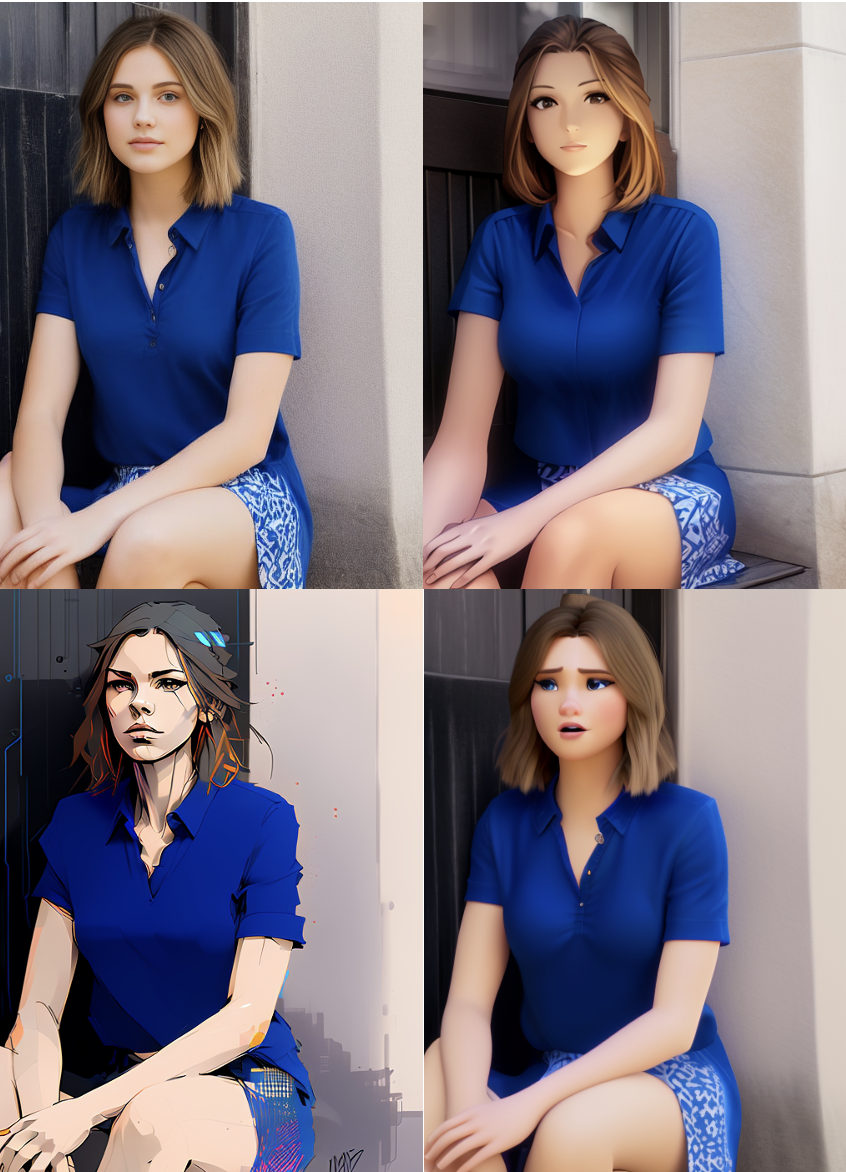
It's never easier to turn a photo into cartoon, thanks to Stable Diffusion. In this tutorial, I will show you how to cartoonize a photo with img2img using a
opaque flicker
Yeah I've used animerge before. Its pretty good. It wants clip skip 2, make sure you know how to change that setting. Make Anime your first prompt word, followed by a description and what you want/don't want. Resizing it by 2 for SD 1.5 will help. I get better results using Euler a as sampling method with karras style. I would say without an extra anime lora on top, just try denoising strength between 0.4 and 0.5, that is where the important setting for img2img things seems to be if you ask me.
prisma blade
The main hurdle I had, which was silly in retrospect, is that I didn't realize the checkpoint selected in the drop-down at the top affected the img2img generation. 🤦
quiet raft
Why is it that.. When I done 1 .. I get this

When I do in batch like 5 .. I get this

Skip the prompts but this is in Img2Img

I don't wanna lower the Denoising strength or it will turn out to like this

or this

 versed garnet
qucik euqestion, do I have to put the Lora in the prompt, for instance: low quality, low light, noise, grain, jpeg artifacts, lora:badquality_v02:0.85, lora:lora:1
ive just noticed on Civitai they dont add that to their prompts
silver valley
versed garnet
qucik euqestion, do I have to put the Lora in the prompt, for instance: low qua...
Depends on the webui. For Auto1111 ans forge you need to put it into the prompt
river fern
Any advice on essential "quality prompts" when upscaling? Or is it irrelevant since each chekpoints different?
versed garnet
silver valley
Depends on the webui. For Auto1111 ans forge you need to put it into the prompt
thanks yeah im using forge
timid kindle
Is {option1|option2} possible in normal stable diffusion?
You can do that in perchance
wicked sequoia
timid kindle
Is {option1|option2} possible in normal stable diffusion?
Could you give an example? If its just picking between two options which I guess are words or sentences, then thats extremely simple.
timid kindle
wicked sequoia
Could you give an example? If its just picking between two options which I guess...
For example, "beautiful nature, {desert|forest}, 4k"
Then half of the times it will pick desert and the other half forest
Also you could do {desert^0.2|forest}
wicked sequoia
timid kindle
For example, "beautiful nature, {desert|forest}, 4k"
So it just picks desert or forest? Thats just very simple code, it takes like 1-2 lines of code and thats all. You can just ask chatgpt/claude/llama to gen the code. The model itself does not "pick" which one to generate.
timid kindle
wicked sequoia
So it just picks desert or forest? Thats just very simple code, it takes like 1-...
I see. Would code just use the stable diffusion API or something? I never tried anything beyond a111 UI
silver valley
timid kindle
Is {option1|option2} possible in normal stable diffusion?
the dynamic prompt extension can do that in auto1111
timid kindle
Hmm
 unkempt oak
ok so far I'm working on making anime art like this

But instead I got this

@surreal rose

ok so this is the image that it generated for me so far.
surreal rose
unkempt oak
ok so this is the image that it generated for me so far.
change your aspect ratio. go for a 5:4 aspect, not a 1:1
or try a 16:9 landscape aspect
unkempt oak
Where is that?
 surreal rose
unkempt oak
Where is that?
surreal rose
unkempt oak
Where is that?
you'll need to change the width and height settings. search google for "5:4 aspect ratio in pixels'
unkempt oak
surreal rose
you'll need to change the width and height settings. search google for "5:4 aspe...
ok changing that right now.
and this is what I got
 surreal rose
unkempt oak
ok changing that right now.
surreal rose
unkempt oak
ok changing that right now.
and rethink your prompt - you've asked for the subject to be wearing coats - but then also described them as wearing armor - but the coats should be covering that and hiding the amor. only describe what can actually be seen
surreal rose
unkempt oak
and this is what I got
that's not 5:4 - that should be tall and narrow, not short and wide.
what AI are you using?
unkempt oak
stable diffusion
surreal rose
unkempt oak
stable diffusion
SD1.4, SD1.5, SD2.0, SD2.1, SDXL, SD3-2b-medium - are all stable diffusion. which one?
unkempt oak

Oh shit that's right there's other models, I dunno I think SD1.4? It just says stable diffusion or wait. webui.user.
That's the one I'm using right now.
surreal rose
unkempt oak
Oh shit that's right there's other models, I dunno I think SD1.4? It just says s...
okay well - i recommend you move to SDXL as 1.4 is nice, but pretty clueless
unkempt oak
surreal rose
okay well - i recommend you move to SDXL as 1.4 is nice, but pretty clueless
how do I do that? I just spent god knows how long trying to get this one set up cause I don't know how to do codes.
surreal rose
1.5 is also very good, but you really need to use loras with it unless you want to go down the prompt salad and hoops route
unkempt oak
I dunno what any of that means
surreal rose
unkempt oak
how do I do that? I just spent god knows how long trying to get this one set up ...
i don't use that interface, but i'm guessing all you have to do is download the base SDXL model, and put it where you ahve the 1.4 model and restart the interface.
unless you're using that on a website?
unkempt oak
surreal rose
i don't use that interface, but i'm guessing all you have to do is download the ...
I have no clue how to do that either. And again I spent god knows how many hours trying to get mine set up so setting up the base SDXL model isn't exactly gonna be a walk in the park for me.
surreal rose
unkempt oak
I have no clue how to do that either. And again I spent god knows how many hours...
i understand that. so you're running that on your own machine then, not on a website like huggingface?
unkempt oak
surreal rose
i understand that. so you're running that on your own machine then, not on a web...
nope just got it all downloaded on my computer. Cause I tried huggingface and fuck me in the asshole with a sword were there options, and those options sent me to fuckin who knows what kind of links to other software systems and then tutorials I'm talkin like 500 million of those suckers all jammed up in your face all at once.
surreal rose
unkempt oak
nope just got it all downloaded on my computer. Cause I tried huggingface and fu...
i feel for you. this is not easy technology - however ... there is a solution you might consider https://pinokio.computer/ cocktail peanut has created a very nice install and launch program. you just install his program, pick the application you want to run, and it installs - and then you use his launcher to run it. rather than having to do all the install and set up work yourself. then the only issue might be whether you have the hardware necessary to run the program you're trying to lauch or not. SD1.4 will run in a lot less VRAM than SDXL will

AI Browser
unkempt oak
surreal rose
i feel for you. this is not easy technology - however ... there is a solution yo...
Does it do the same thing stable diffusion does?
surreal rose
unkempt oak
Does it do the same thing stable diffusion does?
it's a launcher. stable diffusion is the AI you want to talk to - but it has to have an interface of some sort to run in. it can run in the interface you keep showing screen shots of, and a number of other interfaces. the launcher - pinokio - can install whatever you want to run, and then run it, and stable diffusion will run inside it. go to the website i gave you the link to and read up on pinokio and what it does
unkempt oak
surreal rose
it's a launcher. stable diffusion is the AI you want to talk to - but it has to ...
ok so if I install this, it'll help make the images clearer and much more accurate on stable diffusion?
surreal rose
unkempt oak
ok so if I install this, it'll help make the images clearer and much more accura...
did you read the page?
unkempt oak
surreal rose
did you read the page?
shit you're right. gimmie a sec
unkempt oak
surreal rose
did you read the page?
ok so far gave it a read and....well it's like the people who made it thinks everyone knows how to code the shit out of a picture. It's like they're speaking arabic, chinese, japanese, german, nordic, slavic, and fuckin taiwanese in the same fucking sentence.
surreal rose
unkempt oak
ok so far gave it a read and....well it's like the people who made it thinks eve...
it's a launcher. so you run it and it gives you a menu of programs you might want to install. you pick one and it installs it for you. it does all the work of figuring out what needs to be installed and how. then, once that program is installed, you then can choose it and the launcher will run it for you. all you have to do is just install it and then let it do all the work
unkempt oak
surreal rose
it's a launcher. so you run it and it gives you a menu of programs you might wan...
oh, so it's on autopilot
surreal rose
unkempt oak
oh, so it's on autopilot
no. you know how if you go to a website and you see a bunch of games you might want to play, and you click on one of the games and it shows up on the window an you can play it? The website is the launcher. it gives you a menu of games, and once you decide which you want to play, it runs it for you. you don't have to worry about anything other than just playing it. Well this is just like that, but instead of running inside your web browser and being on a website, it has a window that opens when you run it to show you all the applications and programs it can install for you, or run for you. all you have to do is just decide what you want to install. and once you've installed that, you just run pinokio and tell it to run the program you've had it install.
then that program will run and you can use it exactly the same as if you'd spent hours setting it up first yourself, instead of letting pinokio do that for you
quiet raft
Hey, if I do Img2Img and use the upscaler.. Does it matter what model that is loaded in? Yes right?
silver valley
quiet raft
Hey, if I do Img2Img and use the upscaler.. Does it matter what model that is lo...
Yes
 pulsar moat
any rec on how to do like a spectator pov where the characters aren't looking or facing the viewer, i've tried just typing in looking_at_viewer in the Negative but it doesn't really give the same effect if you get what i mean. Especially for images where multiple people are involved.
versed garnet
any advice on realistic selfies? so far the best I can find is boring snapchat photo of a 18 year old Australian girl Sienna Calder, brown eyes, natural red hair, long hair, selfie, The photo was shot on a phone and posted in 2015 on Snapchat,low light, dark, jpeg artifacts, bedroom, night, lora:lora:2 (Noisify), lora:amateurphoto:0.6
Using flux btw
example


 mellow wave
Hi, I work with A1111 but i can never make the Hands/fingers Right. No matter what i write in the positive or negative prompt. No matter which model/Plugin i use. I tested like 20 of them. From anime to real life and it's Always the same. Even with after Detail it doesn't get better.
I know that generating Hands is Always a Problem. But i have to render like 50 Pictures to get 1 more or less good one.
Here for en example the lasted i tired, but don't Focus to much on the promt since i changed and tested like 50 different once Yesterday.
thanks
 silver valley
mellow wave
Hi, I work with A1111 but i can never make the Hands/fingers Right. No matter wh...
silver valley
mellow wave
Hi, I work with A1111 but i can never make the Hands/fingers Right. No matter wh...
Try pony or sdxl based models. They make better hands
 fast depot
what would this art style be called? it seems like it a bunch of styles together such as washed out water colour and anime
 lone idol
Hey guys, I've been trying to make the hairs similar forever now, the one issue is that one of the hairs has a fade and I want it to not have a fade like the other hair
I'll share the prompt in DMS if ya want so I don't leave a lotta clutter here


 marsh vine
How do I make a regular red fox wearing a backpack and not an anthropomorphic one
seems too niche
 spark sentinel
Someone know why I got this issue?

Lora and checkpoint have the same base model"pony"
 quiet raft
What model should I use .. If I have a GTX 3060 with 12 GB ram and 64 GB ram?

Should I focus only on SD 1.5, SD 1.5 Hyper etc?
I feel like XL are a bad.
wicked sequoia
quiet raft
What model should I use .. If I have a GTX 3060 with 12 GB ram and 64 GB ram?
Depends on how long you can wait for your image.
I think sd1.5 or sdxl lightning models are your best options. They will take a few sec for 1 img.
Sd15 hyper will be really fast as well, you can choose that if you want incredibly fast imgs.
quiet raft
wicked sequoia
Depends on how long you can wait for your image.
I think sd1.5 or sdxl lightning...
I have an XL one atm and 4 images 512 and upscale with 2 took me 7 min and 21 sec. I mean I can wait but It feels like SD models are better looking / outcome for me.
For the time worth waiting xD
wicked sequoia
quiet raft
I have an XL one atm and 4 images 512 and upscale with 2 took me 7 min and 21 se...
sdxl lightning? thats different, you require only 4-6 steps(normal sdxl models usually need 20+ steps) and very low guidance scale(1.5 or so, while normal sdxl models might require 6-7 which makes normal sdxl models slower)
quiet raft
wicked sequoia
sdxl lightning? thats different, you require only 4-6 steps(normal sdxl models u...
and these settings
 silver valley
quiet raft
and these settings
silver valley
quiet raft
and these settings
Always set hires steps to 10
Then it won't take that long
 viral wolf
What is the best way of going about making an image with two different characters from two different Loras?

Kind of like in this example
silver valley
viral wolf
What is the best way of going about making an image with two different character...
Using the regional prompter extension
viral wolf
Thank you!
 silver valley
viral wolf
This one?
silver valley
viral wolf
This one?
Yes
 dense maple
anyone have experience with getting tattoos to be consistent and in the correct spot with SDXL models?
I'm trying to make a set of pictures based on my DnD character I had a character art commissioned of, but she has a red rose tattoo wrapped on her right, (or maybe it's left but I'm trying to prompt it on the right as that's where I remember it being), calf.
however it is consistently putting either actual roses somewhere on her body, or it's putting a similar to the right kind of tattoo, on her upper or mid body.
I'm currently genning pics that don't show the calves, if I changed that for the prompt to show the calves in the pics, would that maybe help? I'm trying to follow this guide https://github.com/BelieveDiffusion/tutorials/blob/main/consistent_character_embedding/README.md to make my textual inversion embedding since it's linked in one of the sillytavern discord channels pins.
but it says to start with an extreme closeup front shot, which is why I'm not having the calves in my pics currently, as well as to generate pics that are, extreme closeup, medium closeup, closeup, medium shot, and full body. and then the angles of front shot, rear angle, side angle, shot from above, and low angle shot.
so I don't know if I should be putting the tattoo on later, or if there's even a good way to do it at all. I'm still pretty new to image genning.

GitHub
A collection of tutorials about training and generating with Stable Diffusion. - BelieveDiffusion/tutorials
quiet raft
Anyone in here who uses Ultimate SD Upscale and can recommend settings for cartoon style pictures?
 mellow wave
I have a 3060 (12GB vram) is this enough for forge flux? for nf4 or dev? I don't wanna use the schnell version, cause it seems kinda dogshit for real life pictures
wicked sequoia
mellow wave
I have a 3060 (12GB vram) is this enough for forge flux? for nf4 or dev? I don'...
Yes it’s enough, will be kind of slow tho. Also, I would recommend using RealFlux schnell/dev which seem slightly better especially for realistic images.
mellow wave
wicked sequoia
Yes it’s enough, will be kind of slow tho. Also, I would recommend using RealFlu...
I'm using the "flux1-dev-bnb-nf4-v2. safetensors right now. It looks pretty good. Takes about 80 seconds to create an imagine, but it's ok to me.. At least it works. Where can i find the realflux dev?
wicked sequoia
mellow wave
I'm using the "flux1-dev-bnb-nf4-v2. safetensors right now. It looks pretty good...
RealFlux dev just came out, I believe a few hours ago so no quants yet but schnell is here: https://huggingface.co/belisarius/FLUX.1-schnell-RealFlux_1.0b-gguf
It's a very large improvement over normal schnell, I didn't test dev yet.
 dense maple
well, since my question seems to have been lost on the posts, guess I'll have to ask again.
anyone have experience with getting tattoos to be consistent and in the correct spot with SDXL models?
I'm trying to make a set of pictures based on my DnD character I had a character art commissioned of, but she has a red rose tattoo wrapped on her right, (or maybe it's left but I'm trying to prompt it on the right as that's where I remember it being), calf.
however it is consistently putting either actual roses somewhere on her body, or it's putting a similar to the right kind of tattoo, on her upper or mid body.
I'm currently genning pics that don't show the calves, if I changed that for the prompt to show the calves in the pics, would that maybe help? I'm trying to follow this guide https://github.com/BelieveDiffusion/tutorials/blob/main/consistent_character_embedding/README.md to make my textual inversion embedding since it's linked in one of the sillytavern discord channels pins.
but it says to start with an extreme closeup front shot, which is why I'm not having the calves in my pics currently, as well as to generate pics that are, extreme closeup, medium closeup, closeup, medium shot, and full body. and then the angles of front shot, rear angle, side angle, shot from above, and low angle shot.
so I don't know if I should be putting the tattoo on later, or if there's even a good way to do it at all. I'm still pretty new to image genning.
GitHub
A collection of tutorials about training and generating with Stable Diffusion. - BelieveDiffusion/tutorials
 crude kettle
Does anyone know any model which can create anime screenshots / anime screencap style images

 frigid roost
 neat goblet
Use img2img
 cinder sky
Is lora clash unavoidable with current syst we have for a1111?
Even with regional prompting the image becomes useless with 2 character loras or more most of the time
 orchid scaffold
does anyone have tips for getting rid of facial hair
 dense briar
I'm new to prompt writing and image generation, and I need help crafting a prompt for the idea : coffee (and other foods) bursting out of a launching rocket in soviet propaganda style . I've tried several prompts nothing looks like a coffee bursting out of an launching rocket. I use stable diffusion 3, but I also can use sdxl.
I wanted to do the same idea but with potatoes and I got the result I wanted. This was the prompt: " Soviet propaganda poster, a towering rocket launching as potatoes burst out of it instead of exhaust". Other foods and coffee don't seem to work as well.
Here is the image:

 languid radish
can generation rooms be used only via subscription?
twin yoke
yes
 brittle pine
orchid scaffold
does anyone have tips for getting rid of facial hair
brittle pine
orchid scaffold
does anyone have tips for getting rid of facial hair
I had this issue to. I finally realized all I needed to do was type "facial hair" in the negative prompt.
static hinge
dense briar
I'm new to prompt writing and image generation, and I need help crafting a promp...
maybe in the case of coffee you need to point what kind of coffe it is (coffe cups, coffe bean sacks)


or you could always use inpainting if you have a usable base


not great results (in terms of the pile) but another trick is you can just make a rough design in Photoshop, pasting the desired food in the desired position, and then inpaint until it blend
 median bronze
Hey, I am currently trying to create stylized images of classic cars, with SDXL 1.0 models. I am having issues with jumbled interiors, like the seats or just random non-sensical things inside. See attached example.
Can anyone help with how to improve prompting generation or fixing the specific area after generation. I have tried using img2img to redo the area, but haven't found a way that yields decent results. Any help is greatly appreciated, as well as any recommendations for other models / programs that do what I'm looking for better. I can show the actual generation info if needed, thanks.
 static hinge
median bronze
Hey, I am currently trying to create stylized images of classic cars, with SDXL ...
static hinge
median bronze
Hey, I am currently trying to create stylized images of classic cars, with SDXL ...
how to improve prompting generation or fixing the specific area after generation.
that's inpaint, it can be done with SD XL and Automatic1111
just like I showed here


I have tried using img2img to redo the area, but haven't found a way that yields decent results.
well that what inpaint is. It re do the area like it was img2img while keeping and being aware of the other area. It takes some knowledge and experience to set it, and it is kind of frustrating many times, it make take several tries after tries, but works in the end.
 cedar forge
Guys may I ask which API you guys are using?
From this prompt: a study of cell
shaded cartoon of
the interior of a
bioshock style art
deco city,
illustration, post
grunge, concept art
by josan gonzales
and wlop, by james
jean, victo ngai,
david rubin, mike
mignola, laurie
greasley, highly
detailed, sharp
focus, trending on
artstation, hq,
deviantart, art by
artgem
A paper demonstrates that graphs like this can be generated with Stable Diffusion (version less or equal to 2.0)

But I used stability AI API and only got graphs like this:

 plucky fjord
when using multiple lora what strengths to use btw?

 nimble mountain
Does anyone know what model I have to use to get this style of art please? I made this one on bingai, and I really like the style. Learning how to use stable diffusion but really want this kind of style. If anyone can help I'd really appreciate it, thank you

Also keywords to make the hair similar, so far it's been no shaved side 😂
 vapid lichen
I uh... wow... I can't get this to follow my prompts at all...
vapid lichen
Oh god... Ive created an abomination... it used the shape of the img2img and filled it with a human centipede lol

 solid kestrel
Hey i'm hoping to get a few basic tips or tricks on how to get more of a style down. I'm using lora:bg3_actions_offset:1 and dreamshaper_7 to make baldurs gate 3 icons and these few have been okay. Trouble is every generation after this has been really miserable. (trying to generate things like hands, swords, blood etc). Is there certain keywords I should or shouldn't use? Any negative prompts to add?
Current is; lora:bg3_actions_offset:1, bg3 Action Icon, (hand), dripping with blood, green background, and I'm getting results like the next image's post


 sour beacon
nimble mountain
Does anyone know what model I have to use to get this style of art please? I mad...
sour beacon
nimble mountain
Does anyone know what model I have to use to get this style of art please? I mad...
Not completly the same style but the hair cut is called "sidecut" or "undercut" the Painting style tends to watercolor

With the start: "felttip pen image"
 nimble mountain
sour beacon
Not completly the same style but the hair cut is called "sidecut" or "undercut" ...
nimble mountain
sour beacon
Not completly the same style but the hair cut is called "sidecut" or "undercut" ...
Ah! Helpful, thank you
wicked sequoia
What style and what’s your prompt, also what exact model? Sd1.5 doesn’t have good prompt following really, good for simple images tho. It should know many styles tho.
 marsh swallow
I have a request and was wondering if there's a model that can help me with this. I need to edit some images by replacing different people's heads into specific positions. Does anyone have any recommendations for a model or tool that would work for this task? Thanks in advance!
nimble mountain
Hi again! I'm hoping someone can be kind enough to help me once more. I'm trying to make a warforged for my friends DND character. I used the war forged lora, but the face is very human in it and he has said that the character has more of a smooth helmet face. He sent me this image as reference. I'm trying really hard to find the right prompt for this, but everything I make ends up with a face 🙈

 frozen dock
Hi!
Any tips to avoid white halo ? I've already tried lowering CFG scale & wrote no white halo (pos. prompt), halo (neg. prompt), sharp edges, ... Something else?
wicked sequoia
frozen dock
Hi!
Any tips to avoid white halo ? I've already tried lowering CFG scale & wrote...
remove "no white halo" from pos prompt
sour beacon
nimble mountain
Hi again! I'm hoping someone can be kind enough to help me once more. I'm trying...
"A majestic and powerful warforged steampunk machine wearing golden armor stands in a grand, ancient hall. The wareforged machine is cloaked in a hooded cape, their face obscured by the hood, emanating an aura of mystery. The armor is intricately designed with glowing golden accents, The setting features towering stone pillars, with beams of golden light streaming through, giving the scene a divine and mystical atmosphere. The color palette is dominated by gold and warm hues, enhancing the sense of power and divinity in the scene."
 nimble mountain
Thank you!!
 tidal flare
 rocky nebula
hentai
 delicate arch
Been awhile since I've been here, but how does training work?
I always find myself struggling to get the results I want, but sometimes I'll get just the right one
But changing the pose and details results in something else entirely
delicate arch
lone idol
Hey guys, I've been trying to make the hairs similar forever now, the one issue ...
How did you get the hair to have 2 colors?
Mine keep coloring the inside of the hair a solid secondary color
lone idol
delicate arch
How did you get the hair to have 2 colors?
Mine keep coloring the inside of the ...
"multicolored hair"
Pretty sure the fact such hair comes from a LORA helps too
delicate arch
lone idol
"multicolored hair"
Pretty sure the fact such hair comes from a LORA helps too
I think if I used that, I'd get a rainbow of hair
lone idol
Well try it out :))))
 grizzled river
someone created portraits for random characters in Rimworld that I would like to recreate but I haven't been able to come up with something that creates a style like this or keeps the individual characterization of different characters

any suggestions?
rocky nebula
tidal flare
hentai
honestly the art work is kind of that yes that's why I cropped it out. I saw the art style and just wanted that look on my generations. I tried meinamix and counterfeit but it doesnt give that soft digital art look
 chilly crane
Can Someone Help with improving prompt for my interior design ? as furnitures are generating small and I want to generate different interior styles automatic
Prompt: Choose random theme and make interior design for this bedroom with large furniture
Negative prompt: A distorted, low-quality room with altered walls, ceiling, and unrealistic doors and windows. Blurry details, bad lighting, unfinished areas, and mismatched elements create a chaotic, sketchy feel. Distorted furniture, oversized decorations, and fake shadows add to the bad perspective and clutter, giving it a surreal, cartoonish look.

 vapid lichen
So, I have tried to use stable diffusion, but it seems to not really follow my prompts, and I have trouble getting the style I am looking for. Anyone able to give me some help?
twin yoke
vapid lichen
So, I have tried to use stable diffusion, but it seems to not really follow my p...
That will depend on a lot of factors. What prompts you're using, what model, what parameters, etc. Also, although it can be done with the right prompts, (especially if your style isn't too specific), style could be a bit difficult if you aren't using LoRAs or models geared toward the style you're trying to achieve.
vapid lichen
Think you can help?
twin yoke
vapid lichen
Think you can help?
You'd have to share more here.
vapid lichen
These are some of the LORAs I was trying:
https://civitai.com/models/373778/capcom-cps3-sprite-style
https://civitai.com/models/616546/under-night-in-birth-exelate-sprite-style-pony
https://civitai.com/models/825927/arcsys-guilty-gear-sprite-style-pony
effectively I was trying to make some of my original characters into the pixel art style of fighting games
but it either doesn't follow my prompts, or I can't use img 2 img to have it follow my character reference
just... frustrating
this was one of the prompts I tried
((best quality)), ((masterpiece)), (detailed), lora:Cps3-SF3mix_Fp:0.8 lora:Guilty-Gear-Sprites_Fp:0.8 lora:MvC2:0.8 1 Young man; Spikey blonde hair; Big black eyebrows; Anime; White t-shirt with a red lightning bolt on the chest and a black hood at the neck; Ripped blue jeans; White and red high-top sneakers; Chain hooked to his belt; fingerless black leather gloves; standing; fighting stance;
I even tried some img2img and couldnt get that to work
 lone idol
having some real trouble making a character not duplicate, already got hires fix on and the res itself isn't that high sooo, kinda sucsk
delicate arch
@lone idol i forgot to ask, what model are you using?
lone idol
delicate arch
<@1237022480078475341> i forgot to ask, what model are you using?
No need anymore, I solved it
vapid lichen
twin yoke
You'd have to share more here.
did you see all my responses?
 humble radish
rocky nebula
does anyone know which art style model this is
humble radish
rocky nebula
does anyone know which art style model this is
https://civitai.com/models/514040/demon-slayer-kimetsu-no-yaiba-style-and-characters-or-all-in-one-lora maybe that helps a little 😉
rocky nebula
humble radish
https://civitai.com/models/514040/demon-slayer-kimetsu-no-yaiba-style-and-charac...
not the character lora 😭
I meant the art style
twin yoke
vapid lichen
did you see all my responses?
I'm just getting back to it now. You posted 3 LoRAs, but you didn't post what base model you're using. 1 of the 3 LoRAs is for SD 1.5 and the other 2 are Pony, which is based on SDXL, but is different enough that you need a Pony base model to apply it to.
On top of that, if you are using a Pony LoRA & model, you should be prefacing the prompt with the standard Pony flags, which you didn't mention in your prompt verbiage.
Also, you have 3 LoRA listed in your example prompt. Doing that when trying to extract a style will mean that you might run into some odd conflicts.
Start with 1 LoRA that is appropriate for the model you're applying it to. If using Pony, add the Pony prompt stuff that you're supposed to in order to extract what you want out of the image. Then, start simple by giving it an easy prompt to follow and then build on that if it's successful.
Plus, because of all the other parameters, you should be trying to follow the LoRA & model's recommended settings for steps, sampler, scheduler, etc. Note that on the CPS3 LoRA page you linked, they tell you that you will need to use High Res Fix to get the pixel look, but using an upscaler may break that style.
Moral of the story is to keep it simple, make sure the right things are matching, and then work slowly into what you want; don't try to do everything at once unless you know what you're doing.
vapid lichen
twin yoke
I'm just getting back to it now. You posted 3 LoRAs, but you didn't post what ba...
I did follow the suggestions on the hir res fix stuff, but that didnt help. I have no clue what "pony" means and what "pony flags" means.
twin yoke
vapid lichen
I did follow the suggestions on the hir res fix stuff, but that didnt help. I ha...
And that is going to be a problem for trying to use those LoRAs. You should read up on that if you want to use them.
vapid lichen
hmmm
twin yoke
In any case, this has little to do with your prompts aside from the fact that if you use Automatic1111 you're calling the LoRAs in your prompt, which is fine. But I would go back to the SD 1.5 one, use ONLY that one LoRA, and try something basic.
vapid lichen
Im using
webui forge
but the problem is, being basic doesn't get me the generations I am wanting.
twin yoke
You start basic and then re-prompt to add more in once you know you have something beginning to work.
The more specific of a look you want, the more complicated and less likely it's going to be that you'll get it. As great and magical as AI image inference is, it's at its best when you have lower expectations.
vapid lichen
eh... Midjourney doesn't have that problem 😉
hence why I was asking for help
the difference is, I can't train midjourney on a set of imagery
twin yoke
vapid lichen
eh... Midjourney doesn't have that problem 😉
Midjourney also does a bunch of behind-the-scenes work that you don't get to see, is bound to their terms, and cost you money.
vapid lichen
but that doesn't change the fact that I have much better results
twin yoke
That's an apples to oranges comparison.
Yeah, and if you wanted to pull a heavy trailer, you'd have better results with an F250 than you would a Mustang. But the Mustang would certainly go a lot faster than the F250 would on a race track.
Two different things.
vapid lichen
But If we are going to use this comparison, I am asking what type of truck to use, the mustang is over there being awesome on its own, I just need help getting the damn trailer pulled
twin yoke
You're the one that brought MJ into the conversation, not me. That's the Mustang in this case.
vapid lichen
Yep, and it's awesome over there on its own
I brought it up as an example of "MJ doesn't have the same trouble following my prompts" which is what I was asking help getting viable results in SD
twin yoke
Right, so I've given you information on how to work toward that. It's not going to be as automatic as get in car and drive. You've gotta hook the trailer up to the hitch, pull the feet up, connect the electronics, test the blinkers, make sure towing mode is on, then drive carefully. So...one step at a time.
Otherwise, you're stuck with the Mustang.
vapid lichen
I appreciate your attempt to help.
lone idol
how do i make it so there's absolutely no living beings in the picture? tryna make a scenery but there's always a person
river fern
Im looking for some advice on when using ADetailer+Hiresfix.
Regarding since they both have denoising sliders, what should I set the value to so its not changing the face twice when I just want to enhance the original face. TLDR Managing Hiresfix and ADetailer's denoising values to work well together
I usually do after-the-fact with the button to make sure i like the base image first
 indigo furnace
Anyone know of a basic AI workflow chart? I've been toying with this since the start but it's still confusing about which file types go where and why we need VAEs and is this a model or a checkpoint? I never wanted to learn python and I'm spending much more time trying to figure out what the error 'g' means than I am making art. Also, can the various platforms (Comfy, fooocus, etc) use shortcuts to models? I just discovered I have 4 flux dev copies LOL. Hoping to have 1 folder and just shortcut everything to it.
surreal rose
indigo furnace
Anyone know of a basic AI workflow chart? I've been toying with this since the ...
you don't need a chart, you need some basic instructions. when you hit generate the first thing the AI does is turn your prompt into number, and then do math. all those nodes are part of how it translates your prompt, collects data, figures out what you want and decides what to do.
depending on what interface you're using, you have to have certain files in certain folders - because it's going to look for them in those folders and no where else. and if you just drop them all in one spot, it won't find what it needs.
twin yoke
indigo furnace
Anyone know of a basic AI workflow chart? I've been toying with this since the ...
To add/clarify some stuff in addition to what cw said above:
- Checkpoints are models. There are, however, several different kinds of each.
- The reason you sometimes need a VAE is because not every model bakes them into their safetensors file. The VAE is essentially what does the final translation (encoding/decoding) into or out of the image format that you are looking for. (The other stuff is working in what's called latent space.
- Most of the time when you have an error, you either have something connected that should be, are missing a file you need, are misusing a file for the wrong thing, or have sizing incorrect somewhere.
- Yes. You need to look at the
extra_model_paths.yamlfile that exists for most of these applications. That is where you can define locations for the model files to be found.
indigo furnace
twin yoke
To add/clarify some stuff in addition to what cw said above:
1. Checkpoints *are...
While I do appreciate the answers, the answers themselves point out why I am looking for a worksheet. All of those notes do things and yes, there are checkpoints with their different kinds of checkpoints and they do different things and mean different. Things is exactly what I’m looking for a solution too. I don’t know what all those things are. I don’t get to play with AI 40 hours a week and I’m not a programmer, I am an artist.
twin yoke
indigo furnace
While I do appreciate the answers, the answers themselves point out why I am loo...
There are a billion resources available online that can be found within a moment's notice. However, if all you're looking to do is put in words and get out picture, you don't need any of that.
surreal rose
indigo furnace
While I do appreciate the answers, the answers themselves point out why I am loo...
i think what you really need is a mentor
quiet raft
Do anyone know why I these blue stuff appear in a photo?
 silver valley
quiet raft
Do anyone know why I these blue stuff appear in a photo?
silver valley
quiet raft
Do anyone know why I these blue stuff appear in a photo?
Missing VAE maybe
quiet raft
silver valley
Missing VAE maybe
I am using Anything.pt on these
silver valley
quiet raft
I am using Anything.pt on these
Okay, can you try a different one?
quiet raft
silver valley
Okay, can you try a different one?
I put it on automatic but cannot see where it says what it used ( but those blue things ) got removed.
 thick hornet
I'm looking for help on prompting the stable-audio bot. Is there only one UI? What is the syntax for prompting the bot?
 polar forge
Hello. Anyone knows how to mixe 2 lora chaacters to obtain a mix of a person hat has both traits from 2 characters? (we can see 2 persons in one face? )
IN FLUX?
(for example mix of obama and trumpt whatever examples)
 tidal kayak
Hello. How can I upload an Image and then change it ?
 weary comet
tidal kayak
Hello. How can I upload an Image and then change it ?
weary comet
tidal kayak
Hello. How can I upload an Image and then change it ?
That’s called image2image you can seek help in #🤝|tech-support , u can ask how do i do img2img in (insert gui here) gui is the program you. Are using.
 turbid sparrow
i have two gpu's one with vram 12 gb on with 16 gb. is there any possibility to run stable diffusion video using these two. its would be a great help. i am new learner .
i am able to run sd 2.1 but i want to try 3.0 or 3.1 or svd.
tepid inletBOT
Thank you for using comcom analytics.
"comcom analytics" supports all community managers (moderators and server owners) by stats, visualization, and analytics.
If you have any questions, feel free to ask us!
Your dashboard
Help
Support server
Other languages
en: help
ja: help Japanese
 ionic umbra
Hello, I want to make a prompt to generate borrowers, as in miniature humans, like from the book and The Secret World of Arrietty. So far all results have yielded kids, which is definitely not what I want. Any advice or guidance?
 sand wind
umm sorry to ask here if i shouldn't post in this channel.. I just recently began trying ai generating pictures, and was wondering how to correct use the trigger words 'random something'?
For instance, if i type 'random color hair', the results i get most often is just red/blonde hair color. I meant to let the trigger words activate that choosing from
red/yellow/orange/blue/cyan/green/brown/purple/pink/black/grey/white, but not sure how to correctly type it in the trigger words list..
Help would be appreciated
i tried something like
(random hair colour choosing from red blonde orange blue cyan green pink purple brown grey white black:1.2)
but the picture results i get are still mostly red/blonde/blue hair and stuff, no varieties at all..
or if anyone can kindly show some sort of correct template for these type of trigger words?
tired vigil
how do I prompt for "waving hair" without making the person wave lol
tired vigil
sand wind
umm sorry to ask here if i shouldn't post in this channel.. I just recently bega...
this works in comfyui, use a pipe to indicate selection:
({red|yellow|orange|blue|cyan|green|brown|purple|pink|black|grey|white hair}:1.2)
sand wind
tired vigil
this works in comfyui, use a pipe to indicate selection:
({red|yellow|orange|blu...
hello Sir!
gotcha, will try comfyui sometime soon. still currently trying webui
tired vigil
corrected
sand wind
Looking for help,
I was just on trying the sd-dynamic-prompt plugin for webui... I made a simple wildcard including red yellow orange blue etc... color words, however when i try to implement this into generating pictures, somhow instead of randomly choosing the word from the wildcard, instead the webui generated the wildcard trigger phrase itself as a whole..(see picture)
Is there anyway to solve this (let the program correctly randomly choose words from the wildcard)? Really looking forward for help 🥺

 violet glade
I am totally new to discord and I am interested using Stable Diffusion. I am a bit lost on my way finding access to SD. Can someone point me to the right place? Thanks
silver valley
violet glade
I am totally new to discord and I am interested using Stable Diffusion. I am a b...
Hey, if you have a PC with a GPU with 4gb vram or more, then you can install it localy.
For that checkout the pinned messages of #🤝|tech-support
violet glade
Thanks. My PC is not powerful to run SD. I heard SD is available on discord but I could not find the dreambots. Help please!
silver valley
violet glade
Thanks. My PC is not powerful to run SD. I heard SD is available on discord but ...
The discord bot is now paid only. Dreambots are now Stable Artisan, all infos here:
https://discord.com/channels/1002292111942635562/1237461679286128730
violet glade
I see. Thanks for your help!
silver valley
Np
 slow mist
i need help with dreamshaperXL
cawboy shot change the content and add cowboy elements instead of change the view
what should i use to get wider shots?
i guess i can try with medium full shot
 willow flume
Underwater world with colorful fish, coral reefs, and sunken ship, illuminated by natural light filtering through water, in a hyper-realistic style
 fleet pasture
Prompt: A cyberpunk city, neon lights, rain, 8K resolution, art nouveau style, lora:anime_style:1
quiet raft
Hey, is there a good tutorial out there that you would recommend for me going to train my own Checkpoints, Lora's etc on my own local PC with auto 1111
silver valley
quiet raft
Hey, is there a good tutorial out there that you would recommend for me going to...
You can train them with Kohya_ss or OneTrainer (both standalone tools)
Dont use dreambooth, It will break your auto1111
quiet raft
silver valley
You can train them with Kohya_ss or OneTrainer (both standalone tools)
Alright, so you are not training Checkpoints or loras with Auto 1111? I need to download either of those and do it right?
silver valley
quiet raft
Alright, so you are not training Checkpoints or loras with Auto 1111? I need to ...
Yep
Auto is not for training
quiet raft
silver valley
Yep
Aight cool, I will check out those two and check up some tutorials. I would like to update a checkpoint I have been using and it's like 2 years old haha 😄
silver valley
quiet raft
Aight cool, I will check out those two and check up some tutorials. I would like...
Did you made the checkpoint? If not, maybe the creator has made an update
quiet raft
silver valley
Did you made the checkpoint? If not, maybe the creator has made an update
I have checked that and it's 2 years old with no updates
silver valley
quiet raft
I have checked that and it's 2 years old with no updates
Okay, you can't update the model yourself.
You could only merge the model with newer ones. Or train a model yourself based on that model
quiet raft
silver valley
Okay, you can't update the model yourself.
You could only merge the model with n...
I was thinking of training.. Like cannot I take like 500 images of those I have generated with his model and create my own model?
silver valley
quiet raft
I was thinking of training.. Like cannot I take like 500 images of those I have ...
Yes thats possible but if you go for a style or character its easier to train a lora
quiet raft
silver valley
Yes thats possible but if you go for a style or character its easier to train a ...
I wanna do a checkpoint but try to update it and ofc I use loras for characters and such 🙂
 ashen glade
Identification request: Does anyone know the specific image model, or artist name, for this art style? I already tried doing a reverse image search and asking Pixtral to identify it, but got nothing.

 dapper flame
https://ai-social-media-post-generator.onrender.com/
Wheather the post are good or can rank ???
 teal slate
How do you just sharpen an image with img2img? I have a blurry portrait and I want to make it super sharp with like fine skin details and such. I tried running an SDXL img2img with a denoise value between 0.2 and 0.3 and prompts such as "close up photo, 8k, detailed skin, skin pores" etc, as well as scaling it up from 1024 to 1536 or 2048, but it just comes back either blurrier than the input or if I increase the denoise it changes it up too much on the macro-level, that is all the facial features etc.
I just want to add in the fine detail, not rearrange the entire face
 quiet zodiac
I'd use Florence2 to generate a prompt for the original image, then use the original image as a style transfer on the IPAdapter. There is a sharpen node in comfyui, too.
 limber shard
sour beacon
teal slate
How do you just sharpen an image with img2img? I have a blurry portrait and I wa...
limber shard
sour beacon
teal slate
How do you just sharpen an image with img2img? I have a blurry portrait and I wa...
Do you have an example image (or a link to an public image) that would be helpful to try something.
 eternal osprey
Hello people, is there someone who knows how to make anime indoor scenery? what model do you use?
am trying to make AI scenery that fits this style

 nova relic
eternal osprey
Hello people, is there someone who knows how to make anime indoor scenery? what ...
nova relic
eternal osprey
Hello people, is there someone who knows how to make anime indoor scenery? what ...
Something like this? I used Flux for it


Hey everyone, I'm trying to find a prompt for Flux that allows me to have a character with their hair as clothes, like Bayonetta, for example.
eternal osprey
yeah thats good @nova relic but when i try to remove the character the scenery becomes literal ass lol
nova relic
eternal osprey
yeah thats good <@156879849263333376> but when i try to remove the character the...
You want the same kind of background without the character?
eternal osprey
this is what i get when i dont have a character lol
 nova relic
Oh... What model you using?
nova relic
SDXL ?
eternal osprey
yeh
nova relic
I'm trying something
eternal osprey
30 steps
 eternal osprey
so basicly i want a cozy wooden shed with a nice bed, villag theme indoors
so something like this
Cozy Bedroom, simplistic, wooden furniture, Wooden Bed with comfy pillow, Sun shining through the roof cracks
eternal osprey
nova relic
With Flux
i like the style
nova relic
it might just be that the checkpoint you use is not made for that...
very detailed illustration of an Anime cozy scene inside a wooden shed with a nice bed in a small village,
 eternal osprey
could be anything, its my 2nd day learning
eternal osprey
nova relic
very detailed illustration of an Anime cozy scene inside a wooden shed with a ni...
too cartoony than anime but it resembles the promt atleast
i downloaded anything v3 and its vae and i run it on gui thats all i know
what setup do you use for these results?
nova relic
Setup? You mean my hardware?
eternal osprey
i mean model and lora and stuff
nova relic
The ones I sent were made with Flux. Another thing from SDXL. No Lora.
eternal osprey
caz i got this on anything v3
Cozy Bedroom, simplistic, wooden furniture, Wooden Bed with comfy pillow, Sun shining through the roof cracks
 nova relic
I switched to SDXL with this prompt: Very detailed anime scene,inside of a shed,cozy bed,small village,godrays from the windows,
 eternal osprey
maybe i really need some godrays limme try
nova relic
Don't use "Sun" if you're looking for lights. Use "sunlight" instead
eternal osprey
checkout this godrays, i copied same promt lmao
 eternal osprey
ok ill try
nova relic
16Gb?
eternal osprey
10
nova relic
You're good with the model I linked. It's 6.5Gb
eternal osprey
so am supposed to have same result as the cartoony pic with the same promt?
eternal osprey
nova relic
I switched to SDXL with this prompt: Very detailed anime scene,inside of a shed,...
or like this
nova relic
Really depends on the prompt. But I made the last one with the model I linked
eternal osprey
its very good, ill give it a go then
nova relic
Also... Wait... What is the resolutions you used?
eternal osprey
recommended by the author?
nova relic
Recommended for SDXL I alwaus use these dimensions
eternal osprey
ok sounds good, how long do you think it will take to generate it then with 30 steps?
nova relic
That depends on your hardware. What did it take for the last one you posted?
eternal osprey
few seconds, but its shit idk
nova relic
1024 x 1024
1152 x 896
896 x 1152
1216 x 832
832 x 1216
1344 x 768
768 x 1344
1536 x 640
640 x 1536
These are the resolutions recommended for SDXL
eternal osprey
ill use them then, but is there anything else other than that? like sampler and diffuser?
nova relic
If you're into it for only a few days, you might not know. But resolution is pretty important for the quality
eternal osprey
i do karras and ddim
nova relic
 eternal osprey
ok ill start it
eternal osprey
 nova relic
yep, go for it
eternal osprey
20 minutes
nova relic
20 minutes?!
eternal osprey
idk why XL models take all that time while the smaller models are like 15 seconds
nova relic
Even with my old 2070, I had like a minute or two max per generation...
Did you change model, yet? Or you're still using the old one?
 nova relic
It might just be the model loading in your VRAM that takes some time...
silver valley
eternal osprey
ye i did
You have to edit your webui-user.bat
For 8gb vram
--xformers --medvram-sdxl is required
Add them to the commandline_args=
Then it should take 1 minute max
eternal osprey
tanks cs1o
 spiral narwhal
how do i highlight a lora and use the shortcut to raise/lower the weight of it?
 real lark
Can I proved an image and ask it to generate images based off that ? Like a pic of a person provide then have stable diffusion make in a certain style

 crimson patio
I think it's the first time I've posted on this channel but I'm not quite sure what to do anymore. Do you have any advice on how to type a prompt well so that the character points to something? “Pointing at xyz” often doesn't work, even increasing its power. Just the hand often points to something random. Any advice? / noobAI
 icy geode
crimson patio
I think it's the first time I've posted on this channel but I'm not quite sure w...
icy geode
crimson patio
I think it's the first time I've posted on this channel but I'm not quite sure w...
hi! newbie here too (but not newbie with image generation). Can you give an example of some prompts you've used this far and what you wanted to achieve with it?
 weak barn
crimson patio
I think it's the first time I've posted on this channel but I'm not quite sure w...
weak barn
crimson patio
I think it's the first time I've posted on this channel but I'm not quite sure w...
just use controlnet for pose
 slow warren
crimson patio
I think it's the first time I've posted on this channel but I'm not quite sure w...
slow warren
crimson patio
I think it's the first time I've posted on this channel but I'm not quite sure w...
Sometimes it's easier to edit an image roughly into what you want then img2img with low denoise to make it look good, if you're going for something specific.
 still marten
Quick question guys. How long is too long for a prompt? (SD15)
I keep getting not exactly what I want (not a problem for now) so I keep adding more prompts and I might be overthinking but I feel like it started to get worse
twin yoke
For the most part, SD 1.5 isn't going to be super great about prompt adherence no matter what you do. After a certain amount of tokens, it will begin to do some math that's essentially going to be hit or miss and likely just dilute the adherence. Because of how this works, tokens might be one word or several, so it's difficult to say how long a prompt could be from a traditional sense. But if you see things getting worse and not better, odds are you've probably gone too far.
Each model version has its quirks about this. XL is definitely better with adherence, with longer prompts, and with proper sentence structure, but it still shows limitations, has missing tokens in lots of models, and can still visibly break down at a certain point.
Cascade was truly amazing for prompt adherence...
...for like 7 words. 🤣 Then it broke completely.
Flux is better for prompt adherence than any other model version overall, in my opinion. (I'm sure there are studies that you can find that will show results for this; it's pretty commonly ran every time there's a new model.)
still marten
twin yoke
For the most part, SD 1.5 isn't going to be super great about prompt adherence n...
So if I understand right, I probably shouldn't go over the initial 75 token "checkpoint", and surely not over the second 150 token "checkpoint"?
twin yoke
You can, but it's likely that you'll essentially see diminishing returns.
The best thing to do is to change words and use smart selections in your negative on SD 1.5.
Consider that the prompt is not "english" in the traditional sense. Every word in the prompt has a likely visual impact. If you have something in your image you don't like, look at the words you have and see if there's something that might be misinterpreted. If you're missing something, use a different word to describe it.
still marten
twin yoke
The best thing to do is to change words and use smart selections in your negativ...
That's actually a really good tip, never thought of that for prompt length efficiency, especially if a concept has mainly only 2 states (like day and night)
But yeah, everything else is what I needed, thank you c:
twin yoke
It's funny you say "night". Things like "nighttime" can sometimes display a clock because of the "time" portion of the word. Don't want the clock, change to just "night".
 heavy dew
How to describe style like this? Actually, it is difficult tho. I mean, what artists specialises on urban style like this?

 oblique crane
Generate an IP three-view of AIDS-prevention
 crude crystal
I am trying to make this little goblin dude ride front mounted on a mech, armored personnel unit from the matrix style. I cannot achieve this. The attached image is the best I can do with flux, pasted together in photoshop
 quiet raft
What is a good way to not get these at the back and front on models?

If you watch the lower area
 minor lynx
I’m trying to get a set up to create xenomorph variants loosely based on other sci-fi creatures, in this case creating xenomorph variants of Pandoran life forms, from the avatar movies
But the AI seems to keep rejecting my instructions and making the image too xenomorph like no matter how I try to prompt it
sour beacon
minor lynx
But the AI seems to keep rejecting my instructions and making the image too xeno...
As soon as you use Xenemorph the chances are good you get the typical "Alien" appearenca. Large glossy head with teeth,....
Try describing the appearence of the creature.

"An otherworldly creature reimagined with Pandora's lush and bioluminescent ecosystem in mind. The creature has sleek, organic, chitinous armor resembling a mix of blue and glowing crystalline textures, with faint glowing veins of blue and green running across its elongated body. The creature's head crest mimics the iridescent patterns of the banshee, reflecting purples and golds when illuminated. The backdrop features a dense, glowing jungle with massive, towering trees, floating mountains in the distance, and soft, ethereal light from the planet's moons filtering through the misty air. The atmosphere is otherworldly, blending the haunting and predatory nature of the creature with the mystical beauty of Pandora's ecosystem"
 mint thistle
/dream:
 buoyant phoenix
Hello hello, i've been trying to use embedding stuff for example EasyNegative, but im not really sure where I should put it.
It's a .safetensors, but i've seen people putting embeddings in the, well, embeddings folder, but nothing shows up for me in the textual inversion tab.
silver valley
buoyant phoenix
Hello hello, i've been trying to use embedding stuff for example EasyNegative, b...
Make sure the embedding is for the model you try to use.
It only will show up when a compatible model is selected.
 stone path
hello there, does anyone know which prompts could I use to attempt to recreate when the sleeves cover partially the hand, reaching only half of it? like in this image

 sweet rock
ChatGPT mentions "oversized sleeves", "partial hand coverage", "cozy fit" but I haven't tested these
 robust mantle
how can i have the output look more like the input picture, making roblox faces for fun

 noble estuary
Hope someone can help me on this..
The text outside of the parenthesis is the base prompt for all my characters then the inside text is distinct for each character.
The issue I am running in to is the styles of the images are not consistent. Yes the character elements are correct but the output is not following the style guidelines provided. I have tried adding a seed from an output I liked, starting with an image, a whole variety of negative prompts etc..
Any advice for me? I'm trying to create 200ish characters in a similar style.
A (digital caricature in realistic proportions:10) of ({A young man with neatly styled dark brown hair, dressed in a crisp white shirt under a soft beige
sweater. He sits at a wide wooden desk, surrounded by an open linguistics textbook, a laptop displaying phonetic symbols, and a notebook filled with handwritten notes. The background features a quiet study room with shelves of thick reference books, a chalkboard covered in linguistic diagrams, and a softly lit table lamp casting a warm glow.})
The scene creates a soft and clean illustration style. The overall aesthetic is modern and illustrative, including (flat design elements:10), with smooth lines and vibrant shading.
The weights are also a WIP, I have tried all kinds of combinations..
noble estuary
This is essentially what I am after..

 topaz root
noble estuary
Hope someone can help me on this..
The text outside of the parenthesis is the b...
topaz root
noble estuary
Hope someone can help me on this..
The text outside of the parenthesis is the b...
Hi, interesting. Are you using the FLUX or other specific lora model? I think the model can't understand your prompts and you must use the more update model
In my experience, the flux model can understand the user prompts because it is using the another text encoder
noble estuary
topaz root
Hi, interesting. Are you using the FLUX or other specific lora model? I think th...
Nah just the standard 3.5 Large model via the API
topaz root
noble estuary
Nah just the standard 3.5 Large model via the API
Please use the FLUX-dev
 cyan kelp
Hi, can someone tell me how to create looped videos on AnimateDiff Lightning ComfyUI? Its not working despite setting closed_loop to true as it does for other motion models
 stark lark
Where can I find information about those weird prompts I always see on civit like core_6 or score_5? I don't get it lol.
 hexed drum
stark lark
Where can I find information about those weird prompts I always see on civit lik...
hexed drum
stark lark
Where can I find information about those weird prompts I always see on civit lik...
I'd like to know this too
 slender pasture
needed to add a VAE 🙂 simple fix; ty anyways x
 rare peak
hexed drum
I'd like to know this too
rare peak
hexed drum
I'd like to know this too
They are for the pony diffusion models, which a lot of models are based on (see the little pony icon on civitai next to the checkpoint models and loras? then its based off of the pony series (yes my little pony lol)) As far as I understand it, when he originally created the checkpoint, he ranked the images that the model was based on, https://civitai.com/articles/4389/beginner-tips-for-pony-diffusion-xl
 keen panther
Hi guys, I want to generate assets for my game, however, the level looked like it has been taken from a far away view. While this is fine for a lot of games, my game is in the perspective of a mouse so everything is massive relatively. What should I do to fix this? Here is my prompt:
(2d side-scrolling platforming game, side view:0.15), extreme closeup, soil, dirt, hovering platforms. HD, high definition, high resolution, masterpiece, detailed, realistic, stylized, intricate, digital paintinglora:lcm-lora-sdv1-5:1
blur, blurry, blurred, distorted, characters, stone, rock, bricks, grass


 peak sun
hexed drum
peak sun
hexed drum
what's everyone's favorite sampling method?
neat goblet
hey guys
Is there a prompt I can use to make the character drawing face down?
It always turns them face up 😦
 idle estuary
Hi I am new to this space.
Trying out search and recolor feature for a project. The goal is to change color of the shoe while maintaining the texure of the material.
I am able to change color based on 1 color and the entire shoe changes the color but i want to get more control over this.
I have a specific color palette that i want to follow and i want to change specific parts of the shoe like the side stripes only or have the body be a different color and strip be another color.
Can anyone please help to achieving this.
 vital depot
anyone know what prompt i can use in img2img to make this alleyway look like it's at dusk time

 surreal bobcat
Create a cozy and festive social media advertisement for a company named 'EcoGlow Candles,' promoting their eco-friendly soy candles for the holiday season. The design features:
A warm home setting with a rustic wooden table.
Elegant soy candles in recyclable containers glowing softly, surrounded by holiday decorations such as pinecones, ribbons, and fairy lights.
A color palette of gold, cream, forest green, and earthy brown tones to evoke a comforting and natural atmosphere.
Text overlays that include:
Headline: 'Light Up Your Holidays, Naturally!'
Subheading: 'Shop Now and Get 20% Off on Holiday Gift Sets!'
Modern and minimal fonts, with the headline in an elegant serif style and the subheading in a clean sans-serif.
#artisan-1 Create a cozy and festive social media advertisement for a company named 'EcoGlow Candles,' promoting their eco-friendly soy candles for the holiday season. The design features:
A warm home setting with a rustic wooden table.
Elegant soy candles in recyclable containers glowing softly, surrounded by holiday decorations such as pinecones, ribbons, and fairy lights.
A color palette of gold, cream, forest green, and earthy brown tones to evoke a comforting and natural atmosphere.
Text overlays that include:
Headline: 'Light Up Your Holidays, Naturally!'
Subheading: 'Shop Now and Get 20% Off on Holiday Gift Sets!'
Modern and minimal fonts, with the headline in an elegant serif style and the subheading in a clean sans-serif. prompt help
 fast oriole
Anyone have a workflow or info of lifestyling a product? Like a chair product and create a model to sit on it, or a bike and create a kid to sit on it, something this way
quiet raft
How can I make controlnet work for Pony Checkpoints? :/
 fair dust
Hi everyone!
I’m looking for advice on creating prompts in SD that feature two or more characters (LoRa) interacting with each other. Any tips on structuring the prompt, avoiding issues like characters merging together, or making the interaction feel natural? Also, are there any tools, keywords, or techniques you'd recommend to improve results for multi-character scenes?
Thanks in advance!
 sacred birch
hey how can i prompt 3 people in the same image ?
 obtuse tundra
Ok so I have a prompting question- I'm using DrawThings on the mac, as well as Civit.ai (both for exploring models, and experimenting with creating). If I import a LORA into DrawThings, I usually forget to add a trigger word to the model when importing (as opposed to Civit.ai which automatically tells you what they are. My question is, does this matter? If I'm explicitly loading the LORA in DrawThings, do I still need to call the trigger word in the prompt?
 placid pollen
vital depot
anyone know what prompt i can use in img2img to make this alleyway look like it'...
placid pollen
vital depot
anyone know what prompt i can use in img2img to make this alleyway look like it'...
use any img2promt software and you will have an answer
placid pollen
hexed drum
what's everyone's favorite sampling method?
pen and scissors
obtuse tundra
Another noob question- is there a way to find out what keywords and triggers a particular model has?
 regal dome

 pulsar sonnet
does ‘full stops’ do anything in prompts? or is it just commas
fair dust
What tools are you guys using for Regional Prompting and which WebUI?
 unreal willow
is there any good way to have good quality result? If i use a model that isn't anime so realistic model or a mix between anime and realistic, i keep having problem, the skin seem a little weird, the face seem weird. is there any ways to fix that?
silver valley
unreal willow
is there any good way to have good quality result? If i use a model that isn't a...
Have you tried an sdxl realism model?
silver valley
unreal willow
no
Oh then try out juggernaut XL or realvis xl
Sdxl has a good quality
silver valley
unreal willow
thanks
NP, for pony there is pony realism
unreal willow
never tried that one
i tried Real Dream once but it wasn't as good as i thought it would be
 glad urchin
@silver valley Okay, so here the results of a regular img2img:
So either there's very little difference, or... it's suddenly an entirely different cat, with a totally different shape and look.
Now, when I use inpaint and draw a small streak on the cat, it doesn't do anything:
A thick streak makes it again a total abomination:
If I cover the entire cat, it again turns into a totally different animal:


 silver valley
glad urchin
<@161910921269084160> Okay, so here the results of a regular img2img:
So either...
silver valley
glad urchin
<@161910921269084160> Okay, so here the results of a regular img2img:
So either...
And what is your goal here?
Do you want a different cat or do you just want the same cat but different?
Or do you want to change little detailes?
glad urchin
The goal would be to create something like this: https://image.civitai.com/xG1nkqKTMzGDvpLrqFT7WA/eae3f1f8-c95e-49cb-b502-e5b88fd76082/original=true,quality=90/00102-3865871024.jpeg
But honestly, I'd be happy with lots of different things
As long as the cat is still recognizable.
glad urchin
Like... I've added presets from SDXL Styles. It gives a bunch of options. Any of those would also be nice, but I can't seem to be able to get this specific cat turned into any of those styles. It always becomes a different cat.
glad urchin
silver valley
You can't get that with inpaint or img2img
Ahh, really?
What options do I have then, with an existing image?
silver valley
Img2img is for gettinf variations of an image.
Inpaint is for changing details on images, replacing stuff or outpaint (enlarge images)
You could try using controlnet extension + IP-Adapter style and then input the deer image as source
glad urchin
Okay, I'll check if I can find a guide on that.
I have played around with controlnet already, but IP-Adapter will be new for me,
silver valley
Ah okay, IP-Adapter is a really cool thing
It can do style transfer as well as faceswap
 sweet swan
@glad urchin send me a dm for guidance and assistance mate
glad urchin
silver valley
Ah okay, IP-Adapter is a really cool thing
I'm experimenting with it right now. Looks very promising indeed!
However, for some reason I can't seem to be getting the ip-adapter_clip_sd15 as a preprocessor?
I have all the other ip-adapter preprocessors available, but not that one. And I think it's pretty crucial it's that one, if I want to combine it with the ip-adapter_sd15 model?
glad urchin
Thanks for the tip @silver valley !
This IP-Adapter is an amazing tool!
It's still not exactly what I had in mind, but it already looks pretty good for a first attempt 🙂

I also think it's clear that this is the way to do it. And that what I was previously trying was clearly wrong.
silver valley
glad urchin
I have all the other ip-adapter preprocessors available, but not that one. And I...
Make sure you have all the IP adapter models. The preprocessor should then show up
glad urchin
I'll check if I'm still missing some when I get home later today.
Are the differences that big?
silver valley
I need to check my preprocessors first, then I know if something changed or if you miss one
Will make a screenshot later when I'm at home
 plain citrus
hey, im not sure where to ask this, but im looking for recomendations for settings to give good looking ai art in stable diffusion. these are my current settings
 silver valley
glad urchin
I'll check if I'm still missing some when I get home later today.
silver valley
glad urchin
I'll check if I'm still missing some when I get home later today.
these are all the SD 1.5 IP-Adapters:
 silver valley
plain citrus
hey, im not sure where to ask this, but im looking for recomendations for settin...
silver valley
plain citrus
hey, im not sure where to ask this, but im looking for recomendations for settin...
for anime or realism?
plain citrus
silver valley
for anime or realism?
anime, but more of a realistic anime
silver valley
plain citrus
anime, but more of a realistic anime
okay, which model do you use? 1.5, sdxl, pony?
and whats your gpu?
plain citrus
silver valley
okay, which model do you use? 1.5, sdxl, pony?
i think 1.5?
silver valley
plain citrus
i think 1.5?
What's the name of it?
And if I know your GPU I can suggest you stuff it can handle
Like sdxl models or upscaling
 plain citrus
silver valley
What's the name of it?
plain citrus
silver valley
What's the name of it?
what i got given was just called stable diffusion webui
silver valley
plain citrus
what i got given was just called stable diffusion webui
I mean the checkpoints name
In the top left dropdown
plain citrus
ohhh
its kinda weird lol, its just one ive been using since my older stable diffusion
 silver valley
Ah okay thats an old 1.5 model
silver valley
Its not as good as newer sdxl models. They have a better quality
plain citrus
should i look for a newer one?
silver valley
plain citrus
hey, im not sure where to ask this, but im looking for recomendations for settin...
To do that enable hires fix.
Set the denois to 0.4-0.5
Leave upscale by 2
As Upscaler select Resrgan4x+
plain citrus
the results are better, but im finding hands and faces to be pretty rough, something im used to, but still surprising
originally the sampling was dpm++sde karras
should i have it as that?
plain citrus
silver valley
To do that enable hires fix.
Set the denois to 0.4-0.5
Leave upscale by 2
As Ups...
curious question, if the flux1.D lora is put into the prompt, is there a reason it could ignore the training from the lora?
 twilit raven
Lf a checkpoint for realism and one for anime.
--> I have an rtx 3060 (6gb vram).
For realism, I tried flux nf4 v2 but it's 1,3 min (it take too much time)
silver valley
twilit raven
Lf a checkpoint for realism and one for anime.
--> I have an rtx 3060 (6gb vram)...
For anime try aam anime mix xl
Or a pony model
 spiral copper
What model can achieve this?


 kind wyvern
I have been very fascinated with using Trellis recently and I need help creating good prompts for SD3.5 medium. I have tried countless different combinations of prompts to try and remove shading and lighting from the objects that I am trying to make images of, but had no success.
When creating the 3D models in trellis the shadows basically get baked into the model if they are in the image. Any help would be greatly appreciated.
 honest wyvern
For img-2-img, is there a way for me to keep the background and clothing unchanged/altered while only changing the character? Say for example, I have a picture of 2B in a certain pose, outfit and background and I want to use that image to generate an image of Raiden Shogun with accurate body proportions to her and not 2B while keeping the elements of the image I want to keep
stark lark
Any tips to change colors of clothing without the use of Lora?
I have all the commands for blue pants in my positive including stuff like (blue_jeans:1.5) and in the negative all the 'yellow_pants, green_pant,' kinda prompts in my negative
Is there a secret to it lol or is it because the model I use has no idea what blue even means in relationship to pants and that's why it doesn't do it?
Sometimes when there are characters in the background they d wear blue jeans however lol.
 quiet totem
Hey all! Hope everyone doing good, had a question, why is it when if you try to remove a dark cloth/clothing/curtain etc. It turns the wall/body etc the same shadow? I tried putting no shadows on negative prompts but it keeps giving me shadows on walls or on windows etc.
 stoic halo
quiet totem
Hey all! Hope everyone doing good, had a question, why is it when if you try to ...
stoic halo
quiet totem
Hey all! Hope everyone doing good, had a question, why is it when if you try to ...
How are you trying to remove the black elements? Inpainting?
quiet totem
stoic halo
How are you trying to remove the black elements? Inpainting?
Yeah
Is like everything else is normal light, but that one spot has a shadow like if there was something infront of it
stoic halo
It has four configurations. Like: Original. Filling. Denoising. Blank nulls. You're probably using the original, so the program uses the original pixel color. Try using a stronger diffusion value from 0.7 or change the configuration.
quiet totem
Is the stronger diffusion value the CFG scale? Or the denoising strength?
quiet totem
stoic halo
It has four configurations. Like: Original. Filling. Denoising. Blank nulls. You...
So I tested around with latent nothing and seems to be working so far, just trying to find the right scale and etc but it's working, thanks!
 topaz yew
Hey someone do here faceswap with A1111?
 modern bridge
hello, you think you knows why it gives a bad quality in my stable diffusion from my pc
on right it's same parametter from tensor ia (but the vae is automatic, and i can't know which why is used here ...)
can i anyone guess ? or i didn't gave enough detail ?
thank you


 torn pond
what to do if on my face swap ears are not looking real? i already tick options" "face mask correction, soft inpainting, denoising strenght on 0/0.11" i as well add some prompt to img2img. what i could do else to correct face swaps?


 tidal spade
I'm trying to generate a cat girl with 2 tails. Any tips on how to get that to be more consistent? I commonly run into the issue of it deciding to do twin tail hairstyles and sometimes cats in the background. I'm using a pony checkpoint.
stoic halo
Guys, do you know why it generates better pictures in a built-in editor in civitai than on a computer? Both id and prompt and everything else is the same.
 empty sluice
tlaking about lora training? they had their settings set in stone whereas you can tweak it locally
 stable valley
hi there, is there a way with flux to save an image so its the shape of the image i.e. no background, like a png file in photoshop? or will it always save a "canvas" behind it? i want a transparent background.
 bright grove
any1 knows how to caption image to train lora for a char
i want char to remain same
 narrow needle
bright grove
any1 knows how to caption image to train lora for a char
narrow needle
bright grove
any1 knows how to caption image to train lora for a char
flux training : fluorence, sd training: wd tagger
bright grove
narrow needle
flux training : fluorence, sd training: wd tagger
I tried I need char body shape and outfit to remain same after lora tranining.
when i tried it char outfit seems to have changes
how do i fix this
 boreal gull
Is there any way i can know what style this is how can I recreate in sdxl or can find this style and create lora for sdxl and flux


 vast oasis
Who can help me? I've tried at least 50 negative prompts, but my models always have deformed hands, missing fingers, crippled hands. Who has the right prompt so that I can realistically display hands? Thanks for your help.
 iron granite
i've tried so many prompts but my images are always weird or off putting? I also just can't seem to find the SD 1.5. the huggingface link doesnt work. can someone give me a good negative prompt?
silver valley
iron granite
i've tried so many prompts but my images are always weird or off putting? I also...
You don't need the base SD 1.5 model its over 2 years old and gives bad outputs
Use any other model from Civitai.com
iron granite
silver valley
You don't need the base SD 1.5 model its over 2 years old and gives bad outputs
but why do some Lora say that they use SD 1.5?
isnt it better to use it with that then?
silver valley
iron granite
but why do some Lora say that they use SD 1.5?
That just means the can work with any 1.5 based model
 visual umbra
does adding line breaks within the prompt influence the output? or will it the image be generated the same either way?
I'm thinking of adding line breaks simply to kind of 'organize' my prompt a bit better and make it look cleaner, but not sure if thatll impact the generation
quiet raft
How can I create cute dogs/cat photos with stable diffusion?
I would like to make them as similar as possible with how the real photo looks but more cartoon ish you know?


 misty bough
 pallid marlin
prompt idea to generate something like this?
pallid marlin
prompt idea to generate something like this?
Vast cosmic landscape, featuring a mysterious planet shrouded in swirling misty clouds, vibrant nebulae in shades of green, purple, and gold, glowing stars, and distant galaxies in the background. Ethereal light flares emanate from celestial bodies, creating an atmospheric and mystical vibe. Space is deep and dark, with vivid contrasts between shadowy regions and luminous cosmic elements. High detail, cinematic, atmospheric lighting, ultra-realistic, 8K resolution.
 empty sluice
vast oasis
Who can help me? I've tried at least 50 negative prompts, but my models always h...
empty sluice
vast oasis
Who can help me? I've tried at least 50 negative prompts, but my models always h...
dont use sd 1.5. its old, its bad at hands, use sdxl Pony, Illustrious or Flux
 vestal fjord
vast oasis
Who can help me? I've tried at least 50 negative prompts, but my models always h...
vestal fjord
vast oasis
Who can help me? I've tried at least 50 negative prompts, but my models always h...
it depends on the model that you’re using because every model expects a different input
 woeful sinew
Hey y'all. I'm completely new to SD and don't really know where to start. I want to create a pixel art image like the one attached (I got this one from ChatGPT)
I don't really get, how I should prompt for SD. The images it creates are not good at all.
This is the prompt I used so far (with a lot of iteration and experimentation):
Pixel Art, 16 bit, penguin and ferret with headphones sitting at a round table having a business meeting with a retro microphone mounted on the ceiling, simple background light grey
I used a Pixel Art-Checkpoint (https://civitai.com/models/277680/pixel-art-diffusion-xl) as model and 4xUltrasharp upscaling because it was recommended by the creator of the checkpoint.
I set the steps to 40 and CFG to 7
If there is anything completely wrong with my approach please let me know. Also if you can recommend any ressources for a beginner I would be very grateful.
 lone idol
hey guys, how do you do white skin? I mean literally white skin not pale skin, something more like white wall paint type white. cuz "white skin" just does normal skin
empty sluice
lone idol
hey guys, how do you do white skin? I mean literally white skin not pale skin, s...
try 'opaque white'
lone idol
empty sluice
try 'opaque white'
will do
quiet zodiac
@pallid marlin There is a technology called Florence2 that can analyze any image and give you a prompt to generate an approximate copy.
 young horizon
How can I prompt for a cyborg/humanoid robot? I just always get real people, there is no hint of robot/cyborg in the images. I have tried generic "cyborg" and "humanoid robot", as well as trying to give lots of skin/plastic/electronics details
neat goblet
hey guys
i need a help
I'm trying to make a brown grizzly bear (all brown).
But the chest is a lighter shade.
Is there a label you can provide me with?
I use this prompts for the color of their fur
(brown_bear), ((brown_fur)), ((brown pecs)), (brown chest), ((brown body)), ((brown belly)), ((Brown fur on chest and stomach)), (brown chest and stomach), ((completely brown body)),
I used that, but so far I've gotten results like this
But the problem is that I don't want the fur to be light colored, but brown.

 past quest
guys if i want to train a model where i want to generate an image using the art style of training images, what will be the prompt ?
 thin carbon
past quest
guys if i want to train a model where i want to generate an image using the art ...
thin carbon
past quest
guys if i want to train a model where i want to generate an image using the art ...
dont quote me on this but:
you need around 10 to 50 images for a character, 100-4000 for styles or 50-2000 for concepts
First add a keyword that will trigger the lora (or don't) like: NdleStyle
i didnt use noodlestyle but a non existant word so your image doesnt suddenly get noodles in it.
Then just try to describe what's in the image (Better using tags)
there are AI tools that'll do the captioning for you on civit ai if your feeling lazy
but you also need a lora script or use a web tool etc
thin carbon
i heard dreambooth is good for styles but not so good for characters/concepts
not sure either
silver valley
past quest
is dreambooth good?
Nope better use Kohya_ss or OneTrainer
past quest
silver valley
Nope better use Kohya_ss or OneTrainer
is it good for making the model that concentrates on the art style ?
silver valley
past quest
is it good for making the model that concentrates on the art style ?
You should train a lora. And with the lora you can get the artstyle with any model
Its more practical than training a model on an artstyle
past quest
silver valley
You should train a lora. And with the lora you can get the artstyle with any mod...
i see, bcuz i trained one and output was not like the art style
no matter how hard i fine tuned
thts y i want to make model instead
past quest
i basically made lora from pixai and it was trash lol
quiet raft
Is there anything good to use any of thse when using the Extra tab and just upscaling the images?

 wind kettle
how to do multiple charcaters prompts with noobai xl ? can i write a reference to one character ?
for example character1
thin carbon
Hmm i have some decent results but its mostly random, ill get back to you on that once im home
@ work rn
obtuse tundra
What would I put in a negative prompt to get rid of these comic flourishes that emphasize a surprised expression? These little yellow jaggies?
 thin carbon
oh the shocked thing. i think thats just build into the "shocked / surprised expression" if its a model trained on danbuuru
could inpaint it away i suppose
quiet raft
Currently working on some stories and making characters.. I love how this turned out but I struggle to keep her facial stuff .. How can I keep her facial to another prompt with different outfits etc? I have copied the Seed number and keep the look prompt but I only change the clothing ..

 wet moth
Create an image with a 50 cm handle, made of plastic or stainless steel, lightweight, ergonomic and with non-slip rubber. In the 30 cm horizontal part made of flexible silicone rubber and sponge bar, with rotating head, implemented with articulation at the junction of the handle and the horizontal bar for greater mobility and ease of use at difficult angles. Integrate a small reservoir into the handle with a spray mechanism to spray water or cleaning solution directly onto the windows. The handle can be extendable.
quiet raft
Do anyone know a video or could help me out in DM with Kohya_SS? I have tried to find any good tutorial or like a more step by step to create my own Lora but I keep getting some kind of error and not getting it to run. I don't know how to setup the folders to make it work. Happy for any answers ❤️
neat goblet
Hey guys, is there any prompt you recommend for making a micro/very small character (in size)?
I'm just looking for a prompt that will help me make a single character very small in size
obtuse tundra
At what point do you decide to call it quits with a base model and try a different one? I find myself pounding away trying to get Pony v6 to understand a basic concept (right now trying a girl surfing), and even with a surfing LoRA, I could not get it quite right. Then I switch to another flavor of pony, and it made a drastic difference in it's composition. I feel like I waste so much time burning through generation credits trying to pound a base model into submission.
silver valley
obtuse tundra
At what point do you decide to call it quits with a base model and try a differe...
The base models are all the worst ones of their series.
Sd1.5, ponyv6, illustrous_xl.
Its much better to use only models based and refined on these not to actually using the first one.
obtuse tundra
Hm ok good tip
 sleek meadow
Sometimes I'll very slightly change a prompt for SDXL/Pony in Automatic1111, and the image instantly starts looking 'overcooked', like I used a wrong VAE or something. I'll just add or delete a word, my generations goes from normal to super HDR or just broken, and I can't really get it back without copying an exact prompt that worked. Anyone know the reason for this?
silver valley
sleek meadow
Sometimes I'll very slightly change a prompt for SDXL/Pony in Automatic1111, and...
Pony models don't like (word:1.3) or (((word)))
If you use these it will randomly be cooked when adding or removing words
sleek meadow
silver valley
Pony models don't like (word:1.3) or (((word)))
If you use these it will randoml...
Interesting, thank you
indigo furnace
Any suggestions to help convince Hunyuan to only make 1 shot. Longer gens always split to 2-3 barely related takes. It seems to like very short prompts in my experience.
tired vigil
i found this on web how to make this i have promps but dont work is there a checkpoint for it?

 hot finch
How do I put a negative keyword within the positive prompt space? I'm using A1111 and this is for a dynamic prompt
empty sluice
you dont?
hot finch
I thought there was some way with a '-'
 quiet prairie
hot finch
How do I put a negative keyword within the positive prompt space? I'm using A111...
quiet prairie
hot finch
How do I put a negative keyword within the positive prompt space? I'm using A111...
do you mean the tweaking values? like (ugly:-0.5), (low quality:-0.5)
quiet prairie
quiet prairie
do you mean the tweaking values? like (ugly:-0.5), (low quality:-0.5)
putting those in the positive prompt space will give none of 'ugly' and 'low quality' since we have given it a negative value
hot finch
Didn't think about that. I'll give it a shot. What I mean't is using it for dynamic prompts. Like if for settings say a college party and a library, I want the negative prompt for college party to be "solo,alone" because I want the party to have people there. But in a library I dont want the negative prompt of "solo, alone". Ill try that with: {college party, (solo,alone:-1), crowd | library, solo, alone}
quiet prairie
hot finch
Didn't think about that. I'll give it a shot. What I mean't is using it for dyna...
oh i get you now, yeah i think you should be able to do it using the -1 value (note if it doesnt work try using lower negative values for a higher intensity)
but if that doesnt do it then i have no idea
hot finch
quiet prairie
but if that doesnt do it then i have no idea
No that worked 👍
 jade inlet
How is it possible to get variations on the same image?
If I add something to a prompt but I want to keep the image relatively the same
quiet prairie
jade inlet
How is it possible to get variations on the same image?
change the seed below
quiet prairie
Can someone give me some tips on how to improve my prompting? is there any video i coul watch?
 signal sable
Hello, I am working on an e-commerce project and I need a text-to-image model. I want to deploy this model on Google Cloud Platform (GCP), but this process seems quite new and complicated for me. Since I have limited time, I would like to know which of the following scenarios is more suitable:
Using ready-made GitHub models: For example, pre-trained models like Stable Diffusion. Can I import and use these models on GCP? If possible, can you share the recommended steps for this?
Google Cloud Marketplace: Would it be easier to buy a ready-made solution from GCP Marketplace? If so, what are the recommended APIs or services?
My goal:
To take inputs from user data (e.g. a string array) in the backend and return output via a text-to-image API.
Since I have an e-commerce project, I need a scalable solution for high traffic.
Information:
Backend: Requests will come via REST API.
My project allows users to create customized visuals (e.g. product designs).
Instead of training a model from scratch, I prefer ready-made solutions that will save time.
My questions:
Which way is more practical and faster? A ready-made model from GitHub or a solution from Google Cloud Marketplace?
If I prefer a model from GitHub, what steps should I follow to import these models to GCP?
How can I optimize a scalable text-to-image solution on GCP for a high-traffic application?
What platforms am I asking about:
If you have experience with Stable Diffusion or similar models, can you share them?
I would like to get suggestions from those who have started such a project on Google Cloud.
empty sluice
jade inlet
If I add something to a prompt but I want to keep the image relatively the same
look into seed variation
a1111/forge has it i think, if not as an extension
comfy has a node for ot aswell
empty sluice
quiet prairie
Can someone give me some tips on how to improve my prompting? is there any video...
go look at civitai, at other users pictures. allot of them will include the workflow that you could study
 visual horizon
boreal gull
Is there any way i can know what style this is how can I recreate in sdxl or can...
visual horizon
boreal gull
Is there any way i can know what style this is how can I recreate in sdxl or can...
kinda looks like studio ghibly style
quiet prairie
empty sluice
go look at civitai, at other users pictures. allot of them will include the work...
i use stable diffusion a1111 not comfy ui, so i dont think i would be able to use the work flow
 arctic glade
hello ! i am super new to stable diffusion, but i would like to generate art like this ! would anyone know which checkpoints/lora to use to achieve something like this ?


 quiet prairie
arctic glade
hello ! i am super new to stable diffusion, but i would like to generate art lik...
quiet prairie
arctic glade
hello ! i am super new to stable diffusion, but i would like to generate art lik...
one of the first things i would reccomend from my experience is deciding what checkpoint you want to use, they all have different styles but the main ones are SD1.5, pony and illustrious
i would personally say illustrious is currently the best with pony close behind, but pony has more loras avaliable than illustrious
you can find everything you will need on CIVITAI
arctic glade
quiet prairie
one of the first things i would reccomend from my experience is deciding what ch...
thank you !!
quiet raft
How do you add two character in 1 image?
Is it as simple to just use the "BREAK" word?
silver valley
quiet raft
How do you add two character in 1 image?
If you want them to be different and not mixed up get the Regional Prompter extension for Auto1111 or forge-couple for forge
quiet prairie
put this in the tech support area
someone should be able to help you there
Alos could someone help me - should i have more steps in hires fix or in sampling steps?
signal sable
quiet prairie
put this in the tech support area
Okey I did
empty sluice
who knows
quiet raft
What am I doing wrong?
 quiet prairie
quiet raft
What am I doing wrong?
quiet prairie
quiet raft
What am I doing wrong?
what settings are you using?
 eternal carbon
Hello!
Does anyone have a idea on which model is used to this type of pictures?


Thanks!
 empty halo
Hello best wishes to you, can someone explain to me how to use AI and in which salon it is appropriate?
 daring ermine
Hello! I'm new to this art stuff. Is there like, a correct way to string prompts? Particularly if its a more detailed image? Thanks in advance!
neat goblet
hey guys a question
I'm trying to make two characters in one image, performing an action (which would be one hugging the other).
However, I can't find any guide to generate an image with two characters (both of whom have LORAS).
Could someone help me a little with this? :/
this is my prompt
PROMPT:
in bathroom, duo, 2boys BREAK
joneo, big male, muscular, big pecs, bara, white eye, big tail, ((legless)), sweat, (hands on hips), lora:Joneo:1 BREAK
colossus, bara, muscular, smaller male, hugging, lora:Colossus:1
silver valley
neat goblet
I'm trying to make two characters in one image, performing an action (which woul...
Regional prompter if your on Auto1111 or forge-couple for forge
neat goblet
silver valley
Regional prompter if your on Auto1111 or forge-couple for forge
I download regional prompter
But I have looked for guides and almost none have shown me two male characters.
=/
I don't even know if my prompts are fine
silver valley
Shouldn't be different than two girls hugging
neat goblet
silver valley
Shouldn't be different than two girls hugging
It happens that I have created 20 characters/images so far and they all come out merged/fused :/

They both have the same size, they both have one eye (1 character thing)
x.x
 tidal crescent
What was it the prompt was called, for this hand gesture?

 queen atlas