
#📝|prompting-help
1 messages · Page 23 of 1

 quiet raft
Hey, I am using lorebar SD .. and how can I get back a side bar? I pressed the icon on the image and it went away. How do I get it back?

 slow mist


this is the right hand
CS1o will kill me for this 🤣, and say that is not meant to be used like that
but try with dw_openose_full
it worked nicely for me with SDXL model

 near tinsel
Oh sweet, thank you!
quiet raft
How do I make them look away?

I try
looking away, looking forward, looking away from camera
 rich crow
looking to the side, looking away from viewer
both have worked great for me in the past
 woven orbit
So basically, my boss wants me to take this project we did in 2010 ish and magically create good looking lakefront residency pictures from it. I've told him this wouldn't work but he is set on doing this so here we go.
One of my biggest problems are:
-
The AI sees what is supposed to be land as water, creating lakes where there are not supposed to be any.
-
The generated houses generally suck. My boss wants them to look all "light" and "friendly" and not as "brutal" as what the AI generates from the blocky geometry in my control net
I'm using SD 1.5 models, I've tried RealisticVision and ArchitectureExterior 4.0
I'm using controlnet, 0,5 -0,75 strength, I've included images of what I use for controlnet input.
Please, if anyone can help, I'd much appreciate it!


 slow mist
quiet raft
I try
``looking away, looking forward, looking away from camera``
slow mist
quiet raft
I try
``looking away, looking forward, looking away from camera``
from behind?
 analog sphinx
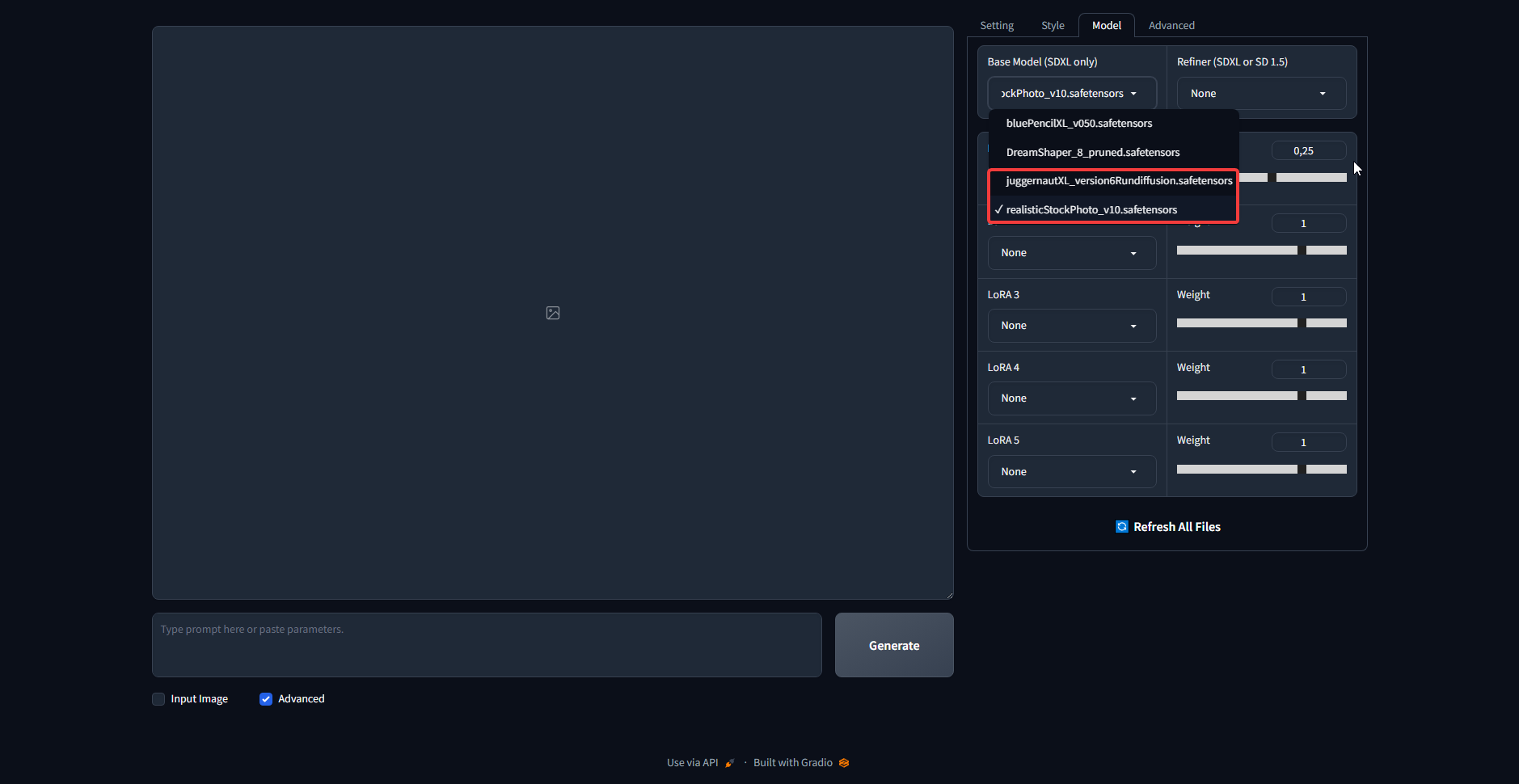
https://i.imgur.com/RTlB8zZ.png i mostly use these 2 which i believe are XL
 quiet raft
slow mist
from behind?
quiet raft
slow mist
from behind?
Yeah
slow mist
have you tried literally that as a prompt?
"from behind"
quiet raft
Well the character is facing the camera with the back..
But I want the character to not look at the camera
slow mist
so, you want front image, but you want your subject to look at some other direction?
quiet raft
I want view from behind and the subject to look away
slow mist
"from behind, looking away" should work in that case
be sure to use -1 as a seed, since some specific seeds just does not work with some prompts
analog sphinx
what prompt would i use if i wanna keep original image just change colors? im trying to change a hair color to match the rest but for some reason it keeps spawning a face lol\
 silver valley
analog sphinx
what prompt would i use if i wanna keep original image just change colors? im tr...
silver valley
analog sphinx
what prompt would i use if i wanna keep original image just change colors? im tr...
You would need to inpaint the hair
analog sphinx
silver valley
You would need to inpaint the hair
so just try to redo it as close as possible?
 spark wyvern
Hi!!! Does anyone know how to use ipadapter in comfyUI on AMD cards?
silver valley
analog sphinx
so just try to redo it as close as possible?
What tool are you using to generate images?
analog sphinx
i use SD with FooocusUI
quiet raft
Hey, I've got a image.. I'm kinda happy with the character and wanna add a background to it.

I got the image in IMG2IMG
Should I switch to sketch and sketch all around and enter the prompts?
analog sphinx
is there a way to when im done with making adjustments to let the AI run the picture once to blend everything together? it seems like some things look slightly out of place or the focus is off
 restive socket
come somebody help? I still couldn't get to make it work. ://
silver valley
can yous show an example?
did you followed the specific install guide on their github too?
restive socket
visual studio is installed with python and c++ and other features
i installed it perfectly and I see the extension
I see no enable face swapping option as well
 silver valley
restive socket
I see no enable face swapping option as well
silver valley
restive socket
I see no enable face swapping option as well
you dont need to, just load the image in there and then it should work
you can also try activate the gender detecttion
silver valley
what does the cmd shows ?
restive socket
I'll generate an image like that now
silver valley
when doing the generation
near tinsel
How would I create something similar to this?

 lavish cairn
Does anyone know how I can get this effect is SD,
 restive socket
lemme generate one and send the cmd to you
restive socket
restive socket
lemme generate one and send the cmd to you
hello, it worked when I decreased the CodeFormer weight to 0

 restive socket
but the face I uploaded has some freckles on her face, it swapped the face but it's like she has makeup on, her skin looks smooth, its like it only swapped the face shape.
 remote badger
This method worked well for me. Not perfect hands but pretty good results. This worked even for small hands.

This is my final product, been working on this one for a while.
 tall prism
Is there a way to specify the gender for the character it is supposed to generate? Since, i do specify that it should be a Boy and give it strength like this ({gender}: 1.5)
 slow cedar
I would love if someone could help me with setting up a prompt for a image that's in de dark, no lighting, maybe dim one but mostly an obscure ambience
I'm tryng to make abandoned bulding interiors and well, the AI is popping lights everywhere even if its on the negative prompt :(
slow mist
tall prism
Is there a way to specify the gender for the character it is supposed to generat...
(1boy:1.5) - for male
(1girl:1.5) - for female
but, try without weight first
like
1boy
1girl
you can also try to put undesired in negative
for example
1boy
np: girl
1girl
np: boy
you can also try 2girls or 2boys to get 2 of them
tall prism
so 1boy and 1girl are the keywords for it? Thank youu! will try.
And I don't think using them in the NEgative prompt will be good for me since sometimes, there will be another female character in the generation. I am not in control of the prompts as I made a system that generates the prompts and stuff. But I will surely try replacing boy and girl with 1boy and 1girl! t
slow mist
you can make a list of pairs like
if positive is boy, add grill to negative and vice versa
it is very easy to implement
tall prism
Will do that
slow mist
    prompt_pairs = {'1boy': 'girl', '1girl': 'boy'}
    negative_prompt = 'ugly, blurry, low quality'
    postive_prompt = '1girl, dark hair, blue eyes'
    for pp in prompt_pairs:
        if pp in postive_prompt:
            negative_prompt = f"{prompt_pairs[pp]}, {negative_prompt}"
    print(postive_prompt)
    print(negative_prompt)
something like this
silver valley
tall prism
Is there a way to specify the gender for the character it is supposed to generat...
Man, boy, male, woman, girl, female,
1girl and 1boy for Anime based models
slow mist
1girl and 1boy works fine with some realistic models
tall prism
I am using a Cartoon Model called "Children's Stories"
I use boy and it works 70-80% of the time. The remaining times, it generates a girl
 glacial stirrup
When ephasising certain parts / words in a prom, can I use multiple words like so (orange striped ball:1.5) and it will read the whole thing inside the ( ) or do I need to use it with single words only?
slow mist
glacial stirrup
When ephasising certain parts / words in a prom, can I use multiple words like s...
you can, exactly like that
glacial stirrup
perfect, thanks!
glacial stirrup
I'll experiment with it, cheers!
spark wyvern
Hey guys one question. Last night I tried installinbg faceswaplab but it threw out a bunch of errors saying that pip could not manage dependencies for the entire project and there were conflicts between the requirements for mediapipe and ultralytics and the requirements for faceswaplab
I am unsure of what to install then since I have a couple of characters of who I want to produce more images, like in different poses to create a story with them, should I install reactor then, or will this also comflict with other installations like controlnet?
 soft zenith
is it possible to upscale own Textures?
silver valley
soft zenith
is it possible to upscale own Textures?
Yes
That can be done with different Tools. You also dont need SD for that.
For example try the free and open source tools Upscayl or Chainner on Github
soft zenith
silver valley
That can be done with different Tools. You also dont need SD for that.
For examp...
oh, thanks
slow mist
lavish cairn
Does anyone know how I can get this effect is SD,
i would try "tempera paint"
but you can load that image in img2img and click on the interrogate clip button and let SD examine the picture for you and give you a approximation of a prompt
spark wyvern
So does anyone knolw a good way to create consistent faces, reactor? roop? inpainting?
silver valley
spark wyvern
So does anyone knolw a good way to create consistent faces, reactor? roop? inpai...
Reactor or IP-Adapter Face
spark wyvern
Heyy thank you, ill try reactor if it doesn't kill my install like faceswap did, also @silver valley Would you mind also helping me out with an erorr in #🤝|tech-support
 static hinge
How to get urban settings but not the subject standing in the middle of the street?
restive socket
guys I use ReActor to swap the face and its working well but it's like only swapping the face shape, the face I uploaded has a natural face with freckles, when its swapped its like she has makeup on, her skin is smooth
how can I make it more accurate
 hollow brook
guys what checkpoint or lora model should i use to get an rpg game lookibg character and if I like that character can i pose him? like t pose front view side view back view?
silver valley
restive socket
guys I use ReActor to swap the face and its working well but it's like only swap...
hey, Reactor uses codeformer for face restore that will remove all freckles. I tried it even with codeformer disabled and didnt get any freckles result.
i tried it now with Controlnet IP-Adapter Face Full, and that works
 restive socket
alright I'll try it with it now, thank you so much
hollow brook
can some tell me why do I not have open pose model on my control net models panel. and if I have to dowwnload it, which one is it on civitai?
silver valley
hollow brook
can some tell me why do I not have open pose model on my control net models pane...
STOP! THESE MODELS ARE NOT FOR PROMPTING/IMAGE GENERATION These are the new ControlNet 1.1 models required for the ControlNet extension , converted...
download it with its config file
hollow brook
silver valley
here:
https://civitai.com/models/38784?modelVersionId=44811
when i use controlnet, my generated images doent follow the skeleton on my controlnet image. is it because I dont use this model?
@silver valley and can you also tell me is it possible to t pose a character on side, front and back view at the same time? because i will use those images for texture projections
silver valley
hollow brook
when i use controlnet, my generated images doent follow the skeleton on my contr...
no, if you use a pose as input image, its already preprocessed, so you have to set the Preprocessor to "None"
silver valley
hollow brook
<@161910921269084160> and can you also tell me is it possible to t pose a chara...
and yes thats possible
hollow brook
silver valley
no, if you use a pose as input image, its already preprocessed, so you have to s...
that is already on none and also model is on none because i dont have any controlnet model, I just downloaded the one u told me
hollow brook
silver valley
and yes thats possible
how to do that?
and if I make character image without using controlnet, can i pose the character after ?
silver valley
hollow brook
that is already on none and also model is on none because i dont have any contro...
then you need to place the controlnet model + its .yaml file inside the models/controlnet folder
silver valley
hollow brook
and if I make character image without using controlnet, can i pose the character...
no
restive socket
silver valley
hey, Reactor uses codeformer for face restore that will remove all freckles. I t...
hello, you said IP Adapter Face Full, I picked the IP Adapter option but i dont see the face full option (im a noob im sorry)
 silver valley
restive socket
hello, you said IP Adapter Face Full, I picked the IP Adapter option but i dont ...
silver valley
restive socket
hello, you said IP Adapter Face Full, I picked the IP Adapter option but i dont ...
you also need the IP-Adapter models: (the .safetensor ones)
https://huggingface.co/h94/IP-Adapter/tree/main/models
restive socket
oh i gotta install them
alright thanks a lot
but what do these models do? and the preprocessor setting
hollow brook
@silver valley it gave me this error after using the model i downloaded
RuntimeError: mat1 and mat2 shapes cannot be multiplied (77x2048 and 768x320)
silver valley
hollow brook
<@161910921269084160> it gave me this error after using the model i downloaded
are you using sdxl as model?
the controlnet models i send you are for 1.5 based models
hollow brook
uhm im not SD expert but do you mean checkpoint models?
yes i have SD1.5
but i used juggernaut xl
when generating that image
silver valley
yea that wont work with 1.5 controlnet models, you would need the openpose xl model:
https://huggingface.co/lllyasviel/sd_control_collection/tree/main
download thibaud_xl_openpose_256lora.safetensors, at the bottom
hollow brook
oh man i dont know how to install things from hugging face .d this is confusing for me
ok lets tell me this
if i want to use anylora checkpoint model and select a lora Or just select a checkpoint other than default stable diffusion 1.5, you mean i cant use the controlnet model i just downloaded?
and if i want to pose character on on the models i mentioned what model should i download from civitai
because civitai downloading is the only thing i understand
silver valley
hollow brook
if i want to use anylora checkpoint model and select a lora Or just select a che...
no, the Controlnet models on civitai are for 1.5 based checkpoints (models)
juggernaut xl is not an 1.5 based checkpoint
its sdxl based
so you need to use an other model
hollow brook
so you mean we can only pose characters from default stable 1.5?
silver valley
hollow brook
so you mean we can only pose characters from default stable 1.5?
you can use anylora model
its 1.5 based
hollow brook
oh good
im gonan try it then ill let you know
and recommand me a good lora for character creating pls
silver valley
hollow brook
oh good
on civitai every model has this section here

where you can check
hollow brook
silver valley
on civitai every model has this section here
so thats what i should download for controlnet ok i get it
silver valley
hollow brook
so thats what i should download for controlnet ok i get it
for making poses, you need the openpose model
download it + the config file below

then put them into models/controlnet folder
hollow brook
silver valley
then put them into models/controlnet folder
i downloaded this model inside stable diff
the civit ai browser+ tab
silver valley
restive socket
but what do these models do? and the preprocessor setting
the models do different things, based on their training. like openpose is for changing poses of characters
hollow brook
hollow brook
i downloaded this model inside stable diff
the civit ai browser+ tab
isnt that automatically putting things in right place?
silver valley
hollow brook
isnt that automatically putting things in right place?
it should
but idk if you still need to download config file or it thats also downloaded
hollow brook
silver valley
but idk if you still need to download config file or it thats also downloaded
im gonna download a lora and try anylora with controlnet now
ill text back if there is any problem
silver valley
hollow brook
im gonna download a lora and try anylora with controlnet now
ill text back if th...
sure 🙂
hollow brook
man
i just downloaded a lora
but it doesnt appear on the lora panel
why would that be?
silver valley
did you resfrehed it?
hollow brook
yes
silver valley
change the checkpoint to anylora
hollow brook
already did
hollow brook
its not even in the lora folder
anyway
ill try another lora
Ahri League of Legends | 18+ Skins | Character LoRA Update 2: Now included "Winter Queen Ahri" Skin from Legends of Runeterra . Update 1: Now inclu...
it was this lora
man its impossible to find a model
everything is just anime girl
silver valley
hollow brook
man its impossible to find a model
what do you need?
any specific theme?
hollow brook
the theme i want is
to create dark fantasy characters
or just normal
like knight
assasin
silver valley
hollow brook
to create dark fantasy characters
maybe that model is good:
https://civitai.com/models/1116/rpg
Like my model? Support me on Patreon! User Guide here: RPG User Guide v4.3 Official Youtube User: @singularity-ai Official Discord User: Anashel Av...
hollow brook
silver valley
maybe that model is good:
https://civitai.com/models/1116/rpg
but this is checkpoint
can be used with controlnet?
silver valley
hollow brook
but this is checkpoint
can be used with controlnet?
yes every checkpoint/model can be used with controlnet
loras also work
hollow brook
oh good
silver valley
just make sure that they are all on the same base like 1.5
hollow brook
ok i will download that
@silver valley i might need help on another thing. where can i have a picture for controlnet front view t pose side view t pose and back view t pose?
btw is it possible to make back t pose on controlnet?
silver valley
hollow brook
btw is it possible to make back t pose on controlnet?
you need the openpose editor
extension
hollow brook
silver valley
you need the openpose editor
I already have it but it looks impossible to make it side view there
silver valley
hollow brook
<@161910921269084160> i might need help on another thing. where can i have a pi...

you can use that for a character style
with front, side and back view
hollow brook
it will work but is there a version where arms up?
silver valley
i dont have one
hollow brook
oh that could be great bcs im gonna model 3d characters and use SD for textures
anyway itll work too ty
@silver valley why do i get images looking this bad?
 silver valley
hollow brook
<@161910921269084160> why do i get images looking this bad?
silver valley
hollow brook
<@161910921269084160> why do i get images looking this bad?
because your resolution is 512x512
hollow brook
why do i not get realistic, good looking images
oh
makes sense
.d
@silver valley but this is what i get from 1080x1080 image
 silver valley
hollow brook
silver valley
hollow brook
The input image isn't a sqaure
So try 512x1024
Then set preprocessor to None
And model to openpose
hollow brook
controlnet11Models_tileE [e47b23a8]
this is the name of model
openpose doest appear
 hollow brook
silver valley
So try 512x1024
hollow brook
silver valley
So try 512x1024
xd bro whats wrong with my stable diff
silver valley
hollow brook
controlnet11Models_tileE [e47b23a8]
You downloaded the wrong model
hollow brook
really?
silver valley
Yes
hollow brook
u sent a link i downloaded that
silver valley
There are multiple on that one link
You have to select the right one at the top
Openpose
hollow brook
oh
ima check it now

İ guess u mean this by open pose and I already selected it
You can see on the top left @silver valley
silver valley
hollow brook
Check the models/controlnet folder
hollow brook
 silver valley
Big blue download button + the config file below
hollow brook
hollow brook
i know that .d i mean do i simply put those 2 files here?
silver valley
Then you may need to restart the webui to see them
silver valley
hollow brook
i also download config and put there right?
Yes
Best would be to do that for the other models too. Then you can use them all
Canny, sketch, depth, normal, lineart, mlsd are really good ones
hollow brook
i currently dont know how to use those didnt watch a guide video but will look up to that
now time to try it

this looking fine but front and back views are not straight sadly
is there a way you know to fix it? cuz i need straight views @silver valley
silver valley
hollow brook
is there a way you know to fix it? cuz i need straight views <@16191092126908416...
You can give the controlnet more weight
hollow brook
silver valley
You can give the controlnet more weight
set the weight to 2 the max i can
now waiting for result
still not fully straight
there are 2 options
my prompt is more important
and my controlnet is more important
i guess i go with controlnet

back view is great but front still not what i expected
and i dont need 2 side views bcuz im gonna mirror when modeling. is there a way to adjust controlnet pic to raise hands up? so i can also get texture of side of chest
silver valley
Nope because thats just an png
hollow brook
ill try it on posemyart
no man. when i raise arms, it always giving error anyway good night tysm.
silver valley
hollow brook
no man. when i raise arms, it always giving error anyway good night tysm.
No problem, you can also install openpose 3d editor or posex extension
hollow brook
I already made the pose but somehow arms just kinda exploding when raising up. Weird.
silver valley
hollow brook
I already made the pose but somehow arms just kinda exploding when raising up. W...
Strange
I can test tomorrow again
hollow brook
Itll be helpfull
I just need a way to generate a character which doednt have unvisible part and always turned straight to the camera so I can get the textures
If you find a way to do it pls let me know
restive socket
hello I swapped the face but the nose seems to look weird

the tip of the nose didnt really satisfy my expectations, and a few big moles seem to be too visible, its not even in that spot in my source face that I swapped with
which settings should I play around with here?

 tired vigil
Hey guys, I need a little help here, my controlnet isn't recognizing the pose. Does anybody know how to solve this ?
 tall prism
tired vigil
tall prism
tired vigil
I think you need to feed it an image, not a pose.
There is another option to feed a pose directly
I mean, you need to set Preprocessor to none and feed that Pose Image iirc.
tall prism
restive socket
which settings should I play around with here?
Just use inpainting to fix them no?
restive socket
Yeah makes sense lol
silver valley
restive socket
which settings should I play around with here?
You should play around with the Ending Controlnet Step
For example set it to 0.8
restive socket
Will do! Thanks
hollow brook
@silver valley hey man
I just tried posing a character on blender
with every pose i need and took normal map for conrolnet but it doesnt to whats in the controlnet picture
is it possible to get better result on reposer on comfyui?
silver valley
hollow brook
with every pose i need and took normal map for conrolnet but it doesnt to whats ...
Do you have the normal map controlnet model downloaded?
hollow brook
yes i do
silver valley
And its config?
hollow brook
I put 5 different poses but it generated only 3 and all wrong
hollow brook
silver valley
And its config?
yes
silver valley
Can you show a screenshot?

 silver valley
Controlnet is not enabled
silver valley
hollow brook
whats the fix <@161910921269084160>
What do you mean?
hollow brook
The image i generated is bigger than what it shows so its cropped on sides
so its a half image
 hoary jewel
how do I do regional prompting in swarmui?
 mossy owl
Hi guys, I'm trying to improve the quality of my images, but no matter what I do, it never looks like the images I see on civitai or elsewhere, could anyone point out what I'm doing wrong?
Now, I'm trying to replicate this image, but even using the same model and the same inputs, the quality of the image I generate is low


 silver valley
hollow brook
so its a half image
silver valley
hollow brook
so its a half image
Yea you would need to adjust the resolution that it matches. Or use a smaller input image
silver valley
mossy owl
Hi guys, I'm trying to improve the quality of my images, but no matter what I do...
Hey, your not using the same settings as the image creator.
There are hidden settings that you only get when clicking the "copy prompt" button on Civitai.
Then paste it into the positive prompt box and press the white/blue arrow on the right to auto apply all settings.
Next thing is your missing the right VAE file for color correction
To get the VAE dropdown go into Settings > User Interface > Quicksettings, and there add sd_vae
Then hit apply and restart.
mossy owl
Ok, thank you!!!
silver valley
mossy owl
Ok, thank you!!!
Then download the kl-f8-anime2 vae and put it into the models/VAE folder. Then select it In the dropdown
No problem 🙂
quiet raft
Hmm...
So I've got a image.. and I wanna try to do as close to that image as possible but with the model I am using and style ..
What controlnet type is the best for this and what settings?
 gray dawn
is there a prompt cheat sheet anywhere? just basic stuff
silver valley
quiet raft
So I've got a image.. and I wanna try to do as close to that image as possible b...
IP-Adapter
silver valley
gray dawn
is there a prompt cheat sheet anywhere? just basic stuff
for ngeative prompt to increase quality:
#📝|prompting-help message
gray dawn
silver valley
for ngeative prompt to increase quality:
https://discord.com/channels/1002292111...
Thanks!
prompts are vastly different than midjourney and dalle. trying to get a handle on it
quiet raft
silver valley
IP-Adapter
NVM
spark wyvern
Guys I need a little help on a issue sort of that I am having
I am using regional prompting as shown in the image,png file to generate a background and a character in the middle of the image BUT
The character is appearing to the side of the image, could that be an issue with the model since AW painting managed to produce the character centered?


 dull portal
Would any of this cause me to only get ONE person even with LoRA helpers meant to generate groups? RAW photo, award winning photo, (masterpiece:1.3), best quality, ultra detailed, intricate, detailed face, professional photography, professional lighting, HDR, High Dynamic Range, photo realistic, ultra realistic, photorealistic, 8k uhd
 sterile lark
Is it possible to input a photo into Stable Diffusion and then input a reference photo and have it color-grade the initial photo based on how the reference photo looks? If so, how is that done?
 tender flame
May current prompt is this: "Generate a visually compelling PowerPoint background that captures the geopolitical tension between the United States and the Soviet Union during the Cold War. Split the image into two distinct parts. On the left side, include images of key American leaders - Franklin D. Roosevelt, Harry S. Truman, and John F. Kennedy, positioned against a backdrop of the USA flag. On the right side, feature an image of Joseph Stalin, the leader of the Soviet Union, set against the USSR flag.
Specifications:
Composition:
    Left side: Arrange the images of Roosevelt, Truman, and Kennedy in a way that they face towards the right side.
    Right side: Position Stalin's image facing towards the left side.
    Ensure a clear and noticeable separation between the two sides.

Flags:
    Display the USA flag as the background for the left side.
    Display the USSR flag as the background for the right side.
    Make sure the flags are prominent and recognizable.

Style:
    Maintain a visually balanced and symmetrical composition.
    Enhance the contrast between the two sides to emphasize the ideological opposition." but it doesn't work right. can i have some help ?
Is it possible to have different Interrogate Clip models so that you can change between what kind of outputs you get from an image?
silver valley
quiet raft
Is it possible to have different **Interrogate Clip** models so that you can cha...
Yes, there is an extension that includes multiple clip models
quiet raft
silver valley
Yes, there is an extension that includes multiple clip models
Well, I feel like it's kinda weird. Was more thinking if I could add some something so that I can use the one in Img2Img
silver valley
quiet raft
Well, I feel like it's kinda weird. Was more thinking if I could add some someth...
Nope, the on in img2img can't be changed easily. Maybe with coding
quiet raft
Ah okay
silver valley
quiet raft
Ah okay
Here is the extension;
https://github.com/pharmapsychotic/clip-interrogator-ext
GitHub
Stable Diffusion WebUI extension for CLIP Interrogator - GitHub - pharmapsychotic/clip-interrogator-ext: Stable Diffusion WebUI extension for CLIP Interrogator
quiet raft
I got that one, but it keep messing up the prompt
adding in instagram model, names etc 😄
 marble gulch
I want to make a guardian angel with a sword anime style
 summer moon
Hey ! I wanted to know if that's possible to have a character sitting on the lap of the viewer/camera holder, bit like a father & son moment ?
So far i've never been able to
 wooden ore
Hi, I am new in the world of stable diffusion and I am looking for advice. I would like from a video recreate the face of the person but on fire. And I can’t do it on deforum. Have you some advice:)
quiet raft
I need help in Img2Img .. I am trying to fix some hands in the image 2 image tab and the images are 1024x1536 .. I use the inpaint and mark the area and take like 10 images so that I can get a variaty.. But it takes like 4 min for 2 images or 4 ? Dunnob ut atm.. I am doing 10 and it takes 30+ min ..
How can I speed it up ?
quiet raft
This is the image I am trying to edit


WHy does it do this?

Or is due to denoising str 0.9 ?
analog sphinx
why is it so hard to let the person in the picture NOT look at the camera
no matter what prompt i use they keep looking at me
silver valley
quiet raft
set the inpaint are to "only masked" then set the resolution to 512x512, it will be much faster, and lower the denois to 0.5 or below
sterile lark
Is it possible to input a photo into Stable Diffusion and then input a reference photo and have it color-grade the initial photo based on how the reference photo looks? If so, how is that done? Possibly with ControlNet?
silver valley
sterile lark
Is it possible to input a photo into Stable Diffusion and then input a reference...
yes thats possible with t2i-style-adapter for controlnet:
https://www.youtube.com/watch?v=PbDdtPTYm_4

Recently a brand new ControlNet model called T2I-Adapter style was released by TencentARC for Stable Diffusion. That model allows you to easily transfer the style of a base image to another one inside ControlNet! So in this video I will show you how to download and install that new model and how to use it inside Stable Diffusion! So let's go!
...
quiet raft
I am trying to change the colour of some pants from Blue to pink
I have outlined the area with inpaint and use the prompt "Pink shorts"
But it will barely do any changes to it :/
I am trying to look at a video that explains this but for him everything changes.. Like in the area that he tells
silver valley
quiet raft
I am trying to look at a video that explains this but for him everything changes...
which video?
quiet raft
silver valley
which video?
Been looking at 3 different videos
Currently watching a video by Sebastian Kamph
silver valley
ah okay
quiet raft
I wanna learn it more as it seems to great and I am not good with photoshop or tablet painting etc.
So if I can get good at it to be able to do commision and make sure the hands get better etc 🙂
sterile lark
silver valley
yes thats possible with t2i-style-adapter for controlnet:
https://www.youtube.co...
Thanks
quiet raft
This is what I have painted in ...

My settings

And NOTHING is changed on the face??!
silver valley
quiet raft
whats the resolution
quiet raft
512x512
It does some "small" change here and there.. Like, not any good changes and small "patches" .. But nothing on the face changes.
Okay, it seems like SD-Upscaler did something
I turned it off and not it worked
silver valley
quiet raft
Okay, it seems like SD-Upscaler did something
yea you need to disable upscalers for inpainting
silver valley
quiet raft
What prompt can I use to delete stuff?
inpaint cant delete stuff, it will always change something based on what is already there
 wary sentinel
hi guys! I am trying to use my trained lora to gerenate my dog. I used online trainer (colaboratory, 22 pictures of him, 2000 steps something). I think the lora works and it captures the details of my pug. HOWEVER, the prompt I made could not make him to be different texture or style.
I used revAnimate to train my lora and this is the same checkpoint for these two. The prompt is the same.
First:
((Elegant)), ((Exquisite)), ((4K)), ((Vibrant)), ((Stunning)), ((Astounding)), animal, Teeth, Apex Predator, Shark, Watercolor creation, Aquarelle painting, Wash painting, Dynamic blur, Blurry motion, Speed blur, Extreme reach, Super telephoto lens, Distant subjects
Negative prompt: (worst quality:1.2), (low quality:1.2), (lowres:1.1), (monochrome:1.1), (greyscale), multiple views, comic, sketch, (((bad anatomy))), (((deformed))), (((disfigured))), watermark, multiple_views, mutation hands, mutation fingers, extra fingers, missing fingers, watermark
Steps: 20, Sampler: DPM++ 2M Karras, CFG scale: 7, Seed: 3797611897, Size: 512x512, Model hash: 4199bcdd14, Model: revAnimated_v122EOL, Version: v1.7.0
Second:
((Elegant)), ((Exquisite)), ((4K)), ((Vibrant)), ((Stunning)), ((Astounding)), animal, pug lora:Laklak_Lora:0.2, Watercolor creation, Aquarelle painting, Wash painting, Dynamic blur, Blurry motion, Speed blur, Extreme reach, Super telephoto lens, Distant subjects


i did realize that I can lower the weight to make my pug less photo-ish, but I already lower it to 0.2 and it still looks so real (it is good in some sense but not good for this prompt)
quiet raft
Anyone here who knows how to take 1 image and make it into pixels? 😄
gray dawn
anyone have luck using prompt generators? So far it seems like they make things worse for me. not sure sure if wrong ones or if im using improprely...i would guess the latter is true
 proven jasper
what is a prompt generator
quiet raft
gray dawn
anyone have luck using prompt generators? So far it seems like they make things...
What is the issue?
gray dawn
 proven jasper
gray dawn
proven jasper
gray dawn
better to just type your prompt,that word salad of a prompt looks like a mess, less words = better
gray dawn
i just want a prompt that will work that first prompt yields this result:

it endes up with a dude sitting with a laptop.
quiet raft
Use the prompter instead
Go to Img2Img and put in a image and press the Interrogate Clip
The Prompt Generator is useless
gray dawn
proven jasper
better to just type your prompt,that word salad of a prompt looks like a mess, l...
thats what im asking, it doesnt seem to be worthwhile so before i abandon i was getting confirmation on whether it was garbage or if i was using it improperly
proven jasper
yea its not good
gray dawn
so i can take a similar image from google images for example, go to txt 2 img and interrogate and it will build a prompt?
 gray dawn
yep sorry just noticed that typo.. ok ill try that thnak you
wow it actually handles webp files
im not seeing interrogate clip is that an extension i need to add?
found it
this process is not fast right? maybe 1-2 minutes in so far
quiet raft
If you have not used it before, it will probably download it first time
gray dawn
oh ok cool.
this has been one of the most challenging things ive tackled. I self taught myself HTML/css coding back in like 2003, solidworks, all graphics editors, after effects video editing, python scirpting, but all that is like this is the correct way to do it, there is a definiteive language, a definitiive process...this is a totally different can of worms there are endless ways to do things, and so many different processes it has me totally flummexed...i mean heal i binged a 16 hour course on solidworks and was quite proficient..i bet im 30+ into this and i feel like i havent even got the basics down
ok so i have went to a prompt website, prompt hero and reviewed some images that were lit and had the detail i want to achieve and i kept the prompt simple utilizing their positive and negatives and it yields nothing remotely close. is this a settings issue or am i missing something
 silver valley
gray dawn
ok so i have went to a prompt website, prompt hero and reviewed some images that...
silver valley
gray dawn
ok so i have went to a prompt website, prompt hero and reviewed some images that...
Hey, sdxl models are trained on 1024x1024 resolution. So dont use them with 512x512
gray dawn
oh really how has none of the 74 damn tutorials ive seen mention this LOL
i sent you a dm also, just a thought, didnt want to share it public though
 copper ginkgo
can someone tell me how i can use openpose controllnet with xyz plot to make pultipled poses?
 eager jolt
hi, help pelase with wildcards, when i put this for example, it only takes 1 entry of the list and repeats over and over. why?
https://media.discordapp.net/attachments/1031106064776712226/1196111677142347846/image.png?ex=65b670ce&is=65a3fbce&hm=1405ae3ed58d7e3bff177c2059f6d833a443d02268619b921992e1a98898d140&=&format=webp&quality=lossless
it only takes this one
https://media.discordapp.net/attachments/1031106064776712226/1196111857883304017/image.png?ex=65b670f9&is=65a3fbf9&hm=8b5af74d2a5773ce9ad95740b57c8ddab62126aba41a332959e5e852fe4047ea&=&format=webp&quality=lossless

 hollow brook
@slow mist my lifesaver I need help on something
 mild gorge
hey guys any idea why she's not "shocked"? any idea how to make her have a shocked expression on her face?
 slow mist
mild gorge
hey guys any idea why she's not "shocked"? any idea how to make her have a shock...
slow mist
hollow brook
<@916007004823257198> my lifesaver I need help on something
slow mist
mild gorge
hey guys any idea why she's not "shocked"? any idea how to make her have a shock...
slow mist
hollow brook
<@916007004823257198> my lifesaver I need help on something
go ahead
mild gorge
slow mist
https://civitai.com/search/models?sortBy=models_v5&query=facial%20expression
ta...
Thank you!
 rocky ingot
When wording a prompt by separating desired elements with commas, do the order of the elements matter, and if so in what way? Say I have a prompt for spaceship, 3d render, star would switching the order around affect the results in a meaningful way?
hollow brook
slow mist
go ahead
I need to pose a character on every angles. Like side, back, front view. And also I need the unseen parts on those angles like bottom of the arms, bottom of foot. So I can project that texture to my 3d characters and make easy retro style character. But controlnet is not doing all those poses at once. And if I do more the one generaion, then charracter is not being consistent. I need help on this what should I do?
slow mist
SDXL or 1.5?
https://civitai.com/models/140117/latent-layer-cameras <- this one is good, but unfortunately, it is for 1.5 only 😦
First, please take the time to watch the video, you wont regret it. This is a very large project and these cameras have many capabilities and speci...
 serene fractal
rocky ingot
When wording a prompt by separating desired elements with commas, do the order o...
serene fractal
rocky ingot
When wording a prompt by separating desired elements with commas, do the order o...
Yes, spaceship, 3d render, star is creating a different vector the model uses, even if you used the same seed with 3d render, spaceship, star. As it is a statistical model though, the term "meaningful" is always a little open to discussion. It can cause large changes, or only very minuscule ones, depending on the seed and checkpoint you use.
hollow brook
slow mist
SDXL or 1.5?
the setup said 1.5 + sdxl
hollow brook
slow mist
https://civitai.com/models/140117/latent-layer-cameras <- this one is good, but ...
im checking it out now
slow mist
hollow brook
the setup said 1.5 + sdxl
what model do you use?
if you use 1.5 based model it would work in most cases
even if model mostly work with it, some specific seeds might not work
hollow brook
slow mist
if you use 1.5 based model it would work in most cases
has to be 1.5
im launching sd now
@slow mist oh thats a checkpoint download and u know bout my inernet .d I will do it later. Saved the model. thx again.
slow mist
hollow brook
<@916007004823257198> oh thats a checkpoint download and u know bout my inernet ...
that is not a model, that is hypernetwork

it goes to this folder
hollow brook
slow mist
that is not a model, that is hypernetwork
yeah just noticed but Itll take some time and I gotta do something now
slow mist
 slow mist

 hollow brook
ok thx ill put it here
hollow brook
slow mist
or ask if it is ok when you do it
ok
slow mist
and see the video from start to the end
it will explain how to use it
__np__ and similar things in negative are negative prompts, if you wanter what those are
hollow brook
Ill look up to that thx again
 stark shard
What is the equivalent of styles.csv from a1111 in comfyui?
slow mist
stark shard
What is the equivalent of styles.csv from a1111 in comfyui?
that thing can be useful if you extract the values and do not use them like a "click-click-click" engine. If you add a bunch of them with clicks, it can be really messy, so I stopped using it. imagine you want something "realistic anime using a non-anime model, with at least 3 different negatives," and you end up with 7-10 styles selected and your prompt will be full of junk
yes you can specify where the prompt goes, like this:
Style: Anime,"anime artwork {prompt} . anime style, key visual, vibrant, studio anime, highly detailed"
but that is not enough for me
for example, if i want to add
Style: Realistic Anime i need to be sure which one i clicked first and which one i clicked second to get what i want, since there is no way to reference another style like prompt
slow mist
stark shard
What is the equivalent of styles.csv from a1111 in comfyui?
but i guess you want this https://github.com/theUpsider/ComfyUI-Styles_CSV_Loader

GitHub
This extension allows users to load styles from a CSV file, primarily for migration purposes from the [automatic1111 Stable Diffusion web UI](https://github.com/AUTOMATIC1111/stable-diffusion-webui...
stark shard
Can you give me example workflow/guide with styles? I've seen nodes with it but didn't know how to use them
I get your point and i agree but im looking for solution that takes a burden of writing extensive style keywords each time
slow mist
i guess you need to connect this one with prompt
slow mist
stark shard
I get your point and i agree but im looking for solution that takes a burden of ...
i am using a little "dirty" solution, with empowers the dynamic prompt extension
stark shard
Which one? I tried gpt prompt expansion but it is heavily biased towards digital art
slow mist
this is just something i am testing right now
so, when i need my default netative, i just add
__vkg/np/default__
__vkg/np/default__, __vkg/np/nsfw, __vkg/np/n75__
i guess you understand the point
it is similar to what you are using, but with much more control
stark shard
Where do i put this ;d
slow mist
Medium
I’m going to cover how I set up my random prompt generator in ComfyUI, and then I’m going to discuss how I screwed something up + the fix.
i guess you can add as many wildcard files as you want as in a1111
but i haven't try
and this is the dirty part i was talking about
__vkg/xl/w__0.8>
will became
<lora:SDXLrender_v2.0:0.8>
Thank you so much, it's what i was looking for tbh
quiet raft
What prompts can I use to avoid sleeves?

I have added without sleeves
In negative I added, Sleeves, gloves and long sleeves.
gray dawn
i am trying to achieve some images like these
70's style vintage photo of young skater mid-action, performing a Frontside Air trick within a large skate bowl that is actually an empty swimming pool in the backyard of a southern california home. The skater is dressed in a short-sleeved black t shirt, shorts, and tall athletic socks. A few other skaters should be seen observing from the pool's edge, all under a bright and sunny sky, old photo of object, 70s, scratches, vintage, colorized photo, grain photo, faded colors, muted colors, Kodachrome
worst quality, normal quality, low quality, low res, blurry, text, watermark, logo, banner, extra digits, cropped, jpeg artifacts, signature, username, error, sketch ,duplicate, ugly, monochrome, horror, geometry, mutation, disgusting, bad anatomy, bad hands, three hands, three legs, bad arms, missing legs, missing arms, poorly drawn face, bad face, fused face, cloned face, worst face, three crus, extra crus, fused crus, worst feet, three feet, fused feet, fused thigh, three thigh, fused thigh, extra thigh, worst thigh, missing fingers, extra fingers, ugly fingers, long fingers, horn, extra eyes, huge eyes, 2girl, amputation, disconnected limbs, cartoon, cg, 3d, unreal, animate
i am getting nothing remotely close


this is what this is producing

 frozen sonnet
gray dawn
i am trying to achieve some images like these
70's style vintage photo of young...
frozen sonnet
gray dawn
i am trying to achieve some images like these
70's style vintage photo of young...

Dreaming for @nova holly... /dream prompt:\\\" a yong monkey angry face talking with a white rabbit , both are talking with each other in the jungle\"/ style:Photographic width:1344 height:768 aspect:16:9 seed:3489038418
tired vigil
is (worst quality, low quality, extra digits:1.4) basically each tag within the parenthesis with a 1.4x multiplier? or is the multiplier only affecting the extra digits tag?

 silver valley
quiet raft
silver valley
quiet raft
seems like you used facerestore
quiet raft
silver valley
seems like you used facerestore
I don't even got that as an option?

Forget about the full settings
The images above
Was with Hires OFF and Sampling 45 steps
Other than that, it's the same stuff..
silver valley
facerestore can be hiddenly activatet when you loaded in another image with png info
silver valley
quiet raft
Or How can I turn it off?
its in the settings under facerestore
silver valley
quiet raft
I need to install it then..
your sure?
 silver valley
in auto1111 its called Face Restoration inside the Settingsd menu
quiet raft
Yeah I just looked, but I can't turn it off?
silver valley
thats how it should look like when its off
 quiet raft
So GFPGAN = off?
quiet raft
I can't check it off? I can only choose Codeformer or GFPGAN
ASGasgfA
OHH
Dafuq
I've had it on all the time :/
But I don't know if this will be better or not :/
What is your opinion?
silver valley
quiet raft
What is your opinion?
face restore makes every non realistic faces bad and deformed
so keep it off
when you want good realistic faces,upscaling will do it better
or use the Extras tab, there you can use Facerestore
 silver valley
quiet raft
In extra tab it's the GFPGAN or CodeFormer then? 🙂
silver valley
quiet raft
In extra tab it's the GFPGAN or CodeFormer then? 🙂
for realistic images codeformer
quiet raft
silver valley
for realistic images codeformer
Cool 🙂 Thanks, I've learned something new 😄
I rarely do any realistic models 🙂
silver valley
quiet raft
Cool 🙂 Thanks, I've learned something new 😄
np, then your in no need to use any face restoration
for animated stuff use hires fix or sd upscale script
or inpainting
silver valley
quiet raft
I found inpainting this saturday 🙂
yea its really nice, face inpainting is done in seconds
 stark shard
Some kinda of modern minimalistic hotel hallway somewhere (dont have any idea where it could be)
 simple finch
Ok cool, I'll try that
mild gorge
hey any idea why her face is looking like that? 😭 im using juggernaut with this prompt
and 35 steps and 1024x1024

 restive socket
guys how do these AI influencers have consistent bodies? like the body shape and details are exactly the same in every picture.
 elfin star
AI influencers?
restive socket
ai instagram models
restive socket
Do I need to train a lora for it
stark shard
Quick question - started using comfyui and i wanted to latent upscale image before running it through ultimateSD, but it comes out really... messed, what can i tune to get better results? Same model and prompts as base gen //edit denoising is the way xD


 next linden
Questions for those familiar with training models/ photorealism....
I’m working on a project of taking a single reference image, turning it to a 3d model and making a LORA out of it. The reason I’m going this long route is to have a fully photorealistic consistent character able to express convincing emotion and look consistent at all angles.
I need help coming up with specifics to convey to a 3d modeler on what images I need so that they can be used for LORA training.
Aside from needing an idea of basics such as specifications on facial expressions, angles of face, lighting scenarios, resolution/aspect ratio...
I’m unsure how “realistic” the 3d model for training needs to look. My current workflow idea is:
- Get the output looking like the image below (no skin textures, only the head, should I include hair? ) with a focus on only facial expressions and capturing different angles
- Import that LORA into stable diffusion to apply skin/photorealism to the model
3)Train a new LORA on the photorealistic outputs of stable diffusion.
 slow mist
Can someone give me a link to any FULL 1.5 non-pruned model (more than 6GB) on Civitai or Hugging Face? i need it to test something
stark shard
What CFG scale should I set in ultimateSDUpscaler in comfyui so my images won't come out like that?
 slow mist
i would lower denoise
stark shard
slow mist
i would lower denoise
was 0.4, too much?
slow mist
it should be fine
 runic jackal
does anyone know how to get good looking text?

 prime ingot
silver valley
stark shard
What CFG scale should I set in ultimateSDUpscaler in comfyui so my images won't ...
prime ingot
silver valley
stark shard
What CFG scale should I set in ultimateSDUpscaler in comfyui so my images won't ...
Lower the denois to 0.3 or lower
stark shard
I'm trying something like this: dreamshaper turbo -> generates base -> latent upscale x2 -> dreamshaperXL with LCM lora and LCM sampler and it tbh breaks image, am i trying something stupid/something i shouldn't do or is it a problem of parameters of samplers?
workflow
 silver valley
stark shard
I'm trying something like this: dreamshaper turbo -> generates base -> latent up...
silver valley
stark shard
I'm trying something like this: dreamshaper turbo -> generates base -> latent up...
I think you dont need the LCM sampler if you already use the lora
stark shard
I though you need both so it works as intended o.O
silver valley
stark shard
I though you need both so it works as intended o.O
Nope
You could also use a LCM merged model. With that you won't need a lora or the sampler
stark shard
Doesn't look like sampler
 silver valley
Is that with the LCM Lora?
stark shard
Yep
silver valley
stark shard
Yep
Try set LCM lora strength to 0.5
stark shard
Will do, now trying base model without lcm, maybe it doesn't like images from turbo for some reason
Okay, base model works, ill try now lcm strengh
Not bad! It was lora strenght, kinda wondering what to do about smoothing everything but thats for tommorow (today later)

 silver valley
stark shard
Not bad! It was lora strenght, kinda wondering what to do about smoothing everyt...
silver valley
stark shard
Not bad! It was lora strenght, kinda wondering what to do about smoothing everyt...
Upscaling would be the last step then maybe
stark shard
silver valley
Upscaling would be the last step then maybe
what model would you recommend?
stark shard
Okay, will see how long it takes. Btw can I use lcm with USDupscaler or shouldn't? I have 1060 6gb so upscaling 4 times from 512 takes a long time for me ;d
silver valley
stark shard
Okay, will see how long it takes. Btw can I use lcm with USDupscaler or shouldn'...
You could try upscale by 2 first if 4 takes to long
stark shard
silver valley
You could try upscale by 2 first if 4 takes to long
512 -> latent x2 -> ultimate x2 - so 4x ;d
silver valley
I didn't tested LCM lora with upscaling
stark shard
silver valley
Upscaling would be the last step then maybe
hmmm, denoising 3.5, steps 20 euler cfg6, ultrasharp4x
 dull portal
Guys, am I wasting my time with some of my prompting/settings? I like my output on the end, but a lot of the details in the background changed, not that the first Kermit looked great though. LOL, 2x 'Upscale Latent By' on the second KSampler. I was trying Highres Fix script alone with the first KSampler before...but I don't know, it seemed to have stopped working and lagging my system to hell, but I'm just on CPU mode. Highres gens with just 1x KSampler was taking maybe 20 minutes total, now I'm like 1 or 1-1/2 hours without it, but I was getting the same boxes Holowed was getti...wait, was it the LCM that was causing it?

 steady spire


 upper flame
stark shard
silver valley
You could try upscale by 2 first if 4 takes to long
upper flame
stark shard
silver valley
You could try upscale by 2 first if 4 takes to long
Getting back to it. I managed to get nice results with latent upscale from dreamshaperXL model with dpmpp_sde, but ultimate still breaks the image


 silver valley
stark shard
Getting back to it. I managed to get nice results with latent upscale from dream...
silver valley
stark shard
Getting back to it. I managed to get nice results with latent upscale from dream...
You need to lower the denois
To like 0.2
restive socket
guys which lora should I use to have more specific backgrounds? like if I want the background to be a snowy neighborhood in canada or something
stark shard
silver valley
To like 0.2
better, but not there yet , 0.1? sounds like nothing will change
 silver valley
stark shard
better, but not there yet , 0.1? sounds like nothing will change
silver valley
stark shard
better, but not there yet , 0.1? sounds like nothing will change
you can try 0.15
stark shard
silver valley
you can try 0.15
 stark shard
thought that maybe prompt is a problem but nope
Hmm, i've found node ClipTextEncodeSDXLRefiner maybe the problem is that I use normal ClipTextEncode?
stark shard
silver valley
you can try 0.15
okay! I got the problem, had tile size 512, increased to 1024 and its better, i dont like hair but will tune that
 silver valley
stark shard
okay! I got the problem, had tile size 512, increased to 1024 and its better, i ...
silver valley
stark shard
okay! I got the problem, had tile size 512, increased to 1024 and its better, i ...
ah true, your using sdxl, therefore tile size needs to be higher than 512
stark shard
silver valley
ah true, your using sdxl, therefore tile size needs to be higher than 512
is there any formula how to calc it, base img has 512x768 and up to x4 or just 1024x1024 tiles are ok
silver valley
stark shard
is there any formula how to calc it, base img has 512x768 and up to x4 or just 1...
using ultimate upscale script is for tiling, so its based on the model you use. sdxl models are trained on 1024x1024 and 1.5 models on 512x512
so use these resolutions as tile size, or use 768, that should work for both
stark shard
Okay, but i shouldn't take notice of aspect of resolutions of images to upscale?
silver valley
stark shard
Okay, but i shouldn't take notice of aspect of resolutions of images to upscale?
not, the tile size should be a square
the input image resolution doesnt matter
 prisma grail
Is there a way to batch prompts? I want to make multiple images of different prompts without needing to wait for the first one to get finished?
silver valley
prisma grail
Is there a way to batch prompts? I want to make multiple images of different pro...
only with that extension:
https://github.com/ArtVentureX/sd-webui-agent-scheduler
stark shard
@silver valley do you know if i can somehow in comfyui make variable in file path for save image? Ex. comfyui/{gen_seed}/...
 vital charm
Hi People,
How would i go about making this creature look to the front and maintain the same style and consistency? I tried using control net but as soon as i enable that everything gets slow and tends to crash Open pose doesn't really work for me. How would you go about this task?
I wanted a front, side and back view.
One i dea i had is to only img to img and get some base pose ragdoll and let it dream on that.
https://gyazo.com/9c83d101a2929b3ebc4889e408493b16
 silver valley
stark shard
<@161910921269084160> do you know if i can somehow in comfyui make variable in f...
silver valley
stark shard
<@161910921269084160> do you know if i can somehow in comfyui make variable in f...
Oh I dont know
mild gorge
hey guys any idea why the girl's body is not fully visible? i tried lots of things and it just doesnt want to show her full body
 hollow brook
@slow mist downloaded the hypernetwork you said on civitai tab on webui. What is it and how to use?
silver valley
mild gorge
hey guys any idea why the girl's body is not fully visible? i tried lots of thin...
try prompt for her shoes
mild gorge
wdym? i wrote "red shoes" and it didnt work
silver valley
mild gorge
wdym? i wrote "red shoes" and it didnt work
hm do you use txt2img or img2img?
try add:
full body
or cowboyshot
 kindred blaze


Hi all, I've been making some simplistic cute style robo-characters on a phone app and trying to replicate a similar look with Stable Diffusion, any suggestions of LoRA's or Models please?
mild gorge
silver valley
hm do you use txt2img or img2img?
faceswap so img2img i guess?
this is my current workflow
 slow mist
hollow brook
<@916007004823257198> downloaded the hypernetwork you said on civitai tab on we...
slow mist
hollow brook
<@916007004823257198> downloaded the hypernetwork you said on civitai tab on we...
if you meant https://civitai.com/models/140117/latent-layer-cameras
then watch the video and see how to use it https://youtu.be/JB-BmFUdT7o
you can try to use it with the model made by the same author https://civitai.com/models/113034?modelVersionId=122075
it probably works the best with this model, but it works with other models too
First, please take the time to watch the video, you wont regret it. This is a very large project and these cameras have many capabilities and speci...
Huggingface. https://huggingface.co/doctorderp/prometheus.safetensors/resolve/main/prometheus.zip
Civitai link. https://civitai.com/models/113034?modelVersionId=122075
Please note the Hypernetworks work with all models...that are based on the 1.5 architecture... sorry if I misled in the video. Sorry no 2.0 or 2.1 support.
Don't forget to en...
First, please take the time to watch the video, you wont regret it. I am proud to introduce to you an innovative workflow solution for all of your ...
hollow brook
slow mist
if you meant https://civitai.com/models/140117/latent-layer-cameras
then watch t...
Ill watch it thank you
stark shard
mild gorge
hey guys any idea why the girl's body is not fully visible? i tried lots of thin...
It also helps setting aspect ratio so picture has more height than width, symetrical don't usually work for me, ex sd1.5 512x768 works great for full bodies
mild gorge
oh okay nice idea!
stark shard
mild gorge
oh okay nice idea!
and put full body at the beginnig, so it starts from body and later gets to detailes, otherwise it can break depending on the model i would try yours prompt in a form like
full body picture of a standing beautiful girl, cyan hair posing, green eyes, holding an umbrella in a rain, wearing black pants, red shoes
worked for me
 mild gorge
ohh smart i will try that!
do you have any idea to have more realistic faces? im using realism engine and its rally not realistic

got that with foooocus
 stark shard
Oh boi, not sure, not an expert, fooocus has XL model, that's one thing, other is that propably has good negative prompt and styles settings
mild gorge
oh okay xD thanks for the advice
stark shard
you can check in fooocus logs how the final prompt looks like, so u can take keywords that styles implement and use them
another thing, check if fooocus didn't use a refiner on that image
mild gorge
oh didnt know that!
stark shard
mild gorge
oh didnt know that!
Are you using sd1.5 or xl version of RealismEngine?
stark shard
Key, will download and try to get something like you want
mild gorge
 mild gorge
stark shard
Key, will download and try to get something like you want
mild gorge
stark shard
Key, will download and try to get something like you want
well if you have a good model that generates realistic faces i would use that
i just tried realism engine because i heard its good for realism
stark shard
Not rly, im playing around more with digit art
stark shard
First thing - change sampler to dpmpp_sde karras
Thats what author of the model used and propably works best
You can try lower cfg
mild gorge
okay
stark shard
Not too sure about ipadapter in comfy as i didnt use it yet, but maybe a little noise would help?
mild gorge
i wil ltry with that and show you the results
what would you use if you had to face swap? and have consistent results
stark shard
Didn't play with that yet but I heard many mentions of reactor or sth like that
mild gorge
yeah i also tried that
the results were bad
i mean its a lot faster or something
i think ip adapter is more advanced
stark shard
https://www.youtube.com/@OlivioSarikas this guy makes really good tutorials and there is IPAdapter one, maybe check it out and this one https://openart.ai/workflows/academy
mild gorge
okay i ll look into it
restive socket
which promts should I use to change the camera angle?
tall prism
Hey, I have doubt. I want to train a LoRA model using Kohya SS. I am using Spongebob Comics as the training images. So, I need to caption the images. Any idea on how to approach this?
stark shard
restive socket
which promts should I use to change the camera angle?

In this post, we will show you my findings when trying to generate images with some dynamic camera angles.
restive socket
Thank you 🤝
also I have another question if you dont mind, do I need a lora to generate this suit? if yes, which one can I use?
 silver valley
restive socket
also I have another question if you dont mind, do I need a lora to generate this...
silver valley
restive socket
also I have another question if you dont mind, do I need a lora to generate this...
i would prompt for
woman, in office, wearing black suit, open suit, white blouse, cleavage, standing infront of window, skyline background,
restive socket
alright thanks a lot
I already inspected it in automatic111 but the results were not accurate at all thank you ill try them now
is there another extension that I can use which does inspecting more accurately?
silver valley
restive socket
is there another extension that I can use which does inspecting more accurately?
there is this extension, that features multiple clip models:
https://github.com/pharmapsychotic/clip-interrogator-ext
restive socket
thank you so much!!1
quiet raft
Hey, I got a question about the X/Y/ plot thing..
If I wanna test a image with different Sampling Steps
Is this right?

I can't find Sampling in the list
stark shard
quiet raft
I can't find Sampling in the list
I think in a1111 it was simply steps, will check that in a sec
Yeah, it's just "steps"
quiet raft
stark shard
Yeah, it's just "steps"
Alright, thanks 😄
slow mist
silver valley
there is this extension, that features multiple clip models:
https://github.com/...
what is the difference between this and the default one?
silver valley
slow mist
what is the difference between this and the default one?
the default one has only 2 models while the extension features numerous
 agile ferry
I'm wanting to use historical clothing prompts, is there a particular checkpoint for getting good historical clothing?
agile ferry
silver valley
there is this extension, that features multiple clip models:
https://github.com/...
I'm trying the suggestion given here to interrogate based on pics I want, hopefully I can figure out something that way about finding good historical clothing ideas.
agile ferry
There are so many very large models to choose from, advice on how and which to pick?
silver valley
agile ferry
There are so many very large models to choose from, advice on how and which to p...
not the biggest ones, as they use gpu vram
could freeze or oom
idk if --use-cpu interrogate would help with that extension, but that command can be used for img2img clip interrogate or extras
agile ferry
ViT-L-14/openai was one I randomly picked and it worked once, failed 2nd time
I'll try that, I'm not in a rush when doing that sort of thing
stark shard
Any good guide on outpainting in comfyui?
 mystic anvil
I had this idea that i wanna see an ai create but so far none have been able to actually understand what im asking. Can i have some help creating a good prompt for this? Heres my idea. I think something that would be so creepy would be to have this realistic gorgeous looking game but if you strayed too far or lingered in one area for far too long or some other random arbitrary condition youd see this one npc with that ps1 era style blocky body and flat texture face. And they dont do anything creepy. They just exist in a totally different style than the rest and that alone is unsettling.
agile ferry
mystic anvil
I had this idea that i wanna see an ai create but so far none have been able to ...
Since you're wanting time to pass, consider comic book style frames showing progression of time? I don't think you can get across what you want in a single image, but who knows.
mystic anvil
Did you mean to reply to me?
Im moreso wanting a photo of like a scene from a realistic game. Think spiderman ps5, with npcs in the background but just one of them is low poly. Just standing there. Out of place
agile ferry
mystic anvil
Im moreso wanting a photo of like a scene from a realistic game. Think spiderman...
Yeah, you mentioned straying or staying too long. These require passage of time. But if you just want a photo of that, I would try in-painting rather than a single prompt. Get yourself a good base image, mask off the character you want to make low poly, then replace it as you like with a new prompt including low res, low poly, pixel art details.
agile ferry
hehe, good luck on your vision
 keen panther
I have a canny image that I want to use in automatic1111. However, the only option avalible is for automatic1111 to generate a canny for me. How can I use my own canny image instead of generating a new one?
silver valley
keen panther
I have a canny image that I want to use in automatic1111. However, the only opti...
For that you need the controlnet extension and the controlnet models like canny.
Here is a quick guide:
#🏞|general-with-images message
restive socket
which prompt should I use to add a little bit of snow on top of the head?
 hollow brook
guys all of a sudden my stable diffusion is not launching
why could it be
I have the installer. should I click it to download missing files or anything like that
ok fixed it
restive socket
I am generating a woman in a suit, I used the "wearing black suit" prompt but its INSISTING on generating a white suit... can somebody help?
stark shard
restive socket
I am generating a woman in a suit, I used the "wearing black suit" prompt but it...
Do you have white color in your prompt somewhere else? Maybe it's bleeding
hollow brook
Downloaded a lora but doest appear on lora section
restive socket
yeah i put black suit while blouse
hollow brook
how to fix?
restive socket
hollow brook
Downloaded a lora but doest appear on lora section
did u refresh it
hollow brook
yes
restive socket
oh idk then
hollow brook
FIRST UPLOAD, SO IF YOU USE THIS LORA, PLEASE POST YOUR GENERATIONS! I'D LIKE TO SEE WHERE IT COULD BE BETTER! 🙏 ⚠️ SORRY FOR LARGE FILE SIZE - WILL...
this one
maybe it says base model sdxl 1.0
is that the problem?
restive socket
what version are u using
1.5?
i think it could be the problem but im not sure since im a beginner
restive socket
it could be the problem since its not compatible but wait until someone competents answer
hollow brook
Yeah
stark shard
restive socket
yeah i put black suit while blouse
so yeah, its bleeding, try reversing the order, but it propably will make blouse black then, inpainting propably would be the fastest way
restive socket
Alright
stark shard
How do I outpaint correctly to get lower part of body of this character?
 slow mist
restive socket
which prompt should I use to add a little bit of snow on top of the head?
slow mist
restive socket
which prompt should I use to add a little bit of snow on top of the head?
would you believe me if i said:
"a little bit of snow on top of her head"
restive socket
Lmao
quiet raft
What would you say is the best Lora's to use to alter the characters? 🙂
dull portal
How do you stop too many fingers and toes? I've got it in my negative. 😛 Well, I just switched it from 'too many fingers' to '(too many fingers:1.2)'
stark shard
dull portal
How do you stop too many fingers and toes? I've got it in my negative. 😛 Well...
control net or inpaint i think
keen panther
I wanted to change the artstyle of a character I made. The character is drawn in lineart with with colours filled in an a separate layer so the colours can be removed and adjusted. The artstyle I want to change the lineart to is to a Chinese inkwash painting. However, the Automatic1111 kept distorting the design of the character as their appearance is unique despite modifying the prompt several times. I tried Stable Diffusion XL Base 1.0, Stable Diffusion v1-5, with no avail. Do you know how I help in this?
To give the details, the face of the character is a blend between human and animal like the Na'vi from Avatar. Models for anthropermorphic animals tries distorts the character to look more animal like while Stable Diffusion models distorts the character to look like a human hobo.
I had also tried using canny controlnet to maintain the details but it does not help with the distortion.
 orchid scaffold
Whats the best way to sub out the background of an image but keep the subject? some sort of controlnet?
restive socket
guys I have a problem, when I use the "suitOL-AIX" Lora for female suits, its working well, when I use IP-Adapter for face swap its also working well. but when I use them together, its giving me a mixed blurry glitched picture. why is this happening?
silver valley
keen panther
I wanted to change the artstyle of a character I made. The character is drawn in...
I think Controlnet IP-Adapter can help maybe
prisma grail
What's a good tag for "zoomed out", zoomed out is not a keyword
 abstract terrace
prisma grail
What's a good tag for "zoomed out", zoomed out is not a keyword
abstract terrace
prisma grail
What's a good tag for "zoomed out", zoomed out is not a keyword
I'd like to see that as well
What is a good way to prompt to keep the subject in the center and not off the side?
 wind valve
abstract terrace
What is a good way to prompt to keep the subject in the center and not off the s...
wind valve
abstract terrace
What is a good way to prompt to keep the subject in the center and not off the s...
describe like "a big city with a girl in the middle" then describe de girl
wind valve
prisma grail
What's a good tag for "zoomed out", zoomed out is not a keyword
a distant view of a girl in a city
i guess
prisma grail
distant view?
wind valve
a distant vision of
restive socket
why am I getting a result like this when I use IP-Adapter for face swap??

without ip adapter everything is fine
can somebody help


 silver valley
restive socket
why am I getting a result like this when I use IP-Adapter for face swap??
silver valley
restive socket
why am I getting a result like this when I use IP-Adapter for face swap??
Can you show your settings?
restive socket
silver valley
Can you show your settings?
hey sorry for the trouble, I set denoising strength in my img2img tab to 0. and it fixed. 😆
but I have another question tho, how can I switch both faces and the hairstyle with IP-Adapter? its changing the face only

result:

how can I swap the hair along with the face?
silver valley
restive socket
how can I swap the hair along with the face?
Therefore you need to use the IP-Adapter that hasn't the Face included as second Controlnet unit
restive socket
okay so I just added another controlnet unit
 hollow plank
i want it to do a blank, more modern mannequin, but it keeps doing that "old-ish" mannequin style

modern feminine mannequin, light blue dress, white fur trims, body shot, photograph, 4K
changing it to "blank feminine..." or "white feminine..." doesn't seem to change much
i want mannequins like this, not that lol

(that's from wikipedia, not a prompt)
gonna try "mall mannequin"
k, still did a face. gonna try adding "faceless" to the prompt as well

the fact that it's actually white and not Caucasian white is good tho, closer
not sure why it put headless mannequins in the same shot either 🤪
now it's just removed the damn head, i said "faceless" not "headless" lmfao
silver valley
hollow plank
now it's just removed the damn head, i said "faceless" not "headless" lmfao
xD you can also try different comunity models. these are better trained as the 1.5 base model
hollow plank
are there ones that are better for photo shots like this?
silver valley
i used Dreamshaper v8 for this:
https://civitai.com/models/4384/dreamshaper
 silver valley
on civitai.com you find models for many stuff, art, photorealistic, etc
its the biggest model database
hollow plank
i'll also probably shop around there as well, see what else ppl have made. it's crazy to me the fact that we can achieve local ai image generation (mine takes 1-2 min per image, but I also don't have a hyper-expensive GPU)
silver valley
hollow plank
i'll also probably shop around there as well, see what else ppl have made. it's ...
yea its awesome ^^, whats your gpu btw?
hollow plank
Radeon RX 6600 XT, got it a little over a year ago during black friday sales (bought it new, not used)
silver valley
hollow plank
Radeon RX 6600 XT, got it a little over a year ago during black friday sales (bo...
ah okay, then i would recommend staying with 1.5 based models
hollow plank
ah, sdxl was working fine for me LOL
will remain with 1.5 community models tho, don't wanna fry my gpu 😛
silver valley
hollow plank
will remain with 1.5 community models tho, don't wanna fry my gpu 😛
haha yea 😄 1.5 is also a lot faster
hollow plank
using "full shot" with dreamshaper helped a ton, still no head but my main focus was the dress anyway (testing its ability to synthesize clothing)
 silver valley
hollow plank
using "full shot" with dreamshaper helped a ton, still no head but my main focus...
silver valley
hollow plank
using "full shot" with dreamshaper helped a ton, still no head but my main focus...
ah okay, looks good 🙂
hollow plank
how does one go about "fixing" faces?
in-painting only seems to make the face look worse...
i like almost all of this image, save for her face.

from a glance the face looks fine
but looking closer...
found that face fixing option in settings, is there a way to run it on an existing image?
stark shard
Inpaint but select to inpaint only masked area (Inpaint area -> only masked) then it inpaints it in higher resolution
 hollow plank
should I change the prompt to just describe the face or no?
stark shard
Yeah https://stable-diffusion-art.com/inpainting_basics/ i recommend this if it's new tool for you
hollow plank
will look at that, thanks
stark shard
There is also adetailer to help with faces and hands/bodies during generation but i heard its not recommended for SDXL not sure why tho
hollow plank
ah, that wasn't an sdxl image
that was another model I found on civitai
using 1.5 as a filter
is inpainting more computationally expensive than generating?
keep getting "out of vram"
not sure why you deleted your message, but I'll try the SD inpainting model
sd inpainting model also immediately runs out of vram
 coarse briar
hello, beginner here, how i can tell StableDiffusion (for now i use bot on this discord) to change only one part of generated image in last prompt, for example: change hair color, or add item in hands
Or meybe SD is not tool about that?
hollow plank
is there a good way to get more "average" looking people in SD's generations? i really like this one but he's a bit too handsome, would rather him be more average lol

(i didn't have any person in mind with this, just had an idea for a cool-looking guy lol)
funny how some of the "in-betweens" that I see as it outpaints slowly are more average-looking than the original picture lmfao
wind valve
hollow plank
is there a good way to get more "average" looking people in SD's generations? i ...
more ugly, put (ugly guy:0.6), mean 60% force
hollow plank
wind valve
more ugly, put (ugly guy:0.6), mean 60% force
putting things like "perfect" and "model" in the negative prompt also helped
restive socket
silver valley
Therefore you need to use the IP-Adapter that hasn't the Face included as second...
Hey sorry can you explain it again like ur explaining it to an idiot please
First controlnet unit: I uploaded the face, IP-Adapter, "ip-adapter_clip_sd15" preprocessor and "ip-adapter-full-face_sd15" model
What should the second IP-Adapter controlnet unit be?
 scarlet latch

anyone know what model that this image used? I tried a few but still looks not realistic
silver valley
restive socket
What should the second IP-Adapter controlnet unit be?
IP-Adapter-plus_sd15
restive socket
Alright 🙏
stark shard
Im trying to inpaint an eye color in sdxl model but im getting some mutants, is there different model for inpainting for sdxl same as in 1.5 some models had standalone inpaint models?
 silver valley
stark shard
Im trying to inpaint an eye color in sdxl model but im getting some mutants, is ...
silver valley
stark shard
Im trying to inpaint an eye color in sdxl model but im getting some mutants, is ...
Set the inpaint resolution to 768x768 or 1024x1024 for sdxl
And no there is no base sdxl inpainting model
stark shard
silver valley
And no there is no base sdxl inpainting model
I read that it's fairly easy to merge inpaint model - would you recommend it? (Trying with different resolutions as you mentioned atm)
silver valley
stark shard
I read that it's fairly easy to merge inpaint model - would you recommend it? (T...
Yes for 1.5 its easy. It could work the same for sdxl ones but I didn't tried it yet
gray dawn
what term is used for a straight on perspective. trying to generate some graphics and it keeps putting them at an angled perspective.
hollow plank
gray dawn
what term is used for a straight on perspective. trying to generate some graphi...
Usually I add in "head on photograph" for generating headshots from that kind of perspective and it works well
gray dawn
im creating icons, like button icons, wonder if that command would work...ill give it a whirl
stark shard
Why does inpainting in fooocus dont work
 silver valley
stark shard
Why does inpainting in fooocus dont work
silver valley
stark shard
Why does inpainting in fooocus dont work
whats your GPU?
stark shard
silver valley
whats your GPU?
1060 6gb, but i changed inpaint to modify content here and it worked
 silver valley
stark shard
1060 6gb, but i changed inpaint to modify content here and it worked
silver valley
stark shard
1060 6gb, but i changed inpaint to modify content here and it worked
ah okay
stark shard
Still not sure why inpaint didn't work
keen panther
Hey guys,
I have made the front view of a character that I want to generate a model sheet of. What is the best and easiest way to generate a character turnaround
of said character?
I did try CharTurner and inpainting, though Automatic1111 seems to ignore the original character and make its own design.
static hinge
keen panther
Hey guys,
I have made the front view of a character that I want to generate a mo...
Haven't tried that specifically, but I would go with ip-adapterfaceid. Insightface is pretty powerful and will stick your character face on some way. Plus openpose or some other control method for the poses.
Also you can try with ip-adapter for the general style, and ip-adapter face and face plus vith
keen panther
static hinge
Haven't tried that specifically, but I would go with ip-adapterfaceid. Insightfa...
My concern for using the IP you suggested is that the character is non human in a sence having elements that I am not sure a face transfer can achieve (i.e. horns, rabbit ears). In addition, the art generators really like to change the artstyle I envisioned.
I will give it a go anyways to see if it works. Thankyou for the suggestion.
static hinge
keen panther
My concern for using the IP you suggested is that the character is non human in ...
oh yes in that case ip-adapterfaceid probably won't work as it won't detect the face. Maybe ip-adapterface will try to work something (ip-adapterfaceid just don't work if it doesn't detect the face). Or just general ip-adapter may help with adding the details of the character.
keen panther
Would that work for rotating a character?
Upon searching using IP-adaptors for rotation, I stumbled upon this:
https://www.reddit.com/r/StableDiffusion/comments/18wy1ww/my_stablezero123animatediffipadapter_rotation/
Which lead to discovering about Stablezero123
https://www.youtube.com/watch?v=kIGTqyND21g
It looks very promising
Reddit
Explore this post and more from the StableDiffusion community

2D Image Rotation. The NEW stable-zero123 Model from Stability AI allows you to rotate 2D images in 360 space. This Video Explains how it works. Shows the best Settings for stable-zero123. And a ComfyUI Workflow for the new stable-zero123 model.
Matt30 https://www.youtube.com/@latentvision
Links from my Video
My Workflow: https://ope...
static hinge
keen panther
Would that work for rotating a character?
It will try to replicate the reference, so it will kind of help but might need tweaking and several tries, and when you have some kind of base you can translate it to inpainting
static hinge
keen panther
Upon searching using IP-adaptors for rotation, I stumbled upon this:
https://www...
well great, hope it works
quiet raft
Any way to get better tongues? 😄
 spark wyvern
Hello! Does anyone know a good prompting guide?
dull portal
I wasn't expecting magic but this, from 'male, Finn the human with (long blonde hair:1.2), (standing upon a mountain peak:1.2), above the clouds, holding onto skull flag on a post' LOL, that is an ocean, and maybe a USA flag, it's mostly a test though, I want to see how bad the upscale is gonna add scars and stuff. :/
 dull portal
Not as much as I thought, but I don't know what setting is causing the scars, Maybe it's obvious to one of you guys?


 static hinge
is there some magic setting for making Outpainting mk2 Script to actually generate somethings like goes seamless with the rest of the picture?
oh nvm, so like I'm experiencing, just need to try until something make sense

And just barely, so I can then inpaint
quiet raft
Hey, what prompts that I use to get green toppings in the hair.. This image that is where I have added like
(green topps:1.2) and (black hair with green toppings:1.3) .. How could I enter it differently?
 agile ferry
quiet raft
Hey, what prompts that I use to get green toppings in the hair.. This image that...
agile ferry
quiet raft
Hey, what prompts that I use to get green toppings in the hair.. This image that...
it's "tops" rather than "topps" but why not "green highlights in her hair" or such? I think "toppings" would be more like something spread over the top so I'm not sure about that either. Consider "green streaks in her hair" also
So here's a tip for whomever needs to hear this. I kept fighting my prompt with "upper body shot", full body shot, and I kept getting portraits until I changed ratios or such like that. Finally I found adding "nice hips" to the prompt consistently includes hip level in pictures generated. I may have found this later than everyone else, still... Hope this is useful!
quiet raft
agile ferry
it's "tops" rather than "topps" but why not "green highlights in her hair" or su...
Well, it seems like the ai don't want to do it at the bottom :/
Something like this
 agile ferry
quiet raft
Well, it seems like the ai don't want to do it at the bottom :/
agile ferry
quiet raft
Well, it seems like the ai don't want to do it at the bottom :/
even with green streaks and highlights both?
agile ferry
quiet raft
Well, it seems like the ai don't want to do it at the bottom :/
Oh, you meant "tips" not "tops"
quiet raft
If I google black hair with black topps I see those images so I tought I was correct 😄
agile ferry
quiet raft
If I google black hair with black topps I see those images so I tought I was cor...
Yah, try tips
agile ferry
quiet raft
If I google black hair with black topps I see those images so I tought I was cor...
Also try "green hair with black roots"
quiet raft
Should it not be black hair with green roots? @agile ferry
agile ferry
Roots are the base of the hair, I thought you wanted tips. Anyway, experiment! I gave you prompt ideas. One should work. lol
agile ferry
quiet raft
I will try some and see how the turn out 🙂
General advice on prompting, too. If you don't know the correct terms, such as hairdressing in this case, google hairdresser terms. Like I wanted braided hair once, so on google I found dutch braids, fish braids, ring braids, french braids, cornrows and other names from a web page to get exactly what I was wanting in my image generation.
orchid scaffold
any tips on how to inpaint and close a characters open mouth?
orchid scaffold
scarlet latch
it might not be sd
 zealous field
Hi, I'm new to stable diffusion. this is a prompt I wrote, what would've you done different to make the prompt more effective? Any keywords, format etc.
a grey haired, beautiful, smiling, innocent sorceress doing magic, wearing silver jewlerry, princess crown+, black dress, digital art, fantasy art, light academia, highly detailed, movie style lightning, shadows
static hinge
Hey hi, I'm looking for help with regional prompter (or multidiffusion?) to get two different characters with different set of Loras, but usually just get a mess or one single character that takes the two regions.
Is it OpenPose a must? I feel kind of lazy of posing the characters but...
Latent takes too much and doesn't necessarily delivers a better result
static hinge
It seems I get two characters more easily without it, but they share prompt and lora, and when not even asking for two characters in landscape 16:9
static hinge
yes with something in the prompt that may indicate other person, it does double generation, and it seems more difficult to have a double generation with the extension 😵💫 as it tends to create one single character that has all the characteristic in each region
I actually had to check if the extension was on as I keep getting double generations, but it seems it doesnt (I though it got stuck or something), just double generating from 16:9 (it seems it is more biased to double generation)
silver valley
static hinge
Hey hi, I'm looking for help with regional prompter (or multidiffusion?) to get ...
You should use Multidiffusion with prompt control setting
restive socket
guys I have a noobie question about Loras, how do I use loras with no trigger words? I downloaded this one lora for female suits, it doesnt have a trigger word. Do I just add the lora and not specify the clothing of my character? or do I add the lora then I add things like, full black suit, white blouse, etc. ?
silver valley
restive socket
guys I have a noobie question about Loras, how do I use loras with no trigger wo...
both can work
some loras dont need a trigger word
but promting a bit to help the lora is good too
silver valley
yes
silver valley
with that you define the strenght of it
restive socket
yeah but what confused me was its just clothing
silver valley
some loras are "overtrained" means that the effect of the loras on :1 is too strong and resulst in bad quality images
then you can reduce the strenght
restive socket
okay ill just play around with it then
its an sd 1.5 lora, I'm using juggernaut XL, it won't work right
silver valley
restive socket
its an sd 1.5 lora, I'm using juggernaut XL, it won't work right
that wont work yes
restive socket
thanks a lot
silver valley
no problem 🙂
static hinge
silver valley
You should use Multidiffusion with prompt control setting
I'll try that in next session I'm into it, thanks! Regional prompter seems pretty frustrating tbh
If you want specific character and poses, I have experimented with it for composition and loose ideas, and it kinds of works sometimes, but not for specific things it seems
silver valley
static hinge
I'll try that in next session I'm into it, thanks! Regional prompter seems prett...
I dont mean regional prompter extension.
I mean multidiffusion as it has a in build in regional prompter tool
Much easier to understand than the regional prompter extension
static hinge
silver valley
I dont mean regional prompter extension.
I mean multidiffusion as it has a in bu...
yes I was talking about what I was trying, haven't tried multidiffusion
static hinge
silver valley
Much easier to understand than the regional prompter extension
I tried to understanding it but it seems not matter what it just doesn't work in many generations or prompts/Lora bleed into other sections like nothing, or it doesn't understand you asked for two characters
like I said it is pretty funny that I get more double generations without it, it is like it is more useful to get a single subject or thing with certain characteristic in certain regions, than different characters
silver valley
static hinge
I tried to understanding it but it seems not matter what it just doesn't work in...
yea for me it was pretty confusing ant not intuitive to wor kwith
silver valley
static hinge
yes I was talking about what I was trying, haven't tried multidiffusion
give it a shot, its exactly what you want to do
seperated characters with different loras for each for example
static hinge
silver valley
give it a shot, its exactly what you want to do
I'll try it, ty. And relieved that at least "it wasn't me", the reason it wasn't damn working
 rich crescent
i want genrate texture image for 3d image
any prompt idea ?
restive socket
guys I put "clear background" in my positive prompts and I put "(((blur))), (((blurry background))), bokeh, depth of field" in my negative prompts and I STILL get a blurry background, what can I do? (cfg scale 8)
agile ferry
zealous field
Hi, I'm new to stable diffusion. this is a prompt I wrote, what would've you don...
Experiment with the commas, try putting fewer with each idea. Make sure of your spelling, it might not understand jewlerry vs jewelry, try 'cinematic' if you are going for movie lighting, and if you want more weight on the crown, use (crown:1.3) instead of crown+. Just my thoughts. So I'd try "a grey haired beautiful smiling innocent sorceress doing magic, wearing black dress with (crown:1.3) and silvery jewelry, fantasy art, digital art, light academia, highly detailed, cinematic, shadows" but experiment.
agile ferry
restive socket
guys I put "clear background" in my positive prompts and I put "(((blur))), (((b...
Try describing the background? I'm not sure what 'clear' would do, but consider white or black if you want nothing in the background, but I put "sharp focus" in the prompt as well. Seems to work for me.
I use baddream, unrealisticdream from civitai as negative prompts as well.
restive socket
agile ferry
I use baddream, unrealisticdream from civitai as negative prompts as well.
I want to use those but I'm using SDXL, would it still work?
agile ferry
restive socket
I want to use those but I'm using SDXL, would it still work?
Yeah, I always use SDXL
restive socket
okay I'll use those as well and will try the things you mentioned, thank you
agile ferry
Good luck
zealous field
agile ferry
Experiment with the commas, try putting fewer with each idea. Make sure of your ...
this was a very helpful feedback thanks! Though nearly every prompt I saw on civitai was in a "booru" tag format. (1girl, long hair, flowers) etc.
agile ferry
zealous field
this was a very helpful feedback thanks! Though nearly every prompt I saw on civ...
It's all experimenting. Honestly, with the right model and right negative prompts, you can sometimes trust the most simple prompts. I'm doing this one now "art by H.P. Lovecraft,priest,sfw," and I'm getting good results.
agile ferry
zealous field
this was a very helpful feedback thanks! Though nearly every prompt I saw on civ...
Oh, and try going through https://stablediffusion.fr/gallery/artists-page05 for the right artist. That will fix so many issues if you find the style you want.

Stable Diffusion
List of artists supported by Stable Diffusion. Artists style studies with up to 4 samples generated with Stable Diffusion for each artists.
I've been building a huge number of images going through styles and saving what I like
zealous field
thanks again, you're a life saver
agile ferry
zealous field
thanks again, you're a life saver
Let me show you precisely what I'm doing actually... art by H.P. Lovecraft
,priest,sfw,
Negative prompt: nsfw,baddream, unrealisticdream, closeup,
Steps: 8, Sampler: DPM++ SDE Karras, CFG scale: 1.5, Seed: 3876852312, Size: 832x1024, Model hash: b62ddba1a6, Model: turbovisionxlSuperFastXLBasedOnNew_tvxlV431Bakedvae, Version: 1.7.0

For a friend's Call of Cthulhu game
restive socket
agile ferry
Yeah, I always use SDXL
it says that baddream and unrealistic dream is for sd 1.5, and they do not appear in my Textual Inversion tab, could it be because I'm using SDXL? if so, how are you using it? I'm confused lol
agile ferry
restive socket
it says that baddream and unrealistic dream is for sd 1.5, and they do not appea...
Well, it's just a negative prompt so I add it to the negative prompt and I think it helps, that picture I sent is good and I get consistent good results regardless of model.
It isn't a lora to add to the positive prompt or anything like that, so I dunno.
restive socket
but it doesnt appear for some reason tho ill see thank uu
zealous field
agile ferry
Let me show you precisely what I'm doing actually... art by H.P. Lovecraft
,prie...
I'm always impressed by good hands
agile ferry
zealous field
I'm always impressed by good hands
Yeah, and you see the prompt I used. That wasn't cherry picked, I ran a random prompt for you with that setup.
But you dl the textual inversion, put it into your embeddings directory, use the keywords in your negative prompt, step 3, profit.
zealous field
step 3 profit?
zealous field
agile ferry
But you dl the textual inversion, put it into your embeddings directory, use the...
Oh you mean like earning money from it?
agile ferry
zealous field
Oh you mean like earning money from it?
That was a South Park reference
Look for underpants gnomes if you're like very curious. Should be easy to find
zealous field
agile ferry
Look for underpants gnomes if you're like very curious. Should be easy to find
oh ok lol I found it
restive socket
I would like to generate a gaming room with a gaming chair and relevant equipments like headset etc. for my AI girl, and I'm on SDXL. I couldn't find a lora for that at all, there is only one and thats 1.5 only. is there any way I can do that?
zealous field
restive socket
I would like to generate a gaming room with a gaming chair and relevant equipmen...
you don't necessarily need a LorA for that, a detailed prompt and a good base model would do the job for you
restive socket
I use juggernaut XL
zealous field
LorA's are of course handy, but in my experience they're better to use for specific poses, characters, body parts, textures etc.
zealous field
restive socket
I use juggernaut XL
You are using a highly realistic base model, maybe try Anime Art Diffusion XL
This is surely just my guess, I'm no expert as you know
restive socket
yeah but im trying to generate hyperrealistic images lol
thank u for the help tho lol ur appreciated
zealous field
restive socket
I would like to generate a gaming room with a gaming chair and relevant equipmen...
my bad, I read "AI Girl" as "Anime Girl" therefore I thought you were going anime style
restive socket
lol no worries XD
 sullen gazelle
Is there a way to prompt using descriptive prose? I'm a writer so it'd be great if I could just copy and paste my description of a landscape or character rather than having to "reverse engineer" it into a or tailor it into a prompt for SD to better understand
 undone bronze
Hello, I'm trying to make the background blurry, but I can't do it more than a little, my intention is to make it moderately blurry, I already eliminated words similar to "blurred" from the negative prompt, but I still don't get the result I want, what? could do? thank you
 timber rivet
not a wiz but ive gotten things like "focal length 20" to work, sorta
 crystal echo
sullen gazelle
Is there a way to prompt using descriptive prose? I'm a writer so it'd be great...
crystal echo
sullen gazelle
Is there a way to prompt using descriptive prose? I'm a writer so it'd be great...
Using control.net the way to go for that
crystal echo
undone bronze
Hello, I'm trying to make the background blurry, but I can't do it more than a l...
Add "Bokeh " or even better, a " a portrait photograph shot by a professional photographer with a DSLR camera with a 55 mm lens, Bokeh effect"
sullen gazelle
crystal echo
Using control.net the way to go for that
It's been almost a whole year since I've used SD, are you talking about controlnet? I thought that's used for posing / reference images
crystal echo
are you taliking about png info or the interrogate clip?
 grand moon
Descriptive prose works as a prompt, more or less. I'd suggest trying it and seeing if you like the results.
sullen gazelle
crystal echo
are you taliking about png info or the interrogate clip?
Uhh I have no idea what you're talking about - I'm trying to gen an image from my description that I wrote in my short story
 quaint sun
How do I no messed up limbs
dull portal
quaint sun
How do I no messed up limbs
I hear ControlNet and Inpainting, I've figured out neither of them. 😄
 scenic flume
hello, i have been trying to train a lora (dragonborn from baldur's gate 3) but the face is always distorted, i heard it has something to do with overtraining? could someone help me
 iron blaze
what prompts should i use for reflection images like this

i tried many different prompts, but all i get is character half submerged in water.
restive socket
how can I remove that glitched cloth on the wrist?
 restive socket
Can somebody help?
agile ferry
restive socket
how can I remove that glitched cloth on the wrist?
inpainting
restive socket
yeah but I couldnt figure out how exactly
i painted the area and used many different prompts
agile ferry
You'll have to watch youtube videos. Inpainting is a whole skill set you need to develop
restive socket
okay will do
agile ferry
You have to consider masking, blur, latent noise, fill, original, weights and denoise if not more
restive socket
alright
I thought painting that area and setting prompts as "empty wrist" or something would be enough
agile ferry
I'd mask only, set a low denoise maybe .5 or so, inpaint mask, 20 blur and see
with a prompt of "a wrist"
restive socket
alright will try now, thanks a lot
agile ferry
Now I have a question. How do I get a pic of a woman about 40 pounds overweight? All I can get is either athletic or very much overweight.
Everything is either around 100 pounds or 250
agile ferry
Curvy, yeah. Might help. Rubenesque would be too much. I tried thick and got the 250 result
slightly overweight is 250. 😛
agile ferry
That hit at around 190 pounds, so getting there. Ah maybe weights. (curvy:.4)
agile ferry
curvy gave me the 250. I looked at the preview. 😛
Checking that
nope, gave the 250
(chubby:0.1) asian girl, full body,masterpiece,sfw,(Bauhaus Art:1.3)
Negative prompt: nsfw, baddream, unrealisticdream, closeup,watermark,signature,watermark,signature

That does not seem like 0.1 chubby to me
'average' looks like under a buck soaking wet
silver valley
agile ferry
Now I have a question. How do I get a pic of a woman about 40 pounds overweight?...
maybe with:
obeese
silver valley
oh ok
restive socket
lmao
you think would using a different base model work?
or maybe there could be a lora out there that lets you adjust the weight
agile ferry
restive socket
you think would using a different base model work?
I think this is going to be my best bet
Or a lora
agile ferry
restive socket
good luck
How did the inpainting go?
Or... I could find an artist with slightly heavy women
Like Reubens
Even michelangelo
restive socket
sounds reasonable
inpainting didnt make a difference at all
i think ill watch a few videos and get detailed knowledge about it
undone bronze
crystal echo
Add "Bokeh " or even better, a " a portrait photograph shot by a professional p...
thank you very much, I will try with the prompt you say
scenic flume
scenic flume
hello, i have been trying to train a lora (dragonborn from baldur's gate 3) but ...
can anyone help?
 true star
Someone has any tips for better results? these kinda suck

 restive socket
hey does anyone know how I can change the face expression while keeping the same person? I put my character on img2img and I set "shy face" as a prompt, its doing well but the result is a different person.. I couldn't figure it out
zealous field
restive socket
hey does anyone know how I can change the face expression while keeping the same...
I believe the best way is to use "unified canvas" to mask the face and generate it like that.
restive socket
is it usable in A1111?
silver valley
restive socket
hey does anyone know how I can change the face expression while keeping the same...
Use controlnet reference_only or IP-Adapter for that