#📝|prompting-help
1 messages · Page 22 of 1
 delicate arch
Try a more clear picture too
 sour ether
so maybe have to play around
i see the background in the youtube video barely changes also
of the potrait
delicate arch
@sour ether You heard of ranbooru extension?
sour ether
nope
delicate arch
Ah, nvm then
 silver valley
In the settings
delicate arch
silver valley
In the settings
It's Restore Faces right?
 open cipher
I will look into that one, thanks 😄
sour ether
oh it gives tags for the model
delicate arch
 sour ether
thanks
delicate arch
Still comes out blurry
sour ether
yo anime waifu
sour ether
your anime waifu pretty good resolution
delicate arch
How many sampling steps is too many?
From far away, but when I open it, the eyes are not sharp detail enough
sour ether
yo it got an extra finger
silver valley
Don't use 1.5 EMA pruned. Try Dreamshaper v8 for example.
Then use a lower denois
sour ether
6 finger waifu
delicate arch
Lmao, I just noticed that
silver valley
delicate arch
How many sampling steps is too many?
Over 50
delicate arch
Fingers and hands always come out wrong
silver valley
30 is mostly enough
delicate arch
I even got a safetenor called Perfect Hands to use in inpaint, but the results are very mixed
sour ether
i mostly do simple prompts anyway to make it somewhat realistic or yolo with one word
delicate arch
I load up more negative prompts than positive
sour ether
ah makes sense
delicate arch

Yet the hands still come out horrid
I literally have ((poorly drawn hands:1.8)) typed in negative prompt
sour ether
lol
delicate arch
Or I get images like this
 sour ether
lol
delicate arch
It's like rolling a dice, I will get amazing stuff and then 10 more generations they're bad
sour ether
did you check the lora works for the model
sometimes the lora is only for a certain model
delicate arch
Uhh, no clue tbh
I'm using these two together:
This is a tool that I train to change the style and eye colors of my generated characters. I use the Photoshop tool since inpainting gives most of ...
NOTICE : LET ME KNOW before you put this model on commercial usage . My twitter account: @eagelaxis :) Contact me if needed. Discord Account: Eagel...
sour ether
it says 1.5 on the lora and cetus mix is 1.5 so yeah idk
delicate arch
I'm gonna try lowering the weight to 0.5, recommended by the author
sour ether
i'ma try using it too
delicate arch

The quality has gotten better
But the hands are still bad
@sour ether Anything good for you?
open cipher
OMG changing the resolution make a whole world of diff
 remote badger
silver valley
Don't use 1.5 EMA pruned. Try Dreamshaper v8 for example.
Then use a lower denoi...
remote badger
silver valley
Don't use 1.5 EMA pruned. Try Dreamshaper v8 for example.
Then use a lower denoi...
I'm getting much better results with a different picture and the Dreamshaper model. Thanks for the tip!
 hexed shoal
hello any idea why copying the exact settings and seed are giving me different results?

I'm not new to SD but I haven't been active in the past year finally have the time to get back to it
I didn't include it in the screenshot but I am using the correct model, clip skip and have installed the Textual inversion easynegative
so really I have no idea why my image is so much worse

is it possible there are other settings not included in the "Copy Generation Data" on CivitAI
 woven willow
Any suggestions as to how I can inpaint this better so that the woman is holding liquor bottles in each hand? Here's the best I've gotten so far out of a few hundred generations, and the base image, with the Comfy workflows. Never been able to get the inpainting down.


About 50% of the time it makes her hold boxes
silver valley
hexed shoal
is it possible there are other settings not included in the "Copy Generation Dat...
Yes, all the settings are stores in the "Copy generation data"
The image for example is upscaled and yours not
 honest flare
woven willow
woven willow
Any suggestions as to how I can inpaint this better so that the woman is holding...
honest flare
woven willow
woven willow
Any suggestions as to how I can inpaint this better so that the woman is holding...
or even just regular hands at this point
 vital jolt
SDXL Lineart using Redmond Coloring Book. I like what I'm getting, but I want to get rid of the blocks of black area that are generally heavy shadow and high contrast. Any ideas?

 dull portal
Prompting help on getting feather wings instead of what looks like from a statue, the arm blending into the wing lol

 fresh pollen
yo, dont really know where to ask but im trying to inpaint a insect on the wall of a picture someone took, however it looks very out of place not too sure what settings to use etc
 vital charm
I am trying to find out how to add a texture to the simple input image with the letters ABC.
I pass the input, i tried, control net, clipvision, depth , img2img to try to copy a certain style but it looks really bad.
Has anyone tried to generate decent text on SD ?
 thin owl
Anyone know a good prompt for Dreamshaper_8 to make it compose hands correctly?
remote badger
thin owl
Anyone know a good prompt for Dreamshaper_8 to make it compose hands correctly?
You might find adetailer helpful. https://www.youtube.com/watch?v=Fef5ia8ly0o

This is a comprehensive tutorial on the After Detailer Extension in Stable Diffusion Automatic 1111. The tutorial focuses on installation, and basic controls explanation and showcases 3 unique text-to-image and 1 image to image workflow using ADetailer.
Channel Support (YouTube Membership): https://www.youtube.com/@con...
 worn dome
I wanna create this character from lego Fortnite

And I've got this prompt. Now I need to add something to describe SDXL the curious details of his head. Any idea?
 remote badger
worn dome
And I've got this prompt. Now I need to add something to describe SDXL the curio...
remote badger
worn dome
And I've got this prompt. Now I need to add something to describe SDXL the curio...
Have you tried lego hands or c-shaped lego hands?
worn dome
That's actually not a problem now. But his head is
 quiet raft
If I have auto1111 installed, what is the extenstion called to be able to generate "pose" for generation ?
silver valley
quiet raft
If I have auto1111 installed, what is the extenstion called to be able to genera...
Controlnet
Or controlnet editor for creating a pose
 silver valley
quiet raft
The correct one is? 😄
silver valley
quiet raft
The correct one is? 😄
Oh you already have controlnet installed.
The other Extension is called
Openpose editor
quiet raft
silver valley
Oh you already have controlnet installed.
The other Extension is called
Openpos...
Ohh, I tried that one just now. Would not work and did not send to the txt2img :S
silver valley
quiet raft
Ohh, I tried that one just now. Would not work and did not send to the txt2img :...
Then click save and put it into controlnet manually
There are multiple openpose editors
The simple one is the best imo
quiet raft
silver valley
The simple one is the best imo
Okay nice 😛 Well, you got any recommend settings? 😄
There are quite a lot 😄

 worldly acorn
vital jolt
SDXL Lineart using Redmond Coloring Book. I like what I'm getting, but I want to...
worldly acorn
vital jolt
SDXL Lineart using Redmond Coloring Book. I like what I'm getting, but I want to...
ask for outline?
silver valley
quiet raft
Okay nice 😛 Well, you got any recommend settings? 😄
Depends on what you want. To use controlnet you also need to download the controlnet models first.
quiet raft
silver valley
Depends on what you want. To use controlnet you also need to download the contro...

I got that 🙂
silver valley
quiet raft
Then select preprocessor to None.
And model to Openpose
Then enable controlnet
quiet raft
I can't select a model? 😮
silver valley
Like I said you need to first download the controlnet models + config files from here:
https://civitai.com/models/38784/controlnet-11-models
STOP! THESE MODELS ARE NOT FOR PROMPTING/IMAGE GENERATION These are the new ControlNet 1.1 models required for the ControlNet extension , converted...
Choose the openpose file, if you dont want the others.
Each file is 700mb
And the config file
Put them onto models/controlnet
Then restart the webui
worldly acorn
what does ((( ))) do
and is there like a guide to how to write current prompts
I might've tried to start too ambitious with 3 subjects in a picture ( a boy and a lynx on a fishing trip witha big catch)
silver valley
worldly acorn
what does ((( ))) do
and is there like a guide to how to write current prompts
I...
() gives the word more attention in the image
worldly acorn
ok that explains things
ooh yeah now it's actually composing stuff I want lol
I had the latin name (lynx lynx) and it kept wanting to give me only 2 lynxes in the pixture
xD
silver valley
You can also use (word:1.3) to give a word more strength
worldly acorn
ahhhh
nice nice
silver valley
Its like (((word)))
But don't go over :1.5
That will force it
Can lead to bad images
quiet raft
silver valley
Then select preprocessor to None.
And model to Openpose
Quick check, looks okay+ 😄

wait, you mean control type: openpose and Prepocessor: none right? 😄
silver valley
quiet raft
wait, you mean control type: openpose and Prepocessor: none right? 😄
Exactly
If the input image isn't already a pose. Then you need to select openpose as preprocessor
quiet raft
Why does the pose follow to the img? 😄
 thin owl
remote badger
You might find adetailer helpful. https://www.youtube.com/watch?v=Fef5ia8ly0o
thin owl
remote badger
You might find adetailer helpful. https://www.youtube.com/watch?v=Fef5ia8ly0o
Thank you, I'll check into it
remote badger
thin owl
Thank you, I'll check into it
It's not helping me on my current image. 😦
I'm struggling with hands too
It's so slow just inpainting...I think I could use gimp to paste a hand in faster and it would look better...
 maiden geyser
Does anyone know, could admins invite the Metadata bot to the server? It would allow people's renders to display their prompt with the mag glass reaction.
 grand tide
I'm going to get flamed for this but the best way to learn is by making mistakes - Year: 2305. Cyberpunk anime drawing of five friends in their late 20s watching a plasma TV on New Year’s Eve. Two couples: an Asian girl with long purple hair and a data analyst with a cybernetic eye, a petite dentist with a pink dress and a Singh businessman with a turban and a beard, a dark-skinned Indian cyber security analyst with a caboodle puppy on his lap. They are sitting on a couch in a cozy apartment with neon lights and holograms outside the window. Medium detail, 2k resolution, full color
This just doesn't work the way I intend it
How do I go about refining the prompt so I can create a poster for me and friends
Any criticism is appreciated
thin owl
remote badger
It's so slow just inpainting...I think I could use gimp to paste a hand in faste...
I can't get inpainting to work wtih dreamshaper_8, it gives me weird amalgamations of hands when I inpaint, its kind of funny. also, the color never matches.
worldly acorn
how do you deal with a picture that has multiple subjects? should I just be doing it part by part?
If I try to get a picture with a boy, a lynx and a fish they caught it keeps giving me fish-lynxes and boy-lynxes
remote badger
thin owl
I can't get inpainting to work wtih dreamshaper_8, it gives me weird amalgamatio...
Let me know if you figure it out, I'm watching a video on fixing hands now. I might just copy and paste some hands in with gimp if I can't figure it out soon.
thin owl
quiet raft
How can I add points to the OpePose Editors?
you can turn them on and off on the menu to the left of the image, there is drop downs for "person 1" or "person 2", which contain all points, visible and not. Click the eyeballs next to them to turn them on and off.
quiet raft
thin owl
you can turn them on and off on the menu to the left of the image, there is drop...
If you are talking about the OpenPose Editor tab .. Then I can't do that
quiet raft
What model should I use to get prompt like these?
a lady model dressed up as an elf wearing a green dress on some wood, 1girl, christmas tree, solo, blonde hair, dress, breasts, blue eyes
I only get
a woman in a green dress and a gold fairy costume, pinup body, sitting on santa, blonde short hair, realistic soft lighting, pixie cut with shaved side hair, j scott campbell, young sexy elegant woman, photorealistic disney, pale complexion, wood ornaments

 stoic wave
i need help with my prompt i am trying to get stable defusion to produce a copy of an image i found online and i cant get it to work my image is always different
 spark wyvern
quiet raft
What model should I use to get prompt like these?
``a lady model dressed up as ...
spark wyvern
quiet raft
What model should I use to get prompt like these?
``a lady model dressed up as ...
Sorry for not being a ping about help but what is that tool you are using?
 elder pebble
stoic wave
i need help with my prompt i am trying to get stable defusion to produce a copy ...
elder pebble
stoic wave
i need help with my prompt i am trying to get stable defusion to produce a copy ...
you need to use imgtoimg with denoise under 0.45, or txt to img using control net reference or cany. You will never get an exact copy, that takes a lot of work around.
 sweet basin
hello. what model is running on the current boots on this server ? how to find it ?
I am looking for a way how to generate exact same pictures (with exact same seed and prompts) on my local environment instead of discord server. (sorry for repeating same question in general chat 😇 )
silver valley
sweet basin
hello. what model is running on the current boots on this server ? how to find ...
hey, its the sdxl 1.0 model
sweet basin
I thought it some modified model.
 wraith tulip
is there a model like Bing AI's model? Trying to recreate some images, but I don't really feel like using bing ai.
A model that looks like this, for reference

 hollow mesa
Hi guys. Hope you all have a good day. I'm super new to SD. i want to add a completely new object to an image and it should fit well with the lighting and surrounding. I try couples of time with inpainting but didn't success. Can someone help please?
 jagged fog
need help generating a specific image of a man in a grey suit, and a full-sized building instead of the man's head.
pls send me if u succed.
 marble aspen
jagged fog
need help generating a specific image of a man in a grey suit, and a full-sized ...
marble aspen
jagged fog
need help generating a specific image of a man in a grey suit, and a full-sized ...
 jagged fog
marble aspen
jagged fog
marble aspen
looking good but i need the building to be full sized, its either you can see a huge building for the head and small man for the body or regular man for the body and the head is the building but there is no room for all of the building
marble aspen
jagged fog
looking good but i need the building to be full sized, its either you can see a ...
I thought that is a full building. Care to show me an example?
jagged fog
marble aspen
I thought that is a full building. Care to show me an example?
i wish i had example, but i'll try somehow to show you what i mean
this

or
this

 feral radish
jagged fog
this
feral radish
jagged fog
this
Are you high bro
jagged fog
lmao
marble aspen
jagged fog
this
is it going to be a piece of art or just a humorous photo?
jagged fog
i hope humorous photo
i succed doing a pretty good photo of what i wanted i just need to make few things disappear
photoshop have somthing with ai that can do that?
if someone can make the things i marked disappear that would be nice

 glad mirage
Can someone help me get something like this but not buried in the ground? The blade length should correspond to the handle length, and I've been trying to add a dragon eye between the hilt and blade (image 2).
Also, please tell me, does the ([text here]:[number]) work here? And does the order of words matter? For example, if I put long blade at the beginning of the prompt will it be longer than if I put it in the end?

 glad mirage
jagged fog
need help generating a specific image of a man in a grey suit, and a full-sized ...
glad mirage
jagged fog
need help generating a specific image of a man in a grey suit, and a full-sized ...
I can't get it either, but I did find this.
 marble aspen
jagged fog
if someone can make the things i marked disappear that would be nice
marble aspen
jagged fog
if someone can make the things i marked disappear that would be nice
Photoshop has a remove tool, just paint any unwanted area.
 jagged fog
 stoic wave
elder pebble
you need to use imgtoimg with denoise under 0.45, or txt to img using control ne...
stoic wave
elder pebble
you need to use imgtoimg with denoise under 0.45, or txt to img using control ne...
i am using comfyui and i have seen people input an image and get the same out i can link to the image i am trying to get
 twin quartz
Does anyone have ideas on what prompts can i use to fix ears? they always come out a bit deformed for some reason lol
glad mirage
glad mirage
Can someone help me get something like this but not buried in the ground? The bl...
Anyone?
 slow mist
how to properly add weight to multiple keyword, for example Watermark, Text, censored
how to write this shorter (Watermark:2.0), (Text:2.0), (censored:2.0)?
(Watermark, Text, censored:2.0) or something else?
i need to add more weight when i am using lcm lora that requires low cfg
slow mist
and much more stupid question, should weight for negative prompt in a1111 be + or -?
glad mirage
slow mist
and much more stupid question, should weight for negative prompt in a1111 be + o...
I have the same questions
 pseudo elm
Unable to generate a robot with missing limb, any solutions?
slow mist
pseudo elm
Unable to generate a robot with missing limb, any solutions?
be sure that you do not have something like bad anatomy, missing limb, disconnected limbs in negative prompt
dull portal
What happened here?

I think the little guy is trying to hand me a purple cabbage, but anyways, why is he there? This is ComfyUI, I prompted for Joker in a purple suit, I see one, but then Joker face paint (cause I wanted civilians and for them not to have face paint, that cause the second Joker? This was 1 hour and 15 minutes on this mini PC in CPU mode. 
remote badger
thin owl
I can't get inpainting to work wtih dreamshaper_8, it gives me weird amalgamatio...
I found a really good way to fix hands. https://www.youtube.com/watch?v=sCtRgc21CjA

I will share with you the easiest way for me to modify horrible hands by ai live painting , Krita ,ComfyUI, with stable diffusion
the easiest way to slove hands' problem, ugly hands for ai image
In fact , by using this method ,you can make composition or modify nearly any thing in a picture.
Happy to see your comments here
Links
Krita :ht...
I'm running an AMD card on linux so it was a pretty big hassle to setup, but using the Dreamshaper model with a low strength, I'm getting a very nice result.
thin owl
remote badger
I found a really good way to fix hands. https://www.youtube.com/watch?v=sCtRgc2...
Thank ya, i'll check it out
remote badger
thin owl
Thank ya, i'll check it out
It still struggles with small hands
slow mist
remote badger
I'm running an AMD card on linux so it was a pretty big hassle to setup, but usi...
krita should be installed by default by any kde based linux (at least it was like that in the past, but i haven't use KDE in last 10 years)
btw, there is a photoshop plugin that use a1111 https://github.com/AbdullahAlfaraj/Auto-Photoshop-StableDiffusion-Plugin

GitHub
A user-friendly plug-in that makes it easy to generate stable diffusion images inside Photoshop using either Automatic or ComfyUI as a backend. - GitHub - AbdullahAlfaraj/Auto-Photoshop-StableDiffu...
i stoped using text inversions related to hands, since some of them totaly change the picture
just find a decent model that do not mess things too much and use something like this in negative prompt
deformed, bad anatomy, disfigured, poorly drawn face, mutated, extra limb, ugly, poorly drawn hands, missing limb, floating limbs, disconnected limbs, disconnected head, malformed hands, long neck, mutated hands and fingers, bad hands, missing fingers, cropped, mutation, huge calf, bad hands, fused hand, missing hand, disappearing arms, disappearing thigh, disappearing calf, disappearing legs, missing fingers, fused fingers, abnormal eye proportion, abnormal hands, abnormal legs, abnormal feet, abnormal fingers
and add a few keywords related to quality, for example
worst quality, low quality, poorly drawn, by bad artist
that fix most of the issues with human anatomy
slow mist
slow mist
how to properly add weight to multiple keyword, for example Watermark, Text, cen...
can someone please answer this? i am sure someone knows
silver valley
slow mist
how to properly add weight to multiple keyword, for example Watermark, Text, cen...
Yes that will work
I think aryetis tested it sometime ago
slow mist
so (watermark, text, censored:2.0) should behave the same as (watermark:2.0), (text:2.0), (censored:2.0)?
and even negative prompt should have positive weight? right?
silver valley
slow mist
and even negative prompt should have positive weight? right?
Yes
But be carefully with anything above 1.5
Thats like forcing it, and can cause random behaviour
slow mist
make sense
slow mist
how to use "layered" prompt? like subjet + subject style, backround + backround style
somthing like 1girl + anime style, background + realistic cyberpunk style
 forest orbit
What am I doing wrong and this object gets replaced with wrong background?
 silver valley
slow mist
how to use "layered" prompt? like subjet + subject style, backround + backround ...
silver valley
slow mist
how to use "layered" prompt? like subjet + subject style, backround + backround ...
multidiffusion with prompt control or regional prompter
slow mist
hmm... i understand how regional prompter devide image to sections, but how to separate complete background
silver valley
slow mist
hmm... i understand how regional prompter devide image to sections, but how to s...
Tiled Diffusion works perfectly for this:
 slow mist
nice, and how would you add additional character on the left with this?
silver valley
slow mist
nice, and how would you add additional character on the left with this?
making a new region, you can add up to 8 regions
 slow mist
ok, thanks
i am stil strugling with regional prompter
i am getting merged visual instead of a two separate objects
silver valley
xD i tried it a bit, but tiled worked better for me as you can visualize it better, but its for different purposes
slow mist
red cube BREAK blue sphere
gives me a mix of those two
even i used 1,1
i am confused about this part

in matrix tab
slow mist
i do not have feather in mine

oh, i didnt switch to foreground, thats why it was not there, i see it now
 orchid scaffold
Do you guys think this prompt is well written or no?
an ultra-detailed hyperrealistic caricature of (Vladimir Putin wearing a suit and tie:1.3), Film grain, masterpiece, skeptical, doubting, cynical, with Pixar-like rendering. The skin texture should be rich and tangible, with fine details like pores and subtle blemishes, and the lighting should be complex, with soft shadows and delicate reflections to add depth
is it too wordy?
Using SDXL
 twin yoke
Personally, I wouldn't write it that way, but it depends on what you're going for. The problem with words like "hyperrealistic" is that it implies that it is art, but with an attempt for the art to look realistic. If you're actually trying to generate a realistic looking person in the image, that word can actually be a problem for you.
Also, because the subject matter is the most important thing, I would suggest moving words that are in front of it to a spot behind it.
I'd also suggest toying around with the order of some of the descriptors depending upon the outcome of your image and what you're looking to generate.
slow mist
silver valley
Tiled Diffusion works perfectly for this:
as expected hell opened when i tried to use LCM with this 🙈
generation is too slow for a proper experimentation
orchid scaffold
twin yoke
Personally, I wouldn't write it that way, but it depends on what you're going fo...
thanks!
I removed hyperreal
Any tips on making my character not cross eyed?
I am curretly using "cross eyed" in the negatives but it doesn't help
dull portal
orchid scaffold
I am curretly using "cross eyed" in the negatives but it doesn't help
'detailed eyes' maybe, gotta tell it to pay attention sometimes
slow mist
orchid scaffold
Any tips on making my character not cross eyed?
try this #📝|prompting-help message
it mostly works as intended
remote badger
slow mist
i stoped using text inversions related to hands, since some of them totaly chang...
What model would you consider to be a decent model for making hands? I've tried a bunch. The picture I'm working on right now has five people in it, so their hands are pretty small. I found dream shaper to be the most reliable so far but it has a hard time with smaller hands which is problematic for my picture.
I'm using a ubuntu studio which came with Krita pre-installed. The difficulty was getting ComfyUI set up, getting the AI diffusion plugin setup, and putting all the proper models into their proper folders. I also had to make sure all the permissions for the folders allowed me to put files into them and allowed ComfyUI to do it's output without being permission restricted. I literally spent all day making that happen.
slow mist
remote badger
What model would you consider to be a decent model for making hands? I've tried ...
the one that can produce something like this without using all text inversions that exist on civitai 🙂

Steps: 6, Sampler: Euler a, CFG scale: 2, Seed: 65316718, Size: 768x1024, Model hash: ec41bd2a82, Model: photon_v1, VAE hash: 735e4c3a44, VAE: vae-ft-mse-840000-ema-pruned.safetensors, Lora hashes: "LCM_LoRA_Weights_SD15: aaebf6360f7d, SDXLrender_v2.0: 3925cf4759af"
with a dash of black magic
i like this model very much https://civitai.com/models/84728/photon
Photon aims to generate photorealistic and visually appealing images effortlessly. Recommendation for generating the first image with Photon: Promp...
 half nymph
hey guys
which model is the best one to generate greetings cards on social media
 polar lava
hi all, can we do image to image generation with the bot ?
slow mist
i have a strange question (as usual) 🙈
what to add to negative prompt to fix fingernails?
hand are good, but fingernails are strange

 quartz zephyr
need help to make it more clear prompts are "a close up of a man with horns on his head, Handsome, rugged, golden eyes, beard, maroon hair, white horns, looking at viewer, (4k, masterpiece best quality:1) lora:add_detail:0.5"
Negatives are "(bad anatomy, bad generation, bad quality:1) 1girl, blue eyes, red eyes"

img 2 img
original photo is this

 valid wasp
sliding over here @slow mist
slow mist
you sent this prompt
pink eyes,beautiful detailed eyes,1 girl,smile,cute,hair bangs,long hair,wearing robot armor,red armor with silver accents,lora:gundam:1,
you have only one lora there, but you have Lora hashes: "Japanese-doll-likeness: 0450e1183d1a, gundam: ef694f6150c8" in your generation info
Japanese-doll-likeness is triggered by something, or that is not the whole promt
valid wasp
i removed the second one by the time i copied the output
slow mist
ok, https://civitai.com/models/22470?modelVersionId=255349 states use the weight from 0.5-0.8
Latest update: SDXL version 2.0 released 2023/12/09 Improved TE training, Great common use ability now. Can perform really good with SDXL base 1.0,...
try with lora:gundam:0.6
valid wasp
Create Gundam outfits.
 slow mist
1 is too strong
valid wasp
 slow mist
let me try
valid wasp
pink eyes,beautiful detailed eyes,1 girl,smile,cute,hair bangs,long hair,wearing robot armor,red armor with silver accents,lora:gundam:0.6,
 muted reef
are you using the same checkpoint as the lora is trained on? : chilloutmix_NiPrunedFp32Fix
 muted reef
lol .. always fun when the example images with the Lora don't actually use said Lora

 slow mist
let me try another example
and than i will try your prompt
my images will look different, since i am using another model and i do not have nvidia
valid wasp
i'm on amd
slow mist
the only differenc is that the same seed will not produce the same image, but quality should not be affected in any case
valid wasp
i get taht, jsut wondering why with teh same settings, i icant get non-onnx to look like with onnx

 valid wasp
i'm going back to the onnx install, the speed is well worth having to rebuild when we get rocm support
i'll just need to fix the png info not being included
slow mist

my model does not like pink eyes
Steps: 8, Sampler: LCM, CFG scale: 2, Seed: 3760521634, Size: 512x768, Model hash: 0a902e8ee6, Model: detailAsianRealistic_v45LCM, VAE hash: 735e4c3a44, VAE: vae-ft-mse-840000-ema-pruned.safetensors, Lora hashes: "gundam: ef694f6150c8, SDXLrender_v2.0: 3925cf4759af", Version: v1.7.0
but i am using black magic 🤣
valid wasp
how do you specify a vae?
 quartz zephyr
why does the woman look better but the guy more realistic?

 slow mist
any change in the prompt will affect the picture, so it is posible that you get a slightly different image
you can try to sligtly change cfg and see will it gets better or worse
glad mirage
Can someone help me get this but better? I need a dark background and to make it more epic somehow (glowing, on fire)
 valid wasp
i'm going to bed, I'll try to figure out the prompt i used tomorrow, really sucks that onnx isnt saving teh png info
 half citrus
Hello! I've seen a lot of tutorials about getting consistent characters in AI, but does anyone know of resources for getting consistent environments?
valid wasp
i miss linux level logging
dull portal
How do you prompt for a pose, using ComfyUI, I try 'crouching with hands on knees' proceeds to grow hands on knees, trying to use OpenPose models looking ok at first, but then decides that foot needs extra toes or squished to fit the length of the supposed skeleton it was trying to get the pose off of (shortened perspective angle)...oh and that's besides skin starting to look like it was smeared on for some reason by trying to apply this OpenPose thing.
 lime estuary
im using img2img with ReActor. i'm trying to use the inpaint to faceswap only the face but the facial features keep coming in oversized and slightly large, what am I doing wrong?

 small pulsar
how to write prompt for SD to display a box of text?
 slow mist
can someone give me a link to a good photo to anime tutorial, that use controlnet? img2img + promet gives realatively good results for simple images like person face, but for a complicated images like landscape i am getting something that is totally different, or it looks as a photo with some overlayed anime details if denoise is too low
 flat gorge
Is there a syntax to include refiners in a prompt file - i.e. --refiner "blahblahblah"
 tropic dome
(masterpiece, best quality, 1boy, male focus:1.2)
is this the correct way to enhance prompt strength?
slow mist
tropic dome
(masterpiece, best quality, 1boy, male focus:1.2)
is this the correct way to enh...
yes, but in most cases masterpiece, best quality (and similar) will actually do nothing
tropic dome
oh
slow mist
my advice is to try create an image with them and then another one with exacly the sama params and seed and to compare the images
tropic dome
do you have any tips for ai not listening to negative prompt, like extra limbs
slow mist
this is something i am testing
[deformed | disfigured], poorly drawn, [bad : wrong] anatomy, (([extra | missing | floating | disconnected | fused | malformed | mutated | abnormal | huge | disappearing] [limb | arm | leg | head | hands | fingers | feet | calf | thigh])), (([short | fat | ugly | crooked] fingers and hands)), ((two thumbs on one hand)), ((two nails on one finger)), four fingers, six fingers, long neck, blurry, ugly, deformed, noisy, low poly
in some cases i had much better results than with badhandv4 and ng_deepnegative_v1_75t
i am sure it can be better, but this is the version i made yesterday
with badhandv4

with ng_deepnegative_v1_75t

with my negative prompt 🙈

but i changed some things since then
tropic dome
there are loras to improve bad prompts?
slow mist
tropic dome
there are loras to improve bad prompts?
did you mean to improve hands for example, or something else?
tropic dome
overall, toes, clothes merging with everything and so on
slow mist
you have textual inversions for some fixes
https://civitai.com/models/16993/badhandv4-animeillustdiffusion - fix hands nicely in anime, but not so good for realistic images
https://civitai.com/models/4629/deep-negative-v1x - fix many things, not just hands, for "normal" not-disfigured people
介绍(中文) 基本信息 此文本嵌入为负面文本嵌入。它能够在对画风影响较小的前提下改善AI生成图片的手部细节。如果它让你的模型表现得比以前更糟,请勿使用它。您可与其他负面文本嵌入一同使用。 如果你想使用效果更强的版本,请移步:NegativeEmbedding - AnimeIllustDiff...
This embedding will tell you what is REALLY DISGUSTING 🤢🤮 So please put it in negative prompt 😜 TOP Q&A how to use TI model? https://github.com...
i usually use my negative prompt first, and then try to combine with deepnegative if needed
tropic dome
where would i put these? and how would i use these?
slow mist
in embedings folder
 tropic dome
and they apply automatically?
slow mist
you need to add trigger word to negative prompt
tropic dome
okay thanks so much!
slow mist

like this
but as i said in many cases my prompt is enough, and in some cases it actually worked better (as you can see in example)
tropic dome
last question, what are hypernetworks
slow mist
basicly most of those (loras, hypernetworks...) do the same thing, but in diffrent way
i use this hypernetwork for example https://civitai.com/models/140117?modelVersionId=155236
it can modify the shot without too much play with prompt
First, please take the time to watch the video, you wont regret it. This is a very large project and these cameras have many capabilities and speci...
slow mist
slow mist
can someone give me a link to a good photo to anime tutorial, that use controlne...
can someone give me any advice?
valid wasp
if i have an image of a person sitting, and i want to have teh exact same person standing, all I should need to do is a prompt of standing with the sitting seed, right?
muted reef
what is the best method to not have a person in the image trying to do prompt blending (separating the background and subject with two prompts and blending them afterwards with ClipVision and IpAdapter) .. but i get a person in some of the background generations).
slow mist
i was adviced to try tiled diffusion for that https://github.com/pkuliyi2015/multidiffusion-upscaler-for-automatic1111
GitHub
Tiled Diffusion and VAE optimize, licensed under CC BY-NC-SA 4.0 - GitHub - pkuliyi2015/multidiffusion-upscaler-for-automatic1111: Tiled Diffusion and VAE optimize, licensed under CC BY-NC-SA 4.0
you will have better control what is what than with some other solutions

like this
background and two subjects
muted reef
am using comfyUI so A1111 extensions won't work but thanks
slow mist

GitHub
Dear authors, First, thanks and congratulations for such a great implementation! As ComfyUI is growing fast, I wish there was a Tile Diffusion implementation for ComfyUI. I am also a developer and ...
Unfortunately, i do not think it will be made anytime soon
 kindred blaze
Trying to make some nifty android lady pics, the bodies are turning out really nice and techy, but I am wanting their head/faces to also match the metal/plastic look and not just a human head plopped ontop of a robotic body...any prompt advice please? ^^
 strange fox
lime estuary
im using img2img with ReActor. i'm trying to use the inpaint to faceswap only th...
strange fox
lime estuary
im using img2img with ReActor. i'm trying to use the inpaint to faceswap only th...
If you are still having this issue, it could be a bunch of factors. You might have your codeformer weight too high or low. The resolution of your starting image and face image might be out of wack. You might need to crop the face image you are using more.
What UI are you using? ComfyUI, Automatic1111, InvokeAi, etc.?
 frigid tree
Well i need some help, i want too make a image of a bald guy standing in a desert with back to viewer, standing infront of a car
but, do u guys make it in parts?
like first the desert, then the person, then the car or all in 1 prompt?

something like this but i cant get it too work
best way with inpaint or something?
or some tutorials
 compact maple
Hoi, what's the proper way of separating colors and themes per item/thing/subject?
For example:
red and black dress, dark red drapes, galactic purple hair with cyan hair ends, black and gold vampiric furniture, rustic brick walls.
As whenever I try different colored stuff, it makes 2 separate clothing's black if I specify hair another color, then hair will turn into black instead.
And what's the purpose of "BREAK" I see used in images?
quiet raft
How do I get blue / green hair? I set it to Blue|Green but nothing happening?
quiet raft
 wispy jetty
how to use prompt in bot section
wispy jetty
how to use prompt in bot section
What do you mean?
silver valley
wispy jetty
how to use prompt in bot section
You Start with / dream then you get little blocks like prompt: or format: to select
wispy jetty
ok
 pliant solstice
Hi.
I have no way to get normal hands.
Please help me with fixing this point.


 raw sparrow
quartz zephyr
why does the woman look better but the guy more realistic?
raw sparrow
quartz zephyr
why does the woman look better but the guy more realistic?
are you new to anime 😄 ? Typically men are drawn with more details and facial features ( therefore more realistic ) and woman are drawn more like young cute models ( therefore look "better" ). You need are more detailed prompt to counter act those stereotypes to get the same level of details for men and woman
dull portal
Is there some embedding or something I should use in 'negative' prompt to not get squished limbs as if it's trying to force to get it into the frame? This is what I'm using right now:
(ng_deepnegative_v1_75t:1.6),(worst quality, low quality:1.6), (BadNegAnatomyV1-neg:1.2), (EasyNegative:1.2),(hair between eyes),sketch,duplicate,ugly,huge eyes,worst face, (blurry:2), horror, geometry, bad_prompt, (bad-artist-anime), bad-artist,squint eyes, logo, text, (watermark:1.2),username, lowres, normal quality, less people
valid wasp
If I have a full body image, but I want to generate just headshot photos, would it be easier to crop and upscale, or is there a way to txt2img or img2img to do this?
dull portal
pliant solstice
Hi.
I have no way to get normal hands.
Please help me with fixing this point.
I'm not much help on using it but I just saw this mentioned here the other day: https://github.com/Acly/krita-ai-diffusion/ was kind of a pain for me to setup, and haven't actually used it yet, but it's not showing any errors like it was missing anything. Had to install, refresh, run again, find missing, install refresh, run again, till it stopped giving me messages. LOL This is the supposed list of what it's going to be searching for. https://github.com/Acly/krita-ai-diffusion/blob/main/doc/comfy-requirements.md
dull portal
valid wasp
If I have a full body image, but I want to generate just headshot photos, would ...
try 'portrait, headshot focus' maybe?
valid wasp
dull portal
try 'portrait, headshot focus' maybe?
reusing my existing promts on teh image i like?
dull portal
Yeah, depending on the prompt it might still try and get more...I've also been playing around with this LoRA https://civitai.com/models/114460/zoom-slider-lora
weight: -7.0 to 7.0 positive: zoom in (face close up) negative: zoom out (full body) This is NOT perfect. I have tried to make this for a very long...
spark wyvern
Can ayone help me out to set up my webuii again :c
The first image is a result from webuii using the same model
advolomptuos smth like that and orangemix vae
I have no idea why it looks so bleak, and that happens with every vae and the model here, for some reason it produces bleak images, even at 40 steps it produces low quality images
The second image is a result from comfyUI, same model, same prompt.
I don't get if its an issue due to comfy's optimizations, or maybe the fact that I am using latent couple in webuii idk, please help :)

 silver valley
spark wyvern
Can ayone help me out to set up my webuii again :c
The first image is a result...
silver valley
spark wyvern
Can ayone help me out to set up my webuii again :c
The first image is a result...
Can you show the settings you sued for the bleak image? Also can you try kl-f8-anime2 and clear vae and compare them
spark wyvern
uh I already closed sd webui, Im not entirely sure how to get them back :c, if you look at the metadata im sure the latent couple should show up or at least the prompt, vae and model I was using :)
Or does webui have a log like comfy does?
AND (science fiction, neon, bright lights, city) a neon futuristic night time city filled with skyscrapers, (skyscraper:1.2), cyberpunk, future
AND (1girl:1.3), adult_female, female_cyborg, mechanical arms, mechanical legs, green mechanical body ,translucent_clothing, latex bodysuit, robotic_headwear, headwear, yuri, long hair, (blonde hair:1.2), long_blonde_hair, (green ey:1.3)es, standing_straight, upright, looking at another, looking down to the left corner of the image
Negative prompt: (mecha:1.5) {{{young_female}}}(bright_colored_room:1.3), daylight, day, (sunlight:1.3), high contrast, high saturation, high color, cropped, mutant, scary, conjoined, lowres, blurry, worst quality, medium resolution, low res, low resolution, (deformed:1.4), mutated, blurry, bad, incomplete, signature, text, jpeg artifacts, compression artifacts, getty, getty images, text, bodyless faces, extra_faces\n\nzombie, (incorrect_body_torsion:1.1), (incorrect_body_orientation:1.1), (twisted_torso:1.1), (twisted_neck:1.2) , (extra_legs:1.4), (extra_arms:1.4), (extra_fingers:1.3), too many legs in image, character must not have more than two legs, character's body must not be deformed, (futanari:1.3) EasyNegativeV2 BadHandsV5NegativeSamael1976 FemaleHandDetailerPlusPlusKaleidia
Steps: 25, Sampler: DPM++ 2M Karras, CFG scale: 7, Seed: 1446358145, Size: 700x500, Model hash: 104e7066cc, Model: AdvoluptuousV1AnimeAndHyperrealisticImagesAdvokat, VAE hash: 0b204ad0ca, VAE: orangemix.vae.pt, Clip skip: 2,
Here is the information about the generation, all that I could give you from the metadata, for the latent couple
I used a) the literal predefined settings, like the background division left, division right, same weights same divisions
And before you jump at the negative prompt being longer, I am using the same info from comfy, and in comfy I set the nodes up such that the tokenization uses **length + mean ** and is a style similar to a1111 :)
dull portal
spark wyvern
AND (science fiction, neon, bright lights, city) a neon futuristic night time c...
Uh, you have 'high contrast, high saturation, high color' right in your negative prompt, isn't that what you don't want?
spark wyvern
wait really? how strange, I figured copying the same negative would do the same as in comfy.
But if i change that the image itself is looking bleak, the colors are one thing, but most of the composition is weird.
but I will try removing that and see how it goes, maybe webui works too differently idk
silver valley
Good catch there, yes try without them
But the first image looks like no VAE got applied
spark wyvern
also , removing --no-half and --no-half-vae damage image quality?
silver valley
spark wyvern
also , removing --no-half and --no-half-vae damage image quality?
Nope
spark wyvern
silver valley
But the first image looks like no VAE got applied
I haven't touched the VAE naming or anything in them, I changed model names for organization and that hasn';t killed them yet
silver valley
And you select the VAE over the dropdown?
spark wyvern
give me a sec the ui is loading i can show you


im generatin once it finishes ill send the result
silver valley
you should try the kl-f8animev2 vae for more vibrant colors
spark wyvern
Okay here is base, no changes in prompt and with orangemix vae
Imma try changing the negative as noted above and then kf
But kf makes the image look less sharp all around, I have tried in comfy with DPM++ 2M and all anime vae I have and the worst results come out of kf

Changed pompt, (i have no idea where that man came from but yeah he appeared there)

kf-8 Anime VAE
 silver valley
spark wyvern
kf-8 Anime VAE
silver valley
spark wyvern
kf-8 Anime VAE
yea but colors are much brighter with kl-f8
you can try Clearvae too
spark wyvern
I would say yes but the clothing lost detail for instance. And where can I get that vae?
silver valley
spark wyvern
I would say yes but the clothing lost detail for instance. And where can I get t...
概要/About This is a merged VAE that is slightly more vivid than animevae and does not bleed like kl-f8-anime2. animevaeより若干鮮やかで赤みをへらしつつWDのようににじまないマー...
spark wyvern
Let me get it and try it
dull portal
ey, you got '(green ey:1.3)es' in your prompt
spark wyvern
dang let me change that :c, idk how that happened but oh well
Im going to try rn with same kf vae and upscale see if the issue is that it desperately requires a hires.fix
spark wyvern
well either webui is not my friend or I am doing something wrong, this is with clearvae. :c
 silver valley
spark wyvern
well either webui is not my friend or I am doing something wrong, this is with c...
silver valley
spark wyvern
well either webui is not my friend or I am doing something wrong, this is with c...
hm not as vibrant as kl-f8
spark wyvern
Im rn learning a method to do latent couple in comfy, I will try the same thing there and see if it works better
silver valley
spark wyvern
Im rn learning a method to do latent couple in comfy, I will try the same thing ...
the image needs to be upscaled too
but colorwise it looks okay
spark wyvern
yeah but upscale in webui alwways fails
silver valley
lol why?
silver valley
what was your gpu again?
silver valley
ahh right :/
even with tiled vae ?
512x768 upscaled by 1.5 ?
with tiled vae enabled
spark wyvern
most upscales work in comfy but I have no idea how to do tiled vae in webui
tiled works well in comfy too with ultimate sd upscale
silver valley
spark wyvern
most upscales work in comfy but I have no idea how to do tiled vae in webui
you need to install the tiled diffusion extension
spark wyvern
oooofff alright let me boot up the server again
 stuck dirge
I just want a men with a sweat with flowers on it@muted reef
muted reef
man wearing a sweater with flower patterns, standing, boots
spark wyvern
boots :0
spark wyvern
silver valley
you need to install the tiled diffusion extension
can you guyide me through how to use this tiled thing please? I got it but im not sure how to use it , should I turn hires.fix too or what?
stuck dirge
muted reef
man wearing a sweater with flower patterns, standing, boots
Now i have these kind of images...
 silver valley
spark wyvern
can you guyide me through how to use this tiled thing please? I got it but im no...
silver valley
spark wyvern
can you guyide me through how to use this tiled thing please? I got it but im no...
rn you cant use hires fix right?
spark wyvern
check #🤝|tech-support I sent the erorr there ^^
valid wasp
dull portal
Yeah, depending on the prompt it might still try and get more...I've also been p...
so the prompting changed the character, but the LORA was a great idea. I'm using SDXL so i had to use a different one, but its doing exactly what i needed. thank you for the advice!
 zealous field
Is there a tool that would help me improve my prompts? maybe a guide book, or even better a prompt generator ai
 subtle linden
quiet raft
What does the Refiner do really?
subtle linden
quiet raft
What does the Refiner do really?
it adds detail with the base model... and a ton of problems with the others
quiet raft
Should I use it all or not?
silver valley
quiet raft
Should I use it all or not?
not needed imo
subtle linden
quiet raft
Should I use it all or not?
if you´re using base SDXL, it´s handy but not required, just don´t yank the weight up much
zealous field
subtle linden
it adds detail with the base model... and a ton of problems with the others
I think it's better to use "More Detail" LorA's
less problems
zealous field
I just started using invoke ai, and everything is so comfortable to use
subtle linden
and tensorart has a lot of models/loras focused on either random girls/anime/spicier anime
i saw a few "realism" models
but not a single high detail lora
sadly for me, not a single glow/magic/rainbow lora either ;-;
quiet raft
What are the best control models?
That you use?
I have only used openpose, canny and depth so far
quiet raft
Alright, I will try it 🙂
quiet raft
What is the best Img prompt generator?
muted reef
depending on the models .. you can use tags from booru sites for instance or just natural language
wouldn't use generators and just modify prompts as you go
subtle linden
muted reef
wouldn't use generators and just modify prompts as you go
booru sites...?
muted reef
https://safebooru.org/ for instance ..
Safebooru is a anime and manga picture search engine, images are being updated hourly.
subtle linden
Oh ok anime
quiet raft
Where is it that I turn off the preview window?
muted reef
in A1111 or comfyUI?
quiet raft
A1111
But I think I found it, I turned off 1 settings and nothing happen
But I found another settings and now it's not previewing.. Like you know as it working the images 😄
 unique solstice
Hey people, I haven't found a way to replicate the faces of my OC to make multiple images. If I recall correctly, LoRAs should be used trained with more than one image, I tried ControlNet and ReActor but the faces look really bad. Any help or guidance would be appreciated.
silver valley
unique solstice
Hey people, I haven't found a way to replicate the faces of my OC to make multip...
You can also use IP-Adapter or Reactor to generate with a specific face
Oh you tried reactor
frigid tree

can someone explain why my faces keep getting weird and blurry
negative prompt: EasyNegative , (worst quality, greyscale), ac_neg2, zip2d_neg, ziprealism_neg, watermark, username, signature, hills, text, bad anatomy, bad hands, text, error, missing fingers, extra digit, fewer digits, cropped, jpeg artifacts, bad feet, extra fingers, mutated hands, poorly drawn hands, bad proportions, extra limbs, disfigured, bad anatomy, gross proportions, malformed limbs, missing arms, missing legs, extra arms, extra legs, mutated hands, fused fingers, too many fingers, long neck, deviantart,ac_neg1,text,anime, cartoon, line art ,monochrome, stickers, text, rocket, bombs, epiCPhotoGasm-colorfulPhoto-neg
muted reef
Limit the amount of Negative embeddings to 3 at most
get Adetailer if using A1111 to have it fix up faces and hands etc
@frigid tree
orchid scaffold
tips on how to get an angry character but keep their mouths closed?
 outer plaza
What is the term to make a bird have spikes on its wings?
 full stream
hey there! I've tried to prompt images a few times, but sometimes it will prompt out videos instead and I'm not sure why it will suddenly do that.
silver valley
full stream
hey there! I've tried to prompt images a few times, but sometimes it will prompt...
hey, use the format:image tag
full stream
ohh okay, thanks!
 formal cypress
Hi, I am trying to create sdxl lora for product images
I have 6 product images with white background
But it struggles in color
After I finish training it sometimes generate different color products
does anyone can help me?
subtle linden
formal cypress
Hi, I am trying to create sdxl lora for product images
I have 6 product images w...
6 images is a pretty small dataset, and they probably aren´t varied
aside from the white background ones you should try taking more pictures with the product in different situations
 thick pond
Anyone knows how to avoid exaggeration on upscale? For example adding "freckles" to promp looks great at first but after latent upscale they become larger more frequent blotches?
subtle linden
thick pond
Anyone knows how to avoid exaggeration on upscale? For example adding "freckles"...
maybe [freckles: -void token here-:0.9] could work? turns off the token when upscaling is incoming
might be just a property of the upscaler tho, idk
never tried making people so-
 molten ether
Can anyone suggest a model that was trained on horizontal images?
quiet raft
If I would try to upscale IRL images, what upscaler is best for that?
sour ether
do yall know how to prompt better in majicmix to have a standing person but with a good face?
 buoyant isle
hello
in stable diffusion version 2.1 there are unusual drawings in the images. It draws the images worse than normal. i have provided examples below. is it possible for you to check?
Stable diffusion v2.1
 slow mist
this usually happens when you are using dimensions different than those that model was trained on
2.1 was trained on 768x768
can you please try everything same, just with 768x768?
 muted reef
SD2.1 in general is a pretty bad model ... use SD 1.5 or SDXL
buoyant isle
muted reef
SD2.1 in general is a pretty bad model ... use SD 1.5 or SDXL
2.1 so realistic
slow mist
100% agree with @muted reef

 slow mist
Steps: 5, RNG: NV, Size: 576x1024, Seed: 1555025749, Model: hephaistosNextgenxlLCM_v20, Version: v1.6.0-2-g4afaaf8a, Sampler: DPM++ SDE Karras, CFG scale: 3, Model hash: aeaaff8e1f, Hires steps: 3, Hires upscale: 2, Hires upscaler: 8x_NMKD-Superscale_150000_G
and see the number of steps
This my first full LCM model. Its also the first model of the NextGenXL version of Hephaistos. Its trained on a merge of Hephaistos and Colossus Pr...
i love this model

 buoyant isle
We use it via API, why does it give bad results?
muted reef
make use of negative prompts
 muted reef
negative prompt: anime, ugly, contortionist, amputee, polydactyly, deformed, distorted, misshapen, malformed, abnormal, mutant, defaced, shapeless
style: photorealistic
slow mist
try mine, give me a second
buoyant isle
cinematic film still, strongman, circus outfit, man, mesmerizing beard, smiling, Top hat, victorian freak show, amazing details, dark atmosphere, shallow depth of field, vignette, highly detailed, high budget, cinemascope, moody, epic, gorgeous, film, Fujichrome Provia 100F, F/8, RTX, photolab, high quality photography, 3 point lighting, flash with softbox, 4k, Canon EOS R3, hdr, smooth, sharp focus, high resolution, award winning photo, 80mm, f2.8, bokeh
my prompt
slow mist
[deformed | disfigured], poorly drawn, [bad : wrong] anatomy, (([extra | missing | floating | disconnected | fused | malformed | mutated | abnormal | huge | disappearing] [limb | arm | leg | head | hands | fingers | feet | calf | thigh])), (([short | fat | ugly | crooked] fingers and hands)), ((two thumbs on one hand)), ((two nails on one finger)), four fingers, six fingers, long neck, blurry, ugly, deformed, noisy, low poly
put all this in negative
leave everything else the same, just use this as negative
what you get?
slow mist
muted reef
negative prompt: anime, ugly, contortionist, amputee, polydactyly, deformed, dis...
lets see what i can steal from here 🙈
muted reef
buoyant isle
cinematic film still, strongman, circus outfit, man, mesmerizing beard, smiling,...
 muted reef
yea, not using a realistic local model 😄
buoyant isle
muted reef
yea, not using a realistic local model 😄
2.1 realistic
But the images are inaccurate.
slow mist
have you tried your prompt with the negative i sent?
 slow mist
768x768 or 1024x1024?
buoyant isle
slow mist
768x768 or 1024x1024?
1024
buoyant isle
 slow mist
wait
that is not good
you should have 2 boxes
one for positive and one for negative prompt
it will not work like that
which software that is?
slow mist
2.1 must have negative prompt
in positive prompt you are entering what you want to get, and in negative what you does not want
negative prompts and text inversions are there to suppress bad and deformed images
if you do not want to have negative prompt as part of ui, you should add it trhough code
but without good negative, you will just get a mess
quiet raft
Yo 🙂 Is it possible to avoid these prompt somehow
a woman in jeans and a sweater posing, a hologram by Alexander Kucharsky, featured on tumblr, superflat, perfect shape, blonde cream, butterfly
With another Clip Model.
I keep getting, featured on tumblr, hologram by alexander kucharsky etc..
buoyant isle
okey guys thank you so much 🙂
slow mist
buoyant isle
okey guys thank you so much 🙂
my advice for you is to install automatic1111 and to test many different prompts with some different models, and to see what works the best for you, and then to incorporate all that into your project
 near tinsel
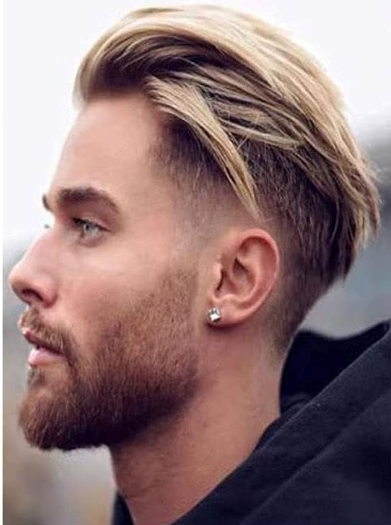
I'm trying to get a male hairstyle that looks like this
 radiant geyser
how would I go about taking an outline of a character and having stablediffusion edit it to add clothing, faces, etc, to the outline while maintaining the exact pose?
when i try img2img it always changes the pose, positioning, etc
 cinder lark
hi guys i have a question so so I'm trying to make a wallpaper by going through outpainting the problem is that between the images which are superimposed here is what I have, could someone help me to resolve this problem which is more than annoying ?

 agile ferry
Ideas on how to get Sisters of Battle and other Warhammer 40k images? Checkpoints and prompts to try?
 surreal aspen
Looking for help on how to get fortnite style icons/images like these, anyone know what checkpoints and prompts to try?
 woven willow
Does anyone have any tips for prompting a limited palette or (effective) resolution? Like if I want to generate pixel art or an image for a sticker that should have only a handful of color values and be effectively 100-150px across
 vagrant sky
How to do image to image prompt with discord bot
vagrant sky
polar lava
hi all, can we do image to image generation with the bot ?
Did you get any answer?
Did you get an answer?
 bronze tiger
I prefer using Stable Diffusion but I'm asked by my company to use Dall-E 3 and Midjourney due to better text coherence and understanding of a longer sentences, are there any tips and techniques to make Stable Diffusion models to understand a longer Prompts better, are there extensions in Automatic 1111 or nodes in ComfyUI that help with this?
muted reef
bronze tiger
I prefer using Stable Diffusion but I'm asked by my company to use Dall-E 3 and ...
if a sentence doesn't work .. chop the sentence up to keywords works 99% of the times
 rancid swallow
which model is most close to midjourney?
muted reef
SDXL and all merged/trained with it as a base
rancid swallow
which one is sdxl? i downloaded juggernaut but cant get images that i want.need to be expert on prompting i guess
muted reef
For realistic people .. close to MJ i would say use Dreamshaper XL
Juggernaut seems to be very specific in prompt style, 10% positive, 90% negatives O_O
rancid swallow
muted reef
For realistic people .. close to MJ i would say use Dreamshaper XL
tried that too but not worked well. I think i need to get better with prompts xd
muted reef
give an example of your prompts .. might help
dull portal
Why do backgrounds tend to look like sets, like I want the scene to be a room but it looks more like the idea of a room...but it's just a closet setup kind of like the 'room' I want. Alley, same thing, just looks like it's a box that kinda resembles an alley.
muted reef
what is the first image you get when you think of the word .. room or alley?
that is exactly what the AI will output
room with a kingsized bed and red curtains will give a different result
suburban Alley with graffity on the walls will give a different result than Alley
dull portal
Ok, so I'm not expanding enough on the idea of the background huh, need to give it some distance in the prompt
muted reef
the more details you can give the ai the better it will be able to generate your vision
just remember that the ai can only work with like 275 words before it loops around
dull portal
muted reef
just remember that the ai can only work with like 275 words before it loops arou...
Did not know that
rancid swallow
what is lora ?
muted reef
Lora are mini models trained on a specific style or character
rancid swallow
muted reef
give an example of your prompts .. might help
look. I wanted a sinematic , realistic image but here what it gives me xd

https://www.tiktok.com/@thestellarsagas/video/7278022559755439392 i want photos like this ones
 muted reef
rancid swallow
look. I wanted a sinematic , realistic image but here what it gives me xd
muted reef
rancid swallow
look. I wanted a sinematic , realistic image but here what it gives me xd
Positive Prompt: 16:9, Roman emperor, Roman Army in background, Cinematic Shot, Dynamic Pose
Negative Prompt: contortionist, amputee, polydactyly, deformed, distorted, misshapen, malformed, abnormal, mutant, defaced, shapeless, buckteeth, toothless
slow mist
i have a strange problem with controlent and openpose, with 1.5 it works as expected, but with sdxl openpose_full does not detect the hand position, only face and sholders (while with 1.5 it detects the hand too). dw_openpose_full in sdxl detects the hand too. what is dw_openpose_full?
muted reef
different dataset used to train
compact maple
Hoi, what's the word formatting needed to properly tell SD to distinguish colors? Like when i say black shirt, purple pants, red hair for instance, it will make other stuff any of the mentioned colors.
muted reef
rancid swallow
https://www.tiktok.com/@thestellarsagas/video/7278022559755439392 i want photos ...
cherrypicked out of hundreds or thousands of failed generations
12 minutes for one image but it came out good 😄
 rancid swallow
muted reef
cherrypicked out of hundreds or thousands of failed generations
rancid swallow
muted reef
cherrypicked out of hundreds or thousands of failed generations
or just using midjourney ahaha
muted reef
rancid swallow
or just using midjourney ahaha
still gotta cherrypick 😄
spark wyvern
Does anyone know if this is how long Miaoshouai assitant is supposed to take for installation?
 silver valley
spark wyvern
Does anyone know if this is how long Miaoshouai assitant is supposed to take for...
silver valley
spark wyvern
Does anyone know if this is how long Miaoshouai assitant is supposed to take for...
long xD, check the cmd too, i would let it load
 nova seal
How should i config this?
 spark wyvern
silver valley
long xD, check the cmd too, i would let it load
spark wyvern
silver valley
long xD, check the cmd too, i would let it load
Ir went up to 2600s and nothing appeared down in the cmd.
:(
nova seal
xd
sometimes it bugs
Just restart and it should be fine
And if you dont have it just try reinstall again
dull portal
20 steps, 8 CFG when I usually do 7, low detail looking like a magazine scan

30 steps, 7 CFG, more detail, still looking a bit like a magazine scan

As far as I remember these were at 20 steps and 7 CFG, what makes that big of a difference?
 slow mist
dull portal
30 steps, 7 CFG, more detail, still looking a bit like a magazine scan
slow mist
dull portal
30 steps, 7 CFG, more detail, still looking a bit like a magazine scan
show me the info that you got just bellow the picture (with steps, model, cfg...)
dull portal
slow mist
show me the info that you got just bellow the picture (with steps, model, cfg......
Below the picture?
 slow mist
oh, you are using comfy, sorry
dull portal
Ah, yes. Should have mentioned that.
slow mist
what model this is? is this XL or 1.5 model?
dull portal
1.5
dull portal
But...my joker is at 768x1024 and it turned out a lot better than my 'Aztec goddess' at the same resolution.
slow mist
you have images with 2 heads beacuse of dimensions
use upsacaler to get better resolution later
for 1.5 use something like 512x512, 512x768, 768x512
and upsate with 2x
next, which vae are you using?
slow mist
dull portal
30 steps, 7 CFG, more detail, still looking a bit like a magazine scan
things like this happes beacuse of vae or to big CFG
try to use something like 5 if that happens with 7
do not increase CFG to get mroe details, use something like https://civitai.com/models/153562/detail-slider-lora for more details
weight: -5.0 to 5.0 positive: more detail negative: less detail
dull portal
slow mist
next, which vae are you using?
Uh...didn't know there was a choice for that. LOL
slow mist

for 1.5 i usually use 840000 or flF8Anime
for xl i use only two that exists 🙂
can you give me link to that model?
dull portal
Been playing with ComfyUI for a little over a week, only thing VAE was this 'VAE Decode' with no selection box, didn't look further into it. Checking what else has VAE on it I see VAE Loader shows me having 3 options, TRCVAE, TAESD and it's XL variant.
slow mist
i want to check few things
dull portal
The model...epiCPhotoGasm? https://civitai.com/models/132632/epicphotogasm
Welcome to epiCPhotoGasm This Model is highly tuned for Photorealism with the tiniest amount of exessive prompting needed to shine. All Showcase im...
slow mist

always check those two first
do not use clip skip 2 if 1 is recommended or vice versa
if model is 1.5 do not mix with SDXL loras and other way around
dull portal
Actually have another gen going, bypassed the clip skip to see if that was part of my issue. 😛
slow mist
read How to use
use simple prompts without "fake" enhancers like "masterpiece, photorealistic, 4k, 8k, super realistic, realism" etc.
don't use a ton of negative embeddings, focus on few tokens or single embeddings
so do not use those with that model
dull portal
And I'ma have to look into upscaling cause I set it up and my last try was amplifying blemishes and stuff and looking like crap, besides taking forever which I didn't know it was gonna do, 3x3 😄
slow mist
can someone recommend something like this for sdxl? https://civitai.com/models/153562
weight: -5.0 to 5.0 positive: more detail negative: less detail
Detail tweaker for SDXL. Works with weights [-3, 3] Use positive weight to increase details and negative weight to reduce details. Good weight depe...
is there any with -5 to 5?
 nimble panther
Backstory: I am trying to tranfer IMG1 to a different style, and I got IMG2, since the left hand didn't look how I wanted I used gimp to cut the hand from the original and put that in the image to get IMG3, then ran it back through SD with an inpaint to try and mesh the images together to get IMG4.
Problem: For IMG4, if I turn up the denoising strenght I get a grabled hand. Though when I get a correct hand it doesn't mesh well with the rest of the image. How can I make the colors and shading mesh better without garbling the hand?


 muted reef
use controlnet and a mask of the hand with some feathering so the seam will get blended to the rest of the image, with a relative low denoise
nimble panther
muted reef
use controlnet and a mask of the hand with some feathering so the seam will get ...
I haven't used controlnet before, could you link me to some resources on how to use controlnet?
muted reef

ControlNet 1.1 for Stable diffusion is out. Let's look it over and I'll show you how it works from installation to image.
How to install Stable Diffusion https://youtu.be/kqXpAKVQDNU
https://app.posemy.art
https://github.com/Mikubill/sd-webui-controlnet
https://huggingface.co/lllyasviel/ControlNet-v1-1/tree/main
Prompt styles here:
https://www....
nimble panther
muted reef
https://youtu.be/WZg3e6B2yPQ?si=SFtmGM5_m_NMjeNJ
TYSM, sorry for not being very well informed!
dull portal
Hmmm, went with a 512x768 instead of the 768x1024 I was using, Skip Clip bypassed, but still my output seems a little worse than the preview? If I run this through an upscaler I have to keep the seed or is the upscaler itself going to perform some magic on it?
 dull portal
What the hell happened at step 3!? It was looking great at step 2.
 quiet raft
Hello, is it possible to use like re-szie while in the img2img tab?
In the Txt2Img you have the option to do Hires. fix
Is it possible to do that in the Img2Img tab?
silver valley
quiet raft
Is it possible to do that in the Img2Img tab?
In the img2img tab you can use the SD upscale script to upscale
slow mist
how to stop "color leakage" caused by a long (and most probably not good enough) prompt. what i mean is that instead to use a color for one specific detail i am getting some other details in that color
example:
woman with long hair wearing a (black dress:1.2), a (black choker around her neck) and (glasses with red frame)
produces some red details on her dress, instead to produce compleatley black dress and glasses with red frame
subtle linden
¨how do you bypass clipskip? i can only set it to 1, not 0, idk
dull portal
subtle linden
¨how do you bypass clipskip? i can only set it to 1, not 0, idk
Guessing you're talking about SD WebUI? Cause in ComfyUI you just right click it and hit the 'Bypass'
subtle linden
dull portal
Guessing you're talking about SD WebUI? Cause in ComfyUI you just right click i...
sorry i forgot what server i´m in
subtle linden
dull portal
Guessing you're talking about SD WebUI? Cause in ComfyUI you just right click i...
i´m talking about the tensorart UI
subtle linden
dull portal
Guessing you're talking about SD WebUI? Cause in ComfyUI you just right click i...
i checked its workflow mode (which apparently works like comfy) but its way too complicated for me to add/remove anything
i´ll just ask in tensorart server ig
dull portal
Man, got the perfect angle from a sky scraper earlier, but no joker in sight I was trying to get, tried it again, now it's a girl with some joker paint and it's a headshot to top it off, try again joker in a spiderman pose on a roof top, and finally a joker jumping backwards off some sorta building, not over the edge like I was trying to do, sigh, gonna let this one upscale anyways I guess
 near tinsel
Any websites that help with prompting?
I installed this "Gender Slider" embed but I'm not entirely sure about how embeds work even after reading about them. For example, the embed page says "GS-Masculine: Place in your positive prompt at strength of 0.2 to 1.3. Conceptually pushes towards rough and strong seasoned masculinity. May vary by model, lora, or prompts."
So would it be something like (GS-Masculine:0.5), joker, falling from a building?
slow mist
check the image infor on civitai
near tinsel
I mean... it doesn't tell you if you're supposed to use it that way. It just assumes that you know how to use an embed.
slow mist
i just checked, you have the whole How to use: section

check those

and see what they did
near tinsel
Yeah that's what I read
slow mist
so for the right image
in positive they have (GS-Womanly:1.1)
and in negative they have GS-DeMasculate

 near tinsel
So there is no comma after that the parenthesis? So it would be like (GS-Masculine:0.5) joker, falling from a building?
slow mist
you do not need it, since joke will be a man
near tinsel
Ok, thank you
slow mist
you would need (GS-Womanly:1.1) if you want do to gender swap
and GS-DeMasculate in negative
near tinsel
Yeah I understand the concept of how to use it, it was just the prompt formatting I was curious about
slow mist
trust me, inspection of other people promts is the best way to figure how those thigs work
near tinsel
Oh, I didn't know you could do that
slow mist
btw
when you click on that i
you will se the prompt
but you can copy all the settings
near tinsel
Ok thanks
slow mist

paste ALL that in positive prompt
and clikc this arrow near generate button

it will change everything for you (negative prompt, steps, sampler...)
but check everything before hit generate
slow mist

This guide will give you advice from the express viewpoint of a beginner who has no idea where square one is. You will outgrow this advice as you t...
this part
How the Copy Generation Data function works
near tinsel
So many guides out there. A lot of them I've been reading (or watching) are dated. I didn't realize Civi had an extensive one. Thanks.
 runic jackal
does anyone know why i get black images even if its sfw?
slow mist
what software do you use? automatic1111?
runic jackal
yep
ive read that i shouldnt use --disable-nan-check
so ig im trying that now
well still
 slow mist
is that radeon maybe?
runic jackal
ive had some issues with it before but it didnt give me black images yesterday
runic jackal
slow mist
is that radeon maybe?
i dont think so
slow mist
do you have Radeon or Nvidia
runic jackal
its nvidia
slow mist
when you get black square, what you get below the image (generation info with model, steps...)
 slow mist
do you have any external vae enabled? i am asking since that model has baked vae
runic jackal
i actually dont know, how do i find out?
ive used stable diffusion in the past but only with voices
 silver valley
runic jackal
yep
silver valley
runic jackal
yep
whats your GPU?
slow mist
then you will be able to change vae and clip skip anytime you want
runic jackal
silver valley
whats your GPU?
1650 super
silver valley
runic jackal
1650 super
okay, then you need to edit your webui-user.bat
at the line Commandline_ARGS=
you need to add: --xformers --medvram --no-half
Then save and relaunch
then you wont get any black images and it should be a bit faster
slow mist
so it is same s___ as Radeon and black square and needs --no-half
silver valley
slow mist
so it is same s___ as Radeon and black square and needs --no-half
only for RX 5xxx radeon
runic jackal
silver valley
okay, then you need to edit your webui-user.bat
at the line Commandline_ARGS=
yo...
i'll try that now
runic jackal
whoops
 silver valley
runic jackal
whoops
silver valley
runic jackal
whoops
can you show your cmd when launching the webui-user.bat?
runic jackal
i just saw this
 silver valley
runic jackal
i just saw this
silver valley
runic jackal
i just saw this
yea that means you didnt editet the webui-user.bat correctly
 slow mist
that is not good
silver valley
runic jackal
a guy in a video said you should do it like this
nope, it shouldnt look like this ^^
slow mist
that guy has no idea how to set those is he said that
silver valley
runic jackal
it should all be in one row:
set COMMANDLINE_ARGS= --xformers --medvram --no-half
slow mist
second one owerrides the first, and third override the second, so you just getting the 3rd one
do it like CS1o said

 sweet loom
help! why are my images being generated so garbage?
 runic jackal
makes sense now
runic jackal
runic jackal
makes sense now
thanks guys it worked
but does anybody know why its so "difficult" to install reactor? ive tried it also multiple times and it didnt work out in the end
silver valley
runic jackal
but does anybody know why its so "difficult" to install reactor? ive tried it al...
you need to exactly follow the steps on reactors github page
then it will work
runic jackal
alr thanks
 restive socket
hey wassup guys, which prompt should I use to remove the blur on the background?
slow mist
try to add
blur, bokeh, depth of field
to negative prompt
restive socket
thank you so much man 🤝
runic jackal
is it just me or does roop dosent work anymore
if i try to pip install insightface thats what i get
 slow mist
restive socket
thank you so much man 🤝
slow mist
restive socket
thank you so much man 🤝
did it work?
restive socket
Yup
slow mist
i have a stupid question (as usual 🙈) - what is the maximal weight of a keyword for a1111 that i can use? for example (white dress:1.5)
muted reef
don't go over 3 i would say
slow mist
i am using model with embedded LCM, so my CFG is low (or image will be overcooked), and i am using img2img with controlnet, so i cant find a proper balance between those
silver valley
slow mist
i have a stupid question (as usual 🙈) - what is the maximal weight of a keyword...
Depends on the word. Someone fried his whole images with sharp:1.6
I usually stay under 1.5
slow mist
LCM is a great thing, but it can easily become a nightmare when you need to use with other resources like loras and controlnet ☠️
maybe i am trying to do things in a wrong way
this is an original photo, i am trying to make anime style image using img2img + controlnet, and that works great

but i want to change dress color to white, and that just not working, i have CFG 2 (becuse of LCM)
i have this

and this

but there is no middle ground 😦
 opal ridge
Quero ajuda pra criar a prompt dessa imagem
 subtle linden
slow mist
i am using model with embedded LCM, so my CFG is low (or image will be overcooke...
subtle linden
slow mist
i am using model with embedded LCM, so my CFG is low (or image will be overcooke...
what´s LCM btw?
slow mist
subtle linden
what´s LCM btw?
LCM is black magic that helps to get images like those #📝|prompting-help message
in just a few steps
for example those are made in just 8 steps
Steps: 8, Sampler: Euler a
subtle linden
slow mist
LCM is black magic that helps to get images like those https://discord.com/chann...
so its kinda like SDXL turbo from walmart?
slow mist
but the probelem is that CFG needs to be VERY LOW (like 1.5 - 2.5)
if you justa make an image, that is not a problem
but when you mix it with some LORAs or controlnet it can be tricky
slow mist
subtle linden
so its kinda like SDXL turbo from walmart?
actually turbo is more like LCM from wish .com 🙂
turbo is faster, but has lower quality
lcm is slower than turbo, but has the same quality as "normal"
you can get almost identical image with lcm with 5-8 steps instead of 20+
LCM-LoRA merged with blue_pencil-XL generate several times faster than usual, at a slight sacrifice in quality. In my environment, a 1024x1024 imag...
check ti gallery and see the number of steps
subtle linden
cool, ty
slow mist
you can use https://civitai.com/models/195519/lcm-lora-weights-stable-diffusion-acceleration-module with "normal" models, or you can download models with lcm embeded
LCM-LoRA - Acceleration Module! Tested with ComfyUI, although I hear it's working with Auto1111 now! Step 1) Download LoRA Step 2) Add LoRA alongsi...

if you use lora, you need to download a proper one for your model (1.5 or sdxl version) and you need to guess the right combination of cfg and lora weight
models with embeded lcm are easier to use
restive socket
hey guys, I found a picture of a woman posing on instagram. I wanna generate a full body woman, I want her pose to be the same as in the picture I found. how can I do it? (sorry if its a bad question cuz im a newbie)
subtle linden
restive socket
hey guys, I found a picture of a woman posing on instagram. I wanna generate a f...
controlnet pose-to-image
restive socket
thank you sm
subtle linden
np
 wispy obsidian
hey guys using a model, I used some prompts that gave a certain style to the images. restarted SD, used the same model, same settings, same sampling method yatti yatta, but the images now look like they're in a different style. I also did some gens with other models prior to that, anyone have an idea what's going on
runic jackal
how long does it take for you guys to generate an image?
subtle linden
runic jackal
how long does it take for you guys to generate an image?
that just depends on your vram+some args
runic jackal
subtle linden
that just depends on your vram+some args
is there like some way to boost it?
subtle linden
runic jackal
is there like some way to boost it?
ig you could lower the sampling steps-
runic jackal
subtle linden
ig you could lower the sampling steps-
ive noticed every time I use reactor with the same resolution as the image before, it loads much faster
restive socket
Guys i am using juggernautXL as checkpoint, im generating a realistic pic of a woman in 1024x1024, yes its good but not realistic, hair is not detailed, low quality, when I zoom its getting worse, its obvious that its AI. How do I make it photorealistic? What am I doing wrong
twin yoke
restive socket
Guys i am using juggernautXL as checkpoint, im generating a realistic pic of a w...
Without knowing your settings, nobody can give you any specific recommendations. From a general standpoint, follow what the model author says for the recommended settings:
Sampler: DPM++ 2M Karras
Steps: 30-40
CFG: 3-7 (less is a bit more realistic)
VAE is already Baked In
HiRes: 4xNMKD-Siax_200k with 15 Steps and 0.3 Denoise
Also, if you're doing a portrait, you'll probably get better results with a rectangular resolution, rather than square, like 768x1344, 832x1216, or 896x1152.
But you might have all those settings above and still just have bad luck with seed values that just happen to give you bad results.
restive socket
I'm a newbie, i should've shared my settings, i'll try those settings now, thank you🫡
slow mist
wispy obsidian
hey guys using a model, I used some prompts that gave a certain style to the ima...
go to PNG info, open the picture you generated before (that looks like you want) and click send to txt2img button, that will copy all the settings used (prompt, steps, sampler, clip skip...)
 slow mist
restive socket
Guys i am using juggernautXL as checkpoint, im generating a realistic pic of a w...
slow mist
restive socket
Guys i am using juggernautXL as checkpoint, im generating a realistic pic of a w...
i usually use 768x1024 with SDXL models, but i agree with absolutely everything else soul wrote. i would just add that since some seeds might produce garbage (as soul also wrote) it is not recommended to use fixed seed during the initial testing of a model. the only exception is if you are trying to recreated example image, but be aware that you might get completely different image, since seeds on nvidia and other GPUs are not the same. i leaned both the hard way 🙈
 tired vigil
Is there any way to specifically train a LoRA or sth to get the "style of selfie" right? Like I have some selfies of a person and I'd like not to just have the person herself trained but also the quality of the photos
The generated images always look way too good, the quality is too perfect and it's clearly obvious that it's generated
restive socket
twin yoke
Without knowing your settings, nobody can give you any specific recommendations....
I tried to generate a pic with these settings using juggernautXL twice, but my pc froze at %49 everytime so I had to restart my pc, how can I fix this?
I have a gtx1060 3gb and i5 6402p
16gb ram
I know my pc is not very good but how can I prevent crashing my pc everytime? Doesnt matter if its gonna take 30min to generare a pic
silver valley
restive socket
I know my pc is not very good but how can I prevent crashing my pc everytime? Do...
you cant use sdxl models with 3gb vram
there is no way around other than using cpu mode, that will take really long
better use 1.5 models and upscale them in img2img
restive socket
Sorry im a beginner i dont know some terms, wdym by 1.5 models?
silver valley
restive socket
Sorry im a beginner i dont know some terms, wdym by 1.5 models?
there are 3 types of models you can use. 1.5, 2.1 and SDXL
SDXL models are the large models that are over 6gb in file size. These wont work with 3gb vram.
1.5 models can be as small as 2gb so they will work without crashing or freezing your whole PC 🙂
and you mostly can ignore 2.1 models as they are not as good supported like 1.5 ones from the community side
restive socket
You are much appreciated thank you 🤝
silver valley
restive socket
You are much appreciated thank you 🤝
Juggernaut Reborn is a good 1.5 based model, from the same guy as Juggernaut XL
restive socket
Okay i'll try it now
 hollow lily
Can someone assist me with prompting using this lora?
https://civitai.com/models/120096/pixel-art-xl
If I use default 1024x1024 it gives me artifacts like warped fake pixels. However if I upres 2048x208 using hires fix, the pixels look fine, but the proportions of the body are way off.

Pixel Art XL Consider supporting further research on Ko-Fi or Twitter If you have a request, you can do it via Ko-Fi Checkout my other models at Re...

4x_nmkd-superscale-sp_178000_G hires steps 25 denoise .7 upscale by 2
silver valley
hollow lily
4x_nmkd-superscale-sp_178000_G hires steps 25 denoise .7 upscale by 2
Try using Denois 0.45
Or even 0.35
restive socket
which checkpoint model do you guys think is used here? (slightly nsfw)
 hollow lily
silver valley
Try using Denois 0.45
hollow lily
silver valley
Try using Denois 0.45
Lower denoise does photos like this, odd.

 covert shore
hi guys who can tell my Why does SD always turn my prompt into videos?
silver valley
covert shore
hi guys who can tell my Why does SD always turn my prompt into videos?
Hey use format:image
silver valley
hollow lily
Lower denoise does photos like this, odd.
Can you show your txt2img settings?
 silver valley
quiet raft
Or can I do custom size somehow?
silver valley
quiet raft
Or can I do custom size somehow?
you can set an other max resolution in the ui-config.json
Or you can use a lower resolution and upscale with hires fix
quiet raft
silver valley
you can set an other max resolution in the ui-config.json
Or you can use a lower...
Hires is also just 2048 as max
I can like 5000x5000 images etc. But I wanna try do 768x768 or like 512x768 and then go to 1260x2160
But can only select 2048 as max
silver valley
quiet raft
But can only select 2048 as max
it wouldnt make sense to gen any higher than that, because sdxl is trained on 1024x1024 and 1.5 models on 512x512
with 2048x2048 you likely get more deformation, thats why everyone uses upscaling
@quiet raft with these settings your output image will be 4K (16:9)

that wont work on AMD, and for Nvidia only when Tiled Vae is enabled
quiet raft
silver valley
it wouldnt make sense to gen any higher than that, because sdxl is trained on 10...
Well, I usally do 512x512 and hires to 1024x1024 when happy. But then I send them to Extra ..
But on extra it's still only 2048

But I have to change that in the json file?
silver valley
quiet raft
yea you would need to change that in the json file, but for upscaling from 512x512 i wouldnt recommend Extras. Better use the sd upscale script in img2img
quiet raft
silver valley
yea you would need to change that in the json file, but for upscaling from 512x5...
Wait what?
quiet raft
silver valley
yea you would need to change that in the json file, but for upscaling from 512x5...
I usally do like 512x512 to test then .. I do batch with Hi.res to 1024x1024 .. Then I put them in a folder and use the batch thing in Extra to get them all done
to higher res
Like I can't do batch photos upscale with Img2Img Sd upscaler right?
silver valley
quiet raft
Like I can't do batch photos upscale with Img2Img Sd upscaler right?
you can batch upscale them in img2img
quiet raft
silver valley
you can batch upscale them in img2img
But I need the prompts and all? Or how, if you could show me how you would do?
I just did 1 image.. so my setup is very wrong
 silver valley
quiet raft
But I need the prompts and all? Or how, if you could show me how you would do?
silver valley
quiet raft
But I need the prompts and all? Or how, if you could show me how you would do?
You dont need the prompts but you can use them too. make sure to use ngeative prompts in any case.
You have to change the resolution to 512x512. (thats not the outpur resolution), its the tile size.
Then set the Denois Slider below 0.3 (0.1-0.3)
The lower the number the nearer it is to the original, the less will be fixed while upscaling.
Then you have to select the sd upscale script.
Last step is to set an upscaler and generate.
if you get artifacts in the image, remove every person specific word from the prompt like, hair, eyes, smile, etc,
quiet raft
I have changed nothing expect put SD scaler and

I have uploaded a img2img


But I get fuckt up picture..
Okay nvm, I set the Denosing str to 0.15 and resize mode: just resize.
But why is this SD upscale better than the extra tab?
silver valley
quiet raft
But why is this SD upscale better than the extra tab?
because it can do the same as hires fix, Extras tab cant add details to an image
quiet raft
Well. I only use extra tab to make them go from 1024x1024 -> 4000x4000 sizes
silver valley
quiet raft
Well. I only use extra tab to make them go from 1024x1024 -> 4000x4000 sizes
would use sd upscale script after hires fix and then at the final step load it in extras
quiet raft
silver valley
would use sd upscale script after hires fix and then at the final step load it i...
Do you use the scale factor in sd scaler then or just set it at 1 and use extra to upscale it?
silver valley
quiet raft
Do you use the scale factor in sd scaler then or just set it at 1 and use extra ...
i use scale factor 2
quiet raft
Okay.. I might try the sd upscaler a bit then and see
Not sure if it will be any higher quality .. beside be able to add items or such
silver valley
quiet raft
Not sure if it will be any higher quality .. beside be able to add items or such
i have an example i can share
agile ferry
Is there a suggestion for an AI prompt generator?
quiet raft
agile ferry
Is there a suggestion for an AI prompt generator?
You mean, you upload a picture and get a text prompt?
quiet raft
silver valley
i have an example i can share
Oki 👍
agile ferry
quiet raft
You mean, you upload a picture and get a text prompt?
Actually I do need to figure out how to get "Interrogate" back, but I meant putting in basic prompts and having an AI expand out the prompt idea.
quiet raft
agile ferry
Actually I do need to figure out how to get "Interrogate" back, but I meant putt...
You need to install it with the extensions
silver valley
agile ferry
Actually I do need to figure out how to get "Interrogate" back, but I meant putt...
what do you mean with getting it back ?
agile ferry
Awesome, I'll do that now. I had to restart my SD and some of the things I did got lost on the way.
silver valley
its always there in img2img
quiet raft
agile ferry
Awesome, I'll do that now. I had to restart my SD and some of the things I did g...
agile ferry
silver valley
its always there in img2img
It's not showing up.
silver valley
agile ferry
It's not showing up.
the little clip icon

 agile ferry
Ooh, okay, I didn't see that. Previously it had a big grey bar saying "Interrogate" but yep, there it is! Thank you
agile ferry
quiet raft
Double slam 😄
Hey, I appreciate it! lol
quiet raft
agile ferry
Ooh, okay, I didn't see that. Previously it had a big grey bar saying "Interroga...
That is the extenstion

I have it downloaded
agile ferry
Yeah, I had that previously
silver valley
agile ferry
Is there a suggestion for an AI prompt generator?
maybe that thing here idk:
https://github.com/imrayya/stable-diffusion-webui-Prompt_Generator
agile ferry
Not sure that I used it, I probably just need basic interrogate is all.
quiet raft
silver valley
maybe that thing here idk:
https://github.com/imrayya/stable-diffusion-webui-Pro...
Damn, this one looks better 🥫
agile ferry
silver valley
maybe that thing here idk:
https://github.com/imrayya/stable-diffusion-webui-Pro...
Interesting!
silver valley
yea, but havent tested it
@quiet raft here is my base imgage: 512x768 with hiresfix generated to 1024x1536
 agile ferry
I'm always leery about trying new stuff, but that looks fun.
silver valley
@quiet raft and here is it upscaled by 2, in img2img and in Extras tab.


i set the denois to 0.2
i didnt removed the person specific words from the positive prompt so there are some artifacts in the tree
quiet raft
The left one has better quality at eyes and so
But best way is to leave out the prompt and keep the negative and so sd upscaler then?
silver valley
quiet raft
But best way is to leave out the prompt and keep the negative and so sd upscaler...
that or a better way is to enable Just Resize (Latent upscale) and then lower the denois

nor artefacts and best quality compared to the others
quiet raft
So when you do your stuff
silver valley
no
silver valley
thats in img2img with sd upscale script
silver valley
if you have a lot of vram you can generate in img2img
agile ferry
silver valley
maybe that thing here idk:
https://github.com/imrayya/stable-diffusion-webui-Pro...
This thing is awesome. I really like it!
silver valley
but using txt2img with hires fix is always better
quiet raft
I only got AttributeError: 'NoneType' object has no attribute 'mode' Time taken: 0.0 sec. when I did
silver valley
agile ferry
This thing is awesome. I really like it!
cool, i need to try it too then ^^
quiet raft
agile ferry
This thing is awesome. I really like it!
How did you install it?
silver valley
quiet raft
I only got ``AttributeError: 'NoneType' object has no attribute 'mode'
Time take...
show me the settings when you get that
quiet raft
?
 agile ferry
quiet raft
How did you install it?
agile ferry
quiet raft
How did you install it?
https://github.com/imrayya/stable-diffusion-webui-Prompt_Generator.git in install from URL, give the model time to dl and that's it

GitHub
An extension to AUTOMATIC1111 WebUI for stable diffusion which adds a prompt generator - GitHub - imrayya/stable-diffusion-webui-Prompt_Generator: An extension to AUTOMATIC1111 WebUI for stable dif...
silver valley
quiet raft
thats txt2img
quiet raft
Ahh okaty
agile ferry
I got some really good results first time.
 silver valley
quiet raft
silver valley
quiet raft
ah okay but i cant see all the settings there
 quiet raft
Ahh okay :3
silver valley
agile ferry
I got some really good results first time.
tried the Gustavoosta model, yea thats exactly the quality i want!
 agile ferry
I don't know what that means, sorry. 🙂
Oh! You can pick generation models, I forgot already
Isn't it great?? I'm gonna use the hell out of this
silver valley
its nice 😄 yes
but i dont like that it tags a lot of artists
i dont use any artist name in my prompts
agile ferry
I figured I'd let it do it's thing, I haven't been disappointed yet
I'm trying Gustavoosta next
silver valley
agile ferry
I'm trying Gustavoosta next
haha let me know what you get 😄
screenshot from a 2011 laptop camera
agile ferry
2tb drive.... man, I thought that was a lot of space way back when I was young and naive. 😅
quiet raft
I get these prompts ... -.-'
trending on patreon, big puffy lips, long flat hair, deepfake, very realistic effect, hungarian flag in the background, persian queen,
silver valley
agile ferry
2tb drive.... man, I thought that was a lot of space way back when I was young a...
same xD
quiet raft
I mean.. Why do I want trending on patreon?!
silver valley
quiet raft
I mean.. Why do I want trending on patreon?!
who even can see that 🤣
agile ferry
quiet raft
I mean.. Why do I want trending on patreon?!
Depends on what you get! The AI seems to think it's important so who knows, might be your favorite prompt ever. Lol
quiet raft
I use the Interragator clip model ViT-L-14-336/openai
I always remove those from the prompt but annoying 😄
silver valley
agile ferry
I figured I'd let it do it's thing, I haven't been disappointed yet
that one was nice, used the FredZhang one.
1girl, wearing cool outfit, sitting in front of the sydney opera house at night, soft lighting, realistic wide angle, wonderful lips and eyes, white skin, sharp focus, 8 k high, 64 megapixel, insanely detailed, intricate, elegant,
 agile ferry
That's really great
I'm liking Fred more, the other model left some blanks for some reason
silver valley
exactly, will stay with Freds xD
agile ferry
Okay, Photon is giving me too many extra limbs, going over to some SDXL
What's your favorite checkpoints?
I'm going to JuggernautXL
silver valley
agile ferry
Okay, Photon is giving me too many extra limbs, going over to some SDXL
if your resolution is to high, that can happen
agile ferry
Ooh, okay, that's the issue
silver valley
1.5 modesl are trained on 512x512 so stay near that. for a portrait use 512x768
then upscale
sdxl is trained on 1024x1024
agile ferry
I got this on JuggernautXL using just 10 steps. It recommends 30 but we'll see what changes.

Eyes are a bit off
silver valley
agile ferry
I got this on JuggernautXL using just 10 steps. It recommends 30 but we'll see w...
yea Juggernaut is really good
agile ferry

And I use ReActor almost every time as it always fixes poor quality faces without the extra ADetailer time.
That was an AI generated prompt, btw. Which is why it's relevant in this channel. 😄
agile ferry
silver valley
tried the Gustavoosta model, yea thats exactly the quality i want!
I can't get Gustavoosta model to give prompt outputs, I get repetitions, repeats of the starting prompt and like 1 real result.
quiet raft
agile ferry
https://github.com/imrayya/stable-diffusion-webui-Prompt_Generator.git in instal...
Just got home, lets test 😄
Wish I could add a image to it 😦
agile ferry
If only
quiet raft
If I got 2 images .. like 1 male and 1 female.. How can I add them 1 image.. Can I do it with img2img or should I use photoshop?
 static hinge
agile ferry
https://github.com/imrayya/stable-diffusion-webui-Prompt_Generator.git in instal...
static hinge
agile ferry
https://github.com/imrayya/stable-diffusion-webui-Prompt_Generator.git in instal...
oh great I wanted that, I had Dynamic Prompts extension that had Magic prompt, but it just generated and I had to manually check what it has created
agile ferry
static hinge
oh great I wanted that, I had Dynamic Prompts extension that had Magic prompt, b...
I'm not 100% sure about it yet, but I like it as an extra tool
restive socket
guys I have a beginner question, lets say I have an AI girl with a specific look, and she's 5'3" tall and fit, and she has a specific breast size etc. and I generate a full body picture of her, how can I preserve that model? like how should I generate the exact same body in a different image?
 terse jackal
restive socket
guys I have a beginner question, lets say I have an AI girl with a specific look...
terse jackal
restive socket
guys I have a beginner question, lets say I have an AI girl with a specific look...
Save the seed #
restive socket
thats enough?
terse jackal
restive socket
thats enough?
Should be. Same settings + same seed = same image. Try it out! If you're using ComfyUI you can click-drag a previously generated image/video into the UI and it will load the workflow that generated that result
restive socket
alright
 novel marsh
I'm not sure if this is the right place, but how do I make images with multiple woman from different races? the ai keeps trying to make asian redheads instead of making one girl of each kind
restive socket
I installed ReActor, I've been trying to play around with it for a while but it's not swapping the face. not a single difference, I tried to switch to epicrealism from juggernaut resolve but it didnt change
in the tutorial videos I see people turning on a face swapping setting in ReActor panel but I do not have that setting here
 analog sphinx
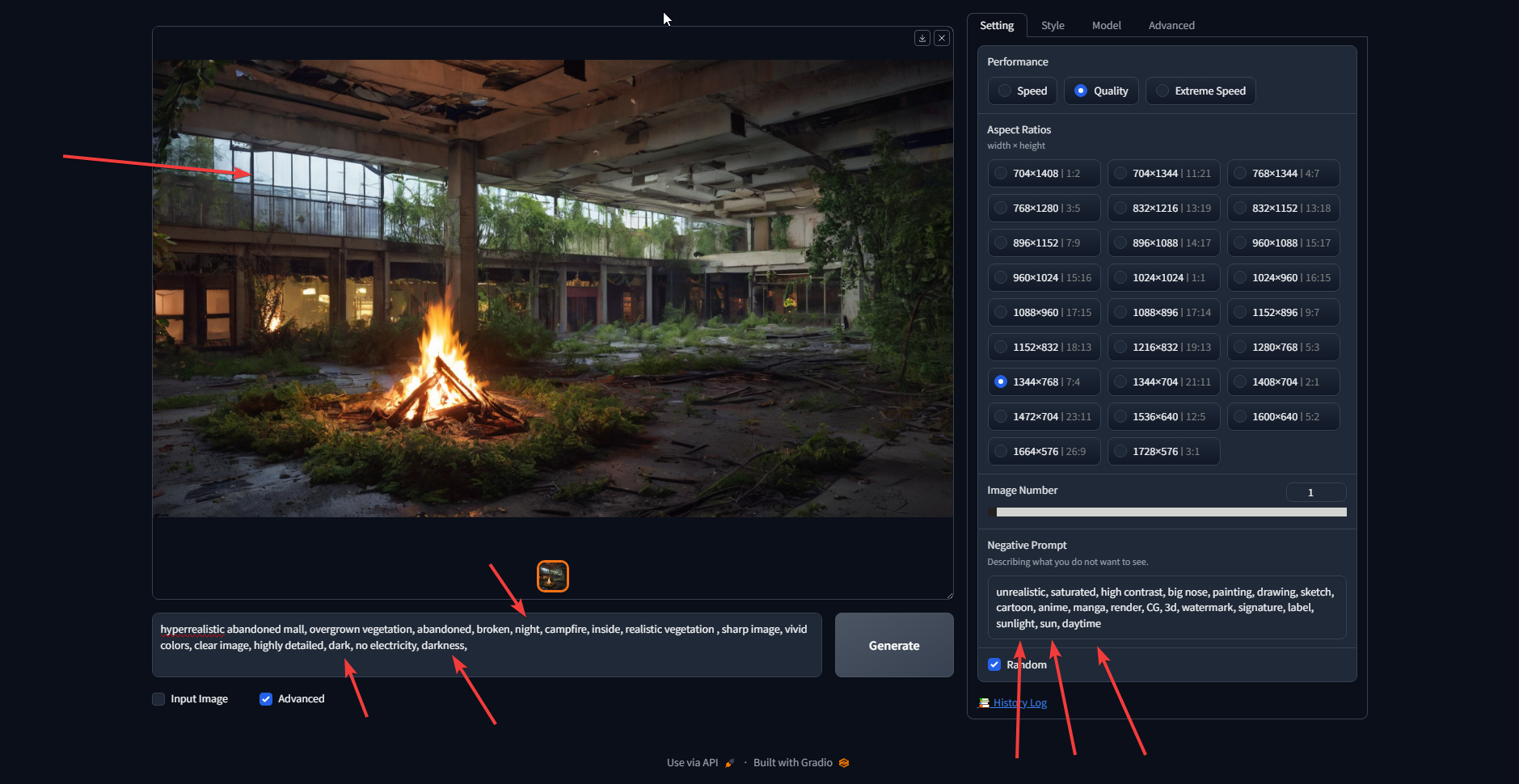
how does this make sense?
i can't for the life of me get a night picture
what am i doing wrong?
 rich crow
analog sphinx
i can't for the life of me get a night picture
rich crow
analog sphinx
i can't for the life of me get a night picture
what base model? if its 1.5, i read that it's essentially trained to create bright images from here https://old.reddit.com/r/StableDiffusion/comments/13joe98/sds_noise_schedule_is_flawed_this_new_paper/
the workaround is to use a noise offset lora or something similar to create darker images
don't remember if sdxl has the same issue or not
near tinsel
This isn't technically a prompting issue. I'm trying to use ControlNet. I've watched a detailed video by Incite AI but I can't seem to get the model reference pose to do the pose correctly in the final generation. I've attached the image I want the pose for. Should I bring it into Photoshop and try to make it more detailed so the lines are more prevalent?

https://i.imgur.com/3fwLga0.png this is what comes out in the preview https://i.imgur.com/3fwLga0.png
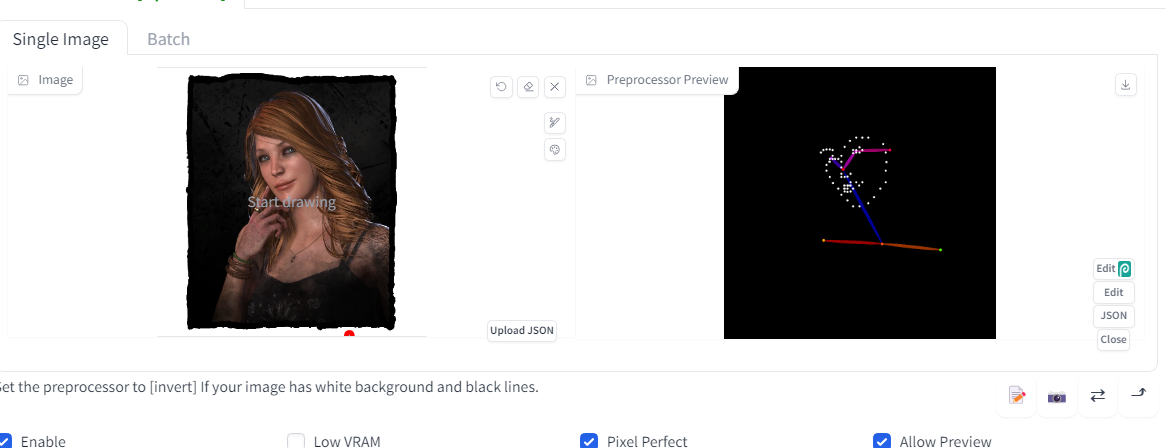


 slow mist
you get a face an sholders