#📝|prompting-help
1 messages · Page 17 of 1
 next flint
if u want i can send you mine
i just mixed other templates. doesnt work well on gpt3.5 but it kinda does
 solar dust
Thought about getting GPT4.0 but it doesn't look worth 20 dollars a month to me.
next flint
agreed
i mean it works well with the correct instructions for prompt gen but its just so expensive
id rather pay for api tbh
 azure plinth
next flint
i mean try flowgpt (has some sd prompt makers) or poe.com ( rate limited gpt 4 )
azure plinth
next flint
i mean try flowgpt (has some sd prompt makers) or poe.com ( rate limited gpt 4 )
i use claude
azure plinth
lol
azure plinth
I open source all my prompts anyway
next flint
and now i cant even use temp emails cuz phone verification
next flint
azure plinth
I open source all my prompts anyway
wdym
azure plinth
solar dust
Thought about getting GPT4.0 but it doesn't look worth 20 dollars a month to me.
it's not!
azure plinth
solar dust
Thought about getting GPT4.0 but it doesn't look worth 20 dollars a month to me.
especially with llama2 and codellama out now!
next flint
now claude is worth at least 10$/month
azure plinth
next flint
now claude is worth at least 10$/month
agreed
solar dust
How does one access llama2?
next flint
but they fixed my jailbreak for special img prompts
now it only works for like 3 messages
azure plinth
solar dust
How does one access llama2?
easiest way is use lmstudio.ai
otherwise llama.cpp, koboldcpp or oobabooga
next flint
i think the people at anthropic actually hate me at this point
azure plinth
next flint
i think the people at anthropic actually hate me at this point
no they are just catching on
next flint
azure plinth
no they are just catching on
yeah but 4 days after i started making tons of accounts with temp mails they added phone verification
and now i have to figure out a new way to get my jailbreak to last longer
azure plinth
oh no
next flint
legit there are 4 messages and then it starts getting mad
next flint
whats that
azure plinth
just a long prompt that helps make random prompts
next flint
kinda. like i made a long prompt (10kb) but it doesnt just make random stuff
azure plinth
oh ok
next flint
 azure plinth
next flint
azure plinth
next flint
😦
next flint
something wrong w it?
azure plinth
looks good
next flint
why sad face?
azure plinth
yes
 cloud pine
Theres a lora for that it has crayon in its name but i forgot the name
 granite crescent
are these last 2 negative pompts add ons or is there something i have to add to my stable diffusion folder?
 next flint
they are embeddings. to use them you would just have to search those on civit, download them, and put them in the embeddings folder in stable-diffusion-webui (or any other name)
granite crescent
next flint
they are embeddings. to use them you would just have to search those on civit, d...
thanks!
next flint
https://civitai.com/models/72437?modelVersionId=77169
https://civitai.com/models/72437?modelVersionId=77173
these are the ones used

Bad Dream + Unrealistic Dream (Negative Embeddings, make sure to grab BOTH) Do you like what I do? Consider supporting me on Patreon 🅿️ or feel free...

Bad Dream + Unrealistic Dream (Negative Embeddings, make sure to grab BOTH) Do you like what I do? Consider supporting me on Patreon 🅿️ or feel free...
 half current
How to create images similar to this style usind SDXL

 twin wave
I have 2 people in a pic, I only want to swap out just one of the faces. How do I do that?

 twin wave
That changes both faces to teh same one 😦
next flint
oh
twin wave
I just want to swap one face
next flint
so i just looked at this guide since i dont use roop that much and it says comma sepparated faces are for the output image ( i think )

Let's take a closer look at the extension ROOP in Stable Diffusion. This is much more than a deep fake tool and it can help you get the likeness of character with a single photo! No hours or training or 100's of pictures required...you just need one photo that will serve as an instant embedding / Lora file. This tool is amazing and it's part of ...
next flint
twin wave
That changes both faces to teh same one 😦
okay i did some gens with roop and it only swaps one face. do you mean you have multiple faces in the input and output and you want to swap corresponding faces?
 crystal fjord
twin wave
crystal fjord
twin wave
I mean, I have one picture with 2 faces. I want to swap 1 of those faces.
 quiet zodiac
@half current I can get close using a prompt like this with varying strengths of supplying your reference image as an image guide.
an astronaut wearing a modern orange space suit walks toward the camera on an asteroid with the sun spiraling behind him, small parts glow, walking pose, thousands of tumbling background debris, highly detailed, intricate detailed, volumetric lighting


 lean depot
/subscribe
 floral yoke
when writing a prompt and applying weights to different concepts, how does ading a negative weight to a concept differ from including that concept in the negative prompt? they are handled at different stages of the process right?
next flint
is this for a normal keyword or for a lora because most of the time its used for loras
floral yoke
next flint
is this for a normal keyword or for a lora because most of the time its used for...
just normal words and phrases
next flint
gimme like 5 minutes and ill get a grid to show the difference
floral yoke
next flint
gimme like 5 minutes and ill get a grid to show the difference
from my own testing i can see that there is a difference, i was wondering at the why of the difference and if some concepts may be useful used as a negative weight
next flint
so im not sure exactly why there is a difference but my understanding is that negative prompts tell the ai specific to avoid something while negative weights still tell it not to do something but in a different way that leads to a worse result. things like loras are useful at a negative weight. for example, if you were to use the add details lora at a negative weight you could get something like a vector art drawing or other forms with less detail
floral yoke
next flint
so im not sure exactly why there is a difference but my understanding is that ne...
add details lora as a negative weight is pretty cool, that was the one that got me started on testing other loras as a negative weight
next flint
here are two different grids using the gen parameters. the one on the left is having it in the positive and the one on the right is in the negative. ranges -2 to 2 with 0.5 intervals


when you have a weight of a thing at -2 in the positive it completely ruins the image but a weight of 2 in the negative doesnt ruin it
floral yoke
yeah i noticed the more weight and concepts that are negatively weighted the quicker it just makes trash
but lets say you add just one of the concepts, like if it is producing one bad quality, on those it would be blood or face paint on her face. just put that in the neagtive prompt and weigh it negative in the main prompt
next flint
i dont think i get what you mean
floral yoke
anime, anime art, drawing, demonslayer art style,(facepaint:-0.5)
anyways it was jut something i was messing with and wondered if anyone had an idea as to why it is so different
next flint
floral yoke
anime, anime art, drawing, demonslayer art style,(facepaint:-0.5)
do you want to try one with facepaint and one without?
floral yoke
next flint
do you want to try one with facepaint and one without?
i was just using that as an example, of lets say you get a generation you like but it could be a little better without one detail, if you try it again but weigh that detail negatively vs adding that detail in the negative prompt, whch is often just not strong enough to deter that detail from showing up anyways
next flint
i mean im guessing there is a difference but also there is a reason why people havent been talking about using negative weights in the positive prompt
i think just to slightly guide it away from something, putting something in the negative prompt at a low weight would be best
let me try something
so imma specify demon (since it adds horns) and then test those two options for removing them
yeah big difference
took a sc of the top half of the pics cuz i dont want to face the wrath of mods


but the left is negative weight in the prompt and the right is just in the negative. both are with the same weight
floral yoke
yeah very different results
next flint
much better keeping it in the negative which makes sense
half current
quiet zodiac
<@765979957217984522> I can get close using a prompt like this with varying stre...
@quiet zodiac I really appreciate for your help.
If I am correct, volumetric lighting is key
 jagged kindle
How can I make it look more like something is under the surface here? I've been trying photobashing with basic image to image so far.
 next flint
i mean you could alway specify something rising from the acid in the prompt
 carmine wasp
Help, i want to generate a person from bottom view like this but it didnt works

 frozen raptor
hello
im trying to get the ai to generate a logo for my clan but its not actually doing it the way i would like it to
prompt: Professional Logo design gaming clan called 99 Gods, cyberpunk, dark background with neon orange futuristic lines, highly detailed, sharp focus, SLR, holographic, 4D, hyper realistic, photorealistic, octane rendering, delicate details and textures, intricate design and details, 8k, 8D, cyan, blood red, orange aspect:1:1 style:Digital Art
this is the prompt

and this is an example
 delicate sand
what negative prompts would i use to have the desired amount of limbs and making hands not look like spaghetti also if i want multiple subjects probably looking the same or literally the same how would i prompt that? i have tried 3 subjects but it fails im using triplets now but sometimes i get 4 subjects also theyre all different in some way and im not talking about faces and poses in this case i mean the heights and whatnot
also this is what sometimes happens
 quiet zodiac
@frozen raptor No one can know what way you want it, but here is my revision to your prompt. SD can't do text, so it's better to ask for a boiler plate or flat area where you can drop in the copy using photoshop or something. Requesting multiple color spread throughout the prompt is hit or miss. Try grouping all color requests together.
Professional Logo design gaming clan with boiler plate for copy, cyberpunk, dark background with futuristic lines, highly detailed, sharp focus, hyper realistic, photorealistic, octane rendering, delicate details and textures, intricate design and details, dominate colors of cyan with blood red and neon orange, in the style of vantablack


 candid grotto
Does anyone know why it seems that whenever I generate something, the preview image is exactly how I want it to end up, but the output is always same pose, different art style and just worse quality in terms of form?
quiet zodiac
Probably because of the size change, right? Changing the size is like changing the seed. I don't use WebUI, so I always generate at my final resolution. No surprises.
 glad elm
Is it possible to make art of the same character I created on AI but now with different poses? I know img2img is a thing but it doesn't give what I wanted.
 burnt crown
When I generate images using sdxl with controlnet&canny edge, the background is always blurry, how can I fix this? / besides increasing sampling steps
jagged kindle
I've noticed this too. I've tried putting blurred background, depth of field, out of focus in the negative yet it still does it anyways sometimes
quiet zodiac
@glad elm Consider using a control net with OpenPose. You supply a picture with a person in the pose you want your final character in.
 flat pewter
Can I use a sentence like i was talking to chatgpt when i am making prompts or does it needs to be words like this " male soldier, tall, green hat " ?
 torn cliff
Depends on the model somewhat. Some can use sentences, some work better with certain words.
flat pewter
@torn cliff When u are talking about models it's this ?
 torn cliff
Yes.
flat pewter
@torn cliff Where can I find this one ?
 torn cliff
Is that in your settings or the main page where you generate the images?
flat pewter
main page
im watching a video for training, but i dont have this model
I want to do like him
 torn cliff
I don't think there is any way to know what model that is. I'm guessing they changed the name of it to Model
torn cliff
I think the default one is named v1.5 but you can change the name of the model file to anything apparently. It's like if I saved that image and named it "Discord Sample Image" while you named it "Screenshot"
flat pewter
i have these two
 torn cliff
You can still mimic the video, but the prompts you use might need to be different since you'd use a different model. And yeah thats the default one
torn cliff
Yeah things have changed since then. (Funny I am saying that since I only started getting into it in June 😛 )
flat pewter
well I m having to much errors with it, i think im gonna stop trying to make this software works lol
since this morning i am having so many issues with
from make it launch to make it works x)
torn cliff
It's a bit tricky because there are so many variations of it.
candid grotto
quiet zodiac
Probably because of the size change, right? Changing the size is like changing t...
size change? what do ya mean?
ive been changing the width, height, and size the whole time, and reset it to what it was originally, but its not doing anything to fix it - preview image almost ALWAYS looks better
 orchid ore
@candid grotto if preview looks better probably you have problems with VAE
candid grotto
orchid ore
<@267490308042784773> if preview looks better probably you have problems with VA...
interesting, alright then whats that? and how do i fix that in the online client?
orchid ore
hm would ask probably some support for it.
If not online, models have their vaes. In A1111 or comfy it is simple, how in online i realy dont know
candid grotto
hmmm, alright. yea i defo need support for this i just dont know the proper place to ask. all i know is that im using both a ckpt for the stabl;e diffusion checkpoint and a lora thing
solar dust
candid grotto
ive been changing the width, height, and size the whole time, and reset it to wh...
I've never understood that as well, sometimes when looking at a preview the image looks pretty much perfect, but then when SD finishes rendering it, something will ALWAYS get fucked up
be it the hands, legs, etc.
candid grotto
candid grotto
hmmm, alright. yea i defo need support for this i just dont know the proper plac...
ive tried different sampling methods, sizes, batches, hi res fix, restore faces, upscalers, strengths, all that
candid grotto
solar dust
I've never understood that as well, sometimes when looking at a preview the imag...
yea exactly!
plus it changes its style and coloring too
like
orchid ore
make screen of preview and final image, to have something
candid grotto
itll go from the artist style to something completely different
orchid ore
it looks like high cfg isnt it?
candid grotto
orchid ore
it looks like high cfg isnt it?
its at 9 currently, and ive tried 12 as well
solar dust
If you have a lot of different prompts, is it best to put more steps in the gen or keep it at 20?
orchid ore
higher cfg will not help you, 9 should be o.k. as well as it doesnt change in preview and final
orchid ore
less steps can hurt images, but will not making image look worse than in preview
@candid grotto you are using bots here?
also you can try without lora, if you havent tried it
candid grotto
orchid ore
<@267490308042784773> you are using bots here?
no, im using the online client and ckpt/loras i found on civitai. the lora is of the specific character im wanting (which ive tried without), and then the ckpt is basically of the body type and artist reference
orchid ore
not sure about loras personaly, never used them. I know but can be mistaken simply not sure, how is it with using more loras.
candid grotto
hm, ive not tried that, guess i can lets see
candid grotto
candid grotto
hm, ive not tried that, guess i can lets see
it made it WAYYYYYYYYYYYYYYYYYYYYY worse
orchid ore
o.k. what model are they using, do you know?
candid grotto
i do know the model yes. only reason i havent mentioned it specifically is because it violates the server rules (im generating nsfw art references so i can become a better artist myself in that nature)
orchid ore
o.k.
candid grotto
its nothing super crazy nor anything actually bad but i dont wanna break rules of course
orchid ore
check if models and lora are same version
candid grotto
both are based on SD 1.5
orchid ore
and model as well.
orchid ore
i dont know. really. I think the reason is vae, but they should have this solved. Sorry
candid grotto
orchid ore
i dont know. really. I think the reason is vae, but they should have this solved...
You're fine fam, thanks for atleast trying to help lol. You've been the only one in the past 24 hours basically xD
 prisma grail
I'm having trouble doing headless people, or just anything replacing the head with something else, is there a way to manipulate it?
quiet zodiac
Have you tried decapitated?
prisma grail
I haven't I suppose but I had head in negatives and headless in positves with a high weight on both of them
if that wouldn't work then I doubt anything really will
I'm trying a lora
 hexed atlas
@marsh wraith It's simple, you have your current image on the right side after generating it, right?
Under the image you have the button "Send to inpaint", click that and it will send you to the inpaint tab
In the inpaint tab change the following:
- Positive prompt: add your lora (for example lora:biting_lips:0.7), add the trigger word/words for the lora to work (for example biting lips)
- Inpaint area: Only masked (Only what you mark with the pencil will be inpainted)
- Denoising strength: Change it to something between 15 and 25 (This means how much the original image will be taken into account when inpainting)
Here is a small short tutorial, which helped me before:
https://www.youtube.com/watch?v=No1_sq-i_5U
You can first start with generating one result to see if it's actually doing anything coherent, if you like what it's doing, do a batch of 5 until you get what you need.
 marsh wraith
hexed atlas
https://discord.com/channels/1002292111942635562/1002602742667280404/11450926068...
marsh wraith
hexed atlas
https://discord.com/channels/1002292111942635562/1002602742667280404/11450926068...
Thank you so much bro
 kindred blaze
For the life of me I cannot get a doll with a windup key in her back, tried a few variations, but the key ends up floating around or in her hand or anywhere beside her back xD
 tired vigil
kindred blaze
For the life of me I cannot get a doll with a windup key in her back, tried a fe...
tired vigil
kindred blaze
For the life of me I cannot get a doll with a windup key in her back, tried a fe...
It doesn't sound too hard to inpaint one, with a rough drawing of one in the image
Maybe there is a lora for a character like that
That can help generate the key
kindred blaze
tired vigil
It doesn't sound too hard to inpaint one, with a rough drawing of one in the ima...
Okay thanks, I'll try both 🙂
tired vigil
The only character I can think of that has one is Oriana from lol xd
hexed atlas
kindred blaze
For the life of me I cannot get a doll with a windup key in her back, tried a fe...
Yes, getting a windup key on the back is hard, so I guess its up to the inpainting like Cat Bot stated.
Enjoy this cursed one:
 kindred blaze
hexed atlas
Yes, getting a windup key on the back is hard, so I guess its up to the inpainti...
kindred blaze
hexed atlas
Yes, getting a windup key on the back is hard, so I guess its up to the inpainti...
lol, not bad! I have a few LORAs for ball jointed doll characters and that sort of thing, at this point it's the wind up key that's giving me the most issues and trouble 😭
hexed atlas
the one I found is cute_joints_dolls_set999_v1.0
set999 is the user name
I name them like this so I know what the hell they are 💀 (backtrace them to civitai)
 left yoke
Hi, I need a concept art for a video game, and I am finding it extremely hard to generate this image.
All I need is a garage with few snowmobiles, but we also need a gas station alongside the garage where a person is lying on the ground(dead), it should be a night sky, and the environment should be snowy...
I have tried to generate this image on SDXL, Leonardo AI, blue willow, everywhere, I cant generate where all these conditions are met
Can someone help me with the prompt?
 proven jasper
try with something like this scenery,outdoors,gas station,snowmobile,(winter,night sky:1.3),snowy,horror theme, 1 person lying on floor,dead, blood,
solar dust
Is there a checkpoint that can generate characters in play dough style
similar to Pingu or one of those stop-motion animations?


 gentle lantern
Oh man, I've got a great pingu horror animation
I think there's an SDXL prompt template for claymation if that helps
claymation style {p}, sculpture, clay art, centered composition, play-doh###{np}, sloppy, messy, grainy, highly detailed, ultra textured, photo, mutated
...it might even be the same prompt used for craft clay on the bots. 🤦
 eternal forge
fix anyone?

 broken crystal
Can anyone reproduce this type of image? It was also generated by an AI

 rich crow
Id start out with a canny controlnet of an airplane and prompt for an outdoor or exterior restaurant dining patio or rooftop scene or something along those lines
Could even get a 2nd canny controlnet of a rooftop outdoor restaurant and combine the two
 final briar
Hi, I would like to recreate an illustration. how could you describe this position in prompt? Because I tested many prompts (lying, hands on legs, looking up etc...) and it gives bad results. The Lora is good though.
 broken crystal
rich crow
Could even get a 2nd canny controlnet of a rooftop outdoor restaurant and combin...
broken crystal
rich crow
Could even get a 2nd canny controlnet of a rooftop outdoor restaurant and combin...
So it's complicated in Text2Image, so it's better to do it in Image2Image ?
rich crow
No not image to image, you can still use text2image with controlnet
But you could use img2img yeah
tired vigil
final briar
Hi, I would like to recreate an illustration. how could you describe this positi...
Use controlnet poses extension
Open pose
Through prompt only I did manage that with "leg up, hands on leg" but it's very not good, rare to make it look like what you want
hexed atlas
final briar
Hi, I would like to recreate an illustration. how could you describe this positi...
what @tired vigil said
https://www.youtube.com/watch?v=ALnmwCpM2xE
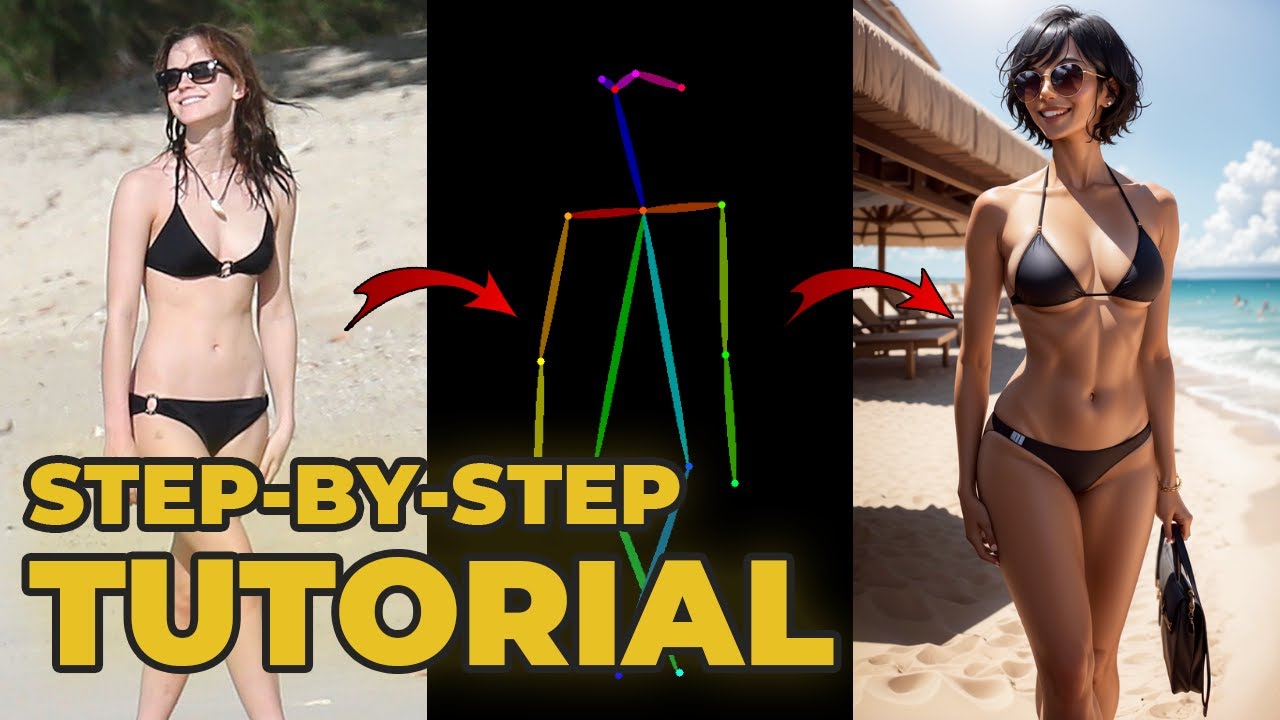
What if you want your AI generated art to have a specific pose, or if you want the art to have a pose according to a certain image? Then Controlnet’s openpose is your friend.
Today I’m going to go over the model Openpose in controlnet, how to extract pose from an image, how to create your own poses, and I’ll even dive a bit into these settings....
final briar
tired vigil
Use controlnet poses extension
ok thanks, I will check open pose then
left yoke
Hello! I am not able to generate this image, I have been trying for two days now. Will be trying on comfy UI tomorrow.
Can someone help me with this scene?
"view from outside of a big garage with snowmobiles, gas station in front of the garage, a man sleeping on the ground near the gas station, outdoors, nightsky, north pole"
It always misses out on the dead person on the ground, I have tried on all the ai image generators
View from inside a larger hangar with some snowmobiles. The hangar contains cabinets and tools for mechanics and a small pump station for refueling the snowmobiles. A lifeless person is lying near the pump station. The gate of the hangar is visible, outside there is twilight. The hangar is part of a research facility at the North Pole and is set in a barren snowy landscape that is in a perpetual twilight.
i m looking to generate this image ^
next flint
left yoke
i m looking to generate this image ^
Interior view of large aircraft hangar in arctic research facility, snowmobiles parked inside near refueling station, lifeless body lying on floor, hangar contains cabinets of mechanic's tools and pump for refueling, large metal sliding hangar door open revealing twilight arctic landscape outside of barren snowy tundra and minimal sunlight, highly detailed and photorealistic, cinematic lighting, by James Gurney ?
proven jasper
left yoke
i m looking to generate this image ^
something like this?
 left yoke
proven jasper
something like this?
left yoke
proven jasper
something like this?
Yup.. But we also need a garage alongside the gas station, where some snowmobiles are parked.. This looks amazing by the way
left yoke
proven jasper
something like this?
I will try to use this image, I will add a garage with snow mobiles myself with photoshop, on thr right side of this gas station, or just try to adjust somehow.
But, I was trying to put the dead body near the gas station, and the garage with snow mobiles beside gas station
 wraith echo
How to get stable diffusion to stop generating dresses that reveal the fcking legs? Ive entered legs, short dresses, short skirts in the negative prompt and they still show legs like they have a leg knk
wraith echo
wraith echo
How to get stable diffusion to stop generating dresses that reveal the f*cking l...
This stops me from generating specific fashion styles
tired vigil
wraith echo
How to get stable diffusion to stop generating dresses that reveal the f*cking l...
When I want that, I put revealing clothes, revealing outfit or skimpy outfit in the positive, so try that in the negative ?
And full dress in the positive helps with less revealing dresses when I want them
Which model are you using ?
torn cliff
Could also try a lora for long dresses
wraith echo
tired vigil
When I *want* that, I put revealing clothes, revealing outfit or skimpy outfit i...
I’ve tried typing revealing clothes in the negatives, haven’t tried “skimpy outfit “ tho, thanks
broken crystal
I want to generate a house but with the dimensions 1080 x 1350 the ia generates me an image cut in several times whereas I wish only one image.
I tried to put "split" in negative prompt but nothing changes.
Does anyone have a solution?

 hard elm
broken crystal
I want to generate a house but with the dimensions 1080 x 1350 the ia generates ...
hard elm
broken crystal
I want to generate a house but with the dimensions 1080 x 1350 the ia generates ...
What's your full prompt?
broken crystal
hard elm
What's your full prompt?
modern style, design futurism, villa built into desert with pyramids, Mediterranean, Cirrus clouds, night, golden hour, lights, (curved:0.5), (brutalism:0.5), raw concrete, metal, highly detailed, hyper-detailed, extreme detail, award winning, (Archviz), visualization, ambient occlusion, Octane render, 4k, 8k, HD, photorealism
Negative prompt: 3D render, soft, burry, divide,no split
hard elm
You could try "a series of images" as a negative
broken crystal
hard elm
You could try "a series of images" as a negative
unfortunately it doesn't work
hard elm
I would re-write that as...."A modern style villa in the desert at night, Mediterranean, cirrus clouds, golden hour, golden ratio, brutalism, raw concrete, metal, professional photography, award winning, cinematic, photorealistic, ambient occlusion, unreal engine 5 quality render, ambient occlusion" if you wanted to throw everything in
And you are using sdxl
broken crystal
hard elm
And you are using sdxl
It works perfectly, thank you very much. Nop i use stable amtrix UI
broken crystal
hard elm
Np!
As soon as I add "with swimming pool" it starts all over again.
 flat flare
Hi, im getting error about ur still dreaming. How to i stop dreaming?
quiet zodiac
@broken crystal It might be your size resolution. Try 768x1024 as a test.
Using a modified version of Sunny's prompt and your reference, I got close to your airplane house.

 tired vigil
broken crystal
As soon as I add "with swimming pool" it starts all over again.
tired vigil
broken crystal
As soon as I add "with swimming pool" it starts all over again.
You should try lower resolution, when I go wide/tall it just duplicates things everywhere :p
like cut both in half and upscale 2x later if you want exactly that resolution
 weak seal
how do you i prompt to change color hair for having random between brune and blond for instance ?
quiet zodiac
I use python to generate my prompts, to randomly choose from a list of hair colors, body types, emotions, poses, etc...
marsh wraith
How do you make an image similar to this?
 quiet zodiac
I'd say that's a tough one. You might try generating it as a reproduction and reference the original artist's name. SD has a hard time making believable characters at a small scale. Higher output resolution does help, but expect vague faces.
a reproduction of the school of athens painting by Raffaello Sanzio da Urbino, detailed architecture, detailed inhabitants
 marsh wraith
quiet zodiac
I'd say that's a tough one. You might try generating it as a reproduction and re...
marsh wraith
quiet zodiac
I'd say that's a tough one. You might try generating it as a reproduction and re...
That's gorgeous. Thank you so much
marsh wraith
quiet zodiac
I'd say that's a tough one. You might try generating it as a reproduction and re...
I'll attempt to do impainting
torn cliff
weak seal
how do you i prompt to change color hair for having random between brune and blo...
There is an extension called Wildcards, you can put various things, such as colors, into a text file and when you call the wildcard it will randomly select a line from the file. You use it by putting a file like "colors.txt" and then the wildcard would be "__colors__ hair" in the prompt to generate a random hair color.
It's two underscores on either side of the name of the text file
 manic juniper
Can someone help me in prompting 2 loras for one pic, never did it before and somehow it doesn't seem to work for me when I try z_z
For example, I'm trying to do this with 2 loras, but no idea if I should use LatentCouple, Controlnet or Regional Prompter

This pose is also a lora of it's own: https://civitai.com/models/131969/shared-umbrella-or-lora

The recommended values are 0.7-0.9 Trigger words: umbrella(more chances of generating a good image if you include the color of it) shared umbrella ...
 candid dome
I seem to remember a syntax where you could have a keyword active for X steps then stop, does anyone know what this was?
And is there a place more advanced syntax stuff can be found? Couldn't find a breakdown on the github
 solid bramble
i need help with a prompt, can't get the girl to look out over the balcony at the lake. seems like no matter what i do she always has to look back at the viewer.

 twin yoke
describe in the prompt the back of her head
 lean pecan
hello, sorry if this isn't the right channel, i'm new to ai image generating and was wondering how to do good prompts? is there a specific syntax or something? i have seen people putting words in (), and others even doing something like <something=0.7> in their prompts but i really don't understand very well, so i'm wondering if you have any tips/tutorials
quiet zodiac
Just google. There are all types of markups all over the web. Decide what platform you're going to use first. This helps narrow down what special characters you can place inside your prompt. The UI systems support different features. Overall, try well formed sentences first.
solid bramble
twin yoke
describe in the prompt the back of her head
what on earth are you talking about... "describe the back of her head"? it's the back of a head what is there to describe? if you have specific phrases that remedy this then suggest those.
twin yoke
solid bramble
what on earth are you talking about... "describe the back of her head"? it's the...
You have to understand how prompting can work. Telling SD that the subject of the image is looking away is only one way to try to accomplish what you're looking for. However, if you describe the back of her head such as literally saying "back of head" or something similar, that forces the sampling to render that thing you're describing and thus it would infer that she's looking away from the viewer.
The other thing to consider is that the model you're prompting against may be poorly trained for looking away from the viewer.
solid bramble
twin yoke
You have to understand how prompting *can* work. Telling SD that the subject of...
i understand that, but describing something that is already in frame won't have any effect. not to mention this doesn't always work. i have had plenty of instances where i have asked for a specific item or plant ect to be in the image and it doesn't show.
twin yoke
describing something that is already in frame won't have any effect
That's simply not true. Every single adjustment to a prompt that has any impact on a token will have some effect. Depending upon what changes you make such as where in the prompt you put the words, how strong you make them, anything you put into negative and how strong you make those, etc., could potentially land you what you're looking for. Also, simply attempting this against a bunch of different seeds could also give you the outcome you're looking for.
quiet zodiac
What if you tried something like...
looking away, across the waves
Sometimes you can't fight the seed. Try another one.
solid bramble
twin yoke
> describing something that is already in frame won't have any effect
That's sim...
this isn't my first day prompting i understand the concept plenty well. your not telling me anything i don't already know. in the mean time i have tried your "describe the back of head" suggestion to no avail on my checkpoint of choice and base sdxl.
solid bramble
quiet zodiac
What if you tried something like...
```looking away, across the waves```
Sometim...
sadly i've tried looking away, looking at lake, looking at forest, negatives, looking over shoulder, looking a viewer, facing viewer. it's rediculous.
quiet zodiac
New seed or image guide, maybe openpose. Perhaps tweak a negative. Sometimes just switching things up can cause a change.
twin yoke
Literally added "(back of head:1.4), " to the prompt and got this:
 solid bramble
quiet zodiac
New seed or image guide, maybe openpose. Perhaps tweak a negative. Sometimes jus...
solid bramble
quiet zodiac
New seed or image guide, maybe openpose. Perhaps tweak a negative. Sometimes jus...
i'll try openpose or controlnet on comfy as a last resort. imo if i can't do this without 3rd party help then there is something fundamentally wrong with SDXL.
twin yoke
Now what?
solid bramble
twin yoke
Now what?
idk what part of what i'm trying to do your hung up on. i want her to look stright forward at the lake. no facial skin visible period. no ears, neck or face.
twin yoke
So describe the hair, put things like ears, face, eyes, etc. in the negative.
quiet zodiac
What about..."posterior or distal view"
twin yoke
Good suggestions as well.
solid bramble
lol what?
quiet zodiac
I googled "what is facing forward called"
solid bramble
i'll try it just for the laughs at this point. better than any suggestion "soul" has had so far.
twin yoke
solid bramble
i'll try it just for the laughs at this point. better than any suggestion "soul"...
When you come asking in an open forum for help and someone's trying to give you ideas, maybe don't be an asshole about it just because you don't understand or like the advice.
You originally said:
can't get the girl to look out over the balcony at the lake
And I'm pretty sure the results I posted above give you exactly that. You didn't say "no ears, neck or face" until after I solved your original problem by following the advice I gave you.
solid bramble
quiet zodiac
What about..."posterior or distal view"
sadly no dice, thanks for trying.
 rigid wind
So my friend and I are talking about negative prompts and we ran into a question that we're not sure the answer to. We both use words like ||underage, child, children, kids, kid, shota, loli|| in the negative prompt whenever we're dealing with something that may turn out NSFW content but we were wondering how models know what these inappropriate subjects are? Like surely they aren't trained on these subjects so how does it know to avoid them?
 quaint cairn
rigid wind
So my friend and I are talking about negative prompts and we ran into a question...
quaint cairn
rigid wind
So my friend and I are talking about negative prompts and we ran into a question...
Clip front
You can just check for yourself
quaint cairn
solid bramble
sadly no dice, thanks for trying.
I've ran into that issue too, most models always try to put a face in there. Haven't had much luck with prompting but a possible workaround is to roughly edit the face out and run it through img2img

 stoic fjord
idk if this is the right place to ask but is there a way to make the bitcoin logos come out better? they're a bit janky. or is it better to just clean those up on photoshop?
 rigid wind
quaint cairn
I've ran into that issue too, most models always try to put a face in there. Hav...
rigid wind
quaint cairn
I've ran into that issue too, most models always try to put a face in there. Hav...
couldn't you use OpenPose to try to force the face forward?
quiet zodiac
@solid bramble I tried a patched image guide as well. It kind of works. Even with raw prompting, the pose systems tries to not give you that 90 degree looking away.
facing away, posterior view,a red haired woman in a green dress standing at a railing overlooks a fjord looking at the castle in the distance, realistic skin, volumetric lighting


 solid bramble
quaint cairn
I've ran into that issue too, most models always try to put a face in there. Hav...
solid bramble
quaint cairn
I've ran into that issue too, most models always try to put a face in there. Hav...
i'm guessing this is using a1111 inpaint rite?
solid bramble
quiet zodiac
<@160223437460209665> I tried a patched image guide as well. It kind of works. E...
thanks i will try out this prompt myself and see what i can tweak without breaking.
quaint cairn
rigid wind
couldn't you use OpenPose to try to force the face forward?
Yeah, that's also a good idea
@solid bramble yes, img2img in a1111

 frozen thorn
Hi all.. brand new to stable diffusion..
Installed Automatic1111 last night. Played with a few different models and prompts.
My goal is to get a crest/logo of a grizzly bear done in a very minimal/flat style. Similar to this (which was done by bing image create).
But the images I end up with are still just far too detailed like:


Here is the prompt info I used (logged out by auto1111):
"(stylized mascot logo, sports emblem, vector art), (angry grizzly bear mascot:1.2), (3 solid colors, thick-linework), white outline, black backdrop, black background, (common sports logo emblem and heraldic elements:1.4), HDR, UHD, vibrant, dynamic, (detailed:1.36)",32016053,1024,1024,Euler a,4,16,00008-32016053.png,"3D, realistic, modern, photorealistic, turn-based strategy, text, title, worst quality, low quality, ugly, blurry, signature, watermark, monochrome, (grayscale:1.4), shadows, 3D, render, photo"
and I've used crystalClearXL model and sd_xl_base_1.0 as well.. both end up kind of the same results.
How do I get it to be 'simpler'.. more flat vector style?
 unique bane
can we add the reference image?
tired vigil
frozen thorn
Hi all.. brand new to stable diffusion..
Installed Automatic1111 last night. Pl...
Try a detail tweaker lora
It can add details but also simplify it with negative/low values
Also HDR and stuff like that prompts could be hurting your desired image making it more "realistic"
orchid ore
also higher cfg, cant read what cfg are you using. Also i believe there are for sure loras for 1.5 maybe for sdxl as well
Also you can finalize it in inkscape where you have more control and can vectorize it properly.
frozen thorn
tired vigil
Try a detail tweaker lora
ok.. I'll look into those.
I had removed the HDR and UHD tags last night.. didn't seem to make much different.
frozen thorn
orchid ore
also higher cfg, cant read what cfg are you using. Also i believe there are for ...
That's kind of my plan.. want to get it generating something close and then figured I would pull it into inkscape.
 queen ember
Hello, someone have an idea how i can have this kind of result please ? prompt &/or checkpoint ?
 quiet zodiac
Kind of getting there. Your best bet might be to supply that reference image to extract the style.
(lit in a sepia tone:1.5), a high contrast pencil drawing of a romance book cover male model wearing armor by Jesper Ejsing, extra detailed,2D, sketch style, concept art, inking, orange and white,vignette fade around edge
Model: galaxytimemachines/GTM_semirealV11
 queen ember
Thx a lot for your help, i gonna try
 unique lodge
queen ember
Thx a lot for your help, i gonna try
unique lodge
queen ember
Thx a lot for your help, i gonna try
you ever realize we kinda look the same?
😁
queen ember
kind of 🤣
 charred root
hey guys, I'm using Photon v1 checkpoint, and for some reason I'm getting the same or a very similar person each time.
Here are 2 batches of 2 images
with prompt a photo of a 26 y.o. woman, Sarah, white skin, bangs, bare shoulders, brown hair, jacket, long hair, off shoulder. sitting, sleeveless, solo, twintails, very long hair (close up face portrait)
How can I make them all different?

 wise vigil
What kinds of ckpts/loras are good at making the kind of painterly/surreal images that Midjourney has characteristically been known for
Stuff like this for instance (real Midjourney gens I've done)

 tired vigil
charred root
hey guys, I'm using Photon v1 checkpoint, and for some reason I'm getting the sa...
tired vigil
charred root
hey guys, I'm using Photon v1 checkpoint, and for some reason I'm getting the sa...
Avoid names in your prompt if you need different faces every time because prompting names will give you similar faces.
In your case "Sarah" is the name of a person and that's the reason you are getting the same face in each generation.
Also make sure your seed is set to -1.
 static hinge
How can I prompt so I get an image that looks like taken from a TV program?
charred root
I've added that name as a last resort just to see if it's gonna be different from others.
One dude recommended using some decloner or something like that, and it kinda works
@tired vigil
 vital charm
Has anyone using hypernetworks getting worse results after updating A1111 to 1.6 ? i am now getting blurry images like using the same hypernetwork i used before. Cant seem to understand what is the issue
hard elm
static hinge
How can I prompt so I get an image that looks like taken from a TV program?
What exactly are you looking for? You mean like a movie, a tv show, a news broadcast?
I just cobbled these together with
a singular crystal, with gold on one side, surrealistic brush stokes, complimentary color palette, digital watercolor, surrealistic art movement, abstract art background, salt technique for stars, a detailed oil painting
You could get more finite details, probably, by using the refiner, maybe adding more details about brush strokes, textures, canvas, etc


Using texture overlay, canvas texture overlay, etc, might help
a singular crystal, with gold on one side, surrealistic brush stokes, complimentary color palette, digital watercolor, surrealistic art movement, abstract art background, salt technique for stars, a detailed oil painting, on canvas, knife palette, textured canvas overlay

 quiet zodiac
@static hinge Try using this model:
https://civitai.com/models/9114?modelVersionId=142173
quiet zodiac
@hard elm Your prompt seems to work well in several different models.


 hard elm
quiet zodiac
<@304180422357549056> Your prompt seems to work well in several different models...
hard elm
quiet zodiac
<@304180422357549056> Your prompt seems to work well in several different models...
Yup! It should 🙂
 sweet lily
what is the prompt for the anime long spiky hair?
 atomic wigeon
sweet lily
what is the prompt for the anime long spiky hair?
atomic wigeon
sweet lily
what is the prompt for the anime long spiky hair?
Try "animepunk spiked hair" maybe.
static hinge
hard elm
What exactly are you looking for? You mean like a movie, a tv show, a news broad...
like a tv show (news, talk show), infomertial, history channel crap. Both like real escenes in the style and composition and feeling of being film for it but also kind of a screen shot of how it looks in the TV, and also a photography of a TV. Any of it but usually I would I get none.
 frank imp
I'm trying to create a fantasy map for a game. SD is giving me really nice images, but none of them are actually a "map". How can I get the camera angle from directly above? The 3d looking icons and colorful graphics are nice, but it needs to be an actual map that can be used with coordinates. Also I'm trying to get several key features on it, 4 different forests, swamp, snowy mountains with a volcano. Feature rich eh? Any prompting help would be huge! Thanks
quiet zodiac
Something like this might get you going. You may need to push the CFG scale a little more than usual.
an overhead view of a paper world map for a dungeons and dragons campaign, intricate, highly detailed, epic, infographic, marginalia, cartography


Ooh, here we go. Switching to model Realistic Vision v51.


You may want to generate a few sparse map candidates, manually add in your key features using photoshop, then submit it back as an image2image render to remove any clumsy editing.
granite crescent
how do i remove this style? it always starts when i load up A1111 as default and i forget that it's there.

i mean obviously i can click the X and remove it temporarily but when i start up A1111 next time it will be there again
torn cliff
granite crescent
how do i remove this style? it always starts when i load up A1111 as default and...
In the main folder where the bat file is, there is a file called styles.csv, edit that and you can delete that style from it.
granite crescent
torn cliff
In the main folder where the bat file is, there is a file called styles.csv, edi...
thank you!
torn cliff
Welcome. ^.^
tired vigil
You want those but more realistic ?
also I'm trying to gen some and I'm getting eyes, just the eye
Have some big eye

Lmao
SD doesn't want to cooperate with something I'm doing 
 fluid solstice
Idk if this is the appropriate channel to ask; but when I increase batch count, all the different images in a batch look very similar. All this time, I thought they got the same seed but it seems it is not the same but the previous one +1.
I am using wildcards, so I would like that each image with a certain iteration of wildcard prompts gets a random seed.
Can I do this with the extra menus in the seed field somehow?

 twin yoke
 kind kayak
Nothing can make model generate two colored eyes. It's impossible
kind kayak
Nothing can make model generate two colored eyes. It's impossible
Try adding the word "heterochromia" into the positive and adjust the strength accordingly
kind kayak
twin yoke
Try adding the word "heterochromia" into the positive and adjust the strength ac...
I have to put parenthesis like ((((((((((heterochromia)))))))))?
Cuz my checkpoint is really stupid.
twin yoke
Just start without that, then if needed, use (heterochromia:1.2). If that doesn't work, bump it to 1.3, etc.
kind kayak
twin yoke
Just start without that, then if needed, use (heterochromia:1.2). If that doesn...
What is 1.2 1.3???


 twin yoke
Is it?
 kind kayak
 twin yoke
Keep in mind that a lot of this relies on random stuff like the seed value. You have to tweak values sometimes and just try, try, try.
kind kayak
how to make it generate a different color?
twin yoke
Just play with the prompts until you get what you want.
kind kayak
but I am bad at English
twin yoke
Use translation services.
kind kayak
twin yoke
Use translation services.
Ah cmon, there should a better advice than this
I expect so many things from Stable Diffusion becuz I cannot draw
twin yoke
better advice for help with English?
Translation services are free online and do a great job
twin yoke
You said "but I am bad at English". My response was to that.
kind kayak
fine.
twin yoke
 kind kayak
You can also even generate a blue brim of a red cap
what are you?
A god?
a god of stable diffusion?
I'm trying to generate this son of a bitch
 twin yoke
It's just random. Keep generating and changing the prompt around and you will get similar output.
kind kayak
twin yoke
It's just random. Keep generating and changing the prompt around and you will g...
I guess I am a man who have no patient then when it come to waiting for A.I. to generate everything right for me
twin yoke
kind kayak
I guess I am a man who have no patient then when it come to waiting for A.I. to ...
It is not perfect. It is not capable of what you are asking it to do without a lot of patience. It is still very early technology, but it is getting and will continue to get better rapidly.
quiet zodiac
Can you recommend a model that supports heterochromia? The ones I'm trying don't seem to recognize the term.
 still hawk
tired vigil
You want those but more realistic ?
still hawk
tired vigil
You want those but more realistic ?
I mean I want more like those. Not anime or cartoons for example.
proven jasper
kind kayak
I guess I am a man who have no patient then when it come to waiting for A.I. to ...
skill issue
kind kayak
proven jasper
skill issue
stop
proven jasper
😔
kind kayak
Anyway
basically
the more RAM you have
the faster you can generate?
along with graphic driver?
proven jasper
its all about vram and the gpu, like a on quadro has a lot of vram but cant generate fast because its an old gpu
3xxx and 4xxx series are the fastest ones
 hoary galleon
hey, i'm very bad at prompting, anyone could tell me how to get an image similiar to this?
 lean pecan
hello, idk if this right channel but can anyone help me with openpose? i don't understand how to pose the head, what are all these points supposed to mean? i understand the blue would be the neck obviously, but what are the other four? eyes/ears?
 static hinge
I was trying the Dynamic Prompt in order to use the Magic Prompt, which I used in the past but now it doesn't work https://huggingface.co/spaces/Gustavosta/MagicPrompt-Stable-Diffusion
The thing is, I don't like that it generate the prompt and then you have to put the image in PNG info to learn what it added, so it is very annoying to test, also it doesn't give different options.
 static hinge
lean pecan
hello, idk if this right channel but can anyone help me with openpose? i don't u...
static hinge
lean pecan
hello, idk if this right channel but can anyone help me with openpose? i don't u...
yes the biggest circles on top are the eyes and the other two at the sides are the ears. I don't know about the blue circle, it may be the nose?
lean pecan
oh ok, thought it was something more complicated, thanks, i assume the blue one to be the chin? maybe
static hinge
lean pecan
oh ok, thought it was something more complicated, thanks, i assume the blue one ...
yes could be the chin also, but it is the nose, mouth or chin I guess
 spark rune
I wasnt aware about it till now
lean pecan
if you are using comfyui you can use this https://github.com/space-nuko/ComfyUI-OpenPose-Editor

GitHub
Contribute to space-nuko/ComfyUI-OpenPose-Editor development by creating an account on GitHub.
spark rune
thanks
I was going to literally train a entire new custom model based on a dataset just to get the position i need lol
nice to see there is an easier way
static hinge
static hinge
I was trying the Dynamic Prompt in order to use the Magic Prompt, which I used i...
also "don't generated images" generate images (I thought it may just generate the prompt)
lean pecan
spark rune
I was going to literally train a entire new custom model based on a dataset just...
speaking of wich, you have good links on how to train models yourself? am a beginner in all this so no idea how to do it but would like to try
static hinge
spark rune
thanks
oh no, you can also use two or three controlnet models on top of each other if you want more control, OpenPose with Depth/Canny
If you are using a reference img
spark rune
lean pecan
speaking of wich, you have good links on how to train models yourself? am a begi...
Two different aproaches for using dreambooth: https://www.youtube.com/watch?v=eh1LOS7TFZ8 https://www.youtube.com/watch?v=usgqmQ0Mq7g

So one day, I wake up and come across all these videos of people transforming themselves into beautiful AI art using "Lensa." I'm instantly captivated and think, "I want that," but unfortunately, I can't afford a Lensa subscription. So I decide to go with the next best option, "Stable Diffusion," and after watching a few tutorials, I take a shot...

Dreambooth is a Google AI technique that allows you to train a stable diffusion model using your own pictures. This Imagen-based technology makes it possible for you to insert any subject you want into a stable diffusion model. I made a similar video in November showing you how to use the Dreambooth extension in automatic1111 but since then a lo...
spark rune
static hinge
oh no, you can also use two or three controlnet models on top of each other if y...
what do you mean?
lean pecan
thanks
lean pecan
spark rune
what do you mean?
i think he's talking about this https://www.andreszsogon.com/comfyui-workflow-sample-with-multiareaconditioning-loras-openpose-and-controlnet/ ?
This ComfyUI workflow sample merges the MultiAreaConditioning plugin with serveral loras, together with openpose for controlnet and regular 2x upscaling in Comf
spark rune
I see
not sure if it applies well to my use case
my goal is to generate different characters always on a fixed position, to enable it to be animated later
from a text prompt
so such fine tunning details are not that important
static hinge
spark rune
what do you mean?
if you are using a photo for reference, you can (in Automatic1111) enable several ControlNet modules, put the reference photo in each, use OpenPose, Depth, Canny in each. Play with the Control Weight, so you will get the pose and also details of depth and others
spark rune
I will try openpose out. if I can always generate different characters always at the same position, it will work great in my project
so lets see
static hinge
Also it seems this extension is better https://youtu.be/30b2k1p2CiE?si=yl748HBsbaEccYqi
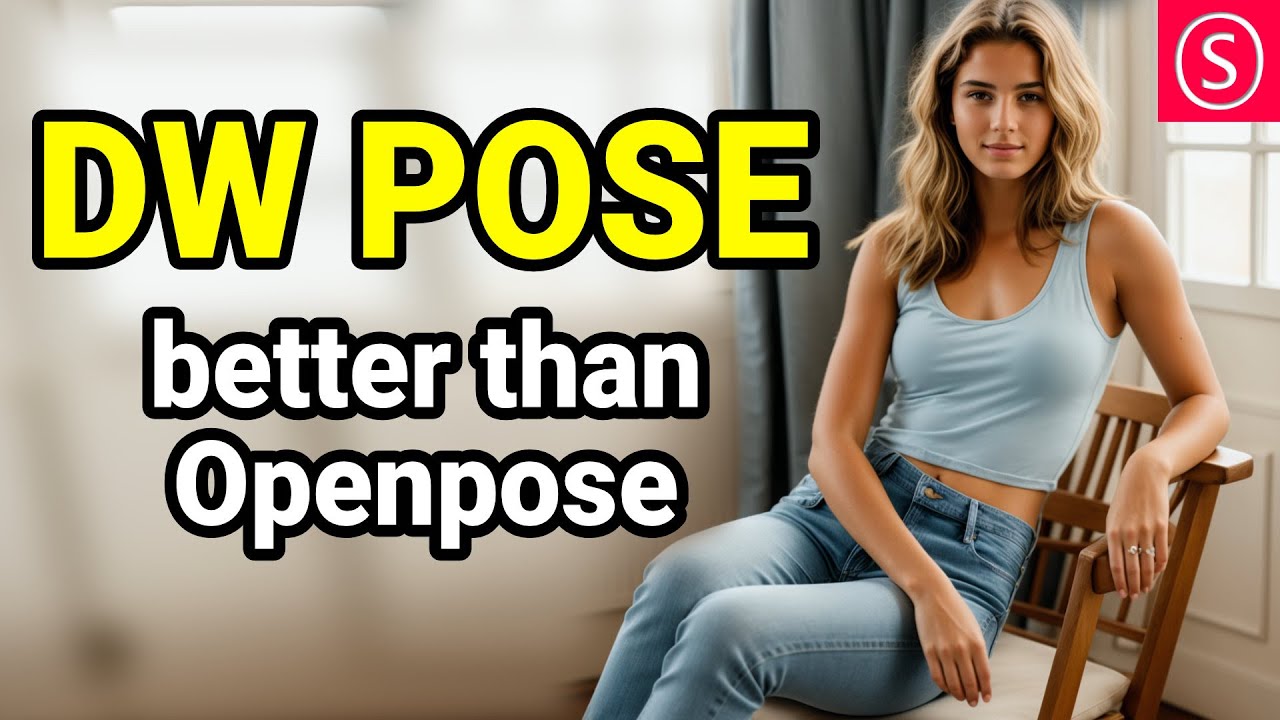
DW Pose is much better than Open Pose Full. Especially the Hand Tracking works really well with DW Pose. This is a full review. Full Install Guide for DW Pose in A1111 for Stable Diffusion
links from the Video
DW Pose: https://github.com/IDEA-Research/DWPose
A1111 1.6 Guide https://youtu.be/1Ldc5kZKKFw?si=Hgb0rtVEhLxEQkkL
IMPORTANT: F...
It has to be installed from URL, havent try it yet
spark rune
thank you, guys
Im so luck I randomly stumbled in this chat today lol. straight up saved 1 week of unecessary work in my research project
hoary galleon
thanks for helping me everyone ig
tired vigil
so im trying to change the hairstyle of an image to another from a lora but it just doesnt work what am i doing wrong?
i get the hairstyle but it doesnt look like i want it
this is the lora itself

this is what im getting

 royal fractal
Heya all, does there is a database of most trained words / character in SDV / SDXL ?
I’m using vanilla SDXL / SDV 2.X
 crystal echo
Does anyone know how to disable highres fix running by default on the new A1111
tired vigil
crystal echo
Does anyone know how to disable highres fix running by default on the new A1111
If the box is expanded then it is on, if it looks like this then it is off.
 crystal echo
it runs both ways on me. i have been watching it in the cmd window and it stays on
 granite pulsar
I'd like help to recreate this image. Which model, prompt, settings, etc.
 tired vigil
granite pulsar
I'd like help to recreate this image. Which model, prompt, settings, etc.
tired vigil
granite pulsar
I'd like help to recreate this image. Which model, prompt, settings, etc.
The answers you will recieve for this will be very vague, as this piece of work is very abstract. Your best bet would be to find very similar works like this, make it a LORA and apply it to something like dreamscape/RPG/unstableinkdream
Another option is to see other peoples creations of works of art, and follow their prompt. There is no wrong or right answer
granite pulsar
tired vigil
The answers you will recieve for this will be very vague, as this piece of work ...
I'm taking a look to this: https://github.com/comfyanonymous/ComfyUI_examples/tree/master/unclip

GitHub
Examples of ComfyUI workflows. Contribute to comfyanonymous/ComfyUI_examples development by creating an account on GitHub.
manic juniper
Hello, can someone please help me generate 2 characters from a lora in 1 pic? I want to understand what I'm doing wrongly z_z
I have a ControlNet pose for that
And if I have a ControlNet, do I still need to use things like LatentCouple or RegionalPrompter ?
If so then which one, because there's so many options I don't know which to check @_@
This is the pose I want to have 2 loras on left and right, what else do I use besides ControlNet?

 quiet zodiac
@granite pulsar I do recognize the effect. Do a google search on Bokeh and Plexus. They are visual effects plugins. Try adding those words to your prompt.
 warped drift
im trying to make concept art for ork guns, any tips, ive been struggling w this for a few weeks


 lapis warren
I saw someones prompt have a weight column in the middle of a grouping, (beautiful, high quality, highres:1.1, aesthetic)
Is that equivalent to (beautiful, high quality, aesthetic), (highres:1.1)?
I thought if I did (a, b, c:1.5) it would apply a weight of 1.5 to a and b and c, but does it only do c?
quiet zodiac
I believe it will only apply to c because of your use of commas. (beautiful high quality aesthetic:1.5) would apply to the entire phrase. But (beautiful, high quality, aesthetic:1.5) would only apply the push to aesthetic on top of the other outer parenthesis push applied to the entire group.
lapis warren
ooh well ive been doing it 100% wrong all this time
misused (a, b, c:1.5), should have been (a b c:1.5) ?
but then are these 2 equivalent? (sky:1.5, moon:1.5, clouds:1.5) vs (sky moon clouds:1.5)
what if I use (large moon, blue sky, shining clouds), if I do (large moon blue sky shining clouds), wouldnt that result blue moon, large clouds, shining moon, etc?
quiet zodiac
Your first example, I'd say yes, but with a comma being a delimiter, that changes the meaning of the prompt. While "weight wise" these two are the same (sky:1.5, moon:1.5, clouds:1.5) vs (sky moon clouds:1.5), they may produce different images.
 obtuse torrent
lapis warren
ooh well ive been doing it 100% wrong all this time
obtuse torrent
lapis warren
ooh well ive been doing it 100% wrong all this time
https://github.com/AUTOMATIC1111/stable-diffusion-webui/wiki/Features#attentionemphasis ...
I'm not an English speaker, maybe that's why I understand this in the opposite way... (in the sense that the absence of separators like the "," was what caused the new notation to only affect one tag, obviously I can be mistaken)
I suggest you do a little testing with (x,y,z) ..to see the effects as they really are
... regarding crossed attention, this is natural to the model, since the tags at the end are translated into a function that tries to fill as much of the latent space as possible... things like the order in which the tags appear can be translate into variations...

GitHub
Stable Diffusion web UI. Contribute to AUTOMATIC1111/stable-diffusion-webui development by creating an account on GitHub.
lapis warren
does the model treat synonyms (i.e home vs dwelling) the same, or will home show modern home and dwelling show rustic home?
lapis warren
obtuse torrent
https://github.com/AUTOMATIC1111/stable-diffusion-webui/wiki/Features#attentione...
this is interesting, does crossed attention mean multiple tokens in 1 set, ie 2 words no delimiter (i.e large moon)?
obtuse torrent
lapis warren
this is interesting, does crossed attention mean multiple tokens in 1 set, ie 2 ...
crossed attention is typical of the model in the sense that internally it does not work with words or letters but with vectors... that is, a data matrix, it can be thought that when executing an SD prompt it decomposes it into vectors, then looks for those vectors in other images and recreates something similar to those images it finds... that's why in many models you can put a "cute cat" prompt and get a cat girl... because in the initial data set there is often a catgirl, was tagged as "cute"... that's crossed attention... mathematically they are functions fighting to fill a whole space that for them has no limits... hence a red cap "wants to dye the pants red also" ...
but the examples above will not eliminate possible crossed attentions or "bleeds"... what you ask and discuss is how the model interprets the signs that reinforce attention...
In short, you increase the "weight" of a tag... when you verify that in the initial prompt it is not shown as you want.... that is, you increase the "weight" for the tags that by themselves lose the fight in the latent space and do not show up in your image...
quiet zodiac
Does anyone have any tips on how to make a font/word appear like what it says?
Professional font made of gears spelling 'MachinE'``` hollow dagger
i am using control net and my prompts arent really taking into shape around the image im using
 high leaf
hi! Comfy user: how do you apply a process like ImageFilterSharpen to an image with a mask? so you don;t sharp the background for instance? is it even possible?
tired vigil
I tried to generate Goku and Naruto clashing. But the AI is generating two narutos, with one wearing goku's cloethes. Why is this? Is Goku forbidden or something?
 wise belfry
I noticed a lot of times SD1.5 models at least will tend to confuse where to put specific colors, for example mentioning blue eyes and green skin would make the skin blue-ish, mentionign red eyes will make the arround part of the eyes except the iris red. How to prompt around that and make the desired results respectively?
 silver valley
wise belfry
I noticed a lot of times SD1.5 models at least will tend to confuse where to put...
silver valley
wise belfry
I noticed a lot of times SD1.5 models at least will tend to confuse where to put...
Check the cutoff extension. That can help with colors
torn cliff
silver valley
Check the cutoff extension. That can help with colors
Just note though that apparently the Cutoff extension doesn't work with AMD cards for whatever reason.
 half bone
My prompt only draws a lion, instead of what I asked for. Help?
faces of an eagle, lion, ox, and man on points of a compass. heraldry, symbolic mural, (foreground amber illumination:2.0), a detailed painting, by William Morris, arts and crafts movement, 1 9 2 2, black velvet painting, nsfw:2.0, renaissance style, mysterious, haunting, ornate, detailed
 sacred wolf
Hi guys, I have a specific question. The first image is the original art and the second image is what I want to achieve - I'm looking to keep the same art while basically just "leveling it up" like it was on the 2nd image. How do I get such high quality image with vibrant colors that simultaneously changed the art a bit (head is different, belt is different, fur on the legs etc.)


It doesn't seem like the person worked on different body parts but it seems like they had the entire image changed
 lavish trench
I'm trying to get a photorealistic ... photo starting from a paint, for example Monnalisa.
I'm trying with img2img but as far as I get sill looking like a paint, even if I use (paint, draw, sketch, illustration:1.5), in Neg
😕 any Advice?
That's the best that I get 🤔
(close-up:1.3) photo of an orc and a human knight facing and looking into each other's eyes, in front of a crowd of people in a battle scene. ((masterpiece:1.3, best quality, absurdres)), epic realistic, award winning
(paint, draw, sketch, illustration:1.5), ((mutilated)), ((poorly drawn face)), (((mutation))), (((deformed))), ((ugly)), blurry, ((bad anatomy)), ((extra limbs)), cloned face, (((disfigured))), child, childish, (worst quality:2), (low quality:2), (normal quality:2), lowres, normal quality, ((monochrome)), ((grayscale)), jpeg artifacts, signature, watermark

 pine lintel
Does Lora positioning matters within prompts?
half bone
pine lintel
Does Lora positioning matters within prompts?
I suspect "no", though I havn't proper evidence to back that.
pine lintel
half bone
I suspect "no", though I havn't proper evidence to back that.
it seemed to me like lora positioning changes the output.. i have done a test on that and found out
spark rune
hello, is there any good tutorials on the best way to modify dw openpose's parameters?
I need to make the dw openpose skeleton more impactful during generation

I mean, really...
how the hell did this skeleton

generated a image like this???

I doesnt make any sense. There must be some small detail that I forgot
spark rune
manic juniper
This is the pose I want to have 2 loras on left and right, what else do I use be...
like look at this image. all limbs are in the exact desired position. Not sure what I'm doing wrong, but I cant get results like this
obtuse torrent
spark rune
hello, is there any good tutorials on the best way to modify dw openpose's param...

Conntrolnet and the model should be active...
static hinge
Does anyone use Magic prompt? I still figuring out which model made what, some just add "by beksinski" and yes some cool (maybe generic as I think I saw that name a lot in prompts). Other just add random inconsistent stuff unrelated to the original prompt (which could be good if you just want random stuff but usually is nonsense and unrelated)
I liked the original magic prompt from the web browser that gave you 3 options and you could take from that what you want, this system where you generate and then has to figure out what it add by inspecting the image I don't like so much.
 tranquil shard
A question about emphasis syntax - (a, b: 1.4), c
what will be a? 1.1 or 1.4?
quiet zodiac
I would think a would be 1.1 and b would be 1.5 because it's inside the parenthesis and will inherit the 1.1 boost as well. If you remove the comma, token a b would be 1.5.
 inland tide
ok I'm stuck I want to know how did it generate to the complete opposite of what I wanted
 torn cliff
inland tide
ok I'm stuck I want to know how did it generate to the complete opposite of what...
torn cliff
inland tide
ok I'm stuck I want to know how did it generate to the complete opposite of what...
Because SD has color bleed issues where if you put in a color it will tend to affect anything else that normally has a color. Like you might have gotten a black hoodie, green hoodie, black eyes, green eyes, green hair, etc.
The Cutoff extension supposedly helps with that, but it apparently doesn't work on AMD cards
inland tide
torn cliff
Because SD has color bleed issues where if you put in a color it will tend to af...
your what your saying is SD doesn't want to work what I got
torn cliff
What you can try, is to try and generate an image that is close in looks to what you want, then use inpaint to mask sections of it individually and put in specific colors. Like mask over the hoodie and remove most of the prompts except for "black hoodie" then when you get a result from that which is decent, send that result to inpainting and mask over the hair or the eyes and put in the color for them instead.
inland tide
torn cliff
What you can try, is to try and generate an image that is close in looks to what...
can I have some examples
torn cliff
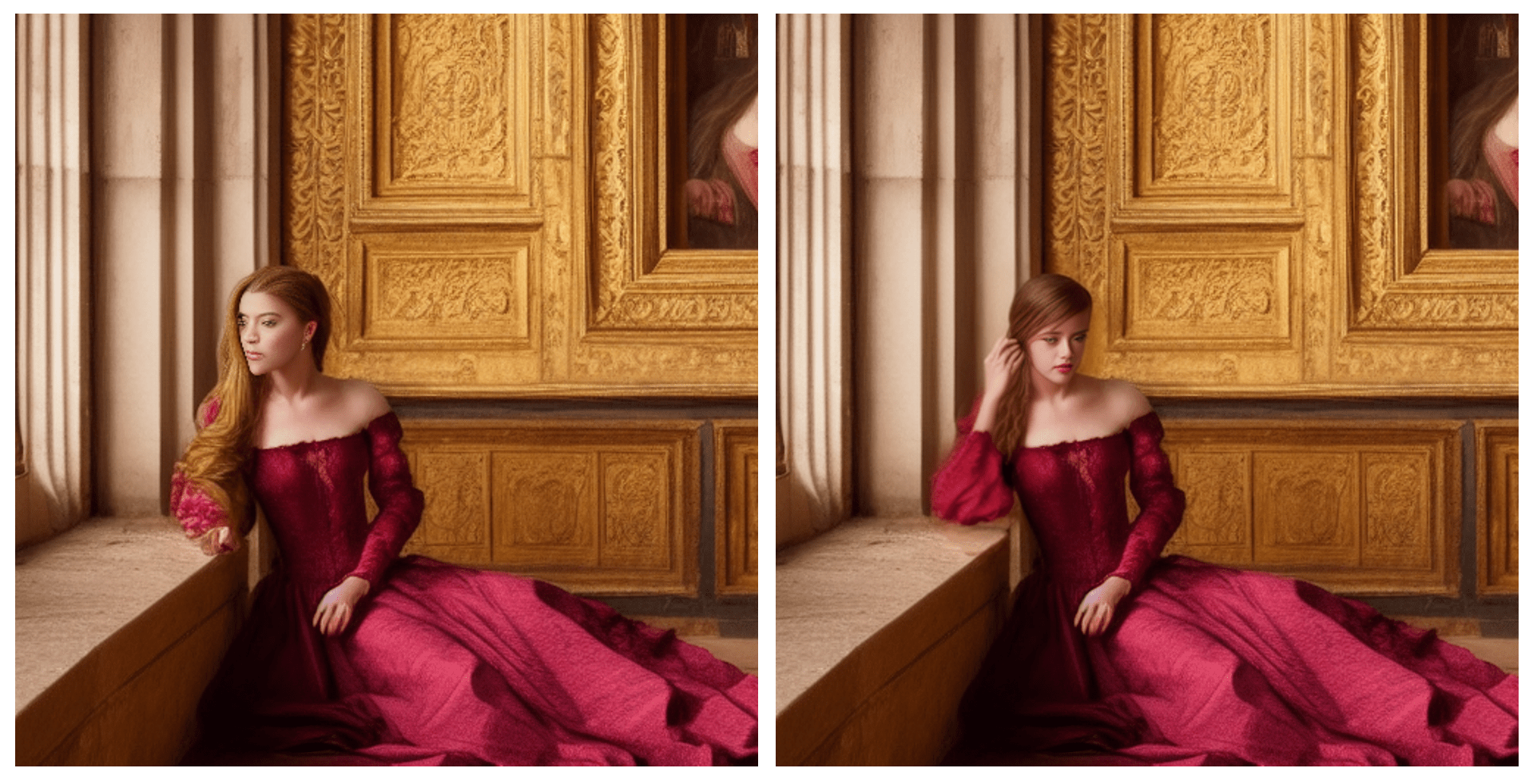
Inpainting is an indispensable way to fix small defects. In this post, I will go through a few basic examples to use inpainting for fixing defects.
This is how you inpaint.
inland tide
another thing why is it being realist when that was the oppsite of what I wanted
torn cliff
That's possibly due to the model you're using
inland tide
is there a good anime model
inland tide
torn cliff
That's possibly due to the model you're using
like have any examples
I want to a have a alittle bit of a dark senery but with a light anime character
torn cliff

fCAnimeMix3 is here! I highly recommend using my embedding series with it. Amazing Embeddings - fcSuite My Links: discord , twitter/ig Subscribe fo...
This might be a good one for anime style
You can also use Loras to get it closer. If you download from Civitai, check to the right side of the images, it will say "Type" and beside that it has a letter "i" inside a circle. Click that and it tells you what to do with that file.
inland tide
what should I search then
torn cliff
Anime or other specific things relative to what you want to get.
Anything marked as "Checkpoint" is the base model. Anything marked as "Lora" or "Lycoris" is basically like a theme.
inland tide
is check point the base so will it always be what it will be
torn cliff
You can change the checkpoint in the box at the top of the image you posted where it says "model.ckpt".
inland tide
ok
torn cliff
Loras and Lycoris can change the results you get somewhat, sort of like the checkpoint is a model doing a photoshoot while the loras are the clothes the model wears.
torn cliff
If you are using Automatic1111 then it's: stable-diffusion-webui-directml\models\Lora
Oh wait nvm
You said checkpoints.
Should be the same place the bat file is located
In a folder called Models
Cant say for sure though cause I am not sure what version of UI you are using
inland tide
torn cliff
Cant say for sure though cause I am not sure what version of UI you are using
https://civitai.com/models/6891/dark-style how does this look
 torn cliff
Looks fine if you're going for a dark theme
inland tide
torn cliff
Looks fine if you're going for a dark theme
that's what I'm doing but when ever I do it includes a bug
torn cliff
What bug?
inland tide
a inscet
proven jasper
sounds like a skill issue
inland tide
well I'm trying my best ok
 digital dirge
hi friends [img2img] I want this image to be in steampunk comic art style however I can't seem to figure out prompt or checkpoint model for it 😄 can anyone help out?
I do get it to be in steampunk style however the art style doesnt change

something like this however the art style should be different
 torn cliff
digital dirge
hi friends [img2img] I want this image to be in steampunk comic art style howeve...
torn cliff
digital dirge
hi friends [img2img] I want this image to be in steampunk comic art style howeve...
You will need to find a model/checkpoint that has the style you want. For example you can prompt "Realistic" all you want but if the model you are using is an Anime style model then it's not going to help much.
Maybe this:
https://civitai.com/models/54009/pirsus-comics-style
Might help

The model is assembled from a huge number of different art in the style of Western comics . I didn't use anime-style art at all to avoid the Asian ...
 ornate turret
anybody knows how can I change tiling to false?..


 gaunt shuttle
Np
ornate turret
the UI lacks the tiling option since I've updated. where would I set 'Tiling: true' to false? do you have any idea?
removed it from settings under "stable diffusion", thank you!!!!!
gaunt shuttle
Hi, I have a question:
How do I generate black hair? I never seemed to have a problem with that but now most of the images sd generates have this weird effect where hair is colored differently on one side. It's either green because there is green eyes in prompt or blue without any blue color specified. 90% of images have something like this across 5 different anime models
Do I have to inpaint it every time or is there any way to prevent this?
 silver valley
gaunt shuttle
Hi, I have a question:
How do I generate black hair? I never seemed to have a pr...
silver valley
gaunt shuttle
Hi, I have a question:
How do I generate black hair? I never seemed to have a pr...
Your missing a vae file. Its for color correction
gaunt shuttle
Thanks, I will get one then
gaunt shuttle
I got a vae, it works but and the problem still occurs
Should I get any specific one?
Is there something else I can do?
 silver valley
gaunt shuttle
I got a vae, it works but and the problem still occurs
Should I get any specific...
silver valley
gaunt shuttle
I got a vae, it works but and the problem still occurs
Should I get any specific...
That could be a specific prompt tag that triggers that or its model depended
What are your hair prompts ?
Also a trick. Describe the hair color before describing the eyes
rigid wind
I'm a bit confused if this is the right channel for it or if #🔧|finetune is the right place for it but I am having a hell of a time with inpainting. Everytime I try to add something to my initial generations it never quite fits in like I want it too. Like this image I started maybe like 3-4 days ago. The initial generation came out fantastically, I really liked it (just in case you can't tell what was in the initial generation I added the frogs, reeds, birds on the head of that cat and the "caterpillar" in the top right). I've watched a couple of videos on inpainting and found some parts where I was making mistakes but even after all that I can't quite get things to feel like they fit in. The way I've gone about adding things after watching videos is by inpainting the section I want to add something, then use a high denoising strength (0.9 to 0.95) with a lower resolution on masked only (in this case from 1920x1080 down to 1080x720) with latent noise on which does a pretty good job of getting the actual object I want into the image, then I will find a version that has sort of has what I want I will go over the same area with a lower level of denoising strength (0.4-0.7, depending on how close it is to being what I want) with original masked content, still at 1080x720, then if I'm happy with it overall I just want it higher quality I'll turn the resolution up to 1920x1080 and a really low denoise strength (0.2-0.3) but as you can see it never really ends up fitting in

Basically I feel like I've done nothing but make this image worse since trying to make it better xD
This was the initial generation

I'm also quite new to stable diffusion (I think this is like 10 days or so since I've started) so it might be that I'm doing something really dumb
 tawny beacon
Hey everyone, I used dreambooth to train on photos of my deceased mother in law. I want to use SD to help recreate the memories my children have of their grandmother. I want to print these photos along with a short story in a small book for each of my children. Stable diffusion does a good job drawing my MIL’s face but I find it difficult to get the poses I need. One is based on a funny story where she fell asleep sitting as our cat sat on her head. Any ideas on prompts to have it look like a cat is sitting on someone’s head? I get giant cat ears at best. This is using in painting btw
gaunt shuttle
silver valley
What are your hair prompts ?
Also a trick. Describe the hair color before descri...
(masterpiece, best quality:1.2), beautiful woman, (black hair), straight long hair and bangs, green eyes, pale skin, black dress with sleeves, frills, black pantyhose, earrings, forest
Negative prompt: (worst quality, low quality:1.6), belly button, badhands4, watermark, signature, <some adult content prevention here>
Steps: 35, Sampler: DPM++ 2M SDE Karras, CFG scale: 7, Seed: 3818822201, Size: 512x768, Model hash: 428a35ae0d, Model: rmhf_animev4, Denoising strength: 0.5, Clip skip: 2, Hires upscale: 2, Hires steps: 20, Hires upscaler: ESRGAN_4x, Version: v1.5.1
 amber fable
Hey peepz,
Is there a website where i can find different workflows? or maybe some educational videos on youtube u peepz can suggest?
thanks in advance
rigid wind
https://www.youtube.com/watch?v=4u-Ytioi3DM
I watched this yesterday or the day before and it had a lot of points in it that seemed to make sense, but I'm still very new so idk if this is like the ideal way of working but it's relatively short and gets you into making some decent stuff.
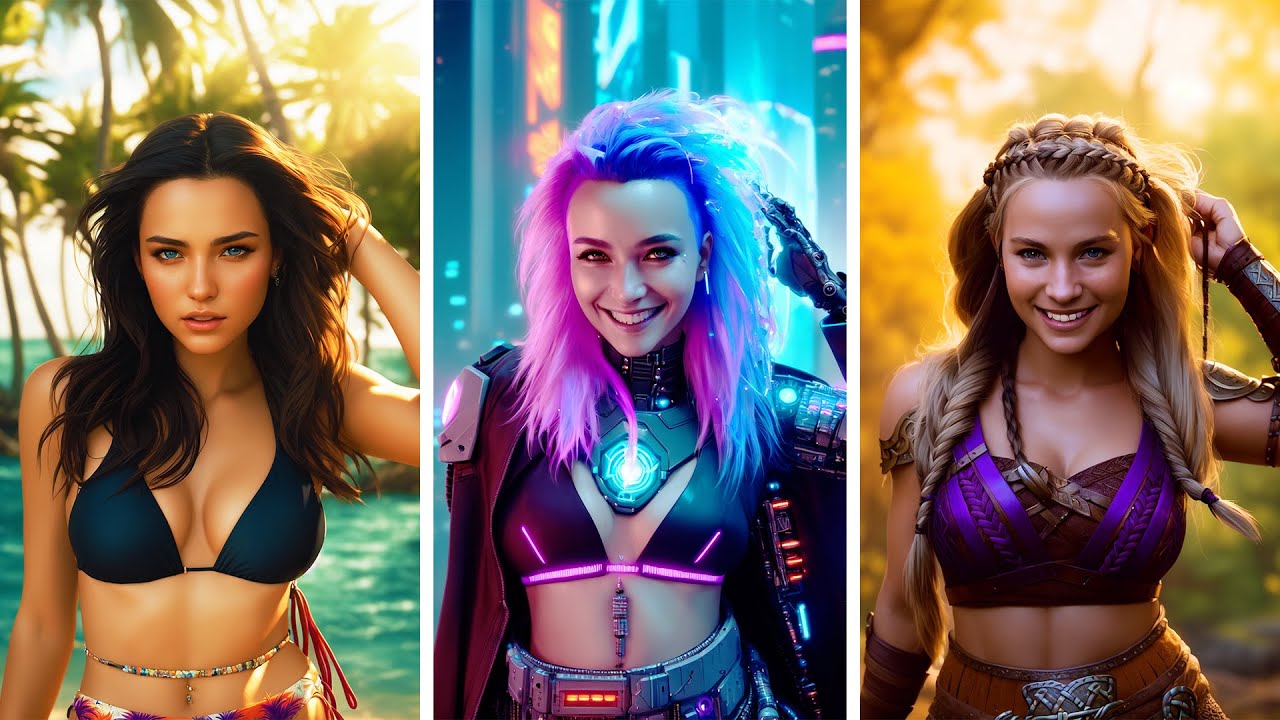
I reveal my never before seen workflow to achieve the best images possible in Stable diffusion together with the ControlNet extension. ControlNet lets you use any composition or pose when creating Stable diffusion images.
Support me on Patreon to get access to unique perks!
https://www.patreon.com/sebastiankamph
Chat with me in our community d...
silver valley
gaunt shuttle
```
(masterpiece, best quality:1.2), beautiful woman, (black hair), straight lon...
Ah okay can you try with clip skip 1 ?
And move green eyes to the end of the prompts. Not near your hair tags
rigid wind
rigid wind
I'm a bit confused if this is the right channel for it or if <#10263824062797701...
anyone have any idea for where I'm going wrong?
 agile haven
Im trying to get more realistic proportions on a female character. right now the hourglass figure is very exaggerated. I want it to be a bit more realistic, closer to the red line. anyone have some good keywords for this? nothing i tried seemed to work
 static hinge
agile haven
Im trying to get more realistic proportions on a female character. right now the...
static hinge
agile haven
Im trying to get more realistic proportions on a female character. right now the...
Really don't know if it will work, but maybe to try with thick, bulky, robust (or inpaint that part with that), also try some negs like (hourglass figure:1.4) or Curvaceous figure, Shapely figure, Feminine figure
 sick anchor
So I spent quite a bit of time trying to get wet hair but not a wet body. The single positive wet hair works great for the hair but also wets the body. No amount of negative or positive or combination will get rid of the wet body. When it does it also removes the wet hair. Any suggestions?
silver valley
sick anchor
So I spent quite a bit of time trying to get wet hair but not a wet body. The s...
You can try Soaked hair
Or try an other model maybe
Also mention the hair after the clothes can help
sick anchor
silver valley
You can try Soaked hair
I have tried that also. No luck. It is also already mentioned before and after cloths.
It seems I will have to find another seed. Although the only situations it does not seem to affect the body is in a closer up photo but that is just because the face generally does not get those water lines.
You can still tell it wants to put water everywhere. Edit: adding waterdrops to negative with a 1.3-1.5 weight helped in some situations but not most. It did reduce the visible drops but left many trails which is still much better but not what I wanted to see was possible. It seems using a lora will be the only way to achieve this properly as any amount of water removed from the body and skin results in dryer to completely dry hair like all of it is tied together. It happens in every sd model I have tried. Even taking the prompt back to the basics does the same for me. Trying to use a prompt to override the wet skin with another texture like sand also did not help as that only resulted in sandy wet skin occasionally. Thinking the embeds or lora's I am currently using are the problem I removed those and it just results in a less detailed but still very wet body in the photo except this time a far more opaque viscous substance that looks just like what you are thinking.
 wise belfry
when we get those artefacts what does it mean and how can we avoid it?
 agile haven
Any help on getting rid of the cloth on the arms and legs? i tried (sleeves:1.5), (leg warmers:1.5) in the negative but it didnt improve it that much
 tired vigil
agile haven
Any help on getting rid of the cloth on the arms and legs? i tried (sleeves:1.5)...
tired vigil
agile haven
Any help on getting rid of the cloth on the arms and legs? i tried (sleeves:1.5)...
Sleeveless
You can also try "showing part of the body"
Or just plain prompt for the body part, also works for the models I use at least
agile haven
tired vigil
Or just plain prompt for the body part, also works for the models I use at least
ohh thats a good suggestion thanks
quiet zodiac
@wise belfry Try another seed.
torn cliff
If you send it to img2img and mask off the areas you want to change, like just the legs to start with, then only put in prompts relating to that, like "bare legs", then it might help
wise belfry
quiet zodiac
<@111075253668585472> Try another seed.
shouldnt it however be okay with all seeds? also i thappened with many seeds.
 orchid scaffold
Hey guys, is there a good prompt for getting "full color" when doing img2img with a black and white image
adding something like colorful seems to make it colorful but not the right colors
making human skin blue for example
orchid ore
@wise belfry what is your setting? Try lower cfg for example. More steps. But one dont know without knowing what settings were used.
also probably reason people are using best quality tag and in negative poor or low quality. Is settings in image?
wise belfry
orchid ore
also probably reason people are using best quality tag and in negative poor or l...
hmm? yeah used it in the images prompts
orchid ore
o.k. and those things still remain, what cfg are you using?
wise belfry
orchid ore
o.k. and those things still remain, what cfg are you using?
the usual is 6-7.5
steps 30 usually for the default ones in comfui and others
orchid ore
should be o.k.
 fathom spruce
What are some good settings to change the color of clothing items on inpaint? I keep trying to up the intensity to 1.5, and denoising strength to varying strengths but the color refuses to change
 neon briar
gaunt shuttle
Hi, I have a question:
How do I generate black hair? I never seemed to have a pr...
neon briar
gaunt shuttle
Hi, I have a question:
How do I generate black hair? I never seemed to have a pr...
Could you share the prompt and the model used to generate this image?
quiet zodiac
@wise belfry No, some seeds are just bad, and no amount of prompting can fix them. That's why batching a bunch of images is the way to go. Pick out out favorites from the generated candidates.
 rigid geode
I need some help trying to fix this image.
Here are my prompts.
Regular Prompts:
[Candid:1.4] ultra-realistic, 4k , photograph of a cute goth Asian girl, with long black hair that reaches her shoulders, black lipstick, black mascara, wearing black leggings that hug her curves, wearing loose white t-shirt, gazing into the distance [full body framing:1.5], with brick wall in the background, natural lighting, shot from the front, eye level, picture taken with Canon EOS 5D digital camera
Negative Prompts:
<bad_hands_5><bad_prompt>, ((((ugly)))), (((duplicate))), ((morbid)), ((mutilated)), out of frame, extra fingers, mutated hands, ((poorly drawn hands)), ((poorly drawn face)), (((mutation))), (((deformed))), ((ugly)), blurry, ((((((low resolution)))))), ((jpeg artifacts))), ((bad anatomy)), (((bad proportions))), ((extra limbs)), cloned face, (((disfigured))), out of frame, ugly, extra limbs, (bad anatomy), gross proportions, (malformed limbs), ((missing arms)), ((missing legs)), (((extra arms))), (((extra legs))), mutated hands, (fused fingers), (too many fingers), (((long neck)))
348x768 (width and height)
35 steps
Seed Mode: Scale alike
Sampler DPM++ 2M Karras
Clip Skip - 2
And I am using the Epic Realism model.
 tired vigil
rigid geode
I need some help trying to fix this image.
Here are my prompts.
Regular Prom...
tired vigil
rigid geode
I need some help trying to fix this image.
Here are my prompts.
Regular Prom...
maybe 348 is too little ?
I always use that model with at least 512 resolution which I think is the minimum that SD likes
rigid geode
I could try 512x512
wise belfry
rigid geode
I could try 512x512
or you can use that one as the img2img for the next one with the same seed and increase the resolution while keeping the aspect ratio the same
with .30 denoise
 celest quartz
anyone know the right prompt for getting that attractive V lines on someones waist, just under the navel? like is it hip bones? doesnt really seem to work. cant even find anyone that actually knows the proper name for it
quiet zodiac
@rigid geode I often add "natural pose". Perhaps that will drop her hands and allow your negative fixes to take place..?
rigid wind
celest quartz
anyone know the right prompt for getting that attractive V lines on someones wai...
try v-cut abs.
 noble charm
Anyone know some good general purpose models for making memes?
something kind of like the old dall-e mini shitposting days, but more coherent and modernized?
 dapper harbor
i've tried so many prompts and i can't get a single seed to show a sailboat crashing into a rock in the ocean
tired vigil
dapper harbor
i've tried so many prompts and i can't get a single seed to show a sailboat cras...
"sail boat crashing into a rock in the ocean, (accident, crash:1.4)"
Is working for me, not sure what you want specifically but some of the images are a sail boat crashing into a rock in the ocean :P
dapper harbor
thanks I'm not very good at this 🙃
twin yoke


P:
highly detailed, 70mm, IMAX, HDR, 4k```
**N:**
```(worst quality, low quality, normal quality, lowres, bad, oversaturated, undersaturated, overexposed, underexposed, grayscale, bw:1.4), (watermark, autograph, trademark:1.2) (blur, blurry, grainy), morbid, collapsed, cropped, missing, deformed, imperfect, conjoined, deformed, ugly, imperfect, skewed, unnatural, error, mutated, out of frame, cut off, censored, jpeg artifacts, glitch, deformities``` past sluice
Are there any tricks to roughly preserving a similar color grading through a series of images?
My understanding is there is some similarity between adjacent keys, but wanted to check if there is anything more specific that might be worth trying.
tired vigil
past sluice
Are there any tricks to roughly preserving a similar color grading through a ser...
Styles 2 image?
Look it up, see if it's what you want
 whole olive
Anyone know what model can best create something like this?
 rigid wind
it's probably going to be more about your prompting/controlnet than being a specific model
quiet zodiac
Yeah, most models can handle that. Try something like stroke only, no fill. Also coloring book style might help.
clean line drawing of an elephant crossed with a zebra, coloring-in sheet style children's coloring book, no fill, just line
past sluice
whole olive
Anyone know what model can best create something like this?
There's a civitai lora called "anime pose sketch" that pushes it toward that style hard
orchid ore
I made this sort of storyboard.

 torpid bramble
do y'all have some quick tips to make an overall better prompt? something like words that generally improves quality?
quiet zodiac
If you're talking about characters, getting them closer to the camera helps improve quality. I often use "detailed faces, realistic skin, natural pose" in every character prompt. There's a certain distance where SD 1.5 just fails and makes blurry faces. SDXL is better because of the higher resolution dataset, but SDXL images are all non-commercial.
If you add tokens (i.e. words) to request detail or realism, that often triggers a closeup, just keep that in mind.
 torn field
Add --raw to your prompt to disable our backend prompt assistance
orchid scaffold
what are some good words for facial expressions?
 wintry oriole
orchid scaffold
what are some good words for facial expressions?
wintry oriole
orchid scaffold
what are some good words for facial expressions?
literally the "mood" you want followed by "faceexpression". like for neutral stuff I use "neutral faceexpression". of couse you can use "happy" or "sad", "smiling" and stuff, but with those you have to be a bit carefull if you don't want you character to look like a crack-addict. 🙂 negative promts like "open mouth" or other positive prompts like "perfect teeth" followed by a slight step-increase can do wonders here. good luck. 🙂
 ocean timber
So, how do you tell SDXL to not put an object in the front and center of your photo, (in my case it's a spaceship) I want it a bit back in the distance and not taking up the full screen real estate on the photo
 pastel quest
Hey dudes, how to draw group scenario decently like staffs in the large office?
orchid ore
@ocean timber if you are using A1111 there is extension regional prompt which can help you very. I believe it is as well for comfui, but not sure if easy to create workflow.
orchid ore
you make grids and tell what should be in what part of image. But some tutorial will be needed i think, it is not 1 click thing
ocean timber
Noted. I'll look that up later
orchid ore
https://github.com/hako-mikan/sd-webui-regional-prompter
this should help
GitHub
set prompt to divided region. Contribute to hako-mikan/sd-webui-regional-prompter development by creating an account on GitHub.
spark rune
how multiple controlnet units works? does the order matters? if I have many of the same units, do they stack?
spark rune
this documentation is very good https://stable-diffusion-art.com/controlnet/
but still dont answer my last two questions
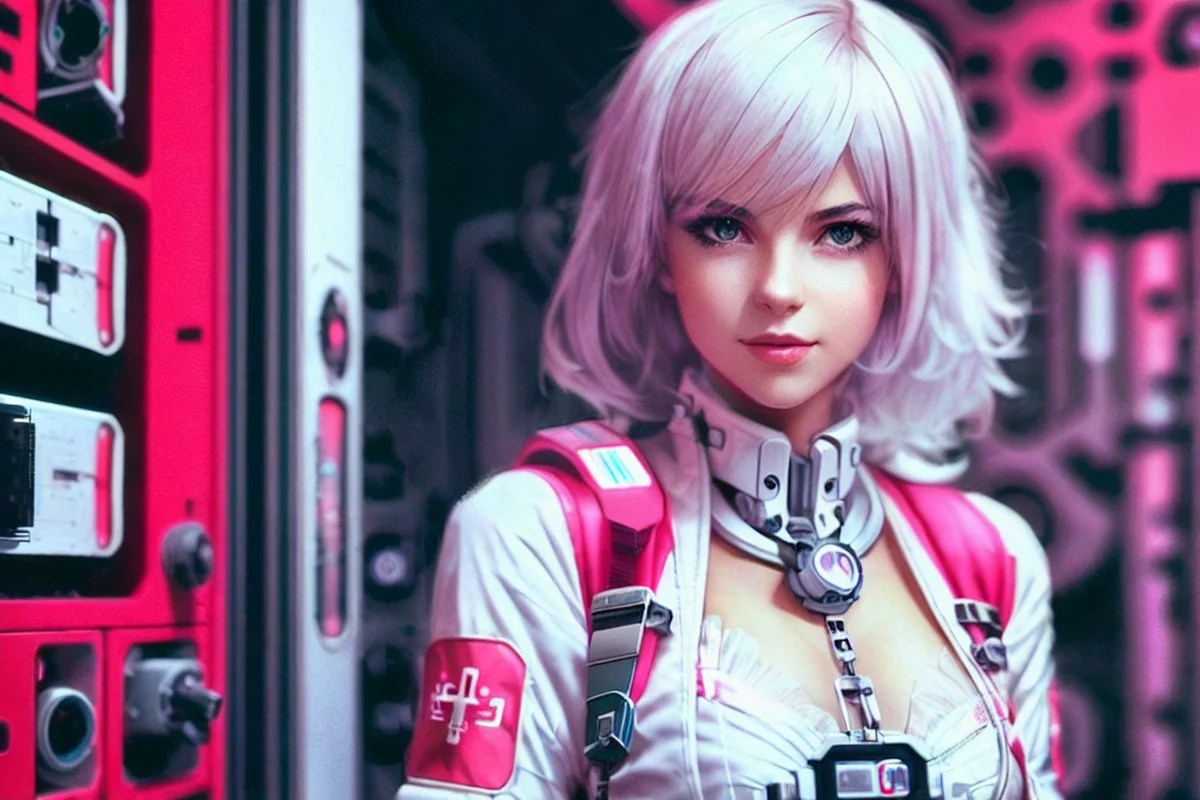
ControlNet is a Stable Diffusion model that lets you copy compositions or human poses from a reference image.
spark rune
obtuse torrent
yes. my bad 🤦 thank you
 pulsar summit
question how do i make sure the negative prompt is working? im using txt2img and putting anime girl sitting down and i add skirt, socks, shoes in the negative but she still has them?
 violet ruin
Can anyone recommend a model or lora for such detailed armor? (sorry if i ask at wrong place)


 silver valley
pulsar summit
question how do i make sure the negative prompt is working? im using txt2img and...
silver valley
pulsar summit
question how do i make sure the negative prompt is working? im using txt2img and...
Use barefoot in the positive prompt
silver valley
violet ruin
Can anyone recommend a model or lora for such detailed armor? (sorry if i ask at...
A good lora would be the more detail lora. Then prompt for: intricate knight armor, detailed, engraving etc
As model you could try Dreamshaper v8 for example
 chilly karma

How do I make something like this
will well defined edges
and such high details
like the sweater, every fabric is visible
chilly karma

Best I can do is this, the details on the dress barely visible, and the whole image looks like a painting none of the borders are well defined
 crimson saddle
Hello. I'm trying to create 1 pumpkin, but it always creates more than 1 image. Can you help me?
 thin creek
crimson saddle
Hello. I'm trying to create 1 pumpkin, but it always creates more than 1 image. ...
thin creek
crimson saddle
Hello. I'm trying to create 1 pumpkin, but it always creates more than 1 image. ...
yes
batch count 1
batch size 1
there u go : )
tired vigil
chilly karma
How do I make something like this
Have you tried those detailer loras?
rigid wind
So I'm trying to make a capybara driving a NASCAR. So I did what I always try first which is just typing in what I want to see and hoping it works. But that resulted in the first image. So I thought okay well I'll start with generating a NASCAR image and inpaint a capybara into the driver seat so I generated a NASCAR image (the 2nd image) and then when I tried to inpaint it it became real obvious that there was a problem, whenever I try to inpaint something into the car it doesn't seem to understand that I want something to look like it's inside of the car and instead will just inpaint it as if it's on the windshield. I don't know if it's a matter of me just finding the right denoising strength and mask blur or if there are some prompt tricks to help with it but some advice woul be great.

 solid bramble
i am struggling to take a older prompt and put a new spin on it. the idea is to use this glass rose concept and turn it into a wine glass with the same style/looks. so essentially take the center pedals out, smooth out the sides and make the bottom stem flat ended. however this sounds simple but haven't got anywhere close to what i want.
 rigid wind
try blending the 2 prompts together ie [glass rose: wine glass: 50], that might help
solid bramble
it's not that simple, to get the glass rose to work is a semi complex prompt.
rigid wind
You can do the same with a complex prompt. I just simplified it. You could also try using Dynamic prompts
Could also use controlnet to use that image as a reference.
torn cliff
rigid wind
So I'm trying to make a capybara driving a NASCAR. So I did what I always try fi...
Maybe try inpainting with "capybara behind glass"?
kind kayak
Are there any prompt that make model not generate character that her head is at the edge of image?

make she stay in the middle
or on the middle idk
proven jasper
you are probably using a height thats not compatible with the model
proven jasper
try to reduce the size of that giant negative prompt salad
kind kayak
huuuuuh?
proven jasper
too many words on negative
kind kayak
I'll try only text and watermark
proven jasper
try only with low quality,worse quality then whatever negative embeddings you use
proven jasper
yea the shorter both prompts are the better
proven jasper
negative embeddings like badhand4 are for improving quality of hands and fastnegative are for removing artifacts or some deformities,they are not perfect tho
kind kayak
Horrible
kind kayak
proven jasper
negative embeddings like badhand4 are for improving quality of hands and fastneg...
 proven jasper
your positive prompt sucks too thats why

 proven jasper
anime artwork is not necesary because its already an anime model that can only produce anime, remove these too: female focus,female,

 primal yacht
image//Background: African village with huts, greenery, and blue sky.
Foreground: Joyful children playing with kites and traditional games.
Community Engagement: People attending malaria prevention awareness, distributing repellents, and healthcare support.
Theme: Hope, unity, and transformation.
Banner: "Join the Fight Against Malaria - Your Support Can Save Lives!"
 weary veldt
Can anyone explain how Clip G and Clip L of SDXL works?
chilly karma
tired vigil
Have you tried those detailer loras?
yes I'm using more_details to add details but with too high of a weight it messes up the whole imges
obtuse torrent
@chilly karma In your example image... I don't see any mention of quality or realism in the clothes,...you use a Lora, but it's one that adds details for the eyes.. It's basically a prompt that leaves a lot in the hands of the AI , it's not strange that she doesn't treat him the way you want...
If the prompt at least outlines what you're looking for, things like increasing the steps to the 50-100 range can consolidate and refine the details and style and get rid of some of the generation errors.
 compact maple
what's a prompt to define low waist, low-cut pants/skirts? All generations so far is of pants and the like going above covering the navel. As i've not found a prompt yet that i can adjust that height.
quiet zodiac
@compact maple Try crop top or bare midriff
 lucid willow
Hey, i need Help. I created this avatr using a low quality pic and would like to know how can i make him in various other poses and at a higher quality.
i also would like to know if its possible to make him with a chroma key background, so i can superimpose him over videos.

 tall prism
Can anyone recommend some keywords for creating a comic book front cover
orchid ore
comic book front cover? Or rather comic book frontpage?
chilly karma
obtuse torrent
<@467045587934511105> In your example image... I don't see any mention of qualit...
ok thanks I'll try that 😄
 dull beacon
Hello !
I was trying to do an image generation about an anime characters from black clovers (Yuno Grinberryall)
And no matter what I do, I can't get someone who looks like him
The best I could get was that

I used a lot of prompts and I only got this with that prompt :
yuno from black clover, yuno grinberryall, a young man of average height with a lean build, gold or amber eyes, and messy black hair. His main outfit consists of a pitch-black shirt with a high collar and black pants
When I try to use an image as example I got a girl
 rigid wind
torn cliff
Maybe try inpainting with "capybara behind glass"?
rigid wind
torn cliff
Maybe try inpainting with "capybara behind glass"?
I did end up trying this, as well as "capybara behind windshield", "capybara behind window", "capybara behind windscreen" and none of them worked. I ended up giving up on it and maybe when I get better I'll be able to do it. Turns out I misunderstood what my friend wanted anyways and they wanted capybara running around a nascar track. I am thinking that probably my big issue is my stubbornesss of moving off of Dreamshaper_XL10 model. While it creates amazing images I do find it's much harder to work with to get good results of weird things and I find it's particularly bad at inpainting. I was just trying to add a detective in a trench coat in the background of an image I generated last night and no matter what settings I used the best I was ever able to get was a guy that was missing feet and half of his body was missing. even though I put in full body and close up into negative.
torn cliff
Yeah DreamShaper is a bit better with realistic things.
rigid wind
I also probably need to get an actual inpainting model. Any recommendations?
tired vigil
dull beacon
Hello !
I was trying to do an image generation about an anime characters from bl...

Works well with weight ~0.70, adding anime style LoRA is recommended If you upload this LoRA to other sites please add link to this page Would love...
This guy?
Models most of the time don't exactly know the character you want, using a lora helps it
dull beacon
tired vigil
Models most of the time don't exactly know the character you want, using a lora ...
So I tried but I got nothing like him
orchid ore
it is not model it is lora. If you use it as model on other hand you wouldn't end with sensible image.
orchid ore
ask @tired vigil
i used lora probably once.
you put that what you dl into proper directory, and in prompt you trigger it by word you should find in description
tired vigil
@dull beacon you need to put the Lora you downloaded in the right folder
webui\stable-diffusion-webui-directml\models\Lora
If you're using 1.6 I don't know where you go to activate the lora,
on 1.5 I click on the little picture icon under the generate button and select the lora, so it appears in your prompt like this <lora yuno something:1>
dull beacon
tired vigil
<@182831292080062464> you need to put the Lora you downloaded in the right folde...
I have an old version
I downloaded it a long time ago
is that the version ?


I think I will need to update my stable diffusion
 tired vigil
dull beacon
I think I will need to update my stable diffusion
tired vigil
dull beacon
I think I will need to update my stable diffusion
Did you try the lora
It should appear in the Lora section when you click on the little picture icon under generate
dull beacon
tired vigil
It should appear in the Lora section when you click on the little picture icon u...
I don't know which one
There is no "lora section"


 dull beacon
tired vigil
use a normal model
dull beacon
tired vigil
use a normal model
Should I need to download one ?
tired vigil
Hmm I don't know what model to recommend for that black cover anime look
Try with rev animated
on the lora page you'll see these they help on the prompt

Trigger words
do a test with a prompt like yuno, black hair, yellow eyes, hair between eyes, fur trim, anime, lora:yuno:1
 tired vigil
 sullen orbit
Should be doable with prompt only and a general model
sullen orbit
tired vigil
Should be doable with prompt only and a general model
that's the problem, knowing the prompt and the model 😭
tired vigil
@sullen orbit found a similar image on civitai
The prompt was
shadow puppet templates, kirigami, papercutting, shadow puppets, flat print, line art, monochrome, silhouette, batman, high quality, 8K
Maybe something like dreamshaper or realistic vision can do it
And anime ones but I don't know many :p
sullen orbit
tired vigil
<@730148742417744004> found a similar image on civitai
The prompt was
shadow pup...
thank you very much
dull beacon
@tired vigil it did work !!

Thank you
I just need to add some prompts to get a better image but it's going in the right direction
 cinder olive
((exposed skin, Big Breasts, Big Breasts, NSFW, lewd, risque, nude, sexual,))
What other negatives can I use to tell the bot I want my character wearing god damn clothes.
it keeps giving me old MMO girl armour smh
 tired vigil
cinder olive
it keeps giving me old MMO girl armour smh
tired vigil
cinder olive
it keeps giving me old MMO girl armour smh
try skimpy clothes/outfit
maybe full armor in positive ? Full something makes them wear more clothes for me like full dress
also thats funny the literal korean mmo armor
maybe that model really likes showing skin ? :p
 kindred minnow
you could also try using the kind of armor you want in your prompt (and if you want good unique armor, AI probably isn't the best for that anyways)
cinder olive
kindred minnow
you could also try using the kind of armor you want in your prompt (and if you w...
I asked for scale mail
cinder olive
tired vigil
try skimpy clothes/outfit
maybe full armor in positive ? Full something makes th...
it got worse X.X
 tired vigil
you could do like, chest plate, armor skirt to focus on things the model should show
tired vigil
cinder olive
it got worse X.X
which model are you using
kindred minnow
well you made sure to put what you don't want into the negative promt?
cinder olive
clearly the wrong one. It's a shame because it gives some amazing dynamic poses.
kindred minnow
also nice, that your character has 4 ears
cinder olive
kindred minnow
also nice, that your character has 4 ears
never mind the ears, what's going on with her hand?
tired vigil
Try soft lighting
cinder olive
tired vigil
maybe that model really likes showing skin ? :p
Switched to Mangled Merge, much better - on the clothing front at least.
 tired vigil
@cinder olive try using dynamic pose on your prompt if the model does the boring poses, on my model its doing some crazy stuff like yours was haha
 cinder olive
tired vigil
cinder olive
tired vigil
wut model 👀
tired vigil
From KizukiAI
I dunno if I can post the link here 
just search that on civitai :p
it works better on 512x768 from what I know
cinder olive
tired vigil
From KizukiAI
ooooh the henty one?
tired vigil
This image yes
both are good
and similar
like this is the same model but anime on prompt, it does a lot of things :D

And I don't know how to use these "EasyNegative" textual inversion things
@cinder olive not gonna lie I'm impressed with how well "dynamic pose" is working lmao, im testing some settings while doing these
 cinder olive

 potent coral
Hi. Is there a way which words was trained a negative embedding.pt ot .safetensor?
lucid willow
tall prism
To remove the BG, you can use websites like remove.bg
thaxs, it works.
is there a guide so i can generate image of my avatar in different poses?
 vital jolt
looking for a prompt method to batch produce images with flowers so that each iteration has a different flower. How do I do this?
Nevery mind. Figured it out.
{ cherry blossoms | carnations | gardenias | sunflowers | poppies }
 tacit kelp
AI绘画 生成
 tired vigil
lucid willow
is there a guide so i can generate image of my avatar in different poses?
tired vigil
lucid willow
is there a guide so i can generate image of my avatar in different poses?
Yes
It's not perfect but
Search for stable diffusion reference only on YouTube
 buoyant axle
Quick question -- when using a lora, do I need to specify both the lora's triggerwords, and the <lora:file_name:weight> syntax when using automatic?
tired vigil
buoyant axle
Quick question -- when using a lora, do I need to specify both the lora's trigge...
the triggerwords help triggering the lora
if needed, most of them need
and the <> stuff is what activates the lora to be used
 manic hill
Where are the Pad prompt/negative prompt to be same length and Batch cond/uncond settings? CTRL + F in the Settings tab didn't show them.
 lucid yew
Hello, I just made this from a picture using controlnet, anyone have any idea how can prompt it such that the grid goes yellow and electrified like hot golden electrified and moon becomes yellow electried too

I tried using the recolor control type but that dosen't change
static hinge
what are some good prompts for making non-regular humans, I mean just freaks or weirdos. Like high fashion zombies or undead
lucid yew
static hinge
what are some good prompts for making non-regular humans, I mean just freaks or ...
just use the regular human prompts in the negative prompts lol
static hinge
lucid yew
just use the regular human prompts in the negative prompts lol
I will try, but it is that easy?
lucid yew
probably..make sure to put the non regular characterstics exactly in the positive prompt
static hinge
lucid yew
probably..make sure to put the non regular characterstics exactly in the positiv...
you mean in the negative?
or how exactly positive and negative prompt?
orchid ore
what you want in picture positive what not negative. You want irregularities so in positive those
 sinful oar
buoyant axle
Quick question -- when using a lora, do I need to specify both the lora's trigge...
sinful oar
buoyant axle
Quick question -- when using a lora, do I need to specify both the lora's trigge...
It helps to put the key tokens in the prompt usually, but sometimes you can get different results with and without them so try it both ways
Same for the location, at the beginning or end
spark rune
lucid willow
is there a guide so i can generate image of my avatar in different poses?
about the pose part, you can use dw open pose to generate the image exactly in the position you want
DW Pose is much better than Open Pose Full. Especially the Hand Tracking works really well with DW Pose. This is a full review. Full Install Guide for DW Pose in A1111 for Stable Diffusion
links from the Video
DW Pose: https://github.com/IDEA-Research/DWPose
A1111 1.6 Guide https://youtu.be/1Ldc5kZKKFw?si=Hgb0rtVEhLxEQkkL
IMPORTANT: F...
if you cant find the right image to use as a source, make your own at https://webapp.magicposer.com
spark rune
tired vigil
Search for stable diffusion reference only on YouTube
but yeah, to bring your character into the custom pose this might be the way to go
the trick might be to use 2 control units, one for dw openpose and other for reference only
if Im not right, someone correct me pls
lucid willow
spark rune
https://www.youtube.com/watch?v=30b2k1p2CiE&list=PL-4VJa3jNVK3J5QA42Pc0lUU3tibV4...
this is super helpful, thanx
 clever shadow
How possible would it be to take an existing Forward facing character model, then generate a left, right, and rear facing version of the same or very close to the same model? If that can be done would I use a combination of controlnet/openpose with img2img or is there some other way to go about is? I basically need a character turn of a character already generated. Ive been at it for days, starting to tear my hair out..
 weary sonnet
The middle image is te original and the first is the crappy output I get from sdxl on replicate.com. The last one is a great response from the model using Bot 1 here on this server. My question is though, both prompts are exactly the same. Does anyone know configuration of other variables to get realistic outputs from this. sdxl model as compared to whatever I'm getting out from replicate


 clever shadow
Check out civit.ai and filter models by photorealistic. Pick one then run the prompt. Careful when going to civitai as they also allow nsfw models
tired vigil
clever shadow
How possible would it be to take an existing Forward facing character model, the...
Have you tried Reference only ?
controlnet stuff
clever shadow
havent heard of reference only, i was using open pose but the whole image dimensions thing was just a nightmare wiith distortion, if you have any advice towards the reference only concept, please im all ears
tired vigil
clever shadow
havent heard of reference only, i was using open pose but the whole image dimens...
Its an extension like open pose, it basically uses the input image as a reference, in your case it would be the same person
look up some youtube guides on how to download it
clever shadow
Yeah thank you. Im getting much closer! Step 2 is 3d mesh. Still going uphill it seems lol
 uneven lantern
Someone can explain me why I got this with img2img prompt with 0.95 denoising strength (so really close to original picture on the left) ?
 twin yoke
uneven lantern
Someone can explain me why I got this with img2img prompt with 0.95 denoising st...
twin yoke
uneven lantern
Someone can explain me why I got this with img2img prompt with 0.95 denoising st...
Because 0.95 is almost re-doing the entire picture. You'd want something like 0.2 or less to stay close to the picture on th eleft.
 crisp lily
weary sonnet
The middle image is te original and the first is the crappy output I get from sd...
crisp lily
weary sonnet
The middle image is te original and the first is the crappy output I get from sd...
While I've got no proof other than getting more equivalent results, I suspect 'No Style' in the bot adds the 'Enhance' style from the list of style prompts that went out ages ago which had the bot / clipdrop styles and 'Enhance'.
which would add ... "breathtaking {prompt} . award-winning, professional, highly detailed"
and a Negative prompt off "ugly, deformed, noisy, blurry, distorted, grainy"
uneven lantern
Any way to simulate this easily ?
 tired vigil
uneven lantern
Any way to simulate this easily ?
tired vigil
uneven lantern
Any way to simulate this easily ?
can you explain it in words ?
 stable sigil
not sure where to ask this but how could i go about converting a large batch of image files into openpose files? i can manually "detect from image" in the OpenPose editor but I wanna do this automatically to each frame of a video (200+ pics) so it's not viable.
 upper inlet
I need some help dunno if anyone is around
tired vigil
upper inlet
I need some help dunno if anyone is around
Just say it
 plain mulch
Hi. I'm currently using an image2image process and struggling with some prompts. I have various close up clips of people holding hands, 5-10secs and I want to change some bits into wedding cake models of the hands, some as knitted toys of the hands and some made of pebbles. How do I use the prompt to define the person or object that needs to be made "new Ai real" and not stylise the whole image with the prompt? As in, making a crochet blanket portrait of the hands, instead of making a 3d knitted toy of the hands. I am an animator using Diffusea in After Effects, some Stable Diffusion webui and Discord server apps but I am no expert at Ai use, coding or prompts. Any help will be much appreciated.
twin yoke
tired vigil
<:thomas:1005605185013416016> can you explain it in words ?
After that, explain it in interpretive dance and post the video.

tired vigil

 topaz terrace
What prompt could I use to get a very close result to that? Im not able to get the hand like that even though I'm using pose to image
 static hinge
topaz terrace
What prompt could I use to get a very close result to that? Im not able to get t...
static hinge
topaz terrace
What prompt could I use to get a very close result to that? Im not able to get t...
closest I got in the first tries, then I wasn't so lucky
portrait bust close-up, a young light black woman with a fist up in the air with a yellow background behind her, white t-shirt, a stock photo, short hair, subtle smile, professional photo
 topaz terrace
static hinge
closest I got in the first tries, then I wasn't so lucky
`portrait bust close-u...
topaz terrace
static hinge
closest I got in the first tries, then I wasn't so lucky
`portrait bust close-u...
That's pretty good! I got results pretty close to that one. But I'm trying to get the hand as in the same position as in the picture, do you think something can be done about that? I'm using pose to image.
static hinge
topaz terrace
That's pretty good! I got results pretty close to that one. But I'm trying to ge...
I would try "knocking door fist gesture", or just use some hand of the depth library to inpainted it
topaz terrace
how is that about the library? I have 0 clue
static hinge
topaz terrace
how is that about the library? I have 0 clue
is this extension https://github.com/jexom/sd-webui-depth-lib but last times I tried it was kind of buggy and messed up Automatic1111. You can just download the hands depth maps, go to an image editor, open the base img, paste the corresponding depth maph, pose it (flip it, rotated it, scale it), then use it in ControlNet Depth
GitHub
Depth map library for use with the Control Net extension for Automatic1111/stable-diffusion-webui - GitHub - jexom/sd-webui-depth-lib: Depth map library for use with the Control Net extension for A...
topaz terrace
thats awesome, probably will do that, there is any video about the addon or something that I can look for myself?
static hinge
topaz terrace
thats awesome, probably will do that, there is any video about the addon or some...
you can just download this depth maps and use it externally https://civitai.com/models/67174/900-hands-library-for-depth-library-or-controlnet

This package contains 900 images of hands for the use of depth maps, Depth Library and ControlNet. Usage: Place the files in folder \extensions\sd-...
static hinge
topaz terrace
thats awesome, probably will do that, there is any video about the addon or some...
Ever wanted to have a really easy way to generate awesome looking hands from a really easy, pre-made library of hands? Well, this Depth Library extension for ControlNet in Automatic1111 webui is probably something you'll be interested in!
And it doesn't just lend a hand - you can add your own depth maps to the library as well, making this an ex...
there area some more videos
topaz terrace
Thanks for the answers!
static hinge
topaz terrace
Thanks for the answers!
only thing it takes some time to understand which depth map is the one you need, as sometimes they are flipped or in some other angle, but in this case it seems pretty straight forward
Really only non frustrating way of fixing hands imo, it takes some time to set up
in this case this may be it, not exactly but for starters
 topaz terrace
yep thats basically it
static hinge
topaz terrace
yep thats basically it
well after some general inpainting tries and the some corrections it looks decent. I hate inpainting, practice is good I think

I'm a masoquist so I inpaint with SD models, should try with SD 1.5 as you have ControlNet inpaint that has even more power
the arm is kind of messy, hand is in a strong fist. Another way would be to look for a similar picture, cropped in the same way as with the depth maps, then use pre-proccesing. I realize I f%($( up as I use the fist depth map but didn't disable the ControlNet preposesor (you don't need as it is already a depth map). But it kinda worked, maybe it would have worked in the first tries like that.
static hinge
well I actually got a better faster result inpainting with SD XL and ControlNet depth. With 1.5 it delivered the pose but with poor quality, and I had to make some final passes with SD XL. So I don't know, that's why I try to inpaint with SD XL... the hands are always a no no (I use various neg embeddings and a "good hand" lora for 1.5, cyberealistic inpainting)
I almost got the finished hand with SD XL

But maybe I prompted wrong, I used "girl's han" and I should have use "woman's hands/fist"
But well need to practice so I can get it done faster, there is so many steps when inpainting, the most annoying, changing the img2img resolution when you send img to inpaint (I forge that may be avoided if you just drag the img to inpaint)
LOL I though another way, so you take the base img with good seed (the original with the fist up but not in the right position), send it to txt2img to re-generated, but this time using ControlNet depth, so you force it to draw the fist there and as you use the same seed, sometimes it delivers something similar to the original image, sometimes it changes the pose enterirely, it always respect the fist position, in some way.
In a way better than inpainting afterwards as it merges the pose better, but the fist also needs inpainting soo


In fact maybe in some cases better with other seeds and just pose the hand where you wanted, play with ControlNet Depth weigth and ending step control. Also maybe add another node with OpenPose

 night sphinx
guys how do i generate anime school uniform without the bowtie or necktie, i even strengthen in neg prompt but it still trying to make the bowtie
torn cliff
night sphinx
guys how do i generate anime school uniform without the bowtie or necktie, i eve...
Are you using a Lora? If so the tie might be part of that
Anyone know good prompts to use to get rid of an extra finger in inpainting? To just make that space part of the background
night sphinx
torn cliff
Are you using a Lora? If so the tie might be part of that
no, it just consistently makes shirt and then includes a tie
torn cliff
Maybe try finding a lora like that. If you know of any animes that have the kind of uniform you want you could look for a character from that.
You could also try inpainting, mask over the tie and try prompts for collar and/or buttons
 ivory dawn
Hi. any idea how these were created? There are thousands of these. My guess is stable diffusion? Trained model? I'm relatively new to SD and try to figure out how to create something similar. Reminds me of someting cartoonish, popart style-like but it can't just be a simple prompt since they are all relatively similar and there are so many.
 torn cliff
I'd guess its done with Prompt S/R since the backgrounds in each row are similar colors
ivory dawn
torn cliff
I'd guess its done with Prompt S/R since the backgrounds in each row are similar...
hmm yes could be. Any ideas on the prompt? And what model was used?
torn cliff
No clue on the model, but I kinda think it may have something to do with Sonic the Hedgehog
ivory dawn
torn cliff
No clue on the model, but I kinda think it may have something to do with Sonic t...
oh yes absolutely. and it reminds me of 1940's/50's cartoon or something like that
torn cliff
Yeah, sort of looks a bit like the early Simpsons style
orchid ore
cant it be just lora? I think it will be very difficult to find out.
tired vigil
ivory dawn
Hi. any idea how these were created? There are thousands of these. My guess is s...
it looks like a mix of the frog meme and sanic
try putting those 2 loras together and get those colors if you want them through prompt D:
Pretty cursed image
topaz terrace
static hinge
LOL I though another way, so you take the base img with good seed (the original ...
Damn, thanks alot for all your tries and help!
ivory dawn
tired vigil
it looks like a mix of the frog meme and sanic
Yes agree. How do I put 2 loras together? Also aren't loras something i download? So which specific two loras do you mean?
tired vigil
ivory dawn
Yes agree. How do I put 2 loras together? Also aren't loras something i download...
Well just search them on civitai
frog lora https://civitai.com/models/19006?modelVersionId=45722
Theres this sonic model https://civitai.com/models/1493?modelVersionId=96182
And this sonic lora https://civitai.com/models/82047?modelVersionId=87105
to use 2 loras together you simply put both on the prompt and try it out :p most of the time I try multiple loras they work, fiddle with the strength on them and they should adjust
you might want to take one of the images in that image you sent and use it for img2img so its easier to reach the desired outcome if you want to copy/make more of those
wintry oriole
Heyho - Hopefully someone can help me with my hairstyle-problem... 😅 As having english as my second language I struggle with defining different hairstyles in my prompts. Does anyone has a good resource for some basic styles? When I google that stuff I end up in various fashion-sites which wanna tell me the newest trends, but that is not what I'm asking for tho. Thanks. 🙂
ivory dawn
tired vigil
Well just search them on civitai
frog lora https://civitai.com/models/19006?mode...
Thanks for your help. Will try that. And if it's not working i will try to train my own model
orchid ore
@wintry oriole
https://en.wikipedia.org/wiki/List_of_hairstyles
how abou this, or more in depth?
This is a non-exhaustive list of hairstyles, excluding facial hairstyles.
wintry oriole
orchid ore
<@205063630058684416>
https://en.wikipedia.org/wiki/List_of_hairstyles
how abou...
Nope - That helps a lot! Thanks. Is it best to combine it with "hairstyle", like "Mullet hairstyle" for example or are there better ways?
wintry oriole
orchid ore
oh, i dont know, you have to test it 🙂
will do ^^
I need it to build my charactersheet workflow ^^ need to create several consistant images and I'm struggleing with noses and hairstyles... 😄
wintry oriole
 winter cloud
?
winter cloud
?
try out this one: https://github.com/riffusion/riffusion

GitHub
Stable diffusion for real-time music generation. Contribute to riffusion/riffusion development by creating an account on GitHub.
 modest bronze
How can I position objects in the locations specified by the prompt, I mean absolute location or relative location such as left side, right side, upper left corner, and bottom right corner?
orchid ore
there is extension regional prompt, that can place object in premade rectangles. In A1111 way easier, in Comfui, not sure how well nodes works with it.
Just some time is needed to learn it
modest bronze
orchid ore
there is extension regional prompt, that can place object in premade rectangles....
thanks, I'll try it later😆
spark rune
hey yall. Im looking for some new good negative promps to decrease poor generations. My current negatives are the ones bellow. Any good additions?

(bad-artist), (bad-artost-anime),(bad-hands-5),(bad-prompt),(bad_prompt_version2),(easynegative),(ng_deepnegative_v1_75t),(worst quality:1.2),(low quality:1.2),(lowres:1.1),(monochrome:1.1),(greyscale),multiple views, comic, sketch (((bad anatomy))), (((deformed))), (((disfigured))), watermark, (blurry), (((strabismus))),(wrong finger), multiple_views, mutation hands, mutation fingers, extra fingers, missing fingers, watermark
also, Im using them on ReV Animated checkpoint. Would they work in other checkpoints like DreamShaper or even v1.5 pruned emaonly?
quiet zodiac
@spark rune What model are you using? A lot of the new ones are much better at generating quality images. The fact you have multiple views in your negatives a couple of times means you might be over driving your resolution compared to the model resolution you're generating from. That can happen if you request too high-res of an image.
spark rune
quiet zodiac
<@181056166196019200> What model are you using? A lot of the new ones are much b...
ReV animated. But I use Dreamshaper in some generations too
But yeah, these negatives were made with ReV in mind (found in a reddit post)
quiet zodiac
If you check the model card on CivitAI...
512x512
512x768
768x512```
Try sticking to those resolutions, or choose another model.
It looks like the author has quit maintaining it.ok, thanks. I will look into it
but anyhow
I want to learn how to make better negative prompts with any model. Is there any good documentation, reference or tutorial on how to get started?
Yes, I know prompt engineering is much trial and error
But there must be some kind of guide to ease the learning curve
tired vigil
Hello! im trying to make clothing designs with ai. But i had some problems prompting. I want my designs to be like stickers, 1 whole image that i can put on center but whenever i try to prompt it as i shown in image i only get pattern like images
Model im using is sdxl 1.0
 tired vigil
spark rune
But there must be some kind of guide to ease the learning curve
tired vigil
spark rune
But there must be some kind of guide to ease the learning curve
I'm liking this
(KHFB, AuroraNegative:1.2), negative_hand-neg, (Worst Quality, Low Quality:1.2), border, grayscale, (watermark, multiple views:1.2)
You might have too much going on in the negatives
They do work in other models, as far as I have tested
I use dreamshaper sometimes too
tired vigil
tired vigil
I'm liking this
(KHFB, AuroraNegative:1.2), negative_hand-neg, (Worst Quality, L...
Multiple views might not be necessary for you
I have it on 1.2 cause the model I'm mostly using is pretty bad not doing multiple views xd
You can find khfb and Aurora negative in the aurora checkpoint page in civitai
Try it out :d
static hinge
spark rune
I want to learn how to make better negative prompts with any model. Is there any...
Here's some and I think it is a good, liberating practice (for SD XL) https://civitai.com/articles/1826/sdxl-prompts

Sometimes I check the recommended negative prompt from the model creator, but most ot the time I leave it blanck and use it for what is it meant for, I mean, when it is easier to prompt a negative than a positive. Like, I want a circus, don't want elephants, possitive: circus, Negative: elephants
Then recommended negative prompts make sense, if you want a realistic photo: painting, drawing, sketch, cartoon, anime, manga, render, CG, 3d, if you don't want garbage text watermark, signature, label
For SD 1.5 I use some negative embeddings you can find some on civitai
 finite ginkgo
hey can i get some help trying to write ridley from smash as acruratley propmted as possible? like Emanciated? inhuman? humanoid kinda difficult

 cunning compass
Guys, help me create similar models, as in the links below, I really ask
https://ru.pinterest.com/pin/24206916743368705/
https://ru.pinterest.com/pin/69876231720390056/

Pinterest
Aug 16, 2023 - This Pin was discovered by 김도일. Discover (and save!) your own Pins on Pinterest

Pinterest
Aug 24, 2023 - This Pin was discovered by Vicki Reckless. Discover (and save!) your own Pins on Pinterest
static hinge
finite ginkgo
hey can i get some help trying to write ridley from smash as acruratley propmted...
anthropomorphic (maybe lowering the weight if it is too human), Skeletal (may be bad)
spark rune
tired vigil
I'm liking this
(KHFB, AuroraNegative:1.2), negative_hand-neg, (Worst Quality, L...
I will try it. thanks
spark rune
static hinge
Here's some and I think it is a good, liberating practice (for SD XL) https://ci...
ohhhhh that makes sense. Im definitely overdoing on negatives then
static hinge
spark rune
ohhhhh that makes sense. Im definitely overdoing on negatives then
yeah everything you add kind of hinders the generation directly or indirectly
chilly karma
Anyone know what Checkpoint this guy might be using?
and how do I create this type of art?
Which is anime style but more kinda realistic or high budget anime

This is what I got when I tried but the lighting's off and kinda cartoonish
 opaque notch
Hi, I am trying to turn this pixel art spaceship from starsector into a higher res version but all I am getting is blurry images or unrelated things, tried img2img, extra upscale and controlnet. Also tried finding a model for spaceships but couldnt find one. Kinda lost with this one. Anyone got tips?
 tired vigil
chilly karma
Anyone know what Checkpoint this guy might be using?
tired vigil
chilly karma
Anyone know what Checkpoint this guy might be using?
The face looks like it's unpainted to look more anime
proven jasper
looks like breakdomain
cinder olive
I'm trying to get a porcelain mask but it just keeps giving me covid masks smh
 still hawk
cinder olive
I'm trying to get a porcelain mask but it just keeps giving me covid masks smh
still hawk
cinder olive
I'm trying to get a porcelain mask but it just keeps giving me covid masks smh
Have you tried using something like (porcelain:1.3) or something like that?
Maybe if you say face mask made out of porcelain
tired vigil
how can i generate picures ?
still hawk
tired vigil
how can i generate picures ?
Well you can download stable Difussion or find a website or app that allows you to make ai images
tired vigil
i cant generate it here?
still hawk
Go to the bot channels
tired vigil
opaque notch
Hi, I am trying to turn this pixel art spaceship from starsector into a higher r...
That is probably way too small
And use controlnet tiles for it, I have upscaled 78x78 images into 1024x1024 before and it keeps the same look
Your best bet I think
Also use ultimate sd upscale
I can do that for you when I'm not in bed being lazy
 chilly karma
tired vigil
The face looks like it's unpainted to look more anime
chilly karma
tired vigil
The face looks like it's unpainted to look more anime
any idea what model this guy might be using?
tired vigil
chilly karma
any idea what model this guy might be using?
It does looks like breakdomain
chilly karma
tired vigil
It does looks like breakdomain
must be a merge with chillout mix?
and what about the lighting?
it looks pretty well lit and not too over exposed
tired vigil
chilly karma
and what about the lighting?
could be a vae or some lora, hard to tell, try the model for a bit and see if you like
not sure where to find it
chilly karma
tired vigil
could be a vae or some lora, hard to tell, try the model for a bit and see if yo...
you mean breakdomain?
I already got it 😄
lemme try it out
opaque notch
tired vigil
<@766994787722592276>
WTF how? best I managed to do yesterday was this

thats really great thanks
tired vigil
opaque notch
WTF how? best I managed to do yesterday was this
I just said how you can do it :<
 blissful sapphire
So I know brackets [ends at this::10] and [starts at this:5]. but can I also do some think from step 5-10 for example? [ [from to ]:5::10] seems not to work which is not surprising
tired vigil
Glad it helped
opaque notch
ik i am just surprised 😄
what model did you use? I tried the one spaceship lora I found which did make it less blurry but it also really changed the image
and was it in txt2img or img2img? (I am guessing the latter)
opaque notch
Welp, it do be higher res, lmao why is it so hard to find a model without women in it 😂
 opaque notch
Welp It's better then it was but I am still far

 stable valley
cunning compass
Guys, help me create similar models, as in the links below, I really ask
https:/...
stable valley
cunning compass
Guys, help me create similar models, as in the links below, I really ask
https:/...
looks like classic midjourney to me, not SD
 plush sphinx
How should I structure a prompt to get a view of a character from above and behind? I'm trying to make a character image for a mobile game, a fairy with a wand, but most of my results only show the front.
Cartoon, cute, colorful, mobile game sprite, whimsical, illustration. Magical fairy with wand. Top down game character. Top down view, birds-eye-view, high-angle view, from behind
Negative:
face, background
I'm getting really really good pictures, but only from the front.
Using SDXL through Dreamstudio right now because I'm not at my computer
Alternatively, should I use image to image?
tired vigil
opaque notch
what model did you use? I tried the one spaceship lora I found which did make it...
Dreamshaper
 small pulsar
I'm new to Stable Diffusion and from my understanding: interrogate Deepbooru work best for anime art, and CLIP for realistic art?
tired vigil
plush sphinx
How should I structure a prompt to get a view of a character from above and behi...
Excuse my poor pictures 

my prompt was: looking at the horizon, view from above, view from behind, girl, fairy, wings, wand in hand, forest
and negative looking at viewer
The rest are TIs and quality stuff that I always use
Specially the looking at the horizon geerally works for me
try that
tired vigil
small pulsar
I'm new to Stable Diffusion and from my understanding: interrogate Deepbooru wor...
I read about that and you're right
I never used them before
small pulsar
tired vigil
I never used them before <:catlurk:1017871526978125854>
interrogate to extract prompt from imagine, helpful to build a correct prompt.
 minor harness
Is there any way to upscale images in SD while using Discord?
rigid wind
Is there anyway to get SD to create images that are only black and white? I don't mean greyscale
static hinge
rigid wind
Is there anyway to get SD to create images that are only black and white? I don'...
most easy straithforward is to look for an artist that produce images like that, in the most similar style, and prompt it
also try to reinforce some positive prompt "black and white", "color" in the negative, something like that
tired vigil
rigid wind
Is there anyway to get SD to create images that are only black and white? I don'...
no idea what I'm doing but this is pretty cool
using this lora https://civitai.com/models/551/black-and-white-design
prompt with: (black and white image, monochrome:1.2)


I'm not sure if it can do normal looking images but black and white, like these don't have background and all that, I did try putting river in the prompt
