#📝|prompting-help
1 messages · Page 9 of 1
 radiant leaf
so i just pick a vae and put it in the vae folder like i did with models right

Anime Style Mergemodel All sample images using highrexfix + ddetailer Put the upscaler in the your "ESRGAN" folder ddetailer 4x-UltraSharp.pth <...
 obtuse torrent
@radiant leaf nop, vae need same name (expt for .vae.pt thing) (model name).safetensor ---> (model name).vae.pt
radiant leaf
this is the model, in the description it just says use this upscaler and this detailer
but the detailer is for like character recognition so idk if not using those is making the colours bad
radiant leaf
obtuse torrent
<@261246174202167296> nop, vae need same name (expt for .vae.pt thing) (model ...
oh i had no idea, sorry so do I copy the .safetensor into VAE and change the format?
 orchid ore
have you something about daytime or part of year in your prompt?
radiant leaf
no the prompt was just literally girl sitting on park bench looking at duck
it happens no matter the input
obtuse torrent
@radiant leaf all is in the page model see the comment the next time
 obtuse torrent
NP
i say it because@radiant leaf reading, we can all learn more.. (and it look how a skilled one, he make a lot of specific steps, maybe for adapt old images to the new model)
radiant leaf
yeah, i just thought the comments were stuff like "yo great stuff, love this"
so i didnt even read
lol
 silver grail
Where to type in prompts?
 stone iglooBOT
FAQ: How do I generate images? Is there a bot on the server?
Currently, there is no bot on the server that generates images. However, there are plenty of other ways such as the official https://beta.dreamstudio.ai/ website or by running Stable Diffusion locally using your own hardware! Check out #1080946152318443610 for more details! You can also stop by #1025467151206854736 for any issues you experience while using DreamStudio or #🤝|tech-support for any problems you encounter while installing it locally!
 sharp patio
To what extent does it understand synonyms, etc?
 queen helm
Trying to generate art of my dnd character, and I'm trying to get a picture of them leaning against the wall in an alley, but I keep getting results of them standing facing the wall. Any ideas?
obtuse torrent
@queen helm you can post it whit metadata?
queen helm
I'm just dumb, putting ((facing wall)) in the negative prompts fixed the issue
May my stupidity be known for generations
obtuse torrent
@queen helm for positive prompt is... against wall, you can control eyes whit looking at front, looking at side, etc.. (looking at viewer is to look in the camera direction)
queen helm
Every time I don't like something about my prompts, I forget all about negative prompts
Ah, I'll put those in now!
 near dawn
what are some prompts to generate 2d UI iamges for video games? Or is there a model that has been trained to make UI elements?
 hexed forum
am new and just starting to learn how all this works. But is every SD model required to use different prompt formatting and wording?
 austere bramble
Hoping for some advice from the amazing pros in this channel. currently I'm trying to turn my friends photo into a painting, or a pop art, or a cool art style like that, and unfortunately im not having much luck with my outputs, because im so new to SD im trying to figure out all my settings, and how all the extensions work, for example i kept trying to edit it in img2img but it when i would change the denoising strength it would either change the face completely or it when i would lower it, then there was no affect at all the picture stays the same, i tried control net but im also failing there.


could you elaborate a bit for me, what exactly would you inpaint in order to change this photo into a psychedelic look?
 fierce solar
What negative prompt does DreamStudio used by default?
 glass kindle
How the heck do you guys make art like that?im new to all this stuff but I didn’t know that stable diffusion could make such incredible art like that
I need to learn this
 gleaming harbor
glass kindle
I need to learn this
gleaming harbor
glass kindle
I need to learn this
#🍥|anime
Use sd models that were fine-tuned on anime. You can find them on huggingface and civitai.
glass kindle
gleaming harbor
<#1091193032273043516>
Use sd models that were fine-tuned on anime. You can fin...
I don’t really know how to do all of this but I’ll try
glass kindle
gleaming harbor
<#1091193032273043516>
Use sd models that were fine-tuned on anime. You can fin...
I’ll do all of this once I’m on my laptop,thanks a lot
 slow ibex


Ok I'm now getting my first generations with Stable Diffusion on Mac. Any Idea on how I can go from John Cusack to Anime/Manga Drawings
haha more like just being able to make a drawing look really good. This is an example. I copied a prompt and got this. Mine is on the left theirs is on the right.
Promp:
yuki izumi, glasses, green eyes, hair ornament, long hair, pleated skirt, purple hair, school uniform, thighhighs, lora:Yuki_Izumi-04:0.8
Negative Prompt:
nsfw, (worst quality, low quality:1.3), (depth of field, blurry:1.2), (greyscale, monochrome:1.1), 3D face, nose, cropped, lowres, text, jpeg artifacts, signature, watermark, username, blurry, artist name, trademark, watermark, title, (tan, muscular, loli, petite, child, infant, toddlers, chibi, sd character:1.1), multiple view, Reference sheet


I'm thinking I need a new model to get this kind of detail
or train my own model.
I think I need LORA @round spear
yeah something like that
that would be great
Whats Hires fix?
is it a setting?
i'm using stabilityai/stable-diffusion-2-1
I downloaded v2-1_768-ema-pruned.ckpt

i'll try. I don't see the settings for resolution.
I'll look for a YouTube video that can help me

this is where i'm at
i'm getting an error now lol


I just clicked generate after adjusting the high and width
orchid ore
check your console?
slow ibex
I did something like 1920 by 600 somthing
orchid ore
thats too much 😄
slow ibex
 slow ibex
orchid ore
thats too much 😄
slow ibex
orchid ore
thats too much 😄
well this is what i'm getting now
orchid ore
have you something like noscript addon?
slow ibex
orchid ore
have you something like noscript addon?
I don't know what that is
 silver valley
He needs to rerun the webui
slow ibex
orchid ore
have you something like noscript addon?
So I guess I don't
slow ibex
silver valley
He needs to rerun the webui
whats the command for that?
silver valley
slow ibex
whats the command for that?
On a mac idk
slow ibex
silver valley
On a mac idk
I think it was this "cd stable-diffusion-webui" but now its says "zsh: command not found: python" @round spear I do remember seeing that Python crashed.
silver valley
Hmm inpaint or prompting for like caucasian, asian, american
Should change the face
slow ibex
Welp I guess its back to YouChat @round spear
glass kindle
gleaming harbor
<#1091193032273043516>
Use sd models that were fine-tuned on anime. You can fin...
Hello,thanks for your help but can you tell me which model should I use to create anime art?
Eh no not like that
silver valley
glass kindle
Hello,thanks for your help but can you tell me which model should I use to creat...
Try abyssorangemix, AnythingV4.5, Counterfeit 3.0
glass kindle
silver valley
Try abyssorangemix, AnythingV4.5, Counterfeit 3.0
The one from civitai?
I’ll Download counterfeit 3.0
However I’ll need help on how to apply it to prompts
But we can set that part aside for now
Thanks a lot for your help @silver valley
silver valley
@glass kindle you put the model into the models/stable-diffusion folder
Then you can select it in the webui

 obtuse torrent
@silver valley@glass kindle i thing anything 4.5 is named anythingelseV4 now, and the original author of any3 ... have other named AnythingV3.5_PrtRE (last time i see it) .. but all are anime mixed , NAI based..
silver valley
He can also try AnythingV5

 silver valley
@slow ibex pls post that in #🤝|tech-support
obtuse torrent
@silver valley AnythingV3.5_PrtRE is AnithingV5... sorry other change of names ..
AnithingV5 is the actual name
slow ibex
silver valley
<@372051580939403264> pls post that in <#1002602742667280404>
I'll start doing that, thank you
 proven root
what do you mean? 😄
orchid ore
outpainting is probably better option. I mean it will take some time, work. 🙂 @proven root
proven root
ok
glass kindle
silver valley
<@1051806684990935130> you put the model into the models/stable-diffusion folder
And how do I do that?
I’m new to this stuff I don’t know
 rich crow
A step by step tutorial might be the best 😄
glass kindle
Alright yeah
I’m done,this is so confusing
I give up
Thanks yall for help
It’s just so hard for me to understand,I’m new to all this art making stuff
Plus I don’t even have stable diffusion downloaded
 cerulean patrol
glass kindle
I’m done,this is so confusing
cerulean patrol
glass kindle
I’m done,this is so confusing
hmm you can try Comfyui or Invoker if installing other webui is confusing for you, is just a donwload, execute and go
for invoker: https://github.com/invoke-ai/InvokeAI
for ComfyUI: https://github.com/comfyanonymous/ComfyUI

GitHub
InvokeAI is a leading creative engine for Stable Diffusion models, empowering professionals, artists, and enthusiasts to generate and create visual media using the latest AI-driven technologies. Th...
GitHub
A powerful and modular stable diffusion GUI with a graph/nodes interface. - GitHub - comfyanonymous/ComfyUI: A powerful and modular stable diffusion GUI with a graph/nodes interface.
i use Comfyui c:
rich crow
If he's not used to node based ui's, comfy might be a wee bit more complicated than just a1111 😅
But definitely do recommend comfy.
slow ibex
Whats the best resolution for gens?
silver valley
slow ibex
Whats the best resolution for gens?
512x768 then upscale
slow ibex
does anyone know where I can get the "darkSushiMixMix_brighter" model?
cerulean patrol
oh, you can find it in civitai, one sec
cerulean patrol
slow ibex
does anyone know where I can get the "darkSushiMixMix_brighter" model?
FTU-NoiseOffset0.5fp16 was just the temporary name of colorful version when I tested the model. I don't know how to change the model name in gerera...
slow ibex
cerulean patrol
https://civitai.com/models/24779?modelVersionId=32465
Thank you 🙏🏾
near dawn
what prompt would you use for characters to have zombie eyes, no pupils and just a white gray? I can't get it right, even with "pupils" in negative prompt
orchid ore
how about inpaint them? Or in negative prompt (((pupils))) with more attention on it @near dawn
 dense saffron
I want just to change the top clothe of the character but keep the whole image, is there a way to do, inpaint doesn't work for me
near dawn
orchid ore
how about inpaint them? Or in negative prompt (((pupils))) with more attention o...
Yes I will try thanks
dense saffron
can someone explain? is this mixing models?
 cerulean patrol
he merge models
He mixes models and is saying which ones he uses and to what extent: 40% of one, 40% of two and 20% of the last one
dense saffron
cerulean patrol
He mixes models and is saying which ones he uses and to what extent: 40% of one,...
how can I do it?
cerulean patrol
on the checkpoint merger tab
 dense saffron
cerulean patrol
on the checkpoint merger tab
dense saffron
cerulean patrol
on the checkpoint merger tab
so, how can I make the number as 40%,40%,20%? 
obtuse torrent
@dense saffron and you need the models ... for the mix
dense saffron
obtuse torrent
<@337281729075347467> and you need the models ... for the mix
I know, I have all of them but don't know how to use this
 lavish surge
Hello. It seems that it will be very common that the hand will go abnormal on the finger amount of shape, if the character hold anything.
Besides using (extra finger) and (extra hands), or possibly also (bad anatomy), in the negative prompt, how can I solve the hand problem, or, simply make the character not holding anything?
obtuse torrent
dense saffron
I want just to change the top clothe of the character but keep the whole image, ...
in Img2Img, you can use controlnet, with your current image, using a model like "depth", "openpose", etc, and use that result as a guide for Img2Img, then alter your prompt describing the new clothes and generate, this should hold pose and/or silhouette and alter clothing (remember copy all setting specially seed)
obtuse torrent
lavish surge
Hello. It seems that it will be very common that the hand will go abnormal on th...
@lavish surge controlnet + specific library .. or taking a image how guidance in Img2Img, or in-panting
@lavish surge IE

@lavish surge some specific loras or models can help whit hands, you can ask in anime channel or search in civitai
lavish surge
Alright, thx
lavish surge
Uh, what if I simply don't want the character to hold anything?
slow ibex
lavish surge
Hello. It seems that it will be very common that the hand will go abnormal on th...
I'm planning on using an app like Magic Poser to get the right poses and stuff like hands correct
cerulean patrol
dense saffron
so, how can I make the number as 40%,40%,20%? <:_Worry_Think:842112145922588722>
im not into merging, srry idk
 high stone
hello pleas tell me how can I make pictures with AI?
obtuse torrent
@lost forge depend of so many factors, models samplers, prompts, but normally you do 20 - 30 steps anime models images, 20 to 40-50 for more real models ... (if you add Lora trained in other models it can messy really fast, sometimes)
 wicked kettle
Hi
During Lora training should I add more words details or just few explain is enough
 lost forge
@obtuse torrent gotya! i actually had some dreambooth trained pictures of someone. and they are coming out nice, but its just that its a bit too reddish in the shadows! seems overcooked.
 obtuse torrent
yo can use this feature to test steps effect, samplers etc @lost forge https://github.com/AUTOMATIC1111/stable-diffusion-webui/wiki/Features#xyz-plot

GitHub
Stable Diffusion web UI. Contribute to AUTOMATIC1111/stable-diffusion-webui development by creating an account on GitHub.
@lost forge color issues .. check too VAE used in the original ... use PNG info tab ..
lost forge
alrighty! thanks so much @obtuse torrent
obtuse torrent
is a page for all official features @lost forge HF
 barren quest
noob question here, in midjourney you can make an image, then use that image as the basis for making more iterations from it.
i'm trying to learn more about img2img but it doeesn't sound like the same thing.
basically want to say, this image is close, try again and get something that is hopefully improved instead of rolling the dice again from the start
-1 is random right?
so you're saying pick a number and just use the same one?
oh i see the reuse seed now, that makes sense
okay, slowly making sense
the variation seed is saying use the previous one as a base and then random one that's close
if the seed is the same it creates the exact same image

 near torrent
How exactly do I get SD to produce images of people with a realistic amount of hands/fingers? I included it in the negative prompt but it still continues to generate more hands
 silver valley
 bronze bison
Thats a missing vae case
bronze bison
that's the stuff that fixes eyes?
silver valley
bronze bison
that's the stuff that fixes eyes?
That fixes your blurry grainy images
Its for color correction
Here an example
 bronze bison
I see, can I will try again with one of those, thank you
silver valley
bronze bison
I see, can I will try again with one of those, thank you
Np, most models have its own included but most anime models or merged models not.
Check if the creator of the model suggest one to use
Good vaes are 84000 mse or blessed vae
Or kl-f8-anime2 vae
bronze bison
I got it, he recommends ''vae-ft-mse-840000-ema-pruned.ckpt'' i will try it out 🙂
silver valley
bronze bison
I got it, he recommends ''vae-ft-mse-840000-ema-pruned.ckpt'' i will try it out ...
Okay, put it into the models/vae folder and then go into the webui settings under User Interface then Quicksettings and there add , sd_vae,
then apply and reload ui
Then you can easily select it in the new dropdown
bronze bison
It works 🙂 Thank you
 silver valley
bronze bison
It works 🙂 Thank you
silver valley
bronze bison
It works 🙂 Thank you
Nice image! Np 🙂
 quiet zodiac
I'm struggling with SD clipping my subject. Are there any prompt commands that would cause the final camera to zoom out a bit?
obtuse torrent
@quiet zodiac try photography concepts .. ie
 quiet zodiac
Yeah, I tried all of those, and none of them work with my prompt.
one spaceship, no background
The ship is feature upclose, clipped. I have tried unclipped, negative prompting.
Oh, you mean actualy use...
(LS)
I was typing long shot.
obtuse torrent
there the problem is no background without reference is hard for SD ... .. try panoramic or scenic .... add to negative: cropped , out of frame @quiet zodiac
quiet zodiac
But are those parenthesis actual special commands?
obtuse torrent
a description of all the space ship can help you ... front part, cabin, back part motors etc@obtuse torrent
quiet zodiac
I tried adding bow and stern, that didn't help.
The goal with no background is to make it easy to key out the subject.
Is there another way to put a subject on a green screen?
obtuse torrent
quiet zodiac
But are those parenthesis actual special commands?
there no the concept in full words, (AKA) no work in all models
@quiet zodiac you really no need since exist tool how https://huggingface.co/spaces/skytnt/anime-remove-background
 quiet zodiac
Interesting, thanks for the link. I was trying to do it all locally with MLOPs. I'd like to process a lot of images, though.
obtuse torrent
@quiet zodiac exist a1111 extension too .... but i not remember the name... ask in Anime channel ...
quiet zodiac
I guess I'll add a background and use the tool.
silver valley
obtuse torrent
<@268736844118753280> exist a1111 extension too .... but i not remember the name...
ABG Remover extension
 tired vigil
Anyone have an idea what prompt i could use to get this kind of levitating ingredients result? I am not happy with what i am getting. I am restricted to use only the base 1.5 model without any extensions. 😖


 runic tendon
I saw on some works prompt "mksks style". What is this?
silver valley
runic tendon
I saw on some works prompt "mksks style". What is this?
Thats a placeholder name from training an embedding or lora
Its used to activate the embedding or lora
 south solar
Anyone know how to get a person wearing clothes that are a few sizes too big? Like baggy clothes. It may just be that I am using the wrong models, but no matter what I try, everyone seems to have a perfectly sized and tailored outfit.
 acoustic breach
hello everyone im trying to get the following effect to work in stable diffusion but I dont think it understands what effect im going for

im trying to get this pixel sorting lines effect but stable diffusion doesnt seem to know the effect? The above picture is when I use Dalle from bing and this is what I get when i try stable diffusion

for reference pixel sorting is supposed to look something like this
 rich crow
acoustic breach
rich crow
acoustic breach
id probly test using this as a controlnet, mabey canny or depth and see how that goes. or try the other way around and have this be the img2img with the picture of the cat as a controlnet. mabey multiple controlnets could achieve the effect as well.
acoustic breach
i am very new to using stable diffusion and deforum, do you know of a useful guide on using a control net.
i was thinking i would probably have to train stable diffusion to understand what pixel sorting is
guys only use prime numbers for your seeds for the best results
trust
 rain jay
which techniques should I use to make this looks like a real photo?
 acoustic breach
try using "canon m50" in the prompt
 loud apex
I'm trying to generate a D&D Troll with plate armor, I've got a few prompts that i've been working with but nothing is getting me that vile monster "troll" vibe.
Full potrait of Ettin_person with one head that is a towering muscular paladin , (((mottled green scaled skin))), long clawed fingers end in razor-sharp points, face is dominated by a wide toothy grin showing off his sharp fangs, eyes are deep-set , wears ((deep green colored)) ornate plate armor adorned with evil symbols and polished to a mirror finish,holds a spiked mace that is crackling with dark energy ,Fantasy, Medieval, Volumetric lighting, concept art, brush stroke style, artstation, trending, highly detailed,8k,terrifying, realistic shaded, fine details, realistic shaded lighting poster by greg rutkowski, diego gisbert llorens, magali villeneuve, artgerm, jeremy lipkin and rob rey
Any ideas?
 blissful sapphire
Has someone an idea how you can clothing colour for example for 2 persons. I always get the colours mixed. For example I want the right person in red colour and the left in blue
silver valley
blissful sapphire
Has someone an idea how you can clothing colour for example for 2 persons. I alw...
try this extension:
https://github.com/hnmr293/sd-webui-cutoff
GitHub
Cutoff - Cutting Off Prompt Effect. Contribute to hnmr293/sd-webui-cutoff development by creating an account on GitHub.
dense saffron
guys, what is this kind of suit called?
 obtuse torrent
@dense saffron you can use PNG info tab to get prompt used in the image and all tags ...
normally office lady, office suit .. but there is a lora ...character too
@loud apex civitai search for models specific for D&D or Lora specifics to creatures ... or for troll or ettin for guidance
blissful sapphire
@silver valley Thanks works quite good, not perfect but huge improvement
loud apex
obtuse torrent
<@265029563380137985> civitai search for models specific for D&D or Lora specifi...
I've tried Ettin for the model and it doesn't come out troll like even with 1 head. How does one use Lora models as i found a few
obtuse torrent
@loud apex ettin for lore have 2 heads...
@loud apex quick lora guide :#🤝|tech-support message
rich crow
dense saffron
guys, what is this kind of suit called?
blazer jacket is what you want
slow ibex
@timid acorn have you been able to install SD on your mac yet?
 still willow
Hello everyone, im new here.
Is there a way to get the subject centered in the shot?
I tried words like "centered" or "centered shot" but to no avail.
Thanks!
 tired vigil
Hey guys, anyone know how to prevent SD to generate a hybrit of two fruits i mention in the prompt? 60% it just combines the pineapple and the coconut, i would like them separate c: (((fresh food explosion)), photo of floating (pickles) and floating (peanut butter) , isolated, floating vertically chaotically, ((floating in the air)), studio lighting)

 thick pond
Hola! Im trying to do a an image using a photo of myself and make myself dressed as super mario. Is that possible or would I need to create a Lora/model for that? Currently whatever I do I just get an image that looks nothing like me with some random Super Mario stuff in the image.
 sharp ember
what does \(prompt)\ do?
thick pond
The prompt is: "man with red hat, overalls, red shirt lora:SuperMario:0,6" Im using a lora I found at civitai and a photo of me. But to keep the image to look like me I have to set the Denoising strength very low and that takes away all Super Mario elements. It just looks like a weird image of me. If I increase Denoising strength I get Super Mario looking character but who looks nothing like me.
Basically I want to do a deep fake Super Mario of myself. But Ive never used img2img before.
 limpid aurora
Hi guys
https://www.instagram.com/reel/CrX0UCgOcO4/?igshid=YmMyMTA2M2Y=
what you think which promts were used for this video ?
sharp ember


any idea how to get rid of the realistic teeth on AOM3
already put in these negative prompts

a
tyty ill try
it doesnt happen on other models tho
a idk yet im not on SD rn
 frosty kestrel
how do i remove the glove
 rich crow
could simply go into paint and draw black over it
 teal escarp
how to use 2 loras but both loras are different persons
i want both to be on 1 image
 oak nova
teal escarp
i want both to be on 1 image
oak nova
teal escarp
i want both to be on 1 image
Look at an extension called Latent Couple: https://www.youtube.com/watch?v=uR89wZMXiJ8
teal escarp
doesnt work
 teal escarp
bad
rich crow
yeah it should be pretty simple, just use the script and it should be plug and play.
 upper python
teal escarp
bad
upper python
teal escarp
bad
I'm guessing it's just the two halves of the image
teal escarp
ye
upper python
Interesting I will have to give it a try when I get home
 granite copper
How do I create a prompt that gets me images like this that I can use for meme templates? I've tried to no avail:


 silver valley
Remove person specific tags from the positive prompt.
Select the sd upscale script, set the resolution to 512x512 (its not the end resolution)
Set denois to under 0.3
Upscale by 2
Select an upscaler.
Generate
Scale factor 2
Rest default
You will get duplicates
Or artifacts
The image gets tiled in multiple tiles. Each tile then gets upscaled one by one
That should be okay
Play around with the denois and prompt
upper python
silver valley
You will get duplicates
Would it be better to remove all prompts? Positive and negative
 twilit briar
Hey guys, all portraits my sd generated always have high contrast, and the details in the dark area would get lost, have anyone ran into similar problem before?
Example⬆️High contrast, and dark details are lost

*model is Chilloutmix
silver valley
upper python
Would it be better to remove all prompts? Positive and negative
It will work, but to improve the image the negative prompt should be used, and maybe some Quality positive tags
upper python
Makes sense
oak nova
twilit briar
Hey guys, all portraits my sd generated always have high contrast, and the detai...
That’s usually due to the VAE being used.
twilit briar
oak nova
That’s usually due to the VAE being used.
Thanks! I don't have an option to adjust VAE on my A1111 interface, how do you adjust it?
oak nova
twilit briar
Thanks! I don't have an option to adjust VAE on my A1111 interface, how do you a...
You can adjust it in the Settings, but best to add the drop-down to the top of the UI.
To do this, go to Settings --> User Interface --> change Quicksettings List to: sd_model_checkpoint,CLIP_stop_at_last_layers,sd_vae
These are the 3 used VAE's:
Blessed (middle-ground, general use): https://huggingface.co/NoCrypt/blessed_vae/resolve/main/blessed.vae.pt
Anything (lighter, Anything/NAI based models, orangemix just renamed it): https://huggingface.co/WarriorMama777/OrangeMixs/resolve/main/VAEs/orangemix.vae.pt
SD 1.5 (darker, for SD 1.5 based models, rename to .pt): https://huggingface.co/stabilityai/sd-vae-ft-mse-original/resolve/main/vae-ft-mse-840000-ema-pruned.ckpt
If its oversaturated, you're likely in need of the Anything or Blessed one.
 fading belfry
do you guys feel that tags like "materpiece" and "best quality" have positive effects on your prompts
oak nova
best quality, masterpiece specifically, yes.
A lot of others, no.
In the negatives, (worst quality, low quality:1.4) can also help and usually imparts a much more realistic tone.
fading belfry
I see, I will try to test this out. currently im testing to see which sampling method i like the most and its been difficult to choose
 iron silo
Is there anyone that has a copy of the vocab.json for original SD? I wanna search the tags it was trained on,
like Pino Daeni and Gustave Doré
 spice notch
What's the best prompt guide now? The openart one is outdated. Can any sir/ma'am please help me out im a graphic designer and im trying to improve using ai
Thanks sir
 modern bridge
Hello, please i really don't know how to do loose and large dress, like they are Always so tight, i truc stuff and wrote tight as négatif but can't have none glued cloth
Also dress that doesn't show thigh pls xd
twilit briar
oak nova
You can adjust it in the Settings, but best to add the drop-down to the top of t...
Thank you so much!!!
 kindred garnet
any good prompts for getting good swords, holding swords images?
i always get double swords, swords holding on a wrong position
just not like it looks "decent"
 pulsar garden
hi guys, some help in prompting. Why my generation is horrible?
 hexed spruce
hi. I am trying to get images of a woman with her arms out in front of her like she is reaching towards the camera?
silver valley
hexed spruce
hi. I am trying to get images of a woman with her arms out in front of her like...
Maybe try
hugging viewer, open arms, selfie,
hexed spruce
Ah. I think viewer might be the keyword I was looking for. Great start. Thanks.
 brazen roost
fading belfry
I see, I will try to test this out. currently im testing to see which sampling m...
brazen roost
fading belfry
I see, I will try to test this out. currently im testing to see which sampling m...
DPM++ SDE is really good
tired vigil
Hey guys, newbie here that would appreciate some advise. While the thumpnails are exactly what I try to create the faces and overall details are so much worse than anything I see online that I guess Im doing something completely wrong. How do I get the same kind of subject with more details/in a higher quality Artstyle? Tried the AOMv2 and duelanimemix model too but have the same problem, inpainting alone doesnt seem to fix it eighter.
(Prompt: fullbody of an anime tomboy leaning on a tree, wearing a [turquoise tank top|turquoise spaghetti top], dark blue skirt. Forest background, higly detailed, dark ambience.
Negative prompt: (worst quality, low quality, loli, bad+artist, deformed+body:1.4), long+hair, bright+hair, blue+eyes, green+eyes, bright+eyes, male
Steps: 125, Sampler: DPM++ 2M Karras, CFG scale: 5.5, Seed: 2563560070, Size: 768x512, Model hash: eb52cd6682, Model: exsoular)

 mortal dawn
tired vigil
Hey guys, newbie here that would appreciate some advise. While the thumpnails ar...
mortal dawn
tired vigil
Hey guys, newbie here that would appreciate some advise. While the thumpnails ar...
For more details id try upscaling it, 768 by 512 isnt a lot of resolution for details 
tired vigil
Thank you very much, tried 1000x704 and the details are better but the faces still dont appear and my GPU hates me now. Maybe a GTX 3060 just isnt made for high quality pictures?
mortal dawn
I think for that resolution it should be enough, you could try inpainting the faces for example
tired vigil
Okay, so its rather a matter of tinkering with the picture, nothing out of the ordinary in my settings or the way I prompt?
 safe crow
what does this mean in the negative prompts section? "(low quality:2)"
i know things in brackets are more important. can someone explain? thanks
or (worst quality:2) or ** (bad proportions:1.331)**
what does 1.331 mean?
 clear bramble
what ckpt do you suggest for sceneries like landscape and buildings?
tired vigil
safe crow
or **(worst quality:2)** or ** (bad proportions:1.331)**
what does 1.331 mean?
I marked multiple (negative)prompts and pressed ctrl+up arrow to strengthen all of thier weight compared to the rest of the (negative)prompt. 1.4 would mean 140% weight.
safe crow
tired vigil
I marked multiple (negative)prompts and pressed ctrl+up arrow to strengthen all ...
holy moly, some hotkey action woop woop. nice
tired vigil
Just learned that one today too haha
safe crow
haha nice to know ^^
so i can make certain prompts stronger or weaker by doing that.
and 1.3111 is just an arbitrary value the user used in this case?
tired vigil
Seems like it, because my faces didnt exist I tried to delete every positive prompt for the face and rather filter out results that dont meet what I want. without putting too many ''layers'' on the face. I put in 1.4 to give the actual negative prompt more meaning than the details I simply want to filter, which now that I type it out makes no sense at all lmao
silver valley
tired vigil
Thank you very much, tried 1000x704 and the details are better but the faces sti...
Make sure to use --xformers
Also the nearer the Person is to the viewer the better the Quality
Like Boto said upscale with Highres fix is the key for a good Quality
tired vigil
silver valley
Also the nearer the Person is to the viewer the better the Quality
Thanks guys, will also look into that and try some more
silver valley
Wide view is difficult if the person is so far away
Portrait view like 512x768 gives good images to start with
And you also dont need 125 steps
Normaly 30-60 is a usable range
tired vigil
The amount of steps was just for demonstration, but thanks for pointing that out. Made a few portraits and now tried to make an actual wallpaper for my PC, just wasnt sure why the quality tanked all of a sudden. At some point I even got high detailed characters with blue noise as faces, almost felt intentional...
silver valley
tired vigil
The amount of steps was just for demonstration, but thanks for pointing that out...
For Wallpaper Format you definitly need to upscale them with the Highres Fix or the sd upscale script in img2img
tired vigil
Will play around with that next, thank you
silver valley
No problem 🙂
fading belfry
brazen roost
DPM++ SDE is really good
Yeah, I'm running Euler a, Euler, and DPM++ SDE since each give drastically different results
 undone acorn
I am trying to make a portrait for my player's D&D characters, one of them I am struggling with is an earth elemental / dao character. I am using Rev Animated 1.2.2 with DPM++ SDE Karras. No matter how much I add stuff like "earthen skin" "body made of cracked rock and stone" etc, they always come out with flesh and skin... any ideas?
tired vigil
@silver valley @mortal dawn after a few hours this is the best I could get, way better than before so thanks again for helping!
@undone acorn maybe try putting ''skin'' as negative prompt and give it a strong weight
 undone acorn
@tired vigil looks like you already got something pretty good, but something you could try when you want to do that in the future is what I do when I want to look through a ton of options that I want in highres, I do them without the upscale/highresfix, then find one I like, generate that exact one again with it's seed but this time enable the highresfix
tired vigil
undone acorn
<@456226577798135808> looks like you already got something pretty good, but some...
Thank you, I will do it like that right from the start next time
 bitter acorn
what controlnet model would i use to make realistic, but same outline version of this image?

 steady pagoda
hey there, how can I avoid to prompt (light green eyes) and get green color used everywhere in my image ? if someone can help ^^
i have a character and her clothes have green reflections her hair green strands , tv in background have green image on screen ..

Masterpiece, best quality, selfie of a stylized lovely (plump:1.1) (punk:1.3) young solo woman with( jet-black short faux hawk hair:1.4) ,pale exsanguinated skin, heavy eyeliner,wearing an open leather jacket,(average breast), heavily tattooed, smirking,(light green eyes),(gaming room:1.2)amateur lighting, taken from a phone camera, lowres, blurry, analog, soft focus, lora:LowRA:0.6
 warm helm
any class list for sd1.5?
steady pagoda
Well I guess it will work thanks
 scarlet parrot
hello
 orchid saffron
tired vigil
Hey guys, newbie here that would appreciate some advise. While the thumpnails ar...
orchid saffron
tired vigil
Hey guys, newbie here that would appreciate some advise. While the thumpnails ar...
how did you generate wide angle images?
 stoic cairn
video camera overlay prompt anyone?
 astral oxide
does it matter where you add (blue hair) in a prompt?
I tried adding it a bit earlier and the blue color bleeded to the rest of the armor
adding it in last retained much of the color to the hair, still bled a bit
 hollow tapir
astral oxide
does it matter where you add (blue hair) in a prompt?
I tried adding it a bit ea...
hollow tapir
astral oxide
does it matter where you add (blue hair) in a prompt?
I tried adding it a bit ea...

READ THE DESCRIPTION Do not download LoRa (NOT NECESSARY) This is a simple and powerful tutorial, I uploaded a LORA file because it was mandatory t...
 tidal steeple
What's the best way to get outputs in a really coars thick paint style like this one? Checkpoints prompts etc.

 vapid moat
tidal steeple
What's the best way to get outputs in a really coars thick paint style like this...
vapid moat
tidal steeple
What's the best way to get outputs in a really coars thick paint style like this...
try finding a specific artist that does that style and has a lot of their stuff online maybe?
rich crow
There might be an artistic painting style name for this but if not I'd use prompts with painting in it.
vapid moat
looks like an oil painting to me
rich crow
Yeah could be that too
tidal steeple
Its actually a 3d model by that guy https://sketchfab.com/3d-models/still-life-based-on-heathers-artwork-abbcbfa6be104fcc8dc8d5b07b607719

Based on a pretty artwork by Heather .
Her insta:
https://www.instagram.com/heatherihnart/?hl=en
Tried some experimental stuff with my regular handpainting workflow this time.
The results are better viewed with animation: https://www.instagram.com/p/CmCHa83ppQo/?utm_source=ig_web_copy_link
Modeled and textured in Blender 3.3 - Still life, Base...
vapid moat
Oh thats super cool
rich crow
Still life is a good prompt to try imo
tidal steeple
I'm having a bit of luck with 'impressionism' to get that art style, using the 1.5 model, im not sure if there are better ones out there for this
vapid moat
I'm going to try something on my 2.1 model
hold on

I guess they aren't thick enough
tidal steeple
That is exacly what the problem is that im having :D It always wants to go full on detail and realistic

 tidal steeple
That better but still to realistic, i really want huge brush strokes
vapid moat
 tidal steeple
if you look at the citrus fruit, its like a few blobs of color to get the shapes

 tidal steeple
Ouh that is alot close, i've tried to find concept artists and models that might help with the loose-ness
vapid moat
vapid moat
hows this one?
tidal steeple
Yeah its alot closer then I got before, I wish there wwas just like a brush intensity/size slider you could adjust :D
vapid moat
that could be an interesting feature
but it would basically be like taking a lora and adjusting its weight
so just train a bursh strokes lora and adjust the weight... hmm maybe I should do that

 tidal steeple
I've been looking through civ ai for like 4 hours now and havent found anything like that, so there is a nieche for it i suppose :D
vapid moat
Well here is the prompt:
Positive: a painting of a charcuterie board by (Leonardo da Vinci), still life, oil painting, hand painted, flat shading, simplistic, white background, fruit, cheese, bread, ((blobs of paint, visible brush strokes, thick brush strokes)), art by Michelangelo da Merisi, impressionism
Negative: low quality, low res, dull, background, messy, photograph, realistic, detailed
tidal steeple
Thanks, I'll have to download the 2.1 mode lfor that yea?
vapid moat
It should work on 1.5, but I can send you the link of the model I trained and am using
tidal steeple
Sure :)
vapid moat
Higher quality 2.1 images! Thank you for checking out the new and improved digital diffusion! This model is a general purpose 2.1 model that does w...
tidal steeple
Thanks, do I need like yamls or something for that? I never figured it out
vapid moat
Yep, below the download button there is a blue box with a highlighted "config file", click that and the yaml will be downloaded. Just put it in the models folder next to the model!
tidal steeple
Alright I'll five that a try, thanks!
rich crow
Could try variants of coarse/thick/rough brush strokes and play with the weightings super high like up to 1.9. I'd also look into researching if there is a specific name for this type of brushwork because it's very specific. Wouldn't be surprised if there was a name for it.
It's times like these where having an art degree is actually a boon lmao, people joke about them but someone with one would immediately know what style or prompt we should be using.
If I were still in contact with the art professor I had for my gen Ed courses, that's exactly the person I would ask.
Could look up a local university near you and email an art professor if you really want to know.
My comp sci professor was always happy to assist random people emailing him, I'm sure others feel the same way
scarlet parrot
hello
I don't get good quality with mistoon and stable diffusion

this is my promts

settings

I don't have ControlNet btw
And I don't know how to use it
 manic coral
in my experience cfg is pretty low, i almost never use euler a
there is an enbending for bad hands that usually help
scarlet parrot
what should I use then? and how do I download ControlNet ?
manic coral
look for controlnet in the 2° page of extensions
manic coral
for the hands, i use bad-hands-5
opening stable diffusion
looks pretty gorgeous to me as a model, but looks pretty vague in details
but it may be the prompt
so, i usually use dpm ++ 2m or ddim
 timber gulch
got a question - new to all this - using deliberatev2 and dreamscape with invokeai - trying to copy some prompts to get a feel for things but some seem to give results that are some way off the image. Sometimes I can see the prompt itself doesn't seem to correspond to the image the artist has displayed but othertimes even if the prompt and negative prompt are identical and the settings are the same I don't get that close. Other times I do get really close. generally I don't manage to get the same level of detail quite and the images look a bit flatter/less good lighting. I want to generate an image with good armor for example. Has anyone run into similar issues? Does the vram of the gpu or anything hardware related limit the output (I have a 2080)? Or are there settings I've missed or possibly issues with the install?
also would installing xformers improve images or just speed things up? Looks like a faff..
rich crow
timber gulch
got a question - new to all this - using deliberatev2 and dreamscape with invoke...
The seed is important, you could use the same prompt a hundred times and get a hundred different results. If you want the exact same image, use the same seed.
Recreating an exact image isn't possible with some samplers due to how they work. This will be with any samplers ending with " a" and according to what I read, the karras SDE sampler.
Vram should only limit the size of the image that you're generating and mabey any extensions that you want to use.
timber gulch
rich crow
The seed is important, you could use the same prompt a hundred times and get a h...
Thanks for the reply. I am using the same seed yea I should’ve specified that. Maybe it’s a sampler thing.
I think it’s often been karras
Also while on the topic - do you happen to know if samplers would appear the same in A1111 webui and imvokeai? Because I can’t see all the same names so I’m wondering if they’re abbreviated somehow or just not showing up
rich crow
They should be the same, the samplers should all be using the same code from githubs of different researchers.
timber gulch
Like I can’t see the karras one for example in invokeai
rich crow
Karras is a researcher for Nvidia for example
timber gulch
Got it
rich crow
Hmm I'm unfamiliar with invokeai so can't help there. I might be wrong but that may mean it's either hidden or the devs just haven't implemented it into their UI yet for whatever reason
timber gulch
rich crow
Hmm I'm unfamiliar with invokeai so can't help there. I might be wrong but that ...
I’ll take a screenshot later I think. Thanks for the explanations!
 broken mason
Hello, can you help me suggest architectural prompts to obtain good results? thank you
 dapper ruin
Any tips for making square images that aren't suuuuuper close up like this?
 obtuse torrent
dapper ruin
Any tips for making square images that aren't suuuuuper close up like this?
obtuse torrent
dapper ruin
Any tips for making square images that aren't suuuuuper close up like this?
add tag cowboy shot or medium shot. here some examples using others seeds and models (whitout chibiv2, lora) ...

 dapper ruin
Aha! Tysm!
obtuse torrent
broken mason
Hello, can you help me suggest architectural prompts to obtain good results? tha...
here you can see some prompt in the examples of models GL https://civitai.com/?tag=buildings&view=feed
Civitai is a platform for Stable Diffusion AI Art models. Browse a collection of thousands of models from a growing number of creators. Join an engaged community in reviewing models and sharing images with prompts to get you started.
 hexed vale
are there any negative prompts to fix the fingers of anime style characters looking weird?
tired vigil
Hi, I keep getting img with lots of anatomy errors, is there a prompt or setting to fix it?

 teal escarp
tired vigil
Hi, I keep getting img with lots of anatomy errors, is there a prompt or setting...
teal escarp
tired vigil
Hi, I keep getting img with lots of anatomy errors, is there a prompt or setting...
bad anatomy in negative prompt
hollow tapir
teal escarp
looks low rez you're zooming into a bigger picture aren't you ?
using face restoration ?
teal escarp
nope
 stray summit
Prompt: a superyacht floating in idyllic waters around islands of indonesia. Yacht is big, 4 decks with a clear space at back for helicopter landing. It is mostly silver and grey with flashes of white. Emblazoned on the side in calluna font that slopes slightly is the superyachts name Cloudbreak
hollow tapir
teal escarp
nope
nope to what ?
teal escarp
face restoration
teal escarp
stray summit
Prompt: a superyacht floating in idyllic waters around islands of indonesia. Yac...
what
hollow tapir
teal escarp
face restoration
but you're still zooming in a bigger picture ?
hollow tapir
yes I know
I noticed
but if SD has only 13x24 pixels to work with chances are details will be messed up
so again, this is cropped from a bigger picture isn't it ?
hollow tapir
if so try to upscale it, or do local upscaling
teal escarp
thats not the complete image
 hearty cove
what prompts should i use to get midjourney like images (i use openjourney model)
 void patio
hi everyone, i'm tyring to put a cat and a dog at the same frame and can't do without them mixing into each other, both in 1.5 and 2.1
is there a good way of doing it?
tired vigil
How to keep her hat in the frame ?

prompt : lora:lulu-000032:1, lulu (league of legends),(((full_body))),standing,1girl, white_background,purple hair, happy
neg : (worst quality, low quality:1.5), extra leg, extra finger,out of frame, watermark, text, extra girl,loli, Chibi,camera, phone,extra ears, extra cat ears,extra arm, 3 arm, bad hat, horns, bad finger, extra finger
 spiral karma
I want a potato. This is not a potato. How potato?
 spiral karma
its been a tower and a bus too so far
but sure
flower

do I have to be more specific, no luck

yeah i used a random seed
vapid moat
if you are on sd 1.5 you have to generate at 512x512 and upscale or use hires fix.
spiral karma
idk i put in a random seed manually, when i try and make it do a random seed it switches between -1 and the manual seed
no the dice button goes to -1 and the green button goes to manual seed
dice only does -1
success

it looks like a golf ball

the uniform dots
rich crow
Trying to get a non-nsfw pic of someone wearing a tank top. Any tricks on fighting the AI when it wants to draw in a shirt and turns the tank top into a clothing with a collar?
I keep getting these boob windows when I don't want that lol. Shirt on negative prompt with different weightings doesn't really help too much.
 calm plume
I'm trying to create a vampire character using Dreamshaper but I want her to have glowing red eyes and no matter how I try to word it in the prompt it keeps giving me grey eyes instead, how do I get around that?
obtuse torrent
@rich crow ??

This really has no definitive solution, you can try models that give better results with hands, look for TIs that are added as Negative Prompts in civitai and/or use auxiliary tools in Img2Img or Controlnet, etc.
calm plume
calm plume
I'm trying to create a vampire character using Dreamshaper but I want her to hav...
Actually, I'm having trouble with overall image quality by the looks of it; this is Mistoon Sapphire, 512x768, 20 steps, Euler a (censored because mild cleavage)
 obtuse torrent
calm plume
I'm trying to create a vampire character using Dreamshaper but I want her to hav...
obtuse torrent
calm plume
I'm trying to create a vampire character using Dreamshaper but I want her to hav...


 calm plume
Yeah apparently I'm just struggling with image definition completely
mse 84k ema pruned vae too
calm plume
obtuse torrent
<@923662657620430958> is a all around VAE, use PNG info to see tags
(masterpiece:1.2), high quality, (detailed:1.1), 8k, uhd, 2.5D illustration, 1girl, vampire, Romanian, in Transylvanian castle interior, porcelain white skin, (((crimson red iris))), glowing eyes, piercing and intense expression, sharp cheekbones, full lips, pointed chin, dangerous and seductive, lean and athletic body, graceful and fluid pose, tall and lithe, long jet-black hair cascading down her back in loose waves with subtle purple and red highlights, flowing cape, leather corset, lace-up boots, silver cross necklace, holding a leather-bound journal in one hand, and a silver dagger in the other hand
Negative prompt: (low quality, worst quality:1.4), easynegative, bad_prompt, (wings, text, asian, extra heads, bad anatomy, extra legs, extra arms, extra fingers, poorly drawn hands, poorly drawn feet, disfigured, out of frame, tiling, bad art, deformed, mutated, glasses), blurry, blurry eyes, 2girls, 3girls, 1boy
Steps: 20, Sampler: Euler a, CFG scale: 7, Seed: 2767245251, Size: 512x768, Model hash: b3ef8af57b, Model: mistoonSapphire_v10
Really not sure where I'm going wrong
obtuse torrent
@calm plume my examples are in " using Dreamshaper" how you say in the first post ... no is your actual model
 calm plume
Oh yeah, I changed to Mistoon Sapphire just to check if it was the model, but Mistoon Sapphire is straight up not being defined at all
I can post how my Dreamshaper results look like


 craggy kayak
Question about multiple adjectives: if I do (brown squinting eyes), does the tokenizer know that brown refers to eyes and not that the whole image should have "brown"? Because I've noticed that words in prompts apply or "leak" pretty randomly to anywhere, there's almost zero grammar rules
 open sandal
craggy kayak
Question about multiple adjectives: if I do (brown squinting eyes), does the tok...
open sandal
craggy kayak
Question about multiple adjectives: if I do (brown squinting eyes), does the tok...
have you tried moving the prompt to the end?
craggy kayak
open sandal
have you tried moving the prompt to the end?
Oh I see what you're saying, that maybe the parser or whatever assumes that adjectives come before what they describe, maybe
open sandal
sometimes it just won't work and have to try multiple seeds until you find one that works. e.g. prompts like strawberry blonde will give you strawberries and blonde hair, and bowl cut will give you someone holding a bowl
 willow sedge
#1100484581037195384 Give me a picture of a girl in red dress
 limpid haven
obtuse torrent
<@268736844118753280> try photography concepts .. ie
limpid haven
obtuse torrent
<@268736844118753280> try photography concepts .. ie
also there is this cowboy shot that shoots from the thigh up
hollow tapir
that looks pretty generic to me, any realistic ish model with prompt like depth of field, rendering, unreal engine, octane, neon lighting, diffuse light, reflection etc should be able to do something close to that
limpid haven
hollow tapir
that looks pretty generic to me, any realistic ish model with prompt like `depth...
do you think revanimated can get me the result?
hollow tapir
rev animated isn't a realistic model
limpid haven
hollow tapir
rev animated isn't a realistic model
can you recommend one, please? 
hollow tapir
I can't really fire up SD right now but maybe try : some dreamshaper, protogen, realistic vision, A-Zovya Photoreal, etc
limpid haven
hollow tapir
I can't really fire up SD right now but maybe try : some dreamshaper, protogen, ...
Thank you brother
orchid ore
guitar neck and strings are problematic afaik
limpid haven
orchid ore
guitar neck and strings are problematic afaik
yes bro also getting the same quality of detail is so difficult, I am very new to SD 🙂
orchid ore
but realy simple prompt. for more details i would use more tags
 limpid haven
orchid ore
but realy simple prompt. for more details i would use more tags
limpid haven
orchid ore
but realy simple prompt. for more details i would use more tags
thanks any trick for the hands?
open sandal
aZovyaRPGArtistTools_v2
 limpid haven
open sandal
aZovyaRPGArtistTools_v2
limpid haven
open sandal
aZovyaRPGArtistTools_v2
Thank you brother looks fantastic
limpid haven
open sandal
aZovyaRPGArtistTools_v2
what prompt did you used?
open sandal
I used interrogate CLIP on the MJ image and it gave me this prompt: a dog wearing a leather jacket playing a guitar in a video game called dogs in leathers, with neon signs in the background, Chris LaBrooy, unreal engine 5 quality render, concept art, photorealism
I used NG_DeepNegative_V1_75T in the negative prompt
limpid haven
awesome
open sandal
I also did a 0.35 denoise inpaint on the fret to make it a bit nicer, but I can't find a model that can draw good guitar strings
limpid haven
looks awesome brother
 tawny raft
I tried to replicate one of the images from pantheon section but no luck, altough I used an exact prompt. some other settings to relicate style of this image?
#🏅|pantheon message
this one:
 hollow tapir
There are many many factors explaining different resutls.
Different prompt settings (cfg, resolution, steps, etc), different models, different gpu (if some optimization are applied), different SD settings (Clip skip, ENSD), etc
how are you trying to recreate it ? @tawny raft
tawny raft
@hollow tapir ``` prompt = "a girl wearing a sailor dress, flying a kite on a beach, by jean - baptiste monge, android jones Deborah Azzopardi"
negative_prompt = 'image frame, painting frame'
image_generation_response = requests.post(
    f"{api_host}/v1/generation/{engine_id}/text-to-image",
    headers={
        "Content-Type": "application/json",
        "Accept": "application/json",
        "Authorization": f"Bearer {stable_diff_key}"
    },
    json={
        "text_prompts": [
            {
                "text": prompt,
                "weight": 1
            },
            {
                "text": negative_prompt,
                "weight": -1
            }
        ],
        'sampler': 'K_EULER_ANCESTRAL',
        "cfg_scale": 7,
        "clip_guidance_preset": "FAST_BLUE",
        "height": 512,
        "width": 512,
        "samples": 1,
        "steps": 50,
    },
)
and I'm getting something like this (this style):
 hollow tapir
you're using a different resolution, you're not using the same seed (we can't get it from pantheon picture as far as I know) and that's probably the wrong settings too.
tawny raft
@hollow tapir so anything I could do?
hollow tapir
not much at least not without the original picture which might hold those informations in its metadata
oh wait the seed is in the name file lol
tawny raft
perhaps a contest winner, @tired vigil would you be so kind to give some more settings for this image style?
orchid ore
it is sdxl model?
tawny raft
yes
orchid ore
o.k. i thought if i can get info from image.
tawny raft
no luck?
orchid ore
no, just seed should be 2644035667 not sure
tawny raft
no progress here, but thanks a lot for your effort
orchid ore
whats your prompt, probably more weight on ((snake in mouth))
 azure timber
Hey guys, i’m trying to generate a set of user icon ‘borders’ for my app. Similar to level borders or rank borders in games like League, but cuter and simpler.
I want to find a basic prompt like that guarantees the shape that I want, and then I can iterate to find the right theme/vibe/art style.
I’m struggling to make sure the output image is an empty border with nothing inside. I seem to consistently create images with images inside of it.
any tip would be greatly appreciated!
context, i'm using midjourney v5.1
stone iglooBOT
FAQ: I'm new here! How do I get started?
Welcome! Start by heading over to #1072220168534642768 to get yourself situated and help find the channels you are looking for! Please make sure you review our #✍🏼|rules-and-tos and feel free to assign yourself some #👥|roles as well! Answer any questions your may have at our #1072229020520947753. There are many ways of accessing Stable Diffusion, take a look at #1080946152318443610 to start your journey!
 silent cradle
I just installed A1111 to try it out and the results look fairly messed up, how can I improve the image quality: https://gyazo.com/bf7f675645f7954c732c6e9bb85d1631 Prompt used: "woman looking camera while the sun is shining her in the face, hyper realistic"
 silver valley
silent cradle
I just installed A1111 to try it out and the results look fairly messed up, how ...
silver valley
silent cradle
I just installed A1111 to try it out and the results look fairly messed up, how ...
Use negative tags like:
Blurry, deformed, multiple limbs, mutation, low quality
silent cradle
I'm a complete noob and just found out I can import other models so I should probably try that too
silver valley
silent cradle
I'm a complete noob and just found out I can import other models so I should pro...
Yes the basic 1.5 model isnt that good like the Community made ones
But you need to learn prompting too
Add for example, masterpiece, high quality, to your positive prompt to get a better quality
silent cradle
Thanks! also the yt video I'm watching says to look at what version of stable diffusion I have and download the appropriate models. How can I check / update my version of SD?
silver valley
silent cradle
Thanks! also the yt video I'm watching says to look at what version of stable di...
If you installed the auto1111 webui today. Your on the latest version
silent cradle
silver valley
If you installed the auto1111 webui today. Your on the latest version
I did, I also set it to automatically update when I launch it
silver valley
The webui can use all models like 1.5 or 2.1 based
silent cradle
Thanks man! You're an awesome help 😅
silver valley
No problem, have fun and play around. For getting models visit civitai.com they have a lot
And dont forget to use negative prompts too 🙂
 tranquil shard
prompt == (prompt: 1)
(prompt) == (prompt: 1.1)
((prompt)) == (prompt: 1.21)
(((prompt))) == (prompt: 1.331)
Is that correct? That how weight syntax works or am I misunderstanding?
the base weight is 1 and than it goes by factor of 1.1?
silent cradle
when using img2img how can I make the generated person look like the person in the uploaded image? Uploaded image and generated image:


 frosty summit
maybe try using a lower denoising strength so fewer changes happen
 low basalt
why i've seen the message "you don't have permission to send..."??
silent cradle
frosty summit
maybe try using a lower denoising strength so fewer changes happen
Success!


if I optimise this a little more I won't even need to pay for midjourney to have comparable quality images!
 proven sphinx
I'm having trouble getting a crowd or people watching the subject character. I have tried quite a few prompts, crowd, people watching, voyeur, etc and none of them add additional characters to the background. Some things like "busy alleyway" work but they aren't looking at my subject.
open sandal
proven sphinx
I'm having trouble getting a crowd or people watching the subject character. I h...
street performer?
proven sphinx
Haven't tried street performer yet, I'll add it to my list
 pure schooner
Hello where do i paste the "Copy Generation Data" from civitai website in SD?
orchid ore
in prompt positive and negative, but there isnt bot for making pictures.
stone iglooBOT
FAQ: How do I generate images? Is there a bot on the server?
Currently, there is no public bot on the server that generates images. There is an experimental bot available for early server members & Stable Society. You can obtain the Stable Society role by winning our weekly events #⭐|pow-info #1087493421209485393! However, there are plenty of other ways such as the official https://beta.dreamstudio.ai/ website or by running Stable Diffusion locally using your own hardware! Check out #1080946152318443610 for more details! You can also stop by #1025467151206854736 for any issues you experience while using DreamStudio or #🤝|tech-support for any problems you encounter while installing it locally!
silver valley
pure schooner
Hello where do i paste the "Copy Generation Data" from civitai website in SD?
Into the positive prompt field and then click the blue arrow button
 paper hare
Why do I get a slightly different version even I copied the generation data?
orchid ore
it is normal. have you exact same size? But what ppl here are saying it depends on hw and everything, so slightly different with same settings seeds positive negative prompt give different result
paper hare
orchid ore
it is normal. have you exact same size? But what ppl here are saying it depends ...
ahh that makes sense. copy generation data should copy the size of the image as well so i guess that wasnt the problem
orchid ore
also important is cfg scale. normal range is 5-7
 pulsar remnant
Hello! I finally was able to fully install SD and LoRa and make them work and I started to experiment with it. I started with this model of Xayah https://civitai.com/models/6294/xayah-from-league-of-legends and was able to get some gens that really looked like her but as soon as I try to get a specific scenery lots of details in the character seems to go out the window and the rest is usually badly drawn. I tried to add some description about the character like the ears back in the prompts but it doesn't help. If anyone has ideas I'm down to test them out. Here's my prompt and my negatives:
digital art, portrait, lora:xayah-000036:1, (background is a fantasy castle on a cliff at night:0.2), night time, stunning art, trending on art station, 3d oil texture, colorful, high quality
(nsfw, deformed iris, deformed pupils:1.4) text, close-up, cropped, out of frame, worst quality, low quality, jpeg artifacts, ugly, duplicate, morbid, mutilated, extra fingers, mutated hands, poorly drawn hands, poorly drawn face, mutation, deformed, blurry, dehydrated, bad anatomy, bad proportions, extra limbs, coned face, disfigured, gross proportions, malformed limbs, missing arms, missing legs, extra arms, extra legs, fused fingers, too many fingers, long neck
open sandal
pulsar remnant
Hello! I finally was able to fully install SD and LoRa and make them work and I ...
Have you tried inpainting to fix the face?
pulsar remnant
is that a tag or a method?
open sandal
once you have generated the image send it to inpainting. are you using automatic1111?
pulsar remnant
Yes
open sandal
under the image preview, there are buttons. click the send to inpaint button. then draw over the face area. select the only masked option and turn the denoise down to 0.4
pulsar remnant
I'm trying that, thanks
rich crow
pulsar remnant
Hello! I finally was able to fully install SD and LoRa and make them work and I ...
The LORA might be screwing up the background gens for whatever reason. If this is the case then I would just do 2 separate generations for her and the background then Photoshop/krita her into the background. You can easily filter her out with the segment anything extension.
Ideally you don't have to do workarounds like that but it's cutting edge tech and we simply gotta work around the current limitations imo.
pulsar remnant
rich crow
The LORA might be screwing up the background gens for whatever reason. If this i...
Ok I'll keep that in mind :)
 queen glen
Hey all! I have this nice pose, but obviously the chair doesn't grow hands, plus the back leg is in a quite awkward position. Is this fixable with inpainting/how would you do it?

 meager ocean
how do i start a prmpt?
orchid ore
you mean generate images on discord?

 hollow tapir
queen glen
Hey all! I have this nice pose, but obviously the chair doesn't grow hands, plus...
hollow tapir
queen glen
Hey all! I have this nice pose, but obviously the chair doesn't grow hands, plus...
inpainting by masking the extra hand should be enough indeed.
queen glen
hollow tapir
inpainting by masking the extra hand should be enough indeed.
Thanks! Do I repeat the whole prompt or just describe what should be in the masked region?
hollow tapir
queen glen
Thanks! Do I repeat the whole prompt or just describe what should be in the mask...
only what apply to the masked region.
But you can get correct results to by using the whole thing or part of it as it can give more context. It depends of the prompt and the masked region.
It's also important to play with CFG and denoiser values
queen glen
Thanks!
kindred garnet
i want someone who is going into the sea and drowning, but i mostly get images where the person is only with the feet in the water, but i really want a drowning scenario , and idea how i can support that with a prompt?
i used drowning
like the character is at least to the upper body inside the water allready
i tried to describe that but it always failed, like i got under water stuff
hollow tapir
you could try to use attention/emphasis https://github.com/AUTOMATIC1111/stable-diffusion-webui/wiki/Features#attentionemphasis on ((drowning)).
Use words such as panicking, afraid, etc in positive and words such as happy, calm, walking, etc in negative.
Or use a sketch as a starting ground for your image, or controlnet to set a pose for your character.
etc etc
kindred garnet
i used the attention for drowning allready

i always get something like this, i like it , but i want it more deep in the water 😄
otherwise i always get some under water stuff
never get her more deep into the sea :/
tired vigil
well… to try and answer the question in a "logical" way. How many images are there of people by the water instead of in the water :P
 fiery minnow
why does this filter happen?
 hollow tapir
fiery minnow
why does this filter happen?
hollow tapir
fiery minnow
why does this filter happen?
missing VAE ? VAE applied when it shouldn't ?
fiery minnow
vae? what's that?
fiery minnow
this often comes with this. Why does do that
 silver valley
fiery minnow
this often comes with this. Why does do that
silver valley
fiery minnow
this often comes with this. Why does do that
the model you use needs a vae, thats a file for color correction
 torn mortar
Looking for ideas to craft a negative prompt to prevent black and white or other old-timey photo styles
teal escarp
fiery minnow
why does this filter happen?
use a VAE
 stable chasm
I have found that these Upscalers are the best among the many (for anime, watercolor, and traditional art styles), am i missing any? Suggestions are welcome!
.
4x-UltraSharp
RealESRGAN_x4plus_anime_6B
4x_fatal_Anime_500000_G
4x_foolhardy_Remacri
obtuse torrent
kindred garnet
i used the attention for drowning allready
I really think that you only achieve a middle ground for those tags, with a really precise explanatory paragraph, and making reference to artists who are known for creating works that resemble what you are looking for... and the darkness that this model achieves is very beautiful
obtuse torrent
@kindred garnet by force, (1 in 12 generations) I was able to go a little deeper but I lost all the composition and now it's dawn, sorry,

 sullen orbit
Does anyone know if there's a prompt generator for stable diffusion, more efficient than chatgpt?
 brazen oracle
Any tips on getting a set of images that all look similar in background and pose? I'm trying to make art for character profiles in a game im making but im having trouble figuring out how to keep the style, BG, and pose consistent
 toxic dragon
Sorry bros, probably a common question but I forgot where I saw the guide on this.
How do yo do the prompt replacing? I think it's a setting you turn on in controlnet right? Basically I want to replace a word in the prompt with 5 others to get different angles in my output images
obtuse torrent
toxic dragon
Sorry bros, probably a common question but I forgot where I saw the guide on thi...
in the page Txt2TxT
 toxic dragon
Thanks
brazen oracle
brazen oracle
Any tips on getting a set of images that all look similar in background and pose...
please ping me if anyone responds
obtuse torrent
brazen oracle
Any tips on getting a set of images that all look similar in background and pose...
@brazen oracle
with the first image correctly generated (with proper pose), you can use the Controlnet extension, several of its tools could help you to keep the pose stable,
brazen oracle
Thank you!!
 violet pewter
Hey y'all! Is there any way to put emphasis on a certain word in a prompt? Like lets say that I want to generate a picture of space, and i have the prompt "Space, Galaxies, Planets, Moons, Stars, Earth." If I wanted to put emphasis on "Moons", What would i use? Or is there no way to put emphasis on a part of a prompt?
vapid moat
violet pewter
Hey y'all! Is there any way to put emphasis on a certain word in a prompt? Like ...
Yep!
Put () around a word to add emphasis on it, and [] to lessen the effect of the token. Example:
(space), (((moons))), [galaxies], stars, beautiful, (photograph:1.3)
violet pewter
Sweet! Thank you!
vapid moat
Oh and when you do (this:1.6) you manually set the weight. Doing ((((this)))) multiplies the contents by 1.1, so it goes 1.1, 1.21, 1.33, and so on.
 mental nacelle
Hey folks, anyone have success generating 2D spritesheets? Was hoping to make some 16-bit JRPG sprites, but I think I'll end up having to train a model myself. Then the question is, how do I best format the images for it to learn? References: https://www.spriters-resource.com/snes/chronotrigger/
obtuse torrent
mental nacelle
Hey folks, anyone have success generating 2D spritesheets? Was hoping to make so...
go to Civitai and search for ... pixel .. look there some models or prompts ... too search for 16-bit or jrpg
mental nacelle
obtuse torrent
go to Civitai and search for ... pixel .. look there some models or prompts ......
I already did, I did not see "sprite sheets" specifically, which leads me to believe that animations won't work well. I can try the general "pixel" one I suppose
obtuse torrent
https://civitai.com/tag/pixel @mental nacelle 14 models ..hope some1 work for you.. GL
Browse pixel Stable Diffusion models, checkpoints, hypernetworks, textual inversions, embeddings, Aesthetic Gradients, and LORAs
hollow tapir
fiery minnow
this often comes with this. Why does do that
check this : #🤝|tech-support message
The VAE you need should probably be named somewhere in your model page's description
 deft dagger
hey i wanna Make an Humanoid Robot with human Clothes are there Key Promts or gut Models/VAE i can use?
 glad notch


Helltaker LoRA If you want to reproduce the original Helltaker-like character, enter the trigger word 'Helltaker'. Alternatively, I recommend that ...
silver valley
glad notch
ah yes. best
https://civitai.com/models/8429/helltaker-lora
i try to have simi...
you would need an other model for that, maybe an anime model like Counterfeit 3.0 or Anything V5
also change the resolution to 512x768
glad notch
ohh okay
sullen orbit
hello, can someone tell me why this happens. I'm upscaling a folder with 1000 images, and when it gets between 200 - 400 upscaled images, it gives this error.
have jpg and png on folder
 blissful sapphire
Where can I find good textural inversions for negative prompts? and which ones are very useful. Didn't use any yet but I read it is a very good way to improve hands and so on.
 forest violet
Hey.. This probably isn't prompting related but... There is this artist on artstaion that managed to get his sketches and run through sd to get the rendering done, but no matter how much i try i can never get this lvl of fidelity to the original sketch once i run it in sd, anyone got any idea what the process could be.. Here is his work example

 thick herald
Hi! I'm using the API to generate some images, but how can I tell the prompt to generated a X item, surrounded by rock'n roll elements, for exemple?
 final belfry
What do I type to generate image?
rich crow
forest violet
Hey.. This probably isn't prompting related but... There is this artist on artst...
this looks like the person simply used controlnet and did some img2img to it
forest violet
rich crow
this looks like the person simply used controlnet and did some img2img to it
yea but even imgtoimg doesnt have this fidelity lvl
atleast i couldn't achive it
the hands and eyes are always messed up
and it never rly follows the design of the sketch
rich crow
denoise strength might be too high
inpainting can always fix those small areas of SD messing up
honestly it looks like the picture doesnt really change much in terms of lines and depth so you could try a combo of canny + depth controlnets with a low denoise strength and play with that slider after seeing how it turns out
in terms of the art style changing, that just depends on the model so you can try changing that up
 teal valve
Is there a way to check if the prompts i use will be reocgnised?
tired vigil
teal valve
Is there a way to check if the prompts i use will be reocgnised?
Under the image tab there's some text that describes what's being put in the ai
Tho I'm not sure if it means it recognizes or not
 night belfry
How do I have it generate two people without trying to merge their facial features? It keeps doing that essp if they share common traits like gender, hair color and skin color?
frosty summit
night belfry
How do I have it generate two people without trying to merge their facial featur...
Maybe with the Latent Couple extension
 radiant frost
Hi all,
Sharing our reference application that we built using Stable Diffusion and Segment Anything.
Stable Diffusion + Segment Anything - https://www.editanything.ai/ (try out the app!)
We believe chaining different models can lead to impressive user experiences and as an AI product owner you can really differentiate yourself from others if you use several models in creative ways.
https://github.com/fal-ai/edit-anything-app
In the example there is python code to do the model inference as well as the javascript code to build the application. I believe this would be a great reference implementation for people trying to build their own AI apps.
Made a short video explaining the application: https://youtu.be/ob_WOogJn_A
If there is interest would love to do a walkthrough of the codebase with a video as well!
is there a better channel that I can share this to showcase to more people? thank you!
 raw gorge
Is there a way to maintain some character consistency when using text-to-image API several times?
 hearty plank
Need prompt help for drawing kids book illustration style with actors always in shadow silhouette (not drawn with detailed face). Thank you
I use something like this so far, but it becomes gloomy and a bit scary sometimes "A shadow silhouette cartoon about ...... , painted by Cindi Harwood, bright, children book illustration"
 quasi ocean
Need a prompt to get logos with letters for example a logo with the letter S and M, Something like this
 manic coral
guys, where i can find some prompt manga or anime style?
calm plume
Does something using "3/4 shot" actually work in a prompt to make it change subject size?
 olive tundra
Anyone know if I can get a decent passport photo like picture with just prompts? if I say plain white background it just puts a neutral grey background, so I increase the weight and then it turns the clothes white. Hopefully there is a way to do it just with prompt, because the background removers are also hit and miss
 young cipher
hello
i need help XYZ
i have 3 lora
i wan to mix
like this :

Is there a smarter way to write this?

 woeful wadi
does anyone use controlnet in combination with charturnerv2 to generate a character design? how can i make sure that its always the same character and outfit.

 daring pasture
Can you recommend a drawing ai website, friends
 kindred kernel
hi i want to make desktop wallpaper with 16:9 ratio but always make 2 person in 1 image how to avoid the character become 2 person in the image?
orchid ore
try 1girl 1boy etc
kindred kernel
orchid ore
try 1girl 1boy etc
already do but still appear even i already put 2 girls/boys multiple boys/girl on negative prompt
orchid ore
without space try it. But will need some patience
1girl, 1boy
but you will need several renders to get it. Or you can try smaller native resolution and then outpainting. 16/9 is too wide to have only 1 or 2 person
open sandal
The other thing you could try is using the open pose editor to create a 16:9 image with a stick figure to one side

 kindred kernel
open sandal
kindred kernel
open sandal
thank you i will try
silver valley
kindred kernel
hi i want to make desktop wallpaper with 16:9 ratio but always make 2 person in ...
You cant set a high resolution as you will get duplicates or artefacts.
They key is to set a lower resolution and then upscale with the highres fix or the sd upscale script
tired vigil
Hello everybody, we are trying to generate character with plain white background, but unfortunnely, we haven't succeeded. Do you have any tips for doing this ? Thanks in advance
orchid ore
i think there is plugin for removing background. But never used it
https://github.com/ilian6806/rembgr
never try it, know nothing about it, but can be solution for you
@tired vigil
GitHub
Stable Diffusion extension that removes background from each generated image - GitHub - ilian6806/rembgr: Stable Diffusion extension that removes background from each generated image
tired vigil
orchid ore
https://github.com/ilian6806/rembgr
never try it, know nothing about it, but can...
Ohhh great that, we used rmbg directly, it's good it works perfectly, you save my day ❤️
kindred kernel
open sandal
im using open pose and get this result i want to ask can we change the pose without remake the open pose figure stick?
 open sandal
kindred kernel
im using open pose and get this result i want to ask can we change the pose with...
open sandal
kindred kernel
im using open pose and get this result i want to ask can we change the pose with...
I don't think so, the output is supposed the adhere to the pose of the stick figure
kindred kernel
open sandal
I don't think so, the output is supposed the adhere to the pose of the stick fig...
thanks for the info
 warped folio
hello
 hazy oriole
Photo frame
 weary saffron
Hi
 echo cedar
Hi, does anybody know how to get rid of those writings down there? Is it just trying to prompt over and over again? I'm just generating lots of such images and it appears later
 orchid ore
try add something like text in negative prompt. Author signature or similar things
echo cedar
orchid ore
try add something like text in negative prompt. Author signature or similar thin...
thank you❤️
 shut wyvern
hi. i need some help with placing VAEs and where to place them please
orchid ore
what is extension of vae?
pt should go into model/stable diffusion and ckpt should go in models/Vae
 tired hound
does anyone know what this artstyle is called or how i could achieve an effect like that?
 rich crow
Do you mean just the colors? That's called monochrome if so
Otherwise it looks like a sketch
tired hound
rich crow
Do you mean just the colors? That's called monochrome if so
i'm trying to recreate the white on black aesthetic specifically
like kind of just making white highlights on a black background to make out characters and objects rather than drawing them explicitly if that makes sense
rich crow
Ah okay. The term stencil art comes to mind but it's only sort of close if you were to Google it. Wish I knew more art terms hahah
tired hound
stencil art is closer than the other stuff i tried googling before so that might be helpful, thanks!
most of it is black on white so i guess i could try just inverting the colors and training a lora on the pictures or something? lol
orchid ore
download image, drop it in img2img and interrogate it and you will know for sure
rich crow
Ya not sure what the process for making a stencil art would be. I imagine you could create the effect on a normal artwork (something you create normally first in SD) then put it into Photoshop/krita and play with the color adjustments. Look for the exposure/burn/colors adjustments
Brightness comes to mind? Idk, there are a ton of adjustments you can use and combine so I'd play with it
 crystal linden
Anybody knows how to avoid the image getting distorted when feet are rendered? Above the knees I get perfect characters, but as soon as it gets to the ankles the faces turn into blow-up rag dolls.
 upbeat phoenix
Has anyone cracked the code to ugly faces?
crystal linden
upbeat phoenix
Has anyone cracked the code to ugly faces?
Add names of models.
orchid ore
you mean wearing human clothes? Try dog wearing medieval clothes or reneisance clothes
 pseudo ginkgo
Does the WebUI have a function similar to Remix (MidJourney)?
tired vigil
Hi, I have a question
Let's say I have a picture, and I want the pose (and preferably clothes as well) to stay the same, but the face change to the character I want
How can I go about doing that?
rich crow
Best way I can think of is to use comfyui's "conditioning setarea" node to apply a canny or lineart controlnet that cuts off at the neck. The node is required imo because if you simply erased the head from the controlnet input, a head doesn't get generated.
Could probly do a janky workaround in a1111 by erasing the head anyways as a controlnet but also apply another controlnet of openpose face
 brisk badger
hello, i have a little problem, i am trying to improve my old image of numidian warrior, now the point is that when I try to inpaint his left barefoot to be more realistic, it disapper or nothing is hapenning, I am trying to use new controlnet, and without it but it alweys do the same (num2,1 is my base image, the other one is example of cut off image) I was using realistic vision, and stable diffusion 2.1 and 1.5, is there a way to repair this.


ps. i know that his arm and shield isnt perfect either but i am working on it and it slowly improve
prompt:foot, barefoot, visible toes, digital art, cinematic, (photorealistic:1.4)
negative: blurred, low quality, photo, shoe, deformed limbs, deformed
 unreal oracle
is there somewere i can learn on how to prompt?
glad notch
okay so i want to make hair in front the eyes like we dont see the eyes due of the hair and i dont know how to put this in prompt when i put, , "hair front eyes", it dont work
orchid ore
(((hair over face))) going to testing
glad notch
with so much () ?
orchid ore
it doesnt help 🙂
glad notch
yeah
orchid ore
best i get is 1/2 of face
this isnt best i get, but tried inpainting and simply it is see like something is blocking to cover face with hair @glad notch
 orchid ore
i know, i inpainting whole face and more with mask and hair keyword
this is closest i get.
 rich crow
Hair_covering_eye should be a pretty popular booru tag but if it doesn't help then you might need to train a lora on it
brisk badger
What should I change to get this foot right?


 glad notch
is it possible to like put 10 try when you are off on your pc like instead to make 1 by 1
and let the ai use
brisk badger
i done like 15 and on every it is white or red blur
teal escarp
my prompt was hitler in a high tech car,,,, but all i get is this

 swift seal
How do you generate multiple images, with different prompts? I'm using wildcards, but I just get the same prompt for every image in the same generation
I have pulled it off before, It just a matter of remembering how I did it last time atm 😄
orchid ore
try [green|red|blue] [Dress|trousers]? Not sure if it will work, i remember there were < | > but it is probably depreciated
swift seal
@orchid ore Yes, that i'm aware of, but I want it to pull from the wildcard txtfile, and randomly pick something different from it for every image in the same generation
brisk badger
is this way to integrete the image made in gimp in stable difusion, for example this?


 glossy musk
what does the number ratio mean when someone writes a prompt like (prompt: 1.5) ? Is it something about weights?
teal escarp
L
tranquil shard
Anyone knows a model/lora/anything that could provide similar art style with SD?

Fun fact, Diablo 1 came out in 1996 so...
im sure yall know the drill by now, thanks for the stay
0:00 Warrior
0:05 Rogue
0:09 Sorcerer
0:13 Deckard Cain
0:17 Butcher
0:21 King Leoric
0:25 Diablo
0:29 Amazon
0:33 Barbarian
0:37 Necromancer
0:41 Assassin
0:45 Druid
0:49 Blood Raven
0:53 Andariel
0:57 Tyrael
1:01 Mephisto
1:05 Baal
1:09 Cow
...
 wispy oak
i'm trying to create some sprite sheets for a fangame I'm creating for LISA the Painful
I used to have an artist and he created several sprites but he left the project
I'm planning on using the sprites he left me as bases to create new sprites in a similar style
is it possible to have stable diffusion create sprites will a similar style to this?
 crystal linden
My women are picture perfect but men's faces tend to look like they are made of dough. Any advice?
hearty cove
hello, i want to generate a creature that was made from a specific object. ex: i add "a creature that was made from daisies" to my prompt but instead it only generates daisies. any solution?
 naive token
crystal linden
My women are picture perfect but men's faces tend to look like they are made of ...
naive token
crystal linden
My women are picture perfect but men's faces tend to look like they are made of ...
Sounds like the model you're using was trained primarily on images of women, which one is it?
crystal linden
realistic vision v2
naive token
I know that deliberate V2 on civitai will generate men without issues
This was done with deliberate

 pearl belfry
I'm using a prompt with [bald] and [stubble] but it keeps producing that weird semi-hair spot on the side of the head every time and it looks weird right? Any idea what kind of negative prompt or prompt change I could use to get a clean bald look?
 pearl belfry
every time lol

 modest crater
pearl belfry
I'm using a prompt with [bald] and [stubble] but it keeps producing that weird s...
modest crater
pearl belfry
I'm using a prompt with [bald] and [stubble] but it keeps producing that weird s...
Have you tried using weights to provide emphasis in your prompts? such as (bald:1.2) or (bald head:1.2)? You can do the same with negative prompting: (hair:1.2) etc
My hunch is that you will have to photo edit the eye in another program... most models are trained with correct proportions, so inpainting probably won't help you. There are free photoshop-like programs available which are pretty competitive with photoshop if you don't already own it.
pearl belfry
modest crater
Have you tried using weights to provide emphasis in your prompts? such as (bald:...
Yes. Seems like I have to give up on bald
orchid ore
how about (((hair))) in negative prompt?
pearl belfry
Haha, yes I tried that
orchid ore
i see now 🙂
pearl belfry
I wonder if anyone can make a clean bald look
orchid ore
does this counts?
 pearl belfry
Probably
orchid ore
i will try polished
orchid ore
 pearl belfry
Might be because I'm using the Rev Animated model
orchid ore
portrait of completely bald head.
Polished
and negative is
(((facial hair)))
@pearl belfry have you tried that negative prompt?
pearl belfry
lol

well I give up on bald
maybe just doesn't really work with this model
the wonders of bosley
 crystal linden
pearl belfry
lol
crystal linden
pearl belfry
lol
Did you try "shaved" instead of bald?
pearl belfry
crystal linden
Did you try "shaved" instead of bald?
hmm that looks pretty good
 crystal linden
pearl belfry
hmm that looks pretty good
crystal linden
pearl belfry
hmm that looks pretty good
Experiment with "shaved clean, razor shave, completely bald" etc if you were going for no hair at all.
 undone geode
trying to create some sinon art, and i want to use sinon's military jacket from ggo, and i just cant find the right prompt that does that
any ideas
 whole garnet
 cyan rapids
pearl belfry
lol
cyan rapids
pearl belfry
lol
What is your prompt for this?
 surreal rose
sure. use photoshop


 low hill
It's almost there but I'm trying to make it so there's more fighting going on

 wheat sage
Hi all, I'm trying to get some generative design images like that, but I don't know what prompt to use to make it understand what I want.
here is a sample of what i'm trying to get:
https://www.re-thinkingthefuture.com/wp-content/uploads/2021/07/A4511-What-Effect-Would-Generative-Design-Have-on-Architecture-Image-6.jpg
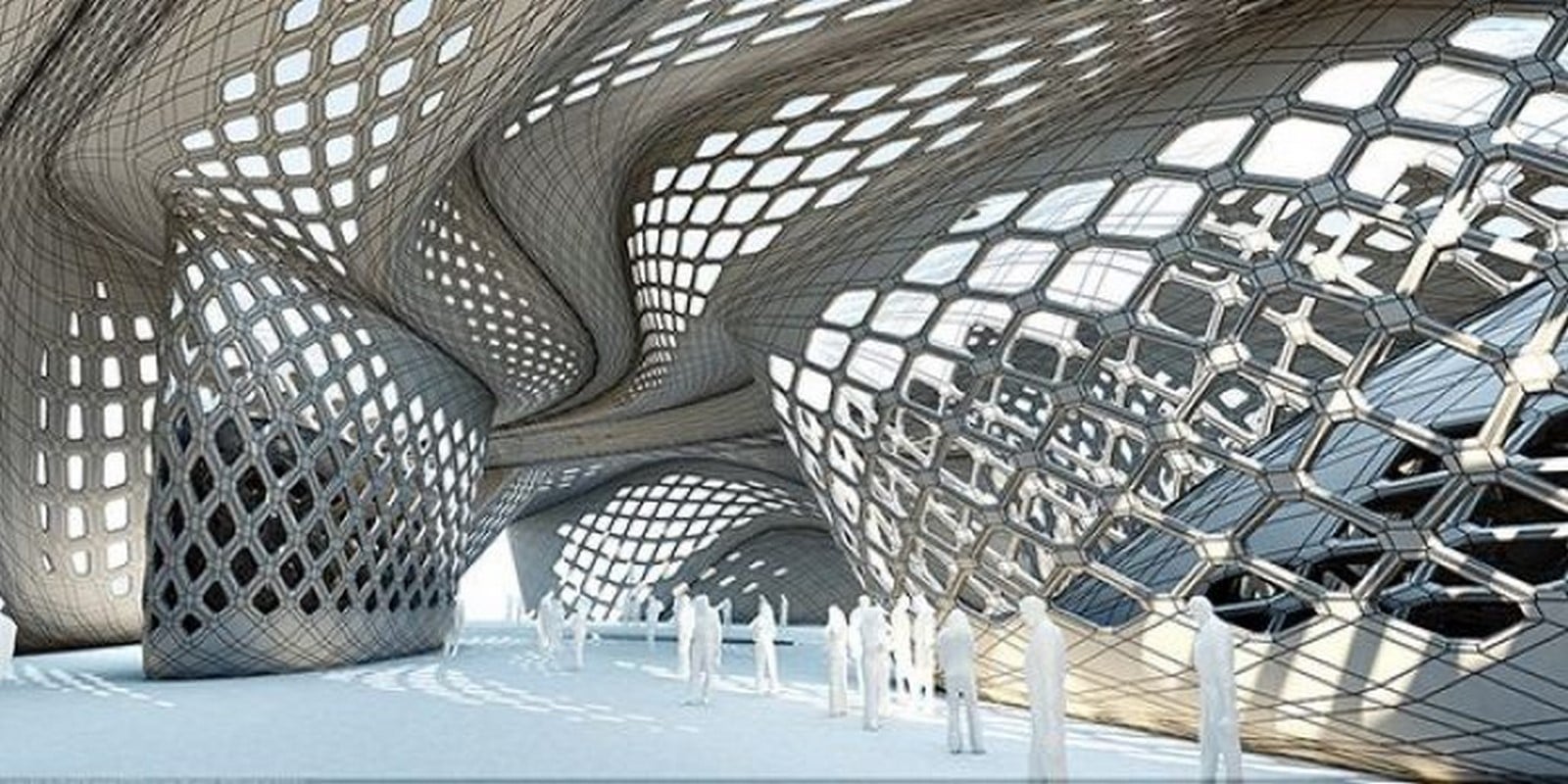
 tidal dock
Help with the promt. I want to make art of my friend's character in the dd, but it doesn't work. Mostly came out the usual man and went no further. What tips can you give?

 night belfry
I've been able to train a model with pictures of me and my friend. When I prompt it with photo of one of us seperately the output is perfect. But if I prompt if for a photo of me and my friend it keeps mixing our faces.
Any way to prevent this?
hollow tapir
night belfry
I've been able to train a model with pictures of me and my friend. When I prompt...
"regional prompting" comes to my mind. Basically it's a way to do multiple prompts in one image. That way you can have a prompt for you and one for your friend without both interfering with each others. Here have some links :
- https://github.com/pkuliyi2015/multidiffusion-upscaler-for-automatic1111
- https://github.com/ashen-sensored/stable-diffusion-webui-two-shot
You can also get away with doing any of this by typing a very precise prompt, fixing faces with inpainting, etc
 ivory wing
Yoo im using control net but i struggle to get back view of the character. It always comes out as front view.. any ideas?
 quick ice
idk if its posibble but, can i replace the character using Lora? and how?

 scarlet obsidian
teal valve
scarlet obsidian
teal valve
Maybe try negative prompts for (border), (frame), (banding), (letterbox), (cropped)? I only ever really had problems with frames
 peak magnet
Hi I am new to this channel. I am trying to generate realistic photos with stable diffusion 2.1. Most of the times the pictures are distorted, especially the people. I am using some negative prompts to avoid distortion, yet the problem.
Could you please help me with some terms that I should definitely use in the prompt to get good images? Your help is much appreciated.
blissful sapphire
any idea why I always get a noisy background when I use SD ultimate upscale. The main objects looks good and adds detail but when I have a background like a wall not in focus it gets very noise patterns
like this was a normal grey wall

 sweet rock
maybe flat_background or no_background. I'm currently trying to figure out how to get flat backgrounds as well
sweet rock
any good prompts to say "only draw this! not all this other stuff!" for instance clouds.
 devout marten
What is the best solution for style flicker?
glad notch
how to make the AI generate an unknown character and hard to redo with words, we can not put a ton of image so that he understands and replicate it like a known character?
 restive mesa
glad notch
how to make the AI generate an unknown character and hard to redo with words, ...
restive mesa
glad notch
how to make the AI generate an unknown character and hard to redo with words, ...
Isn't that what a lora or a model is
 true bobcat
devout marten
What is the best solution for style flicker?
true bobcat
devout marten
What is the best solution for style flicker?
how did you make it an alpha mask?
 livid basin
devout marten
What is the best solution for style flicker?
livid basin
devout marten
What is the best solution for style flicker?
hi, could you tell me how to do this video? deforum?
 broken bolt
is keeping the seed the same and trying different words in the prompt a good way to learn/figure out the impact of different words / punctuation on the end result
or is it not that simple
orchid ore
there is something to show you how would your prompt looks without some words. I will try to look for it, but i think it can be great for testing and learning. @broken bolt
broken bolt
ok thanks
orchid ore
Sorry cant find it now. Hopefuly somebody will remember it 😦
 sacred wolf
Hi guys, I have a question

If I want to inpaint a guy sitting on a table drinking beer in the back
how do I do that exactly? Because stable diffusion tries generating a man but its too big

how do i make it so the generated guy sitting on a table is small and fits that mask? 😄
i thought i have to use "Resize to" but it doesnt seem to work
low hill
Generate in mask only
sacred wolf
low hill
Generate in mask only
huh? wdym
orchid ore
simply there is a option under inpaint default is whole image
orchid ore
I found it @broken bolt
https://github.com/Extraltodeus/test_my_prompt
GitHub
This script is to test your prompts with the AUTOMATIC1111 webui - GitHub - Extraltodeus/test_my_prompt: This script is to test your prompts with the AUTOMATIC1111 webui
rich crow
broken bolt
is keeping the seed the same and trying different words in the prompt a good way...
The seed is that unique generation of that prompt. If you change the prompt then you change what the seed means. Seed 1 of "man walking a bike" is different from seed 1 of "man riding a bike"
sweet rock
Any sure-fire prompts to get a white background with no other props or crap showing up? I'm attempting to make a T-pose but always end up with more than I bargained for 😛 You can see the open pose I'm trying to match with ctrlnet (I've also tried putting in a flat white image as reference_only in the first unit but still no joy).


 fast frost
Hi all! Any suggestions for a prompt that could increase a character's waist size a little bit without making them fat? My generations keep coming out with an almost unrealistically narrow waist. I've already added "thin", "narrow waist" and such to the negatives but nothing seems to help sadly.
Could the clothing type I'm trying to get also be controlling the waist size?
Edit: I also have '(tall)' in my prompt, could that be affecting it?
rich crow
sweet rock
Any sure-fire prompts to get a white background with no other props or crap show...
Unless someone has come up with a way to make it work, the best workaround I've found is to use the segment anything extension to filter your subject out, then paste it into another background.
https://github.com/continue-revolution/sd-webui-segment-anything

GitHub
Segment Anything for Stable Diffusion WebUI. Contribute to continue-revolution/sd-webui-segment-anything development by creating an account on GitHub.
Pure solid backgrounds usually don't work in my experience
sweet rock
Will give it a try! Thanks!
 remote prairie
Is the Andre wongai prompt builder app worth paying for?
restive mesa
Hey, I was able to make this yesterday and I am wondering if there is anything i can put in my prompts that would give this kind of shape, you know the circular shape and how it looks like a painting with colours just dripping etc

 wide hare
What's the secret to hands?
 wicked sinew
orchid ore
I found it <@228464955098136576>
https://github.com/Extraltodeus/test_my_prompt
wicked sinew
orchid ore
I found it <@228464955098136576>
https://github.com/Extraltodeus/test_my_prompt
whats this?
I was wondering if there are lists of prompts with illustrations that represent them
like camera angles for example
ofc whats relative to sd prompts
orchid ore
on github it is selfexplanating. Showing results with different words skipped.
@wide hare negative prompts, higher resolution and inpaint probably.
wicked sinew
seems complicated
broken bolt
@wicked sinew theres a inbuilt way to do it in stable diffusion call prompt matrix if i recall correctly
wicked sinew
broken bolt
<@966241371591680000> theres a inbuilt way to do it in stable diffusion call pro...
where is that located?
broken bolt
GitHub
Feature showcase for stable-diffusion-webui. Contribute to AUTOMATIC1111/stable-diffusion-webui-feature-showcase development by creating an account on GitHub.
you just have to lick on the scripts drop down and prompt matrix
the documentation explains it prett well
wide hare
orchid ore
<@203274794353819657> negative prompts, higher resolution and inpaint probably.
I have noticed that as a prompt gets longer the likelyhood of having deformed hands also goes up regardless of negative prompts, could there be a connection?
 leaden socket
Does anyone have the dream shaper model in automatic1111? Could I ask you to show me this prompt:
a painting of a woman with a helmet and a light on her head is shown in this digital painting style image by artist mark taylor
orchid ore
but i have old dreamshaper, also something in negative prompt.

 leaden socket
orchid ore
but i have old dreamshaper, also something in negative prompt.
leaden socket
orchid ore
but i have old dreamshaper, also something in negative prompt.
Thank you.
orchid ore
np
leaden socket
Do you guys know if you train on automatic1111 and have a model selected does it train off that?
leaden socket
orchid ore
but i have old dreamshaper, also something in negative prompt.
Training seems to be working.
 stone iglooBOT
FAQ: How do I generate images? Is there a bot on the server?
Currently, there is a public bot on the server that generates images available as a research beta for SDXL, you can find the current status of the bot in #1047610792226340935. There are plenty of ways to use Stable Diffusion such as the official https://dreamstudio.ai/ website or by running Stable Diffusion locally using your own hardware - check out #1080946152318443610 for more details! You can also stop by #1025467151206854736 for any issues you experience while using DreamStudio or #🤝|tech-support for any problems you encounter while installing it locally!
 cinder olive
What are some good prompts for a one-armed warrior?
Masterpiece, best quality, Stunningly beautiful albino druid woman wearing medieval Mandalorian armour, fantasy, dungeons and dragons, D&D, detailed short silver hair, detailed red eyes, detailed pale skin, detailed vicious facial scars, scarred, amputee, missing an arm, one arm,
Negs: Big Breasts, NSFW, lewd, risque, nude, hat, laser, lightsaber, lowres, bad anatomy, bad hands, bad faces, text, error, missing fingers, extra digit, fewer digits, cropped, worst quality, low quality, normal quality, jpeg artifacts, signature, watermark, username, blind, bad eyes, ugly eyes, dead eyes, blur, helmet
fast frost
cinder olive
What are some good prompts for a one-armed warrior?
Might be a bit of a stretch, but you could try finding a post-ARR Raubahn Lora (FFXIV)
Any clues on a good prompt for a shot of someone leaning with their back against the wall (as seen from the front)? When I do "back against wall" I just get shots of the back lol
Leaning against wall also didn't really give me what I wanted 😦
 iron loom
do some LORA have baked in expressions ? no matter what and how many prompts i use, the character always smiles when using a certain lora
restive mesa
restive mesa
Hey, I was able to make this yesterday and I am wondering if there is anything i...
Still haven't been able to figure out how to do this :/ some help would be amazin
cinder olive
Composition and positioning is still something that AI has massive difficulty.
fast frost
I think it's because certain keywords like "back" automatically make it try to get you a shot from the back, no matter if it's in a sentence
I tried drawing a stick figure as img2img input, but even that doesn't do much :(. + I won't be able to hires fix the output

 placid flame
Negative prompt: out of frame, lowres, text, error, cropped, worst quality, low quality, jpeg artifacts, ugly, duplicate, morbid, mutilated, out of frame, extra fingers, mutated hands, poorly drawn hands, poorly drawn face, mutation, deformed, blurry, dehydrated, bad anatomy, bad proportions, extra limbs, cloned face, disfigured, gross proportions, malformed limbs, missing arms, missing legs, extra arms, extra legs, fused fingers, too many fingers, long neck, username, watermark, signature,
Steps: 40, Sampler: Euler a, CFG scale: 7, Seed: 2840649240, Size: 512x512, Model hash: 5d5ad06cc2, Model: mdjrny-v4, Denoising strength: 0.75, Mask blur: 4, ControlNet: "preprocessor: openpose_full, model: None, weight: 1.45, starting/ending: (0, 1), resize mode: Just Resize, pixel perfect: False, control mode: ControlNet is more important, preprocessor params: (512, 64, 64)", Noise multiplier: 0
So, im having trouble with inpainting, im trying to get the gentleman in the photo above to have his right arm outstretched, pouring beer to the side, im using conrtol net and openpose to direct the pose of the arm, but my generations are nothing like the pose?...
not sure what im doing incorrect? i cant get inpainting to work . its ignoring the contrlNet pose and inpainting is doing the wrong thing :/
https://cdn.discordapp.com/attachments/1002602742667280404/1109110380703252490/image.png
https://cdn.discordapp.com/attachments/1002602742667280404/1109110381013639371/grid-0007.png
https://cdn.discordapp.com/attachments/1002602742667280404/1109110381907017849/image.png


 undone acorn
can someone explain why my outputs always have this "matte/grainy" quality to them? even when I put matte and grainy in the negative, and things live vivid colours and vibrant in the positive prompt?
here's an example of what I mean


(I am using Dungeons & Waifus for the knowledge of what an Illithid is, but I have the same problem on Rev Animated, Dreamshaper, and any model I try really)
undone acorn
frosty kestrel
how do i remove the beard via inpainting
cover the beard only with inpainting, and put beard in the negative prompt with extra emphasis (done by surrounding it in brackets with a weight, i.e. (beard:1.4) gives a 40% increase in emphasis, note I would highly recommend not going above 1.6-1.8 until you get more comfortable with how it works since it can lead to weird artefacts and warping in most cases), then change the denoising strength to be somewhere from 0.65-0.85, a higher denoising strength means it will vary more from the original, but the downside is it will also ignore the context of the existing image, which is what you want, but go too high and it might ignore that it is his neck for example and put a face there or something weird
 still grove
not necessarily only a prompting, but also maybe dependent on the model used,
I am tying to get a water bender vibe hag, and it just keeps suggesting magic the gathering cards, of which the character look wonky anyway, how can I prevent that?


 undone acorn
still grove
not necessarily only a prompting, but also maybe dependent on the model used,
I ...
undone acorn
still grove
not necessarily only a prompting, but also maybe dependent on the model used,
I ...
what is the prompt and model?
still grove
model: RpgCharacterRealistic, at least thats how its called
prompt: fey hag blood mage, water sorcerer, in a cathedral, high quality
undone acorn
where is the model from?
still grove
civitAI,
Is there somewhere else I can find good models?
I mostly just browse the models-embeddings channel
 still grove
I think so, looks similar, remember the pictures
undone acorn
its what I use
undone acorn
still grove
model: RpgCharacterRealistic, at least thats how its called
prompt: fey hag bloo...
so its very likely the prompt. Looking at examples from the model page, this model uses very detailed prompts and nevative prompts to get good results
orchid saffron
NEED HELP!!!!
So Im specifying eye color in my prompt like ((Electric_green_eyes)) this. Why this color prompt is affecting either my character's clothes or some environmental objects? Is there any way to avoid that?
undone acorn
orchid saffron
NEED HELP!!!!
So Im specifying eye color in my prompt like ((Electric_green_eye...
usually I find that it likes to colour co-ordinate the image to have" better colour theory", if you want to avoid it, either specify the colours of each time you want coloured, or specify no colours at all and hop into photoshop or gimp to put a colour layer over the eyes post process
orchid saffron
undone acorn
usually I find that it likes to colour co-ordinate the image to have" better col...
photoshop adds too much extra work and time.
undone acorn
I usually prefer the latter option since specifying colour in some models is fighting an up hill battle, you have to fight it with finetuned emphasis weights ( this stuff (red cloak:1.2) yellow eyes:0.8 )
undone acorn
orchid saffron
photoshop adds too much extra work and time.
if its just eyes it takes about 30 seconds, load the image, colour in the eyes with your desired colour on a new layer, change the layer to colour mode, and save
as an example, I'll do one now from this

done
 orchid saffron
undone acorn
if its just eyes it takes about 30 seconds, load the image, colour in the eyes w...
orchid saffron
undone acorn
if its just eyes it takes about 30 seconds, load the image, colour in the eyes w...
I know that but isnt there any way to restrict it to only the eyes?
undone acorn
orchid saffron
I know that but isnt there any way to restrict it to only the eyes?
you could by inpainting, but thats more work than just using photoshop, sometimes the simple solution is the best solution
orchid saffron
undone acorn
you could by inpainting, but thats more work than just using photoshop, sometime...
no not like that, Im asking if there is a way to write a prompt to restrict it
undone acorn
orchid saffron
no not like that, Im asking if there is a way to write a prompt to restrict it
not really no, unless you're willing to write a massive list of negative prompts like green shirt, green background, green cloak, green pants, green hair, green clothes, green colourscheme etc
to prompt specific parts of an image, inpainting works best, but if its not intricate like an ornate dress with different colours then photo editing is invariably faster
undone acorn
still grove
I think so, looks similar, remember the pictures
sorry to leave you behind, basically, my recommendation to you is to go to the page of any new model you use and read its description and look at example images to see what settings they used and what the style of prompting the model is trained on to get the best results
undone acorn
undone acorn
sorry to leave you behind, basically, my recommendation to you is to go to the p...
also negative prompting is your friend, its very strong, so adding stuff like "magic the gathering, mtg card art, card border, text" etc will help a lot
 thick timber
is there a way that i can make the prompt only effective for a certain amount of steps?
like
girl, beautiful, dancing
but i only want her dacing for the first 20 steps out of all 40 steps
undone acorn
thick timber
is there a way that i can make the prompt only effective for a certain amount of...
yes actually, but its a swap function, so I've never tried it with an empty second half tbf, but it might work out. If you put it in square brackets and separate it into two sections, a before and after, then give a number between 0 and 1 indicating the percentage of the total steps when it swaps.
e.g.
girl, [beautiful, dancing:beautiful:0.5] then it will remove the dancing half way though
 fallow ginkgo
hi guys i have a question about controlling camera movement, angles and rotation ... i have generated a realistic figure ... can anyone give me some suggestions ?
 clear nova
how do you describe 2 characters in one image?
Do you go like
1 guy
description
1 guy
description
or something?
Maybe inpainting is the best option
sacred wolf
How do I Resize a picture and maintain the aspect ratio ?
without it looking bad
I want to turn 512x512 picture into 540x960
but i dont want it to look narrow, i want to expand the image to the size and make it look like that's how it was generated
clear nova
sacred wolf
How do I Resize a picture and maintain the aspect ratio ?
without it looking bad...
All the way at the bottom of img2img, there's "script", choose "outpainting mk2"
sacred wolf
clear nova
All the way at the bottom of img2img, there's "script", choose "outpainting mk2"
and what settings do i need to use in general ?
would 0 denoising strength work ?
clear nova
idk
rich crow
clear nova
how do you describe 2 characters in one image?
Do you go like
1 guy
description
...
There's a regional prompting extension that handles this perfectly I believe
 wild umbra
Hello i want to make a picture of my family via stable diffusion (like comic/anime kinda style, eating ramen together), is img2img the best option for the start here (like a family photo) or what would you suggest?
orchid saffron
thick timber
is there a way that i can make the prompt only effective for a certain amount of...
wait Im new whats the difference between 40 steps dance and 20 steps dance?
leaden socket
Does anyone know how to increase the actual image resolution? 512x512 seems low resolution on some prompts.
 distant dune
What does your workflow look like? That depends on a lot of things.
leaden socket
distant dune
What does your workflow look like? That depends on a lot of things.
What specifically are the things?
distant dune
Things such as the model you are using, sampler, steps, denoise, embeddings, loras? In the case of your prompts, do you use things like:
((masterpiece)), ((best quality)), absurdres, highres, 4k, ultra detailed
For example.
Camera and/or frame control in prompts can help with that too.
It's a lot easier to make suggestions and finetune if we have an idea of your workflow.
leaden socket
distant dune
Things such as the model you are using, sampler, steps, denoise, embeddings, lor...
Ah understood. I thought there was a specific value I could add to the prompts / settings like your suggestion.
But I guess the models make a difference.
distant dune
leaden socket
Ah understood. I thought there was a specific value I could add to the prompts /...
You can try adding emphasis to your prompts too with ( ) or (( ))
Helps with the aforementioned ((masterpiece)), (best quality), and even some resolution prompts.
Adding weight as well. For example: (absurdres:1.1) You can hotkey weighting using crtl + up or down over the prompt you want to add weight to.
leaden socket
distant dune
You can try adding emphasis to your prompts too with ( ) or (( ))
Helps with the...
Thank you, do you have a suggestion on any material that says this? I've been looking around and can't really dinf any5hing other than youtube.
distant dune
leaden socket
Thank you, do you have a suggestion on any material that says this? I've been lo...
On youtube, Olivio is a great resource.
Anyway, in regard to weighting:
https://www.reddit.com/r/StableDiffusion/comments/110lay4/comment/j89j7zc/?utm_source=share&utm_medium=web3x&utm_name=web3xcss&utm_term=1&utm_content=share_button
One of many cheat sheets: https://moritz.pm/posts/parameters
Control+F: "Prompt Editing" and "Attention/emphasis"
https://github.com/AUTOMATIC1111/stable-diffusion-webui/wiki/Features#prompt-editing
You can find goods post and links to resources in regard to prompting on the stable diffusion reddit, you just gotta sort through all the bullshit. Although, checking on art posts will help give you an idea of how to improve your own prompts and workflows too, that is assuming the user posts the workflow, lol.
 tacit tulip
best way to hide hands cant seem to fix them and prompts like hand behind back/ arms behind back dont seem to help
distant dune
tacit tulip
best way to hide hands cant seem to fix them and prompts like hand behind back/ ...
Try: hands in pockets
Play around with the weight. For example: (hands in pockets:1.3) Edit that number value how you like
Textual Inversions would probably help too. Try downloading easynegative, bad_prompt, and/or deep negative. They often help rectify issues I have with limbs.
Lastly, you could try using Controlnet Open Pose as well. You'll have greater control over placement of the arms this way too.
Controlnet would do the most for you, honestly.
tacit tulip
thanks will try
upbeat phoenix
Do you have tips on avoiding the sameface thing? Especially with girls it keeps generating the same faces
restive mesa
Hey so
I am trying to create a minotour blacksmith
They start with some good clothing fitting of a blacksmith but around the end they suddenly get half naked

Like
clear nova
lol
restive mesa
 clear nova
horny models
restive mesa
If they actually wear clothing they have human arms
or look too much like an cow/ox
 restive mesa
clear nova
What about inpaint?
restive mesa
clear nova
What about inpaint?
Inpainting is a bit iffy because
I don't have a mouse and I suck at drawing with the touchpad
clear nova
ah
restive mesa
like this is straight up a crop top
 orchid ore
how about wearing camouflage?
probably it would help you. I mean
"Minotaur character crossed blacksmith clothing"
???
Thats how i made bulls wearing camouflage @restive mesa
 restive mesa
I need a blacksmith lol
orchid ore
yes in example is blacksmith clothing.
"Minotaur character crossed blacksmith clothing"
it is analogue how i did wearing camouflage
restive mesa
Oh, I am already doing that
Just started to write like wearing blacksmith clothing, clothes, clothing, fantasy clothing etc but
Yeah doesn't improve stuff
orchid ore
o.k. going to testing as well
 orchid ore
you still need to wear him top?
I just add strong and very different results.
What model are you using if i may ask ? @restive mesa
restive mesa
orchid ore
you still need to wear him top?
I just add strong and very different results.
Wh...
a-zovya
and yeah i want him to wear a top lol
orchid ore
this one looks like blacksmith but i got only part about wearing blacksmith clothes. I am trying different models.
 orchid ore
this one at least wearing bra 😄
 restive mesa
Fuck minatours
I am going to make it so that its a cursed minotaur who got a human body lol
 restive mesa
orchid ore
yes it is cursed. Sorry.
restive mesa
orchid ore
yes it is cursed. Sorry.
not as cursed as what i got with inpainting lol
 fading lion
Hey guys I am a beginner and i was wondering if all the lora must be included at the end of the prompt?
Is this also the case for multiple loras?
orchid ore
@restive mesa open outpaint could be good. I think it is for both inpaint and outpaint. Great extension.
 raven junco
Hello everyone. A bit new at this. I am need help generating prompts suitable for logos and icons. minimalistic. Can someone point me to some resources or tips?
Relatedly, the "Dreamstudio" doesnt have a Style suitable for generating the above. Or rather, which style shold I use?
quiet zodiac
Is there any way to isolate two separate character in the same image and apply different features to each one? I have tried, and it seems like SD always undoes the first character in favor of the second. For example, a man in a black suit and a woman in a purple sequin dress will make the man's suit jacket purple and sequin.
From a programming point of view, I'd like to think of my prompt subjects as instances and use them accordingly. Are there secret prompt tokens to force such operations?
 glossy belfry
@quiet zodiac You would probably need to use something like regional prompting. There's an extension that I'm learning to use right now that allows you to do things like that
upbeat phoenix
Do you have tips on avoiding the sameface thing? Especially with girls it keeps generating the same faces
 last river
Hello everyone, I am a beginner and testing how to how stable diffusions can help me generating hyper-personalized pictures. For example, if I want to generate a picture of myself as Marvel Avengers and driving a BMW, is there a way to to do it? https://huggingface.co/spaces/stabilityai/stable-diffusion-1 tried prompt here but did not get exactly what I want


 teal escarp
i wanted to generate a anime character but as half skeleton
 sacred wolf
Do I ask about models in here ?
 lost crest
What is the best way to get a full human body in my image? I always try to add full body or wide shot but it barely does anything
using 512 x 512 and upscaling to 1024 x 1024
orchid ore
use 512x768 as source. It is difficult to fit body in square 🙂
lost crest
last river
Hello everyone, I am a beginner and testing how to how stable diffusions can hel...
You have to train a LoRa that is trained on your face
 noble marsh
I wanted to generate a smart baby, cartoon profile picture
 hoary oak
got a question: if i want to generate photorealistic pictures does the result get better when I write for example "photo of a man playing football" instead of "man playing football"?
lavish surge
I would like to ask if there is a working prompt that can prevent characters being far away?
I just aim for an upper body portrait.
lost crest
hoary oak
got a question: if i want to generate photorealistic pictures does the result ge...
Probably more like:
masterpiece, best quality, ultra-detailed, photorealistic:1.2, 1man, playing football```there used to be picture how all those from portrait to full body shots are called. Cant find it
lost crest
lavish surge
I would like to ask if there is a working prompt that can prevent characters bei...
I think try adding professional portrait or cowboy shot
lavish surge
lost crest
I think try adding ``professional portrait`` or ``cowboy shot``
alright
orchid ore
i typed Dracula close to camera and it is working @lavish surge
lost crest
noble marsh
I wanted to generate a smart baby, cartoon profile picture
Civitai is a platform for Stable Diffusion AI Art models. Browse a collection of thousands of models from a growing number of creators. Join an engaged community in reviewing models and sharing images with prompts to get you started.
Pick a cartoon model
helps with the style
lavish surge
How can I make the character just do a normal pose with hands down?
rich crow
Could use an openpose controlnet
orchid ore
how about hands in pockets? 😄
 pearl pelican
can anybody teach me how to write prompts ?
quiet zodiac
@lost crest I have used "head-to-toe" for full body shots. Portrait aspect ratio helps as well. Try 576x768.
facing me ((at night)), (bandages completely hide the face and body of) one head to toe ((terrifying)) walking dead male disfigured (movie mummy) in an (((extreme lurching pose))),centered in front of (ice covered pyramids) with (((((background cables and pipes connecting to a scientific research station))))),dark sky, rotting decaying flesh, concept oil```@pearl pelican Just goggle it. It's highly popular. There are tons of guides with pre-fab prompts you can try out.
last river
lost crest
You have to train a LoRa that is trained on your face
Thank you, let me research how
glossy belfry
New Video Release!
Ready for a deep dive into the Ultimate Stable Diffusion Prompt Generator for GPT? In our latest video, we're showing you how this powerful tool can be used in various ways to create a wide array of AI images and artwork.
Check it out here: https://youtu.be/[YOUTUBE_LINK]
Get the prompt now on Etsy: https://etsy.me/3IrssXv https://youtu.be/QwHj0dieAMY
Let's continue to explore and grow in our AI artistry together. Enjoy, and happy creating!
Enjoy the videos and music you love, upload original content, and share it all with friends, family, and the world on YouTube.

This Guides & How Tos item is sold by XerophayzeArt. Ships from San Juan, PR. Listed on May 21, 2023

Welcome back, artists! 🎉 Today, we're diving deep into the Ultimate Stable Diffusion Prompt Generator for GPT! This video will give you a comprehensive understanding of the different uses of this powerful tool, and demonstrate its versatility in creating a diverse range of AI images and artwork using various aspects of Stable Diffusion.
From di...
leaden socket
Do you guys think it's better to prompt at 2k or prompt lower then upscale?
Do you guys think it's better to prompt at 2k or prompt lower then upscale?
silver valley
leaden socket
Do you guys think it's better to prompt at 2k or prompt lower then upscale?
Its better to prompt nearer to the source resolution the models got trained on and then upscale.
1.5 = 512x512
2.1 = 768x768
Generating at a higher native resolution will get you artifacts and duplicates
leaden socket
silver valley
Its better to prompt nearer to the source resolution the models got trained on a...
Is 1.5 the models version?
Didn't know that, thank you!
One final thing, what about 512x1024? I'm doing portrates.