
#🏞|general-with-images
1 messages · Page 175 of 1
 brazen haven


 pale steeple
anyone has any ideea how to edit this node ? just want to add more than 3 loras, or any other easy to replace alternatives? is there any easy way to replace a node with another without messing the workflow/linking of nodes up?

 edgy ravine
@tawny lance guider curves op

 viral frost


 tawny lance
 tawny lance
 wispy nest
C+
tawny lance
pale steeple
anyone has any ideea how to edit this node ? just want to add more than 3 loras,...
UH Why are you using strength of 2.5. That's hilarious.
Just add another lora stack.
And you... really shouldn't add more than 3 loras.
Make one
use chatgpt
tawny lance
edgy ravine
<@318847432735719424> guider curves op
I'm using the Sage right now
I guess I'd need a tutorial


 dark yew
Maybe try chat gpt img gen put this img and tell them in this style create me this img, if there is no lora for it , for bulk create 10 AC of chat gpt
 quick sandal
Hello
Can someone help me to train my Lora(I got images) and help me to get a model from civitAI to combine my lora with model from CivitAi
I will pay the person when is done 🙂
I got stable diffusion but got stuck here
 sterile kiln
quick sandal
Can someone help me to train my Lora(I got images) and help me to get a model fr...
sterile kiln
quick sandal
Can someone help me to train my Lora(I got images) and help me to get a model fr...
what model want you use?
Flux? Qwen? SD?
quick sandal
I dont use any model? i have stable diffusion with git and python with kohya
nothing else
tawny lance
quick sandal
Can someone help me to train my Lora(I got images) and help me to get a model fr...
Sorry, what?
That makes almost no sense
tawny lance
quick sandal
I dont use any model? i have stable diffusion with git and python with kohya
this also makes almost no sense.
 storm basin


 brazen haven
dark yew
Maybe try chat gpt img gen put this img and tell them in this style create me th...
brazen haven
dark yew
Maybe try chat gpt img gen put this img and tell them in this style create me th...
i am looking to generate like 1500-2000 images per day, i guess i need to train LoRA for this
dark yew
brazen haven
i am looking to generate like 1500-2000 images per day, i guess i need to train ...
Can I ask😅 you what you're gonna do with 1500-2000 img per day, i am really curious
Cuz idk about more than individual personal usage, maybe your doing for business or website
brazen haven
dark yew
Cuz idk about more than individual personal usage, maybe your doing for business...
yeah, i run multiple yt channels
dark yew
I wanna see your channel
edgy ravine
tawny lance
I guess I'd need a tutorial
i will make one once i released it ^^
splits confirmed now ^^
tawny lance
BUT WHAT DOES IT MEANNNN
edgy ravine
tawny lance
BUT WHAT DOES IT MEANNNN
it means editing curves... OR keep picking one ^^

i call this one Spikey-Beta with long run-up ^^
my latest invention
 naive harbor
Hi
viral frost


 rain gazelle

 old mirage

 round brook


 feral aurora
round brook
feral aurora
round brook
how to use ?
round brook
feral aurora
how to use ?
???
feral aurora
pls how can start make like this one i liked, i use / then prompt or #
feral aurora
round brook
???
pls how can start make like this one i liked, i use / then prompt or #
round brook
feral aurora
pls how can start make like this one i liked, i use / then prompt or #
this is with my v2 workflow
on comfyui
feral aurora
i wont to start how i can create whith stable diffusion
i can srart whith free
or no
round brook
dm me
feral aurora
ok
 gritty horizon
#🏞|general-with-images complete her missing leg

 quiet current
gritty horizon
<#1004159122335354970> complete her missing leg
quiet current
gritty horizon
<#1004159122335354970> complete her missing leg
That's not how it works. Read #artisan-faq or generate things locally on your computer.
gritty horizon
#create laughing buddha
quiet current
gritty horizon
#create laughing buddha
#artisan-faq READ
rain gazelle
 brazen haven
rain gazelle
brazen haven
rain gazelle
hey, i need your help, how you generated these images, i am looking to generate similar images in bulk like 1500-2000 a day for business purposes.

 rain gazelle
brazen haven
hey, i need your help, how you generated these images, i am looking to generate ...
rain gazelle
brazen haven
hey, i need your help, how you generated these images, i am looking to generate ...
Hi there... I got your DM but please just chat here. 🙂 These are very simple - they are all using Nano Banana (Google), feeding in a character image and prompting for a comic output. I'm quite confident it could produce your satire images, though you may have to pay to generate at that quantity.
 south temple
 olive stirrup
prompt
south temple
a frog in a space suit ?
sterile kiln
rain gazelle
viral frost

 summer yarrow

 undone shard

 urban stone
Make a image of world map in which big countries like USA, CHINA, INDIA, JAPAN, RUSSIA, AUSTRALIA, UK etc are highlighted in that map these states are with his flags in background of his country map
 gaunt walrus
⚔️ Smile before the storm… 🔥🌙
#5an_AI #AIart #digitalart #darkfantasy #オリキャラ #イラスト #fantasyart #AIイラスト︎

 X
·
X
·
 midnight torrent
describe
this
image
 quiet current
boop beep boop, this image shows me that you haven't read #artisan-faq
There is no bot in those channels and that s not how you would use them anyways.
There are only picture gen, paying bots.
 fleet goblet
quiet current
There is no bot in those channels and that s not how you would use them anyways.
fleet goblet
quiet current
There is no bot in those channels and that s not how you would use them anyways.
You're trying to help people who aren't bothering to read anything themselves or can't because they aren't english.
I'd recommend not responding to them as they should be able to read English in the first place if they're going to try to utilize English-based channels...
quiet current
The (perhaps wishful) thinking behind this is that people read the last few messages in a channel before posting in it.
 manic vale

 celest sigil


 storm basin


 fiery spade
Really hoping somebody can help me. I just need to conclude that im not too good at prompting. Have en Project going where im creating logos for fictional nfl teams, mostly in flux.. I had success with some but there are a few where i just cant replicate what i made in sora originally. How would you prompt this?


 viral frost
This was almost perfect. My weird idea was "DJ Chef", and he's supposed to hold a record in his hand on the right to mirror the plate, and of course the hat should be only on the left and headphones only on the right.

Photograph of DJ Chef, serving up generous helpings of phat beats, mouthwatering licks, and juicy tracks from the dining room to the dance floor
 viral frost
Closer! It's cool how seamless this one is.
 quiet current
really....
 hearty violet
guys, how can I transform this vehicle into a model with textures? I tried with Hunyuan3D on HF and this site, but the mesh isn't good and I need the coloors too. Any sugestion?

 hearty violet
with sparc3d I did the geometry very well 🙂

 woven pollen
Hi, anyone has a hint for me on how to place objects in the hands of my characters I generate properly? I tried around with basically all ideas I had by now, but nothing really worked that good
I´m using SD A1111 with 1.5 Models
 reef belfry
Hyrule Kindom-Comfyui-SDXL

 clever oar

 tender hearth
What Node can Route a Model name into Effici. Loader SDXL? (base_chkpt_name)
 hearty violet
guys, how can I make textures from this image with better quality? any sugestion? I use comfy

 next thicket
#🏞|general-with-images house of village
 eternal dust
Hi what's the best model u guys recommend for NSFW anime image ,i have a project and i need a clean,accurate and very high quality model that can make flawless or at least near that ,.TY. for ur help in advance
quiet current
eternal dust
Hi what's the best model u guys recommend for NSFW anime image ,i have a project...
That server is not the place to discuss nsfw stuff
eternal dust
quiet current
That server is not the place to discuss nsfw stuff
I am just seeking guidance for a project
I know but i don't know where els to go
quiet current
don't go to whatever link that scammer just sent
eternal dust
quiet current
don't go to whatever link that scammer just sent
Lol sure do
edgy ravine
eternal dust
Hi what's the best model u guys recommend for NSFW anime image ,i have a project...
Illustrious
 tiny hollow
eternal dust
Hi what's the best model u guys recommend for NSFW anime image ,i have a project...
tiny hollow
eternal dust
Hi what's the best model u guys recommend for NSFW anime image ,i have a project...
I can be of help if you don't mind
eternal dust
tiny hollow
I can be of help if you don't mind
I found someone models but i am still open to ur suggestions
eternal dust
tiny hollow
I can be of help if you don't mind
Not realistic
Anime
tiny hollow
eternal dust
Not realistic
Anime
You can try out illustrious
eternal dust
tiny hollow
You can try out illustrious
I checked it was no good for me
tiny hollow
eternal dust
I checked it was no good for me
Can you send a sample of the style you want?
eternal dust
tiny hollow
Can you send a sample of the style you want?
I found the models i wanted
It was basically this one
 tiny hollow
eternal dust
I found the models i wanted
It was basically this one
tiny hollow
eternal dust
I found the models i wanted
It was basically this one
Ohh I see
Can I dm?
We can discuss more on how I can help?
quiet current
I'll repeat once, this is not the place to share that kind of things @tiny hollow . No NSFW content here and that victoria secret show was.
gaunt walrus
🍫 Temptation served hot… ready to indulge? 😈🔥
#5an_AI #AIart #AIイラスト︎ #digitalart
 X
·
X
·
📺💦 Who else loves a little spooky glam? 😈💧
#5an_AI #AIart #AIイラスト #AIillustration
 X
·
tiny hollow
quiet current
I'll repeat once, this is not the place to share that kind of things <@931358318...
X
·
tiny hollow
quiet current
I'll repeat once, this is not the place to share that kind of things <@931358318...
Noted


 viral frost
 hearty violet
hi guys, how can I make it more real? I used kontext


 sterile kiln
 storm basin


 zealous quiver
A beautiful lady walking back to the forest
 stone igloo
Split composition, left side shows Vegeta in anime style, glowing aura, stylized lightning, exaggerated sharp lines, vibrant colors. Right side shows Vegeta hyper-realistic, full body, lifelike skin texture, realistic Saiyan armor, golden lightning bursting, cinematic realism, 4K ultra detailed, dramatic lighting, realistic city skyline in the background, powerful visual contrast.
 dull trellis
dream/ cat with hat
hearty violet
hi guys, I open my course of sd1.5 for architeture free on my yt channel. Its on portuguese, brazil
https://www.youtube.com/@jonathas_arquiteto

YouTube
Esta é uma jornada multidisciplinar entre arquitetura, tecnologia, jogo, linguagem e música.
🏛️ ARQUITETURA E STABLE DIFFUSION (GERADOR DE IMAGENS)
- Estudo sobre arquitetura utilizando o programa de gerar imagens com IA Stable Diffusion, aplicado 100% para arquitetura.
- História e teoria da arquitetura
🕹️ ARQUITETURA E KOBOLD A...
edgy ravine
Dark Tinker Concept by Halfbaked Puma ... straight prompted, one sigma split 1344x768

 quiet current
most likely a cookie/cache issue on your side.
search how to clear cache / cookie for your browser and it should fix it (you ll have to log back in everywhere again)
 night crescent
won't i lose all the updates if i clear the cache though? lol
quiet current
night crescent
won't i lose all the updates if i clear the cache though? lol
updates are not stored on your pc, they re on the server
night crescent
i'll try then, thanks
sadly didn't work
can see their dumb announcement but not my updates
celest sigil
night crescent
Yes, a known issue that is being looked at by devs.
night crescent
thanks!
viral frost
 edgy ravine


 ember perch

 somber sandal
what is a good model for making dark fantasy magic the gathering style artwork?
edgy ravine
don't ask ^^

 jade zealot
Someone with open commisioosn? :3
clever oar
viral frost
worms again🙂
viral frost


 viral frost

 frail bobcat


 pastel needle
Hello! I just recently picked up AI generation I am confused with what is happening with my results.
I have been experimenting with FaceDetailer and I want to get a specific eye shape and look. However, I keep getting mixed results with my results? And I did the same run with fixed seed but I did change up the prompts a little.
So I was wondering what is happening here? Am I doing it wrong? Am I bad checkpoints? It doesn't make any sense for me at all. These two images are literally on the same seed. How did this happen?


 flat sand
hard to say without more detailed information.
FaceDetailer (as well as all xyz-Detailers) are all doing the same: they cut out a part of your image (e.g. the face), then upscale it to higher resolution (you could do that yourself with any graphics program), then do img2img on it, then downscale it again to the previous resolution and copy&paste it back to the image.
Potential failures could be:
- the part of the image you cut out us too small, such that the model does not understand the context
- the upscaled resolution does not match the models preferred resolution (e.g., sdxl likes 1024x1024)
- too much noise such that the image changes too much
pastel needle
Yeah, I do not know. Still working on figuring it out.
It just takes some time to generate an image and doing lots of trail and errors.
 buoyant oxide
Can anyone give me a name of extension which help be segment an image in forge ui i am using latest version which does not support segment anything
 harsh quartz
How can I create an AI model for colab?
 hazy nacelle
Iron man is flying with unicorn
 magic marsh
I got tired of scrolling so much in webui, so decided to make some changes... so far so good, only had 2 minor issues, but it's not like I use a ton of features yet


 fleet goblet
Question. Anyone with Qwen-image-2509.
I need someone to see if they can change the style of an input image to Pixel art.
The old one could do it. I'm having issues getting 2509 to do it.
tiny hollow
 urban stone
Make a 8k video animation of manufacturing plant
#🏞|general-with-images Make a 8k animated image of manufacturing plant
Animated this into video in 9:16


 strong sluice
Hello


 grave hawk
#imagine
grave hawk
adult woman, long red hair, sitting on a sofa, realistic style, soft lighting, erotic pose


 devout plover
@dry crow https://imgur.com/a/LY4ygO8 this aint ugly!!!!


 rain gazelle
 rain gazelle

 thick ruin
rain gazelle
thick ruin
rain gazelle
Cool stuff in general mate, do you mind sharing the prompts and what you used?
rain gazelle
thick ruin
Cool stuff in general mate, do you mind sharing the prompts and what you used?
Nothing complete, with Nano banana - Create an image of 1890s Paris. Include the Seine and a chubby cute cat. Watercolor style.
thick ruin
rain gazelle
Nothing complete, with Nano banana - Create an image of 1890s Paris. Include th...
Thx! Great stuff anyways 😄
rain gazelle
thick ruin
Thx! Great stuff anyways 😄
Oops I meant nothing "complex" 😄

"Create an image of 1890s Paris. Include the Seine. Watercolor style. Clear blue skies. Happy vibe. Rough edges."
Create an image of 1890s Paris. Include the Seine. Cartoon style. Clear blue skies. Happy vibe. Rough edges.

Add the Pyramid of Giza. Add the Sydney Opera House. Add Mount Rushmore. Place everything in a concentric layout. Turn it into a movie poster.

Pretty easy with the banana. 😛

 clever oar

 dawn seal
Valley Girls are now in their 60's.
 viral frost


I'm shocked that Flux exactly memorized the shapes of this font -- each glyph is consistent, even between different sizes.
 willow shadow

 latent kraken
 wispy nest
viral frost
wispy nest
viral frost
That's my new wallpaper


 shrewd token
red bal
 restive trench
Castles for all!
 fleet goblet
 viral frost
 magic marsh
nobody told me getting into SD would make me see ai artifacts I was happily ignoring before (from netflix)
 celest sigil
edgy ravine
celest sigil
edgy ravine
the hottest thing in Voyager posing on the second-hottetst thing ^^
@JeriLRyan 💐😊❤️
@markVIIphotonTorpedo 👈💪
 X
·
X
·

 rain gazelle
 wispy nest
 glacial sentinel
what model?
glacial sentinel
wispy nest
what model?
this is gpt
wispy nest
oh
wispy nest
 viral frost
wispy nest
viral frost
wispy nest
Don’t respond to bots. Just report them.
wispy nest
viral frost
Don’t respond to bots. Just report them.
I do report them but it's funny to message them
viral frost

 next dust


 haughty arch
@viral frost Where do I generate images?
viral frost
haughty arch
<@996384702611070986> Where do I generate images?
Artisan channels
haughty arch
viral frost
Artisan channels
Where can I find it, even if it makes you tired with me a little?
 copper matrix
haughty arch
Where can I find it, even if it makes you tired with me a little?
copper matrix
haughty arch
Where can I find it, even if it makes you tired with me a little?
This channel
haughty arch
I entered but came back to the same site
haughty arch
copper matrix
<#1237461679286128730>
Please explain to me
copper matrix
I generate locally but those are the official sources
Can't tell you much more then the "getting started" link in that channel
 urban portal
Hi everyone. Can You give me advice how to make AI redraw her ear, so it would point into the sky at 90 degree. Kinda like second picture

 urban portal
Currently using Juggernaut XL, don't have any lora and reference image (don't know yet how to use it). If make a callback to a mass media I kind want her to her Blood Elf's ears
 flat sand
urban portal
Hi everyone. Can You give me advice how to make AI redraw her ear, so it would p...
flat sand
urban portal
Hi everyone. Can You give me advice how to make AI redraw her ear, so it would p...
I would do that manually: use a graphics program, cut the eyes, rotate them, insert it into the image, use a stamp to fill the cutter out area with hair-like pixels.
Afterwards do an inpaint over it .
 crude holly
 viral frost
I figured out I was leaving some precision on the floor with Comfy. Since I have it installed with Pinokio, the launch arguments were specified for me. For MPS, it defaulted to using --force-fp16. This caused non-fp16 models like Flux (bf16) to need conversion, truncating the exponent bits and leading to increased model loading time on the first generation. Removing this argument, I am now taking full advantage of the model and TEs. I was hoping it would also reduce memory use, but unfortunately this appears to not be the case. I haven't tried it yet, but I'm hoping this might also make Qwen Image work -- previously, it was just leading to black images.

Left - with --force-fp16 argument; Right - no launch arguments


 verbal leaf
🎉 LIVE DEMO: 8-Step > 20-Step Diffusion Breakthrough
It's an implementation of the paper: Hyperparameters are all you need. I've just launched my HuggingFace Space where you can test this yourself!
the link of the paper is below: https://arxiv.org/abs/2510.02390
🔗 Try it:
counterfeit v3.0 version: https://huggingface.co/spaces/coralLight/Hyperparameters_Are_All_You_Need
xl version: https://huggingface.co/spaces/coralLight/Hyperparameters-are-all-you-need-xl-version
original sd version: https://huggingface.co/spaces/coralLight/hyperparameters-are-all-you-need-sd-version
some examples are above
✨ What you'll see:
- Side-by-side with DPM++2m
- 2.5x faster, BETTER quality
- Works with any model
📊 The impossible made possible:
- 8 steps generate images with FID performance comparable to the 20 steps
- No training/distillation needed
- 60% compute reduction
Would love your feedback! What models should I test next?


arXiv.org
The diffusion model is a state-of-the-art generative model that generates an image by applying a neural network iteratively. Moreover, this generation process is regarded as an algorithm solving an ordinary differential equation or a stochastic differential equation. Based on the analysis of the truncation error of the diffusion ODE and SDE, our...


 storm basin
 viral frost
I figured out I was leaving some precision on the floor with Comfy. Since I have...
viral frost
viral frost
I figured out I was leaving some precision on the floor with Comfy. Since I have...
Just an update on this, removing the --force-fp16 argument did in fact allow Qwen Image to work. I have still gotten occasional black images, but the sample workflow did produce output.
viral frost
viral frost
Qwen's interpretation
 rain gazelle
 hard wagon
🌀 Aether Exposure – Wan 2.2 14B t2v
Double exposure LoRA for human subjects blended with surreal or cinematic environments.
Strong silhouette layering on black or white backgrounds. Great for poetic character moments.
Civitai: https://civitai.com/models/2032129/aether-exposure-wan-22-t2v-lora
 rain gazelle
Scary
 rain gazelle
 viral frost
 storm basin

 rain gazelle
 rain gazelle
 viral frost

 swift reef
I tried to change the background of my image but using inpainting give me bad results (bad composition). I use flux fill workflow from the photo. Any tips how to get better blending?


 quaint rapids
#🏞|general-with-images a cat
 astral sable
Hi everyone, I need your help 🙏
I’m trying to restore the quality of a hand-painted artwork. But after countless tests I can’t get any satisfying result. The output always looks almost identical to the original. I’m still a beginner, but I’ve seen some incredible AI restorations online, so I know it’s possible. I just can’t figure out what’s going wrong 😅
My original image is a hand-painted artwork, very blurry and noisy. I’m trying to get a cleaner, sharper version, keeping the original hand-painted texture and colors. I tried both cleaning and upscaling with AI to recover details at 1:1 scale. I can upscale it ×4 successfully, but when I bring it back to the original size, it’s still as blurry and noisy as before. It’s driving me crazy 😅
I’m looking for a true restoration, not just pixel upscaling.
I have a NVIDIA RTX 5090, so compute power is not an issue.
My tests so far:
-Automatic1111 + SDXL + Refiner + RealESRGAN 4x → Tried different denoise/CFG/steps, still blurry and noisy.
-ComfyUI “Flux Kontext Dev Basic” workflow + LoRA “Flux Kontext Restore Painting” (from CivitAI) → almost no improvement, still soft and messy.
-ComfyUI RealESRGAN_x4plus → good upscale, but the same blur/noise remains.
I’d love your advice 🙏
If anyone knows a ComfyUI workflow or model specialized in restoring painted artworks, I’d be incredibly grateful!
Thank you and looking forward to read you!

 vagrant dust
astral sable
Hi everyone, I need your help 🙏
I’m trying to restore the quality of a hand-pai...
vagrant dust
astral sable
Hi everyone, I need your help 🙏
I’m trying to restore the quality of a hand-pai...
Normally i would suggest a tile controlnet approach for these kind of tasks. The problem is to determine if the unsharp / blurry parts are the artists brush work or just blur. Otherwise your image would become to sharp... If you post one example image in a usefull format i could give it a shot

 astral sable
vagrant dust
Normally i would suggest a tile controlnet approach for these kind of tasks. The...
astral sable
vagrant dust
Normally i would suggest a tile controlnet approach for these kind of tasks. The...
Thank you so much for your answer 🙏The blurry parts are just blur, no brushwork. The painting was scanned in a low resolution and the quality/details got lost in the process. Here is a crop my original image in full resolution. If you think a tile controlnet approach could help, I'd be super interested to understand how to set that!
 vagrant dust
astral sable
Thank you so much for your answer 🙏The blurry parts are just blur, no brushwork...
vagrant dust
astral sable
Thank you so much for your answer 🙏The blurry parts are just blur, no brushwork...
Results are ok-ish but with a such a resolution it seems a bit difficult to use some models.
 astral sable
vagrant dust
Results are ok-ish but with a such a resolution it seems a bit difficult to use ...
astral sable
vagrant dust
Results are ok-ish but with a such a resolution it seems a bit difficult to use ...
Wow, thank you so much, that already looks much better! 🙏
What do you mean "with such a resolution it seems a bit difficult to use some models". Is the image too small or is it a texture issue?
Would you mind sharing you Comfy workflow or a screenshot of your node setup? I'd love to try myself and learn from your approach 🎨
 tender prism
Got it. Okay, the user said "not me" and wants a friendly response without overcomplicating. I need to make sure the reply is simple and acknowledges their message.
reef belfry
Hi, Im finished this project. #Giger

 vagrant dust
astral sable
Wow, thank you so much, that already looks much better! 🙏
What do you mean "wit...
vagrant dust
astral sable
Wow, thank you so much, that already looks much better! 🙏
What do you mean "wit...
No the image is far to large. Most models where trained on much lower resolutions (512x512 or 1024x1024). So using the tripple size irritates some models.
I used this Workflow:
https://openart.ai/workflows/schnauzer_kind_15/upscale-using-xinsir-tile-controlnet/dAf6dCEPdTs8l7GtK0gg
But changed a few aspects (input image is load image instead of the first image generation). And the strenght of the control net was increased to 1.2, and instead of the save i used an image compare for the purpose of showing. Removed the lora and the tiled diffusion nodes due to the fact that i have enough vram
 astral sable
vagrant dust
No the image is far to large. Most models where trained on much lower resolution...
astral sable
vagrant dust
No the image is far to large. Most models where trained on much lower resolution...
Thank you, this is very helpful. I will try it! Last question: my final image is very big. With this tile controlnet workflow, I don't need to split my image manually into 102px tiles, right? The workflows handles that automatically?
vagrant dust
astral sable
Thank you, this is very helpful. I will try it! Last question: my final image is...
Well it worked with 3000x3000 pixel source. So i would say it should work. But it depends on the size of the image
astral sable
vagrant dust
Well it worked with 3000x3000 pixel source. So i would say it should work. But i...
It's 6meters x 3meters, it is hudge! I planed to split it anyway, I will make different tests and I will let you know 🙂 thanks again for your help!!
viral frost
 viral frost
Since Qwen-Image used Qwen 2.5 VL 7B as a text encoder, has anyone tried to use the new Qwen 3 VL 8B instead? Probably incompatible in some way, but it would be cool if it could be a drop-in replacement with more capability.
 viral frost


 heavy python
viral frost
heavy python
viral frost
Adreitz youre the wizard of AI Beans
viral frost
heavy python
Adreitz youre the wizard of AI Beans
Who doesn’t need more beans?
heavy python
The Guillermo del Toro of Legumes
 turbid patrol
Create image of Dwarkadhish temple into invitation styled portrait card with modern minimalist touch
rain gazelle
viral frost

 covert ermine
Hello,
What do you think of this creation?
 wispy nest
covert ermine
Hello,
What do you think of this creation?
wispy nest
covert ermine
Hello,
What do you think of this creation?
it's colorful
covert ermine
wispy nest
it's colorful
Thank you for your feedback.
wispy nest
any day pal
rain gazelle
 swift reef
Hi,
I try to use sdxl turbo workflow from comfyui to generate a realistic monkey that sits next to a house.
All the results are bad, as they look fake, not real at all.
Does anyone know how to improve the results?
 astral sable
vagrant dust
No the image is far to large. Most models where trained on much lower resolution...
astral sable
vagrant dust
No the image is far to large. Most models where trained on much lower resolution...
Hey, I’ve been doing some tests on my side, but I can’t manage to make the modifications you mentioned, I’m not experienced enough with Comfy yet. Would you mind sharing the version of the workflow you modified yourself?
That would help me a lot to understand and move forward 🙏
These are the changes you made: But changed a few aspects (input image is load image instead of the first image generation). And the strenght of the control net was increased to 1.2, and instead of the save i used an image compare for the purpose of showing. Removed the lora and the tiled diffusion nodes due to the fact that i have enough vram)
tiny hollow
swift reef
Hi,
I try to use sdxl turbo workflow from comfyui to generate a realistic monkey...
Use epicrealism as your model
 crystal bough
I really like this one so I want to share the prompt I used:
A photorealistic close-up of a young Caucasian woman, 22 years old, with light freckles and visible pores, natural skin texture, and peach fuzz hair softly catching the light; she has smooth, slightly dewy skin, high cheekbones, and full, glossy dark red lips. The lighting is low key with high contrast, casting dramatic shadows that sculpt her facial features and celebrate skin texture; the scene is ultra-detailed and true-to-life, emphasizing realism and minute details of pores and texture, with a neutral tan background and her sleek, dark hair pulled back to reveal the face and neck, creating a restrained, intimate mood.
P.S. if you hate typing the long version every run, i toss my notes into PromptShot to spit out the structure for me. totally doable by hand, just saves a minute

 candid ether


 lusty sable

Recently the European Parliament decided that plant-based alternatives to meat aren’t allowed to use traditional meat-related terms within the naming. That hilariously dumb decision (surreal that such an important institution even deals with such a non-issue given the times we live in, to be honest) prompted me to revive the very first project...
 Instagram
 odd dune

 velvet carbon
Anyone has a good upscaling pipeline like this one? one WF that uses wan or qwen to upscale and give more detailsand realism to my SDXL character. Im looking for this like crazy and i would appreciate any response 🙏 (yes, i tried the pastebin wf, its just bugged) by the way, if anyone could fix this WF id appreciate it a lot! Workflow : https://pastebin.com/f32CAsS7

Pastebin
Pastebin.com is the number one paste tool since 2002. Pastebin is a website where you can store text online for a set period of time.
restive trench
You can try out my workflow if you like. It's a simple upscaler using a line art control net to allow rendering beyond the Qwen size limit. The goal of this workflow was to keep the image intact, so feel free to insert a noise injection on the latents between the two samplers.
 velvet carbon
restive trench
You can try out my workflow if you like. It's a simple upscaler using a line art...
velvet carbon
restive trench
You can try out my workflow if you like. It's a simple upscaler using a line art...
this looks amazing!!! inlove of the colors! i would be honored man, thanks for this!!!


 marsh tartan
@crude holly Here you go.

 dry crow
marsh tartan
<@1409869584085024859> Here you go.
dry crow
marsh tartan
<@1409869584085024859> Here you go.
thats an very old version of the webui
dry crow
yea thats the wrong way then. because the webui is hosted on github not huggingface
in the #🤝|tech-support channel under the Pinned Messages, you find the latest Install Guides for the most common webuis
tiny hollow
marsh tartan
<@1409869584085024859> Here you go.
You’re using AUTOMATIC1111, which makes things easy, just download the SD 3.5 Large .safetensors file, drop it into your models/Stable-diffusion folder, restart the app, and select it from the model menu. You can then add other files to their folders, and they’ll show up automatically for you to use.
dry crow
tiny hollow
You’re using AUTOMATIC1111, which makes things easy, just download the SD 3.5 L...
his outdated version doesnt support 3.5
marsh tartan
So how do I update it?
tiny hollow
dry crow
his outdated version doesnt support 3.5
Then all he needs to do is just need to update your AUTOMATIC1111 WebUI by running git pull in its folder or reinstalling it. Once it’s updated, you can use SD 3.5 by adding the model file to your models/Stable-diffusion folder.
dry crow
yep, update with git pull or reinstall with the setup guides from techsupport channels pinned messages
marsh tartan
 dry crow
marsh tartan
dry crow
marsh tartan
ah there is the issue, you installed a "docker" version of the webui (thats for servers)
you need a fresh install of the correct version
marsh tartan
Great, I figured I could do it via Docker to save resources... blarg.
dry crow
marsh tartan
Great, I figured I could do it via Docker to save resources... blarg.
nope, it just ads more complexity to it then needed
marsh tartan
That, I'm finding out... I really am not built for this stuff anymore... lol
tiny hollow
marsh tartan
That, I'm finding out... I really am not built for this stuff anymore... lol
You just have to learn 😂
dry crow
no worries, we all started there xD
tiny hollow
dry crow
no worries, we all started there xD
Exactly
marsh tartan
I'm over 50... lol, I just feel like I am starting from scratch again learning IT... I haven't felt this lost in a long time.
marsh tartan
Sure 🙂
dry crow
marsh tartan
Sure 🙂
just a friendly reminder to not give any personal information away to discord strangers 🙂
marsh tartan
dry crow
just a friendly reminder to not give any personal information away to discord st...
That I know
I teach Internet security and safety to people. I am trying to learn how to use AI systems to make it more interactive with younger crowds.
dry crow
ahh nice!
marsh tartan
will be if I can get this going... lol
I want to make an interactive AI... I know learn to crawl before walking... but got to start somewhere.
dry crow
sounds good, yea starting with image generation isnt a bad idea, also that webui is not to difficult than others
tiny hollow
dry crow
sounds good, yea starting with image generation isnt a bad idea, also that webui...
ComfyUI is more complex and powerful 😊
marsh tartan
dry crow
sounds good, yea starting with image generation isnt a bad idea, also that webui...
That's what I am hoping, I want to make something that will respond to people's questions verbally.
marsh tartan
tiny hollow
ComfyUI is more complex and powerful 😊
I had that on there, but couldn't update to the latest stable so I removed it. Plus it didn't like using OneDrive as a storage system.
celest sigil


 hearty violet


 clever oar
Hazard where your old avatar
sterile kiln
Hey guys,
Are there any of you who happen to understand Arabic, Chinese, Japanese, or Russian?
 cunning gazelle
Making some game profile assets lately


 sweet goblet

 covert timber
"aspect ratio 9:16", "dark grey to black gradient", "elegant typography", "minimalistic premium style", "luxury wallpaper", "no brand logos"
 cursive nymph
this is the original image

i tried doing it myself but got the same result
and with some digging and turning it into grayscale

i got this monster from that workflow
and this

but
this is what flux.1 kontext pro made

i have it on azure api
and its great but i cannot add lora to it
copper matrix
hmm kontext pro doesnt have loras iirc
cursive nymph
copper matrix
hmm kontext pro doesnt have loras iirc
yea
thats the problem
its really smart though
i wanted to try qwen since it had gguf version compressed to fit in 8gb vram
but my gpu is amd
so i coudnt make it work
copper matrix
using my IL workflow

 cursive nymph
copper matrix
using my IL workflow
cursive nymph
copper matrix
using my IL workflow
wow thats good
cursive nymph
copper matrix
using my IL workflow
what is IL
copper matrix
illustrious
its an SDXL offshoot basically
you CAN add loras to it
less detailed then flux kontext though
cursive nymph
thats good
copper matrix
since it uses danbooru tagging
cursive nymph
copper matrix
less detailed then flux kontext though
it doesnt need to be perfect
since she is an artist
copper matrix
can even change the backgrounds
 cursive nymph
its just it would be better if we can save some time
copper matrix
hmm with AMD im not sure how to setup zluda but it would use directML
since i use swarmUI
cursive nymph
copper matrix
hmm with AMD im not sure how to setup zluda but it would use directML
i use directml
that is swarmui
copper matrix
no swarmUI is like a interface to interact with the workflow
cursive nymph
like comfyui?
copper matrix
swarmUI has like comfyUI in the back but a easier to use front end
cursive nymph
copper matrix
swarmUI has like comfyUI in the back but a easier to use front end
oh
in which way is it easier

 cursive nymph
i want the best results though
if it is just simplified but with all the functions
that would be great
copper matrix
its a simplified interface with all the functions
and you can still use the comfyback end if you so desire
cursive nymph
and i would love to have a little bit smarter text encoder
copper matrix
never heard anyone using something like that for sdxl models
cursive nymph
or i dont have 200gb ram
copper matrix
people do use LLM's for prompt enhancement for like flux/sd3.5 etc
cursive nymph
copper matrix
never heard anyone using something like that for sdxl models
its not about the model its just a bridge with python so that i can tell llm casually and it turns it to a good prompt and controlls comyui for me
in theory
copper matrix
honestly with danbooru based prompts (illustrious) that will only mess up the prompt
since it will think up fake ones
cursive nymph
 copper matrix
hmm thats a missing custom node from the page you posted
cursive nymph
 cursive nymph
copper matrix
hmm thats a missing custom node from the page you posted
cursive nymph
copper matrix
hmm thats a missing custom node from the page you posted
yeah i coudnt find it from manager
cursive nymph
cursive nymph
this one dindt work
copper matrix
comfymanager is a yikers for me tbh
cursive nymph
copper matrix
comfymanager is a yikers for me tbh
was working up to now
copper matrix
no idea what its downloading
from random workflows
wouldnt be the first time a random workflow had a virus embedded
or a popular node got hijacked etc
copper matrix
a1111 is so ancient so its an automatic yes
cursive nymph
and can i add custom nodes
copper matrix
yes but not needed
cursive nymph
copper matrix
a1111 is so ancient so its an automatic yes
thanks
copper matrix
since the workflow you want doesnt need a custom node
cursive nymph
its just hard to find information on internet
cursive nymph
copper matrix
since the workflow you want doesnt need a custom node
thats a relief to hear
copper matrix
i can hop on a quick call since im bored anyways to show you how make said workflow
cursive nymph
what kind of gpu do you have
copper matrix
5080
cursive nymph
copper matrix
5080
🥲
copper matrix
it should handle amd installs automatically though
copper matrix
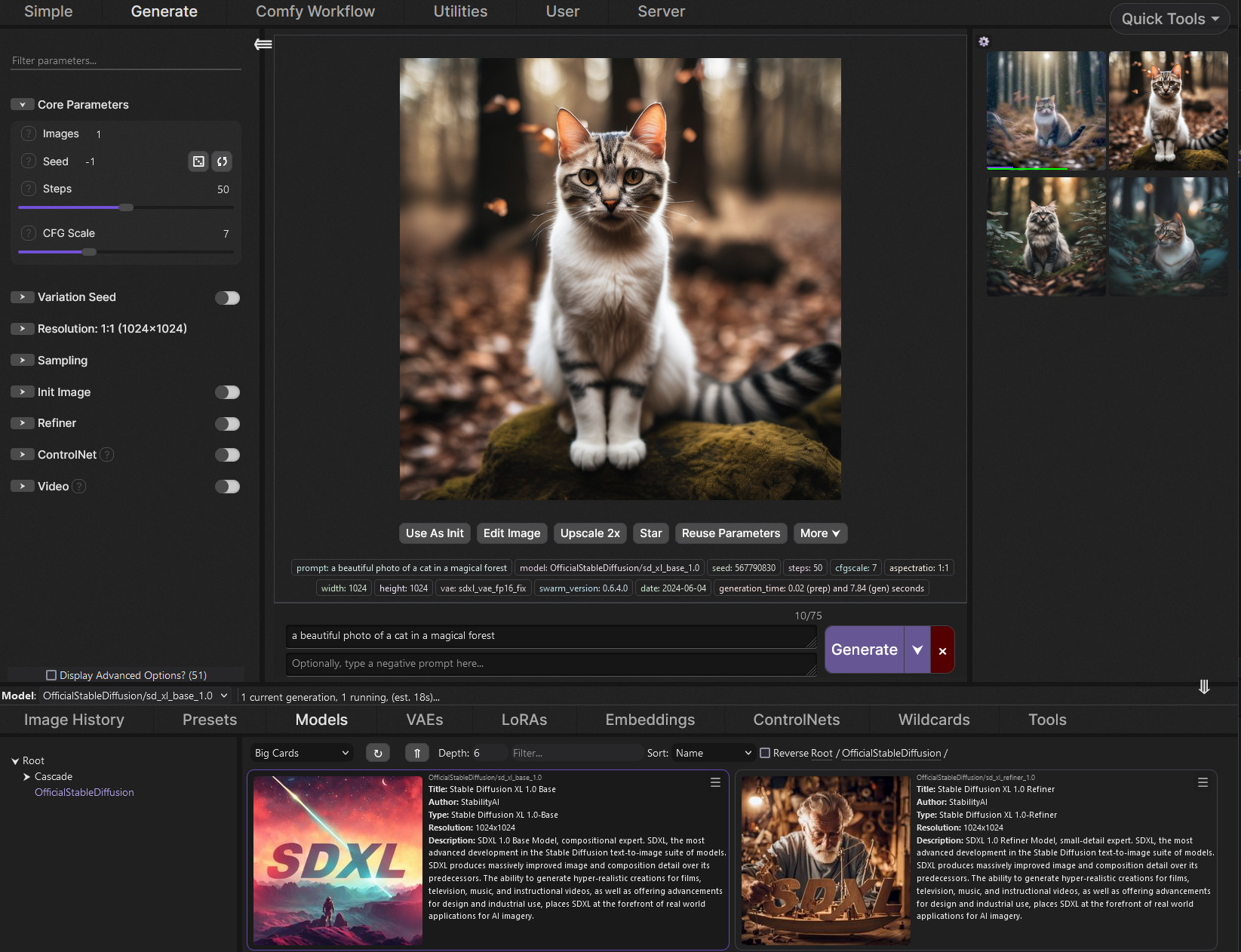
GitHub
SwarmUI (formerly StableSwarmUI), A Modular Stable Diffusion Web-User-Interface, with an emphasis on making powertools easily accessible, high performance, and extensibility. - mcmonkeyprojects/Swa...
cursive nymph
and which controlnet
cursive nymph
copper matrix
https://github.com/mcmonkeyprojects/SwarmUI
yep found it thank you
first time seeing someone made a bat file for installation
cursive nymph
did you use sdxl
copper matrix
cursive nymph
copper matrix
https://civitai.com/models/827184?modelVersionId=1410435
it deosnt sexualize normal art right?
cursive nymph
some example of her art


would be great to find checkpoints tuned for something like that too
its not exactly anime style
copper matrix
cursive nymph
would be great to find checkpoints tuned for something like that too
hmm when you have more line art examples later and got the enviorment setup its mostly about the prompt
cursive nymph
copper matrix
hmm when you have more line art examples later and got the enviorment setup its ...
i hate promts
copper matrix
i got a danbooru CSV that will autocomplete (and correct certain tags) so its easier
ill guide you thru it dw
for example:
best quality, good quality, very aesthetic, absurdres, newest, HDR, high contrast, high resolution, ultra-detailed, 1girl, black hair, red lips, croptop, abs, sweatpants, flat colors, simple, white background,
negative prompt:
worst quality, bad hands, extra digits, displeasing, worst aesthetic, old, early, recent, simple background, simple eyes, simple shading, simple drawing, simple face, simple coloring, mismatched pupils, artist name, text, monochrome, wet,

all you need
cursive nymph
still installing swarmui
copper matrix
and you can reuse the negative and a large part of the positive
cursive nymph
it installed base sdxl without telling
copper matrix
oh it was a switch in the beginning
cursive nymph
copper matrix
for example:
best quality, good quality, very aesthetic, absurdres, newest, HDR,...
why did you prompt so many things when most of them didnf even effect it
cursive nymph
copper matrix
for example:
best quality, good quality, very aesthetic, absurdres, newest, HDR,...
is there a way to correct the lineart too?
 cursive nymph
copper matrix
ah sketch to more refined image?
cursive nymph
copper matrix
ah sketch to more refined image?
you can see the mess in the lineart
its not always like that and it was just a bad example
but she hates lineart too😅
so it would be much easier for her if she could focus more on creative side
 cursive nymph
copper matrix
hmm then youd be more off using: espScribblePidnet
cursive nymph
copper matrix
hmm then youd be more off using: espScribblePidnet
no its too much
well maybe it will be fixed when i train lora
copper matrix
yeah colors are finnicky
cursive nymph
do you have any suggestions on better ways to train lora?
copper matrix
hmm well with AMD its gonna be a pain to do it locally tbh
how many example images do you have of her art you want to train on?
cursive nymph
free servers perhaps?
cursive nymph
copper matrix
how many example images do you have of her art you want to train on?
dozens but i can get hundreds if she sends me psd files from her comics so that i can delete the texts
copper matrix
crazyly enough i found a guide from CS1o for Onetrainer with zluda to train locally but id recommend asking him or other amd users with their experience for local lora training
with amd
GitHub
Stable Diffusion Knowledge Base (Setups, Basics, Guides and more) - CS1o/Stable-Diffusion-Info
copper matrix
cursive nymph
free servers perhaps?
 aint we all wish for that
cursive nymph
copper matrix
https://github.com/CS1o/Stable-Diffusion-Info/wiki/Lora-Trainer-Setup-Guides#amd...
so only zluda or rocm
i wanted to use linux but rocm supports newer gpus ive heard
copper matrix
no idea with the current amd situation and support but i see rocm is currently broken for the lora trainers
dry crow
cursive nymph
so only zluda or rocm
whats your gpu?
copper matrix
the legend himself popping up
cursive nymph
copper matrix
<:pensivecowboybread:1356865172362366976> aint we all wish for that
well azure has a free 200$ limit for first registration but i only managed to use llms and coudnt even create virtual desktop
dry crow
okay, yea the rdna 1 cards are a bit rough but they work with zluda
wouldnt recommend training loras on it
cursive nymph
dry crow
okay, yea the rdna 1 cards are a bit rough but they work with zluda
it was a pain in the ass when i first tried
cursive nymph
dry crow
wouldnt recommend training loras on it
yeah
maybe i should buy hourly cloud gpus for sometime
dry crow
yea like vast.ai or runpod or something else
or civitai, they offer lora training too, but idk how good it is
cursive nymph
i liked the prices on vast ai but it charges even when im not using it haha
cursive nymph
dry crow
or civitai, they offer lora training too, but idk how good it is
how bad can it be
copper matrix
civitai lora training is pretty decent
i made two on there before (style) and it was pretty self explainatory
no idea with their current setup though of buzz, hella confusing
cursive nymph
copper matrix
civitai lora training is pretty decent
do they have automatic promtps
copper matrix
image tagging? yeah
cursive nymph
copper matrix
image tagging? yeah
ive heard that there are better ways
if i could use kohya ss
i could make a python file and connect it to gpt 5 to upload all the images and analyze and create better prompts for each of them
dry crow
cursive nymph
directml
it would be painfully slow and crash xD directml is not made for training
copper matrix
with illustrious type models i do know from experience most LLM's mess up the prompting
cursive nymph
dry crow
it would be painfully slow and crash xD directml is not made for training
🙁
copper matrix
no idea about current gpt 5 but its never been too good
cursive nymph
copper matrix
with illustrious type models i do know from experience most LLM's mess up the pr...
yeah gpt got into my nerves too
cursive nymph
copper matrix
no idea about current gpt 5 but its never been too good
maybe because of it was connected to gpt image 1 but it was stupid
gpt 5 or gpt image one of them is really stupid
didnt test them seperately
 copper matrix
quick tagging example:
max 10 tags, civit ai is decent

and you can download the tagging + image back in a zip
copper matrix
cursive nymph
bet, you can use the checkpoint i used or another illustrious checkpoint
some have different base styles
cursive nymph
copper matrix
bet, you can use the checkpoint i used or another illustrious checkpoint
i found one
looks good
what do you think
cursive nymph
we will see
testing with text to image
on base model
it will probably take some time the first time
copper matrix
no artist vs with another offshoot of the V2 base

 copper matrix
yep, its a base with no style loras mixed in , second image had two random artists yeeted in there
copper matrix
using a random model like plantmilk without artist tags:
 copper matrix
cursive nymph
how much time training lora takes?
copper matrix
cursive nymph
how much time training lora takes?
hmm for me hour or 2 for the full process
need to get into it again since its been a while tho
cursive nymph
copper matrix
hmm for me hour or 2 for the full process
wow
copper matrix
i do take shortcuts however
cursive nymph
copper matrix
need to get into it again since its been a while tho
can you train mine for me using kohya ss if i collect images and write prompts
 copper matrix
sadly i cant since i would not be able to work at the same time
cursive nymph
copper matrix
sadly i cant since i would not be able to work at the same time
understood
how can i use image to image there
 copper matrix
okay did you place the models in the folder?
the checkpoint goes in:
SwarmUI\Models\Stable-Diffusion
the controlnet goes in:
SwarmUI\Models\controlnet
cursive nymph
done
copper matrix
okay then you open the controlnet panel on the left

basically set it like this
you can play with the strength or settings later
cursive nymph
this ?
 cursive nymph
thanks
copper matrix
should do it for you
cursive nymph
nothing else?
copper matrix
after that just copy my prompt from above , switch on the slider and try it out a little
best quality, good quality, very aesthetic, absurdres, newest, HDR, high contrast, high resolution, ultra-detailed,
negative prompt:
worst quality, bad hands, extra digits, displeasing, worst aesthetic, old, early, recent, simple background, simple eyes, simple shading, simple drawing, simple face, simple coloring, mismatched pupils, artist name, text,
hmm the autocorrect before i forget
in SwarmUI\Data\Autocompletions
GitHub
SwarmUI (formerly StableSwarmUI), A Modular Stable Diffusion Web-User-Interface, with an emphasis on making powertools easily accessible, high performance, and extensibility. - mcmonkeyprojects/Swa...
copper matrix
the wordlist https://github.com/BetaDoggo/danbooru-tag-list/releases. is the recommended one
i gotta walk the dog now but if you have any other questions just hmu later
marsh tartan
I am using ComfyUI with SD3.5 Large, and I'm getting decent results, not perfect, but decent.
I really need to learn how to train this AI...
 cursive nymph


 inner thistle
صوره للقمر

 copper matrix
cursive nymph
😅 even though its taking almost 10minutes
copper matrix
cursive nymph
😅 even though its taking almost 10minutes
Its faster then the half a year like you mentioned before lol
 kind hedge
/ generate promt: dark contrast noir photo realism with detective and ufo
 pallid ruin
cursive nymph
how much time training lora takes?
pallid ruin
cursive nymph
how much time training lora takes?
It depends on the hardware you have, on a 3060 at around 2000 steps it takes like 1 hour and 20 minutes (for sdxl based models), I havent tried training loras on other newer models yet tho
 sleek sedge
im currently genning images with a newly installed reforge SD but the eyes look off.

is there a way to make it look better without needing to resort to adetailer and img2img?
copper matrix
sleek sedge
is there a way to make it look better without needing to resort to adetailer and...
Adetailer is sadly still required for that
 fresh hornet
Hey download, login, and ask perplexity a question with my referral h ttps://pplx.ai/smanasrine85925 thanks (remove the space beetwen the h and ttps) only on computer
copper matrix
fresh hornet
Hey download, login, and ask perplexity a question with my referral h ttps://ppl...
For anyone needing basic internet security tips: do not follow random instructions to download, login and enter links from random people
clever oar
fresh hornet
Hey download, login, and ask perplexity a question with my referral h ttps://ppl...
go away with your links scamer
you understand me?
now leave
 honest bloom
Hey. I'm new to image gen and saw accounts on twitter uploading these images. Any of you familiar with what model they used? Or do you guys think it's a specific prompt? Or maybe both?


i liked the pastel-ly look and that solid black outline. Any help/advice would be appreciated. Thanks.
copper matrix
honest bloom
Hey. I'm new to image gen and saw accounts on twitter uploading these images. An...
Its probably a prompt with a lora with refinement and upscale,
How new are you to this? Like never made a image to I've tried it level
rain gazelle
I feel like literally any tag-based anime model could easily do that.
honest bloom
copper matrix
Its probably a prompt with a lora with refinement and upscale,
How new are you t...
I've tried a bit like 2-3 years ago. I recently started noticing that for some AI generated art, I can no longer determine if it's AI or not within a glance, like you really need to examine the smaller details to check if it's AI generated.
Because of that I wanted to play around it myself again and see the current state of the tech.
rain gazelle
honest bloom
I've tried a bit like 2-3 years ago. I recently started noticing that for some A...
Were you able to create some things?
rain gazelle

 halcyon trellis
Hello everyone, how can I fix this issue in comfyui?
"GrowMask
can't convert cuda:0 device type tensor to numpy. Use Tensor.cpu() to copy the tensor to host memory first."
It occurs whenver I use the "GrowMask" node.
 hearty violet
hi there, does how it's possible to add one extra preprocessor to this node?
 tawny lance


 ocean tinsel

 half hatch
rain gazelle
half hatch
rain gazelle
When prompting a comic, go for empty text bubbles only, add text in later using Medibang Paint (Windows or mobile) or GIMP (Windows or Linux). You'll never beat this workflow for getting comics done right. So image gen phase is just to get the look you want and avoid jank as best as you can. I would go so far as to omit the text bubbles as those can be added via image editors with great ease.
half hatch
copper matrix
Adetailer is sadly still required for that
"sadly" Wow, Adetailer is a blessing, shame on you and that other fool.
copper matrix
half hatch
"sadly" Wow, Adetailer is a blessing, shame on you and that other fool.
Shame? All i said its sadly still required, how nice would it be if you could generate images without spending additional time to hopefully fix the eyes lmfao
I didn't insult adetailer lol
marsh tartan
Trying to create a library with all kinds of books, some of them I am calling "world books" which when you open them will allow you to view a scene as it's happening in the book.
Most people who open the books are wizards or of the sort because where the books go to are new realms that have unique properties, and wealth... so when they open the pages, some will give them both, but others will cause "issues"... where the "reader" may never be seen again.


Top two I'm really proud of, the last one was my first attempt. Still seeing if I can coax a better image out of it.
 heavy socket

 glad viper
do you think this kind of style is achievable ?
 tawny lance
glad viper
do you think this kind of style is achievable ?
tawny lance
glad viper
do you think this kind of style is achievable ?
Shiir0 loras on civit.
copper matrix
@graceful cradle your trying to make a image to image but this is a chatting channel not a image generation channel :-)
I recommend looking at cloud services like civitai assuming you cant run it locally
You can do some free sfw generations on there
edgy ravine

 dry blaze
@hybrid condor Closer to final  It's currently moving all the linked files that is related to model in every way possible, and sorts them so far by type, base model, and into each their own folder. No matter how messy, it'll discover related files by metadata, file name, and even path if path has clues to base model and model name :P
Hardest part will be to de-a.i ify the damn code as it's a mess, but it works somewhat lol

It'll just take time, 100 models per batch, and sooo many batches left 

 mystic crag


 hearty violet
video2render


 light shard
viral frost
light shard
viral frost
Cool, what did you use to generate these?
viral frost
light shard
Cool, what did you use to generate these?
Just Flux dev in Comfy.
light shard
viral frost
Just Flux dev in Comfy.
Okay, thx! If you don't mind, tell me what graphic card you're using?
viral frost
light shard
Okay, thx! If you don't mind, tell me what graphic card you're using?
No, problem. I’m using a Mac with an M3 Max processor.
edgy ravine
hearty violet
video2render
gaussian splats?
hearty violet
edgy ravine
gaussian splats?
you are the second people that ask me it, what is this?
I used comfy + wan2.1 XD
edgy ravine
hearty violet
you are the second people that ask me it, what is this?
the way to do this sort of stuff in a fancy way with a BUNCH of compute ... for a mega resolution 3D "still frame" with baked lighting ... your approach is WAY more productive 😁 ❤️
hearty violet
edgy ravine
the way to do this sort of stuff in a fancy way with a BUNCH of compute ... for ...
good to know! haha ❤️ thanksss
edgy ravine
hearty violet
good to know! haha ❤️ thanksss
what get's ppl is how well it keeps the details in the perspectively distorted partitions.. it's legit
edgy ravine
hearty violet
video2render
i think the edge outlines on the preview shader are the kicker ... wan will GOBBLE that up as canny ... nice stuff
hearty violet
edgy ravine
i think the edge outlines on the preview shader are the kicker ... wan will GOBB...
good observation
rain gazelle

 rich edge
viral frost
rich edge
viral frost
Crazy stuff
wispy nest
viral frost
Me like big machinery compared to tiny humans, can you share prompt?
 half mist
Returned to torturing SD. Not what I was hoping to get, but I like this one
 half mist
Type of shit I'm on rn
 clever oar
 viral frost
wispy nest
Me like big machinery compared to tiny humans, can you share prompt?
viral frost
wispy nest
Me like big machinery compared to tiny humans, can you share prompt?
I'm using a dynamic prompt that is then appended by a random prompt. It evaluated to this for this image:
sharp, amazing, high detail photograph of a abandoned sci-fi landscape, hulking sweeping rusty gyroscopic megastructure, huge majestic grazing animals, , crackling electric lighting sunset, silhouettes, only detail, no-nos, god rays - ambient lighting - extreme 0 shading, creepy ((ravishing)+ing apes ~ vapes )+ing+ing around strange dark metallic components, octane render, unreal engine, dreamlike (bulging, glowing ape heads+ing around intricate glowing crystal space stations )++
 gusty dune
half mist
Type of shit I'm on rn
gusty dune
half mist
Type of shit I'm on rn
prompt?
half mist
gusty dune
prompt?
Didn't save it
I'll try to recreate
 vagrant obsidian
this is my first generated image, I should try to improve prompts
 vagrant obsidian
what


improvements?

it's crazy how my pc can outperform ai servers from 3 years ago
quiet current
vagrant obsidian
what
either wrong VAE or cfg too high.
vagrant obsidian
quiet current
either wrong VAE or cfg too high.
yeah no I just gave the hires fix too few steps
but thanks for the suggestion, I'll try playing with those values too
gusty dune
vagrant obsidian
yeah no I just gave the hires fix too few steps
what schedular/sampler are you using? try messing around with those too if you dont like your results
vagrant obsidian
gusty dune
what schedular/sampler are you using? try messing around with those too if you d...
DPM++ 3M SDE and automatic T_T
gusty dune
vagrant obsidian
DPM++ 3M SDE and automatic T_T
ahh ok nice, try using karras and see if it impoves any

 vagrant obsidian
gusty dune
ahh ok nice, try using karras and see if it impoves any
vagrant obsidian
gusty dune
ahh ok nice, try using karras and see if it impoves any
what upscaler do you suggest? I'm using latent antialiased, but it doesn't feel like it's that good
gusty dune
vagrant obsidian
heyy
nice nice, DPM++ 3M SDE with Karras is my go-to for images 👍
gusty dune
vagrant obsidian
what upscaler do you suggest? I'm using latent antialiased, but it doesn't feel ...
are you using automatic1111 or comfyui?
vagrant obsidian
auto1111
gusty dune
try R-ESRGAN 4x+ , i think it comes w auto1111
vagrant obsidian
gusty dune
try R-ESRGAN 4x+ , i think it comes w auto1111
I'll finish this other image then I'll try that, thanks
sterile kiln
A1111 is seriously outdated. Use Forge webUI or Comfy_UI
gusty dune
same thing youd use for anything else probably honestly. stable diffusion with comfyui. they probably generated an image with specific checkpoint models / loras and then did image-to-video with wan2.2 or just used a custom wan model for text to video with loras
look around for some models you may like here http://civitai.com/models
gusty dune
yyeah thats probably same thing. id try finding a normal checkpoint model you like the style of and making an image first and then try the image to video with wan. you get alot more control that way at least and you could pair it with some loras that give it more of the desired look your after. theres some good workflows posted on civitai too, im more than happy to share my text to image workflow setup for use with multiple loras + upscaling + facedetailer if youd like to test some of the models you download
edgy ravine
 🕸️
🕸️
half mist
gusty dune
prompt?
cfg 3.5
steps 50
arms, legs, fingers, limbs
soft organic shapes, distorted body-like structure, semi-fleshy texture, hint of anatomy, uncanny proportions, smooth
random, melted geometry, accidental composition, unfinished, early ai generation, chaotic and confusing, asymmetrical, hexagons, broken, abstract
photorealistic, black and white, high contrast, photo, realism, detailed
Negative:
symmetry, perfect anatomy, photorealistic, plastic, 3d render, clean lines, centered, portrait, headshot, proper proportions, face, landscape, horizon
Not the same, but close to what I actually want it to generate
I wanted to send images too, but got muted for an hour
they were THIS good🤣
half mist
 light shard
Does anybody know how to create something like this with Stable diffusion? The models and Loras (free).

 iron sinew
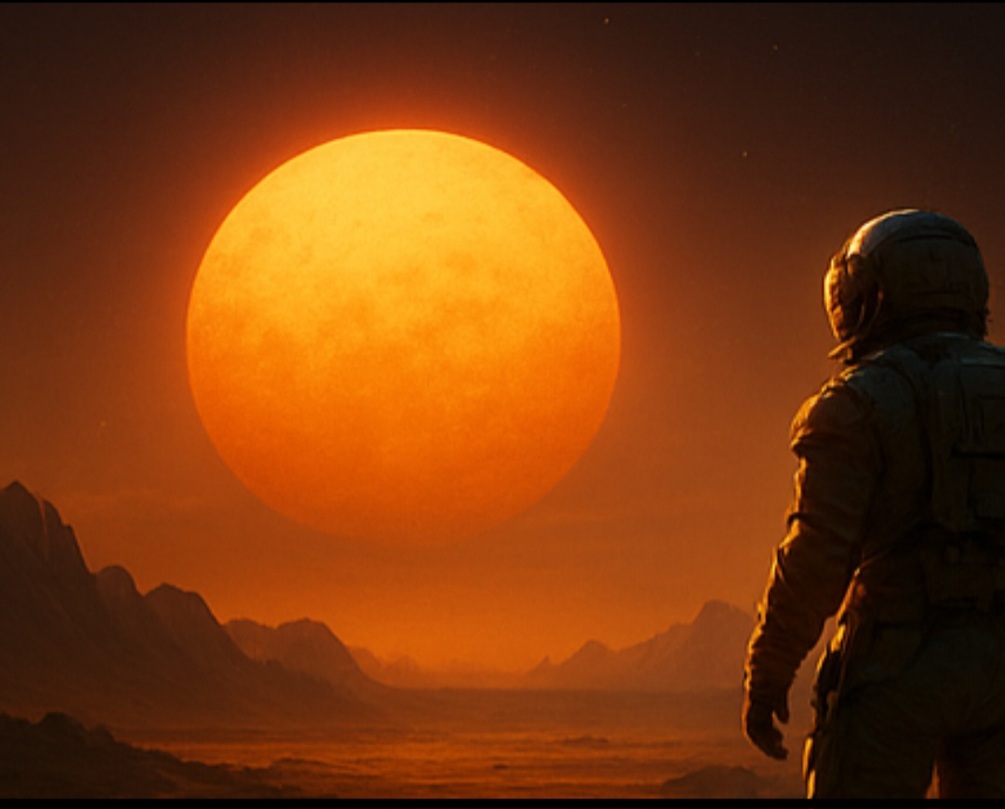
🎬 Hey everyone! I’ve been experimenting with cinematic-style AI prompts lately and compiled my 100 best into a vault.
Each prompt is written like a film scene: focusing on mood, light, and emotion (genres: Mythic India, Noir, Cyberpunk, etc.)
Includes:
📁 PDF / CSV / TXT formats
🖼️ 5 cinematic sample images
📜 Commercial license
If you love atmospheric or story-driven AI art, you might find this useful:
🔗 https://lewstherin.gumroad.com/l/acyqd


Gumroad
Unleash cinematic storytelling with 100 handcrafted AI prompts — designed to create rich, emotional, and filmic visuals using GPT-5, Midjourney, or any AI art tool.Each prompt captures mood, lighting, and atmosphere — from Mythic India and Noir streets to Post-apocalyptic skylines and Romantic rains.Perfect for:AI creators, digital artists, ...
 split atlas
how do i make it fill in the background instead, i want to make a picture of the tap in its setting but i cant get it to do what i want.

something like this


 half mist
split atlas
how do i make it fill in the background instead, i want to make a picture of the...
half mist
split atlas
how do i make it fill in the background instead, i want to make a picture of the...
Photoshop, maybe?
viral frost
😆
 dawn seal
Droolty?!?
 restive jewel
hai
 noble sequoia
hiiii
edgy ravine
@noble sequoia Hi ^^ and shark to you too @restive jewel
clever oar
👋
viral frost
Based on a dream I had once

 fickle comet
本周在群知识库中输出互联网 AI 早报,通过每周一分钟的原则,将 AI 圈内的大事件通过结构化的方式在群里给到大家,形成一种良好的互动氛围和活跃机制。
noble sequoia
This group isn't very active.

 dusty sable
viral frost
dusty sable
viral frost
this reminds me of "the incredibles" the movie isn't there something like that ?
dusty sable
tawny lance
what ai did you use to make this, may i ask ? 😄
tawny lance
sd, ComfyUI, RAMTHRUST'S pink alchemy mix 1.76
tawny lance
dusty sable
what ai did you use to make this, may i ask ? 😄
Wan 2.2
half mist
Fucking finally something that looks like a real interface for work
 gusty dune
my poor pc, been generating for like 6 hours straight

 next kite
Good morning ladies and gentlemen, I'm wondering if there's a way to properly prompt a characters body angle/ direction in the photo. I'm not having much luck with it. For example what if instead of having a typical portrait of a girl lid in the grass where she is upright you wanted to have her positioned differently so that she was entering the image from the top with her head tilted up looking at you, or maybe she enters from the left side of the image with her head on the right side. Or vice versa. I'm not having great results with this kind of prompting I'm just wondering if there's any knowledgeable people here who knows how this can properly be prompted to achieve desirable results?
For example what if instead of the upright girl in the first pic, I wanted to achieve a top down angle or left to right body angle.


Another quick question regarding prompting what if you wanted the character to be off center. Like instead of having the dog sitting upright in the center of the image like SDXL tends to default to, you wanted the dog to be sitting on the left side of the image, close-up, and for it to show the back yard full of holes he dug up in the background? I just mean how would you prompt for him to be on the left side of the image and to have a open back yard on the right? In my experience it would just want to put the dog in the center of the photo and I have trouble prompting around that, maybe i don't use the correct prompt words.
clever oar
 noble sequoia

 limpid meteor
Lovely photo you made
restive trench
@next kite Instead of supplying empty latents to the sampler, supply a reference image to a vae encode node and connect those latents in place of the empty latents. Then lower the denoise to around 0.6-0.8. This will cause the sampler to consider the layout of the reference image along with your prompt. You can even supply badly comped photoshop images to guide your layouts using this technique.


 manic glen
I have a question i want to use to model and to import but i encounter an issue which is the config.json need to be in the root folder. But in this model the config.json was inside of the folder. My question is this config json in the image was for the whole model or not?


or do you have know any model that the architecture was the config.json is in the root?
viral frost
manic glen
I have a question i want to use to model and to import but i encounter an issue ...
What software are you using? Comfy doesn't need the config.json, just the .safetensors.

 sudden bobcat
Hey everyone 👋
Just launched a 100% free Flux avatar maker – no login, no watermark, selfie upload works great
• 8 free styles (anime, cyberpunk, realistic, barbie, 8-bit, etc.)
• $3 one-time premium → HD + batch + sliders
https://fluxavatarmaker.com Here are a few I made in ~10 seconds each 🔥

Turn any prompt into stunning profile pictures in seconds. Multiple styles including anime, realistic, cyberpunk, and more. 100% free, no login required!
 plucky hamlet

 nimble fox
sudden bobcat
Hey everyone 👋
Just launched a 100% free Flux avatar maker – no login, no water...
nimble fox
sudden bobcat
Hey everyone 👋
Just launched a 100% free Flux avatar maker – no login, no water...
This is awesome dude. Even tho it doesn't generate anything similar to the uploaded image it's still bad ass.
 deep otter
I am really trying to find a workflow that allows me to me to add good amount of details into 4k img, so far I can upscale from 2k to 4k but they start to become evident that is an Ai img because of the lack of high details, texture in objects, that a 4k photograph would have. So I need to find a way to break up that “Ai look” my img generated at large scales are getting. Does anyone have any suggestions, video on YouTube or workflow to share about that?
 lapis agate
Hello Everyone
I Just launched a browser party game powered entirely by live, real-time SDXL generations.
It’s called PromptRoyale. It’s basically competitive speed-prompting against 3 other people. You get a theme, race to write the best prompt, and then vote to eliminate the others.
This screenshot is from a round where the theme was "A Fox Wearing Fancy Clothes". The results get pretty chaotic. 😅
I'd love to get some feedback from this community on the tech implementation and gameplay loop.
Lobbies are open if anyone wants to jump in for a quick match! Play here: https://promptroyale.app (No download needed)
 clever oar
 clever oar
 noble sequoia
 waxen mist
/ generate airplan


 marsh yarrow
Design a corporate logo using the Development Cube approach
 real rampart
A photorealistic studio render of a wooden cloche base made from light mango wood. Total diameter: 300mm. Thickness: 20mm. In the center is a circular recessed cavity, 250mm diameter × 5mm deep, which seats the glass dome and food. Around this cavity is a 25mm wide ring. On the TOP SURFACE of this ring, carve medium-depth soft seashell-like waves. The waves must be carved upward and stay entirely on the top surface, not on the sides or bottom. The outer edge of the plate is a perfectly smooth circle with no scalloping. Wood grain is subtle and natural. A clear glass dome sits naturally inside the 250mm cavity. Lighting soft and neutral, high-detail, product photography style.
Negative Prompt:
No scallops on the outer edge, no scallops on the underside, no downward flutes, no thick boards, no incorrect cavity proportions, no warped geometry, no extra objects, no non-circular silhouette, no exaggerated waves, no twisting patterns, no metal, no colored wood.
pale steeple
Hello. Some workflow help? Why is the high noise model looks blurry when low noise looks good?
 south temple
viral frost
south temple
south temple
viral frost
 south temple

 quasi path
take the holister home page and add a greek life collection tab, and circle it in big red circle please. add blank hoodies with small greek letter of beta theta pi on the chest and a hollister emordered name on the cuff of hoodie. then add text onto the screen that says "Customize your style, for any event today."
 round helm
flux2 first tries, I think they cooked, will post more info later on reddit


 viral frost
round helm
flux2 first tries, I think they cooked, will post more info later on reddit
viral frost
round helm
flux2 first tries, I think they cooked, will post more info later on reddit
I'm looking forward to trying it on my Mac. I don't think I'll be able to run unquantized, though, as I only have 64GB unified memory.
round helm
I see ~52GB used with the fp8 te/dit, nothing offloaded
viral frost
Is there any in-depth technical analysis of Flux.2? I've only seen the info on their website about the VAE, but nothing about the differences with the architecture or training.
viral frost
round helm
I see ~52GB used with the fp8 te/dit, nothing offloaded
At what resolution?
round helm
1024x1024
there's a blog post, they have a new transformer and use mistral 24B as TE which is ... quite interesting choice
viral frost
Yeah, I saw the blog (which is where I got connected to their info about the VAE), but missed that detail about the TE they're using. I don't see much more information, though.
round helm
1536x1536 jumps another 2-3Gb it looks like, its hard for me to measure exactly on this system as its running the OS/monitor as well
viral frost
I've thought for awhile that the continued use of T5 is kind of odd given how old it is. Hopefully the VLM will help a lot with prompt following.
round helm
https://huggingface.co/blog/flux-2 some info here from HF
viral frost
round helm
1536x1536 jumps another 2-3Gb it looks like, its hard for me to measure exactly ...
Cool. MPS does not support FP8 natively, so I fear that Comfy will either just fail or will convert everything to fp16/bf16 and I'll run out of memory.
round helm
unsure what the software stack on mps looks like but generally weights are dynamically dequanted to whatever the hardware supports, read from memory to SRAM cache on die, dequant, compute, dealloc
viral frost
Yeah, but the modified weights need to be stored somewhere. If expanding to fp16 overflows my memory...
round helm
they can be computed immediately before compute, iirc poking around comfy code they do it per tensor or per layer, it's "just in time" dequanting
so I'm not sure how much of that, if any, actually spills back out into global memory
viral frost
Well, I hope you're right. Seems like an inefficient way of handling things from a compute perspective, but would help with memory use. Maybe I'll have to play around with the launch arguments and see if any of them help.
round helm
yes it costs compute, which is a weaker point for mps
nbd for llms that are bandwidth bound but probably matters for diffusion models, some apps use the marlin kernel https://github.com/IST-DASLab/marlin
viral frost
Just updated Comfy and the torch nightlies. I'm downloading the models now. I see that the VAE is the same file size as the Flux.1 VAE. I wonder what would happen if you tried to use it with Flux.1...
When the M5 Max laptops are released, I'll be seriously tempted to upgrade (including to 128GB). Just so expensive, though.
viral frost
viral frost
Just updated Comfy and the torch nightlies. I'm downloading the models now. I se...
Doesn't work, as expected. Looks like the Flux.2 VAE is 128 channels instead of 16.
Trying to convert Float8_e4m3fn to the MPS backend but it does not have support for that dtype.😟
 still rose
I guess I ain’t running flux 2.0 even on fp8 anytime soon 😭
still rose
round helm
I see ~52GB used with the fp8 te/dit, nothing offloaded
😔 Yh I’m never running ts on my old m2 pro 16gb mac maybe when DT comes out with a update but then I still doubt
Guess this will be the first local available model I truly run on cloud servers
viral frost
still rose
😔 Yh I’m never running ts on my old m2 pro 16gb mac maybe when DT comes out wit...
I'm trying the Q8 GGUF right now. https://huggingface.co/orabazes/FLUX.2-dev-GGUF
It appears to be working, but I don't see a preview of the generation yet. Got to wait another four minutes or so to see if it decodes.
Python is using only about 45GB right now.
🤯 I can't believe it actually worked.

I didn't even use a q8 version of the TE. It's still using fp8. No idea why that works. Maybe the TE is considered to be on "CPU"?
Differences vs. the example workflow result supplied with Comfy are pretty small. Some might even be considered somewhat of an improvement.
Now trying to see how far I can push this with bits of my Flux.1 workflow.
viral frost
quiet current
I mean ...
Well, considering that I thought it might try to use 90 GB and crash my computer... I'm part of the 1%, but this is actually within my capability to run sustainably.
quiet current
Definitely the 0.1% even I'd say :p. But might as well use it if you have it.
viral frost
I had some major FOMO there for a while. I'm not out of the woods yet if I can't make it generate large images (either natively or with my tiled upscaling workflow). I'm just not satisfied with 1MP.
quiet current
I might give the Q3 model a give tomorow.
viral frost
This setup with the GGUF is actually lighter than my Flux.1 workflow in bf16. Adding a realism LoRA to it caused a major increase in memory use, with Python trying to grab slightly over my max memory (maybe around 68 GB) and paging some to disk.
quiet current
Paging is such a no go for me. I'd rather have lower quality than wait for minutes for something to get generated.
viral frost
It didn't slow down appreciably -- I think it was mostly paging the TEs. But I worried about the health of my SSD long term.
still rose
viral frost
Python is using only about 45GB right now.
😭
quiet current
viral frost
It didn't slow down appreciably -- I think it was mostly paging the TEs. But I w...
Just looked it up. The fp8 version of the TE by itself is already 18gb ?!? What the hell ?!?
gonna have to look for a smaller one.
viral frost
quiet current
Just looked it up. The fp8 version of the TE by itself is already 18gb ?!? What ...
Yeah, I know. Mistral 3.1-something. I was going to look for a GGUF of that, but there was no quant of the Flux version and I couldn’t tell whether it was supposed to be a base or instruct model to substitute an older general-use GGUF. I was planning to experiment with this if the official fp8 version didn’t work for me.
quiet current
The TE is fast enough on GPU for now so I'm putting it aside for now.
I'm more focused on fixing the OOM / Page not present I get when using flux.2. Oh the joy of AMD gpus ....
viral frost
I imagine the size is necessary to get the prompt following and editing capabilities they need. I wonder what exactly it is doing on the back end with, e.g., prompt expansion. Also, given that LLMs to my knowledge usually have both embedding and decoding capabilities but the image models up until now only need the embeddings, I wonder if the LLM could be pruned at all without degradation to the image generation process.
 viral frost
quiet current
On the other end... I might have broken the available vram check
viral frost
quiet current
On the other end... I might have broken the available vram check
I’ve seen absurd numbers like that before. I don’t know that it means anything.
quiet current
Just had to use the whole internet as a swap space. Why didn't I think of it before.
viral frost
viral frost
I imagine the size is necessary to get the prompt following and editing capabili...
I also wonder what kind of shenanigans you could get up to with prompt poisoning, “ignore all previous instructions and…”
Does it have a system prompt?
quiet current
oof that hand tho. (and keyboard too... and desk...)

On the other ... hand .... it seems like the latest pytorch + rocm7 combo got rid of most of the "page not present" errors. I managed to run the flux.2 five times in a row without any errors so far. Which was unthinkable just a few weeks ago.
I'll try to see if I can squeeze the Q3 variant in my 16gb of vram later on with some tweaks.
On my 9700xt, it takes about 100 seconds for a 1248x832 output at 20 steps with Euler sampler. Too long to my taste I'll probably stick to older models for faster iterations.
flat sand
viral frost
Does it have a system prompt?
yes. You find system prompts and the prompt upsamling instructions in https://github.com/black-forest-labs/flux2/blob/main/src/flux2/system_messages.py
GitHub
Official inference repo for FLUX.2 models. Contribute to black-forest-labs/flux2 development by creating an account on GitHub.
basically, the system prompt is "reason about the image description"
quiet current
"Does this prompt have copyright concerns or includes public figures?" ah ah ah
It makes sense, but it seems pretty loose as far as copyright is concerned.
viral frost
It's also ridiculously easy to disable.
flat sand
this is just for their sampler script
however, its possible (and likely :/) that they also enabled that during training to filter their training data
flat sand
viral frost
I imagine the size is necessary to get the prompt following and editing capabili...
regarding that: Mistral has 40 layers. They use the outputs of the 10, 20, and 30 layer. LLMs tend to interpret the prompt in the first layers and then figure out how the text could continue in the last layers. So the final layer contains mostly information about the following word but not longer about the current word. That's why these decoder-only LLMs usually performed really bad for image generation. Using the middle layers instead of the final layers seem to fix the problem
viral frost
flat sand
regarding that: Mistral has 40 layers. They use the outputs of the 10, 20, and 3...
So, sounds like layers 31-40 could be removed without affecting the results?
flat sand
yes
if you don't use prompt upsamling then this is possible
also: the output layer is not necessary. The output layer is usually extremely HUGE and consumes a significant amount of vram
quiet current
Eva 01 vs godzilla... What have they done to you. Look how they massacred my... boy ? girl ? mecha ? human ?
I really should find a way to use more precise variants to give it a fair shot.
 viral frost
quiet current
Eva 01 vs godzilla... What have they done to you. Look how they massacred my... ...
viral frost
quiet current
Eva 01 vs godzilla... What have they done to you. Look how they massacred my... ...
Eva is obviously a woman's name!
For Q2, it's really not bad.
Q2 for LLMs is usually completely unusable.
quiet current
Problem is I can probably get better results using sdxl. It will be more finnicky to use because of the TE but still.
viral frost
You could try giving it a reference image of Eva 01.
quiet current
Probably yes, I'm just messing with it for now and stress testing the gpu stability.
viral frost
Yeah, I'll be in the tweaking phase for quite a while. I like to use the RK-sampler node with Flux.1, but it has a significant performance penalty with Flux.2. I'm trying to see if I can tune the PID controller to be more efficient.
hearty violet
is possible a extract a model from image with nunyuan but with textures?
 fleet goblet
Flux.2 (Q8 GGUF Intel Arc A770 16GB VRAM, 64gb DDR4 SYSRAM)
 south temple
its the video motion swap that im stoked about.
Ive been writing music that I want to "paint" to. lol
Im limited to file size, so you get the mp3 version. sorry.
the frequencys need work, but thats the general flow of the track. 🙂
wispy nest
wispy nest
Does anyone have a tutorial on how to use nano banana pro?
I have no experience with AI image editing and jailbreaking them.
I have the ultra package and I see the ultra filters are significantly reduced compared to the free version.
pale steeple
hey guys. Is there any tutorial on how to start using wan animate?
restive trench
There is a site called Google where you can search for stuff, or head right to YouTube to find Wan animate tutorials.
 barren flare
Hey fellas. I downloaded Forge Neo to try Z-Image. I downloaded it's VAE and it's texcoder too. But then I try to create images, it comes out blurry. I tried peoples prompt too. But it's somehow blurry. I tried LCM, Euler samplings like people did. But the result is the same. Here's some photo so you can see the difference.


 rapid river
 still rose
wispy nest
Does anyone have a tutorial on how to use nano banana pro?
I have no experience ...
still rose
wispy nest
Does anyone have a tutorial on how to use nano banana pro?
I have no experience ...
I would’ve personally went with a 3rd party service cuz they use API version and it’s less restricted and depending if ur EU or not u can create images without it getting it blocked and a couple of the services currently are doing “365 days” of unlimited nano banana pro gens with certain subs u also get the freedom of using literally any other model on ur sub which may include video models, upscaling etc iirc with any of the subs with google ur limited in resolution to 2k which may or may not be a problem and with actual settings it’s quite limited and u get that nano banana Gemini watermark on every image which to me annoys me
There are some videos also that does comparisons and tutorials on how to use nano banana pro and image gens in general
 solar talon
I know everyone is currently messing around with Z-image. But could i get some Illustrious help with stuff? I am hating everything i gen at the moment because the textures look horrible, the hair looks bad, the background looks shit. And it seems to do this with a base prompt or something filled in and with every illustrious checkpoint i use. Here is an example. All of my images look the same. Very bad and scratchy background. The Hair looks ugly as fuck, the skin looks awful and the clothing looks a right mess. it does this with every single checkpoint i use with it and it does it with the prompt and without. So i don't know what in my gen that is causing it. Any advice would be very helpful.

and i am sorry for bothering
 jagged obsidian
 copper matrix
solar talon
I know everyone is currently messing around with Z-image. But could i get some I...
copper matrix
solar talon
I know everyone is currently messing around with Z-image. But could i get some I...
i unironically dont see the issue here othere then the classic ai style but thats just a matter of using a artist tag
solar talon
copper matrix
i unironically dont see the issue here othere then the classic ai style but that...
I think it just comes down to my crippling lack of confidence and wanting to improve it as best i can
viral frost
I've been trying out Flux.2 and Z-Image recently. In order for a new model to take over from Flux.1 dev for me long-term, I NEED to have some method of generating at 4K sizes. With Flux.1, that method is a tiled upscaling workflow using Mixture of Diffusers. Unfortunately, the node that provides this functionality (https://github.com/shiimizu/ComfyUI-TiledDiffusion) does not work properly with Flux.2, leading to no improvement in memory use for the high-res pass vs just a native generation at that size. If I had 128GB of unified memory (I'm on a Mac), I might be able to make this work, but it won't happen with the 64GB I have. I put in a request to the dev on Github, but he hasn't been active for the last six months or so, so the project might be abandoned. The only alternative still being worked on that I've found is this one (https://github.com/Ltamann/ComfyUI-TBG-ETUR), but it is so enormously overengineered that it won't really work for me.
Z-Image is interesting because it is really fast and small, so I don't have memory issues with direct 4K generation. However, the image quality breaks down at this size, particularly in the right half of the image. So the aesthetic limit appears to be around 1792px wide.
Also, both models seem to have a strong bias toward illustration or 3D render for sci-fi themed prompts, even when the prompt specifies photographic style. I'll have to experiment more with this, as I generally prefer the uncanny nature of realistic output.
Z-Image default prompt output at 4K

Z-Image sci-fi prompt at 4K

Results still break down at 3072 and 2752px wide.


Flux.2 results are nice enough at 1MP, but definitely not photographic style. I haven't had enough time to try various prompts to get more of a feel for it.


 sterile kiln
viral frost
I've been trying out Flux.2 and Z-Image recently. In order for a new model to ta...
sterile kiln
viral frost
I've been trying out Flux.2 and Z-Image recently. In order for a new model to ta...
To me, Z-image is good as Flux 1, realistic, but got problem to has trouble filling in the details.
And yeah, Flux 2 is the opposit of this.
viral frost
Right now I’m trying to see if I can get Ultimate SD Upscaler to work with Flux.2. It’s “worked”, but not so well. I’m definitely missing Mixture of Diffusers.

 still rose
100% real never fake
 dark yew
如果你能讀懂這段話,那你就是同性戀
wispy nest
dark yew
如果你能讀懂這段話,那你就是同性戀
Nice english
dawn seal
That's why we have Google Translate.
It seems that we are back and can use the words gay and retard again.
 stray jungle


 clever oar
👋
fleet goblet
viral frost
Right now I’m trying to see if I can get Ultimate SD Upscaler to work with Flux....
What I'd do is two-pass. Decode encode in the center with an upscaler.

Something like this.

(with Z-image though, not flux2)
same concept applies
viral frost
fleet goblet
What I'd do is two-pass. Decode encode in the center with an upscaler.
That requires me to have enough memory to fit the model plus latents of that resolution (not possible for me) and for the model to generate at that resolution without degradation. Flux.2 can officially go up to 4MP, but my 4k+ images are more than 9MP. Z Image is more limited, degrading above about 1792 pixels in either direction.
Flux.1 was only good around 1MP, but it was extremely good at adding detail I2I at low strength without introducing unwanted image features, making even regular Ultimate SD Upscale work well without much trouble (and Mixture of Diffusers method was nearly bulletproof). I haven’t found a MoD or MultiDiffusion node that works with Flux.2 and my experiments with USDU have been lackluster. It takes a long time, doesn’t add much detail, and tends to greatly increase the contrast and saturation for some reason. It also seems to be incompatible with model shift — the image turns to mush unless I set it to 1 for the upscaling stage.
Note that the Flux.2 scheduler node lacks a strength setting, making it incompatible with I2I. I was using the basic scheduler on simple with model shift turned up to 6, which seemed to match the sigmas of the Flux.2 scheduler.
On that note, I will need to try scheduler settings in more depth with Flux.2. With Z Image, I found most samplers were giving a weird mottled look to flat areas of the image. I picked one of the samplers, res_multistep, and found that the linear quadratic schedule made the mottling disappear. I want to see what effect the schedulers have with Flux.2.
copper matrix
fleet goblet
Don't direct people to other servers...
Its a scam too
 south fable
anyone got good photo prompts? Can't think of any rn, trying out Z-image
so far this is my best one from Z-image

 smoky vigil

This video locally installs LongCat-Image, which is a 6B model with strong efficiency, photorealism, and Chinese text rendering.
🔥 Get 50% Discount on any A6000 or A5000 GPU rental, use following link and coupon:
https://bit.ly/fahd-mirza
Coupon code: FahdMirza
🔥 Buy Me a Coffee to support the channel: https://ko-fi.com/fahdmirza
#long...
viral frost
Just a note to throw up on here in case anyone is facing a similar issue: it appears Z Image requires a lot of time at high sigma and little at low sigma. The output tends to be very splotchy and smeary unless using the Simple scheduler with high shift (~6-9, 20 is too high) or linear quadratic (which acts very similarly to Simple with high shift, but stays at high sigma even longer). Even with the scheduler matching this condition, though, many samplers produce results ranging from "lumpy/noisy" to completely unusable. The best-suited of the core samplers appear to be DPMPP_2M, Res_Multistep, Gradient_Estimation, SEEDS_2 (slow), SEEDS_3 (slow), and SA_Solver.
 viral frost
Examples of what I mean by "lumpy/noisy"


See also this comparison, the first with SA_Solver and the second with DDIM. Note the introduction of a mottled texture on the geometric shapes in the second image, while the first image is smooth -- mottling of flat areas (including blue sky) is a distinctive indication that something is going wrong.


I saw some people somewhere (maybe Reddit) complaining about weird lumpy skin in their generations. I think this is the cause.
A more extreme example of mottling using the Exponential scheduler, which is the opposite of what Z Image needs:

 earnest ingot
/generate prompt: A lone Hanfu Warrior with a glowing digital fan standing on a floating pagoda platform, Chinese ink wash art meets Blade Runner cyberpunk concept art, Volumetric neon light, misty rain, red and jade palette, digital glitch effect, cinematic lighting, 8k
noble sequoia
 viral frost

 wispy nest
south fable
anyone got good photo prompts? Can't think of any rn, trying out Z-image
wispy nest
south fable
anyone got good photo prompts? Can't think of any rn, trying out Z-image
use LLMs
half mist
img2img with a random photoshop screenshot
Prompt:
arms, legs, fingers, limbs
soft organic shapes, distorted structure looking like limbs, fleshy texture, hint of anatomy, uncanny proportions, smooth
random, melted geometry, accidental composition, unfinished, early ai generation, chaotic and confusing, asymmetrical, broken
photorealistic, black and white, high contrast, photo, realism
Negative:
symmetry, perfect anatomy, plastic, 3d render, clean lines, centered, portrait, headshot, proper proportions, face, landscape, horizon
CFG 3.5, Denoising 0.5, 80 steps

What do you think?
 olive stag
wa!~~~~~~~~~
half mist
olive stag
wa!~~~~~~~~~
English please
viral frost
viral frost
That requires me to have enough memory to fit the model plus latents of that res...
I found this project that claims to extend Z-Image capability to 4K+. I have installed it but haven't tested it yet.
https://github.com/wildminder/ComfyUI-DyPE
GitHub
ComfyUI DyPE, enabling artifact-free 4K+ image generation for Qwen, Flux + Nunchacku - wildminder/ComfyUI-DyPE