#🏞|general-with-images
1 messages · Page 133 of 1
 wispy nest
i dont use open pose much, but i dont think you need t2i for that
 shell sleet
It makes it significantly less heavy and makes it faster
wispy nest
just preprocess the image to get the sketch/pose/depth/normal/etc , then turn off the processor, load in the processor result in cnet, turn on model (NOT processor) and generate
fair enough
wispy nest
so performance for you is better using t2i rather than just an open pose model w/ no preprocessor?
 wispy nest
huh i might need to go backl and read more on it..
lol we are talking about the same thing 😄
shell sleet
..I misunderstood my bad
wispy nest
t2i is alittle different, i think. its a preprocessor if im not mistaken
shell sleet
Nah
It's like regular models, but lighter and faster. Only runs once throughout the entire generation, while regular runs once per iteration
wispy nest
or at least, there are t2i preprocessors. maybe ive just got my controlnet folder all messed up
wispy nest
shell sleet
It's like regular models, but lighter and faster. Only runs once throughout the ...
both run throughtout assuming start and end steps set that way
also, i highly recommend the dw open pose full, it handles hands, fingers, and facial features as well as basic pose
depth and normal maps are really good too
shell sleet
This was a pre-made, not one I made
wispy nest
got ya
wispy nest
(also you can take the image you generate with that pose, load it into controlnet, run dw open pose full pre processor, and then you can edit hands,fingers etc on the pose if you want more control over everything)
confused about what
shell sleet
Why this error seems so random
wispy nest
ALMOST got it... theres just some random demon ghost faces here and there, but it didnt mess up the character at all

yeah if you wanna send the log ill take a peek at it
shell sleet
I'll send it whenever I get it again...
Like using regular cn models absolutely wrecks speed
wispy nest
you should try miaoshou assistant
helps with memory release
might help, might now lol
might not*
shell sleet
I have uh..memreduct
wispy nest
never heard of that one
shell sleet
I've had it for a while
I just have to wait for that error
I 100% need to go lay down, I'm tired af
wispy nest
haha have a good one
shell sleet
It's also 4am lmao
Good night folks
 languid pebble
Good to hear some do it with 4GB!
wispy nest
ok finally
got high denoise upscale without creating a mosaic or completley chaning the image, in fact it seemed to put more emphasis on my prompts.

i also was doing this with a halfway edited image, and it went ahead and fixed the stuff i was going to do in a photo editor 😄
languid pebble
 dull flame

is this not the way to go ?
i cant make her grab the sword at all
no matter how much i change denoise etc
wispy nest
GAH
how can people be using a white background like that.. it is a war crime on the eyes


 wispy nest
dull flame
no matter how much i change denoise etc
wispy nest
dull flame
no matter how much i change denoise etc
theres several ways you can do this. try adding to positive and negative prompt, (negative open hand etc) (positive clenchec fist, gripping, hold weapon, etc). also try using control net with inpaint model and upload that as controlnet image, set denoise to 0.7-0.9, whole image checked, mask the hand, llama inpaint preprocessor,.
or what will probably be faster is just do it in gimp or something. 2 layers. one layer with original, second layer (generate image again, same settings same seed, negative sword.) take your original image and put it as top layer, add alpha channel, erase where the hand should be (revealing second layer with hand) , merge layers, low denoise inpaint or img2img. or just completley do it all in one layer, wouldnt be too difficult with alpha channel, erase, clone , then run through img2img to clean it up.
 wispy nest
dull flame
wispy nest
dull flame
also, what are your inpaint settings? masked only? whole picture? original fill or latent?
dull flame

wtf, why does it decide it wants to cooperate now
i changed to fill, and denoise of 0,75
but im sure ive done that alrdy
 wispy nest
dull flame
i changed to fill, and denoise of 0,75
wispy nest
dull flame
i changed to fill, and denoise of 0,75
something else that can help, try setting batch to 4+, and maybe turn on extra seed and crank the variation up to like .25+, if you arent getting results you want then throwing in some random noise can help.
dull flame
trying it now
wait, what do u mean random noise?

gah
maybe 1024 is just not enough for inpainting
wispy nest
dull flame
wait, what do u mean random noise?
sorry poorly worded, i just meant that enabling extra (setting by seed) caqn introduce more variation in results. also 1024 is plenty for inpaint
dull flame
i see
wispy nest
hands are also something sd struggles with. so, control net is recommended here. and, adetailer with a hand model is helpful as well. both will help avoid theose mangled ass hands youre getting
dull flame
so if i use only maked, does it use 1024x in that little area i marked?
wispy nest
no, only masked is going to only focus on the area you masked, + taking into account padding and blur. (theres some tricks here where you can do things like mask a very tiny or multiple tiny dots around masked area to have the model focus on a larger area as it inpaints only what you have masked), and whole picture the model will look at the entire picture as it inpaints what is masked. honestly youre really shooting yourself in the foot by not using controlnet while you inpaint though..
honestly, to get a good result using ONLY inpainting and none of the things im recommending, you need to add more to prompt and generate large batches because its going to come down to luck 🙂
dull flame
alright ill try to understand controlnet then
 crisp stream
 wispy nest
and , this one is just opinion, but i find it easier to inpaint or do any editing at lower resolution than 1400+ that youre using. for one its going to be quicker. two, the results wont be as crisp but thats what upscaling is for anyway. you just wont it to be mostly right before you do that
wispy nest
dull flame
alright ill try to understand controlnet then
its not as challenging as it sounds! tons of good videos on yt that are like 5-10 minutes long that will get you started
using sd without controlnet is like riding a bicycle with no handlebars. gamechanger.
dull flame
alright, inpaint controlnet pixel perfect
crisp stream
 dull flame
sigh, now upscaling doesent work for me, this is not my day
i might have to go back to comfy
crisp stream

 tawdry vapor


 clever oar


 clever oar
 crisp stream

 nimble mason
clever oar
nimble mason
clever oar
Bwahaha
 jovial tiger
I guess this explains why I haven't seen any more sd3 pics from these people I followed.
 clever oar
for some reason the neural network often thinks that what I want is not an animal, but an object

 deft bison


 hazy bluff
/ogurt packaging design, Hourglass shape special-shaped box, cute, creative shape ,mattetexture,round,goldandblack,elegant,
clever oar


 deft bison


 dull flame

 pastel root
that frog has a tushie!
 lyric root
Guys I need help
dull flame
it helps him float
 dull flame
yes, one sec
dull flame

GitHub
Booru style tag autocompletion for AUTOMATIC1111's Stable Diffusion web UI - DominikDoom/a1111-sd-webui-tagcomplete
there u go
lyric root
Trying it now
deft bison


 shell sleet
ooooo those are gorgeous
does anyone know why controlnet would just be ignored, even if it's enabled?
languid pebble
shell sleet
does anyone know why controlnet would just be ignored, even if it's enabled?
Models not downloaded/ in the right directory?
shell sleet
no, they're in the right directory, and the little box is enabled
one sec


i was thinking i probably had to like...guide it by putting in a specific prompt
normally i don't have to, it just...does it
I set it to balanced just now, maybe that'll help
That seemed to do it
clever oar
read what say your console
shell sleet
I can't read this very well
 quiet dome
please send me an any AI stable diffusion generated demon, I need it for demonstration
languid pebble
clever oar
languid pebble
can you rotate camera more?
languid pebble
clever oar
can you rotate camera more?
No control over the animation possible ...
clever oar
oh
lyric root
I am frustrated
languid pebble
SVD ... you give an image and get an animation ...
clever oar
i see on civitai full rotate camera
languid pebble
Sounds like DeForum ...
lyric root
I brought it into Krita, and fixed a bunch of things, and still working on things, and I have come to a part I am just not good at.
 clever oar
i can use svd on my 4 gb vram card?
lyric root
He has no nips, and idk how to draw nips. e-e Anyone got any magical lora that adds them?
languid pebble
clever oar
i can use svd on my 4 gb vram card?
Give it a try ... I don't really know ...
languid pebble
lyric root
He has no nips, and idk how to draw nips. e-e Anyone got any magical lora that a...
You can use the pic in the USA that way ... 😄
languid pebble
Maybe try inpainting?
 cyan shoal
24gb?
languid pebble
Missing 24GB?
languid pebble
🥳


 grave scarab
just started learning stable diffusion last night
its amazing the things u can do with it
but it's so complex, so much things to learn
kinda overwhelming
that was the best i could pull off so far
 languid pebble
grave scarab
that was the best i could pull off so far
languid pebble
grave scarab
that was the best i could pull off so far
Well ... learning is part of the fun!
 languid pebble
I'm learning over 2 years now ...
deft bison


 shell sleet
i made an apple to test the speed on my s/o's computer with forge... it goes fast

legit only used the word 'apple' and it came out great 😆
🤣
 languid pebble
An apple with instruction ...
shell sleet
I'm not even using sdxl so that logo came out great, didn't change my prompt either
languid pebble
Good nite!
shell sleet
i got curious

 wild goblet
Man cyberpunk
shell sleet
yeah good luck with requesting images when the bot is down


 clever oar
model for extension not work...
lyric root
Guys!
clever oar
its someting new
lyric root
This

to

Finally figured out what was wrong
It was doing this, couldn't figure out way.

 hazy warren
 grave scarab
pressed to generate something 20 min ago and it's still going
is that normal ?
img2img
lyric root
Depends on how high you set the upscale to
I just started an upscale of x2 on top of running ultra upscaler x4, says it'll take 20 mins
XD
nimble mason
i'm doomed
 nimble mason
in, out


for comparison: 0.5 denoise exponential, then karras at 0.4/0.45/0.5 denoise


 wispy nest
shell sleet
I love how jank forge looks during genetation
wispy nest
shell sleet
I love how jank forge looks during genetation
you can change that in settings : live preview 😄
nimble mason
okay what i've got here is badass as hell
i don't think i've seen anyone do this... (though I can't possibly be the first to think of it) ^^^
in, out


 mild jay
nimble mason
for comparison: 0.5 denoise exponential, then karras at 0.4/0.45/0.5 denoise
mild jay
nimble mason
for comparison: 0.5 denoise exponential, then karras at 0.4/0.45/0.5 denoise
may i ask what model did you use?
nimble mason
with 0.45 and 0.5 denoise with karras. total joke by comparison

 nimble mason
mild jay
may i ask what model did you use?
nimble mason
mild jay
may i ask what model did you use?
this is juggernaut but i'm doing some fancy/insane tricks with the scheduler in comfyui
using res_momentumized as the sampler
mild jay
nimble mason
this is juggernaut but i'm doing some fancy/insane tricks with the scheduler in ...
thats cool, and juggernaunt can be insanely good at times if done right.
nimble mason
yeah
the model isn't too important here but yeah it's def a very good one
this is with 50% unsampling/resampling with karras

0.5 denoise with exponential, and then 50% unsampling/resampling with exponential. so yeah, i really do have something here


iterative unsampling/resampling via a sine wave sigma scheduler
clever oar
nimble mason
i'm doomed
Do you need to connect hundreds of lines each time?
clever oar
its real?
nimble mason
yeah
clever oar
I thought you had to be a scientist to create something there
nimble mason
i do have a chem phd but i'm pretty sure it doesn't help me at all with this
the thing that makes it hard is the lack of documentation
if there were nice written guides that actually explained what each option did with an example, it'd be easy
clever oar
i try simple extension for animation and it not work
errors...
is so hard to start something
nimble mason
extension with a1111?
clever oar
yes
nimble mason
the best thing to do is use someone else's workflow in comfy
clever oar
animatediff
nimble mason
also, i remember you saying you had low vram... comfy uses less vram than a1111, that was why i tried it
clever oar
also you saw my poll about video cards?
nimble mason
i didn't, link?
been really swamped with work the last few days so i prolly missed a lot on here
grave scarab
can i buy an image from someone that knows how to mess with stable difusion ? if yes, where ?
i have 3 days to create something but i cant get it right
nimble mason
what are you trying to make
nimble mason
clever oar
https://discord.com/channels/1002292111942635562/1004159122335354970/12288080771...
cast my vote (4090)
man i feel bad for the person with no gpu at all
ouch
nimble mason
in, out

 clever oar
scorpion
nimble mason
grave scarab
a scythe weapon
maybe post here what you need and maybe someone will help?
shell sleet
does anyone know of a zora lora? Like Zora from zelda
i dont have the resources to train one, nor the knowledge
nimble mason
shell sleet
i dont have the resources to train one, nor the knowledge
for sd1.5 i presume?
nimble mason
haven't seen one, but it's not too hard to do
the guides are a mess
here's what you need to do... get 30 or 40 images of zora together with the most diverse angles, lighting, poses, gender, etc possible
with a consistent size, prolly 512x512 since you're takling sd15
no bad quality ones, it's better to have a small set than crap ones thrown in
shell sleet
Like i understand the file stuff, like 1.png, 1.txt with 1.txt having a bunch of the image information
like tags
since im not on my laptop, i probably do have the resources for it...
shell sleet
onetrainer?
nimble mason
it's easier and uses less vram and is also faster

GitHub
OneTrainer is a one-stop solution for all your stable diffusion training needs. - Nerogar/OneTrainer
that's what i use
nimble mason
focus on the data set first
get that and i or someone else can show you what to do next
don't worry about the naming either
shell sleet
alr, i'll do that while i wait for onetrainer
nimble mason
in, out... those eyes 

 shell sleet
most of these are game screenshots, would that work?
nimble mason
if that's the look you want, yes
but again... diverse backgrounds, outfits, everything
ideally you want to make it so every single aspect of the image changes except for whatever makes a zora look like a zora
shell sleet
..yeah i dont think i'm gonna be able to do that.
nimble mason
it doesn't have to be perfect
shell sleet
these are all of mipha, it's gonna have like no variation
nimble mason
but if you have, say, zora after zora that only shows up swimming in water, the lora will have a hard time producing a zora on land
yeah, you'll want to get more
nice excuse to play the game more haha
shell sleet
haha yeah, i'm just googling these though
nimble mason
yeah you prolly want to fire up your switch and get your own screencaps
if you're going for the in-game look
shell sleet
nah, i'm going for like... the ability for it to blend in with almost anything. Like if i were to throw it into an anime style i'd get anime style, but throwing it into realism i'd get semi-realism... I know that aint happenin' but still
i might have to run around and get screen caps... i'd just have to charge my switch up.
nimble mason
it's doable, but yeah, you'll want to start with a diverse set if you want to go in that direction
you'd probably have to do some img2img work to create a synthetic dataset
but starting with some in-game stuff would help ya
you can sometimes use a lora that's "stiff" and inflexible to generate just enough new data to train another one that's more flexible
shell sleet
ahh
lyric root
Made this by mistake, and I love it
 shell sleet
oooh
okay so for the training and stuff, does it have to be 512x512?
can they be a bit bigger?
in order to get full body it'd have to be bigger
 thin echo
deft bison
thin echo
deft bison
Amazing
shell sleet
...oh what does this mean
 nimble mason
oh yeahhhh
 nimble mason
shell sleet
...oh what does this mean
nimble mason
shell sleet
...oh what does this mean
looks like a preset is missing
nimble mason
shell sleet
in order to get full body it'd have to be bigger
best you could do is maybe 768x512
nimble mason
cool
yeah the resolutions are so so important
if you want to see why, try generating "a woman walking on the beach" with 512x512, 768x512 and then 768x768
mutant city with 768x768
shell sleet
oh, yeah I know the difference...it does a lot with it
if you make it too big, you get a mutant
if you make it too small, it looks bad
the size changes a lot of stuff
nimble mason
yep
when you train a lora, you're just basically refining a model that was already trained
and those were trained primarily on 512x512, and a bit on 768x512, not so great at many others
shell sleet
okay so i found like...11 images and resized them.
I would boot up my switch but it's charging right now
nimble mason
cropping is fine, downscaling with lanczos is fine, but upscaling you wanna avoid if at all possible
it's better to pad the image by outpainting than to upscale
shell sleet
...what if the image is smaller than 512x512?
like i dont know how to use outpainting
shell sleet
Yeah but they use so many big words and tech terms that it just goes right over my damn head
nimble mason
outpainting is the same as inpainting, except on the outside of what you got, instead of the inside
shell sleet
"You need to activate the schmorgus setting inside the yufidoo..."
shell sleet
😆
Yeah, hold on i'll do some reading
it might actually help me
oh nice okay that wasn't that bad.
i dont know what im doing in order to make this work, but i just kinda...made it bigger i guess

it counts.
probably not.
....
that definitely doesn't count

why can't i throw it through an upscaler exactly?
it still looks good...
 nimble mason
if it looks good enough to you, then it's fine
shell sleet
okay so i have my images
this is just a test, so i'm not worried about if it's 100% good or not...
the page gives no instrunctions on how to use this. love it
ah wait there it is
it says i stil need to do the txt file thing
 shell sleet
I don't see where
nimble mason

GitHub
Contribute to starik222/BooruDatasetTagManager development by creating an account on GitHub.
this is what i use
shell sleet
...yeah i dont think I'm cut out for this. I'm reading but retaining absolutely nothing.
It's going right through my brain.
nimble mason
that's what happened with me pretty much every time i read it
just get that program installed
it's pretty easy once you have that
 weary light

 nimble mason
you divided by zero and created a singularity
 lyric root
I have done everything recommended, and it just refuses to work. It's only doing it with this model, so maybe it's just refusing to work
 past pelican
shell sleet
that definitely doesn't count
past pelican
shell sleet
that definitely doesn't count
Lmao
shell sleet
i restarted forge
like i closed and reopened it
and it still happened yeah, but i'd just restart each time
lyric root
I did that, and it didn't work
shell sleet
i guess make a bug report on the github for it with a copy paste of your console?
lyric root
I am restarting again, to see if it works
Okay, it's working again, but no idea what caused that
 ruby gulch
Does anyone know how to make the first image as good as the second one?

 grave scarab
is it possible to take this scythe and enhance it ? like this glow around more detailed, everything sharp and high res ?

im trying for 2 days, can't get it right
tried different models, idk what im doing wrong lol
nimble mason
grave scarab
is it possible to take this scythe and enhance it ? like this glow around more d...
Here is the image you requested.


 wild sorrel
grave scarab
is it possible to take this scythe and enhance it ? like this glow around more d...
wild sorrel
grave scarab
is it possible to take this scythe and enhance it ? like this glow around more d...
Just upscale basically? 
Maybe little bit of inpainting for more details
wispy nest
wild sorrel
Just upscale basically? <:thinking:1045136500393783326>
Maybe little bit of inp...
how do you use inpainting
hazy warren
shell sleet
i dont know what im doing in order to make this work, but i just kinda...made it...
I play totk too
 mental flame
Hi Everyone. Not sure if this is the right channel for this. I'm looking for a stable diffusion / MidJourney professional who can assist with a project on digitally altering images of socks. I have PNG images and 3D files of the socks. The goal is to take these images, keep the socks unchanged, and completely transform the model and background to a design of my choice. I would also love to learn this process. If anyone is skilled in these techniques and is open to collaboration and teaching, please DM me. I've attached an example of the final result we want. Thanks!
 languid pebble

 dark harness
a 25-year-old friendly-looking man sitting behind a desk in a futuristic studio, wearing a yellow hoodie. window background, smooth, soft, ultra-sharp, detailed, looking straight forward, centered in the image, straight, front-facing a camera.
nimble mason
dark harness
a 25-year-old friendly-looking man sitting behind a desk in a futuristic studio,...
Here is the image you requested.

 south temple
hi friends
nimble mason
Beep boop!
languid pebble
Here we say: Moin! 🙂
nimble mason
mental flame
Hi Everyone. Not sure if this is the right channel for this. I'm looking for a ...
Here is the image you requested.
 languid pebble
That reminds me of a friend who takes Polaroid pictures on parties and writes jokes under them ...
wild sorrel
wispy nest
~~how do you use inpainting~~
Which webui are you using?
wispy nest
wild sorrel
Which webui are you using?
i use forge
wild sorrel
wispy nest
i use forge
never used it, but it looks ~same as a1111, so...there's img2img section => there should be inpainting
You mask section you want and let AI change it...there are some settings, making it a bit mroe complex, might want to go through docs or some vids about it
oh and you will need inpainting model, usually models have 2 versions - base and inpainting version
wispy nest
wild sorrel
never used it, but it looks ~same as a1111, so...there's img2img section => ther...
a1111 is what i use im pretty sure
i just thought it was called forge
wispy nest
wild sorrel
never used it, but it looks ~same as a1111, so...there's img2img section => ther...

okay so i gotta download some stuff
wild sorrel
at least that was the case with 1.5x models, idk what's up with SDXL and if it can do inpainting or need something more
crisp stream
 nimble mason
wild sorrel
at least that was the case with 1.5x models, idk what's up with SDXL and if it c...
nimble mason
wild sorrel
at least that was the case with 1.5x models, idk what's up with SDXL and if it c...
it can, but not as well as sd15

 nimble mason
my new fav denoising schedule
 crisp stream
 nimble mason
gorgeous
crisp stream
nimble mason
gorgeous
thank you 🙂
 nimble mason
you might like that denoising schedule

 nimble mason
crisp stream
nimble mason
crisp stream
workflow embedded

that noise scheduler is giving me some of my best results ever
crisp stream
nimble mason
workflow embedded
ty, gonna check
nimble mason
 crisp stream
 languid pebble
crisp stream
languid pebble
crisp stream
Using the noise thingy?
crisp stream
languid pebble
Using the noise thingy?
no, not yet 😄


 midnight kettle
How to install stable diffusion in low end pc
languid pebble
midnight kettle
How to install stable diffusion in low end pc
How much VRAM?
languid pebble
midnight kettle
It is a notebook laptop
A web service to create could be a better idea
languid pebble
Leonardi.AI is giving some free tokens every day ... https://www.craiyon.com/ should be free
languid pebble
midnight kettle
For free
Realtime Generation @ leonardo.ai is for free and interesting for learning, too
crisp stream
languid pebble
Using the noise thingy?
so, the image upscaler node doesn´t work even if installed. Already tried "try fix", yet didn´t work either
languid pebble
crisp stream
so, the image upscaler node doesn´t work even if installed. Already tried "try f...
Take your time 🙂
crisp stream
languid pebble
Take your time 🙂
It just doesnt work, so what´s got time to do with it? 😄
crisp stream
midnight kettle
Do you know any web service
Create beautiful artwork using the power of AI. Enter a prompt, pick an art style and watch WOMBO Dream turn your idea into an AI-powered painting in seconds.
Freemium
languid pebble
crisp stream
It just doesnt work, so what´s got time to do with it? 😄
Learn ... 😄 Just kidding ... had a problem with the SUPIR and stopped working on that.
crisp stream
languid pebble
Learn ... 😄 Just kidding ... had a problem with the SUPIR and stopped working o...
 crisp stream
languid pebble
Learn ... 😄 Just kidding ... had a problem with the SUPIR and stopped working o...
crisp stream
languid pebble
Learn ... 😄 Just kidding ... had a problem with the SUPIR and stopped working o...
had to update everything, now it´s working 🙂
languid pebble
 crisp stream
languid pebble
Looks like it was worth it ^^
crisp stream
languid pebble
Looks like it was worth it ^^
still doesn't work though, something with controlnet missing 😀
even though it installed tons of c-net stuff during the update
crisp stream
 jovial tiger
@nimble mason impressive stuff. new release from pixart, sigma (versus their old alpha). they have a free space to try it out. https://huggingface.co/spaces/artificialguybr/Pixart-Sigma


I couldn't get sdxl to do this with any amount of prompt expansion and trying various models. this is impressive stuff. I think we're about to start seeing an explosion of new models that use T5 llm models as part of the render pipeline like SD3, Ella, and now this.
 cyan shoal
jovial tiger
<@1208924372299939890> impressive stuff. new release from pixart, sigma (versus...
cyan shoal
jovial tiger
<@1208924372299939890> impressive stuff. new release from pixart, sigma (versus...
I run it offline with comfyui-extra models
there, you can run T5 at fp16, 8-bit and 4-bit, with no conversion
jovial tiger
Have a workflow handy for it that you can drop on here?
jovial tiger
Yeah, 24 gigs
cyan shoal
oh lol
then the one on the repo is perfectly fine: https://github.com/city96/ComfyUI_ExtraModels
GitHub
Support for miscellaneous image models. Currently supports: DiT, PixArt, T5 and a few custom VAEs - city96/ComfyUI_ExtraModels

its quite easy to install
only problem is (with ELLA as well), is the amount of time T5 needs to load in
its quite slow
but yeah with 24 gigs you can run T5 at fp16
@jovial tiger just wanted to tell you that this and ELLA aren't good at text btw
but they are good for what you are usually doing
complex scenes
I wonder if you can do regional prompting cause of the close integration with comfyui
I mean it has conditioning right there for you to concat/combine and whatever
 jovial tiger
@cyan shoal awesome, thanks. going all over the place to download stuff. yet again. 🙂
 jovial tiger
yeah, i tried one of those as well and it was already better. still downloading. can't wait to see what my llm expanded prompts do with it
it's not perfect, but it's a large step up.
certain actions are still not going to be there, but I'll take any leg up at this point.
cyan shoal
^
jovial tiger
From reddit thread: orange cat wrapped in white bandages and black dog wrapped in red bandages sitting on a bench on top of a hill filled with round stones, photo, cinematic

 pallid ruin
hazy warren
pallid ruin
hazy warren
cool! ⚔️
jovial tiger
@cyan shoal what resolution settings are you using for the empty latent?
I keep trying to use my own and it says not good. what's the best way to get hi-res with this?
jovial tiger
 jovial tiger
 cyan shoal
epic
jovial tiger
sure, but on the demo, you can do 1920x1080 for instance.
I tried making an empty latent with 1920x1080 and it refused.
jovial tiger
I guess I'll try the usual upscale methods. have you tried samplers other than the default euler?
cyan shoal
tjere are only 4 model types rn available to the public
256px, 512px, 512-DMD, 1024px
then there are 2 remaining models that are not available yet: 2K and 4K
you could try kohya's deep downsample
or just generic highresfix maybe
cyan shoal
cyan shoal
256px, 512px, 512-DMD, 1024px

so they guy probably use kohya's deep downsample or something other


 cyan shoal
but in 8-bit or fp16
jovial tiger
wow. he's even holding the skulls i had in there.

I guess I'm happy for now. I'm using 1.67 ratio, which is 16:9. the output is amazing, so I won't fiddle any more.

these sampler settings give really good output
gigantic robot reindeer dwarves tiny santa who is looking up at it, swirling snow, ethereal christmas lights,,ultra highres, High detail RAW Photo, , dslr, film grain, ultra detailed, 8k, masterpiece, hyper realistic, photorealistic, photograph, sharp focus


wow: orange cat with white hat sitting on a park bench next to a black dog wearing a blue scarf and rasberry beret @nimble mason
 nocturne oak
Is that beret the kind you find in a second-hand store?
jovial tiger
you know what? it is!
this is kind of nuts.
I select cpu for the t5 model, and once it's loaded, it only uses 3 gigs of vram. and it's no slower than loading the whole thing on the gpu instead.
and their model isn't censored either.

A man in a rugged helmet grapples with a towering, anthropomorphic Cheeto in a dimly lit living room, as if straight out of a surrealist painting. The camera captures the scene from a low angle, highlighting the absurdity and drama of their wrestling match.
 vapid crest
think im using upscale wrong, getting outputs like this

 jovial tiger
you need a second ksampler with a 0.5 denoise after the upscale latent.
vapid crest
do i plug in the same stuff for model, +ve and -ve prompts?
jovial tiger
correct.
just that the latent input is from your upscale latent node instead of the empty latent from the beginning.
nimble mason
jovial tiger
<@1208924372299939890> impressive stuff. new release from pixart, sigma (versus...
Oooo I rewemb.r hearing they were working on it
Those images look great
Same T5 files as before with alpha?
jovial tiger
yep
jovial tiger
I did notice that if you made a reeeeally complicated prompt, it needed more steps. so 50 instead of 30 for res_moment
but it did it
nimble mason
Nice
Yeah the main issue i remember with alpha was either censorship or under training or both
Had a pretty limited vocabulary
What it knew it was very good at though
jovial tiger
it's definitely not censored.
I tried both main uncensored angles and it did both
only catch is that there's no upscale. @cyan shoal mentioned that 2k and 4k versions of the model will be released at some point.
so with a 1.67 ratio, it does 1280x768 which when the prompt is adhering so well, is fine
nimble mason
That's really good to hear re: censorship
I don't even care about making that type of content but when it's censored as hell it really does affect its ability to generate tons of peripheral stuff properly
lol @ them dropping a pickle checkpoint 🤣
i'll use it but jeez what a way to ensure large numbers of people will use it without hesitating
nimble mason
jovial tiger
<@1208924372299939890>
regarding res momentumized... def use the samplercustom version, those extra options (especially the noise sampler and sigmas) make a really big difference
i'm gonna see if i can come up with a better schedule for denoising in general
The perlin sampler is nuts for crisp details in most cases
For noise, uniform is often better than gaussian espec in combo with the perlin sampler
jovial tiger

In the foreground, a meticulous mechanic, clad in protective garb, wielding a powerful welder, strikes a focused pose amidst a shower of sparkling arcs, adding intricate details to the colossal robot's metallic body, while towering skyscrapers rise imposingly in the background, emphasizing the immense scale; the scene is captured with a long exposure, creating a breathtakingly detailed and realistic image in shades of grey and blue, capturing the gritty essence of the mechanical realm.
so far it's not limited by 77 tokens
vapid crest
is this a new model?
jovial tiger
new image checkpoint, but more importantly, throws CLIP out the window and uses a real llm instead.
cyan shoal
jovial tiger
wtf how do you have that sampler
jovial tiger
there's an extra samplers node in comfy
cyan shoal
jovial tiger
yeah it keeps adding letterboxes for some reason
jovial tiger
 cyan shoal
thanks I found it, gonna try it out
jovial tiger
sometimes it's better, sometimes not.
it's one of the few samplers that seems to work with this pixart thing though.
and looks better than the default euler.
deft bison


 cyan shoal
yeah I tried a bunch of samplers
jovial tiger
i'm getting good results at 30 steps with res_m, difficult prompts look better at 50.
cyan shoal
wow
nimble mason
Res momentumized is the most interesting sampler I've found so far and it's not even close
That doesn't mean "best" but in many cases it is
jovial tiger
yeah, i get great results with 20 steps dpmpp_2m with another 20 0.5 denoise for most stuff. but if you don't care about how long things take, then it can be better than the usual higher quality ones like dpmpp_sde_*
jovial tiger
hah yeah. for the first image to load form nothing, t5 takes minutes to load into system ram.
cyan shoal
well that's one downside for SD3 already 🤔
I mean its not generation speed, but still
might tick people off
nimble mason
jovial tiger
hah yeah. for the first image to load form nothing, t5 takes minutes to load int...
minutes??
jovial tiger
yeah...
nimble mason
took about 5 seconds for me
jovial tiger
but once it's loaded, then generations after that are quick.
what size t5 are you using? the one i got off the recommended site is 20 gigs.
jovial tiger
yeah, 2x 10 gig for me
jovial tiger
well, once it's cached it's fast.
nimble mason
are you loading off a HDD?
jovial tiger
nvme top of the line alienware.
it's not a drive speed thing, it's a processing thing
nimble mason
wtf
nimble mason
yeah it's seriously just a few seconds for me
jovial tiger
it's probably doing an md5 hash the first time it's loading it.
jovial tiger
I'm doing it across 3 different machines.
so i'm going through that first initial load 3x.
cyan shoal
 nimble mason
are you just using the standard sdxl vae?
cyan shoal
yes
jovial tiger
i'm using theirs, but I tried both and I can't see a difference

 nimble mason
jovial tiger
i'm using theirs, but I tried both and I can't see a difference
nimble mason
jovial tiger
i'm using theirs, but I tried both and I can't see a difference
link to theirs by chance?
maybe they're the same? idk
jovial tiger

GitHub
PixArt-Σ: Weak-to-Strong Training of Diffusion Transformer for 4K Text-to-Image Generation - PixArt-alpha/PixArt-sigma

they actually mention sdxl vae...
so i think it's the same
 jovial tiger
? I don't understand what you wrote there. 🙂
cyan shoal
nice prompt
 nimble mason
jovial tiger
? I don't understand what you wrote there. 🙂
nimble mason
jovial tiger
? I don't understand what you wrote there. 🙂
oh, the linux command
jovial tiger
cheeto man is going down.
nimble mason
wasn't sure if you have that on your system or not
nimble mason
i have wsl running on mine so i use that sometimes with the chaos of SD resulting in lots of models from different sources with different names being the same giant file
k cool
jovial tiger
I think i was just renaming stuff to make sure i knew it was the new one.
nimble mason
a pink frog sitting on top of a green cat
 jovial tiger
clearly a bald green cat.
cyan shoal
exactly
nimble mason
lol
even has lil cat ears
hey, this is exciting
i'm glad you or whoever noticed sigma was released brought it up
that had completely fallen off my radar
 nimble mason
leave it to the clown
cyan shoal
yeah it was obviously not trained on text as much
 nimble mason
to make the very first prompt test break it
cyan shoal
not even close
jovial tiger
yeah text is worthless with it
cyan shoal
its not like ELLA is any better
 nimble mason
so now here's the other q... what's the compatibility situation like with loras and controlnets? i'm guessing zero? and how hard would that be to address
based on the tests you've shared, it certainly seems this is worth a closer look by the community
jovial tiger

0.78 ratio works best
I tried just loading a regular checkpoint with this t5 thing and of course, no go.
nimble mason
so what about a mech punching a hole in a building?
jovial tiger
nimble mason
so now here's the other q... what's the compatibility situation like with loras ...
I'm trying to smush these 2 together, but they won't go. 🙂
 nimble mason
yeah i'd imagine the architecture is different
other thing too: when we're talking about prompt adherence, res can be a problem, i think in part cuz the schedulers we have are usually too aggressive with the sigma schedule
cyan shoal
you guys love this game too, right?
 vapid crest
damn havent seen it in years
nimble mason
looks burnt with cfg = 6
 jovial tiger
nimble mason
so what about a mech punching a hole in a building?
jovial tiger
nimble mason
so what about a mech punching a hole in a building?
way better than sdxl, but not like ideogram which is the last image.


I'm using cfg 5.5
vapid crest
so i tried ultimate SD upscale, but it gives me 4 different images instead
 nimble mason
vapid crest
so i tried ultimate SD upscale, but it gives me 4 different images instead
nimble mason
vapid crest
so i tried ultimate SD upscale, but it gives me 4 different images instead
wrong tile size for one
if you're using sdxl, tile = 1024
or some other native sdxl resolution, i usually use whatever my latent size was originally
vapid crest
my empty latent is 512x512 though
nimble mason
which is also the wrong size
you want 1024x1024 as your default
sdxl wasn't trained on 512

there's some resolutions for sdxl
 junior sky
nimble mason
looks burnt with cfg = 6
junior sky
nimble mason
looks burnt with cfg = 6
Ouch
Changed the prompt a bit to: a pink frog sitting on the head of a green cat and ELLA gave me this


 nimble mason
that last one looks like lora fuel lol
jovial tiger
side view of an anthropomorphic muscular green cat is pulling a wagon along a sidewalk on a residential street. There is a smiling anthropomorphic pink frog wearing a racing helmet in the wagon.
 nimble mason
does it understand left/right/top/bottom?
jovial tiger
This is where fine tunes come in. Ella's ability to use existing fine tuned models is a pretty big plus.
jovial tiger
nimble mason
does it understand left/right/top/bottom?
I have a command for it working on gremlin
nimble mason
whoa, check this out...
a race car driving on the left side of the freeway against traffic in detroit during a thunderstorm

that is the left side, or appears to be for that image
a lil mushy looking
jovial tiger
So the answer is yes, but takes some seeds and there's some subject bleed, so it might take a bunch of seeds before you get a perfect one
 nimble mason
ooo great timing, the readme was updated with some great info https://github.com/Extraltodeus/sigmas_tools_and_the_golden_scheduler

GitHub
A few nodes to mix sigmas and a custom scheduler that uses phi - Extraltodeus/sigmas_tools_and_the_golden_scheduler
looks like ass (messing around with schedulers now) but hey, left side, and i'm pretty sure that's against traffic

that is definitely against traffic

i wonder what kind of noise sigma was trained on? the usual shit, or pyramid?
jovial tiger
Hah looks good.
nimble mason
still need to figure out what scheduler/sampler/noise type works well for this obv
but some really good signs already for prompt understanding
also, iirc one thing pixart was throwing around was that their models would be more trainable...?

it can actually do rain... most sdxl models do the effect of rain but don't show it streaking through the air
effect on a surface that is
jovial tiger
Whimsical hand-painted watercolors: Vividly depict a cheerful red cat, its fur raising in the gentle breeze, perched to the right beside a serene blue frog atop a dainty mushroom, with a dreamy forest backdrop of soft pastel hues and gentle lighting, creating a delightful and peaceful scene.

Huh. The image prompt adherence went way up when put through prompt expansion first
nimble mason
wrong side, but who cares, great image
is that the prompt that went into T5?
or the one that went into your LLM
nimble mason
what's the expanded prompt?
nimble mason
oh k
a race car driving on the left side of the freeway against traffic in detroit during a thunderstorm
jovial tiger
I'll try it through this
Detroit rainstorm, nighttime, dramatic lighting. A sleek race car speeds on the left side of the soaked freeway, defying traffic with its brilliant red body aglow, towering city skyscrapers beyond, creating a breathtaking, high-speed silhouette.
@nimble mason

Looks awesome
nimble mason
nice, nice
cyan shoal
also try cfg rescaling at around 0.8
jovial tiger
I need to change up my command to do llm expansion instead of raw. Looks like it really benefits
nimble mason
now can we get it to show traffic on the other side too? view of the freeway from a bit farther back
yeah
have it spit out the expanded prompt too when it generates so we can learn from what it understands and what it doesn't
nimble mason
cyan shoal
also try cfg rescaling at around 0.8
the rescale node in comfy?
RescaleCFG?
cyan shoal
yes
nimble mason
def helps with the burnt look
 junior sky
nimble mason
def helps with the burnt look
junior sky
nimble mason
def helps with the burnt look
Who needs round exhaust pipes anyway? 🤷 How much vram does it need? Just want to know if i should bother looking at it.
nimble mason
dpmpp_2s_a and karras

that's uniform noise... this is gaussian

pyramid... yuck

power noise

tried setting the t5 type to fp16 and to load via gpu... pow, comfy crashed
cyan shoal
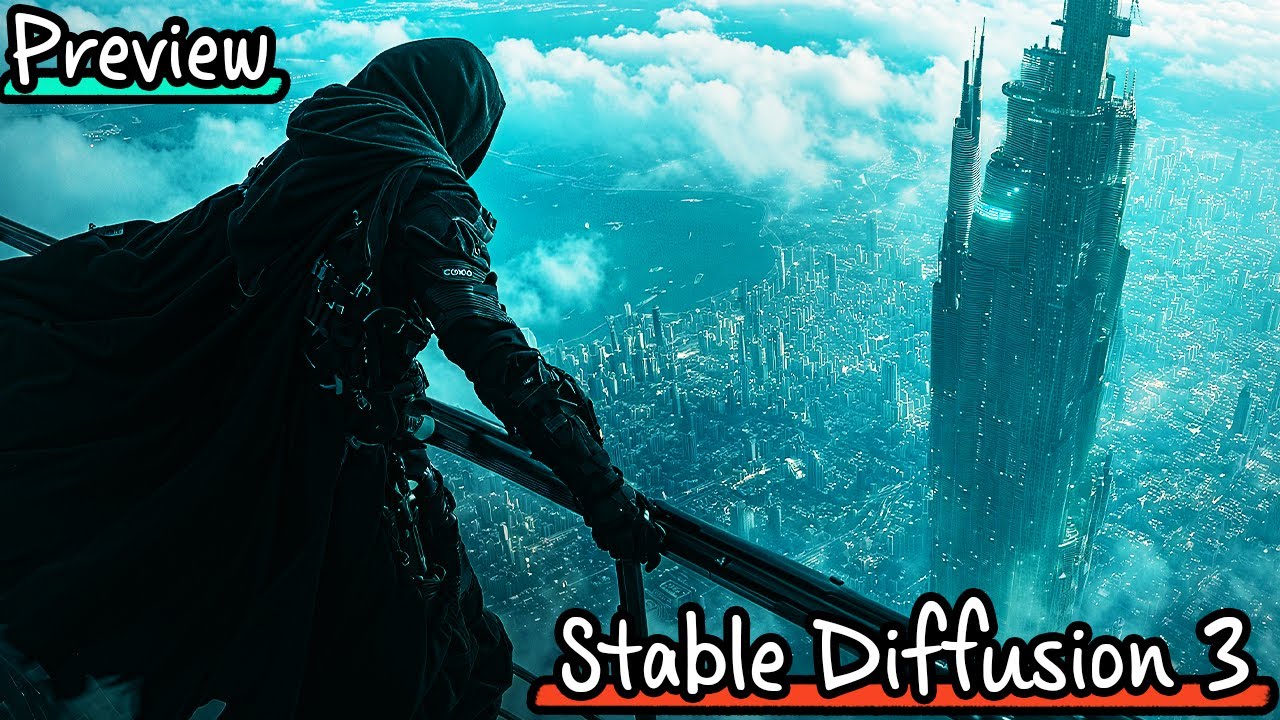
#sdxl #ComfyUI #comfyui #inpainting #stabilityai #stablediffusion3 #stablediffusion #SD3
I joined StabilityAI in April 2024. Thanks for all the channel support!
This is a video about the SD3 available on the Stability Discord server. I try out all sorts of prompts and experiment with SD3's new capabilities.
More information about SD3: https:/...
@jovial tiger FINALLY
nimble mason
@jovial tiger you said you were using t5 with fp16...?
supreme/exp

res/exp

all exponential scheduler with gaussian noise: dpmpp_3m_sde_gpu, dpmpp_2s_a, dpmpp_2m


 clever oar
new forza?
nimble mason
i remember it didn't take very long for someone to publish a finetune on civitai with alpha... i don't reumember how big of a diff there was, but i have it on my HDD
 nimble mason
In a cinematic, high-contrast noir-style digital painting, a scene unfolds on a stormy night in Detroit where a sleek, aerodynamic race car hurtles down the left side of a rain-slicked freeway. The car, a masterpiece of engineering, is painted a deep, glossy black, accented with stripes of iridescent silver that catch the intermittent light from the storm above. Its headlights slice through the heavy downpour, casting eerie beams that reflect off the wet asphalt and the rain-drenched vehicles it narrowly avoids. The oncoming traffic, a mélange of startled drivers in mundane sedans and trucks, flash their headlights in confusion and alarm. Overhead, the sky is a tumultuous canvas of rolling dark clouds and sudden, jagged flashes of lightning, illuminating the scene in brief, dramatic bursts. Each lightning strike highlights the car’s aggressive motion against the natural flow, emphasizing the danger and chaos of its path. The surrounding environment is a blur of towering billboards advertising local Detroit haunts and neon signs flickering spasmodically, struggling against the storm.
 jovial tiger
wow
jovial tiger
awesome
nimble mason
we're gonna have a lot of fun with this 😄
hope there's a way to train controlnets for it
jovial tiger
haha jesus, just the first minute of this sd3 video has me blown away. he flashes insane images real fast by the screen, every one is amazing
nimble mason
if this is anything like it looks ilke so far i'd gladly pony up for some h100 time if needed
oh really
clever oar
what you test?
jovial tiger
clever oar
what you test?
#sdxl #ComfyUI #comfyui #inpainting #stabilityai #stablediffusion3 #stablediffusion #SD3
I joined StabilityAI in April 2024. Thanks for all the channel support!
This is a video about the SD3 available on the Stability Discord server. I try out all sorts of prompts and experiment with SD3's new capabilities.
More information about SD3: https:/...
nimble mason
what aret hese tools
clever oar
its free for all?
nimble mason
my earbuds batteries died and my wired headphones busted so i don't have sound right now
all via discord?
i remember emad saying comfyui wolud be getting an upgrade and/or new tools
junior sky
He is showing 4 minutes of a bot Chanel that nobody of us has access to. I feel like he wasted my time with that.
nimble mason
pretty annoying tbh that not one regular on their official SD discord has access to their SD3 discord bot, lol
jovial tiger
his first SD3 prompt, on pixart-sigma: a wide lens cinematic rear shot of a young male dressed in futuristic minmal brown and dark green sci-fi armor and ragged brown cape overlooking a high cliff, looking down at a large army of desert warriors

 cyan shoal
jovial tiger
haha jesus, just the first minute of this sd3 video has me blown away. he flashe...
cyan shoal
jovial tiger
haha jesus, just the first minute of this sd3 video has me blown away. he flashe...
idk its still weird to me how inferior these preview images sometimes look compared to lykon's images
admittedly, lykon did use highresfix
junior sky
nimble mason
pretty annoying tbh that not one regular on their official SD discord has access...
Today i test SD3: A cat
cyan shoal
so it does improve image quality a lot
nimble mason
 jovial tiger
bird's eye view of a legion of angry shouting Spartan warrior batmans armed with shields and speers. chaos, debris, confusion, anger, blood, gritty, dirty, mid-action, god rays, yellow smoke,
 nimble mason
yeah upscaling def isn't working like it does with sdxl

guess we do need to wait there
jovial tiger
sd3 hands seem pretty borked.
nimble mason
unless tiling does something
jovial tiger
a full body character design of a female puppeteer, short blonde hair, modern streetwear clothing of white jacket, black shirt, and tattered distressed dark blue jeans, alexander mcqueen fashion, arms raised in manipulating fashion, various futuristic sleek androids of different sizes being controlled by her, background workshop with different synthetic organs floating in large tube containers
 clever oar
nimble mason
yeah upscaling def isn't working like it does with sdxl
clever oar
nimble mason
yeah upscaling def isn't working like it does with sdxl
what is it sd3?
jovial tiger
that's another sd3 prompt
sd3 did it better, but the hands in his video examples were even worse
nimble mason
are you still using res or are you using anything else differently?
jovial tiger
res. 50 steps. all the other samplers came out very muddy for me
"steps": 50,
"cfg": 5.5,
"sampler_name": "res_momentumized",
"scheduler": "karras",
nimble mason
huh, i've found res to be muddier so far than ancestral dpmpp_2s_a
a woman standing in a kitchen clasping her hands together behind her back

legit first time i've seen any model do this
not even held together, but still
they're BEHIND not beside
jovial tiger
how many steps and scheduler for 2s_a?
jovial tiger
ok i just did side by side and the composition of the 2s_ancestral was better
both were clear
running a set of 3 with 2s now


 jovial tiger
I'm starting to think some of this is just seed based.
both are sharp, but every now and then a random seed will be more blurry/muddy than the others.
nimble mason
ahh
jovial tiger
man, watching this video he touches on safety, saying that if someone can do an image of a large container ship crashing into a bridge, that would be bad and effectively should be banned. rage at the clouds for people who think like this. intentionally nerfing models.
that's why i'll never get a robot punching a building with sd3.
nimble mason
Captured in a soft, watercolor-style portrait, a woman gazes directly at the viewer with a gentle smile. Her hands are clasped behind her back, concealed by the flowing fabric of her floral summer dress. The light wash of colors and the fluid brush strokes accentuate her calm demeanor and the subtle twist of her body, suggesting a casual, yet thoughtful stance. The delicate play of light and shadow around her form subtly alludes to the hidden gesture of her hands, adding a touch of mystery to her relaxed pose.
 nimble mason
jovial tiger
that's why i'll never get a robot punching a building with sd3.
nimble mason
jovial tiger
that's why i'll never get a robot punching a building with sd3.
yeah fuck that
are we going to ban photoshop then? cuz i sure as hell could photoshop that. jeez
nimble mason
jovial tiger
that's why i'll never get a robot punching a building with sd3.
ideogram doesn't think this way, i believe
jovial tiger
it's literally in their terms of service "we won't restrict what images people want to make" and they legit don't.
nimble mason
while on here we're told any amount of blood, or even just a cake made out of meat is too violent/disturbing (despite being at worst, PG-13 imagery, maybe even PG)
ideogram spits out prompts that talk about cannibals and gore and bicycles made out of "human meat and bones"
jovial tiger
hah
yeah i did the sd3 monster stabbing a rat, and it did it
so far every sd3 prompt i throw at this pixart, it's doing a really good job
sd3 is better, but it certainly better than ella as far as image quality
sd3 doesn't seem to have the ability to put things in certain places if it's just one subject.
only relative to other objects.
nimble mason
really wants to do this
 jovial tiger
Another sd3 prompt in pixart-sigma: top down wide camera angle aerial rear view of a kpop male adventurer assassin wearing dark techwear fashion in the style of alexander mcqueen with white and teal accents, flowing robes and hood, in a dynamic upside down falling pose holding on to the railing of a sci-fi futuristic greco-roman space elevator, over a huge sprawling aerial city in the shape of a lotus petal surrounded by water on all sides, a mega structure of a towering babel-like tower space elevator in teh center reaching into the heavens, falling downward in the dusk sky during golden hour, split toning, sunset dusk, obscured by clouds, atmospheric perspective, in the style of painterly ink
 jovial tiger
neither were the sd3 shots.. none were upside down
nimble mason
are you using these settings too

Illustrated in the style of a modern graphic novel, a race car is dramatically rendered in bold, angular strokes as it navigates against traffic under a thunderous sky on a Detroit freeway. The artwork is characterized by stark contrasts between the dark, ominous sky and the bright, artificial lights from the car and surrounding traffic. The race car, depicted in hues of fiery red and jet black, cuts through the scene with a palpable sense of urgency, its lines sharp and aggressive. Rain slashes across the panels in jagged lines, adding to the sense of speed and danger. Oncoming cars are simplified into geometric shapes, their headlights glaring against the night, adding to the overall tension. The background features high-rise buildings and overpasses, drawn in exaggerated perspectives to enhance the depth and chaos of the urban environment. Lightning forks across the sky in stark white flashes, illuminating the scene in brief, dramatic moments that highlight the reckless bravery of the race car driver.


cfg = 6 here
 shy eagle
pixart-sigma
 nimble mason
and CFG 5


all exponential
karras, ancestral, cfg=5, 50 steps


In a photorealistic style, a race car depicted in sharp detail drives the wrong way against traffic on a Detroit freeway during a severe thunderstorm. The car, a model of precision and speed, sports a lustrous red finish with sleek black accents that gleam under the storm’s intermittent illumination. Each raindrop is captured as it pelts the meticulously crafted surface of the car, creating a texture of crystal-like beads that stream across its body. The storm above is a dramatic spectacle, with heavy, roiling clouds unleashing torrents of rain that turn the freeway into a reflective mirror of chaos and motion. The headlights of oncoming cars, a mix of whites and yellows, create a disorienting array of lights that challenge the race car’s daring maneuver. In the background, the cityscape of Detroit looms, its familiar landmarks obscured and muted by the heavy downpour, with only the occasional glow of a distant streetlight or the flashing of a neon sign providing a sense of place and time.

really fn good for a base
back to res for this one
 languid pebble
 jovial tiger
res looks better, but I think that's a seed issue.
nimble mason
welp. ak-47
 jovial tiger
nimble mason
are you using these settings too
jovial tiger
nimble mason
are you using these settings too
I tried setting mine to auto/auto and now it's using 2 cpu cores and has been for 5 minutes. just siting there.
processing.


pixart-sigma / 2x upscaling with sdxl ai creator checkpoint
0.4 denoise
nimble mason
looks great
jovial tiger

 nimble mason
no category on civitai yet for pixart sigma
try that scheduler of mine for refining/upscaling
i was getting pretty good results with that
granted, i did only try res with the settings from the workflow last night
but setting the multiplier at 0.10 or 0.15 or so was pretty good
even 0.05 did a lot to clean up the van gogh nuke image
jovial tiger


the 1.5x upscale with 0.5 denoise seems to always been the sweet spot. actually more prompt following since i did say batmans.
crisp stream
 jovial tiger
nimble mason
even 0.05 did a lot to clean up the van gogh nuke image
jovial tiger
nimble mason
even 0.05 did a lot to clean up the van gogh nuke image
I have to run away for a while, but I'll have a look tomorrow.
nimble mason
jovial tiger
the 1.5x upscale with 0.5 denoise seems to always been the sweet spot. actually ...
yeah, in general, karras at 0.45 or 0.5, and exponential at 0.5


 languid pebble
any idea?
 crisp stream
languid pebble
any idea?
crisp stream
languid pebble
any idea?
looks like red text on a grey background 😄 Just had that as well with Clownshark´s workflow, couldn´t solve it so far like you know 🙂
languid pebble
Dang ... it worked yesterday 😄


 crisp stream
comforting...
 pastel root
Robot love
languid pebble
crisp stream
comforting...
Yeah ... share love! ❤️
crisp stream
 clever oar
moofi you use dream like sd 1.5?
crisp stream
clever oar
moofi you use dream like sd 1.5?
yep, dreamlike photoreal 2.0
 clever oar
crisp stream
yep, dreamlike photoreal 2.0
clever oar
crisp stream
yep, dreamlike photoreal 2.0
not work for me
crisp stream
clever oar
not work for me
wdym?
clever oar
error
wispy nest
Hey guys is there anyone here that i can send a 16:9 photo and they outpaint it to 3440x1440 because i have a amd gpu and that isnt supported by stable diffusion
clever oar
crisp stream
wdym?
i download dream like model but it give me error
crisp stream
clever oar
error
workflow?
crisp stream
clever oar
a1111
haven´t tested in A1111, so I couldn´t tell, it´s working in Easy Diffusion + Comfy though
crisp stream
clever oar
its like my gpu not support
I don´t think that´s really the reason
clever oar
my gpu not support something in this model
crisp stream
Whta GPU do you have?
clever oar
1050 ti
crisp stream
I had it running on a GTX 1660
clever oar
is better
crisp stream
nah
clever oar
but i cant fix it with any aruments
 cyan shoal
jovial tiger
cyan shoal
jovial tiger
sdxl ai creator checkpoint?
clever oar
also standart 1.5 pruned model very creative but with more artefacts
crisp stream
clever oar
and distortion
you can always use those for input images on SDXL
And do hires fix along
 clever oar
I want to try to restore my sleep using a neural network

 jovial tiger
pixart-sigma: In a chilling apocalyptic vision, a menacing Flying Spaghetti Monster, an ominous shape with eyes on stalks, looms overhead as a dark cloud against deep-hued, storm-filled skies threatening to unleash a deluge of delicious meatballs and tomato sauce upon the diminutive figures below, its body a writhing tangle of pasta, the entire scene illuminated by an otherworldly light that casts long shadows in this macabre vision of armageddon.


 crisp stream
jovial tiger
pixart-sigma: In a chilling apocalyptic vision, a menacing Flying Spaghetti Mons...
crisp stream
jovial tiger
pixart-sigma: In a chilling apocalyptic vision, a menacing Flying Spaghetti Mons...
"pleasant" atmosphere, yet I would work on the face a bit 🙂

@nimble mason


 clever oar
try restore my dream but sd igore part promt
crisp stream
Hedge-hog (slightly shape-edited in PS)
 crisp stream
clever oar
try restore my dream but sd igore part promt
crisp stream
clever oar
try restore my dream but sd igore part promt
i-Gore? 😄
clever oar
you like pink color)
crisp stream
not in particular, it´s simply the series with the prompt, containing cyan + pink 🙂
clever oar
 deft bison


 clever oar

 ripe pilot
Ideogram
 crisp stream
 clever oar
my dream tonight:
from the slightly open door of the house you can see a running man, who is being chased by people on the street among the trees of a dark winter park at night, the lights do not shine


they caught him and started cutting him
💀
saw nightmare tonight 😃
languid pebble
Can you recognize him?
 cyan shoal
GitHub
Perturbed-Attention Guidance for ComfyUI and SD Forge - pamparamm/sd-perturbed-attention
@jovial tiger
Reddit
Explore this post and more from the StableDiffusion community
 shut sinew
jovial tiger
I guess this explains why I haven't seen any more sd3 pics from these people I f...
shut sinew
jovial tiger
I guess this explains why I haven't seen any more sd3 pics from these people I f...
This isnt true, I can use the bot right now 
jovial tiger
This isn't true? Was I following you on twitter?
shut sinew
jovial tiger
This isn't true? Was I following you on twitter?
Im saying its not true that the bot isnt working right now
jovial tiger
I never said the bot isn't working.
shut sinew
The tweet does tho
jovial tiger
I said it was turned off for some of the original testers, and now it's been opened up to a new set of people
which is true
shut sinew
There might be multiple servers idk
jovial tiger
cyan shoal
https://github.com/pamparamm/sd-perturbed-attention
Dude, there's only so many major releases I can handle per day. 🙂
grave scarab
can someone help me to transform this image

into this

tried so much and i just give up at this point
if anyone can replicate those things, im happy to pay
jovial tiger
@shut sinew Feel like trying this one out on SD3? This is what it looks like with pixart-sigma. prompt: Cinematic, low-angle shot of a menacing cyborg shark with sleek, metallic body, glowing red eyes, razor-sharp teeth, and advanced technological enhancements, emerging from the dark, murky waters of a neon-lit lagoon, illuminated by vibrant pink, blue, and green hues reflecting off the rippling surface, casting an eerie glow on the shark's gleaming exterior, as terrified people on jet skis, with panic-stricken faces and flailing limbs, desperately attempt to escape the looming threat, their vehicles leaving trails of churning water and neon reflections in their wake, set against a backdrop of a futuristic, dystopian cityscape with towering skyscrapers and flickering holographic advertisements, all witnessed from a dramatic, underwater perspective.

 topaz harbor
grave scarab
if anyone can replicate those things, im happy to pay
topaz harbor
grave scarab
if anyone can replicate those things, im happy to pay
What do you want transformed about it exactly?
grave scarab
topaz harbor
What do you want transformed about it exactly?
the 2nd image is enhanced, a lot of details, bigger boobs, nice face with ADetailer probably, but the details are there in high resolution
cyan shoal
jovial tiger
Dude, there's only so many major releases I can handle per day. 🙂
doesnt seem to do anything on pixart
clever oar
languid pebble
Can you recognize him?
middle
topaz harbor
grave scarab
the 2nd image is enhanced, a lot of details, bigger boobs, nice face with ADetai...
Dm’d you
languid pebble
2 years ago ... ... ... 😄

 shadow mortar
can you help me with the next promt: a photograph of a creature, with the neck and upper body of a giraffe that is retractable, instead of having hind legs it has a large reptilian tail, standing on its two legs and tail, its habitat is the jungle border in the African savannahs, it is grazing, the sun comes from the upper left side.--ar 2:3
crisp stream
shadow mortar
can you help me with the next promt: a photograph of a creature, with the neck a...
😄
 shadow mortar
thank you! i know it doesn´t look as much a giraffe but i had to give it a try

 crisp stream
shadow mortar
can you help me with the next promt: a photograph of a creature, with the neck a...
crisp stream
shadow mortar
can you help me with the next promt: a photograph of a creature, with the neck a...


 dense bison
Can you help me with the next prompt. It generates a realistic photo about a creature, which is an impressive blend of divine and earthly elements. It has a large humanoid body with imposing musculature, crowned with curved buffalo horns that radiates a sense of power in a majestic enchanted forest. His large, majestic wings gracefully reflect the celestial light as they unfold. Masterfully, in her hands she controls fire and makes flames dance at will in the place where ancient trees and shadows move to the beat of ancestral magic. Her intense and penetrating gaze reveals the wisdom of ancestral beings, embodying strength, magic and majesty -- ar 3:2.
crisp stream
@languid pebble @nimble mason After updating everything for making your file work, I cannot get IPAdapter+ working anymore. This is what it shows in the shell:
 nimble mason
crisp stream
<@593876477129392139> <@1208924372299939890> After updating everything for makin...
nimble mason
crisp stream
<@593876477129392139> <@1208924372299939890> After updating everything for makin...
they changed the name of the opt 🙂
just click on the weight